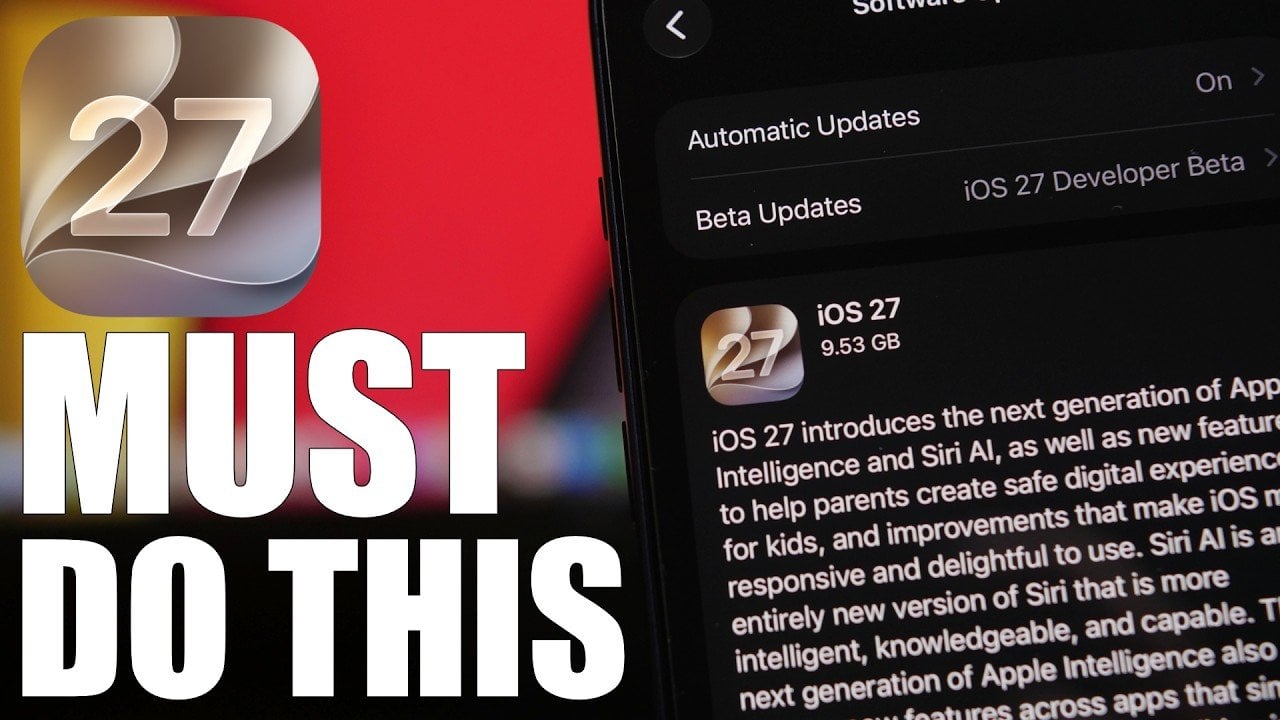
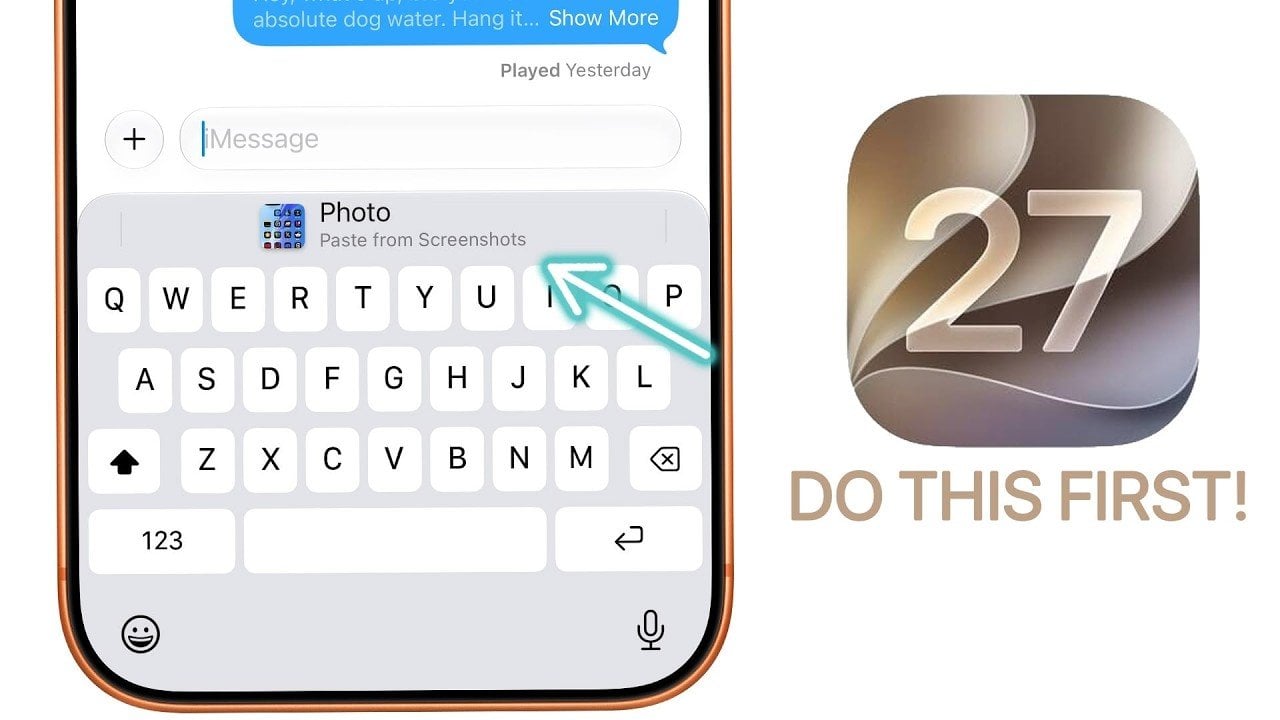
iOS 26.2 is here with another Liquid Glass tweak, new Podcasts features and more

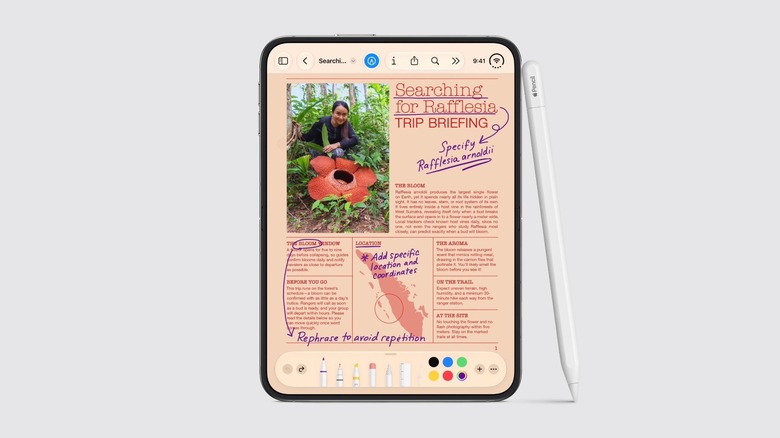
Apple has released iOS 26.2, bringing a number of new convenience features and security updates. The update includes auto-generated chapters for episodes in the Podcasts app, the option to make AirDrop more secure using verification codes, alarms for Reminders and more. It also introduces new controls for how Liquid Glass appears on the Lock Screen, adding a slider to adjust the transparency level. The drop also includes updates for iPadOS, macOS, watchOS, visionOS and tvOS.

It's not exactly a major update feature-wise, but iOS and iPadOS 26.2 bring a bunch of quality of life improvements to apps including Apple Music, Podcasts and Games. In Apple Music, you'll now see your Favorite Songs playlist in the Top Picks section, and lyrics will be available offline for songs you've downloaded. In addition to automatically generated chapters, Podcasts will display links to any other podcasts mentioned in the episode you're listening to. And, Games is getting in-game score banners, along with filters for the library to make it easier to find titles based on category and other descriptors. Apple says it also improved support for Backbone and Razer controllers.

With iOS 26.2, Apple made Safety Alerts for natural disasters and other emergencies more detailed, and they'll now come with maps of affected areas and other useful information. For iPad users, Apple has added drag-and-drop gestures for its new windowing system to make multitasking smoother. The update for iPhones and iPads also addresses several potential security issues, including vulnerabilities in WebKit that Apple says "may have been exploited in an extremely sophisticated attack against specific targeted individuals on versions of iOS before iOS 26." So, if you're not yet running the latest OS on your iPhone and iPad, it's a good time to update. 

Beyond the iPhone and iPad, macOS Tahoe 26.2 introduces Edge Light for Mac, which turns your display into a ring light for video calls. For the Apple Watch, 26.2 fixes an issue with stuck songs in the Music app, and adds some new controls for the Sleep app. The tvOS update brings the option to add profiles even for people who don't have an Apple Account, and new restriction options for kid profiles. With visionOS 26.2, Travel Mode now has settings for cars and buses, and you'll now be able to use spatial accessories including "Logitech Muse in Notes, Freeform, and any PencilKit-enabled app" to create hand-drawn content with the Apple Vision Pro.

This article originally appeared on Engadget at https://www.engadget.com/mobile/ios-262-is-here-with-another-liquid-glass-tweak-new-podcasts-features-and-more-181020133.html?src=rss

CRKD’s Nitro Deck 2 works for both the Nintendo Switch and Switch 2

Even though Nintendo made some serious upgrades with the Joy-Con 2, you still might end up ditching them for CRKD's Nitro Deck 2. After winning over Nintendo Switch owners with its first Nitro Deck, CRKD followed it up with an improved design that works for both the original Switch and the Switch 2.

To refine the original design, CRKD added several upgrades to the Nitro Deck 2 based on community feedback. The new-and-improved accessory features the company's CaptiStick Technology, which prevents stick drift and isn't affected by magnetic interference like other Hall effect joysticks. CRKD also offset the right thumbstick and contoured the outer shell for a more ergonomic feel. The Nitro Deck 2 is keeping the swappable stick top feature, but CRKD added the ability to swap out the D-Pad for even more customizability. At the back of the Nitro Deck 2, CRKD managed to squeeze in extra L2 and R2 shoulder buttons alongside the programmable back buttons, which were first seen with the predecessor.

The Nitro Deck 2 comes with upgraded thumbsticks that won't ever fall victim to stick drift.
CRKD

Even if you don't own a Switch 2 yet, the Nitro Deck 2 features a new retractable locking mechanism that can be adjusted to fit both the original Switch and Switch OLED. The Nitro Deck 2 supports a low-latency wired mode thanks to an included adapter, but you can also connect the devices through Bluetooth. Thanks to its wireless connection, the Nitro Deck 2 even works as a controller with PC, mobile or smart TVs.

The Nitro Deck 2 will release in white and smoke black, starting at $99.99. That's a $30 increase from the original Nitro Deck's price tag when it debuted in 2023. CRKD will also offer a carrying case for $39.99 and additional D-Pad and Stick Top packs for $19.99. Nitro Deck 2 is currently available for preorders on CRKD's website and is expected to start shipping in spring 2026.

This article originally appeared on Engadget at https://www.engadget.com/gaming/nintendo/crkds-nitro-deck-2-works-for-both-the-nintendo-switch-and-switch-2-173920127.html?src=rss

Poco Pad X1 & Poco Pad M1 Review: Budget Tablets That Challenge the iPad

PROS:


  • Strong display for the money

  • Complete accessory ecosystem

  • Big batteries

CONS:


  • Neither tablet is light enough for comfortable one-handed use

  • Fully kitted-out X1 with Floating Keyboard and Focus Pen gets expensive fast

RATINGS:

AESTHETICS
ERGONOMICS
PERFORMANCE
SUSTAINABILITY / REPAIRABILITY
VALUE FOR MONEY

EDITOR'S QUOTE:

Poco Pad X1 and M1 are not perfect, but together they deliver more screen, battery, and versatility than almost any other budget tablet pair right now.

Poco built its name on phones that punch above their price, and now it wants to do the same on your coffee table. With Poco Pad X1 and Poco Pad M1, the brand is not just throwing out a couple of cheap tablets. It is trying to turn its budget DNA into a fuller ecosystem that covers gaming, work, and everyday media.

You can feel that ambition in how these two models are drawn. The Poco Pad X1 is a slightly more compact, high refresh performance slate, tuned for games and quick multitasking on an 11.2-inch 3.2K display. The Poco Pad M1 steps up to a 12.1-inch 2.5K panel and the largest battery Poco has ever shipped in a global device, aiming to be the big screen that carries you through movies, sketching sessions, and long days away from a charger.

Designer: Poco

If you have been eyeing an affordable Android tablet for gaming, streaming, or light work, should you reach for the sharper, faster Poco Pad X1, or the larger, more relaxed Poco Pad M1? In this review, we will live with both, compare their strengths, and help you decide which one actually fits your desk, your bag, and your budget.

Aesthetics

Poco Pad X1

Poco is not trying to reinvent tablet hardware with Poco Pad X1 or Poco Pad M1. Both follow a familiar rectangle with rounded corners, flat sides, and a camera module that sits quietly in one corner. On Poco Pad X1, the focus is clearly on framing its 11.2-inch display as efficiently as possible. Poco Pad M1 takes the same basic formula and scales it up with a 12.1-inch panel.

Color choices on the Pad X1 and the Pad M1 are simple. They both come in Grey and Blue. Grey leans more gunmetal and understated with a contrasting yellow accent around the camera module, while Blue reads a little more casual and friendly, but neither option is loud or experimental. Both tablets use a metal unibody design for the main shell, with separate parts for the camera island and buttons, and a big Poco logo stamped in the center for instant brand recognition. The Poco Pad X1 uses a square camera island, while the Poco Pad M1 switches to a softer oval, which gives each model a slightly different signature when you flip them over.

Poco Pad M1

Taken together, the two tablets look exactly like what they are meant to be. They are straightforward, modern Android slabs that fade into the background and let their screens and specs do the talking. For budget-friendly hardware, that quiet, functional design approach feels like the right call.

Ergonomics

In the hand, the main ergonomic difference between Poco Pad X1 and Poco Pad M1 is simply size and weight, but neither is a true one-handed tablet for long stretches. The Poco Pad X1, with its 11.2-inch footprint and 500 g weight, is the more compact of the two. It is easier to manage on a sofa or in bed than the larger Poco Pad M1, but you will still want a second hand or some support if you are holding it for a long time. Even though the Poco Pad X1 is relatively slim and light for an aluminum unibody tablet with an 8,850 mAh battery, with dimensions of 251.22 x 173.42 x 6.18 mm, it does not quietly disappear in one hand the way a smaller 8 or 9-inch device might.

Poco Pad M1

Poco Pad M1 stretches that template out to a 12.1-inch diagonal with dimensions of 279.8 x 181.65 x 7.5 mm and a weight of about 610 g, which puts it clearly into big tablet territory. It is still slim, but the larger footprint makes it even less suited to long one-handed use, especially if you are moving around. Instead, it feels more like a tablet you rest on a table, prop up with a cover, or pair with its official keyboard, where the extra screen real estate really pays off for split-screen apps, video, and drawing.

The accessory ecosystem around the Pad X1 and the Pad M1 makes them versatile, but in slightly different ways. Poco Pad M1 is compatible with the optional Poco Pad M1 Keyboard, Poco Smart Pen, and Poco Pad M1 Cover, a trio that turns it into a very capable small-screen workstation. The cover folds into a stand and adds a built-in holder for the pen, which makes it easy to move between bag, desk, and sofa without worrying about where the stylus went. The keyboard is lightweight and easy to carry, but the keys feel a bit plasticky in use, which slightly undercuts the otherwise solid metal body of the tablet.

Poco Pad X1

Poco Pad X1 has its own dedicated set of accessories. It supports the Poco Pad X1 Floating Keyboard, the Poco Pad X1 Keyboard, the Poco Focus Pen, and the Poco Pad X1 Cover, which together give it a surprisingly flexible setup for both work and play. The cover folds like origami and doubles as a stand, letting you enjoy the tablet vertically or horizontally, and for horizontal use, you can choose between two different viewing heights.

The Floating Keyboard is the standout here. It adds some weight and only offers a modest tilt range, but the key feel is excellent for this class, and the trackpad is responsive and accurate enough that you quickly forget you are on a tablet accessory. Clipped together, the Poco Pad X1 and the Floating Keyboard behave much more like a compact laptop than a budget slate with an afterthought keyboard, which makes it far easier to treat this smaller tablet as a real writing and work machine when you need it.
 

Performance

Living with Poco Pad X1 and Poco Pad M1 quickly shows how differently they lean, even though they share a lot of DNA. The Poco Pad X1 is the sharper and faster option, with an 11.2-inch 3.2K display at 3,200 x 2,136 px, around 345 ppi, and refresh up to 144 Hz in supported apps. It can hit about 800 nits peak brightness, supports Dolby Vision and HDR10, and uses a 3:2 aspect ratio that feels very natural for reading, web browsing, and document work, helped by TÜV eye care, DC dimming, and adaptive colors to keep things comfortable.

Poco Pad M1

The Poco Pad M1, on the other hand, trades a bit of sharpness and speed for sheer size and flexibility. Its 12.1-inch 2.5K panel runs at 2,560 x 1,600px with around 249 ppi and up to 120 Hz refresh, plus 500 nits typical and 600 nits in high brightness mode. You still get Dolby Vision, DC dimming, and TÜV certifications for low blue light, flicker-free behavior, and circadian friendliness, along with wet touch support that keeps it usable with damp fingers.

Poco Pad X1

Both tablets use quad speakers with Dolby Atmos and Hi-Res support, so you get surprisingly full sound from either. Crucially, the Poco Pad M1 also adds a 3.5 mm headphone jack and a microSD slot for up to 2 TB of expandable storage, which makes it a much easier media hoarder and a better fit for wired headphones and speakers. The X1 relies on its internal storage and wireless audio instead, which suits its more performance-driven, travel-friendly role.

Poco Pad X1

Poco Pad M1

Performance and gaming clearly favor the Poco Pad X1. It uses the Snapdragon 7+ Gen 3 with 8 GB of RAM and up to 512 GB of storage, and combined with the 144 Hz panel, it feels like a handheld console that also happens to be good at multitasking and productivity. The Poco Pad M1 steps down to the Snapdragon 7s Gen 4 with 8 GB of RAM and 256 GB of storage, which is still more than enough for apps and casual gaming, but clearly tuned more for streaming, browsing, and note-taking than for chasing every last frame. In practice, the Poco Pad X1 is the one you reach for when you care about smooth, high refresh gameplay, while the Pad M1 is the one you leave on the coffee table for everyone to use.

Poco Pad M1

Battery life follows the same logic. The Poco Pad X1 pairs its 8,850 mAh battery with 45 W turbo charging, which Poco says can go from zero to full in about 94 minutes, and my experience matches that claim in day-to-day use. The Poco Pad M1 leans into a 12,000 mAh pack, billed as the largest battery in a global Poco device, with up to 105.36 hours of music playback, around 83 days of standby, 33 W charging, and up to 27 W wired reverse charging so it can top up your other devices.

Poco Pad M1

Poco Pad X1

On the software side, both run Xiaomi HyperOS with Xiaomi Interconnectivity and Google’s AI hooks, so you get shared clipboard, call and network sync, Circle to Search, and Gemini support whichever size you choose. As for cameras, Poco Pad X1 pairs a 13 MP rear camera and an 8 MP front camera, while Poco Pad M1 sticks to 8 MP sensors on both sides. The results are perfectly fine for video calls, document scans, and the odd quick snap, but nothing special, which is exactly what you would expect from tablets at this price bracket.

Poco Pad M1

Poco Pad X1

Sustainability

Poco is not making a big environmental branding play with Poco Pad X1 and Poco Pad M1, but there are a few practical touches that matter if you plan to keep a tablet for several years. The most important one is long-term software support. Both Pad X1 and Pad M1 are slated to receive four years of security updates, which gives you a clearer runway for safe everyday use. For budget tablets, that commitment is still not guaranteed across the market, so it is good to see Poco spell it out.

Poco Pad M1


That longer support window pairs well with the hardware choices. The aluminum unibody shells on both models feel sturdy enough to survive several upgrade cycles, and the generous storage options, plus microSD expansion on the Poco Pad M1, reduce the pressure to replace them early just to fit more apps or media. It is not a full sustainability story with recycled materials and carbon tracking, but if your definition of sustainable starts with buying something that will not feel obsolete or unsafe in two years, these tablets are at least pointed in the right direction.

Value

The Poco Pad X1 and Poco Pad M1 both land in the affordable bracket, but they scale very differently once you add accessories. The Poco Pad X1 with 8 GB of RAM and 512 GB of storage is $399 USD, which feels fair for the Snapdragon 7+ Gen 3 and high-end 3.2K 144 hertz display. Its accessories are priced like mini laptop gear, with the Floating Keyboard at $199 USD, the X1 Keyboard at $129 USD, the X1 Cover at $49 USD, and the Poco Focus Pen at $99 USD. A fully loaded X1 setup quickly pushes past $600 USD, but in return, you get a compact tablet that can genuinely stand in for a small laptop and drawing pad.

Poco Pad X1

The Poco Pad M1 starts cheaper at $329 USD for 8 GB and 256 GB, and its add-ons stay firmly in value territory. The M1 Keyboard is $99 USD, the M1 Cover is $29 USD, and the Poco Smart Pen is $69 USD, so even a complete kit undercuts an equivalently kitted X1 by a healthy margin. Factor in the microSD slot and 3.5 millimeter headphone jack, and M1 clearly aims to be the better deal for big screen media, note-taking, and family use, while X1 makes more sense if you are willing to pay extra for performance, storage, and that excellent Floating Keyboard experience.

Verdict

The Poco Pad X1 and Poco Pad M1 end up serving two somewhat different roles. If you prioritize performance, the Poco Pad X1 is the clear choice. The Snapdragon 7+ Gen 3, 3.2K 144 Hz display, 512 GB storage, and excellent Floating Keyboard make it feel like a serious little work and gaming machine, even if the full setup gets expensive and you give up the headphone jack and SD slot. If you care more about big-screen comfort and value, the Poco Pad M1 quietly wins. The 12.1-inch 2.5K screen, quad speakers, 3.5 mm jack, microSD expansion, huge battery, and cheaper accessories make it a better fit for big-screen media and everyday productivity.

Poco Pad X1

Whichever way you lean, you are getting more tablet than the price suggests. For context, Apple’s base iPad costs $449 with only 64 GB of storage and a 60 Hz screen. The iPad still has a faster processor and a tighter app ecosystem, but Poco gives you bigger batteries, sharper displays, and a lot more storage for less money. Pick the Poco Pad X1 if you want compact power and a great keyboard experience. Pick the Poco Pad M1 if you want maximum screen, battery, and flexibility for the money. Either way, you end up with a tablet that feels more considered than most of what you will find at this price.

The post Poco Pad X1 & Poco Pad M1 Review: Budget Tablets That Challenge the iPad first appeared on Yanko Design.

Poco Pad X1 & Poco Pad M1 Review: Budget Tablets That Challenge the iPad

PROS:


  • Strong display for the money

  • Complete accessory ecosystem

  • Big batteries

CONS:


  • Neither tablet is light enough for comfortable one-handed use

  • Fully kitted-out X1 with Floating Keyboard and Focus Pen gets expensive fast

RATINGS:

AESTHETICS
ERGONOMICS
PERFORMANCE
SUSTAINABILITY / REPAIRABILITY
VALUE FOR MONEY

EDITOR'S QUOTE:

Poco Pad X1 and M1 are not perfect, but together they deliver more screen, battery, and versatility than almost any other budget tablet pair right now.

Poco built its name on phones that punch above their price, and now it wants to do the same on your coffee table. With Poco Pad X1 and Poco Pad M1, the brand is not just throwing out a couple of cheap tablets. It is trying to turn its budget DNA into a fuller ecosystem that covers gaming, work, and everyday media.

You can feel that ambition in how these two models are drawn. The Poco Pad X1 is a slightly more compact, high refresh performance slate, tuned for games and quick multitasking on an 11.2-inch 3.2K display. The Poco Pad M1 steps up to a 12.1-inch 2.5K panel and the largest battery Poco has ever shipped in a global device, aiming to be the big screen that carries you through movies, sketching sessions, and long days away from a charger.

Designer: Poco

If you have been eyeing an affordable Android tablet for gaming, streaming, or light work, should you reach for the sharper, faster Poco Pad X1, or the larger, more relaxed Poco Pad M1? In this review, we will live with both, compare their strengths, and help you decide which one actually fits your desk, your bag, and your budget.

Aesthetics

Poco Pad X1

Poco is not trying to reinvent tablet hardware with Poco Pad X1 or Poco Pad M1. Both follow a familiar rectangle with rounded corners, flat sides, and a camera module that sits quietly in one corner. On Poco Pad X1, the focus is clearly on framing its 11.2-inch display as efficiently as possible. Poco Pad M1 takes the same basic formula and scales it up with a 12.1-inch panel.

Color choices on the Pad X1 and the Pad M1 are simple. They both come in Grey and Blue. Grey leans more gunmetal and understated with a contrasting yellow accent around the camera module, while Blue reads a little more casual and friendly, but neither option is loud or experimental. Both tablets use a metal unibody design for the main shell, with separate parts for the camera island and buttons, and a big Poco logo stamped in the center for instant brand recognition. The Poco Pad X1 uses a square camera island, while the Poco Pad M1 switches to a softer oval, which gives each model a slightly different signature when you flip them over.

Poco Pad M1

Taken together, the two tablets look exactly like what they are meant to be. They are straightforward, modern Android slabs that fade into the background and let their screens and specs do the talking. For budget-friendly hardware, that quiet, functional design approach feels like the right call.

Ergonomics

In the hand, the main ergonomic difference between Poco Pad X1 and Poco Pad M1 is simply size and weight, but neither is a true one-handed tablet for long stretches. The Poco Pad X1, with its 11.2-inch footprint and 500 g weight, is the more compact of the two. It is easier to manage on a sofa or in bed than the larger Poco Pad M1, but you will still want a second hand or some support if you are holding it for a long time. Even though the Poco Pad X1 is relatively slim and light for an aluminum unibody tablet with an 8,850 mAh battery, with dimensions of 251.22 x 173.42 x 6.18 mm, it does not quietly disappear in one hand the way a smaller 8 or 9-inch device might.

Poco Pad M1

Poco Pad M1 stretches that template out to a 12.1-inch diagonal with dimensions of 279.8 x 181.65 x 7.5 mm and a weight of about 610 g, which puts it clearly into big tablet territory. It is still slim, but the larger footprint makes it even less suited to long one-handed use, especially if you are moving around. Instead, it feels more like a tablet you rest on a table, prop up with a cover, or pair with its official keyboard, where the extra screen real estate really pays off for split-screen apps, video, and drawing.

The accessory ecosystem around the Pad X1 and the Pad M1 makes them versatile, but in slightly different ways. Poco Pad M1 is compatible with the optional Poco Pad M1 Keyboard, Poco Smart Pen, and Poco Pad M1 Cover, a trio that turns it into a very capable small-screen workstation. The cover folds into a stand and adds a built-in holder for the pen, which makes it easy to move between bag, desk, and sofa without worrying about where the stylus went. The keyboard is lightweight and easy to carry, but the keys feel a bit plasticky in use, which slightly undercuts the otherwise solid metal body of the tablet.

Poco Pad X1

Poco Pad X1 has its own dedicated set of accessories. It supports the Poco Pad X1 Floating Keyboard, the Poco Pad X1 Keyboard, the Poco Focus Pen, and the Poco Pad X1 Cover, which together give it a surprisingly flexible setup for both work and play. The cover folds like origami and doubles as a stand, letting you enjoy the tablet vertically or horizontally, and for horizontal use, you can choose between two different viewing heights.

The Floating Keyboard is the standout here. It adds some weight and only offers a modest tilt range, but the key feel is excellent for this class, and the trackpad is responsive and accurate enough that you quickly forget you are on a tablet accessory. Clipped together, the Poco Pad X1 and the Floating Keyboard behave much more like a compact laptop than a budget slate with an afterthought keyboard, which makes it far easier to treat this smaller tablet as a real writing and work machine when you need it.
 

Performance

Living with Poco Pad X1 and Poco Pad M1 quickly shows how differently they lean, even though they share a lot of DNA. The Poco Pad X1 is the sharper and faster option, with an 11.2-inch 3.2K display at 3,200 x 2,136 px, around 345 ppi, and refresh up to 144 Hz in supported apps. It can hit about 800 nits peak brightness, supports Dolby Vision and HDR10, and uses a 3:2 aspect ratio that feels very natural for reading, web browsing, and document work, helped by TÜV eye care, DC dimming, and adaptive colors to keep things comfortable.

Poco Pad M1

The Poco Pad M1, on the other hand, trades a bit of sharpness and speed for sheer size and flexibility. Its 12.1-inch 2.5K panel runs at 2,560 x 1,600px with around 249 ppi and up to 120 Hz refresh, plus 500 nits typical and 600 nits in high brightness mode. You still get Dolby Vision, DC dimming, and TÜV certifications for low blue light, flicker-free behavior, and circadian friendliness, along with wet touch support that keeps it usable with damp fingers.

Poco Pad X1

Both tablets use quad speakers with Dolby Atmos and Hi-Res support, so you get surprisingly full sound from either. Crucially, the Poco Pad M1 also adds a 3.5 mm headphone jack and a microSD slot for up to 2 TB of expandable storage, which makes it a much easier media hoarder and a better fit for wired headphones and speakers. The X1 relies on its internal storage and wireless audio instead, which suits its more performance-driven, travel-friendly role.

Poco Pad X1

Poco Pad M1

Performance and gaming clearly favor the Poco Pad X1. It uses the Snapdragon 7+ Gen 3 with 8 GB of RAM and up to 512 GB of storage, and combined with the 144 Hz panel, it feels like a handheld console that also happens to be good at multitasking and productivity. The Poco Pad M1 steps down to the Snapdragon 7s Gen 4 with 8 GB of RAM and 256 GB of storage, which is still more than enough for apps and casual gaming, but clearly tuned more for streaming, browsing, and note-taking than for chasing every last frame. In practice, the Poco Pad X1 is the one you reach for when you care about smooth, high refresh gameplay, while the Pad M1 is the one you leave on the coffee table for everyone to use.

Poco Pad M1

Battery life follows the same logic. The Poco Pad X1 pairs its 8,850 mAh battery with 45 W turbo charging, which Poco says can go from zero to full in about 94 minutes, and my experience matches that claim in day-to-day use. The Poco Pad M1 leans into a 12,000 mAh pack, billed as the largest battery in a global Poco device, with up to 105.36 hours of music playback, around 83 days of standby, 33 W charging, and up to 27 W wired reverse charging so it can top up your other devices.

Poco Pad M1

Poco Pad X1

On the software side, both run Xiaomi HyperOS with Xiaomi Interconnectivity and Google’s AI hooks, so you get shared clipboard, call and network sync, Circle to Search, and Gemini support whichever size you choose. As for cameras, Poco Pad X1 pairs a 13 MP rear camera and an 8 MP front camera, while Poco Pad M1 sticks to 8 MP sensors on both sides. The results are perfectly fine for video calls, document scans, and the odd quick snap, but nothing special, which is exactly what you would expect from tablets at this price bracket.

Poco Pad M1

Poco Pad X1

Sustainability

Poco is not making a big environmental branding play with Poco Pad X1 and Poco Pad M1, but there are a few practical touches that matter if you plan to keep a tablet for several years. The most important one is long-term software support. Both Pad X1 and Pad M1 are slated to receive four years of security updates, which gives you a clearer runway for safe everyday use. For budget tablets, that commitment is still not guaranteed across the market, so it is good to see Poco spell it out.

Poco Pad M1


That longer support window pairs well with the hardware choices. The aluminum unibody shells on both models feel sturdy enough to survive several upgrade cycles, and the generous storage options, plus microSD expansion on the Poco Pad M1, reduce the pressure to replace them early just to fit more apps or media. It is not a full sustainability story with recycled materials and carbon tracking, but if your definition of sustainable starts with buying something that will not feel obsolete or unsafe in two years, these tablets are at least pointed in the right direction.

Value

The Poco Pad X1 and Poco Pad M1 both land in the affordable bracket, but they scale very differently once you add accessories. The Poco Pad X1 with 8 GB of RAM and 512 GB of storage is $399 USD, which feels fair for the Snapdragon 7+ Gen 3 and high-end 3.2K 144 hertz display. Its accessories are priced like mini laptop gear, with the Floating Keyboard at $199 USD, the X1 Keyboard at $129 USD, the X1 Cover at $49 USD, and the Poco Focus Pen at $99 USD. A fully loaded X1 setup quickly pushes past $600 USD, but in return, you get a compact tablet that can genuinely stand in for a small laptop and drawing pad.

Poco Pad X1

The Poco Pad M1 starts cheaper at $329 USD for 8 GB and 256 GB, and its add-ons stay firmly in value territory. The M1 Keyboard is $99 USD, the M1 Cover is $29 USD, and the Poco Smart Pen is $69 USD, so even a complete kit undercuts an equivalently kitted X1 by a healthy margin. Factor in the microSD slot and 3.5 millimeter headphone jack, and M1 clearly aims to be the better deal for big screen media, note-taking, and family use, while X1 makes more sense if you are willing to pay extra for performance, storage, and that excellent Floating Keyboard experience.

Verdict

The Poco Pad X1 and Poco Pad M1 end up serving two somewhat different roles. If you prioritize performance, the Poco Pad X1 is the clear choice. The Snapdragon 7+ Gen 3, 3.2K 144 Hz display, 512 GB storage, and excellent Floating Keyboard make it feel like a serious little work and gaming machine, even if the full setup gets expensive and you give up the headphone jack and SD slot. If you care more about big-screen comfort and value, the Poco Pad M1 quietly wins. The 12.1-inch 2.5K screen, quad speakers, 3.5 mm jack, microSD expansion, huge battery, and cheaper accessories make it a better fit for big-screen media and everyday productivity.

Poco Pad X1

Whichever way you lean, you are getting more tablet than the price suggests. For context, Apple’s base iPad costs $449 with only 64 GB of storage and a 60 Hz screen. The iPad still has a faster processor and a tighter app ecosystem, but Poco gives you bigger batteries, sharper displays, and a lot more storage for less money. Pick the Poco Pad X1 if you want compact power and a great keyboard experience. Pick the Poco Pad M1 if you want maximum screen, battery, and flexibility for the money. Either way, you end up with a tablet that feels more considered than most of what you will find at this price.

The post Poco Pad X1 & Poco Pad M1 Review: Budget Tablets That Challenge the iPad first appeared on Yanko Design.

iOS 26.3 Update: Everything You Need to Know

iOS 26.3 Update: Everything You Need to Know

Apple is preparing to roll out iOS 26.2, an update designed to enhance performance, strengthen security, and refine existing features. This release focuses on improving system stability and user experience while laying the groundwork for future advancements, particularly in iOS 26.3. With a mix of functional upgrades and subtle refinements, iOS 26.3 aims to deliver […]

The post iOS 26.3 Update: Everything You Need to Know appeared first on Geeky Gadgets.

Posted in Uncategorized

5 Best Free Speech-to-Text APIs in 2025 Compared & Tested

5 Best Free Speech-to-Text APIs in 2025 Compared & Tested

What if you could transform hours of audio into precise, actionable text with just a few lines of code? In 2025, this is no longer a futuristic dream but a reality powered by innovative speech-to-text APIs. These tools have become indispensable for developers, businesses, and researchers alike, offering unparalleled accuracy and advanced features like real-time […]

The post 5 Best Free Speech-to-Text APIs in 2025 Compared & Tested appeared first on Geeky Gadgets.

Posted in Uncategorized

Nocs Braque Stacks Two Cubes into a 25kg Sculptural Stereo System

Most hi-fi speakers still look like anonymous black rectangles, even when they sound great. A few brands treat speakers as furniture or sculpture, but often at the expense of engineering. Braque by Nocs tries to sit in the middle, a pair of cubes that are as considered visually as they are technically, treating stereo as both sound and composition rather than one serving the other as an afterthought.

Nocs calls Braque “two cubes, one sculptural stereo system,” and each speaker is a stacked pair, a CNC-machined plywood enclosure on top of a 25 kg solid-steel base. Built in numbered editions, assembled in Estonia with the steel cube handcrafted in Sweden, and tuned back at Nocs Lab, Braque signals that this is not a mass-market soundbar or a safe play for casual listeners who just want something wireless.

Designer: Nocs Design

The upper cube is rigid plywood finished in deep matte-black oil, chosen for tonal warmth and acoustic integrity, and the lower cube is a hand-welded, brushed steel block that anchors the system physically and visually. Sorbothane isolation pads sit between them, decoupling the enclosure from the base so the driver can move without shaking the furniture or smearing the soundstage. Together, the two volumes form a study in symmetry, a minimal yet expressive composition.

The acoustic core is an 8-inch Celestion FTX0820 coaxial driver with a 1-inch compression tweeter at its center, powered by dual Hypex FA122 modules delivering 125 W per side with integrated DSP. The coaxial layout gives a point-source image, and the active 2-way design lets Nocs control crossover and EQ precisely, resulting in a 42 Hz–20 kHz response that is tuned rather than guessed at from a passive circuit.

Nocs describes their studio-sound approach as tuning like sculpture, not adding but uncovering, working with artists and engineers to balance emotion, texture, and detail. The dual-cube design is part of that, lifting the driver to ear height when seated and using mass and isolation to keep the presentation clean and stable at real-world volumes. The idea is that a speaker should reveal music rather than shape it into a brand’s house curve.

Braque offers both analog and digital inputs, RCA and XLR for analog, plus S/PDIF, AES/EBU, and coaxial for digital, and it is meant to connect directly to turntables with a phono stage, streamers, or studio interfaces. There is no built-in streaming or app layer, which feels intentional; you bring your own source and let the speakers handle amplification and conversion from there without trying to be a whole ecosystem.

Braque behaves in a living room or studio as two strict cubes that read like small pieces of Cubist architecture until you press play. For people who want their speakers to be part of the composition of a space, not just equipment pushed into corners, the combination of Celestion drivers, Hypex power, and that heavy steel base makes Braque feel like a very deliberate answer to how a stereo should look and sound in 2025, where form and performance finally coexist without one apologizing for the other.

The post Nocs Braque Stacks Two Cubes into a 25kg Sculptural Stereo System first appeared on Yanko Design.

Why the Apple Watch Ultra 4 Will Be 2026’s Must-Have Gadget

Why the Apple Watch Ultra 4 Will Be 2026’s Must-Have Gadget

The highly anticipated Apple Watch Ultra 4, expected to debut in September 2026, is already generating significant interest. With rumors pointing to notable upgrades in design, hardware, and functionality, this next-generation smartwatch aims to refine the user experience while maintaining its core strengths. The video below from Matt Talks Tech gives us a detailed look […]

The post Why the Apple Watch Ultra 4 Will Be 2026’s Must-Have Gadget appeared first on Geeky Gadgets.

Posted in Uncategorized

Sparkle Studio G Ultra 850 eGPU : Thunderbolt 5 External GPU for Quicker Frames & Faster Transfers

Sparkle Studio G Ultra 850 eGPU : Thunderbolt 5 External GPU for Quicker Frames & Faster Transfers

What if your compact workstation or gaming setup could rival the power of a full-sized desktop without sacrificing portability? Enter the Sparkle Studio G Ultra 850, a new external GPU enclosure that pairs innovative Thunderbolt 5 technology with a robust 850-watt power supply. Designed to handle even the most demanding tasks, from 3D rendering to […]

The post Sparkle Studio G Ultra 850 eGPU : Thunderbolt 5 External GPU for Quicker Frames & Faster Transfers appeared first on Geeky Gadgets.

Posted in Uncategorized

Top 5 Non-Tech Gifts for Designers Who Have Every Gadget

Designers accumulate screens, tablets, and peripherals until their desks resemble mission control. Yet the most meaningful moments in creative work often happen away from pixels and processors. A perfectly weighted pen moving across paper creates a connection that no stylus can replicate. These analog tools offer something technology can’t: the tactile satisfaction of manipulating physical materials, the quiet pleasure of objects that don’t require charging or updates.

This collection celebrates the opposite of smart devices. Each piece proves that thoughtful design doesn’t need Bluetooth connectivity or app integration to elevate daily rituals. From writing implements engineered with surgical precision to candles that transform ambient lighting into meditation, these gifts remind us that the best tools sometimes do exactly one thing extraordinarily well. They’re for designers whose homes already hum with gadgets but whose souls crave something more deliberate and human.

1. Jetstream Edge

The world’s thinnest ballpoint pen sounds like marketing hyperbole until you drag the 0.28mm tip across paper and watch lines appear that rival technical drafting pens. This Uniball creation doesn’t just write thin; it writes with the kind of precision that makes handwritten notes feel like an intentional design exercise. The hexagonal black barrel catches light along its edges while the knurled metal grip provides just enough texture to keep your fingers anchored during extended writing sessions without causing fatigue or slippage.

What makes this pen exceptional lies in its hybrid ink formulation. The archival-quality black ink combines gel pen smoothness with ballpoint quick-drying properties, eliminating the smeared margins that plague lefties and rushed note-takers. The low center of gravity keeps the ultra-fine tip stable against paper, preventing the wobble that turns delicate linework into jagged scratches. The wire clip adds visual interest while securing the pen to notebook covers or shirt pockets. For designers who sketch concepts before digitizing them, this pen transforms rough ideation into refined mark-making.

What we like

  • The 0.28mm tip delivers drafting-pen precision in a portable ballpoint format.
  • Hybrid ink technology dries instantly to prevent smudging on fresh pages.
  • The hexagonal barrel and knurled grip provide ergonomic control during long sessions.
  • Archival-quality black ink ensures notes and sketches remain legible for years.

What we dislike

  • The ultra-fine tip requires quality paper to prevent catching or tearing.
  • Replacement refills may prove difficult to source compared to standard ballpoints.

2. Heritage Craft Unboxing Knife

Most box cutters hide in junk drawers because they’re aggressively utilitarian and vaguely dangerous-looking. This aluminum sculpture reimagines the ancient hand axe through precision machining, creating something you’ll want displayed on your desk rather than buried in a drawer. Carved from a solid aluminum block, its circular form echoes Paleolithic tools while the wave-like patterns from the cutting process provide grip and visual intrigue. The tapered shape fits naturally in the hand, making package opening feel less like a chore and more like wielding a carefully considered instrument.

The intentional blade angle prevents over-penetration that damages package contents while maintaining enough sharpness for clean tape slicing. Aluminum’s inherent luster gives the knife a refined presence that elevates the mundane ritual of receiving deliveries. Designers who appreciate when everyday objects receive serious design consideration will find themselves reaching for this piece even when scissors would suffice. It sits at the intersection of functional tool and desktop sculpture, proving that utilitarian objects don’t need to sacrifice beauty for practicality or effectiveness.

Click Here to Buy Now: $99.00

What we like

  • Paleolithic-inspired form transforms mundane unboxing into a satisfying ritual.
  • Precision-milled aluminum construction provides luxury weight and lasting durability.
  • Wave-pattern machining creates a natural grip while adding sculptural visual interest.
  • Angled blade design ensures safe cutting without damaging package contents.

What we dislike

  • The exposed blade requires careful handling despite thoughtful safety considerations.
  • Premium aluminum construction places it at a higher price point than standard cutters.

3. Japanese Lantern Candle

Chouchin lanterns once lit Japanese festival nights with a gentle glow that modern LEDs struggle to replicate. This contemporary interpretation captures that soft illumination through handmade candles crafted in Kurashiki by artisans who understand how light transforms space. The minimalist holder design lets the candle become the focal point while patented technology prevents the outer wax from melting, maintaining the lantern shape throughout its burn life. As the interior wax liquefies, light dances through the undulating surface, creating shifting patterns that turn any room into a contemplative sanctuary.

The ritual of lighting a candle creates a deliberate pause that screens and notifications constantly interrupt. For designers accustomed to blue light and digital stimulation, this analog light source offers a different quality of illumination—one that encourages winding down rather than ramping up. The traditional chouchin form brings Japanese design philosophy into Western interiors without feeling forced or appropriative. Each candle burns with the kind of warm ambiance that makes reading physical books or sketching in analog notebooks feel natural again, reclaiming evening hours from device dependency.

Click Here to Buy Now: $69.00

What we like

  • Handcrafted by Japanese artisans in Kurashiki using traditional candle-making methods.
  • Patented technology maintains the lantern shape as interior wax melts and liquefies.
  • Minimalist design integrates seamlessly into contemporary or traditional interior styles.
  • The undulating surface creates mesmerizing light patterns as the candle burns down.

What we dislike

  • Replacement candles require sourcing from specific suppliers rather than local stores.
  • The contemplative burn time means less instant gratification than switching on a lamp.

4. Penguin x MOEBE Book Stand

Books deserve better than lying face down with spines cracked or getting buried under device chargers. This collaboration between Penguin and MOEBE treats reading material as objects worth displaying, using bent steel to create a versatile stand that functions as a bookmark, display easel, or bookend depending on configuration. The single-sheet construction eliminates visible fasteners that would interrupt the clean lines, while the matte finish in stainless steel, cream, black, or Penguin orange lets you match existing desk aesthetics or add a pop of color.

The angled base supports everything from slim poetry collections to chunky design monographs without wobbling or tipping forward. Designers who collect physical books for reference and inspiration will appreciate how the stand keeps current reading visible rather than lost in stacks. Pair two stands to create bookends that frame a curated shelf section, or use a single piece to hold cookbooks open during kitchen experiments. Subtle Penguin and MOEBE branding sit on the base, where it remains visible without dominating the overall form. The stand quietly insists that books matter.

What we like

  • Single bent-steel construction creates seamless form without visible fasteners or joints.
  • Angled base supports books of varying thickness without wobbling or tipping.
  • Multiple colorways, including Penguin’s signature orange, integrate with existing decor.
  • Functions as a bookmark, display stand, or bookend depending on current needs.

What we dislike

  • The minimalist aesthetic may not provide enough visual presence for some interiors.
  • Steel construction adds weight that makes it less portable than plastic alternatives.

5. Personal Whiteboard

Digital note-taking apps promise searchability and cloud sync, yet many designers still think best with markers in hand. This portable whiteboard reduces the friction between thought and capture by fitting the essential ritual into a notebook form factor. The multi-functional cover wipes the surface clean, props the board at a comfortable viewing angle, and creates a pocket for loose papers. The Mag Force system turns the cover into both a handle for carrying and a magnetic pen holder that keeps your marker attached and accessible.

The genius lies in accepting that some notes are ephemeral. Sketch a quick concept, photograph it for the cloud, then wipe it clean for the next idea. The single reusable page eliminates the wasteful stack of marker-stained papers while maintaining the kinetic satisfaction of writing on a physical surface. Any standard whiteboard marker works, removing the premium-refill anxiety that plagues some reusable notebooks. For designers who facilitate workshops, lead brainstorming sessions, or simply think better while standing at a wall, this personal version brings that same energy to individual work.

Click Here to Buy Now: $49.00

What we like

  • Multi-functional cover serves as an eraser, an adjustable stand, and a document pocket.
  • The magnetic Mag Force system secures any whiteboard marker for transport and storage.
  • Photograph-then-erase workflow combines analog thinking with digital archiving.
  • Compatible with all standard whiteboard markers rather than proprietary refills.

What we dislike

  • The single-page format limits capturing multiple simultaneous thoughts or comparisons.
  • The whiteboard surface can develop ghosting over time with frequent use and inadequate cleaning.

Beyond the Charging Cable

The best gifts don’t always light up or connect to Wi-Fi. These five pieces prove that analog tools still have vital roles in creative work, offering textures and interactions that screens can’t replicate. From the meditative ritual of lighting a candle to the precise satisfaction of an engineered pen, each object does one thing superbly well without requiring updates or subscriptions. They’re investments in slowing down, in making everyday interactions feel intentional rather than automatic.

For designers drowning in devices, these non-tech gifts offer something increasingly rare: objects that work the same way in five years as they do today. No planned obsolescence, no compatibility issues, no battery anxiety. Just beautifully considered tools that make analog rituals feel luxurious again. They remind us that the most sophisticated technology sometimes means no technology at all, just materials and craftsmanship in service of human needs that haven’t changed in centuries.

The post Top 5 Non-Tech Gifts for Designers Who Have Every Gadget first appeared on Yanko Design.