Hisense C3 Pro vs Ultra vs Ultra Max: Key Differences
Compare Hisense C3 Pro, Ultra and Ultra Max projectors, from brightness and Devialet audio to the flagship's 1ms latency claim.
Smeg gave us a first glimpse of its maiden air fryer with its own built-in streamer at Milan Design Week earlier this year. The colorful new appliance was nothing more than a concept back then, with no information whatsoever on whether it would become real. The scenario now stands changed. Smeg officially announces the availability of the new air fryer in four colors to choose from.
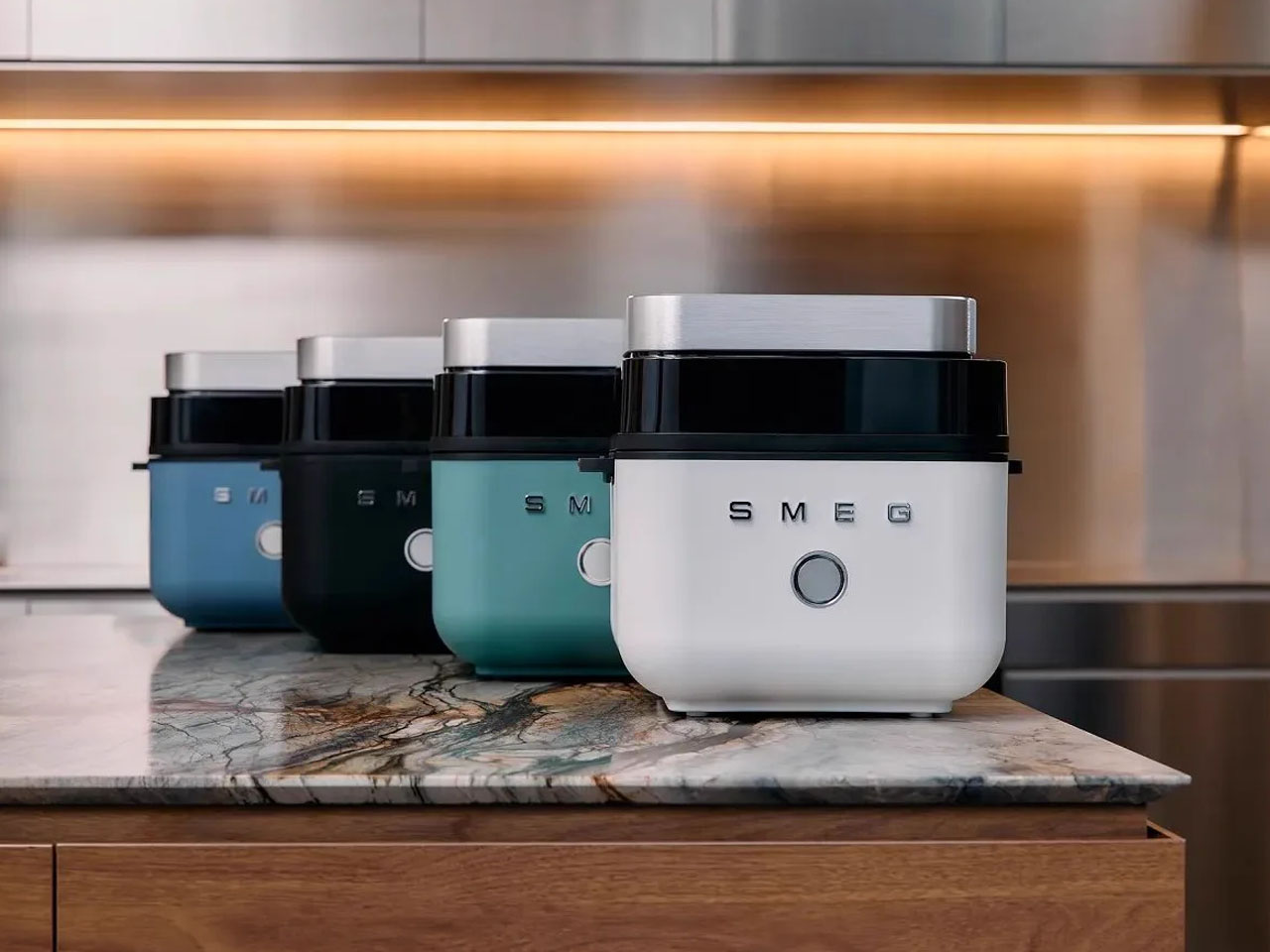
This is the first dedicated air fryer from Smeg, which follows the company’s inclusion of air frying technology in ovens before this. The product range is new, but familiar design language with vibrant color options and a matte body makes the appliance recognizable in the crowd.
Designer: Smeg
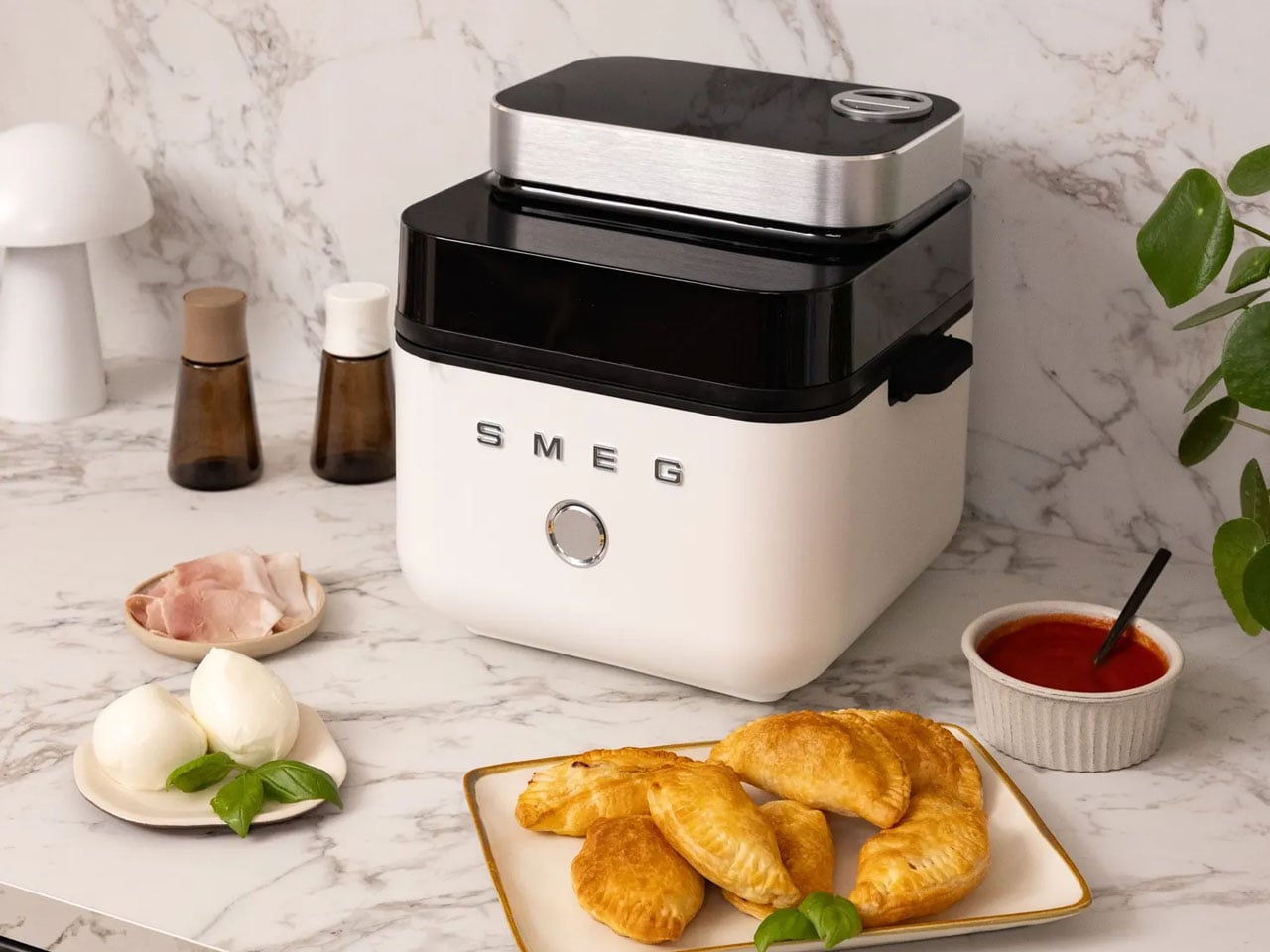

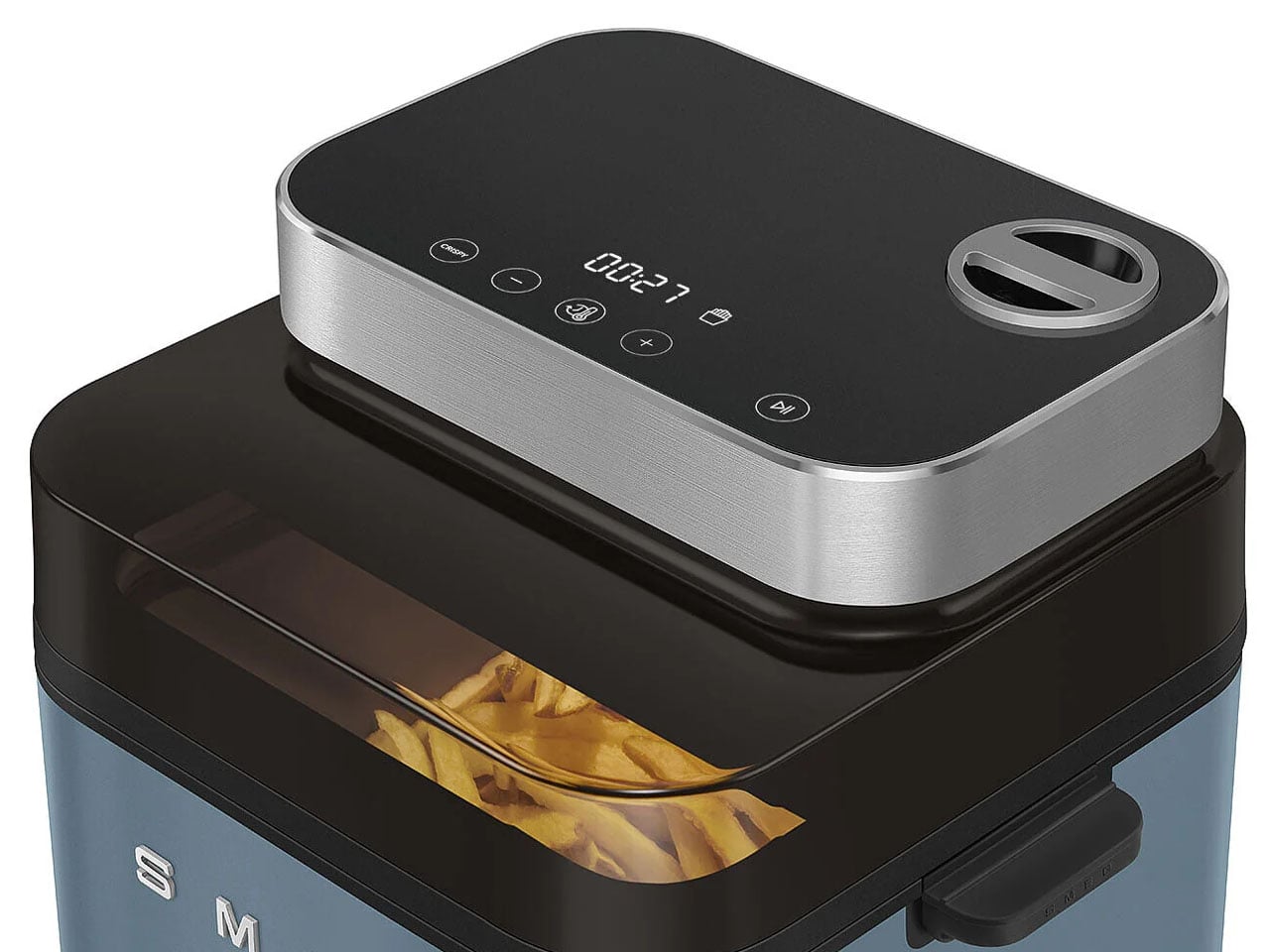
Smeg calls it the AFC01 Dual Flavor Air Fryer and distinguishes itself from the others on the market with its large 7.3-litre capacity and multiple presets and modes to cook with. It comes with two cooking modes to choose between: Crispy and Juicy+Crispy. As the names suggest, in Crispy mode, the air fryer cooks food evenly to get a crispy crust and golden-brown color, which is recommended by Smeg for breaded meals, snacks, and vegetables.

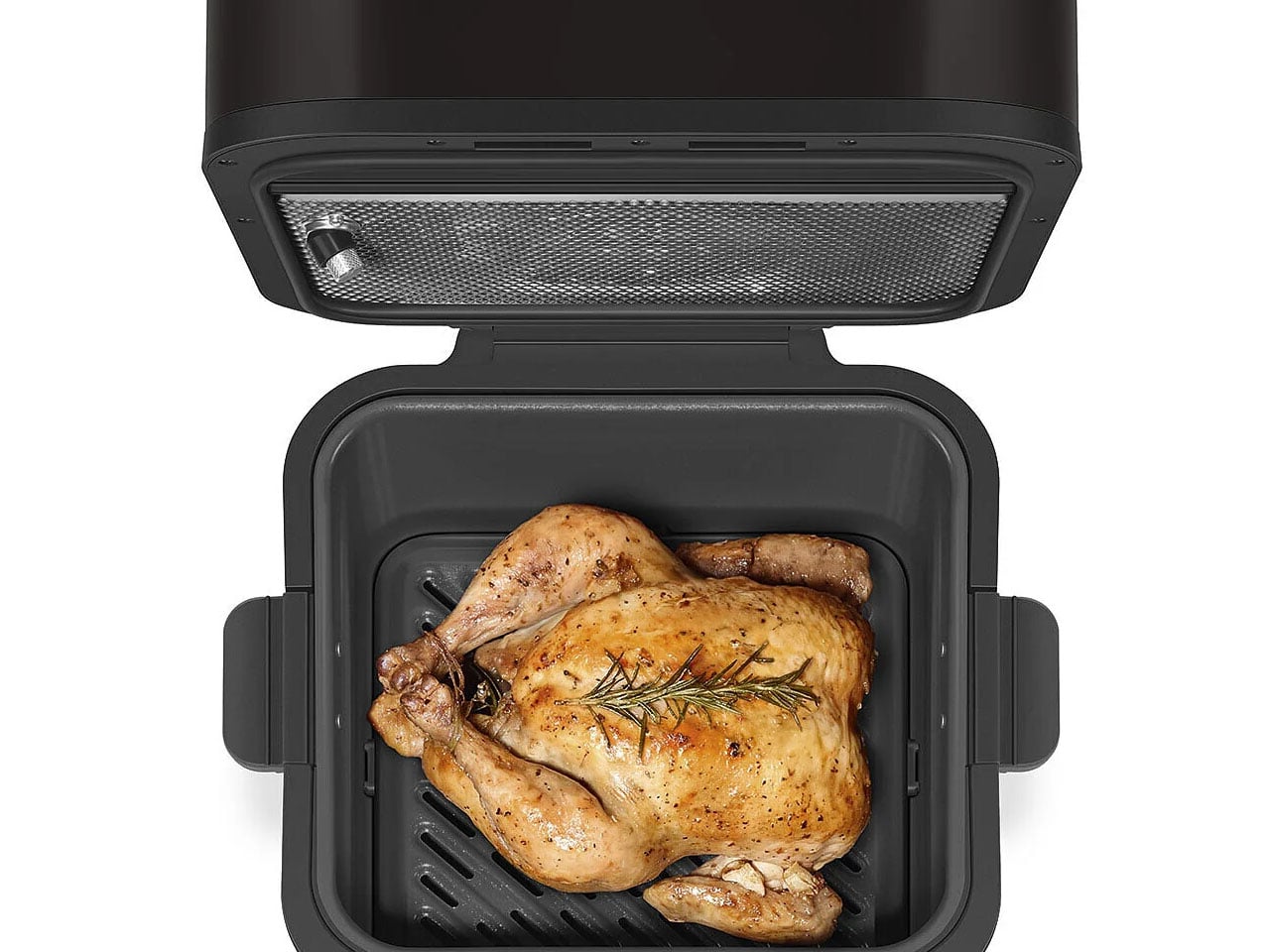
The Juicy+Crispy cooking mode, on the other hand, can provide foods with a crispy exterior and juicy center. This is possible with the Smeg Dual Flavor Air Fryer since it combines hot air circulation with the fryer’s own internal steaming system, so the food retains its flavorful moistness inside while forming a crisp crust on the outside. For the steam feature, Smeg has built a water cartridge that you can pull out and fill up. It is located at the top of the fryer. Once you choose the setting, the steam is deployed into the basket, providing it with moisture that helps make breads fluffy and wedges crispy outside and juicy inside. Both the Crispy and Juicy+Crispy modes can work in manual or in any of the seven pre-set controls. The fryer consumes little to no oil in the process.
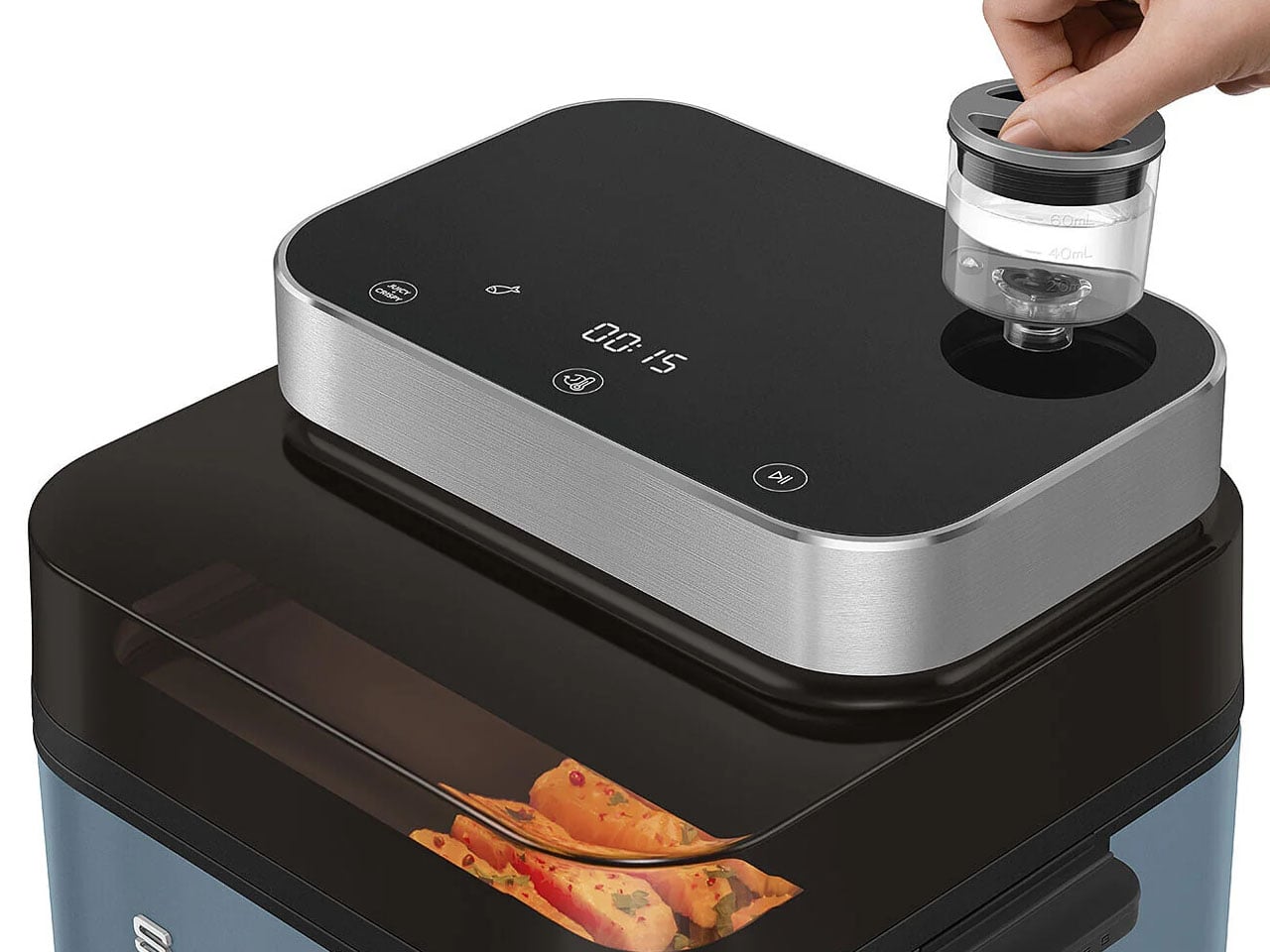

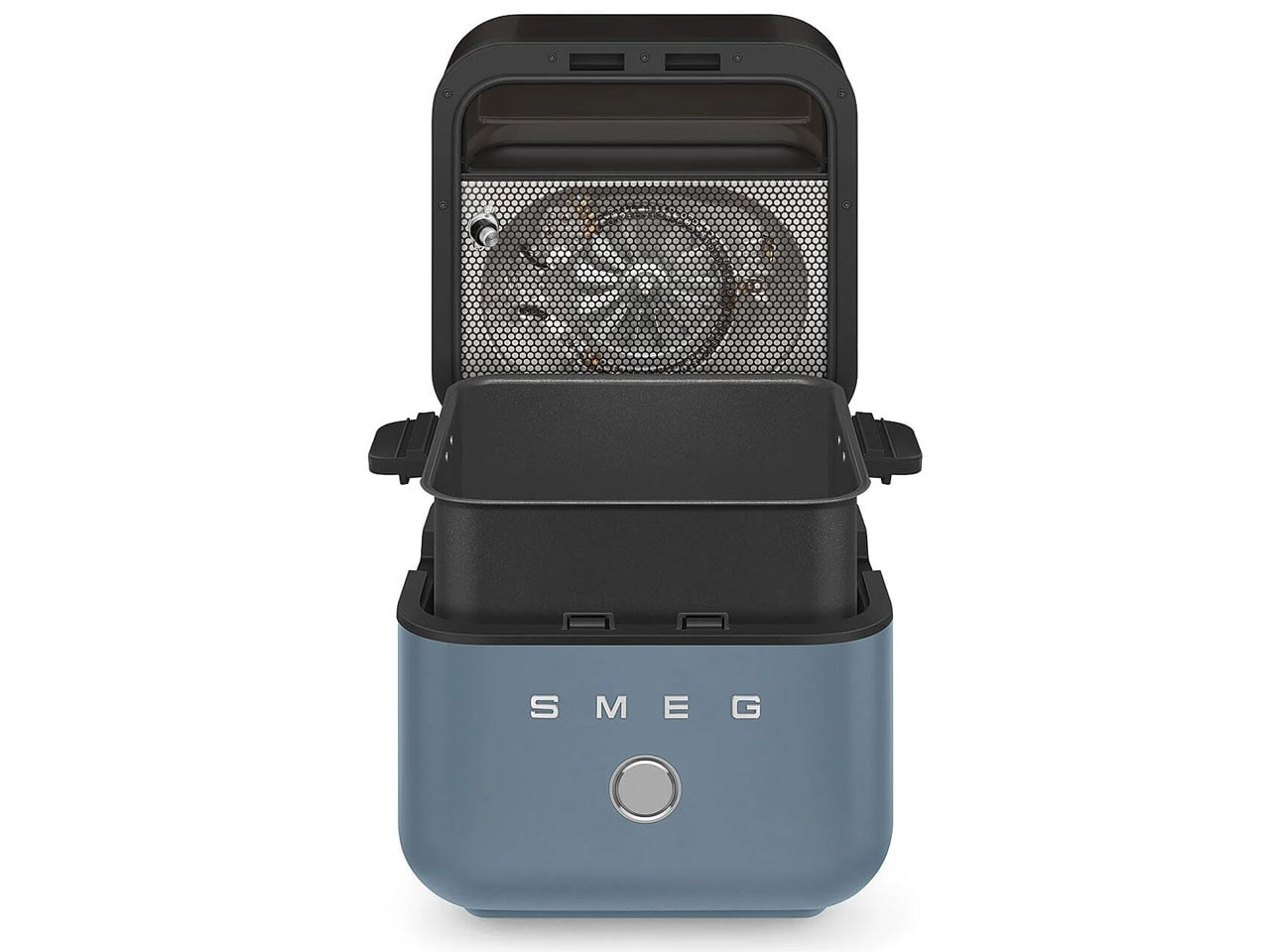
Interestingly, the new Smeg air fryer operates differently from the run-of-the-mill air fryers out there. It features a flip-open top that operates at the touch of a button on the control panel, which is a touchscreen display located at the top of the air fryer. When you press the button, the top lid flips open to reveal the frying basket inside.
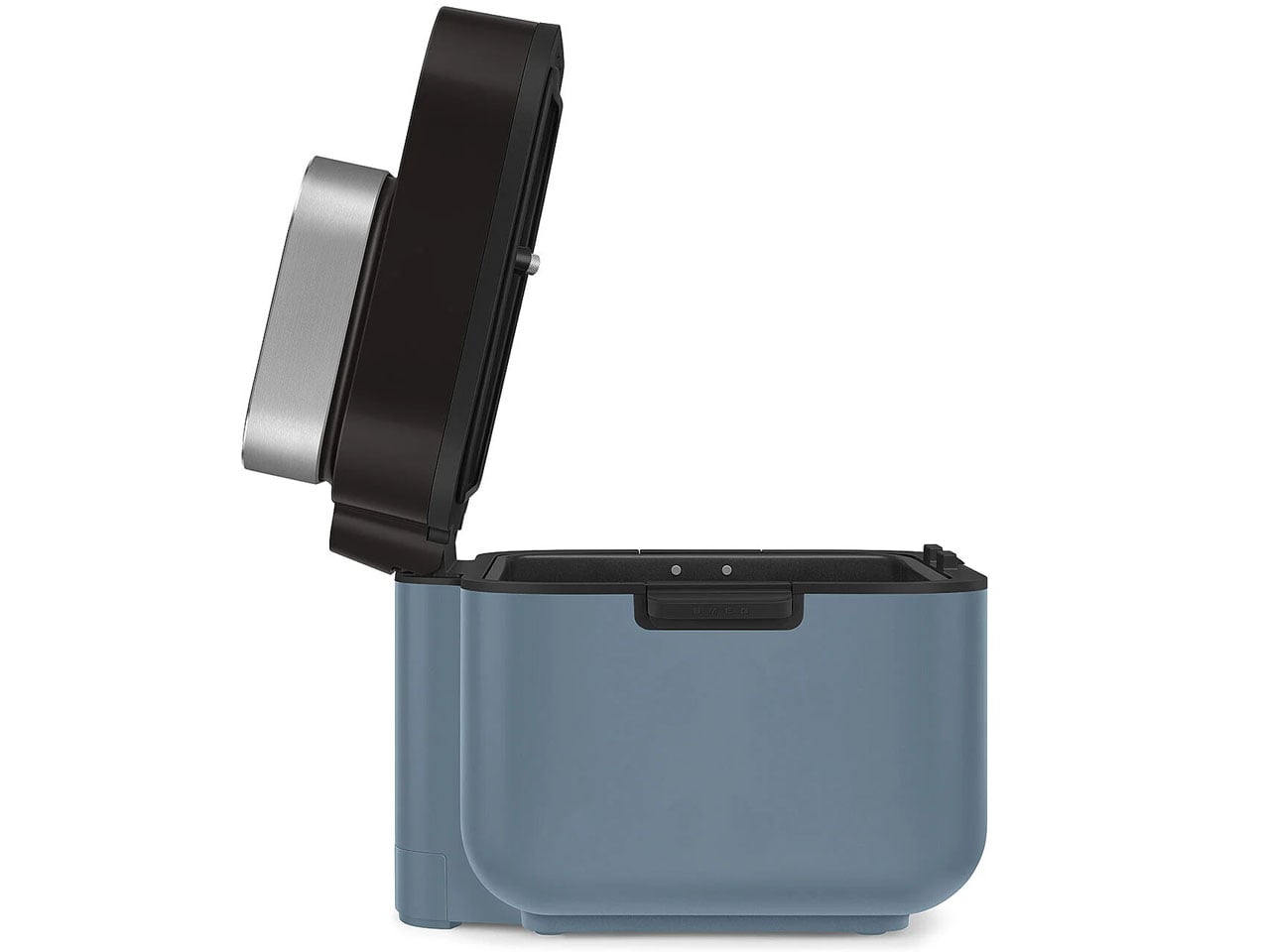

It is easy to remove the basket using its silicone handles for cleaning. The basket itself is made from non-stick ceramic coating, making it dishwasher-safe. The top of the fryer has a large viewing window to keep a real-time check on your food’s progress while it cooks crisp or juicy inside. If you’re interested in this new take on the air fryer by Smeg, you can get it for £199.95 (approximately $270) now in black, white, storm blue, or emerald green colors.



The post Smeg’s first air fryer with built-in steamer is available now in four gorgeous colors first appeared on Yanko Design.
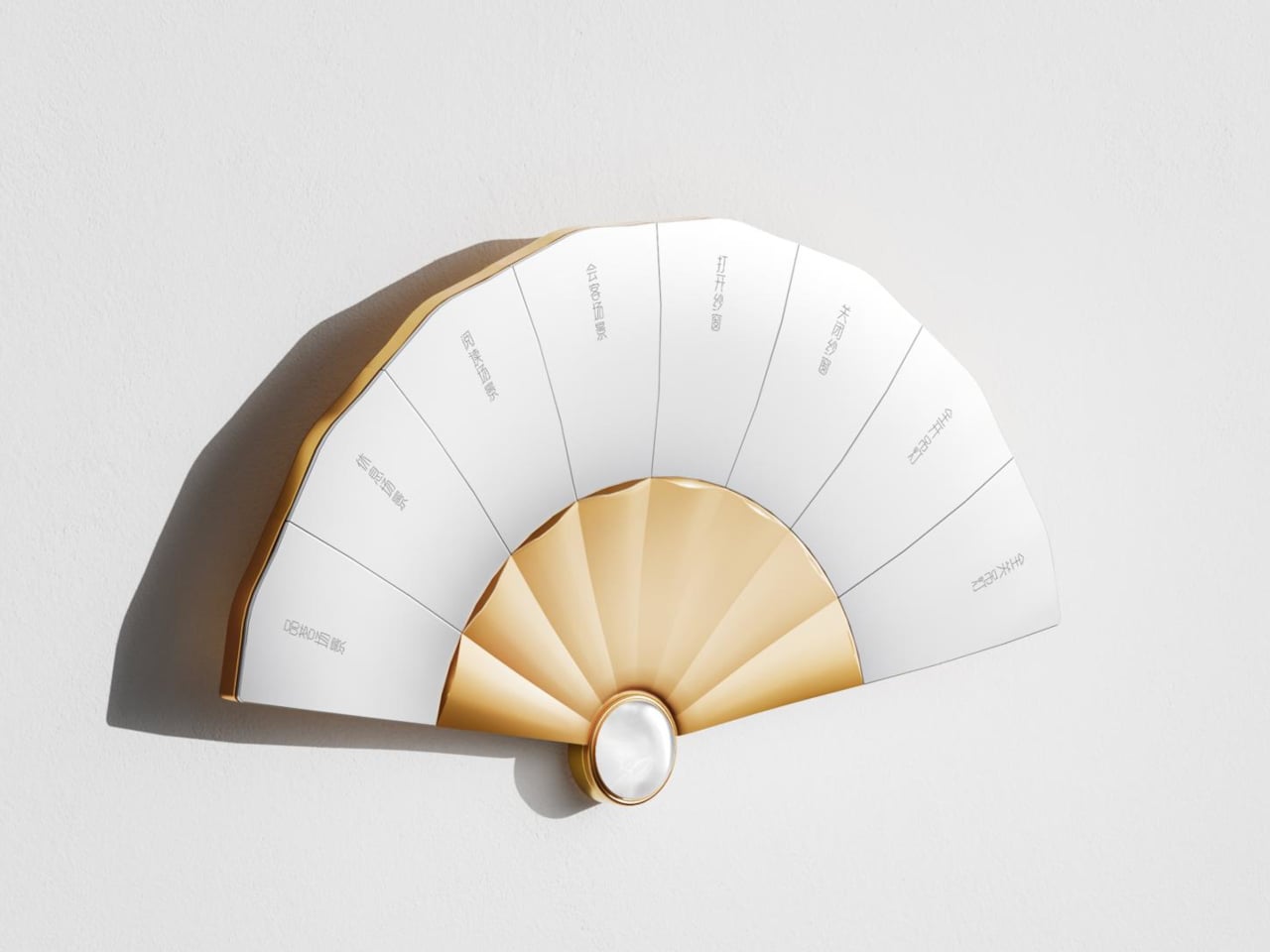
A folding fan used to say something about the person holding it, signaling taste and refinement long before anyone cared about voice assistants or smart lighting. The Fanora Control Terminal borrows that exact silhouette and turns it into a wall-mounted switch panel, proving a home automation interface doesn’t have to look like it was designed by an engineer who’s never held a fan in their life.
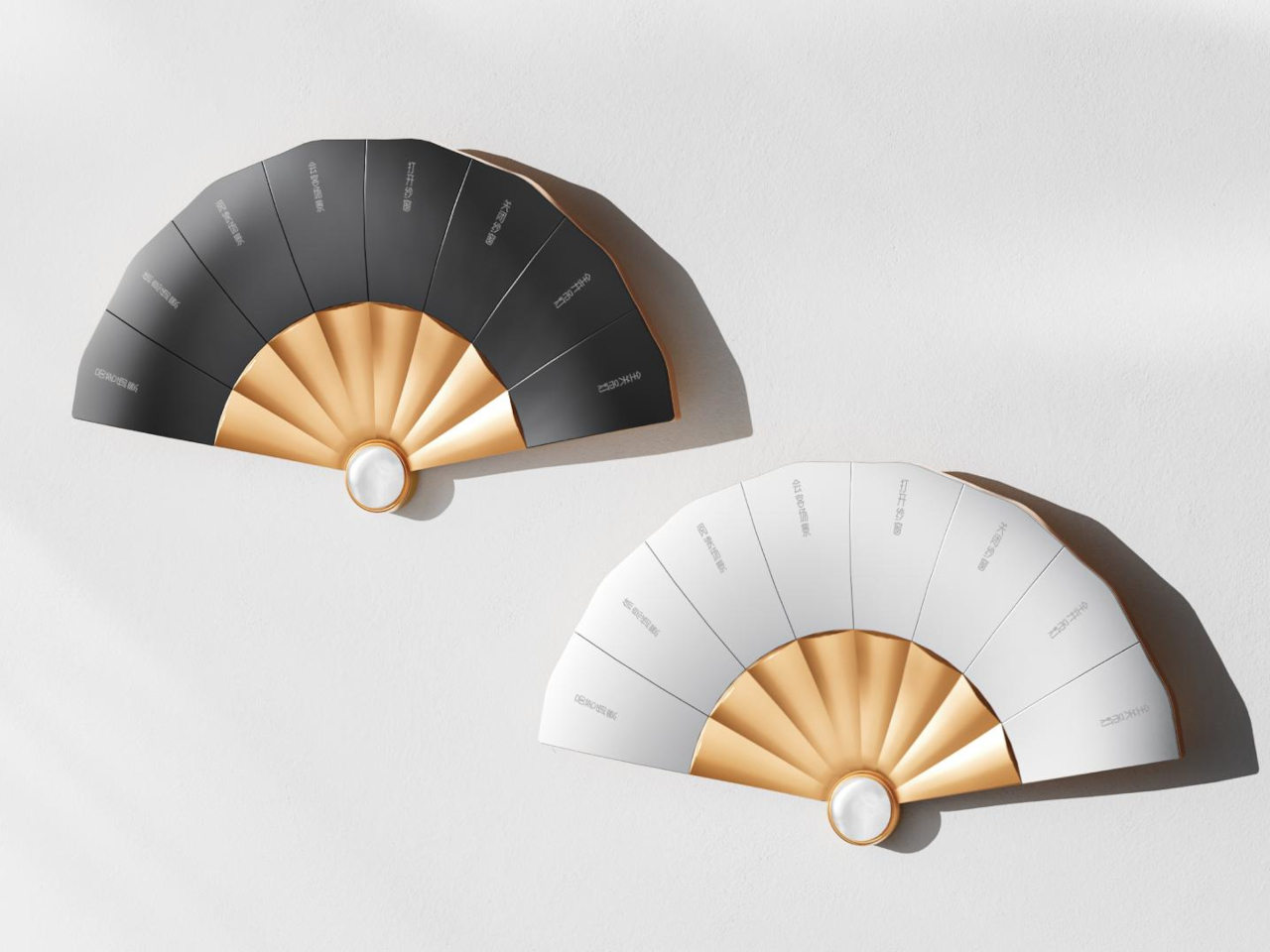
Eight mechanical buttons fan out from a central hinge point, each one following the natural arc a real folding fan would take when opened halfway. That shape isn’t decorative shorthand either. It’s the whole control surface, built from aluminum and finished with a jade centerpiece that used to signal scholarly status in Chinese tradition and now doubles as a working sensor housing.
Designer: HDL Automation
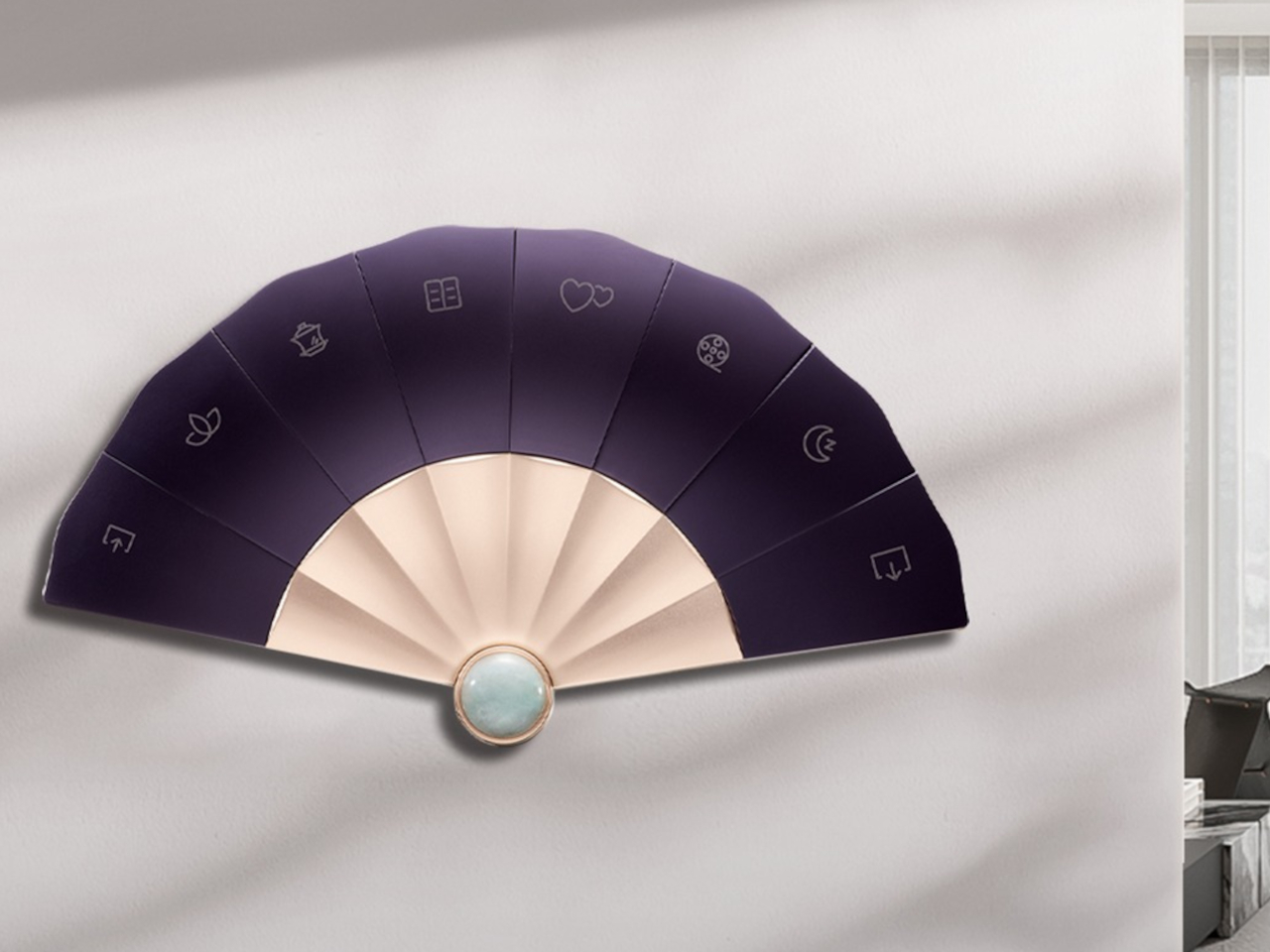
The panel’s main body is machined from 6063 aluminum alloy, then sandblasted and anodized to get that matte, slightly warm finish instead of the glossy plastic most switch panels settle for. Each of the eight buttons goes through CNC processing, with a curvature shaped around how a fingertip actually presses rather than how a mold happens to come out, and a fine sand texture that keeps fingerprints from building up over months of daily use.
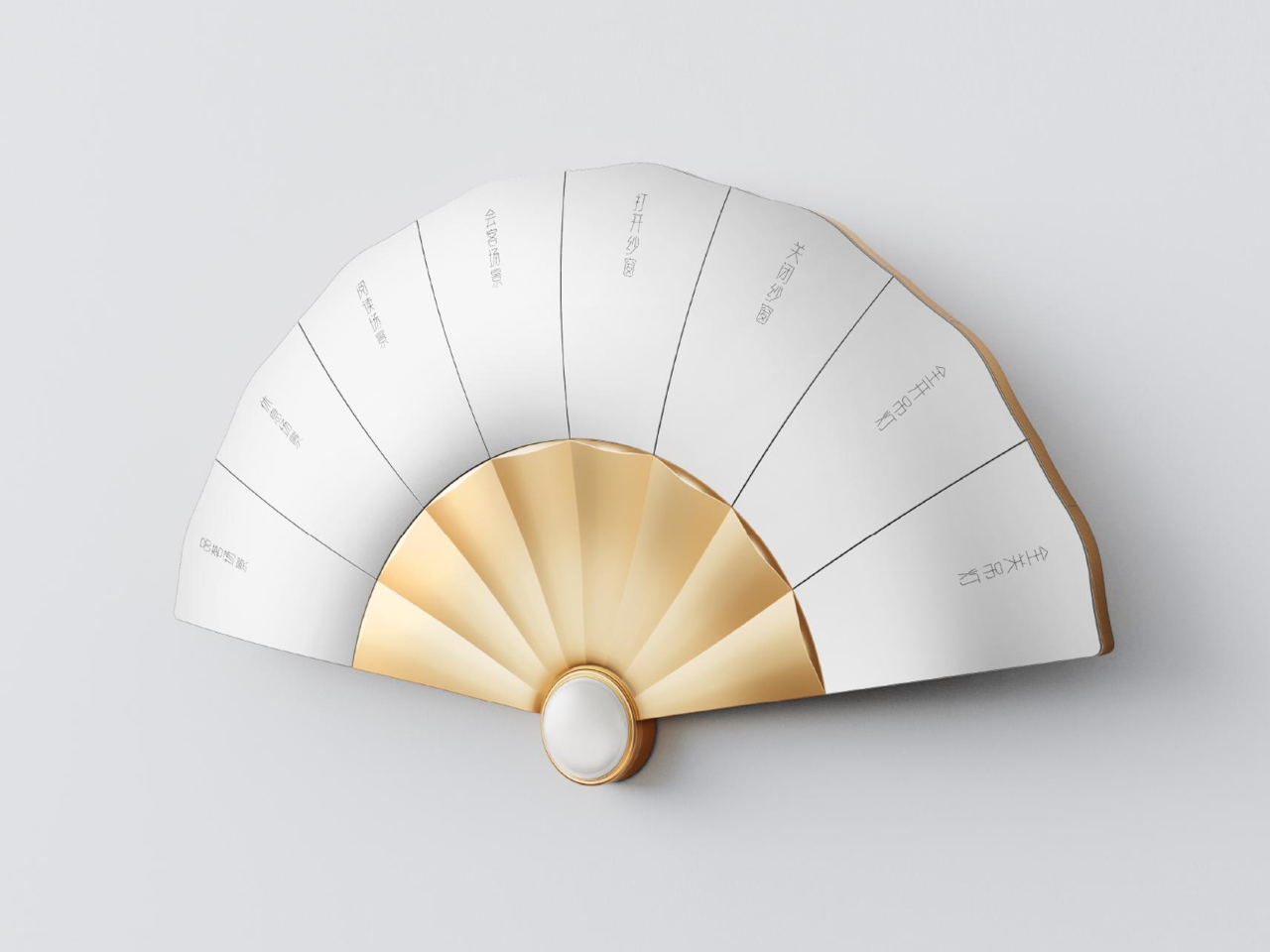
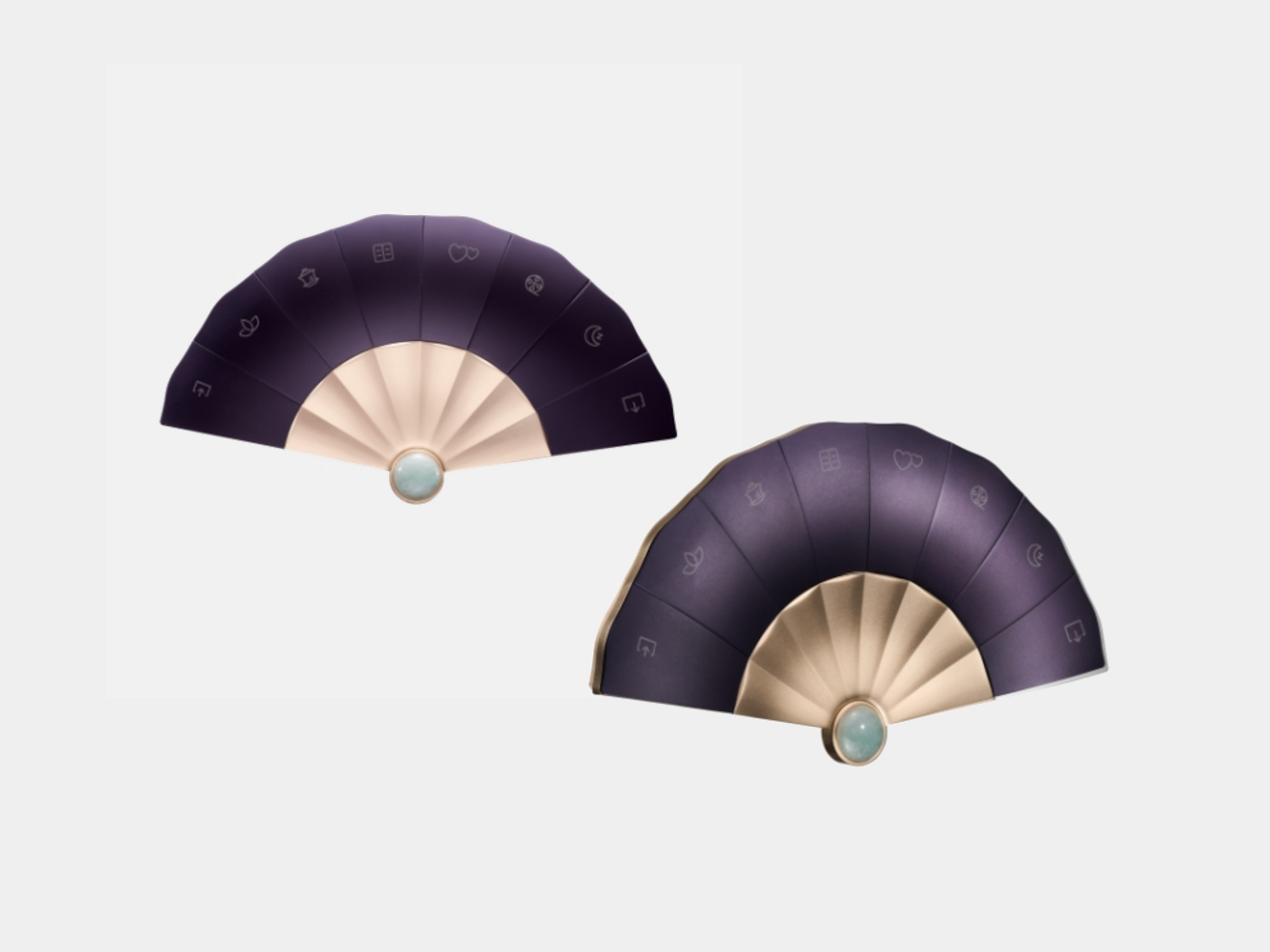
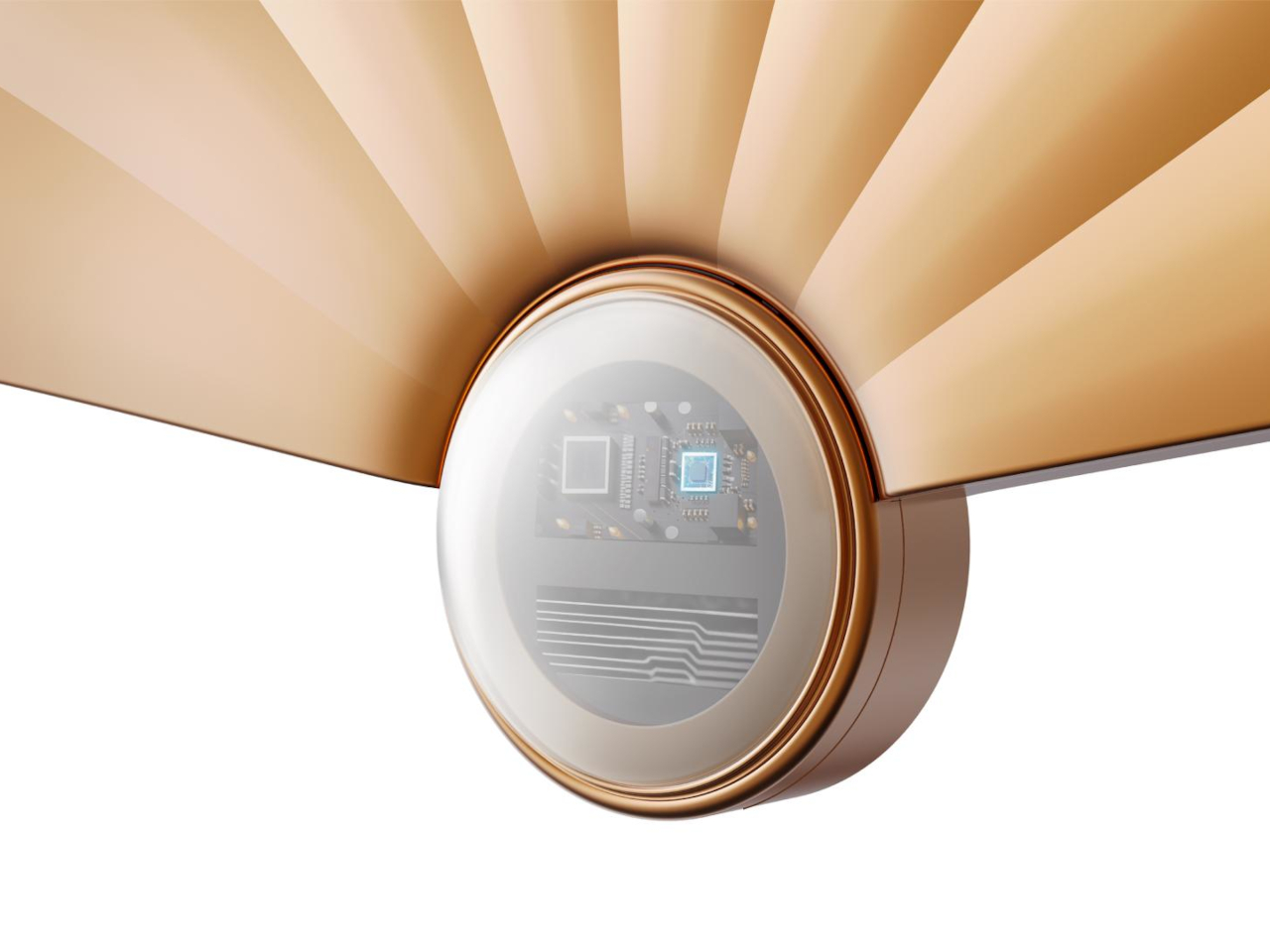
That centerpiece pendant is carved from natural Hetian jade, a material historically prized in Chinese craftsmanship, polished by hand rather than mass-produced. It sits at the base of the fan where the ribs converge, doing double duty as both the visual anchor and the housing for the temperature and motion sensors underneath. A jade certificate ships in the box, treating the stone as a verified material rather than a cosmetic add-on.
Motion detection lives inside that jade pendant, waking the panel’s touch display the moment someone walks close enough to reach for it, instead of leaving a screen lit and idle all day. A built-in temperature sensor reads the room and feeds that data straight into scene and automation logic, so a preset for movie night or afternoon reading can react to the actual conditions in the room rather than a fixed schedule.
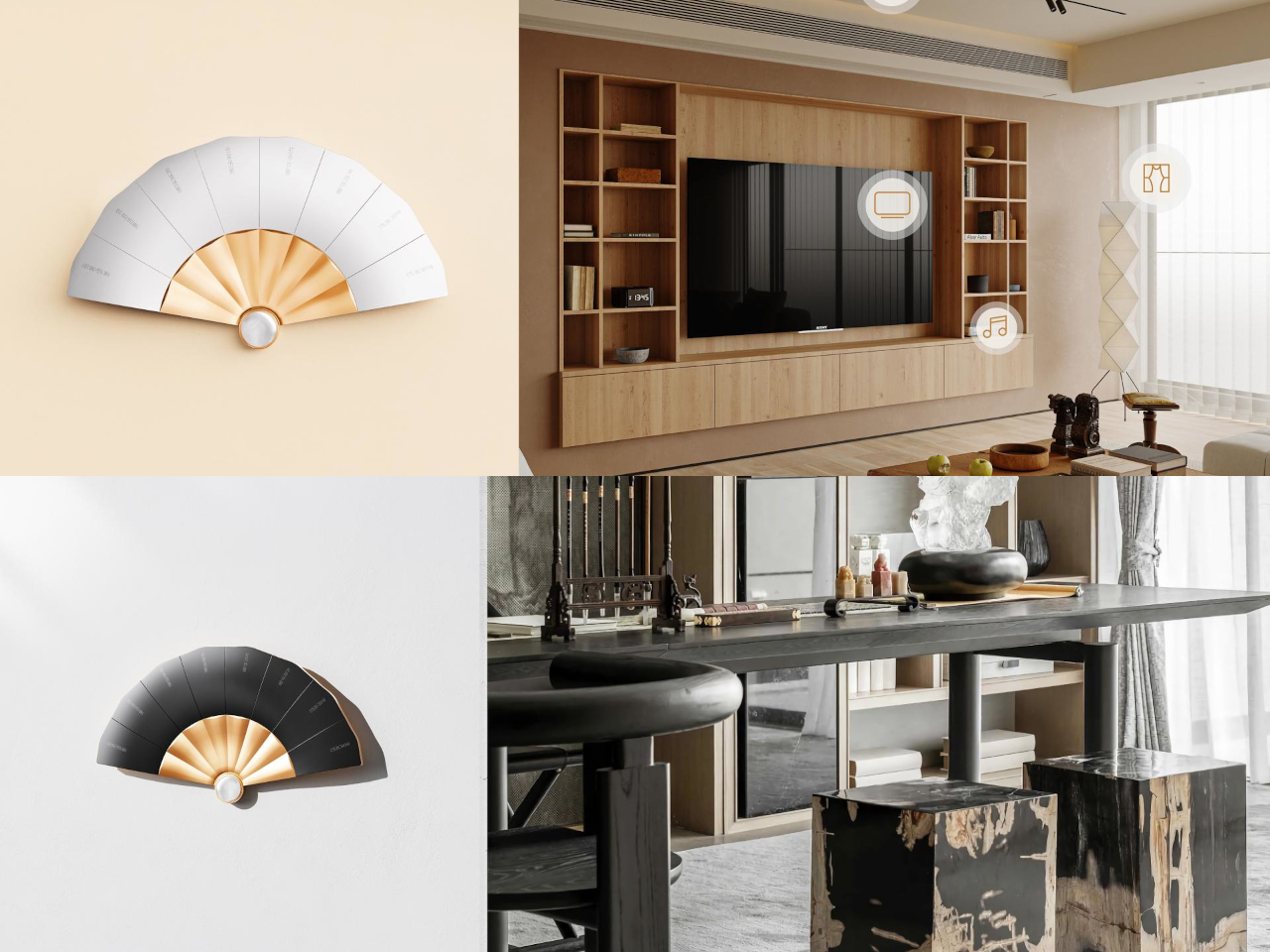
Each button supports laser engraving with custom text, meaning a household can label its own shortcuts instead of memorizing generic switch numbers. One button might trigger a reading nook’s lighting, another could dim everything down for a film, and a third could raise the curtains, all without opening an app or hunting through menus. The panel handles curtains, music, and broadcast scenes across a room without breaking that same physical interaction.
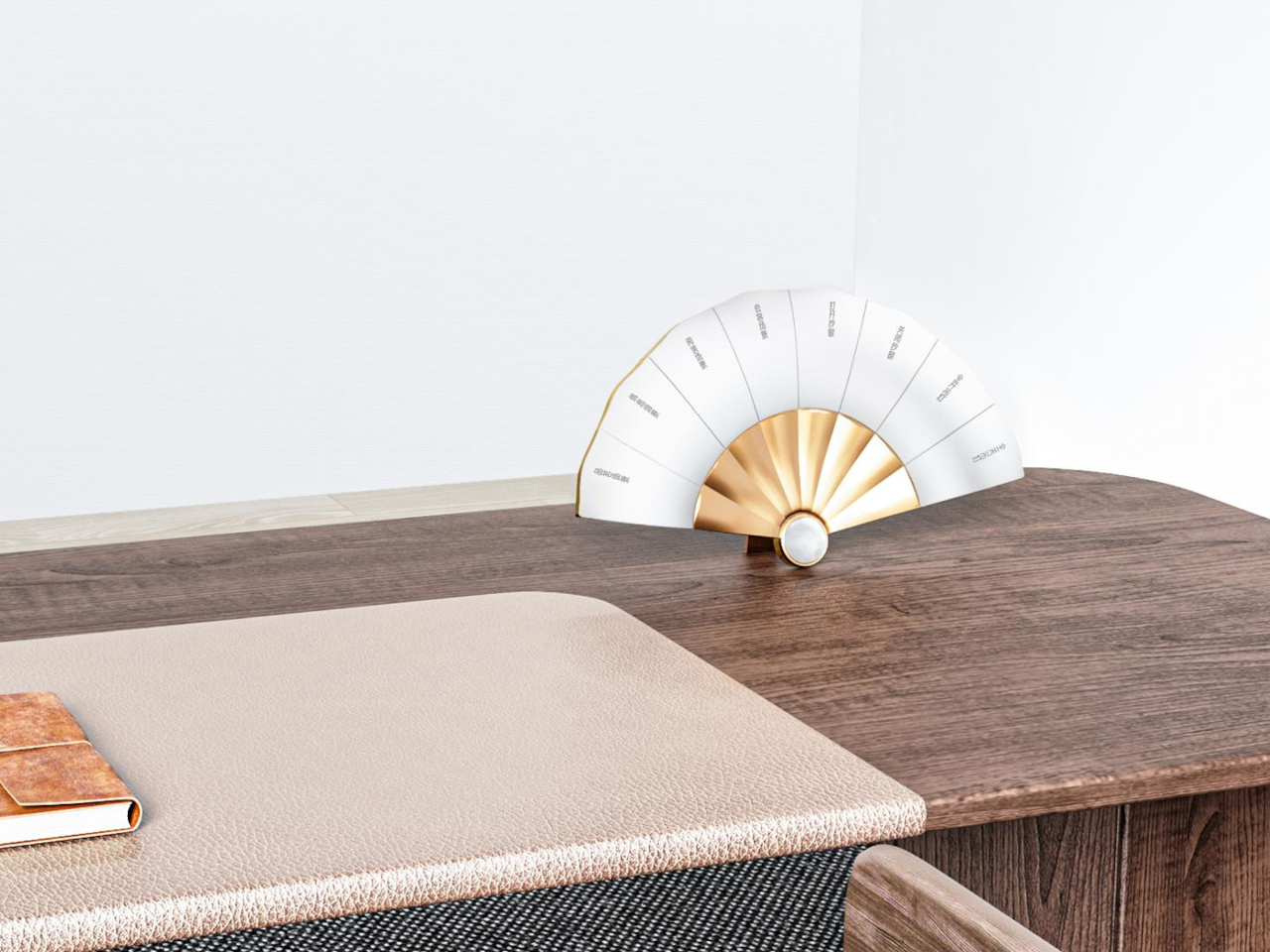
Unlike a fixed switch plate, Fanora can sit flush against a wall or rest on a desk as a standalone display, a flexibility built into its wiring rather than bolted on as an afterthought. That range means the same object can function as a hallway light switch in one home and a bedside control surface in another, without needing a separate model for each context.
Customization extends to the jade pendant’s shape itself, letting a household choose a silhouette that fits their own taste rather than accepting one fixed design across every unit sold. That level of personalization treats the panel less like static hardware and more like a piece of furniture chosen for a specific room, which explains why a folding fan turned out to be the right shape for a light switch after all.
The post Smart Home Panels Look Like Tech, Fanora Looks Like Fine Craft first appeared on Yanko Design.

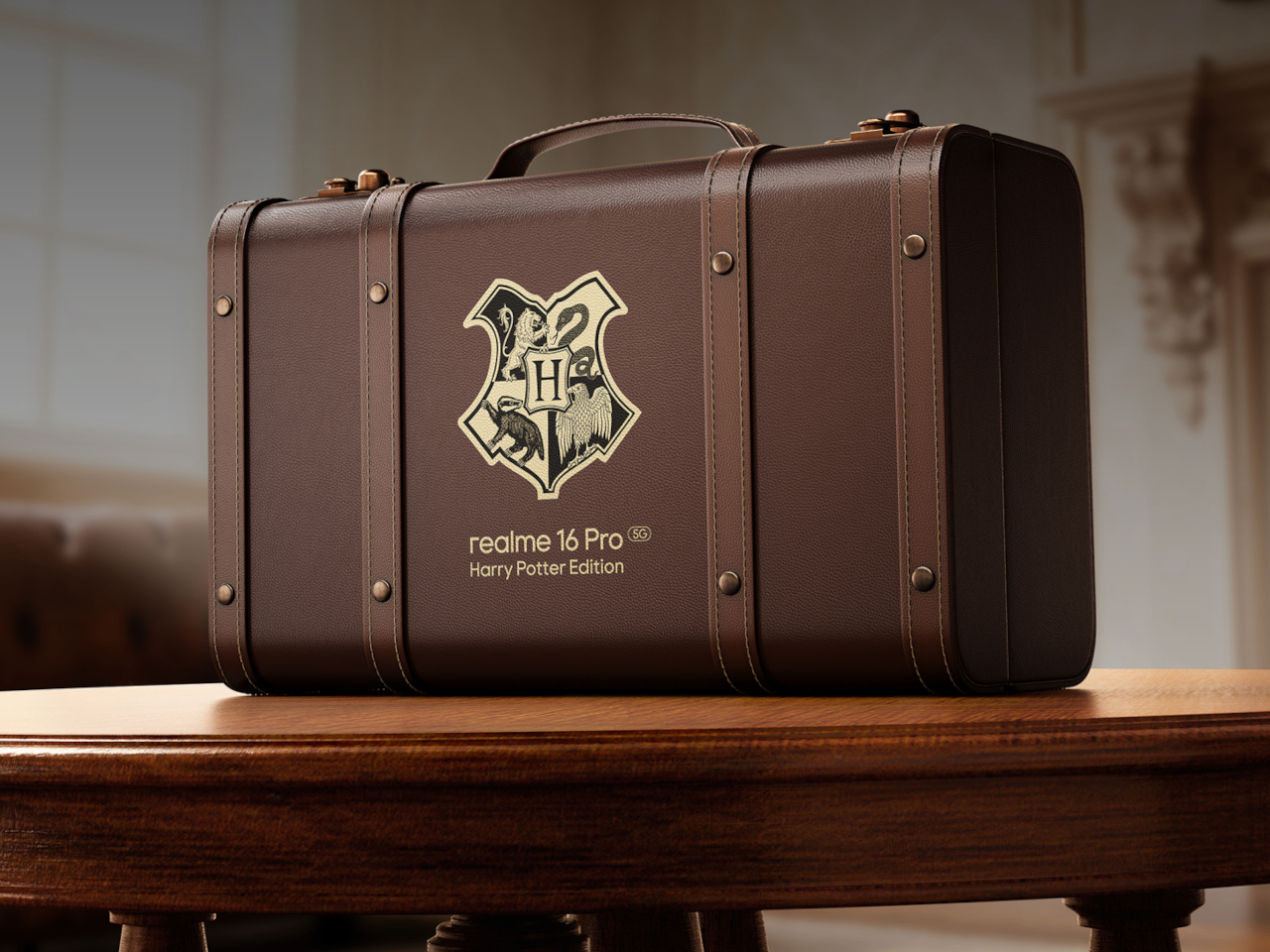
Some phone collaborations slap a logo on a box and call it a day. This one goes further, treating a smartphone like a prop pulled straight from the wizarding world rather than a branded accessory bolted onto existing hardware. The realme 16 Pro Harry Potter Edition rebuilds its entire back panel around Hogwarts iconography, then wraps the whole package in a trunk replica that plays the role of Harry’s own school luggage.
Underneath the theming sits the same hardware found in the standard realme 16 Pro: a Dimensity 7300 Max chipset, a 144Hz AMOLED display rated at 6,500 nits of peak brightness, and a 7,000mAh battery supporting 80W wired charging along with bypass and reverse charging. None of that changes here. What changes is how all of it gets dressed up, and that’s where the real story starts.
Designer: realme
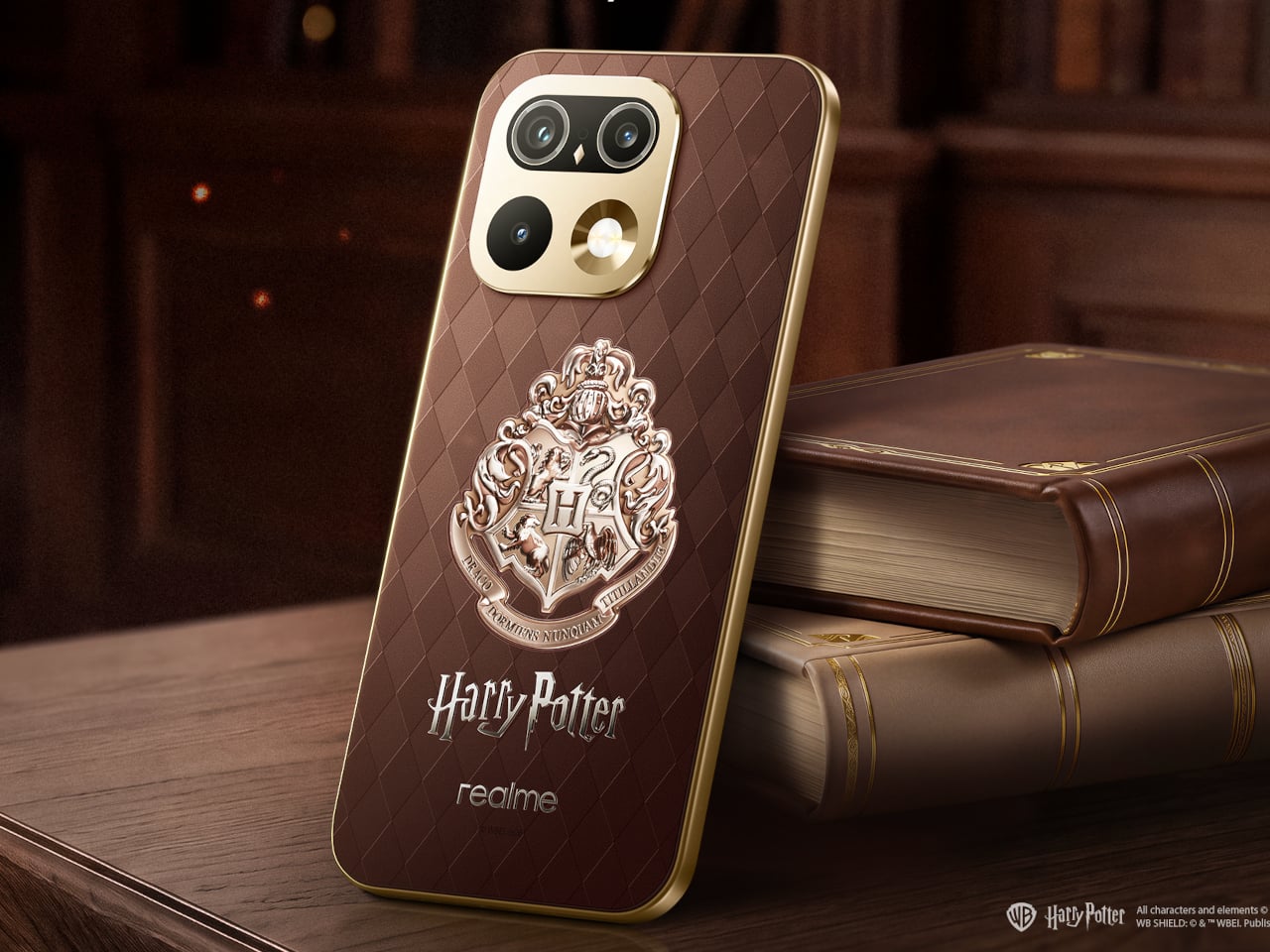
Flip the phone over, and the design leans on texture before it leans on imagery. A brown, leather-textured back panel carries an Argyle pattern lifted from the Wizard’s Chess scene, giving the surface a woven, tactile quality instead of a flat printed graphic. The Hogwarts Crests sit subtly at the center, small enough to reward a second look rather than shouting for attention from across a room.
The camera module gets its own quiet reinterpretation. Built on the standard 16 Pro’s Metal Mirror Camera Deco, the ring here is reshaped to resemble Hedwig’s eyes, turning a purely functional component into a character reference without needing an explicit illustration to sell the idea. It’s a detail that rewards fans who know the franchise while staying subtle enough not to alienate anyone who doesn’t.
The metallic mid-frame carries a laser-engraved “Welcome to Hogwarts” slogan, placed where a hand would naturally wrap around the device during a call or a photo. That kind of detail only reveals itself through use, not through a glance at a product photo, which fits the restrained tone running through the rest of the design.

Nothing about the theming interferes with how the phone actually functions day to day. The engraving, the crest, the camera ring reshape, all of it layers onto hardware that still charges fast and still displays at a brightness most phones can’t match outdoors. The fantasy stays skin-deep in the best possible way, present without slowing anything down.
The packaging might be the boldest swing in the whole release. Instead of a standard retail box, this edition ships in a school-style trunk built as a 1:1 replica of Harry’s own luggage, the kind of object that turns unboxing into a small ceremony rather than a chore done over a kitchen counter. Only 5,000 units exist worldwide, immediately treating the box as collectible.

Open it, and the trunk holds a Hogwarts Welcome Pack rather than plastic filler. An acceptance letter and train ticket recreate the moment of becoming a first-year student, while house-crest bookmarks let a fan pick their allegiance and character postcards recreate Harry, Hermione, and Ron’s first steps into the castle. A logo-embossed phone case and a phone pin round out a set built for shelf display as much as daily use.
None of these objects function as phone accessories in the traditional sense. The bookmarks and postcards exist purely as collectible ephemera, while the case is the one item pulling double duty as protection and display piece. That split matters because it treats the box as a keepsake first, with the phone itself as the technological anchor holding the theme together.

That approach reflects a broader shift in how phone makers court younger buyers who grew up with the franchise rather than discovering it as adults. Pairing a genuinely capable mid-range chipset and fast charging with a story-driven unboxing experience gives this edition a reason to exist beyond a seasonal marketing push, aimed at a generation that treats favorite franchises as identity rather than nostalgia.
The post realme Built a Harry Potter Phone That Ships Inside Harry’s Own Trunk first appeared on Yanko Design.
Some phone collaborations slap a logo on a box and call it a day. This one goes further, treating a smartphone like a prop pulled straight from the wizarding world rather than a branded accessory bolted onto existing hardware. The realme 16 Pro Harry Potter Edition rebuilds its entire back panel around Hogwarts iconography, then wraps the whole package in a trunk replica that plays the role of Harry’s own school luggage.
Underneath the theming sits the same hardware found in the standard realme 16 Pro: a Dimensity 7300 Max chipset, a 144Hz AMOLED display rated at 6,500 nits of peak brightness, and a 7,000mAh battery supporting 80W wired charging along with bypass and reverse charging. None of that changes here. What changes is how all of it gets dressed up, and that’s where the real story starts.
Designer: realme
Flip the phone over, and the design leans on texture before it leans on imagery. A brown, leather-textured back panel carries an Argyle pattern lifted from the Wizard’s Chess scene, giving the surface a woven, tactile quality instead of a flat printed graphic. The Hogwarts Crests sit subtly at the center, small enough to reward a second look rather than shouting for attention from across a room.
The camera module gets its own quiet reinterpretation. Built on the standard 16 Pro’s Metal Mirror Camera Deco, the ring here is reshaped to resemble Hedwig’s eyes, turning a purely functional component into a character reference without needing an explicit illustration to sell the idea. It’s a detail that rewards fans who know the franchise while staying subtle enough not to alienate anyone who doesn’t.
The metallic mid-frame carries a laser-engraved “Welcome to Hogwarts” slogan, placed where a hand would naturally wrap around the device during a call or a photo. That kind of detail only reveals itself through use, not through a glance at a product photo, which fits the restrained tone running through the rest of the design.
Nothing about the theming interferes with how the phone actually functions day to day. The engraving, the crest, the camera ring reshape, all of it layers onto hardware that still charges fast and still displays at a brightness most phones can’t match outdoors. The fantasy stays skin-deep in the best possible way, present without slowing anything down.
The packaging might be the boldest swing in the whole release. Instead of a standard retail box, this edition ships in a school-style trunk built as a 1:1 replica of Harry’s own luggage, the kind of object that turns unboxing into a small ceremony rather than a chore done over a kitchen counter. Only 5,000 units exist worldwide, immediately treating the box as collectible.
Open it, and the trunk holds a Hogwarts Welcome Pack rather than plastic filler. An acceptance letter and train ticket recreate the moment of becoming a first-year student, while house-crest bookmarks let a fan pick their allegiance and character postcards recreate Harry, Hermione, and Ron’s first steps into the castle. A logo-embossed phone case and a phone pin round out a set built for shelf display as much as daily use.
None of these objects function as phone accessories in the traditional sense. The bookmarks and postcards exist purely as collectible ephemera, while the case is the one item pulling double duty as protection and display piece. That split matters because it treats the box as a keepsake first, with the phone itself as the technological anchor holding the theme together.
That approach reflects a broader shift in how phone makers court younger buyers who grew up with the franchise rather than discovering it as adults. Pairing a genuinely capable mid-range chipset and fast charging with a story-driven unboxing experience gives this edition a reason to exist beyond a seasonal marketing push, aimed at a generation that treats favorite franchises as identity rather than nostalgia.
The post realme Built a Harry Potter Phone That Ships Inside Harry’s Own Trunk first appeared on Yanko Design.


The release of iOS 27 marks a significant milestone, introducing a faster and more stable operating system alongside innovative features like enhanced liquid glass technology. While the update promises to elevate your iPhone experience, proper preparation is essential to avoid potential issues during the upgrade process. By following these key steps, you can ensure a […]
The post iOS 27 is Here: Read This Before You Hit Update appeared first on Geeky Gadgets.

The ESP8266 and ESP32 microcontrollers have become essential components for IoT enthusiasts, offering built-in Wi-Fi, Bluetooth capabilities and a wide range of applications. In this deep dive, IoT Journal explores how these compact devices can be used to create practical and engaging projects over a single weekend. For example, a beginner-friendly project like the Wi-Fi […]
The post 10 Weekend IoT Projects to Build with ESP8266 and ESP32 appeared first on Geeky Gadgets.
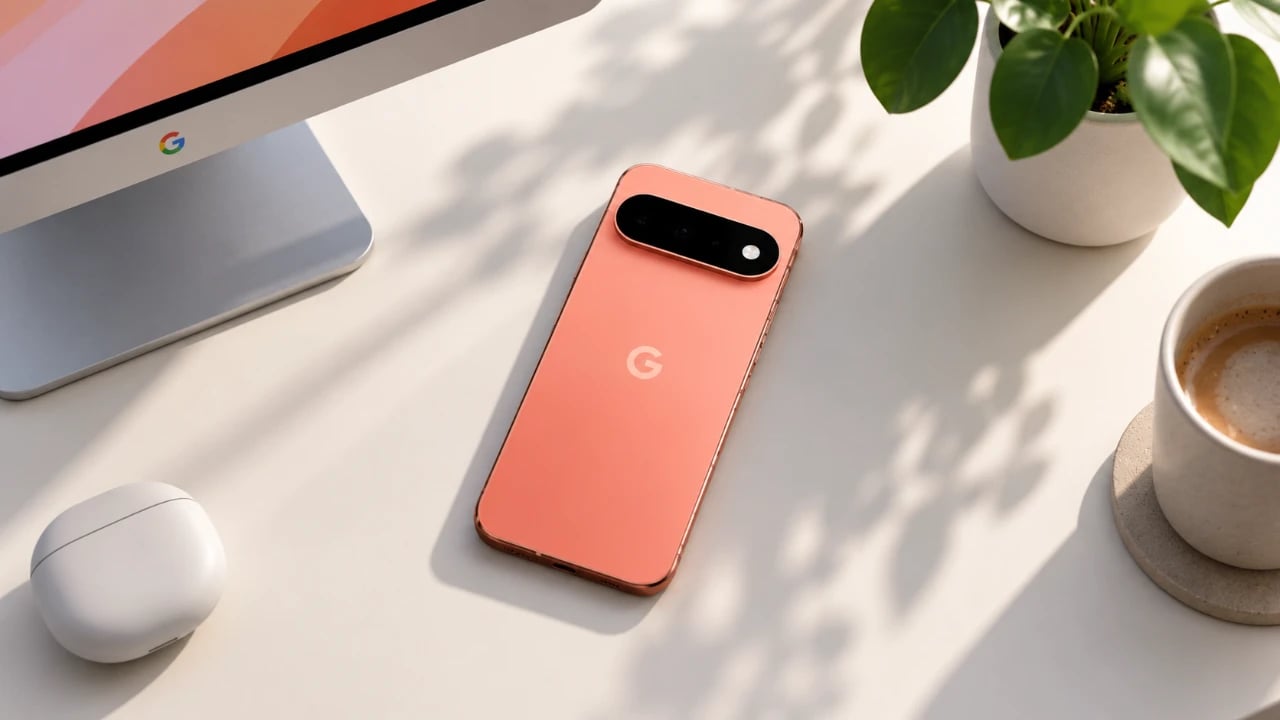
The Google Pixel 11 Pro stands out as a flagship device, combining innovative technology with user-friendly features to redefine the smartphone experience. Whether you’re a tech-savvy individual or a casual user, understanding its key settings can help you fully use its capabilities. The video below from WhatGear explores the most impactful features, from display optimization […]
The post Google Pixel 11 Pro Settings Guide with Top Tips and Tricks appeared first on Geeky Gadgets.