Your Kindle Can’t Do This: BOOX’s Pocket E-Reader Now Takes a Stylus

Most dedicated e-readers exist at the opposite ends of a familiar spectrum. Closed-ecosystem devices like the Kindle keep things deliberately simple and locked in, while Android-based tablets offer full flexibility but grow too large to carry comfortably in a pocket. The gap between those two has always been somewhat underserved, especially for anyone who wants true portability alongside a genuinely open operating system.

BOOX’s Go 6 (Gen II) is the second generation of its most pocketable e-reader, arriving with upgrades that make that middle ground considerably more appealing. Built around a 6-inch, 300 ppi E Ink display and running Android 11 with full Google Play access, it’s aimed at readers who want their device to be both portable and versatile, without having to choose one over the other.

Designer: BOOX

The first thing you’ll notice about the Gen II is that it doesn’t look like a standard e-reader. The redesigned textured rear shell has a suitcase-inspired aesthetic that feels more deliberate than the plain black slab of the first generation. It comes in four muted color options: Plum, Stone, Shell, and Custard, all suggesting a device meant to slip into a bag and come with you wherever you go.

The screen gets a meaningful upgrade with this generation. The Gen II adds anti-glare (AG) glass to its 300 ppi E Ink panel, reducing reflections when you’re reading in direct sunlight on a patio or near a bright window. The adjustable front light handles both warm and cold color temperatures, letting you read comfortably at night without straining your eyes against harsh lighting.

The more surprising addition is stylus support, which is uncommon at this screen size. The Go 6 (Gen II) is compatible with BOOX’s InkSense Plus stylus, an active pen with 4,096 levels of pressure sensitivity that lets you annotate directly in books, mark up PDFs, or take handwritten notes on a screen small enough to fit in a jacket pocket. It connects directly to the device and charges via USB-C.

Running open Android 11 with a built-in Google Play Store means you aren’t locked into any one reading platform. BOOX’s NeoReader app handles 20 document formats natively, including PDF, EPUB, MOBI, and DJVU, and supports dark mode for lower-light reading. Install the Kindle app, Kobo, Libby, or anything else you’ve been using, and your existing library follows you without having to start over from scratch.

At 160 grams and 6.8mm thin, the BOOX Go 6 (Gen II) fits in a jacket pocket without making its presence felt. A microSD card slot supplements the 32 GB of built-in storage, and the USB-C port doubles as an audio jack for wired listening. The 1,500 mAh battery holds up well through long reading sessions, largely because E Ink uses so little power compared to a conventional backlit screen.

The BOOX Go 6 (Gen II) is still primarily a reader’s device, but the combination of Android OS, stylus compatibility, and anti-glare glass packed into a pocket-friendly body gives it a range that most devices at this size simply don’t attempt. It’s currently available for pre-order through the official BOOX store, arriving at a moment when the 6-inch e-reader category could use a reminder of what it can still do.

The post Your Kindle Can’t Do This: BOOX’s Pocket E-Reader Now Takes a Stylus first appeared on Yanko Design.

ASUS Just Returned to Tablets, and It’s Coming for the iPad

Android tablets have had a complicated few years. The iPad solidified its lead at the premium end, and Android alternatives often competed on price rather than experience, producing devices that were acceptable but rarely compelling. Demand for something that genuinely rivaled the best tablets in the room, not on price alone, but on the quality of the thing itself, has been there for a while. It just hasn’t always been answered.

ASUS steps back into the conversation with the Pad, an Android 16 tablet announced at Computex 2026. The company stepped away from the tablet category for several years, and this is its return, built around a 12.2-inch dual-layer OLED display and a chassis light enough and slim enough to suggest that sitting on the couch with it for three hours isn’t something to plan around.

Designer: ASUS

The display is the obvious starting point, because the choice of dual-layer OLED is a meaningful one. Where a conventional OLED pushes through a single emission layer, the tandem structure stacks two of them. The result is better brightness, longer panel life, and improved power efficiency without demanding that any of those things trade off against each other. At a 2.8K resolution, 144Hz refresh rate, and full DCI-P3 coverage, the screen is built for content that benefits from all of that.

The body that carries it measures just 6.5mm thick and weighs 523g, built from a magnalium chassis with a fiberglass back. Those proportions bring the Pad well within the range of a device someone would actually carry in a bag or hold over a long flight without a second thought. Four speakers tuned with Dolby Atmos back up the display with audio that punches harder than the form factor suggests.

A MediaTek Dimensity 8300 chip handles the performance side, paired with 8GB of LPDDR5x RAM and storage in 128GB or 256GB configurations. A micro TF slot extends that to 1TB, keeping the device practical for anyone loading it with locally stored video or large files. The 9,000mAh battery charges to 50% in 30 minutes at 45W, and Wi-Fi 6E keeps the streaming side of things moving.

Software runs Android 16 with a handful of genuinely useful additions. ASUS GlideX handles cross-device connectivity, letting the tablet function as a secondary screen or swap files with a nearby laptop. Google Gemini integrates directly into the experience for AI assistance, while Circle to Search lets users search from anything visible on screen without disrupting what they’re doing. Face Login handles security without a passcode step.

Accessory support rounds out what the Pad can do when the watching stops. ASUS Pen 2.0 enables handwriting and sketching, and Bluetooth keyboard support turns the tablet into something closer to a light laptop for longer text work. A protective case with a multi-angle origami stand ships in the box, meaning the setup is functional out of the packaging without anything additional to buy. Availability and pricing haven’t been confirmed yet, but the ASUS Pad is shaping up as a considered answer to a market that doesn’t always reward patience.

The post ASUS Just Returned to Tablets, and It’s Coming for the iPad first appeared on Yanko Design.
Acer Made Android Tablets in 3:2 Because 16:9 Wasn’t Built for Work

Android tablets have long defaulted to 16:9 screens, a ratio optimized for video that leaves them awkward for anything resembling actual work. Documents get letterboxed, web pages feel narrow, and the creative canvas ends up shorter than it should be. That works well for watching but not for producing, which is why the 3:2 display, long favored by productivity-first Windows devices, has been largely absent from Android.

Acer is changing that at Computex 2026 with the Iconia Duo lineup, three new Android 16 tablets that debut the brand’s 3:2 aspect ratio across three different price points. Alongside them, two new pairs of smart glasses push the mobile experience off the screen entirely: the AR Vision GR0 for immersive wired display and the GI0 for wireless, hands-free AI assistance on the go.

Designer: Acer

Acer Iconia Duo S14

The flagship of the three is the Iconia Duo S14, built around a 14.2-inch 2.8K OLED display running at 120 Hz with 100% DCI-P3 color coverage. A MediaTek Dimensity 8300 SoC handles the processing, and DisplayPort in and out ports let it feed a larger screen during presentations or act as a portable monitor. At just 6.2 mm thin and 0.73 kg, it doesn’t exactly feel like a compromise.

Acer Iconia Duo S14

The 12.2-inch Iconia Duo S12 carries the same 2.8K OLED panel at 600 nits and adds nano-texture glass with anti-glare and anti-fingerprint properties, housed in an aluminum alloy chassis that makes it noticeably more premium to hold. The Iconia Duo D12 brings the same 3:2 format at a 2400×1600 resolution with a 90Hz refresh rate, starting at $399 for buyers who don’t need OLED.

Acer Iconia Duo S12

All three run Android 16 and support an optional Active Stylus, magnetic kickstand, and detachable keyboard, letting them shift from a drawing canvas to a laptop-like workstation with the right accessories. A microSD card slot in each model accepts cards up to 1 TB for local storage of large creative files, and battery life reaches up to 10 hours across the lineup.

Acer Iconia Duo D12

The AR Vision GR0 takes the display off the tablet entirely. The wired glasses connect to any phone, laptop, or tablet and deliver dual micro OLED FHD screens simulating a 172-inch screen from 6 meters away, with a 50,000:1 contrast ratio. They’re compatible with Android, iOS, and Windows, weigh just 69 g, and include a detachable light shield and a myopia magnetic lens option for prescription wearers.

Acer AR Glasses GR0

The GI0 heads in a different direction. Rather than a display, these 46 g AI glasses integrate a 12 MP camera and Google Gemini for real-time translation, AI captions, and voice-activated queries through three onboard microphones. They connect wirelessly over Bluetooth and Wi-Fi via the Acer AspireSync app, and they’re light enough to wear all day without thinking about them.

Acer AI Glasses GI0

The Iconia Duo S14 starts at $699 in North America in September 2026, the S12 at $549 in August, and the D12 at $399 also in August. The GR0 arrives at $499.99 and the GI0 at $299.99, both heading to EMEA in Q4 2026 and Australia in Q3. Together, they cover a broad stretch of mobile productivity, from an accessible Android tablet to a wearable AI companion.

The post Acer Made Android Tablets in 3:2 Because 16:9 Wasn’t Built for Work first appeared on Yanko Design.
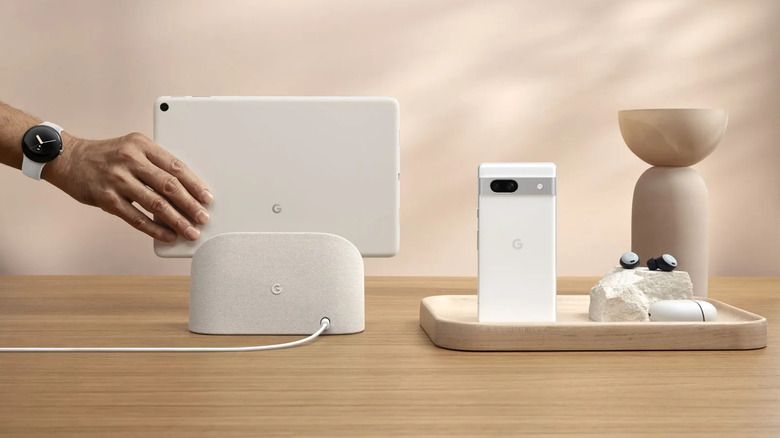
OnePlus Mini Tablet Leak: Snapdragon 8 Gen 5, OLED Display, and a Real Shot at the iPad Mini

The Oppo Pad Mini (exclusive to China) serves as a template for what OnePlus’ mini tablet will look like.

Apple, a company that charges a premium for premium display technology, has somehow never put an OLED screen in its most pocket-friendly tablet. The iPad mini sits there in 2025 with a Liquid Retina LCD while the iPad Pro ships with a tandem OLED panel that costs as much as a laptop. That inconsistency has nagged at iPad mini fans for years, the sense that Apple’s smallest tablet is perpetually treated as a second-class citizen in its own lineup. It sells well enough to survive, but never well enough, apparently, to earn the display upgrade it deserves.

OnePlus may be about to make Apple look even more stubborn on that front. A leak from tipster Abhishek Yadav describes a compact OnePlus tablet with an 8.8-inch OLED display, 144Hz refresh rate, and Snapdragon 8 Gen 5 under the hood, paired with LPDDR5X RAM and UFS 4.1 storage. If those specs hold, OnePlus would be shipping a compact Android tablet with a display technology the iPad mini still does not have. A global launch is reportedly targeting Q3 2026, with India expected to be among the first markets. The hardware pitch is unusually straightforward: better screen, flagship guts, same general size class.

Designer: OnePlus

The spec sheet here reads like OnePlus raided the OnePlus Pad 4’s parts bin and asked engineering to compress it. That larger tablet runs a 13.2-inch IPS LCD with Snapdragon 8 Elite Gen 5, which is a fine machine for productivity but firmly in “bag required” territory. This rumored compact model flips the script entirely, pairing flagship silicon with a form factor you can actually hold one-handed on a commute. The 8,000mAh battery and 67W charging round out a package that looks, on paper, like the small Android tablet the market has been waiting for since the Nexus 7 quietly aged out of relevance over a decade ago.

The honest caveat here is that this hardware almost certainly has a prior life. The spec profile aligns closely with the Oppo Pad Mini, a China-exclusive device that has been doing exactly this job domestically without making a dent in the global conversation. LPDDR5X and UFS 4.1 mean fast memory and storage throughput, the kind of internals that keep a tablet feeling snappy for years rather than sluggish after two software updates. A OnePlus label, a global distribution push, and software support that extends beyond China would transform what is essentially proven hardware into a legitimate mainstream contender.

Pricing remains the missing piece. OnePlus has historically been disciplined about value positioning, which is precisely what makes this device interesting beyond the spec sheet. The iPad mini 7 starts at $499. If OnePlus lands this anywhere south of that number with an OLED panel and Snapdragon 8 Gen 5 inside, the conversation around compact tablets changes in a way it genuinely has not since Apple invented the category.

The post OnePlus Mini Tablet Leak: Snapdragon 8 Gen 5, OLED Display, and a Real Shot at the iPad Mini first appeared on Yanko Design.
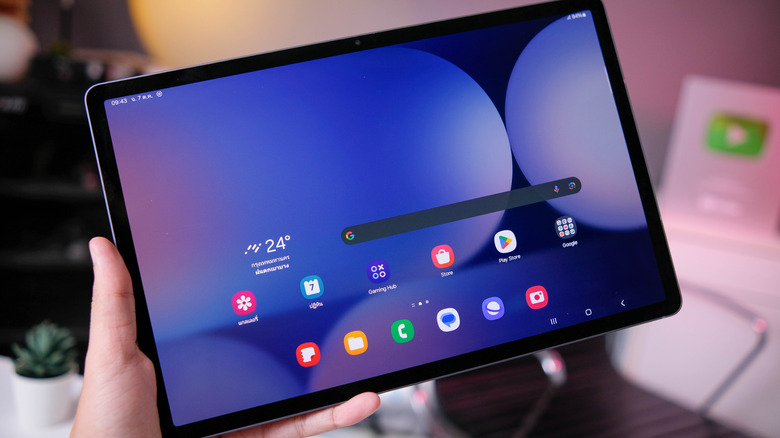
Huion Note E Feels Like E-Ink Paper but Actually Draws in Color

Digital notebooks have been having a moment. E-Ink tablets like the reMarkable and the Kindle Scribe have made a compelling case for leaving the legal pad behind, offering a pen-on-paper feel without all the clutter. But E-Ink’s inherent limitations, from its monochrome display to sluggish refresh rates, have kept it from being the obvious choice for anyone who regularly works with color content.

Huion, best known for its pen tablets and pen displays, is stepping into this space with the Huion Note E, an 8.4-inch Android electronic notebook that takes a different approach entirely. Instead of E-Ink, it uses a soft-light color IPS display with AG nano-etching technology to mimic that familiar pen-on-paper feel, while also delivering the vibrant colors and responsiveness that E-Ink simply can’t offer.

Designer: Huion

The display itself is what sets the Note E apart. It’s 1920×1200 resolution and 270 PPI pixel density outperform most E-Ink screens in sharpness, while the 60Hz refresh rate means scrolling through PDFs doesn’t feel like watching paint dry. Anti-glare etched glass and full lamination bring the pen contact point closer to the pixels beneath, giving strokes a more immediate, grounded feel.

The battery-free PW510 stylus magnetically attaches to the Note E, which helps keep it from getting lost in a bag. It delivers 8,192 levels of pressure sensitivity with a report rate exceeding 400 PPS, fast enough to keep up with even the most impatient sketchers. Pressure and tilt are both recognized, making annotations, signatures, and quick sketches feel far more deliberate than tapping at glass.

The Note E runs Android 15 on a MediaTek Helio G99 chip with 6GB of RAM and 128GB of storage. That’s not a powerhouse and not even the latest specs, but it’s more than enough for the built-in HiPaint drawing app, PDF annotation, and everyday productivity tools from the Play Store. Think of it less as a tablet competing with an iPad and more as a focused digital workspace.

At 7.4mm thick and 348 grams, the Note E is slim enough to slip into a bag without adding noticeable weight, and its 8.4-inch footprint closely matches a standard A5 notebook. A 4,500mAh battery with 18W fast charging keeps it going through long reading and writing sessions, while the magnetic protective case doubles as a stand for more comfortable viewing angles.

Huion has also thought carefully about the software side. A customized launcher opens directly to notes and to-do lists, skipping the usual Android clutter that makes you forget what you sat down to do. Handwritten notes are searchable, PDFs can be annotated in color, and everything can be exported and shared. For project managers, students, and mobile creatives, it’s a pretty compelling combination.

The post Huion Note E Feels Like E-Ink Paper but Actually Draws in Color first appeared on Yanko Design.

Microsoft’s $1,950 Surface Pro 13 Gen 12 Got Smarter: Its Design Didn’t

The 2-in-1 laptop has had an interesting run. What started as a novelty device that couldn’t decide what it wanted to be has gradually become a workplace staple. IT departments are increasingly looking for machines that can handle everything from a boardroom presentation to a cross-country flight without missing a beat, and the pressure to pack more intelligence into smaller form factors keeps growing.

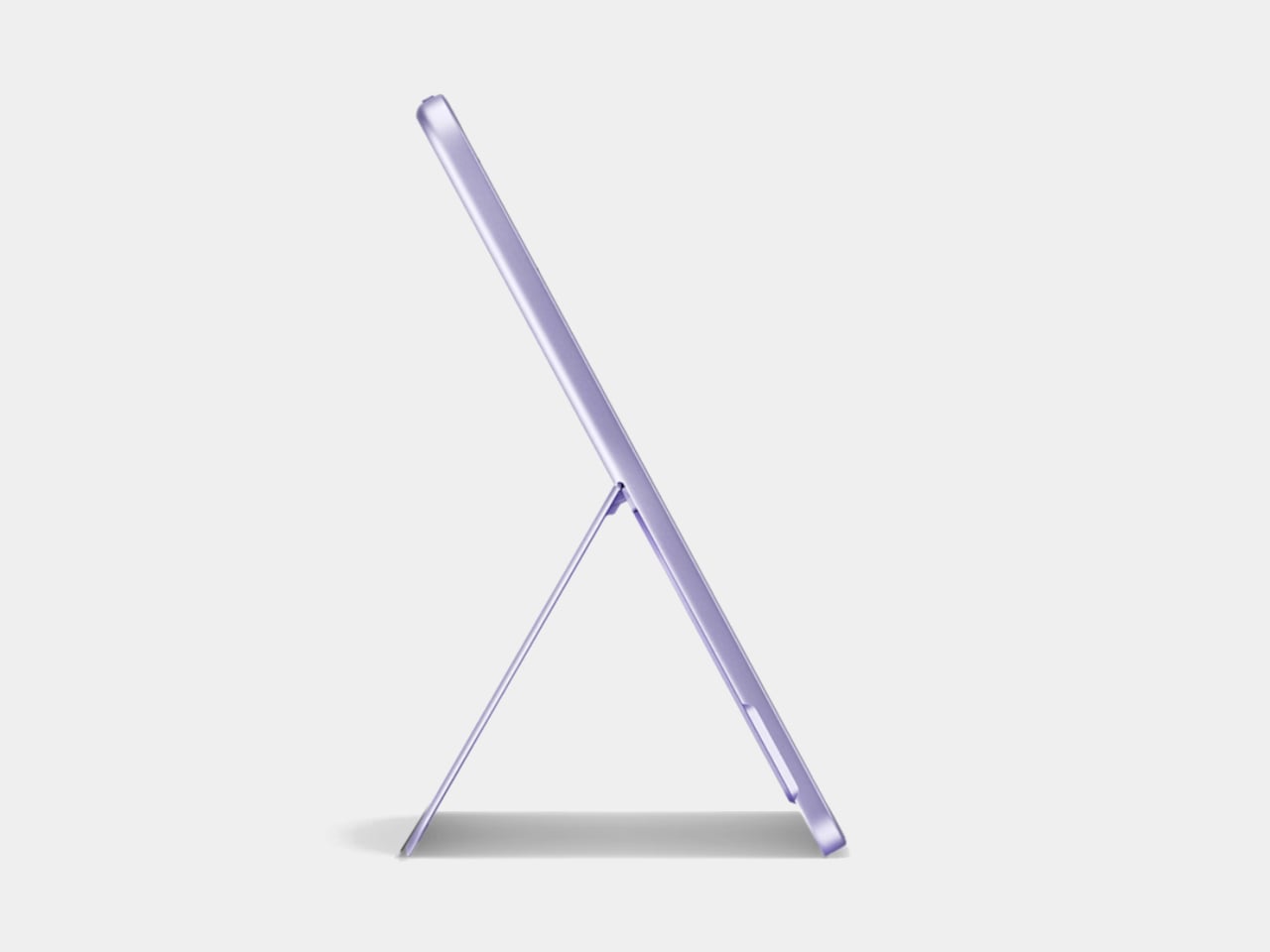
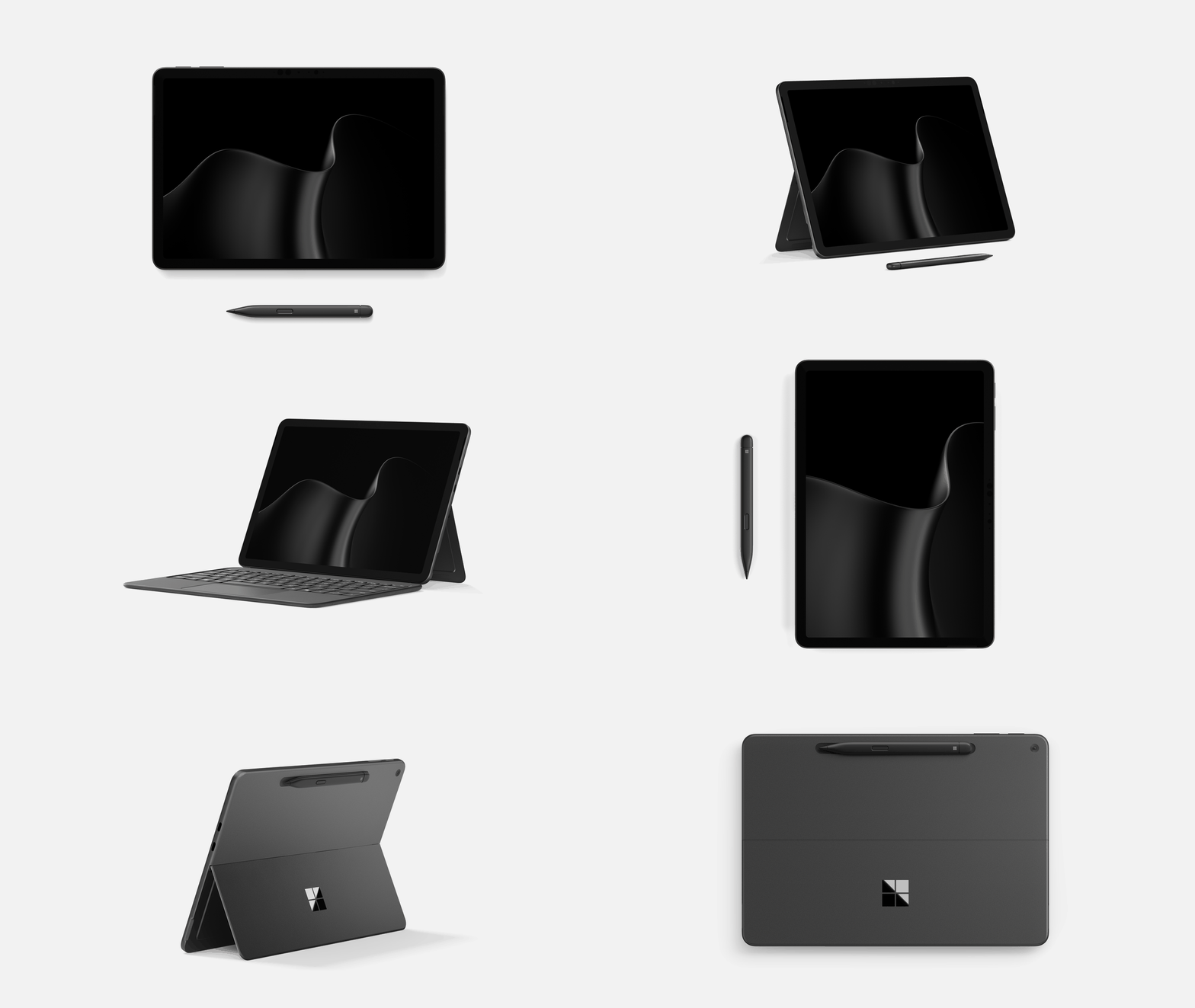
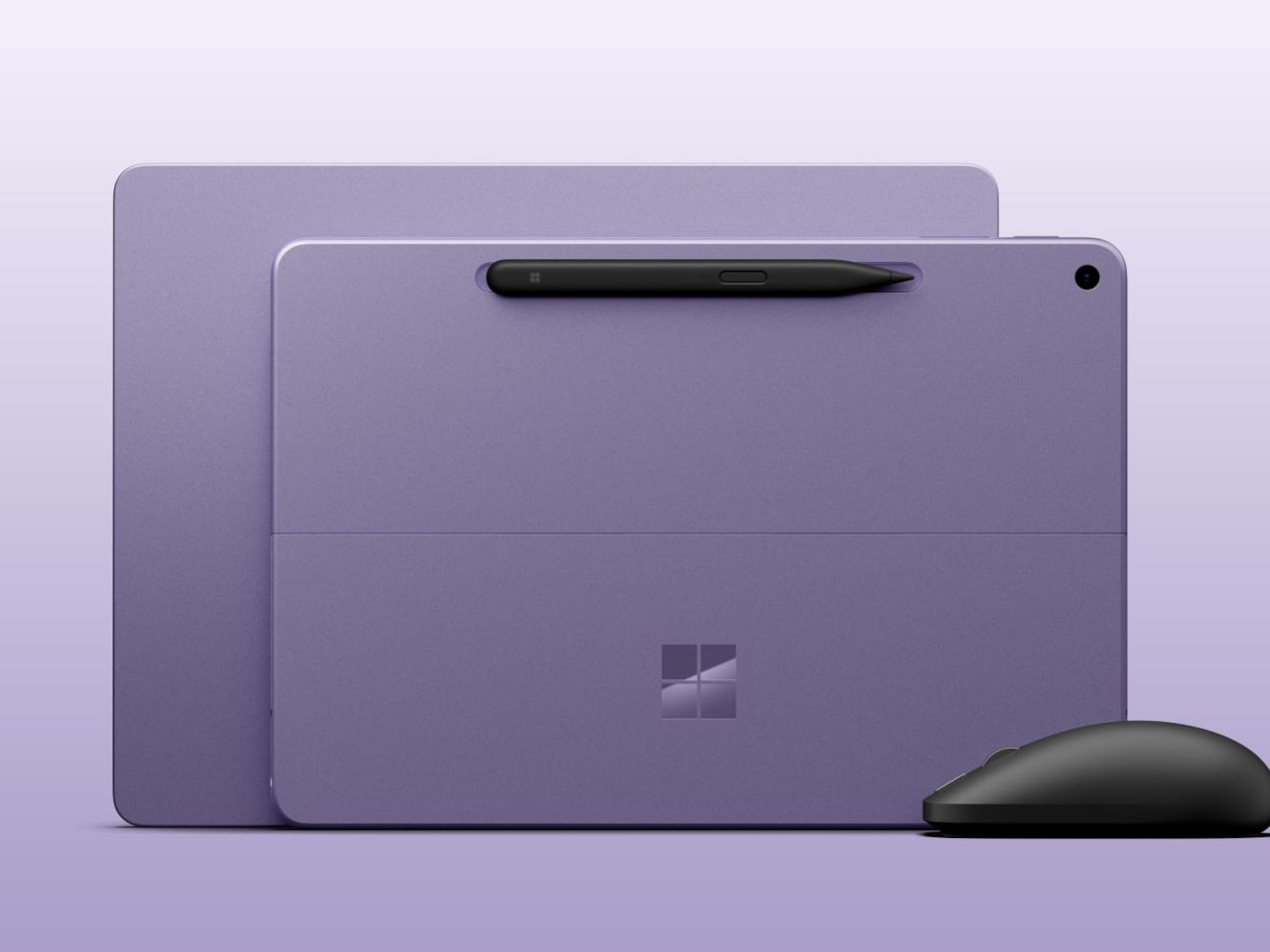
The Surface Pro has been Microsoft’s answer to this for well over a decade, and the new Surface Pro for Business, 13-inch (12th Edition), largely keeps the formula intact. If you’re expecting a dramatic redesign, it isn’t coming. The magnesium chassis, adjustable kickstand, and detachable keyboard are all still here, which is either a testament to the original design or a sign of a very cautious product team.

Designer: Microsoft

That said, what’s happening inside tells a different story. Powered by Intel Core Ultra Series 3, either the Core Ultra 5 335 or the Core Ultra 7 366H, this Surface Pro hits 50 TOPS through Intel AI Boost, qualifying it as a Copilot+ PC. That means on-device AI is fast enough for a consultant to summarize a contract or an analyst to run through data without needing a cloud connection.

And that AI work happens on a 13-inch PixelSense Flow display running at 2880 x 1920 pixels with a dynamic refresh rate of up to 120Hz, available in an optional OLED for deeper contrast and richer color. The anti-reflective coating is genuinely useful for anyone working in brightly lit offices or outdoor settings, giving this screen a practical advantage over glossier alternatives.

For workers who annotate more than they type, the 2-in-1 flexibility is still the Surface Pro’s most practical feature. Fold the keyboard flat, grab a Surface Slim Pen for Business, and the device shifts from laptop to inking tablet. It’s a workflow that makes sense during a client walkthrough or a field assessment, and one that doesn’t require any extra hardware to pull off.

Under the hood, memory goes up to 64GB of LPDDR5x RAM for anyone running virtual machines or demanding workloads. The removable Gen 4 SSD also matters to enterprise IT teams, who can swap drives without replacing the entire unit. Battery life is promised to reach up to 17 hours on the LCD model, enough for a full day of travel without hunting for a power outlet.

Starting at $1,949.99, this is firmly enterprise territory, especially since that doesn’t include the keyboard or pen, which still don’t come in the box. But for IT teams investing in devices that double as laptops, tablets, and mobile workstations, the math starts to make sense. The 12th Edition has a lot riding on what’s happening under its unchanged exterior, and perhaps hopes that its enterprise customers haven’t yet gotten bored with its looks.

The post Microsoft’s $1,950 Surface Pro 13 Gen 12 Got Smarter: Its Design Didn’t first appeared on Yanko Design.

Microsoft’s $1,950 Surface Pro 13 Gen 12 Got Smarter: Its Design Didn’t

The 2-in-1 laptop has had an interesting run. What started as a novelty device that couldn’t decide what it wanted to be has gradually become a workplace staple. IT departments are increasingly looking for machines that can handle everything from a boardroom presentation to a cross-country flight without missing a beat, and the pressure to pack more intelligence into smaller form factors keeps growing.

The Surface Pro has been Microsoft’s answer to this for well over a decade, and the new Surface Pro for Business, 13-inch (12th Edition), largely keeps the formula intact. If you’re expecting a dramatic redesign, it isn’t coming. The magnesium chassis, adjustable kickstand, and detachable keyboard are all still here, which is either a testament to the original design or a sign of a very cautious product team.

Designer: Microsoft

That said, what’s happening inside tells a different story. Powered by Intel Core Ultra Series 3, either the Core Ultra 5 335 or the Core Ultra 7 366H, this Surface Pro hits 50 TOPS through Intel AI Boost, qualifying it as a Copilot+ PC. That means on-device AI is fast enough for a consultant to summarize a contract or an analyst to run through data without needing a cloud connection.

And that AI work happens on a 13-inch PixelSense Flow display running at 2880 x 1920 pixels with a dynamic refresh rate of up to 120Hz, available in an optional OLED for deeper contrast and richer color. The anti-reflective coating is genuinely useful for anyone working in brightly lit offices or outdoor settings, giving this screen a practical advantage over glossier alternatives.

For workers who annotate more than they type, the 2-in-1 flexibility is still the Surface Pro’s most practical feature. Fold the keyboard flat, grab a Surface Slim Pen for Business, and the device shifts from laptop to inking tablet. It’s a workflow that makes sense during a client walkthrough or a field assessment, and one that doesn’t require any extra hardware to pull off.

Under the hood, memory goes up to 64GB of LPDDR5x RAM for anyone running virtual machines or demanding workloads. The removable Gen 4 SSD also matters to enterprise IT teams, who can swap drives without replacing the entire unit. Battery life is promised to reach up to 17 hours on the LCD model, enough for a full day of travel without hunting for a power outlet.

Starting at $1,949.99, this is firmly enterprise territory, especially since that doesn’t include the keyboard or pen, which still don’t come in the box. But for IT teams investing in devices that double as laptops, tablets, and mobile workstations, the math starts to make sense. The 12th Edition has a lot riding on what’s happening under its unchanged exterior, and perhaps hopes that its enterprise customers haven’t yet gotten bored with its looks.

The post Microsoft’s $1,950 Surface Pro 13 Gen 12 Got Smarter: Its Design Didn’t first appeared on Yanko Design.

Microsoft’s $1,950 Surface Pro 13 Gen 12 Got Smarter: Its Design Didn’t

The 2-in-1 laptop has had an interesting run. What started as a novelty device that couldn’t decide what it wanted to be has gradually become a workplace staple. IT departments are increasingly looking for machines that can handle everything from a boardroom presentation to a cross-country flight without missing a beat, and the pressure to pack more intelligence into smaller form factors keeps growing.

The Surface Pro has been Microsoft’s answer to this for well over a decade, and the new Surface Pro for Business, 13-inch (12th Edition), largely keeps the formula intact. If you’re expecting a dramatic redesign, it isn’t coming. The magnesium chassis, adjustable kickstand, and detachable keyboard are all still here, which is either a testament to the original design or a sign of a very cautious product team.

Designer: Microsoft

That said, what’s happening inside tells a different story. Powered by Intel Core Ultra Series 3, either the Core Ultra 5 335 or the Core Ultra 7 366H, this Surface Pro hits 50 TOPS through Intel AI Boost, qualifying it as a Copilot+ PC. That means on-device AI is fast enough for a consultant to summarize a contract or an analyst to run through data without needing a cloud connection.

And that AI work happens on a 13-inch PixelSense Flow display running at 2880 x 1920 pixels with a dynamic refresh rate of up to 120Hz, available in an optional OLED for deeper contrast and richer color. The anti-reflective coating is genuinely useful for anyone working in brightly lit offices or outdoor settings, giving this screen a practical advantage over glossier alternatives.

For workers who annotate more than they type, the 2-in-1 flexibility is still the Surface Pro’s most practical feature. Fold the keyboard flat, grab a Surface Slim Pen for Business, and the device shifts from laptop to inking tablet. It’s a workflow that makes sense during a client walkthrough or a field assessment, and one that doesn’t require any extra hardware to pull off.

Under the hood, memory goes up to 64GB of LPDDR5x RAM for anyone running virtual machines or demanding workloads. The removable Gen 4 SSD also matters to enterprise IT teams, who can swap drives without replacing the entire unit. Battery life is promised to reach up to 17 hours on the LCD model, enough for a full day of travel without hunting for a power outlet.

Starting at $1,949.99, this is firmly enterprise territory, especially since that doesn’t include the keyboard or pen, which still don’t come in the box. But for IT teams investing in devices that double as laptops, tablets, and mobile workstations, the math starts to make sense. The 12th Edition has a lot riding on what’s happening under its unchanged exterior, and perhaps hopes that its enterprise customers haven’t yet gotten bored with its looks.

The post Microsoft’s $1,950 Surface Pro 13 Gen 12 Got Smarter: Its Design Didn’t first appeared on Yanko Design.