The Meater Plus smart meat thermometer drops to a record-low price

When it comes to cooking meat — especially on the grill — it's critical to make sure that you're getting it to the correct temperature. One easy way to do that is to use a smart meat thermometer and, as luck would have it, one of our favorite models is on sale just ahead of Memorial Day weekend. The Meater Plus thermometer has dropped to $70, which is its lowest price ever. It typically costs $100. You can buy it at the sale price at Amazon or from Meater directly.

We've included a newer model, the Meater 2 Plus, in our latest guide to the best grilling gear as it offers some upgrades, including improved temperature accuracy and a waterproof design to support deep fry and sous vide usage. But the original Meater Plus is still plenty capable.

The wireless design allows you to monitor the temperature of your cook from up to 1,000 feet away, Meater claims, though that range drops to a maximum of around 165 feet when obstacles like walls get in the way. 

The Meater app aims to help you get consistently strong results by, for instance, estimating the optimal cooking and resting times. It can also provide you with step-by-step directions to follow. You can set up time- and temperature-based alerts and notifications on your phone, tablet and smartwatch to help make sure you're on top of things too.

Follow @EngadgetDeals on Twitter and subscribe to the Engadget Deals newsletter for the latest tech deals and buying advice.

This article originally appeared on Engadget at https://www.engadget.com/the-meater-plus-smart-meat-thermometer-drops-to-a-record-low-price-162005145.html?src=rss
Google’s accessibility app Lookout can use your phone’s camera to find and recognize objects

Google has updated some of its accessibility apps to add capabilities that will make them easier to use for people who need them. It has rolled out a new version of the Lookout app, which can read text and even lengthy documents out loud for people with low vision or blindness. The app can also read food labels, recognize currency and can tell users what it sees through the camera and in an image. Its latest version comes with a new "Find" mode that allows users to choose from seven item categories, including seating, tables, vehicles, utensils and bathrooms.

When users choose a category, the app will be able to recognize objects associated with them as the user moves their camera around a room. It will then tell them the direction or distance to the object, making it easier for users to interact with their surroundings. Google has also launched an in-app capture button, so they can take photos and quickly get AI-generated descriptions. 

A screenshot showing object categories in Google Lookout, such as Seating & Tables, Doors & Windows, Cups, etc.
Google

The company has updated its Look to Speak app, as well. Look to Speak enables users to communicate with other people by selecting from a list of phrases, which they want the app to speak out loud, using eye gestures. Now, Google has added a text-free mode that gives them the option to trigger speech by choosing from a photo book containing various emojis, symbols and photos. Even better, they can personalize what each symbol or image means for them. 

Google has also expanded its screen reader capabilities for Lens in Maps, so that it can tell the user the names and categories of the places it sees, such as ATMs and restaurants. It can also tell them how far away a particular location is. In addition, it's rolling out improvements for detailed voice guidance, which provides audio prompts that tell the user where they're supposed to go. 

Finally, Google has made Maps' wheelchair information accessible on desktop, four years after it launched on Android and iOS. The Accessible Places feature allows users to see if the place they're visiting can accommodate their needs — businesses and public venues with an accessible entrance, for example, will show a wheelchair icon. They can also use the feature to see if a location has accessible washrooms, seating and parking. The company says Maps has accessibility information for over 50 million places at the moment. Those who prefer looking up wheelchair information on Android and iOS will now also be able to easily filter reviews focusing on wheelchair access. 

Google made all these announcements at this year's I/O developer conference, where it also revealed that it open-sourced more code for the Project Gameface hands-free "mouse," allowing Android developers to use it for their apps. The tool allows users to control the cursor with their head movements and facial gestures, so that they can more easily use their computers and phones. 

Catch up on all the news from Google I/O 2024 right here!

This article originally appeared on Engadget at https://www.engadget.com/googles-accessibility-app-lookout-can-use-your-phones-camera-to-find-and-recognize-objects-160007994.html?src=rss

Google’s accessibility app Lookout can use your phone’s camera to find and recognize objects

Google has updated some of its accessibility apps to add capabilities that will make them easier to use for people who need them. It has rolled out a new version of the Lookout app, which can read text and even lengthy documents out loud for people with low vision or blindness. The app can also read food labels, recognize currency and can tell users what it sees through the camera and in an image. Its latest version comes with a new "Find" mode that allows users to choose from seven item categories, including seating, tables, vehicles, utensils and bathrooms.

When users choose a category, the app will be able to recognize objects associated with them as the user moves their camera around a room. It will then tell them the direction or distance to the object, making it easier for users to interact with their surroundings. Google has also launched an in-app capture button, so they can take photos and quickly get AI-generated descriptions. 

A screenshot showing object categories in Google Lookout, such as Seating & Tables, Doors & Windows, Cups, etc.
Google

The company has updated its Look to Speak app, as well. Look to Speak enables users to communicate with other people by selecting from a list of phrases, which they want the app to speak out loud, using eye gestures. Now, Google has added a text-free mode that gives them the option to trigger speech by choosing from a photo book containing various emojis, symbols and photos. Even better, they can personalize what each symbol or image means for them. 

Google has also expanded its screen reader capabilities for Lens in Maps, so that it can tell the user the names and categories of the places it sees, such as ATMs and restaurants. It can also tell them how far away a particular location is. In addition, it's rolling out improvements for detailed voice guidance, which provides audio prompts that tell the user where they're supposed to go. 

Finally, Google has made Maps' wheelchair information accessible on desktop, four years after it launched on Android and iOS. The Accessible Places feature allows users to see if the place they're visiting can accommodate their needs — businesses and public venues with an accessible entrance, for example, will show a wheelchair icon. They can also use the feature to see if a location has accessible washrooms, seating and parking. The company says Maps has accessibility information for over 50 million places at the moment. Those who prefer looking up wheelchair information on Android and iOS will now also be able to easily filter reviews focusing on wheelchair access. 

Google made all these announcements at this year's I/O developer conference, where it also revealed that it open-sourced more code for the Project Gameface hands-free "mouse," allowing Android developers to use it for their apps. The tool allows users to control the cursor with their head movements and facial gestures, so that they can more easily use their computers and phones. 

Catch up on all the news from Google I/O 2024 right here!

This article originally appeared on Engadget at https://www.engadget.com/googles-accessibility-app-lookout-can-use-your-phones-camera-to-find-and-recognize-objects-160007994.html?src=rss

Narc robot concept helps detect contraband in public spaces

One of my family’s favorite things to see at places like malls and airports are the drug sniffing dogs. We always joke about wanting to pet them, although of course we’re not supposed to. But there are times when I pity them since they have to work hard and it can even be dangerous for them. There are of course other technologies and devices that can be developed so the load of detecting contraband does not fall solely on them or on the staff that are monitoring the security check machines in the terminals.

Designer: Junwoo Lim

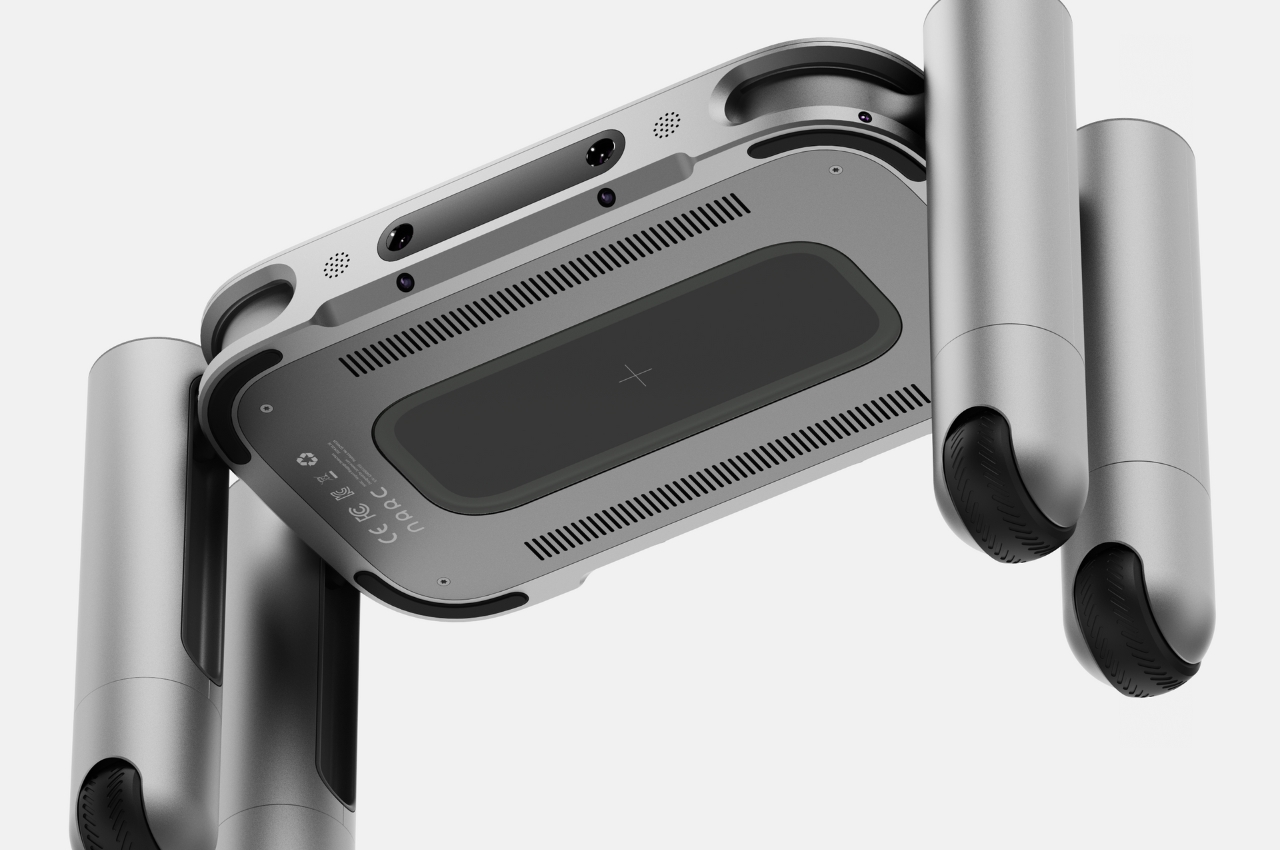
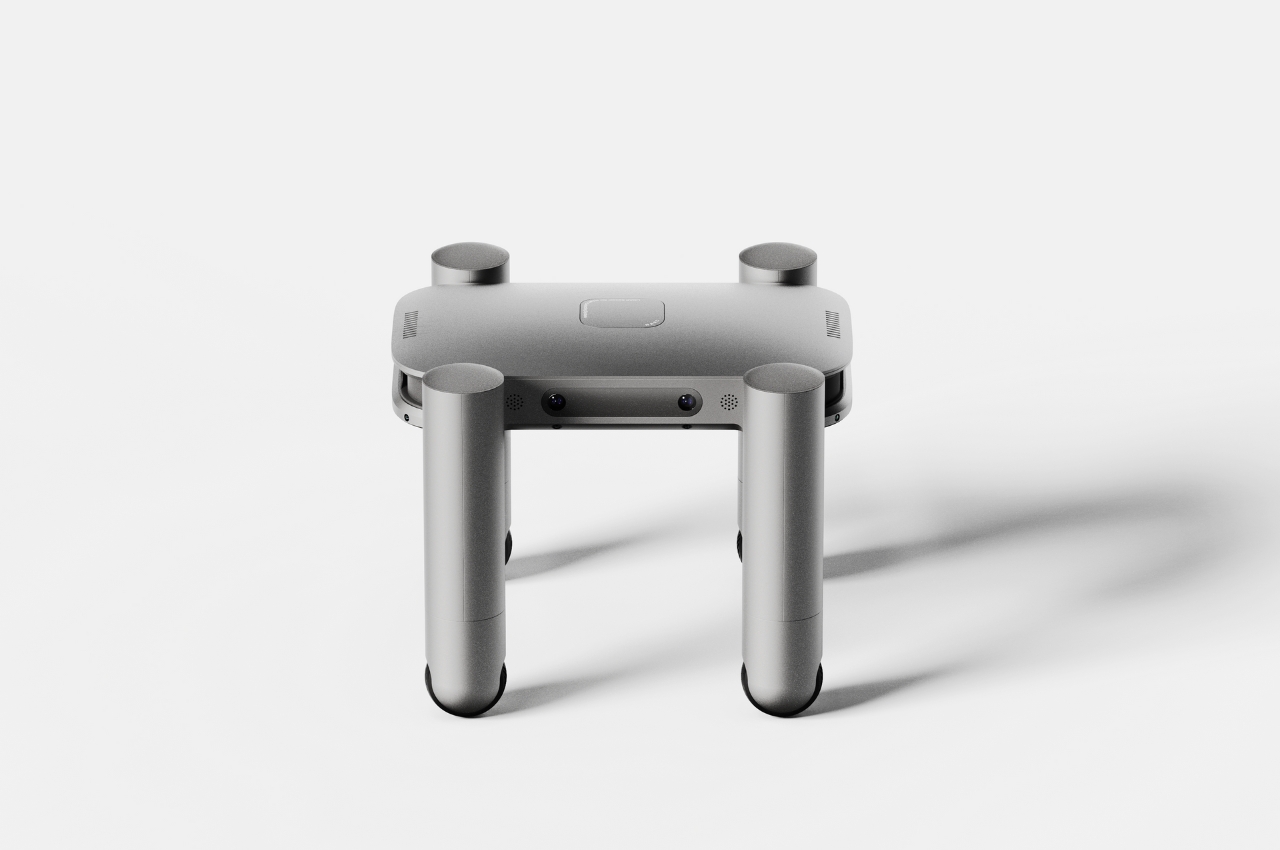
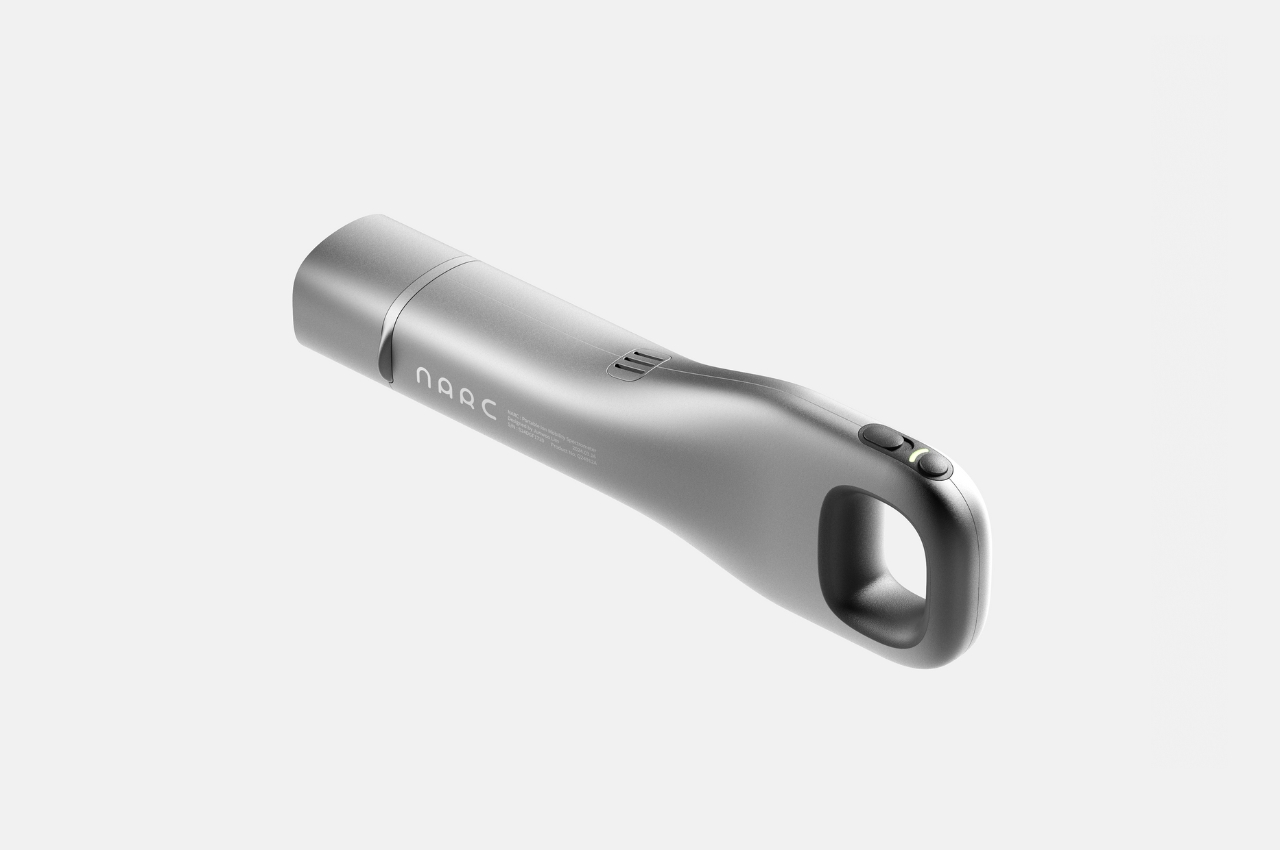
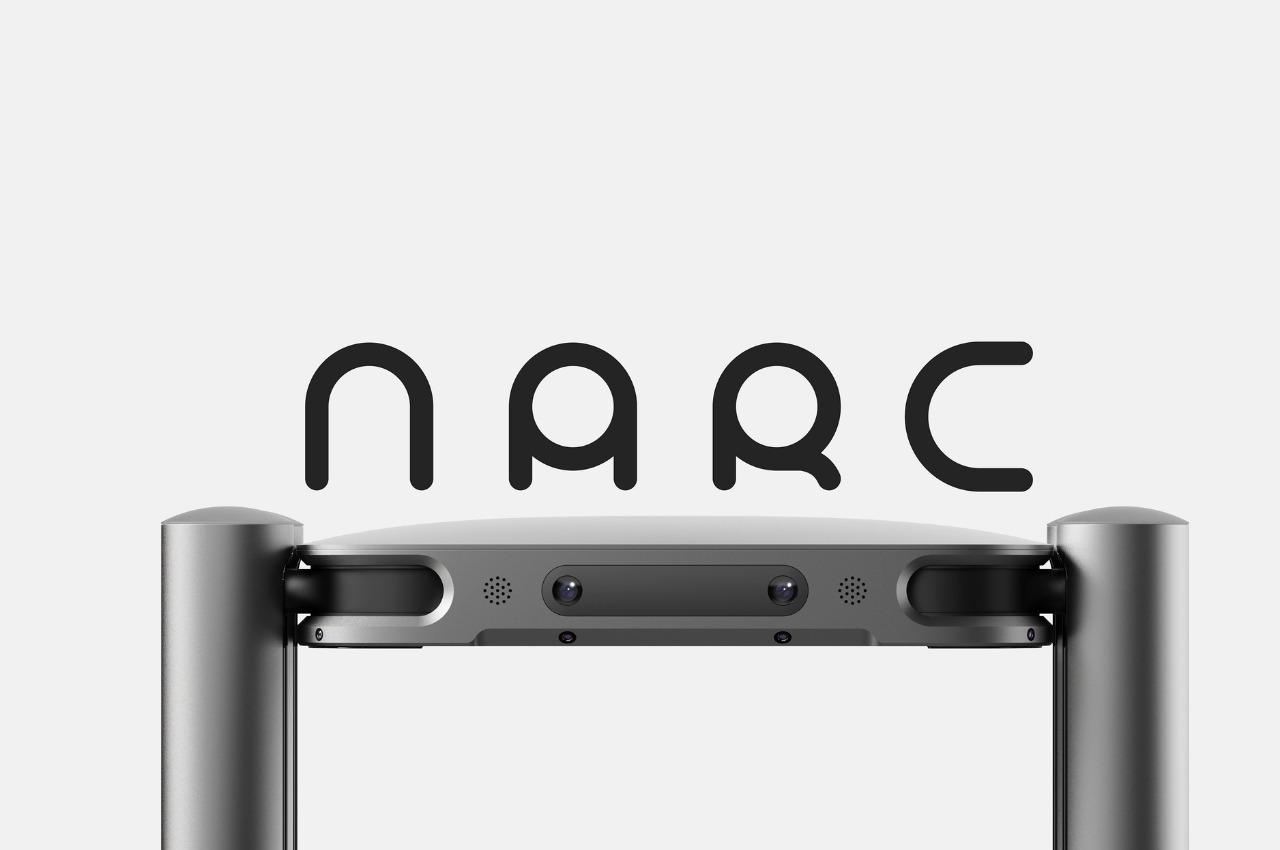
This concept for a robot that can serve as a contraband detection tool can serve both cargo terminals and passenger terminals. Narc will be able to help machines, dogs, and humans detect contraband like explosives, drugs, and other dangerous materials that are not supposed to be in public places like airports and terminals. You probably didn’t like being called a narc (if ever you were called one) during your school days but this device, which looks like a robot with four legs, gets the job done.

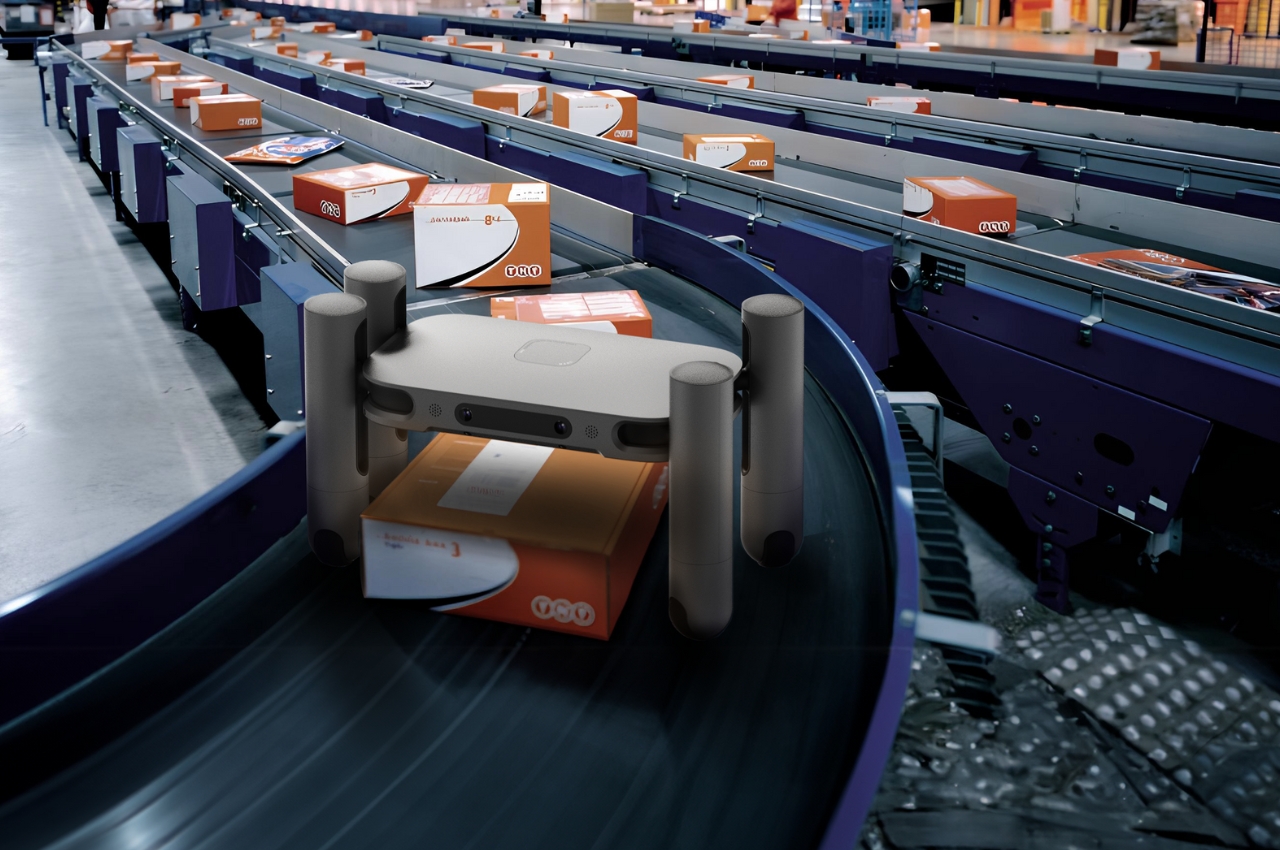
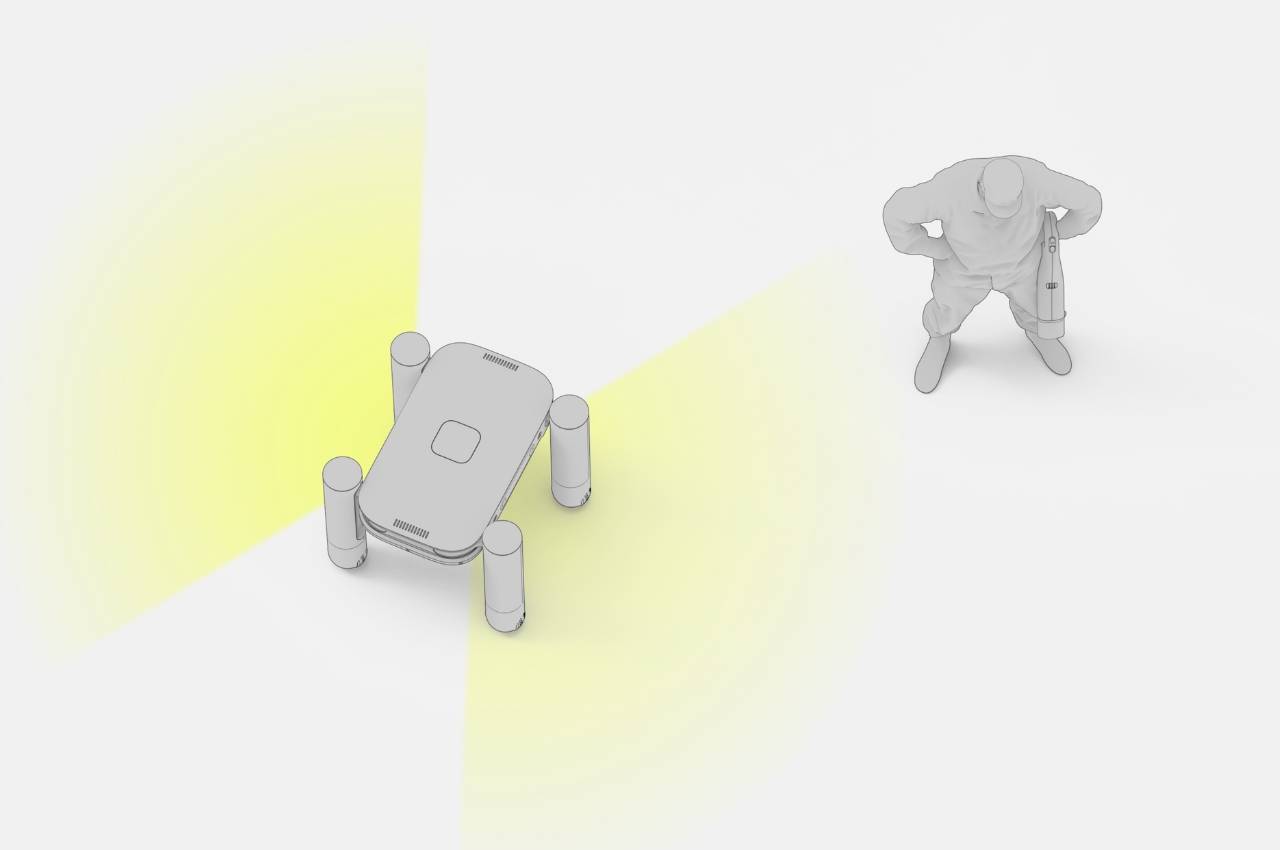
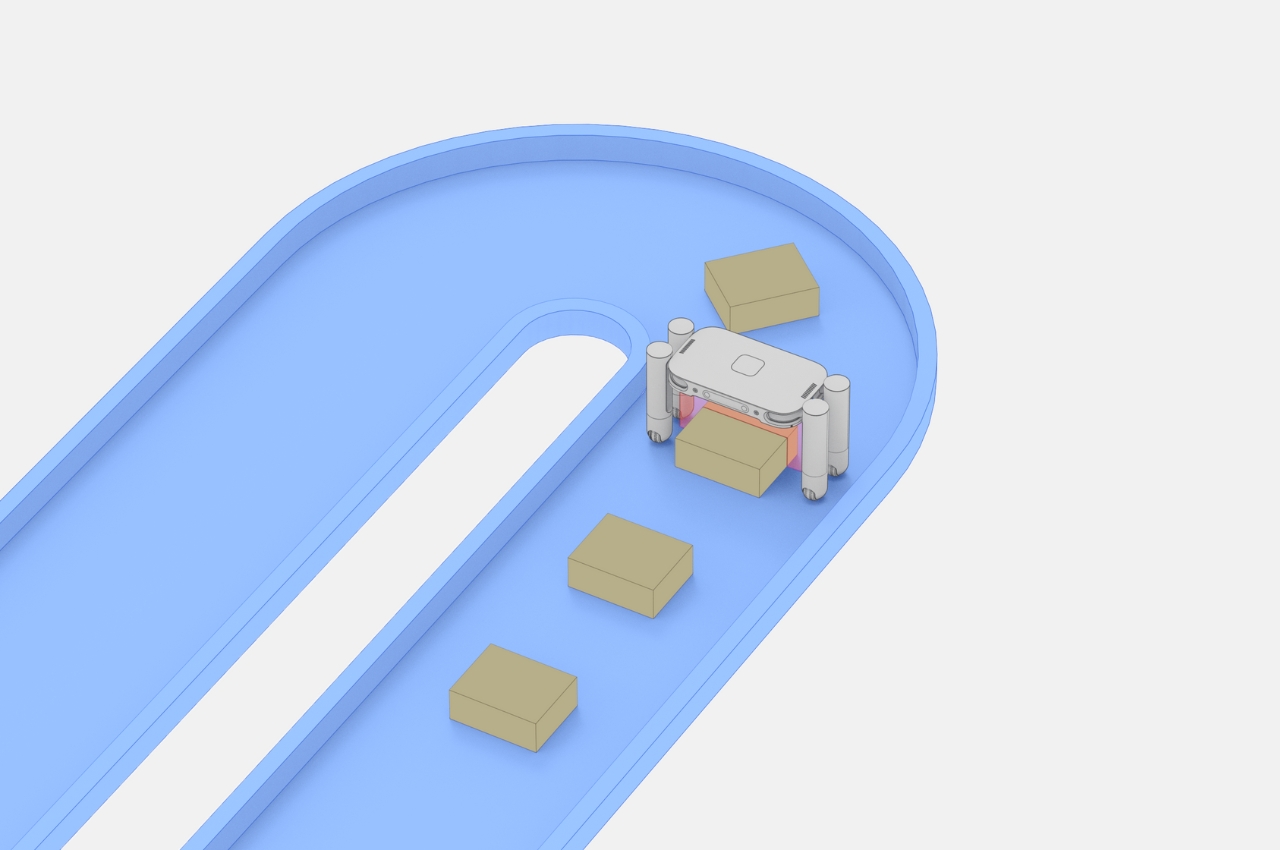
For the cargo terminals, Narc can serve as the detector for small packages in the conveyer belt so the first pass will not need human intervention. It has a small x-ray button at the bottom and 90 degree rotatable legs and a movable body that can go up to 500m up and down. It can scan the small cargo by moving around the cargo rails so humans can just focus on monitoring larger cargo. For passenger terminals, the Narc can move around, like those robots going around malls asking if you need help. But this time, they really act as a “narc”, scanning random people and if they detect contraband, they will alert security staff.

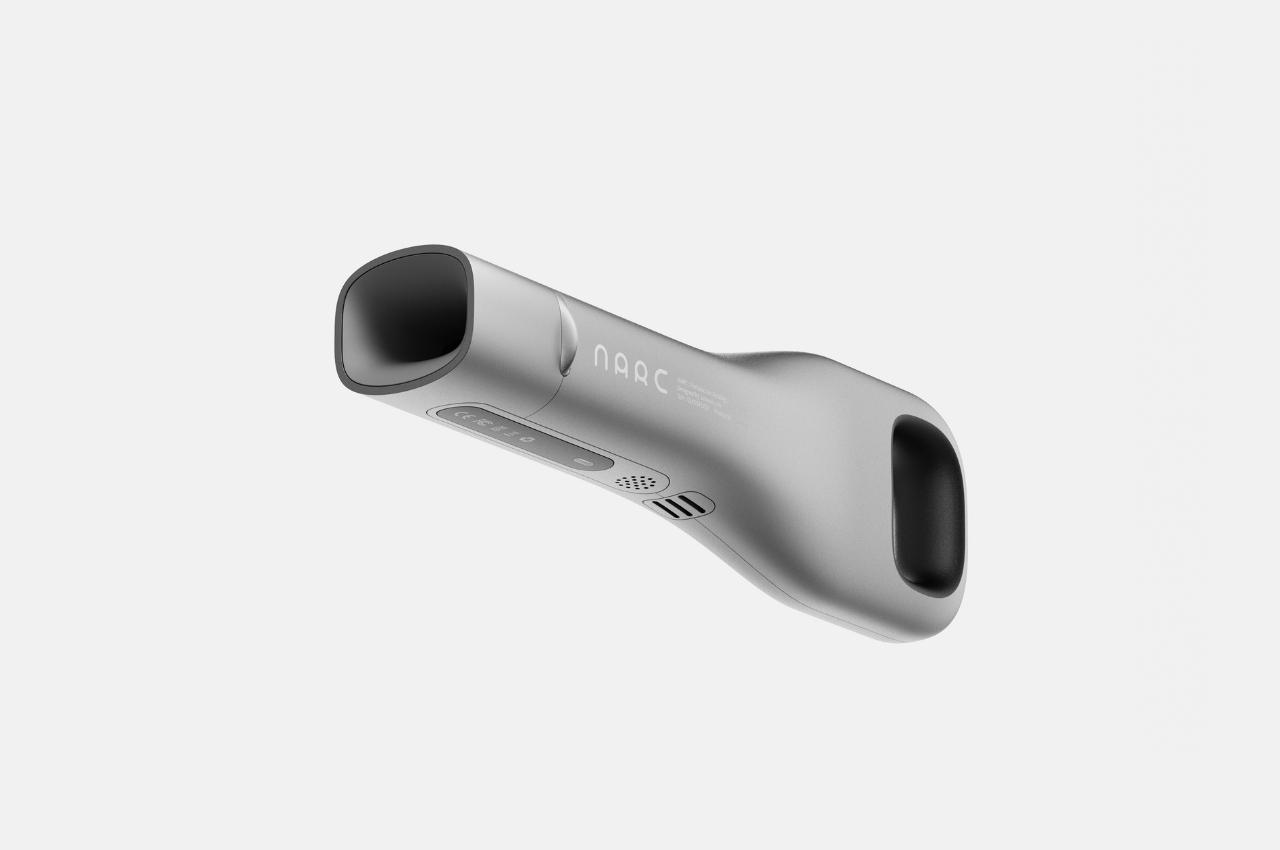
Once they spot someone “suspicious”, the staff can use the portable ion scanner to detect if the person really is carrying contraband. A sample can even be placed in the middle of the suction port if it needs further checking. There may be some privacy issues involved here but that’s probably a problem that can be resolved or fixed by the airport or terminal if ever this concept gets made into an actual product.

The post Narc robot concept helps detect contraband in public spaces first appeared on Yanko Design.

8Bitdo’s Ultimate Controller with charging dock is back on sale for $56

8BitDo makes some of our most beloved third-party game controllers. They work with just about everything and they’re well-built. Right now, you can scoop up a bundle with an 8BitDo Ultimate Controller and a charging dock for $56 via Amazon. That’s almost a record-low price and the cheapest we’ve seen this particular controller combo since earlier this year.

We called this controller the “last gamepad” most people will “need to buy for Switch and PC.” There’s no stick drift, thanks to the use of magnets and “hall effect” sensors instead of traditional potentiometers. This gamepad should stick around for the long haul. We also loved the Bluetooth functionality, especially when using the controller with portable devices like the Nintendo Switch and Steam Deck.

There’s a neat little mobile app for customization, which can adjust the sensitivity of the joysticks, triggers and haptic vibrations. Of course, this app also allows users to remap the buttons, add macros and create unique settings profiles. If mobile isn’t your bag, this can all be done on PC.

The charging dock powers up via USB-C and doubles as a storage container for the included USB wireless dongle. The gamepad can connect over this dongle, Bluetooth or a USB-C cable. Pairing is simple, with a mostly plug-and-play experience.

The battery life is decent, though not spectacular. This controller gets around 20 hours per charge. The only real downside here is the original $70 asking price, which is the same as a Switch Pro controller. This issue has been alleviated by this discount, as $56 is pretty much the sweet spot for a high-grade third-party controller.

Follow @EngadgetDeals on Twitter and subscribe to the Engadget Deals newsletter for the latest tech deals and buying advice.

This article originally appeared on Engadget at https://www.engadget.com/8bitdos-ultimate-controller-with-charging-dock-is-back-on-sale-for-56-150938138.html?src=rss

8Bitdo’s Ultimate Controller with charging dock is back on sale for $56

8BitDo makes some of our most beloved third-party game controllers. They work with just about everything and they’re well-built. Right now, you can scoop up a bundle with an 8BitDo Ultimate Controller and a charging dock for $56 via Amazon. That’s almost a record-low price and the cheapest we’ve seen this particular controller combo since earlier this year.

We called this controller the “last gamepad” most people will “need to buy for Switch and PC.” There’s no stick drift, thanks to the use of magnets and “hall effect” sensors instead of traditional potentiometers. This gamepad should stick around for the long haul. We also loved the Bluetooth functionality, especially when using the controller with portable devices like the Nintendo Switch and Steam Deck.

There’s a neat little mobile app for customization, which can adjust the sensitivity of the joysticks, triggers and haptic vibrations. Of course, this app also allows users to remap the buttons, add macros and create unique settings profiles. If mobile isn’t your bag, this can all be done on PC.

The charging dock powers up via USB-C and doubles as a storage container for the included USB wireless dongle. The gamepad can connect over this dongle, Bluetooth or a USB-C cable. Pairing is simple, with a mostly plug-and-play experience.

The battery life is decent, though not spectacular. This controller gets around 20 hours per charge. The only real downside here is the original $70 asking price, which is the same as a Switch Pro controller. This issue has been alleviated by this discount, as $56 is pretty much the sweet spot for a high-grade third-party controller.

Follow @EngadgetDeals on Twitter and subscribe to the Engadget Deals newsletter for the latest tech deals and buying advice.

This article originally appeared on Engadget at https://www.engadget.com/8bitdos-ultimate-controller-with-charging-dock-is-back-on-sale-for-56-150938138.html?src=rss

Alfa Romeo Giulia and Stelvio Quadrifoglio Super Sport Unveiled

Stelvio Quadrifoglio Super Sport

Alfa Romeo has unveiled the limited edition Giulia and Stelvio Quadrifoglio Super Sport models, paying homage to the brand’s storied racing history. With a mere 275 Giulia and 175 Stelvio units available worldwide, these exclusive models commemorate Alfa Romeo’s inaugural victory at the prestigious 1928 Mille Miglia. The Quadrifoglio Super Sport series serves as a […]

The post Alfa Romeo Giulia and Stelvio Quadrifoglio Super Sport Unveiled appeared first on Geeky Gadgets.

Solo Stove Memorial Day sales cut up to $280 off Pi Ultimate pizza oven bundles

When a good deal hits your eye like a big pizza pie, it may be a great day. Maybe more so than usual in this case if you’re in the market for a pizza oven, as some Solo Stove bundles have been discounted ahead of Memorial Day. The company is running a site-wide sale with up to 30 percent off everything, including the Pi Ultimate bundle that includes an oven with support for both gas and wood sources. That has dropped by $280 to $600.

Meanwhile, a bundle with the Pi model that supports wood burning only is $270 off. That means it can be yours for $480. On the downside, both models are showing estimated shipping dates of June 3 at the time of writing, so likely you won't get your oven in time for Memorial Day weekend, sadly.

That said, snapping one up will prepare you for a summer of delicious pies. The Solo Stove Pi is one of our top picks for the best multifuel outdoor pizza oven, behind the more expensive Ooni Karu 16.

The Pi has an open-front design and it's made out of stainless steel. It can reach temperatures of up to 850 degrees Fahrenheit when burning wood and 900 degrees when using gas, according to Solo Stove. That works out to stone temperatures of 750 and 800 degrees, respectively.

The bundles include all kinds of useful accessories, including a stand, bamboo and stainless steel peels, turner, thermometer, silicon mat, pizza cutter and shelter for protection from the elements. One thing the bundle does not include, unfortunately, is a gas burner for the dual fuel model. You'll need to buy that separately for $120.

Follow @EngadgetDeals on Twitter and subscribe to the Engadget Deals newsletter for the latest tech deals and buying advice.

This article originally appeared on Engadget at https://www.engadget.com/solo-stove-memorial-day-sales-cut-up-to-280-off-pi-ultimate-pizza-oven-bundles-142652678.html?src=rss

Solo Stove Memorial Day sales cut up to $280 off Pi Ultimate pizza oven bundles

When a good deal hits your eye like a big pizza pie, it may be a great day. Maybe more so than usual in this case if you’re in the market for a pizza oven, as some Solo Stove bundles have been discounted ahead of Memorial Day. The company is running a site-wide sale with up to 30 percent off everything, including the Pi Ultimate bundle that includes an oven with support for both gas and wood sources. That has dropped by $280 to $600.

Meanwhile, a bundle with the Pi model that supports wood burning only is $270 off. That means it can be yours for $480. On the downside, both models are showing estimated shipping dates of June 3 at the time of writing, so likely you won't get your oven in time for Memorial Day weekend, sadly.

That said, snapping one up will prepare you for a summer of delicious pies. The Solo Stove Pi is one of our top picks for the best multifuel outdoor pizza oven, behind the more expensive Ooni Karu 16.

The Pi has an open-front design and it's made out of stainless steel. It can reach temperatures of up to 850 degrees Fahrenheit when burning wood and 900 degrees when using gas, according to Solo Stove. That works out to stone temperatures of 750 and 800 degrees, respectively.

The bundles include all kinds of useful accessories, including a stand, bamboo and stainless steel peels, turner, thermometer, silicon mat, pizza cutter and shelter for protection from the elements. One thing the bundle does not include, unfortunately, is a gas burner for the dual fuel model. You'll need to buy that separately for $120.

Follow @EngadgetDeals on Twitter and subscribe to the Engadget Deals newsletter for the latest tech deals and buying advice.

This article originally appeared on Engadget at https://www.engadget.com/solo-stove-memorial-day-sales-cut-up-to-280-off-pi-ultimate-pizza-oven-bundles-142652678.html?src=rss

Google’s Android OS Gets New Theft Protection Features

Google's Android OS

Google has released some details about some more features coming to their Android OS. As we rely more heavily on these devices to store and manage sensitive personal and professional data, the need for robust security measures has never been more critical. Recognizing this, Google is launching a suite of advanced Android theft protection features […]

The post Google’s Android OS Gets New Theft Protection Features appeared first on Geeky Gadgets.