Are you ready to take your YouTube vlogs to new heights? Look no further than the iPhone 15, your ultimate tool for creating professional-grade content that will captivate your audience. In this comprehensive guide, we’ll explore the essential tools and techniques that will transform your vlogging experience, helping you to produce engaging and visually stunning […]
If you would like to make your research process or workflow a little easier and less time-consuming you might be interested in harnessing the power of OpenAI’s ChatGPT AI assistant when you are carrying out research across various areas. Whether it be academic, personal improvement or business research you can easily and quickly use ChatGPT […]
Are you ready to take your iPhone to the next level? With the latest iOS updates, a treasure trove of features awaits to enhance your experience. Dive into these six indispensable tips and tricks that every iPhone user should know to maximize their device’s potential. From optimizing battery life to personalizing your lock screen, creating […]
Animating PowerPoint slides can transform a standard presentation into an engaging and dynamic experience for your audience. By incorporating motion into your slides, you can emphasize key points, control the flow of information, and maintain interest throughout your presentation. Below is a concise summary of how to animate your PowerPoint slides for amazing presentations: Key […]
Microsoft is exploring the idea of putting ads in your Windows 11 Start menu. To be specific, it's looking to place advertisements for apps you can find in the Microsoft Store in the menu's recommended section. I could hear you sighing in defeat if you've used Windows 10 extensively before — the older OS serves ads in the Start menu, as well, and they're also for apps you can download. At the moment, Microsoft will only show ads in this version if you're in the US and a Windows Insider in the Beta Channel. You won't be seeing them if you're not a beta tester or if you're using a device managed by an organization.
Further, you can disable the advertisements altogether. To do so, just go to Personalization under Settings and then toggle off "Show recommendations for tips, app promotions, and more" in the Start section. Like any other Microsoft experiment, it may never reach wider rollout, but you may want to remember the aforementioned steps, since the company does have history of incorporating ads into its desktop platforms. Last year, Microsoft also deployed experimental promo spots for its services like OneDrive in the menu that pops up when you click on your profile photo.
Microsoft
This article originally appeared on Engadget at https://www.engadget.com/microsofts-windows-11-beta-testers-may-start-seeing-ads-in-the-start-menu-032358394.html?src=rss
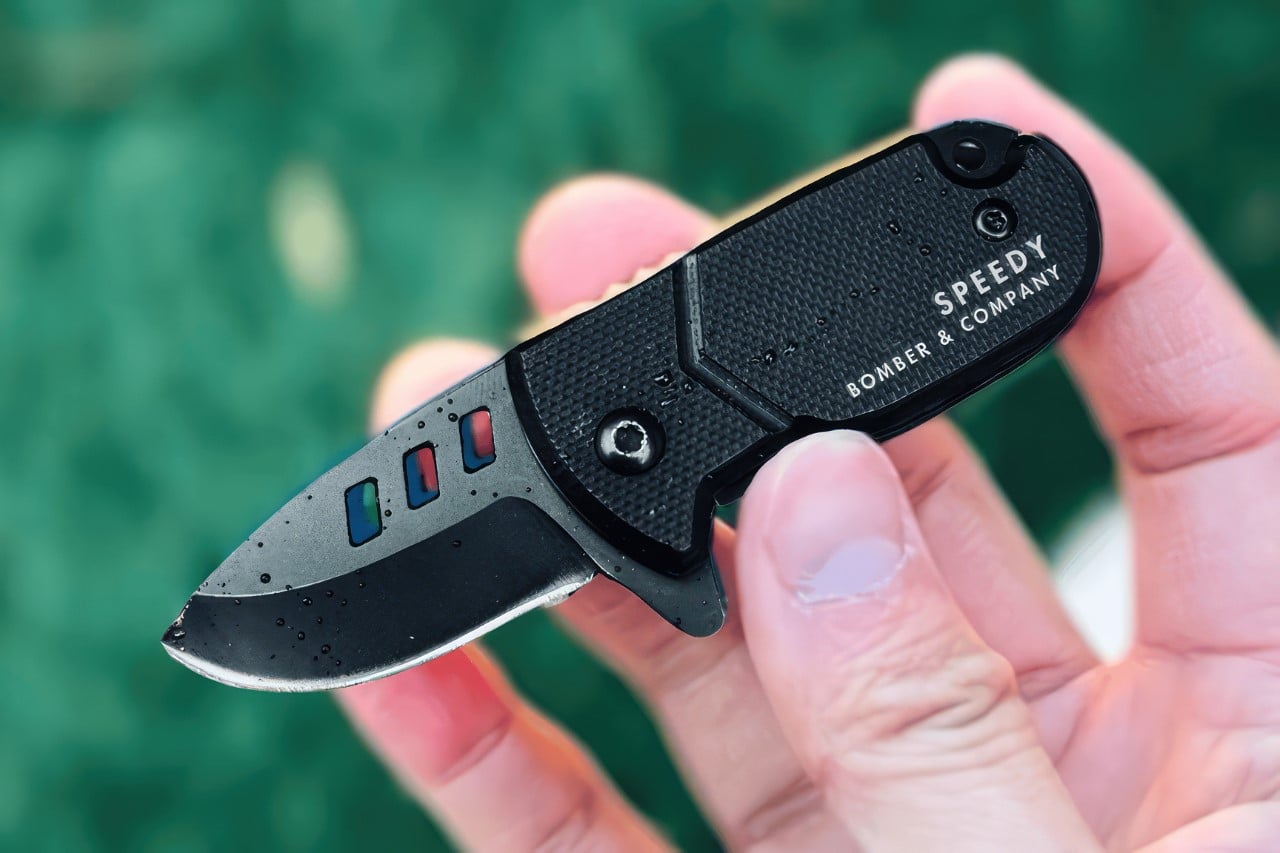
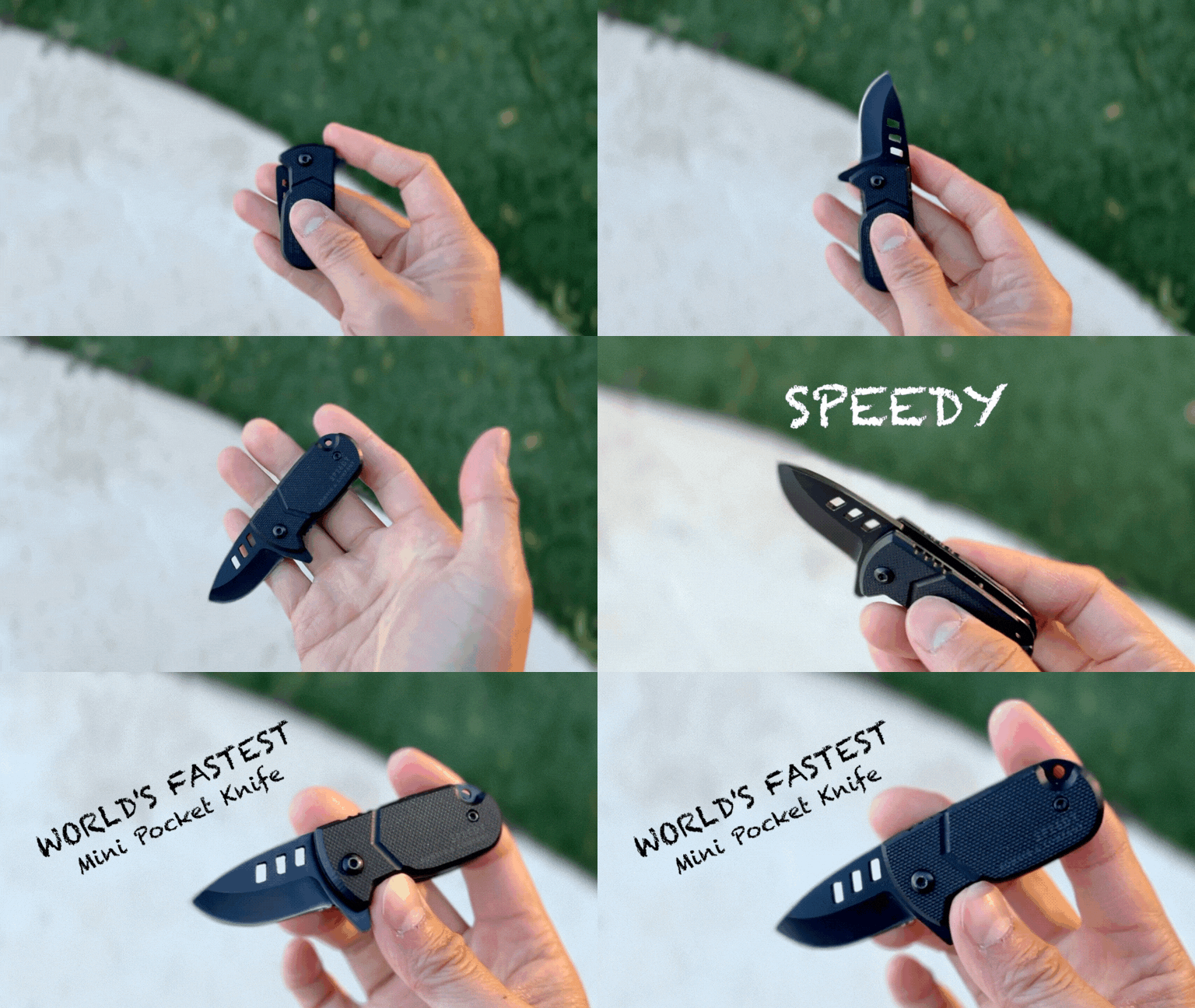
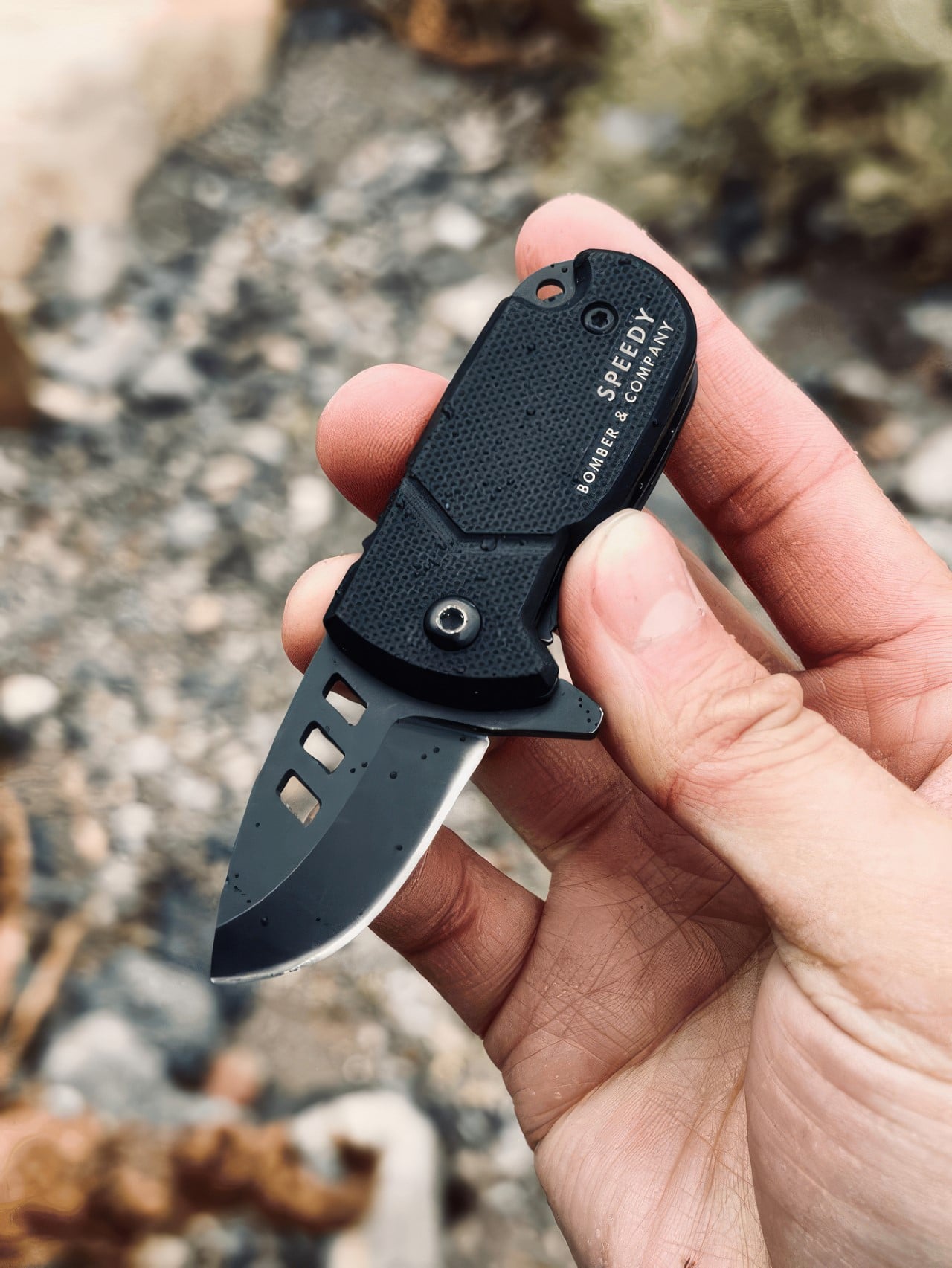
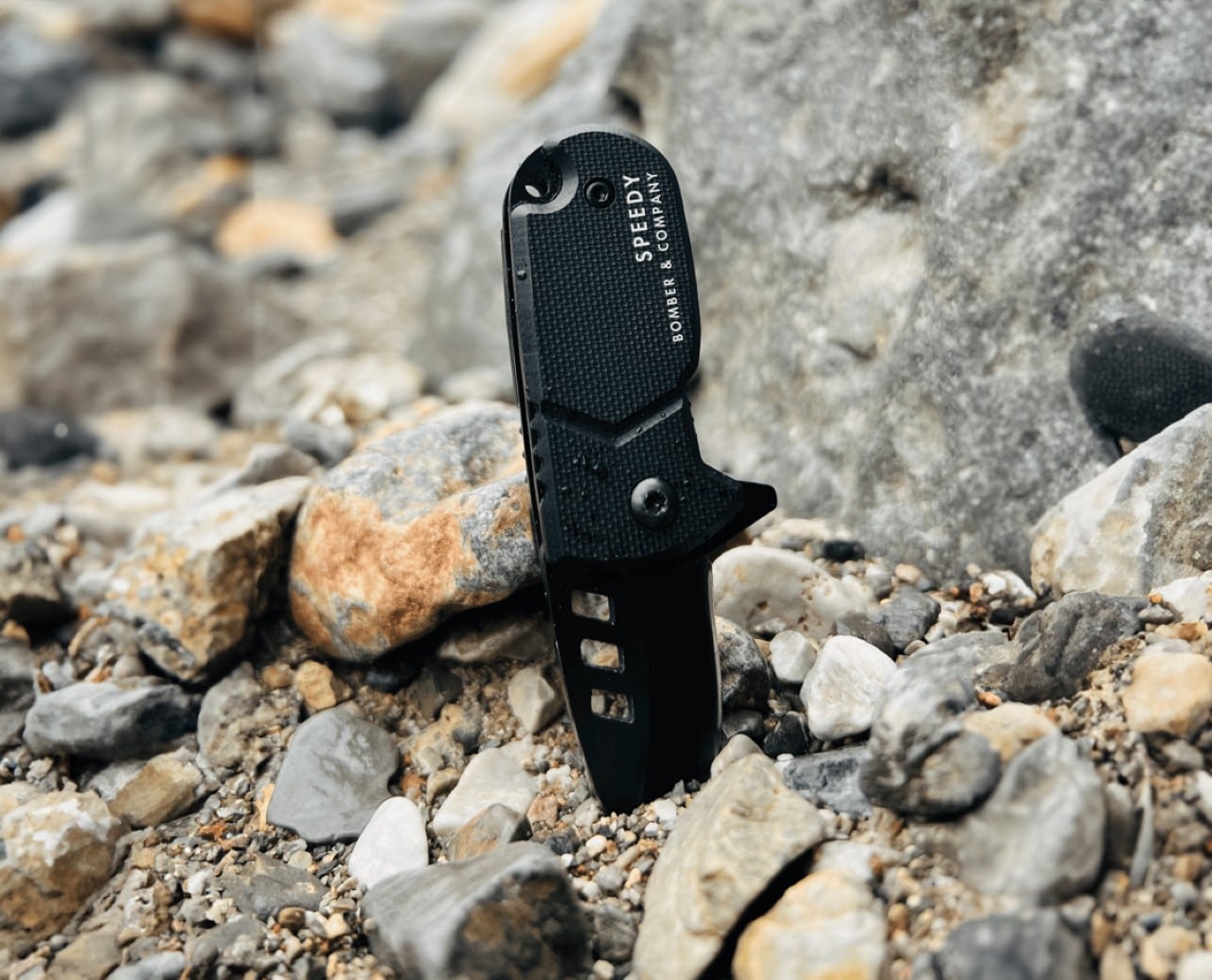
The name Speedy seems rather apt for the world’s fastest-deploying tiny pocket knife, don’t you think?
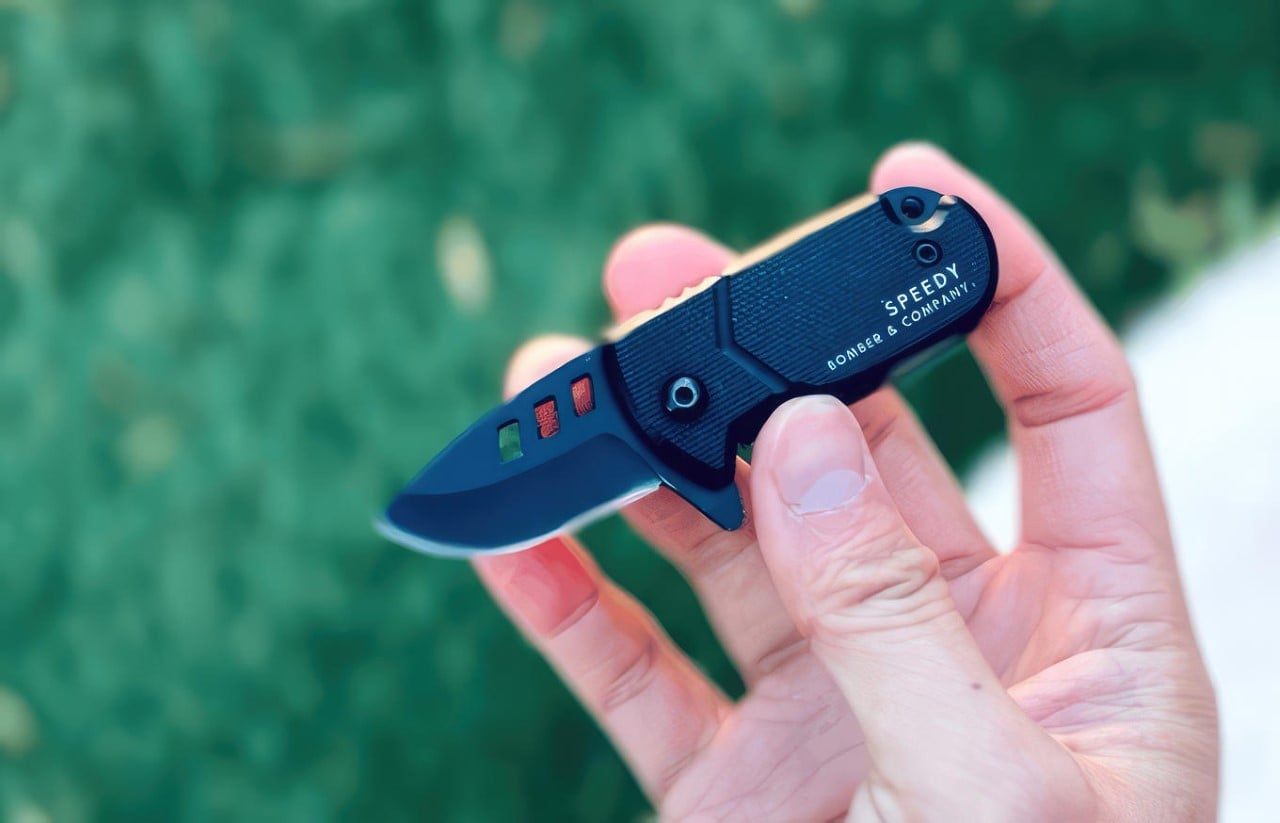
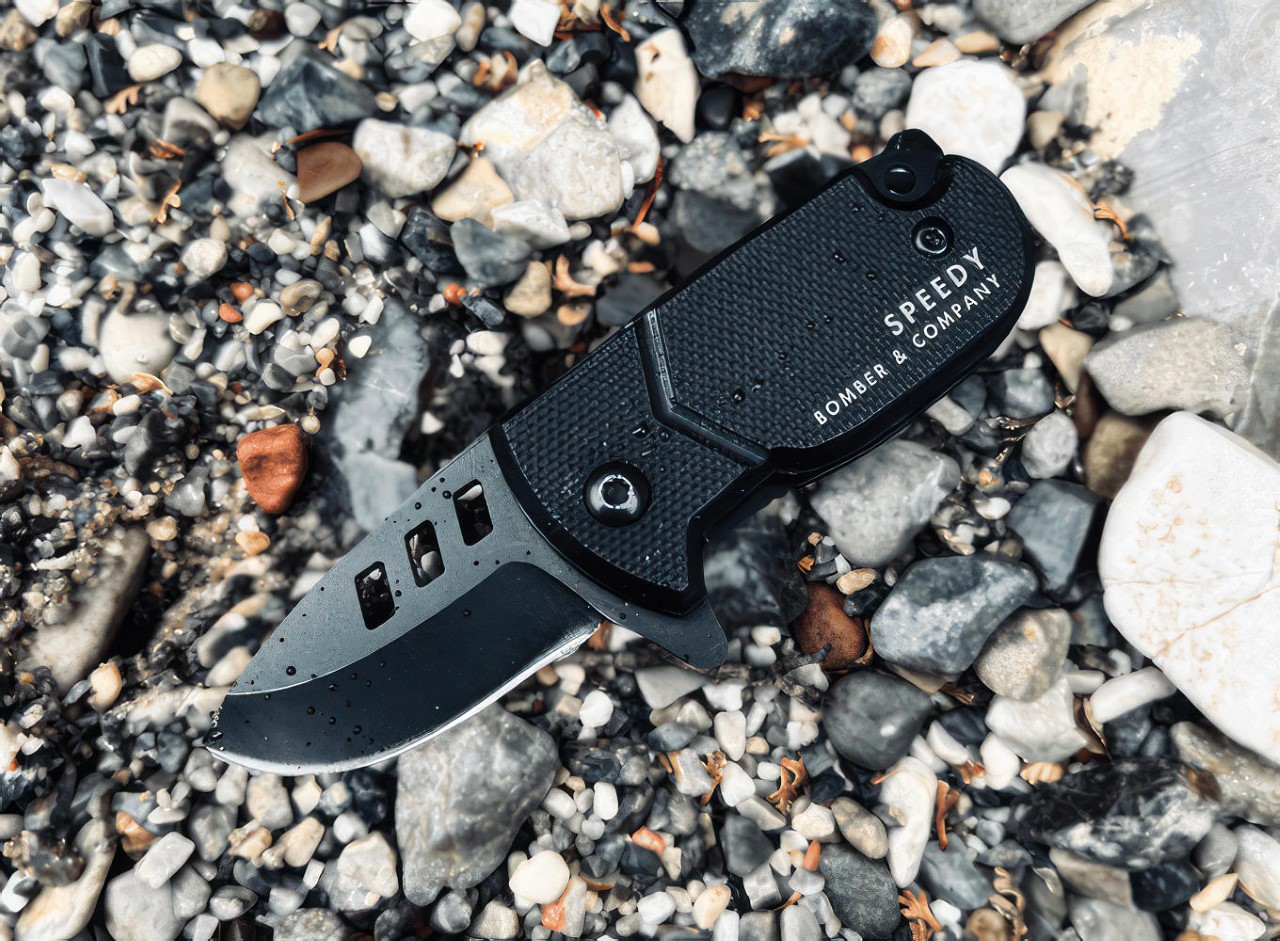
With a spring-loaded action that allows you to flip open the blade in record time, the Speedy is a tiny yet handy EDC that’s roughly the size of your car’s key fob (but slimmer). Armed with a 440 Carbon stainless steel blade encased within a G10 fiberglass handle, the entire knife weighs just 1.6 ounces, measures a minuscule 2.2 inches (58 millimeters), and has a tiny 1.45-inch (37 millimeters) blade that may seem diminutive, but is more than capable of being your tactical sidekick in an emergency.
The Speedy comes from the folks at Bomber & Company, a seasoned EDC brand that debuted on Kickstarter in 2014, quickly rising through the ranks to become one of the hottest knifemakers on the platform, having sold over 1 million pocket knives in the past decade. The company’s developed its unique aesthetic over its 7 product campaigns, and the Speedy fits well into the the Bomber & Company’s visual language with its all-black design, fiber handle, and coated blade. Where it shines, however, is in the insides, which power the blade’s deployment. A strategically placed spring helps the Speedy unsheathe its blade in practically a millisecond, allowing single-hand deployment in the blink of an eye.
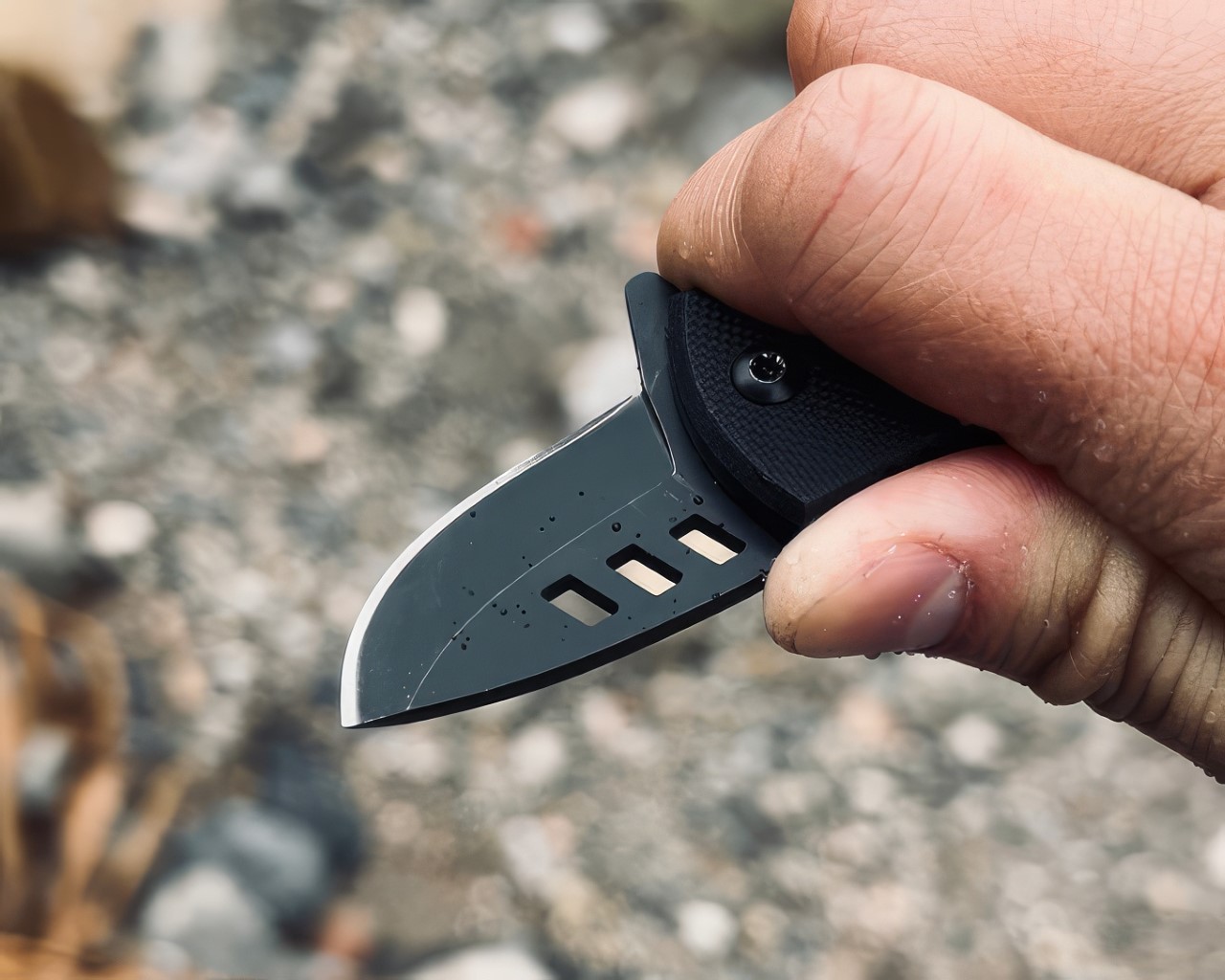
Once deployed, you’re equipped with a 1.45-inch small-size carbon steel blade with a drop-point design. The drop-point is perhaps the most classic blade style given its versatility. With a straight edge that curves at the tip, you’re left with a blade that’s great for cutting, slicing, carving, piercing, and even whittling. The carbon-steel blade cuts through materials like they’re butter, comfortably slicing through paper and cardboard, leather, and even through wood.
Cutouts in the blade’s design help reduce weight as well as decrease friction while slicing, allowing the knife to glide through materials.
Even for its ludicrously small size, the Speedy is quite grippy and easy to maneuver. The flipper acts as a nice finger guard, and that 2.2-inch handle is enough for a sturdy reliable grasp as you use the blade. A liner lock holds the blade in place while you’re cutting, allowing you to tuck it back into the handle only when you’re done using the Speedy.
The tiny EDC knife comes with an all-black design (how very Henry Ford Model T of them), and sports a keyring hole at the end of the handle that lets you string the blade on a keychain or even attach a carabiner so you can carry your Speedy however you wish. The knife is priced at $25 with global shipping, although for $50 you can grab a 3-pack for gifting to your friends, family, and fellow EDC enthusiasts. After all, you never know when you’ll need a fast-deploying tactical blade to get yourself out of a pickle…
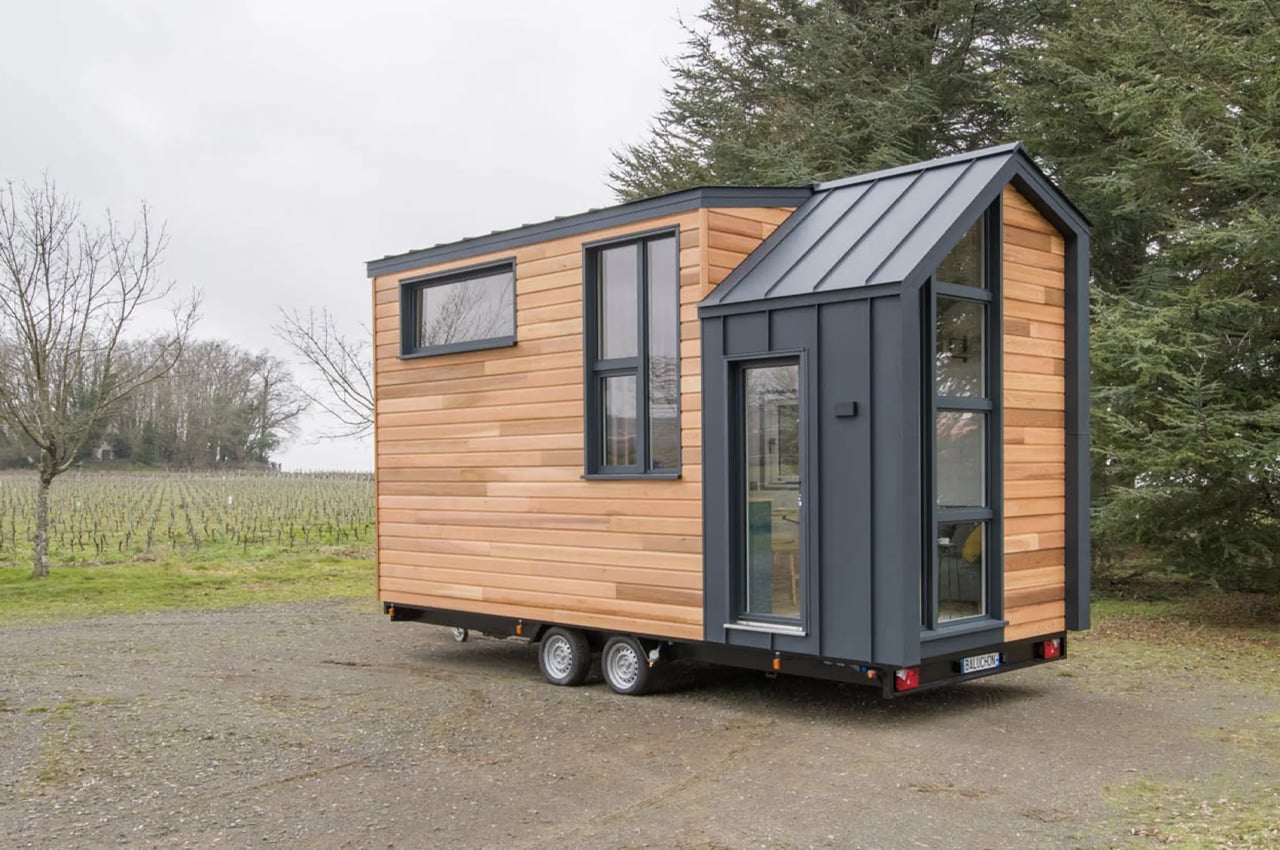
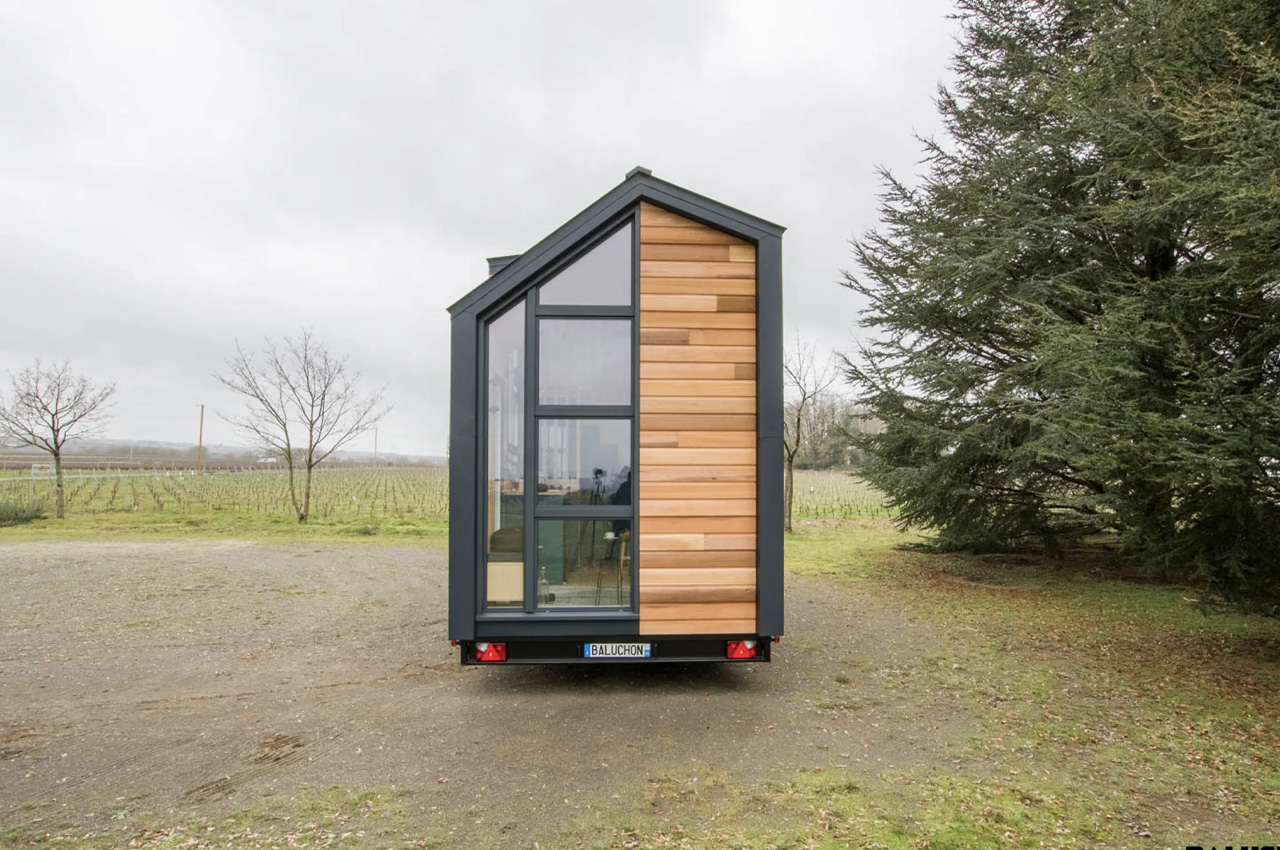
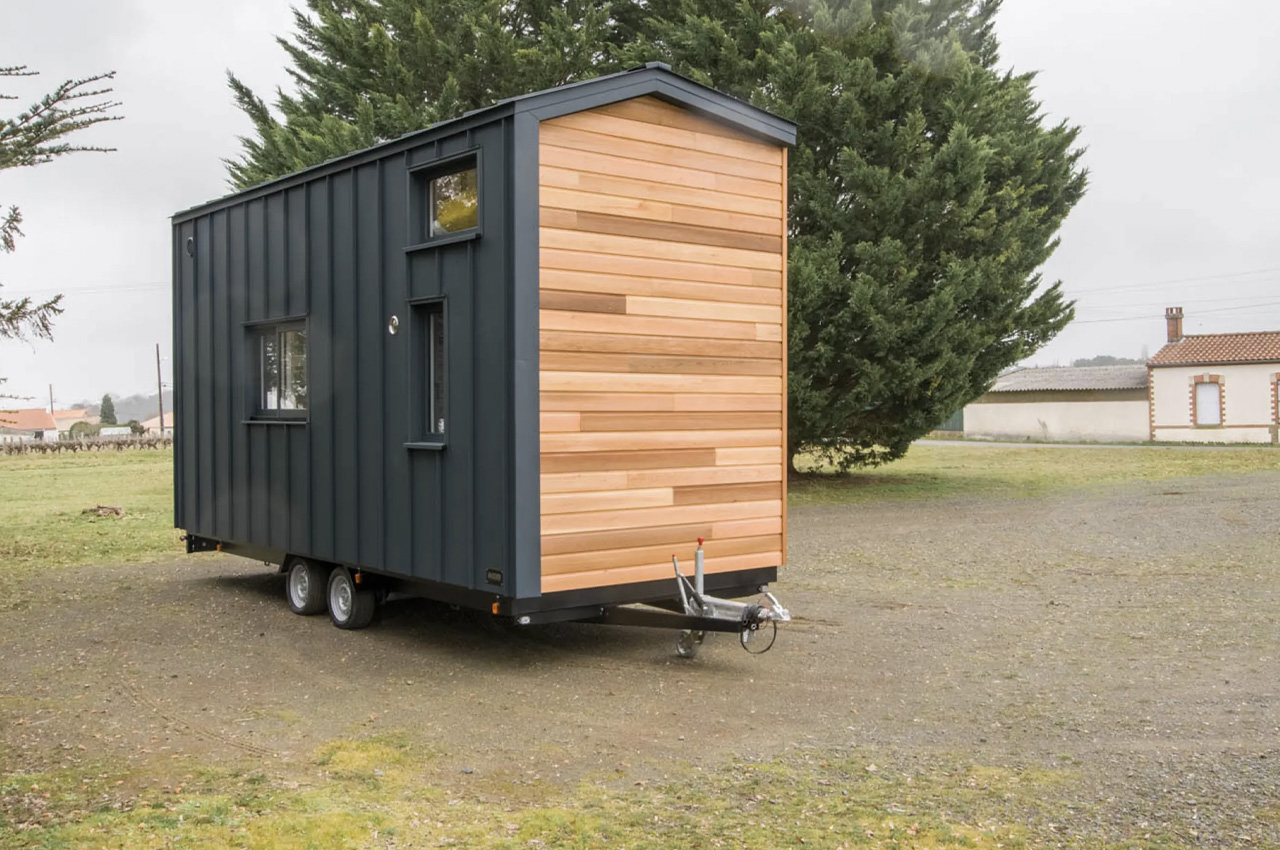
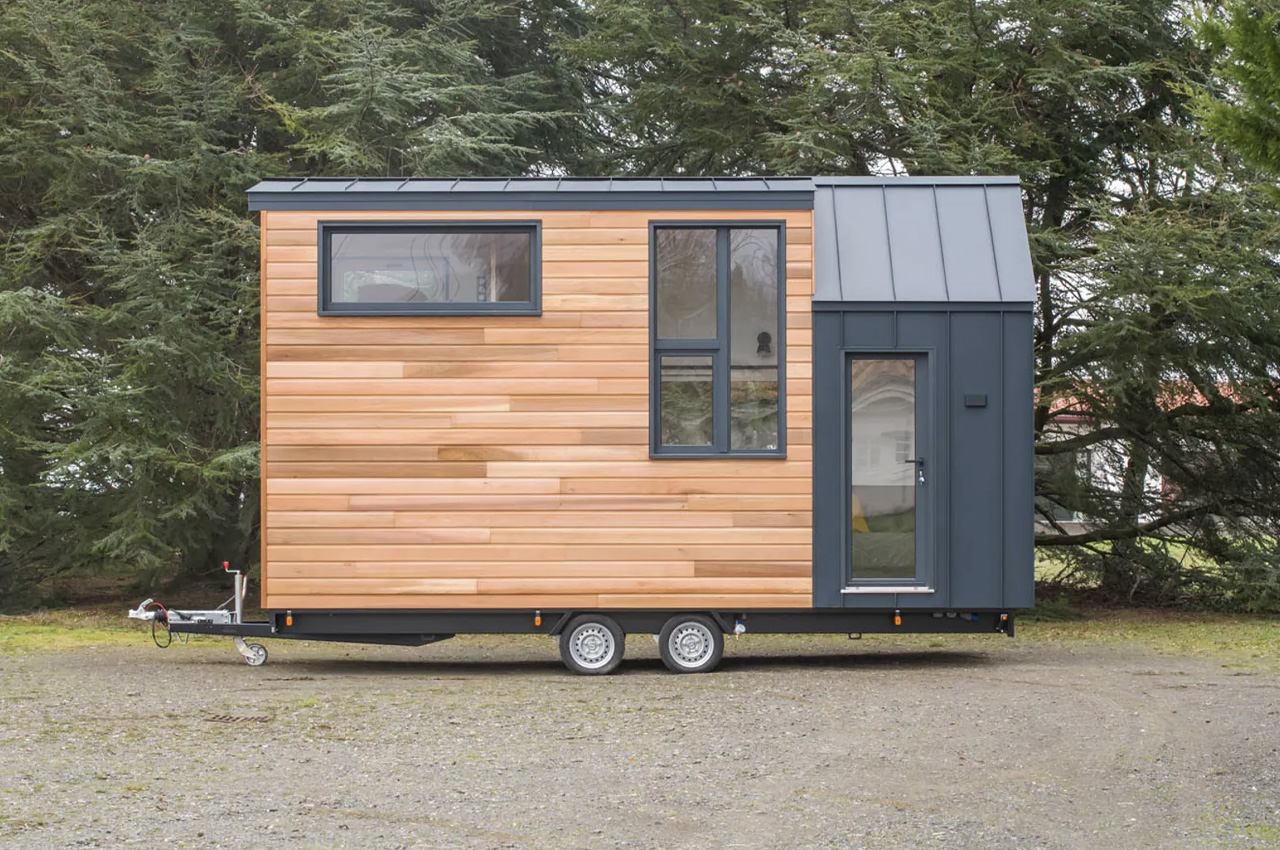
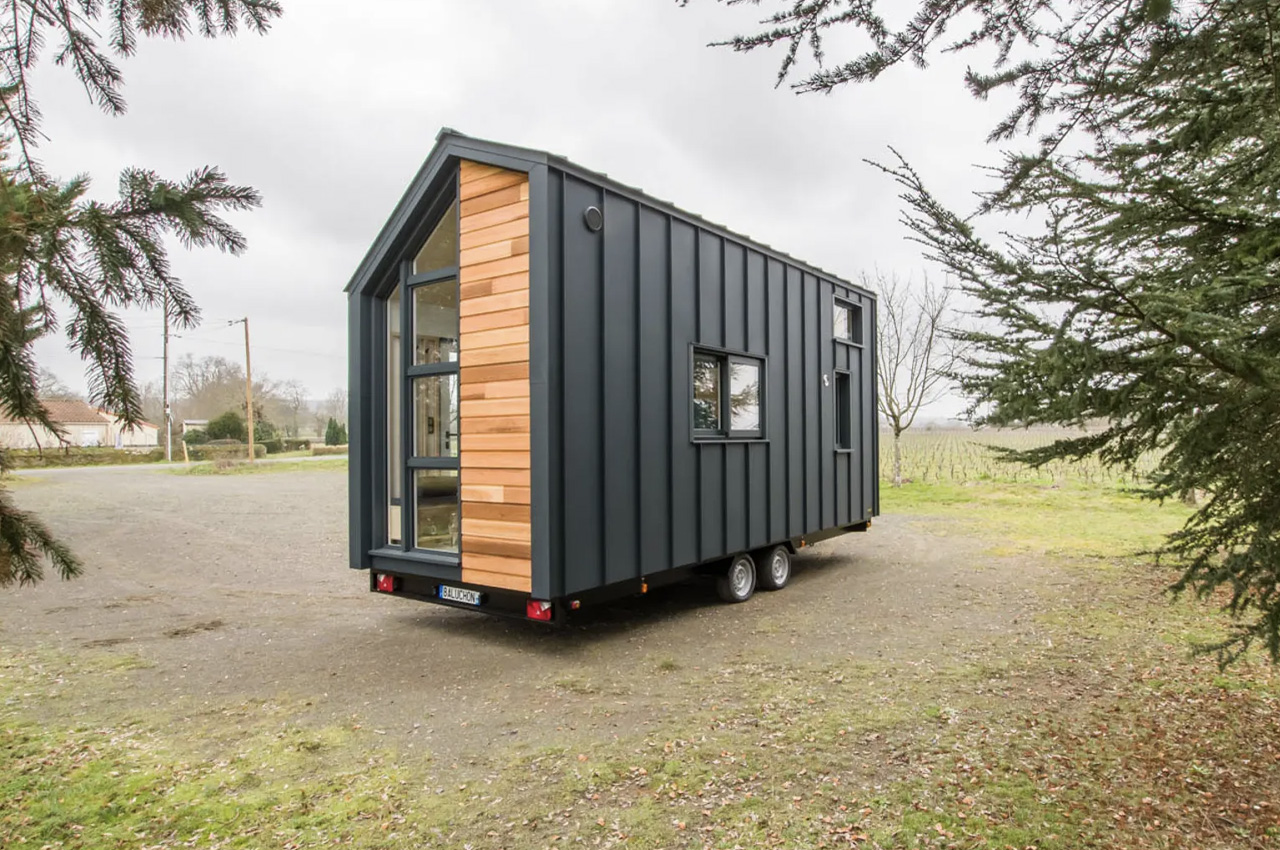
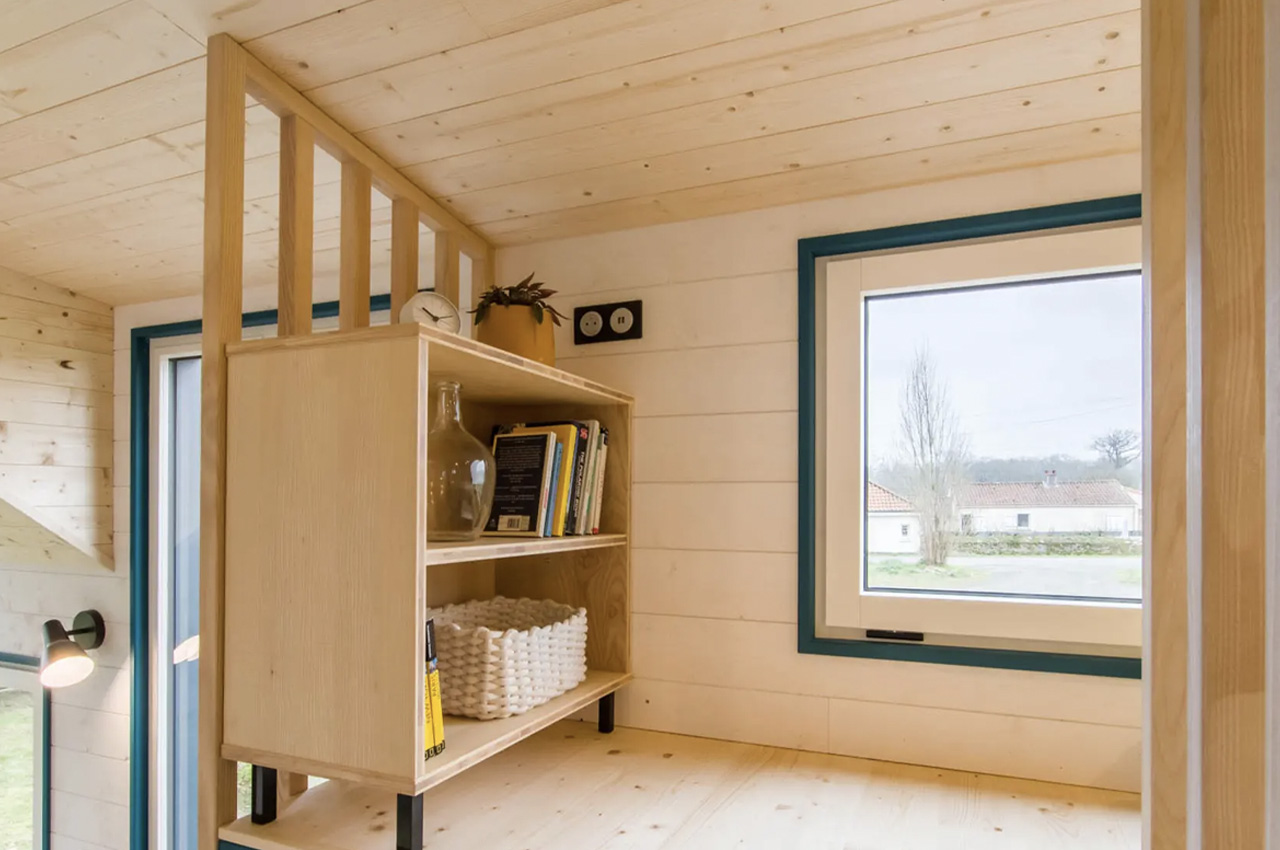
Baluchon’s beautiful Scandinavian-inspired Sauvage model from 2022, inspired a couple to purchase their own little tiny home along the same lines. The couple commissioned Baluchon to create the ‘Sherpa’ – a cozy tiny home with a modern exterior, and a clever space-saving interior layout that can accommodate two people, as well as a pair of guests. The Sherpa is founded on a double-axle trailer and features a length of 20 feet, which is a length typically seen in France.
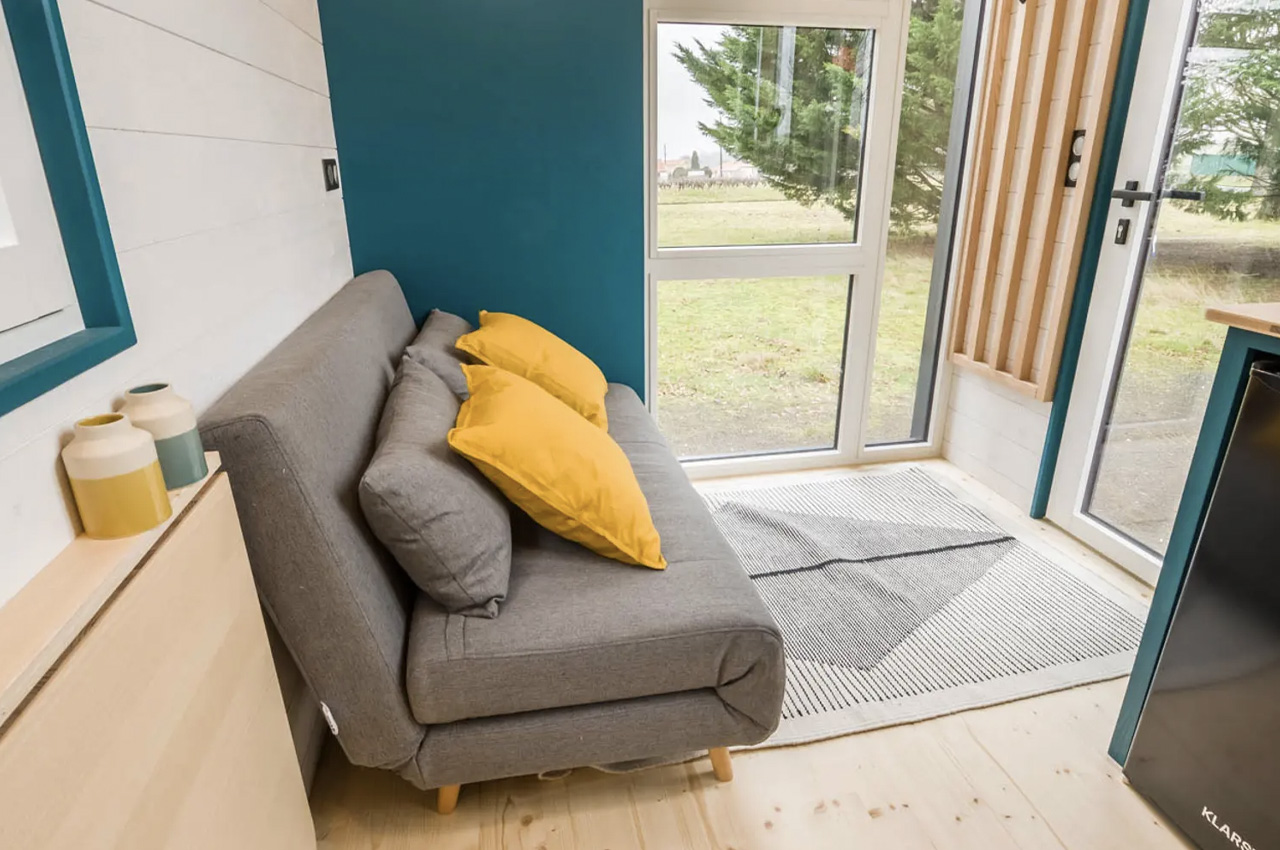
The 20-foot Sherpa is small compared to North American tiny homes which are much larger. In France, due to the strict towing laws, the homes tend to be pretty small. The exterior of the home is unique, and stands out from most cottage-style tiny homes, as it features red cedar, aluminum accenting, and some not-so-ordinary window placement. The interior of the house is accentuated by a high ceiling and generous glazing. The walls feature a spruce finish, and the entrance leads to the comfy living room which contains a sofa that can be transformed into a bed for guests, as well as some storage space.
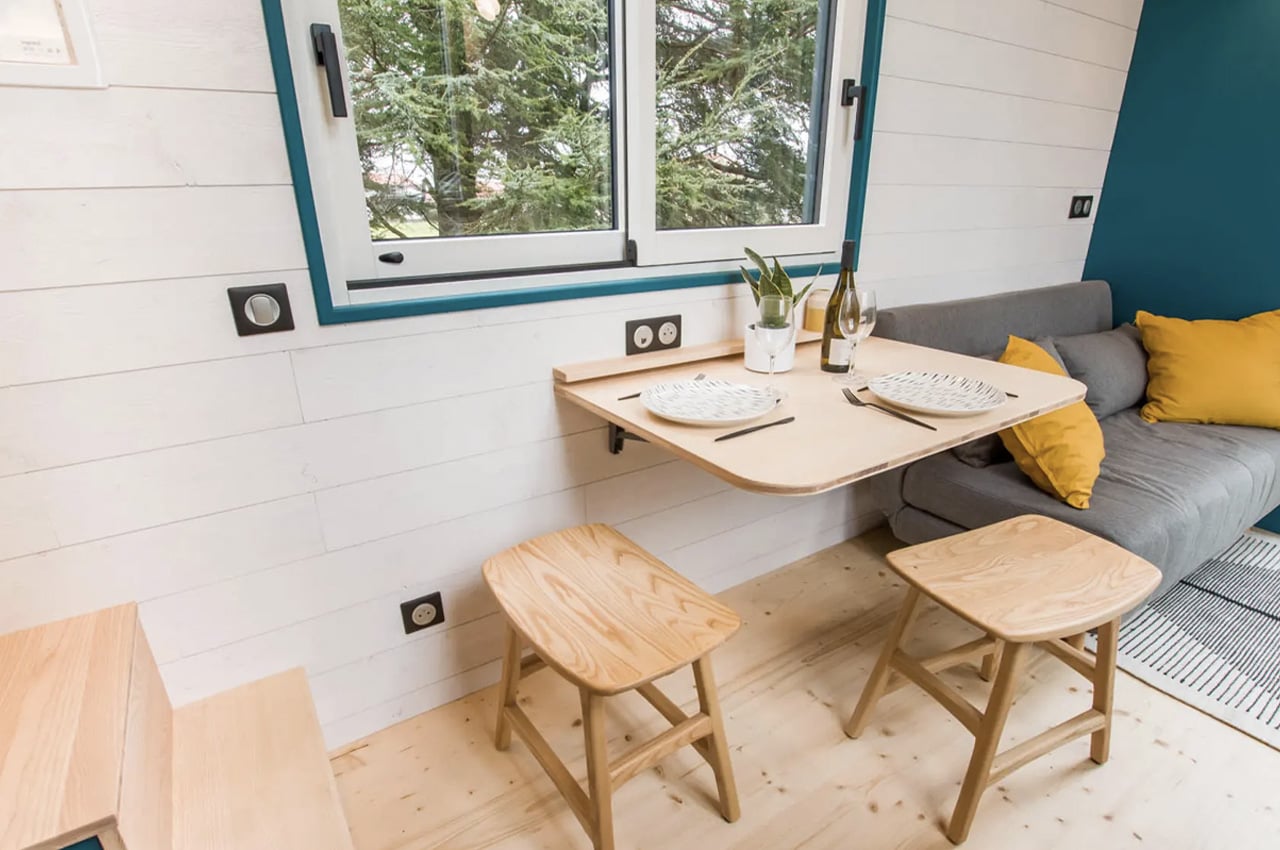
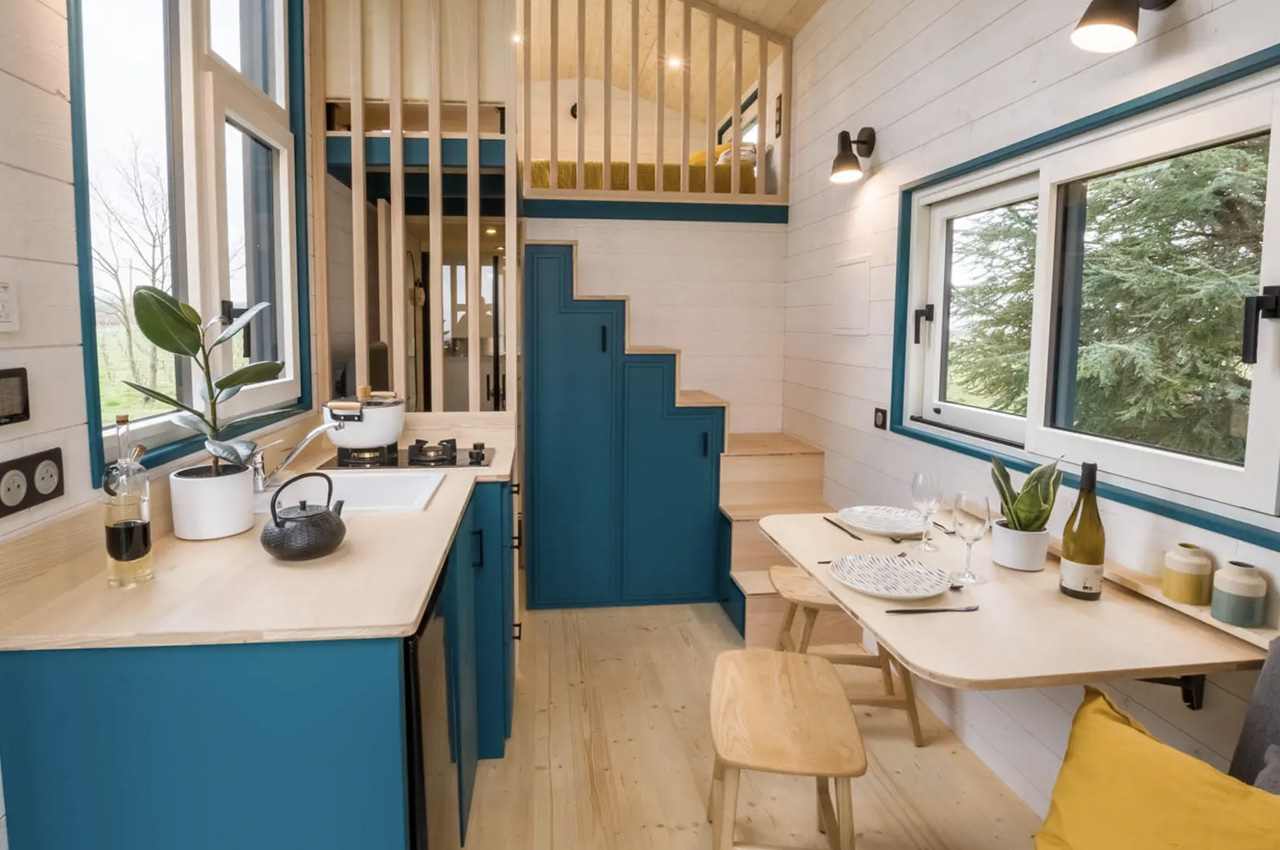
The kitchen is adjacent to the living room, and it is quite basic. It is nothing fancy and is equipped with a two-burner propane-powered stove, a sink, as well as a small fridge. These common and not-so-luxurious kitchens are quite typically found in most of Baluchon’s models. The interior of the tiny house is flattered by its generous glazing and high ceiling. The walls are finished in spruce and the entrance opens onto the living room, which includes a sofa that turns into a bed for guests, plus there’s some storage space nearby. Near the kitchen is a dining table, that can be efficiently folded away into the wall when not in use. The table seats two people.
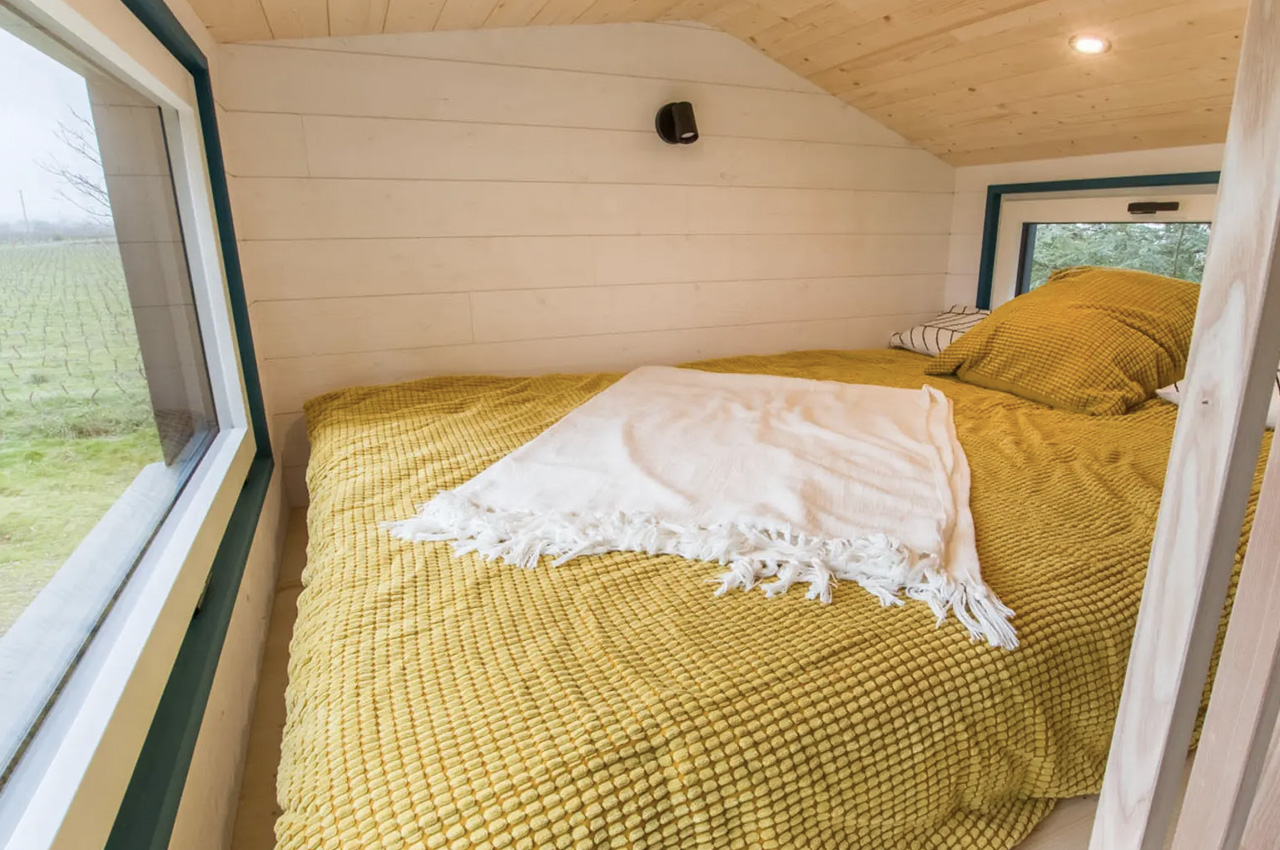
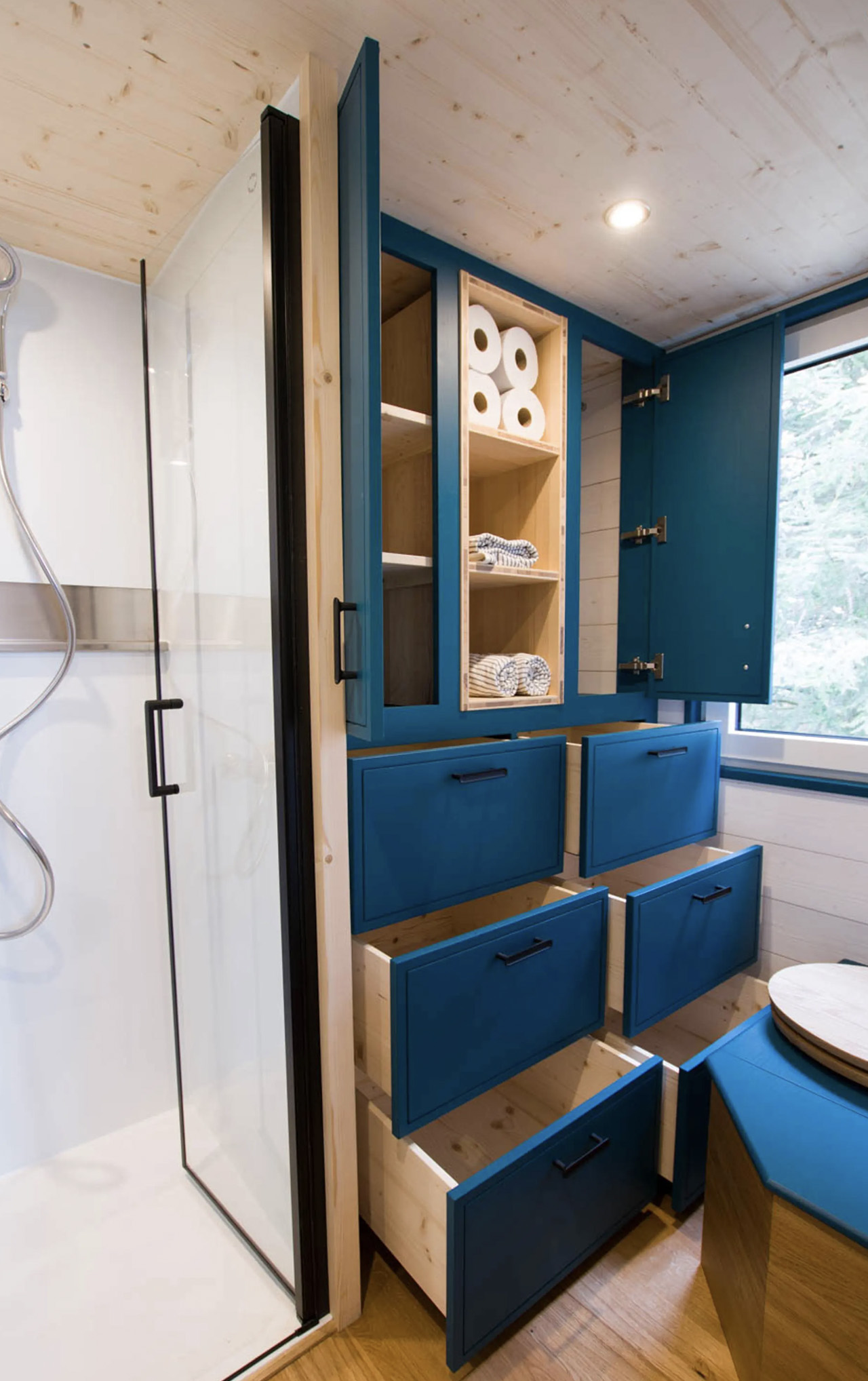
The opposite end of the house – to the living room, includes the bathroom. The bathroom is a spacious space, with a shower and toilet, however there is no sink. This implies that the residents will have to wash their hands in the kitchen sink, which isn’t a very hygienic option. The Sherpa accommodates one bedroom, which can be accessed via a storage-integrated staircase that is blessed with some wardrobe space, and under-step storage. The bedroom is a loft-style bedroom with a low ceiling – as seen in most tiny homes. It includes a double bed and some storage as well.
On Friday, people around the web noticed a new addition to their Instagram: Meta AI, the company’s general-purpose, AI-powered chatbot that can answer questions, write poetry and generate images with a simple text prompt. The move isn’t surprising. Meta revealed Meta AI in September 2023 and has spent the last few months adding the chatbot to products like Facebook Messenger and WhatsApp, so adding it to Instagram seems like a no-brainer.
“Our generative AI-powered experiences are under development in various phases, and we’re testing a range of them publicly in a limited capacity,” a Meta spokesperson told Engadget, which suggests that not everyone has the feature available yet. TechCrunch, which first noted the news, said that Meta AI was showing up in Instagram’s search bar. But for some of us at Engadget, the feature actually showed up in the search bar in Instagram’s Direct Messaging inbox.
Tapping it let me start a conversation with Meta AI just I would DM a friend on Instagram. I was able to ask the chatbot to give me definitions of words, suggest headlines for some stories I’m working on, and generate images of dogs on skateboards. I was also able to ask Meta AI to recommend Reels with cats in them, which it was able to do easily.
But when my colleague Aaron Souppouris asked Meta AI in WhatsApp to recommend Reels, it showed him some Reels in that app too — suggesting that the bot in Instagram isn’t really doing anything specific to Instagram. Instead, Meta is simply shoehorning the same chatbot into every app it owns.
If you tap a hamburger menu within the bot, Meta AI will also show you a long list of possible actions you ask the bot to take.
Aaron Souppouris
Why would you want a chatbot in Instagram to suggest tips for dealing with credit card debit, have a debate about cardio versus weights, or suggest hacks to travel with points, I do not know. But the point is that if you want to, you can.
This article originally appeared on Engadget at https://www.engadget.com/meta-is-stuffing-its-ai-chatbot-into-your-instagram-dms-231855991.html?src=rss