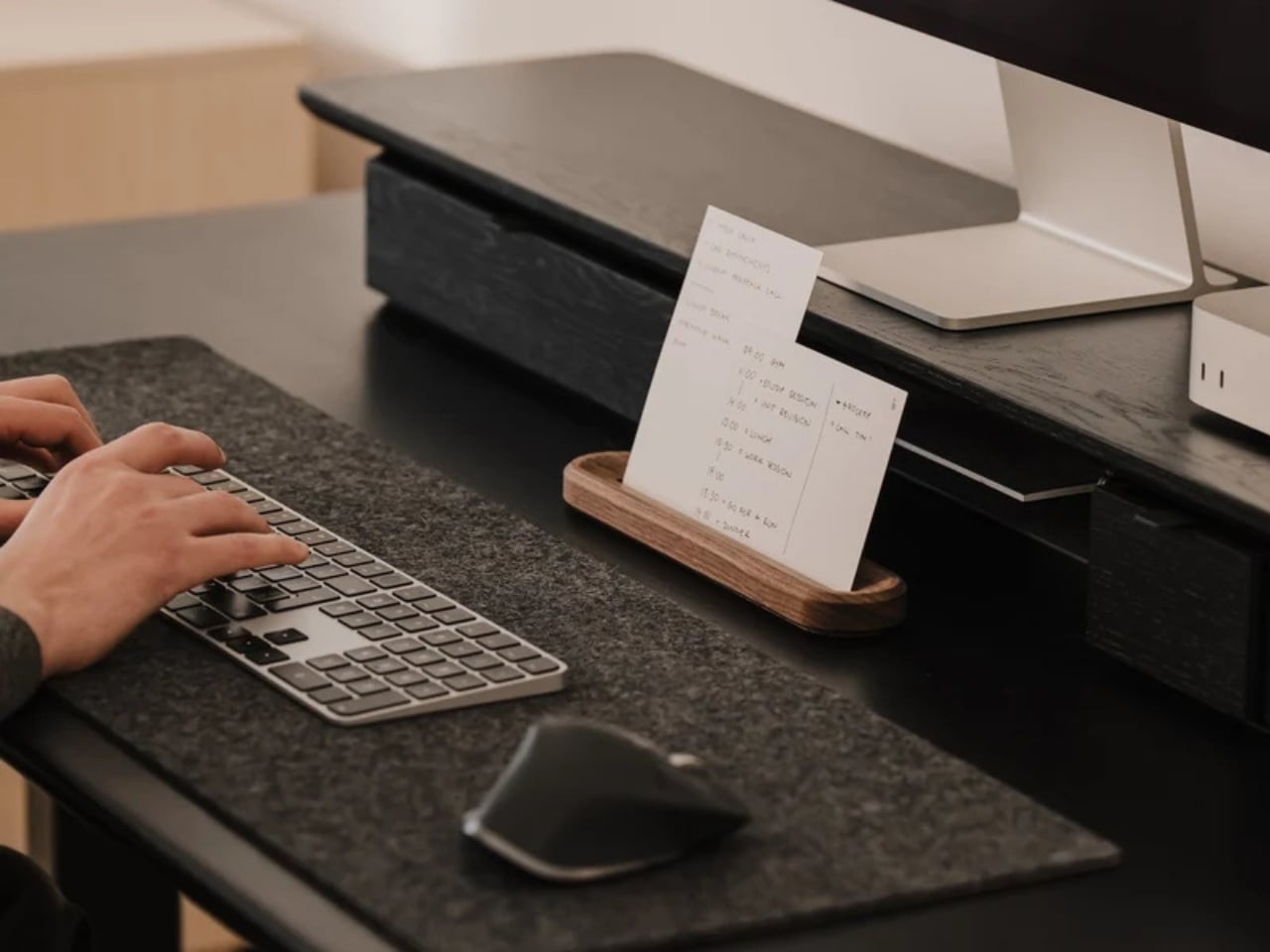
As someone who enjoys making lists, whether it’s productivity lists, pop culture rankings, journaling spreads, or actual listicles for work, I have accumulated more notebooks and apps than I probably need. Sometimes, though, what you really need isn’t another app or another notebook. What you need is something that forces you to focus on the one task that actually matters instead of getting distracted by pop-up windows, social media notifications, or the colorful pens and stickers calling your name from the journaling aisle.
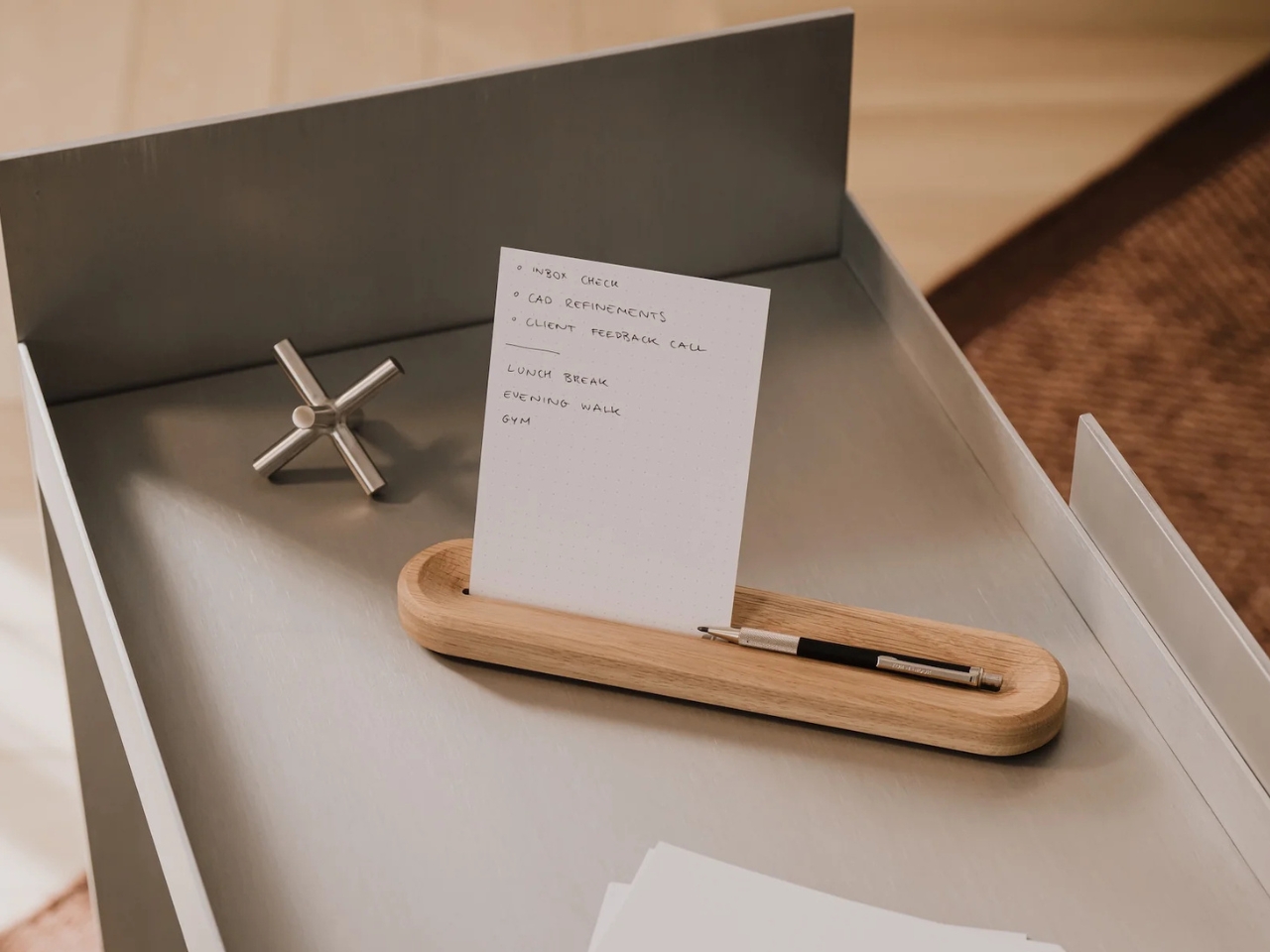
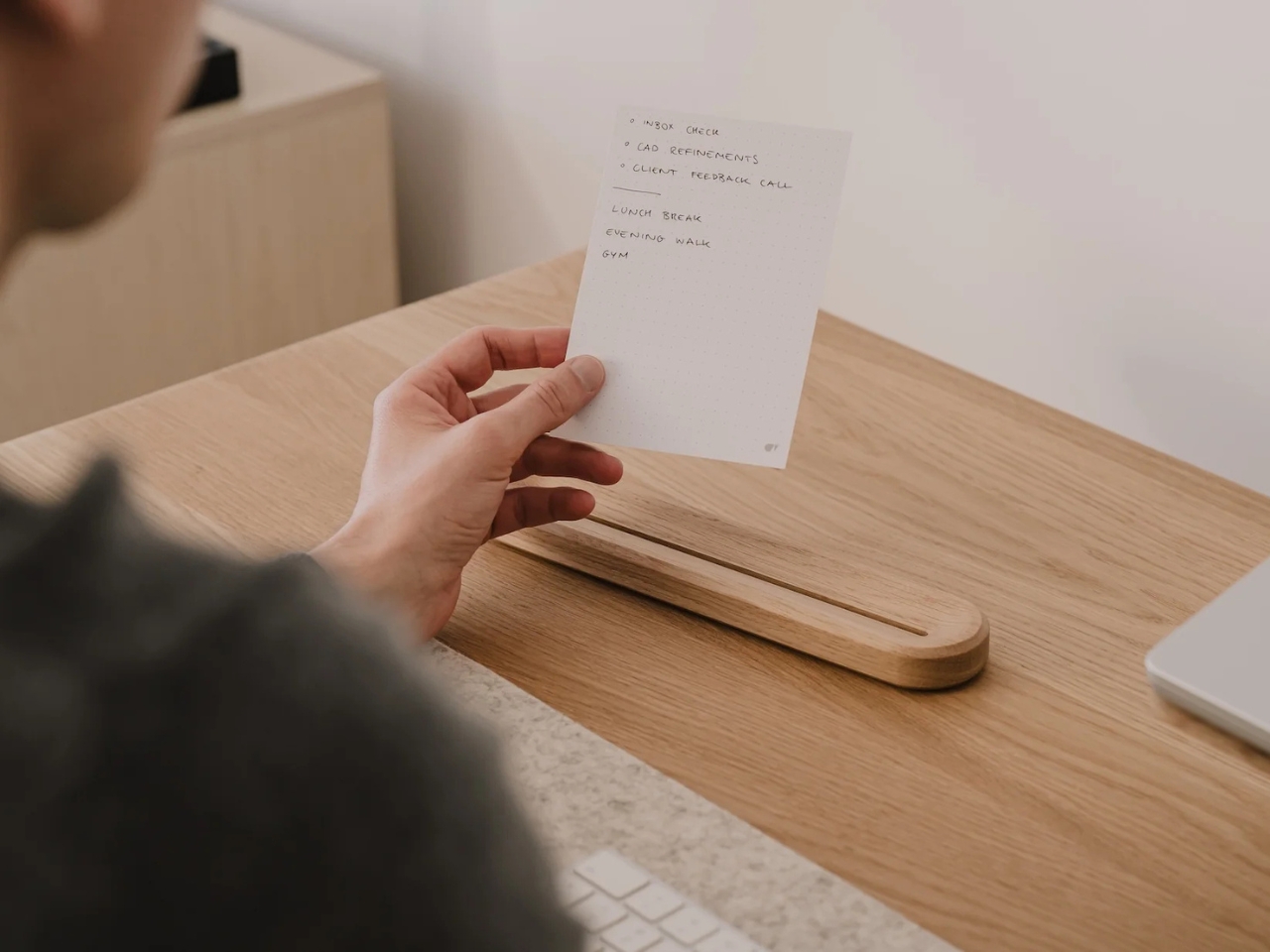
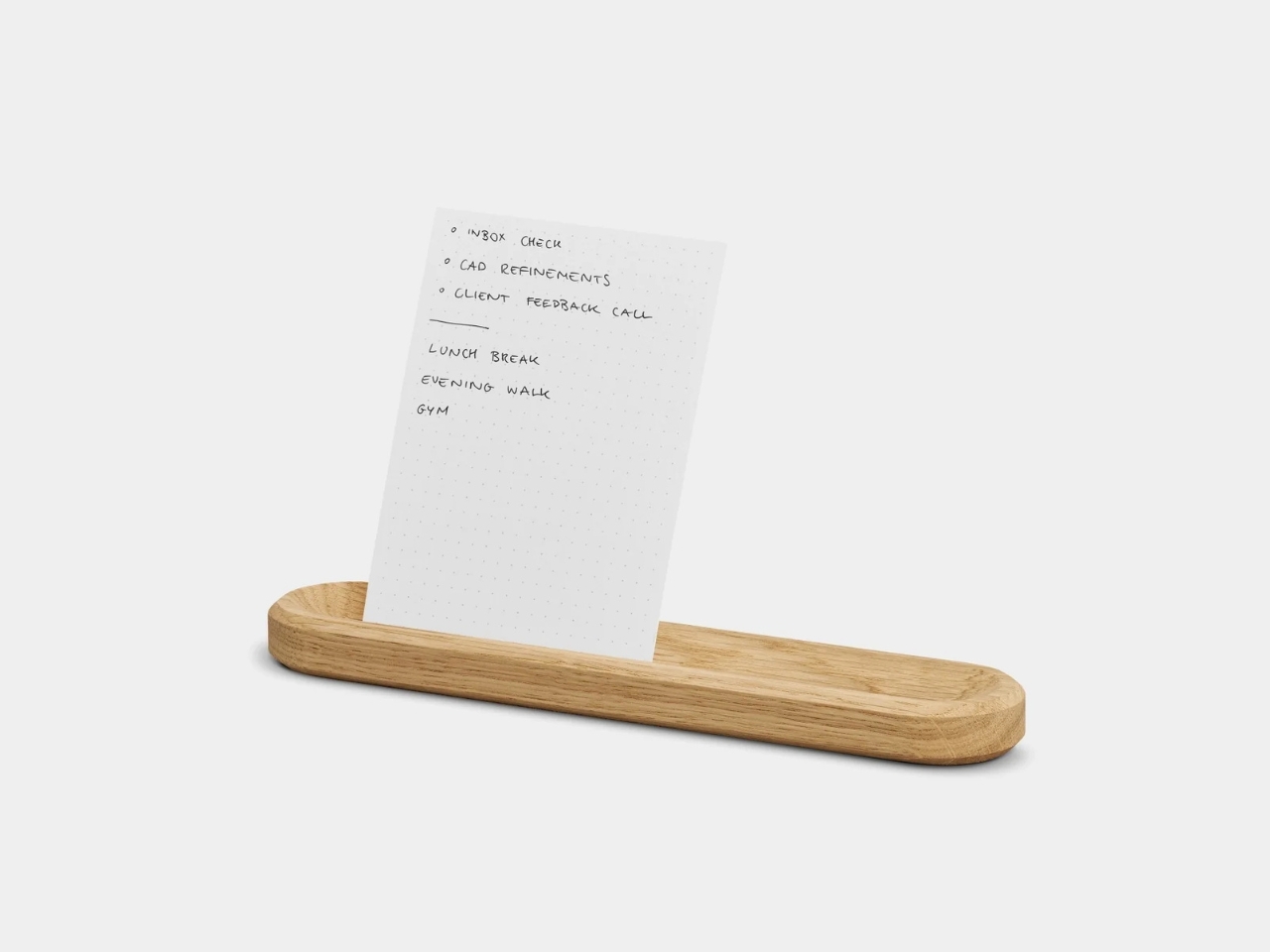
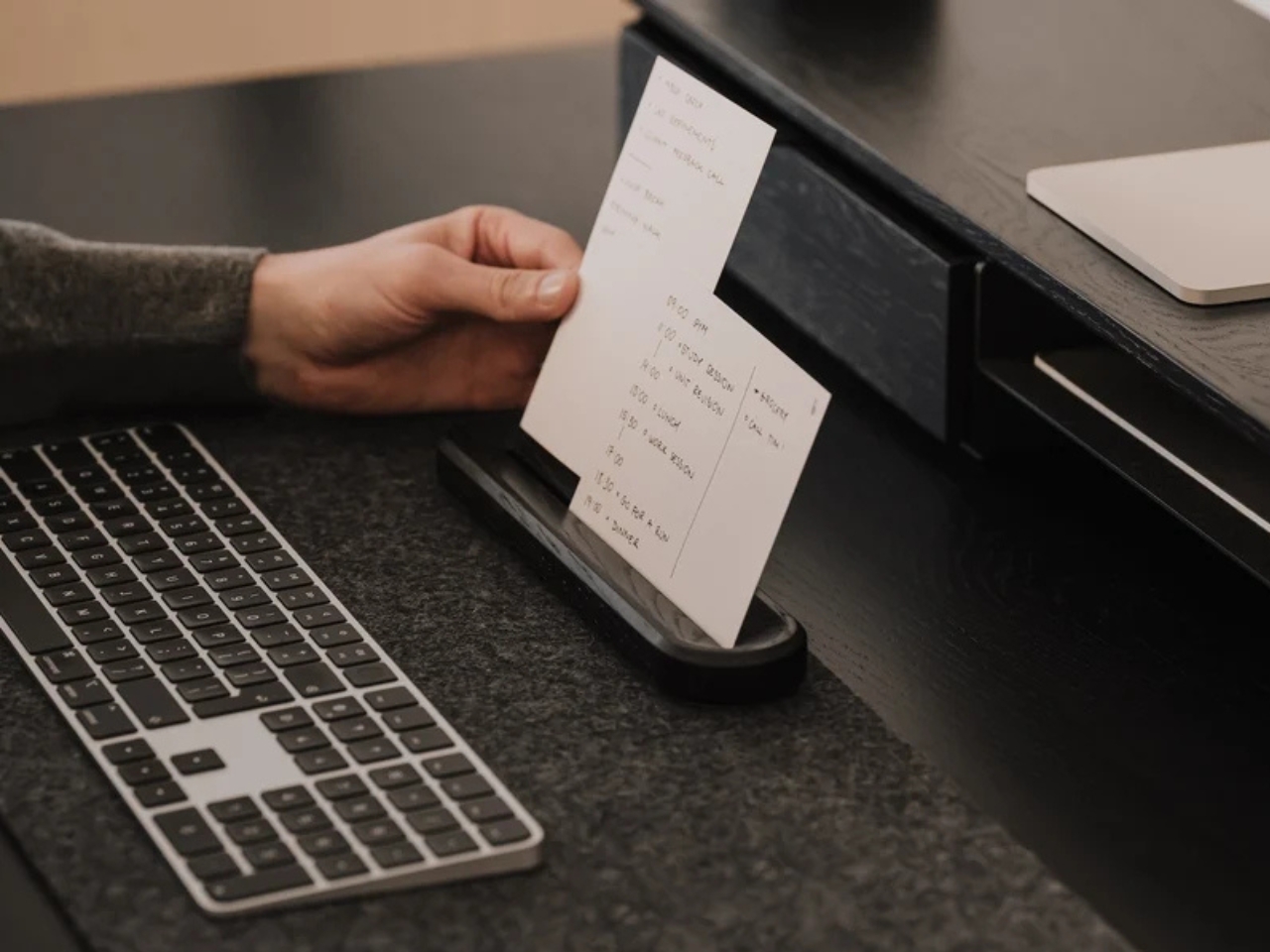
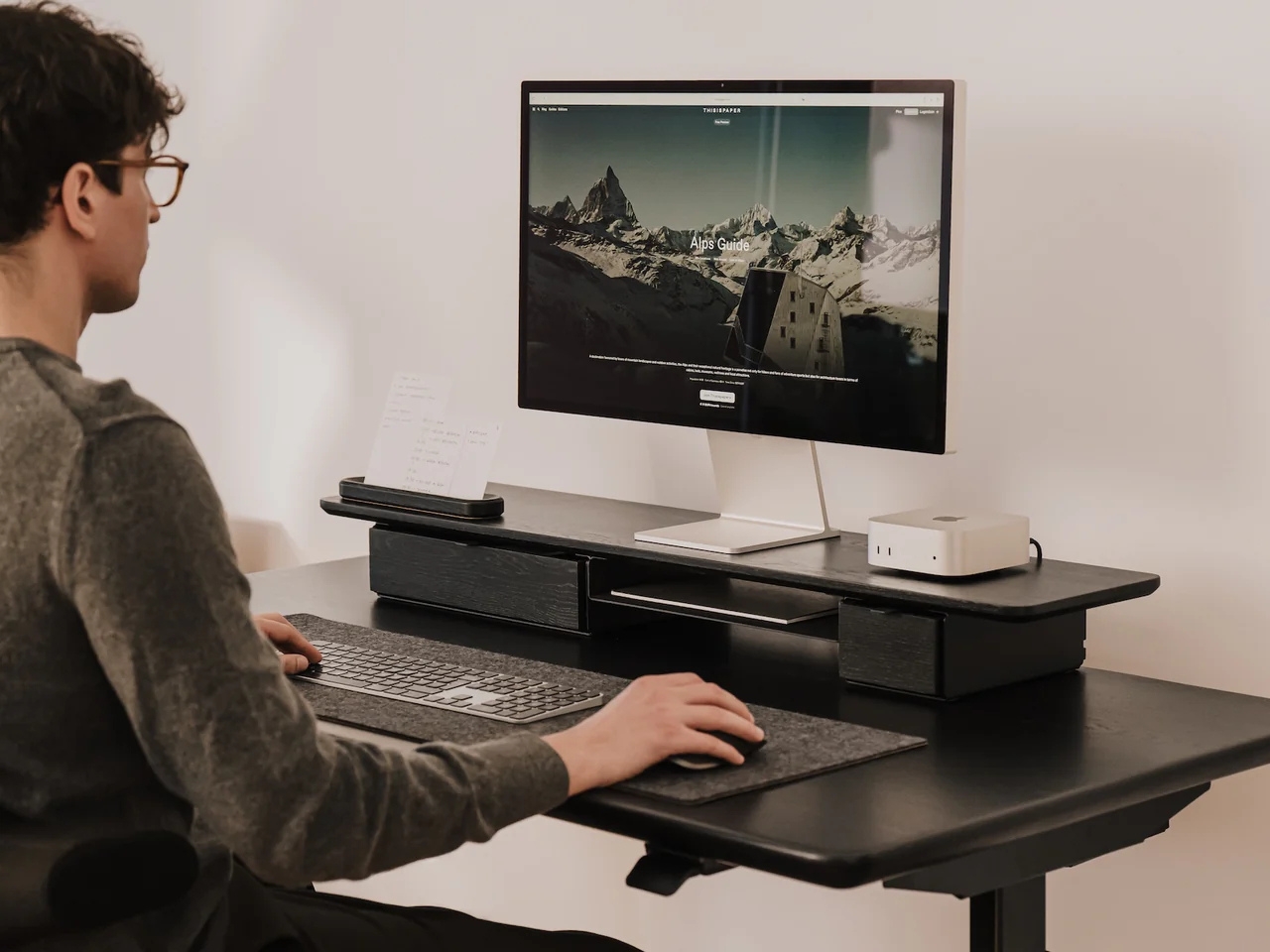
The To-Do Desk Kit from Oakywood wants to solve exactly that problem by narrowing your focus down to a single piece of paper, placed on a small wooden card holder, sitting right at eye level on your desk. It’s a simple, minimalist tool, but it’s designed with a clear purpose: to bring a bit of analog calm back to what is probably a screen-cluttered and object-cluttered workspace. Sure, you could just grab a notepad or scribble on a whiteboard, but this is a far more aesthetic and intentional way to work on your productivity, and it looks good doing it.
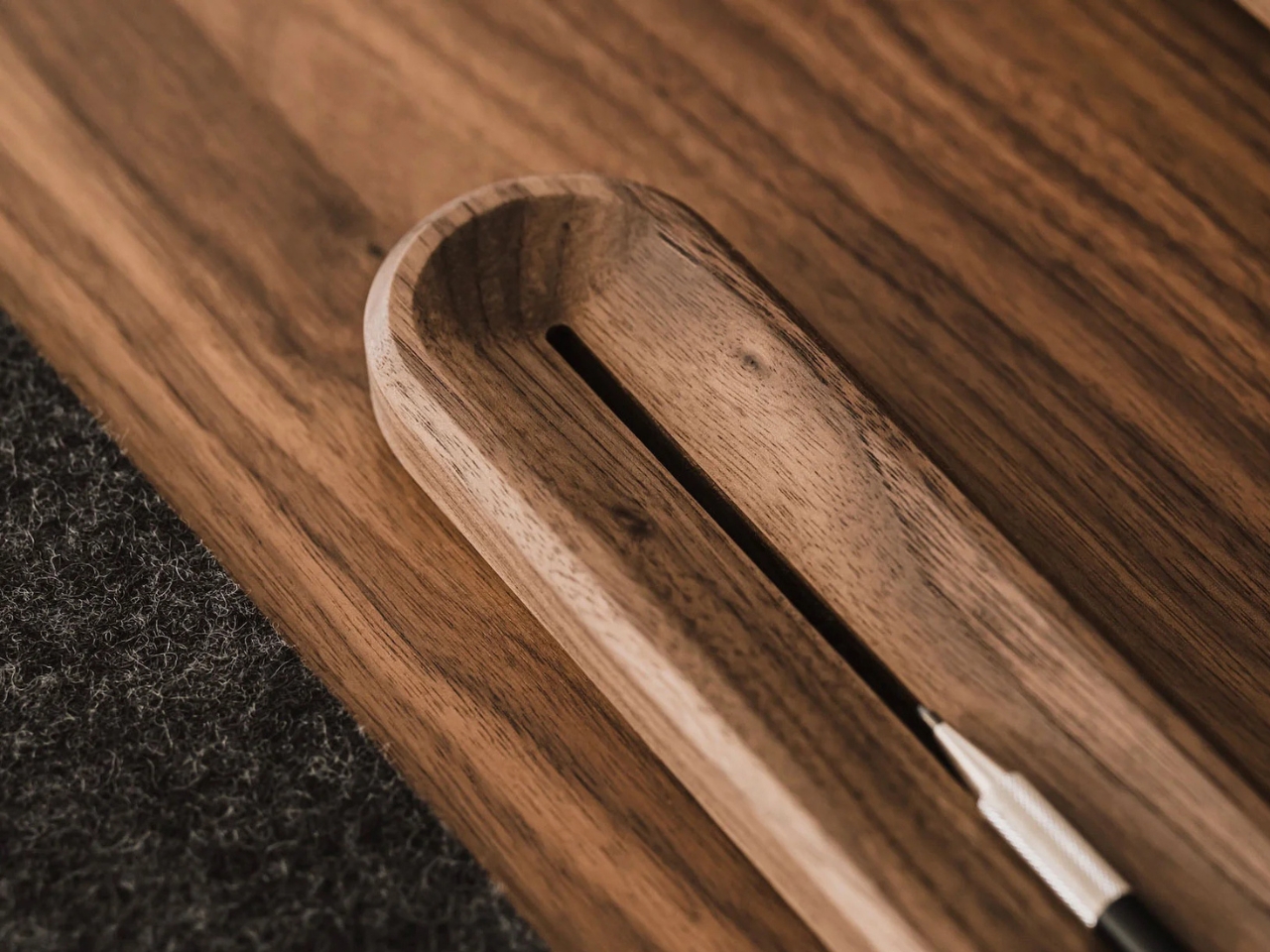
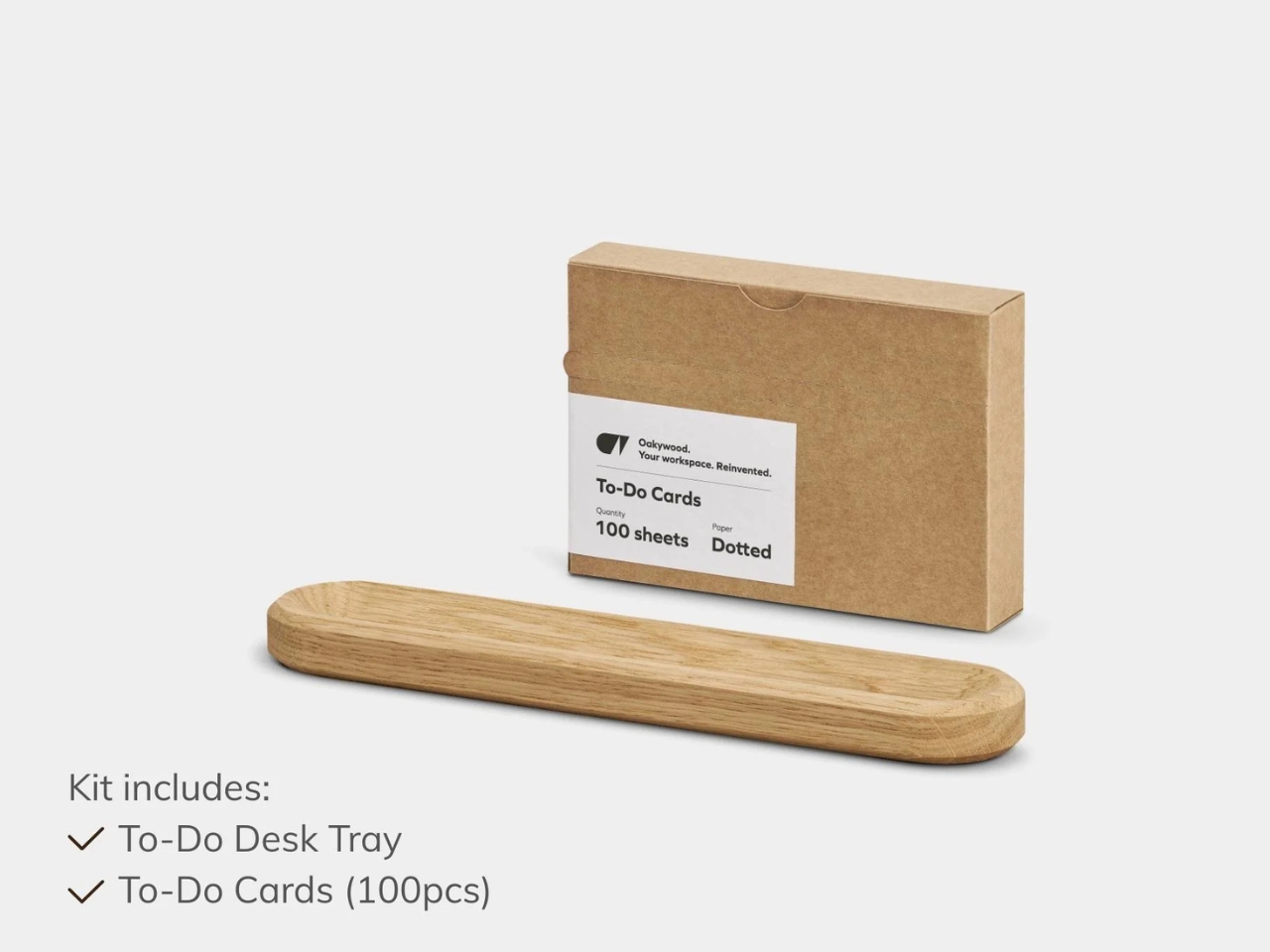
Oakywood, the brand behind the kit, is known for handcrafted wooden desk accessories, and this piece fits right into that world. The holder itself is made from solid oak or solid walnut, with a black finish also available if you prefer a more subdued look. There’s a slot to hold one or two cards vertically at eye level, so you can glance over whenever you need a reminder of what you’re supposed to be accomplishing, whether you’re deep in work on your computer or handling something entirely analog. Behind that visible card, the holder can actually stack up to eight more, so you’re never digging through a pile of loose paper to find your list.
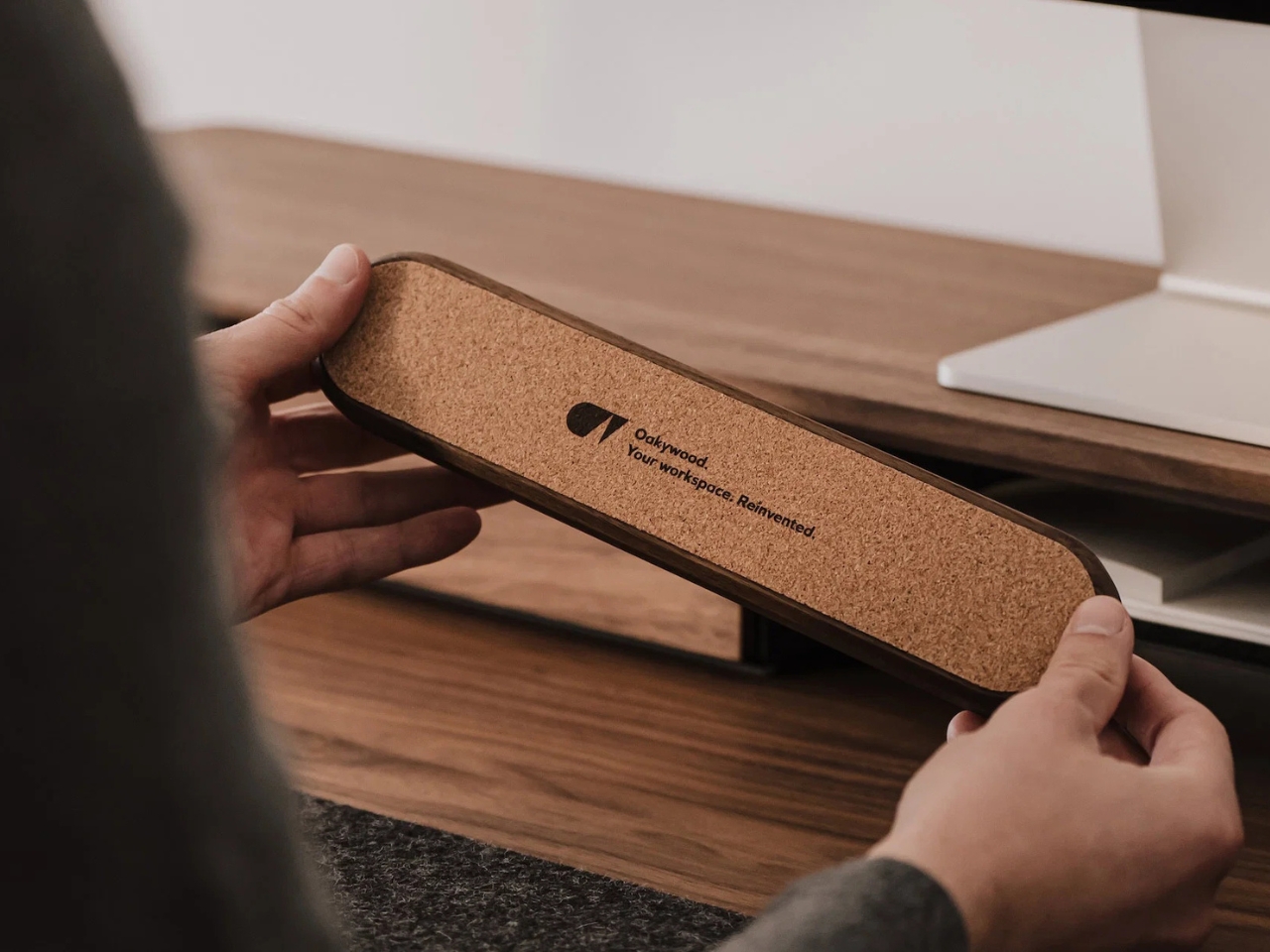
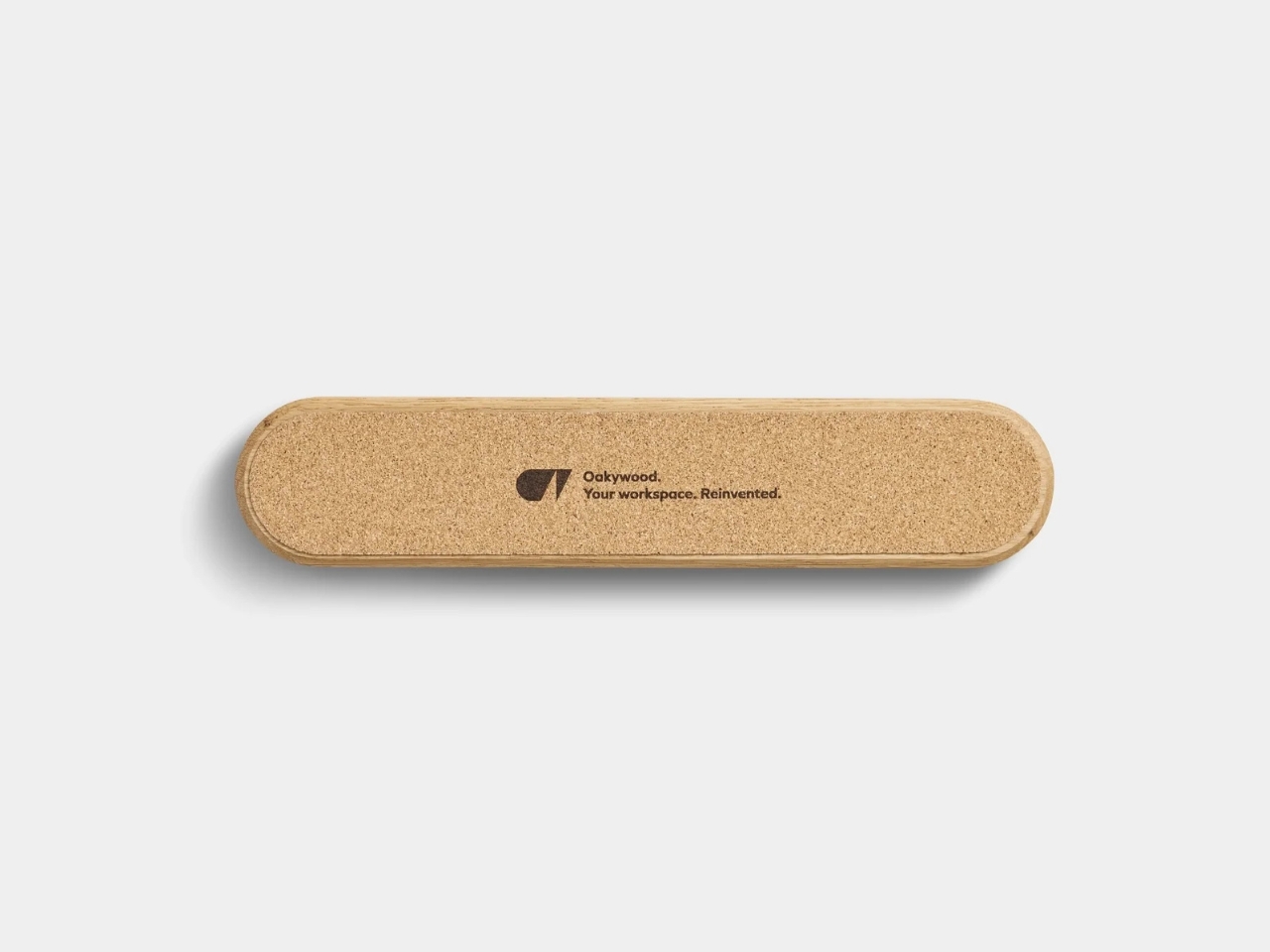
One of my favorite small details is the contoured groove carved into the block, which doubles as a pen dock. Instead of hunting around your desk for a pen every time you want to add a task or cross one off, it’s already sitting right there, built into the design. The base is lined with natural cork, too, which means it stays put on your desk and won’t leave scratches behind, no matter what material your desk is made of. It’s a small touch, but it shows the kind of thoughtful design that Oakywood puts into all of its pieces.
The kit also comes with a starter pack of 100 To-Do Cards, printed with a soft dotted grid on the front, similar to what you’d find in a bullet journal, and a completely blank back if you want more freedom. That blank side is a nice bonus for anyone who occasionally needs to sketch out an idea, map out a plan, or jot down something that does not fit neatly into a to-do list format. The cards are printed on premium 250-gram uncoated, FSC-certified offset paper, so pens, pencils, and even fountain pens will not smudge or bleed through. Refill packs are sold separately once you run through the starter set, though you could just as easily swap in your own card stock if you want to write your own affirmations, motivational quotes, or reminders instead.
It’s also worth mentioning that Oakywood plants a tree for every product sold, and the cards themselves are made from FSC-certified paper. If you already own an Oakywood laptop stand, pen tray, or wireless charger, the To-Do Desk Kit fits right into that same warm, wood-toned ecosystem, making your desk feel like one cohesive space instead of a pile of mismatched gadgets.
Priced at around fifty dollars, give or take a discount depending on when you catch it on sale, the To-Do Desk Kit isn’t just a productivity gadget. It’s a small, tactile object that makes sitting down to work feel a little more intentional. For anyone who loves collecting beautifully made desk pieces as much as they love checking things off a list, this feels like an easy addition to a growing collection, and an even easier way to talk yourself into finally starting that task you have been putting off. Sometimes all it takes is one card, one pen, and one clear line of sight to get moving again.
The home office had its reckoning. Somewhere between the fourth video call of the morning and the moment you noticed your own face in the corner of the screen, the question changed from “does this setup work?” to “does this setup say anything?” The best remote workspaces in 2026 are no longer just functional. They are intentional, and the difference between the two is visible in about three seconds on any video call.
These eight picks cover the full range of what a considered desk can look like, from a laptop concept that reimagines what hardware transparency means, to a clipboard that earns its place among all the screens. Not everything here ships today. One is a concept that belongs at the top of any honest list of what remote work could become. The rest are real, mostly purchasable now, and each chosen because it earns its space on a desk that has to work for eight hours straight.
1. Nothing Book Laptop
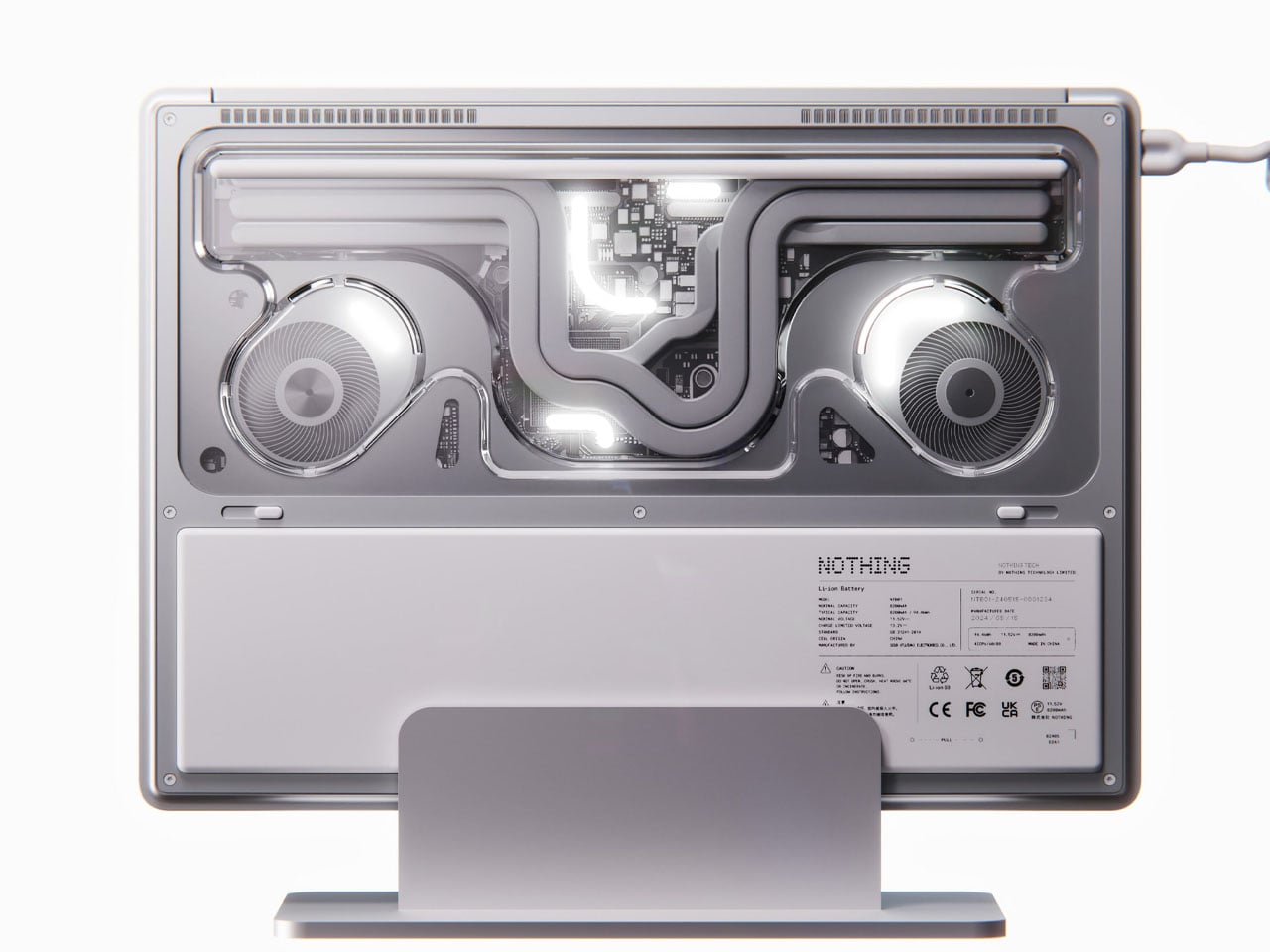
The most compelling thing about the Nothing Book is that it exists as a concept and still makes every laptop you can currently buy feel slightly apologetic. Designer Nikita Bukoros builds on Nothing’s see-through aesthetic but takes it somewhere the brand never has: a performance laptop that treats the inner architecture as the surface detail. The cooling system, board layout, and internal geometry are not hidden but composed, layered in a way that Bukoros calls an industrial art piece, and the label feels accurate rather than generous.
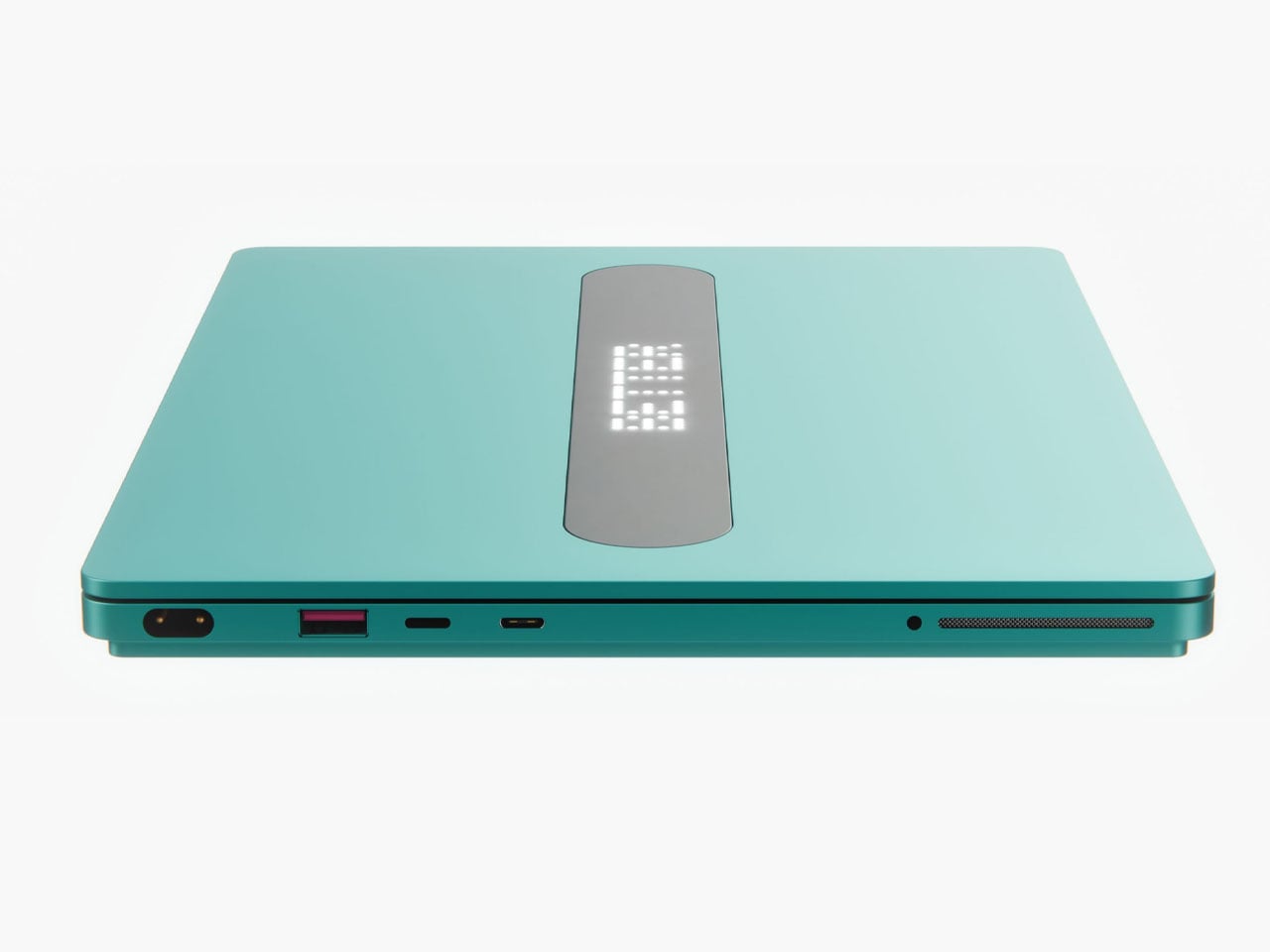
The defining feature is the secondary screen on the lid, a slender external display that lets you surface messages, symbols, or status in Nothing’s own typeface. It is not a gimmick. It is the first design decision on this laptop that makes you rethink what the lid is actually for. The charging dock completes the idea, displaying an animation on the secondary screen when the machine is docked. Whether Nothing ever builds this is a separate conversation. What matters is that someone designed it, and it looks better than what is currently shipping.
What we like:
The secondary lid screen reframes what a laptop exterior can actually communicate
Available in four colorways including hot red and magnetic teal
What we dislike:
A concept with no confirmed release date or pricing
The see-through aesthetic may not read as professional in every work environment
2. OBSBOT Tiny 2 AI Webcam
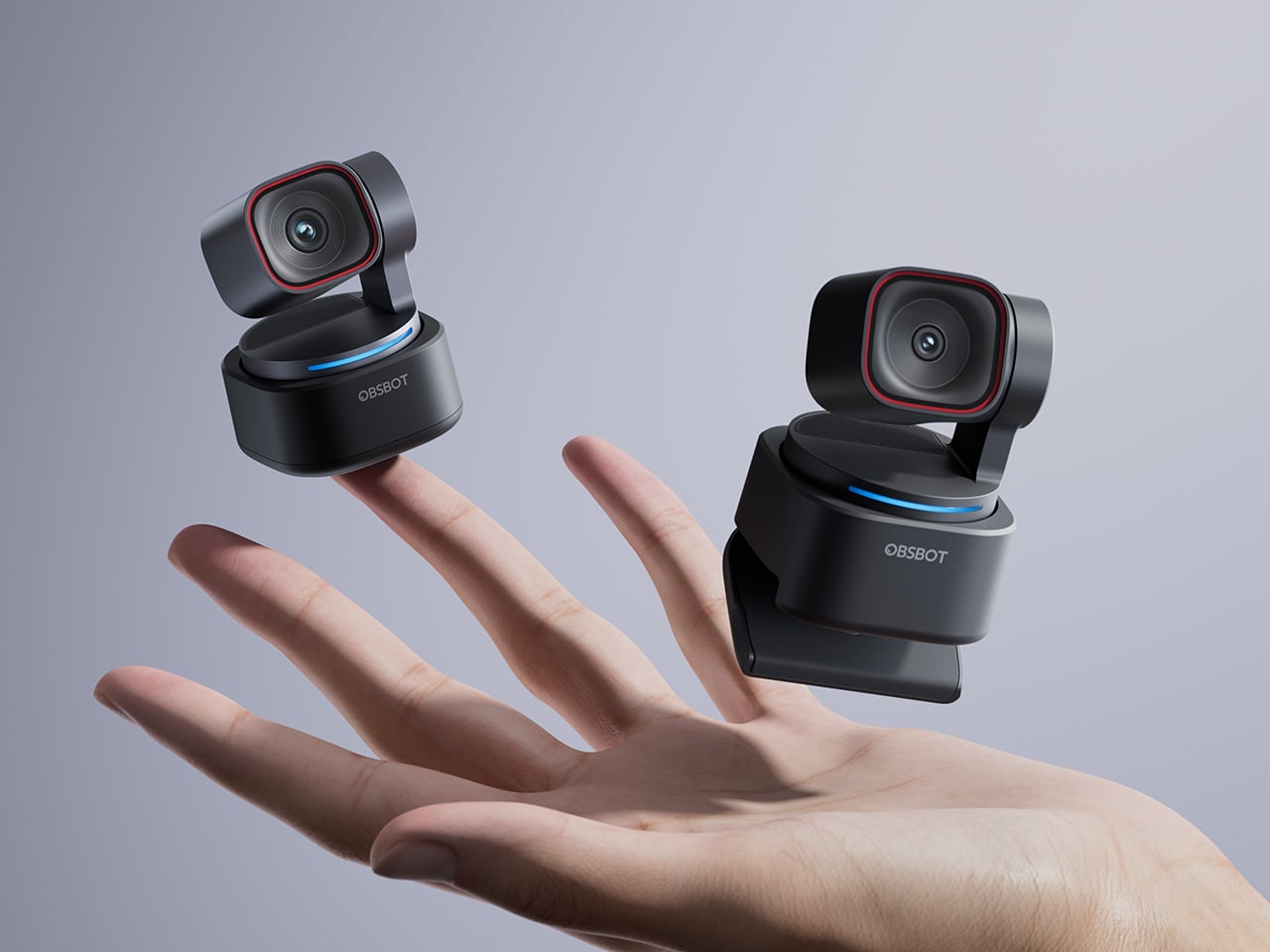
The OBSBOT Tiny 2 is the product that makes everything else on this list matter. A camera with a 1/1.5-inch CMOS sensor in a desk-mounted form factor is not a common thing, and the size of that sensor is the reason the Tiny 2 produces images with the kind of natural depth and tonal accuracy that built-in laptop cameras can only approximate. At its Prime Day price, it is the most significant single upgrade available for any remote work setup right now.
What separates it from other webcams at this price is the AI tracking system. The camera follows you as you move, zooms with gesture controls, and can be operated entirely hands-free through voice commands. OBSBOT calls this Autonomous Imaging, and it earns the name. For anyone presenting, teaching, or spending several hours a day on video calls, the difference between a camera that frames you correctly and one that does is not cosmetic. It is the difference between looking prepared and looking like you have not thought about it.
1/1.5-inch sensor delivers genuinely cinematic depth of field for a webcam
AI tracking and gesture controls work hands-free without additional software
What we dislike:
The full feature set takes some time to configure properly out of the box
Requires a good lighting setup to get the most out of the large sensor
3. Lofree Block Pro Mechanical Keyboard
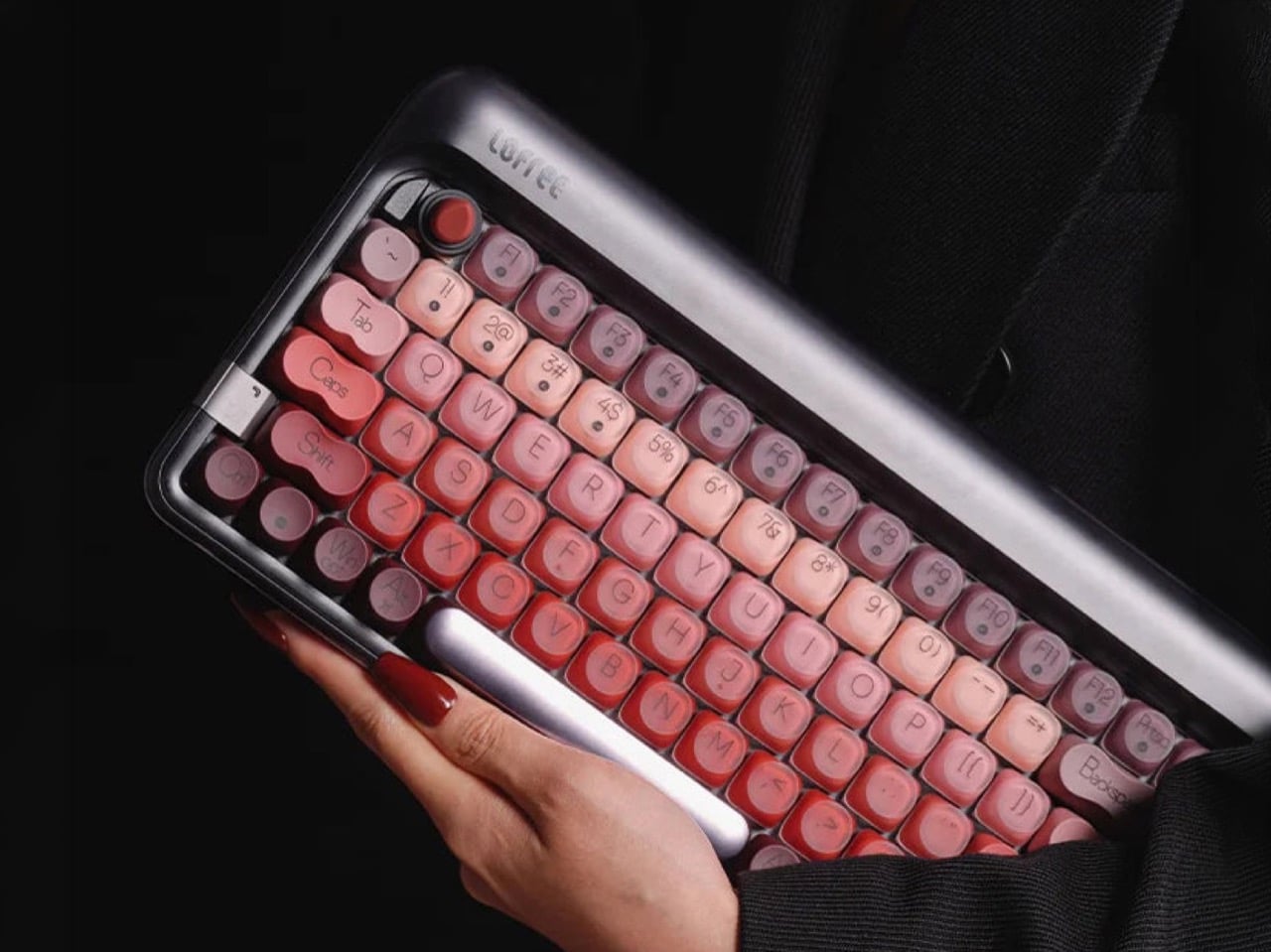
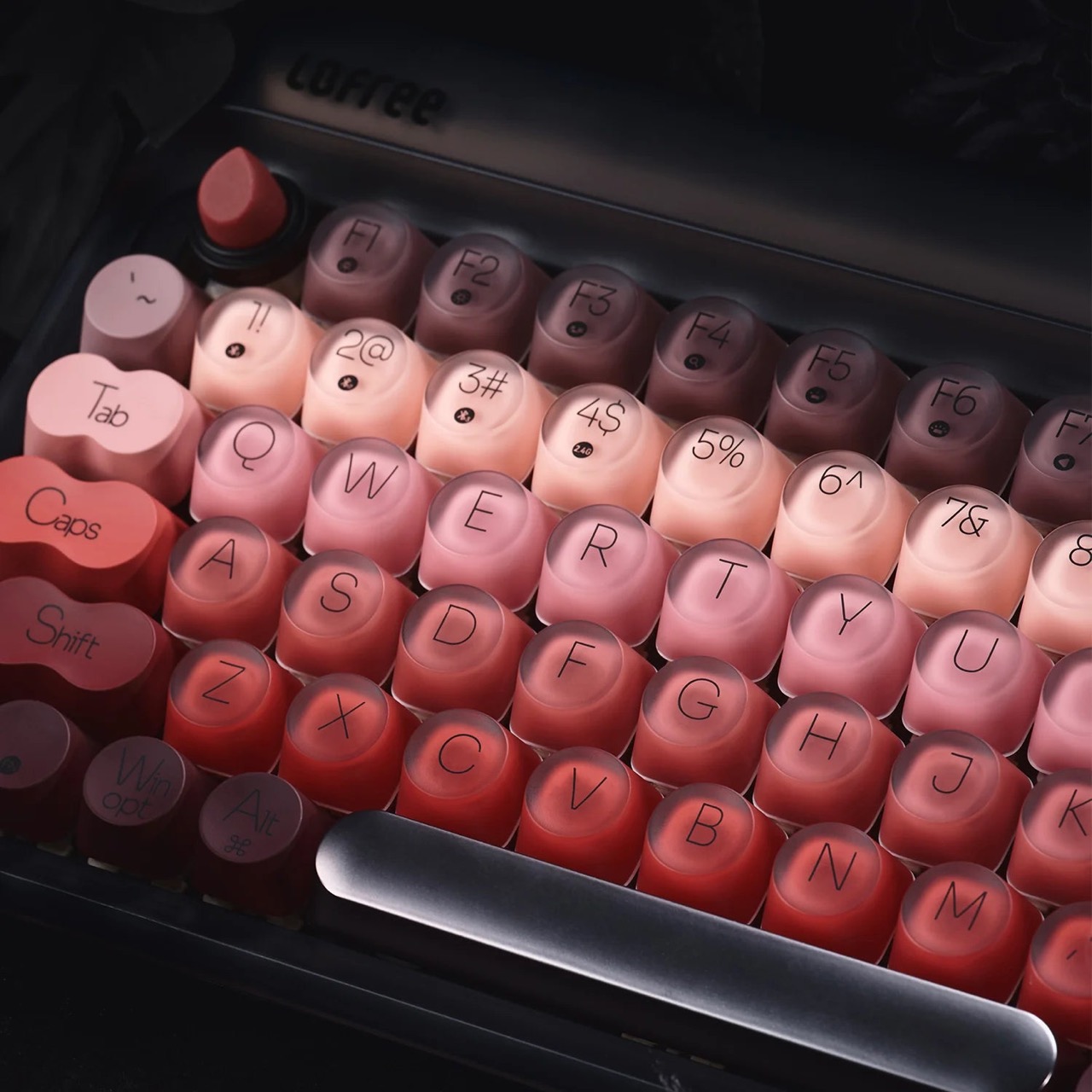
There is a version of the mechanical keyboard built entirely around sound and feel, and then there is the Lofree Block Pro, which is built around the understanding that a desk is something you look at for eight hours, and it should be worth looking at. The keyboard is the most visible object in any setup. Lofree has been making the argument for years that a keyboard does not need to be sober to be serious, and the Block Pro makes that case more convincingly than anything the brand has released before it.
The inspiration drawn from lipstick is not a marketing note. It is a design decision that shows up in the finish, the profile of the keycaps, and the choice of materials in a way that makes the keyboard feel like it was conceived by someone who thought carefully about what the object communicates before anyone types a word. It sits on a desk and says something before it does anything. That is rarer than it should be in peripheral hardware, and it earns slot three on a list that opened with a concept laptop designed on the same premise.
What we like:
One of the most visually distinctive mechanical keyboards available in 2026
Lofree sells direct, so there is no crowdfunding wait involved
What we dislike:
The aesthetic-forward design may not appeal to users who prioritize acoustic dampening above everything else
Colorway availability can be limited depending on stock timing
4. Bean Lamp
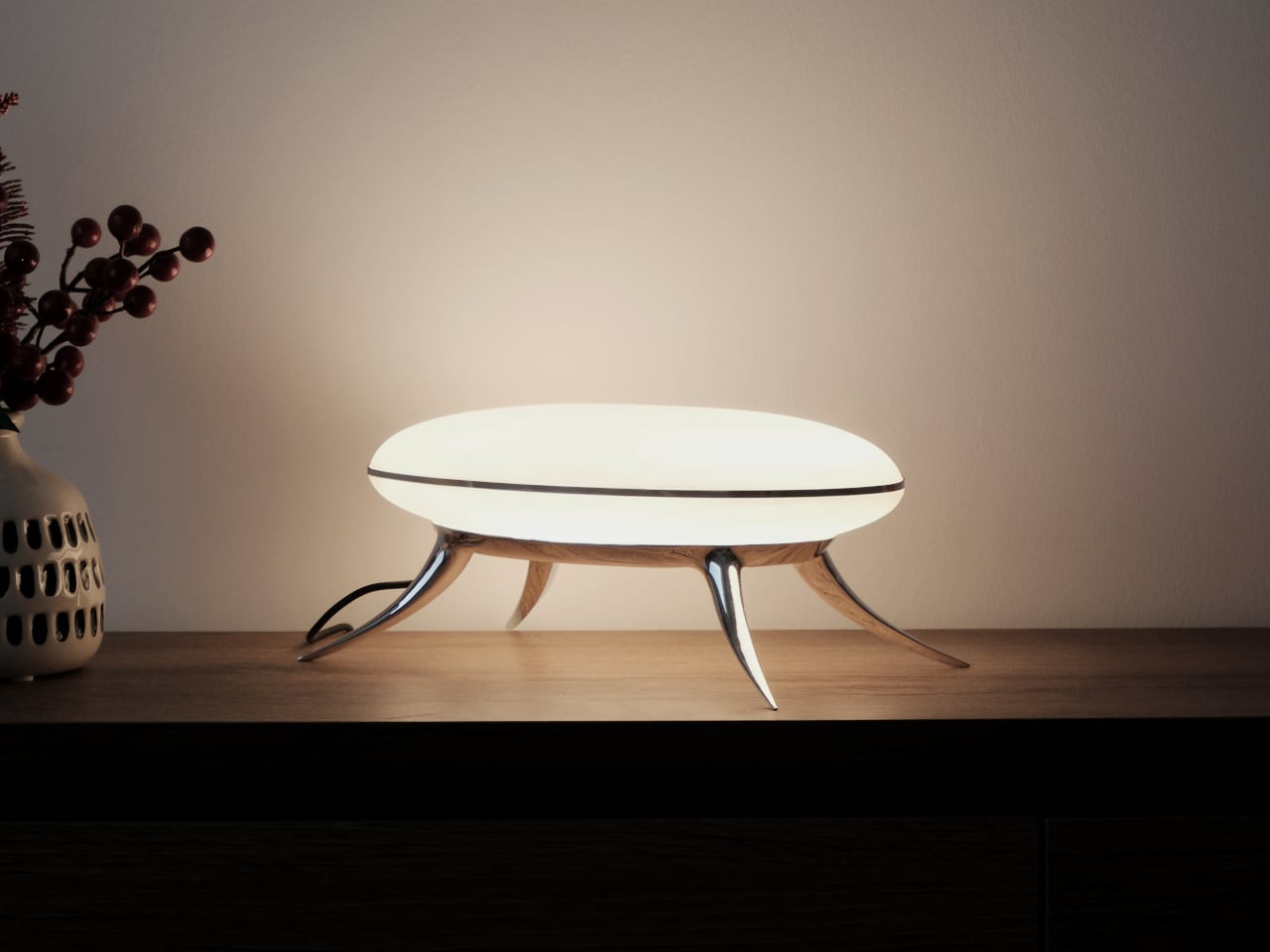
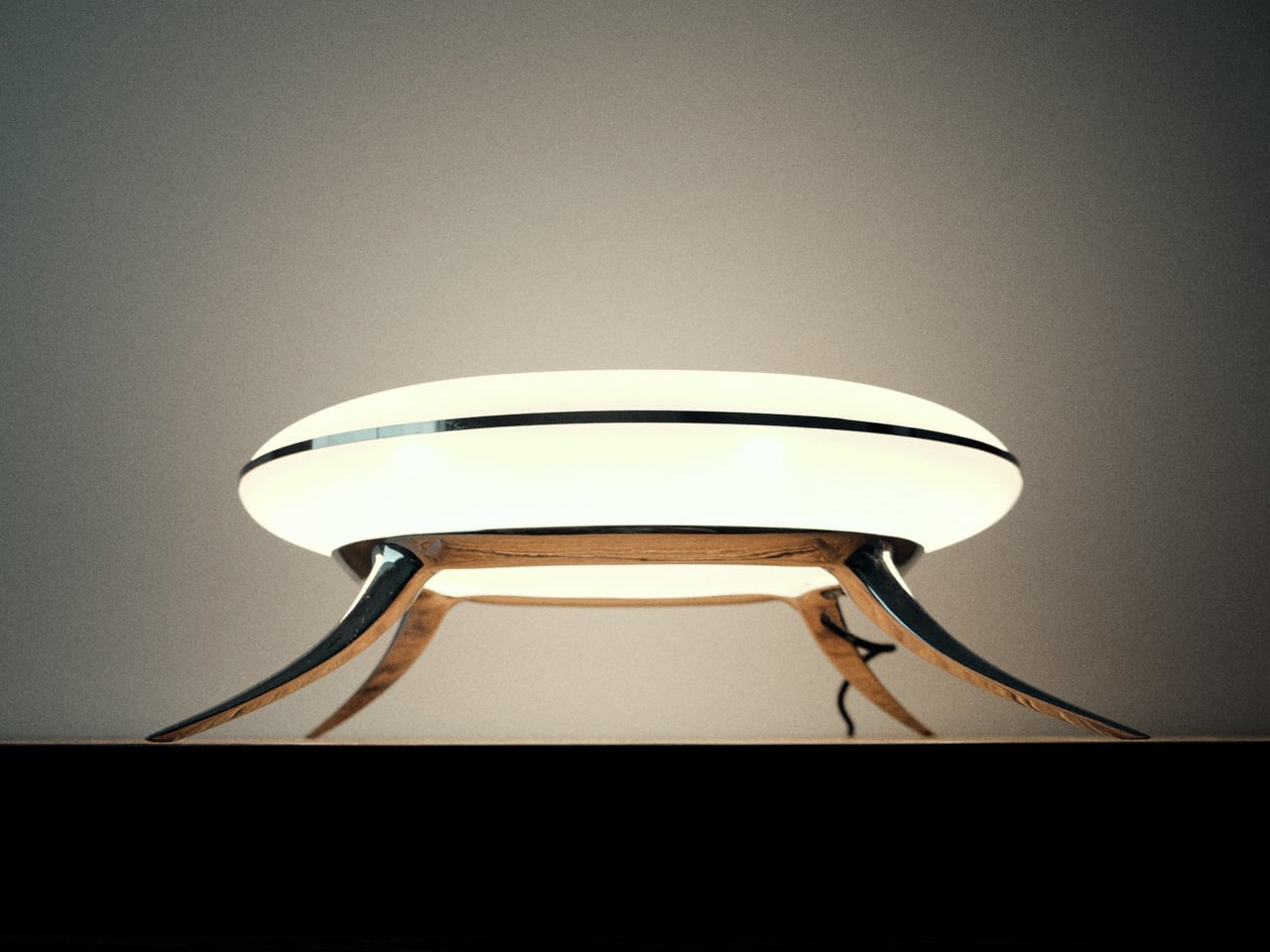
The Bean Lamp was designed in Brooklyn and released in 2026 as a limited edition. It has four articulated legs and functions, in its own description, as a light source and a quietly unsettling presence on the desk. That framing is not a problem. It is the point. The remote work desk accumulates screens and cables and productivity tools until everything on it is optimized and nothing on it is interesting. The Bean Lamp is interesting, and it earns that through its form rather than any feature set.
Placing a lamp in slot four is deliberate. Lighting is the most underdiscussed upgrade in any home office and the one with the most immediate visual return, both in the room itself and in how you appear on a call. The Bean Lamp is not the brightest option or the most technically advanced. It is the one that makes the desk feel like it was arranged with intention, which is what this entire list is building toward. Limited edition means its availability window is narrow, and that is the only deadline on this page genuinely worth paying attention to.
What we like:
Four-legged form sits in a category entirely its own within desk lighting
Limited edition production makes it a genuinely collectable object
What we dislike:
Limited stock means it may be unavailable by the time you look for it
Form is prioritized strongly enough that adjustability takes a back seat
5. Rolling World Clock
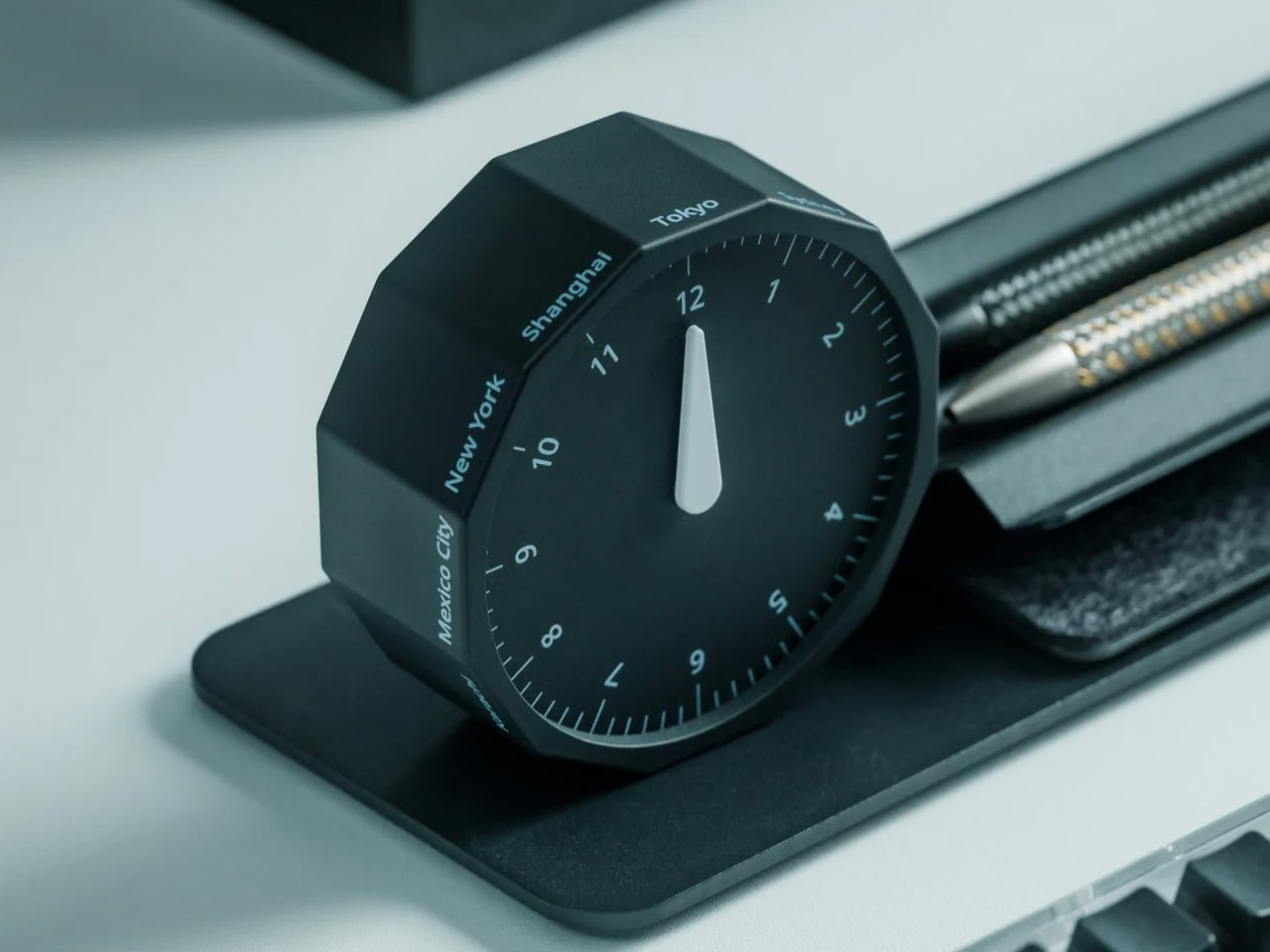
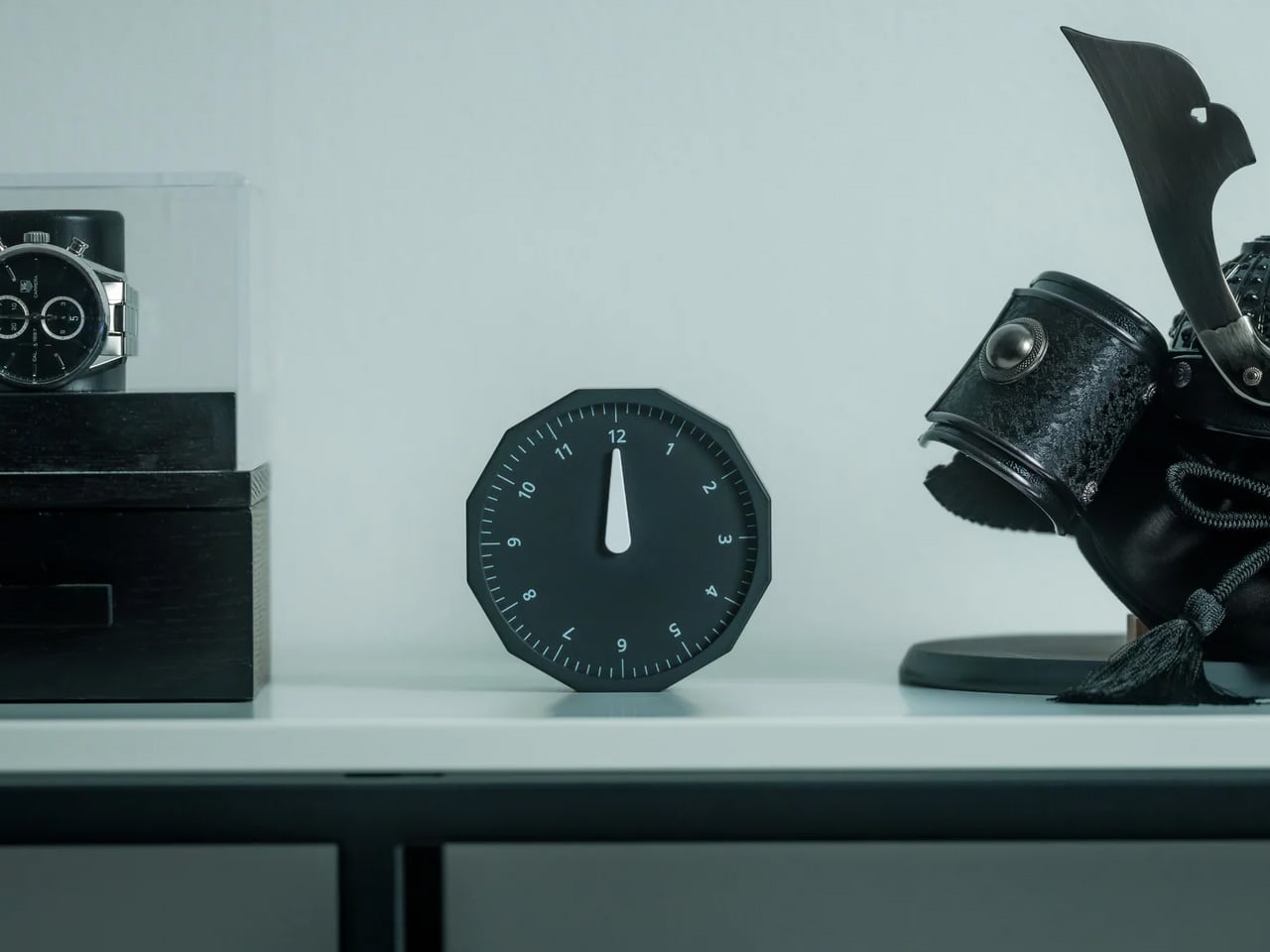
The rolling world clock resolves a problem that no app has solved well. Time zone arithmetic done in your head at the start of a call, or the three-second check of a world clock widget before sending a message to someone on a different continent, is a small friction that accumulates across a remote workday. A physical clock that surfaces that information without requiring a screen does not eliminate the problem, but it changes the quality of the interaction with it. You glance instead of switching tabs.
It is also the most analog object on a desk full of technology, and that contrast does real work in the room. The rolling mechanism and the considered design of the face are the reason it earns slot five rather than an app recommendation. It looks like it belongs next to the Bean Lamp and beneath the concept of the Nothing Book. The design has been through editorial curation before reaching this list, and that is a form of provenance worth acknowledging.
Physical world time display removes the need to leave a screen mid-thought
Design language sits naturally alongside other considered desk objects
What we dislike:
Physical clocks require manual adjustment for daylight saving changes
Works best for users tracking two or three time zones rather than a full global roster
6. Noble Osprey Earbuds
Noble Audio comes from the audiophile end of the earphone market rather than the consumer electronics end, and the Osprey is its attempt to bring that lineage into the daily carry price range. It positions itself directly against the Sony WH-1000XM6 and makes a credible case. The Osprey debuted at High End Vienna 2026 and begins shipping at the end of June, which makes it the most time-sensitive pick on the list.
For remote work specifically, the audio quality of what you listen to across eight hours matters in a way that is easy to underestimate. The difference between earbuds that are technically fine and earbuds that are genuinely good is not primarily about music. It is about fatigue. A call at the end of a long day sounds different through something built to reproduce sound accurately rather than simply transmit it. The Noble Osprey makes that argument at a price that is harder to dismiss than it used to be, and against a competitor charging significantly more for the privilege.
What we like:
Debuted at High End Vienna 2026, placing it firmly in audiophile rather than consumer territory
Undercuts the Sony XM6 meaningfully while matching it in credibility
What we dislike:
Noble Audio has less mainstream retail presence than Sony or Apple
Shipping timeline makes it an immediate purchase or a wait, depending on when you read this
7. Logitech Mobi Fold Mouse
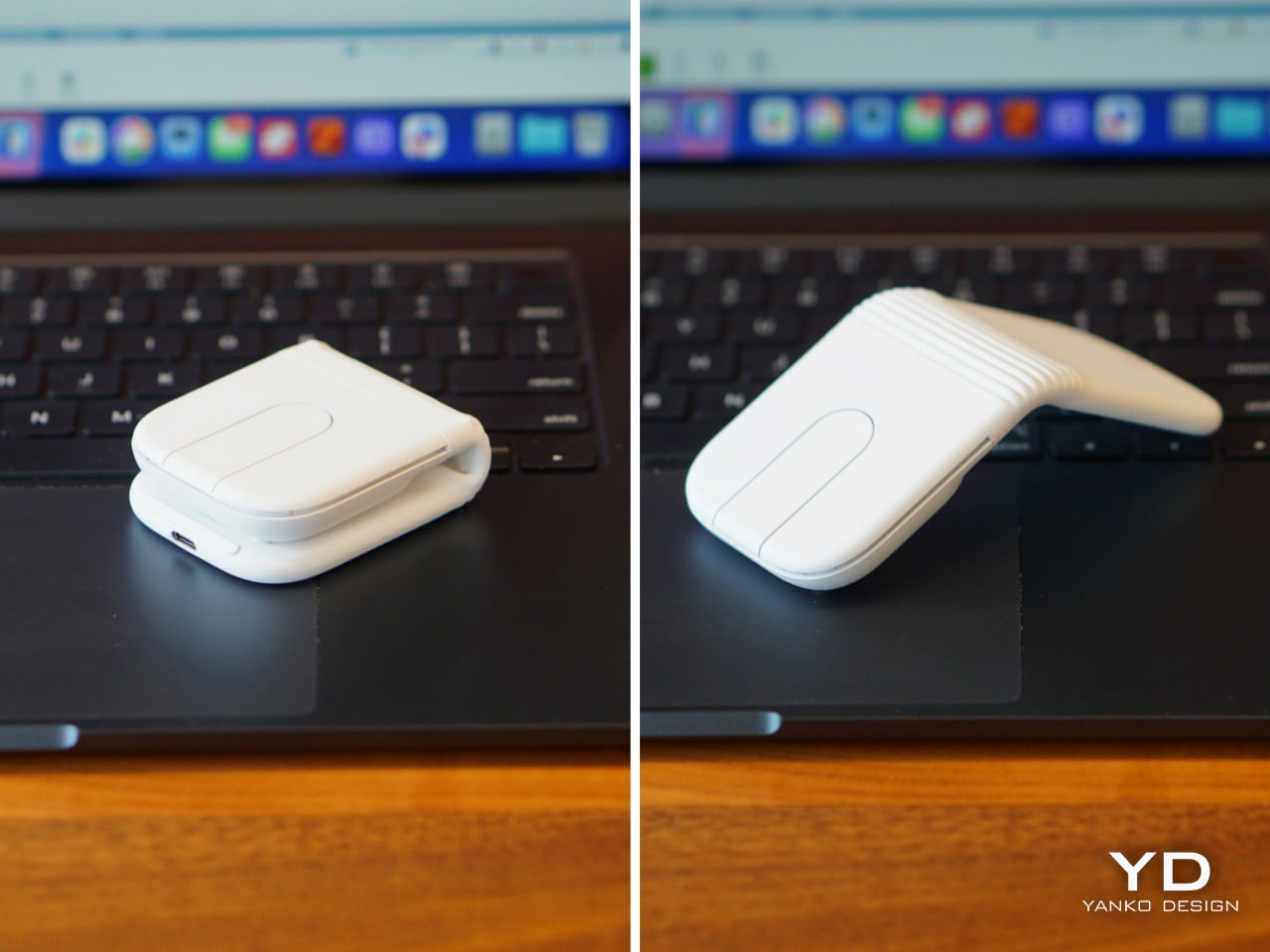
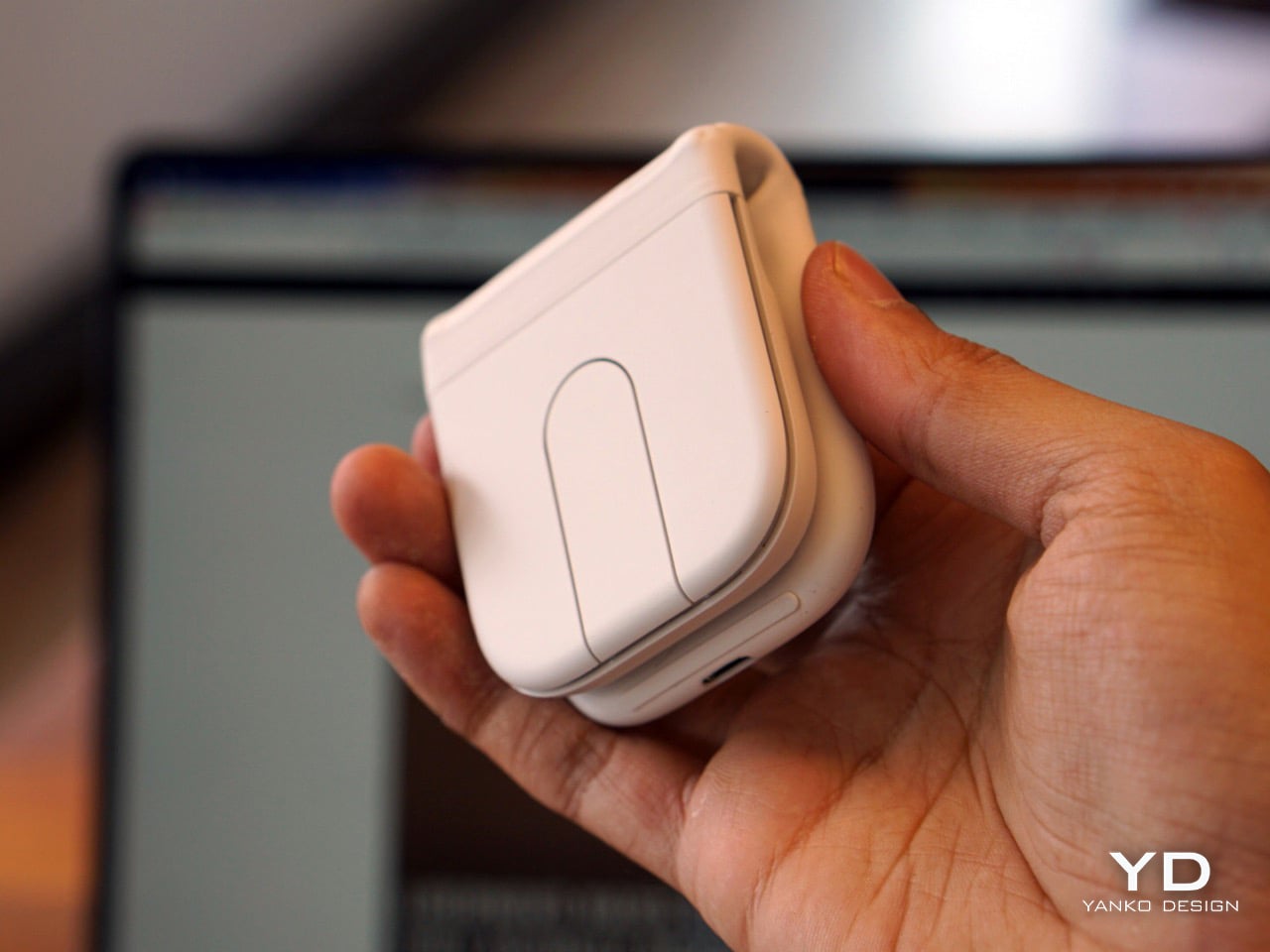
The Logitech Mobi Fold folds flat to the size of a wallet. That sentence covers most of what needs to be said about it for the remote worker who moves between a home desk, a café table, and a meeting room in a single day. Logitech’s own hands-on noted that unfolding it one-handed is cleaner than expected and that the mouse settles into its ergonomic angle with a firmness that feels researched rather than approximated. That detail matters more than it appears. A peripheral that requires two hands and a beat of fiddling to deploy is a peripheral that stays in the bag.
It occupies a price point where the tradeoff between portability and comfort is usually uncomfortable. The Mobi Fold avoids that by treating the folding mechanism not as a compromise but as the primary design problem to solve. The result is a mouse that works at a desk and works equally well away from one, which is an accurate description of how most remote workers actually spend their time in 2026. The form factor is the feature, and it is a well-executed one.
What we like:
Card-thin profile fits in a jacket pocket or laptop sleeve without adding bulk
Ergonomic angle on deployment feels solid rather than provisional
What we dislike:
The folding mechanism adds mechanical complexity that a standard mouse does not carry
Works best as a travel companion rather than a primary desktop mouse
8. Magboard Clipboard
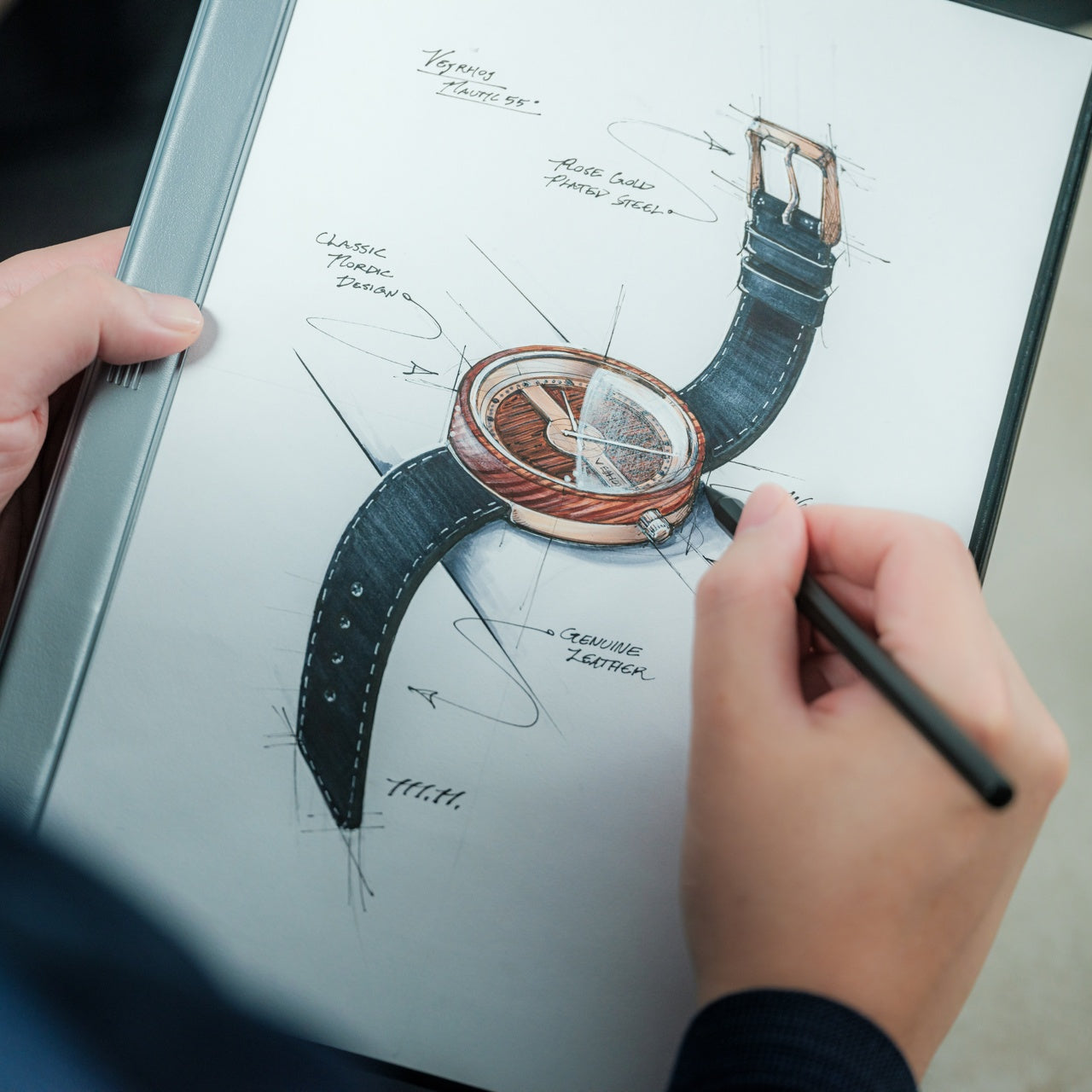
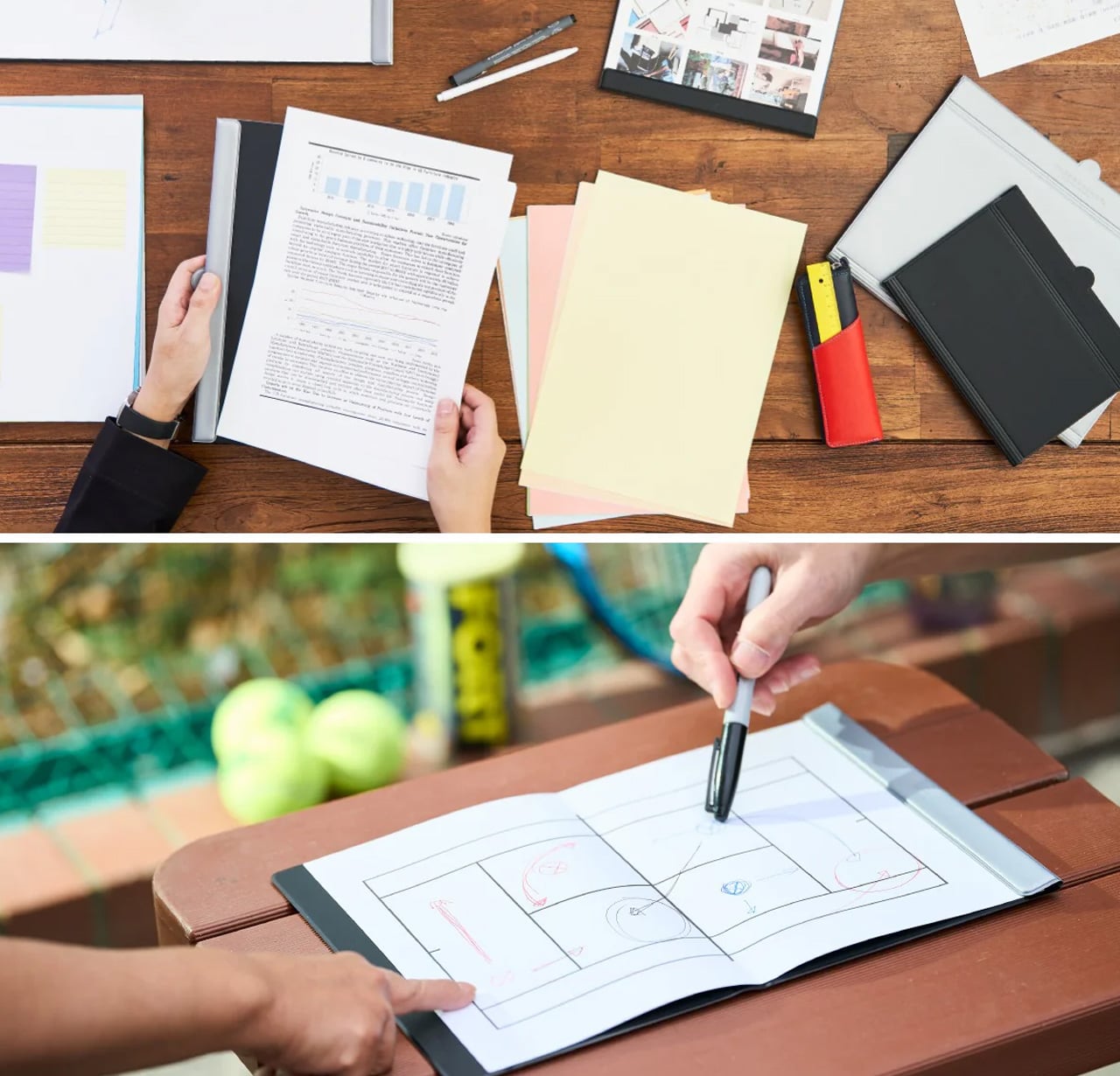
The Magboard closes the list because it answers the question every other product on it leaves open. A desk built around screens, cameras, and AI tracking is a desk that has optimized entirely for output and left nothing for the moment before output, when a thought is still a thought and not yet a task. The Magboard is a magnetic clipboard. It holds paper. It does this with enough design intentionality that it belongs next to everything above it, and that is not a low bar to clear.
Physical note-taking has not disappeared from the remote work day. It has become invisible in setups that treat analog tools as an afterthought. Giving the clipboard a dedicated surface on the desk, one that clips, holds, and stays put through magnetic precision, is a small act of organizational clarity that shows up in how the rest of the desk functions.
Magnetic mechanism adds a tactile precision that a standard clipboard never has
Grounds a screen-heavy setup with a deliberate and well-designed analog presence
What we dislike:
Purpose is specific enough that it won’t resonate with users who have moved fully to digital note-taking
Works best as part of a considered setup rather than as a standalone purchase
The Desk Is The Message
The remote work desk in 2026 is past the point where functional is enough. Every product on this list, from the concept laptop that opened it to the clipboard that closed it, was chosen because it treats the desk as a designed space rather than an accumulated one. That distinction is what separates a setup that works from a setup that communicates something before a single word is spoken on a call.
Not everything here is available today, and one of the best things on the list may never be. That is an honest reflection of where design is in 2026: the most interesting ideas are still a step ahead of the shelf. What you can buy right now is already better than what most home offices are running. The OBSBOT, the Lofree, the Noble Osprey, and the Logitech Mobi Fold are genuinely good objects that earn their place on a desk that has stopped settling for whatever was closest.
The desk you work at shapes how the work itself feels. Most people know this in theory and ignore it in practice, assembling setups gradually — a keyboard from one order, a charger that just sort of ended up there, a clock that came with the apartment. Over time the surface accumulates rather than improves. The products on this list are different. Each one solved a specific problem clearly enough to make everything around it look like it needed reconsidering.
None of them cost more than $200. The constraint is intentional — this is not a list built around aspirational hardware, but around objects that earn their footprint through daily use rather than shelf presence. A folding mouse that ended the trade-off between portability and performance. A silent recorder that made an entire category of software feel unnecessary. A desk surface that finally stayed organized. Five products, one desk, a noticeably better setup.
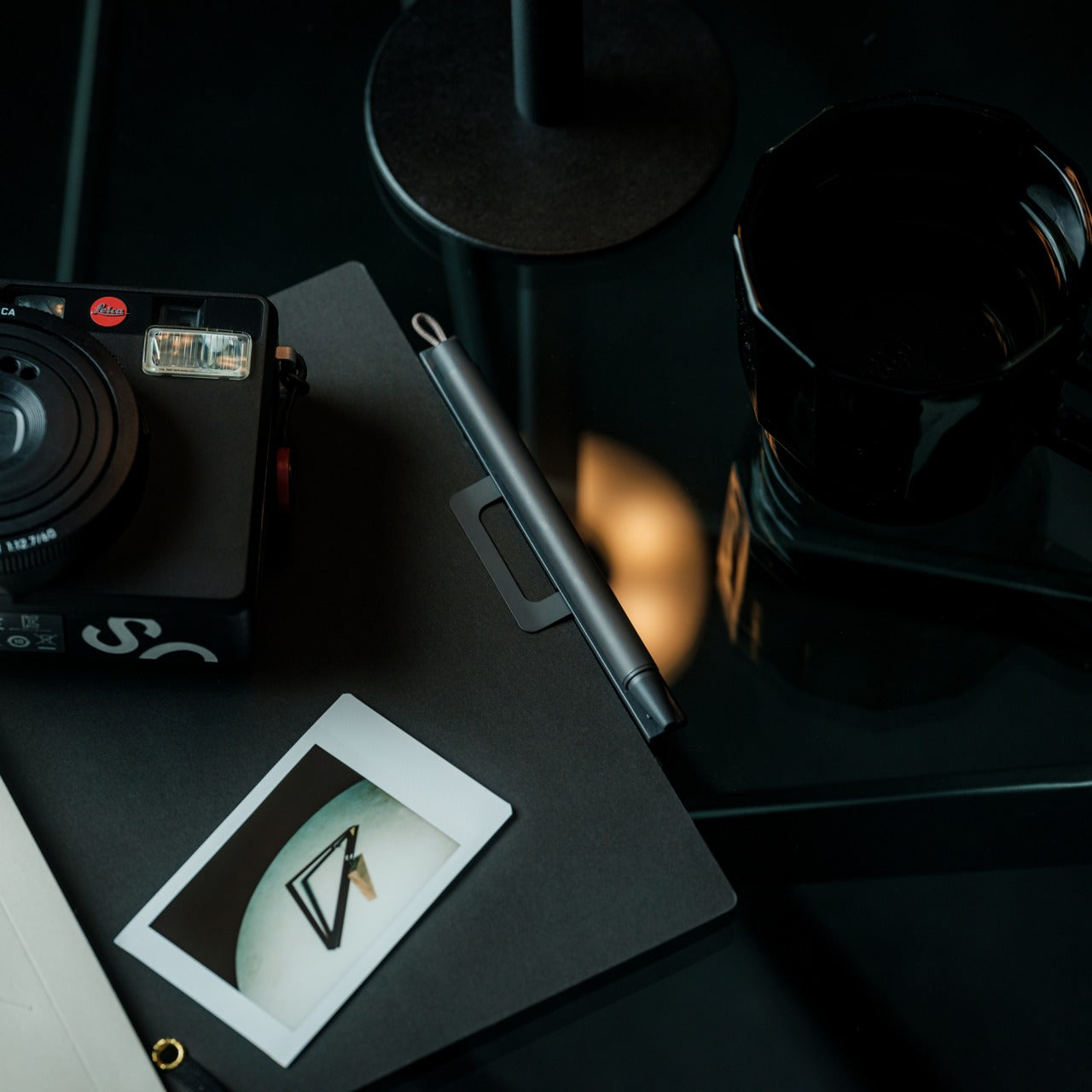
1. Inseparable Notebook Pen
There is a specific frustration that comes with reaching for a pen and finding it has migrated. Not lost, just elsewhere — on the wrong side of the keyboard, inside a drawer that was never meant for it, somewhere between the last meeting and this one. The Inseparable Notebook Pen treats that as a design problem worth solving rather than a personal failing. A magnetic clip attaches the pen directly to the notebook cover so the two move as a single unit, staying together on the desk the same way they travel together in a bag.
What makes it worth noting alongside hardware that costs multiples of its $19.95 price is the standard it holds itself to. The gel ink flows smoothly, and the clip mechanism is solid, but the detail that earns it a place on a considered desk is the built-in silencer — a small component that softens the attach-and-detach motion into something quiet and deliberate. That level of finish on a $20 object is not accidental. It is the difference between a pen that gets used and one that gets replaced.
The magnetic clip keeps pen and notebook permanently paired, removing the low-grade friction of a misplaced writing tool from the daily routine entirely
A built-in silencer turns the attach-and-detach motion into a quiet, considered interaction — the kind of detail that signals a product was designed rather than just manufactured
What we dislike:
Works best as a system with its intended notebook, making it a less convincing standalone pen for anyone who writes across multiple formats or prefers a different paper weight
Gel ink cartridge replacement options are limited compared to more established pen systems, which matters once the initial ink runs out
2. HiDock H1 Lite
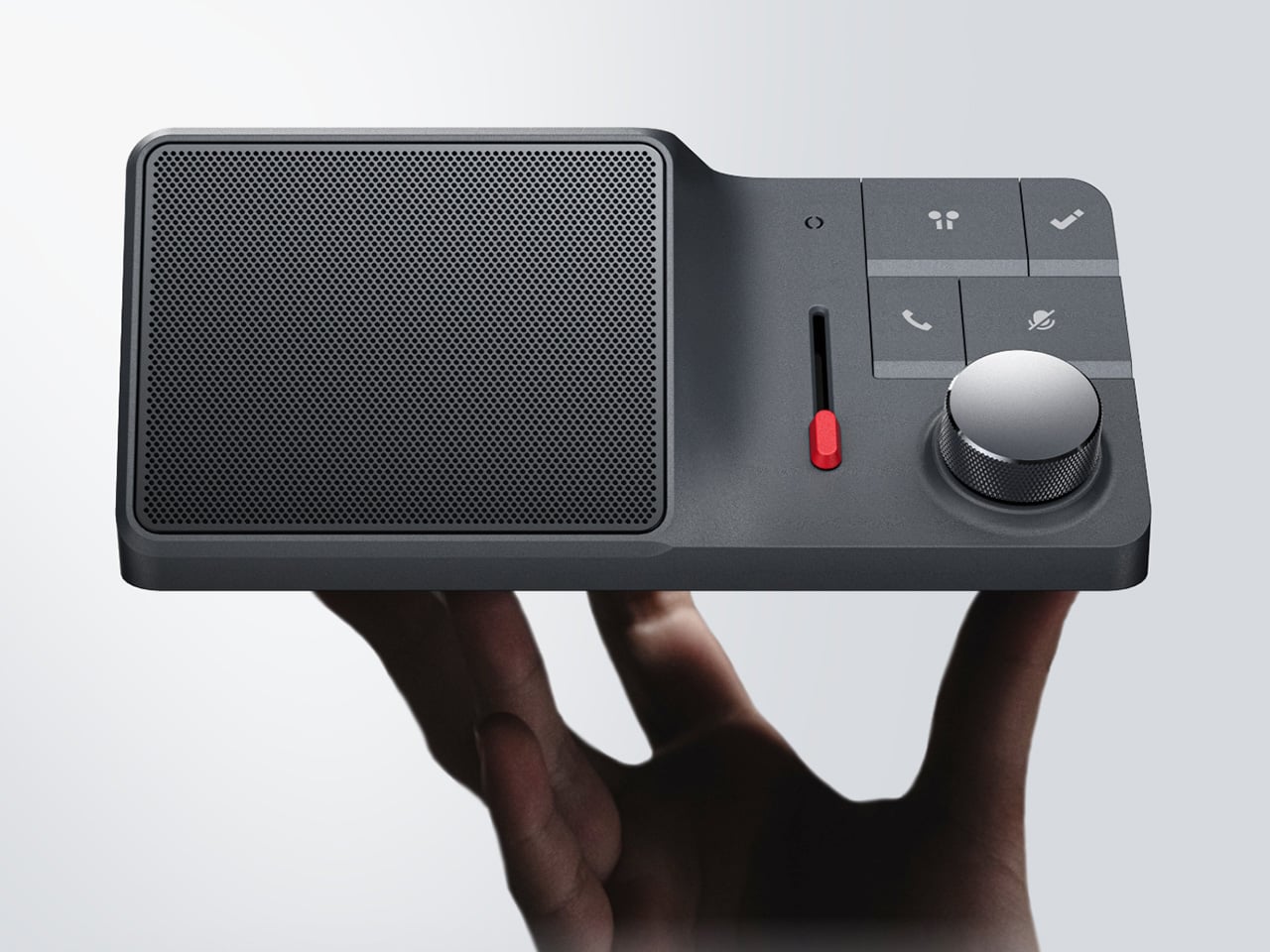
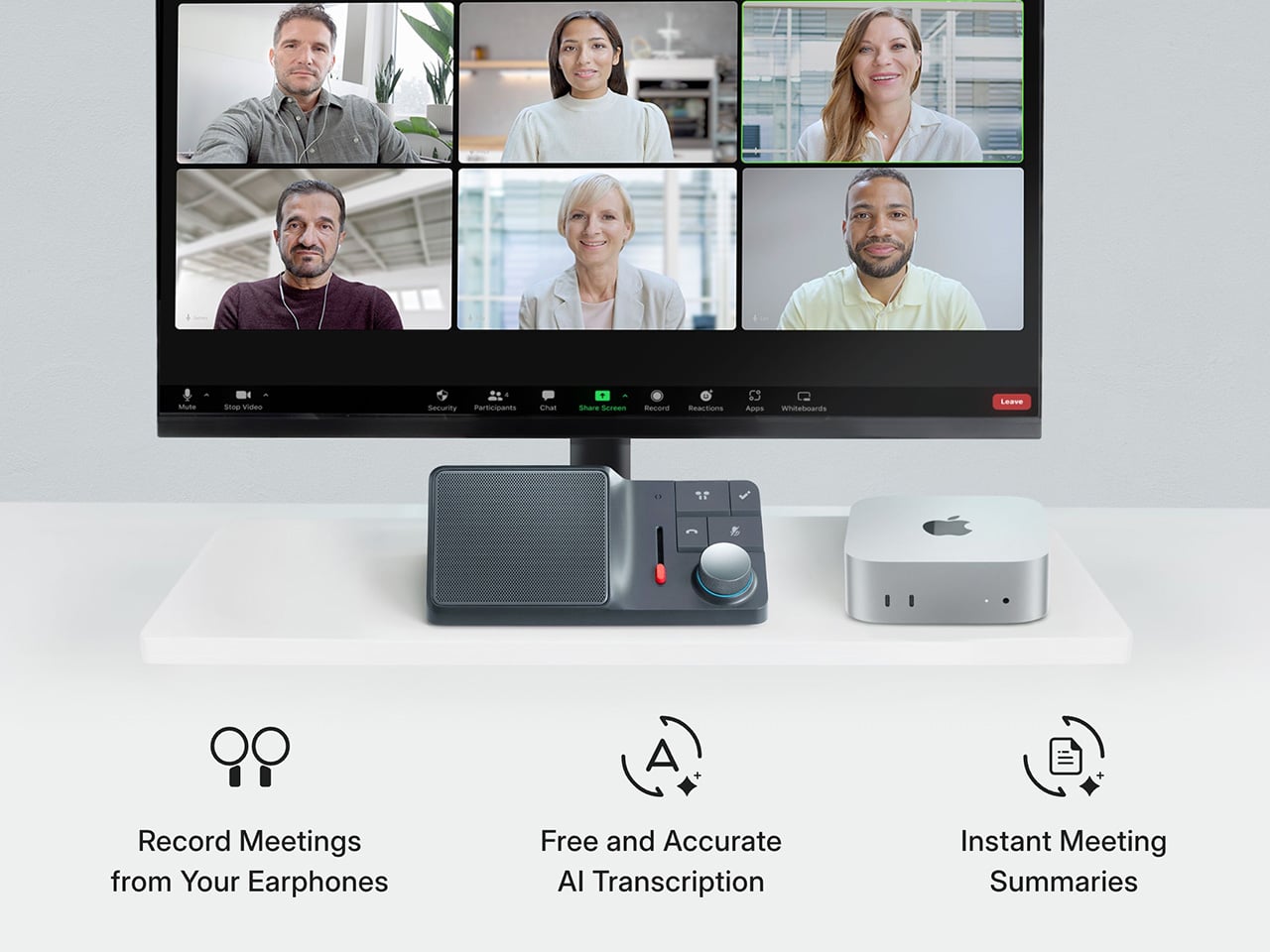
The AI meeting bot problem has a particular texture. It announces itself in the first thirty seconds of every call, dropping a notification into the chat that tells the room someone has outsourced their attention. The HiDock H1 Lite solves this without fanfare — a USB-C desktop audio controller and local recorder that captures meetings completely, both sides of the call, without adding a bot to the session, without cloud permissions, and without telling anyone it is running. You press record. The meeting continues. No announcement, no awkward acknowledgment, no subtext.
The feature that separates it from every other desk recorder is BlueCatch, which intercepts the two-way audio path from Bluetooth earphones so the full conversation is captured rather than just what the microphone picks up. Physical controls — a knob, a slider, a speaker — keep the interaction on the desk rather than inside another browser tab. It transcribes in multiple languages, runs a Call Mode for virtual meetings and a Room Mode for in-person sessions, and at $189 replaces a recurring software subscription with hardware that simply does the job and stays out of the way.
BlueCatch captures both sides of a Bluetooth earbud call locally, producing a full two-way transcript without a bot in the meeting or any platform permission being requested
Physical controls return a tactile dimension to meeting management that software tools have spent years trying and failing to replicate
What we dislike:
USB-C only makes it desk-bound, which limits its usefulness for anyone who moves between locations or works primarily from a laptop bag throughout the day
The AI transcription layer works well once configured, but reaching that point requires a setup investment before language preferences and summary formats feel fully dialed in
3. Satechi 3-in-1 Foldable Wireless Charging Stand with Qi2 25W
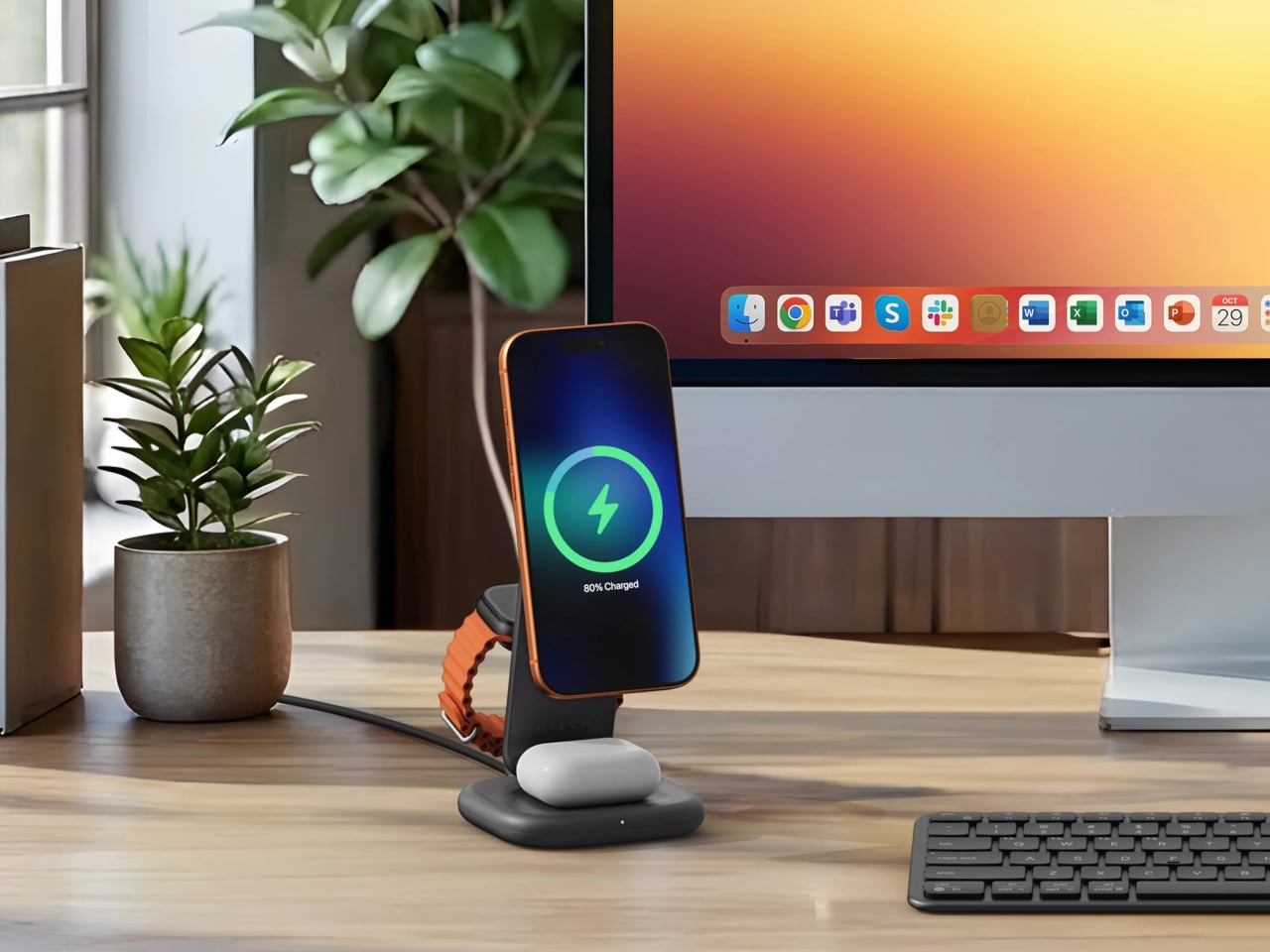
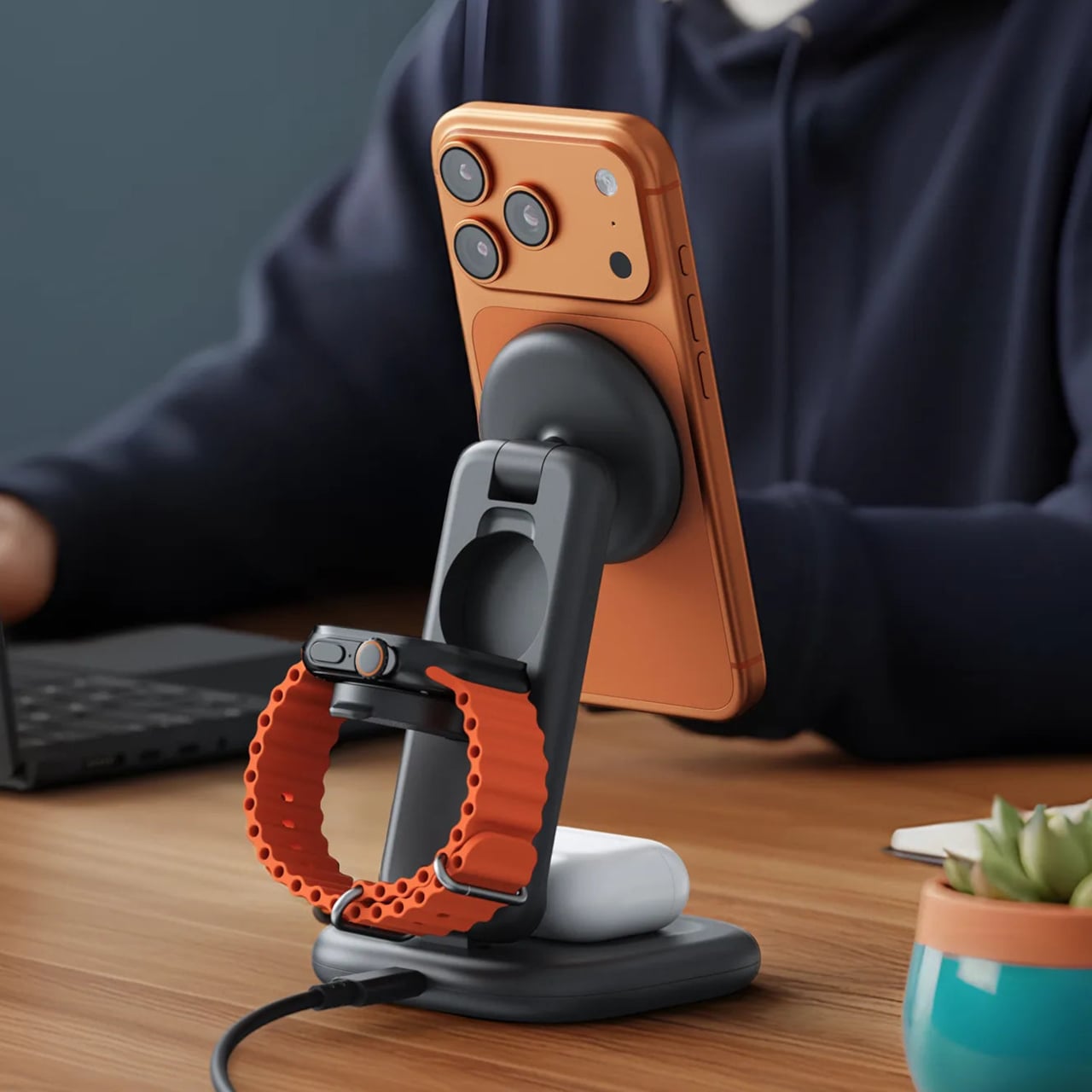
Wireless charging solved one problem and quietly created another. The iPhone pad, the Apple Watch puck, the AirPods tray — each device that joined the ecosystem added something to the nightstand or desk corner, until the cable-free promise was buried under a new kind of clutter. Satechi’s 3-in-1 Foldable Wireless Charging Stand with Qi2 25W clears all of it in one object. iPhone, Apple Watch (Series 7 and later, including Ultra and SE), and AirPods charge simultaneously from a single wall cable, with Qi2 magnetic alignment snapping the phone into position so off-center placement and lost wattage are no longer part of the routine.
The 25W ceiling is a genuine upgrade over the 15W limit that most MagSafe-compatible pads have been stuck at, and the Apple Watch arm carries MFi certification for fast charging. A 45W USB-C adapter ships in the box with US, EU, and UK plug heads — a small detail that matters significantly the first time you unpack in a different country without hunting for a separate travel adapter. At $129.99 in Space Black, the case rests on consolidation: three separate chargers replaced by one that folds flat for a carry-on and behaves identically away from home.
What we like:
Qi2 alignment combined with a 25W output for compatible iPhones represents the fastest wireless option available in the Apple accessory space at this price point
The foldable form and included multi-region adapter make the home desk setup and the hotel room setup identical, removing any need to pack or buy a separate charging solution
What we dislike:
Apple Watch fast charging is limited to Series 7 and newer, so users on older hardware will get standard charge speeds rather than the fast-charge performance the arm is capable of
The value proposition is strongest when all three devices are in use simultaneously — iPhone-only users will find more efficient options at a lower price
4. OrigamiSwift Folding Mouse
The folding mouse has been a category of compromise for years — compact in the bag, frustrating in use. The OrigamiSwift ends that exchange by treating the fold as a serious engineering challenge rather than a marketing hook. At 40 grams, it collapses to 4.5mm flat, thin enough to slip between the pages of a notebook without leaving a visible bump. On the desk, it unfolds in under half a second into a full-sized ergonomic shape that sits naturally in the hand, with tracking precision that has nothing to do with its size.
What earns it a top position here is the way it reframes the conversation around portability entirely. Portable does not have to mean diminished. The OrigamiSwift is as capable on a permanent desk as it is in a carry-on, which is rare in hardware built around constraints. The Bluetooth connection is reliable, the fold mechanism feels deliberately satisfying to complete, and at $85 it asks very little relative to what it returns. Some mice cost three times as much and offer less reason to reach for them.
Folds flat to 4.5mm, thin enough to travel between notebook pages, yet opens into a full-sized ergonomic form that never asks you to adapt your grip
The sub-half-second flip transforms the mouse from travel object to working tool in a single motion that still feels considered after weeks of daily use
What we dislike:
At 40 grams, the weight will feel unfamiliar to anyone coming from a heavier desktop mouse, and the adjustment takes a few days before it stops registering
Bluetooth-only connectivity rules out a wired fallback for tasks where even brief latency becomes friction
5. Orbitkey Desk Mat
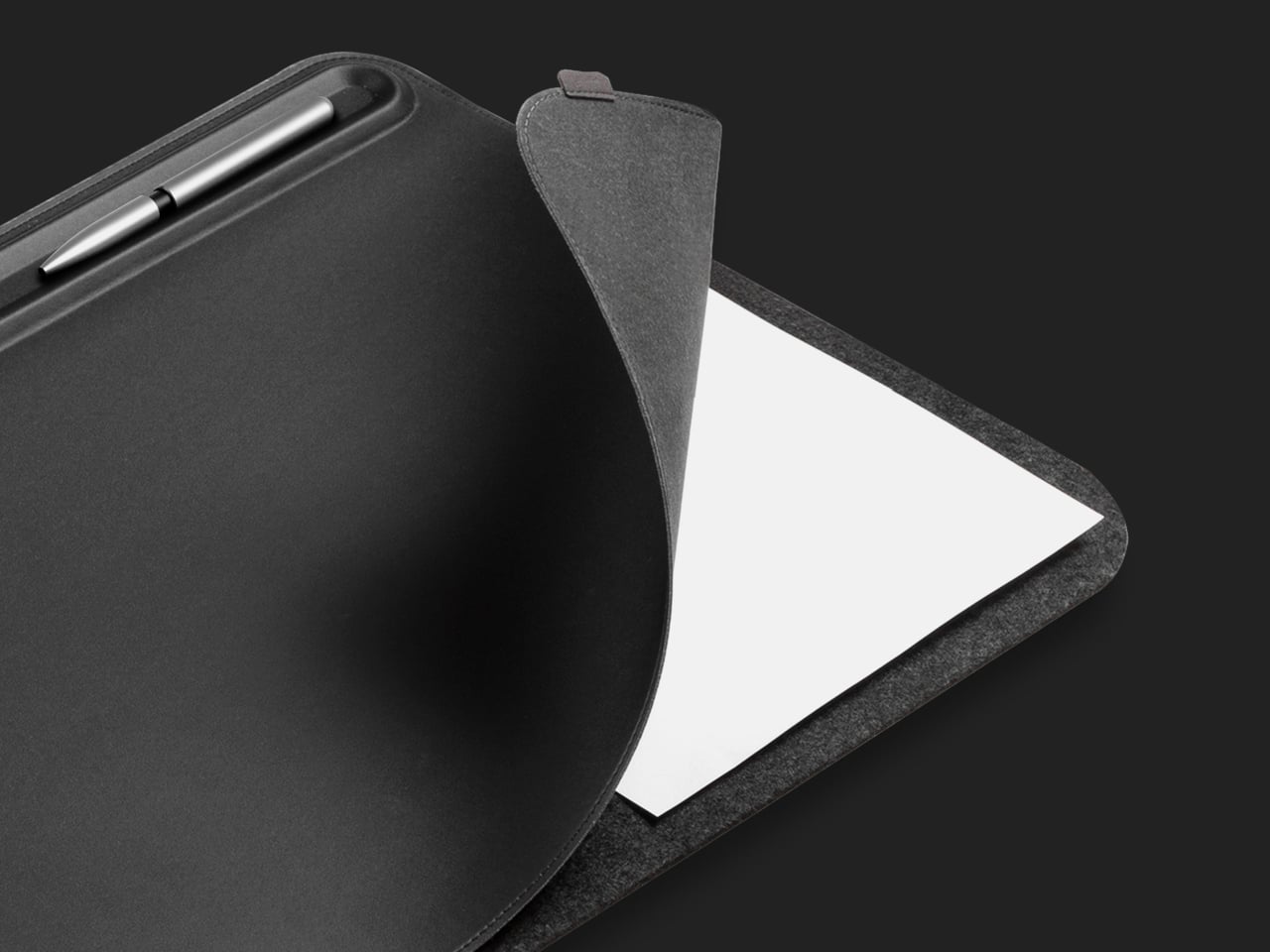
The desk mat is usually the last thing people buy and the first thing that changes how a setup feels. Orbitkey’s version is built on a premise most mats ignore: the surface does not just need better material; it needs a better system. Made from premium vegan leather over 100% recycled PET felt, available in Medium (686 x 373mm) and Large (896 x 423mm), it is water-repellent and wipes clean — the practical baseline. A quick-access toolbar along one edge gives pens, a stylus, and small accessories a fixed address without adding height or vertical clutter to the surface.
The detail that tips it from covering the desk to organizing it is the document hideaway, a sleeve beneath the top layer that keeps loose papers and sticky notes flat and within reach without leaving them visible. One edge pull, and they are back. A magnetic cable holder clips anywhere along the toolbar and adjusts as port locations change across different setups, keeping the charging lead from drifting toward the floor. It ships with a two-year warranty and a 30-day return window, which is the kind of confidence in materials that most desk accessories do not bother extending.
What we like:
The document hideaway removes paper clutter from the surface without removing papers from the desk, which turns out to be a more useful distinction than it sounds across a full working week
The magnetic cable holder moves freely along the toolbar, adapting to cable lengths and port positions rather than committing to one fixed anchor point
What we dislike:
The mat arrives rolled and takes a few days to lie completely flat — reverse-rolling handles most of it, but patience is part of the initial setup
The Medium size works well for compact single-monitor desks but may feel narrow for anyone running a wider multi-display configuration
Five Products, One Decision
A desk that works is not about spending more. It is about choosing things that each solve one real problem rather than approximate several. The Inseparable Notebook Pen keeps the one analog tool you still reach for exactly where it belongs. The OrigamiSwift removes the penalty from portability. The HiDock takes meeting capture back from the software layer. The Satechi ends the three-device charger pile. The Orbitkey gives the surface a structure it was always missing.
None of these objects ask for attention. They do their jobs and stay out of the way until needed, which is the version of design intelligence that actually holds up across a full working week. Five products, each under $200, that together produce a setup that feels chosen rather than assembled. That shift is the one worth paying for.