Streamers and podcasters, can elevate their audio game with the new Genesis Radium 600 G2 microphone. This new pro streaming microphone for content creators, priced at 109.99€, is designed to deliver professional-grade audio quality that will provide amazing clarity audio to your audience. The Radium 600 G2 is built with cardioid condenser microphone technology, which […]
It was reported in late November that Google Drive for desktop (v84.0.0.0-84.0.4.0) had a sync issue, which caused months or even years of files to disappear. If you were unfortunate enough to be part of this "small subset" of users, there's finally some good news. In the latest version of Drive for desktop app (version 85.0.13.0 or higher), you'll be able to access a file recovery tool via a few steps: go to the menu bar or system tray, click the Drive for desktop icon, press and hold the "Shift" key and click "Settings," and then you'll be able to hit "Recover from backups."
From there, you should see a notification saying "Recovery has started," and hopefully you'll get a "Recovery is complete" message after a while. You'll then find a new folder named "Google Drive Recovery" containing the unsynced files on your desktop.
Good luck, though, as Google doesn't expect this method to work for everyone. "If you’ve tried to run the recovery tool and are experiencing issues, submit feedback through the Drive for desktop app with the hashtag '#DFD84' and make sure to check the box to include diagnostic logs," the company said on the support page. There are also instructions for those who prefer trying with command line interface, Windows backup and Time Machine backup.
This article originally appeared on Engadget at https://www.engadget.com/updated-google-drive-for-desktop-offers-a-recovery-tool-for-missing-files-042758933.html?src=rss
Today, Meta has unveiled what it calls "the biggest set of improvements to Messenger since it was first launched in 2011." First and foremost, end-to-end encryption is now a default for private chats and calls on Messenger and Facebook, meaning your secured communication can't be spied on by others — not even by Meta itself, apparently. Once updated, Messenger will ask users to set up a PIN, in case they need to recover messages on a new device later. The global rollout may take a few months to complete, due to the fact that the app has over a billion users.
End-to-end encryption became an option for Messenger in 2016, but Meta is obviously stepping up its safety efforts — a sensible move given the company's other recent scandals, especially with child predation content. Meta added that "this has taken years to deliver because we’ve taken our time to get this right," and also "to rebuild Messenger features from the ground up."
Meta
In addition to a set of new privacy, safety and control features, Messenger is getting improved image quality for photos and videos. Meta says it's currently testing HD media sharing with a small test group, before rolling this out "in the coming months." Messenger is also receiving other handy tools that are seemingly inspired by WhatsApp, namely message edit (for up to 15 minutes after sending), voice message playback speed options, continued voice message playback outside the chat or app, read receipts control and disappearing messages (after 24 hours; this is now available to all chats since end-to-end encryption has become a default).
This article originally appeared on Engadget at https://www.engadget.com/facebook-messenger-update-sets-default-end-to-end-encryption-for-chats-and-calls-032841879.html?src=rss
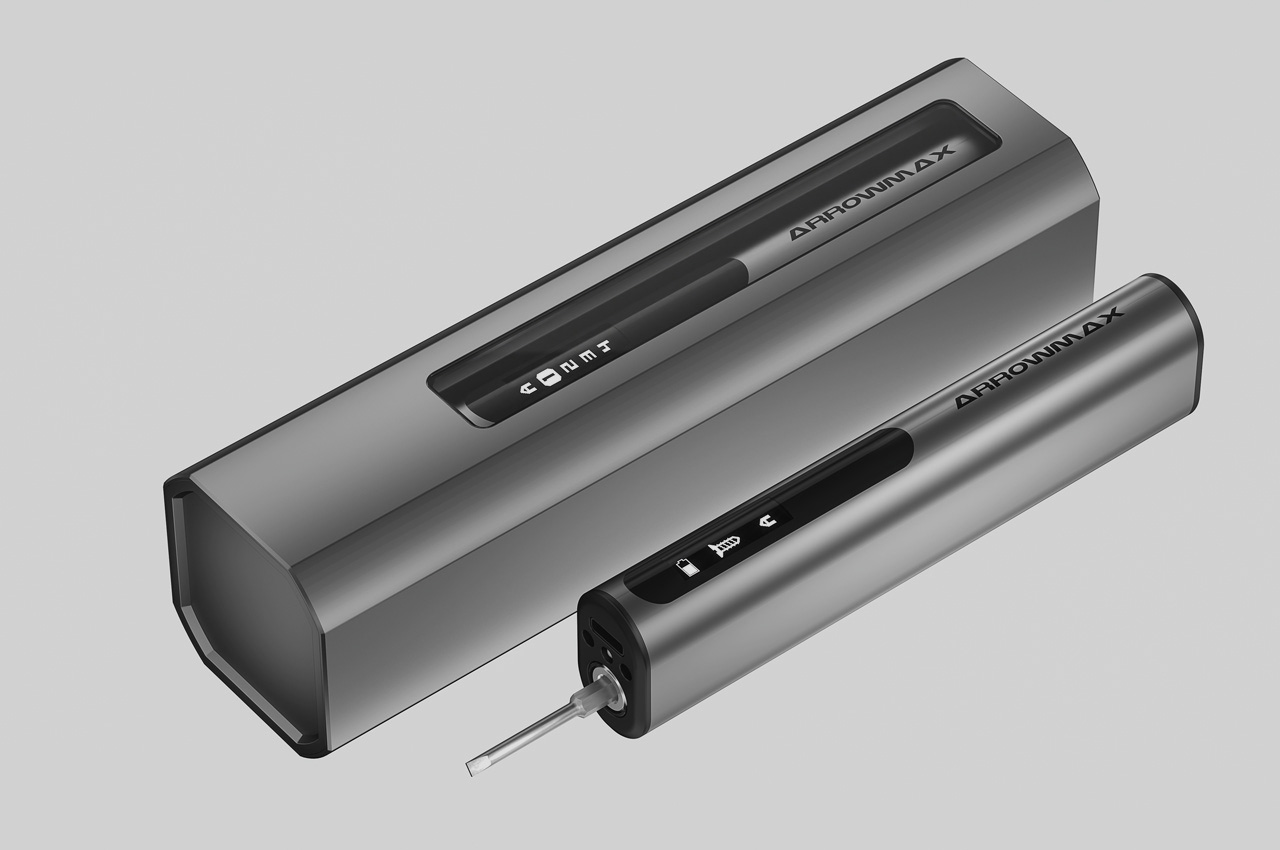
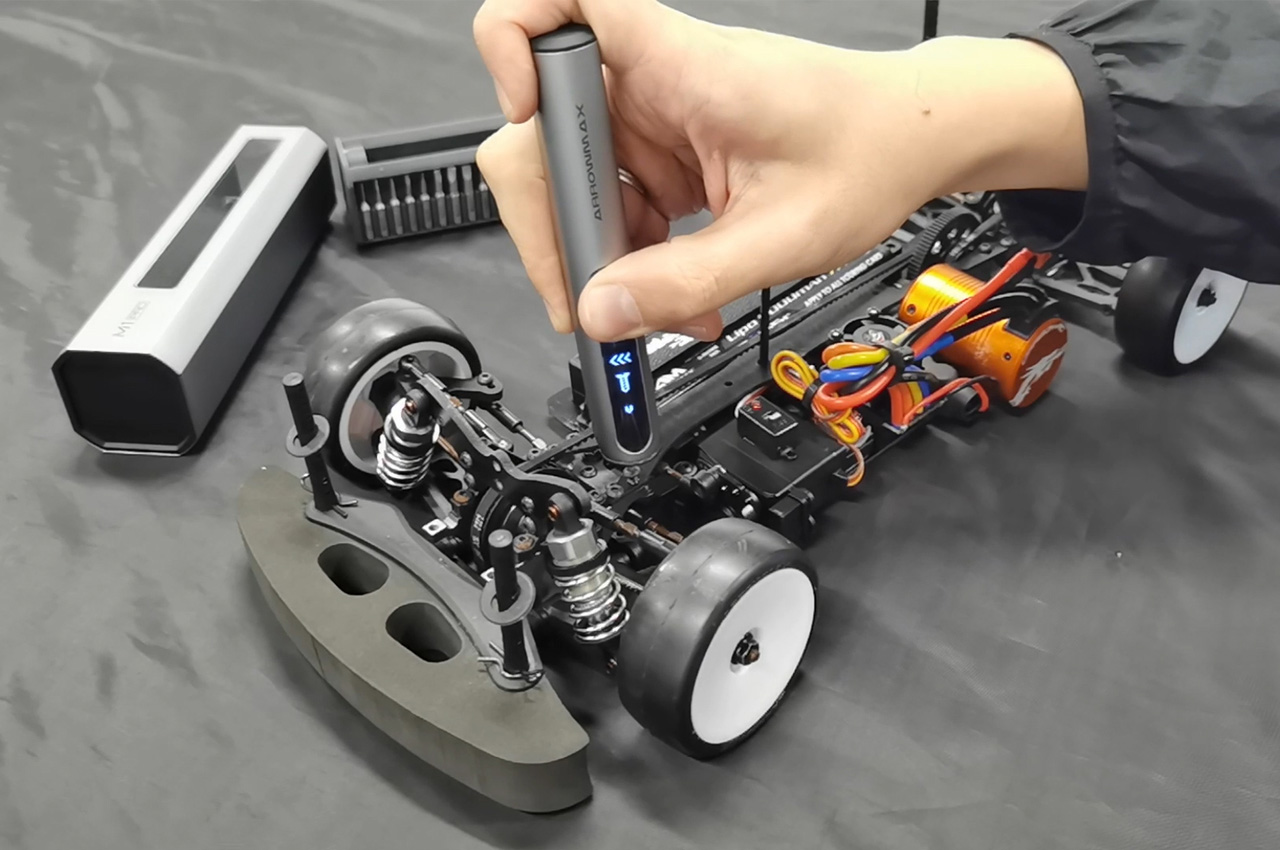
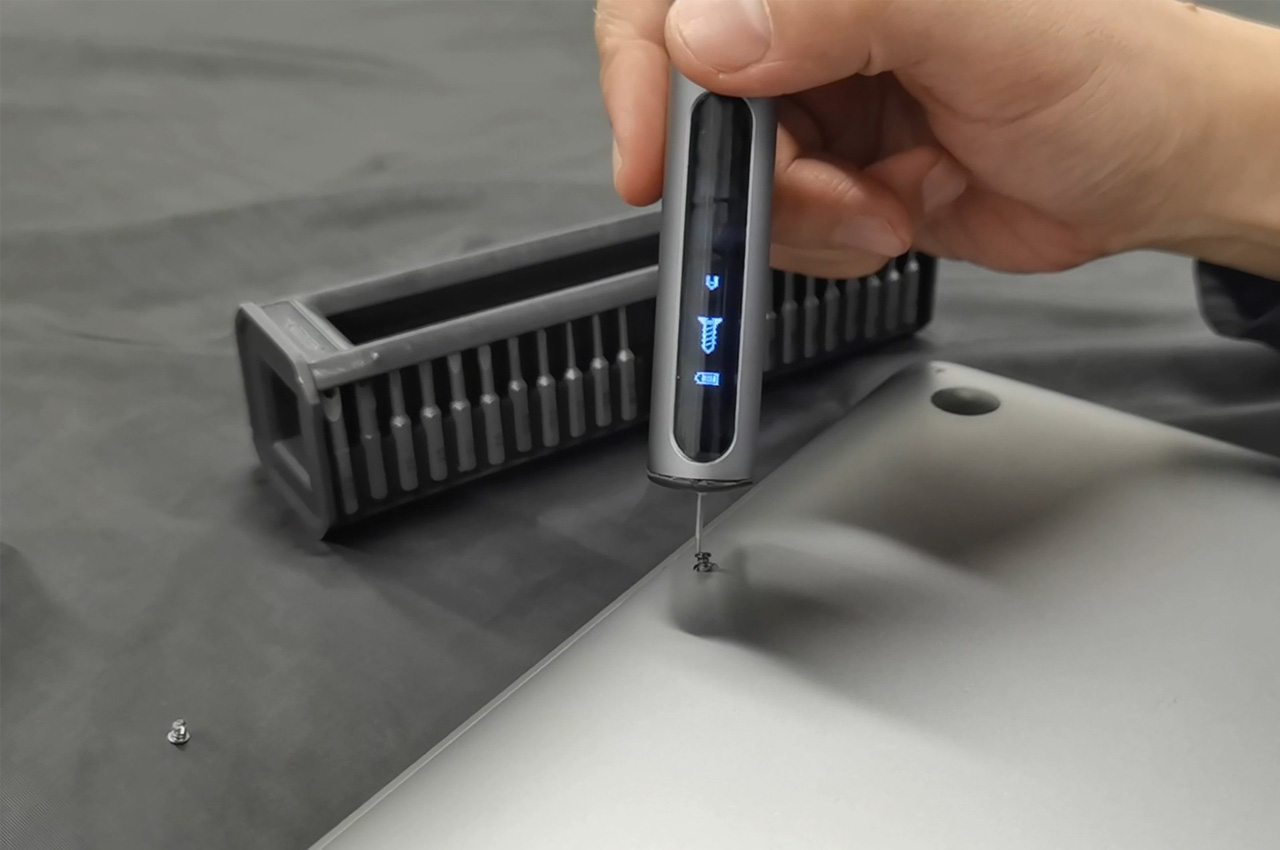
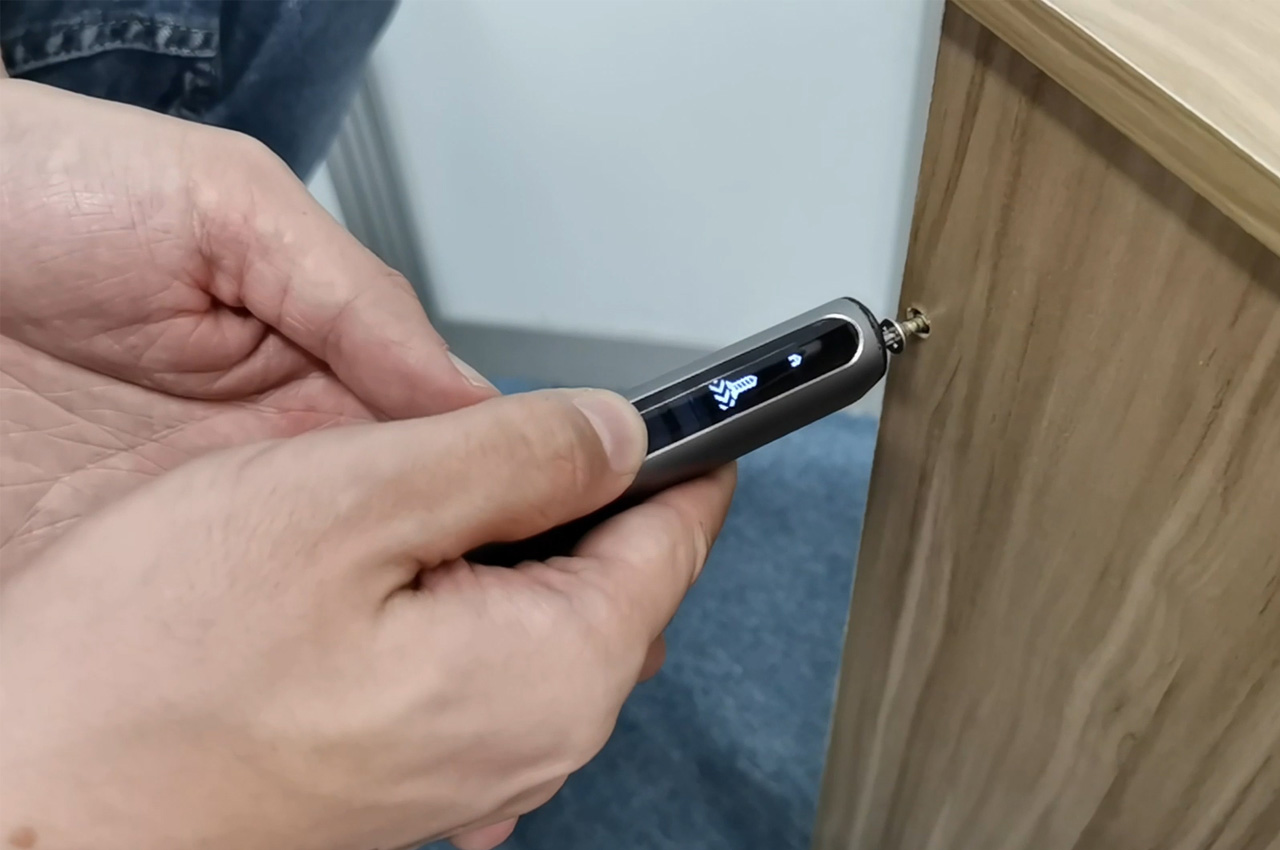
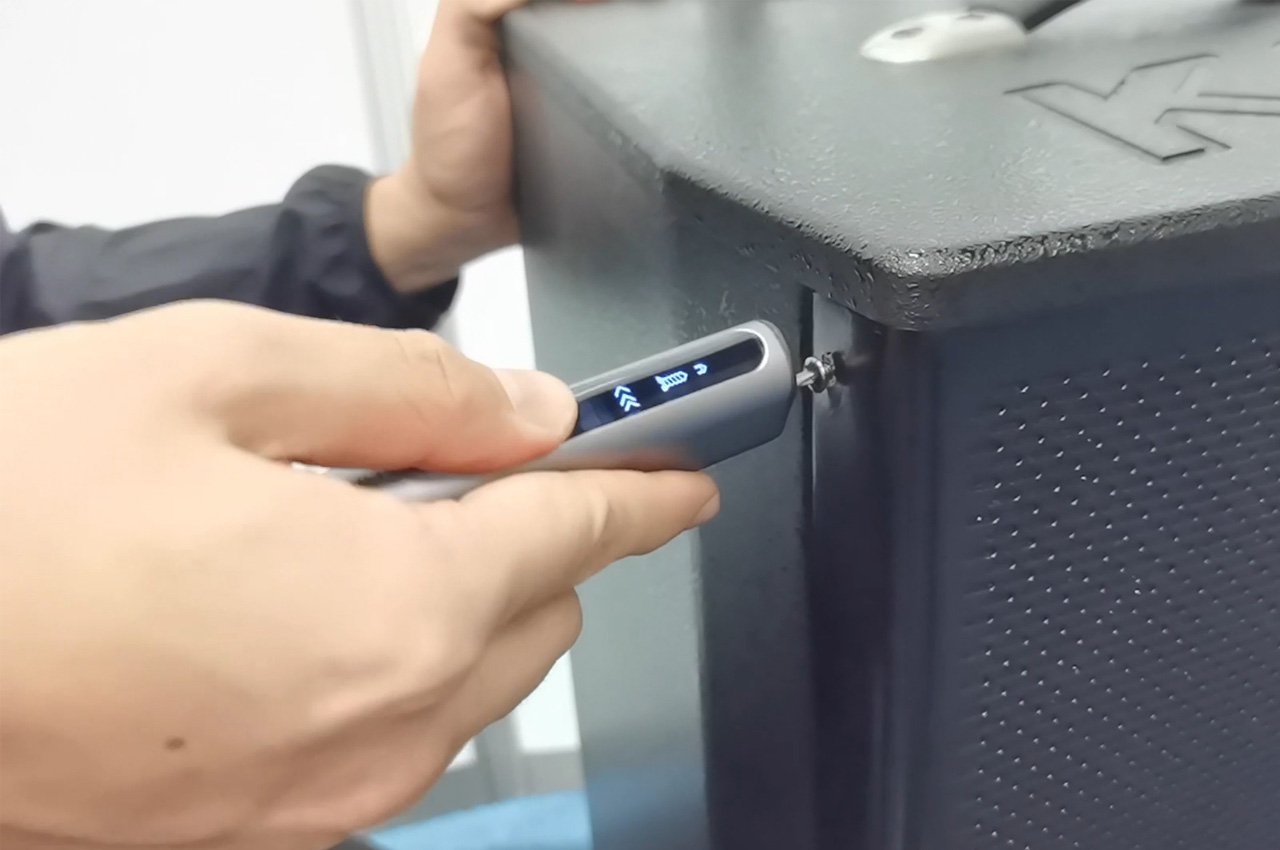
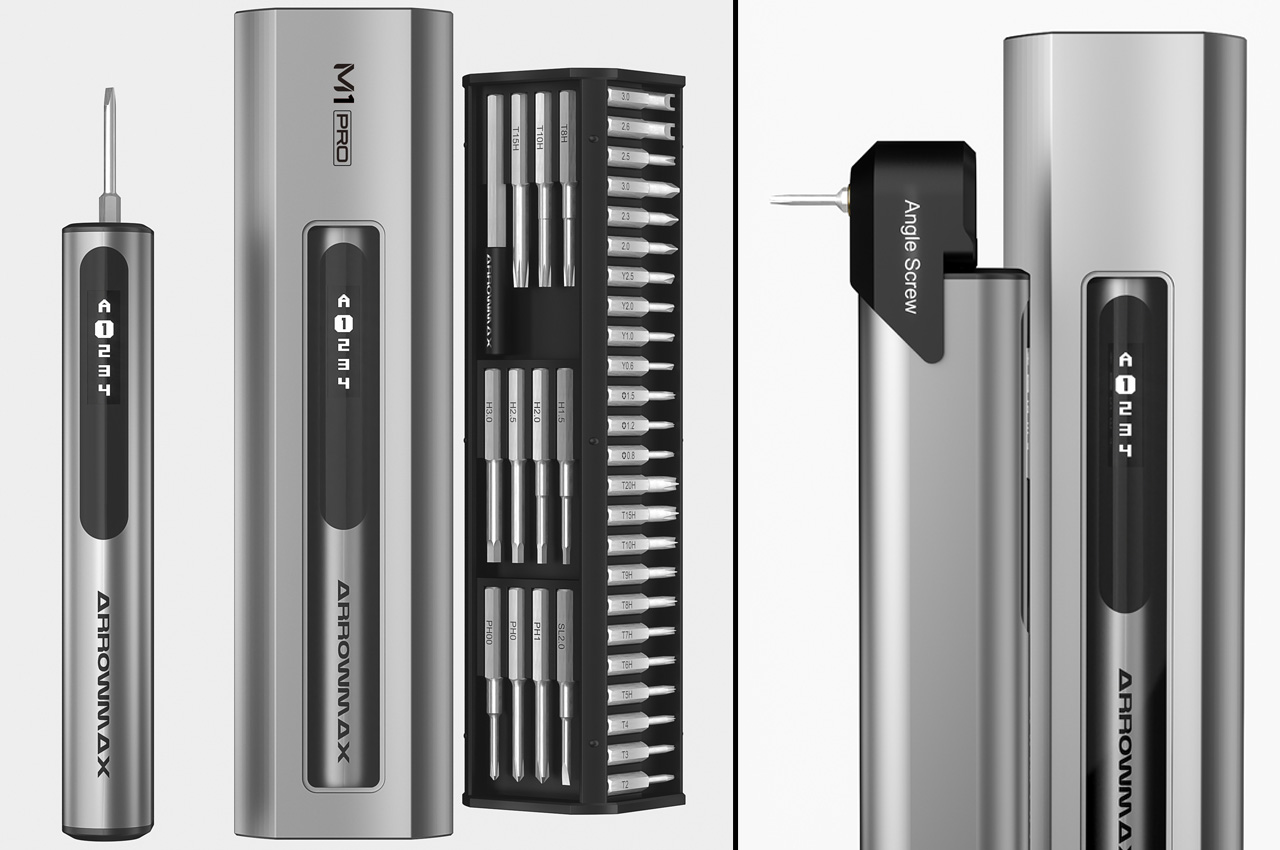
The three ideological aspects behind every portable multi-tool probably are versatility, performance, and user experience. Take one facet out and you’re left with little or no sense to carry the product in your tool bag, irrespective of whether you’re a professional or a self-taught DIYer. If there is someone who understands this better than the other tool-set builders, it’s Arrowmax… Well into its fourth essential portable tool, Arrowmax delivers the M1 Pro, an electric screwdriver, primarily with precision and intuition as its basis. It also comes with five-level controllable torque taking out the elbow-grease you’d require with a manual screwdriver, and the unintuitive power of most electric screwdrivers that require a learning curve. The M1 Pro’s beauty is that you don’t need a learning curve. The motor activates as you grip and turn the driver, automatically rotating clockwise or counterclockwise to open/tighten any screw you need to contend with.
Settings are automatically saved to the screwdriver, allowing it to resume in the last used mode even after being switched off.
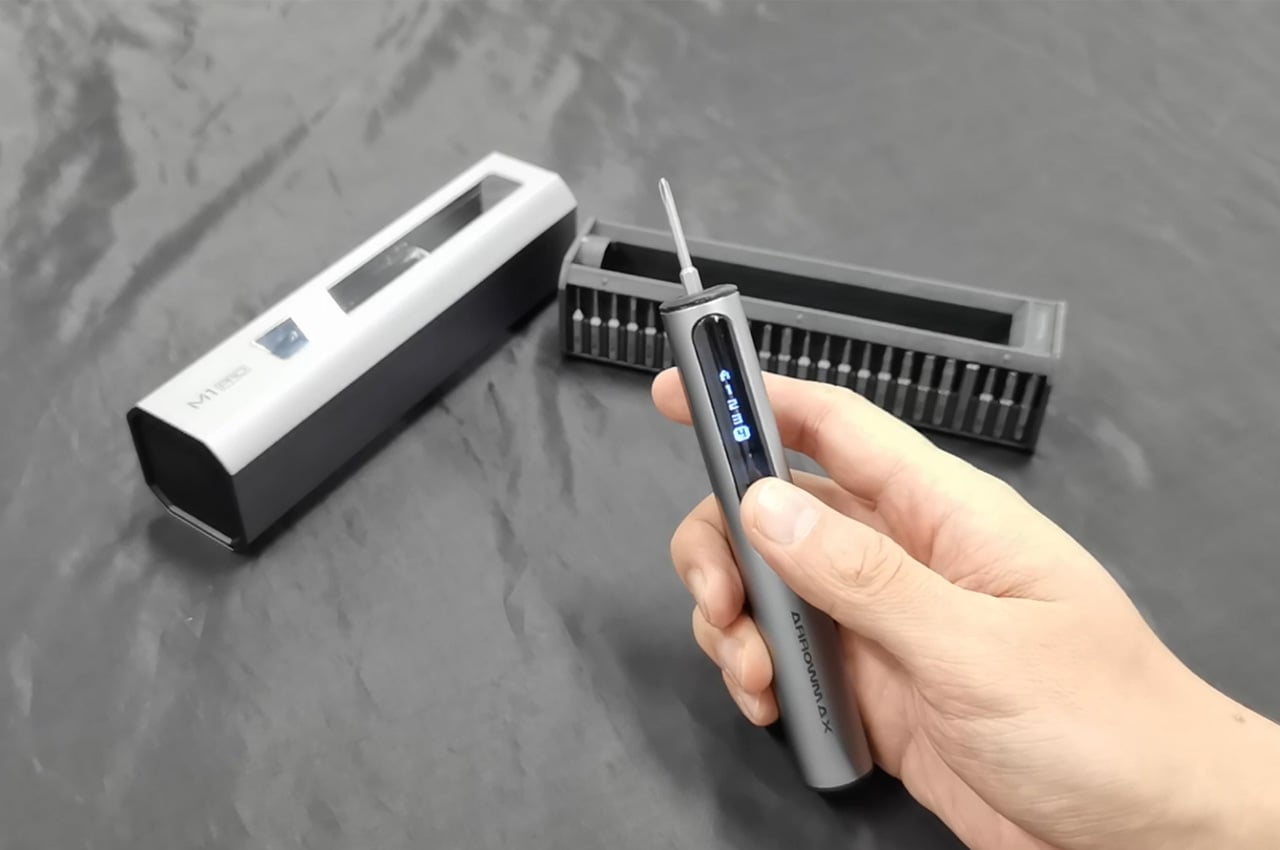
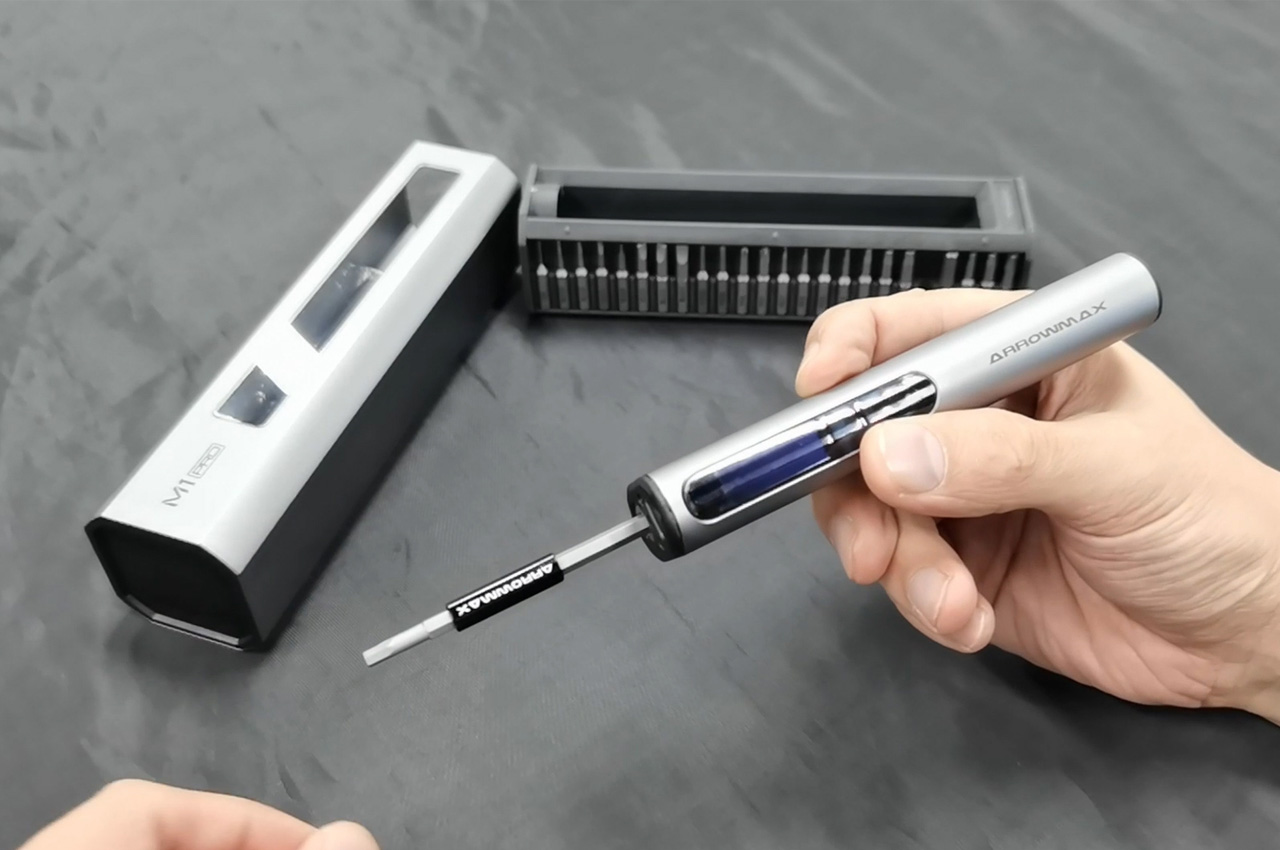
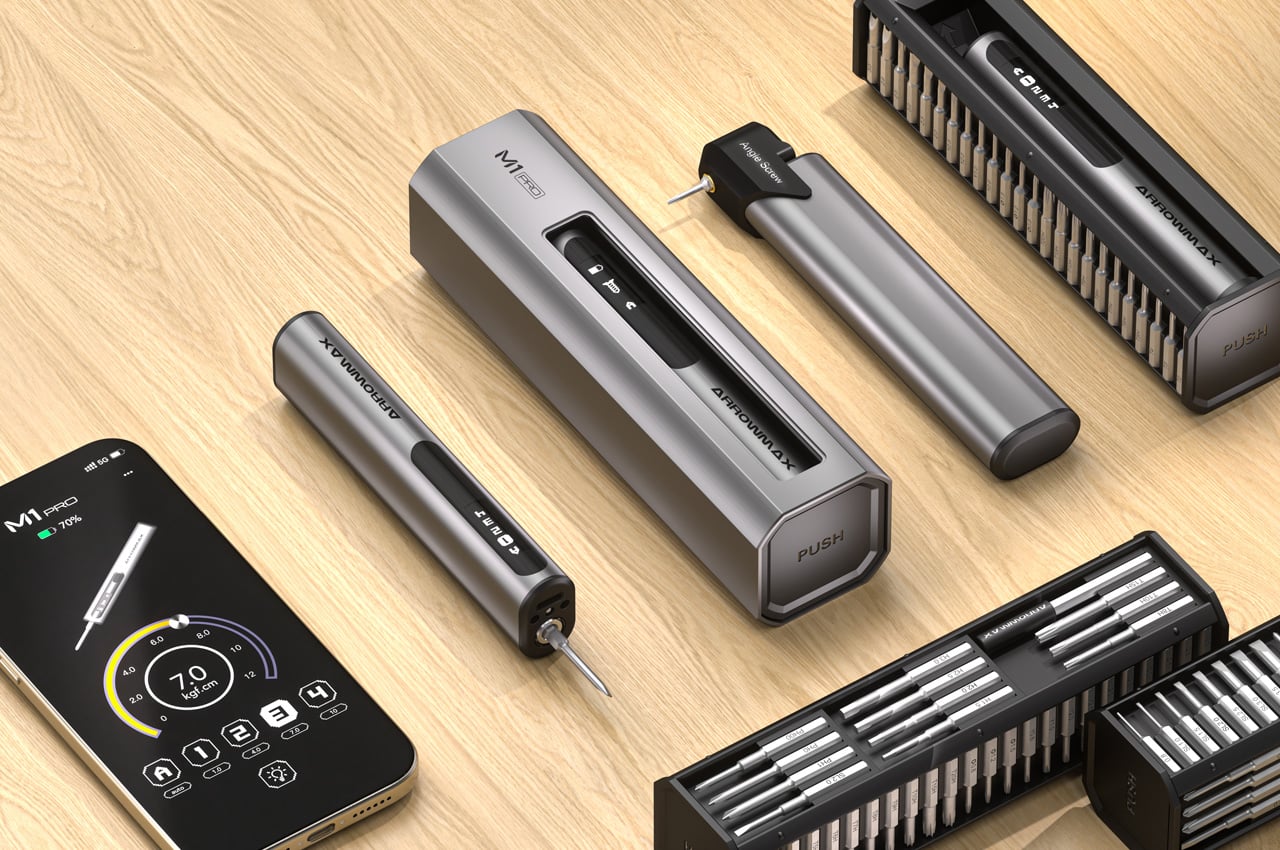
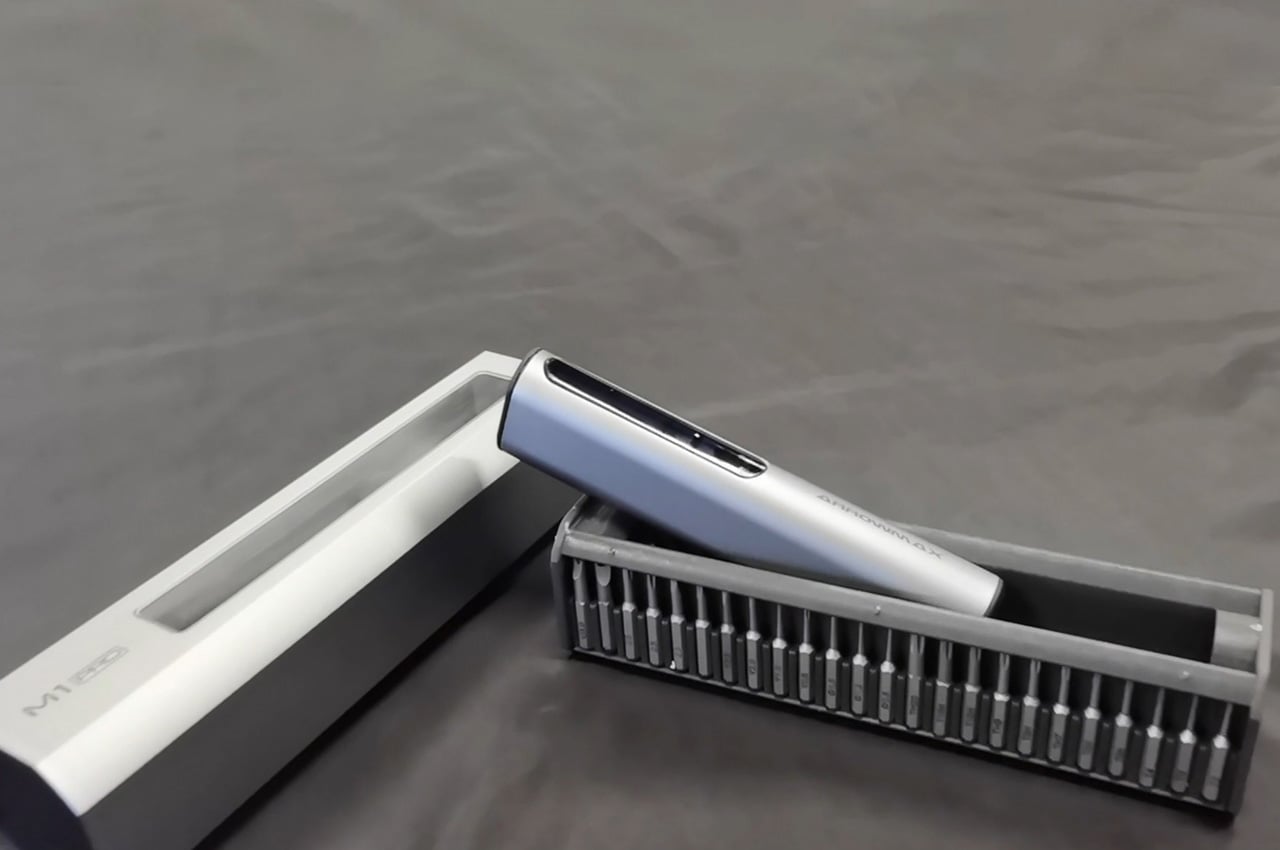
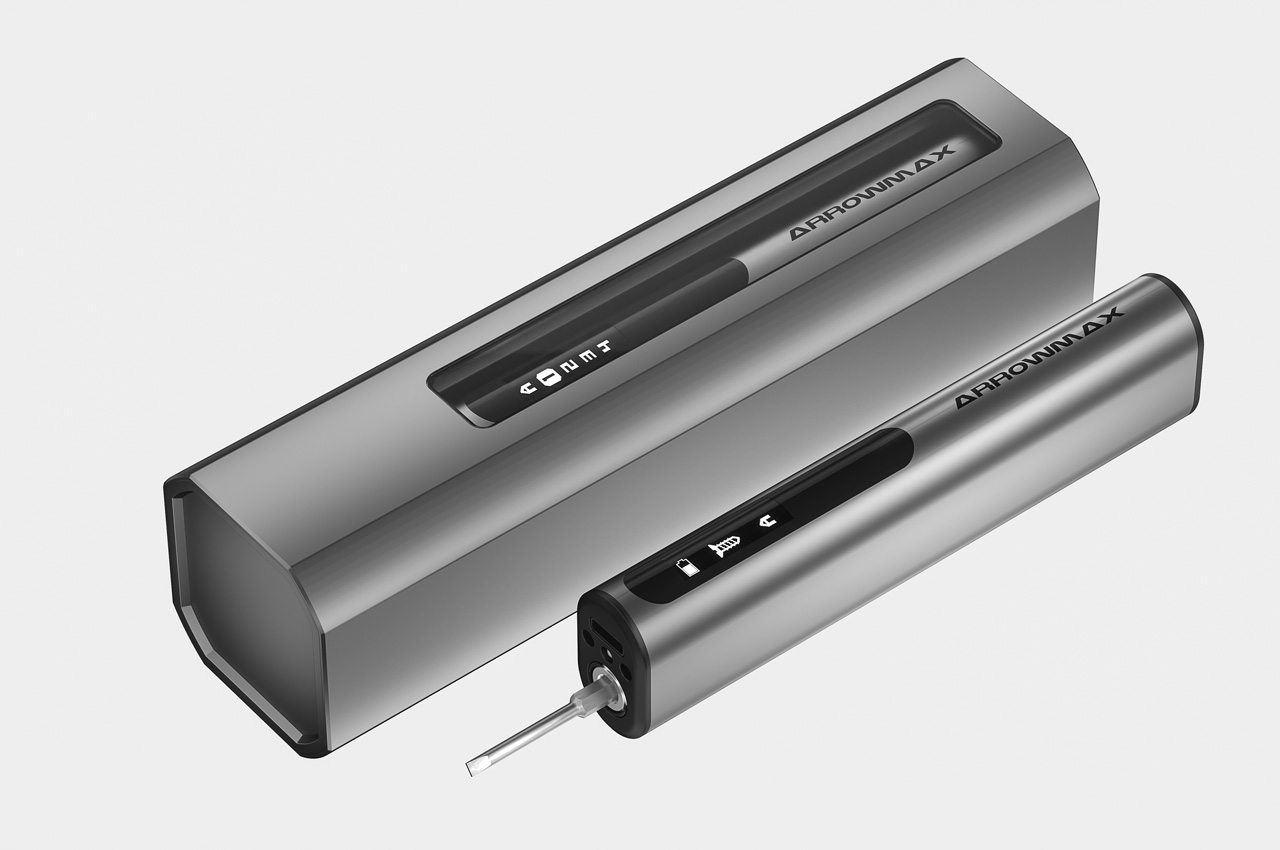
The M1 Pro’s design sees a few significant upgrades over its previous models – something that hasn’t happened in a while. For starters, it arrives with a new handle design and touch-sensitive interface, which for many takers would transcend traditional experiential boundaries. Switch buttons near the head offer seamless screw fastening and removal with just a simple touch, while an OLED screen displays dynamic icons and battery power status when charging. The main stake of the inventive screwdriver is the enclosed package of 60 extended S2 steel bits it comes packed with. These various length bit bars and extended rods magnetically snap to or detach from the screwdriver head, enhancing the M1 Pro’s application range manifold and making it a versatile companion for a design project you wish to undertake.
Cutting-edge oval design for improved grip and control
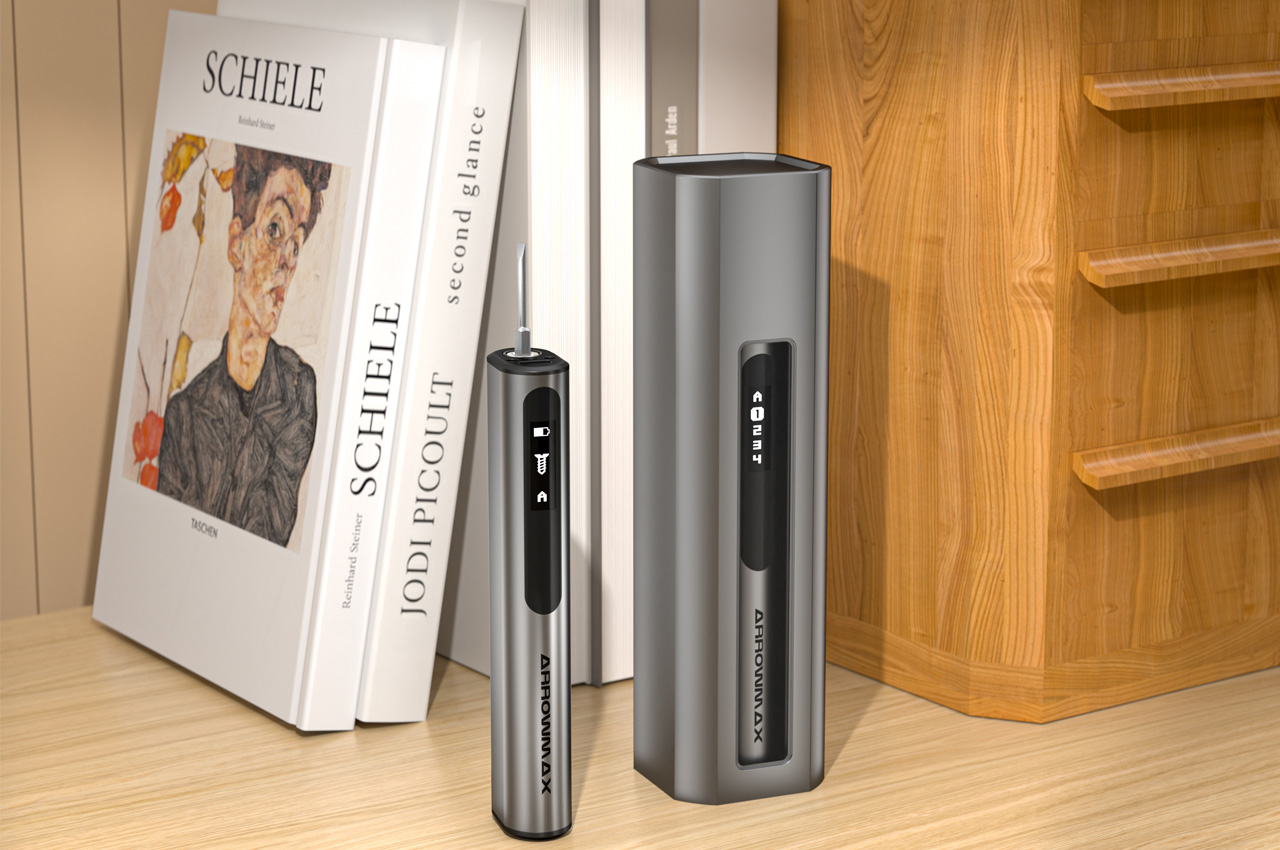
The M1 Pro trades the usual screwdriver handle design for an ergonomic oval body – made from aluminum alloy – improving grip and control. The tool’s compact size permits a precise distribution of weight to reduce hand fatigue during prolonged usage. M1 Pro doesn’t just stop at versatility; it takes performance to a new level with a revamped circuit board, a powerful motor, and control software to meticulously execute touch and motion-activated controls, providing a seamless and efficient user experience.
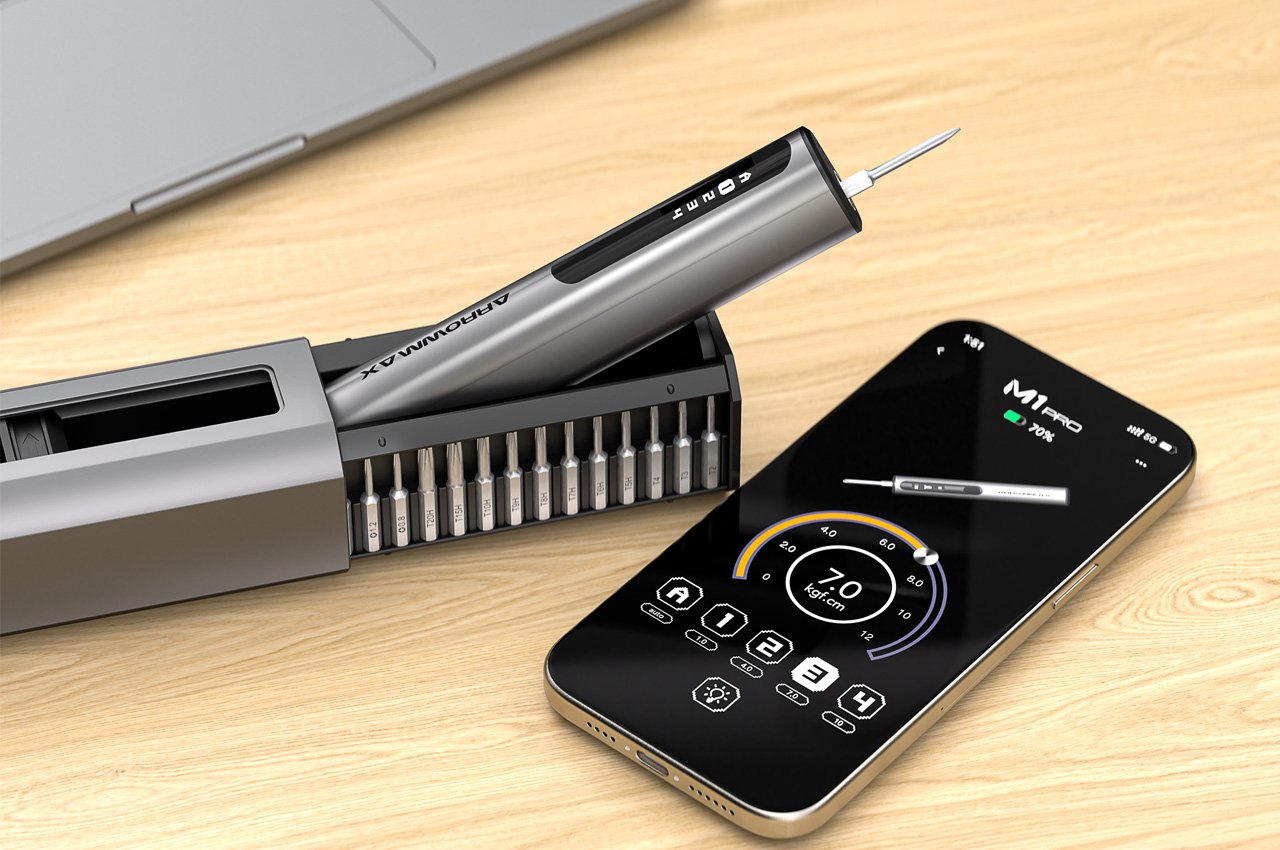
One of the standout performance features of the M1 Pro still is its ability to function within five-torque modes: the first is A (Auto) mode, where torque is decided by manual or gesture control feature and the other four torque levels range between 1 – 10 kgf.cm. The screwdriver also comes with integrated shadowless LED lights that illuminate the work area, allowing you to even operate in low-light situations without needing someone to hold a torch. The multiple torque modes and shadowless lights have remained one of Arrowmax’s most prized features, so it’s no surprise that they make it to their latest flagship.
It’s not all manual doing here. You can control the torque settings wirelessly with the M1 Pro’s mobile app, available on Google Play, Apple App Store, and Arrowmax. For added smartness in the process, Arrowmax has equipped the M1 Pro with a proprietary Smart Motion Control system (SMC), which allows the screwdriver to be gesture-controlled by the direction you twist your wrist. The motor automatically adjusts torque and direction based on the angle of your hand rotation. Using the app, however, you can customize torque settings for each of the modes, and enjoy the convenience of automatic saving as well. The screwdriver saves the settings you’re working in to resume in the last used mode even after being switched off. And since Arrowmax understands that its tool will be required and should adapt to every situation equally, it can transition to manual mode when electric mode lacks sufficient power, and you continue working without losing a second.
M1 Pro is equipped with fast Type-C charging
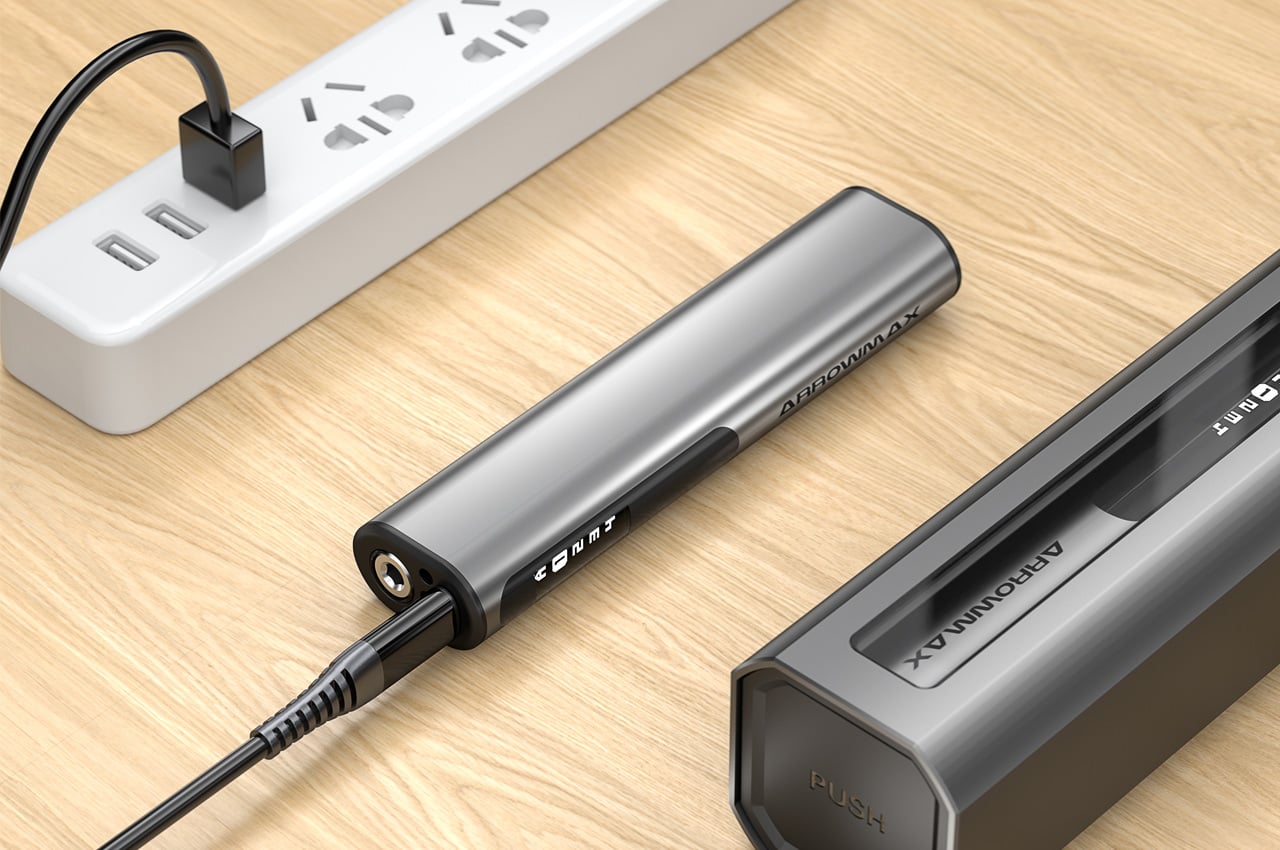
The M1 Pro’s effectiveness of the torque and its performance are governed by the built-in 600mAh LiPo battery. This gives the screwdriver a working time of 90 minutes. To put that into perspective, the M1 Pro should be able to tighten or loosen over 900 screws on a single charge. Charging is handled by a Type-C fast charging cable that juices the unit fully in 100 minutes. The tool has a rubber back cover to help with battery replacement without any professional assistance.
M1 Angle Screw – precision at a new angle
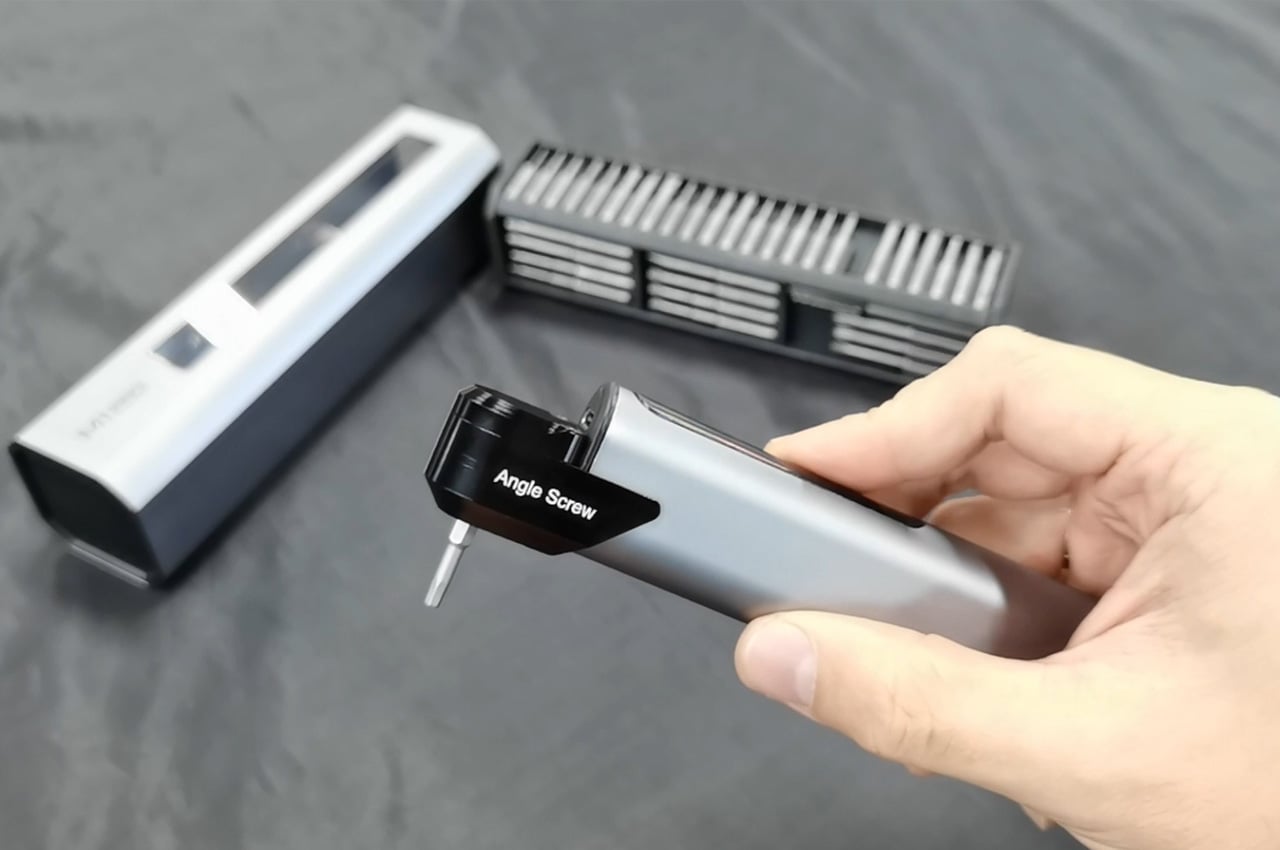
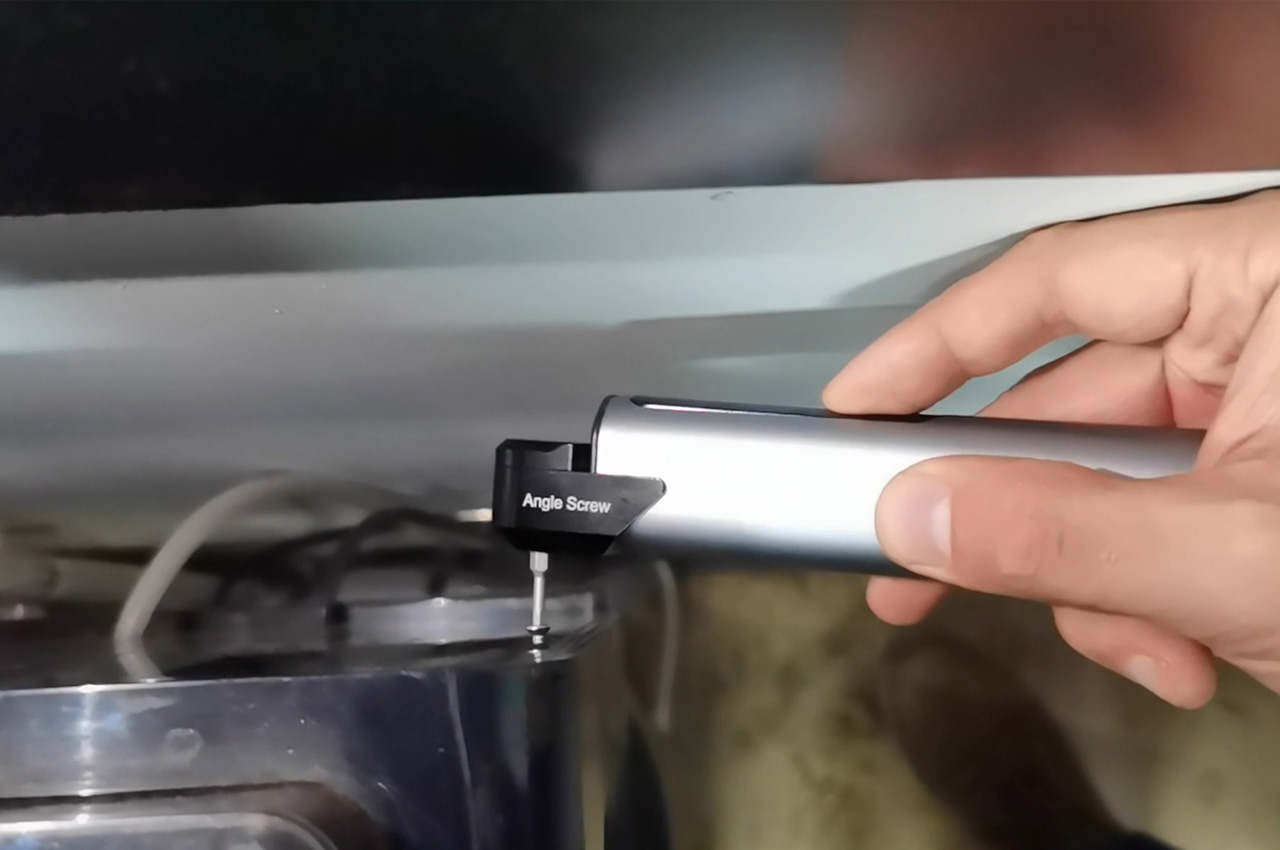
The resourcefulness of the M1 Pro really takes a prominent twist with the interesting M1 Angle Screw you get with the M1 Pro Plus edition. Crafted from CNC-machined 7075 aerospace-grade aluminum and featuring steel gears, the special Angle Screw attachment is designed to negotiate tight spaces and challenging angles with ease of maneuvering and working on screws in upright and straightforward positions. The whole Arrowmax M1 Pro package is delivered in an aluminum storage box, again CNC-machined for durability and sheer precision. The M1 Pro box organizes bits efficiently with a magnetic compartment inside so you can remove and snap them back seamlessly during an efficient operation or a creative endeavor.
This versatile tool provides exceptional performance and precision for a wide range of tasks
The M1 Pro also comes with a standard M1 variant, which has the same number of drill bits, the same 10 kgf.cm torque output, torque modes, and battery capacity. The only features it lacks are the Smart Motion Control system (that lets the screwdriver automatically identify torque and rotating direction with your wrist movements), Bluetooth control, and a capacitive-touch display. The touchscreen display gets replaced with a button-operated interface and a smaller screen, like the ones seen in Arrowmax’s previous devices. The M1 starts at a respectable $59 discounted price, while the M1 Pro boasts a price tag of $89 (36% off its original $139 price). Both the M1 and M1 Pro ship globally, making them perfect a perfect addition, nay upgrade, to your existing DIY toolkit!
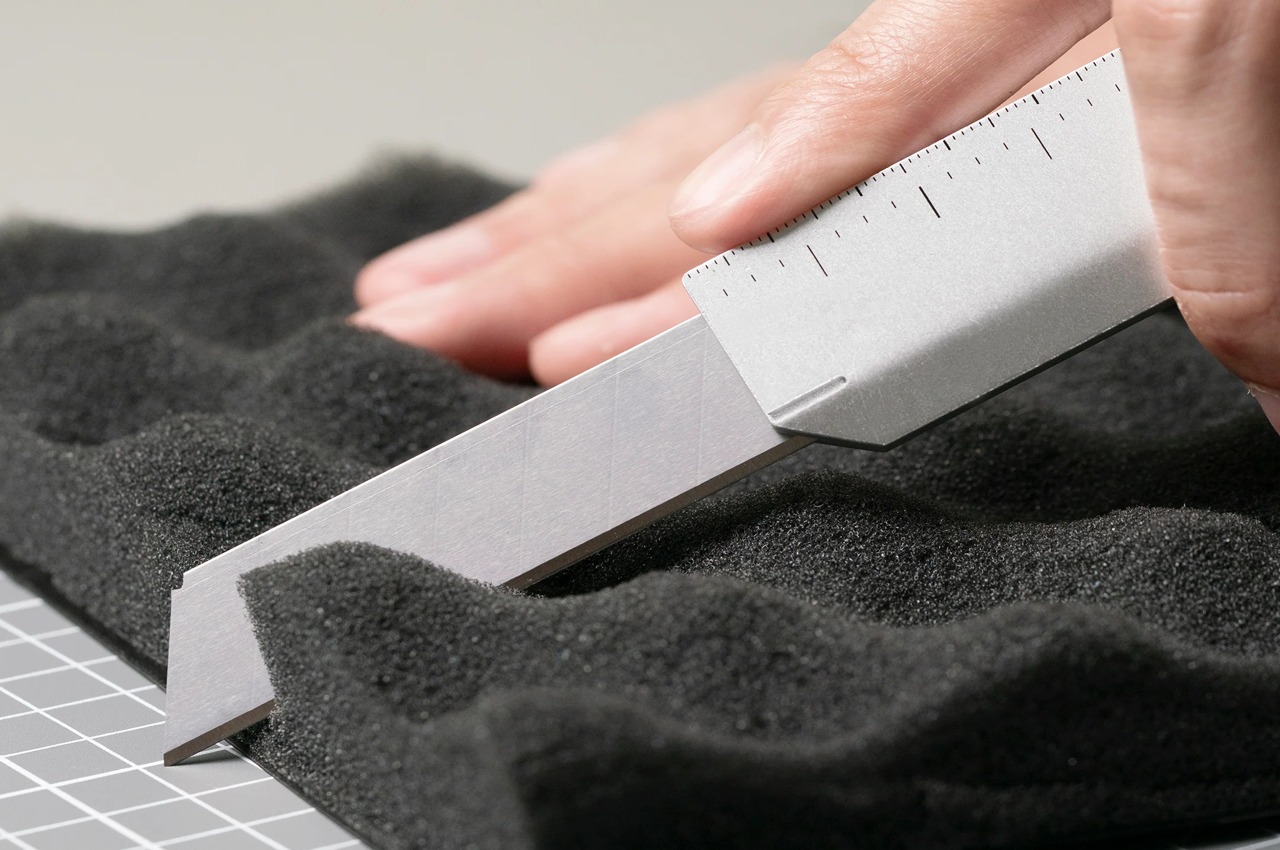
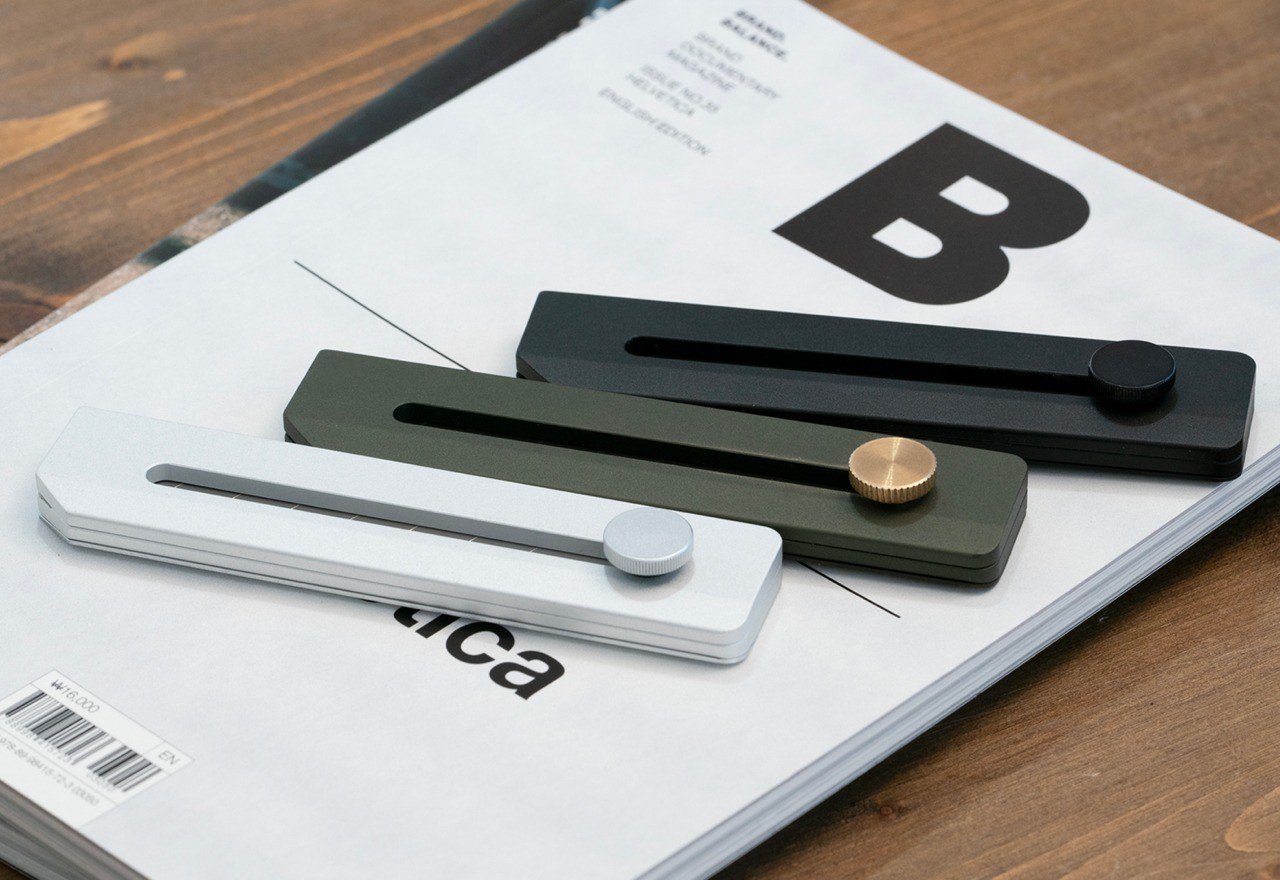
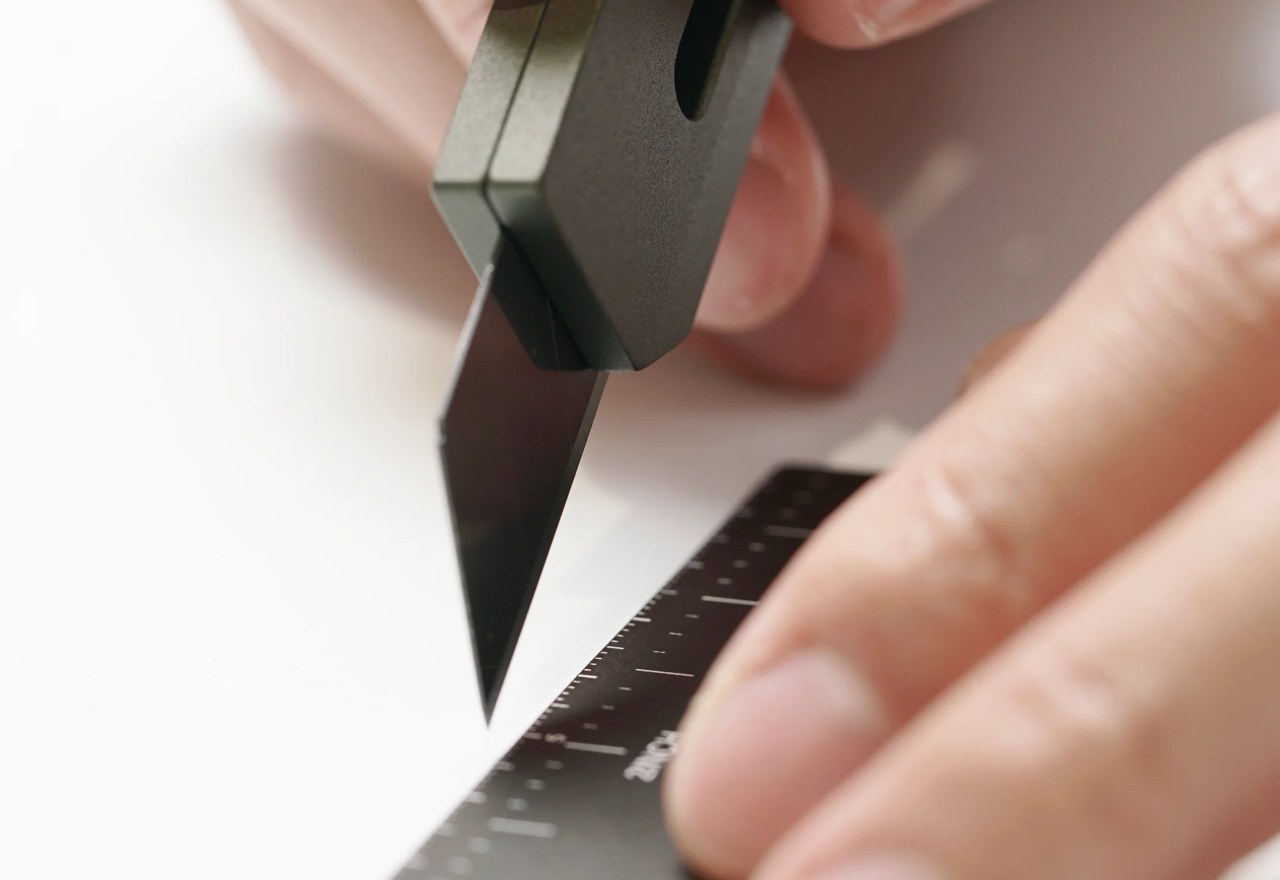
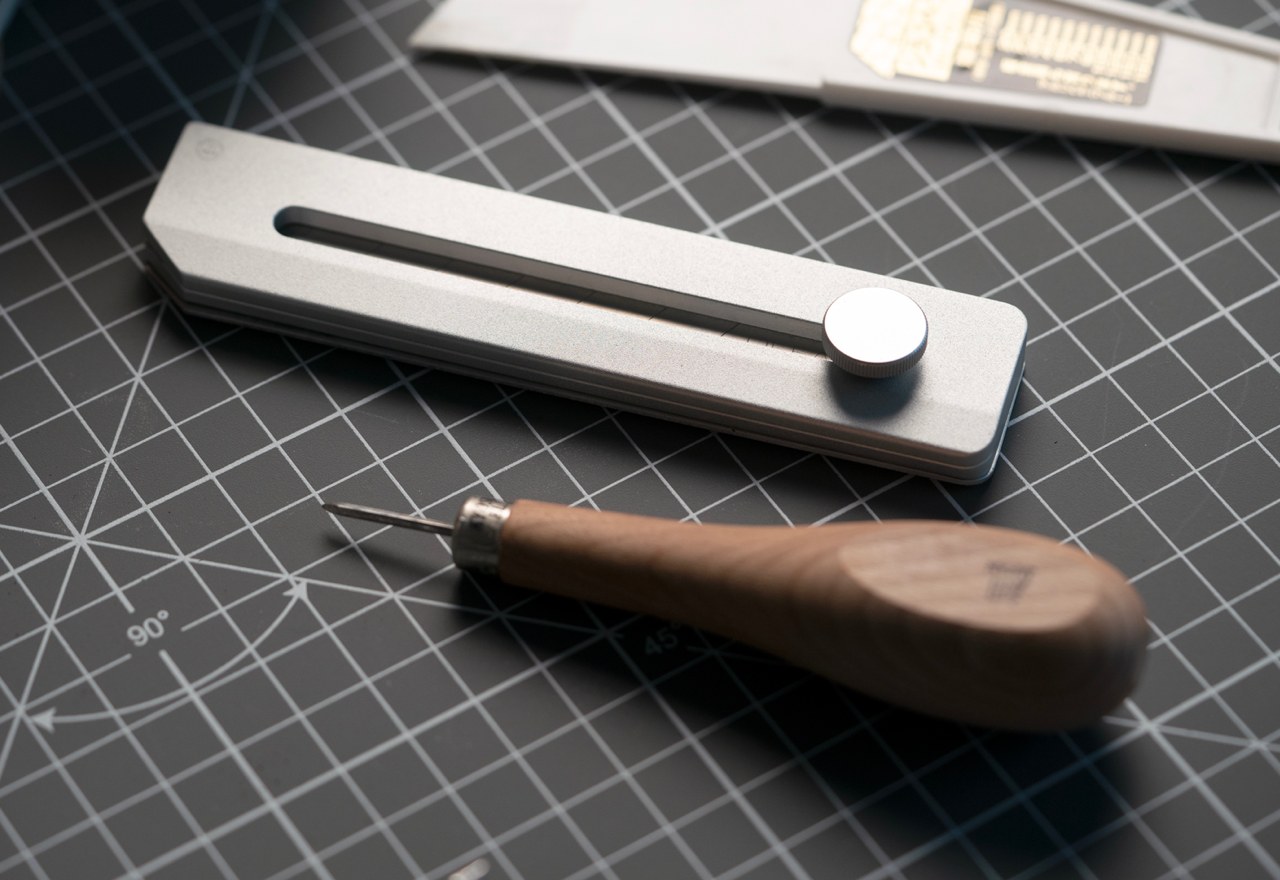
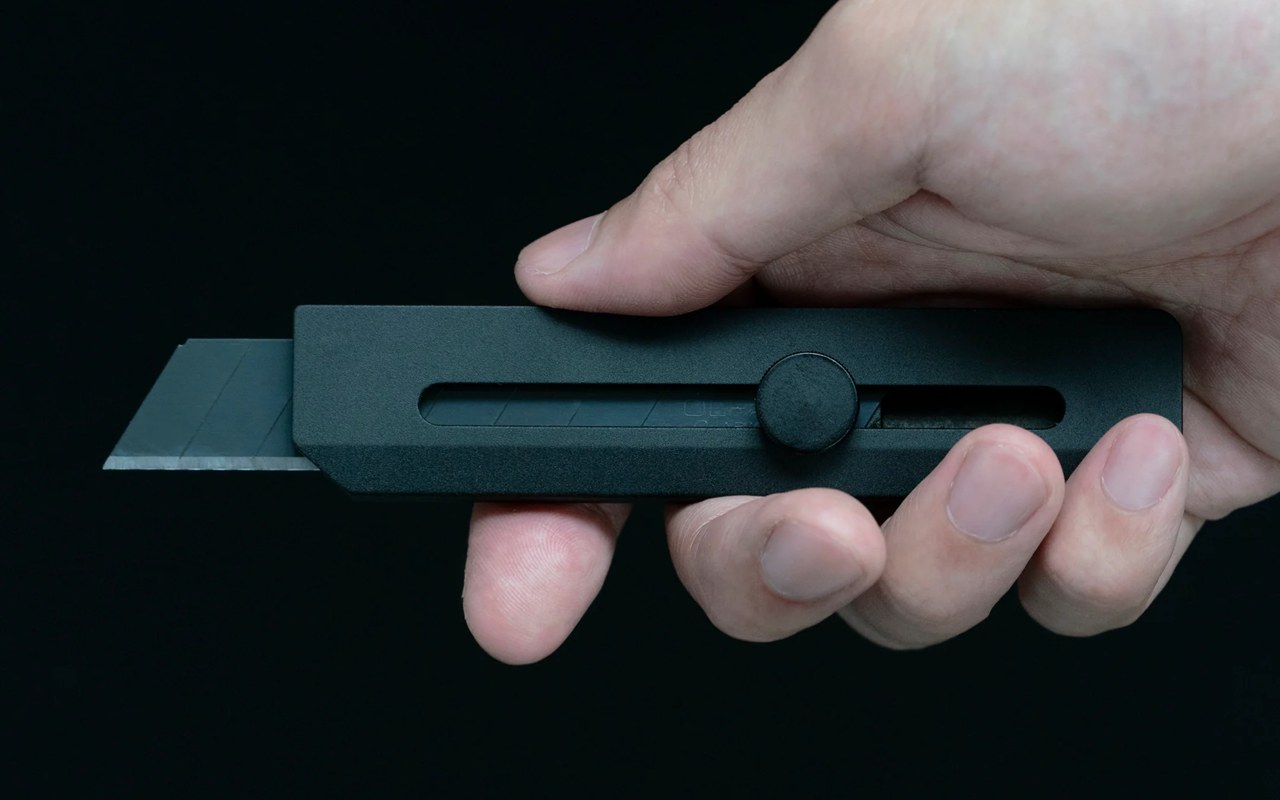
The Utility Knife gets major props for how simple and sophisticated it looks, but how it cleverly masks functional details into its minimalist design. Styled like your everyday paper cutter, the knife comes with a gorgeous all-metal body, coupled with a textured knob that lets you deploy and lock the blade. The metal handle is weighted and grippy enough for a comfortable, accident-free cutting experience, and also hides within it a slick metal scale that you can detach and use independently to either cut/draw straight lines or measure linear distances.
OLFA Snap Knife – Using the wide blade from OLFA, it’s easier to perform the cutting, slicing and trimming with top safety and solid control.
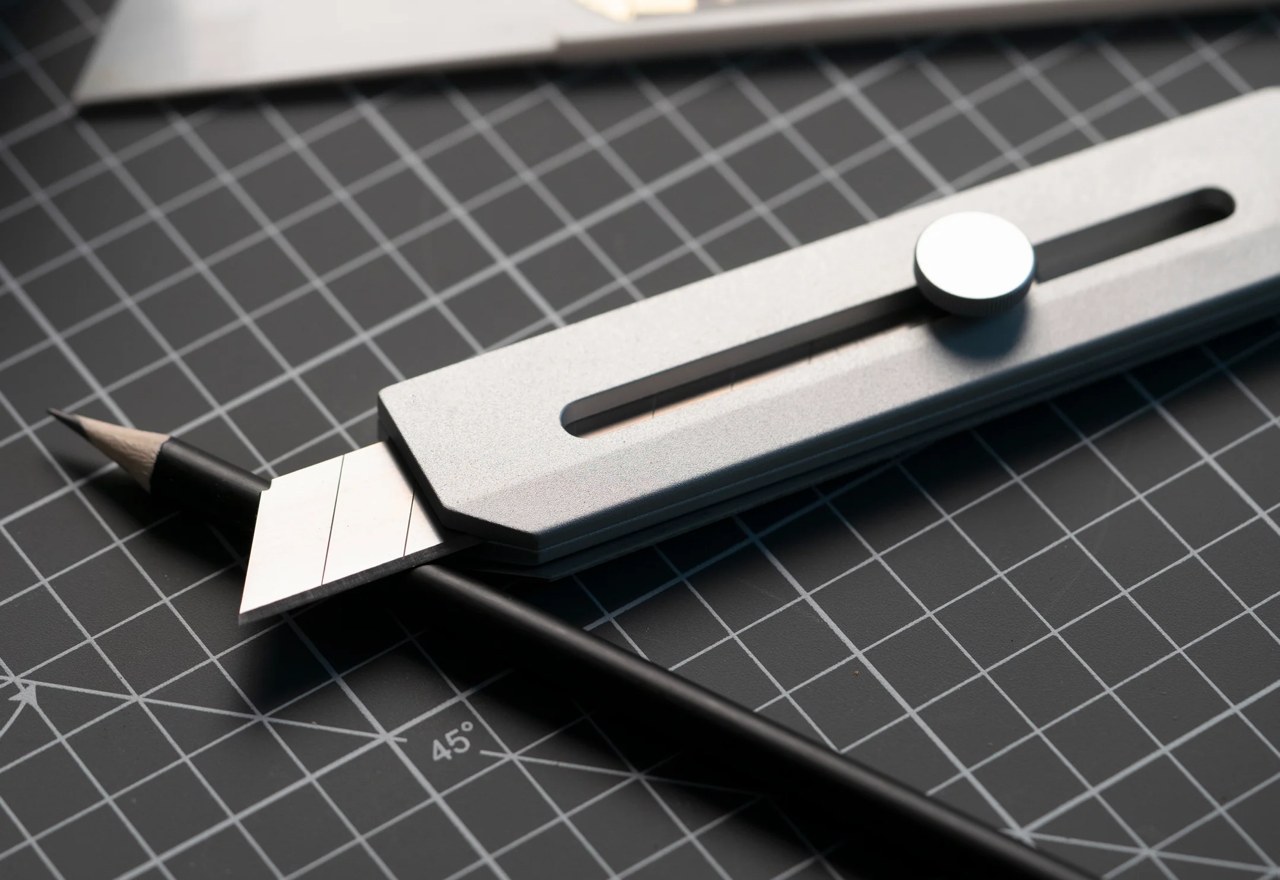
The Utility Knife sports a CNC-machined metal body that’s 8mm thick, and long enough to hold your standard OLFA blade. The CNC-machined handle ensures a kind of perfection you wouldn’t get from most paper cutters made of plastic. The blade’s enclosure and opening are all machined to absolute perfection, allowing the blade to slide through with zero difficulty and be operated without any of that wobble you’d find in imperfectly manufactured plastic-handled cutters.
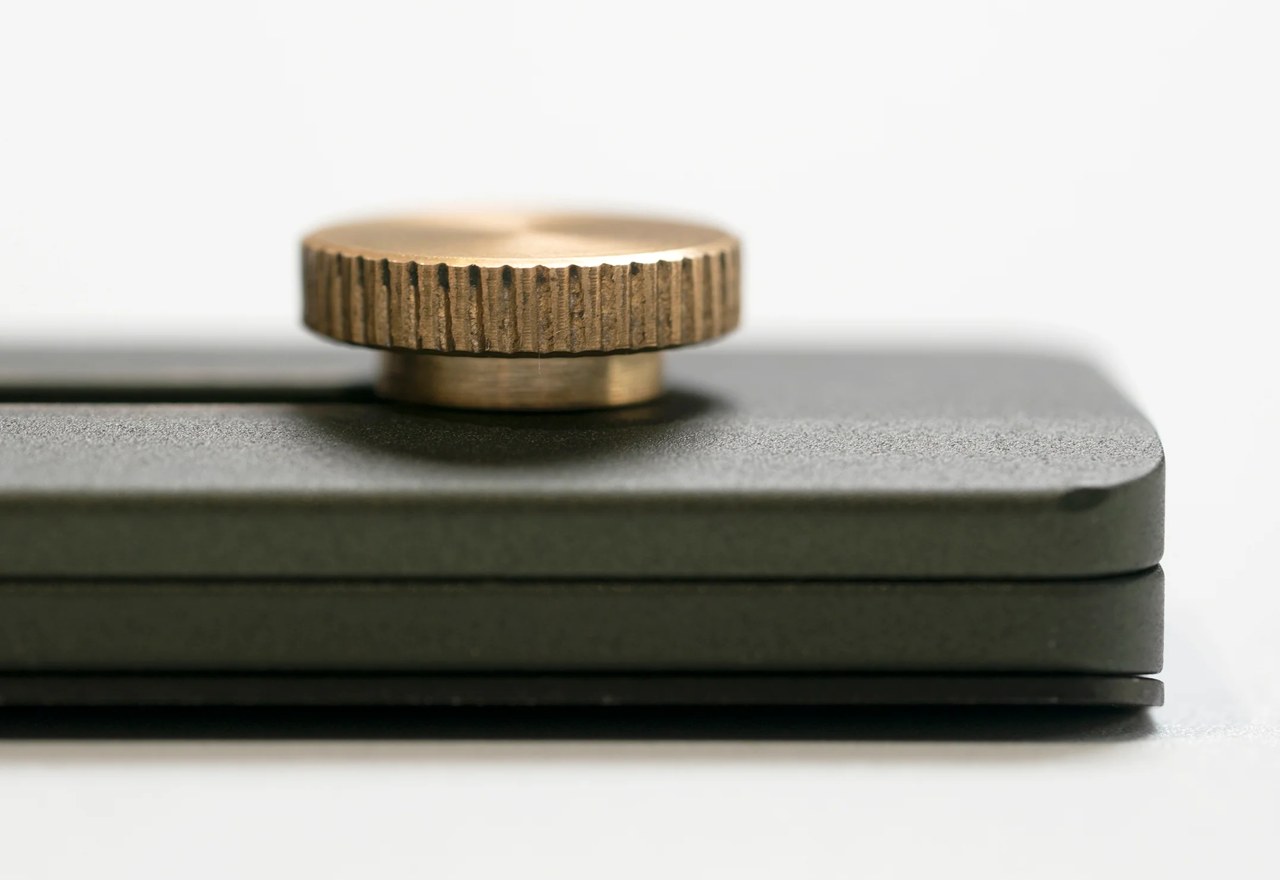
A metal slider knob controls the blade itself. Rotate the slider to tighten or loosen the blade, before sliding it in or out. The experience is satisfyingly smooth thanks to the metal-on-metal interaction, giving you a cutter that feels vastly more enjoyable to use than something you’d use in school as a kid.
The knife’s opening sports a 45° chamfered edge that allows the blade to safely exit through, making it visible so you don’t end up hurting yourself. The 45° slant also allows you to use the knife to open boxes easily while resting it on that surface, so you don’t risk cutting too deep into the box and damaging what’s inside.
However, the story doesn’t end there! The knife’s back surface is designed to be magnetic, making it easy to stick onto magnetic boards, fridges, and metal cupboards, but more notably, it’s the docking point for the Utility Knife’s companion – its metal scale. The scale snaps satisfyingly into place, docking onto the knife so it’s always conveniently within reach.
15° Curvature Ruler – Prevent your finger from being cut when cutting and you’ll be able to pick it up easily from any surface.
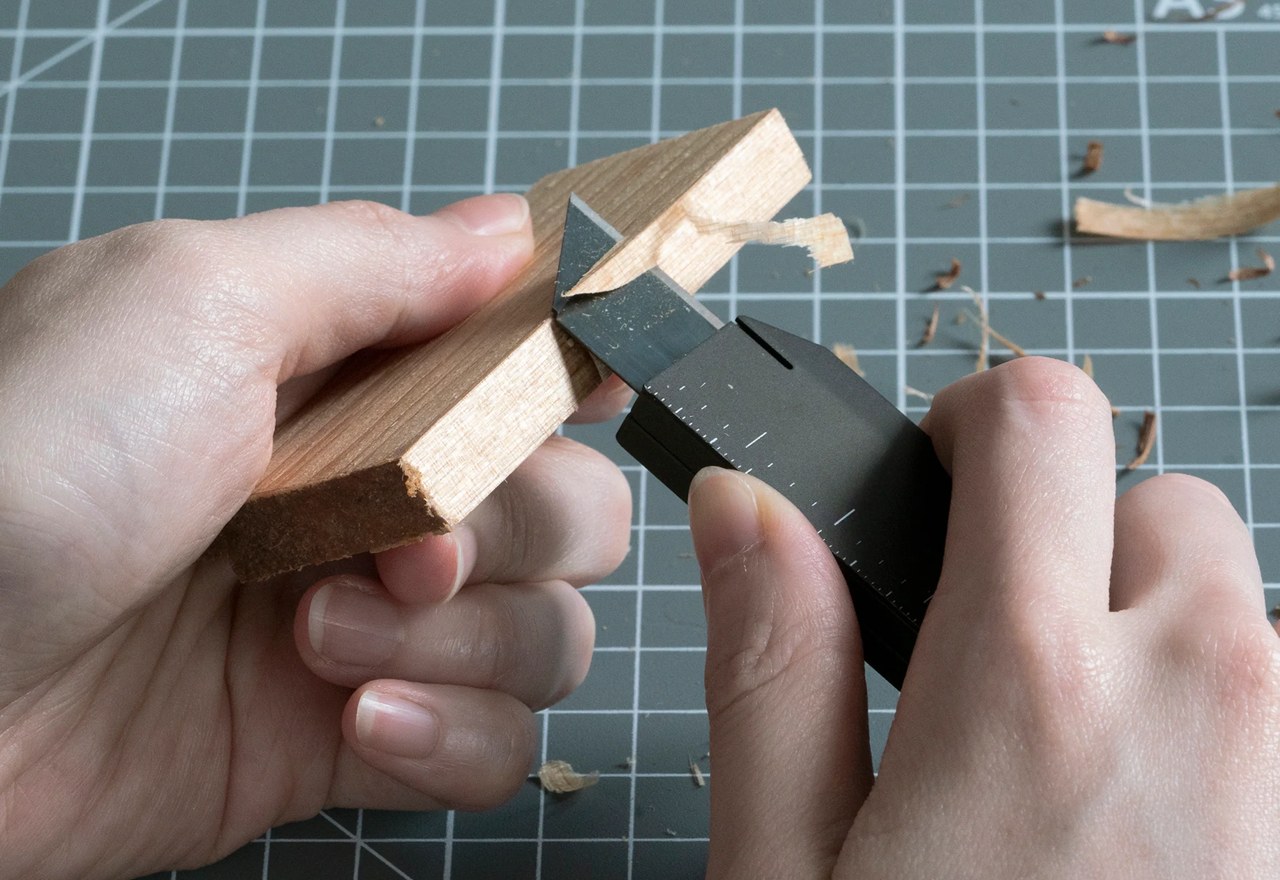
Blade Snapper – Snap off the blade with the special design in the tip of the ruler.
Its all-metal design means you can use it alongside the knife to cut straight lines (without worrying of damage as you would with a plastic or wooden scale). The scale comes with both imperial and metric measurements, and has a slightly tilted edge that makes it easy to grip and lift off flat surfaces. Finally, a slit in the top of the scale serves as a blade-breaker, allowing you to snap off blunt parts of the OLFA blade to reveal a fresh sharper edge.
Together, the knife and scale make a surprisingly handy combo. Although designed for stationery-adjacent use, the knife serves EDC-based roles rather well too, and the scale is perfect for tiny measurements on the fly. The fact that the Utility Knife uses OLFA blades means you’ve always got a sharp edge at hand, and you don’t need to worry about manually sharpening blades like you would with regular EDC. The only thing missing is a nice lanyard hole or a leather carrying strap, but hey, maybe I’m being pedantic…
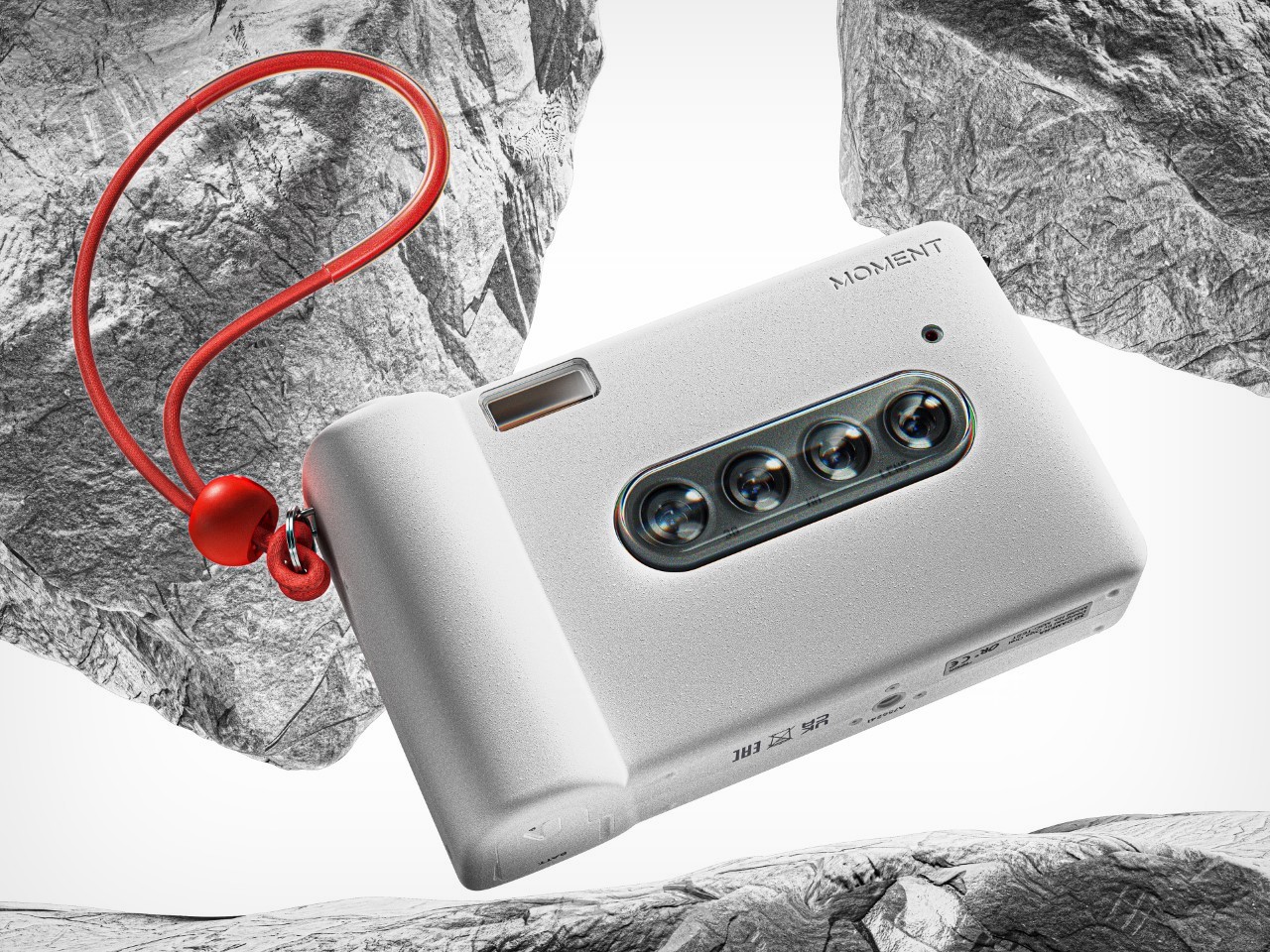
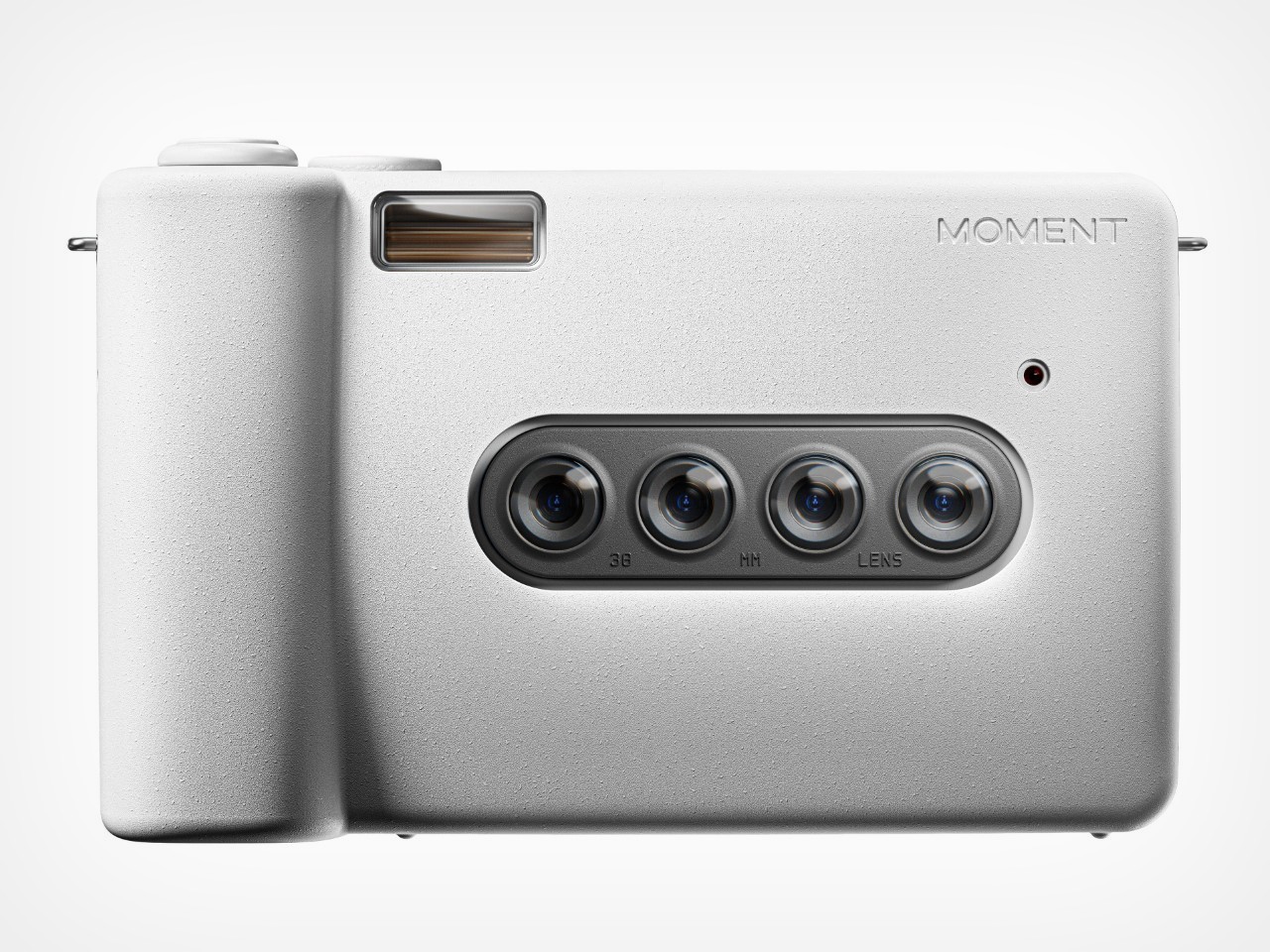
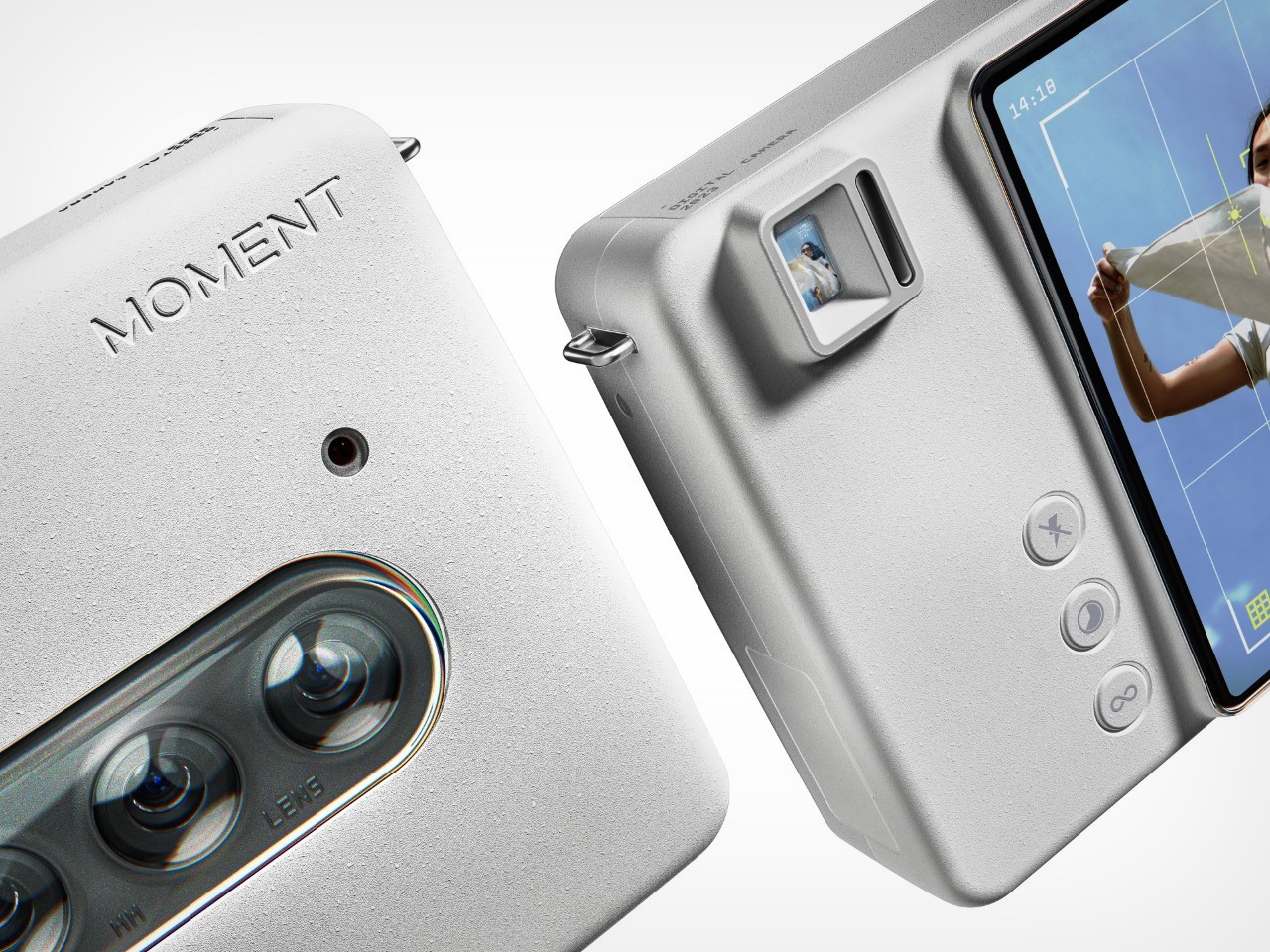
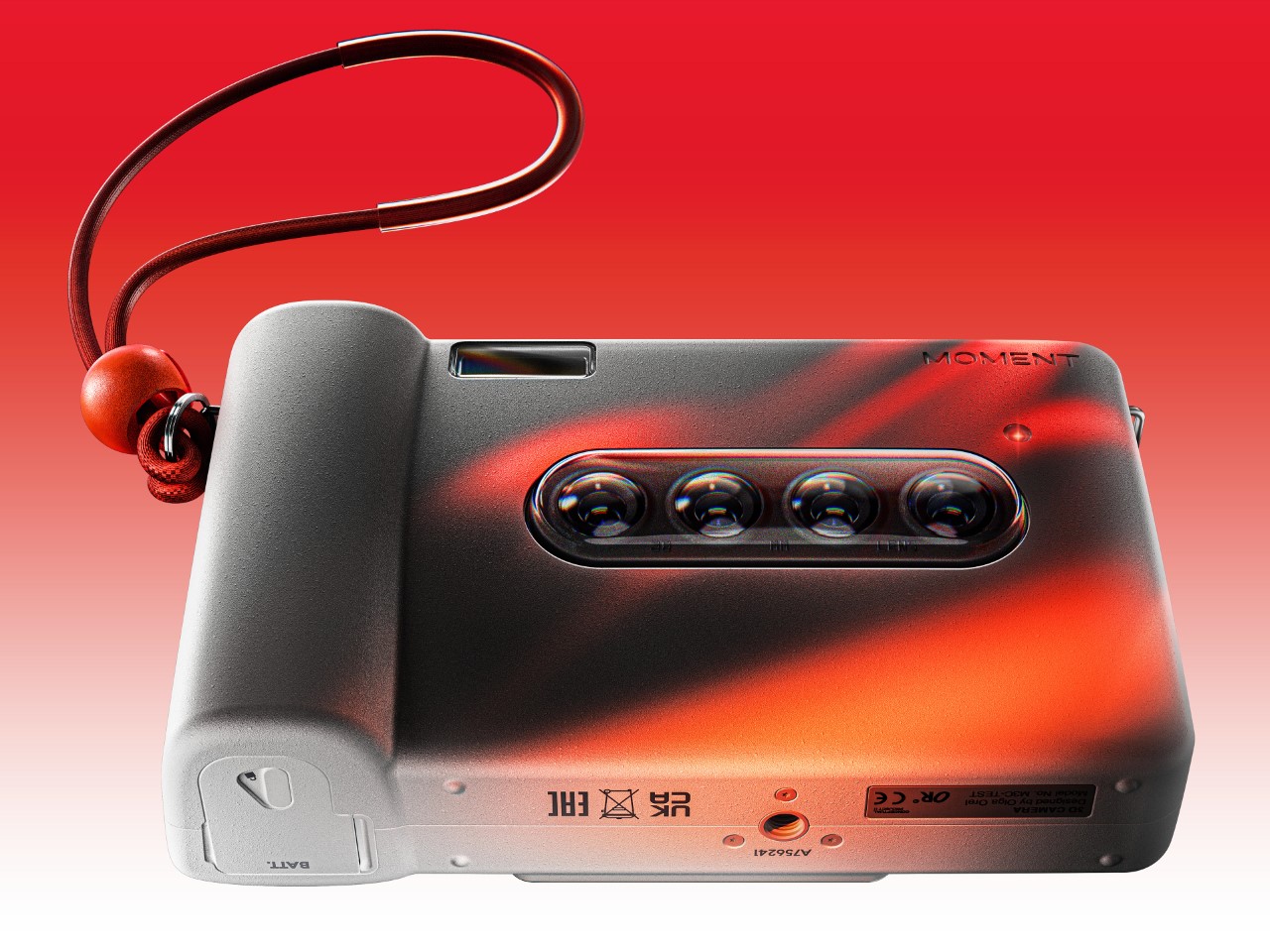
For hundreds of years, photographs have been the dominant way of capturing memories. Whether of historic events or family gatherings, it’s almost a ritual to take out a camera and snap a picture, freezing a memory in time… but there’s one thing these pictures seem to miss – depth. In fact, Apple addressed this exact shortfall when they announced Spatial videos on their Vision Pro device (and even the latest iPhone 15 Pro), but there’s really no need to spend upwards of $3000 to capture memories more immersively. Multi-lens cameras with 3D shooting capabilities have existed for a while now (the Nishika N8000 or the Kodak Stereo Camera come to mind), but the Moment 3D Camera reinvents and reinvigorates the category. While previous cameras shot 3D images on film, the Moment 3D Camera does it digitally, relying on a linear array of 4 lenses that simultaneously take photographs to capture parallax, which our brain perceives as depth.
Designer: Olga Orel
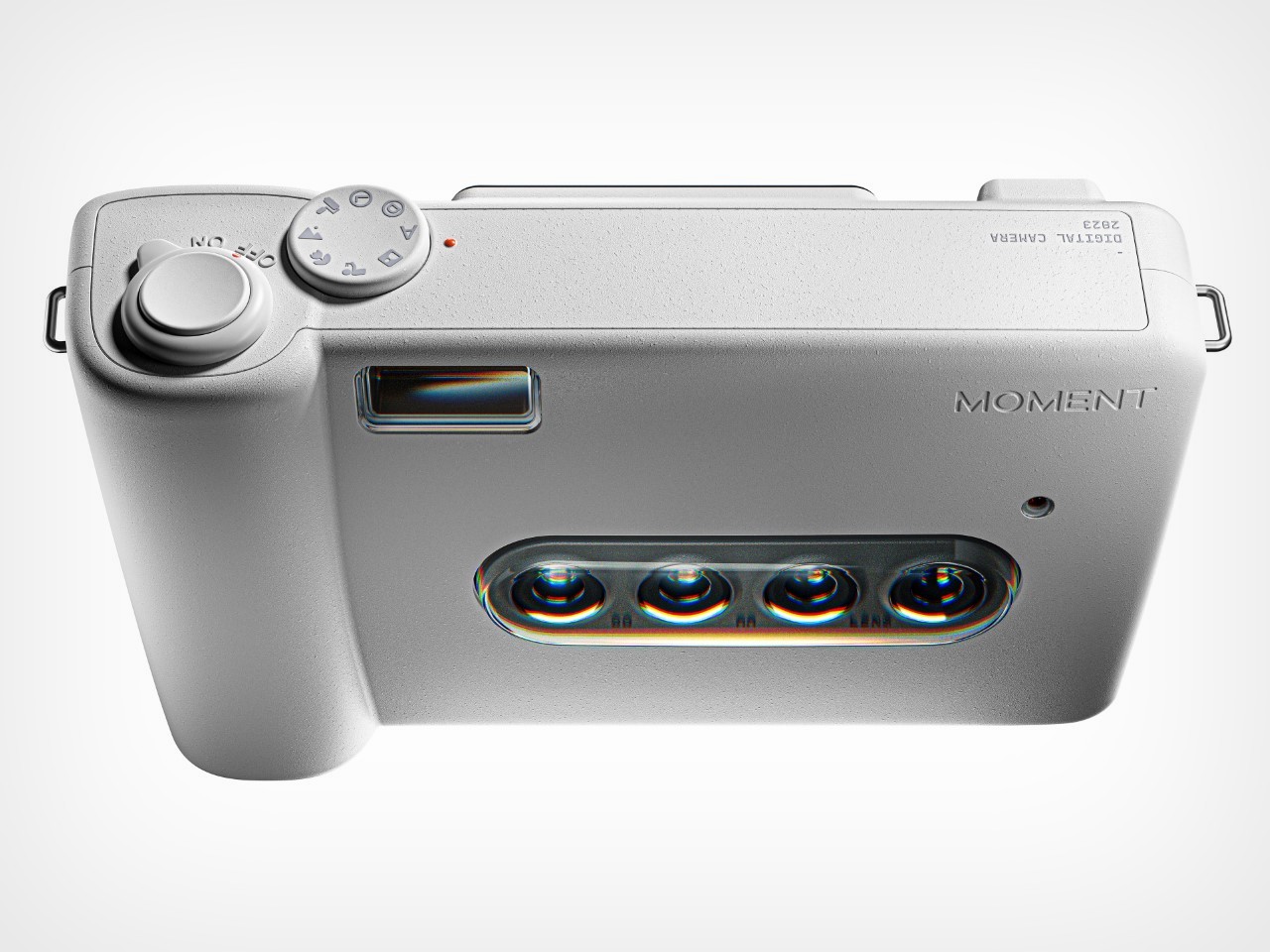
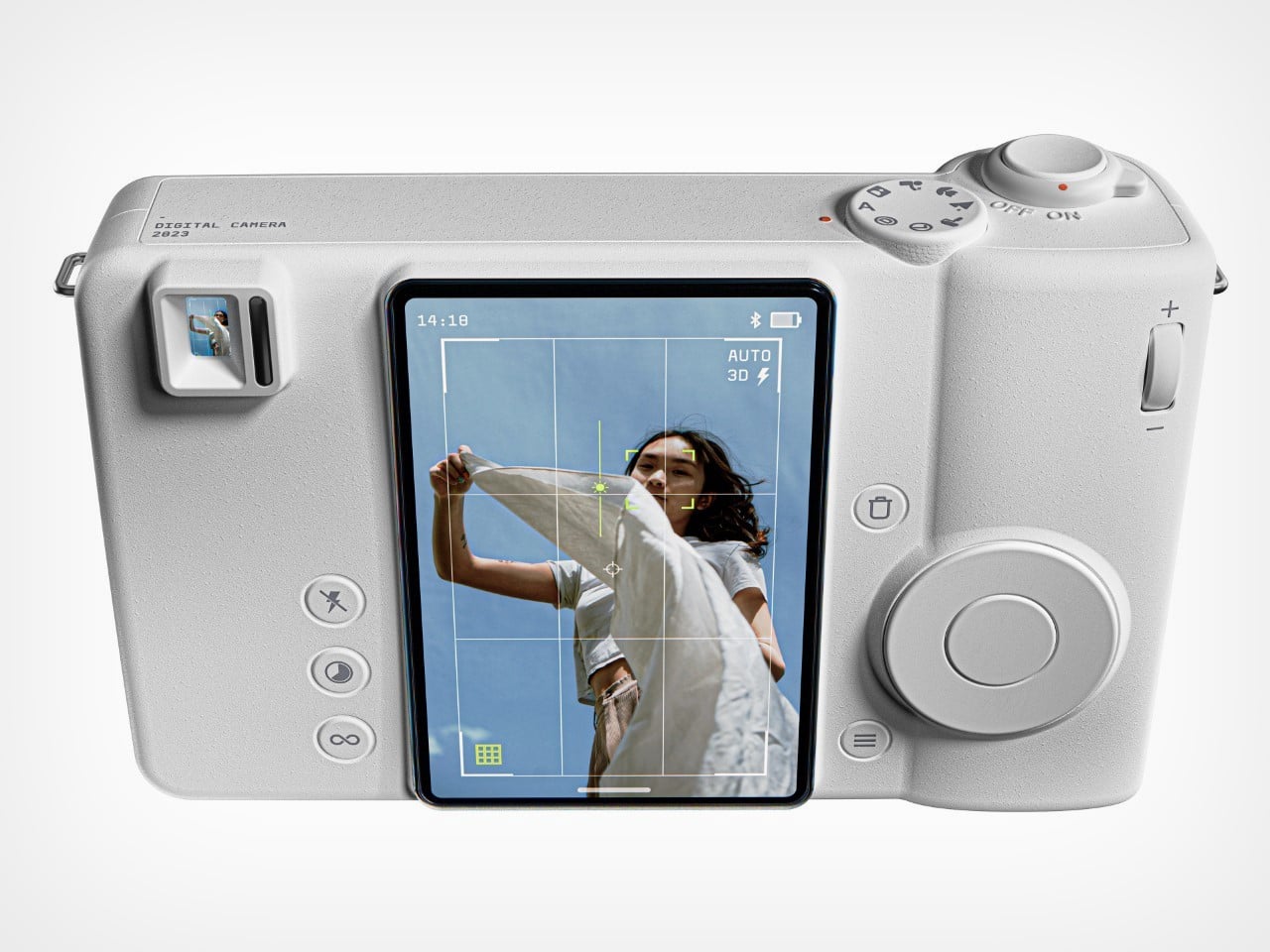
Simply put, the Moment camera freezes a moment in time, capturing 4 different angles to make it look more immersive, and frankly a lot more cooler than a regular photograph. A series of 38mm lenses work in tandem to take photos at the exact same time, which are then presented on the camera’s viewfinder display. The images are showcased as GIF files,panning from left to right to create a trippy sense of depth. Bet your Polaroid can’t do that…
“I discovered old cameras such as Nishika N8000 and Nimslo from the 1980s made by various companies with the same idea of stereography. They were quadrascopic (four lenses) cameras designed to produce four half-frame images from a click of the shutters. Lenticular prints could be made from the negatives,” says Olga Orel, the designer behind the Moment 3D Camera. “Unfortunately, the demand for these products was low due to people losing interest while waiting for the prints, which could take weeks and by some accounts, months to return to the consumer. You have to understand, these cameras were introduced BEFORE we knew anything about GIFs or JPEG files!”
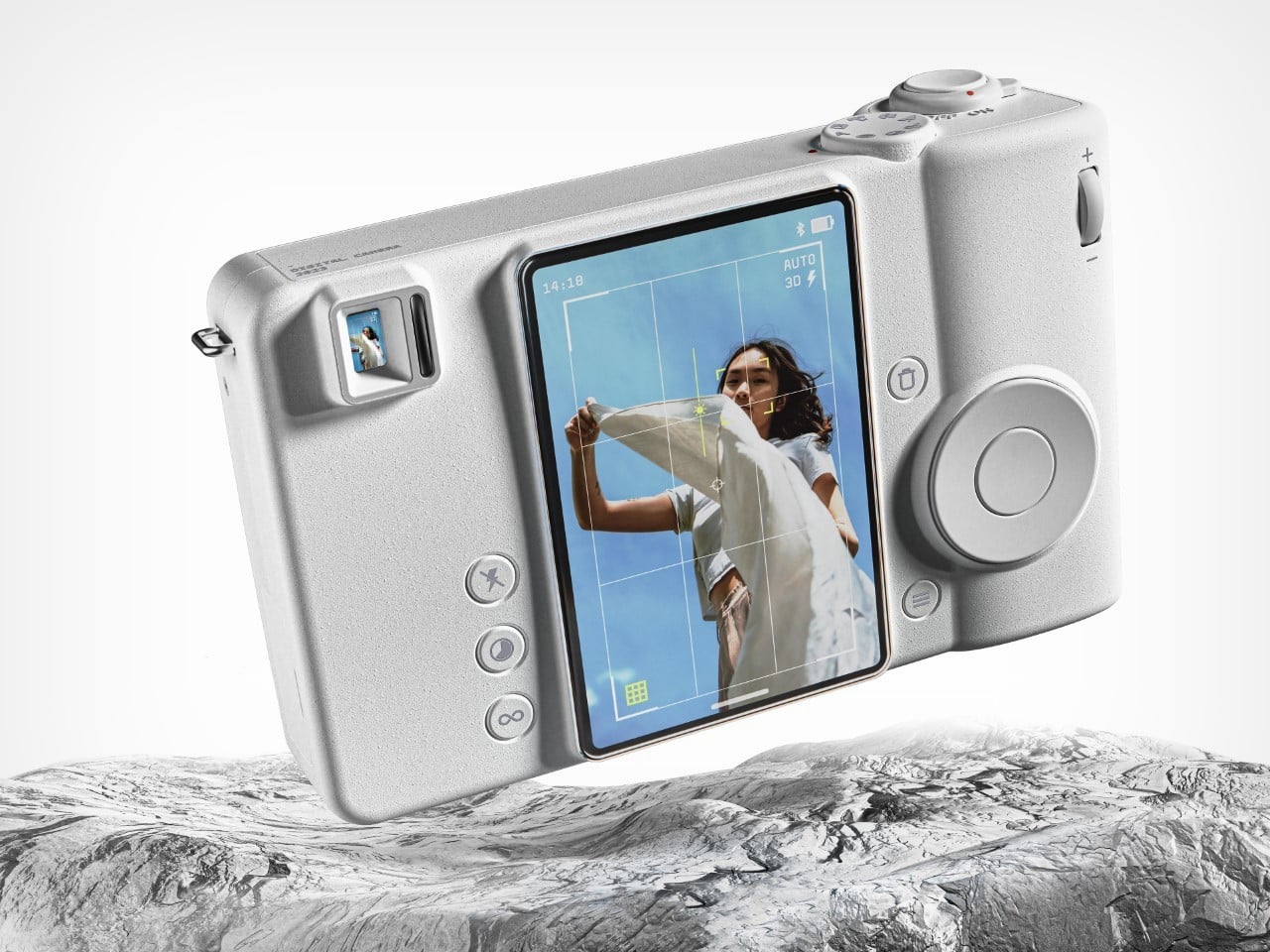
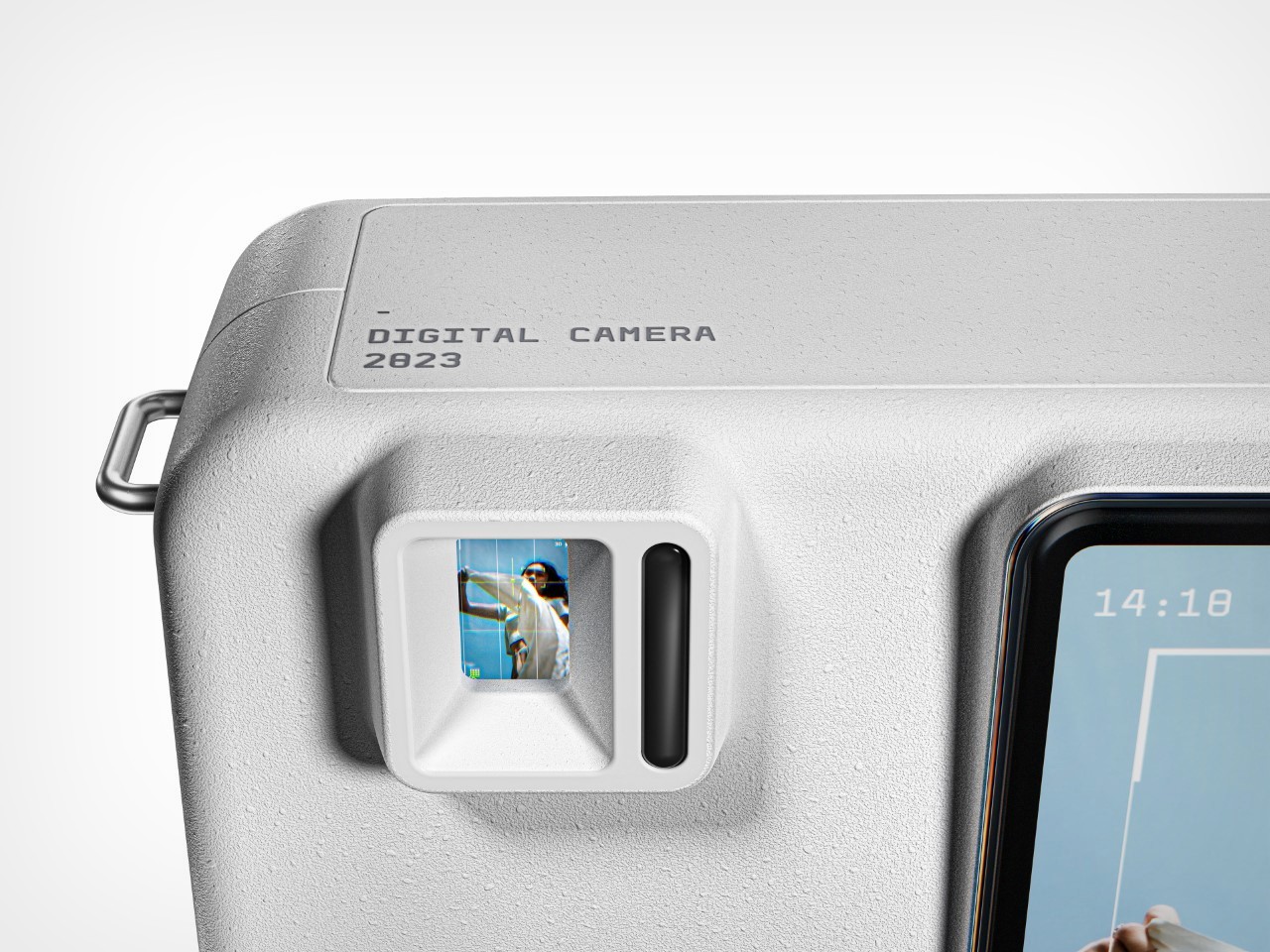
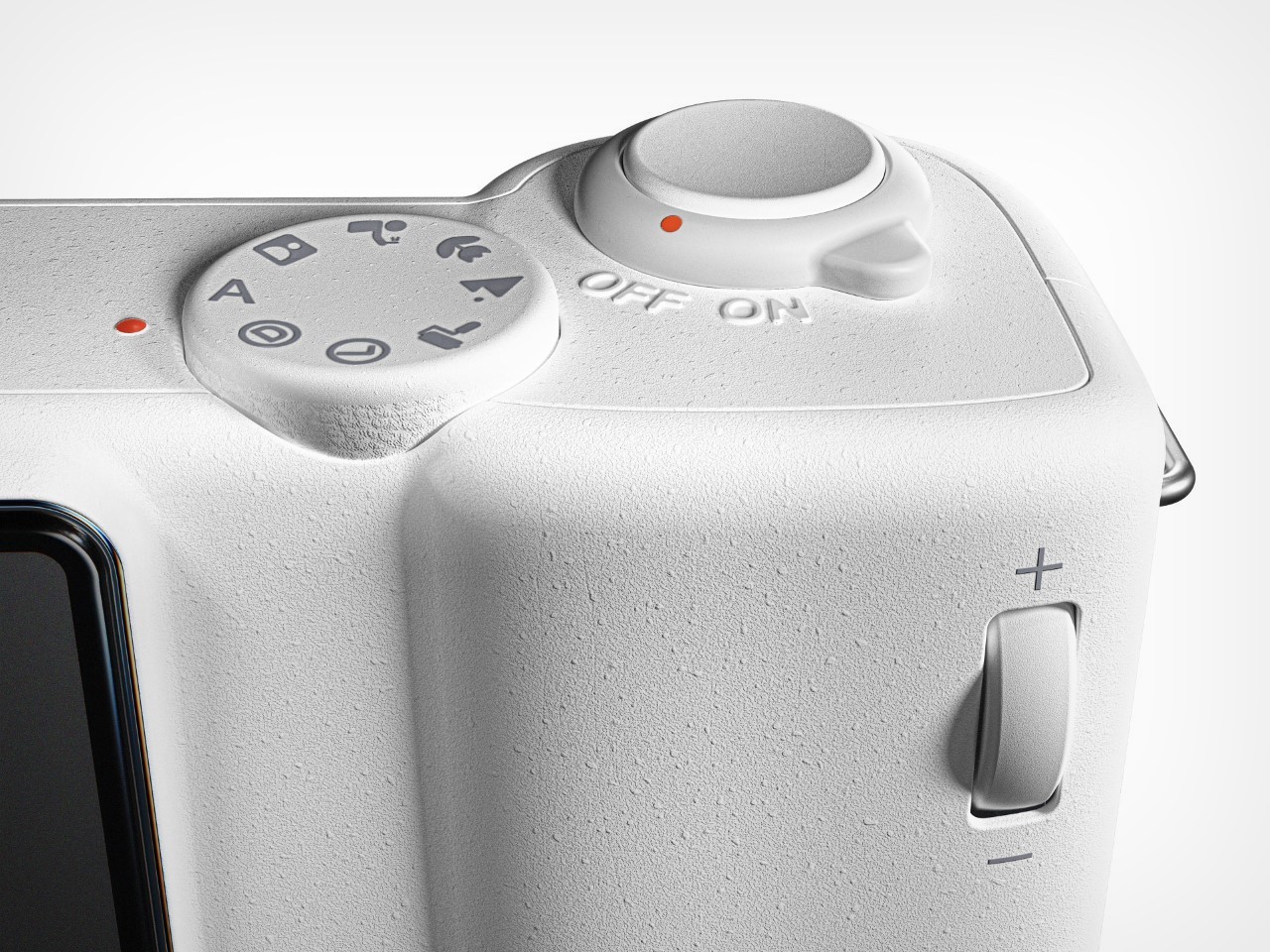
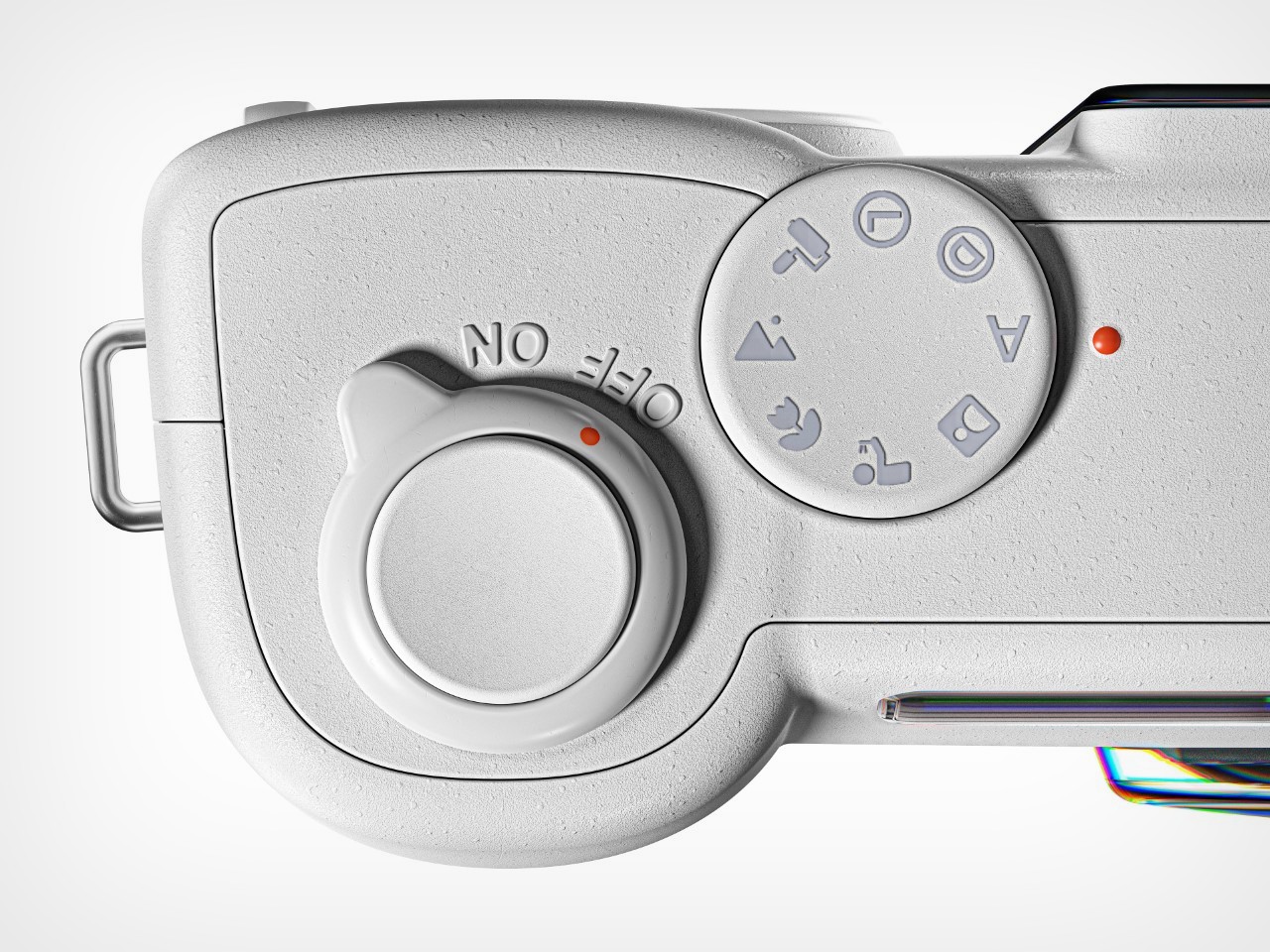
Designed to look and function like a regular camera, the Moment’s multi-lens system gives you a new way to shoot photos without really having to learn anything. Point, look into the viewfinder, and hit the shutter button and the camera does the rest. A viewfinder lets you compose your shot, although there’s also a touchscreen display you can look at. The camera has zoom functionality, a flash, and the ability to toggle between modes, letting you choose whether you’re shooting humans, sceneries, or even macro shots of objects up-close.
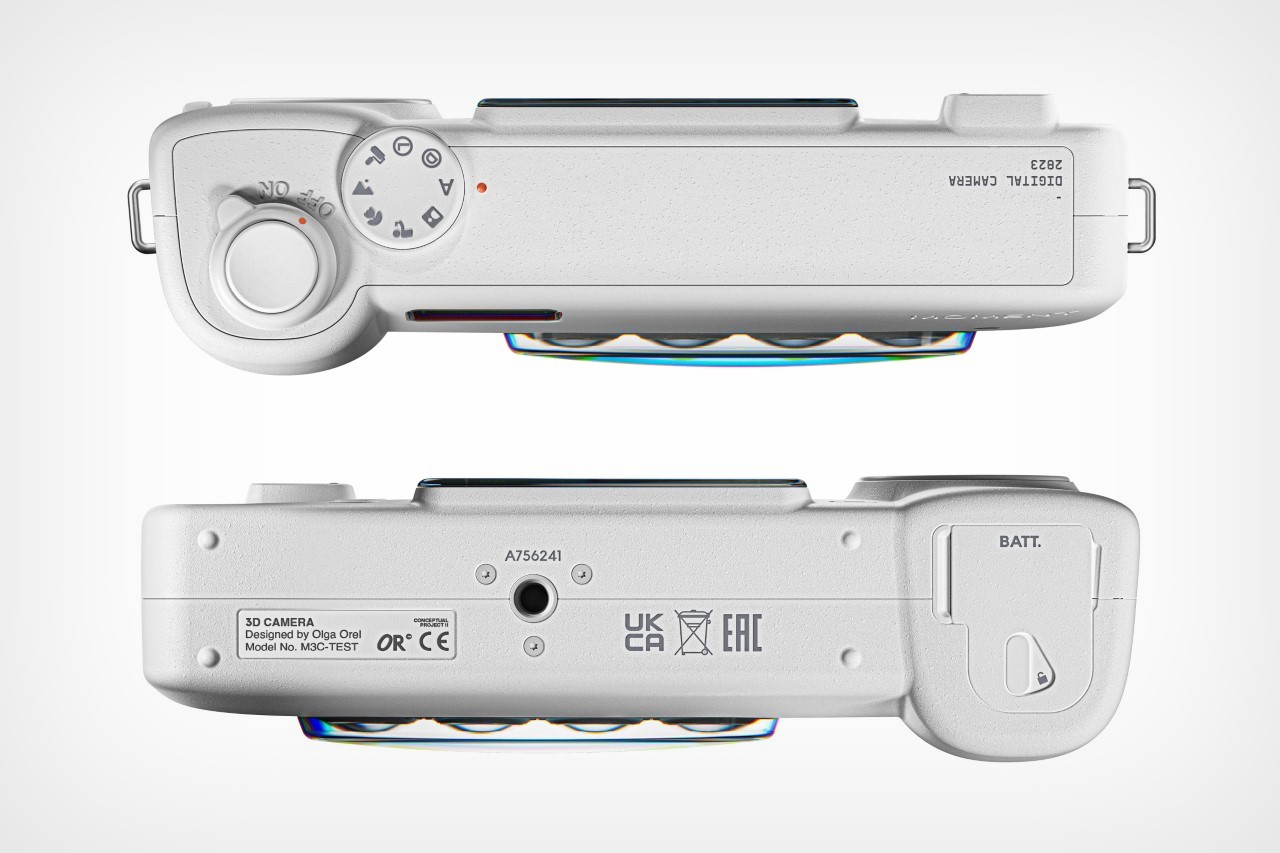
Notably, images get captured in a vertical portrait orientation only. The photos you capture are displayed on a vertical touchscreen interface where you can crop and edit media, as well as view photos/GIFs clicked previously. You can even set timers for selfies, and a tripod mount on the bottom proves exceptionally handy when you want to click photos hands-free.
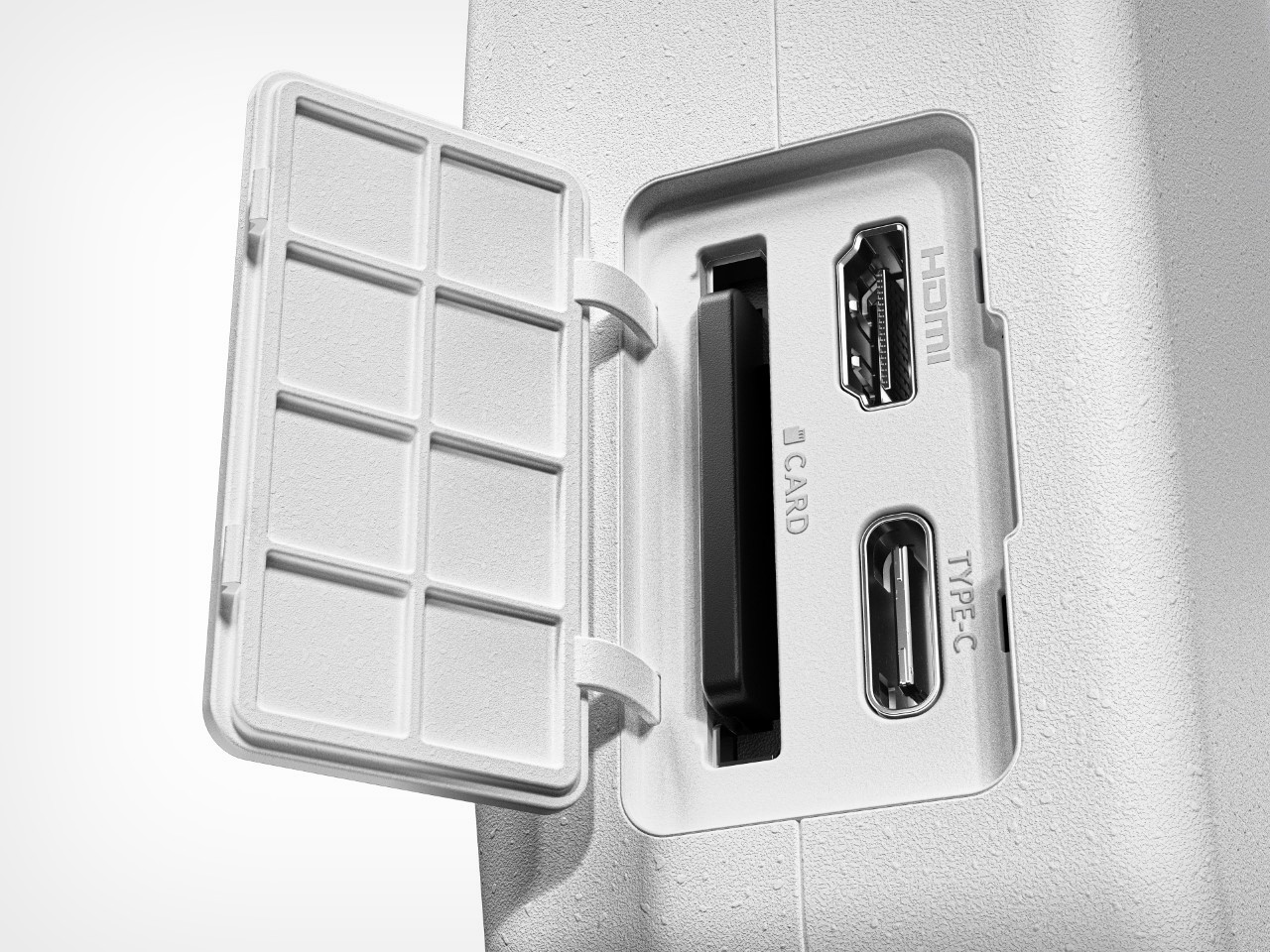
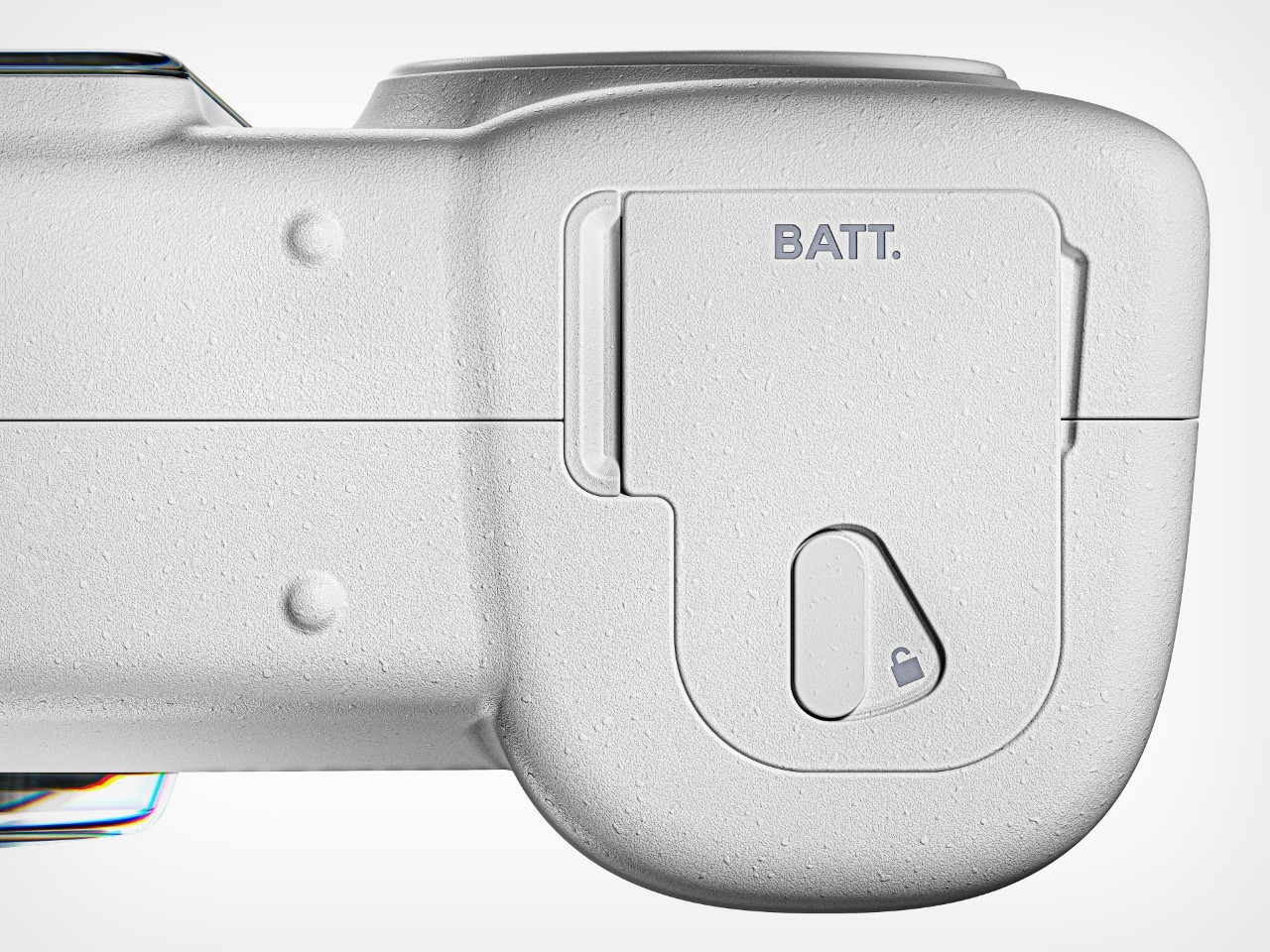
Images get saved onto an SD card, although you can directly hook your Moment 3D camera to an external display through its HDMI port too. Moreover, a USB-C port lets you connect your camera to devices like your laptop, tablet, or phone, and even lets you charge your camera too. Meanwhile, like any handheld shooter, the Moment 3D Camera has a removable battery on its base that you can hot-swap like most photographers would, giving you the ability to freely and confidently shoot 3D images and GIFs as you would regular photos!
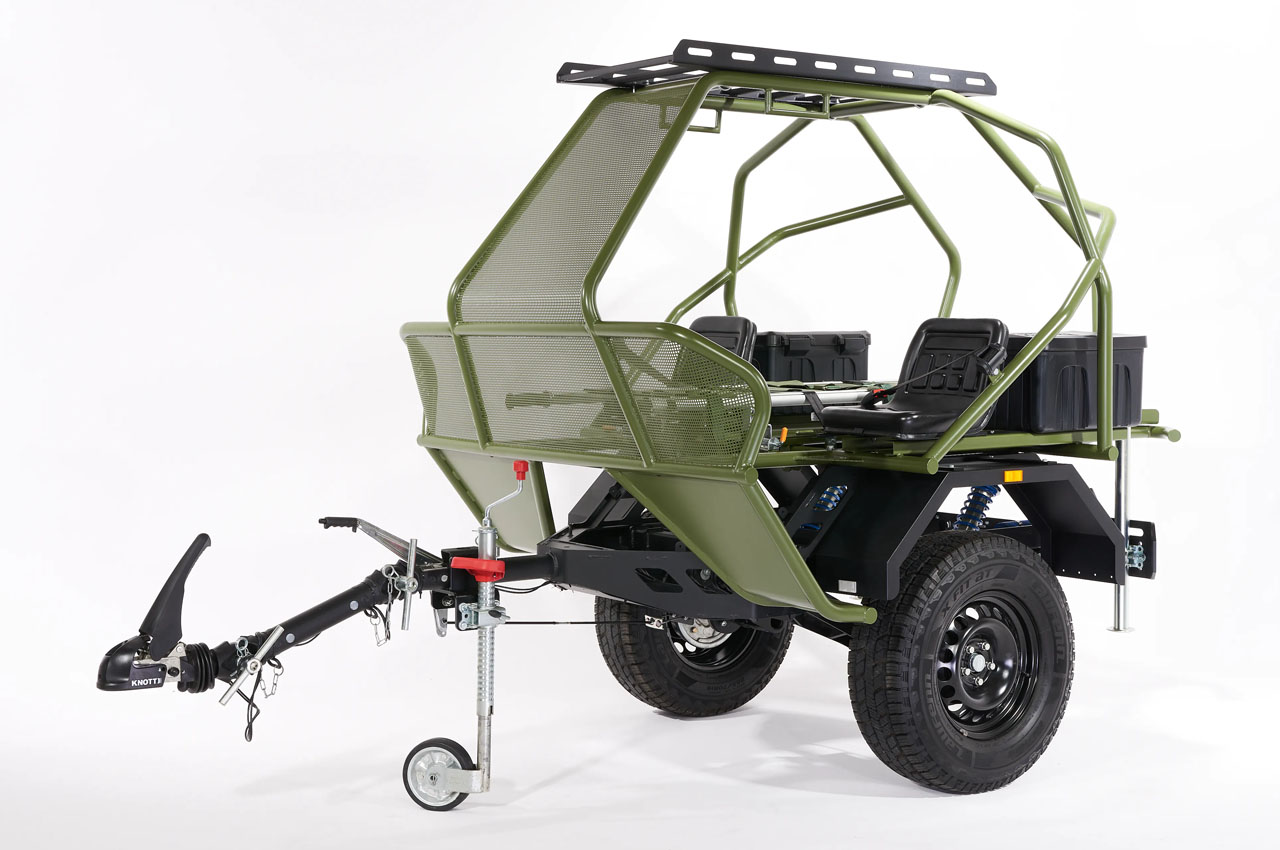
Dire situations bring out the best in humans. And war-torn Ukraine has been a reason for many lifesaving inventions that are not only helping here but also opening new avenues in places where the need may arise. One such creation is the Life Chariot: a lightweight offroad trailer for combat rescue and evacuation. Designed without typical emergency lighting and anything like the MEDEVAC vehicles, we usually see in evacuation missions, the rescue trailer is inspired by the ongoing conflict in Ukraine and its growing demand for healthcare and evacuation vehicles.
This Life Chariot is developed by Polish industrial designer, Piotr Tluszcz, who, recognizing the hardships of Ukrainian medics (trying to rescue lives from the war-shattered areas), wanted to build an all-terrain solution to help them with their evacuation missions. The Life Chariot is therefore made lightweight and comes with Da Orffo off-road suspension to make it easier and safer to rescue the wounded than in the truck, which the Ukrainian medics do at the moment.
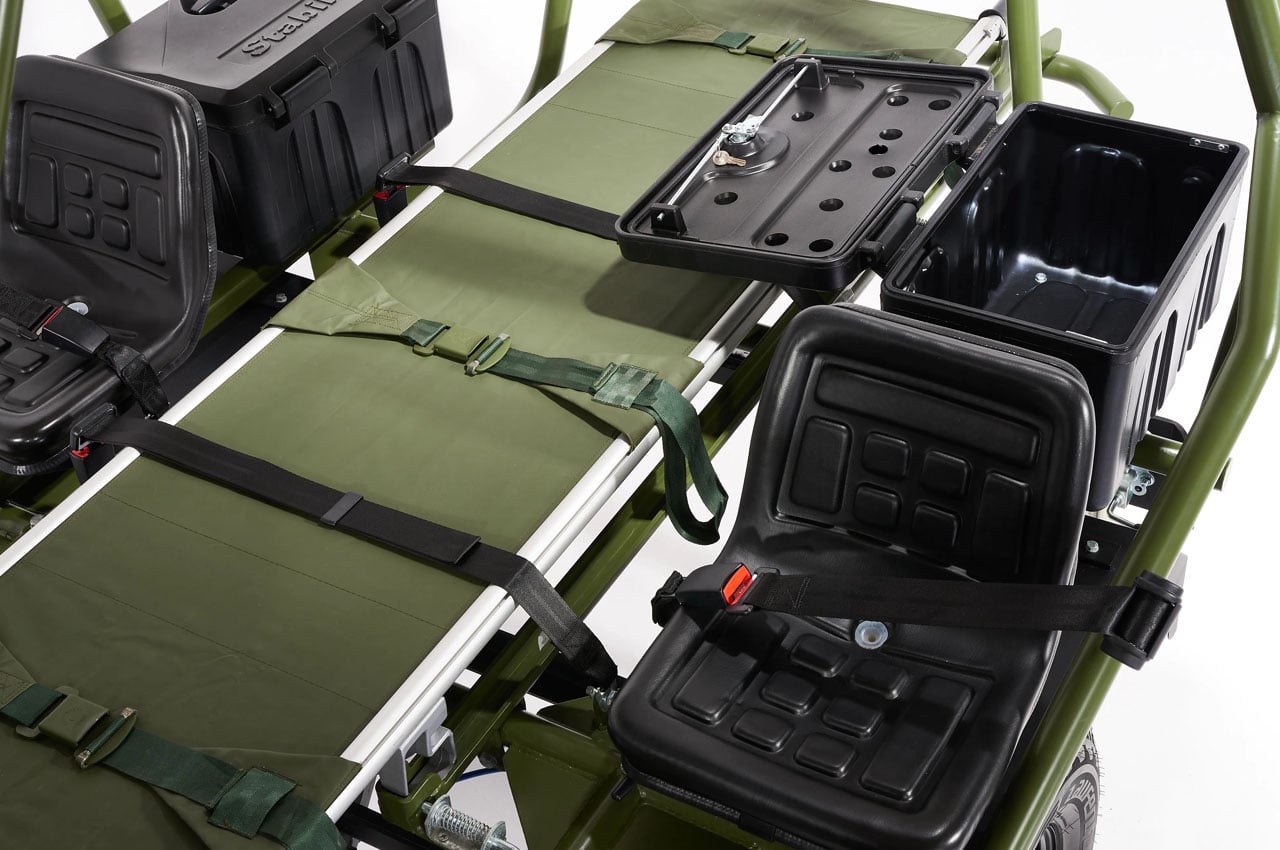
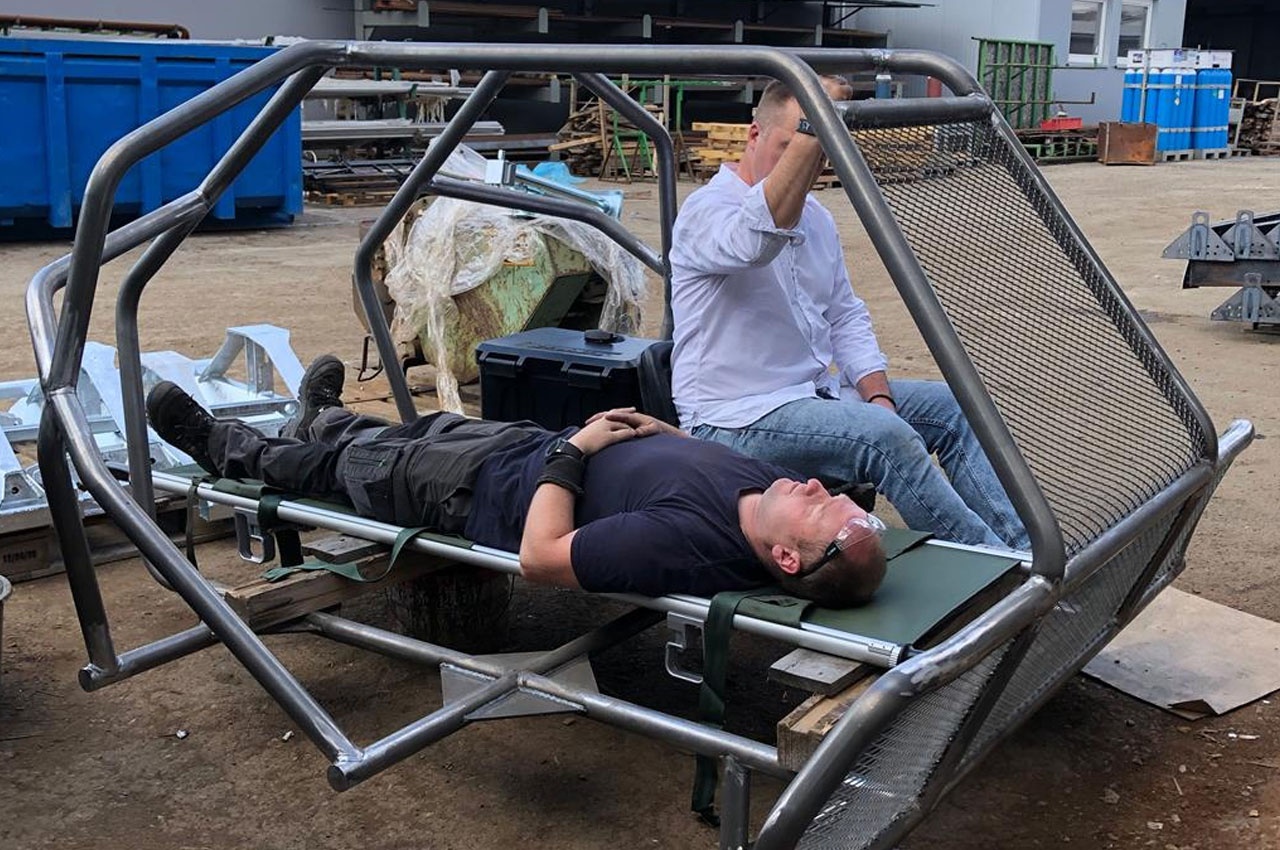
Given its novel, steel skeleton design and off-road suspension, this MEDEVAC-like trailer provides a convenient and smooth ride for the patient onboard. For this, the Life Chariot comes with an adjustable hitch to tow behind a capable vehicle and features a removable stretcher to accommodate one wounded person and two medics on either side, sitting stable on strapped seats with medical equipment overhead for easy access.
Riding smoothly over any terrain, the trailer helps medical evacuation teams in conflict zones and other challenging environments to help them carry out rescues briskly and with the least danger to any parties. When the injured person in need of medical assistance is strapped up to the stretcher, the medics can hop onboard and cover the protective steel skeleton body of the trailer with a fireproof tarpaulin and allow the stretcher into its stipulated mount through the side or rear.
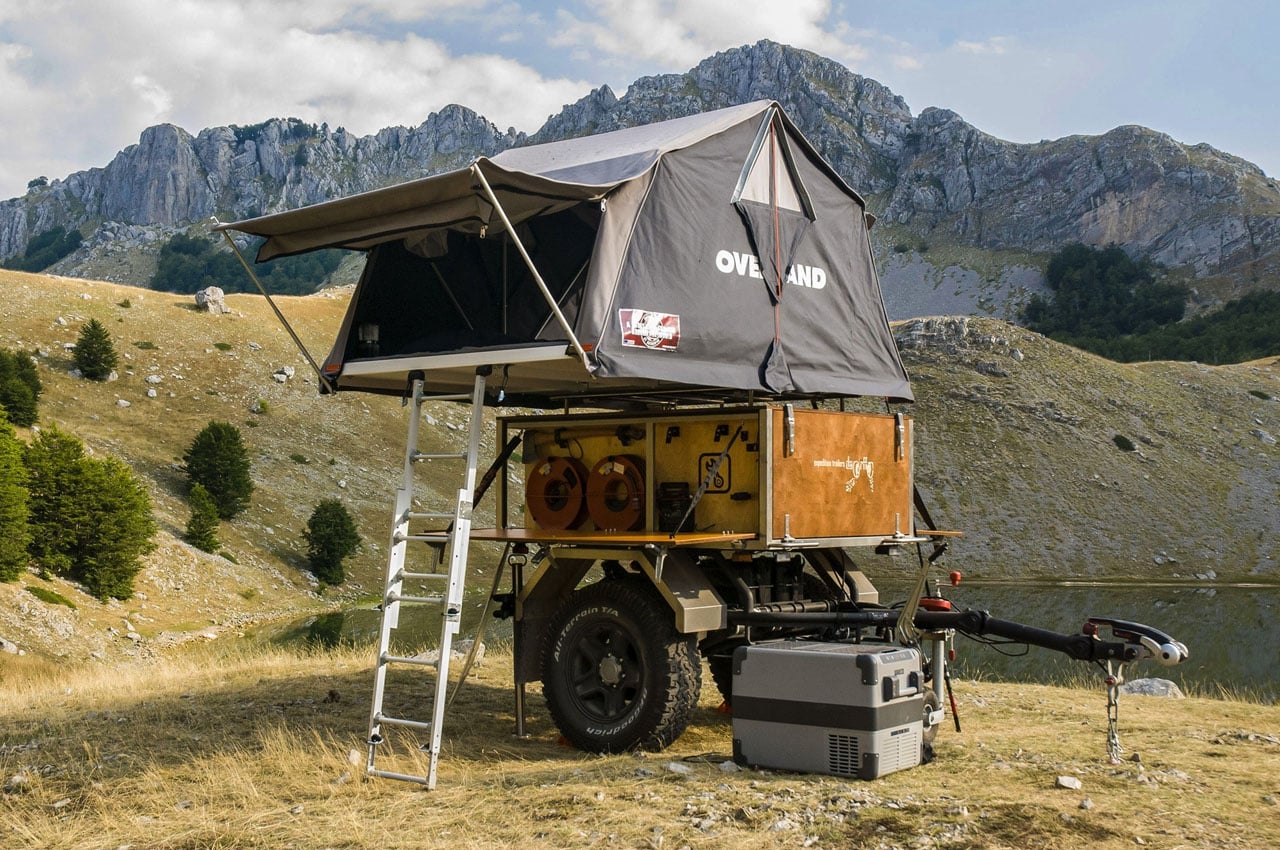
The trailer, which is more like a steel-caged contraption at first sight, also has an additional stretcher mount on the supposed roof. Two such Life Chariots have already been handed to the Ukrainian military and one to a voluntary Polish medic unit for testing. The Life Chariot was recently awarded the James Dyson Humanitarian Award. The designer is looking to utilize the prize money and the feedback from Ukrainian and Polish units for the betterment of the rescue trailer.
Overwatch 2's eighth season went live on Tuesday and things aren't exactly going smoothly for everyone. Some are complaining about performance issues, particularly concerning frame rates on PlayStation 5. On Blizzard's own forums and Reddit, players are suggesting that even the menus are lagging on the console.
"I play on PS5 with 120 Hz monitor and settings for that output, but randomly either in [fights] or walking back from spawn, even on menus, I am dropping down to what seems like single digit to low double digit frames per second," a player who goes by Sartell wrote. Others claim that Overwatch 2 is "unplayable" on PS5 at the minute, with some claiming that frame rates are dropping to below 20 fps. The problem doesn't seem to be as prevalent on other platforms.
I encountered the same issues in a brief test on PS5. It took a few seconds for my character to complete a full rotation, which can practically be a kiss of death in such a fast-paced shooter. It was almost like playing GoldenEye 007 at 12 fps all over again.
In the current list of known issues, which was last updated on Tuesday, Blizzard notes that "We are investigating reports of performance issues for some platforms." Overwatch 2 executive producer Jared Neuss wrote on X on Wednesday night that resolving the problem is a top priority for the developers. "We're aware of the performance issues players are experiencing on PS5 and the team is working super hard to resolve them ASAP," Neuss wrote.
The performance issues are a pity in general, but even more so given that new tank character Mauga is a blast to play. As such, PS5 players may need wait for a hotfix before they can properly check out the latest hero, unless they're content with enjoying the action as though it were a colorful slideshow. Otherwise, downloading the PS4 version of the game could work in a pinch.
Update 12/7 10:20AM ET: Added a statement from Overwatch 2 executive producer Jared Neuss.
This article originally appeared on Engadget at https://www.engadget.com/overwatch-2-players-say-that-frame-rate-drops-are-making-the-game-unplayable-on-ps5-210043798.html?src=rss
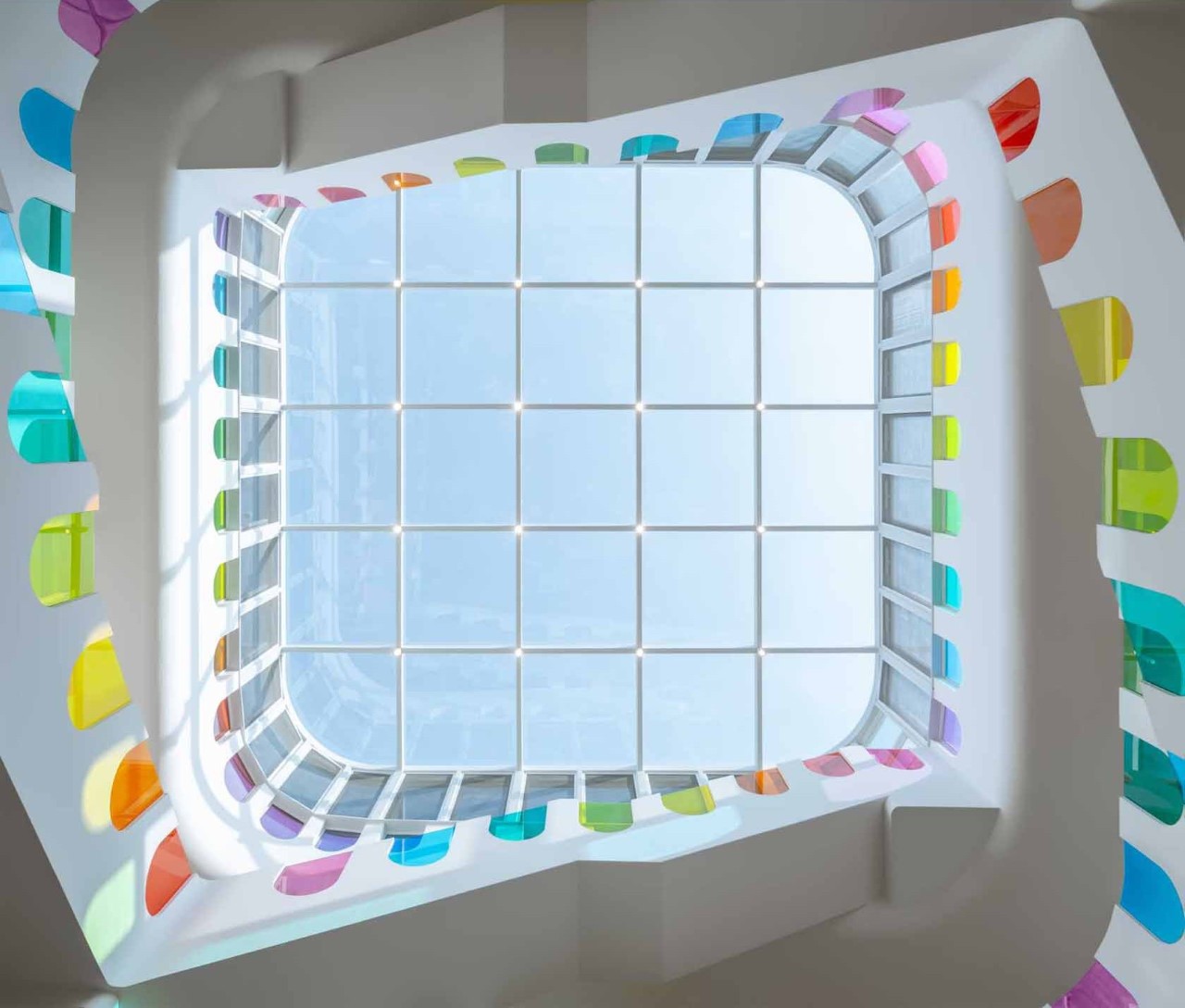
If you were driving through the small provincial town of Tianshui, China, you wouldn’t be wrong to stop dead in your tracks as you passed the Tianshui Kindergarten, a school designed to capture and captivate the fancy and whimsy of its young occupants. Designed by SAKO Architects, the kindergarten stands out with its incredible kaleidoscope-inspired design that looks just as impressive on the inside as it does from the outside, boasting an impressive 438 pieces of colored glass that are sure to have children wanting to spend more time in school than ever before!
The kindergarten’s design philosophy revolves around stimulating children’s imagination and creativity. During the day, sunlight filters through the colored glass, casting a vibrant tapestry of lights and shadows across classrooms, invoking a sense of play and discovery. At night, the scene transforms as the building’s interior lights emit a beautiful glow, creating a stunning visual spectacle from the outside.
A central feature of the design is the three-story open atrium, crowned with a massive glass ceiling. This space is multifunctional, suitable for activities throughout the year, thanks to its floor heating and air conditioning systems. Moreover, windows around the atrium can be opened for ventilation during summer or closed to retain heat in the colder months.
The heart of the building is its atrium, where sunlight, refracted by colored glass, dances across the interior, creating an ever-changing kaleidoscopic effect. The glass, applied to handrails and windows, forms colored shadows in various shapes that morph throughout the day as the sun’s angle changes. This dynamic interplay of light and color makes the space an engaging and stimulating environment for the young minds it nurtures.
Architecturally, the kindergarten pays homage to the local heritage. The use of arched openings throughout the building draws inspiration from the traditional cave-like dwellings of the Loess Plateau, on which Tianshui City is situated. These arched windows, varying in size and scattered across the building, give it a whimsical appearance, reminiscent of a birthday cake.
The Tianshui Kindergarten’s architecture focuses on sustainability too, with the strategic use of natural light significantly reducing the reliance on artificial illumination. Additionally, the building’s design includes adaptive features like windows that can be opened for ventilation in summer or sealed to conserve heat in winter, demonstrating a keen awareness of the local climate. This thoughtful integration of sustainable practices ensures that the kindergarten’s architecture is a broader lesson for its occupants too, allowing them to appreciate how sustainability is seen less as a compromise and more as a wonderful design direction!
Lastly, the rooftop playground offers a safe and enjoyable space for children, providing panoramic views of Tianshui City. This feature ensures that as the children grow, they will carry with them memories of a unique and inspiring learning environment, fostering a deep sense of pride in their hometown.
The digital audio workstation (DAW) Bitwig Studio just received a substantial update that brings plenty of new sounds and effects. Version 5.1 boasts a spate of enhancements, including new waveshapers, new filters, polyphonic voice stacking, a dual oscillator and more. This is especially good news for avid sound designers, as the filters and waveshapers should allow for plenty of tinkering to find that perfect tone.
The filters are all rather unique, going a step further than a simple lowpass or something. For instance, the Fizz filter offers two separate cutoffs with embedded feedback. The Rasp filter is bright and resonant with a host of adjustment options. Vowels is a morphing format filter with an array of models, pitch and frequency offsets that can be programmed to change over time. Finally, there’s Ripple, which is described as a “hyper-resonant circuit.”
There are six new waveshapers to choose from, including the Push soft clipper and Heat S-shaped clipper. Both of these could be great for adding a bit of sizzle to dry tracks. Soar is a soft wavefolder that “makes the quietest parts loud” and Howl does something similar, but with a focus on creating harsh, glitchy sounds. Shred helps get rid of unwanted artifacts and Diode is a classic circuit, which Bitwig calls “a warm, familiar option.”
All filters and waveshapers can be used within the DAW’s Filter+ and Sweep devices, though they are also available as standalone Grid modules. That’s the magic of Bitwig Studio and what sets it apart from other DAWs. Everything is modular, with mix-and-match options for every effect, filter, oscillator and waveshaper.
As for other tools, there’s a new Voice Stacking module that offers layered playback of up to 16 voices per note and a dual oscillator called Bite. Bitwig has also added experimental elements to the quantizing function, which should make for some wild remixes, and adjusted the UI so the mixer can be dragged and dropped anywhere. These changes follow Bitwig Studio 5.0, which offered many new audio playback tools.
Bitwig Studio 5.1 is out now, and it's a free upgrade for license holders with an active plan. The company constantly adds new features to the DAW, as recent-ish updates saw tools to mangle MIDI performances and the addition of a hybrid modular synth.
The DAW is also on sale at the moment. You can get Bitwig Studio for $299, down from its usual $399 price. The bare-bones Essential version of the software, meanwhile, is $79 at the moment instead of $99.
This article originally appeared on Engadget at https://www.engadget.com/bitwig-studio-update-brings-tons-of-new-sound-design-options-201512397.html?src=rss