Apple’s new MagSafe charger will juice up the iPhone 16 faster than the old accessory can

At its big iPhone 16 event, which also included a new Apple Watch and AirPods, the company snuck in a new MagSafe charging cable. Although there’s nothing to see here if you’re standing pat with an older handset, the new magnetic accessory will boost charging speeds for iPhone 16 owners.

9to5Mac spotted that the new MagSafe charger supports maximum charging speeds of 25W when paired with an iPhone 16 or iPhone 16 Pro and a 30W (or higher) wall charger. The OG MagSafe charger only offers speeds of up to 15W, the same max speed the new accessory will give you when used with an iPhone 15 or older. So, other than future-proofing, there’s no reason to get the new charger if you have an older handset and already own the original MagSafe charger.

The new MagSafe accessory comes in two variants: One with a 1m (3.3 ft) cable and another with a 2m (6.6 ft) cable. The shorter cable costs $39 (the same as the original), while the longer one will set you back $49.

The new MagSafe charger is available to order now at the Apple Store with standard shipping times. The iPhone 16 series is available for pre-order with a September 20 release date.

This article originally appeared on Engadget at https://www.engadget.com/mobile/smartphones/apples-new-magsafe-charger-will-juice-up-the-iphone-16-faster-than-the-old-accessory-can-203435004.html?src=rss

Apple Unveils iPhone 16 Pro with New Camera, Video, and Audio Features Powered by A18 Pro Chip

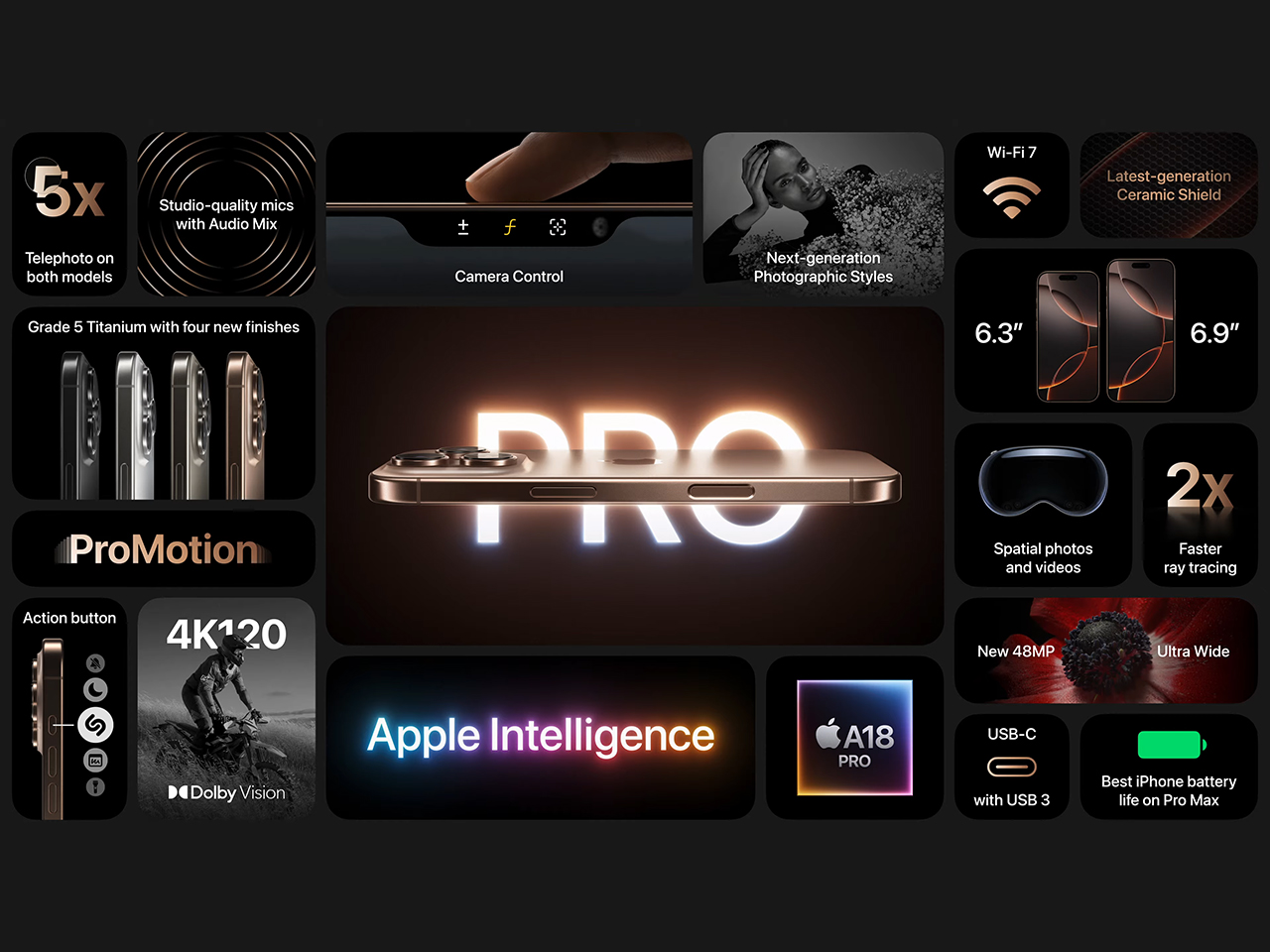
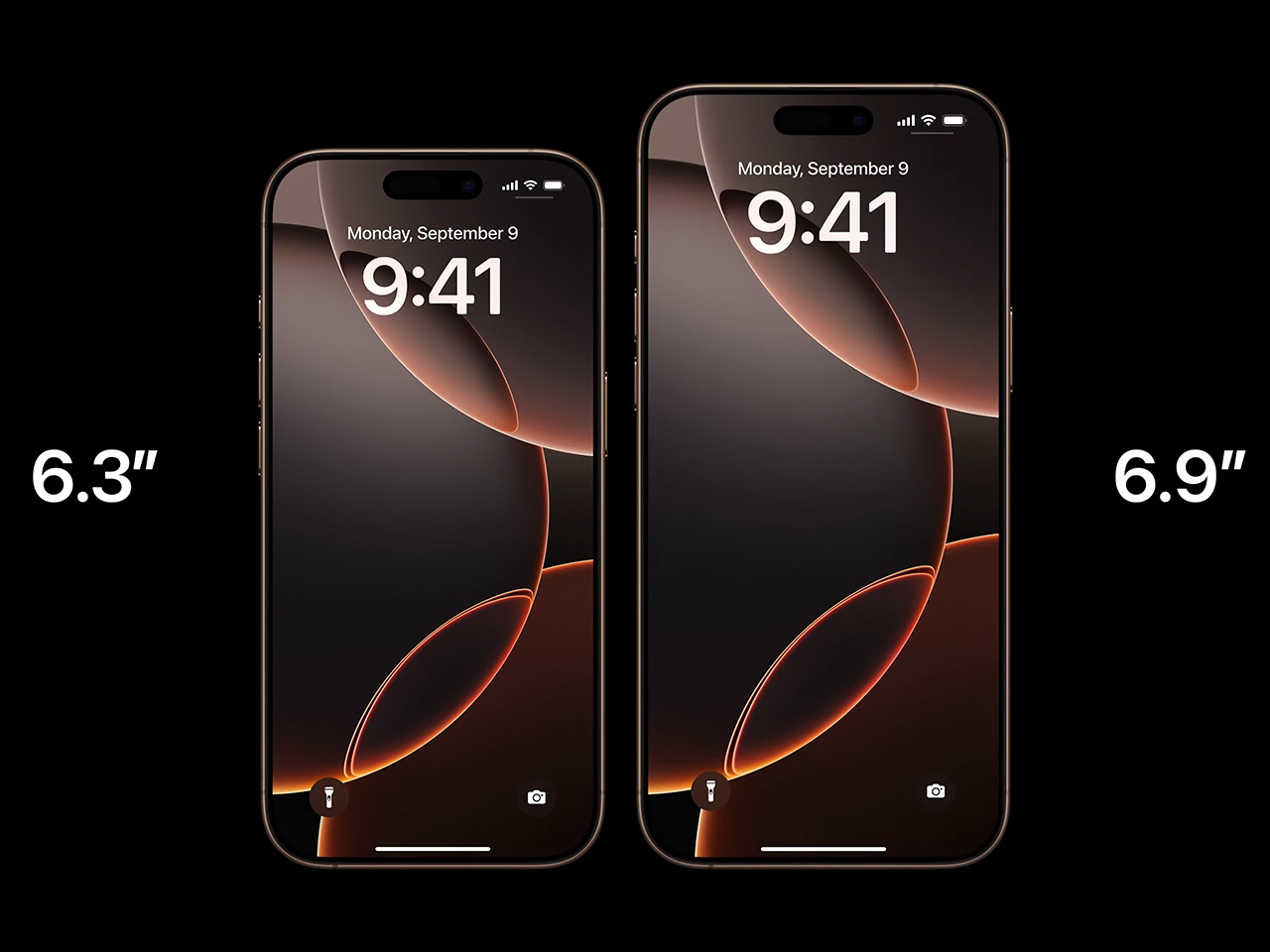
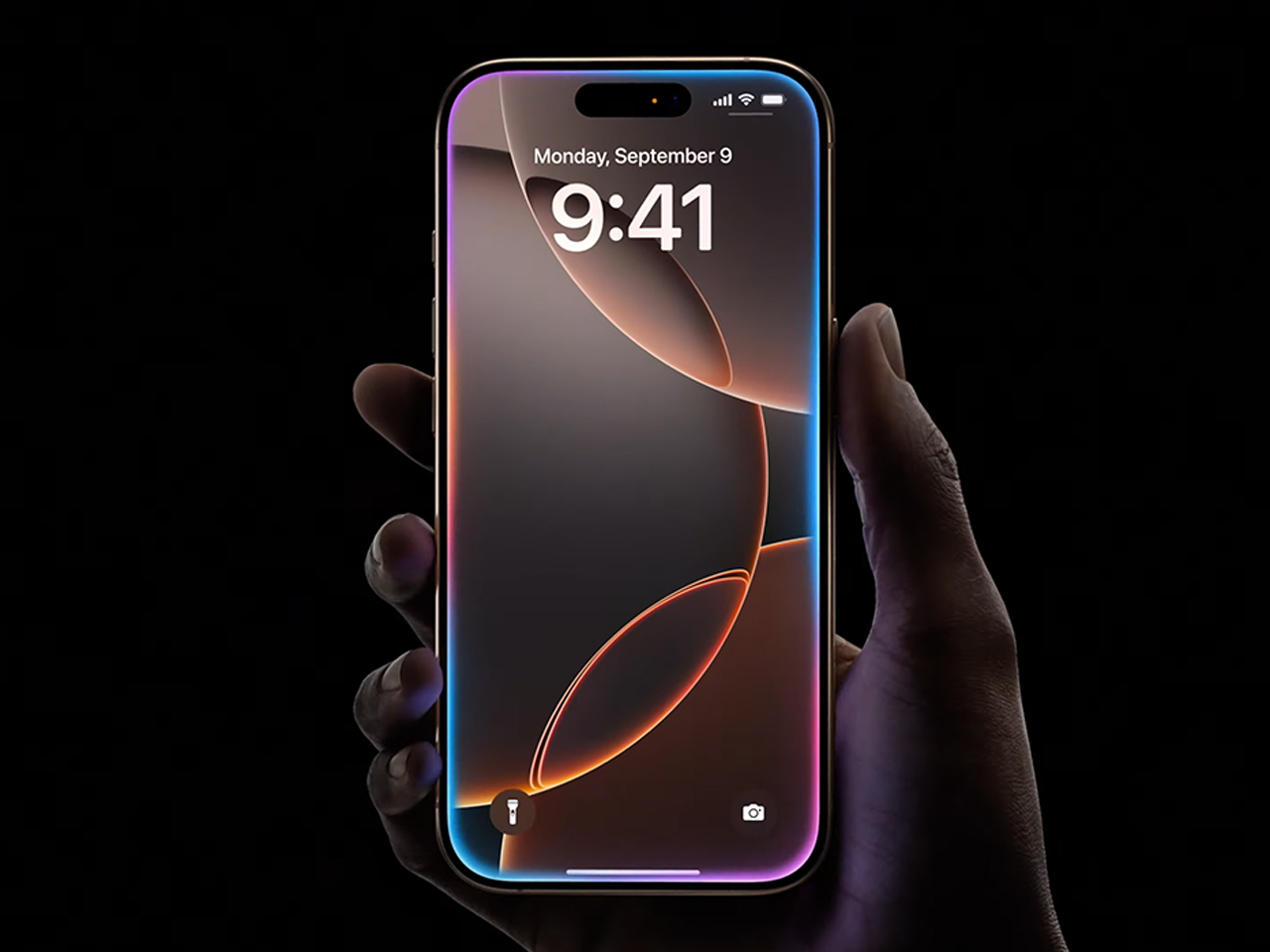
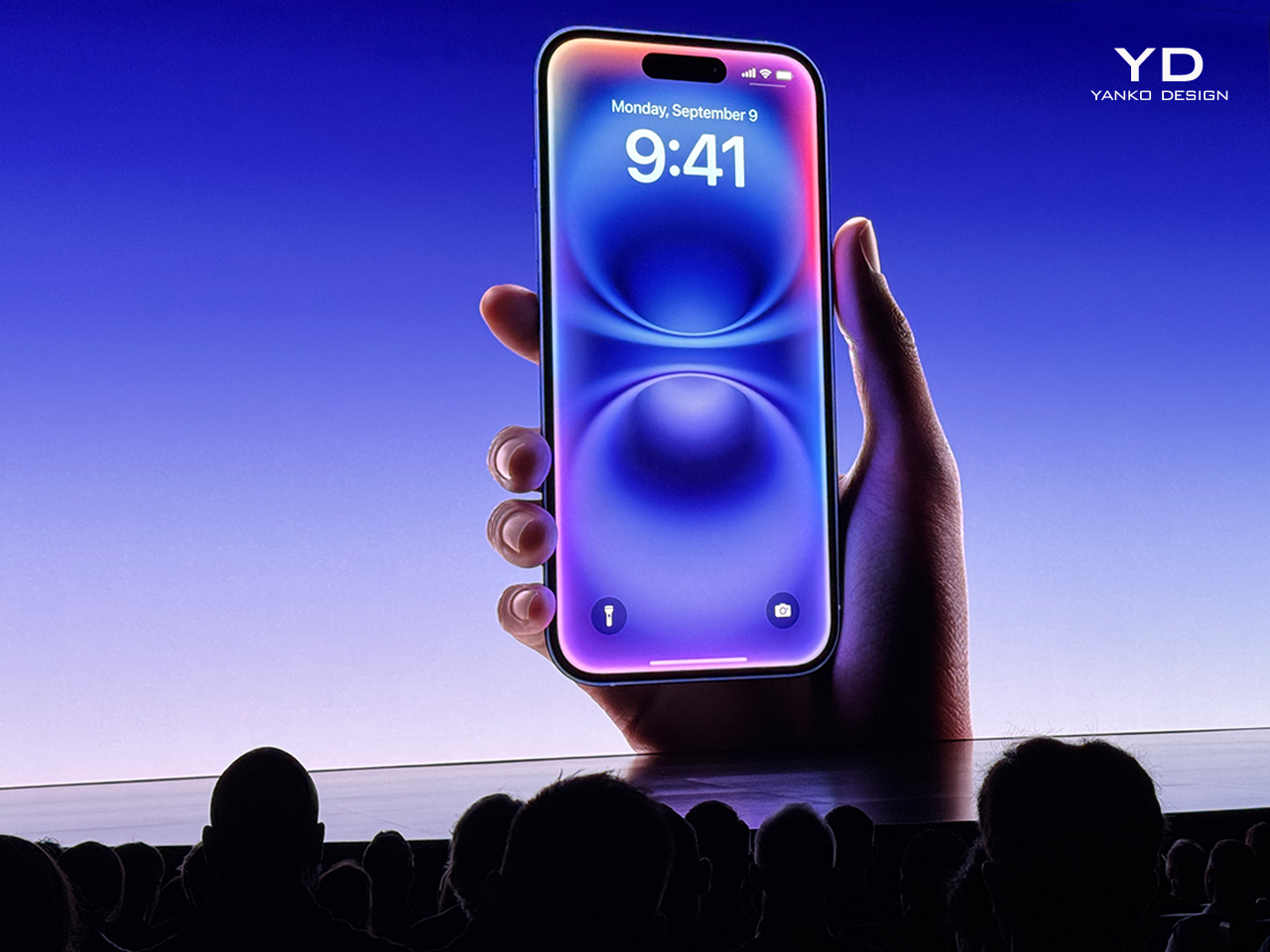
Apple has introduced the iPhone 16 Pro, bringing significant updates to both its design and performance. The iPhone 16 Pro now features larger displays—6.3 inches for the Pro and 6.9 inches for the Pro Max—making them the biggest iPhone screens yet. Despite the larger size, Apple has minimized bezels, resulting in a sleek, nearly edge-to-edge look. The adaptive 120Hz ProMotion technology provides smooth scrolling, while the always-on display functionality gives users quick access to key information.

Designer: Apple
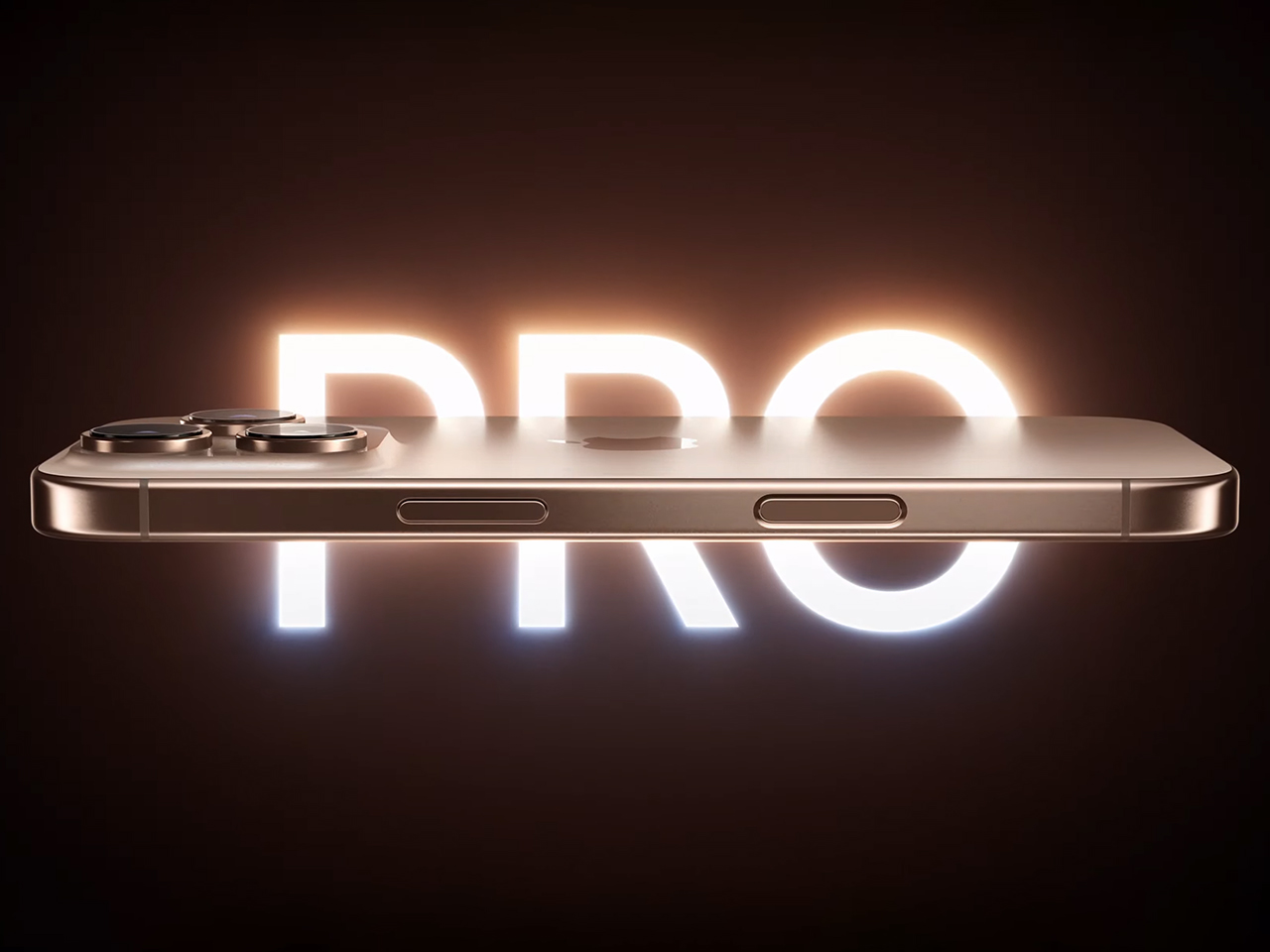
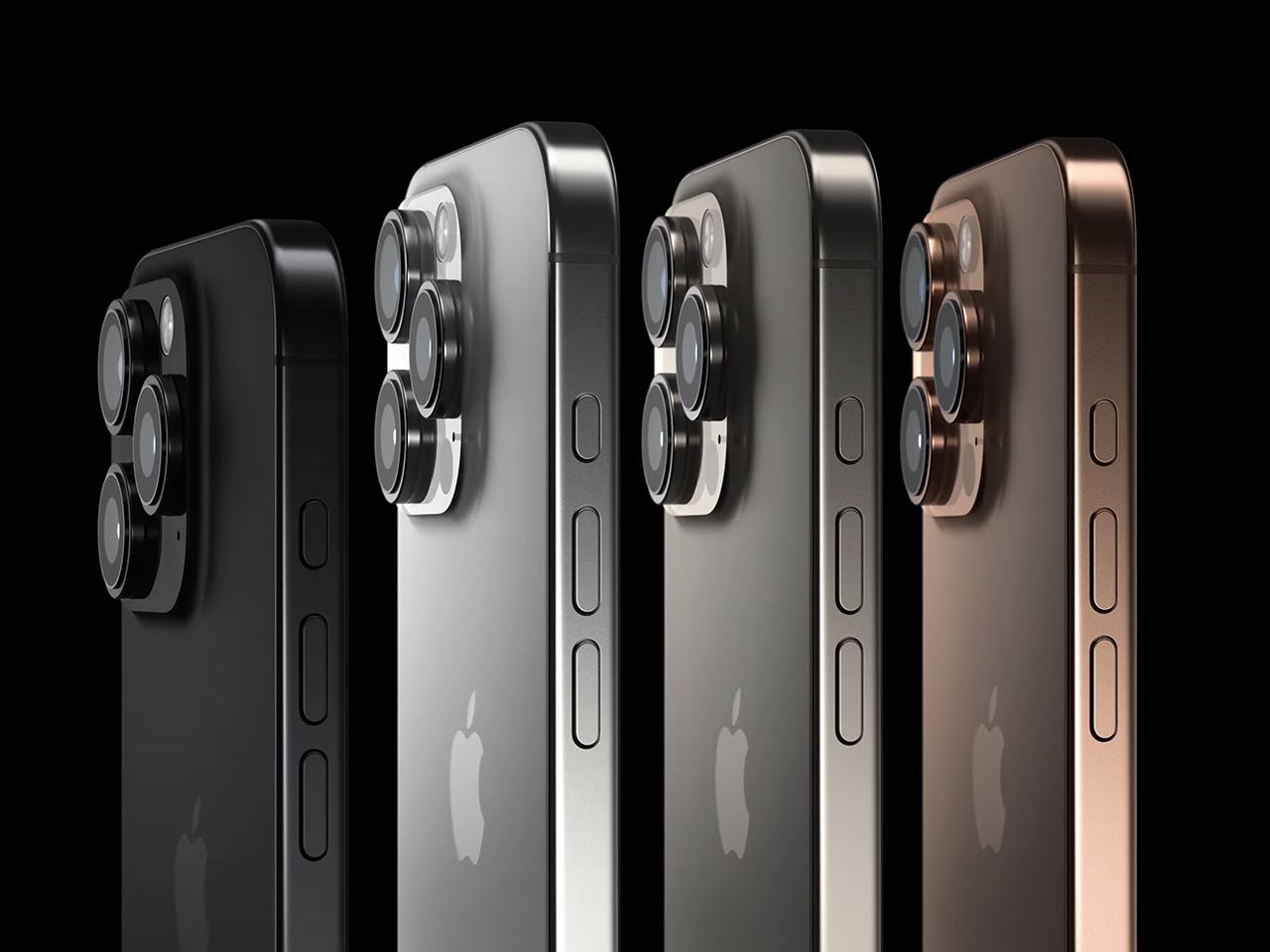
The iPhone 16 Pro’s design is constructed using aerospace-grade titanium, offering both durability and lightness. This titanium body is available in four finishes: Black Titanium, White Titanium, Natural Titanium, and Desert Titanium. The device also incorporates a new thermal architecture that improves sustained performance while keeping the phone cool during heavy use. The Pro models are also water and dust-resistant, ensuring longevity in various environments.

Photography: Real-Time Control and Customization
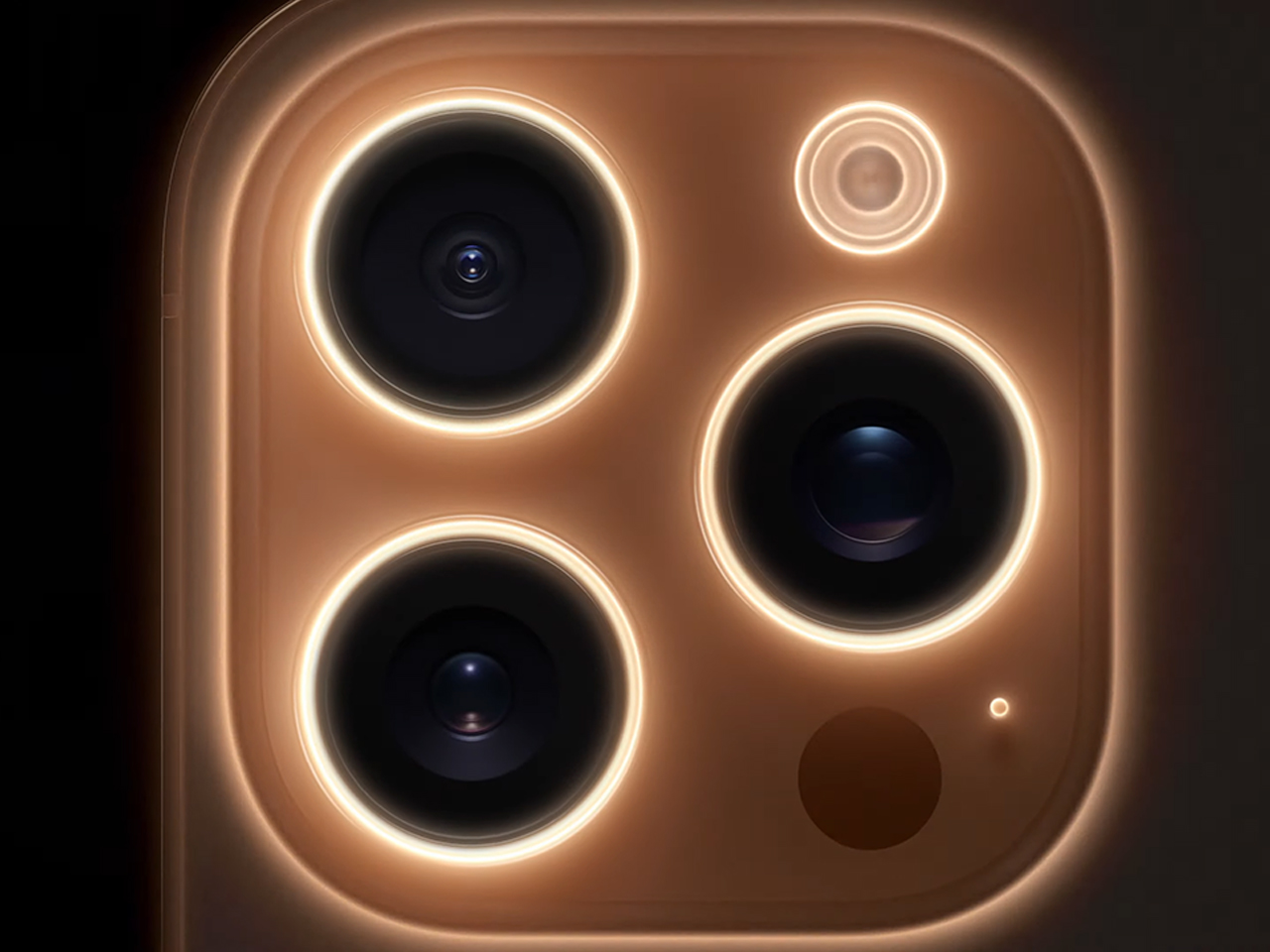
The iPhone 16 Pro empowers creativity through its 48-megapixel fusion camera, which integrates a second-generation quad-pixel sensor capable of reading data twice as fast, allowing for zero shutter lag. Whether capturing fast-moving subjects or subtle details, this new system ensures uncompromised resolution and detail. The sensor’s high-speed data transfer to the A18 Pro chip allows users to capture 48-megapixel proRAW and HEAT photos effortlessly.

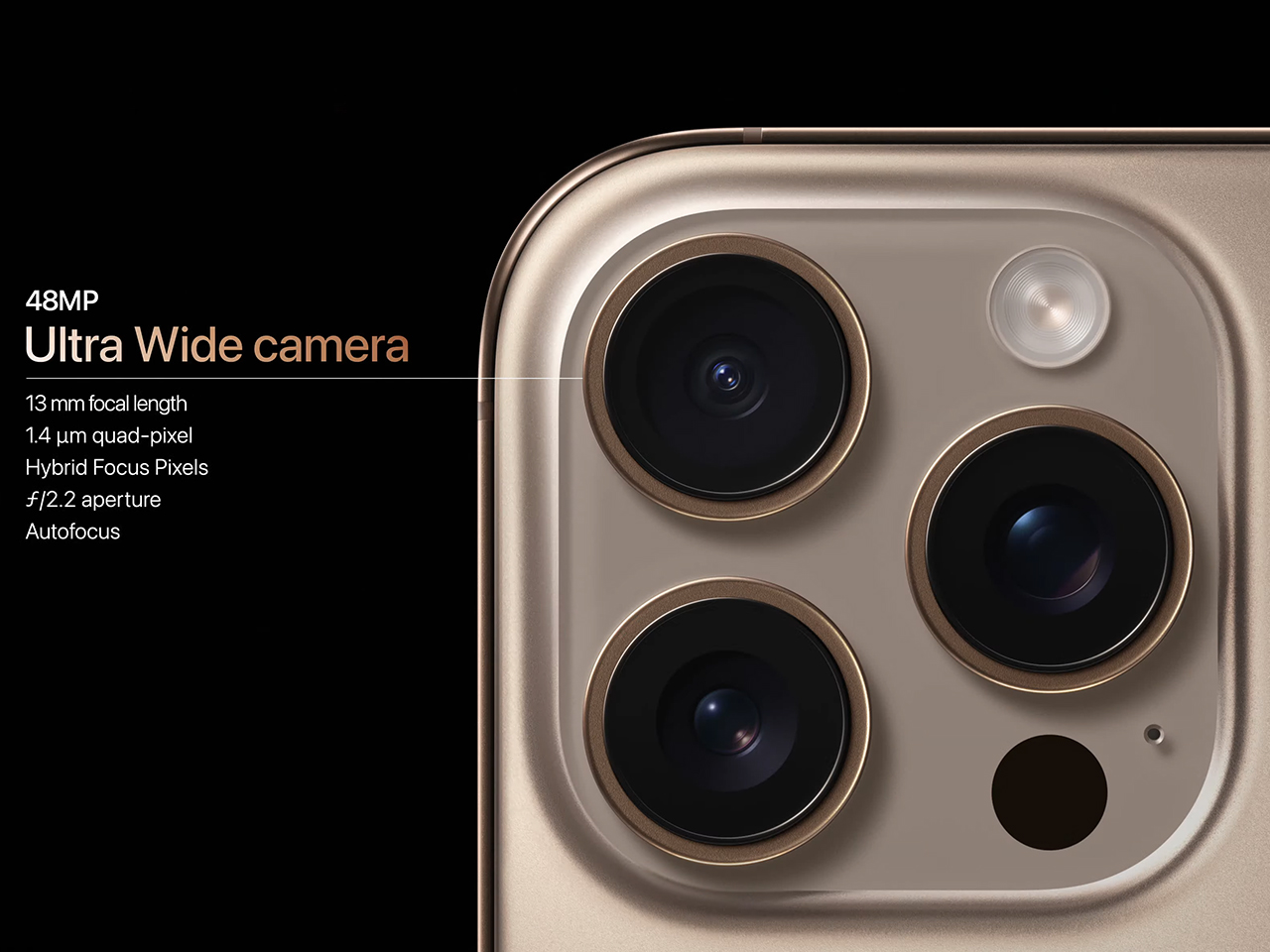
A new 48-megapixel ultra-wide camera complements the fusion camera, offering high-resolution shots with autofocus. It excels in capturing wider scenes and stunning macro shots, delivering sharpness and clarity that make it indispensable for creative users. The 5x telephoto camera—with Apple’s longest focal length—provides incredible zoom capabilities from a distance, while the Tetra Prism design improves optical performance for more detailed, high-quality images.
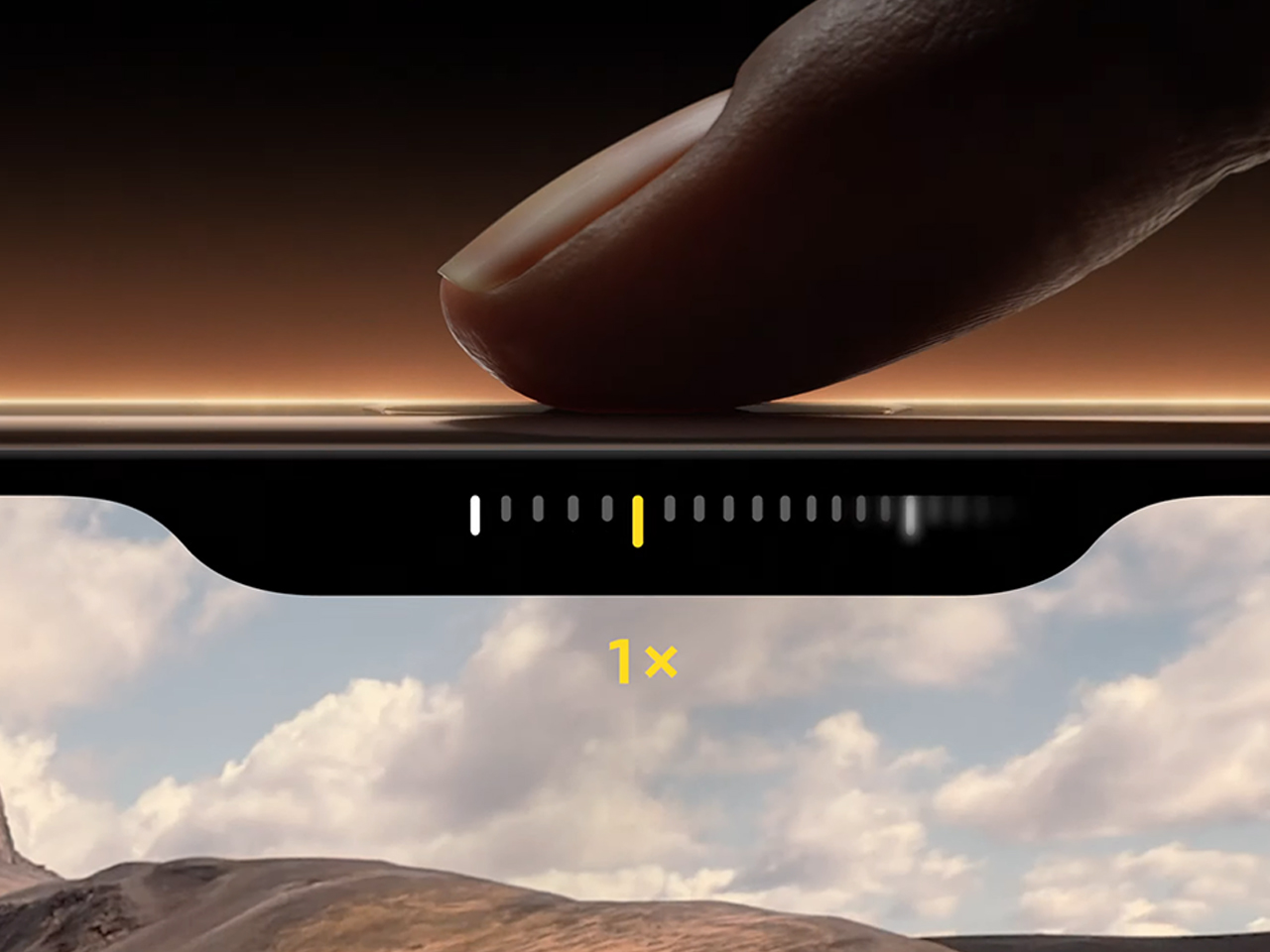
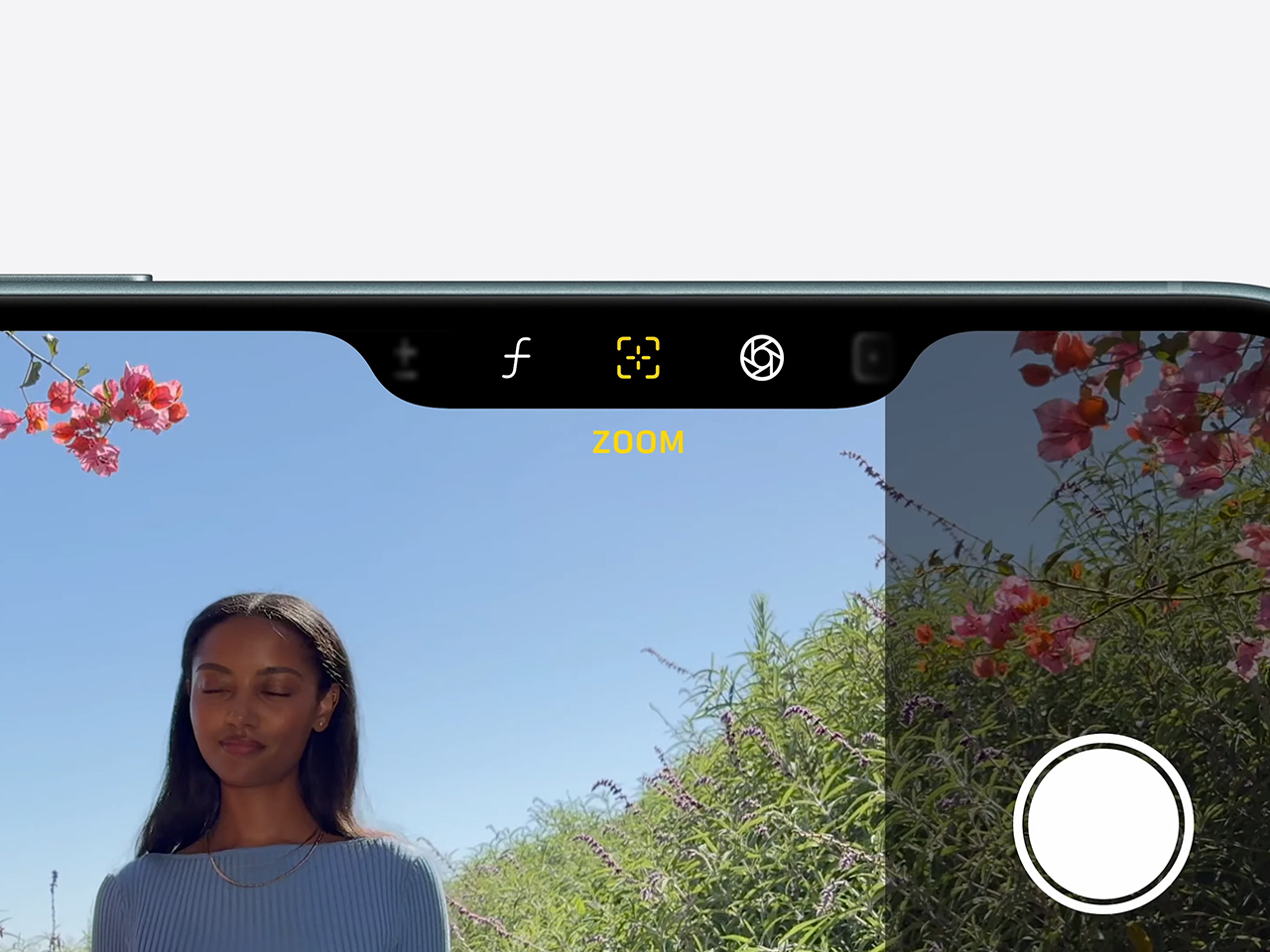
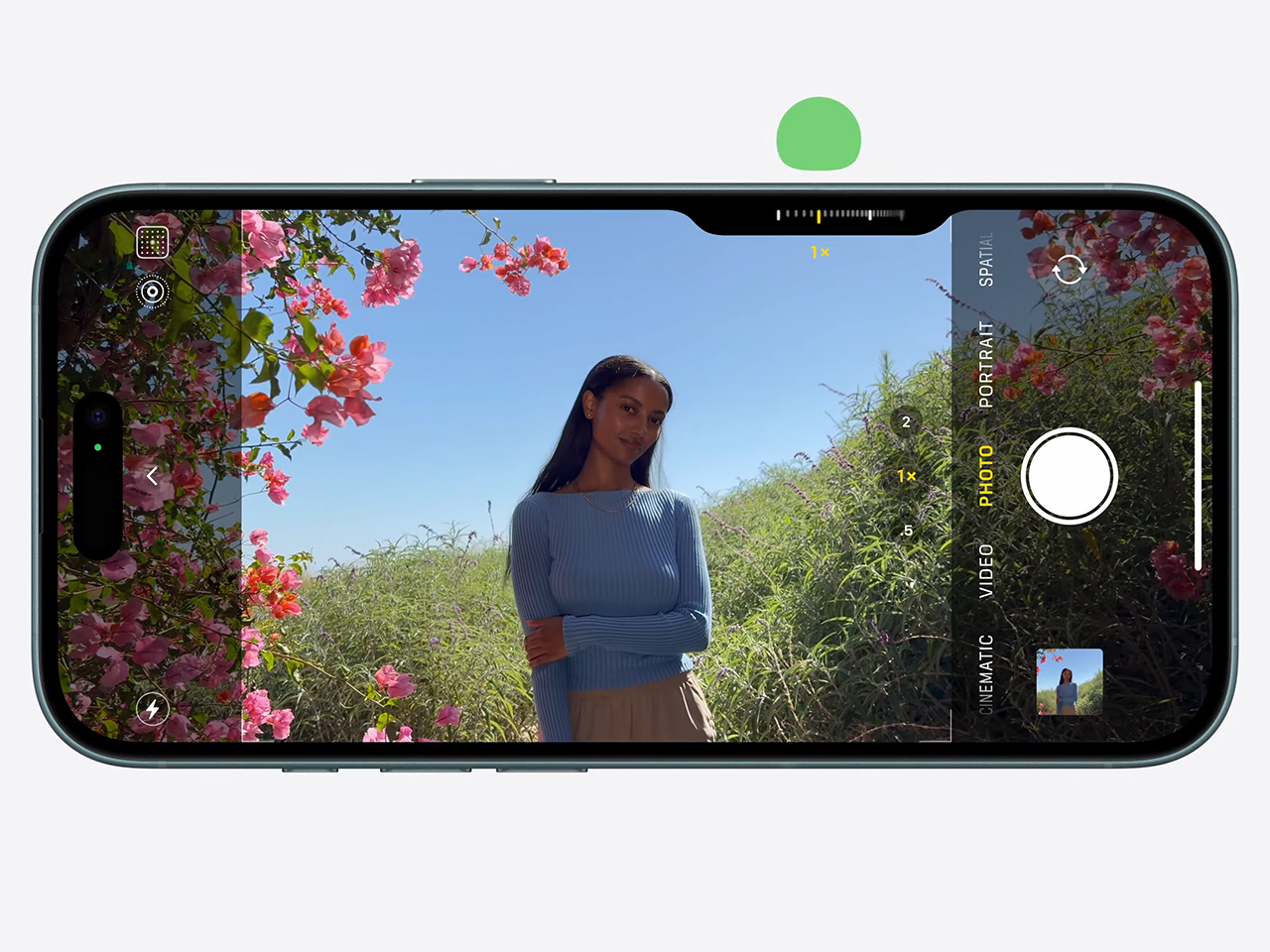
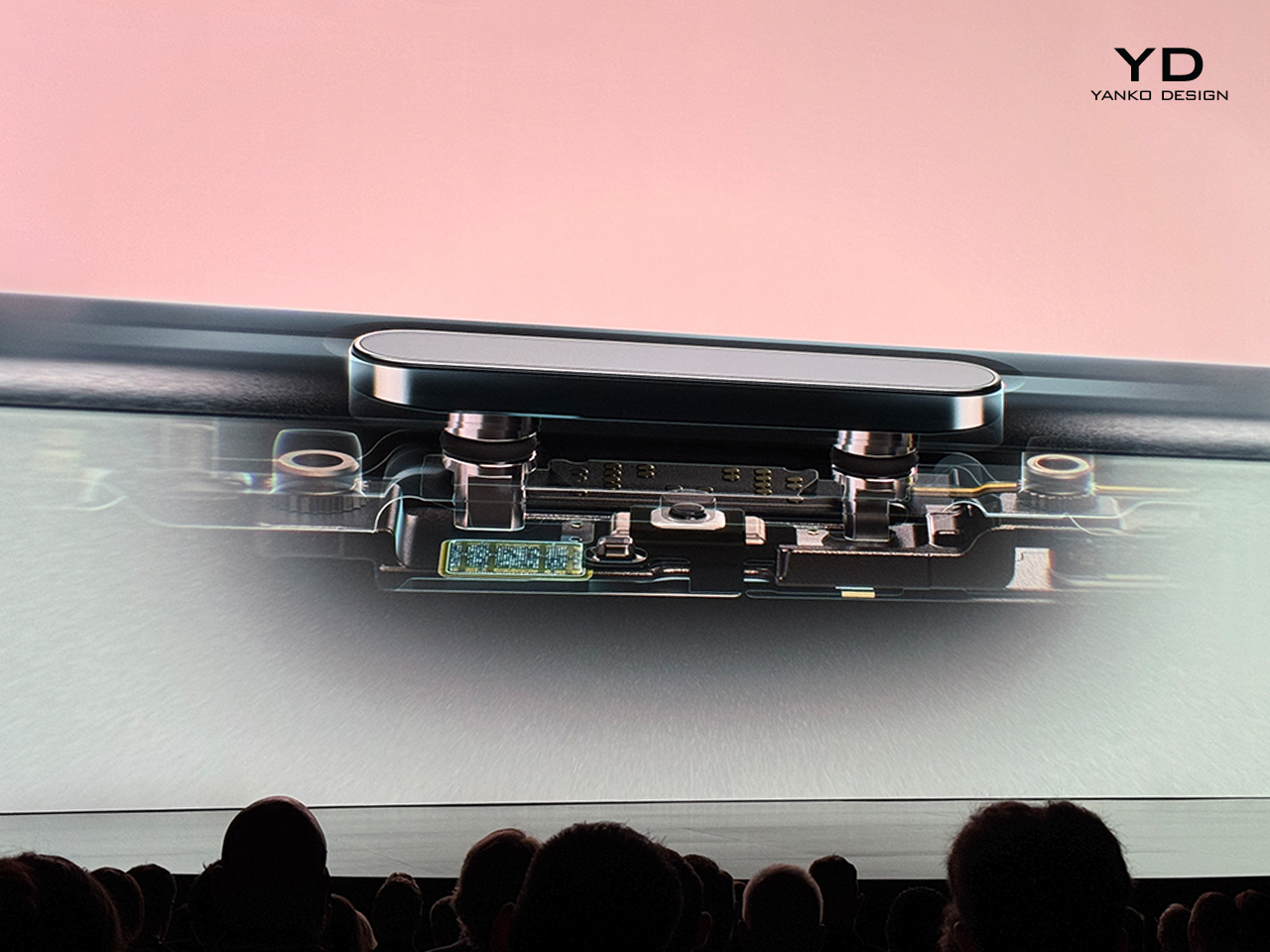
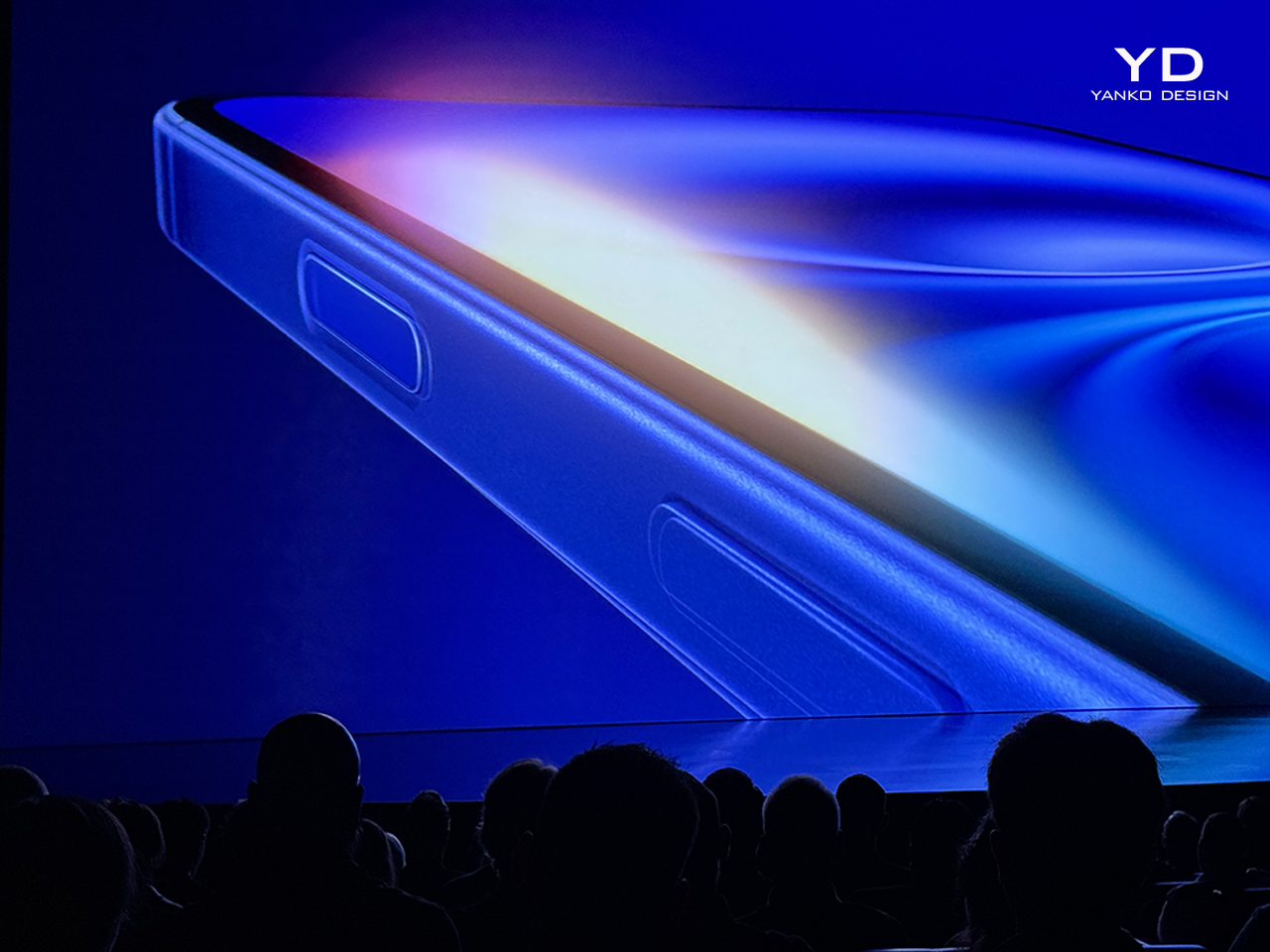
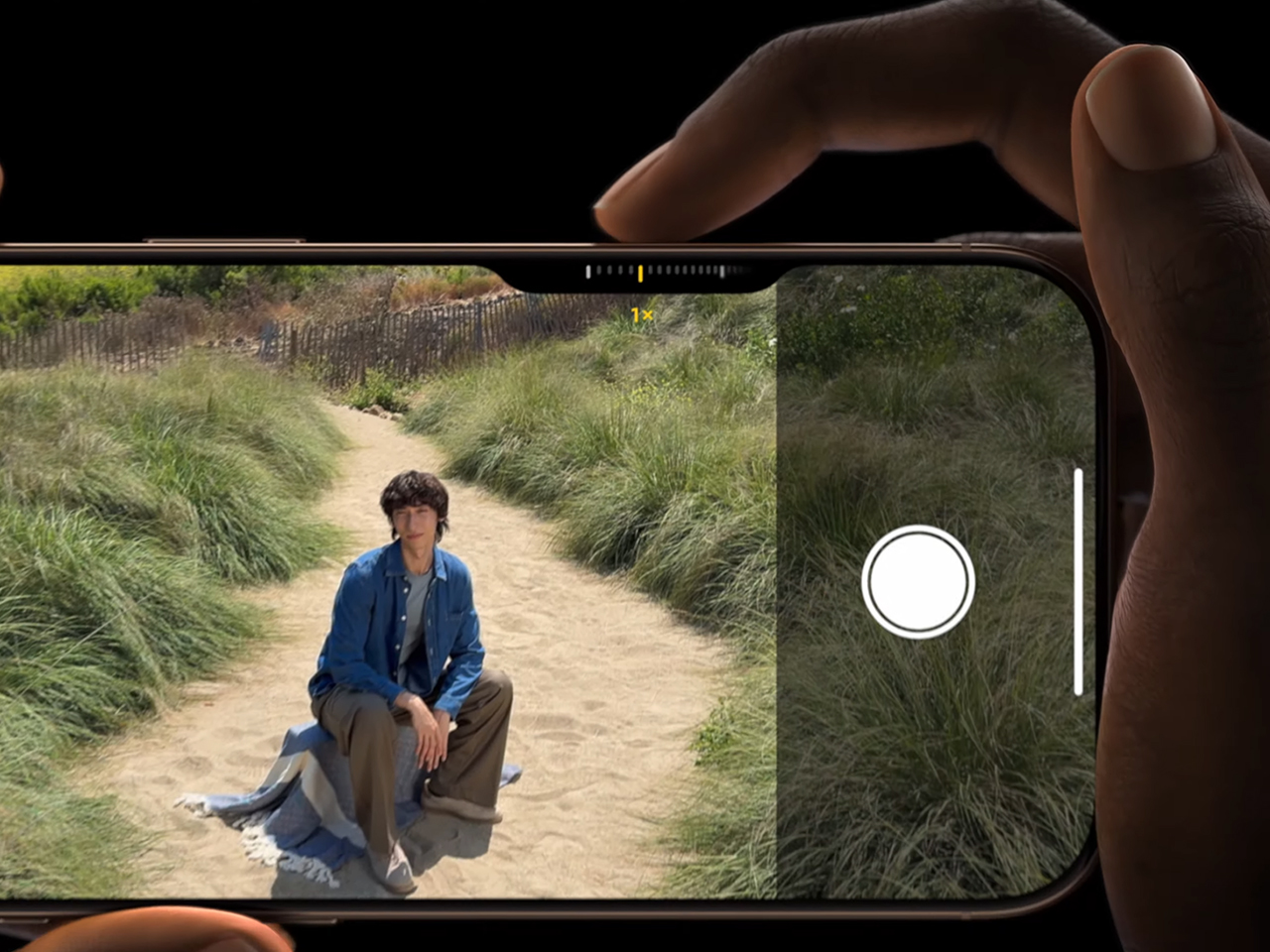
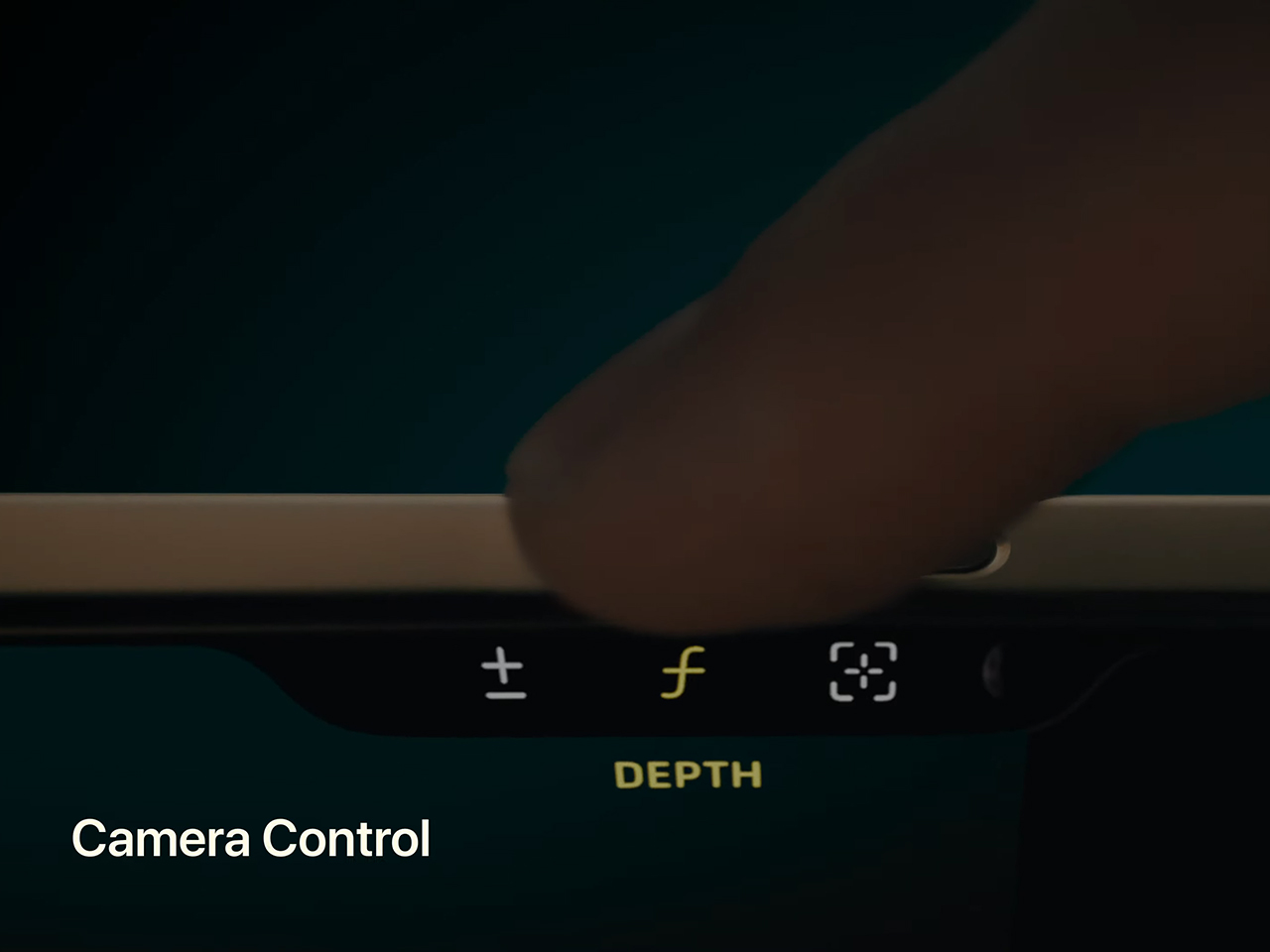
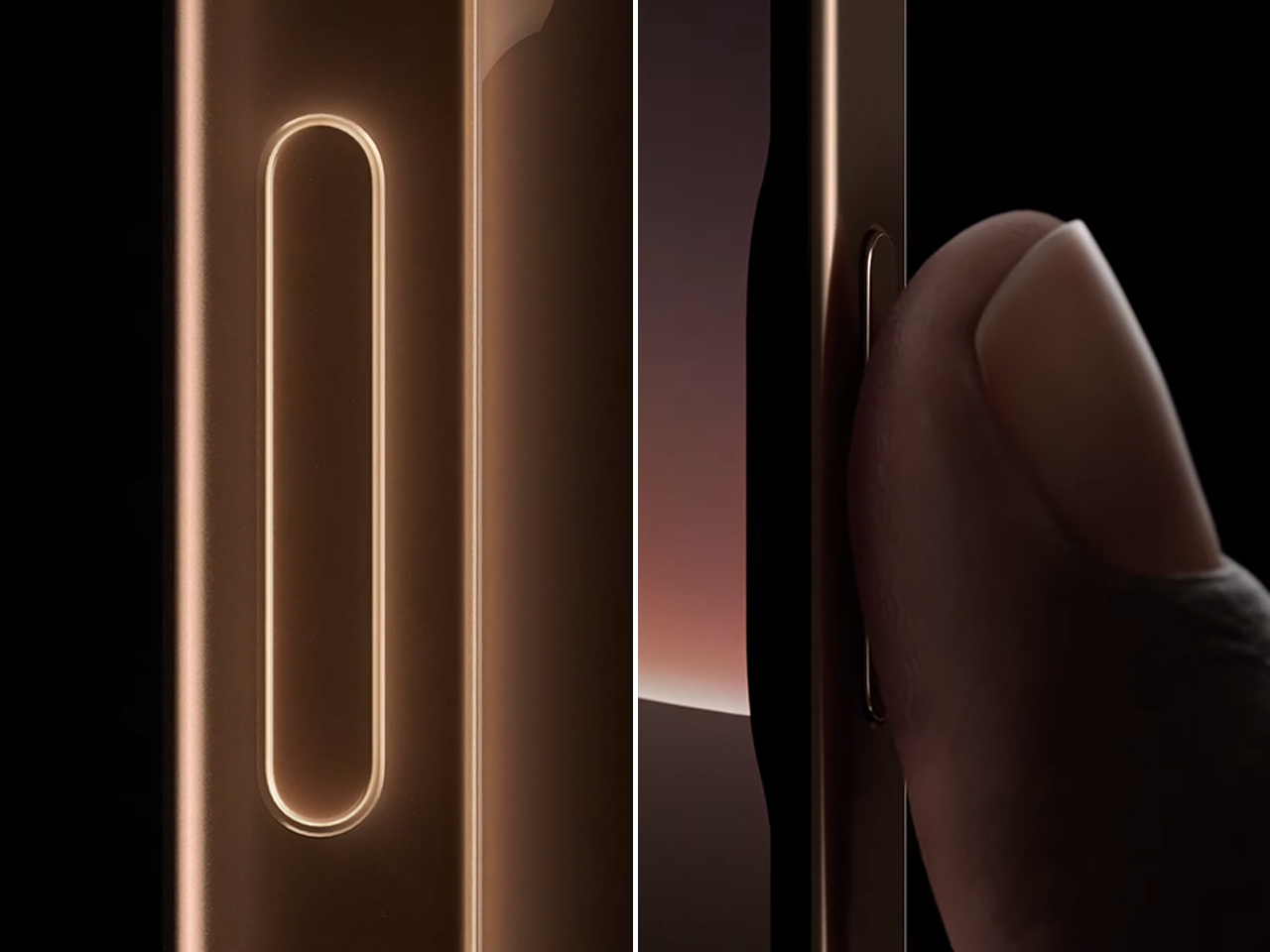
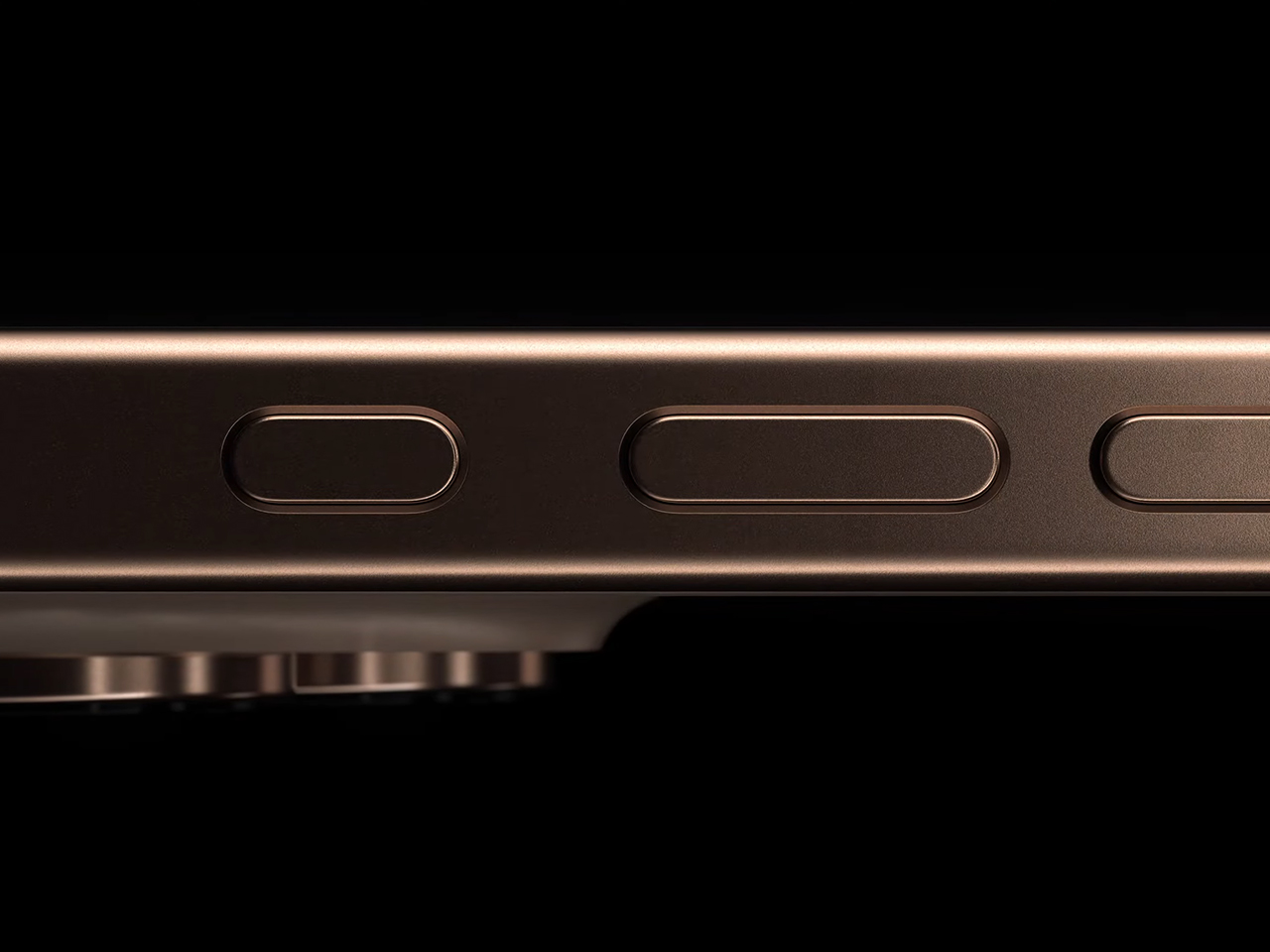
To streamline the photography process, the iPhone 16 Pro introduces an upgraded camera control system. This interface lets users quickly switch between lenses and adjust the depth of field and exposure with a dedicated slider. Later this year, a two-stage shutter will be added, allowing users to lock focus and exposure with a light press, offering precision when reframing shots.

Advanced Photographic Styles and Real-Time Grading
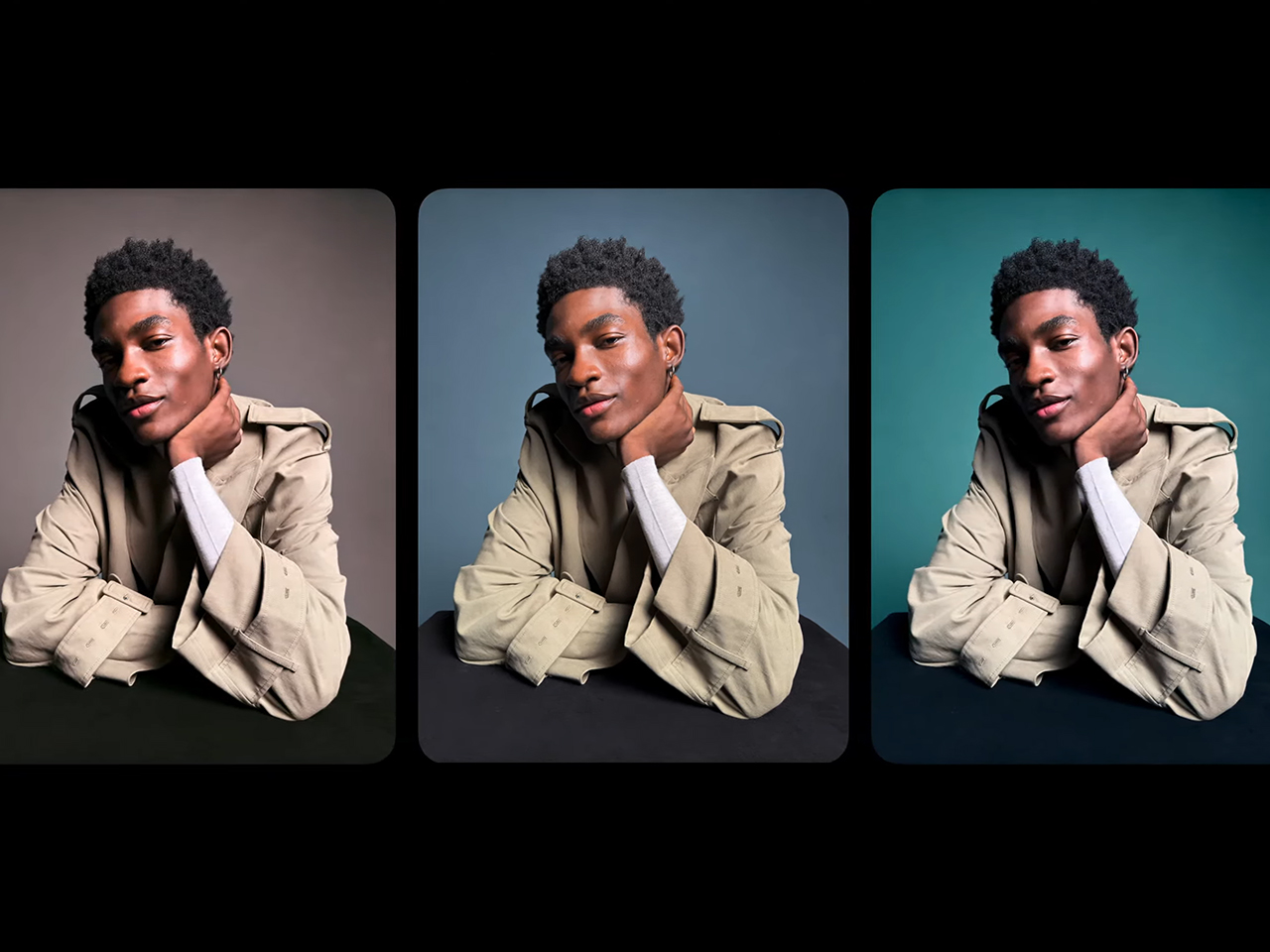
Apple has enhanced the creative range of the iPhone 16 Pro with advanced photographic styles, allowing users to personalize their photos in real-time. With the A18 Pro chip, the image pipeline dynamically adjusts skin tones, colors, highlights, and shadows, enabling a wider range of aesthetic choices. Users can apply styles like black-and-white, dramatic tones, and other custom looks that go beyond basic filters and fine-tune the look with a new control path that simultaneously adjusts tone and color.

What sets these styles apart is the ability to change them after capture, allowing greater flexibility in editing. The real-time preview enabled by the A18 Pro gives users a professional-level color grading experience as they shoot, a significant upgrade for photographers looking for more creative control.
Video: Cinema-Grade Capabilities
The iPhone 16 Pro significantly advances video recording. The new 4K 120fps recording in Dolby Vision is possible thanks to the faster sensor in the 48-megapixel fusion camera and the high transfer speeds of the Apple camera interface. The image signal processor (ISP) of the A18 Pro allows for frame-by-frame cinema-quality color grading, enabling professional-quality video capture directly on the iPhone.

One of the most exciting features is the ability to shoot 4K 120 ProRes and Log video directly to an external storage device, perfect for high-end workflows that demand high frame rates and extensive color grading control. Users no longer need to commit to frame rates upfront—they can adjust playback speed after capture. Whether for slow-motion effects or cinematic storytelling, the iPhone 16 Pro offers flexible playback options, including quarter-speed, half-speed, and 1/5-speed for 24fps cinematic moments.
The camera control interface supports third-party apps like FiLMiC Pro and Grid Composer, enabling advanced features such as precise framing based on the rule of thirds and other composition tools. This further solidifies the iPhone 16 Pro as a versatile tool for video creators.

Audio: Studio-quality sound and Spatial Audio
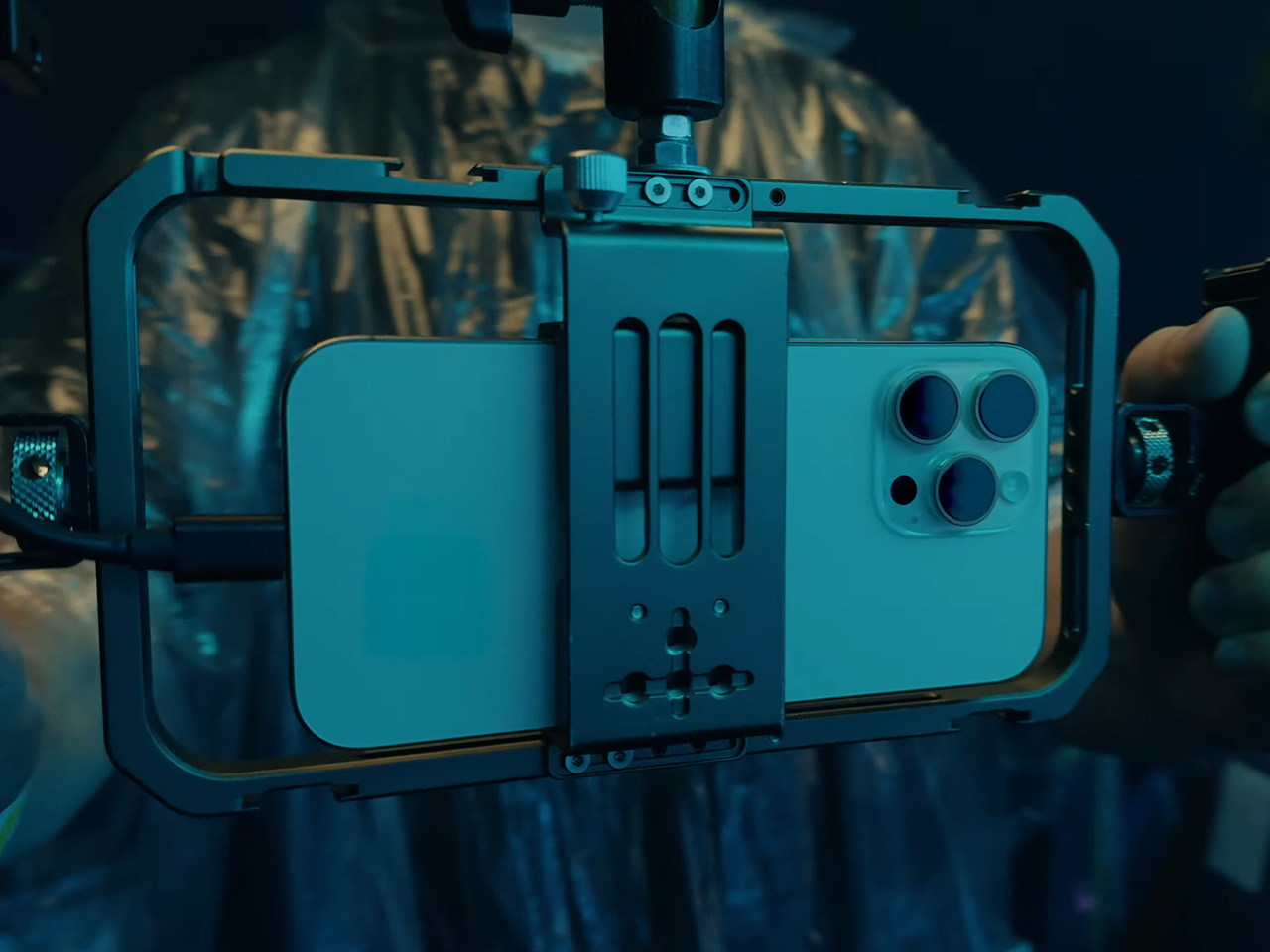
The iPhone 16 Pro also delivers significant audio upgrades. Four studio-quality microphones provide low noise levels for true-to-life sound capture, whether recording vocals or instruments. The reduced noise floor ensures high-quality audio, which is essential for professional recordings.

A new feature is spatial audio capture during video recording, enhancing the immersive experience when paired with AirPods or viewed on Apple Vision Pro. The spatial audio capture allows dynamic editing through the new audio mix feature, which uses machine learning to separate background elements from voices. This feature includes three voice options: in-frame mix, which isolates the person’s voice on camera; studio mix, which replicates a professional recording environment by eliminating reverb; and cinematic mix, which positions the vocal track upfront with surrounding environmental sounds in the background.

For content creators, Voice Memos now offers the ability to layer tracks on top of existing recordings. This is especially useful for musicians, who can now add vocals over a guitar track or any other instrumental recording. The system automatically isolates the voice from the background audio for a clean, professional result.

A18 Pro Chip: Powering Creativity and Performance
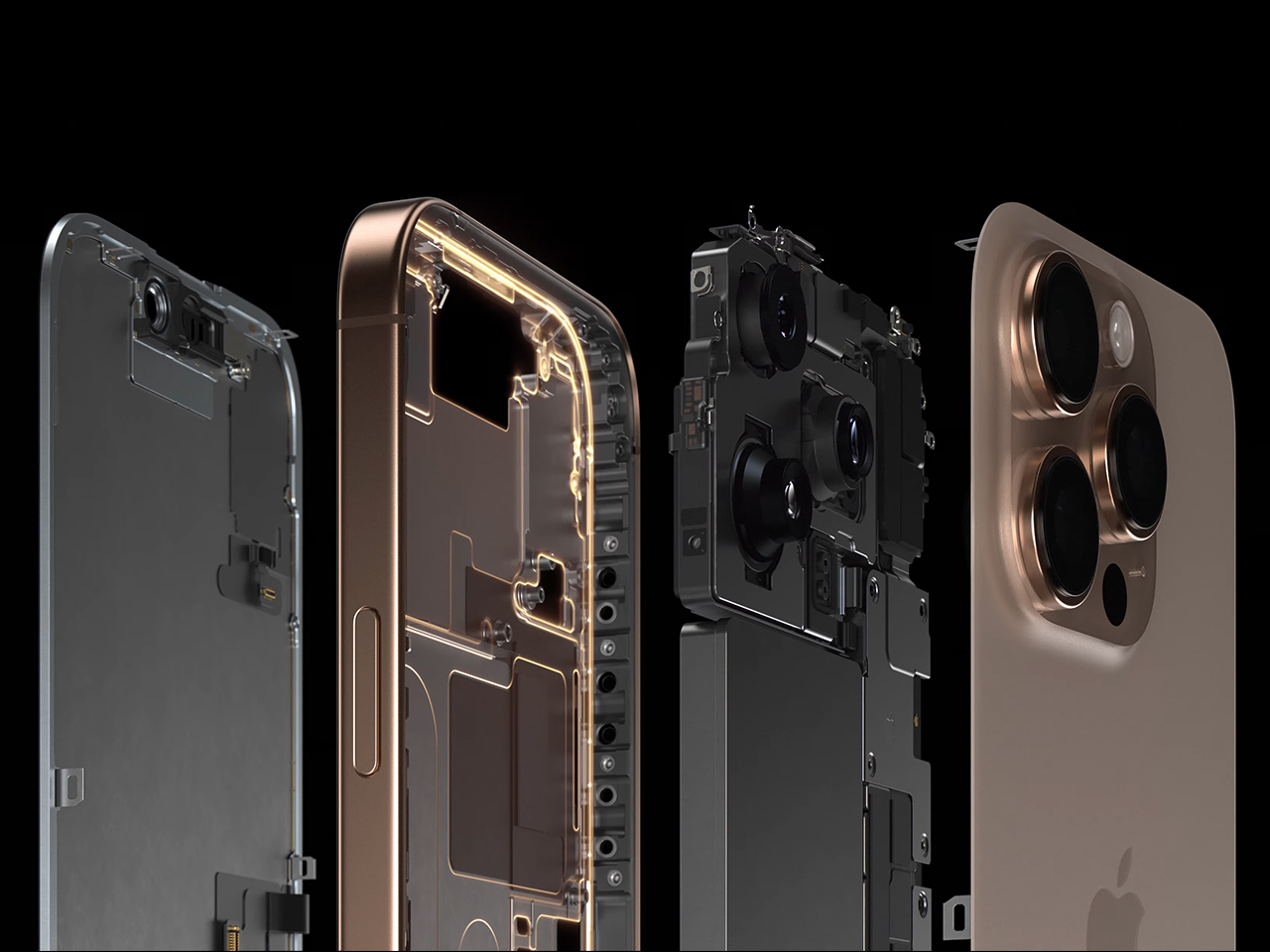
At the core of the iPhone 16 Pro’s new capabilities is the A18 Pro chip, built with second-generation 3-nanometer technology for improved performance and efficiency. The 16-core Neural Engine is designed for tasks requiring high computational power, such as machine learning and generative AI. With a 17% increase in system memory bandwidth, the iPhone 16 Pro can handle tasks such as ray tracing in gaming, 4K video editing, and more.

The A18 Pro chip’s enhanced image signal processor (ISP) enables real-time color grading and supports the advanced photo and video capabilities of the iPhone 16 Pro, ensuring that every shot and video benefits from professional-level quality. The chip’s GPU also provides 20% faster performance, allowing for smoother gaming and more efficient graphics rendering.

iPhone 16 Pro: Is It Time to Switch or Upgrade?

For professional creators, the iPhone 16 Pro delivers the performance and tools needed to meet demanding creative standards. Powered by the A18 Pro chip, it offers advanced photographic styles, pro-level video recording, and studio-quality audio. Whether capturing intricate details in images, producing cinematic-quality videos, or recording clear, high-fidelity audio, the iPhone 16 Pro provides the precision and control necessary to achieve your creative goals. This upgrade is a powerful creative tool designed to push the boundaries of your work, supporting and enhancing your vision with every use.
The post Apple Unveils iPhone 16 Pro with New Camera, Video, and Audio Features Powered by A18 Pro Chip first appeared on Yanko Design.
Apple iPhone 16 Pro vs. the competition: Bigger, with more buttons

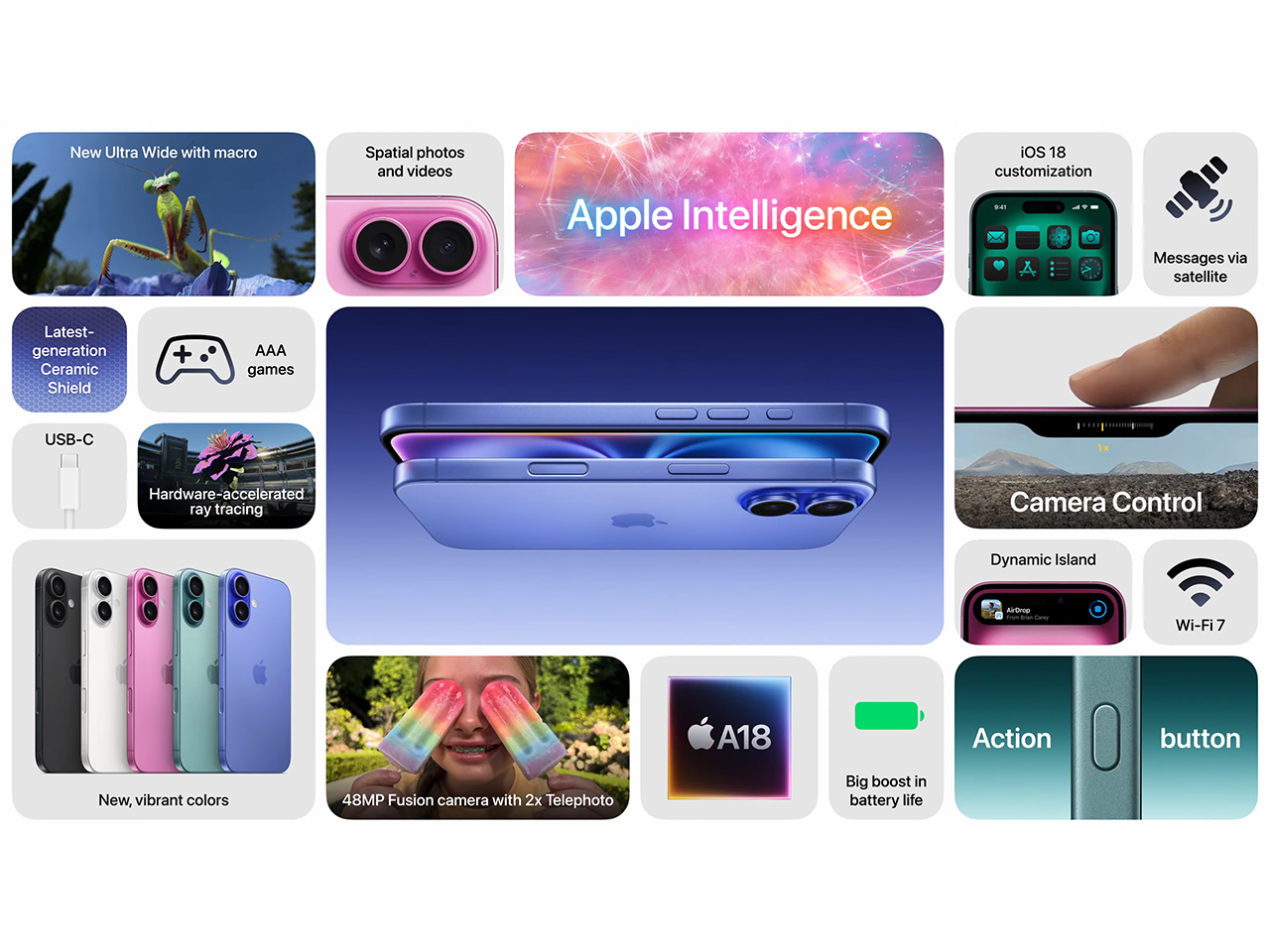
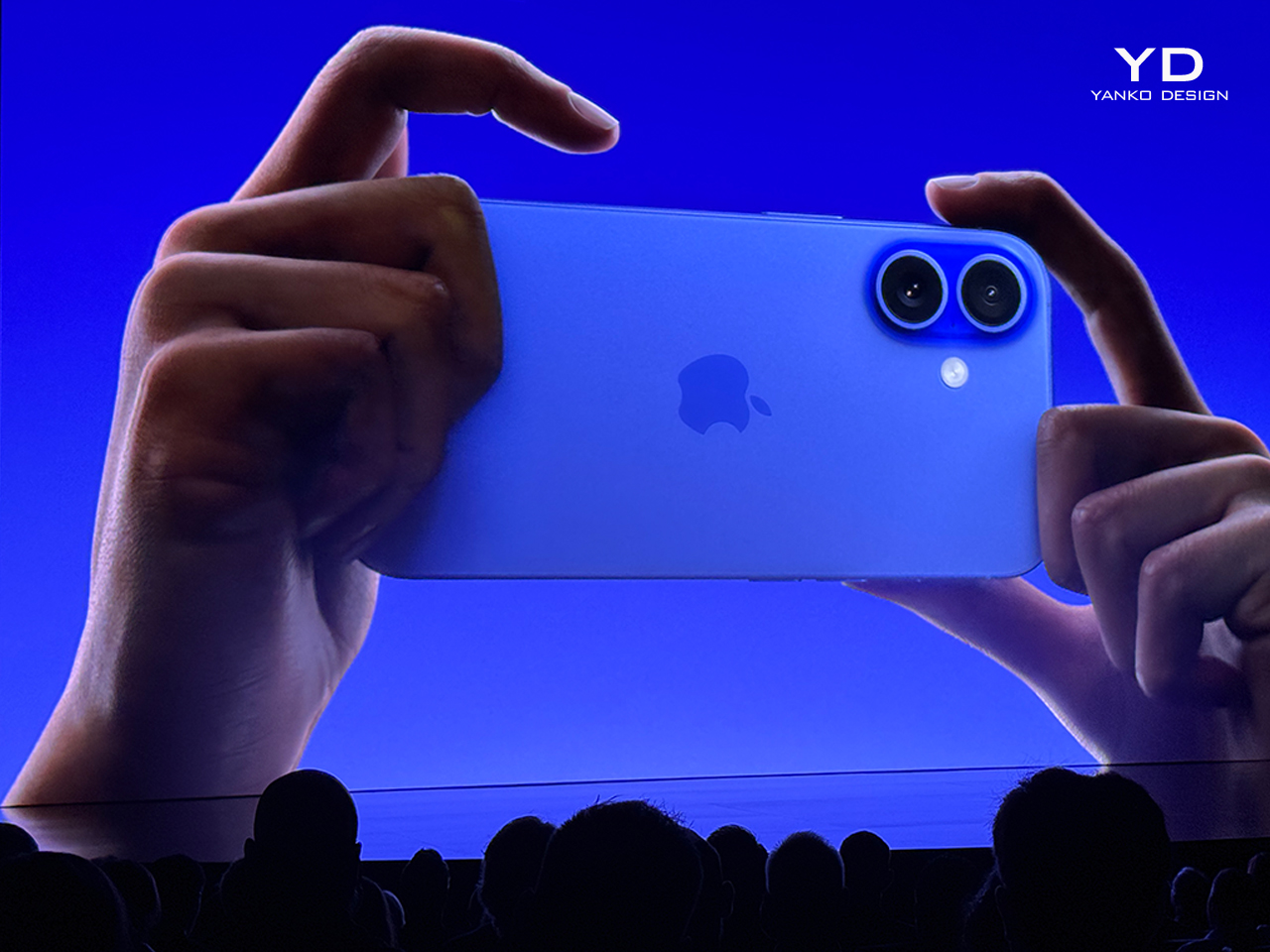
Apple unveiled a quartet of iPhones on Monday, including the iPhone 16, iPhone 16 Plus, iPhone 16 Pro and iPhone 16 Pro Max. As expected, the updates are largely iterative. The standard models now have the programmable Action button from last year's Pro series, slightly improved battery life and an updated camera module that's stacked vertically instead of diagonally. 

The Pro phones, meanwhile, feature bigger displays with slimmer bezels, improved battery life and a handful of camera upgrades, including a 5x optical zoom for the smaller Pro and a sharper ultrawide camera. The standard models run on Apple's new A18 silicon, while the Pro models, fittingly, use a faster and more efficient chip called the A18 Pro.

The most notable hardware change across the board might be a new touch-sensitive "Camera Control" button that makes capturing photos and video a little more DSLR-like. Mostly, though, these phones don't look to be massive departures from the iPhone 15s before them. Much of Apple's sales pitch will come down to how helpful its "Apple Intelligence" AI tools are out in the wild. 

We already have a hands-on preview for the iPhone 16 Pro up on the site, and we'll have full reviews for the entire iPhone 16 lineup in the near future. But if you're thinking about pre-ordering right away, we've broken down how the new iPhone 16 Pro compares to two of its most prominent rivals in the $1,000 price bracket, the Google Pixel 9 Pro and Samsung Galaxy S24+, on the spec sheet. Per usual, raw specs won't tell the full story — you'd probably buy an iPhone because you want iOS and an Android phone because you prefer Android — but if you're wondering what a $1,000 smartphone gets you in 2024, here's how Apple's latest handset stacks up. 

Apple iPhone 16 Pro

Google Pixel 9 Pro

Samsung Galaxy S24+

Pricing (MSRP)

$999 (128GB), $1,099 (256GB), $1,299 (512GB), $1,499 (1TB)

$999 (128GB), $1,099 (256GB), $1,219 (512GB), $1,449 (1TB)

$1,000 (256GB), $1,120 (512GB)

Dimensions

5.9 x 2.8 x 0.3 inches

6 x 2.8 x 0.3 inches

6.2 x 3 x 0.3 inches

Weight

7.03 ounces

7 ounces

6.9 ounces

Screen size

6.3 inches

6.3 inches

6.7 inches

Screen resolution

1,206 x 2,622 (460 ppi)

1,280 x 2,856 (495 ppi)

1,440 x 3,120 (512 ppi)

Screen type

OLED

Up to 120Hz (1-120Hz)

Up to 2,000 nits (peak brightness)

Ceramic Shield

LTPO OLED

Up to 120Hz (1-120Hz)

Up to 3,000 nits (peak brightness)

Corning Gorilla Glass Victus 2

Dynamic AMOLED 2X

Up to 120Hz (1-120Hz)

Up to 2,600 nits (peak brightness)

Corning Gorilla Glass Victus 2

SoC

Apple A18 Pro (6-core)

Google Tensor G4 (8-core)

NA/China: Qualcomm Snapdragon 8 Gen 3 (8-core)

Int'l: Samsung Exynos 2400 (10-core)

RAM

Not specified

16GB RAM

12GB RAM

Battery

"Up to 27" hours video playback

4,700 mAh

"24+ hours" with mixed usage

4,900mAh

"Up to 29" hours video playback

Charging

Wired: not specified

25W wireless (with MagSafe charger; up to 15W with Qi2 chargers)

27W wired

21W wireless (with Pixel Stand; up to 12W with other Qi chargers)

45W wired

15W wireless

Storage

128GB, 256GB, 512GB, 1TB

128GB, 256GB, 512GB, 1TB (1TB only available with Obsidian model)

256GB, 512GB

Rear camera

Main ("Fusion"): 48 MP, f/1.78

Ultrawide: 48 MP, f/2.2, 120° FOV

Telephoto: 12 MP, f/2.8, 5x optical zoom

Main: 50 MP, f/1.68, 82° FOV

Ultrawide: 48 MP, f/1.7, 123° FOV

Telephoto: 48 MP, f/2.8, 5x optical zoom

Main: 50 MP, f/1.8, 85° FOV

Ultrawide: 12MP, f/2.2, 120° FOV

Telephoto: 10MP, f/2.4, 3x optical zoom

Front camera

12 MP, f/1.9

42 MP, f/2.2, 103° FOV

12 MP, f/2.2, 80° FOV

Video capture

Rear: 4K at 24/25/30/60/100/120 fps, 1080p up to 240 fps

Front: 4K at 24/24/30/60 fps, 1080p up to 120 fps

Rear: 8K at 30 fps, 4K at 24/30/60 fps, 1080p up to 240 fps

Front: 4K at 30/60 fps

Rear: 8K at 24/30 fps, 4K at 30/60 fps, 1080p up to 240 fps

Front: 4K at 30/60 fps

Water and dust resistance rating

IP68

IP68

IP68

Wi-Fi

Wi-Fi 7

Wi-Fi 7

Wi-Fi 6e

Bluetooth

Bluetooth 5.3

Bluetooth 5.3

Bluetooth 5.3

OS

iOS 18

Android 14

Android 14

Colors and finish

Glass front, glass back, titanium frame

Black Titanium, White Titanium, Natural Titanium, Desert Titanium

Glass front, glass back, aluminum frame

Porcelain, Rose Quartz, Hazel, Obsidian

Glass front, glass back, aluminum frame

Cobalt Violet, Amber Yellow, Onyx Black, Marble Gray, Jade Green, Sandstone Orange, Sapphire Blue

Catch up on all the news from Apple’s iPhone 16 event!

This article originally appeared on Engadget at https://www.engadget.com/mobile/smartphones/apple-iphone-16-pro-vs-the-competition-bigger-with-more-buttons-194622608.html?src=rss

iPhone 16 Pro hands-on: How does a faux camera control button feel so real?

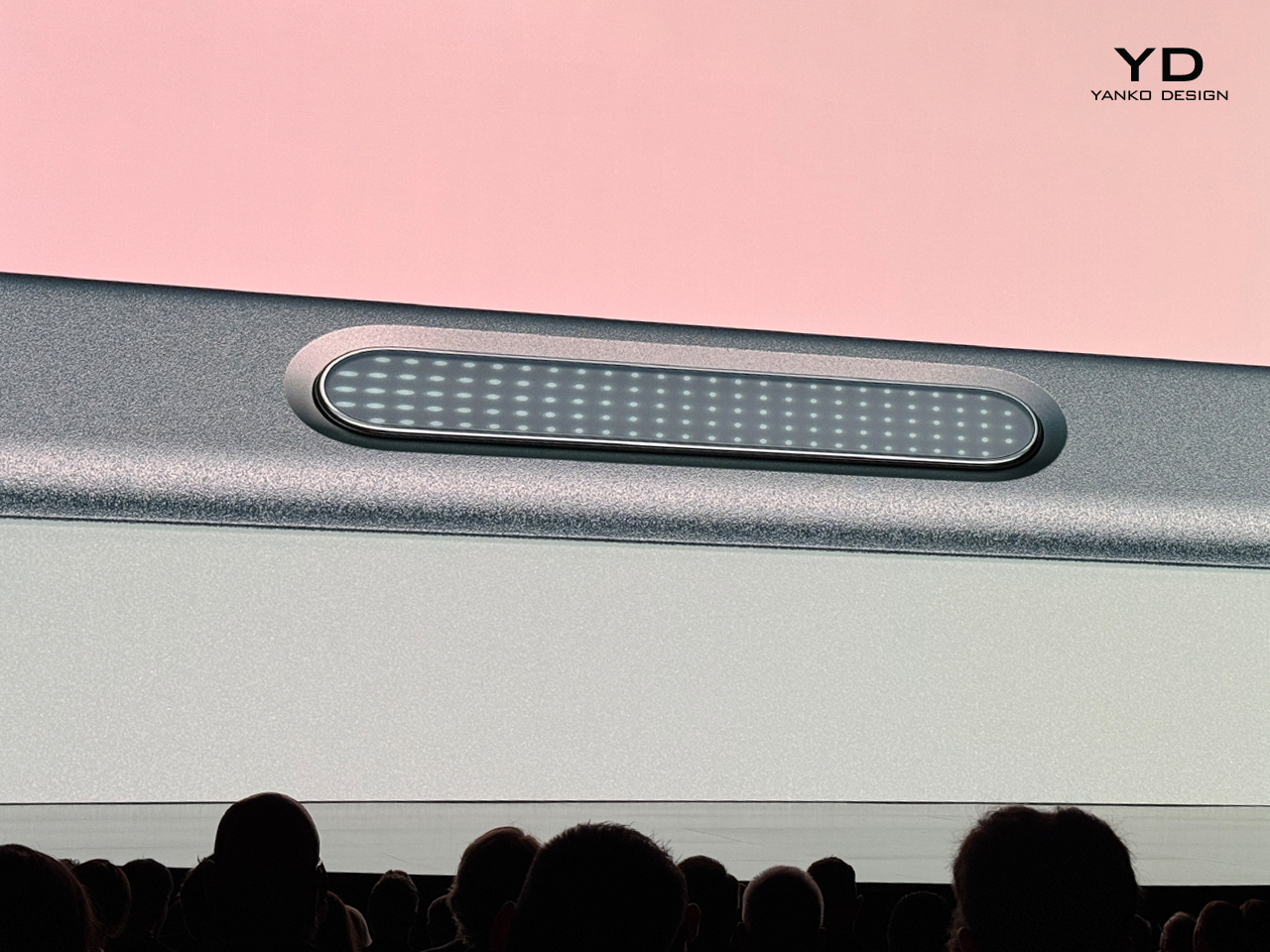
Apple's latest attempt to slightly differentiate the iPhone 16 series is... a faux button it's calling Camera Control. But unlike last year's new button, this one doesn't actually physically depress, and uses a mix of sensors and haptic feedback to simulate the sensation of movement. And in my brief hands-on right after Apple's iPhone 16 launch event, I have to say I actually thought it was a real button. 

Editors' Note: After some investigation, it turns out that at least part of the camera control is a real, depressable button. You'll feel the actual movement when you push all the way down, but the half-press is what's simulated by the iPhone 16's haptic feedback. It does a remarkably good job of simulating a two-stage button.

I got a quick look at the iPhone 16 Pro here in Apple Park, and got a deep walkthrough of the new camera control and its corresponding interface. When I first picked up the iPhone 16 Pro Max, I felt like it looked sleeker and thinner than my iPhone 15 Pro Max, which was nice. My fingers were then drawn to the new "button," which has a groove that surrounds it, which helps with identification by touch.

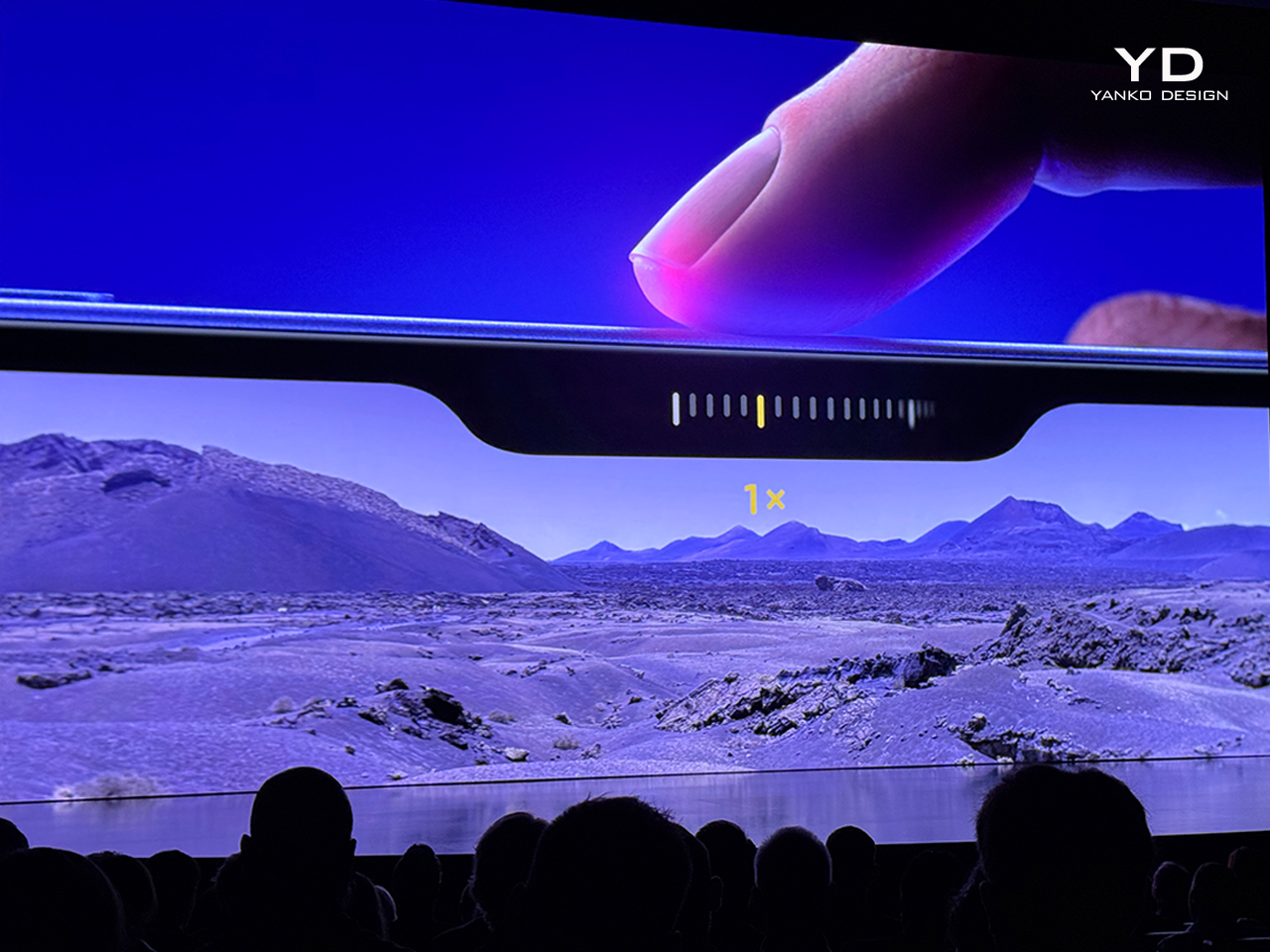
From the home screen, I pressed down on the camera control and the camera app quickly opened. The Apple rep guarding these phones encouraged me to push the camera control with varying pressures, as a lighter touch changed the dial that popped up onscreen next to where the button sat. I dragged my finger on this surface, and the digital knob moved along with me, although I at first found the direction of the movement slightly counterintuitive. I am, however, one of those gamers that needs to flip the direction of my controllers when looking around and navigating any environment though, so that might be just me.

There is no way to change the direction of camera control's direction when you're swiping, but you can tweak the settings to adjust pressure sensitivity. When the Apple rep asked me to push harder on the control, I was shocked at what felt like a real button moving below my fingertip. I confirmed again with the Apple rep that this was not a mechanical button that actually moves, and was met with reassuring nods. Next to me, fellow reviewer Brian Tong echoed my sentiment that the camera control feels remarkably like an actual button. 

iPhone 16 Pro
Cherlynn Low for Engadget

Aside from marveling at the physical sensation on the iPhone 16 Pro, I also took a closer look at the changes to the interface. When I first light-pushed on the camera control, a selection of options came up, allowing me to select Exposure, Zoom, Camera, Styles and Tone. Pressing harder down on each of these locked those modes and a different dial with more markings came up, and swiping on the sensor would move the wheel. In the Camera mode, I was able to quickly switch between the ultrawide, main and zoom options, similar to how the viewfinder currently operates. If you prefer to use the existing interface to switch cameras, you can still do so. 

When you pick the Styles option, you'll swipe between the new Photographic Styles that Apple introduced this year. In each of these, you can tap an icon on the top right of the app to edit them with the new touchpad-ish interface. Dragging your finger around this square at the bottom will adjust color temperature and hue settings. You can also make changes to the Photographic Style in your picture after it's been taken, so you don't have to worry too much about not liking the way something looks. 

iPhone 16 Pro
Cherlynn Low for Engadget

I also got to hold the iPhone 16 Pro Max in portrait mode and take a selfie. At first, my thumb was placed too high on the device's edge, and pressing down did nothing. I shifted the phone in my hand slightly, which felt a little precarious, then found the camera control and quickly took a shot. I'm not sure of the position here just yet, but it feels like something I'll figure out in time. 

Some of the camera improvements on the iPhone 16 Pro are new video editing features, but I didn't quite get to recording 4K120 footage yet. I did get to peek at the updated video-editing interface, which has a tab on the side for Audio Mix, which lets you isolate the voices of people on camera or make the shot sound like it was recorded inside a studio. It's all so very cinematic. I don't know that I believe people can shoot IMAX-friendly films on any iPhone ever, but the idea that you can is certainly intriguing.

Part of the reason I found the iPhone 16 Pro slightly sleeker than its predecessor is likely to do with its display. It's 6.9 inches large now, compared to its predecessor's 6.7-inch screen. However, Apple has managed to keep the handset at the same size as before, shaving the bezels down even further to do so. It's not something you'll notice without putting the two devices side by side and really scrutinizing the borders, but it makes a small difference in making this year's Pro Max feel new. 

Whether that makes a meaningful difference in maneuvering the phone or reading more content at once is something I'll wait till I can scroll Reddit for hours on my couch before judging. I'd also need more time to see if Apple Intelligence and the new A18 Pro chip will improve the iPhone 16 Pro experience and battery life. I know I'm super stoked for the update to the Voice Memo app and will be loudly singing into my iPhone 16 Pro whenever I get the chance. If you want the most comprehensive review from an aspiring singer, definitely come back to check out our full impressions soon. If not, well, you have been warned.

Update, September 09 2024, 8:04PM ET: This story has been updated to clarify that there is a real button in Camera Control, and that the half-step is what's simulated by haptic feedback.

Catch up on all the news from Apple’s iPhone 16 event!

This article originally appeared on Engadget at https://www.engadget.com/mobile/smartphones/iphone-16-pro-hands-on-how-does-a-faux-camera-control-button-feel-so-real-191406863.html?src=rss

Apple quietly kills its terrible FineWoven iPhone cases

Hey, there were good intentions! The FineWoven case was pitched, just about a year ago, as a leather substitute. Instead of the environmentally-unfriendly animal byproduct, Apple wanted us to buy cases made from 68 percent post-consumer recycled content. 

The material looked a little similar to leather in press shots, but the reality was a material that was smooth and scratchy at the same time, a surface that was easily marred by the exact sorts of objects it might share space with in a bag. In short: a fantastic opportunity for third-party iPhone case manufacturers. 

When leather gets old, it gets... nicer? There's a patina. When Finewoven cases got even a few days old, it got scratched and blotchy. It's not a huge surprise, then, that there are no new FineWoven colorways, or any iPhone 16-compatible FineWoven cases, period. They're gone. 

It isn't the end of FineWoven completely. The material will live on in a MagSafe wallet, available in four different colors, and more Apple Watch straps. If you are looking for a new (but official) iPhone look, how about, randomly, these Beats-themed iPhone 16 cases? They're not microtwill; they're hard plastic. 

Catch up on all the news from Apple’s iPhone 16 event!

This article originally appeared on Engadget at https://www.engadget.com/mobile/smartphones/apple-quietly-kills-its-terrible-finewoven-iphone-cases-191345213.html?src=rss

Apple invents its own version of Google Lens called Visual Intelligence

Apple has introduced a new feature called Visual Intelligence with the iPhone 16, which appears to be the company's answer to Google Lens. Unveiled during its September 2024 event, Visual Intelligence aims to help users interact with the world around them in smarter ways.

The new feature is activated by a new touch-sensitive button on the right side of the device called Camera Control. With a click, Visual Intelligence can identify objects, provide information, and offer actions based on what you point it at. For instance, aiming it at a restaurant will pull up menus, hours, or ratings, while snapping a flyer for an event can add it directly to your calendar. Point it at a dog to quickly identify the breed, or click a product to search for where you can buy it online.

Later this year, Camera Control will also serve as a gateway into third-party tools with specific domain expertise, according to Apple's press release. For instance, users will be able to leverage Google for product searches or tap into ChatGPT for problem-solving, all while maintaining control over when and how these tools are accessed and what information is shared. Apple emphasized that the feature is designed with privacy in mind, meaning the company doesn’t have access to the specifics of what users are identifying or searching.

Apple claims that Visual Intelligence maintains user privacy by processing data on the device itself, ensuring that the company does not know what you clicked on.

Catch up on all the news from Apple’s iPhone 16 event!

This article originally appeared on Engadget at https://www.engadget.com/ai/apple-invents-its-own-version-of-google-lens-called-visual-intelligence-180647182.html?src=rss

Apple Unveils iPhone 16 with Enhanced Camera, Customizable Controls, and A18 Chip

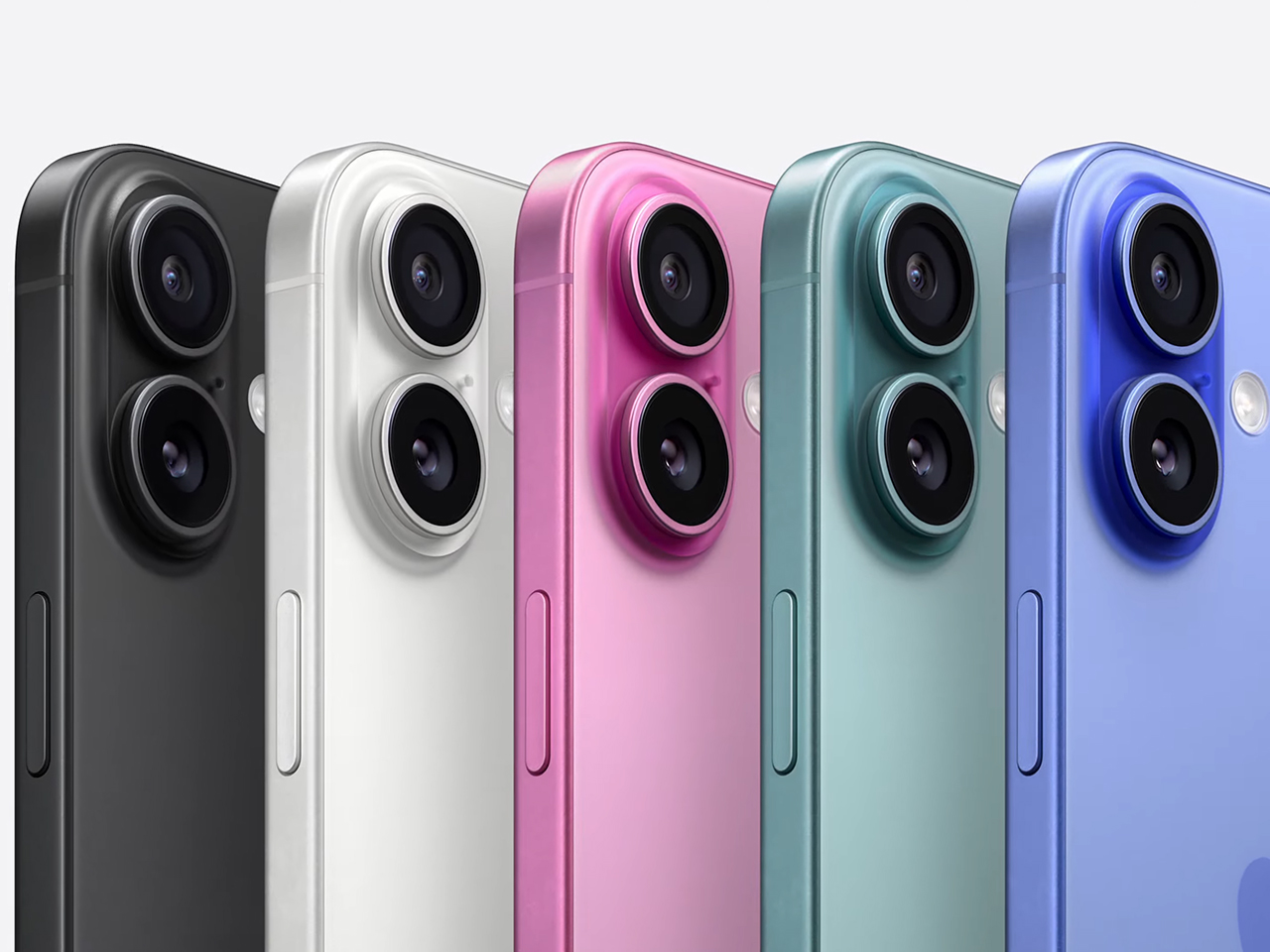
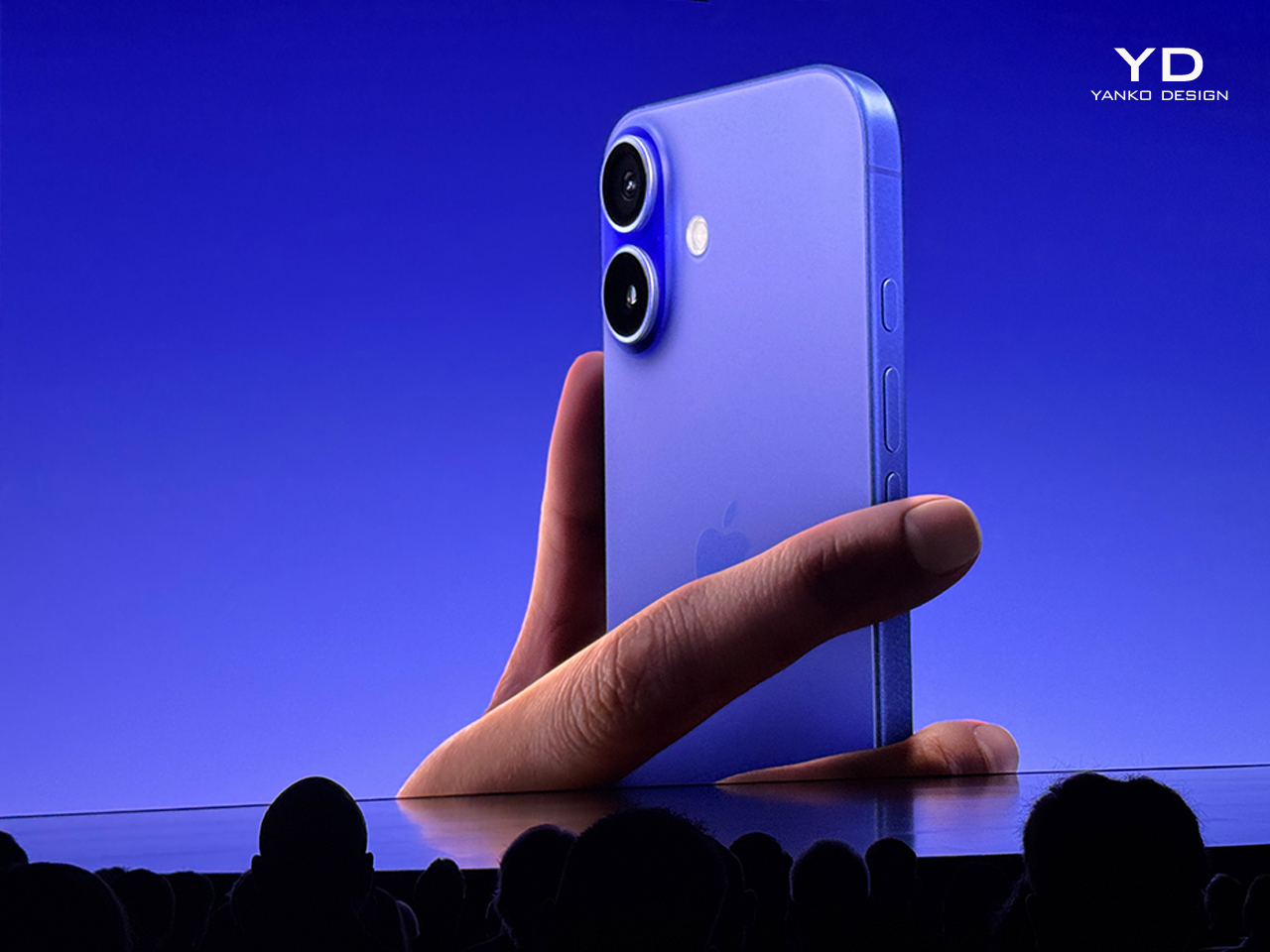
Apple introduced the iPhone 16, showcasing new durability, performance, and personalization features. The device retains its sleek look but incorporates significant upgrades, including color-infused glass in ultramarine, teal, and pink, alongside white and black. This design innovation gives the iPhone 16 a refreshed, vibrant appearance.

Designer: Apple

The iPhone 16 builds on the Action Button first seen in the iPhone 15 Pro, allowing users to access customizable functions quickly. A new dedicated camera button brings a more traditional camera experience, instantly launching the camera and functioning as a hardware shutter.

Powered by Apple’s new A18 chip, the iPhone 16 is built for handling advanced tasks, particularly those requiring machine learning and AI. The 16-core Neural Engine is twice as fast as the previous generation, significantly improving processing power for AI workloads. Apple increased memory bandwidth by 17%, allowing more efficient handling of large models and intensive tasks like large language models. The A18’s six-core CPU is 30% faster than the iPhone 15’s, with improved power efficiency and extended battery life. Apple claims the iPhone 16 can outperform some high-end desktop PCs.

The display has also seen upgrades, with brightness reaching 2,000 nits in sunlight and dropping to one nit in low-light environments for more comfortable viewing. The Ceramic Shield glass is 50% tougher than previous versions, adding to the iPhone’s overall durability and water and dust resistance.

Apple’s focus on AI brings Apple Intelligence to the iPhone 16. This system integrates generative models directly into the device, allowing for more natural language understanding and personalization. It can rewrite messages, suggest professional tones, and even create emojis based on descriptions. Additionally, users can use the new Visual Intelligence feature through the camera, which allows the device to identify objects, locations, and events simply by pointing the camera. This feature provides quick access to information such as restaurant details, event schedules, or product identification, bringing a new level of interaction to the iPhone.

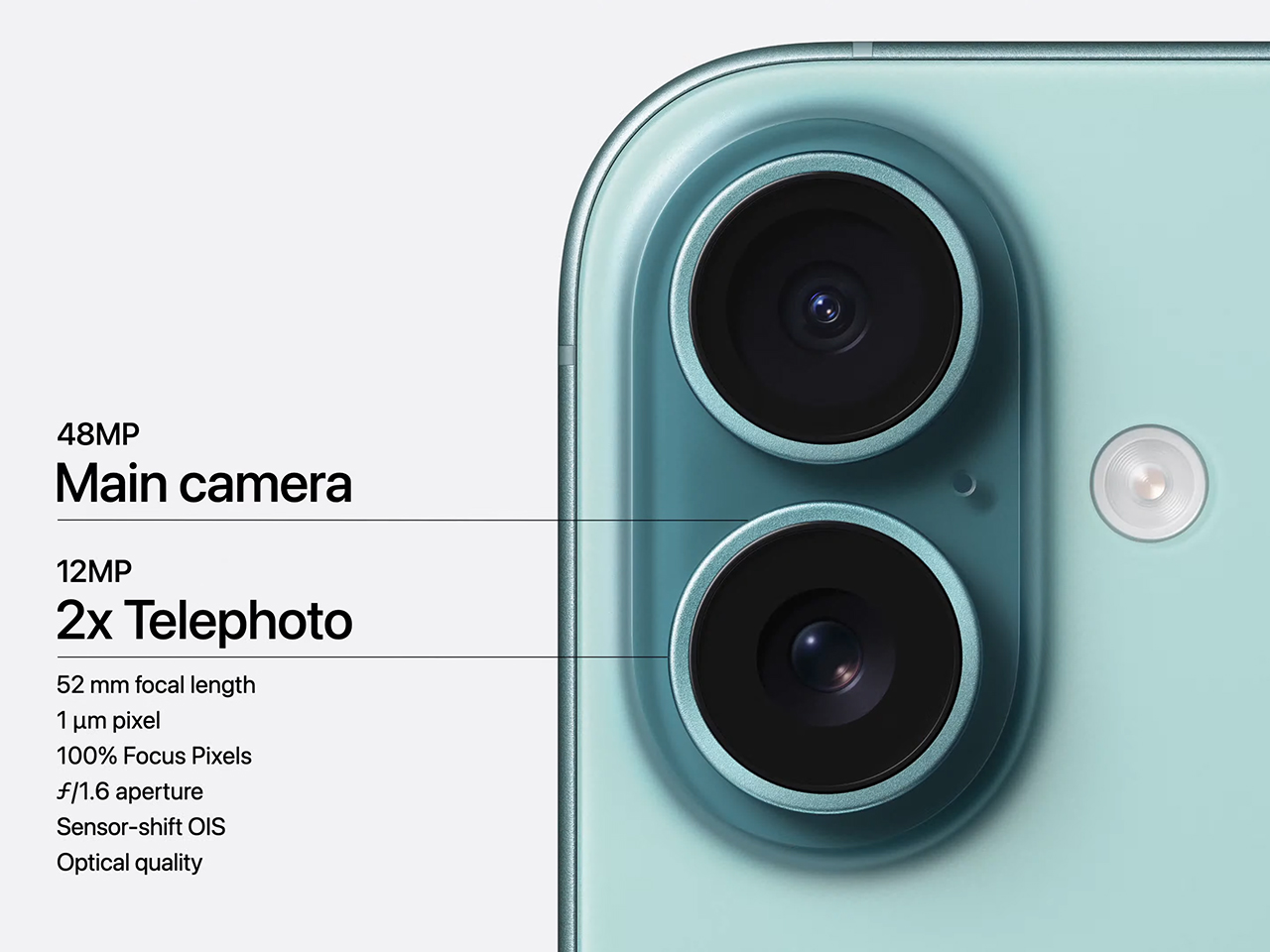
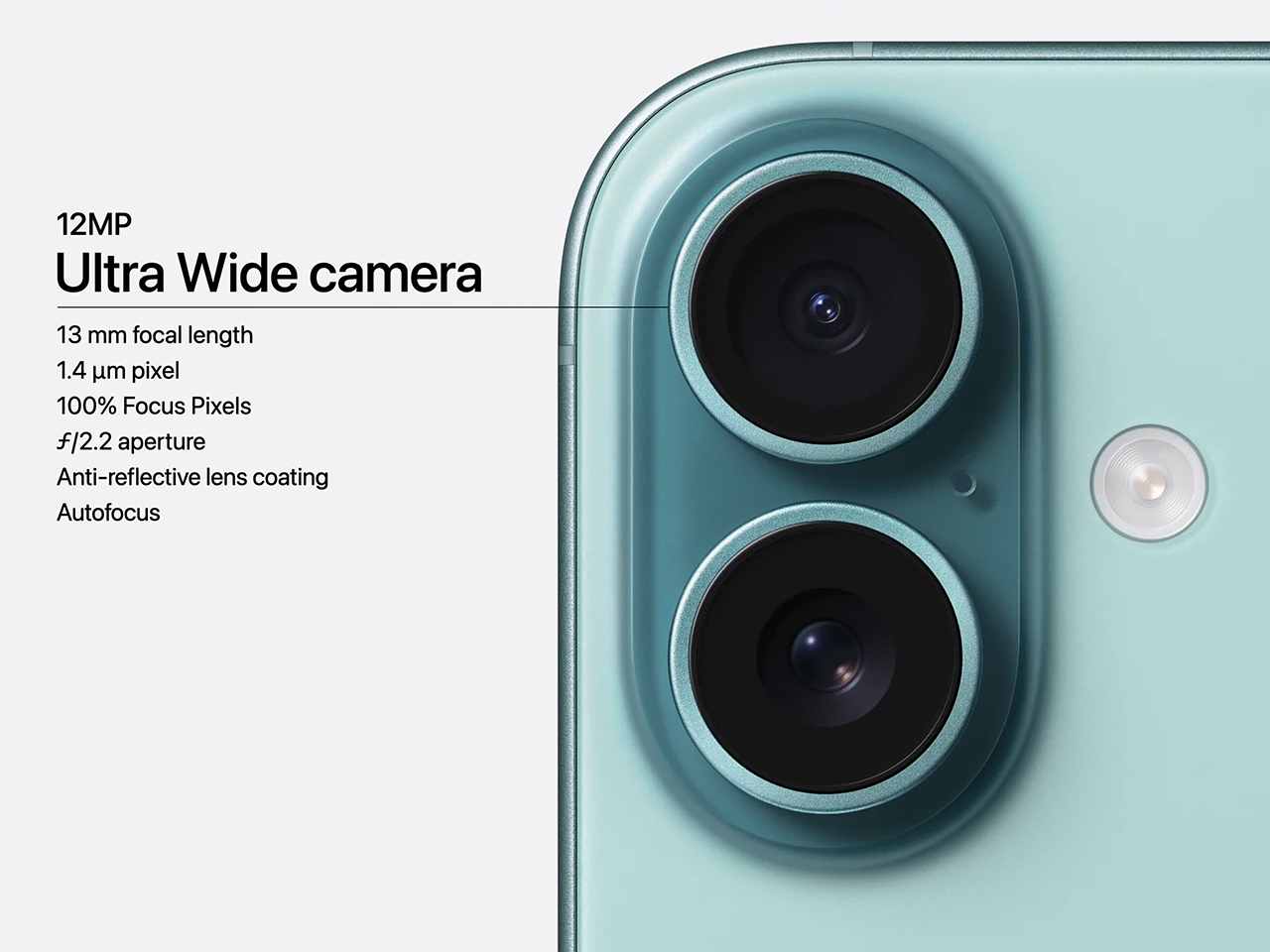
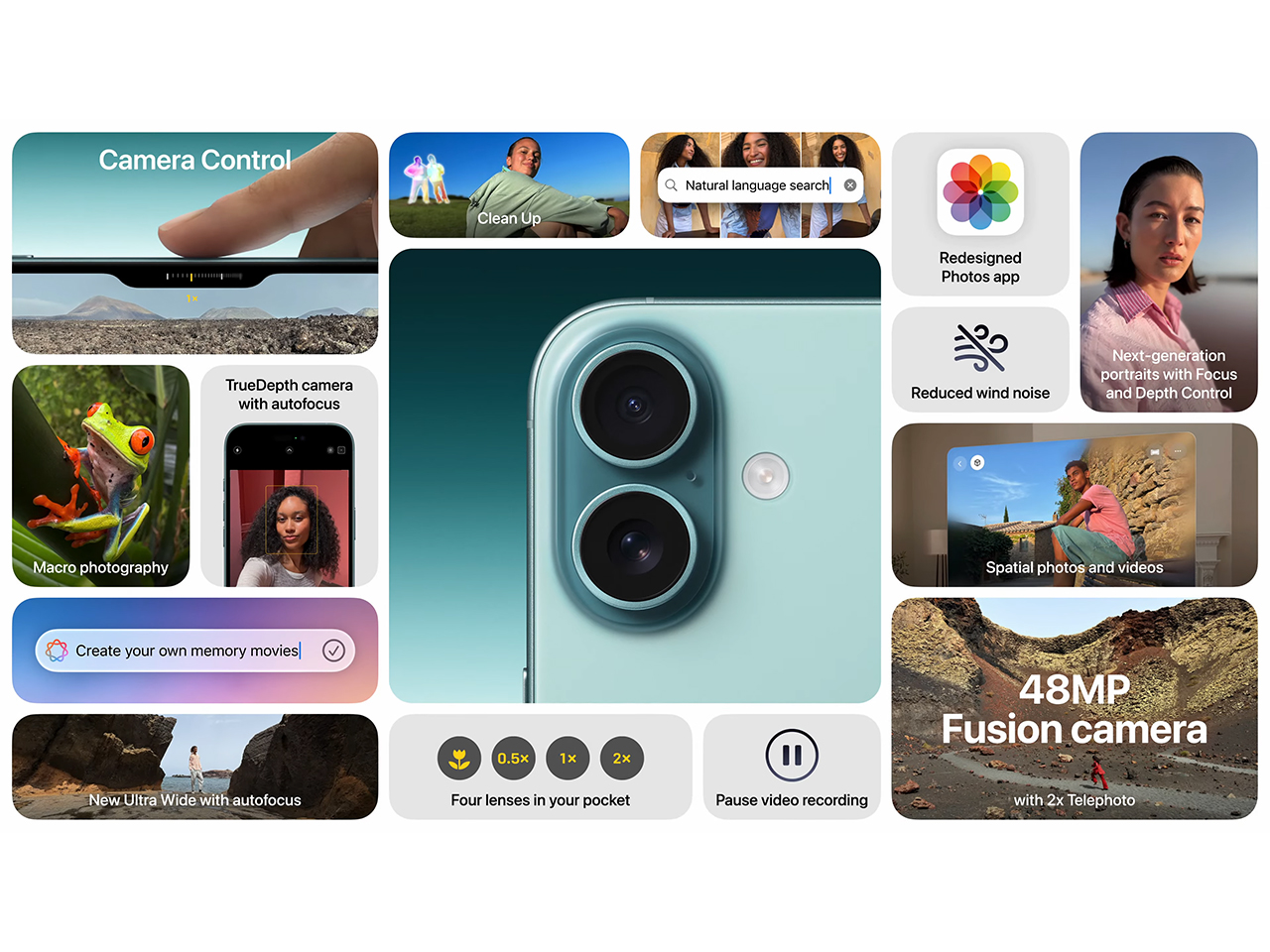
The iPhone 16’s camera system has also been upgraded with a 48-megapixel main camera, allowing users to capture images with more detail. A new 2x telephoto option offers optical quality, made possible by the device’s computational photography capabilities. The ultra-wide camera, now with autofocus, allows for better low-light performance and macro photography, while spatial video and photo capture bring new dimensions to memory preservation, compatible with Apple’s Vision Pro headset.

Overall, the iPhone 16 introduces more power, control, and personalization options, making it a versatile tool for users who demand both performance and convenience in their daily tasks.

The post Apple Unveils iPhone 16 with Enhanced Camera, Customizable Controls, and A18 Chip first appeared on Yanko Design.
How to pre-order the new Apple Watch Series 10

Before announcing new handsets during the It's Glowtime iPhone 16 launch event in Cupertino, Apple execs talked up the company's latest suite of smartwatches. Rumors suggested we could get an Apple Watch X instead of the Apple Watch Series 10, if the company were to borrow the naming scheme from its 2017 iPhone. But that didn't happen, it's indeed the Apple Watch Series 10.

In addition to the flagship wearable, we also saw the announcement of a new finish for the Apple Watch Ultra 2. Unfortunately, after a two-year wait, the Apple Watch SE has not been updated to a third generation. Here's how you can pre-order the new Apple Watch Series 10, which should start shipping on Sept 20.

A new Apple Watch SE was not announced during the event, though it remains part of the official lineup. Last year’s Apple Watch Ultra 2 is still the company’s most recent high-end wearable, only getting an additional shiny black colorway instead of a new model.

Catch up on all the news from Apple’s iPhone 16 event!

This article originally appeared on Engadget at https://www.engadget.com/wearables/how-to-pre-order-the-new-apple-watch-series-10-173004323.html?src=rss

Here’s how the new AirPods 4 compare to the rest of Apple’s headphone lineup

Apple gave its AirPods lineup a makeover on Monday, introducing two different pairs of wireless earbuds dubbed the AirPods 4, a minor refresh for the over-ear AirPods Max and some new features for the existing AirPods Pro. Both models of the fourth-generation AirPods look like slightly smaller versions of the third-gen model from afar, though Apple says the shape has been refined to improve overall comfort. They also feature Apple's H2 chip, smaller charging cases with USB-C and promised improvements to sound quality. 

The higher-end version of the two AirPods comes with active noise cancellation (ANC), which was previously limited to the AirPods Pro and Max. Its case also supports wireless charging and has a speaker that should make the whole thing easier to find if it's ever misplaced.

The revised AirPods Max, meanwhile, now charge over USB-C and come in a few new colors. Finally, while there aren't all-new AirPods Pro, Apple says the current model will receive new software features centered on hearing health, including the ability to function as a "clinical-grade" hearing aid.

Of course, the best way to figure out how much these updates matter is to actually listen to the new headphones. Unsealed earbuds like the AirPods 4 tend to naturally let in lots of outside noise, for instance, so we'll be eager to see how well its ANC feature works over time. We have some early impressions of the new AirPods 4 up now, but we'll have full reviews in the coming days. If you're already dead-set on upgrading in some fashion, however, we've put together a quick and dirty breakdown of how the updated AirPods lineup stacks up. 

AirPods 4

AirPods 4 with Active Noise Cancellation

AirPods Pro (2nd gen)

AirPods Max

Pricing (MSRP)

$129

$179

$249

$549

Design type

Earbud (unsealed)

Earbud (unsealed)

In-ear (sealed)

Over-ear

Active noise canceling

No

Yes

Yes

Yes

Transparency mode

No

Yes

Yes

Yes

Adaptive Audio

No

Yes

Yes

No

Multipoint connectivity

No

Automatic device switching with Apple devices only

No

Automatic device switching with Apple devices only

No

Automatic device switching with Apple devices only

No

Automatic device switching with Apple devices only

Battery life (rated)

Up to 5 hours

Up to 5 hours (with ANC off; up to 4 hours with ANC enabled)

Up to 6 hours

Up to 20 hours

Total battery life with case (rated)

Up to 30 hours

Up to 30 hours

Up to 30 hours

N/A

Wired charging

USB-C (cable not included)

USB-C (cable not included)

USB-C (cable included)

5 mins in case = around 1 hour of listening time

USB-C (cable included)

5 mins charge = around 1.5 hours of listening time

Wireless charging

No

Yes

Yes

No

Water and dust resistance

IP54

IP54

IP54

No

Size and weight

1.19 x 0.72 x 0.71 inches

0.15 ounces

1.19 x 0.72 x 0.71 inches

0.15 ounces

1.22 x 0.86 x 0.94 inches

0.19 ounces

7.37 x 6.64 x 3.28 inches

13.6 ounces

Case size and weight

1.82 x 1.97 x 0.83 inches

1.14 ounces

1.82 x 1.97 x 0.83 inches

1.22 ounces

1.78 x 2.39 x 0.85 inches

1.79 ounces

4.74 ounces

Chip(s)

Apple H2

Apple H2

Apple H2

Apple U1 in charging case

Apple H1

Bluetooth

Bluetooth 5.3

Bluetooth 5.3

Bluetooth 5.3

Bluetooth 5.0

Bluetooth codecs

AAC, SBC

AAC, SBC

AAC, SBC

AAC, SBC

Spatial audio

Yes

Yes

Yes

Yes

Control type

Touch controls with force sensor

Touch controls with force sensor

Touch controls with force sensor and swipes

Digital Crown dial + Noise control button

Mics and sensors

Dual beamforming microphones

Inward-facing microphone

Optical in-ear sensor

Motion-detecting accelerometer

Speech-detecting accelerometer

Dual beamforming microphones

Inward-facing microphone

Optical in-ear sensor

Motion-detecting accelerometer

Speech-detecting accelerometer

Dual beamforming microphones

Inward-facing microphone

Skin-detect sensor

Motion-detecting accelerometer

Speech-detecting accelerometer

Nine microphones total: eight ANC mics, three mics for voice pickup (two shared for ANC)

Optical sensor

Position sensor

Case-detect sensor

Accelerometer

Gyroscope

Catch up on all the news from Apple’s iPhone 16 event!

This article originally appeared on Engadget at https://www.engadget.com/audio/headphones/heres-how-the-new-airpods-4-compare-to-the-rest-of-apples-headphone-lineup-190150611.html?src=rss

Apple Watch Series 10 hands-on: Bigger, lighter and thinner than ever

If you were hoping for three new Apple Watches today, you might be disappointed. However, Apple did reveal the largest Apple Watch display ever on the Series 10 wearable. The device is also thinner, delivering the bigger-but-slimmer update the company loves to give new devices. It's lighter too, so all three of the design changes should make the wearable more comfy to... wear. And of course, the new display will be a key selling point for this updated model. 

That display is the standout update to me. The panel is said to be 40 percent brighter when viewed at an angles, which will make it so much easier to see Watch info at a glance. I tried on the Series 10 in the demo area here at Apple Park in both the 46mm and 42mm sizes. The larger of the two isn't that much of burden for me as I'm rocking a 45mm Series 7 on the daily. Still, the OLED display is a massive upgrade over what I'm used to, and it will offer better performance over recent Apple Watches too. I also got a look at that screen update feature, which lets you see time and other info even when the display is in ambient mode. 

Apple Watch Series 10
Billy Steele for Engadget

In addition to the new display, both it and the Apple Watch case have more rounded angles. Combine that with new finishes (hello, jet black!) and you've got the biggest update to Apple's wearable since the Series 4 in terms of design. There are also a host of new features we weren't able to test in the demo area, like the depth gauge and water temperature sensor, but we did get a brief look at the upcoming sleep apnea tool in Apple Health. 

Here, Apple Watch will monitor your sleep for breathing disturbances. Like other sleep metrics, you'll see data for the current month, path six months and previous year, so you'll be aware of any changes over time. Of course, the app will alert you if you might need to see a doctor, and it will offer all of the logged data for you to share when you do. Millions of people suffer from sleep apnea, so being able to detect the signs of the condition without time-consuming sleep testing will certainly be a welcome addition to Apple's suite of health-tracking tools with Watch Series 10. 

Sleep apnea on Apple Watch
Billy Steele for Engadget

The main aesthetic update to the Apple Watch Ultra 2 is a new black color option. And while there's isn't a ton to say there, I will note that it looks very nice. Plus, it provides some contrast for those people who didn't care for the lighter silver option that was available before now. 

Apple Watch Ultra 2
Billy Steele for Engadget

Catch up on all the news from Apple’s iPhone 16 event!

This article originally appeared on Engadget at https://www.engadget.com/wearables/apple-watch-series-10-hands-on-bigger-lighter-and-thinner-than-ever-190000233.html?src=rss