Canon EOS R6 III review: A video powerhouse that’s also great for photography

With video features like RAW now the norm on midrange mirrorless cameras, Canon decided not to mess around with its latest model, the 33-megapixel EOS R6 III. It’s a veritable cinematic beast, allowing up to 7K RAW video capture internally with fast and reliable autofocus and rock solid stabilization. 

At the same time, it's a solid photo camera with high burst speeds and warm, accurate image quality. The R6 III has stiff competition with Sony’s 33MP A7 V, though, as the latter delivers higher dynamic range. The price could also be an issue for buyers, as the R6 III costs $300 more than its predecessor. Whether it’s worth that extra money depends on what you’re planning to do with it.  

Canon EOS R6 III
Canon EOS R6 III
Steve Dent for Engadget

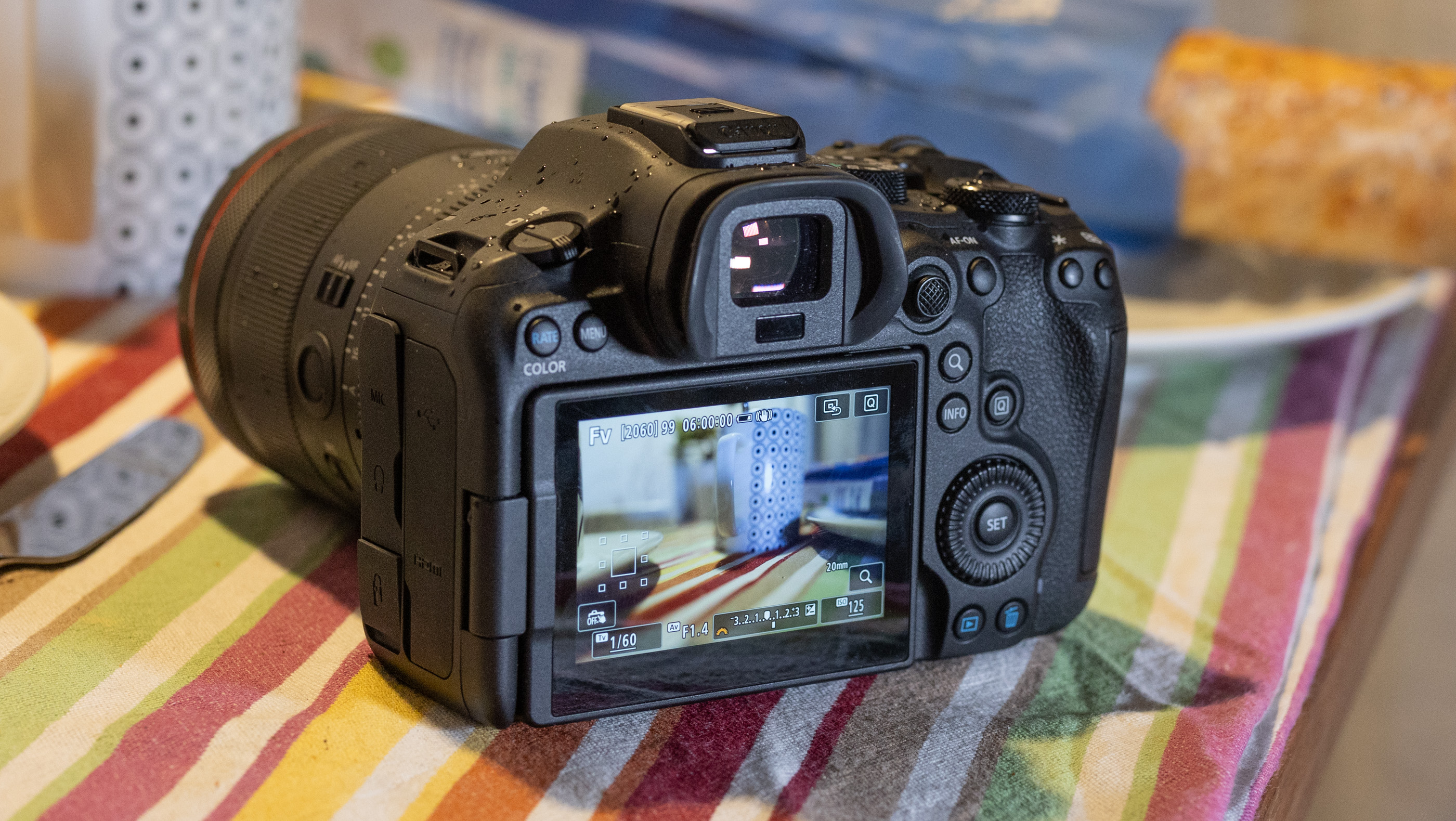
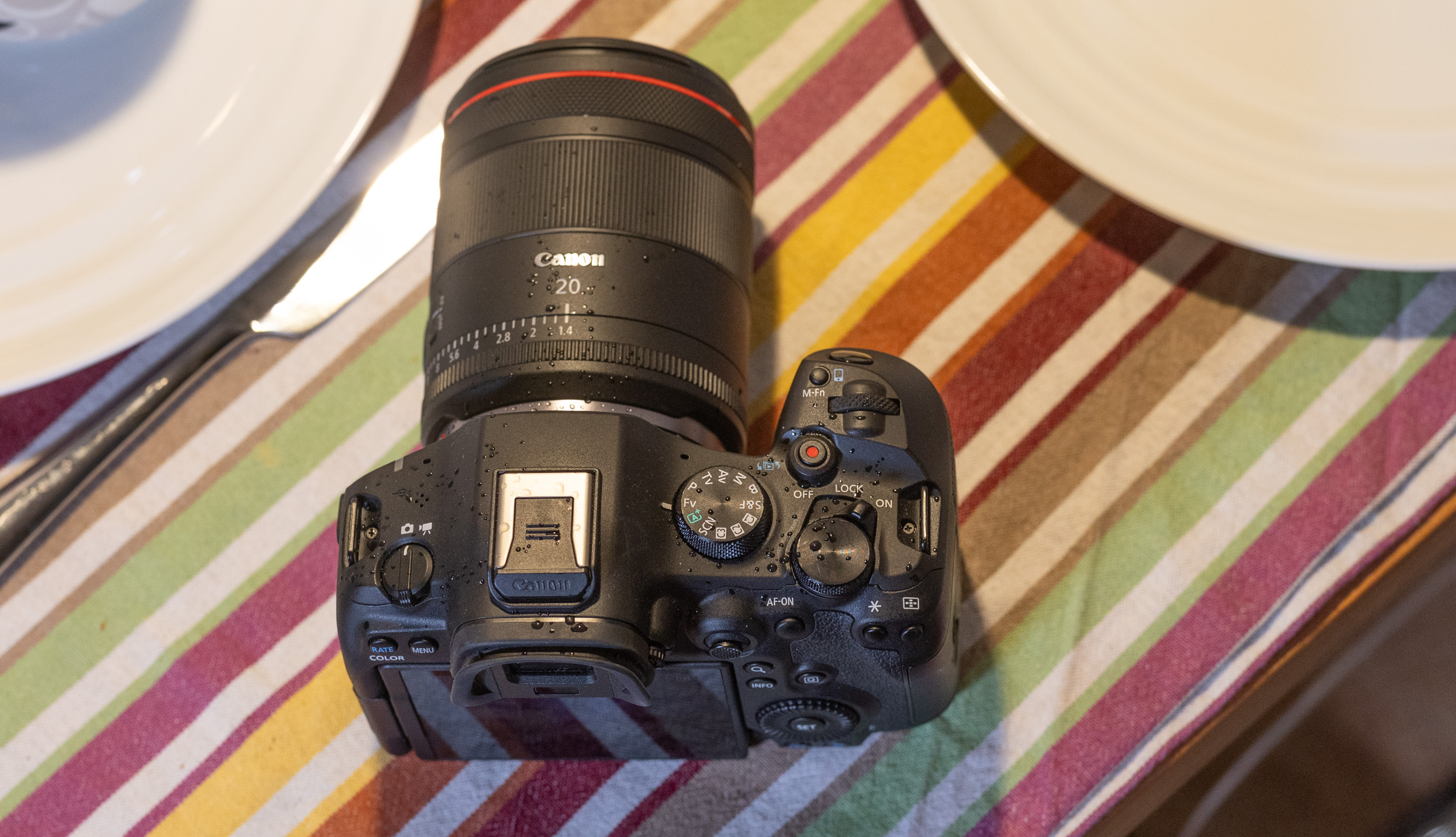
The EOS R6 III is quintessentially Canon in terms of design. It strongly resembles the R6 II and EOS R5 II, with the same button and dial layout at the rear. In terms of functionality, this is a good thing as everything falls perfectly to hand, letting you control it by feel once you’re used to it. However, the R6 III’s design is a bit bland, so if you’re looking for a stylish camera a la Fujifilm, this is not the one. 

Holding the R6 III is also a pleasure thanks to the grippy, soft rubber exterior, though at 1.5 pounds it’s a bit heavier than the A7 V. It’s comfortable to hold and use all day, unlike Sony’s A7 V which felt uncomfortable after prolonged usage because of the harder material and sharp crease around the fingertip area. 

The R6 III’s 3.69-million dot, 120 fps electronic viewfinder (EVF) worked fine for me to check color and focus, but falls short of the one on the much cheaper Nikon Z6 III. The flip-out 3-inch 1.65-million-dot rear touch display is on par for this category and does the job well. For storage, the R6 III supports CFexpress Type B cards for capturing RAW video, along with SD UHS II for MP4 video and photos. 

Other key features include headphone and microphone ports, a full-sized HDMI input (instead of microHDMI as before, thankfully) and a USB-C port for charging and transfers. Battery life is decent for this category with a maximum 510 shots per charge or 620 shots if you engage the power saving mode or about 90 minutes of continuous 4K capture. However, you can roughly double those figures with Canon's optional $150 BG-R20 battery grip.

Canon's EOS R6 III offers fast burst speeds and skin-tone friendly colors
Steve Dent for Engadget

The R6 III offers a boost in shooting speeds over its predecessor thanks to an all-new 33MP sensor. It has a faster readout speed than the R6 II as well, allowing for faster bursts and lower rolling shutter skew. In comparison, Sony’s A7 V also has a 33MP sensor but it’s partially stacked, so it delivers less distortion when shooting fast-moving subjects. 

With that new sensor and a 34 percent faster Digic X processor, the R6 III can shoot bursts at up to 40 fps in electronic and 12 fps in mechanical shutter modes (with continuous AF and AE enabled). That’s second only to the Panasonic S1 II (70 fps) in this price range. You can fill the buffer in about 3.7 seconds at that speed (150 RAW frames), which is a decent amount for a midrange camera.

You usually want to avoid the electronic shutter with fast-moving action due to rolling shutter distortion, but the R6 III’s faster sensor can handle objects that are moving reasonably quickly. I also caught a few photos of babies, bikes and dogs I might have otherwise missed by using the new pre-capture mode that records up to 15 photos before fully declencing the shutter.

The new sensor and processor also make the R6 III’s autofocus system faster and more accurate than before. When shooting bursts for fast moving action like dogs running or biking, less than five percent of my shots were out of focus. And the EOS R6 III can now track animals, birds and vehicles, on top of the faces, eyes and bodies of people. 

This camera also has a couple of new autofocus tricks, including one called Register People Priority. That lets you save up to 10 individuals on camera that it can identify and automatically switch to. I found it handy in a large gathering, helping me focus on my niece enjoying her second Christmas. However, the R6 III lacks a few autofocus features found on the R5 II like “action priority” for sports, eye control AF and AI upscaling. 

In-body stabilization is also excellent, keeping the sensor rock-steady for handheld shooting with 8.5 stops of shake reduction. With that enabled, I was able to nicely blur action on the streets while keeping the background sharply in focus at shutter speeds down to a full second. 

With a 33MP sensor instead of a 24MP sensor, the R6 III offers quite a bit more sharpness and a touch more dynamic range than its predecessor. When shooting RAW, I was able to coax a lot of detail out of high contrast shots on sunny days with dark shadows. However, Sony’s A7 V soundly beats the R6 III in terms of dynamic range, thanks to its innovative new sensor. 

The R6 III’s high ISO performance isn’t too bad for a higher-resolution camera either, with noise staying under control up to ISO 12,800. As is typical with Canon models, skin tones are warmer and more flattering than on Sony and Nikon cameras, due to the slightly more yellow-biased pink tones. Those pleasing colors were consistent, even at high ISOs, when I shot kids and adults at a couple of indoor gatherings. If you don’t want the hassle of RAW, JPEG rendering is excellent straight out of the camera, with well balanced sharpening and noise reduction.

Note that switching to electronic shutter mode drops the sensor to a 12-bit readout, which helps burst speeds but hurts image quality. This is a pretty big downside compared to the A7 V, which maintains 14-bit quality even when shooting at the camera’s maximum rate at 30 fps. So while on paper the R6 III wins the speed race, the 10 extra fps won’t be worth the drop in quality for many photographers. 

Canon’s EOS R6 III
Canon’s EOS R6 III
Steve Dent for Engadget

Canon has improved video on the R6 III in every way, putting it nearly on par with the more expensive R5 II. Though it can’t shoot 8K, it can handle 7K RAW video at up to 60 fps (on CFexpress only) and 4K at 120p, with less rolling shutter than the R6 II. It also supports 3:2 “open gate” video that uses the full sensor area so you can output high-res vertical video and other formats.

The R6 III supports 4K 10-bit MP4 shooting at high data rates too if you’d rather save storage space or shoot on SD cards. You also get CLog 2 on top of CLog 3 capability for improved dynamic range. Oddly though, Canon made it a bit of a pain to switch to log modes compared to past models, forcing you to slog through a bunch of menus to do so. 

Video autofocus is excellent across all resolutions, with rapid subject acquisition and reliable tracking. Face and eye detection work very well, and I only occasionally noticed slight autofocus lag with fast-moving subjects, particularly when they were moving toward the camera. 

As for stabilization, I could smoothly shoot handheld with no crop, provided I didn’t move the camera too aggressively. Digital stabilization allowed even more movement and the enhanced setting let me shoot smoothly while walking (7K doesn’t work in the digital stabilization modes, though). Panasonic’s S5 II is still the best in this regard with slightly smoother stabilization, but the R6 III isn’t far behind.

Video on the EOS R6 III is extremely sharp in RAW and the HQ modes, particularly with supersampled 4K HQ. Other 4K modes are subsampled, but nearly as sharp. Rolling shutter is better managed than before, but you’ll still want to avoid things like whip pans, sudden jolts or rapid subjects like propellers or golf swings. 

In a variety of shooting scenarios in bright and dark conditions, Canon’s excellent color science delivered warm skin tones and accurate colors. Shooting RAW video allowed me to widely adjust shots in post, while the CLog 2 mode drastically improved dynamic range while I was shooting in contrasty conditions. For instance, I shot the famous Paris department store windows and was able to extract detail from the very bright and dark parts of the video.

Overheating has been an issue in the past on Canon’s R6 models, but the R6 III never shut down for me, even during a few tests of over 15 minutes. Overall, it reliably delivered outstanding video quality and I actually preferred it to the R5 II due to the smaller RAW file sizes. 

Canon EOS R6 III mirrorless camera
Steve Dent for Engadget

Canon’s EOS R6 III is now the best midrange camera for creators thanks to the RAW video, rapid and accurate autofocus and excellent handling. At the same time, it’s a solid camera for photography with high burst speeds, extra resolution and, again, reliable AF. If it’s mainly photography you’re interested in, though, Sony’s $2,900 A7 V is a better choice. It matches the R6 III’s resolution, price and autofocus but offers superior dynamic range and lower rolling shutter distortion.

Other video-centric options may be more attractive for other reasons — including budget. Nikon’s 24MP Z6 III offers similar capabilities, has a partially stacked sensor and retails for $2,400, but can often be found on sale for less. Panasonic’s S1 II is also a good pick due to its RAW video and creator-centric features, though it costs more at $3,200. 

Which one to buy, then, depends on your budget, usage (video or photography) and whether you already have lenses in one system or another. With that said, if it’s a Canon camera you’re after and you lean toward content creation, the EOS R6 III is your best choice. 


This article originally appeared on Engadget at https://www.engadget.com/cameras/canon-eos-r6-iii-review-a-video-powerhouse-thats-also-great-for-photography-153000494.html?src=rss

This Side Table Just Solved the Height Problem With One Twist

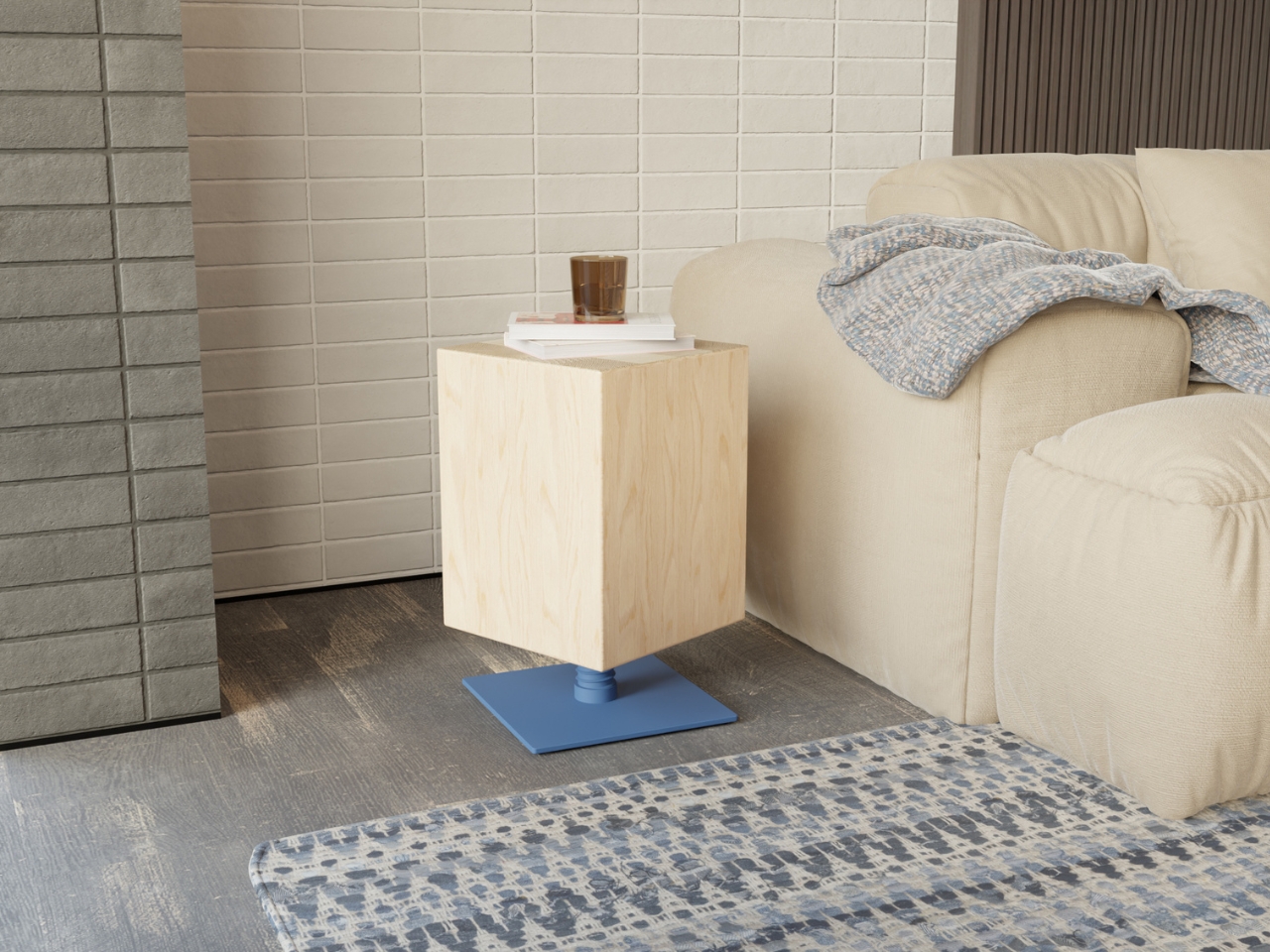
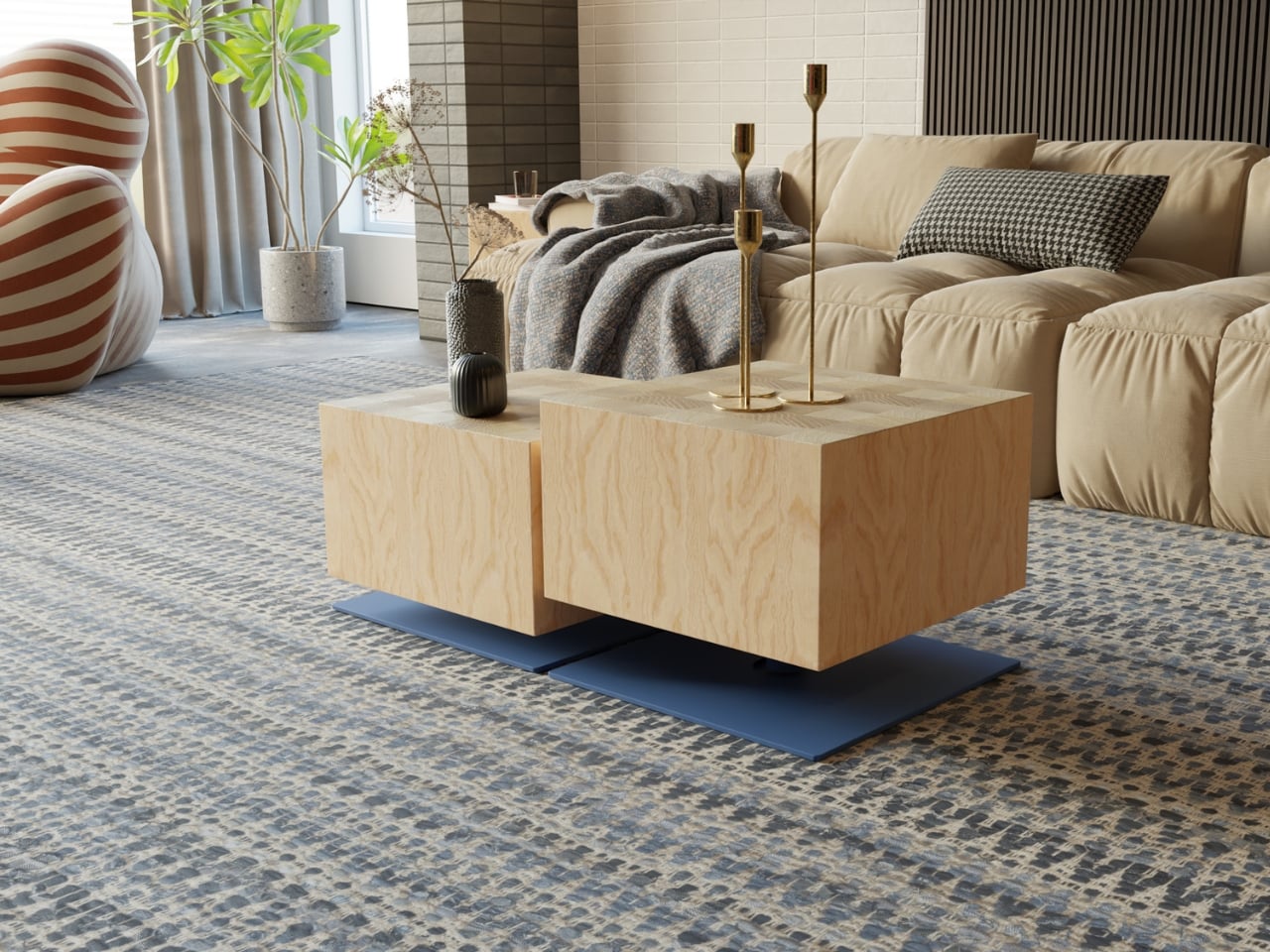
There’s something deeply satisfying about furniture that surprises you. The Turno side table from Leyma Design looks like a solid maple block perched on a colorful steel base, which already makes it visually interesting. But here’s where it gets good: you can adjust its height by simply turning the wooden body. No levers, no buttons, just a smooth twist that raises or lowers the table to exactly where you need it.

This isn’t just a clever party trick. It’s genuinely useful. Need your side table higher when you’re working from the couch? Give it a turn. Want it lower as a bedside companion? Twist it back down. The mechanism is built into the design so elegantly that you’d never guess it was there until someone shows you.

Designer: Leyma Design

The Turno marries two materials that shouldn’t work together but absolutely do. The solid maple top brings warmth and natural texture, with each piece showing off its unique grain pattern. The powder-coated steel base provides industrial edge and pops of color. It’s the kind of contrast that makes a piece feel considered rather than safe, like the designer actually thought about how these elements would interact in a real living space.

What makes Turno stand out in the oversaturated world of side tables is its refusal to overcomplicate things. The geometric form is clean and minimal, but not cold. The proportions feel just right, whether you’re looking at the compact version tucked beside an armchair or the larger size anchoring a seating area. This is furniture that works hard without looking like it’s trying too hard.

The color options deserve special attention. You can go bold with coral, sunny yellow, or deep navy bases that turn the table into a statement piece. Or you can choose more subdued finishes that let the maple do the talking. The ability to shift the mood of the entire piece through color choice gives Turno surprising versatility. The same table can feel playful in one finish and sophisticated in another.

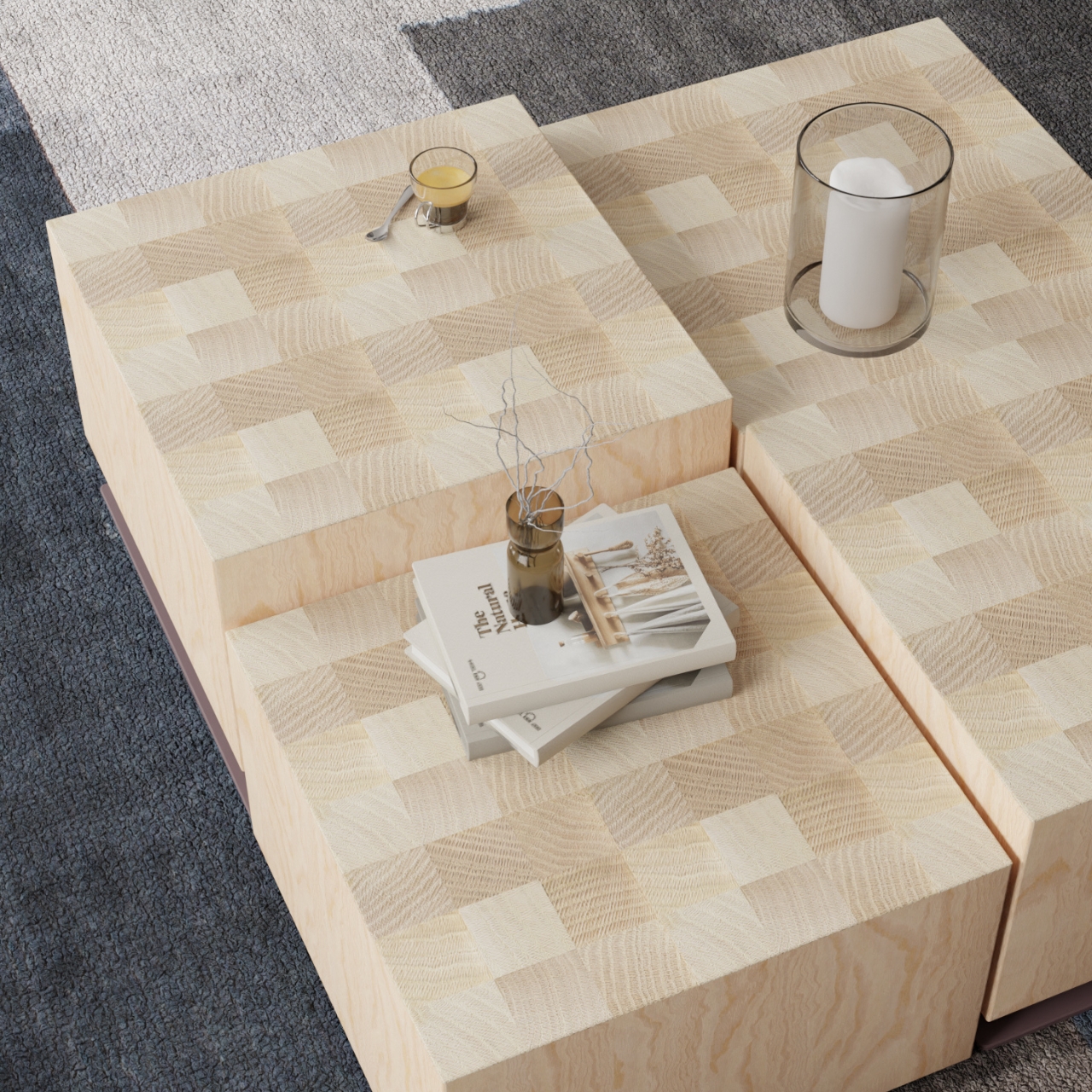
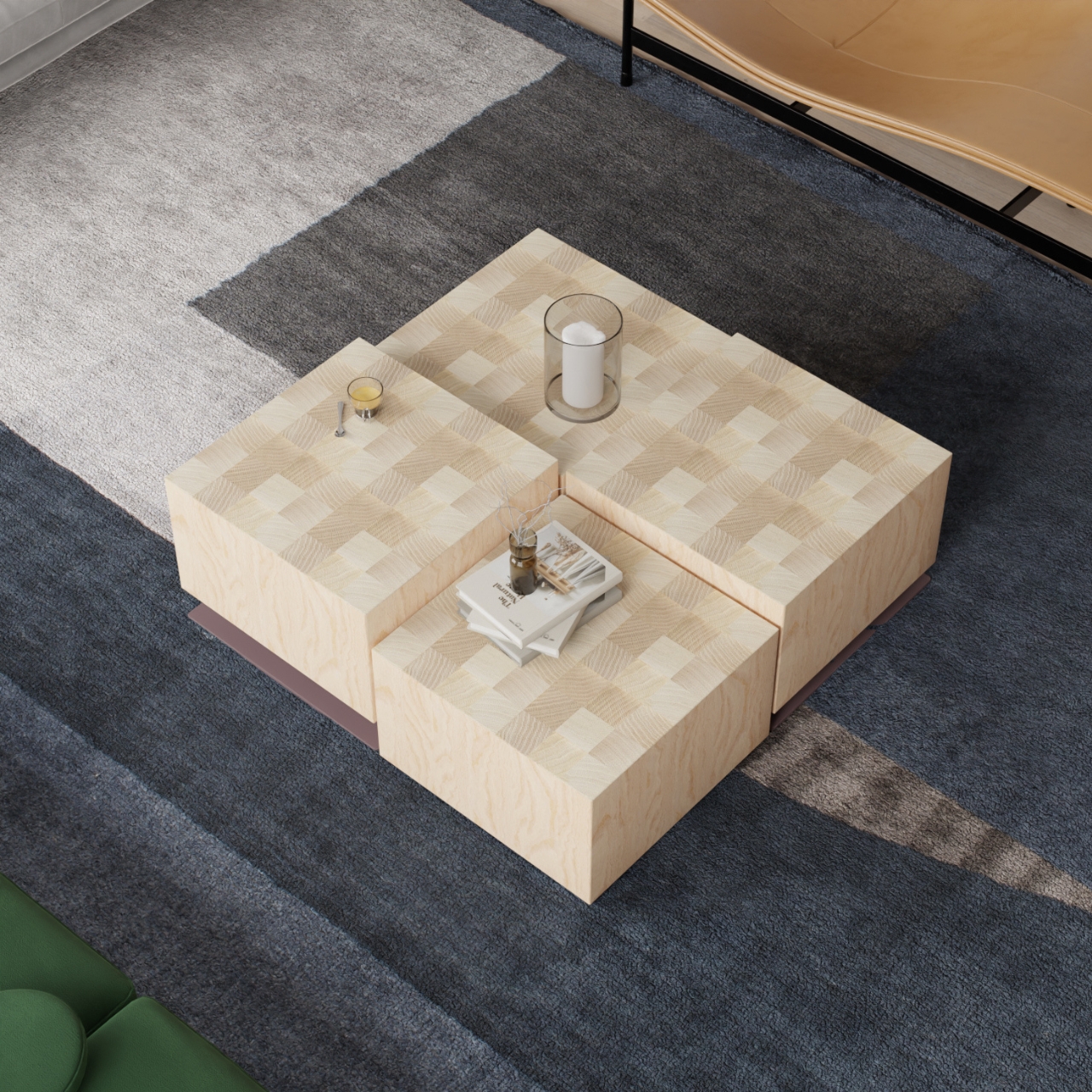
Let’s talk about the checkerboard pattern on top. Made from alternating grain directions in the maple, it adds visual interest without being busy. It’s the kind of detail that rewards closer inspection, the thing you notice the third or fourth time you look at the piece rather than immediately. That restraint is rare and refreshing.

From a practical standpoint, side tables are often afterthoughts in furniture shopping. You need something to hold your coffee cup or book, so you grab whatever fits. Turno makes a case for being more intentional. Because it adjusts to different heights, it can serve multiple purposes across different rooms. That flexibility is particularly valuable for people in smaller spaces or those who like to rearrange frequently.

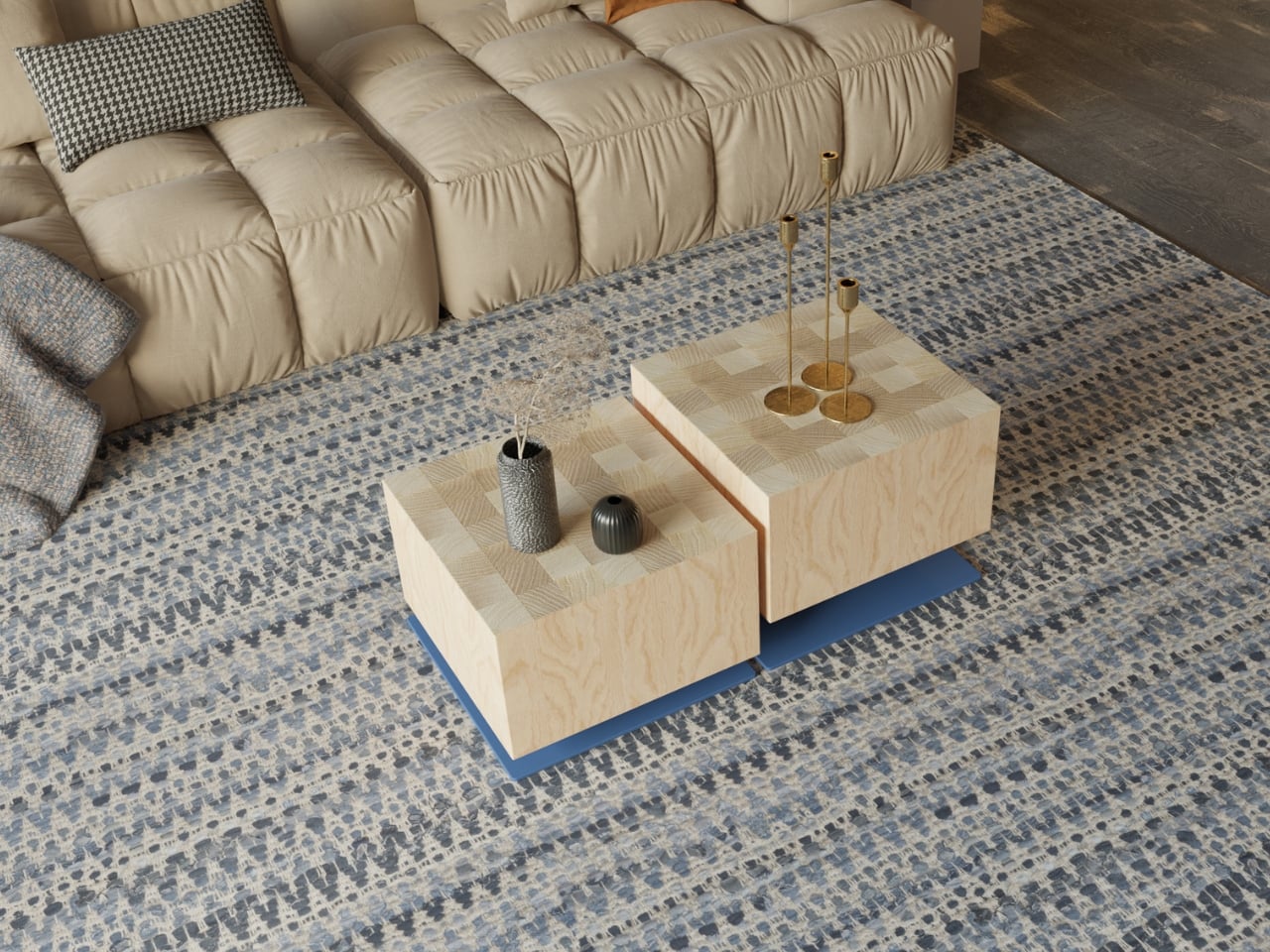
The design also works whether you’re using one table or clustering several together. Multiple Turno tables at varying heights create a modular coffee table situation that’s both sculptural and functional. You can separate them when needed or group them for impact. This kind of flexibility used to mean sacrificing aesthetics, but Leyma Design proves that’s a false choice. What’s particularly smart about this piece is how it bridges different design sensibilities. If your space leans Scandinavian minimal, the maple and clean lines fit perfectly. If you’re more into industrial vibes, that steel base speaks your language. Contemporary spaces benefit from the geometric form, while the natural wood keeps it from feeling too stark for warmer interiors.

The fact that Turno is still a concept on Behance rather than something you can buy tomorrow is almost frustrating. It represents the kind of thoughtful, adaptable furniture design that actually addresses how people live now. We move furniture around. We use rooms for multiple purposes. We want pieces that look good but also solve problems.

Leyma Design has created something that feels both fresh and timeless with Turno. The adjustable mechanism gives it tech appeal without requiring batteries or apps. The material choice and craftsmanship satisfy design purists. The color options and modularity speak to people who see furniture as self-expression. It’s a side table that manages to be several things at once without being confused about what it is.

The post This Side Table Just Solved the Height Problem With One Twist first appeared on Yanko Design.

The Switch 2 version of Super Mario Bros. Wonder arrives on March 26

While many of us wait (im)patiently for a brand new Mario platformer for the Switch 2, Nintendo is filling the gap with an upgraded version of the tremendous Super Mario Bros. Wonder for the console. Super Mario Bros. Wonder – Nintendo Switch 2 Edition + Meetup in Bellabel Park (to give the new edition's full name) will arrive on March 26. Those who own the original Switch version of the game will be able to buy an upgrade pack, which costs $20. 

There's a lot of new stuff in the Switch 2 version, including co-op and multiplayer features. Bellabel Park, a fresh area of the Flower Kingdom, will open up. You can jump into some multiplayer modes here, such as one where you compete to collect as many coins as possible. 

A section that's all about local multiplayer has 17 co-op and versus modes. You can either play those on the same console or use GameShare so that up to three other people in the same physical place as you can join in on their own Switch or Switch 2. The Game Room Plaza, meanwhile, supports local and online play for six minigames — each player will need their own system for those. Up to eight people can play using the local wireless feature, and up to 12 via online multiplayer.

Along with those multiplayer minigame areas, Bellabel Park is home to Toad Brigade Training Camp. Here, you can take on challenges based on levels from the main game. You can tackle these on your own or recruit up to three friends to help (you'll only need one Switch 2 for this). 

There are new things to check out in the main game as well. You can take on boss courses that feature all seven Koopalings and (finally!) play as Rosalina.

Nintendo is adding an option in which a second player can control a Luma. They can help out the main player by defeating enemies and collecting coins. You can play as the Luma by using the Switch 2 mouse control feature. That's a great idea, as it could allow, say, a parent or guardian who is not too familiar with a game controller to assist a kid who needs some extra help to get through Super Mario Bros. Wonder

In addition, there's an assist mode. When this is enabled, you can quickly recover from falling into a pit (with a propeller flower bringing you back into the action) and avoid taking any damage. 

That's not all, folks. Also on March 26, you can snag three new amiibo from the game: Elephant Mario (which I'm going to have to buy), Poplin & Prince Florian and Captain Toad & Talking Flower. 

A couple of weeks earlier, on March 12, Nintendo will start selling a physical version of the Talking Flower from Super Mario Bros. Wonder. The battery-powered device will talk to you a couple of times per hour, mentioning things like the room temperature and time. It can play music as well. There's a button you can press to hear it talk (or hold to make it shut up). There's support for 11 languages and it can chatter at set times, making it a bit similar to Nintendo's Alarmo. You'll be able to buy Talking Flower from Nintendo's New York and San Francisco stores, its online store and some other retailers, with pre-orders opening today.

This article originally appeared on Engadget at https://www.engadget.com/gaming/nintendo/the-switch-2-version-of-super-mario-bros-wonder-arrives-on-march-26-150916983.html?src=rss

Samsung Galaxy S26 Ultra: The "Privacy Display” & More Game-Changing Updates.

Samsung Galaxy S26 Ultra: The

The Samsung Galaxy S26 Ultra introduces three significant updates that establish a new benchmark for flagship smartphones: advanced video technology, a magnetic accessory ecosystem, and a strategic pricing approach. These features are designed to enhance the user experience for both professionals and everyday consumers while addressing industry challenges such as rising production costs and evolving […]

The post Samsung Galaxy S26 Ultra: The “Privacy Display” & More Game-Changing Updates. appeared first on Geeky Gadgets.

Posted in Uncategorized

Sony unveils LinkBuds Clip open-ear earbuds in peppy colors

Open earbuds are the fastest-growing segment of the headphone market, but long before they gained popularity, Sony initially introduced the concept to the market. From their first ever iteration, this style of earbuds has graduated into earhook and clip-style designs. When LinkBuds were first released in 2022, they came in a peculiar design with an ear hook and a circular housing that lets in ambient noises.

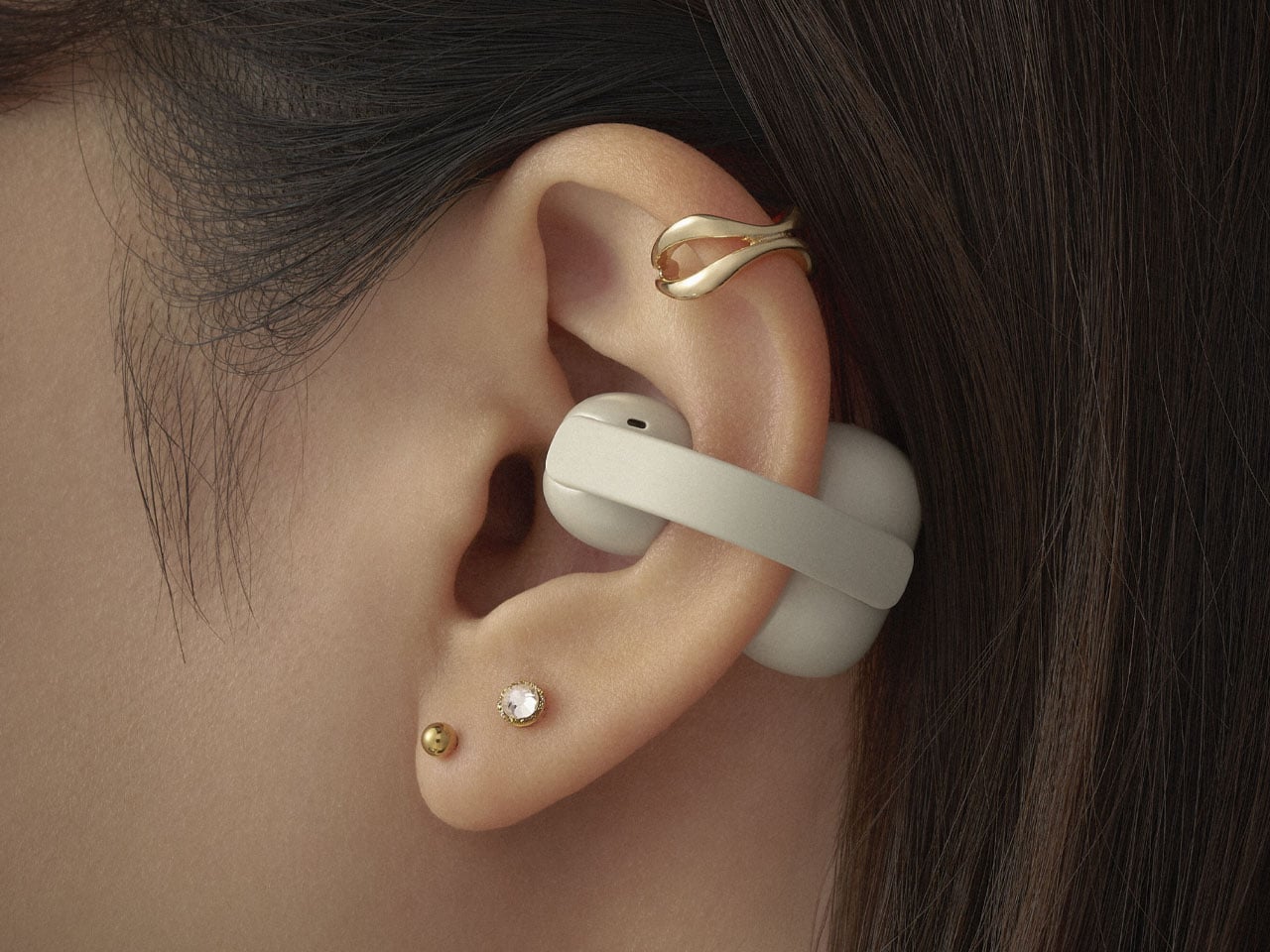
After the LinkBuds Open were released in 2024, Sony has now introduced the LinkBuds Clip, featuring an always-clip-on design similar to the Bose Open Earbuds, Edifier LolliClip, Shokz OpenDots One, and the JVC Nearphones. These new flagship earbuds improve on the previous open ear version in every aspect, making them a great choice for people who want situational awareness of their surroundings without any degradation in music quality.

Designer: Sony

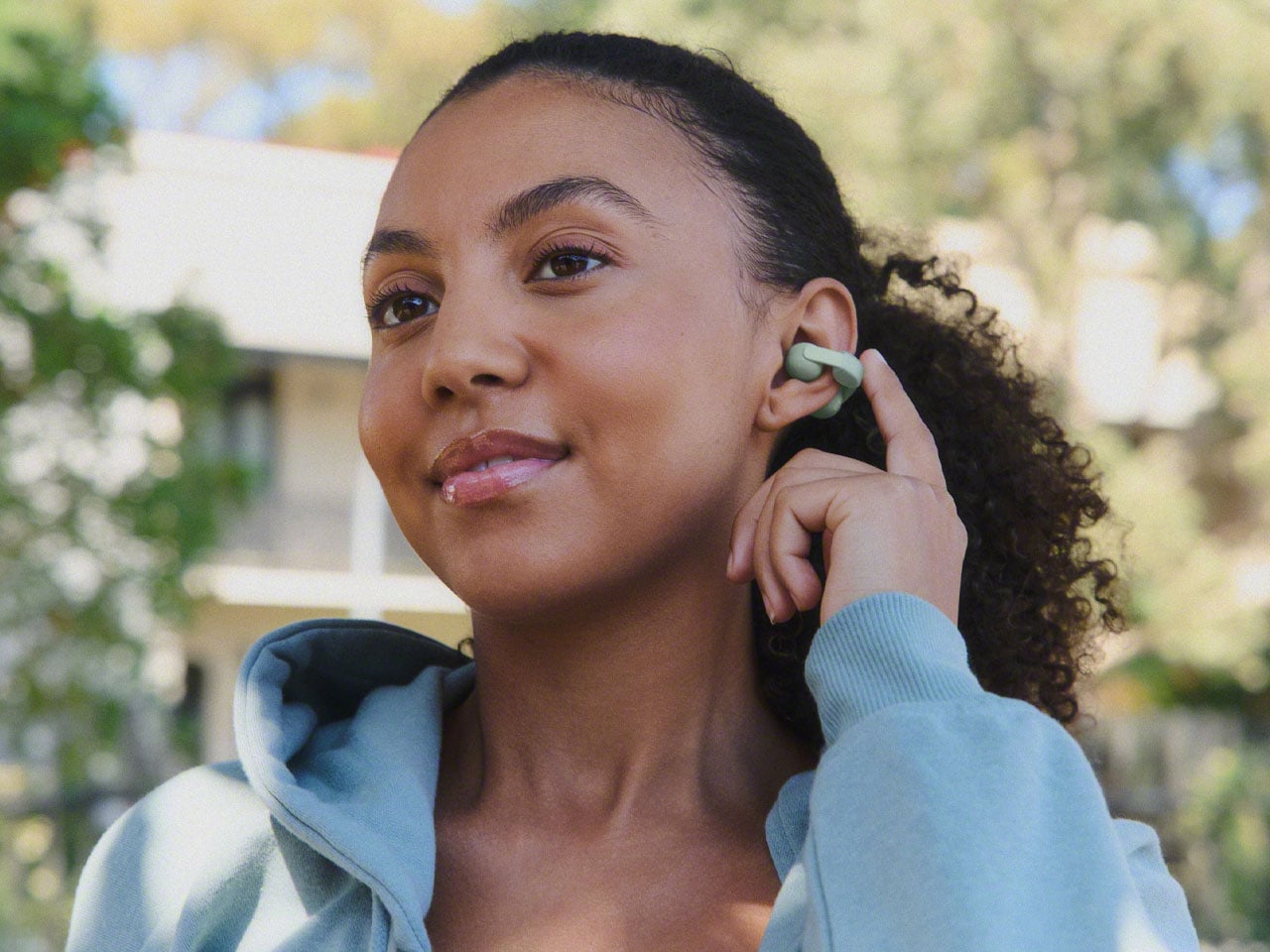
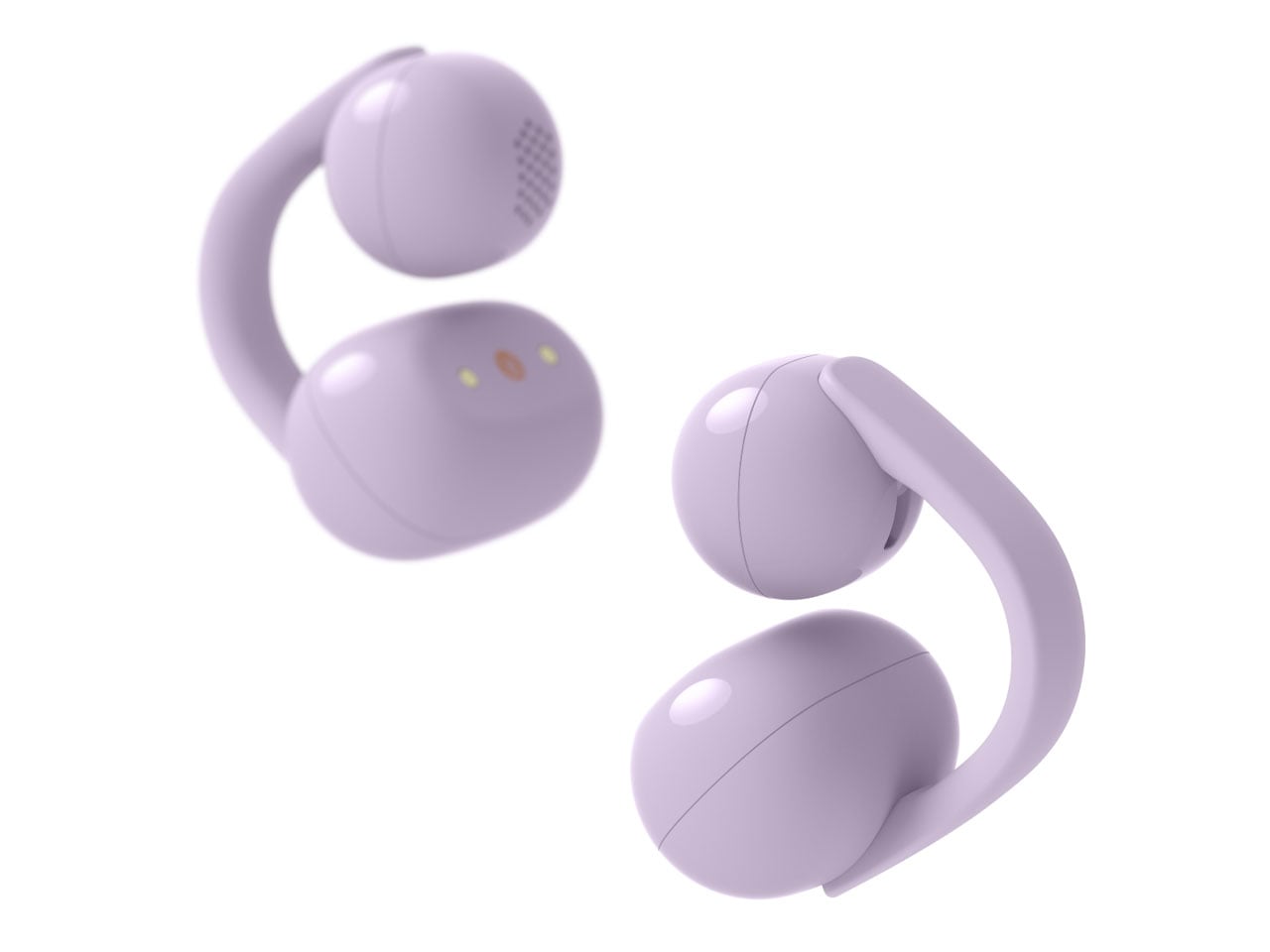
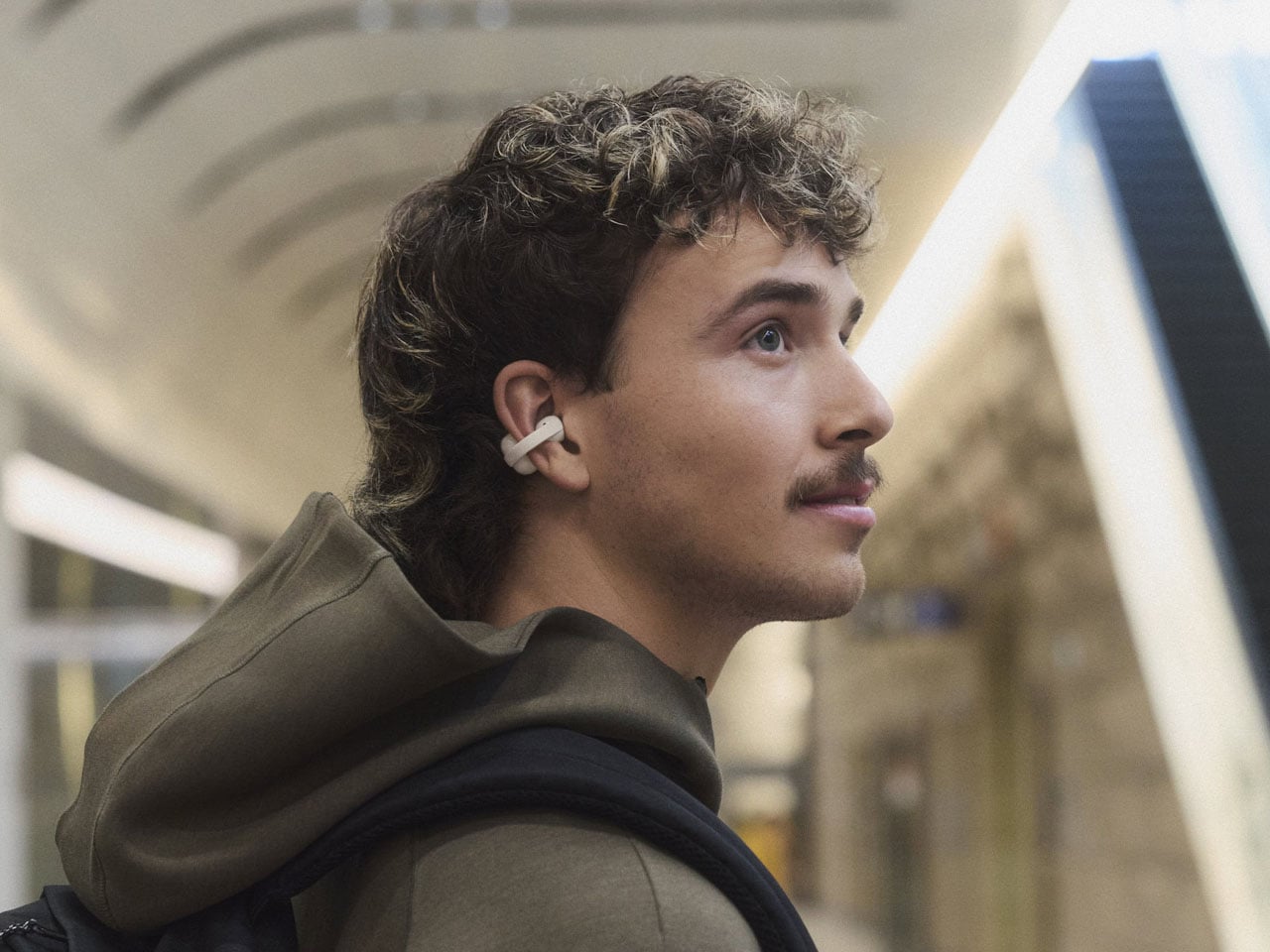
Targeted towards active lifestyle users, the buds don’t block the ear canals to hear conversations better, and are ergonomically designed for all-day long wear comfort. The Japanese consumer electronics giant is positioning them as a flagship option for music lovers who are worried about losing their pricy pair of buds during workouts, sporting activities, or adventurous escapades. IPX4 splash-proof rated LinkBuds Clip have a glossy finish with a C-bad connecting the two contoured stems that rest on either side of the ear. While I’m not a big fan of the glossy finish on these, the design looks reassuring, and the buds won’t fall out even after rigorous activity.

The flexibility of adjusting the positioning of the buds depending on the comfort and desired audio output makes the pair recommendable. You can go for a closer proximity to the ear canal for a better sound signature with noticeably more bass, or have a laid-back setup that promotes comfort and consequently a more open input of the ambient noises around. The case of these open-ear earbuds is more or less the same as the LinkBuds Open and Fit, but it doesn’t support wireless charging, which is a bit of a disappointment.

As per independent reviewers who have spent time with the LinkBuds Clip, the touch controls on these are not as good as other Open ear options. The taps can be a miss at times or trigger unwanted action. That said, it is the issue with most touch control earbuds, and for people like me who love physical controls, the features can be a bit of a miss. The sound signature on the LinkBuds Clip is balanced when ideally placed in the ear openings. However, it will be interesting to see how they compare to the next version of Bose Ultra Open Earbuds (released back in early 2024), which are speculated to come out this year.

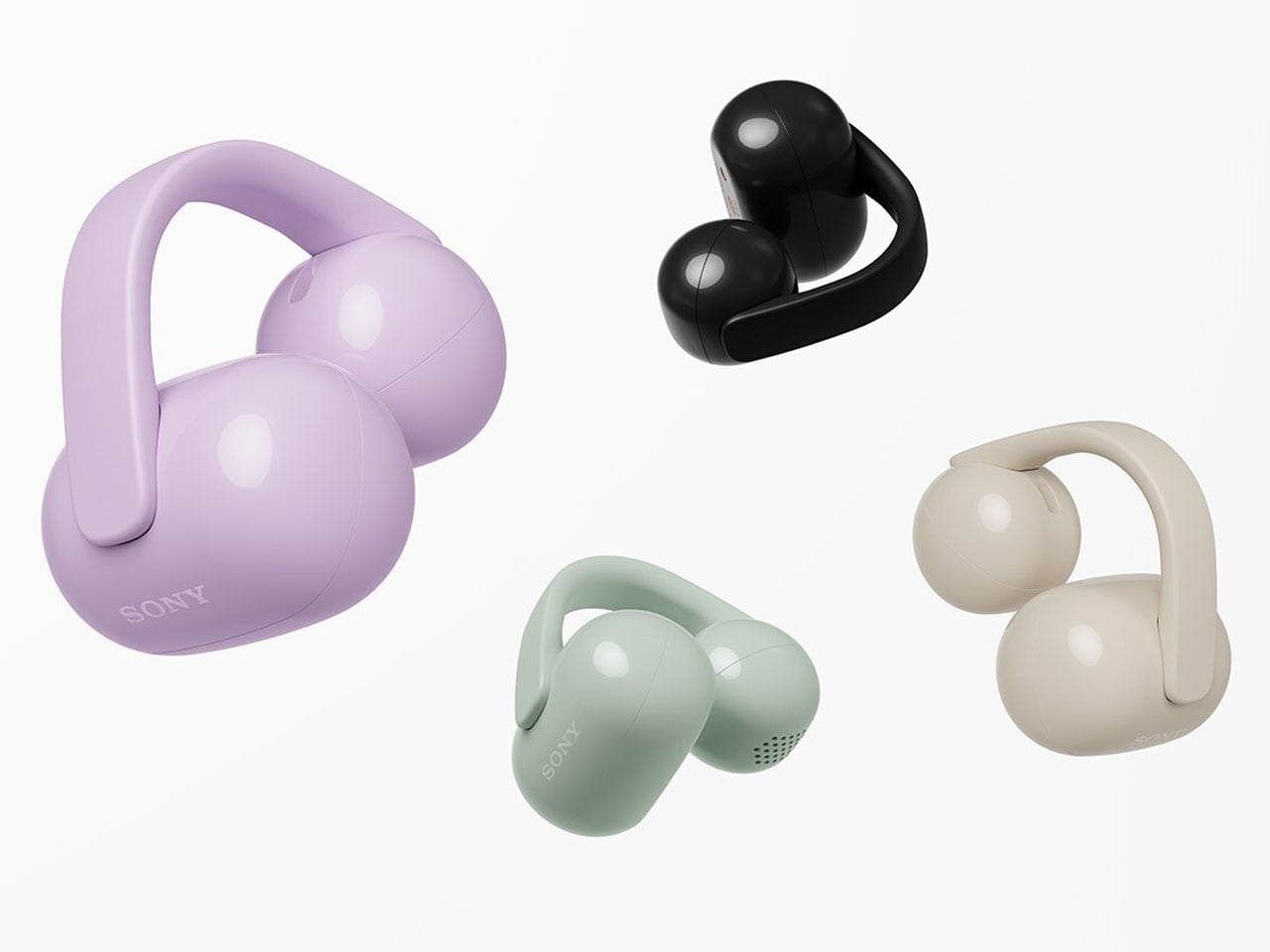
Battery life on the buds is typically hours that extends to 37 hours with the charging case. The clip-ons have three listening modes: Standard mode for more immersive sound with a lot of detail and clear vocals, Voice Boost mode for listening to the other person in crowded spaces, and the Sound Leakage Reduction mode for lesser disturbance to people in the vicinity.  LinkBuds Clip can be bought right away for $230 in peppy color options like black, greige, green, and lavender. The case covers and fitting cushions in coral green, blue, lavender, and black can be added on for $25 each.

The post Sony unveils LinkBuds Clip open-ear earbuds in peppy colors first appeared on Yanko Design.

OpenAI Targets Growth with $8 ChatGPT Plan, Ad-Supported Tiers & 2026 Revenue Push

OpenAI Targets Growth with $8 ChatGPT Plan, Ad-Supported Tiers & 2026 Revenue Push

What does it take to stay ahead in one of the most competitive industries on the planet? In this overview, Matthew Berman explores how OpenAI’s latest moves are reshaping the AI landscape and solidifying its position as a market leader. From unveiling an $8/month subscription plan to introducing advertising into ChatGPT, OpenAI is making bold, […]

The post OpenAI Targets Growth with $8 ChatGPT Plan, Ad-Supported Tiers & 2026 Revenue Push appeared first on Geeky Gadgets.

Posted in Uncategorized

Under-Display Face ID: How Apple is Shrinking the iPhone 18 Pro Sensors

Under-Display Face ID: How Apple is Shrinking the iPhone 18 Pro Sensors

Recent leaks surrounding the iPhone 18 Pro suggest that Apple is preparing to introduce noteworthy updates to its display design, Face ID system, and the Dynamic Island feature. These potential changes are expected to enhance both the usability and aesthetics of the device, bringing Apple closer to its vision of a seamless, all-screen smartphone. If […]

The post Under-Display Face ID: How Apple is Shrinking the iPhone 18 Pro Sensors appeared first on Geeky Gadgets.

Posted in Uncategorized

1Password adds an extra layer of phishing protection

1Password has a new tool designed to counteract the advantages AI has given to phishing scammers. A new feature for the company's browser extension gives you a "second pair of eyes" to help you catch a bogus website before entering your login info.

Before AI, phishing attempts often included telltale signs like obvious typos or rudimentary graphic design. Now that AI makes it much easier to design and code convincingly, scams are on the rise. According to Fortune, 60 percent of companies reported an increase in fraud-related losses from 2024 to 2025. And the advent of AI browsers could make things even worse.

“Our new phishing feature adds an extra layer of protection,” 1Password says. Once the feature is activated, the extension actively watches for suspicious sign-ins. To be clear, even before this feature's arrival, 1Password wouldn't autofill saved credentials for a bogus website impersonating it. But that still left room for people to manually paste their login info, handing it over to those with the worst intentions.

That moment when you try to paste your login manually is where the new feature comes in. "The website you're on isn't linked to a login in 1Password," the feature's warning pop-up reads. "Make sure you trust this site before continuing."

1Password says that's the "breakthrough" moment that can help you avoid a major hassle. "That single moment of pause, that tiny bit of friction, is often all it takes to disrupt the attackers' entire plan."

The new feature is available today. You can enable it in the 1Password browser extension's settings. Under the Notifications section, activate the setting for "Warn about pasted logins on non-linked websites."

This article originally appeared on Engadget at https://www.engadget.com/cybersecurity/1password-adds-an-extra-layer-of-phishing-protection-140000293.html?src=rss

A-List creatives sign up to fight AI, say it enables ‘theft at a grand scale’

Scarlett Johannsson, R.E.M., Vince Gilligan and over 700 other artists are demanding that tech companies stop “stealing” their work in order to train AI models. A new campaign called “Stealing isn’t Innovation” demands that AI companies take “the responsible, ethical route” through licensing and partnerships, according to the website.

“America’s creative community is the envy of the world and creates jobs, economic growth and exports,” a statement on the website reads. “But rather than respect and protect this valuable asset, some of the biggest tech companies, many backed by private equity and other funders, are using American creators’ work to build AI platforms without authorization for copyright law.”

The group adds that the “illegal intellectual property grab” has resulted in an information ecosystem dominated by “misinformation, deepfakes and a vapid artificial avalanche of low-quality materials [‘AI slop’]… threatening America’s AI superiority and international competitiveness.”

OpenAI once argued that it’s “impossible” to train AI without copyrighted materials, since “copyright today covers virtually every sort of human expression.” However, actors, musicians and authors take issue with that idea, particularly when they see their likenesses or work repurposed as slop or worse by large language models (LLMs).

Johansson, for one, previously threatened OpenAI with legal action in 2024 over a ChatGPT voice assistant that effectively cloned her voice. More recently, Elon Musk’s Grok has been accused of creating millions of sexualized images of real people in just days, according to a report today from The New York Times.

“Big Tech is trying to change the law so they can keep stealing American artistry to build their AI businesses — without authorization and without paying the people who did the work. That is wrong; it’s un-American, and it’s theft on a grand scale,” the group proclaimed.

This article originally appeared on Engadget at https://www.engadget.com/ai/a-list-creatives-sign-up-to-fight-ai-say-it-enables-theft-at-a-grand-scale-140000475.html?src=rss