The best SSDs in 2026

Upgrading to a good SSD can make your computer feel brand new again. Apps open faster, files move in a blink and even older machines start to feel a lot more responsive. It is one of the easiest ways to breathe life into a laptop or desktop without replacing the whole system, and the performance boost is something you notice right away.

There are plenty of SSDs to choose from, though, and the naming alone can be confusing if you are not already familiar with the specs. Some drives are built for simple upgrades, while others offer speeds that benefit creators or gamers. To help you sort through it, we tested a wide mix of options and pulled together the best SSDs you can buy right now.

I’ve either tested or personally use daily every storage drive recommended on this list. Out of our top picks, I bought four with my own money after doing about a dozen hours of research. Separately, Engadget Senior Reporter Jeff Dunn has also tested a handful of our recommendations, including the Crucial X9 Pro listed above.

The most affordable way to add fast storage space to a computer is with a 2.5-inch SATA drive. It’s also one of the easiest if you don’t want to worry about compatibility since almost every computer made in the last two decades will include a motherboard with Serial ATA connections. For that reason, the best SATA SSDs are an excellent choice if you want to extend the life of an older PC build. Installation is straightforward, too. Once you’ve secured the internal SSD in a drive cage, all you need to do is to connect it to your motherboard and power supply.

The one downside of SATA drives is that, in terms of responsiveness, they’re slower than their high-performance NVMe counterparts, with SATA III limiting data transfers to 600MB/s. But even the slowest SSD will be significantly faster than the best mechanical drives. And with high-capacity, 1TB SATA SSDs costing about $100, they’re a good bulk-storage option.

If your PC is newer, there’s a good chance it includes space for one or more M.2 SSDs. The form factor represents your ticket to the fastest SSDs on the market, but the tricky part is navigating all the different standards and specs involved.

M.2 drives can feature either a SATA or PCIe connection. SSDs with the latter are known as Non-Volatile Memory or NVMe drives and are significantly faster than their SATA counterparts, with Gen3 models offering sequential write speeds of up to 3,000MB/s. These drives rely on NVMe NAND technology for their superior performance and durability. You can get twice the performance with a Gen4 SSD, but you’ll need a motherboard and processor that supports the standard.

If you’re running an AMD system, that means at least a Ryzen 3000 or 5000 CPU and an X570 or B550 motherboard. With Intel, meanwhile, you’ll need at least an 11th or 12th Gen processor and a Z490, Z590 or Z690 motherboard. Keep in mind that Gen4 SSDs typically cost more than their Gen3 counterparts as well.

More expensive still are the latest Gen5 models, which offer sequential read speeds of up to 16,000MB/s. However, even if your computer supports the standard, you’re better off buying a more affordable Gen4 or Gen3 drive. At the moment, very few games and applications can take advantage of Gen3 NVMe speeds, let alone Gen4 and Gen5 speeds. What’s more, Gen5 NVMe drives can run hot, which can lead to performance and longevity issues. Your money is better spent on other components, like upgrading your GPU, for now.

As for why you would buy an M.2 SATA drive over a similarly specced 2.5-inch drive, it comes down to ease of installation. You add M.2 storage to your computer by installing the SSD directly onto the motherboard. That may sound intimidating, but in practice the process involves a single screw that you first remove to connect the drive to your computer and then retighten to secure the SSD in place. As an added bonus, there aren’t any wires involved, making cable management easier.

Note that you can install a SATA M.2 SSD into an M.2 slot with a PCIe connection, but you can’t insert an NVMe M.2 SSD into a M.2 slot with a SATA connection. Unless you want to continue using an old M.2 drive, there’s little reason to take advantage of that feature. Speaking of backward compatibility, it’s also possible to use a Gen4 drive through a PCIe 3 connection, but you won’t get any of the speed benefits of the faster NVMe.

One last thing to consider is that M.2 drives come in different physical sizes. From shortest to longest, the common options are 2230, 2242, 2260, 2280 and 22110. (The first two numbers represent width in millimeters and the latter denote the length.) For the most part, you don’t have to worry about that since 2280 is the default for many motherboards and manufacturers. Some boards can accommodate more than one size of NVMe SSD thanks to multiple standoffs. That said, check your computer’s documentation or firmware before buying a drive to ensure you’re picking up a compatible size.

If you’re buying a replacement SSD for the Steam Deck or Steam Deck OLED, things are less complicated. For Valve’s handheld, you will need a 2230 size NVMe. Simple. If you don’t want to open your Steam Deck, it’s also possible to expand its storage by installing a microSD card. Engadget has a separate guide dedicated to SD card storage, so check that out for additional buying advice.

I alluded to this earlier, but the best buying advice I can offer is don’t get too caught up about being on the bleeding edge of storage tech. The sequential read and write speeds you see manufacturers list on their drives are theoretical and real-world performance benchmark tests vary less than you think.

If your budget forces you to choose between a 1TB Gen3 NVMe and a 512GB Gen4 model, go for the higher-capacity one. From a practical standpoint, the worst thing you can do is buy a type of SSD that’s too small for needs. Drives can slow dramatically as they approach capacity, and you will probably end up purchasing one with a higher gigabyte capacity in the future.

Portable SSDs are a somewhat different beast to their internal siblings. While read and write speeds are important, they are almost secondary to how an external drive connects to your PC. You won’t get the most out of a model like the SanDisk Extreme Pro V2 without a USB 3.2 Gen 2 x 2 connection. Even among newer PCs, that’s something of a premium feature. For that reason, most people are best off buying a portable drive with a USB 3.2 Gen 2 or Thunderbolt connection. The former offers transfer speeds of up to 10Gbps. The best external hard drives also allow you to transfer data from your Windows PC to a Mac, or other device, if compatible. Be sure to consider this beforehand if you plan to use your portable drive across multiple devices.

Additionally, if you plan to take your drive on trips and commutes, it’s worthwhile to buy a model with IP-certified water and dust proofing. Some companies like Samsung offer rugged versions of their most popular drives, including the Samsung SSD T7 Shield, with a high endurance rating. For additional peace of mind, 256-bit AES hardware encryption will help prevent someone from accessing your data if you ever lose or misplace your external SSD.

Some of the same features contribute to a great thumbstick drive. Our favorite picks for best budget external SSD models feature USB 3.0 connections and some form of hardware encryption.

Seagate Storage Expansion
Seagate

If PC gaming isn’t your thing and you own an Xbox Series X|S or PS5, outfitting your fancy new console with the fastest possible storage is far more straightforward than doing the same on PC. With a Series X or Series S, your options are limited to options from Seagate and Western Digital. The former offers 512GB, 1TB and 2TB models, with the most affordable starting at a not-so-trivial $90. Western Digital’s Expansion Cards are less expensive, with pricing starting at $80 for the 512GB model. The good news is that both options are frequently on sale. Your best bet is to set an alert for the model you want by using a price tracker like CamelCamelCamel.

With Sony’s PlayStation 5, upgrading the console’s internal storage is slightly more involved. Instead of employing a proprietary solution, the PS5 uses NVMe storage. Thankfully, there aren’t as many potential configurations as you would find on a PC. Engadget maintains a comprehensive guide to the best SSDs for PS5; in short, your best bet is a high-capacity Gen4 drive with a built-in heatsink. Check out that guide for a full list of gaming SSD recommendations, but for a quick go-to, consider the Corsair MP600 Pro LPX I recommend above. It meets all the memory specifications for Sony’s latest console and you won’t run into any clearance issues with the heatsink. Corsair offers 500GB, 1TB, 2TB, 4TB and 8TB versions of the drive. Expect to pay about $110 for the 1TB variant and about $200 for 2TB.

For those still playing on a previous generation console, you can get slightly faster game load times from a PlayStation 4 by swapping the included hard drive to a 2.5-inch SSD, but going out of your way to do so probably isn’t worth it at this point and you’re better off saving your money for one of the new consoles and updating your operating system instead.

There is no one size fits all rule for SSDs, but we generally recommend getting at least a 1TB SSD if you’re looking to upgrade PC or game console storage, or looking to add an external drive to your toolkit. A 1TB drive will be plenty for most people who need extra storage space for photos, documents and programs. If you’re a hardcore gamer, you may want to invest in even more storage considering many high-profile titles today can take up a ton of space.

The short answer is that it depends on what you need your drive for. In general, SSDs are faster and more efficient than HDDs, but HDDs are usually cheaper. We recommend springing for an SSD for most use cases today — upgrading a PC, saving important photos and documents, storing games long term, etc. But if you’re focused on getting the most amount of extra space possible (and sticking to a budget), an HDD could be a good option for you.

Getting a bigger SSD doesn’t always translate into a faster drive overall. A bigger SSD will provide a higher storage capacity, which means more space for storing digital files and programs. To understand how fast an SSD will be, you’ll want to look at its read/write speeds: read speeds measure how fast a drive can access information, while write speeds measure how fast the drive can save information. Most SSDs list their approximate read/write speeds in their specs, so be sure to check out those numbers before you make a purchase.

This article originally appeared on Engadget at https://www.engadget.com/computing/accessories/best-ssds-140014262.html?src=rss
OnePlus 15R: The Mid-Range Smartphone That Packs a Punch

OnePlus 15R: The Mid-Range Smartphone That Packs a Punch

The OnePlus 15R seeks to establish itself as a standout option in the mid-range smartphone market by offering a blend of flagship-level performance and affordability. Priced at $699, it combines a powerful chipset, long-lasting battery, and a smooth software experience to cater to a wide range of users. While its performance and usability are impressive, […]

The post OnePlus 15R: The Mid-Range Smartphone That Packs a Punch appeared first on Geeky Gadgets.

Posted in Uncategorized

Save Money & Find the Right Smart Glasses : From Budget 1080p to Dual Displays

Save Money & Find the Right Smart Glasses : From Budget 1080p to Dual Displays

Imagine slipping on a pair of glasses that not only enhance your vision but also translate conversations in real-time, record high-definition videos, or even display navigation directions right before your eyes. Once a concept confined to sci-fi, smart glasses are now a reality, offering a range of features to suit every lifestyle and budget. Below, […]

The post Save Money & Find the Right Smart Glasses : From Budget 1080p to Dual Displays appeared first on Geeky Gadgets.

Posted in Uncategorized

Samsung Galaxy S26 Ultra Launch Date Leaked: Why Fans Might Have to Wait Until February.

Samsung Galaxy S26 Ultra Launch Date Leaked: Why Fans Might Have to Wait Until February.

Samsung is preparing to unveil its highly anticipated Galaxy S26 series in February 2026, with the Unpacked event expected to take place in San Jose, California. This flagship release is set to introduce significant advancements in performance, storage, and video technology, marking a pivotal step in smartphone evolution. Here’s an in-depth look at what the […]

The post Samsung Galaxy S26 Ultra Launch Date Leaked: Why Fans Might Have to Wait Until February. appeared first on Geeky Gadgets.

Posted in Uncategorized

The Truth About Smarter AI : Speed, Fit & Access Matter More Than Pure Smarts

The Truth About Smarter AI : Speed, Fit & Access Matter More Than Pure Smarts

What if the smartest AI models aren’t actually the ones we need? Below, Matthew Berman breaks down a surprising truth about artificial intelligence: while advancements in reasoning and problem-solving grab headlines, they often fail to deliver meaningful improvements for the average user. Think about it, when was the last time you cared about a chatbot’s […]

The post The Truth About Smarter AI : Speed, Fit & Access Matter More Than Pure Smarts appeared first on Geeky Gadgets.

Posted in Uncategorized

US bans new foreign-made drones and components

The Federal Communications Commission has added foreign-made drones and their critical components to the agency’s “Covered List,” making them prohibited to import into the US. In a public notice published by the FCC, it said several national security agencies have determined that umanned aircraft systems (UAS) and their critical components produced in foreign countries pose an unacceptable risk to the national security of the United States. 

“UAS and UAS critical components must be produced in the United States,” the agency said. “UAS are inherently dual-use: they are both commercial platforms and potentially military or paramilitary sensors and weapons. UAS and UAS critical components, including data transmission devices, communications systems, flight controllers, ground control stations, controllers, navigation systems, batteries, smart batteries, and motors produced in a foreign country could enable persistent surveillance, data exfiltration, and destructive operations over U.S. territory, including over World Cup and Olympic venues and other mass gathering events.”

FCC Chair Brendan Carr clarified on X that the ban does not affect old drones. People can continue using the devices they’ve already purchased, and retailers can keep selling models that have already been approved by the agency. The new rule only applies to upcoming models. He also said that the Department of War or the Department of Homeland Security can allow specific new models, a certain class of drones or particular components to be sold in the US. 

The FCC didn’t name any manufacturers in particular, but one of the most well-known brands that will be affected by the ban is Chinese company DJI, which told Engadget that it was disappointed by the agency’s decision. “While DJI was not singled out, no information has been released regarding what information was used by the Executive Branch in reaching its determination,” a spokesperson said. DJI has long been in the US government’s crosshairs and has been trying to prove that its products aren’t a national security threat.

“DJI products are among the safest and most secure on the market, supported by years of reviews conducted by US government agencies and independent third parties,” they added. “Concerns about DJI’s data security have not been grounded in evidence and instead reflect protectionism, contrary to the principles of an open market.”

This article originally appeared on Engadget at https://www.engadget.com/big-tech/us-bans-new-foreign-made-drones-and-components-053201854.html?src=rss

WayShot APP: Learn How to Shoot With The World’s First AI Photographer (Guide for 2026)

WayShot APP: Learn How to Shoot With The World’s First AI Photographer (Guide for 2026)

Many of us struggle to look our best in photos. Sometimes it’s the photographer, the device, or simply the way we pose. Even professional photographers can sometimes over-edit, leaving us with photos that feel unnatural or unflattering. What if there were a tool that could help with poses, expressions, and framing to ensure professional results […]

The post WayShot APP: Learn How to Shoot With The World’s First AI Photographer (Guide for 2026) appeared first on Geeky Gadgets.

Posted in Uncategorized

ChatGPT-Powered Desk Mic gives your Existing Laptop Realtime Translation and Agentic Powers

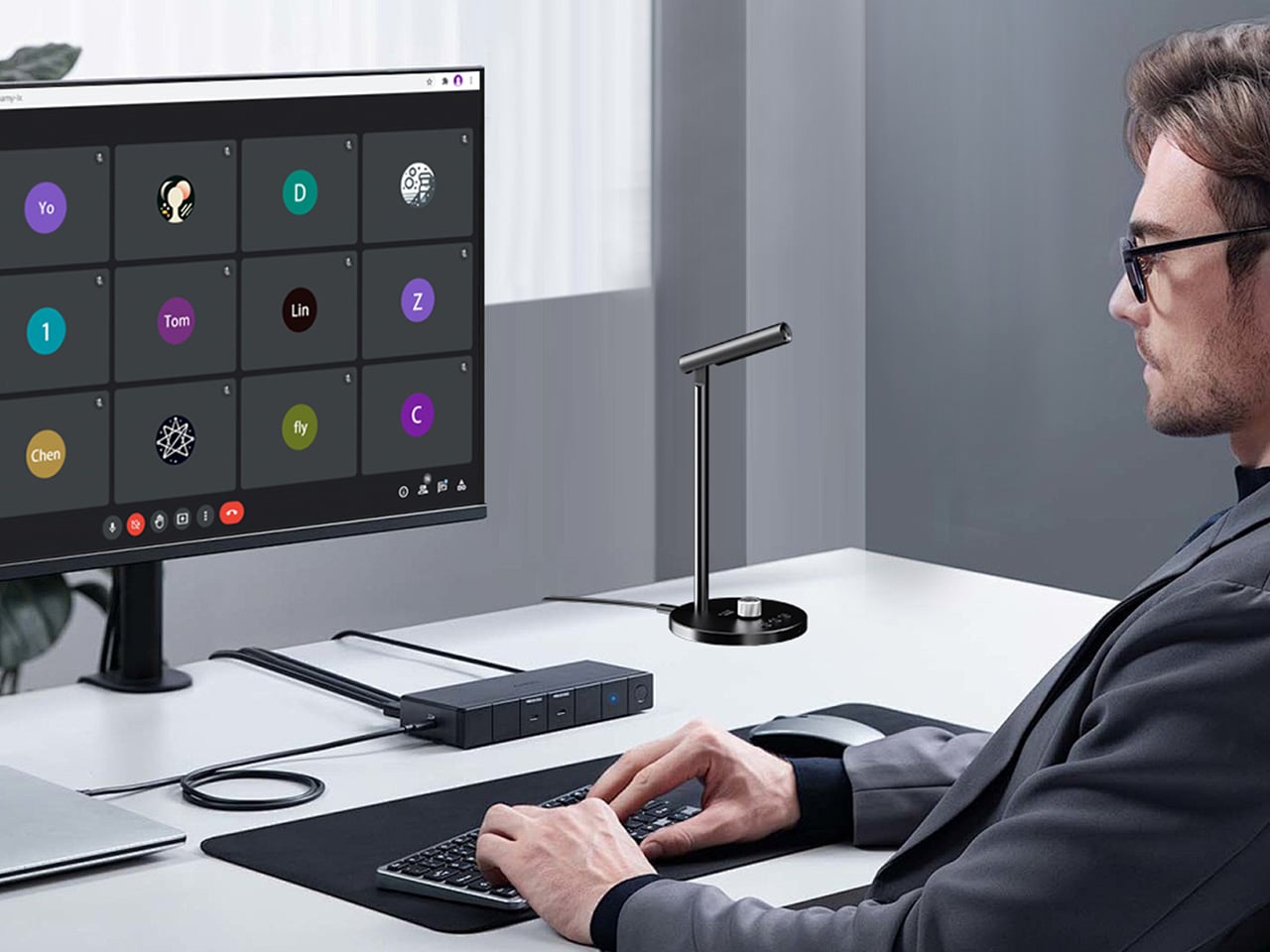
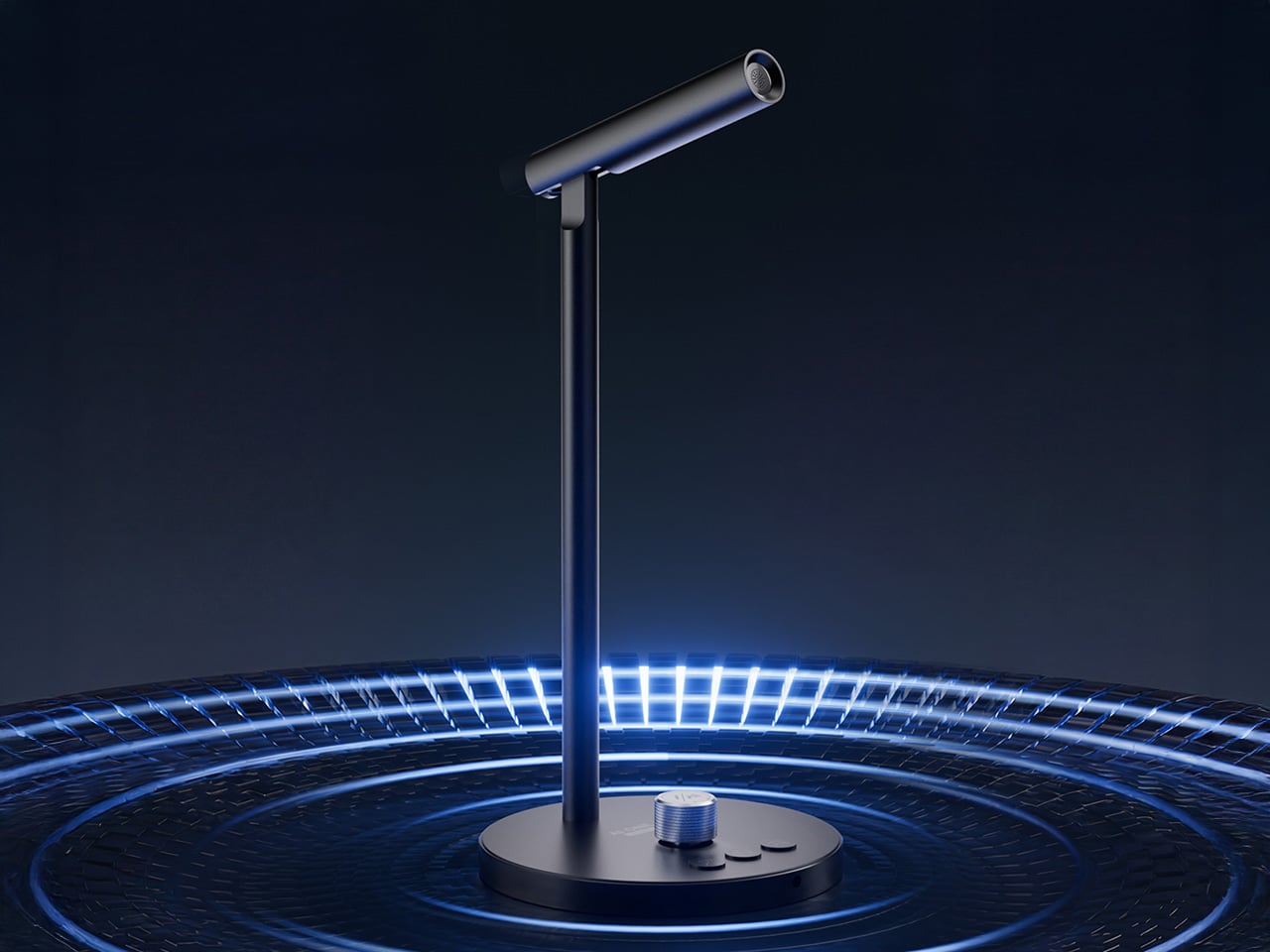
The most interesting AI hardware this year might not be a new screen or headset. It might be a microphone. Powerrider frames that idea very literally. It takes the form factor of a conference mic and refits it as a GPT‑4o terminal, so the same stem on your desk that handles Zoom calls can also translate in real time, summarize a briefing, or draft follow‑up emails while the meeting is still in progress.

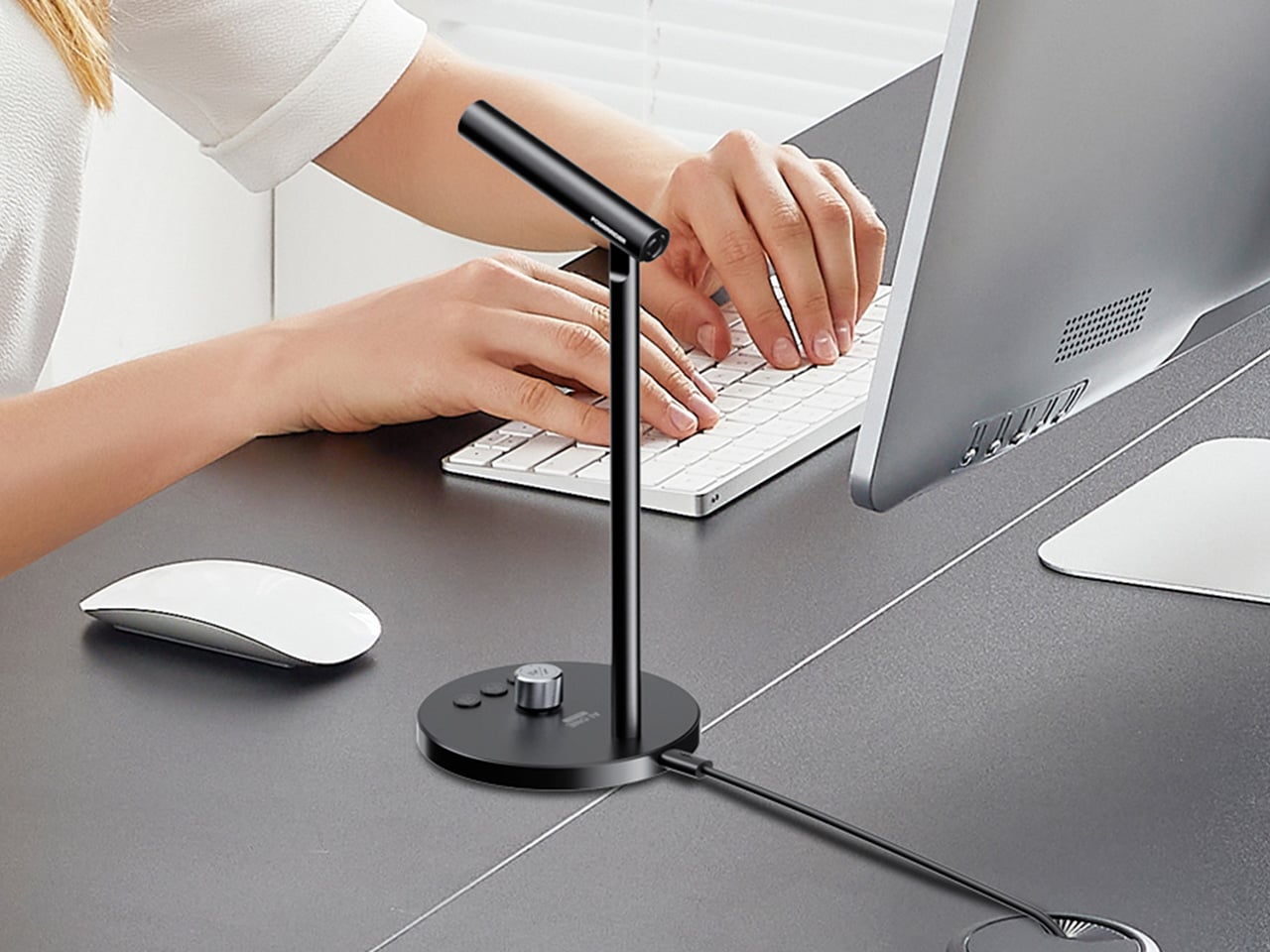
What makes it feel clever is how little ceremony it adds. There is no new display to manage, just a few sculpted buttons for voice input, translation, and AI control. Tap, talk, and the response appears on your existing laptop, ready to paste into a chat, a slide deck, or a script. In a single accessory you get cleaner audio for podcasting and live streaming, plus a dedicated channel that turns casual speech into an ongoing conversation with ChatGPT.

Designer: Powerrider

Click Here to Buy Now: $59 $120 (56% off). Hurry, only a few left!

The hardware itself (model M1) weighs 290 grams and stands 107 millimeters tall, machined from aluminum alloy with a 60‑degree adjustable boom so you can talk comfortably without hunching over your keyboard. The capsule is an omni‑directional condenser tuned to pick up voice across a 100 to 15,000 Hz range, with DSP noise reduction baked into the signal chain. It samples at 16‑bit/48kHz, which puts it squarely in the clean‑enough category for content work without venturing into audiophile overkill. USB‑C handles both power and data, plus there is a 3.5mm jack if you want to monitor through headphones. The base houses four physical buttons, each programmable through companion software. One button wakes the AI mode, another triggers translation, a third handles dictation, and the fourth is a rotary knob that doubles as a mute toggle and volume dial.

This is where Powerrider stops being a mic and starts being a control surface. You can map those keys to custom GPT‑4o prompts, so tapping one button might fire off “translate the last paragraph into Spanish and make it sound conversational,” while another could trigger “rewrite this email to sound less corporate.” The software supports Windows 7 and up, plus macOS 10.15 or later, which covers most setups that still get security patches. The AI functions pull from a pretty expansive toolkit: text translation, PPT generation, AI drawing, background removal, speech writing, document conversion, image analysis, code generation, reading comprehension, Q&A, writing assistance, table creation, and mind mapping. Some of those feel gimmicky (I have yet to meet anyone who genuinely wants AI‑generated mind maps on demand), but the core translation and drafting tools hit real pain points if you work across languages or spend half your day rewriting the same three types of message.

The hook here is immediacy. Most of us already talk to ChatGPT, but we do it through a browser tab or a pinned app, which means context‑switching, copying text, pasting prompts, and generally breaking flow. Powerrider tries to make that interaction feel more like push‑to‑talk in a game or on a two‑way radio. You hold a key, speak the command, release, and the result lands in your active window or in a floating overlay, depending on how you configure it. That workflow collapses a six‑step process (open ChatGPT, type or paste, wait, copy response, switch back, paste again) into a two‑step one (press, speak). If you live in tools like Notion, Google Docs, or any IDE that supports text injection, the time savings compound quickly. The software also handles screenshot translation, which is genuinely useful if you are reading documentation, design files, or research papers in another language and want inline conversion without manually copying blocks of text into DeepL.

Because the mic itself is a legitimate audio interface, you can use it in OBS, Zoom, or any DAW that recognizes standard USB microphones. The frequency response is wide enough for vocal clarity but not so hyped that you get harsh sibilance or boomy proximity effects. Think more “podcast interview” than “ASMR whisper track.” The omni pickup pattern means you do not have to aim it perfectly, which is nice if you are someone who gestures while talking or shifts around in your chair. The DSP noise reduction does a decent job of killing keyboard clatter and ambient hum, though it is not going to save you if you are recording next to a mechanical keyboard with clicky blues or a window AC unit. For meeting‑quality audio and streaming voiceover work, it sits comfortably in the same tier as entry‑level USB mics like the Blue Yeti Nano or the HyperX SoloCast, but with the GPT layer on top.

The company behind the Powerrider is positioning this as part of a broader peripheral ecosystem, which is where things get more interesting. They are also offering an AI‑powered keyboard (model K1) and an AI‑powered mouse (model S1), both of which follow the same philosophy: take an essential input device and wire it directly to GPT‑4o so you can invoke AI functions without leaving your workspace. The keyboard is a 98‑key Crater mechanical with RGB backlighting, a volume knob, and three custom macro keys dedicated to AI tasks. It supports both wired USB and wireless 2.4GHz/Bluetooth 5.0 across four channels, and the battery will run for 148 hours of continuous typing with the backlight off, or about 16 hours with the RGB cranked. The mouse is a wireless optical with adjustable DPI up to 4000, seven buttons (including dedicated AI, custom, and search keys), and a two‑hour charge time for what they claim is several days of use. Both peripherals plug into the same software suite as the mic, so you can trigger translation, text generation, or document conversion from any of the three devices depending on which one is closest to your hand.

Powerrider is live on Kickstarter right now with a few weeks left in the campaign, and the pricing is structured around bundles. A single mic starts at $59 for the super early bird tier (limited to 300 units) or $69 for the regular early bird. The full “Powerrider AI One Suite” bundle, which includes one mic, one keyboard, and one mouse, is priced at $269 (down from a claimed $608 MSRP). You can also grab the mic plus keyboard for $169 or the mic plus mouse for $149. Add‑on pricing if you are already backing is $119 for the keyboard, $99 for the mouse, and $59 for an extra mic. Those numbers put the mic roughly on par with mid‑tier USB condensers, but with the AI layer effectively thrown in as the value‑add. Whether that trade‑off makes sense depends entirely on how much friction you currently feel when bouncing between your tools and ChatGPT, and whether you are willing to let a hardware button own part of that workflow instead of a keyboard shortcut or Alfred snippet.

Click Here to Buy Now: $59 $120 (56% off). Hurry, only a few left!

The post ChatGPT-Powered Desk Mic gives your Existing Laptop Realtime Translation and Agentic Powers first appeared on Yanko Design.

How to Spot Fake AI Products at CES 2026 Before You Buy

Merriam-Webster just named “slop” its word of the year, defining it as “digital content of low quality that is produced usually in quantity by means of artificial intelligence.” The choice is blunt, almost mocking, and it captures something that has been building for months: a collective exhaustion with AI hype that promises intelligence but delivers mediocrity. Over the past three months, that exhaustion has started bleeding into Wall Street. Investors, analysts, and even CEOs of AI companies themselves have been openly questioning whether we are living through an AI bubble. OpenAI’s Sam Altman warned in August that investors are “overexcited about AI,” and Google’s Sundar Pichai admitted to “elements of irrationality” in the sector. The tech industry is pouring trillions into AI infrastructure while revenues lag far behind, raising fears of a dot-com-style correction that could rattle the entire economy.

CES 2026 is going to be ground zero for this tension. Every booth will have an “AI-powered” sticker on something, and a lot of those products will be genuine innovations built on real on-device intelligence and agentic workflows. But a lot of them will also be slop: rebranded features, cloud-dependent gimmicks, and shallow marketing plays designed to ride the hype wave before it crashes. If you are walking the show floor or reading coverage from home, knowing how to separate real AI from fake AI is not just a consumer protection issue anymore. It is a survival skill for navigating a market that feeds on confusion and a general lack of awareness around actual Artificial Intelligence.

1. If it goes offline and stops working, it was never really AI

The simplest test for fake AI is also the most reliable: ask what happens when the internet connection drops. Real AI that lives on your device will keep functioning because the processing is happening locally, using dedicated chips and models stored in the gadget itself. Fake AI is just a thin client that calls a cloud API, and the moment your Wi-Fi cuts out, the “intelligence” disappears with it.

Picture a laptop at CES 2026 that claims to have an AI writing assistant. If that assistant can still summarize documents, rewrite paragraphs, and handle live transcription when you are on a plane with no internet, you are looking at real on-device AI. If it gives you an error message the second you disconnect, it is cloud-dependent marketing wrapped in an “AI PC” label. The same logic applies to TVs, smart home devices, robot vacuums, and wearables. Genuine AI products are designed to think locally, with cloud connectivity as an optional boost rather than a lifeline.

The distinction matters because on-device AI is expensive to build. It requires new silicon, tighter integration between hardware and software, and real engineering effort. Companies that invested in that infrastructure will want you to know it works offline because that is their competitive edge. Companies that skipped that step will either avoid the question or bury it in fine print. At CES 2026, press the demo staff on this: disconnect the device from the network and see if the AI features still run. If they do not, you just saved yourself from buying rebranded cloud software in a shiny box.

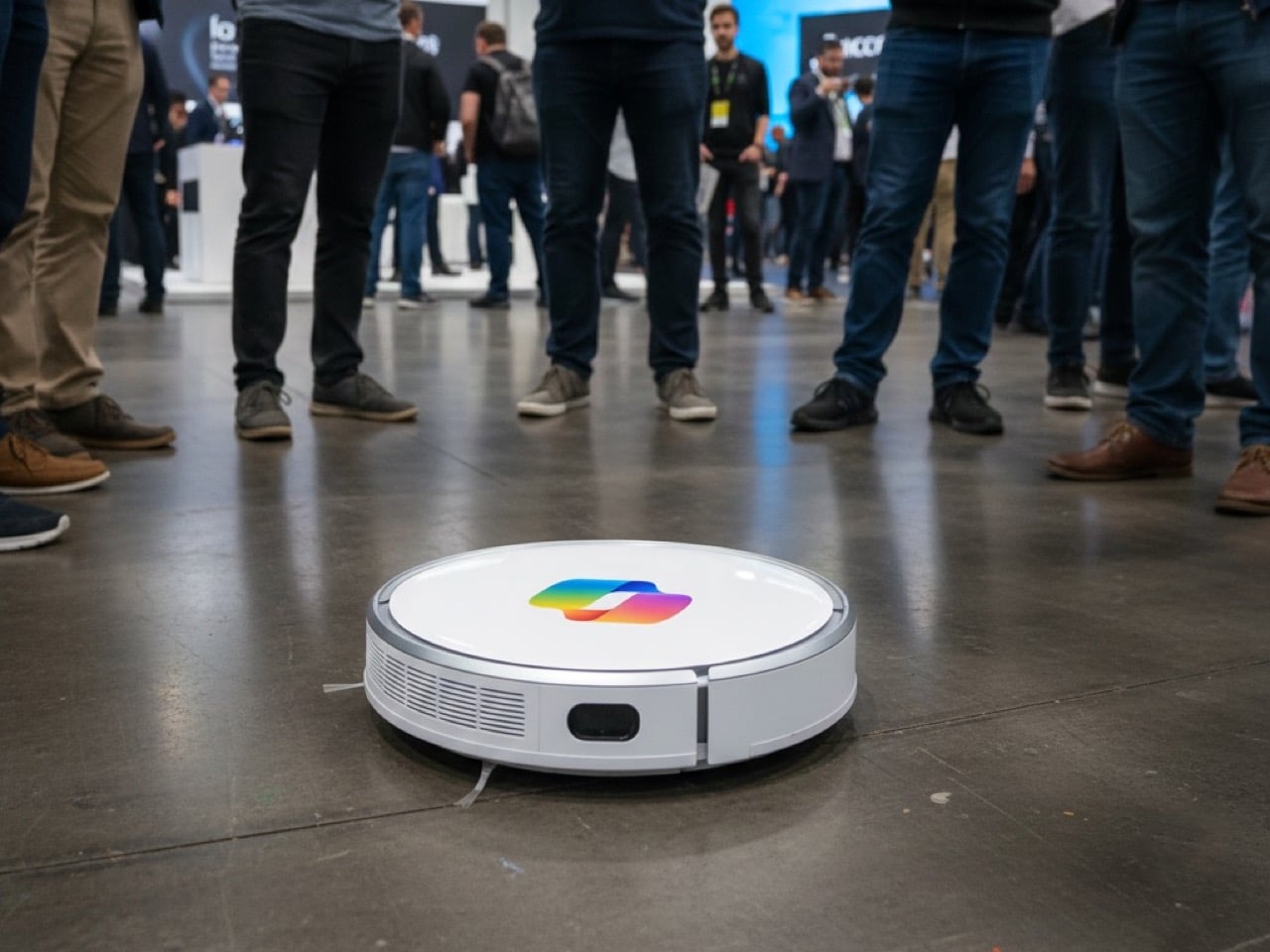
If your Robot Vacuum has Microsoft Copilot, RUN!

2. If it’s just a chatbot, it isn’t AI… it’s GPT Customer Care

The laziest fake AI move at CES 2026 will be products that open a chat window, let you type questions, and call that an AI feature. A chatbot is not product intelligence. It is a generic language model wrapper that any company can license from OpenAI, Anthropic, or Google in about a week, then slap their logo on top and call it innovation. If the only AI interaction your gadget offers is typing into a text box and getting conversational responses, you are not looking at an AI product. You are looking at customer service automation dressed up as a feature.

Real AI is embedded in how the product works. It is the robot vacuum that maps your home, decides which rooms need more attention, and schedules itself around your routine without you opening an app. It is the laptop that watches what you do, learns your workflow, and starts suggesting shortcuts or automating repetitive tasks before you ask. It is the TV that notices you always pause shows when your smart doorbell rings and starts doing it automatically. None of that requires a chat interface because the intelligence is baked into the behavior of the device itself, not bolted on as a separate conversation layer.

If a company demo at CES 2026 starts with “just ask it anything,” probe deeper. Can it take actions across the system, or does it just answer questions? Does it learn from how you use the product, or is it the same canned responses for everyone? Is the chat interface the only way to interact with the AI, or does the product also make smart decisions in the background without prompting? A chatbot can be useful, but it is table stakes now, not a differentiator. If that is the whole AI story, the company did not build AI into their product. They rented a language model and hoped you would not notice.

3. If the AI only does one narrow thing, it is probably just a renamed preset

Another red flag is when a product’s AI feature is weirdly specific and cannot generalize beyond a single task. A TV that has “AI motion smoothing” but no other intelligent behavior is not running a real AI model; it is running the same interpolation algorithm TVs have had for years, now rebranded with an AI label. A camera that has “AI portrait mode” but cannot recognize anything else is likely just using a basic depth sensor and calling it artificial intelligence. Real AI, especially the kind built into modern chips and operating systems, is designed to generalize across tasks: it can recognize objects, understand context, predict user intent, and coordinate with other devices.

Ask yourself: does this product’s AI learn, adapt, or handle multiple scenarios, or does it just trigger a preset when you press a button? If it is the latter, you are looking at a marketing gimmick. Fake AI products love to hide behind phrases like “AI-enhanced” or “AI-optimized,” which sound impressive but are deliberately vague. Real AI products will tell you exactly what the system is doing: “on-device object recognition,” “local natural language processing,” “agentic task coordination.” Specificity is a sign of substance. Vagueness is a sign of slop.

The other giveaway is whether the AI improves over time. Genuine AI systems get smarter as they process more data and learn from user behavior, often through firmware updates that improve the underlying models. Fake AI products ship with a fixed set of presets and never change. At CES 2026, ask demo reps if the product’s AI will improve after launch, how updates work, and whether the intelligence adapts to individual users. If they cannot give you a clear answer, you are looking at a one-time software trick masquerading as artificial intelligence.

Don’t fall for ‘AI Enhancement’ presets or buttons that don’t do anything related to AI.

4. If the company cannot explain what the AI actually does, walk away

Fake AI thrives on ambiguity. Companies that bolt a chatbot onto a product and call it AI-powered know they do not have a real differentiator, so they lean into buzzwords and avoid specifics. Real AI companies, by contrast, will happily explain what their models do, where the processing happens, and what problems the AI solves that the previous generation could not. If a booth rep at CES 2026 gives you vague non-answers like “it uses machine learning to optimize performance” without defining what gets optimized or how, that is a warning sign.

Push for concrete examples. If a smart home hub claims to have AI coordination, ask: what decisions does it make on its own, and what still requires manual setup? If a wearable says it has AI health coaching, ask: is the analysis happening on the device or in the cloud, and can it work offline while hiking in the wilderness? If a laptop advertises an AI assistant, ask: what can it do without an internet connection, and does it integrate with other apps (agentic) or just sit in a sidebar? Companies with real AI will have detailed, confident answers because they built the system from the ground up. Companies with fake AI will deflect, generalize, or change the subject.

The other test is whether the AI claim matches the price and the hardware. If a $200 gadget promises the same on-device AI capabilities as a $1,500 laptop with a dedicated neural processing unit, somebody is lying. Real AI requires real silicon, and that silicon costs money. Budget products can absolutely have useful AI features, but they will typically offload more work to the cloud or use simpler models. If the pricing does not line up with the technical claims, it is worth being skeptical. At CES 2026, ask what chip is powering the AI, whether it has a dedicated NPU, and how much of the intelligence is local versus cloud-based. If they cannot or will not tell you, that is your cue to move on.

5. Check if the AI plays well with others, or if it lives in a silo

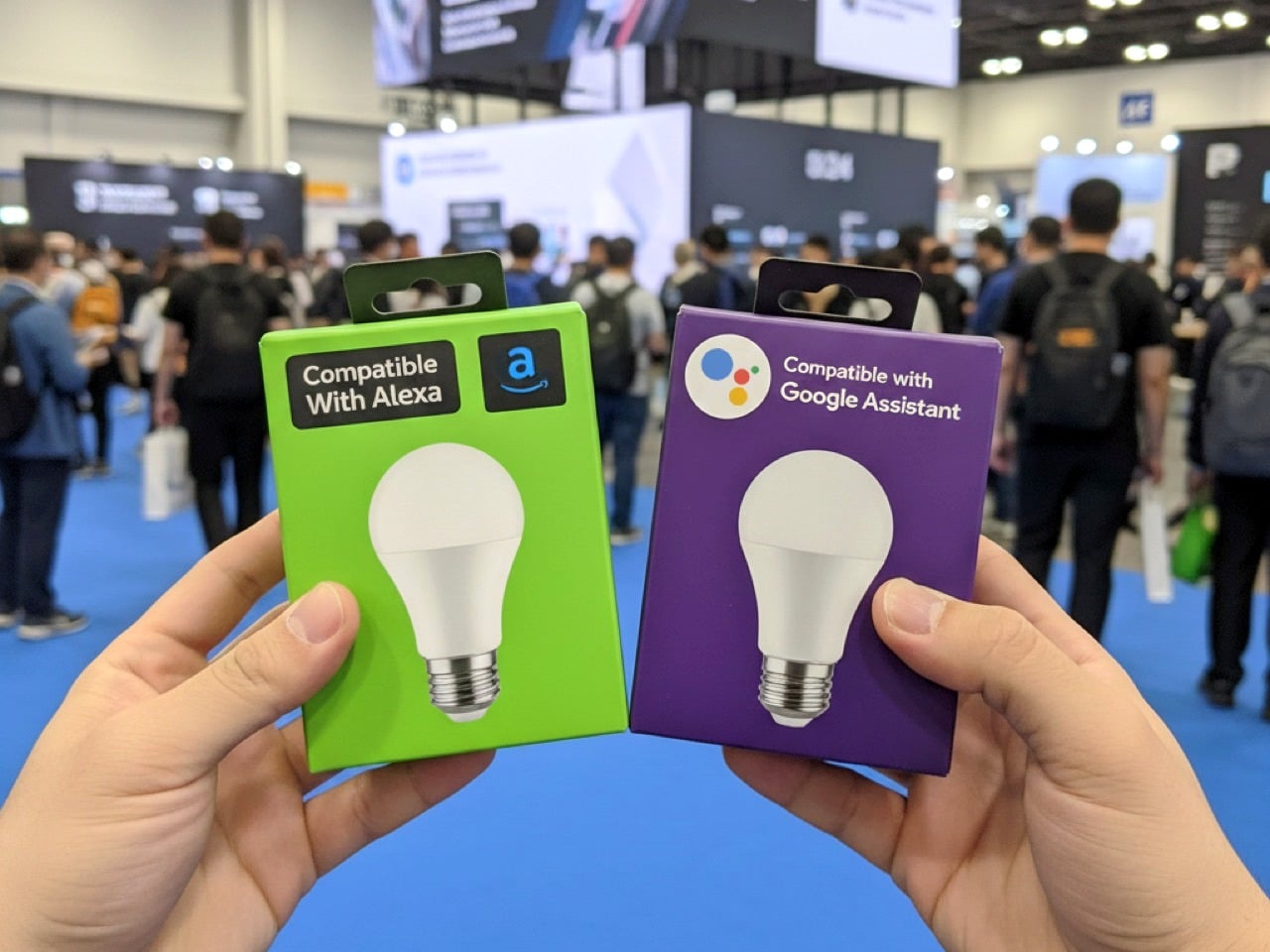
One of the clearest differences between real agentic AI and fake “AI inside” products is interoperability. Genuine AI systems are designed to coordinate with other devices, share context, and act on your behalf across an ecosystem. Fake AI products exist in isolation: they have a chatbot you can talk to, but it does not connect to anything else, and it cannot take actions beyond its own narrow interface. Samsung’s CES 2026 exhibit is explicitly built around AI and interoperability, with appliances, TVs, and smart home products all coordinated by a shared AI layer. That is what real agentic AI looks like: the fridge, washer, vacuum, and thermostat all understand context and can make decisions together without you micromanaging each one. Fake AI, by contrast, gives you five isolated apps with five separate chatbots, none of which talk to each other. If a product at CES 2026 claims to have AI but cannot integrate with the rest of your smart home, car, or workflow, it is not delivering the core promise of agentic systems.

Ask demo reps: does this work with other brands, or only within your ecosystem? Can it trigger actions in other apps or devices, or does it just respond to questions? Does it understand my preferences across multiple products, or does each device start from scratch? Companies that built real AI ecosystems will brag about cross-device coordination because it is hard to pull off and it is the whole point. Companies selling fake AI will either avoid the topic or try to upsell you on buying everything from them, which is a sign they do not have real interoperability.

6. When in doubt, look for the slop

The rise of AI-generated “slop” gives you a shortcut for spotting lazy AI products: if the marketing materials, product images, or demo videos look AI-generated and low-effort, the product itself is probably shallow too. Merriam-Webster defines slop as low-quality digital content produced in quantity by AI, and it has flooded everything from social media to advertising to product launches. Brands that cut corners on their own marketing by using obviously AI-generated visuals are signaling that they also cut corners on the actual product development.

Watch for telltale signs: weird proportions in product photos, uncanny facial expressions in lifestyle shots, text that sounds generic and buzzword-heavy with no real specifics, and claims that are too good to be true with no technical backing. Real AI products are built by companies that care about craft, and that care shows up in how they present the product. Fake AI products are built by companies chasing a trend, and the slop in their marketing is the giveaway. At CES 2026, trust your instincts: if the booth, the video, or the pitch feels hollow and mass-produced, the gadget probably is too.

The post How to Spot Fake AI Products at CES 2026 Before You Buy first appeared on Yanko Design.