Game publisher says cheaper Switch 2 cartridges are coming in since-deleted post

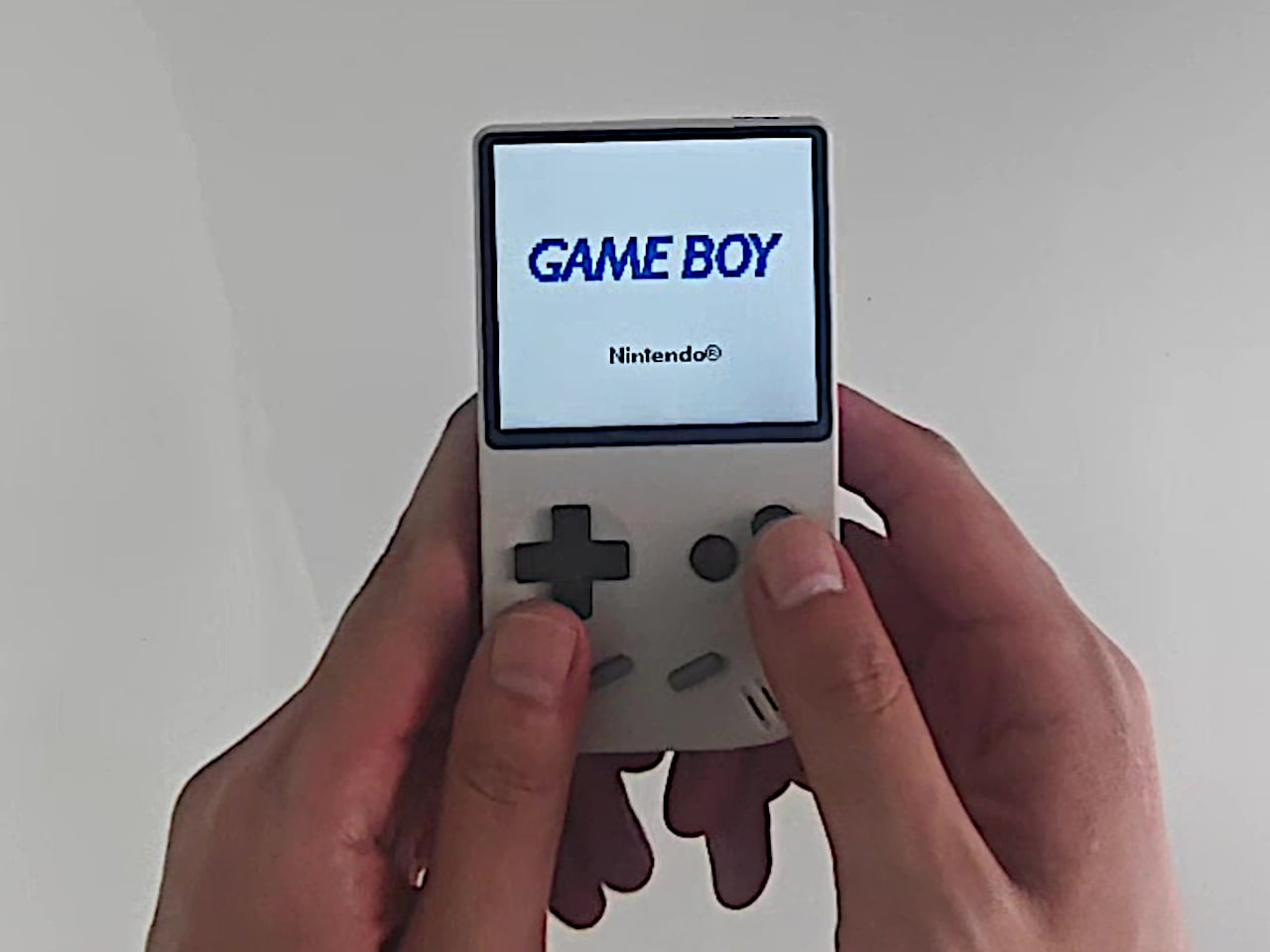
Gamers who prefer physical copies of their favorite titles may be getting a major win with the Switch 2. In an unexpected announcement from retro video game publisher ININ Games, Nintendo reportedly has "two new smaller cartridge sizes" for its Switch 2 console. For ININ Games, these rumored game cartridges with smaller storage capacity allow the publisher to recalculate production costs and pursue a physical Switch 2 release of its upcoming R-Type Dimensions III.

ININ Games later deleted its posts mentioning these smaller Switch 2 cartridges and issued a correction on its website and social media pages. However, the publisher reiterated that R-Type Dimensions III will be released on a physical cartridge, but that "no further technical details regarding cartridge specifications have been officially confirmed."

"There has been no official announcement or confirmation from Nintendo concerning cartridge storage capacities," ININ Games said in a statement. "Any references to specific storage sizes should not be interpreted as official information from Nintendo."

If we're reading between the lines, ININ Games may have been early to tease a crucial detail about Switch 2 cartridges that Nintendo wasn't officially ready to reveal yet. For more context, Nintendo reportedly only offers physical game cartridges for Switch 2 with a 64GB capacity. With less demanding games like R-Type Dimensions III, that much storage capacity could be unnecessary and raise production costs. Nintendo still hasn't made an announcement about these potential smaller cartridges, but we could see a lot more game publishers opting for physical copies of their upcoming games if they are indeed an option.

This article originally appeared on Engadget at https://www.engadget.com/gaming/nintendo/game-publisher-says-cheaper-switch-2-cartridges-are-coming-in-since-deleted-post-191145230.html?src=rss

Pebble-inspired Modular Mouse Reconfigures for Left or Right Hands

Most everyday products, from scissors to mice, are designed around right-handed users, leaving left-handed people to adapt or struggle. That adaptation becomes invisible labor, especially with tools used all day like a mouse. Lor is a vertical mouse concept that takes that critique seriously and tries to design hand dominance out of the equation, treating hand dominance as something you configure through assembly rather than accept as a fixed product trait.

Lor is a vertical mouse that blurs the line between left-handed and right-handed, asking what would happen if flipping a product for the opposite hand was as simple as looking in a mirror. Instead of selling separate left and right models, Lor breaks the mouse into modular parts that can be rearranged, giving both user groups an equal product experience from the same hardware, without forcing anyone into a symmetrical compromise.

Designer: Youngbin Kwon

The main ergonomic idea is a grip that feels like holding smooth pebbles, designed to protect the wrist during long sessions. The mouse uses soft, rounded forms that encourage a more neutral hand posture than a flat mouse, leaning into the vertical-mouse logic without looking like a medical device. The pebble metaphor keeps the form approachable and hints at a more relaxed, natural grip that feels less technical.

Lor is built around a central spherical base and two detachable pebble grips that can be attached on either side. Like assembling toy blocks, users decide the shape and orientation, snapping the grips into a left-handed or right-handed configuration. Mirroring happens at the form level, not just in software, so thumb rests, buttons, and support surfaces end up exactly where each hand expects them to be without remapping or awkward reaches.

This approach benefits more than just left-handed users. Shared desks, studios, or home setups can keep a single mouse that reconfigures in seconds, and people who switch hands to rest a wrist can physically flip the layout instead of fighting a symmetrical compromise. It is a formative way, as the designer puts it, to satisfy both user groups with one product without flattening ergonomics into a one-size-fits-none solution.

A fingerprint unlock sensor is built into one of the grips, letting you log into your computer with a touch. It is a small feature, but it reinforces the notion that the mouse is a personal object that can recognize you, not just a generic input device. It also hints at future possibilities, like per-user profiles that travel with the mouse in shared environments or family workstations.

Lor treats handedness as a design parameter rather than an afterthought. Instead of asking left-handed people to adapt to right-handed tools, it lets the product adapt to them through a simple, understandable act of assembly. In a category where vertical mice are often strongly handed and ambidextrous options are usually ergonomic compromises, the idea of a modular, mirrorable form turns inclusion into something tactile, giving left-handed users the same thoughtful experience that right-handed users have always quietly taken for granted.

The post Pebble-inspired Modular Mouse Reconfigures for Left or Right Hands first appeared on Yanko Design.

Valve discontinued the last remaining LCD model of the Steam Deck

If you still haven't bought into the Steam Deck craze, it'll cost you a little extra to take the plunge now since Valve is only offering OLED models. Valve announced in a note on its Steam Deck page that it's "no longer producing the Steam Deck LCD 256GB model," adding that "once sold out, it will no longer be available." As of this article's publishing, the $399 Steam Deck with LCD and 256 GB of storage, which we ranked as the best gaming handheld for most, is out of stock. Even Valve's refurbished stock of LCD models has been cleared out.

The OLED version of the Steam Deck is a worthy upgrade since it comes with a longer battery life and a larger display with a higher refresh rate. However, the LCD model offered an impressive entry price for the Steam Deck and the world of affordable gaming handhelds. Fortunately for existing owners, Valve said it plans to continue supporting the LCD models with future software updates.

For now, potential buyers will have to choose between the new entry-level pricing of $549 for the OLED model with 512GB of storage or upgrading to 1TB and paying at least $649. Valve's choice to discontinue its last remaining LCD model isn't surprising after it did the same with the 512GB version and the 64GB option that was available when the Steam Deck was first released in 2022.

This article originally appeared on Engadget at https://www.engadget.com/gaming/valve-discontinued-the-last-remaining-lcd-model-of-the-steam-deck-171548195.html?src=rss

2025 Hyundai IONIQ 5 Limited AWD Review: Korean Confidence in a Sea of Minimalist Restraint

The electric crossover has settled into a strange kind of visual politeness. Smooth surfaces, quiet cabins, and interfaces that treat personality as noise have become the default, especially in the wake of Tesla’s influence on the category.

Hyundai’s IONIQ 5 doesn’t play that game. This is a review of the 2025 Hyundai IONIQ 5 Limited AWD, a trim that uses retro reference and daily usability as its counterpoint to the category’s prevailing minimalism. It’s using nostalgia as a design tool rather than a styling costume, borrowing the posture of the 1974 Pony Coupe Concept and re translating it through crisp surfacing, pixelated light signatures, and proportions that look more like a hatchback that grew up than a crossover that learned manners.

I spent about a week with a 2025 IONIQ 5 Limited AWD. The car’s confidence reads immediately in photos, but it lands harder in person, where the edges, the glasshouse placement, and the stance feel intentionally un typical for this segment.

Exterior form language

From a distance, the silhouette does most of the work. The long wheelbase stretches the car low, and the greenhouse sits rearward enough that the roofline feels fast without chasing coupe cosplay.

The clamshell hood is a smart visual move because it makes the front end look uninterrupted, almost like a single pressed sheet pulled tight over the architecture. It’s also a practical one, since the panel gaps are cleaner than you expect from a mass market EV.

Parametric Pixel lighting is the detail everyone remembers, and it earns that attention. The square motif gives the front and rear a kind of digital legibility, like the car is speaking in a grid rather than a curve.

At night, the effect is crisp rather than theatrical. The sequential turn signals move through those pixel clusters with a controlled cadence that feels engineered, not animated for show.

Up close, the surfacing avoids the common crossover trick of hiding bulk in soft transitions. Hyundai uses flat planes broken by sharp creases, and the light behaves differently as the car rotates through the day, which makes the body feel more intentional than most of its rounded competitors.

The 20 inch wheels on the Limited trim fit the stance well, and you feel the design priority here. More aero coverage would help efficiency, but the open, geometric wheel design matches the car’s pixel language, and that coherence matters when the whole car is trying to be a statement.

Interior architecture

The platform advantage shows itself the moment you step in. The same long wheelbase and clean exterior geometry that make the car look planted also buy you interior length, so the flat floor feels like a design consequence, not a packaging trick.


Without a tunnel, the cabin reads as a continuous volume rather than two rows of seats separated by architecture. That spatial openness isn’t just a spec sheet win. It changes posture, movement, and how the interior feels during daily use, especially when you are sliding bags around, shifting seats, or simply stretching out.

The dash is intentionally horizontal, with dual 12.3 inch displays under a single glass panel. The layout is clean, but what matters more is that it still respects how people drive, with real climate controls that don’t require you to hunt through menus.

The sliding center console is a small design flex that becomes a real advantage. It lets the cabin behave like a space, not a fixed cockpit, and that matters in a car that wants to feel like a lounge without turning into a gimmick.

Rear legroom is one of the IONIQ 5’s quiet strengths. The long wheelbase and flat floor make the second row feel more like a class above, and the center seat does not punish you with the usual foot splay.

Material composition

Hyundai leans into sustainable materials without turning the cabin into a sermon. Recycled and bio based inputs are present, but the car does not label itself as virtuous, which is a more confident way to do it.

The material hierarchy feels deliberate. Soft touch surfaces land where you actually rest your hands, and harder plastics retreat to lower zones where durability matters more than theater.

Acoustic isolation is better than you expect at highway speeds. Wind stays subdued for an upright windshield, and road texture comes through as a muted signal rather than a constant hiss, which makes the cabin feel more premium than the badge suggests.

Those material choices also set up the longer question: how well does this cabin, and the tech that lives inside it, age over years of use.

Sustainability and lifecycle

The IONIQ 5’s sustainability story isn’t only that it’s an EV. It’s also about how the product behaves across years, because electrification only feels like progress if the pack, the software, and the charging routine don’t turn into anxiety later.

On the power side, the most important environmental benefit is simple: no tailpipe emissions during driving. The more subtle win is how regenerative braking changes the car’s energy rhythm in traffic, turning stop and go into recaptured momentum rather than pure waste.

Battery confidence is a design feature in its own right, because trust changes how you drive and how long you keep the car. Hyundai’s hybrid and electric battery warranty language sets a clear expectation that capacity will not fall below 70 percent of original capacity during the warranty period, which helps put a hard boundary around the usual degradation fear that follows EV ownership.

That’s where the cabin material story, the battery story, and the software story connect. Recycled or bio based trim is a surface level sustainability signal, but longevity is the deeper one, because a car that still feels current, quiet, and psychologically trustworthy five years in is the car that gets kept, not replaced.

In practice, this shows up in boring ownership moments. You’re juggling a commute week and a weekend trip, and you realize you aren’t bracing for a surprise range drop, a glitchy interface, or a cabin that’s started to rattle. That’s the density test. If the car stays calm when your week isn’t, it earns the right to stay in your driveway longer.

Charging also has a sustainability dimension that’s easy to ignore. Faster DC charging can reduce dwell time, but it can also encourage more frequent high power sessions. In practice, the cleanest routine is still boring: charge at home on Level 2 when you can, then treat high power charging as the travel tool, not the daily habit.

Software’s part of longevity now. Hyundai’s infotainment OTA approach, including a defined cadence of updates, is a quiet way of keeping the cabin’s interface from aging faster than the hardware, even if it isn’t the same always evolving story that Tesla sells. It isn’t about constant novelty. It’s about avoiding the kind of slow interface decay that makes a cabin feel old before the materials wear out.

Technology integration

If sustainability is partly about how long the car stays pleasant to use, the interface matters. The interface design is clean in the way Hyundai usually is. The instrument cluster prioritizes range and speed clearly, and the center screen uses a tile logic that responds quickly without feeling like it’s trying to be a phone.

There’s a quiet design decision here that reads better the longer you live with it: the screens don’t try to replace the cabin, they support it. That restraint reduces cognitive load in motion, and it keeps the interior from feeling like a tablet that happens to have seats.

The interesting implication is that the IONIQ 5 can feel modern without demanding constant attention. You spend less time managing the interface, and more time noticing how the space actually works.

The best part is still the decision to keep key functions physical. Climate toggles give you tactile confirmation, and volume control stays a knob, which means your muscle memory can do its job.

BlueLink remote functions are useful rather than exciting. Pre conditioning and charge management work reliably, but the software experience doesn’t feel like the reason you buy the car, which is a compliment in a segment where infotainment can become the whole personality.

Over the air updates exist, but they don’t define the ownership story the way they do with Tesla. The IONIQ 5 feels finished at purchase in a traditional sense, which some buyers will prefer, and others will see as less future proof.

Powertrain character

The Limited AWD’s dual motor layout delivers power in the way modern EVs usually do: immediate, quiet, and oddly composed even when you floor it. The acceleration is the kind that makes merges feel casual rather than dramatic.

Regenerative braking control through steering wheel paddles is a good piece of interaction design. You can tune the car from near coasting to one pedal driving quickly, and the strongest setting becomes natural once your foot stops expecting engine braking cues.

Brake feel is a small but important confidence marker in a heavy EV. The pedal stayed consistent rather than turning mushy after repeated stops, and that steadiness pairs well with the regen paddles, because the car stops feeling like a computer negotiating with your right foot and starts feeling like a tool you can place precisely.

Daily reality

EPA range numbers are always conditional, and the IONIQ 5’s no different. Hyundai lists the 2025 IONIQ 5 Limited AWD at an EPA estimated 269 miles on a full charge, while other drivetrains reach as high as 318 miles, depending on trim and configuration.

Speed, temperature, climate settings, and wheel choice can all move the real number in ways that matter on a trip.

In my time with the car, steady highway driving at typical interstate speeds pulled the effective range down noticeably, while city driving benefited from regen and felt closer to the optimistic story. That swing is normal, but it is worth stating plainly because it changes how you plan charging.

The lived part is the mental math. You start glancing at the next stop earlier than you think you will, then you settle into a routine where you treat home charging as your default and fast charging as a planned tool, which is when the car stops feeling like a project.

Charging is the real unlock, assuming you have access to the right equipment. The E GMP architecture supports very high DC fast charging rates, and on a compatible high output charger the stop time feels more like a short break than a long pause.

Home charging is where the car becomes easy. Plugging in overnight turns range into an every morning default, and the question shifts from can I make it to do I want to plan for the occasional longer day.

Cargo space is usable, but the packaging has the usual EV tradeoffs. The load floor sits higher than some rivals, and tall items feel the difference, even if the overall volume is competitive.

Competitive context

All of that lands differently depending on what you are cross shopping.

The Tesla Model Y remains the benchmark because the charging ecosystem and software cadence are still a category advantage. Tesla’s minimalism is also consistent, even if it feels sterile to some buyers.

The IONIQ 5 counters with design presence and interior warmth. Physical controls, a more generous sense of space, and a cabin that feels intentionally composed rather than stripped make it a better fit for people who want the car to feel designed, not optimized.

Kia’s EV6 is the closest alternative because it shares the underlying platform. The EV6 leans sportier in stance and body language, while the IONIQ 5 leans architectural and lounge like. The choice isn’t about capability so much as which philosophy feels more like you.

Ford’s Mustang Mach E and Volkswagen’s ID 4 sit nearby with different priorities. The Mach E sells a more traditional driver narrative. The ID 4 leans conservative and value driven. Neither matches the IONIQ 5’s combination of space, lighting identity, and form language clarity.

Who should buy this

If you want an EV that looks like it has an opinion, the IONIQ 5 is one of the strongest mainstream options. It is especially convincing for people who care about design coherence, interior space, and charging performance as a daily quality of life feature.

As earlier, the flat floor and the lounge like layout are not just nice in photos, they change the way you use the car. Entry and exit feel less cramped, loading bags is less of a shuffle, and the cabin is easier to treat like a space.

If your priority’s the simplest charging routine across every trip, Tesla’s ecosystem still matters. If your priority is a cabin that feels more human, plus controls that do not punish you for preferring buttons, Hyundai’s approach will feel like the more mature kind of modern.

Design verdict

Hyundai pulled off something difficult here. The IONIQ 5 is distinctive without becoming a costume, and it uses its retro reference as a foundation for proportion and geometry rather than a pile of nostalgia cues.


What sticks is the follow through: the pixel lighting and crisp surfacing are not decoration, they are the grammar that carries through the whole object, right down to how the cabin feels airy and deliberate. That consistency is why the car reads as designed, not merely modern.

The only open question’s aging. Sharp motifs can date faster than soft ones, and the EV market moves quickly. Even if the look becomes tied to this era, the coherence behind it is real, and that tends to outlive fashion.

The post 2025 Hyundai IONIQ 5 Limited AWD Review: Korean Confidence in a Sea of Minimalist Restraint first appeared on Yanko Design.

Apple’s macOS 26.2: Features That Will Transform Your Mac Experience

Apple’s macOS 26.2: Features That Will Transform Your Mac Experience

macOS 26.2 delivers a robust suite of features and improvements aimed at enhancing your interaction with your Mac. Whether you rely on it for professional tasks, entertainment, or staying connected, this update emphasizes efficiency, security, and personalization. Fully compatible with all devices running macOS 26, it reflects Apple’s dedication to providing user-centric innovation that adapts […]

The post Apple’s macOS 26.2: Features That Will Transform Your Mac Experience appeared first on Geeky Gadgets.

Posted in Uncategorized

Essential AI Skills Map for 2026 : From Prompt Engineering to Agents & Careers

Essential AI Skills Map for 2026 : From Prompt Engineering to Agents & Careers

Imagine a world where your ability to communicate with machines becomes as essential as your ability to communicate with people. By 2026, this won’t just be a futuristic fantasy, it will be the reality shaping careers, industries, and innovation. In a recent video, Tina Huang breaks down the critical AI skills that professionals will need […]

The post Essential AI Skills Map for 2026 : From Prompt Engineering to Agents & Careers appeared first on Geeky Gadgets.

Posted in Uncategorized

Sintesi by Artemide Brings Ernesto Gismondi’s 1975 Tool Lamp Back to the Desk

Artemide is celebrating its history, and Sintesi, introduced in 1975, was the first lamp signed by founder Ernesto Gismondi. His background was engineering and manufacturing, and he approached lighting like a system problem rather than a single object. The reissued Sintesi table lamp revisits that mindset, showing how a few bent-metal parts and a standard socket can still feel relevant in a world of sealed LED fixtures.

Sintesi was conceived as an intelligent system built around simple, shared components that could become table, floor, wall, or clamp versions. The new edition focuses on the table version, the core from which the rest of the family evolved. Its appeal lies in how a few bent-metal profiles and a standard E27 head can cover a surprising range of uses, from low reading light to taller task light, without complex joints or hidden mechanisms.

Designer: Ernesto Gismondi (Artemide)

The structure is two C-shaped steel profiles of different lengths hinged together to form a Y-shaped support. Opening and closing that scissor-like frame raises or lowers the head and changes the angle in one motion. The geometry is minimal, yet it gives enough adjustment to move from a low, horizontal reading beam to a taller, more directional light without adding slides, springs, or counterweights.

The head is a simple frame that holds an E27 socket, a reflector, and a protective grid. The standard socket means you can use different bulbs over time, from warm LED globes to smart lamps, keeping the lamp adaptable as light sources change. The reflector shapes the beam, while the grid protects the bulb and adds a technical, almost industrial character that fits the rest of the structure.

Sintesi can fold in on itself for compact packaging, the Y-frame collapsing so the lamp becomes a flat bundle of metal and a head. That foldability reflects Gismondi’s interest in production efficiency and logistics, making it easier to store, transport, and service the lamp, and aligning with contemporary concerns about material and shipping footprints that were less visible in 1975 but feel urgent now.

1

The reissue keeps the painted-steel structure and aluminium reflector, offered in colours like green, red, white, and blue. The exposed hinges, visible screws, and open cage around the bulb make no attempt to hide how the lamp works. It feels closer to a piece of technical equipment than a decorative object, which is exactly what makes it interesting on a desk or workbench where function matters more than mood lighting.

A 1975 design can sit comfortably next to laptops and LED strips today because Sintesi’s reliance on a standard socket, its adjustable geometry, and its foldable, efficient structure all speak to ideas that are even more relevant now: repairability, adaptability, and honest construction. The bent-metal tool lamp from Gismondi feels quietly timeless because it was never trying to chase fashion, only to solve a problem with the fewest parts and the most flexibility.

The post Sintesi by Artemide Brings Ernesto Gismondi’s 1975 Tool Lamp Back to the Desk first appeared on Yanko Design.

Samsung Galaxy S26 Ultra Finally Gets the Charging Speed Upgrade We Wanted

Samsung Galaxy S26 Ultra Finally Gets the Charging Speed Upgrade We Wanted

The Samsung Galaxy S26 Ultra is poised to set a new benchmark in the flagship smartphone market by combining innovative technology with user-centric enhancements. By addressing key feedback from its predecessor, Samsung has refined its approach to deliver a device that balances innovation with practicality. Below is a comprehensive exploration of the Galaxy S26 Ultra’s […]

The post Samsung Galaxy S26 Ultra Finally Gets the Charging Speed Upgrade We Wanted appeared first on Geeky Gadgets.

Posted in Uncategorized

Turn Any Photo into a 3D Model with SAM 3D : From One Snapshot to Shareable Mesh

Turn Any Photo into a 3D Model with SAM 3D : From One Snapshot to Shareable Mesh

Imagine snapping a photo of your favorite object, a vintage car, a family heirloom, or even your pet, and instantly transforming it into a lifelike 3D model. Thanks to Meta’s SAM 3D, this futuristic concept is now a reality. In the video, Better Stack breaks down how this new AI uses advanced techniques like image […]

The post Turn Any Photo into a 3D Model with SAM 3D : From One Snapshot to Shareable Mesh appeared first on Geeky Gadgets.

Posted in Uncategorized

Google Assistant will stick around a bit longer than expected for some Android users

Google wanted to remove Assistant from most Android phones by the end of 2025 and replace it with Gemini. But now the company has announced that it needs a bit more time to make its AI assistant the new default digital helper for most of its users. Google said that it's adjusting its previously announced timeline to "make sure [it delivers] a seamless transition" and that updates to convert Assistant to Gemini on Android devices will continue into the next year. The company also said that it's sharing more details in the "coming months," so it's possible that the transition will go past early 2026.

Assistant's retirement was pretty much expected the moment Google launched Gemini and started giving it Assistant's capabilities, such as the ability to control smart devices connected to your phone. It launched the Pixel 9 Series with Gemini as the default assistant back in 2024. The company has also been putting Gemini in all of its products and previously said that it plans to upgrade all "tablets, cars and devices that connect to your phone, such as headphones and watches" with the AI-powered chatbot. Devices do have to meet a few minimum requirements to get the upgrade, however, and must be running Android 10 and come with 2GB of RAM at the very least.

This article originally appeared on Engadget at https://www.engadget.com/ai/google-assistant-will-stick-around-a-bit-longer-than-expected-for-some-android-users-130000178.html?src=rss