The EDC Pen Reinvented: Lumink’s Titanium Fountain Pen Folds, Writes, and Lasts a Lifetime

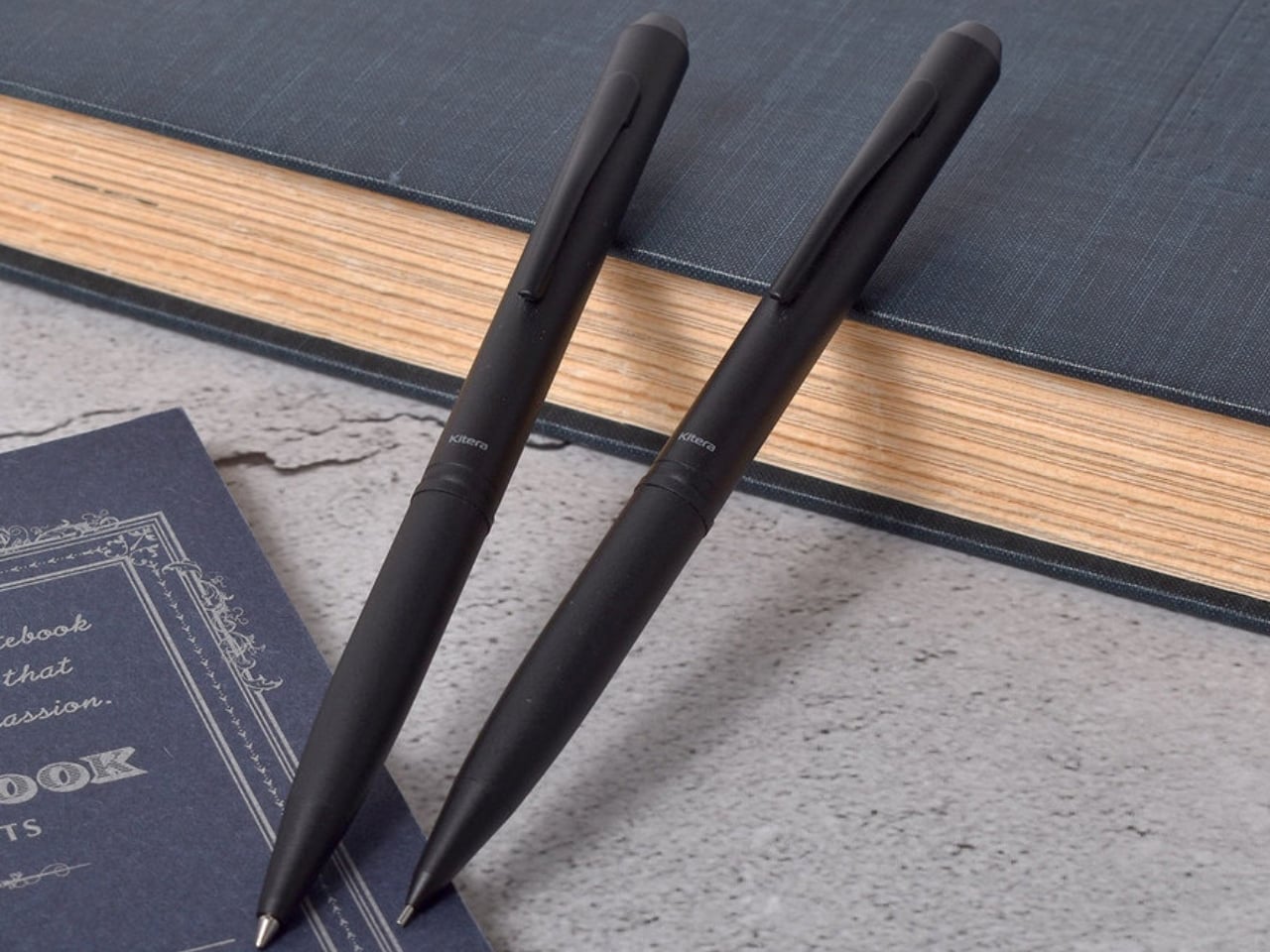
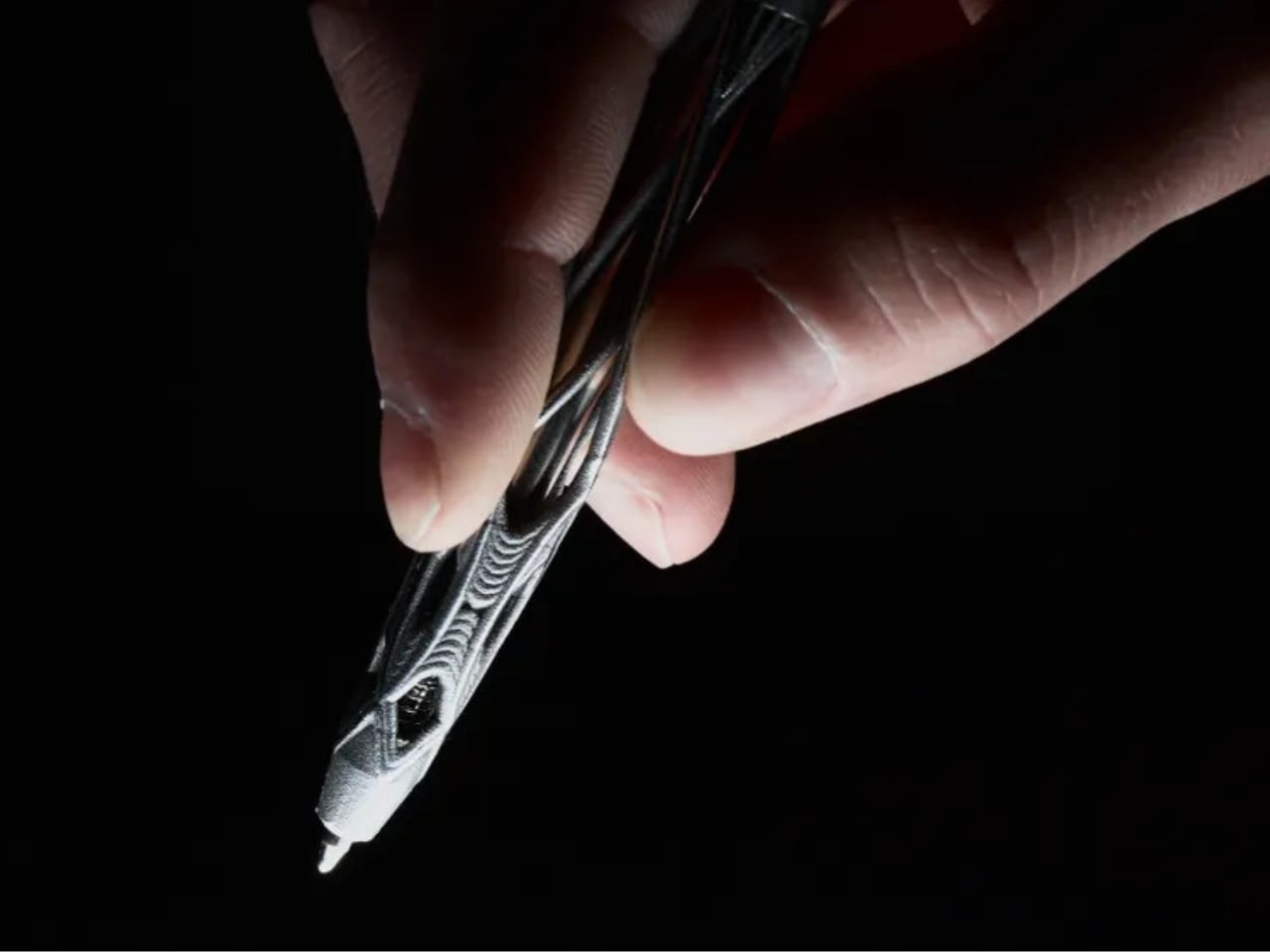
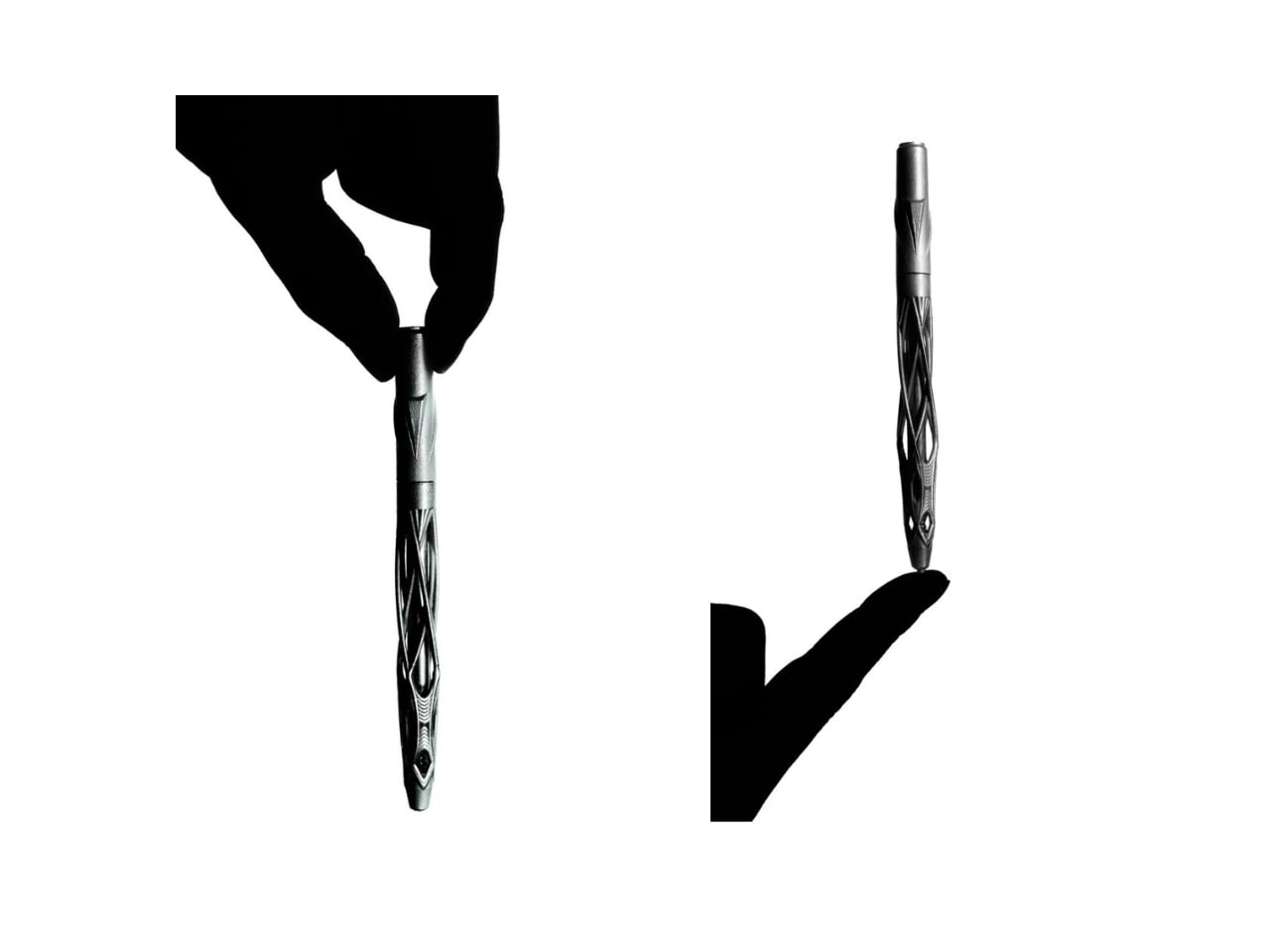
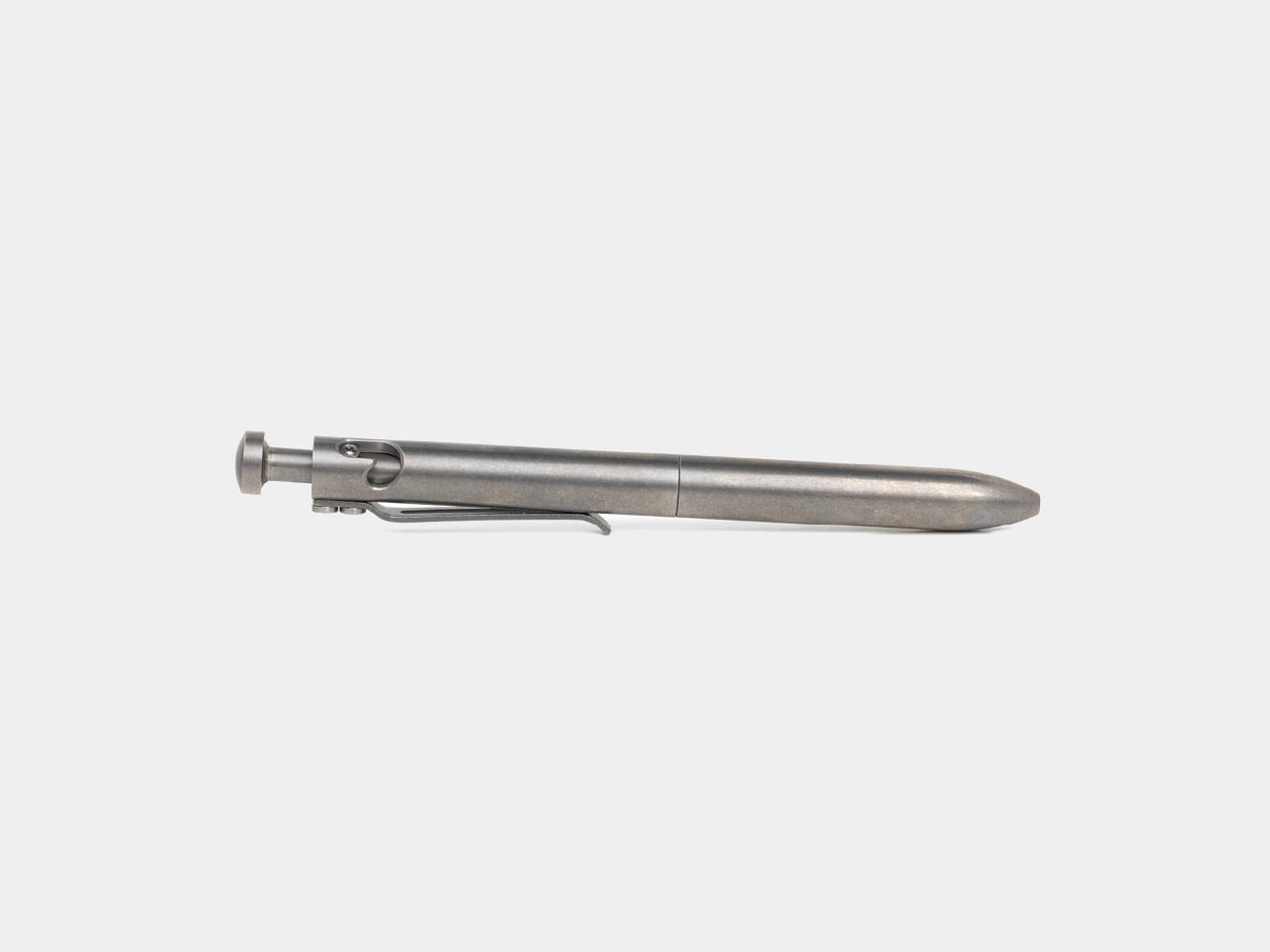
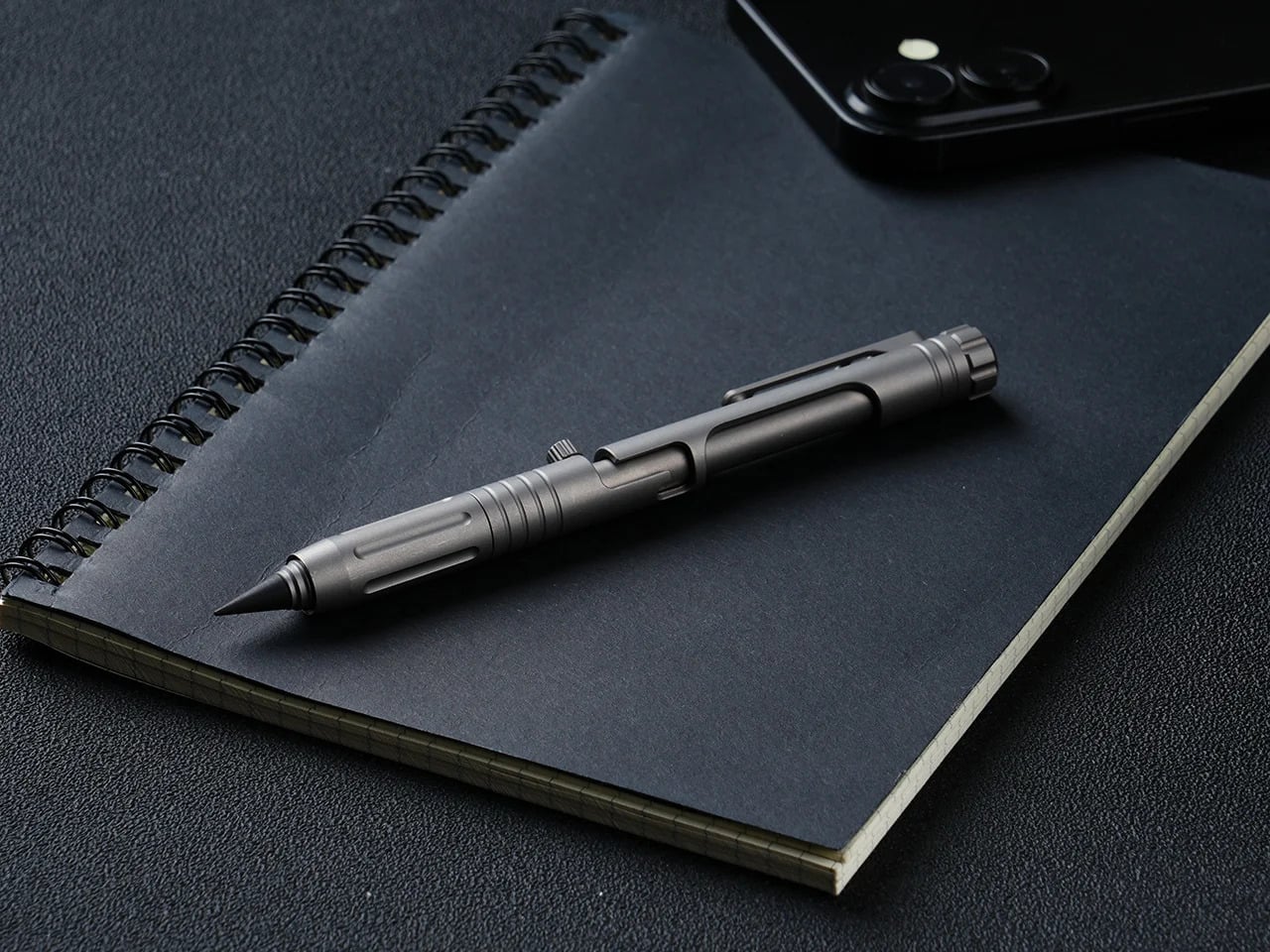
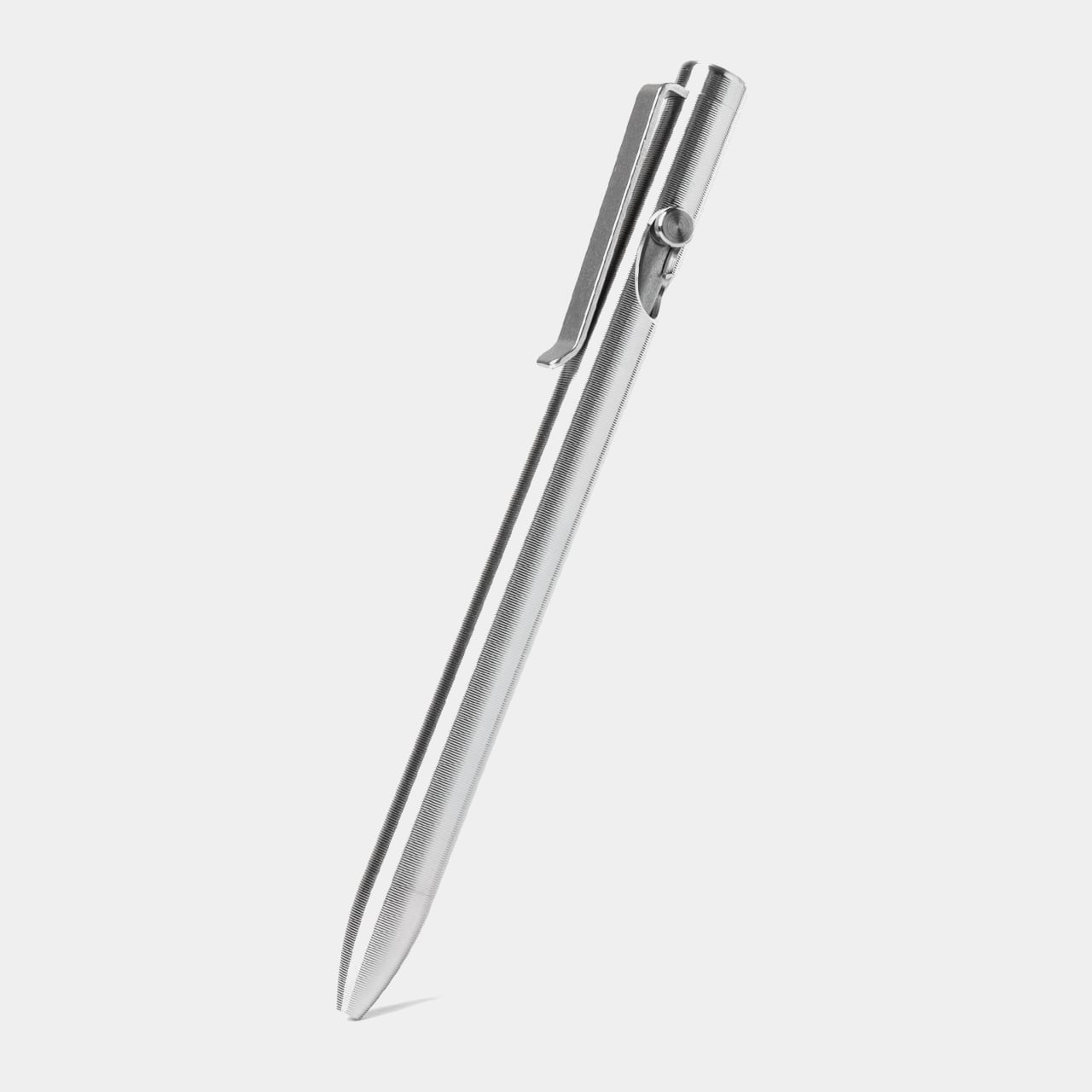
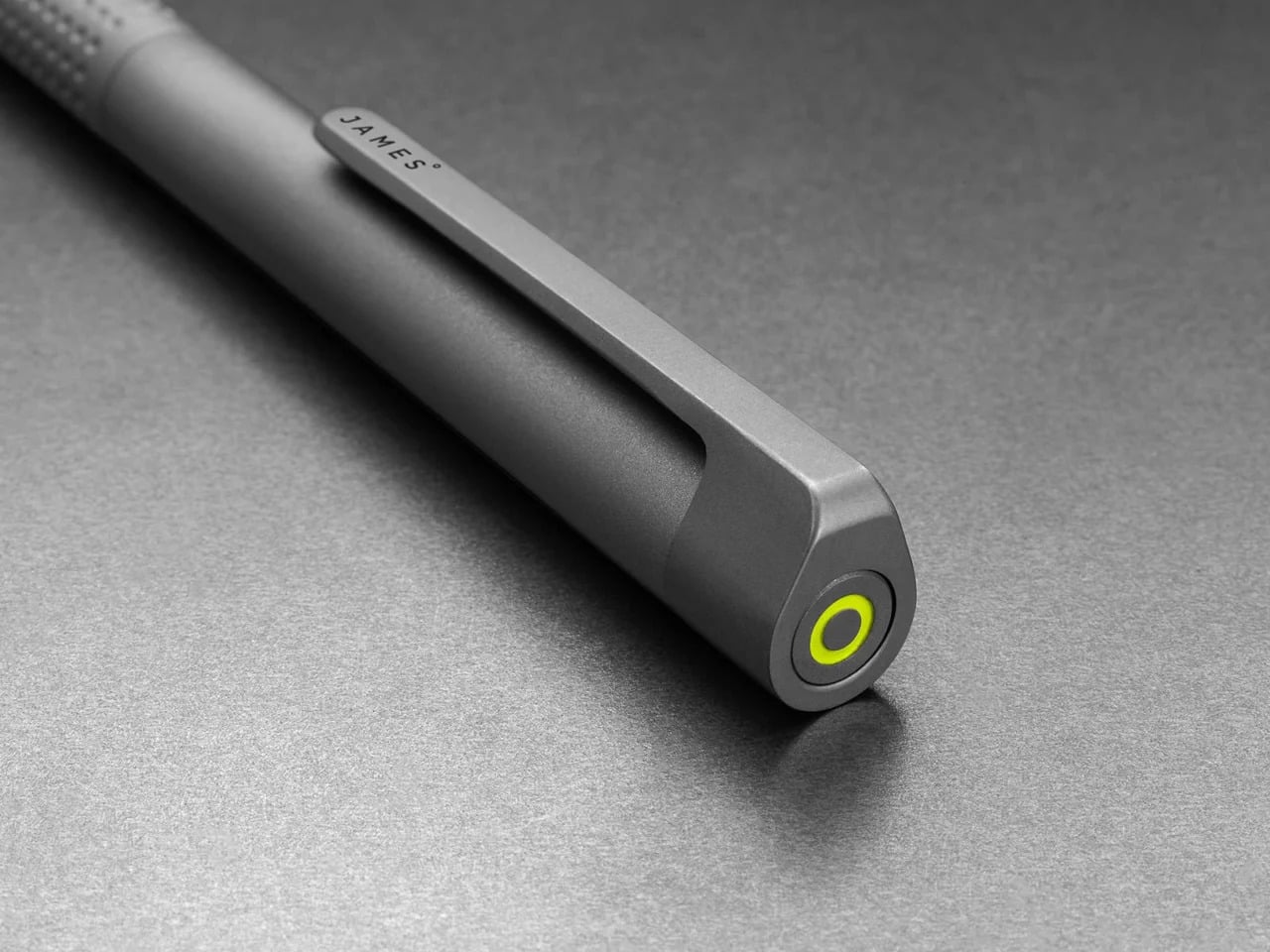
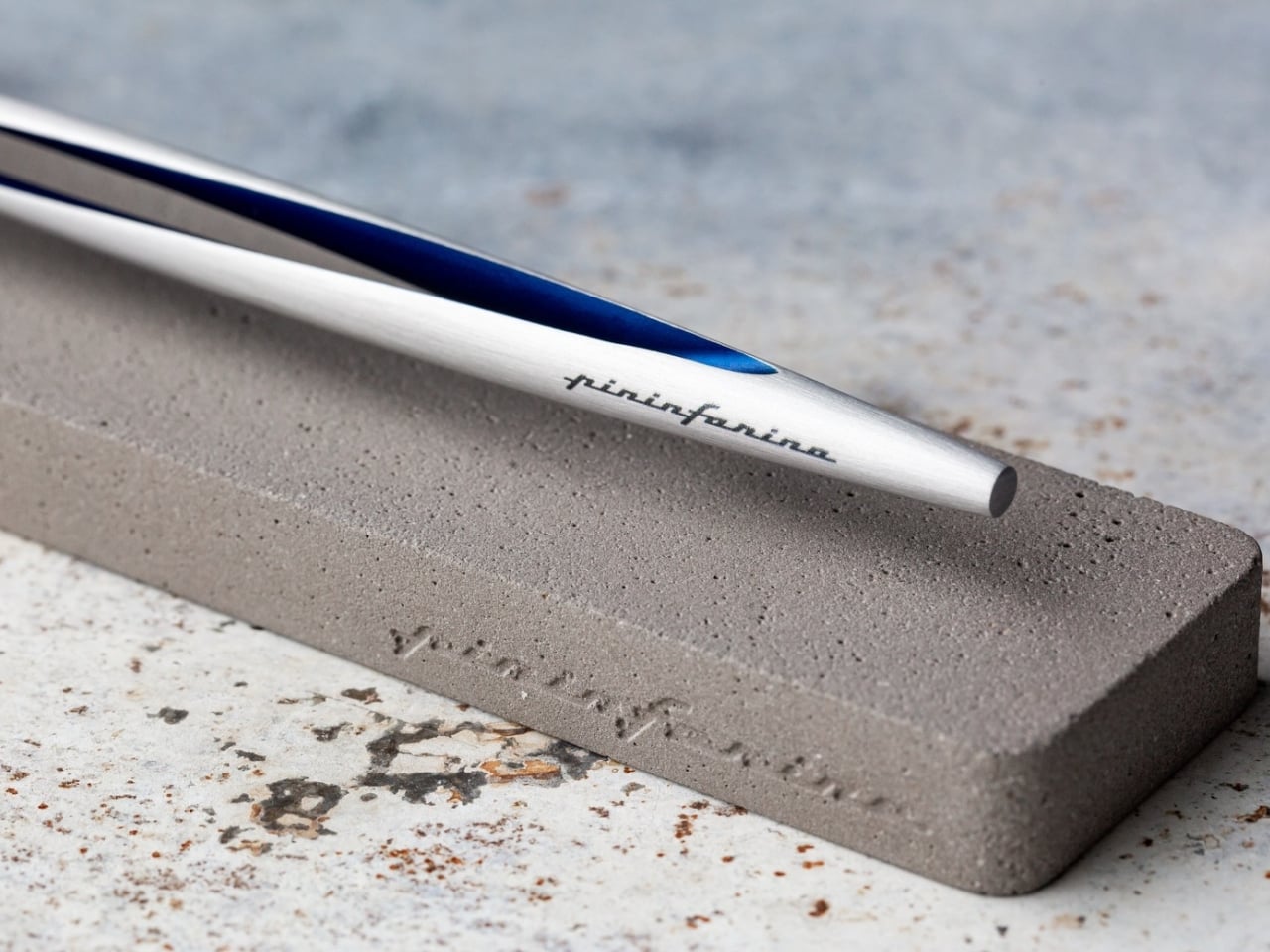
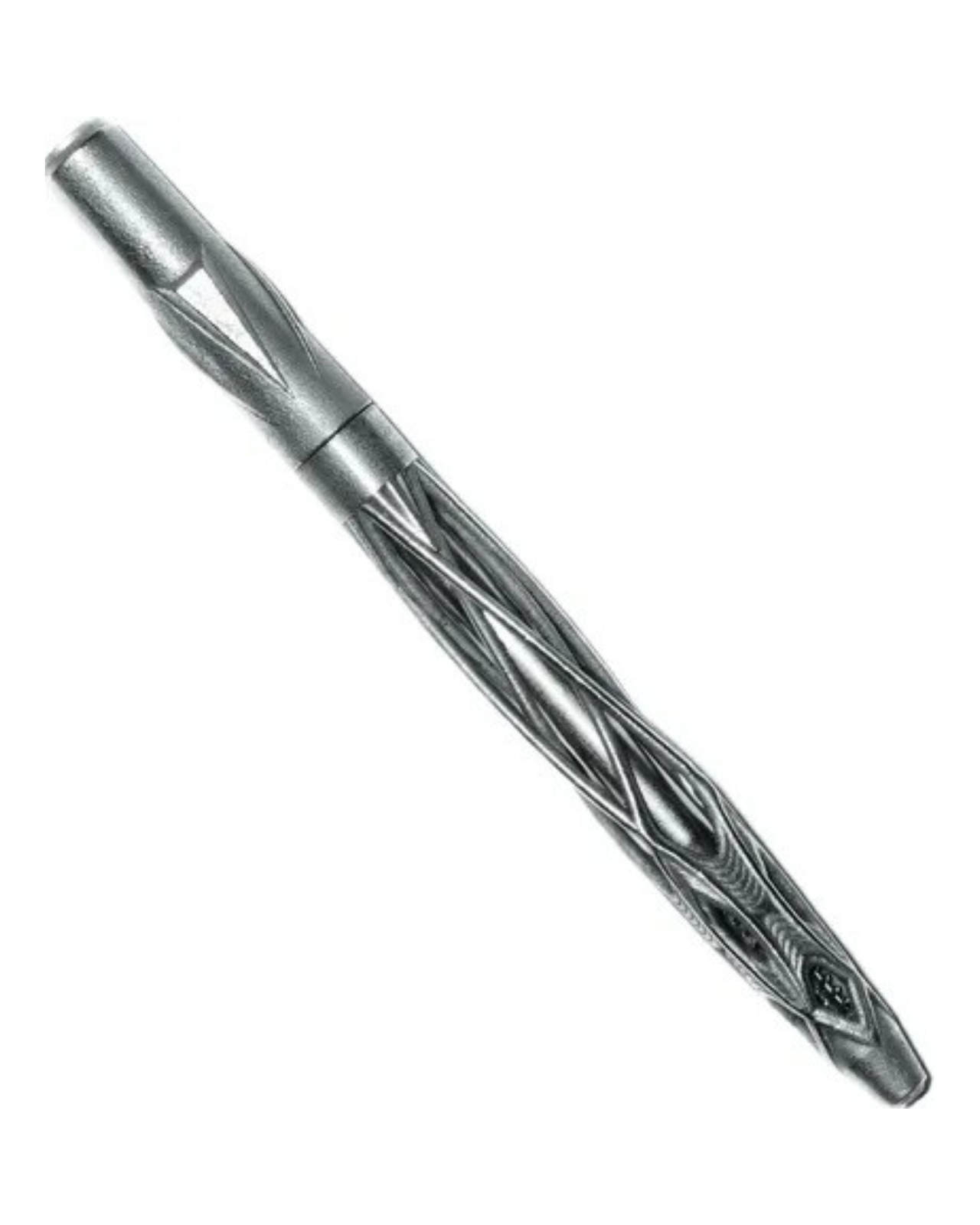
Pocket pens usually ask for compromise. Full size fountain pens usually ask for commitment. Lumink tries to bridge that divide with a titanium body that collapses to pocket size and unfolds into a full-length pen in seconds. The silhouette is crisp and faceted, with a restrained metallic finish that reads as precision tool before it reads as stationery. It is a concept that feels immediately relevant in a world where everyday tools are expected to be portable, tactile, and visually disciplined.

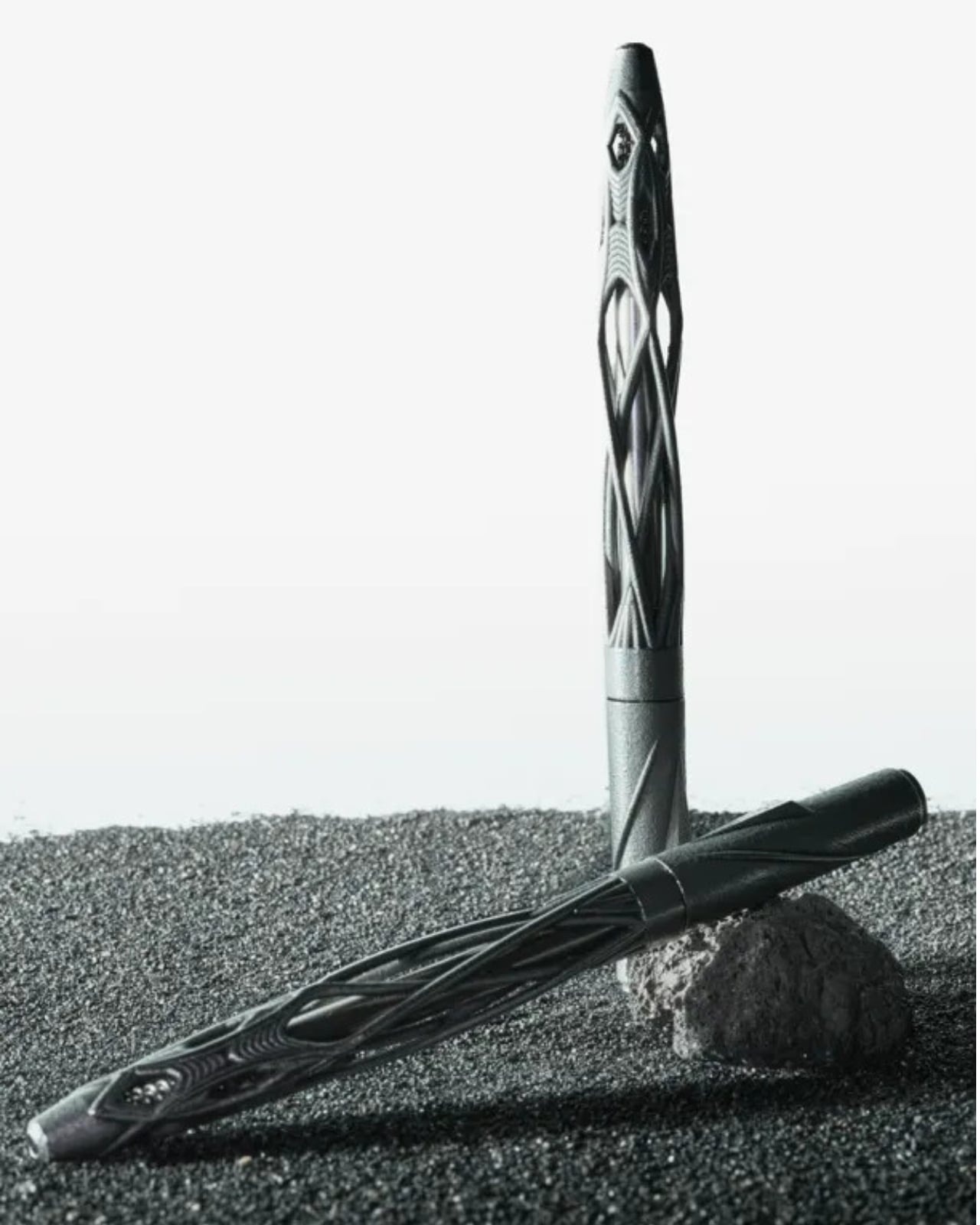
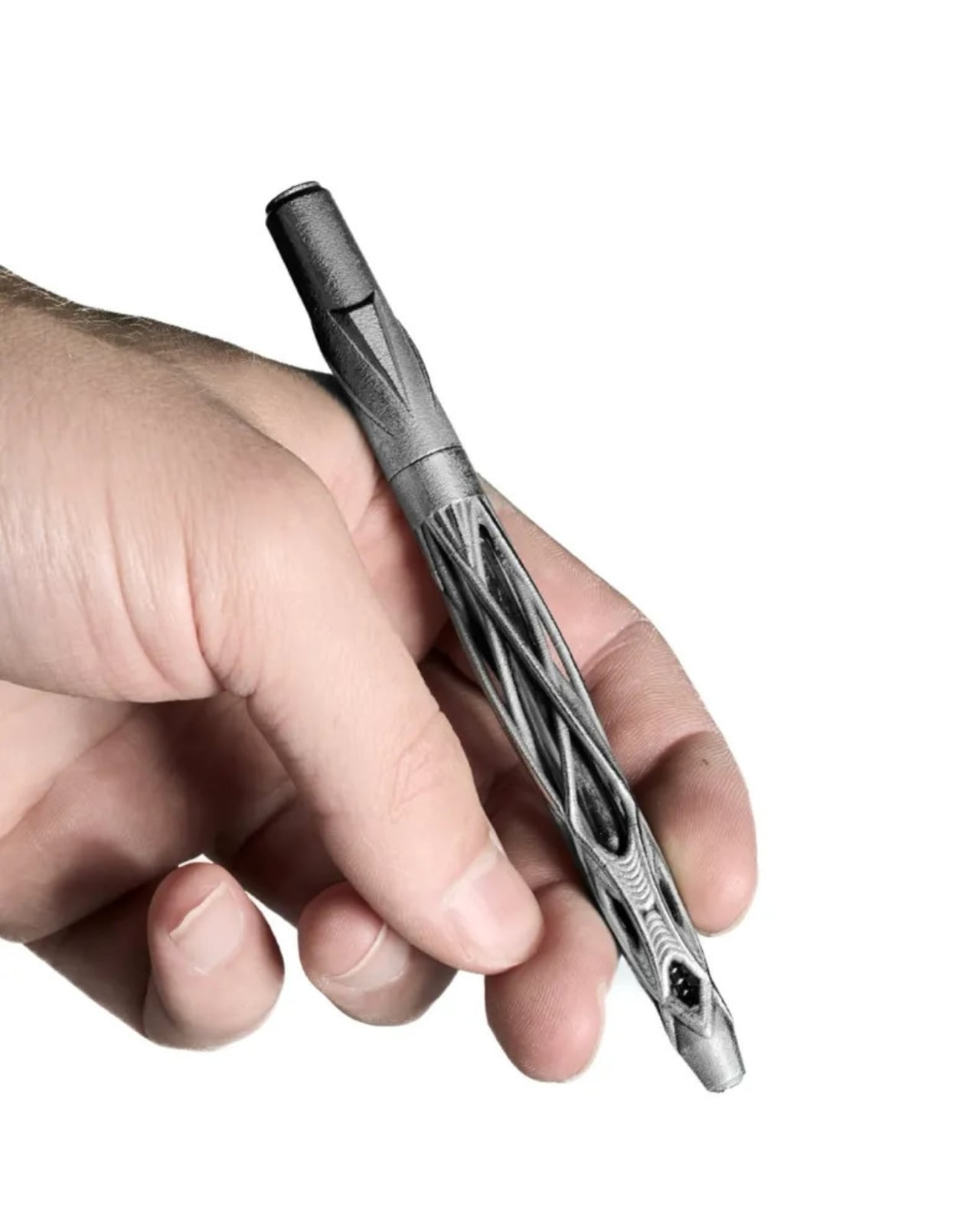
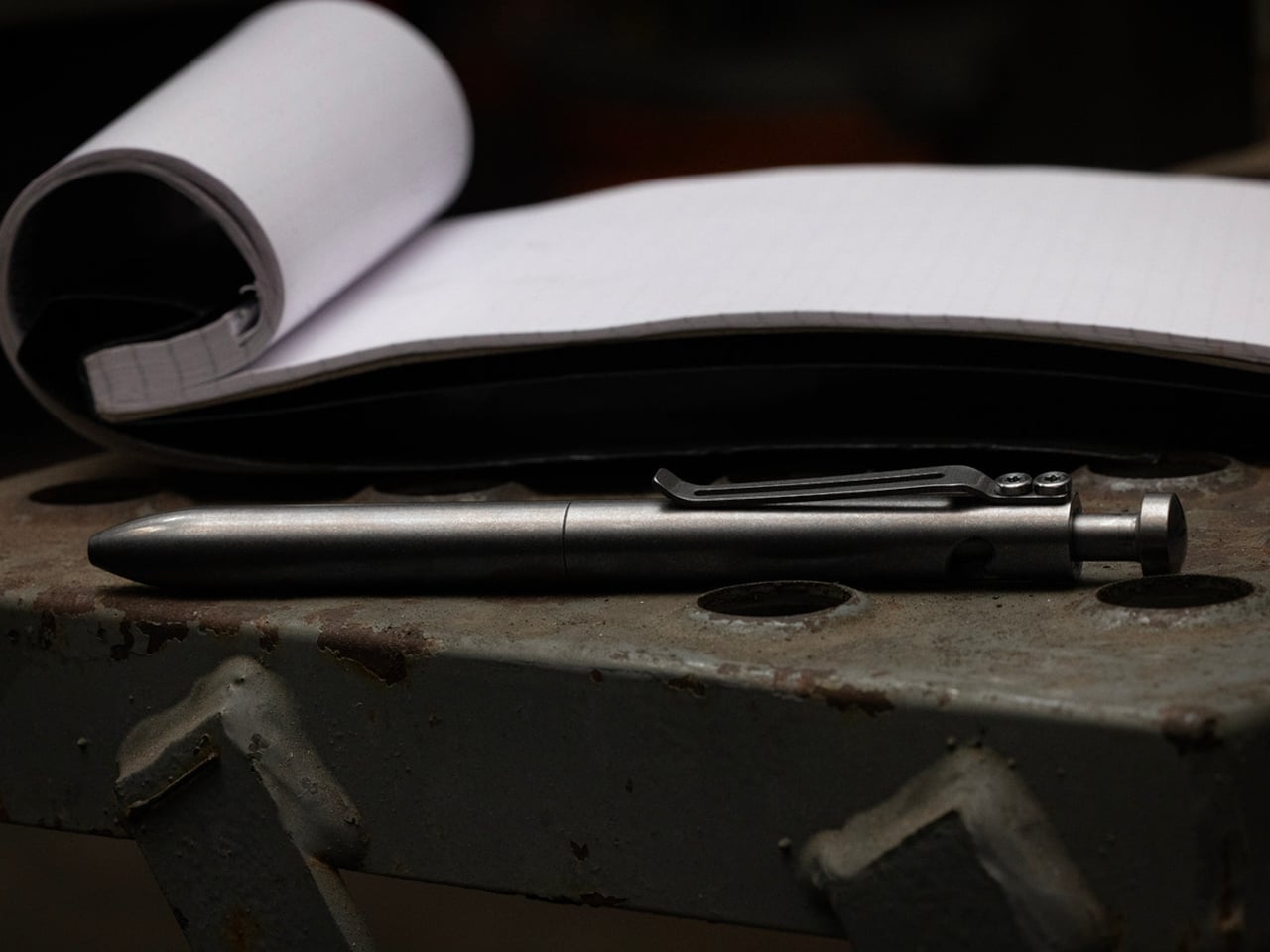
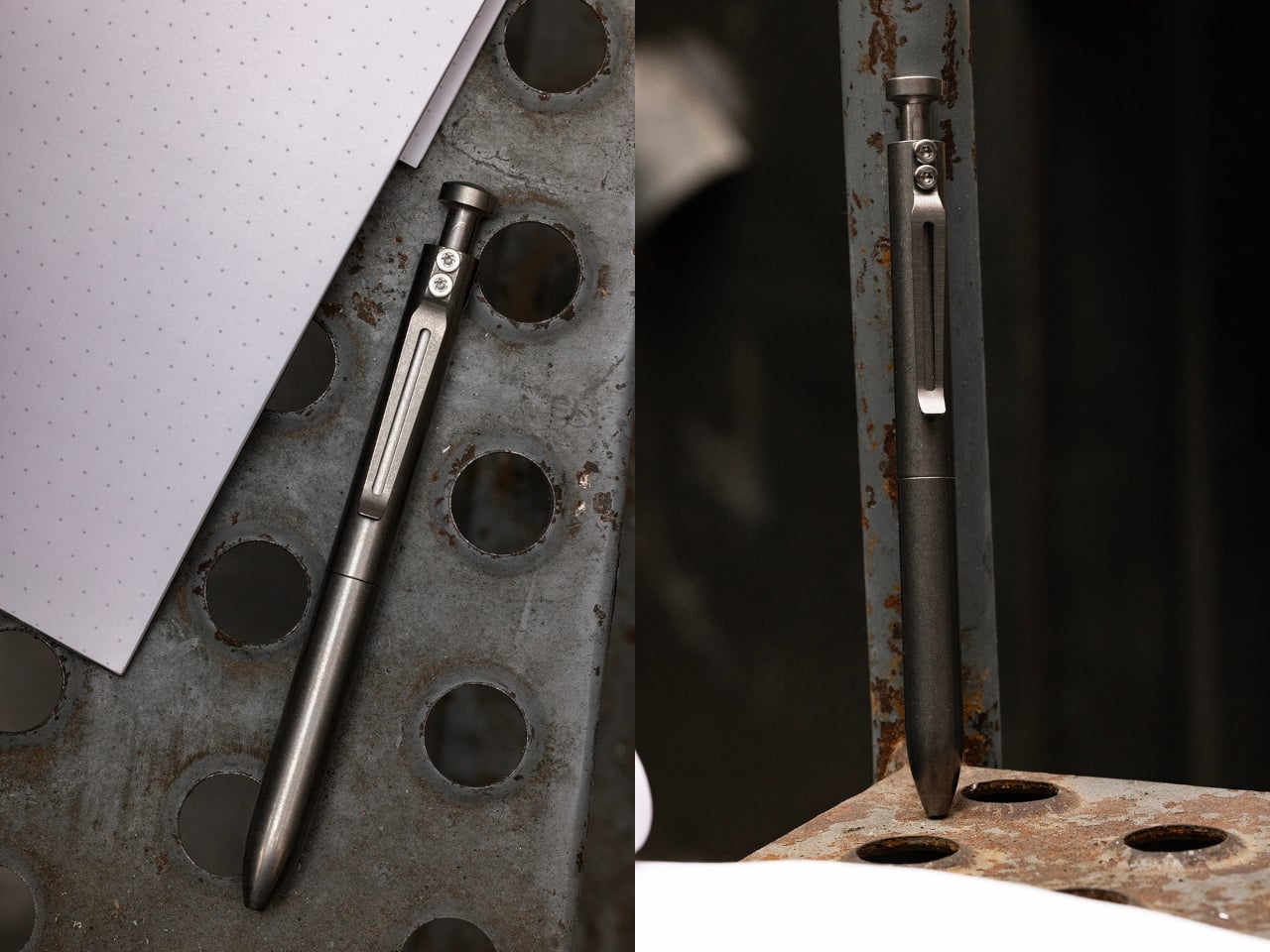
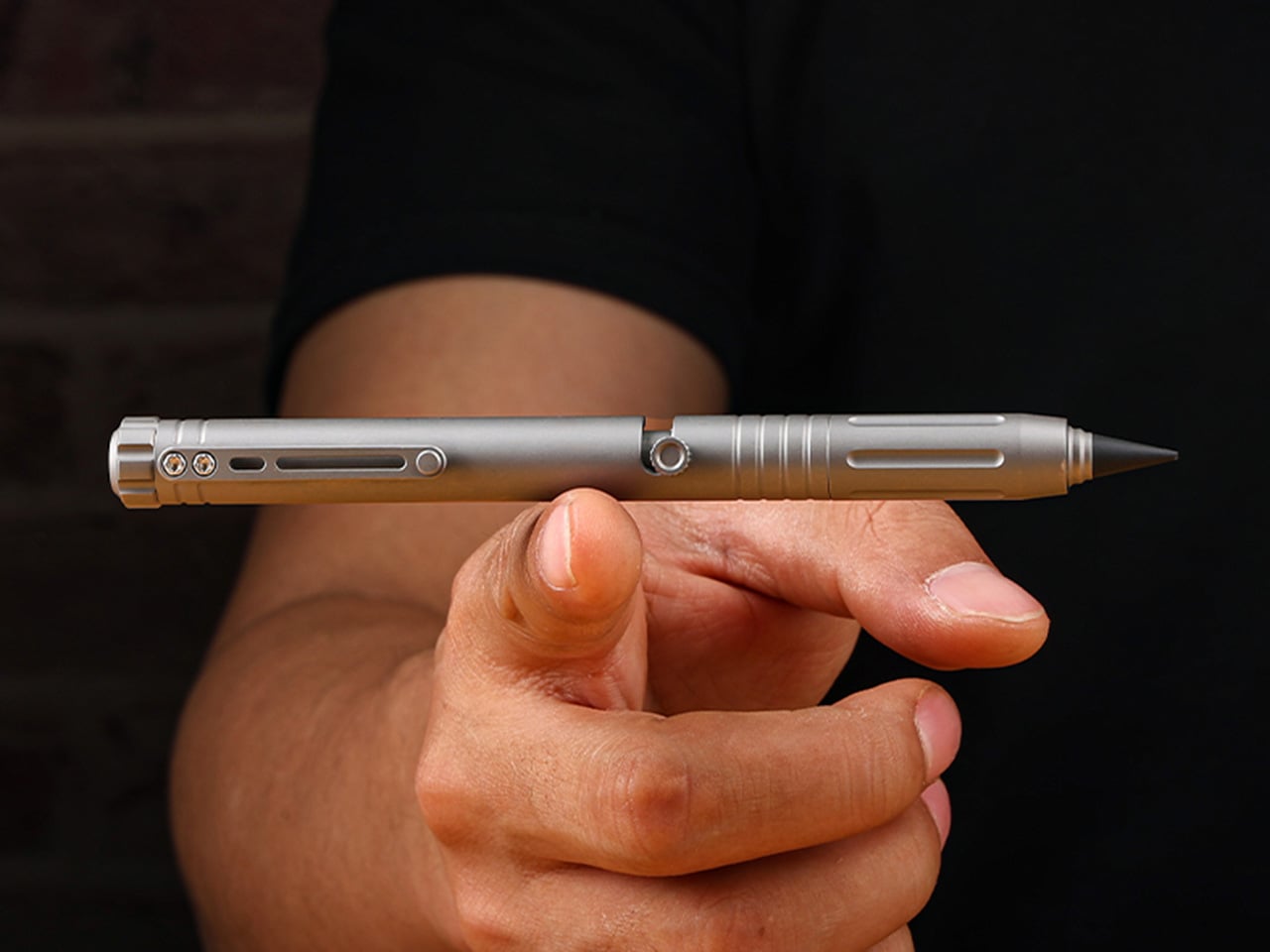
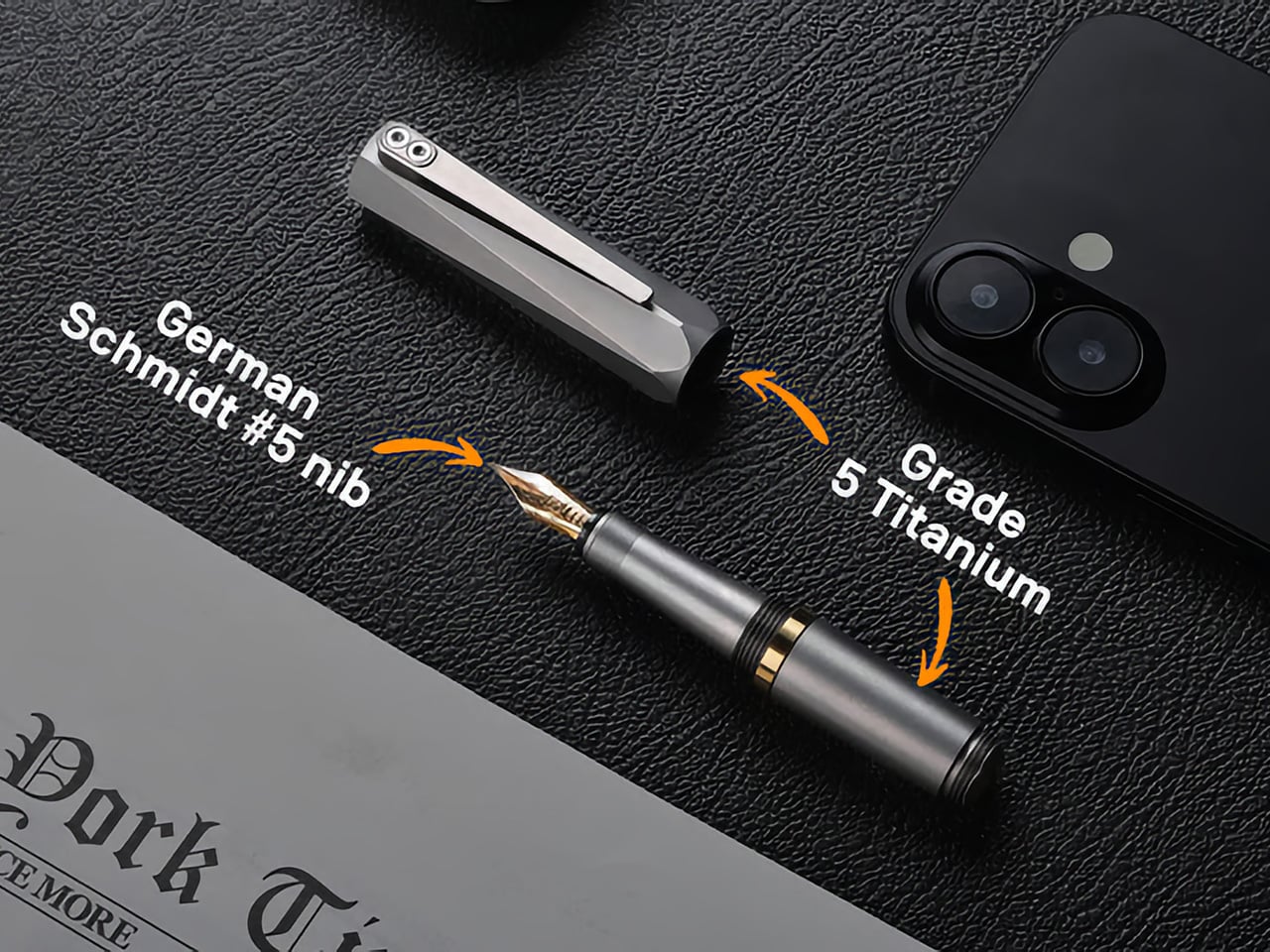
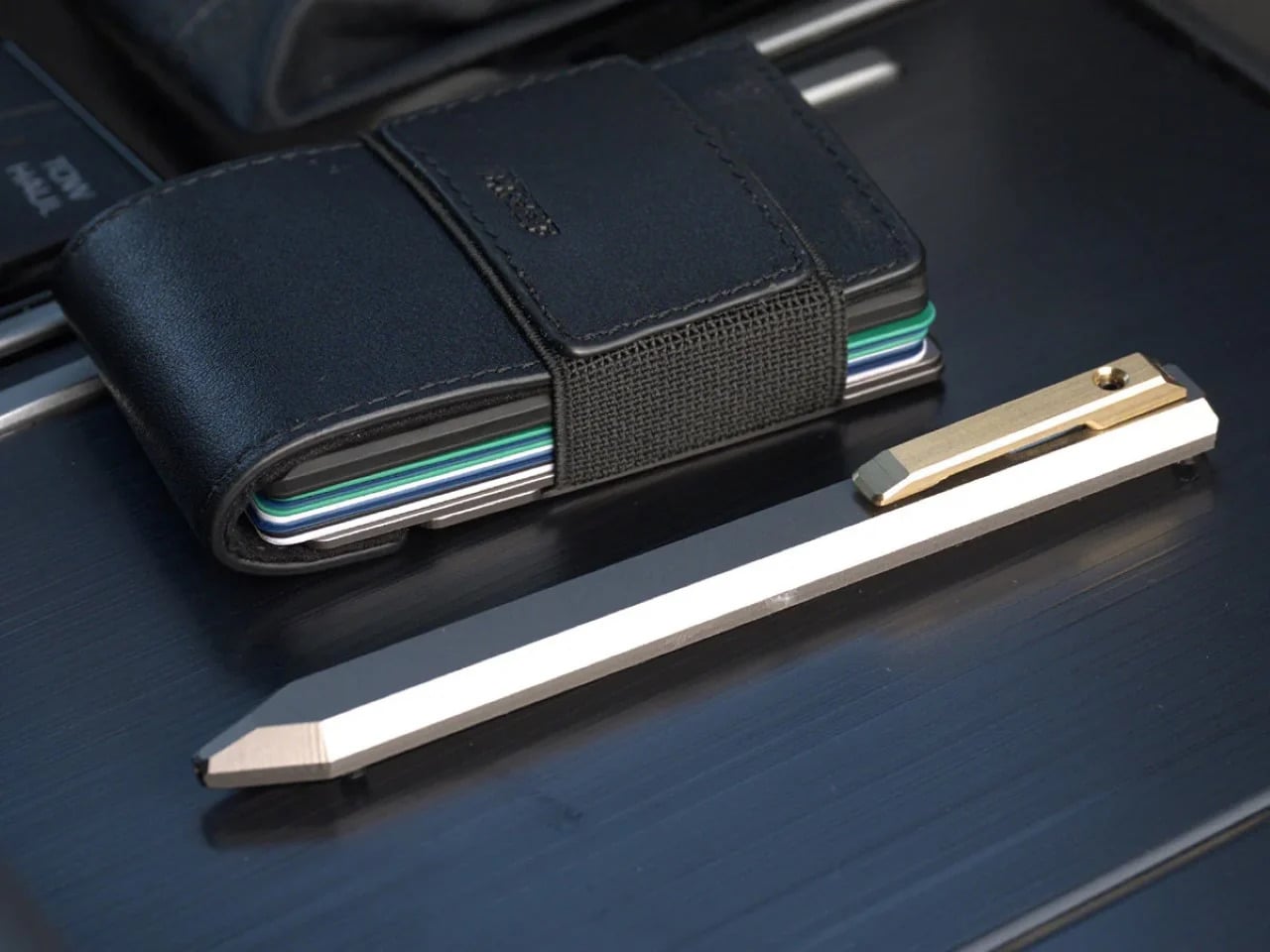
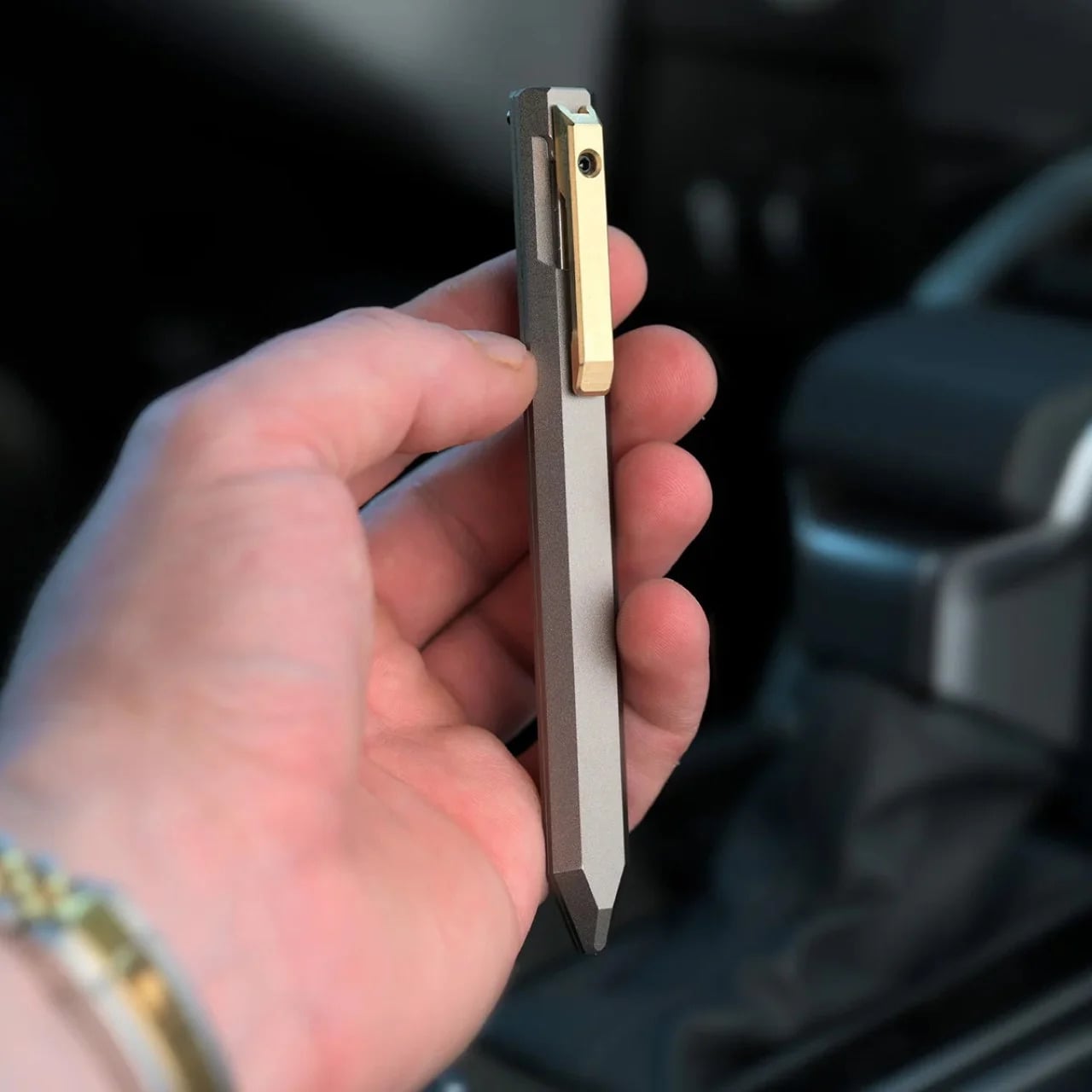
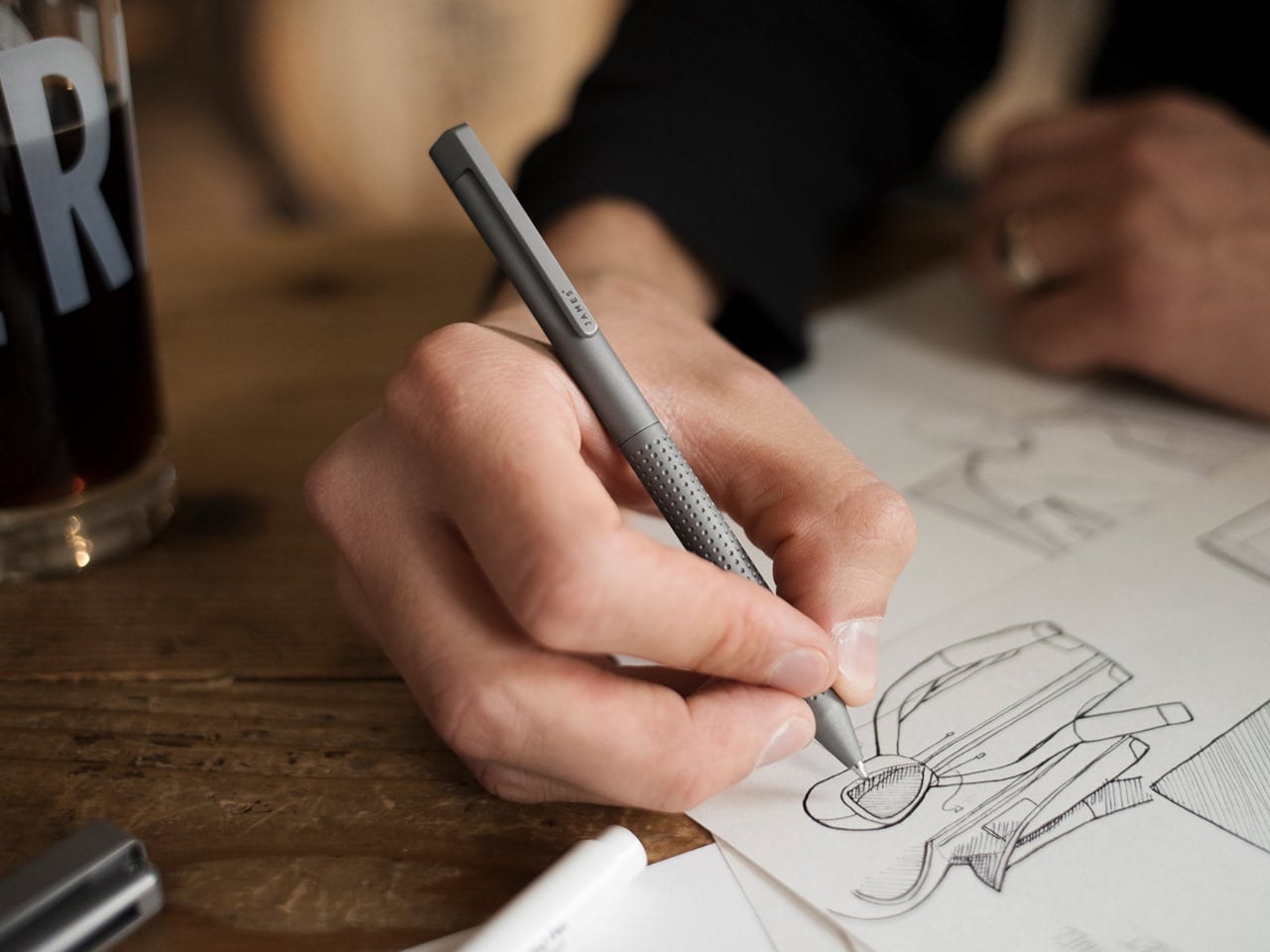
Much of its appeal comes from how clearly the design serves the use case. The faceted barrel prevents rolling and sharpens the pen’s visual identity, the milled titanium clip reinforces its EDC credentials, and the airtight chamber speaks directly to the realities of carrying a fountain pen on the move. Grade 5 titanium gives the body a durability-to-weight ratio that very few materials can match at this scale. Paired with a German Schmidt nib, the whole package feels engineered around readiness and repeat use. Those choices position Lumink at the intersection of EDC gear and serious writing instruments, which is a tighter niche than it sounds.

Designer: EyeQ

Click Here to Buy Now: $69 $99 (30% off). Hurry, only 16/120 left! Raised over $108,000.

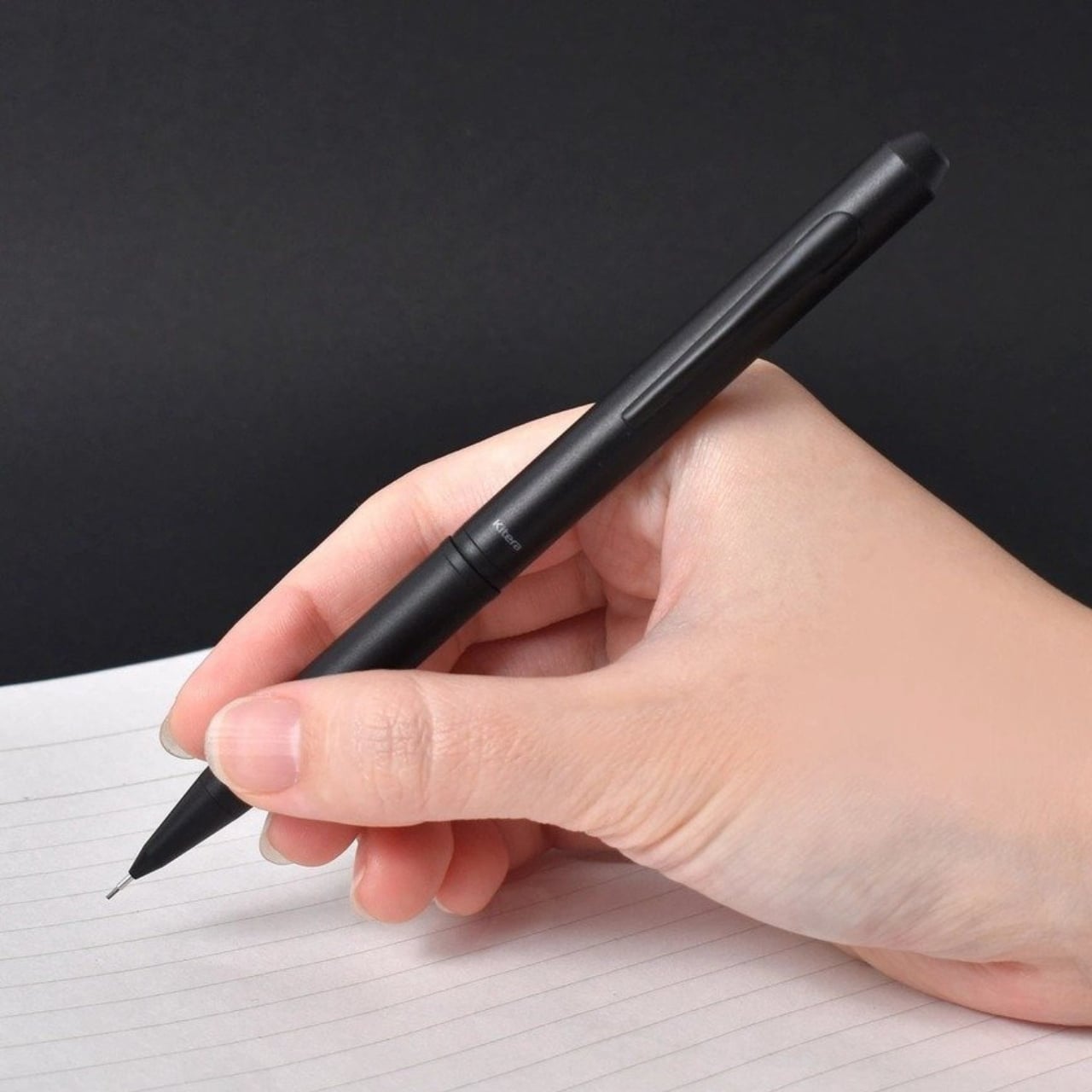
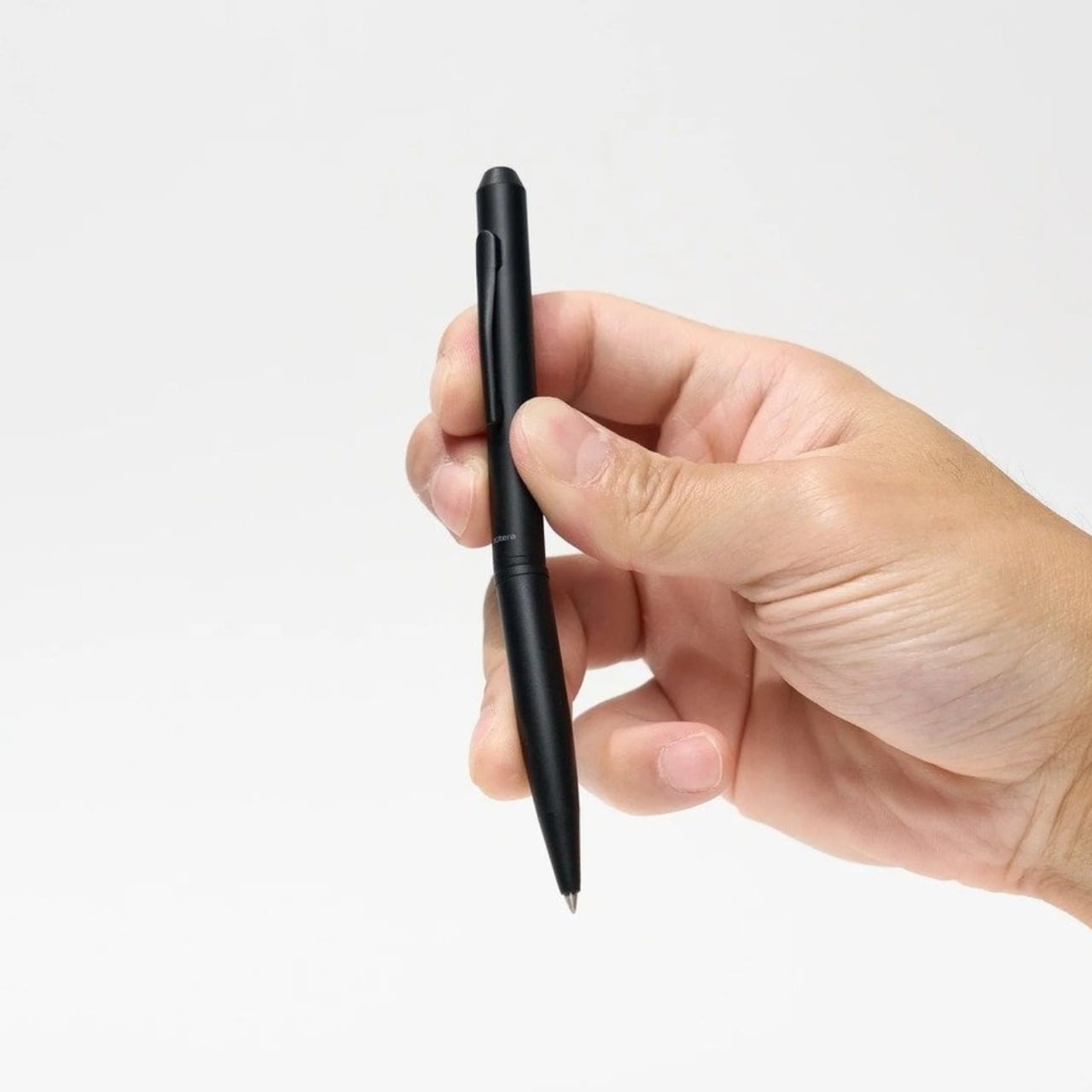
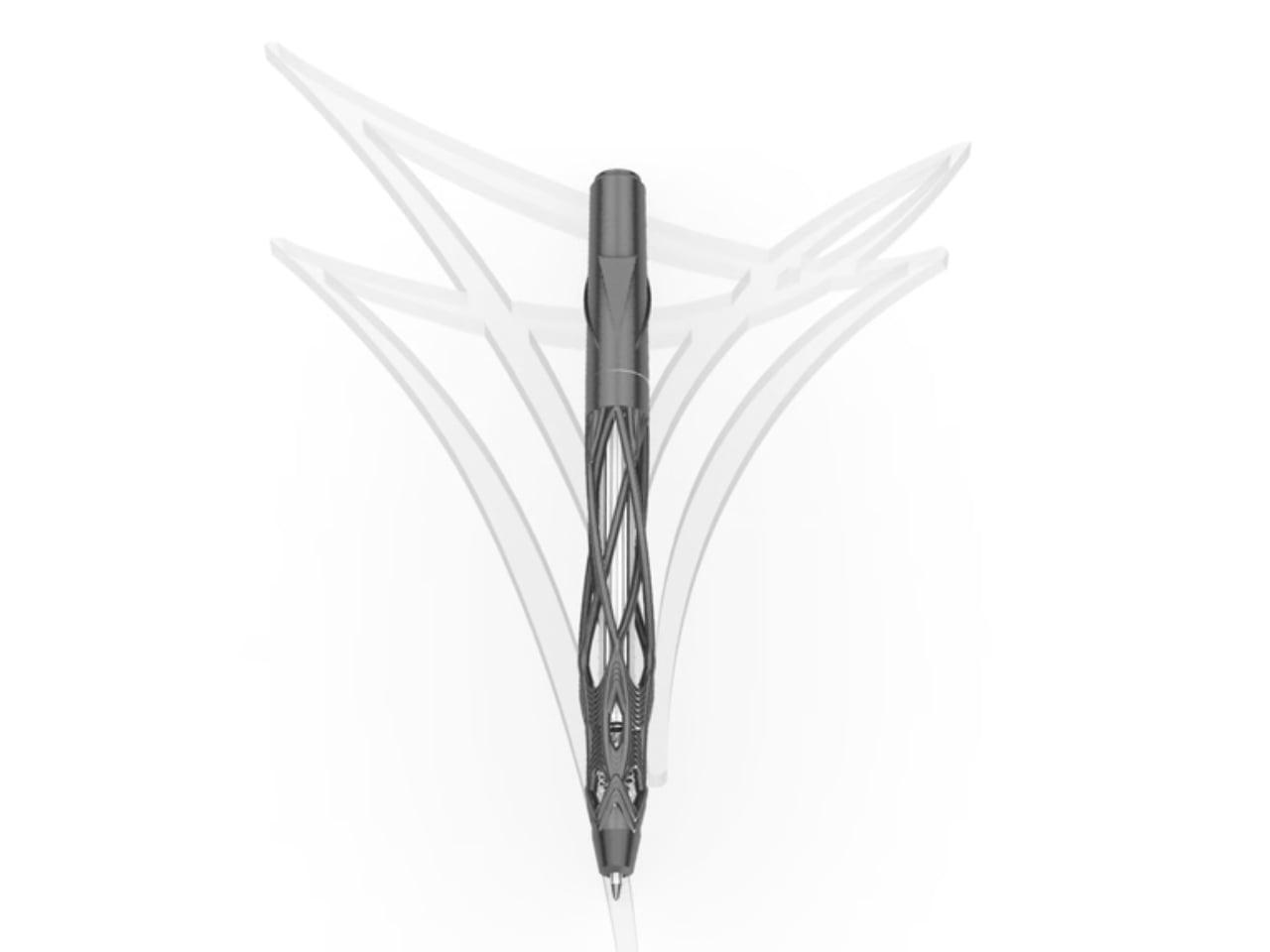
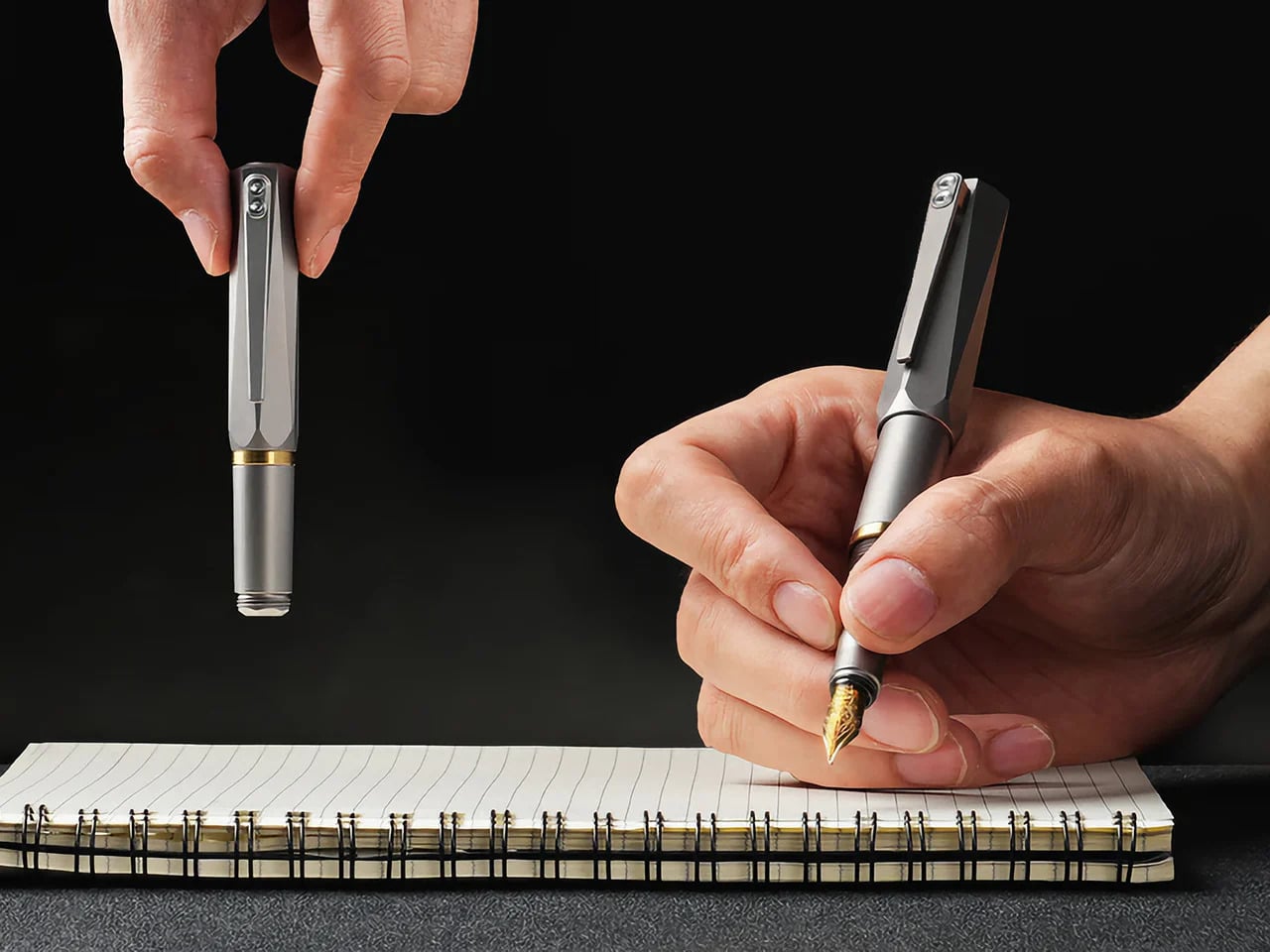
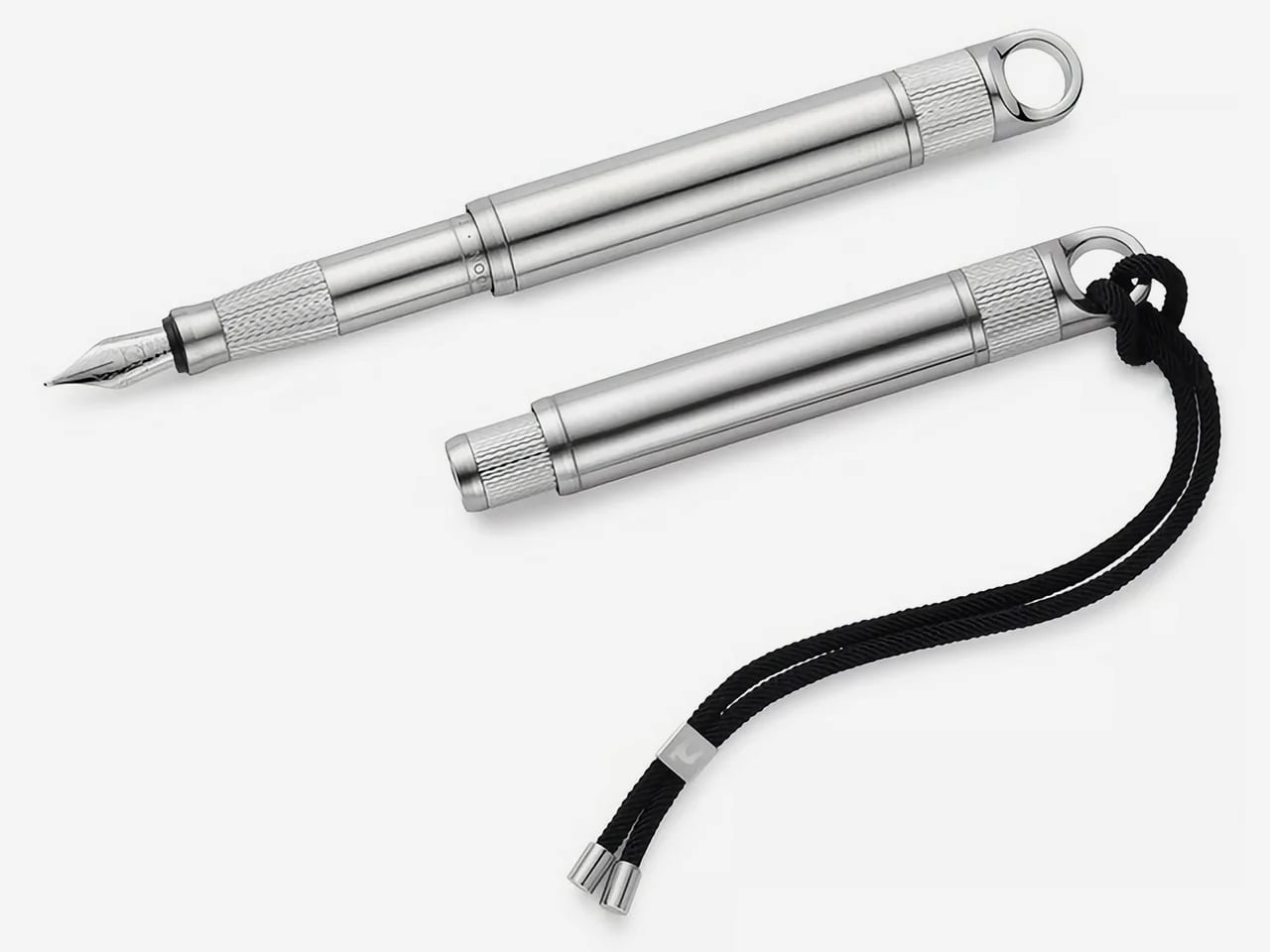
The folding mechanism itself is the main event. It’s not a simple cap that posts on the back; the rear section threads onto the pen, extending the body from a stubby 3.8 inches (96mm) to a very comfortable 5.51 inches (140mm). That pivot point, accented with a brass ring, creates a satisfying mechanical action that feels both precise and robust. This kind of transformability is what draws people to well-made gear. It turns the simple act of preparing to write into a small, tactile ritual, giving the object a character that a static pen, however beautiful, just can’t replicate.

Grade 5 titanium, formally Ti-6Al-4V, produces tensile strength around 950 MPa at a density of 4.43 g/cm3. For non-nerds, it means that it’s harder than steel, while being roughly 40-45% lighter. Aerospace and orthopedic implant manufacturers rely on the same alloy, which tells you the performance tier. Applied to a pen, that combination should produce a carry object that feels substantive in hand without adding real burden to a pocket. Besides, Aluminum dents easily, Titanium resists any form of damage. EyeQ says the Lumink should last you a 100 years. The material, the mechanism, the craftsmanship, it’s all designed to withstand a century of sustained use.

Carrying a fountain pen daily has historically meant accepting certain risks: leaked ink, dried-out nibs, and the grim experience of a pressure-driven blowout mid-flight. Lumink’s threaded isolation system addresses those by sealing the nib section from the reservoir during transport, creating an airtight chamber. The logic is sound: threaded seals operate in environments far more demanding than a shirt pocket. The entire pen is made from metal – not a single plastic part, no glue, nothing that even hints at cost-cutting.

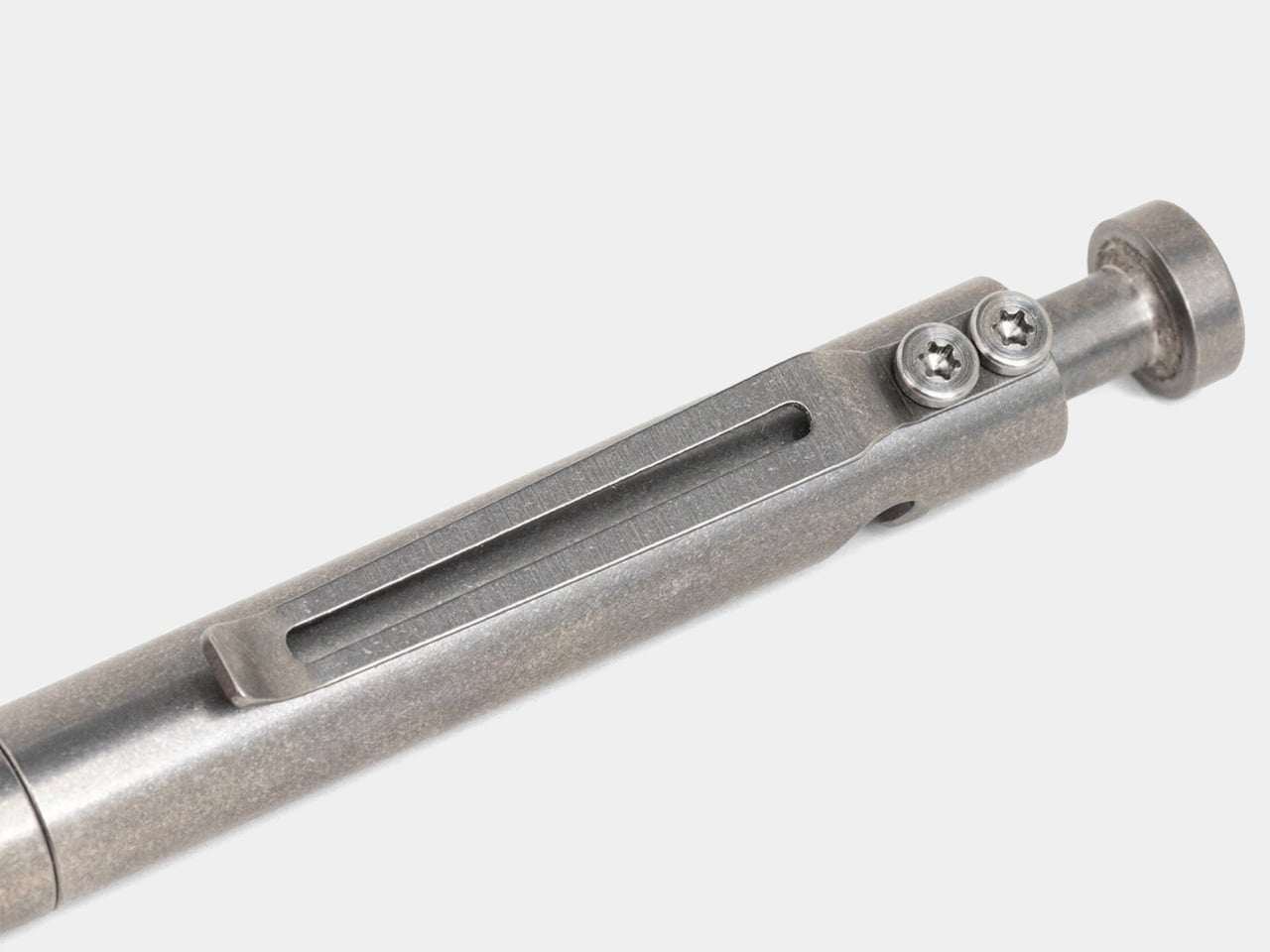
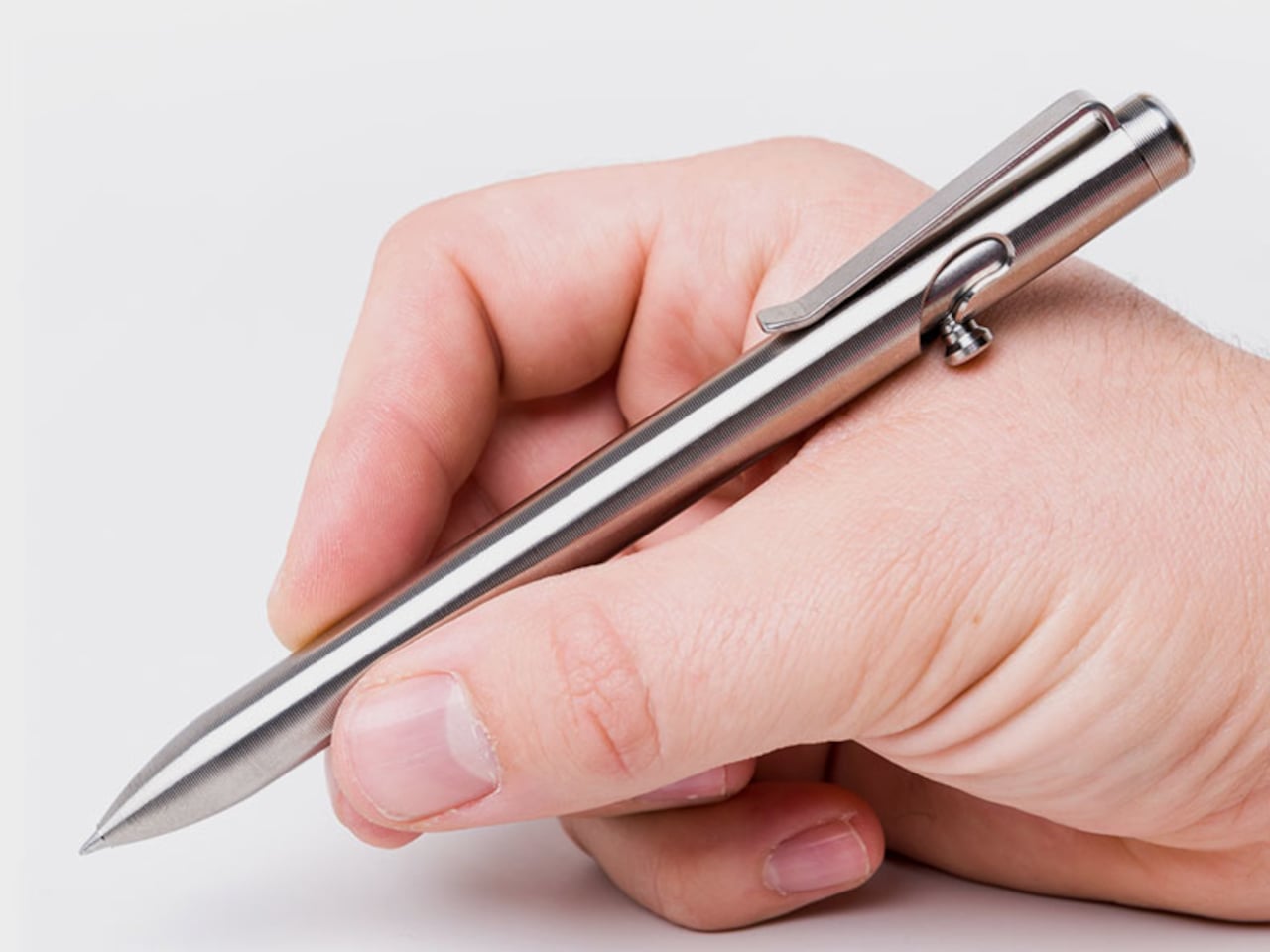
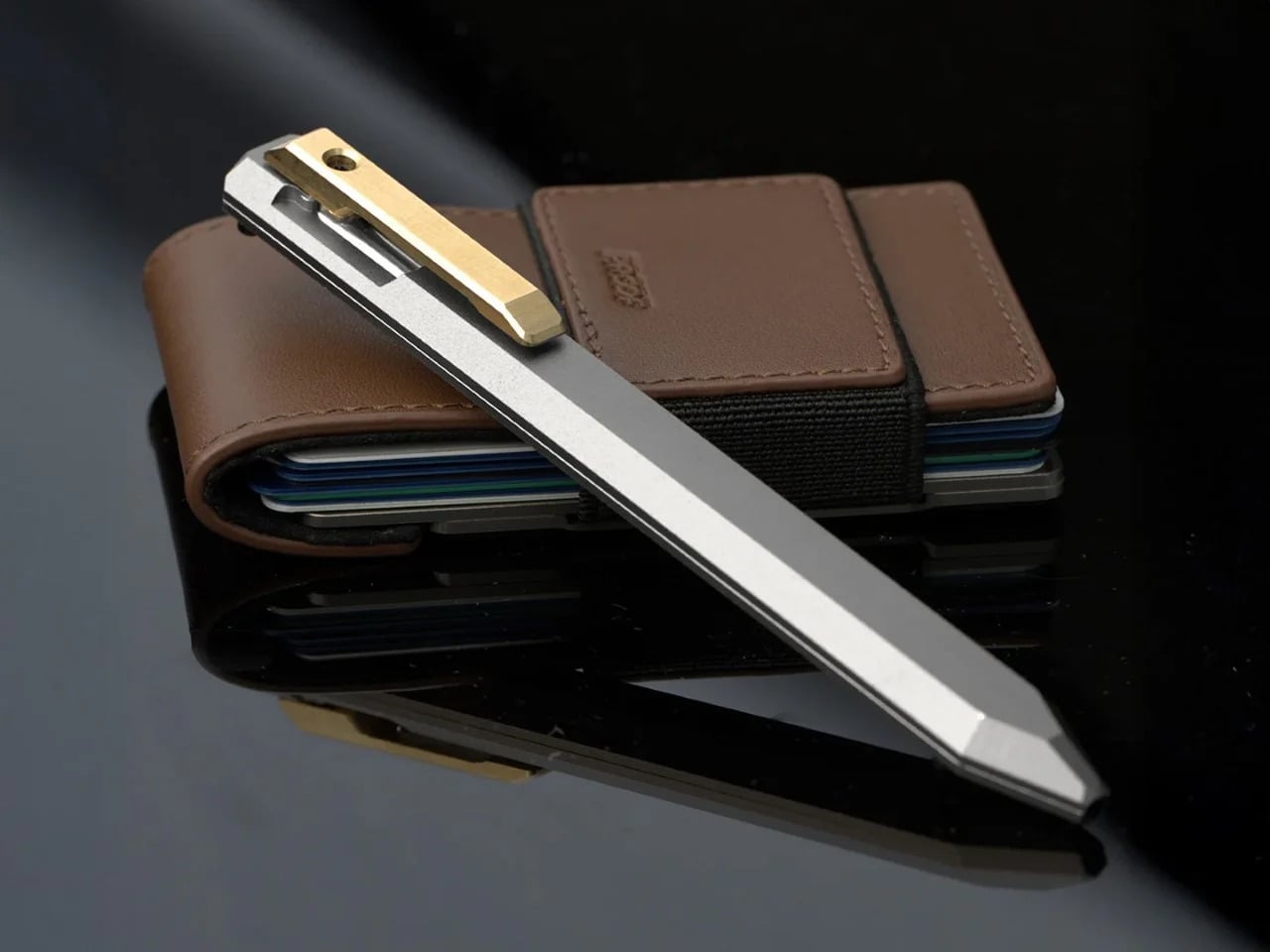
Even the clip uses metal, and features a construction that’s about as carefully considered as the design itself. The clip sits perfectly straight, aligning vertically with the pen to the point of obsessiveness. The reason? Absolute balance. The pen shouldn’t look or feel un-balanced – it should project the confidence that it expects from you, as you use it to write or sign documents. A ball-shaped ceramic insert in the pen clip holds onto book covers, pads, or shirt pockets confidently too, without damaging anything. Slide it into your pocket and the ceramic insert glides smoothly along the fabric, without creasing or damaging it. Meanwhile the clip itself is made from the same titanium as the pen, which means it’ll never bend, warp, or break.

A fancy body is nothing if the writing experience falls flat, so anchoring the pen with a German Schmidt nib was a solid decision. Schmidt is a known quantity in the pen world, a reliable manufacturer whose nibs are used in countless pens far more expensive than this one. It’s the equivalent of a boutique car builder using a proven, well-regarded engine. The nibs are standard, replaceable, and available independently… which means even after a 100 years, you should find yourself with access to more nibs that you can swap in or out whenever you need. The pen’s designed to resist aging.

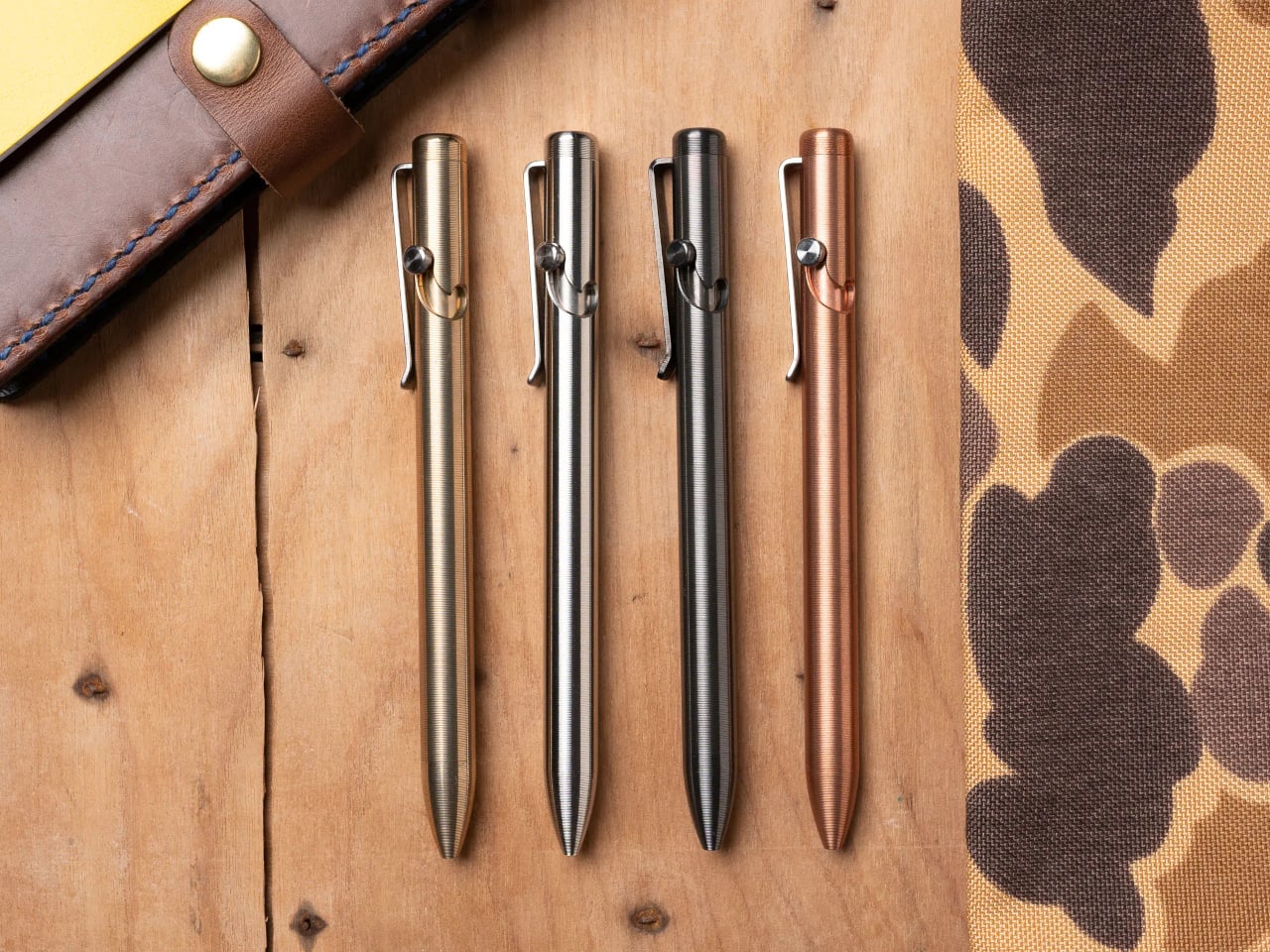
The three available finishes each cater to a different aesthetic: a raw Sandblasted Titanium for purists, a warm Anodized Gold, and a stealthy PVD Matte Black. The Physical Vapor Deposition coating on the black variant is notably harder than the titanium itself, offering serious scratch resistance, while the sandblasted finish is designed to develop a natural patina with use over time. Early bird pledge tiers started around the $65 mark. You are, after all, paying for Grade 5 Titanium along with Schmidt refills, beyond just the fact that this pen is designed and engineered to perfection. The $65 package includes the pen itself, the Schmidt nib, and a Schneider ink cartridge. You could spring extra for custom engraving, or opt for EyeQ’s leather sleeve for the pen. Personally, a pen that gorgeous shouldn’t be sheathed. It should be flaunted, fidgeted with, and frankly, turned into a heirloom for the next few generations.

Click Here to Buy Now: $69 $99 (30% off). Hurry, only 16/120 left! Raised over $108,000.

The post The EDC Pen Reinvented: Lumink’s Titanium Fountain Pen Folds, Writes, and Lasts a Lifetime first appeared on Yanko Design.
The EDC Pen Reinvented: Lumink’s Titanium Fountain Pen Folds, Writes, and Lasts a Lifetime

Pocket pens usually ask for compromise. Full size fountain pens usually ask for commitment. Lumink tries to bridge that divide with a titanium body that collapses to pocket size and unfolds into a full-length pen in seconds. The silhouette is crisp and faceted, with a restrained metallic finish that reads as precision tool before it reads as stationery. It is a concept that feels immediately relevant in a world where everyday tools are expected to be portable, tactile, and visually disciplined.

Much of its appeal comes from how clearly the design serves the use case. The faceted barrel prevents rolling and sharpens the pen’s visual identity, the milled titanium clip reinforces its EDC credentials, and the airtight chamber speaks directly to the realities of carrying a fountain pen on the move. Grade 5 titanium gives the body a durability-to-weight ratio that very few materials can match at this scale. Paired with a German Schmidt nib, the whole package feels engineered around readiness and repeat use. Those choices position Lumink at the intersection of EDC gear and serious writing instruments, which is a tighter niche than it sounds.

Designer: EyeQ

Click Here to Buy Now: $69 $99 (30% off). Hurry, only 16/120 left! Raised over $108,000.

The folding mechanism itself is the main event. It’s not a simple cap that posts on the back; the rear section threads onto the pen, extending the body from a stubby 3.8 inches (96mm) to a very comfortable 5.51 inches (140mm). That pivot point, accented with a brass ring, creates a satisfying mechanical action that feels both precise and robust. This kind of transformability is what draws people to well-made gear. It turns the simple act of preparing to write into a small, tactile ritual, giving the object a character that a static pen, however beautiful, just can’t replicate.

Grade 5 titanium, formally Ti-6Al-4V, produces tensile strength around 950 MPa at a density of 4.43 g/cm3. For non-nerds, it means that it’s harder than steel, while being roughly 40-45% lighter. Aerospace and orthopedic implant manufacturers rely on the same alloy, which tells you the performance tier. Applied to a pen, that combination should produce a carry object that feels substantive in hand without adding real burden to a pocket. Besides, Aluminum dents easily, Titanium resists any form of damage. EyeQ says the Lumink should last you a 100 years. The material, the mechanism, the craftsmanship, it’s all designed to withstand a century of sustained use.

Carrying a fountain pen daily has historically meant accepting certain risks: leaked ink, dried-out nibs, and the grim experience of a pressure-driven blowout mid-flight. Lumink’s threaded isolation system addresses those by sealing the nib section from the reservoir during transport, creating an airtight chamber. The logic is sound: threaded seals operate in environments far more demanding than a shirt pocket. The entire pen is made from metal – not a single plastic part, no glue, nothing that even hints at cost-cutting.

Even the clip uses metal, and features a construction that’s about as carefully considered as the design itself. The clip sits perfectly straight, aligning vertically with the pen to the point of obsessiveness. The reason? Absolute balance. The pen shouldn’t look or feel un-balanced – it should project the confidence that it expects from you, as you use it to write or sign documents. A ball-shaped ceramic insert in the pen clip holds onto book covers, pads, or shirt pockets confidently too, without damaging anything. Slide it into your pocket and the ceramic insert glides smoothly along the fabric, without creasing or damaging it. Meanwhile the clip itself is made from the same titanium as the pen, which means it’ll never bend, warp, or break.

A fancy body is nothing if the writing experience falls flat, so anchoring the pen with a German Schmidt nib was a solid decision. Schmidt is a known quantity in the pen world, a reliable manufacturer whose nibs are used in countless pens far more expensive than this one. It’s the equivalent of a boutique car builder using a proven, well-regarded engine. The nibs are standard, replaceable, and available independently… which means even after a 100 years, you should find yourself with access to more nibs that you can swap in or out whenever you need. The pen’s designed to resist aging.

The three available finishes each cater to a different aesthetic: a raw Sandblasted Titanium for purists, a warm Anodized Gold, and a stealthy PVD Matte Black. The Physical Vapor Deposition coating on the black variant is notably harder than the titanium itself, offering serious scratch resistance, while the sandblasted finish is designed to develop a natural patina with use over time. Early bird pledge tiers started around the $65 mark. You are, after all, paying for Grade 5 Titanium along with Schmidt refills, beyond just the fact that this pen is designed and engineered to perfection. The $65 package includes the pen itself, the Schmidt nib, and a Schneider ink cartridge. You could spring extra for custom engraving, or opt for EyeQ’s leather sleeve for the pen. Personally, a pen that gorgeous shouldn’t be sheathed. It should be flaunted, fidgeted with, and frankly, turned into a heirloom for the next few generations.

Click Here to Buy Now: $69 $99 (30% off). Hurry, only 16/120 left! Raised over $108,000.

The post The EDC Pen Reinvented: Lumink’s Titanium Fountain Pen Folds, Writes, and Lasts a Lifetime first appeared on Yanko Design.

The EDC Pen Reinvented: Lumink’s Titanium Fountain Pen Folds, Writes, and Lasts a Lifetime

Pocket pens usually ask for compromise. Full size fountain pens usually ask for commitment. Lumink tries to bridge that divide with a titanium body that collapses to pocket size and unfolds into a full-length pen in seconds. The silhouette is crisp and faceted, with a restrained metallic finish that reads as precision tool before it reads as stationery. It is a concept that feels immediately relevant in a world where everyday tools are expected to be portable, tactile, and visually disciplined.

Much of its appeal comes from how clearly the design serves the use case. The faceted barrel prevents rolling and sharpens the pen’s visual identity, the milled titanium clip reinforces its EDC credentials, and the airtight chamber speaks directly to the realities of carrying a fountain pen on the move. Grade 5 titanium gives the body a durability-to-weight ratio that very few materials can match at this scale. Paired with a German Schmidt nib, the whole package feels engineered around readiness and repeat use. Those choices position Lumink at the intersection of EDC gear and serious writing instruments, which is a tighter niche than it sounds.

Designer: EyeQ

Click Here to Buy Now: $69 $99 (30% off). Hurry, only 16/120 left! Raised over $108,000.

The folding mechanism itself is the main event. It’s not a simple cap that posts on the back; the rear section threads onto the pen, extending the body from a stubby 3.8 inches (96mm) to a very comfortable 5.51 inches (140mm). That pivot point, accented with a brass ring, creates a satisfying mechanical action that feels both precise and robust. This kind of transformability is what draws people to well-made gear. It turns the simple act of preparing to write into a small, tactile ritual, giving the object a character that a static pen, however beautiful, just can’t replicate.

Grade 5 titanium, formally Ti-6Al-4V, produces tensile strength around 950 MPa at a density of 4.43 g/cm3. For non-nerds, it means that it’s harder than steel, while being roughly 40-45% lighter. Aerospace and orthopedic implant manufacturers rely on the same alloy, which tells you the performance tier. Applied to a pen, that combination should produce a carry object that feels substantive in hand without adding real burden to a pocket. Besides, Aluminum dents easily, Titanium resists any form of damage. EyeQ says the Lumink should last you a 100 years. The material, the mechanism, the craftsmanship, it’s all designed to withstand a century of sustained use.

Carrying a fountain pen daily has historically meant accepting certain risks: leaked ink, dried-out nibs, and the grim experience of a pressure-driven blowout mid-flight. Lumink’s threaded isolation system addresses those by sealing the nib section from the reservoir during transport, creating an airtight chamber. The logic is sound: threaded seals operate in environments far more demanding than a shirt pocket. The entire pen is made from metal – not a single plastic part, no glue, nothing that even hints at cost-cutting.

Even the clip uses metal, and features a construction that’s about as carefully considered as the design itself. The clip sits perfectly straight, aligning vertically with the pen to the point of obsessiveness. The reason? Absolute balance. The pen shouldn’t look or feel un-balanced – it should project the confidence that it expects from you, as you use it to write or sign documents. A ball-shaped ceramic insert in the pen clip holds onto book covers, pads, or shirt pockets confidently too, without damaging anything. Slide it into your pocket and the ceramic insert glides smoothly along the fabric, without creasing or damaging it. Meanwhile the clip itself is made from the same titanium as the pen, which means it’ll never bend, warp, or break.

A fancy body is nothing if the writing experience falls flat, so anchoring the pen with a German Schmidt nib was a solid decision. Schmidt is a known quantity in the pen world, a reliable manufacturer whose nibs are used in countless pens far more expensive than this one. It’s the equivalent of a boutique car builder using a proven, well-regarded engine. The nibs are standard, replaceable, and available independently… which means even after a 100 years, you should find yourself with access to more nibs that you can swap in or out whenever you need. The pen’s designed to resist aging.

The three available finishes each cater to a different aesthetic: a raw Sandblasted Titanium for purists, a warm Anodized Gold, and a stealthy PVD Matte Black. The Physical Vapor Deposition coating on the black variant is notably harder than the titanium itself, offering serious scratch resistance, while the sandblasted finish is designed to develop a natural patina with use over time. Early bird pledge tiers started around the $65 mark. You are, after all, paying for Grade 5 Titanium along with Schmidt refills, beyond just the fact that this pen is designed and engineered to perfection. The $65 package includes the pen itself, the Schmidt nib, and a Schneider ink cartridge. You could spring extra for custom engraving, or opt for EyeQ’s leather sleeve for the pen. Personally, a pen that gorgeous shouldn’t be sheathed. It should be flaunted, fidgeted with, and frankly, turned into a heirloom for the next few generations.

Click Here to Buy Now: $69 $99 (30% off). Hurry, only 16/120 left! Raised over $108,000.

The post The EDC Pen Reinvented: Lumink’s Titanium Fountain Pen Folds, Writes, and Lasts a Lifetime first appeared on Yanko Design.
The EDC Pen Reinvented: Lumink’s Titanium Fountain Pen Folds, Writes, and Lasts a Lifetime

Pocket pens usually ask for compromise. Full size fountain pens usually ask for commitment. Lumink tries to bridge that divide with a titanium body that collapses to pocket size and unfolds into a full-length pen in seconds. The silhouette is crisp and faceted, with a restrained metallic finish that reads as precision tool before it reads as stationery. It is a concept that feels immediately relevant in a world where everyday tools are expected to be portable, tactile, and visually disciplined.

Much of its appeal comes from how clearly the design serves the use case. The faceted barrel prevents rolling and sharpens the pen’s visual identity, the milled titanium clip reinforces its EDC credentials, and the airtight chamber speaks directly to the realities of carrying a fountain pen on the move. Grade 5 titanium gives the body a durability-to-weight ratio that very few materials can match at this scale. Paired with a German Schmidt nib, the whole package feels engineered around readiness and repeat use. Those choices position Lumink at the intersection of EDC gear and serious writing instruments, which is a tighter niche than it sounds.

Designer: EyeQ

Click Here to Buy Now: $69 $99 (30% off). Hurry, only 16/120 left! Raised over $108,000.

The folding mechanism itself is the main event. It’s not a simple cap that posts on the back; the rear section threads onto the pen, extending the body from a stubby 3.8 inches (96mm) to a very comfortable 5.51 inches (140mm). That pivot point, accented with a brass ring, creates a satisfying mechanical action that feels both precise and robust. This kind of transformability is what draws people to well-made gear. It turns the simple act of preparing to write into a small, tactile ritual, giving the object a character that a static pen, however beautiful, just can’t replicate.

Grade 5 titanium, formally Ti-6Al-4V, produces tensile strength around 950 MPa at a density of 4.43 g/cm3. For non-nerds, it means that it’s harder than steel, while being roughly 40-45% lighter. Aerospace and orthopedic implant manufacturers rely on the same alloy, which tells you the performance tier. Applied to a pen, that combination should produce a carry object that feels substantive in hand without adding real burden to a pocket. Besides, Aluminum dents easily, Titanium resists any form of damage. EyeQ says the Lumink should last you a 100 years. The material, the mechanism, the craftsmanship, it’s all designed to withstand a century of sustained use.

Carrying a fountain pen daily has historically meant accepting certain risks: leaked ink, dried-out nibs, and the grim experience of a pressure-driven blowout mid-flight. Lumink’s threaded isolation system addresses those by sealing the nib section from the reservoir during transport, creating an airtight chamber. The logic is sound: threaded seals operate in environments far more demanding than a shirt pocket. The entire pen is made from metal – not a single plastic part, no glue, nothing that even hints at cost-cutting.

Even the clip uses metal, and features a construction that’s about as carefully considered as the design itself. The clip sits perfectly straight, aligning vertically with the pen to the point of obsessiveness. The reason? Absolute balance. The pen shouldn’t look or feel un-balanced – it should project the confidence that it expects from you, as you use it to write or sign documents. A ball-shaped ceramic insert in the pen clip holds onto book covers, pads, or shirt pockets confidently too, without damaging anything. Slide it into your pocket and the ceramic insert glides smoothly along the fabric, without creasing or damaging it. Meanwhile the clip itself is made from the same titanium as the pen, which means it’ll never bend, warp, or break.

A fancy body is nothing if the writing experience falls flat, so anchoring the pen with a German Schmidt nib was a solid decision. Schmidt is a known quantity in the pen world, a reliable manufacturer whose nibs are used in countless pens far more expensive than this one. It’s the equivalent of a boutique car builder using a proven, well-regarded engine. The nibs are standard, replaceable, and available independently… which means even after a 100 years, you should find yourself with access to more nibs that you can swap in or out whenever you need. The pen’s designed to resist aging.

The three available finishes each cater to a different aesthetic: a raw Sandblasted Titanium for purists, a warm Anodized Gold, and a stealthy PVD Matte Black. The Physical Vapor Deposition coating on the black variant is notably harder than the titanium itself, offering serious scratch resistance, while the sandblasted finish is designed to develop a natural patina with use over time. Early bird pledge tiers started around the $65 mark. You are, after all, paying for Grade 5 Titanium along with Schmidt refills, beyond just the fact that this pen is designed and engineered to perfection. The $65 package includes the pen itself, the Schmidt nib, and a Schneider ink cartridge. You could spring extra for custom engraving, or opt for EyeQ’s leather sleeve for the pen. Personally, a pen that gorgeous shouldn’t be sheathed. It should be flaunted, fidgeted with, and frankly, turned into a heirloom for the next few generations.

Click Here to Buy Now: $69 $99 (30% off). Hurry, only 16/120 left! Raised over $108,000.

The post The EDC Pen Reinvented: Lumink’s Titanium Fountain Pen Folds, Writes, and Lasts a Lifetime first appeared on Yanko Design.
The EDC Pen Reinvented: Lumink’s Titanium Fountain Pen Folds, Writes, and Lasts a Lifetime

Pocket pens usually ask for compromise. Full size fountain pens usually ask for commitment. Lumink tries to bridge that divide with a titanium body that collapses to pocket size and unfolds into a full-length pen in seconds. The silhouette is crisp and faceted, with a restrained metallic finish that reads as precision tool before it reads as stationery. It is a concept that feels immediately relevant in a world where everyday tools are expected to be portable, tactile, and visually disciplined.

Much of its appeal comes from how clearly the design serves the use case. The faceted barrel prevents rolling and sharpens the pen’s visual identity, the milled titanium clip reinforces its EDC credentials, and the airtight chamber speaks directly to the realities of carrying a fountain pen on the move. Grade 5 titanium gives the body a durability-to-weight ratio that very few materials can match at this scale. Paired with a German Schmidt nib, the whole package feels engineered around readiness and repeat use. Those choices position Lumink at the intersection of EDC gear and serious writing instruments, which is a tighter niche than it sounds.

Designer: EyeQ

Click Here to Buy Now: $69 $99 (30% off). Hurry, only 16/120 left! Raised over $108,000.

The folding mechanism itself is the main event. It’s not a simple cap that posts on the back; the rear section threads onto the pen, extending the body from a stubby 3.8 inches (96mm) to a very comfortable 5.51 inches (140mm). That pivot point, accented with a brass ring, creates a satisfying mechanical action that feels both precise and robust. This kind of transformability is what draws people to well-made gear. It turns the simple act of preparing to write into a small, tactile ritual, giving the object a character that a static pen, however beautiful, just can’t replicate.

Grade 5 titanium, formally Ti-6Al-4V, produces tensile strength around 950 MPa at a density of 4.43 g/cm3. For non-nerds, it means that it’s harder than steel, while being roughly 40-45% lighter. Aerospace and orthopedic implant manufacturers rely on the same alloy, which tells you the performance tier. Applied to a pen, that combination should produce a carry object that feels substantive in hand without adding real burden to a pocket. Besides, Aluminum dents easily, Titanium resists any form of damage. EyeQ says the Lumink should last you a 100 years. The material, the mechanism, the craftsmanship, it’s all designed to withstand a century of sustained use.

Carrying a fountain pen daily has historically meant accepting certain risks: leaked ink, dried-out nibs, and the grim experience of a pressure-driven blowout mid-flight. Lumink’s threaded isolation system addresses those by sealing the nib section from the reservoir during transport, creating an airtight chamber. The logic is sound: threaded seals operate in environments far more demanding than a shirt pocket. The entire pen is made from metal – not a single plastic part, no glue, nothing that even hints at cost-cutting.

Even the clip uses metal, and features a construction that’s about as carefully considered as the design itself. The clip sits perfectly straight, aligning vertically with the pen to the point of obsessiveness. The reason? Absolute balance. The pen shouldn’t look or feel un-balanced – it should project the confidence that it expects from you, as you use it to write or sign documents. A ball-shaped ceramic insert in the pen clip holds onto book covers, pads, or shirt pockets confidently too, without damaging anything. Slide it into your pocket and the ceramic insert glides smoothly along the fabric, without creasing or damaging it. Meanwhile the clip itself is made from the same titanium as the pen, which means it’ll never bend, warp, or break.

A fancy body is nothing if the writing experience falls flat, so anchoring the pen with a German Schmidt nib was a solid decision. Schmidt is a known quantity in the pen world, a reliable manufacturer whose nibs are used in countless pens far more expensive than this one. It’s the equivalent of a boutique car builder using a proven, well-regarded engine. The nibs are standard, replaceable, and available independently… which means even after a 100 years, you should find yourself with access to more nibs that you can swap in or out whenever you need. The pen’s designed to resist aging.

The three available finishes each cater to a different aesthetic: a raw Sandblasted Titanium for purists, a warm Anodized Gold, and a stealthy PVD Matte Black. The Physical Vapor Deposition coating on the black variant is notably harder than the titanium itself, offering serious scratch resistance, while the sandblasted finish is designed to develop a natural patina with use over time. Early bird pledge tiers started around the $65 mark. You are, after all, paying for Grade 5 Titanium along with Schmidt refills, beyond just the fact that this pen is designed and engineered to perfection. The $65 package includes the pen itself, the Schmidt nib, and a Schneider ink cartridge. You could spring extra for custom engraving, or opt for EyeQ’s leather sleeve for the pen. Personally, a pen that gorgeous shouldn’t be sheathed. It should be flaunted, fidgeted with, and frankly, turned into a heirloom for the next few generations.

Click Here to Buy Now: $69 $99 (30% off). Hurry, only 16/120 left! Raised over $108,000.

The post The EDC Pen Reinvented: Lumink’s Titanium Fountain Pen Folds, Writes, and Lasts a Lifetime first appeared on Yanko Design.
The EDC Pen Reinvented: Lumink’s Titanium Fountain Pen Folds, Writes, and Lasts a Lifetime

Pocket pens usually ask for compromise. Full size fountain pens usually ask for commitment. Lumink tries to bridge that divide with a titanium body that collapses to pocket size and unfolds into a full-length pen in seconds. The silhouette is crisp and faceted, with a restrained metallic finish that reads as precision tool before it reads as stationery. It is a concept that feels immediately relevant in a world where everyday tools are expected to be portable, tactile, and visually disciplined.

Much of its appeal comes from how clearly the design serves the use case. The faceted barrel prevents rolling and sharpens the pen’s visual identity, the milled titanium clip reinforces its EDC credentials, and the airtight chamber speaks directly to the realities of carrying a fountain pen on the move. Grade 5 titanium gives the body a durability-to-weight ratio that very few materials can match at this scale. Paired with a German Schmidt nib, the whole package feels engineered around readiness and repeat use. Those choices position Lumink at the intersection of EDC gear and serious writing instruments, which is a tighter niche than it sounds.

Designer: EyeQ

Click Here to Buy Now: $69 $99 (30% off). Hurry, only 16/120 left! Raised over $108,000.

The folding mechanism itself is the main event. It’s not a simple cap that posts on the back; the rear section threads onto the pen, extending the body from a stubby 3.8 inches (96mm) to a very comfortable 5.51 inches (140mm). That pivot point, accented with a brass ring, creates a satisfying mechanical action that feels both precise and robust. This kind of transformability is what draws people to well-made gear. It turns the simple act of preparing to write into a small, tactile ritual, giving the object a character that a static pen, however beautiful, just can’t replicate.

Grade 5 titanium, formally Ti-6Al-4V, produces tensile strength around 950 MPa at a density of 4.43 g/cm3. For non-nerds, it means that it’s harder than steel, while being roughly 40-45% lighter. Aerospace and orthopedic implant manufacturers rely on the same alloy, which tells you the performance tier. Applied to a pen, that combination should produce a carry object that feels substantive in hand without adding real burden to a pocket. Besides, Aluminum dents easily, Titanium resists any form of damage. EyeQ says the Lumink should last you a 100 years. The material, the mechanism, the craftsmanship, it’s all designed to withstand a century of sustained use.

Carrying a fountain pen daily has historically meant accepting certain risks: leaked ink, dried-out nibs, and the grim experience of a pressure-driven blowout mid-flight. Lumink’s threaded isolation system addresses those by sealing the nib section from the reservoir during transport, creating an airtight chamber. The logic is sound: threaded seals operate in environments far more demanding than a shirt pocket. The entire pen is made from metal – not a single plastic part, no glue, nothing that even hints at cost-cutting.

Even the clip uses metal, and features a construction that’s about as carefully considered as the design itself. The clip sits perfectly straight, aligning vertically with the pen to the point of obsessiveness. The reason? Absolute balance. The pen shouldn’t look or feel un-balanced – it should project the confidence that it expects from you, as you use it to write or sign documents. A ball-shaped ceramic insert in the pen clip holds onto book covers, pads, or shirt pockets confidently too, without damaging anything. Slide it into your pocket and the ceramic insert glides smoothly along the fabric, without creasing or damaging it. Meanwhile the clip itself is made from the same titanium as the pen, which means it’ll never bend, warp, or break.

A fancy body is nothing if the writing experience falls flat, so anchoring the pen with a German Schmidt nib was a solid decision. Schmidt is a known quantity in the pen world, a reliable manufacturer whose nibs are used in countless pens far more expensive than this one. It’s the equivalent of a boutique car builder using a proven, well-regarded engine. The nibs are standard, replaceable, and available independently… which means even after a 100 years, you should find yourself with access to more nibs that you can swap in or out whenever you need. The pen’s designed to resist aging.

The three available finishes each cater to a different aesthetic: a raw Sandblasted Titanium for purists, a warm Anodized Gold, and a stealthy PVD Matte Black. The Physical Vapor Deposition coating on the black variant is notably harder than the titanium itself, offering serious scratch resistance, while the sandblasted finish is designed to develop a natural patina with use over time. Early bird pledge tiers started around the $65 mark. You are, after all, paying for Grade 5 Titanium along with Schmidt refills, beyond just the fact that this pen is designed and engineered to perfection. The $65 package includes the pen itself, the Schmidt nib, and a Schneider ink cartridge. You could spring extra for custom engraving, or opt for EyeQ’s leather sleeve for the pen. Personally, a pen that gorgeous shouldn’t be sheathed. It should be flaunted, fidgeted with, and frankly, turned into a heirloom for the next few generations.

Click Here to Buy Now: $69 $99 (30% off). Hurry, only 16/120 left! Raised over $108,000.

The post The EDC Pen Reinvented: Lumink’s Titanium Fountain Pen Folds, Writes, and Lasts a Lifetime first appeared on Yanko Design.
The EDC Pen Reinvented: Lumink’s Titanium Fountain Pen Folds, Writes, and Lasts a Lifetime

Pocket pens usually ask for compromise. Full size fountain pens usually ask for commitment. Lumink tries to bridge that divide with a titanium body that collapses to pocket size and unfolds into a full-length pen in seconds. The silhouette is crisp and faceted, with a restrained metallic finish that reads as precision tool before it reads as stationery. It is a concept that feels immediately relevant in a world where everyday tools are expected to be portable, tactile, and visually disciplined.

Much of its appeal comes from how clearly the design serves the use case. The faceted barrel prevents rolling and sharpens the pen’s visual identity, the milled titanium clip reinforces its EDC credentials, and the airtight chamber speaks directly to the realities of carrying a fountain pen on the move. Grade 5 titanium gives the body a durability-to-weight ratio that very few materials can match at this scale. Paired with a German Schmidt nib, the whole package feels engineered around readiness and repeat use. Those choices position Lumink at the intersection of EDC gear and serious writing instruments, which is a tighter niche than it sounds.

Designer: EyeQ

Click Here to Buy Now: $69 $99 (30% off). Hurry, only 16/120 left! Raised over $108,000.

The folding mechanism itself is the main event. It’s not a simple cap that posts on the back; the rear section threads onto the pen, extending the body from a stubby 3.8 inches (96mm) to a very comfortable 5.51 inches (140mm). That pivot point, accented with a brass ring, creates a satisfying mechanical action that feels both precise and robust. This kind of transformability is what draws people to well-made gear. It turns the simple act of preparing to write into a small, tactile ritual, giving the object a character that a static pen, however beautiful, just can’t replicate.

Grade 5 titanium, formally Ti-6Al-4V, produces tensile strength around 950 MPa at a density of 4.43 g/cm3. For non-nerds, it means that it’s harder than steel, while being roughly 40-45% lighter. Aerospace and orthopedic implant manufacturers rely on the same alloy, which tells you the performance tier. Applied to a pen, that combination should produce a carry object that feels substantive in hand without adding real burden to a pocket. Besides, Aluminum dents easily, Titanium resists any form of damage. EyeQ says the Lumink should last you a 100 years. The material, the mechanism, the craftsmanship, it’s all designed to withstand a century of sustained use.

Carrying a fountain pen daily has historically meant accepting certain risks: leaked ink, dried-out nibs, and the grim experience of a pressure-driven blowout mid-flight. Lumink’s threaded isolation system addresses those by sealing the nib section from the reservoir during transport, creating an airtight chamber. The logic is sound: threaded seals operate in environments far more demanding than a shirt pocket. The entire pen is made from metal – not a single plastic part, no glue, nothing that even hints at cost-cutting.

Even the clip uses metal, and features a construction that’s about as carefully considered as the design itself. The clip sits perfectly straight, aligning vertically with the pen to the point of obsessiveness. The reason? Absolute balance. The pen shouldn’t look or feel un-balanced – it should project the confidence that it expects from you, as you use it to write or sign documents. A ball-shaped ceramic insert in the pen clip holds onto book covers, pads, or shirt pockets confidently too, without damaging anything. Slide it into your pocket and the ceramic insert glides smoothly along the fabric, without creasing or damaging it. Meanwhile the clip itself is made from the same titanium as the pen, which means it’ll never bend, warp, or break.

A fancy body is nothing if the writing experience falls flat, so anchoring the pen with a German Schmidt nib was a solid decision. Schmidt is a known quantity in the pen world, a reliable manufacturer whose nibs are used in countless pens far more expensive than this one. It’s the equivalent of a boutique car builder using a proven, well-regarded engine. The nibs are standard, replaceable, and available independently… which means even after a 100 years, you should find yourself with access to more nibs that you can swap in or out whenever you need. The pen’s designed to resist aging.

The three available finishes each cater to a different aesthetic: a raw Sandblasted Titanium for purists, a warm Anodized Gold, and a stealthy PVD Matte Black. The Physical Vapor Deposition coating on the black variant is notably harder than the titanium itself, offering serious scratch resistance, while the sandblasted finish is designed to develop a natural patina with use over time. Early bird pledge tiers started around the $65 mark. You are, after all, paying for Grade 5 Titanium along with Schmidt refills, beyond just the fact that this pen is designed and engineered to perfection. The $65 package includes the pen itself, the Schmidt nib, and a Schneider ink cartridge. You could spring extra for custom engraving, or opt for EyeQ’s leather sleeve for the pen. Personally, a pen that gorgeous shouldn’t be sheathed. It should be flaunted, fidgeted with, and frankly, turned into a heirloom for the next few generations.

Click Here to Buy Now: $69 $99 (30% off). Hurry, only 16/120 left! Raised over $108,000.

The post The EDC Pen Reinvented: Lumink’s Titanium Fountain Pen Folds, Writes, and Lasts a Lifetime first appeared on Yanko Design.
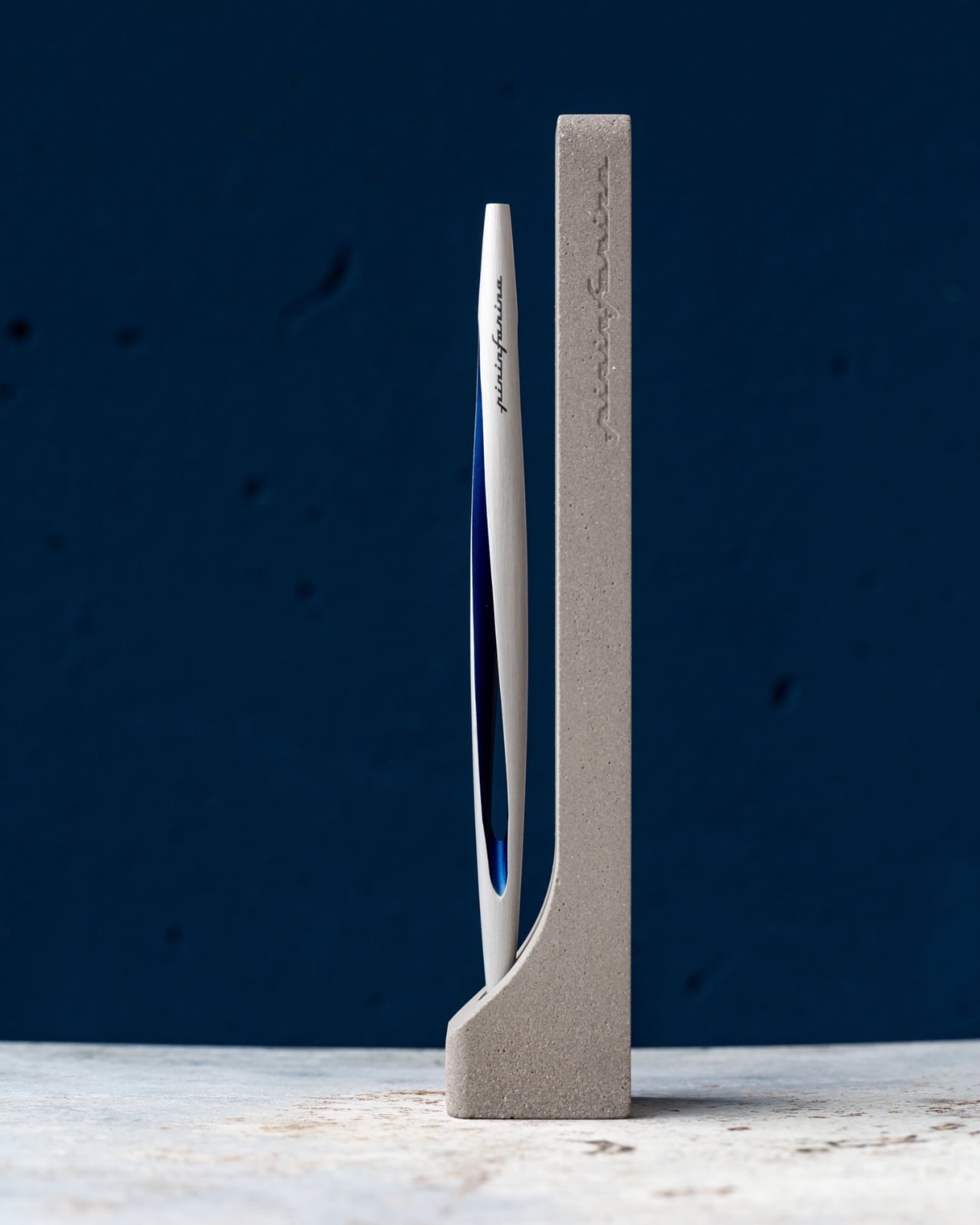
The EDC Pen Reinvented: Lumink’s Titanium Fountain Pen Folds, Writes, and Lasts a Lifetime

Pocket pens usually ask for compromise. Full size fountain pens usually ask for commitment. Lumink tries to bridge that divide with a titanium body that collapses to pocket size and unfolds into a full-length pen in seconds. The silhouette is crisp and faceted, with a restrained metallic finish that reads as precision tool before it reads as stationery. It is a concept that feels immediately relevant in a world where everyday tools are expected to be portable, tactile, and visually disciplined.

Much of its appeal comes from how clearly the design serves the use case. The faceted barrel prevents rolling and sharpens the pen’s visual identity, the milled titanium clip reinforces its EDC credentials, and the airtight chamber speaks directly to the realities of carrying a fountain pen on the move. Grade 5 titanium gives the body a durability-to-weight ratio that very few materials can match at this scale. Paired with a German Schmidt nib, the whole package feels engineered around readiness and repeat use. Those choices position Lumink at the intersection of EDC gear and serious writing instruments, which is a tighter niche than it sounds.

Designer: EyeQ

Click Here to Buy Now: $69 $99 (30% off). Hurry, only 16/120 left! Raised over $108,000.

The folding mechanism itself is the main event. It’s not a simple cap that posts on the back; the rear section threads onto the pen, extending the body from a stubby 3.8 inches (96mm) to a very comfortable 5.51 inches (140mm). That pivot point, accented with a brass ring, creates a satisfying mechanical action that feels both precise and robust. This kind of transformability is what draws people to well-made gear. It turns the simple act of preparing to write into a small, tactile ritual, giving the object a character that a static pen, however beautiful, just can’t replicate.

Grade 5 titanium, formally Ti-6Al-4V, produces tensile strength around 950 MPa at a density of 4.43 g/cm3. For non-nerds, it means that it’s harder than steel, while being roughly 40-45% lighter. Aerospace and orthopedic implant manufacturers rely on the same alloy, which tells you the performance tier. Applied to a pen, that combination should produce a carry object that feels substantive in hand without adding real burden to a pocket. Besides, Aluminum dents easily, Titanium resists any form of damage. EyeQ says the Lumink should last you a 100 years. The material, the mechanism, the craftsmanship, it’s all designed to withstand a century of sustained use.

Carrying a fountain pen daily has historically meant accepting certain risks: leaked ink, dried-out nibs, and the grim experience of a pressure-driven blowout mid-flight. Lumink’s threaded isolation system addresses those by sealing the nib section from the reservoir during transport, creating an airtight chamber. The logic is sound: threaded seals operate in environments far more demanding than a shirt pocket. The entire pen is made from metal – not a single plastic part, no glue, nothing that even hints at cost-cutting.

Even the clip uses metal, and features a construction that’s about as carefully considered as the design itself. The clip sits perfectly straight, aligning vertically with the pen to the point of obsessiveness. The reason? Absolute balance. The pen shouldn’t look or feel un-balanced – it should project the confidence that it expects from you, as you use it to write or sign documents. A ball-shaped ceramic insert in the pen clip holds onto book covers, pads, or shirt pockets confidently too, without damaging anything. Slide it into your pocket and the ceramic insert glides smoothly along the fabric, without creasing or damaging it. Meanwhile the clip itself is made from the same titanium as the pen, which means it’ll never bend, warp, or break.

A fancy body is nothing if the writing experience falls flat, so anchoring the pen with a German Schmidt nib was a solid decision. Schmidt is a known quantity in the pen world, a reliable manufacturer whose nibs are used in countless pens far more expensive than this one. It’s the equivalent of a boutique car builder using a proven, well-regarded engine. The nibs are standard, replaceable, and available independently… which means even after a 100 years, you should find yourself with access to more nibs that you can swap in or out whenever you need. The pen’s designed to resist aging.

The three available finishes each cater to a different aesthetic: a raw Sandblasted Titanium for purists, a warm Anodized Gold, and a stealthy PVD Matte Black. The Physical Vapor Deposition coating on the black variant is notably harder than the titanium itself, offering serious scratch resistance, while the sandblasted finish is designed to develop a natural patina with use over time. Early bird pledge tiers started around the $65 mark. You are, after all, paying for Grade 5 Titanium along with Schmidt refills, beyond just the fact that this pen is designed and engineered to perfection. The $65 package includes the pen itself, the Schmidt nib, and a Schneider ink cartridge. You could spring extra for custom engraving, or opt for EyeQ’s leather sleeve for the pen. Personally, a pen that gorgeous shouldn’t be sheathed. It should be flaunted, fidgeted with, and frankly, turned into a heirloom for the next few generations.

Click Here to Buy Now: $69 $99 (30% off). Hurry, only 16/120 left! Raised over $108,000.

The post The EDC Pen Reinvented: Lumink’s Titanium Fountain Pen Folds, Writes, and Lasts a Lifetime first appeared on Yanko Design.
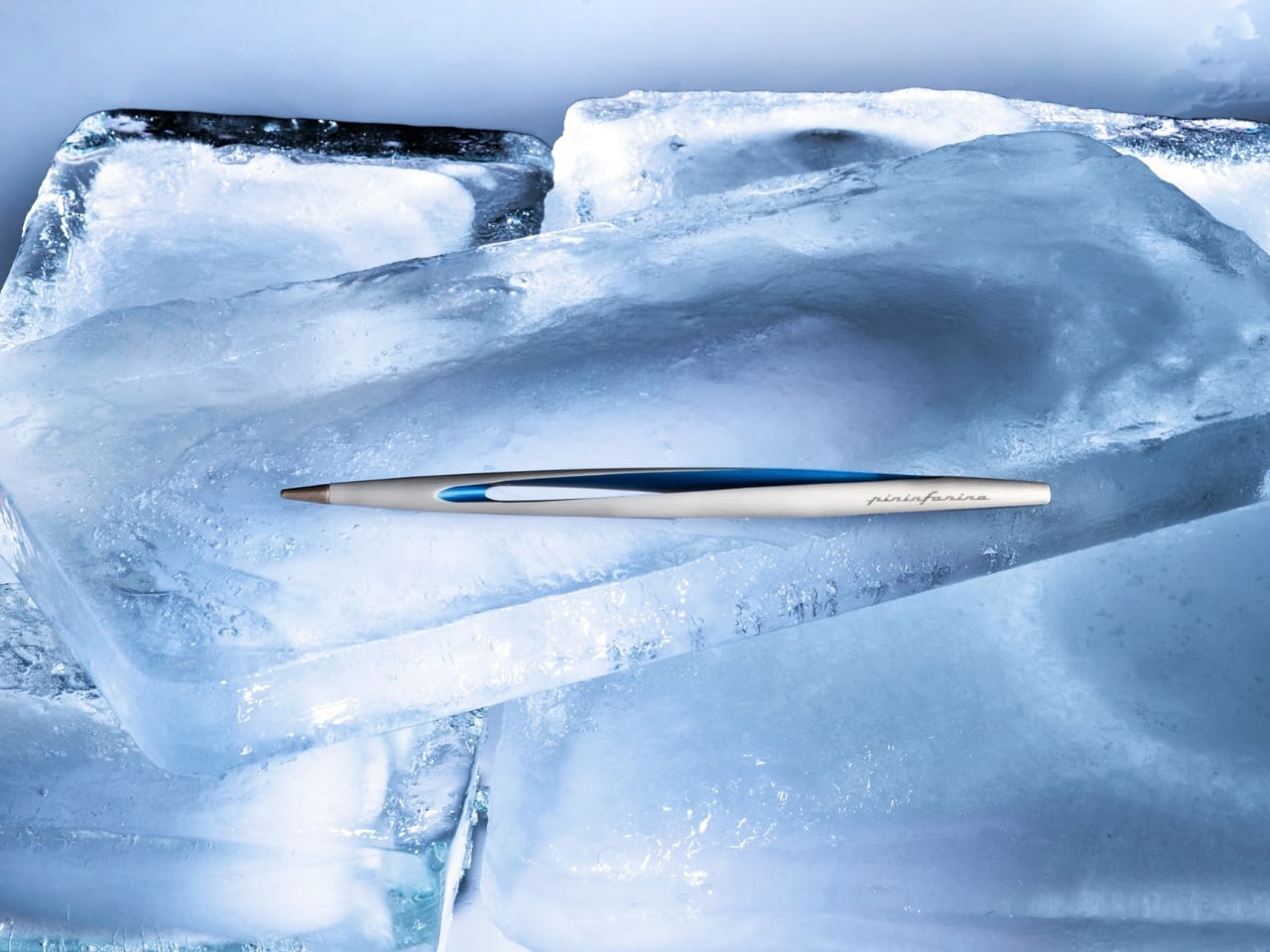
The EDC Pen Reinvented: Lumink’s Titanium Fountain Pen Folds, Writes, and Lasts a Lifetime

Pocket pens usually ask for compromise. Full size fountain pens usually ask for commitment. Lumink tries to bridge that divide with a titanium body that collapses to pocket size and unfolds into a full-length pen in seconds. The silhouette is crisp and faceted, with a restrained metallic finish that reads as precision tool before it reads as stationery. It is a concept that feels immediately relevant in a world where everyday tools are expected to be portable, tactile, and visually disciplined.

Much of its appeal comes from how clearly the design serves the use case. The faceted barrel prevents rolling and sharpens the pen’s visual identity, the milled titanium clip reinforces its EDC credentials, and the airtight chamber speaks directly to the realities of carrying a fountain pen on the move. Grade 5 titanium gives the body a durability-to-weight ratio that very few materials can match at this scale. Paired with a German Schmidt nib, the whole package feels engineered around readiness and repeat use. Those choices position Lumink at the intersection of EDC gear and serious writing instruments, which is a tighter niche than it sounds.

Designer: EyeQ

Click Here to Buy Now: $69 $99 (30% off). Hurry, only 16/120 left! Raised over $108,000.

The folding mechanism itself is the main event. It’s not a simple cap that posts on the back; the rear section threads onto the pen, extending the body from a stubby 3.8 inches (96mm) to a very comfortable 5.51 inches (140mm). That pivot point, accented with a brass ring, creates a satisfying mechanical action that feels both precise and robust. This kind of transformability is what draws people to well-made gear. It turns the simple act of preparing to write into a small, tactile ritual, giving the object a character that a static pen, however beautiful, just can’t replicate.

Grade 5 titanium, formally Ti-6Al-4V, produces tensile strength around 950 MPa at a density of 4.43 g/cm3. For non-nerds, it means that it’s harder than steel, while being roughly 40-45% lighter. Aerospace and orthopedic implant manufacturers rely on the same alloy, which tells you the performance tier. Applied to a pen, that combination should produce a carry object that feels substantive in hand without adding real burden to a pocket. Besides, Aluminum dents easily, Titanium resists any form of damage. EyeQ says the Lumink should last you a 100 years. The material, the mechanism, the craftsmanship, it’s all designed to withstand a century of sustained use.

Carrying a fountain pen daily has historically meant accepting certain risks: leaked ink, dried-out nibs, and the grim experience of a pressure-driven blowout mid-flight. Lumink’s threaded isolation system addresses those by sealing the nib section from the reservoir during transport, creating an airtight chamber. The logic is sound: threaded seals operate in environments far more demanding than a shirt pocket. The entire pen is made from metal – not a single plastic part, no glue, nothing that even hints at cost-cutting.

Even the clip uses metal, and features a construction that’s about as carefully considered as the design itself. The clip sits perfectly straight, aligning vertically with the pen to the point of obsessiveness. The reason? Absolute balance. The pen shouldn’t look or feel un-balanced – it should project the confidence that it expects from you, as you use it to write or sign documents. A ball-shaped ceramic insert in the pen clip holds onto book covers, pads, or shirt pockets confidently too, without damaging anything. Slide it into your pocket and the ceramic insert glides smoothly along the fabric, without creasing or damaging it. Meanwhile the clip itself is made from the same titanium as the pen, which means it’ll never bend, warp, or break.

A fancy body is nothing if the writing experience falls flat, so anchoring the pen with a German Schmidt nib was a solid decision. Schmidt is a known quantity in the pen world, a reliable manufacturer whose nibs are used in countless pens far more expensive than this one. It’s the equivalent of a boutique car builder using a proven, well-regarded engine. The nibs are standard, replaceable, and available independently… which means even after a 100 years, you should find yourself with access to more nibs that you can swap in or out whenever you need. The pen’s designed to resist aging.

The three available finishes each cater to a different aesthetic: a raw Sandblasted Titanium for purists, a warm Anodized Gold, and a stealthy PVD Matte Black. The Physical Vapor Deposition coating on the black variant is notably harder than the titanium itself, offering serious scratch resistance, while the sandblasted finish is designed to develop a natural patina with use over time. Early bird pledge tiers started around the $65 mark. You are, after all, paying for Grade 5 Titanium along with Schmidt refills, beyond just the fact that this pen is designed and engineered to perfection. The $65 package includes the pen itself, the Schmidt nib, and a Schneider ink cartridge. You could spring extra for custom engraving, or opt for EyeQ’s leather sleeve for the pen. Personally, a pen that gorgeous shouldn’t be sheathed. It should be flaunted, fidgeted with, and frankly, turned into a heirloom for the next few generations.

Click Here to Buy Now: $69 $99 (30% off). Hurry, only 16/120 left! Raised over $108,000.

The post The EDC Pen Reinvented: Lumink’s Titanium Fountain Pen Folds, Writes, and Lasts a Lifetime first appeared on Yanko Design.
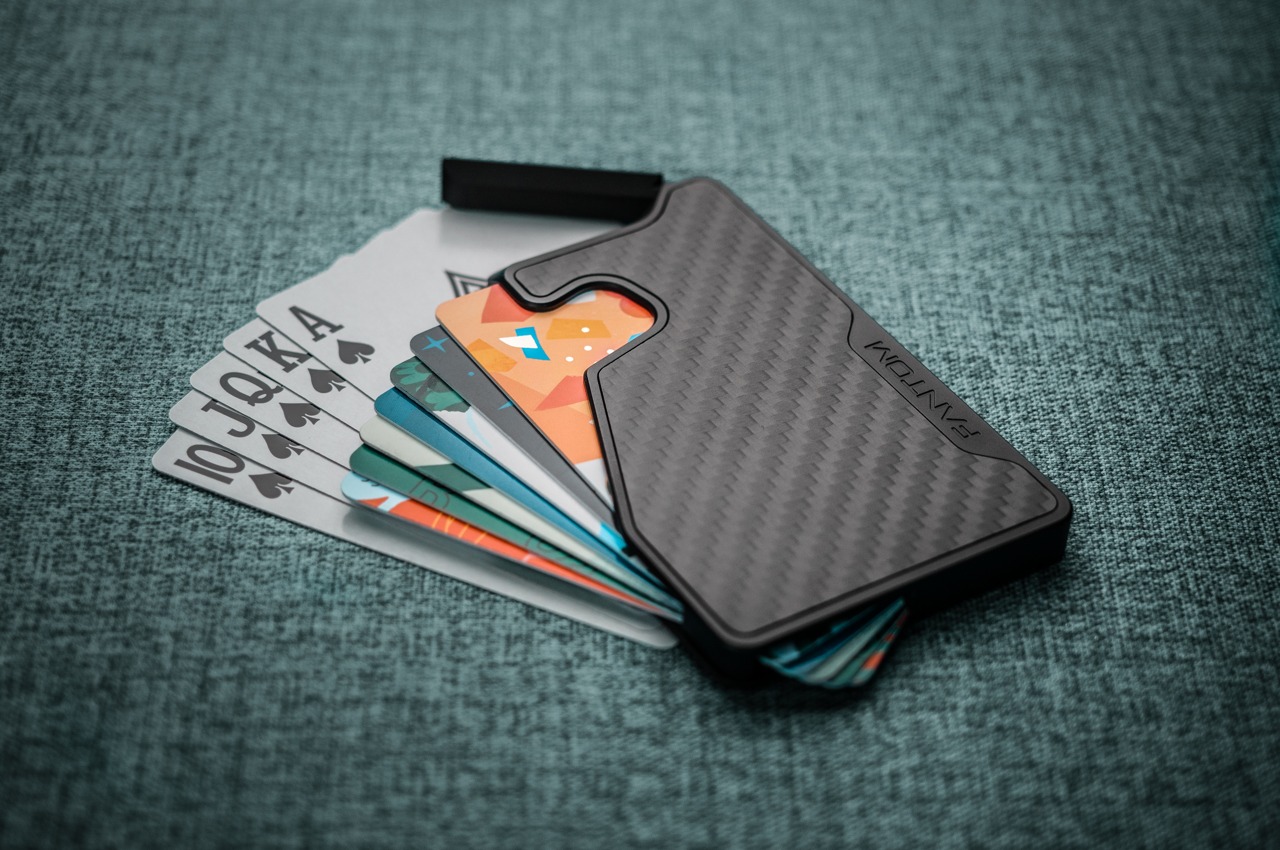
This Concrete Desk Organizer Snaps Together as Your Workspace Grows

A messy desk is one of those problems that feels minor right up until it isn’t. You reach for a pen, knock over a cup, lose a paperclip into some void between your keyboard and monitor, and suddenly, five minutes are gone. Most organizers solve this with dividers and compartments, which is fine, but they tend to sit on your desk like afterthoughts, plastic trays that slide around and rarely match anything else in the room.

BloomCase approaches the problem from a different angle. Made from concrete, metal, and stone, it is heavy enough to stay put without any grip pads or rubber feet, and that weight is load-bearing in a more literal sense, too. The concrete body gives it a raw, architectural presence that feels deliberate rather than decorative, the kind of object that reads as intentional rather than incidental on a desk that already has some thought behind it.

Designer: Somya Chowdhary

The form itself is where things get interesting. Circular basins sit alongside parallel rectangular bays, each with a specific job. The basins are contoured to cradle small loose items, thumbtacks, paperclips, and the miscellaneous hardware that scatters across every flat surface it touches. The bays run parallel and are angled to hold pens and pencils upright and accessible, so what you reach for most is what you find fastest. There is a satisfying logic to that division, one that needs no instructions to grasp.

What separates BloomCase from a standard tray is the interlocking system. Two or more units snap together so that separate pieces merge into a single continuous footprint. The connection is designed to feel secure and repositionable, which matters when your desk layout shifts with a project, or when you realize three months in that you needed more pen space all along. The name comes from this behavior, units blooming outward across the workspace as organizational needs grow.

The aesthetic sits at an interesting intersection. Concrete and geometric curves do not usually share a design brief, but the combination here avoids the coldness that brutalist objects can carry in domestic or office settings. The raw material quality of the concrete against the softer basin profiles creates enough contrast to hold visual interest without tipping into decorative territory. It looks like a tool that was designed carefully, which is a harder thing to pull off than it sounds.
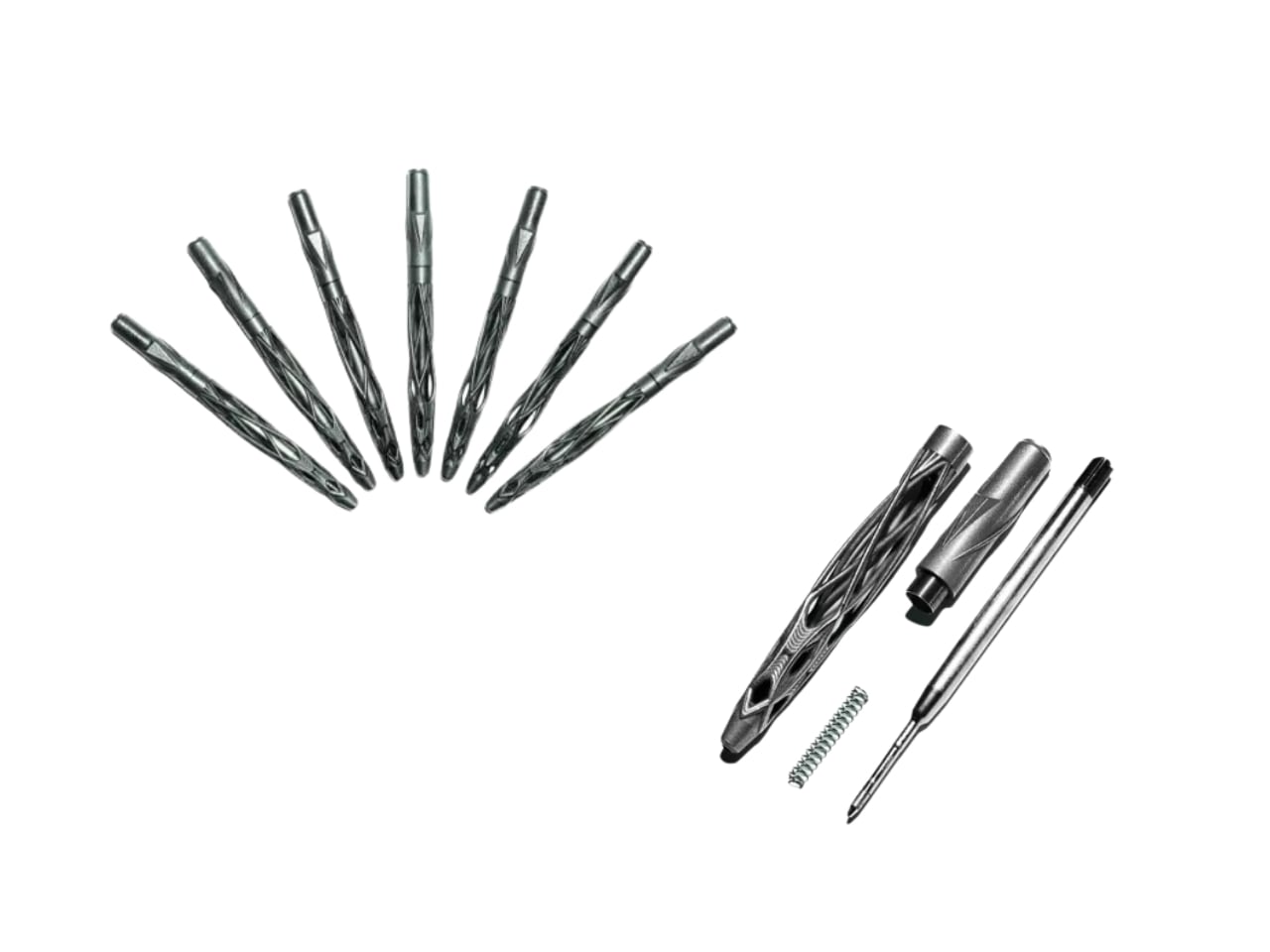
The modular logic is a genuinely smart idea, but it only makes practical sense if you actually need more than one unit. A desk covered in connected concrete trays starts to raise honest questions about how much surface you are willing to trade for organization. There is also the matter of audience: heavy raw materials appeal most to designers and architects who already have a taste for that kind of object on their desks, which is a narrower group than the broader market for desk tidiness.

The post This Concrete Desk Organizer Snaps Together as Your Workspace Grows first appeared on Yanko Design.