10 Must-Have Note-Taking Accessories for Creative Professionals in 2024


Have you ever thought of an incredible idea, only to not find a pen and paper around to jot it down, so you lose your amazing idea to oblivion? Well, if that’s the case then this collection of note-taking accessories is for you. If you’re someone who works better with taking notes and jotting down your plans and ideas, then this collection of note-taking accessories and designs is exactly what you need! From a personal whiteboard that lets you take notes anytime anywhere to a levitating pen – these accessories are a must-have for your desk. Happy writing!

1. Wipe
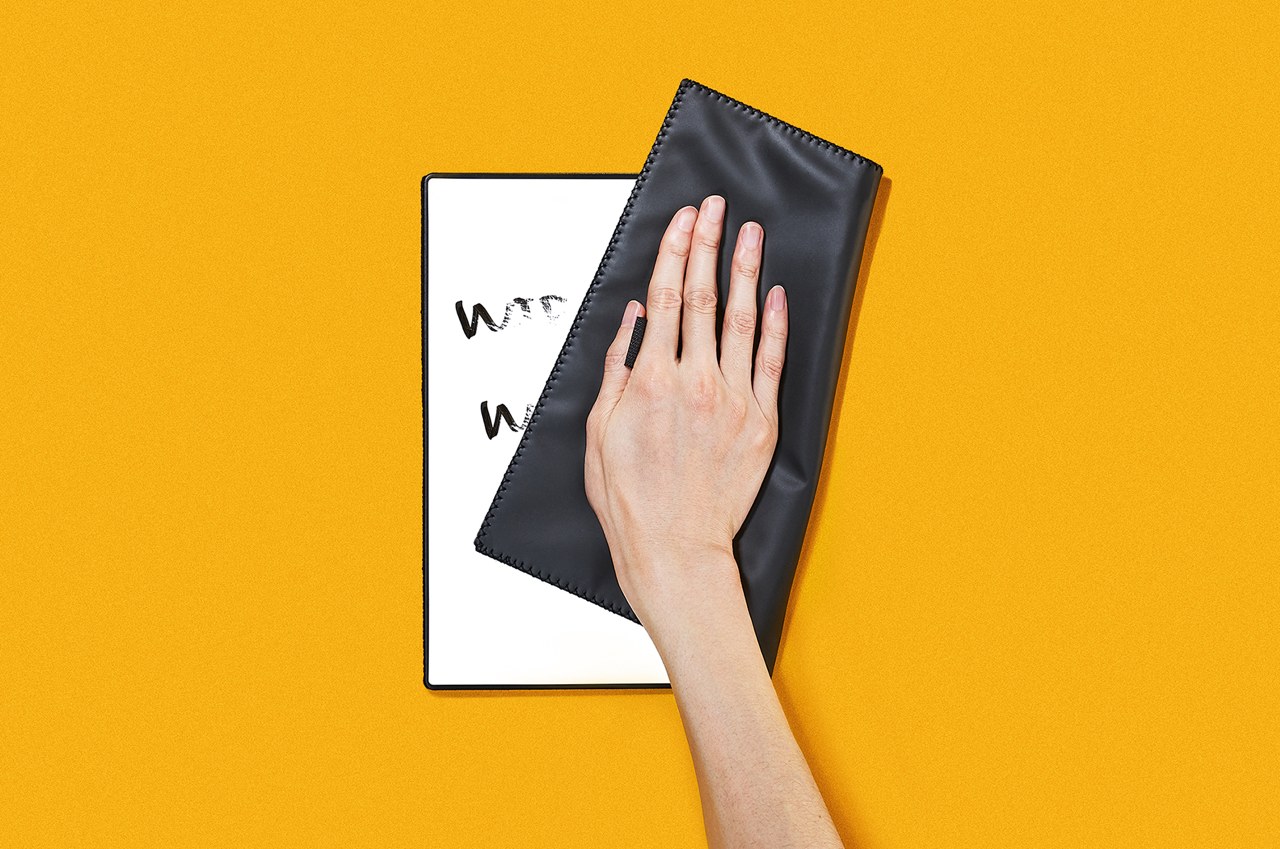
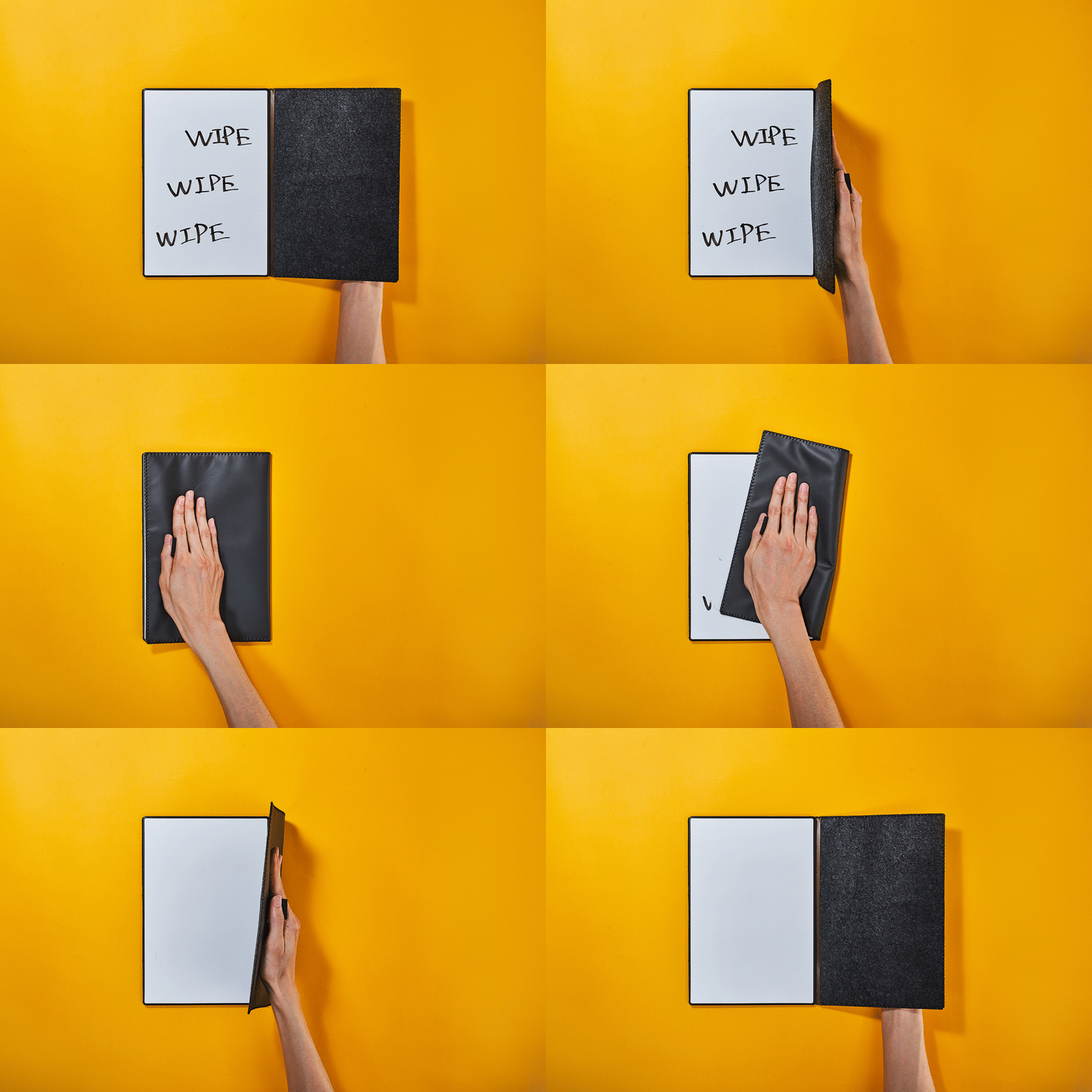
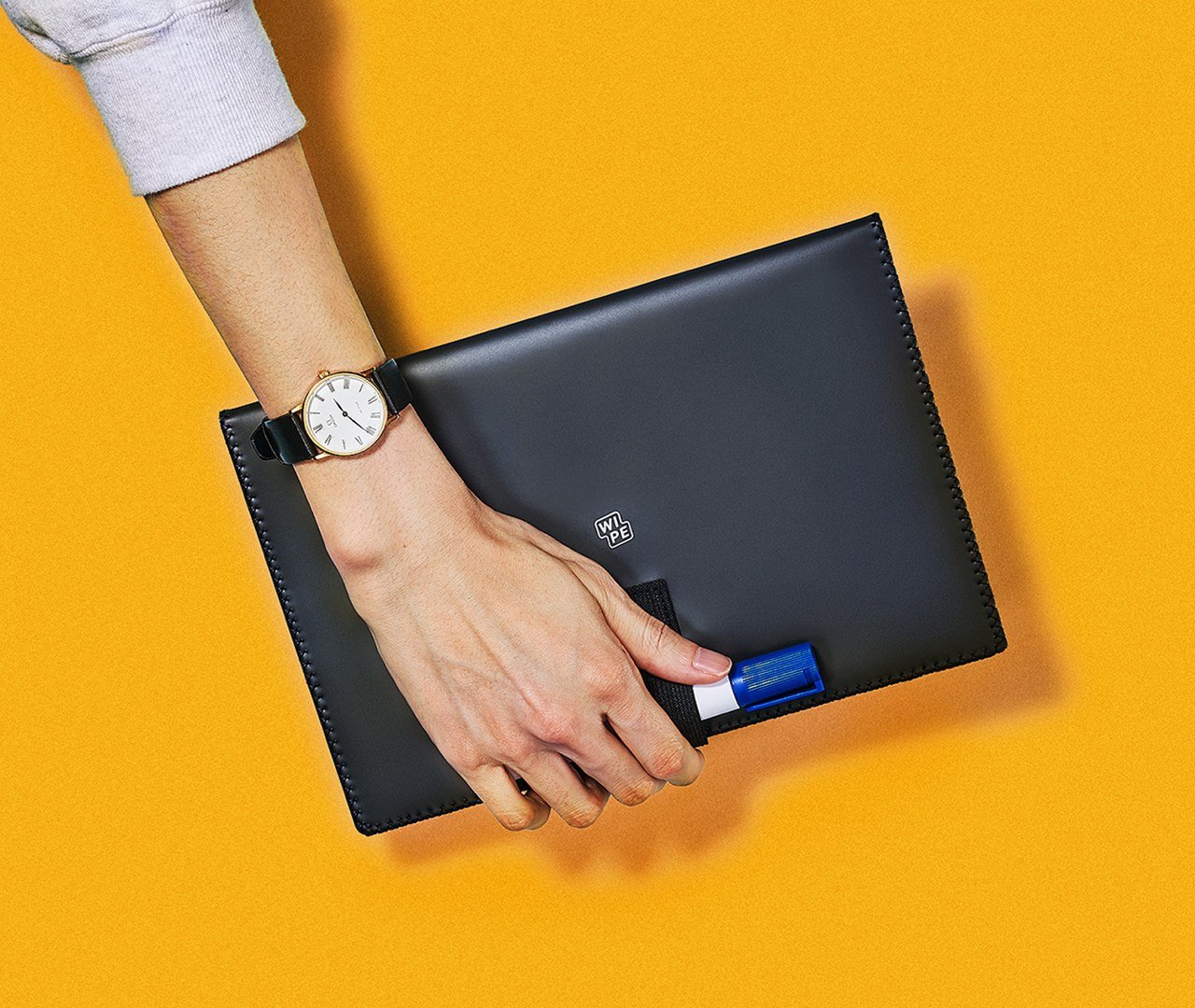
If you’re looking for an efficient and yet super unique note-taking accessory then you need to consider this little design! Called Wipe – this whiteboard notebook is truly innovative and one-of-a-kind. It features an eraser, making it a pretty easy design to write on, erase, and write again!

Click Here to Buy Now: $49.00

Why is it noteworthy?

Wipe’s size is quite compact and personal, making it a bit smaller than A4 paper. It is portable, allowing you to take it wherever you like. You can easily write on it, take a photo to save, and even send it to the cloud. It is the kind of fast, efficient, and simple device that doesn’t require much preparation to use.

What we like

  • Equipped with a Mag Force system, which merges rubber bands and magnets to build a handle that doubles up as a pen holder
  • Portable and easy-to-carry design

What we dislike

  • You can only use a dry-erase or whiteboard pen on it, not a permanent marker

2. Note
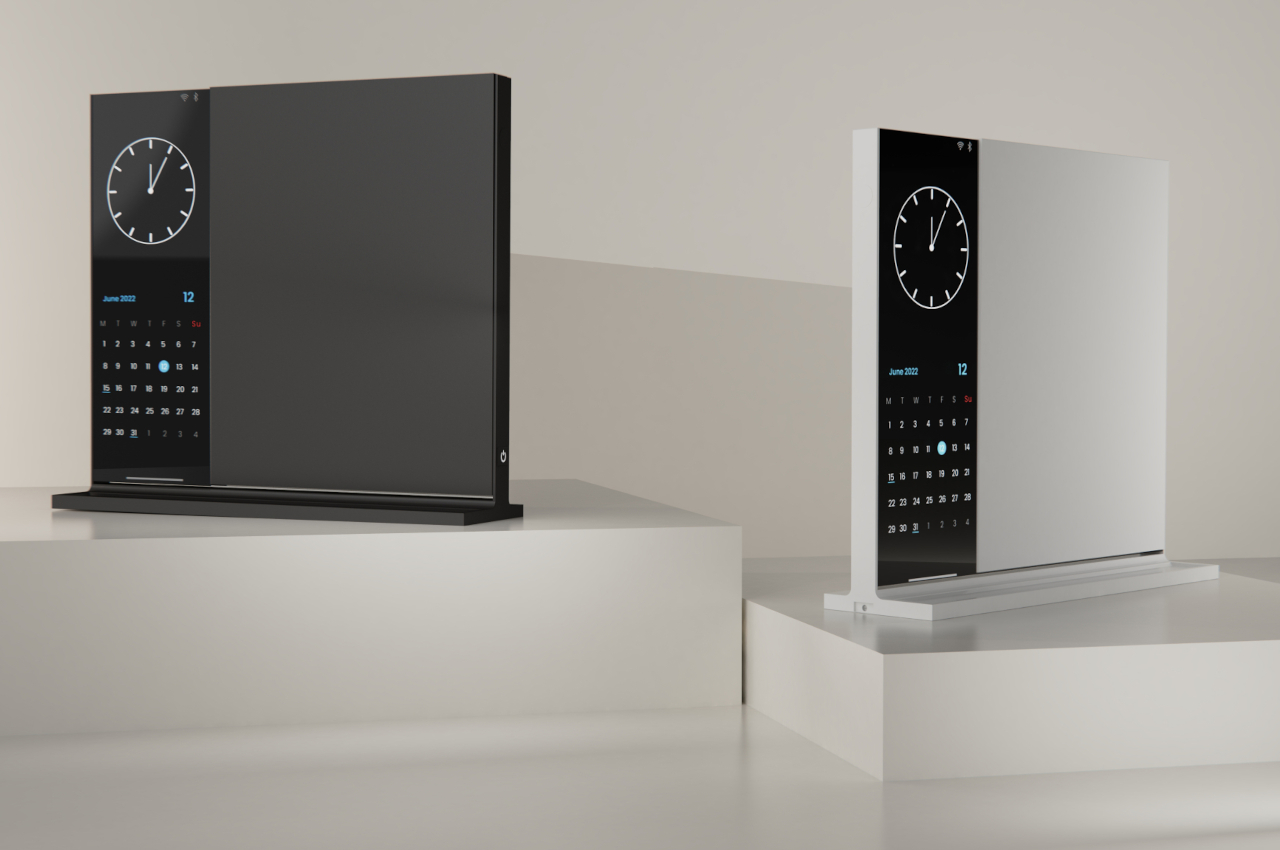
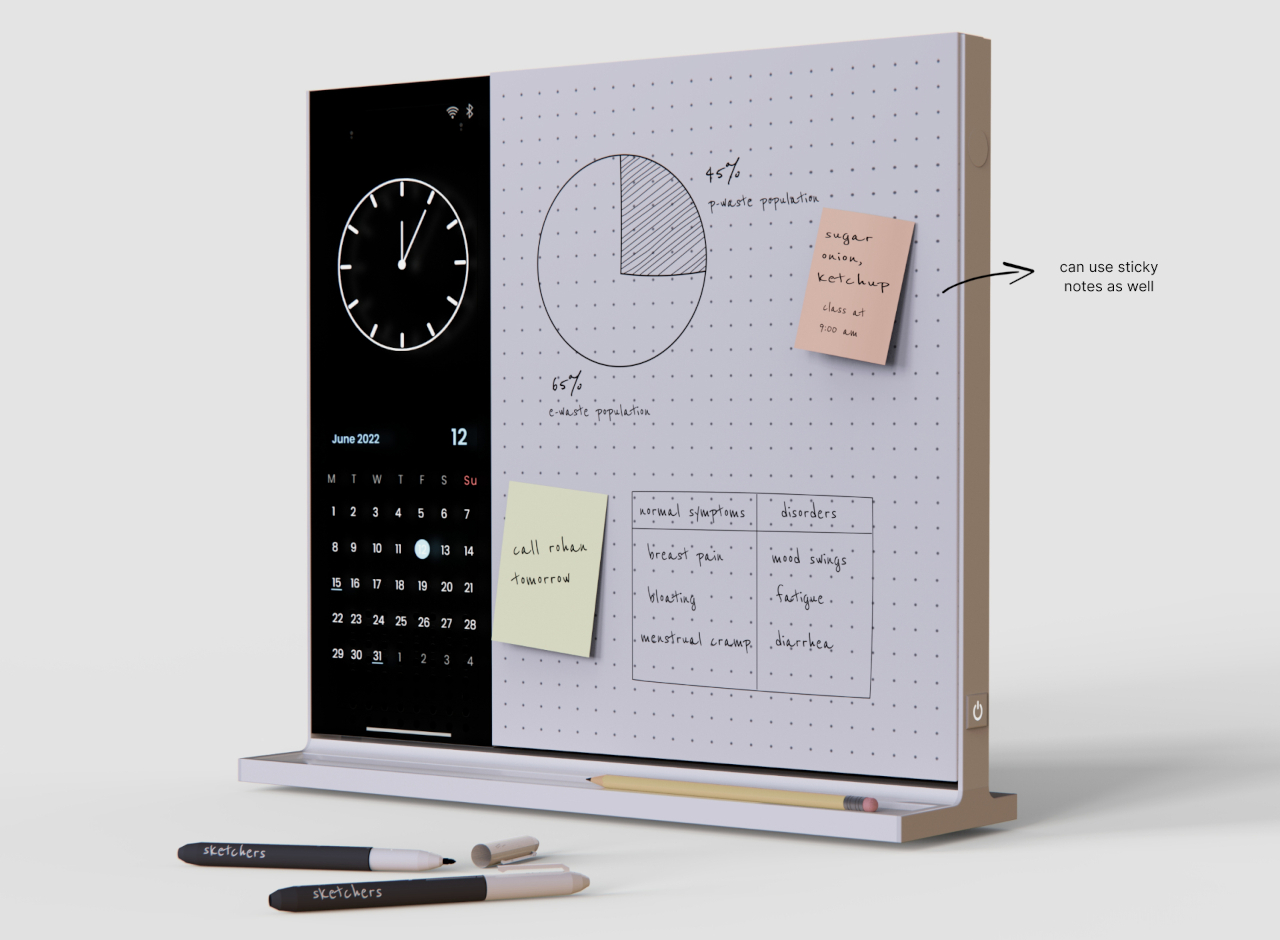
If we’re discussing efficient note-taking accessories, then how can we miss out on Note?! This compact desk whiteboard is the perfect note-taking accessory – it lets you take down notes with ease and efficiency. This isn’t your everyday note-taker, in fact, it has a few tricks up its sleeve to elevate your boring workday.

Why is it noteworthy?

Note is an innovative whiteboard that can be twisted or flipped over, giving you sufficient space to write your notes. One side of the whiteboard has a dotted grid surface, while the other side is plain, or you could even have the same design on both sides.

What we like

  • Equipped with a multi-purpose vertical screen which can be used to view time, calendar, and appointments

What we dislike

  • The screen doesn’t show videos, a function that may be important in some people’s fields of work

3. MagBoard Clipboard
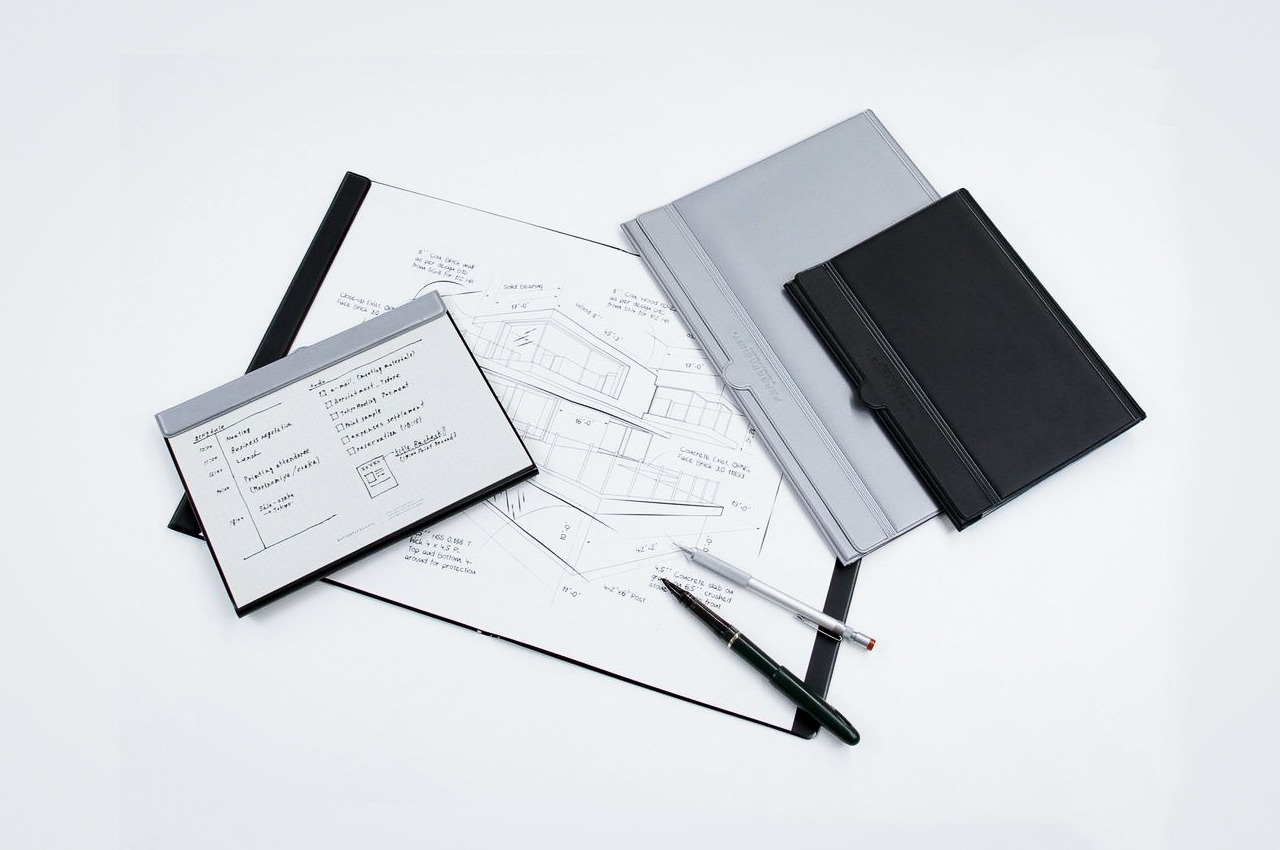
Dubbed the MagBoard Clipboard, this thoughtfully designed solution lets you easily attach any paper onto it – whether blank, dotted, or grid. It lets you have the fresh paper smell always. You simply need to lift the magnetic panel, and leave your pen inside – your tools are ready for when the next big idea strikes.

Click Here to Buy Now: $45

Why is it noteworthy?

The clipboard is super easy to use and organize. It has a Magnet x Lever mechanism which stores your paper through a busy day, letting you easily shuffle your notes around as you go.

What we like

  • You can easily attach the clipboard to any metal surface
  • There is no ring to hold the paper, so the paper doesn’t tear as you remove it

What we dislike

  • The MagBoard Clipboard only holds a maximum of 30 sheets at a time

4. Portrait Paper Holder
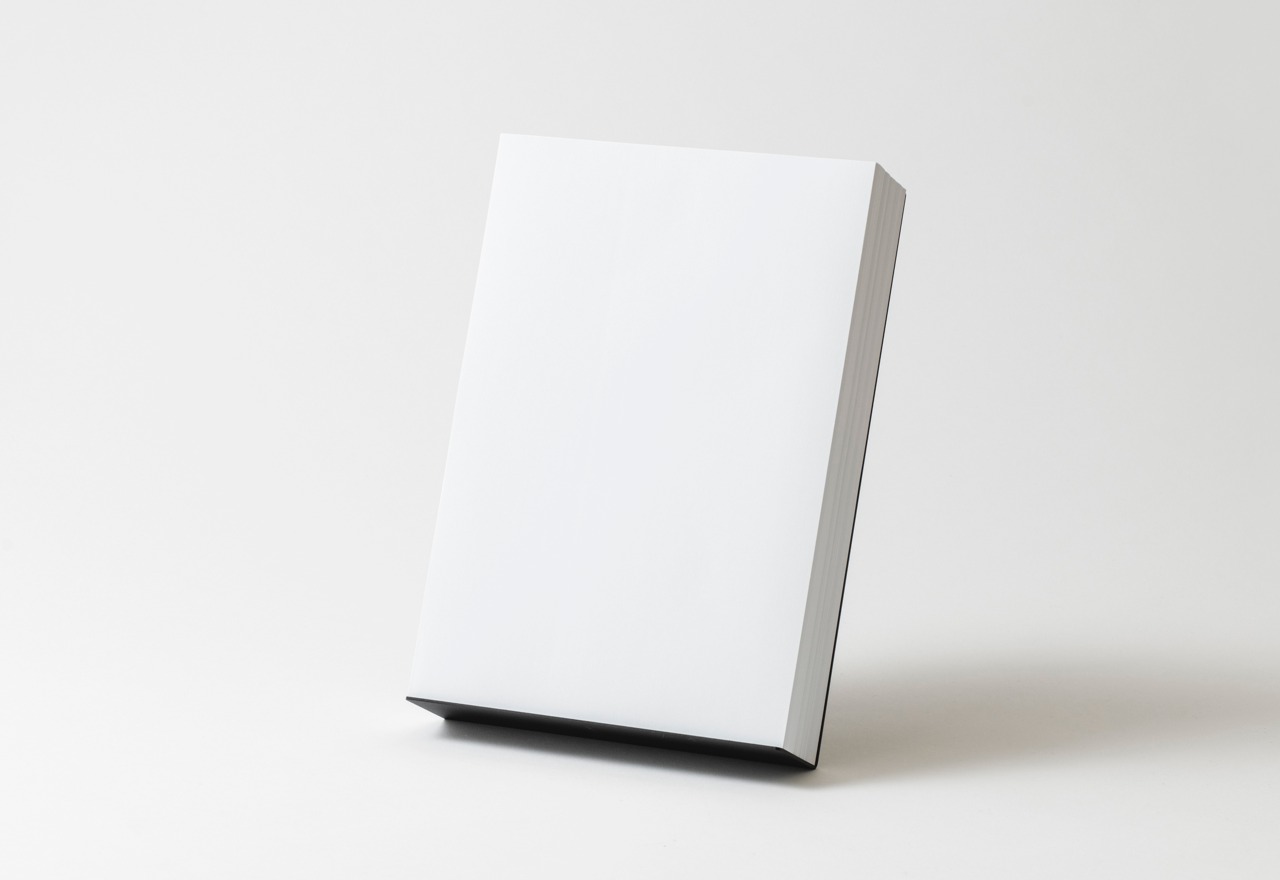
These minimalist paper holders are designed to hold 500 sheets of paper while leaving sufficient space to hold a pen or pencil on its foot. The holder has a perfect L shape which is designed to hold that many sheets, while also making it easy to pull out a single piece from the bundle.

Click Here to Buy Now: $55.00

Why is it noteworthy?

Called the Portrait Paper Holder, the paper holder is really quite minimalist. It features a single sheet of stainless steel which is bent to a calculated shape, and then powder-coated in black, adding a lovely matte texture, which is also quite interesting to touch. A tiny iron rod holds the piece straight and upright.

What we like

  • It is quite easy to assemble and disassemble
  • You can easily stow it away for transportation

What we dislike

  • It has no mechanism to keep the papers from scattering or being blown away

5. Grovemade’s Note-Taking Kit

Say hello to this smart and efficient note-taking kit by Grovemade! Grovemade’s latest note-taking kit is the ideal product to capture, process, and store your notes in an efficient and organized manner. It is a thoughtfully-designed and aesthetic note-taking kit that will look pretty great on your desk.

Why is it noteworthy?

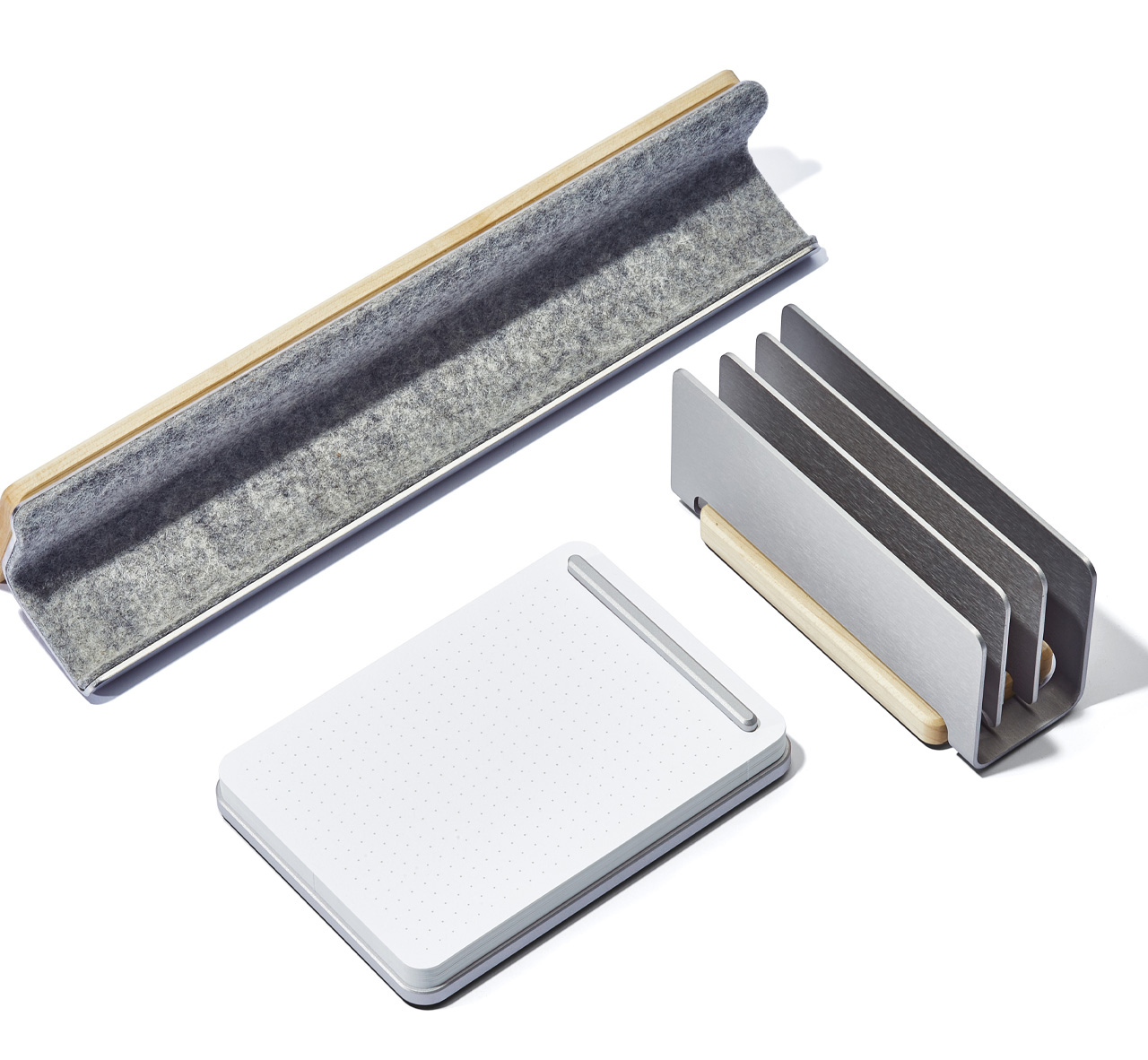
The Note-Taking Kit by Grovemade comprises a refillable notepad with a dot grid paper and a solid metal base. It also includes a neat display rail to hold and store your notes and devices. The kit also contains a vertical organizer that will keep your notes aside until you’re completely ready to utilize them. The kit helps maintain a neat workdesk.

What we like

  • Helps maintain a neat and organized desk, helping you focus on the important tasks at hand

What we dislike

  • Will occupy a lot of precious real estate on your desk

6. XNote Smart Notebook
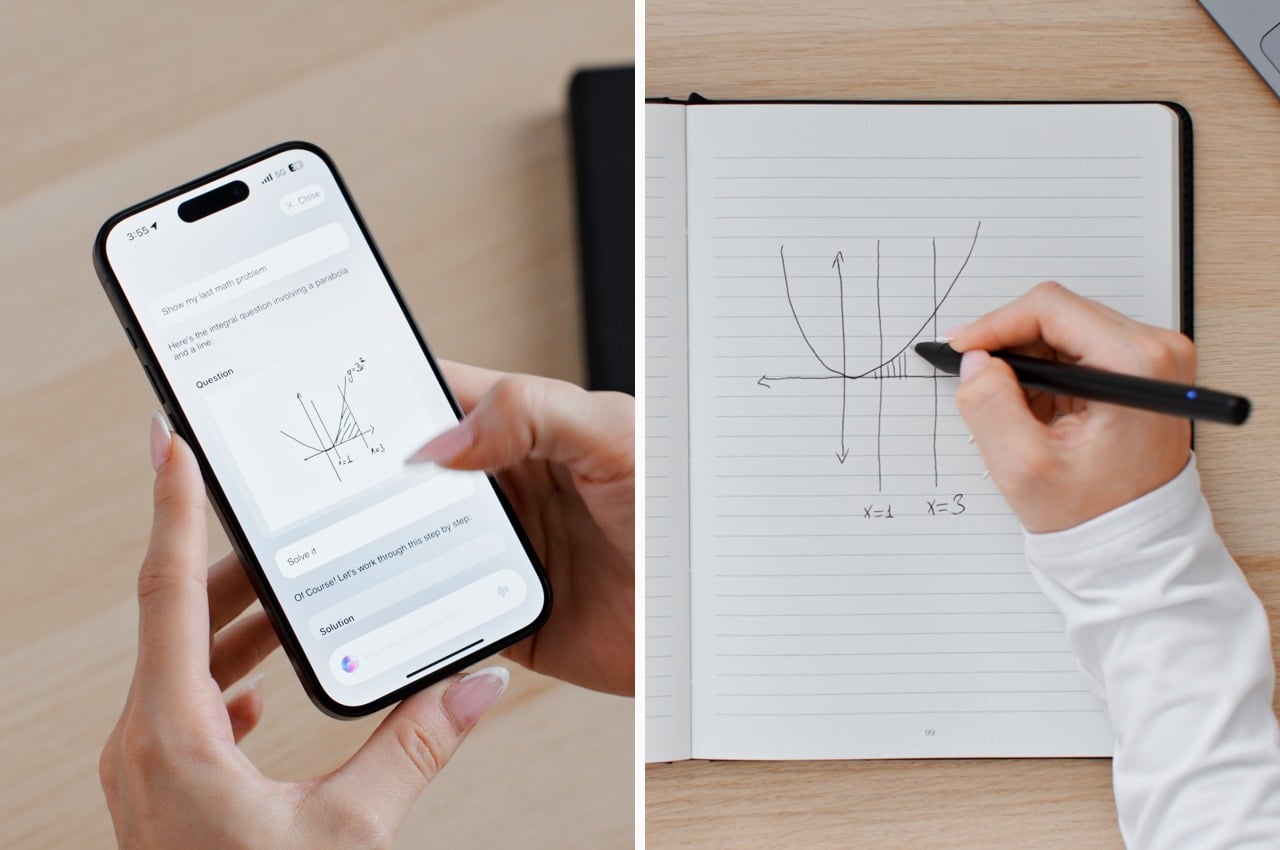
Called the XNote smart notebook, this innovative little smart notebook is intended to upgrade the experience of harnessing the power of AI to help you utilize your scribbles and sketches. You can easily transform them into summaries, tasks, and appointments, taking your work to the next level.

Why is it noteworthy?

The smart notebook utilizes ChatGPT while combining it with the absolute delight of writing on paper. It also uses digital technology to help you work in an intuitive, easy, and seamless manner.

What we like

  • The notebook detects invisible patterns so each stroke can be mirrored to the app via Bluetooth

What we dislike

  • It isn’t a great note-taking accessory for those who aren’t comfortable with using AI

7. Everlasting All-Metal Pencil
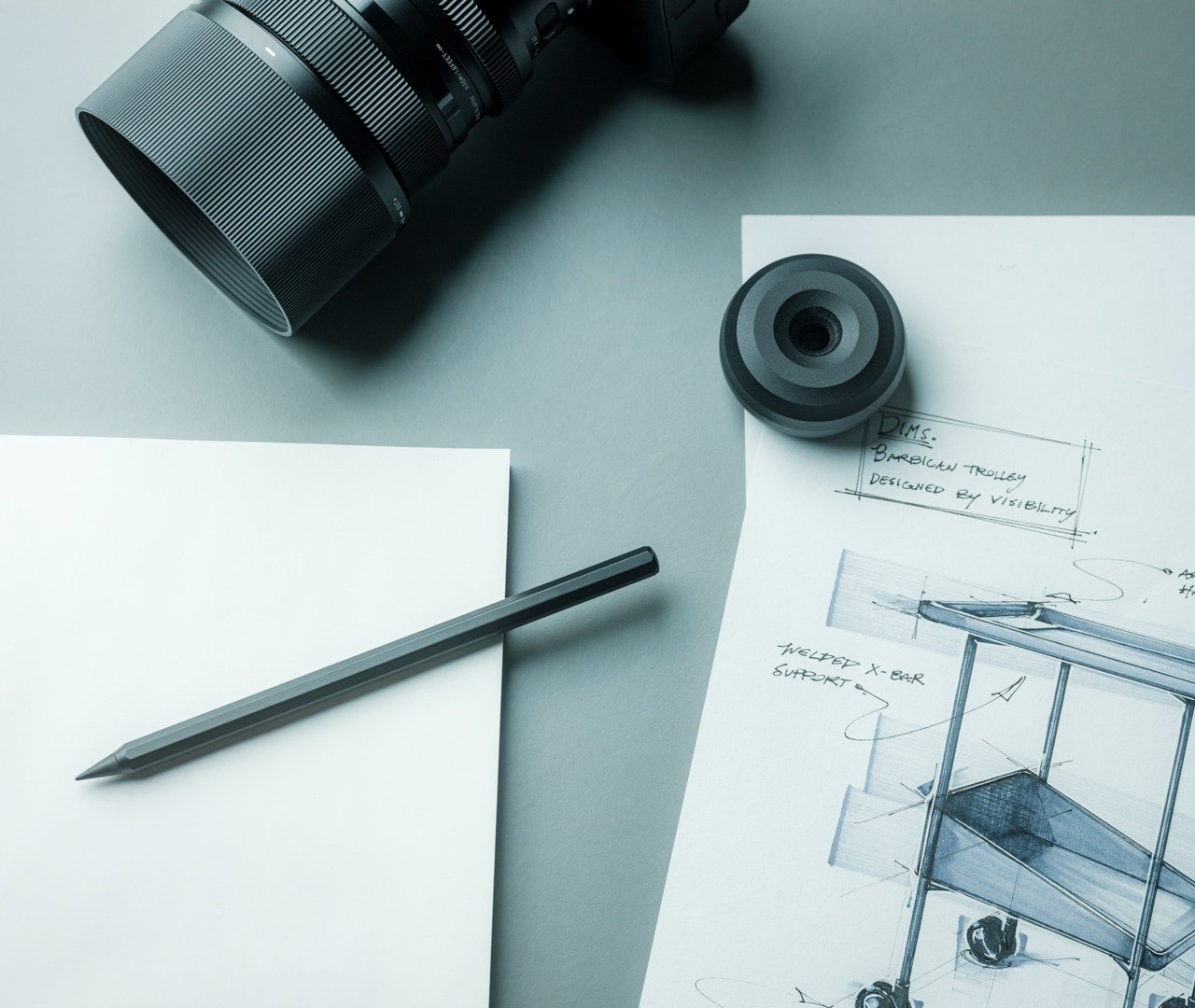
Dubbed the Everlasting All-Metal Pencil, this innovative pencil is designed to ensure you don’t deal with frail mechanical leads. You can bid adieu to these disruptions, and experience a seamless writing experience. You shouldn’t let your creativity get halted due to fragile leads or dull edges.

Click Here to Buy Now: $19.95.

Why is it noteworthy?

It is crafted meticulously using a special alloy core in a sleek aluminum body. It offers a writing experience that is smooth and also quite virtually everlasting. The pencil ensures that you deliver top-quality content, without the issue of constant sharpening.

What we like

  • You can easily erase using regular erasers

What we dislike

  • There is no replacement tip

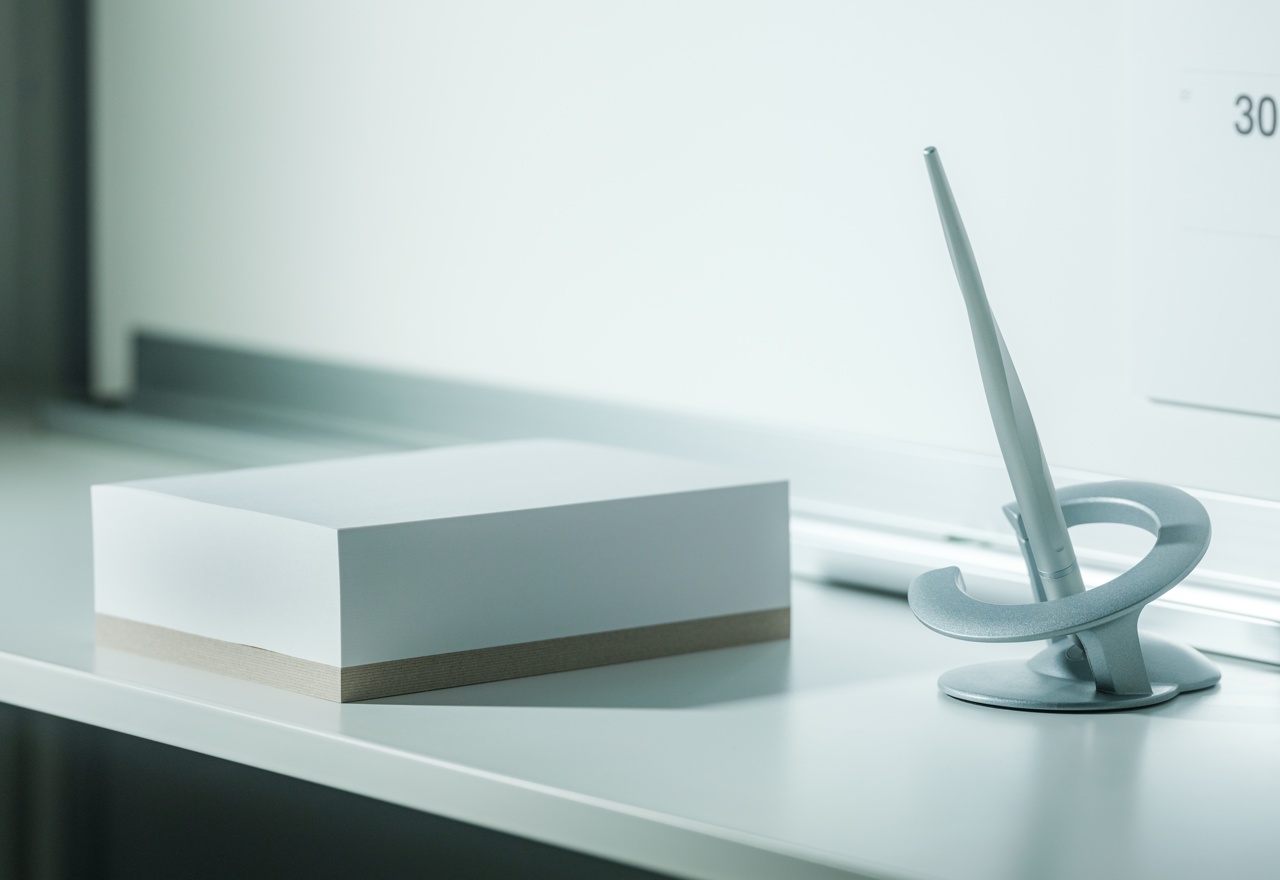
8. Levitating Pen
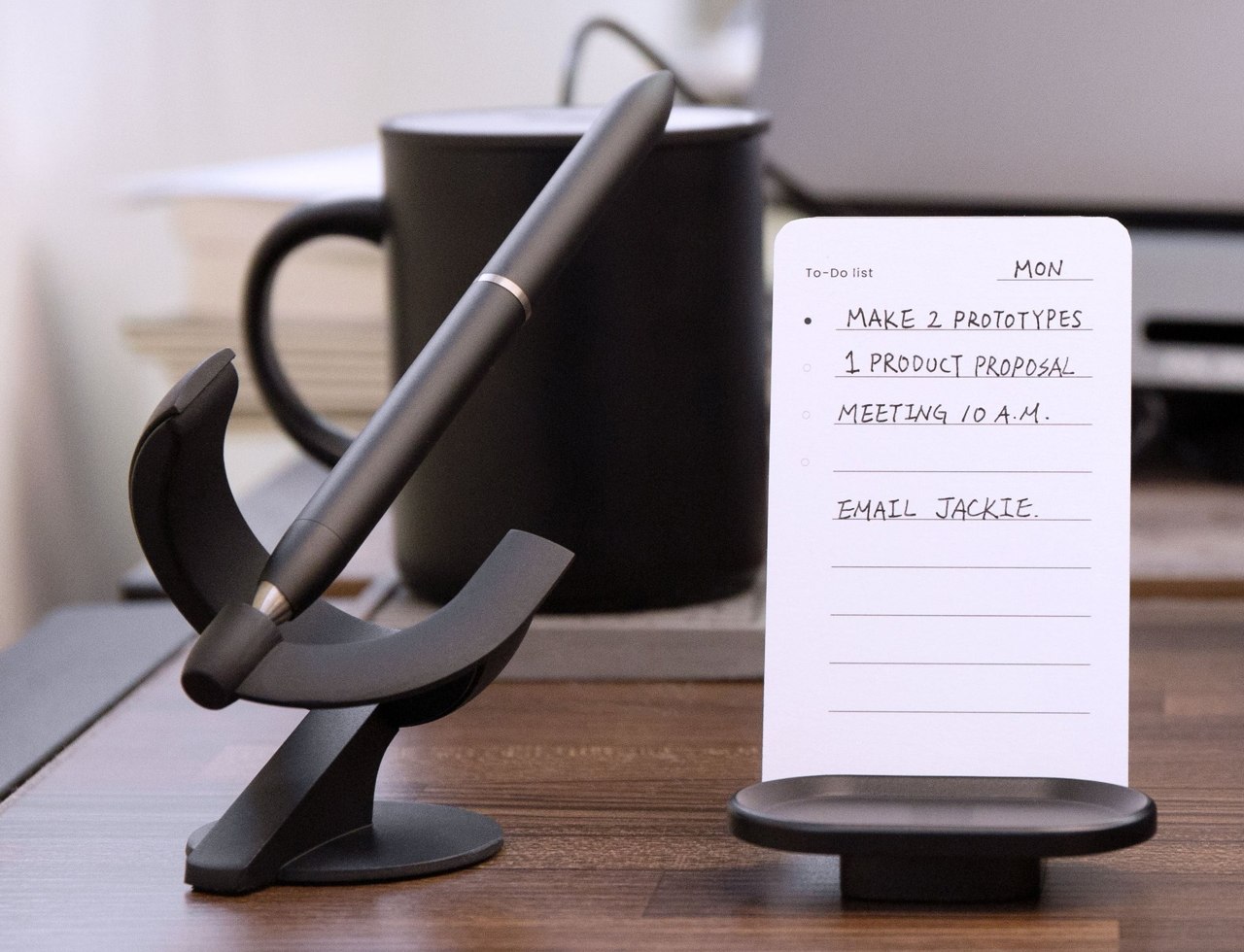
Dubbed the Levitating Pen, this grand writing instrument is designed to be a Schmidt ballpoint cartridge, which makes the pen quite efficient and easy to use. It gives you a smooth writing experience and makes note-taking a super easy and efficient task.

Why is it noteworthy?

You can close the pen’s magnetic cap with a satisfying click and place the pen in its holder. It has been magnetized to keep the pen floating in a certain position, which lets you interact with the pen.

What we like

  • Easy and smooth pen to write with
  • You can spin the pen in certain intervals making it a stress buster

What we dislike

  • The pen has smooth edges that may cause it to roll off when kept on a curved surface, so you could lose it

9. Japanese Memo Block
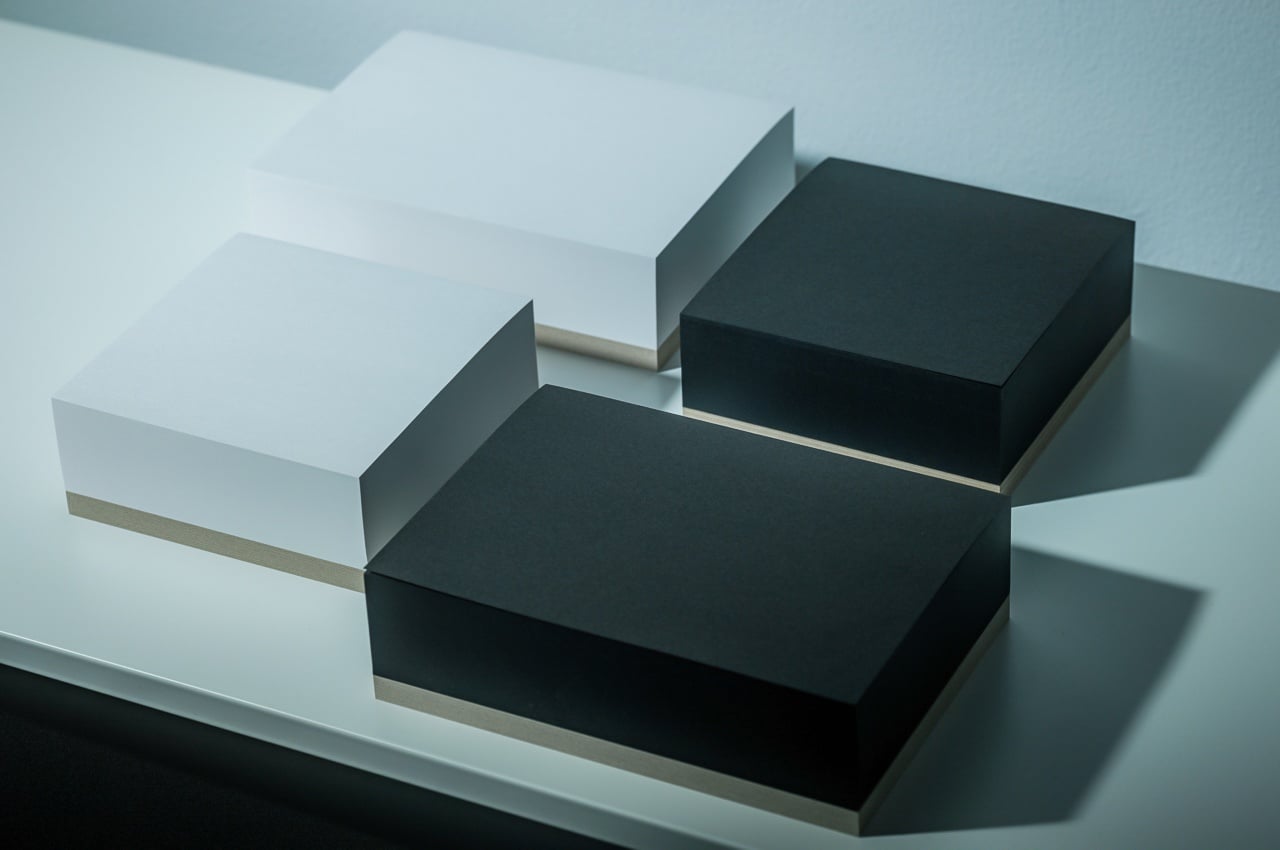
Called the Japanese paper Memo Block, this little design will capture your exciting and delightful thoughts, ensuring none of them escape you. It has a compact design which makes it easy to carry everywhere with you, ensuring you don’t have to miss out on any of the brilliant ideas that come in your head.

Click Here to Buy Now: $20.00

Why is it noteworthy?

With the Japanese paper Memo Block, you can note down your priceless thoughts the minute they get into your head. You can jot them down before you get distracted all over again. It has quite a small footprint, so you can easily carry it with you wherever you go.

What we like

  • Has a pure black/white surface which pulls out the intriguing thoughts from your head
  • Utilizes high-quality Japanese paper which is loved by stationery connoisseurs

What we dislike

  • It may seem like an ordinary notepad with no USP at first glance

10. Mover Erase Uni-size

Meet the Mover Erase Uni-size is what you would get if a whiteboard and a sticky note had a baby. It features a whiteboard-like glossy silicon surface which is excellent to write on using whiteboard markers. It also has a magnetic design onto which you can easily snap notes for future usage.

Why is it noteworthy?

It has a patented release technique that allows you to easily dislodge notes, much like pulling a stick note off a wall. The MEUs are color-coded, and they’re great for organizing your notes on the basis of category or urgency. It is available in two standard sizes, and it is similar to the popular Stick Note formats.

What we like

  • The paper looks as good as new, it doesn’t curl up or become frail

What we dislike

  • If the product falls too often, the magnets can drop out from the mover erase universal size

The post 10 Must-Have Note-Taking Accessories for Creative Professionals in 2024 first appeared on Yanko Design.

The Beginners Guide to Google Meet

Google Meet

Google Meet is a powerful video conferencing tool that enables seamless communication and collaboration, whether you’re working remotely, attending virtual classes, or staying connected with friends and family. This comprehensive guide will walk you through everything you need to know to effectively use Google Meet, from setting up and joining meetings to leveraging advanced features […]

The post The Beginners Guide to Google Meet appeared first on Geeky Gadgets.

Posted in Uncategorized | Tagged

This tool unlocks Windows’ AI-powered Recall feature for unsupported PCs

During its Copilot AI and Surface event in May, Microsoft unveiled Recall, an AI-powered feature for Windows created to help you find anything you've ever looked at on your PC. The feature, Microsoft said, is exclusively available on the recently launched and future Copilot+ PCs, which are devices that come with onboard neural processing units (NPUs) for AI tasks. Now, someone using the pseudonym Albacore has released a console Windows app on Github called Amperage that will allow users to run Recall even on older computers that the feature doesn't officially support. 

The tool can only enable Recall on computers with Arm64-based SoCs, which means they have to be powered by a Qualcomm Snapdragon, a Microsoft SQ or an Ampere chipset. Users also have to make sure they're running Windows 11 version 24H2 build 26100.712, because older and newer beta versions of the OS don't have the components needed to activate the feature. As The Verge notes, though, future iterations of the tool may be able to unlock Recall for more devices, seeing as AMD- and Intel-based Copilot+ PCs are expected to be available later this year. 

Recall works by taking snapshots of the PC while the user is on it, storing them locally on the computer and then using local multi-modal small language models to recognize text, images and videos on them. If a user wants to find something they previously looked at on their PC — whether it's an image, a website, a document or an email — they can search the Recall timeline. Microsoft said it will work even if the user types in vague contextual clues in case they can't remember exact phrases or descriptions. And since the snapshots Recall takes are stored locally and offline, users' data are supposed to remain private and secure. 

This article originally appeared on Engadget at https://www.engadget.com/this-tool-unlocks-windows-ai-powered-recall-feature-for-unsupported-pcs-110046086.html?src=rss

How to convert PDFs to markdown with Marker

parsing complex PDF files for AI models

If you are searching for a way to easily import large quantities of PDFs into your AI application or large language model you might be interested in a new open source application called Marker. Marker converts PDF to markdown quickly and accurately. Marker Key Takeaways Supports a wide range of documents (optimized for books and […]

The post How to convert PDFs to markdown with Marker appeared first on Geeky Gadgets.

Posted in Uncategorized | Tagged

Samsung Galaxy Tab S9 Ultra vs Apple iPad Pro M4 Speed Test

Samsung Galaxy Tab S9

When choosing between the Samsung Galaxy Tab S9 Ultra and the Apple iPad Pro M4, understanding their performance in key areas is essential to make an informed decision. This in-depth comparison covers crucial aspects such as boot-up speed, biometrics, display, software, app performance, gaming, media consumption, productivity, and benchmark results. By examining these factors, you […]

The post Samsung Galaxy Tab S9 Ultra vs Apple iPad Pro M4 Speed Test appeared first on Geeky Gadgets.

How to become a Data Analyst in just 4 weeks – Complete Plan

Become a data analyst in four weeks

In today’s data-driven world, the demand for skilled data analysts is growing rapidly. Businesses rely on data to make informed decisions, and Excel remains a core tool for data gathering, cleaning, and analysis. With the right approach and dedication, you can become proficient in data analysis using Excel in just four weeks says the team […]

The post How to become a Data Analyst in just 4 weeks – Complete Plan appeared first on Geeky Gadgets.

Posted in Uncategorized | Tagged

13 Amazing ChatGPT-4o Shortcuts For Your iPhone

ChatGPT-4o Shortcuts iPhone

We have an awesome video from Stephen Robles that shows us how to create 13 amazing iPhone shortcuts that use ChatGPT-4o. By leveraging the advanced capabilities of ChatGPT-4 on your iPhone, you can streamline various tasks and optimize your daily workflow. These 13 innovative shortcuts harness the power of artificial intelligence to revolutionize the way […]

The post 13 Amazing ChatGPT-4o Shortcuts For Your iPhone appeared first on Geeky Gadgets.

How to make an Apple TV style media centre with a Raspberry Pi 5

Raspberry Pi 5 Apple TV media centre alternative

If you would like to create an open source Raspberry Pi powered alternative to the Apple TV you might be interested in a new project published by Jeff Geerling. That show how you can use a Pi 5 mini PC and open-source software, to build a cost-effective and versatile alternative to commercial streaming devices. The […]

The post How to make an Apple TV style media centre with a Raspberry Pi 5 appeared first on Geeky Gadgets.

Posted in Uncategorized | Tagged

How to Build a 3D Website With No Code

3D Website

In today’s digital landscape, having a captivating website is essential for businesses and individuals alike. However, the thought of creating a professional 3D website from scratch can be daunting, especially for those without coding experience. Fortunately, with the advent of no-code development tools, building impressive 3D websites is now accessible to everyone. The video below […]

The post How to Build a 3D Website With No Code appeared first on Geeky Gadgets.

Posted in Uncategorized | Tagged

Tiny Titanium Pocket Knife is smaller than a Key, and uses a Replaceable Blade Design

I swear these pocket knives keep getting smaller and smaller, but remain just as fascinating and sharp.

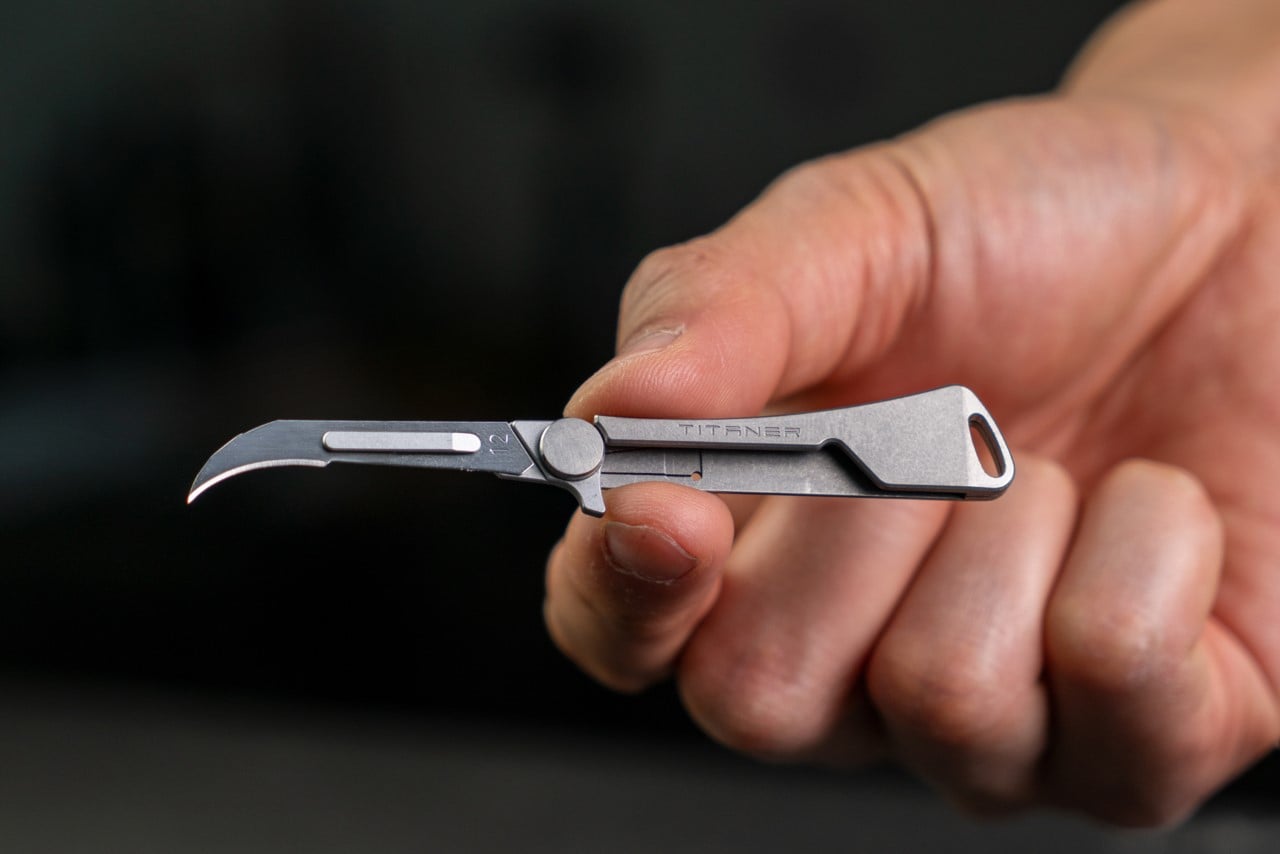
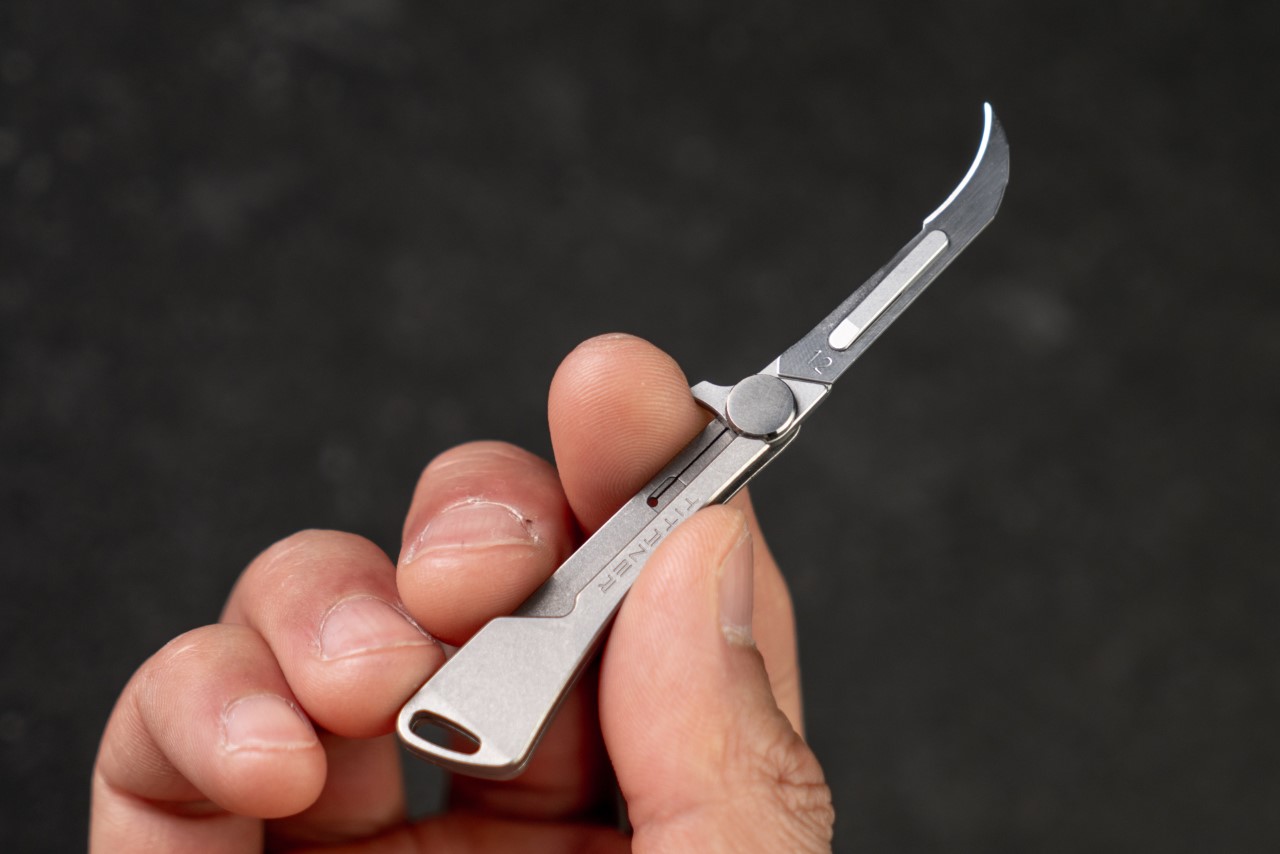
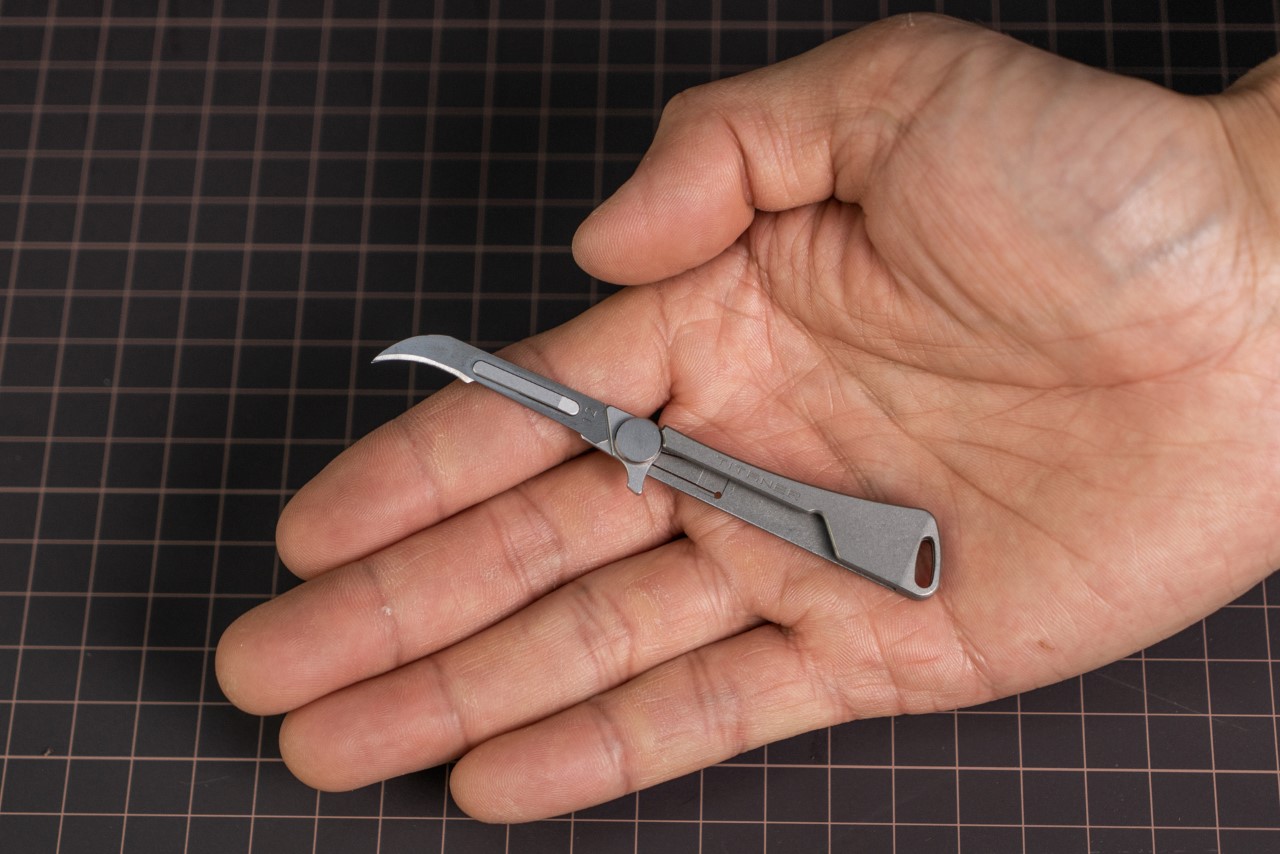
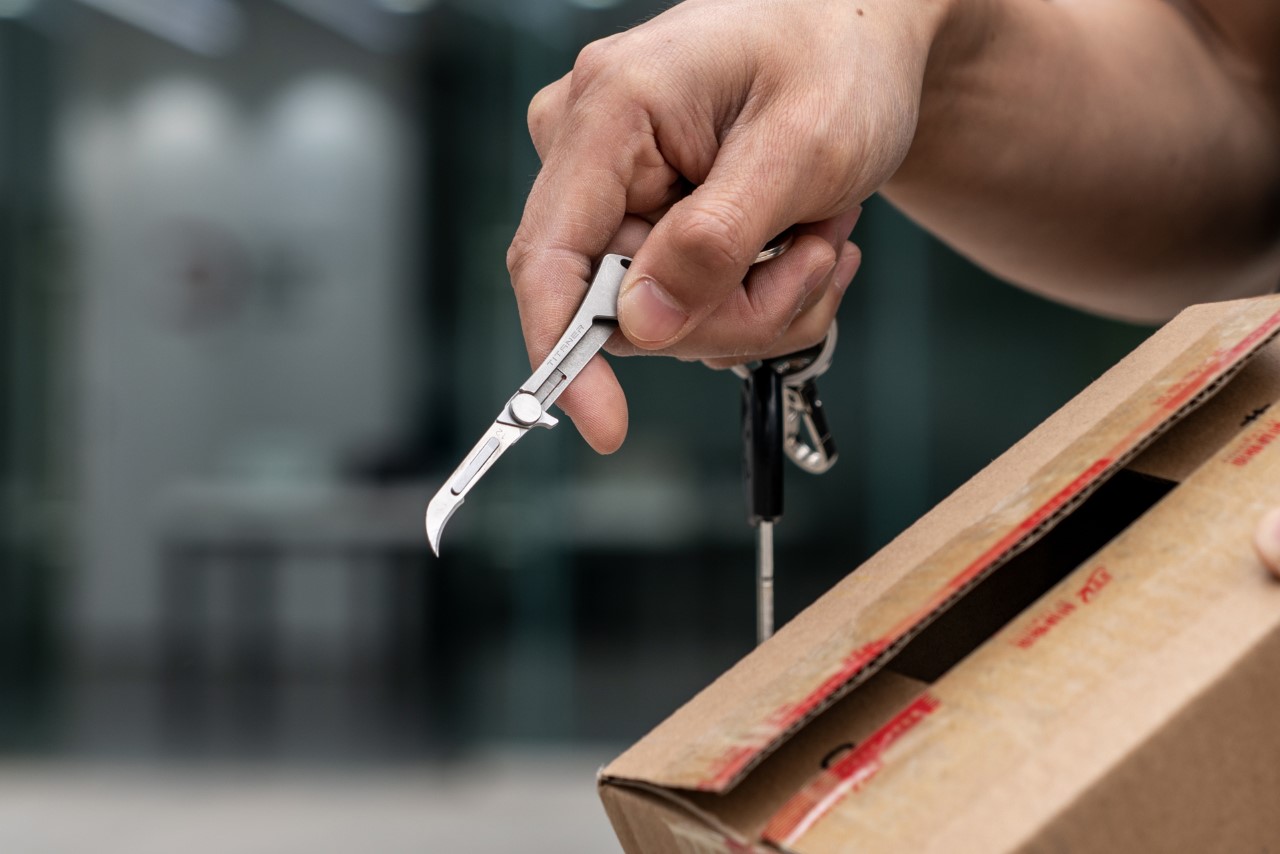
Meet the Tiflex, a knife so tiny you could hold it using just two fingers. Designed to be compact enough to fit on your keychain, the Tiflex is a petite little knife that shouldn’t be underestimated. It packs a titanium body and houses a scalpel blade on the front, known for its deceptive sharpness. If you’ve ever used an Xacto Knife, imagine having the same kind of blade in a form factor small enough for you to carry safely with you and use for everything from opening boxes to cutting ropes and even self-defense.

Designer: Titaner

Click Here to Buy Now: $42 $65 (35% off) Hurry! Only 33 of 100 left.

Open and close the Tiflex with a single hand

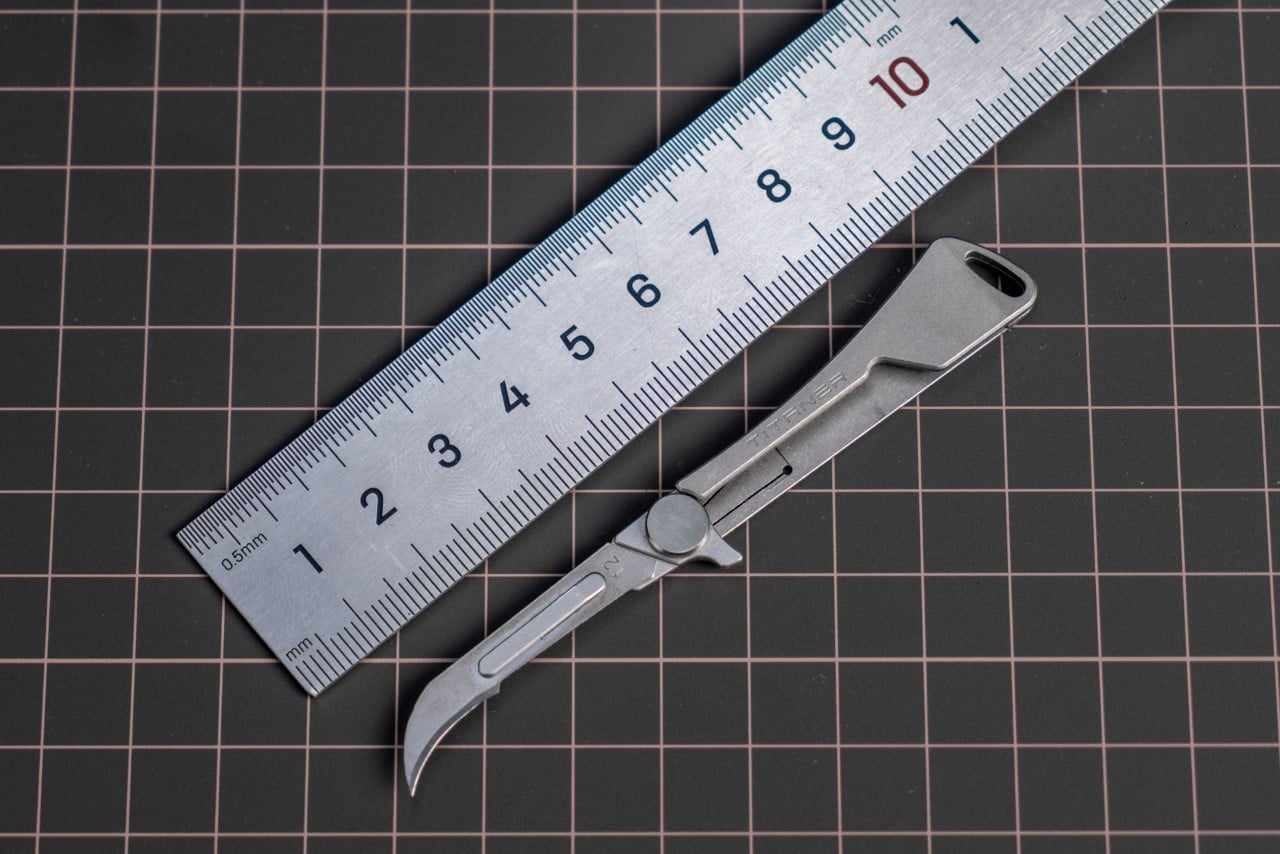
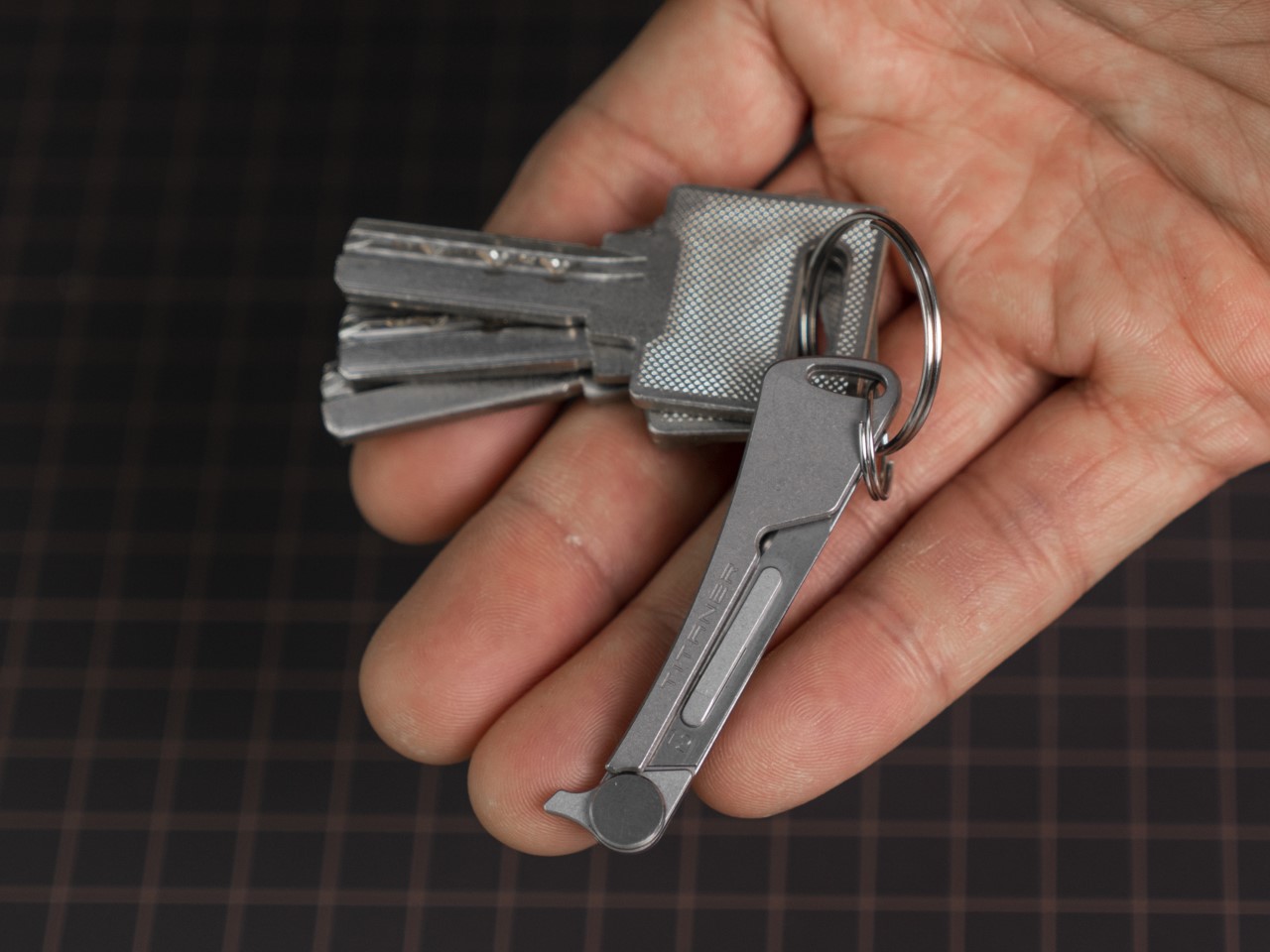
Measuring a little more than 2 inches when closed, the Tiflex might be tiny, but it’s still rather immaculately designed. It comes with a flipper that makes one-hand opening easy – the flipper even acts as a finger rest to prevent your index finger from ever accidentally touching the blade’s edge – and even has a frame lock that prevents the blade from shutting while in use. All this packs itself in a design small enough that even your house keys look larger in comparison. Now you’re probably worrying about ergonomics.

The problem with small knives is that they have small handles, which can be annoying to hold, but that’s where the Tiflex achieves a pretty good balance. The knife’s handle is 2.1 inches, and along with the blade, the knife measures 3.7 inches from tip to base. Even for that small size, the Tiflex is fairly handy to hold and use. Sure, you can’t measure it against much larger, more ergonomic knives, but the Tiflex offers convenience instead, with its compact form factor. The knife is perfect for outdoor use, craft, EDC-adjacent activities, or even for self-defense. The sharp scalpel blade plays its role wonderfully in that regard, giving you a knife that feels effortless to use.

The scalpel blade, often made with either high-carbon steel or hardened tempered stainless steel, is known for its versatility. You can use the Tiflex to cut paper, leather, plastic ties, ropes, or even seatbelts. The sharp edge can carve wood too, and that hook shape comes in handy for piercing or clawing. Hold the knife upside down like you would a karambit (with the blade emerging from the base of your grip) and it’s perfect for self-defense too, allowing you to potentially get out of a messy situation quickly.

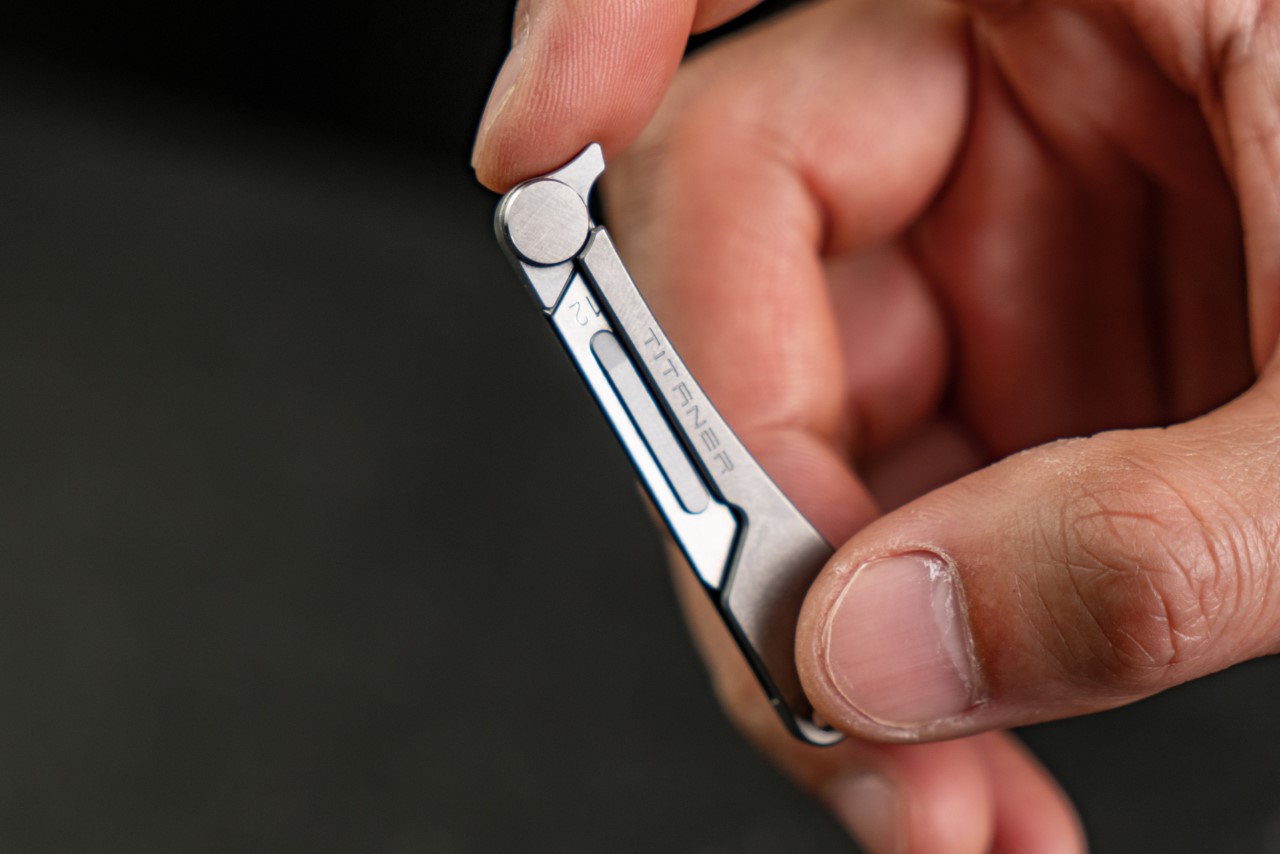
The entire knife is made out of just 5 parts, including the blade. The handle, hinge, and blade holder are all machined from solid titanium, making the overall knife extremely light at just 6.6 grams or 0.2 ounces, but still rather durable. The knife is impervious to damage, is waterproof, corrosion-proof, and can last decades. However, the blade won’t, but that’s why the Tiflex comes with a replaceable blade design.

The clever frame lock ensures the knife’s blade stays in its open position while you use it

The replaceable blade format is great for the Tiflex for a bunch of reasons. Sharpening knives is an art that not many people have the skill or patience for, and sharpening a tiny knife like the Tiflex can be even more of a challenge. Scalpel blades come in a variety of shapes and you can buy them in bulk, replacing the Tiflex’s blade whenever it gets dull, or if you want to swap out its hook shape for something a little different. There are quite a few blade designs to choose from, and they’re all compatible with the Tiflex. All you need to do is take the old blade out and pop a new one in and it locks in place. This ensures you can use the Tiflex for years just by replacing the blade every few months, and it also means the Tiflex is inherently TSA-friendly and flight-safe, because you can simply ditch the blade and carry the rest of the knife with you on board.

The chances of you accidentally carrying your Tiflex on board a plane are pretty high because of just how ludicrously little it is. It’s designed to be attached to your keychain and forgotten about until you need a knife. That’s honestly the best kind of knife – one that’s there when you need it and gone when you don’t. Designed by the folks at Titaner, the Tiflex comes in both right-handed as well as left-handed variants, so you can choose the style of knife based on your dominant hand. The knife is originally priced at $65, but backers can grab the Tiflex at a special discounted price of $42, with 10 scalpel blades included, and global shipping starting July 2024.

Click Here to Buy Now: $42 $65 (35% off) Hurry! Only 33 of 100 left.

The post Tiny Titanium Pocket Knife is smaller than a Key, and uses a Replaceable Blade Design first appeared on Yanko Design.