GameSir Pocket Taco vs. 8BitDo FlipPad for Game Boy Gaming

Almost every mobile controller assumes you want to play in landscape, snapping your phone into a wide handheld that feels great for modern shooters and racing games. This works for most titles, but when you fire up Game Boy-era platformers or vertical arcade classics, the experience feels slightly off, like forcing old games into a shape they were never meant to inhabit, holding them sideways while your thumbs reach for controls that never land right.

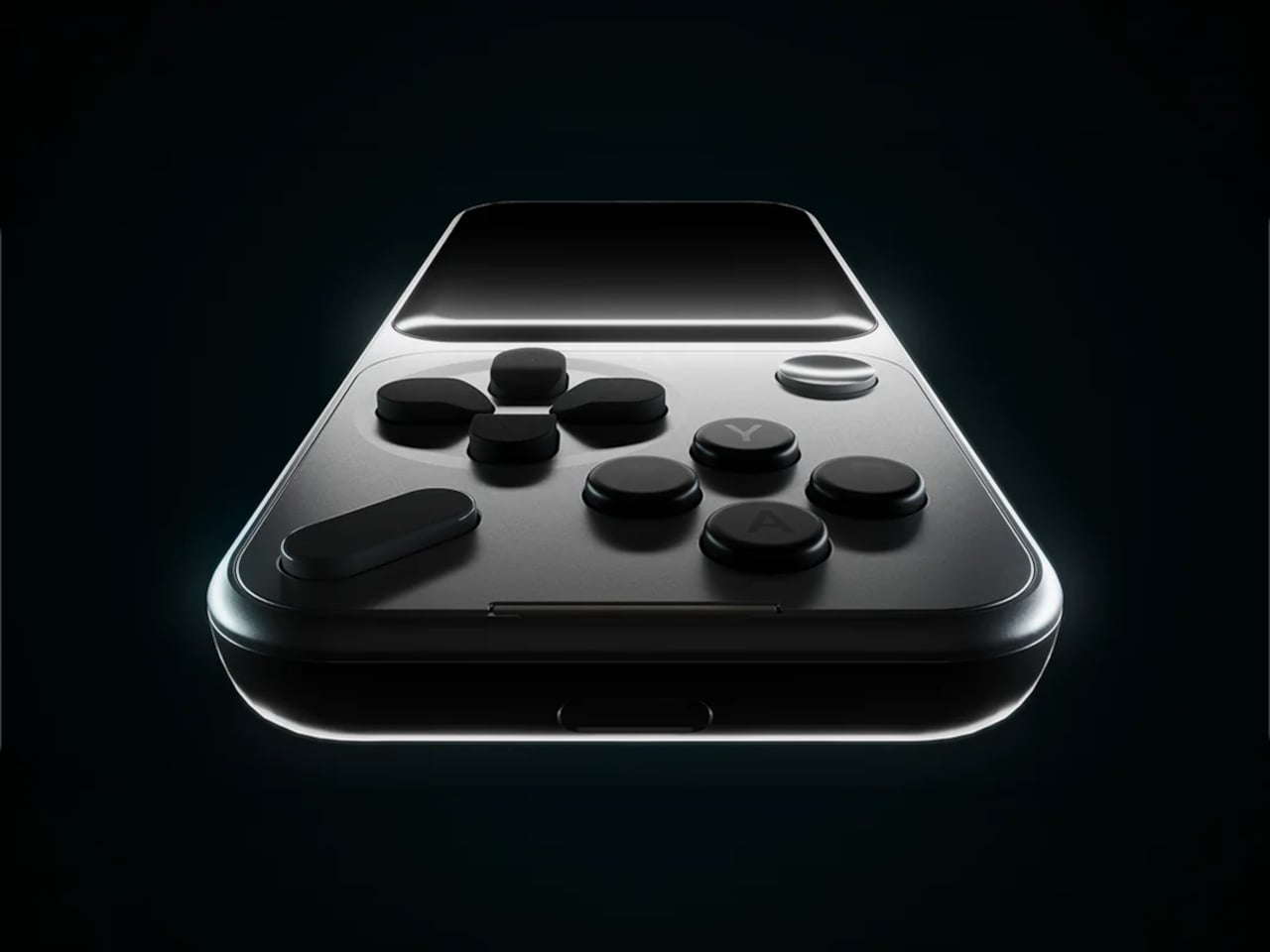
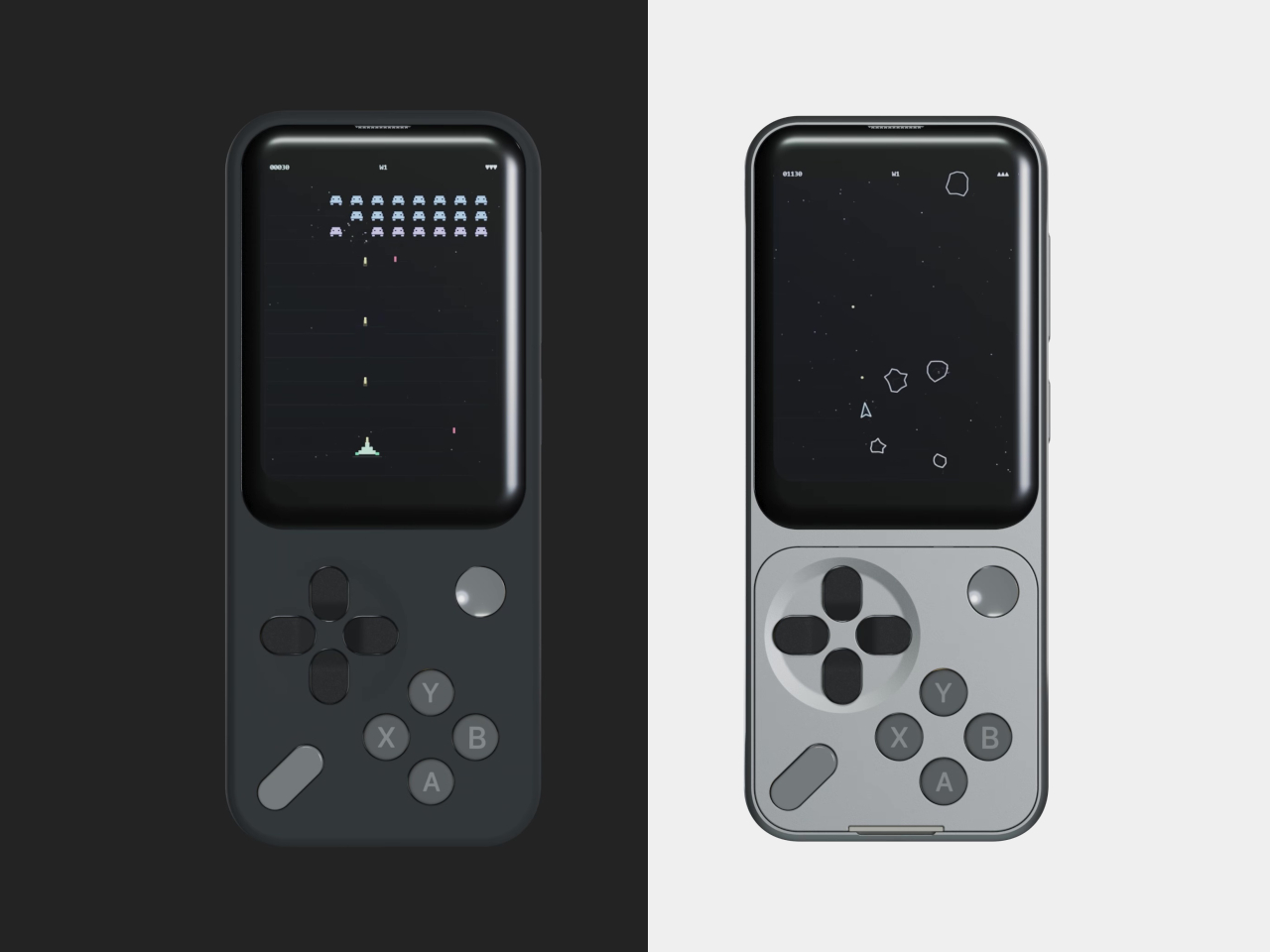
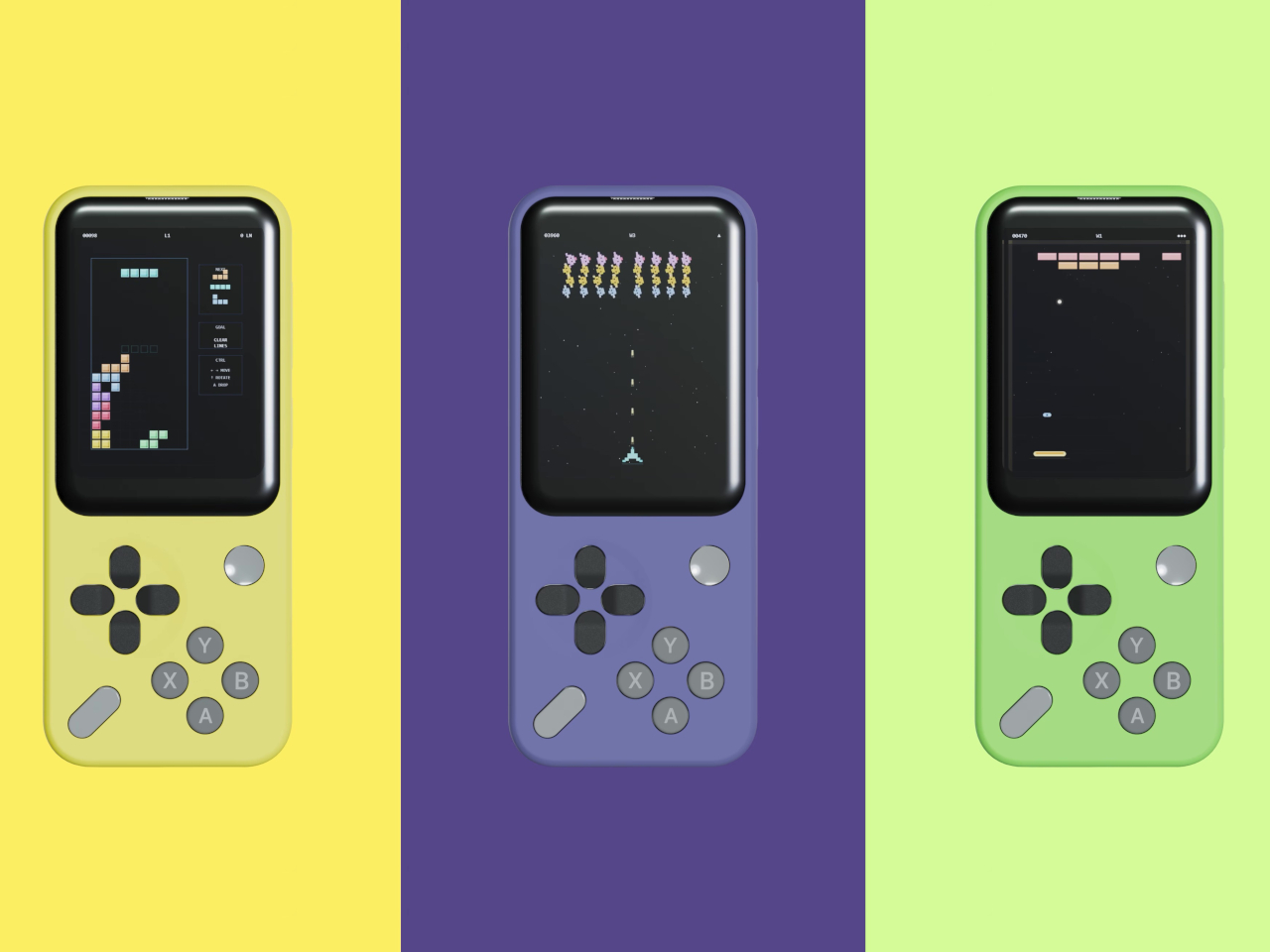
GameSir’s Pocket Taco leans into portrait play instead of fighting it, turning your phone into something closer to a classic handheld. It first appeared as the Pocket 1 at Tokyo Game Show, then resurfaced as Pocket Taco just as 8BitDo teased its own vertical FlipPad, setting up a clash of design philosophies aimed at people who want to hold their phones the way they held Game Boys.

Designer: GameSir

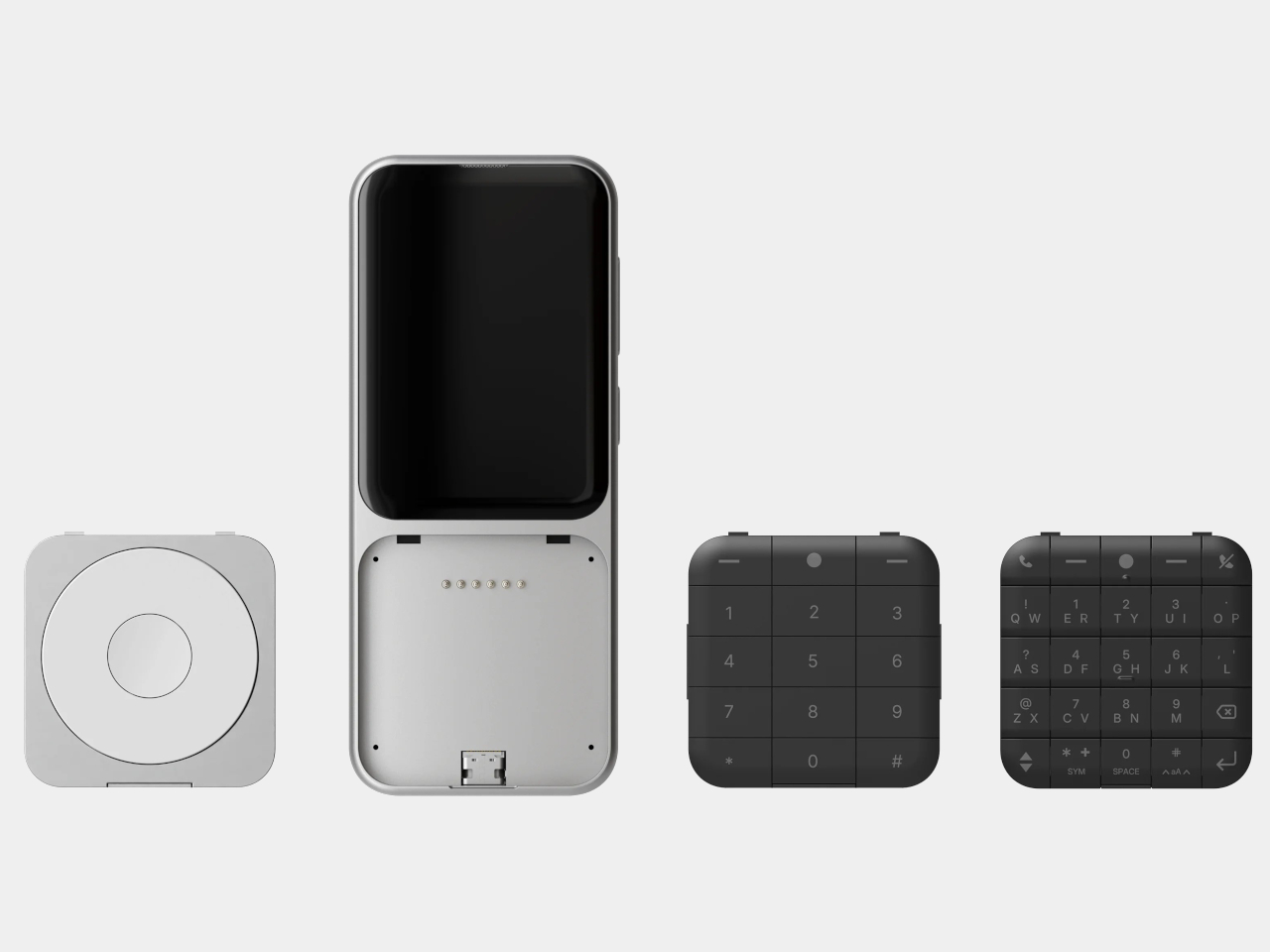
The rebrand to Pocket Taco fits the design; the controller clamps to the bottom of your phone like a taco shell. The foldable front accommodates different phone sizes, and soft silicone pads line the clamp area so you are not grinding plastic against glass every time you snap it on, which matters when you pull it out multiple times a day for quick sessions between meetings or commutes.

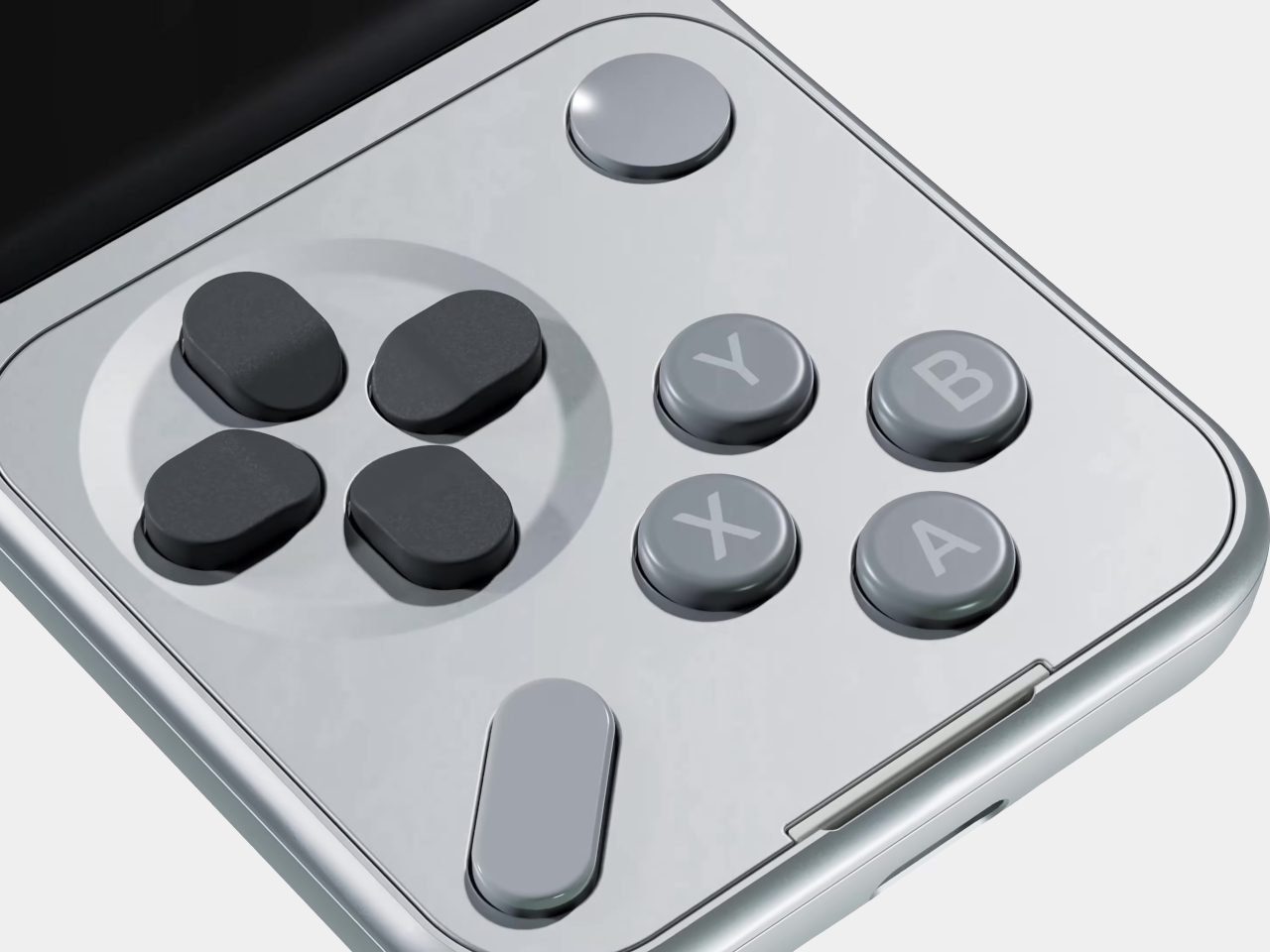
The control layout separates Pocket Taco from 8BitDo’s FlipPad. Pocket Taco gives you a traditional D-pad, ABXY face buttons, and actual triggers and bumpers on the back. FlipPad keeps everything on the front in a row of circular buttons, which is clever for compactness but less like the shoulder-button ergonomics many players expect from dedicated handhelds, especially during games with heavy simultaneous inputs.

Pocket Taco uses Bluetooth, so it can talk to Android and iOS phones, tablets, and other devices, and it still works when not clamped. FlipPad plugs in over USB-C, which keeps latency low and removes battery anxiety, but ties it to phones with that port and to a tethered style where the controller must stay attached to function at all.

One practical touch is the large cutout at the bottom that leaves your phone’s charging port accessible while the controller is attached, so you can plug in and keep going during long sessions. FlipPad occupies the USB-C port and does not offer passthrough charging, which is fine for short bursts but less ideal for marathon runs that drain the phone before you finish the dungeon.

Pocket Taco runs on a 600 mAh battery with smart power behavior, open to play, close to rest. The trade-off is one more battery to watch and slightly more bulk. FlipPad stays slimmer and battery-free, but leans on your phone for power, shifting the burden and adding a small drain to your phone’s battery during long play sessions.

Pocket Taco and FlipPad are two paths toward the same fantasy, turning a slab of glass into a dedicated retro handheld. Pocket Taco leans into wireless freedom, proper triggers, and charging-while-playing practicality, while FlipPad bets on wired simplicity and a flatter front. For anyone who grew up holding a Game Boy vertically, it is nice to have options that respect that muscle memory instead of pretending mobile gaming should feel like a miniature Xbox stuck in landscape.

The post GameSir Pocket Taco vs. 8BitDo FlipPad for Game Boy Gaming first appeared on Yanko Design.

GameSir x Hyperkin modular controller could be the endgame accessory for mobile gamers

Hype around mobile gaming controllers is not going away any time soon. More people are gaming on mobile, and controllers that make it possible are in demand. GameSir very well understands the needs of gamers who play on multiple devices and platforms, and they’ve brought a transforming controller to CES 2026 in collaboration with Hyperkin, which will have you sold for good.

The X5 Alteron controller gets the best of both worlds: GameSir’s ergonomic engineering that makes it the first choice for gamers, and Hyperkin’s knack for designing retro controllers. What sets the modular controller apart is the swappable module system that allows gamers to completely change the layout from symmetrical to asymmetrical thumbsticks, to changing the D-pad and face buttons.

Designer: GameSir and Hyperkin

This level of customization gives mobile gamers the option to carry just one controller, whether playing on Switch, Android, PC, iPhone, or iPad. The ability to swap and replace buttons, or add the mouse-level precision trackpad (yes, this controller can do that), gives you tactical advantage in all genres of games like racing, strategy, RPGs, and, in particular, FPS titles. GameSir already impressed at CES with the Swift Drive controller, and the X5 Alteron is even better. The gamepad is a literal transformer of the gaming controllers world, as it changes shape, style, and size depending on what device you are playing it with.

Want the Xbox-style layout, or the feel of the N64 controller setup? The modular controller makes quick work of that. It even has a module dedicated to fighting titles for maximum precision. The possibilities are endless as the controller sets a new yardstick for customizable gaming hardware. Of course, it has all the essentials of a gaming controller intact while doing this. There are Hall effect triggers and capacitive sticks for zero stick drift, mouse click, rumble motors, and hot swappable ABXY buttons. Transformable D-Pad and much more. Alteron can be extended to 213mm to fit all devices you throw at it.

The gaming accessory charges via USB-C port, and the connectivity with the devices is made via Bluetooth 5.2. Latency should not be a worry as GameSir and Hyperkin optimize their accessories very nicely. The GameSir x Hyperkin X5 Alteron controller will be released in the coming months, but there is no detail about pricing yet. Given how GameSir controllers are tactically priced, this one should be right there in the sweet zone. Could it replace all your controllers going forward for a one-stop solution? It pretty well can be the prime contender!

The post GameSir x Hyperkin modular controller could be the endgame accessory for mobile gamers first appeared on Yanko Design.

GameSir x Hyperkin modular controller could be the endgame accessory for mobile gamers

Hype around mobile gaming controllers is not going away any time soon. More people are gaming on mobile, and controllers that make it possible are in demand. GameSir very well understands the needs of gamers who play on multiple devices and platforms, and they’ve brought a transforming controller to CES 2026 in collaboration with Hyperkin, which will have you sold for good.

The X5 Alteron controller gets the best of both worlds: GameSir’s ergonomic engineering that makes it the first choice for gamers, and Hyperkin’s knack for designing retro controllers. What sets the modular controller apart is the swappable module system that allows gamers to completely change the layout from symmetrical to asymmetrical thumbsticks, to changing the D-pad and face buttons.

Designer: GameSir and Hyperkin

This level of customization gives mobile gamers the option to carry just one controller, whether playing on Switch, Android, PC, iPhone, or iPad. The ability to swap and replace buttons, or add the mouse-level precision trackpad (yes, this controller can do that), gives you tactical advantage in all genres of games like racing, strategy, RPGs, and, in particular, FPS titles. GameSir already impressed at CES with the Swift Drive controller, and the X5 Alteron is even better. The gamepad is a literal transformer of the gaming controllers world, as it changes shape, style, and size depending on what device you are playing it with.

Want the Xbox-style layout, or the feel of the N64 controller setup? The modular controller makes quick work of that. It even has a module dedicated to fighting titles for maximum precision. The possibilities are endless as the controller sets a new yardstick for customizable gaming hardware. Of course, it has all the essentials of a gaming controller intact while doing this. There are Hall effect triggers and capacitive sticks for zero stick drift, mouse click, rumble motors, and hot swappable ABXY buttons. Transformable D-Pad and much more. Alteron can be extended to 213mm to fit all devices you throw at it.

The gaming accessory charges via USB-C port, and the connectivity with the devices is made via Bluetooth 5.2. Latency should not be a worry as GameSir and Hyperkin optimize their accessories very nicely. The GameSir x Hyperkin X5 Alteron controller will be released in the coming months, but there is no detail about pricing yet. Given how GameSir controllers are tactically priced, this one should be right there in the sweet zone. Could it replace all your controllers going forward for a one-stop solution? It pretty well can be the prime contender!

The post GameSir x Hyperkin modular controller could be the endgame accessory for mobile gamers first appeared on Yanko Design.

8BitDo FlipPad controller for enjoying portrait games on Android and iOS

Let’s be honest, most of us casual mobile gamers prefer portrait games that can be enjoyed quickly for a short dopamine boost. Playing platformer or arcade titles that require precise input on-screen are better played with a stylus, giving you the strategic advantage if you’ve got the reflexes to back your skills. 8BitDo is introducing a portrait mode clip-on controller accessory for gamers like me who prefer to keep things minimal.

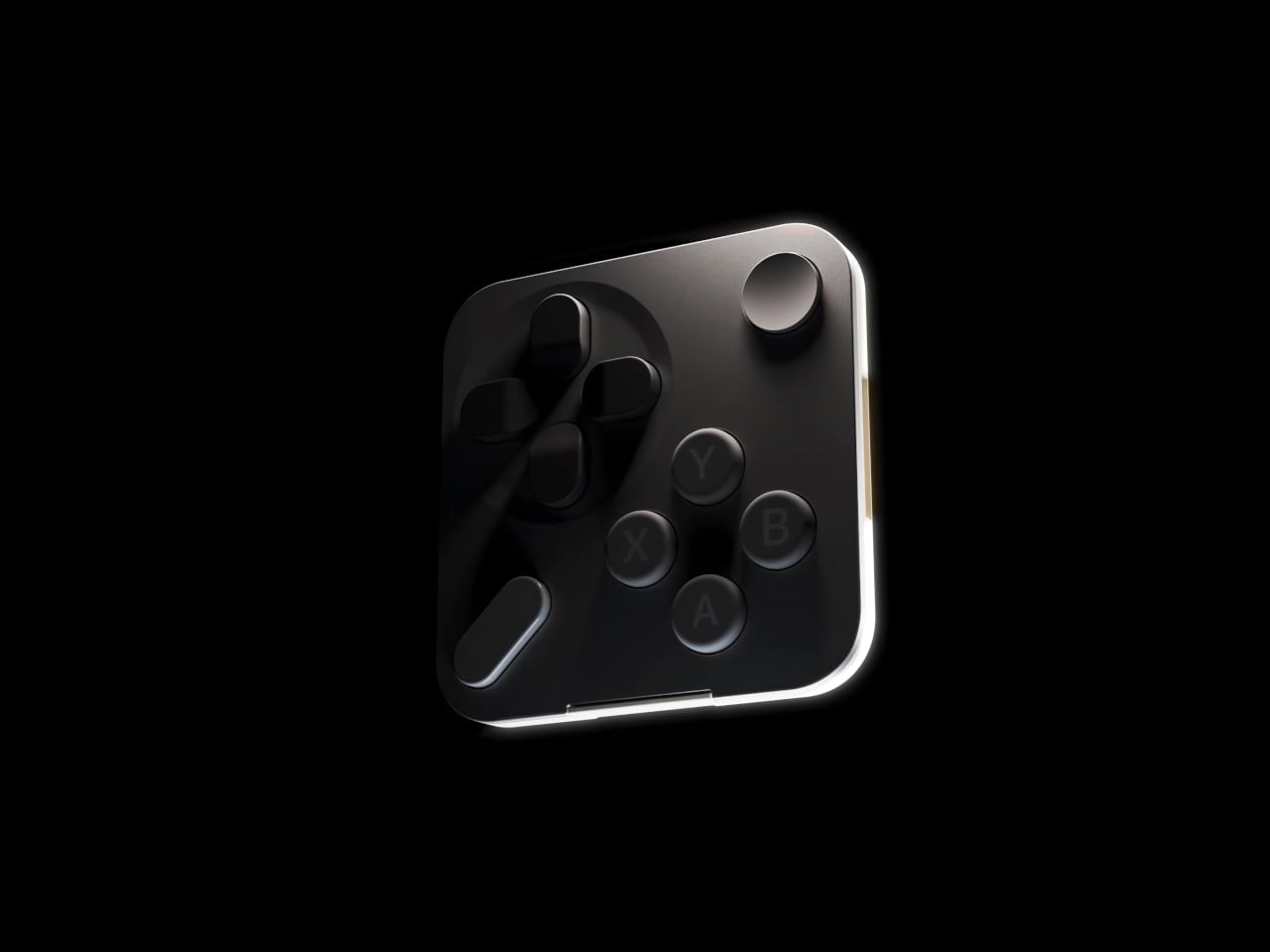
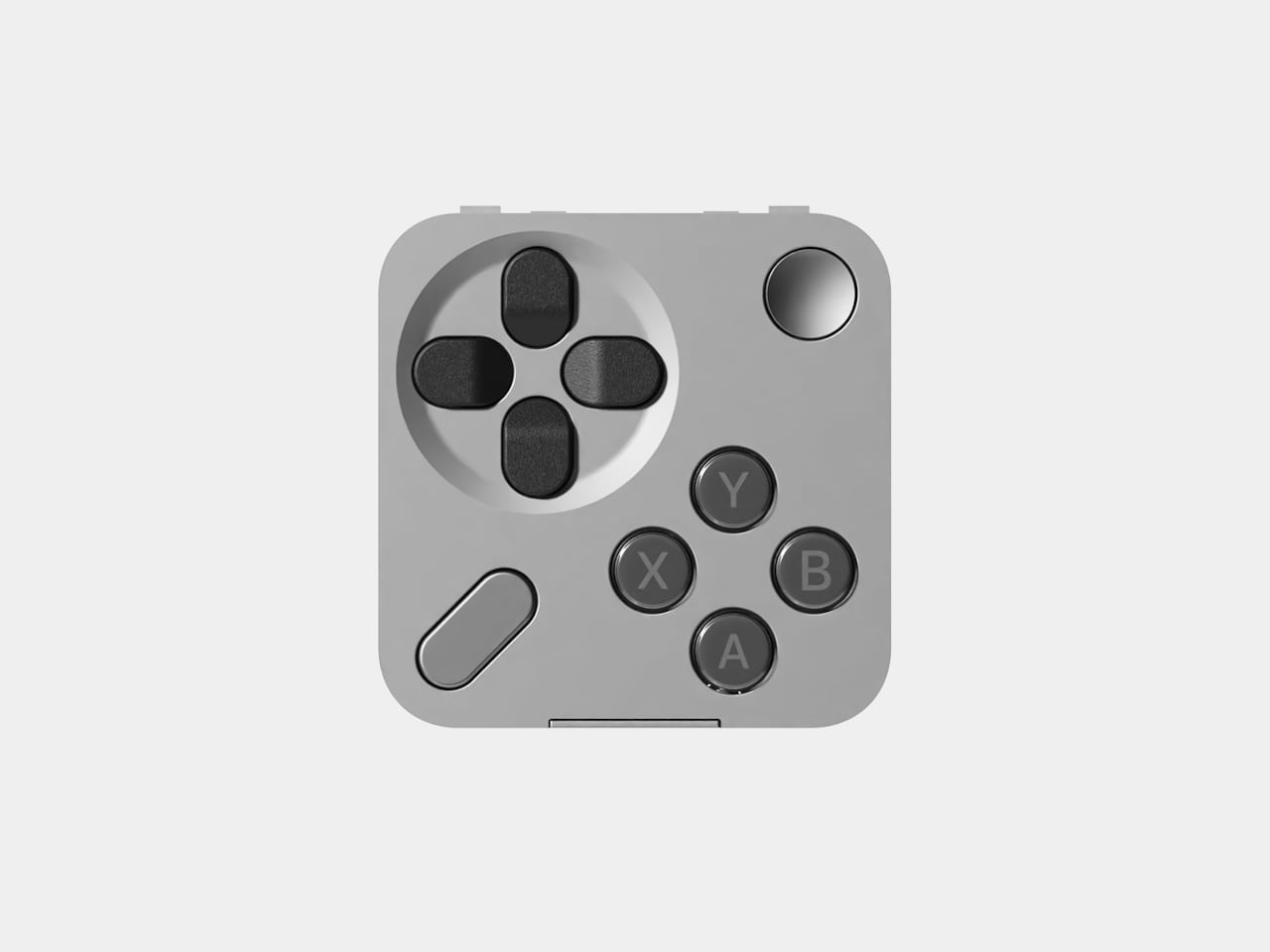
This flip-style gamepad, designed for Android and iOS (officially supported by Apple) mobile devices, is palm-sized for ultra-portability. Coming to CES 2026, the microcontroller will be officially available in the summer of 2026. There is no word on the release date, nor are there many details, but we’ll share what’s available of this retro-forward accessory that looks inspired by the Game Boy DMG color theme.

Designer: 8BitDo

Called the FlipPad, this portrait orientation controller is a good option to have along with your standard mobile controllers that operate in landscape orientation. I can very well imagine playing White Out Survival, Vampire Survivors, Road to Valore: Empires, Subway Surfers, and other mobile games using the compact controller. The USB-C accessory has 12 face buttons and a D-Pad, which should be good enough for portrait games, as they generally don’t demand the shoulder trigger buttons as input.

I know most of your mobile gamers will be looking to use the controller for emulators, especially titles that have an on-screen gamepad similar to this. The flip-style controller is designed in a way that it can overlay over the on-screen keyboard for maximum ergonomic comfort. That’s the reason the controller is compatible with most third-party applications and emulators like the Delta Emulator. I presume the controller will come with an in-built rechargeable battery and lack Bluetooth connectivity since it plugs directly into your smartphone via the USB-C port.

For games that are natively portrait-oriented and take up the complete screen, the FlipPad will contract the screen size to accommodate the overlaying gamepad section. It’s more like a physical controller to have the tactile input of the buttons rather than fiddling around with the on-screen buttons.

The post 8BitDo FlipPad controller for enjoying portrait games on Android and iOS first appeared on Yanko Design.

MCON Slim Hands-on at CES 2026: The Ultra‑Thin MagSafe Controller That Turns Your iPhone Into a Gaming Console

Last year, Ohsnap debuted the MCON controller on Kickstarter and nearly broke the website. Over 16,000 people pledged almost $2 million to make the product a reality, and not only did the company ship every single MCON out to every backer, they casually came back to CES this year with not one, but TWO more versions of the device. The more impressive of the two is the MCON Slim, a controller that’s nearly as thin as your standard smartphone, packing in an entire gaming controller (along with trigger buttons) into that ridiculously small form factor.

Designed by 21 year-old Josh King, the MCON Slim is clearly his magnum opus. The youngster (incubated by Dale Backus’ Ohsnap) mentioned how the smartphone was such a powerful device, but all we ever use it for is doomscrolling and emails. The MCON was supposed to prove to the world that the smartphone can be an incredible handheld gaming device, comparable to the Razer Switchblade or even dare I say the Nintendo Switch. Now, the MCON Slim cements that idea even further. Imagine a device, the thickness of a MagSafe power bank), capable of turning your iPhone into the next best gaming console.

Designer: Josh King (Ohsnap)

If you’ve seen the MCON before, think of the Slim as the iPhone Air of gaming controllers. It’s ridiculously sleek, snapping to the back of your phone and literally absorbing your iPhone’s camera bump into it. When shut, it’s still slim enough to slide right into your pocket without you feeling a thing. However, when you’re craving some serious gaming, slide the controller out and you’ve got a makeshift handheld console in mere seconds, with an actual D-Pad, action buttons, two touch-sensitive joypads, and even trigger buttons on the back.

Before you get your hopes up, the MCON Slim is still in its ‘proof of concept’ stage, and won’t launch anytime soon. Josh mentions they’ll probably roll the Slim out in time for the iPhone 18… which works just fine given that I plan on upgrading my iPhone just around that time! The design, however, is beyond impressive. The sliding interaction is flawless, even though the Ohsnap team miniaturized practically everything. The trigger buttons have actual movement, with nearly 3mm of travel. And the best part, the MCON Slim plays nice with the iPhone’s camera module (unlike past versions). A gorgeous fidget-spinner-shaped cutout lets you use the iPhone’s camera even with the Slim controller attached to the back of your phone. Heck, even the flashlight is accessible, which means your gaming console, ahem, smartphone has zero compromises.

And the best part is that the controller slides right out of the dock, turning your phone into a Nintendo Switch of sorts. The connection is all via Bluetooth, which means you can place your phone on a table a few feet away from you while you game with the detached controller in your hands. The slimness results in just two sacrifices – firstly, those pop-out grips from the original MCON don’t make it to this device. And to be honest, I don’t miss them at all. Secondly, the joypads go from physically moving controls to touch-sensitive ones… something that most casual gamers should be fine with. For the pedantic ones, the original MCON (and the upcoming MCON Lite) offers a perfect alternative.

The sad part here is that there’s absolutely no tech spec to talk about. The MCON Slim is entirely a work in progress right now, which means design details, battery life, pricing, everything is subject to change. However, Josh did mention that the MCON Slim should arrive around the same time as the iPhone 18, or in other words – we’ll probably get the MCON Slim before we get GTA VI.

The post MCON Slim Hands-on at CES 2026: The Ultra‑Thin MagSafe Controller That Turns Your iPhone Into a Gaming Console first appeared on Yanko Design.

Acer AMD Ryzen Laptops Bring AI Across Three Very Different Days

AMD’s Ryzen AI 400-series chips are showing up in laptops people might actually carry every day. Acer is rolling them out across three very different lines, thin-and-light, mainstream, and gaming, and all of them are Copilot+ PCs with NPUs built for on-device AI. Built on the Zen 5 architecture, these processors aim to enhance productivity and creative work without constantly leaning on the cloud or draining the battery by lunchtime.

The lineup splits into three personalities. Swift Go 16 AI is built for people who live out of a backpack. Aspire 14 and 16 AI are for students and young professionals who need one machine to do everything. Last but not least, Nitro V 16 AI is for gamers who still have to write essays or edit videos when the match ends. The interesting part is how Acer uses the same AMD Ryzen AI 400-series foundation to make three very different days feel smoother.

Designer: Acer

Acer Swift Go 16 AI

Swift Go 16 AI is the laptop that spends its time in cafés and lecture halls. It runs up to an AMD Ryzen AI 9 465 processor with Radeon 880M graphics, up to 32 GB of LPDDR5X memory, and up to 1 TB of PCIe Gen 4 SSD storage. That headroom handles a dozen tabs, a video call, and a Copilot window without the fans screaming, and it all lives in a laser-etched aluminum chassis that opens a full 180 degrees.

Display options range from 16-inch 16:10 WUXGA IPS to WUXGA+ OLED with 100 % DCI-P3 and up to 400 nits, so spreadsheets and color-sensitive work both look right. A 5 MP IR camera with HDR and Human Presence Detection makes video calls less painful, while DTS:X Ultra speakers and a multi-control touchpad handle audio and gestures. Wi-Fi 7, Bluetooth 5.4, dual USB-C, dual USB-A, HDMI 2.1, and MicroSD mean you stop hunting for dongles.

Acer Aspire 14 AI and Aspire 16 AI

Acer Aspire 14 AI

The Aspire 14 AI and Aspire 16 AI are the laptops that bounce between classes, offices, and kitchen tables. Both use WUXGA 1920 × 1200 16:10 displays with refresh rates up to 120 Hz, with touch, non-touch, and OLED options. The 16-inch model can be configured with up to an AMD Ryzen AI 9 465 and Radeon 880M graphics, while the 14-inch tops out at a Ryzen AI 7 445 and Radeon 840M, both with up to 32 GB of LPDDR5X and 1 TB of PCIe Gen 4 SSD storage.

Acer Aspire 16 AI

Full-flat 180-degree hinges and large touchpads make it easy to share a screen or navigate long documents. Both sizes include 1080p FHD IR webcams with privacy shutters, DTS Audio dual speakers, and triple-mic arrays, plus Wi-Fi 6E and Bluetooth 5.3. Two USB-C, two USB-A, HDMI 2.1, a MicroSD card reader, and an audio jack cover most scenarios without extra gear. Acer’s AI layer, Intelligent Space, AcerSense, PurifiedView, PurifiedVoice, and My Key, sits on top of Copilot+ to make translation, noise reduction, and quick shortcuts feel like part of the machine.

Acer Nitro V 16 AI

Nitro V 16 AI is the AMD-powered gaming laptop that still has to behave like a normal computer when the game is closed. It pairs up to an AMD Ryzen AI 9 465 processor with up to an NVIDIA GeForce RTX 5070 Laptop GPU, backed by up to 32 GB of DDR5 memory and up to 2 TB of PCIe M.2 NVMe SSD storage. That combination is built for high-refresh shooters and GPU-accelerated creative work, not just casual titles.

The 16-inch 16:10 WUXGA 1920 × 1200 panel runs at 180 Hz with 100 % sRGB and a MUX switch, so you can flip between power-saving hybrid mode and direct GPU mode when you care about every frame. Dual-fan, dual-intake, dual-exhaust cooling keeps the chassis under control, while DTS:X Ultra audio, a 4-zone RGB keyboard, and an FHD IR webcam with a shutter handle the rest of the experience. Wi-Fi 6E, Bluetooth 5.4, USB 4 Type-C, three USB-A ports, HDMI 2.1, RJ-45, and a Kensington lock round it out, and Acer’s Intelligent Space and NitroSense give you knobs to tune performance and AI-assisted features without digging through control panels.

Acer and AMD at CES 2026: Three Laptops, One AI Backbone

Swift Go 16 AI is the thin-and-light that leans on OLED and Wi-Fi 7 for people who work wherever they can find a table. Aspire 14 and 16 AI are the everyday machines that quietly stretch multi-day battery life and 16:10 high-refresh screens across school, work, and home. Nitro V 16 AI is the gaming rig that still has to write essays and render timelines. Underneath, they all share AMD’s Ryzen AI 400-series processors, Copilot+ PC status, and Acer’s own AI tools, which is the real CES 2026 story here, AI moving from a single button on the keyboard into the way the whole laptop is specced and shaped.

The post Acer AMD Ryzen Laptops Bring AI Across Three Very Different Days first appeared on Yanko Design.

ROG’s CES 2026 Flagships Rethink What a Gaming Machine Looks Like

Gaming laptops have settled into a comfortable rhythm. A 16-inch clamshell, an RGB keyboard, a high-refresh panel, and a GPU that fits into a backpack. Most people buy them, use them, and expect roughly the same experience from every generation. ROG’s CES 2026 lineup arrives at a moment when AI hardware, OLED panels, and new hinge engineering are all maturing at once, and the company seems very interested in experimenting with what that makes possible.

ROG’s most interesting products are not just faster versions of last year’s machines. The Zephyrus Duo GX651 stretches the idea of a laptop into a dual-screen workstation with five operating modes, while the Flow Z13-KJP shrinks a gaming PC into a tablet-sized slab with enough unified memory and NPU power to run a 70-billion-parameter language model on a train. Supporting them are the refreshed Zephyrus G14 and G16 ultraportables and the holographic ROG G1000 desktop.

Designer: ASUS Republic of Gamers (ROG)

ROG Zephyrus Duo GX651

The Duo is the laptop for people who never have enough screen space. Both the main and secondary panels are 16-inch 3K ROG Nebula HDR OLED touchscreens running at 120 Hz with 0.2 ms response times, 100% DCI-P3, and ΔE < 1 color accuracy. In practice, that means a game or timeline can live on the top screen while chat, mixer controls, or reference material sit on the lower one, without feeling like a cramped compromise.

The 320-degree hinge and kickstand let the Duo shift between five operating modes, from traditional clamshell to dual-screen desktop, presentation stand, or drawing surface. A full-size wireless keyboard and touchpad can move off the chassis entirely, so you can push the screens closer and treat the machine like a tiny dual-monitor rig on a hotel desk or studio table. It is a laptop that behaves more like a modular workstation than a fixed shape.

ROG packs up to an Intel Core Ultra processor and an NVIDIA GeForce RTX 5090 Laptop GPU, up to 64 GB of LPDDR5X memory, and up to 2 TB of PCIe Gen 5 SSD storage into a chassis that measures 0.77 in thick and weighs about 6.28 lb. ROG Intelligent Cooling uses liquid metal, a vapor chamber, dual fans, and a dedicated graphite sheet for the second display to keep both panels and the chassis comfortable during long sessions.

ROG Flow Z13-KJP

The Flow Z13-KJP is a 13.4-inch 2-in-1 that leans into AI as much as gaming. It runs an AMD Ryzen AI Max+ 395 with Radeon 8060S graphics and a 50 TOPS NPU, paired with up to 128 GB of LPDDR5X unified memory at 8,000 MT/s. ROG explicitly says that the combination can run a 70-billion-parameter LLM locally, which is a very different pitch from “this tablet can play your favorite games.”

The Z13-KJP uses a 16:10 QHD Nebula display at 180 Hz with 500 nits brightness and 100% DCI-P3, protected by Gorilla Glass DXC. The chassis mixes aluminum with real carbon fiber on the back, weighs about 1.75 kg, and measures 14.6 mm thick. ROG Intelligent Cooling with liquid metal, a vapor chamber, and second-generation Arc Flow fans keeps the Ryzen AI chip and integrated graphics from throttling when running AI workloads or games.

The Kojima Productions collaboration is more than a paint job. Designed by Yoji Shinkawa and inspired by Ludens, the Flow Z13-KJP ships with custom Armoury Crate themes and wallpapers, plus matching peripherals like the Delta II-KJP headset and Keris II Origin-KJP mouse. The detachable RGB keyboard cover with 1.7 mm travel and built-in kickstand let it flip between console-style play, creator tablet, workstation, or ultraportable laptop, treating gaming, creation, and AI experimentation as different moods rather than separate devices.

ROG Zephyrus G14 and G16

ROG Zephyrus G14

The Zephyrus G14 and G16 are the ultra-slim siblings that round out the laptop story. The G14 uses a 14-inch 3K Nebula HDR OLED at 120 Hz, weighs 1.5 kg, and measures 1.59 cm thick, while the G16 offers a 16-inch 2.5K Nebula HDR OLED at 240 Hz, weighs 1.85 kg, and measures 1.49 cm thick. Both can be configured with Intel Core Ultra processors, up to RTX 5080 or RTX 5090 Laptop GPUs, and Copilot+ PC certification.

ROG Zephyrus G16

The Slash Lighting array on the lid, upgraded from seven zones to 35, gives both machines a more refined aesthetic, while the CNC-aluminum chassis, liquid metal thermal compound, and six-speaker audio systems with dual woofers keep them firmly in the premium tier. They are the machines for people who want serious gaming and creative horsepower but still need something that can slip into a backpack for travel and daily use without feeling like a compromise.

ROG G1000 Desktop

The ROG G1000 is the desktop counterpart, a 104 L ATX ultra-tower built to be seen as much as used. At its core, the built-in AniMe Holo fan is the world’s first holographic fan system in a prebuilt gaming PC, projecting customizable holographic visuals through the front panel. The fan sits in an independent chamber with a hinge-door design, so the airflow does not interfere with the main components, and system noise stays low.

The ROG Thermal Atrium, dedicated to CPU cooling, channels fresh air through a 420 mm AIO liquid cooler with three fans and isolated airflow paths. Equipped with up to AMD Ryzen 9 9950X3D and ROG Astral GeForce RTX 5090 or AMD Radeon 9070XT GPUs, up to 128 GB DDR5 memory with AEMP II, and up to 4 TB PCIe 5.0 SSD storage, the G1000 is tuned and ready for peak performance from day one. Quick control keys on the chassis, extensive Armoury Crate and Aura Sync lighting control, and easy tool-less access for upgrades make it a desktop that earns its showpiece status by actually being usable as a daily driver.

ROG at CES 2026: Form Factors for the Next Decade

The Zephyrus Duo and Flow Z13-KJP are two answers to the same question: what does a gaming machine look like when AI, OLED, and new hinges are all on the table? The Duo stretches the laptop into a dual-screen studio that can sit at the center of a desk, while the Flow Z13-KJP compresses a Copilot+-class PC into a tablet that can run massive models on the go. For Yanko Design readers, the interesting part is not just the jump to RTX 5090 or 50 TOPS NPUs, but the way those specs are being used to justify new shapes, new workflows, and new ways of thinking about what a gaming laptop or tablet can be when you stop assuming it has to look like every other machine released in the past decade.

The post ROG’s CES 2026 Flagships Rethink What a Gaming Machine Looks Like first appeared on Yanko Design.

Acer Gaming Stack Cuts Ping With Wi-Fi 7 and RTX 50 at CES 2026

This year’s CES might finally be the time when gaming laptops and accessories start to look different because of AI and connectivity, not just because of higher model numbers. Intel Core Ultra Series 3 processors, NVIDIA RTX 50-series GPUs, and Wi-Fi 7 are all arriving at once, and the question for gamers is less “how fast is the GPU?” and more “how does the whole setup feel when you sit down to play or stream?”

Acer’s answer is a full stack. The Predator Helios Neo 16S AI sits at the top as the OLED flagship, with two new Nitro V 16 AI models for casual or mobile players, a Predator 5G CPE, and mesh routers to keep latency down, and a headset and mouse that plug into the same software layer. The story is about how these pieces fit together into a gaming environment rather than just another hero laptop announcement.

Designer: Acer

Predator Helios Neo 16S AI

The Helios Neo 16S AI is the machine for people who want to carry a small desktop replacement. It can be configured with up to an Intel Core Ultra 9 386H and an NVIDIA GeForce RTX 5070 Laptop GPU, part of the new RTX 50-series built on NVIDIA’s Blackwell architecture. Pair that with up to 64 GB of DDR5-6400 memory and 2 TB of PCIe NVMe SSD storage, and you have a laptop that handles modern games and creative workloads without feeling like a compromise.

The 16-inch WQXGA OLED panel runs at 2560 × 1600 with a 165 Hz refresh rate, 1 ms response time, HDR support, and 100 % DCI-P3 color. That combination makes a difference in dark sci-fi scenes and bright spell effects, where IPS panels usually wash out. Cooling is handled by a 5th-generation AeroBlade 3D metal fan and liquid-metal thermal grease, which is important when you pack that much CPU and GPU into an 18.9 mm-thick metal chassis.

Intel Killer DoubleShot Pro Wi-Fi 6E, Thunderbolt 4, HDMI 2.1, and a MicroSD reader make it easy to plug into fast networks and external displays. As a Copilot+ PC, the Helios Neo 16S AI can run AI-assisted features like Live Captions for in-game voice chat or real-time translation, and Acer’s Intelligence Space and PredatorSense software sit on top to tune performance and surface AI tools for both gaming and content creation, turning the NPU into something that actually does useful work.

Nitro V 16 AI and Nitro V 16S AI

Acer Nitro V 16 AI ANV16-i51

The Nitro V 16 AI and Nitro V 16S AI share a lot under the hood, up to an Intel Core Ultra 7 355 and RTX 5070 Laptop GPU, with up to 32 GB of DDR5 and 2 TB of SSD storage. The standard Nitro V 16 AI uses a 16-inch WUXGA 1920 × 1200 panel at 180 Hz with 100 % sRGB and a MUX switch, giving casual players and creators a smooth, color-accurate screen without jumping to OLED pricing.

Acer Nitro V 16S AI ANV16-i51

The Nitro V 16S AI keeps the same display and core specs but trims the chassis to under 17.9 mm at its thickest point, making it easier to slide into a backpack for LAN nights or travel. Both include 4-zone RGB keyboards, DTS:X Ultra audio, Intel Killer Wi-Fi 6E, FHD IR webcams with shutters, NitroSense, and Acer Intelligence Space for performance tuning and AI-assisted features. They are the machines for people who want serious hardware that still feels approachable, portable, and not covered in aggressive gamer styling.

Predator Connect X7S and Acer Connect Ovia / M4D

The network layer matters as much as the laptop. The Predator Connect X7S 5G CPE is a tower that combines 5G mobile broadband with Wi-Fi 7 tri-band, supporting 5G downlink speeds up to 4.67 Gbps and Wi-Fi 7 throughput up to 5,764 Mbps. Multi-Link Operation and Hybrid QoS tie into Intel’s Killer Prioritization Engine, so a gaming laptop can stay responsive even when the rest of the house is streaming or downloading, which matters more than raw bandwidth when you are trying to keep ping stable.

The Acer Connect Ovia T360 and T520 mesh routers bring Wi-Fi 7 into apartments and larger homes, with dual-band and tri-band options and per-node coverage up to 90 m² and 110 m². They support MLO, WPA3, and are managed through the Acer Connect app. For people who game or work on the road, the Acer Connect M4D 5G Mobile Wi-Fi acts as a portable hotspot with dual-band Wi-Fi 6 for up to 16 devices, 15-hour battery life, and a dock that turns it into a tiny home router when you get back.

Predator Galea 570 and Cestus 530

The Predator Galea 570 is the headset that plugs into this ecosystem. It uses 50 mm drivers with a 20 Hz–20 kHz response and Environmental Noise Cancellation on both the detachable boom mic and built-in mic, so team chat stays clear even in noisy rooms. Triple-mode connectivity, 2.4 GHz wireless, Bluetooth 5.4, and wired, plus up to 30 hours of battery life in Bluetooth mode, make it a headset that moves between PC, console, and mobile without constant re-pairing.

The Predator Cestus 530 gaming mouse uses a PixArt PAW3395 sensor with up to 26,000 DPI, 650 IPS tracking, and an 8,000 Hz polling rate in wired and 2.4 GHz modes. Seven programmable buttons rated for 80 million clicks and a 500 mAh battery sit under a 105 g shell, with Predator QuarterMaster software and Windows Dynamic Lighting handling tuning and RGB. Together, the headset and mouse complete the desk without adding friction, connecting the same way the laptop does and tuning through the same software layer.

Acer at CES 2026: A Gaming Stack Built for AI and Always-On Connectivity

The Predator Helios Neo 16S AI and Nitro V 16 AI duo handle the heavy lifting with RTX 50-series GPUs and Copilot+ PCs that treat AI as part of the experience, not a bolt-on. The Predator Connect X7S, Ovia mesh, and M4D hotspot keep those machines fed with low-latency connections, while the Galea 570 and Cestus 530 round out the desk with audio and input that match the same design language. The CES 2026 message is that Acer is not just launching another gaming laptop; it is sketching out what a complete, AI-aware gaming environment looks like when you consider the network, the peripherals, and the way people actually move between rooms and networks during a typical day of play.

The post Acer Gaming Stack Cuts Ping With Wi-Fi 7 and RTX 50 at CES 2026 first appeared on Yanko Design.

Gamesir Swift Drive controller has force feedback steering wheel for ultimate racing fun

GameSir doesn’t shy away from experimenting with new designs and functionality for its controllers to enhance the experience for mobile gamers. Tarantula Pro with swappable face button labels is a good example. For gamers like me who fancy the odd gaming session on my G8 Plus, playing the AAA racing titles like Grid Legends is stress-busting. I prefer a compact setup for my mobile gaming needs, and investing in a full-blown gaming simulator or desk-mounted setup is not feasible.

The next logical upgrade is a mobile controller that gives me more than just the joysticks and buttons. Set to reveal at CES 2026, the GameSir Swift Drive controller is exactly what racing fanatics like me wished for. The hybrid controller features a miniature direct-drive steering wheel positioned in the center, delivering force feedback and 1080-degree rotation for immersive racing game action.

Designer: Gamesir

For racing sim fans, the quandary has always been to either choose a portable setup, or go for more detailed but bulky setups. This gamepad hits the sweet spot for casual gamers like me who always wanted something that’s compact. GameSir has to be applauded for fitting the world’s smallest direct-drive motor on the gamepad for physical resistance and road texture when turning the wheel. A thumbstick that moves laterally simply cannot achieve this level of realism. The controller’s unique wheel can be adjusted for rotation ranging from 30 degrees to 1080 degrees, and has a high-precision Hall Effect encoder that has 65,000 levels of steering control resolution. Meaning, you can feel the fast-paced turning of a Formula-1 car, or experience the heavier input of driving a truck simulator.

If that’s not enough, GameSir has included haptic motors in the triggers for gamers to feel the nuances of ABS braking or the vibration when tires lose grip on a tight chicane. You can toggle between XInput and DInput modes so that you can either play on the controller as a standard gamepad or a dedicated steering wheel. The RGB lights on top simulate the current in-game RPMs, which should help advanced gamers trigger gear shifts perfectly. The controller will connect via a 2.5GHz low-latency wireless option and have an estimated battery life of 20 to 30 hours, depending on the force feedback options in use. Without these advanced inputs, the controller lasts for 50 hours.

Swift Drive controller is going to be priced at around $150, and if it delivers what is being promised, that amount is worth every penny. Carrying an extensive gaming setup in your backpack is not something that every gaming accessory maker can brag about. Along with the Swift Drive gamepad, GameSir will also reveal the Turbo Drive yoke-style steering wheel and pedals. The rig will have a built-in turbine fan to simulate the airflow for the sensation of speed in-game.

The post Gamesir Swift Drive controller has force feedback steering wheel for ultimate racing fun first appeared on Yanko Design.