
Telegram CEO says ‘takedown extortionist’ was responsible for the app being briefly delisted by Apple
Pavel Durov claims there's "a potential systemic risk" for platforms with user-generated content.




If you ever took a drawing class, you have met this face. Art schools spent about two centuries buying plaster casts of David’s head and parking them on shelves so students could sit there for six hours learning to render a nostril. The Victoria and Albert Museum owns a full size cast of the whole statue, and famously kept a plaster fig leaf on standby in case Queen Victoria dropped by and needed the shock absorbed. So David has been getting copied, shrunk, cast, and occasionally censored for a very long time. Turning him into a toy is not the sacrilege it sounds like. It’s basically the family business.
Which brings us to Ysien, a LEGO Ideas builder who decided the next material in that lineage should be ABS plastic. The build renders David’s head, neck, shoulders and upper chest as a classical bust, entirely in white, sitting on a proper stepped pedestal. No color, no minifigure, no cheeky accessories. Just light and shadow doing all the work, exactly like the plaster casts it descends from.
Designer: Ysien

The hair is the whole reason this MOC (My Own Creation) works. Hair is where sculptors get found out, because faces have anatomy underneath that you can reason your way through, while hair is a mass of overlapping nothing that somehow has to read as soft. Michelangelo’s answer was a tangle of deep drilled curls. Ysien’s answer is a genuinely absurd stack of curved slopes and half arch elements layered at varying depths, so each curl throws its own little shadow instead of flattening into texture. “The hair was one of the greatest challenges, with each curl contributing to the overall silhouette, depth, rhythm, and movement,” he says, which is a very polite way of describing what must have been several evenings of quiet suffering.

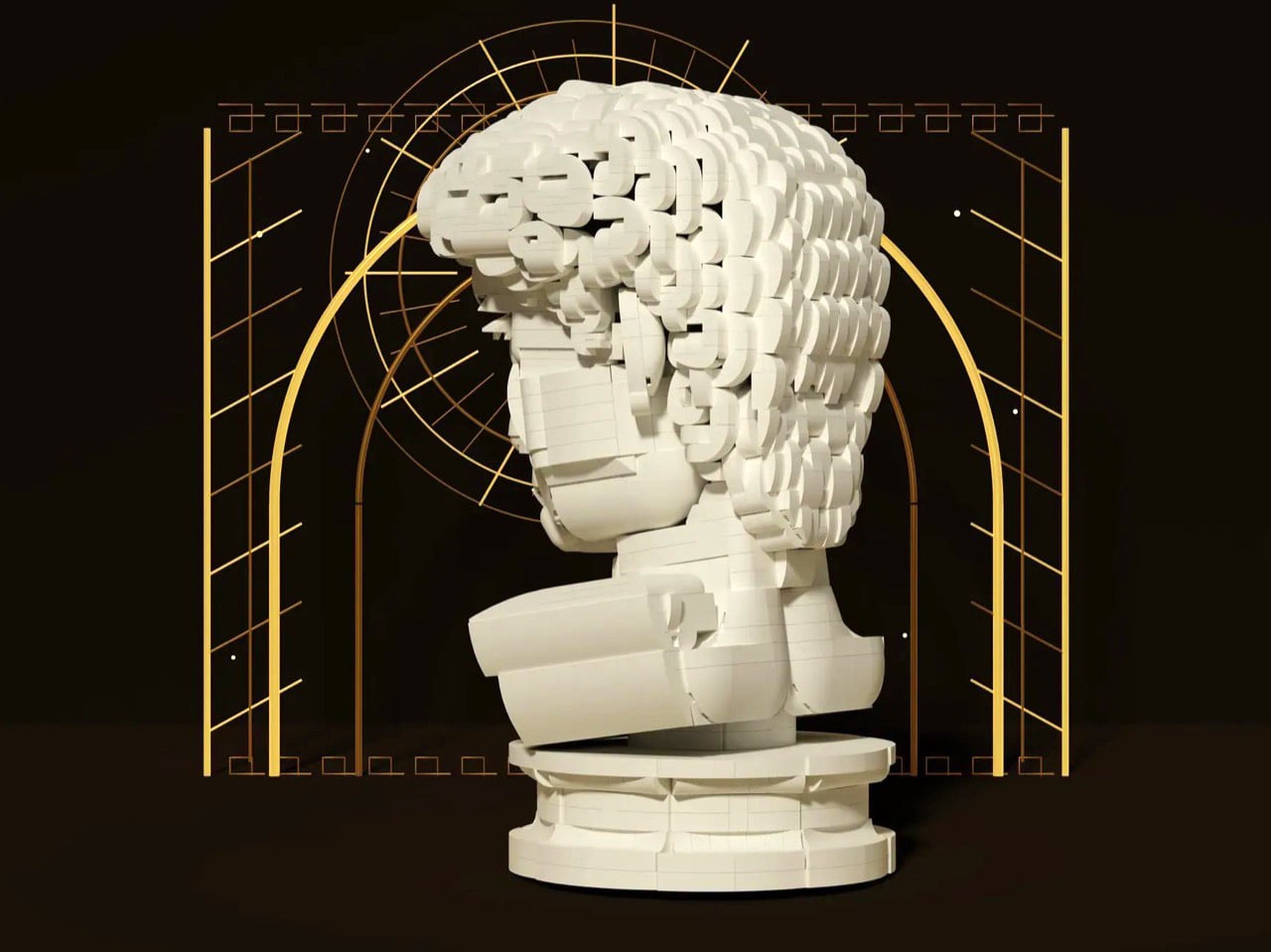
My favorite decision, though, is that the seams stay visible. Ysien could have chased a smooth marble finish and lost, because bricks do not do smooth. Instead he let the geometry become part of the sculpture, so the thing reads as a portrait from across the room and as unmistakable LEGO up close. The eyes get a similar treatment, built from inverted round elements that give David that vacant classical stare, which is a nice accident given the real statue has heart shaped pupils drilled into it. Monochrome white does the rest, forcing every bit of the anatomy to be described by shadow alone. There’s no piece count listed yet, although I wouldn’t be surprised if it was in the high hundreds.


Ysien’s David is currently sitting at just over 400 supporters with 424 days on the clock, which means there is a long road to the 10,000 votes that trigger an official LEGO review. LEGO Ideas is where fan builds get their shot at becoming retail sets, and this one deserves a look. The only thing I’d add is a black variant, because a basalt David would be an absolute menace on a shelf. You can head to the LEGO Ideas page and cast your vote!
The post Michelangelo’s iconic David bust gets recreated in LEGO, turning plastic into sculpted marble first appeared on Yanko Design.
If you ever took a drawing class, you have met this face. Art schools spent about two centuries buying plaster casts of David’s head and parking them on shelves so students could sit there for six hours learning to render a nostril. The Victoria and Albert Museum owns a full size cast of the whole statue, and famously kept a plaster fig leaf on standby in case Queen Victoria dropped by and needed the shock absorbed. So David has been getting copied, shrunk, cast, and occasionally censored for a very long time. Turning him into a toy is not the sacrilege it sounds like. It’s basically the family business.
Which brings us to Ysien, a LEGO Ideas builder who decided the next material in that lineage should be ABS plastic. The build renders David’s head, neck, shoulders and upper chest as a classical bust, entirely in white, sitting on a proper stepped pedestal. No color, no minifigure, no cheeky accessories. Just light and shadow doing all the work, exactly like the plaster casts it descends from.
Designer: Ysien
The hair is the whole reason this MOC (My Own Creation) works. Hair is where sculptors get found out, because faces have anatomy underneath that you can reason your way through, while hair is a mass of overlapping nothing that somehow has to read as soft. Michelangelo’s answer was a tangle of deep drilled curls. Ysien’s answer is a genuinely absurd stack of curved slopes and half arch elements layered at varying depths, so each curl throws its own little shadow instead of flattening into texture. “The hair was one of the greatest challenges, with each curl contributing to the overall silhouette, depth, rhythm, and movement,” he says, which is a very polite way of describing what must have been several evenings of quiet suffering.
My favorite decision, though, is that the seams stay visible. Ysien could have chased a smooth marble finish and lost, because bricks do not do smooth. Instead he let the geometry become part of the sculpture, so the thing reads as a portrait from across the room and as unmistakable LEGO up close. The eyes get a similar treatment, built from inverted round elements that give David that vacant classical stare, which is a nice accident given the real statue has heart shaped pupils drilled into it. Monochrome white does the rest, forcing every bit of the anatomy to be described by shadow alone. There’s no piece count listed yet, although I wouldn’t be surprised if it was in the high hundreds.
Ysien’s David is currently sitting at just over 400 supporters with 424 days on the clock, which means there is a long road to the 10,000 votes that trigger an official LEGO review. LEGO Ideas is where fan builds get their shot at becoming retail sets, and this one deserves a look. The only thing I’d add is a black variant, because a basalt David would be an absolute menace on a shelf. You can head to the LEGO Ideas page and cast your vote!
The post Michelangelo’s iconic David bust gets recreated in LEGO, turning plastic into sculpted marble first appeared on Yanko Design.
Vollebak has never been the kind of brand that plays it safe. Since launching in 2016, the British label has built a reputation for making gear that reads more like science fiction than seasonal fashion. Their products come with essays instead of product descriptions, and their material choices lean toward graphene, solar-charged fibres, and military-grade composites. So when their latest release landed with an acronym for a name and a price tag that could cover a month’s rent in most cities, most of us weren’t entirely surprised. Just a little stunned.
FWAHBL stands for “For When All Hell Breaks Loose.” That’s the actual name. Not a placeholder, not a working title, not a wink-and-nod provocation. The brand looked at the current state of the world and decided the most honest thing they could do was name a jacket after it.
Designer: Vollebak
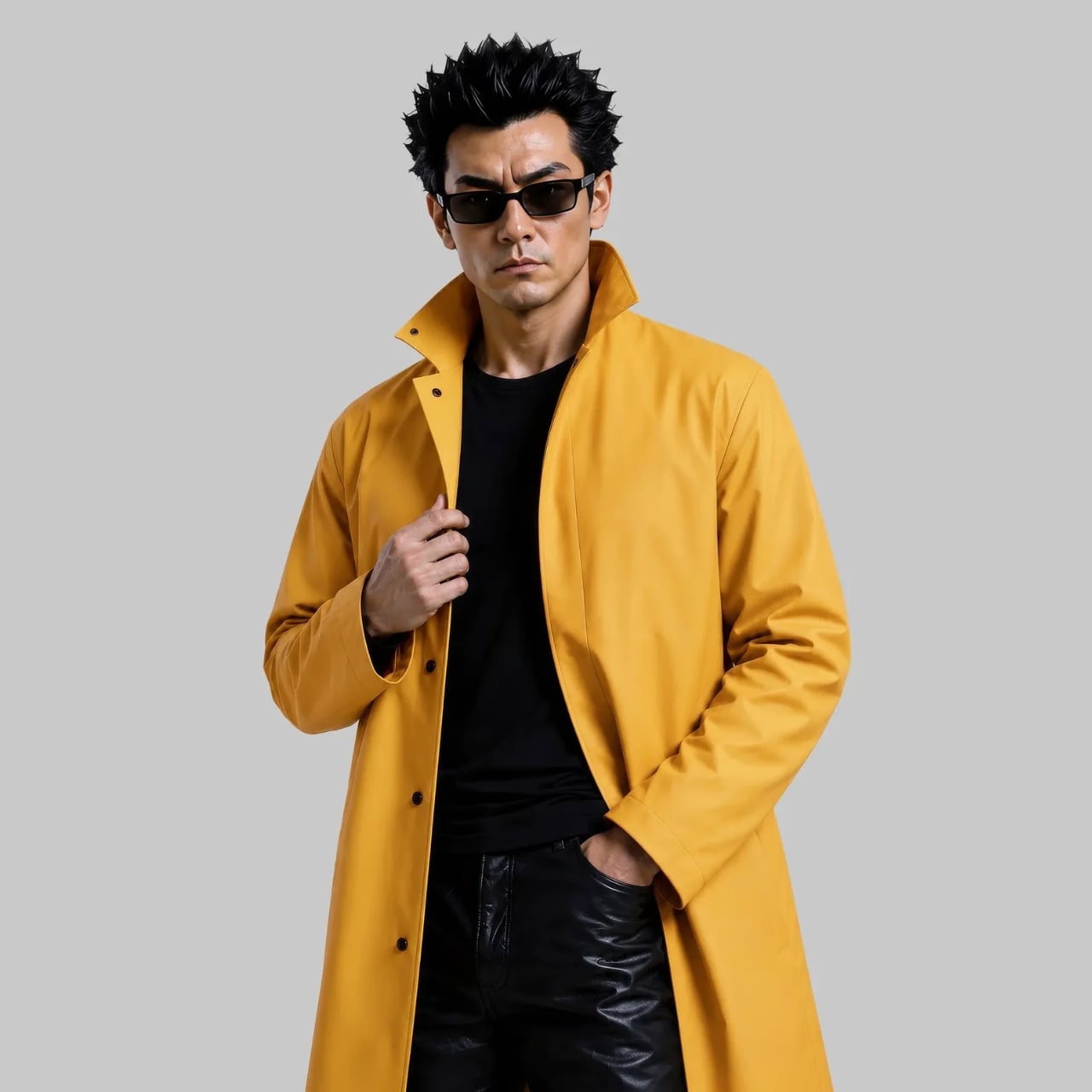
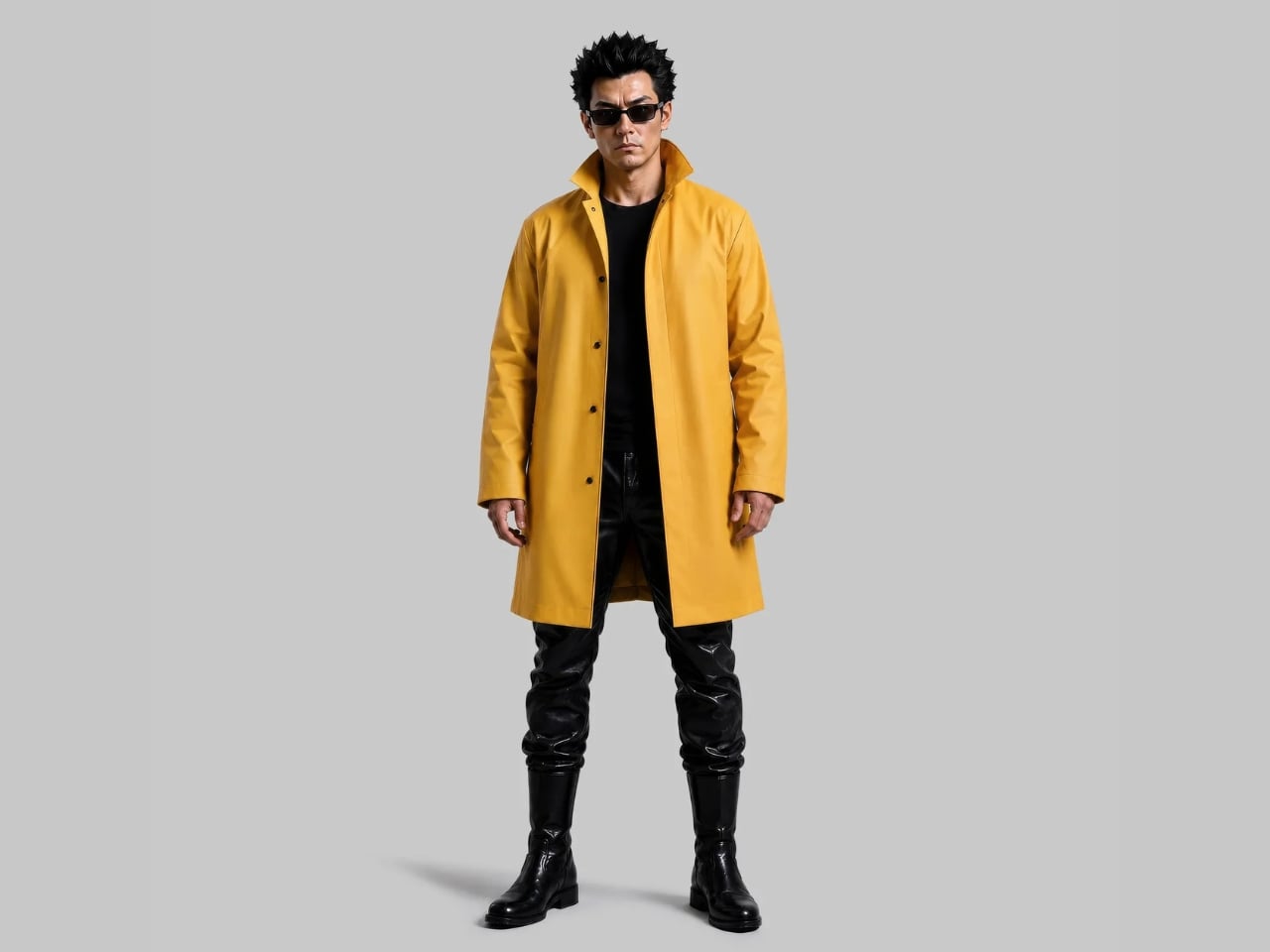
Only 10 of these exist. They’re priced at $3,995. They arrive in retro video game packaging alongside a comic book and a trailer for an upcoming game. The whole thing reads like a fever dream, and yet, once you look at what’s actually inside it, the jacket starts making a strange kind of sense.

The material comes from Fothergill, a British manufacturer that has been producing protective gear for the military since 1847. The fabric is double-faced polychloroprene rubber coated over a woven polyester core, built to resist oils, chemicals, flame, and extreme weather. This isn’t performance wear with a dramatic name slapped on it. The engineering is real, even if Vollebak is quick to clarify that it isn’t certified safety equipment. What it is, they say, is clothing designed for extreme weather and existential dread. I appreciate the specificity.
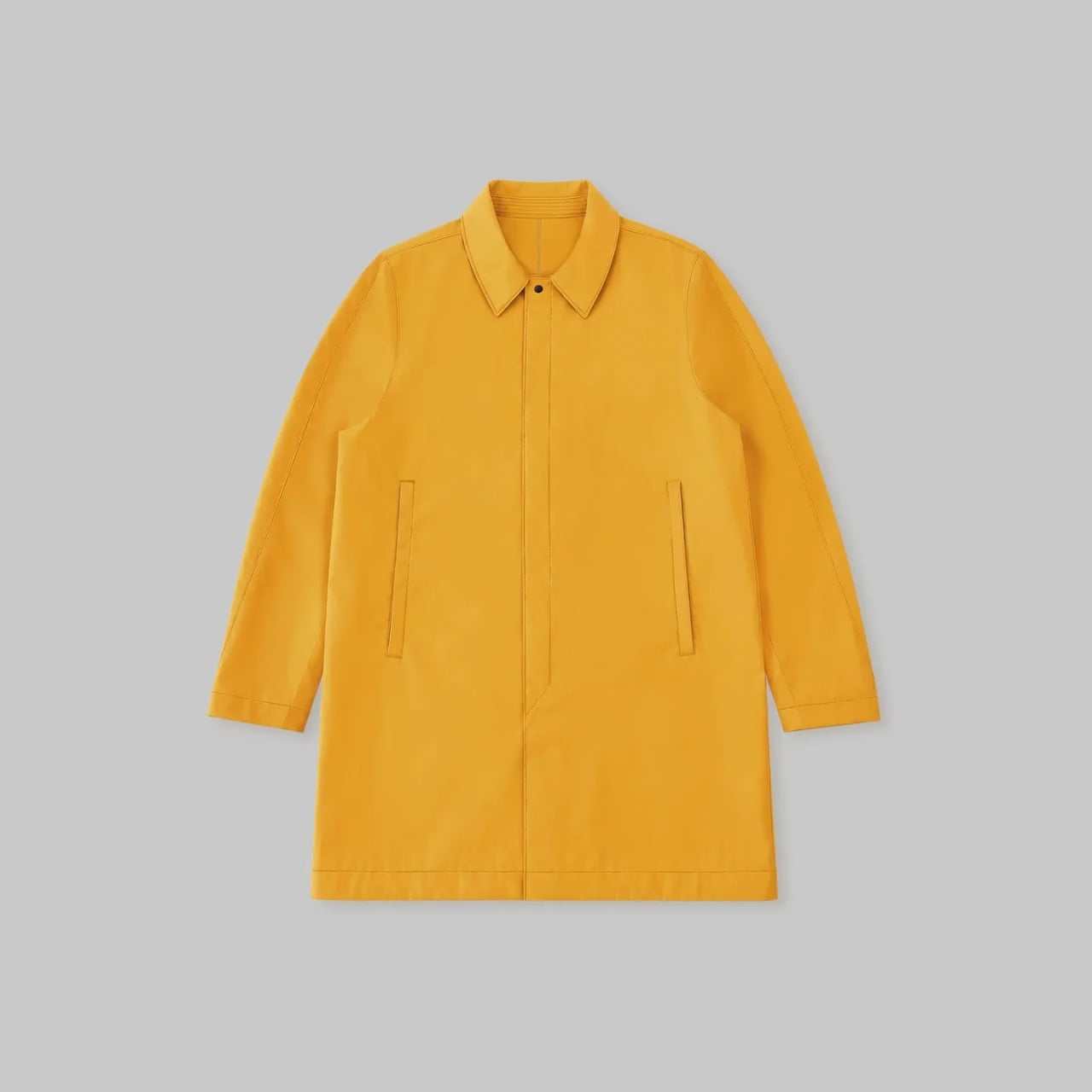
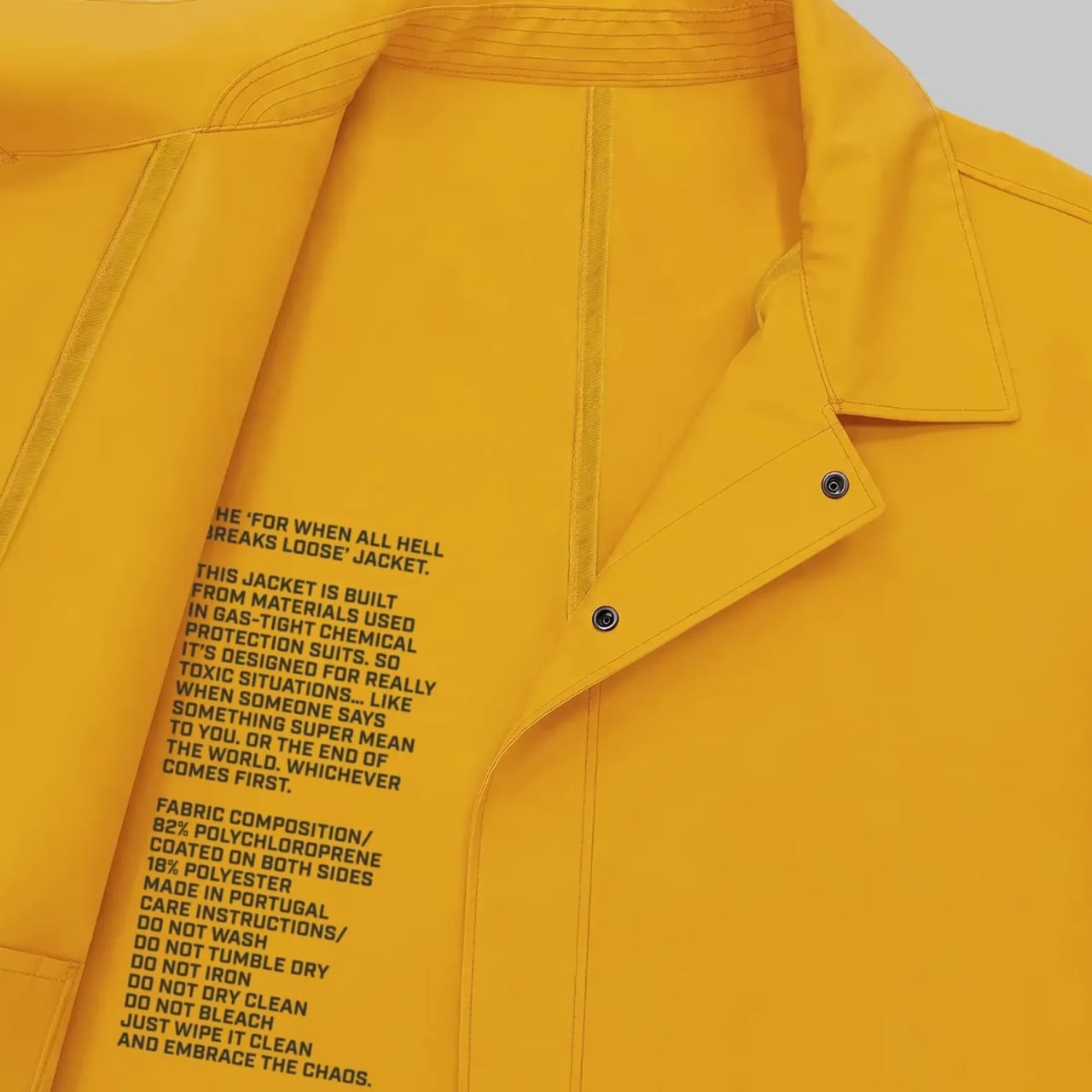
A jacket that could theoretically withstand a chemical spill but comes dressed for a gallery opening is a very particular kind of product. The hazard yellow finish makes it look like something you’d find on a nuclear site inspector who also happens to have excellent taste. It’s alarming and considered at the same time, which feels very intentional. Vollebak’s whole design language leans into that tension, the idea that what we wear should be able to meet us at our worst, not just our most polished.
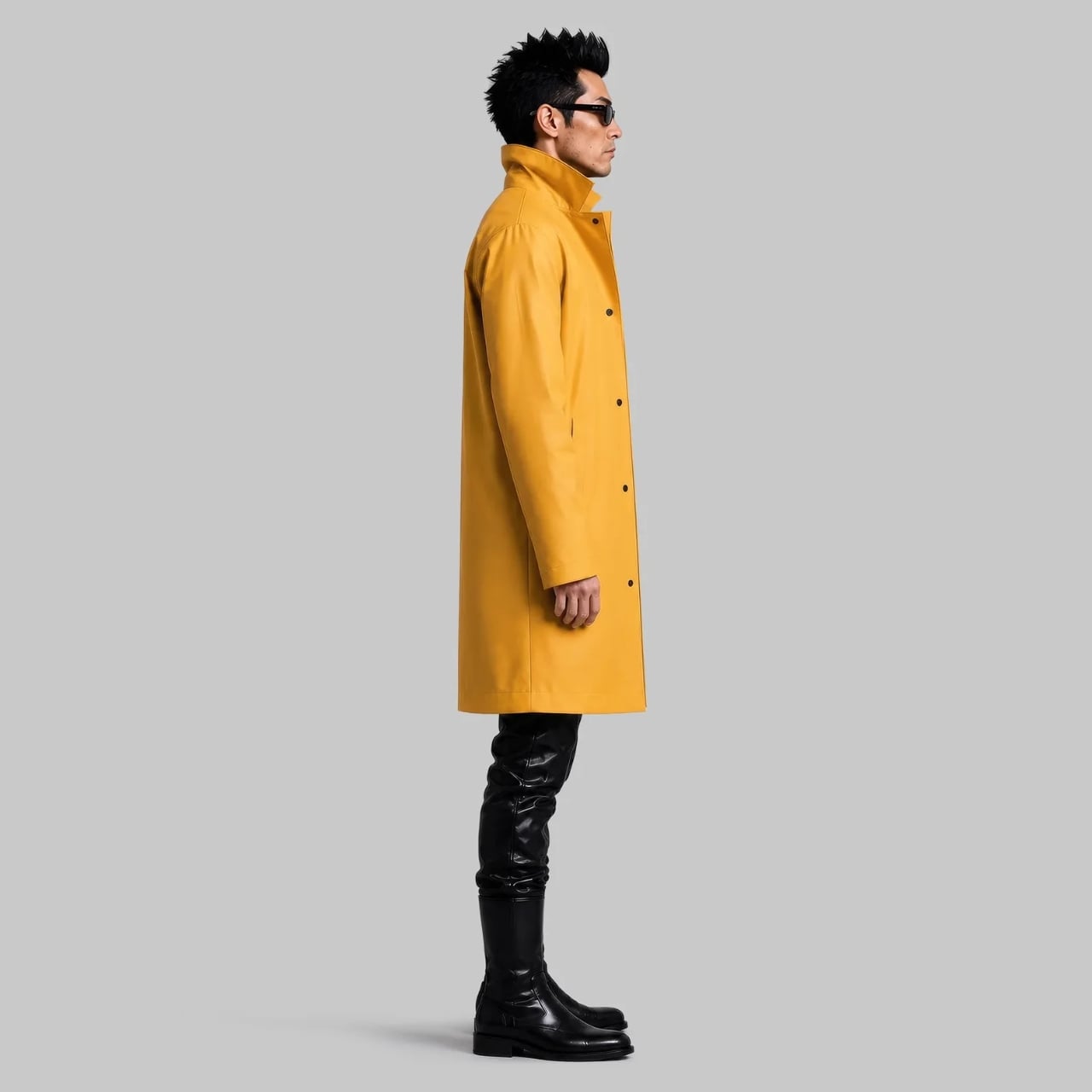
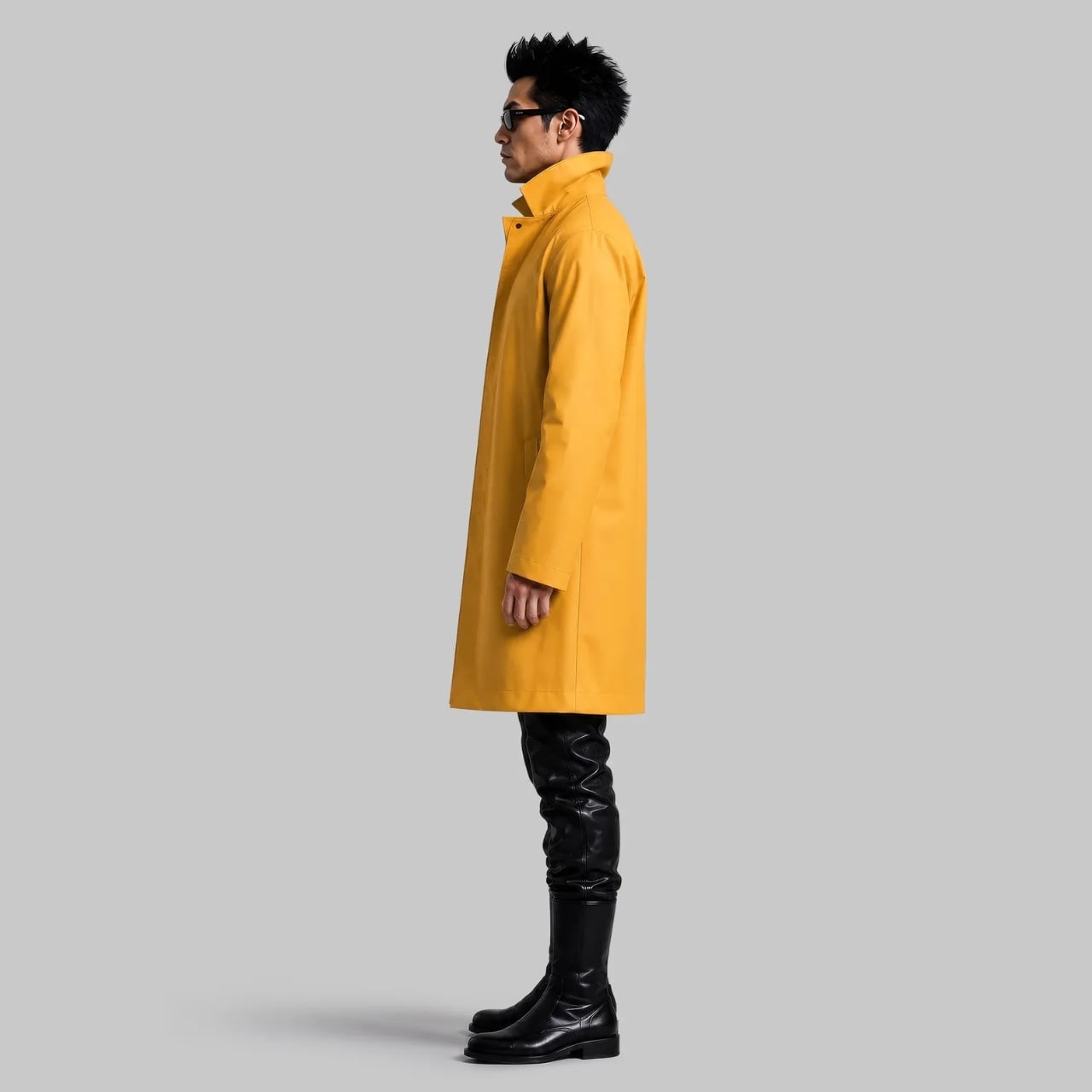
The narrative wrapped around the jacket is what separates it from a typical limited-edition fashion drop. Vollebak didn’t just make a jacket and photograph it on a rooftop. They built a universe: the comic book, the video game, the worldbuilding. The jacket becomes almost secondary to the story it’s trying to tell, which is either a genius move or a complete overreach, depending on how you feel about brands constructing mythology around outerwear. Personally, I find it more compelling than a seasonal lookbook ever manages to be. At least it commits to a point of view.
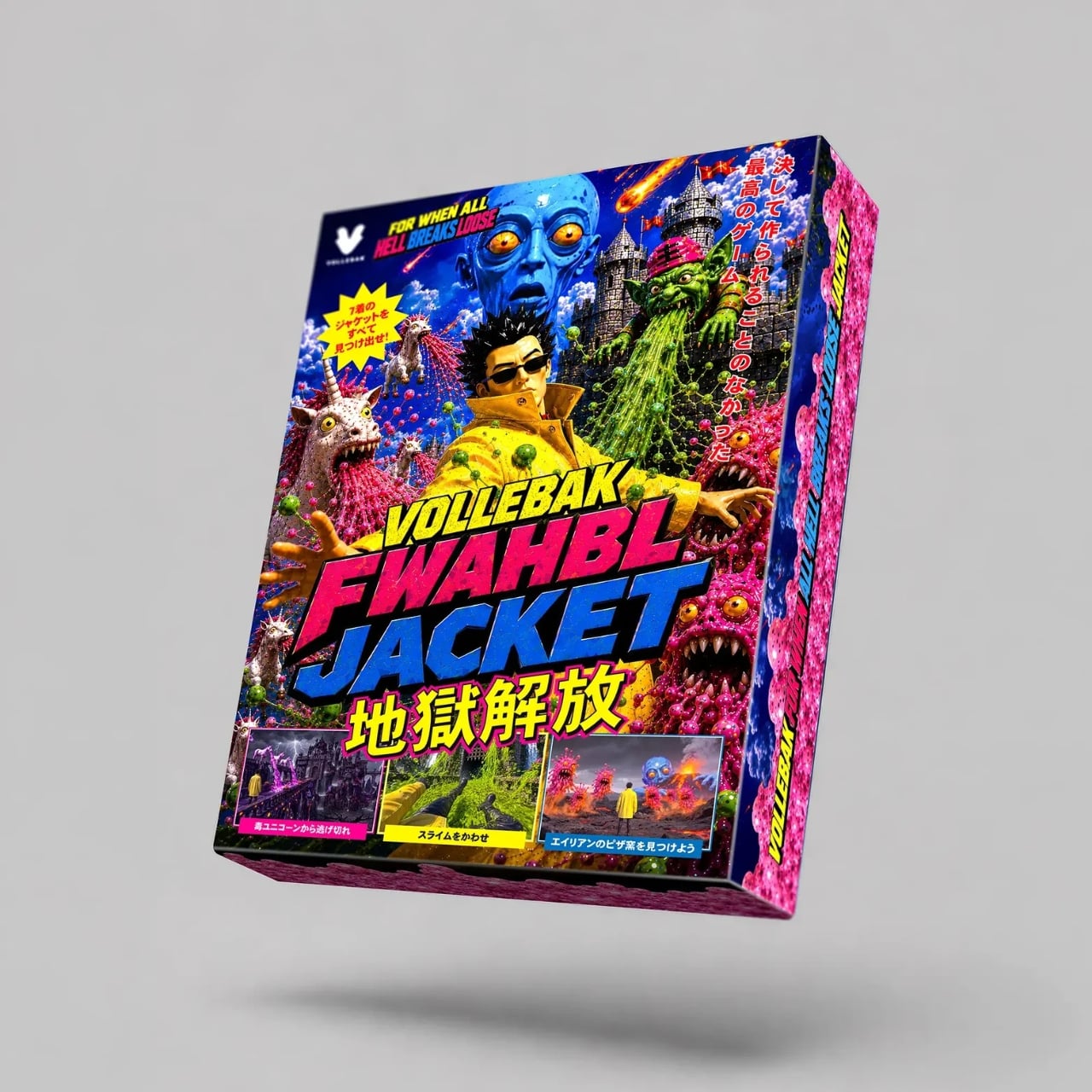
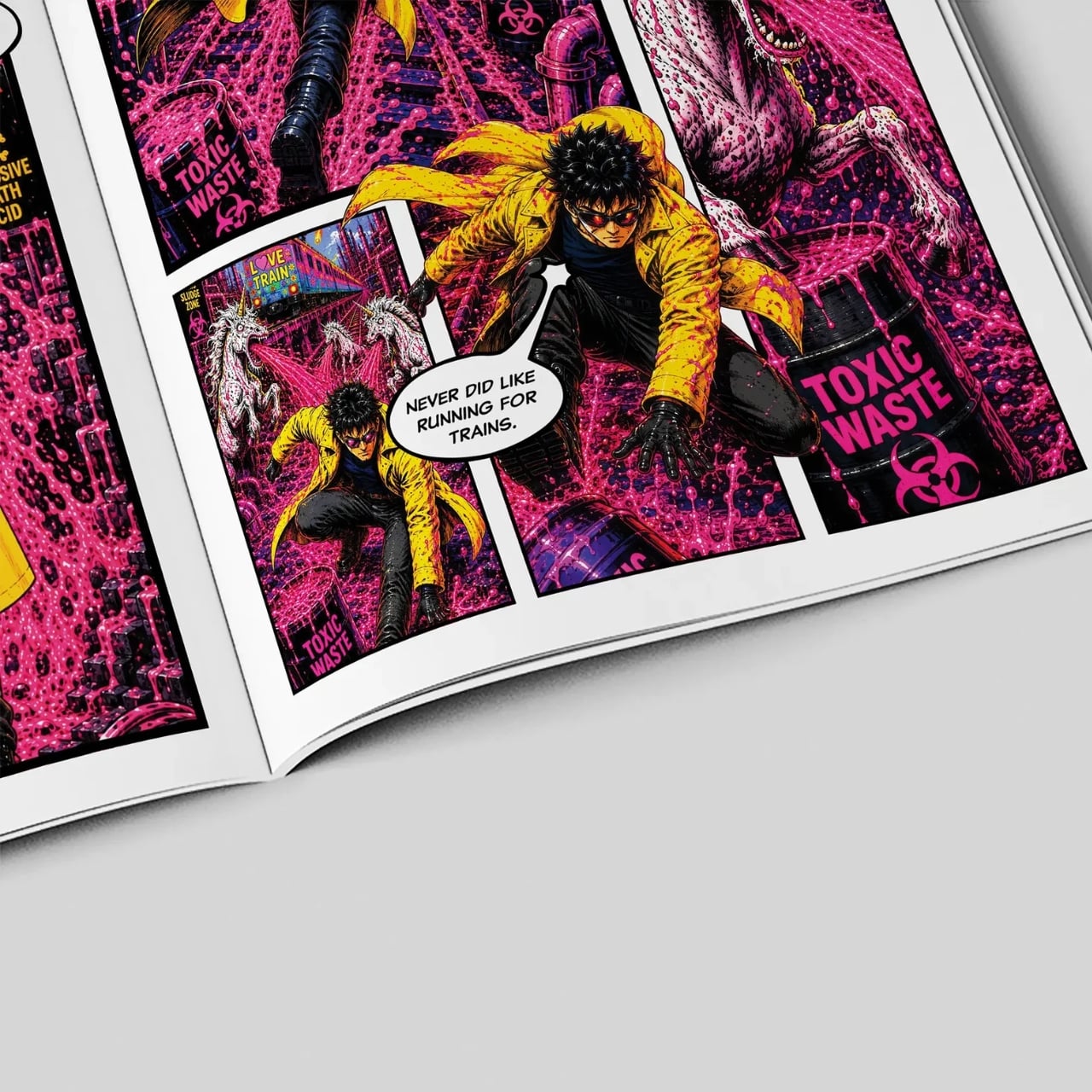
The collectible angle is also hard to ignore. Ten pieces worldwide isn’t a production run. It’s closer to an art edition, which raises the question of who actually buys this. Probably not someone planning to commute in it. Most likely it’s the kind of person who understands that certain objects carry cultural weight beyond their function, the same kind of person who collects a Helmut Lang archive piece or a first-edition sneaker that never touches the ground. Whether we call that fashion, collecting, or very expensive storytelling, the outcome is the same.

Objects that sit at the intersection of design, utility, and narrative have always existed, from limited-run furniture to bespoke motorcycles to museum-acquired concept cars. The FWAHBL Jacket fits that lineage more comfortably than it fits any fashion calendar.

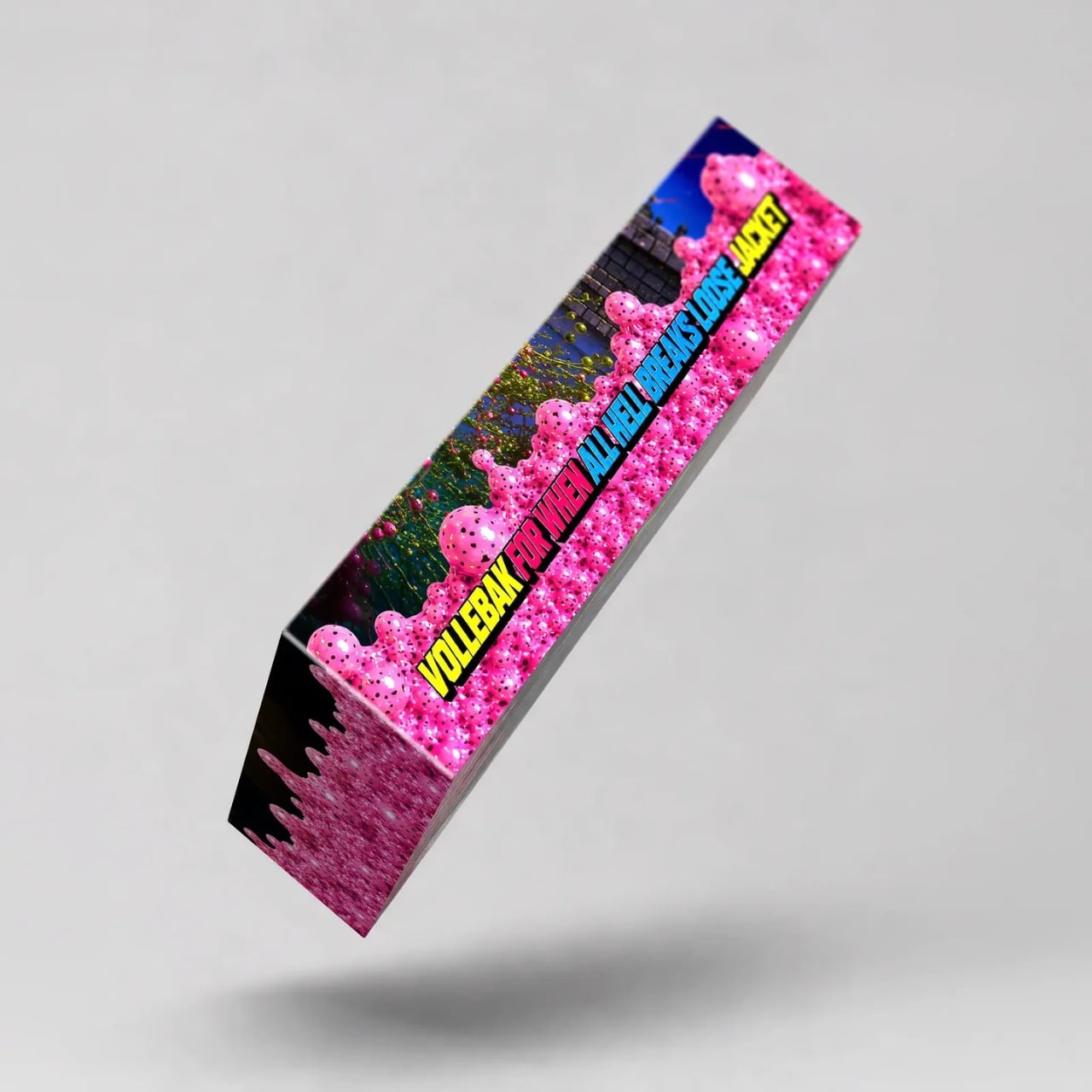
Whether or not you’d wear it, or could, the jacket asks a useful question. How much are we expecting from the things we put on our bodies? Vollebak’s answer has always been: more. More protection, more engineering, more intention. The FWAHBL Jacket takes that philosophy to its logical, slightly unhinged conclusion. A trench coat for the end of things, made by people who clearly hope you never actually need it.

The post Vollebak Made a $3,995 Jacket for the End of the World first appeared on Yanko Design.


Ross Lovegrove has spent his whole career convinced that nature already nailed industrial design and humans are just slow to catch up. His portfolio backs it up fast. The Ty Nant water bottle looks like a puddle caught mid freeze. The DNA Staircase he built for the Belgian Pavilion at Shanghai Expo 2010 spirals like an actual double helix. His Go Chair for Bernhardt Design curves like it was grown in a lab rather than welded together in a factory. Give the guy a chair, a bottle, a staircase, anything, and he finds the organic shape hiding inside it. Speakers are trickier though, since somewhere inside all that flowing curvature you still need drivers, amplifiers, and wiring that behaves itself.
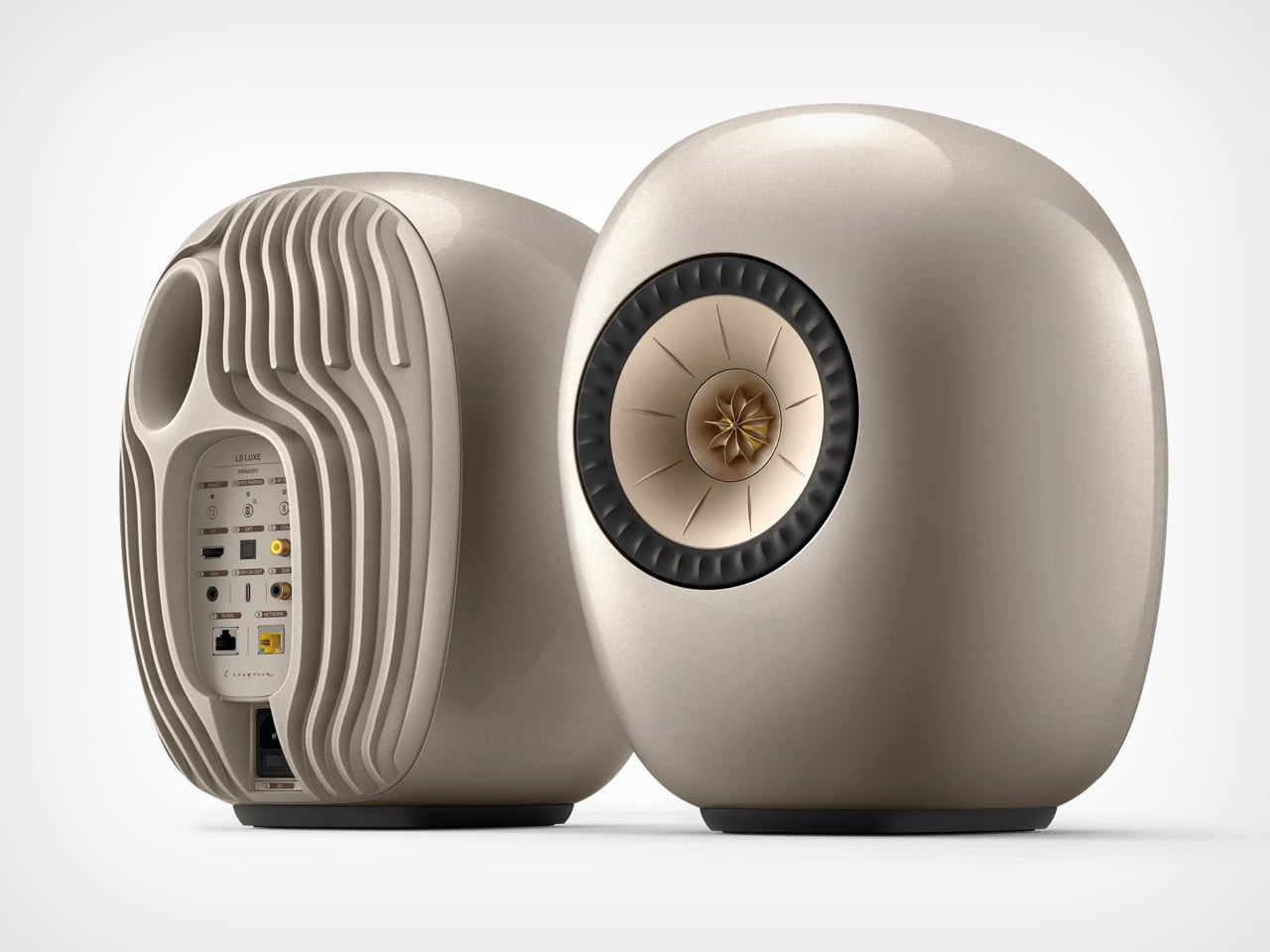
KEF’s new LS LUXE is Lovegrove’s answer, and it is a genuinely convincing one. Picture two smooth pebbles sitting on your shelf, the kind you would find polished at the bottom of a river, except one of them has a gold driver staring back at you like a tiny mechanical flower. The cabinet skips every straight edge in favor of that rounded, water worn shape, finished in shades like Mineral White and Eclipse Black. Spec wise, you get 380 watts of amplification and network streaming up to 384 kHz, all packed into a form that reads more like sculpture than stereo gear. It launched in Asia Pacific at 4,910 US dollars a pair, with US availability and pricing still to come.
Designer: Ross Lovegrove for KEF
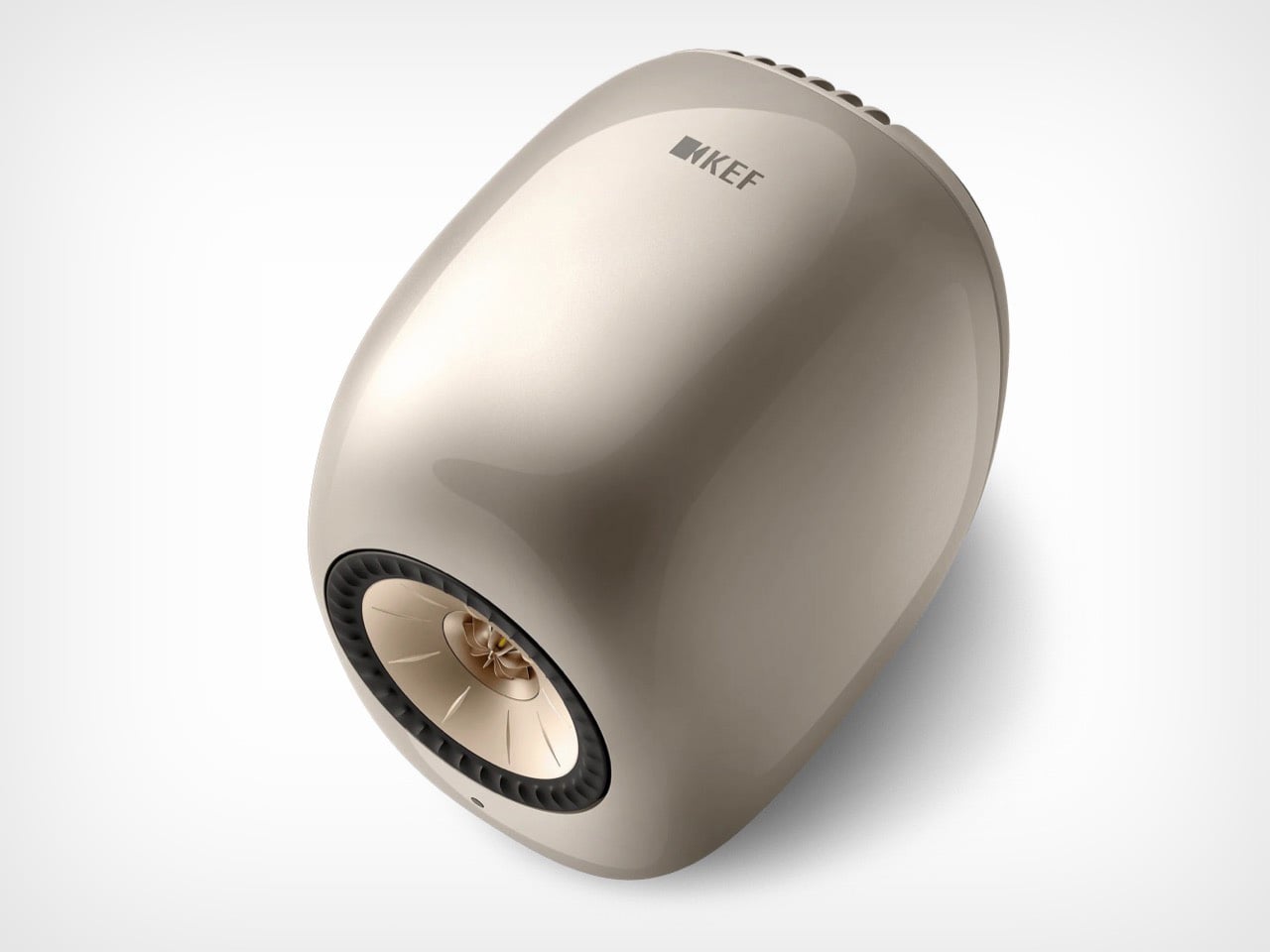
Inside that pebble shaped shell sits KEF’s 12th generation Uni-Q driver array, a 165 mm aluminium cone wrapped around a 25 mm dome tweeter that fires from the exact same point in space. That single point origin is why Uni-Q speakers spread sound evenly instead of beaming it at whoever grabbed the best seat. Behind the driver, KEF’s Metamaterial Absorption Technology claims to soak up 99 percent of unwanted rear sound, the same maze like structure found in flagship lines like the Blade. Two amplifiers split the work, 280 watts for the lows and mids, 100 watts for the highs. That is serious firepower for something the size of a grapefruit.
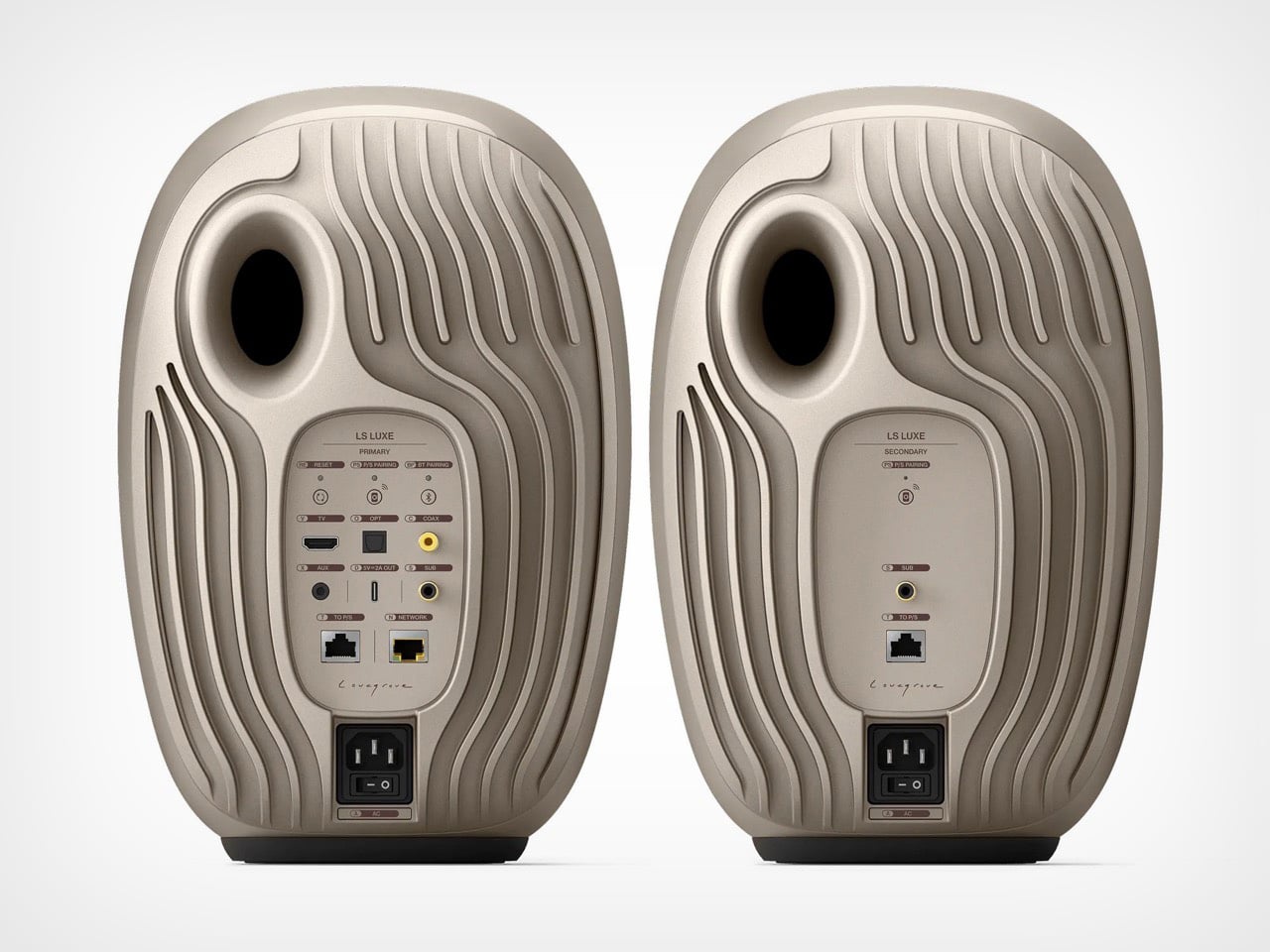
The rear ripples with vertical ribbing like sand under shallow water, broken only by an oval bass port and a connections panel etched with Lovegrove’s own signature. That same engineering ambition carries over to VECO, KEF’s new Velocity Control Technology, debuting here in a wireless speaker for the first time. VECO uses motion sensing feedback to catch distortion and power compression before they turn audible, letting the speaker correct itself in real time rather than waiting for you to notice something is off. Network streaming tops out at 384 kHz, with AirPlay, Chromecast, Bluetooth, and Tidal, Qobuz, and Spotify Connect built in. Roon support is coming too, just not until 2027.
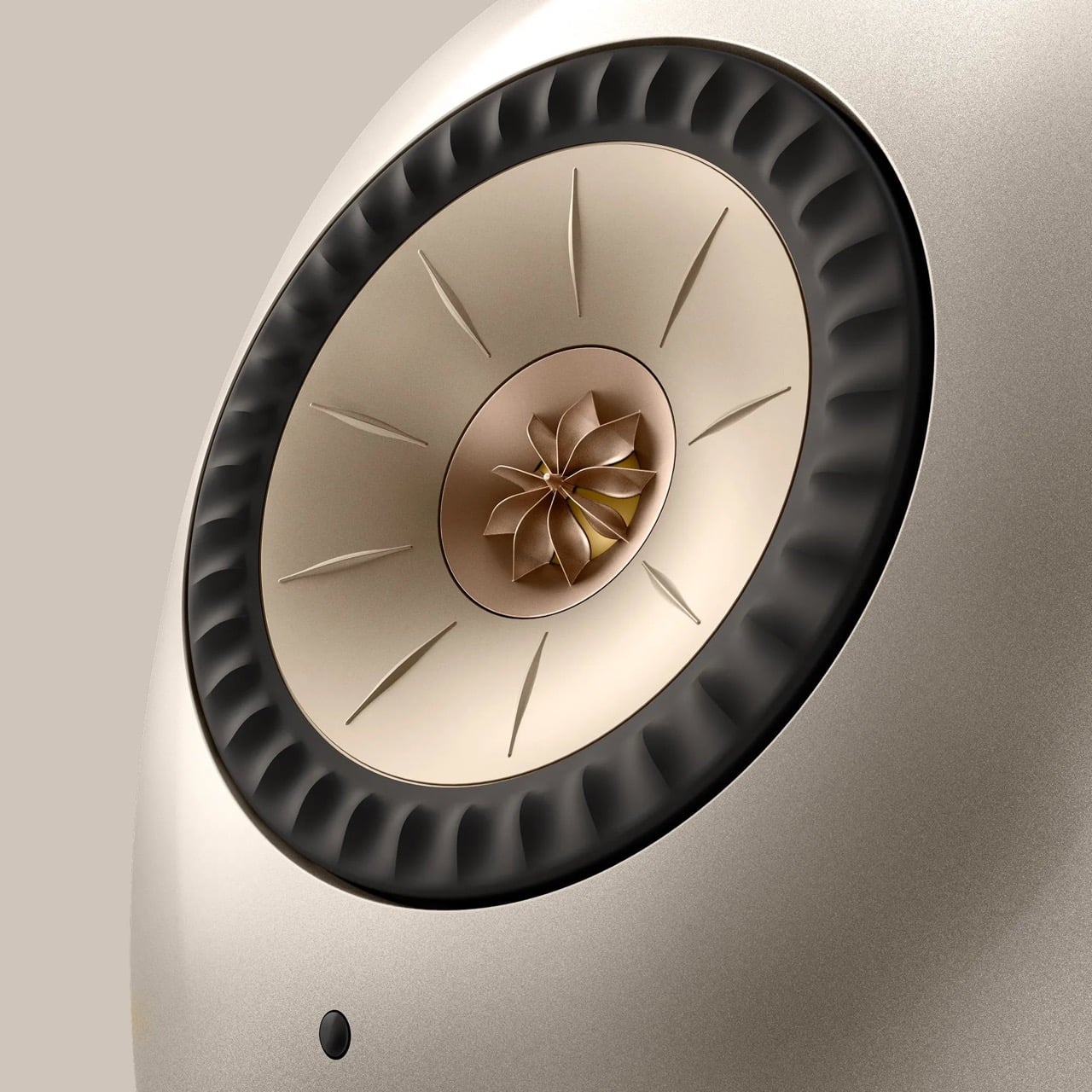
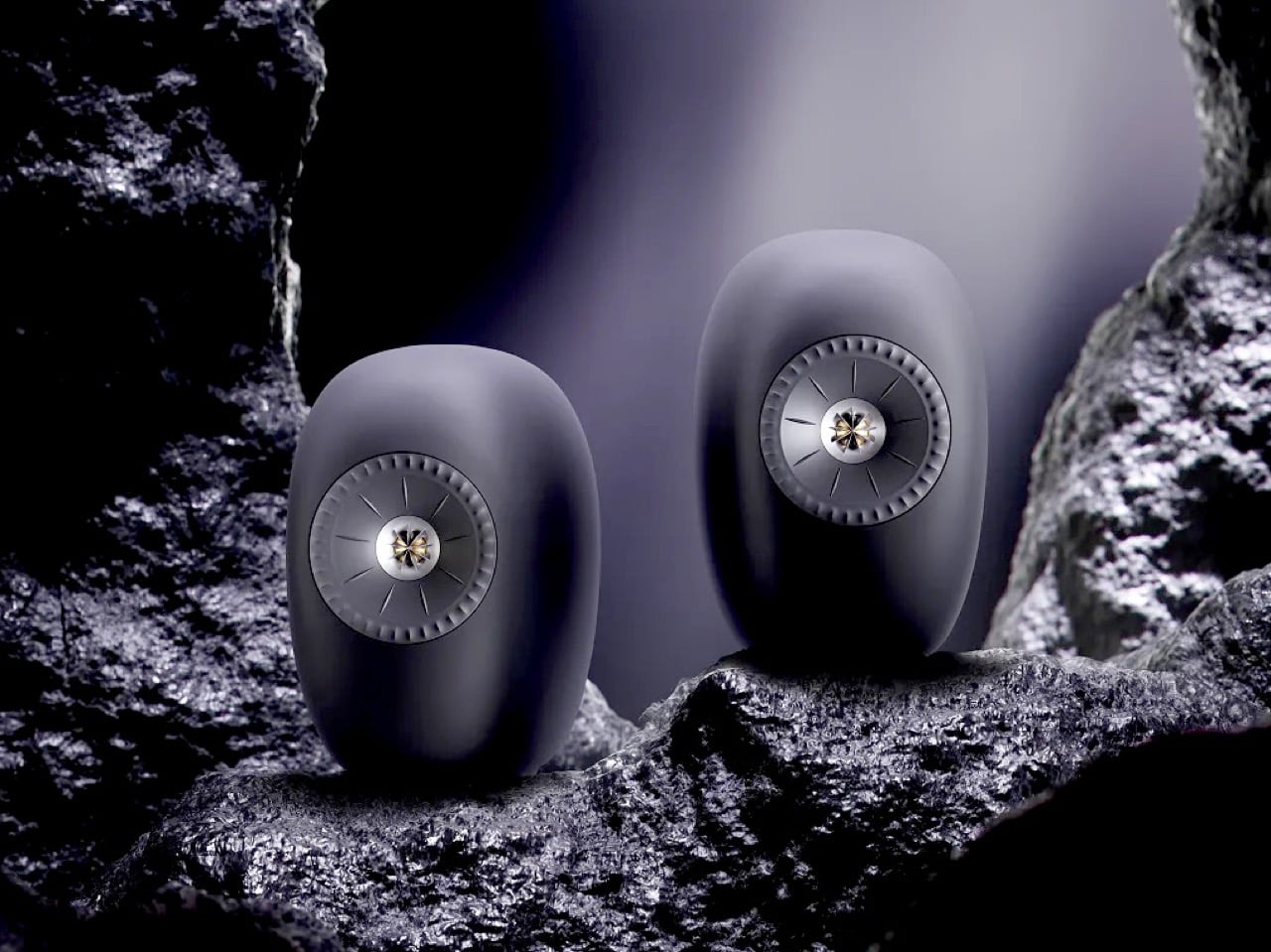
Dusk Titanium, Eclipse Black, and Mineral White are the three finishes on offer, and KEF ties each one back to cymatics, the way sound visibly ripples across a surface, which is a bit much on paper but looks genuinely premium in person. A pair runs 6,299 Singapore dollars, about 4,910 US dollars, with the launch limited to Asia Pacific for now. The US page is live for early access through myKEF membership, though American pricing has not landed yet. Twenty kilos a pair also means double checking that shelf before committing. KEF is betting people will pay a premium for a speaker that looks like it belongs in a gallery instead of a media console.


KEF tried this design forward approach before with the LS50 Wireless II, and the LS LUXE feels like that idea with the leash finally taken off. Where the LS50 stayed rounded but fairly conventional, Lovegrove pushed KEF into a shape that competes with furniture for shelf space instead of hiding next to it. The real test is whether that sculptural ambition holds up once these sit in an actual living room instead of a studio render, since renders always flatter reality. At 4,910 dollars a pair, this is priced for people who already care about hi-fi and design in equal measure, not newcomers to either. Lovegrove has spent a career getting objects into museums. Whether the LS LUXE joins them or just earns a very nice shelf, KEF has made sure nobody mistakes it for furniture nobody asked for.

The post Ross Lovegrove’s Hi-Fi Speakers Look Like River Pebbles, Stream 384 kHz Audio first appeared on Yanko Design.