Apple introduces age verification for iCloud accounts in the UK

Apple has introduced more than just new features, like an AI playlist generator, with iOS 26.4 in the UK. The company now requires users in the region to verify their ages and to prove they’re 18 years old or above before they can access “certain services or features, or take certain actions on their account.” Users can verify their ages in Settings by linking a credit card to their account or scanning an ID. For people who’ve had an Apple account for a while, the company will check if they already have a payment method on file that can prove they’re of age.

The company says it will automatically switch on its Web Content Filter and Communication Safety features for everyone under 18 and for those who haven’t verified their ages. These tools are integrated into Apple’s operating systems and can restrict users from accessing specific websites on Safari and third-party browsers, as well as warn users when they’re receiving or sending images and videos containing nudity.

Ofcom, the UK’s communications regulator, praised Apple for the decision, especially since it’s not required to implement age verification for the iOS or its App Store under the region’s Online Safety Act. “Apple’s decision that the UK will be one of the first countries in the world to receive new child safety protections on devices is a real win for children and families,” the regulator said. “Our rules are flexible and designed to encourage innovation, particularly in age assurance. We've worked closely with Apple and other services to ensure they can be applied in a variety of contexts in order to ensure users are protected. This will build on the strong foundations of the Online Safety Act, from widespread age checks that keep young people away from harmful content, to blocking high-risk sites and stepping up action against child sexual abuse material.”

This article originally appeared on Engadget at https://www.engadget.com/big-tech/apple-introduces-age-verification-for-icloud-accounts-in-the-uk-115340237.html?src=rss

RIP Sora: Why OpenAI Just Pulled the Plug on Its Hyped Video AI

RIP Sora: Why OpenAI Just Pulled the Plug on Its Hyped Video AI OpenAI announcement screen showing Sora video features discontinued and the Sora API retired as the company shifts priorities.

OpenAI’s decision to discontinue Sora, its AI-driven video generation platform, highlights a shift in the company’s strategic focus. Matt Wolfe explains that Sora’s high computational demands and limited scalability made it difficult to sustain alongside OpenAI’s broader objectives. By retiring Sora and its APIs, OpenAI is reallocating resources to more widely adopted offerings like ChatGPT […]

The post RIP Sora: Why OpenAI Just Pulled the Plug on Its Hyped Video AI appeared first on Geeky Gadgets.

Posted in Uncategorized

The 5 Best Furniture Designs of March 2026

March brought the kind of furniture that doesn’t need to announce itself. A student chair that shifts between sitting and lounging through physics alone. A coffee table whose legs look like they’re caught mid-step toward the door. A stool that opens from flat with a single press and no tools required. An office system built to reconfigure whenever the day asks for something different. A footstool that handles posture quietly, without making it your problem to manage.

What connects these five pieces isn’t a shared material or a shared aesthetic. What connects them is the absence of excess. Each one solves something real, and each one does it without layering on complexity to get there. That kind of restraint is harder to land than it looks. Most furniture design in 2026 is reaching for the new, for the bold, for the statement piece. These five reach for the right answer instead, and find it.

1. Tilt Chair
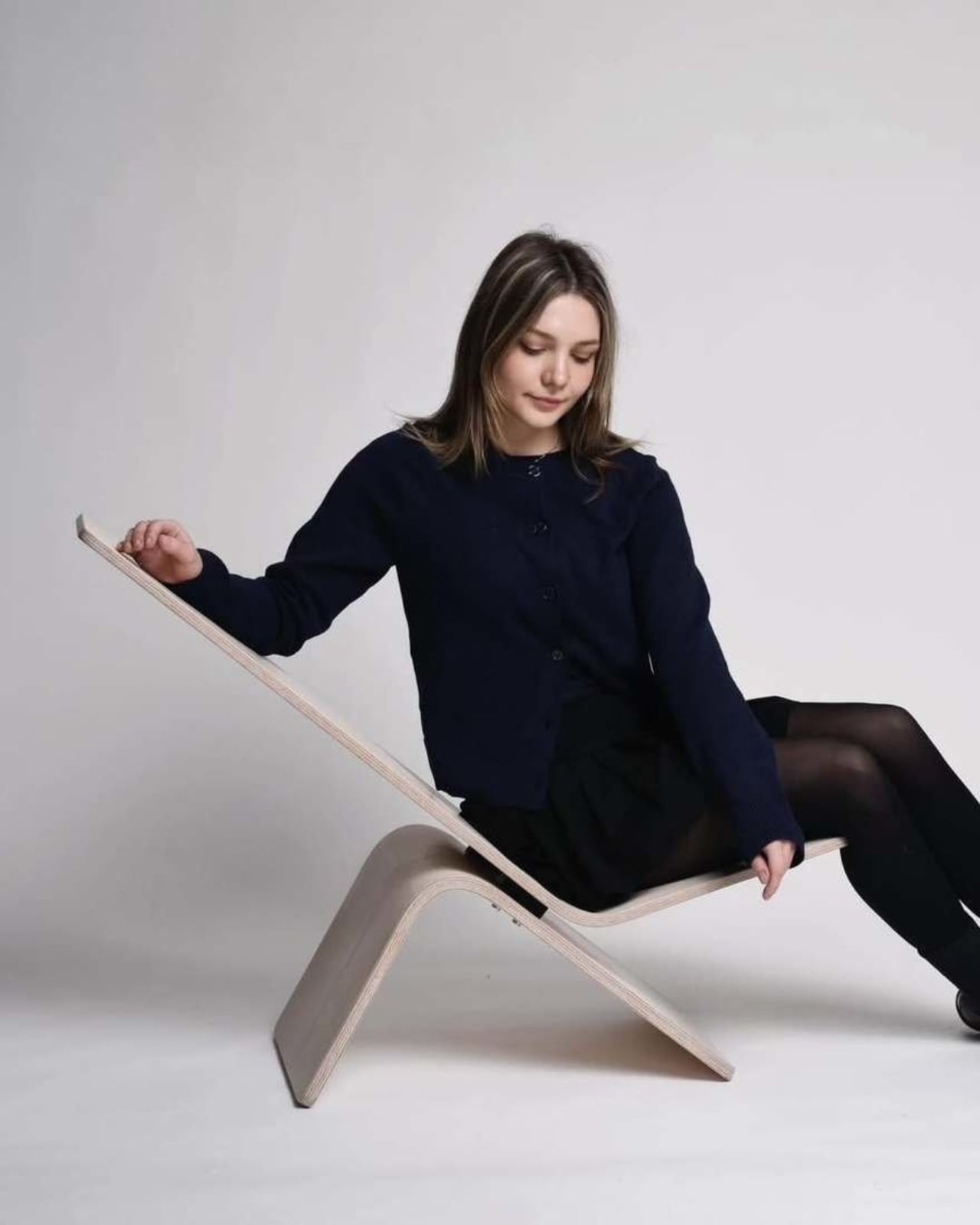
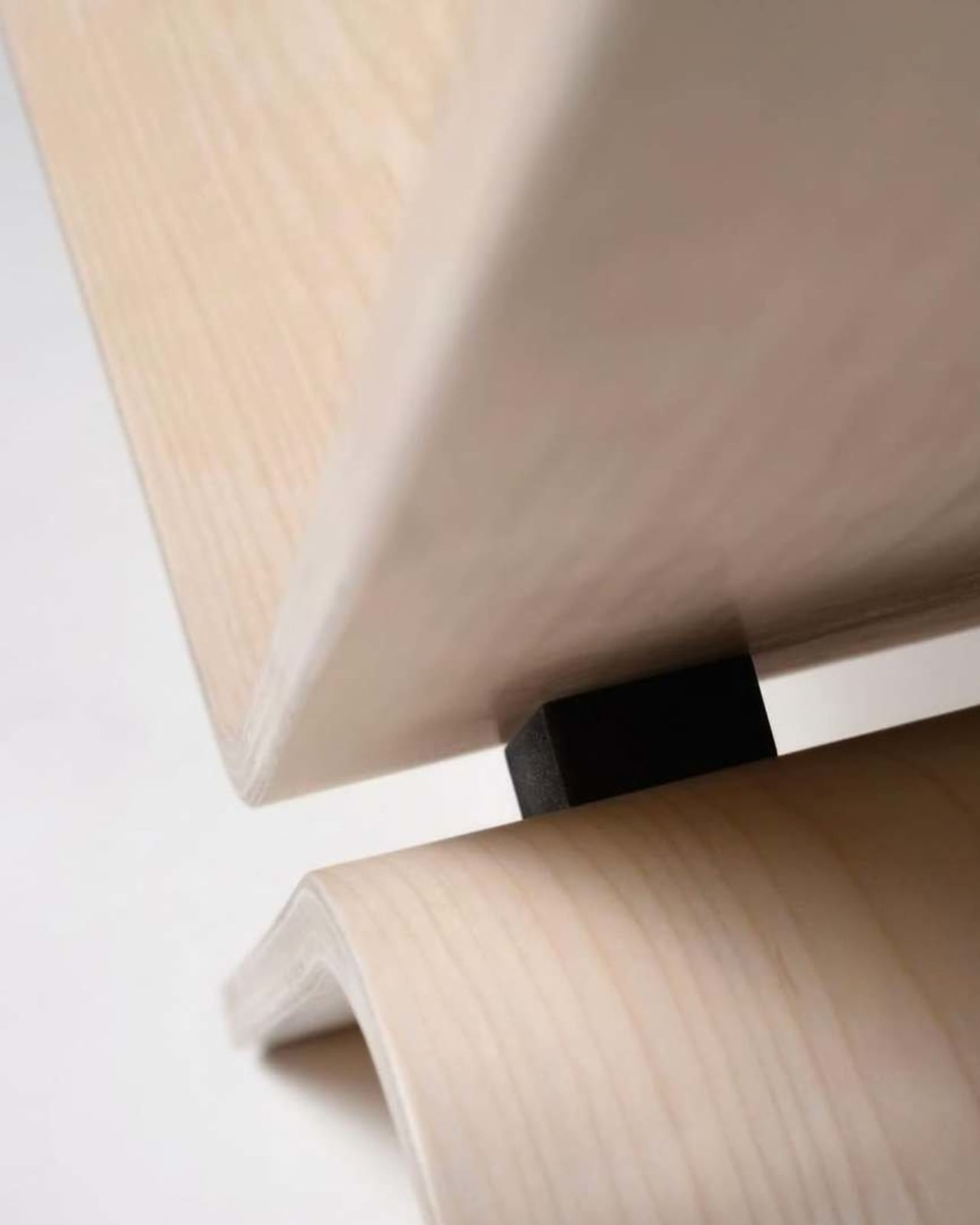
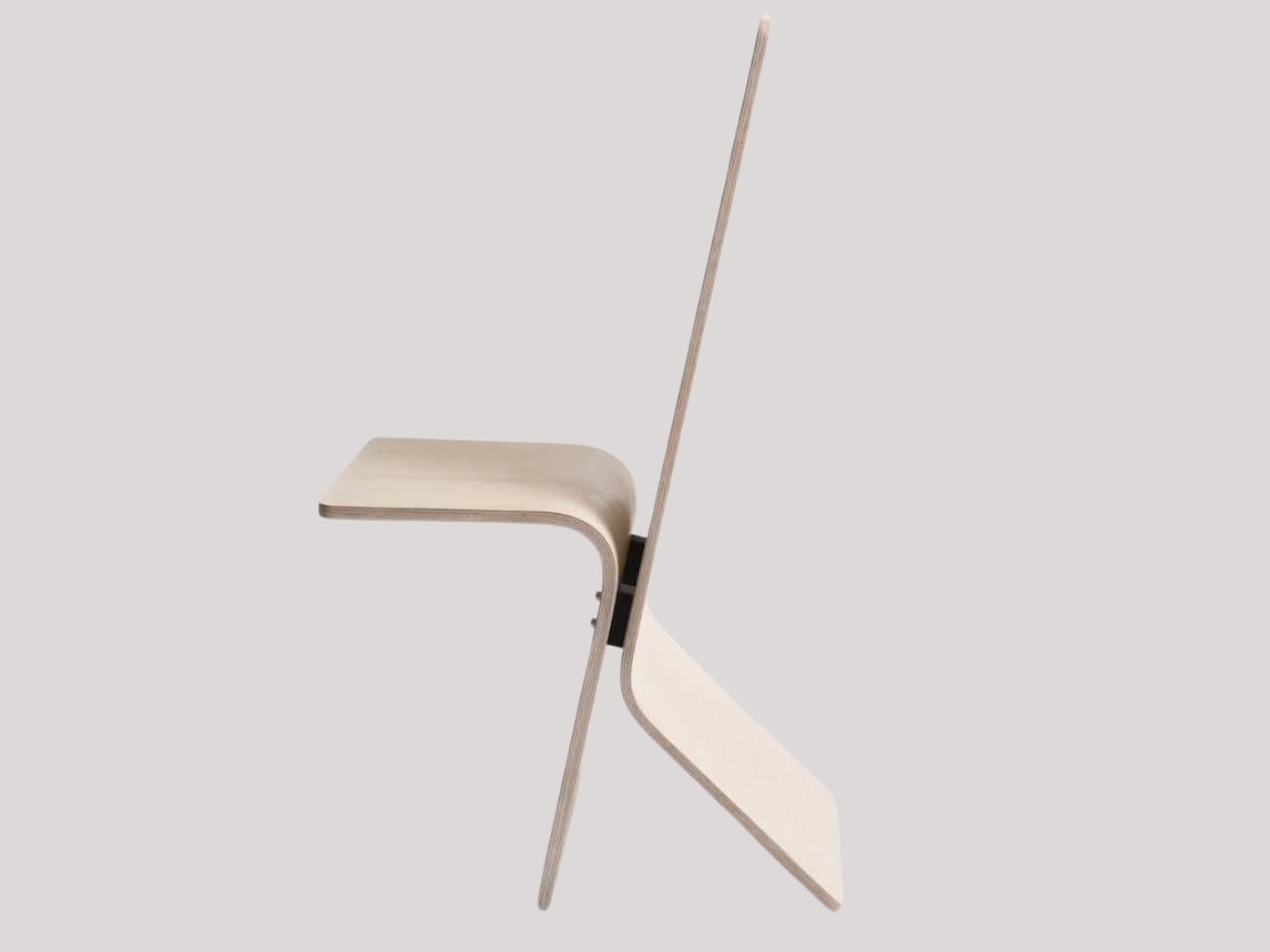
Manuela Hirschfeld is an industrial design student at Germany’s Hochschule Pforzheim, and her Tilt chair does exactly what the name suggests. Built from bent plywood, it shifts between upright and reclined with a single forward tilt. No levers, no hardware, just physics and balance. The restraint here is rare for student work. Most student designs reach for the complex or the speculative. Tilt strips everything back until the idea stands entirely on its own.

What makes it genuinely useful is how naturally it handles the shift between focused work and winding down. Most chairs make you choose one mode and stay there. Tilt lets your body make that call instead. Lean it forward, and the geometry changes. The bent plywood keeps it light and easy to move, so it works as well in a small apartment as it does in a studio or home office.

What We Like

  • No mechanical parts means nothing to replace or service over time
  • Dual function in a single lightweight form, no extra hardware needed

What We Dislike

  • The minimal plywood aesthetic may feel too sparse for warmer, more layered interiors
  • May not offer enough firm back support for users who need a fixed, stable position

2. Barefoot Collection
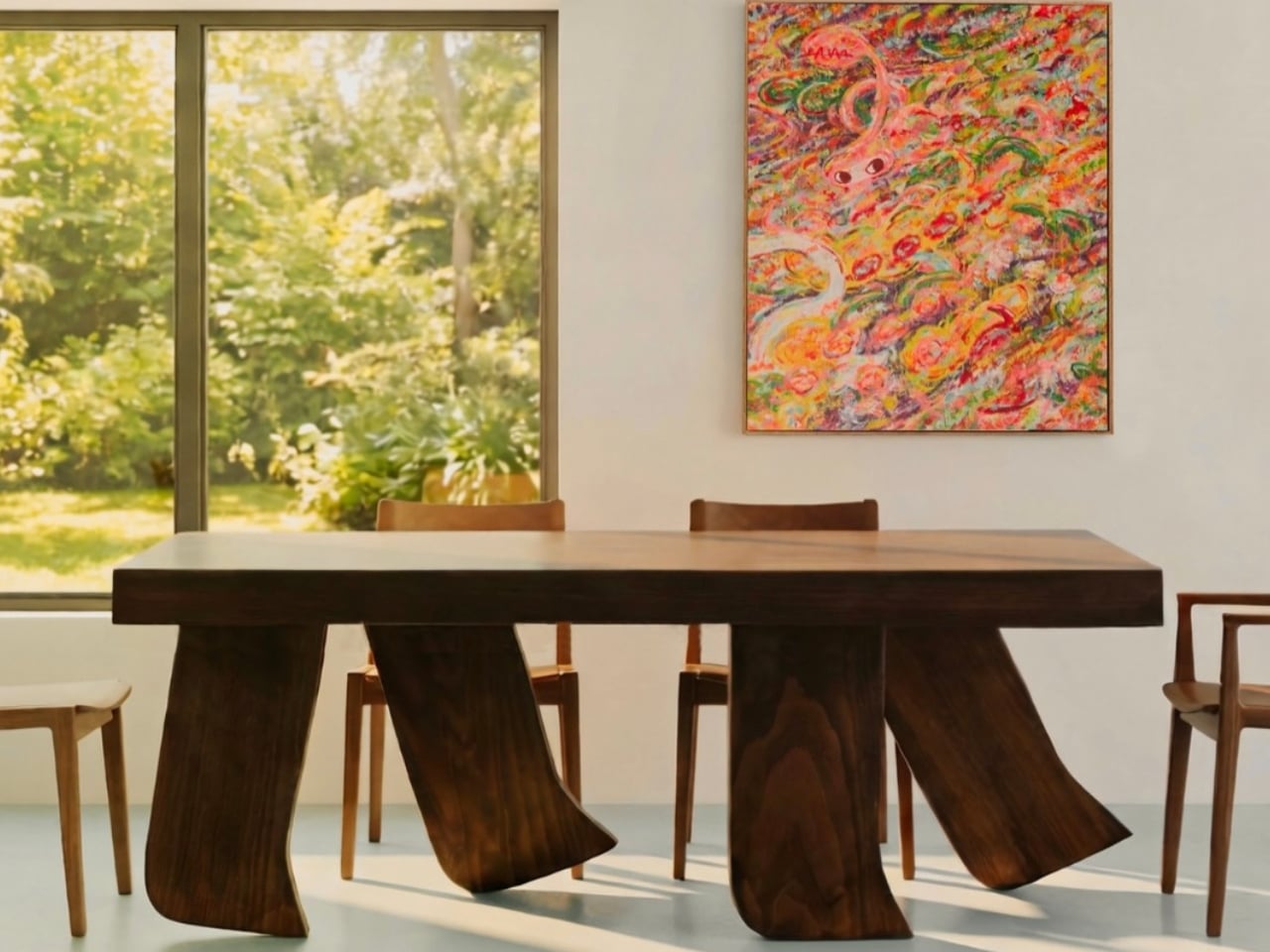
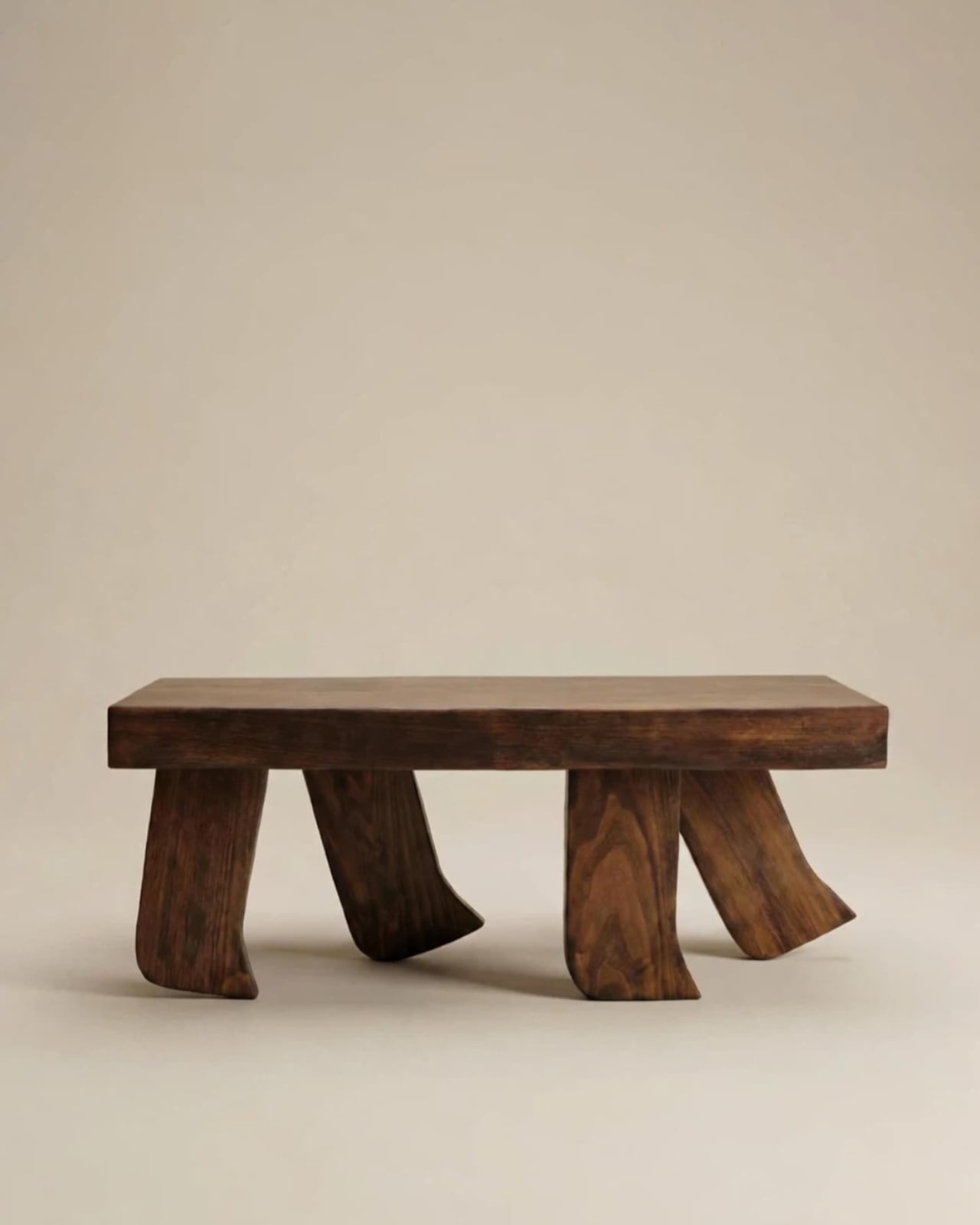
The Barefoot Collection started with a single image: a coffee table that looks like it’s walking away. The legs are carved from solid wood to simulate the arc and flex of a bare foot mid-step, while the tabletop stays completely flat and rectilinear. Stillness above, motion below. That contrast is the whole point, and it works better than it has any right to. The piece reads as coherent long before it reads as clever.

What you actually get is a coffee table that functions without apology and sparks a real conversation without ever trying to. Set a cup on it and forget the concept entirely. Then a guest walks in, does a double-take, and suddenly the room is talking. Most concept-led furniture exhausts you after a few weeks. Barefoot earns its place by being genuinely useful first and genuinely interesting second. That’s always the right order.

What We Like

  • Solid wood construction gives it real longevity, well beyond its visual appeal
  • Works as a fully functional surface while quietly holding a strong point of view

What We Dislike

  • The sculpted legs make it difficult to pair with more conventional, straight-lined furniture
  • The level of craft involved likely puts it at a higher price point

3. Press Stool
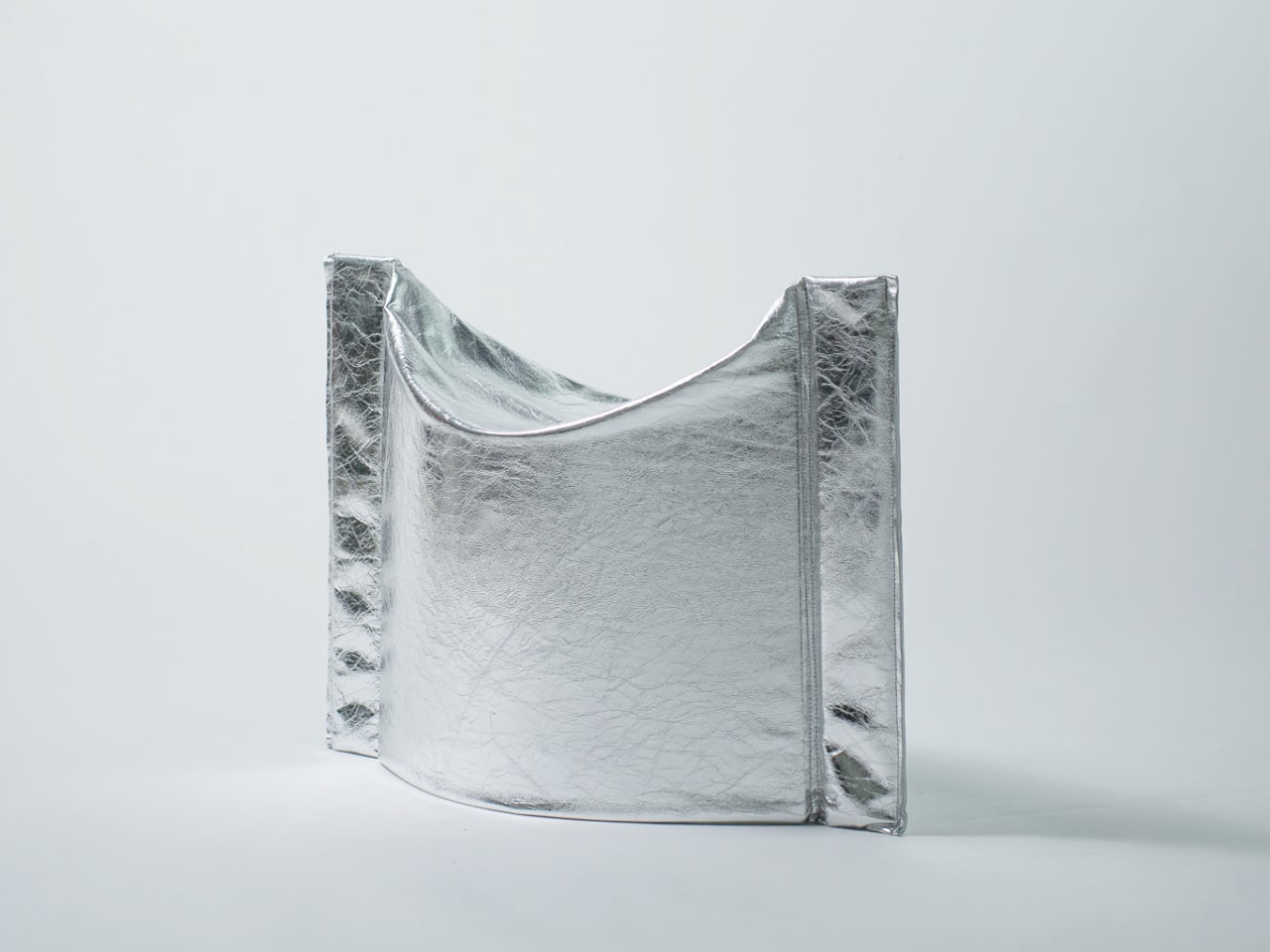
The Press Stool borrows its structural logic from folded paper. A flat sheet has no load-bearing strength, but fold it, and the forces redistribute across the geometry. Crease it further, and the form resists compression. That principle does all the work here. In its flat state, it collapses into a wide oval with a crinkled metallic silver surface that lands somewhere between industrial foil and fabric. One press and it opens. No legs, no bolts, no tools.

For anyone in a small apartment, it solves a storage problem while putting something worth looking at in the room. It ships flat, weighs little, and can slide under a bed or lean against a wall when it isn’t needed. Most fold-flat furniture looks like a compromise. The Press Stool looks intentional. The crinkled surface and gathered folded ends give it a presence that holds up even when it’s closed.

What We Like

  • Ships and stores completely flat, ideal for smaller homes and tight living spaces
  • No assembly required, the folded form does all the structural work

What We Dislike

  • The metallic silver finish is a strong statement that won’t suit every interior palette
  • Load capacity may be more limited compared to stools with conventional structural frames

4. Kylinc Modular Office System
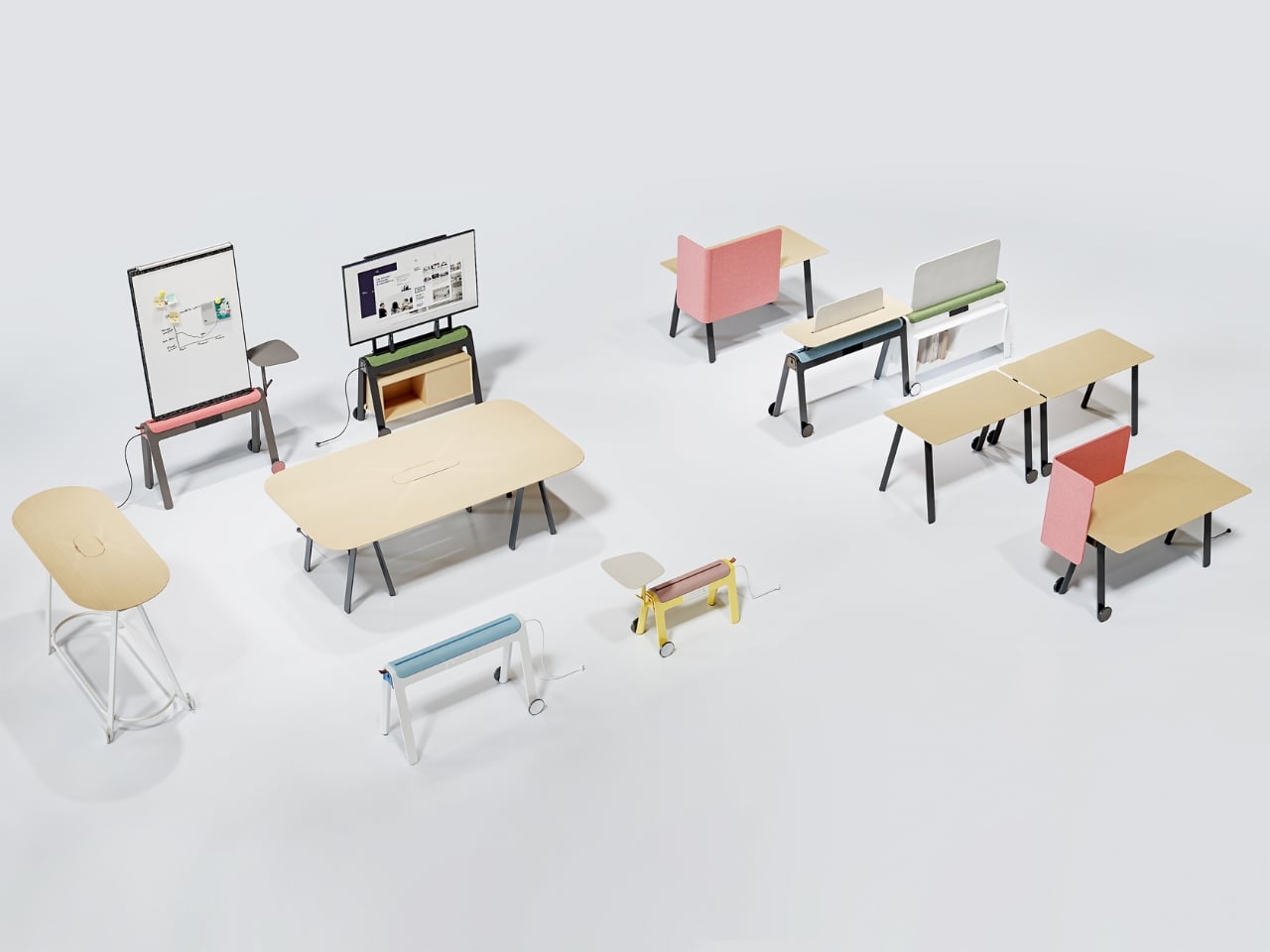
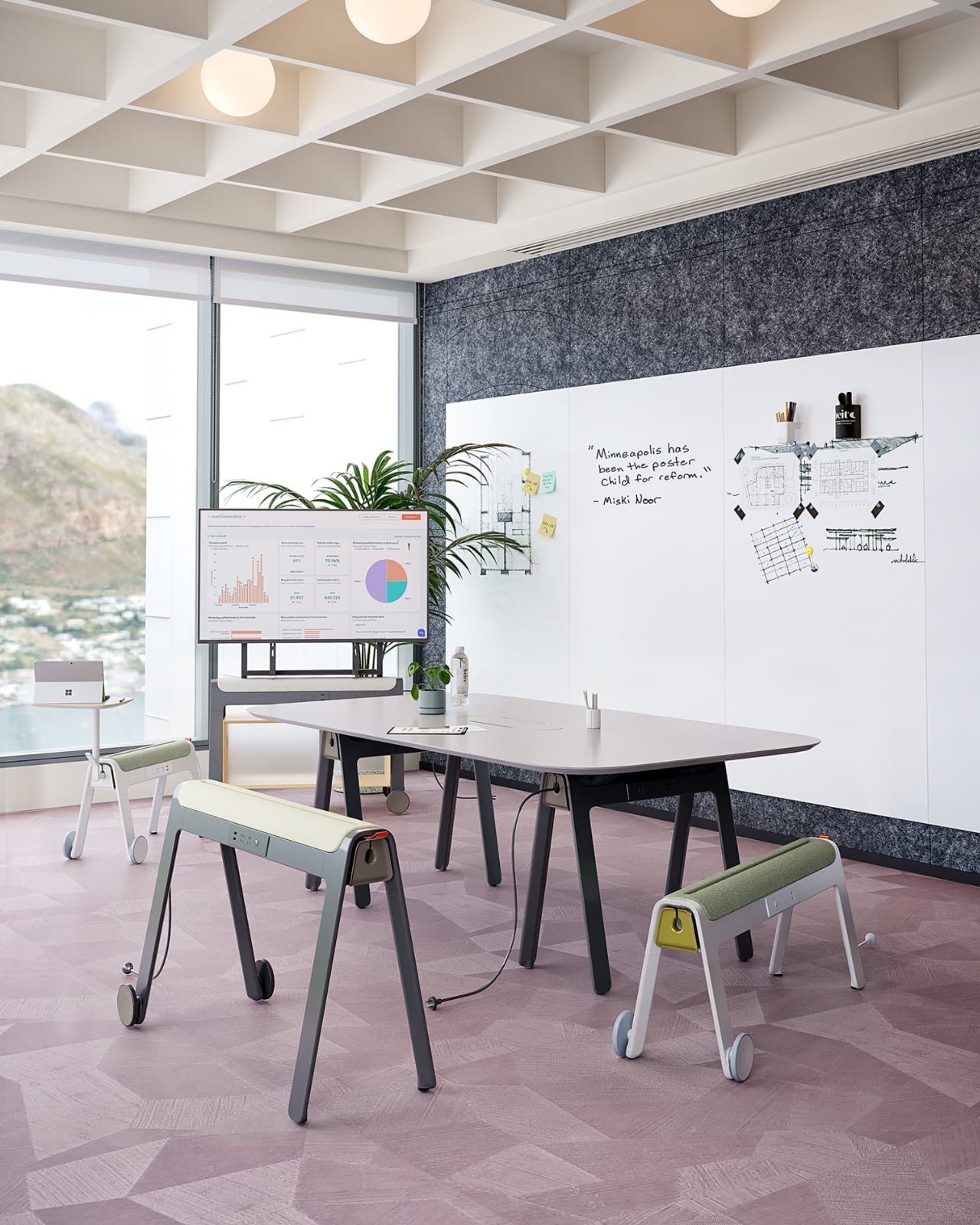
Kylinc treats the workspace like something that should change whenever the day asks it to. Each piece rolls on oversized wheels, which makes reconfiguring your office feel genuinely effortless rather than theoretically possible. Push pieces apart for a collaboration zone, pull them together for focused work. Power management is built directly into the furniture, with smart cable organization that keeps surfaces clean without any additional accessories to track down or manage.

The benefit shows up most for people working from home across a day that never asks the same thing twice. A static configuration works well some of the time and poorly the rest. Kylinc changes that without requiring much effort, which is the real difference between a system that actually gets used and one that stays fixed out of habit. The built-in cables move with the furniture. Your layout becomes something you actually control.

What We Like

  • Oversized wheels make real reconfiguration effortless, not just possible on paper
  • Integrated power and cable management keep the workspace clean without extra accessories

What We Dislike

  • Rolling furniture may feel less stable than fixed pieces for users who prefer an anchored setup
  • A full modular system likely carries a significantly higher upfront cost than standard office furniture

5. OTTO Footstool
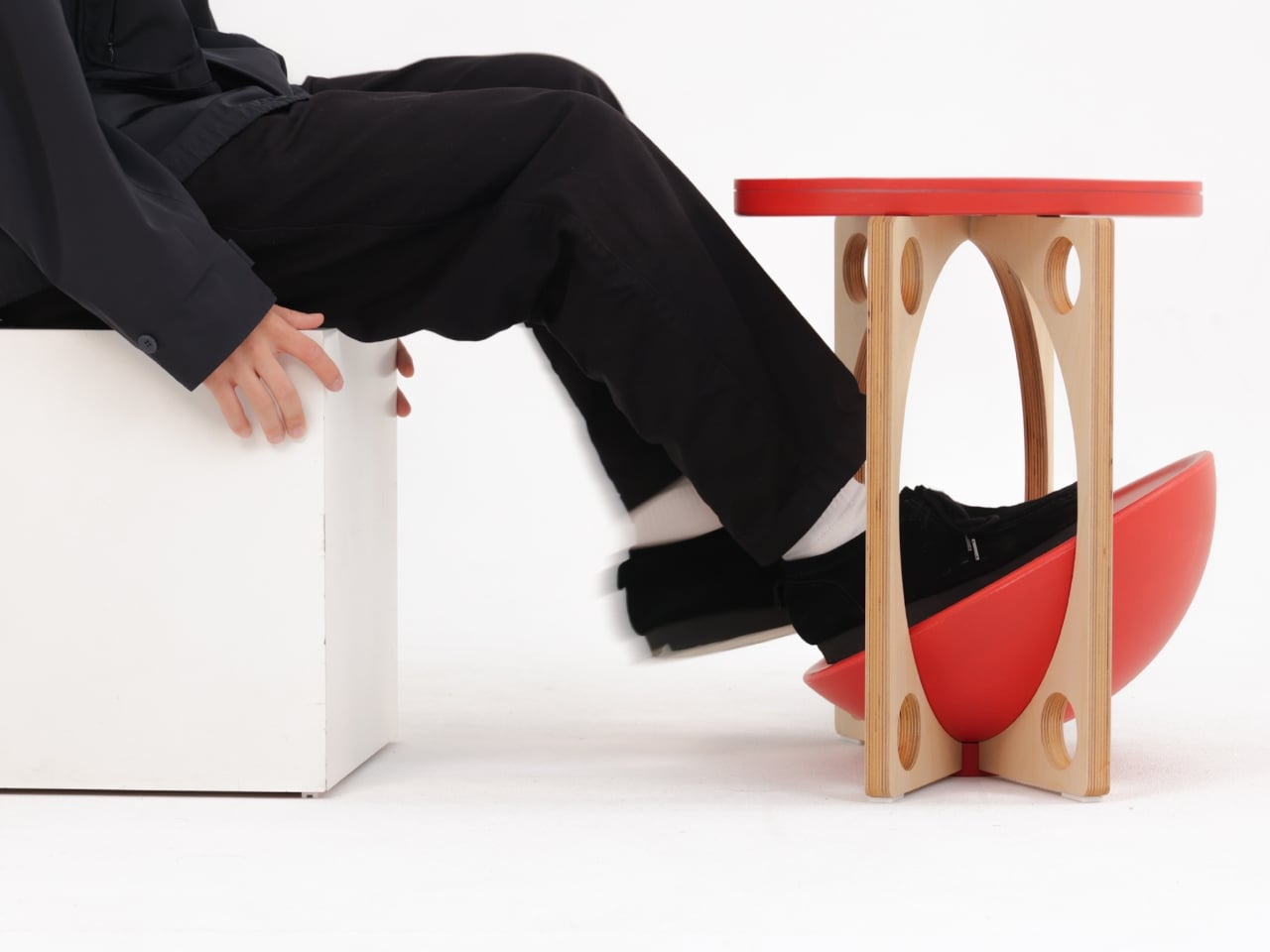
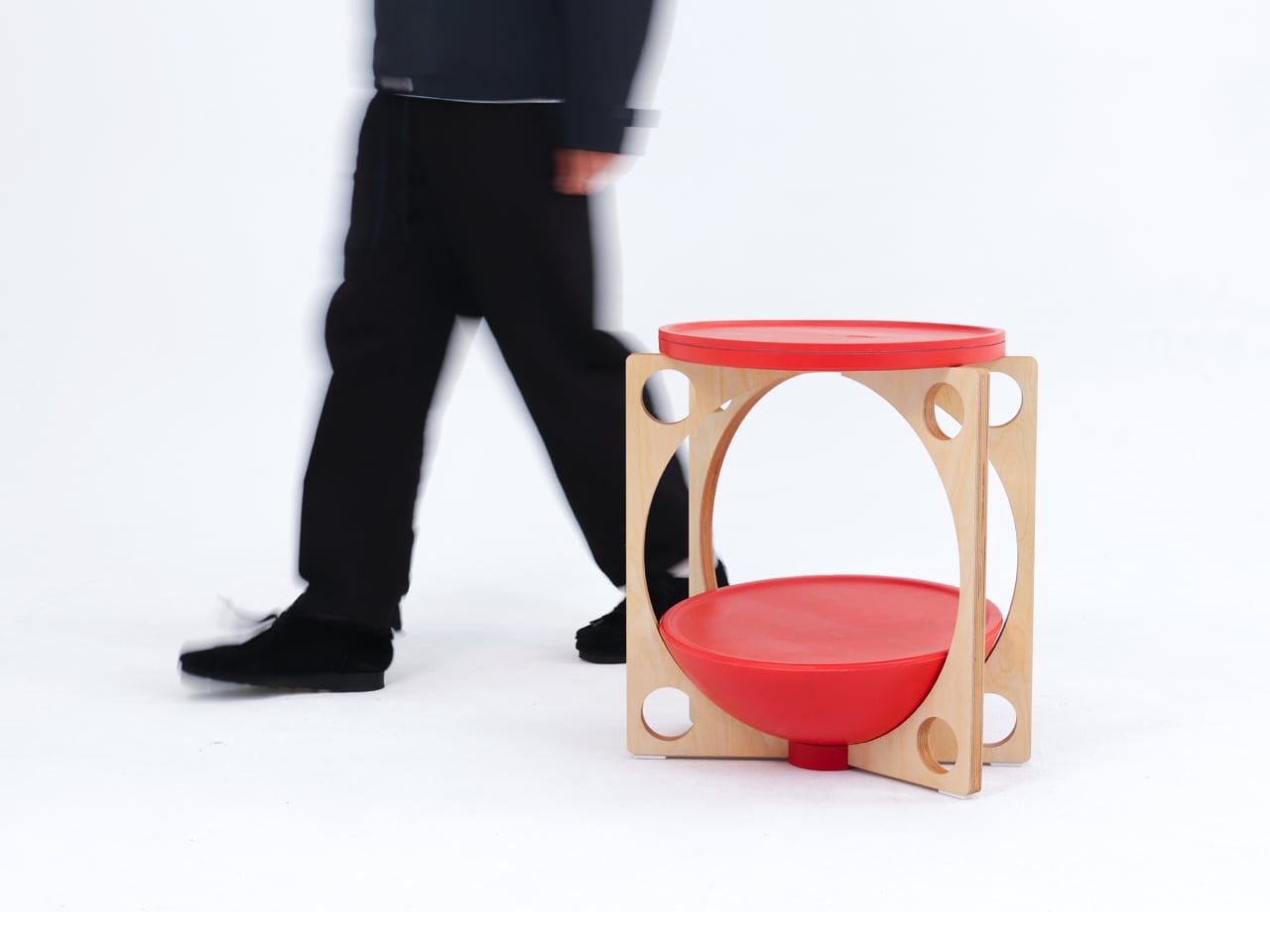
OTTO takes its name from the Korean roly-poly toy Ottogi, a round-bottomed figure that always rights itself because of its convex base. Designer Woonghee Ma applied that same logic to a footstool. The convex base means it rocks and shifts as your body moves throughout a long sitting session. No adjustment needed, no settings to configure. You shift weight, the stool moves with you, and that’s the whole mechanism.

For a home office that needs to support you without making a production of it, OTTO is exactly right. Most ergonomic products demand your attention to work. OTTO doesn’t. The passive rocking base handles posture support quietly while you stay focused on everything else. It also looks good, which matters more than it might seem for something you’ll look at every working day. Clean, compact, and entirely unpretentious about what it is.

What We Like

  • Passive rocking base provides ergonomic support through natural weight shifts, no settings required
  • Compact and well-proportioned, it works equally well in home and professional office settings

What We Dislike

  • The rocking motion may feel unfamiliar at first for users accustomed to fixed support
  • May not suit very low seating arrangements where foot elevation isn’t part of the setup

March Didn’t Make a Noise. It Made a Point.

What connects these five pieces isn’t an aesthetic or a material. It’s restraint. A chair that changes mode with one gesture. A table that earns its concept by being useful first. A stool that ships flat and opens in a second. A workspace that adapts without asking for your help. A footstool that supports you without ever drawing your attention to the fact that it’s doing so. That quiet confidence is what good design actually looks like in practice.

Most design coverage this month was busy chasing the big swing. The sculptural statement, the unexpected material, the idea that needs a paragraph of explanation before it lands. What these five pieces share is something quieter. They ask less of you. They make their case by fitting into your life rather than reshaping it around themselves. March didn’t produce the loudest furniture of the year. It produced some of the most considered. That’s always the better result.

The post The 5 Best Furniture Designs of March 2026 first appeared on Yanko Design.

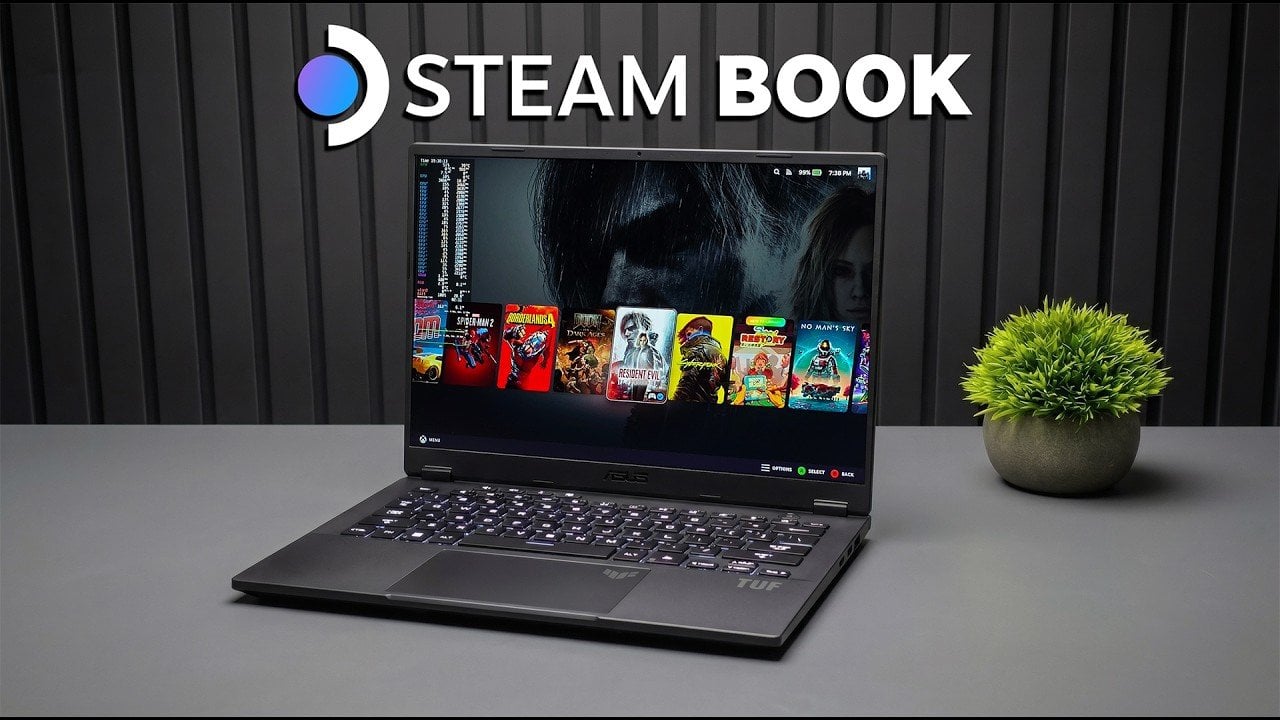
New TUF A14 Laptop Transformed into a Giant Steam Deck with Powerful iGPU

New TUF A14 Laptop Transformed into a Giant Steam Deck with Powerful iGPU Gameplay test on the TUF A14 with frame rate overlay and 2560x1600 resolution settings.

ETA Prime demonstrates how the Asus TUF A14, equipped with the AMD Ryzen AI Max Plus 392 processor and Radeon 8060S iGPU, can be customized to function as both a gaming and productivity device. A key aspect of this setup is the dual-boot configuration with Windows 11 and Steam OS 3.9, allowing users to switch […]

The post New TUF A14 Laptop Transformed into a Giant Steam Deck with Powerful iGPU appeared first on Geeky Gadgets.

Posted in Uncategorized

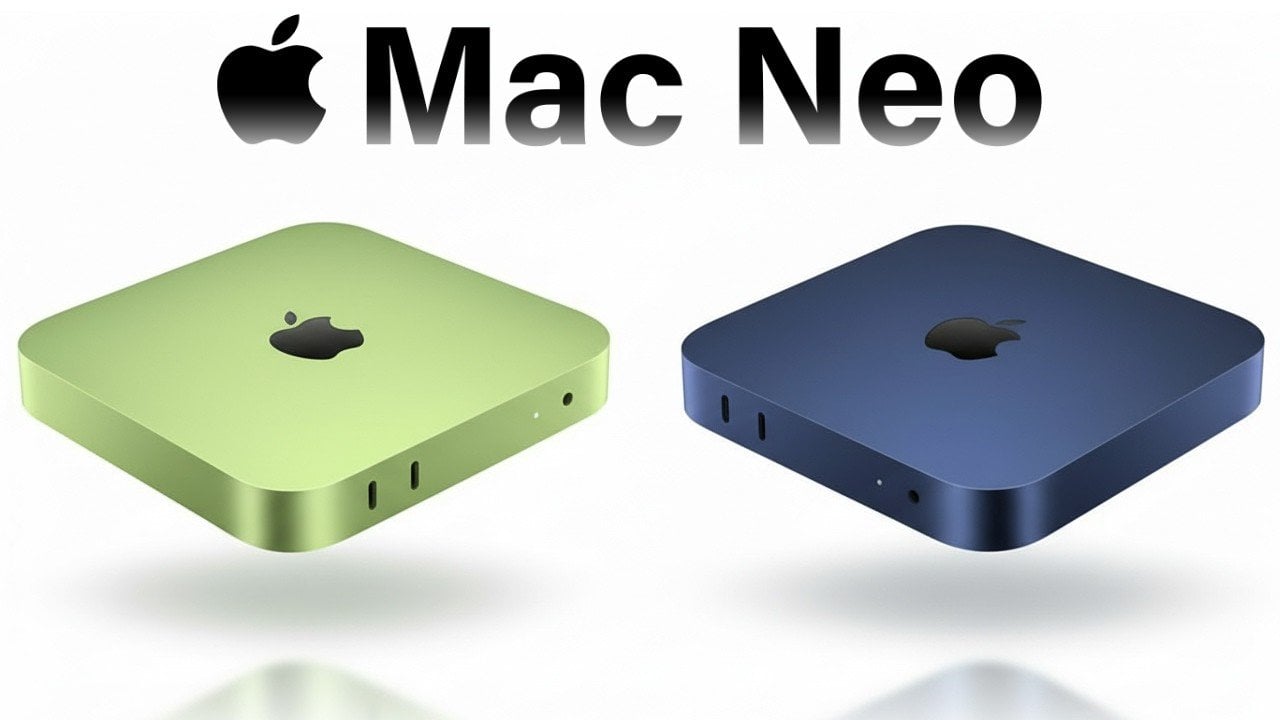
Apple’s Secret Mac Mini Neo: Could a $399 Desktop Be the Star of WWDC 2026?

Apple’s Secret Mac Mini Neo: Could a $399 Desktop Be the Star of WWDC 2026? Compact Mac Neo concept desktop shown next to a monitor, keyboard, and mouse for a simple home setup.

The concept of the Mac Neo has sparked widespread interest as a potential addition to Apple’s desktop lineup. Envisioned as a smaller, more affordable alternative to the Mac Mini, this hypothetical device could serve as an entry-level option for casual users. While Apple has not officially confirmed its existence, the idea aligns with the company’s […]

The post Apple’s Secret Mac Mini Neo: Could a $399 Desktop Be the Star of WWDC 2026? appeared first on Geeky Gadgets.

Posted in Uncategorized

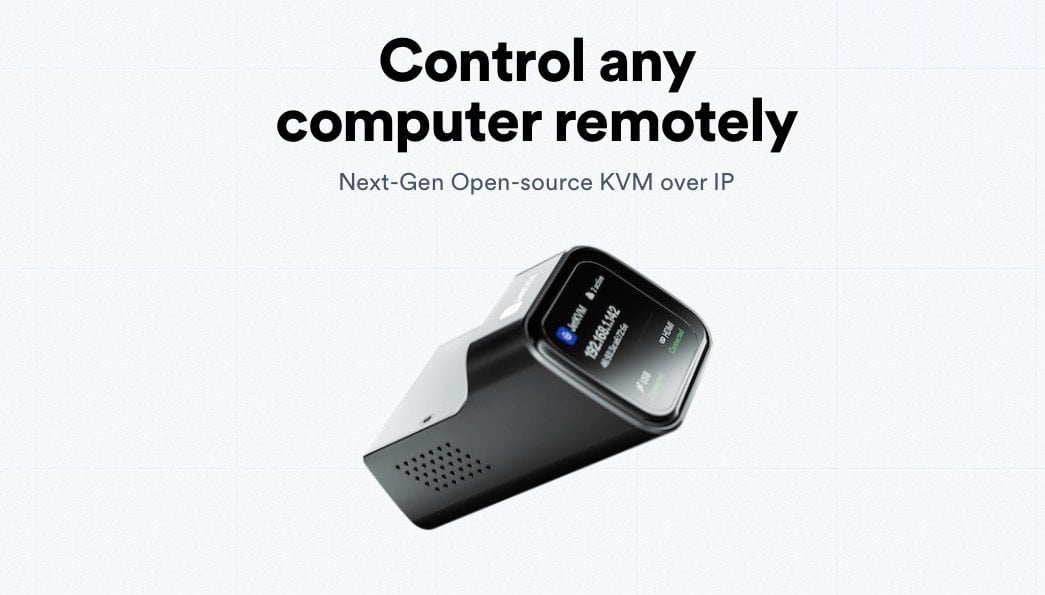
Why JetKVM is a Total Game-Changer for Remote Access : Full 2026 Guide

Why JetKVM is a Total Game-Changer for Remote Access : Full 2026 Guide Browser-based JetKVM web interface showing a live 1080p screen stream with keyboard and mouse controls.

The JetKVM is a hardware-based KVM over IP device designed to provide remote access to computers at the hardware level, even when they are powered off or experiencing system failures. Unlike software-based solutions, it operates independently of the target system’s operating state, making it particularly useful for IT professionals, system administrators and home lab enthusiasts. […]

The post Why JetKVM is a Total Game-Changer for Remote Access : Full 2026 Guide appeared first on Geeky Gadgets.

Posted in Uncategorized

M5 Max MacBook Pro vs. RTX 5090 Benchmarks Revealed

M5 Max MacBook Pro vs. RTX 5090 Benchmarks Revealed inch M5 Max MacBook Pro on a desk during CPU and storage benchmarks, unplugged performance highlighted.

When selecting a high-performance laptop, the M5 Max MacBook Pro and an MSI laptop equipped with the RTX 5090 GPU emerge as two of the most advanced contenders. Both devices cater to users with demanding workloads, but their strengths lie in distinct areas. This comparison evaluates their performance across critical metrics, including CPU and GPU […]

The post M5 Max MacBook Pro vs. RTX 5090 Benchmarks Revealed appeared first on Geeky Gadgets.

Posted in Uncategorized

How Claude Code & Google Stitch 2.0 Are Changing Web Design Forever

How Claude Code & Google Stitch 2.0 Are Changing Web Design Forever Screenshot of Google Stitch 2.0 generating a design.md file with colors, type, spacing, and component rules.

The collaboration between Google Stitch 2.0 and Claude Code introduces a structured approach to web design and development by connecting visual design with backend functionality. According to Zinho Automates, Stitch 2.0 utilizes the Gemini 3.1 framework to create a `design.md` file, which serves as a centralized reference for design consistency. This file outlines specifications for […]

The post How Claude Code & Google Stitch 2.0 Are Changing Web Design Forever appeared first on Geeky Gadgets.

Posted in Uncategorized

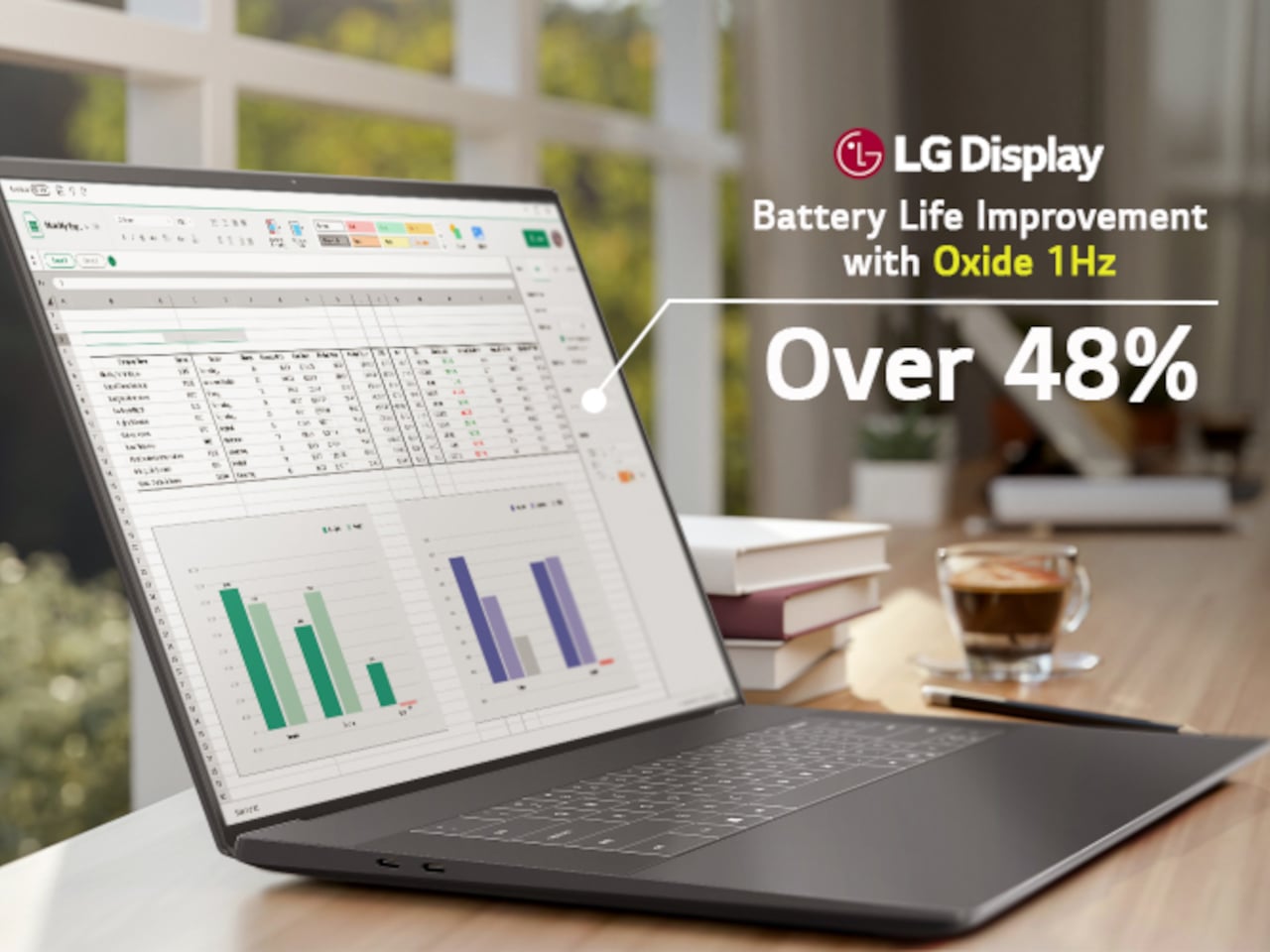
LG’s World-First 1Hz Panel Gives the Dell XPS 48% More Battery

Battery life has been one of the laptop industry’s most persistent design headaches, especially among Windows notebooks. Despite significant gains in chip efficiency, the display consistently ranks among the biggest power consumers in any portable computer. Most laptop screens refresh at a fixed rate regardless of what’s actually on them, which means the panel keeps drawing full power even when you’re sitting completely still, reading a document with nothing on screen changing at all.

LG Display’s new Oxide 1Hz panel is the first mass-produced LCD laptop screen that doesn’t work that way. Rather than holding a fixed rate, it reads what’s on screen and drops to 1 Hz when the content is static, then scales back up to 120 Hz for video or gaming. LG began mass production on March 22, 2026, claiming the first-ever achievement of this at scale.

Designer: LG, Dell

The technology relies on custom circuit algorithms and a new oxide material applied to the panel’s thin-film transistor. That oxide holds an electric charge longer than conventional LCD materials, letting the screen maintain a still image without continuously refreshing it. LG claims the result is up to 48% more use on a single charge versus existing solutions, which is a significant number if it holds up in everyday use.

In practice, this matters most during the parts of a workday you spend the bulk of your time in. Checking emails, reading through documents, and sitting on a static slide during a meeting are all moments where a 60 Hz or 120 Hz screen burns power for no real benefit. The Oxide 1Hz panel handles those scenarios at a fraction of the usual draw without any visible difference.

When you do pull up a video or launch something that demands smooth motion, the panel doesn’t hesitate. It detects the change and jumps back up to 120 Hz automatically. There’s no mode to switch into, no setting to toggle, and no trade-off to manage. It just adjusts based on what’s happening on screen, which is how this kind of feature should work in the first place.

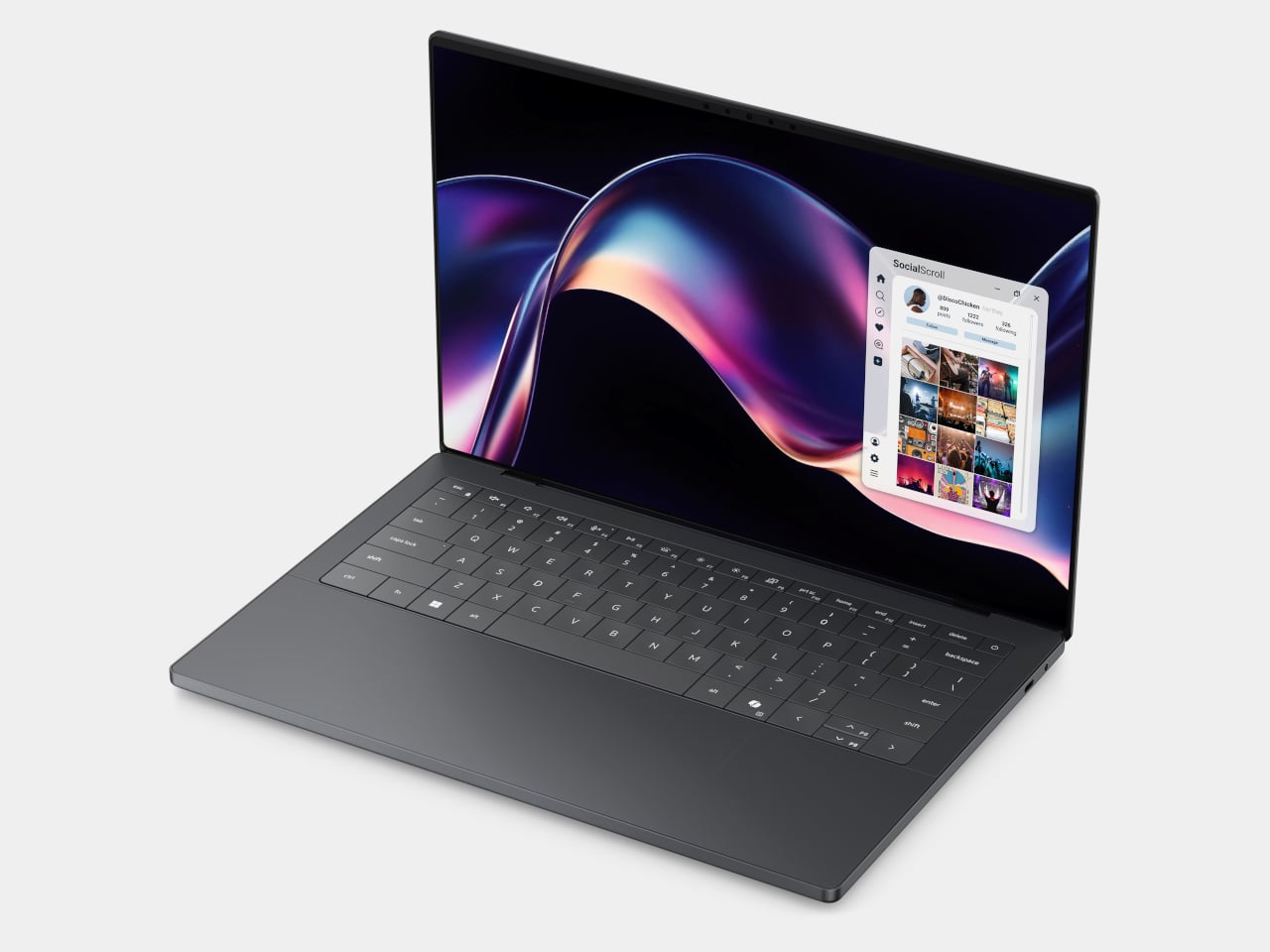
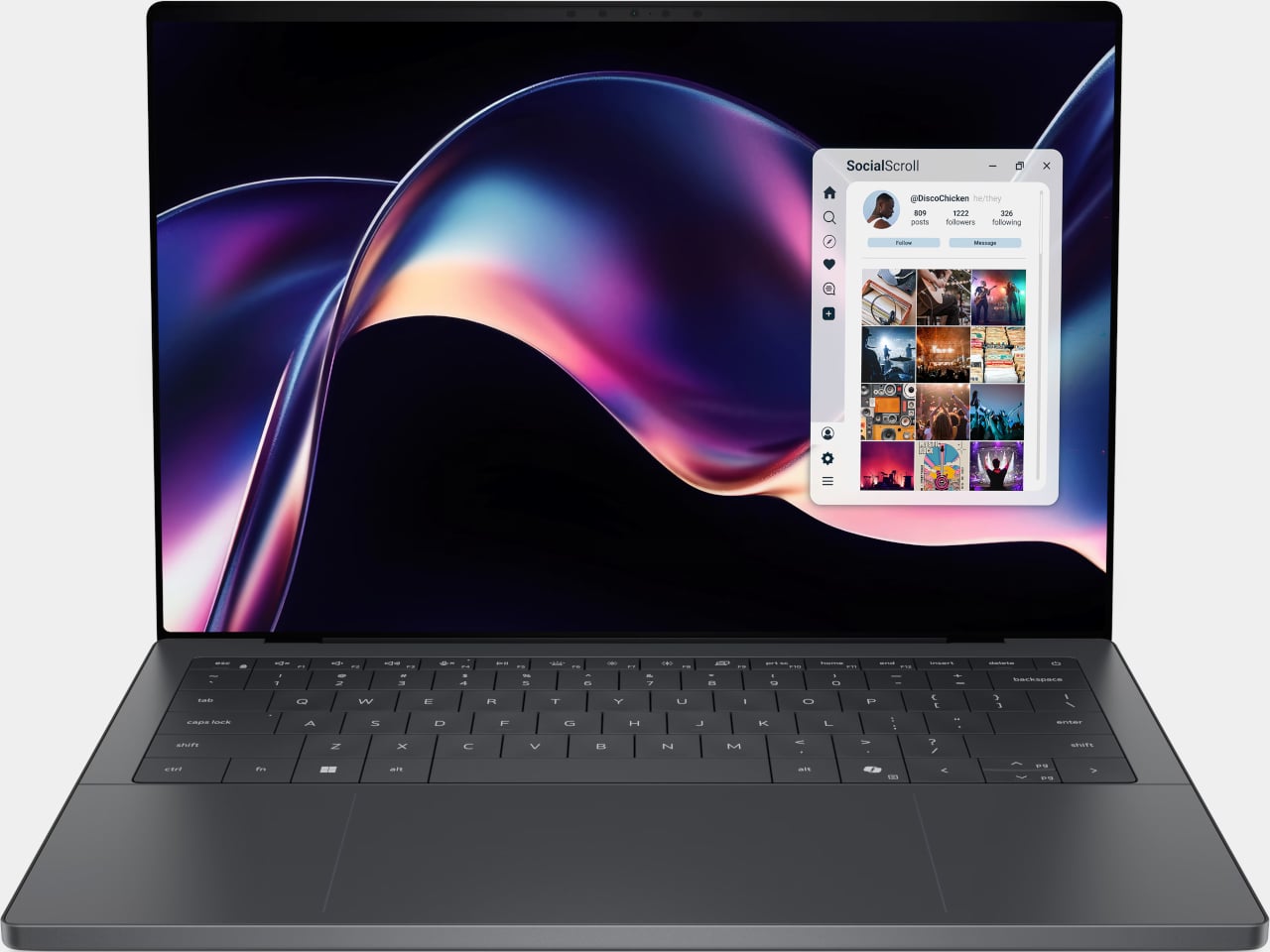
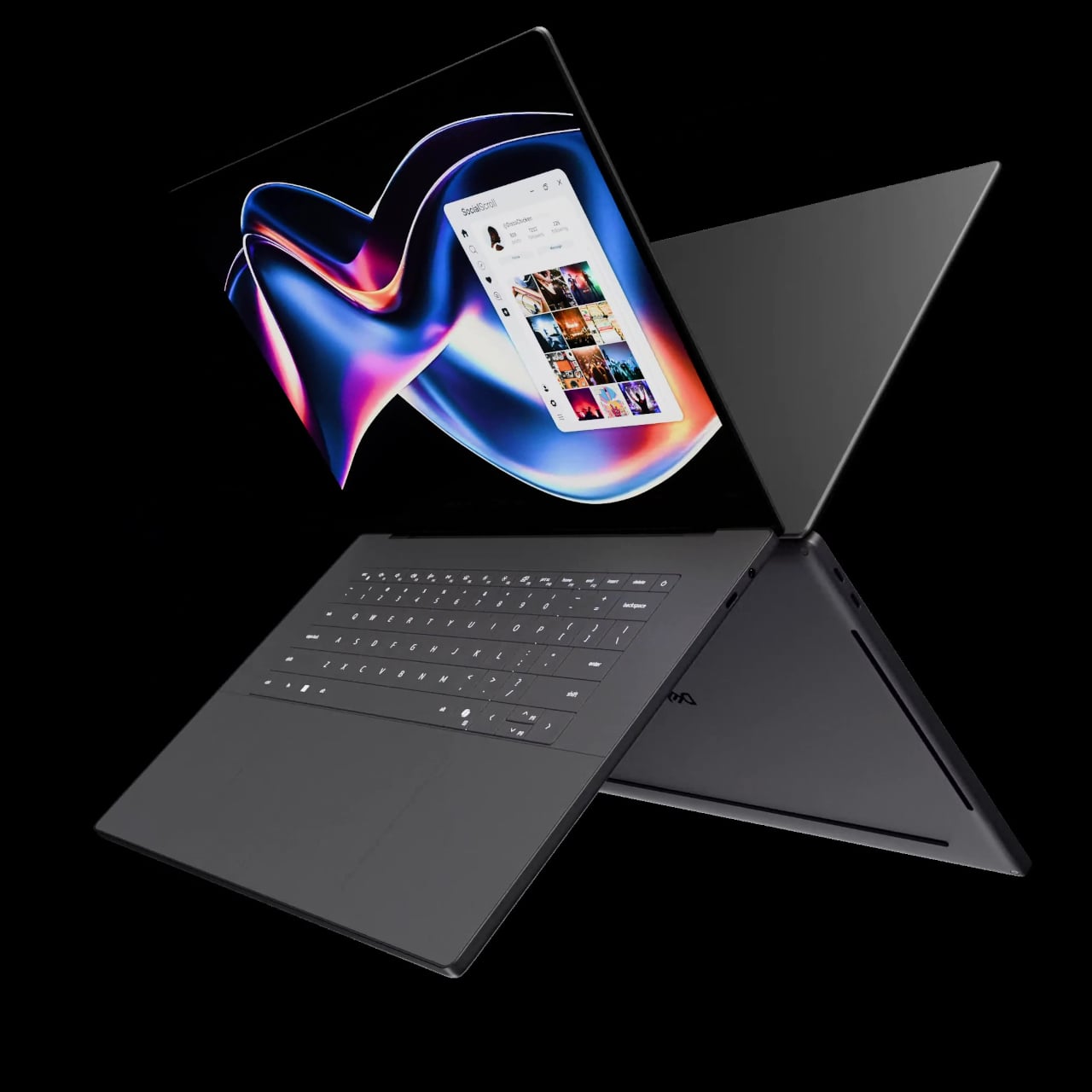
The first laptops to ship with this panel are the Dell XPS 14 and Dell XPS 16 for 2026, both unveiled at CES 2026 in January. The LCD option on both models runs at 1920 x 1200 pixels and 500 nits of brightness. Dell’s OLED option only drops as low as 20 Hz, which means the more affordable LCD configuration actually wins on low-power behavior.

Here’s where it gets interesting from a design standpoint. The display is one of the biggest power consumers in any laptop, so a screen drawing significantly less power during typical use creates real headroom for designers. They can use that headroom to maintain battery size and gain extra runtime, or to trim the battery slightly for a lighter, thinner chassis without giving up the battery life buyers already expect.

Of course, LG is already planning a 1 Hz OLED version of this technology for 2027, which is when things could get more interesting. OLED handles contrast and color in ways LCD can’t match, and pairing that quality with proper low-refresh-rate behavior could push portable laptop design further than it’s been able to go. For now, the Oxide 1Hz LCD is in something you can actually go out and buy.

The post LG’s World-First 1Hz Panel Gives the Dell XPS 48% More Battery first appeared on Yanko Design.

The Afeela EV is dead

Sony Honda Mobility, the automotive venture from two of Japan’s most storied companies, has swung the axe on its EV project. In a statement, it said it would “discontinue the development and launch” of the Afeela 1 and 2, its long-in-development electric cars. The company added it would review its “business direction,” and announce its future plans “at the earliest possible opportunity.” Which, if we’re honest, probably means the whole thing is going to be shut down, or scaled back so much it’s no longer worth talking about.

2026 has not been a great year for Honda. On March 12, it posted an up-to $15.7 billion loss as it wrote off a big chunk of its investment in EVs. The US’ pivot toward fossil fuels, removal of federal EV tax credits and the imposition of tariffs has hit its business pretty hard. Not to mention the high-profile embarrassment of its current F1 engine project with Aston Martin, which promised so much and has delivered less than nothing. 

Sony’s journey into the automotive world began six years ago with the announcement of the Vision-S, the car which would eventually be re-christened Afeela. But while the product looked good on trade show stands, it stood still while the rest of the car world sprinted ahead. In January, Tim Stevens said Afeela 1 looked a little dated, and a little lacking in emotion, and a lot more expensive than comparable models from rivals. It’s also worth noting Sony and Honda’s vision of a smart device on wheels is hardly a novel concept these days.

Not to mention that Afeela 1 is a sedan, being sold to a world that’s increasingly fallen out of love with the type in favor of higher-riding SUVs. In Sony's statement, however, the SUV-aping Afeela 2 didn't even get a mention by name, which hints that it was as much an afterthought for the company as we might have guessed when it was announced. 

This article originally appeared on Engadget at https://www.engadget.com/transportation/evs/sony-and-honda-kill-its-afeela-evs-100426852.html?src=rss