DIY PlayStation 5 Tablet almost makes the PlayStation Portal moot

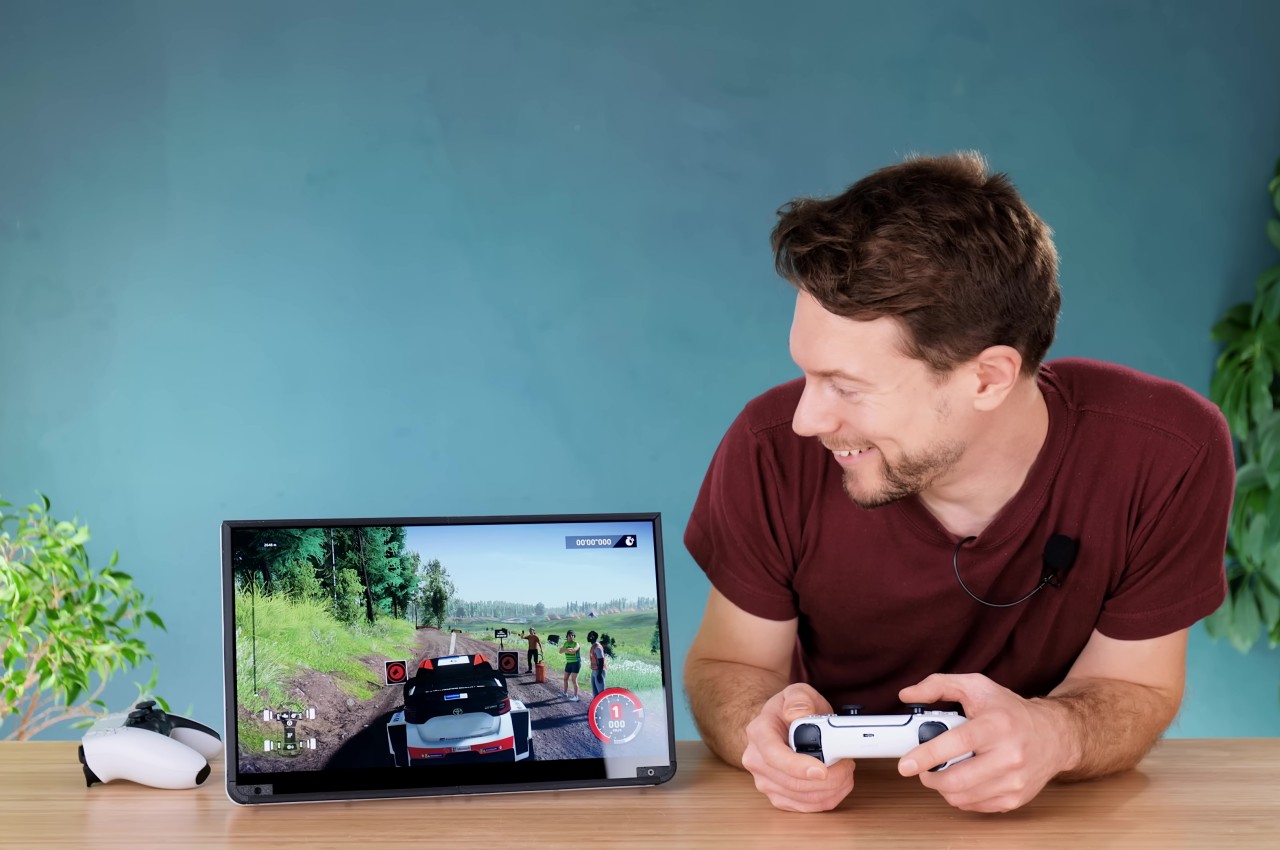
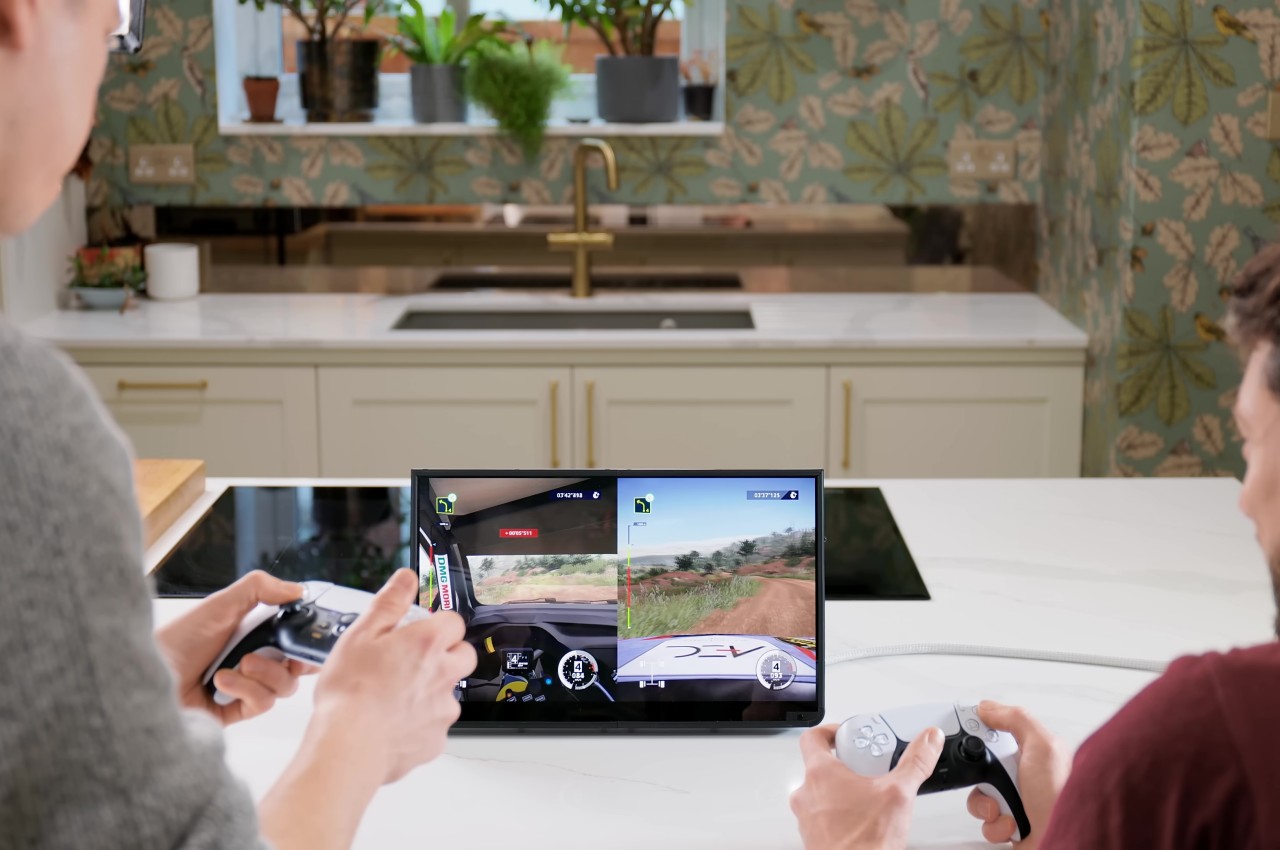
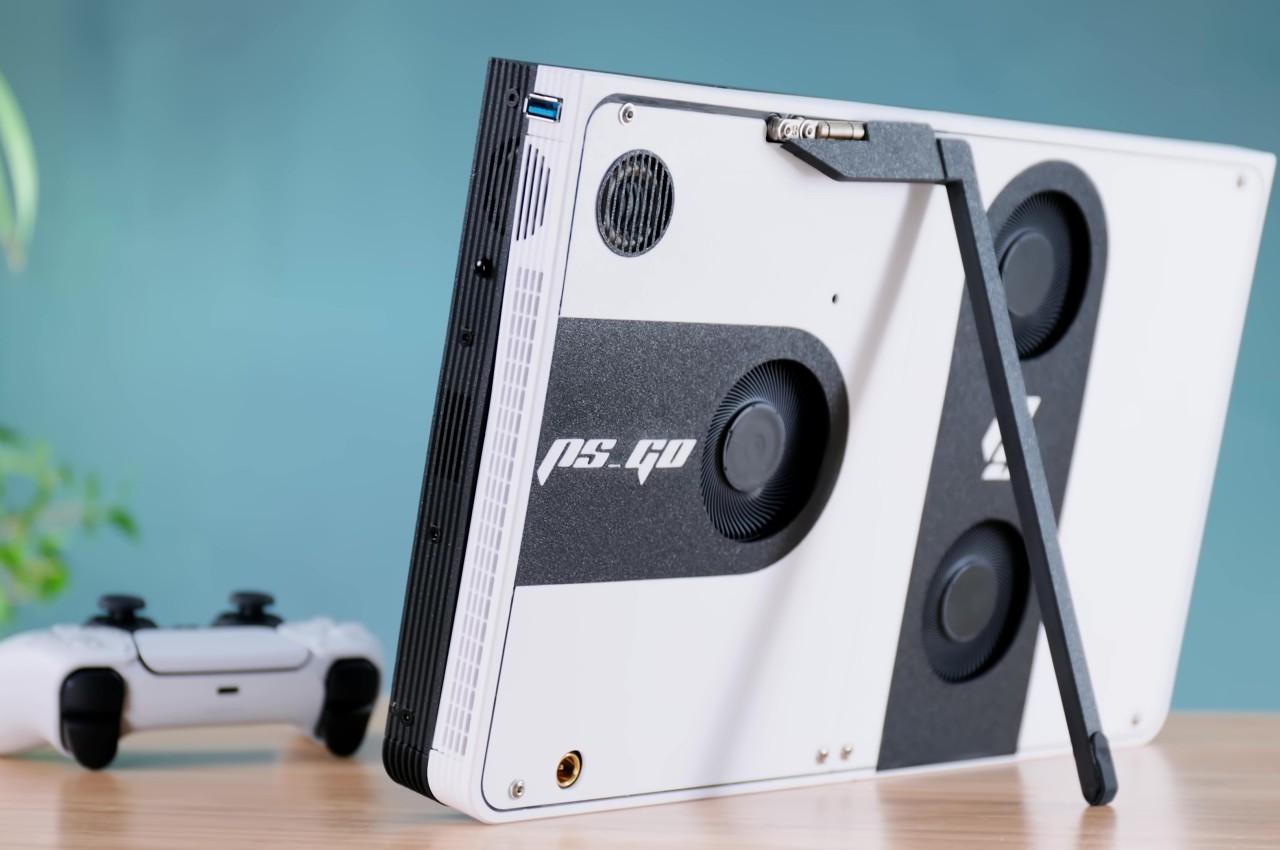
Although the handheld gaming trend has been going strong recently, especially with the likes of the Nintendo Switch and the Steam Deck leading the market, major console makers haven’t taken the plunge completely yet. Granted, Xbox isn’t too concerned because every Windows gaming handheld PC can theoretically run some of its titles, but Sony introduced a rather odd and quite unsatisfying version of this idea. The PlayStation Portal isn’t being “portable” for a reason, since it basically just streams games from the PS5 sitting somewhere in your house. Take it to more enterprising creators to bring the PlayStation 5 Portable dream to life, like this rather impressive gigantic PlayStation 5 “Tablet Edition” that is very much worth all the hard work involved.

Designer: Matthew Perks

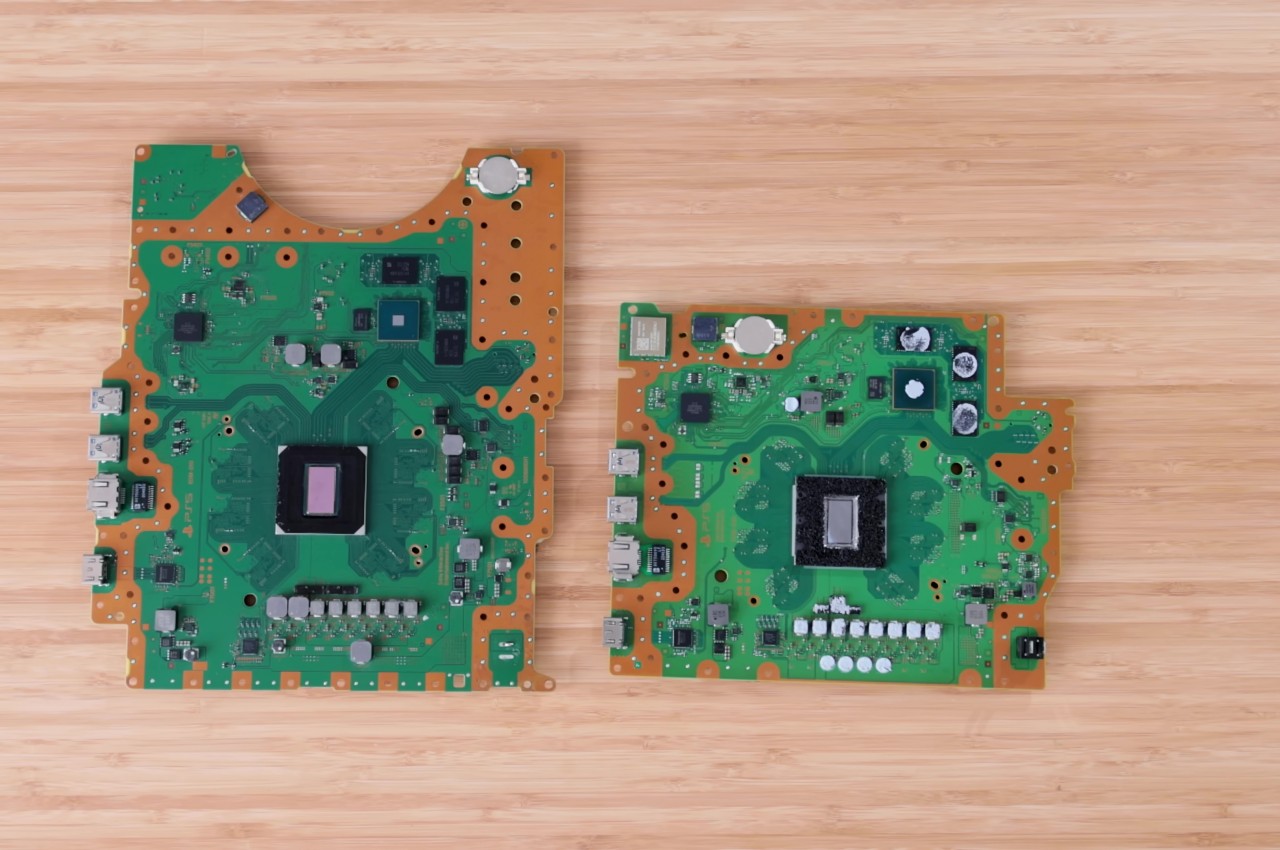
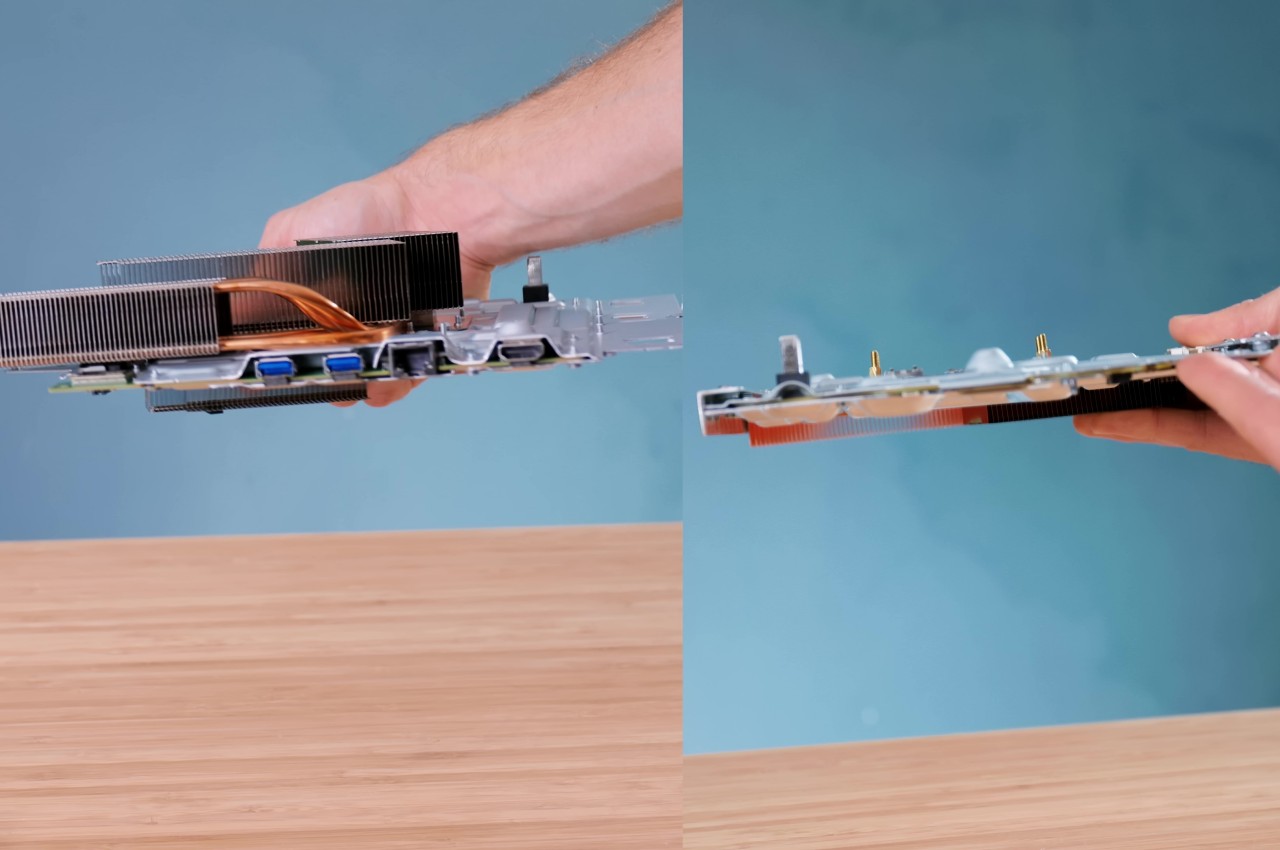
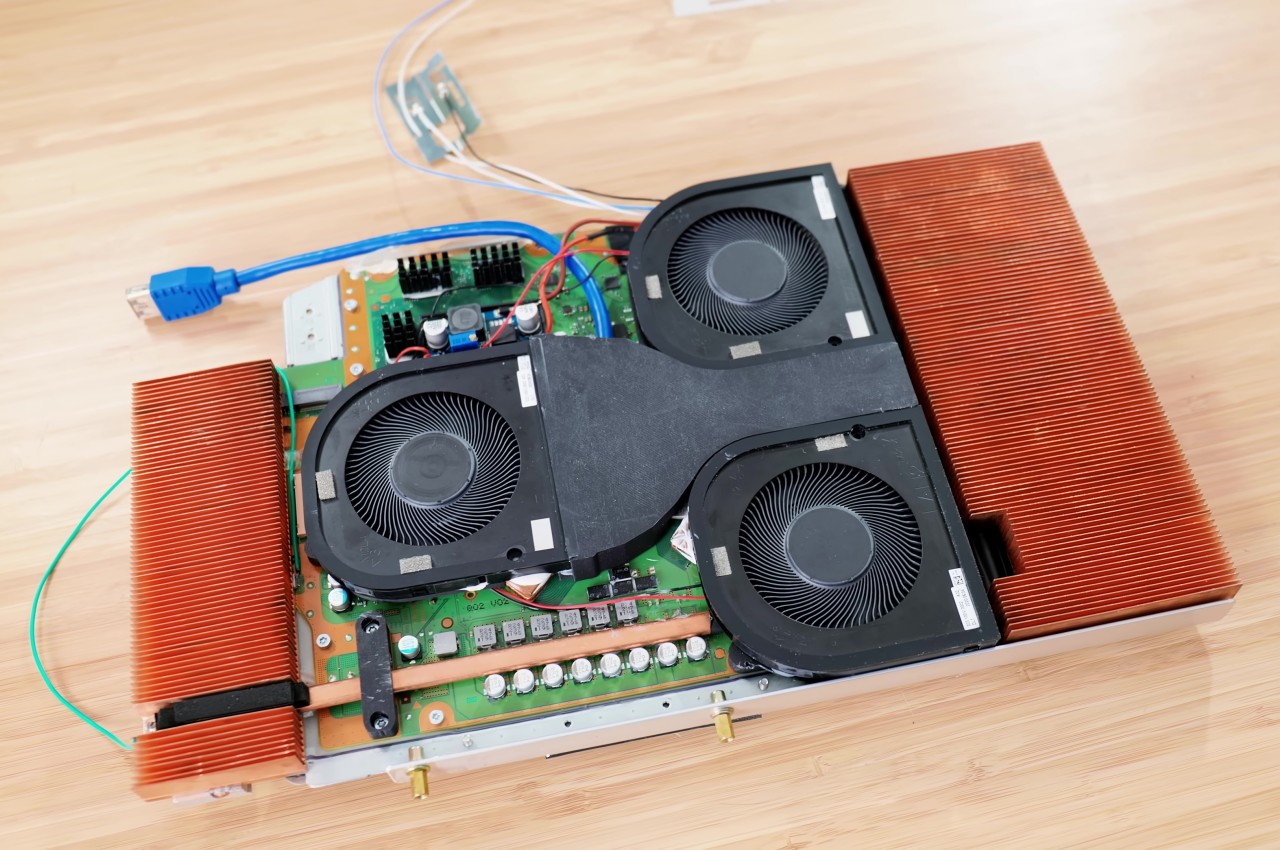
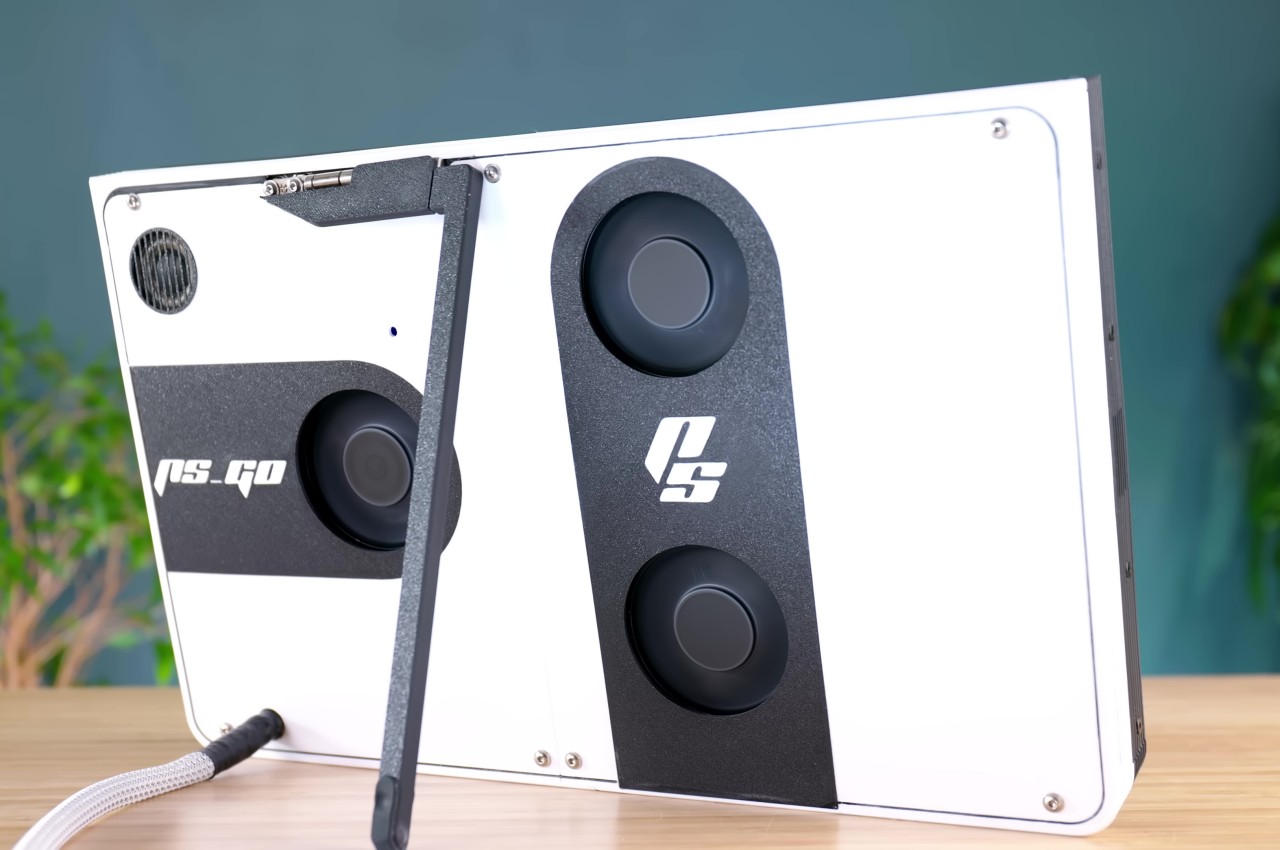
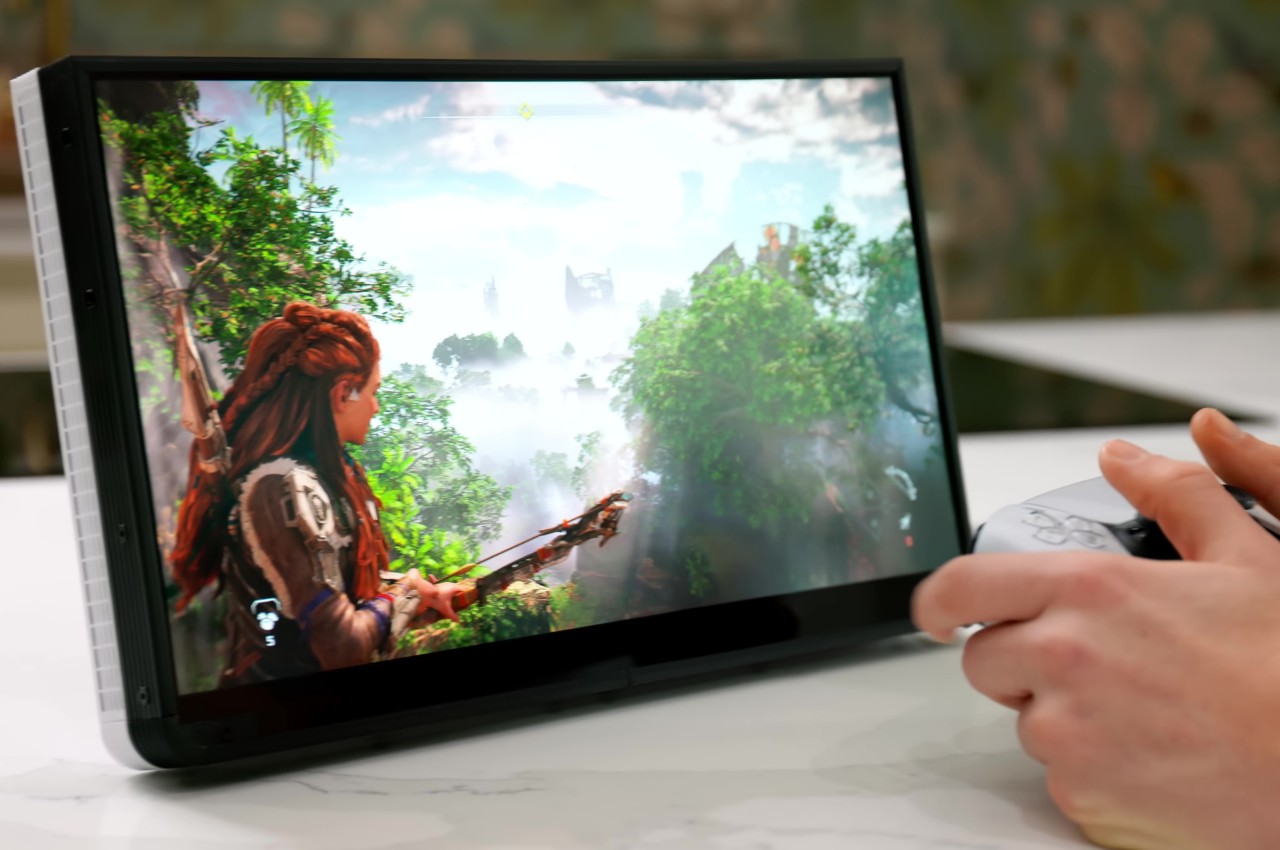
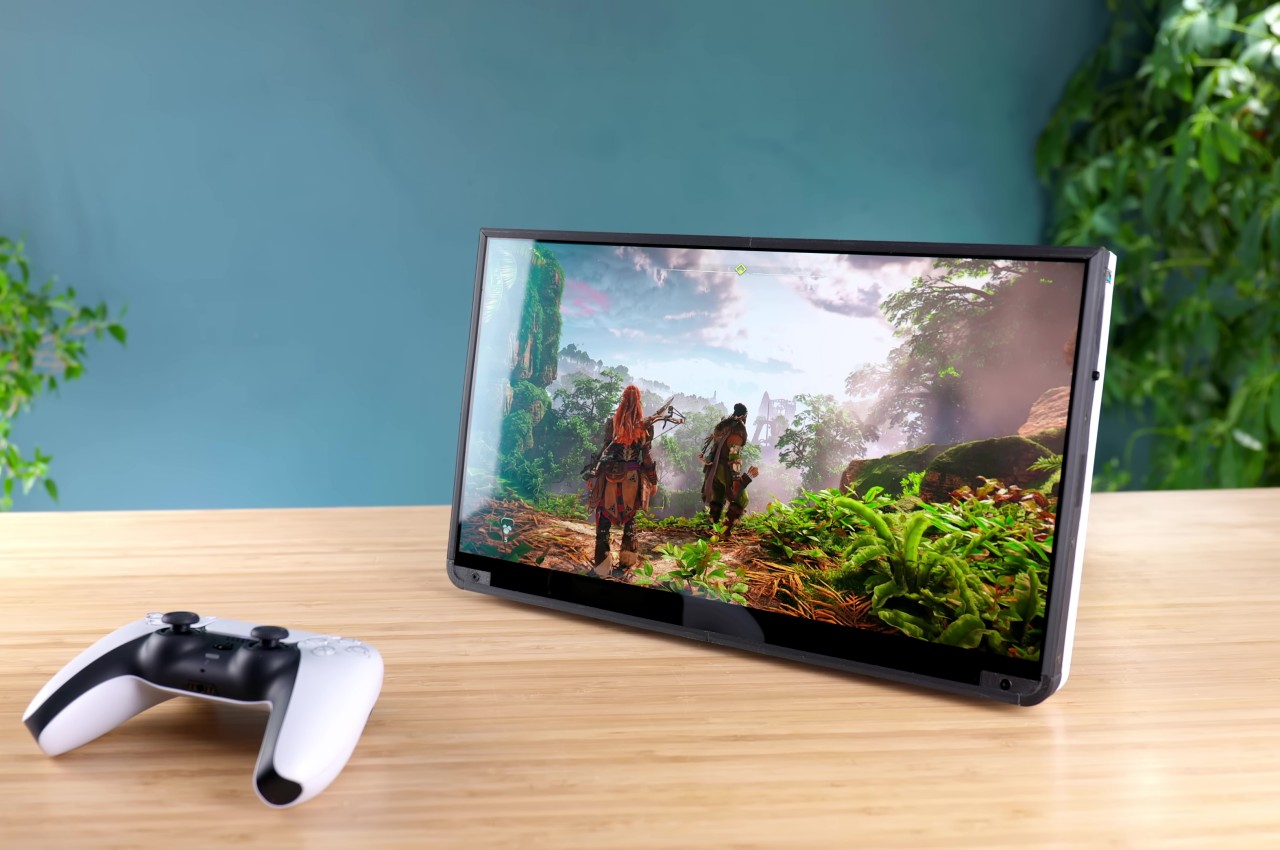
The PlayStation 5 diverges from generations of console design with a sleek, futuristic, yet also alien aesthetic that some have compared to a trophy. But it’s especially thanks to that new design, especially the improvement Sony quietly made after launching the console, that makes this creative endeavor even possible. In a nutshell, Sony trimmed the PS5 motherboard down to a smaller size that could be made to fit inside a thick and hefty 14-inch tablet. That, however, was the least of the project’s problems, considering the things inside that actually make the bulk of the PS5’s, well, bulk.

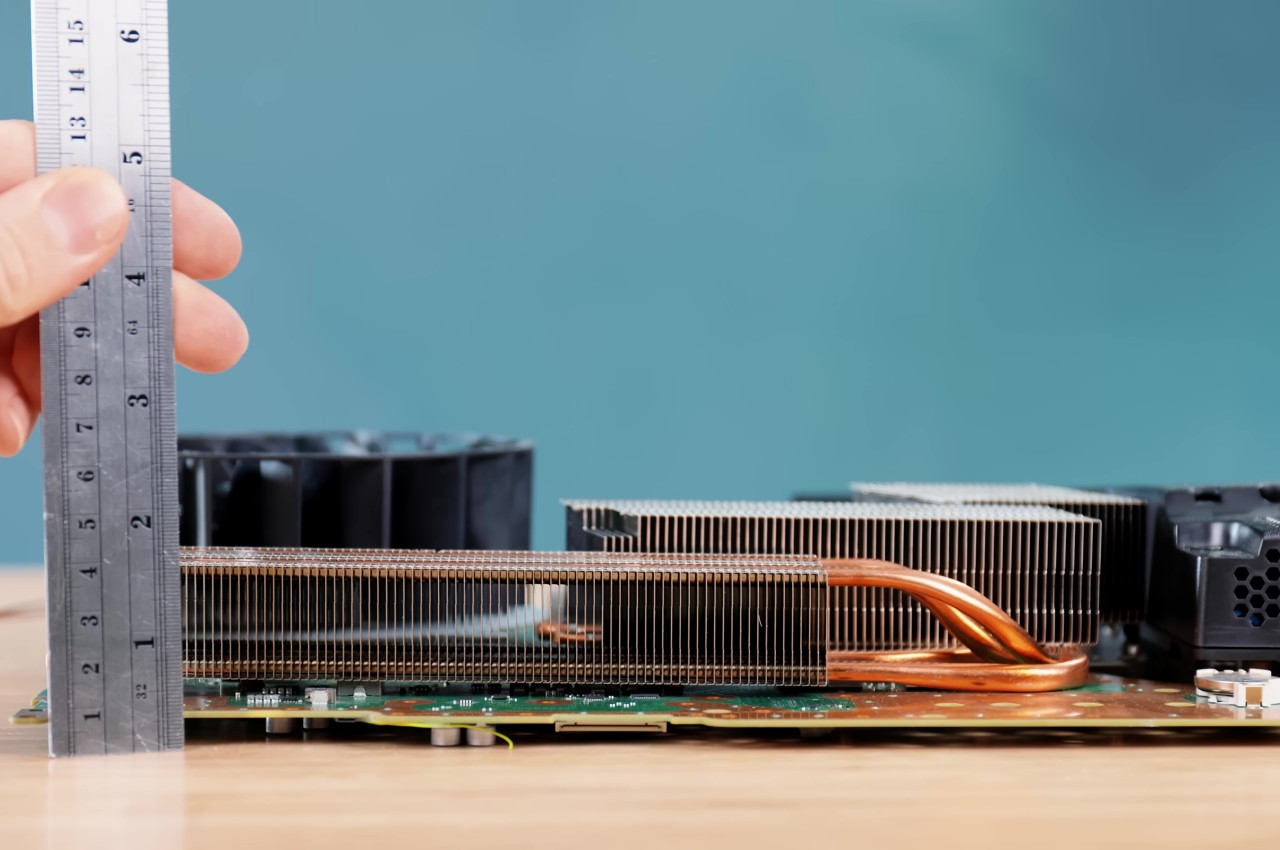
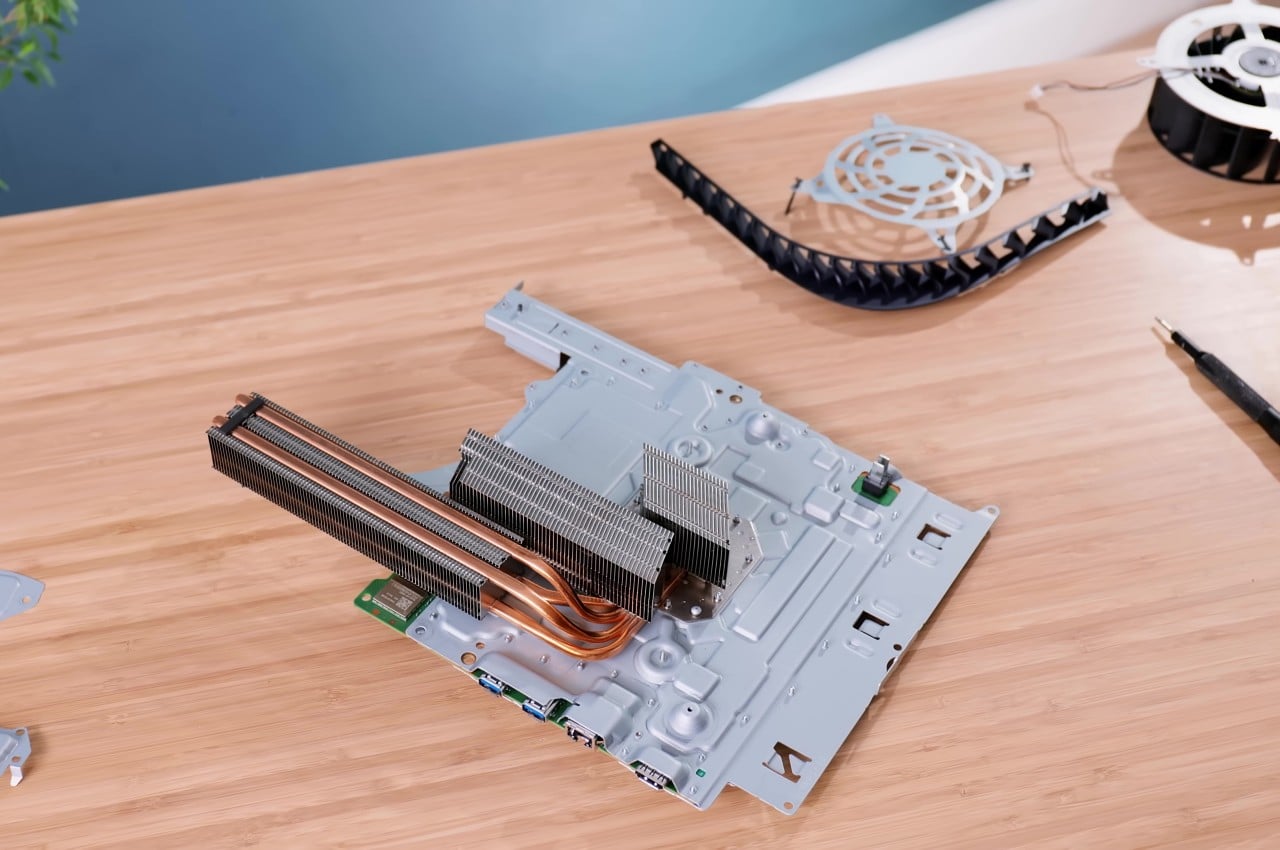
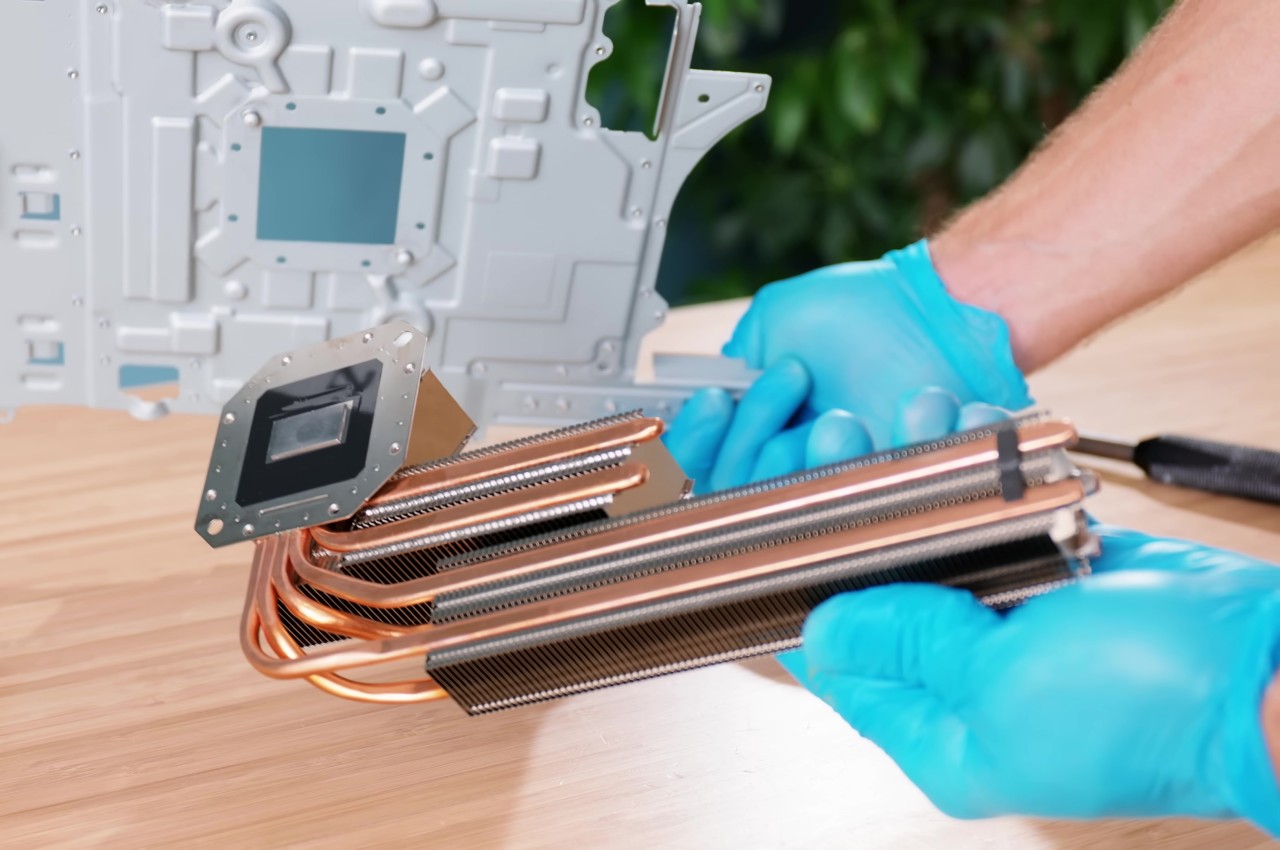
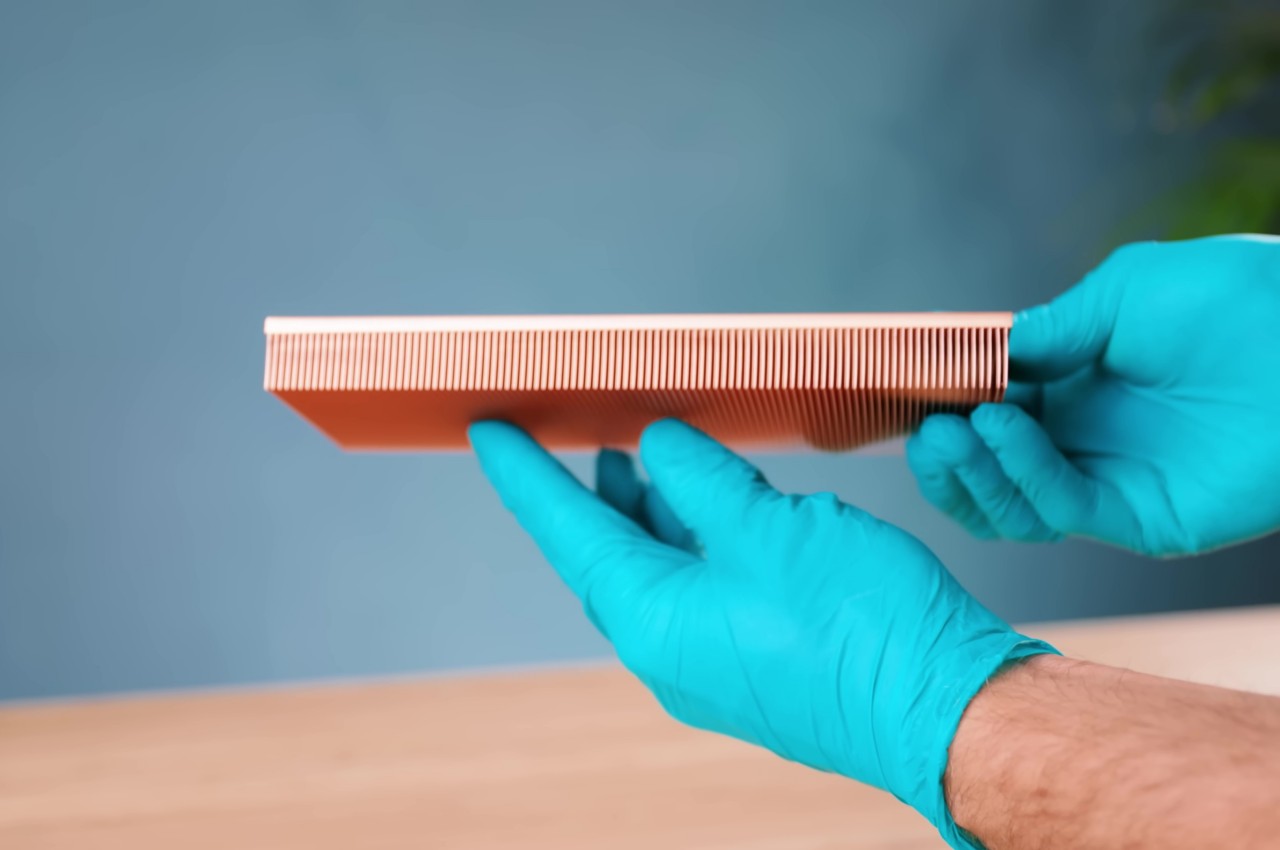
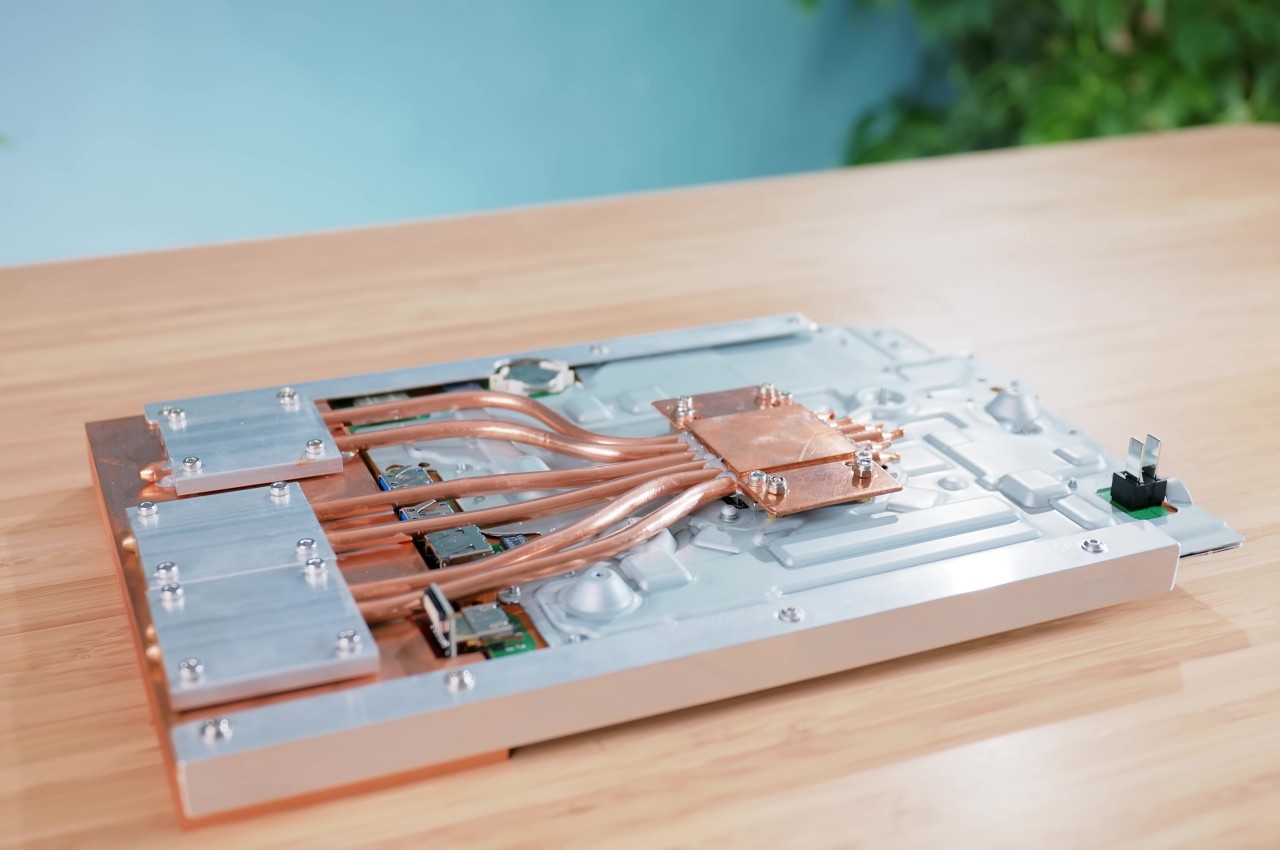
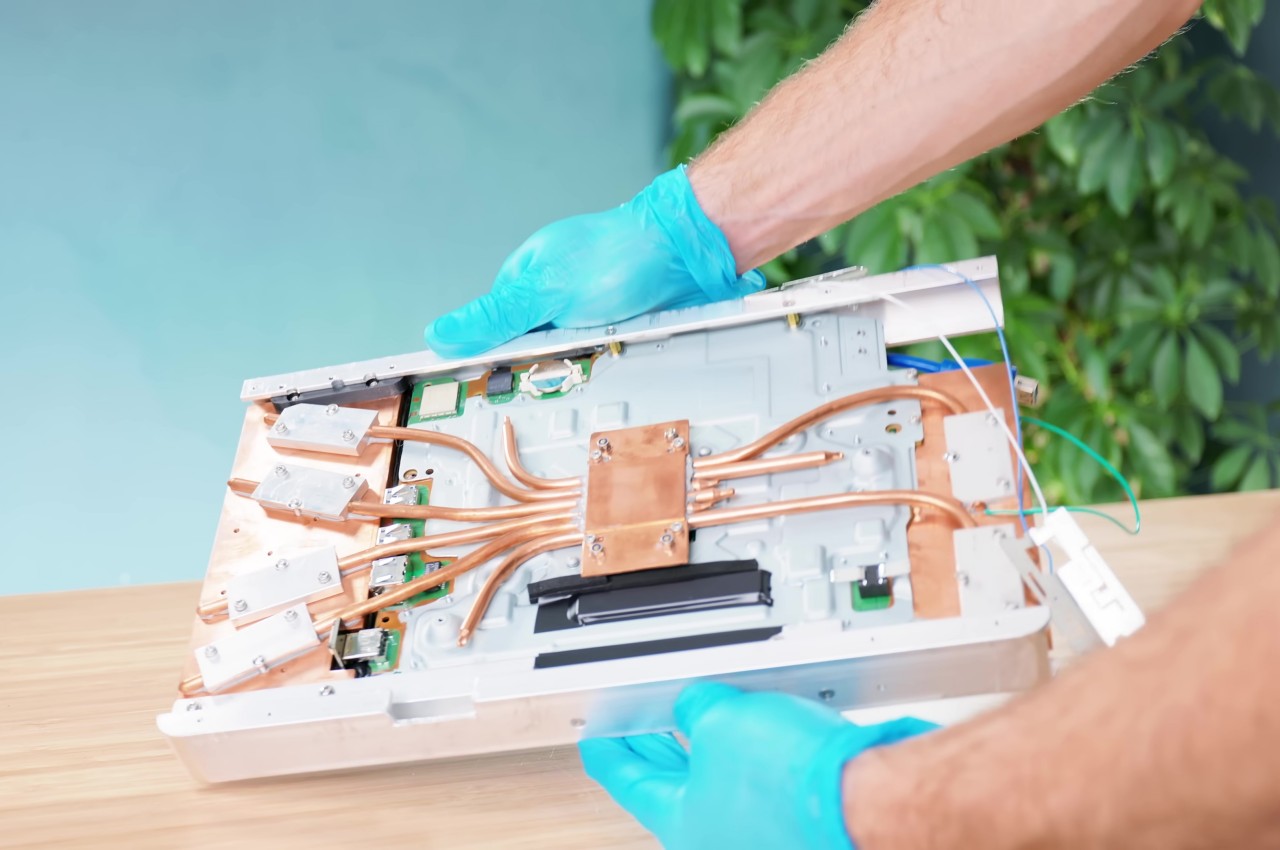
The PlayStation 5 generates around 200W of heat at full power, so the majority of the console’s internals are actually devoted to thermal management. These include bulky fans and a strange-looking heatsink that would never fit any portable design. That’s why the majority of the effort around this PS5 tablet was spent on figuring out an equally efficient thermal management system that didn’t take up too much vertical space. Thanks to some creative thinking and a lot of research, that problem was eventually solved to much satisfaction.

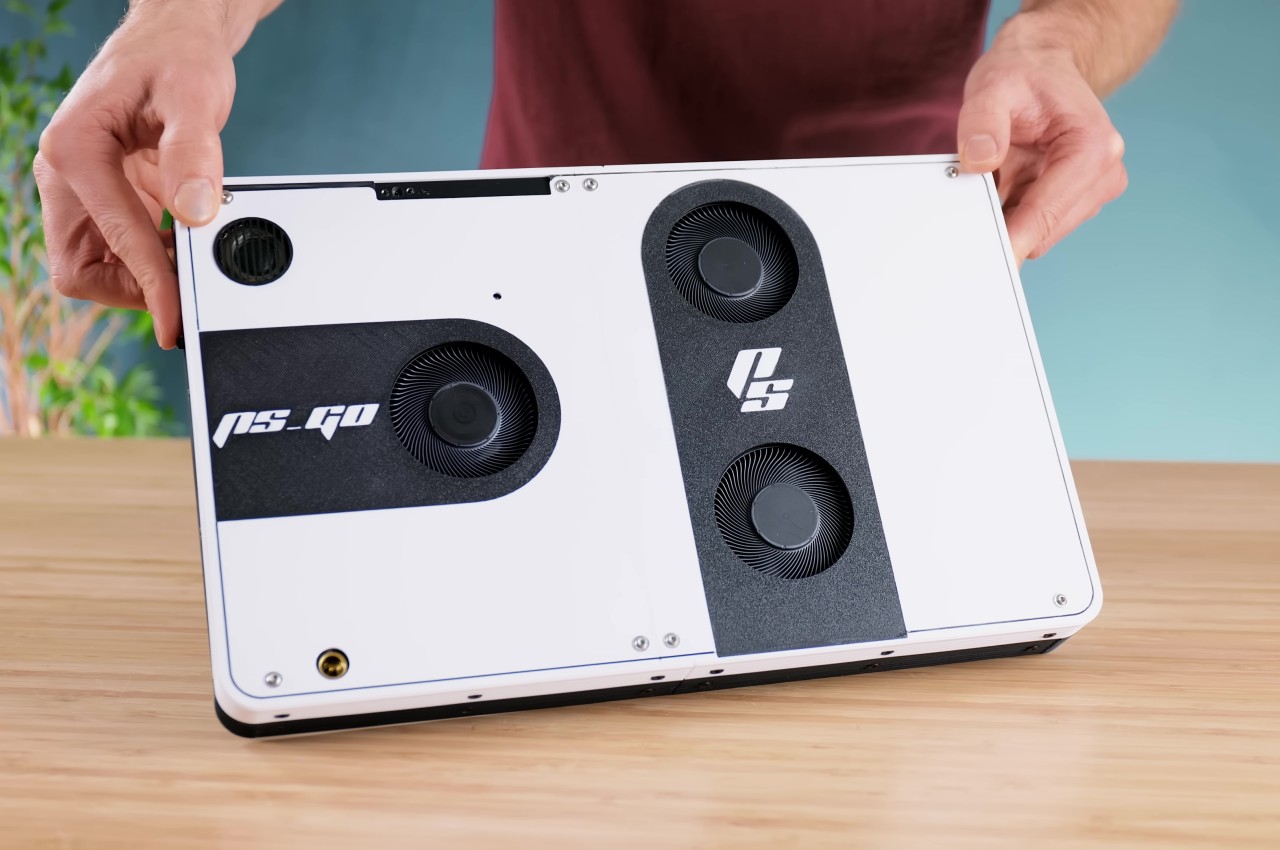
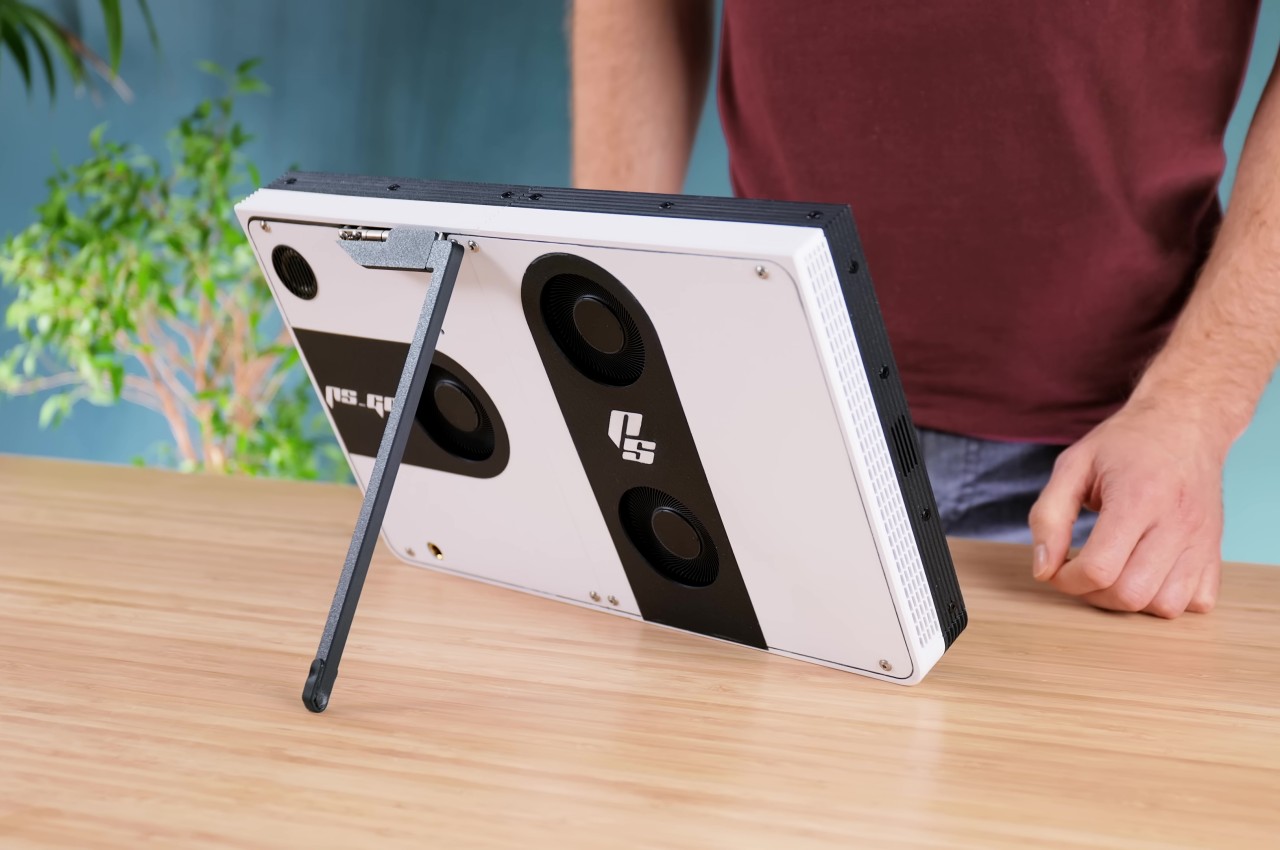
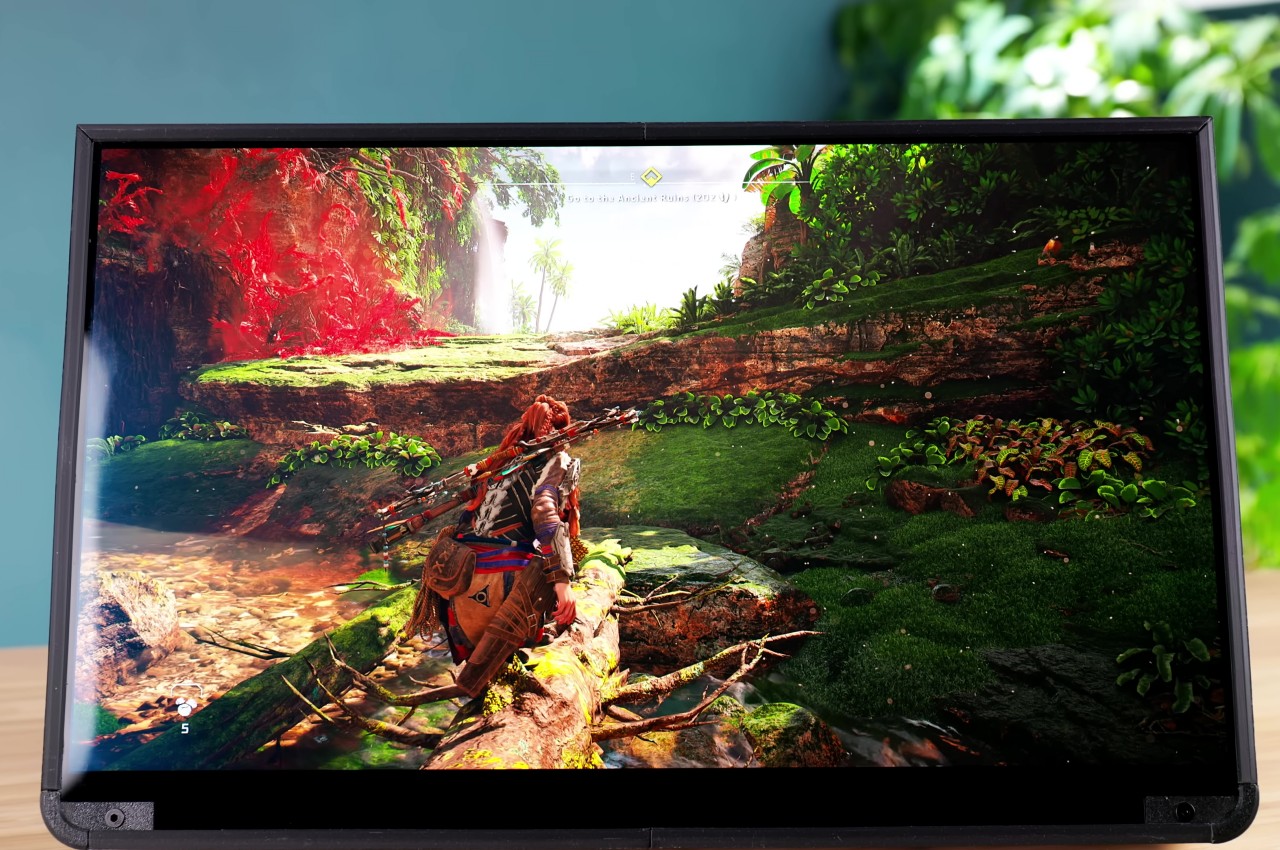
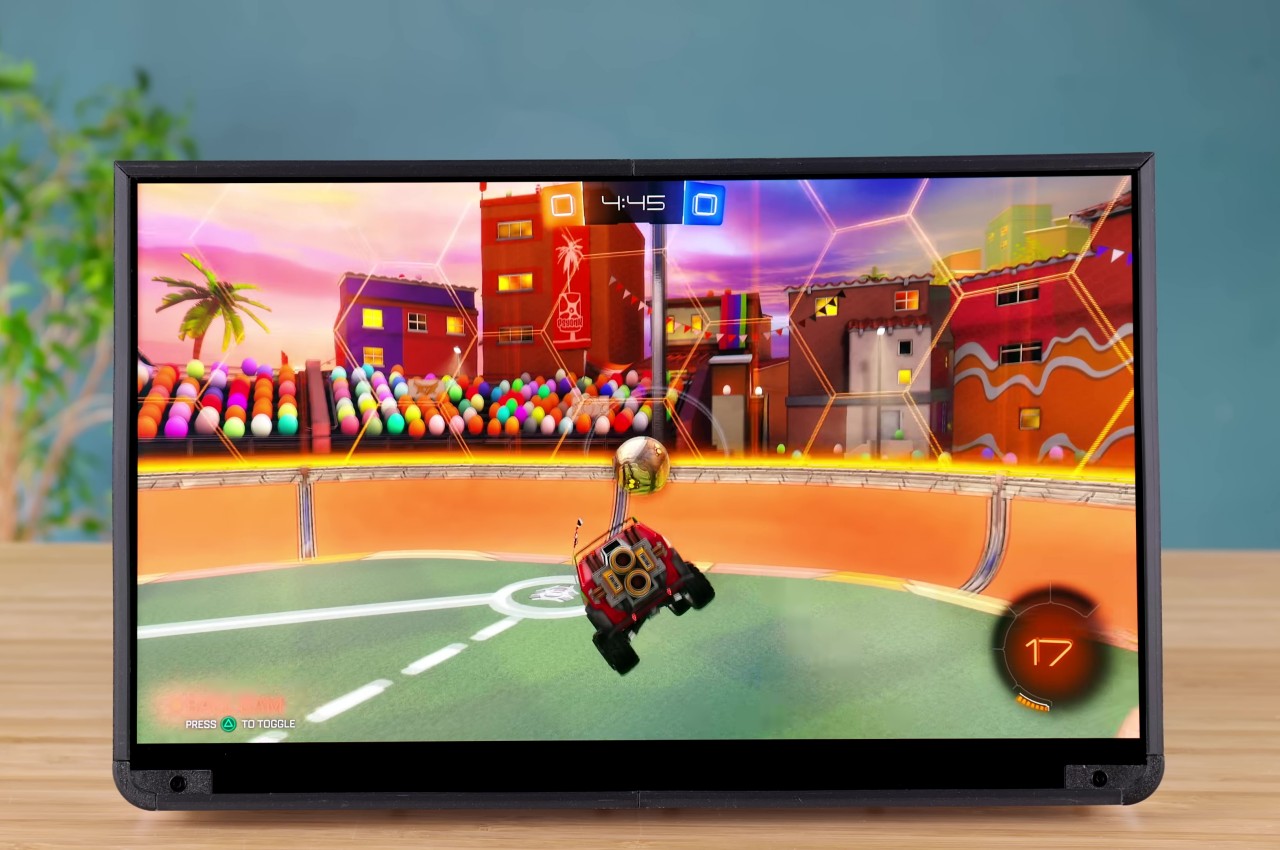
With the biggest engineering hurdle out of the way, putting the rest of the giant tablet was relatively easier. A 3D-printed shell had to be made that matched the black-and-white aesthetic of the PS5. The screen of choice for this project was a 14-inch OLED salvaged from a broken laptop, allowing game graphics to really shine. Finally, an external power source had to be designed since the original PS5 power supply was just too large and too weird to use as is.

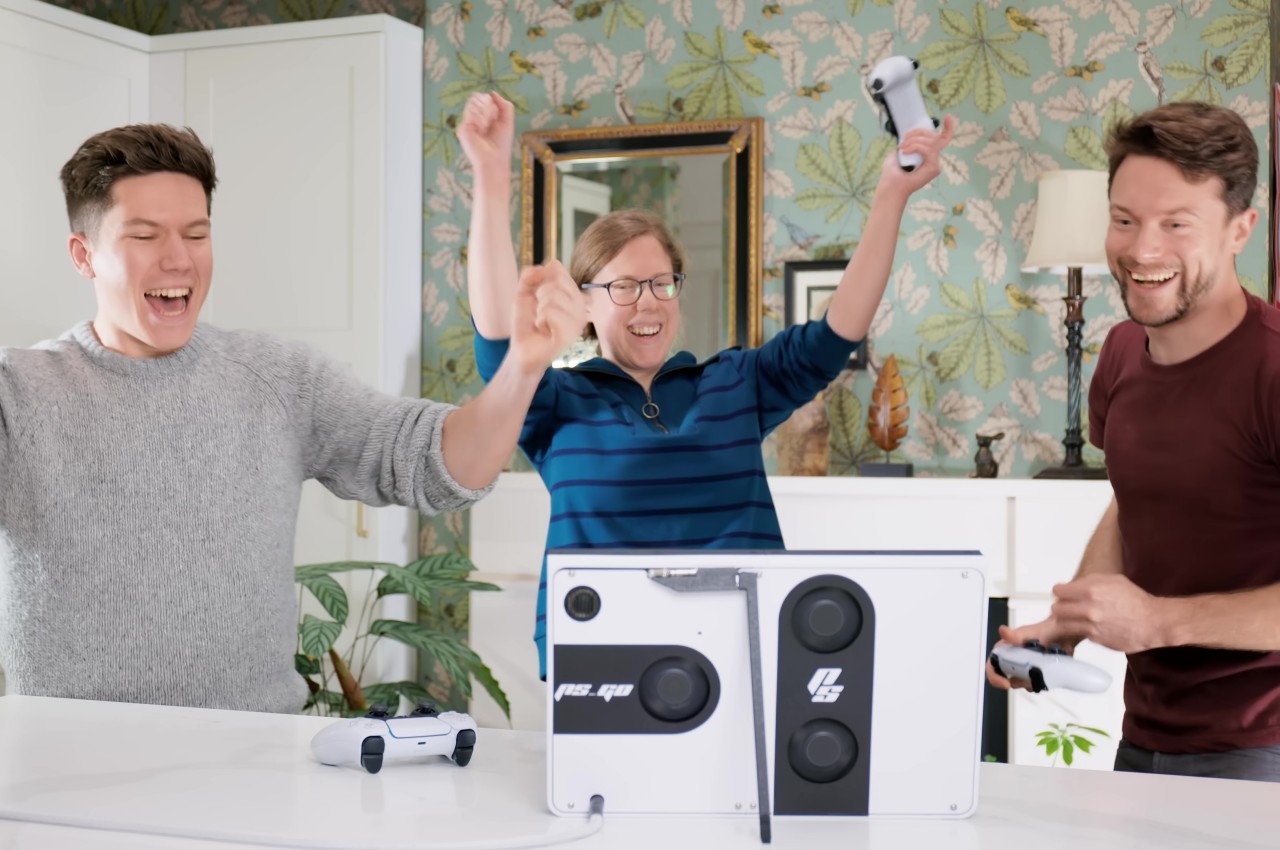
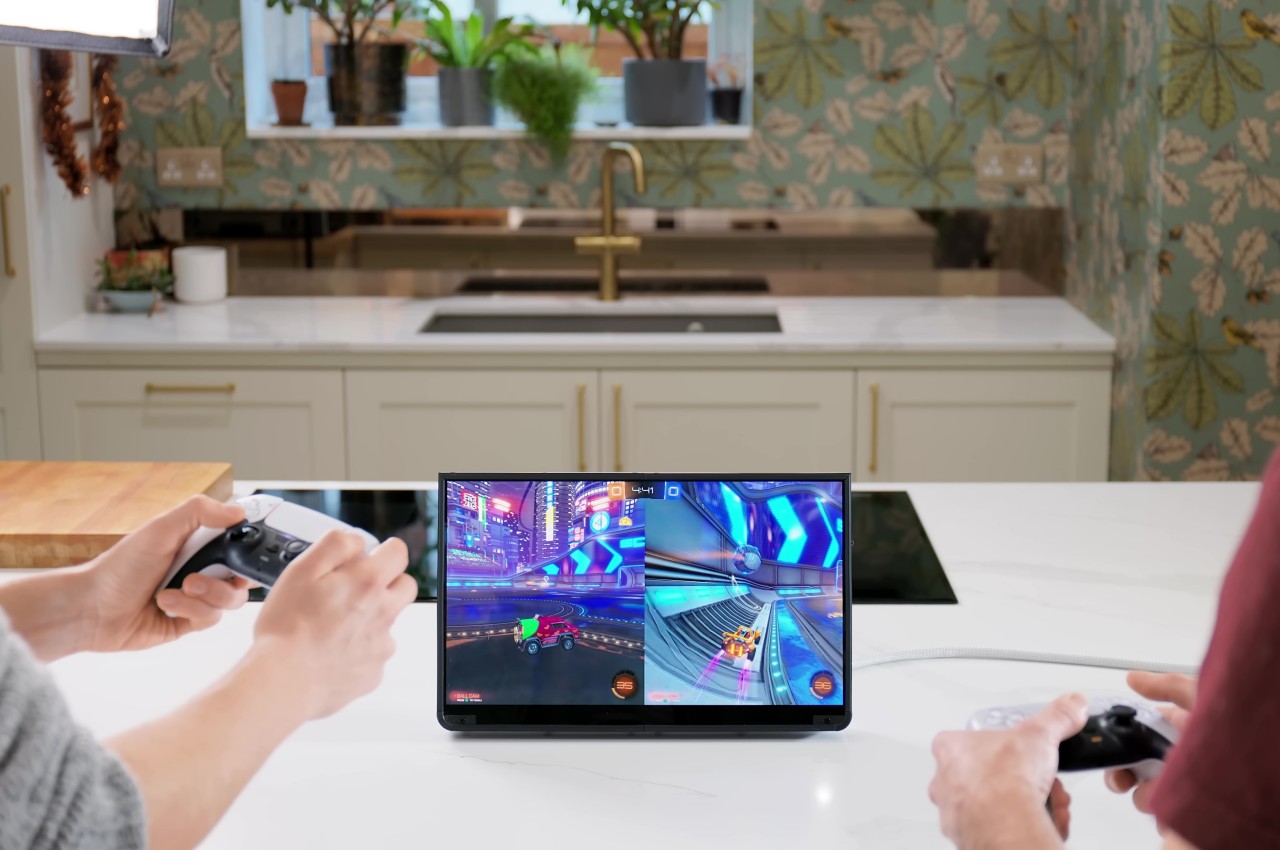
After much work, the PS5 Tablet Edition, a.k.a. PS GO, was ready to be put to the test, and the end result is truly impressive, both from the thermal aspect and especially in performance and visual quality. It’s a truly portable system that can fit inside a backpack, though you’ll have to plug it somewhere to actually use it. Then again, the idea was to create a more social console that you can take to your friend’s or relative’s house so that you can enjoy the experience together, rather than sitting in a corner, alone in the dark, mashing the buttons on your handheld PC.

The post DIY PlayStation 5 Tablet almost makes the PlayStation Portal moot first appeared on Yanko Design.

Building a 10 Stage Coilgun magnetic force projectile launcher

How to make a Coilgun

Imagine being able to create a device that uses magnetic force to launch a projectile. The latest innovation from Electronoobs the creator of inspirational project tutorials for electronics hobbyists. Has introduced the second-generation of a previously made 10-stage coilgun, which now comes with an improved printed circuit board (PCB) and a custom-made enclosure produced by 3D […]

The post Building a 10 Stage Coilgun magnetic force projectile launcher appeared first on Geeky Gadgets.

The best cheap fitness trackers for 2026

You don’t need to spend a fortune to stay on top of your health goals while tracking your fitness. These days, even cheap fitness trackers come packed with features that help you monitor your heart rate, track your steps and even analyze your sleep stages. Many budget options now include GPS tracking for those outdoor runs, real-time heart rate tracking to keep you in the right zone during workouts and, thankfully, most work with both iPhone and Android devices.

Some even go beyond basic metrics, providing insights on daily readiness to help you decide if you’re up for an intense workout or need a lighter day. From simple step counters to more advanced running watches, affordable fitness trackers offer plenty to support your journey toward better health without breaking the bank.

All of the best fitness trackers should have at least three features: a program for activity tracking, the option to monitor and collect data about your sleep patterns and the ability to do things like heart rate monitoring and blood oxygen level tracking (though, the readings might not be super accurate). Don’t set your sights too high and expect metrics like blood pressure monitoring or ECG support; for that, you’d need to invest in a more expensive fitness watch or wearable like a Samsung Galaxy Watch, which falls under the best smartwatches category and will set you back over $400.

A cheap workout tracker can be great for someone looking to keep tabs on small, achievable goals like 10,000 steps before sundown or 30 minutes of a HIIT workout to get your heart rate peaking. An experienced long-distance runner looking to train for a triathlon might opt for a more expensive device that can measure cadence or ground contact time, and can track more customizable workouts, offer different sports modes or give deeper insights into performance data.

At the very least, a budget workout tracker should be able to offer fitness tracking features beyond walking and running — otherwise, it would just be a pedometer. The number of activities a device will recognize varies. Some will get funky with it and consider skateboarding a workout, while others won’t be able to track a jumping jack.

At this price point, you can expect a device to measure a mix of cardio, machine workouts and strength training. With each, you might get a numerical or visual breakdown of heart rate activity, overall pace, and calories burned per session. Although some cheap trackers can offer a really good overview of heart rate zone activity during a workout, a more technically advanced device might be able to go a step further and explain what your results mean and coach you on how to keep your heart rate in a specific bracket so that you can burn more fat per workout. I found that the more budget-friendly the device, the more likely it is that a tracker will fall short when it comes to smart counseling or offering predictive insights beyond a given workout. If a budget tracker does happen to offer some semblance of a coaching program, you can expect it to sit behind a paywall.

Workout tracking and planning your recovery is just as essential to any fitness journey. A sub-$100 device should be able to tell you how long you’ve slept and provide a breakdown of deep, light and REM sleep patterns. It's not a guarantee that you will get a sleep “score” or insights on how to get better rest — that data is usually found on more expensive wearables. Also, because these trackers aren’t designed for bedtime specifically — be mindful of comfort. The bands and watch face on a budget fitness watch may not be ideal for getting some good shut-eye.

Not all of the best budget fitness trackers are designed to seamlessly integrate with a smartphone. The trackers tested for this roundup can’t directly make calls or send texts to contacts on a paired iPhone or Android smartphone. They can, however, display and dismiss incoming calls and notifications via a Bluetooth connection. You can forget about checking your email or paying for a coffee from your wrist using these more affordable devices.

Most cheap fitness trackers also won't include built-in GPS tracking. Instead, they usually depend on a paired smartphone to gather location data. The drawback of using a fitness tracker without GPS is that it might not provide as precise for tracking distance or pace. You also can't use a budget tracker to get turn-by-turn directions during a walk or while running errands. For the more outdoorsy consumers, having GPS could be a key safety feature if you want this kind of functionality at your fingertips.

You also might find that an inexpensive fitness tracker is harder to navigate than a more advanced smartwatch. Whether it be a screen size issue or simply not having a smart enough interface, don't expect every feature to be one that you can engage with directly on your wrist. You’ll likely need to use your phone to input data or access detailed wellness metrics.

Build quality will also vary. While you won’t get premium materials or ultra-bright OLED screens, most best cheap fitness trackers include some level of sweat and water resistance — perfect for everyday wear and casual workouts. And for those starting out with basic gadgets to support their fitness journey, these affordable trackers offer a great balance of essential features without the hefty price tag.

The Amazfit Bip 6, an $80 smartwatch from Zepp Health, didn’t quite make the cut. As a fitness tracker, it’s decent, but it’s a frustrating smartwatch substitute. For workouts, the built-in GPS tracks runs and rides without your phone and, combined with the heart rate and blood oxygen sensors, collects a good amount of data to create accurate pictures of your exertion levels, cadence and pace. It’s remarkably lightweight but doesn’t feel cheap and the AMOLED screen is bright and sharp. It’s not an always-on display, but lifting your wrist wakes it reliably.

The sleep tracking data is on par with what we measured on other smartwatches and there’s even a daily readiness score that compares your sleep quality and the previous day’s exertion to estimate how physically prepared you are for the day ahead — similar to what Pixel Watches, Fitbit devices and Garmin watches offer. And since the watch battery lasts for over a week on a charge, you may be a lot more apt to wear it to bed than a watch you have to charge daily.

We weren’t expecting an $80 device to be a serious Apple Watch challenger, but the Bip 6’s glitches and overly complicated interface (both on the app and on the watch itself) were disappointing. During a week of testing, I got multiple repeated notifications, even after they were deleted, along with suggestions to stand when I was actively doing chores around the house. The watch faces are not customizable, so it was hard to get the info I needed at a glance (the Zepp app has lots of paid watch faces that may have what I wanted, but I didn’t want to pay $3 for something that’s free elsewhere).

Marketing details state that the Bip 6 can auto-detect workouts, including walking and bike riding. During testing, I walked once or twice per day for over one mile and went on two bike rides, but no workout was ever detected. The watch integrates with Apple Health, so I was able to see how it compares to the data my Apple Watch gathers. After a week of wearing the Bip 6, with no changes to my daily routine, I averaged 400 fewer calories burned and 2.4 fewer miles tracked each day. That was possibly the biggest disappointment of all. — Amy Skorheim, Senior Reporter 

I didn't have high expectations of the Wyze Watch 47c, but I was shocked at how little this tracker can do. The 47c can only track walks and runs. It has a dedicated widget, a small logo of a man running, and when you tap it, it begins measuring your pace, heart rate, calories burned and mileage. It does not auto-detect or auto-pause workouts and it doesn't differentiate between a run and walk. Most importantly, this device can’t track any other exercises. It’s basically a glorified pedometer.

The 47c was also my least favorite to sleep with, mainly because the square watch face is so large and heavy. Even if I did manage to sleep through the night with it on, it only gave me a basic sleep report. — M.S.

The Garmin vivofit 4 has a tiny display that is not a touchscreen and all navigation happens through one button. The watch face is impossible to read outdoors and the exercise widget is also very finicky. To start tracking a run, you have to hold down the main button and flip through some pages until you get to a moving person icon. Once there, you have to press the bottom right corner of the bar and hold down and if you press for too long or in the wrong spot, it’ll switch to another page, like a stopwatch. It’s incredibly frustrating.

Once you start a run though, it will start tracking your steps, your distance — and that's pretty much it. It does not auto-detect or auto-pause workouts. It doesn't alert you of any mileage or calorie milestones. — M.S.

While smart rings are gaining popularity for health tracking, they generally don’t fall into the “budget” or “cheap” price range. A smart ring like the Oura Ring offers features such as sleep monitoring, heart rate tracking and readiness scores in an ultra-compact form factor that fits on your finger instead of your wrist. These rings are best suited for people who want discreet, all-day health insights without wearing a traditional watch or band — but with prices typically starting above $300, they’re more of a premium option than a budget-friendly pick.

Georgie Peru contributed to this report.

This article originally appeared on Engadget at https://www.engadget.com/wearables/best-cheap-fitness-trackers-140054780.html?src=rss
LinkedIn’s new AI feature helps people find jobs by grouping them into tailored categories

For many, "new year, new me" includes finding a new job. Scouring sites like LinkedIn and Indeed for opportunities can feel like a full-time role in and of itself. This process could potentially improve moving forward, with LinkedIn announcing its latest feature: Job Collections. 

Basically, instead of searching for a specific industry or role, LinkedIn is using generative AI and large language models to analyze each job posting and categorize it into groups such as IT, pro sports, remote and top startups. Along with saving time, LinkedIn indicates that this feature can benefit people who aren't sure what their next step looks like. The company compares it to Airbnb Experiences — you might not know what you're searching for, but you could find something great. Its success relies significantly on how well it understands you versus wasting your time further sorting through jobs that are completely off base. 

According to LinkedIn, applications rose 50 percent in the US and 36 percent globally last January (a month that typically sees a spike), with 85 percent of working people contemplating changing jobs this year. The number of people searching for a job isn't surprising, given the number of recent layoffs. In the tech industry alone, 2024 has already seen layoffs at Twitch, Google, Meta, Discord and more.  

To use LinkedIn's new feature, simply go to the Jobs tab and click on "Explore with Job Collections." You can now also go to Preferences and choose from things like employment and location type. Then LinkedIn will highlight them in green anytime they appear on a job listing. Plus, if a job isn't exactly what you want but the company is, you can now send them an "I'm Interested" notification right from the listing instead of visiting their profile to do so. 

This article originally appeared on Engadget at https://www.engadget.com/linkedins-new-ai-feature-helps-people-find-jobs-by-grouping-them-into-tailored-categories-104032853.html?src=rss

Apple App Store in the USA now allows external purchase links

Apple App Store

Apple was recently denied an appeal in the Apple vs Epic trial, and now Apple is making some changes to the App Store in the UJSA to comply with the original ruling from 2021, Apple will now allow alternative purchase links in the app store. Previously any sign-ups for anything or purchases had to be […]

The post Apple App Store in the USA now allows external purchase links appeared first on Geeky Gadgets.

Xbox & PC Game Pass January 2024 games

Xbox PC Game Pass January 2024 games

As the new year unfolds, Xbox & PC Game Pass subscribers are poised to experience an electrifying selection of games that promise to keep them on the edge of their seats. January 2024 is shaping up to be a month where gamers of all stripes will find something to love, thanks to a lineup that […]

The post Xbox & PC Game Pass January 2024 games appeared first on Geeky Gadgets.

ViewSonic open-frame industrial touchscreen display

ViewSonic TD3207 Open-Frame industrial touchscreen display 2024

ViewSonic has this week introduced its new industrial touchscreen display specifically designed for businesses that are constantly on the lookout for reliable equipment that can keep up with the demands of daily operations. Enter the ViewSonic TD3207, a robust 32-inch touch display that’s built to endure the rigors of continuous use in a variety of […]

The post ViewSonic open-frame industrial touchscreen display appeared first on Geeky Gadgets.

ARMOR 700 and SL500 portable SSDs for phone, PC, Mac and more

ARMOR 700 SL500 portable SSDs

In the fast-paced world of digital storage, Lexar has joined forces with Silicon Motion to unveil two new Portable Solid-State Drives (PSSDs) that are set to hit the market in early 2024. These drives, the ARMOR 700 and SL500, are designed to meet the demanding speed and durability needs of a diverse group of users, […]

The post ARMOR 700 and SL500 portable SSDs for phone, PC, Mac and more appeared first on Geeky Gadgets.

How to Debug Python with ChatGPT

Debug Python with ChatGPT

Debugging Python code with the assistance of ChatGPT is a synergistic endeavor, requiring active engagement from both the user and the AI. It’s imperative to acknowledge that ChatGPT serves as a supportive tool, capable of identifying potential issues and offering suggestions for code enhancement. However, this assistance should not be misconstrued as a substitute for […]

The post How to Debug Python with ChatGPT appeared first on Geeky Gadgets.

Posted in Uncategorized | Tagged

DJI’s Mic 2 now records high-quality audio to your smartphone via Bluetooth

After making a cameo appearance in the Osmo Pocket 3 camera, DJI's Mic 2 wireless microphone system has officially arrived with some nice upgrades over its popular predecessor. It can now connect directly to your smartphone via Bluetooth, while also offering improved internal recording quality, AI noise reduction, a bigger touchscreen, easier control and more. 

The transmitters come in grey with a new see-through design and DJI introduced a white color option as well. They're slightly smaller than before, but largely resemble their predecessors with a clip, magnetic mount and 3.5mm mic input. The power and link buttons are now on the same side and round instead of oblong, with the record button and USB-C input on the other side. 

DJI's Mic 2 now records high-quality audio to your smartphone via Bluetooth
DJI

In one welcome change, DJI moved the power-on LED to the sides, rather than near the front as before, where it would annoyingly appear on camera. The DJI logo is front and center, though, so you'll still need a piece of black tape to cover that up. 

The receiver has changed substantially, with a larger 1.1-inch touchscreen and a new thumbwheel to make adjustments easier. DJI has made connecting the transmitter directly to your phone simpler as well via included USB-C and Lightning adapters. 

A big plus of the Mic 2 over other kits like the Rode wireless Go 2 is the charging case that's sold with the two-transmitter kit. It now supports up to 18 hours of use on a charge, up from 15 before, and the transmitters have been upgraded from 5.5 to six hours.

DJI's Mic 2 now records high-quality audio to your smartphone via Bluetooth
DJI

Topping the list of new features is direct Bluetooth connection support, letting you pair a transmitter mic to your phone (or DJI's Osmo Pocket 3 and Action Cam 4) without the need for a receiver. That'll allow creators on a budget to purchase a transmitter mic by itself for $99, or add DJI's Lavalier Mic for an additional $35. 

Linking a phone is relatively easy — hold the record button for three seconds to put it in Bluetooth mode, then press and hold the link button for two seconds. From there, your phone should detect the transmitter. It worked great with my Pixel 7a, even though it's not on the approved list, and I was able to start recording video with much better quality audio, to say the least. 

There are a couple of caveats: the AI noise cancelling feature doesn't work when connected to a smartphone and you can only use one transmitter at a time. If you have the transmitter/receiver combo, though, you can also get audio by connecting the receiver directly to your phone as before. 

DJI's Mic 2 now records high-quality audio to your smartphone via Bluetooth
DJI

Speaking of, the Mic 2 has a couple of improvements in audio quality. It promises "brighter and more natural sounding voices" for the interviews or standup work where it's mainly used. And though the original DJI Mic supported internal recording as a backup to camera files, it now captures that at higher 32-bit float quality, letting you max out gain without fearing distortion. It also supports a higher acoustic overload point (AOP), up to 120 dB from 114 dB, meaning you'll see less distortion on higher audio levels. 

The other quality trick is AI noise cancelling, allowing the Mic 2 to lower the environmental noise so vocals stand out better. DJI promises that it works in "complex and noisy environments, such as streets and restaurants." 

A full review is to come, but I tried out the Mic 2 in a variety of situations, including inside a car, riding on a bicycle and in a howling wind. It performed well in nearly all those situations, with all distracting noise blocked in the car and bike shots, leaving just some pleasant environmental sound. However, it was unable to block out a direct 30-40 MPH wind on a sand dune, even with the included wind muff installed. It still worked well enough for me to get the shot, though, which was impressive.

DJI's Mic 2 now records high-quality audio to your smartphone via Bluetooth
DJI

Key features carrying over from the last model include the option for a safety track recorded at a lower -6 dB (in case you accidentally blow out the levels), an 820 foot range with the transmitter/receiver combo (524 feet in the EU), magnetic clips and a muff for each transmitter. For the receiver, DJI has also included preset gains for different cameras so that it'll work relatively well out of the box. It doesn't include all recent cameras, so hopefully firmware updates will address that. 

With the new options, particularly the smartphone Bluetooth connectivity and Osmo Pocket 3/Action 4 support, the Mic 2 is again likely to strike a chord with creators. It's now available for $349 with two transmitters, a receiver and charging case, $219 for a transmitter and receiver and $99 for individual transmitters. You can also purchase the charging case separately for $69. 

This article originally appeared on Engadget at https://www.engadget.com/djis-mic-2-now-records-high-quality-audio-to-your-smartphone-via-bluetooth-130018964.html?src=rss