Upgrading to the Switch 2 is a big step forward, thanks to the larger screen, new features and improved performance. But shifting to a new console naturally raises the question of what happens to all your games and save data on the one you already have. Thankfully, Nintendo has built a clear System Transfer process that lets you move your account, digital purchases, save files and other key data from your original Switch to the Switch 2. If you prepare ahead of time, you can be back to playing your favorite titles on new hardware in minutes.
We’ll walk you through everything you need to know, including what transfers, how to start the process and what to check once you’re set up.
Before you transfer: A quick checklist
Running through these steps first will save you time later:
Charge your original Switch and your Switch 2, and keep them near each other.
Connect to a stable Wi-Fi connection, as this is required to verify your Nintendo Account and manage redownloads.
Update your original Switch by installing the latest system software so the transfer can run without interruptions.
Confirm your Nintendo Account is linked, and each user you want to move is tied to a Nintendo Account.
Most Switch titles work on Switch 2, but a few may have issues, so it’s worth checking Nintendo’s compatibility list ahead of time.
Back up screenshots and videos if needed. These should transfer, but it never hurts to have your own copy.
How to start the transfer of data from your old Switch to the Switch 2
With your original Nintendo Switch to hand, navigate to System Settings, select Users then select Transfer Your User & Save Data. Pick the user profile you want to move, confirm your Nintendo Account information and follow the on-screen prompts.
Power on your Switch 2 and go through the initial setup. When the console asks if you want to transfer data from another system, select Start System Transfer. Make sure both consoles are connected to the same Wi-Fi network and remain powered on during the process.
Once the Switch 2 detects your original console, it will guide you through pairing the systems for the transfer. After the connection is established the original Switch will begin sending your user information, save data and settings.
When the transfer is complete, your new console will automatically log in using your Nintendo Account. Your digital games will appear in the Redownload section of the eShop so you can pull them onto your Switch 2 as needed.
What to do after your transfer is complete
Once everything has moved to the Switch 2, there are a few final steps that help round out the process. You can redownload your digital games from the eShop and start reinstalling your favorites. Any controllers, Joy-Con or Bluetooth accessories you used with your original console will need to be paired again (provided they are Switch 2-compatible accessories), which only takes a minute. It’s also a good time to update your games to their latest versions and restore any parental controls or family group settings you had before.
When you’re confident that all your data has transferred and everything is working as expected, you can then decide whether to keep your old console, hand it down or perform a factory reset if you plan to sell it.
What data transfers to the Switch 2
Nintendo’s System Transfer moves everything tied to your Nintendo Account, including digital games you’ve purchased, save data, user profiles, parental controls, system settings and screenshots and video captures.
Your Nintendo Switch Online membership moves as well, and you’ll be able to immediately re-download your digital games on the Switch 2 once the transfer completes. Physical Switch game cards also work on the new console, though some titles may require patches or updates for the best performance. Nintendo has noted that a small number of older games may have temporary compatibility issues, but these are being reviewed.
What data doesn’t transfer automatically
A few settings won’t carry over on their own, so you may need to handle them manually once your Switch 2 is set up. Bluetooth pairing for controllers or headphones will need to be reconnected, since those device links stay tied to the original console. Your Wi-Fi passwords also won’t transfer, so you’ll have to sign in to your home network again.
Some game-specific preferences, as well as language or region settings, may require another quick adjustment on the Switch 2, but these are simple to reconfigure and only take a few moments.
Troubleshooting and other things to consider
If you run into issues while getting settled, a few common scenarios are worth keeping in mind. Some older titles may have temporary compatibility problems on the new console, so if a game behaves unexpectedly, check Nintendo’s updated compatibility list for known issues.
You may also notice slower download speeds as the Switch 2 queues up your full library after the transfer. It helps to prioritize the games you want to play first so they can download ahead of the rest. Storage can also play a role. If you use a microSD card, wait until the system transfer is complete before inserting it into the new console, since the Switch 2 may need to reformat the card.
And finally, don’t reset your old Switch right away. Keeping it powered on and accessible ensures you can confirm that all your saves and data made it across safely.
This article originally appeared on Engadget at https://www.engadget.com/gaming/nintendo/how-to-transfer-your-games-to-the-nintendo-switch-2-130000702.html?src=rss
A new year offers permission to refresh, recalibrate, and reimagine the things that surround you. Not through drastic overhauls, but through intentional upgrades that make daily life smoother, smarter, and more satisfying. These ten designs aren’t about chasing trends or filling space. They’re about solving problems you didn’t know had such elegant answers.
Each piece here earns its spot through thoughtful engineering, aesthetic restraint, or sheer utility. Some will help you work better, others will keep you grounded when things go sideways, and a few exist simply to make the ordinary feel remarkable. Starting 2026 right means surrounding yourself with objects that respect your time, elevate your routines, and age gracefully alongside your ambitions.
1. ChatGPT-Enabled TWS Earbuds with Built-In Cameras
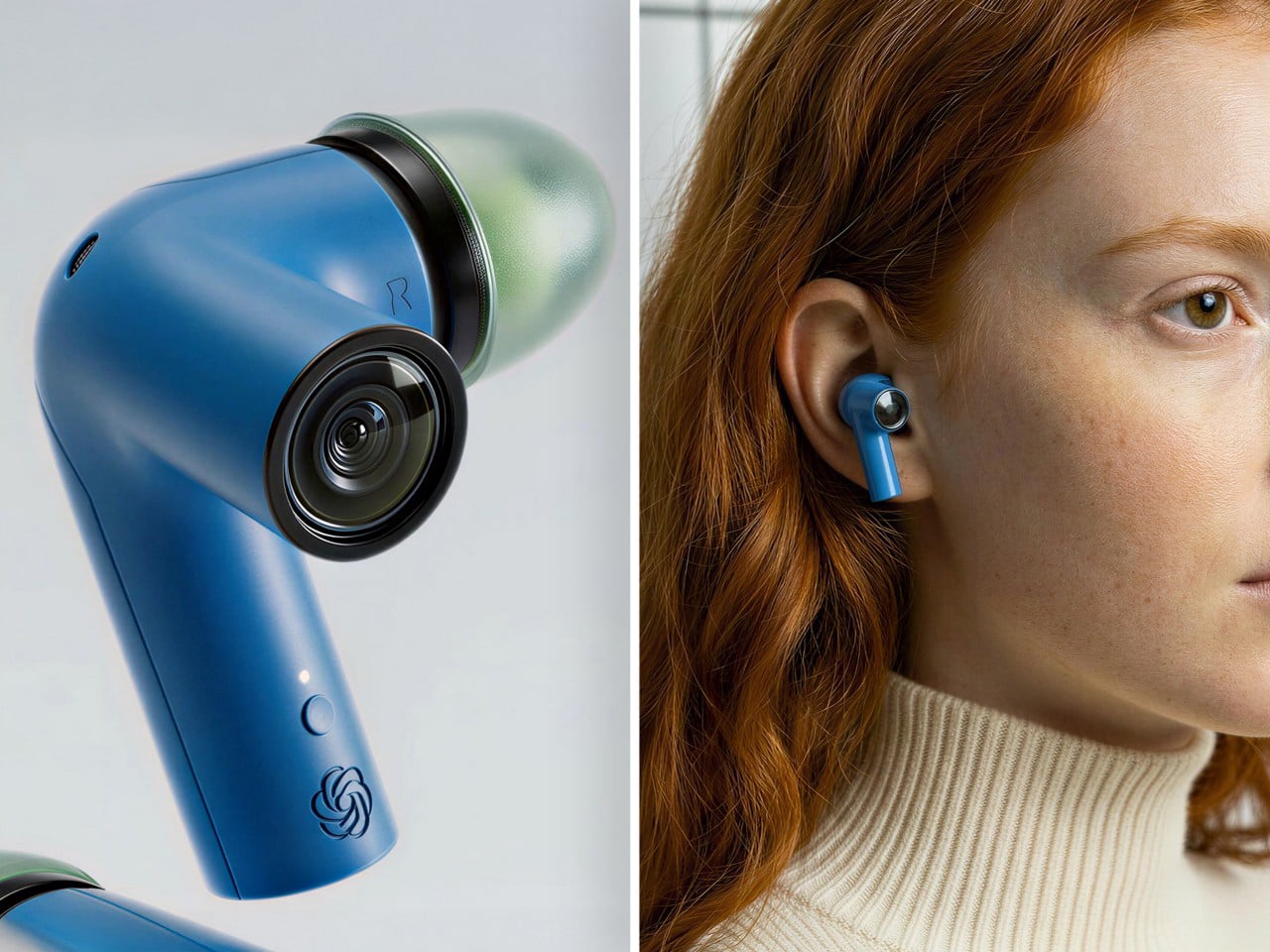
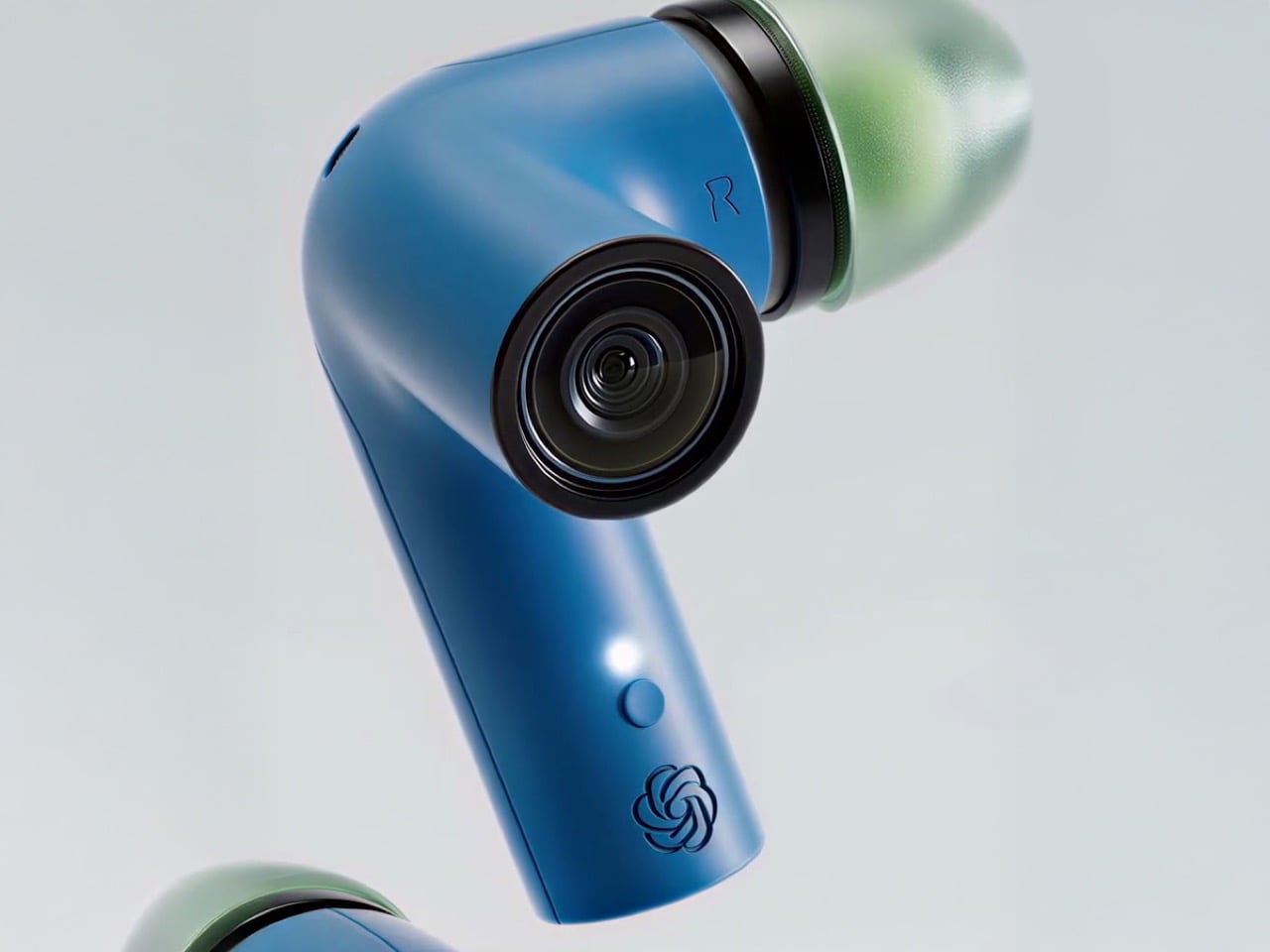
The idea of wearing cameras near your ears might sound dystopian at first, but this concept from designers reimagining AI hardware makes a surprisingly strong case. Each earbud features a small camera positioned at the end of an extended stem, roughly aligned with your natural line of sight. Paired with ChatGPT, the setup turns your audio gear into a live visual assistant that can translate signs, describe surroundings, read menus, and guide you through unfamiliar cities without forcing you to stare at a screen. The form stays recognizable as earbuds, but the function feels genuinely new.
What sets this design apart is how it sidesteps the awkwardness of face-mounted cameras while keeping the tech close enough to be useful. The industrial design leans into a retro sci-fi aesthetic, with the lens sitting like a tiny action cam, surrounded by a colored ring that serves as both an accent and a functional cue. Translucent tips and playful shell colors keep it from looking overly serious. It reads as audio first, AI second, which matters when you’re asking people to trust optics hanging off their heads.
What we like
The camera placement avoids the social friction of smart glasses while staying in your natural line of sight.
Pairing visual input directly with conversational AI turns assistance into something ambient rather than intrusive.
What we dislike
Battery life will likely take a hit with dual cameras running alongside audio and AI processing.
The inevitable privacy conversation around always-available lenses in public spaces.
2. RetroWave 7-in-1 Radio
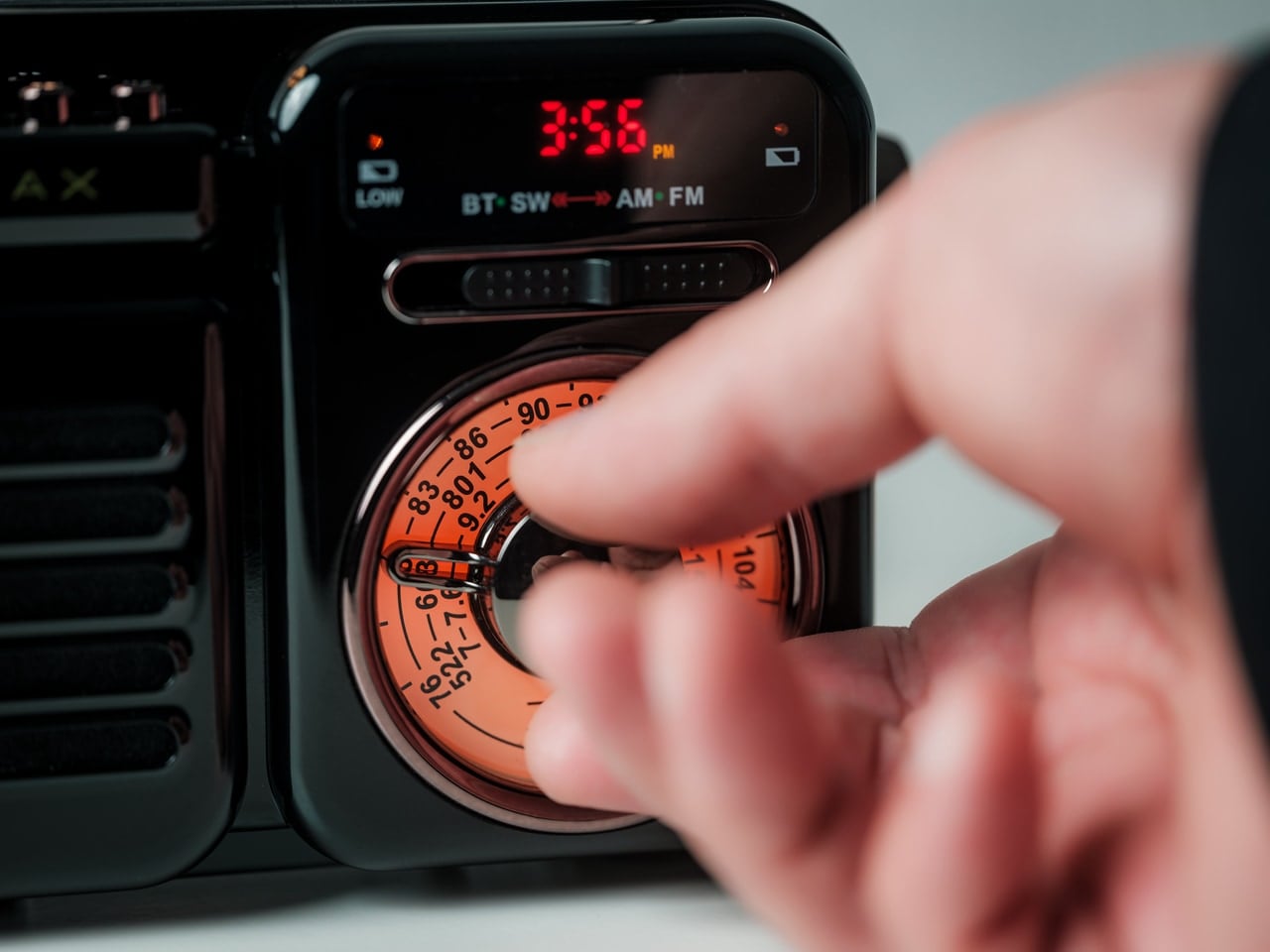
Some mornings call for jazz and coffee. Other days demand emergency power and a working flashlight. The RetroWave handles both without flinching. This compact device packs seven functions into one retro-styled body: Bluetooth speaker, MP3 player, FM/AM/SW radio, flashlight, clock, power bank, and SOS siren. It streams from your phone or plays music directly from USB and microSD cards, making it useful whether you’re online or completely off-grid. The hand-crank and solar panel charging options mean you’re never fully powerless.
Beyond survival scenarios, the RetroWave fits surprisingly well into everyday routines. It sits comfortably on a nightstand as a clock radio, doubles as a desktop speaker during work hours, and transitions into a camping essential on weekends. The 2000mAh battery delivers up to 20 hours of radio time or six hours of emergency lighting. Its lightweight build and thoughtful design make it easy to pack and easier to justify keeping around. It’s the kind of object that earns its spot by being genuinely useful, then stays because it looks good doing it.
True multi-functionality that works in daily life and crises alike.
Hand-crank and solar charging remove dependency on outlets entirely.
What we dislike
The 2000mAh battery feels modest for powering multiple devices in extended off-grid situations.
Retro styling won’t appeal to everyone seeking modern minimalism.
3. Auger PrecisionLever Nail Clipper
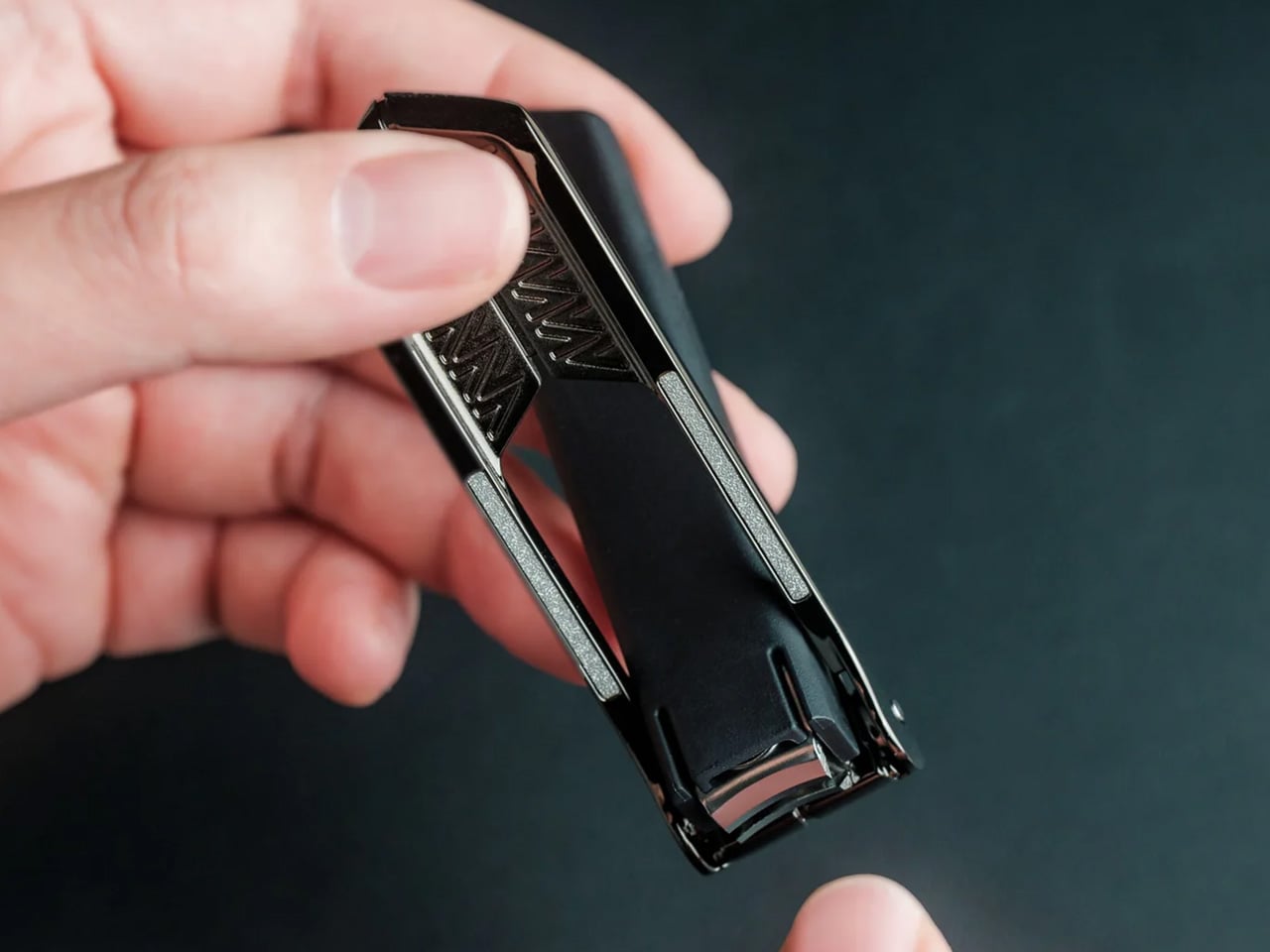
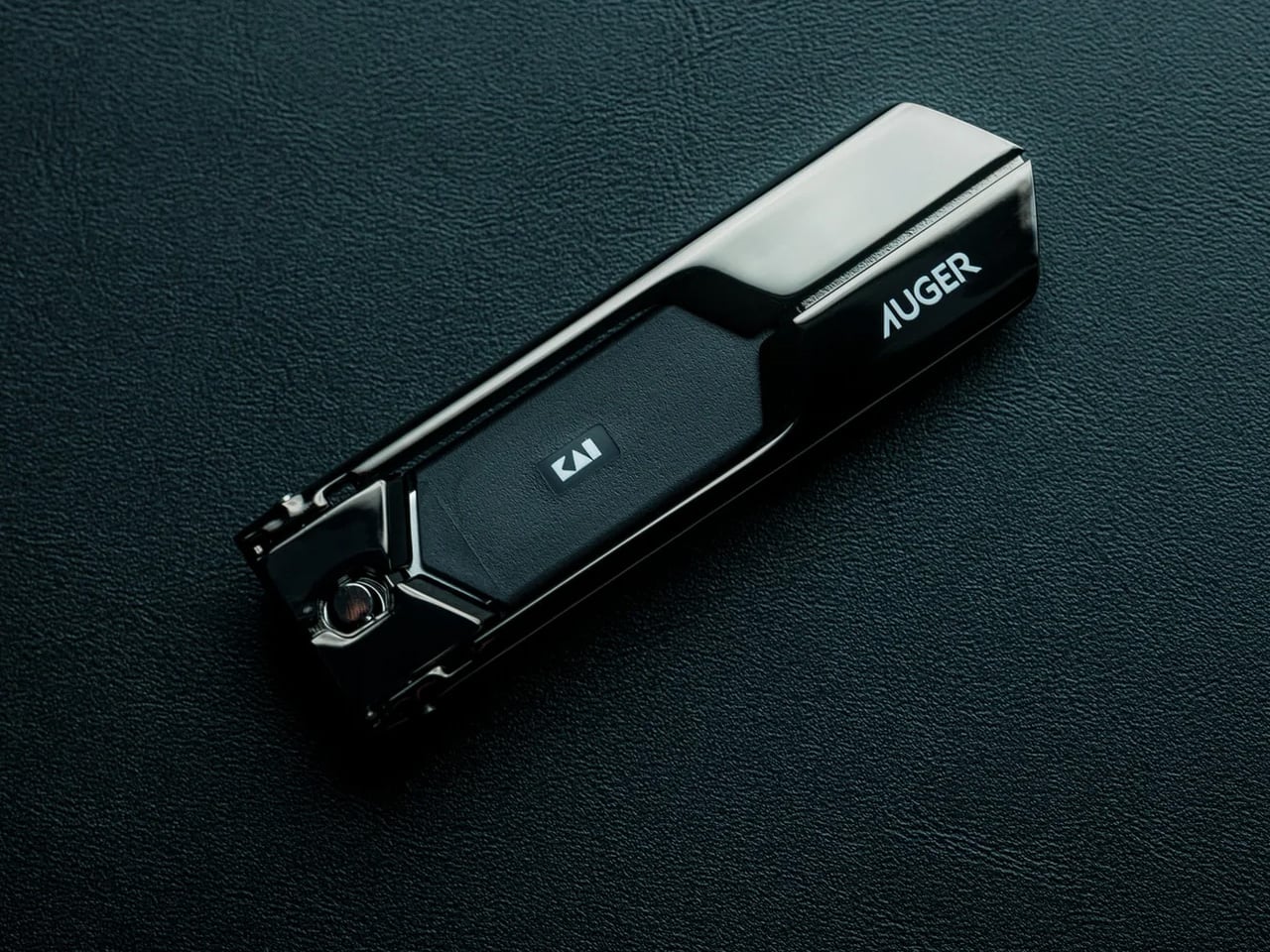
Grooming tools often get overlooked in design conversations, but a well-made clipper can turn a mundane task into something oddly satisfying. The Auger PrecisionLever uses a patented rotating lever mechanism that shifts the pivot point closer to the blade, maximizing cutting power with minimal hand effort. Made from stainless cutlery steel by Japan’s Kai Corporation, a blade-making authority since 1908, the clipper delivers clean cuts through thick nails without tearing or splitting. At 67 grams, it carries enough weight to feel substantial without being cumbersome.
The design balances mechanical efficiency with understated aesthetics. The zinc die-cast lever features a sleek plated finish, while thermoplastic stoppers and a stainless steel filing surface add functional durability. At 86mm in length, it slips easily into a Dopp kit or drawer. The press-and-release action is smooth and quiet, delivering crisp results without the jarring click of cheaper clippers. It’s grooming stripped to essentials: precise, deliberate, built to last, and refined enough to make you appreciate the engineering behind something you use weekly.
The patented rotating lever reduces effort while increasing control, especially on thicker nails.
Kai’s century of blade-making expertise translates to noticeably cleaner cuts.
What We Dislike
The 67-gram weight, while satisfying in hand, makes it heavier than most travel clippers.
Premium pricing may feel steep for a category that people usually buy cheaply.
4. Fire Capsule Oil Lamp
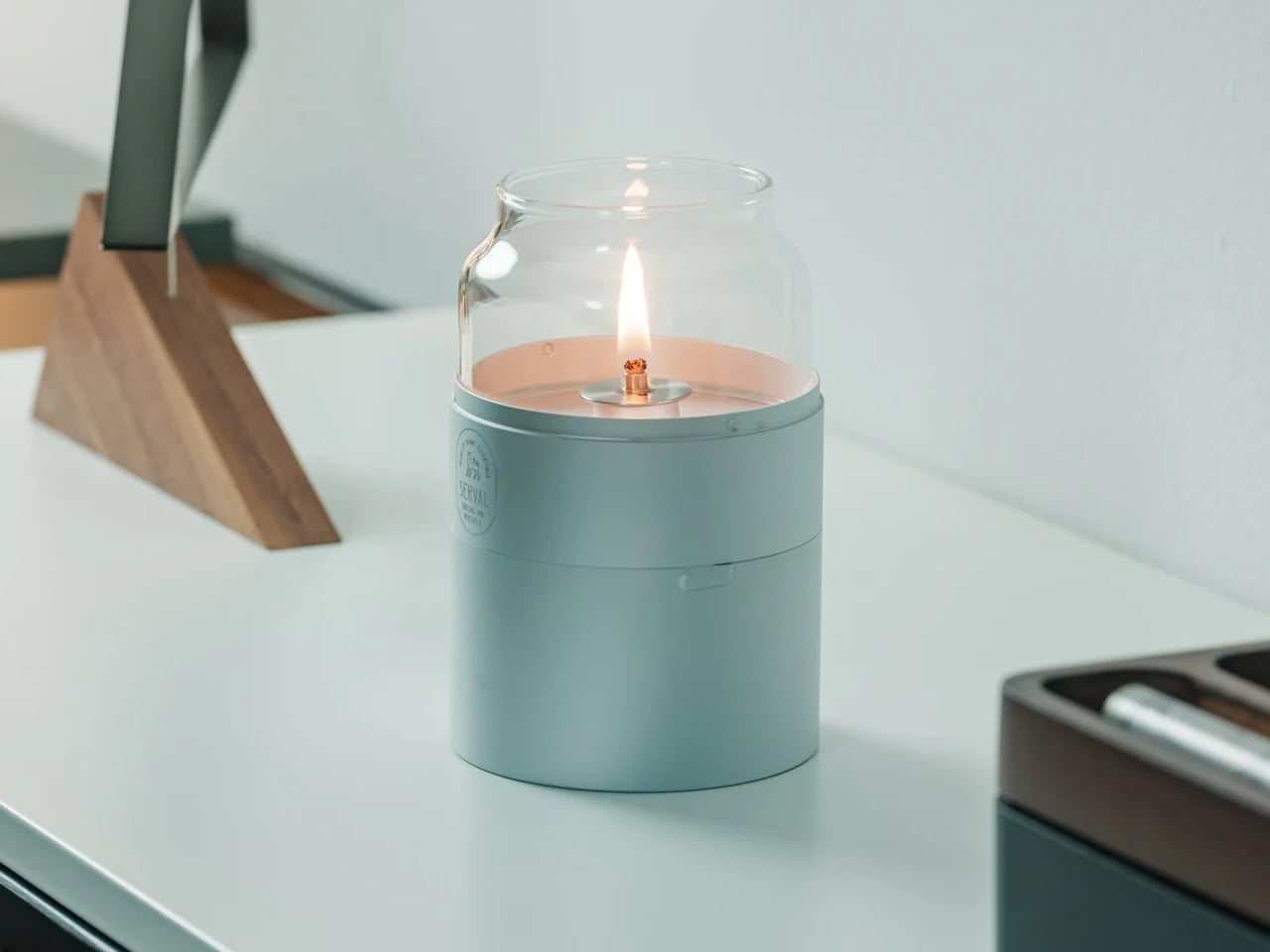
Candlelight without the mess, wax, or weak flame. The Fire Capsule reimagines the oil lamp as a modern minimalist object, wrapped in sleek cylindrical glass with a precision-engineered lid that keeps dust out and clarity intact. The 80ml capacity provides up to 16 hours of continuous light, enough for a full evening gathering or an extended power outage. Burn paraffin oil with insect-repelling properties, and it becomes an outdoor companion that sets ambiance while keeping bugs at bay. An included aroma plate lets you infuse spaces with scent, turning functional lighting into a sensory experience.
What makes the Fire Capsule work is its refusal to compromise portability for aesthetics. At just 180 grams, it’s light enough to pack for camping trips or move between rooms without thought. The flat-topped design allows stacking for storage, and it comes with a protective drawstring pouch. Paraffin oil burns clean and odorless, making it approachable for beginners while offering reliability for experienced users. It’s the kind of object that transitions seamlessly from dinner party centerpiece to emergency kit essential, looking intentional in both contexts.
Sixteen hours of burn time from a compact, stackable form that travels easily.
Clean-burning paraffin oil eliminates the smoke and scent issues of traditional candles.
What we dislike
Paraffin oil requires a separate purchase and proper storage, adding a layer of maintenance.
Open flame always carries risk, requiring more supervision than battery-powered alternatives.
5. BØYD Minimalist Espresso Machine
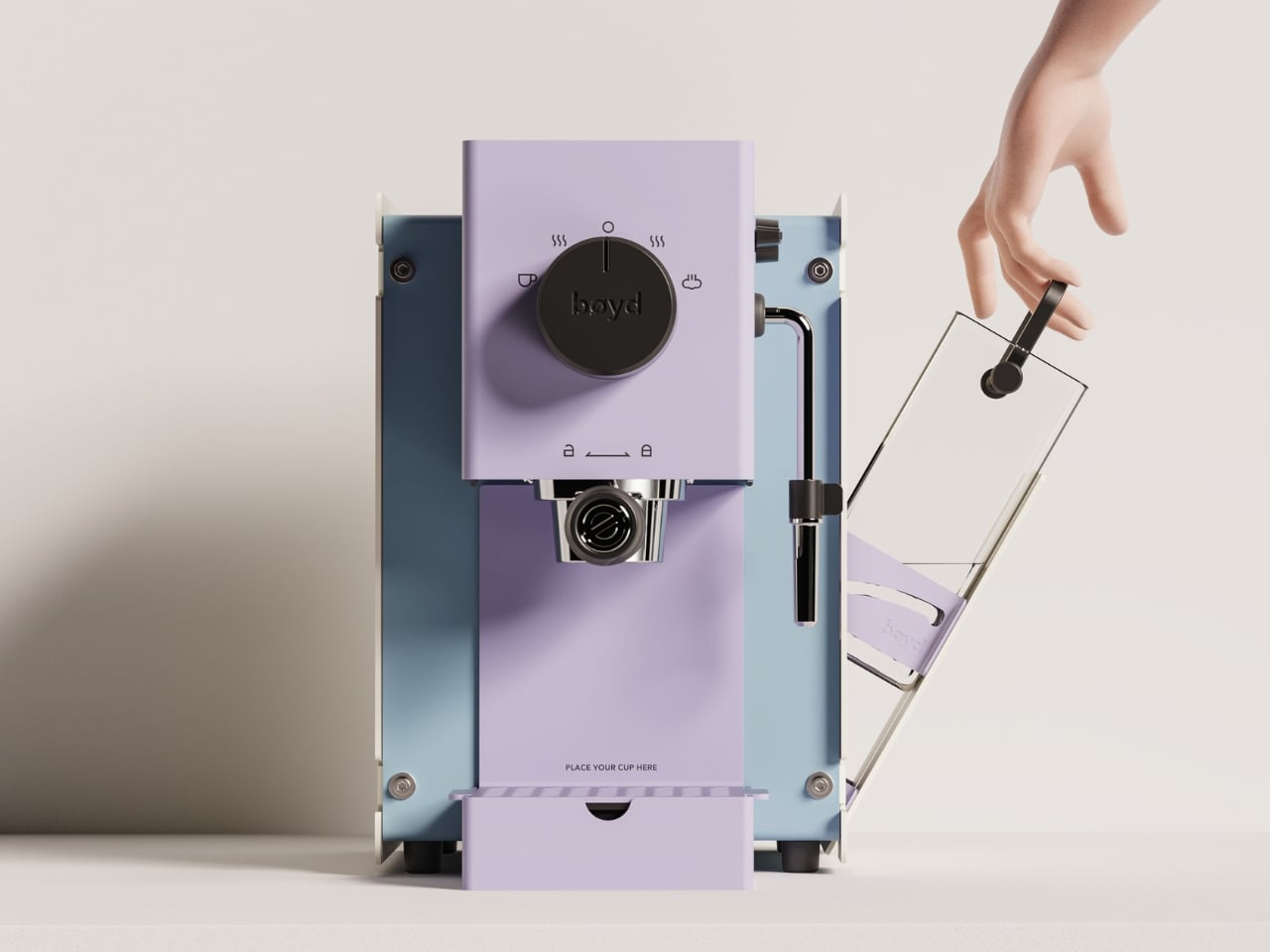
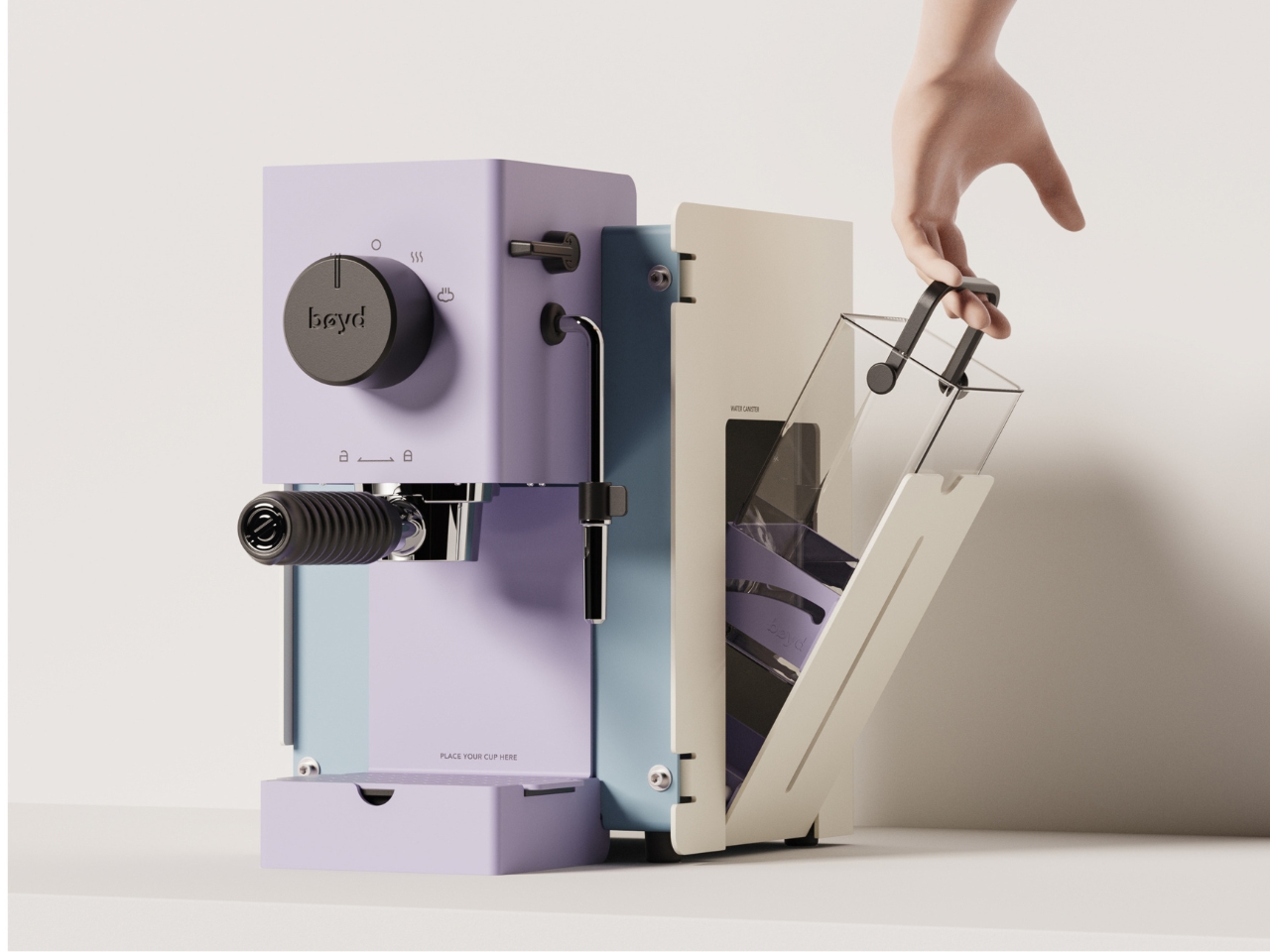
The BØYD espresso machine concept strips coffee-making down to pure geometric form. NYZE Studio designed it as a sculptural statement first, functional appliance second, though the two aren’t mutually exclusive. Smooth curves and clean lines replace the usual visual clutter of traditional machines. The handle arches naturally for ergonomic grip, and the interface stays minimal, eliminating the multi-button confusion that often accompanies morning caffeine rituals. It’s the kind of design that makes you reconsider what kitchen appliances could look like if form and function started on equal footing.
Though still conceptual, the BØYD demonstrates how thoughtful industrial design can transform utilitarian objects into conversation pieces. The silhouette feels more like modern sculpture than a small appliance, yet the user experience remains intuitive. Imagining it on a countertop, it commands attention without demanding maintenance or complexity. For coffee lovers who care as much about their space as their brew, it’s a vision of what’s possible when designers prioritize restraint over feature bloat. It’s also a reminder that sometimes the best designs exist first as provocations, pushing categories forward even before production begins.
What we like
Bold minimalist form turns a functional appliance into a sculptural statement piece.
Simplified interface suggests a more intuitive, less overwhelming user experience.
What we dislike
As a concept, it’s not available for purchase or real-world testing.
Extreme minimalism may sacrifice the practical features that experienced espresso users expect.
6. Bookish Bookmark
Reading shouldn’t require improvised solutions like mugs, random objects, or cracked spines. The Bookish bookmark solves a persistent problem with elegant simplicity: it’s a book-shaped transparent paperweight with curves designed to hold pages open naturally. Made from clear acrylic resin, it sits across your book without blocking text, letting you read hands-free while protecting pages from smudges or accidental creases. The curved form respects the book’s natural arc rather than forcing it flat, preserving spine integrity while keeping your place.
The genius here is restraint. Instead of adding complexity, the design removes friction from an activity that should be relaxing. It works equally well for cookbooks in the kitchen, textbooks on a desk, or novels on a nightstand. The transparency ensures it doesn’t interfere with your reading experience visually, while the weight keeps pages secure without damage. For anyone who’s ever balanced a book awkwardly while eating, taking notes, or trying to follow a recipe, this is the kind of micro-solution that feels obvious in hindsight but surprisingly rare in practice.
Transparent design allows uninterrupted reading while keeping pages open securely.
Curved shape holds books naturally without damaging spines.
What we dislike
Acrylic scratches over time with regular handling and storage.
Size may not accommodate very large or very small books equally well.
7. Memento Business Card Log
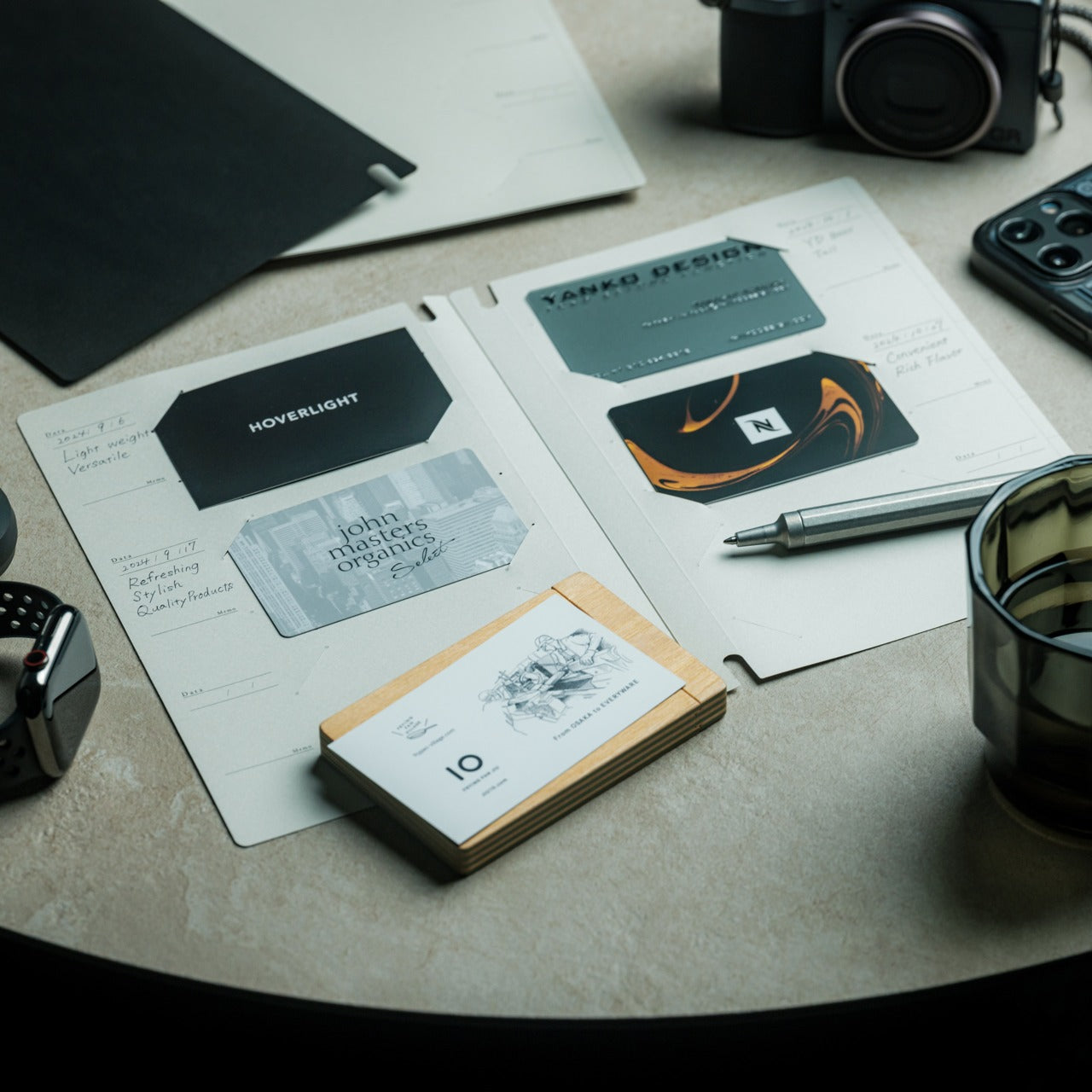
In a digital age, handwritten notes carry unexpected weight. The Memento Business Card Log preserves the memory of every important meeting by pairing physical cards with space for personal observations. It holds up to 120 business cards using a two-point slit system, with a dedicated room beside each card for jotting down conversation details, characteristics, dates, or context. Those handwritten notes become memory triggers, helping you reconnect with both the person and the moment long after the meeting ends.
Japanese brand Re+g brings expert craftsmanship to organizational tools, using a proprietary binding system that allows seamless page reordering and easy reorganization as your network grows. The minimal paper design offers a warm, tactile experience that elevates this beyond simple storage into something closer to a professional journal. For people who value relationships built slowly through attention and follow-through, it’s a tool that respects the analog ritual of connection. It acknowledges that sometimes the best way to remember someone isn’t through CRM software, but through your own words written in the moment.
Combines card storage with note-taking space, creating a richer context for each contact.
The proprietary binding system allows flexible reorganization as your network evolves.
What we dislike
Physical storage requires dedicated space compared to digital contact management.
Capacity maxes out at 120 cards, requiring eventual archiving or purging.
8. AirTag Carabiner
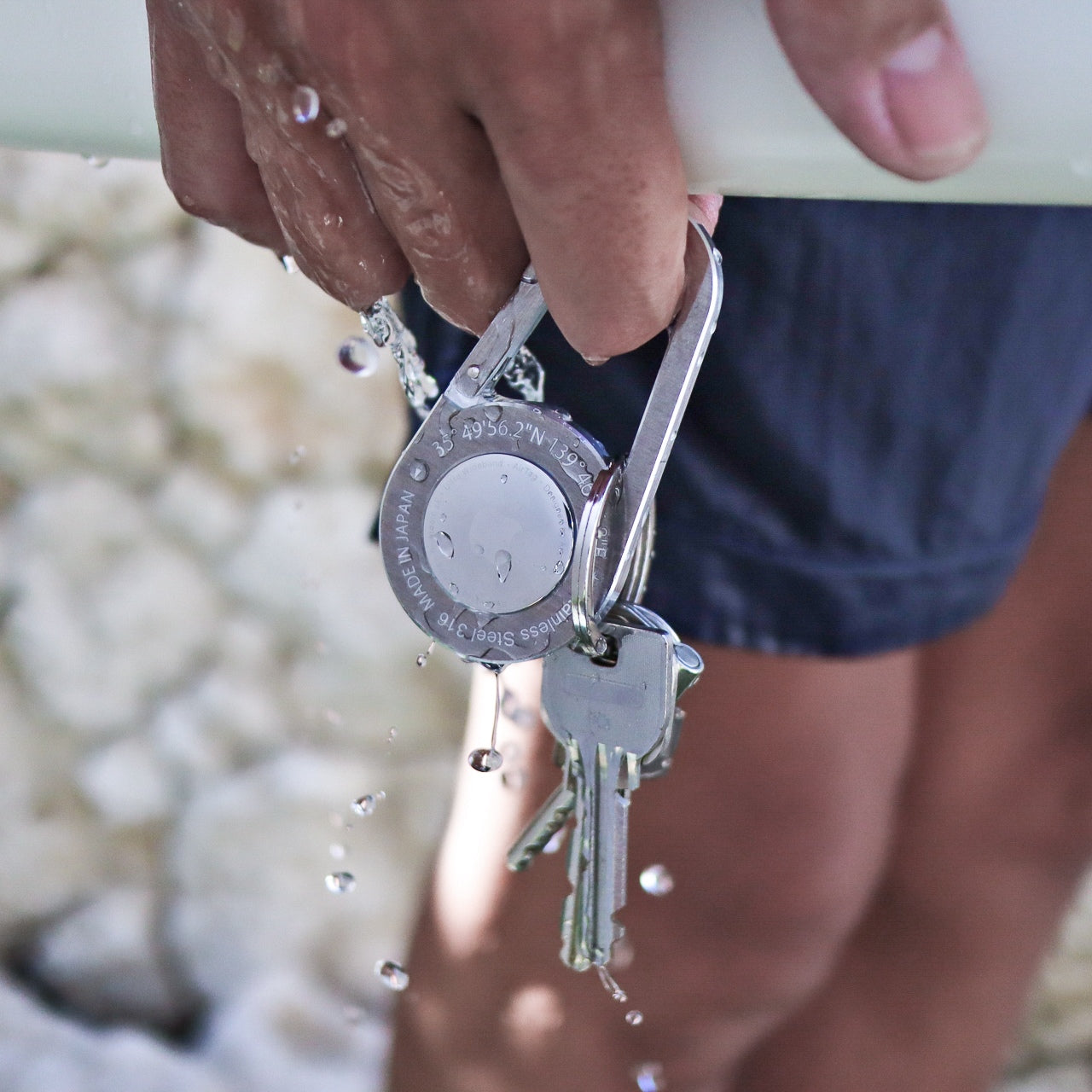
Forgetting where you left your bag, bike, or umbrella becomes significantly less stressful when Apple’s Find My network can pinpoint it. This handcrafted metal carabiner holds an AirTag securely while attaching to nearly anything you’d rather not lose. Made from Duralumin composite alloy, the same material used in aircraft and spacecraft, it’s lightweight yet remarkably strong. Each piece is individually crafted by hand, also available in untreated brass and stainless steel for different aesthetic preferences.
The engineering behind Duralumin makes it suitable for extreme environments, from high altitudes to marine use, meaning your everyday carry won’t wear out from rain, bumps, or daily abuse. The carabiner clips easily onto bag straps, bike frames, or jacket loops, turning Apple’s tracking ecosystem into a passive insurance policy for your belongings. For busy people who’d rather spend mental energy on meaningful decisions than retracing steps, it’s a small investment in peace of mind. The tactile quality of metal also makes it feel like a deliberate accessory rather than a cheap plastic add-on.
Duralumin alloy provides aircraft-grade strength at minimal weight, ensuring durability in varied conditions.
Handcrafted quality and material options give it accessory-level appeal beyond pure function.
What we dislike
Requires separate purchase of Apple AirTag, adding cost and platform dependency.
Carabiner attachment may not suit all bags or accessory types equally well.
9. Smart Tea Pot
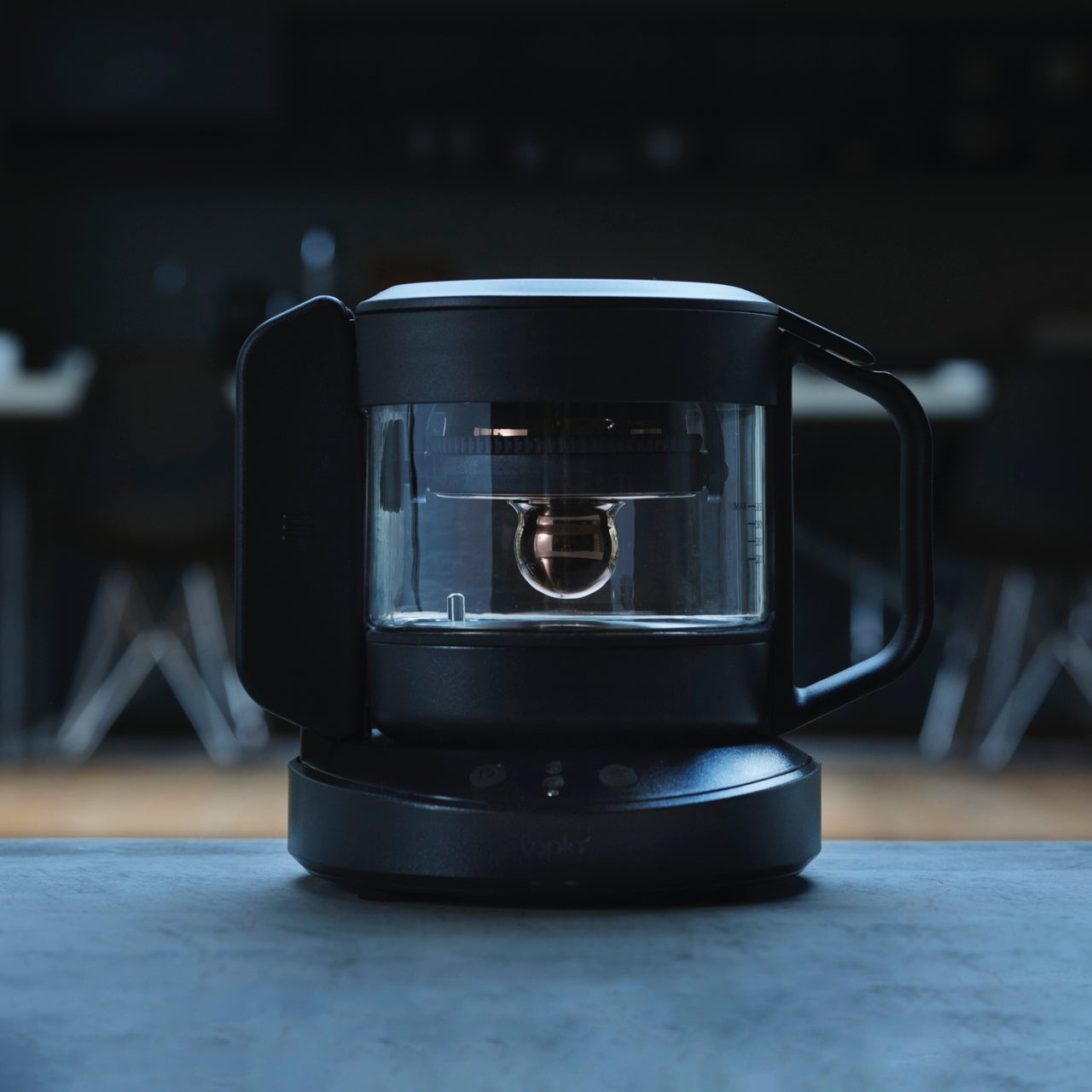
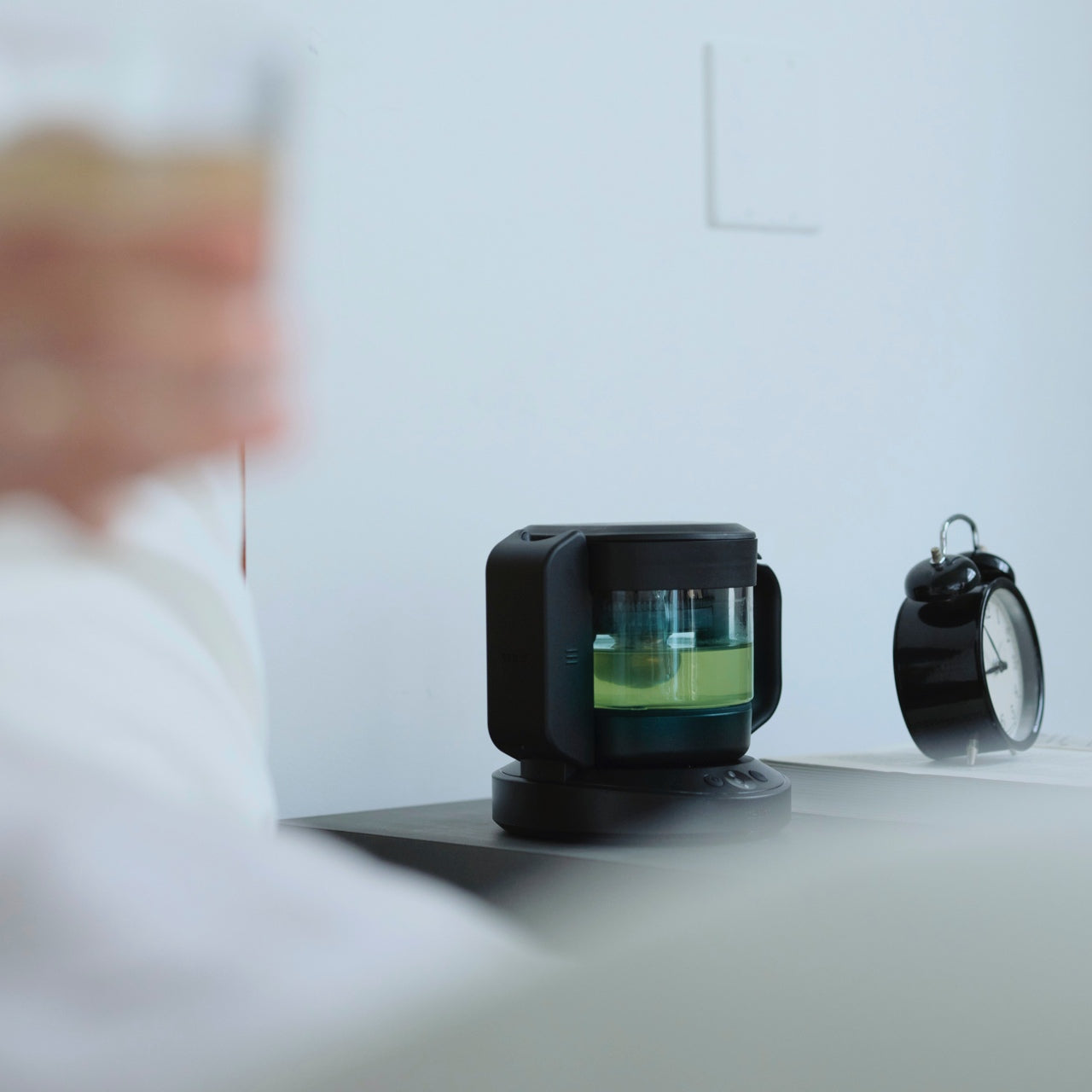
Tea brewing becomes genuinely personalized with this smart teapot that tailors every cup to your biometric data and environment. Six built-in sensors analyze heart rate, finger temperature, and ambient conditions, then adjust brewing parameters to match your physical state and mood. An app-connected system lets you select tea types from a comprehensive database containing optimal conditions for varieties from green to herbal. A patented rotary brewing system replicates traditional Japanese tea master techniques, mimicking the nuanced wrist movements that bring out full-bodied flavor and aroma.
What elevates this beyond gadget territory is how it removes guesswork while honoring tea culture’s precision. Each brew adapts to whether you need relaxation or focus, automatically adjusting temperature, steeping time, and agitation intensity. The interface stays intuitive despite advanced tech underneath, and the sleek design fits naturally into modern kitchens. For tea enthusiasts tired of inconsistent results or intimidated by traditional preparation complexity, it offers a middle path: professional-grade quality through automation that respects the ritual. It’s technology serving tradition rather than replacing it.
Biometric sensors personalize each brew to your current physical and emotional state.
Comprehensive tea database ensures optimal brewing conditions across a wide variety of tea types.
What we dislike
App dependency means the teapot’s advanced features require smartphone connectivity to function fully.
Price point likely positions it well above standard electric kettles and traditional teapots.
10. ScytheBlade
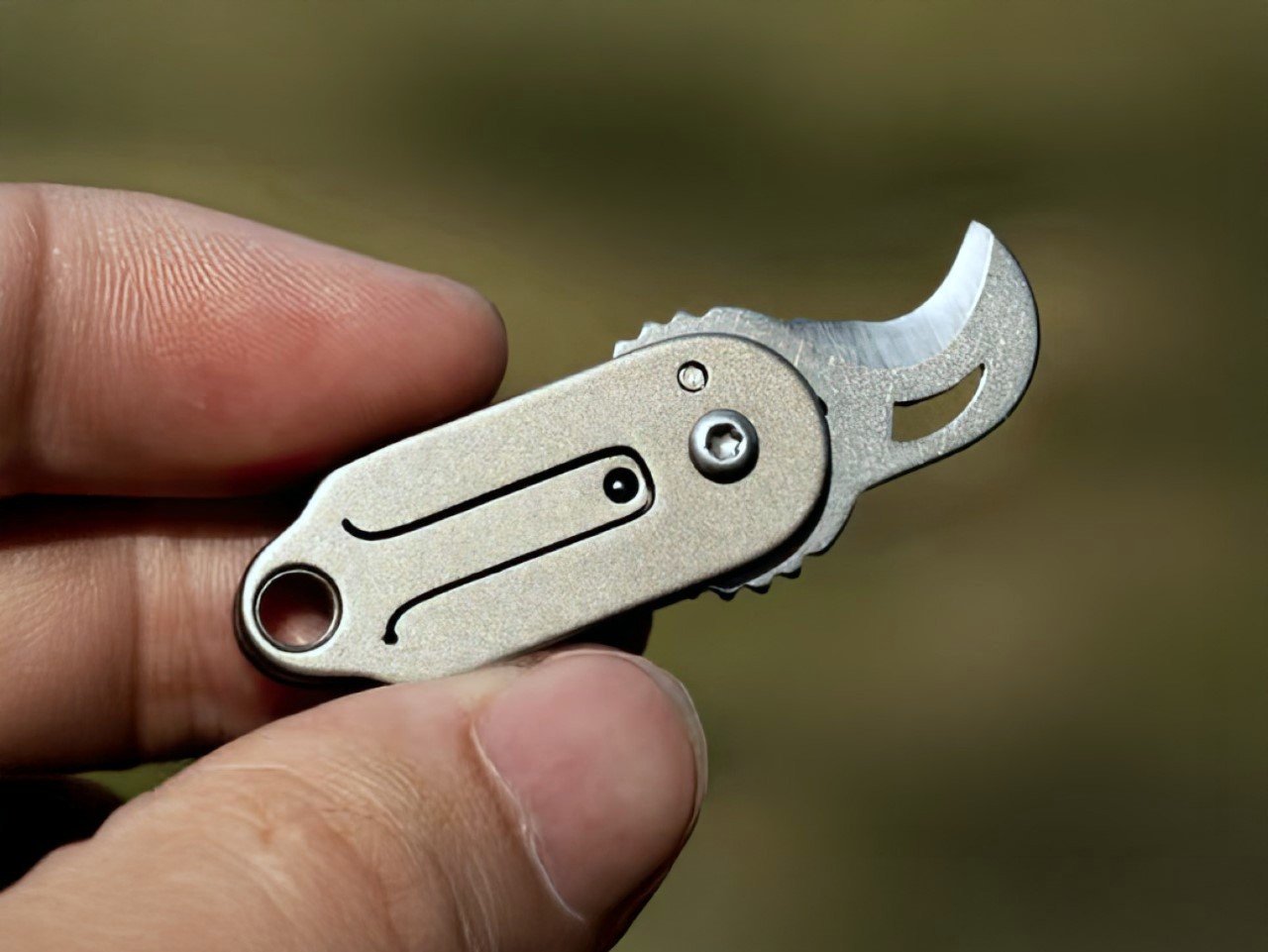
The ScytheBlade takes visual inspiration from the Grim Reaper’s signature tool, scaling the curved blade profile down into a tiny EDC knife that punches well above its weight class. At just 46mm in length when deployed and weighing only 8 grams, it’s one of the smallest folding knives available without sacrificing capability. The body is crafted from lightweight titanium, offering exceptional strength and corrosion resistance without demanding constant maintenance. The curved blade design, reminiscent of both scythes and tiger claws, concentrates cutting power efficiently despite compact dimensions.
Titanium construction ensures durability that outlasts cheaper materials while remaining virtually unnoticeable in a pocket until needed. The tiger claw blade profile isn’t just aesthetic; it provides leverage and cutting efficiency that straight blades struggle to match at this scale. For anyone seeking a backup blade that won’t weigh down a keychain or require special care, the ScytheBlade delivers. It’s proof that smart material choices and thoughtful blade geometry can create something genuinely capable without requiring a belt sheath or bulk. The design respects both form and function, looking deliberate while performing reliably.
What we like
Titanium construction provides an exceptional strength-to-weight ratio at only 8 grams.
Small size, while portable, limits cutting capacity for larger tasks or extended use.
Unique blade shape may require adjustment for users accustomed to traditional knife designs.
Why These Ten Designs Matter
Starting a year right isn’t about acquiring more things. It’s about choosing objects that align with how you actually live, work, and move through the world. These ten designs share common DNA: they solve real problems with restraint, respect your intelligence, and refuse to sacrifice aesthetics for function or function for aesthetics. They’re the kinds of purchases you make once and keep using.
Whether it’s a clipper that makes grooming feel intentional, a radio that keeps you connected when infrastructure fails, or a teapot that finally understands tea as both science and art, these designs earn their space. They represent the best of what thoughtful design offers: objects that improve daily life quietly, age gracefully, and remind you that quality still matters when everything else feels disposable and temporary.
The ChatGPT app on your iPhone is evolving into much more than a conversational AI tool. It now serves as a secondary app store, offering an expanding ecosystem of third-party integrations. These integrations empower you to perform a wide range of tasks directly within the ChatGPT interface—whether it’s creating playlists, designing graphics, ordering groceries, or […]
The everyday “what should I wear today?” moment has gotten more complicated by online shopping. You can scroll endless outfits, but a screen cannot show how something fits, feels, or plays with what you already own. Ovme is a concept that treats the mirror as a missing link between your closet, your feed, and your actual body, closing the gap between seeing and knowing.
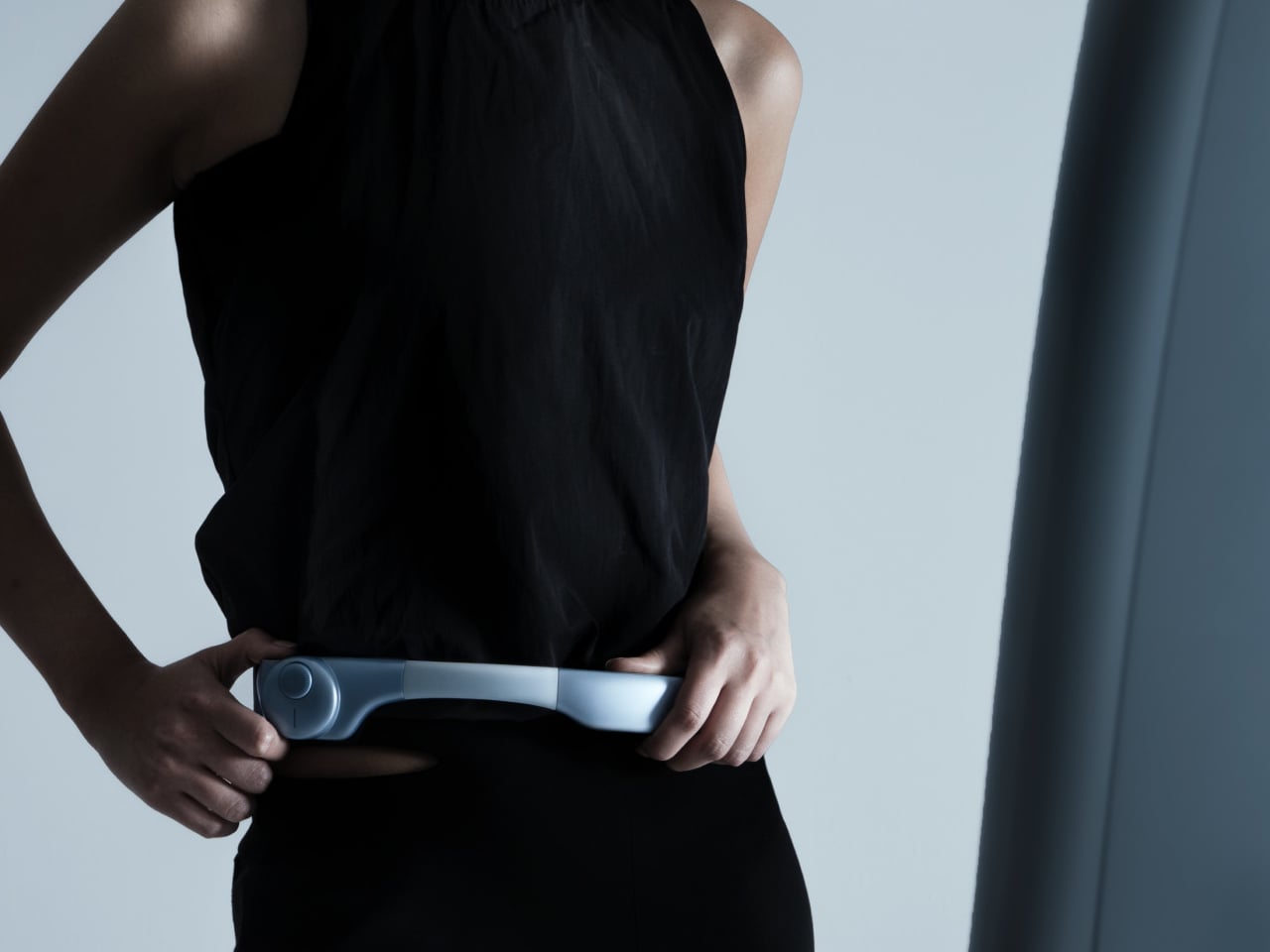
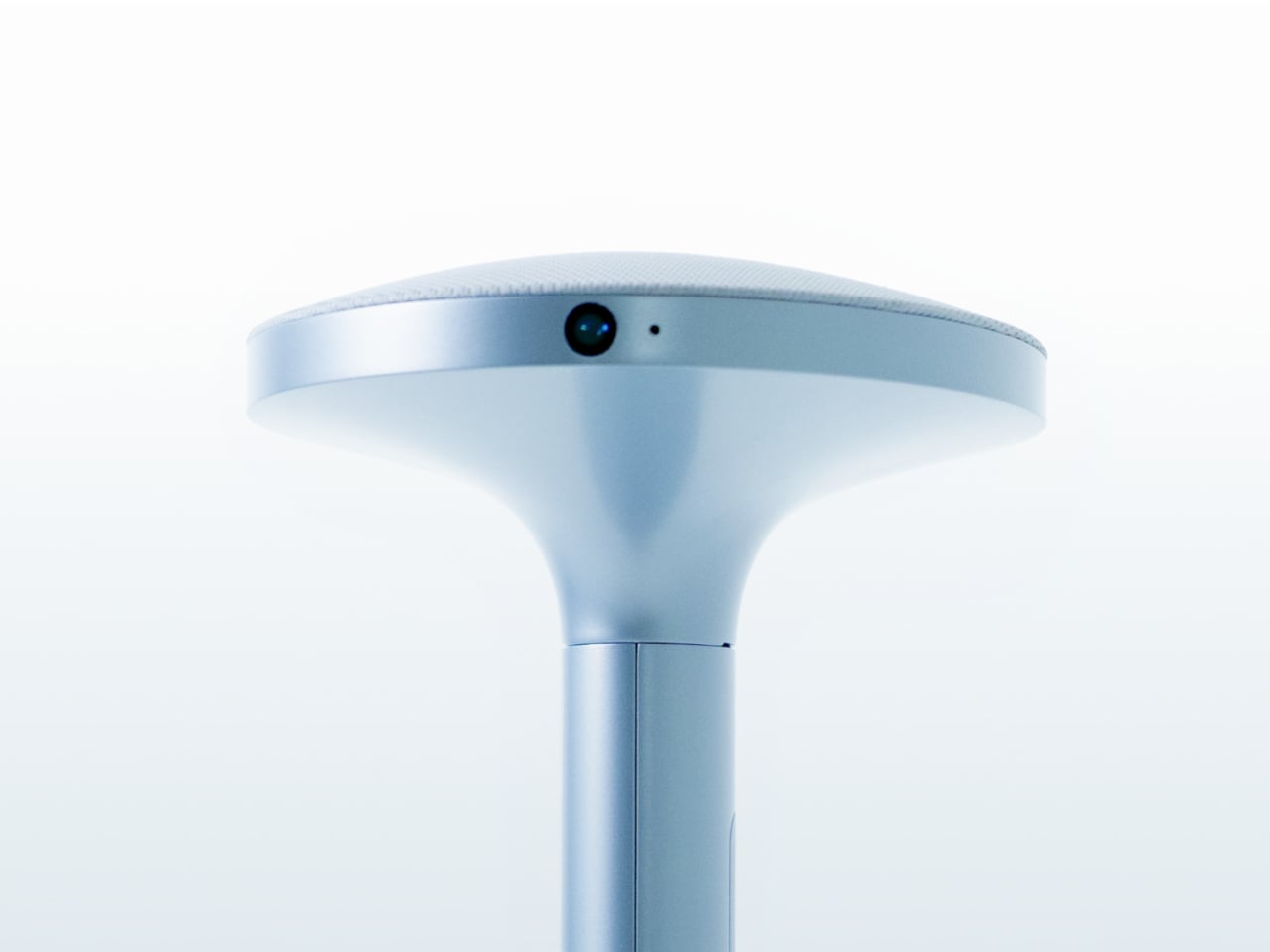
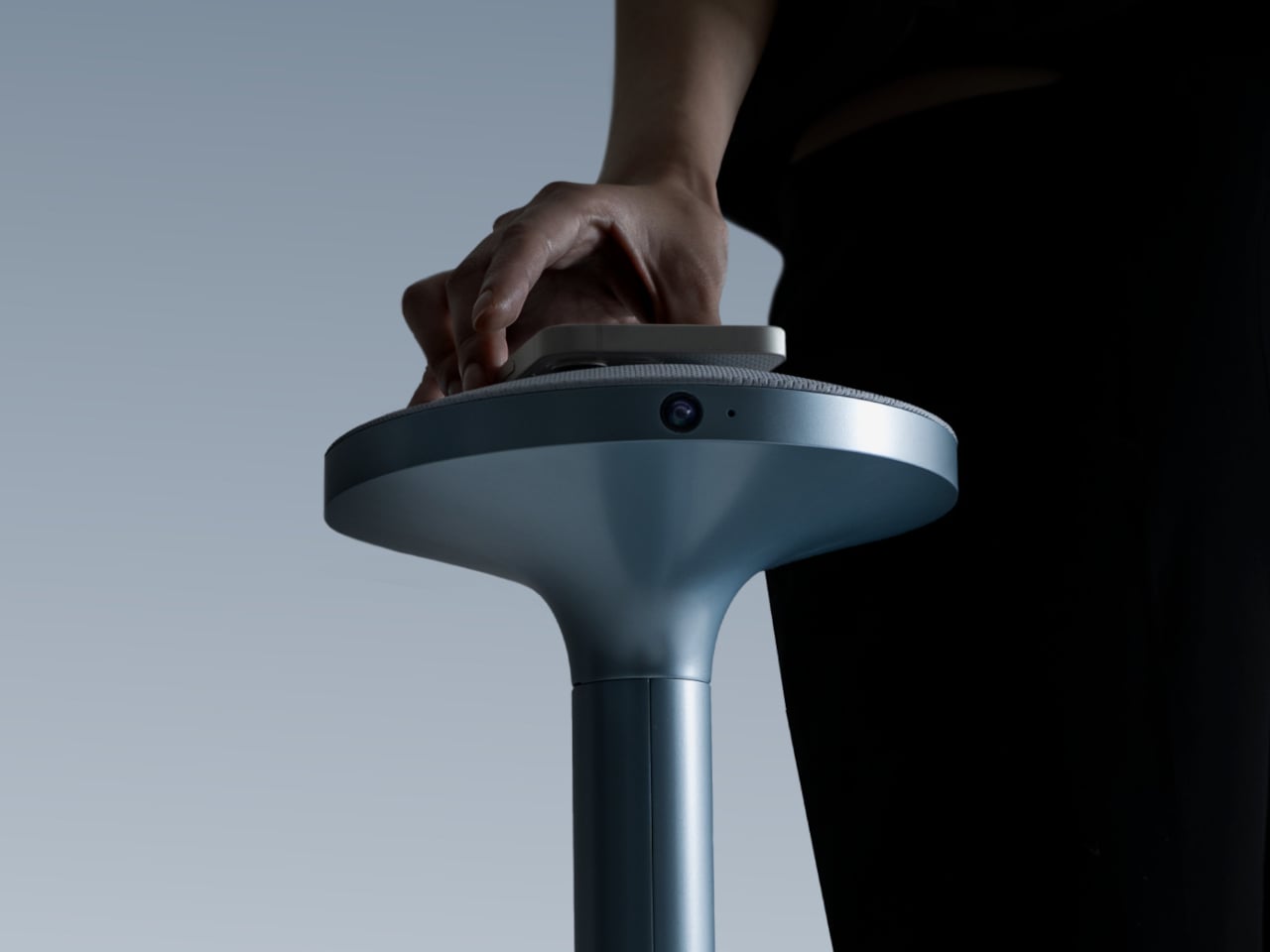
Ovme is an AR smart mirror ecosystem built around three objects: a full-height mirror, a sensor-laden fitting belt, and a haptic tactile table, plus a companion app. The name stands for “Own version of me,” and the system is designed to help you find new styles, feel how they fit, and touch virtual fabrics before you ever click buy or open your wallet.
Designers: Daun Park, Seyeon Park, Chawon So, Yewon Shim, Yejin Hong
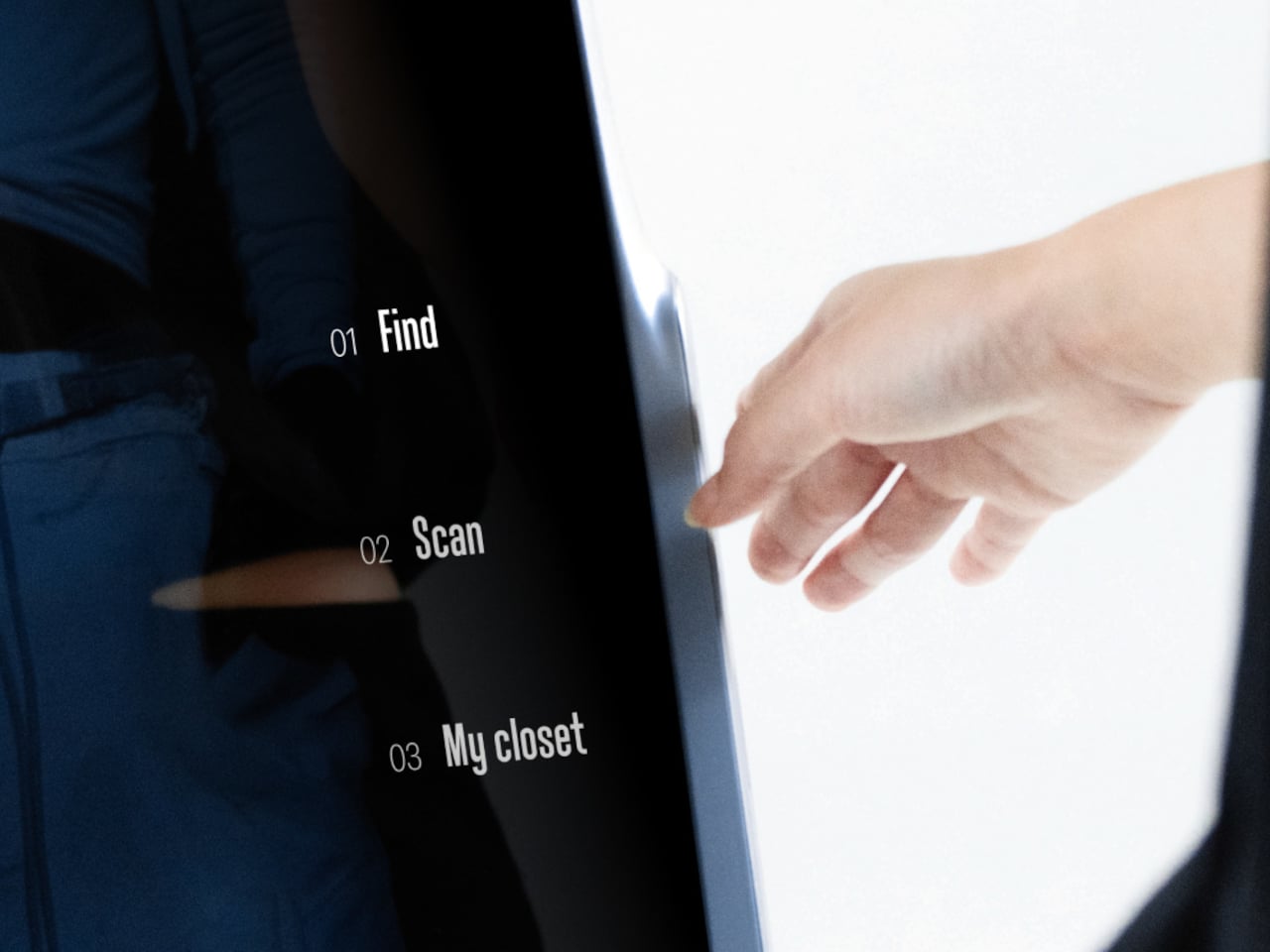
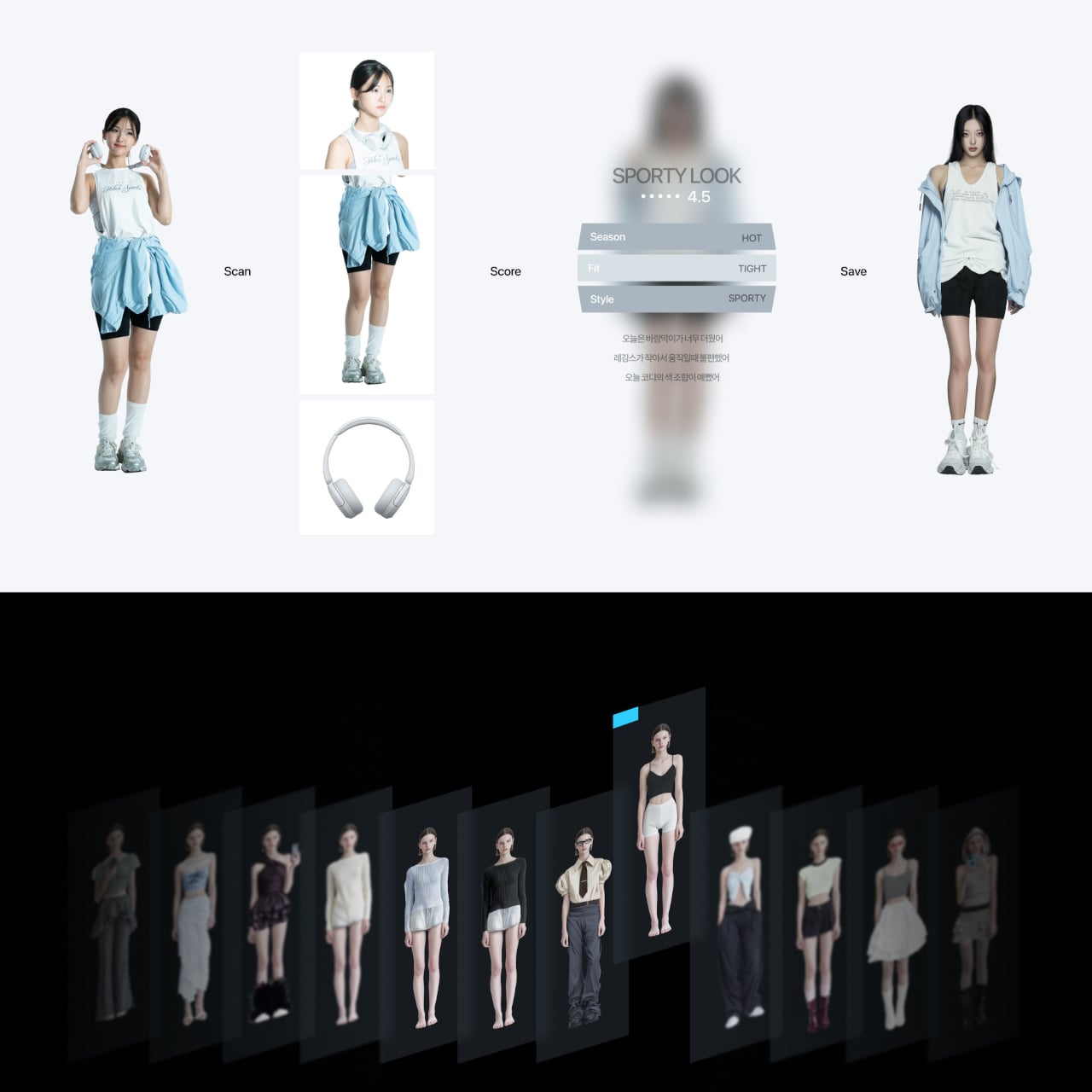
The mirror acts like a personal stylist, overlaying outfits on your reflection and pulling from three sources: new looks, your existing wardrobe, and reference images you feed it. You can swipe through categories like formal, sporty, or feminine, and see complete outfits assembled around your silhouette, then save the ones that feel right into a virtual closet for later when you need inspiration or want to revisit.
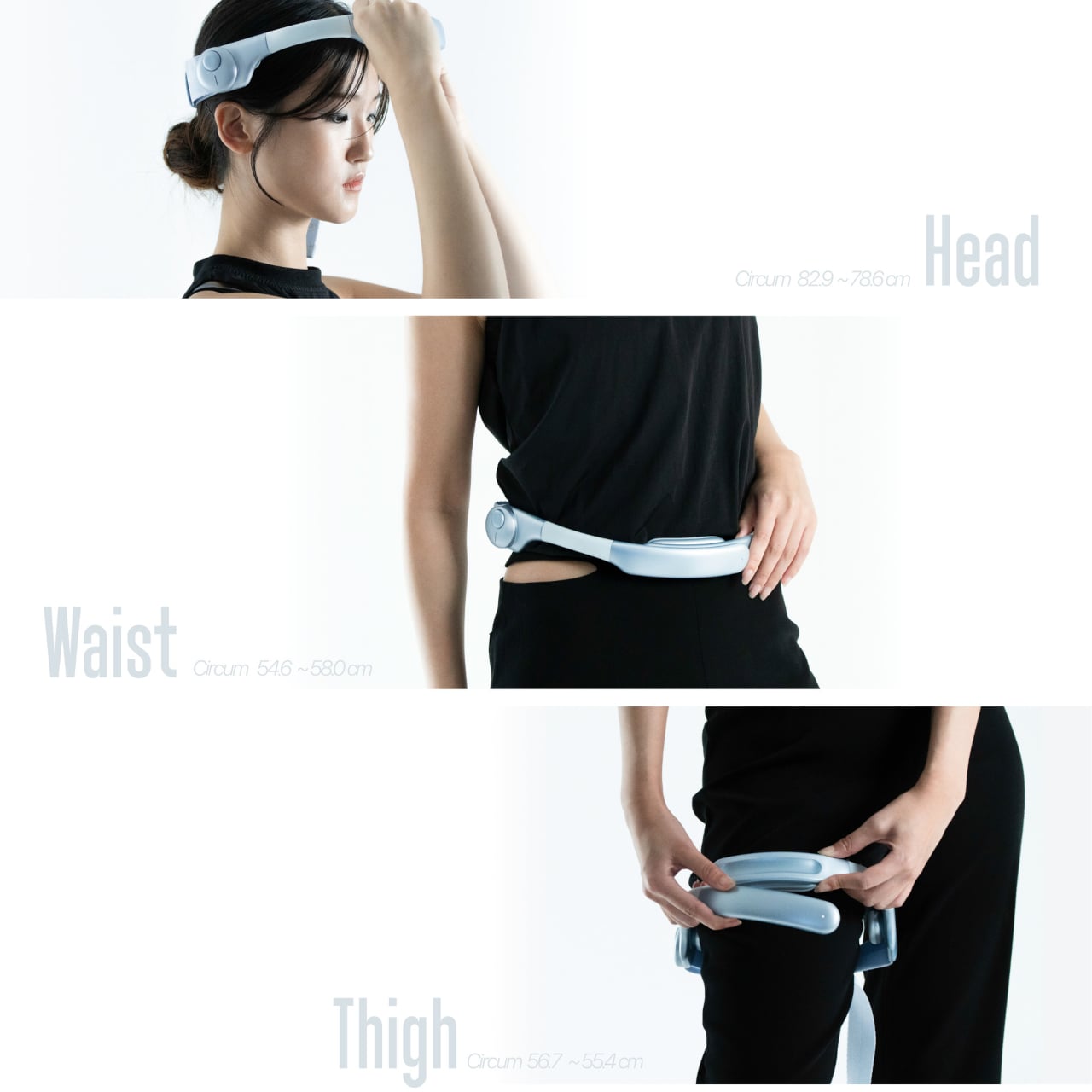
The fitting belt is a flexible band with sensors that can wrap around your head, waist, or thigh. It measures circumference and applies gentle pressure, tightening or loosening to simulate how a garment would hug or hang on that part of your body. On the mirror, the virtual outfit responds in real time, turning fit from a guess based on size charts into something your body can actually sense.
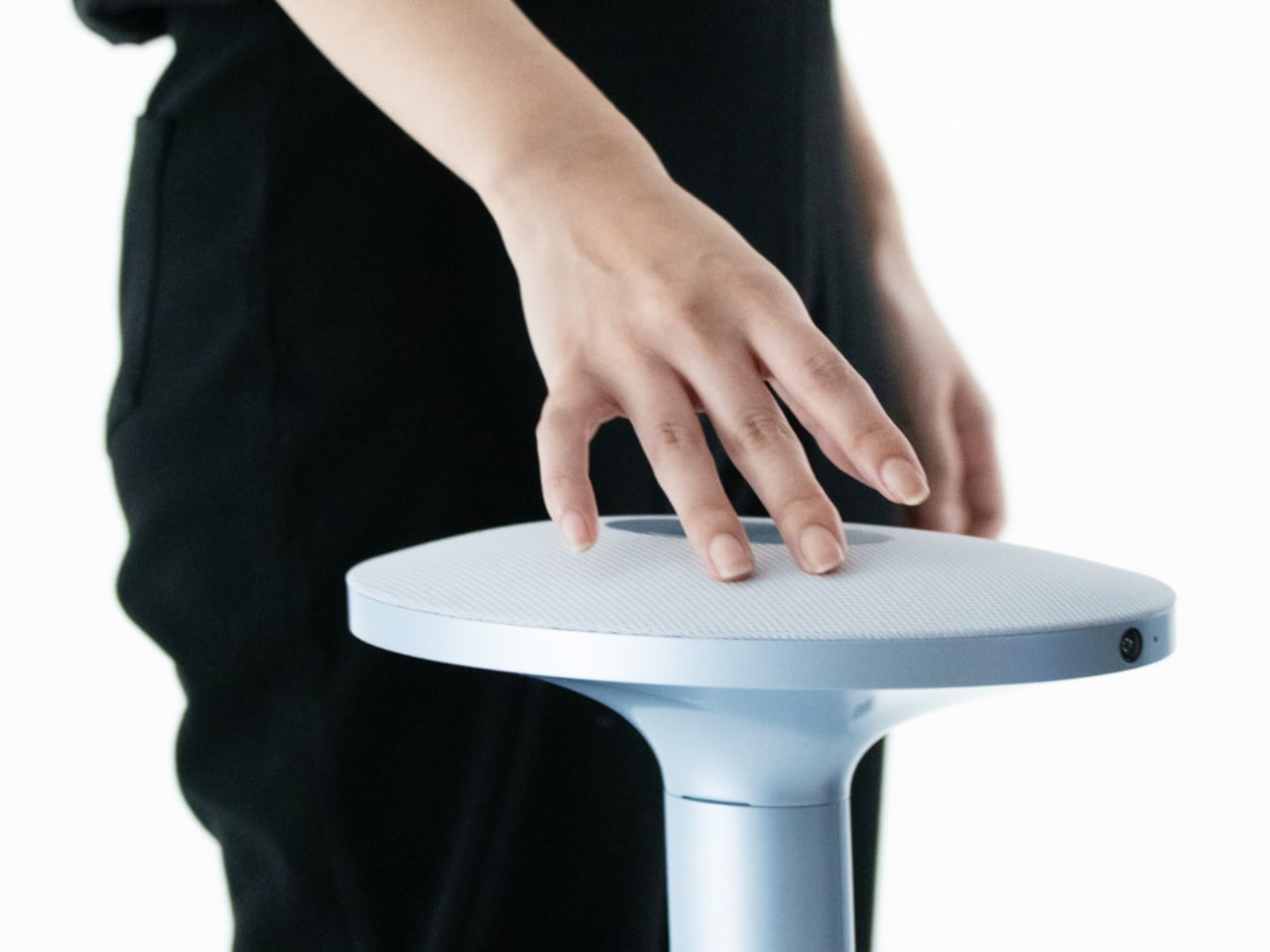
The tactile table is a slim pedestal with a haptic surface that uses electro-tactile feedback to mimic fabric textures. When you place your hand on it, the system can suggest sensations like smooth silk, textured knit, or structured leather in sync with what you see in the mirror. It attempts to close the gap between seeing a material and knowing how it might feel against your skin or draped over your shoulders.
Ovme also acts as a style diary. It can scan what you are wearing today, score the outfit, and save it to a timeline called My Closet, so you can revisit past looks and see patterns in what you actually wear. A social layer called OvUS lets you browse other people’s saved styles and mood boards, turning the mirror into a place to share and borrow ideas rather than stare at yourself alone.
Ovme treats getting dressed as an ongoing design process, not a daily panic, and uses AR, haptics, and sensing to give online fashion some of the feedback loops of a real fitting room. Whether or not this exact hardware ever ships, the idea of a home mirror that helps you experiment, feel, and remember your style captures a direction that deserves attention, especially as wardrobes become more scattered across platforms and shopping becomes more remote.
What if the way you work, create, and solve problems in 2026 could feel as effortless as flipping a switch? In this insightful video, All About AI breaks down how they will use artificial intelligence in 2026 to transform workflows, from automating tedious tasks to unlocking entirely new avenues of creativity. Imagine a world where […]
The Samsung Galaxy Z Fold 8 represents a significant milestone in the evolution of foldable smartphones, blending advanced features with a refined design. Building on the foundation of its predecessor, the Z Fold 7, this latest iteration introduces key enhancements, particularly in its camera system, while maintaining the core attributes that have defined Samsung’s foldable […]
What if you could access a coding AI that’s not only faster and smarter but also significantly cheaper than its competitors? That’s exactly the promise of GLM 4.7, the latest open source model from ZAI, which has been making waves in the AI community. In the video, WorldofAI breaks down why this model might just […]
Apple’s internal code leak has unexpectedly unveiled early details about the iPhone 17e, offering insights into its design, features, and market positioning. This mid-tier model appears to refine the E series by addressing the shortcomings of its predecessor, the iPhone 16e, while maintaining a balance between affordability and functionality. The iPhone 17e represents Apple’s effort […]
What if you could harness the power of innovative artificial intelligence without relying on the cloud? Imagine running advanced AI models directly on your laptop or smartphone, with no internet connection required and complete control over your data. Below, David Ondrej breaks down how local AI models are transforming the way we interact with technology, […]
The Apple Watch is more than just a timepiece—it’s a versatile device designed to enhance your health, productivity, and connectivity. Whether you’re a first-time user or upgrading to the latest model, this guide will provide you with the knowledge to set up, navigate, and maximize its features. By understanding its capabilities, you can seamlessly integrate […]