Fender Mix review: Well-designed headphones that just fall short of greatness

I know what you’re thinking: “Isn’t Fender a guitar company?” It sure is, and has been one of the most iconic names in guitars and amplifiers since 1946. So what is the company doing making headphones and speakers? Well, it isn’t, exactly. Like Zound Industries used to do with Marshall (before buying the amp business), another company is licensing the Fender name for its consumer audio products. Fender Audio, the brand that’s on the headphones I’m reviewing, is owned by the Fender Corporation, but Riffsound oversees the design and production of portable audio gear. 

The first products from Fender Audio are the Mix headphones and the Elie speaker (in two sizes). The company revealed these in January before properly showing them off  at CES. I’ll get to those speakers in a few weeks, but the Mix headphones are first up on the review docket. 

With the Mix, Fender Audio seeks to offer a set of premium over-ear, noise-canceling headphones at a lower price than the likes of Sony, Bose and Sennheiser. There’s also marathon battery life, several smart design touches, a lossless Bluetooth transmitter and swappable parts that combine for a unique formula to take on those big names. I’m honestly impressed that Fender Audio could cram all of that in a more affordable package, but the final verdict on the Mix isn’t so straightforward.

Fender Audio made numerous smart design decisions on the Mix headphones, and they resulted in my favorite things about using them. To start, you can swap out the ear pads, ear cups and headband as you see fit. The ear cups attach to the headband via USB-C ports, so they’re easy to snap on and off. Obviously, this allows you to change the look of the Mix over time, within the bounds of Fender’s available colors. 

Underneath the ear pads, Fender put a storage slot for the lossless dongle on the left side and gives you access to the removable battery on the right. I’m thrilled that I can enjoy higher quality Bluetooth connectivity without having to remember to bring along such a small accessory. Plus, it’s nice to know that users will be able to install a fresh battery, provided the company sells those at some point. 

I also enjoy how Fender Audio designed the onboard controls. First, they’re physical buttons, which are always my preference over touch- or gesture-based options. Second, the main one is a five-way joystick, so they’re very simple. Press it to play/pause, press and hold for pairing mode or press longer to power on or off. If you push the joystick up or down, you can adjust the volume, while moving it left and right skips the track forward or backward. You can also push down twice to enable Auracast pairing right on the headphones. A second button, which is just the regular kind, is used to cycle through noise canceling modes: ANC, transparency and both off. 

The lossless Bluetooth dongle inside the left ear cup
Billy Steele for Engadget

Sonically, the Mix headphones are at the height of their powers in lossless mode, which is enabled by the Bluetooth dongle hidden inside the ear cup. Bass tuning that’s otherwise overpowering in most cases is restrained, and you can pick up finer details in the more balanced mix. When listening to Watchhouse’s Rituals, I got the sense that I was surrounded by the band, with strings, drums and vocals enveloping my ears with sound — rather than it simply being projected from the left and right channels. There’s more nuance with the lossless mode, and it kept calling me back to the Mix headphones at the times when I’d probably opt for the conveniences of earbuds or a speaker. 

ANC performance is respectable, although it’s not on the level of Bose. It’s good enough to block out mild-to-moderate distractions, but it struggles with louder human voices and sudden jolts of noise. It will certainly do the job in the office or coffee shop, but you may notice some sounds invade your ears during a commute. For calls, transparency mode provides natural sound and it picks up enough of my voice that I never felt the need to shout. Call quality, though, is a different matter (more on that in a bit). 

Another big perk of the Mix is its long battery life. Fender Audio says you’ll get up to 52 hours with ANC on or a whopping 100 hours with it off. The company is forthcoming with the fact that the latter number is achieved at 50 percent volume, which will be too low for most “regular” use. Still, with noise canceling enabled and the volume around 70 percent, I had 52 percent battery left after nearly 30 hours of use. I spent most of that time with either ANC or transparency mode on. 

The five-way joystick and ANC button on the Fender Mix
Billy Steele for Engadget

Out of the box, Fender Mix’s tuning is too bass heavy. I realize a lot of people prefer a thundering low-end tone out of their headphones, but I found it to be too overpowering here. The stock sound profile is my biggest issue with this model, although it’s somewhat alleviated by using the lossless Bluetooth dongle. In that mode, the bass is slightly subdued, but it’s still quite prominent at times when it shouldn’t be. 

On that Watchhouse album, the kick drum starts to drive the sound, rather than the guitars, mandolin and other instruments. When I listen to the same songs on other headphones, I’ve noticed a better blend of drums and strings. With more intense genres, like the hardcore riffs and breakdowns of Incendiary’s Product of New York, the booming bass isn’t as much of an issue. The distorted guitars still cut through, and there’s plenty of texture in their tone. And when each song hits its climax, the cranked up lows offer extra oomph. It works for metal, but it isn’t always nice for bluegrass, jazz and synth-laiden electronic tunes where the extra bass can muddy the mix. 

The Fender Mix also lacks many of the smart features that are present in premium headphones today, which is probably how the company is able to sell them for $299. Things like automatic EQ tweaks and adaptive ANC are missing, as is automatic pausing when you speak or things like head gestures. These headphones don’t have wear detection either, so they don’t pause the audio when you take them off. There’s also no app available to dial in the EQ or adjust other settings (it’s coming soon).

These headphones only have two microphones for calls, and you can tell almost instantly that those are insufficient. Despite claims of “crystal clear calls,” your voice will just sound okay to the person on the other end. Honestly, I would’ve sounded better just using my iPhone with no headphones. The Mix works to get your voice across, but don’t dream of dialing into a podcast recording with them. What’s more, the Mix isn’t good at blocking background noise, so you’ll need to use them in a quiet location to have a chance at sounding decent. Which, again, is about the best these headphones can muster.

While the modular design allows for a decent degree of customization, the extra parts you’ll need aren’t on sale yet. What’s more, only two colors — white, which is really more of a light gray, and black — are currently available. So, for now, one of the perks of the Mix remains untapped. 

The Fender Mix headphones
Billy Steele for Engadget

There’s a lot to like about the Fender Mix, from the clever design choices to the crisp, detailed sound. The lack of finesse with the bass tuning and the omission of advanced features, particularly the absence of an app for settings changes, keeps these headphones firmly planted in the midrange category. 

Clearly that’s not what the company is aiming for with tools like the lossless Bluetooth dongle, but that’s where it lands for me at the end of the day. So, at $299, the Mix is a tough call when a $250 price tag would make these an easier sell. Sure, there’s enough here to make these a capable daily audio accessory, but not everything I’d need to call them a must buy.

This article originally appeared on Engadget at https://www.engadget.com/audio/headphones/fender-mix-review-well-designed-headphones-that-just-fall-short-of-greatness-120000974.html?src=rss

Fender Mix review: Well-designed headphones that just fall short of greatness

I know what you’re thinking: “Isn’t Fender a guitar company?” It sure is, and has been one of the most iconic names in guitars and amplifiers since 1946. So what is the company doing making headphones and speakers? Well, it isn’t, exactly. Like Zound Industries used to do with Marshall (before buying the amp business), another company is licensing the Fender name for its consumer audio products. Fender Audio, the brand that’s on the headphones I’m reviewing, is owned by the Fender Corporation, but Riffsound oversees the design and production of portable audio gear. 

The first products from Fender Audio are the Mix headphones and the Elie speaker (in two sizes). The company revealed these in January before properly showing them off  at CES. I’ll get to those speakers in a few weeks, but the Mix headphones are first up on the review docket. 

With the Mix, Fender Audio seeks to offer a set of premium over-ear, noise-canceling headphones at a lower price than the likes of Sony, Bose and Sennheiser. There’s also marathon battery life, several smart design touches, a lossless Bluetooth transmitter and swappable parts that combine for a unique formula to take on those big names. I’m honestly impressed that Fender Audio could cram all of that in a more affordable package, but the final verdict on the Mix isn’t so straightforward.

Fender Audio made numerous smart design decisions on the Mix headphones, and they resulted in my favorite things about using them. To start, you can swap out the ear pads, ear cups and headband as you see fit. The ear cups attach to the headband via USB-C ports, so they’re easy to snap on and off. Obviously, this allows you to change the look of the Mix over time, within the bounds of Fender’s available colors. 

Underneath the ear pads, Fender put a storage slot for the lossless dongle on the left side and gives you access to the removable battery on the right. I’m thrilled that I can enjoy higher quality Bluetooth connectivity without having to remember to bring along such a small accessory. Plus, it’s nice to know that users will be able to install a fresh battery, provided the company sells those at some point. 

I also enjoy how Fender Audio designed the onboard controls. First, they’re physical buttons, which are always my preference over touch- or gesture-based options. Second, the main one is a five-way joystick, so they’re very simple. Press it to play/pause, press and hold for pairing mode or press longer to power on or off. If you push the joystick up or down, you can adjust the volume, while moving it left and right skips the track forward or backward. You can also push down twice to enable Auracast pairing right on the headphones. A second button, which is just the regular kind, is used to cycle through noise canceling modes: ANC, transparency and both off. 

The lossless Bluetooth dongle inside the left ear cup
Billy Steele for Engadget

Sonically, the Mix headphones are at the height of their powers in lossless mode, which is enabled by the Bluetooth dongle hidden inside the ear cup. Bass tuning that’s otherwise overpowering in most cases is restrained, and you can pick up finer details in the more balanced mix. When listening to Watchhouse’s Rituals, I got the sense that I was surrounded by the band, with strings, drums and vocals enveloping my ears with sound — rather than it simply being projected from the left and right channels. There’s more nuance with the lossless mode, and it kept calling me back to the Mix headphones at the times when I’d probably opt for the conveniences of earbuds or a speaker. 

ANC performance is respectable, although it’s not on the level of Bose. It’s good enough to block out mild-to-moderate distractions, but it struggles with louder human voices and sudden jolts of noise. It will certainly do the job in the office or coffee shop, but you may notice some sounds invade your ears during a commute. For calls, transparency mode provides natural sound and it picks up enough of my voice that I never felt the need to shout. Call quality, though, is a different matter (more on that in a bit). 

Another big perk of the Mix is its long battery life. Fender Audio says you’ll get up to 52 hours with ANC on or a whopping 100 hours with it off. The company is forthcoming with the fact that the latter number is achieved at 50 percent volume, which will be too low for most “regular” use. Still, with noise canceling enabled and the volume around 70 percent, I had 52 percent battery left after nearly 30 hours of use. I spent most of that time with either ANC or transparency mode on. 

The five-way joystick and ANC button on the Fender Mix
Billy Steele for Engadget

Out of the box, Fender Mix’s tuning is too bass heavy. I realize a lot of people prefer a thundering low-end tone out of their headphones, but I found it to be too overpowering here. The stock sound profile is my biggest issue with this model, although it’s somewhat alleviated by using the lossless Bluetooth dongle. In that mode, the bass is slightly subdued, but it’s still quite prominent at times when it shouldn’t be. 

On that Watchhouse album, the kick drum starts to drive the sound, rather than the guitars, mandolin and other instruments. When I listen to the same songs on other headphones, I’ve noticed a better blend of drums and strings. With more intense genres, like the hardcore riffs and breakdowns of Incendiary’s Product of New York, the booming bass isn’t as much of an issue. The distorted guitars still cut through, and there’s plenty of texture in their tone. And when each song hits its climax, the cranked up lows offer extra oomph. It works for metal, but it isn’t always nice for bluegrass, jazz and synth-laiden electronic tunes where the extra bass can muddy the mix. 

The Fender Mix also lacks many of the smart features that are present in premium headphones today, which is probably how the company is able to sell them for $299. Things like automatic EQ tweaks and adaptive ANC are missing, as is automatic pausing when you speak or things like head gestures. These headphones don’t have wear detection either, so they don’t pause the audio when you take them off. There’s also no app available to dial in the EQ or adjust other settings (it’s coming soon).

These headphones only have two microphones for calls, and you can tell almost instantly that those are insufficient. Despite claims of “crystal clear calls,” your voice will just sound okay to the person on the other end. Honestly, I would’ve sounded better just using my iPhone with no headphones. The Mix works to get your voice across, but don’t dream of dialing into a podcast recording with them. What’s more, the Mix isn’t good at blocking background noise, so you’ll need to use them in a quiet location to have a chance at sounding decent. Which, again, is about the best these headphones can muster.

While the modular design allows for a decent degree of customization, the extra parts you’ll need aren’t on sale yet. What’s more, only two colors — white, which is really more of a light gray, and black — are currently available. So, for now, one of the perks of the Mix remains untapped. 

The Fender Mix headphones
Billy Steele for Engadget

There’s a lot to like about the Fender Mix, from the clever design choices to the crisp, detailed sound. The lack of finesse with the bass tuning and the omission of advanced features, particularly the absence of an app for settings changes, keeps these headphones firmly planted in the midrange category. 

Clearly that’s not what the company is aiming for with tools like the lossless Bluetooth dongle, but that’s where it lands for me at the end of the day. So, at $299, the Mix is a tough call when a $250 price tag would make these an easier sell. Sure, there’s enough here to make these a capable daily audio accessory, but not everything I’d need to call them a must buy.

This article originally appeared on Engadget at https://www.engadget.com/audio/headphones/fender-mix-review-well-designed-headphones-that-just-fall-short-of-greatness-120000974.html?src=rss

MLB The Show 26 is turning me into more of a baseball fan

There were two questions I was looking to answer as I fired up MLB The Show 26. First, how much does the game cater to a baseball newbie like me? Second, will it keep me hooked enough to keep playing after my first few games?

I think it's important to share some personal context. I have very limited experience with baseball. I have been to one MLB game, which was on my first visit to Canada as a teen. The lead-off Toronto Blue Jays hitter scored a home run on his first at-bat. Fireworks went off and everyone was going wild. Fun! 

But that was the only score of the whole game. My dad and I (both lifelong soccer fans, for what it’s worth) were bored lifeless for the rest of the three hours. 

An incredible run of a dog playing a baseball game at Games Done Quick aside, I had no real interest in the sport for the next couple of decades until the Blue Jays made a deep run into the 2025 playoffs. This time, now as a Canadian citizen, I bought into the excitement and watched all of the World Series last year. I was enthralled. 

I slowly started to appreciate the nuances of pitching, the skill of trying to make every pitch look identical at the time the ball is thrown to hopefully hoodwink the batter. Friends who are in-the-know tolerated my most basic of questions about how everything works as the postseason wore on. Now, I’m planning to watch a lot more games this year and MLB The Show 26 arrived at just the right time to get me ready for the new season. 

Sony's San Diego Studio seemed to be speaking to me, personally, when the first thing the game asked me to do was select my preferred playstyle. The Competitive track was definitely out for now. The Simulation option offers an “authentic MLB experience that plays true to player and team ratings.” I wasn't quite feeling that either. As a newcomer to all of this, I had to select the Casual style. That’s billed as “an easier, fun, pick up and play experience with an emphasis on learning the game.” Exactly what I needed. 

I was immediately impressed with how deeply you can customize the gameplay, even if the vast array of batting and pitching options in particular felt a little overwhelming. Using both a thumbstick to aim and button to swing at the ball seemed too much for someone who has no idea as yet how to read pitches. 

Dipping my toes in slowly was surely going to help me avoid getting too frustrated too quickly and uninstalling the game, so I chose to keep everything as simple as possible. I’m not switching off options like automated bullpen warm ups for a long time, if ever. 

Finally, after about 20 minutes of fine-tuning some settings in the tutorial, it was game time. 

The Dodgers didn't know what hit 'em as I won my first game 38-0. I thought this Shohei guy was supposed to be good? Pffft, he didn't even register a hit. His team only got a measly two players on base, while I had 46 hits. That blowout was a fun intro to MLB The Show 26, but I had to bump up the difficulty and make it a little more challenging if there was any chance of me sticking with it.

Instead of jumping into the Road to the Show career mode, an online match or another exhibition game to get my feet a tad wetter, I next tried the Storylines feature. This is what really drew me into MLB The Show 26.

San Diego Studio has been sharing the stories of several notable players from the Negro Leagues in the last few editions of the series. I know very little about baseball history outside of household names. So I was fascinated to learn about the likes of Roy Campanella, who debuted in the league as a 15-year-old catcher, and Mamie "Peanut" Johnson, the league's first female pitcher. 

The developers did a fantastic job of connecting these athletes' stories to playable moments from their playing careers. Cutscene insights from Bob Kendrick, the president of the Negro Leagues Baseball Museum, tied everything together quite beautifully. Great stories are such an effective way to pull you into a sport and to start learning about it. Stories connect us more than just about anything else. 

The default difficulty in the Storylines mode was much higher than I dealt with in my first washout game. Still, that gave me a chance to practice the Competitive playstyle without having to play a full game or the stop-start nature of the tutorial. 

My pitching was less accurate, so figuring out how to compensate for that made for an interesting challenge. Batting was a lot tougher too, with balls travelling faster and pitchers trying to trick me. At first, I was swinging at every ball, but that clearly was the wrong idea. I tried to be more judicious and wait to see if a ball was breaking, but that meant I was swinging too late and fouling or giving the fielders an easy catch. That's a tricky conundrum to solve, and I'll need a lot more practice before I dream of playing online. I'm not even going to get started on how woeful I am at catching. 

And yet all of this deepened my appreciation for baseball. There's so much more nuance and complexity to the sport than I realized until a few months ago. And even as someone who doesn't typically enjoy turn-based games, I found myself getting into the swing of it... so to speak.

I'm never going to care about Diamond Dynasty, MLB The Show's take on Ultimate Team modes in EA Sports games. I can't see myself diving into the team management-focused Franchise mode, in large part because I don't yet have a strong enough understanding of stats to have a decent handle on what makes a specific player great in their role. And as much as I like the idea of the Road to the Show career mode — in which you can stick with a player from their high school days all the way to a Hall of Fame induction — I don't think I can invest enough time into that to make it worth the effort. 

I did find the answers to the two main questions I had about MLB The Show 26. It does a bang-up job of easing a baseball newbie like me into the fray. I'm eager to keep playing as well. I don't think MLB The Show has quite enough pull to keep me away from my actual forever game, Overwatch, for too long. But I can absolutely see myself playing it on a second screen while streaming some MLB games this season. After all, I'm always on the lookout for a great story.

MLB The Show 26 is out now on PS5, Xbox Series X/S and Nintendo Switch.

This article originally appeared on Engadget at https://www.engadget.com/gaming/playstation/mlb-the-show-26-is-turning-me-into-more-of-a-baseball-fan-120000724.html?src=rss

MLB The Show 26 is turning me into more of a baseball fan

There were two questions I was looking to answer as I fired up MLB The Show 26. First, how much does the game cater to a baseball newbie like me? Second, will it keep me hooked enough to keep playing after my first few games?

I think it's important to share some personal context. I have very limited experience with baseball. I have been to one MLB game, which was on my first visit to Canada as a teen. The lead-off Toronto Blue Jays hitter scored a home run on his first at-bat. Fireworks went off and everyone was going wild. Fun! 

But that was the only score of the whole game. My dad and I (both lifelong soccer fans, for what it’s worth) were bored lifeless for the rest of the three hours. 

An incredible run of a dog playing a baseball game at Games Done Quick aside, I had no real interest in the sport for the next couple of decades until the Blue Jays made a deep run into the 2025 playoffs. This time, now as a Canadian citizen, I bought into the excitement and watched all of the World Series last year. I was enthralled. 

I slowly started to appreciate the nuances of pitching, the skill of trying to make every pitch look identical at the time the ball is thrown to hopefully hoodwink the batter. Friends who are in-the-know tolerated my most basic of questions about how everything works as the postseason wore on. Now, I’m planning to watch a lot more games this year and MLB The Show 26 arrived at just the right time to get me ready for the new season. 

Sony's San Diego Studio seemed to be speaking to me, personally, when the first thing the game asked me to do was select my preferred playstyle. The Competitive track was definitely out for now. The Simulation option offers an “authentic MLB experience that plays true to player and team ratings.” I wasn't quite feeling that either. As a newcomer to all of this, I had to select the Casual style. That’s billed as “an easier, fun, pick up and play experience with an emphasis on learning the game.” Exactly what I needed. 

I was immediately impressed with how deeply you can customize the gameplay, even if the vast array of batting and pitching options in particular felt a little overwhelming. Using both a thumbstick to aim and button to swing at the ball seemed too much for someone who has no idea as yet how to read pitches. 

Dipping my toes in slowly was surely going to help me avoid getting too frustrated too quickly and uninstalling the game, so I chose to keep everything as simple as possible. I’m not switching off options like automated bullpen warm ups for a long time, if ever. 

Finally, after about 20 minutes of fine-tuning some settings in the tutorial, it was game time. 

The Dodgers didn't know what hit 'em as I won my first game 38-0. I thought this Shohei guy was supposed to be good? Pffft, he didn't even register a hit. His team only got a measly two players on base, while I had 46 hits. That blowout was a fun intro to MLB The Show 26, but I had to bump up the difficulty and make it a little more challenging if there was any chance of me sticking with it.

Instead of jumping into the Road to the Show career mode, an online match or another exhibition game to get my feet a tad wetter, I next tried the Storylines feature. This is what really drew me into MLB The Show 26.

San Diego Studio has been sharing the stories of several notable players from the Negro Leagues in the last few editions of the series. I know very little about baseball history outside of household names. So I was fascinated to learn about the likes of Roy Campanella, who debuted in the league as a 15-year-old catcher, and Mamie "Peanut" Johnson, the league's first female pitcher. 

The developers did a fantastic job of connecting these athletes' stories to playable moments from their playing careers. Cutscene insights from Bob Kendrick, the president of the Negro Leagues Baseball Museum, tied everything together quite beautifully. Great stories are such an effective way to pull you into a sport and to start learning about it. Stories connect us more than just about anything else. 

The default difficulty in the Storylines mode was much higher than I dealt with in my first washout game. Still, that gave me a chance to practice the Competitive playstyle without having to play a full game or the stop-start nature of the tutorial. 

My pitching was less accurate, so figuring out how to compensate for that made for an interesting challenge. Batting was a lot tougher too, with balls travelling faster and pitchers trying to trick me. At first, I was swinging at every ball, but that clearly was the wrong idea. I tried to be more judicious and wait to see if a ball was breaking, but that meant I was swinging too late and fouling or giving the fielders an easy catch. That's a tricky conundrum to solve, and I'll need a lot more practice before I dream of playing online. I'm not even going to get started on how woeful I am at catching. 

And yet all of this deepened my appreciation for baseball. There's so much more nuance and complexity to the sport than I realized until a few months ago. And even as someone who doesn't typically enjoy turn-based games, I found myself getting into the swing of it... so to speak.

I'm never going to care about Diamond Dynasty, MLB The Show's take on Ultimate Team modes in EA Sports games. I can't see myself diving into the team management-focused Franchise mode, in large part because I don't yet have a strong enough understanding of stats to have a decent handle on what makes a specific player great in their role. And as much as I like the idea of the Road to the Show career mode — in which you can stick with a player from their high school days all the way to a Hall of Fame induction — I don't think I can invest enough time into that to make it worth the effort. 

I did find the answers to the two main questions I had about MLB The Show 26. It does a bang-up job of easing a baseball newbie like me into the fray. I'm eager to keep playing as well. I don't think MLB The Show has quite enough pull to keep me away from my actual forever game, Overwatch, for too long. But I can absolutely see myself playing it on a second screen while streaming some MLB games this season. After all, I'm always on the lookout for a great story.

MLB The Show 26 is out now on PS5, Xbox Series X/S and Nintendo Switch.

This article originally appeared on Engadget at https://www.engadget.com/gaming/playstation/mlb-the-show-26-is-turning-me-into-more-of-a-baseball-fan-120000724.html?src=rss

RGG’s Stranger Than Heaven game will span five time periods

Ryu Ga Gotoku Studio has revealed more details about its upcoming title, Stranger Than Heaven, at the Xbox Partner Preview stream. While previous teasers showed that it was going to be set in the 1910s and 1940s, it turns out its gameplay will span five different time periods: 1915, 1929, 1943, 1951 and 1965. The game’s events will also take place in five different cities. Ryu Ga Gotoku has yet to reveal what the locations will be based on, but the setting for 1965 seems to be Kamurocho. That’s the fictionalized version of Tokyo’s Kabukicho entertainment district in the studio’s games, the Yakuza and Judgment series.

One time period seems to be set during winter, while another focuses on a hot spring town. It’s clear from teasers and the new trailer RGG released that new title will share Yakuza’s aesthetics and maybe even its fighting mechanics. The studio has yet to say whether it will be connected to the Yakuza series, but fans believe Stranger Than Heaven could focus on the beginnings of the yakuza clans that appeared throughout the franchise.

RGG Studio will reveal more details about the game on another stream with Xbox on May 6 at 7PM Eastern time. For now, you can watch the trailer below for a preview. Take note that while the studio has teamed up with Xbox for these reveals, the game will also be available on Steam and the PS5.

This article originally appeared on Engadget at https://www.engadget.com/gaming/rggs-stranger-than-heaven-game-will-span-five-time-periods-114554699.html?src=rss

The $400K AI Jobs That Companies Are Desperate to Fill

The $400K AI Jobs That Companies Are Desperate to Fill Illustration lists seven core AI skills, including evaluation methods, security guardrails, and token cost planning.

The AI job market is undergoing a dramatic shift, with a clear divide between traditional roles and specialized positions. As highlighted by Nate Jones, the demand for AI-specific expertise, such as multi-agent system management and failure pattern recognition, is skyrocketing, with salaries for these roles often exceeding $400,000 annually. Meanwhile, generalist roles like software engineering […]

The post The $400K AI Jobs That Companies Are Desperate to Fill appeared first on Geeky Gadgets.

Posted in Uncategorized

7 Easter Tech Gifts for Him So Good They’ll Sell Out Before April 5


Easter arrives on April 5, giving you ten days to find something that doesn’t feel purchased in panic. The candy basket is covered. What makes the morning memorable is the object that makes him pause because the thing in his hands is worth looking at. These seven picks aren’t pulled from a generic roundup — they’re designed objects built with enough conviction that engineering and aesthetics arrive at the same answer

None of these need an explanation on the card. Some ship immediately; others are in production with lead times worth checking before checkout. Shop products move quickly during gift windows, and objects like this rarely wait for last-minute decisions. Order now, check shipping windows, and show up April 5 with something he didn’t know to ask for — which is the only kind of gift worth giving.

1. GPD Win 5 Gaming Handheld

The PSP’s silhouette never really died — it just kept getting more ambitious inside. The GPD Win 5 takes the wide landscape layout we’ve known for twenty years and fills it with an AMD Ryzen AI Max 395 processor and a full terabyte of storage — a desktop-level decision wrapped inside a handheld form. The result is a device that plays any PC game at settings no portable console would dare suggest.

The engineering required to keep it running is written directly onto the chassis. Quad heat pipe cooling, a proprietary Mini SSD slot, hall effect triggers, and a detachable 80Wh battery extend sessions well beyond what the internal cell could manage. The 7-inch 16:9 display sits centered between capacitive joysticks with zero deadzone in a layout that feels immediately familiar. This is not a gaming device that compromises on performance — it refuses to.

What We Like

  • The AMD Ryzen AI Max 395 delivers genuine desktop-class performance from a body that still fits in a bag
  • Hall effect triggers and capacitive joysticks with zero deadzone give it a precision edge over every portable console alternative

What We Dislike

  • The thickness and thermal venting make it visually dense — this is not a subtle object
  • The price positions it well above impulse territory, narrowing its natural audience considerably

2. Side A Cassette Speaker

Everything about the Side A Cassette Speaker is designed to make you pick it up. The transparent shell exposes its mechanics the way a skeleton watch exposes its movement — not to perform engineering, but to invite curiosity. The cassette form is faithful enough to earn a double-take and modern enough to pair via Bluetooth 5.3 without cognitive dissonance. It looks like a mixtape from 1997 and sounds like something bought this year.

For under fifty dollars, it streams wirelessly, supports microSD offline playback, and delivers warm-tuned sound that rewards the retro framing rather than undermining it. The clear case doubles as a stand, which means it sits upright on a desk looking intentional rather than abandoned. This is the gift that earns visible placement — the kind of object someone keeps out not because they have to, but because it says something about the shelf it lives on.

Click Here to Buy Now: $49.00

What We Like

  • The transparent cassette shell creates instant visual storytelling before it’s even switched on
  • At under $50, it’s the most accessible pick on the list — approachable price, zero sense of compromise

What We Dislike

  • The smaller cabinet limits low-end response — bass is present, but won’t satisfy anyone comparing it to a full-size speaker
  • Best suited for near-field listening; it won’t carry sound convincingly across a large room

3. RingConn Gen 2 Smart Ring

The RingConn Gen 2 makes the case that wearable health tracking never needed to live on your wrist. It’s a ring — thinner and lighter than its predecessor — that runs 10 to 12 days on a single charge and tracks sleep, heart rate, and respiratory variations through AI analysis, claiming 90.7% accuracy in identifying sleep risk events. No subscription. No display competing for attention. Just a slim band doing quiet overnight work.

The appeal for someone who refuses a smartwatch is genuine. There’s no screen to check, no notification buzzing against the wrist, no social permission for the device to interrupt your day. The AI sleep tracking surfaces insights about breathing patterns and nighttime respiratory variations that standard fitness bands don’t reach with the same depth. It tracks without performing the act of tracking, which is its entire design philosophy. Wear it and forget it is the point.

What We Like

  • A 10 to 12-day battery life removes the nightly charging ritual that makes most wearables feel like obligations
  • AI-powered sleep insights with no subscription fees eliminate both the friction and the ongoing cost

What We Dislike

  • Sizing matters significantly for a ring — gifting one requires knowing the recipient’s ring size in advance
  • The value of the health data depends entirely on the wearer engaging with the insights it surfaces

4. Soundcore Sleep Earbuds

Sleep earbuds have always been a comfort problem disguised as an audio problem. Soundcore’s answer involves 3D ergonomic shaping built around the concha cavity’s actual geometry, an Air Wing hollow structure that distributes contact pressure across a wider surface area, and a stacked charging pin architecture that repositions hardware away from the ear entirely. The result is an earbud designed to be forgotten during use — not because it lacks presence, but because its presence feels like nothing.

Noise blocking keeps external sound out while a soft audio profile handles whatever you use to fall asleep. The Air Wing’s flexibility adapts across different ear shapes rather than demanding the ear adapt to it — the distinction that separates earbuds built for sleeping from earbuds people merely attempt to sleep in. For anyone whose sleep is light or interrupted, this is the category of gift that earns its place by how someone feels the next morning.

What We Like

  • The 3D ergonomic shaping and hollow Air Wing design solve the pressure and slippage problems that have historically made sleep earbuds impractical
  • Stacked charging pin architecture removes the most common comfort complaint in the category without sacrificing charging functionality

What We Dislike

  • Fit is deeply individual — what disappears for one person may still feel present for another, depending on ear geometry
  • Noise blocking effectiveness varies with ear canal shape and the sleep position someone naturally defaults to

5. Unix UX-1519 NEOM Power Bank

Power banks exist in a visual category that design has largely abandoned — they are rectangles. The Unix UX-1519 NEOM is still a rectangle, but it looks like it was designed at the same meeting as the rest of your gear rather than found in an airport convenience store. The industrial finish, considered proportions, and built-in Type-C carry loop cable elevate it into an object worth keeping visible rather than buried at the bottom of a bag.

Under that exterior sits a 10,000mAh cell delivering 22.5W fast charging, dual output ports for simultaneous device charging, and the S-Power smart chipset managing stable discharge throughout each session. The cable that serves as a carry loop supports 12V output, pulling fast charging performance through the same thing you grip to retrieve it. That level of integration — where every detail earns its presence — is what separates this from the generic category it technically belongs to.

What We Like

  • The built-in Type-C carry loop cable is the kind of small detail that makes the whole object feel more considered than anything at this price point
  • 22.5W fast charging with dual output and smart chipset management handles the functionality without any concessions

What We Dislike

  • At 10,000mAh, larger capacity banks will outlast it across multi-day travel without wall access
  • The industrial aesthetic is confident and specific — some will read it as premium, others as heavy-handed

6. JMGO N1 Ultra 4K Laser Projector

The JMGO N1 Ultra solves the problem that has historically made projectors aspirational rather than practical: setup. The gimbal tilts automatically, focus locks without a hand on the lens, keystoning corrects itself, and obstacle detection keeps the image where it belongs. At 2800 ISO lumens from RGB triple-color laser optics, it works in a lit room, which means it lives in a living room without requiring the space to be reorganized before every use.

The color accuracy from tricolor laser projection has a saturation and richness that lamp projectors simply cannot reach. HDMI 2.1 with eARC handles connectivity, and 20W dual speakers with Dolby Digital Plus and 45Hz bass extension fill a room without requiring a separate soundbar. This is a projector for people who want cinema at home without the ceremony of installing one. Point it at a wall, let it calibrate in seconds, and the room becomes something else entirely.

What We Like

  • The smart adaptive system handles focus, keystone correction, and brightness automatically — setup takes seconds, not an evening of calibration
  • RGB triple-color laser at 2800 ISO lumens performs in ambient light, removing any requirement to design a room around it

What We Dislike

  • The price positions it as a considered purchase rather than a spontaneous gift — it requires a genuinely enthusiastic recipient
  • The gimbal and automated systems add complexity that may feel like more setup than expected for buyers anticipating a simple plug-in experience

7. Rolling World Clock

Not every great tech gift has a circuit board inside it. The Rolling World Clock is a 12-sided dodecahedron that tells global time through the simplest possible mechanism: roll it to a city face, read the single hand. London, Tokyo, New York, Shanghai, Sydney, and seven more time zones are built into its geometry. For anyone navigating remote work across multiple cities, this solves a daily frustration through pure physical design.

What earns it a place on a tech gift list is exactly that clarity of purpose. Most remote workers live inside four different time zone tabs, a world clock widget, and a mental arithmetic habit they never asked for. The Rolling World Clock replaces all of that with an object you can hold. Roll it to a city face and a single hand tells the time there — no toggling between apps, no unlocking a screen. It sits on the desk between the monitor and the coffee, available in black and white, and asks nothing from you except the decision to pick it up. Sometimes the most considered technology is the kind that gets out of your way entirely.

Click Here to Buy Now: $49.00

What We Like

  • The 12-sided dodecahedron form solves a genuinely common remote work problem — global time tracking — through tactile physical interaction rather than another screen
  • The fully analog mechanism means no charging, no setup, and no interface to learn — it works the moment it lands on a desk

What We Dislike

  • Coverage is limited to 12 major cities — travelers or remote workers operating in less-represented time zones will find gaps
  • The single-hand display reads cleanly, but requires a moment of orientation for anyone unfamiliar with the face layout

The Gift That Earns Its Place Before He Opens It

Seven products, seven completely different problems solved. A gaming handheld that refuses to compromise on desktop performance. A cassette speaker that makes Bluetooth feel like something worth displaying. A smart ring tracking sleep from a finger. Earbuds engineered around the geometry of the ear rather than against it. A power bank that looks like it belongs with the rest of your gear. A projector that sets itself up. A dodecahedron that tells time in twelve cities without asking anything of you.

The best gifts don’t need wrapping to communicate their value — they do it the moment someone picks them up. Each of these objects was built with a specific person in mind, which means the person who receives one will feel that immediately. Check shipping windows before checkout, move quickly on anything with limited stock, and resist the instinct to wait. April 5 has a way of arriving before the decision gets made.

The post 7 Easter Tech Gifts for Him So Good They’ll Sell Out Before April 5 first appeared on Yanko Design.

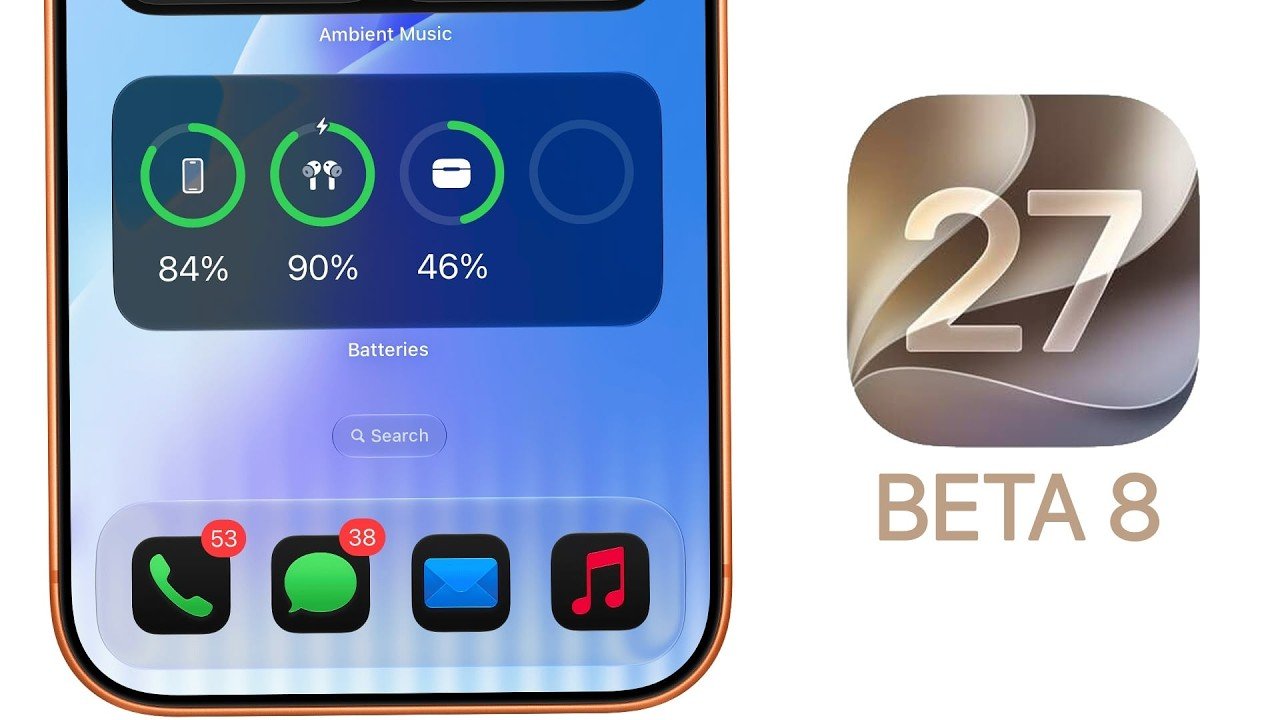
Update Your MacBook Now: macOS 26.4 Adds iPhone’s Best Battery Feature to the Mac

Update Your MacBook Now: macOS 26.4 Adds iPhone’s Best Battery Feature to the Mac Updated Control Center in macOS 26.4 showing a translucent panel over the desktop background.

Apple has officially launched macOS 26.4 Tahoe, a significant update that introduces new features, performance improvements and essential security enhancements. This release is tailored to enhance functionality, efficiency, and security for all macOS 26-supported devices. Whether you’re a casual user or a professional, this update offers something for everyone. Here’s an in-depth look at what […]

The post Update Your MacBook Now: macOS 26.4 Adds iPhone’s Best Battery Feature to the Mac appeared first on Geeky Gadgets.
Posted in Uncategorized

Claude AI Now Has Unlimited Memory Thanks to Autodream

Claude AI Now Has Unlimited Memory Thanks to Autodream Screenshot-style view of Claude Code Memory 2.0 with an Autodream command prompt to consolidate memory.

Anthropic has introduced Autodream, a memory management system designed to address longstanding challenges in its AI model, Claude. Autodream mimics the brain’s REM sleep by consolidating and refining memory files, prioritizing relevant information while removing outdated or conflicting data. According to World of AI, this system resolves issues such as memory decay and unclear timestamps, […]

The post Claude AI Now Has Unlimited Memory Thanks to Autodream appeared first on Geeky Gadgets.

Posted in Uncategorized

OpenAI’s Controversial ChatGPT Adult Mode On Hold Indefinitely

OpenAI’s Controversial ChatGPT Adult Mode On Hold Indefinitely Illustration of safety checks like age verification and content filters tied to OpenAI’s paused adult chatbot work.

OpenAI has recently announced an indefinite pause on its adult chatbot project, citing challenges related to content moderation and ethical considerations. At the same time, Google introduced the Gemini 3.1 Flash Live model, which incorporates both voice and vision inputs for multimodal functionality and Meta unveiled Tribe Version 2, an AI model aimed at improving […]

The post OpenAI’s Controversial ChatGPT Adult Mode On Hold Indefinitely appeared first on Geeky Gadgets.

Posted in Uncategorized