Toyota’s Prius Prime saved me gas money but probably not the environment

I’ve always wondered what it would be like to own a plug-in hybrid, and recently, fate handed me that opportunity. On a recent trip to Vancouver, I rented a 2024 Toyota Prius Prime for nearly two months — the ideal scenario to try out North America’s most popular PHEV.

Previously, the words "Prius" and "sexy" were rarely used in the same sentence. However, I think the wedge-shaped Prius Prime introduced for 2023 is much sexier than its frumpy predecessors. The sleek shape also pierces the wind better to improve efficiency. It’s lower to the ground than before, though, which can make entry tough for taller or older people.

I was comfortable in the Prius Prime once seated, even though the materials and options aren’t quite as luxurious as other PHEVs sold in the US. On two 10-hour highway drives from Vancouver up to northern Canada I never felt sore (or cold) in the well-bolstered, heated seats. However, visibility wasn’t the greatest due to the low seating position and thick front pillars that occasionally blocked my view of traffic.

Driving Toyota’s Prius Prime showed me the perks (and problems) with plug-in hybrids
Steve Dent for Engadget

With its wraparound dash and 8-inch touchscreen, the interior is reasonably high-tech but not to the standard of some EVs I’ve tried recently. It came with wireless CarPlay and Android Auto support that gave me seamless streaming entertainment on long highway stretches. The driver safety features (lanekeeping, adaptive cruise, automatic braking and more) also boosted my confidence in Vancouver’s gnarly traffic. The Prius Prime doesn’t offer true one-pedal implementation, but it has a mode that’s close to that.

With a two-liter 150 HP gas motor and 161 HP electric motor (net 220 HP combined), the 2024 (fifth generation) Prius Prime has a whopping 100 more horsepower than the previous model. The electric drivetrain is supplied by a 13.6kWh battery (10.9kWH usable) that takes four hours to charge at 240 volts, or double that with 120-volt household electricity. That means you can juice it fully overnight, but it doesn’t have DC fast-charging for speedy power-ups on longer trips. The EPA electric range is 44 miles, 19 more than the fourth-gen Prius.

It accelerated surprisingly well (from 0 to 60mph in 6.7 seconds) and was agile, but had a fair amount of body roll since it’s not designed for the race track. Still, considering the Prius’s reputation as a staid hippie econobox, the new model was downright sporty. I enjoyed driving in the all-electric mode much more than the hybrid mode, though — it was quieter and smoother, with lower noise levels and vibration.

So, how far was I able to drive on that electric motor alone? On the highway at about 65 MPH, I eked out 30 miles and just over 40 miles in the city. On one trip, I drove from the city center to a suburb 30 miles away and made it there and partially back on a full charge. On another voyage, I was able to drive back and forth between the east- and west-most points of Vancouver (13 miles) — a typical commute for many city-dwellers — with about a quarter charge to spare.

Driving Toyota’s Prius Prime showed me the perks (and problems) with plug-in hybrids
Steve Dent for Engadget

With consistent charging, my fuel consumption over a two week period (averaging 25 miles per day) was about a quarter of a tank or around $7.50. In terms of electricity, I used nearly 70.5kWh during that time at $.085/kWh, for a total of $6. All told, I spent $13.50 for gas and electricity over 350 miles of mixed driving, so the Prius Prime was clearly cheap to operate.

For longer trips, it’s still as inexpensive as it gets for a gasoline-powered vehicle, thanks to the efficient ICE motor and hybrid system that’s among the best in the industry. With a full battery charge and tank, I set out on a 547-mile drive and travelled 470 miles before stopping for gas, with a quarter tank to spare. That fill-up cost around $25.

The timing for my test of this car was ideal. In October, I spotted a European study concluding that PHEVs aren’t as economical as expected over a large sample size. Engadget’s article about that stirred up some passion among owners and potential buyers, so I wanted to compare my experience with points in the study.

First, let’s see if a PHEV is worth the extra money compared to a regular hybrid. My calculations are for the average US buyer and don’t take state or federal clean air rebates into account.

When I chose to rent a "compact" car, Avis assigned me a mid-range Prius Prime XSE — a model that lists at $37,320 but typically sells for $34,590, according to Edmunds. That suited me well as it only lacked a few features of the high-end XSE Premium, notably the larger 13.2-inch infotainment display and solar roof option. A fully equipped 2026 XSE Premium model with those features costs $41,665.

Driving Toyota’s Prius Prime showed me the perks (and problems) with plug-in hybrids
Steve Dent for Engadget

Since Toyota also makes a regular hybrid Prius, that vehicle offers an ideal comparison. The equivalent Prius XTE model has a list price of $31,995 in a similar configuration, making it $5,325 cheaper than the Prius Prime XSE.

The average US driver covers 13,662 miles per year and gasoline currently has a median $3 per gallon price. Over that distance, a non-PHEV Prius driver could expect to burn 273 gallons at 50 MPG (EPA combined) in a year, spending $819 on fuel.

A Prius Prime driver, on the other hand, would use 70 to 85 percent less fuel by current EPA or WLPT estimates. If we generously take the high end of those numbers at 85 percent, that cuts fuel costs to $160. That would require using about 2,500 kWh of electricity, though, so at an average US price of $0.18/kWh, that amounts to $450, for a total of $610 (gas plus electricity). That means you’d save just $209 in a year, or $2,090.00 over 10 years — not enough to justify the extra price. (Fuel and electricity prices, usage and other factors vary by region and can have a big impact on those figures.)

It could be even worse than that, according to a European automotive thinktank called Transport & Environment (T&E). After gathering real-world OBFCM data from 800,000 vehicles, they determined that PHEVs only run in all-electric mode 27 percent of the time, rather than 84 percent as estimated by Europe’s WLPT standard. As a result, plug-in hybrids in Europe emit five times more emissions and cost users €500 ($586) more per year than previously thought. Those figures are likely similar in the US.

Driving Toyota’s Prius Prime showed me the perks (and problems) with plug-in hybrids
Steve Dent for Engadget

How could regulators be so wrong about this key data? The first, obvious reason is that they underestimated how often people charge their vehicles. With their relatively short range, plug-in hybrids often need a full charge to get through the day in electric-only mode — but many people aren’t doing that.

Why? One reason may be a lack of easy charger access away from home. I found them to be difficult to find and use, often requiring a sign-up or app rather than just letting me tap a credit card (I’m looking at you, ChargePoint, Flo and Switch Energy). It can also be more expensive than just buying gasoline, since many companies charge triple or more the market rate for electricity. Another factor is that drivers of company or fleet PHEVs charge their vehicles less often than private owners.

There's one additional and especially pernicious reason: The ICE engine often kicks in when PHEVs are supposedly running in all-electric mode, particularly with heavier sedans or SUVs. That’s because the electric motors alone aren’t powerful enough for maneuvers like passing.

Larger batteries can boost all-electric usage, but only to a point. Beyond 45 miles of range, emissions actually increase. The reason is simple: "Long-range PHEVs are the heaviest in the dataset, averaging 28 percent more mass and 33 percent more engine power than the group just below," T&E wrote.

Driving Toyota’s Prius Prime showed me the perks (and problems) with plug-in hybrids
Steve Dent for Engadget

Overall, I enjoyed my time with the Prius Prime and found it to be fun, practical and cheap to drive. It’s the most economical PHEV because it has excellent electric range and enough power that the ICE engine rarely needs to kick in. At the same time, it offers the highest EPA mileage rating of any non-EV sold in North America. If I were in the market for a new vehicle, the Prius Prime would be high on my list.

However, I also learned that PHEVs aren’t reducing emissions or saving buyers as much as regulators and manufacturers have promised. Governments are to blame for much of that, as they overestimated all-electric use in PHEVs and failed to support the charging infrastructure needed to make them practical.

Responsibility also falls to automakers and buyers. Consumers want SUVs, but manufacturers aren’t making the electric motors in PHEVs powerful enough to run all the time in EV mode or offering fast DC charging. At the same time, drivers are failing to charge their vehicles consistently. Until those issues are solved, in my experience plug-in hybrids are a poor substitute for EVs in terms of emissions and a less economical choice than regular hybrids.

This article originally appeared on Engadget at https://www.engadget.com/transportation/toyotas-prius-prime-saved-me-gas-money-but-probably-not-the-environment-133027378.html?src=rss

How to redeem game codes on the Nintendo Switch 2

Digital game codes remain one of the simplest ways to add new titles to a Nintendo library. The Nintendo Switch 2 handles code redemption in a familiar way, building on the same process used on the original Switch. You can redeem a download code directly from the eShop on the console, or through a browser on a phone or desktop. Both routes link the purchase to the same Nintendo Account so the redeemed title appears on any compatible device tied to that account. The process is quick once you know where to look. Here is how to redeem game codes on Switch 2 through the console and online.

A Nintendo Account is required and the Switch 2 must be connected to the internet for on-device redemption. Most codes contain sixteen characters made up of letters and numbers. The characters are displayed on a physical card, on a receipt or in a confirmation email from a retailer. The characters should be entered exactly as supplied. Each code can only be redeemed once and becomes linked to the Nintendo Account used during the process.

Redeeming a code through the Switch 2 itself is the most direct approach because the download begins as soon as the code is accepted.

Start on the Switch 2 home screen and open the Nintendo eShop icon. The console will prompt you to choose the user profile that should receive the content. Each user profile has a separate eShop purchase history, so pick the correct one before moving on.

Once the eShop loads, look for the Redeem Code option in the main menu. On the Switch 2, this appears in the left navigation panel alongside the store’s standard browsing categories. Select Redeem Code to open a screen with an input field and the on-screen keyboard.

Enter the sixteen-character code carefully. Codes may contain similar-looking characters particularly when numbers and letters appear in the same sequence. After entering the full set of characters select OK to move forward. The system checks the code and shows a confirmation page with the game or content tied to it.

If the code is valid, select Redeem to finish the process. The game will appear on the home screen as soon as the redemption is complete. A progress bar shows the download status until the installation finishes. If the game includes a Switch and Switch 2 version, the system will prompt you to choose which version to download.

If the game does not begin downloading head to the All Software view or the Download Management screen to confirm the status. The redeemed title should be visible with either a queued or active download.

Nintendo also supports online redemption through its digital store, which is useful if you are away from the console or prefer to type the code on a full keyboard. The redeemed title will still appear in your account’s purchase history and can be downloaded later from the Switch 2.

Open a browser on a phone, tablet or computer and go to the Nintendo Account login page. Sign in using the account linked to your Switch 2. Once logged in navigate to the code redemption page for the Nintendo eShop. This page contains a text box where you can paste or type the code.

Enter the code exactly as provided and select Next. A confirmation screen appears with the game details. Select Redeem to finalize the action. The content is now tied to your account and ready to download on your console.

If the console is in sleep mode and has auto downloads enabled, the game may start downloading immediately. Otherwise open the eShop on the Switch 2 later and check the Download Management section for your queued title.

Every redeemed game becomes part of your Nintendo Account’s digital library. This applies across devices tied to the same account, which means that games purchased on a Switch or a browser will still appear when you sign in on a Switch 2. If the game supports cloud backup through Nintendo Switch Online, save data will sync once the game is installed.

Some games offer separate versions for the original Switch and Switch 2. When this applies, you’ll be asked to pick which version you want to download. The choice does not usually affect your ownership but it determines which software build is installed on the device.

If a code fails, Nintendo advises checking that the characters are entered correctly and confirming that you are using a download code rather than a control number, which often appears on the same card. Codes for DLC downloads require the base game on the destination console. Region restrictions also apply so the code must match the region of your Nintendo Account’s eShop.

The Switch 2 keeps the familiar eShop structure that users have relied on since the original console. Keeping this process consistent simplifies the transition for families with multiple consoles and reduces the friction of carrying existing purchases forward. Nintendo Accounts continue to serve as the backbone for digital ownership which makes it easy to claim a code on one device and access the game on another.

The updated interface on the Switch 2 adds clarity to navigation but code redemption still works the same way on both platforms. This continuity ensures that retailers can distribute standard sixteen-character download codes and users can rely on simple steps to activate them.

This article originally appeared on Engadget at https://www.engadget.com/gaming/nintendo/how-to-redeem-game-codes-on-the-nintendo-switch-2-130059847.html?src=rss

Samsung’s latest Odyssey gaming monitor has a 32-inch 6K screen with glasses-free 3D

Ahead of CES 2026, Samsung has unveiled a number of impressive gaming monitors that flaunt 3D and very high refresh rates. The headliner is the 32-inch Odyssey 3D, "the world's first 6K display with glasses free 3D," according to Samsung. Along with the high resolution, it offers a 165Hz refresh rate (boosted to 330Hz through Dual Mode), along with a 1ms GtG response time. Optimized 3D effects that enhance terrain, distance and object separation "beyond 2D" will work with featured games like Stellar Blade and The First Berserker: Khazan," according to Samsung.

Another model, the 27-inch Odyssey G6, brings refresh rates to a new level. It's the world's first 1,040 Hz monitor through Dual Mode and offers native QHD support up to 600Hz "to help players track targets and see fine details during high-speed movement," Samsung claims. It can provide instant performance boosts and is AMD FreeSync and NVIDIA G-Sync compatible. 

Samsung's latest gaming monitor is a 32-inch 6K model with glasses-free 3D
Samsung

If it's OLED you want, Samsung has that covered as well with the 32-inch Odyssey OLED G8. It pairs a 4K QD-OLED panel with a 240Hz refresh rate, while offering glare-free viewing and VESA DisplayHDR True Black 500 certification, though brightness is limited to 300 nits. It's DisplayPort 2.1 and HDMI 2.1 compatible with up to 80Gbps bandwidth, while supporting both AMD FreeSync Premium Pro and NVIDIA G-Sync. 

Finally, Samsung introduced two other new high-resolution Odyssey G8 models as well. The first is the 32-inch G80HS model with 6K resolution at up to 165Hz and the other is the 5K, 27-inch Odyssey G8 with native support up to 180Hz and Dual Mode boosting that to 360Hz in QHD. There's no word on pricing yet for any of these models, but we'll likely learn that early next year. 

This article originally appeared on Engadget at https://www.engadget.com/computing/accessories/samsungs-latest-odyssey-gaming-monitor-has-a-32-inch-6k-screen-with-glasses-free-3d-130051748.html?src=rss

Kling 2.6 vs Veo 3.1 vs WAN 2.6 : AI Video Quality Compared

Kling 2.6 vs Veo 3.1 vs WAN 2.6 : AI Video Quality Compared

What makes an AI video model truly stand out? Is it the lifelike speech synthesis, the cinematic visuals, or the seamless lip synchronization that brings characters to life? Below CyberJungle breaks down the performance of three leading AI video generation models, Kling 2.6, Veo 3.1, and WAN 2.6, each vying for dominance in this rapidly […]

The post Kling 2.6 vs Veo 3.1 vs WAN 2.6 : AI Video Quality Compared appeared first on Geeky Gadgets.

Posted in Uncategorized

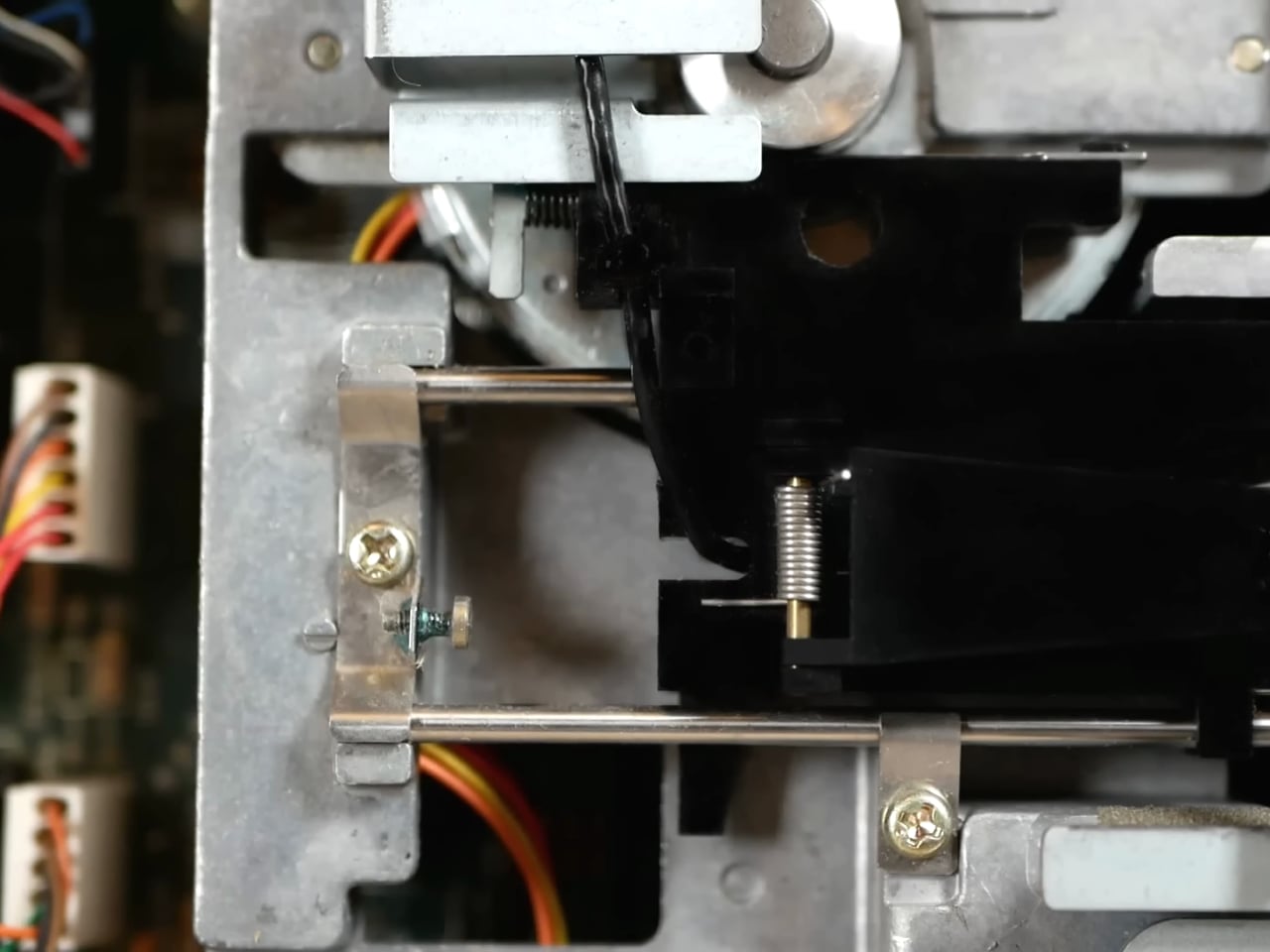
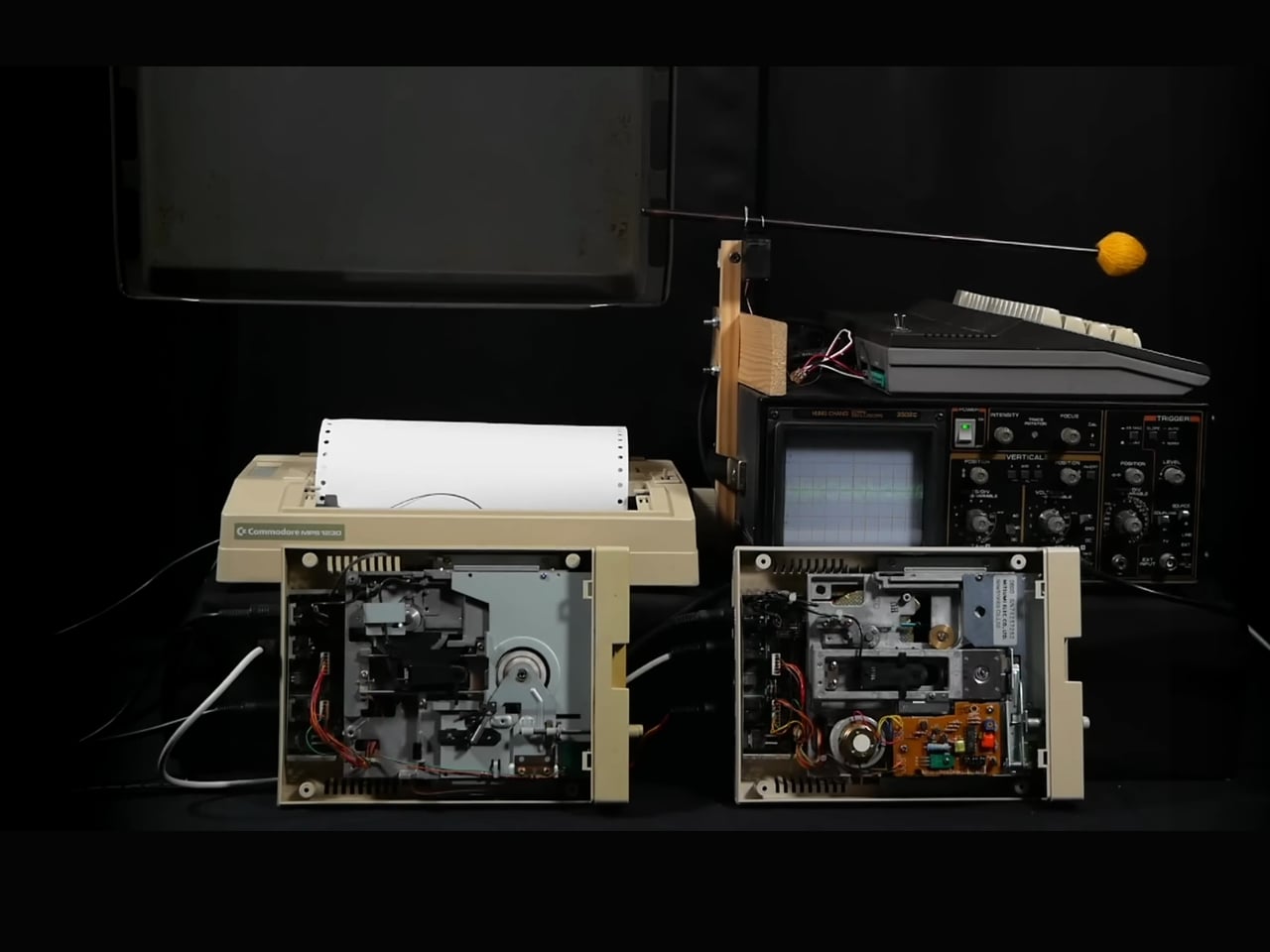
This Engineer Built a 9-Instrument Orchestra From Vintage Computers

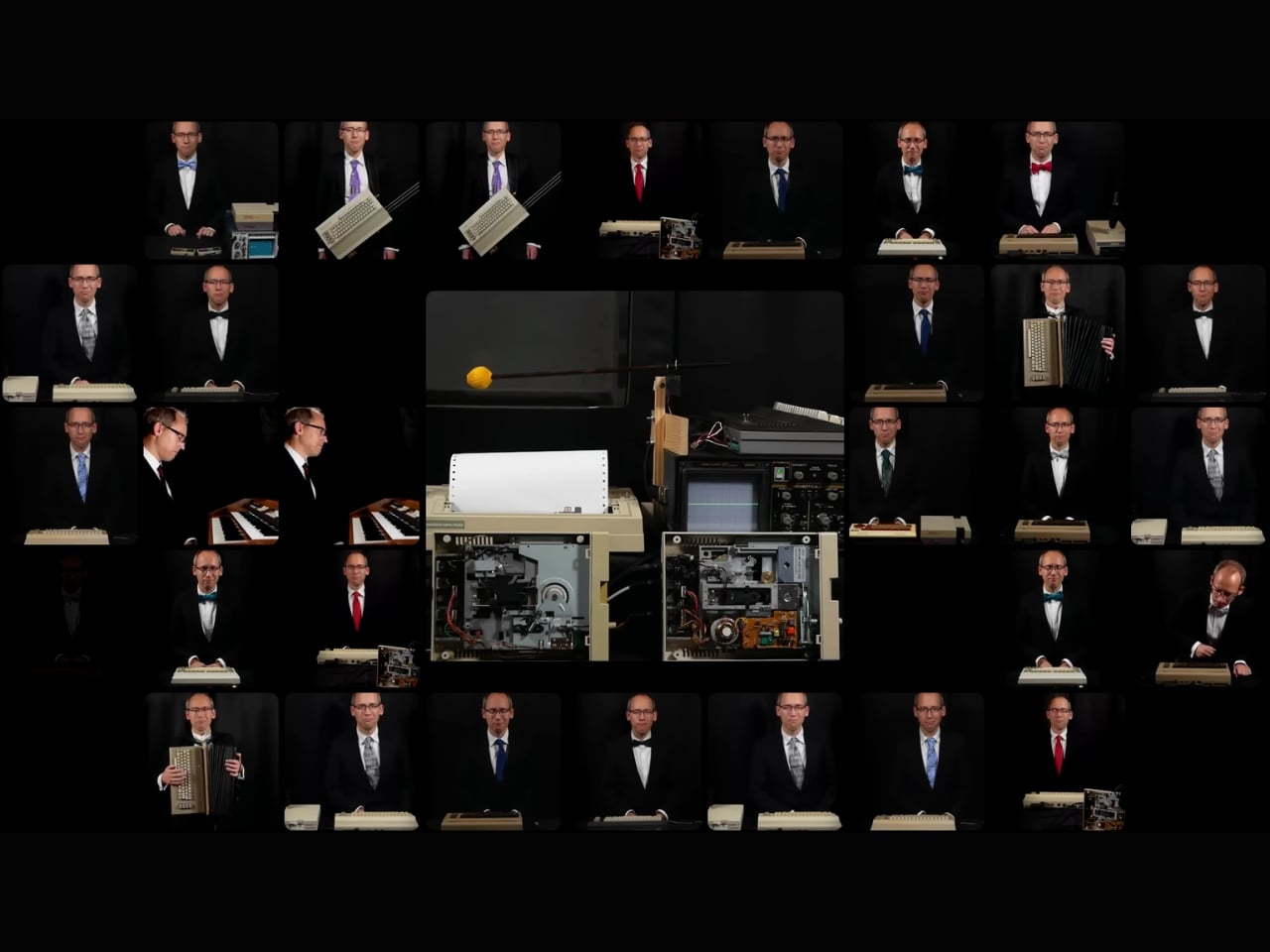
You know that moment when someone takes something impossibly complicated and makes it look like the most natural thing in the world? That’s exactly what happens when you watch Linus Akesson perform Maurice Ravel’s Boléro on nine homemade 8-bit instruments. And honestly, it’s the kind of thing that makes you stop scrolling and just stare.

Akesson isn’t your average musician or engineer. He’s both, which is probably the only way a project like this could exist. The Swedish creator has spent years building custom electronic instruments from vintage computer parts and retro gaming hardware, and this 15-minute performance might just be his magnum opus. We’re talking about a piece that required nearly 10 hours of footage and 52 mixer channels to capture. This isn’t just a fun weekend project. It’s a full-blown technical and artistic achievement.

Designer: Linus Akesson

Ravel’s Boléro is one of those classical pieces that you recognize even if you don’t think you know classical music. It’s hypnotic and repetitive, building slowly over 15 minutes with the same melody cycling through different instruments until it reaches this massive crescendo. It’s also notoriously difficult to perform because of how exposed every musician is. There’s nowhere to hide when you’re playing the same pattern over and over. Now imagine tackling that with a collection of beeping, blooping 8-bit computers that you built yourself.

The instruments in Akesson’s arsenal include things like the Chipophone, an organ-like device that uses old computer sound chips, and the Commodordion, which is essentially a Commodore 64 turned into an accordion. Yes, you read that right. These aren’t instruments you can just buy off the shelf or even find in some obscure music shop. Akesson designed and built them from scratch, combining his deep knowledge of electronics with a genuine love for the aesthetic and sound of vintage computing.

What makes this performance so compelling isn’t just the technical wizardry, though there’s plenty of that. It’s the way Akesson treats these humble, squeaky sounds with the same reverence you’d give to a string section in a concert hall. Chiptune music, the genre that emerged from early video game soundtracks, often gets dismissed as novelty. But in Akesson’s hands, it becomes something genuinely moving. The piece still builds, still swells, still commands your attention the way Ravel intended.

There’s something deeply satisfying about watching someone honor both the past and the present in the same breath. Akesson isn’t trying to prove that 8-bit sounds are better than traditional orchestras, and he’s not making a joke out of classical music. He’s finding a middle ground where nostalgia, craftsmanship, and artistry all meet. It’s retro without being kitsch. It’s technically impressive without being cold or showy.

The video itself is a treat for anyone who loves behind-the-scenes peeks at creative processes. You see Akesson switching between instruments, his workspace cluttered with wires and vintage gear, every sound painstakingly triggered and mixed. It’s a one-man orchestra in the truest sense, except the orchestra is made of machines that were obsolete before many of us were born. In a world where we’re constantly told to upgrade, to move forward, to embrace the newest and shiniest technology, there’s something quietly rebellious about what Akesson does. He takes the discarded, the outdated, the supposedly useless and turns it into art. And not just functional art or conceptual art. Beautiful art. The kind that makes you feel something.

If you’re someone who gets excited about the intersection of design, technology, and culture, this project is basically catnip. It’s proof that limitations can breed creativity, that old technology still has stories to tell, and that sometimes the best way to appreciate a classic is to reimagine it completely. Akesson’s 8-Bit Boléro doesn’t replace the original. It sits alongside it, offering a new way to hear something we thought we already knew.

So do yourself a favor and watch it. Turn up the volume, let those retro beeps wash over you, and marvel at what one person with vision and skill can create. It might just change how you think about what’s possible when art and engineering collide.

The post This Engineer Built a 9-Instrument Orchestra From Vintage Computers first appeared on Yanko Design.

US bans former EU Commissioner and others over social media rules

The Trump administration has issued travel bans that prohibit five European tech researchers, including one former EU Commissioner, from entering the United States. “For far too long, ideologues in Europe have led organized efforts to coerce American platforms to punish American viewpoints they oppose. The Trump Administration will no longer tolerate these egregious acts of extraterritorial censorship,” said US Secretary of State Marco Rubio.

That official is Thierry Breton, the former European Commissioner for Internal Markets and Digital Services, who Sarah Rogers called the “mastermind” of the Digital Services Act. Rogers, the Under Secretary of State, said Breton threatened Elon Musk about ongoing formal proceedings for X’s noncompliance with “illegal content” and “disinformation” under the DSA just before his meeting with President Trump. The administration has also banned Imran Ahmed from the Center for Countering Digital Hate (CCDH), who apparently called for American anti-vaxxers to be deplatformed. One of those people is Robert F. Kennedy, Jr., who’s now the US Secretary of Health.

Clare Melford from the UK-based Global Disinformation Index has also been banned. Her group monitors online platforms for hate speech. Anna-Lena von Hodenberg and Josephine Ballon from German organization HateAid, have been banned, as well. HateAid flags hate speech online for the EU under DSA rules.

As The New York Times notes, these travel bans emphasize the administration’s close relationship with internet and tech companies, which would benefit from having DSA rules loosened or abolished. The Global Disinformation Index called the travel bans “an authoritarian attack on free speech and an egregious act of government censorship.” Meanwhile, von Hodenberg and Ballon said the bans mark a new escalation. “The US government is clearly questioning European sovereignty,” they said. 

This article originally appeared on Engadget at https://www.engadget.com/big-tech/us-bans-former-eu-commissioner-and-others-over-social-media-rules-121804097.html?src=rss

Unlock the Secret Apple Watch Features You Never Knew Existed

Unlock the Secret Apple Watch Features You Never Knew Existed

The Apple Watch is not just a smartwatch; it’s a multifunctional device brimming with features that often go unnoticed. Whether you are a seasoned user or new to the Apple Watch, exploring its lesser-known capabilities can significantly enhance your experience. From advanced customization options to innovative health tools, these features are designed to simplify your […]

The post Unlock the Secret Apple Watch Features You Never Knew Existed appeared first on Geeky Gadgets.

Posted in Uncategorized

JustDone AI Review – Empowering AI tools for Generating Articles

JustDone AI Review – Empowering AI tools for Generating Articles

Do you ever wish your content could just… get done for you? And no, not the vacuuming (although you can get an AI robot for that too). We’re talking about your writing, research, and content production. That’s exactly what JustDone AI aims to deliver — a versatile suite of AI tools designed to speed up […]

The post JustDone AI Review – Empowering AI tools for Generating Articles appeared first on Geeky Gadgets.

Posted in Uncategorized

This DIY AI Astronaut Looks Like a Desk Toy Until You Ask It Questions

Most DIY AI gadgets are bare boards and wires, or at best a 3D-printed box, and that clashes with the idea of leaving them on a shelf or side table. Even clever builds end up looking like projects rather than finished objects. D. Creative’s tiny AI robot is a counterexample, a chatbot built inside a toy astronaut that looks like decor first and a smart assistant second, making it actually display-worthy.

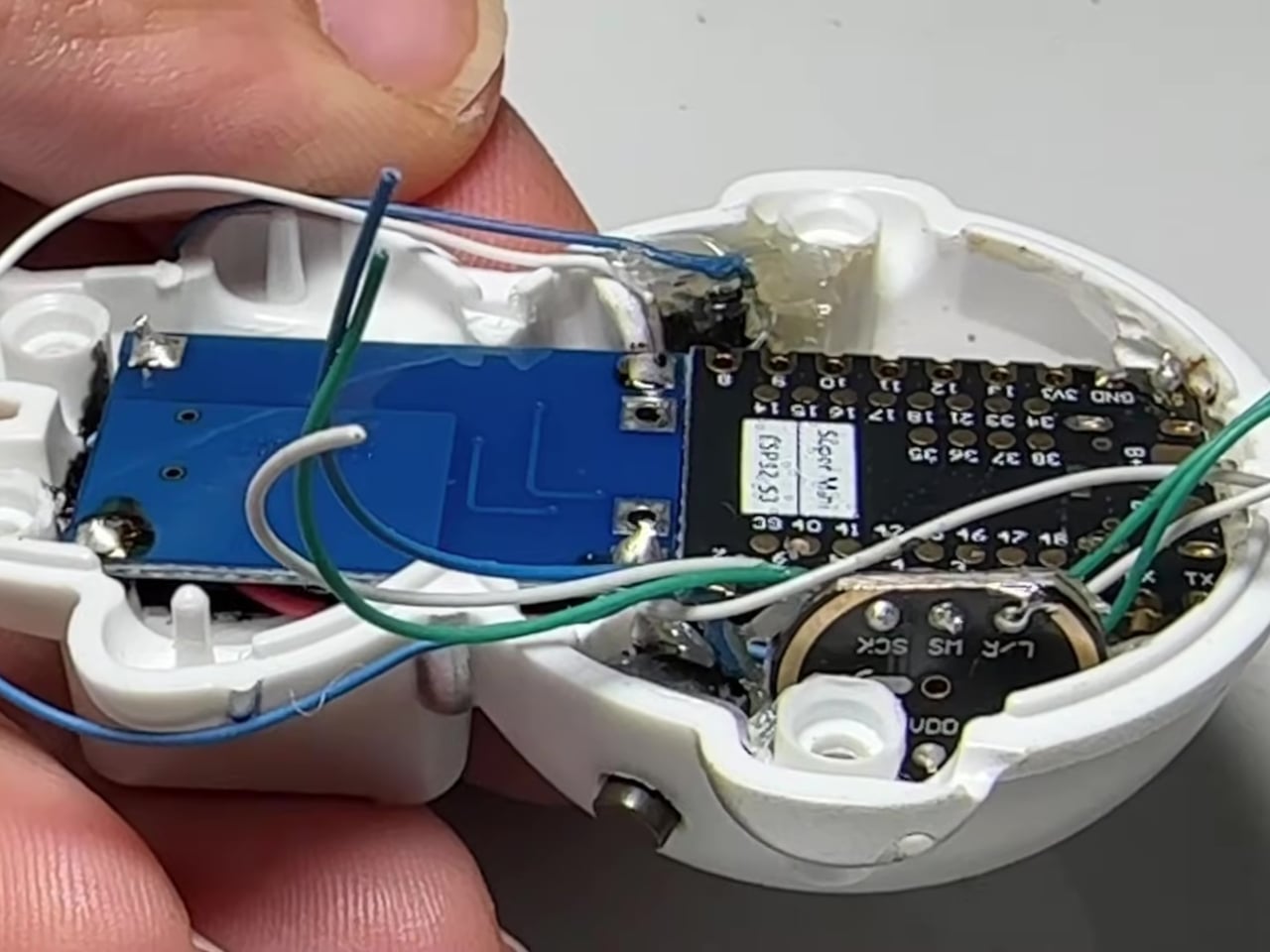
The basic concept is a small astronaut figurine that you can talk to, which talks back using a cloud LLM. All the electronics, ESP32-S3, mic, amp, speaker, battery, and OLED, are hidden inside the toy shell, so on a desk it reads as a cute space figure until it lights up and answers a question or starts blinking to show it is listening.

Designer: D. Creative

The internals pack tightly. An ESP32-S3 Super Mini acts as the brain, a digital I²S microphone hears you, a matching I²S amplifier and tiny speaker reply, and a 300 mAh battery with a charging board keeps it running. The 0.96-inch OLED is tucked into the helmet as the robot’s face, giving the AI a place to look back from when you address it or ask for help.

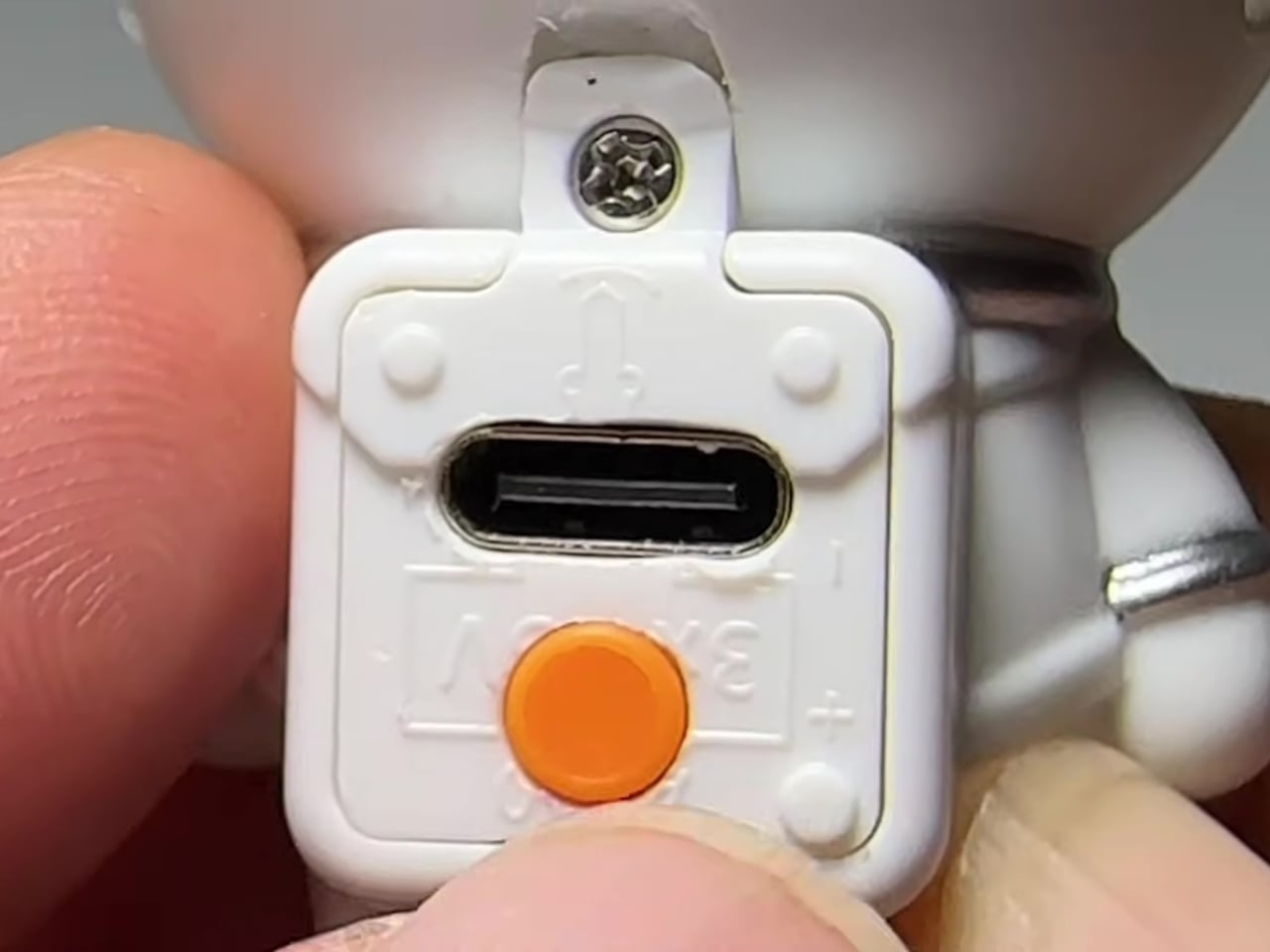
The builder gutted a light-up astronaut toy, drilled a few holes for buttons and a USB port, and then packed the new hardware inside before closing it back up. This is not a 3D-printed shell but an existing object repurposed, which keeps the proportions and charm of the original toy while hiding the complexity and making the result feel less like a gadget and more like a character.

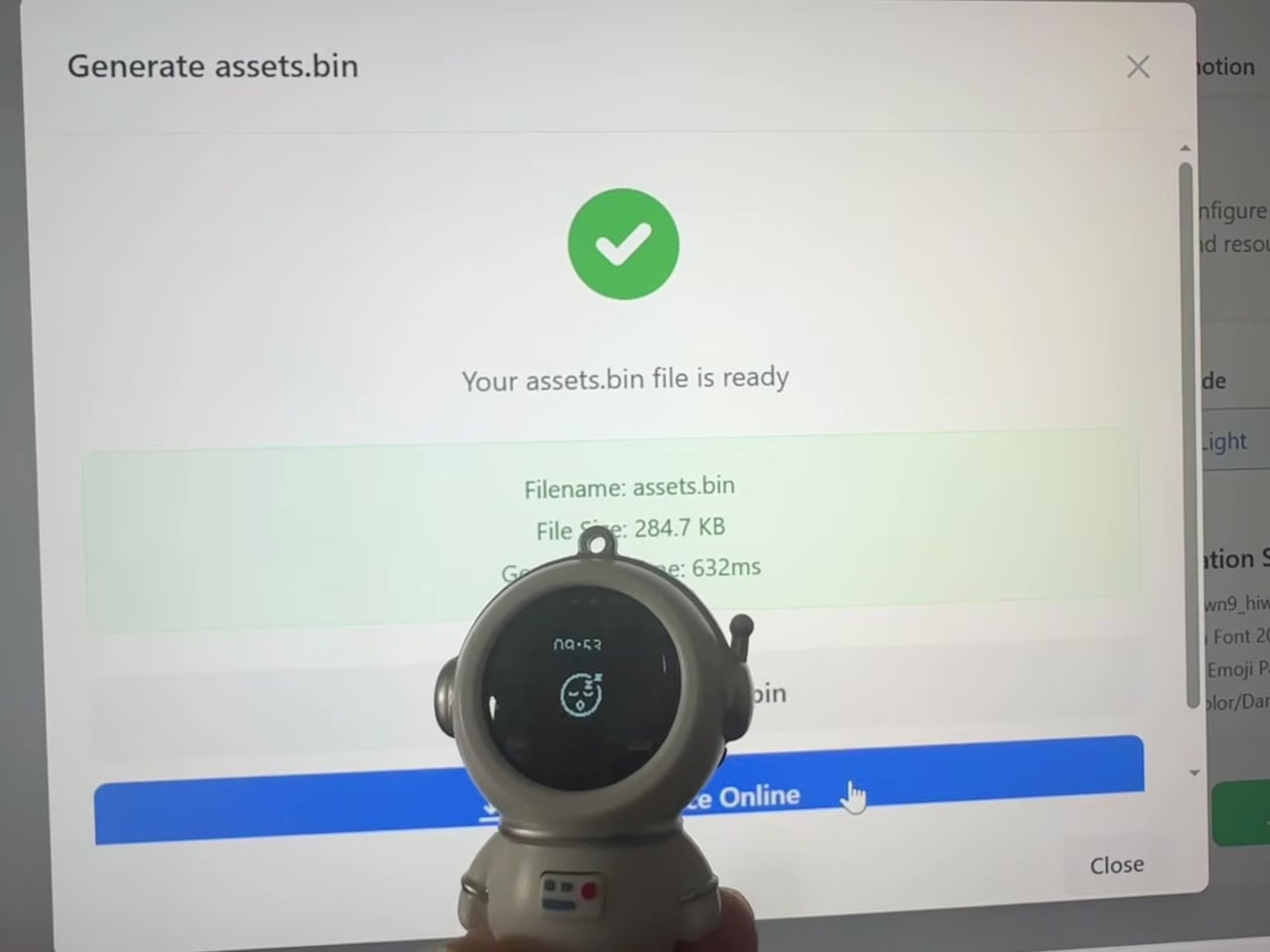
The interaction loop is straightforward. You speak, the mic captures your voice, the ESP32 sends it over Wi-Fi to a speech-to-text service and then to the Qwen3 LLM, the response comes back as text, and a text-to-speech engine turns it into audio for the speaker. The astronaut’s OLED changes expression to show when it is listening, thinking, or ready to answer, turning a text exchange into something more animated.

Putting the same kind of chatbot you might use in a browser into a toy astronaut changes the relationship. The presence of a body, a face, and a fixed spot on your desk makes the assistant feel more like a little character you share space with, and less like a disembodied voice that lives somewhere in the cloud and has no opinion on where it sits.

This project hints at a pattern other makers can borrow, taking familiar objects and quietly giving them new capabilities instead of always starting from scratch. A tiny AI astronaut that fits into a home without looking like a project points toward a future where more of our everyday decor hides small, conversational brains, and where the line between toy and tool gets pleasantly blurry, with AI companions that feel more like friends than appliances waiting for commands.

The post This DIY AI Astronaut Looks Like a Desk Toy Until You Ask It Questions first appeared on Yanko Design.

NotebookLM Alternative Open Notebook : Local & Private with Mind Maps, Podcasts & More

NotebookLM Alternative Open Notebook : Local & Private with Mind Maps, Podcasts & More

What if you could have a fully private, AI-powered assistant that doesn’t just take notes but transforms the way you work, without ever sending your data to the cloud? WorldofAI breaks down the innovative potential of Open Notebook, a free, open source alternative to Google’s Notebook LM. Unlike its corporate counterpart, Open Notebook runs locally, […]

The post NotebookLM Alternative Open Notebook : Local & Private with Mind Maps, Podcasts & More appeared first on Geeky Gadgets.

Posted in Uncategorized