The best monitors for every budget in 2025

We spend a lot of time staring at our screens, so it’s worth finding one that actually feels good to use. The right monitor can make your desk setup feel faster, brighter and easier on the eyes, whether you’re deep into spreadsheets, watching a show or chasing higher frame rates in your favorite game.

What the best monitor means, though, depends on what you do. Gamers might want smooth, fast refresh rates. Creators usually prioritize color accuracy. Office workers and students just need something clear, comfortable and reliable. Thankfully, monitors in 2025 cover all of those needs, with options that range from compact 24-inch displays to massive ultrawides built for serious multitasking.

We’ve tested a variety of monitors across price ranges and use cases to find the ones that stand out for everyday use. No matter your budget, setup or screen-size preference, these are the monitors that make your PC, and your time in front of it, a little better.

The cheapest monitors are still TN (twisted nematic), which are strictly for gamers or office use. VA (vertical alignment) monitors are also relatively cheap, while offering good brightness and a high contrast ratio. However, content creators will find that LCD, IPS displays (in-plane switching) deliver better color accuracy, pixel density, picture quality and wide viewing angles — making them a strong option for general computer monitor use.

If maximum brightness is important, a quantum dot LCD display is the way to go — those are typically found in larger displays. OLED panels are now available and offer the best blacks and color reproduction, but they lack the brightness of LED or quantum dot displays. Plus, they’re expensive. The latest type of OLED monitor, called QD-OLED from Samsung, is now common among gaming monitors. The most notable advantage is that it can get a lot brighter, with recent models hitting up to 1,000 nits+ of peak brightness.

MiniLEDs are now widely used in high-end displays. They’re similar to quantum dot tech, but as the name suggests, it uses smaller LED diodes that are just 0.2mm in diameter. As such, manufacturers can pack in up to three times more LEDs with more local dimming zones, delivering deeper blacks and better contrast. MiniLED displays also tend to offer excellent backlight control, making them a great choice for HDR content and video editing.

Where 24-inch displays used to be more or less standard (and can still be useful for basic computing), 27-, 32-, 34- and even 42-inch displays have become popular for entertainment, content creation and even gaming these days.

Nearly every monitor used to be 16:9, but it’s now possible to find 16:10 and other more exotic display shapes. On the gaming and entertainment side, we’re also seeing curved monitors and widescreen ultrawide monitors with aspect ratios like 21:9. If you do decide to buy an ultrawide display, however, keep in mind that a 30-inch 21:9 model is the same height as a 24-inch monitor, so you might end up with a smaller display than you expected.

A 4K monitor is nearly a must for content creators, and some folks are even going for 5K or all the way up to 8K. Keep in mind, though, that you’ll need a pretty powerful computer with a decent graphics card to drive all those sharp pixels. And 4K higher resolution should be paired with a screen size of 27 inches and up, or you won’t notice much difference between 1440p. At the same time, I wouldn’t get a model larger than 27 inches unless it’s 4K, as you’ll start to see pixelation if you’re working up close to the display. That’s when a lower resolution monitor shows its limits.

One new monitor category to consider is portable monitors designed to be carried and used with laptops. Those typically come in 1080p resolutions and sizes from 13-15 inches. They usually have a lightweight kickstand-type support that folds up to keep things compact and maximize portability and functionality.

HDR adds vibrancy to entertainment and gaming – but be careful before jumping in. Some monitors that claim HDR on their marketing materials don’t even conform to a base standard. To be sure that a display at least meets minimum HDR specs, you’ll want to choose one with a DisplayHDR rating with each tier representing maximum brightness in nits.

However, the lowest DisplayHDR 400 and 500 tiers may disappoint you with a lack of brightness, washed out blacks and mediocre color reproduction. If you can afford it, the best monitor to choose is a model with DisplayHDR 600, 1000 or True Black 400, True Black 500 and True Black 600.

Where televisions typically offer HDR10 and Dolby Vision or HDR10+, most PC monitors only support the HDR10 standard, other than a few (very expensive) models. That doesn’t matter much for content creation or gaming, but HDR streaming on Netflix, Amazon Prime Video and other services won’t look quite as punchy. In addition, the best gaming monitors are usually the ones supporting HDR600 (and up), rather than content creation monitors – with a few exceptions.

High refresh rate is a key feature, particularly on gaming monitors. A bare minimum nowadays is 60Hz, and 80Hz and higher refresh rates are much easier on the eyes. However, most 4K displays top out at 60Hz with some rare exceptions and the HDMI 2.0 spec only supports 4K at 60Hz, so you’d need at least DisplayPort 1.4 (4K at 120Hz) or HDMI 2.1. The latter is now available on a number of monitors, particularly gaming displays. However, it’s only supported by the latest NVIDIA RTX 3000- and 4000-series, AMD RX 6000-series GPUs. Support for G-Sync and AMD FreeSync is also something to look for if you want to eliminate screen tearing and stuttering during fast-paced gameplay — especially when paired with a high refresh rate.

There are essentially three types of modern display inputs: Thunderbolt, DisplayPort and HDMI. Most monitors built for PCs come with the latter two, while a select few (typically built for Macs) will use Thunderbolt. To add to the confusion, USB-C ports may be Thunderbolt 3, and by extension, DisplayPort compatible, so you may need a USB-C to Thunderbolt or DisplayPort cable adapter depending on your display.

Serious content creators should consider a more costly 10-bit monitor that can display billions of colors. If budget is an issue, you can go for an 8-bit panel that can fake billions of colors via dithering (often spec’d as “8-bit + FRC”). For entertainment or business purposes, a regular 8-bit monitor that can display millions of colors will be fine.

The other aspect of color is the gamut. That expresses the range of colors that can be reproduced and not just the number of colors. Most good monitors these days can cover the sRGB and Rec.709 gamuts (designed for photos and video respectively). For more demanding work, though, you’ll want one that can reproduce more demanding modern gamuts like AdobeRGB, DCI-P3 and Rec.2020 gamuts, which encompass a wider range of colors. The latter two are often used for film projection and HDR, respectively.

OLED is better than mini-LED in many areas but not all. Here are the advantages of OLED panels:

  • OLED monitors don't have any "blooming" or halos around bright parts of the image.

  • OLEDs have blacks with zero brightness, which is not achievable on mini-LED. That means they also have higher contrast ratios.

  • OLEDs consume less energy.

  • OLEDs have faster response times for gaming.

And here are the advantages of mini-LED monitors:

  • They are brighter (often much brighter), so it can be better for HDR content.

  • They don't suffer from burn-in like OLED can.

This depends on the individual. For normal use, 27-32 inches is the sweet spot. If you're one who likes many windows open at a time (like a stock broker), then you might want to go up to 37 or even 42 inches.

If you need as much speed as possible, a curved monitor lets you rapidly look around the screen without changing focus or moving your head as much compared to a flat screen. It also provides more immersion. The drawback is that curved displays tend to be wider so they take up more desk space. They're also generally more expensive.

This article originally appeared on Engadget at https://www.engadget.com/computing/accessories/best-monitor-130006843.html?src=rss
The Nintendo Switch 2-compatible Samsung P9 microSD Express Card is 25 percent off for Cyber Monday

Anyone who has a Switch 2 will probably need some extra storage space at some point. Cyber Monday deals present a good opportunity to get ahead of things and stock up on storage while the options are discounted. A notable deal available now is the Samsung P9 microSD Express Card, which is on sale for $75. That's 25 percent off the 512GB card's usual price.

This Samsung microSD model is one of the few that is currently compatible with the Nintendo Switch 2. On its own, a microSD card might feel a little underwhelming as a standalone gift, but it's actually a very useful addition if you're presenting someone with some new Nintendo hardware this holiday, because modern game file sizes are pretty dang hefty. That means if you want to have easy access to more than a few titles in your game library, more storage is a must. If the 512GB option feels like overkill, the 256GB version of Samsung's Nintendo 2 microSD card is also 35 percent off at $39.

But Nintendo fans aren't the only ones who can appreciate more digital storage. MicroSD cards are useful for a range of other gaming handhelds, as well as a bonus for drone enthusiasts and even some tablet owners. And if Samsung isn't your brand of choice, there are several other options that are also on sale for Cyber Monday. The Lexar 256GB Play PRO microSD Express Card is going for about $49. The SanDisk 256GB microSD Express Card currently costs $60, and SanDisk's 512GB option is down to about $89.

This article originally appeared on Engadget at https://www.engadget.com/deals/the-nintendo-switch-2-compatible-samsung-p9-microsd-express-card-is-25-percent-off-for-cyber-monday-100034365.html?src=rss

Apple Watch Air: A Real Product or Just a Rebranded SE?

Apple Watch Air: A Real Product or Just a Rebranded SE?

Apple appears to be preparing to expand its smartwatch lineup with the rumored Apple Watch Air, a device that could embody the company’s hallmark approach of blending sleek design, essential functionality, and competitive pricing. Drawing inspiration from the success of the MacBook Air and iPad Air, this potential addition may aim to deliver a lightweight […]

The post Apple Watch Air: A Real Product or Just a Rebranded SE? appeared first on Geeky Gadgets.

Posted in Uncategorized

AYANEO Just Built a 115Wh Strix Halo Handheld and Killed Portability

Gaming handhelds are supposed to fit in your hands, but AMD’s new Strix Halo processors generate serious heat and drain batteries faster than you can finish a boss fight. The GPD Win 5 and OneXFly Apex responded by strapping external battery packs to their backs, which works, but looks like your handheld is wearing a fanny pack in the wrong spot. It’s practical but awkward, and it raises an obvious question: if you’re adding external batteries anyway, why not just make the whole device bigger?

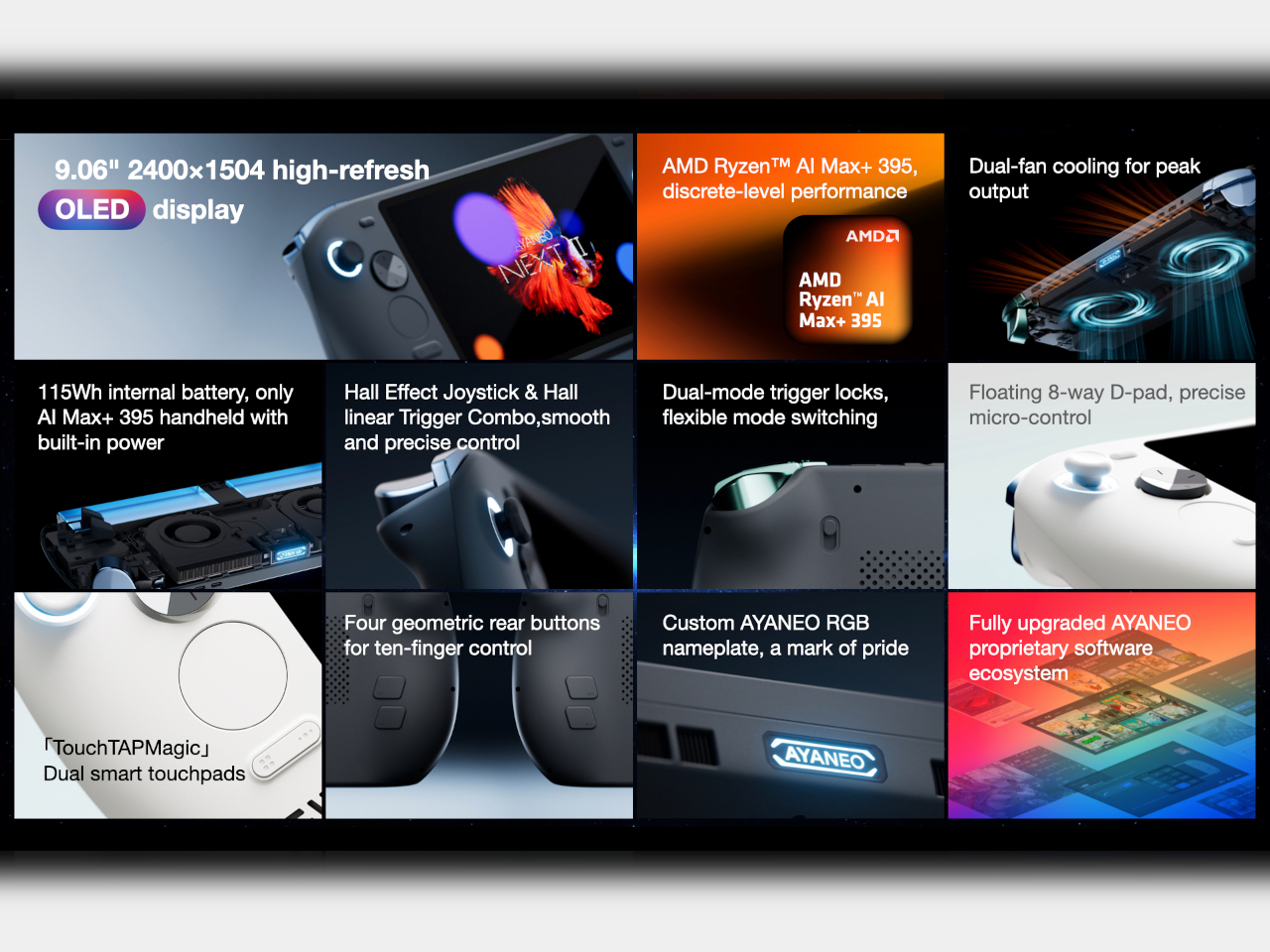
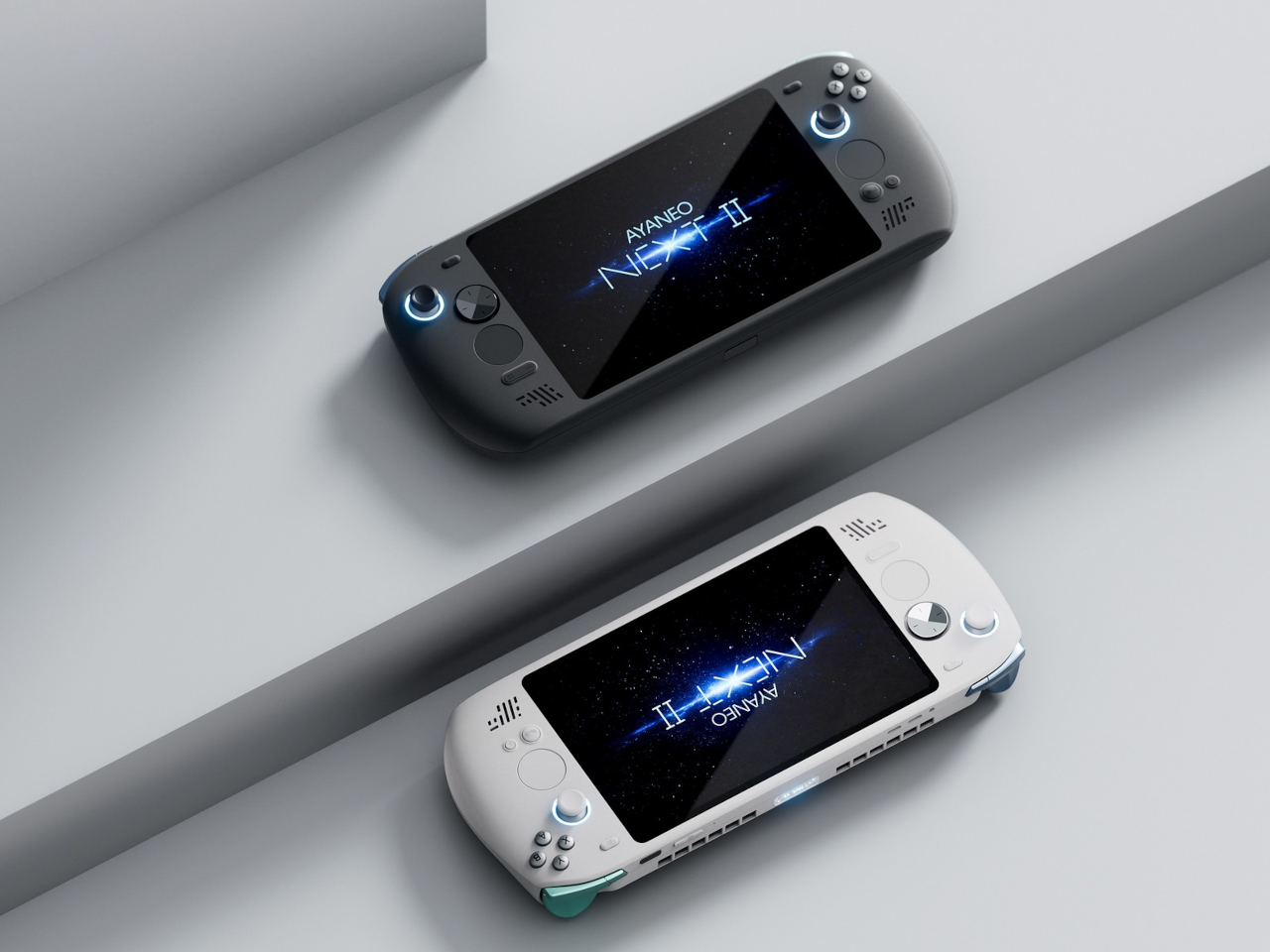
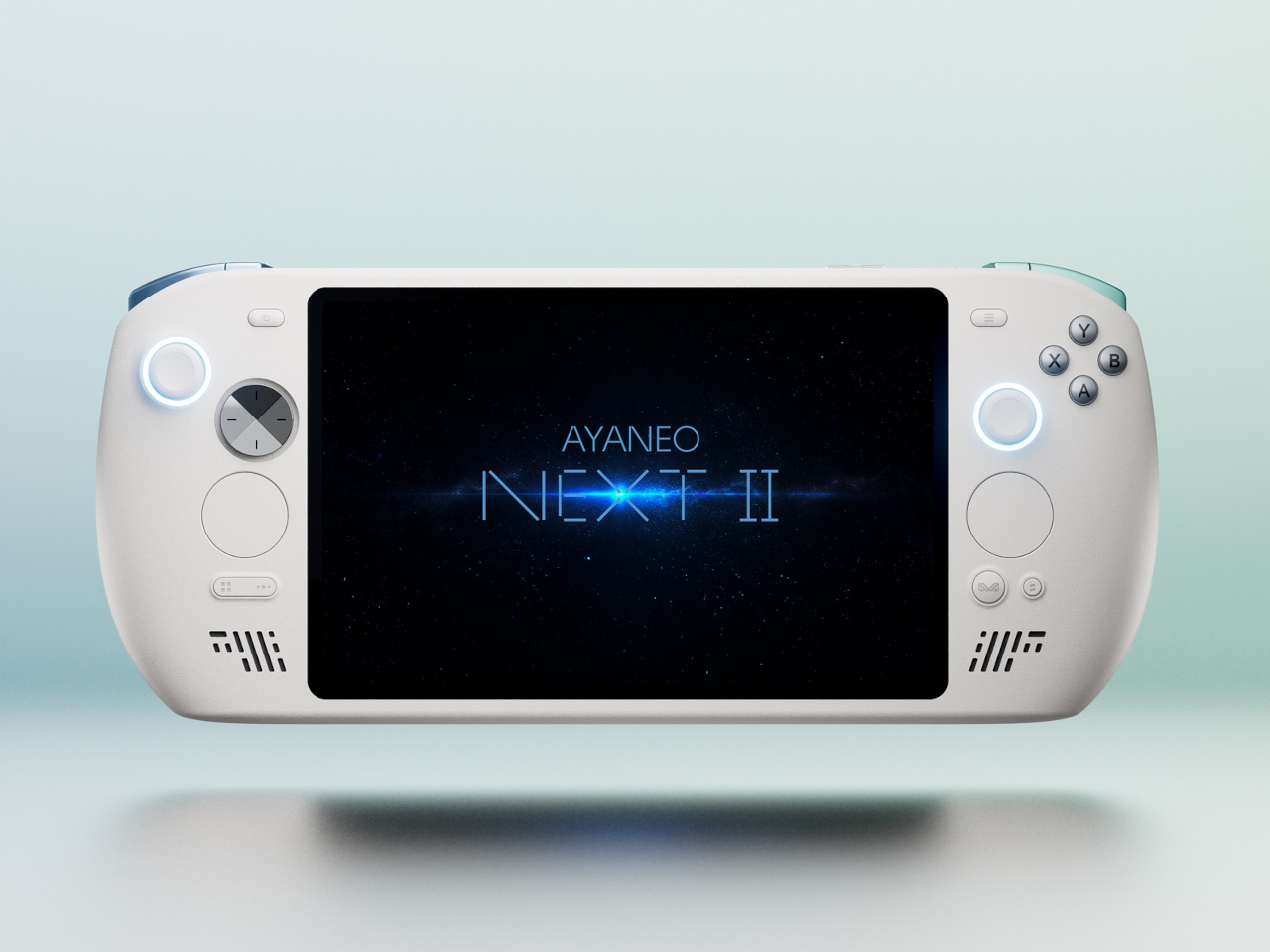
AYANEO apparently asked that same question and decided to run with it. The AYANEO NEXT II skips external packs entirely, hiding a massive 115Wh battery and a 9.06-inch OLED inside a thick, sculpted body that feels more like a portable gaming monitor with grips than something you’d slip into a backpack. It’s AYANEO’s answer to Strix Halo’s power demands, and the solution involves simply accepting that this thing was never going to be pocketable in the first place.

Designer: AYANEO

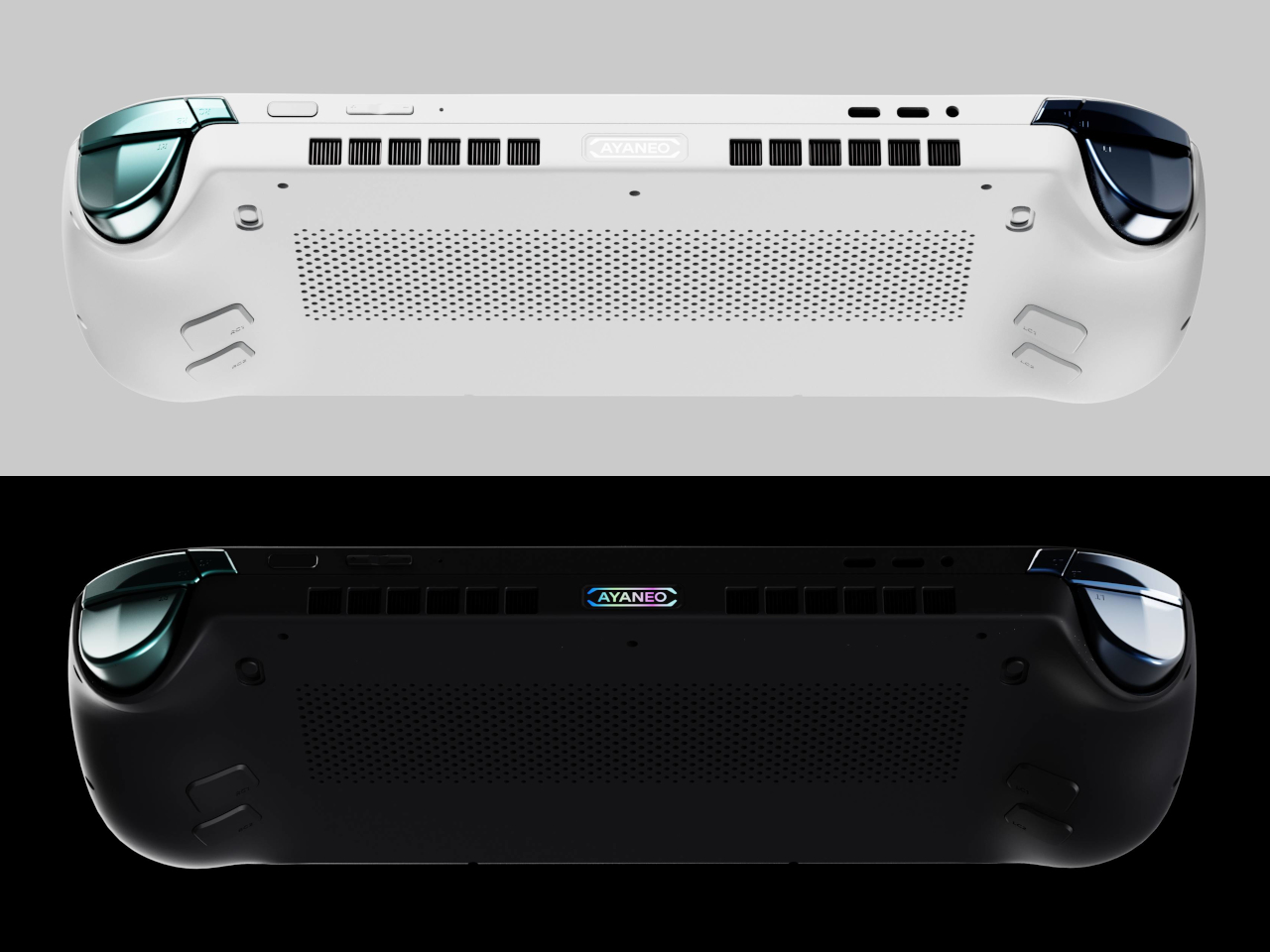
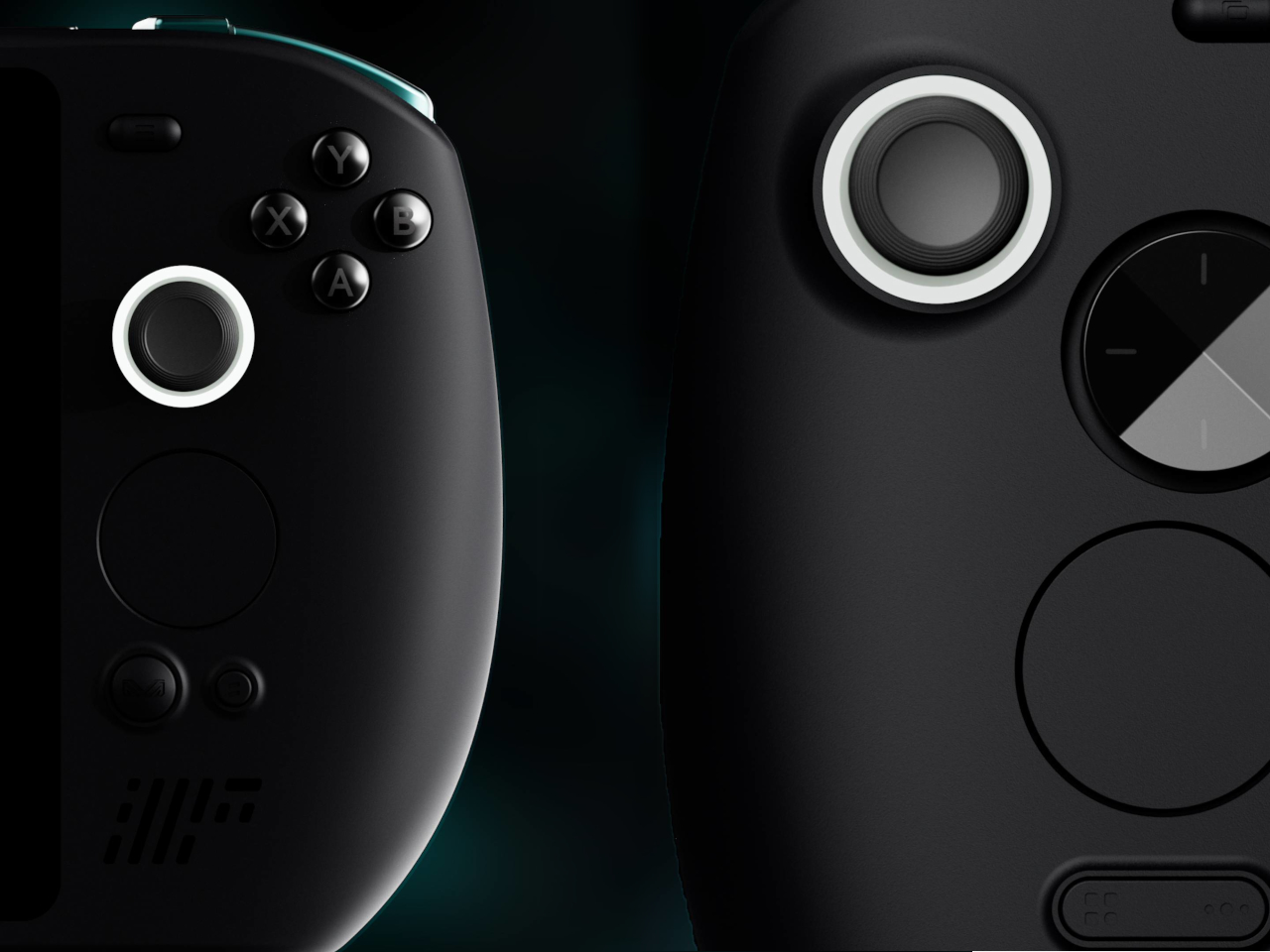
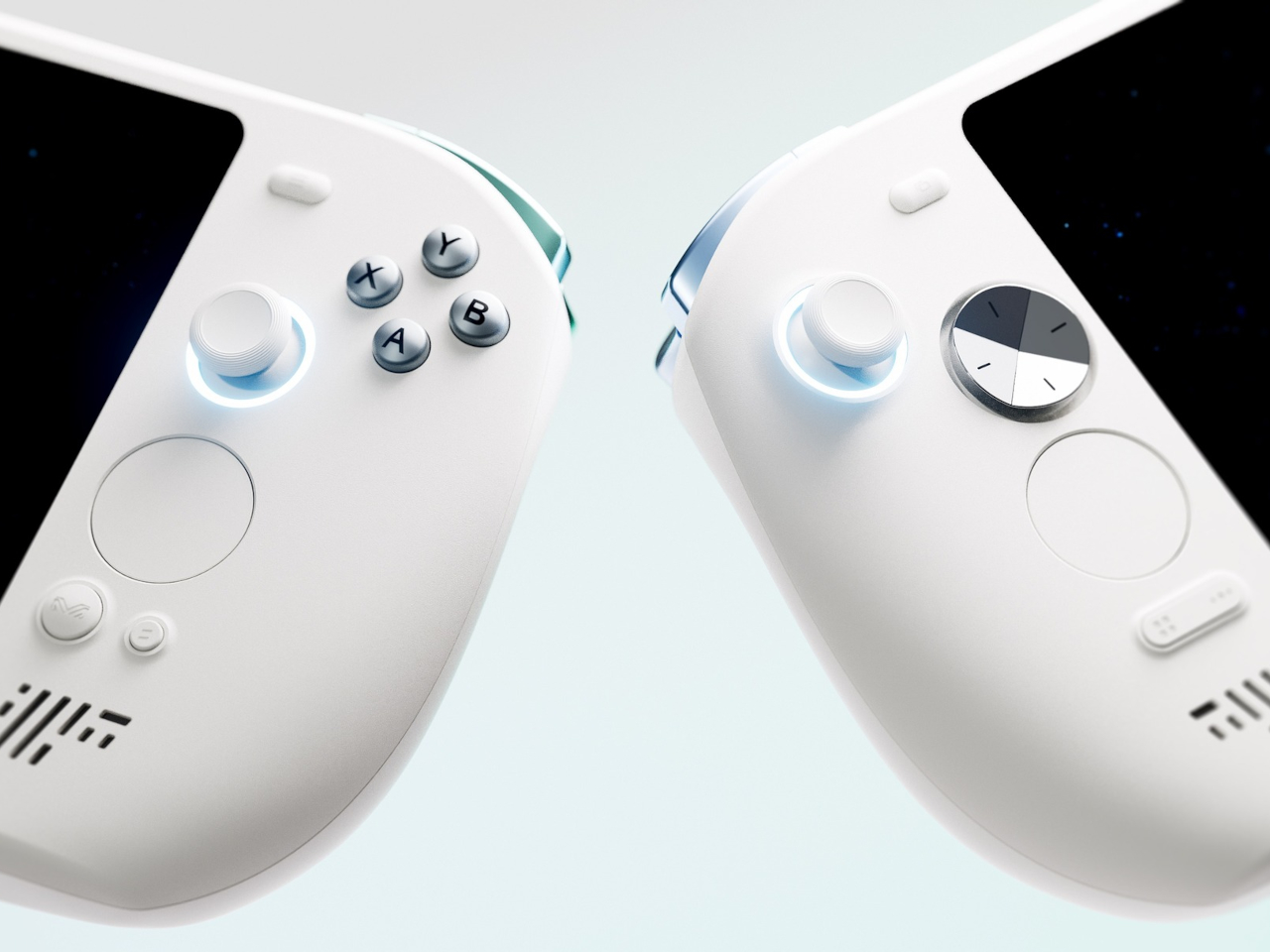
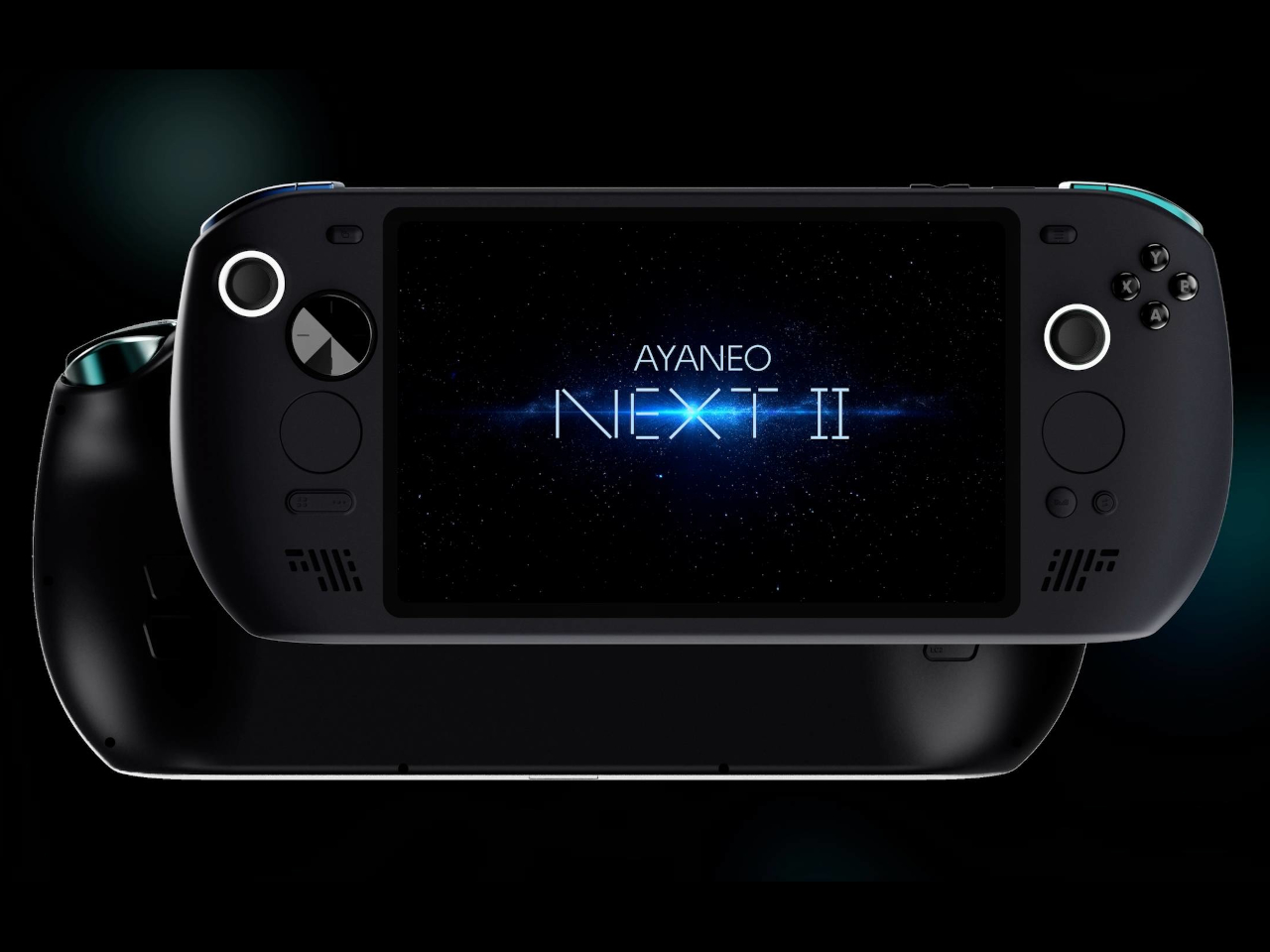
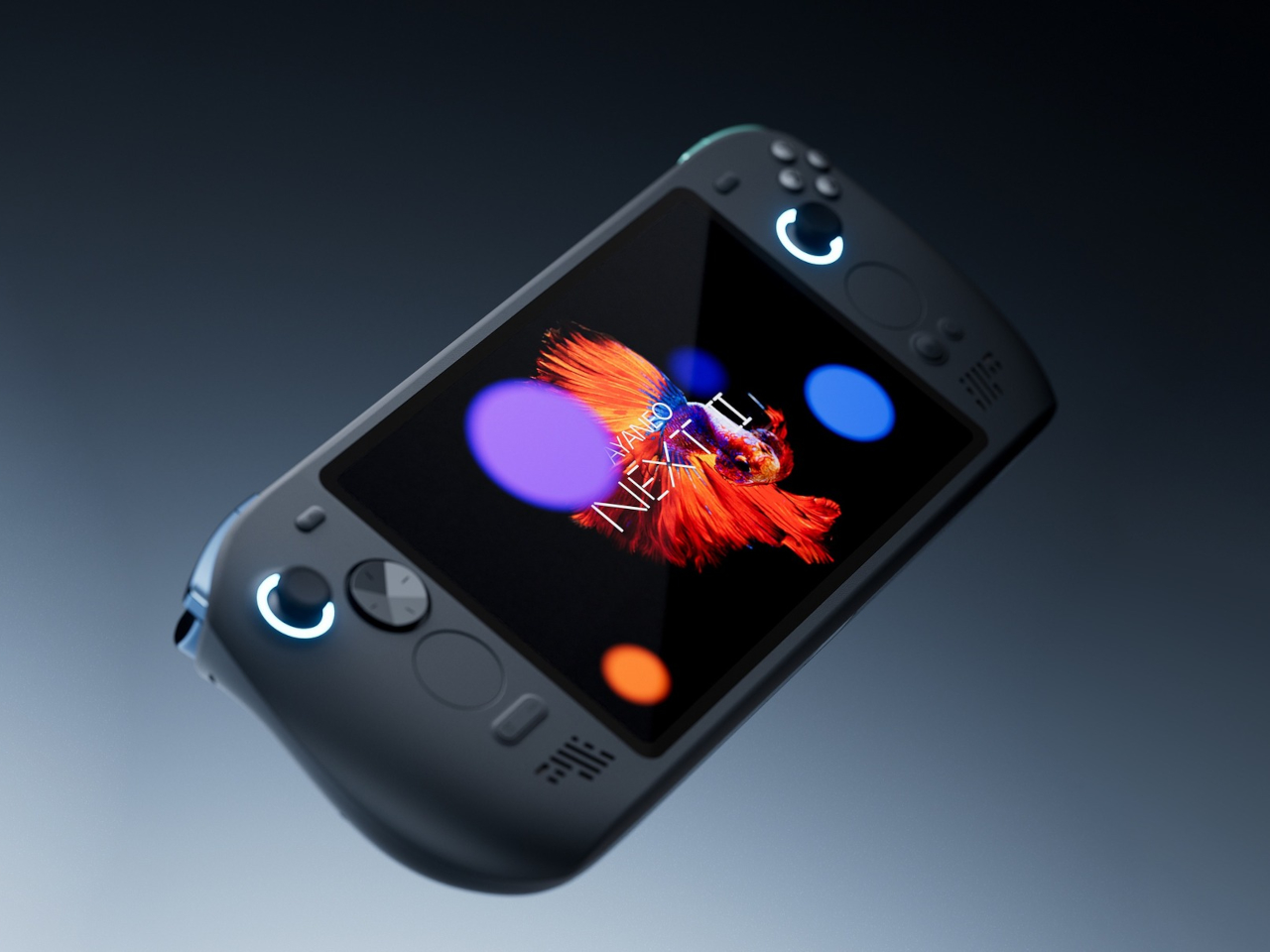
The design doesn’t apologize for its size. Deep grips flare outward like a proper gamepad, and the body is thick enough to house dual cooling fans without turning into a space heater. Hall effect sticks sit where your thumbs expect them, surrounded by a floating D-pad, dual touchpads, and speakers that actually face you instead of firing sound into your lap. It looks less like a Switch rival and more like someone decided gaming monitors needed handles attached.

That 9.06-inch screen uses an unusual 3:2 aspect ratio instead of the typical widescreen shape most games expect. You get a gorgeous OLED panel with refresh rates up to 165Hz and brightness that peaks at 1100 nits, which sounds fantastic until you realize most games will either add black bars or run nowhere near 165 frames per second at this resolution anyway. Still, it’s lovely for desktop windows and emulators that appreciate the extra vertical space.

The 115Wh battery is where things get complicated. Everything stays hidden inside for a cleaner look and more console-like feel, but that capacity might cause questions at airport security since many airlines cap carry-on batteries at 100Wh. You also can’t swap batteries when one dies, and constantly feeding an 85-watt processor means faster charge cycles and potential long-term wear. You’re looking at two to three hours of heavy gaming before hunting for an outlet.

The dual cooling fans work hard to keep Strix Halo from overheating, and you’ll definitely hear them during intense sessions. AYANEO claims it can sustain up to 85 watts, which should let the integrated Radeon graphics handle modern games at respectable settings, though you’ll also feel warmth radiating from the vents. This is less a grab-and-go portable and more something you carry from the couch to the desk when you need a scenery change.

AYANEO loaded the NEXT II with premium controls that enthusiasts will genuinely appreciate. Hall effect sticks and triggers promise zero drift, dual-stage trigger locks switch between smooth analog and clicky digital modes, and rear buttons plus dual touchpads give you more inputs than a standard controller. A magnetic haptic motor adds feedback that tries to mimic console vibration, and the AYASpace software hides Windows behind a console-style launcher with performance tuning options built in.

The AYANEO NEXT II essentially stops pretending to be portable. It won’t fit in a jacket pocket, might get flagged at airport security, and is almost certainly too heavy for comfortable one-handed play in bed. But if you want something that feels more like a small gaming monitor with built-in controls rather than a device you’d actually carry around town, this oversized approach makes a strange kind of sense. You just have to accept that portability took a back seat to screen size and battery capacity.

The post AYANEO Just Built a 115Wh Strix Halo Handheld and Killed Portability first appeared on Yanko Design.

From Routes to Doors, How Amazon’s Smart Eyewear Assists Drivers and Cuts Errors

From Routes to Doors, How Amazon’s Smart Eyewear Assists Drivers and Cuts Errors

What if your glasses could do more than just help you see? Imagine a pair of sleek, lightweight frames that not only guide you through unfamiliar streets but also identify obstacles, locate packages, and even provide real-time navigation, all without lifting a finger. Amazon’s new AI-powered smart glasses are turning this vision into reality. Designed […]

The post From Routes to Doors, How Amazon’s Smart Eyewear Assists Drivers and Cuts Errors appeared first on Geeky Gadgets.

Posted in Uncategorized

Samsung Galaxy Z Tri-Fold Price Leak: It’s Not $3,000

Samsung Galaxy Z Tri-Fold Price Leak: It’s Not $3,000

  Samsung is preparing to make a bold statement in the foldable smartphone market with its highly anticipated Galaxy Z Tri-Fold. This device introduces an innovative dual-fold mechanism, allowing it to stand out in an increasingly competitive landscape. Expected to launch at a price of $2,499—$500 less than earlier estimates—the Galaxy Z Tri-Fold positions itself […]

The post Samsung Galaxy Z Tri-Fold Price Leak: It’s Not $3,000 appeared first on Geeky Gadgets.

Posted in Uncategorized

Inside Atmos Zero’s Drop-In System Slashing Factory Boiler Fuel Use

Inside Atmos Zero’s Drop-In System Slashing Factory Boiler Fuel Use

What if the key to solving one of the most stubborn challenges in the clean energy transition was hiding in plain sight? For decades, industries have grappled with the seemingly insurmountable task of decarbonizing steam production, a process responsible for a staggering share of global energy consumption and emissions. The reliance on fossil fuels to […]

The post Inside Atmos Zero’s Drop-In System Slashing Factory Boiler Fuel Use appeared first on Geeky Gadgets.

Posted in Uncategorized

OnePlus 15 vs. iPhone 17 Pro Max: Is the Apple Tax Finally Too High?

OnePlus 15 vs. iPhone 17 Pro Max: Is the Apple Tax Finally Too High?

Selecting the right smartphone often involves weighing the balance between price and performance. The OnePlus 15 and iPhone 17 Pro Max represent two distinct philosophies in the flagship smartphone market. The iPhone 17 Pro Max emphasizes premium features, such as advanced camera technology and seamless integration within Apple’s ecosystem. In contrast, the OnePlus 15 offers […]

The post OnePlus 15 vs. iPhone 17 Pro Max: Is the Apple Tax Finally Too High? appeared first on Geeky Gadgets.

Posted in Uncategorized

Dyson Cyber Monday deals: Robot vacuums and cordless vacuums are up to $600 off right now

Cyber Monday deals are here, and a great one to check out is at Dyson. The discounts on Dyson's site right now are some of the best we've seen; one of those is $600 off the Dyson 360 Vis Nav robot vacuum, which is down to a record low of $400.

In our testing, the Dyson 360 Vis Nav robot vac was one of the most powerful models for suction, making it a good option for households with pets, and it also impressed for its obstacle avoidance. It has Wi-Fi connectivity and an easy-to-use mobile app from Dyson, but the 360 Vis Nav doesn't have a self-emptying dust bin and no mopping capabilities. Since this model doesn't boast too many high-end features, a sale like Cyber Monday is a great time to take advantage for people who want a simple and reliable choice for keeping floors clean.

Cordless vacuums are also a part of the sale. Take the Dyson V9 Motorbar cordless vacuum on sale for just $270 at both Dyson and Amazon, which is a discount of $330. That's more than half off. Dyson devices are all over our list of the best cordless vacuums, and for good reason. The company makes effective products. The V9 Motorbar has been designed to clean all floor types, in addition to upholstery. It's also been engineered to squeeze into tight spots, which is great for hitting those oft-neglected parts of the home.

The suction power is on point and the battery lasts for 40 minutes before requiring a charge. That's just enough time to vacuum a standard-sized home if you don't stop for too many breaks. The V9 is getting a bit long-in-the-tooth. If you want a newer model, the V11 Extra is on sale for $400, which is a discount of $260. This one boosts the suction power and increases the battery life to 60 minutes.

This article originally appeared on Engadget at https://www.engadget.com/deals/dyson-cyber-monday-deals-robot-vacuums-and-cordless-vacuums-are-up-to-600-off-right-now-090059733.html?src=rss

Water Cooled ONEXFLY APEX : The Wild Future of Handheld Gaming

Water Cooled ONEXFLY APEX : The Wild Future of Handheld Gaming

What if your handheld gaming device could push boundaries you didn’t even know existed? Imagine playing the most demanding AAA titles on a sleek, portable console that doesn’t just keep up, it redefines what’s possible. Enter the ONEXFLY APEX, a handheld powerhouse that’s turning heads with its optional water cooling system—a feature practically unheard of […]

The post Water Cooled ONEXFLY APEX : The Wild Future of Handheld Gaming appeared first on Geeky Gadgets.

Posted in Uncategorized