Sensitive iPhone supplier details were part of last week’s data leak at Tata Electronics
Some of Apple's corporate secrets aren't so secret any more.
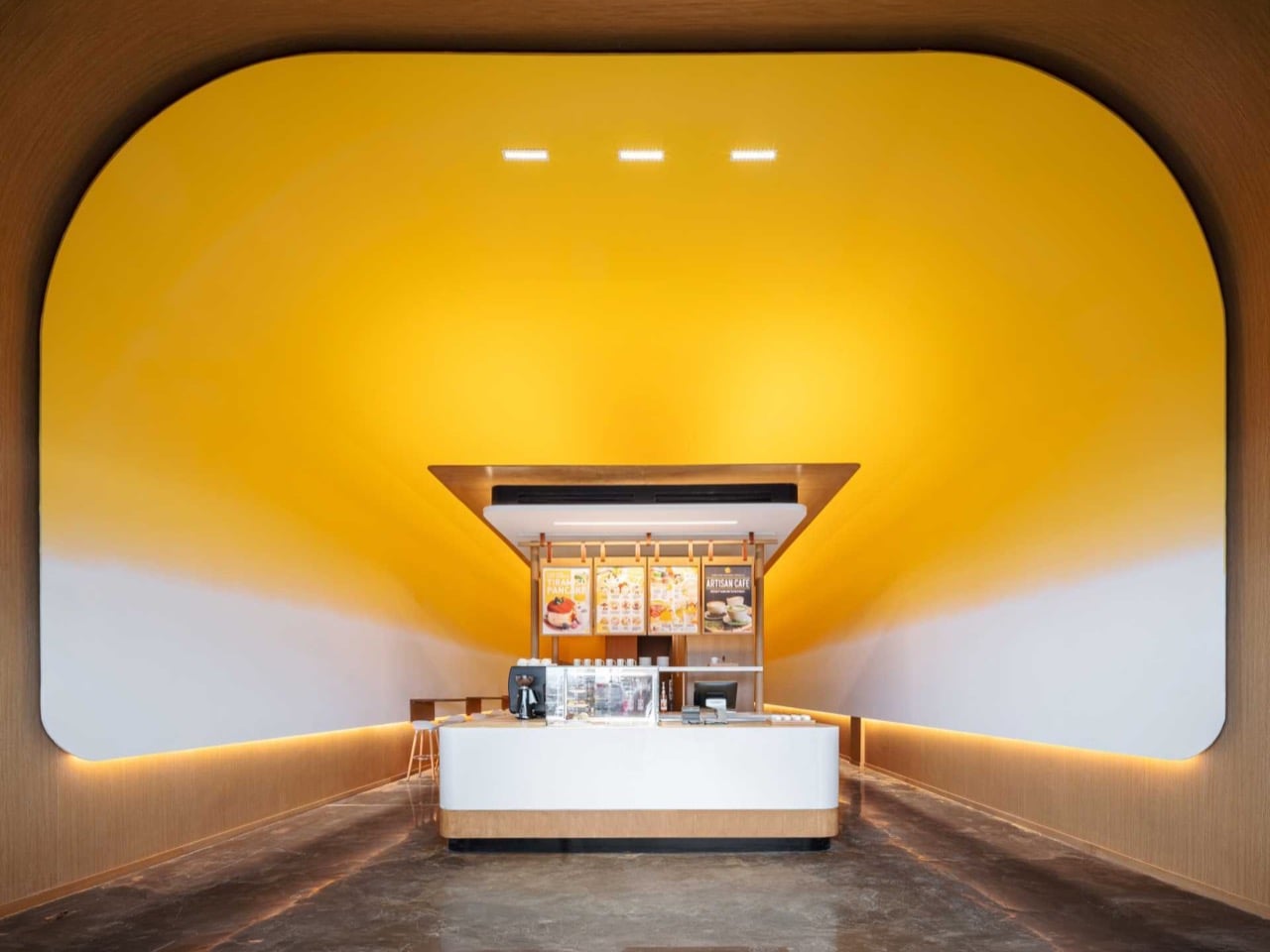
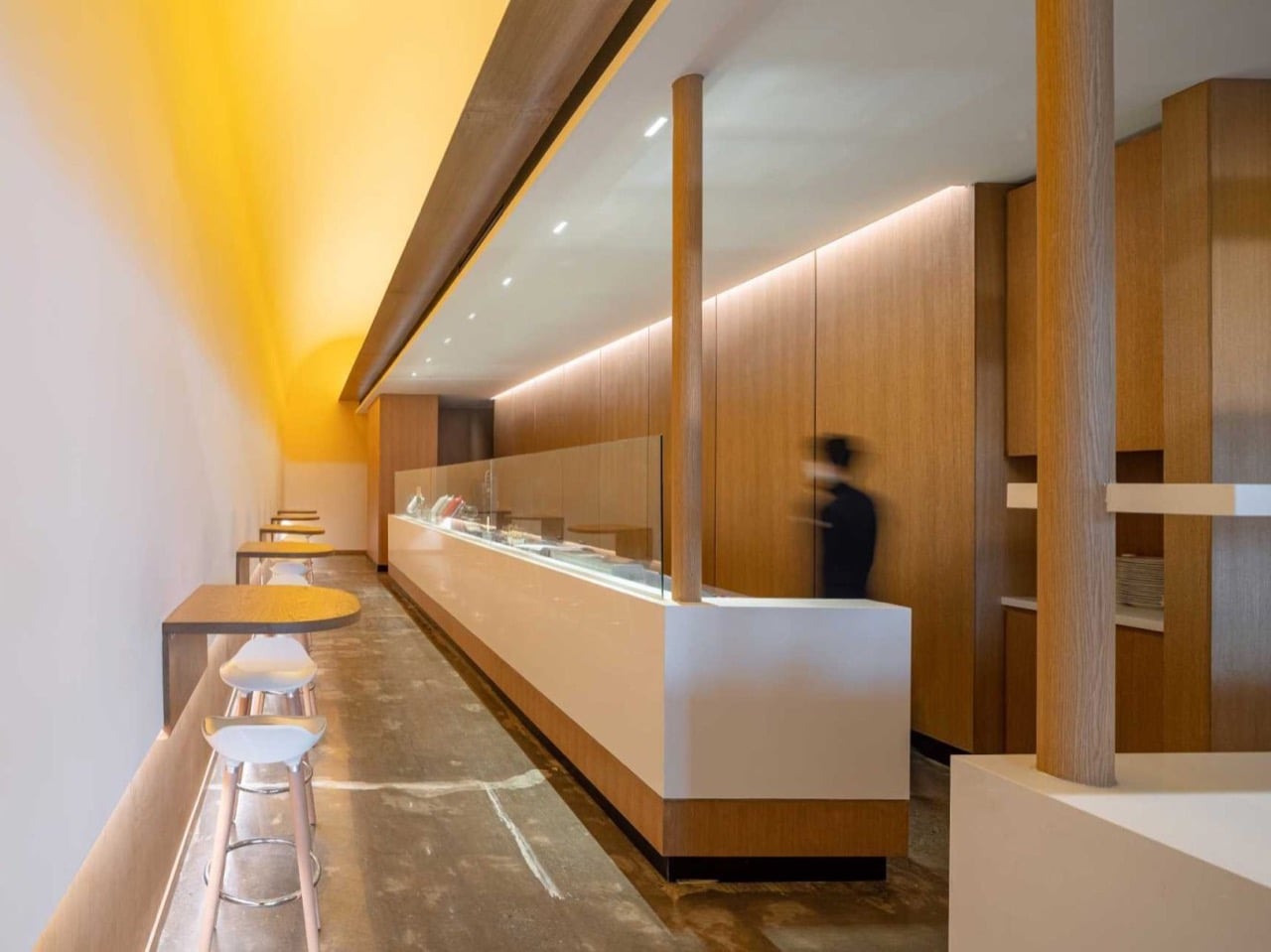
Walk into Fuwa Fuwa Golden Square and your stomach reacts before your brain does. The ceiling curves overhead in a deep, glossy yellow that fades downward into cream, and the effect is unmistakably appetizing. You have seen this color before, in a warm pan, sliding off the edge of something soft. The room does not represent butter so much as it behaves like it. The longer you stand there, the more your appetite gets ahead of your eyes.
That is the trick Studio Yimu pulled off in this cafe. The yellow sits richest at the crown of the curve, then thins as it falls, mimicking the way melted fat rides above the milk solids that settle below. The pale lower walls finish the thought. It is abstraction with an appetite, a minimalist gesture that happens to make you very, very hungry the longer you stand inside it. The shop sells Japanese soufflé pancakes, and the architecture has already started selling them for you.
Designer: Studio Yimu
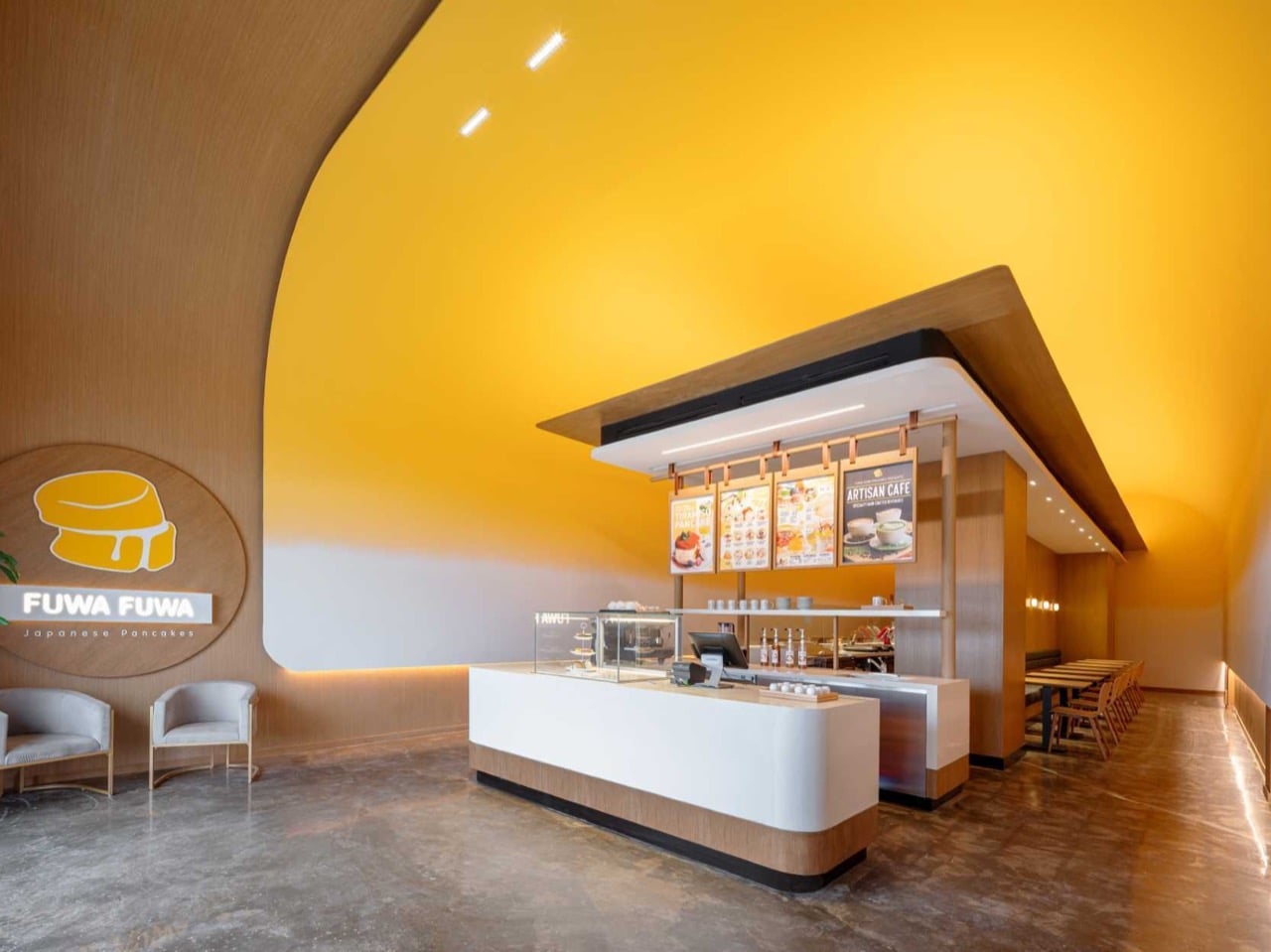
Melt a pat of butter and it separates within seconds, the golden fat lifting while the white milk solids sink to the bottom of the pan. Studio Yimu translated that split into a ceiling, saturating the crown of a sweeping curve in deep yellow before dissolving it into pale cream along the lower walls. The vertical order matters more than it first appears. Flip it, run white overhead fading down to yellow, and the whole room would feel subtly upside down, like butter defying gravity. Every corner rounds over with a soft fillet rather than meeting at a hard edge, so the color reads as poured rather than painted, pooling into the low points the way a liquid actually would.
The pancakes on the menu carry the same two tones, golden brown where the batter kisses the pan and pale along the tall fluffy rim that steams itself before it ever sears. Fuwa Fuwa’s logo splits the difference, a stack of soufflé pancakes with a pat of butter sliding down the seam in matching gold and cream. Studio Yimu took that little mark and scaled it up until it became the architecture you stand inside. The same story now plays at three sizes, the butter in the pan, the pancake on the plate, and the room itself. One ingredient, understood deeply enough to repeat across every scale without announcing itself, anchors the entire identity.
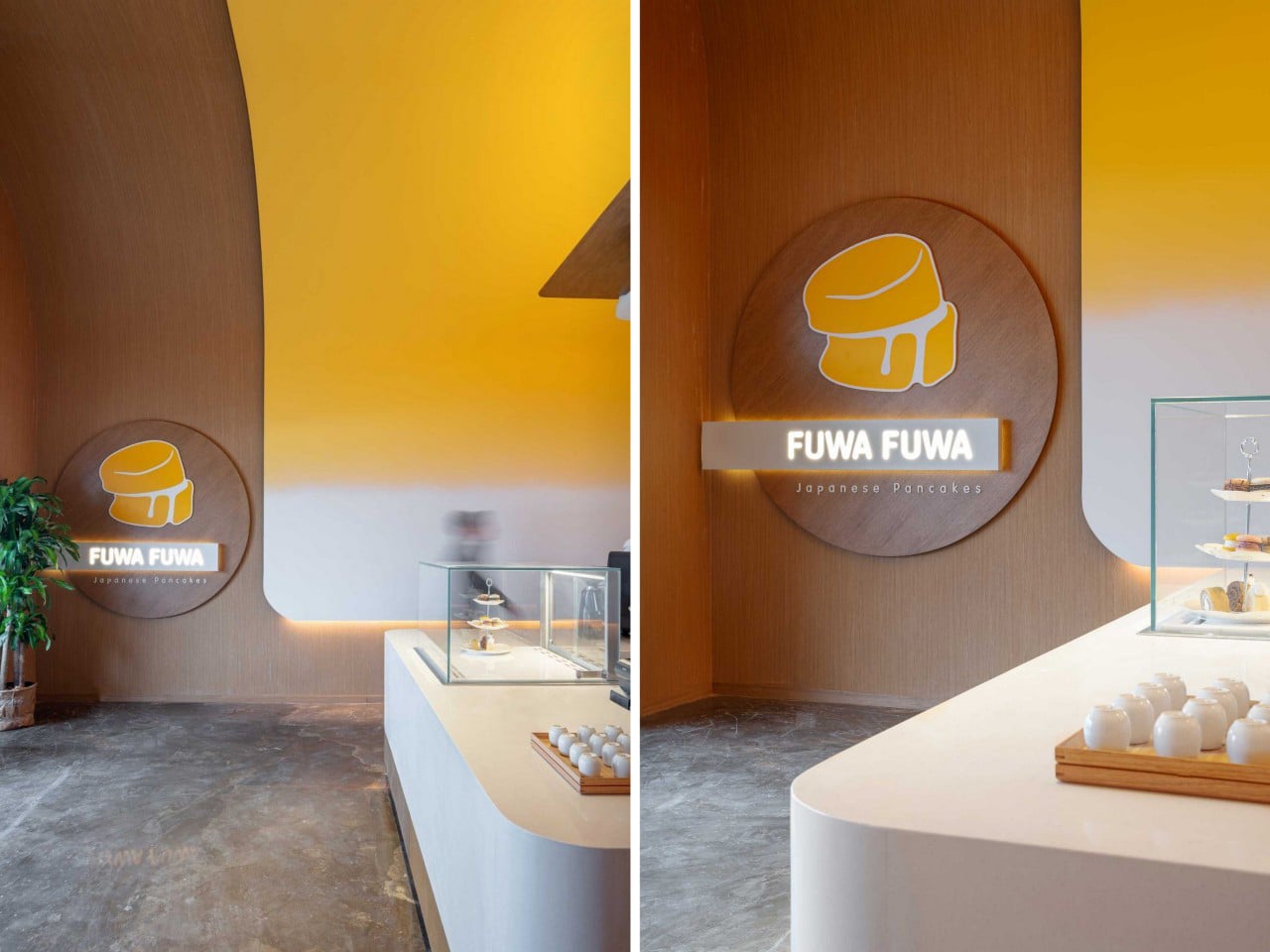
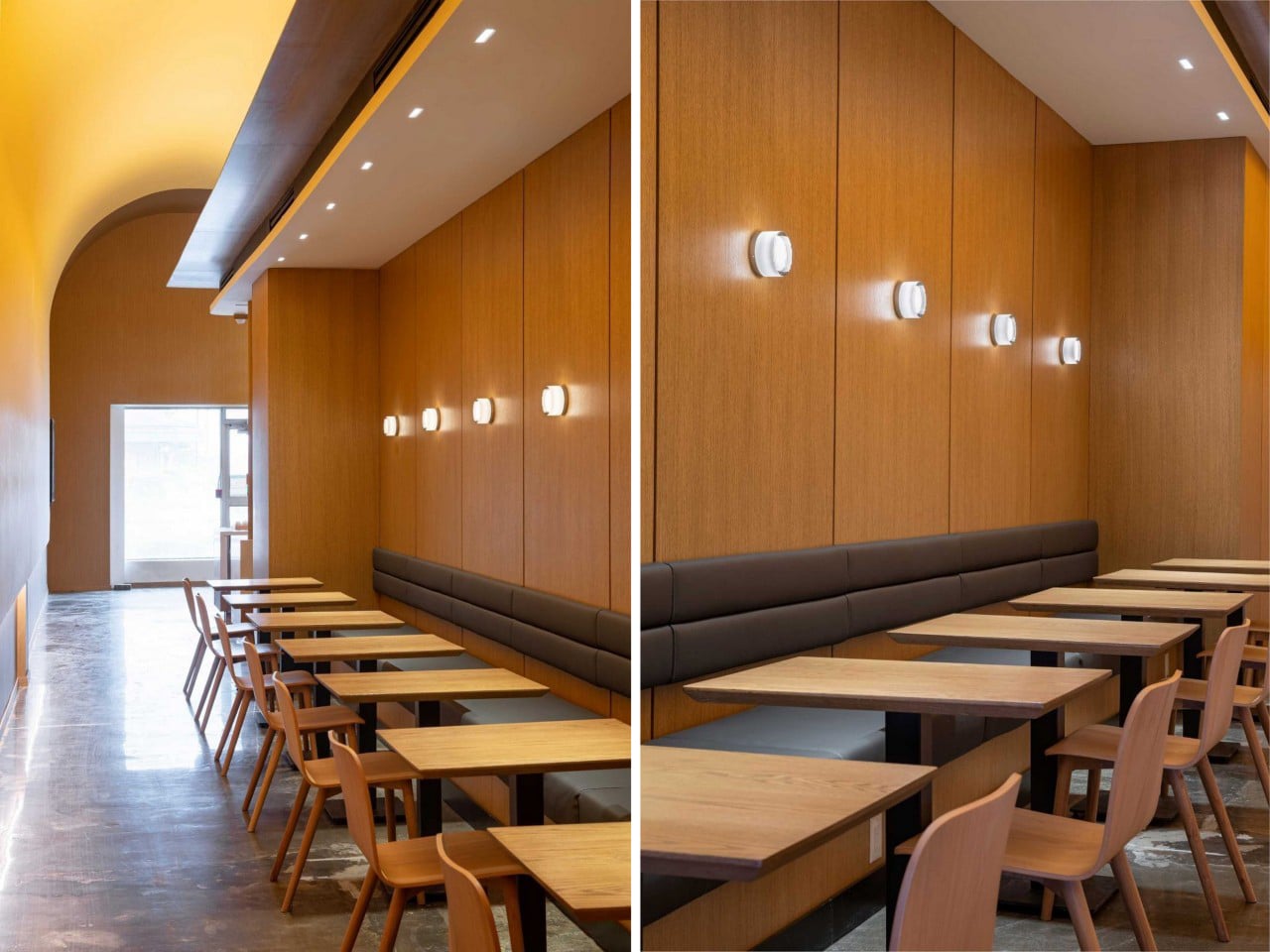
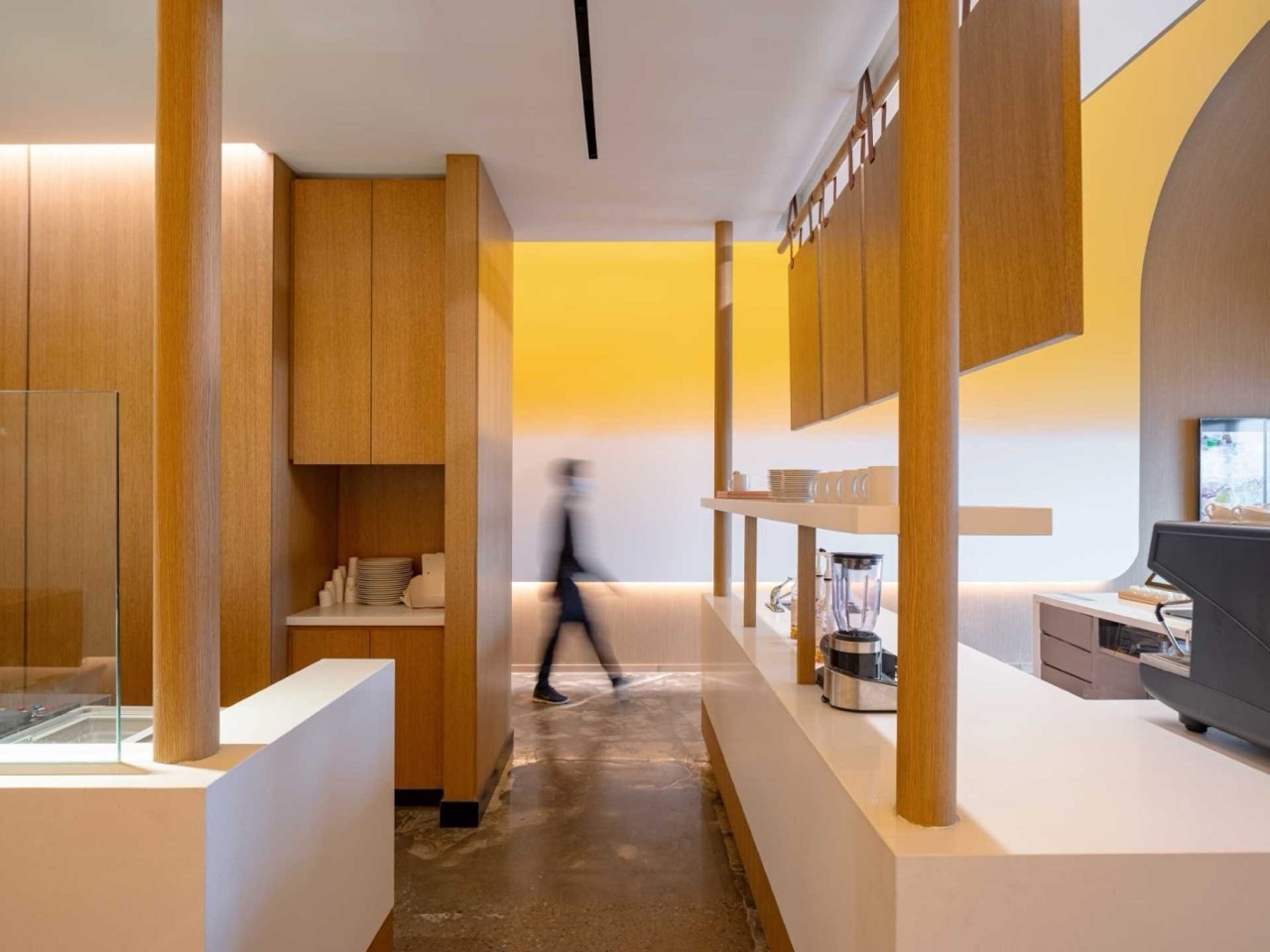
Beneath the color, the plan does real work splitting the cafe into two moods. One side runs wall-mounted tables and stools facing the service counter, built for a quick stop and a clear view of the pancake theatre behind the glass. The other side tucks long banquette seating into a wood-lined alcove, warmer and enclosed, sized for people who want to linger over a plate and a coffee. Studio Yimu concealed every light source behind signage, above the counter, and along the wall bases, so the glow spreads evenly and the architecture never competes with a visible fixture. Concrete floors and oak millwork ground all that sweetness, keeping the butter metaphor from tipping into a theme-park cartoon of itself.
Temple is the word the project keeps getting tagged with, borrowed from the shrine-like volume framing the central counter, and it undersells what makes the space land. Reverence does not sell breakfast. Appetite does, and Studio Yimu engineered appetite straight into the walls with two colors and a single curve. The restraint is the achievement, a piece of retail design confident enough to abstract one ingredient into a full spatial language and trust diners to feel it before they can name it. I walked away convinced more brands should study their own logo this closely, because Fuwa Fuwa found an entire building hiding inside a drawing of a pancake.
The post This Japanese-Style Pancake Shop Turns Melted Butter Into an Entire Design Language first appeared on Yanko Design.

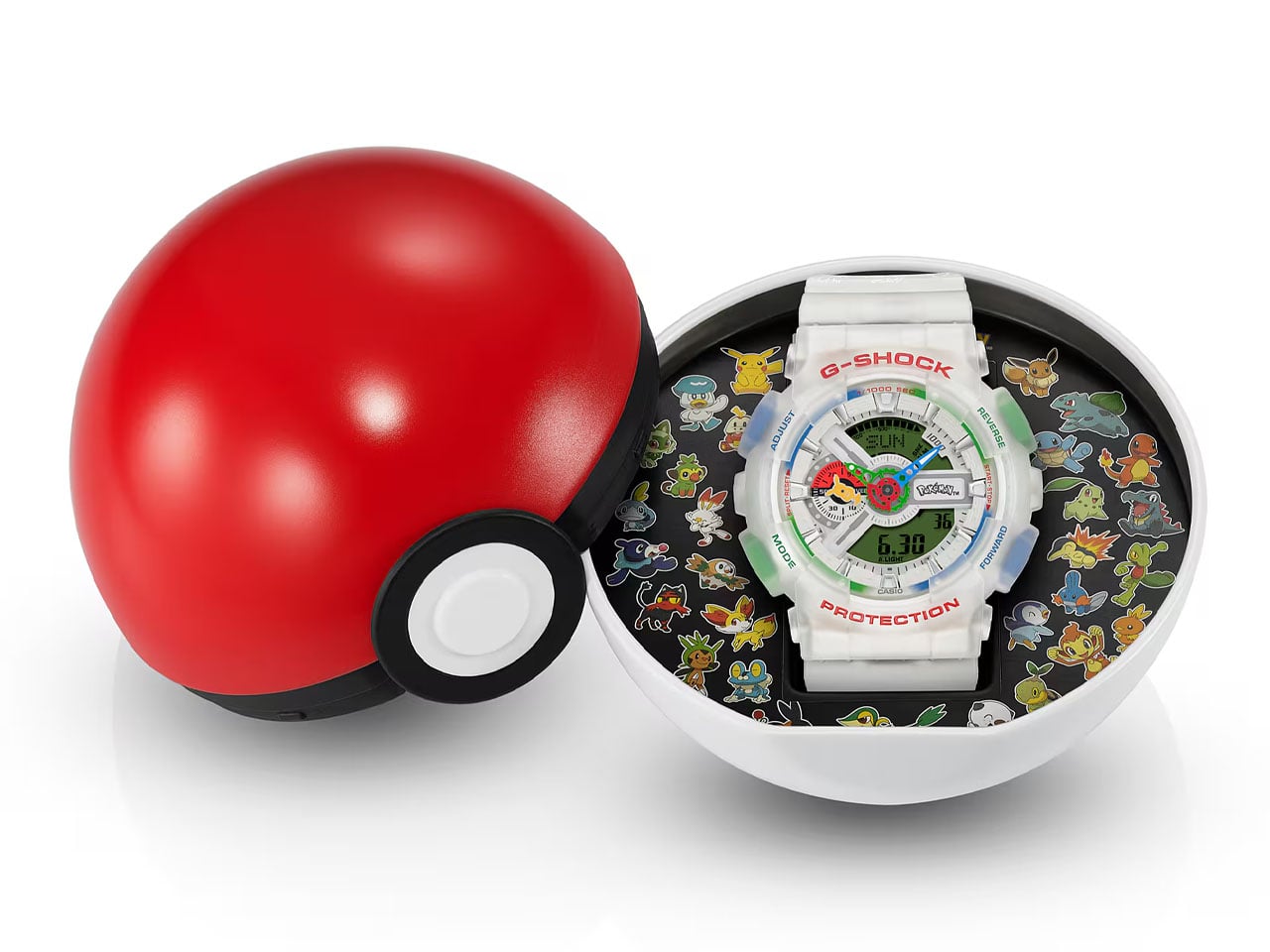
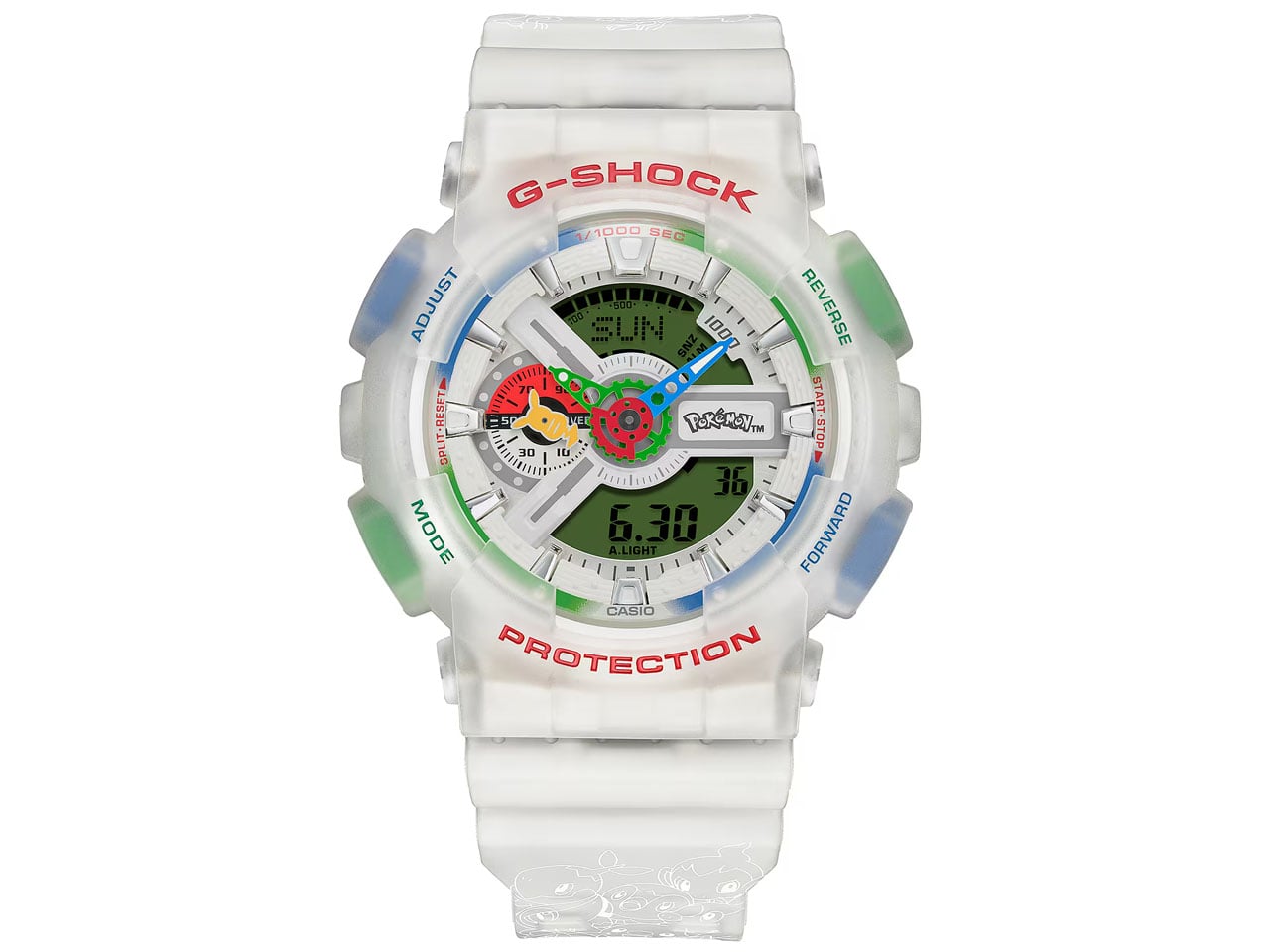
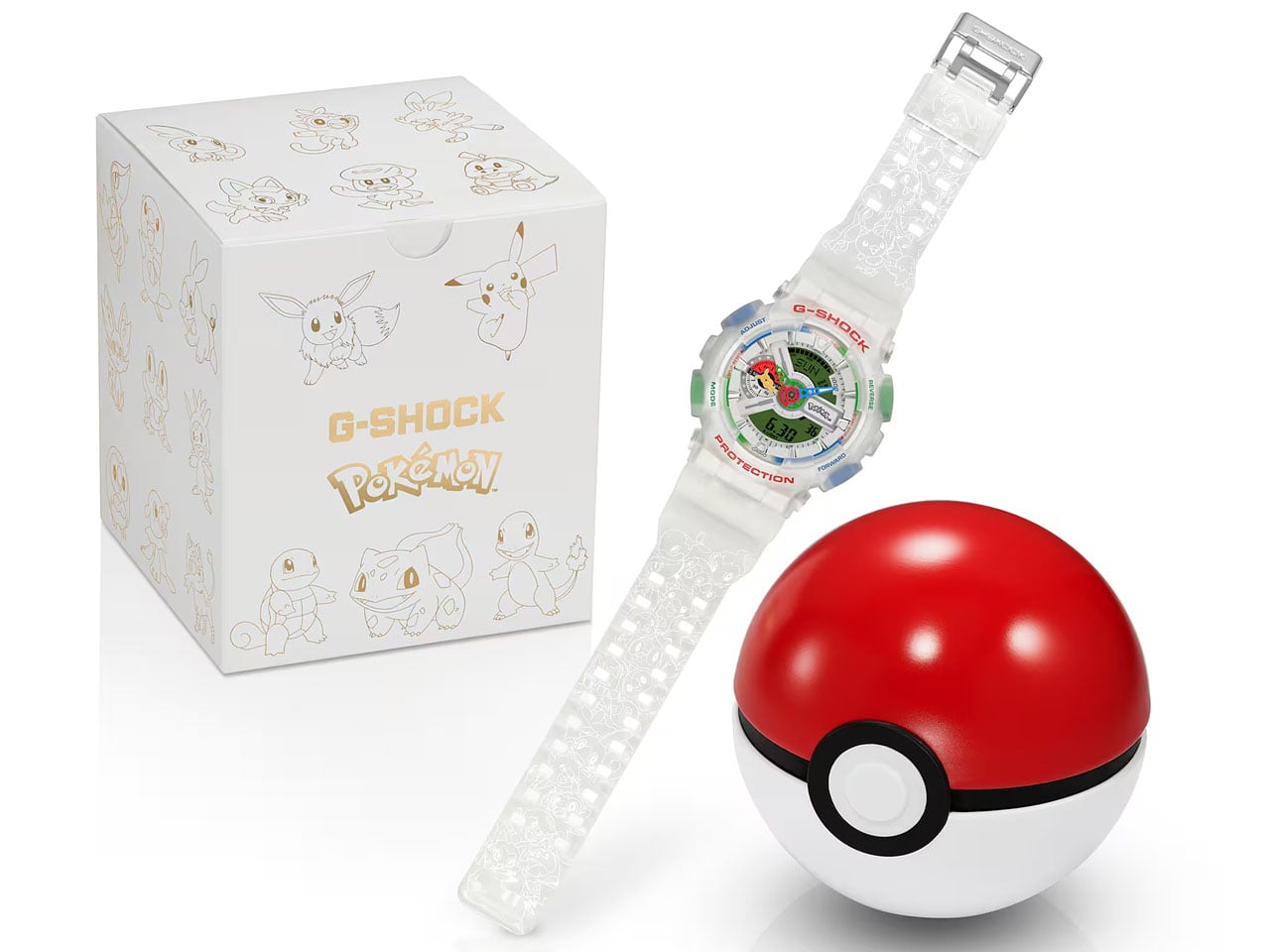
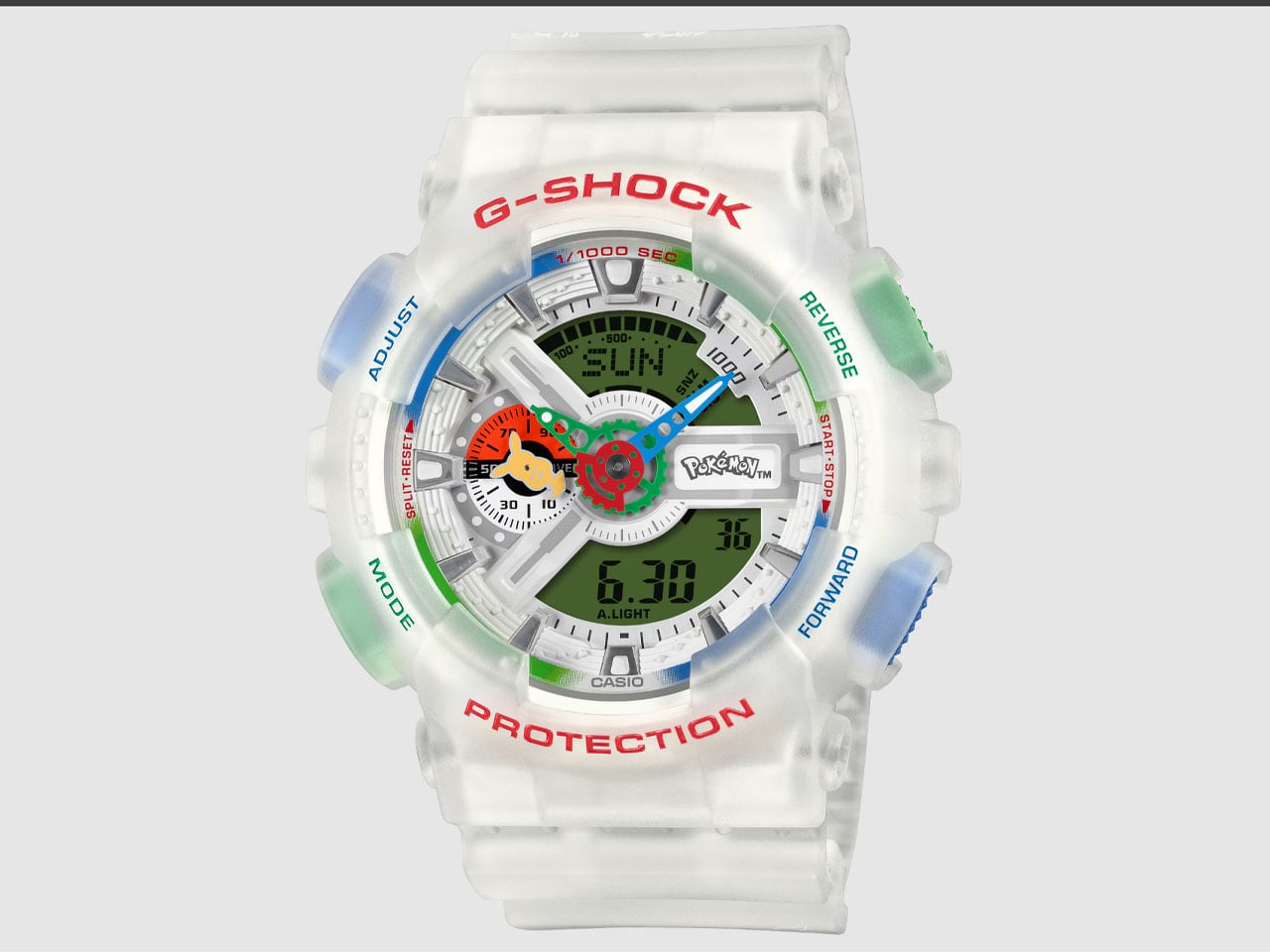
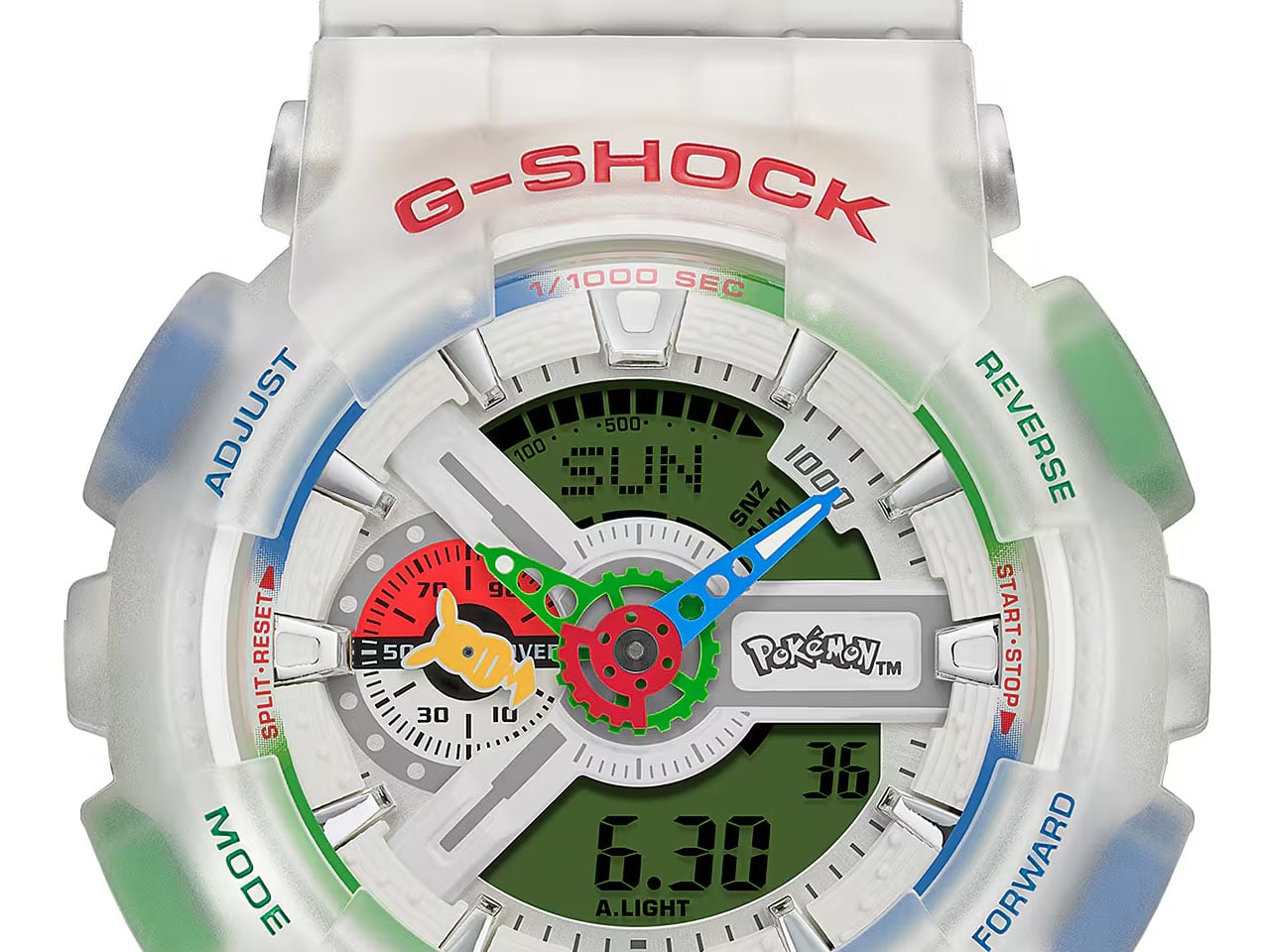
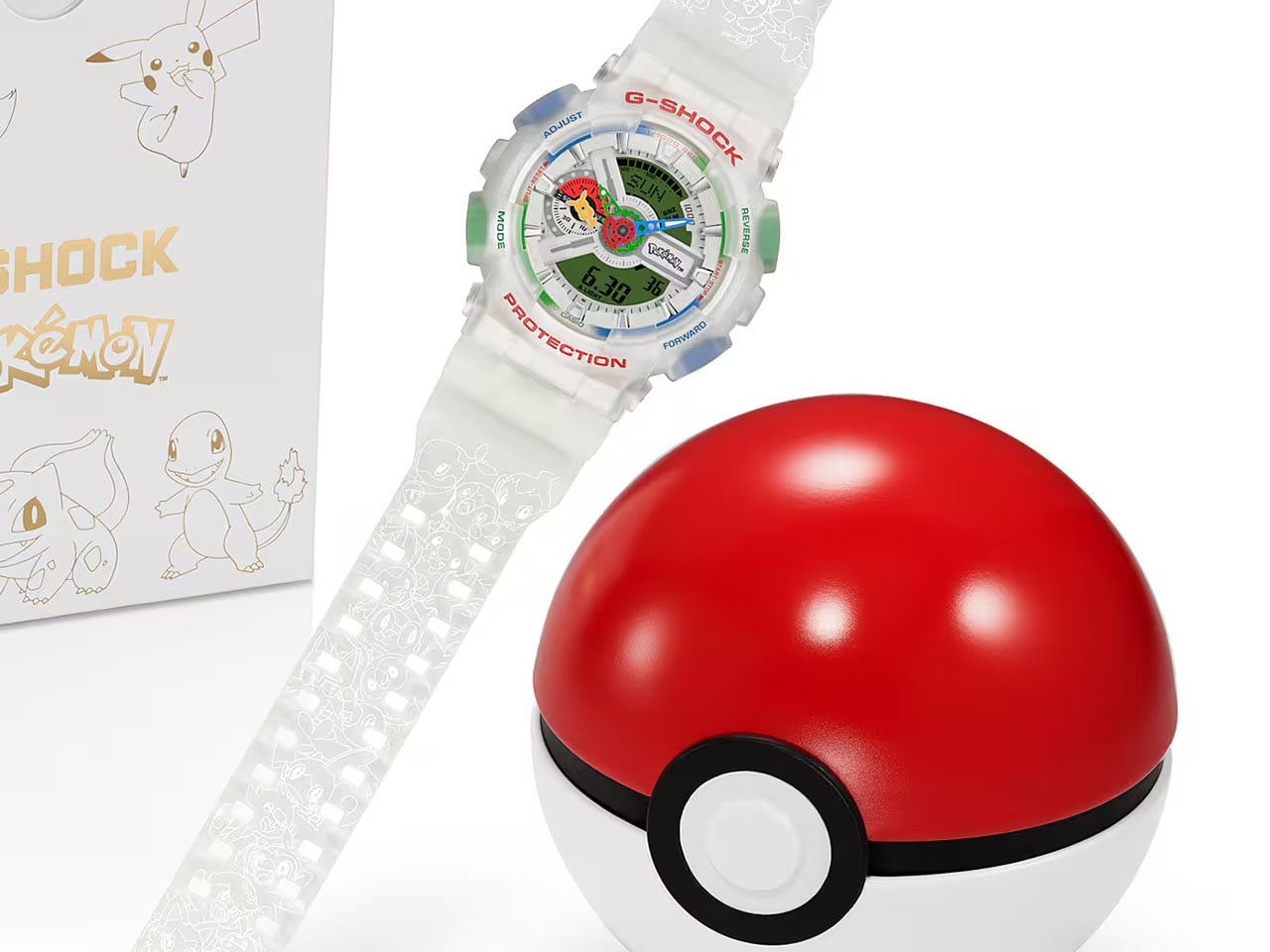
We’ve seen countless G-Shock versions in our time, and they still keep coming. The latest in Casio’s line-up of its most famous series is the Pokémon edition watch. Celebrating the gaming franchise’s three decades, the timepiece has the G-Shock GA-110 as the base unit. On top are the classic Pokémon colors in Red, Green and Blue.
The watch is going to hit the right notes with Pokémon fans who’ve, over the years, obsessed over the augmented reality game and the themed merchandise resulting from the Japanese title’s influence worldwide. This is the first full-scale G-Shock in collaboration with the game franchise, as previous collaborations only resulted in the Baby-G versions. In Japan, it is only available via a purchase lottery, while in the UK, at least, you can buy the thing for $220 if you’ve had a history of bad luck.
Designer: Casio
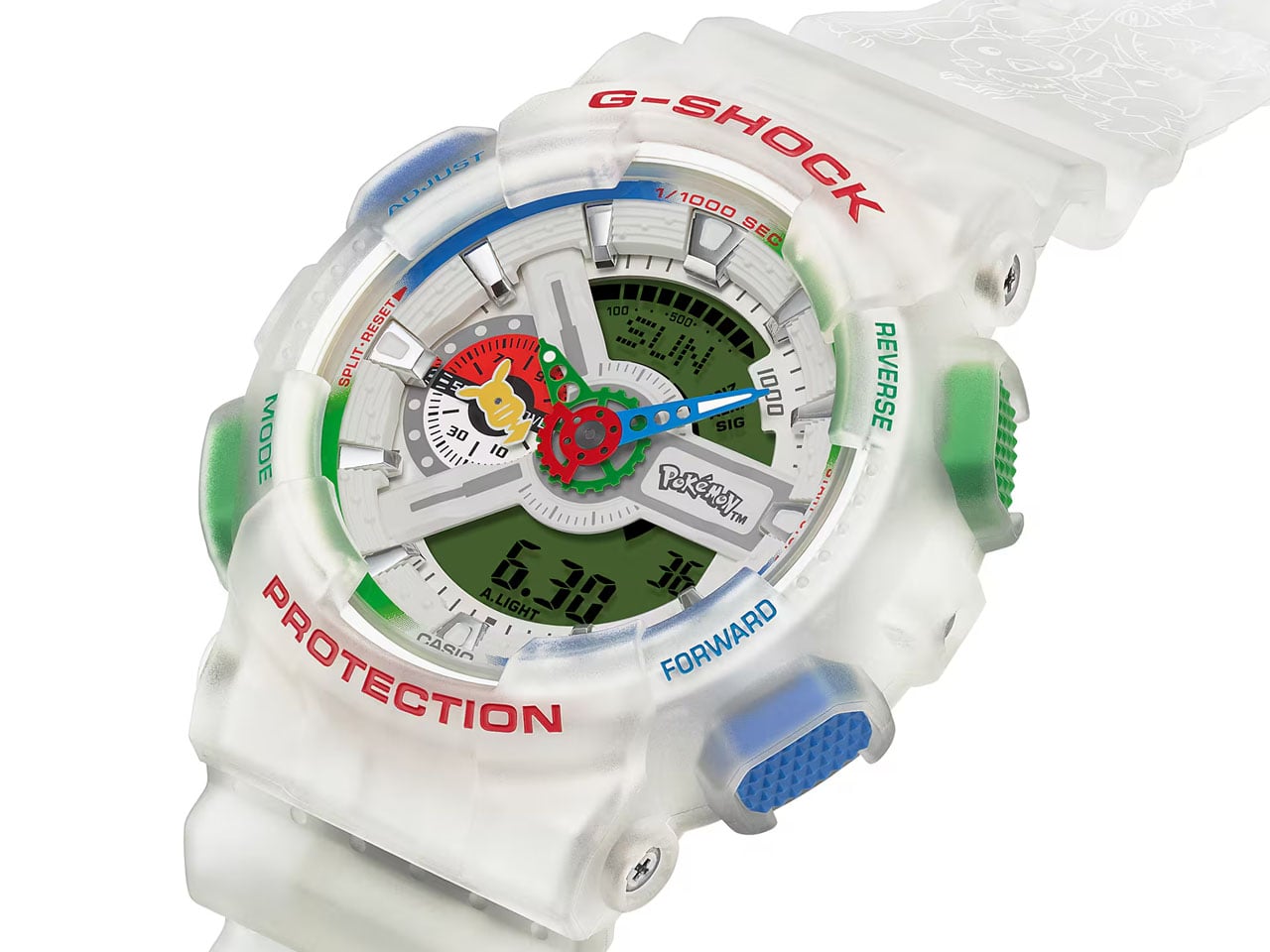
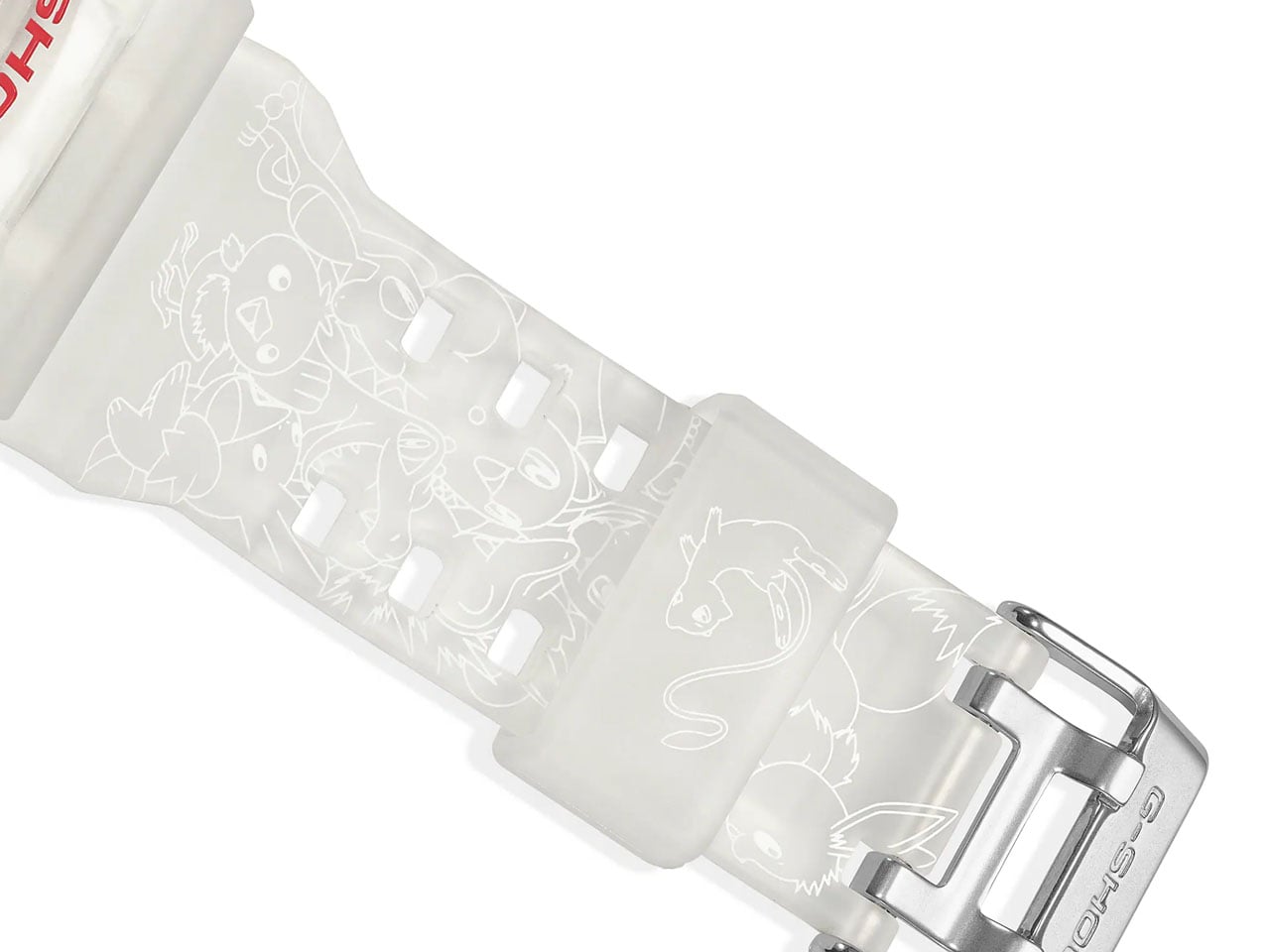
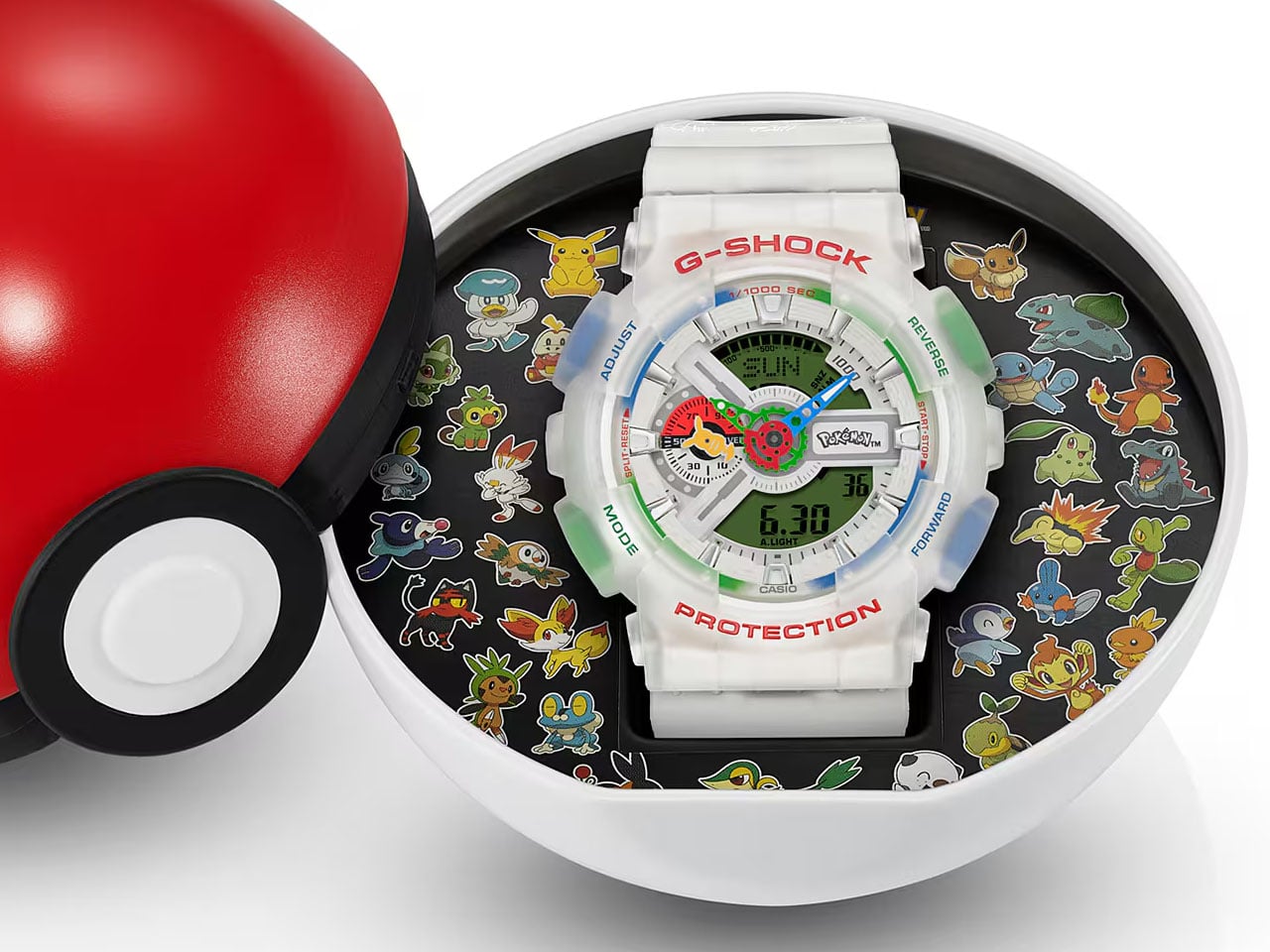
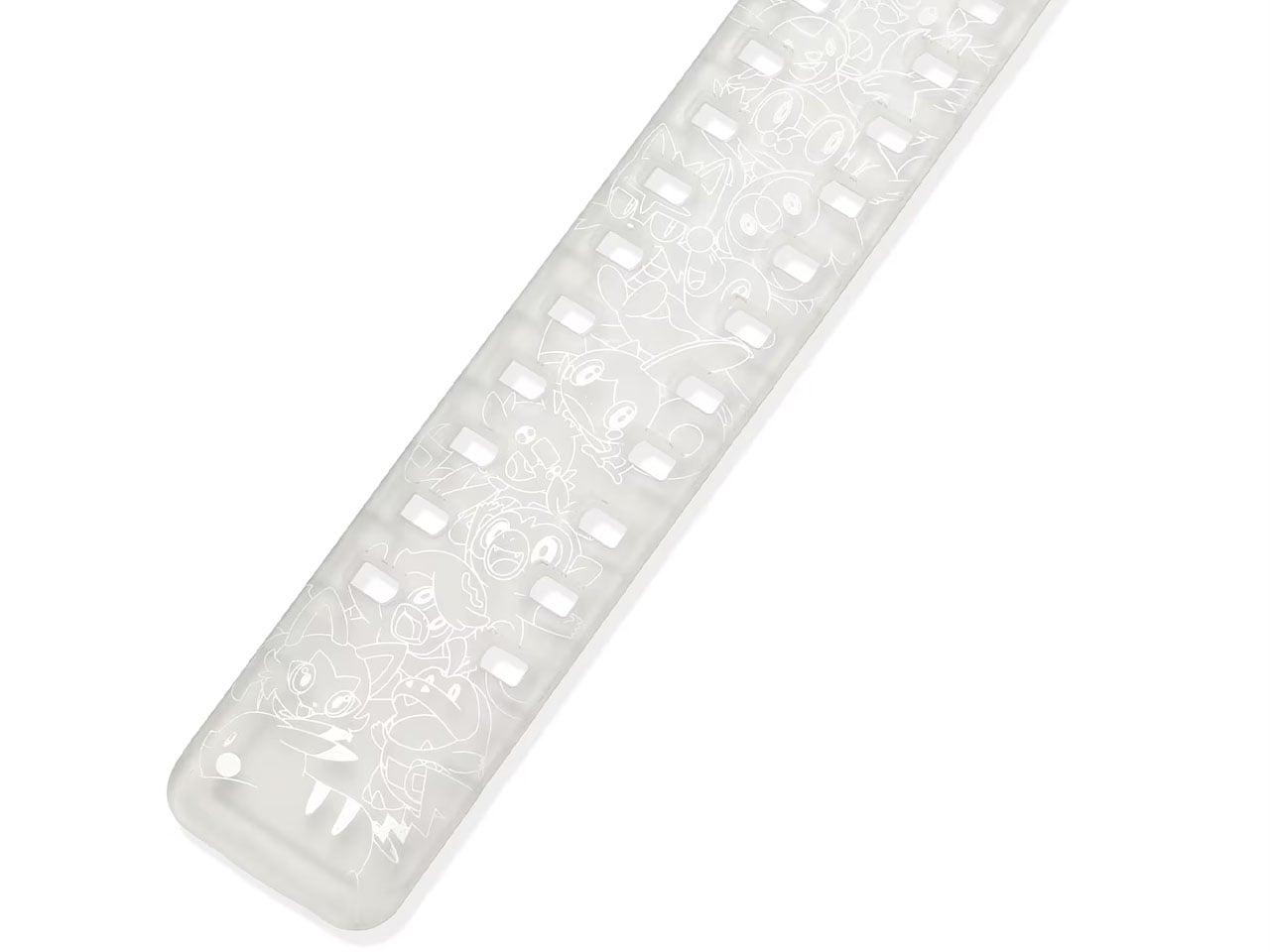
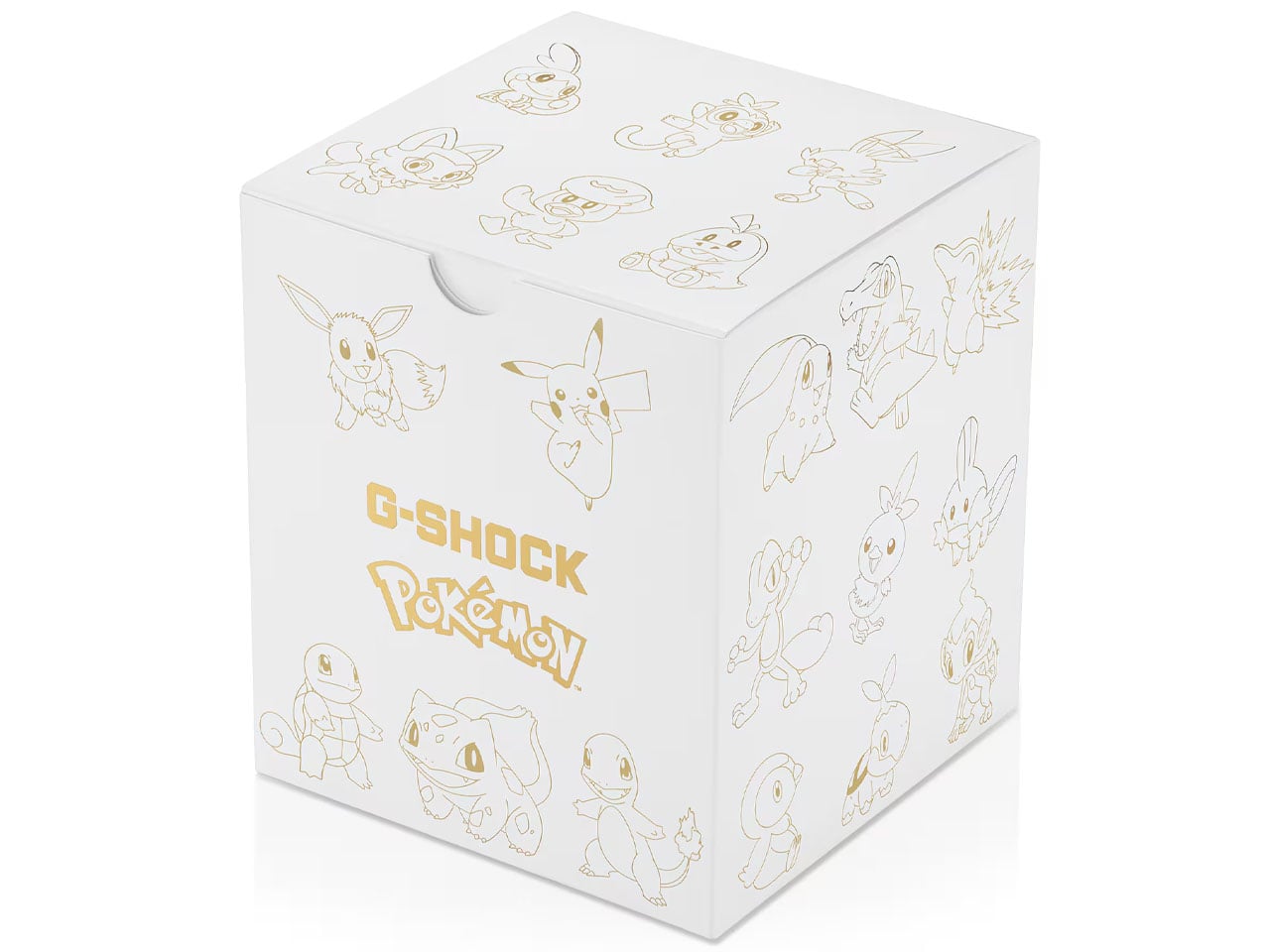
Interestingly, the watch band carries all 30 Pokémon – one each of the glorious 30 years. There are the original Kanto starters – Charmander, Squirtle, and Bulbasaur, while the Paldea region (Sprigatito, Fuecoco, and Quaxly) graces the timepiece. Of course, Pikachu and Eevee are also present. The 30th anniversary theme continues on the catchy Poké Ball-shaped box engraved with the 30 Pokémon and the caseback embellished with their names. The exterior packaging gets the Pokémon treatment, too, in all the Pokémon motifs, which in itself is a collectible for dedicated fans. Whoah… seems I’m 30 again!
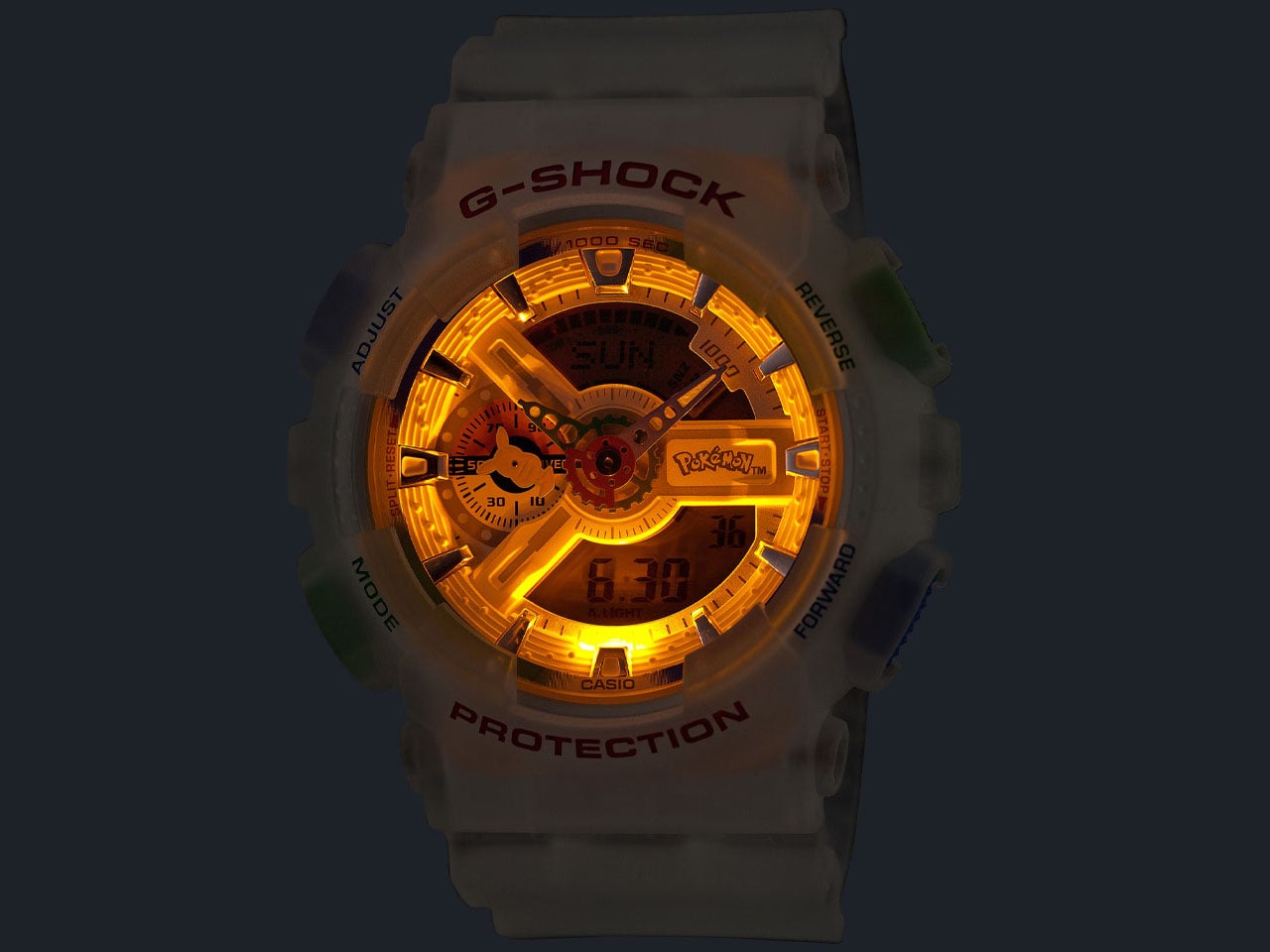
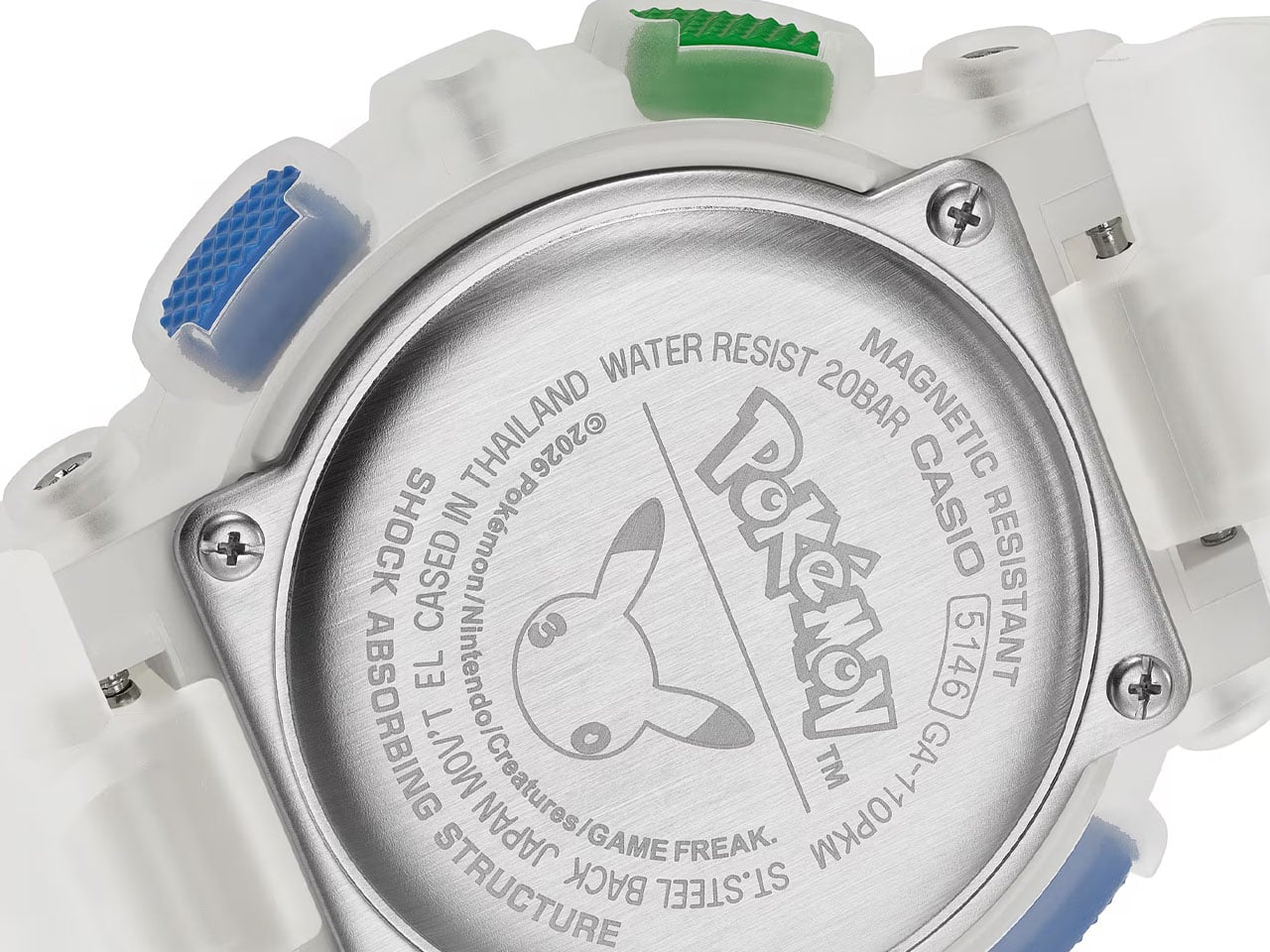
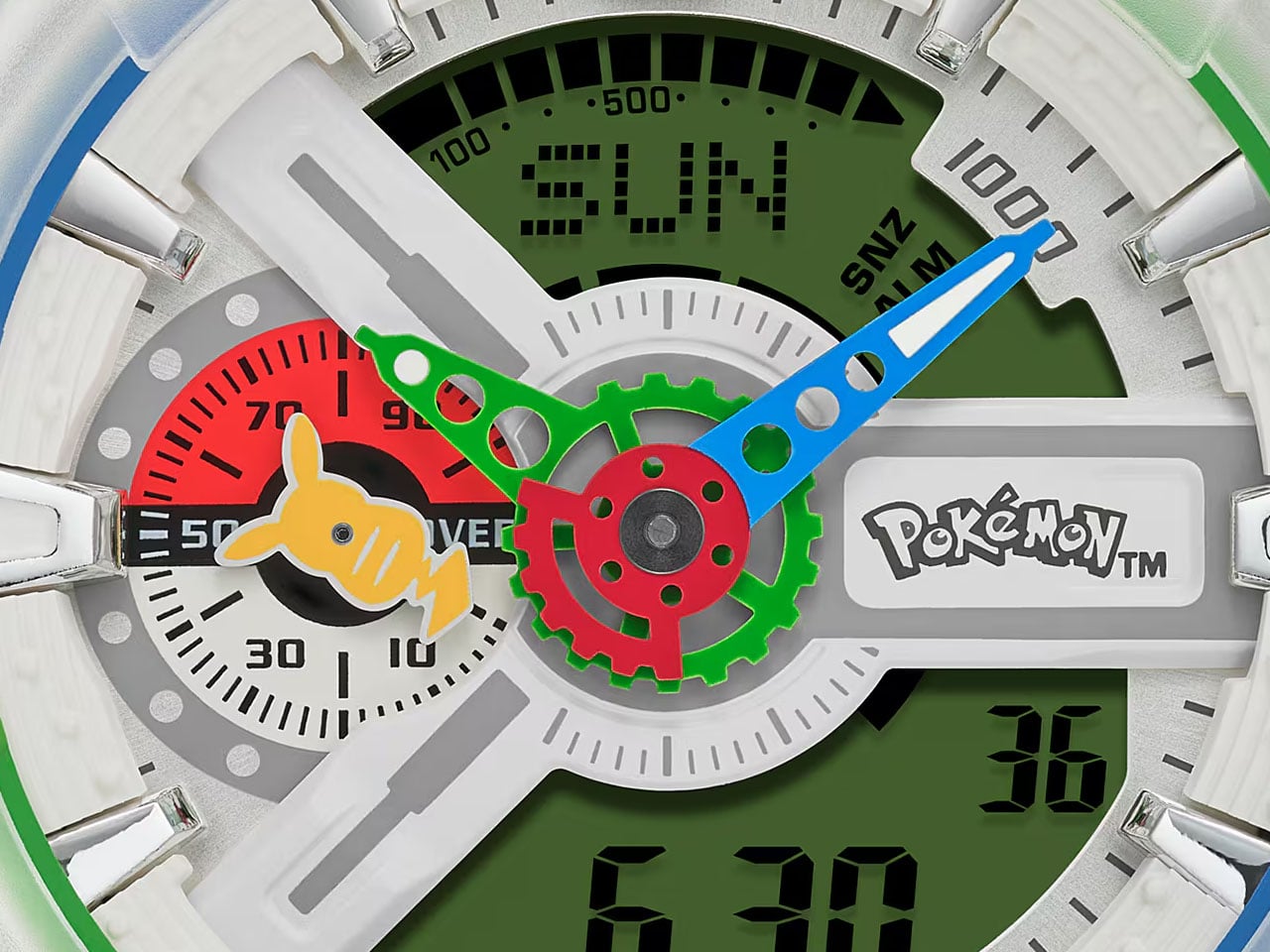
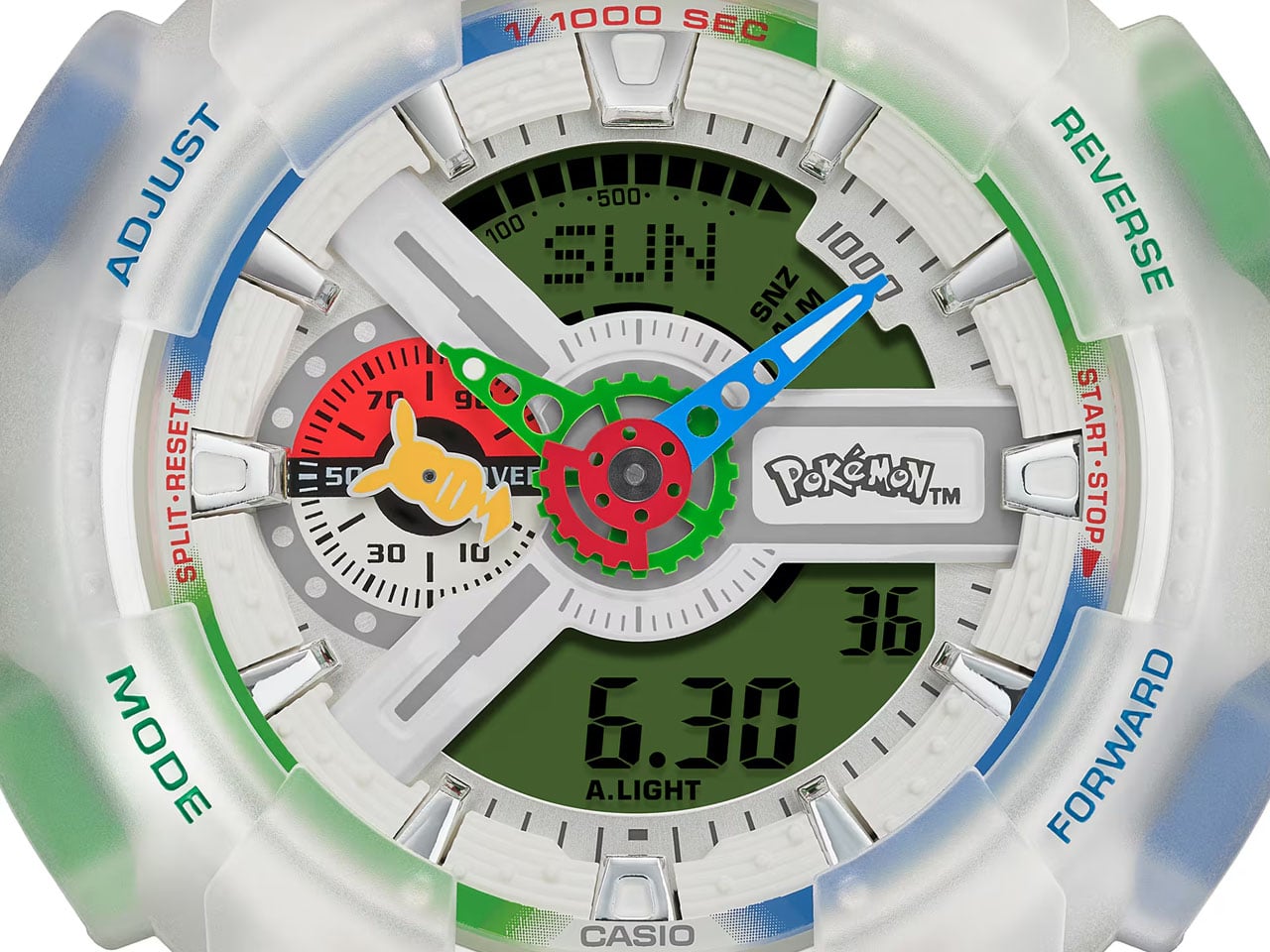
Intricate details on the watch face take the shape of the Poké Ball-inspired inset dial at the 9 o’clock position, and the Pikachu-shaped indicator hand from the 1996 release balances things out perfectly. The band loop gets the Mythical Pokémon while the 200-meter water-resistant watch gets the customary shock and magnetic resistance features. Underneath all the Pokémon goodness lies the trusted G-Shock movement, 29 time zone display (gosh that should have been 30), 1/1000th second stopwatch, an automatic calendar going right up to the year 2099, and LED lighting.
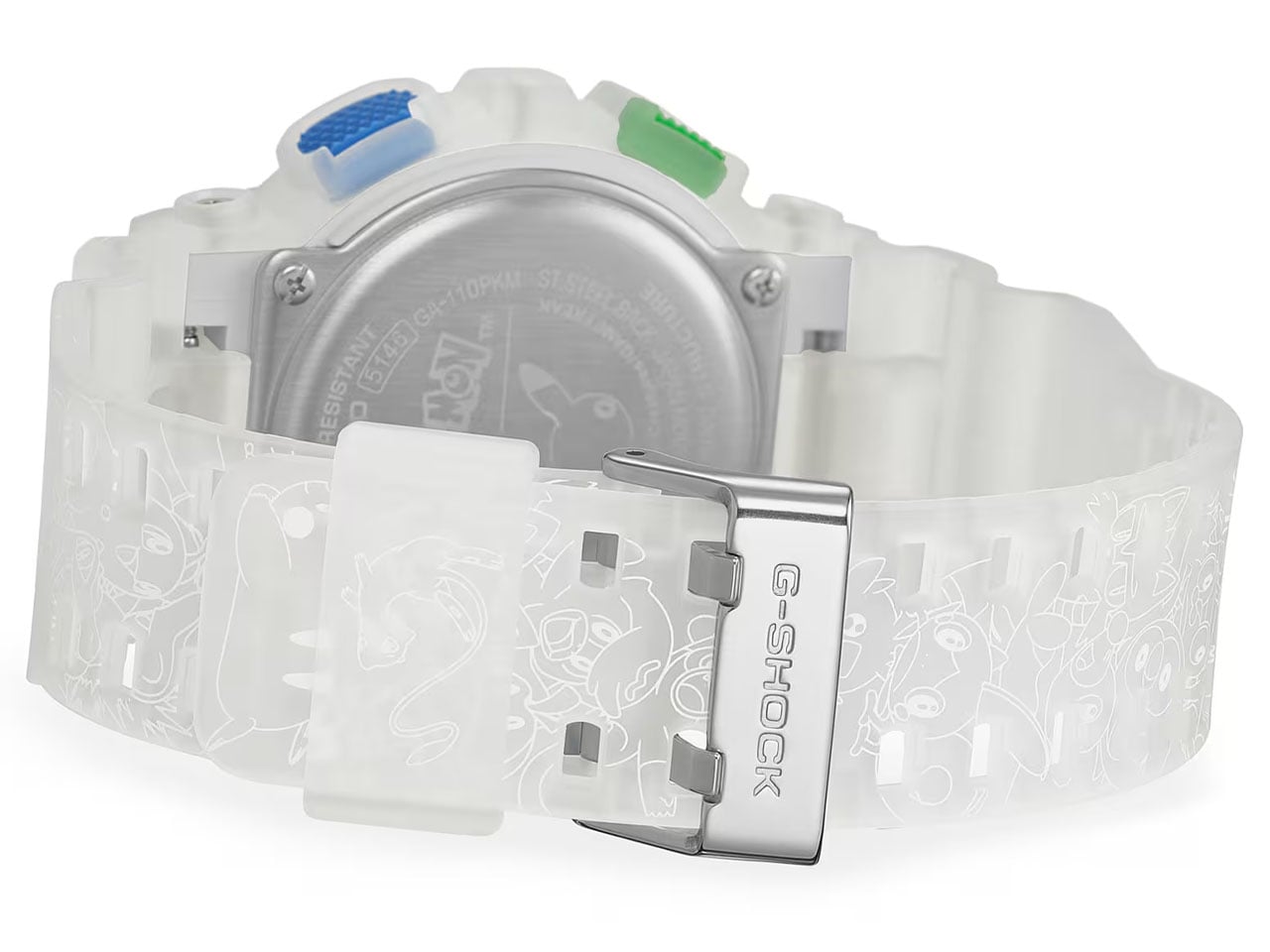
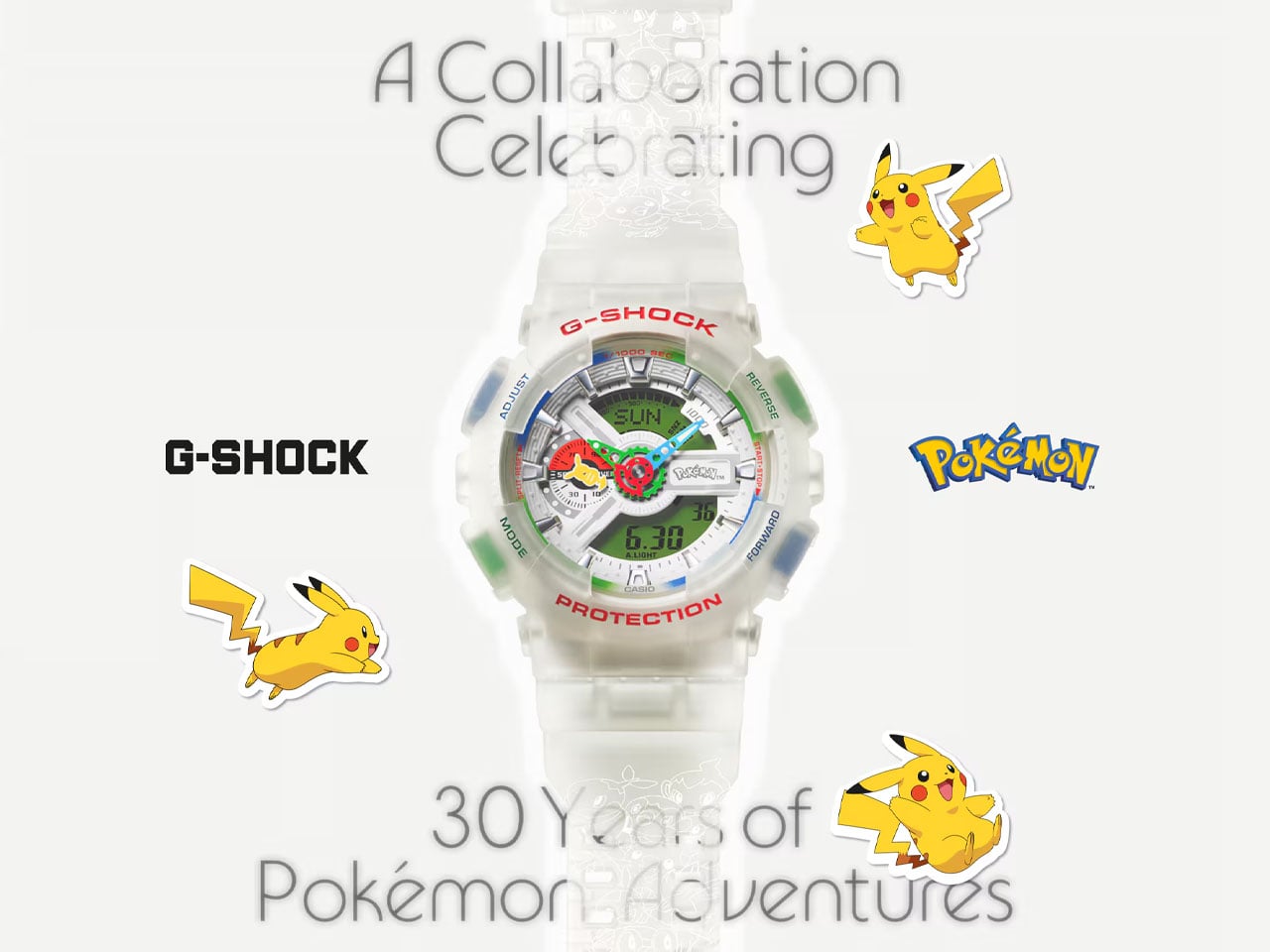
The Pokémon x G-SHOCK GA-110PKM-7A is scheduled to arrive in July, with regional availability varying by market. In Japan, the watch will be sold through a purchase lottery via Casio’s online store, while other regions, including the UK and US, will offer limited retail availability through G-SHOCK stores, the official Casio website, and select authorized retailers. The watch carries a price tag of approximately $220 in the UK, $270 in the US, and ¥33,000 (around $225) in Japan, making it a premium collectible rather than an impulse buy. Given that this marks the first full-fledged G-SHOCK collaboration with Pokémon and celebrates one of gaming’s most beloved franchises, don’t expect it to stay on shelves for long.
The post Casio’s Pokémon G-SHOCK packs three decades of pocket monsters into one collectible timepiece first appeared on Yanko Design.
My Apple Music app design got 1.5 million views in China.
by
u/Gigasssss in
AppleMusic
A Chinese designer found a way to make your 1,200 dollar iPhone behave like a gadget Apple stopped selling four years ago, and roughly 1.5 million people decided they wanted in. The concept began as a fan render of Apple Music styled like an old iPod. After the views piled up and the requests poured in, the designer spent months turning the picture into working software. The result, UltraPod, now lives as a free beta you can install today.
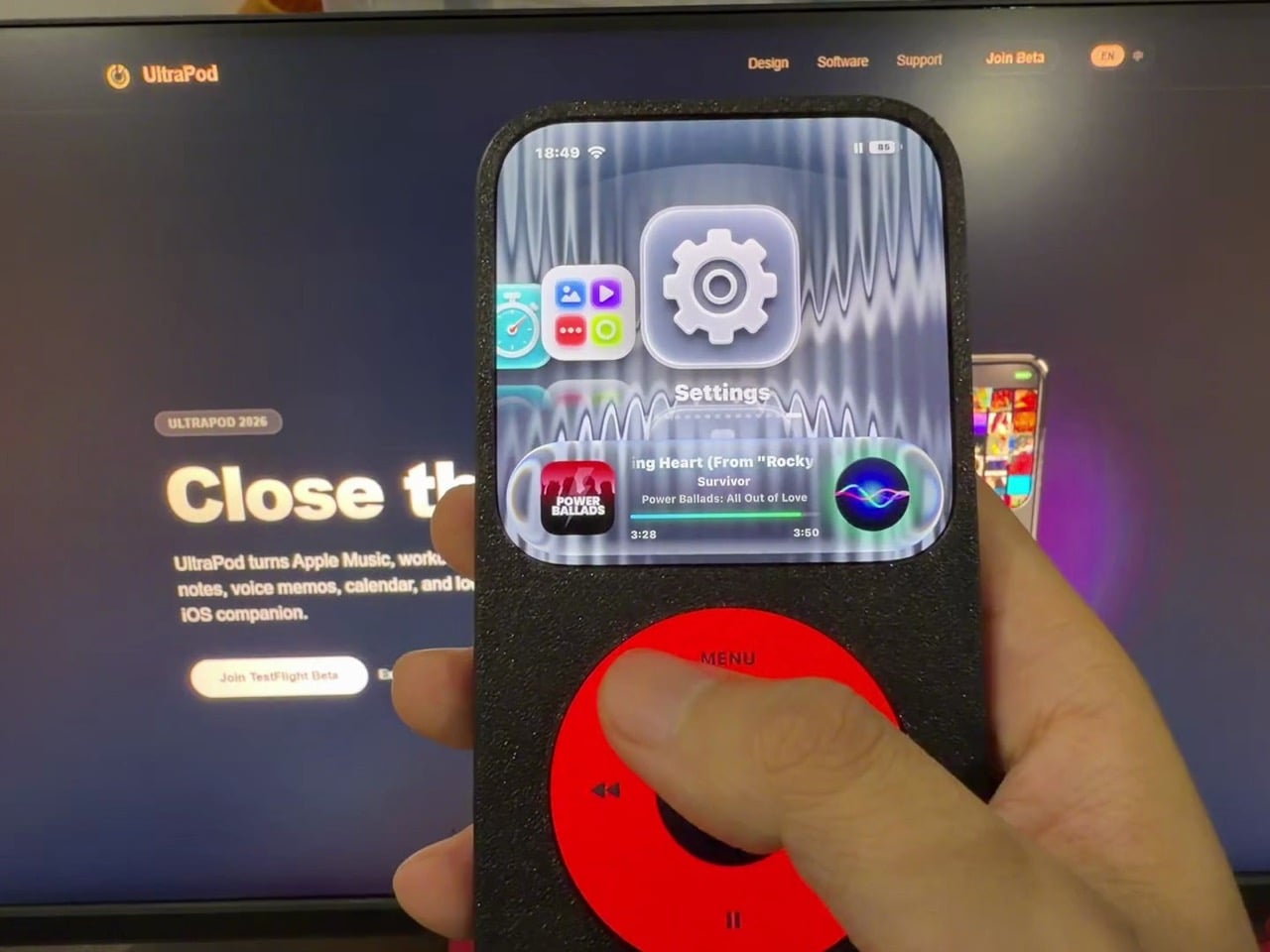
Here is how it works. The app reskins your music, your books, your camera, and a dozen other functions to look like an early 2000s player. Then a 3D-printed case clamps over the whole phone and blocks it, leaving a small screen window and a round cutout where a click wheel used to be. Your thumb scrolls in circles. Instagram sits underneath, technically reachable, practically forgotten.
Designer: Gigasssss
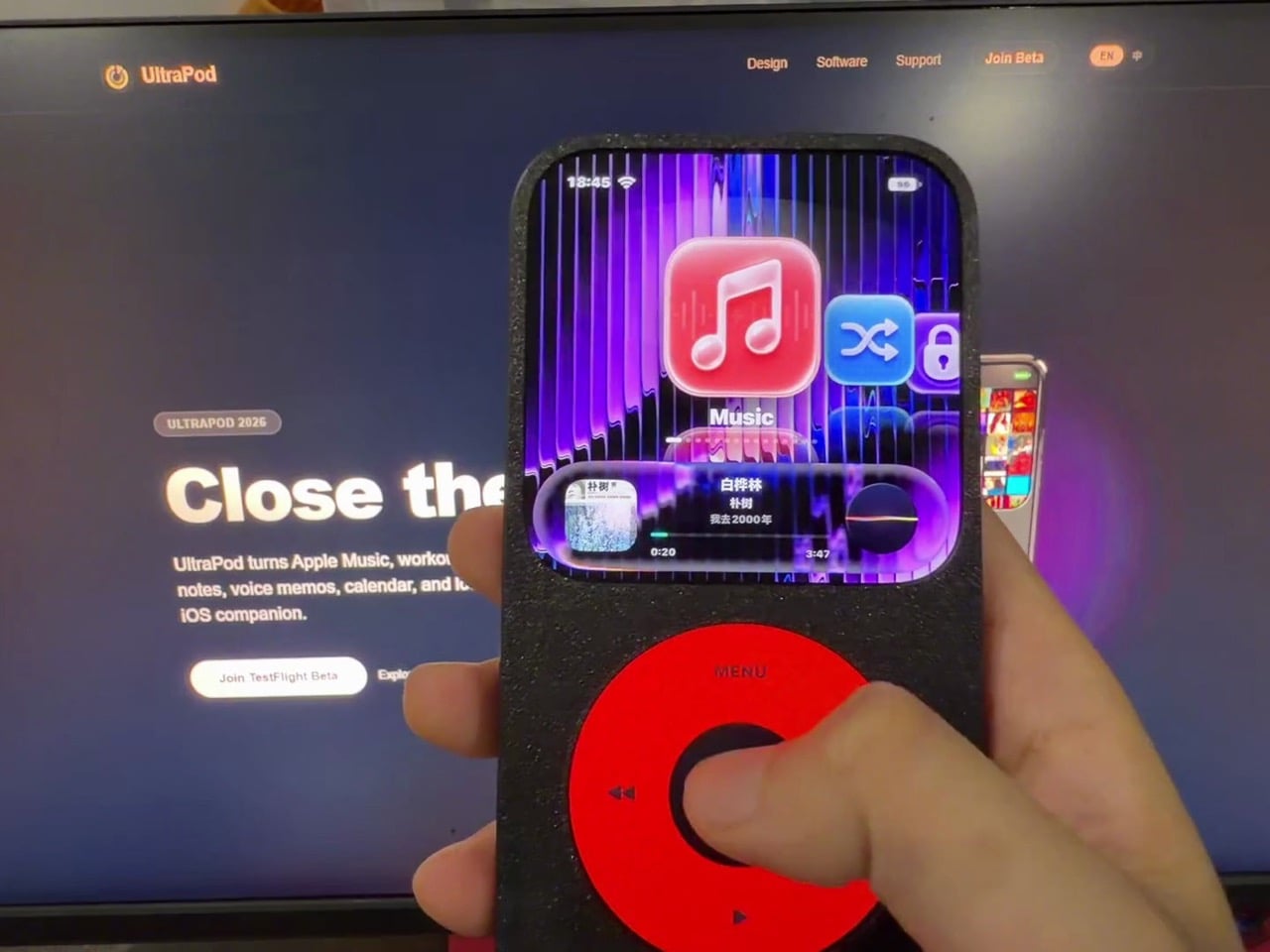
Apple discontinued the iPod in 2022, retiring the product that taught the company how to put a thousand songs and nothing else into a pocket. Two decades of that single-minded simplicity ended quietly, and the device that killed it was the same one UltraPod now runs on. The music section hooks into Apple Music through MusicKit and plays high-res local files, then wraps the whole thing in a Cover Flow interface that Apple fans have begged to return for years. Gigasssss clearly understood that the iPod felt calm because of what it left out, not because of how its chrome caught the light. Recreating the look is the easy part, and the app nails it.
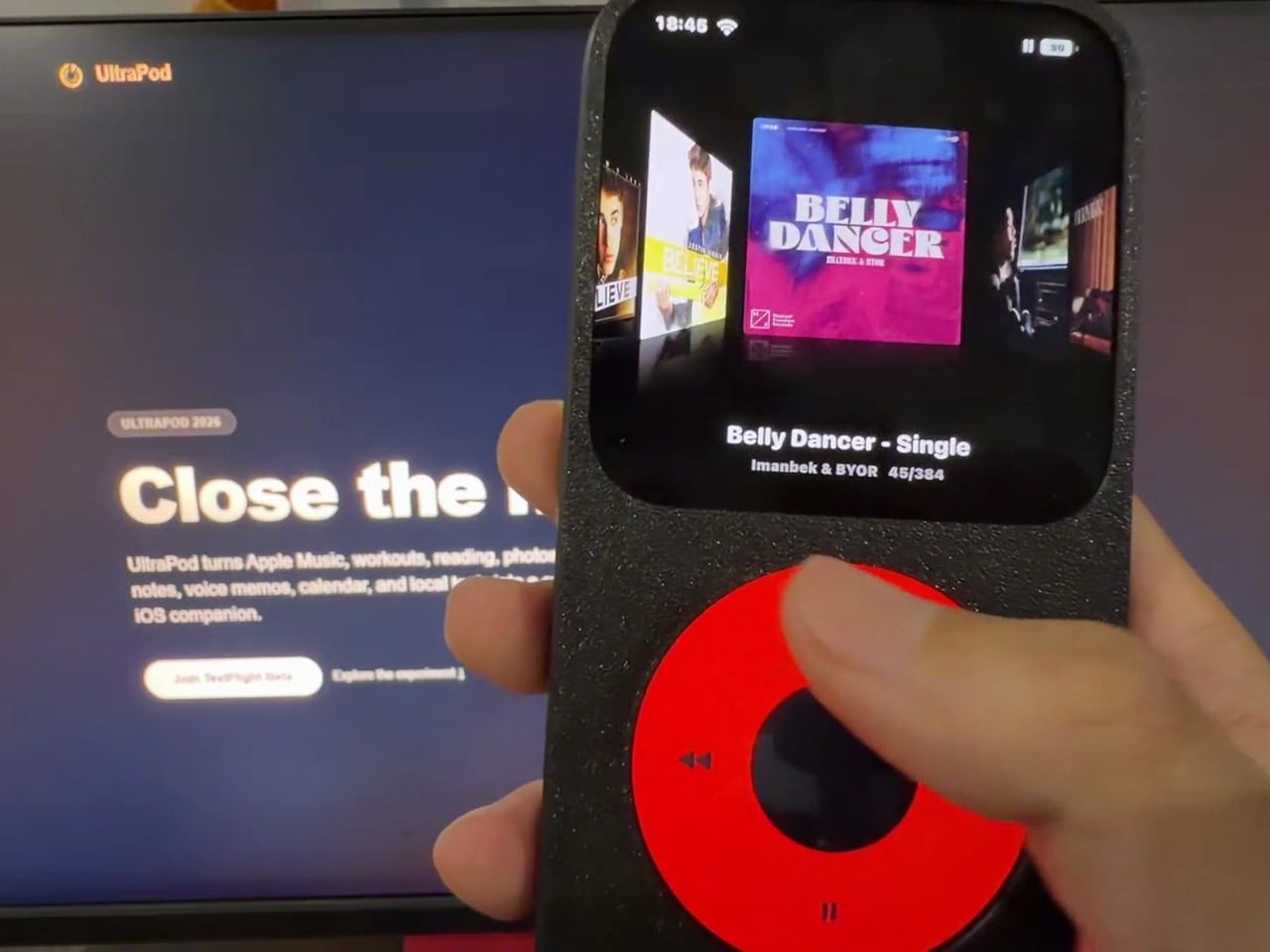
Fifteen mini-apps fill out the rest, covering Books, Fitness, Camera, Photos, Voice Memos, Notes, Calendar, and a handful of smaller utilities. The Books reader imports EPUB, TXT, and Markdown files, while the Camera leans on retro LUTs so a quick photo stays a photo instead of dragging you into editing and posting. Heck, there’s even a circular keyboard for faster typing because typing on the jogdial really sucked. None of this touches the underlying iPhone, which is the honest tension at the center of UltraPod. The original iPod could not run social media because the hardware simply had no concept of it. Here, every app you wanted to escape sits one home swipe away, dressed over but never removed.
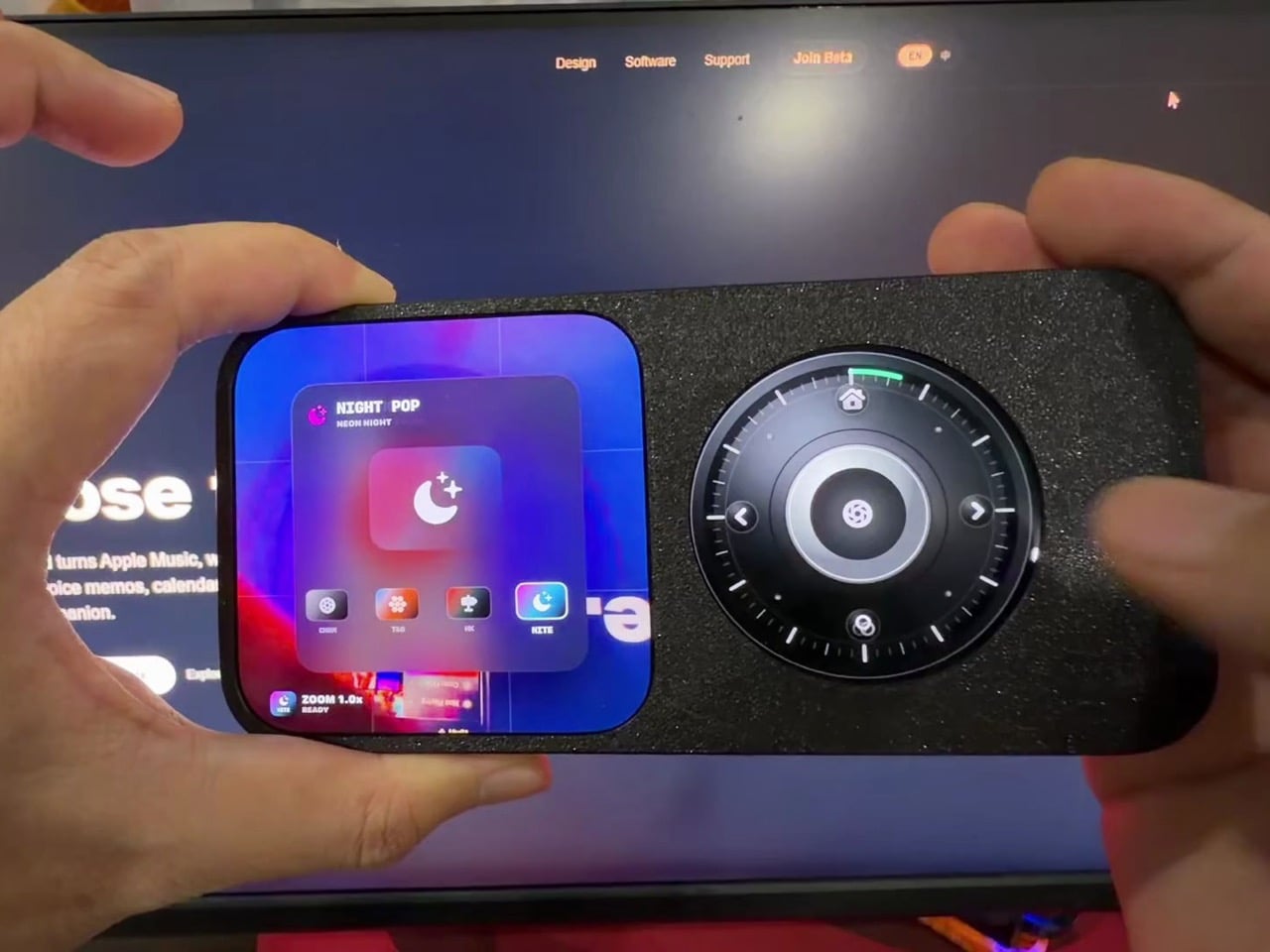
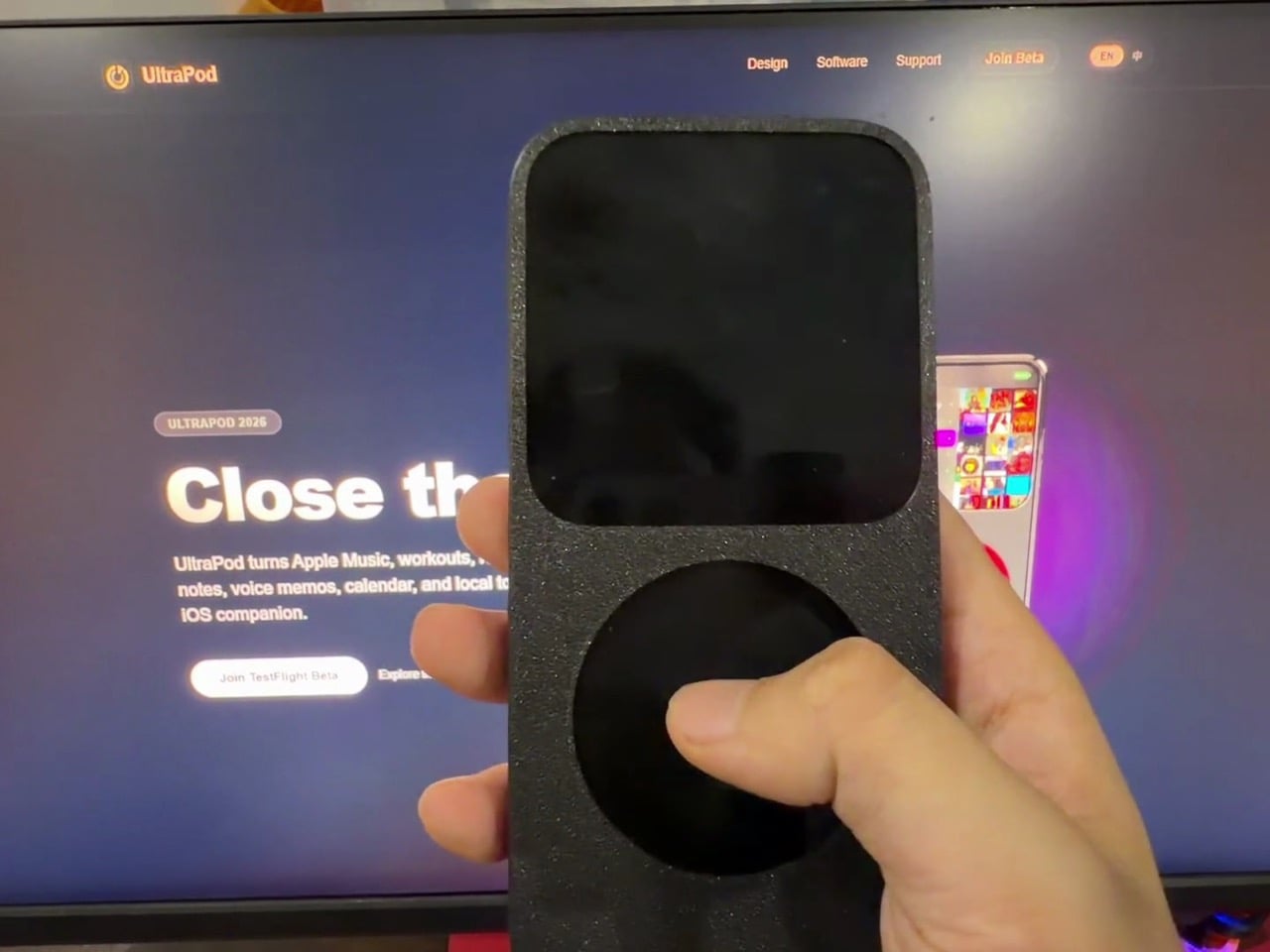
The case completes the experience, limiting how much of your iPhone screen you can see and use, giving it the true iPod appeal. It exposes two zones, a cropped screen at the top for the UI and a circular slot below for the jogdial, and buries the rest of the display under matte black plastic. It’s not too different from the tinypod case for the Apple Watch from 2 years ago – except this one isn’t your iPhone cosplaying as an iPod, it’s your iPhone throttled so that it feels less capable than it originally is – because simplicity is sometimes better.
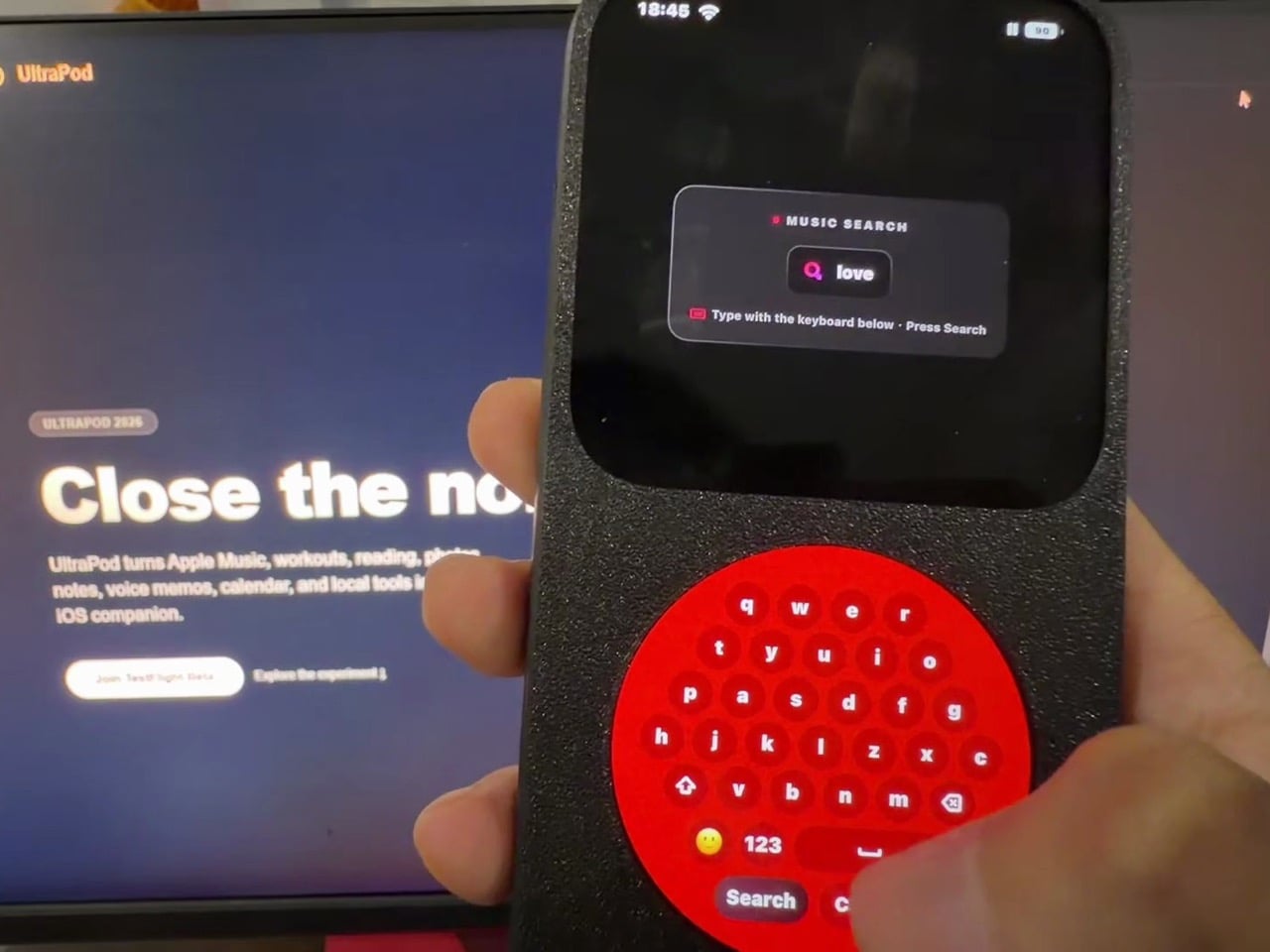
UltraPod is free on TestFlight with limited slots and needs iOS 16 or later, with iPad support that the developer admits still has layout bugs. Every constraint it imposes evaporates the second you slide the phone out of the case, which means this works on friction alone rather than enforcement. For a lot of people, a slightly annoying barrier beats buying and carrying a second device, and that may be the whole point. The iPod was calm because it could do nothing else. UltraPod just gives you a nicer-looking reason not to ask.
The post This iOS Launcher Reskins Your iPhone as an iPod, Because Tech Was Simpler Back In 2001 first appeared on Yanko Design.

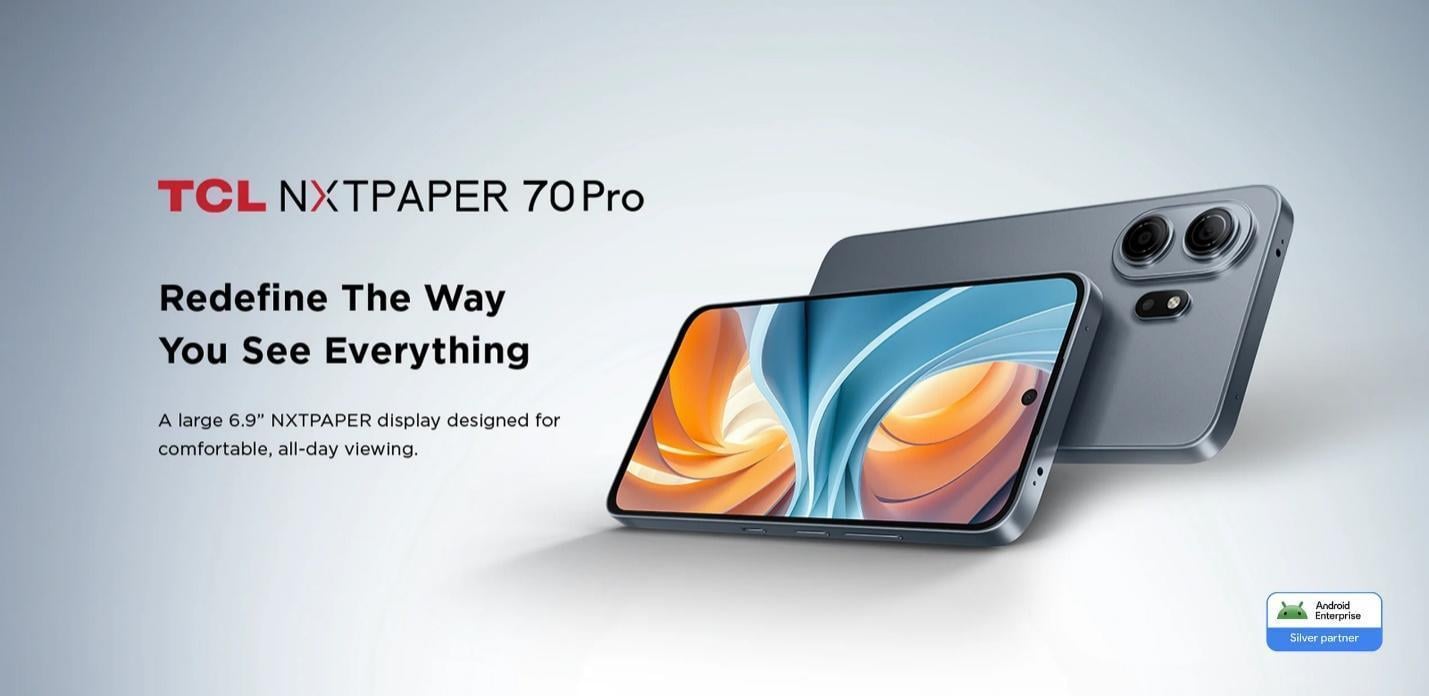
TCL’s new NXTPAPER 70 Pro is not trying to compete with traditional Android phones, dominated by chipset wars, camera battles, or unique industrial design. Instead, it delivers a differentiation that is the domain of only TCL: a unique display experience. Built around a huge 6.9-inch FHD+ 120Hz NXTPAPER matte display, the device uses a layered […]
The post TCL NXTPAPER 70 Pro: Bringing The Disruptive Feature Aimed at E-Readers appeared first on Geeky Gadgets.