Smart ring maker Oura has acquired Doublepoint, a company that specializes in gesture recognition for wearables. The Finnish startup uses smartwatches and wristbands as examples of products that benefit from its technology, but Oura will clearly be looking to incorporate it into its rings, in theory allowing you to control your connected devices with hand movements.
Oura said in a press release that the deal sees it inherit an "exceptional team of AI architects and builders from Doublepoint," including Doublepoint's four founders. The newly-acquired company will remain in its native Helsinki, where it will work with Oura’s international teams.
It added that Doublepoint’s expertise in helping devices register subtle hand movements will be key, as nobody wearing a smart ring is going to engage with gesture control if they have to thrash their hand around like a conductor.
Oura says it believes that the next generation of wearable AI-powered tech will use a combination of gesture and voice control, and Doublepoint’s background in biometric integration with devices will give it an edge in a competitive market.
Oura’s most recent release is the Oura Ring 4, which Engadget’s Daniel Cooper called "the smart ring to beat" in his long-term review last year. He praised the design, improved data collection and app interface, but was disappointed that even using basic hardware features requires a paid subscription.
This article originally appeared on Engadget at https://www.engadget.com/wearables/oura-buys-gesture-navigation-startup-doublepoint-163758659.html?src=rss
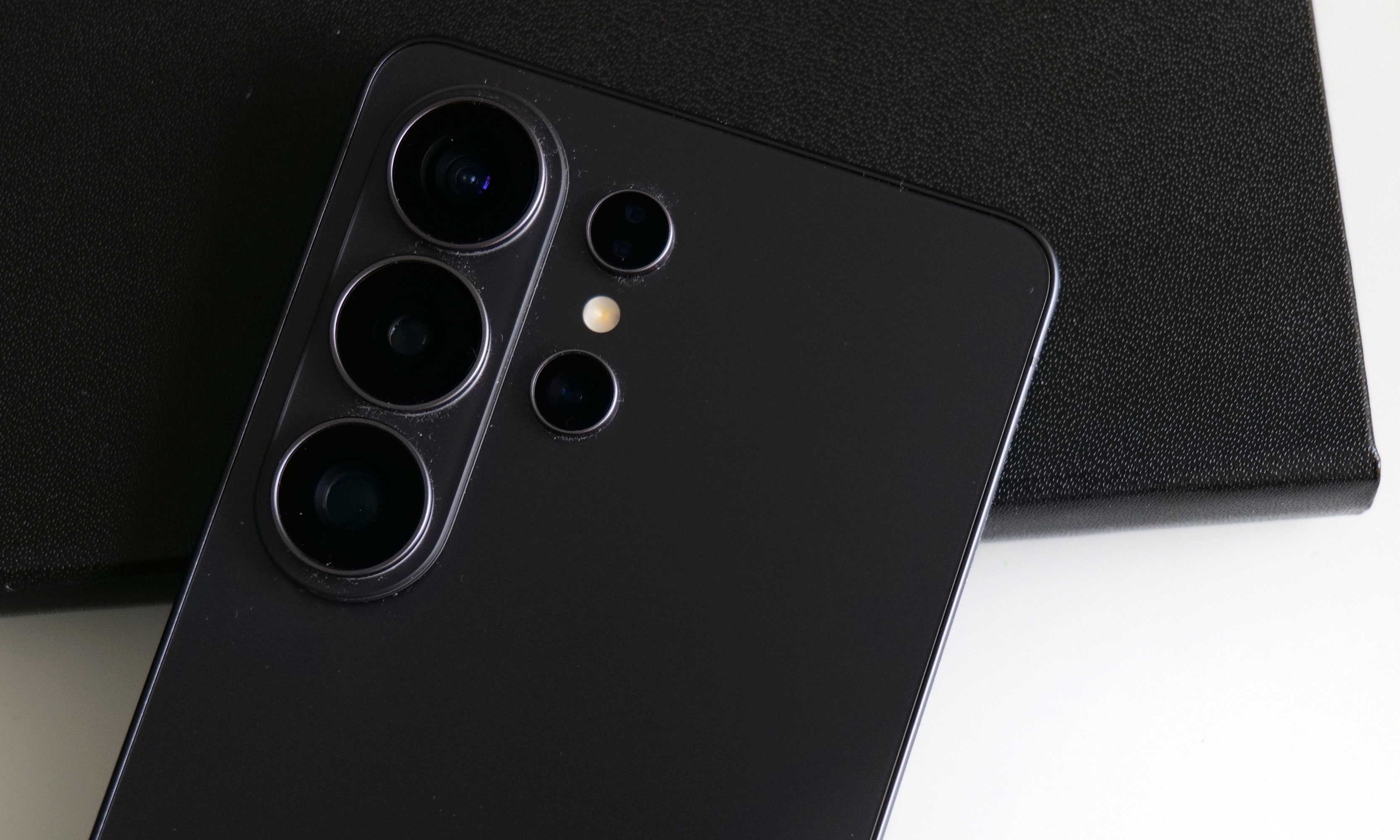
You'd be forgiven for thinking that the Samsung Galaxy S26 Ultra looks a lot like the last four models. That's because it does, right down to its general design and rear camera layout. But on Samsung's latest flagship phone, some stealthy upgrades are hidden beneath its classic blocky silhouette that might go unnoticed by the casual observer. Those help make this year's release feel like a better deal than its most recent predecessor. It remains rather expensive, starting at the same $1,300 as before, but considering the price of RAM these days, that almost feels like a blessing. So while it won't hit you over the head with monumental changes year over year, it's subtly one of the best Ultras we've gotten in the past half-decade.
Design: Back to aluminum
After dabbling with titanium frames on the last two Ultras, Samsung returned to aluminum for 2026. The company says this makes it easier to color-match the phone's chassis to the Corning Gorilla Armor 2 panels on the front and back, though it's incredibly difficult to see the impact on my black review unit. Elsewhere, the company shaved a few grams off its total weight and a few millimeters off its thickness (7.9mm and 214 grams), but even when directly comparing the new model to last year's S25 Ultra (8.2mm and 218 grams), that difference is basically imperceptible. I almost think the S26 Ultra's extra sleekness was just so that people would stop saying the Z Fold 7 is lighter than Samsung's most premium traditional candybar-style handset.
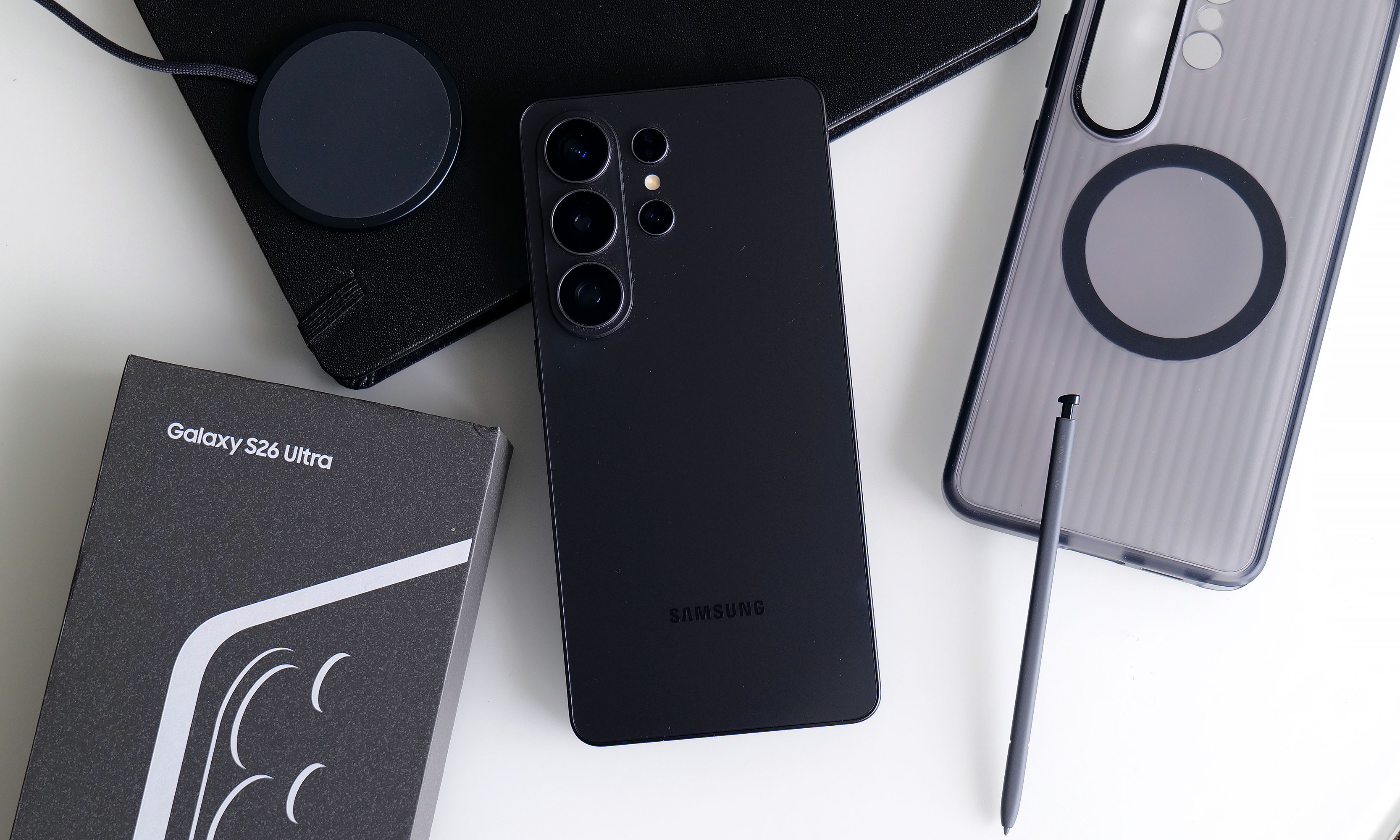
As always, there's a built-in storage slot for Samsung's S-Pen, which is essentially a carbon copy of what we got last year without any functional changes. However, because the phone's corners are more rounded than ever, one small peculiarity is that now there's a right and wrong way to insert it. No matter what you do, the stylus will stay put, but if you don't align the curve on the end of the S-Pen with the shape of the phone's corner, it just doesn't look right.
Display: Now with more privacy
The Galaxy S26 Ultra's display has the same specs as the previous model, except now it comes with a built-in Privacy Display.
Sam Rutherford for Engadget
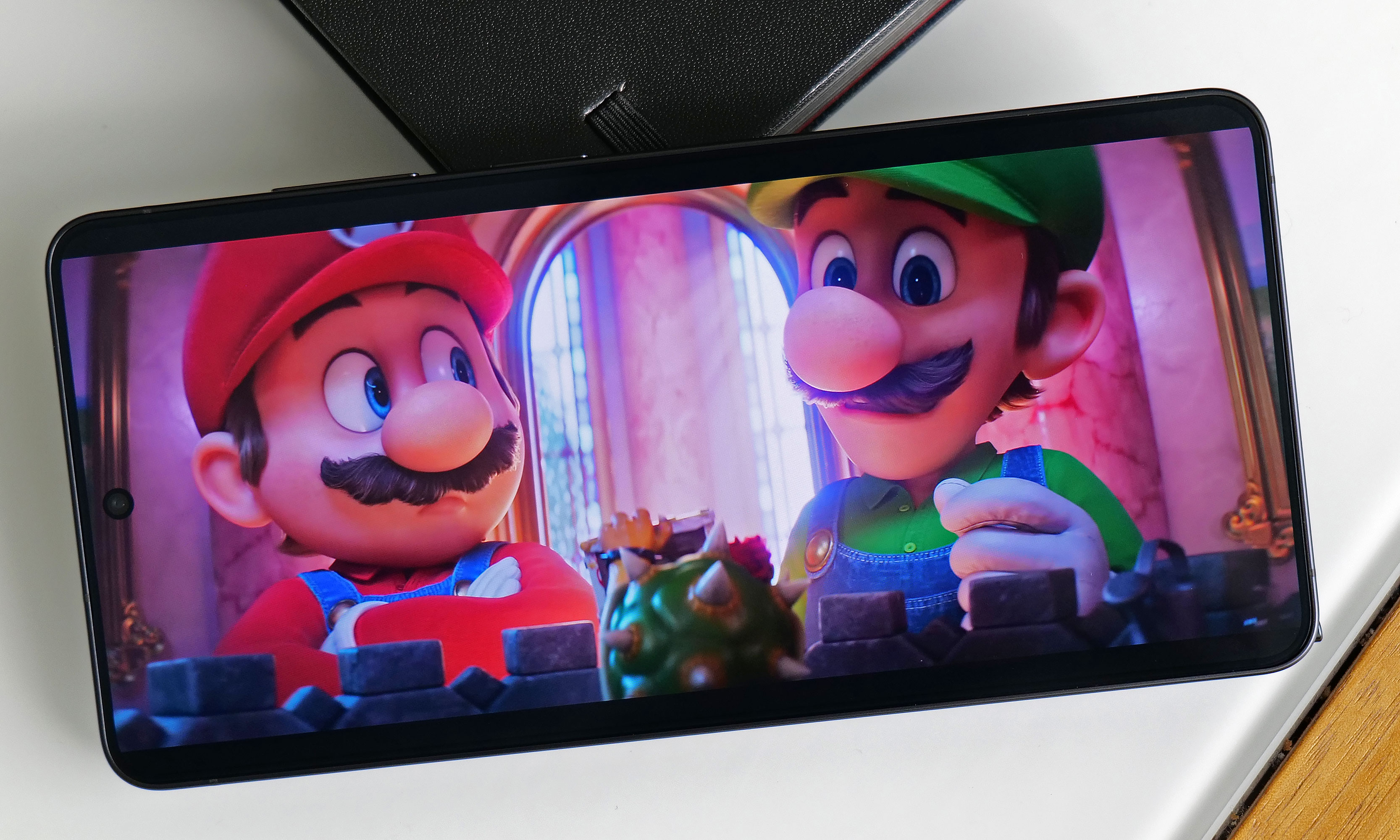
The S26 Ultra's 6.9-inch screen is easily its most undercover upgrade because it sports essentially the same specs as last year. You still get 2,600 nits of peak brightness with a variable 120Hz refresh rate and a max resolution of 3,120 x 1,440. The secret is that with the touch of a button, you can activate Samsung's Privacy Display, which effectively stops others from spying on your screen when viewed from acute angles (both from the side and up and down).
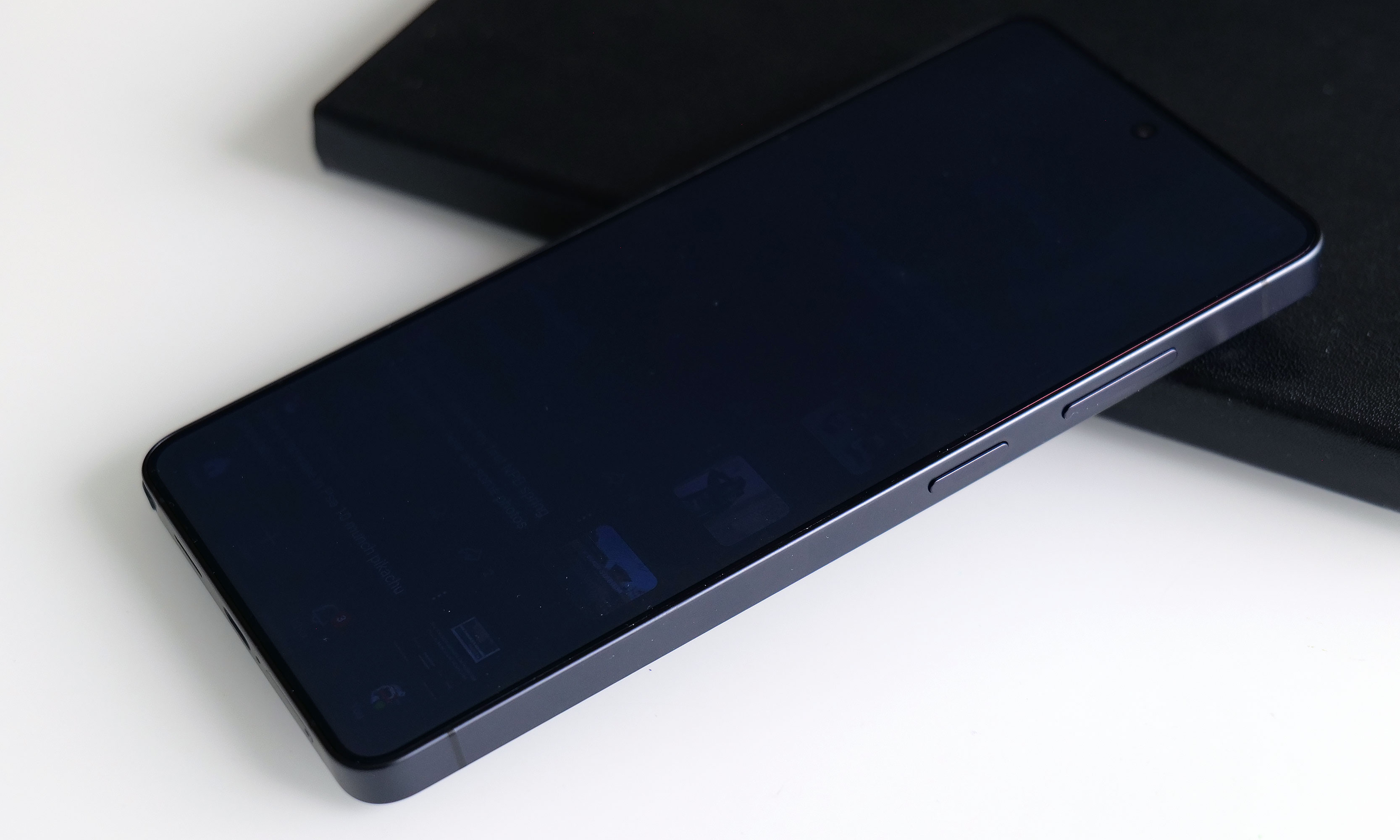
When you turn the Privacy Display on and look at the phone less than head-on, everything sort of fades to black. Depending on the angle, you may still see an outline of UI elements and some bright spots depending on your content, but the wider you go, the fainter things get. The way it works is that the phone has two sets of subpixels, narrow and wide, the latter of which get turned off when the feature is active. And if you're really concerned about people snooping on you, there's an extra level called Maximum Privacy Protection that makes almost everything completely go gray, though there are trade-offs for this.
Even on maximum protection, you can still make out some faint details. But good luck to anyone trying to glean any usable info while the Galaxy S26 Ultra's Privacy Display is on.
Sam Rutherford for Engadget
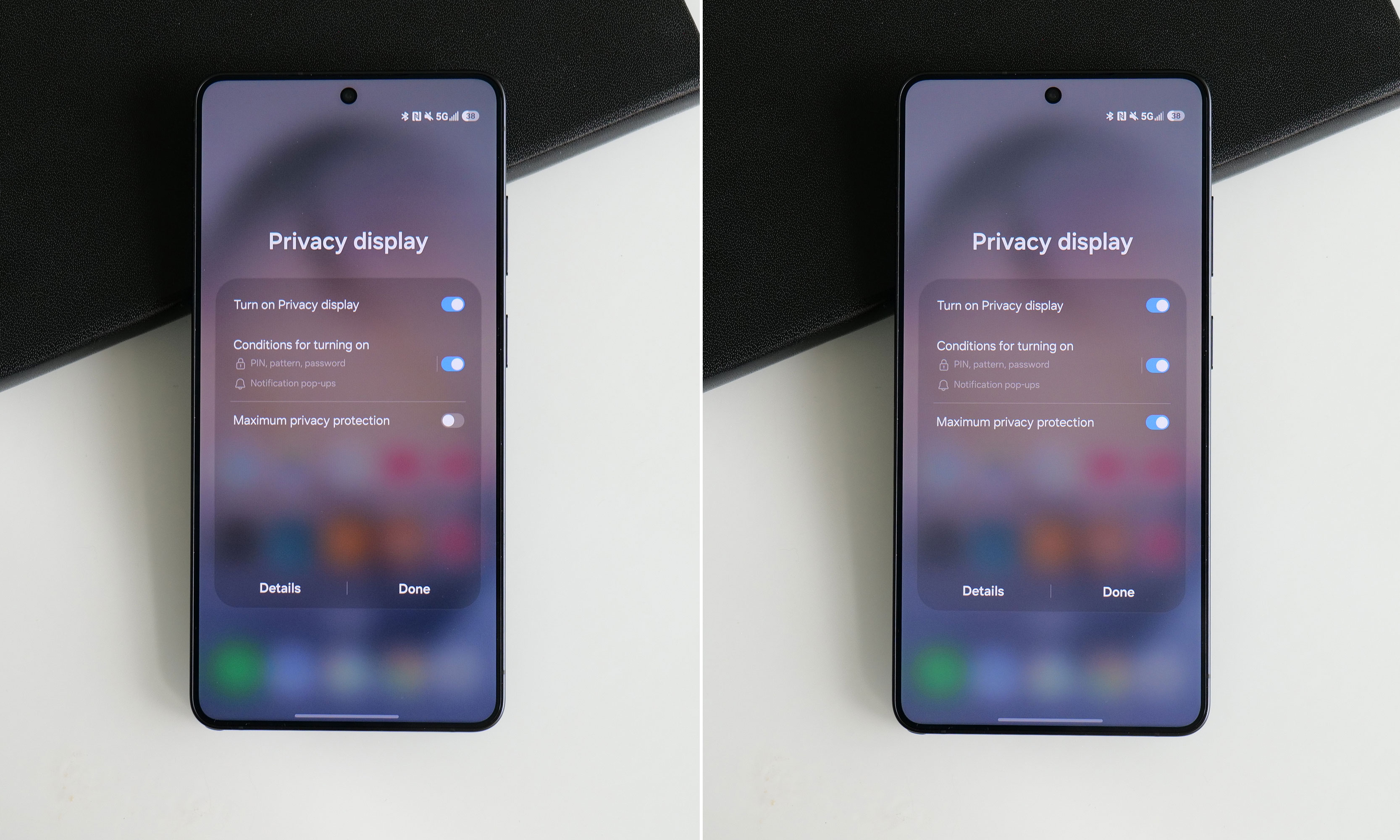
When using the standard Privacy Display mode, there's very little impact on image quality and brightness, so it's not that big of a deal to leave it on all the time. If you look closely, you may notice what appears to be a small drop in resolution, though this requires some serious pixel peeping and good eyesight. But with maximum protection on, there's a noticeable drop in contrast and luminance that, for me, isn't worth the increased privacy.
The effect is more pronounced in person, but in this side-by-side comparison, you can still see how Maximum Protection mode has an impact on the S26 Ultra's contrast and color saturation.
Sam Rutherford for Engadget
Thankfully, there's a third option, which is to have the phone selectively activate Privacy Display under certain conditions. You can have it automatically turn on when you get notifications or open selected apps (like for banking or authenticators), which is what I prefer. The phone can also enable the feature when you need to enter a PIN, pattern or password. The caveat is that this only applies to system-level prompts like your lock screen. Theoretically, there's no reason the S26 Ultra can't do this anytime you're presented with a password or PIN prompt, but every app needs to be optimized properly, so that isn't a thing just yet. Regardless, it's a powerful tool that can prevent people from gleaning sensitive info while you're and about and I really hope it becomes standard inclusion on all premium phones going forward.
Performance and software: More speed and AI
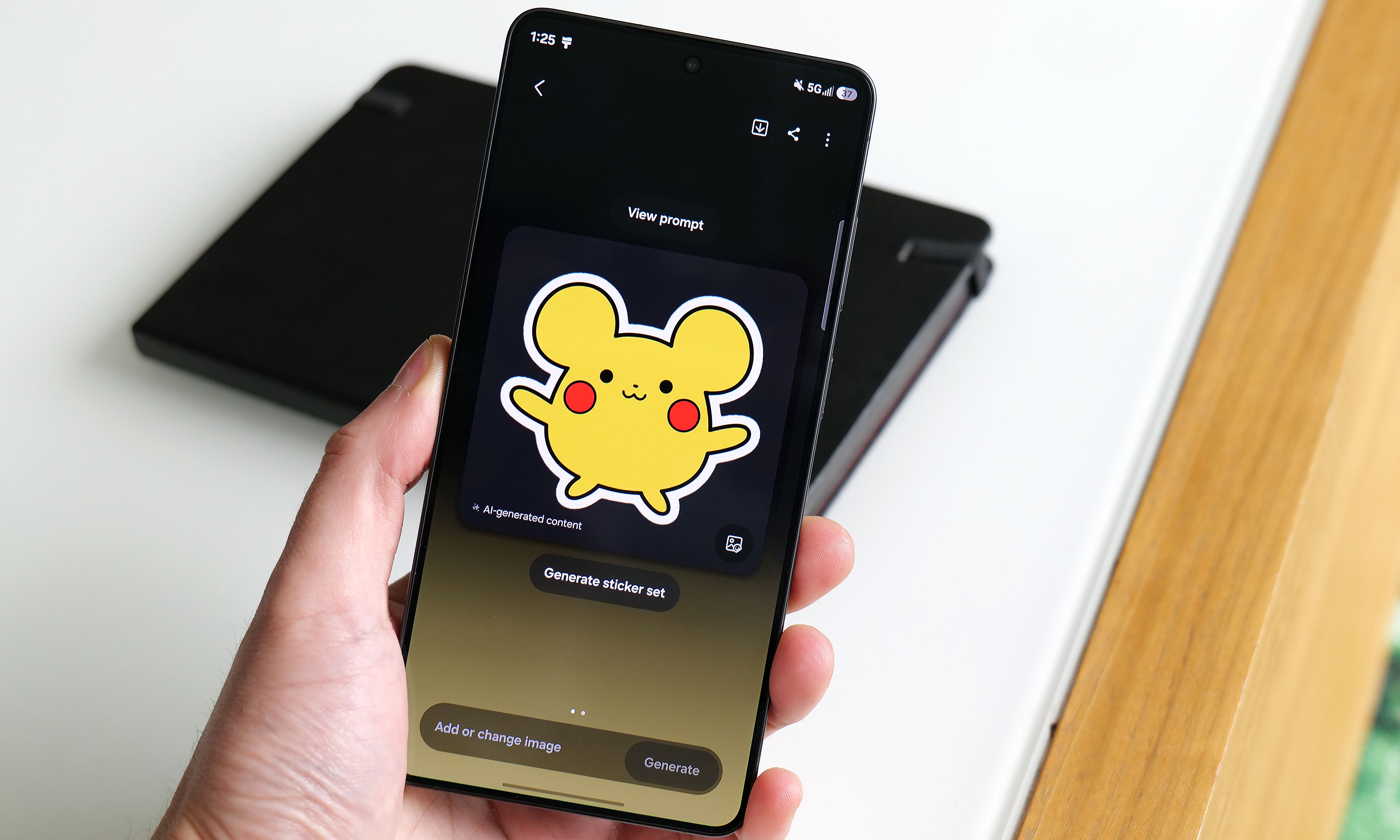
Apparently this is what Samsung's AI thinks a Pikachu sticker should look should look like.
Sam Rutherford for Engadget
The main engine powering the S26 Ultra is Qualcomm's Snapdragon 8 Elite Gen 5 chip for Galaxy along with 12GB or 16GB of RAM and up to 1TB of storage. Its biggest strength lies in its improved NPU, which is 39 percent more powerful than the previous generation, paving the way for improved AI-based features. That said, the rest of the processor provides some nice but not especially impressive gains in processing speed. Its CPU boasted 19 percent better performance while its GPU is around 24 percent beefier. In Geekbench 6, this translated to a multi-core score of 11,240 for its CPU (up from 9,828 on the S25 Ultra) and a GPU score of 25,403 (up from 19,863). Granted, it's not like its predecessor ever struggled with performance, but it's still worth noting that this is essentially as fast as an Android phone can get right now.
Of course, as we progress deeper into the AI era, Samsung has come up with a boatload of new and improved AI-powered tools as well. The most useful of these is Photo Assist, which serves as a one-stop shop for all your editing and content creation needs. In addition to fixing things like reflections or deleting objects in an image, you can use natural language text prompts to generate completely new elements like hats for your pets or pretty much anything else you can think of. And if that's not enough, there's also Samsung's Creative Studio, which is a playground for making all sorts of fun digital art like wallpapers, stickers and greeting cards.
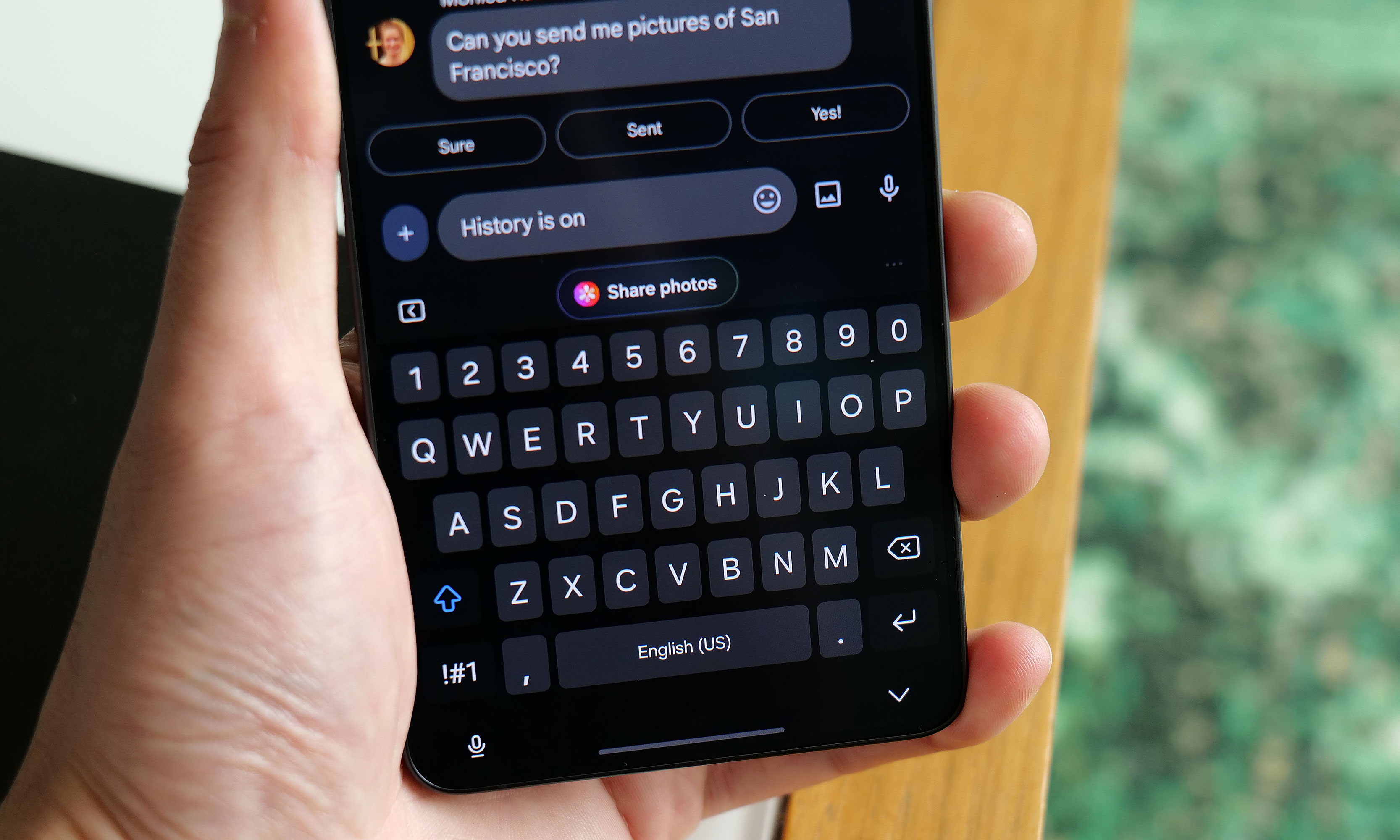
The S26 Ultra's Now Nudge feature uses AI to find and suggest relevant photos when you use the Samsung Keyboard.
Sam Rutherford for Engadget
Elsewhere, there's also an improved document scanner and a call screener that's better at blocking spam and robocalls. All told, they're welcome upgrades and they work rather well. Samsung even borrowed an idea from Google's Magic Cue with its Now Nudge feature, which can surface relevant photos based on context anytime you’re using the Samsung keyboard. Unfortunately, what’s arguably the S26 Ultra's coolest new feature, Automated App Actions, isn't available for another week. But the bigger issue is that almost all of these features are things we've seen before on rival devices like the Pixel 10 Pro. While they're nice to have, it's gotten to the point where these tools are more like table stakes for high-end phones nowadays instead of being reasons you might want to upgrade.
Cameras: The same sensors with some larger apertures
While the S26 Ultra has the same sensors as before, Samsung gave it wider apertures for its main and 5x telephoto cameras.
Sam Rutherford for Engadget
While the sensors on the S26 Ultra haven't changed since the previous model, Samsung didn't completely forget about photo upgrades. Alongside its 10-megapixel 3x telephoto, 50MP ultra-wide and 12MP selfie cam, its 200MP main cam and 50MP 5x telephoto camera have larger apertures at f/1.4 and f/2.9, respectively (up from f/1.7 and f/3.4). So on top of already being able to take excellent photos during the day, the UItra's primary shooter is noticeably better at night.
In a shot of some Transformers in a dimmed room, the S26 Ultra basically matched what I shot with a Pixel 10 Pro — aside from some minor differences in white balance. Details were sharp and Samsung's photo was less noisy, which is due in part to a change in the phone's image processing. But the most impressive example of the Ultra's improved picture quality was when I took a very challenging backlit shot of a Grogu doll, in which the S26 did a better job of exposing Baby Yoda's face compared to the P10 Pro. So even without new sensors, Samsung has managed to make an already great main camera just a bit better.
Battery life
The Galaxy S26 Ultra features a 5,000mAh battery, just like what we got on the previous model. That means it's largely relying on power efficiency gains from its new chip for improved longevity, which it delivers, but it's not a major leap. On our local video rundown test, the S26 Ultra lasted 30 hours and three minutes, which is only about half an hour longer than before. That said, considering the only phones that have fared better were the OnePlus 15 and 15R, it's hard to be upset about its overall runtime.
As for charging, the Ultra has gotten a big leap in speed (assuming you have compatible power adapters) compared to its less expensive siblings. When using a cable, it now supports up to 60 watts versus 45 watts for the S26+ or just 25 watts for the base S26. And it's a similar story when charging wirelessly, with the Ultra now capable of hitting 25 watts when plopped on a pad compared to 20 watts for the S26+ and 15 watts for the S26.
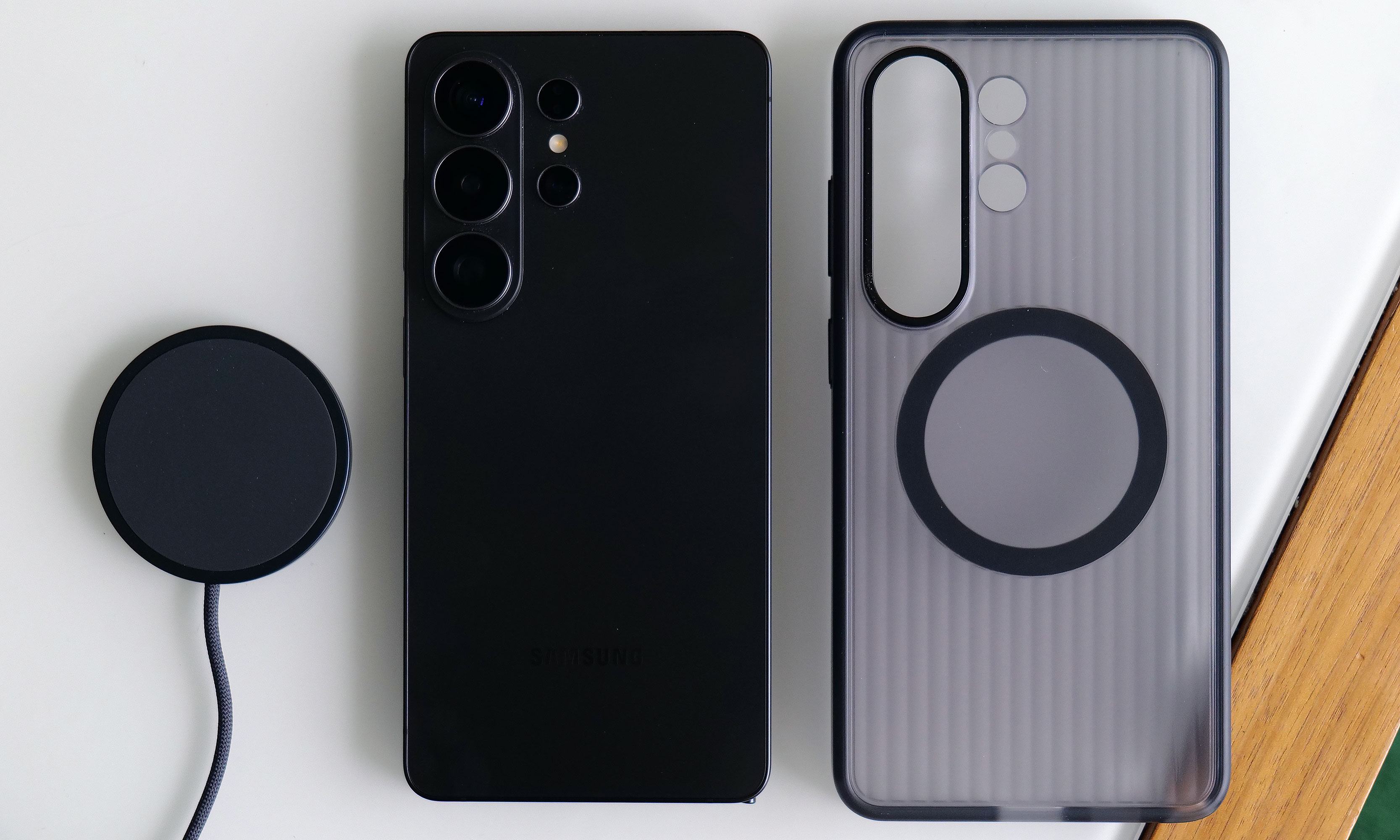
The S26 Ultra has significantly faster wired and wireless charging than its less expensive siblings. Though sadly, it still doesn't have a built-in ring for magnetic accessories.
Sam Rutherford for Engadget
The major annoyance is that Samsung still hasn't given any members of the S26 family a built-in magnetic ring for Qi2 charging or other magnetic accessories. The company claims this was done to help keep the phone as thin as possible, but honestly, I thought we had gotten over the desire for needless sleekness long ago. Sure, you can add that functionality back in by choosing the right case, but that's not a very premium experience and I sincerely hope this is the last time Samsung makes this omission on its flagship phone line.
Wrap-up
There's a strange feeling I often get when testing phones. After I got everything updated and set up the way I like, I noticed it even more with the S26 Ultra. The issue is that despite using a brand new device with shiny hardware, better performance and a more refined design, I'm still largely doing the same things and using the same apps as I was before (like Google Maps, Gmail and whatever my go-to mobile games are at the moment). This means my daily flow is basically unchanged from device to device.
This better be the last time Samsung skips putting a magnetic ring inside the Galaxy S line.
Sam Rutherford for Engadget
However, if you're paying attention, you'll notice things like higher framerates while gaming, sharper and more well-exposed photos at night and helpful suggestions like when the phone surfaces relevant photos in the middle of a text conversation. This goes double for the S26 Ultra, whose biggest upgrade — the Privacy Display — is something meant to stop other people from snooping at what you're doing. When it's on, you probably won't even be able to tell, which is kind of the point.
There’s no doubt that the S26 Ultra is an improvement over last year’s phone. It’s faster, it takes better low-light photos and thanks to all of its new AI features, the handset feels smarter too. But it takes a discerning eye to spot and feel all these differences, particularly if you’re upgrading from a device that’s only a year or two old. So while the S26 Ultra remains the top pick as a phone that can do pretty much everything really well, in the grand scheme of things, it’s more of a stealthy, undercover update than an eye-catching new crown jewel.
This article originally appeared on Engadget at https://www.engadget.com/mobile/smartphones/samsung-galaxy-s26-ultra-review-the-stealth-upgrade-140000629.html?src=rss
One of the big surprises to come out of Sony’s recent State of Play showcase was the announcement of a sequel to 2021’s Kena Bridge of Spirits, the impressive debut from indie studio Ember Lab. If you missed the first game and want to catch up before its successor launches on PC and PS5 later this year, it’s coming to Switch 2 this spring.
The Switch 2 is very much in its port era, owing to publishers seizing the opportunity to take advantage of the new system’s popularity and improved graphical grunt. And while it’s hard to get too excited about a five-year-old game making its way to the latest Nintendo console, Kena’s gorgeous Pixar-lite aesthetic, cute critters and decidedly Zelda-y medley of combat, exploration and puzzle-solving make it a great fit for Switch 2.
If you missed it the first time around, Kena: Bridge of Spirits is a third-person action-adventure game that follows the eponymous Kena, a young spirit guide who helps wayward souls on their journey through to the afterlife. It has PS2 energy in the best possible way, and a deceptively deep combat system that will eventually catch you out if you don’t pay attention to enemy patterns.
While nothing about the game is particularly groundbreaking, Kena is a visual feast, which is unsurprising when you learn about Ember Lab’s roots in film animation. I’m quite looking forward to seeing how it looks running on the Switch 2’s big, bright handheld display.
The Switch 2 version comes with the Anniversary DLC, which features Charmstones, Spirit Guide Trials, new outfits, and various accessibility features. You also get a New Game+ mode with even trickier encounters. It arrives this spring, with Kena: Scars of Kosmora due to launch later in 2026 on PS5 and PC.
This article originally appeared on Engadget at https://www.engadget.com/gaming/kena-bridge-of-spirits-is-coming-to-nintendo-switch-2-this-spring-132839640.html?src=rss
For an electric car to survive in this incentive-free, tariff-laden, emissions-loving world, it has to be very, very good. It also helps if it's priced right, and looking great doesn't hurt either.
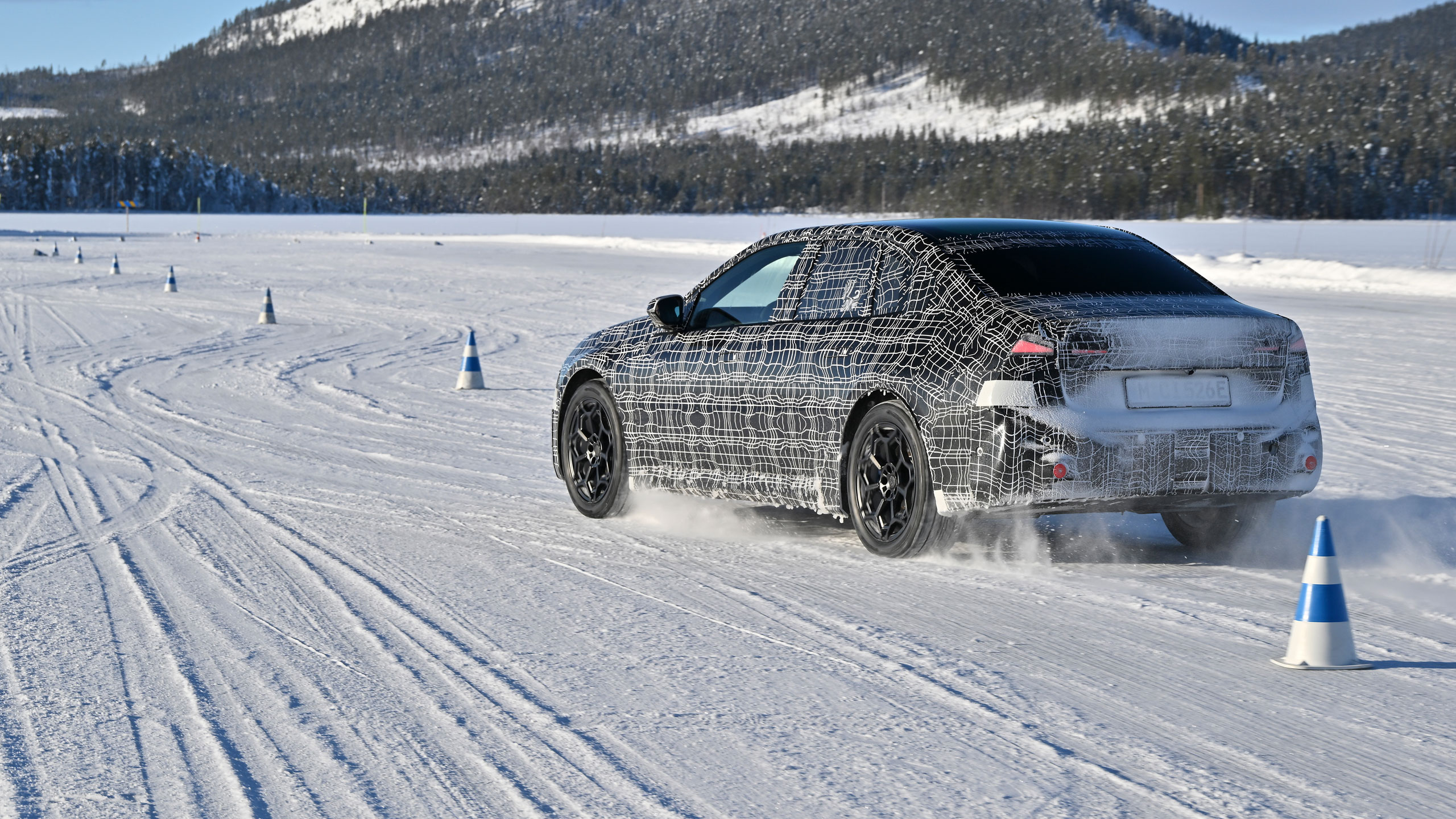
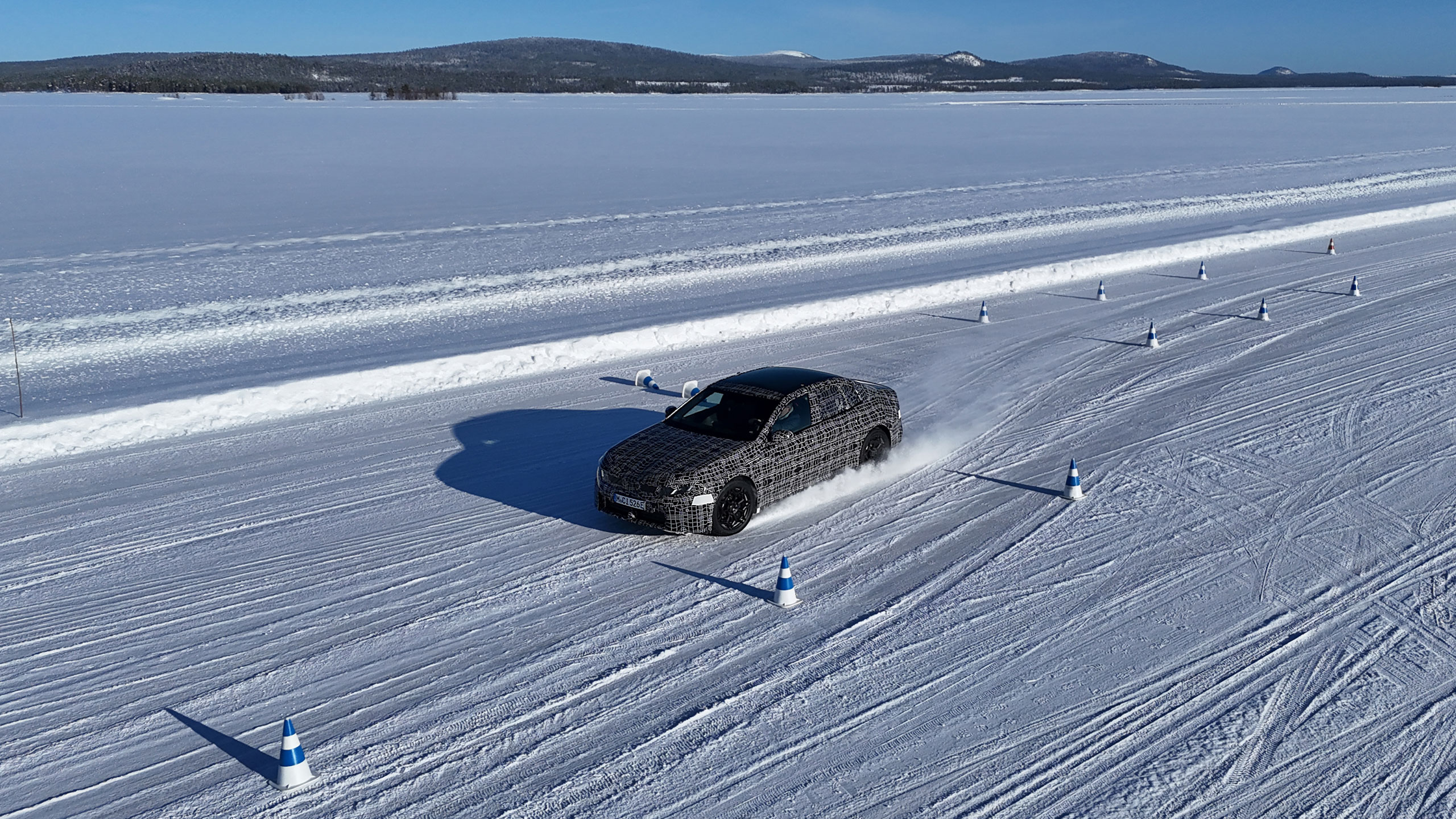
Unfortunately for BMW's latest EV, the i3 sedan, we still can't say much about those last two questions. BMW hasn't announced pricing yet, and thanks to some eye-crossing camouflage, it's impossible to know exactly what it looks like, either. But, after a day behind the wheel of a prototype machine sliding it through the Swedish wilds, I can at least confidently confirm that it's shaping up to be a very good indeed.
Deja Vu
If you're thinking to yourself, "Wait, didn't BMW already have an i3?" You are absolutely right. Back in 2013, BMW released its first mass-market electric car, a little five-door hatchback called the i3. I drove a few versions of it over the years. It was wonderful and novel and earned itself some ardent fans, but it never quite reshaped the motoring world the way that its creators surely hoped.
A decade later, BMW's got a new i3 that has the potential to be a far bigger success on the global scale, and it also resets that designation to slot in with the company's already well-established naming scheme. BMW's 3 Series is its iconic sedan, and "i" is the designation for its electric vehicles. The i3, then, should be an electric sedan, and so it is going forward.
BMW's i3 prototype on a course in Sweden
BMW
This new i3 is built on the Neue Klasse platform, BMW's "new class" architecture that also underpins the iX3 SUV. In developing Neue Klasse, BMW started almost from scratch, developing a whole new suite of technologies in pursuit of a better-driving, faster-charging and more-affordable next generation of EVs.
There's a battery pack that's wholly new compared to the company's prior efforts, a cell-to-pack architecture that promises more capacity in a smaller, lighter enclosure. There's a whole new stack of electronics systems offering more power and capability than before. And, there's a completely new styling design language that not everyone will love.
The iX3 SUV was the first recipient of all that newness, and the i3 sedan will be the second. Again, we can't pass judgment on its styling just yet, but you can probably get a bit of an idea of what to expect by looking at 2023's Vision Neue Klasse concept.
Heart of Joy
That new electronics suite running throughout the Neue Klasse is a huge part of the appeal here. Typically, when buying a new car, you don't worry too much about who did the ABS or the traction control. Those are simply table stakes in modern motoring.
However, BMW decided to shake up these pedestrian safety features in the i3 by re-thinking everything from the brake actuators to the electric motor controllers and doing it all in-house. Now, fewer, more powerful chips from Qualcomm and others run all of the car's disparate systems like those together in a system that BMW evocatively calls "Heart of Joy." That makes for a far smoother and more seamless driving experience when the ABS can, for example, talk directly to the stability control.
BMW's i3 prototype on a course in Sweden
BMW
That's the theory, anyway, and in Sweden this week I got a chance to test that out. I got behind the wheel of what will be the first i3. Called the i3 50 xDrive, it's a dual-motor, all-wheel-drive sedan that produces 463 horsepower and 476 pound-feet of torque.
All-wheel drive helps with acceleration, but it's the braking where the Neue Klasse's technology really shines. Thanks to having more finesse over the control of its two electric motors, the Neue Klasse can rely far more on recuperative braking and far less on using the physical brakes. This makes for ultra-smooth, calm stopping, even when driving on glare ice.
Accelerating, though, is far more entertaining. Even on extremely low-grip, unpredictable surfaces like a frozen lake, I could just mash my foot to the accelerator and clumsily turn the wheel in the direction I wanted to go. Despite my lack of finesse, the system intelligently applied the brakes on the inside wheel to help get the car to rotate, and automatically cut the power to the electric motors front and rear based on how much grip was available.
BMW's i3 prototype on a course in Sweden
BMW
Even with my foot flat on the accelerator, I was able to navigate tight turns on glare surfaces without having to deploy any fancy ice driving techniques. However, as someone who enjoys deploying such techniques, I was also invited to turn off the car's stability systems and have a little fun.
Like this, the BMW turned into an absolute riot. Let loose, the i3 was a very willing drift partner, letting me slide through the corners with wild abandon. It still used just enough of its smarts and control systems to keep me from spinning out when I got a little too eager on the throttle, but it never ruined the fun.
Panoramic Vision
This prototype drive was also a chance to sample the i3's Panoramic Vision display in a new environment. As debuted formally at CES back in 2025, Panoramic Vision replaces the standard gauge cluster behind the steering wheel with a massive, windshield-spanning display. It's a little like an ultra-wide heads-up display in that it reflects up from a lengthy display embedded in the dashboard.
In pictures, this seems like it will be horribly distracting, since you have six customizable sections of information flashing at you in your line of sight. In practice, though, it's actually quite nice. You can customize those panels to show whatever information you like, from whatever track you're playing to the current vehicle speed to even a disembodied head representing the car's integrated voice assistant. Or, if that's all too much, you can simply disable most of the panels and keep it simple, relying only on the left-most pane to display your speed and other vehicle information.
I didn't get to see all of the i3's interior. Since it's still a prototype, BMW kept much of it covered in black fabric. Still, the Panoramic Vision display and the weird central touchscreen that's inclined to the left work together to create a great user experience. I will, though, miss the rotary iDrive knob, which is sadly no more.
Wrap-up
We have a little while yet to wait until BMW gives us all the details on the new i3 — its debut is set for March 18 — but from what I experienced in Sweden, it's shaping up extremely well. If BMW gets the pricing right, and if what's hiding under that vinyl camouflage isn't too offensive, this thing has all the makings of a hit.
This article originally appeared on Engadget at https://www.engadget.com/transportation/evs/bmws-i3-prototype-conquers-the-ice-with-power-and-technology-130000610.html?src=rss
Anthropic is reportedly trying to reach a new deal with the US Defense Department, which could prevent the government from labeling it a supply chain risk. According to Financial Times and Bloomberg, Anthropic CEO Dario Amodei has resumed talks with the agency over the use of its AI models. In particular, the publications say that Amodel is having discussions with Emil Michael, the Under Secretary of Defense for Research and Engineering.
The two of them were trying to work out the contract over the use of Anthropic’s models before negotiations broke down and the government soured on the company. The Times reports that they couldn’t agree on language that the AI company wanted to see to ensure that its technology will not be used for mass surveillance.
In a memo sent to Anthropic staff, Amodei reportedly said that the department offered to accept the company’s terms if it deleted a specific phrase about “analysis of bulk acquired data.” He continued that it “was the single line in the contract that exactly matched” the scenario it was “most worried about.” Anthropic, which first signed a $200 million deal with the department in 2025, refused to comply with the Pentagon’s demands. The agency then threatened to cancel its existing contract and to label it a “supply chain risk,” a designation typically reserved for Chinese companies. President Trump ordered government agencies to stop using Anthropic’s technology afterward. However, there’s a “six-month phase-out period” that reportedly allowed the government to use Anthropic’s AI tools to stage an air attack on Iran.
Amodei also said in the memo that the messaging OpenAI has been trying to convey is “just straight up lies,” the Times reports. He hinted, as well, that one of the reasons his company is now on the outs with the government is because he hasn’t “given dictator-style praise to Trump” like OpenAI’s Sam Altman has.
If you’ll recall, OpenAI announced that it reached an agreement shortly after it came out that Anthropic was having issues with the agency. Its CEO, Sam Altman, said on Twitter that he told the government Anthropic shouldn’t be designated as a supply chain risk. He said during an AMA on the social media website that he didn’t know the details of Anthropic’s contract, but if it had been the same with the one OpenAI had signed, he thought Anthropic should have agreed to it. Anthropic’s Claude chatbot rose to the top of Apple’s Top Free Apps leaderboard after OpenAI announced its Defense Department contract, beating out ChatGPT.
Altman later posted on X that OpenAI will amend its deal with language that explicitly prohibits the use of its AI system on mass surveillance against Americans. When it comes to the military’s use of its technology, though, CNBC says that Altman told staffers that the company doesn’t “get to make operational decisions.” In an all-hands meeting, Altman reportedly said: “So maybe you think the Iran strike was good and the Venezuela invasion was bad. You don't get to weigh in on that.”
This article originally appeared on Engadget at https://www.engadget.com/ai/anthropic-is-reportedly-back-in-talks-with-the-defense-department-125045017.html?src=rss
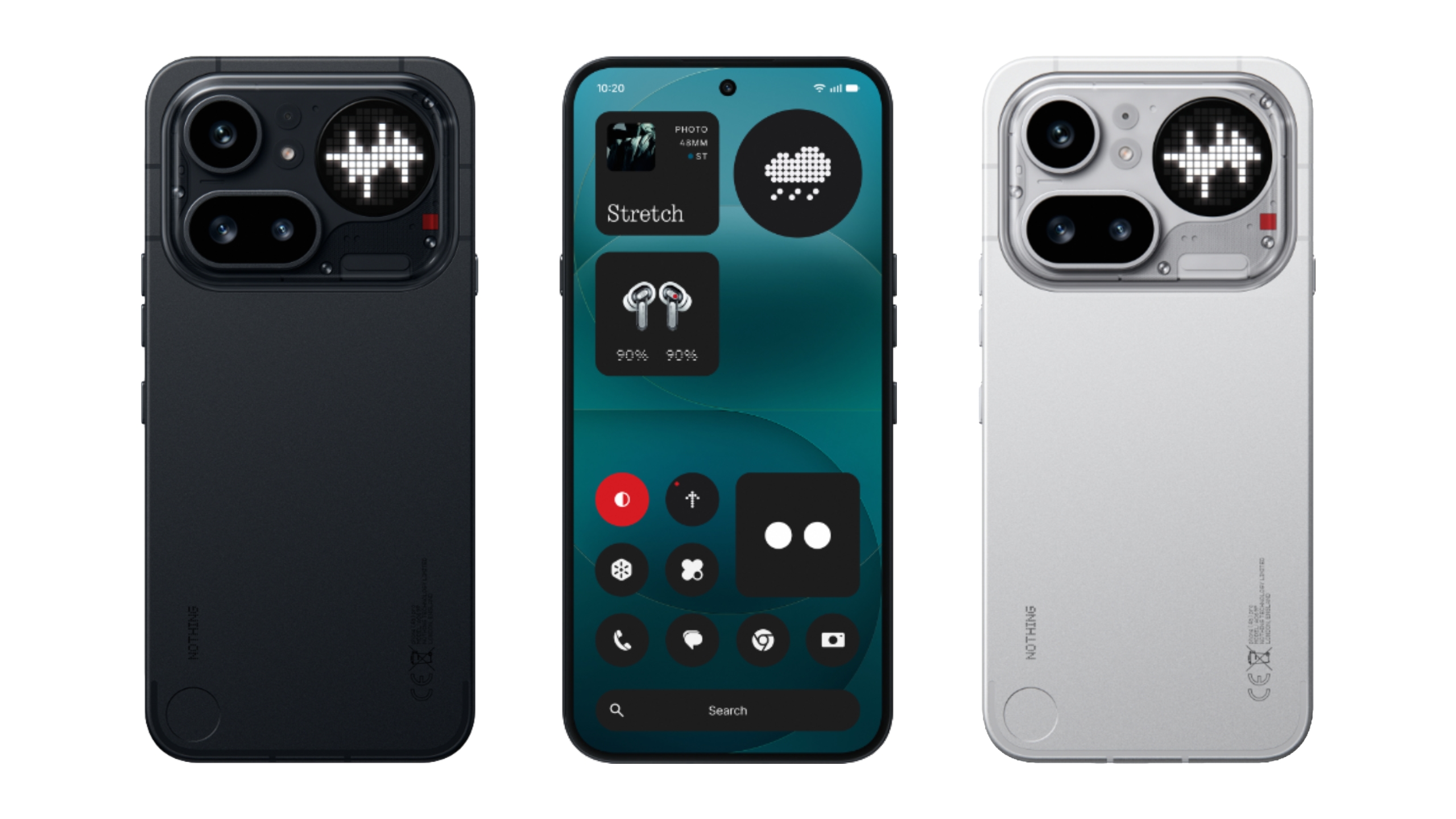
Nothing has announced its latest premium midrange device, the Phone 4a Pro. The company says it's the thinnest full-metal phone on the market, measuring in at 7.95mm. It also looks notably different from the prior A-series phones – and pretty much any of the company's phones to date.
It features an aluminum unibody while retaining Nothing’s retro-clear hardware design touches, with a clear, redesigned camera unit. Yes, the aggressively protruding circular camera unit of the Phone 3a Pro is gone, replaced with an oblong housing that houses the triple-camera array and a tweaked Glyph Matrix, similar to what debuted on last year’s Nothing Phone 3. It also feels incredibly premium – more so than even the company’s flagship phones.
Despite that, Nothing seems to be strikeinga balance between affordability and wow factor with the Phone 4a Pro. It has a slightly higher price tag ($499) than the 4a and alongside a major hardware redesign, a lot of the improvements here make this phone feel “pro” compared to its smaller sibling. This new premium vibe comes at a cost of design excitement, though.
It also looks a little like another certain smartphone or two. Don’t call it a camera plateau.
Image by Mat Smith for Engadget
The Phone 4a Pro has its own take on the Glyph Matrix, composed of 137 mini-LEDs. That’s fewer LEDs than the Nothing Phone 3, but they are 100 percent brighter at around 3000 nits. It supports pretty much all the Glyph toys we enjoyed on last year’s Nothing flagship, although the 4a Pro lacks a dedicated Glyph Button, which is a shame. This means in order to hop between toys and modes, you’ll have to dig into Glyph settings inside the settings menu – not the existing Glyph menu – in order to flit between them. Honestly, may make me less likely to play around with the Glyph, but I’ll have to see after further testing. It’s a little odd when there’s a circular metal detail on the lower left corner that looks like it could have been a Glyph button. Ah well.
The Phone 4a Pro will land in three different colors: silver, black and pink. The pink hue is tastefully subtle. So subtle, in fact, that you'd think it was the silver option. I like the black version.
The gigantic camera unit seen on the Phone 3a Pro is no more.
Image by Mat Smith for Engadget
The Phone 4a Pro has a slightly bigger screen than both its predecessor and the 4a, but the real news isn’t just the extra fraction of an inch. The 6.83-inch display can now reach 144Hz refresh rates, while it can also top out at 5,000 nits of brightness with HDR content. That makes it up to 66 percent brighter than its predecessor, and it was noticeably easier to read in Nothing’s harsh spotlights and daylight.
Nothing has further refined the cameras, and the 4a Pro uses the same telephoto sensor as the flagship Phone 3. That’s paired with a new 50-megapixel Sony LYT-700C camera sensor that’s 24 percent bigger than the 50MP sensor inside the 3a Pro. It’s also faster at auto-focus than its predecessor, and seems to more easily lock onto subjects without having to tap on what you want in focus.
There’s also a new triple 12-bit Image Signal Processor (ISP), which enables up to 140x ultra zoom, like we’ve seen on Galaxy phones for the last few years. Don’t expect to be blown away by those zoom extremes: it seems to work well on the easy-to-guess structures of buildings and patterns, but a 70x zoom range and higher aren't settings I'm going to lean into much.
I haven’t had time yet to fully scrutinize the 4a Pro’s camera, but there’s a lot of feature parity with pricier phones. It can capture super-slow 120fps video at full HD, while Action Mode is built directly into the camera app to shoot up to 30 Ultra XDR images in a row. Codeveloped with Google, Ultra XDR images are high-dynamic-range images that capture 13 RAW frames at different exposures and combine them into a single image. In practice, this should offer another way to pull usable shots from challenging low-light or harsh-light environments.
Power users may also like new presets, alongside Nothing’s own collection of camera filters. There are seven new editing options, letting you tweak (and save) contrast levels or even apply a vignette effect. I’m a fan of the built-in presets, but it’s nice to have access to the same camera settings to make and save my own B&W filter.
Nothing says you can expect 30 percent improved graphics performance and 27 percent faster CPU speeds, with “flagship” LPDDR5X memory, which makes it 100 percent faster than last year’s 3a Pro. Improvements to the chipset and memory speed weren’t immediately noticeable during my time seeing the device.
Image by Mat Smith for Engadget
Nothing continues to refine its own OS skin, but it’s still a refreshing, different take on the Android interface you’re used to. And if you’re not a fan, you can turn it back to a more stock look. Based on user feedback, there are new size options for the home screen widgets and a new custom lock screen. It may be due to the more powerful processor, but both the 4a Pro and the base 4a seem to have smoother animation flourishes when opening and switching between apps or swiping across content.
New AI software includes a formal launch of Essential Search, able to scour the entire device for information, images, documents, apps and more. The 4a series include the first Nothing devices to include cloud access for the still useful Essential Space app, housing your voice notes, screengrabs, text notes, and more. This means, hopefully, I can transition everything across from my Nothing Phone 3. (Or even between the Phone 4a and 4a Pro.)
Image by Mat Smith for Engadget
It’s a different look for Nothing, and the 4a Pro’s price (and timing) will pit it against both the Pixel 10a (priced the same) and base flagship devices from Samsung. The Phone 4a series pre-orders are open now at nothing.tech and other retailers, with sales of the Phone 4a Pro starting March 27. Expect our full review in the coming weeks.
This article originally appeared on Engadget at https://www.engadget.com/mobile/smartphones/nothing-phone-4a-pro-hands-on-price-launch-date-123053485.html?src=rss
While music streaming apps like Bandcamp, Spotify and Deezer have taken steps to inform users about AI-generated content, we haven't heard much out of Apple Music in that regard. However, Apple Music has now introduced "Transparency Tags" designed to show listeners if any elements were generated in whole or part by AI. The catch is that Apple is leaving it up to labels and distributors to create those tags, according to an Apple newsletter to industry partners seen by Music Business Worldwide..
"Proper tagging of content is the first step in giving the music industry the data and tools needed to develop thoughtful policies around AI, and we believe labels and distributors must take an active role in reporting when the content they deliver is created using AI," Apple wrote, calling it a concrete first step toward transparency around artificial intelligence.
Streaming platforms already use metadata tags for things like song and album titles, genre and the name of the artist. The new tags will now identify any artwork, tracks, compositions and music videos created in whole or in part by AI.
However, Apple's new system requires labels and distributors to opt in and manually flag their use of AI, a system that's similar to what Spotify is doing. On top of that, Apple has no apparent enforcement mechanism for AI content.
By contrast, other music platforms including Deezer and Bandcamp are using in-house AI-detection tools to flag content whether the distributor opts in or not. Deezer disclosed in January 2026 that it receives over 60,000 fully AI-generated tracks every day, double the number it saw in September 2025. Synthetic content, also called "AI slop," has accounted for 13.4 million tracks on its platform, Deezer added.
This article originally appeared on Engadget at https://www.engadget.com/entertainment/music/apple-music-can-now-flag-ai-content-but-only-if-distributors-elect-to-label-it-121521873.html?src=rss
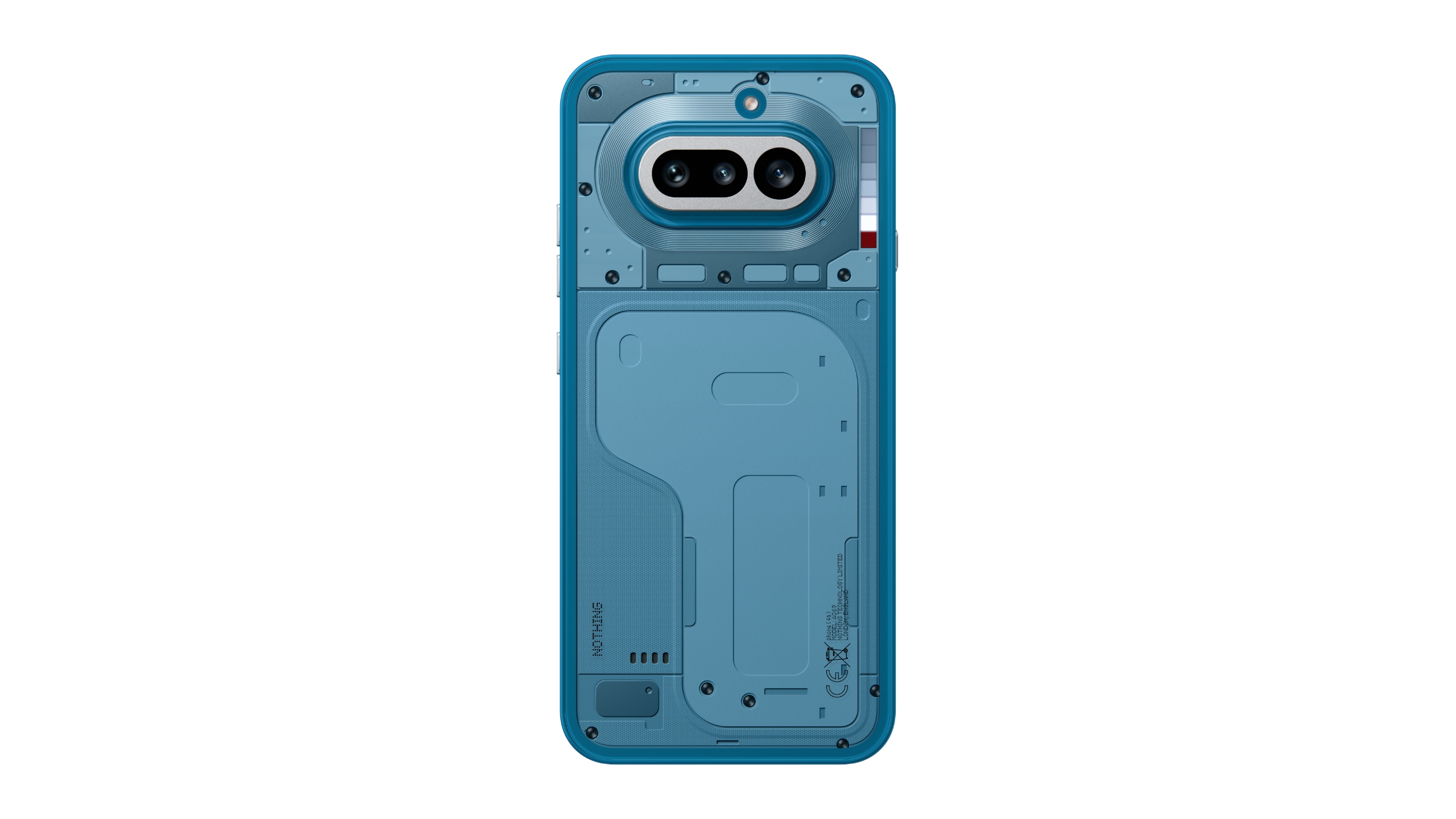
Nothing is back with two new smartphones, the entry-level Phone 4a and the mid-range Phone 4a Pro. With the base 4a in particular, there’s no shortage of substantial hardware upgrades since the 3a, even if the design doesn’t quite stand out as much. This year, that’s apparently the role of the Nothing Phone 4a Pro. That said, the base 4a’s two new color options (blue and pink) are gorgeous additions to the usual monochrome duo of white and black.
There have been many upgrades since 2025’s Phone 3a. It comes with IP64 dust and water resistance, and is also physically tougher: Nothing says it has increased bend resistance by 34 percent, but I always considered all of the company’s phones pretty solid. The display also gets Gorilla Glass 7i, something I’ve wanted to see Nothing improve on its cheapest phones. My Phone 2a’s screen got pretty messed up when I tussled with my keys a few years ago. The 6.78-inch display is also 23 percent brighter than its predecessor, reaching 1,600 nits during outdoor viewing.
The main upgrades are centered around the cameras, marking a major improvement over what the Phone 3a last year. A new tetraprism periscope telephoto camera extends to up to 3.5x optical zoom, further than the base Phone 3a.
Image by Mat Smith for Engadget
Nothing says the main camera, with a new Samsung GN9 50-megapixel sensor, captures up to 64 percent more light than similarly sized camera sensors. The company has also upgraded its computational photography and tone mapping, which help it deliver on a new 70x ultra zoom mode, which beefs up your images with AI smarts. While it’s unlikely to be a regular feature for me, it’s still an option. It works well with straight lines and architecture, but don’t expect faces and nuanced detail at 70x zoom. But hey, sometimes you want that up-close picture of an iconic landmark. Fortunately, you’ll get up to a 7x lossless zoom by combining the 3.5x optical zoom with sensor cropping, which works well.
I’ve been testing the Phone 4a for a few days – because I can’t get enough phones – and noticed that photo image quality is noticeably better compared to the Phone 3a. Images have less noise and more detail, with the Phone 4a being far more capable in poor lighting conditions.
Image by Mat Smith for Engadget
The Phone 4a has a 1.5K (1,224 × 2,720) display, up from the full HD display (1,920 × 1,080) on last generation’s phone. It supports up to 120Hz refresh rates and has a peak brightness of 4,500 nits for HDR content. That resolution boost means Nothing’s meticulously designed UI and icons look sharper and everything is easier to see when using the 4a in the bright spring sunlight.
Nothing says the new Snapdragon 7s Gen 4 processor offers 10 percent better power efficiency, but what will make the Phone 4a go the distance is more likely the 5,080mAh battery – the biggest yet in Nothing’s midrange phones. Even the storage has been upgraded, with 47 percent faster read and 380 percent faster write speeds. I almost immediately clocked the improvement while attempting some light video editing and installing a few games.
This year’s Glyph system has turned into a Glyph Bar. It’s made up of 63 mini-LEDs in seven square lights in a row. These top out at 3500 nits, which is 40 percent brighter than the Phone 3a’s Glyph Interface. Over the years, I go through waves of loving Nothing’s take on notifications through to forgetting they’re there. Nothing is gradually adding more utility each year, and it’ll double as a notification tracker for a few select apps, like Uber, indicating how far away your ride is. The Glyph Bar can apparently double up as a fill light, although I couldn’t get that to work on my pre-release sample. I’ll update this story when I can test it out. Likewise, Nothing’s Playground of fan-made widgets and mini-apps isn’t entirely compatible with the 4a — at least not yet.
Image by Mat Smith for Engadget
The Nothing Phone 4a is an upgrade over its predecessor in every way – and the improvements are tangible, and I noticed them almost immediately – something that can be challenging with other phone refreshes. The display is crisper, as are the photos and video it can capture.
Like previous Nothing phones, despite the “global launch,” this phone won’t be headed to the US. However, in the UK, starting at £349 (roughly $467), it’s only marginally more expensive than its predecessor and you get a lot more bang for your buck. It’s also a good chunk of change cheaper than the $500 Pixel 10a. For those looking for an eye-catching, capable phone at a similar price, the Phone 4a’s biggest competition may be its bigger brother, the $499 Phone 4a Pro. Expect our hands-on for Nothing’s other phone very soon. The Phone 4a is open for preorders now at nothing.tech, going on sale starting March 13 next week.
This article originally appeared on Engadget at https://www.engadget.com/mobile/smartphones/nothing-phone-4a-hands-on-price-launch-date-111533547.html?src=rss
Nothing just revealed a new pair of over-ear headphones as a relatively budget-friendly alternative to the pre-existing Headphone 1. The Headphone (a) earphones feature a similar design language to the company's previous cans, but with more color. As a matter of fact, these will be available in four colors, including yellow, pink, white and black.
Perhaps the most notable feature here, however, is the battery life. Nothing says these headphones will last over five days on a single charge. That's not five days of regular use, working out to several hours each day or whatever. It claims 135 hours of life per charge. As a comparison, Sony's WH-CH520 headphones, which are praised for great battery life, last around 50 hours.
Nothing
Nothing boasts that the headphones can get five hours of juice from just five minutes at the outlet. They are also on the lighter side, at 310 grams, with breathable memory foam cushions that promise a "tailored, snug fit and all-day comfort for every user."
This new model includes the same tactile controls of the Headphone 1, with buttons, paddles and a roller. This offers a more sensitive way to adjust the volume and skip tracks. A button even lets users swap through different streaming and podcast apps without having to break out the phone. This button can be programmed to do other stuff like snap a photo or start a video
Nothing
Beyond that, the Headphone (a) includes adaptive ANC that makes adjustments depending on ambient noise. This is further assisted by three microphones that monitor for external sounds. They can also approximate spatial audio and integrate with the Nothing X app, which features an equalizer and other goodies.
We don't yet know how these things sound, which is pretty important, but we also don't have long to wait. Preorders are open right now, with shipments going out on March 13 for most colorways. The yellow model doesn't ship until April. They cost $200, which is much cheaper than the $300 price tag accompanying the Headphone 1.
This article originally appeared on Engadget at https://www.engadget.com/audio/headphones/nothings-new-over-ear-headphones-can-pump-out-the-jams-for-five-days-on-a-single-charge-111515728.html?src=rss
Back in January, Nothing shared that it wouldn't be releasing its flagship Nothing Phone 4 in 2026, and instead focusing on follow-ups to its midrange Phone 3a and Phone 3a Pro. After some expected teasing, those sequels have arrived: the Phone 4a Pro and Phone 4a. And like Nothing's previous devices, they seem like meaningful departures from what the company has tried in the past.
The Nothing 4a Pro represents the biggest change. Gone is the translucent back meant to offer a pseudo-glimpse into the internals of the phone, and in its place is a metal unibody design in black, silver or pink, and Nothing's Glyph Matrix interface, now even larger and brighter than it was on the Phone 3. Nothing describes the Phone 4a Pro as its slimmest phone ever, and on some level its reminiscent of the iPhone 17 Pro, but the changes in design and materials also support improvements to durability (the phone is rated for IP65 water resistance) and cooling.
Nothing
In terms of components, the Phone 4a Pro includes a 6.83-inch AMOLED display with 144Hz refresh rate, and a peak brightness of 5000 nits, and a 5,080mAh battery Nothing says should offer up to 17 hours of use. Like the Phone 3a Pro, the phone also includes four cameras, in this case a 50-megapixel wide lens, a 32-megapixel selfie camera, an ultra-wide and 50-megapixel periscope telephoto lens that's capable of 140x zoom, twice as much as the Phone 4a. While the phone doesn't include Qualcomm's flagship Snapdragon 8 Elite Gen 5 chip, Nothing opted to use the Snapdragon 7s Gen 4, which isn't as powerful, but should be capable of running Nothing's growing list of AI-powered features.
The Nothing Phone 4a was more heavily teased leading up to today's announcement, but still includes plenty of nice upgrades over the Phone 3a. The midrange smartphone evolves Nothing's trademark translucent design with new colors (white, pink, black and blue), IP64 dust and water resistance and an updated "Glyph Bar" that's brighter and now runs in a straight line next to the 4a's cameras. The Phone 4a has four cameras, a 50-megapixel wide that takes in 64 percent more light, a 32-megapixel selfie camera, an ultra-wide and a new 50-megapixel tetraprism periscope telephoto lens that's capable of a 3.5x optical zoom, 7x lossless zoom and up to a 70x ultra zoom.
Nothing
Like its more premium sibling, the Phone 4a includes an AMOLED display, though in a smaller 6.78-inch size, with a 120Hz refresh rate and a peak brightness of 4,500 nits. The display is covered with Gorilla Glass 7i, which is supposed to be twice as scratch-resistant as the previous generation, and even better for placing the phone face down. Internally, the Pro's Snapdragon 7s Gen 4 chip and 5,080mAh battery also make the jump to the cheaper phone.
Nothing says both phones will ship with Nothing OS 4.1, which includes Essential Search for looking up information across apps, personalized results based on your saved "Memories" in Essential Space and Nothing Playground, an app for using AI to create custom widgets. Nothing OS 4.1 is based on Android 16, and Nothing says Phone 4a and Phone 4a Pro owners are guaranteed three years of Android updates and six years of security patches.
Global pre-orders for the Phone 4a begin today, and the phone is available in three different configurations depending on your region and the amount of RAM and storage you want. The Phone 4a starts at €349 for 8GB and 12GB and can cost as much as €429 for 12GB of RAM and 256GB of storage.
While the Phone 4a Pro will be available globally, the fancier of Nothing’s two new phones is the only one coming to the US. The Phone 4a Pro will be available to pre-order starting March 13, and will either cost $499 for 8GB of RAM and 128GB of storage or $599 for 12GB of RAM and 256GB of storage.
This article originally appeared on Engadget at https://www.engadget.com/mobile/smartphones/nothings-phone-4a-pro-picks-up-flagship-features-and-an-even-brighter-display-for-499-111500926.html?src=rss