Local AI Notebook Setup : Build Code, Chat & OCR Images Offline

Local AI Notebook Setup : Build Code, Chat & OCR Images Offline

What if your laptop could handle innovative AI tasks without ever needing an internet connection? All About AI takes a closer look at how the AMD Ryzen AI Pro chip, paired with a staggering 128GB of RAM, is making this a reality in 2026. Imagine running advanced language models, generating Python code, or analyzing images, […]

The post Local AI Notebook Setup : Build Code, Chat & OCR Images Offline appeared first on Geeky Gadgets.

Posted in Uncategorized

This Sofa Looks Like Stone Boulders But Feels Like Clouds

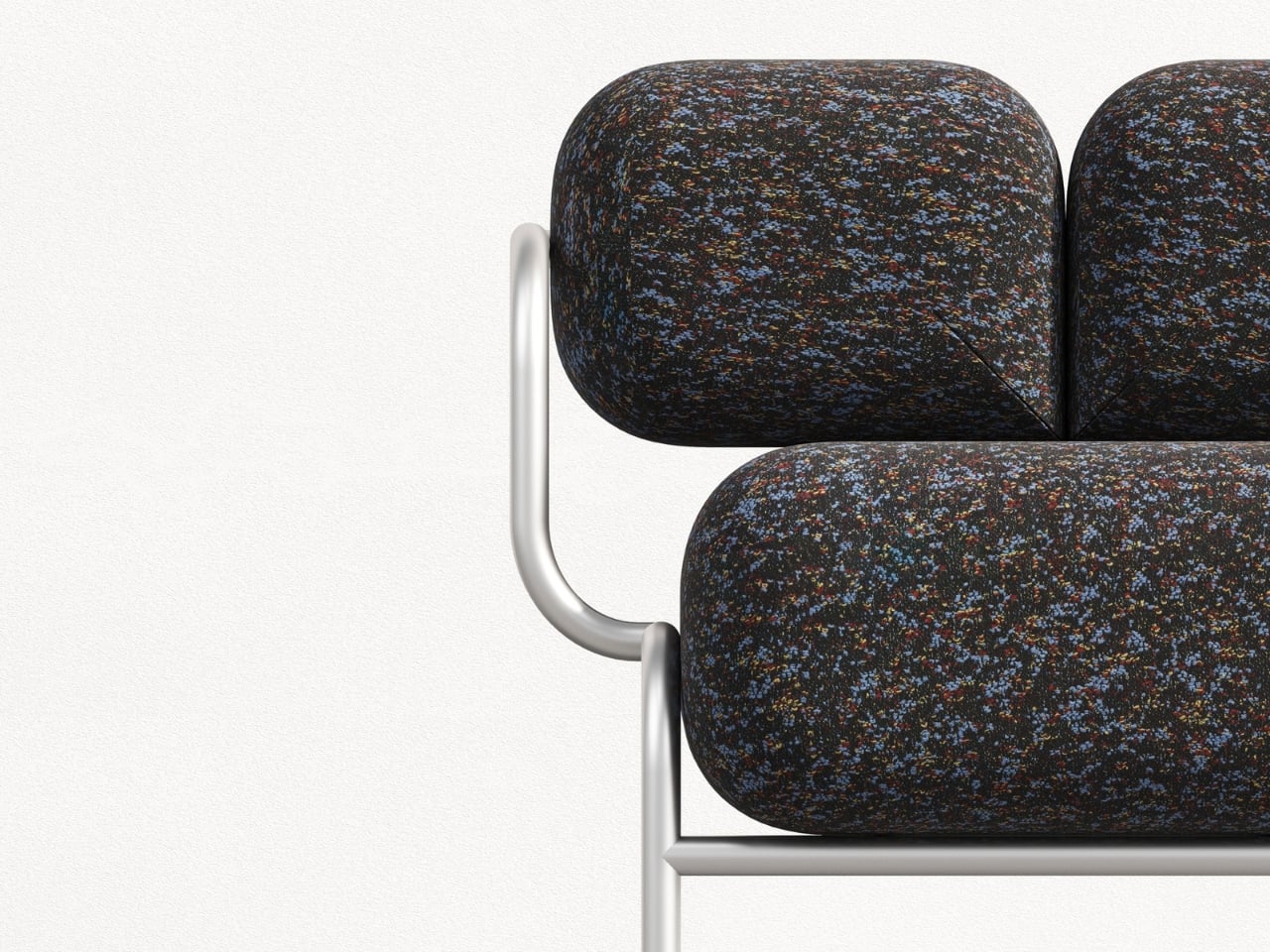
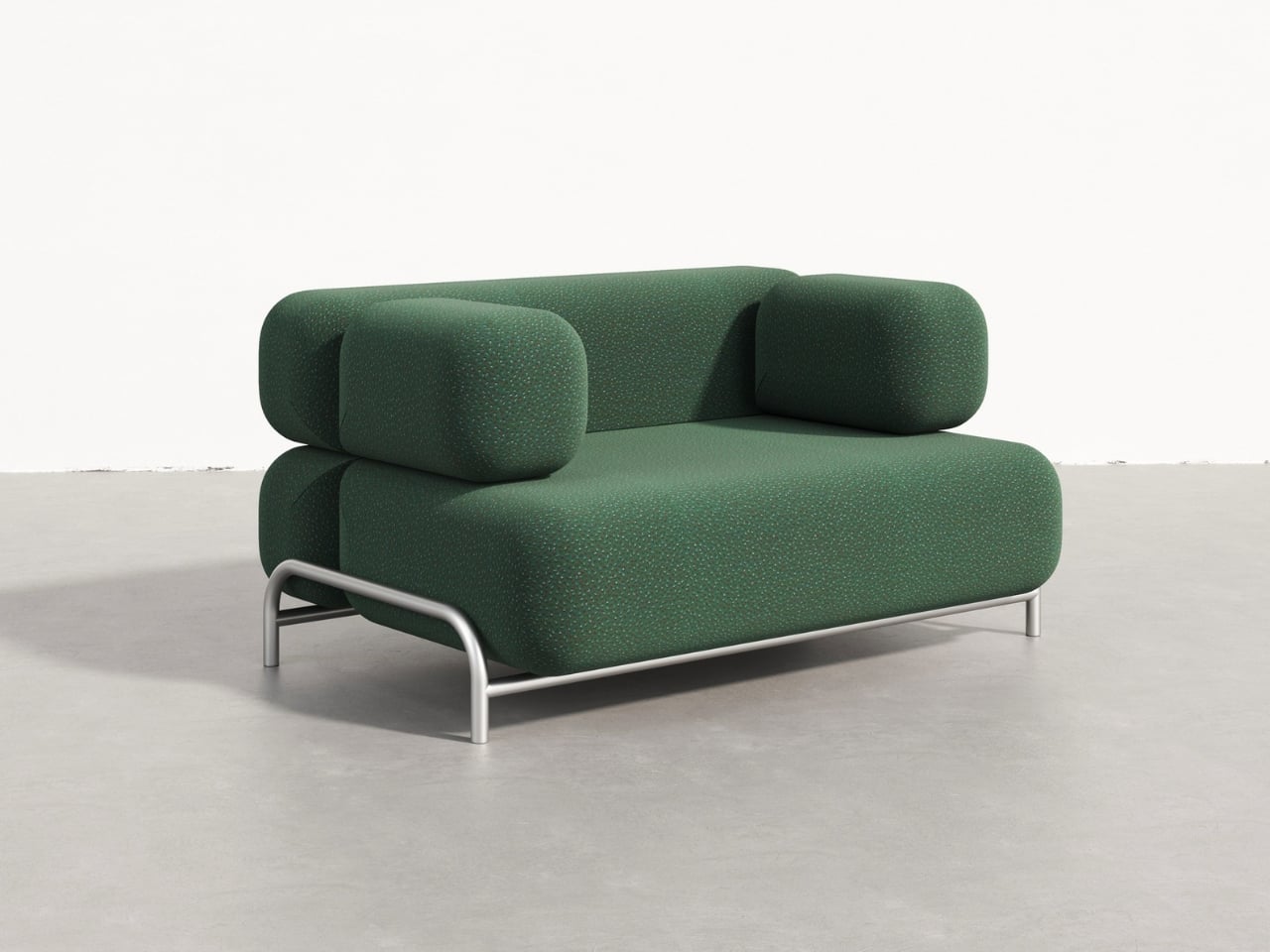
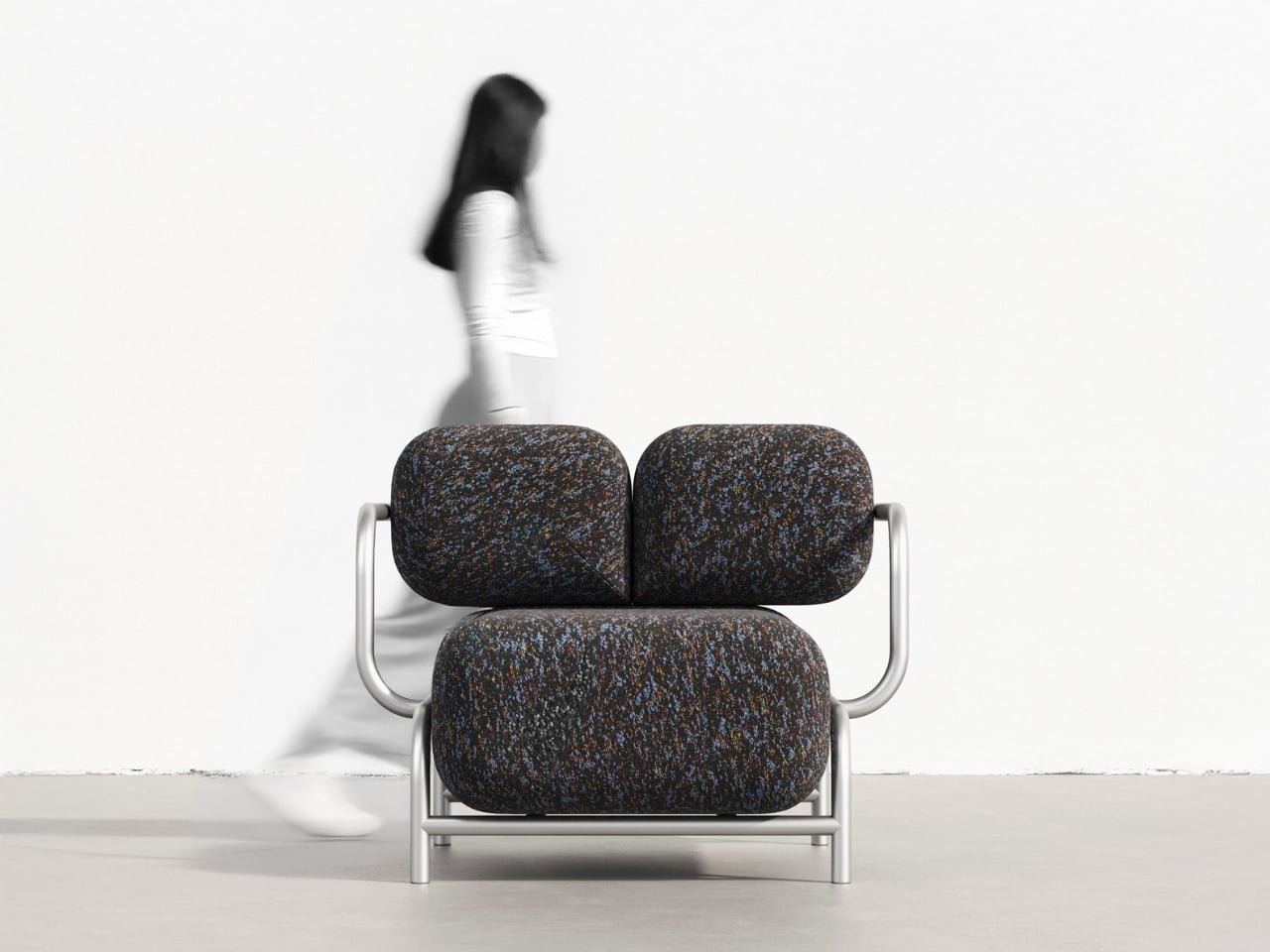
There’s something beautifully contradictory about furniture that looks hard as stone but promises cloud-like comfort. That’s exactly what Mudu Studio has achieved with the Rokko Sofa, a design concept that takes inspiration from massive geological formations and transforms them into something you’d actually want to sink into after a long day.

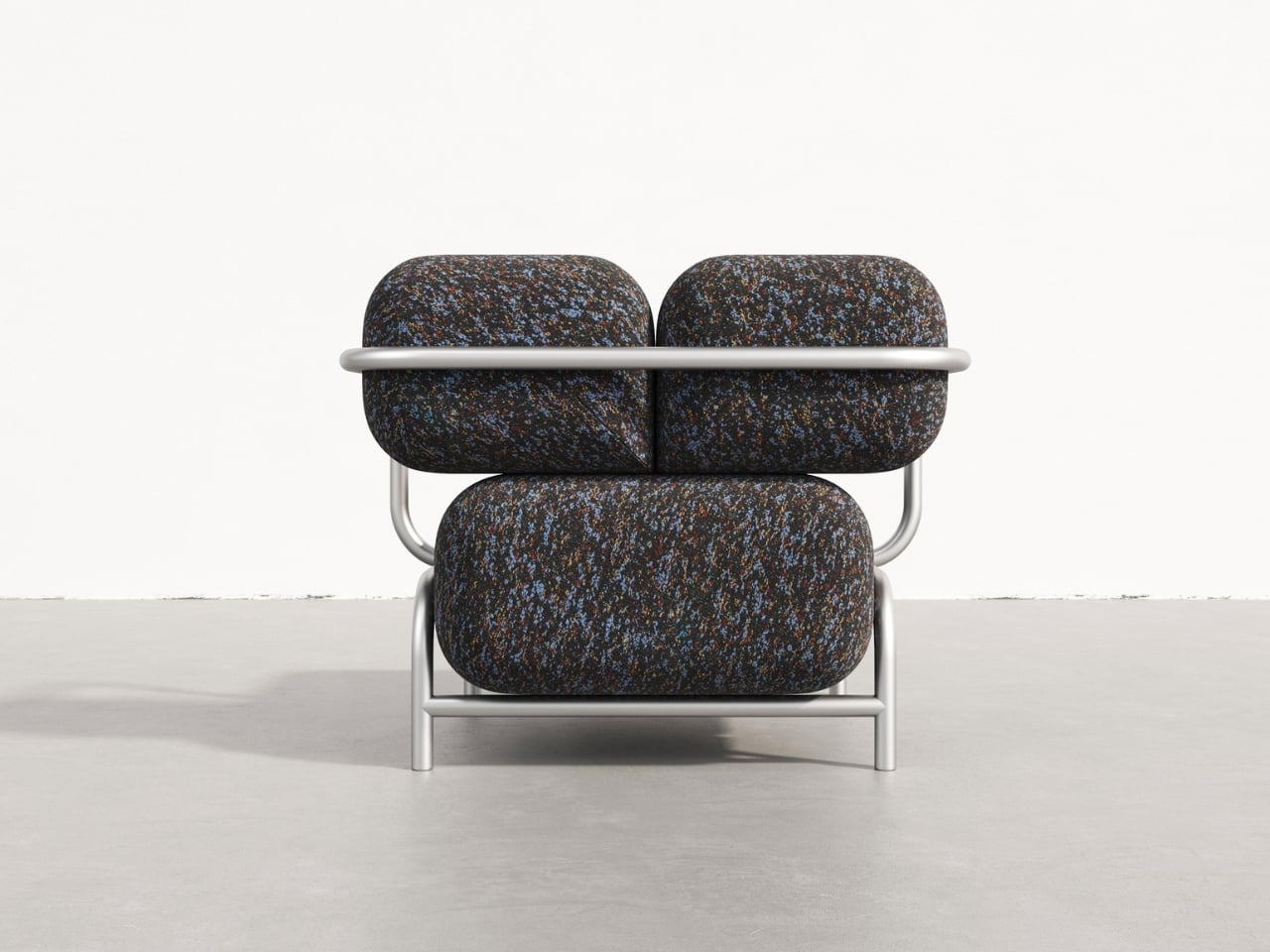
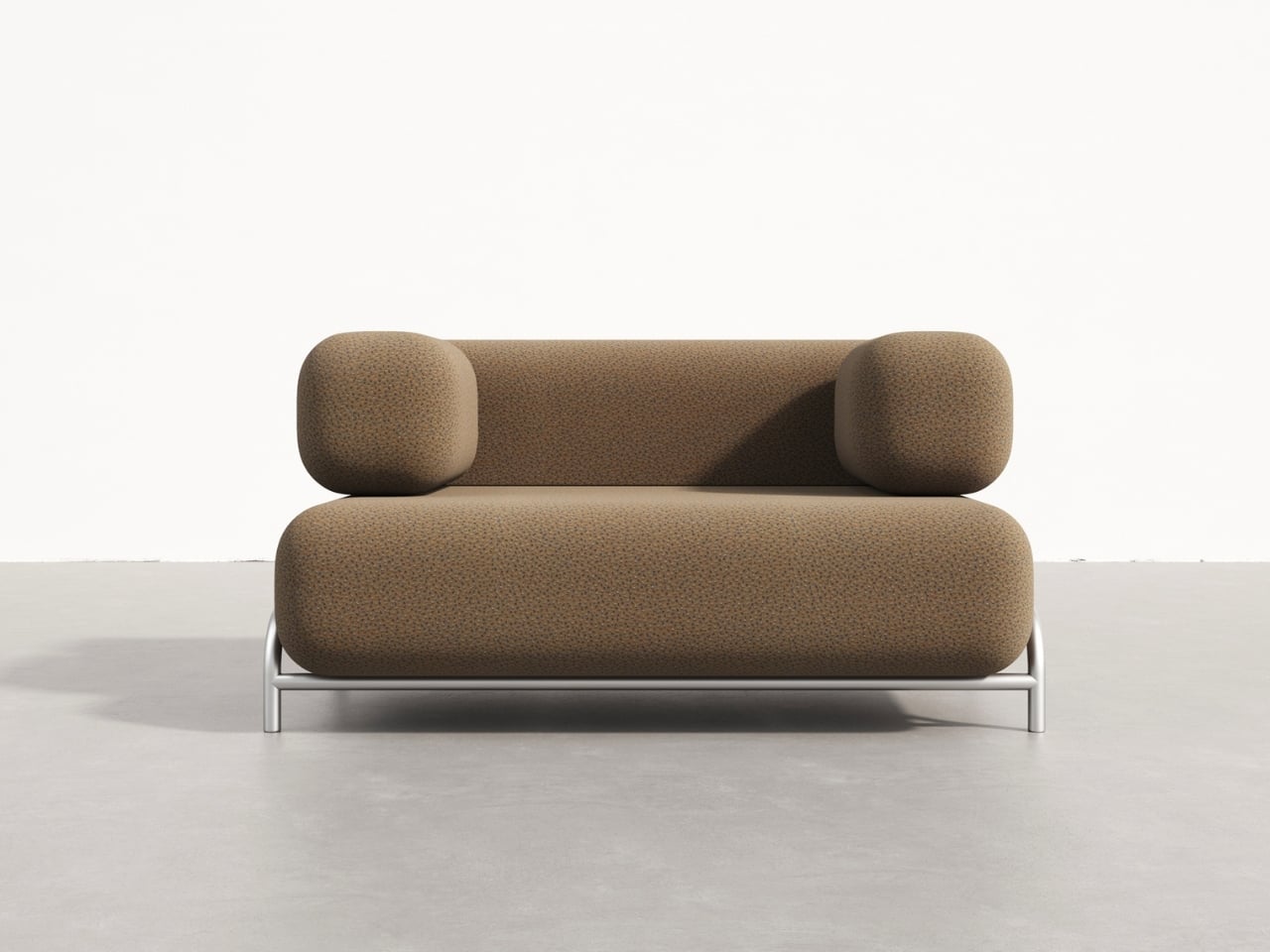
Look at the Rokko series and you’ll immediately see the resemblance to smooth river stones or ancient boulders shaped by centuries of wind and water. But instead of cold, unyielding rock, these sculptural forms are generously upholstered cushions that capture the visual weight and monumentality of stone while offering the kind of comfort that makes you want to stay put for hours. The genius here is in that tension between appearance and reality, between what looks solid and immovable and what actually cradles your body.

Designer: Mudu Studio

The design plays with scale in an interesting way. These aren’t your typical sleek, minimalist cushions. They’re voluminous and bold, each one reading as a distinct sculptural element. Yet despite their substantial presence, the pieces don’t feel heavy or overwhelming in a space. That’s largely thanks to the contrast Mudu Studio creates with the base structure.

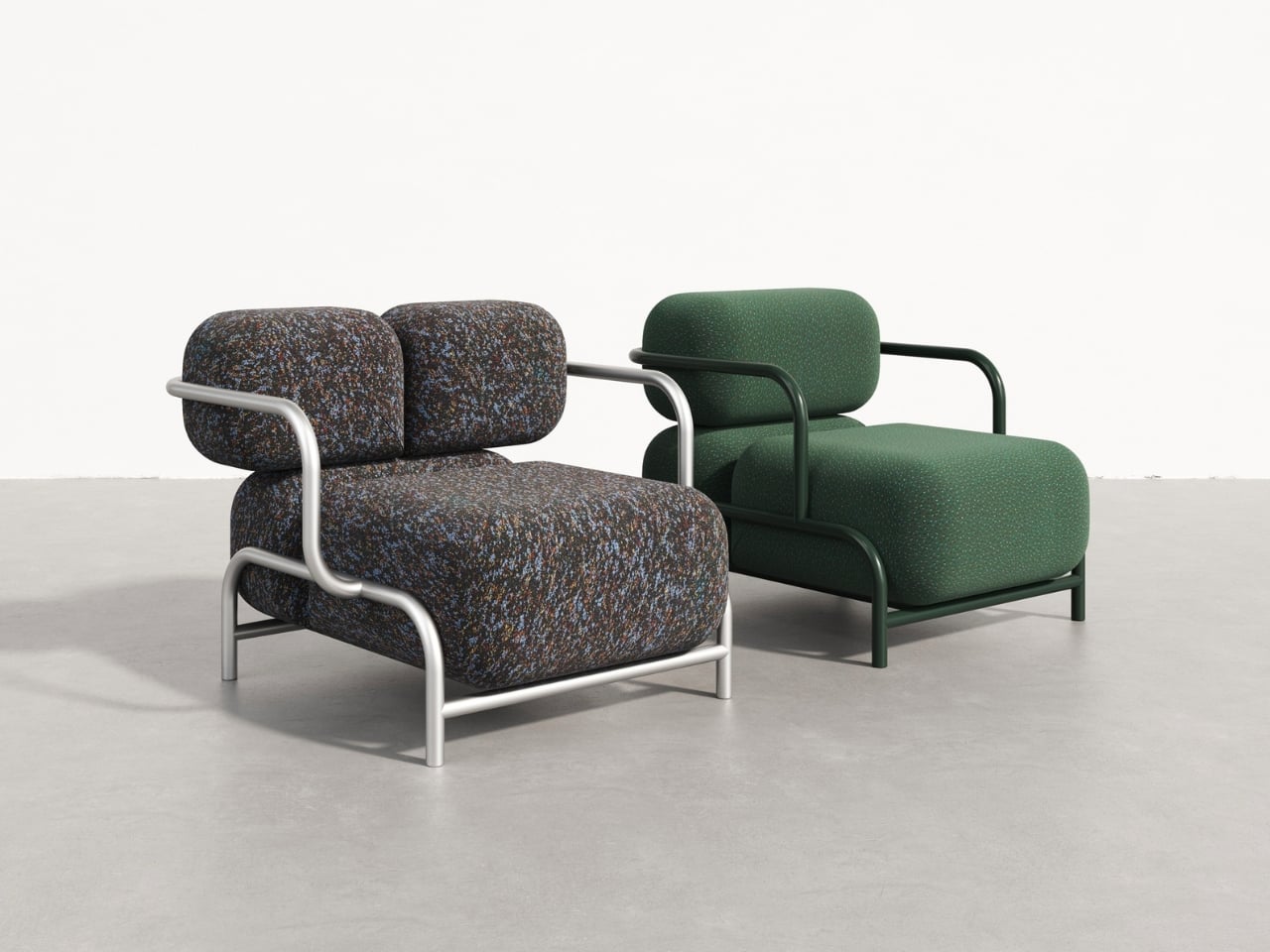
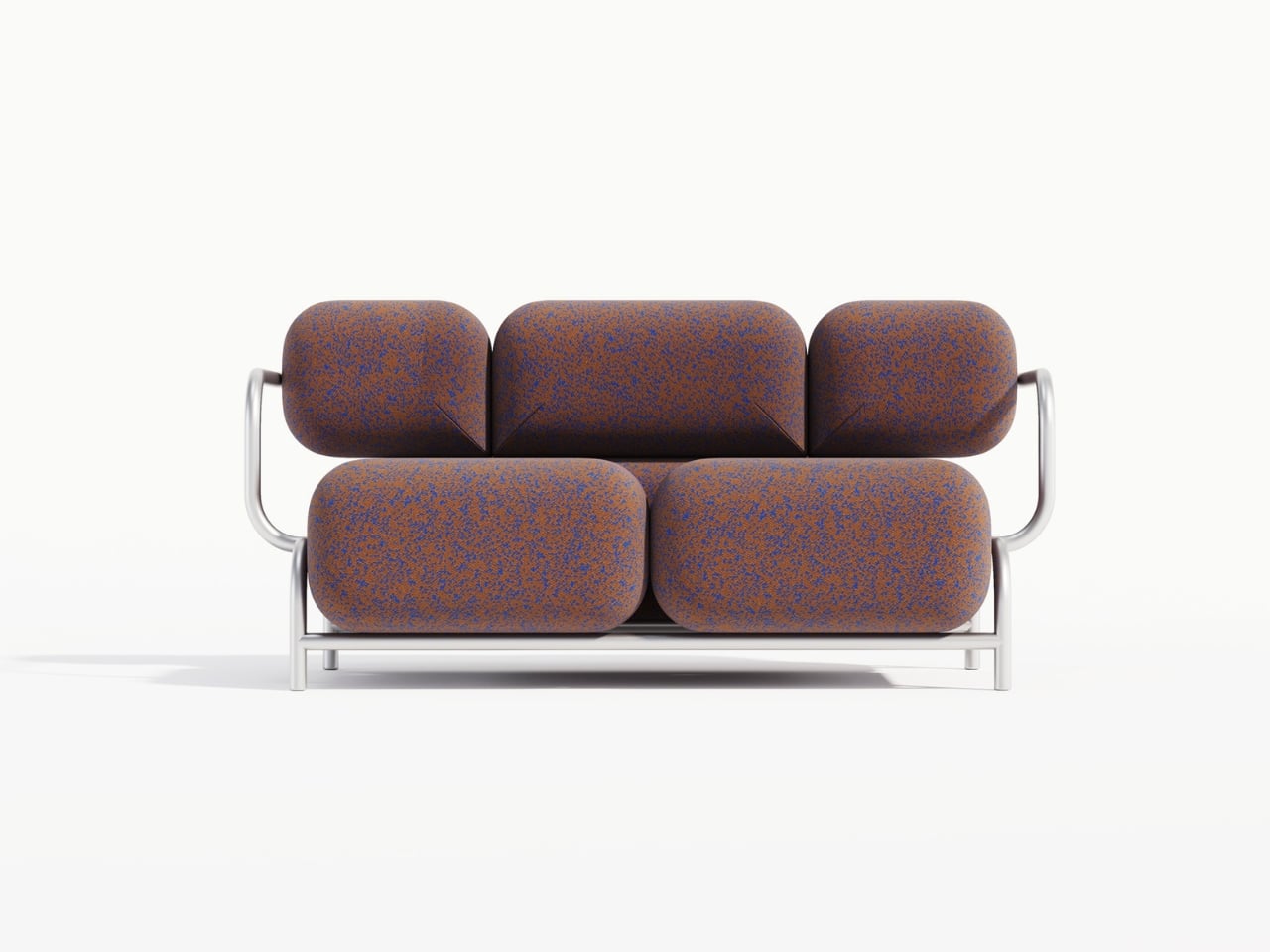
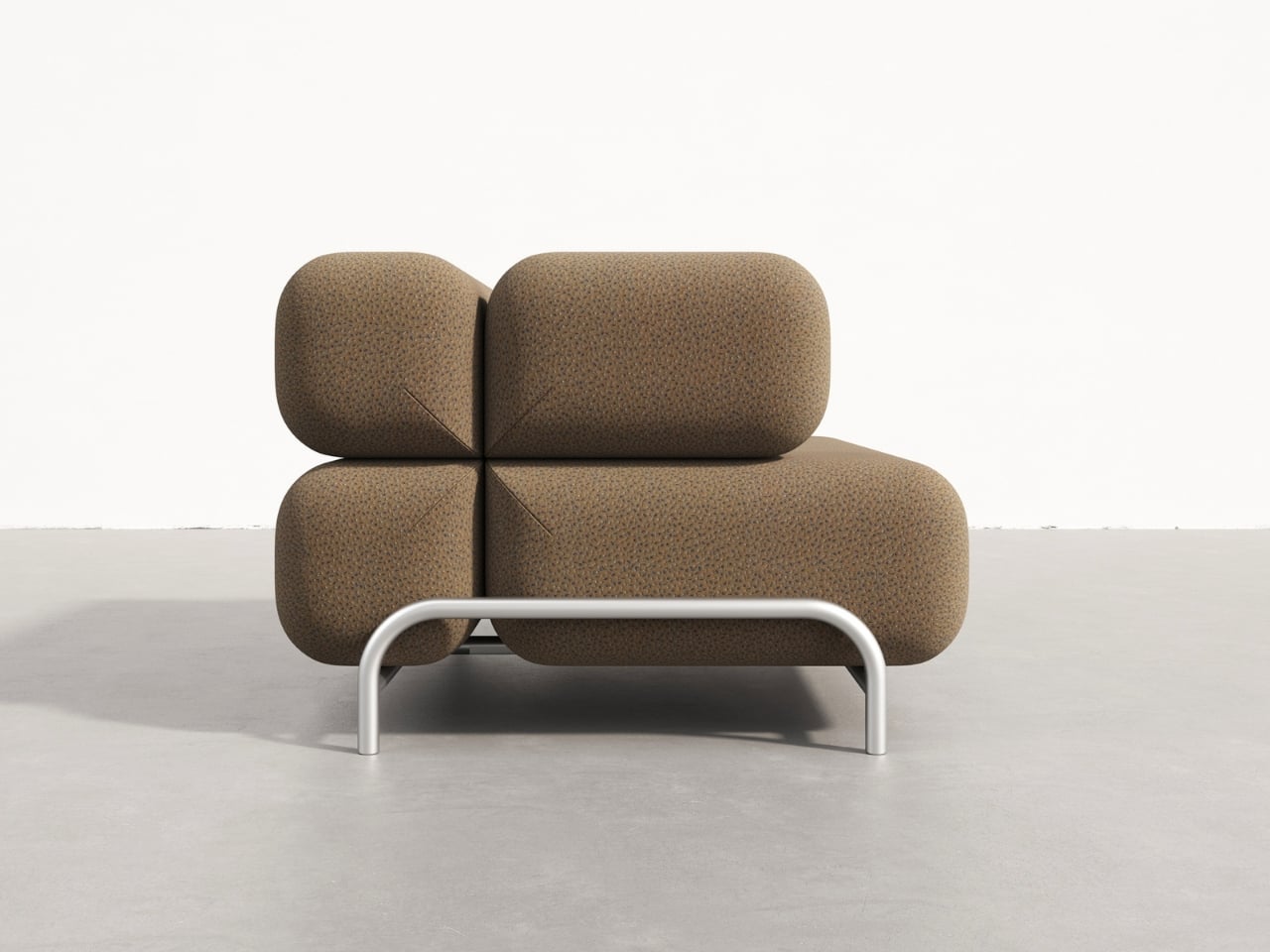
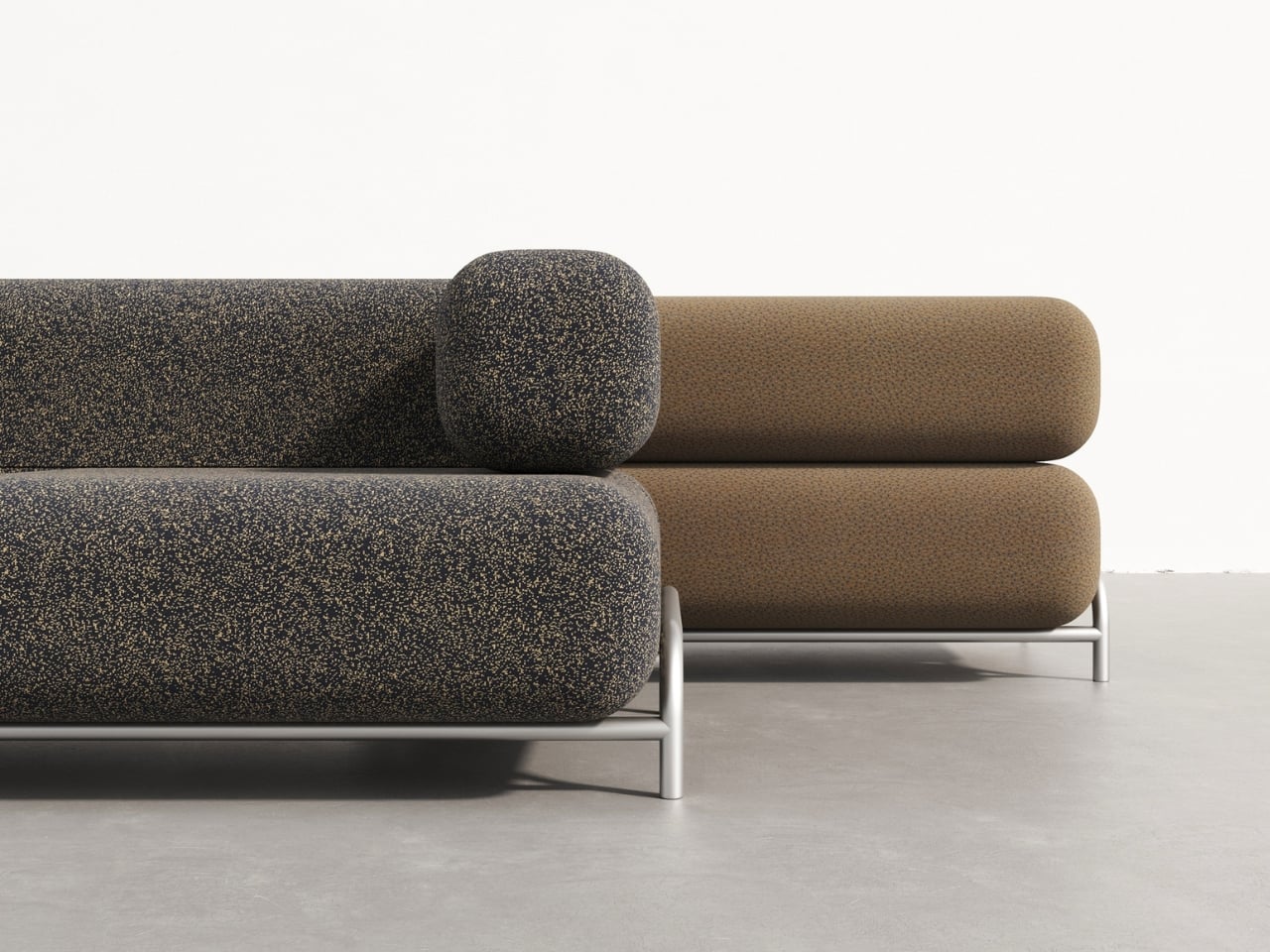
The frame options are where things get really interesting. The main collection features processed aluminum bases that are remarkably slender and airy. It’s almost like the massive cushions are floating, held aloft by these delicate metal structures. The visual lightness of the aluminum creates this wonderful illusion of defying gravity. You’ve got these boulder-sized forms that appear to hover just above the ground, supported by what looks like nothing more than bent wire (though obviously it’s engineered to be far sturdier than that).

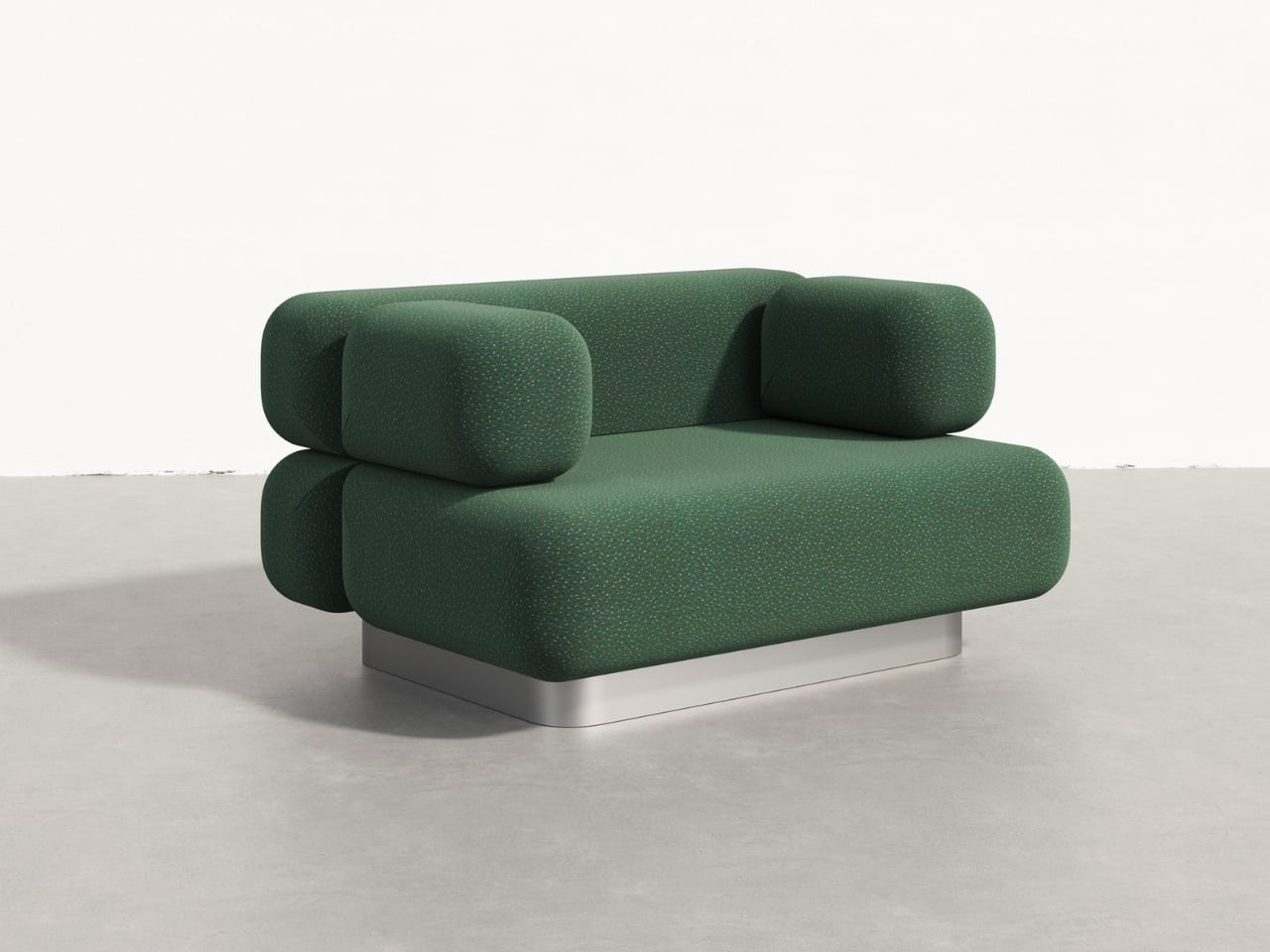
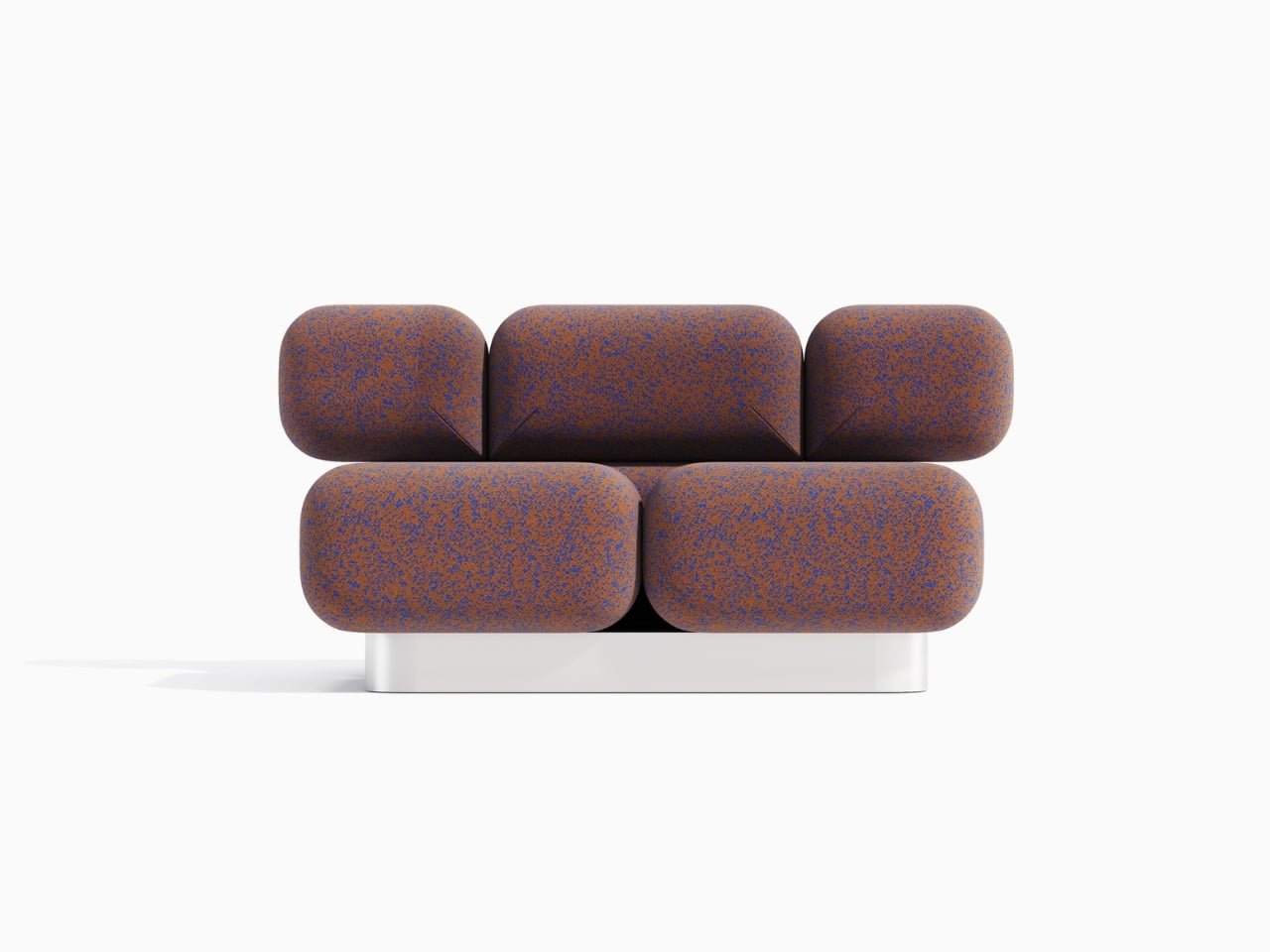
For those who prefer a different aesthetic, there’s an alternative version with a podium base wrapped in stainless steel. This option grounds the piece more firmly, adding a sense of refined solidity that complements the cushions in a different way. Instead of floating stones, you get something more architecturally grounded, like sculptures placed on pedestals in a gallery.

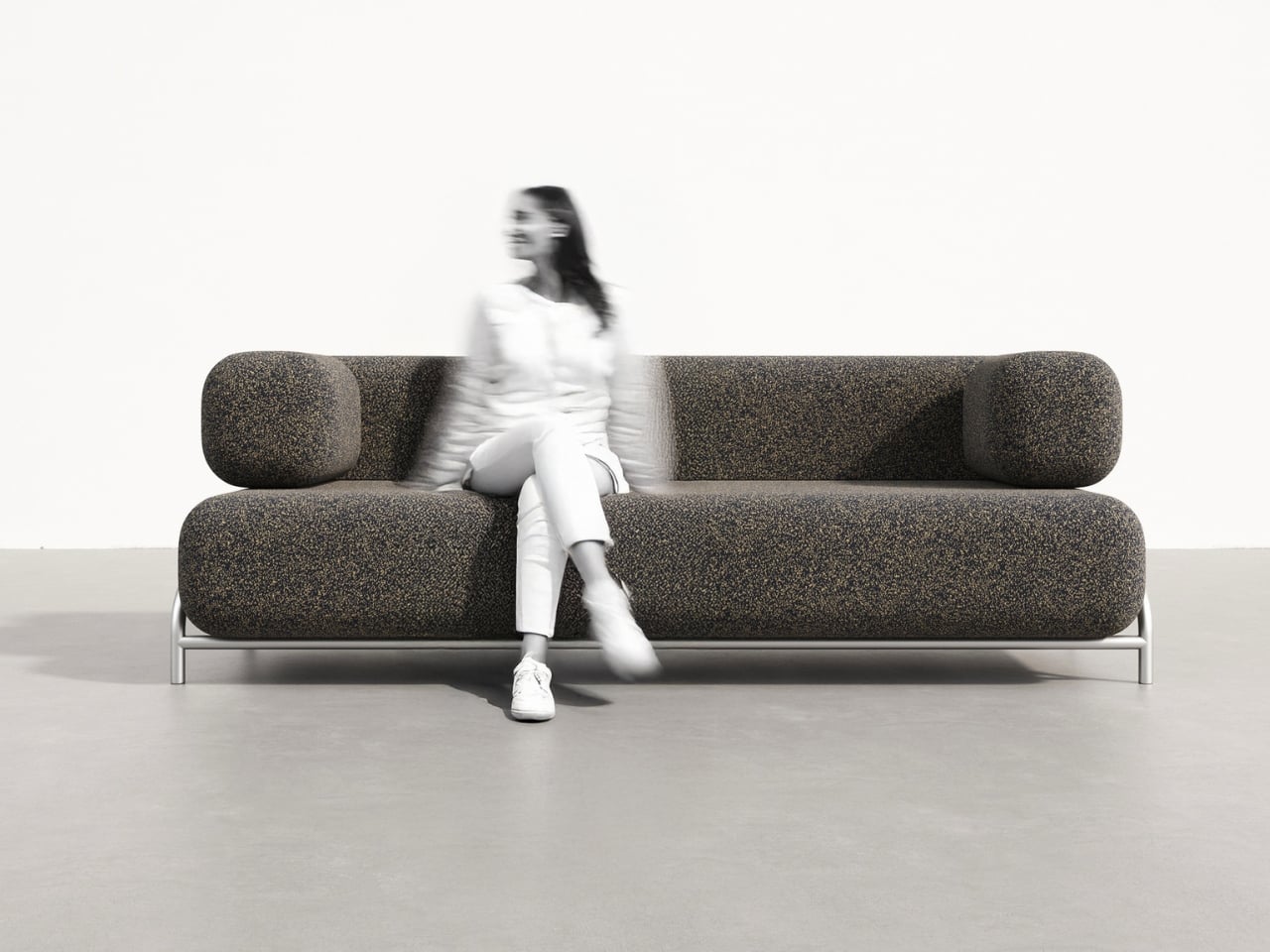
The modularity of the system is another smart move. From the images, you can see everything from compact single-seaters to generous three-seater configurations. Some versions include wraparound armrests that echo the cushions’ rounded forms, while others keep things more open and flexible. The textiles shown range from earthy, tweedy textures that emphasize the geological inspiration to rich solid colors that take the design in a more contemporary direction.

What makes the Rokko particularly relevant right now is how it bridges multiple design movements. There’s definitely some postmodern playfulness in the exaggerated forms and the way different materials and aesthetics collide. But there’s also a nod to biophilic design, that growing interest in bringing natural forms and textures into our interiors. And the modular, configurable nature speaks to contemporary needs for flexible, adaptable furniture that can evolve with how we actually use our spaces.

The fabric choices visible in the renderings are particularly thoughtful. Those speckled, textured options genuinely evoke stone surfaces without being literal about it. They give the cushions visual depth and interest up close while reading as solid, substantial forms from a distance. It’s the kind of detail that elevates a concept from clever idea to genuinely covetable piece.

Right now, the Rokko exists as a concept looking for a manufacturer, which means these gorgeous renderings represent potential rather than reality. But that’s often how the most interesting furniture begins. Designers push boundaries with bold ideas, and the right manufacturing partner helps figure out how to translate vision into something people can actually purchase and live with.

For anyone who appreciates furniture that makes a statement without shouting, that brings sculptural presence without sacrificing comfort, the Rokko Sofa is definitely one to watch. It’s the kind of design that could easily become an icon if it finds its way to production. Those cushions that look like they were carved by ancient forces but actually cradle you in modern comfort? That’s the kind of paradox that makes design fascinating.

The post This Sofa Looks Like Stone Boulders But Feels Like Clouds first appeared on Yanko Design.

Samsung Galaxy S26 Ultra : A Gaming Changing Flagship?

Samsung Galaxy S26 Ultra : A Gaming Changing Flagship?

The Samsung Galaxy S26 Ultra leads Samsung’s 2026 smartphone lineup, offering a combination of incremental improvements and missed opportunities. While the Ultra model introduces some notable upgrades, the broader S26 series faces challenges in distinguishing itself within an increasingly competitive market. A closer examination of the S26 Ultra reveals its strengths, limitations, and its place […]

The post Samsung Galaxy S26 Ultra : A Gaming Changing Flagship? appeared first on Geeky Gadgets.

Posted in Uncategorized

OneXPlayer Super X Hands On First Look Review : 120 Hz AMOLED, 128 GB RAM & Wi-Fi 7

OneXPlayer Super X Hands On First Look Review : 120 Hz AMOLED, 128 GB RAM & Wi-Fi 7

What if your next gaming device could double as a productivity powerhouse, all while fitting comfortably in your bag? The OneXPlayer Super X aims to redefine what a portable device can do, boasting a stunning 14-inch AMOLED display, AMD Ryzen AI Max Plus 395 processor, and a host of customizable features. ETA Prime explains how […]

The post OneXPlayer Super X Hands On First Look Review : 120 Hz AMOLED, 128 GB RAM & Wi-Fi 7 appeared first on Geeky Gadgets.

Posted in Uncategorized

The New King of SUVs: BRABUS 900 Rocket Edition (W 465)

The New King of SUVs: BRABUS 900 Rocket Edition (W 465)

The BRABUS 900 Rocket Edition, based on the Mercedes-AMG G 63 (W 465) platform, represents a new pinnacle in the high-performance SUV segment. Limited to just 30 units worldwide, this exclusive model combines advanced engineering, meticulous craftsmanship, and bold design. It is tailored for individuals who demand a seamless blend of speed, luxury, and exclusivity, […]

The post The New King of SUVs: BRABUS 900 Rocket Edition (W 465) appeared first on Geeky Gadgets.

Posted in Uncategorized

NotebookLM : 7 Smart Ways to Speed up Your Work Daily

NotebookLM : 7 Smart Ways to Speed up Your Work Daily

What if you could take the chaos of endless research, content creation, and project planning and turn it into a seamless, intuitive process? Grace Leung explains how NotebookLM, Google’s innovative AI, is reshaping productivity by tackling these challenges head-on. Imagine synthesizing information from dozens of sources, generating polished outputs tailored to your needs, and even […]

The post NotebookLM : 7 Smart Ways to Speed up Your Work Daily appeared first on Geeky Gadgets.

Posted in Uncategorized

The best fitness trackers for 2026

If you're looking to get fit, sleep better or just keep a closer eye on your health, a fitness wearable is a great place to start. Whether you're into intense workouts or just want to hit your step goal each day, the best fitness trackers available today can offer loads of helpful features, from sleep tracking and resting heart rate monitoring to built-in GPS and stress tracking. Some are even subtle enough to wear 24/7, like smart rings, while others double as stylish smartwatches.

There are great options out there for beginners as well as more advanced users, and the variety of features means there’s something for every lifestyle and budget. In this guide, we’ll walk you through the best fitness trackers you can buy right now, and explain who each one is best suited for.

The answer seems simple: Fitness wearables are best at monitoring exercise, be it a 10-minute walk around the block or that half marathon you’ve been diligently training for. Obviously, smartwatches can help you reach your fitness goals too, but there are some areas where fitness bands and smart rings have proven to be the best buy: focus, design, better battery life, durability and price.

When I say “focus,” I’m alluding to the fact that fitness trackers are made to track activity well; anything else is extra. They often don’t have the bells and whistles that smartwatches do, which could distract from their advanced health tracking abilities — things like all-day resting heart rate monitoring, stress tracking, and even detailed sleep tracker insights. They also tend to have fewer sensors and internal components, which keeps them smaller and lighter. Fitness trackers are also a better option for those who just want a less conspicuous gadget on their wrists all day.

Battery life tends to be better on fitness trackers, too. While most smartwatches last one to two days on a single charge, fitness bands offer between five and seven days of battery life — and that’s with all-day and all-night use even with sleep tracking features enabled. Many fitness trackers also slot nicely into your existing ecosystem, syncing seamlessly with your smartphone, other fitness apps and cloud storage to keep all your data in one place.

When it comes to price point, there’s no competition. Most worthwhile smartwatches start at $175 to $200, but you can get a solid smart band starting at $70. That makes them a great entry point for beginners who want to track their progress without committing to a full smartwatch. Yes, more expensive bands and smart rings exist (and we recommend a few here), but you’ll find more options under $150 in the fitness tracker space than in the smartwatch space.

If you need a bit more from your wearable and don’t want to be limited to a fitness or activity tracker, a smartwatch may be the best buy for you. There are things like on-watch apps, alerts and even more robust fitness features that smartwatches have and the best fitness trackers don’t. You can use one to control smart home appliances, set timers and reminders, check weather reports and more. Some smartwatches let you choose which apps you want to receive alerts from, and the options go beyond just call and text notifications. Just make sure your smartwatch is compatible with your Android or iPhone, however, before purchasing, as not all of them work with both operating systems.

But the extra fitness features are arguably the most important thing to think about when deciding between a fitness tracker and a smartwatch. The latter devices tend to be larger, giving them more space for things like GPS, barometers, onboard music storage and more. While you can find built-in GPS on select fitness trackers, it’s not common.

If you’re someone who’s seriously training — say for a race or an endurance challenge — a dedicated running watch may be worth considering. These often provide more in-depth cardio analytics, recovery insights, and real-time pace data that go beyond what standard trackers can deliver.

The Fitbit Inspire 3 strips out all the luxury features from the Charge 6 and keeps only the essential tracking features. You won’t get built-in GPS tracking or Fitbit Pay or Spotify control but you do get solid activity tracking, automatic workout detection, smartphone alerts and plenty more. The updated version has a sleeker design and includes a color touch display and connected GPS, the latter of which lets you track pace and distance while you run or bike outside while you have your phone with you. When compared to the Charge 6, the Inspire 3 is more fashionable, too. Its interchangeable bands let you switch up the look and feel of your tracker whenever you want, and it’s slim enough to blend in with other jewelry you might be wearing. We were also impressed by its multi-day battery life: Fitbit promises up to 10 days on a single charge, and that checked out for us. After four days of round-the-clock use, the Inspire 3 still had 66 percent battery left to go.

The battery life of fitness trackers can vary depending on the model and its features. On average, most fitness trackers last between five to seven days on a single charge. Basic models with limited features could stretch up to 10 days or more. However, more advanced trackers with features like continuous heart rate monitoring, GPS, or always-on displays may need recharging after one to three days. If you're using GPS or streaming music through your fitness tracker, you'll find that this drains the battery faster. By using these features less, or turning them off, you'll extend battery life. 

This article originally appeared on Engadget at https://www.engadget.com/wearables/best-fitness-trackers-133053484.html?src=rss
The iPhone Air 2 Leaks That Change Everything

The iPhone Air 2 Leaks That Change Everything

The Apple iPhone Air 2 represents a pivotal evolution in smartphone design, focusing on refinement, usability, and efficiency. Building on the ultra-thin profile of its predecessor, this device strikes a balance between comfort and performance while maintaining the reliability users expect from Apple. With carefully considered enhancements, the iPhone Air 2 is crafted to deliver […]

The post The iPhone Air 2 Leaks That Change Everything appeared first on Geeky Gadgets.

Posted in Uncategorized

Open Source AI Suite OS That Automates Files, Content & Workflows

Open Source AI Suite OS That Automates Files, Content & Workflows

What if you could automate your daily tasks, manage AI agents, and customize workflows, all while keeping your data private and under your control? In this breakdown, World of AI walks through how AionUI, a local-first, open source AI operating system, is redefining the way we interact with artificial intelligence. Unlike subscription-based platforms like Anthropic’s […]

The post Open Source AI Suite OS That Automates Files, Content & Workflows appeared first on Geeky Gadgets.

Posted in Uncategorized

This Phone Runs Android, Linux, and Windows to Replace 3 Computers

Carrying more computers than you want is familiar. There is a personal phone, maybe a MacBook, and then a separate Windows laptop “just for work” or a Linux box for coding. Phone-as-PC ideas have been floating around for years, but they usually stop at a half-baked desktop mode that feels more like a demo than something you would actually use for hours at a stretch.

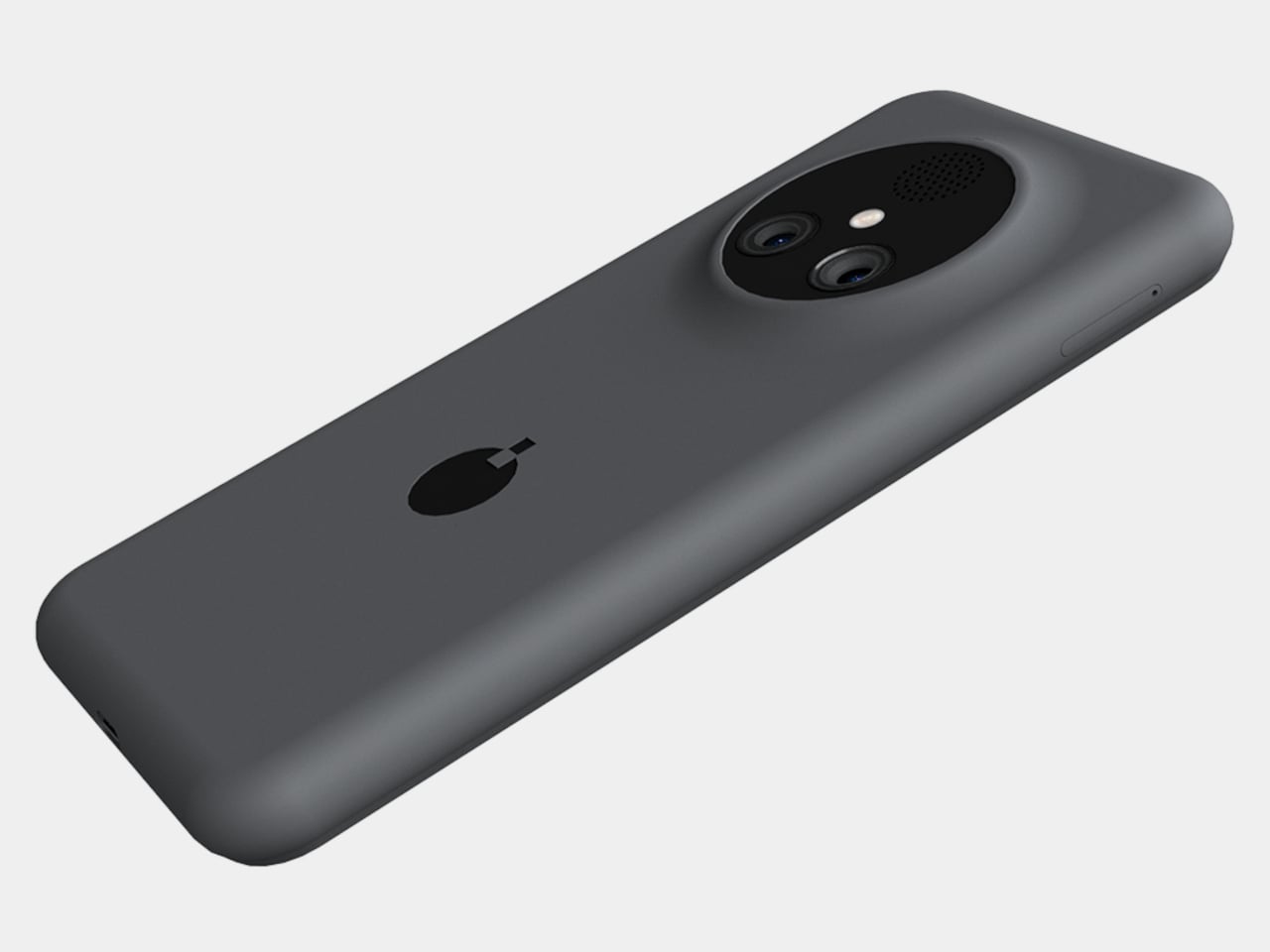
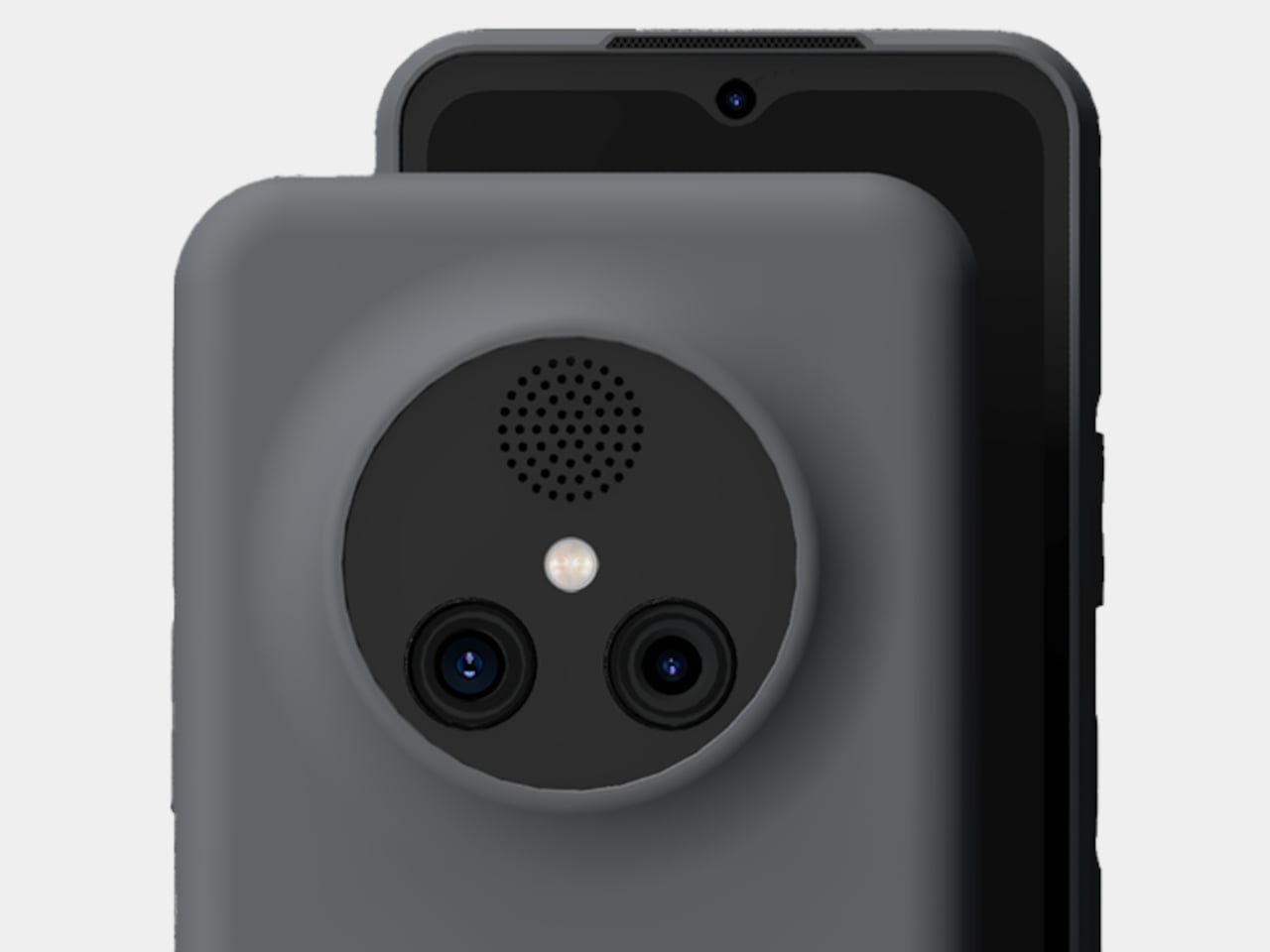
NexPhone is an Android 16 handset built on Qualcomm’s QCM6490, a long-term-support chip Qualcomm says will be backed through 2036. That is rare in phone marketing, but it matters when the device is also your computer. It has 12 GB of RAM, 256 GB of storage with microSD expansion, a 6.58-inch 120 Hz display, a 5,000 mAh battery, dual rear cameras, dual SIM, wireless charging, and MIL-STD-810H plus IP68/IP69K ruggedization.

Designer: Nex Computing

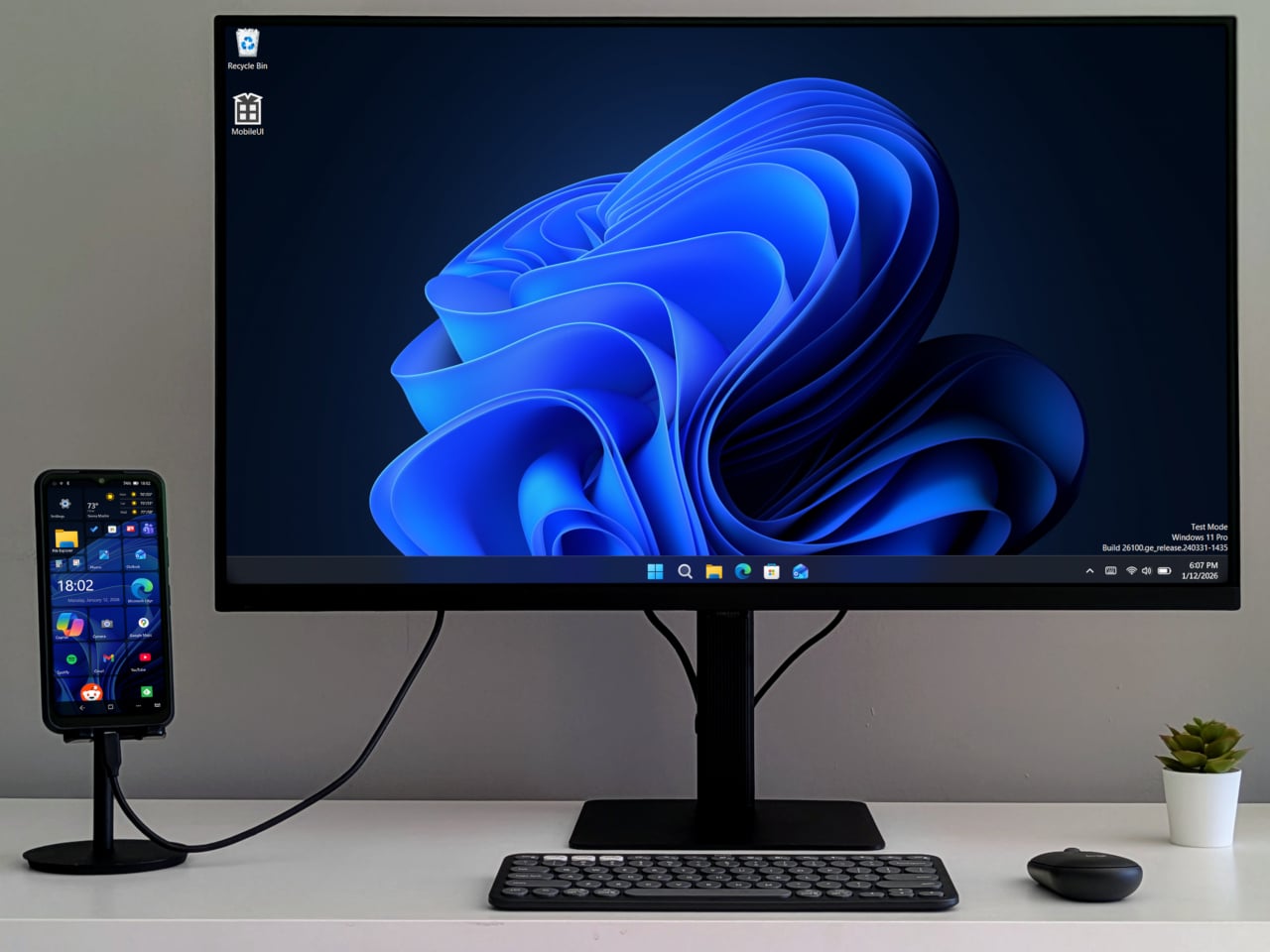
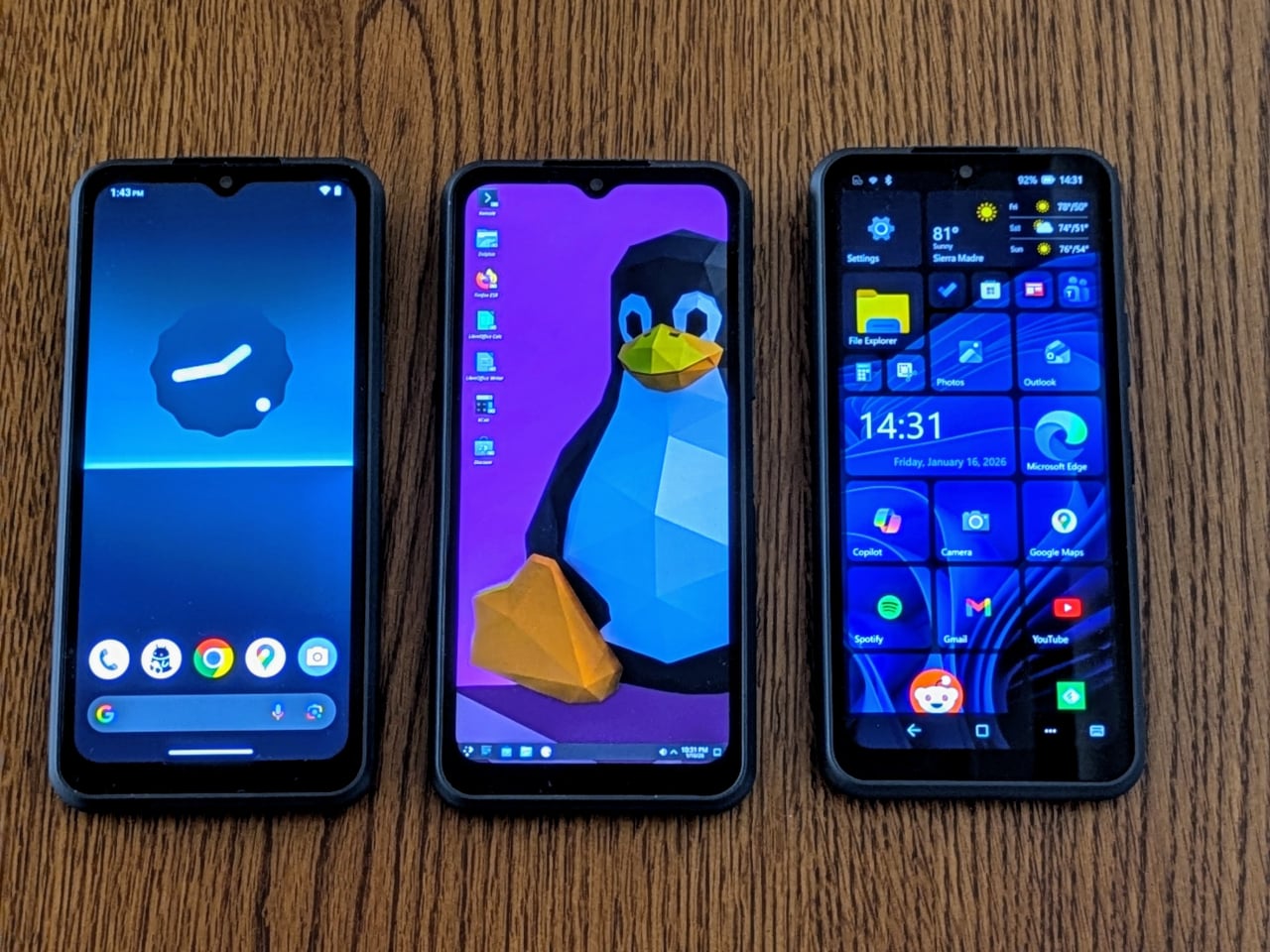
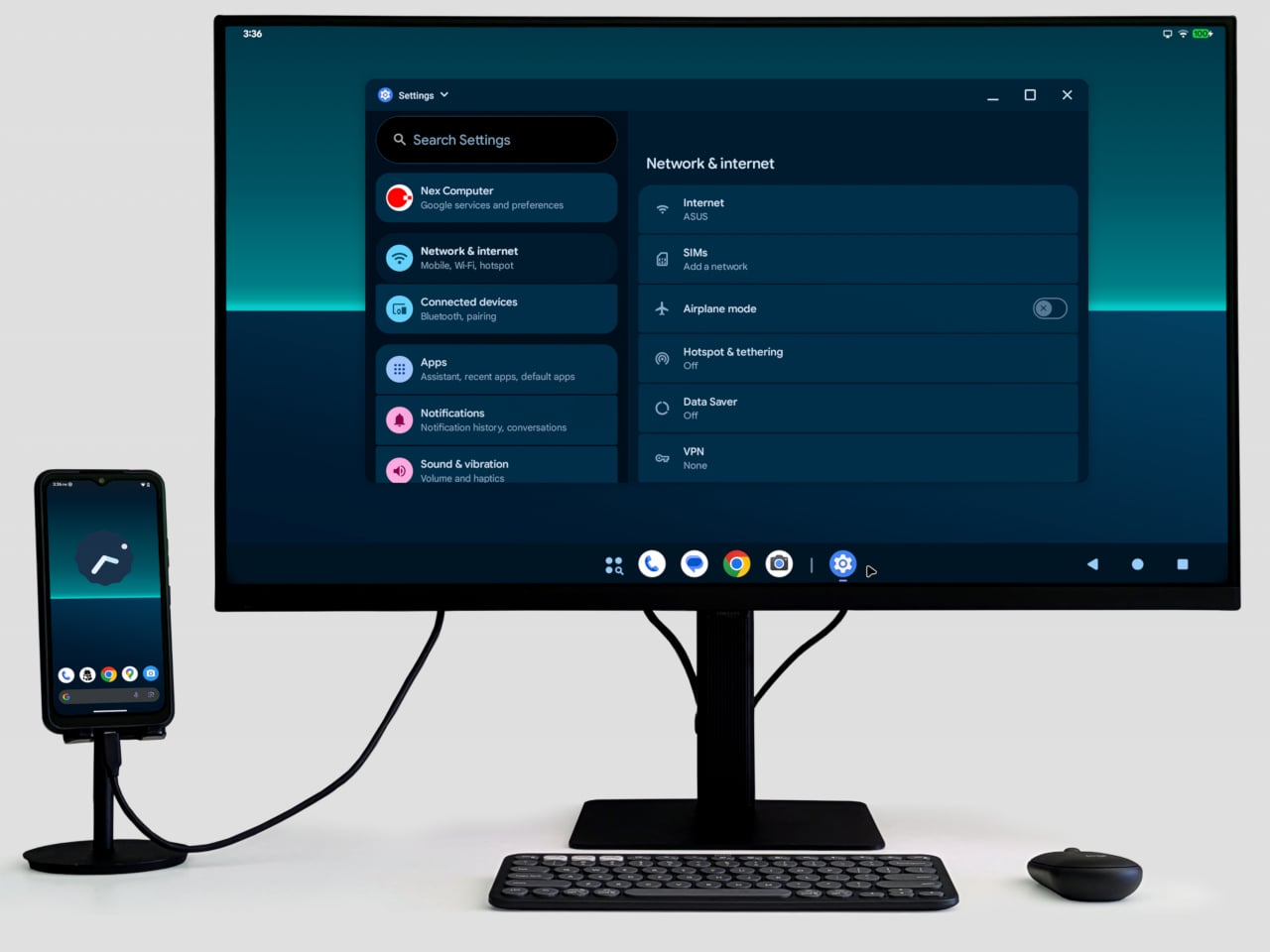
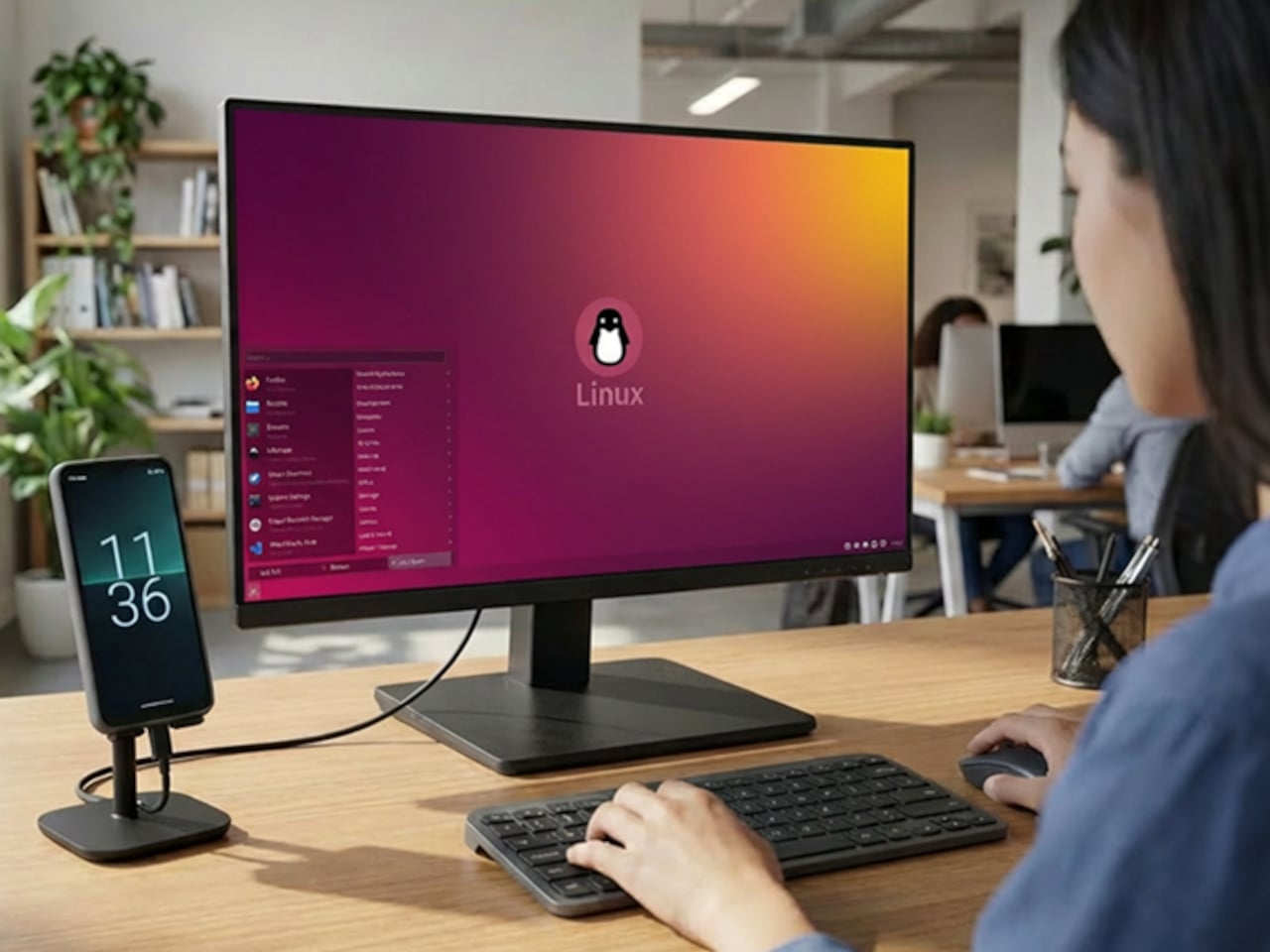
NexOS lets you treat the phone as three machines in one. On its own, it is a clean Android system with no bloatware. Plug it into a monitor, and you can switch into Android desktop mode or full Debian-based Linux with hardware acceleration, sharing folders between them. If you opt in, you can also boot Windows 11 on Arm, turning the phone into a tiny Windows PC when docked.

NexPhone builds a custom Windows Mobile UI on top of Windows 11, a grid-style launcher inspired by old Windows Phone tiles to make the OS less painful on a small screen. For desktop use, the phone ships with a five-port USB-C hub that fans out to HDMI, keyboard, mouse, and power. Any desk with a monitor becomes your workstation with a single cable, and you pick up at home where you left off at the office.

Windows 11 on Arm still has app compatibility gaps and relies on emulation for many x86 programs, which can hurt performance and battery life. Multi-booting Android, Linux, and Windows adds complexity that appeals to enthusiasts more than casual users. Putting phone, PC, and laptop brain into one device also means a single point of failure, and the rugged build does not remove the need for backups and a fallback plan.

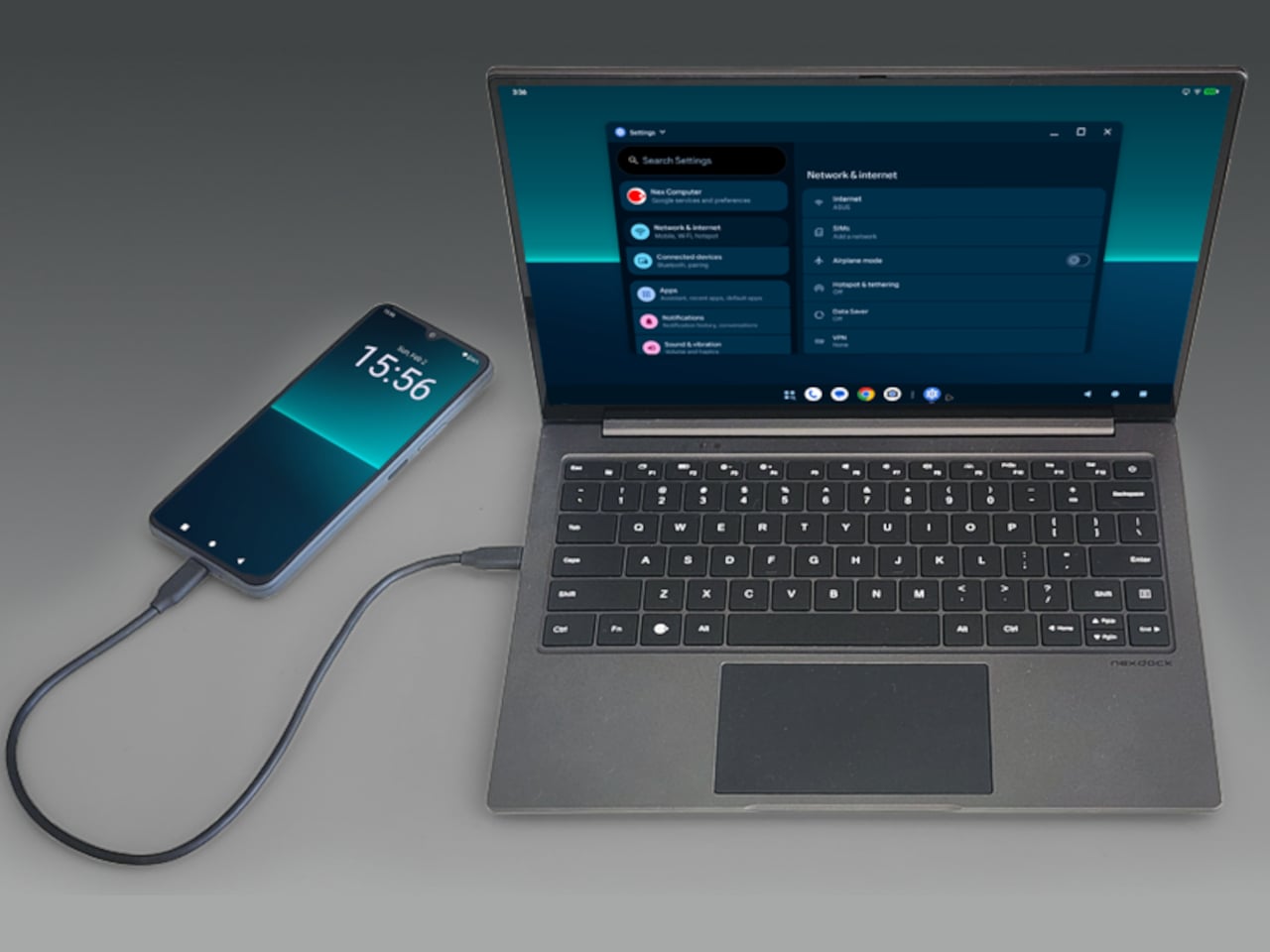
With the optional NexDock laptop shell, you can plug in and get a 14.1-inch display, keyboard, and trackpad in airport lounges or coffee shops without carrying a full laptop. It is designed for people who already juggle multiple OSes and want to consolidate, but not for those hoping to escape complexity. The promise to support the device for a decade is either visionary or risky, depending on how seriously you take startup hardware commitments.

NexPhone is less about convincing everyone to ditch laptops and more about giving the Linux-comfortable, multi-OS crowd a serious shot at carrying one device instead of three. It treats the phone, the OS stack, and the docking experience as one design problem. Whether that holds up depends less on the specs and more on whether the software behaves like three clean experiences instead of one messy compromise.

The post This Phone Runs Android, Linux, and Windows to Replace 3 Computers first appeared on Yanko Design.