New Gemini Agentic Vision Update : Plans, Acts & Checks Its Own Visual Work

New Gemini Agentic Vision Update : Plans, Acts & Checks Its Own Visual Work

What if artificial intelligence could not only see but also think, act, and solve problems in real time? In this breakdown, Julian Goldie walks through how Google’s Gemini 3 Flash update is transforming AI vision with its new agentic technology. Unlike traditional systems that passively analyze images, this innovation enables AI to engage dynamically with […]

The post New Gemini Agentic Vision Update : Plans, Acts & Checks Its Own Visual Work appeared first on Geeky Gadgets.

Posted in Uncategorized

Canyon’s Hexagon Charger Makes Wireless Charging Actually Cool

When you think about wireless chargers, your mind probably goes straight to flat discs or boring black rectangles scattered across your desk. But VLND Studio just flipped that script with their Wireless Charging Station for Canyon, and the design world took notice. This isn’t just another tech accessory pretending to be minimal. It’s a genuine rethinking of how charging stations can look and function.

The Hexagon 310, as it’s officially called, is part of Canyon’s newly introduced Hexagon series. What makes it stand out? That distinctive hexagonal smartphone charging pad that gives the whole station its name and personality. While most charging stations try to disappear into your space, this one demands to be seen, but in the best possible way. It’s sculptural without being pretentious, technical without feeling cold.

Designer: VLND Studio

VLND Studio’s approach here is refreshingly practical. The 3-in-1 station delivers 15 watts of rapid charging power, which means your devices actually charge quickly instead of just sitting there looking pretty. The hexagonal shape isn’t just about aesthetics either. It creates structured storage areas that guide where you place your devices, reducing that annoying fumbling around trying to find the sweet spot for wireless charging. The geometry actually helps with alignment and optimizes the limited real estate on your desk or nightstand.

Let’s talk about what you’re getting functionally. The station charges three devices simultaneously using a Qi magnetic connection that’s compatible with Apple devices. Canyon includes a 20W adapter with changeable EU and UK plugs, so you’re covered whether you’re in London or Lisbon. There are LED indicators and backlighting, plus four types of protection (over-current, over-voltage, over-temperature, and foreign object detection) built in, because nobody wants their phone turning into a hand warmer.

The Red Dot jury was particularly impressed by how the symmetrical geometry unites functional organization with what they called “distinctly futuristic aesthetics.” That’s design-speak for saying it looks like it belongs in a tech enthusiast’s setup without trying too hard. The compact design ensures stability on any surface, and those rounded edges and soft curves give it an approachable, almost friendly presence.

What’s interesting about this collaboration is that Canyon, typically known for more budget-conscious tech accessories, partnered with VLND Studio to create something that punches way above its weight class design-wise. The in-house team at Canyon (including designers Vladlens Zabelskis, Elena Alekseeva, Dmitry Romanenko, Ilya Koloskov, Vladislav Olinov, and Igor Volkov) brought their engineering expertise, while VLND Studio clearly pushed the aesthetic boundaries.

The color options show restraint in the best way. You can choose from light grey with an orange accent, cool grey with blue, or an all-black version with green. That pop of color in the vertical support column adds just enough visual interest without overwhelming the minimalist vibe. It’s the kind of detail that makes you smile when you notice it but doesn’t scream for attention.

Canyon describes the Hexagon 310 as exemplifying their core vision: designing tech products that are as intelligent as they are visually compelling. That might sound like marketing fluff, but when you look at the actual product, it tracks. This charging station does more than organize your devices. It brings a little bit of joy to the mundane task of keeping your gadgets powered up.

For design enthusiasts and tech lovers alike, the Hexagon 310 represents something we don’t see enough of: everyday objects that work brilliantly while also being genuinely interesting to look at. VLND Studio and Canyon proved that wireless chargers don’t have to be afterthoughts in your space. Sometimes, they can be conversation starters.

The post Canyon’s Hexagon Charger Makes Wireless Charging Actually Cool first appeared on Yanko Design.
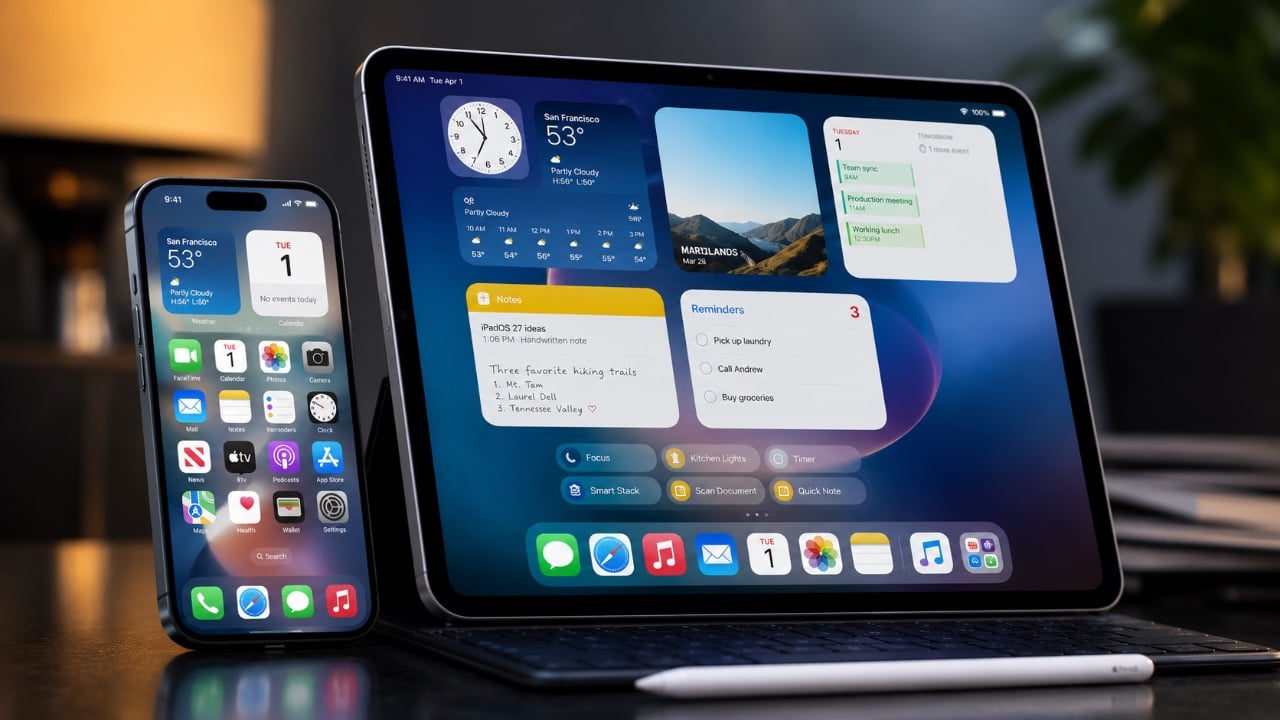
Apple’s 2026 iPad Leak: The Cheapest Tablet is Getting a Massive Upgrade

Apple’s 2026 iPad Leak: The Cheapest Tablet is Getting a Massive Upgrade

Apple is preparing to launch its 12th-generation baseline iPad in spring 2026, and while the exterior design may feel familiar, the internal upgrades mark a significant step forward in performance and functionality. This new iPad is tailored to meet the needs of students, casual users, and anyone seeking an affordable yet dependable tablet. By blending […]

The post Apple’s 2026 iPad Leak: The Cheapest Tablet is Getting a Massive Upgrade appeared first on Geeky Gadgets.

Posted in Uncategorized

Multi-Agent Plans Stall Without Precision, Antigravity with OpenCode Delivers

Multi-Agent Plans Stall Without Precision, Antigravity with OpenCode Delivers

What if you could transform your entire coding workflow, planning, execution, and everything in between, into a seamless, AI-powered experience? In this walkthrough, World of AI shows how Antigravity and OpenCode combine to transform software development, allowing developers to tackle even the most intricate projects with remarkable efficiency. Picture starting your day with Antigravity generating […]

The post Multi-Agent Plans Stall Without Precision, Antigravity with OpenCode Delivers appeared first on Geeky Gadgets.

Posted in Uncategorized

The $599 Powerhouse: iPhone 17e Leaks Reveal Flagship Power for Half the Price

The $599 Powerhouse: iPhone 17e Leaks Reveal Flagship Power for Half the Price

The iPhone 17e is poised to reshape Apple’s entry-level smartphone lineup by blending affordability with advanced technology. Expected to debut in early 2026, this device aims to provide a premium iPhone experience at a price point accessible to a broader audience. With significant enhancements in performance, design, and functionality, the iPhone 17e bridges the gap […]

The post The $599 Powerhouse: iPhone 17e Leaks Reveal Flagship Power for Half the Price appeared first on Geeky Gadgets.

Posted in Uncategorized

Open Source Kimi K2.5 Resets the AI Pecking Order

Open Source Kimi K2.5 Resets the AI Pecking Order

What if the future of artificial intelligence wasn’t locked behind paywalls or proprietary systems, but instead freely accessible to anyone with the ambition to innovate? In this overview, Prompt Engineering explores how Kimi K2.5, an open source AI model, is redefining what’s possible in the world of multimodal intelligence. With its ability to seamlessly integrate […]

The post Open Source Kimi K2.5 Resets the AI Pecking Order appeared first on Geeky Gadgets.

Posted in Uncategorized

iPhone 18 Pro Max Leaks: Top 10 Features You Need to Know

iPhone 18 Pro Max Leaks: Top 10 Features You Need to Know

The iPhone 18 Pro Max is shaping up to be a pivotal addition to Apple’s flagship lineup, emphasizing practical enhancements that refine the user experience. With improvements spanning processing power, display technology, battery life, camera capabilities, and connectivity, this device is designed to elevate your daily interactions. Below, we delve into the most notable updates […]

The post iPhone 18 Pro Max Leaks: Top 10 Features You Need to Know appeared first on Geeky Gadgets.

Posted in Uncategorized

The best laptops you can buy in 2026, tested and reviewed

Choosing the best laptop can be a bit of a challenge, especially when “good enough” now covers everything from entry-level Chromebooks for college students to premium machines built for serious multitasking and heavier creative work. Specs can blur together fast, but a few basics still matter, like processing power, battery life and whether you’re getting enough storage for the long haul. For many people, that means looking for something that lands in the sweet spot with modern ports, a solid display and at least a 512GB SSD so you’re not juggling external drives a month after you bring your new laptop home.

Out of all of the notebooks we've tested and reviewed recently, we consider Apple's 13-inch MacBook Air M4 to be the best laptop for most people, and this is still the case for our top picks to start off the new year. It's powerful enough to handle most tasks (even light video editing); it has a great screen and built-in speakers; and its battery could last over 18hours (depending on what you're doing, of course). The MacBook Air M4 is also one of the lightest and thinnest systems we've reviewed, and it's dead silent, thanks to a fanless design.

Of course, not everyone wants a MacBook, and there are excellent Windows laptops and Chromebooks out there, too. Windows systems offer a range of configurations, from budget to high-end UHD screens with stunning IPS panels that boast high nits for vivid brightness. Chromebooks, on the other hand, tend to be more affordable and are great for users who mostly work online. Whether you need a powerhouse for creative work, a compact system for note-taking, or a laptop that can handle family movie night, there’s something for everyone in today’s laptop market.

Depending on the type of laptop you’re looking to buy, there are some specs we think you should look for to get a machine that’s powerful enough for your needs and future-proof for the next couple of years (at least). Here's a cheat sheet for you to use when you're shopping.

  • At least M2 processor

  • At least 16GB of RAM

  • At least 256GB of SSD storage

  • The most recent generation processor available from Intel or AMD

  • At least 16GB of RAM

  • At least 256GB of SSD storage (512GB SSD is a safer baseline if you plan to keep lots of files locally)

  • Intel Core i processor

  • At least 8GB of RAM (4GB is the bare minimum for a basic Chromebook)

  • At least 128GB of storage, preferably a SSD

  • At least AMD Ryzen 9000 series or Intel 14th Gen Core CPU

  • At least 16GB of RAM (ideally 32GB if you can swing it)

  • At least 1TB of SSD storage

  • For GPU recommendations, check out our guide to buying the best GPU for your needs

  • The most recent generation processor available from Intel or AMD

  • At least 8GB of RAM

  • At least 256GB of SSD storage (consider a 512GB SSD if you can swing it)

Engadget has been reviewing laptops for two decades, and while the definition of what a portable PC is has changed considerably since, our obsession with testing their limits and serving up informative buying advice remains the same. Be it a hybrid tablet like Microsoft's Surface machines, a rotating 2-in-1 convertible like HP's Spectre x360s or a plain old clamshell notebook, our review process follows similar beats. How does it look and feel? How fast is it? Whether it’s a Windows device powered by an Intel Core i5 or higher, a MacBook or a Chromebook, we aim to answer the most important question: Is it actually worth your hard-earned cash? We also pay close attention to portability, webcam quality and display features, including IPS panels and nits of brightness, as they can make a big difference in daily use.

There's a good chance you've already committed to an operating system, but my advice is to be as flexible as possible. These days, most major software is compatible with both Macs and PCs. (Of course, it's another story if you've become dependent on an Apple-only app like Final Cut Pro.) Web-based apps, naturally, will work on any platform with an internet browser.

If you're an Apple-loyalist, there aren't many reasons to consider Windows laptops (unless you want a secondary gaming machine). But for Windows users, macOS is becoming more tempting every year. Apple's MacBooks, powered by its M-series Silicon chips, are among the fastest and most efficient laptops we've ever seen. They're incredibly well-built and have outstanding battery life to boot. MacOS itself is also an easy platform to learn, especially if you're used to iOS and iPadOS.

That brings up another point: iPhone users may want to consider Macs because of the seamless integration with Apple's other platforms. You can't respond to iMessage conversations easily or hop into FaceTime chats on Windows PCs, but doing so is simple on Macs. (Microsoft's Phone Link app lets you send iOS users individual texts, but not media or group chats.) Android users, meanwhile, may be better off with Windows, as Phone Link can make calls, synchronize all your texts and also access your phone's photos.

If cloud gaming is your priority, Windows laptops with NVIDIA’s GeForce Now or Xbox Cloud Gaming compatibility may offer more flexibility and decent performance, especially when paired with fast internet speeds. Chromebooks also make a compelling case here as an affordable, lightweight solution for casual cloud gaming sessions.

As for whether you’ll want a PC with a dedicated Copilot AI button on the keyboard, that depends on how often you see yourself using Microsoft’s generative tools. Given we’re only just seeing the first slate of AI PCs, it would be wiser to wait out the hype and see what improvements might come over time.

And what about ChromeOS? Chromebooks are a smart and (typically) inexpensive way to do things like web browsing and hopping on a few video chats, but for most, they're not the best choice as a primary computer. There aren't many apps or games that work offline, and they also don't work with powerful software suites like Adobe's (you can use the stripped-down Adobe Express and Photoshop online tools, though).

Chromebooks are great secondary machines to use alongside a more powerful Mac or PC, and they're popular in schools because they're cheap and easy for IT workers to manage. And if all you need is web browsing access, or a notebook for a kid, a Chromebook might be enough.

If, for some reason, you’re looking for a powerful ChromeOS system, there are also Chromebook Plus models to consider. These machines sport faster processors and more RAM than typical Google notebooks, and they can also tap into a few of the company’s online AI features, like AI image generation and photo processing.

You can expect to spend between $1,000 and $1,800 for a new laptop these days, depending on the configuration. If you're looking for more of a workhorse, that could cost you well over $2,000 for additional RAM, storage, as well as a beefier graphics card and CPU. But you can also find some good laptops under $1,000 if you're willing to overlook build quality (or buy a refurbished or previous generation machine, which we highly recommend). For entry-level systems, you’ll often have to decide whether you’d rather prioritize processing power or storage, especially if 512GB SSD upgrades bump the price. Systems with AMD chips tend to come in cheaper than their Intel counterparts, but the bulk of their cost will come down to other components like RAM and storage.

I’ve included our favorite affordable model in this best laptop buying guide, but we have a list of the best budget laptops that you can check out as well.

So how portable do you want your laptop to be? That's the ultimate question you need to ask when choosing between various screen sizes. 13-inch machines have become a solid starting point for most shoppers — it's enough real estate for the majority of tasks like emailing and writing, and it also helps keep machines relatively light (typically between two to three pounds). Thanks to manufacturing advancements, these dainty machines sometimes even come with larger screens (the smaller MacBook Air actually has a 13.6-inch display).

If you have trouble seeing fine text, we’d recommend going for a display larger than 13 inches. ASUS’s Zephyrus G14 is a solid 14-inch option for gamers, and we’re also seeing more productivity-focused machines aim for that size, like the Dell 14 Premium and MacBook Pro. While 14-inch notebooks are a bit heavier than 13-inch models, coming in between three to four pounds, their screens are noticeably roomier.

For artists, or anyone else who needs a large canvas, a 15-inch laptop may make the most sense. They typically weigh between 3.5 and 4.5 pounds, but that extra heft may be worth it to fit wider video editing timelines or Photoshop windows. And, as you'd expect, you'll also pay a bit more for a 15-inch notebook compared to smaller ones (the 15-inch MacBook Air starts at $1,199, while the smaller model goes for $999). PC makers are also replacing 15-inch systems with 16-inch versions, which will give you even more space to work.

If you're in the market for a business laptop, size and portability might be key considerations. A lightweight yet powerful system with a long battery life can make a world of difference if you travel frequently for work.

You can still find laptops with 17-inch or 18-inch screens, but those are typically gaming systems or souped-up workstations. They're not meant for mere computing mortals.

These days, most laptops ship with a few USB-C ports, which can handle both charging and speedy data transfers. Apple's MacBooks also include a separate connection for MagSafe power, and you'll find custom power connections on some PCs like Microsoft's Surface. Older USB Type-A connections are less common now, but they still pop up in systems like HP's Spectre x360 14, as well as many models from ASUS.

For gamers or creators who rely on discrete graphics, ensuring your laptop has the right ports for external monitors or GPUs is crucial. DisplayPort or HDMI connections can also ensure you’re ready for dual- or multi-screen setups for more immersive experiences. Similarly, if you want to save high-resolution files or install multiple games, you might need to consider additional hard drive space; external hard drives are pretty affordable, as long as you have a proper port to connect them.

If you're a fan of wired headphones, it's worth keeping a close eye on headphone jack availability. They usually include a USB-C to 3.5mm adapter, but that's a clunky solution, and it also takes up a USB port. Sure, most people use wireless earbuds and cans today, but it's still helpful to have a wired one around for when those devices run out of juice.

Most laptops today offer Wi-Fi 6 or 6E and Bluetooth 5.0 or later, which should mean faster and more stable connections if you have compatible routers and devices. While Wi-Fi 7 routers have started appearing, that spec hasn't made its way into laptops yet. As for cellular coverage, there are notebooks like the Surface Pro 9 and Samsung Galaxy Book models that offer integrated 5G. But from our testing, that feature may not be worth the cost of a separate data plan. Instead, you could tether to your smartphone or invest in a wireless hotspot that can keep multiple devices online.

A laptop's battery life depends on several factors: The power draw from the screen and other hardware, the optimizations used to avoid unnecessary power drain, and, of course, the size of the actual battery. One of our previous favorite systems, the Dell XPS 13, lasted 13 hours and 15 minutes in the PCMark 10 battery benchmark. In real-world testing, I was able to use it for a day and a half without needing a recharge. The MacBook Air 13-inch, meanwhile, more than 18 hours in our benchmark and kept running for more than two work days of my typical workflow. In general, you should expect a modern laptop to last at least eight hours.

If battery life is your absolute priority, I'd strongly suggest looking at Macs over Windows PCs. Apple's M-series chips are essentially mobile hardware, with all of the power efficiency you'd expect from something originally designed for phones. Qualcomm’s upcoming Snapdragon chips could help Windows PCs compete with Apple’s astonishing battery life, but we’ve yet to see those in action. Chromebooks also typically get decent battery life (as long as you don’t overstuff them with power-draining tabs).

A laptop's refresh rate refers to the amount of times its screen is cycled every second. Modern displays like IPS LCDs and OLEDs support 60Hz refresh rates at a minimum, but we're seeing more devices offering 120Hz, 240Hz and beyond. The higher the number, the faster the screen is refreshed, which ultimately leads to a smoother experience while mousing around or scrolling through web pages. (If you want to get a sense of what a slow refresh rate looks like, just grab an e-reader like the Kindle and try to flip between book pages.)

While high refresh rates used to be reserved for gaming laptops, nowadays we're seeing more mainstream machines like the Dell 14 Premium offer 120Hz (or variable rates that move between 60Hz and 120Hz).

If you’re buying a new laptop, you’ll want to make sure it’s powered by the latest CPUs so you’re not short on processing power a year from now. For Windows PCs, that includes Intel’s Core Ultra chips for thin-and-light machines or the 14th-gen HX chips for beefier systems. The Core Ultra series have NPUs for handling AI tasks, while the HX hardware does not – they’re based on Intel’s previous chip architecture, and they’re more focused on delivering raw horsepower. Intel's older 13th-gen and 12th-gen laptop chips also don't have NPUs, so keep that in mind if you're looking at used systems.

You'll also see AMD's Ryzen 8000 and 9000 chips in plenty of new systems like the ASUS Zephyrus G14 and Razer Blade 14. Those CPUs mainly target gaming laptops and high performance systems, while you'll still find AMD’s older Ryzen 7000 chips in ultraportables. AMD's main advantage is that its chips also include Radeon graphics, which are far more capable than Intel's Arc hardware (though those are getting better).

Qualcomm’s new Snapdragon X Elite and X Plus are also an option in Copilot+ PCs (more on those below). Since they’re based on mobile chip designs, they’re likely also more power efficient than AMD and Intel’s hardware. In the past, we’ve avoided recommending Snapdragon chips because they led to a slow and frustrating Windows experience. But Microsoft claims it’s rebuilt Windows 11 around Snapdragon’s Arm-based architecture, which should lead to far faster performance and better app compatibility.

As for Apple's laptops, you'll be choosing between the M4 Pro, M4 Max and M5, each of which is progressively more powerful.

On the graphics side of things, a GPU, or graphics processing unit, is the component that communicates directly with a laptop's display. Laptop CPUs all have some form of integrated GPU: Intel has either its standard graphics or beefier Arc hardware, while AMD's chips include fast Radeon mobile graphics. If you want to play demanding games at high speeds (measured in frames per second, or fps), or if you need some extra power for rendering video or 3D models, you can configure a laptop with a dedicated GPU like NVIDIA's RTX 40-series hardware or AMD's Radeon RX 7000. Just be sure to leave room in your budget if you want a powerful GPU, as they typically add $300 or more to the cost of a laptop.

Apple's M-series chips, meanwhile, have GPU cores that can perform as well as NVIDIA’s and AMD's lower-end dedicated GPUs. That's quite the accomplishment for systems like this (especially the MacBook Air and 14-inch MacBook Pro), and it's another reason we highly recommend Apple's notebooks.

Simply put, an AI PC is a computer equipped with a neural processing unit (NPU), which is designed to handle AI-related tasks. Much like how GPUs tackle heavy-duty gaming and rendering workloads, NPUs are designed to handle the complex math necessary for AI workloads. They’re also far more power efficient than CPUs or GPUs, which could lead to better battery performance in laptops. While many factors go into NPU performance, for the most part we measure their potential speed by TOPS (tera operations per second).

We were primed for AI PCs based on the chips Intel and AMD announced in 2023. Intel unveiled its "Core Ultra" CPUs in December, its first to include an NPU for AI work. AMD also announced its Ryzen 8040 AI mobile chips that month (and it couldn't help but say they were faster than Intel's new hardware). But in May, Microsoft announced its Copilot+ initiative, which is pushing major PC makers to deliver premium AI PCs with specifications including 16GB of RAM, 256GB SSDs and NPUs with at least 40 TOPS of AI performance.

Copilot+ is more than just a marketing term: Microsoft is also launching AI-powered features in Windows 11 that take advantage of powerful NPUs. That includes Recall, which can help you locate anything you’ve done on your PC (whenever it finally launches), as well as Cocreator in Paint, which can generate AI images based on text prompts and doodles.

If you buy an AI PC that isn’t Copilot+ certified, you’ll still be able to use some features like Windows Studio Effects, which can blur your background in video calls or keep you in frame. Developers like Adobe and Audacity are also building features into their apps that can take advantage of NPUs.

At the time of this post, Chromebook Plus notebooks can also access a few of Google’s online AI features, like image generation and photo processing.

The ThinkPad X9-14 Aura Edition is a great spiritual successor to the ThinkPad X1 Carbon, offering the best that business laptops have to offer. That includes long battery life packed into a thin and light chassis. This is an optimal ultraportable business laptop.

While the price might give you some pause, we tested the lowest configuration, and found that the X9-14’s performance is excellent for casual business users. The only issue with quality is that the keyboard is lacking. It’s mushier than we’d like, which could get a bit tiresome throughout the day. You’ll still miss out on a USB Type-A port, so you may need to carry a Type-C hub with you.

Where the ThinkPad X9-14 will win you over is its bold OLED screen. Combo that with its well-rounded audio, and the ThinkPad X9-14 makes for an excellent multimedia device in and out of the workplace.

Aside from its lovely OLED screen, the ASUS Zenbook 14 OLED doesn't stand out from the crowded laptop field in any way. It just looks dull and boring, especially compared to the strikingly beautiful ASUS Zephyrus G14, which also came out this year. While you can probably find the Zenbook 14 for a decent price, I'd recommend holding out for something with a bit more personality (and with a less wobbly screen hinge).

The Razer Blade has almost everything you'd want in a 14-inch gaming notebook, but it's far pricier than the Zephyrus G14 on this list, and it doesn’t even have an SD card reader. It would be a solid competitor once its price falls a bit, and it's certainly a great option if you just have to have a jet-black laptop.

Framework gave its modularity magic to the Laptop 16, delivering a gaming notebook where almost every single component is user replaceable. But you'll have to pay a pretty penny to snag it with upgraded hardware, and its optional Radeon 7700S GPU was surprisingly slow.

The Alienware m16 r2 has been revamped with a slimmer case, but it’s otherwise a fairly typical gaming laptop. It’s a solid option for Alienware fans, but you’ll find better hardware and deals elsewhere.

The Zenbook Duo is a fascinating dual-screened notebook, and according to my colleague Sam Rutherford it’s the first of its kind that’s worth buying. But its unique hardware isn’t really meant for mainstream consumers, and Windows 11 still doesn’t support multi-screen setups well enough to make full use of the Zenbook Duo’s ample canvas.

Dell’s XPS 16 is big and beautiful, but it’s far too expensive compared to the competition. Plus, it uses a capacitive row of function keys that you basically can’t see under bright light and has too few ports for a machine of this size.

See Also:

It’s hard to come up with an average battery life for laptops, since that will ultimately depend on what you’re doing with them. An ultraportable like the MacBook Air that sips power can last around 20 hours in our battery benchmark, and around two full work days of real-world usage. But a gaming laptop may last only a few hours if you’re actively playing something while on battery. At this point, Macs are delivering far better battery life than PCs, thanks to Apple’s Silicon chips, but Microsoft claims Copilot+ systems with Qualcomm chips will also get over 20 hours of batter life.

The more RAM you have, the more things your computer can do simultaneously. For that reason, we recommend buying PCs and Macs with at least 16GB of RAM. That gives you enough memory to have several applications open at once, as well as web browsers filled with RAM-hogging tabs. Many PC games also require at least 16GB of RAM. While you could use a system with 8GB of RAM for basic tasks, you’ll quickly run into slowdowns and error messages as your apps stack up. Many laptops, especially ultraportables, don’t let you upgrade RAM, too – so you’ll have to buy an entirely new computer if you didn’t equip enough memory at the start.

If you’re a hardcore gamer, programmer or planning to render videos or 3D models, then you may want to go for 32GB of RAM or more. And if you just need a secondary laptop for lighter work – perhaps a no-frills system for writing – then you can probably get by with 8GB. Just be sure to keep those browser tabs in check.

There is no one-size-fits-all solution when it comes to laptop storage. You’ll typically find configurations between 256GB and 1TB SSDs (solid state drives) on most laptops, and I’d recommend most people get at least 512GB. That’ll be enough space for large apps, music and video files without stressing your system too much. If you’re a media hoarder, or want to play a ton of games, then it’s definitely worth getting a 1TB SSD.

If you’ll mainly be streaming your shows and music, and would rather invest in RAM or other hardware, then 256GB of storage would be serviceable. I’d recommend staying away from any machine with 128GB of storage though. Most of that will be taken up by the operating system, and you’ll likely run into issues cramming in large apps after a few months.

We recommend springing for extra built-in storage or investing in a portable SSD for backing up your most important files. It's also worth noting that Chromebooks tend to come with less built-in storage — 32GB, 64GB or 128GB — since ChromeOS encourages users to save their files in the cloud rather than on the device. In that case, 128GB is plenty.

You can expect to spend between $1,000 and $1,800 for a typical 13-inch laptop today. As I explained above, you'll pay more if you want to stuff in more RAM or better GPU hardware. But you can also find deals below $1,000 if you look for refurbished or older-generation models.

Simply put, macOS is the operating system in all of Apple's notebooks and desktops, while Windows powers the vast majority of PCs. You'll also find Chromebooks running Google's ChromeOS, but those are basically just web browsers running on top of Linux.

Debating the differences between Windows and Macs is something PC nerds have been doing since the '80s, so we won't be declaring a winner here. There are some small, negligible distinctions, like using a Command versus a Control key, how file explorers work and concerns about viruses and security. For the most part, those are minor issues or have become moot thanks to better built-in security.

But if you care more about playing the newest games, you'll want to have a Windows system. If you're more focused on creative apps, like Photoshop, Premiere and Final Cut Pro, then macOS may be a better fit (especially if you're running an iPhone).

There is no single "best" laptop brand, but judging from this guide alone, we're generally impressed by notebooks from Apple, Dell and ASUS. They all offer fast, reliable and sturdy machines. HP also makes some eye-catching devices if you want an option that’s the most aesthetic. Those four brands, along with Lenovo and Acer, dominate laptop sales worldwide. We'd avoid systems from any retail store brands, or companies that don't have a major presence in the US.

October 2025: Updated to add the latest MacBook Pro.

September 2025: Added a new "specs to look for" section.

August 2025: Updated our top picks to include the Dell 14 Premium.

May 2025: Updated to ensure top picks and details are still accurate.

March 2025: Updated to include the M4-powered MacBook Air.

November 2024: Updated to include the M4-powered MacBook Pros.

August 2024: Updated to include the Lenovo ThinkPad X1 Carbon Gen 12.

This article originally appeared on Engadget at https://www.engadget.com/computing/laptops/best-laptops-120008636.html?src=rss

Hype Can’t Hide Clawdbot’s Bugs, Costs, or Thin Real-World Uses

Hype Can’t Hide Clawdbot’s Bugs, Costs, or Thin Real-World Uses

What happens when a hyped-up AI integration turns out to be more smoke than substance? Nick Saraev walks through how Clawdbot, a Telegram-based automation platform powered by the Claude Opus 4.5 model, has fallen short of its grand promises. Despite being marketed as a innovative productivity enhancer, Clawdbot has sparked frustration among users for its […]

The post Hype Can’t Hide Clawdbot’s Bugs, Costs, or Thin Real-World Uses appeared first on Geeky Gadgets.

Posted in Uncategorized

The AirTag 2 is Here – See What’s New and Improved!

The AirTag 2 is Here – See What’s New and Improved!

Apple has officially launched the AirTag 2, the successor to its widely popular item-tracking device. While the external design remains consistent with the original, the new model introduces several internal upgrades aimed at improving functionality and user satisfaction. If you’re considering whether the AirTag 2 is worth your investment, here’s an in-depth exploration video from […]

The post The AirTag 2 is Here – See What’s New and Improved! appeared first on Geeky Gadgets.

Posted in Uncategorized