Days after laying off more than a thousand employees from Pixel, Nest, Fitbit, Google Assistant and core engineering divisions, Google is cutting “hundreds of roles” on its advertising sales team, a company spokesperson told Engadget on Tuesday.
“Every year we go through a rigorous process to structure our team to provide the best service to our Ads customers,” the company said in a statement. “We map customers to the right specialist teams and sales channels to meet their service needs. As part of this, a few hundred roles globally are being eliminated and impacted employees will be able to apply for open roles on the team or elsewhere at Google.”
The spokesperson declined to share information about the exact number of employees impacted by the cuts or where they were located. The news was first reported by Business Insider, which obtained a memo that Google’s chief business officer Philipp Schindler sent staff on Tuesday.
Google’s latest cuts continue the trend of layoffs at tech companies, which shed thousands of jobs in 2023. In the first two weeks of this year, for instance Amazon cut hundreds of workers in video game streaming service Twitch, Prime Video, MGM Studios, and Audible. Discord, Meta, Unity and Duolingo have also let go employees in 2024.
In December, The Informationreported that Google was planning to reorganize its ad sales unit, which has more than 30,000 people, in favor of using machine learning to help customers buy more ads on flagship products like Google Search and YouTube, which is how the company makes a bulk of its revenue. Most of the company’s cuts taking place today will focus on ad sales teams selling ads to large businesses.
Meanwhile, the company is reportedly throwing millions of dollars of stock at select researchers at DeepMind, its artificial intelligence unit, to stop them from decamping to rivals like OpenAI.
This article originally appeared on Engadget at https://www.engadget.com/google-is-laying-off-hundreds-of-workers-who-sell-ads-to-big-businesses-190057680.html?src=rss
Take-Two Interactive has filed an opposition to Remedy Entertainment’s newest logo, claiming the symbol infringes on Rockstar Games’ logo despite the two having little in common besides the letter “R” representing a video game publisher. First reported by RespawnFirst, the trademark dispute was filed against two versions of the Remedy logo (one with the company’s name, one without) in September with the UK’s Intellectual Property Office.
The UK’s IP rules mean Take-Two’s objection to the logo suggests Rockstar’s parent company sees “a likelihood of confusion by the public.” Engadget reached out to Take-Two and Remedy for comment, and we’ll update this article if we hear back.
Remedy revealed its new logo last spring, describing it as a “refreshed visual identity” that moves its image away from a 23-year-old game, better reflecting its current stable of Control and Alan Wake. “The bullet in the letter R in the old logo represented the era of Max Payne, but the Remedy of now is much bigger than a single game; we have a whole portfolio of games, new and old,” the publisher explained in an April blog post.
“It was time to update and redefine our visual identity to bring more consistency, showcase our evolution over the years, and better express our vision of today’s Remedy,” the post continued.
Remedy Entertainment
The icon was well received. Design blog Creative Bloq wrote, “Gamers can’t get enough” of the new logo. “The new Remedy logo is made from three letter ‘R’s chopped and stitched together as if the letter itself is moving; the curved right side of the R is shaped into an arrow and the points of the character form further arrows, pointing in new directions,” editor Ian Dean wrote. Social media reactions also appeared positive.
Ironically, the two studios are currently working together on a revamp of the game Remedy’s new logo is diverting away from. In April 2022, Remedy said it would collaborate with Rockstar on fully remastered versions of the first two Max Payne games, bringing the oughts-era franchise to a new generation.
RespawnFirst noted Take-Two’s legal team has a precedent of being trigger-happy on attacking IP in a way that stretches the definition of “infringement.” The publisher filed a trademark claim in 2021 against Hazelight Studios for its game It Takes Two. IGNhighlighted incidents of Take-Two going after a clothing brand called Max Fayne, an axe-throwing company in Florida called Rockstar Axe Throwing and a music book called Think Like a Rockstar. The company has also sued GTA modders and the creators of reversed-engineered Grand Theft Auto III and Vice City fan projects.
Take-Two briefly got a taste of its own medicine in 2014 when actor Lindsay Lohan sued the publisher for using what she claimed was her likeness in GTA V and its marketing materials. That case was dismissed the following year on the grounds that video game parodies are fair game.
This article originally appeared on Engadget at https://www.engadget.com/take-twos-lawyers-think-remedys-new-r-logo-is-too-similar-to-rockstars-r-logo-181534083.html?src=rss
With pre-orders for the Apple Vision Pro headset opening this week, the company is getting ready to launch one of its most significant products ever. It announced this morning an “entertainment format pioneered by Apple” called Apple Immersive Video, as well as new viewing environments in the Disney+ app featuring scenes from the studio’s beloved franchises like the Avengers and Star Wars.
We already got hands-on once back at WWDC when the headset was first announced, but two of our editors, Dana Wollman and Cherlynn Low, had a chance to go back and revisit the device (and in Dana’s case, experience it for the first time). Since we’ve already walked you through some of the basic UI elements in our earlier piece, we decided to focus on some of the more recently added features, including Apple Immersive Video, the new Disney+ environments, a built-in “Encounter Dinosaurs” experience, as well as the floating keyboard, which didn’t work for us when we first tried the device in June of last year. Here, too, we wanted to really get at what it actually feels like to use the device, from the frustrating to the joyful to the unintentionally eerie. (Yes, there was a tear, and also some screaming.)
Fit, comfort and strap options
Cherlynn: The best heads-up display in the world will be useless if it can’t be worn for a long time, so comfort is a crucial factor in the Apple Vision Pro’s appeal. This is also a very personal factor with a lot of variability between individual users. I have what has been described as a larger-than-usual head, and a generous amount of hair that is usually flat-ironed. This means that any headgear I put on tends to slip, especially if the band is elastic.
Like the version that our colleague Devindra Hardawar saw at WWDC last year, the Vision Pro unit I tried on today came with a strap that you stretch and ends up at the back of your head. It was wide, ridged and soft, and I at first thought it would be very comfortable. But 15 minutes into my experience, I started to feel weighed down by the device, and five more minutes later, I was in pain. To be fair, I should have flagged my discomfort to Apple earlier, and alternative straps were available for me to swap out. But I wanted to avoid wasting time. When I finally told the company’s staff about my issues, they changed the strap to one that had two loops, with one that went over the top of my head.
Apple
Dana: The fitting took just long enough — required just enough tweaking — that I worried for a minute that I was doing it wrong, or that I somehow had the world’s one unfittable head. First, I struggled to get the lettering to look sharp. It was like sitting at an optometrist's office, trying out a lens that was just slightly too blurry for me. Tightening the straps helped me get the text as crisp as it needed to be, but that left my nose feeling pinched. The solution was swapping out the seal cushion for the lighter of the two options. (There are two straps included in the box, as well as two cushions.) With those two tweaks — the Dual Loop Band and the light seal cushion — I finally felt at ease.
Cherlynn: Yep, that Dual Loop band felt much better for weight distribution, and it didn’t keep slipping down my hair. It’s worth pointing out that Apple did first perform a scan to determine my strap size, and they chose the Medium for me. I also had to keep turning a dial on the back right to make everything feel more snug, so I had some control over how tightly the device sat. Basically, you’ll have quite a lot of options to adapt the Vision Pro to your head.
Apple Immersive Video and spatial videos
Dana: Sitting up close in the center of Apple Immersive and spatial videos reminded me of Jimmy Stewart’s character in It’s A Wonderful Life: I was both an insider and outsider at the same time. In one demo, we saw Alicia Keys performing the most special of performances: just for us, in a living room. In a different series of videos — these meant to demonstrate spatial video — we saw the same family at mealtime, and a mother and daughter outside, playing with bubbles.
As I watched these clips, particularly the family home videos that reminded me of my own toddler, I felt immersed, yes, but also excluded; no one in the videos sees you or interacts with you, obviously. You are a ghost. I imagined myself years from now, peering in from the future on bygone videos of my daughter, and felt verklempt. I did not expect to get teary-eyed during a routine Apple briefing.
Cherlynn: The Immersive Video part of my demo was near the end, by which point I had already been overwhelmed by the entire experience and did not quite know what more to expect. The trailer kicked off with Alicia Keys singing in my face, which I enjoyed. But I was more surprised by the kids playing soccer with some rhinos on the field, and when the animals charged towards me, I physically recoiled. I loved seeing the texture of their skin and the dirt on the surface, and was also impressed when I saw the reflection of an Apple logo on the surface of a lake at the end. I didn’t have the same emotional experience that Dana did, but I can see how it would evoke some strong feelings.
Apple
Disney+ app
Dana: Apple was very careful to note that the version of the Disney+ app we were using was in beta; a work in progress. But what we saw was still impressive. Think of it like playing a video game: Before you select your race course, say, you get to choose your player. In this case, your “player” is your background. Do you want to sit on a rooftop from a Marvel movie? The desert of Tatooine? Make yourself comfortable in whatever setting tickles your fancy, and then you can decide if actually you want to be watching Loki or Goosebumps in your Star Wars wasteland. It’s not enough to call it immersive. In some of these “outdoor” environments in particular, it’s like attending a Disney-themed drive-in. Credit to Disney: They both understand – and respect – their obsessive fans. They know their audience.
Cherlynn: As a big Marvel fangirl, I really geeked out when the Avengers Tower environment came on. I looked around and saw all kinds of easter eggs, including a takeout container from Shawarma Grill on the table next to me. It feels a little silly to gush about the realism of the images, but I saw no pixels. Instead, I looked at a little handwritten note that Tony Stark had clearly left behind and felt like I was almost able to pick it up. When we switched over to the Tatooine environment, I was placed in the cockpit of Luke Skywalker’s landspeeder, and when I reached out to grab the steering controls, I was able to see my own hands in front of me. I felt slightly disappointed to not actually be able to interact with those elements, but it was definitely a satisfying experience for a fan.
Typing experience
Cherlynn: Devindra mentioned that the floating keyboard wasn’t available at his demo last year, and was curious to hear what that was like. I was actually surprised that it worked, and fairly well in my experience. When I selected the URL bar by looking at it and tapping my thumb and forefinger, the virtual keyboard appeared. I could either use my eyes to look at the keys I wanted, then tap my fingers together to push them. Or, and this is where I was most impressed, I could lean forward and press the buttons with my hands.
It’s not as easy as typing on an actual keyboard would be, but I was quite tickled by the fact that it worked. Kudos to Apple’s eye- and hand-tracking systems, because they were able to detect what I was looking at or aiming for most of the time. My main issue with the keyboard was that it felt a little too far away and I needed to stretch if I wanted to press the buttons myself. But using my eye gaze and tapping wasn’t too difficult for a short phrase, and if I wanted to input something longer I could use voice typing (or pair a Bluetooth keyboard if necessary).
Apple
Dana: This was one of the more frustrating aspects of the demo for me. Although there were several typing options – hunting and pecking with your fingers, using eye control to select keys, or just using Siri – none of them felt adequate for anything resembling extended use. It took several tries for me to even spell Engadget correctly in the Safari demo. This was surprising to me, as so many other aspects of the broader Apple experience – the pinch gesture, the original touch keyboard on the original iPhone – “just work,” as Apple loves to say about itself. The floating keyboard here clearly needs improvement. In the meantime, it’s harder to imagine using the Vision Pro for actual work. The Vision Pro feels much further along as a personal home theater.
Meditation
Cherlynn: As someone who’s covered the meditation offerings by companies like Apple and Fitbit a fair amount, I wasn’t sure what to expect of the Vision Pro. Luckily, this experience took place in the earlier part of the demo, so I wasn’t feeling any head strain yet and was able to relax. I leaned back on the couch and watched as a cloud, similar to the Meditation icon in the Apple Watch, burst into dozens of little “leaves” and floated around me in darkness. As the 1-minute session started, soft, comforting music played in the background as a voice guided me through what to do. The leaves pulsed and I felt enveloped by relaxing visuals and calming sounds and altogether it felt quite soothing. It’s funny how oddly appropriate a headset is for something like meditating, where you can literally block out distractions in the world and simply focus on your breathing. This was a fitting use of the Vision Pro that I certainly did not anticipate.
Dana: I wanted more of this. A dark environment, with floating 3D objects and a prompt to think about what I am grateful for today. The demo only lasted one minute, but I could have gone longer.
Encounter Dinosaurs
Cherlynn: Fun fact about me: Dinosaurs don’t scare me, but butterflies do. Yep. Once you’ve stopped laughing, you can imagine the trauma I had to undergo at this demo. I’d heard from my industry friends and Devindra all about how they watched a butterfly land on their fingers in their demos at WWDC, before dinosaurs came bursting out of a screen to roar at them. Everyone described this as a realistic and impressive technological demo, since the Vision Pro was able to accurately pinpoint for everyone where their fingers were and have the butterflies land exactly on their fingertips.
I did not think I’d have to watch a butterfly land on my body today, and just generally do not want that in life. But for this demo, I kept my eyes open to see just how well Apple would do, and, because I had a minor calibration issue at the start of this demo, I had to do this twice. The first time this happened, I… screamed a bit. I could see the butterfly’s wings and legs. That’s really what creeped me out the most — seeing the insect’s legs make “contact” with my finger. There was no tactile feedback, but I could almost feel the whispery sensation of the butterfly’s hairy ass legs on my finger. Ugh.
Then the awful butterfly flew away and a cute baby dinosaur came out, followed by two ferocious dinosaurs that I then stood up to “pet”. It was much more fun after, and actually quite an impressive showcase of the Vision Pro’s ability to blend the real world with immersive experiences, as I was able to easily see and walk around a table in front of me to approach the dinosaur.
Dana: Unlike Cher, I did not scream, though I did make a fool of myself. I held out my hand, to beckon one of the dinosaurs, and it did in fact walk right up to me and make a loud sound in my face. I “pet” it before it retreated. Another dinosaur appeared. I once again held out my hand, but that second dino ignored me. As the demo ended, I waved and heard myself say “bye bye.” (Did I mention I live with a toddler?) I then remembered there were other adults in the room, observing me use the headset, and felt sheepish. Which describes much of the Vision Pro experience, to be honest. You could maybe even say the same of any virtual reality headset worth their salt. It is immersive to the point that you will probably, at some point, throw decorum to the wind.
Apple
Final (ish) thoughts
Cherlynn: I had been looking forward to trying on the Vision Pro for myself and was mostly not disappointed. The eye- and hand-tracking systems are impressively accurate, and I quickly learned how to navigate the interface, so much so that I was speeding ahead of the instructions given to me. I’m not convinced that I’ll want to spend hours upon hours wearing a headset, even if the experience was mind-blowing. The device’s $3,500 price is also way out of my budget.
But of all the VR, AR and MR headsets I’ve tried on in my career, the Apple Vision Pro is far and away the best, and easily the most thought-out. Apple also took the time to show us what you would look like to other people when using the device, with a feature called EyeSight that would put a visual feed of your eyes on the outside of the visor. Depending on what you’re doing in visionOS, the display would show some animations indicating whether you’re fully immersed in an environment or if you can see the people around you.
Dana: The Vision Pro was mostly easier to use than I expected, and while it has potential as an all-purpose device that you could use for web browsing, email, even some industrial apps, its killer application, for now, is clearly watching movies (home videos or otherwise). I can’t pretend that Apple is the first to create a headset offering an immersive experience; that would be an insult to every virtual reality headset we’ve tested previously (sorry, Apple, I’m going to use the term VR). But if you ask me what it felt like to use the headset, particularly photo and video apps, my answer is that I felt joy. It is fun to use. And it is up to you if this much fun should cost $3,500.
Update, January 17 2024, 3:04PM ET: This article was edited to clarify the TV shows you can view in the Disney+ app's immersive environment. You can only watch Disney+ shows in the environments, like the Avengers Tower or the landspeeder on Tatooine. A previous misspelling of the word Tatooine was also edited, as well as clarification around the head strap option that was available at the WWDC demo.
This article originally appeared on Engadget at https://www.engadget.com/apple-vision-pro-hands-on-redux-immersive-video-disney-app-floating-keyboard-and-a-little-screaming-180006222.html?src=rss
PlayStation Plus subscribers will be able to claim a brand new game at no extra cost in February. Square Enix'sFoamstars, which bears some similarities to Nintendo's Splatoon series, will be available as part of the PS Plus Essential monthly lineup starting on February 6. If you claim it by March 4, you'll be able to play the PS4 and PS5 exclusive as long as your subscription is active. After March 4, the game will cost $30, though you'll still need a PS Plus subscription to play it since it's an online multiplayer title.
In this 4v4 game, you'll try to coat as much of an arena in your team's color of foam as possible. Doing so will give your team an advantage and stymie your opponents. Where Foamstars differs from Splatoon is that foam is a 3D substance. You can slide around the battlefield on and flank enemies to eliminate them. The characters each have distinct abilities and there will be several game modes available from the jump, including one in which you dance on a duck's head to push it toward a finish line. Solo missions are available too.
Debuting the game on PS Plus seems like a smart move for Square Enix. Some other multiplayer titles (particularly Rocket Leagueand Fall Guys) arrived on PS Plus on their launch days and went on to enjoy massive success.
There's one aspect of Foamstars that might put some folks off of checking it out, however. Square Enix says developer Toylogic used Midjourney to create some AI-generated artwork for the game.
“AI was used in the creation of the in-game album covers for the music featured in the Foamstars' soundtrack," Square Enix told VGC in a statement. “In this instance, we experimented with Midjourney using simple prompts to produce abstract images. We loved what was created and used them as the final album covers players will see in the game. Everything else was created entirely by our development team.”
Producer Kosuke Okatani estimated that AI-generated art made up around 0.01 percent or less of the game's artwork, with artists creating the rest by hand. Earlier this month, Square Enix said it would be "aggressively applying" AI and other tech this year to "create new forms of content."
This article originally appeared on Engadget at https://www.engadget.com/square-enixs-splatoon-like-foamstars-will-debut-on-ps-plus-on-february-6-165837776.html?src=rss
The latest generation of Samsung’s snazzy Frame TVs are on sale via Woot with discounts up to 37 percent off the MSRP. Each and every size of this TV gets a discount, though some are more robust than others. For instance, the relatively diminutive 43-inch model is on sale for around $730 instead of $1,000. That’s a discount of 27 percent.
The best deal of the bunch is for the massive 85-inch Frame TV, which is available for around $2,700 instead of the original MSRP of $4,300. This is a savings of $1,600 or 37 percent. The discounts on the other models fall somewhere in the middle of this range. Check them all out at the Woot splash page.
If you haven’t heard of the Samsung Frame, here’s a quick refresher. It’s a TV that doubles as a frame for digital art. You can hang it on the wall like an actual work of art and it’ll display whatever you want it to. However, it’s also a smart TV so you can stream trashy reality shows once you get tired of looking at classic works of art. A true win/win.
We gave it a glowing write-up and admired the ultra-thin QLED panel, the picture-frame edges and a mounting system that places it flush against the wall. In other words, it really and truly does look like a piece of art, until you start streaming Zack Snyder’s Rebel Moon and ruin the whole thing.
We also liked the addition of Samsung’s Tizen OS and the fact that it only requires one thin wire to connect to an external receiver. This wire can even be dropped behind drywall and popped out somewhere else to further the illusion. The only downside is that this TV is, by its very nature, always on, as long as it’s displaying art. This leads to a monthly power consumption of around 50 watts, though there is a setting that’ll turn the whole thing off when you go to sleep for the night.
It's worth noting that this sale is for the 2023 models and not for the just-announced 2024 versions that were unveiled at CES last week. The newest refresh isn't out yet.
This article originally appeared on Engadget at https://www.engadget.com/the-latest-samsung-frame-tvs-from-2023-are-up-to-37-percent-off-161424212.html?src=rss
Life's busy enough for many of us without having to get bogged down in day-to-day home maintenance. So, if you have some cash to spare, why not make things easier for yourself by splurging on a robot vacuum? Several iRobot Roomba models are up to 50 percent off in a sale on Amazon. Some have dropped to record low prices, including the iRobot Roomba 694. At $160, that model is 42 percent off its usual price of $275.
Although it's not the first time the 694 has dropped to this price, it's always worth calling out since this is our top pick for the best budget robot vacuum. It's easy to use thanks to the three onboard buttons and connected iRobot app. There's Alexa and Google Assistant support too, so you can instruct the vacuum to start cleaning with a voice command.
You can set cleaning schedules so that the 694 travels through your home on a regular basis to pick up any dirt and we found that it does a solid job of lifting muck from carpets as well as hard flooring. Battery life varies depending on the type of flooring. According to iRobot, the device will run for up to 90 minutes while cleaning hardwood floors but in our testing the battery lasted around 45 minutes when it was deployed over several types of surfaces. Of course, when it's time to recharge, the Roomba will return to its dock and juice up.
On the downside, you only get the essentials you need to get started — the 694 doesn't come with any replacement filters or brushes. But given that you'd be saving well over $100 on this model thanks to the sale, you might be able to set aside some funds to buy those when the time comes.
Those who are looking for some added features may be more interested in the Roomba j9+, which is also down to a record low. At $599, it's $300 off the regular price. According to iRobot, the Roomba j9+ "sucks up dust and debris better than any other robot vacuum." It also has a Dirt Detective feature through which it can learn the areas of your home that tend to get the dirtiest, so it knows which rooms to prioritize, the level of suction to apply and how many cleaning passes are likely to be needed.
The Roomba j9+ can detect and avoid common obstacles such as cables and socks. Perhaps most importantly, it can spot and stay clear of pet waste. This model will also automatically empty its bin, which means you have even less to worry about.
Navigating the world of Midjourney 6 is an exciting endeavor for those who have a knack for guiding artificial intelligence through the creation of captivating narratives. The art of Midjourney 6 prompt writing differs from that of Midjourney version 5. Howeverwhen mastered, can lead to the production of stories that are both vivid and coherent. […]
Samsung recently unveiled its new Samsung Galaxy Tab Active 5 tablet and its new Galaxy XCover 7 smartphone and now the company has revealed that its new rugged tablet is launching in the USA. Samsung will be showing off its new Samsung Galaxy Tab Active 5 rugged tablet at the NRF 2024: Retail’s Big Show […]
Sony and developer Naughty Dog got an earful back in 2022 when they announced The Last of Us Part I, a ground-up PS5 remake of the 2013 title that was originally released on the PS3 (and then remastered a year later for the just-launched PS4). Most of that came down to the $70 price tag. Yes, the game looked incredible, there were some new modes added for super-fans and enemy AI had been upgraded, but the level design and gameplay were identical to the original. Plenty of people fairly called it a money grab.
The good news that The Last of Us Part II Remastered, announced back in November, escapes that tag for two important reasons. One, it’s a $10 upgrade for people who bought the PS4 versions (or $50 outright). Two, there’s a new roguelike game mode called No Return which is easily worth that upgrade price on its own.
Before diving into No Return, though, here’s a high-level overview of what we’re dealing with. The Last of Us Part II Remastered is, as the title suggests, an upgraded version of the 2020 PS4 release. I reviewed that game when it first launched — and nearly everything I said in 2020 still applies here, because the story and gameplay are unchanged.
Sony / Naughty Dog
But, as with any good remaster, the new version looks better than the already-impressive PS4 version. Part II Remastered can run in fidelity or performance modes. The former outputs at 4K and targets 30 fps, while the latter targets 60 fps and renders at 1440p (with output at upscaled 4K or 1440p, depending on your console settings). There’s also an “unlocked framerate” feature for TVs that support variable refresh rates.
I typically opt for performance mode. The difference resolution makes is usually minimal to my eyes, and that’s the case here as well. I’d much rather have the fluidity and precision that comes with a higher frame rate. But fidelity settings with an unlocked frame rate definitely hits above 30 and is a pretty great balance for those with VRR TVs — though if you’re on the ultra-difficult Grounded mode or attempting a permadeath runthrough, you’ll probably want to go straight to the performance setting.
Either way, the game looks stunning, but not wildly different from how the original Part II looked on the PS5. Things are sharper and more vivid across the board, as you’d expect. And the high frame rates in performance mode are great, though it’s worth noting that the original version of Part II can also hit 60 fps when played on a PS5.
Other niceties beyond the visuals include full support for the DualSense controller, including excellent use of haptics throughout. The game’s very first cut scene shows Part I protagonist Joel cleaning the frets on a guitar, and you can feel slight vibrations from left to right as his hand moves across the guitar neck.
There’s also full support for the DualSense adaptive triggers, so you feel different resistance and feedback depending on which weapon you’re using. As in most games, DualSense features aren’t the kind of thing that’ll be in the forefront of your mind as you play, but there’s no question they add a nice level of extra immersion to the experience.
The Last of Us Part II Remastered isn’t just a visual upgrade, though — there’s a bunch of new content. Most significant is No Return, an addictive combat experience which I have poured a ridiculous amount of time into already. The high-level overview for No Return is that it’s a series of randomized encounters with the four main enemy factions in the game: the WLF, Seraphites, Rattlers and, of course, the Infected.
In some encounters, you need to clear three waves of enemies; in others you’re hunted by unending hordes until the timer runs out. There’s also one where you’re challenged to capture a safe from a wave of enemies in limited time, and another where you have to defend an ally against a large swarm of Infected that keep coming. After five levels, you’ll hit a “boss.” There are six total boss levels that you progressively unlock by finishing a run without dying. But if you die at any stage of the run, you’re sent back to the beginning.
In between each encounter, you can craft upgrades for your weapons and buy new gear from the trading post to help you survive the progressively more difficult stages. And there are a ton of different modifications that affect how each level plays out. For example, you might randomly get a mod that gives you health when you land a melee attack, or you might end up with one where Infected enemies are invisible, just shadows in your flashlight. Sometimes, the level might be reversed, crafting an item will give you parts to upgrade a weapon or a dark noir filter will be applied. These mods aren’t on every level, and only two will show up at a time, so it doesn’t feel like there’s too much madness across a run. But, they can definitely shake up what might otherwise be a familiar stage.
Sony / Naughty Dog
I’m just scratching the surface on how much you can customize this experience. There are a total of 10 unlockable characters you can play as from both the Jackson crew (Ellie, Dina, Jesse, Tommy and Joel) and those you meet in Seattle (Abby, Lev, Yara, Manny and Mel). Each has different traits (Ellie gets more supplements, Joel can’t dodge but is more resistant to melee attacks, Lev is focused on stealth, etc.). Between different characters, the different signature weapons they have and all the different weapons and player upgrades you can get through the run, every No Return experience will be wildly different.
There are a ton of details to talk about in No Return, but suffice it to say it’s extremely addictive and easily worth the $10 upgrade. If they just added this mode to the PS4 version of The Last of Us Part II, I would still have no qualms about recommending fans buy it. I’ve seen hosts of extremely impressive combat videos from Part II since the game was released, and I’m sure we’re about to get another wave as people show off their narrow escapes and dominant destruction of hordes of Infect in No Return. It’s a ton of fun — though I will admit that the extremely violent tone requires extended breaks from time to time to get out of the murderous mindset it requires.
Sony / Naughty Dog
No Return is the biggest addition to the game by far, but there is more new content for the hardcore fans. All of the main game’s main cinematics now have optional audio commentary from director Neil Druckmann, writer Hailey Gross and actors Troy Baker, Ashley Johnson and Laura Bailey. The Last of Us Part II has a sprawling, complicated and sometimes controversial storyline, and hearing behind-the-scenes chatter about how it all came together is a great way to dig further into the game’s creation.
Similarly, Naughty Dog included three “lost levels” that are quite rough but show off some ideas that flesh out the world and Ellie’s character a bit, complete with audio commentary from developers on what they were shooting for and why they were ultimately abandoned. My favorite is one that takes place in Jackson before a pivotal scene between Ellie and Dina. In this, Ellie wanders around a festival, having a few drinks, talking with other characters, playing around with kids in the town and trying out some carnival games. The setting repurposes the game’s mechanics, which are usually used for enacting violence, and instead puts them in a totally different light.
These levels are far from finished — the aforementioned Jackson scene doesn’t have any dialog at all, only subtitles. And the textures, facial expressions and mechanics all definitely feel rough. They’re also pretty quick experiences, probably lasting between five and 10 minutes. A treat only for hardcore fans, but still a treat.
Sony / Naughty Dog
Rounding out the package are a bunch of new unlockable character skins, including an adorable one of Ellie in an astronaut suit, complete with a helmet. The already-extensive Photo Mode has gotten a few upgrades, like lights you can place around a scene to enhance the drama. And there’s a goofy but fun “guitar free play” mode, where you can experiment with an enhanced version of the interludes in the game where you strum a guitar to kick off key story beats. Plenty of enterprising players have already made some pretty wild creations using the in-game guitar, and now you can switch between multiple guitar types (acoustic, nylon-string, banjo) and add effects that really open up the creative possibilities.
Sony / Naughty Dog
If you’re someone interested in The Last of Us and haven’t played Part II yet, this is the obvious best way to do so. I still highly recommend the game — it’s an intense, exhausting journey that puts some characters I love through the wringer, but it’s an undeniably epic adventure. It’s not “fun” in the traditional sense, but it is compelling. As I wrote in 2020, so much stands out: moments of extreme tension, moments that made me yell in shock or surprise, thought-provoking drama and even unexpected joy amidst the bleak reality of Ellie and Abby's dual journeys.
But if you’ve played the original, is this remaster worth picking up? If you’re a fan of the series, the $10 upgrade is unquestionably worth it. No Return is worth the price of admission on its own, and all the graphical upgrades, controller improvements and bonus content are things you’ll appreciate. Like I said when I reviewed The Last of Us Part I — if you’re the kind of person who will pick up this game and play it to experience the story every year or two, like I do, this is the best way to do it.
This article originally appeared on Engadget at https://www.engadget.com/the-last-of-us-part-2-remastered-review-the-roguelike-no-return-mode-steals-the-show-150006382.html?src=rss
Magnetic attachments allow more freedom where to use the transmitters
Eye-catching touch screens allow for showing brand logos in addition to recording information
Supports both real-time streaming and on-board recording
CONS:
Extra strong magnets can easily pinch the skin if not careful
RATINGS:
AESTHETICS
ERGONOMICS
PERFORMANCE
SUSTAINABILITY / REPAIRABILITY
VALUE FOR MONEY
EDITOR'S QUOTE:
Magnetic attachments and customizable touch screens add incredible value to an already excellent wireless microphone.
With plenty of focus being lavished on cameras, optics, and image sensors, you’d almost think that all we have on our heads are eyes. While the visual quality of content is definitely important, it’s also easy to demonstrate how poor or even no audio can completely ruin an experience. Audio recording equipment, particularly microphones, sometimes comes as an afterthought, a decision that filmmakers and creators often immediately regret. Finding the right mic can be a daunting experience, especially when you’re forced to choose between small lavaliers with discrete designs but barely passable recording and large mics with studio quality but distracting sizes. The Saramonic BlinkMe B2 promises to save you from that dilemma with the promise of a small yet distinctive design and unbeatable audio recording, so we naturally had to put it through the test to see how it measures up to real-world use.
Designer: Saramonic
Aesthetics
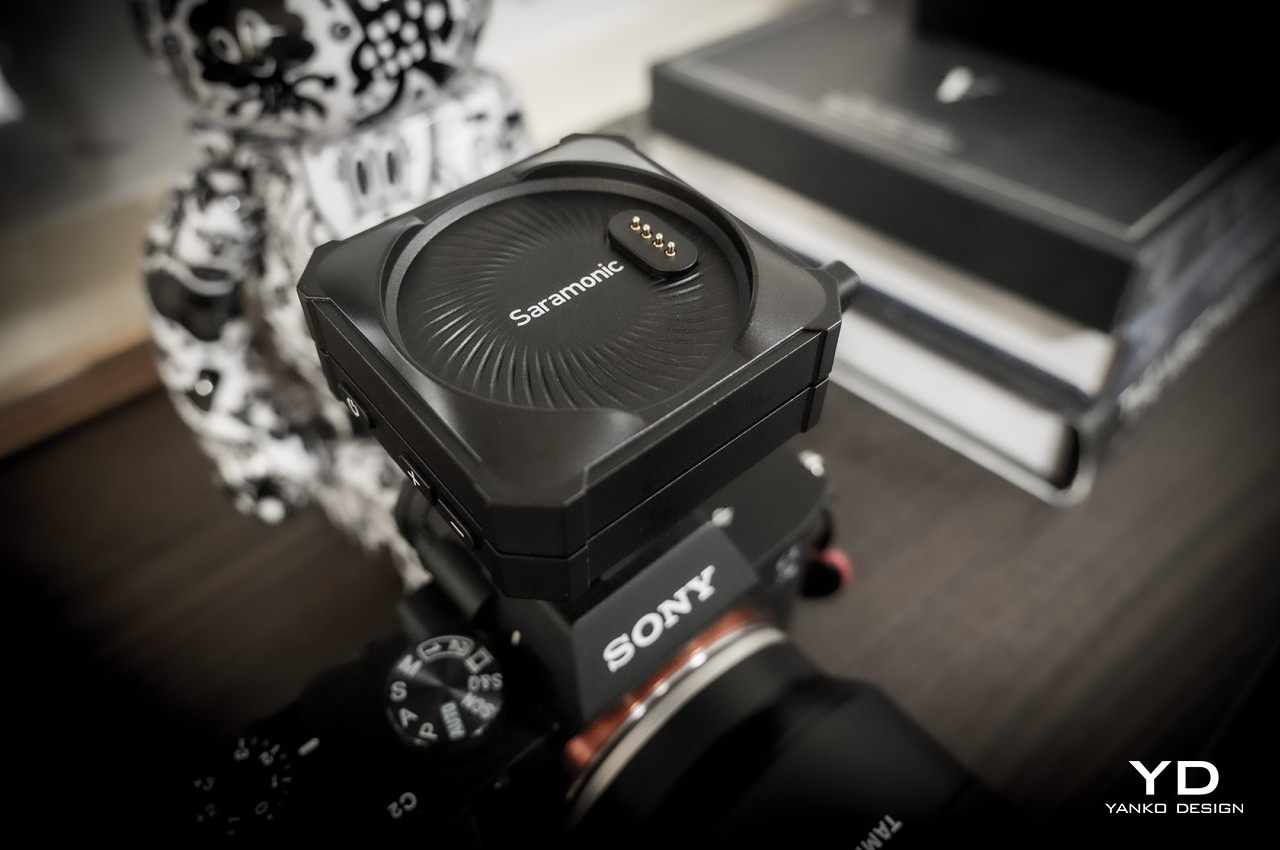
If you were expecting a small clip or some small rectangular box, you’ll be pleasantly surprised that it isn’t the case at all. The entire Saramonic BlinkMe B2 system comes in a rather unique package that is closer to some hi-tech gadget than what you’d normally see in wireless microphones. When joined together, the three parts look like a short square box with two smaller discs at the top and the bottom. You’ll probably be too focused on production to actually appreciate how distinctive the BlinkMe B2 looks, but it definitely puts the product a level higher than its peers.
The wireless mic’s personality, however, really shines the moment you use it, particularly when you separate these three pieces. You’ll immediately discover that they aren’t held down by flimsy locking mechanisms that get in the way but only by the sheer power of very strong magnets. These make it easy to remove the transmitters from the receiver base while still holding them securely when not in use or when charging. Once you pull off the transmitters, however, you immediately see the most visible feature that makes the BlinkMe B2 extra special.
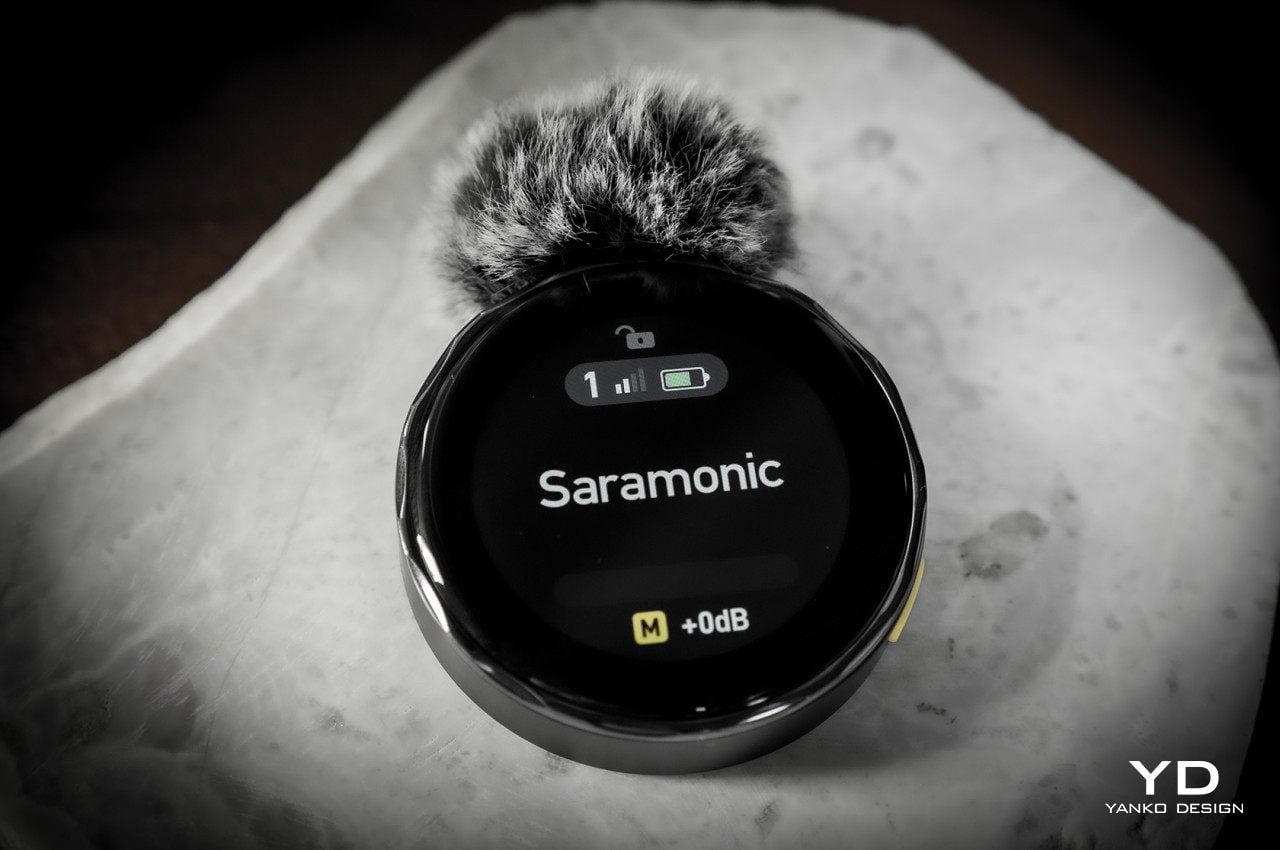
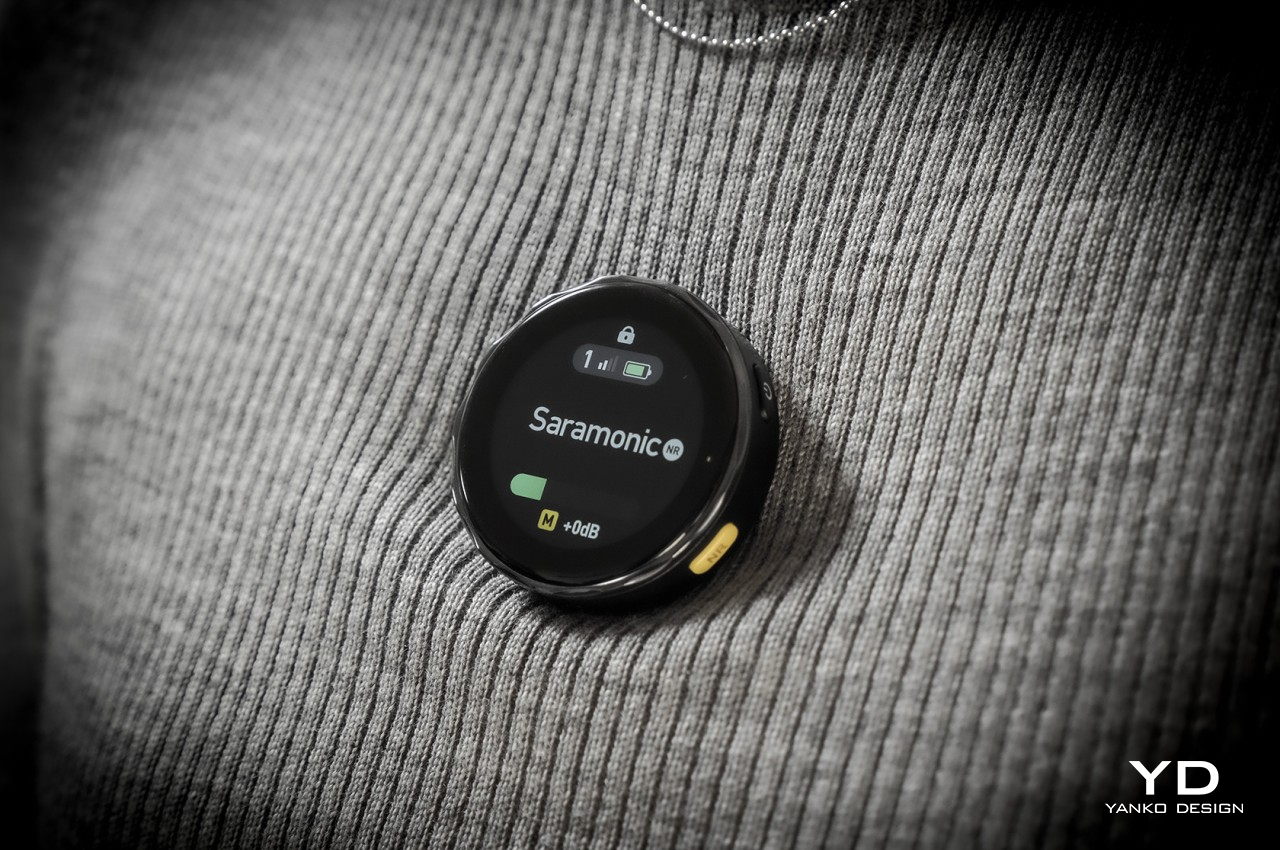
Both transmitters have circular touch screens covering their faces, making them look like smartwatches without straps. In fact, you operate them exactly like smartwatches, swiping and tapping through controls and options. There are, of course, also physical buttons on the side that, unsurprisingly, might also remind you of smartwatch buttons. This is more than just an embellishment, though. While it’s definitely dandy to see the mic’s gain levels from a distance as you record an interview, its real value shines when you realize that you can actually customize what’s shown on the screen.
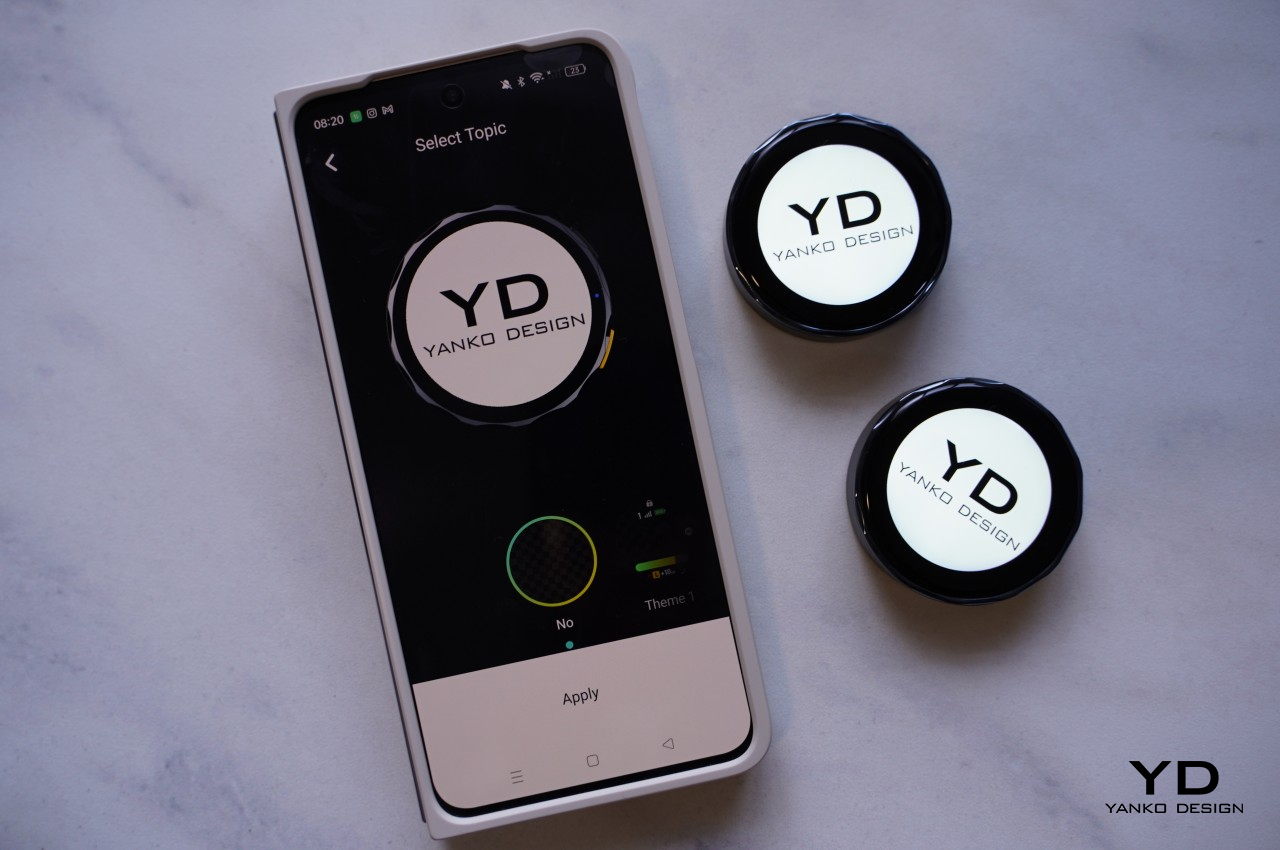
In essence, you can upload your studio’s logo or any other graphic (that fits a circle area) from the Saramonic mobile app to the transmitters and have it always on display while shooting. Considering how conspicuous this disc-shaped mic will be on your chest, it’s a great opportunity to do some subtle advertising. Conversely, that also means that the BlinkMe B2 transmitter will always be visible, though not everyone will actually realize that it’s a mic and presume it’s just some sort of fancy LCD badge.
Ergonomics
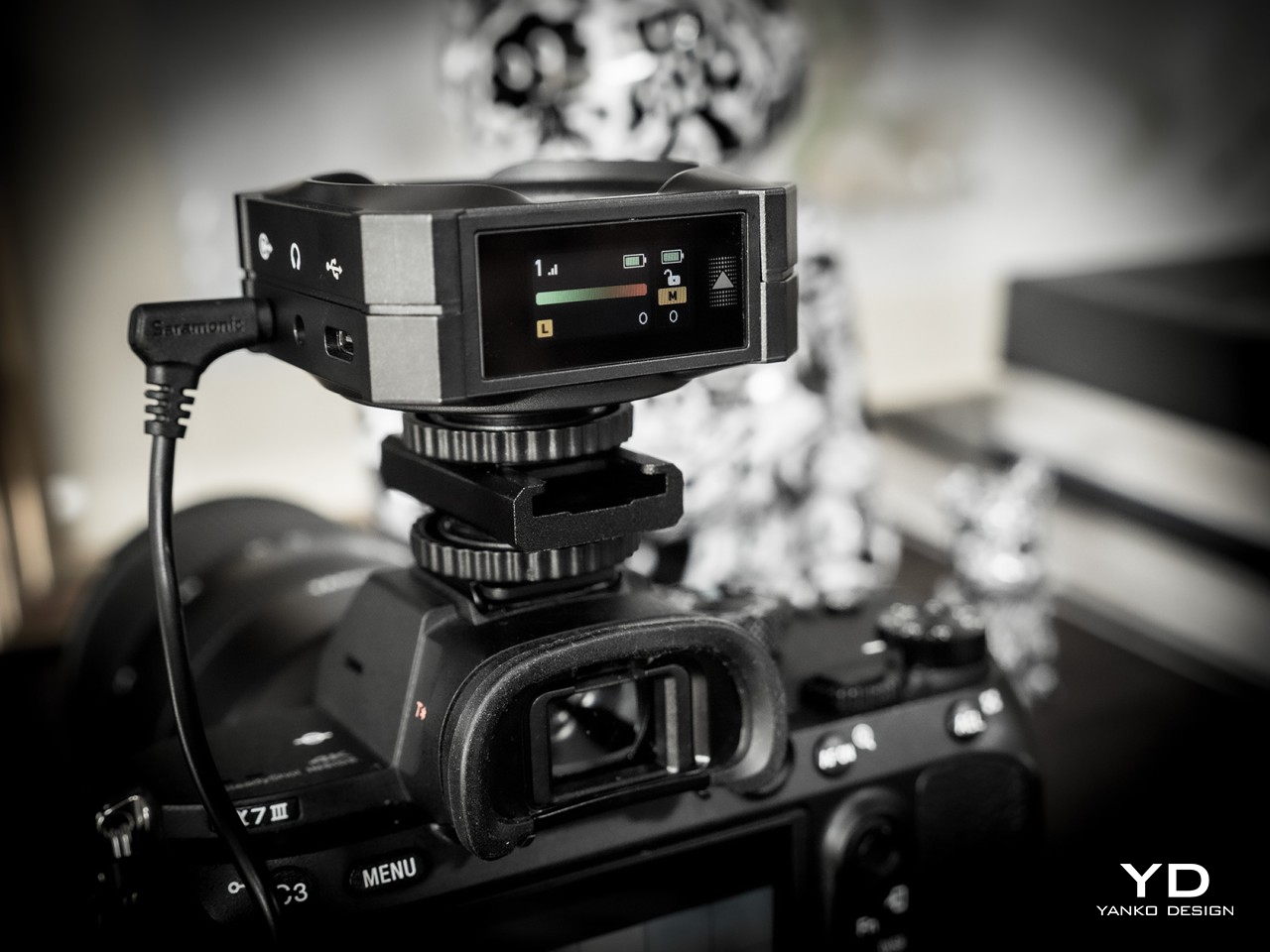
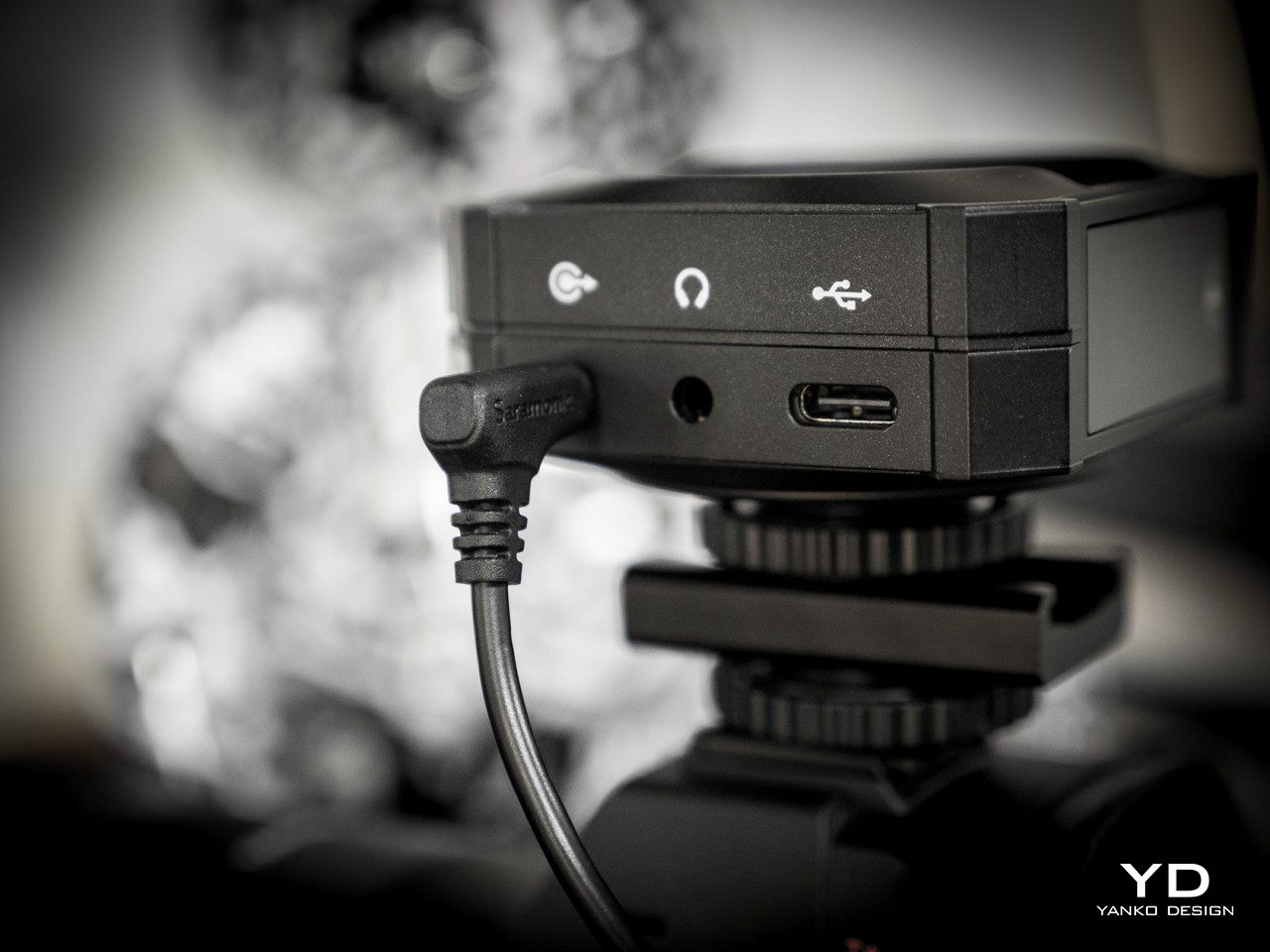
Saramonic’s use of magnets and touch screens isn’t just for show. They actually make the BlinkMe B2 one of the easiest wireless microphones to use. Need to start recording almost immediately? Simply pop off the transmitters. Need to charge one of the little pucks? Just have them snap back onto the top of the receiver. And since the transmitters can record audio on their own, you don’t even have to worry if you accidentally left the cables that would connect the receiver to a camera. It’s as simple as that.
Operating the three pieces themselves is a piece of cake thanks to the touch screens, though there are also physical buttons for the most important actions you need to have quick access to. What actions would those be? Actually, you get to decide that since you can customize what each button does through the Saramonic mobile app. The distinctive yellow button on the transmitters, however, has a single function, and that’s to toggle Noise Reduction on or off. That color might seem garish, but you won’t miss it even in a dark environment.
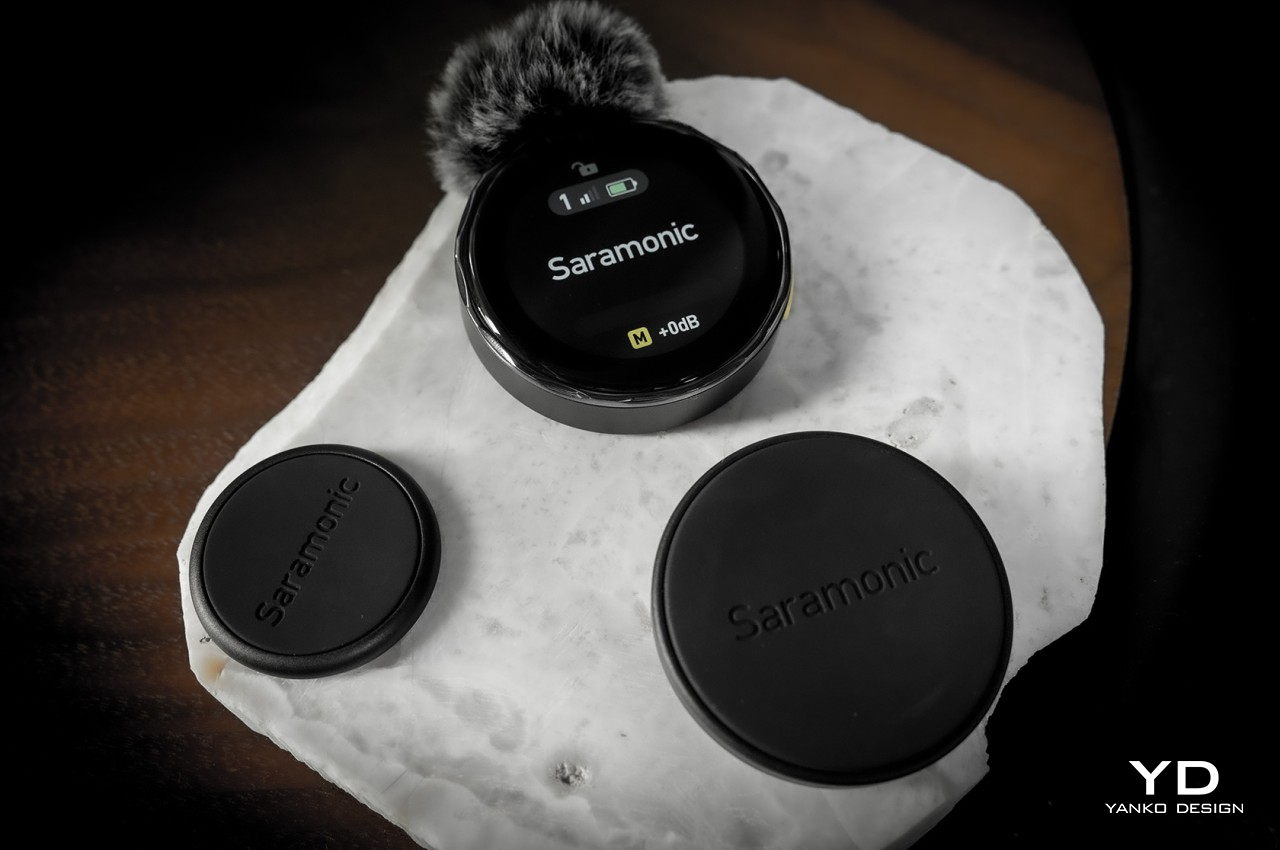
The magnets on the transmitters aren’t just a one-trick pony. Thanks to this design, you can easily stick the transmitters anywhere on a shirt, not just the edges. The package comes with four magnetic attachments that let you sandwich clothing between these two discs, though there’s also a magnetic clip in case you do need to go old school. You can even stick it to doors, posts, and any other metallic surface if you want to keep it out of the way. One word of caution, though. The magnets are so strong that you risk pinching the skin of your finger or, worse, certain body parts if you’re not careful how you connect two pieces together.
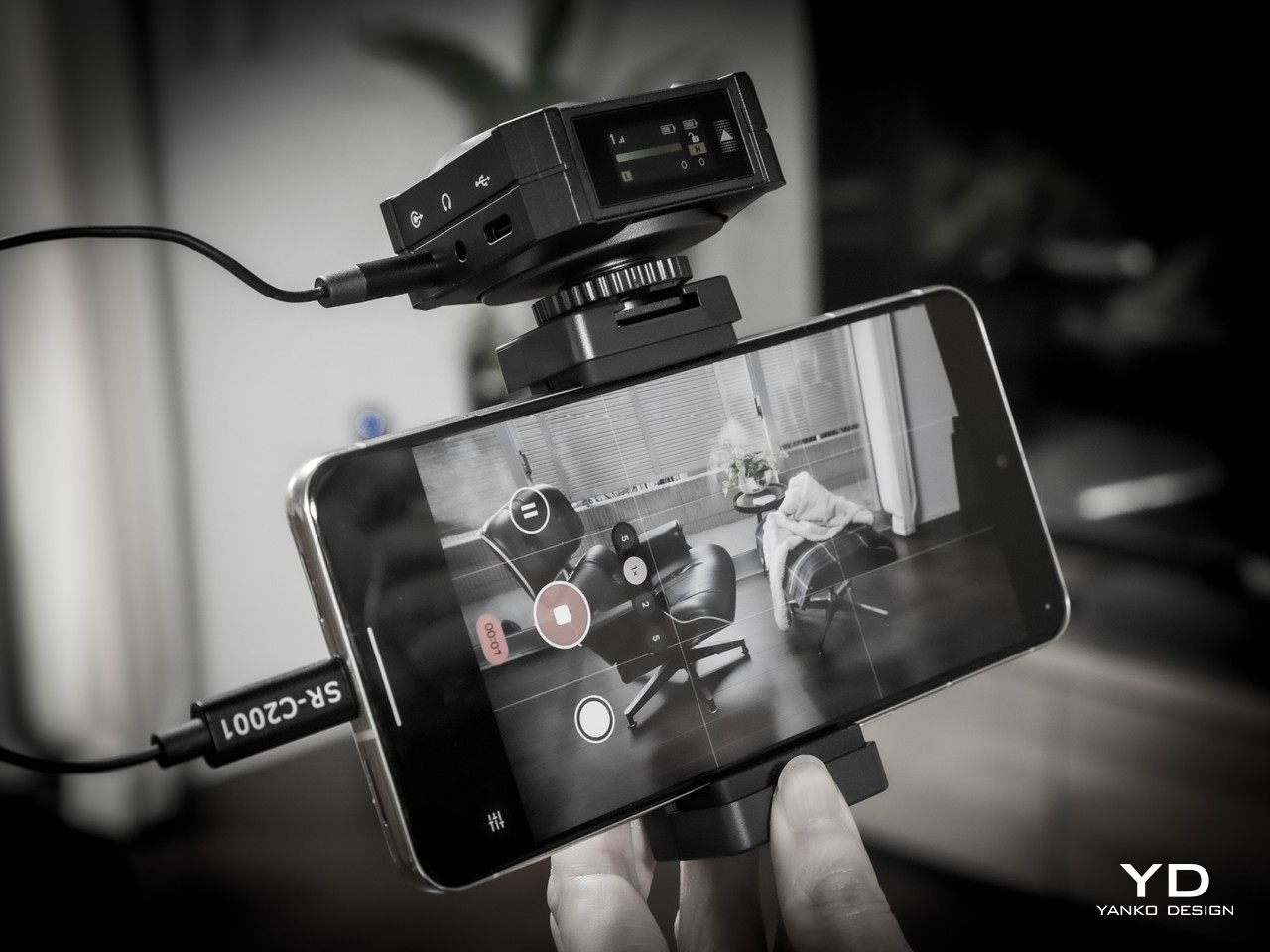
For all its ease of use, this magnet-based design does have one drawback. To charge the transmitters, you have to attach them to the receiver, which functions as the charging station. You can’t charge them independently using some accessory, so you’ll probably want to keep tabs on their battery levels. Given how the receiver is usually mounted on top of a camera, it also means you can charge only one transmitter at a time. Then again, if you do need to charge both, you’ve probably stopped recording anyway.
Performance
If we stopped at the BlinkMe B2’s unique aesthetic, people would simply pass it off as a pretty face. Fortunately, that is definitely not the case, because Saramonic’s smartest wireless definitely punches above its weight. You get clear and usable audio recordings even when there’s some busy activity around you, as we ourselves experienced on the hectic CES 2024 floor.
Even more impressive is that neither the signal nor the quality actually drops from a distance, even with some obstacle between the transmitter and the receiver, making it an excellent tool for sports or action footage. With the transmitter’s built-in recording functionality and 8GB of storage each, you don’t even have to worry when the stream does get cut off. As a bonus, the transmitter also has a “Safety Track” that’s recording at -6dB that’s meant to buffer against clipping and distortion, ensuring you will always have usable audio no matter the condition.
With wireless mics, battery life becomes just as important as audio quality, and fortunately, the BlinkMe B2 doesn’t skimp in that area either. Of course, Saramonic’s advertised 24 hours for the receiver and 8 hours for the transmitter are a tad too generous, but even hitting 22 hours and 6 hours, respectively is already quite an accomplishment. They charge fast, too, so you can be up and running for an additional hour with just a few minutes charge.
As mentioned earlier, controlling all the pieces of the BlinkMe B2 system is as easy as pie thanks to the sensitive touch screen. The transmitters, in particular, operate almost like smartwatches, with a swipe from the top revealing quick toggles and a swipe from the bottom going back to the main screen. The only slight complication is the smaller screen on the receiver, which is better used for displaying information rather than controlling the device. All in all, the BlinkMe B2 offers an unbeatable experience, not just in the quality of audio it produces but especially in the unique features it offers.
Sustainability
Saramonic introduced many features in the BlinkMe B2 that you won’t find in other wireless microphone systems, and thankfully, they’re all useful and essential to delivering an excellent audio recording experience. Unfortunately, that also makes the design of the device a little bit more complicated, which also means that repairs are going to require more specialized skills and components.
Although a wireless mic such as this is expected to be able to weather different environments, the presence of screens actually puts their durability at more risk. And the use of plastics and less eco-friendly materials are present all around, though not surprising considering it’s still the status quo in consumer electronics. Hopefully, the day will come when Saramonic puts sustainability as a major bullet point on its marketing material, allowing creators to make great content while also feeling good about their positive impact on the planet’s future.
Value
The Saramonic BlinkMe B2 is hardly a cheap kit, setting you back at about $249. There are definitely more accessible streaming mics in the market right now, with some of the popular ones just under $200. That said, those also have plenty of flaws of their own, like taking the form of a traditional mic that you need to place on a table. If you need something that can go the distance, literally, there are few that can outdo the BlinkMe B2.
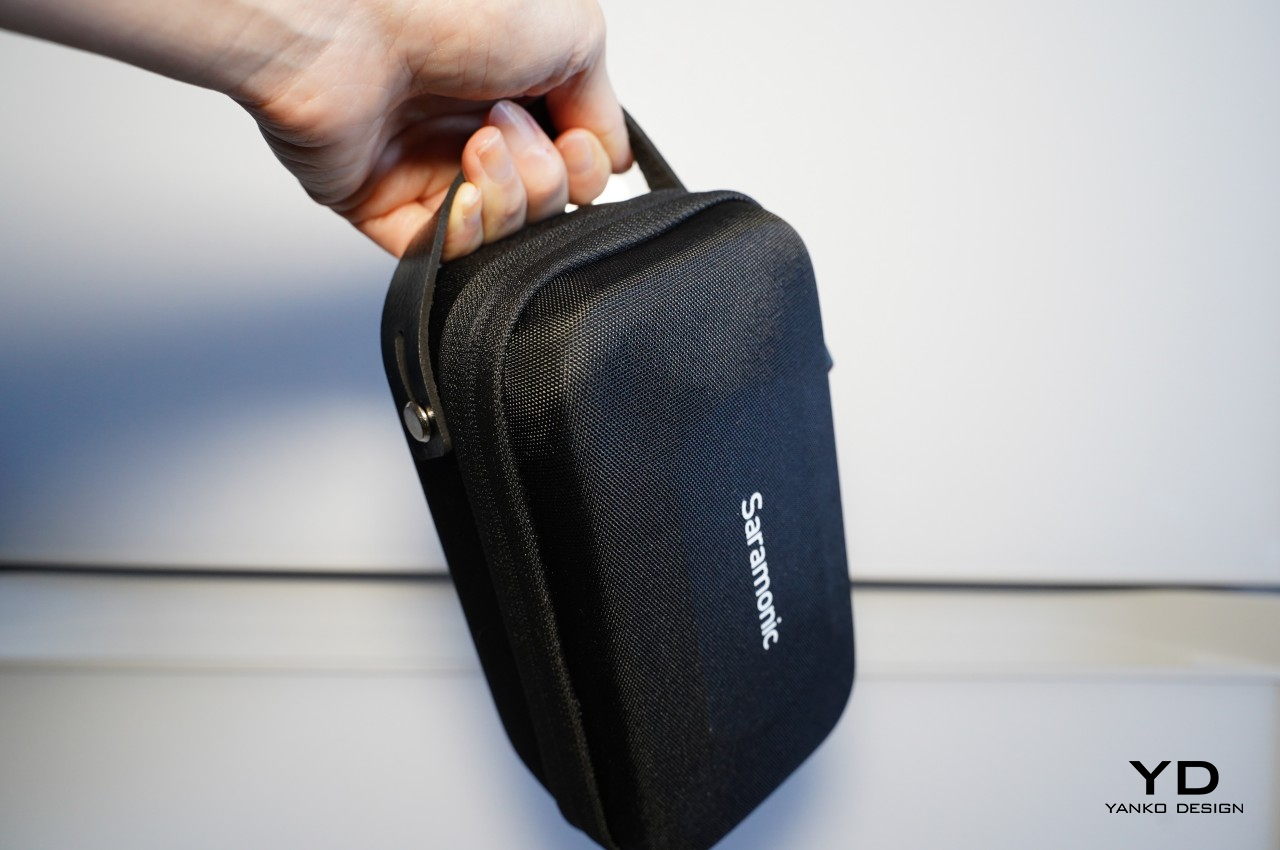
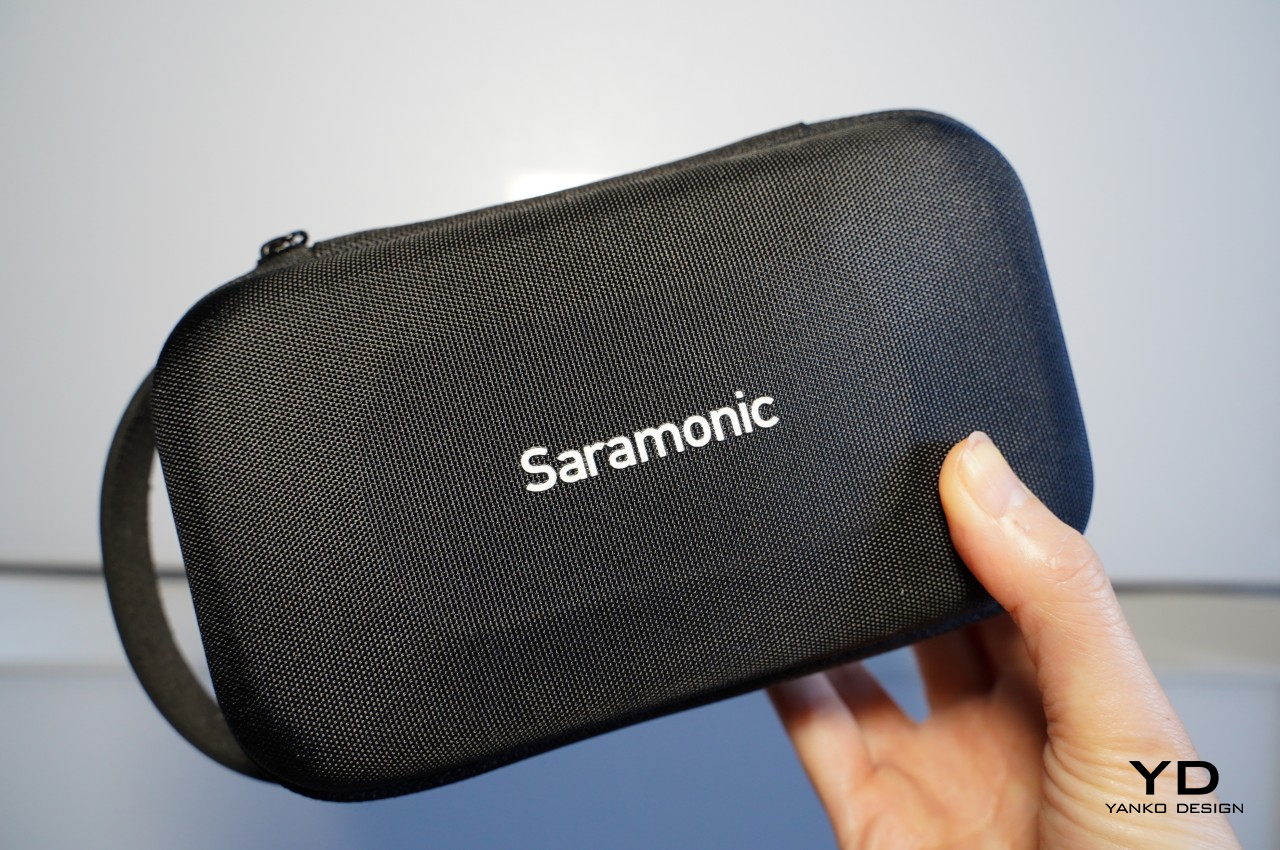
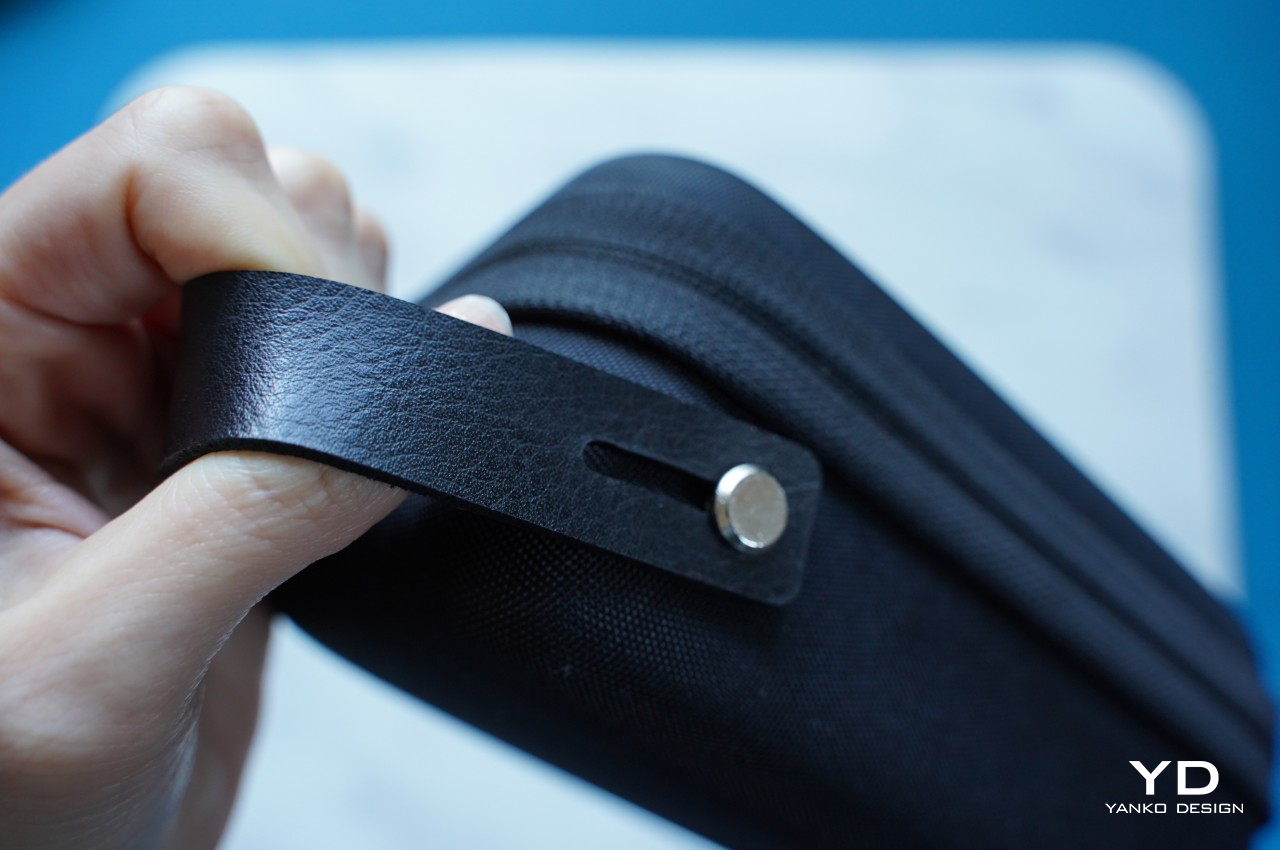
The audio clarity and volume are just impressive, especially considering how crazy it always is at CES in Las Vegas. The fact that it can deliver more than just decent recordings at great distances is a huge boon for those who want to record more dramatic footage from a safe distance. Magnets make using and placing the transmitter easier and more hassle-free, and the ability to turn these recording devices into advertisements is definitely a great help for creators and studios. Even better, that price includes an entire kit, from four magnetic attachments to two magnetic clips to even a handy carrying case that lets you bring your precious equipment with security and convenience.
Verdict
It’s almost too easy to take the importance of quality audio for granted until that dreaded moment when you realize you barely recorded anything intelligible. Reliable audio that you can use is even more critical for those moments that will never come to pass again, including interviews you might not be able to retake. It’s in those moments that you’ll wish you had an audio recorder you could also rely on, just like your camera or smartphone.
The Saramonic BlinkMe B2 smart wireless microphone system is definitely ready to step up to the challenge. It breaks away from mic design conventions to deliver a product that has just enough tech to deliver convenience and a unique aesthetic without overburdening the user with inessential details and options. It’s powerful, a little bit quirky, and, most importantly, reliable, delivering quality audio recordings even in the most trying conditions. Yes, it’s also a bit pricey, but it’s an investment that will pay for itself throughout the coming years of creating high-quality audiovisual content.