In 2024, iPhone users who crave the nostalgia of classic gaming have access to a wide array of emulator apps directly from the App Store. These apps are meticulously crafted to emulate the hardware of vintage gaming consoles, enabling users to immerse themselves in retro games with enhanced security and convenience. Among the top contenders […]
The TransMemory U304 series offers a knock-slide design, color options, and strap hole for easy attachment. It's a convenient, reliable USB flash drive solution.
If you are interested in learning more about how you can use the powerful Stable Diffusion 3 AI image generator created by the development team at Stability AI. You will be pleased to know that it is capable of generating images on par with Midjourney and others. Stable Diffusion 3 harnesses the power of advanced […]
Instagram Reels have emerged as a powerful tool for individuals and brands alike to captivate audiences and expand their online presence. This comprehensive guide delves into the strategies and techniques that will enable you to create compelling Reels, elevate your personal branding, and engage with a broader audience on this thriving platform. Establishing Brand Consistency […]
If you are interested in learning how to use the newly released Meta AI assistant this quick guide will provide more insight in how you can easily get started. Asking questions and setting it tasks to help with the more boring aspects of your daily workload or tasks. Built on Llama 3, the companies most […]
Apple is poised to unveil the highly anticipated iPhone 16 Pro and Pro Max, which promise to push the boundaries of smartphone technology. These flagship devices are set to introduce a range of significant advancements, with the innovative A18 Pro chip at the forefront. This powerful processor is designed to enhance performance, AI capabilities, battery […]
Novelcrafter, and AI writing tool primarily known for its fiction writing skills, can also be adapted for long-form non-fiction such as books and articles. To do this the AI writer requires specific adjustments to effectively handle non-fiction content. Here are the key steps you need to take to use Novelcrafter for non-fiction AI writing: Key […]
You know you’re doing something right when Samsung ends up launching a product to compete with yours, and it’s becoming increasingly clear that Apple plans on joining the category too. The smart ring market is seeing an undeniable rise for a bunch of reasons. Smart rings are classy, discreet, and don’t have too many components or requirements. You have ten fingers, so you can easily wear a smart ring along with your engagement ring or accessories (try wearing two watches and see people stare) and you can easily wear the ring while asleep too. Smartwatches walked so smart rings could run, and the latest runner to enter the marathon is the Kuura Ring – a sleek wearable that’s titanium on the outside, and sensors galore on the inside that tracks everything from your sleep to your stress levels and exercises. Like a fitness tracker but sleeker and frankly a little more convenient, the Kuura is yet another nail in the smartwatch coffin, affirming the fact that rings are, in fact, the future of the health wearable industry.
Move Smarter: your walks, runs, cycles and gym sessions and measure your heart rate, and recovery rates to plan your personal fitness goals.
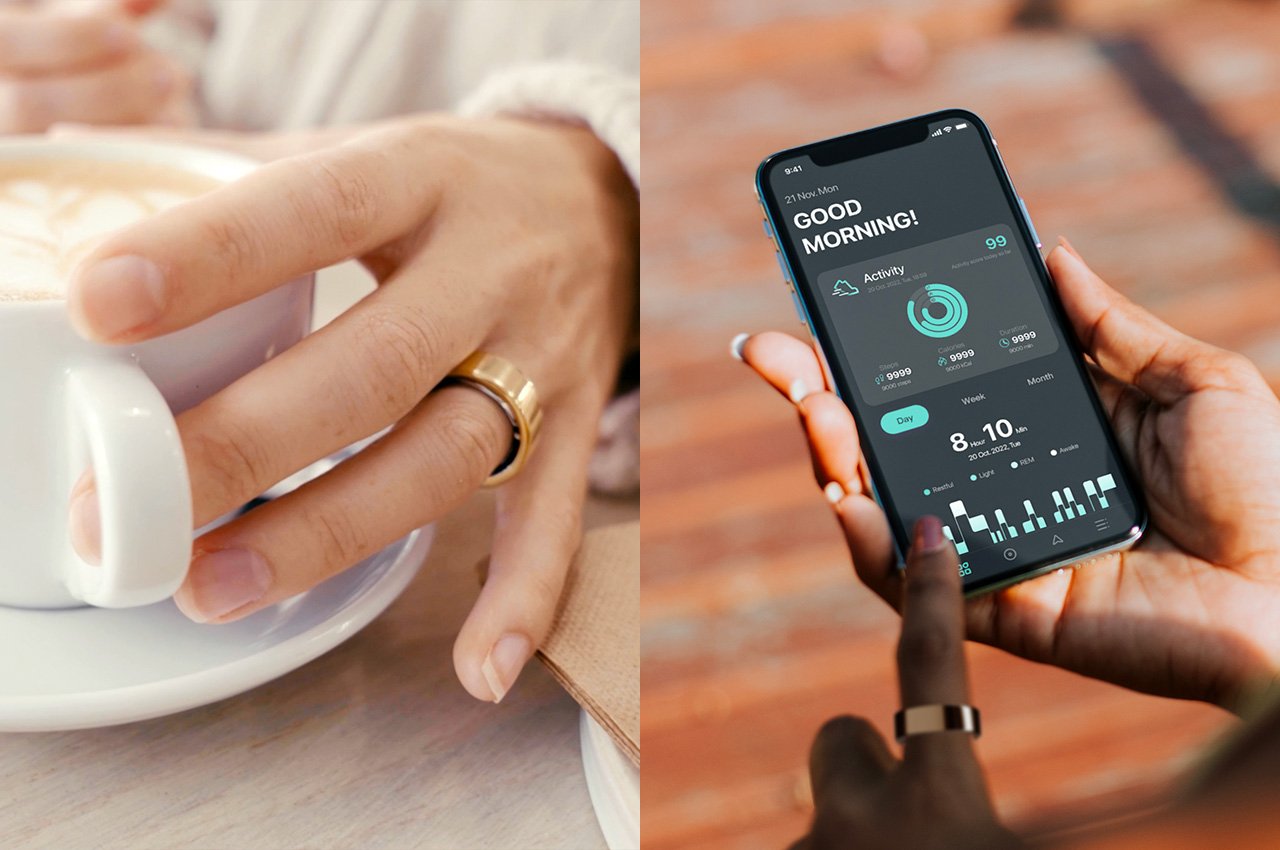
The Kuura Ring looks like any minimalist metal ring, blending right in without necessarily looking tech-forward. A titanium outer shell comes in 3 colors – black, silver, and gold, while the inner surface of the ring is made from hypoallergenic epoxy, which hermetically seals all the electronics inside the ring giving it complete water resistance. The insides are lined with various sensors that can track body metrics from body temperature to heart rate and even blood oxygen, giving the Kuura Ring a wide variety of stats to help interpret different stages of your health. A 17.5mAh battery powers the entire wearable, giving it a solid week’s worth of usage so you don’t need to charge your ring every day like you would most fitness trackers.
Live Smarter: Get a clear picture of your health from over 20 biometric signals, including temperature to stress levels to help you live your best life each day.
The sensors within the Kuura capture your health in a holistic manner, working around the clock to give you stats across a variety of categories. A G-sensor captures movement, a heart-rate light reads your heart rate, HRV, and stress levels, a blood oxygen light does exactly what it says it does, and an infrared light detects when the ring’s worn, switching the wearable off when you take it off. Combined, these sensors are all the Kuura needs to analyze your well-being.
The ring does everything a fitness wearable does and maybe some more. It monitors your health, ensuring your heart rate isn’t too high or too low, captures your steps to see how much you’re moving in the day, uses a variety of stats to check your stress levels, tracks your workouts (ranging from a variety of workout styles), and at the end of the day, tracks your sleep cycle. The lack of a screen on the ring means all the data is sent to Kuura’s own smartphone app (it also means better battery performance) where you can access every single metric laid out in a well-designed UI. The app is your health dashboard, letting you see your progress as well as learn all your rooms for improvement, and even set fitness goals that you can aim for.
Sleep Smarter: Wake up to analysis about your deep sleep, light sleep & REM sleep to optimize your sleep schedules and rise feeling refreshed and ready for the day.
Different sections in the app provide their own detailed metrics. The sleep tracking page gives you a detailed analysis of your sleep across 4 stages – REM, restful sleep, light sleep, and wakefulness. The fitness tracker captures movement (distance and steps), duration of your workout, and even the kilocalories burned. The water-resistance allows you to even go swimming with your Kuura on. Finally, the overall health tracker looks at your heart rate, variability, body temperature, and stress levels to give you a score that helps you understand where you stand in your journey to a healthy life.
Available in 3 different colors, the Kuura Ring comes in 8 sizes that fit men and women of all ages and body types. Earlybird backers can grab the Kuura Ring for just $99, which also includes the ring’s contact-based charging cable, and the free Kuura smartphone app available on iOS and Android.
Google isn’t exactly known for its love of tablets. Android 3.0 Honeycomb was the first version to support large-screen devices, but it was mostly seen as a quick stopgap measure to curb the growing number of tablets modifying an experience that was meant for phones only (looking at you, Samsung and HTC). The release, however, was considered to be so rushed and so bad that Android 4.0 Ice Cream Sandwich was released half a year later. Google didn’t seem keen to make its own Android tablets either, be it the old Nexus brand or the short-lived Pixel C, but that’s not to say its own fans haven’t been clamoring for an official Google tablet for years. That finally happened nearly a year ago with the Pixel Tablet, which painted this large device as something different from an iPad or a Samsung Galaxy Tab. Rather than launch a new Pixel Tablet 2 this year, however, Google is apparently making the rather unorthodox move of relaunching the existing model, and it seems like it will be a mixed bag based on what we’re hearing so far.
Designer: Google
Google Pixel Tablet: Design
The most important thing about this “relaunch” is that there is no word on any major internal or external changes to the Google Pixel, and that’s not entirely a bad thing. There are some whispers about a new and darker color option, but that seems unlikely at this point. The Pixel Tablet’s design is largely driven by Google’s vision of what the tablet really is for, which all boils down to a device that’s meant more to stay at home than accompany you wherever you go.
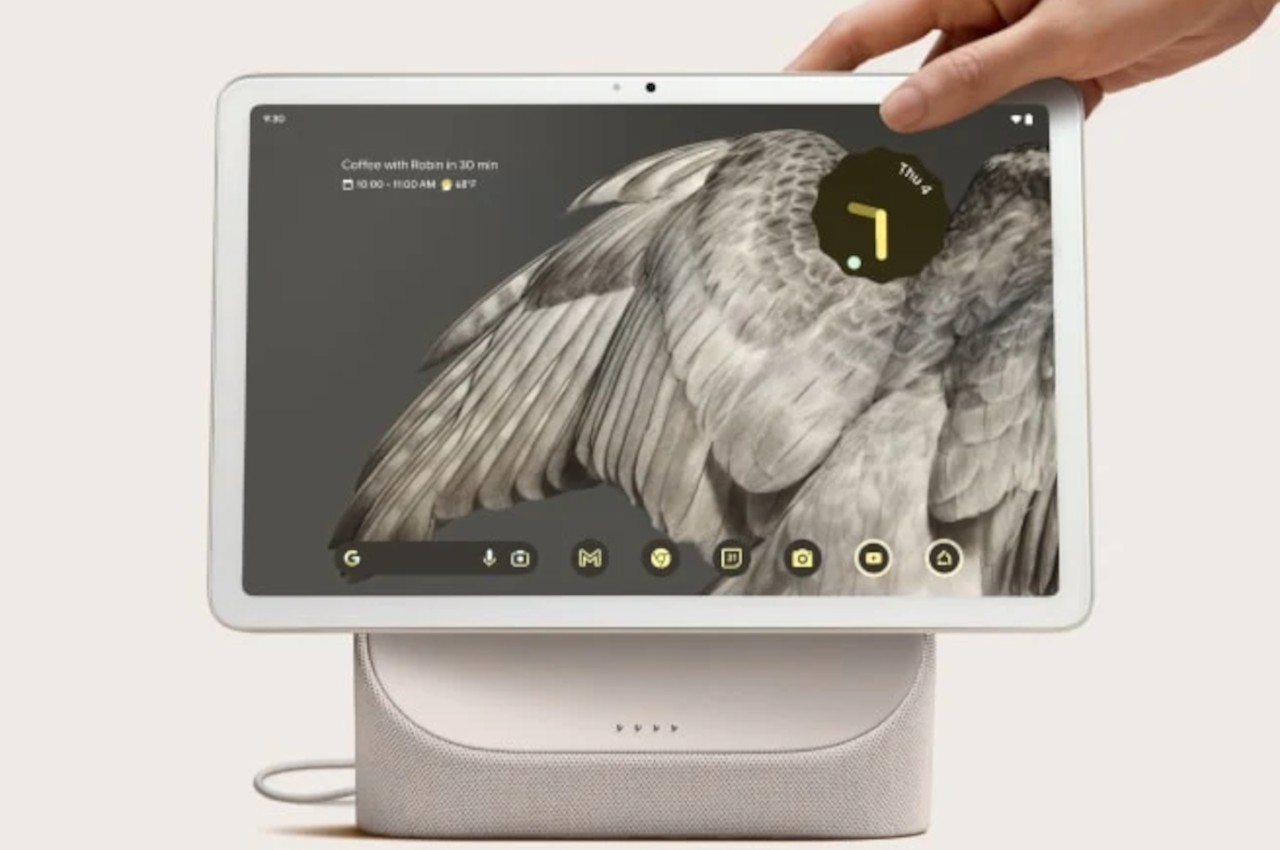
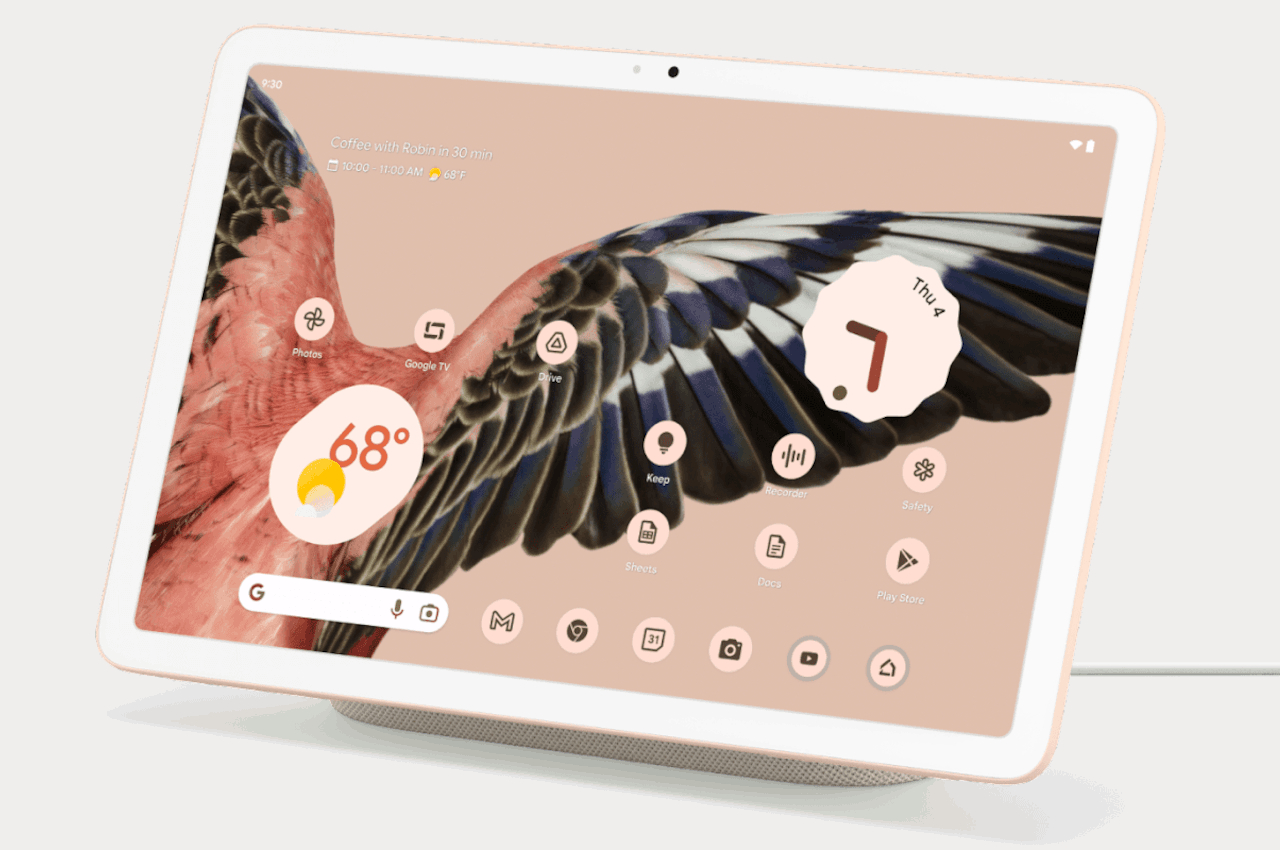
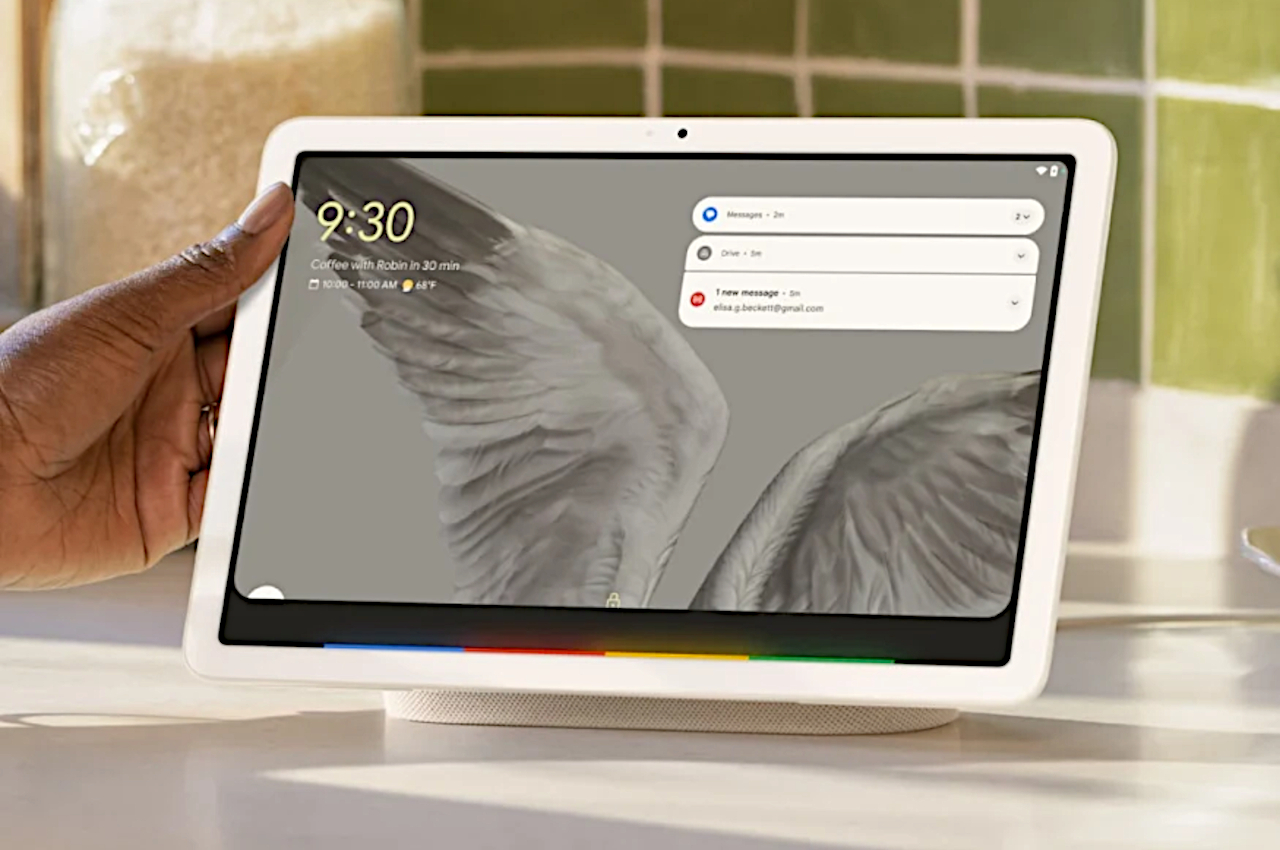
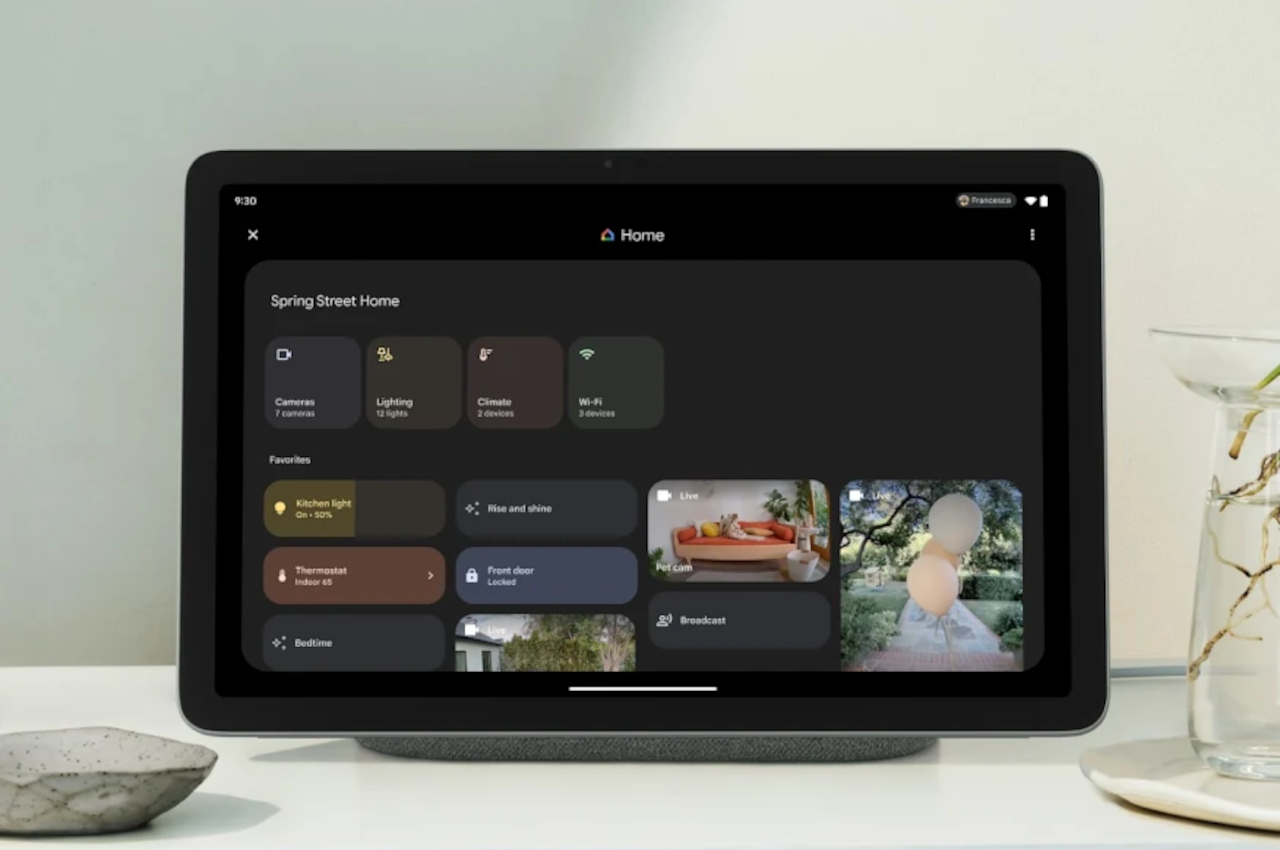
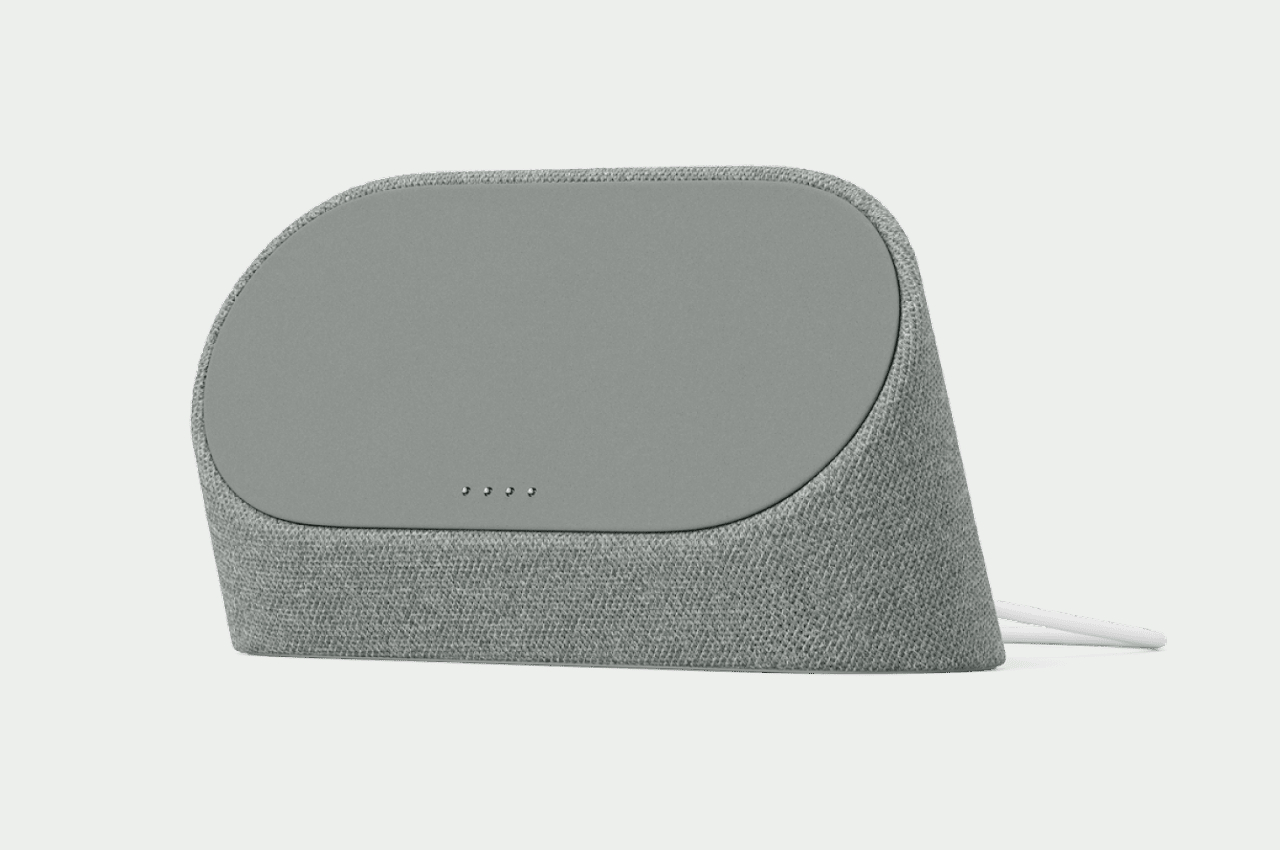
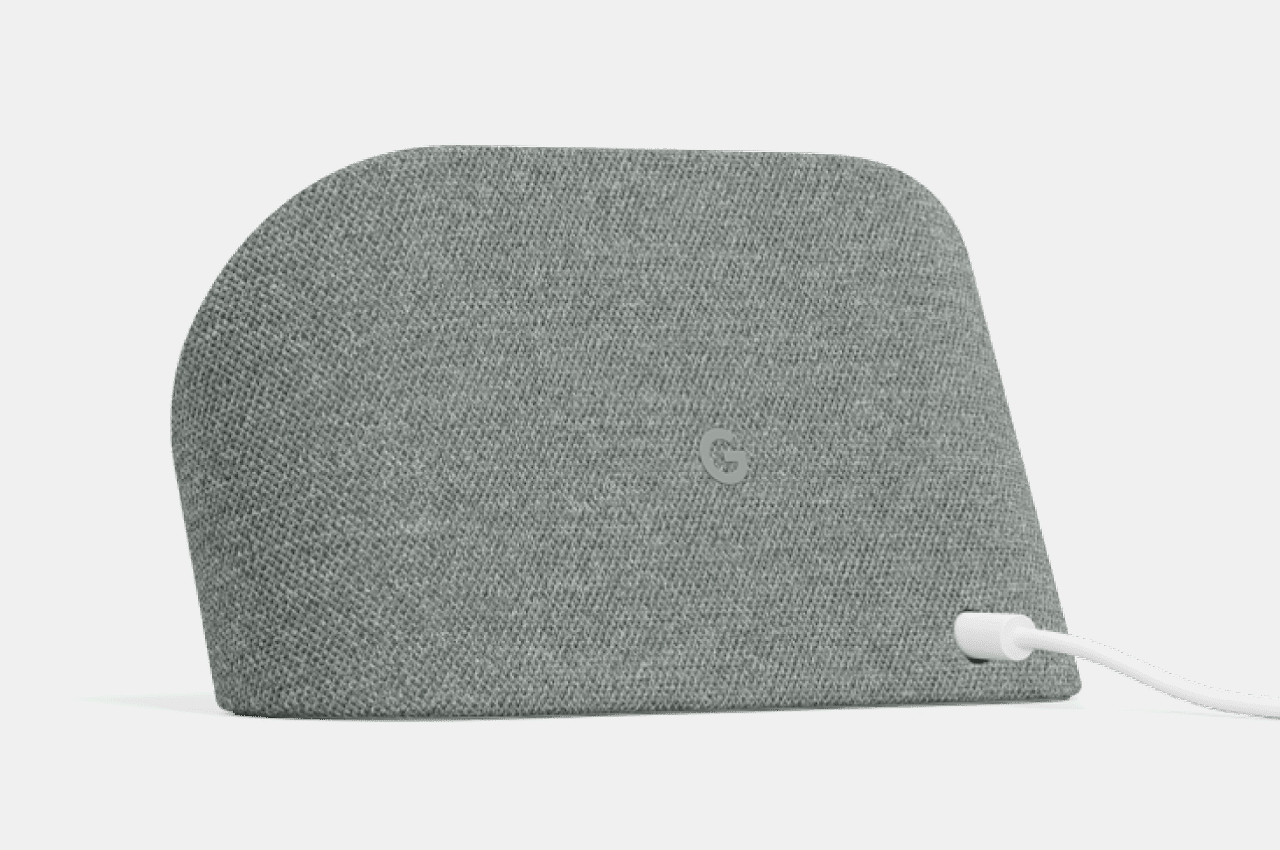
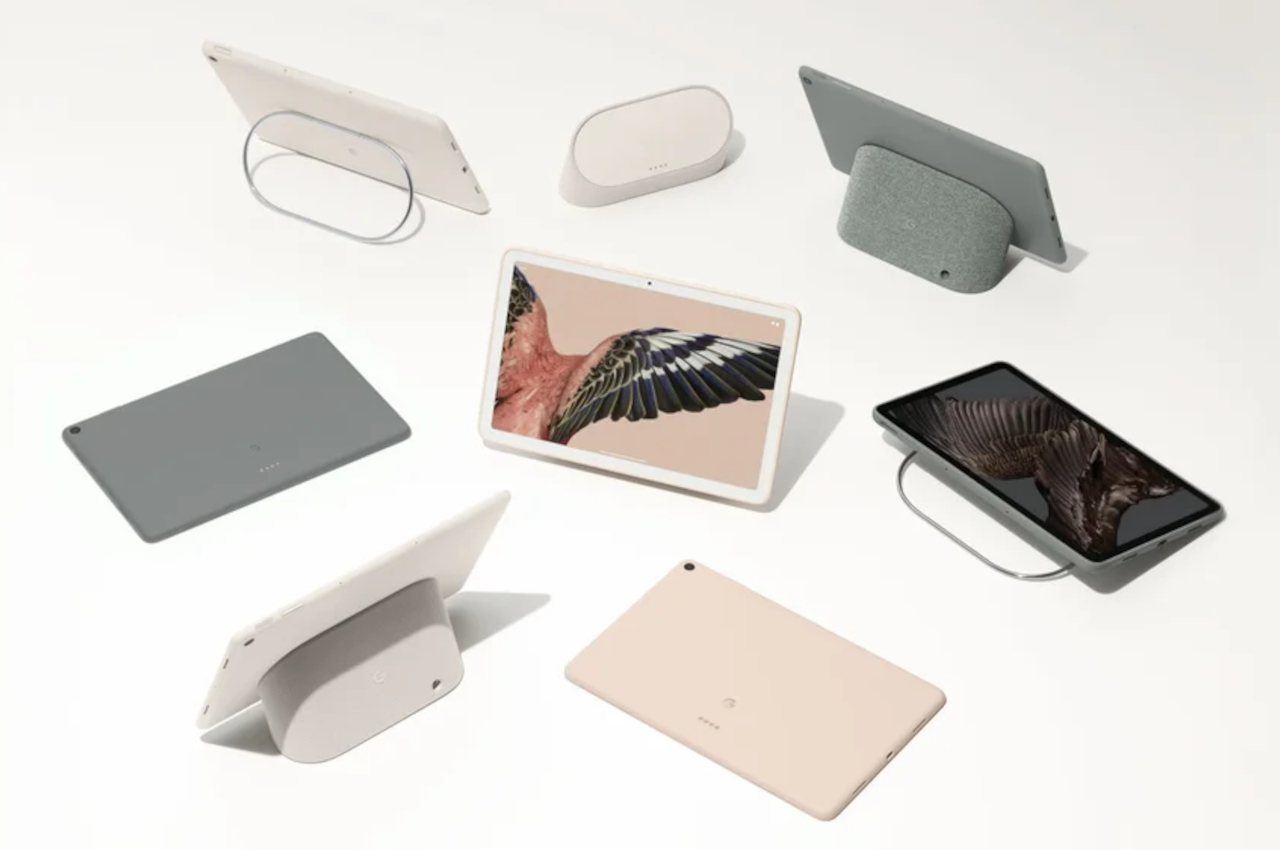
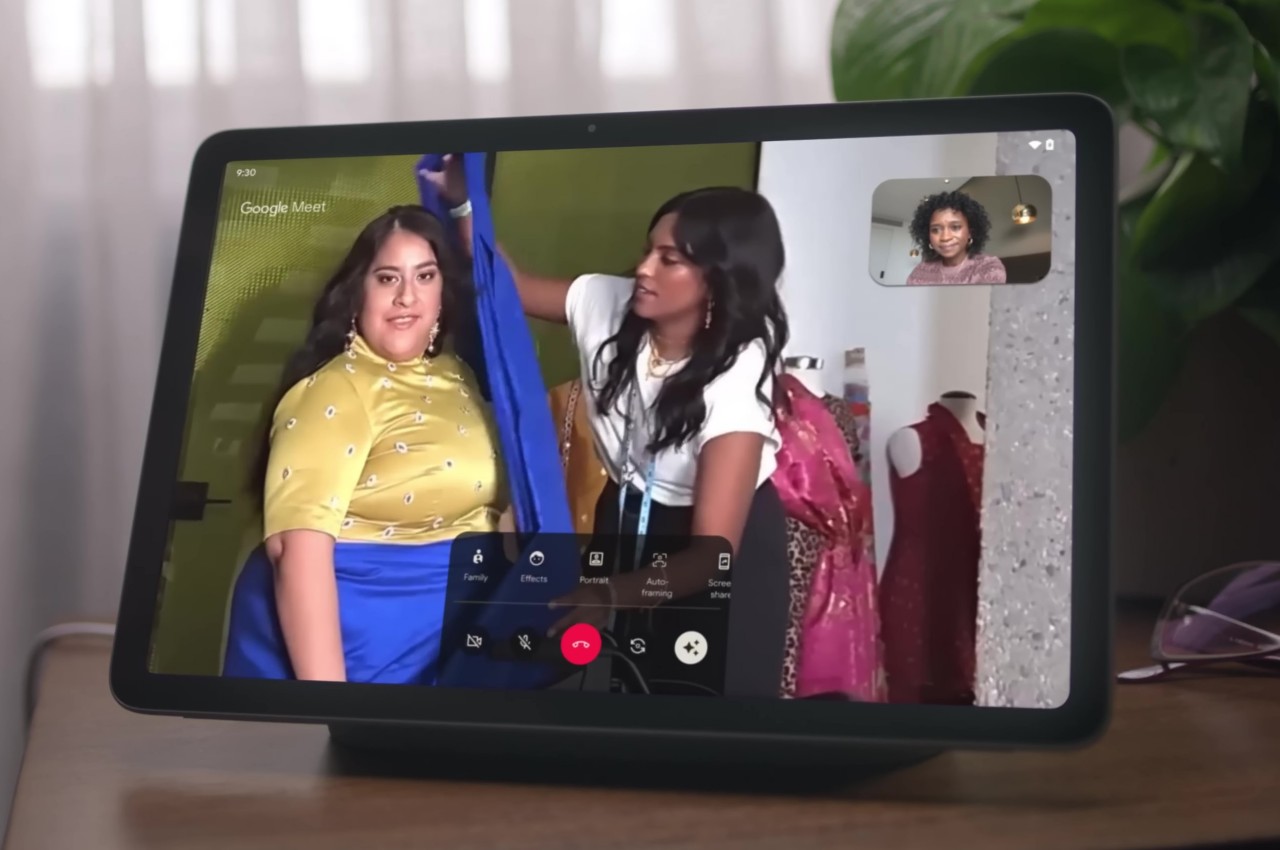
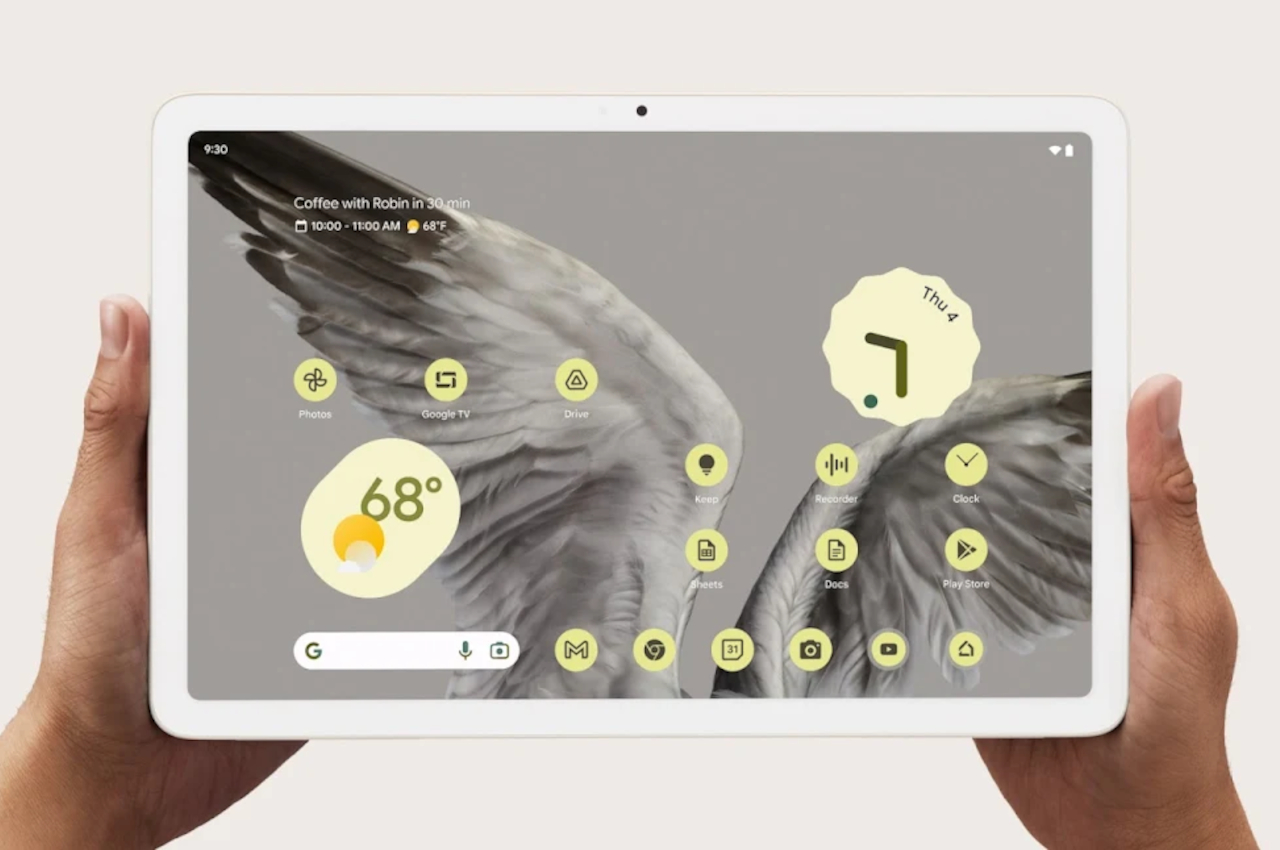
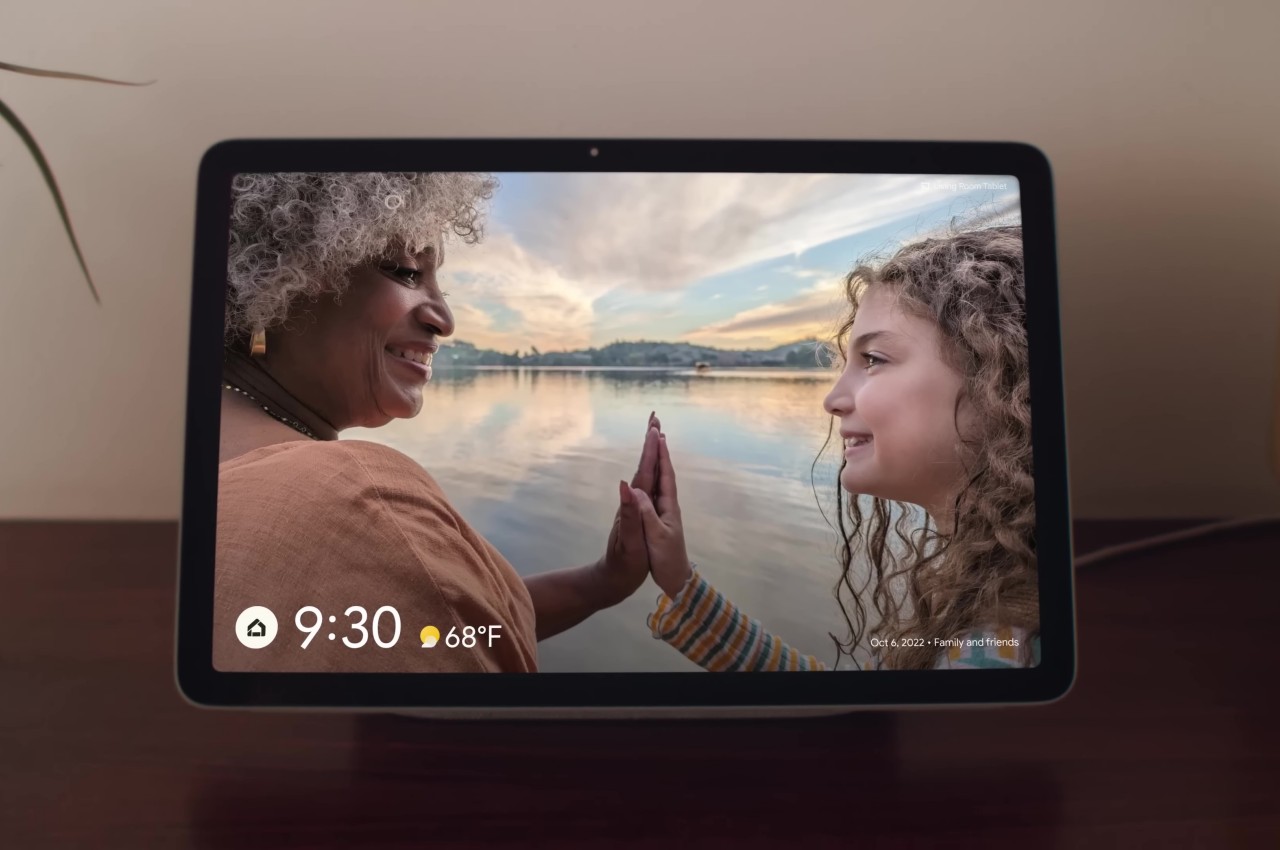
The Google Pixel Tablet’s aesthetics are simple, homey, and a bit traditional. Unlike the flat and sharp edges of the likes of the current Apple iPads, Google’s design has curved sides and a gentler demeanor. It’s not something you’ll flaunt outdoors but will be perfectly at home inside the house. That’s primarily because Google’s purpose for its tablet isn’t on-the-go productivity or entertainment but as pretty much a portable smart display for controlling your smart devices, making video calls, or playing music. The fact that you can only buy the Pixel Tablet with its charging speaker dock pretty much drives home that identity.
This will be the exact same Pixel Tablet that Google is said to be “relaunching” in just two weeks but with a slight twist. The accessories for the tablet are being changed, and this speaker charger will no longer be bundled with the Pixel Tablet by default. Although it’s only the accessory lineup that will change, it also subtly changes the message that the product will be sending. Strangely enough, the design will also remain the same, so it’s not a complete overhaul of its identity either.
Google Pixel Tablet: Specs and Software
We’re unlikely to see any internal changes either, which means we’ll be seeing the same 2022-era specs like a Tensor G2 processor and 8GB of RAM, for starters. Truth be told, the Pixel Tablet hardware was plenty fine for what it was made for and can even support a bit of gaming on the side. Whether that holds true in 2024 and beyond is a bit uncertain, however, especially with Google opening up the device to new use cases that may demand more from the hardware.
What is basically changing is that Google will no longer ship the Pixel Tablet with the Charging Speaker Dock, which has important ramifications as far as pricing goes. More importantly, however, it is rumored to introduce new accessories, namely an official Google stylus as well as a keyboard for the tablet, most likely a keyboard cover like those sold for the Galaxy Tab S9, for example. Unfortunately, there are no leaks on the design that these products will take, but given the design of the official Pixel Tablet Case, we’re expecting something that will match the tablet’s aesthetics as well.
Samsung Galaxy Tab S9+
Samsung Galaxy Tab S9 Ultra
Samsung Galaxy Tab S9 Ultra
Designer: Samsung
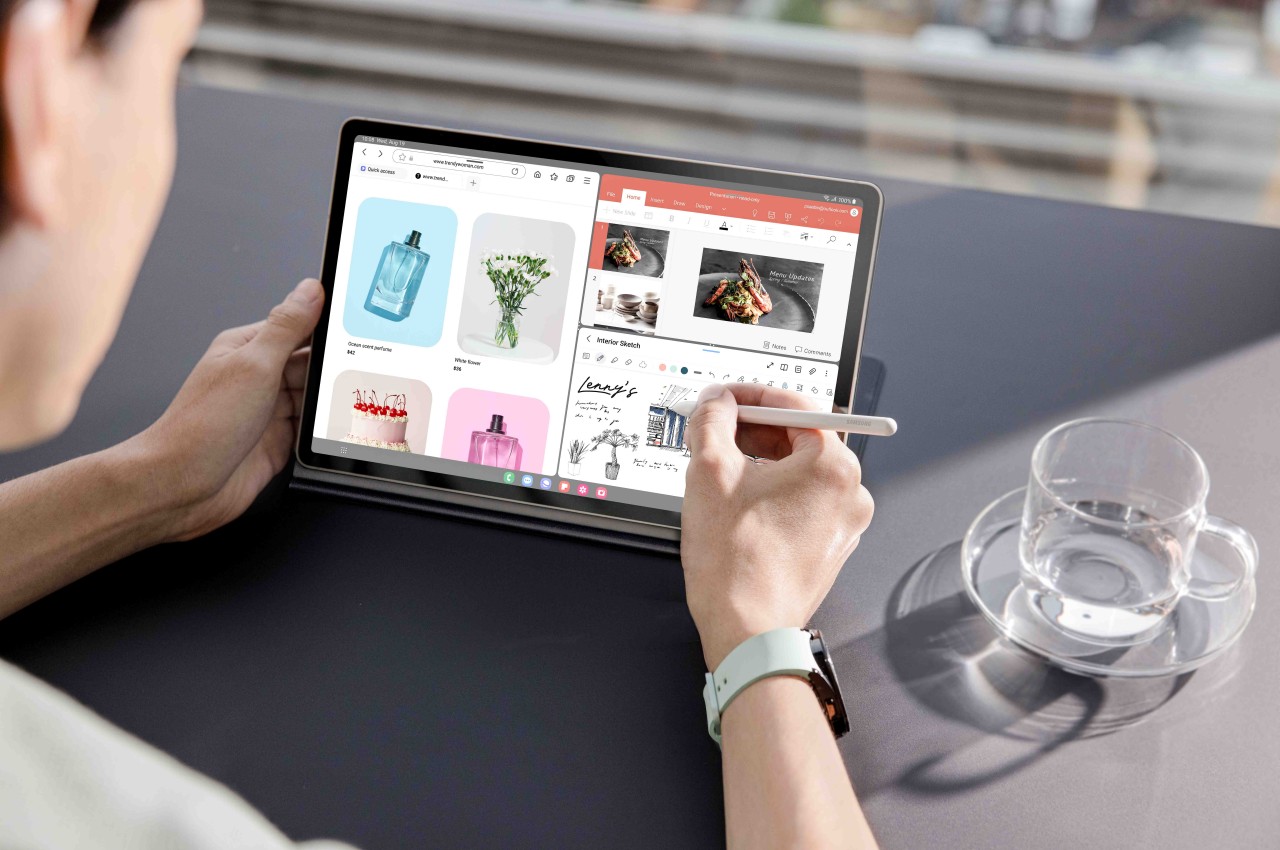
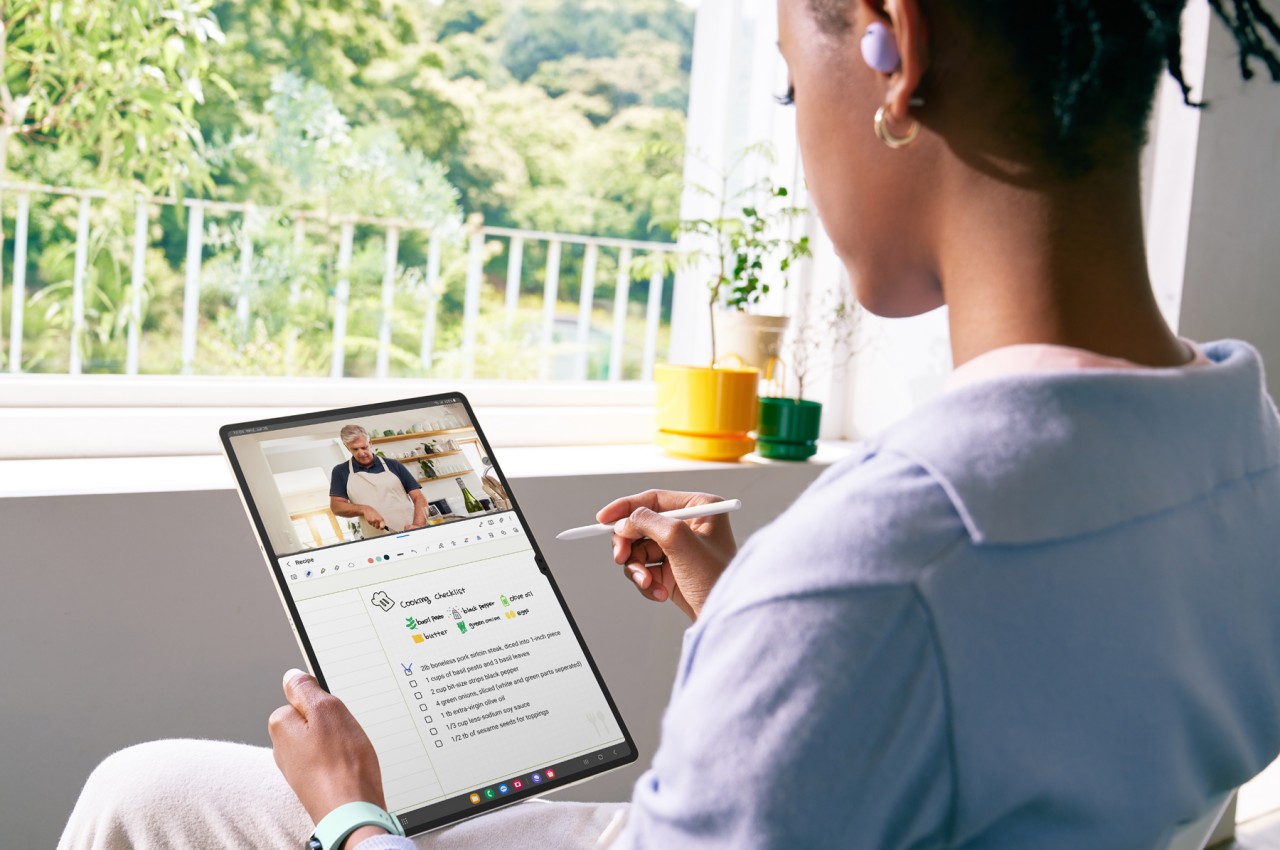
Of course, the Pixel Tablet has had support for a wide range of styluses implementing the USI 2.0 standard as well as the myriad Bluetooth keyboards in the market. But having Google’s official stamp pretty much sends the message that the Pixel Tablet is also good for creativity and productivity, whether it’s making art, scribbling notes, or typing documents. The keyboard case even makes a case (pun intended) for bringing it out of your home and setting up an ad hoc office in a cafe somewhere. The Pixel Tablet’s hardware could still be up to the task, but more resource-hungry apps could hit a wall easily with this configuration.
As for the software, the Pixel Tablet will still be running Android 14 by the time it launches, but we’re expecting to see more AI-related features drop through updates. Circle to Search, in particular, will be easier to do with a stylus, and Google’s NotebookLM AI-powered app will be more useful if you can quickly type with a keyboard. The Google Pixel Tablet will be growing up from being a homebody to a digital nomad, allowing you to enjoy and utilize Google’s services anywhere you go and on a larger screen.
Google Pixel Tablet: Price and Release Date
Google’s new pricing strategy will be a mixed bag. On the one hand, you will finally be able to buy a Pixel Tablet on its own without having the Charging Speaker Base forced on you. Presuming the standalone base still costs $129, then the solo Pixel Tablet could be made available for only $379, hopefully a bit lower. This makes the tablet more accessible, especially for people who have better-sounding speakers anyway.
On the other hand, all accessories will have to be purchased separately, and the price tags might be hard to swallow. According to the rumors, the Pixel stylus and keyboard could amount to around $100 each, setting you back $579 for the complete mobile office package. A total of $699 if you also want a home base at, well, home. Granted, the Apple Pencil is already $120, but that’s normal for an Apple product. One can only hope that these figures are ballpark estimates instead.
As for when all these will drop, signs point to a May 10 “relaunch” for the Pixel Tablet. That’s a pretty odd strategy given that Google I/O 2024 will be taking play on May 14. The only way this will make total sense is if there’s a new Pixel Tablet 2 or even Pixel Tablet Pro being announced there, but that will immediately make the Pixel Tablet relaunch dead on arrival unless the accessories are 100% compatible with the new Google tablet.
Google Pixel Tablet: Final Thoughts
Although it might not launch a new tablet, it’s actually encouraging to hear that Google is continuing to support its only tablet not just with software updates but new accessories as well. These are accessories it could have launched on day one, however, but that would have probably muddled the message it was trying to send. It tried to set the Pixel Tablet apart from the iPads and Galaxy Tabs of the market by focusing on its benefits at home. Now it’s sending a different message, one that says it’s finally safe to go out.
At the same time, however, it does make the Pixel Tablet feel old and stale, which is a bit worrying considering Google’s history with Android tablets. It won’t kill off its tablet line immediately, but not having an immediate successor makes one wonder if Google will simply milk the existing model dry and then call it quits. Then again, Google has also been notorious for killing off successful products after a few generations, so the Pixel Tablet’s fate will always be in the air anyway.
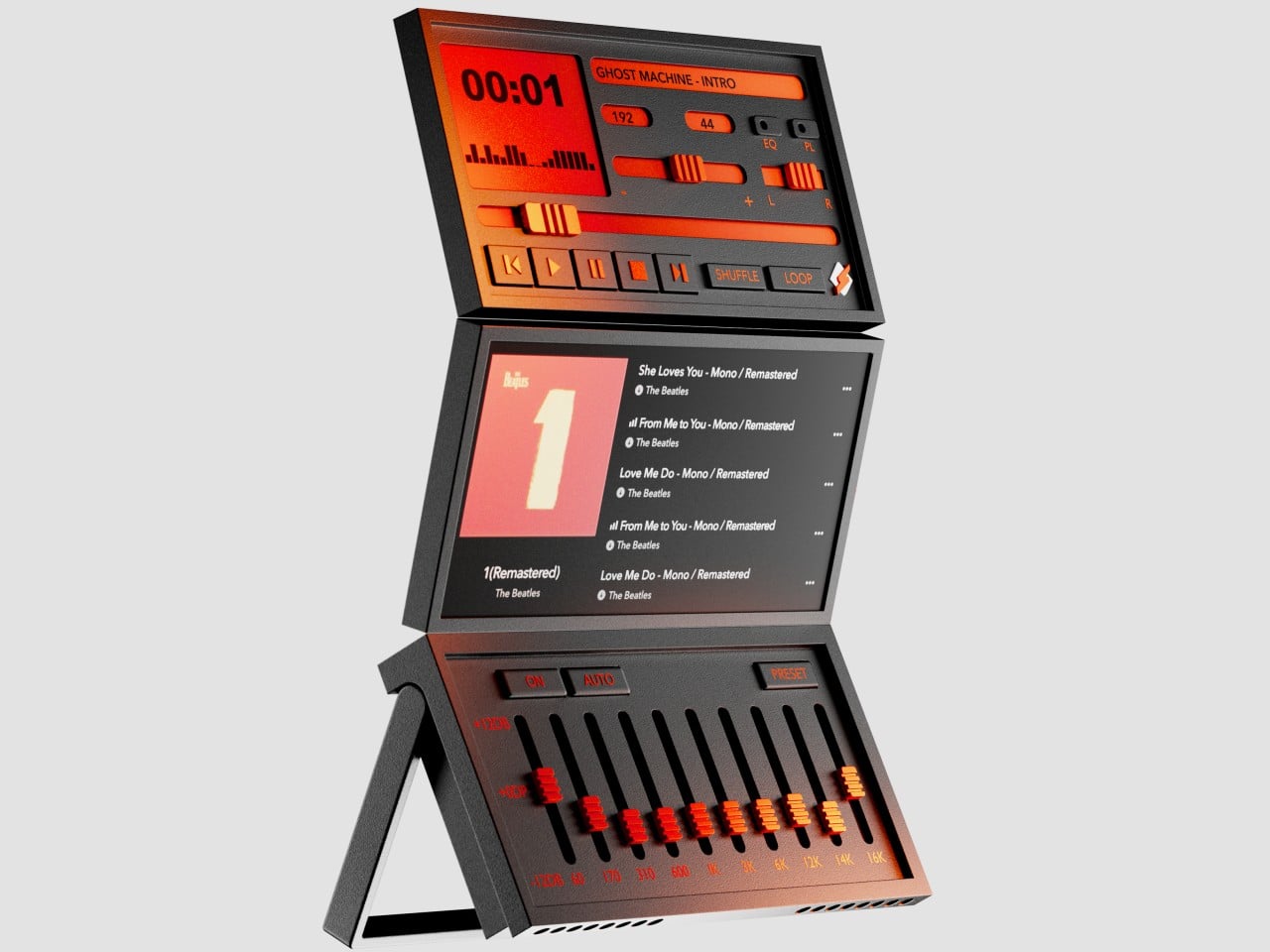
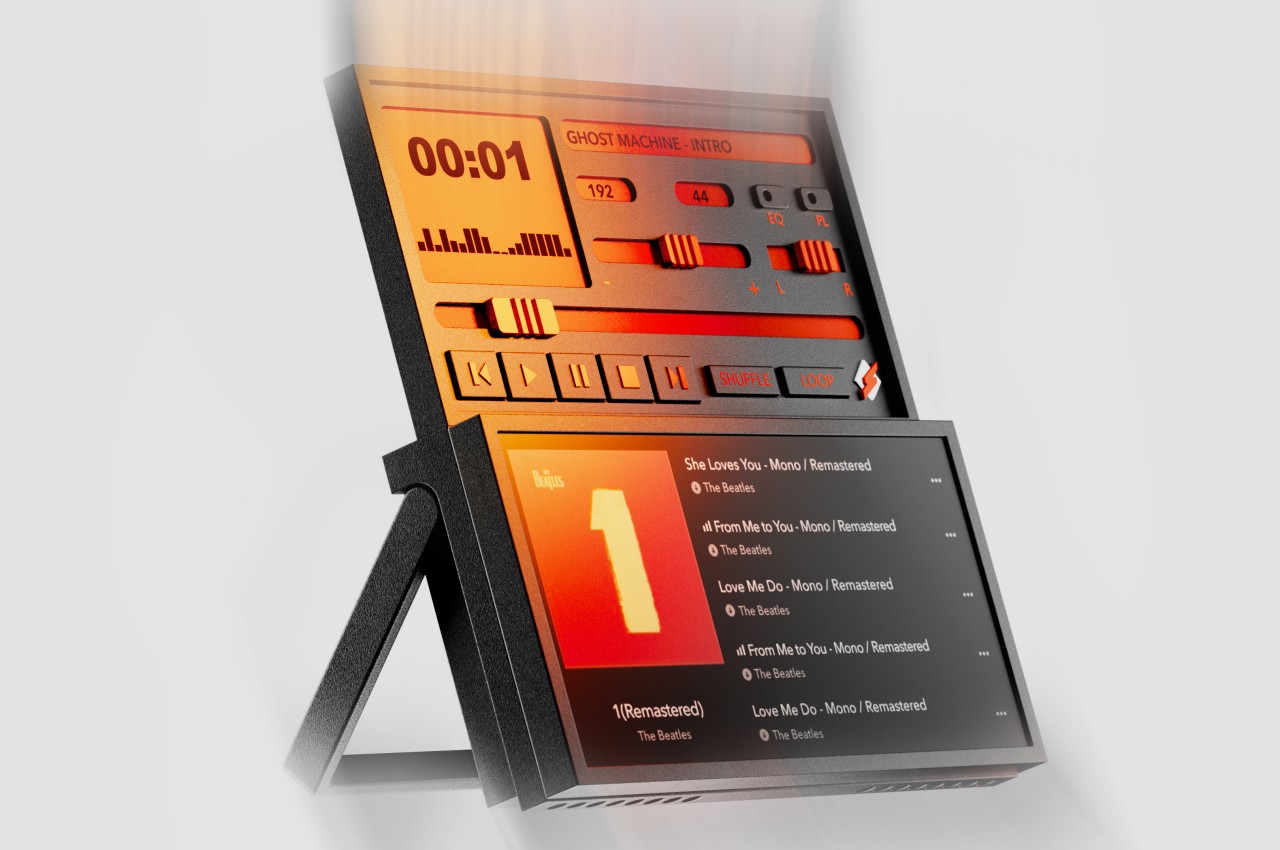
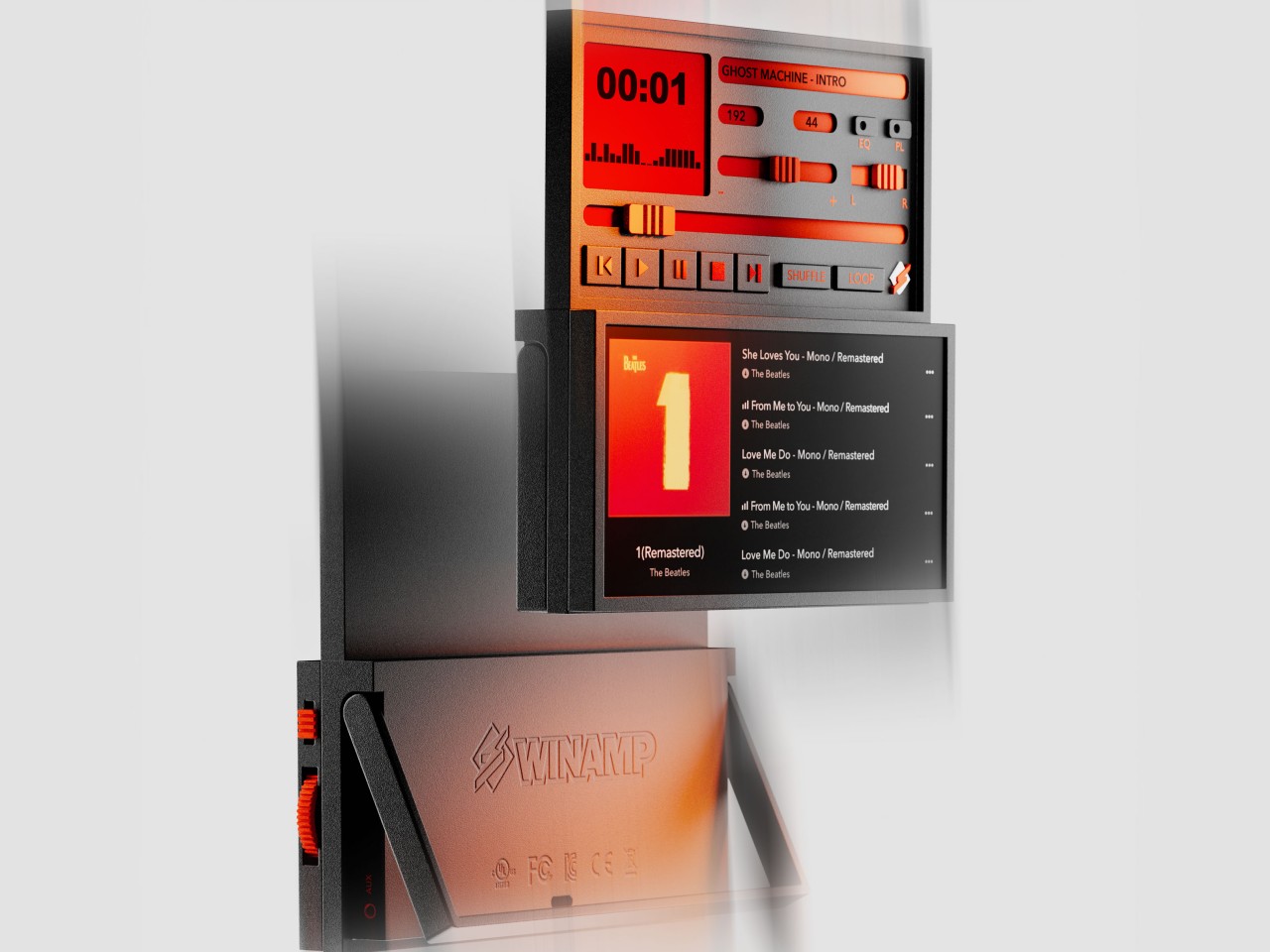
With almost everyone owning a smartphone these days, the need for dedicated media players has plummeted significantly. That’s not to say they’ve completely disappeared, especially those types that can be placed and displayed on desks or shelves. The retro design craze has breathed new life into old products like turntables, but these aren’t the only designs from bygone ages that deserve to be rediscovered. Some of these old-school designs come from the digital realm, where some software have achieved near immortality thanks to their distinctive user interfaces. Winamp is one of those iconic faces when it comes to music player applications, and this concept turns that into an actual device that, just like the digital original, can somewhat be configured to suit your needs and moods.
By modern standards, the original design of the Winamp media player app is clearly outdated, but it remained a darling until recently because of its flexibility. It supported using different skins to personalize the software’s appearance, which naturally led to hundreds of designs, some of which might even make you want to gouge out your eyes. At the very least, Winamp followed a LEGO-like design where you can move parts of the app around or even remove them completely, depending on your needs.
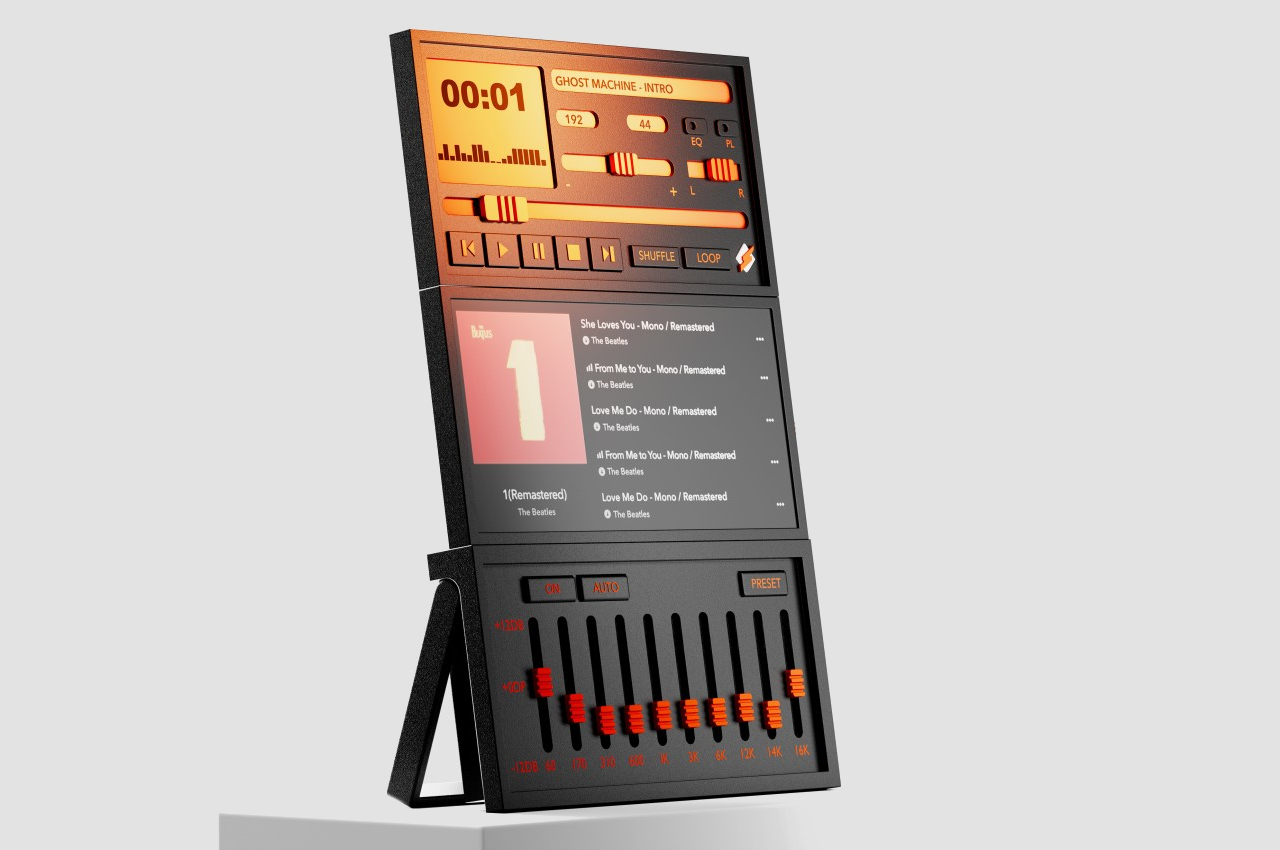
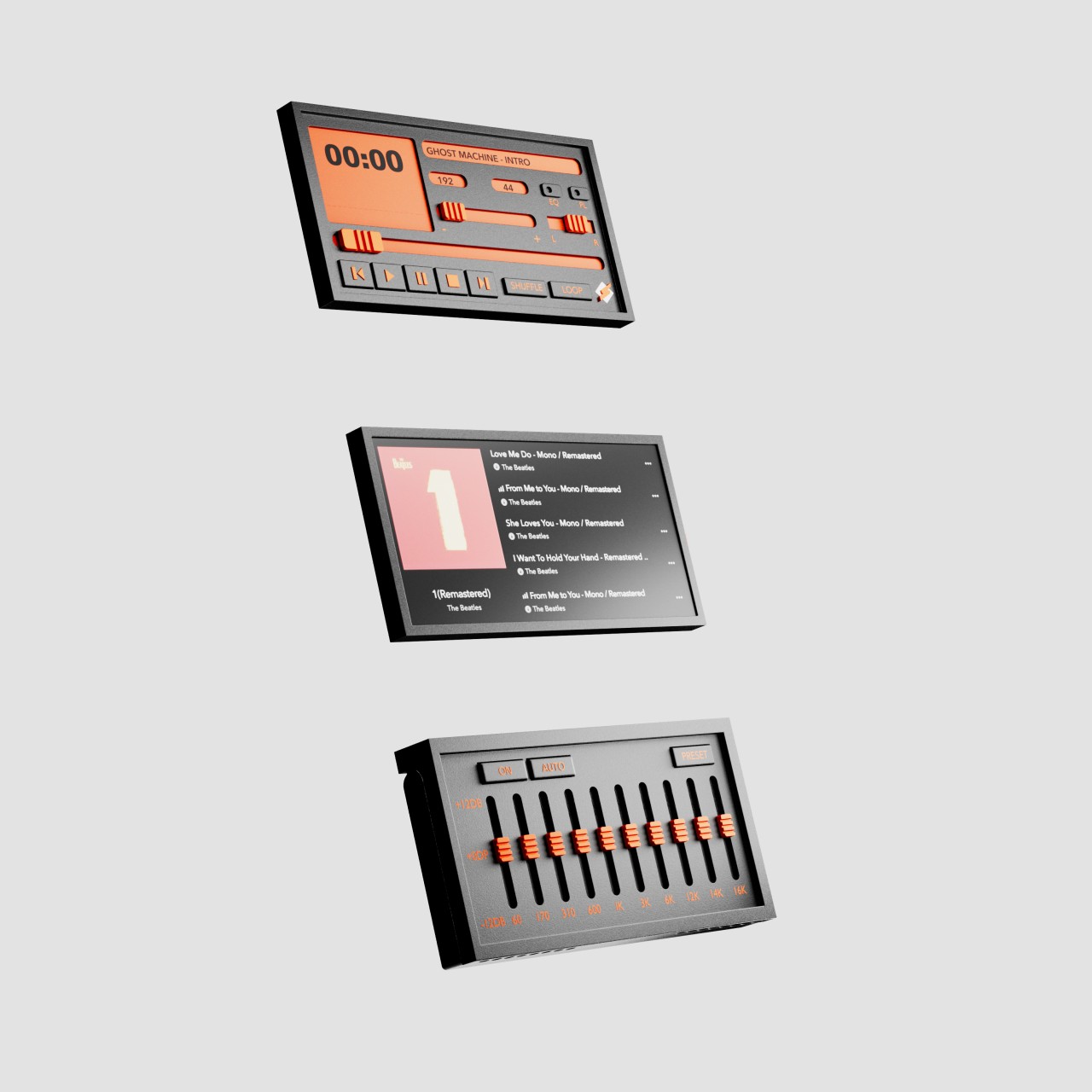
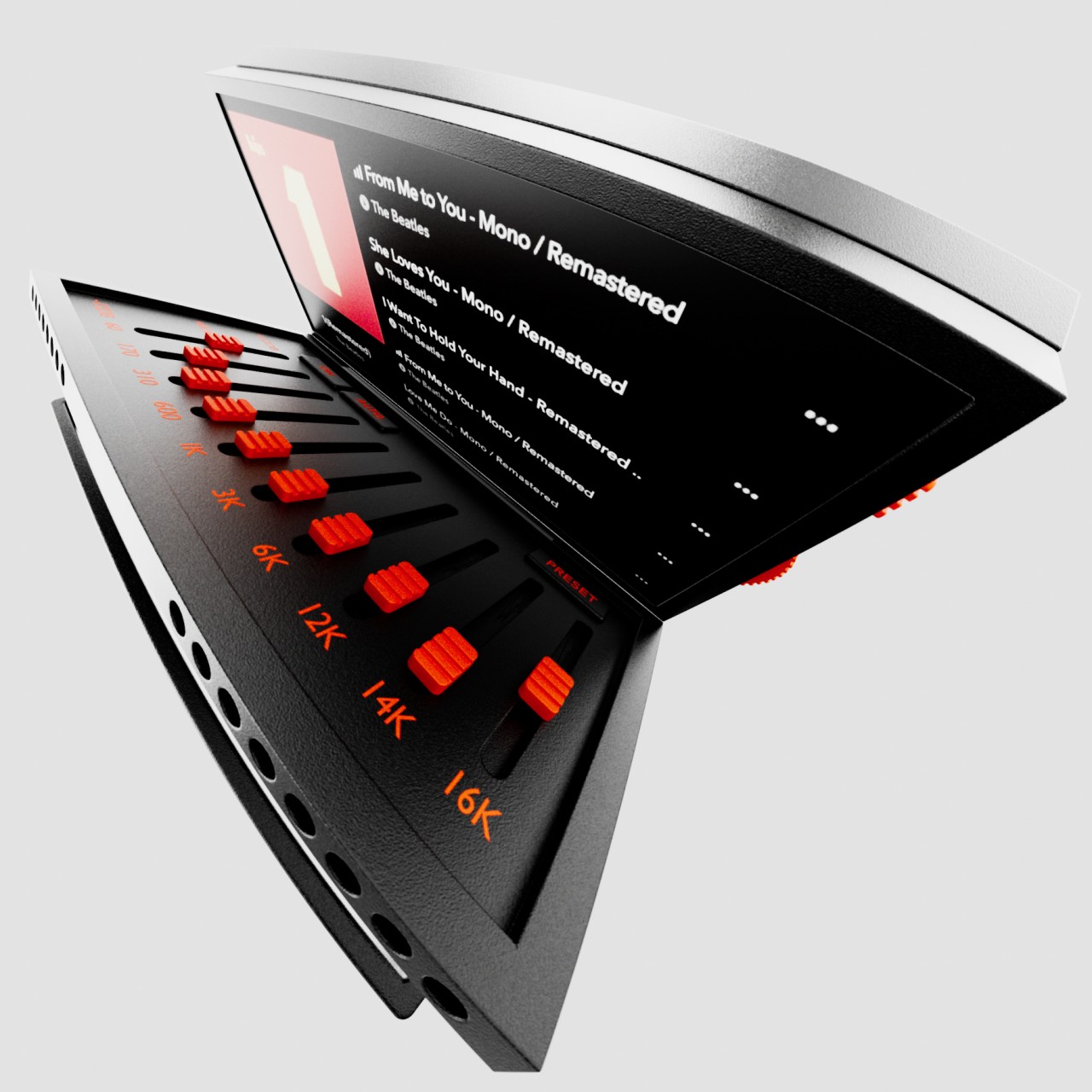
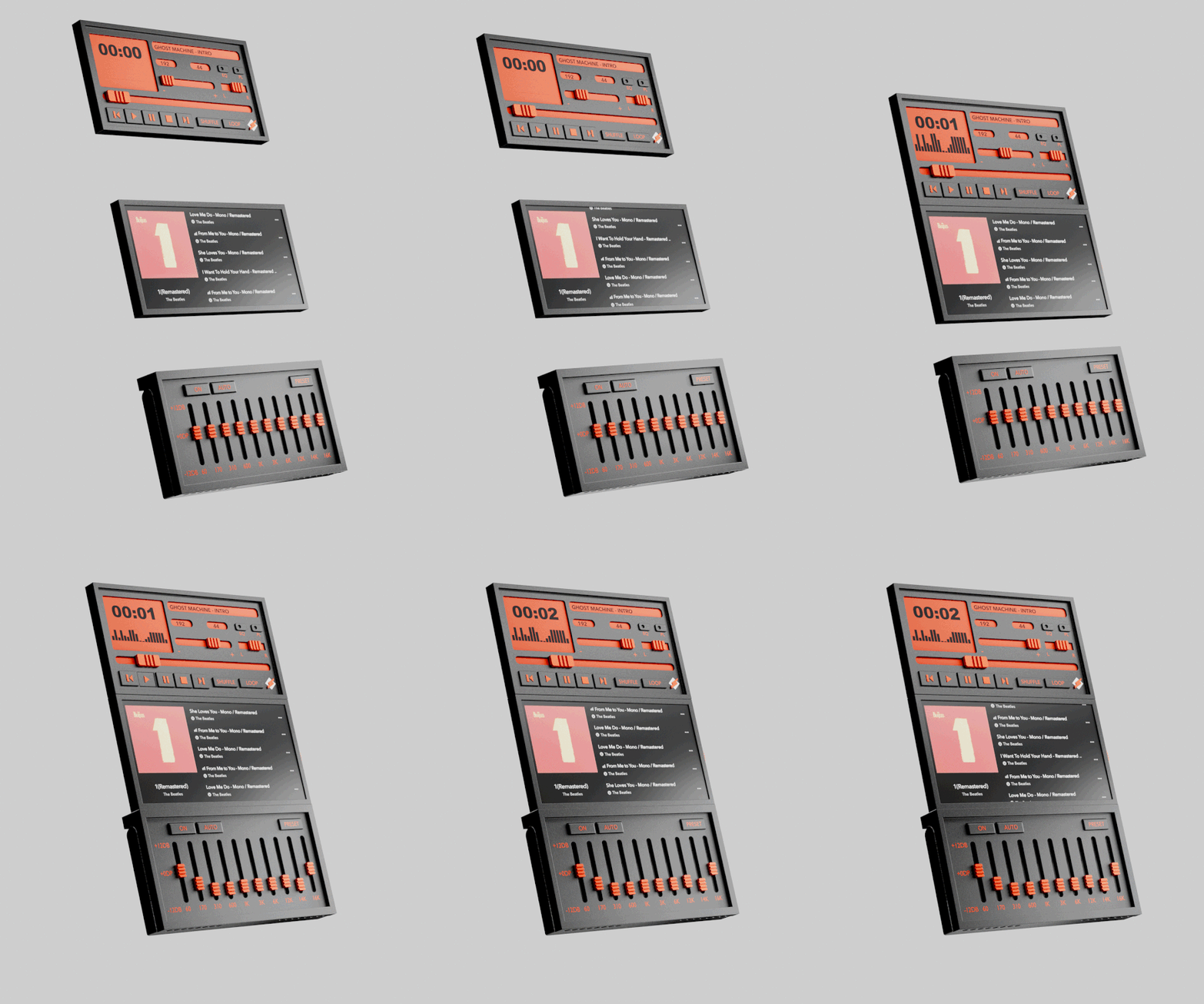
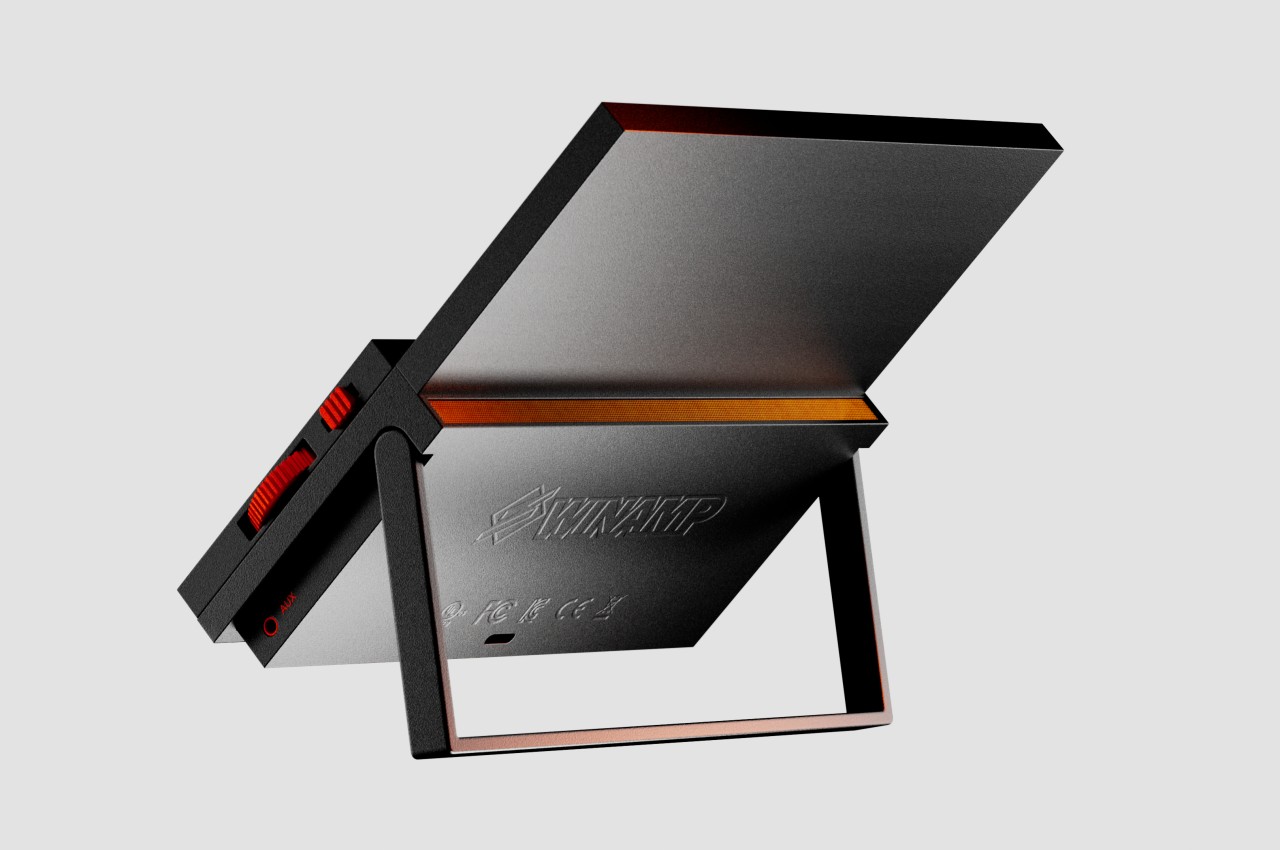
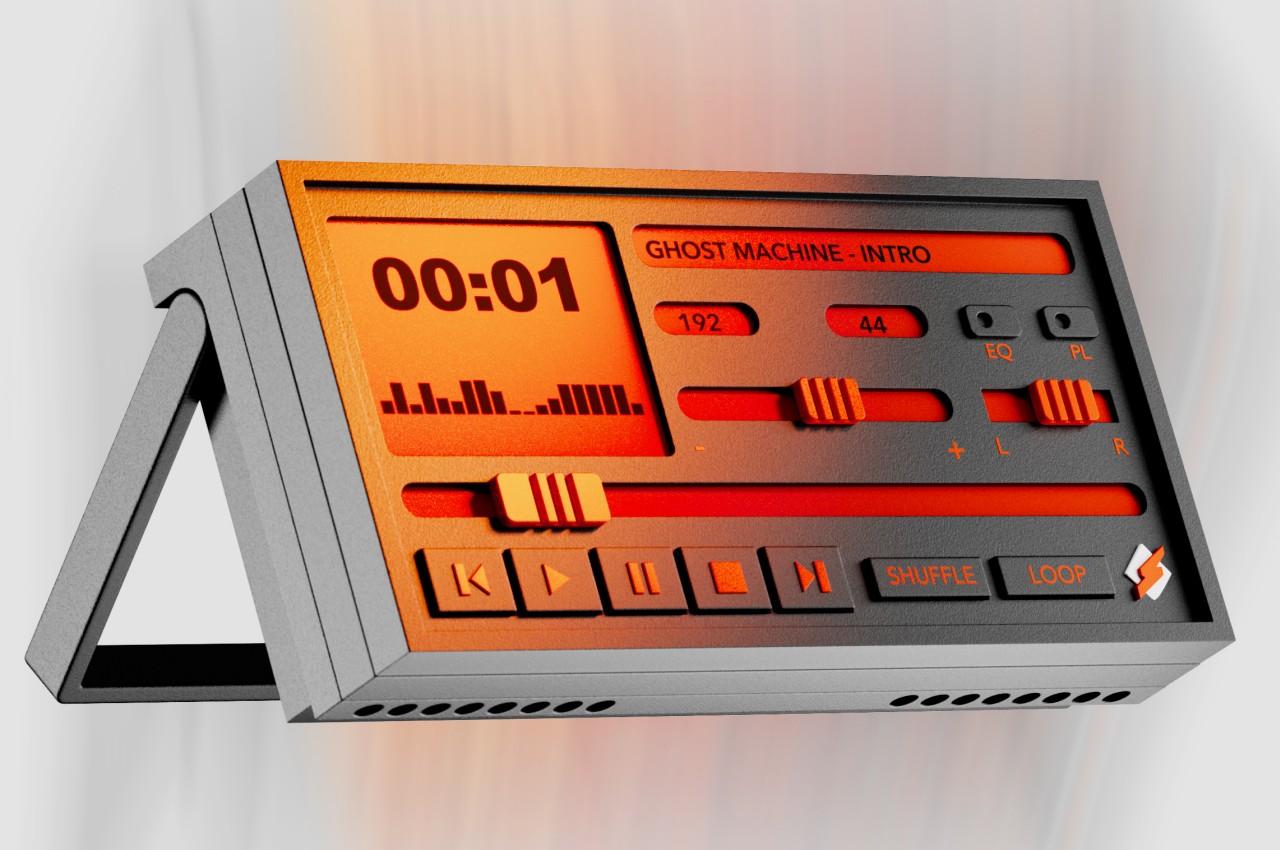
This concept design for a device of the same name follows the latter aspect of Winamp’s design, particularly the ability to move its three main panels around or even leave one out. Like the original Winamp, the media player device has a component for the actual media controls with a single-line display for the current music, one for the equalizer, and another for displaying album art and the playlist. All three can be stacked together for a tall device that is propped up on a desk using the built-in kickstand of the equalizer. Or you can switch them around leaving only two components visible, as long as the equalizer is there to act as the base.
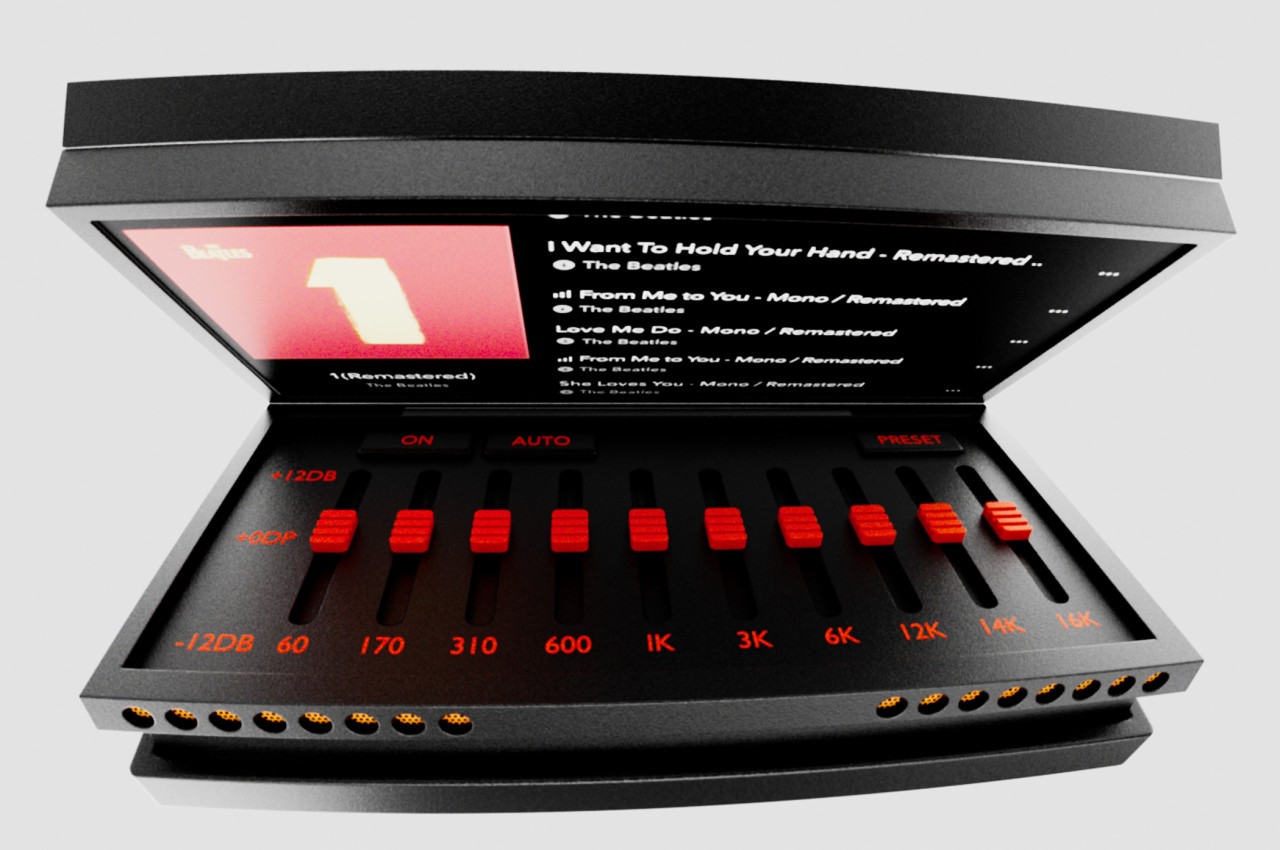
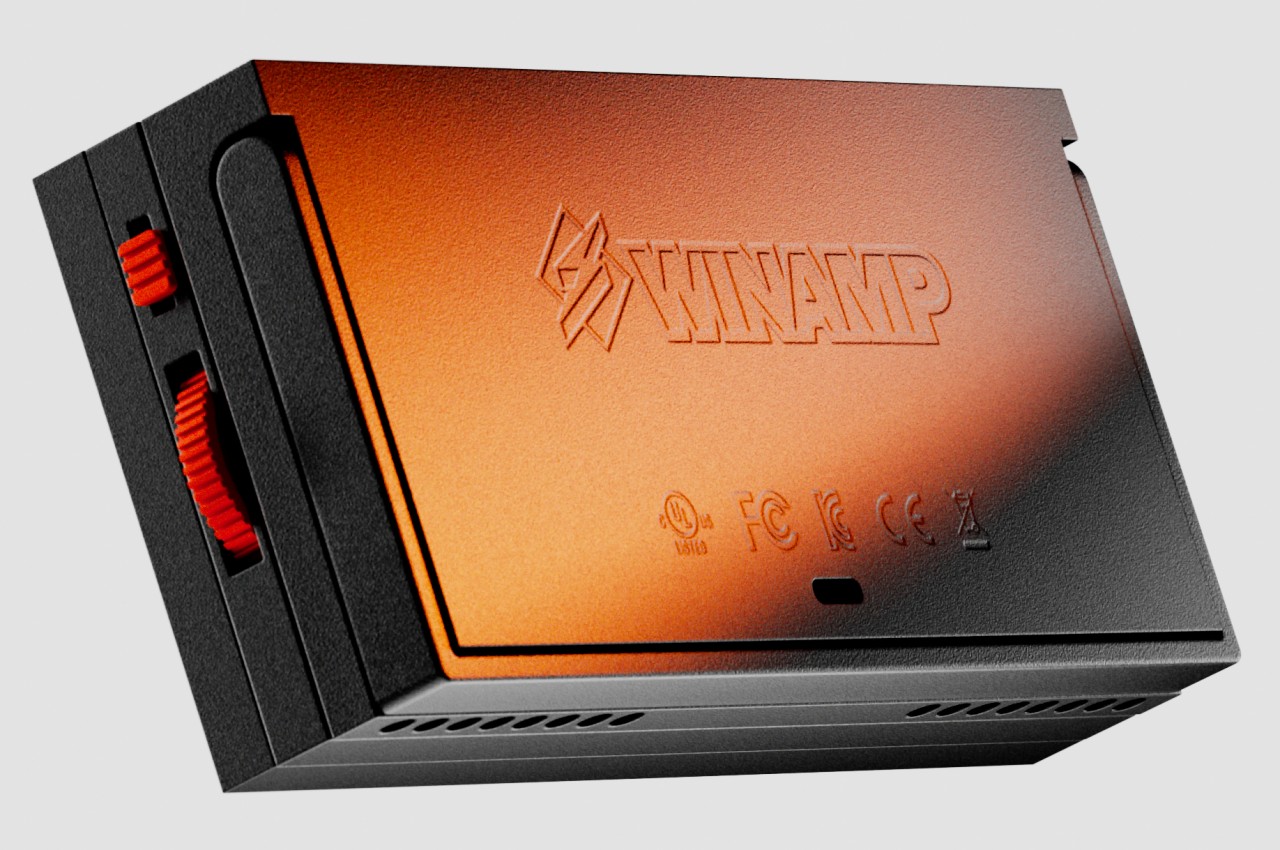
You can, for example, only have the media controls and the equalizer if you don’t mind not seeing the list of tracks and the album art. Or if you already have a fixed equalizer setting, you can put either the media player or the album display above it and then snap the other component in front of the equalizer to hide it. You can even show only the media player itself, with the other two hiding behind it. These components connect using strong magnets, so no rewiring is needed to make instant changes to the combination. And at the end of the day or if you want to take the device with you, you can simply collapse all the components in a sandwich and carry it around.
What’s interesting about this particular design is that it uses physical controls like sliders and buttons instead of simply employing a touch screen to offer the same interface. It’s like reverse skeuomorphism, where the digital user interface mimics the appearance and behavior of physical controls. Of course, this more physical design means you don’t get to use skins anymore, but it’s a small price to pay for such an intriguing device.