Have you ever wondered how some professionals seem to achieve so much with so little effort? The secret might not be in their hustle but in the tools they use. Enter Gemini 3 Pro, a innovative AI platform that’s reshaping productivity and creativity across industries. From automating tedious tasks to generating high-quality visuals and even […]
Apple is reportedly preparing to introduce a significant upgrade to its iPad Mini lineup, potentially branded as the “iPad Mini Pro.” This new device is expected to bridge the gap between the iPad Air and iPad Pro, offering a blend of advanced features in a smaller, more portable design. With enhancements in display technology, performance, […]
What if the future of artificial intelligence wasn’t just about incremental improvements but a complete redefinition of what’s possible? Enter GPT 5.2, the AI model that has shattered expectations and left competitors like Gemini 3.0 and Opus 4.5 in its wake. With a staggering 390x efficiency improvement over earlier models and the ability to handle […]
We have more details about the release of its much-anticipated Galaxy Z Fold 8 Ultra, scheduled to debut in the summer of 2026. The unveiling will take place during the company’s annual Unpacked event, which is expected to occur in July. This event has become a hallmark of Samsung’s commitment to showcasing its latest advancements […]
What if the secret to becoming an S-Tier UI designer wasn’t about mastering endless tools or chasing fleeting trends, but instead about harnessing the perfect synergy of creativity and logic? Imagine a world where your design process flows effortlessly, where bold, visually stunning concepts meet pixel-perfect precision in execution. The pairing of Nano Banana and […]
Apple has rolled out new firmware updates for its AirPods Pro 2 and AirPods Pro 3, identified as 8B28 and 8B30, respectively. These updates aim to enhance connectivity, sound quality, and overall stability, ensuring a smoother experience for users. While Apple has not released detailed patch notes, user feedback provides valuable insights into the changes. […]
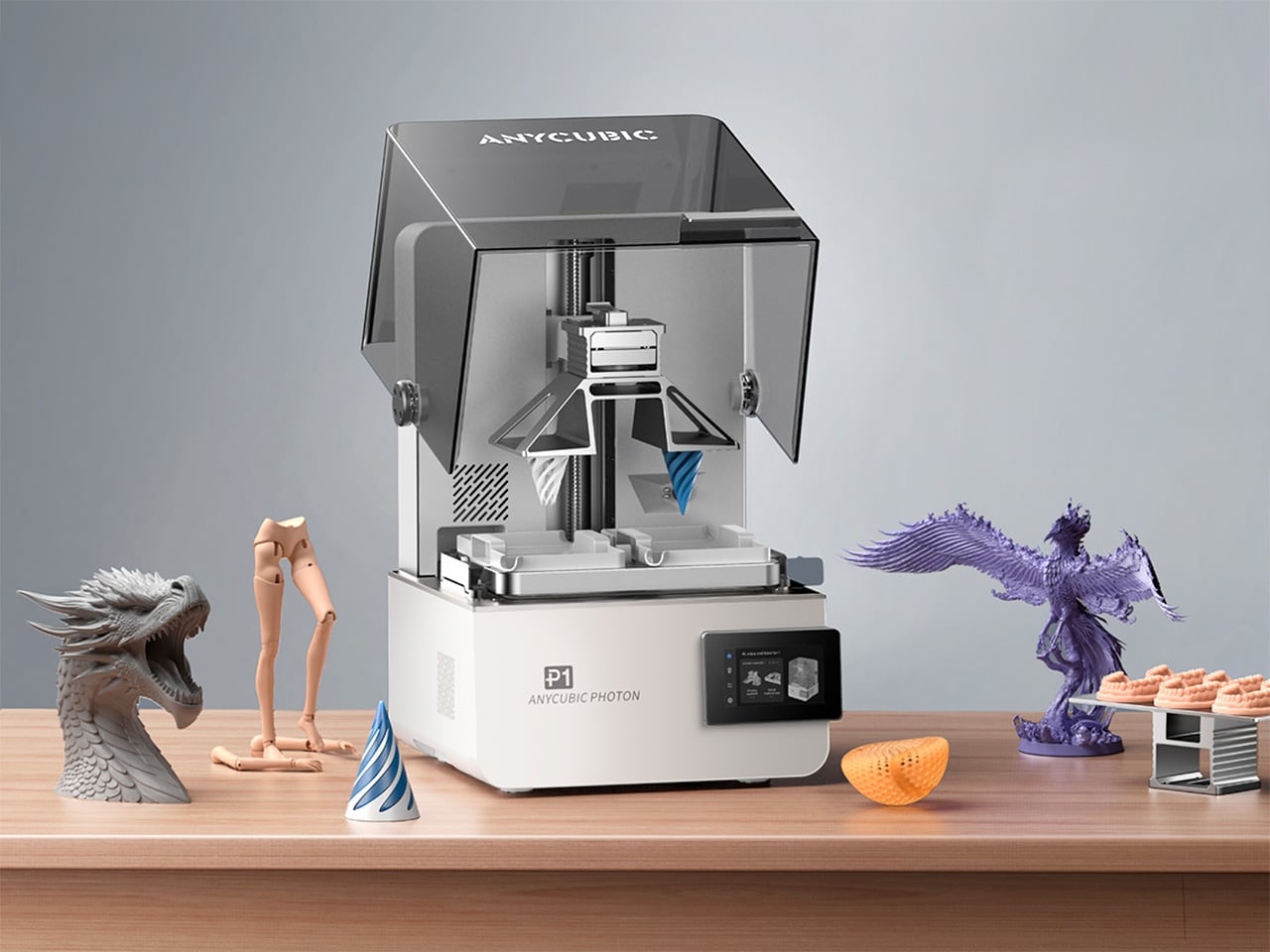
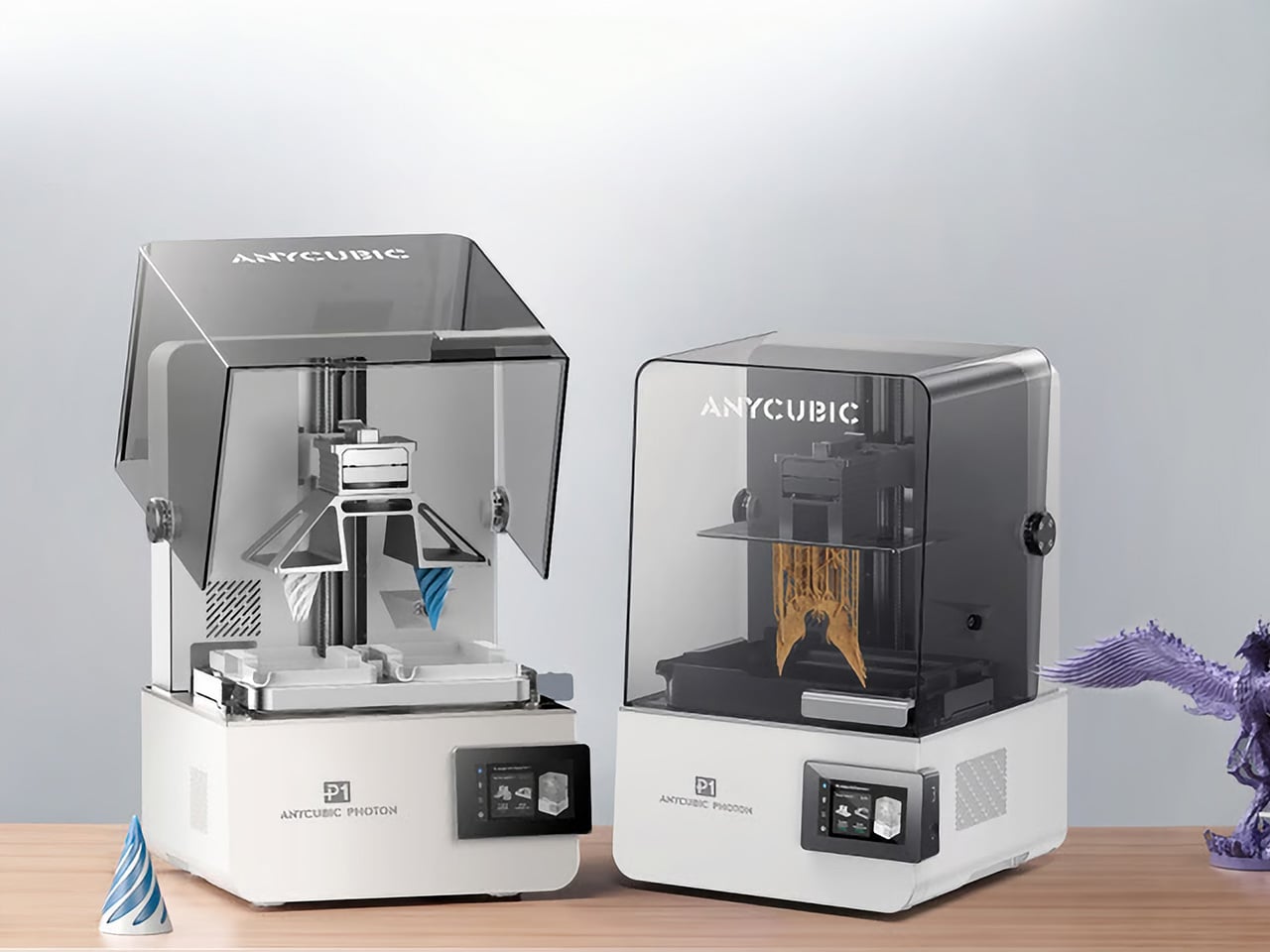
Desktop resin printers usually ask a simple question: how much resolution can you afford. Anycubic’s Photon P1 adds a more interesting one: what if the same machine could handle two colors, two materials, or two entirely different jobs without claiming more room on your bench. By pairing a dual‑vat system with a high resolution 14K display and a serious Z axis, the Photon P1 feels tailored to studios that prototype daily and iterate fast. The Photon P1 also packs LighTurbo 4.0 (an advanced UV light source system) for curing developed specially by Anycubic, along with a smart heated vat that temperature-controls the resin baths, offering a kind of industrial-grade output you’d never see in other consumer 3D printers.
Central to this new approach is a cleverly engineered dual‑vat system, a feature so rare in the consumer space that it feels like a genuine novelty. Instead of a single, monolithic resin tank, the P1 offers the option of two smaller, distinct vats side by side (the default is still a single-vat version for most basic users). Hovering above them is a forked build plate, a single component with two separate printing surfaces that can operate in tandem. This architecture allows the printer to print two colors or two resin types in a single job, eliminating the need for separate runs. Its slicer supports material-specific configurations optimized for dual-vat workflows, keeping both materials stable and consistent within one print. When working with premium or engineering resins, this setup also reduces waste and helps lower overall material costs, this setup also reduces waste and helps lower overall material costs. This fundamentally changes the workflow – it effectively gives you the power of two printers, but with the synchronized precision and footprint of one. The machine is not just building an object, it is managing a production queue, all within its own chassis.
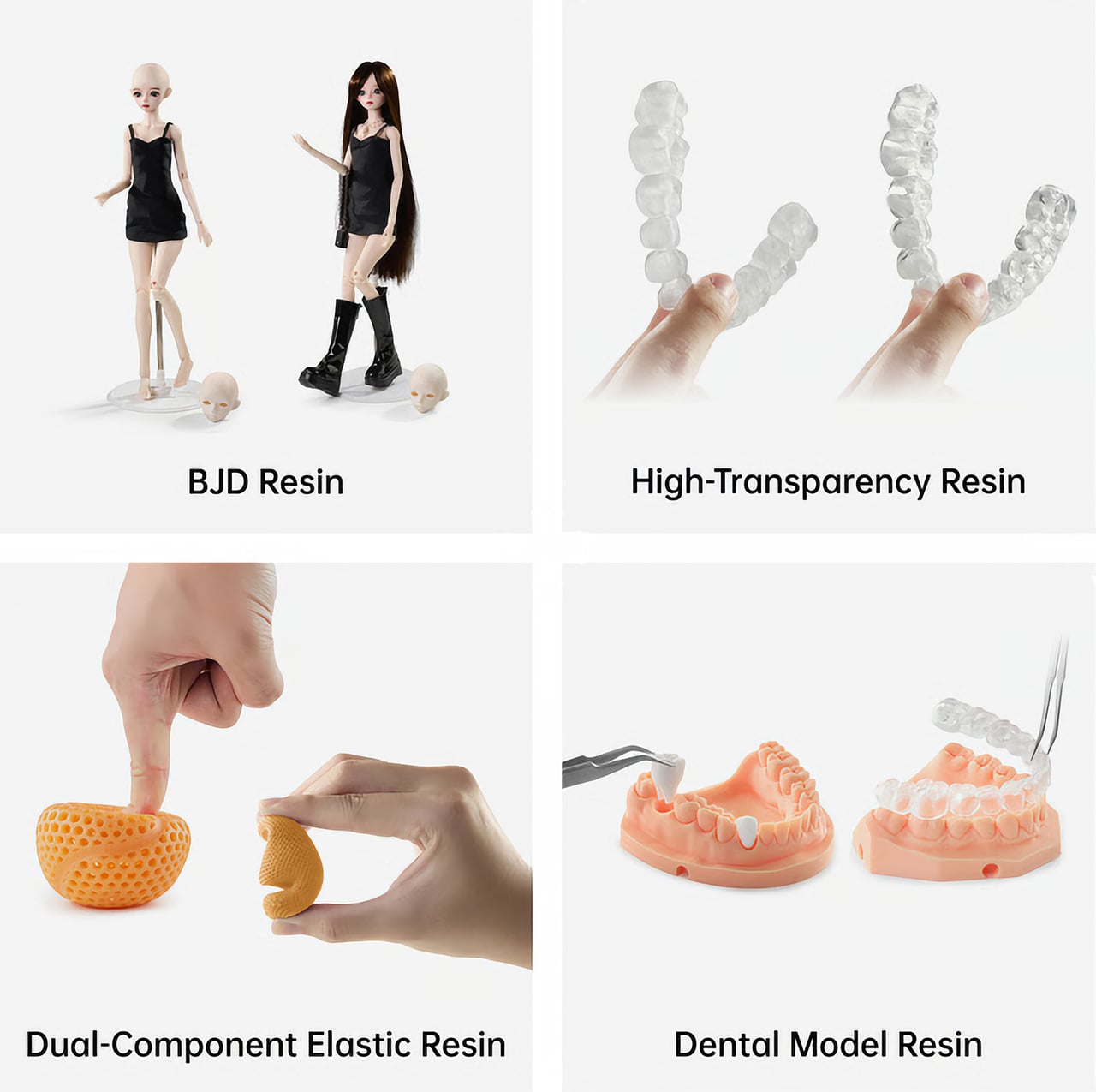
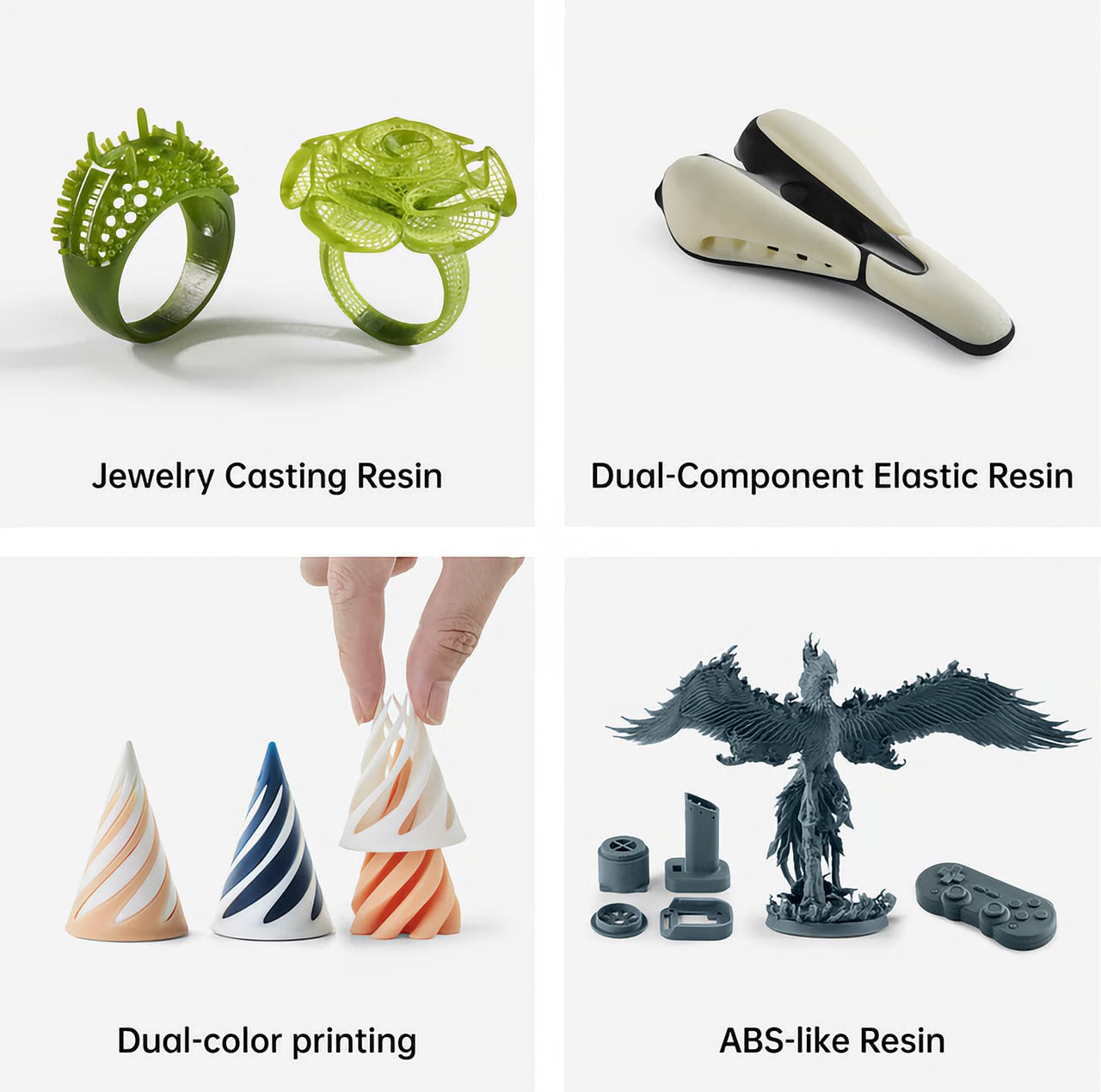
This opens a fascinating playbook for designers and creators. A product designer, for instance, could prototype a remote control with a hard, rigid casing printed from standard resin in the left vat, while simultaneously printing soft, flexible buttons from a TPU‑like resin in the right vat. The result is a multi‑material prototype in a single print job, offering a far more accurate representation of a final product without the hassle of printing parts separately and assembling them later. For artists and miniature sculptors, the possibilities are just as compelling. Imagine printing a fantasy character where the main figure is rendered in an opaque grey for maximum detail, while a magical spell effect or a ghostly appendage is printed in a translucent, colored resin from the second vat. This dual‑system approach streamlines the creation of complex, multi‑part models, reducing post‑processing and painting time.
Beyond multi‑material applications, the P1 excels as a pure productivity engine. A technical studio can produce engineering-grade resin prototypes. Designers or creatives can model and produce flexible materials for complex assemblies. A small business owner running an Etsy shop for custom D&D miniatures could use it to fulfill two different orders at once, performing batch production or even dual-part workflows for maximized efficiency. This parallel workflow essentially doubles the machine’s throughput for small to medium‑sized objects, making it an incredibly efficient tool for anyone doing light production work. It transforms the printer from a single‑task device into a small‑batch manufacturing hub.
Of course, these advanced capabilities would be meaningless without a foundation of precision and reliability. Anycubic has clearly invested in the P1’s mechanical integrity, moving it out of the hobbyist category and into prosumer territory. The Z‑axis, often a weak point on budget machines, is built around an industrial‑grade ball screw and robust linear rails. This is a significant upgrade from the typical lead screw setup, translating to smoother, more consistent vertical travel. For the user, this means virtually no visible layer lines, a dramatic reduction in Z‑wobble artifacts, and exceptional repeatability, ensuring that parts designed to fit together do so with tight tolerances.
This focus on industrial‑grade components extends to the build plate itself. Instead of the usual anodized aluminum, the P1 uses a precision‑milled slab of steel. Steel’s superior rigidity and thermal stability mean the plate is less likely to warp over time, ensuring a perfectly flat and level surface for consistent first‑layer adhesion, which is critical for print success. It is a subtle but important detail that signals a commitment to long‑term reliability. This mechanical stability is the bedrock that supports the printer’s headline features.
At the heart of its imaging system is a 14K monochrome LCD. That number translates directly into breathtaking surface detail. With an extremely fine XY resolution, the P1 can reproduce microscopic textures, razor‑sharp edges, and intricate patterns that would be lost on lower‑resolution screens. For jewelry designers prototyping complex filigree or architects building scale models with fine brickwork, this level of detail is indispensable. The monochrome screen also offers the practical benefits of faster cure times and a much longer operational lifespan than the older RGB LCDs, reinforcing the P1’s role as a dependable workhorse.
The Anycubic Photon P1, therefore, is more than just the sum of its impressive parts. It represents a holistic design philosophy where each component complements the others. The high‑resolution 14K screen provides the detail, the industrial Z‑axis ensures that detail is rendered flawlessly layer after layer, and the innovative dual‑vat system leverages that quality to create more complex, more functional, and more beautiful objects with unparalleled efficiency. It is a machine that seems to understand the creative process, offering not just a tool, but a smarter way to work.
Anycubic unveiled the Photon P1 at the Formnext additive manufacturing show, with a Kickstarter campaign debuting this month to let people get their hands on the Photon P1. The retail price is set at a competitive $799, but early adopters have an opportunity to get in at a much lower early‑bird price of $499 (available for a limited period only), a figure that makes its prosumer features accessible to a much wider audience of serious creators and designers.
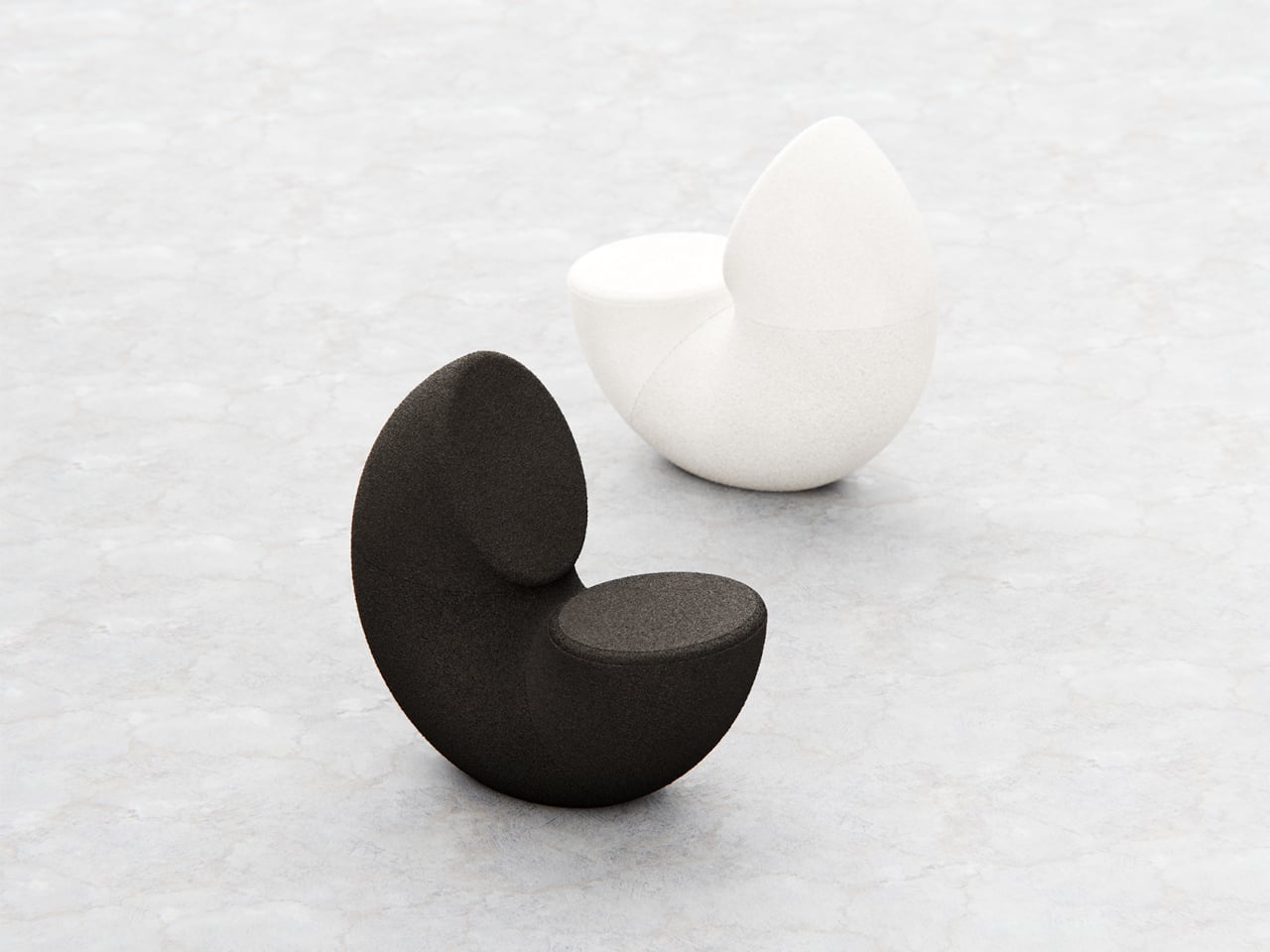
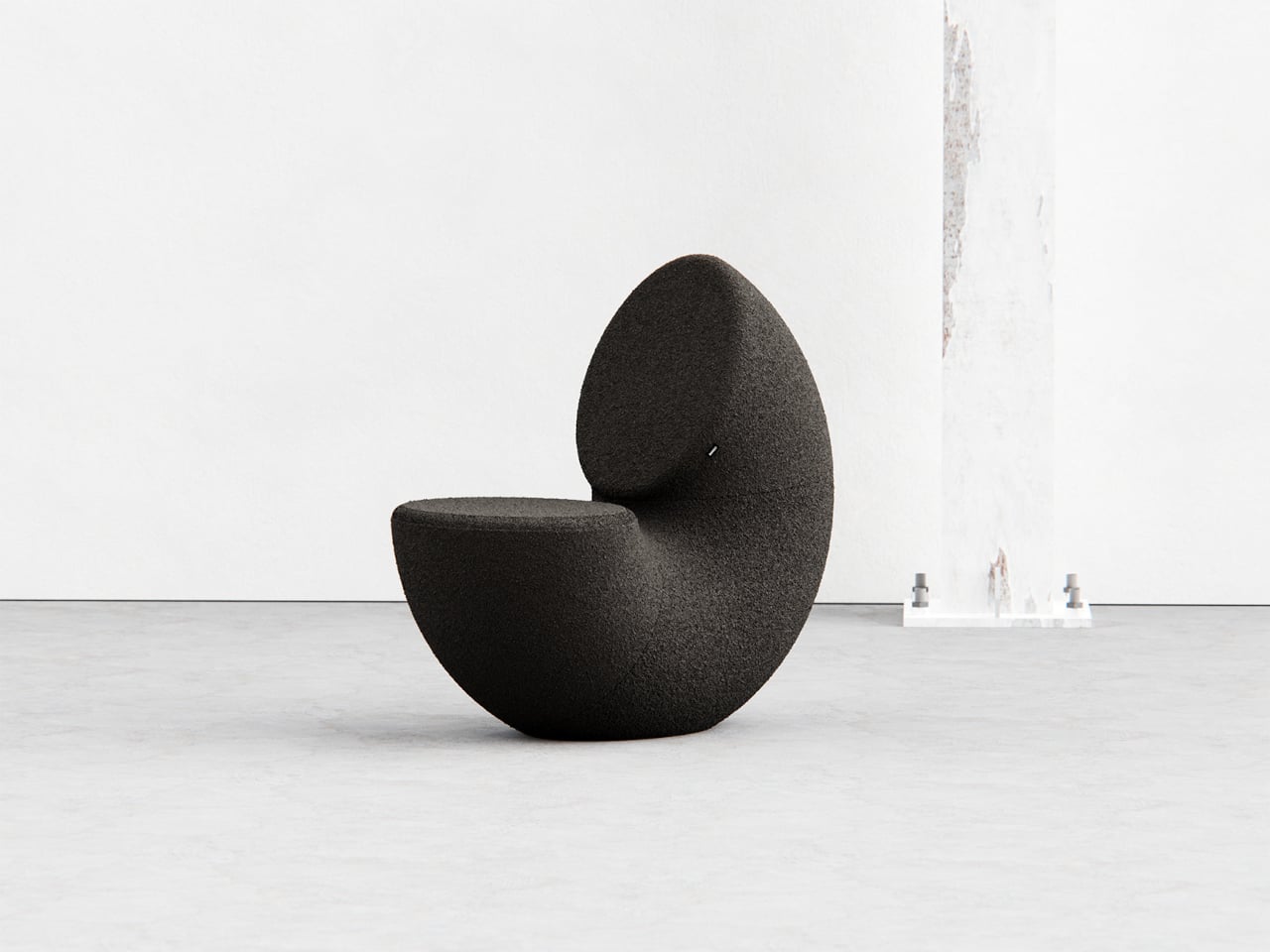
Most chairs are clearly assembled objects, with legs, a seat, and a backrest, all stacked and joined together. Sculptural lounge pieces sometimes flip that script and feel more like a single volume that has been carved or sliced. Chunk is a concept that leans into that second approach, imagining seating as a doughnut with a bite taken out rather than a frame with cushions bolted on, treating furniture as something you edit rather than assemble.
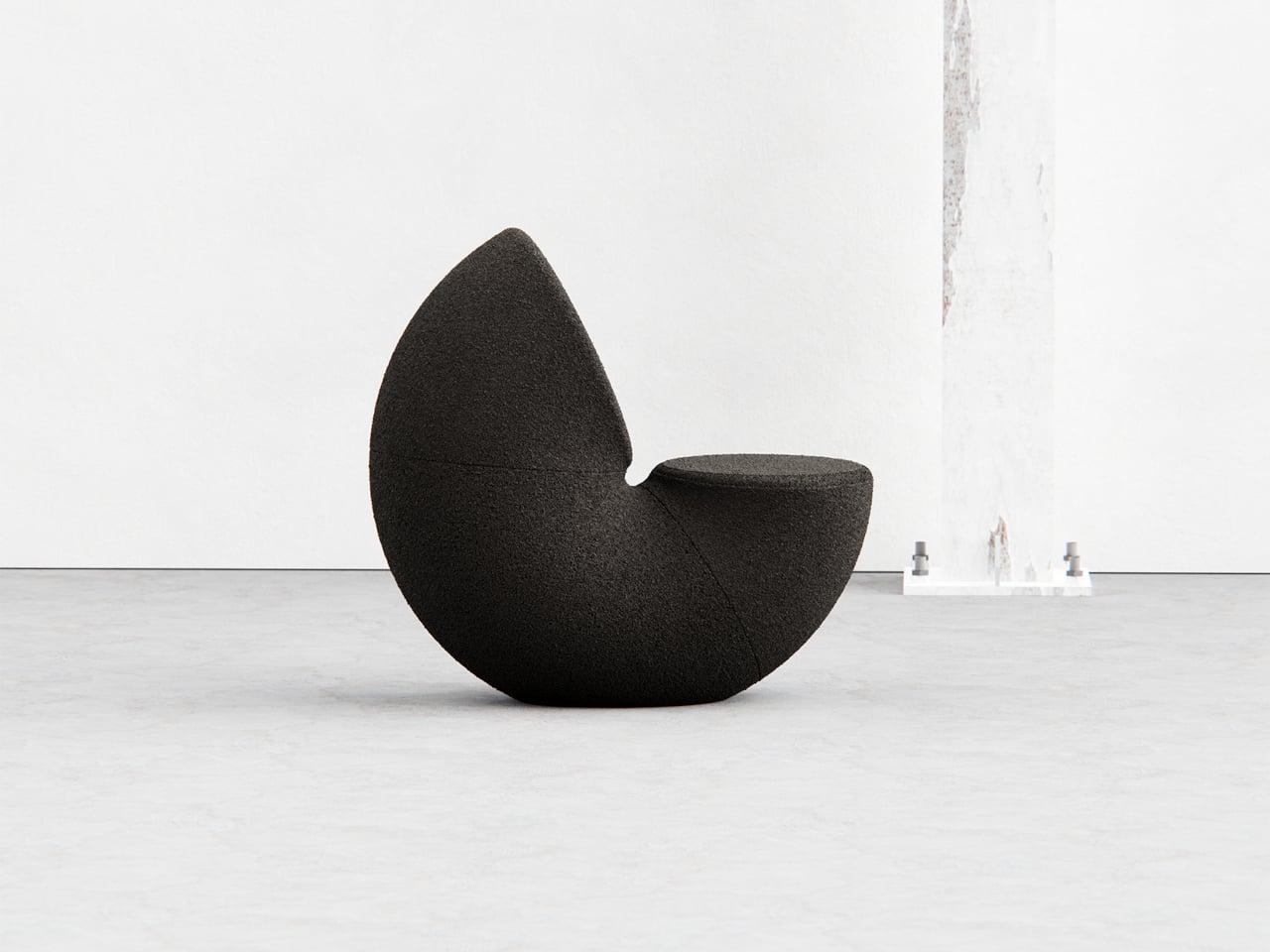
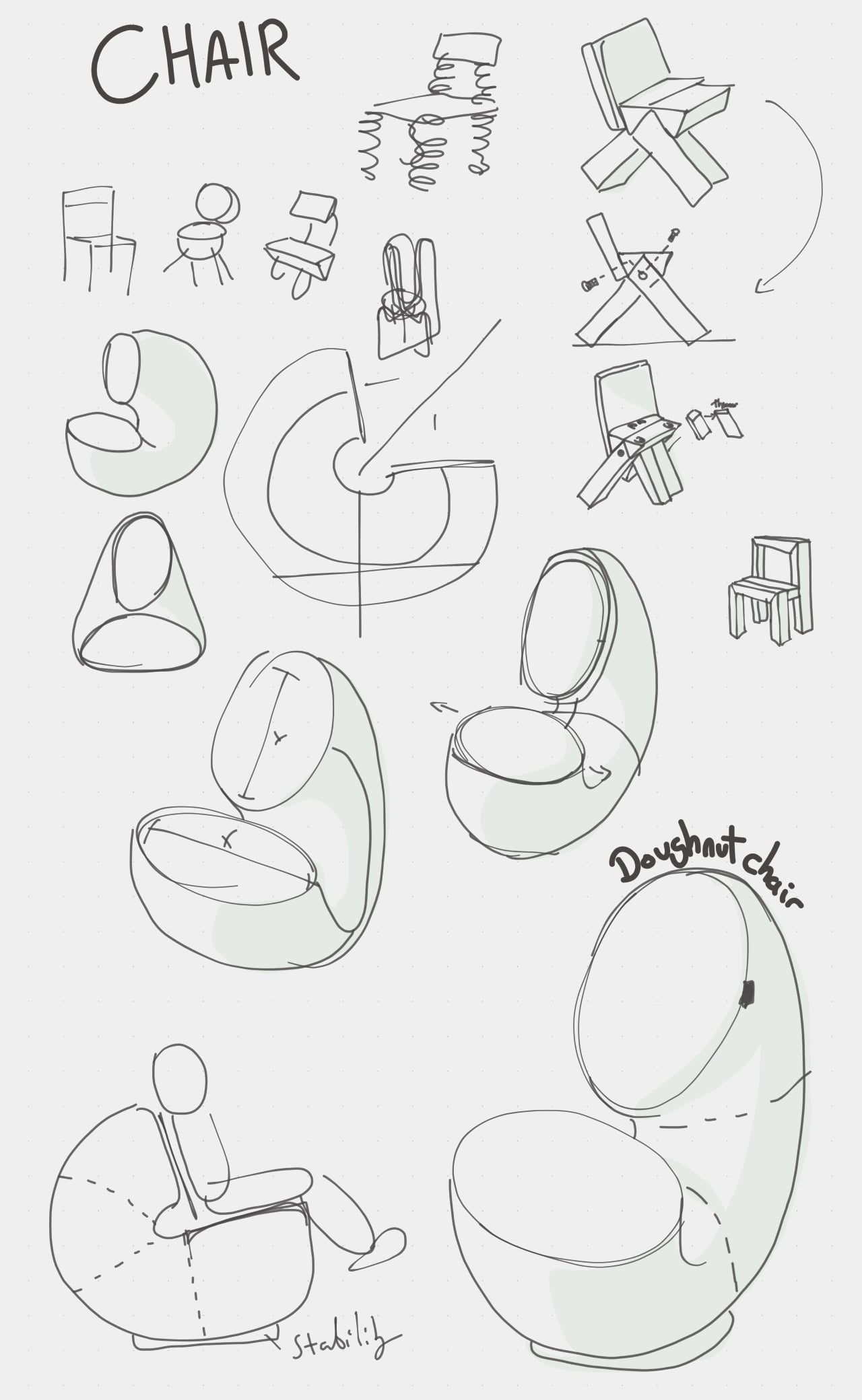
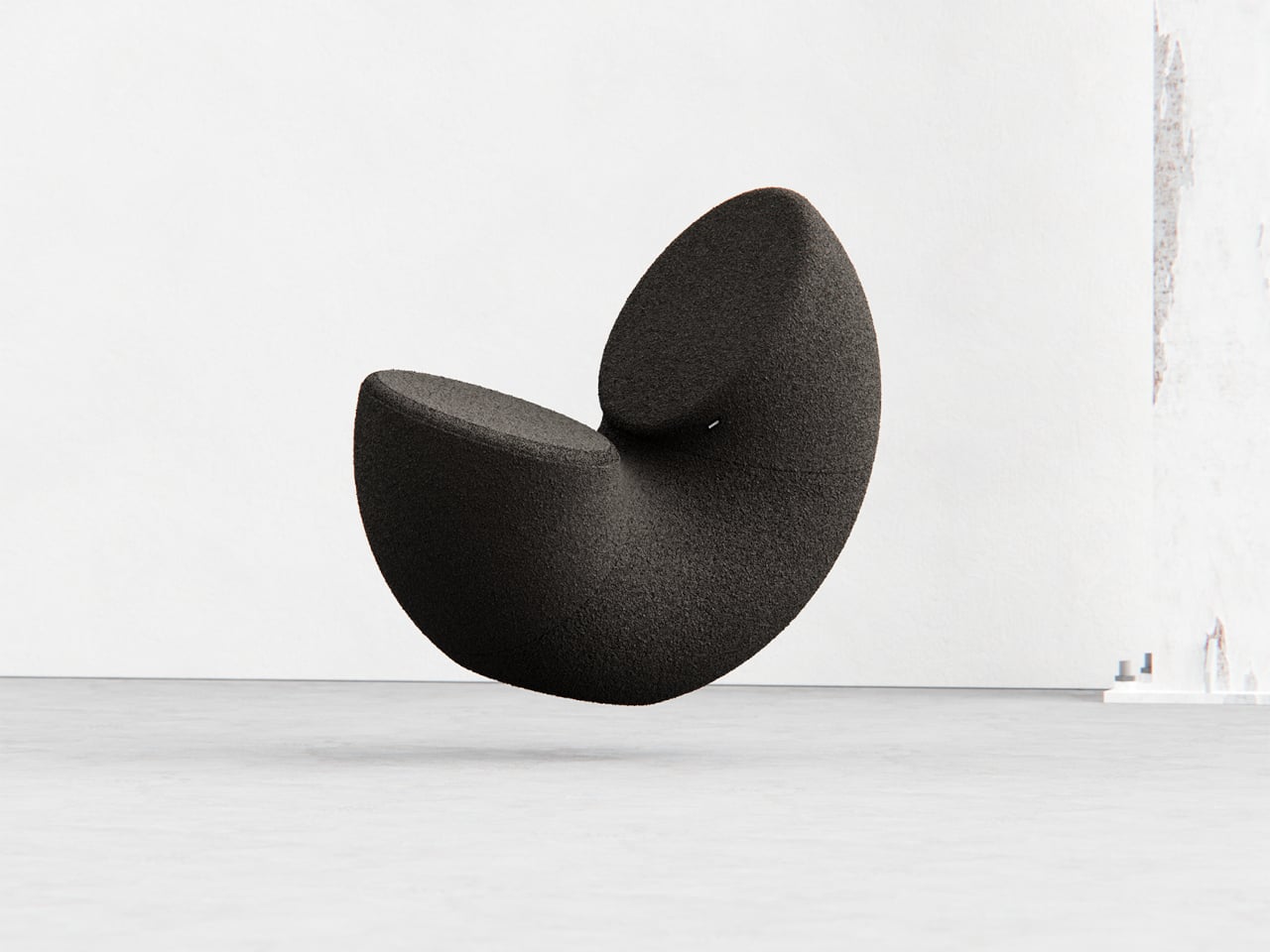
The designer imagined a chair that looks like a doughnut with a chunk removed. The missing piece becomes the seat and the opening for the backrest, while the rest of the ring wraps around in a continuous loop. The concept is less about novelty and more about seeing how far a single looping form can be pushed into something you can actually sit in, where the absence of material defines the place for the body.
Both the seat and backrest share the same oval cross-section, but as the base curves up to become the backrest, that oval quietly swaps its length and width. It is wide and low where you sit, then gradually becomes tall and narrow as it rises behind you. The section never breaks; it just morphs along the path, which gives the chair a sense of motion even when it is still and empty.
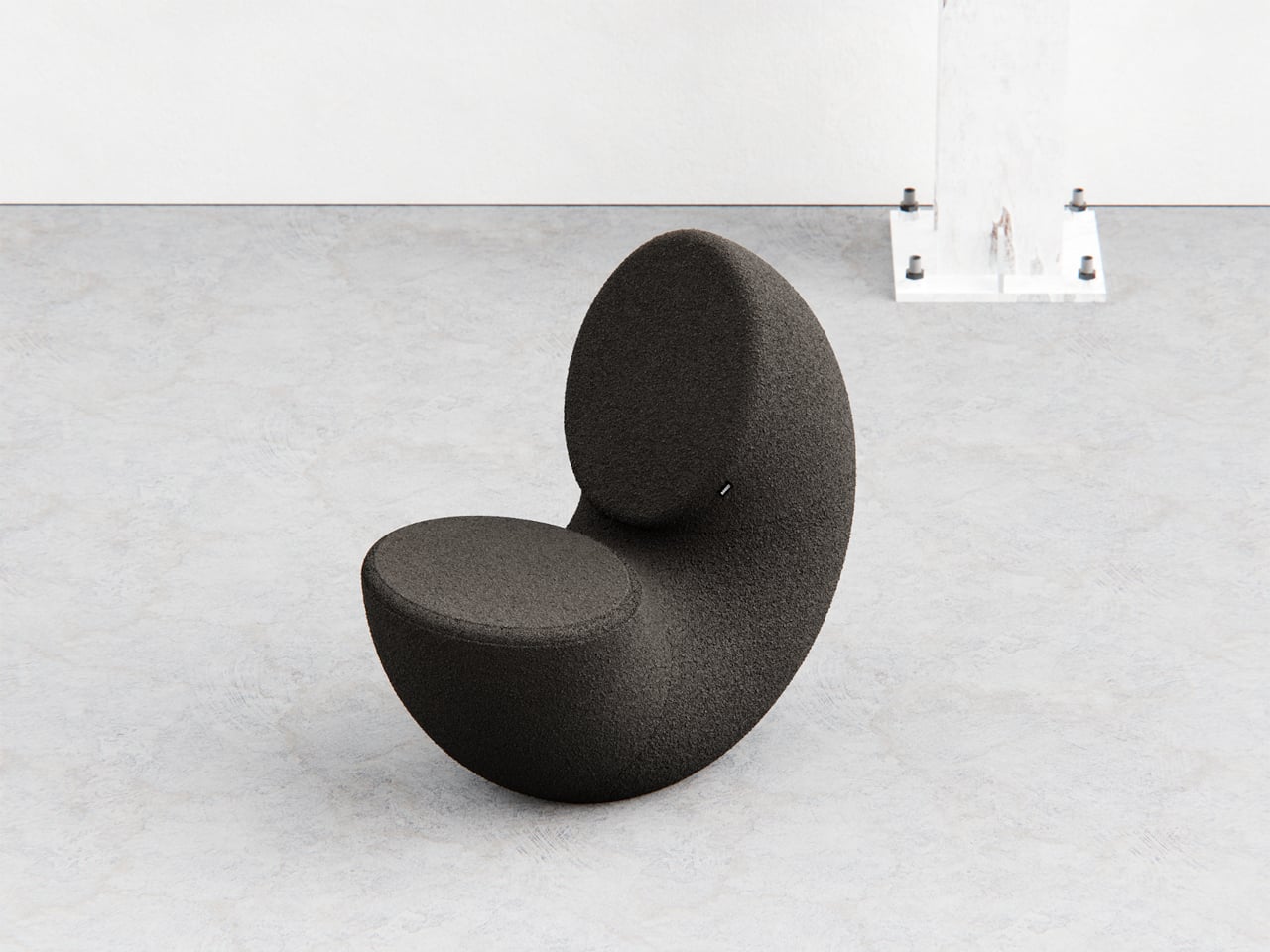
The “bite” creates a bowl-like seat that cradles the hips and thighs, while the rising loop offers a relaxed backrest rather than a rigid upright. The proportions suggest a low, lounge-style posture, closer to a reading chair or a corner piece in a living room than a dining chair. The continuous curve encourages you to lean back and sink in, not perch on the edge ready to stand again.
A near-cylindrical form can look like it might roll away, but the geometry and internal structure are tuned to keep the center of gravity low and slightly behind the seat. The base is subtly flattened, and a denser core at the bottom would keep it from tipping forward when someone leans back. The result is a chair that looks precarious from some angles but behaves like a grounded lounge piece once you sit.
The monolithic upholstery, a textured fabric that wraps the entire volume without obvious breaks, reinforces the idea of a single chunk of material. The form reads differently as you move around it, sometimes like a shell, sometimes like a curled leaf, sometimes like a coiled creature. It is the kind of chair that anchors a corner or gallery-like space, inviting you to walk around it before you decide to sit down and settle in.
Chunk uses subtraction as its main design move, starting from a complete ring and then removing just enough to create a place for the body. For a category that often defaults to adding parts, there is something satisfying about a chair that feels like it has been edited down to a single, looping gesture, with one decisive bite turning an abstract volume into a place to rest, read, or just sink into for a while.
We’ve all been there. You’re three hours into a study session, hunched over your desk with tabs multiplying like rabbits, your phone buzzing with notifications, and that nagging feeling that you’re not actually retaining anything. Digital learning promised us flexibility and endless resources, but sometimes it feels more like drowning in information while learning nothing at all.
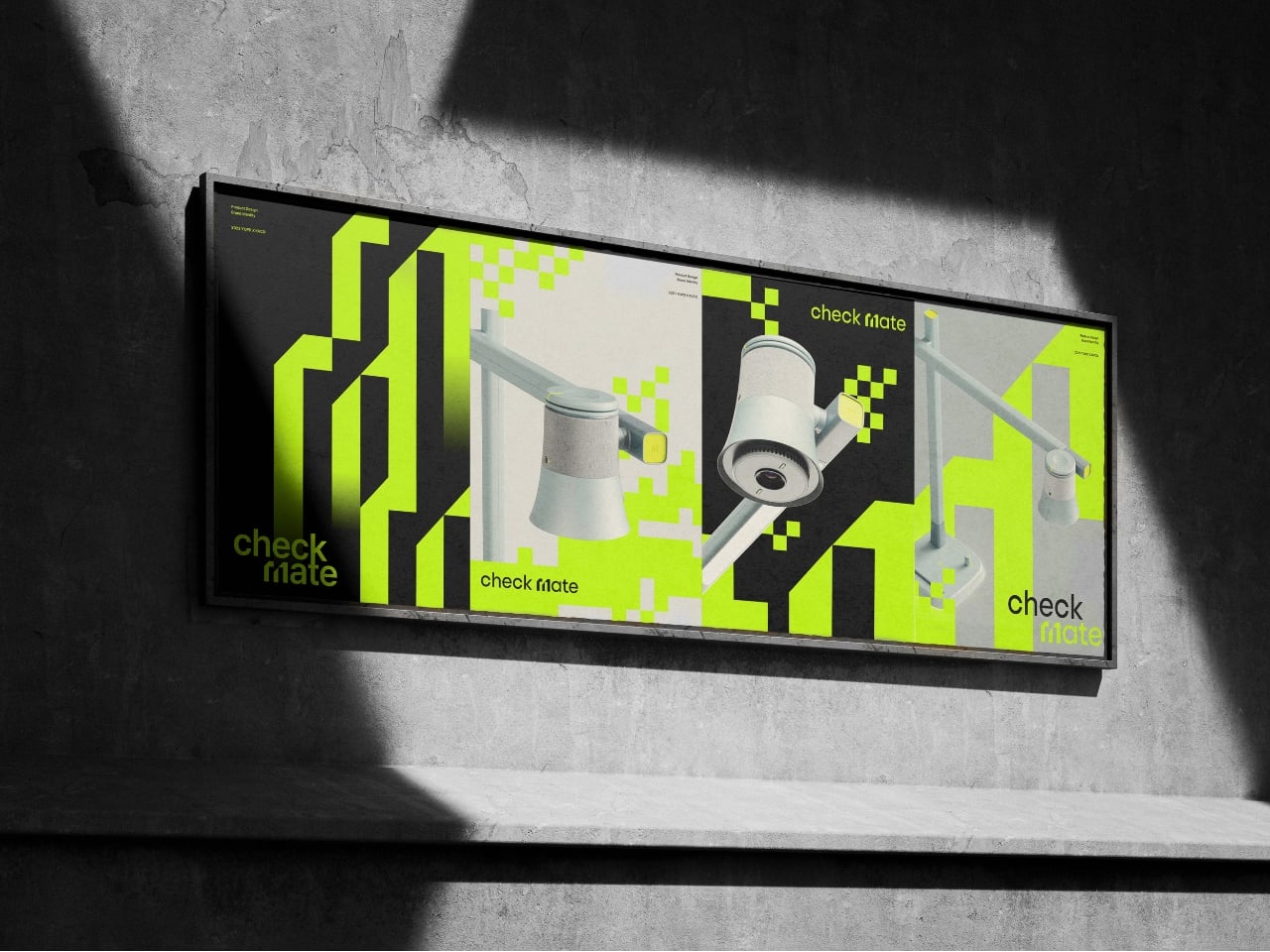
A new concept design called Check Mate is tackling this exact problem, and it’s making waves in the design community for all the right reasons. Created by a team of seven designers (Dongkyun Kim, Jaeryeon Lee, Eojin Jeon, Noey, Jaeyeon Lee, Jagyeong Baek, and Jimin Yeo), this concept reimagines what a study companion could look like if we actually designed for how people learn in the digital age. While you can’t buy it yet, the ideas behind it are definitely worth paying attention to.
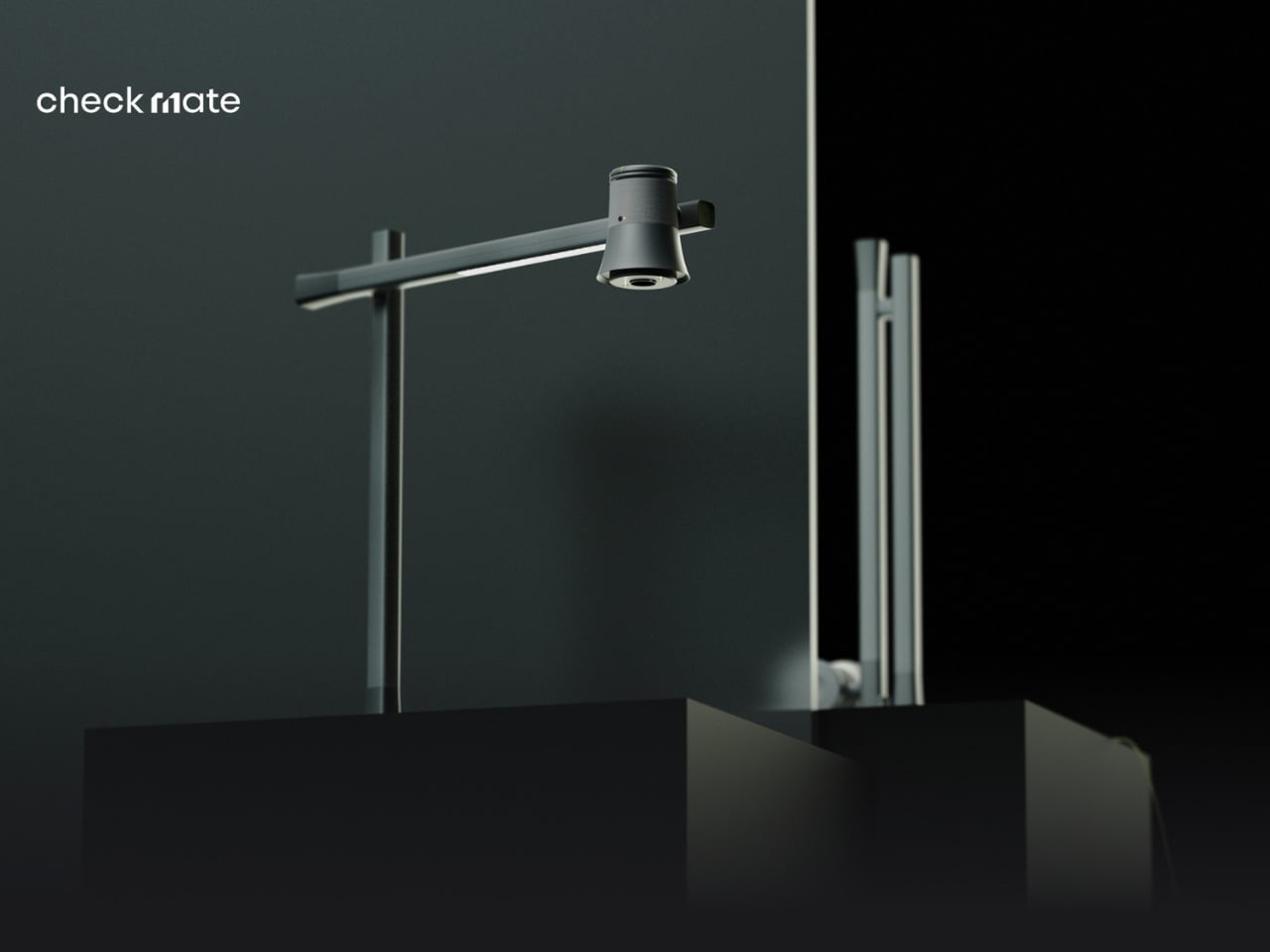
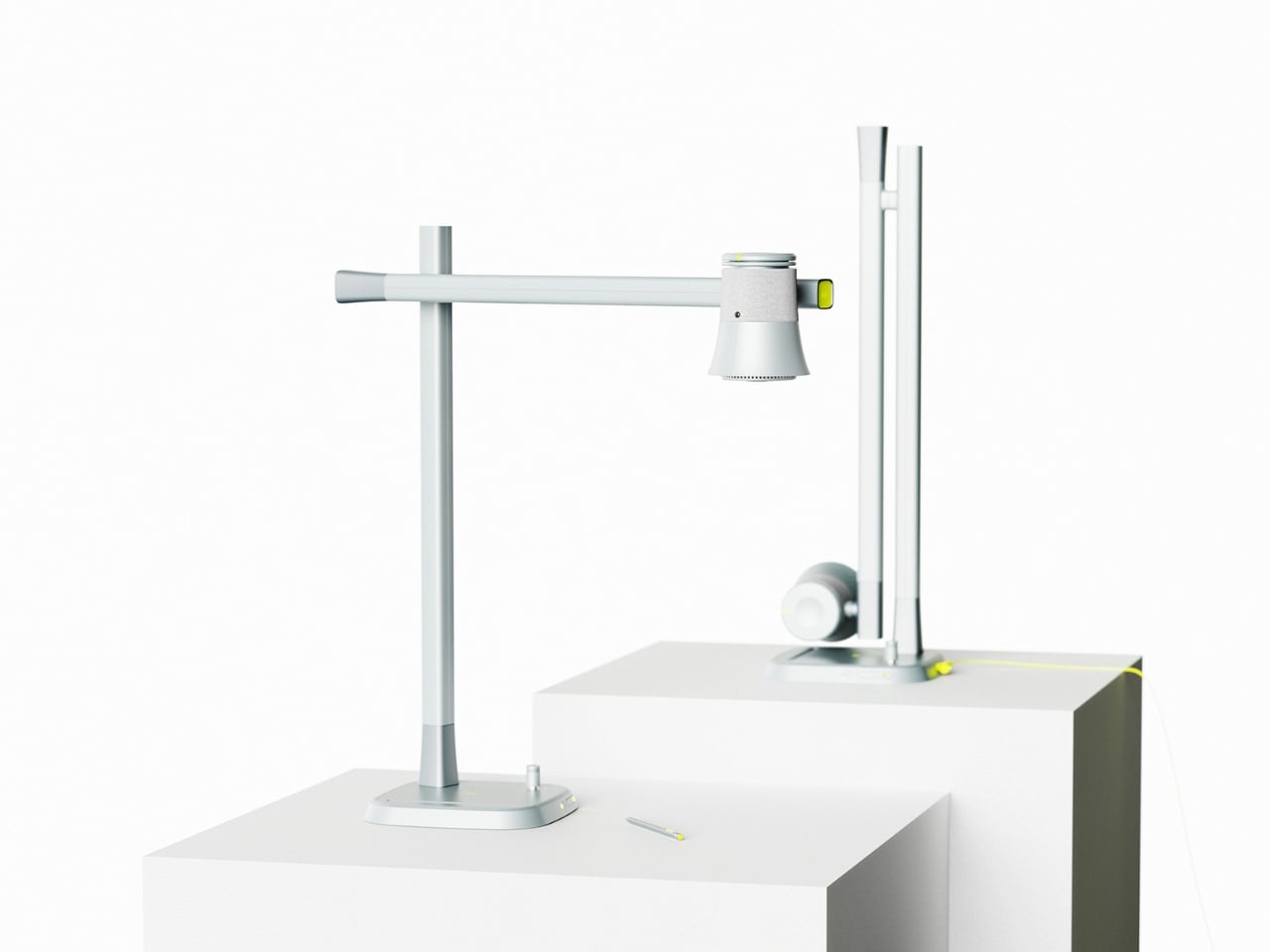
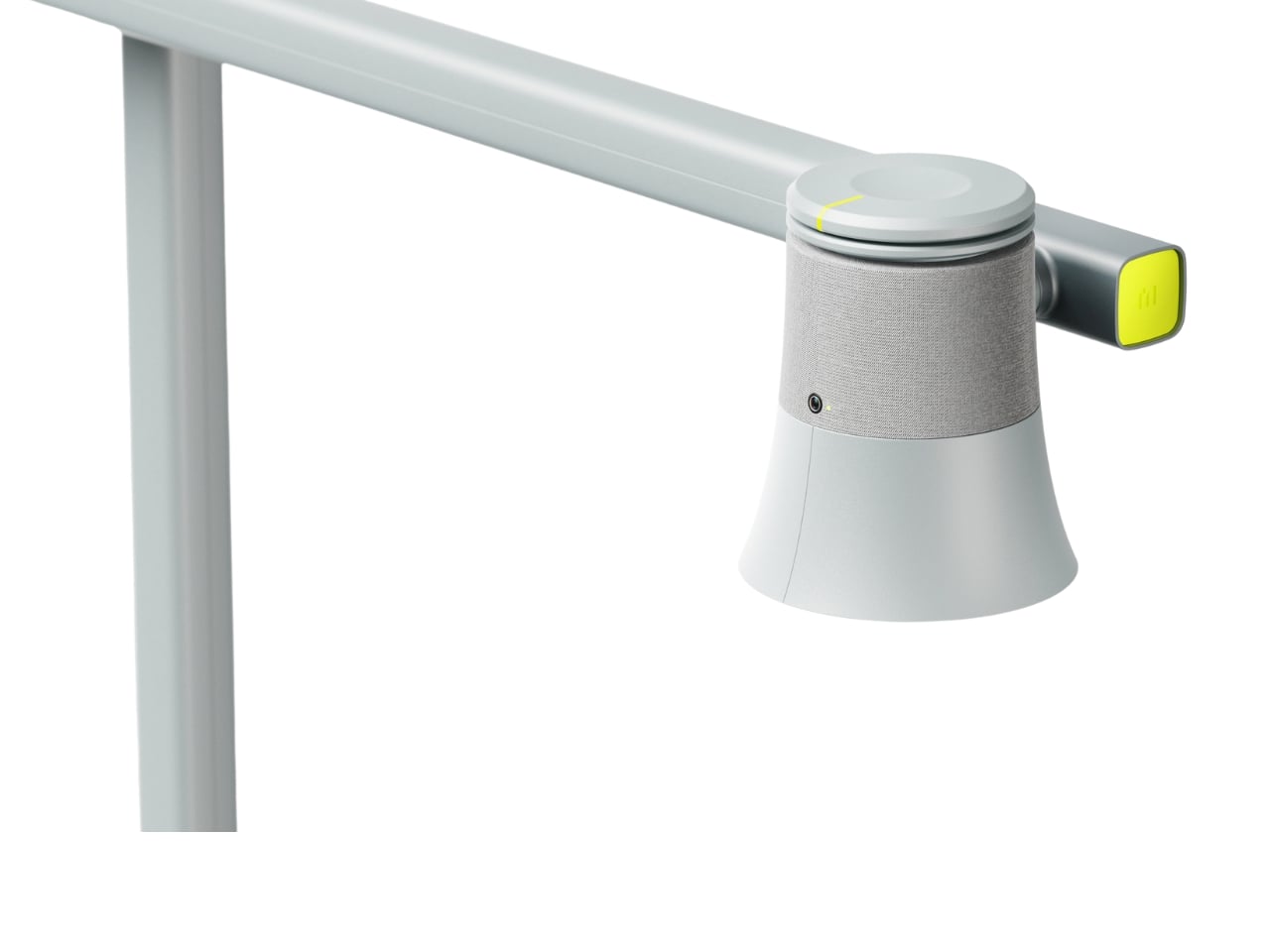
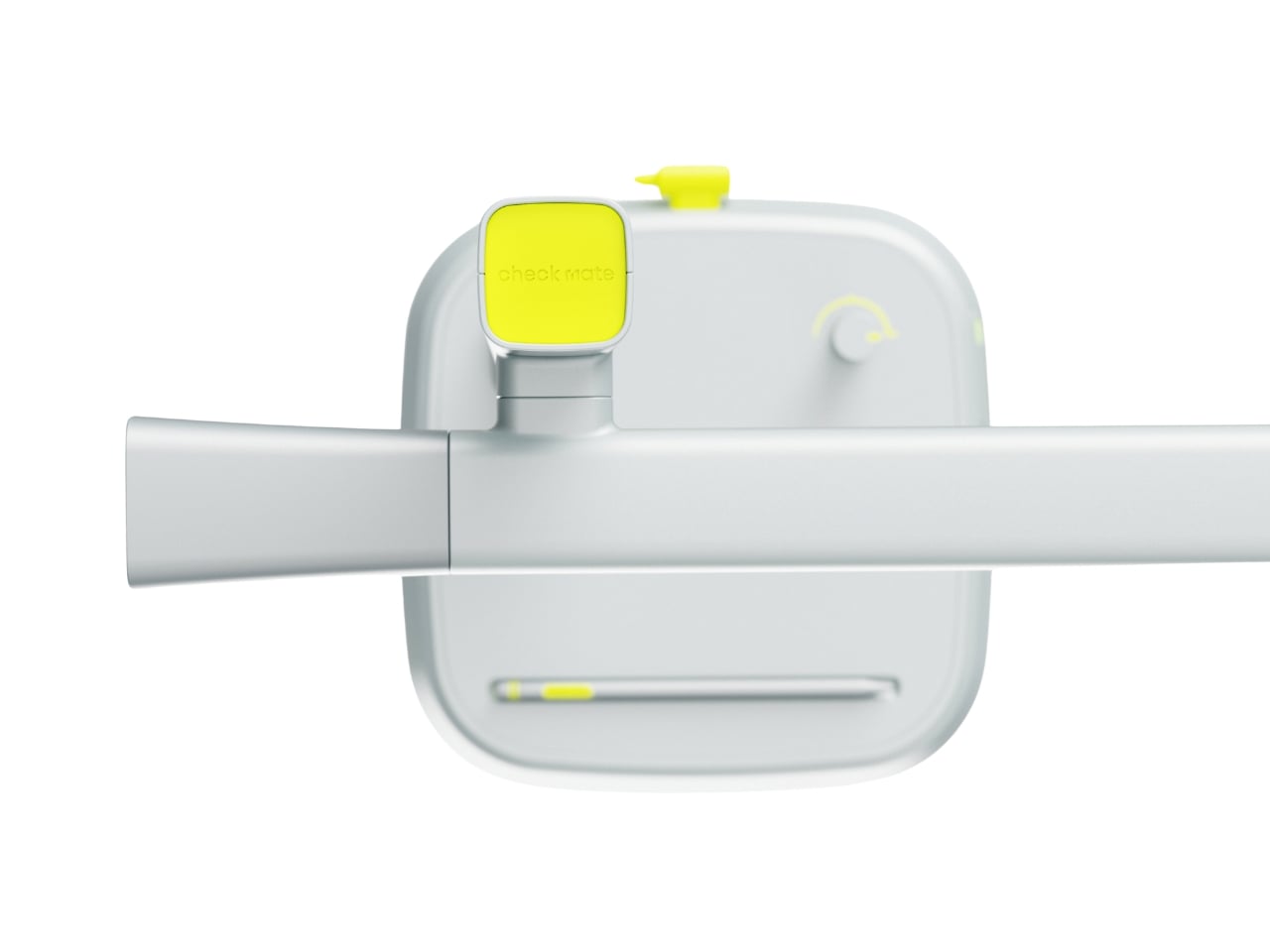
The name itself is clever. “Check Mate” borrows from chess, evoking that decisive moment of victory, but it’s also wonderfully literal. This concept envisions a device that genuinely acts as your learning mate, checking in on your progress and helping you actually achieve those goals instead of just feeling busy. The design language speaks to this dual nature with a clean, minimalist aesthetic in soft gray tones, punctuated by shots of energizing yellow that feel like highlighting the important bits in a textbook.
What makes this concept compelling is that the designers didn’t just jump to solutions. They actually did their homework (pun intended) by researching what digital learners need and where current methods fall short. Their field research identified some uncomfortable truths: digital learning can create passive attitudes, make us susceptible to misinformation, and ironically, despite all our access to information, contribute to declining literacy levels. We’re getting really good at searching and depending on AI, but are we actually learning?
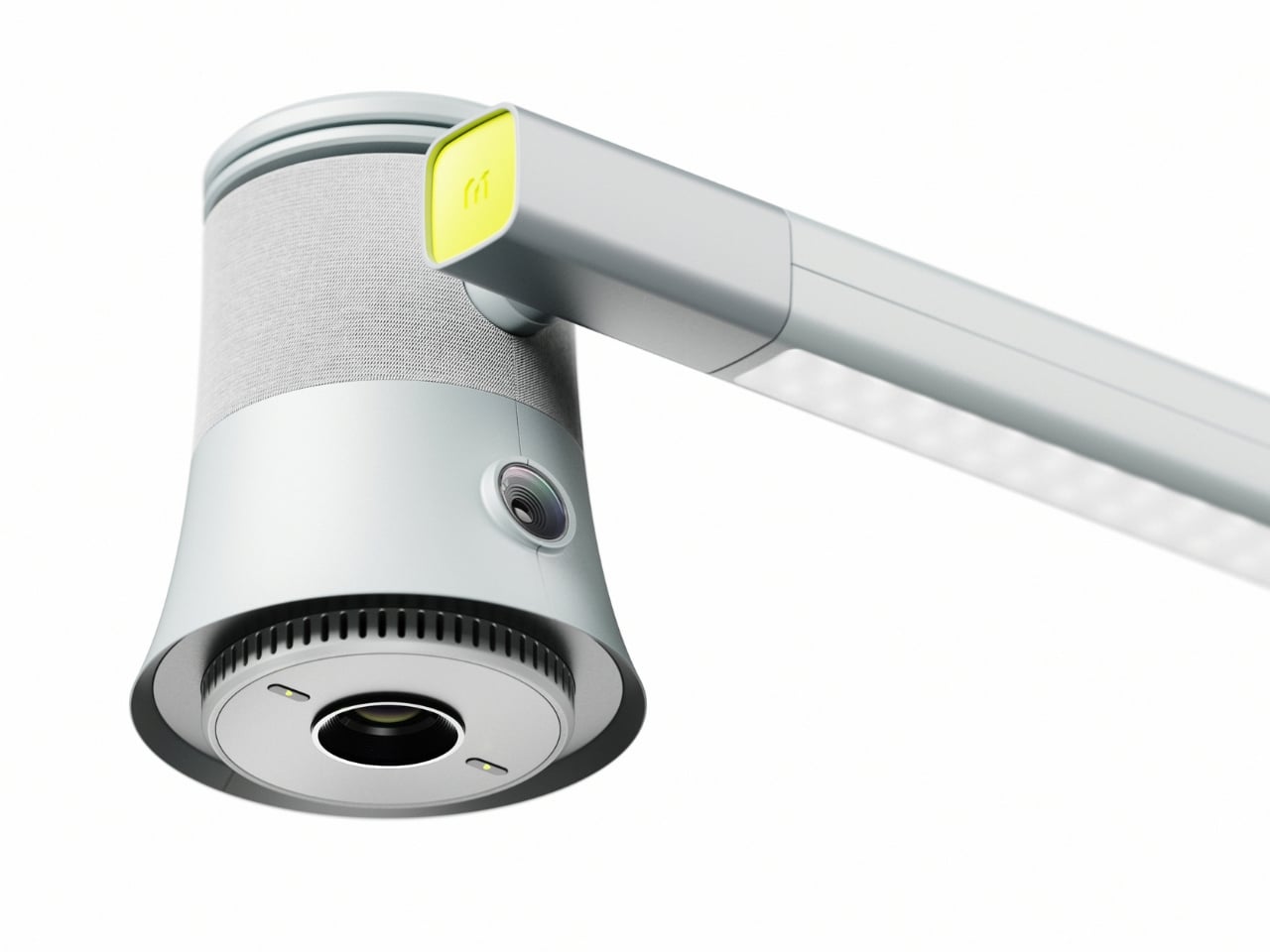
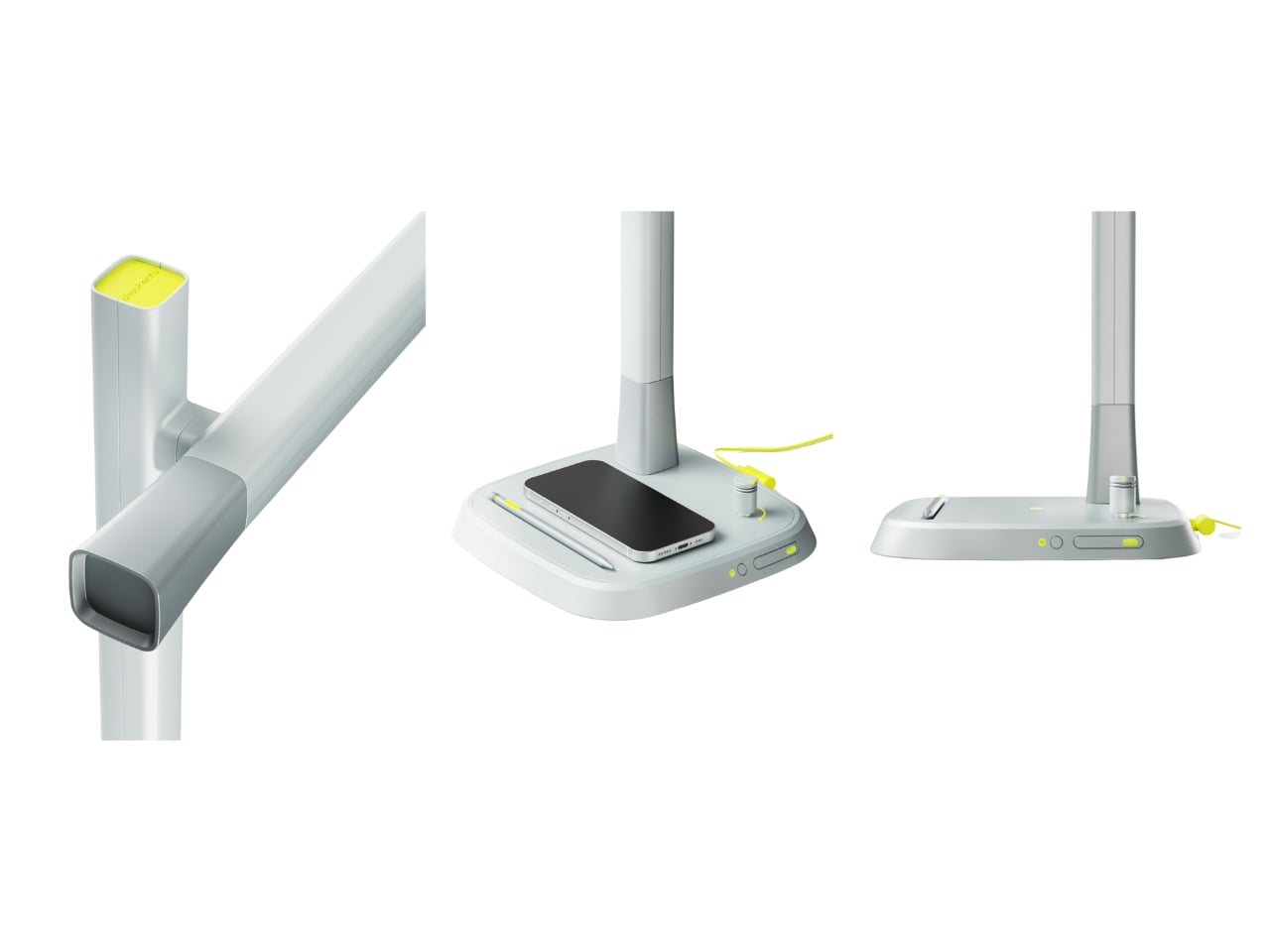
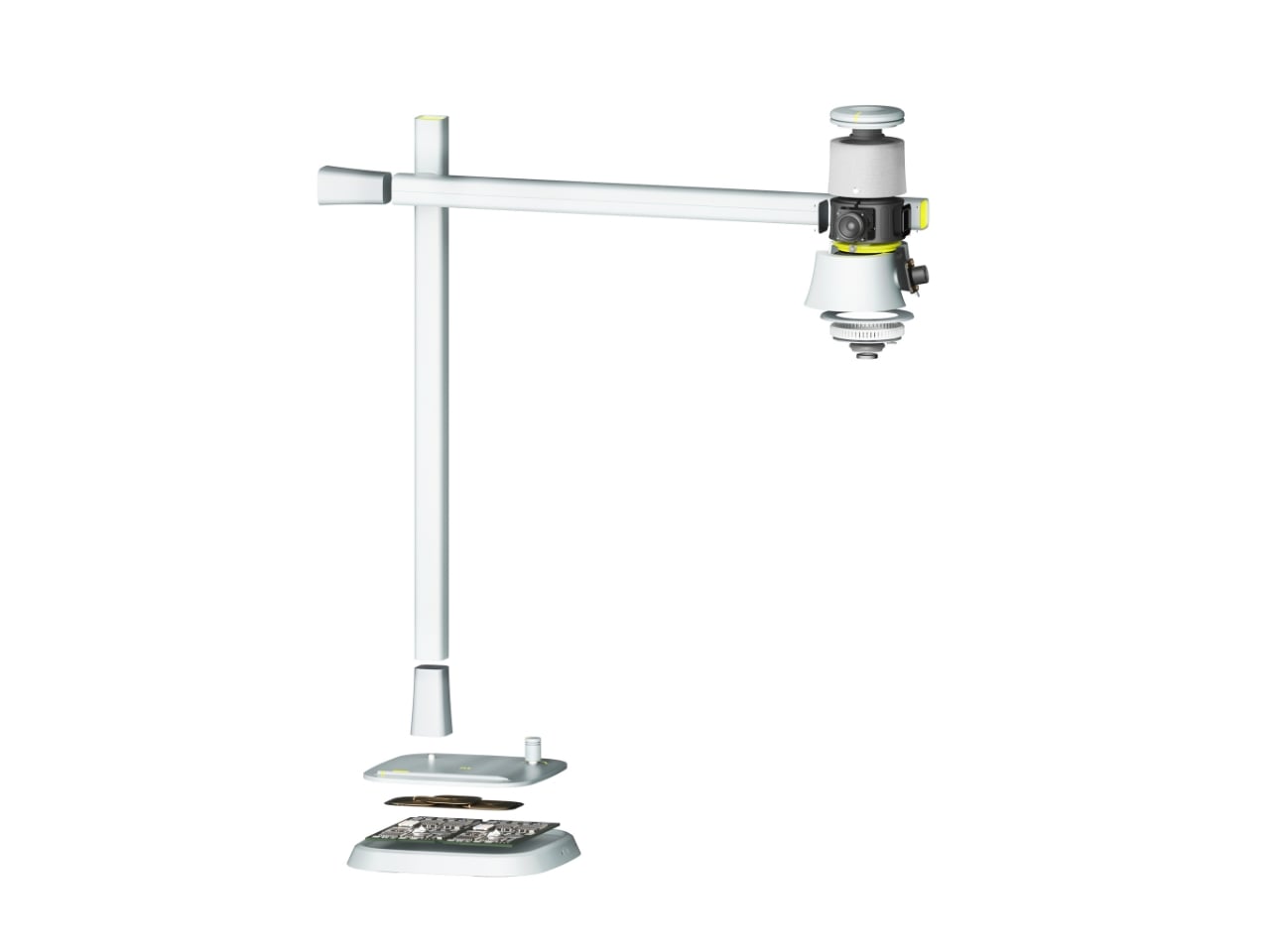
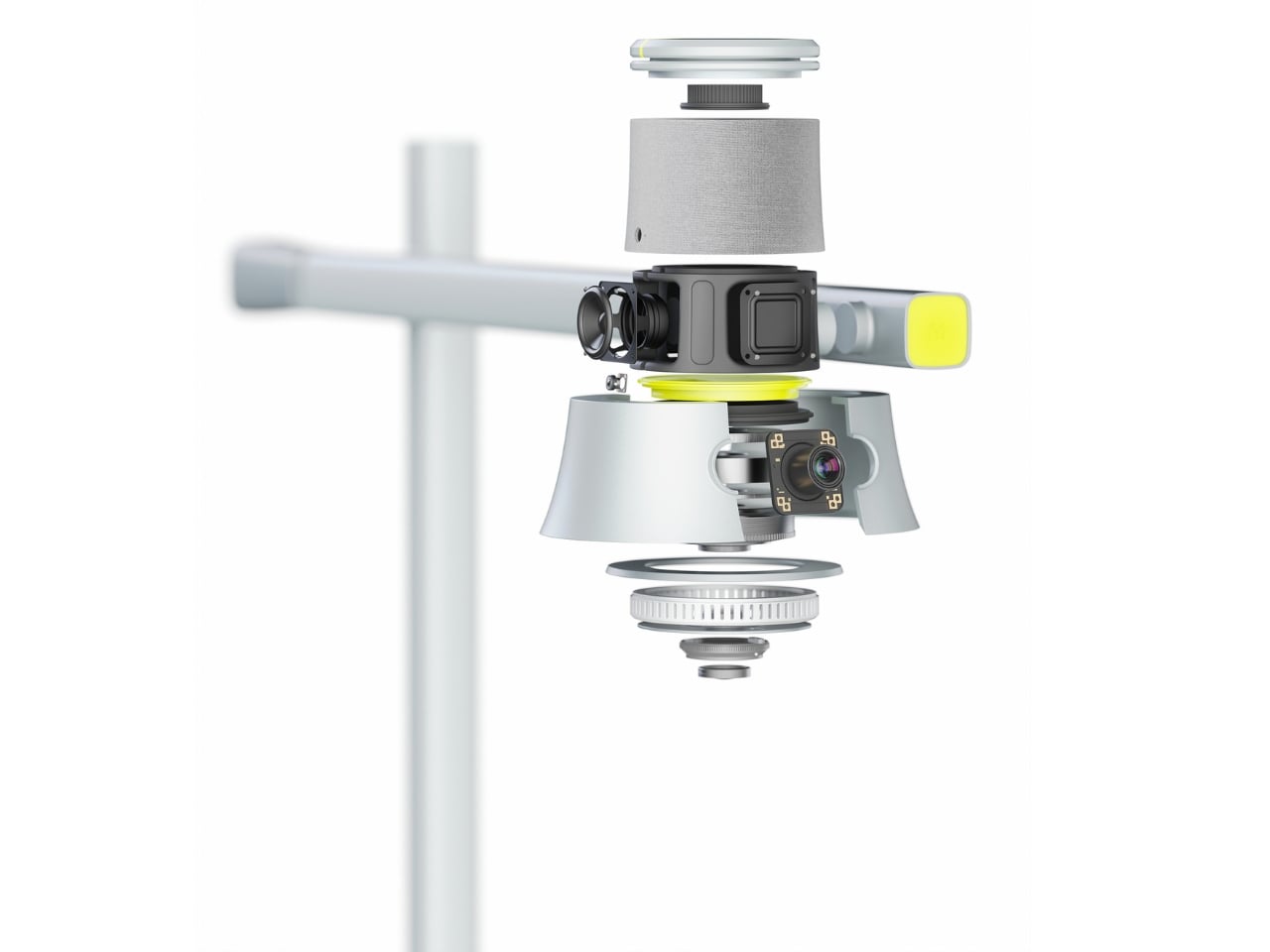
The proposed device looks deceptively simple. At first glance, it’s an elegant desk lamp with an adjustable arm and a cylindrical head wrapped in fabric, giving it a softer, more approachable vibe than your typical tech gadget. But the concept goes deeper, packing some serious multitasking capabilities into that minimal form. The lamp head would rotate and adjust, there appears to be a projection or camera system integrated into the design, and the base doubles as a wireless charging pad. Those yellow accents aren’t just for looks either, they’re envisioned as tactile interaction points that make the technology feel more human and less intimidating.
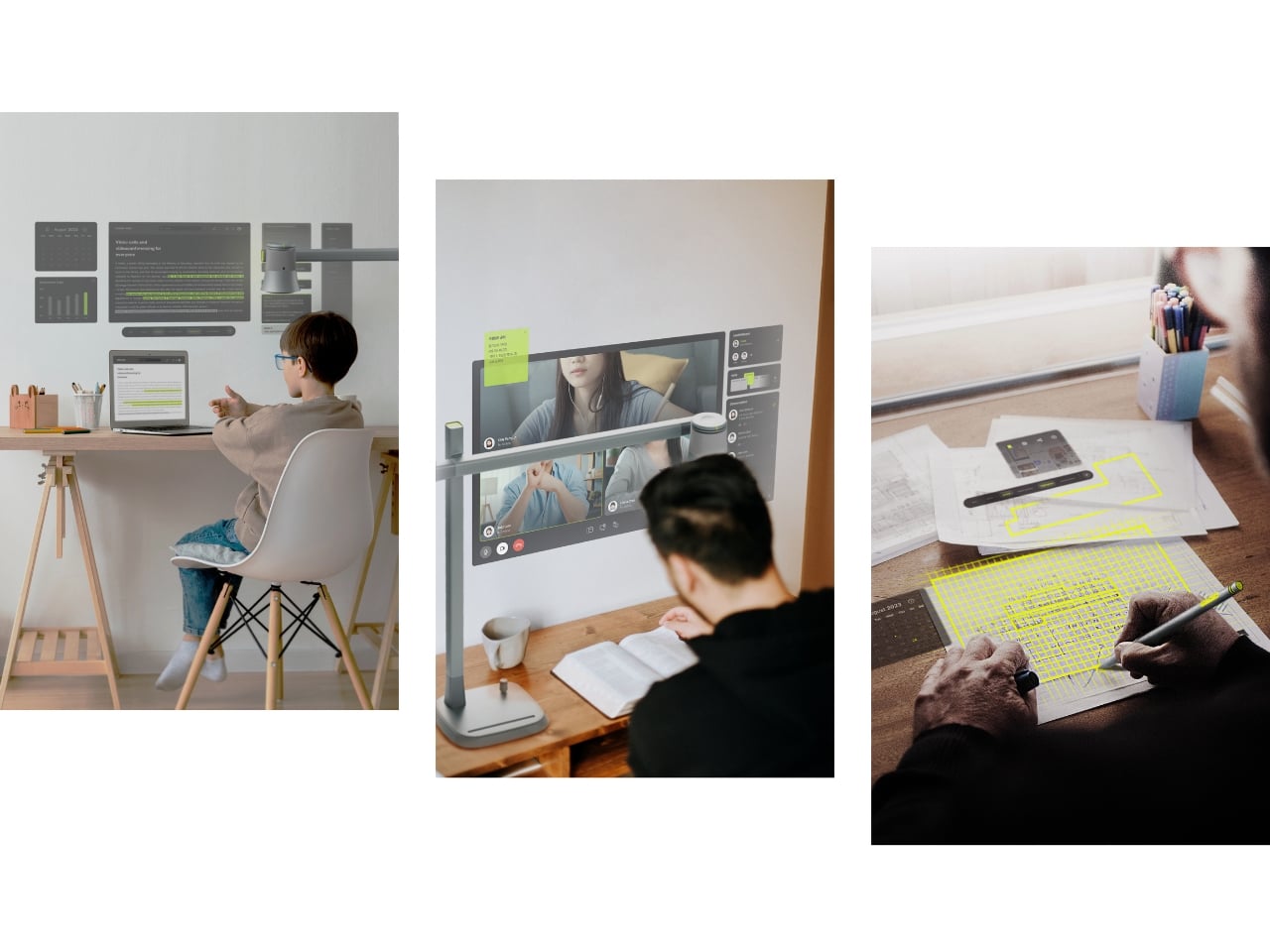
Where Check Mate really shines as a concept is in how it reimagines the learning experience. The visualization shows it functioning as a projection device that could display educational content, video calls with instructors, or interactive annotations directly onto your workspace or wall. Imagine highlighting text on actual paper and having that integrate with your digital notes, or being able to project your screen large enough to actually see what you’re working on without squinting at a laptop.
The concept addresses one of digital learning’s biggest weaknesses: that narrow, passive relationship we have with our screens. By proposing a way to bring information into your physical space and allowing for more natural interaction, it suggests learning could feel less like staring into the void and more like an active, engaging process. You wouldn’t just be consuming content, you’d be working with it in a space that feels comfortable and personal.
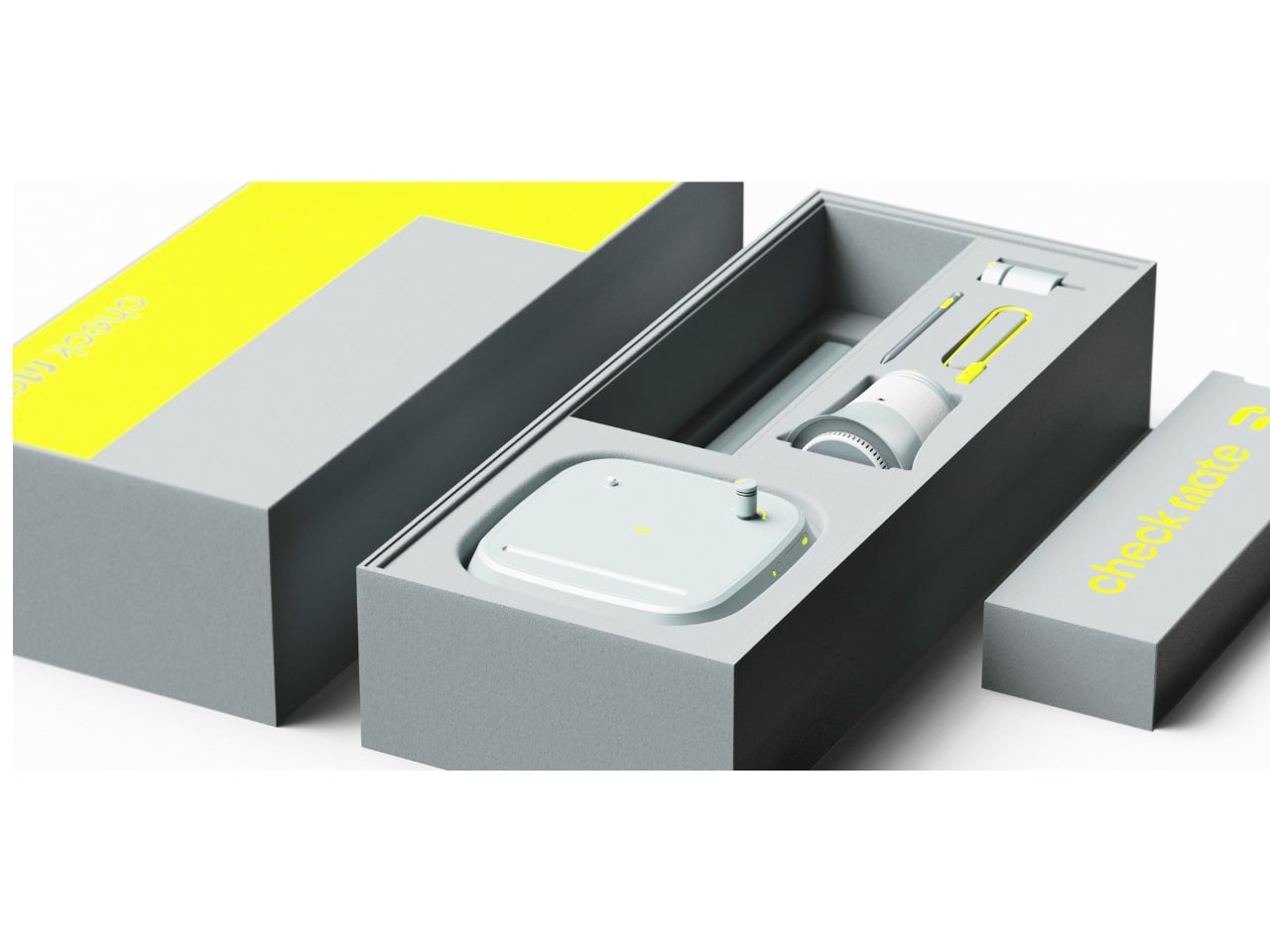
The packaging design in the concept presentation deserves a mention too. Everything is shown organized in a beautifully designed kit with that signature yellow and gray color scheme. It’s the kind of unboxing experience that would make you feel like you’re opening something important, not just another gadget. There’s a psychological element to that. When something looks and feels intentional, we treat it more seriously. As a concept, Check Mate represents the kind of forward thinking we need more of in the education technology space. It pushes conversations forward about how we should be designing for learning, how technology could support rather than distract, and what the future of education might actually look like when we stop thinking about it as just “Zoom, but make it fancier.”
The reality is that digital learning isn’t going anywhere. Remote work, online courses, and hybrid education models are here to stay. So maybe concepts like Check Mate can inspire the tools we actually need, devices designed for this reality instead of just adapting what we already have. The best part? It suggests that the answer isn’t more screens or more apps, it’s smarter integration of digital and physical spaces, and technology that adapts to how we naturally learn rather than forcing us to adapt to it.