Cyber Monday has come and gone, but you can still get a great deal on a smartwatch with the Google Pixel Watch 4 marked down to $300 from $350. At almost 15 percent off, this is the lowest we've ever seen it.
The Pixel Watch 4 was just released in October and is our smartwatch of choice for users with Pixel phones. In our hands-on review we scored it 86 out of 100, taking note of its fast recharge time, health and fitness tracking, repairable design and gorgeous display.
The curved display sits under a domed glass cover and sports an impressive 3,000 nits of peak brightness, well beyond the 2,000 nits max of the Apple Watch Series 11. This makes the Pixel Watch 4 about 50 percent brighter than the previous generation, and thanks to smaller bezels the display is about 10 percent bigger.
The new generation also adds dual-frequency GPS, updated processors and a custom haptic engine. It also boasts a more repairable design thanks to a case that can be easily unscrewed to replace the display or battery. We did find the gesture based raise-to-talk Gemini feature a little gimmicky, and users should note that the watch must be connected to the internet for Gemini to work.
Thanks to all this, we named the Pixel Watch 4 the best smartwatch for Android users. It's as good a workout companion as a daily watch and offers peace of mind with emergency SOS via satellite. If you're an Android user in the market for a smartwatch, this is one of the best deals available now.
This article originally appeared on Engadget at https://www.engadget.com/wearables/the-google-pixel-watch-4-is-cheaper-than-ever-right-now-141715083.html?src=rss
If you're still on the hunt for gifts, or simply good holiday deals for yourself, you can find them on the internet. Just because Black Friday and Cyber Monday have ended doesn't mean the deals have dried up. One of the best deals available that we're tracking is on the latest Apple Watch Series 11, which you can get for a record low of $299.
We gave the Apple Watch Series 11 a score of 90 when it came out in September. That's thanks, in part, to an upgraded 24 hours of battery life — which lasted closer to a day and a half — compared to the 18 hours promised by the Series 10. It also features a thin, light design and a wrist flick gesture for everything from dismissing a notification to ending calls. Plus, it has Apple's new hypertension tracker and comprehensive health monitoring.
This deal is available for the Apple Watch Series 11 with a 42mm case and a small to medium band. Also on sale right now in the Apple Watch space is the Apple Watch SE 3, which is down to $199.
Check out our coverage of the best Apple deals for more discounts, and follow @EngadgetDeals on X for the latest tech deals and buying advice.
This article originally appeared on Engadget at https://www.engadget.com/deals/the-apple-watch-series-11-is-100-off-and-cheaper-than-ever-130006005.html?src=rss
As a refresher, this is the third generation of the Kindle Scribe line of E Ink writing tablets. This year was the first time Amazon made three different versions of the Scribe, turning it into a series of products. At the entry-level, the Scribe without a front light will start at $430, while the model with a front light starts at $480. The Kindle Scribe Colorsoft, which, as it name suggests, can render colors, will start at $630.
All three flavors will feature the updated hardware and design that’s a bit more symmetrical than previous generations, which had a thicker bezel on one side. They’re also thinner than older Scribes and come with redesigned Kindle software that can help make note-taking a bit more efficient. Based on my hands-on with the Kindle Scribe Colorsoft, it also seemed to render colors more vividly than competing devices like the reMarkable Paper Pro, though I’ll definitely need to get a review unit in for better comparison.
For now, check out our hands on of the Kindle Scribe Colorsoft and review of the reMarkable Paper Pro and even of the last-gen Kindle Scribe to see if this is something you might want. While December 10 is cutting it pretty close to the holiday gifting season, it’s still weeks ahead of Christmas, so it might still be worth keeping an eye on.
This article originally appeared on Engadget at https://www.engadget.com/computing/amazons-kindle-scribe-colorsoft-finally-has-a-release-date-december-10-170000910.html?src=rss
Sony is bringing another of its long-running game franchises to iOS and Android in the shape of MLB The Show Mobile. This is a free-to-play “standalone experience built from the ground up to deliver realistic baseball gameplay on mobile devices.” San Diego Studio, the developer of every MLB The Show game since the series debuted in 2006, is behind this mobile game as well.
MLB The Show Mobile, which was spotted by Gematsu, doesn’t feature crossplay with console games. For now, it’s only available in the Philippines and it went live there on Wednesday. Sony says it doesn’t have a timeline in place for expanding availability to more territories, but it certainly plans to do that. It’s not uncommon for mobile games to have a soft launch in select regions before they’re made available elsewhere. Sony is doing the same thing with a Ratchet and Clank multiplayer game.
Sony is optimizing MLB The Show Mobile for more recent mobile devices. On the iOS side, that means “iPhone 16 or comparable” devices. As for Android, you’ll get the best experience on Samsung Galaxy S25, Sony Xperia V or a comparable device, according to the game’s website.
MLB The Show Mobile features solo and player-vs-player modes. There are more than 1,100 cards representing baseball players in the game. You’ll be able to build out an all-star roster of MLB players past and present, and upgrade their cards. San Diego Studio appears to be tapping into the Ultimate Team modes of EA Sports games, as you’ll be able to buy and sell cards with other players in a marketplace. Sony also notes that in-game purchases can include random items.
Each of these player cards has a momentum cost. These are stat points you can use strategically to better your chances of winning. The gameplay is skill-based. You’ll need to get the timing right to throw a great pitch or hit the ball out of the park. You’ll have real-time control of runners as well, so you can try to steal bases.
This article originally appeared on Engadget at https://www.engadget.com/gaming/playstation/sony-is-bringing-mlb-the-show-to-ios-and-android-163300468.html?src=rss
One of the iPhone’s many accessibility features is something Apple calls "Magnifier," which uses the smartphone's cameras to magnify and identify objects in the world around you. For Global Accessibility Awareness Day in May this year, Apple brought Magnifier to the Mac, opening up even more places the assistive tool can be used, like classroom or work environments where you might already have a MacBook pulled out.
Magnifier requires macOS 26 Tahoe and can work with a built-in webcam, a connected third-party camera or an iPhone via Apple's Continuity feature. Provided your MacBook can run Apple’s latest software update, it’s a natural fit for zooming in on a whiteboard at the back of a large lecture hall or getting a closer look at documents on a desk in front of you. You can use the app to both capture an individual image you want to refer to later, or to analyze text in a live video feed. But where to begin? Here’s how to set up and use Magnifier on your Mac.
How to use Magnifier to identify and display text
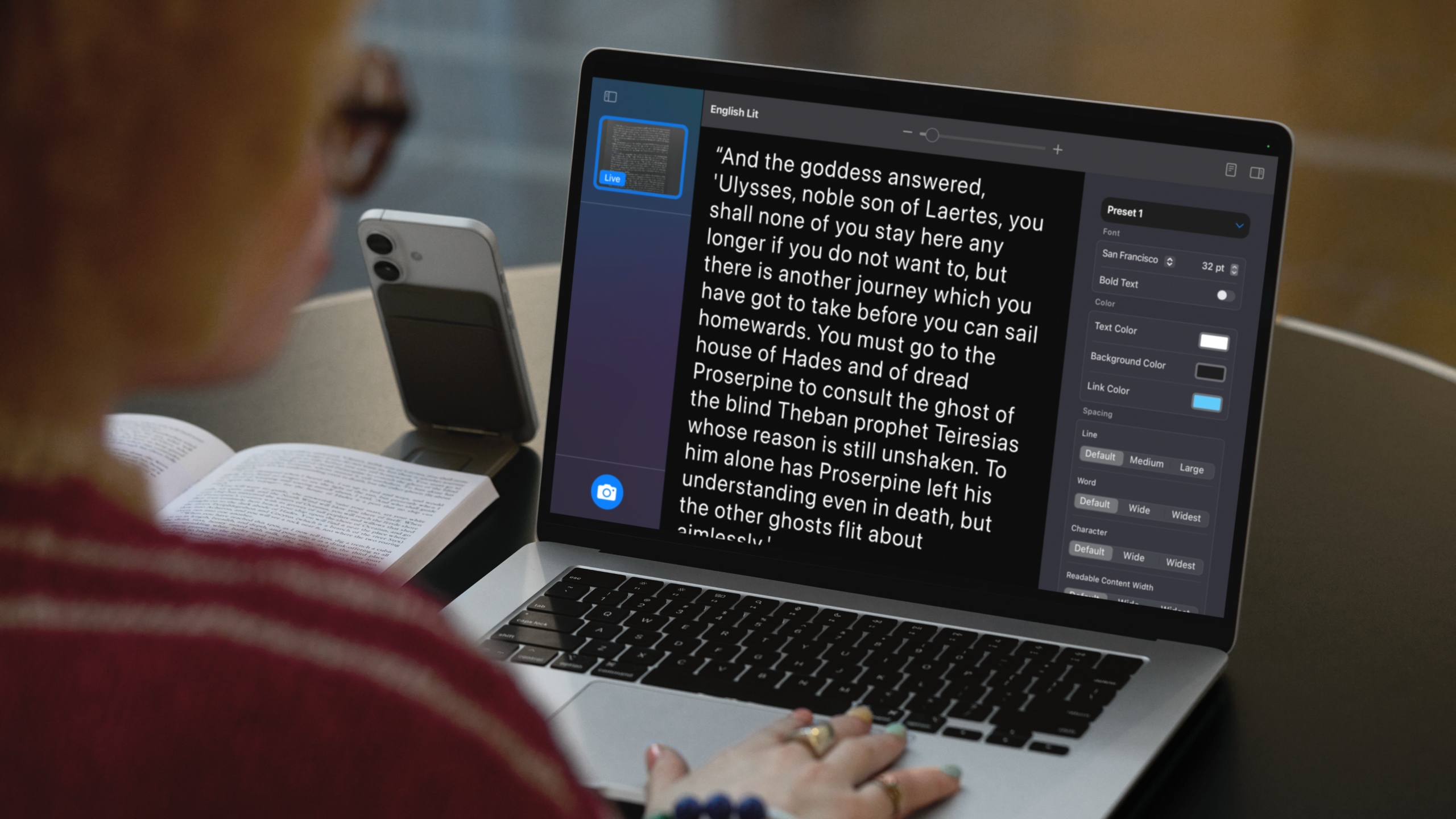
A MacBook using Magnifier and a connected iPhone to identify and format text from a book.
Apple
Magnifier's most powerful feature uses the MacBook's machine learning capabilities to identify, display and format text that your camera captures. This works with text your camera can see in the room around you, and things it captures via macOS' Desk View feature. For example, to view documents on your desk:
Open Magnifier.
Click on the Camera section in Magnifier's menu bar and then select your Desk View camera from the dropdown menu.
Click on the Reader icon (a simple illustration of a document) near the top-right of your Magnifier window.
Click on the sidebar menu icon to access settings to format text.
Apple gives you options to change the color, font and background of text Magnifier identifies, among other customization options. If you'd prefer to capture faraway text, you can position a webcam or iPhone camera facing away from you and swap to it via the Camera section in Magnifier's menu bar.
You can also listen to any text Magnifier has identified by clicking on the Play button in the top-right corner of Magnifier's reader mode. Clicking the Pause button will pause playback, clicking the Skip Forward or Skip Backward buttons skip through lines of text, and if you want to adjust playback speed, you can click on the 1x button and pick a speed from the dropdown menu.
How to use Magnifier to zoom in on yourself
Magnifier can identify text, but it also works as a way to get a zoomed in view of your own face.
Ian Carlos Campbell for Engadget
By default, Magnifier uses your MacBook's built-in webcam, which means you'll see a view of yourself and whatever's behind you if you don't have another camera selected. This might not be usual for seeing faraway text, but it is handy if you're applying makeup, putting in contacts or doing anything else where you need a detailed view of your face.
In my tests, using Magnifier worked the best with my MacBook's built-in webcam or an iPhone. When I tried using a third-party webcam from Logitech, my live camera feed was noticeably laggy. Your mileage may vary, but if you experience any issues with your own webcam, it's worth trying your built-in webcam to see if that helps. You can swap between cameras and zoom in to your camera feed inside the Magnifier app:
Open Magnifier.
In the top menu bar, select Camera and then click on the camera you'd like to use in the dropdown menu.
Use the slider in the top center of the Magnifier window to zoom in on yourself.
You can see a live feed of your zoomed in view in Magnifier's main window. If you click on the Camera button in the bottom-left corner of the app, you can also snap a photo to review later. Any photos you capture will appear in Magnifier's left sidebar menu. Clicking on them lets you view them, zoom in on them and adjust their visual appearance (Brightness, Contrast and other visual settings) via the Image section in Magnifier's menu bar.
This article originally appeared on Engadget at https://www.engadget.com/computing/laptops/how-to-use-magnifier-on-a-macbook-to-zoom-in-on-faraway-text-080100677.html?src=rss
Google has announced a slew of new accessibility features coming to Android ahead of International Day of Persons with Disabilities on Wednesday. Advanced voice dictation, expanded support for an external mouse and improved expressive captions are just some of the features aiming to make Android a more accessible mobile experience.
A more advanced dark theme is now available for devices running Android 16 that will automatically darken most apps even when those apps lack their own native dark modes. Exclusive to Android 16, users can now select between "Standard" and "Expanded" when setting up Dark theme.
For those using a connected mouse with an Android device but who might find the action of clicking difficult, AutoClick now has an improved dwell cursor experience. This feature means the cursor will automatically click after it has paused over something for a certain amount of time, as set by the user. The type of click itself can also be customized, with a user's choice of left-click, right-click, double-click, long press, scroll or drag.
Hands-free use is a cornerstone of accessibility for mobile devices, and now Gemini-powered voice dictation within TalkBack will enable typing and text editing using natural commands. Users can start dictating in Gboard with a two-finger double-tap, after which Smart Dictation with Gemini empowers users to say things like "replace Monday with Tuesday" to fix a mistake or even ask Gemini to make their message shorter. Google says TalkBack is "launching soon."
Google has also added new functionality to Guided Frame, which helps blind or low-vision users take photos in the Pixel camera app. The tool can now describe the scene to the user as well as let them know when there's a face in frame.
Voice Access has also been made easier to use in a totally hands-free way. Instead of having to physically tap the phone's screen to start using the feature, users can now say "Hey Google, start Voice Access" to gain hands-free control. The feature does need to be enabled first for this to work.
Android devices can now pair to Bluetooth LE Audio-enabled hearing aids with a single tap. This expanded use of Fast Pair is compatible with Demant hearing aids and support for Starkey products is coming in early 2026.
Finally, Google is also building on expressive captions, the AI powered tool released last year that tries to imbue more feeling into captions. On Android, expressive captions can now "detect and display the emotional tone of speech" from the audio playing on your device. Captions will be tagged with emotions like joy or sadness. The feature is also coming to YouTube where captions will now convey the intensity of speech by using all caps, and writing out sounds like sighs and gasps. This will be live for all videos in English uploaded after October.
With the exception of TalkBack, which is launching soon, these new accessibility features are live now. As with most Google updates, it may take some time for the updates to hit every device.
This article originally appeared on Engadget at https://www.engadget.com/mobile/smartphones/android-is-getting-a-slew-of-new-accessibility-features-190016358.html?src=rss
As promised, we’re back to normal. Don’t even think about buying Kindles or subscribing to a new streaming service until Black Friday 2026.
Instead, let’s talk about a new Samsung foldable with even more folds. The Galaxy Z TriFold is breaking cover and will launch in Korea and other select countries (read: not the US) on December 12.
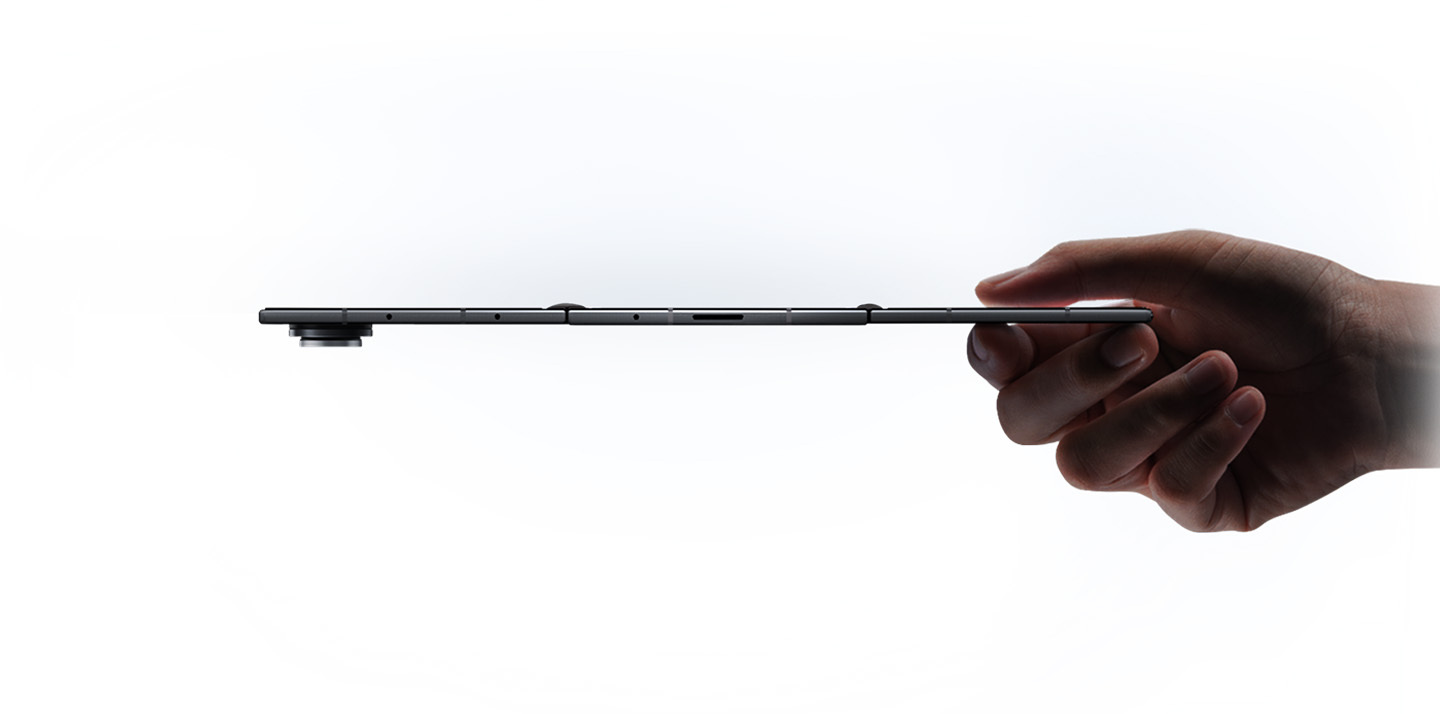
Unlike the early trifold from Huawei, the smartphone has an inward-folding display meant to protect the wider main display, 10 inches wide. The cover screen is 6.5 inches when folded, while the entire TriFold is 12.9mm when collapsed and 3.9mm at its thinnest when unfolded.
That might seem a bit chunky in the face of super-thin smartphones, but it’s much thinner than Samsung’s first Z Fold (17.1mm), back in 2019. Arguably, it’s a 10-inch tablet (with the right screen ratio) crammed into a smartphone form factor.
The phone runs on a custom Snapdragon 8 chip, with a 5,600 mAh three-cell battery and support for 45W super-fast charging. Like the Z Fold 7, the rear camera lineup includes a 12-megapixel ultra-wide lens, a 200MP wide-angle lens and a 10MP telephoto lens.
Intrigued? Samsung says the TriFold will be available in the US and elsewhere in the first quarter of 2026. The company hasn’t stipulated pricing yet, but it could be spicy.
You should still be able to cast to older Chromecast or Google Cast devices.
Struggled to cast Stranger Things over the long weekend? It wasn’t you — and it probably wasn’t your TV’s fault either. Netflix is ending support for casting from mobile devices to many TVs. According to a help page spotted by Android Authority, “Netflix no longer supports casting shows from a mobile device to most TVs and TV-streaming devices. You’ll need to use the remote that came with your TV or TV-streaming device to navigate Netflix.” The company previously removed AirPlay support in 2019 due to “technical limitations.”
Embattled exec John Giannandrea is leaving the company.
Apple has hired AI researcher Amar Subramanya, a longtime Google exec, pulling him away from Microsoft to push its AI efforts forward. Subramanya, who Apple describes as a “renowned AI researcher,” spent 16 years at Google, where he was head of engineering for Gemini. The company also announced that current AI exec, John Giannandrea, will retire in 2026.
Giannandrea has shouldered much of the blame for the delays in delivering the next-generation version of Siri. He joined Apple in 2018 after a stint at Google that included VP of search. While his hiring was seen as a major coup for Apple at the time, the company has failed to deliver its more personalized AI-centric version of Siri, previewed earlier last year. Not earlier this year: last year.
Google has announced that free users can currently generate two images per day, down from three previously, on its Nano Bana Pro image generator. “Image generation and editing is in high demand,” the company writes. “Limits may change frequently and will reset daily.”
This is due to the new model being a big improvement on what came before. The text rendering portion is significantly improved and can even render legible text on top of an existing image. It can also blend multiple elements into a single composition, supporting up to 14 images at once. Google is also limiting free Gemini 3 Pro use.
If you’ve upgraded your phone recently, there’s a good chance it supports wireless charging. Battery life can be one of the first things to deteriorate as your phone ages, so you’ll need quick and easy ways to power up wherever you are. You may not always be able to have a cable on your person, but investing in a wireless phone charger (or a few) can make it more convenient to plop your phone down and know it’ll have more juice when you pick it back up again.
While you’re not going to get the same charging speed with a wireless charger that you would with a power cable, the convenience of a power source like this is undeniable. Stick a wireless charger on your bedside, on your desk at work, in your kitchen or wherever you spend a good chunk of your time and you’ll have a reliable way to power up your phone, sans bulky, messy cables. Needless to say, there are a ton of options out there with different charging capabilities and price ranges. Below, we’ve collected the best wireless chargers we’ve tested to make your search a little easier.
While it’s tempting to buy a wireless charging pad optimized for the specific phone you have now, resist that urge. Instead, think about the types of devices (phones included) that you could see yourself using in the near future. If you’re sure you’ll use iPhones for a long time, an Apple MagSafe-compatible magnetic wireless charger will be faster and more convenient. If you use Android phones or think you might switch sides, however, you’ll want a more universal design. If you have other accessories like wireless earbuds or a smartwatch that supports wireless charging, maybe you’d be better off with a 3-in-1 wireless charger or full wireless charging station.
Where and how will you use your charger?
Odds are that you have a specific use case in mind for your charger. You may want it by your bedside on your nightstand for a quick charge in the morning, or on your desk for at-a-glance notifications. You might even keep it in your bag for convenient travel charging instead of bulky portable chargers or power banks. Think about where you want to use this accessory and what you want to do with the device(s) it charges while it’s powering up. For example, a wireless charging pad might be better for bedside use if you just want to be able to drop your phone down at the end of a long day and know it’ll be powered up in the morning. However, a stand will be better if you have an iPhone and want to make use of the Standby feature during the nighttime hours.
For a desk wireless charger, a stand lets you more easily glance at phone notifications throughout the day. For traveling, undoubtedly, a puck-style charging pad is best since it will take up much less space in your bag than a stand would. Many power banks also include wireless charging pads built in, so one of those might make even more sense for those who are always on the go. Some foldable chargers are also designed for travel, collapsing flat to take up less space.
Wireless charging performance
Although wireless charging is usually slower than its wired equivalent, speed and wattage are still important considerations. A fast charger can supply enough power for a long night out in the time it takes to change outfits. Look for options that promise faster charging and support standards like Qi2 certified charging for the best balance of efficiency and compatibility.
In general, a 15W charger is more than quick enough for most situations, and you’ll need a MagSafe-compatible charger to extract that level of performance from an iPhone. With that said, even the slower 7.5W and 10W chargers are fast enough for an overnight power-up. If anything, you’ll want to worry more about support for cases. While many models can deliver power through a reasonably thick case (typically 3mm to 5mm), you’ll occasionally run into examples that only work with naked phones.
There are some proprietary chargers that smash the 15W barrier if you have the right phone. Apple’s latest MagSafe charging pad can provide up to 25W of wireless power to compatible iPhones when paired with a 30W or 35W adapter — the latter being another component you’ll have to get right to make sure the whole equation works as fast as it possibly can.
Quality and box contents
Pay attention to what’s included in the box. Some wireless chargers don’t include power adapters, and others may even ask you to reuse your phone’s USB-C charging cable. What may seem to be a bargain may prove expensive if you have to buy extras just to use it properly. As mentioned above, you’ll want to make sure all of the components needed to use the wireless charger can provide the level of power you need — you’re only as strong (or in this case, fast) as your weakest link.
Fit and finish is also worth considering. You’re likely going to use your wireless charger every day, so even small differences in build quality could make the difference between joy and frustration. If your charger doesn’t use MagSafe-compatible tech, textured surfaces like fabric or rubberized plastic are more likely to keep your phone in place. The base should be grippy or weighty enough that the charger won’t slide around. Also double check that the wireless charger you’re considering can support phones outfitted with cases — the specifications are usually listed in the charger’s description or specs.
You’ll also want to think about the minor conveniences. Status lights are useful for indicating correct phone placement, but an overly bright light can be distracting. Ideally, the light dims or shuts off after a certain period of time. And while we caution against lips and trays that limit compatibility, you may still want some barriers to prevent your device falling off its perch on the charging station.
Wireless chargers FAQs
Do wireless chargers work if you have a phone case?
Many wireless chargers do work if you leave the case on your phone. Generally, a case up to 3mm thick should be compatible with most wireless chargers. However, you should check the manufacturer’s guide to ensure a case is supported.
How do I know if my phone supports wireless charging?
Checking the phone’s specification should tell you if your phone is compatible with wireless charging. You might see words like “Qi wireless charging” or “wireless charging compatible.”
Do cords charge your phone faster?
Most often, wired charging will be faster than wireless charging. However, wired charging also depends on what the charging cable’s speed is and how much power it’s designed to carry. A quick-charging cable that can transmit up to 120W of power is going to be faster than a wireless charger.
This article originally appeared on Engadget at https://www.engadget.com/computing/accessories/best-wireless-charger-140036359.html?src=rss
Samsung has unveiled its newest smartphone, and it's the highly-anticipated Galaxy Z TriFold. During an interview in July, a Samsung exec confirmed that the company was working on a three-panel phone that it aimed to release by the end of the year. The company said it expects the phone to be available for purchase in Korea on December 12, with markets including China, Taiwan, Singapore and the United Arab Emirates. For US shoppers, the TriFold will be available in the first quarter of 2026, but no specific date has been revealed yet.
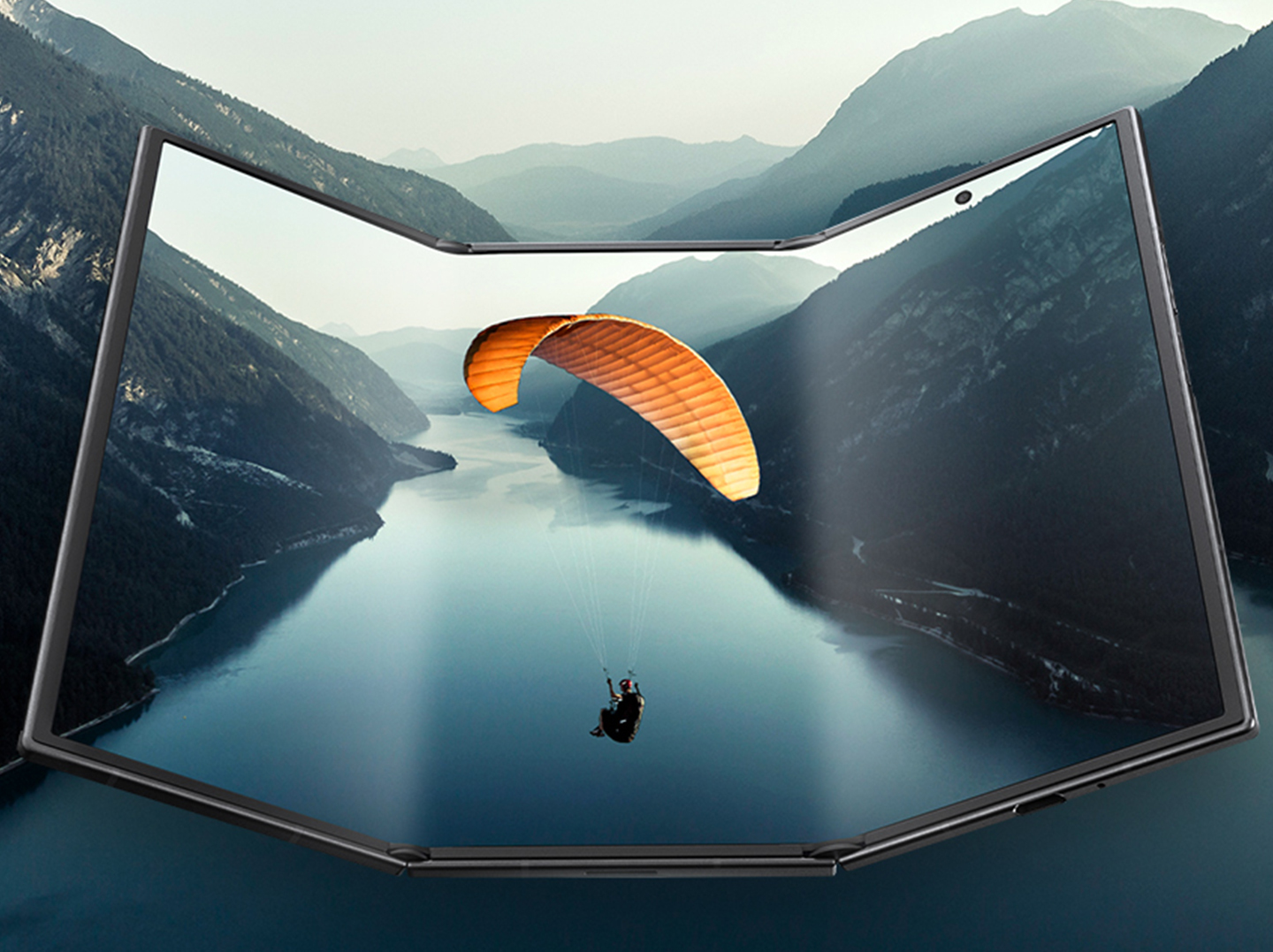
The phone has an inward-folding design intended to protect the main display. If it has been folded incorrectly, the device will automatically vibrate and show an on-screen alert to notify its user. When fully extended, the TriFold has a 10-inch screen and the cover screen is 6.5 inches when folded up. It is 3.9mm at its thinnest point when unfolded and then 12.9mm while collapsed.
To give that some context, the Galaxy Z Fold 7 is a traditional foldable that also has a 6.5-inch exterior screen and an internal display that opens to 8 inches wide diagonally. It has a profile of 8.9mm when folded and weighs 215 grams compared with the TriFold's 309 grams. With its two-hinge form, the TriFold makes it so you have basically a ten-inch tablet that folds down to a slightly heftier version of the Z Fold 7.
A side view of the Samsung Galaxy Z TriFold showing its thickness in the unfolded state
Samsung
Foldables introduce some additional design demands, and Samsung said that the screen panels meet with minimal gap but no actual contact when they are closed. The hinges have been designed to resist wear and the screen received a new reinforced overcoat to improve resistance.
The phone runs on a custom Snapdragon 8 chip. It has a 5,600mAh three-cell battery system and offers 45W super-fast charging. The rear camera lineup includes a 12MP ultra-wide lens, a 200MP wide-angle lens and a 10MP telephoto lens, which is identical to the setup on the Z Fold 7. The main screen and the cover screen both have 10MP front cameras.
No pricing information is currently available, but it seems like a safe assumption that this will be expensive. The Z Fold 7 starts at $2,000, so expect to pay a premium for that second hinge.
Promo image showing the fold angles of the Samsung Galaxy Z TriFold
Samsung
This article originally appeared on Engadget at https://www.engadget.com/mobile/smartphones/samsung-fully-unveils-its-galaxy-z-trifold-phone-and-itll-be-available-in-korea-in-a-few-days-010000499.html?src=rss
Telecom regulators in India have reportedly asked smartphone manufacturers to preload a state-owned cybersecurity app that cannot be deleted onto all new devices, and push the app to existing devices via a software update. Reuters reports that, according to a non-public government order sent to manufacturers, Apple, Samsung, Xiaomi and others were given 90 days to comply.
The app in question is called Sanchar Saathi (meaning Communication Companion), and is primarily aimed at fraud prevention with tools that allow users to report and lock lost or stolen devices. According to Reuters, the app has a reported 5 million downloads since its release and has helped block 3.7 million stolen or lost phones in India. An additional 30 million reportedly fraudulent connections have been terminated using the app.
"If I lose my phone, immediately the app is on my phone which I can then register and make sure my phone is not used by any fraudulent individual. It's a step to protect the consumer," Telecom Minister Shri Jyotiraditya M. Scindia said in an interview with CNBC. The Minister said the installation order should be issued in the "next couple of days."
How smartphone manufacturers will respond remains to be seen. Apple, for its part, doesn't have the strongest history of standing up to governments that oversee large markets for the company. Just a few weeks ago Apple removed two of the largest LGBTQ+ dating apps from the Chinese App Store at the government's request. In 2019 the iPhone maker removed a Hong Kong protest app following pressure from Chinese authorities. The company has also become increasingly entangled with India as it looks to move US-bound iPhone production to the country.
This article originally appeared on Engadget at https://www.engadget.com/cybersecurity/india-will-require-a-state-owned-cybersecurity-app-to-be-installed-on-all-smartphones-192305599.html?src=rss