The Acer TravelMate P4 16 is your reliable work companion with powerful performance, enhanced security features, and robust durability. Available soon!
The post Acer TravelMate P4 16: Your Reliable Work Companion first appeared on Trendy Gadget.
The Acer TravelMate P4 16 is your reliable work companion with powerful performance, enhanced security features, and robust durability. Available soon!
The post Acer TravelMate P4 16: Your Reliable Work Companion first appeared on Trendy Gadget.
Discover the versatile Acer TravelMate P4 Spin 14 with Intel Core Ultra processors, AI features, and a convertible design for modern professionals on the go.
The post Acer TravelMate P4 Spin 14: Versatile Business Laptop first appeared on Trendy Gadget.
Acer TravelMate P6 14: a powerful business laptop with Intel Core Ultra processors, OLED display, top-notch security, and durable design.
The post Acer TravelMate P6 14: Top Business Laptop with OLED Display first appeared on Trendy Gadget.
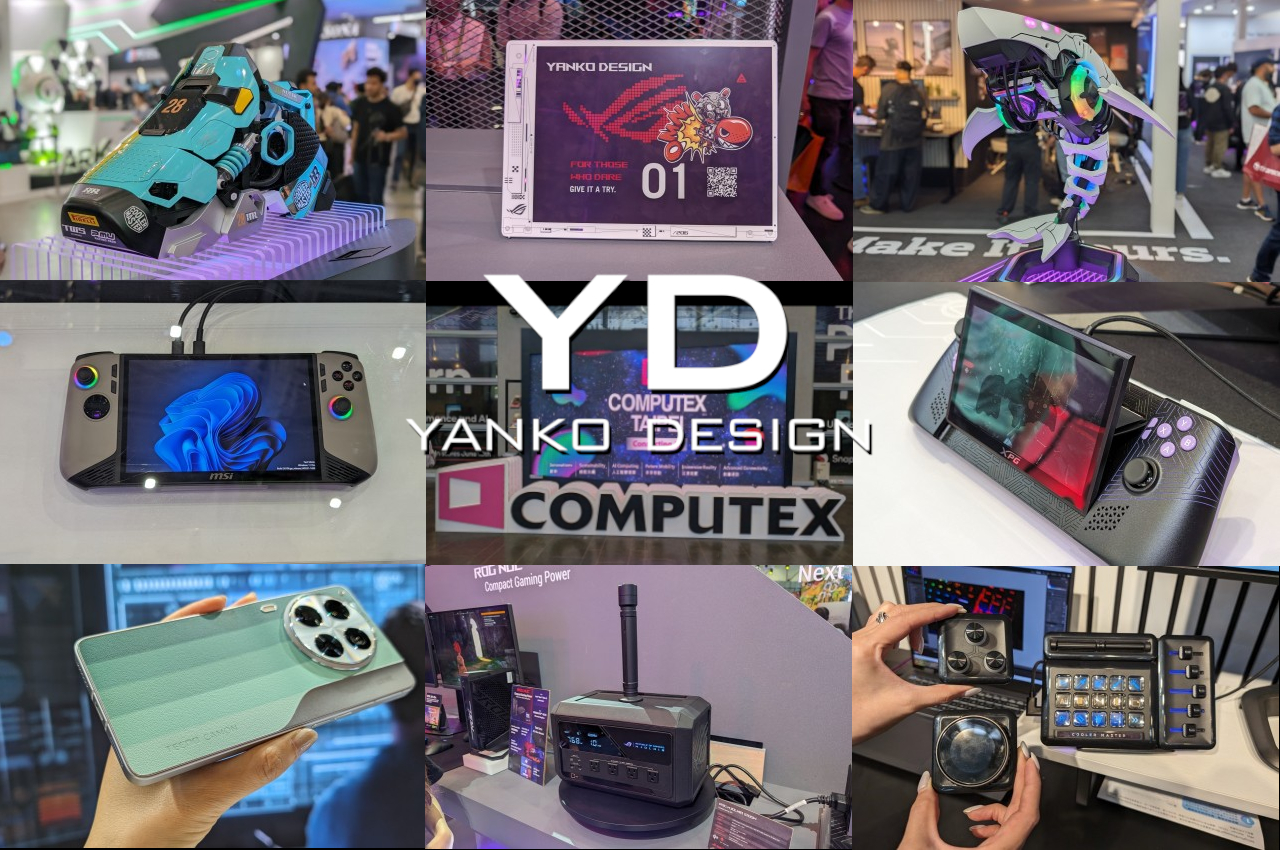
One of the world’s biggest computer-centric tech expos has just ended and, unsurprisingly, a lot of the rhetoric revolved around AI. But if you walk around the showroom floor, another theme quickly becomes evident in the midst of new products as well as some not-so-new wares. Consumer tastes have evolved once again, even among those who would embrace the label of being a gamer. Design is no longer just a feature for the few but an important part of a product’s DNA. We’ve seen quite a wide range of designs across an equally wide range of products, from the eccentric to the elegant. Here are some of the most notable designs to grace our paths at Computex 2024 in Taiwan, showcasing not just the trends but also the innovations in the computing industry.
Desktop computers have evolved from uninspiring towers to smoldering workstations with over-the-top lighting to a smorgasbord of designs that cater to a variety of tastes and interests. Computex 2024 is a glowing testament to not only the changes in design trends but also to the extent that some manufacturers will go to in order to appeal to their loyal fans.
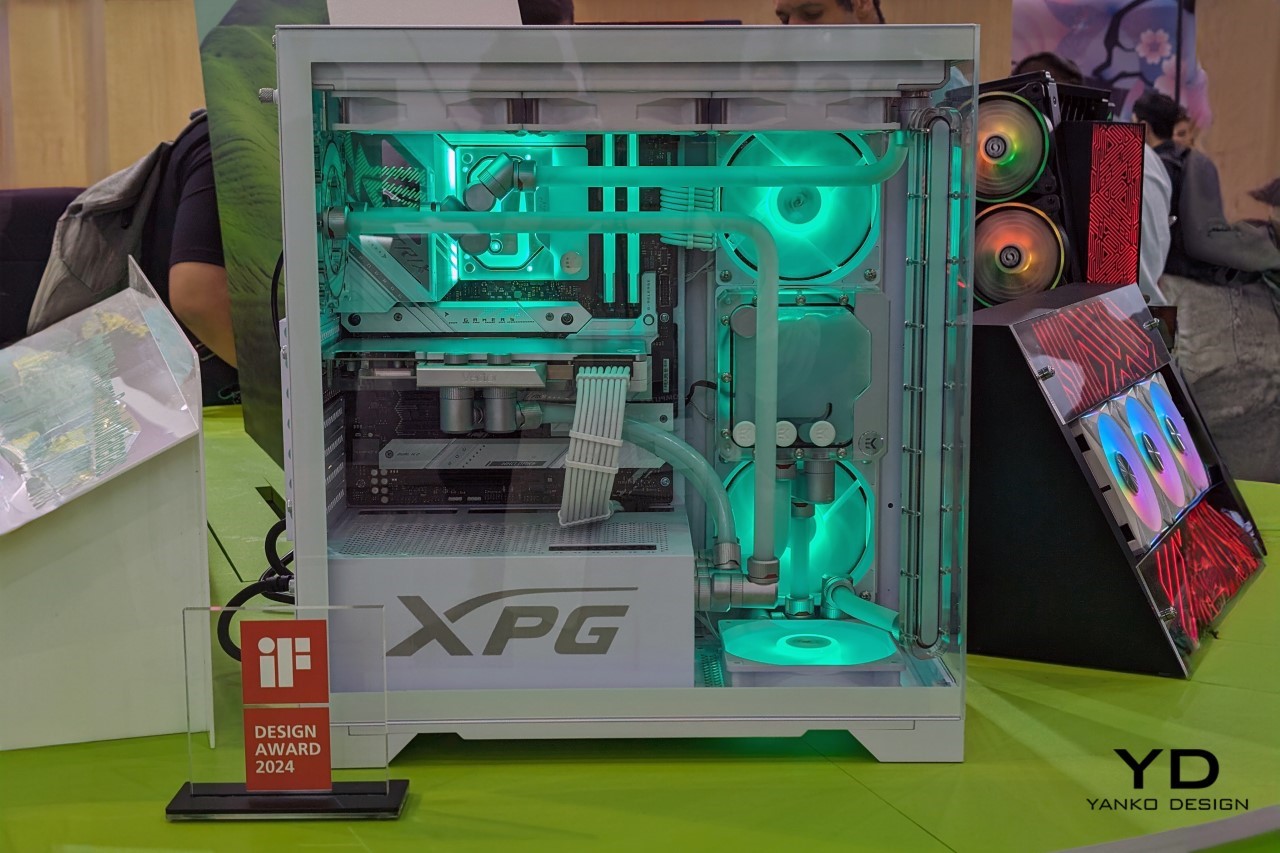
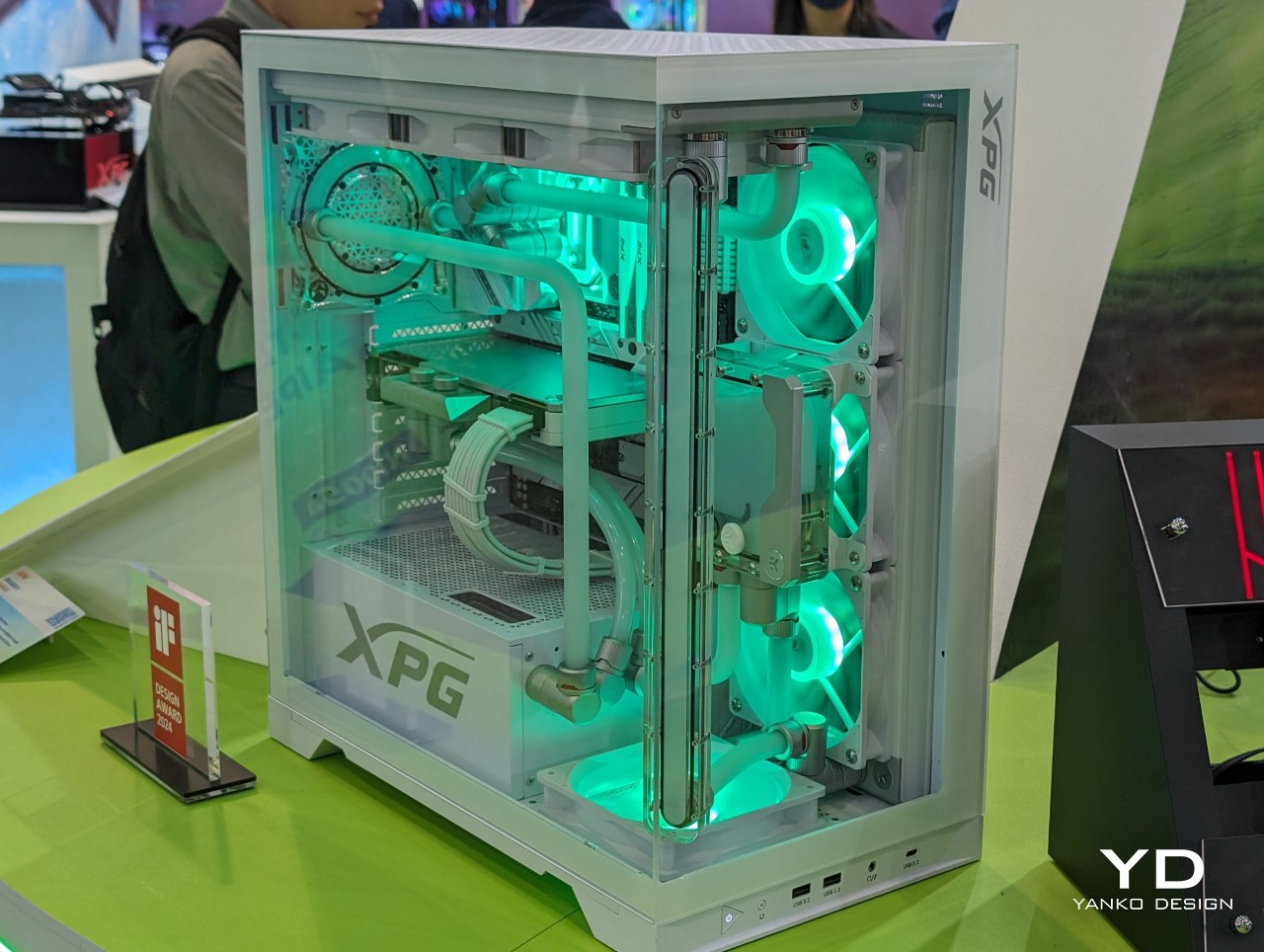
Designer: ADATA
Winner of an iF Design Award, the ADATA XPG Invader X values transparency in more ways than one. Its clear front and side panels let you marvel at the neatly arranged components that power this gaming beast, including the tubes and RGB-lit fans that keep the box operating at maximum efficiency. Equally interesting, however, is the chassis’s ESG-compliant design, utilizing post-consumer recycled plastics and upgrade-friendly components. It’s a stylish, eco-friendly computer that tries to offset the carbon emissions of your gaming lifestyle.

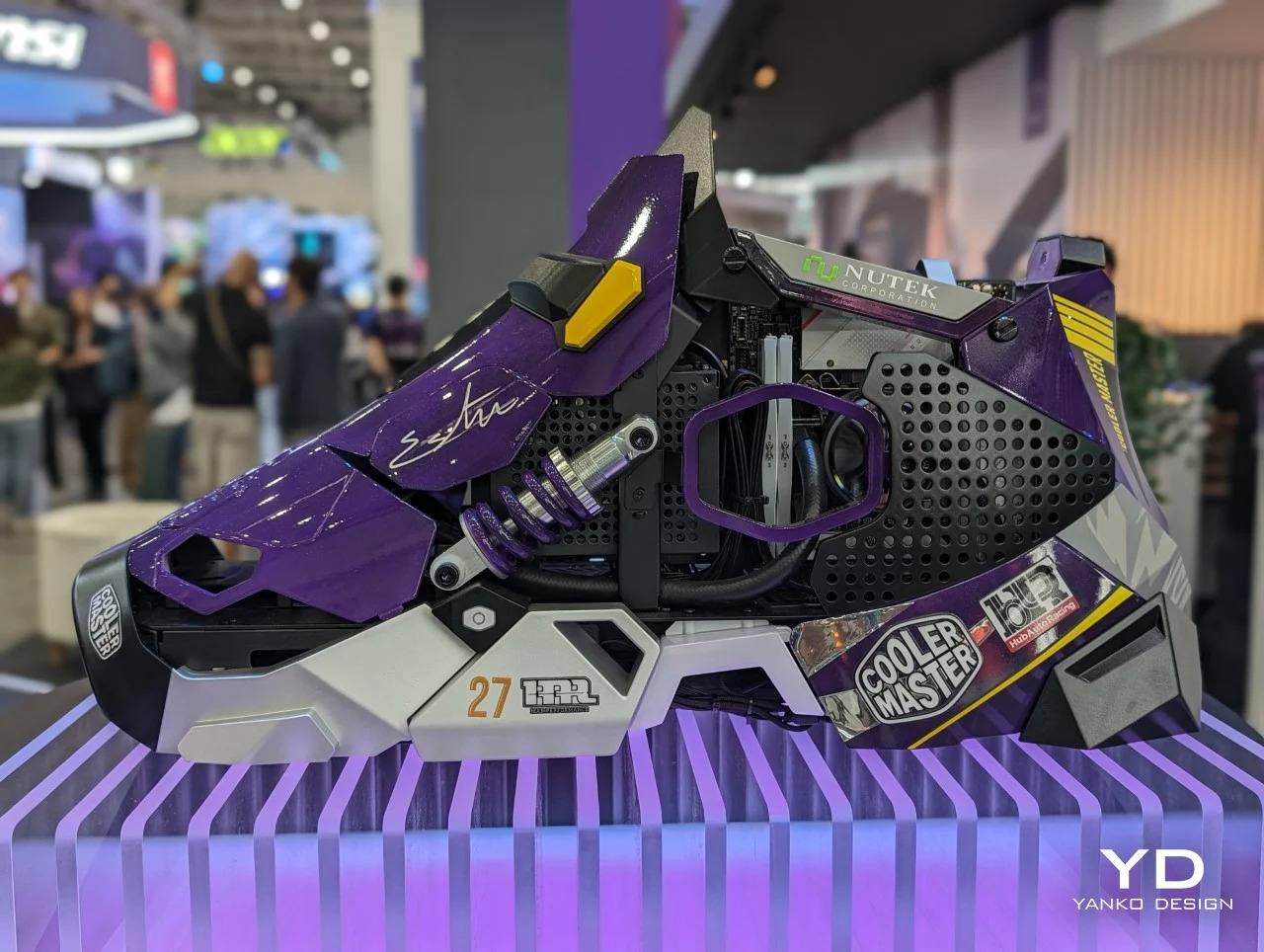
Designer: Cooler Master
Who said computers needed to come in the form of boxes? Cooler Master definitely didn’t. With designs that come in the form of a robotic shark and a giant mechanical sneaker, these PC cases shatter expectations and misconceptions about how our computers should look like. And as hardware becomes smaller even as they become more powerful, it’s only a matter of time before these become the standard rather than the outlier.
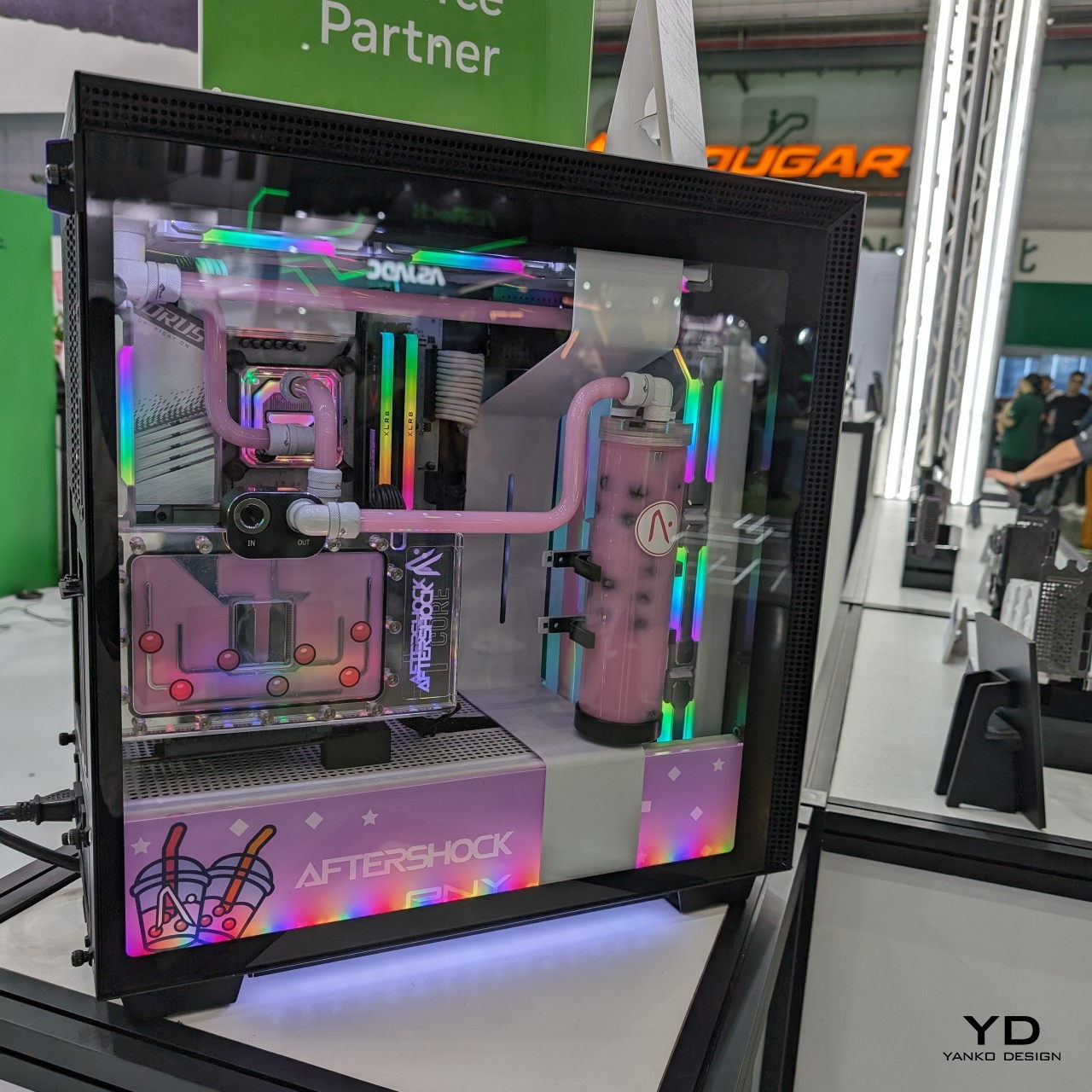
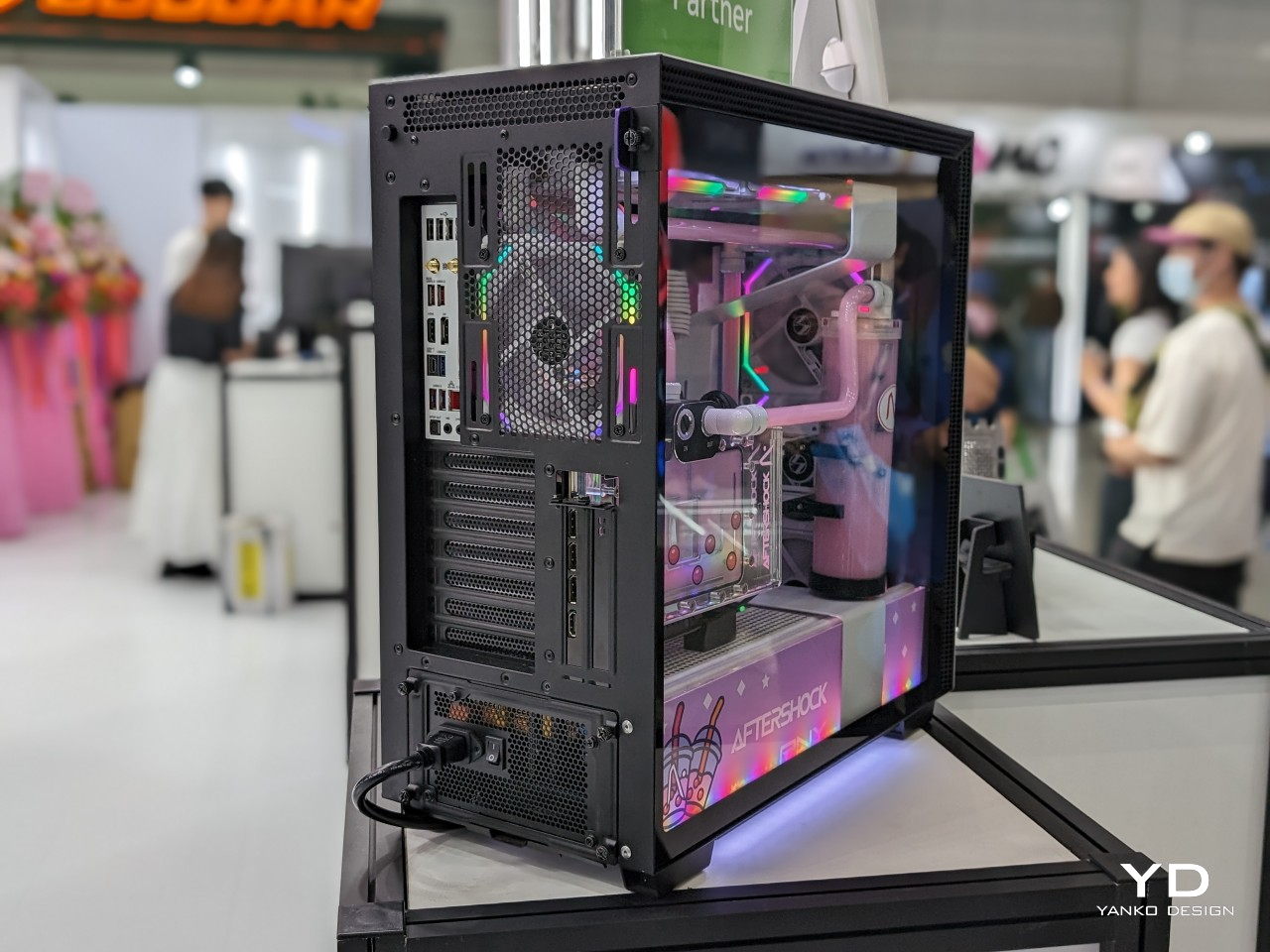
Designer: PNY x AftershockPC
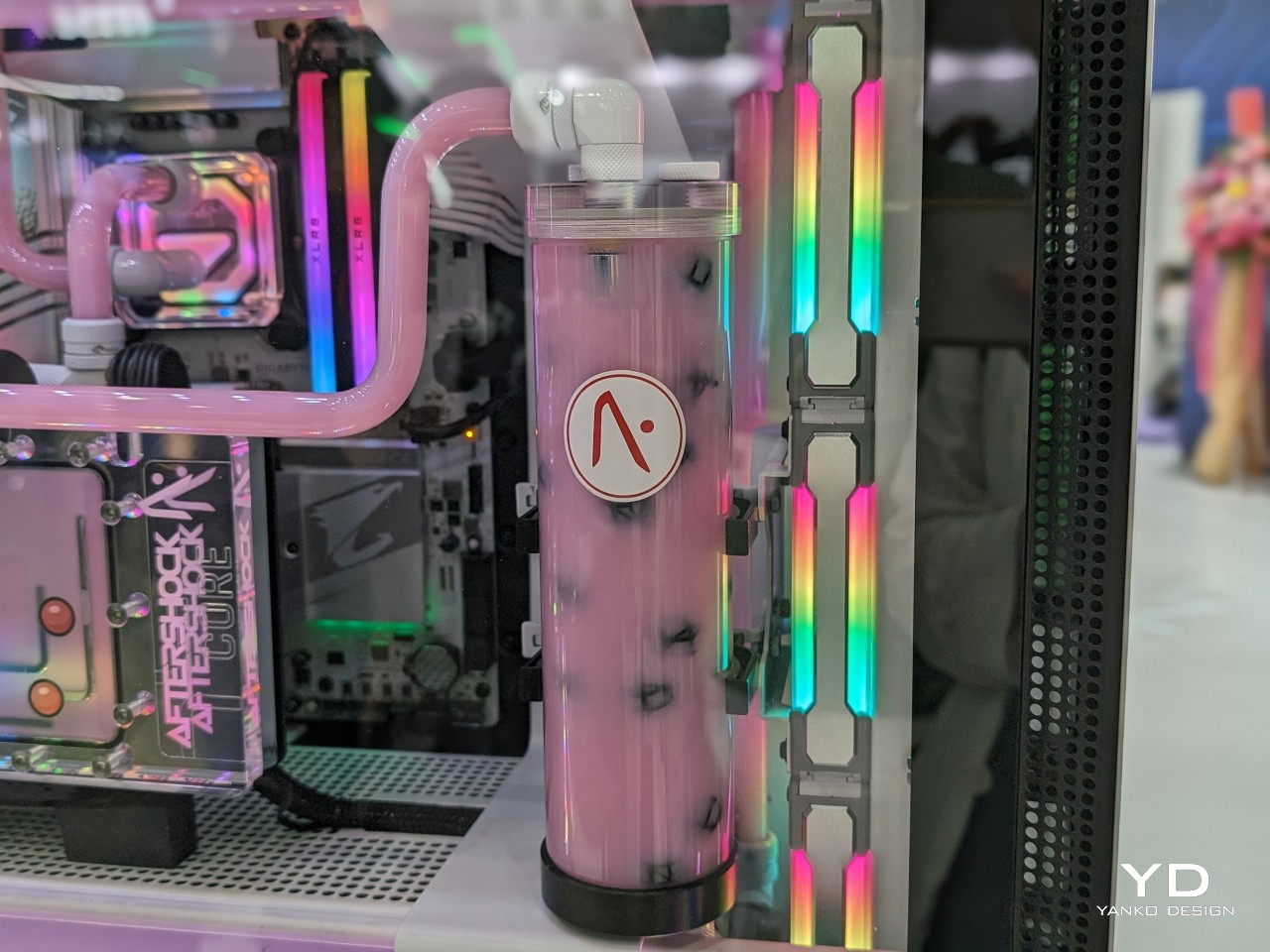
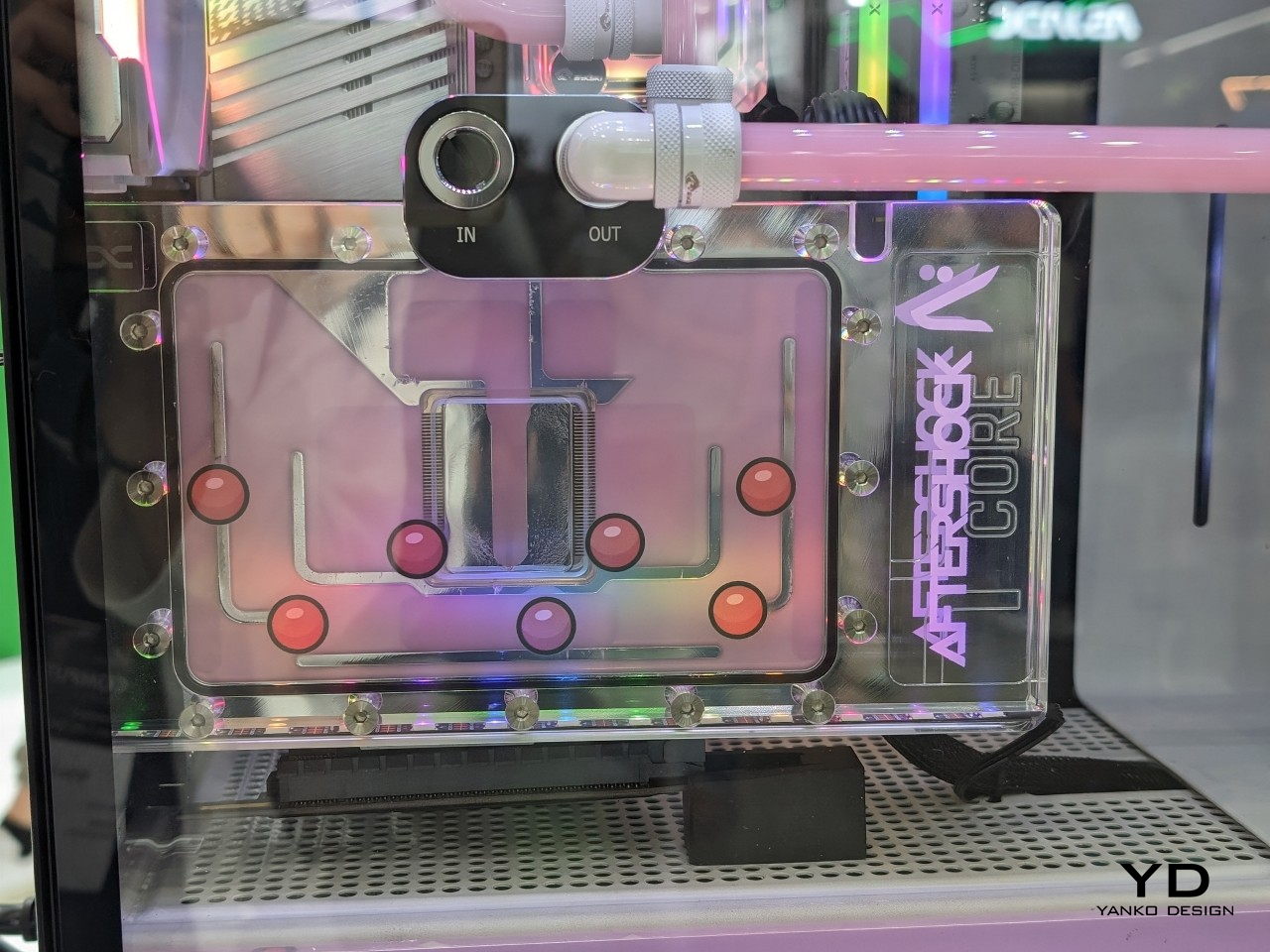
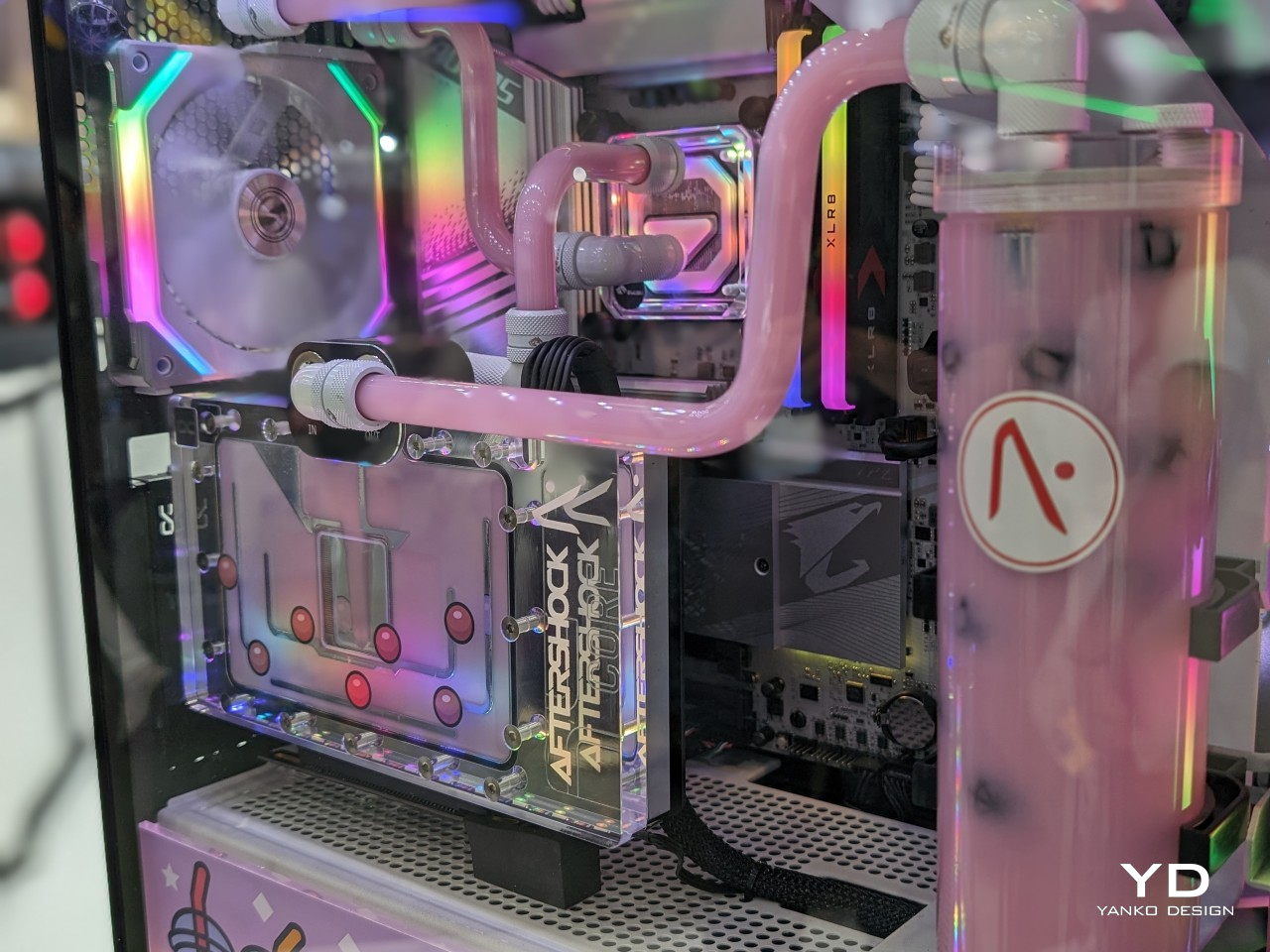
Electronics and liquids don’t mix but it becomes a mind-blowing mystery when you see the two together. And now, we don’t mean liquid cooling. From the makers of ramen-themed desktop towers, this Bubble Tea PC will have you not only scratching your head but also craving a cup of boba. Instead of a sugary and milky drink, however, it’s a luscious-colored coolant that has faux tapioca balls swirling around as it keeps your cool-looking PC thermally cool. This collab between PC maker PNY and case designer Aftershock isn’t a joke either but a fully functional gaming PC that’s ready to put a new spin on your cravings.
While there are plenty of AI-toting laptops scattered around Computex this year, they are hardly the only computers vying for attention. Gaming handheld PCs are pushing the envelope not only in performance in a small form factor but also in terms of design. There’s definitely plenty of room for experimentation, and there are a few that have caught our attention and fancy.
Designer: ADATA
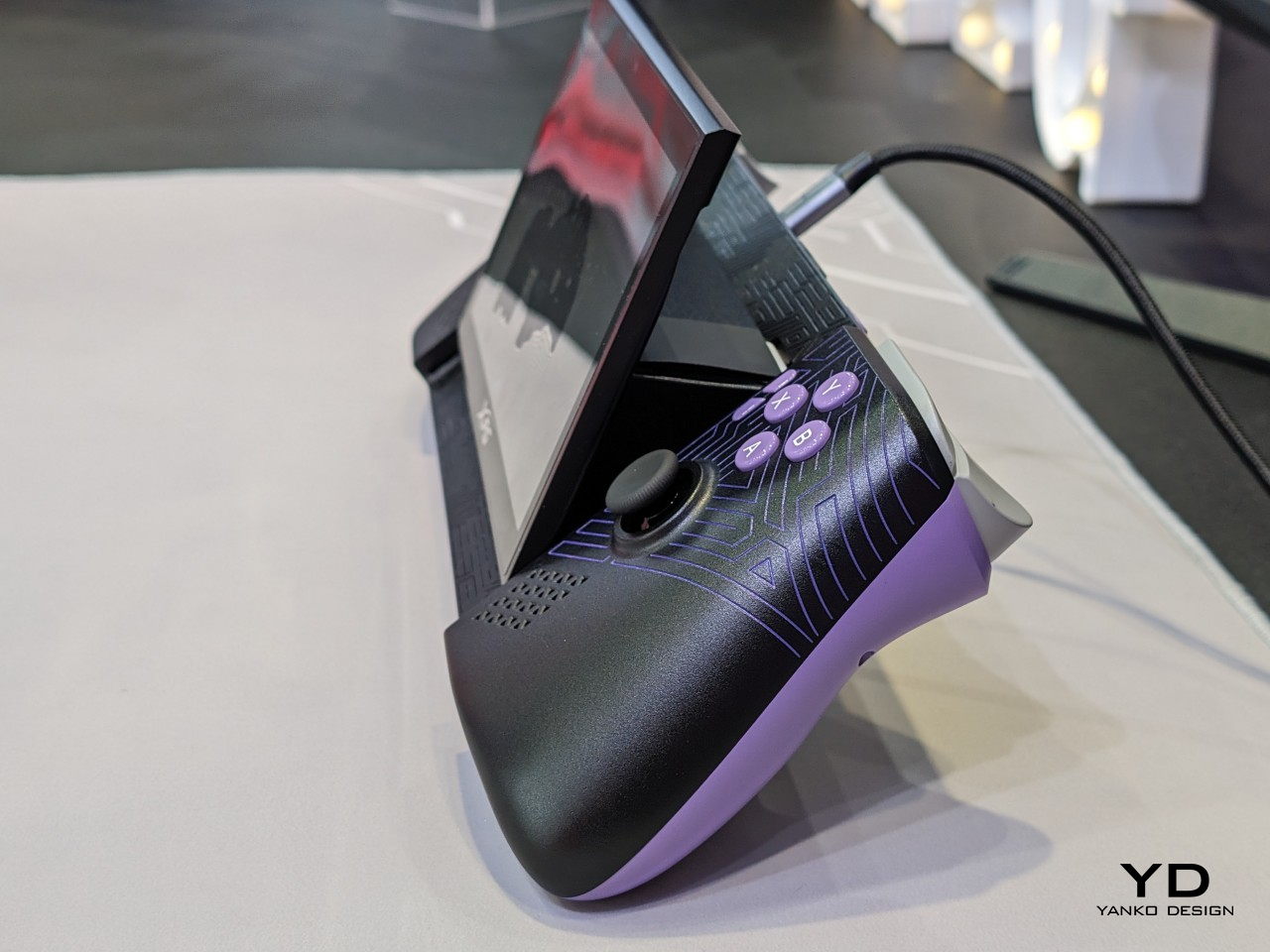
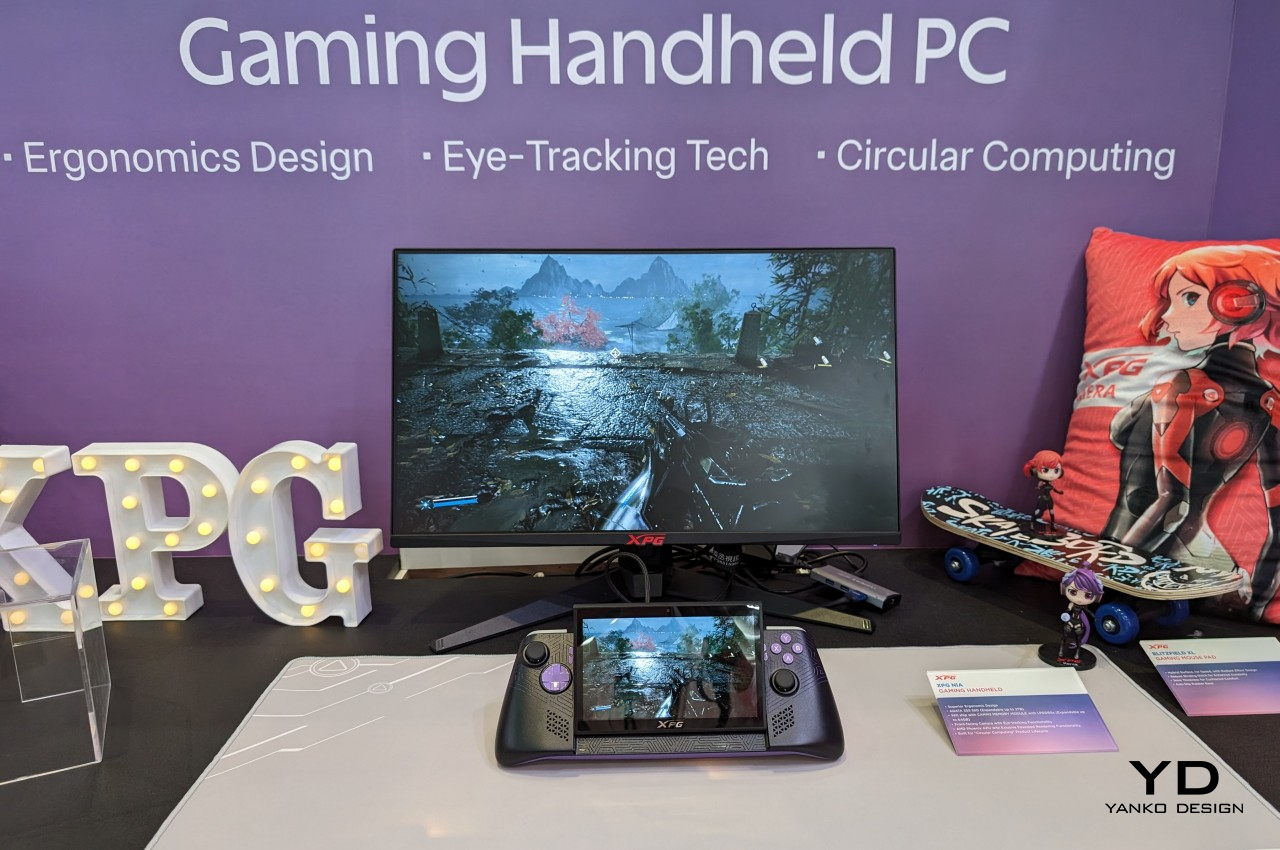
An unexpected contender from a brand better known for its memory and data storage hardware, the XPG Nia focuses on the aspects often left out in the wake of specs and benchmarks. A tilting screen, for example, can drastically improve the comfort of staring at a handheld computer for long periods of time, while upgradable RAM in addition to upgradable storage gives the device a longer life than even some of the smartphones we have today.
Designer: ASUS ROG
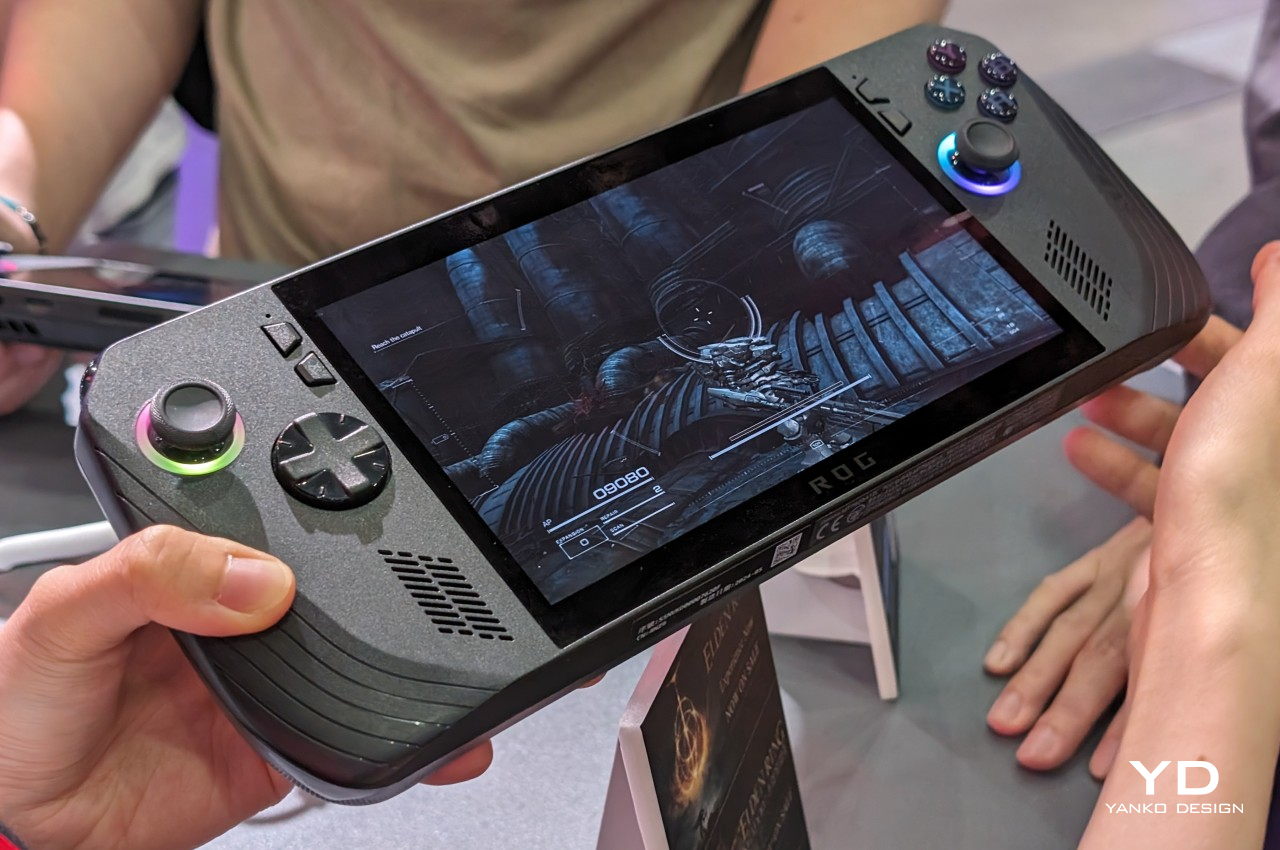
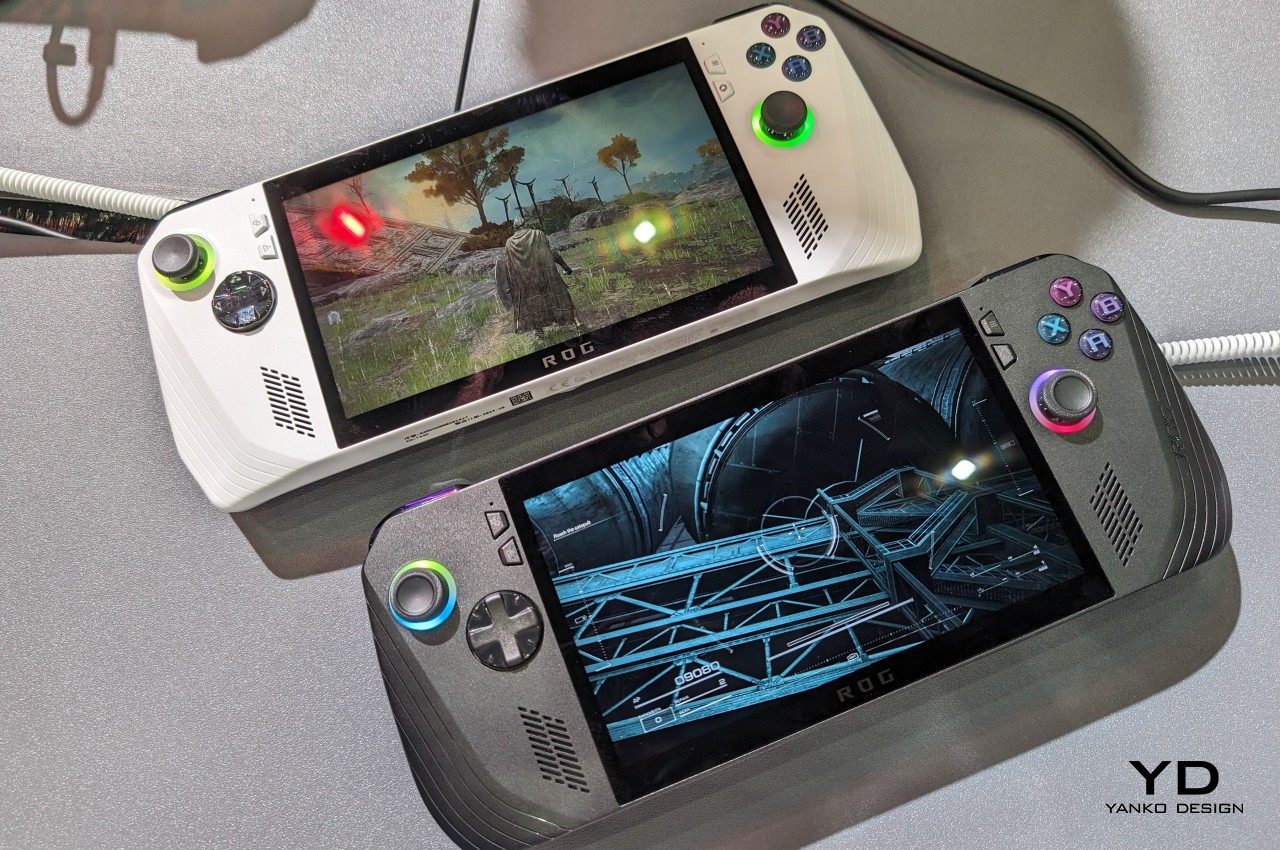
The ASUS ROG Ally X is a fine example of refinement over sensational changes. The base design remains the same, but the subtle and sometimes invisible improvements deliver an almost totally different experience that’s a step above in terms of usability. Best of all, however, ASUS isn’t removing the OG ROG Ally from the market just yet, leaving consumers with the choice between affordability and power.

Designer: MSI
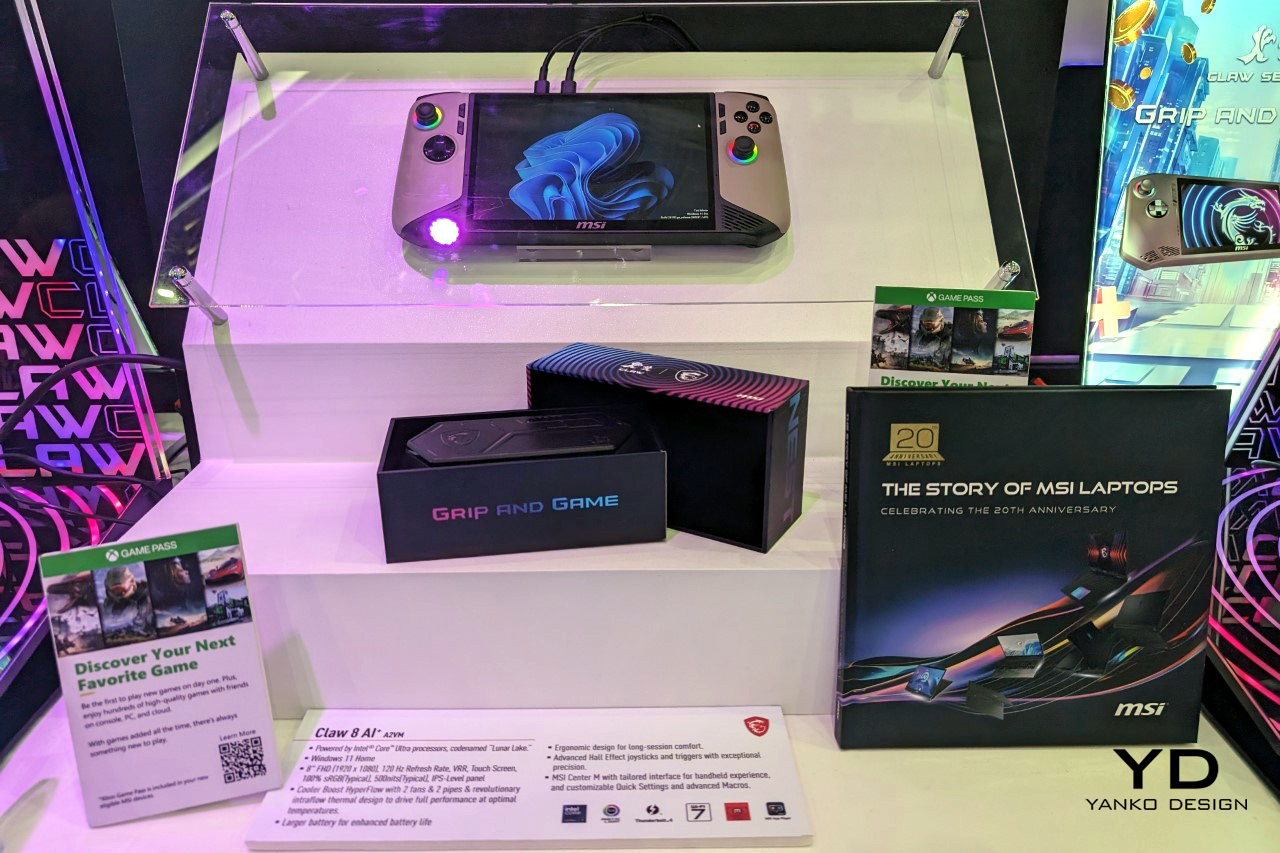
The MSI Claw A1M was an odd one when it came out, but the Claw 8 AI+ cements the manufacturer’s position in the young handheld gaming PC segment. With newer, AI-friendlier hardware comes significant improvements that are necessary for such a small gaming device. It’s still rather unique in its use of Intel silicon, and it will live or die by that commitment. Its design, however, is also enough to make it a noteworthy contender in this fast-growing arena.
Designer: ZOTAC
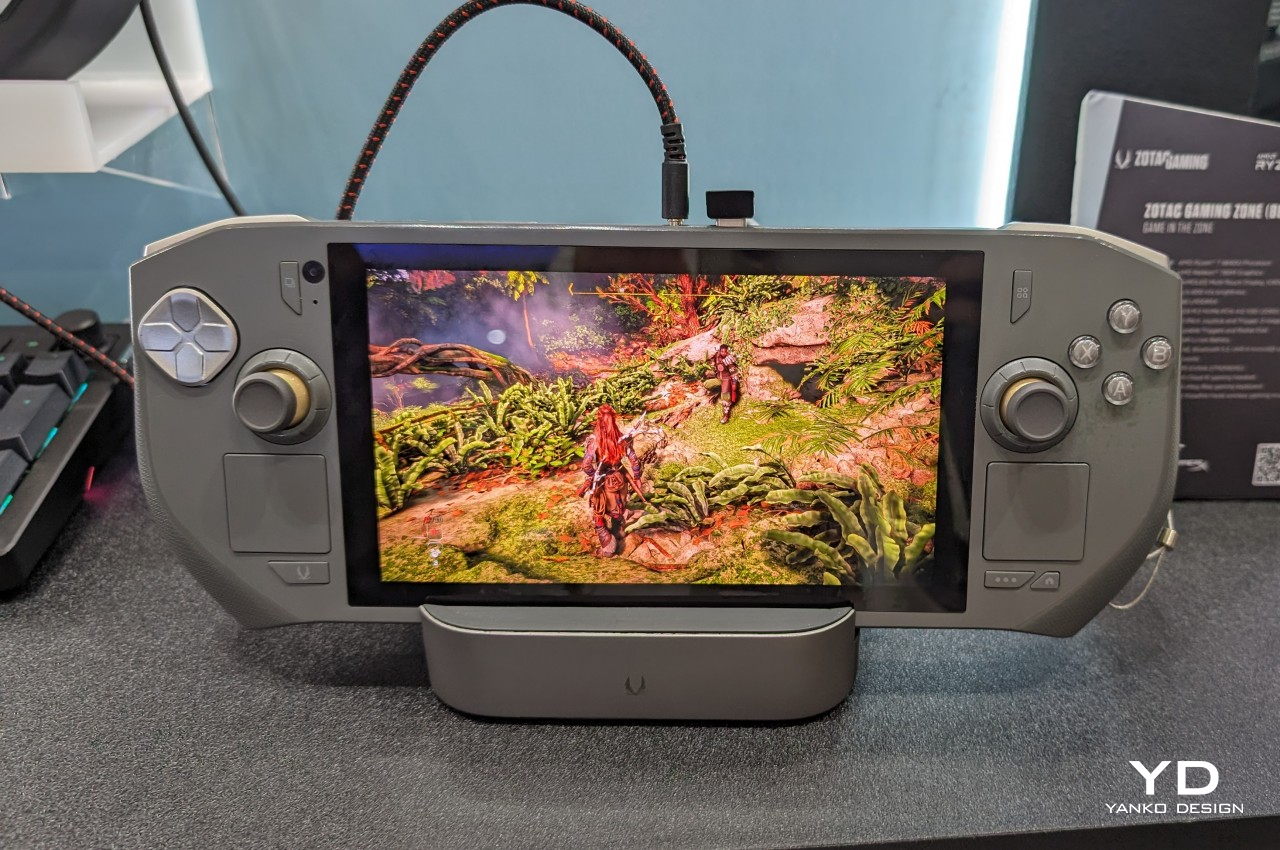
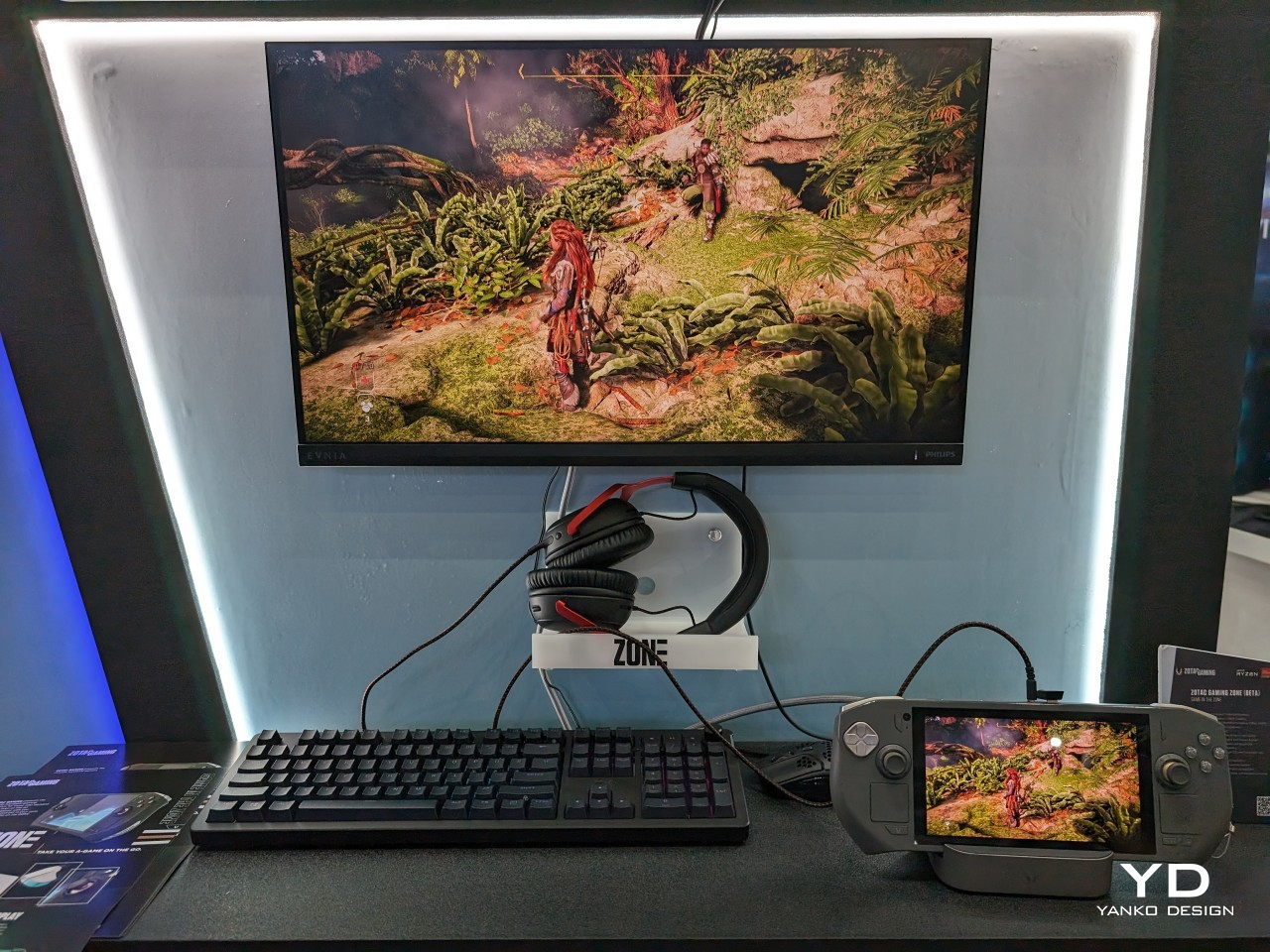
ZOTAC is another new contender, one that has its sights set on the name that started it all: the Steam Deck. While it resembles this progenitor in some aspects, the ZOTAC ZONE tries to take the design where Valve seems reluctant to go. Better hardware and configurable controls will sing to the hearts of many gamers, but the steep price tag could be a major deterrent as well.
Design innovation doesn’t just have to come from wild new forms or combinations of ideas. Even the materials used for products can have a notable positive effect on the user experience, especially when they delight not just the eyes but also other senses like touch. Bonus points if they also benefit the environment, ensuring there will still be a planet for consumers to live on.
Designer: ASUS
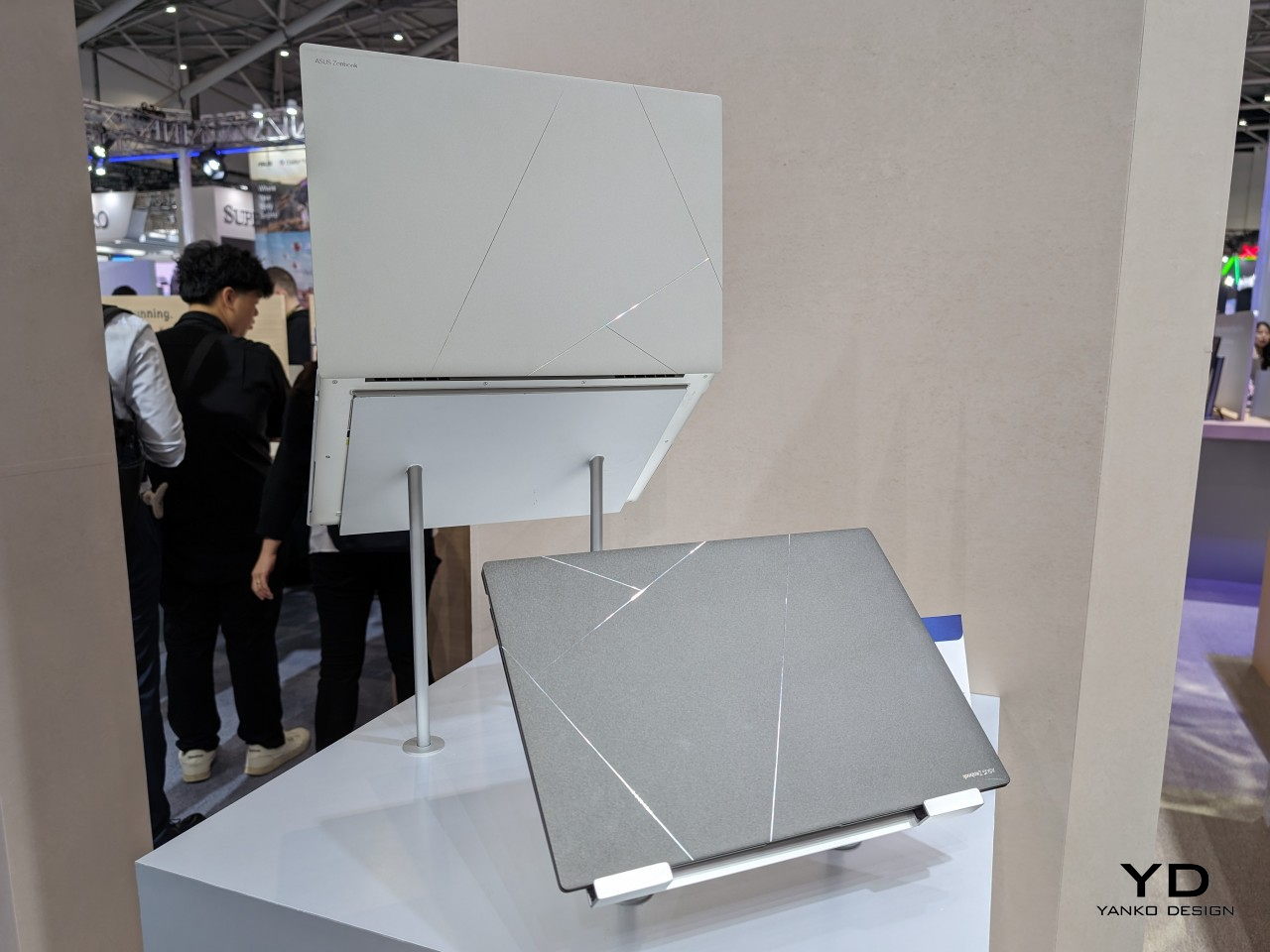
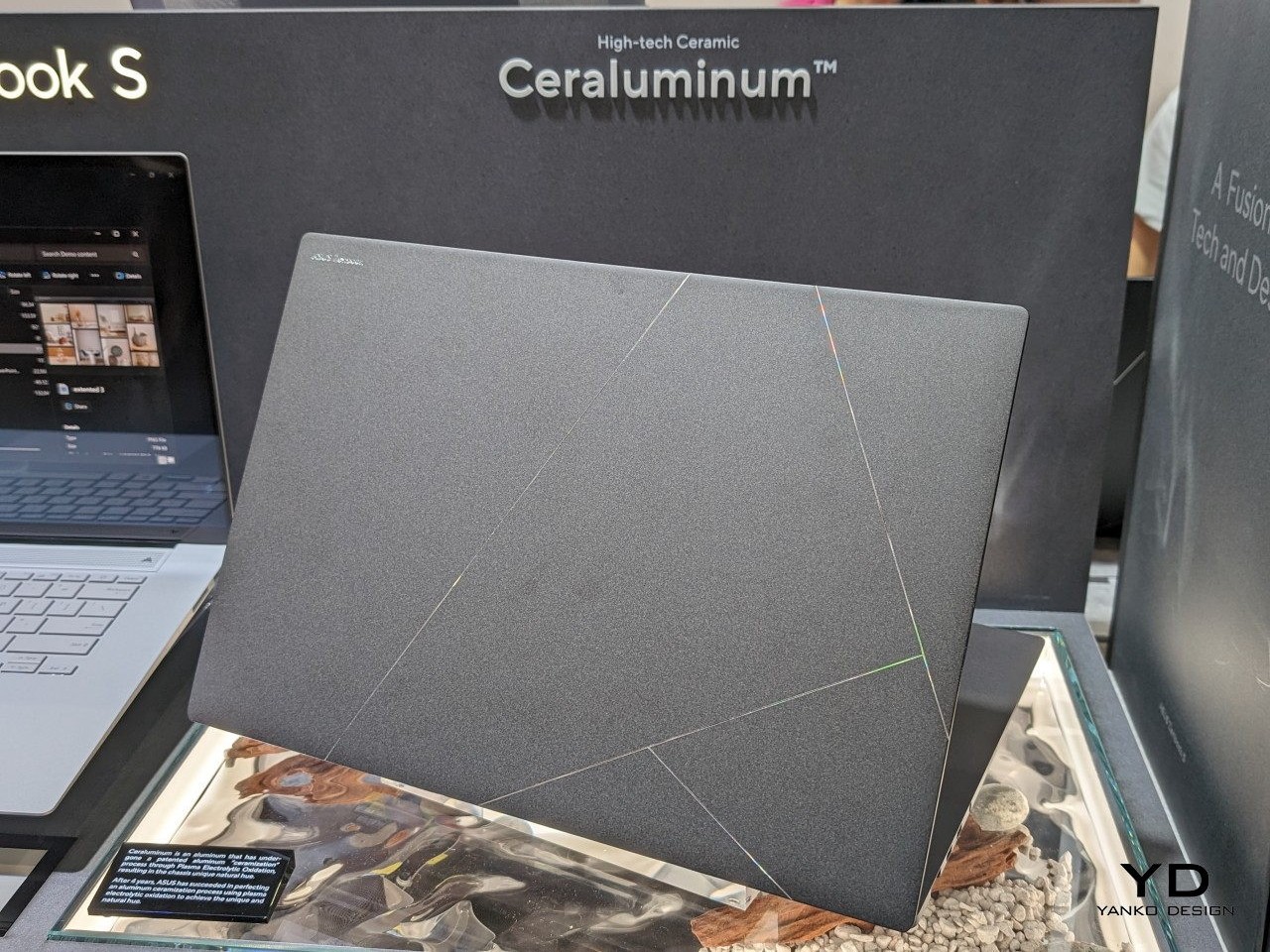
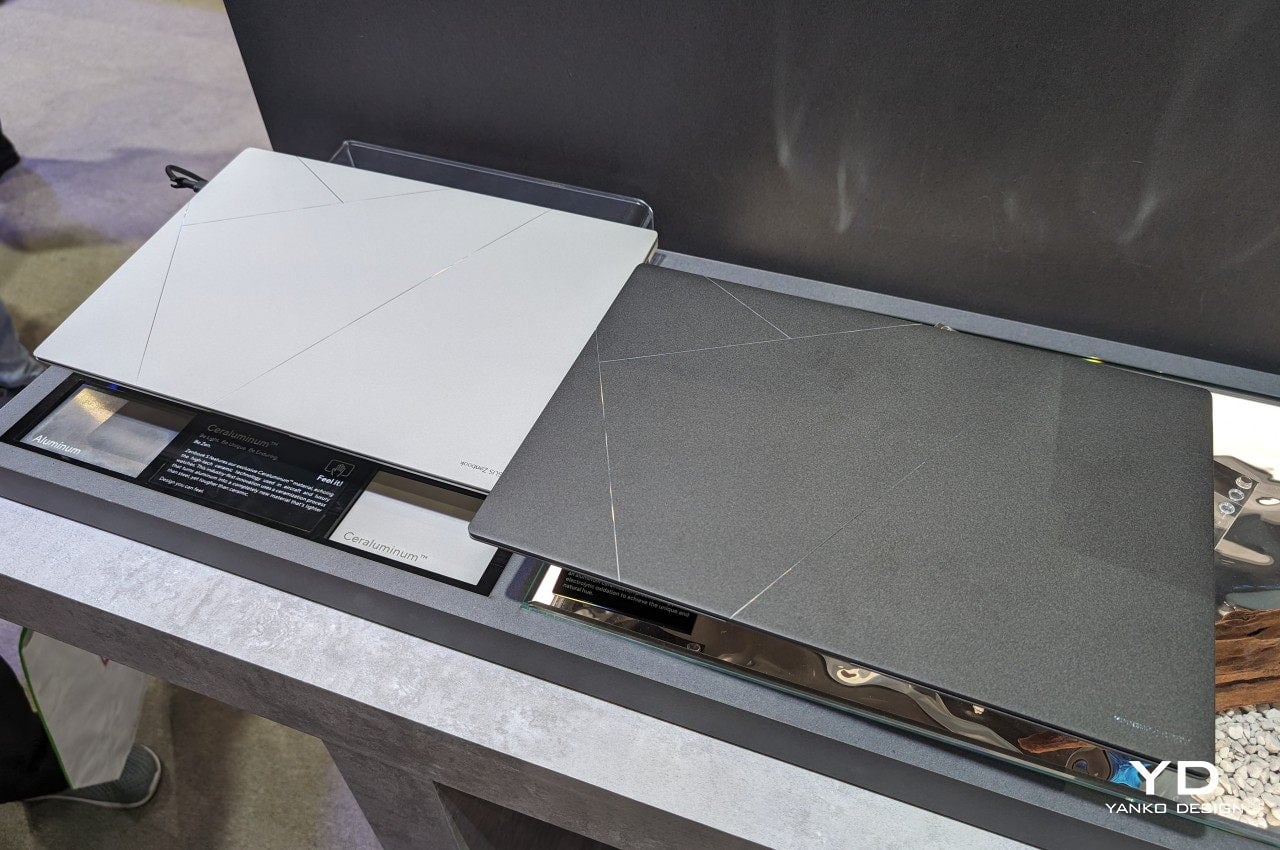
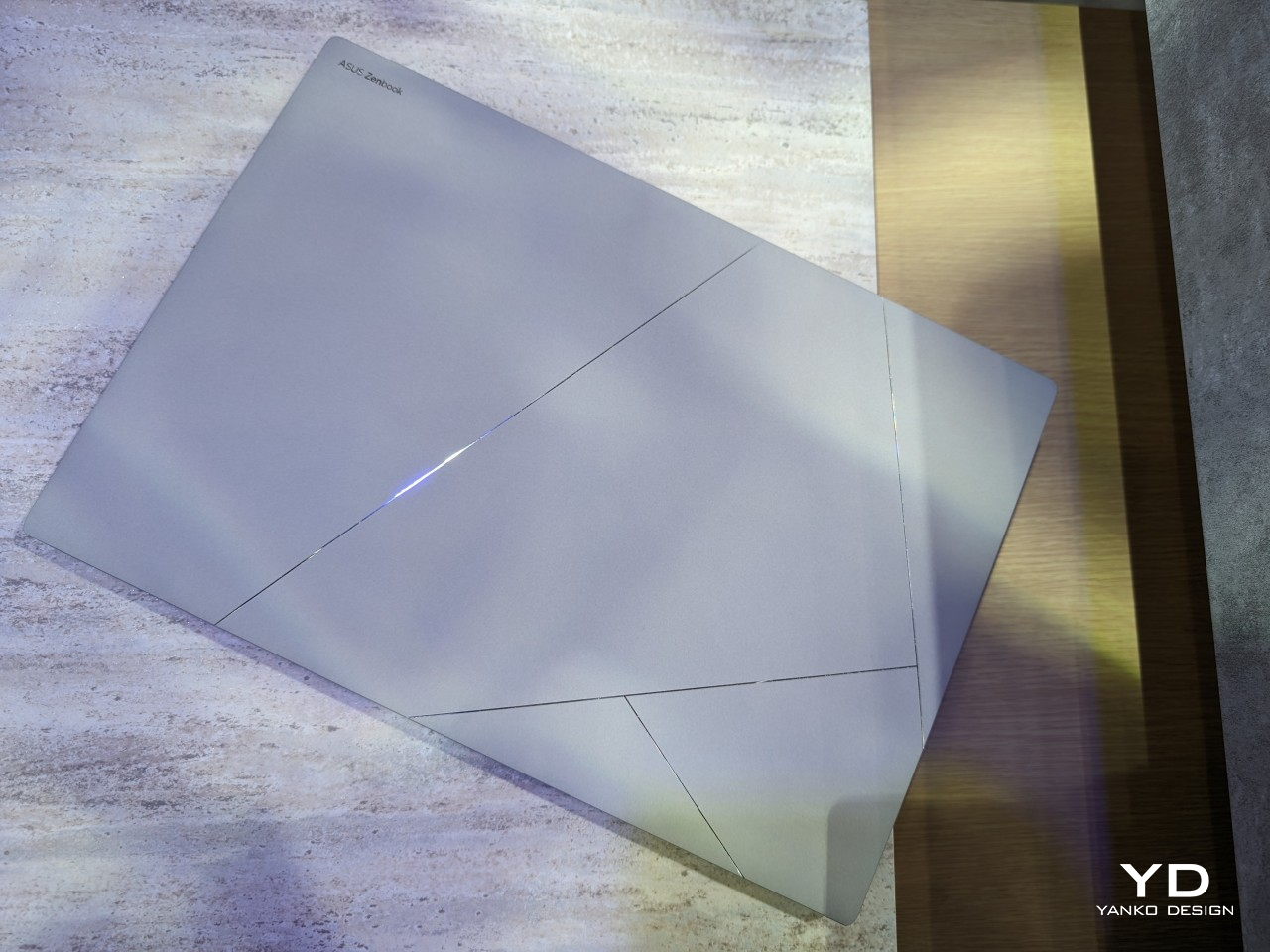
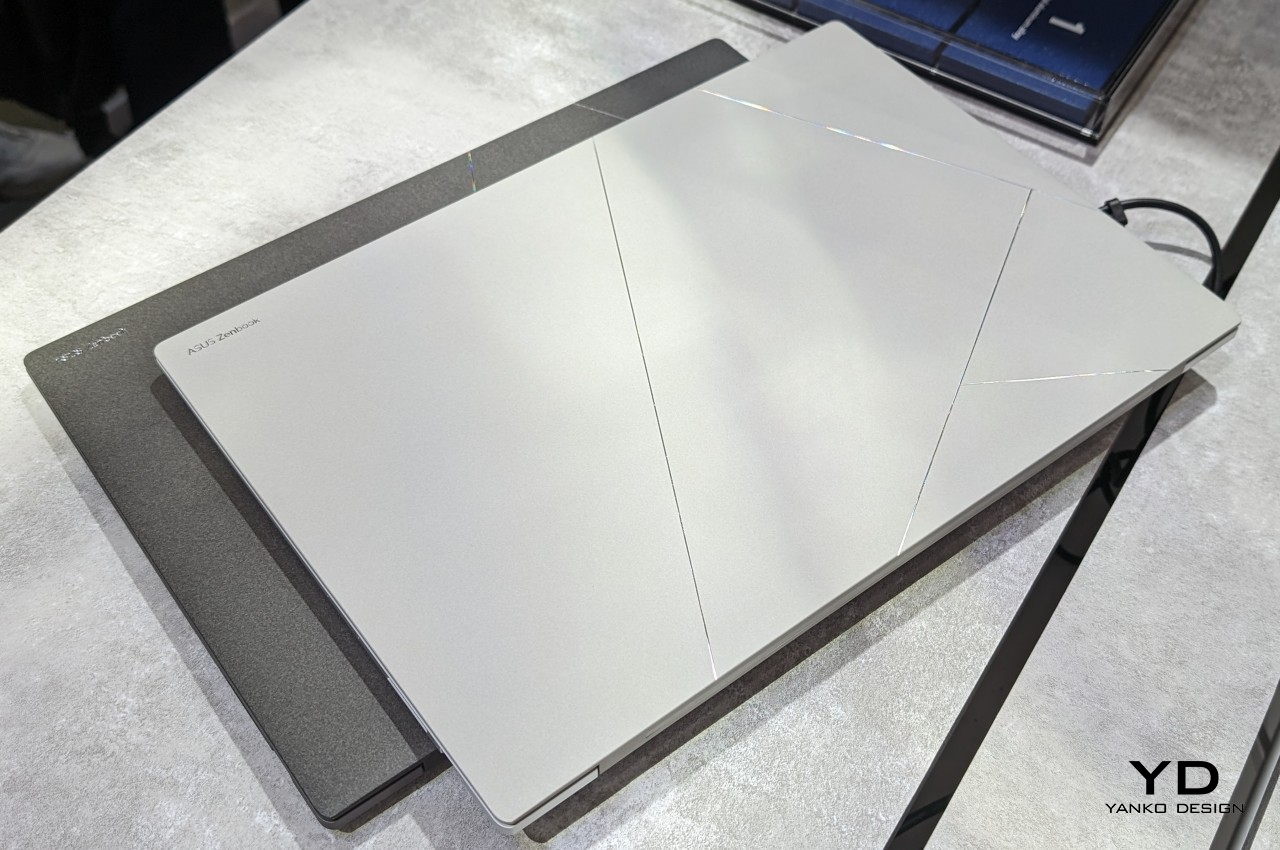
Laptop users are becoming more and more design-conscious. Even those who don’t tend to personalize the backs of their laptops want it to be something that will leave a lasting positive impression on bystanders, not to mention on themselves. Combining the durability of metal with the luxury of ceramic, ASUS’s new Ceraluminum material subtly elevates the laptop from a technological product to an art object. First used on the new ASUS Zenbook S 16, this material exudes beauty that you not only see but also feel every time you touch the laptop or lift its lid.
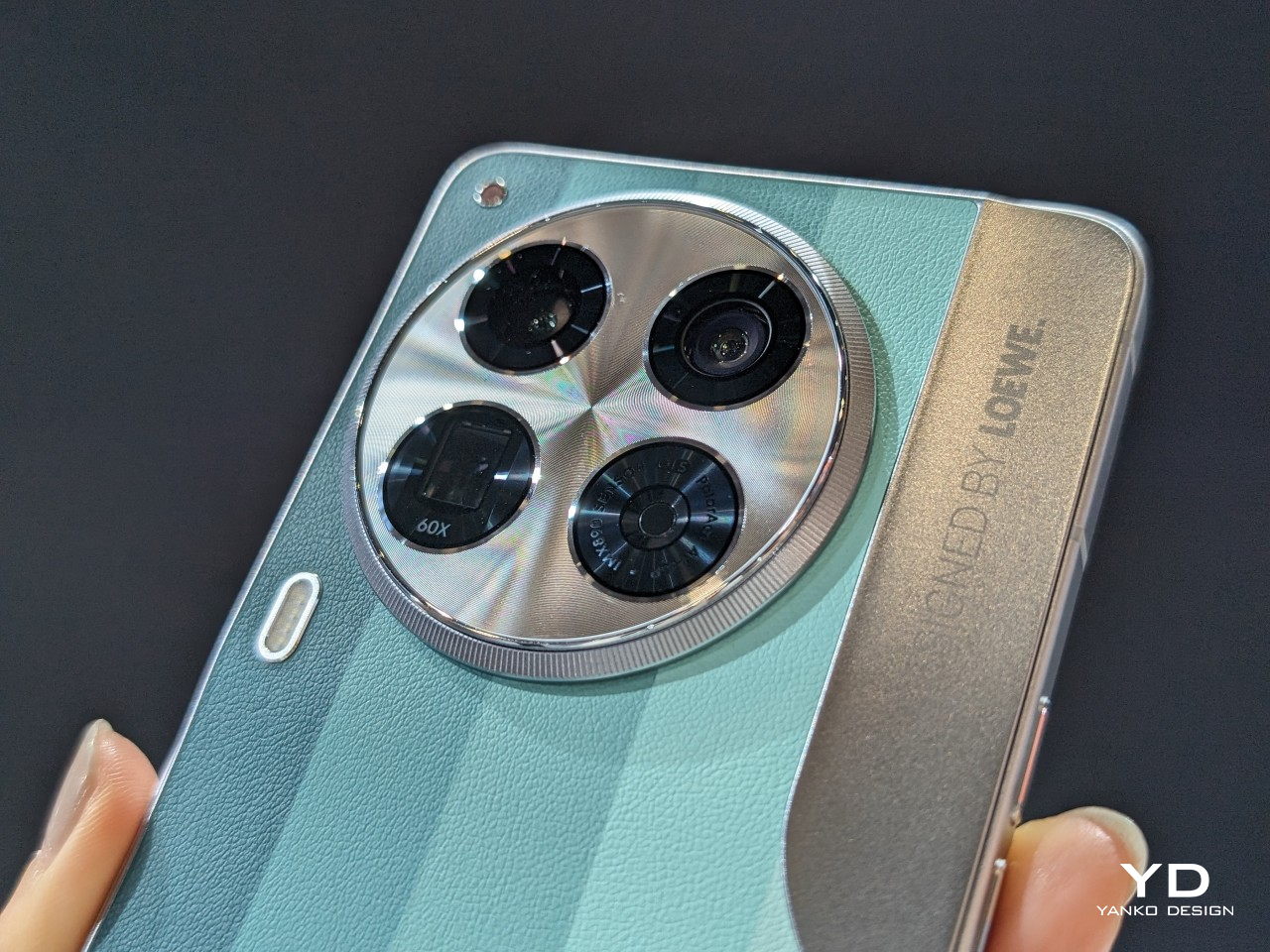
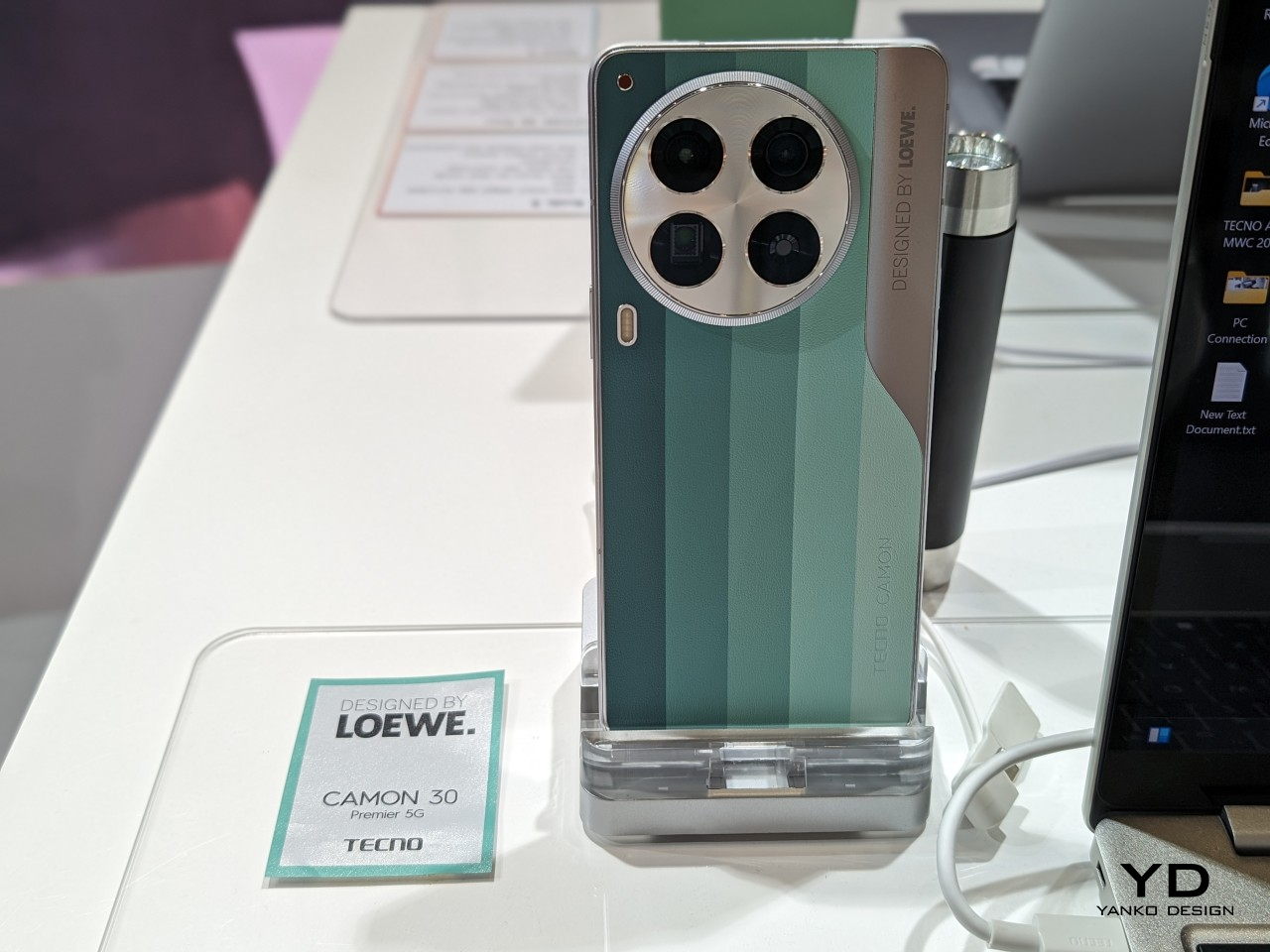
Designer: TECNO
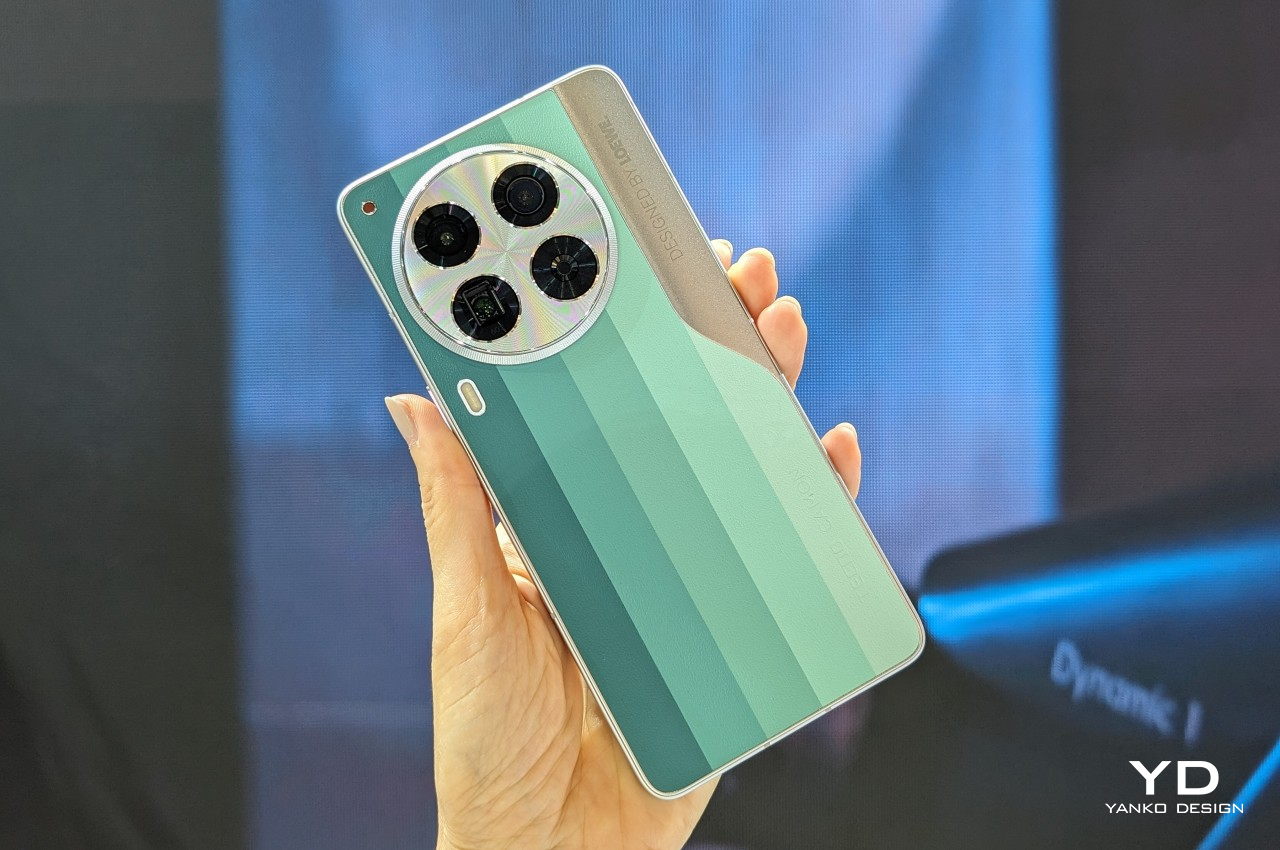
Paying homage to both coffee lovers and environment-conscious consumers, TECNO and LOEWE designed a back cover material that gives waste coffee grounds new life. Using an equally eco-friendly process, this more sustainable material gives the TECNO CAMON 30 Series LOEWE Design Edition a distinctive appearance and texture that easily sets itself apart from the crowd. Plus, the use of color blocking also marks the phone with a modern style to fit the discerning tastes of modern consumers.
All these wonderful designs don’t just pop out from thin air. Someone has to make them, from initial ideation to prototyping to manufacturing. Designers and creators naturally need tools that can meet the growing complexities of their work, and Computex definitely has quite a few in store for them.
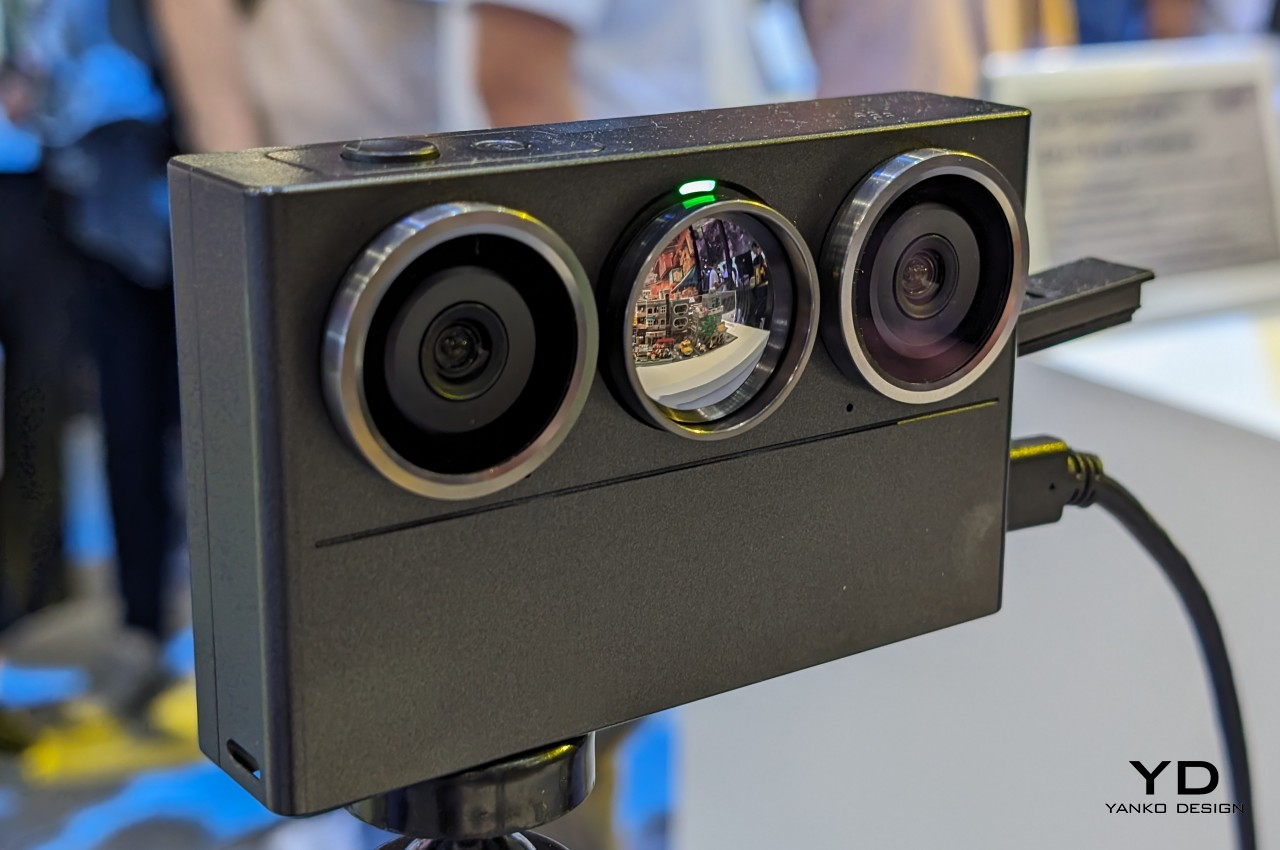
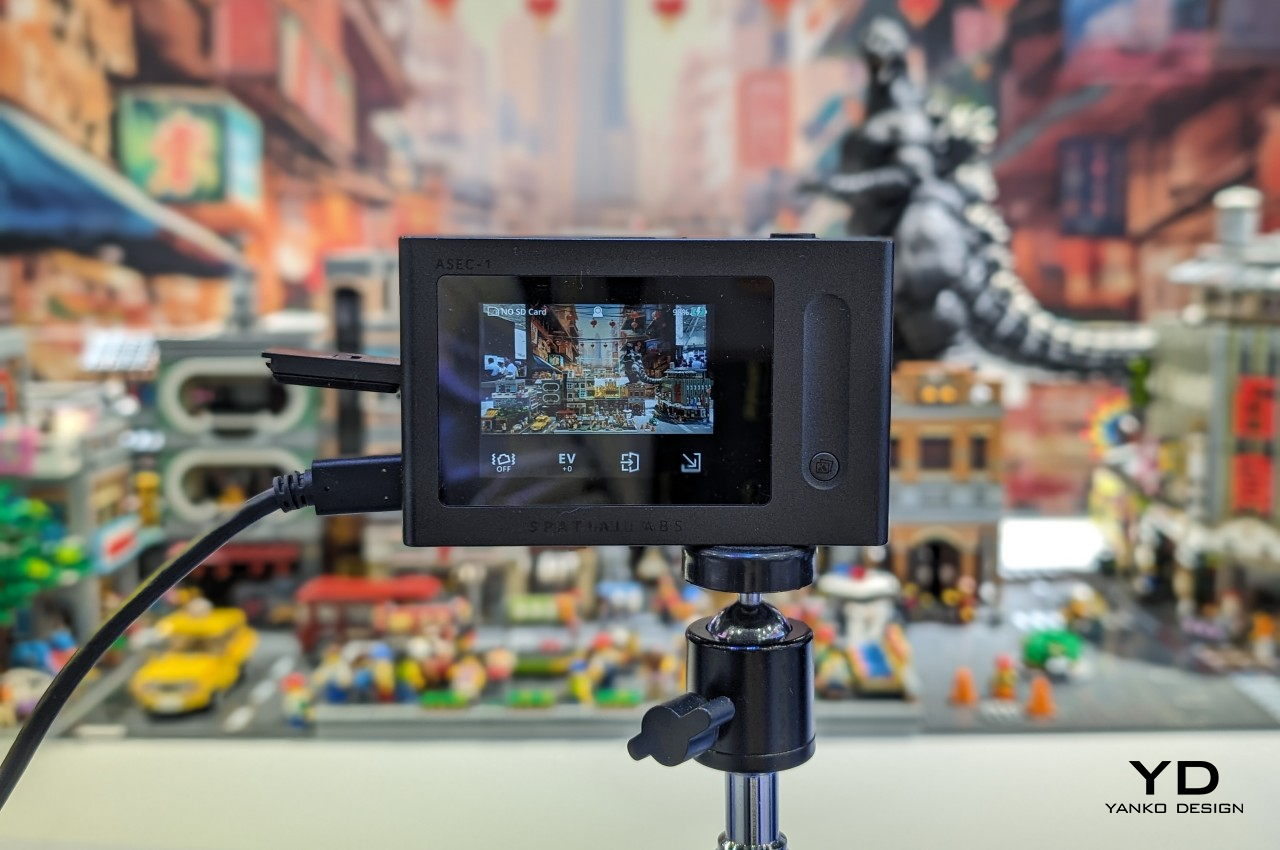
Designer: Acer
Spatial computing, mixed reality, and the metaverse require a special kind of content, one that breaks free from the confines of flat, 2D space. Even in video meetings and live selling streams, 3D objects are becoming more in demand, offering not just viewers but also presenters new ways to connect and communicate. Acer’s new SpatialLabs Eye 3D camera tries to democratize that process, effectively giving anyone the ability to capture, record, and stream any real-world 3D object as a digital copy.
Designer: ASUS
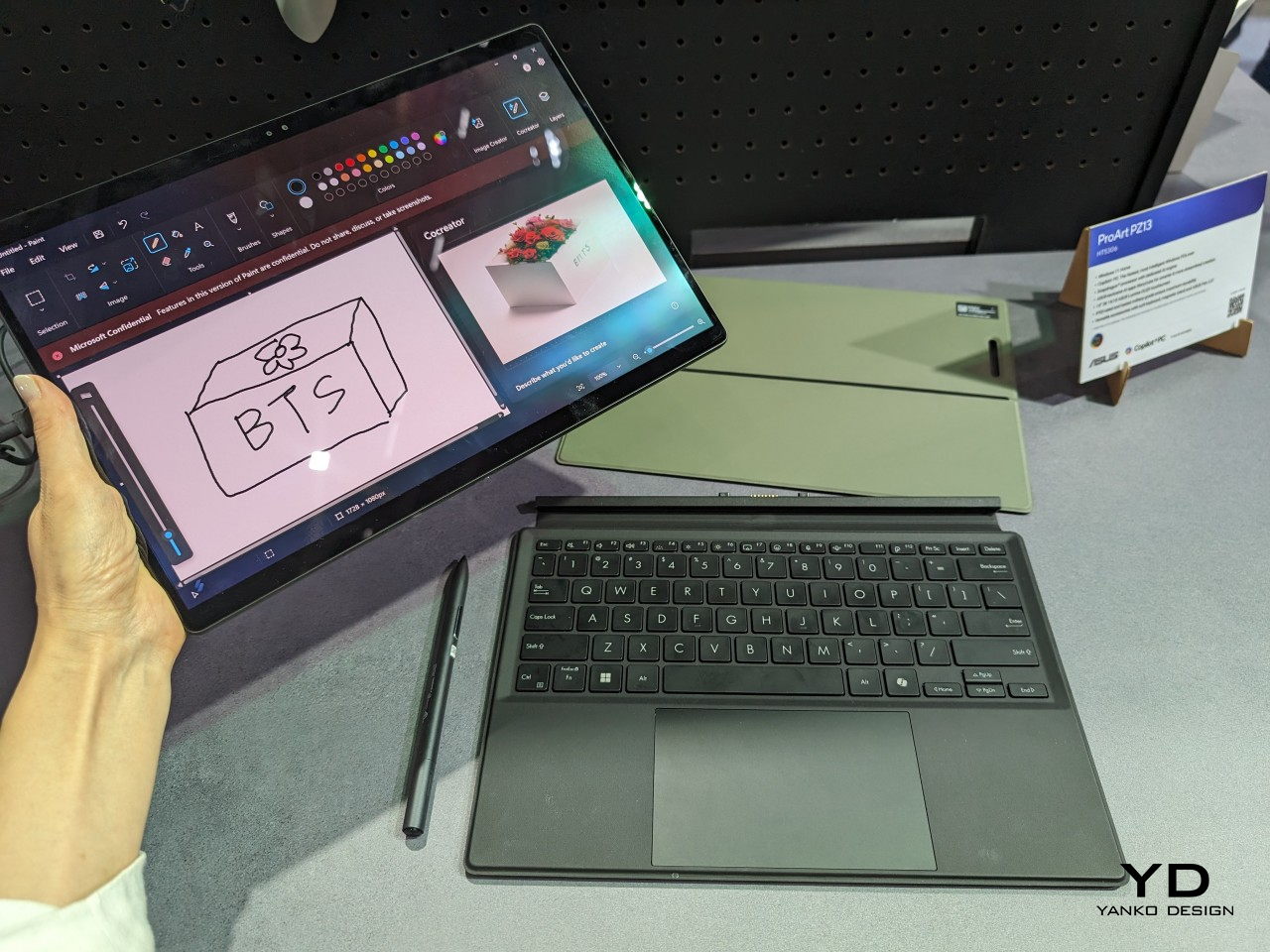
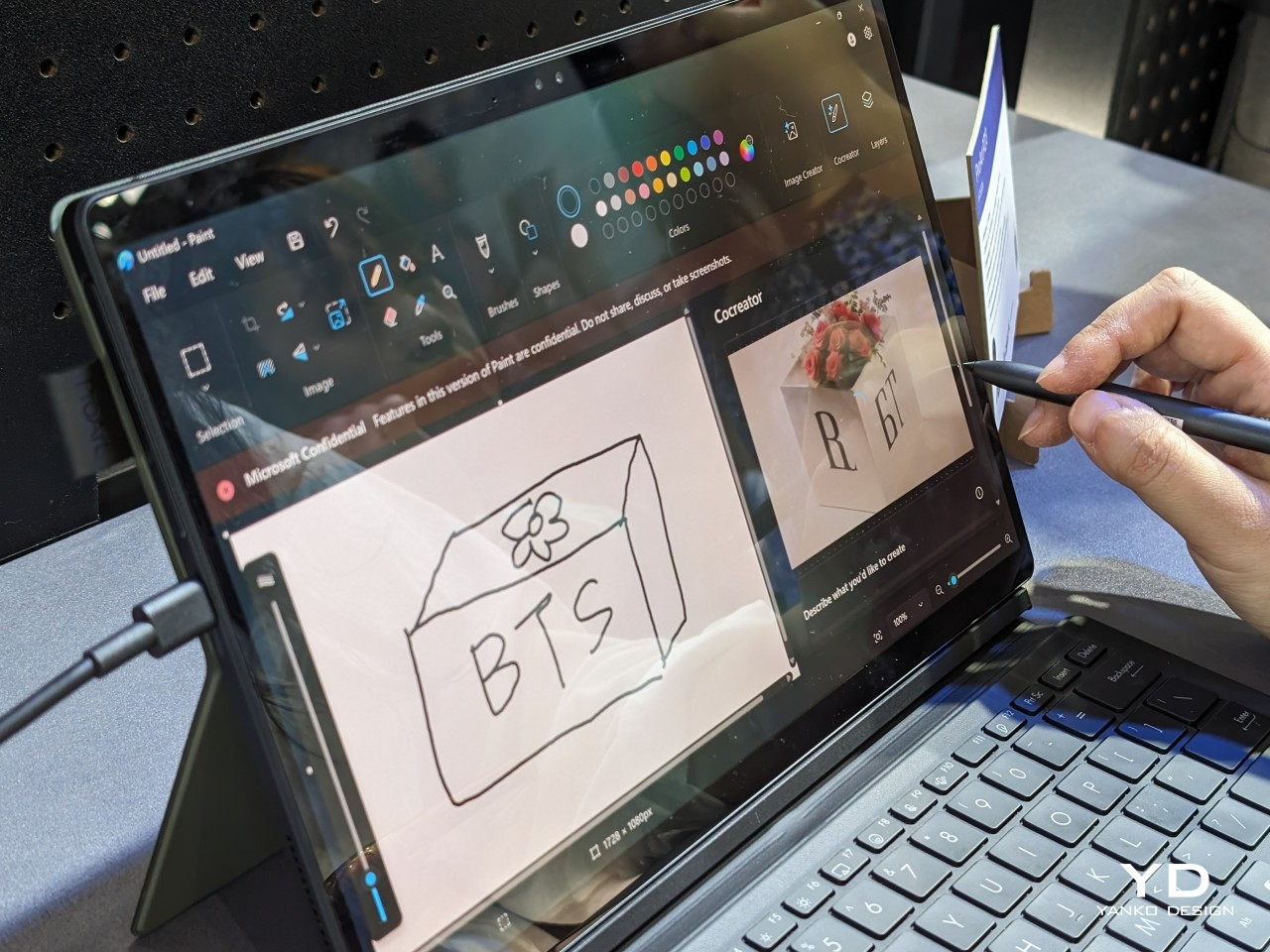
As computers become more powerful and geographical boundaries become shorter, content creation can no longer be confined to a desk in an office or room. The ASUS ProArt PZ13 gives designers, artists, engineers, and everyone in between that kind of flexibility with its portable and detachable design. What makes this 2-in-1 computer different is that it’s part of the new breed of Windows computers running on the latest Qualcomm Snapdragon X chip, promising improved performance and, of course, on-device AI capabilities.
One thing that gamers, creators, and power users have in common is their need for power, both literally and figuratively. The ability to customize not only their experience but also the appearance of their equipment goes a long way in giving them the confidence to get their job done, and these designs definitely deliver that with a touch of pizzazz!
Designer: ASUS
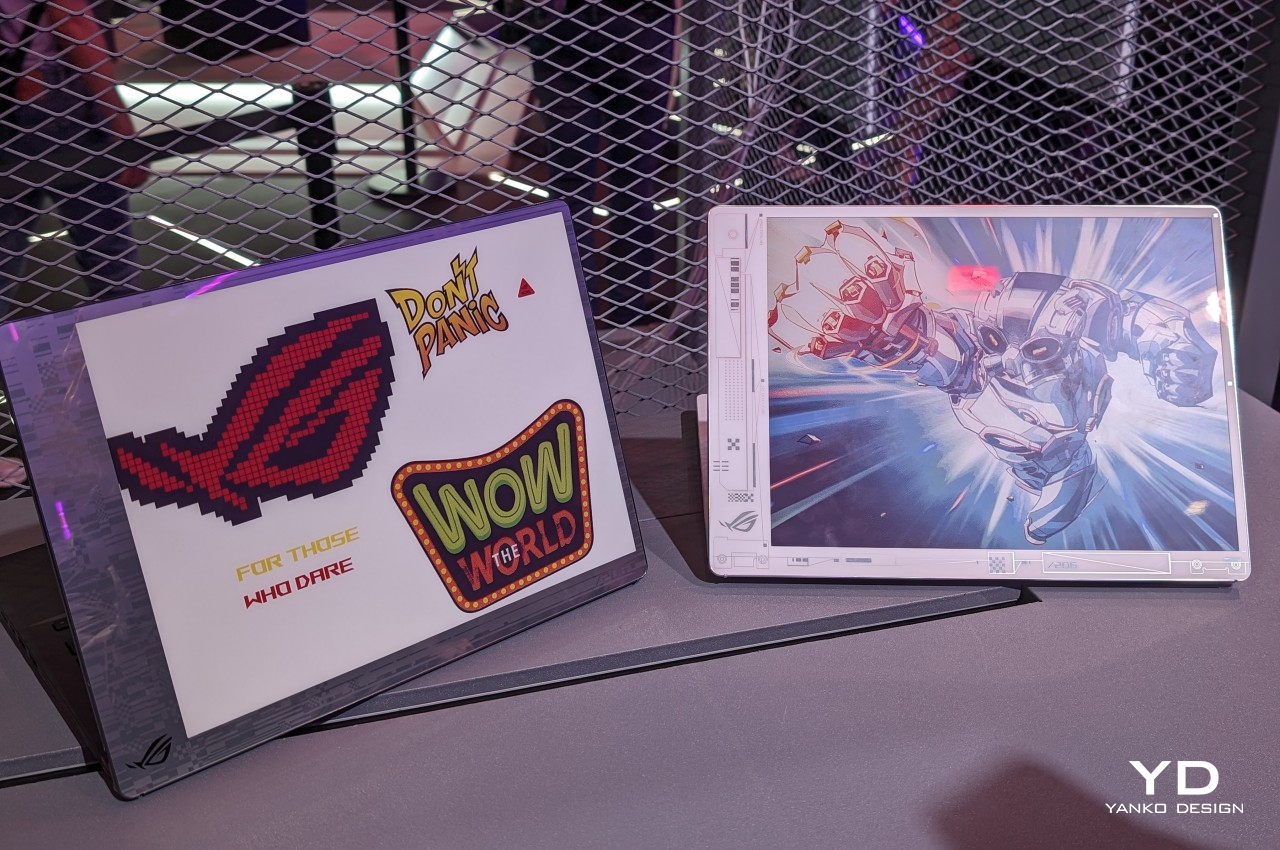
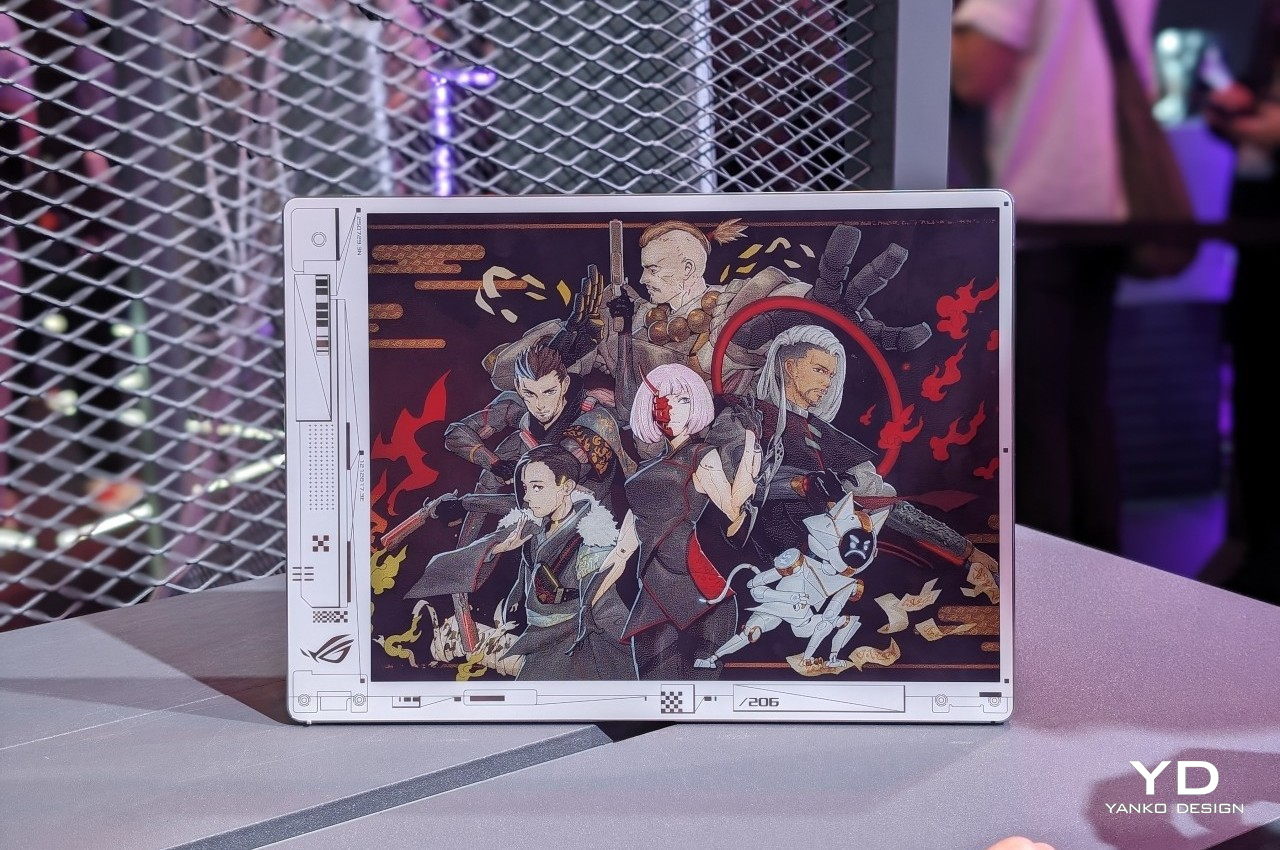
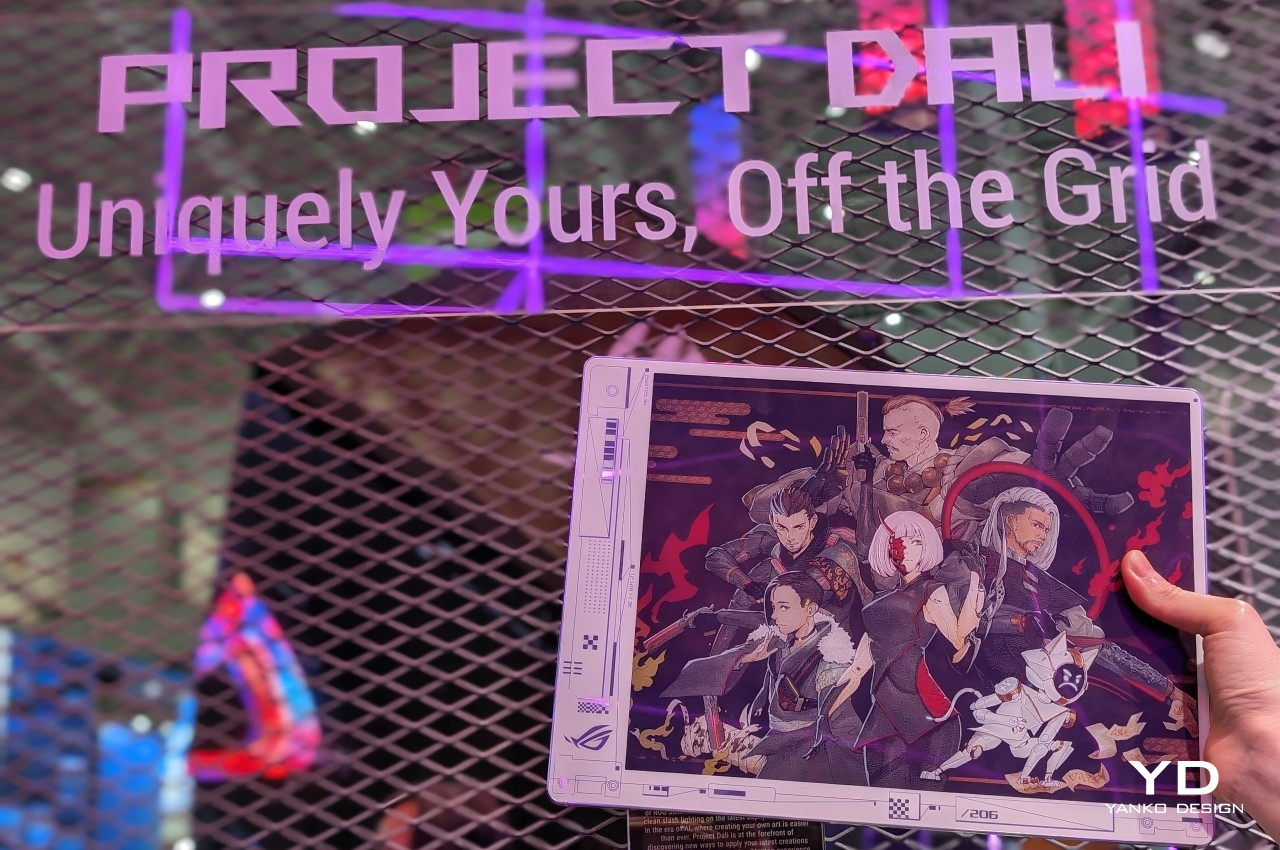
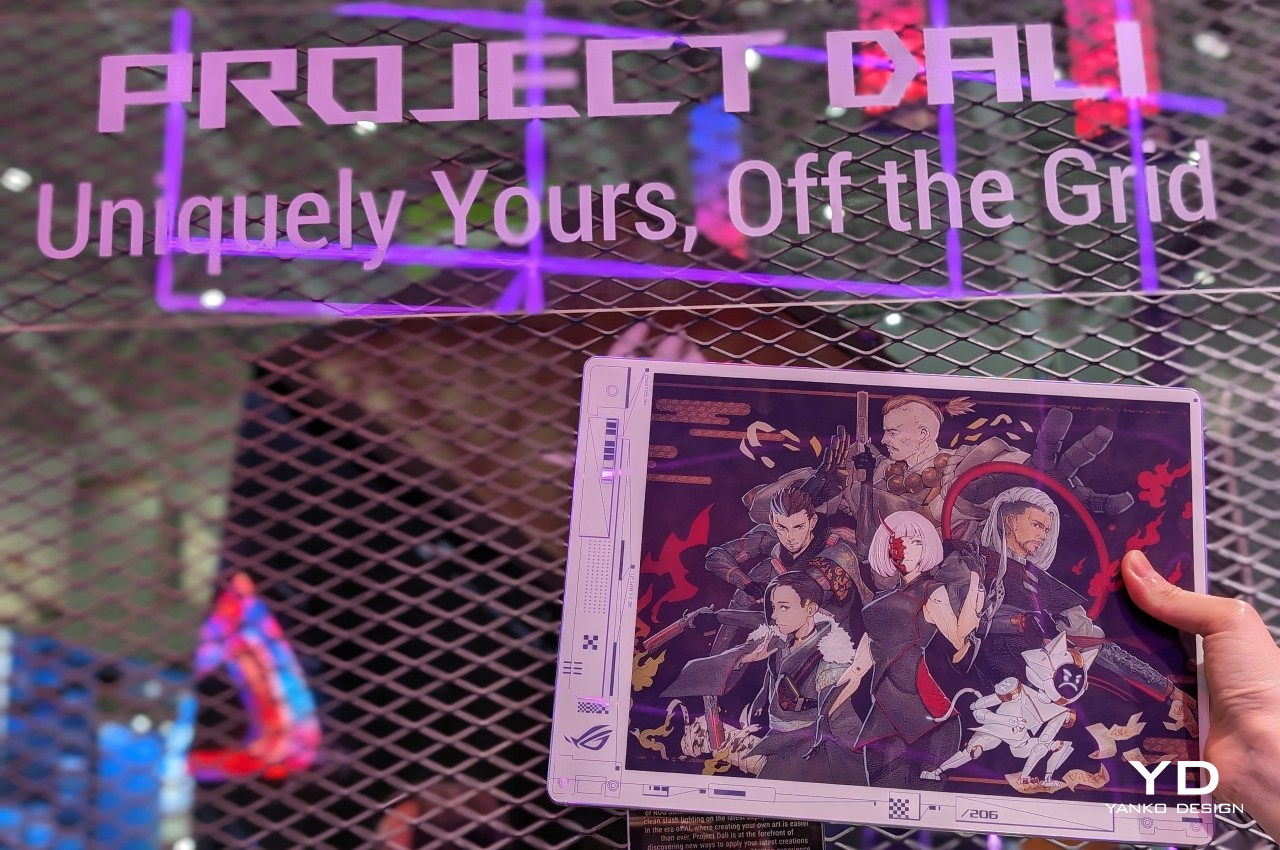
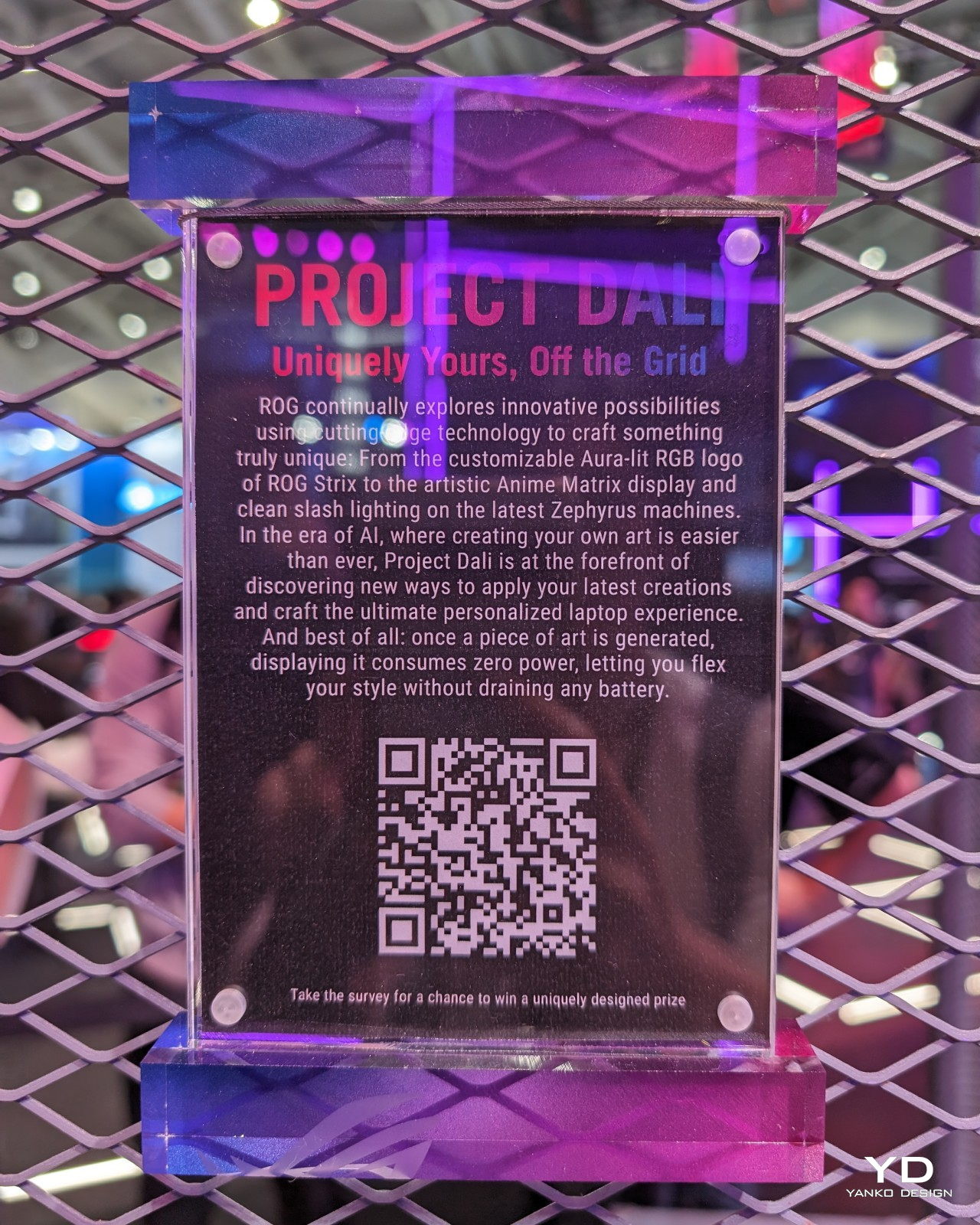
E Ink is no longer just for eBook readers. Now that it has color and is being used in signage, the eye-friendly and power-efficient display technology is finding its way to the most unexpected places, like the back of this laptop concept. Project DALI turns the laptop cover into a canvas for users of all walks of life to express themselves or simply have a different design every day if they want. All without draining the battery even when the laptop isn’t running.
Designer: ASUS ROG
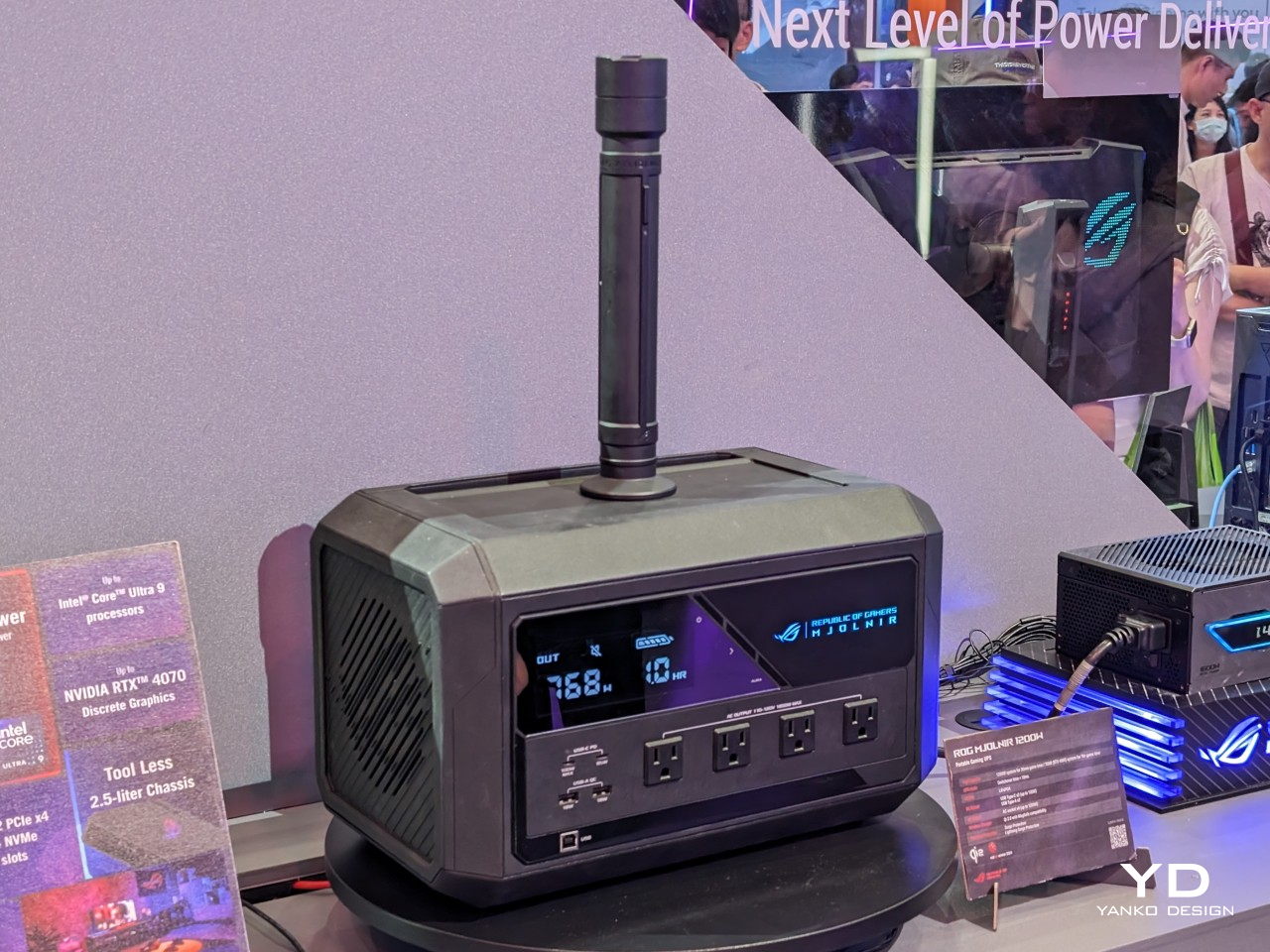
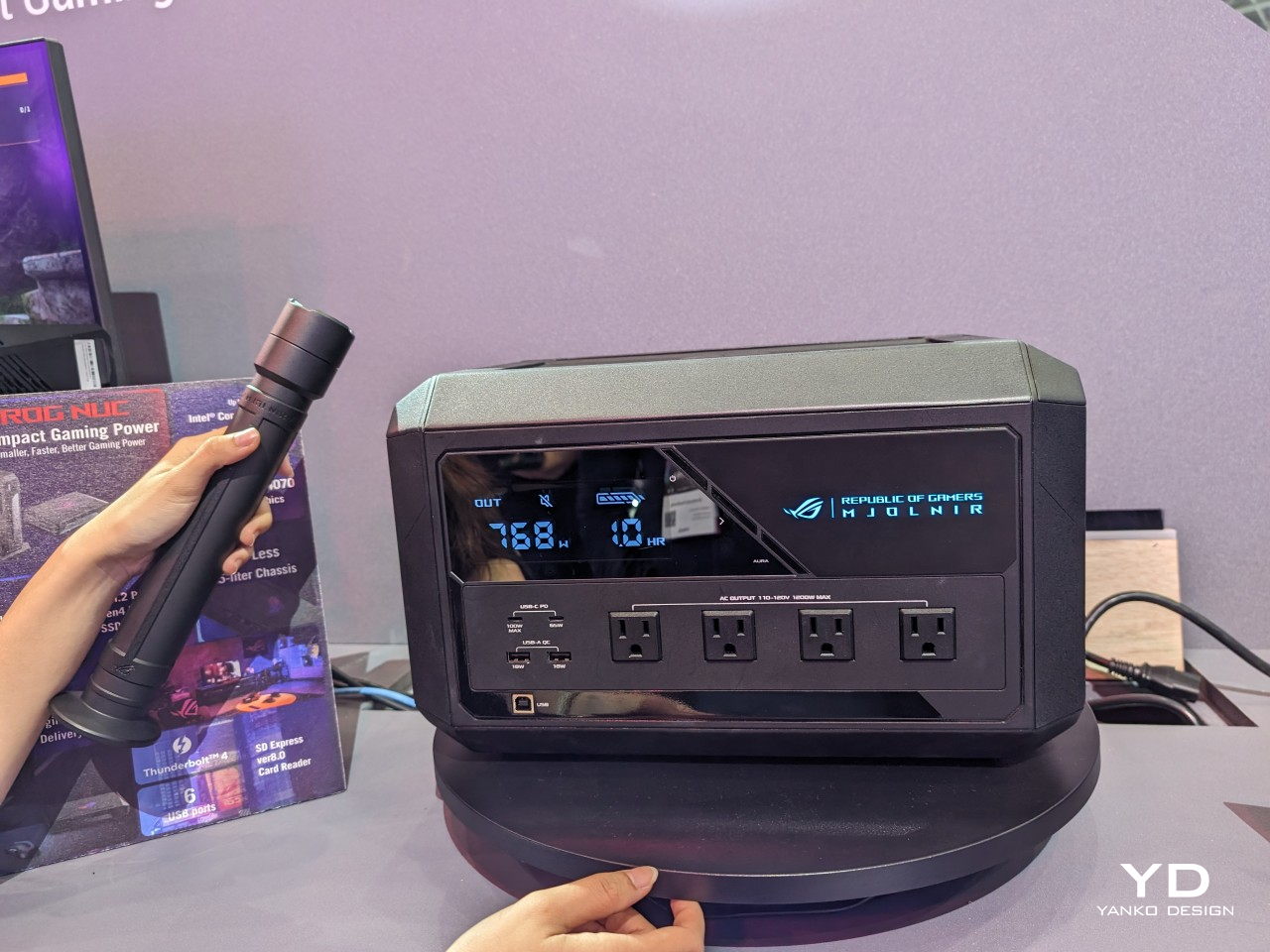
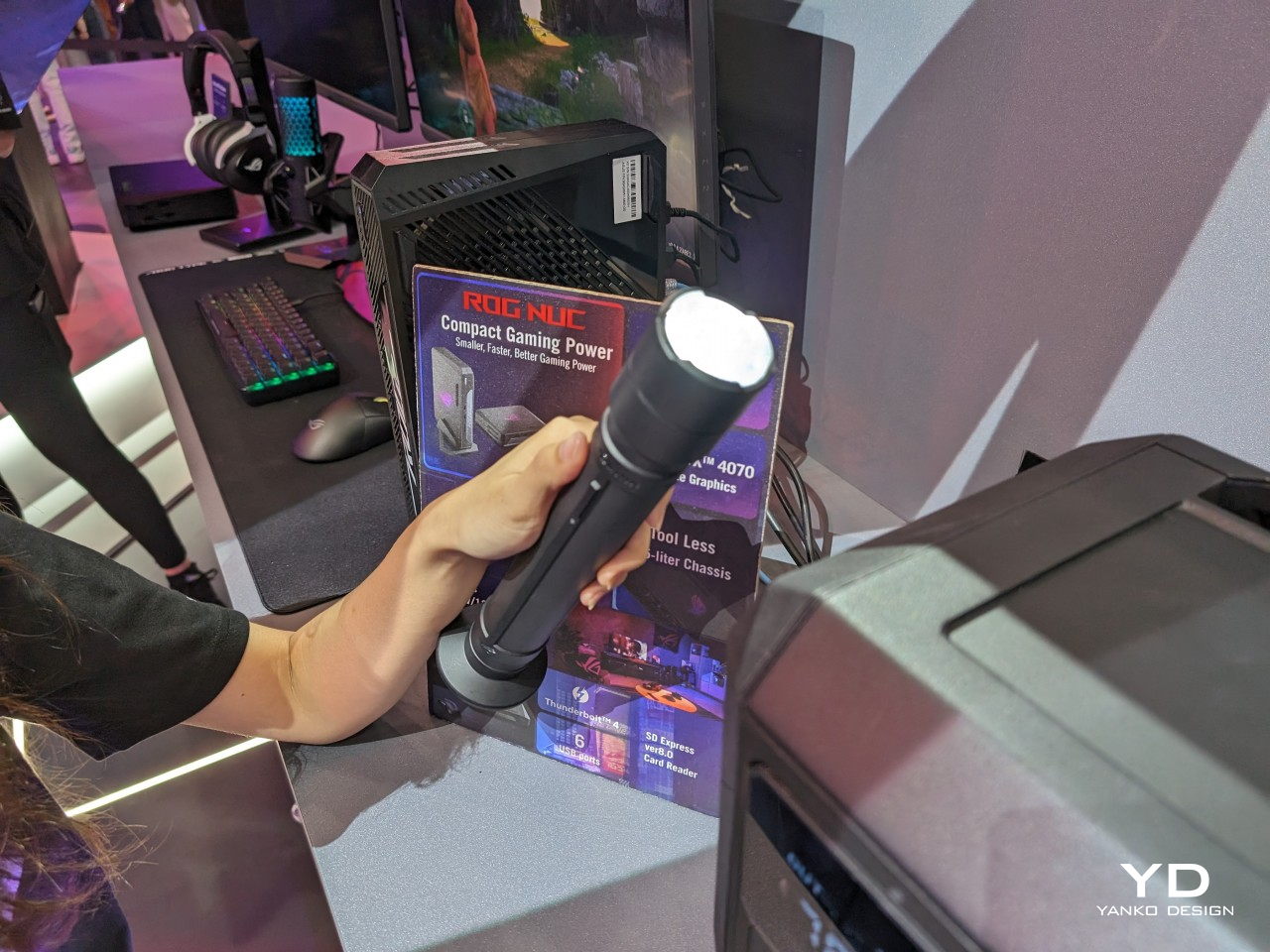
Nothing scares a gamer or designer more than losing power in the middle of an intense playing or working session. Uninterruptible power supplies are a staple for these people, but if you’ll be getting one, why settle for a boring box when you can have one of the most powerful weapons in the universe? Shaped after the mythological hammer of Thor, the ROG Mjolnir is a power station with an attitude and, more importantly, the power and features to actually match.
Designer: Cooler Master
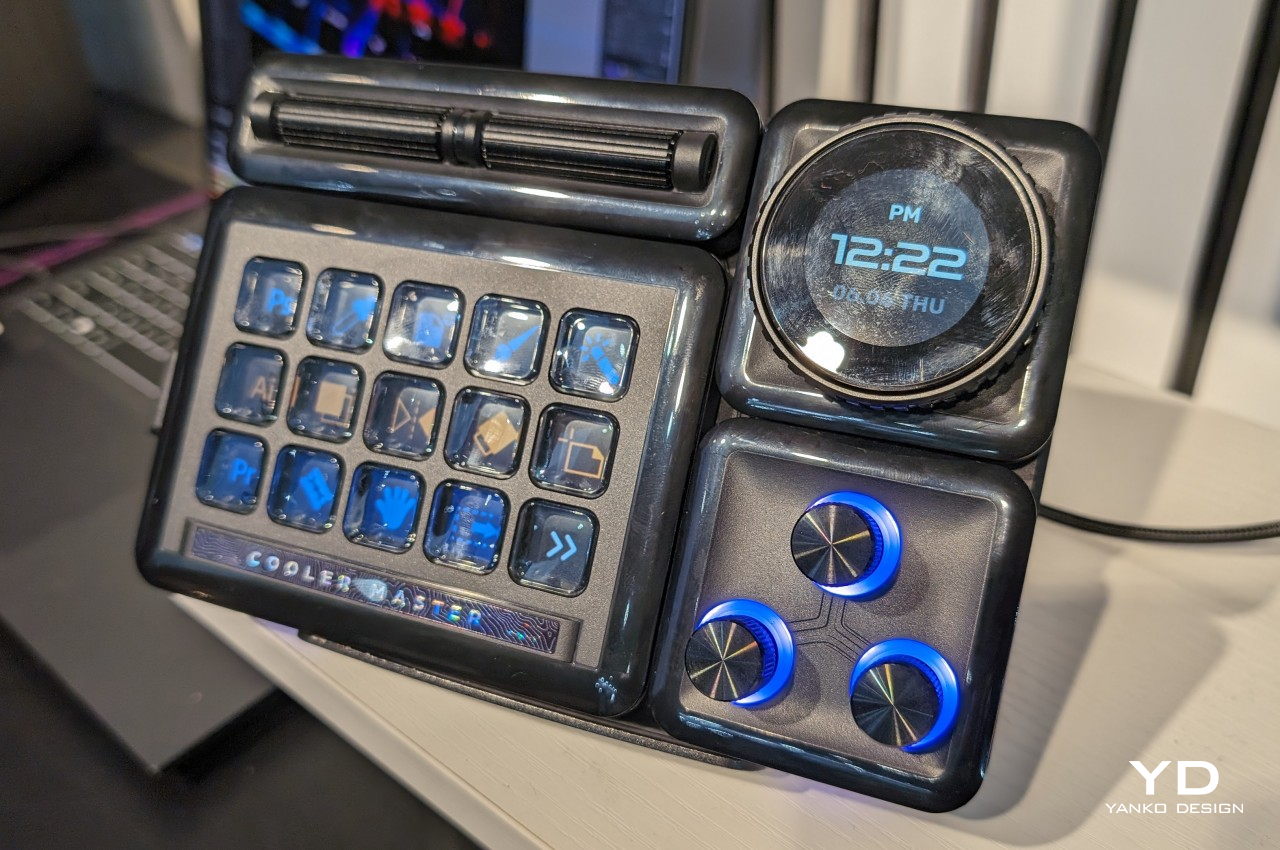
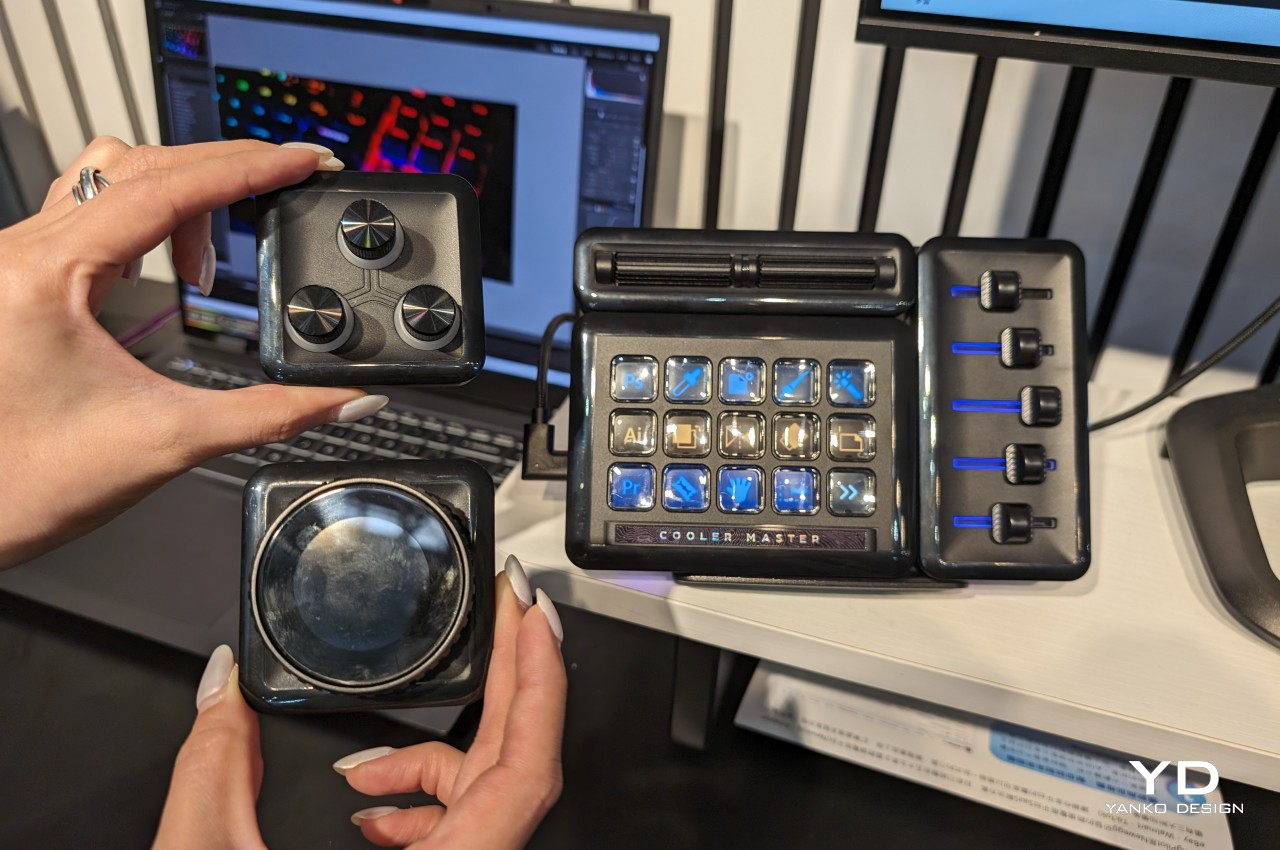
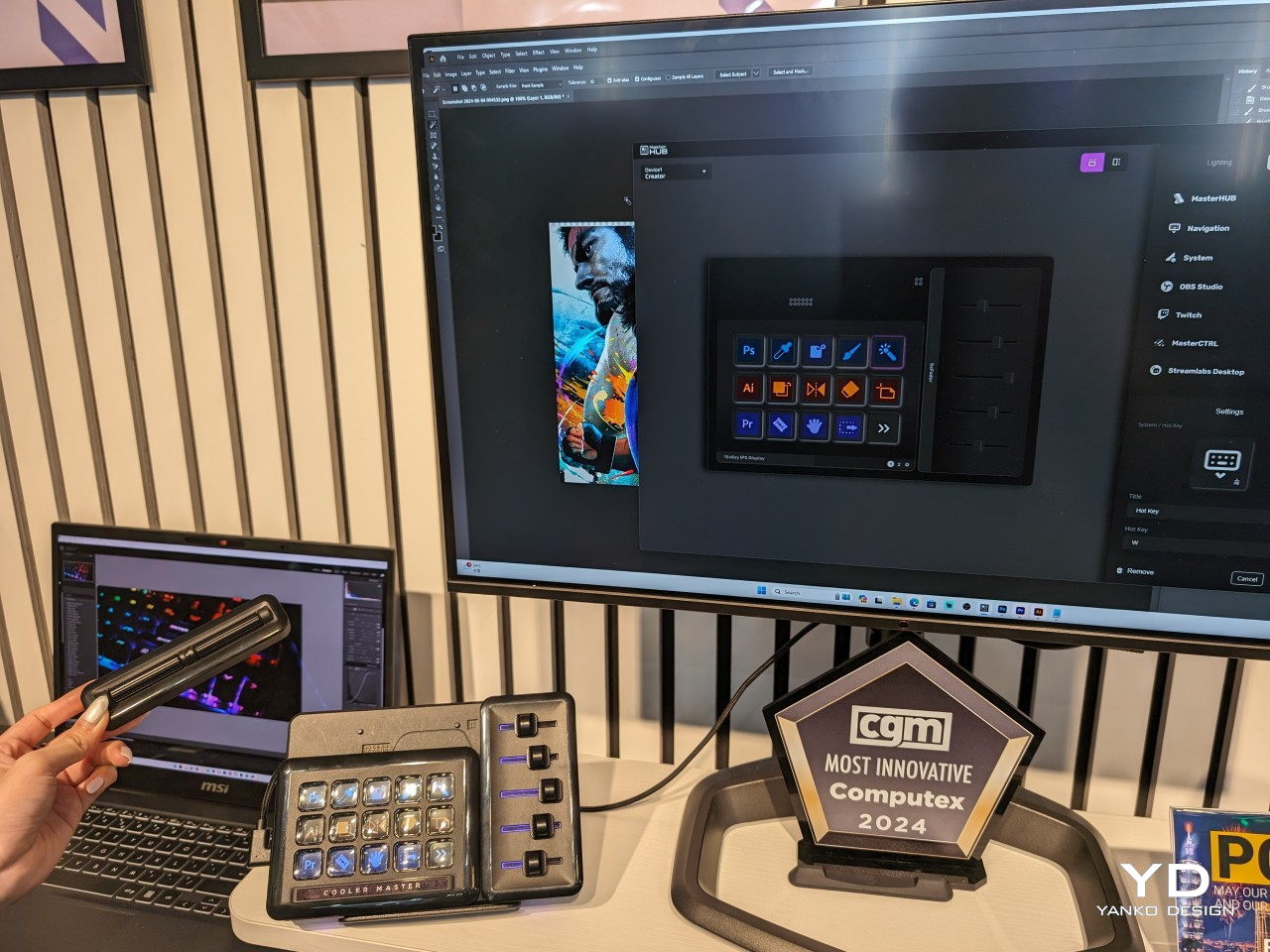
A typical computer keyboard has 87 to 101 keys or more, but sometimes even those aren’t enough for content creators, streamers, gamers, and advanced computer users. When you have to remember a bunch of keyboard shortcuts that differ from program to program, you’re putting a heavy burden on your mind that could be used for actual creative thinking instead. This modular MasterHUB stream kit and control center not only offers the power of programmable buttons but also lets you decide how you want those controls to be arranged and look.
The post Top Design Innovations from Computex 2024: Where Technology Meets Aesthetics first appeared on Yanko Design.
Discover ONERugged's latest rugged AI PCs & phones showcased at COMPUTEX 2024. With durability & advanced features, they redefine tough computing.
The post ONERugged: New Rugged AI PCs & Phones | COMPUTEX 2024 first appeared on Trendy Gadget.
Gone are the days when laptops were seen just as technical equipment needed to get work done. Just like with smartphones, they have also become part of our modern lifestyles and a reflection of our own selves. What all these mean is that people are now more conscious of the design of the laptops they purchase, not just the specs or the brand. Yes, there are still many that look like tanks with rainbow lighting accents, but even some more powerful notebooks now have sleeker and more refined aesthetics as well. To keep up with more discerning consumers, ASUS has engineered a new kind of material for the outer lid of their newest and most premium laptop that combines the lightness of ceramic with the durability of aluminum into an elegant surface that just screams “luxury.”
Designer: ASUS
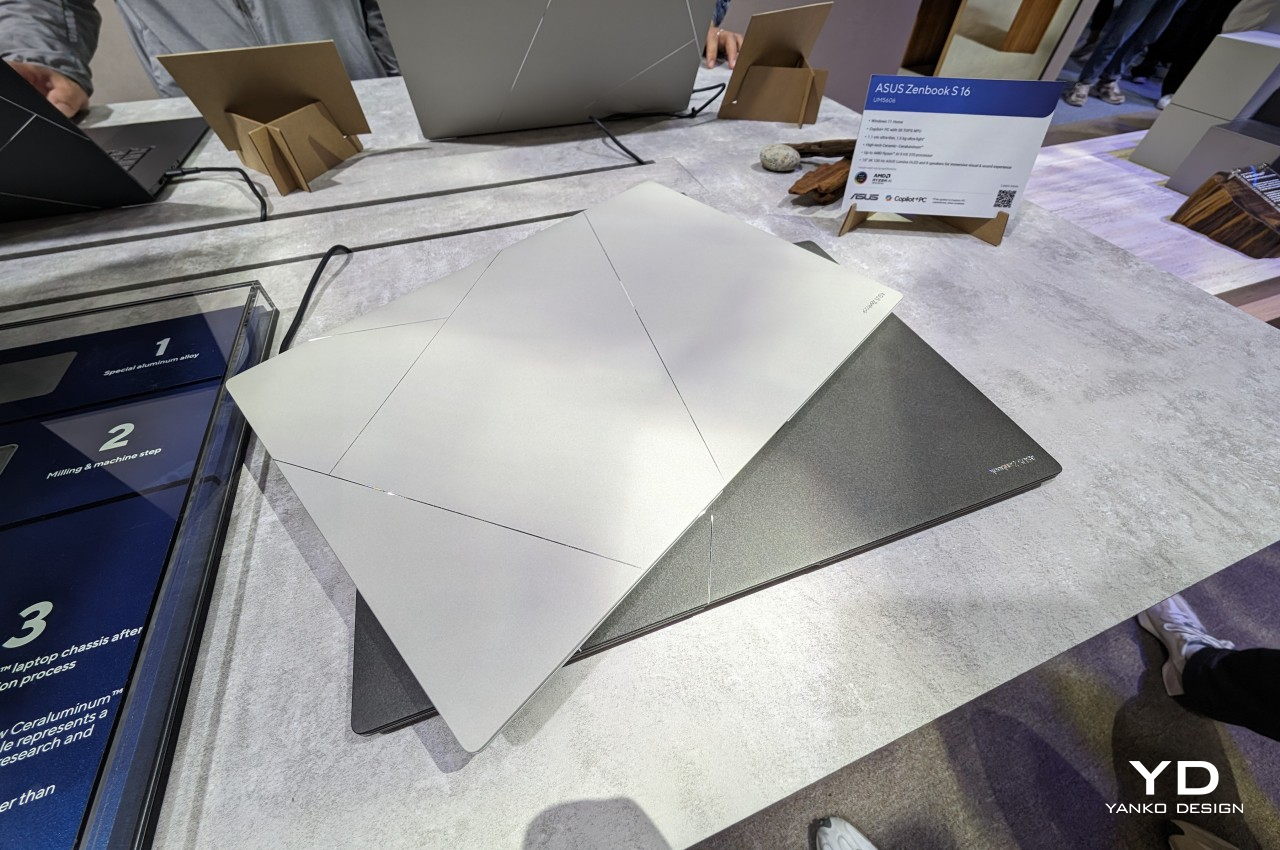
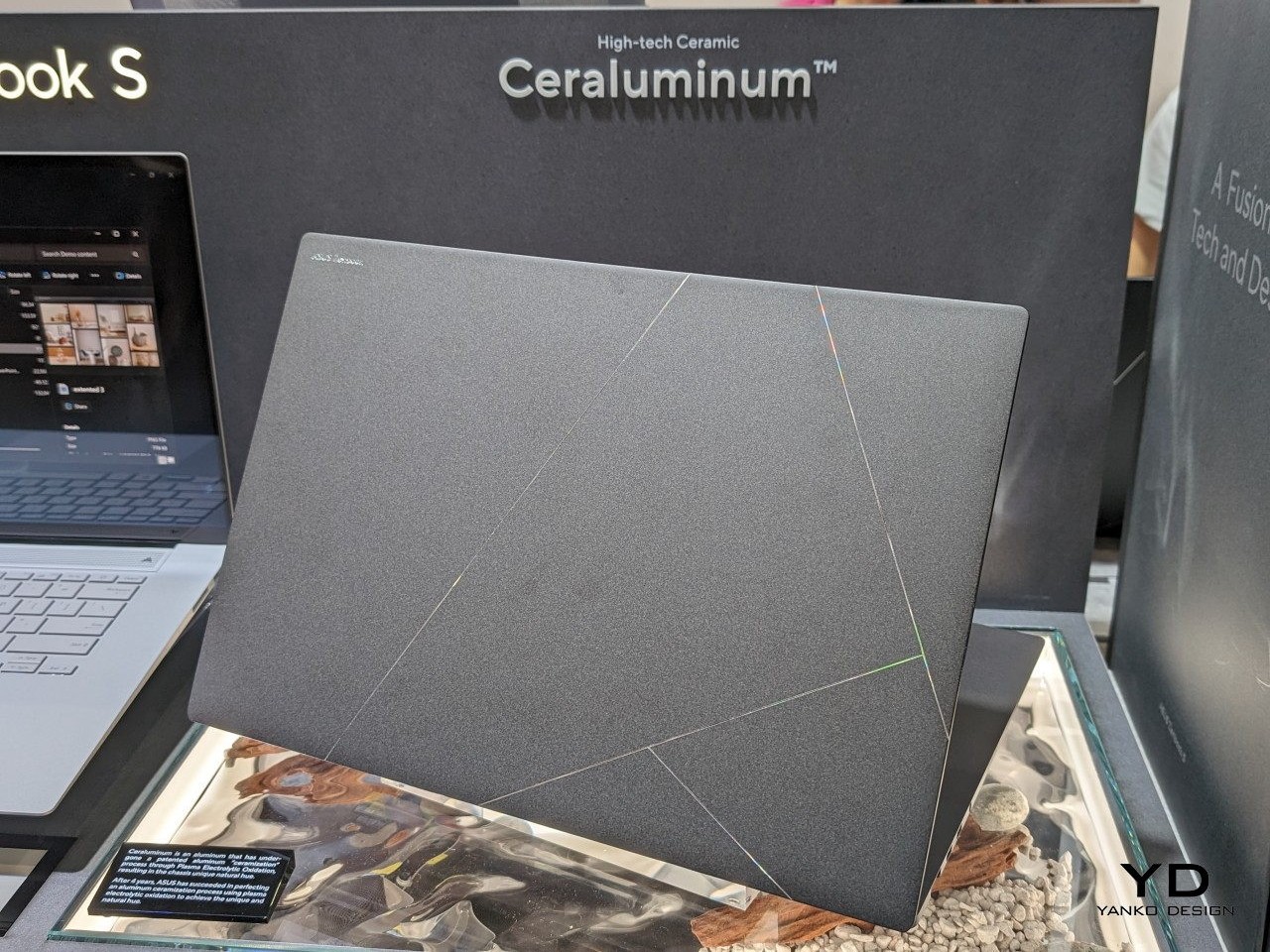
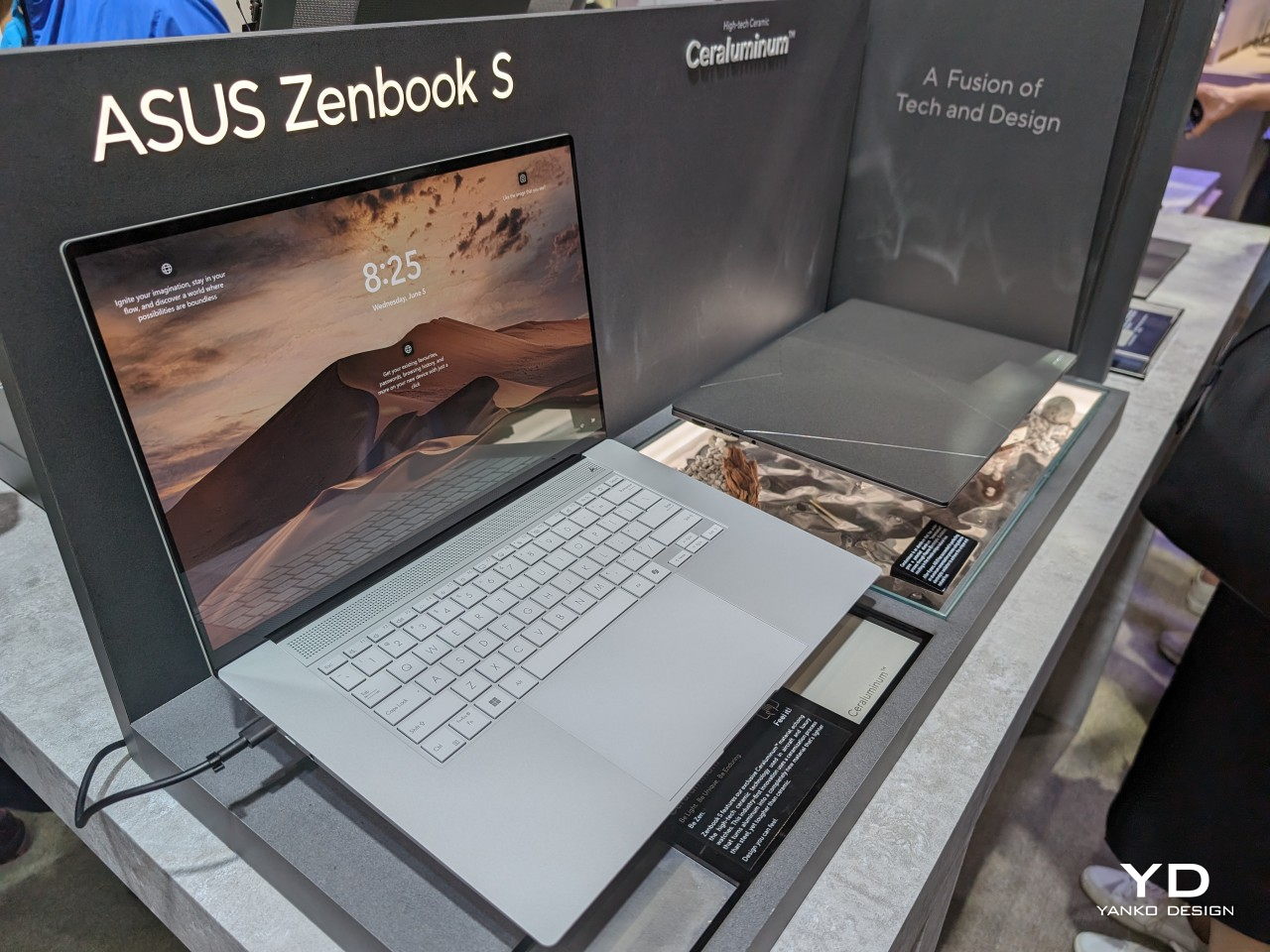
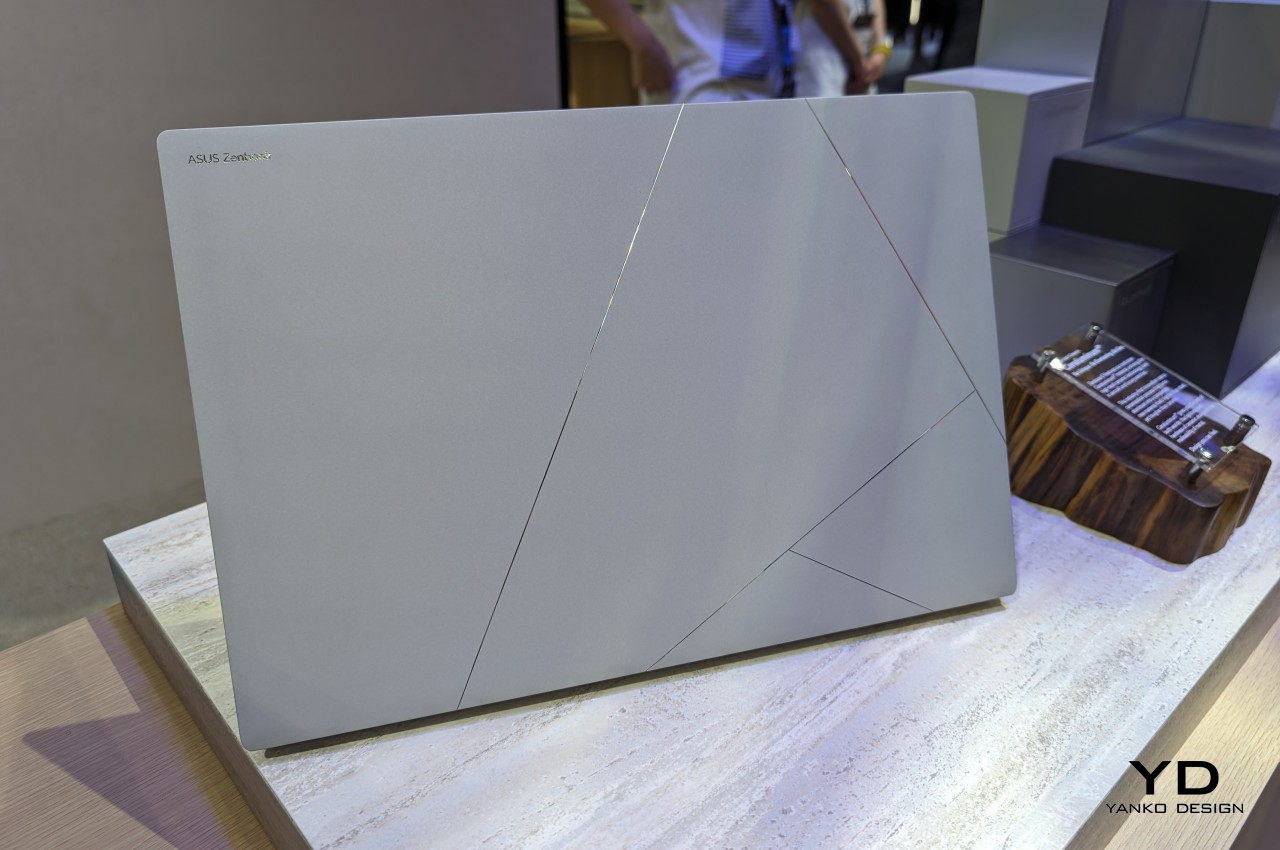
Laptop lids are often made of either plastic or metal because of their resilience and durability. Of the two, metal, which usually means aluminum, is considered more premium but also tends to be heavier and sometimes uncomfortable due to how cold it is to the touch. In contrast, ceramic is equally premium yet almost the opposite of metal: lightweight, warm to the touch, and sadly also fragile.
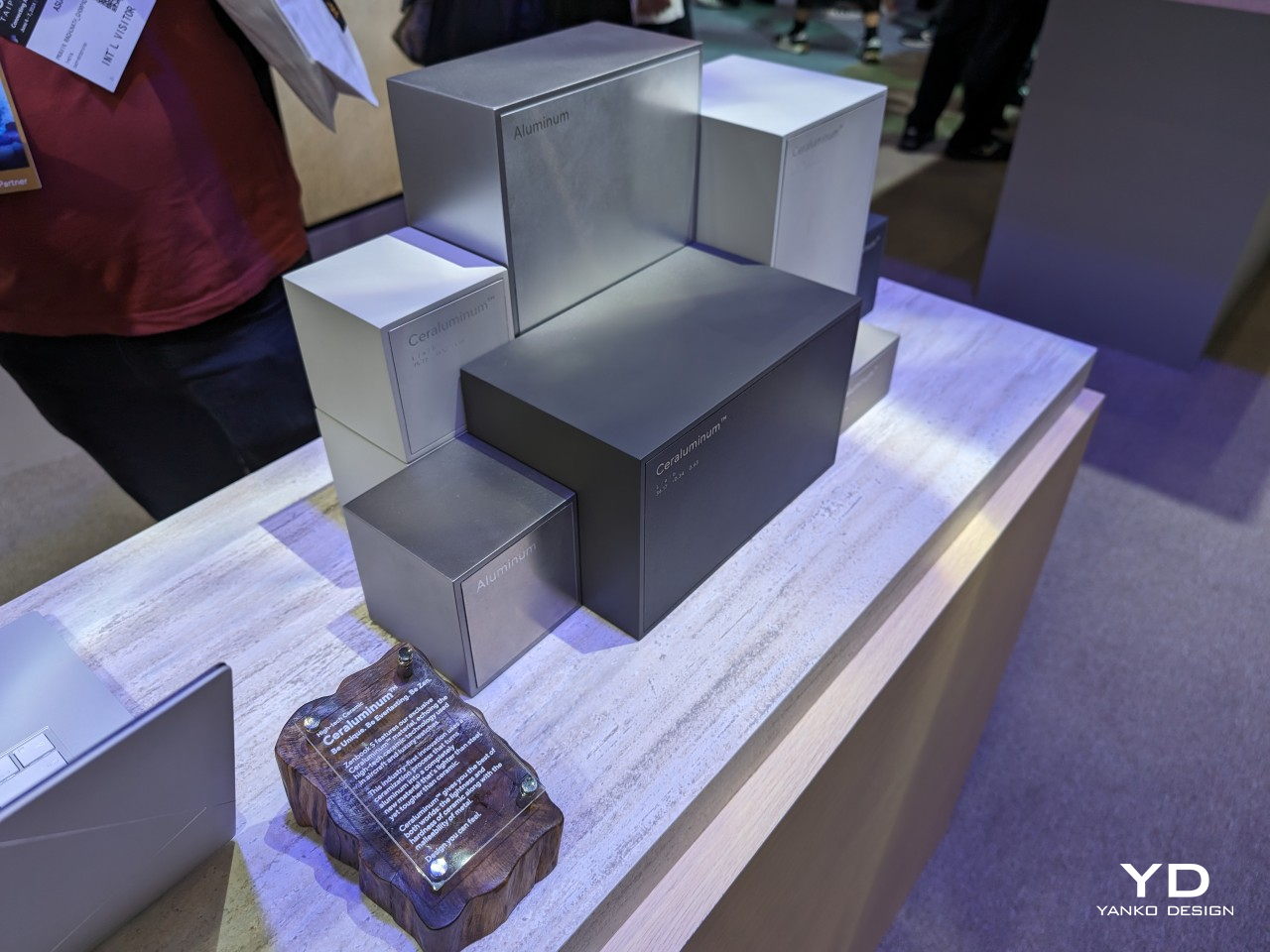
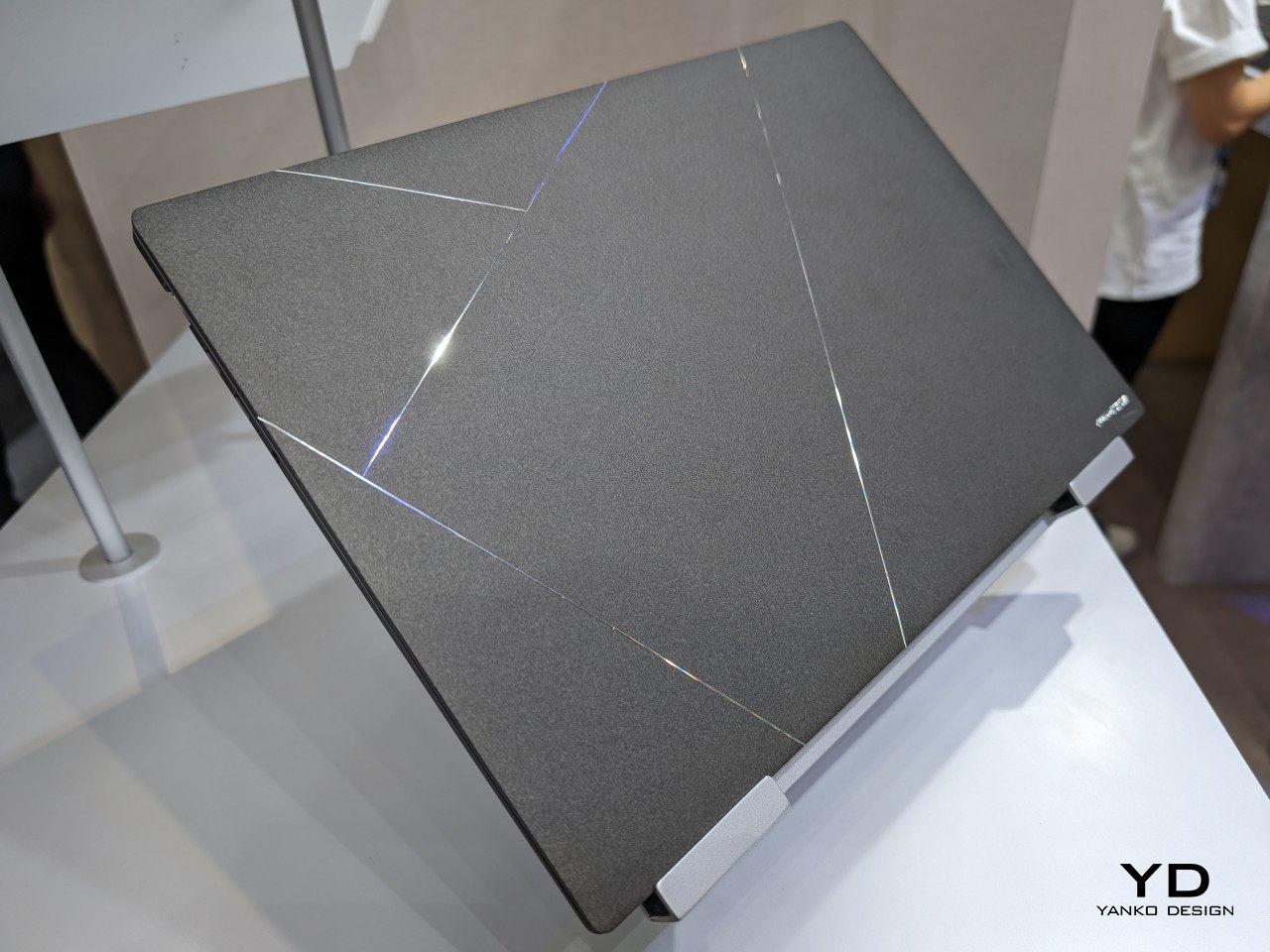
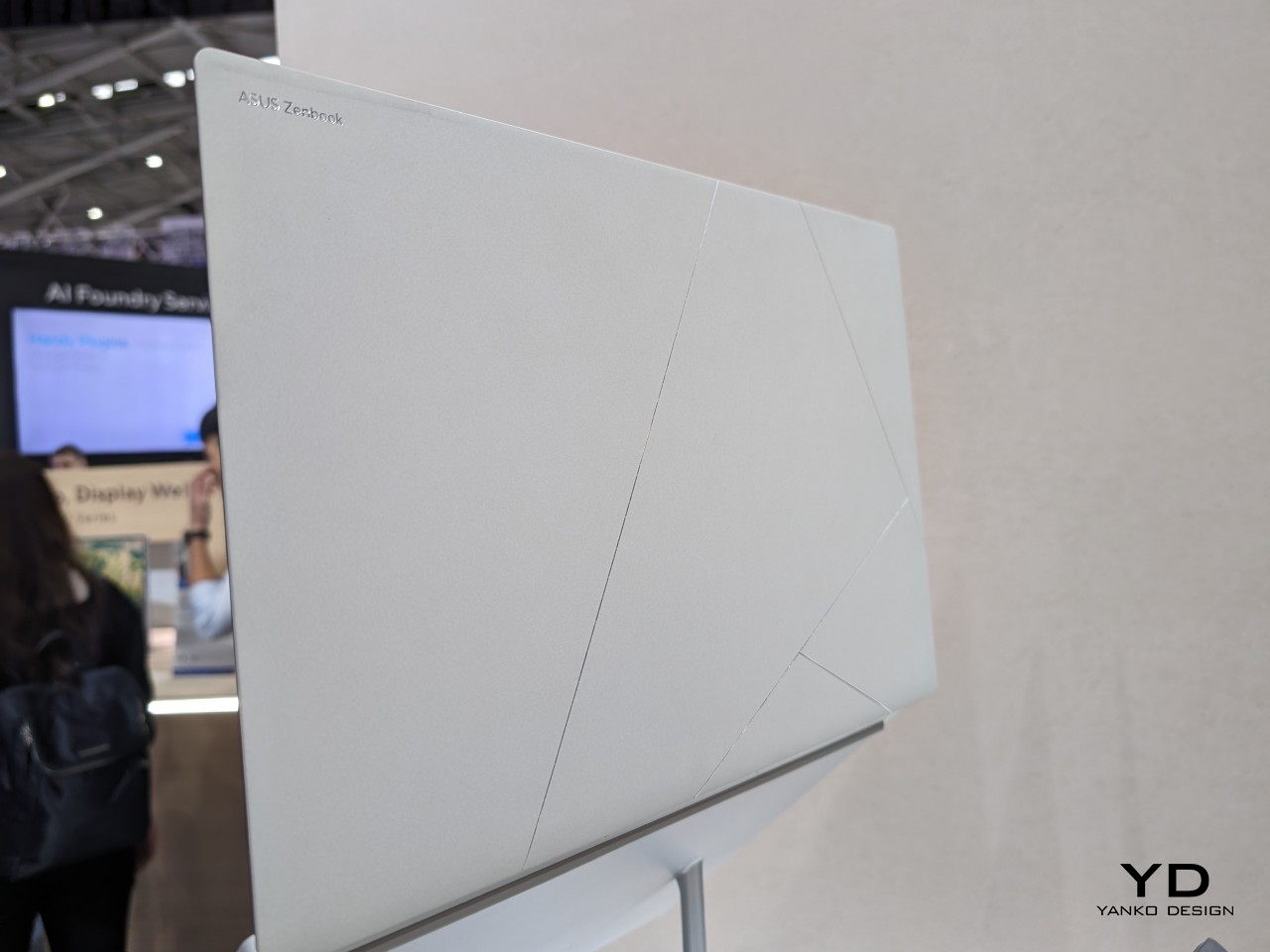
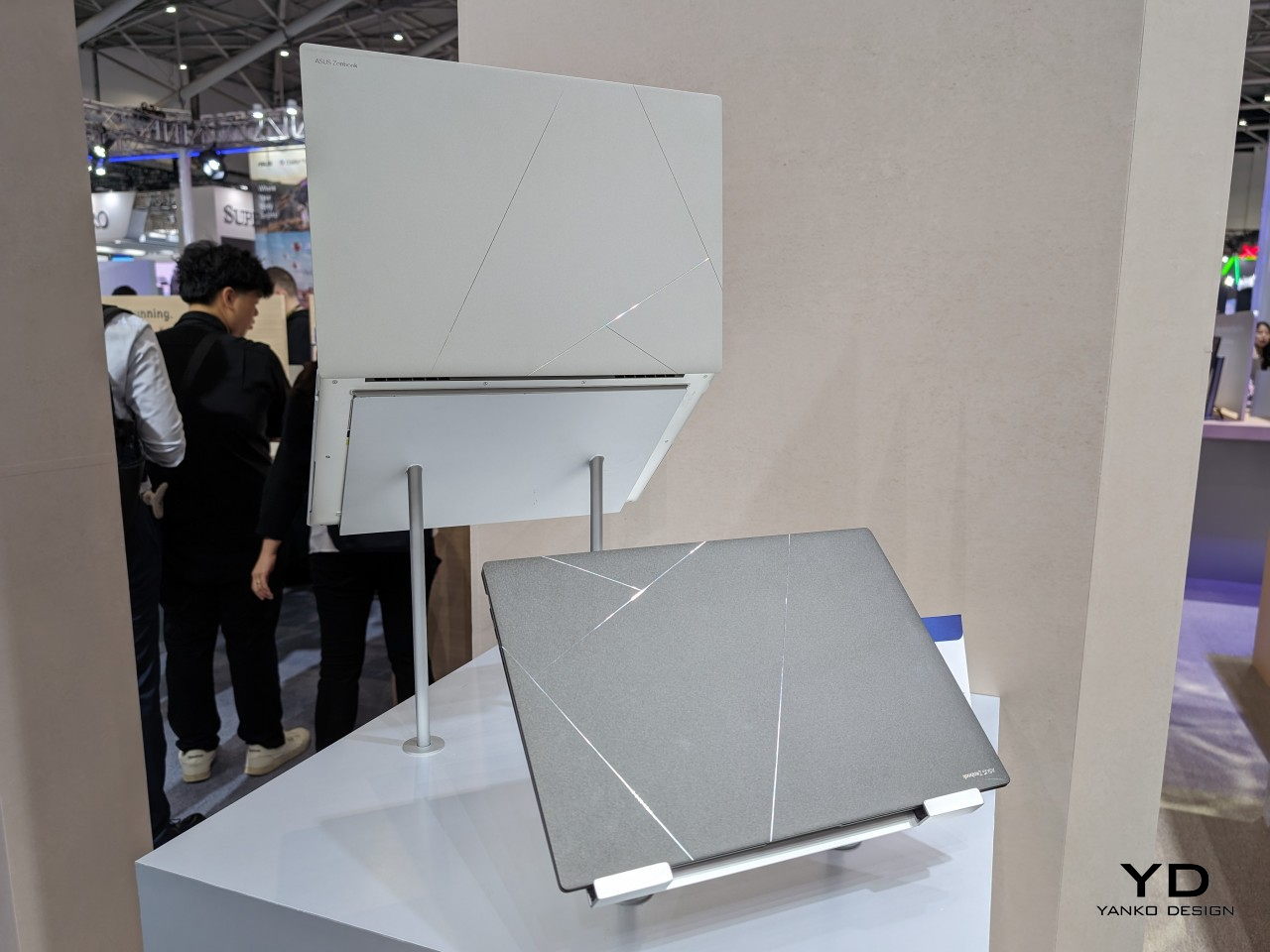
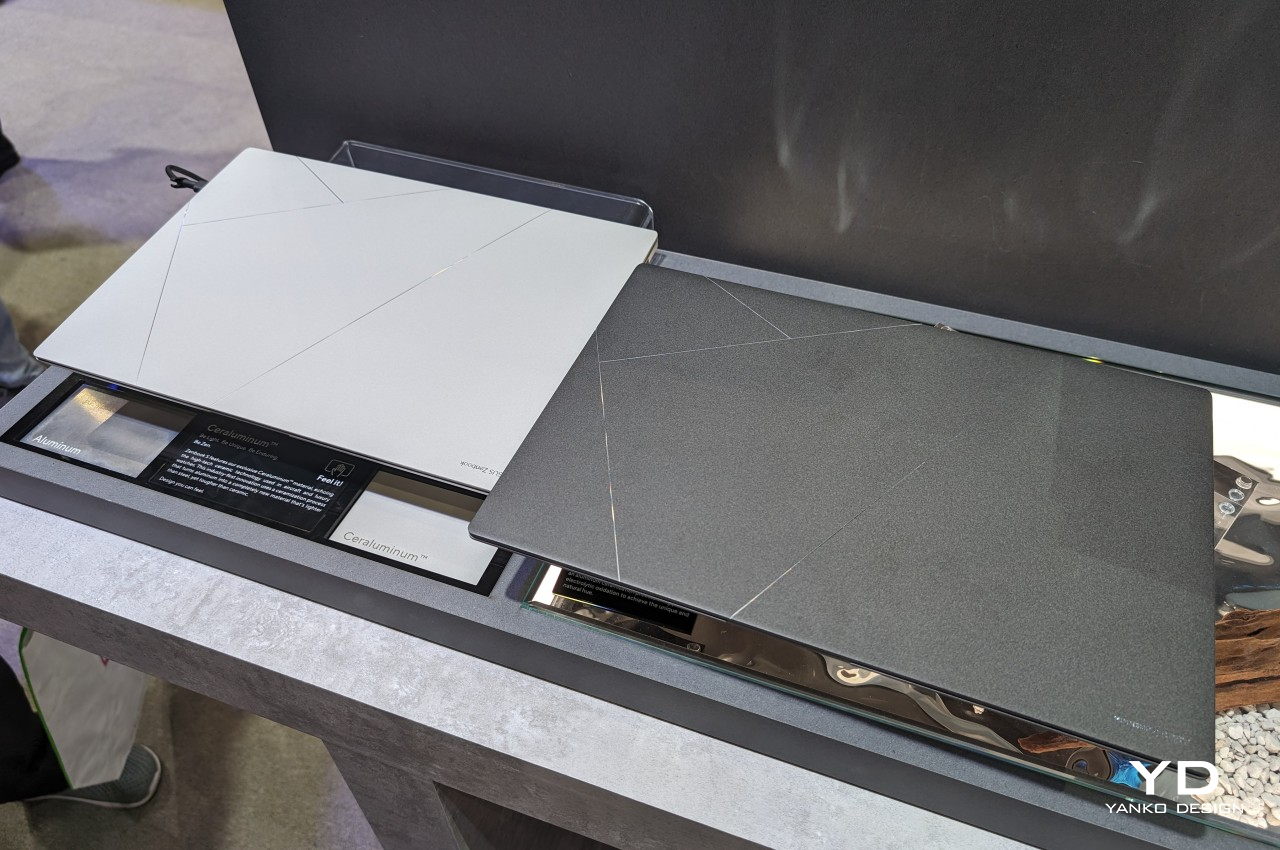
ASUS has aimed to bring the best of these worlds together and has created the portmanteau “Ceraluminum” to mark the success of their years of research and experimentation. In reality, it is actually aluminum but treated in a special process, which it unsurprisingly calls “ceramization,” which gives it the properties of ceramic. This “hi-tech” new material boasts being lighter than steel yet also more durable than actual ceramic. More importantly, the material focuses as much on the tactile experience as on the aesthetics. Like ceramic, Ceraluminum is not only cool to the touch but also gives the fingers a better grip on the laptop’s lid.
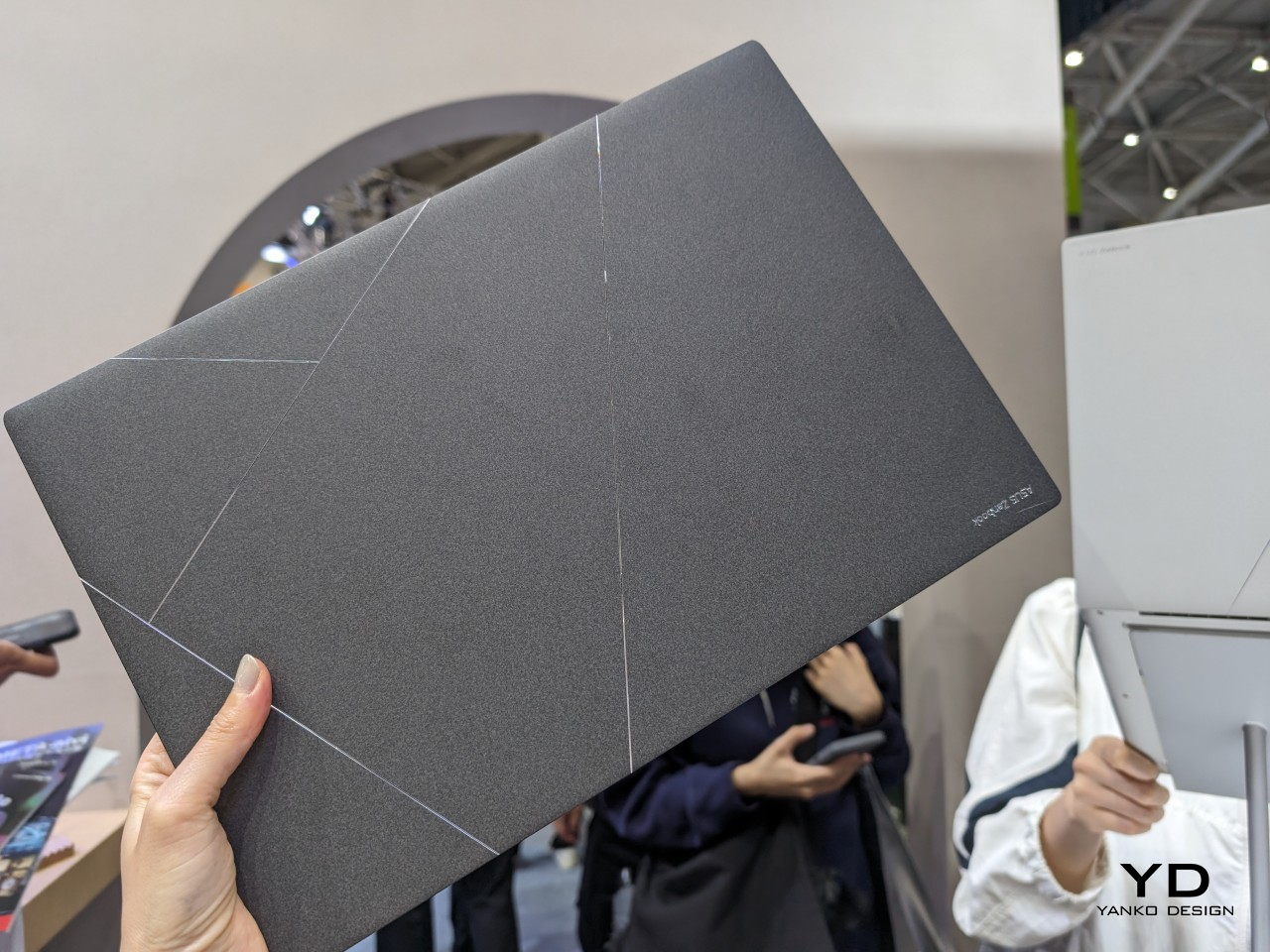
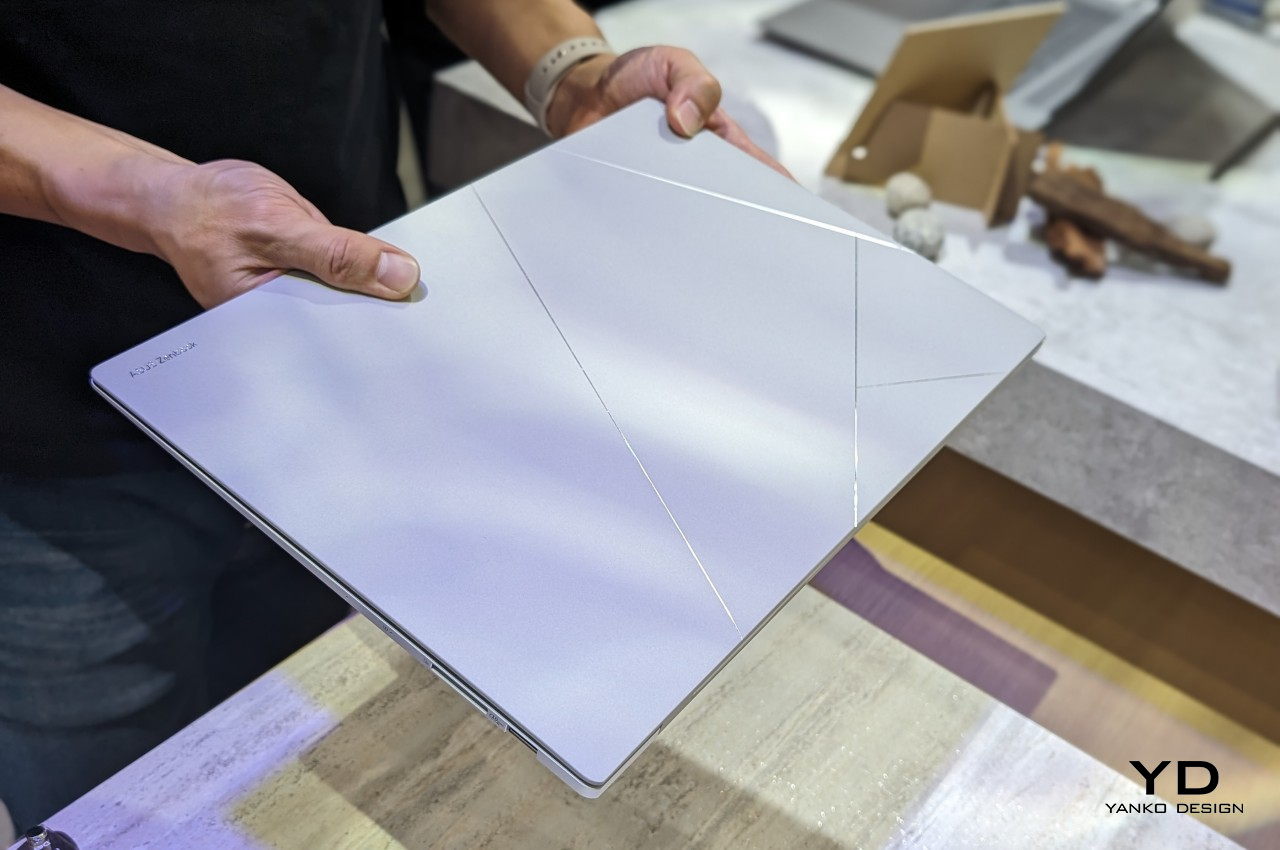
Ceraluminum is still a novel material and it might not be ready for truly mass production just yet. For its maiden voyage, ASUS has chosen its new Zenbook S 16 to be the first to benefit from this amalgamation of two of the most premium materials known in the industry. It’s a perfect match as well, given how incredibly thin and lightweight the laptop is. It looks premium and definitely feels premium, a fitting exhibit for Ceraluminum’s equally premium properties.
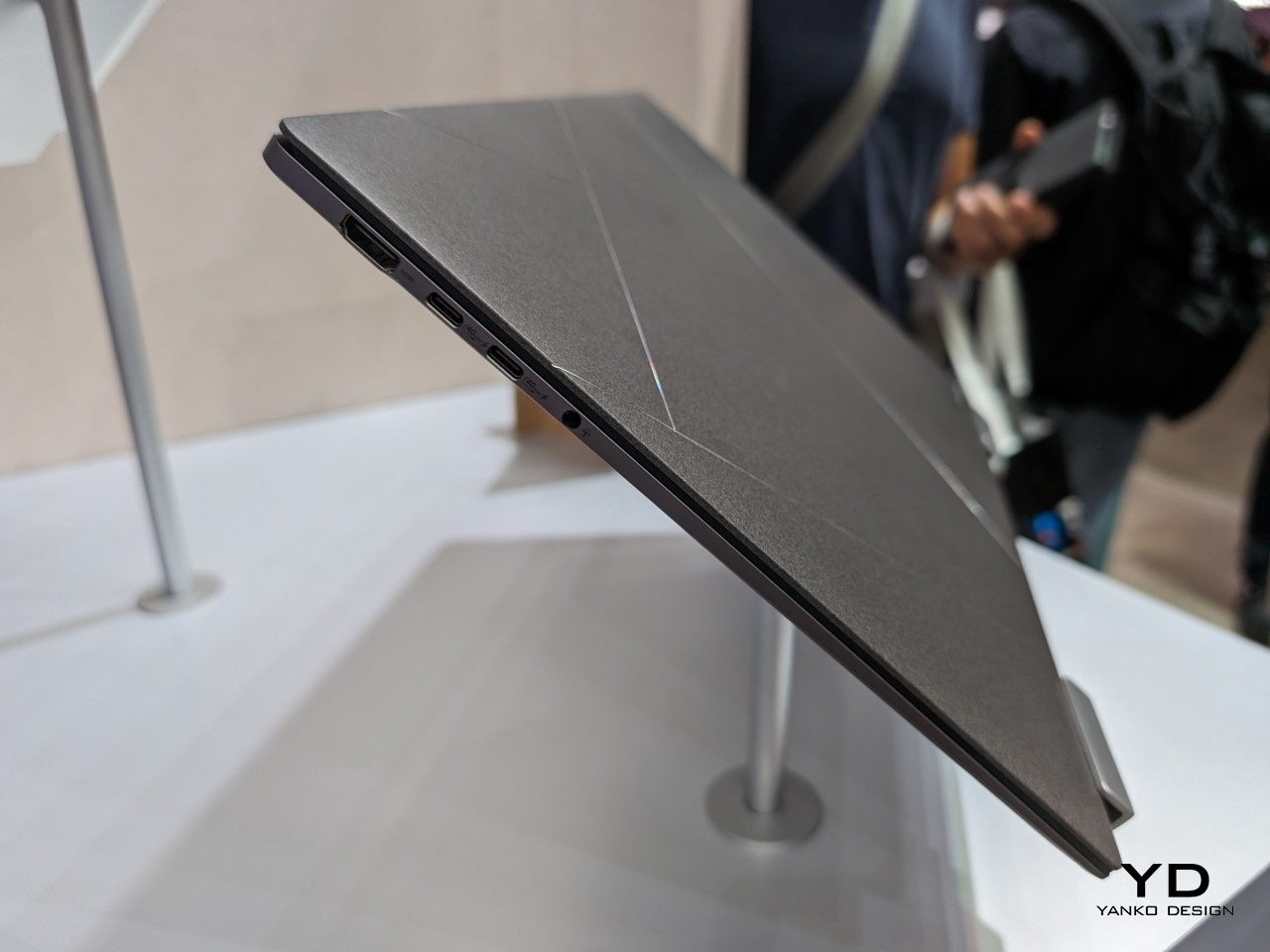
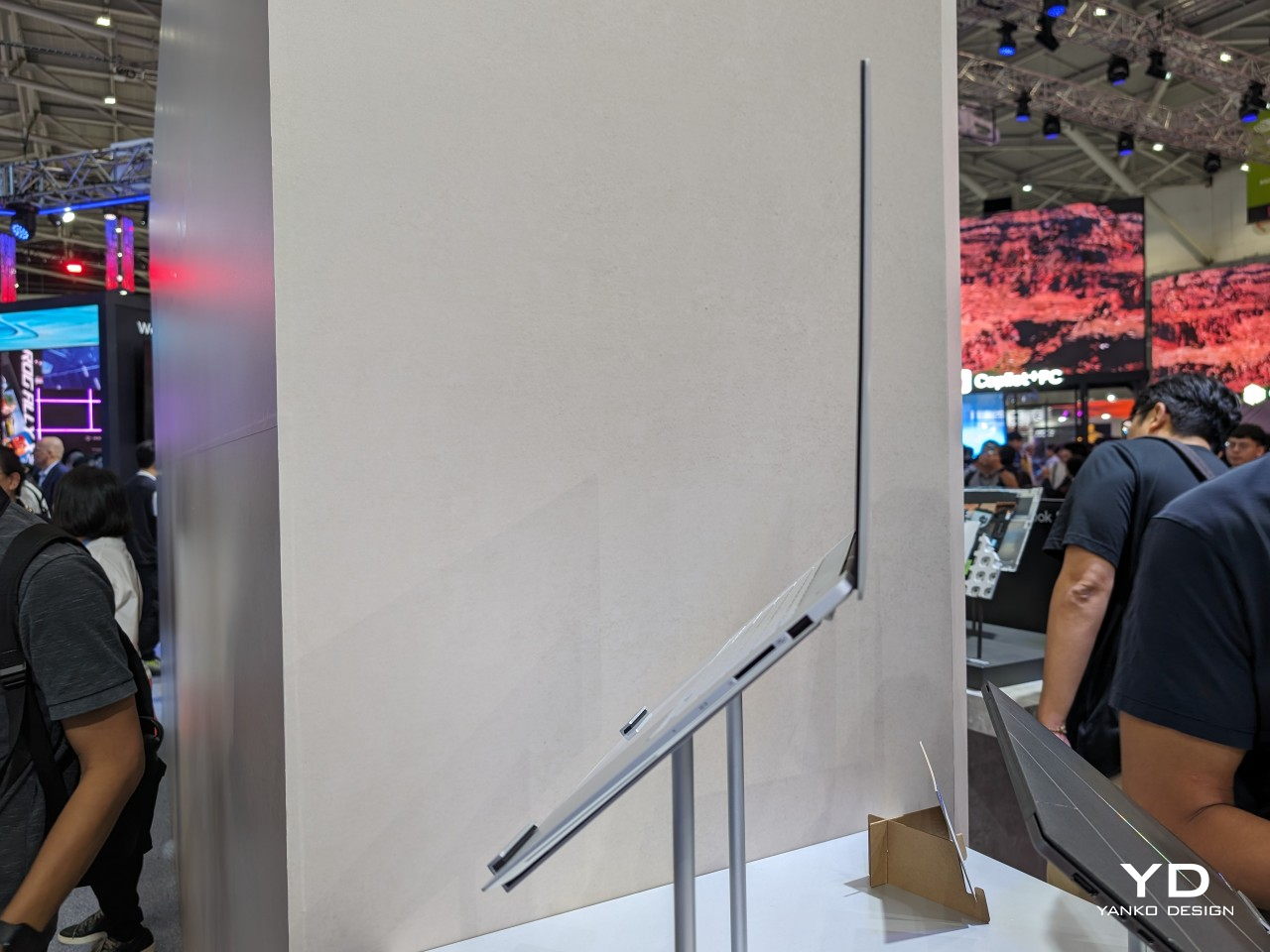
In addition to its elegant material, the ASUS Zenbook S 16 also brings nature-inspired colors to match. Zumaia Gray takes inspiration from flysch cliffs in Spain, while Scandinavian White mimics the warm light of the sun on snowy mountains. Even this color is a product of sophisticated materials research, modifying the molecular structure of copper and oxygen atoms to give off a different color while using the same aluminum oxide material as other colors. The ASUS Zenbook S 16 is, in the final analysis, an exhibit of the brand’s innovation in creating new materials meant to delight not just the eyes but also your fingers and elevate your laptop experience.
The post ASUS Ceraluminum brings beautiful ceramic and durable aluminum laptops first appeared on Yanko Design.
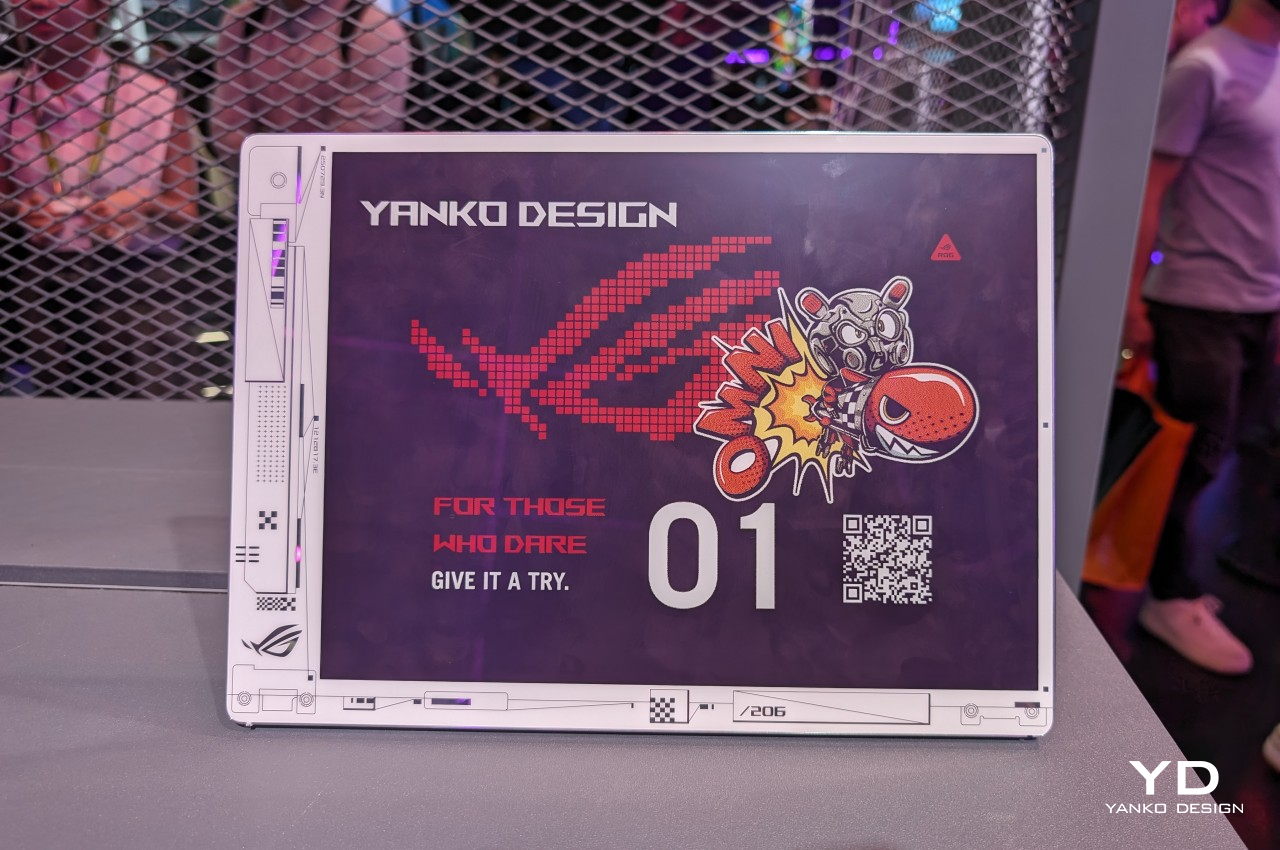
As much as laptop makers wax philosophical about the power of their hardware and the beauty of their screens, what most people will probably admire the most about their products will be the laptop covers. Like with smartphones, this is the most visible part of a laptop and, therefore, also the most expressive. You can almost tell a lot about the laptop owner from the design and stickers they have on their laptops or, conversely, from the lack of any embellishment. Unfortunately, there hasn’t been any easy way to cater to the varied tastes of laptop owners, at least until now. At Computex 2024, ASUS is showing off one of its latest concept designs that lets owners change the design of their laptop covers with a press of a key, and it won’t cost either power or money to keep changing it on a whim.
Designer: ASUS
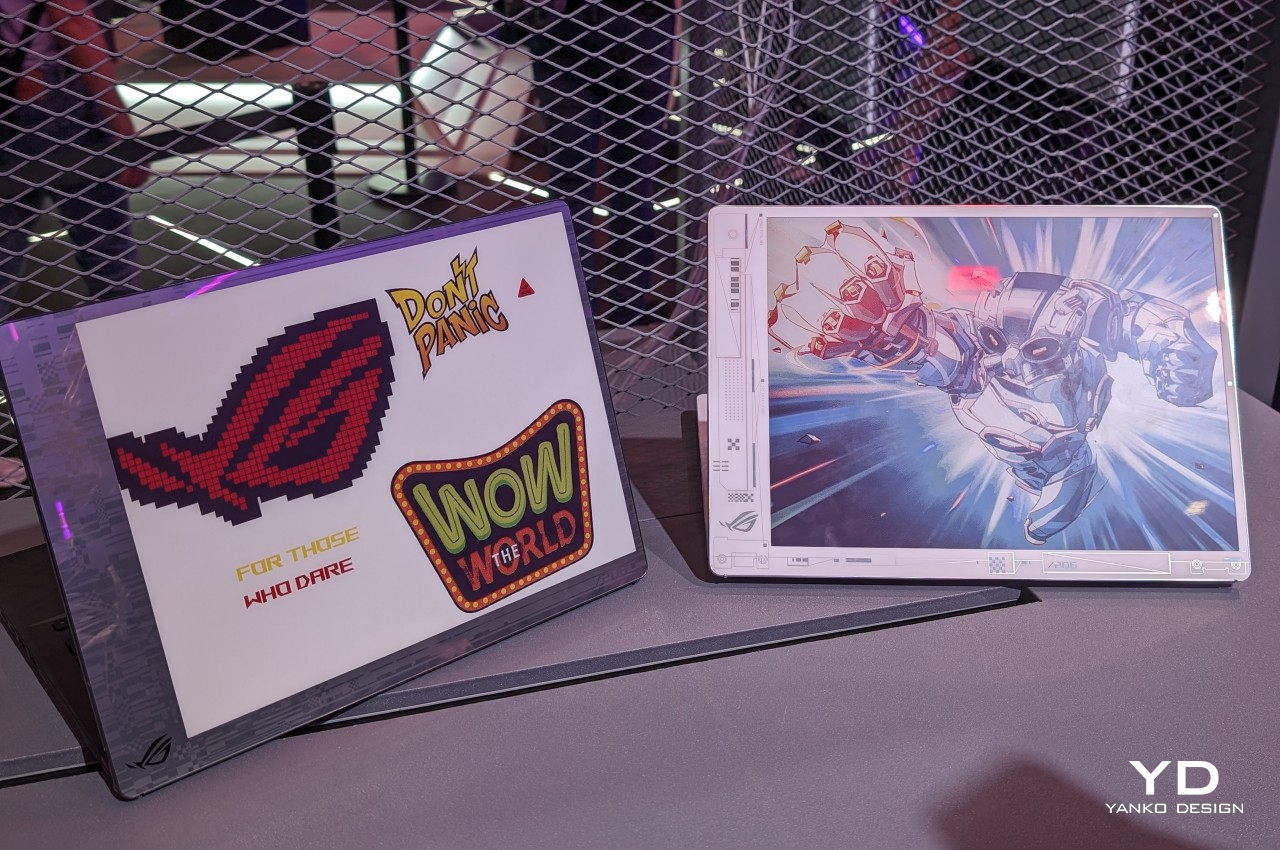
You could, in theory, put a second LCD screen on the back of your laptop for a dazzling display of images or even captivating videos, but that would put a drain on your laptop’s battery, especially if you need to keep that cover display visible even when the laptop is closed and shut down. As with any problem involving power-hungry LCDs and OLEDs, the solution is using ePaper Display or EPD, like E Ink’s popular panels for eBook Readers. And wouldn’t you know it, E Ink has the perfect technology for that, and ASUS is slapping it on its Project DALI laptop concept to make laptops more personal without having to stick anything to it.
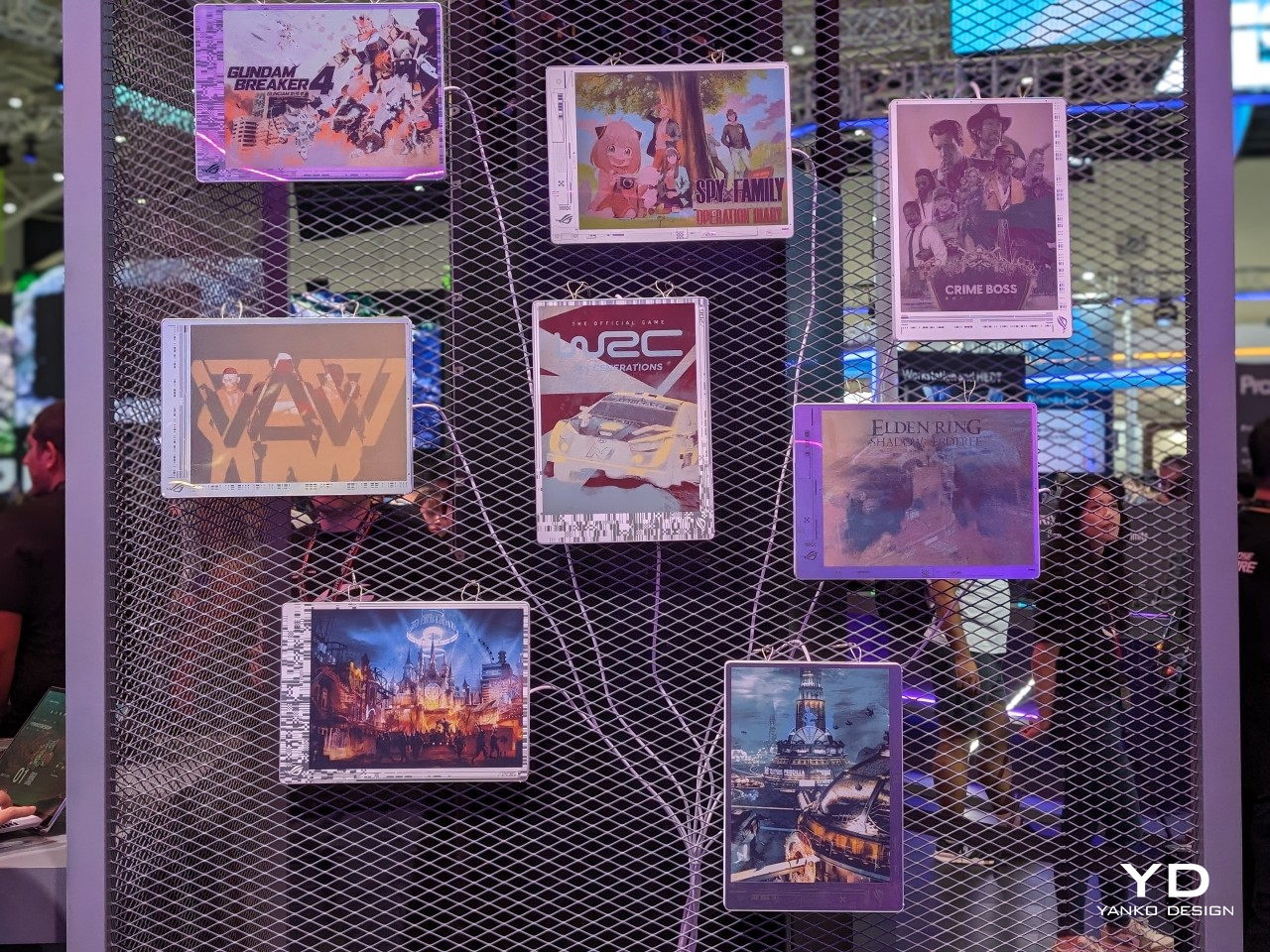
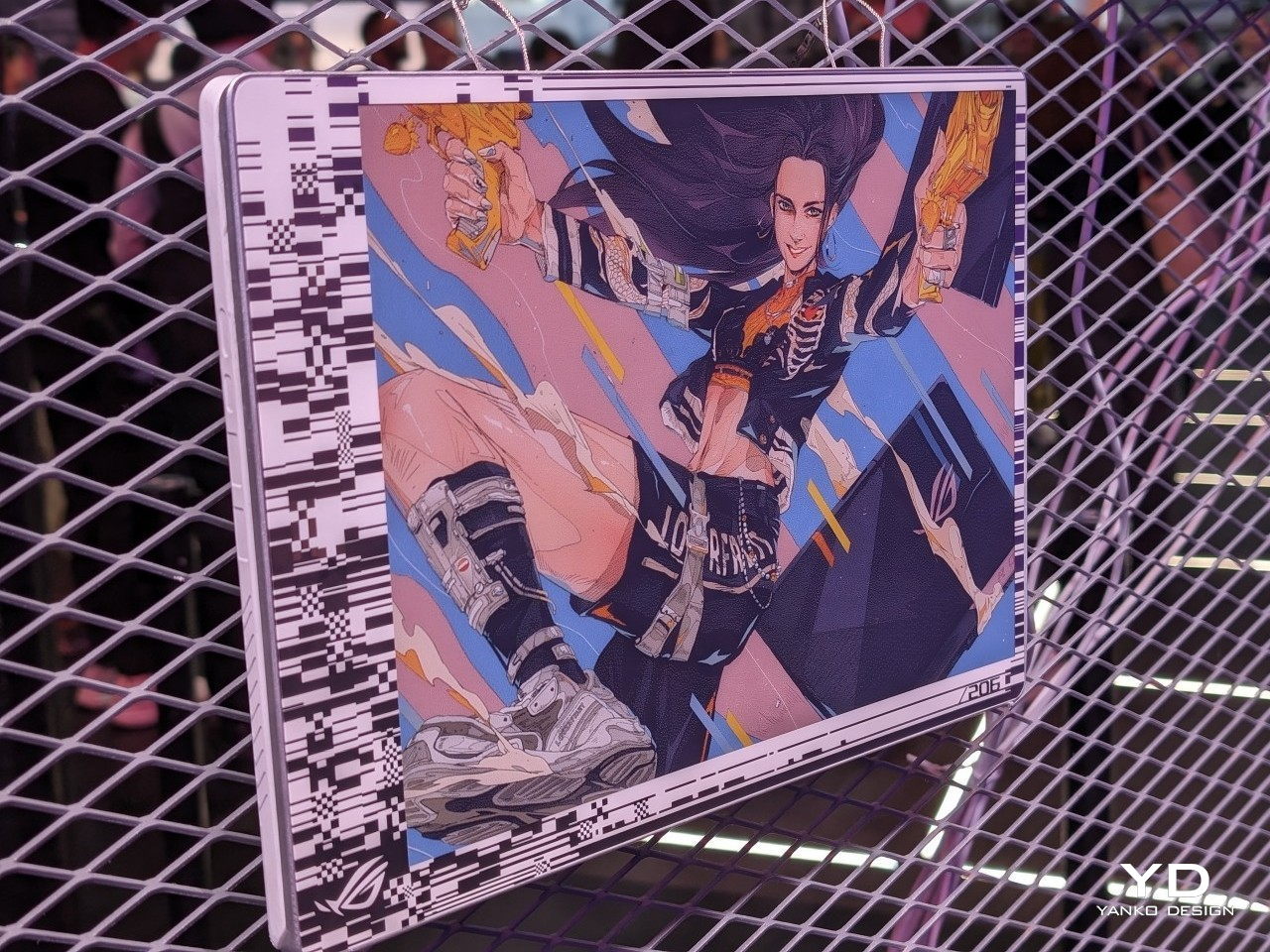
Although it’s primarily being used for signage installations, the E Ink Spectra 6 brings a touch of color to the eye-friendly and battery-conservative E Ink screen. It’s not going to match the vibrant colors of even the crudest LCD, but it has one very important advantage. Once you change the image displayed on it, it will no longer consume any power and can display that image for a long, long time. In other words, it’s perfect for a semi-permanent display that doesn’t change much, something like what the back of your laptop could have.
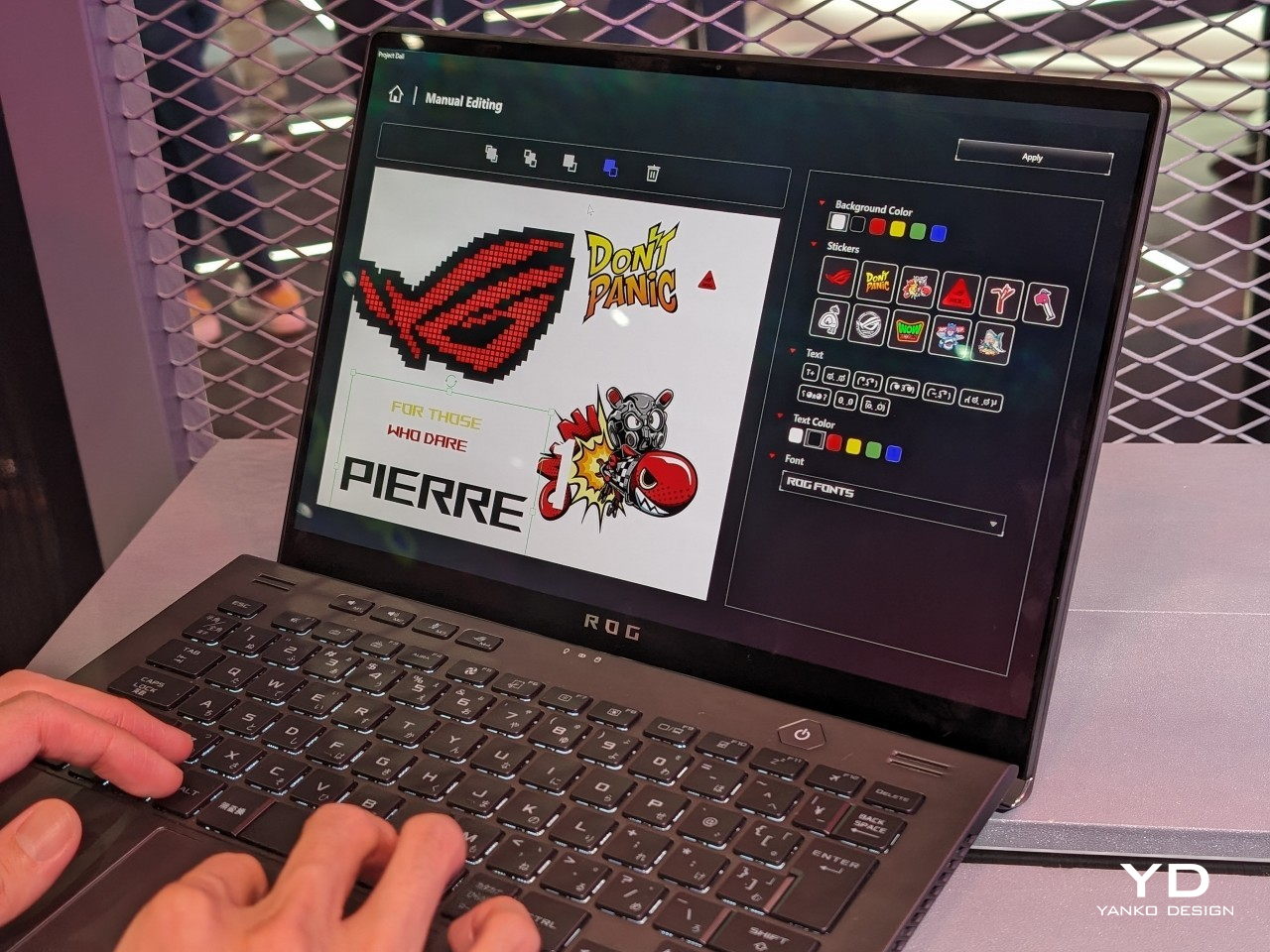
Project DALI puts this technology to offer an unprecedented level of personalization to laptop owners, something you can’t even imagine doing with stickers or skins. With ASUS’s special software, you can either select from a few preset designs or make your own, allowing you to express your tastes, interests, and personality the way you want it. Best of all, you can change it any time you want, and it will only cost you a bit of time and effort, not money from buying new stickers or energy from cleaning off those pesky adhesive residues.
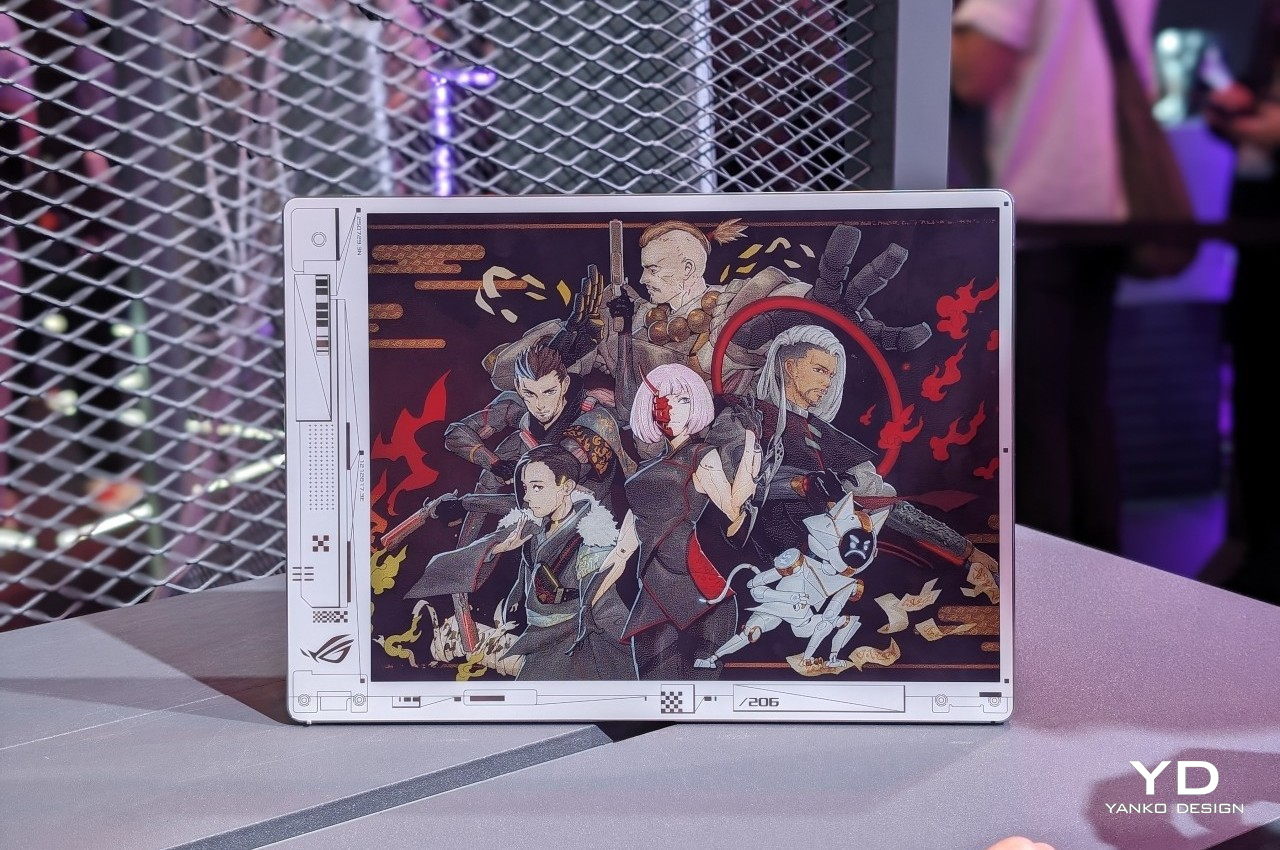
ASUS Project DALI is hardly the first to put an E Ink display on the back of a laptop, as Lenovo also demonstrated a similar idea back in January at CES 2024. DALI, however, uses a newer Spectra 6 technology with higher color DPI, though the number of supported hues is, of course, still limited. Unfortunately, there is still no word on whether Project DALI will become an official ASUS product, but it’s bound to win plenty of fans once it does.
The post ASUS Project DALI concept slaps a color E Ink display on the back of laptops first appeared on Yanko Design.

When deciding between the Apple M4 iPad Pro and the M3 MacBook Pro, it’s essential to consider various factors that impact your portable computing experience. This in-depth comparison video from GregsGadgets will help us determine which device best suits our needs by examining key aspects such as price, portability, keyboard and trackpad quality, display, audio, […]
The post Apple M4 iPad Pro vs M3 MacBook Pro (Video) appeared first on Geeky Gadgets.

MSI has been showcasing its new AI business and AI gaming laptops at Computex 2024, equipped with hardware specifically engineered to aid with artificial intelligence (AI) processes. The next generation AI+ laptops lies an impressive AI computing power, boasting more than 100 TOPS of performance and support for over 500 AI models optimized on Intel […]
The post New MSI AI gaming and AI business laptops showcased at Computex 2024 appeared first on Geeky Gadgets.

ASUS has this week unveiled their latest hardware adopting support for artificial intelligence (AI) and taking the form of the new ExpertBook P5 (P5405) which is being showcased at Computex 2024. As the flagship model of the next-era AI laptop PC lineup, the ExpertBook P5 is poised to transform the way modern professionals work by […]
The post ASUS ExpertBook P5 (P5405) AI laptop unveiled at Computex 2024 appeared first on Geeky Gadgets.