ROG Just Gave the Ally Its First OLED and a 171-Inch AR Screen

Handheld gaming PCs have become serious pieces of hardware over the past few years, and the display has quietly become the most contested spec on the spec sheet. Early handhelds shipped with IPS panels as a matter of course, but expectations have shifted. Owners of these devices spend long hours staring at a relatively small screen, and the quality of that screen now shapes how the whole experience is judged.

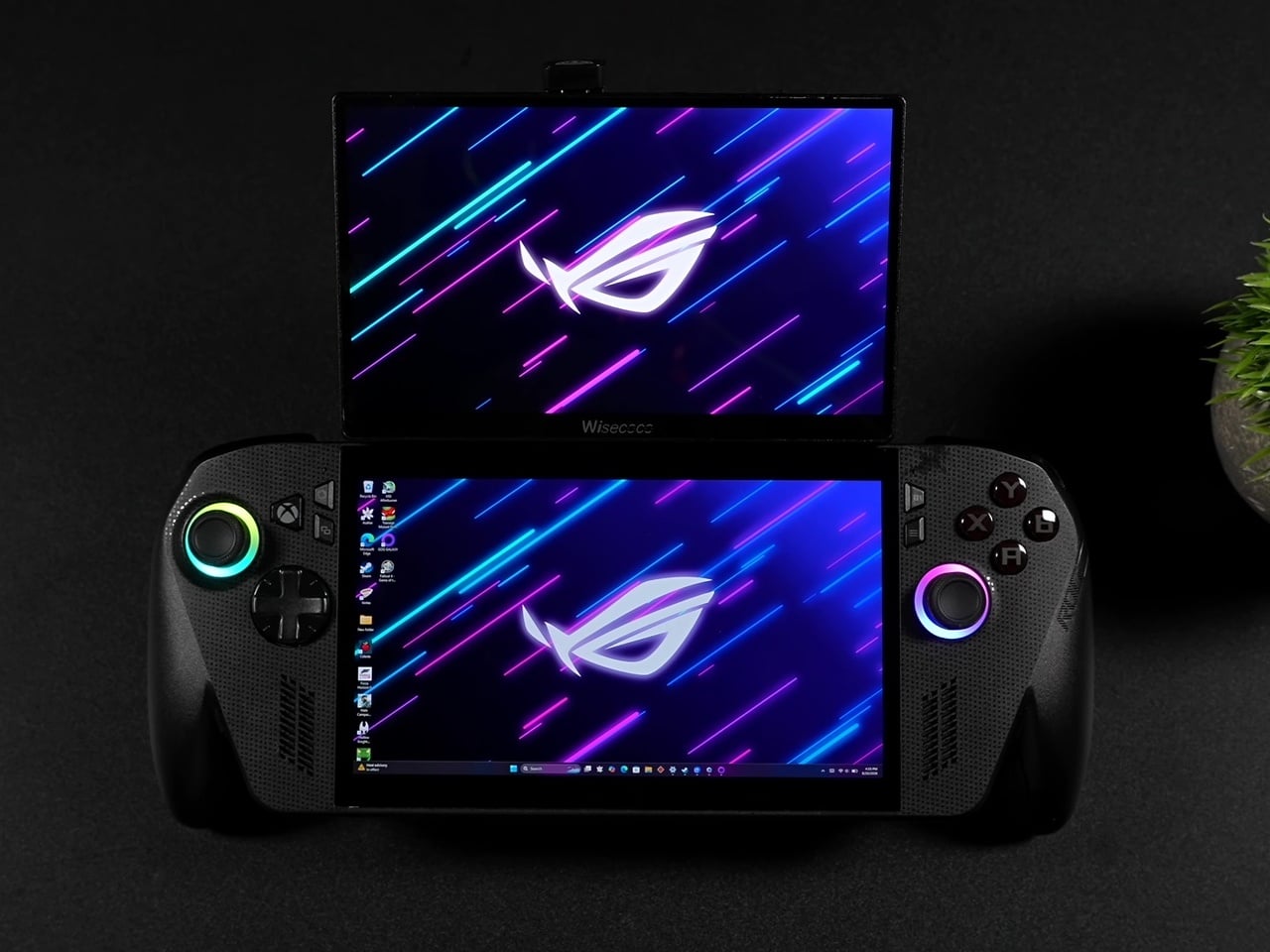
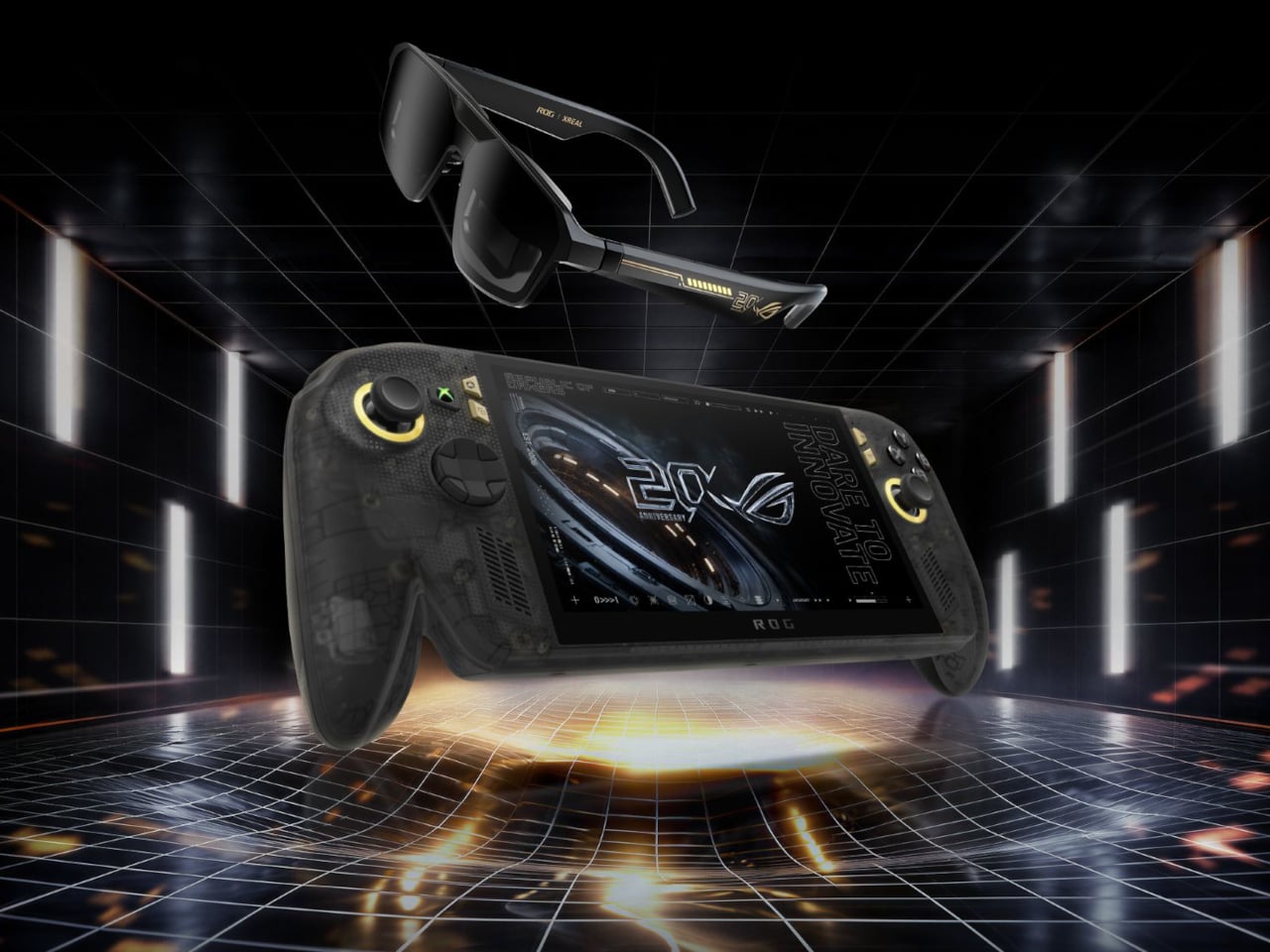
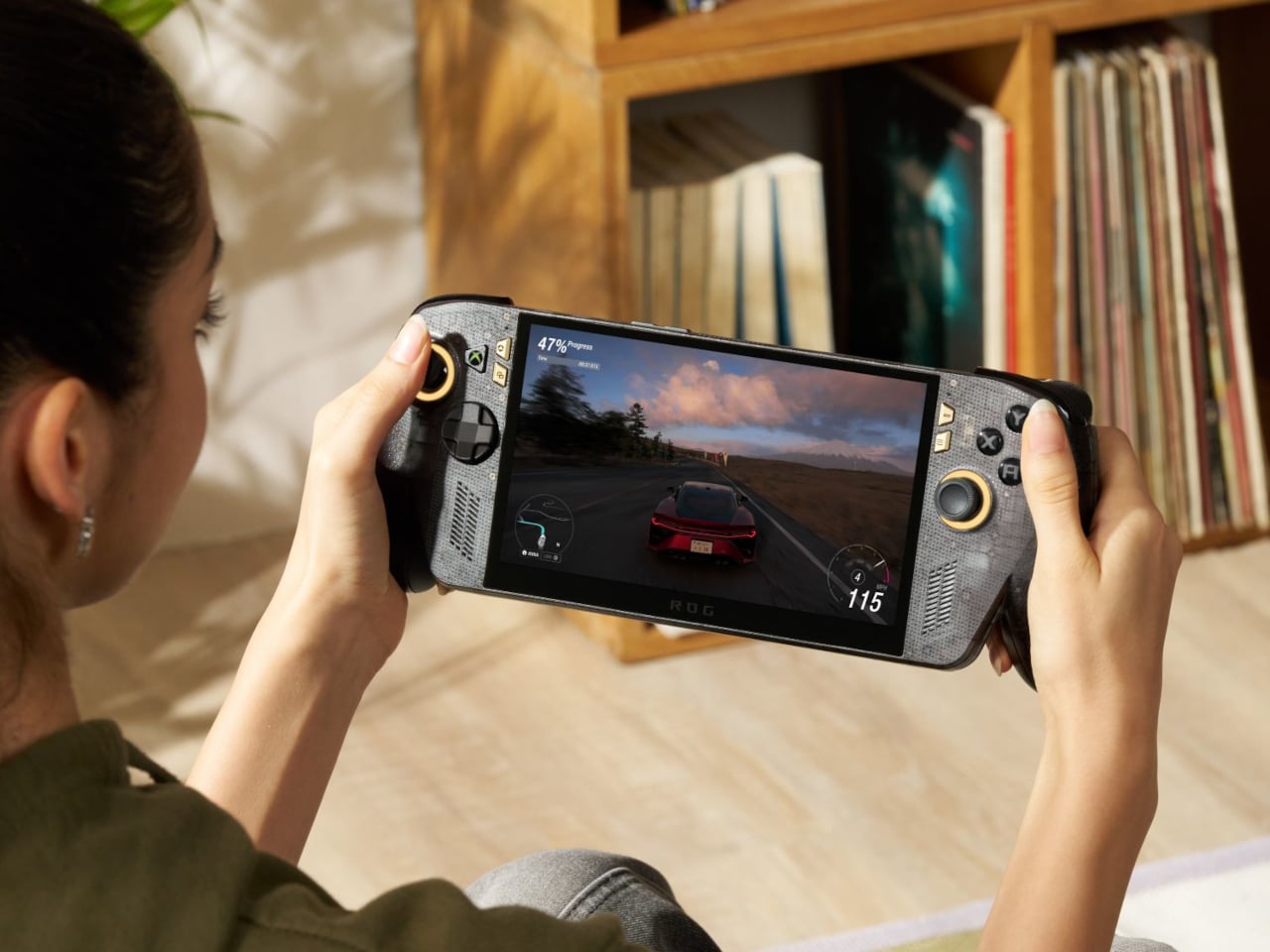
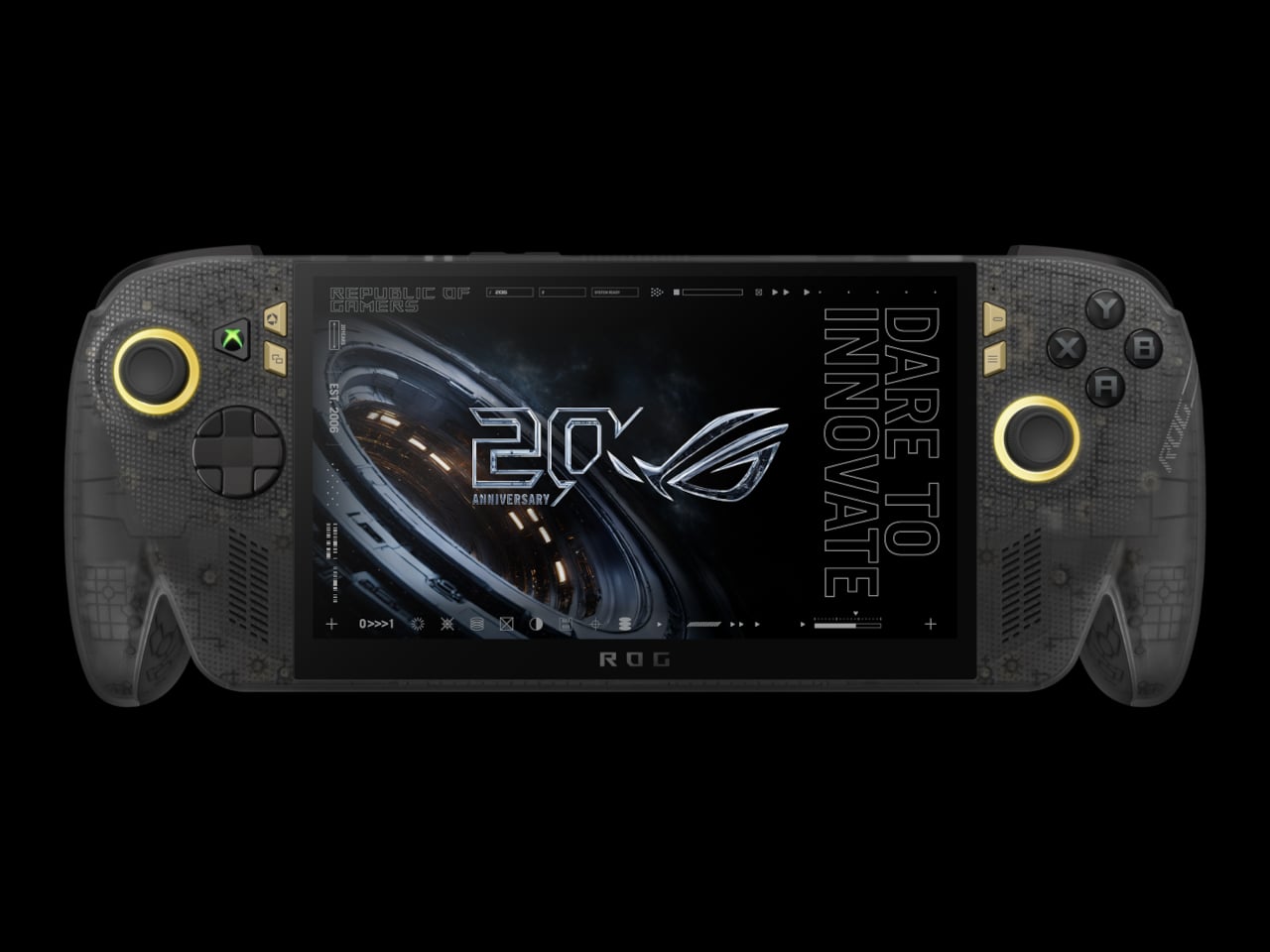
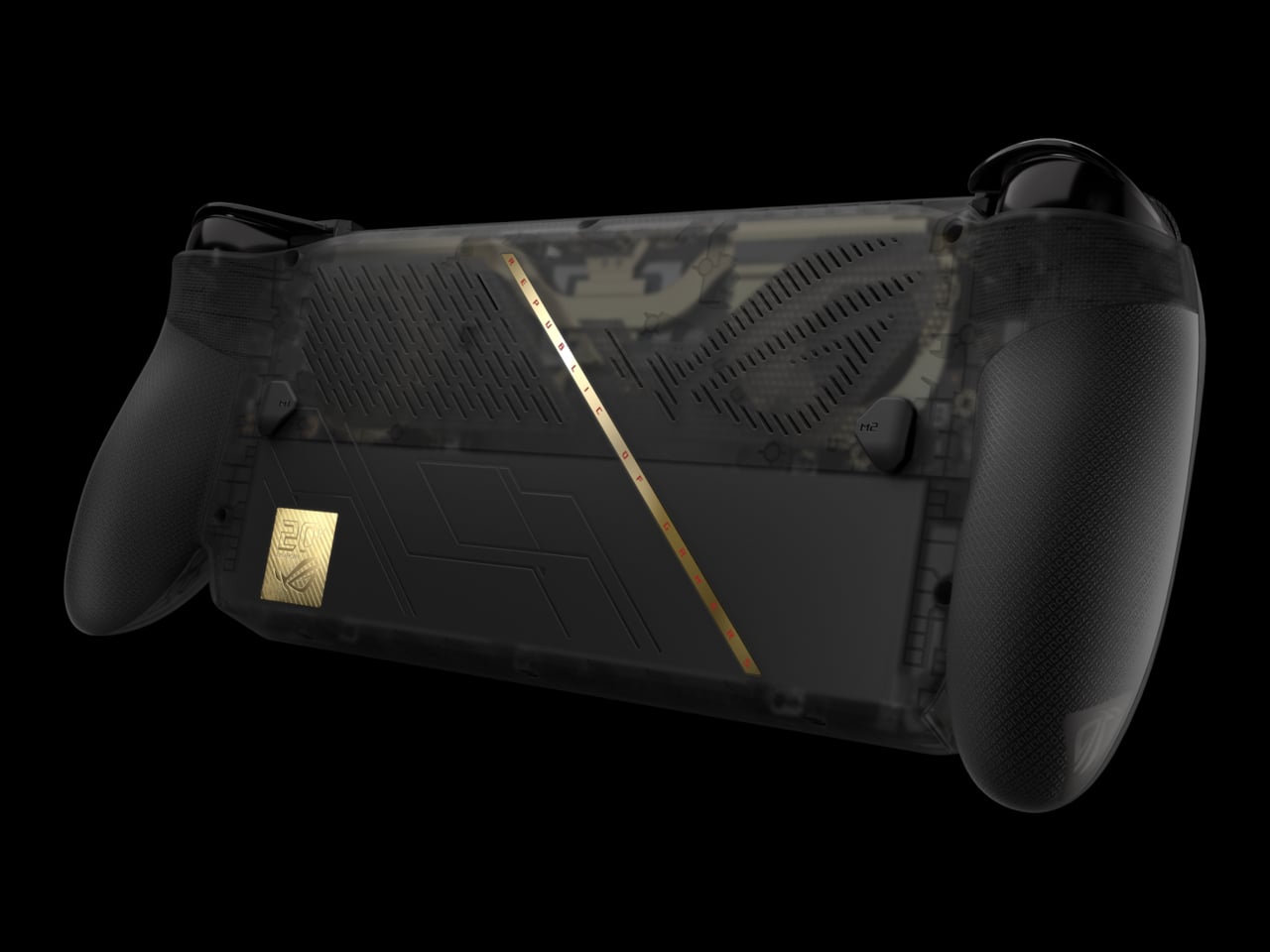
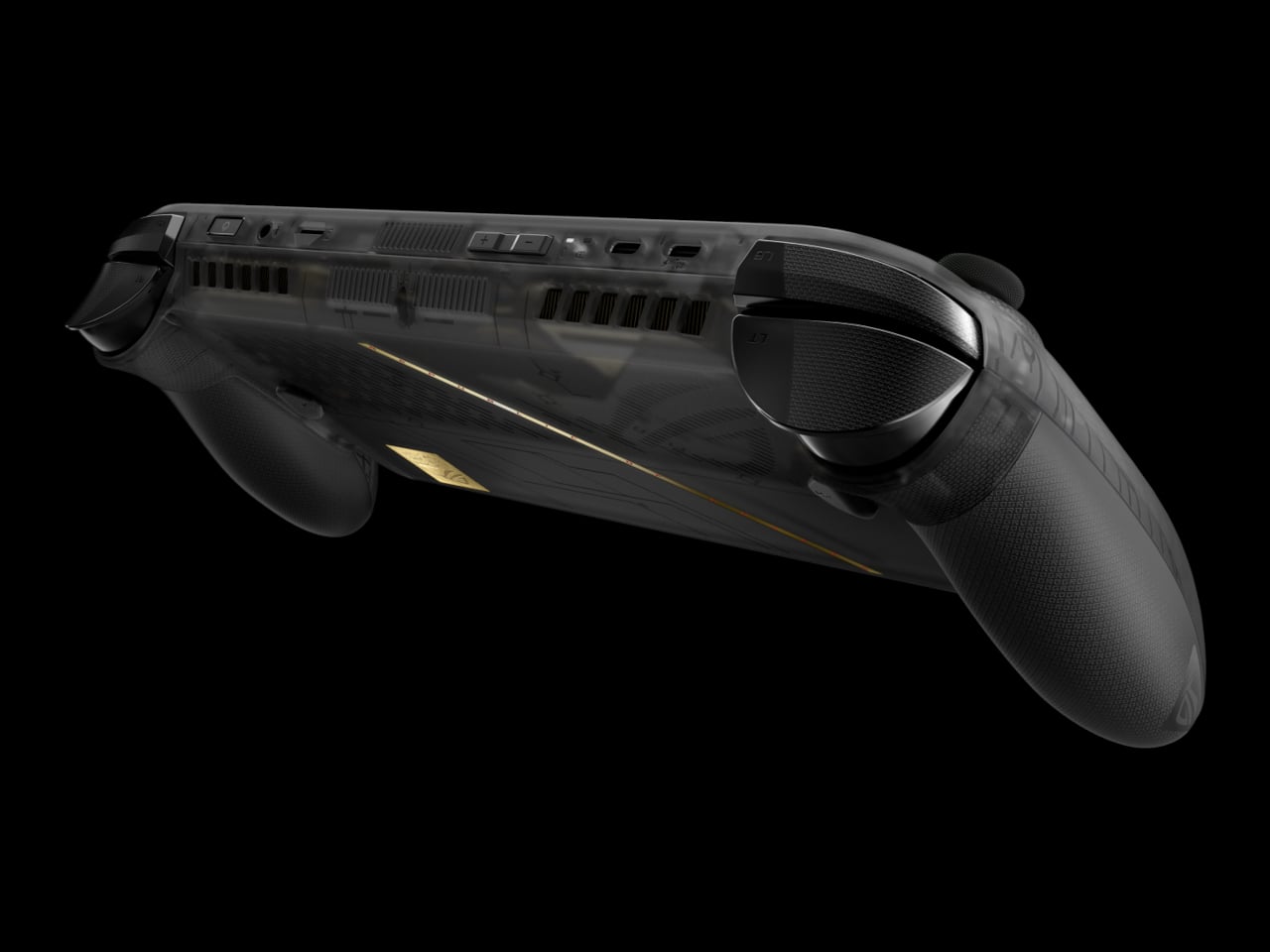
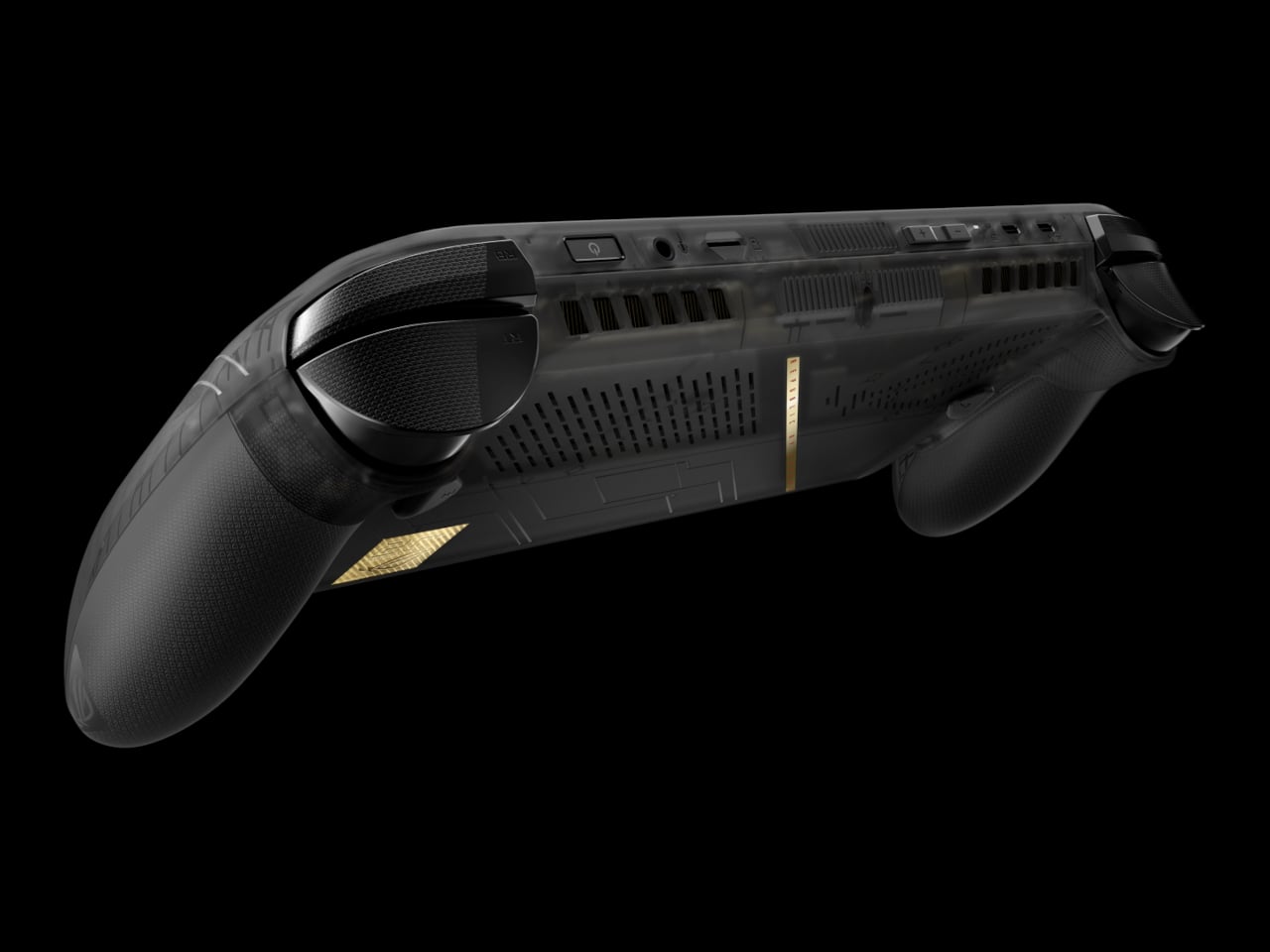
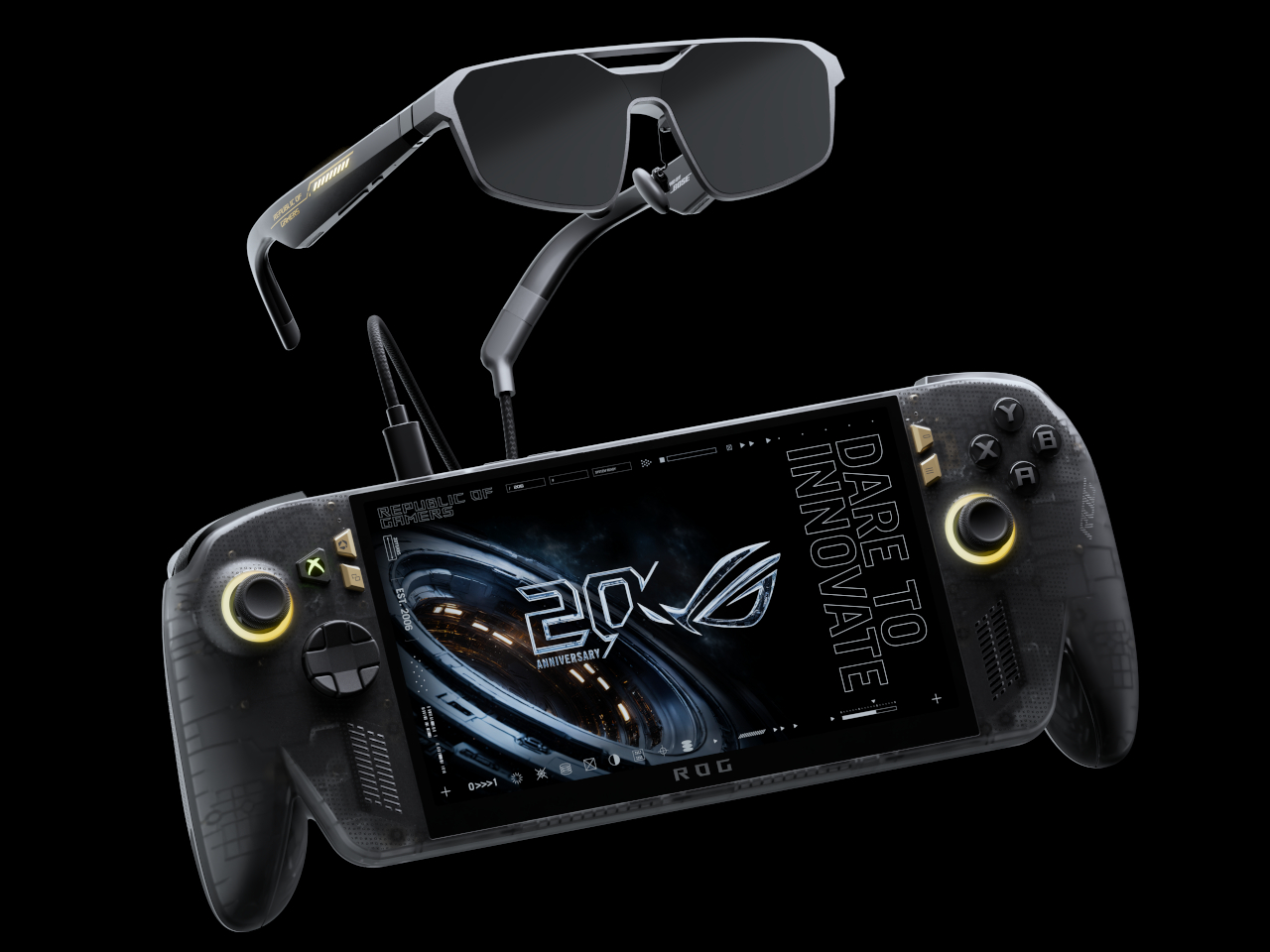
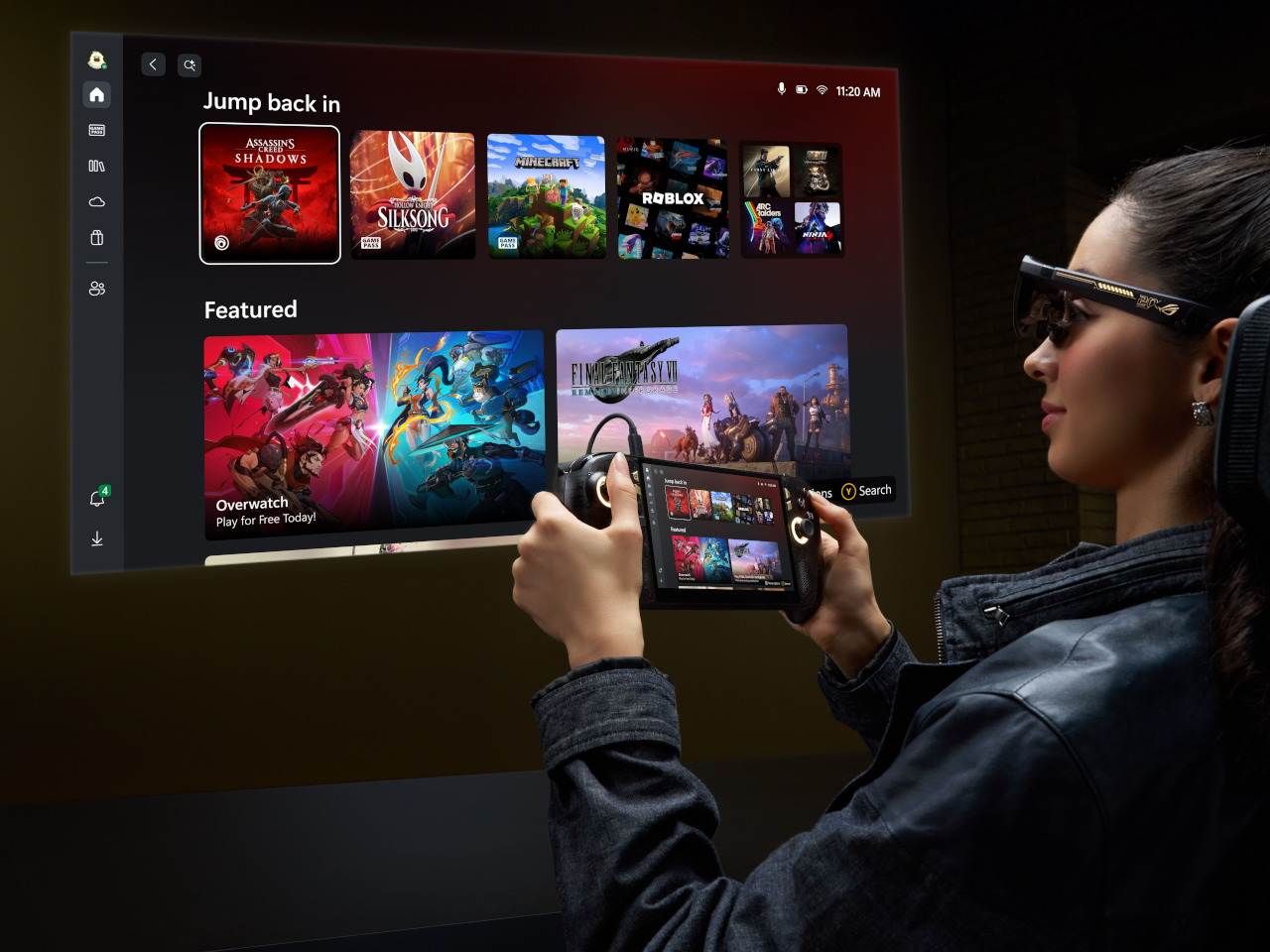
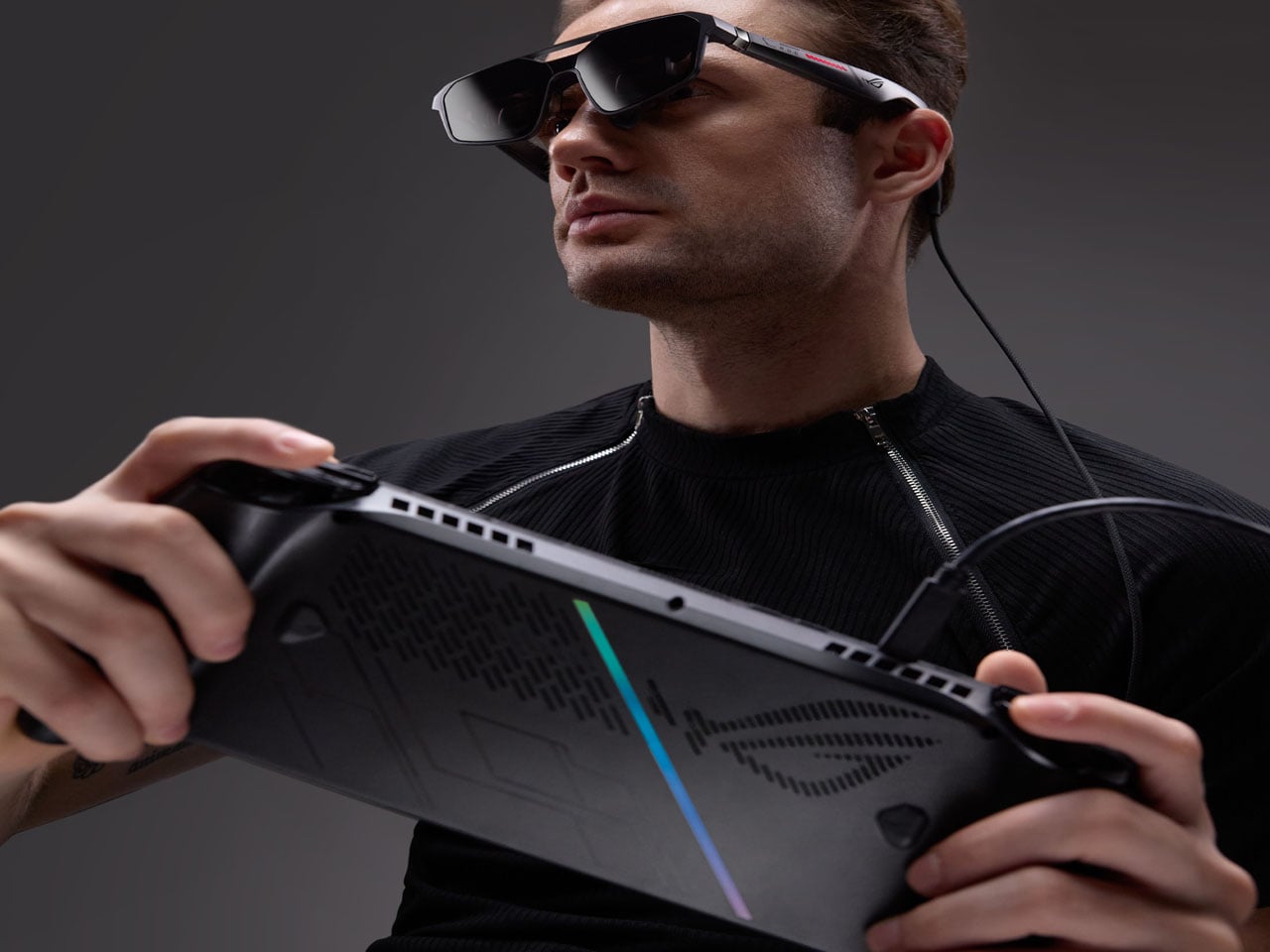
ROG is marking 20 years as a brand with an anniversary bundle that puts its most significant Ally upgrade to date front and center. The ROG XBOX Ally X20 is a special-edition take on the Ally X, built around a translucent black chassis with a gold internal structure and a 7.4-inch OLED display, the first of its kind on an Ally, paired in the box with a set of AR gaming glasses.

Designer: ASUS

The jump from IPS to OLED on the Ally is hard to overstate for anyone who’s spent time with both panel types. The Nebula HDR Display delivers 1,400 nits of peak brightness, a 0.2ms response time, a 120Hz refresh rate with FreeSync Premium Pro, and support for Dolby Vision. VESA DisplayHDR 1000 certification rounds it out, and Corning DXC glass with an anti-reflective coating cuts glare by 65%.

Under the hood, the AMD Ryzen AI Z2 Extreme processor carries the same horsepower as the Ally X, backed by 24GB of RAM and an 80Wh battery. New TMR joysticks deliver better precision and tracking. Auto SR upscaling handles frame-quality boosts at lower power costs, and Xbox Mode offers a clean, console-like interface for navigating a library that spans Xbox, PC Game Pass, and Steam.

The design is the most conspicuous part of the X20’s identity. The translucent black body lets the gold-accented internal frame show through, making the engineering itself part of the aesthetic. It’s a specific kind of flex that ROG’s anniversary context earns credibility for. Rubberized coating on the rear handgrips keeps the feel practical rather than purely decorative, which matters for a device meant to hold through long gaming sessions.

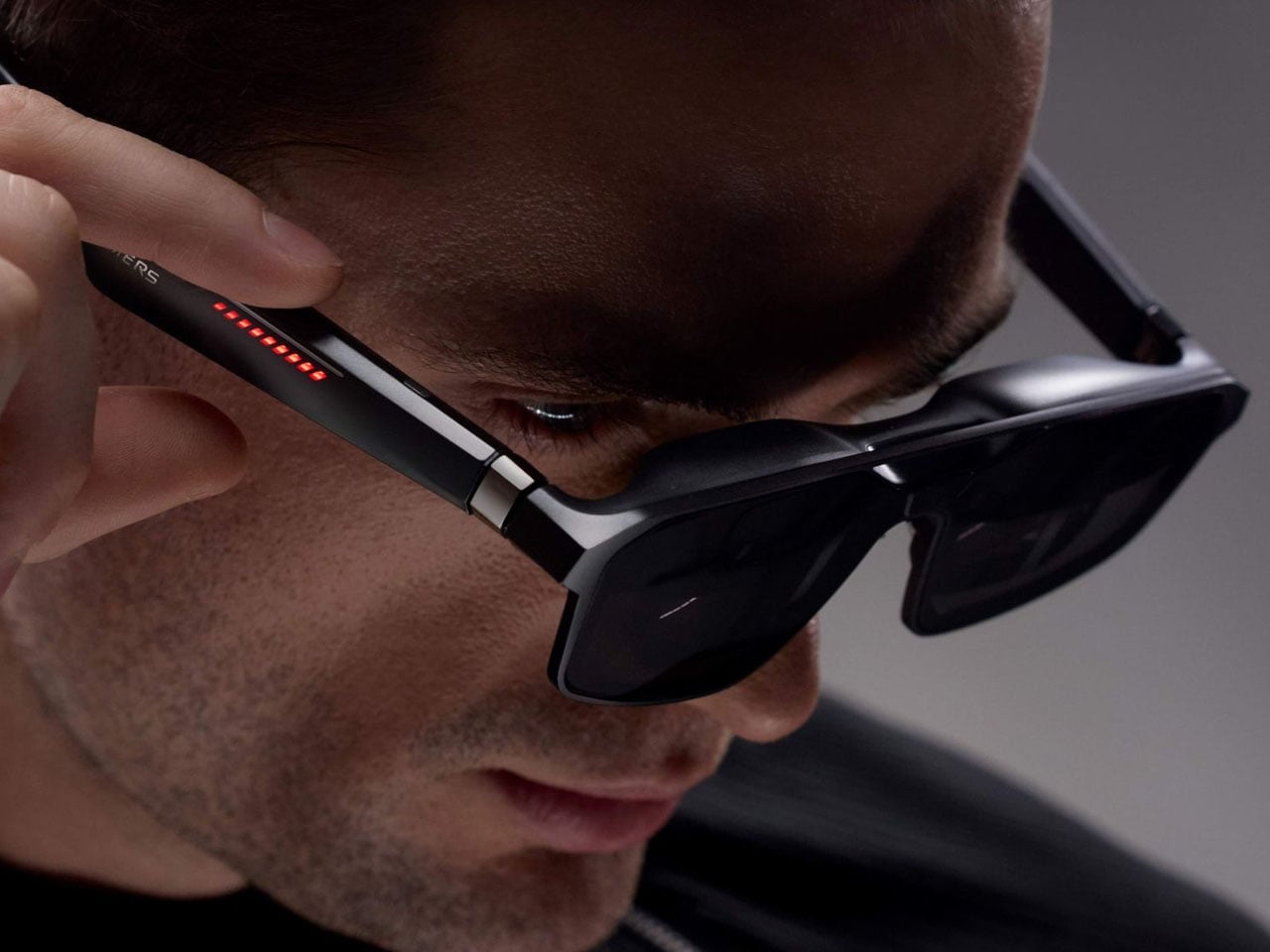
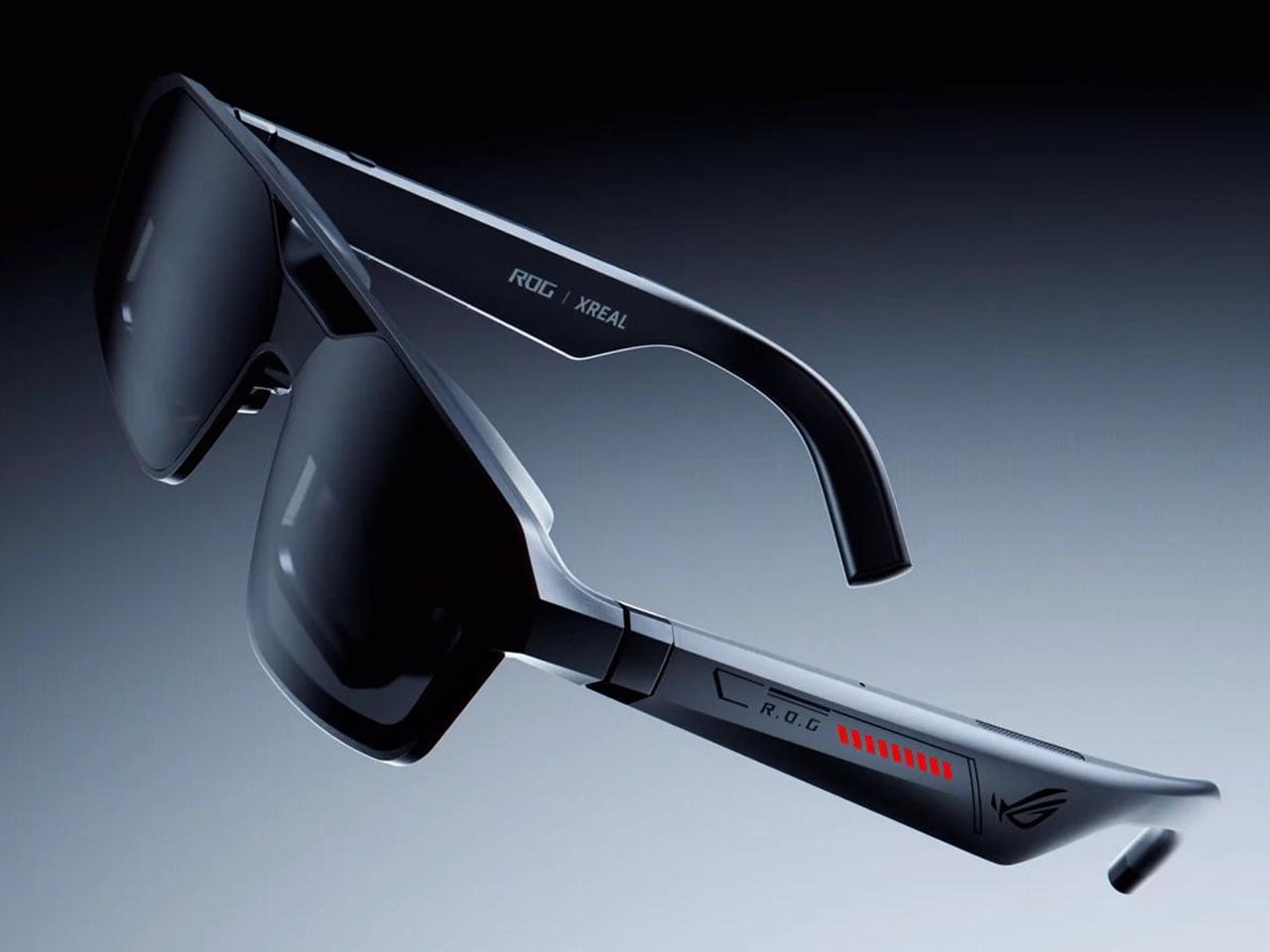
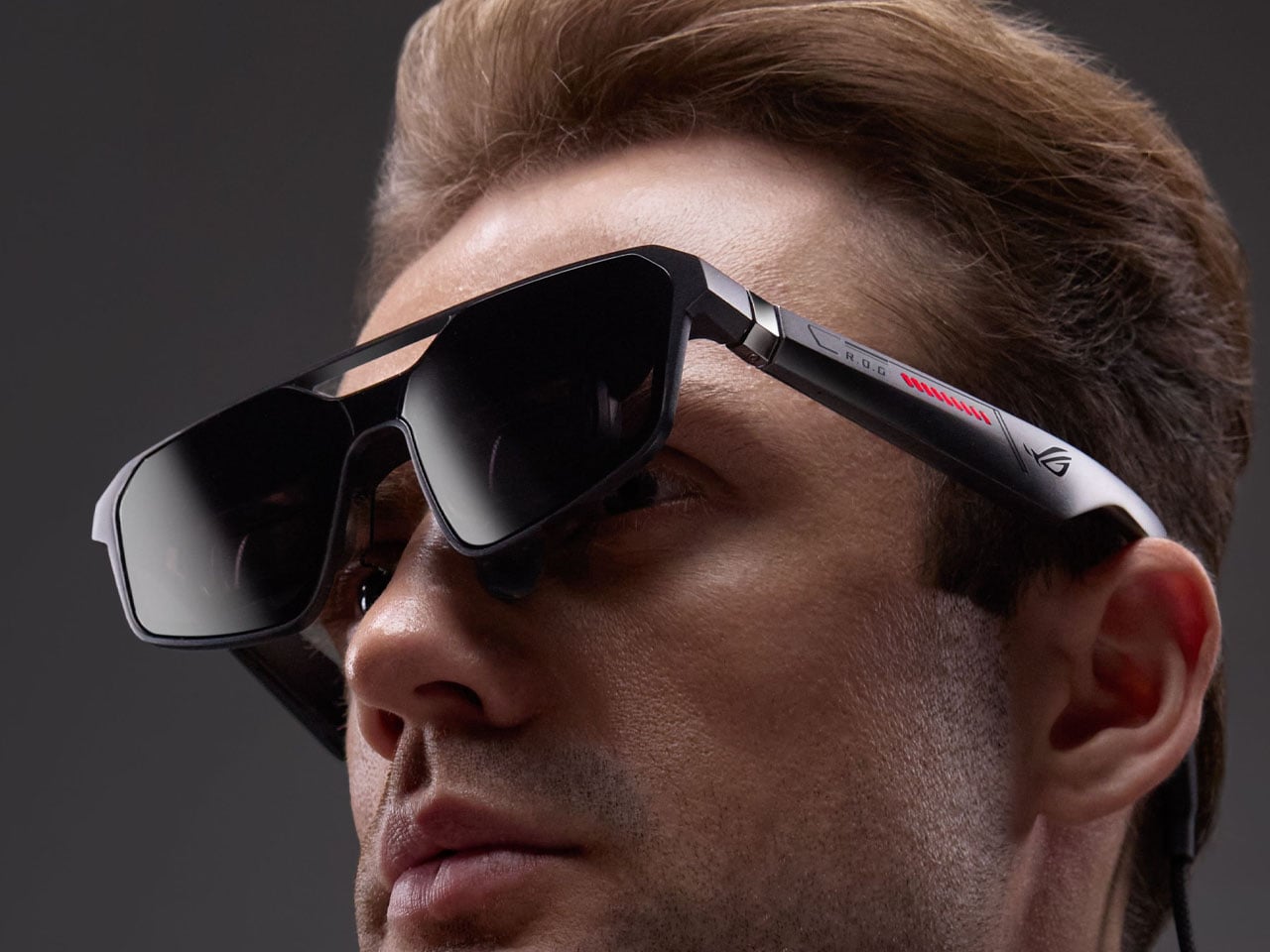
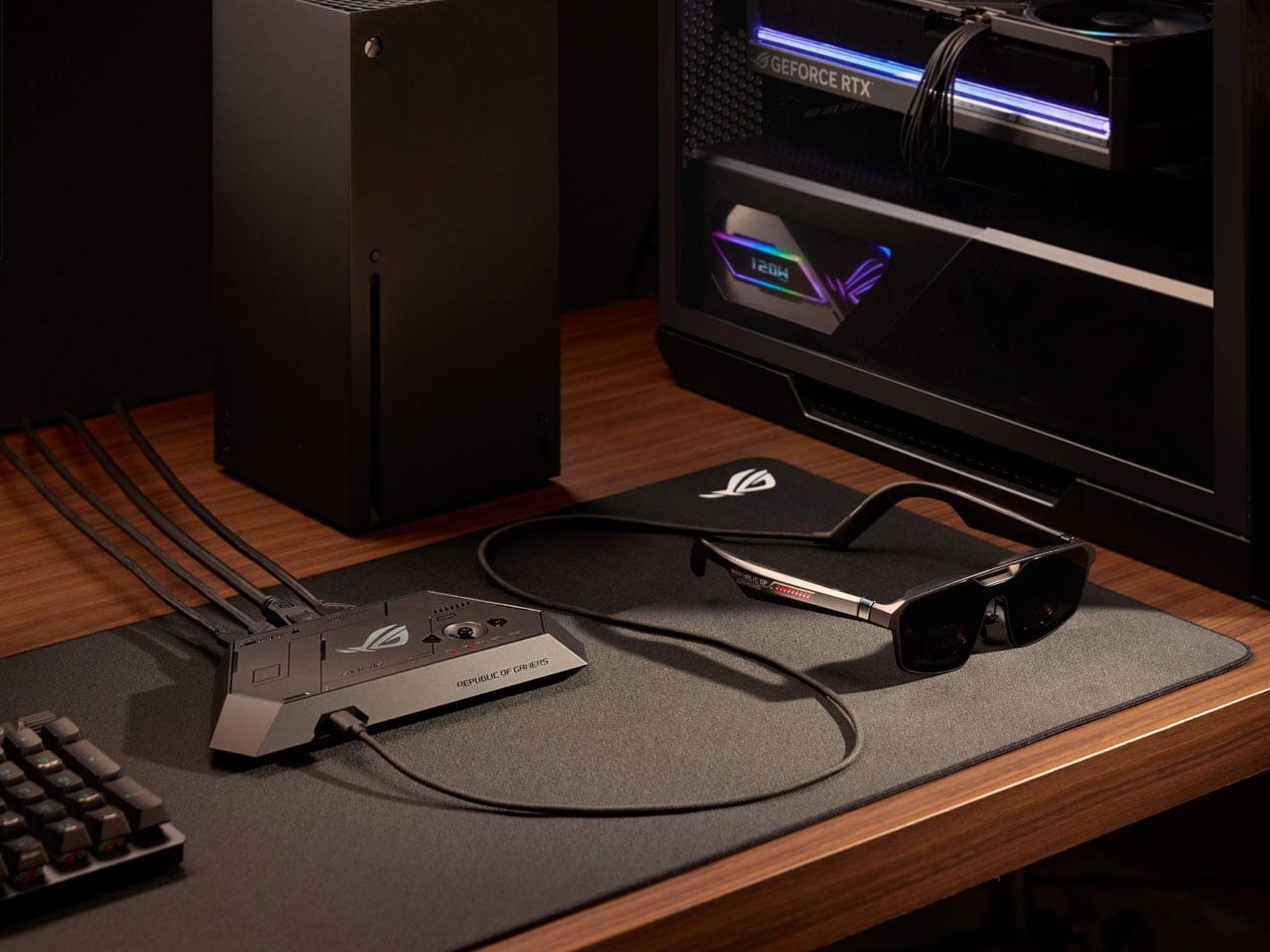
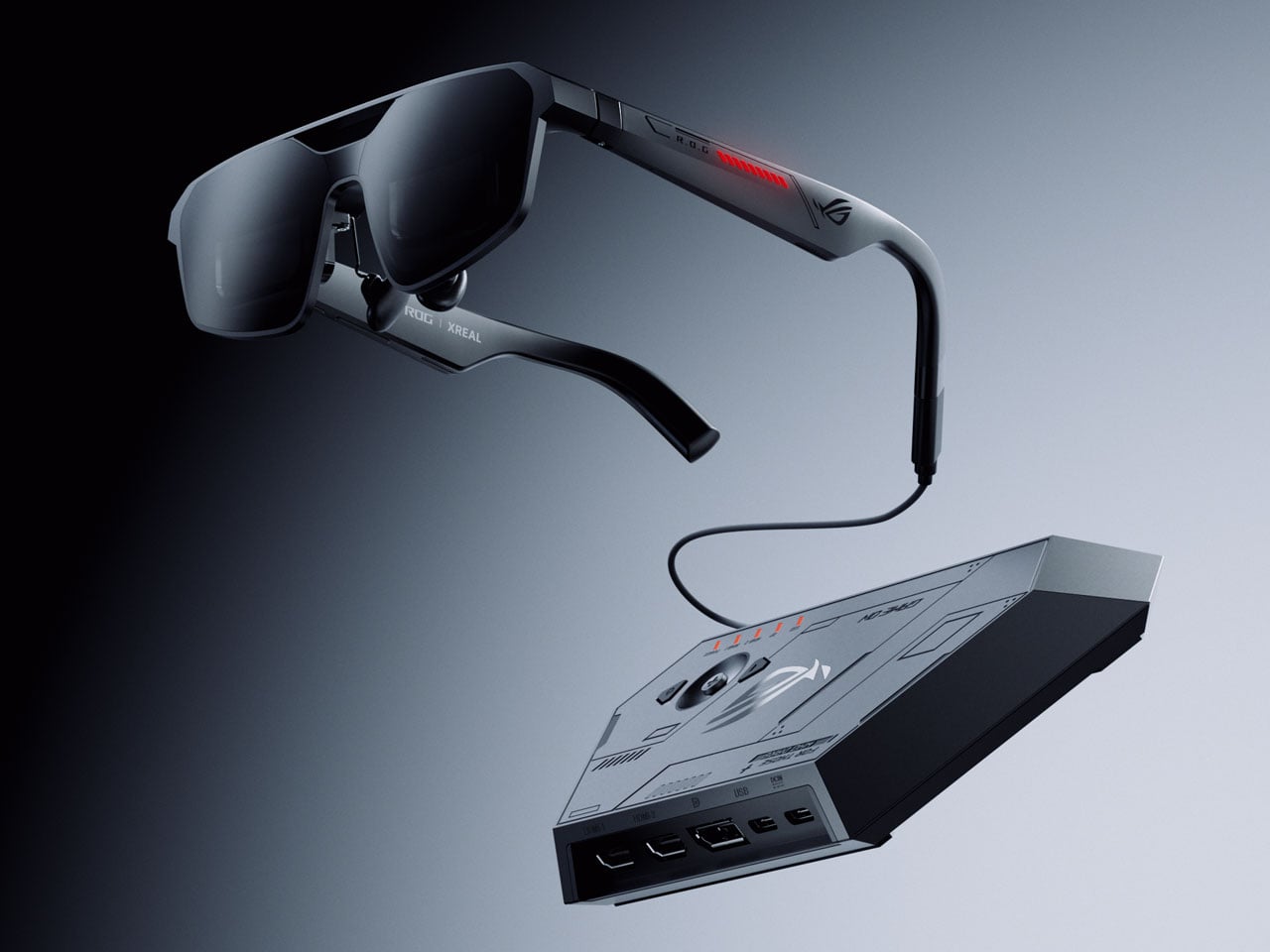
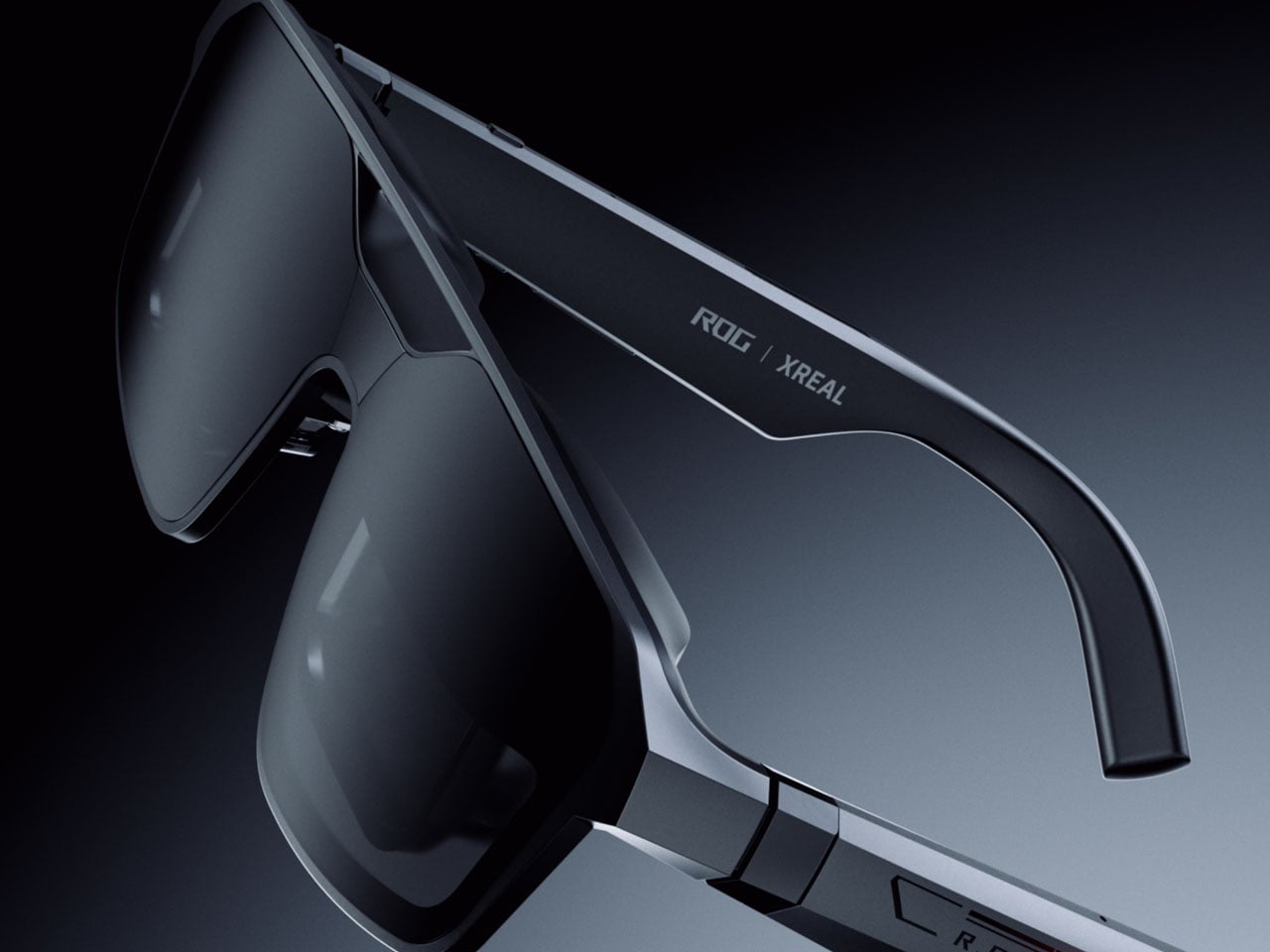
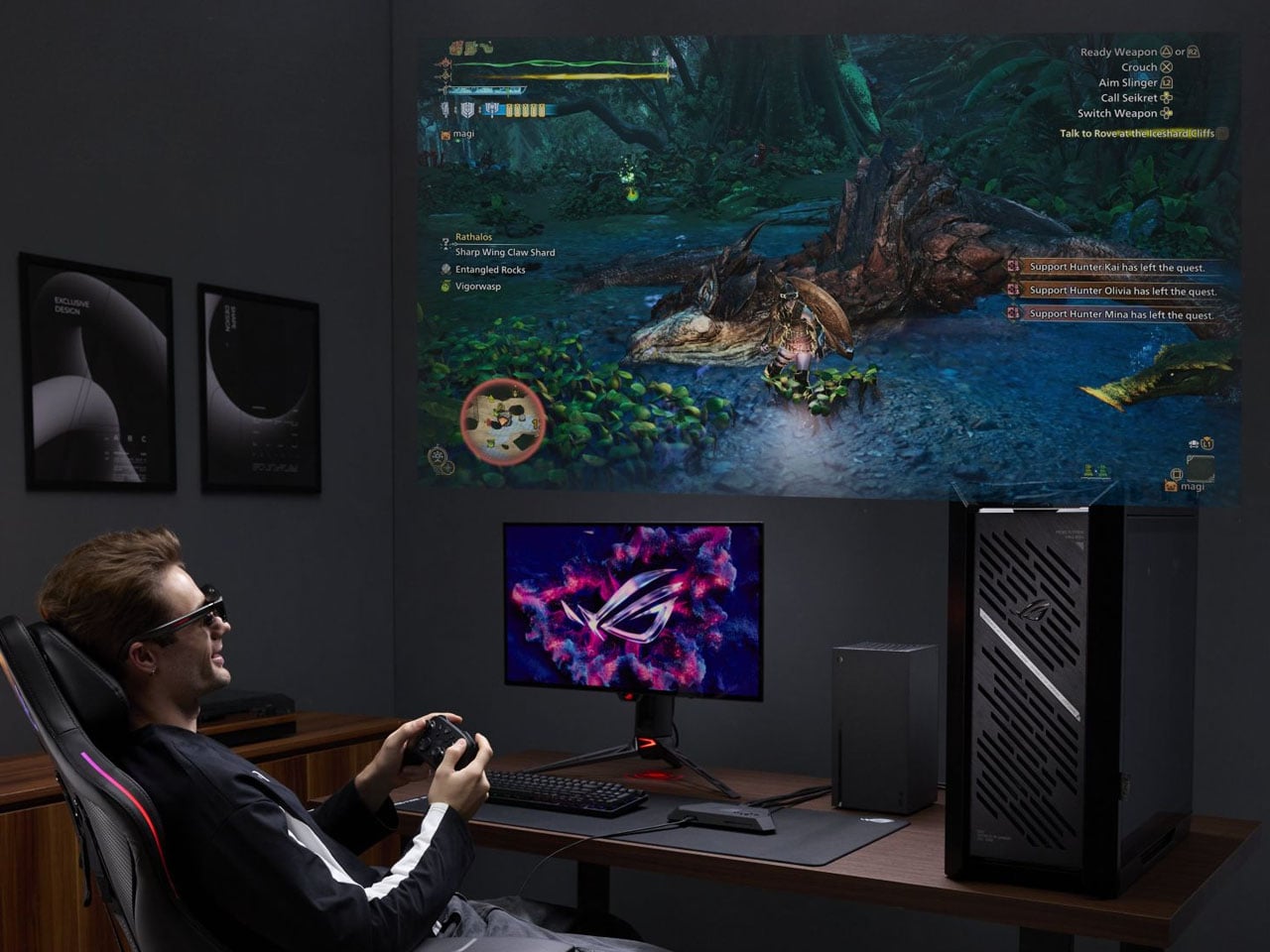
The bundle’s second piece is the ROG XREAL R1 Edition 20 Gaming AR Glasses, and they’re the part that makes this package genuinely different from simply selling a revised Ally X. These aren’t the kind of smart glasses that surface notifications or track fitness. They’re designed specifically for gaming, using dual Sony Micro-OLED displays to generate a virtual screen sized for long sessions away from a TV or monitor.

That virtual screen projects to 171 inches when viewed from 4 meters, covering 95% of the focused field of view. A 240Hz refresh rate and a 0.01ms response time keep fast-paced gameplay clean without smearing or lag. Native 3DoF head tracking anchors the display to your gaze, while Anchor Mode locks it in a fixed position for those who prefer to play without the screen following their movements.

The ROG XBOX Ally X20 isn’t the kind of hardware upgrade that quietly adds a spec or two. OLED on the Ally for the first time, combined with AR glasses that project a room-filling virtual display and wrapped in a translucent anniversary design, makes for a more complete idea than a typical limited-edition product usually delivers. A holiday 2026 release means the wait still has some time left.

The post ROG Just Gave the Ally Its First OLED and a 171-Inch AR Screen first appeared on Yanko Design.

ROG Just Gave the Ally Its First OLED and a 171-Inch AR Screen

Handheld gaming PCs have become serious pieces of hardware over the past few years, and the display has quietly become the most contested spec on the spec sheet. Early handhelds shipped with IPS panels as a matter of course, but expectations have shifted. Owners of these devices spend long hours staring at a relatively small screen, and the quality of that screen now shapes how the whole experience is judged.

ROG is marking 20 years as a brand with an anniversary bundle that puts its most significant Ally upgrade to date front and center. The ROG XBOX Ally X20 is a special-edition take on the Ally X, built around a translucent black chassis with a gold internal structure and a 7.4-inch OLED display, the first of its kind on an Ally, paired in the box with a set of AR gaming glasses.

Designer: ASUS

The jump from IPS to OLED on the Ally is hard to overstate for anyone who’s spent time with both panel types. The Nebula HDR Display delivers 1,400 nits of peak brightness, a 0.2ms response time, a 120Hz refresh rate with FreeSync Premium Pro, and support for Dolby Vision. VESA DisplayHDR 1000 certification rounds it out, and Corning DXC glass with an anti-reflective coating cuts glare by 65%.

Under the hood, the AMD Ryzen AI Z2 Extreme processor carries the same horsepower as the Ally X, backed by 24GB of RAM and an 80Wh battery. New TMR joysticks deliver better precision and tracking. Auto SR upscaling handles frame-quality boosts at lower power costs, and Xbox Mode offers a clean, console-like interface for navigating a library that spans Xbox, PC Game Pass, and Steam.

The design is the most conspicuous part of the X20’s identity. The translucent black body lets the gold-accented internal frame show through, making the engineering itself part of the aesthetic. It’s a specific kind of flex that ROG’s anniversary context earns credibility for. Rubberized coating on the rear handgrips keeps the feel practical rather than purely decorative, which matters for a device meant to hold through long gaming sessions.

The bundle’s second piece is the ROG XREAL R1 Edition 20 Gaming AR Glasses, and they’re the part that makes this package genuinely different from simply selling a revised Ally X. These aren’t the kind of smart glasses that surface notifications or track fitness. They’re designed specifically for gaming, using dual Sony Micro-OLED displays to generate a virtual screen sized for long sessions away from a TV or monitor.

That virtual screen projects to 171 inches when viewed from 4 meters, covering 95% of the focused field of view. A 240Hz refresh rate and a 0.01ms response time keep fast-paced gameplay clean without smearing or lag. Native 3DoF head tracking anchors the display to your gaze, while Anchor Mode locks it in a fixed position for those who prefer to play without the screen following their movements.

The ROG XBOX Ally X20 isn’t the kind of hardware upgrade that quietly adds a spec or two. OLED on the Ally for the first time, combined with AR glasses that project a room-filling virtual display and wrapped in a translucent anniversary design, makes for a more complete idea than a typical limited-edition product usually delivers. A holiday 2026 release means the wait still has some time left.

The post ROG Just Gave the Ally Its First OLED and a 171-Inch AR Screen first appeared on Yanko Design.

ROG Just Made Gaming Peripherals You’d Actually Put on Display

Gaming peripherals have gradually crossed from purely functional tools into design objects that enthusiasts keep, display, and collect alongside their builds. Limited-edition anniversary hardware has become part of that culture, giving manufacturers a chance to honor their history while reminding the community why certain names still carry weight. Making those commemorative pieces feel genuinely worthy of the occasion, however, is always the trickier part.

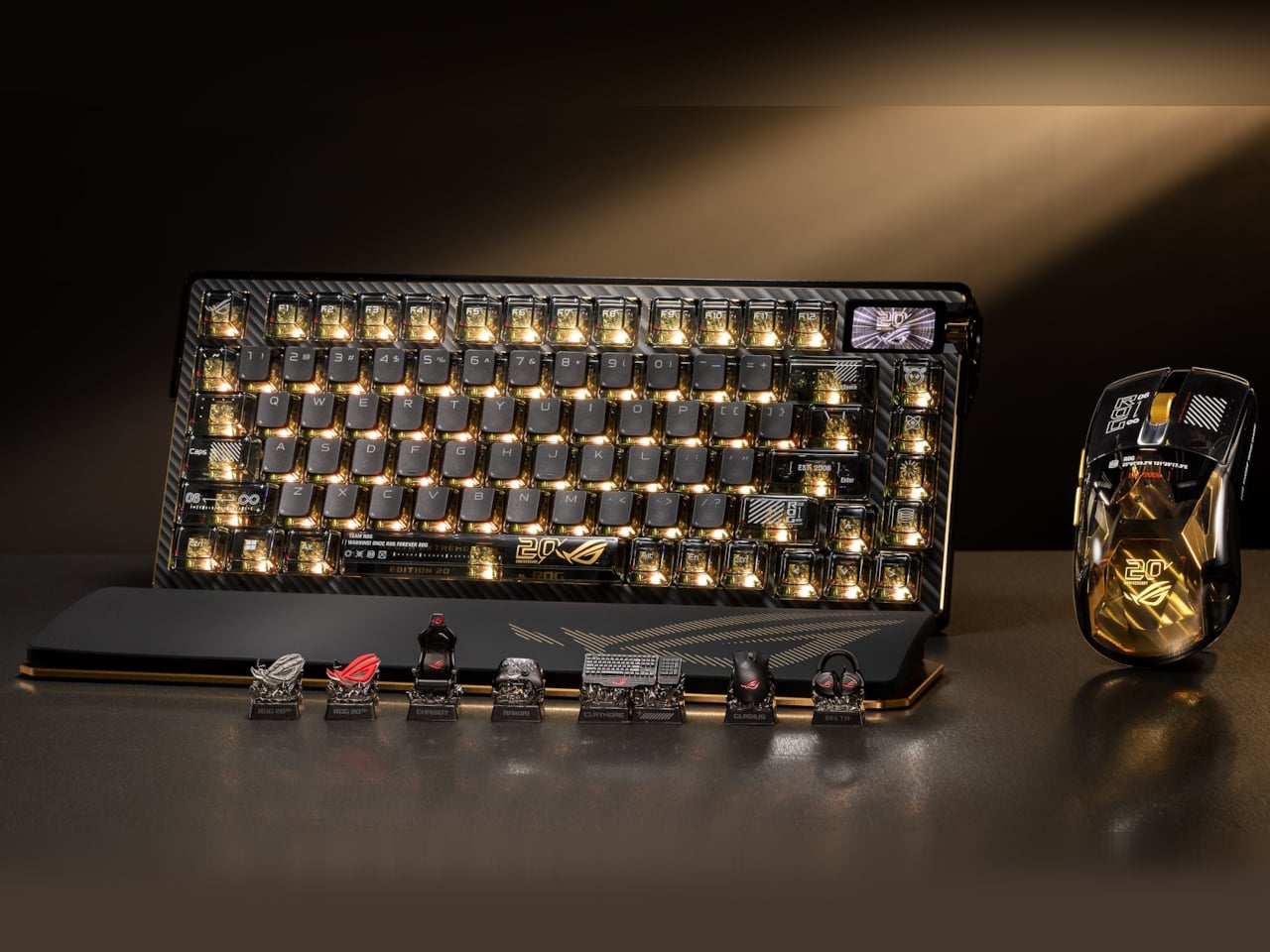
ROG, short for ASUS’ Republic of Gamers brand, is marking 20 years of gaming innovation with an anniversary lineup centered on a gold-and-black design identity it calls the Edition 20 colorway. Three peripheral additions sit at the heart of it, namely the Azoth Extreme Edition 20 keyboard, the Harpe II Extreme Edition 20 mouse, and the Keycap Mystery Box Edition 20, each making the case that high-performance hardware and collector-worthy design don’t have to live separately.

Designer: ASUS

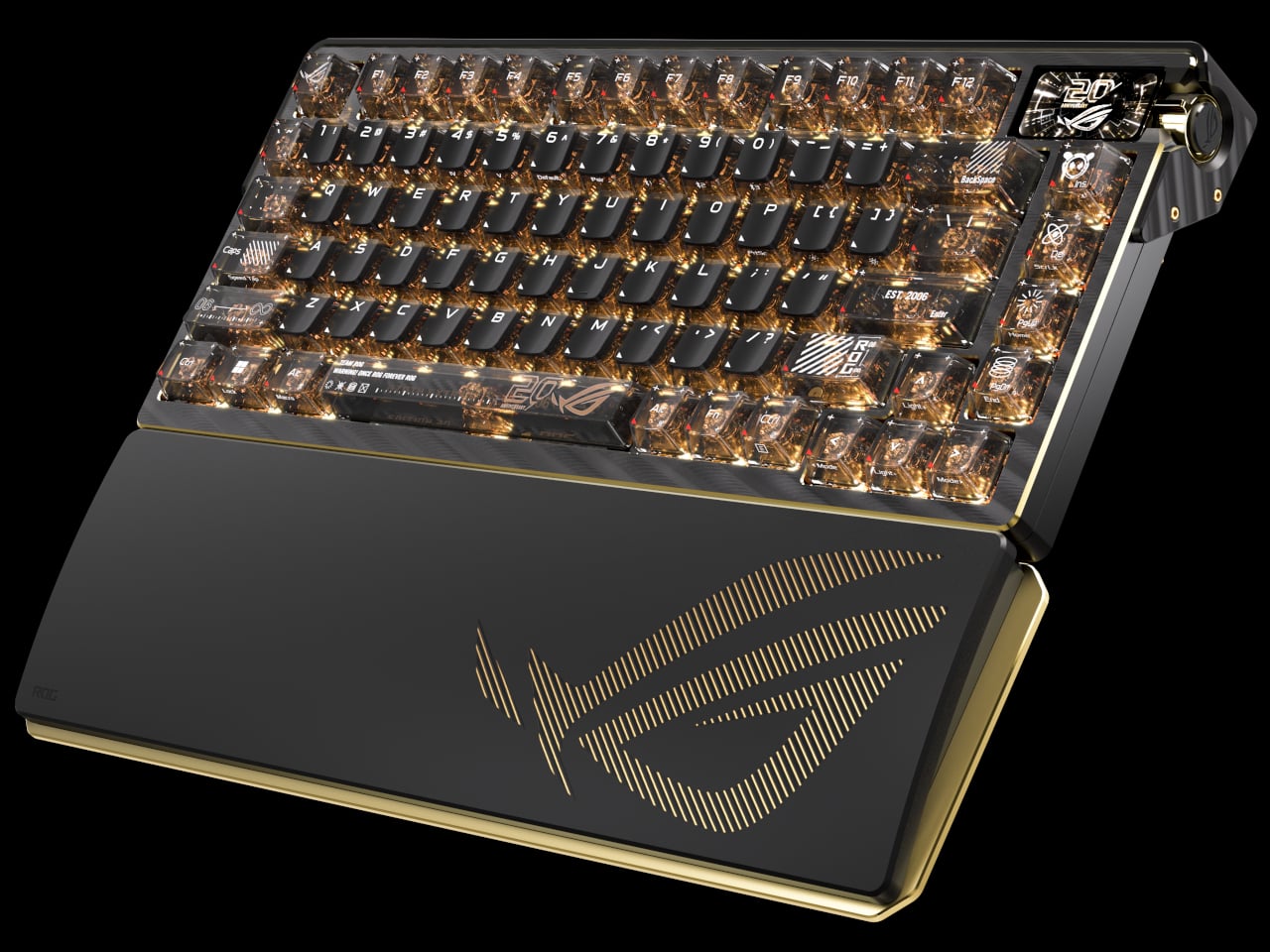
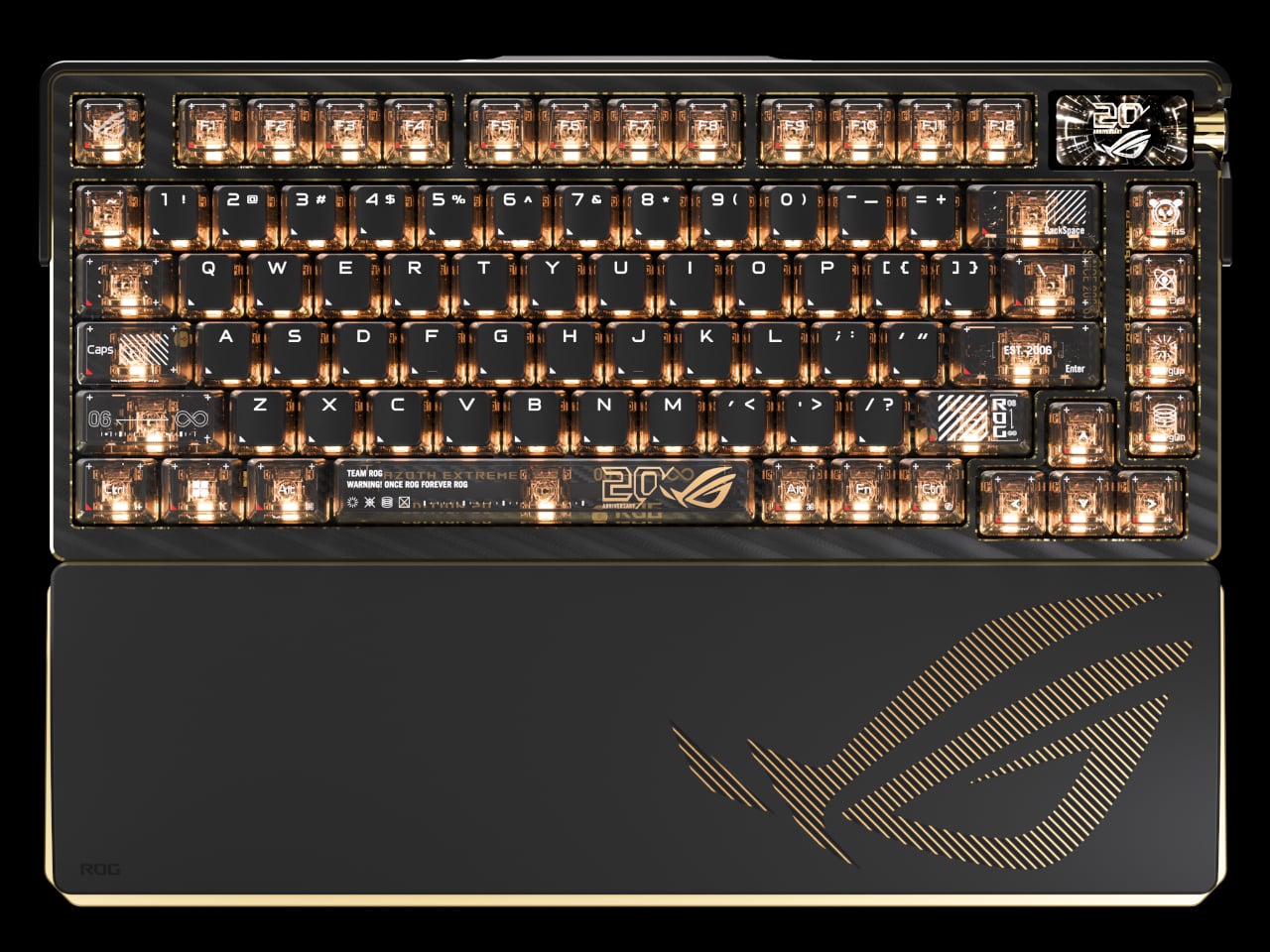
The Azoth Extreme Edition 20 is a 75% gaming keyboard that wears the anniversary theme without being heavy-handed about it. Translucent keycaps reveal the mechanics below, and a detachable 24K-gold-plated nameplate at the front makes the occasion official without being excessive. The extended silicone wrist rest adds completeness to the package, anchored by a gold-toned aluminum-alloy base that ties everything together without introducing anything out of place.

Beneath that exterior, an adjustable gasket mount toggles between Hard and Soft typing modes, useful for anyone who games and types for long hours in the same session. The custom ROG NX Edition 20 mechanical switches are transparent, factory pre-lubed, and hot-swappable, while an OLED touchscreen with a three-way control knob handles quick adjustments. In 2.4GHz wireless mode, battery life stretches to up to 1,600 hours.

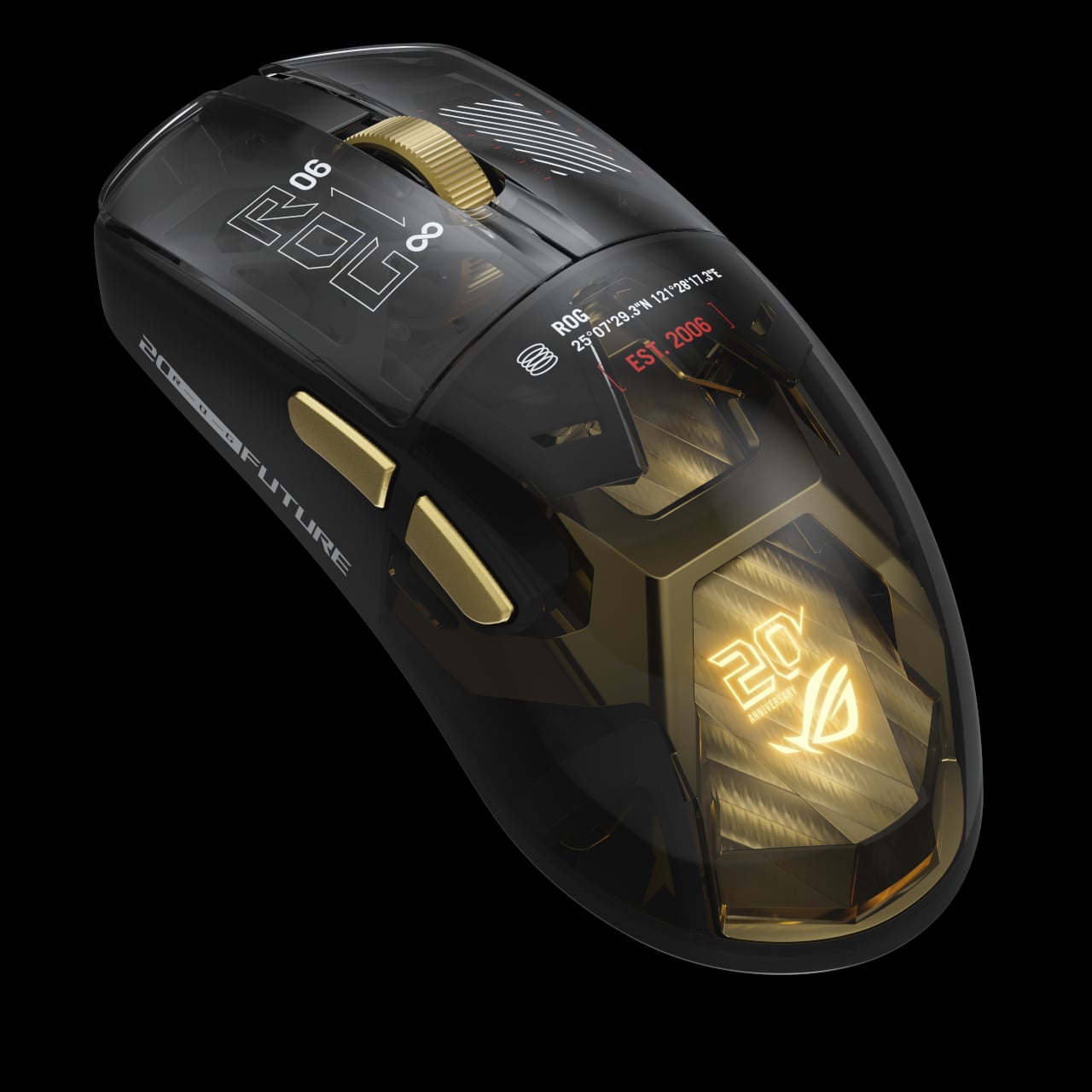
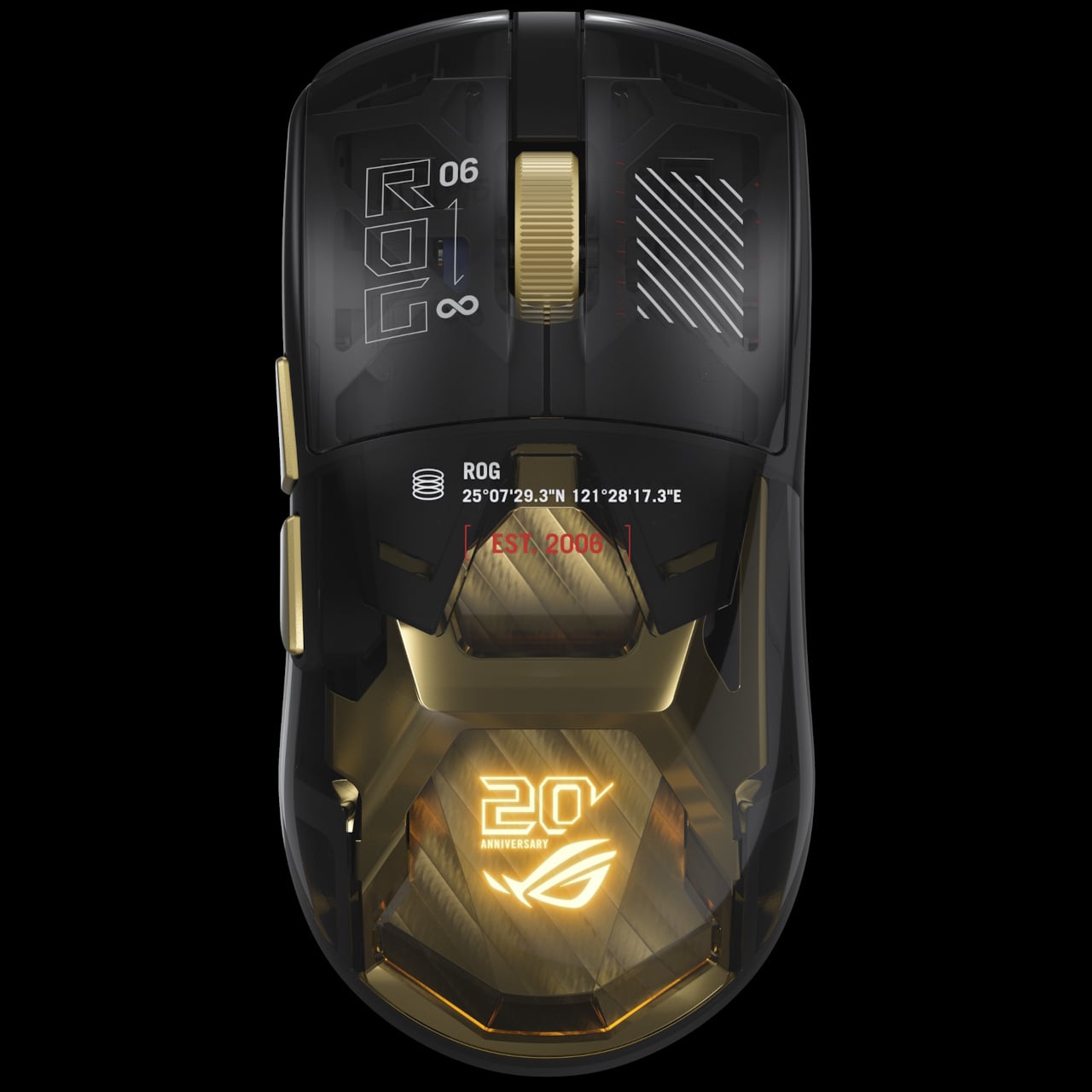
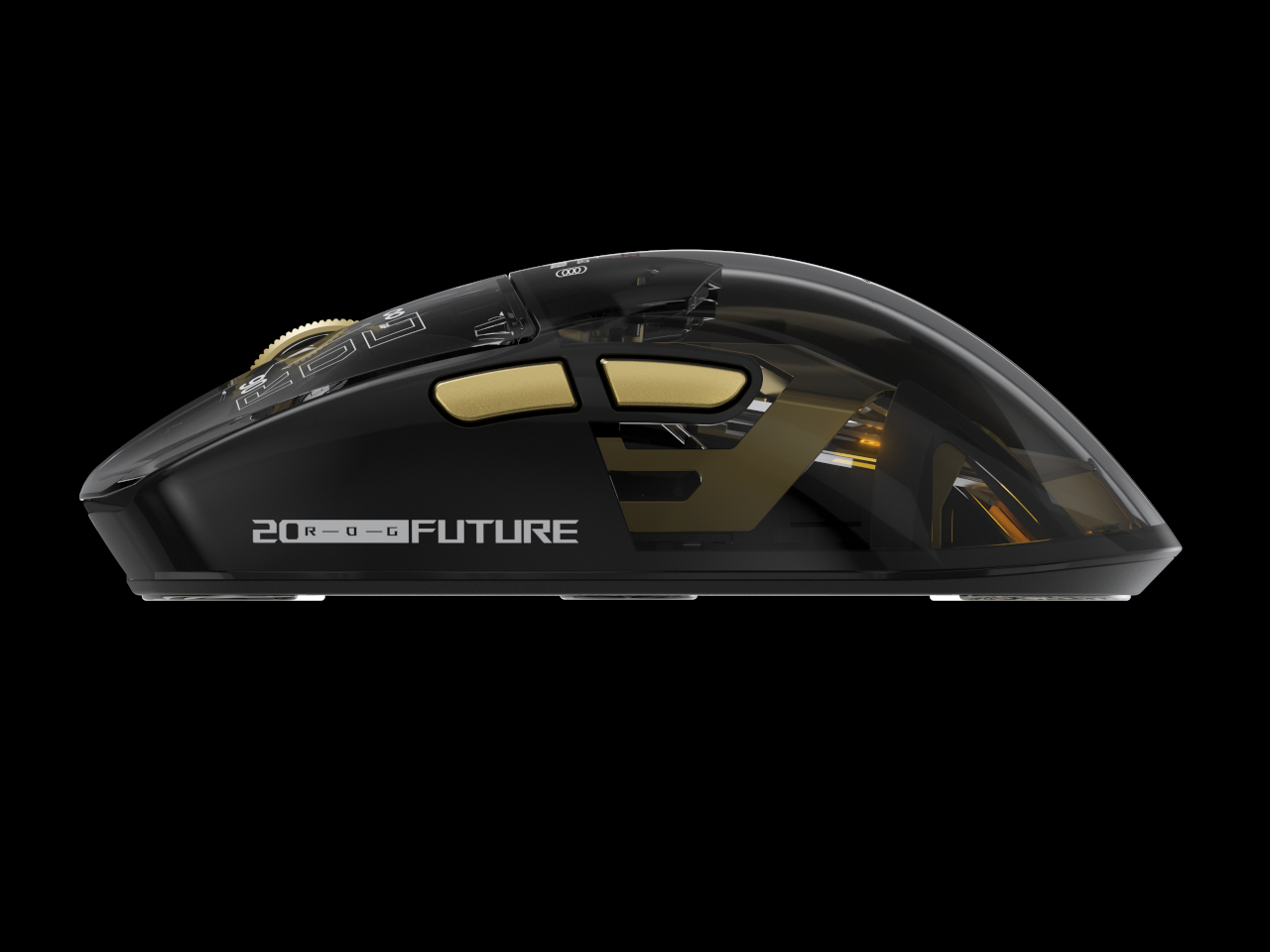
The Harpe II Extreme Edition 20 shares the same design language and makes a natural companion to the keyboard. Built on the pro-tested shape of the Harpe II Ace, it houses a 24K-gold-plated metal interior frame inside a crystal-clear shell, with an RGB light guide plate illuminating the components within. A display case ships with the mouse in the box, which feels entirely appropriate given how it looks at rest.

The ROG AimPoint Pro 65K sensor delivers 65,000 dpi with less than 1% CPI deviation and 8,000Hz wireless polling through ROG SpeedNova technology. At 82g with glass mouse feet already included, it’s ready for competitive play immediately. Battery life holds at up to 90 hours over 2.4GHz RF and 98.5 hours in Bluetooth mode, both measured with the lighting switched off.

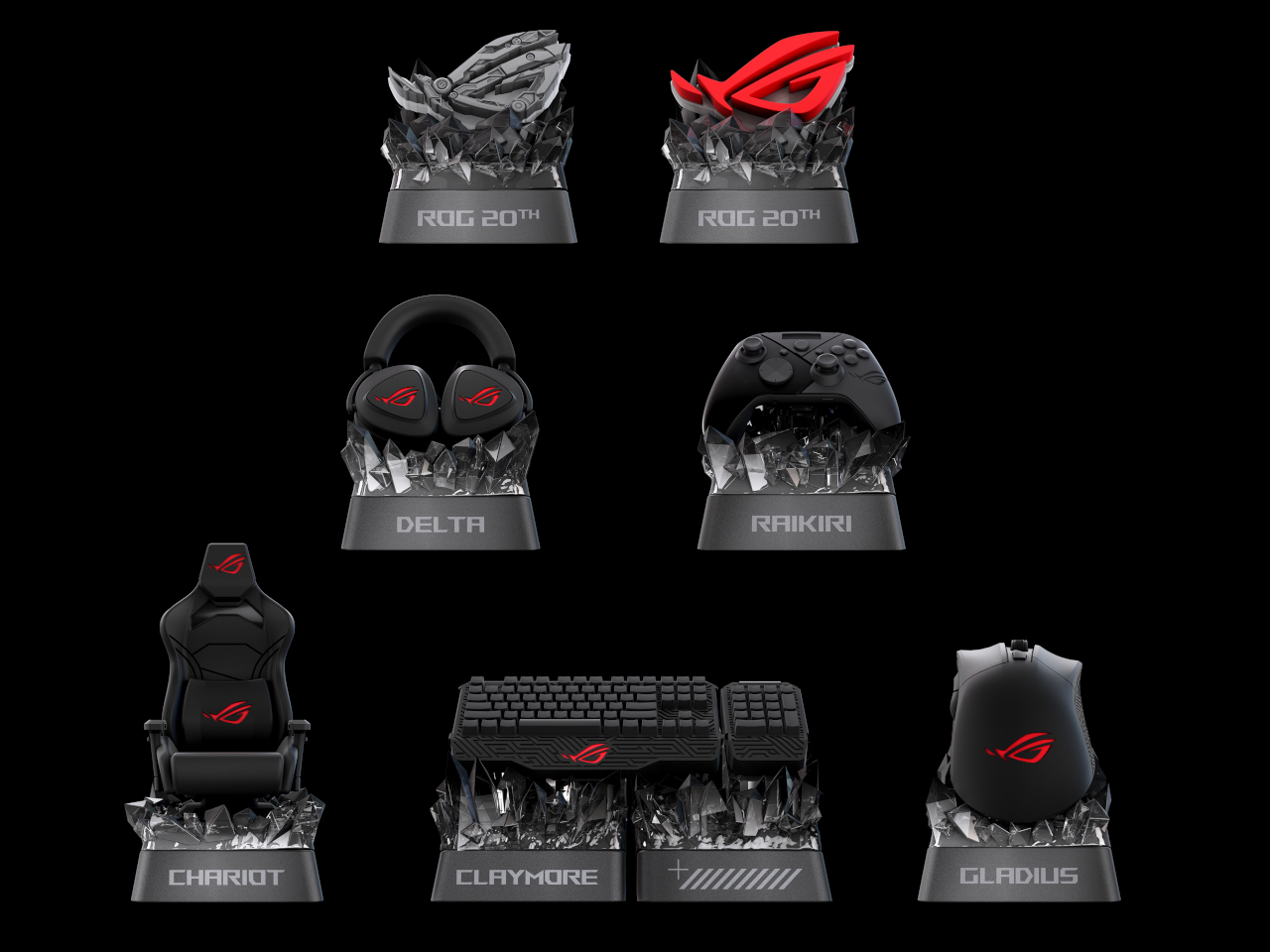
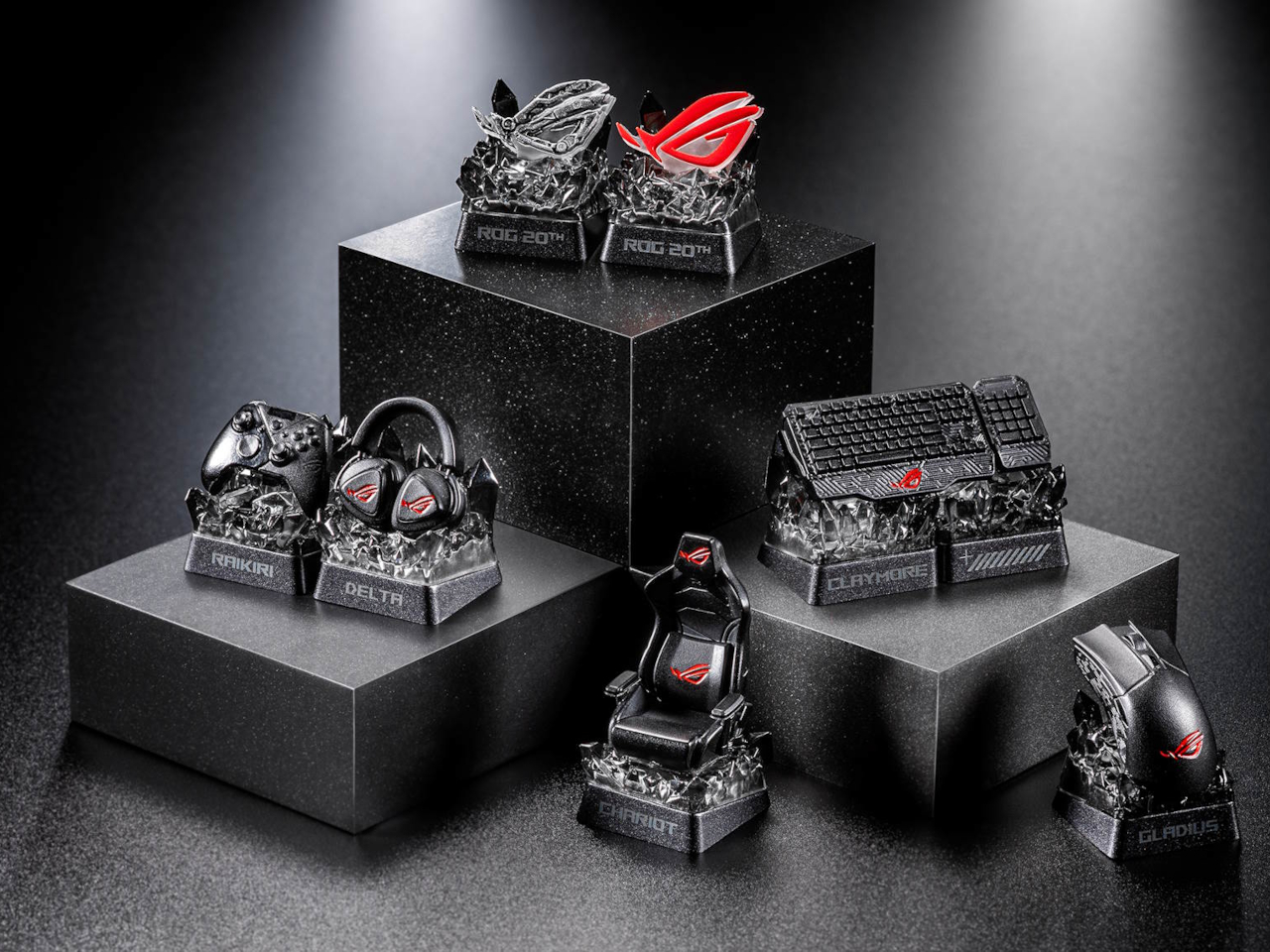
For those who aren’t swapping out their entire setup, the Keycap Mystery Box Edition 20 is the most accessible entry into the anniversary series. Each box holds a randomly selected keycap in one of seven designs inspired by iconic ROG peripherals and the ROG Fearless Eye logo, built through casting, high-pressure forming, hand-painted finishing, and structural assembly. The obsidian-inspired base and refined detailing make each piece genuinely display-worthy.

The ROG Claymore design is the one most worth watching for, as it includes two interlocking keycaps that reference the original keyboard’s modular layout. A Special Edition crystal-like ROG Logo keycap is also in the pool. Available as a single unit or a six-piece box with no duplicates, the Mystery Box turns 20 years of ROG hardware history into something you can keep in the palm of your hand.

The post ROG Just Made Gaming Peripherals You’d Actually Put on Display first appeared on Yanko Design.

ROG Just Made Gaming Peripherals You’d Actually Put on Display

Gaming peripherals have gradually crossed from purely functional tools into design objects that enthusiasts keep, display, and collect alongside their builds. Limited-edition anniversary hardware has become part of that culture, giving manufacturers a chance to honor their history while reminding the community why certain names still carry weight. Making those commemorative pieces feel genuinely worthy of the occasion, however, is always the trickier part.

ROG, short for ASUS’ Republic of Gamers brand, is marking 20 years of gaming innovation with an anniversary lineup centered on a gold-and-black design identity it calls the Edition 20 colorway. Three peripheral additions sit at the heart of it, namely the Azoth Extreme Edition 20 keyboard, the Harpe II Extreme Edition 20 mouse, and the Keycap Mystery Box Edition 20, each making the case that high-performance hardware and collector-worthy design don’t have to live separately.

Designer: ASUS

The Azoth Extreme Edition 20 is a 75% gaming keyboard that wears the anniversary theme without being heavy-handed about it. Translucent keycaps reveal the mechanics below, and a detachable 24K-gold-plated nameplate at the front makes the occasion official without being excessive. The extended silicone wrist rest adds completeness to the package, anchored by a gold-toned aluminum-alloy base that ties everything together without introducing anything out of place.

Beneath that exterior, an adjustable gasket mount toggles between Hard and Soft typing modes, useful for anyone who games and types for long hours in the same session. The custom ROG NX Edition 20 mechanical switches are transparent, factory pre-lubed, and hot-swappable, while an OLED touchscreen with a three-way control knob handles quick adjustments. In 2.4GHz wireless mode, battery life stretches to up to 1,600 hours.

The Harpe II Extreme Edition 20 shares the same design language and makes a natural companion to the keyboard. Built on the pro-tested shape of the Harpe II Ace, it houses a 24K-gold-plated metal interior frame inside a crystal-clear shell, with an RGB light guide plate illuminating the components within. A display case ships with the mouse in the box, which feels entirely appropriate given how it looks at rest.

The ROG AimPoint Pro 65K sensor delivers 65,000 dpi with less than 1% CPI deviation and 8,000Hz wireless polling through ROG SpeedNova technology. At 82g with glass mouse feet already included, it’s ready for competitive play immediately. Battery life holds at up to 90 hours over 2.4GHz RF and 98.5 hours in Bluetooth mode, both measured with the lighting switched off.

For those who aren’t swapping out their entire setup, the Keycap Mystery Box Edition 20 is the most accessible entry into the anniversary series. Each box holds a randomly selected keycap in one of seven designs inspired by iconic ROG peripherals and the ROG Fearless Eye logo, built through casting, high-pressure forming, hand-painted finishing, and structural assembly. The obsidian-inspired base and refined detailing make each piece genuinely display-worthy.

The ROG Claymore design is the one most worth watching for, as it includes two interlocking keycaps that reference the original keyboard’s modular layout. A Special Edition crystal-like ROG Logo keycap is also in the pool. Available as a single unit or a six-piece box with no duplicates, the Mystery Box turns 20 years of ROG hardware history into something you can keep in the palm of your hand.

The post ROG Just Made Gaming Peripherals You’d Actually Put on Display first appeared on Yanko Design.

ASUS’ $849 XREAL R1 glasses deliver console-sized 3D gaming anywhere without bulky gear

The race to create the most practical AR glasses is still on, and Asus already showed its development curve with the collaborative Xreal One Pro. Now, the VR gaming glasses get an exciting newer version, the Xreal R1. They are lighter than other options and less punishing on the eyes, offering a comforting viewing experience. First shown off at CES 2026, the glasses are finally up for preorder at a steep $849. Will they live up to the claims and compete with the much cheaper Meta Quest 3 VR glasses? Only time will tell.

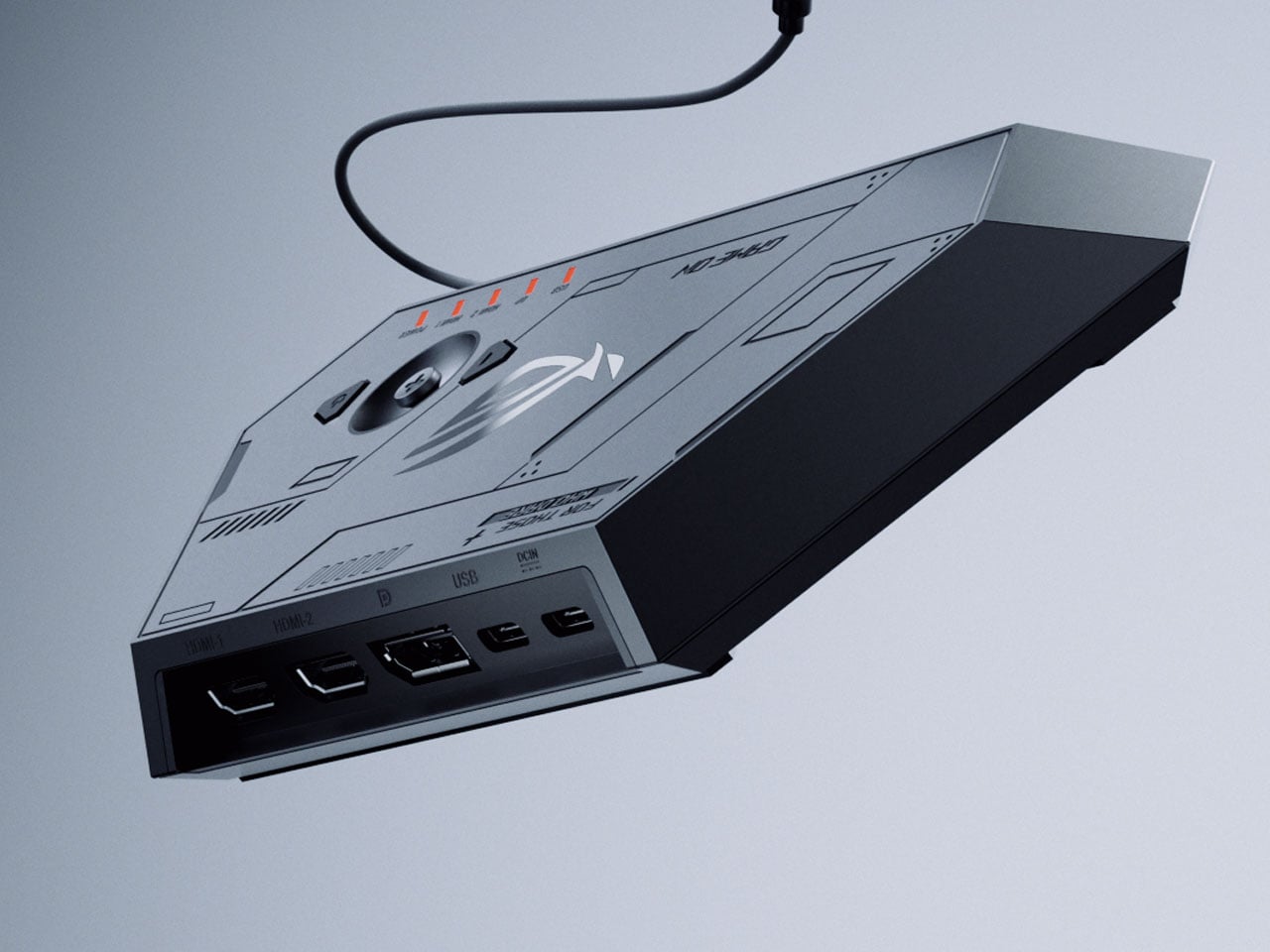
The upgrade from the previous model is incremental, as the display now boasts a smoother 240Hz refresh rate and an ultra-fast 0.01 ms response time, and it comes with a dock to connect to gaming consoles or PCs for streaming content via DisplayPort 1.4, HDMI 2.0, or USB-C. While the control dock is a bit on the heavier side, weighing at 230 grams and measuring 215 x 100 x 25mm, the option of connecting compatible hardware is a big plus. Other things that stay the same include the 57-degree FOV that renders a 171-inch virtual screen from a perceived distance of four meters, and the 1080-pixel resolution Sony 0.55-inch micro-OLED display, which should have been preferably bumped up beyond HD at that price range.

Designer: Asus

According to Asus, the R1 smart glasses, weighing just  91 grams, are the logical extension of the ROG Ally gaming handheld as a result of the unified hardware and software integration, along with the XR technology. To make the users feel as if they’re using a handheld gaming console on their face, the highly responsive display has reduced motion blur and smoother visuals. The finer adjustments, like pumping up the display brightness to 300 nits, adjusting the aspect ratio based on the content, and other visual effects, can be toggled in real time, which is a great feature.

The glasses are equipped with “Electrochromic Lens” technology that automatically makes the screen transparent as soon as the vision focus shifts away. As soon as the wearer’s focus returns, the screen turns tint to black, which can be adjusted to three different dimming levels in settings. For a heightened level of spatial awareness, these AR glasses come with built-in Bose-tuned speakers. This comes in very handy in FPS games where identifying the source of enemy steps is vital to in-game survival. If you are willing to shell out another $100 on the XREAL EYE add-on, the glasses unlock 6DoF tracking capability, which deepens the level of realism in a virtual 3D world.

The post ASUS’ $849 XREAL R1 glasses deliver console-sized 3D gaming anywhere without bulky gear first appeared on Yanko Design.

PC Gamers Have Too Many Windows, ROG’s $199 Screen Fixes That

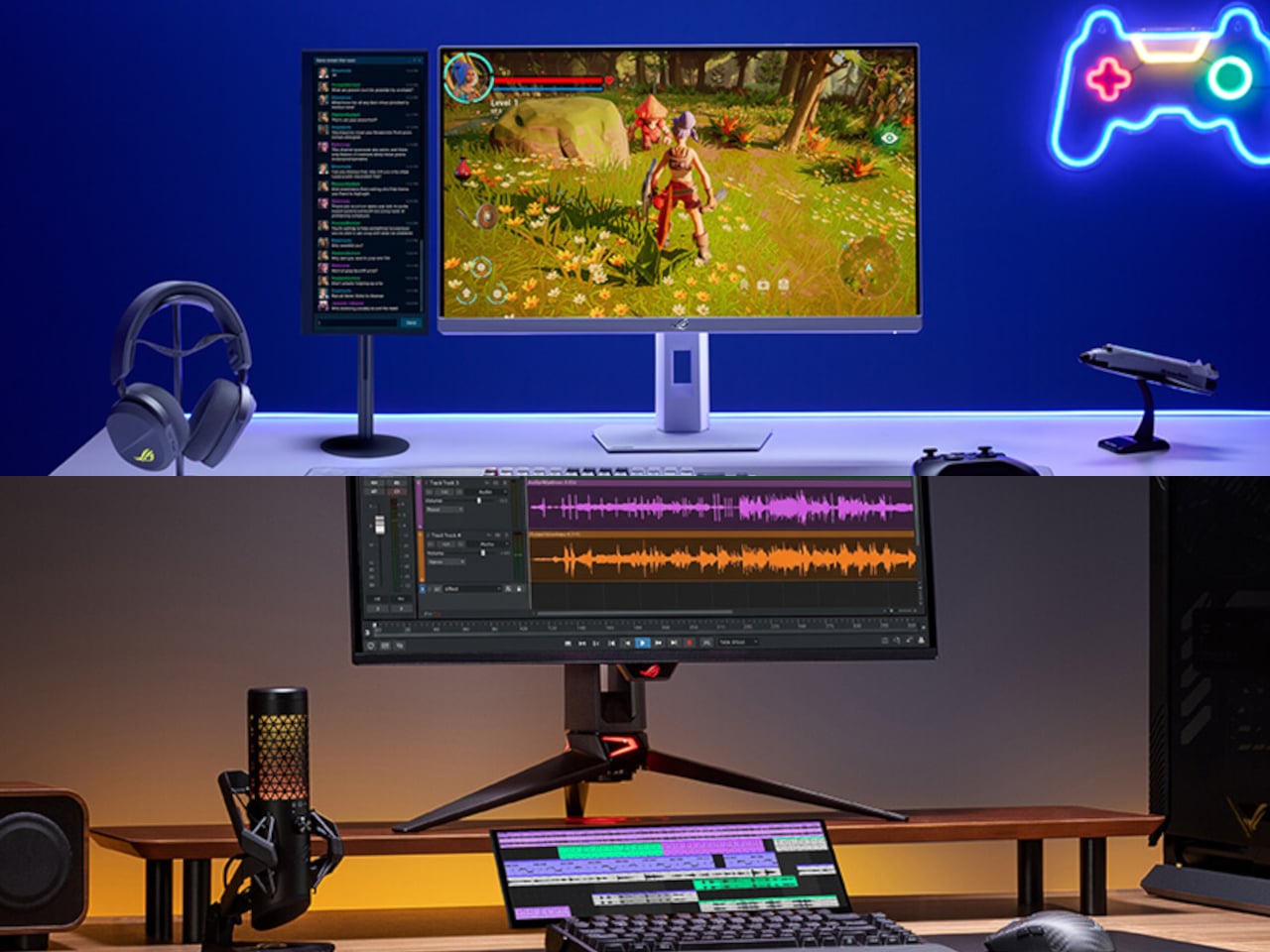
Gaming setups have grown considerably more complex, and the demands on screen real estate have grown right along with them. A serious session today might involve a game running on the main display, a chat window competing for space, system performance stats tucked into a corner, and a streaming interface sharing the same screen. Managing all of it in one place means cluttered desktops and tab-switching at exactly the wrong moments.

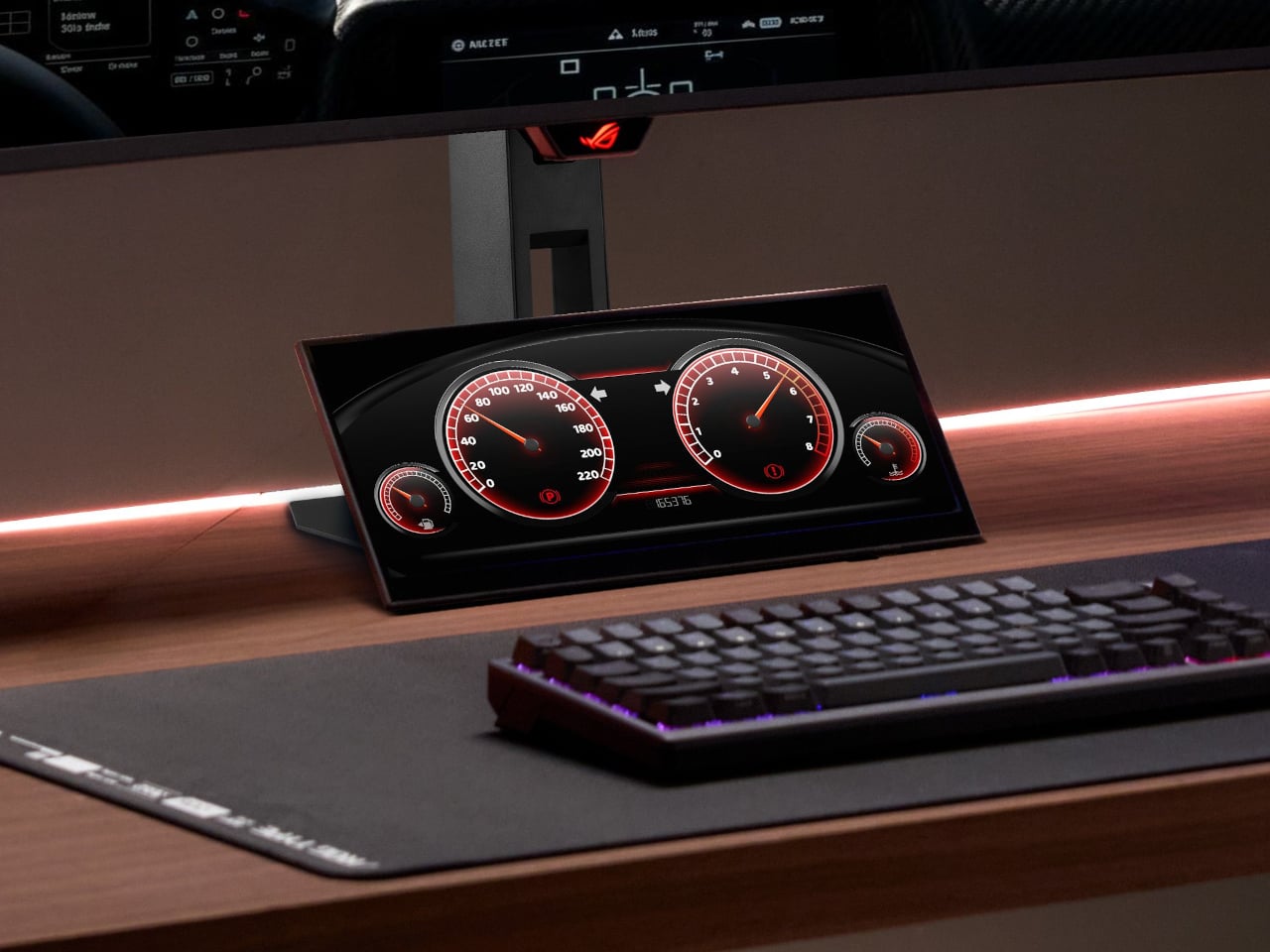
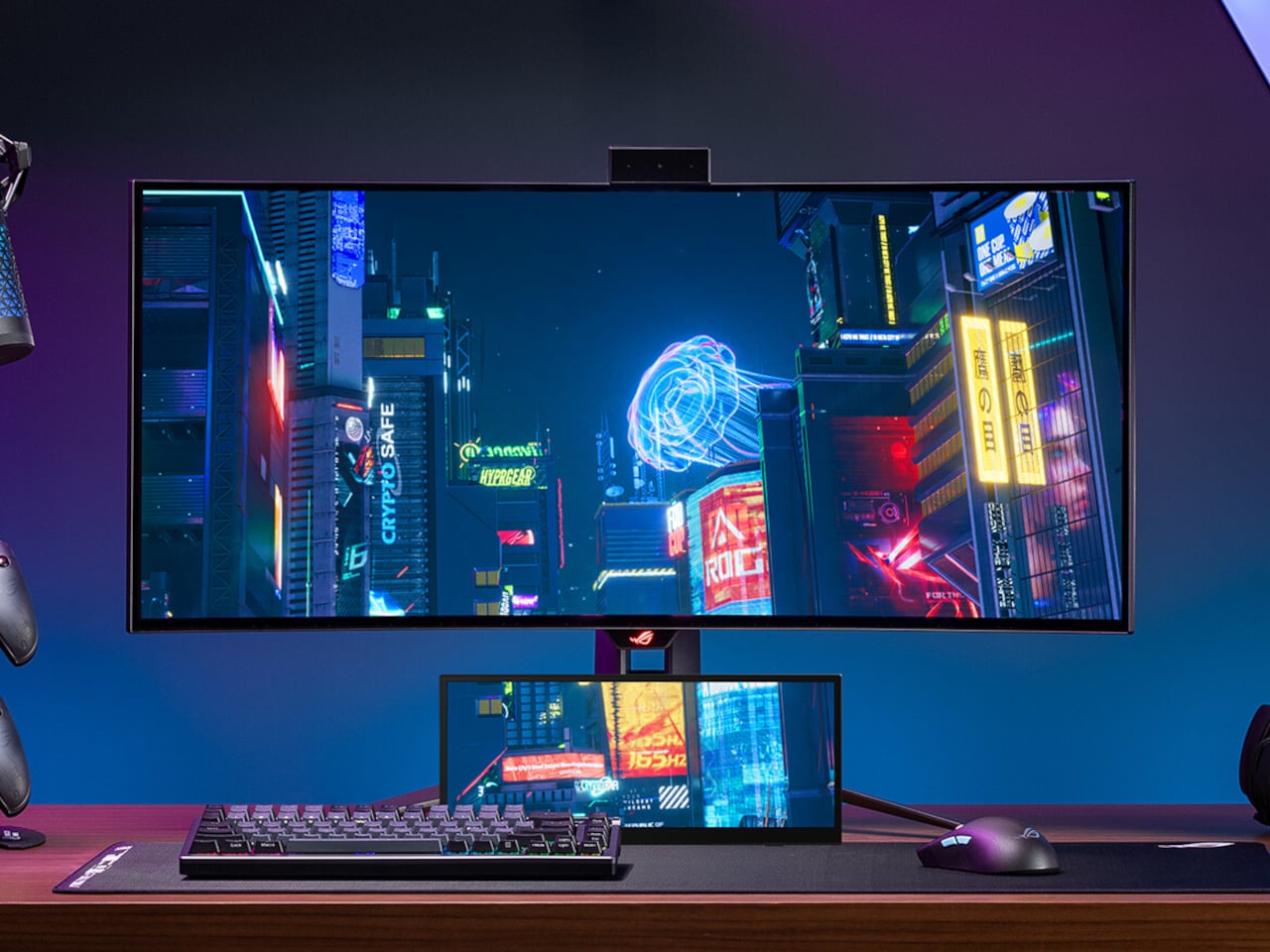
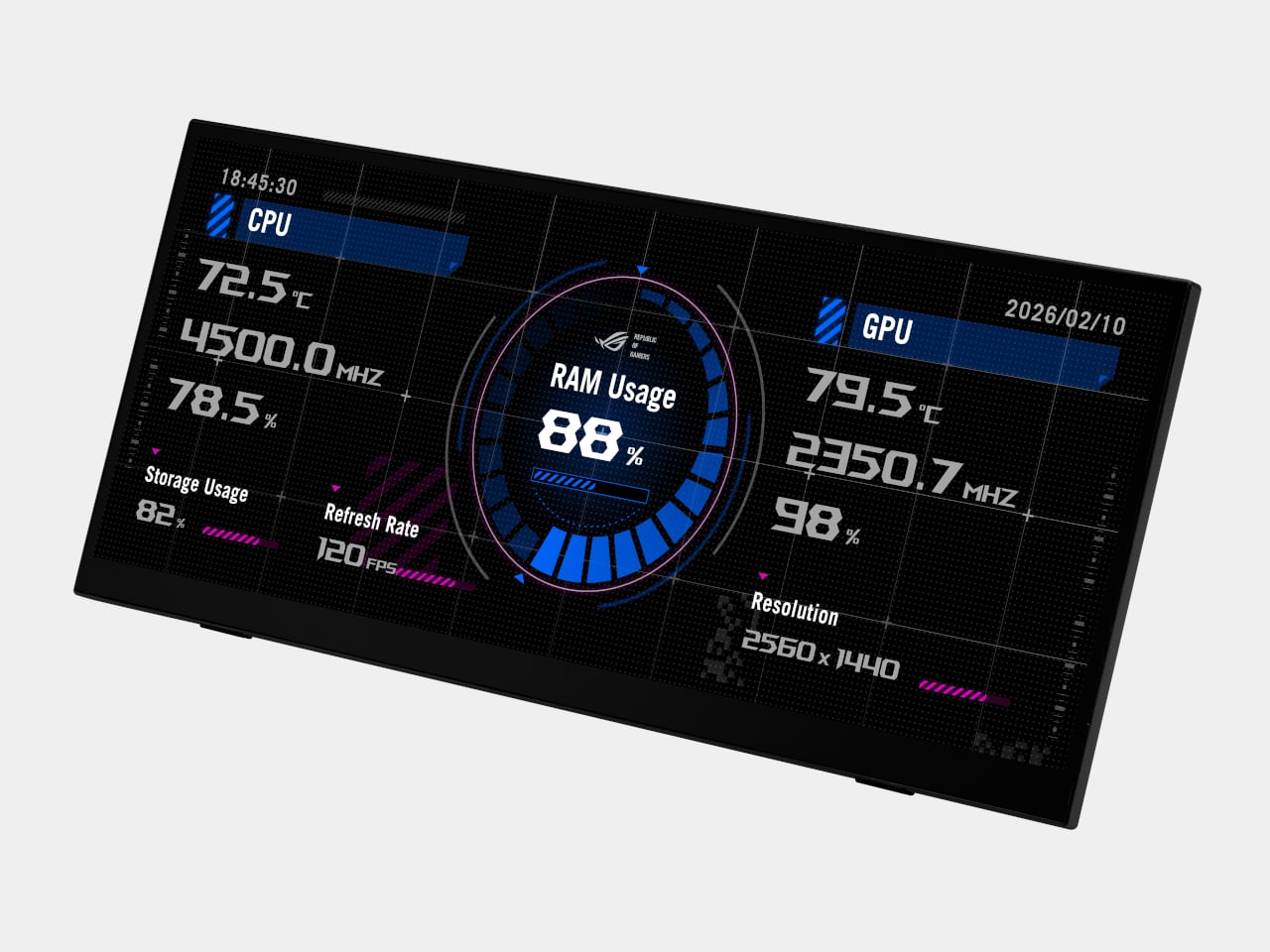
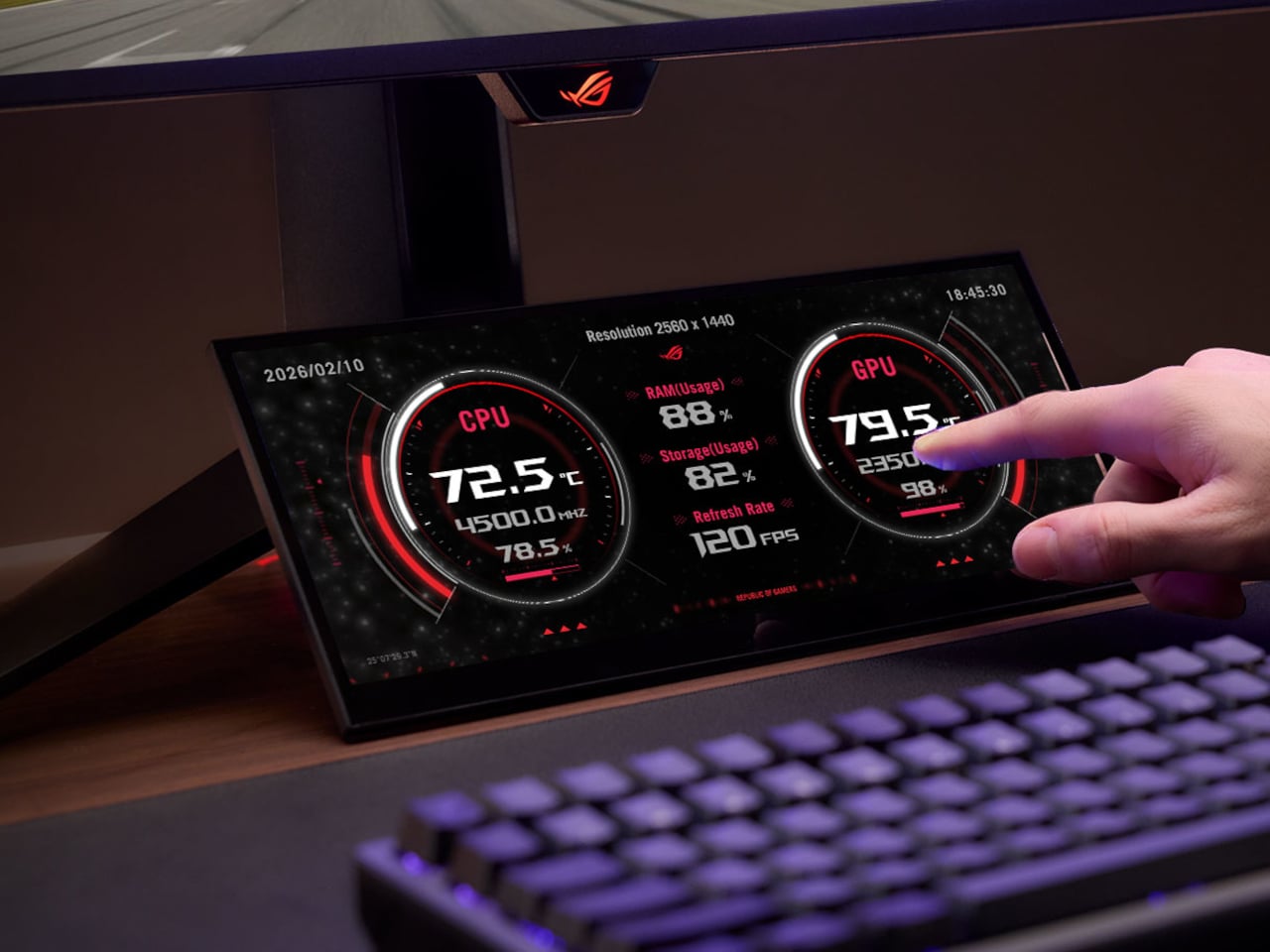
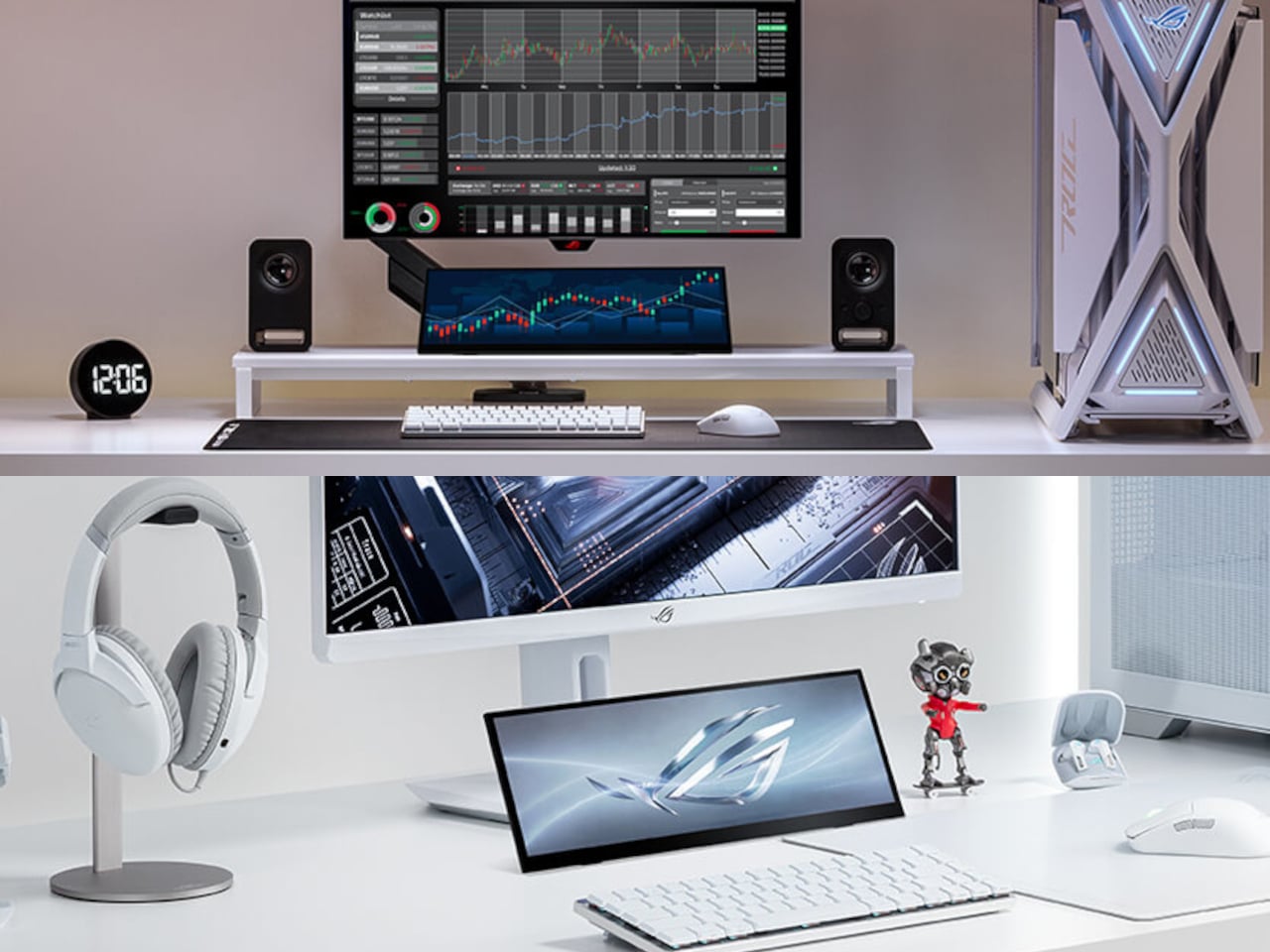
ROG’s answer to this is the Strix XG129C, a 12.3-inch secondary touchscreen designed to sit beneath a primary monitor and take over all those support duties. Rather than competing for real estate on the main screen, it gives peripheral information its own dedicated space, keeping the game in full focus without losing sight of everything running alongside it. It’s a small display with a very specific job in mind.

Designer: ASUS ROG (Republic of Gamers)

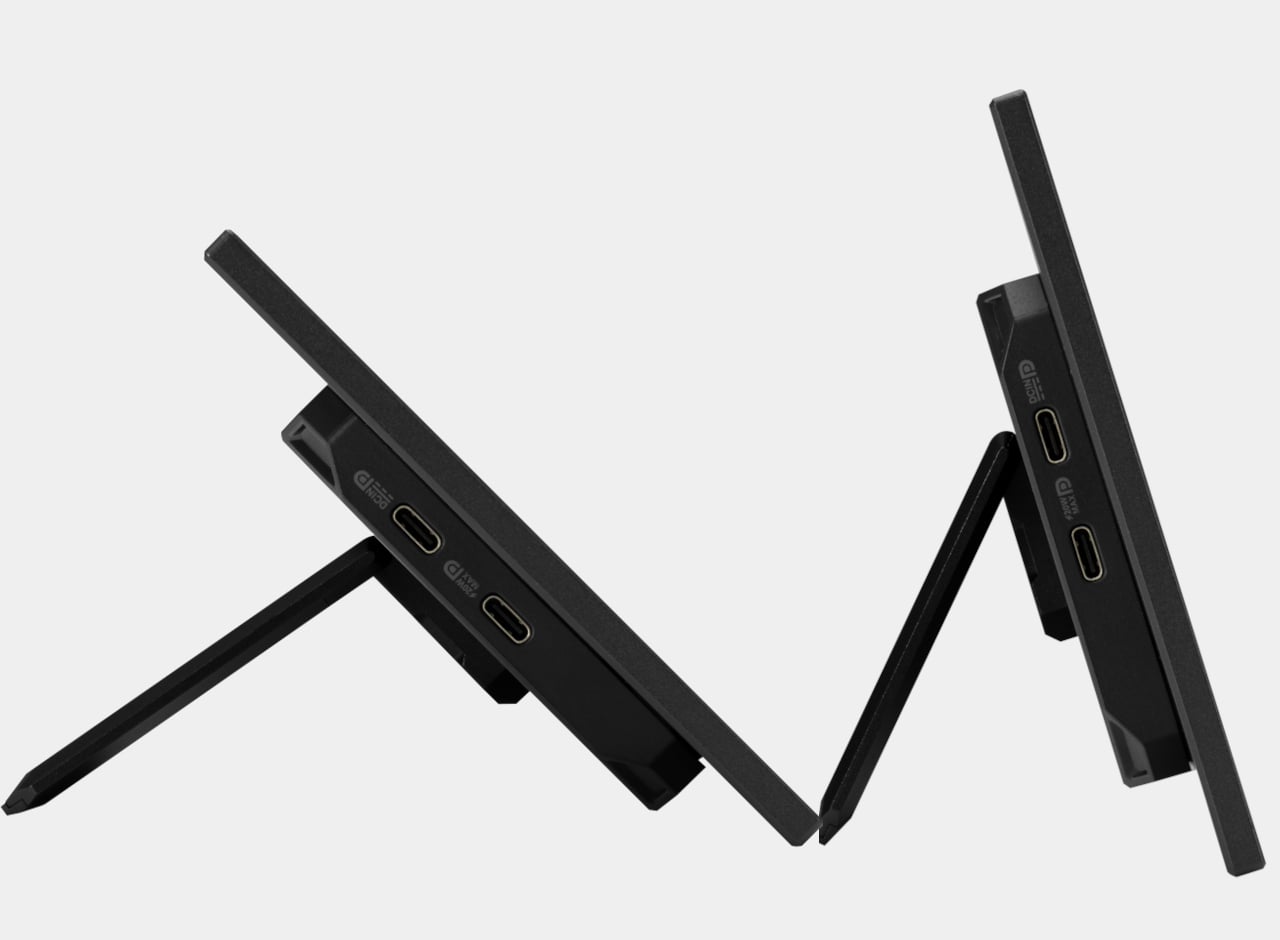
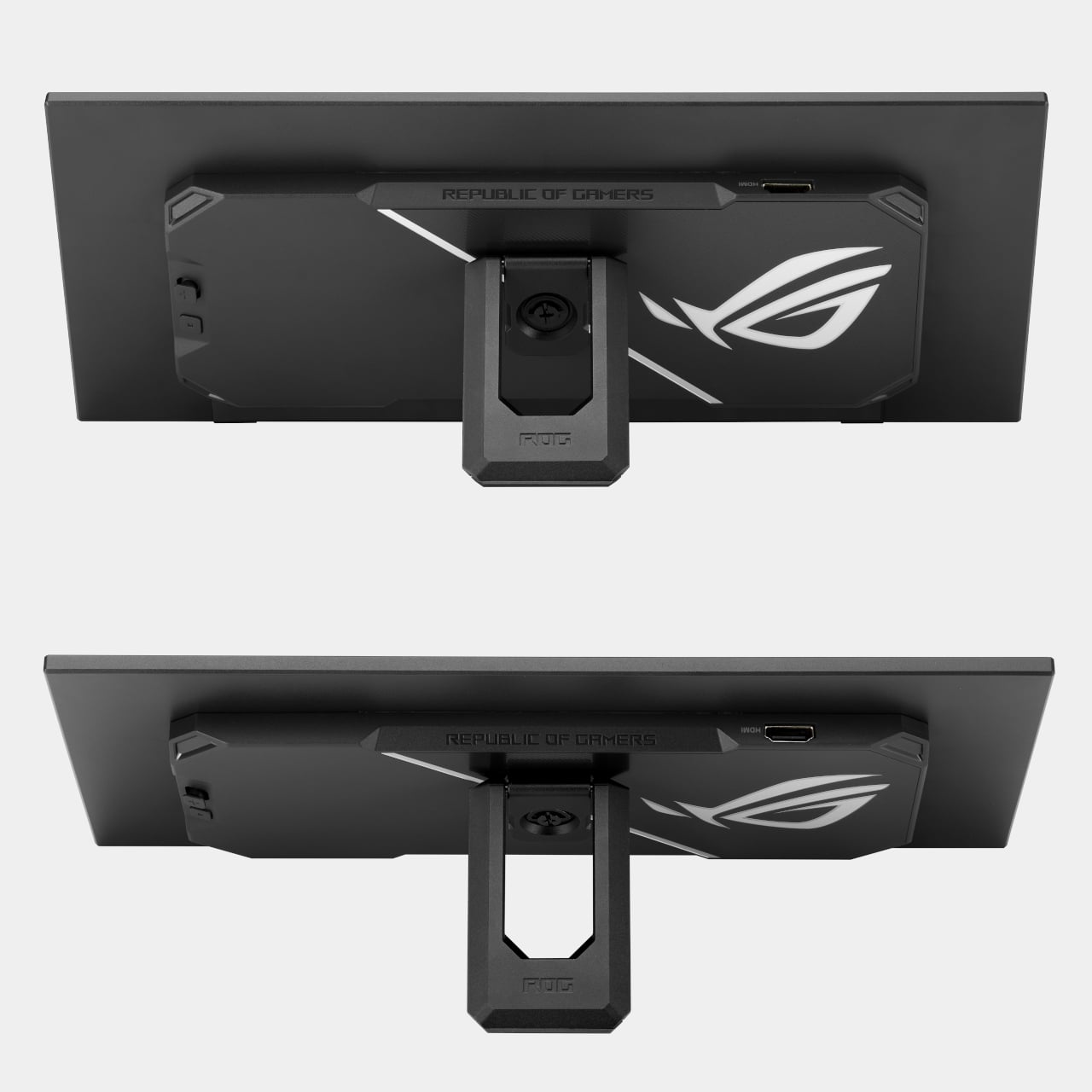
The screen uses a 24:9 aspect ratio with a 1920 x 720 resolution, a less common format that works decidedly in its favor here. Unlike typical 32:9 companion displays, this configuration provides more vertical viewing area, which means less scrolling through chat threads, fewer black bars on 16:9 content, and a layout that reads more naturally at a glance. A slim profile and adjustable kickstand let it slide neatly under most primary monitors.

The XG129C comes bundled with a one-year AIDA64 Extreme subscription, a hardware monitoring tool that turns the screen into a live readout of CPU temperatures, GPU load, fan speeds, memory usage, and more. For anyone running demanding games or keeping an eye on thermals, having that data on a separate screen rather than overlaid onto the game changes the experience considerably. It stays visible without ever getting in the way.

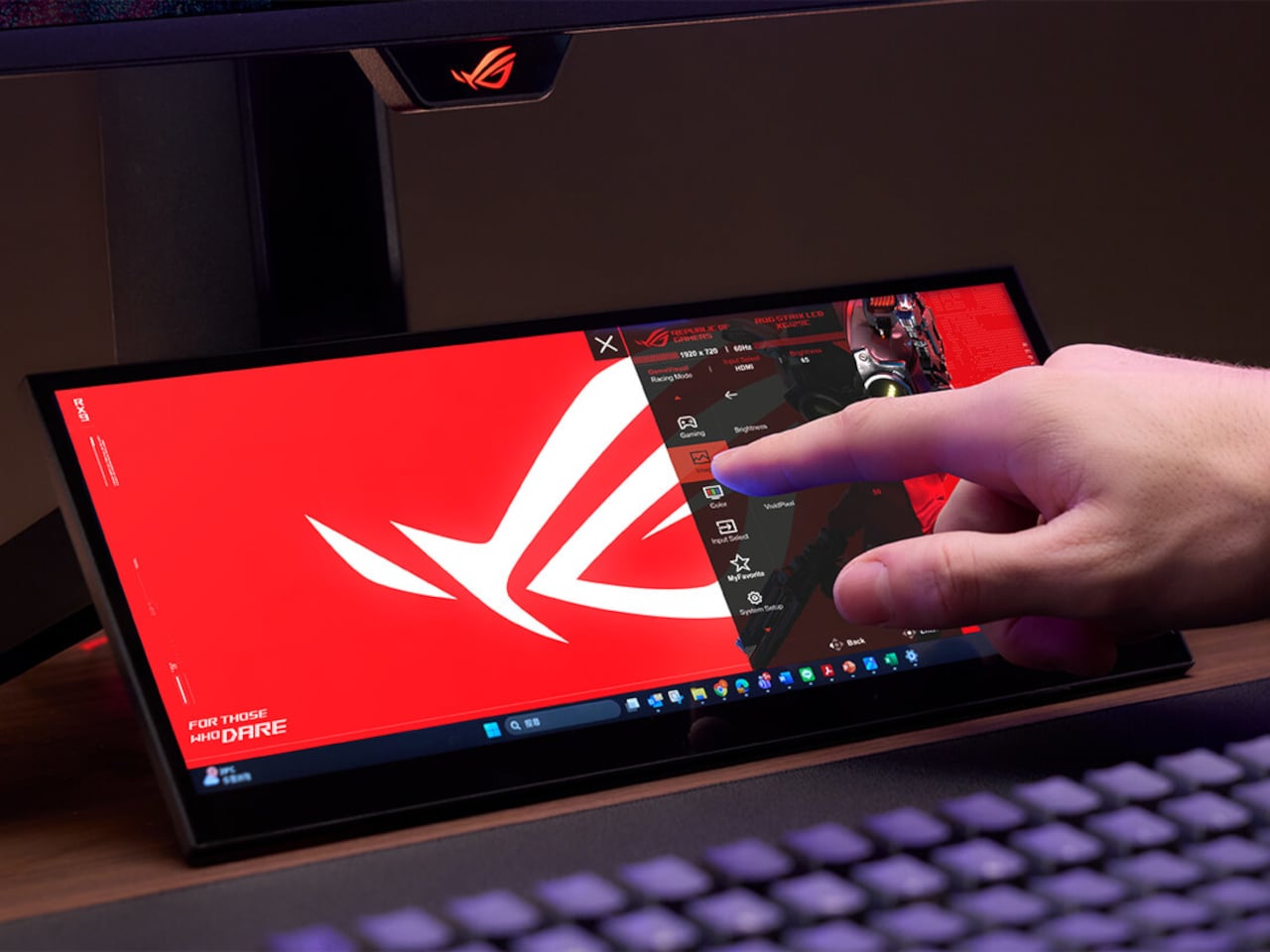
Live streamers and content creators get a different kind of value from the XG129C. Discord conversations, OBS controls, viewer chat, and music playback can all live on this screen while the main display stays dedicated to whatever’s being recorded or played. Tapping the screen to adjust a streaming setting or mute a channel doesn’t require switching windows or minimizing anything, keeping the workflow moving without interruption.

The 10-point multi-touch IPS panel handles that kind of interaction with enough precision for hotkeys, app shortcuts, and quick swipe inputs. Reaching over to pull up a game guide, tap a lighting shortcut, or adjust a fan profile doesn’t require a mouse or keyboard, which matters when both hands are on a controller or tied up on the main display. It responds the way a well-built touchscreen should.

A single hybrid USB-C cable handles power, video, and touch data simultaneously, keeping the desk clean and the cable run minimal. There’s also a second USB-C port with 20W Power Delivery and an HDMI 1.2 port for broader device compatibility. For setups where desk placement isn’t straightforward, a built-in 1/4-inch tripod socket makes it possible to mount the display on an arm or stand instead.

The IPS panel covers 90% of the DCI-P3 color gamut and 125% of sRGB, notably strong for a display that isn’t the main event. Colors hold up alongside most primary monitors without the visual mismatch that cheaper companion screens tend to produce. It earned a Red Dot Award in the gaming and streaming design category, and at around $199, it’s a focused solution for setups that have simply outgrown a single screen.

The post PC Gamers Have Too Many Windows, ROG’s $199 Screen Fixes That first appeared on Yanko Design.

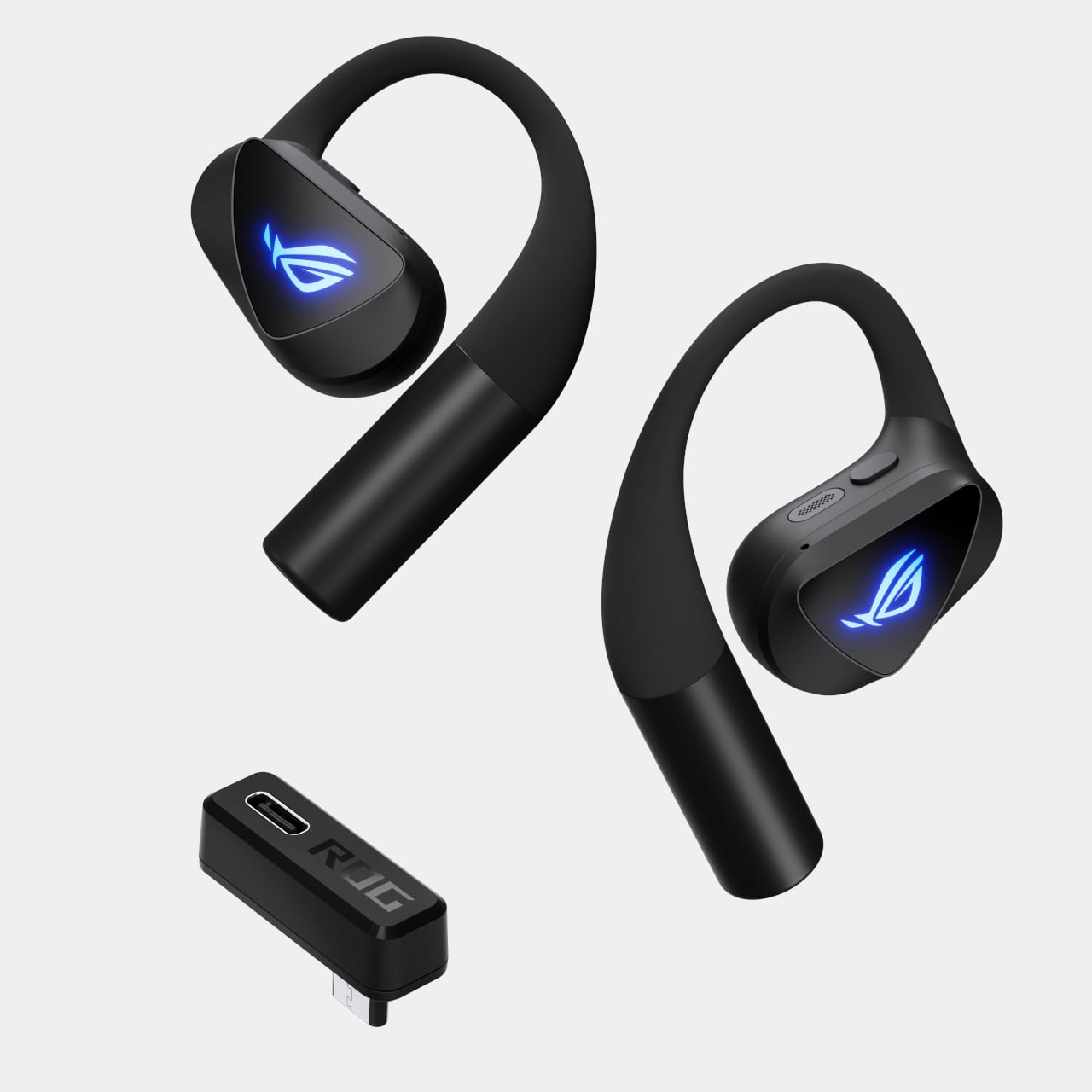
ASUS ROG’s First Open-Ear Earbuds: Hear the Game and the Room

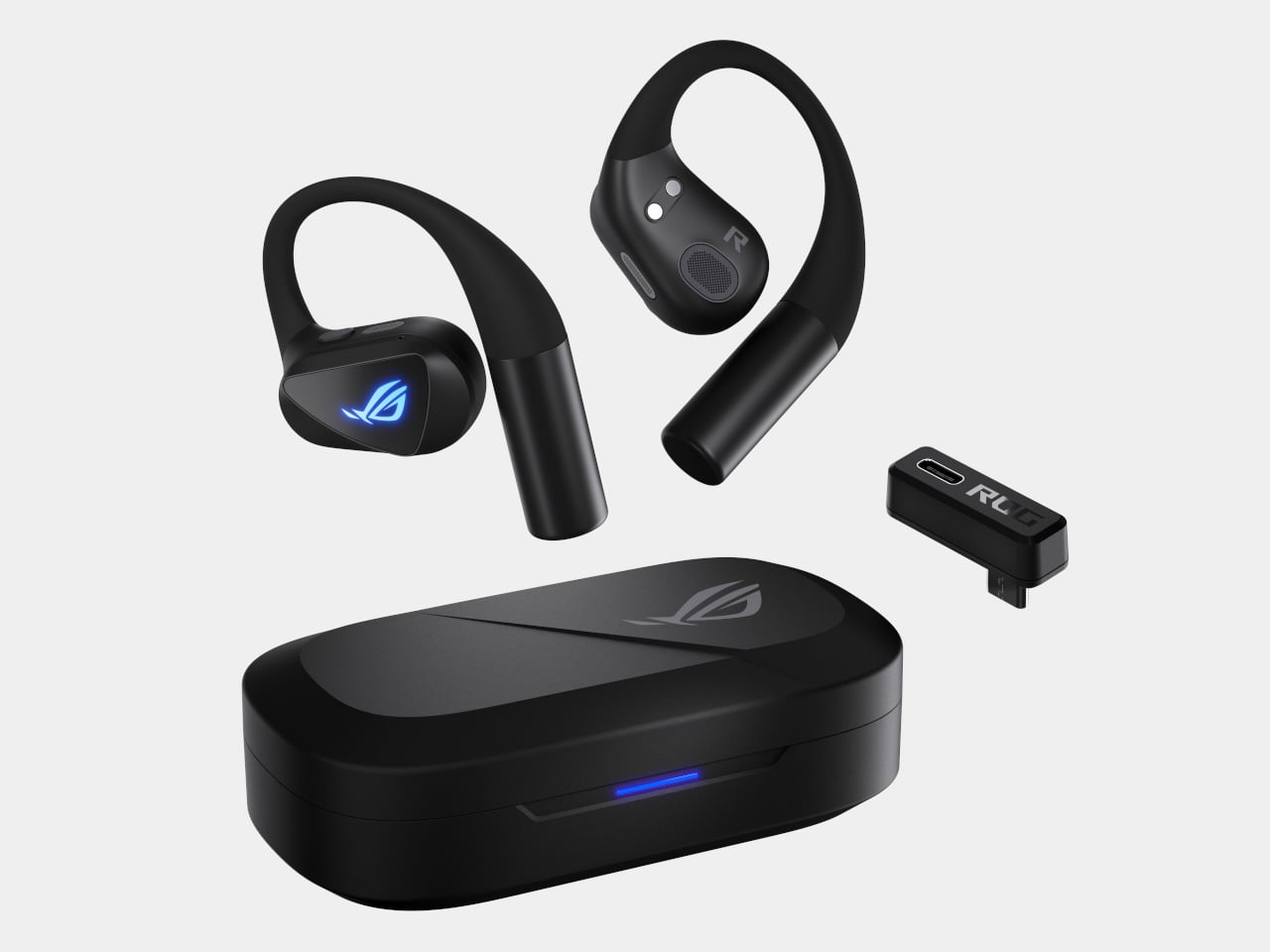
Gaming earbuds have long operated on an unspoken assumption: that total audio immersion requires cutting yourself off from the world around you. Sealed tips, passive isolation, the whole sensory cocoon. The ROG Cetra Open Wireless throws that logic out entirely, producing a pair of gaming earbuds that wants you to hear both the firefight and the person calling your name from the other room.

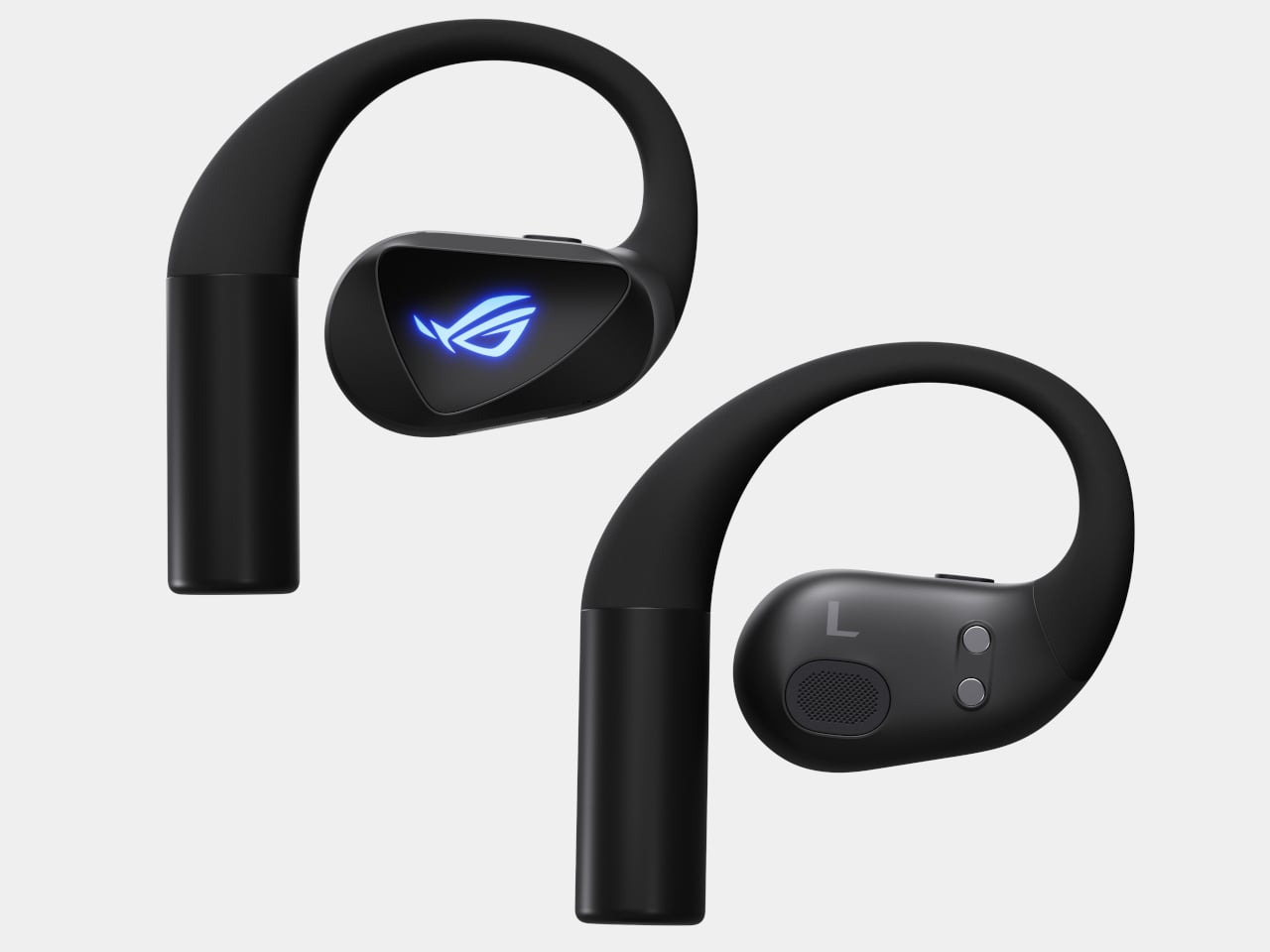
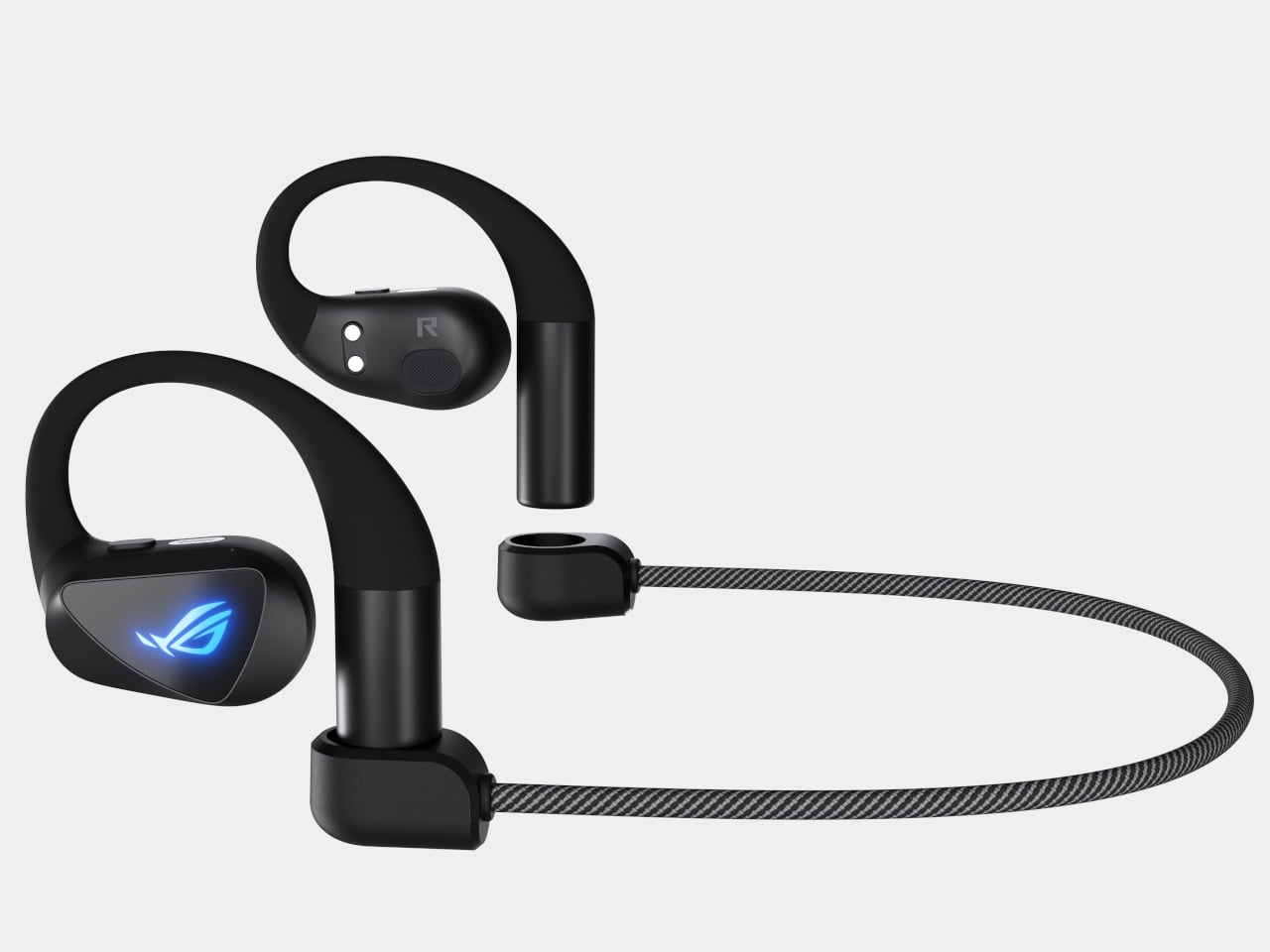
The open-ear design rests outside the ear canal rather than sealing into it, sitting against the outer ear with liquid silicone hooks that wrap around the back. It is the same air conduction approach used in sports earbuds, where hearing your environment is a feature rather than a flaw. The difference here is that ROG has tuned the hardware around gaming, not just fitness, which changes both the driver choice and the connectivity options.

Designer: ASUS Republic of Gamers (ROG)

Each earbud is built around a 14.2mm diamond-like carbon-coated diaphragm driver. DLC coatings are favored in higher-end audio hardware because the material’s rigidity resists deformation at high frequencies, resulting in cleaner transient response and lower distortion. Open-ear designs lose low-end naturally from air leakage, so ROG included Phantom Bass, a perceptual processing mode that restores the sense of low-frequency weight without sealing the canal.

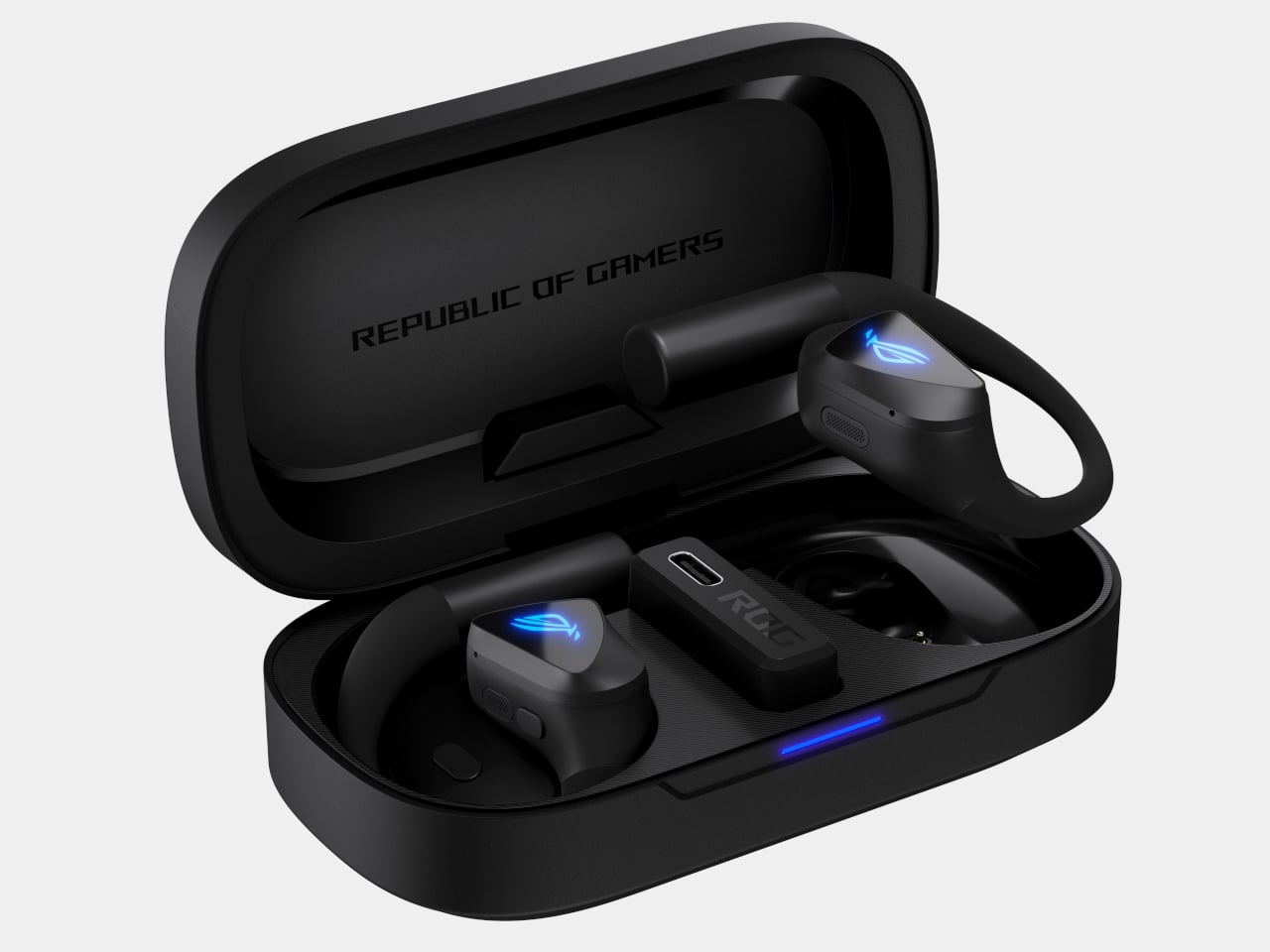
The connectivity is where the gaming identity becomes explicit. Bluetooth 6 handles general pairing, but the included USB-C 2.4GHz dongle, running ROG’s SpeedNova technology, delivers latency 6 times lower than Bluetooth mode. That difference is meaningful in competitive play where audio sync affects reaction timing. The dongle also supports one-way passthrough charging, keeping a phone powered while the low-latency connection stays active.

Communication gets its own dedicated hardware: four MEMS microphones arranged for beamforming pickup, with AI noise cancellation suppressing ambient sound in real time. ROG’s testing, conducted by PAL Acoustic Technology, a Microsoft-certified third-party lab, puts the MOS-LQO voice quality score at 4.1, clearing the Microsoft Teams certification threshold of 3.9. For earbuds worn during commutes or at the gym, that score carries practical weight.

Battery life is rated at 16 hours per charge in Bluetooth mode, with the charging case adding 48 hours more, bringing the combined total to 64 hours. A 15-minute charge delivers 3 hours of playback. Physical buttons handle on-device control rather than touch surfaces, which stay reliable in sweaty or wet conditions. EQ profiles, button mappings, and lighting are all adjustable through Gear Link, a browser-based tool that needs no software installation.

The ROG Cetra Open Wireless is priced at $229.99 and available through the ASUS eStore, Amazon, Micro Center, and Newegg. For gaming earbuds that pull off the unusual trick of staying useful to a competitive mobile gamer and to someone who simply cannot afford to be sonically sealed off from their surroundings, it makes a harder argument against itself than the open-ear format usually does.

The post ASUS ROG’s First Open-Ear Earbuds: Hear the Game and the Room first appeared on Yanko Design.

ASUS ROG Flow Z13 Kojima Productions Edition Review: Designed, Not Branded

PROS:


  • CNC machined artwork creates depth that printed graphics can't replicate

  • Carbon fiber and aluminum deliver genuine material contrast

  • Decennium Gold colorway builds a collaboration-specific design language

  • Thermal architecture integrates visibly into the surface composition

  • Multiple configurations give collectors several compositionally distinct angles

  • Shinkawa's design vocabulary translates to hardware without dilution

CONS:


  • Static chassis can't capture the kinetic energy of Shinkawa's illustrations

  • Tablet weight limits comfortable handheld use beyond fifteen minutes

RATINGS:

AESTHETICS
ERGONOMICS
PERFORMANCE
SUSTAINABILITY / REPAIRABILITY
VALUE FOR MONEY

EDITOR'S QUOTE:

Most limited editions wear an artist's name. The Z13 KJP wears an artist's hand.
award-icon

When the artist holds the pen, the object changes at a structural level. ASUS calls the ROG Flow Z13 Kojima Productions Edition a collaboration with Yoji Shinkawa, but the result reflects authorship rather than endorsement. Shinkawa drew the design elements directly. The angular chassis cutouts reference Ludens’ armor, the same character he originally created as Kojima Productions’ icon. The Decennium Gold colorway exists because Shinkawa chose it. The carbon fiber integration, the custom keycap typography, the vent laser etching: these trace back to his visual direction, not ASUS’s interpretation of it. The geometry, materials, and graphic hierarchy don’t feel applied to an existing chassis. They feel drawn into it.

Shinkawa himself described the process as designing a gadget that “belongs to Ludens” and integrating that into the PC design. That framing tells you where creative authority sat. The artist didn’t adapt to the hardware. The hardware adapted to the artist.

Kojima Productions as Design House

Calling Kojima Productions a game studio accounts for what the company ships, not what it builds. The studio’s visual identity, shaped primarily by Shinkawa since its founding, represents one of the most distinctive aesthetic vocabularies in entertainment. Shinkawa’s style blends bold brushwork with intricate mechanical detail: fluid motion rendered with precision, emotion conveyed through futurism. The characters, vehicles, and environments of Metal Gear Solid and Death Stranding share a visual language that’s immediately identifiable: heavy contrast, dynamic composition, mechanical forms that feel organic.
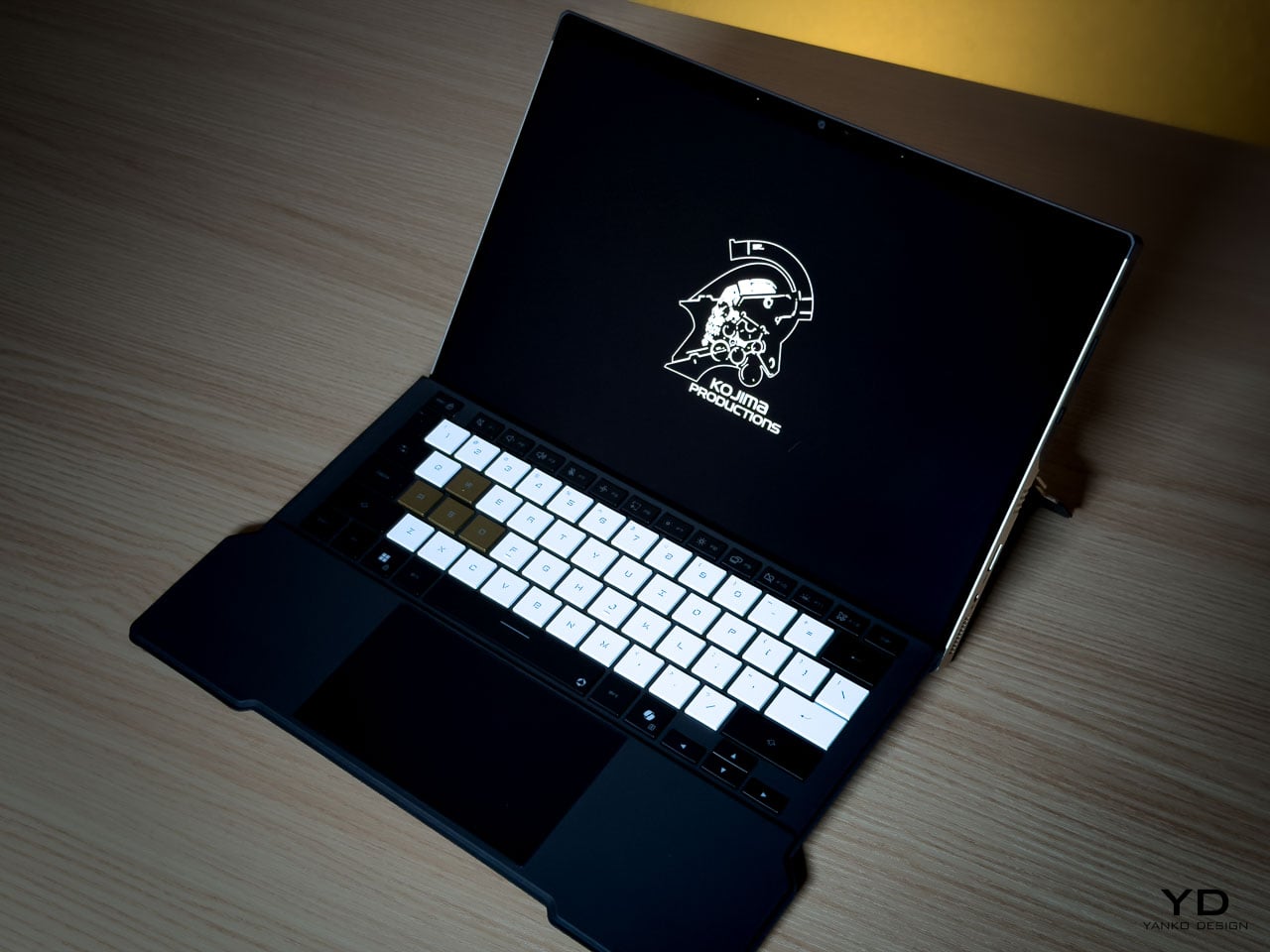
Ludens, the company’s mascot, embodies this philosophy. Designed as a collaboration between Kojima and Shinkawa, Ludens wears an “extravehicular creative activity” suit: part knight armor, part astronaut gear. The character represents “those who play” (Homo Ludens), and the visual design merges protective functionality with exploratory optimism.

The motto: “From Sapiens to Ludens.” The Z13 KJP’s tagline: “For Ludens Who Dare,” combining Kojima Productions’ philosophy with ROG’s established “For Those Who Dare.” Even the marketing language operates as a design decision.

The Chassis as Canvas

The CNC-milled aluminum chassis does something unusual for limited edition hardware: it uses premium manufacturing as the design medium rather than premium materials as decoration.

Angular cutouts carved into the aluminum reference Ludens’ armor plating. These aren’t applied graphics or printed textures. They’re machined into the body with tolerances you can feel with a fingernail. The cutting angles create shadow lines that shift with viewing angle, adding depth that flat surfaces can’t achieve.
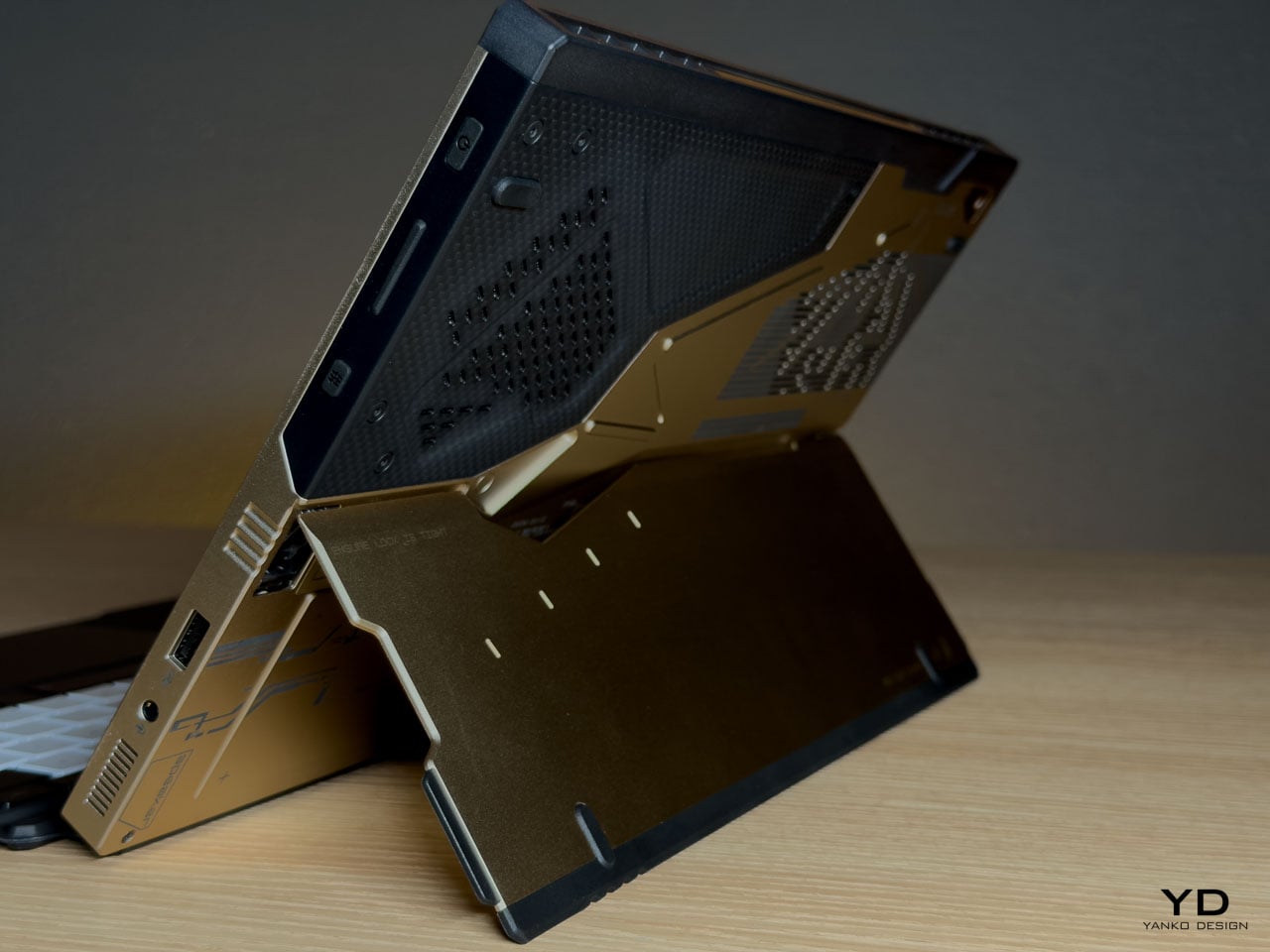
The Decennium Gold colorway breaks from gaming hardware convention. ROG products typically live in blacks, dark greys, and aggressive reds. Shinkawa chose a palette that references neither typical gaming aesthetics nor typical Kojima aesthetics. It’s a new color vocabulary specific to this collaboration, one that reads as industrial warmth rather than decorative accent.

Vent laser etching creates a subtle pattern across thermal exhaust areas that reads differently depending on lighting. At a glance, it’s texture. Up close, it’s deliberate patterning that maintains the Ludens visual motif even on functional surfaces.

Surface Detail as System

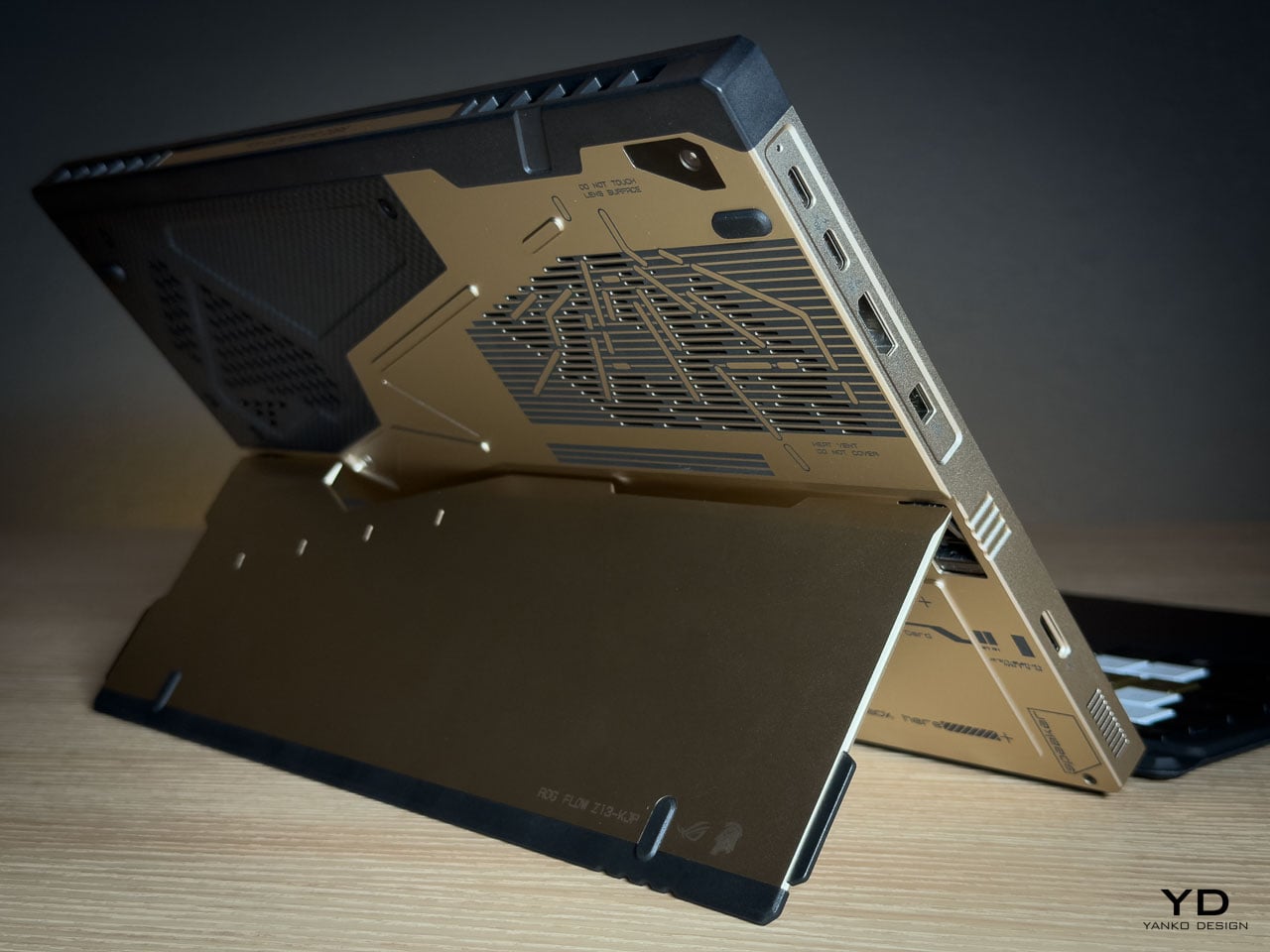
The rear panel artwork is layered in three visual weights, each serving a distinct compositional role. Fine parallel lines establish a base grid across the aluminum while medium thickness strokes intersect at angles that echo Ludens armor plating. Deep black ventilation apertures anchor the composition as functional shadow fields. Some lines are laser etched while others are machined recesses, and the vents aren’t hidden beneath the artwork but integrated into it.
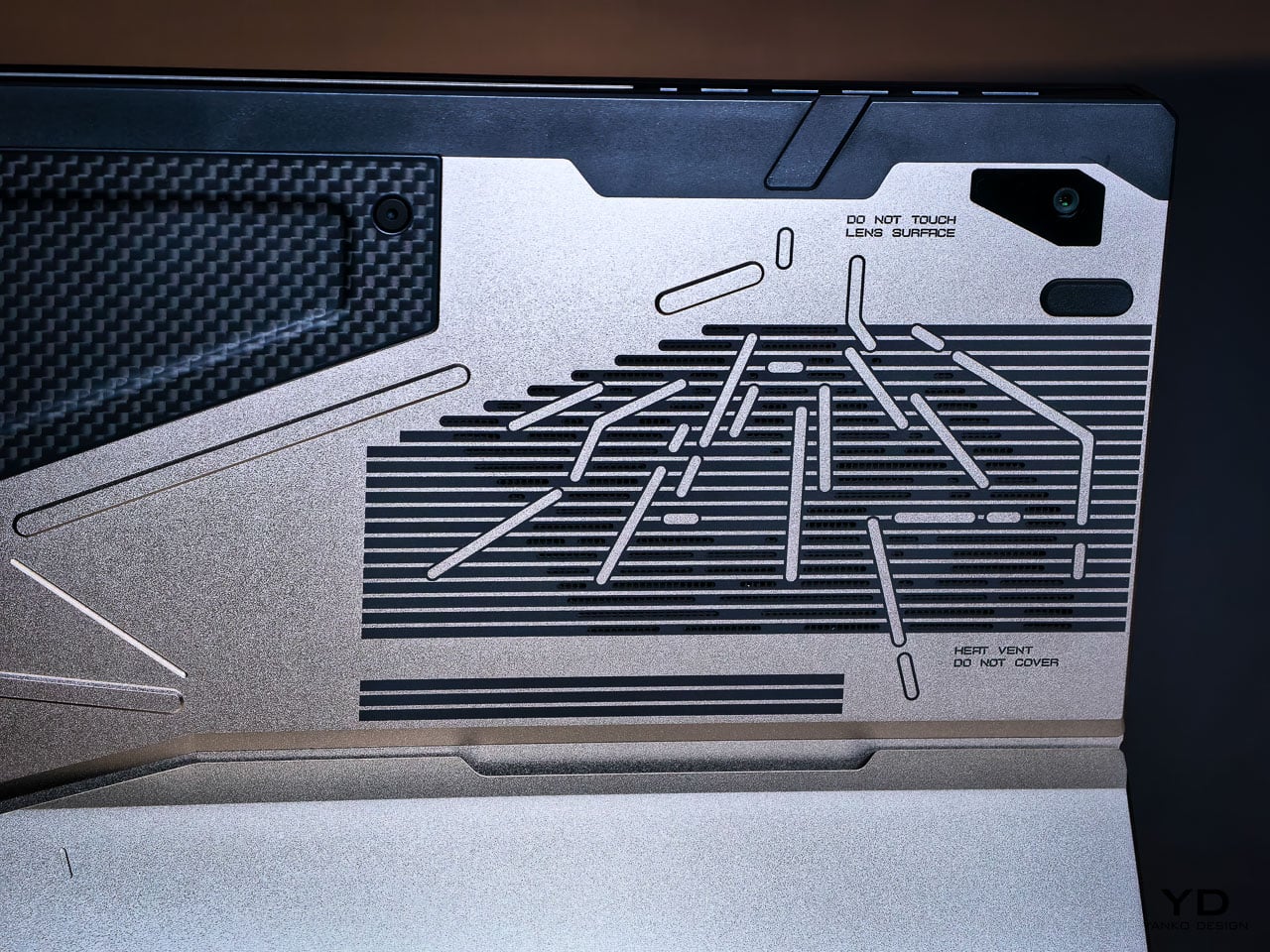
This is where the detail level becomes clear. The vent field doesn’t interrupt the art but completes it, with perforations radiating in controlled clusters. Horizontal exhaust lines align with printed striations, while thicker strokes deliberately break alignment to preserve composition. It reads less like decoration and more like a technical schematic of something operational.

Micro typography reinforces the illusion. “Ensure lock is tight” sits near the kickstand mechanism. “Do not touch lens surface” frames the rear camera. “Li polymer battery pack here” is printed as if this were an exposed prototype rather than a sealed device. The language mimics field equipment labeling. It creates narrative without becoming parody.

What elevates the rear panel from decoration to design system is physical depth. The CNC bevels catch and redirect light differently depending on the angle of incidence, so the composition’s visual weight shifts throughout the day without any element disappearing. Under diffuse lighting, flat artwork would lose definition. Machined geometry holds contrast even when the room goes dim.

Carbon Fiber as Material Language

The carbon fiber elements operate as material contrast rather than structural marketing.

The weave is visible and directional. Under angled light it shifts between matte absorption and subtle reflection, creating tonal variation that the aluminum can’t replicate. This is real carbon fiber, not printed simulation. It introduces organic texture into an otherwise machined surface vocabulary.
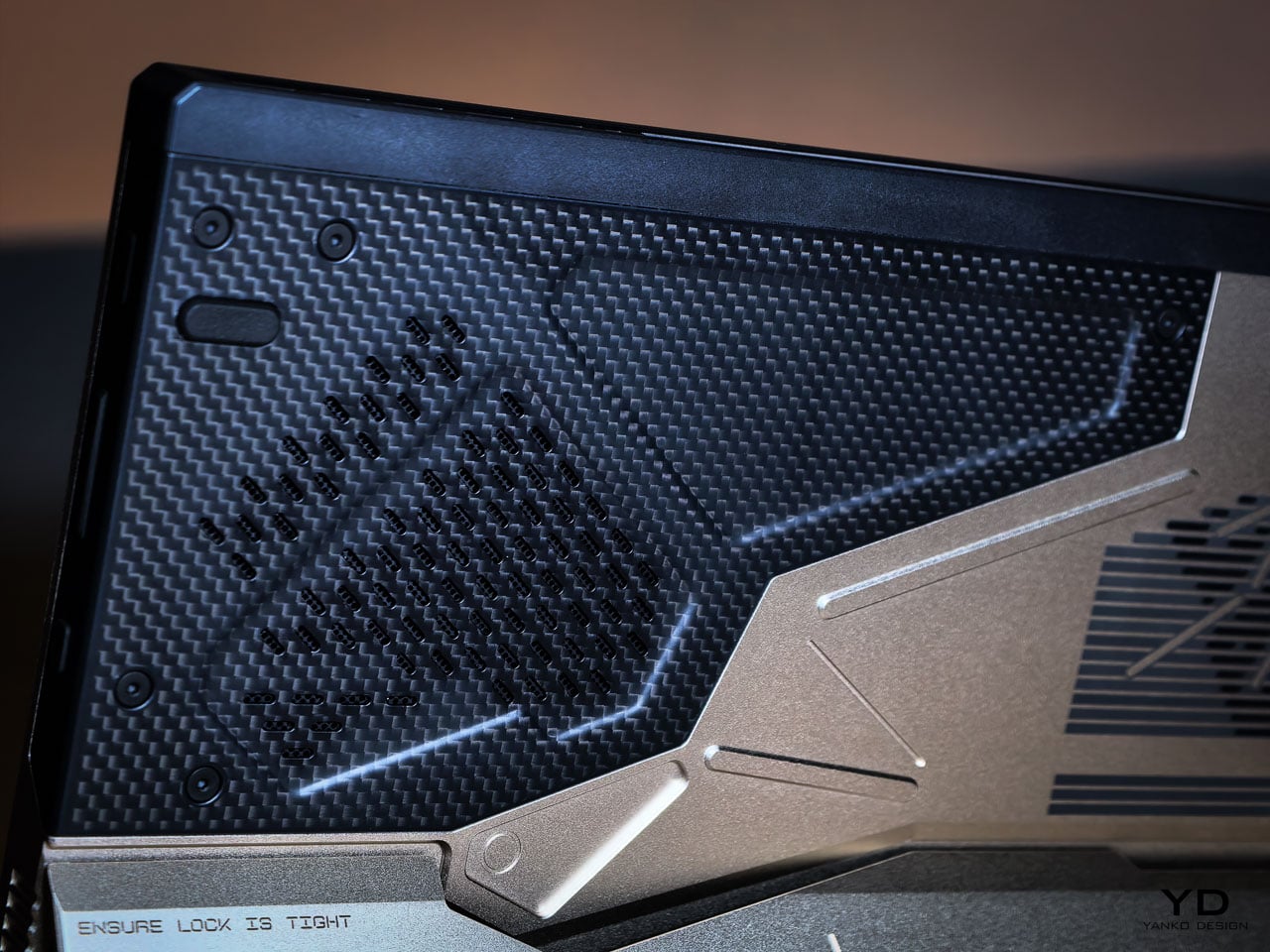
Placed adjacent to CNC milled aluminum, the fiber changes how the entire rear panel reads. Woven composite beside bead blasted metal creates tension between engineered precision and tactile irregularity. That pairing echoes Shinkawa’s broader design instincts. Mechanical forms feel inhabited rather than sterile. Armor suggests use rather than abstraction.

Thermal Architecture Shapes the Exterior

The Z13 KJP’s tablet form forces its cooling system to live within a flat plane rather than a hinged clamshell cavity.

ASUS integrates larger fans and a wider vapor chamber because the device lacks a traditional hinge exhaust path. An airflow channel under the display helps reduce touchscreen surface temperatures. These engineering decisions directly influence vent placement and rear panel geometry.
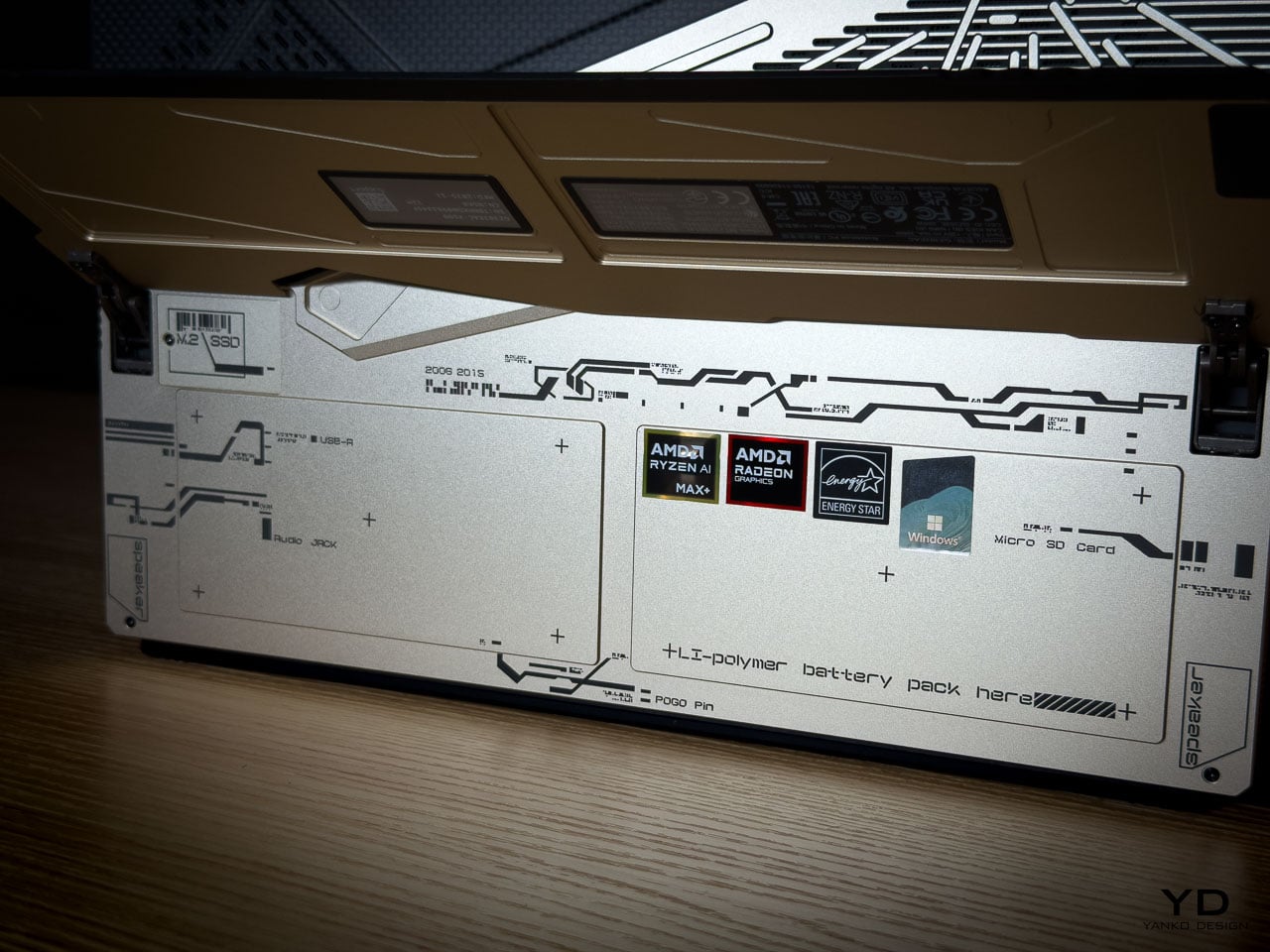
The diagonal vent cluster embedded in the carbon fiber panel isn’t arbitrary styling. It exists where airflow demands it. The long horizontal vent array on the aluminum side stretches across a composition already defined by linear etching. Function determines location. Design determines how it’s expressed.

The Z13 KJP treats cooling infrastructure as compositional material. The vents, channels, and exhaust geometry participate in the rear panel’s visual rhythm rather than interrupting it, which is why the thermal sections don’t read as engineering compromises from any distance.

Form Factor as Design Statement

The detachable keyboard format makes the Z13 KJP a design outlier among limited edition laptops.

Most collector hardware comes in clamshell form. You see it closed or open. The Z13 KJP presents differently depending on configuration. As a tablet, it’s a slate with the Ludens-inspired chassis as the primary visual element. With the keyboard attached, custom KJP keycaps and typography add detail at interaction distance. On a kickstand at an angle, it shows the chassis rear and carbon fiber panel simultaneously.
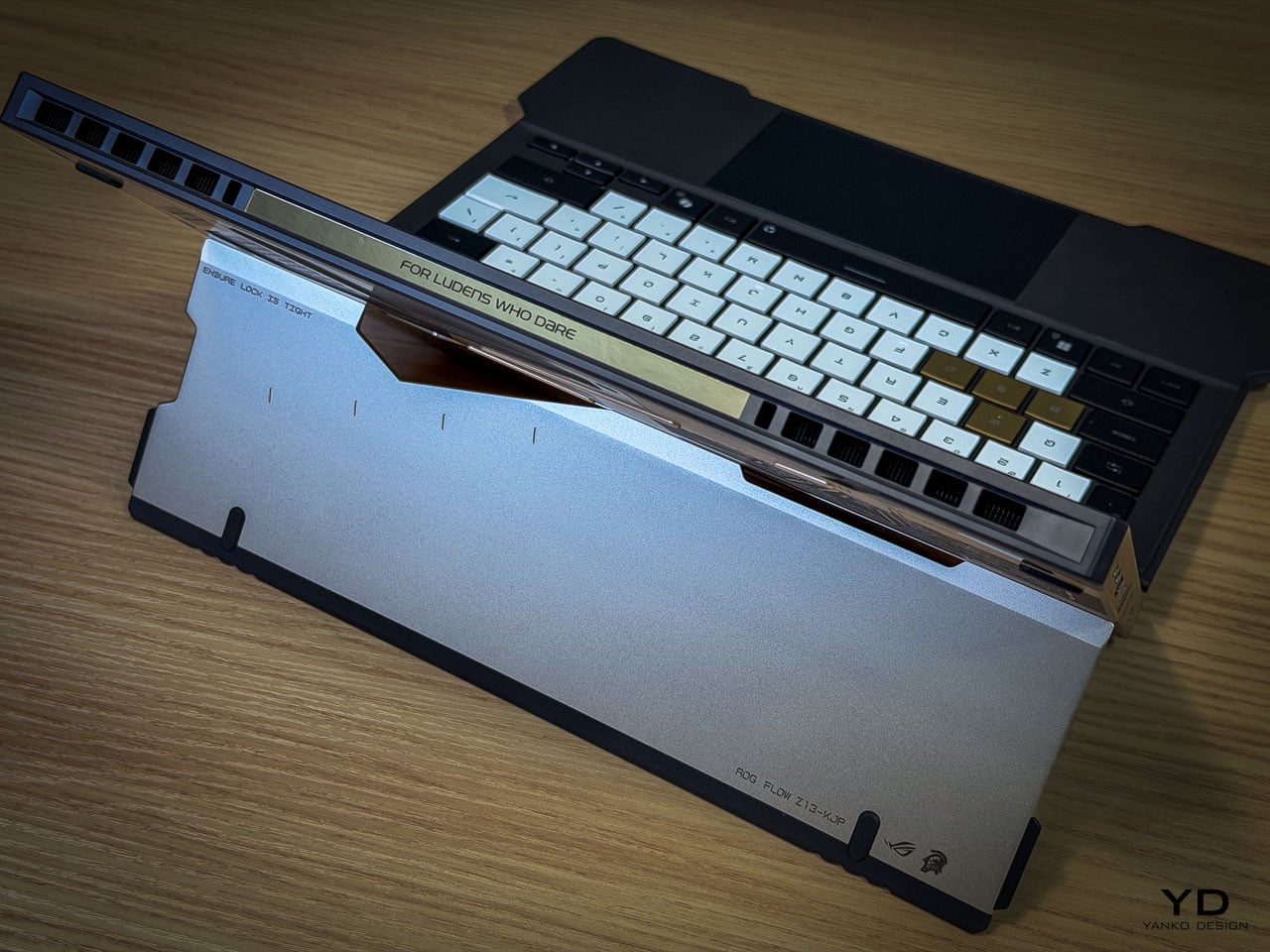
This multiplicity matters for display-oriented owners because each configuration foregrounds different design decisions, from the macro geometry of the rear panel to the micro detailing of keycap typography. Most limited edition hardware offers a single hero surface. The Z13 KJP offers several, and they’re compositionally distinct.

At 1.25 kilograms as a tablet and 1.72 kilograms with the keyboard attached, the Z13 KJP balances density with portability. Inside the 300.28 by 204.5 millimeter footprint at 14.56 to 14.99 millimeters thick sits an AMD Ryzen AI Max Plus 395 processor paired with Radeon 8060S graphics up to 80 watts, 128GB of LPDDR5X 8000 quad channel memory, and a 70Wh battery supporting 100 watt USB C charging with a 50 percent charge in 30 minutes claim.

Ports and Edge Composition

Edge design is where themed hardware often collapses into generic product. The Z13 KJP maintains consistency.

HDMI 2.1 FRL sits alongside dual USB4 ports supporting DisplayPort 2.1 and Power Delivery 3.0. A USB A 3.2 Gen 2 port anchors legacy connectivity. The microSD UHS II slot hides beneath the kickstand, an industrial design decision that preserves side silhouette integrity. Even the Command Center button is placed without disrupting the visual rhythm of the edge.
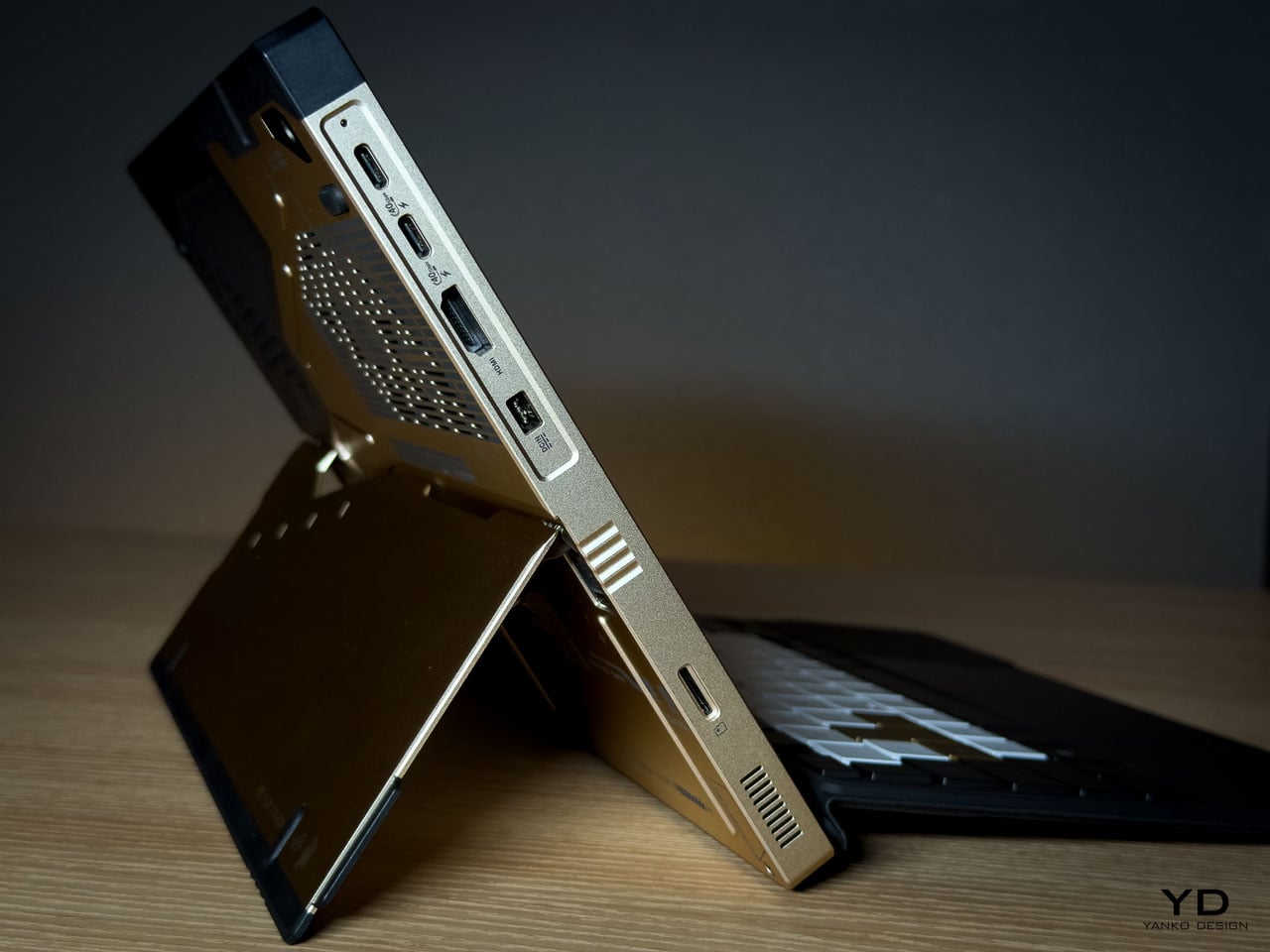
The port cutouts are clean and deliberate, preserving the angular language established on the rear panel rather than fracturing it. Negative space between each cutout prevents the edge from reading as a fragmented utility strip. Black rubberized edge guards introduce a darker boundary layer that frames the Decennium Gold aluminum, visually grounding the device while protecting high contact surfaces.
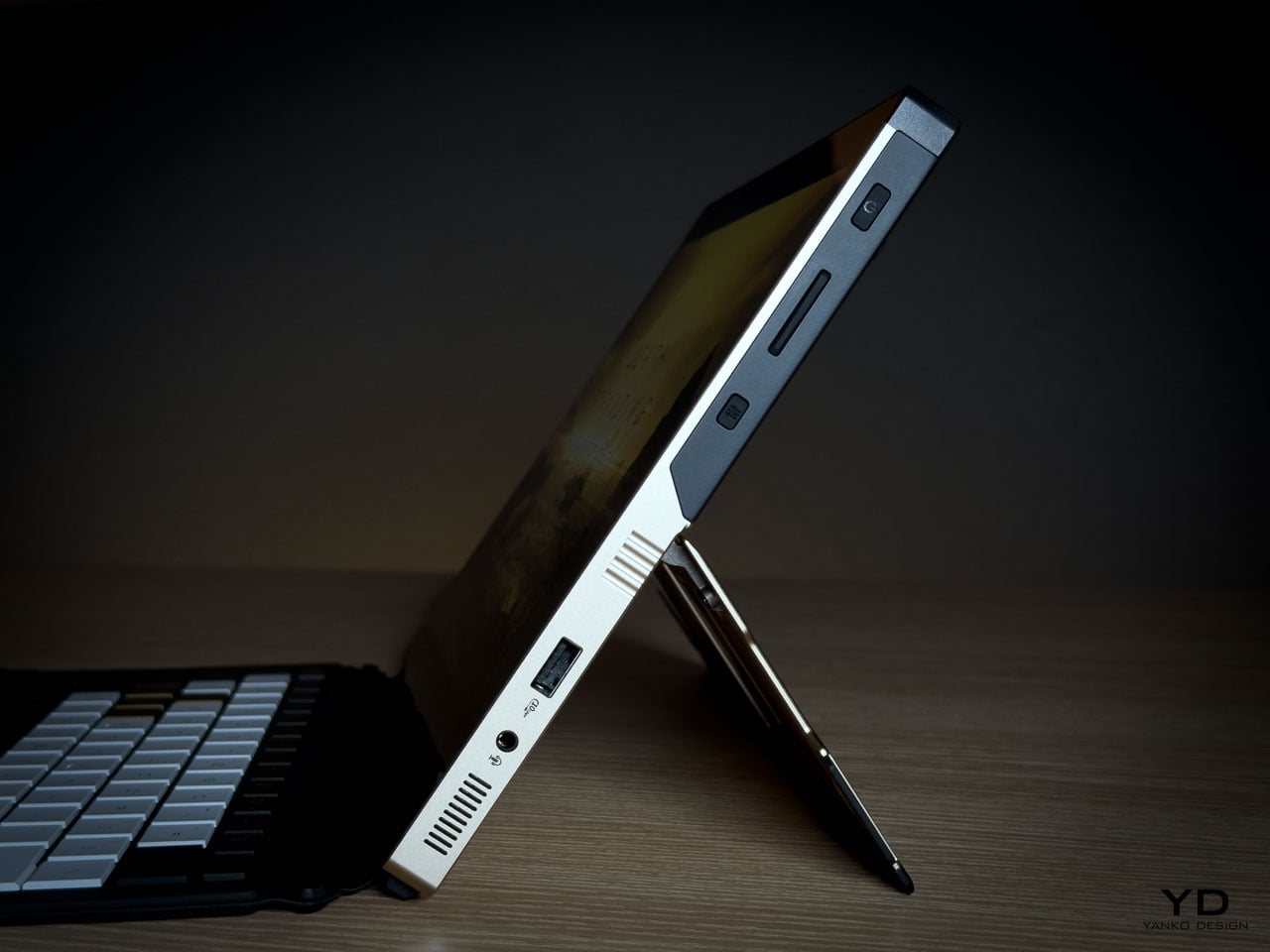
On a device this compact at 300.28 by 204.5 millimeters and under 15 millimeters thick, edge discipline determines whether the hardware reads as composed or cluttered. The Z13 KJP maintains its visual argument all the way to the perimeter.

Display as Primary Surface

As a tablet first device, the display isn’t a spec line but the dominant interaction surface and the largest uninterrupted plane on the hardware. Everything else on the Z13 KJP supports or counterbalances what happens on this 13.4 inches of glass.
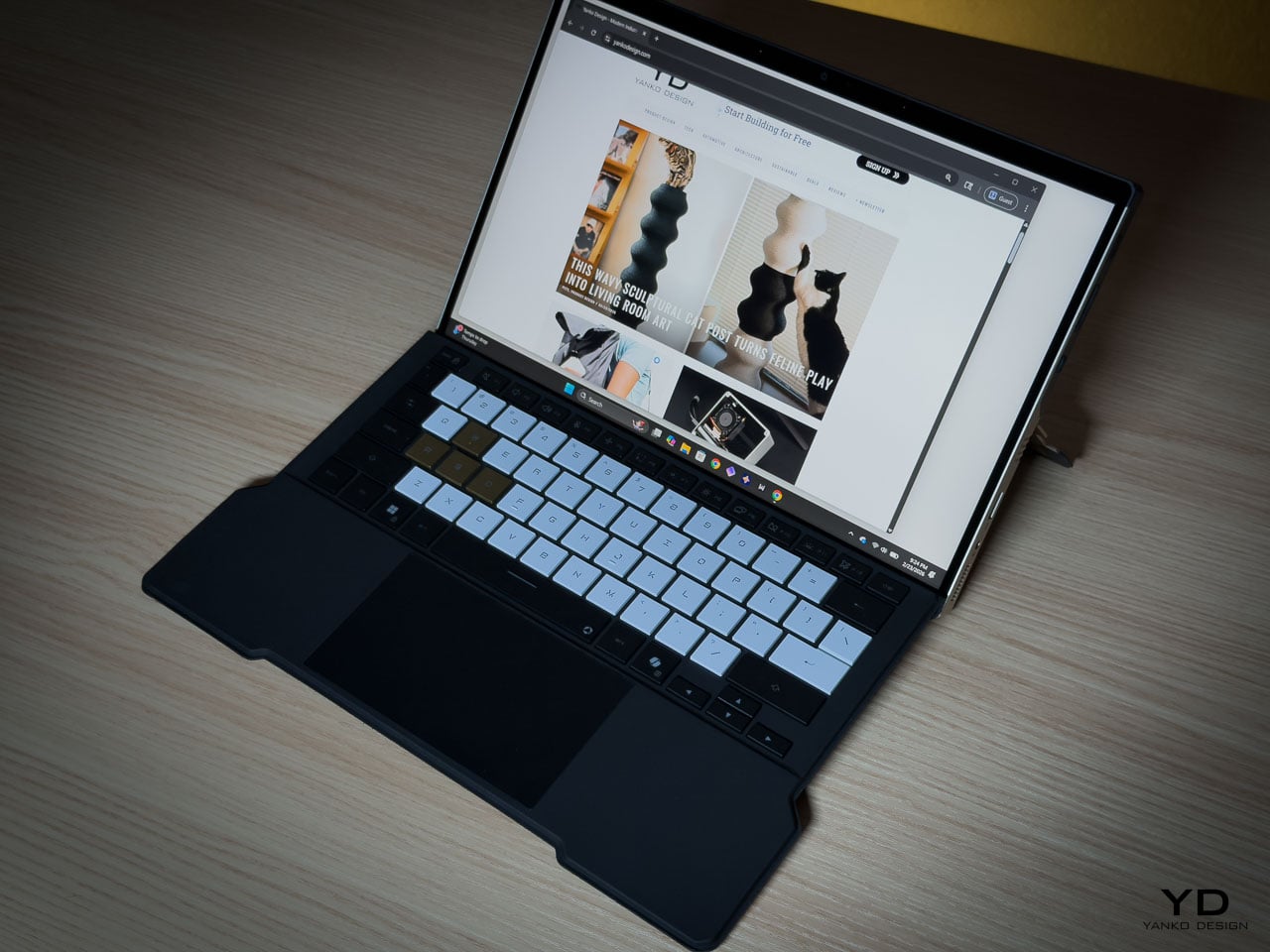
The ROG Nebula Display runs at 2560 by 1600 resolution across a 16:10 WQXGA panel, 180Hz with 3ms response time and 500 nits of brightness, covering 100 percent of the DCI P3 color space. Gorilla Glass DXC provides the protective layer, which ASUS positions as glare resistant. In a tablet configuration where the screen faces ambient light directly, glare resistance becomes a design-critical material choice rather than a spec sheet footnote.
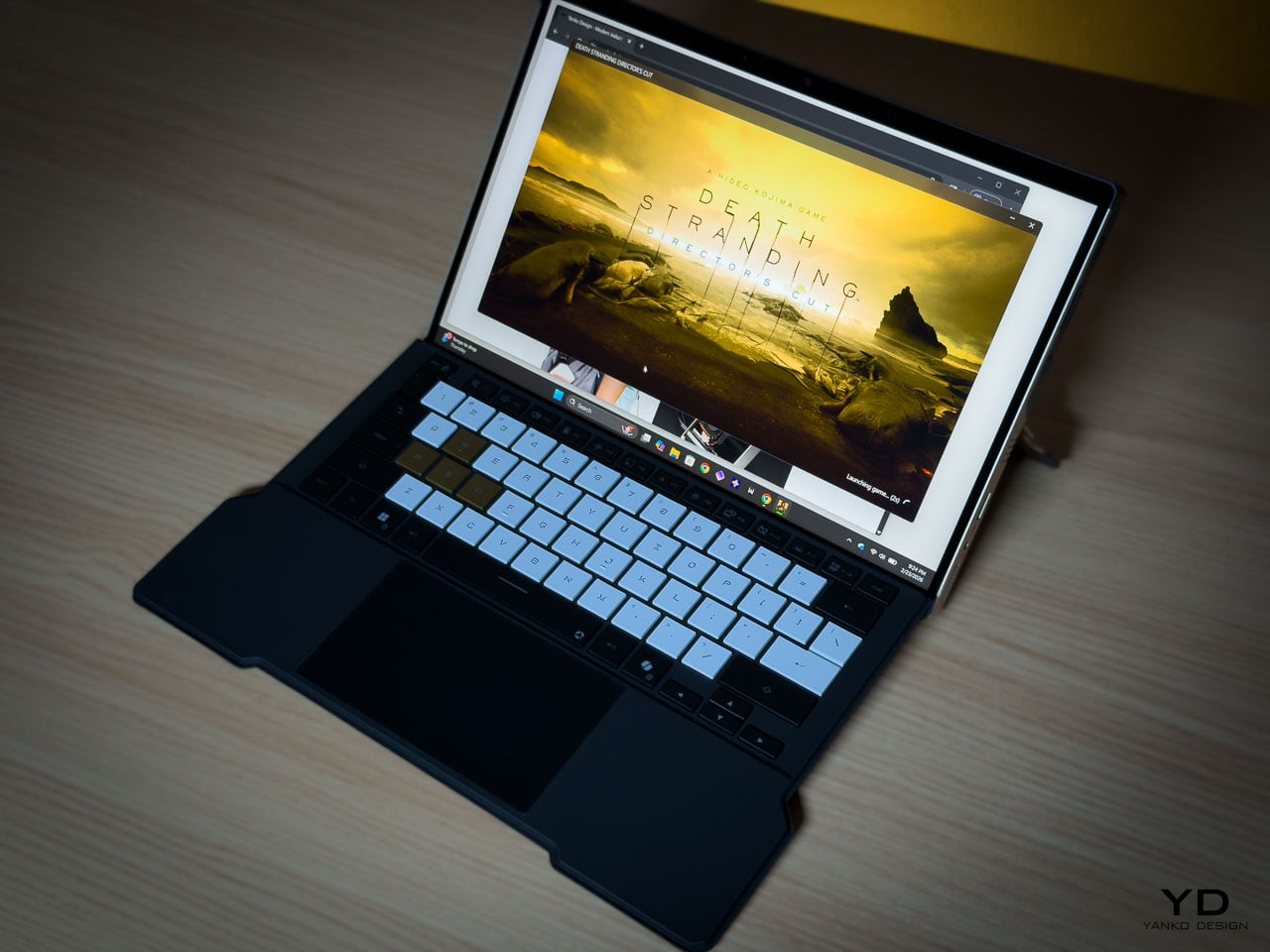
The glass side operates as deliberate counterweight to the rear panel’s visual density. Where the aluminum layers machined geometry, etched lines, carbon fiber, and micro typography into a complex composition, the display presents smooth, unbroken optical neutrality. That restraint is functional. The front surface stays quiet so it doesn’t compete with whatever content the owner puts on screen.

Ergonomically, the 16:10 aspect ratio provides vertical space for document work and browsing without forcing a width that compromises single-handed grip. When held as a tablet, the device balances expressive density on one side with functional clarity on the other, each surface serving a role the opposite can’t.

The Unboxing as Ritual

Limited edition hardware typically includes printed documentation and perhaps a numbered certificate. The Z13 KJP bundle creates a curated experience.
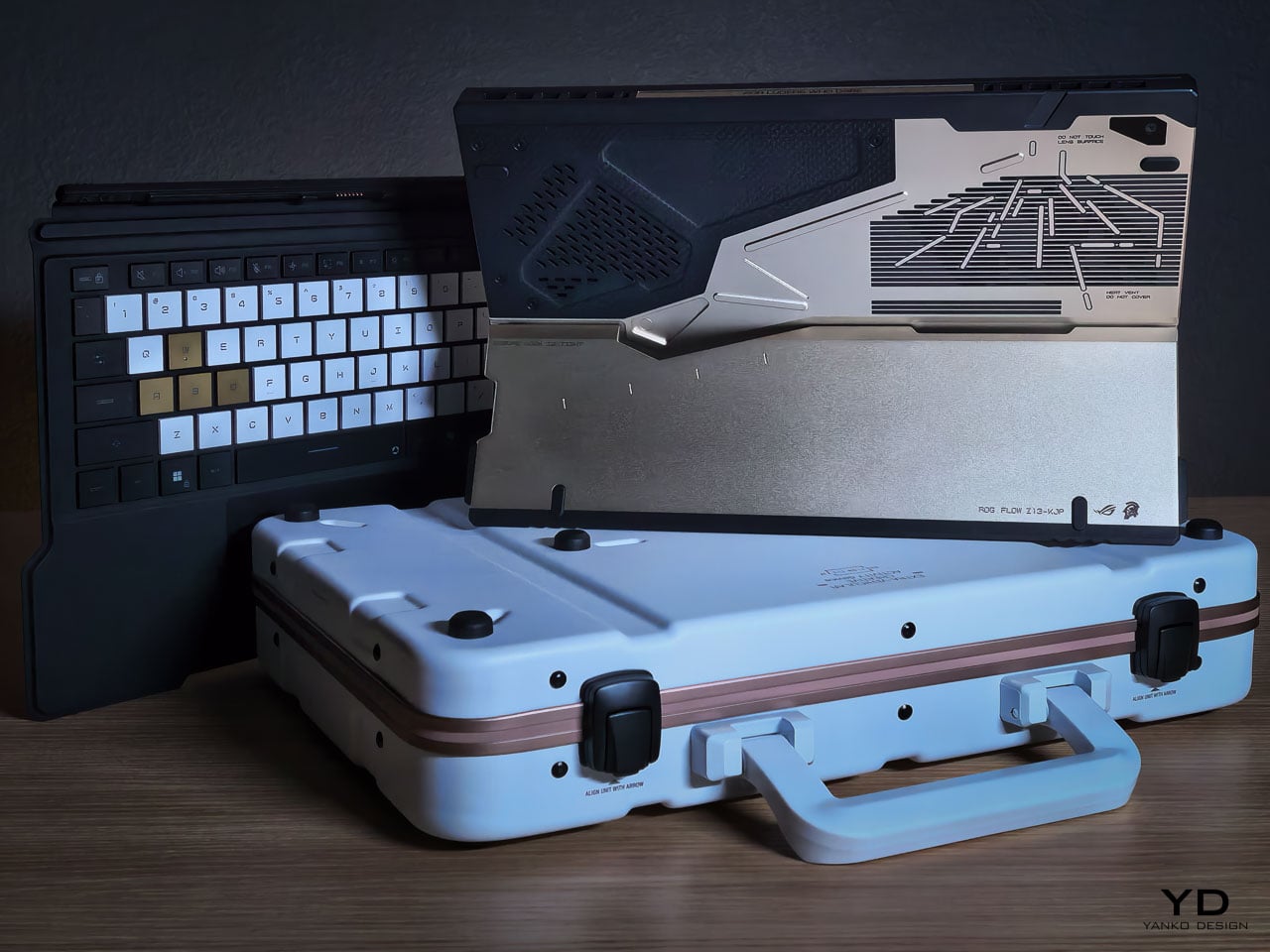
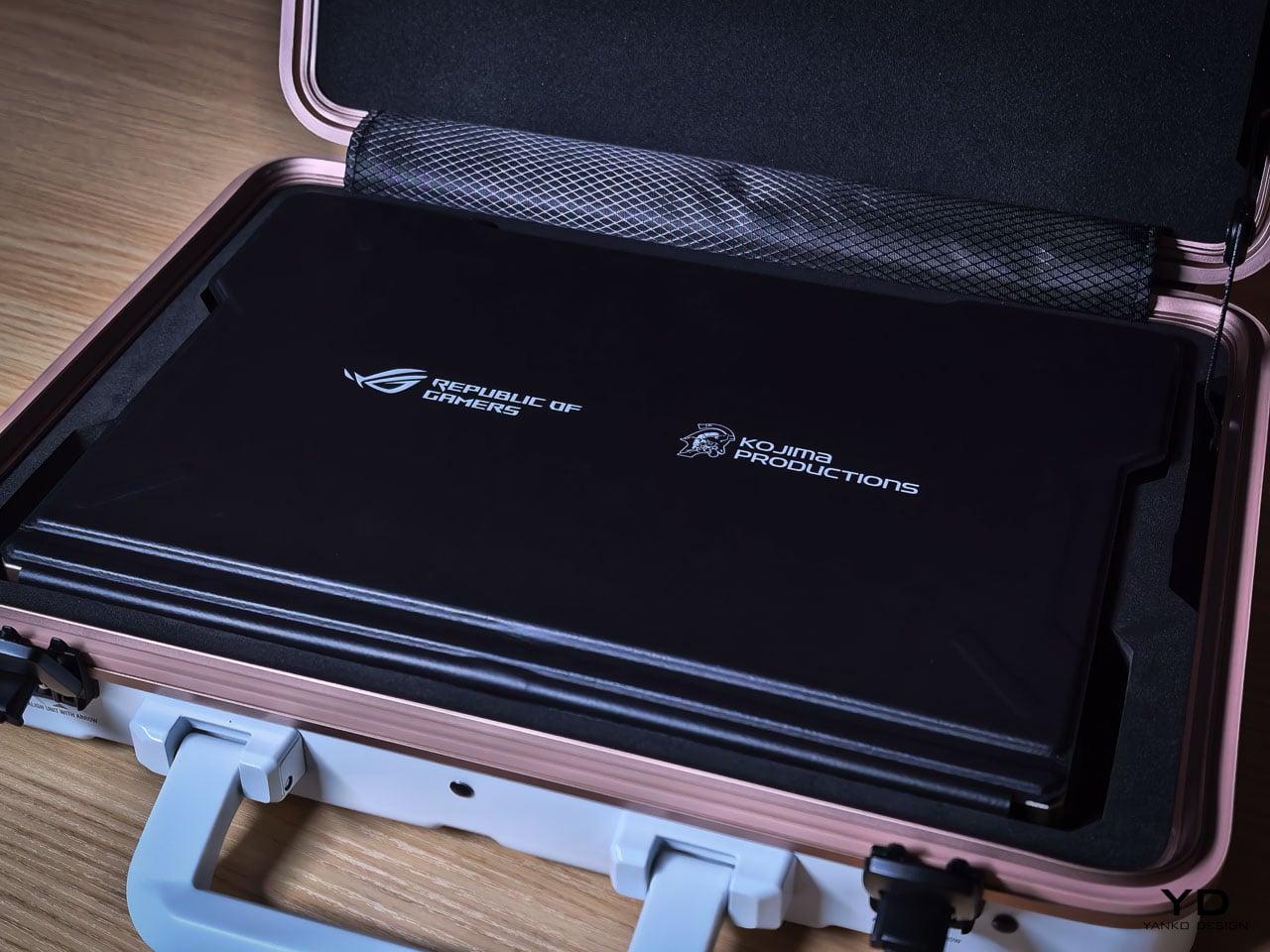
The carrying case uses the same Decennium Gold design language as the laptop. A flight tag bears ROG × KJP dual branding. A sticker sheet includes “For Ludens Who Dare” and branded designs that extend the aesthetic to wherever the owner applies them.

The centerpiece is the thank-you card. Front: Yoji Shinkawa’s original early sketches of the Z13 KJP, developmental drawings that preceded the final product. Back: personal messages from Hideo Kojima and Yoji Shinkawa with their signatures.

For a collector, this card may become the most valued item in the box. Original Shinkawa sketches of any kind command significant prices. Printed reproductions on a thank-you card aren’t originals, but they’re the closest most people will get to Shinkawa’s developmental process for this specific product.

The peripheral ecosystem extends the language: ROG Delta II-KJP headset, ROG Keris II Origin-KJP mouse, ROG Scabbard II XXL-KJP mousepad. All three bear Shinkawa-illustrated design elements. Sold separately, they allow the aesthetic to extend from the laptop to the entire workspace.

Living With the Design

Design analysis happens at arm’s length. Living with hardware happens at fingertip distance, and the Z13 KJP reveals different priorities depending on which distance you’re evaluating from.

The Decennium Gold finish reads as muted industrial alloy rather than jewelry. Under warm lighting it deepens slightly without turning brassy, and under cooler overhead light it holds its tone without washing out. That tonal stability means the device doesn’t shift personality depending on where you set it down. It looks the same on a coffee shop table as it does on a studio desk, which is rarer than it should be for hardware at this price point.
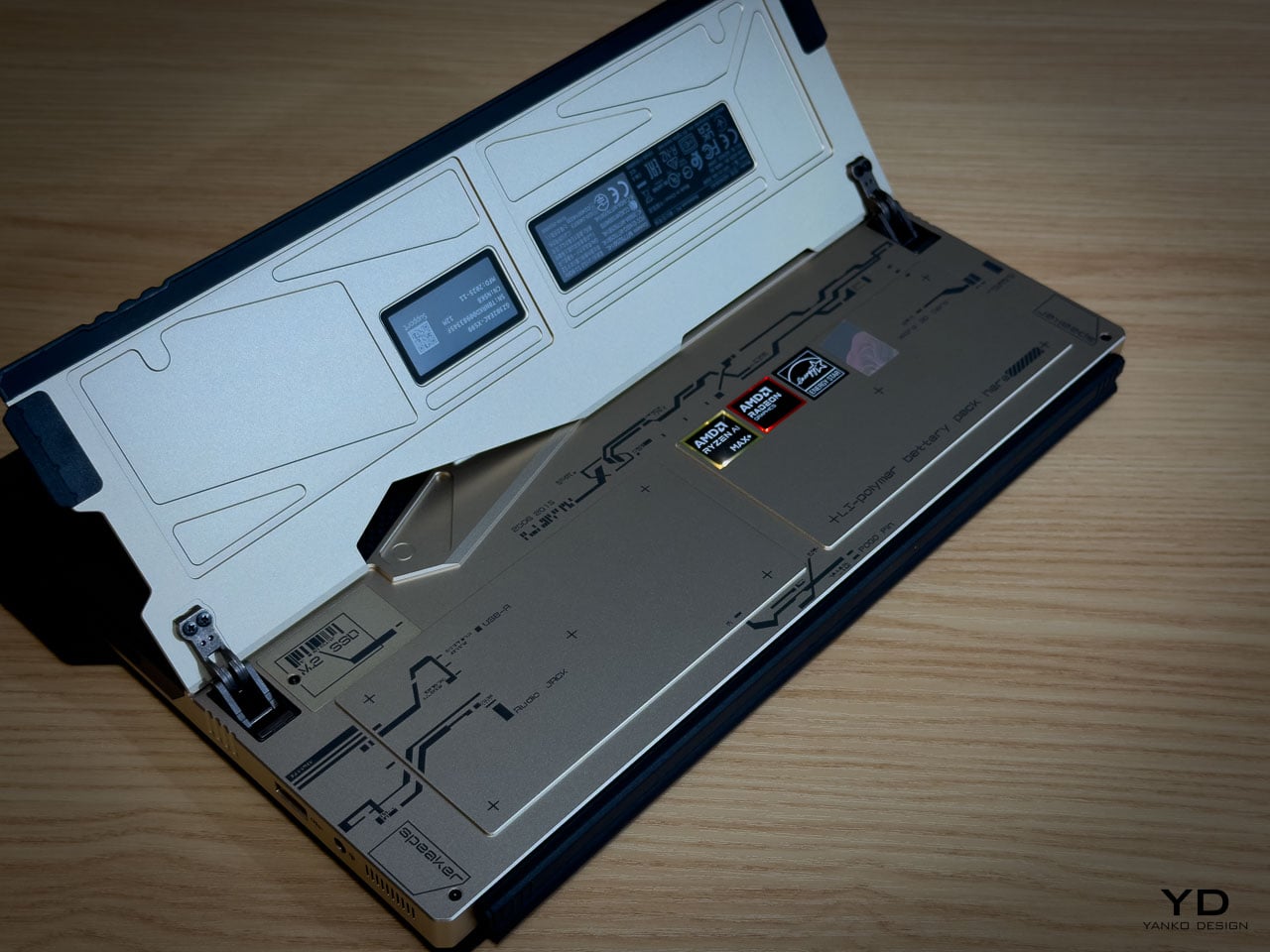
Fingerprints are the inevitable test. The bead blasted aluminum shows contact marks under direct light, particularly on the flatter surfaces between CNC channels. The machined geometry helps break up the visual uniformity that makes prints obvious on polished metal: shadow lines and textured transitions camouflage minor contact marks rather than highlighting them. The carbon fiber panel resists prints more effectively because the woven texture absorbs oils differently than the metal. Over a work session, the aluminum side shows use while the carbon fiber side stays visually cleaner.

At 1.25 kilograms in tablet mode, the Z13 KJP is honest about what it is. Extended handheld use past ten or fifteen minutes reminds you that there’s an AMD Ryzen AI Max Plus 395 and 128GB of memory packed inside a 14.56 millimeter chassis. The angular cutouts on the rear don’t create sharp pressure points against the palm because the CNC beveling rounds the internal edges enough to prevent digging. But the density concentrates in a footprint compact enough that you feel the weight per square centimeter more than you would on a larger device. The carbon fiber section provides a subtle grip advantage over the aluminum, with the woven texture catching skin differently at reading angles where hold confidence matters.
The CNC channels and etched line work invite a question most design pieces avoid: does precision age well? The machined recesses are shallow enough that casual dust isn’t immediately visible, but deep enough that compressed air works more effectively than a cloth for thorough cleaning. The vent apertures, which serve as compositional anchors from a design perspective, become maintenance zones from a use perspective. The rubberized edge guards show no visible wear patterns at high contact points, and their slightly softer surface provides meaningful grip improvement along the edges where you naturally hold the device when repositioning.

The kickstand deploys with firm, deliberate resistance that holds angles confidently. The hinge mechanism doesn’t feel fragile or provisional. When the device sits on its stand with the rear panel facing outward, the visual density of the artwork becomes ambient rather than demanding. You stop reading individual design decisions and start seeing a unified surface that happens to be more interesting than anything else on your desk.

Where the Translation Lands

What the hardware can’t fully capture is the kinetic energy of Shinkawa’s original illustrations. His drawings imply velocity and force through brushstroke dynamism, qualities that a static consumer electronics chassis isn’t built to reproduce. The etched line work creates layered visual complexity, but complexity isn’t motion. The silhouette doesn’t shift with posture. The energy remains implied rather than kinetic, frozen into surface detail rather than expressed through form.

Where the translation succeeds is in its commitment to depth. The design vocabulary lives inside the hardware’s structure rather than on its surface, which is why scrutiny rewards rather than punishes. Move closer and the layering intensifies. Change the lighting and the composition shifts weight without losing coherence. That durability under inspection is rare for any consumer electronics product, let alone one bearing an artist’s name.

A design theme needs its best angle and its ideal lighting. The Z13 KJP doesn’t have a weak configuration or a viewing distance where the intent falls apart, because the intent is embedded in the object itself. Whether the price premium over the standard Z13 is justified depends on how you value that kind of manufacturing commitment. But as a precedent for what artist collaborations in hardware can actually achieve, nothing in the laptop category has come this close to letting the original vision survive production intact. Pre-order starts today at ASUS Store.

The post ASUS ROG Flow Z13 Kojima Productions Edition Review: Designed, Not Branded first appeared on Yanko Design.
ROG Just Built the Gaming Headset Audiophiles Always Wanted

Gaming headsets tend to lean bass-heavy and closed-back, with flashy branding and mics that sound good enough for Discord but not much else. Planar-magnetic hi-fi headphones sound incredible but usually lack microphones and look out of place next to RGB keyboards. Players who care about both soundstage and winning often juggle two pairs or compromise, because the two worlds rarely meet in one product without awkward concessions.

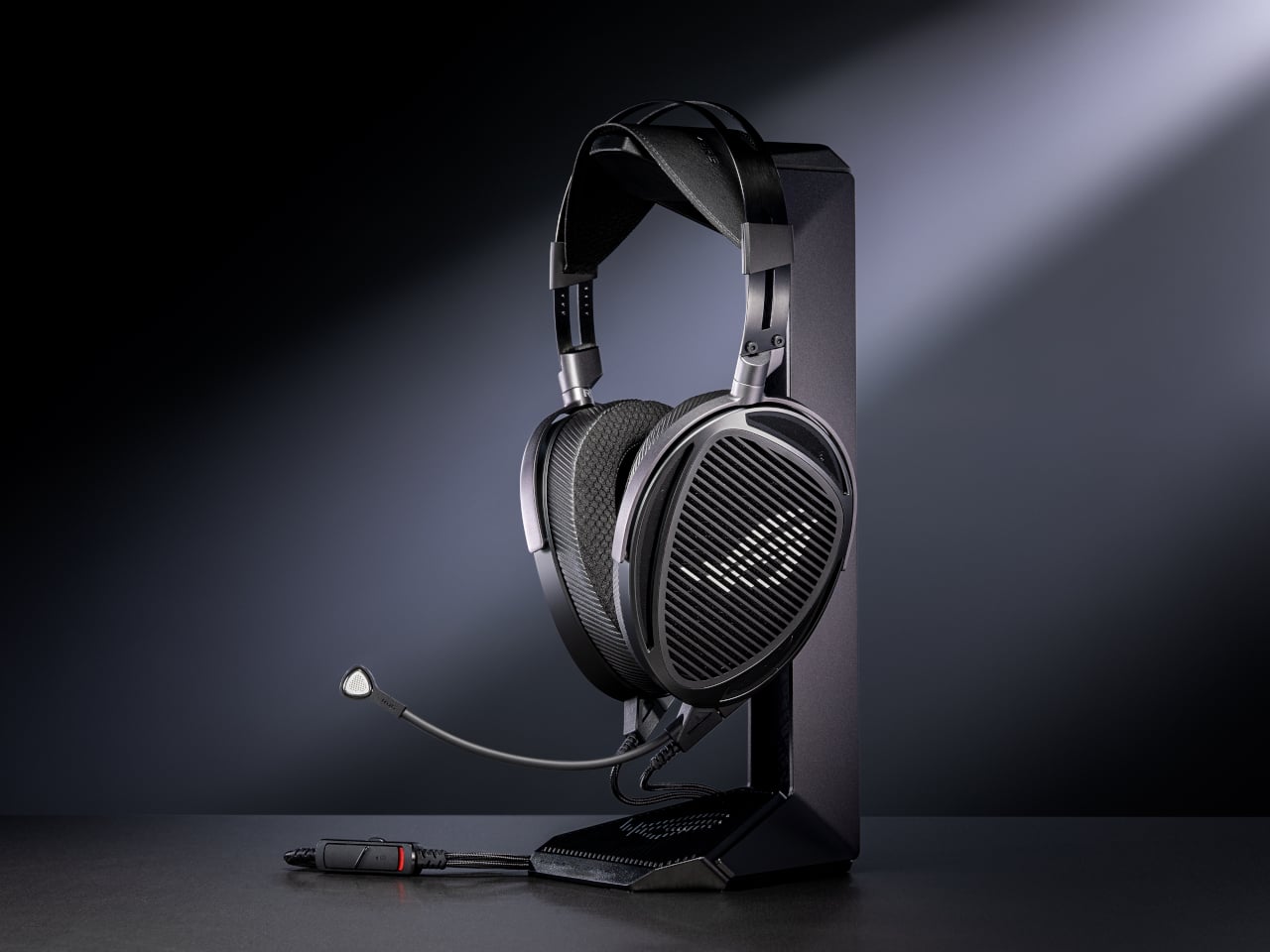
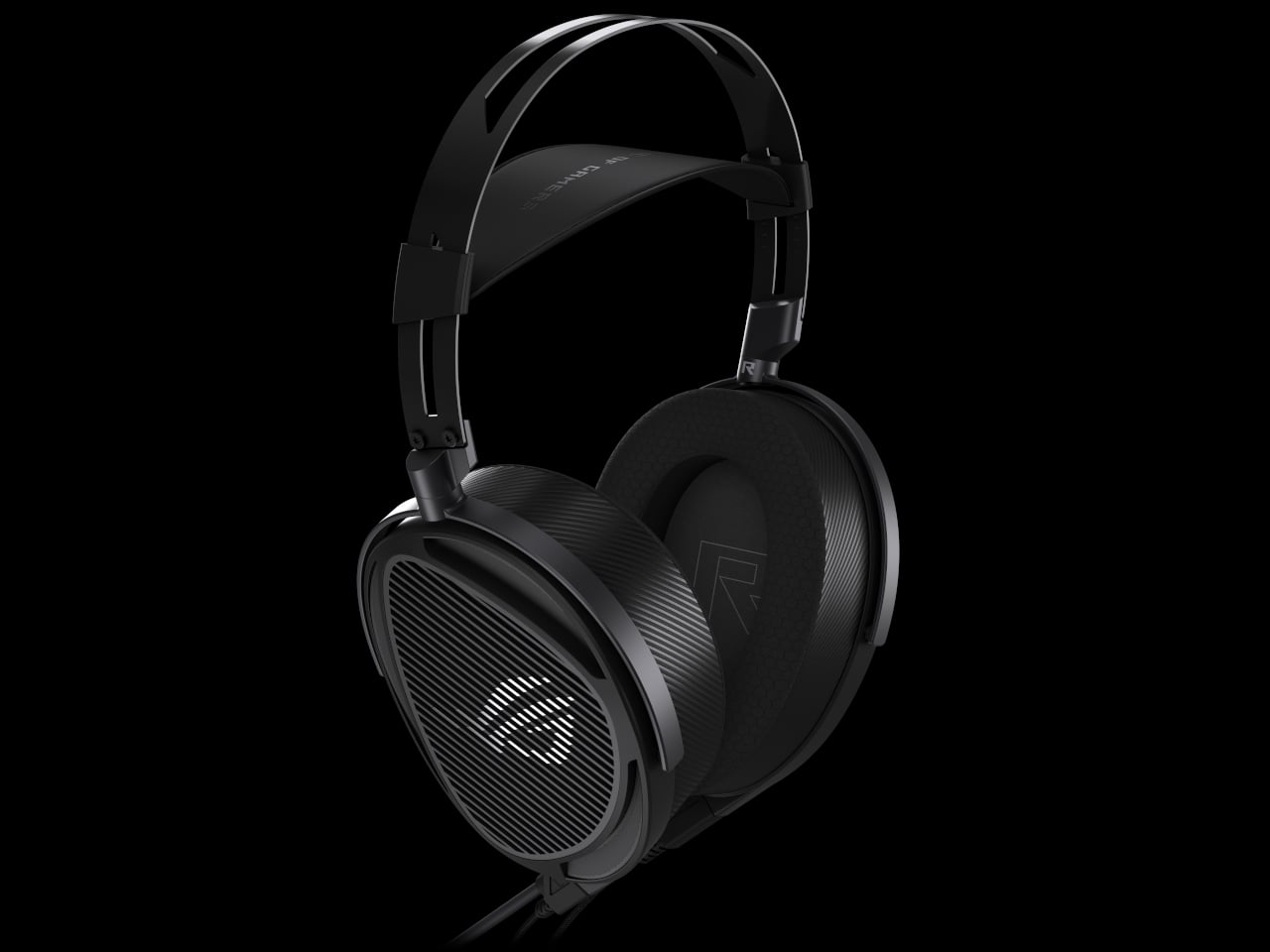
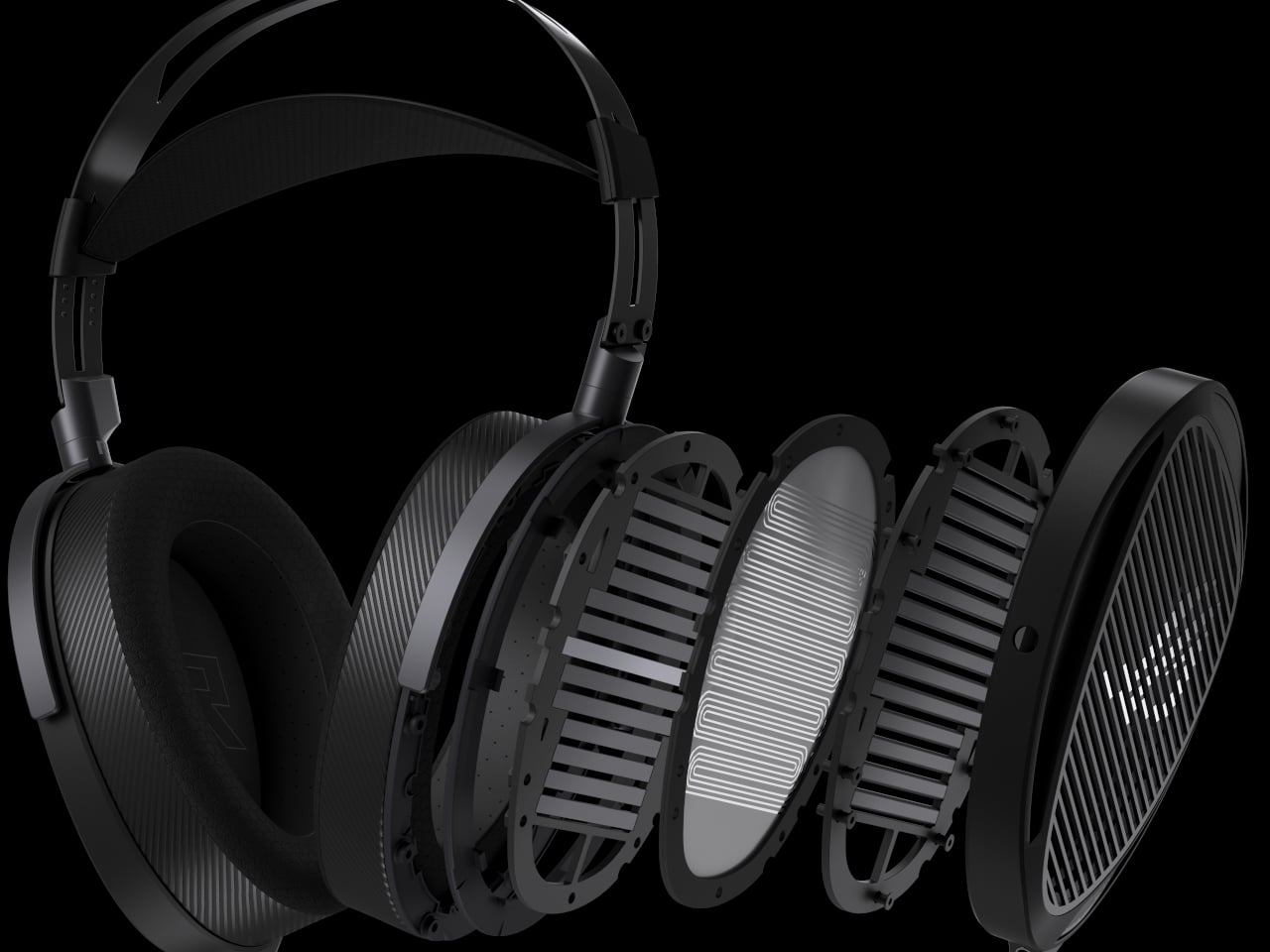
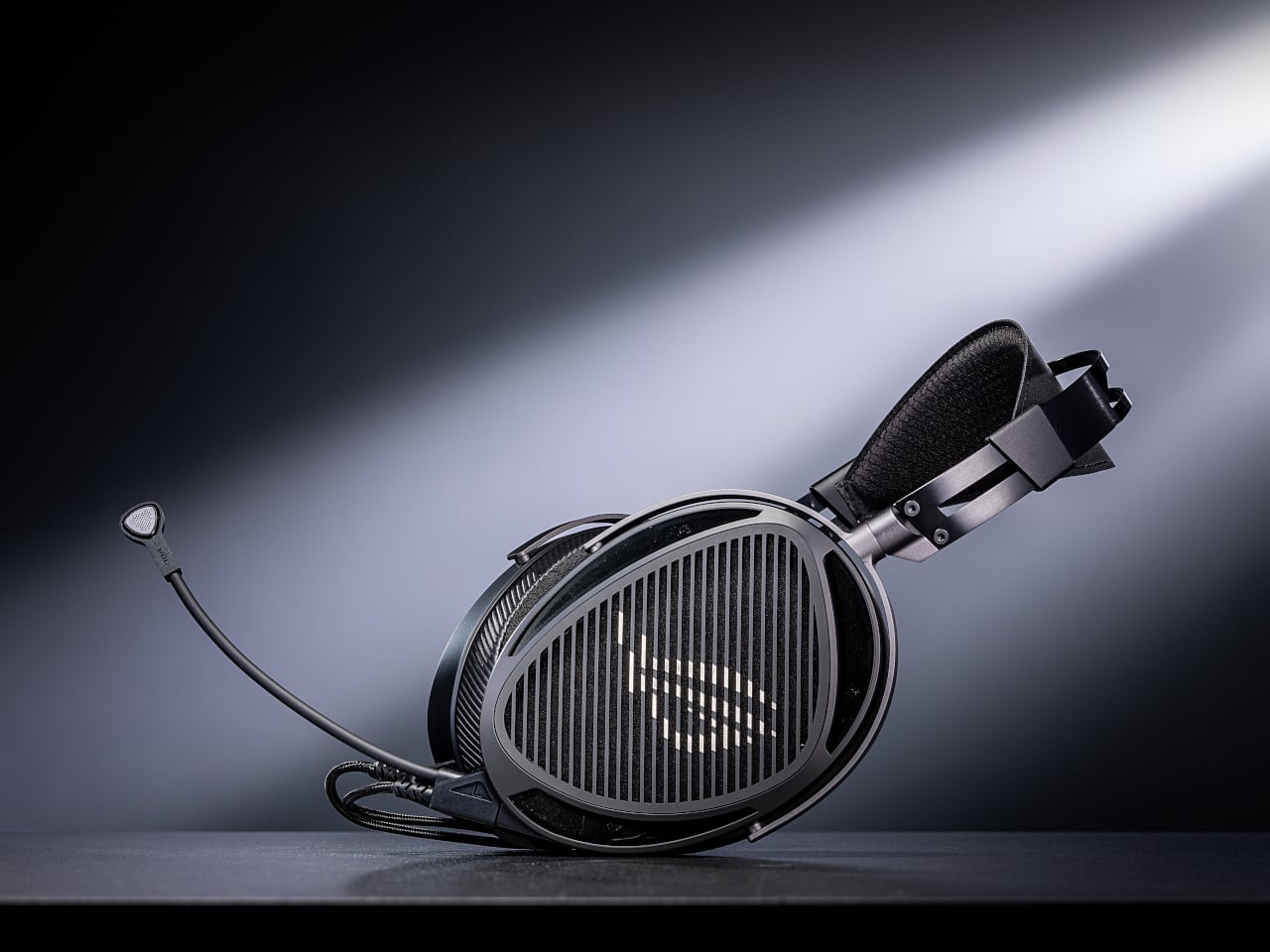
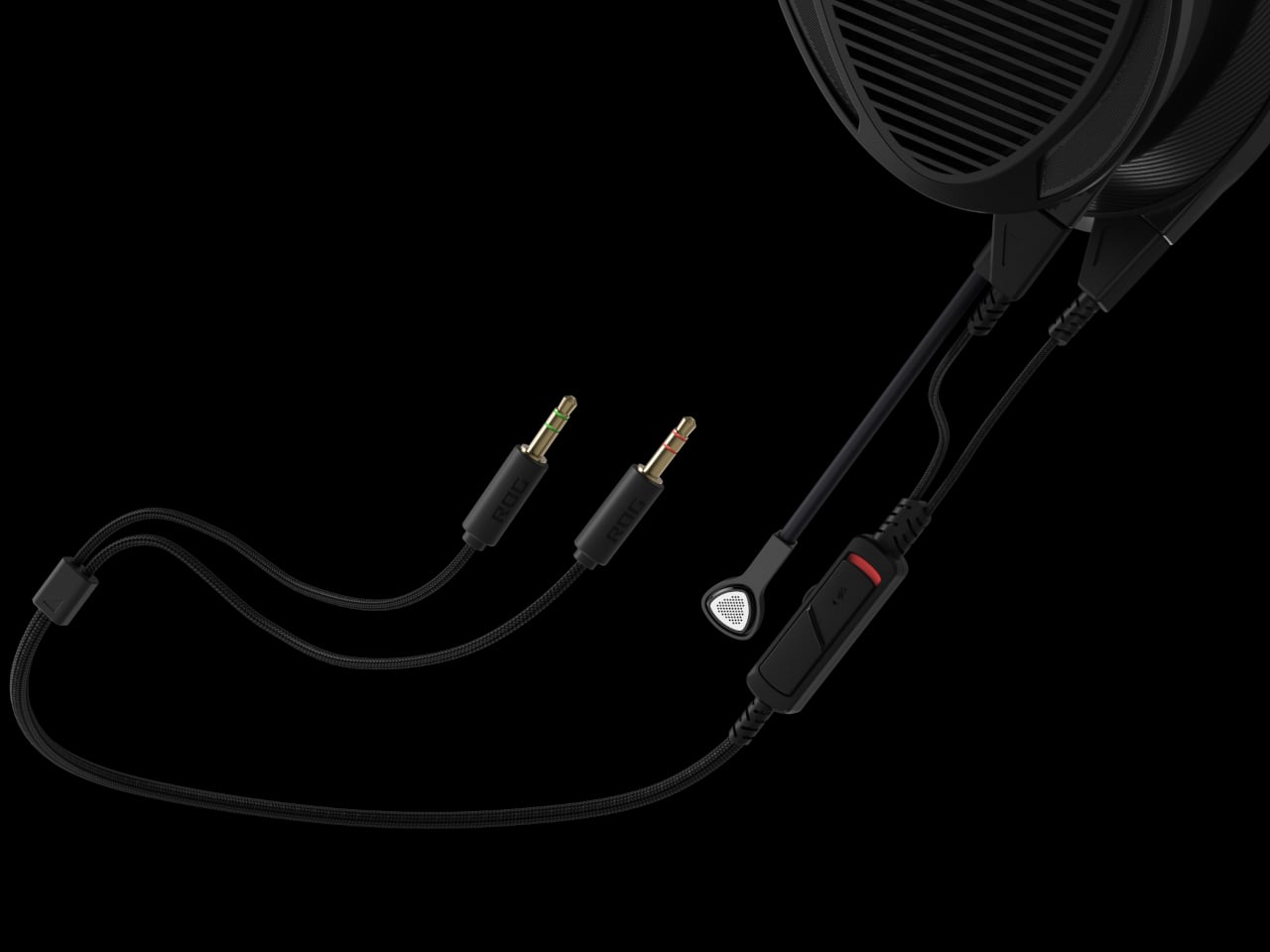
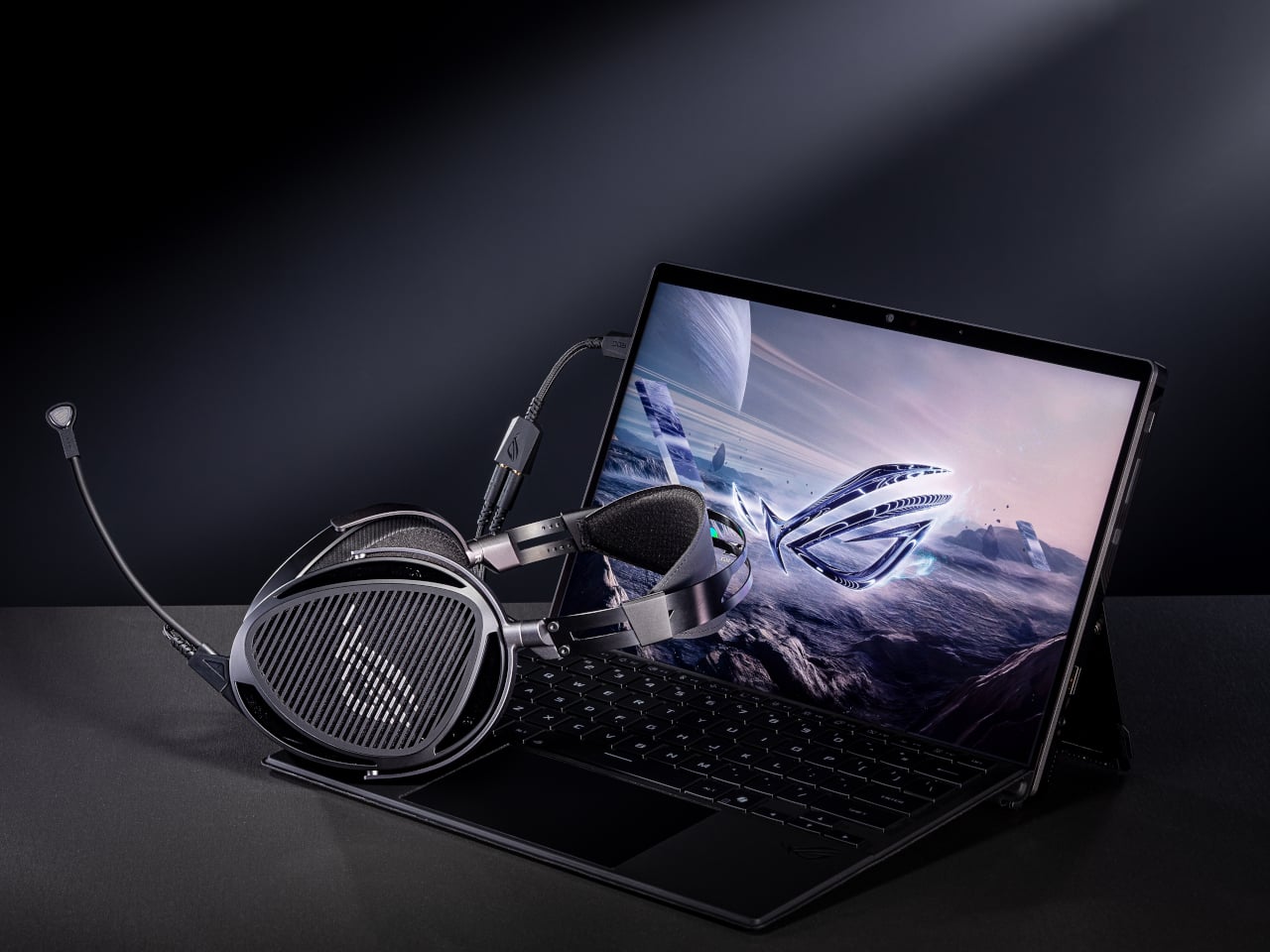
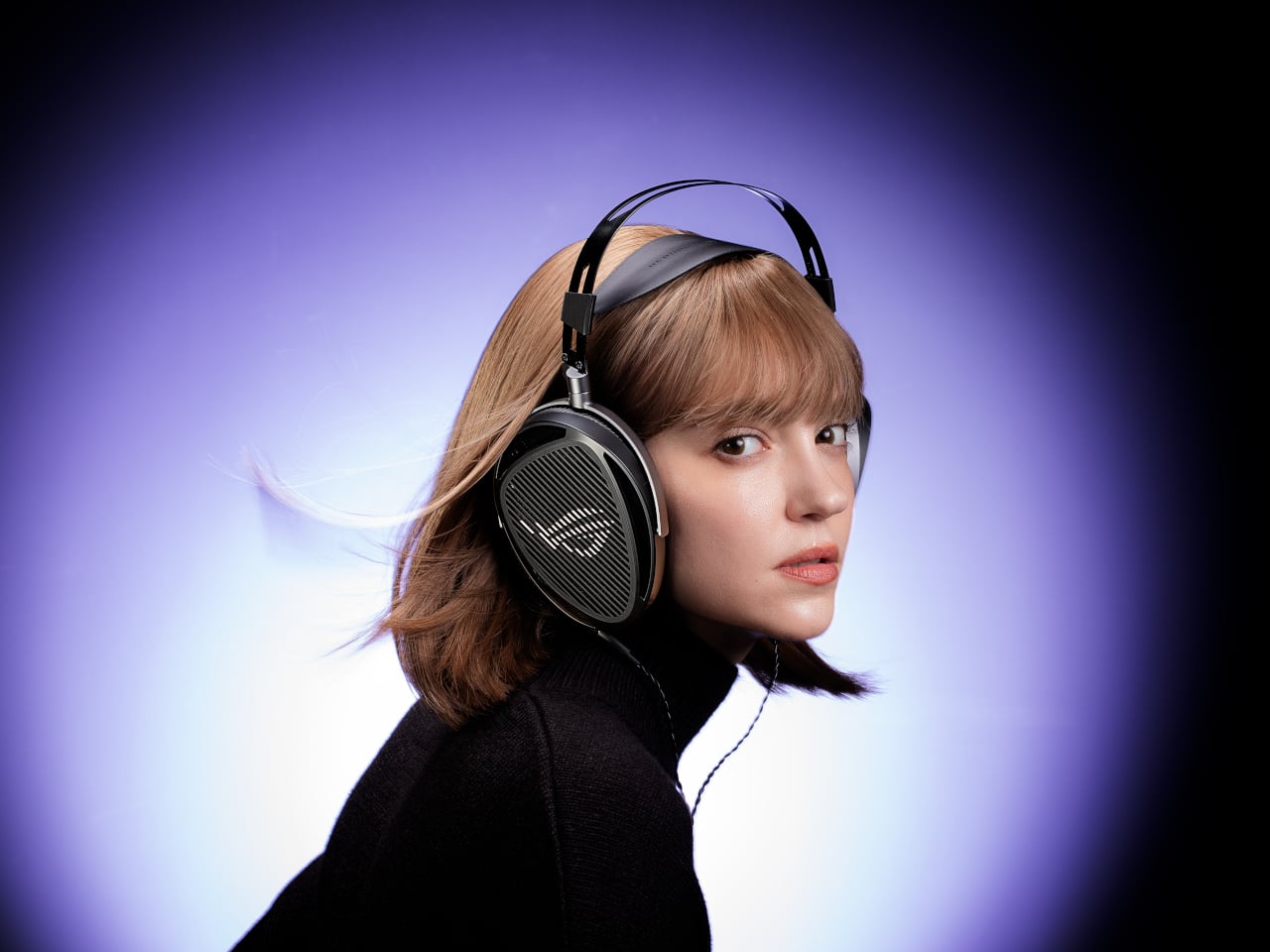
That is where ROG Kithara comes in. It is ROG’s first open-back planar-magnetic gaming headset, developed with HIFIMAN. The collaboration brings 100mm planar drivers into a headset that still has a proper boom mic, in-line controls, and all the plugs you need for PCs, consoles, DACs, and laptops. It treats games like they deserve hi-fi instead of just tolerating them as background noise.

Designer: ROG (ASUS)

The planar drivers deliver an 8Hz to 55kHz frequency response with very low distortion, which translates into deep, controlled bass and crisp treble without smearing. The open-back design creates a wider, more natural soundstage, so footsteps, reloads, and distant movement sit in believable positions instead of clustering in your head. It helps both immersion and tactical awareness without needing surround processing that usually just muddies everything.

Playing a competitive shooter, you can distinguish a teammate reloading behind you from an enemy stepping on metal two floors up. The fast transient response keeps those cues sharp, and the open-back architecture stops explosions from masking subtle sounds entirely. You react faster because you are not guessing where anything came from. You are actually hearing it placed in space the way the sound designer intended it.

The on-cable MEMS boom microphone covers the full 20Hz to 20kHz range with a high signal-to-noise ratio, so your voice sounds more natural than typical narrow-band gaming mics. Separate signal paths for audio and mic on the dual 3.5mm cable keep game sound from bleeding into chat, which your squad will quietly appreciate even if they never ask what headset you switched to or notice until the crosstalk disappears.

The balanced cable with swappable 4.4mm, 3.5mm, and 6.3mm plugs lets you move from a desktop DAC to a laptop or console without changing headsets. The included USB-C to dual 3.5mm adapter covers modern laptops and handhelds. With 16-ohm impedance, Kithara is easy to drive without a rack of gear just to get it loud enough for late-night sessions.

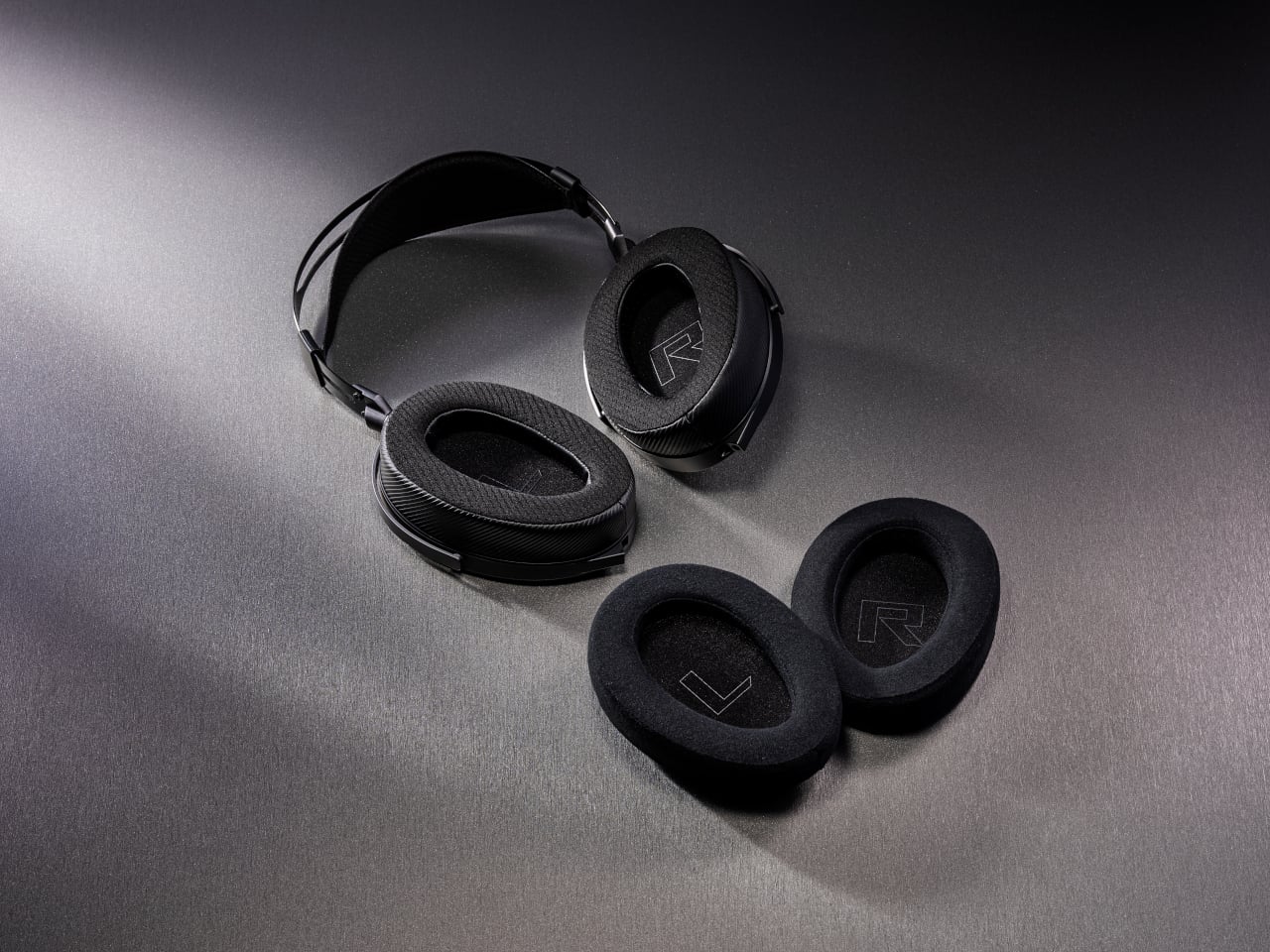
Of course, the metal frame, eight-level headband adjustment, and two sets of ear pads, leatherette with mesh for focused sound and velour for a softer feel, mean you can tune comfort and tonality. The open-back design leaks sound and is best in quiet rooms, but for players who want one headset that handles ranked matches, long story games, and critical music listening, Kithara feels like a rare crossover that actually respects both sides.

The post ROG Just Built the Gaming Headset Audiophiles Always Wanted first appeared on Yanko Design.
2026 ROG Zephyrus Duo, ASUS Zenbook DUO: Versatility You Can Use Today

We have seen quite a number of laptops bearing mind-blowing flexible screens that fold or roll, and while they do help push the envelope of laptop design, they might be the future, but it is definitely not yet here. Foldables still scratch easily and are expensive, rollables are at a concept stage, and both rely on technology that is impressive in a demo booth but nerve-wracking when you actually need to get work done and cannot afford downtime or repair bills.

At CES 2026, ASUS and its gaming brand Republic of Gamers are offering two designs for people who need to get stuff done here and now. Although less spectacular than a screen that folds like paper, the ROG Zephyrus Duo 2026 (GX561) and the ASUS Zenbook DUO 2026 (UX8407) promise a more versatile and more reliable experience, using two rigid OLED panels, conventional hinges, and software layouts that treat dual screens as a workflow multiplier instead of a party trick.

Designer: ASUS

Dual Screens, Multiple Possibilities

With a foldable laptop, you get a large screen that folds down to the size of a normal laptop, or a laptop-sized screen that folds down to half its size. A rollable laptop, on the other hand, starts with a normal size and then expands for more real estate. They both try to offer more screen space with a manageable footprint, but it is still a single panel with a limited set of poses. You can fold it like a book or lay it flat, but you cannot flip one half around into a true tent or dual-monitor arrangement, and the panel itself stays soft and fragile under your fingertips.

The dual-screen design sported by the new Zephyrus Duo and Zenbook DUO uses two independent but connected screens, practically dual monitors connected by a hinge. They are conventional, rigid OLED panels, so none of the soft, scratch-prone flexible displays of foldables. It feels almost like a normal laptop, just one that has a second monitor permanently attached, hinged, and ready to be stood up, laid flat, or folded back into tent mode for sharing across a table.

More importantly, however, this design offers more versatility in terms of how you actually use the machine throughout the day. You can use only a single screen in laptop mode if space is a constraint or if you want to stay focused. You can flip the whole thing into tent mode to share your screen with someone sitting across from you. You can detach the keyboard entirely and stand both panels up as a tiny dual-screen desk, with the keyboard floating wherever your hands are most comfortable. ASUS brings this design to two different kinds of laptops, really just two sides of the same coin, offering the same core idea with the flexibility you can use today.

ROG Zephyrus Duo 2026 (GX561): Not Just a Gaming Laptop

This is not the first Zephyrus Duo, but the first one launched nearly six years ago was more of a one-and-a-half-screen laptop. There was a smaller touchscreen right above the keyboard that offered some space for tool palettes and chat windows, but it was still very much a secondary strip. This 2026 redesign, in contrast, is a bold new direction, going full dual-screen with two large OLED panels and a detachable keyboard like no other gaming laptop has dared to go.

It is a true gaming laptop, of course, and the specs show its pedigree. An Intel Core Ultra 9 processor, paired with up to an NVIDIA GeForce RTX 5090 Laptop GPU pushing up to 135W TGP, backed by up to 64GB of LPDDR5X memory and up to 2TB of PCIe Gen5 SSD storage with easy swap access. The 90Wh battery supports fast charging, hitting 50% in 30 minutes.

The main display is ROG Nebula HDR, a 3K OLED panel running at 120Hz with 0.2 ms response time, HDR 1100 nits peak brightness, 100% DCI-P3 coverage, and ΔE below 1 color accuracy, protected by Corning Glass DXC. All of that is cooled by ROG’s Intelligent Cooling system, with liquid metal on the CPU, a vapor chamber, graphite sheets, and 0 dB Ambient Cooling mode for silent operation when you are not rendering or fragging.

At 6.28 lb and just 0.77 inches thin, it is heavy enough to remind you there is serious silicon inside, but still portable enough to live in a backpack. The machine includes Wi-Fi 7, Thunderbolt 4, HDMI 2.1, USB 3.2 Gen 2 Type-A, and an SD card slot, plus a six-speaker system with two tweeters and four woofers running Dolby Atmos, so you can actually enjoy game audio without always reaching for headphones.

Where the ROG Zephyrus Duo 2026 really shines is in versatility. Because a laptop that can run AAA games can practically do anything as well, including content creation, programming, video editing, and 3D work. Designers and creatives will definitely love the freedom such a design offers, paired with powerful hardware that does not compromise just to fit two screens. You can keep After Effects timelines on one panel while the preview lives on the other, or split code and output, or run a game on the main screen with Discord and guides on the second, all without alt-tabbing or shrinking windows.

ASUS Zenbook DUO 2026 (UX8407): Dual-Screen Goes Lux

The ASUS Zenbook DUO 2026 shaves off some of the gaming hardware to offer a dual-screen laptop that is slimmer, lighter, and a little more stylish. It is no slouch, though, and carries plenty of muscle to handle any productivity task you might throw at it. That also includes content creation, with a bit of light gaming on the side when you want to unwind between meetings or deadlines and do not need RTX power for every session.
The Zenbook DUO 2026 runs a next-gen Intel Core Ultra processor with up to 50 TOPS NPU for AI workloads, paired with Intel Arc integrated graphics, up to 32GB of memory, and up to 2TB of SSD storage. It supports up to 45W TDP with a dual-fan thermal solution, keeping the machine stable during sustained loads without the heavy cooling overhead of a discrete GPU, which helps keep the chassis thin and light.
The main display is an ASUS Lumina Pro OLED with 1000 nits peak brightness, and both screens are treated with the same level of care, making them equally usable for productivity, media, and light creative work. What differentiates this next-gen dual-screen from its predecessor is the new hinge design that puts the screens closer together. With thinner bezels, they now sit just 8.28mm apart, a 70% reduction, and they almost look like a single continuous piece.

ASUS has adopted its Ceraluminum material for the Zenbook DUO 2026’s laptop lid, bottom case, and kickstand, making it not only look and feel more luxurious but also be a bit more resilient to accidents and daily wear. The Zenbook DUO weighs just 1.65kg and has a 5% smaller footprint than previous generations, which makes it easier to carry and fit on smaller desks or café tables.

It is packed with ports, including two Thunderbolt 4 connections, HDMI 2.1, USB 3.2 Gen 2 Type-A, and an audio jack, plus six speakers with two front-firing tweeters and four woofers for surprisingly rich audio from a thin chassis. The keyboard connects via magnetic pogo pins or Bluetooth, and the machine supports ASUS Pen 3.0, turning both screens into writable surfaces for notes, sketches, or annotations during video calls or brainstorming sessions.

Like the Zephyrus Duo, the Zenbook DUO 2026 can be used in multiple orientations. Laptop mode with the keyboard on top of the lower screen for traditional clamshell use. Desktop mode with both screens stacked or side-by-side, the detachable keyboard placed separately, and the built-in kickstand propping the whole thing up like a tiny dual-monitor workstation. Tent mode for presentations or sharing content across a table without needing an external display or awkward screen mirroring. The flexibility is the point, and it works without asking you to trust a flexible panel not to crease or scratch under normal use.

Trade-offs and Potential

Dual-screen laptops are not perfect, of course. You need to keep track of a separate keyboard you hope you will not lose, though that is also the case for some foldable laptops anyway, and the detachable keyboard is also what lets both the Zephyrus Duo and Zenbook DUO behave like tiny dual-monitor desks in tent or desktop modes. These machines are easily heavier than single-screen laptops with equivalent specs, and they will likely be priced firmly in premium territory, though still far below the stratospheric costs of early foldables.

There is also that unavoidable divider between the two screens, though ASUS has gotten it down to 8.28 mm on the Zenbook DUO, and at that point it starts to feel more like a subtle pause than a major interruption. The hinge is still visible, the gap is still there, but it is less about accepting compromise and more about acknowledging that two rigid, high-quality OLED panels with a small gap are more practical than one fragile foldable panel with no gap at all.

Despite those limitations, these designs offer a kind of versatility that neither conventional laptops nor foldable laptops can match. You get to decide how to use the laptop, unrestricted by a single panel or a prescribed set of folds. You can boost your productivity with two screens for timelines and tools, or save space with just one when you are working in a tight spot. You can stand them up for presentations, lay them flat for collaborative work, or use them as a traditional clamshell when muscle memory takes over.

Maybe someday, we will have foldable laptops that can bend both ways, support multiple modes, and will not easily scratch with a fingernail or develop a permanent crease after a few months of daily folding. But if you want to be productive and create content today, the ROG Zephyrus Duo 2026 and ASUS Zenbook DUO 2026 could very well be among the most productive and most versatile laptops of 2026, delivering the dual-screen promise without the fragility, the expense, or the anxiety that comes with carrying a piece of still-experimental tech into the real world.

The post 2026 ROG Zephyrus Duo, ASUS Zenbook DUO: Versatility You Can Use Today first appeared on Yanko Design.