The new Apple Pencil Pro is a death-sentence for Wacom

Wacom was once an industry leader in the sketching tablet PC market. However, it’s no match for the deadly combo of the new iPad Pro M4 and the Apple Pencil Pro. Announced at the iPad keynote yesterday, the new Pencil Pro packs features so unique, it makes regular capacitive styluses look like tools from the Stone Age. The new Pencil Pro has a new squeeze gesture to activate quick menus, can track rotation to have objects and brushes rotate in real-time (known as barrel roll), and even has a haptic motor for feedback – while still packing features from previous models like the hover feature, pressure and tilt sensitivity, and low-latency. If all that wasn’t enough, the Pencil Pro even has Find My support, allowing you to locate your stylus if it ever gets lost. The Wacom Pro Pen 3 on the other hand, has buttons.

Styluses have existed for decades at this point, and if you asked anyone ten years back which was the most well-designed stylus and tablet combo for creatives, the answer would invariably be something from Wacom’s lineup. The company had three options back in the day, the budget Wacom Bamboo, the mid-range Wacom Intuos, and the flagship Wacom Cintiq. Apart from the Cintiq, none of the other tablets had screens – they were just massive trackpads that you could only draw on with styluses. The Cintiq was the closest thing to an iPad – it had a screen, allowed multi-touch gestures, and came with controls galore… the only problem was that it didn’t work independently, it needed to be tethered to a desktop or laptop to work. The Cintiq, along with the Intuos and Bamboo, came with a stylus that featured a pressure and tilt-sensitive tip, along with programable buttons that let you undo or redo tasks, and a stylus tip on the back of the pen also that activated the eraser, mimicking how most pencils come with erasers on their reverse tip. The styluses also operated without batteries, allowing for hours of sketching without needing to charge the pen periodically.

The Wacom Cintiq Pro is anywhere between 5-8 times thicker than the 2024 iPad Pro

Cut to yesterday when Apple dropped the iPad Pro M4 and the comparison is incredibly stark. For starters, whenever anyone asks me whether they should buy an iPad or a Wacom, the answer is almost always the former… because when you’re not sketching on the Wacom, it’s useless, but when you’re not sketching on the iPad, it’s still an iPad. The difference seems even greater with the new iPad Pro being Apple’s thinnest device yet at just 5.1mm thick, while the 16-inch Wacom Cintiq is a whopping 25mm thick – 5 times thicker than its competitor. Cut to the larger 22-inch Cintiq and it’s a staggering 40mm thick, or the equivalent of 8 iPad Pros stacked one on top of the other.

However, a hardware comparison between a trillion-dollar electronics giant and Wacom, that’s valued at just half a billion dollars doesn’t seem fair. What does seem fair, however, is to just look at one singular product to see how far Apple’s outpaced its competition – the humble stylus. Wacom played a critical role in perfecting its EMR stylus technology, which was game-changing a decade or so ago. The pens ran without batteries, could sense pressure and tilt with stunning accuracy, and an eraser on the rear, becoming the creative industry’s go-to for digital sketching. When Apple debuted the Pencil, it had the same features except without any buttons. The Pencil 2, on the other hand, got a tap feature that let you swap between brush and eraser, and a unique charging mechanism that allowed you to charge your stylus simply by snapping it to the side of an iPad (it subsequently also got a hover function with newer iPad models). Apple’s newly announced Pencil Pro, which dropped yesterday, however, is an entirely different beast.

The new Pencil Pro has the hover function, lets you squeeze to activate a quick menu, and even supports barrel rolls that allow you to rotate brushes or objects simply by rotating your stylus. In true Apple fashion, it doesn’t have any buttons on it, but you can still tap to alternate between brush and eraser, and you even get a brush preview when your stylus is near the screen, letting you know how your brush is oriented. If all that wasn’t enough, the new Pencil Pro even packs Apple’s Find My feature, letting you locate a lost pencil through your iPad or iPhone.

The Pencil Pro can be squeezed to activate a quick menu

A great stylus on the iPad Pro, which already comes with an industry-leading chip, laptop-grade performance, a brilliant camera setup and LiDAR sensor, and an app store, basically makes the iPad or Wacom question moot. The only true advantage Wacom’s tablets have at this point is that they’re bigger than iPads, starting at 16 inches and maxing out at 27 inches diagonally. They also cost MUCH more than the iPad Pros, with the Cintiq Pro 16″ starting at $1599, and the Cintiq Pro 27″ having an eye-watering $3499 price tag. That’s Vision Pro territory for a sketching tablet.

The haptic motor gives you feedback when you squeeze the Pencil Pro

There still is a market for Wacom products. They’re massive, preferred by the hardcore animation and visual industries, and are platform-agnostic, which means you can easily run Windows or Linux programs on them, which most power users will appreciate over being limited to the iPadOS. But for the most part, the iPad Pro and Pencil Pro are so far ahead of their competition at this point, that they’ve made Wacom’s tablets (an already niche creative-focused gadget) even more niche… almost to the point of obscure.

The post The new Apple Pencil Pro is a death-sentence for Wacom first appeared on Yanko Design.
Why the M2 iPad Air Is Ideal for Students, Designers, and Everyone In Between

iPad Air M2

The iPad Air, now available in both 11-inch and 13-inch models, caters to a variety of needs and preferences. Whether you’re a student always on the move or a designer needing ample screen space for intricate visuals, there’s an option perfectly sized for you. The 11-inch version excels in portability, easily slipping into a small bag or backpack, making it the go-to device for students who juggle between classes and study sessions across campus. Meanwhile, the 13-inch model, with its expanded display, provides 30 percent more screen real estate, offering designers and students the luxury of a bigger canvas to work on complex projects or manage multiple applications side by side with iPadOS’s multitasking features.

Designer: Apple

The 11-inch iPad Air is super-portable, while the 13-inch model provides an even larger display, giving users more room to work, learn, and play.

Beyond size, the iPad Air boasts a Liquid Retina display with advanced technologies such as True Tone, high brightness, and anti-reflective coating, ensuring everything you see is detailed and vibrant. This is crucial when precision in color and detail plays a significant part in your coursework or professional projects. The support for P3 wide color gamut also means that the visuals are not just bright but incredibly accurate, which is especially important for design students and professionals who rely on true-to-life colors for their digital artistry.

The repositioned front-facing camera is another subtle yet impactful enhancement. Set along the landscape edge, the camera automatically keeps you in frame during video calls, thanks to the Center Stage technology. This feature is particularly beneficial now that remote collaboration has become more prevalent in both educational and professional settings. Whether you’re presenting a thesis to your class or brainstorming with colleagues over a video call, the camera adapts dynamically to ensure you are always seen, complemented by dual microphones that focus on your voice while minimizing background noise.

Moved to landscape edge, 12MP Ultra Wide front-facing camera with Center Stage improves call experience.

Performance-wise, the M2 chip in the iPad Air is a big leap forward, bringing not only speed but also efficiency to every task. This chip is tailored for advanced tasks such as photo and video editing, 3D modeling, and large-scale graphic designs, all while maintaining energy efficiency for all-day battery life. This means less time tied to a power outlet and more flexibility to work in settings that inspire you, be it a quiet corner of a library or lounging at your favorite cafe.

Moreover, the iPad Air now supports not only the Apple Pencil (2nd generation) but also the newly introduced Apple Pencil Pro, enhancing its utility for both students and designers. The Apple Pencil Pro includes a new sensor in its barrel that can detect squeezes, enabling users to quickly switch between tools, line weights, and colors effortlessly—ideal for designers working in applications such as Affinity Designer 2. Additionally, its custom haptic feedback provides tactile responses to actions like squeezing or double-tapping, enhancing the user’s interaction by confirming their inputs in a way that feels intuitive and direct. The inclusion of a gyroscope allows for fine control over tool orientation, mimicking the real-world experience of rotating a pen to achieve the desired stroke or effect.

Apple Pencil Pro enhances creativity with squeeze, barrel roll, and haptic feedback for intuitive marking, note-taking, and design in apps like Affinity Designer 2.

For those who are prone to misplacing their tools, the Apple Pencil Pro introduces support for Apple’s Find My network, a first for Apple’s stylus line. Both the Apple Pencil Pro and the Apple Pencil (2nd generation) attach magnetically to the side of the iPad Air, where they also charge, ensuring they are always ready for use and conveniently stored. This versatility makes the iPad Air an even more attractive option for anyone looking to maximize their productivity and creative output, whether they are annotating documents, taking detailed notes, sketching out a design, or navigating through complex creative software.

Connectivity is also an important feature of the iPad Air’s appeal. With the introduction of Wi-Fi 6E and the option for 5G connectivity, the device ensures that you can work from anywhere without lag or interruption. This is particularly valuable for students who need to download large resources quickly or for designers who must upload high-resolution files to cloud-based platforms.

Magic Keyboard: Floating cantilever design, magnetic attachment, multiple viewing angles, integrated trackpad, USB-C pass-through charging, and full iPad protection.

Traveling with tech can sometimes feel like a balancing act between staying productive and managing your gear effectively, especially for someone like myself who’s always on the move. One of the standout features of the iPad Air, from my perspective, is its versatility—particularly the ability to detach it from the Magic Keyboard. This becomes incredibly handy during air travel. Picture this: you’re on a flight, deeply absorbed in your latest design project or perhaps the climax of your favorite Netflix series. Just as the airplane prepares for takeoff, the usual announcement comes over the PA: “Please stow your laptops.” However, thanks to the iPad Air’s detachable setup, you can continue your work or entertainment seamlessly by simply detaching the iPad from its keyboard. It’s moments like these where the iPad Air proves its worth, allowing you to maintain your creative or entertainment zone without a hitch.

In terms of the operating system, I appreciate the straightforward and efficient design of iPadOS 17. It simplifies daily tasks and enhances user interaction, making everything from navigation to app management feel more fluid. The customization options in iPadOS 17 are particularly notable; they allow you to tailor the Lock Screen on both the 11-inch and new 13-inch displays. This personalization capability lets you set unique wallpapers and choose expressive fonts that truly reflect your personal style.

As WWDC 2024 approaches, while iPadOS 17 certainly gets the job done, I’m eager to see what iPadOS 18 will bring to the iPad. Anticipating new features and enhancements that could further refine and expand the functionality of this already versatile device adds an exciting layer of potential for iPad users looking forward to the next evolution in their device’s capabilities.

Interactive widgets on iPadOS 17 are also great for productivity. Imagine being able to glance at your screen and tap a widget to immediately capture a brilliant idea in the Notes app or adjust your schedule in Calendar. This kind of immediate interaction is perfect for someone who needs to stay flexible and react quickly to changes, which is often the case in both travel and creative professions.

iPad Air with M2 uses AI for features like Subject Lift, Visual Look Up, and Live Text.

The enhancements to Messages and FaceTime add a layer of fun and convenience. With new sticker features and the ability to leave video messages, staying connected feels more personal and engaging. For professionals, the Continuity Camera feature is particularly impressive. You can start a video call on your iPad Air and seamlessly hand it off to Apple TV, making it perfect for professional presentations or casual catch-ups.

Freeform’s new tools for drawing and collaboration are a boon for creatives. Whether you’re sketching out a quick concept or organizing a project with teammates, these tools make it easy to bring your ideas to life. And for someone who frequently deals with contracts or creative briefs, the enhanced PDF capabilities in the Notes app can be incredibly efficient, allowing you to annotate, fill out forms, and collaborate without ever needing to print or scan anything.

Lastly, the inclusion of features like Stage Manager, which lets you handle multiple overlapping windows, is ideal for multitasking. This feature, combined with AI-driven capabilities like Live Captions and intelligent accessibility features, ensures that the iPad Air isn’t just keeping up with the demands of mobile professionals and creatives—it’s anticipating them.

Every Apple product I’ve used, from my M1 MacBook Pro to an iPhone 12 Pro Max or a three-year-old iPad Pro with an M1 chip, continues to hold immense value. Remarkably, there has been very little performance degradation, and none feels obsolete. This changelessness is largely thanks to Apple’s timeless design concepts, which are consistently implemented across the product line.

Moreover, the new iPad Air reflects Apple’s ongoing commitment to environmental responsibility. It is crafted with 100% recycled aluminum for its enclosure, utilizes 100% recycled rare earth elements in all magnets, and features 100% recycled gold plating and tin soldering in multiple printed circuit boards. These efforts are complemented by packaging that is entirely fiber-based, aligning with Apple’s goal to eliminate plastic from all packaging by 2025. As part of a broader commitment, Apple aims to be carbon neutral across its entire manufacturing supply chain and the life cycle of every product by 2030. These steps not only reflect Apple’s dedication to reducing its environmental footprint but also enhance the appeal of the iPad Air to environmentally conscious consumers.

Whether you’re considering an upgrade or this might be your first Apple product, you can trust that in the next year, or even the year after, you won’t feel the need to upgrade unless you choose to. Apple’s commitment to quality, forward-thinking design, and environmental sustainability ensures that its products not only meet current demands but continue to remain relevant and perform excellently well into the future.

The post Why the M2 iPad Air Is Ideal for Students, Designers, and Everyone In Between first appeared on Yanko Design.
Upgrade Your WiFi with Unmatched Privacy and Safe Connectivity at Home or Anywhere in the World

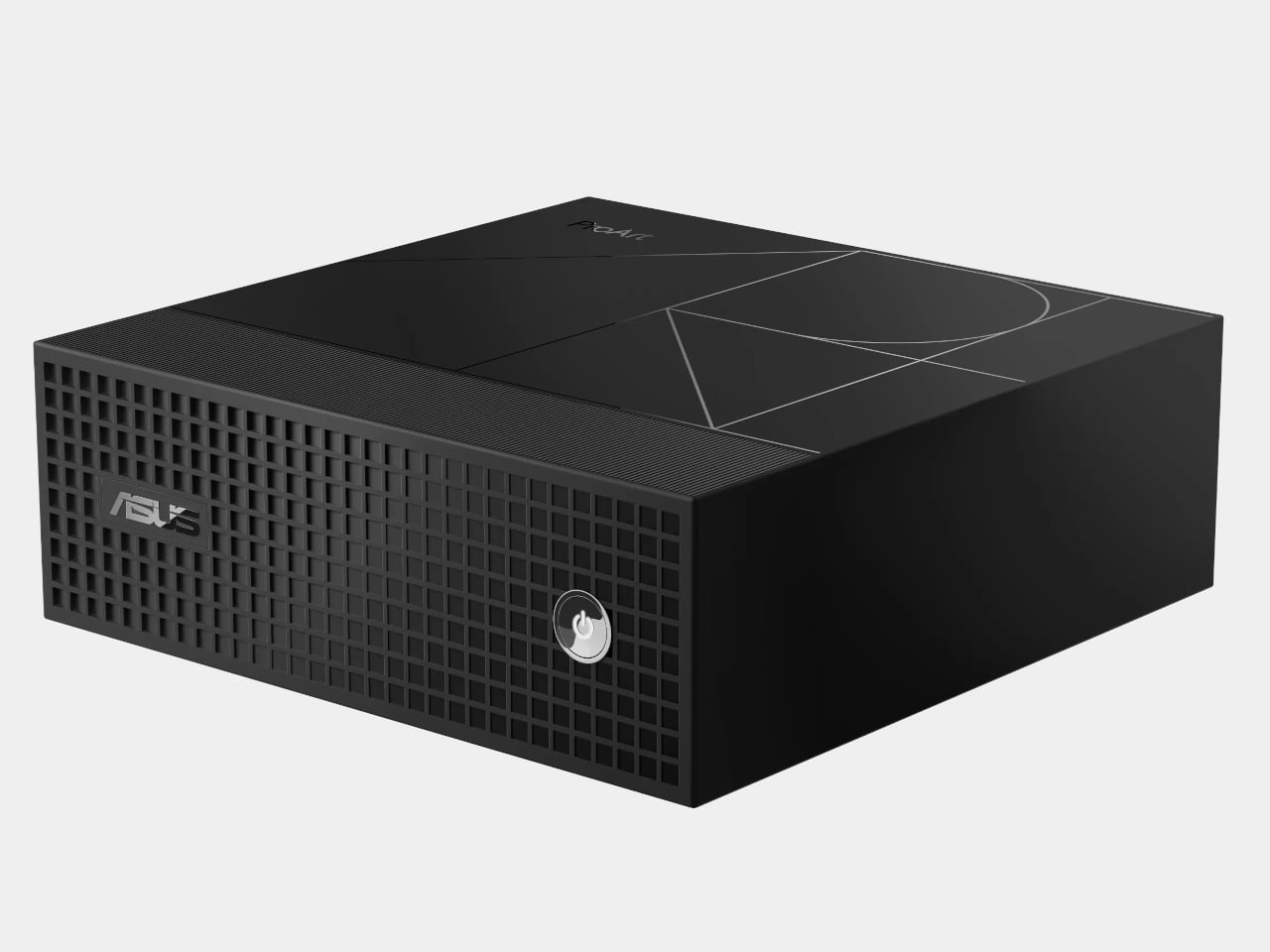
The Rio system, developed by executives at Foxconn, Intel, PC Matic, and InFocus transforms an ordinary WiFi router into a fortified security hub, aptly dubbed the “Fort Knox” of WiFi routers. This transformation addresses a significant vulnerability in personal internet security: the simple fact that traditional routers are protected by only a password, which has become an inadequate defense against cyber threats.

Designer: Rio Router

Click Here to Buy Now: $299 $549 ($250 off). Hurry, only 9/355 left! Less than 72 hours left.

Rio advances beyond basic security measures by incorporating features that control device access on a granular level. It only allows devices that have been pre-approved by the user to connect to the network. Any unapproved device attempting to connect is isolated in a holding area until explicitly allowed by the user via the Rio app. This proactive monitoring and approval system mimics the security checks of a VIP club bouncer, ensuring that only verified devices gain entry and interact within the network.

The company states that “Rio creates a secret code that hides and protects everything about your gadgets when they’re online. It scrambles up their names, where they are, and what they’re saying, so nobody can snoop on your online life.”
This indicates that advanced encryption is used to enhance the privacy and security of communications across your network by obscuring details about connected devices. This encryption safeguards device identities, physical locations, and communication data, ensuring that even if hackers intercept this information, they cannot understand or utilize it without the necessary decryption key, which is securely held by the Rio system and its legitimate users. This process is crucial for preventing potential eavesdroppers from accessing sensitive data, thereby protecting your network even if it is compromised and ensuring that privacy and security are maintained at all times. Given that a startling 80% of consumers have reportedly had personal information leaked onto the dark web, such encryption is beneficial and essential for safeguarding personal data against cyber threats.

This system adopts a method similar to a digital fortress. Using SecureRoom™ technology segments the network into up to 16 distinct compartments. Each compartment is isolated, preventing a compromised device from affecting the entire network.

Additionally, the Rio system is equipped with smart DNS and web filtering capabilities that proactively prevent access to suspicious or harmful websites, enhancing overall online safety. The Rio app facilitates real-time alerts and management, giving users complete control over their network from anywhere in the world.

Moreover, Rio addresses common household concerns about internet safety with built-in features that filter out unsafe web content and block potential phishing sites, creating a safer browsing environment for all family members. Its sleek design and easy setup mean that Rio protects and integrates seamlessly into your home or office environment.

Rio’s guest mode feature improves home WiFi security by providing visitors with a separate access point, making sure the main network stays protected. Whether hosting family gatherings, client meetings in home offices, community events, or children’s playdates, Rio connects each guest to the internet through a special “guest room.” This setup protects your primary network and offers guests convenient and temporary WiFi access. Once they leave, Rio automatically revokes their access, and if they need to reconnect, they must ask permission, effectively acting like a security guard for your WiFi. This seamless integration of guest access into your home network provides both protection and ease, accommodating a variety of hosting scenarios without compromising your network’s integrity.

Rio’s intuitive interface in its mobile app enhances the user experience by simplifying network management. Users can effortlessly adjust settings, monitor network activity, and switch geographic locations without the complexity of traditional VPN configurations. This feature is particularly valuable for users who enjoy international content or travel frequently, as it provides continuous access to home services. Also, Rio allows users to watch shows and movies from anywhere in the world without needing to set up a VPN on each device. Just connect to Rio, and instantly, your internet presence is invisible, assuring that your smart gadgets like Alexa, thermostats, baby monitors, cameras, and doorbells remain hidden from prying eyes, keeping your internet life private and safe.

Click Here to Buy Now: $299 $549 ($250 off). Hurry, only 9/355 left! Less than 72 hours left.

The post Upgrade Your WiFi with Unmatched Privacy and Safe Connectivity at Home or Anywhere in the World first appeared on Yanko Design.
Should You Upgrade to the Latest iPad Pro with M4? A Critical Upgrade Analysis

iPad Pro with Magic Keyboard

I’ve been using my existing iPad Pro powered by Apple’s very first M1, along with the Magic Keyboard and Apple Pencil. Never once does it even stutter, nor have I felt like the performance was sluggish. However, there are a few physical design aspects that I would love to change on the iPad Pro device itself, including the Magic Keyboard and additional features on the Apple Pencil. I’ve never had the urge to upgrade to a new iPad Pro, but I’ve had the urge and need for a second MacBook. Whether it’s the Air or Pro is yet to be determined. Now that the all-new iPad Pro, Magic Keyboard, and Pencil Pro have arrived, I’m starring at a new companion that could last me an entire decade before I would need to upgrade.

Designer: Apple

My colleague Sarang and I have covered the iPad Pro news here, as well as the breakdown of the new Apple Pencil Pro vs. the second-generation Apple Pencil. Here’s a brief summary to catch you up in case you don’t get over there:

All-new iPad Pro

  • Design & Colors: The new thin, light design is available in silver and space black in 13-inch and 11-inch models.
  • Display: Features the advanced Ultra Retina XDR with tandem OLED technology for exceptional visuals.
  • Performance: It is powered by the new M4 chip, which offers significant performance improvements and all-day battery life; it includes enhancements in CPU, GPU, and a new display engine.
  • AI Capabilities: It is equipped with a powerful CPU, GPU, higher bandwidth memory, and the most advanced Neural Engine for superior AI performance.
  • Accessories: Includes new Apple Pencil Pro for enhanced interactions and a redesigned lighter Magic Keyboard.
  • Pricing: The 11-inch Wi-Fi model starts at $999, and the 13-inch Wi-Fi model at $1,299. Additional options include Wi-Fi + Cellular models and special education pricing.
  • Availability: Orders will start today, with in-store availability starting Wednesday, May 15.

The remaining decision is determining which size of the iPad Pro is best for you, especially if you’re considering upgrading or switching from another brand. However, before we discuss the size, let’s first examine the new Magic Keyboard. This accessory is crucial in determining if the new iPad Pro can effectively replace a 13-inch MacBook Air.

Magic Keyboard: Transforming the iPad Pro into a Laptop Contender

I’ve been using the current-generation Magic Keyboard with my iPad Pro. Although it significantly enhances my productivity, it has its shortcomings. When fully extended, the first row of keys is partially obscured by the lower part of the device, which can be frustrating. Additionally, the keyboard’s design and materials don’t quite match the sleekness of the iPad Pro, making it seem somewhat of an afterthought.

However, the introduction of the new Magic Keyboard for the iPad Pro appears to address my main concerns. The inclusion of a full function row above the number keys is transformative. This new 14-key function row provides easy access to controls such as screen brightness and volume, significantly boosting usability. The keyboard now complements the iPad Pro not only in its sleek profile and machined aluminum but it also feels like an integral part of the setup.

The redesigned keyboard also features backlit keys, which are ideal for any lighting condition, and its adjustable angles make it easy to find the optimal viewing position. A significant upgrade is the larger, redesigned glass trackpad with haptic feedback, enhancing responsiveness and intuitiveness—ideal for navigating large spreadsheets or highlighting text. Apple mentioned during the product announcement that the precise feedback from the trackpad will make every gesture—from scrolling and swiping to using Multi-Touch gestures—feel as natural as if you were using a MacBook.

Although I haven’t had the chance to test this out yet, Apple’s announcement suggests this should dramatically improve the user experience. It’s important to underscore the significance of a well-designed and constructed keyboard for the iPad, especially when in productivity mode, like during extensive writing sessions. The layout and key travel are crucial for comfort and efficiency. I’m eager to put this keyboard to the test and will share my findings in a detailed review later. Additionally, there are times when I prefer something slimmer and more streamlined, and that’s where the Smart Folio for iPad Pro comes in.

The new Smart Folio for the iPad Pro is the perfect companion. It attaches magnetically and now supports multiple viewing angles for reading, watching shows, typing, or making FaceTime calls. This versatility makes it ideal for various use cases, from viewing media to typing on the go. The Smart Folio is available in black and white, and it is a stylish new denim color. It is priced at $79 (U.S.) for the 11-inch model and $99 (U.S.) for the 13-inch model.

Overall, the updates to the new Magic Keyboard ($349) seem to rectify previous shortcomings and introduce improvements that integrate seamlessly with the iPad Pro experience. It’s slim, lightweight, and portable, featuring a floating cantilever design for smooth adjustability and stylish protection.

The toughest decision: 11-inch or 13-inch iPad Pro?

Practically speaking, the 13-inch model is a no-brainer due to its larger-screen real estate. Yet, there are times when I find myself wishing for the more portable 11-inch iPad Pro, especially when I’m working out of our Tokyo office where my business partner, Ewdison Then, uses the smaller pre-M1 iPad Pro. It’s also important to note the $300 price difference between the two models, with an additional $100 if you opt for the nano-textured glass. Keep in mind that choosing the nano-textured glass requires an upgrade to a 1TB or 2TB configuration.

2024 Apple iPad Pro: 11-inch and 13-inch model with Apple Pencil Pro

I understand that nothing lasts forever, but if you’re considering an iPad Pro over a fully equipped MacBook Air—which is about $800 cheaper—why not go all out? Choosing the fully upgraded 13-inch iPad Pro, which includes 2TB of storage, nano-texture glass, Magic Keyboard, WiFi+Cellular, and the new Apple Pencil Pro, might seem expensive at $3000, but it delivers a comprehensive package with top-tier functionality and performance. If you don’t need all the extras, you can opt for a more modest 512GB configuration with WiFi-only, Magic Keyboard, and Apple Pencil Pro for under $2000, aligning closely with the cost of a full-spec MacBook Air. Personally, my preference leans towards the former, though this heavily depends on the enhancements that iPadOS might offer in terms of multitasking features and app layout compared to MacOS. As it stands, we’ll have to wait for WWDC 2024 on June 10 to see what’s really possible.

Ultimately, the decision comes down to want versus need. Do I need the new iPad Pro? Not exactly, as my three-year-old model still works – perfectly I might add. I emphasize its age and mint condition because the impressive performance of the M1 chip and the build quality make me believe that an iPad Pro powered by the new M4 chip could potentially last me a decade before needing an upgrade.

The post Should You Upgrade to the Latest iPad Pro with M4? A Critical Upgrade Analysis first appeared on Yanko Design.

Apple iPad Pro with M4 Chip Announced, Price and Availability

Apple has recently introduced the latest iteration of its iPad Pro, featuring substantial upgrades that significantly enhance both performance and visual experience. This announcement, made during Apple’s special event, showcases the introduction of the new M4 chip and two OLED panels, among other impressive enhancements.

Enhanced Performance with the M4 Chip

Central to the new iPad Pro is the M4 chip, which marks a significant advancement in Apple’s hardware technology. This chip is four times faster than the previous M2 chip, offering unprecedented speed and efficiency. This boost in performance makes the iPad Pro more capable than ever for professional-grade tasks, high-end gaming, and intensive multimedia projects.

Revolutionary Display Technology

The new iPad Pro models feature two OLED panels, which are not only thinner than the previous LCD panels but also superior in display quality. These OLED screens provide an exceptional brightness level of 1000 nits for standard HDR content and can peak at 1600 nits for HDR, ensuring vivid, lifelike images under various lighting conditions.

Camera and Connectivity Enhancements

Apple has also upgraded the iPad Pro’s camera system, equipping it with a 12MP front-facing camera that promises improved clarity for video calls and content creation. For connectivity, the new models include 5G capabilities with eSIM technology, offering faster internet speeds and better network performance on the go. The addition of 5G is a game-changer for professionals and creatives who need reliable connectivity wherever they are.

Pricing and Availability

The pricing for the new iPad Pro starts at $999 for the 11-inch model and $1,299 for the 13-inch model, both equipped with 256GB of storage. For those requiring mobile connectivity, the 5G cellular models are available for an additional $200, featuring eSIM technology for enhanced connectivity. Go here to preorder today. Units expected to ship May 15, 2024.

The post Apple iPad Pro with M4 Chip Announced, Price and Availability appeared first on OhGizmo!.

Apple Pencil Pro vs. the Apple Pencil 2nd Generation: A Detailed Features Comparison

Apple Pencil Pro vs. Apple Pencil 2nd Generation

Apple’s unveiling of the Apple Pencil Pro, together with the 2nd gen Apple Pencil, is likely to captivate the creative and professional communities. While both styluses have impressive features, the Pro version offers new capabilities that distinguish it. This article breaks down what the Apple Pencil Pro and the 2nd generation pencil have in common and dives into the cool new upgrades that make the Apple Pencil Pro stand out.

Designer: Apple

Common Features between Apple Pencil Pro vs. Apple Pencil (2nd generation)

Apple Pencil Pro and Pencil 2nd Generation

Precision and Responsiveness:

Both the Apple Pencil Pro and the 2nd generation Apple Pencil offer pixel-perfect precision, making them ideal for writing, sketching, and drawing on an iPad. They’re designed to feel as natural and responsive as a traditional pencil on paper, thanks to their low latency.

Tilt Sensitivity:

Artists and designers will appreciate that both models support tilt sensitivity, which allows users to shade and create effects just like they would with a real pencil.

Magnetic Attachment and Wireless Charging:

Both pencils magnetically attach to the side of compatible iPads, which not only keeps them securely in place but also charges them wirelessly, ensuring they’re always ready when inspiration strikes.

Double-tap to Change Tools:

This convenient feature allows users to quickly switch between tools (like pencil to eraser) with a simple double-tap on the body of the pencil.

Free Engraving:

Adding a personal touch is possible with both models, but it’s worth noting as a nice extra perk for both the Pro and 2nd generation models.

Exclusive to Apple Pencil Pro

Apple Pencil Pro Features

Barrel Roll Control:

The Apple Pencil Pro introduces a gyroscope that allows users to change the orientation of the shaped pen and brush tools by simply rotating the barrel. This provides an added layer of control that mimics the experience of using traditional art tools.

Squeeze Interaction:

One of the more useful features of the Pro model is the ability to squeeze the pencil to quickly access different tools, line weights, and colors. This feature enhances workflow efficiency and is perfect for professionals who need quick changes during intensive creative sessions.

Haptic Feedback:

The Pro model is also equipped with a custom haptic engine that provides tactile feedback during use. This enhances user interaction by confirming actions like double-taps or squeezes with subtle vibrations.

Find My Integration:

Losing an Apple Pencil can be frustrating, especially for professionals who rely on it daily. The Apple Pencil Pro can be easily located through the Find My app, thanks to its built-in support for Apple’s location network.

The Apple Pencil Pro clearly pushes the boundaries of what digital styluses can do, catering especially to the needs of professionals and power users who may find these advanced features conducive to their workflows. Meanwhile, the 2nd generation Apple Pencil remains a powerful tool for everyday users and professionals alike, offering essential features without the bells and whistles of the Pro model. The choice between them depends largely on the user’s specific needs and compatibility of their iPad, with the Pro model offering cutting-edge enhancements for those who need the highest level of precision and versatility. Both the Pencil Pro and the Apple Pencil 2nd gen are priced at $129. The Apple Pencil Pro will be available starting May 15.

Here’s a breakdown of the compatibility and pricing for the Apple Pencil Pro and Pencil 2nd generation:

Apple Pencil Pro Compatibility:

  • iPad Pro 13-inch (M4)
  • iPad Pro 11-inch (M4)
  • iPad Air 13-inch (M2)
  • iPad Air 11-inch (M2)

Apple Pencil (2nd Generation) Compatibility:

  • iPad Pro 12.9-inch (3rd, 4th, 5th, and 6th generation)
  • iPad Pro 11-inch (1st, 2nd, 3rd, and 4th generation)
  • iPad Air (4th and 5th generation)
  • iPad mini (6th generation)

The post Apple Pencil Pro vs. the Apple Pencil 2nd Generation: A Detailed Features Comparison first appeared on Yanko Design.

New 2024 iPad Pro’s M4 and Dual OLED Display Outshine All Tablets!

Powered by the M4 Apple silicon, Apple’s latest iPad Pro delivers a dramatic leap in device capabilities and efficiency. The chip, developed with advanced 3-nanometer technology, balances power consumption and performance, which is critical for the tablet’s innovative features. The enhanced energy efficiency supports the new Ultra Retina XDR display, offering improved brightness and color vibrancy. The design of the iPad Pro has also been refined to be thinner and lighter, making it highly portable yet durable due to its 100% recycled aluminum construction. The combination of advanced processing power and state-of-the-art display technology sets new standards in the mobile device industry.

Designer: Apple

Apple’s M4 Chip Revolutionizes the New iPad Pro

The impressive features of the new iPad Pro hinge on Apple’s latest M4 chip. This next-generation technology enables the device’s ultra-thin design and outstanding display features. Far from a minor update, the M4 chip is a transformative element that significantly enhances performance and efficiency.

Built using second-generation 3-nanometer technology, the M4 chip is impressively efficient, aligning perfectly with the sleek and lightweight design of the new iPad Pro. Its advanced silicon architecture achieves high-performance levels with significantly reduced power consumption. Apple asserts that its new chip produces the same output as the previous M2 chip but uses only half the power. Additionally, it matches the performance of modern PC chips while consuming just a quarter of the power.

The M4 chip’s integration with the iPad Pro’s Ultra Retina XDR display is central to its impact. The chip’s new display engine revolutionizes the tablet’s visual output with precise detail, vibrant color, and dynamic brightness levels, setting a new mobile display standard. It also significantly improves processing power, featuring up to four performance cores and six efficiency cores, further enhanced by next-generation machine learning accelerators. These advances result in up to 1.5 times faster CPU performance than the M2 and up to four times faster performance in professional rendering applications like Octane.

Moreover, the M4 introduces sophisticated GPU capabilities not previously seen on iPads, including Dynamic Caching, hardware-accelerated mesh shading, and ray tracing. These features enhance both graphic rendering and efficiency, making complex visual tasks smoother and more responsive. The chip’s advanced Media Engine supports AV1 decoding, optimizing power efficiency for high-resolution video streaming, which benefits both media consumption and professional creative workflows.

Through these innovations, the M4 chip does more than just support the iPad Pro’s performance. It actively enhances it, making the device’s cutting-edge design and capabilities possible. Therefore, the M4 chip is not just a part of the new iPad Pro—it’s the very foundation that redefines what a mobile device can do.

Revolutionary Dual OLED Technology and Nano-Texture Glass: A Visual Feast

2024 iPad Pro with Ultra Retina XDR display with its dual OLED technology

The new iPad Pro boasts the cutting-edge Ultra Retina XDR display, setting new benchmarks for visual quality with its advanced tablet display technology. This display uses tandem OLED technology, where two OLED panels are stacked, doubling the light output, enhancing brightness, and extending the display’s lifespan by reducing the strain on each panel. It achieves a remarkable full-screen brightness of 1000 nits, peaking at 1600 nits for HDR content, ensuring exceptional clarity and detailed visibility in various lighting conditions.

This setup enhances luminosity and allows for sub-millisecond adjustments in color and luminance, significantly improving the precision of HDR and the overall viewing experience. The display’s wide color range and swift response rates offer vibrant, lifelike colors and fluid motion, perfect for professional graphic work and entertainment. For professionals, particularly those working outdoors or in brightly lit conditions, the iPad Pro offers a nano-texture glass option. This feature, etched at the nanometer scale, significantly reduces glare while maintaining excellent image quality and contrast, which is essential for high-end, color-managed workflows.

The pairing of Apple’s M4 chip with the Ultra Retina XDR display is a crucial enhancement. It supports this advanced display technology with a new engine that fine-tunes color and brightness. This harmony between the chip’s capabilities and the display’s advanced technology not only heightens the user experience but also pushes the limits of mobile display technology. This makes the iPad Pro an indispensable tool for professionals and a top-tier device for general users seeking the very best in display performance.

Thinner, Lighter iPad Pro Redefines Portability with Advanced Materials and Optimized Camera Placement

2024 iPad Pro: 11-inch 5.3 mm deep, and the 13-inch model is even slimmer at 5.1 mm

The new iPad Pro excels in performance and display while also showcasing significant advancements in hardware design, enhancing both portability and functionality. Here’s an overview of the redesigned iPad Pro:

The latest models emphasize lightweight and slim profiles. The 11-inch iPad Pro is incredibly compact and light, weighing in at .98 pounds, making it an ideal companion for productivity and entertainment on the go. The 13-inch variant, despite its larger screen, maintains a surprisingly thin and light structure, weighing only 1.28 pounds. This makes it easier to carry, whether commuting or traveling.

Both models set new records in terms of slimness within Apple’s product lineup. The 11-inch version is only 5.3 mm deep, and the 13-inch model is even slimmer at 5.1 mm. This sleek form is achieved without compromising the device’s strength and durability, thanks to its construction from 100% recycled aluminum. This not only strengthens the iPad Pro but also underscores Apple’s commitment to environmental sustainability.

The new iPad Pro models really step up the game with their cool design and practical features. They’re pushing what’s possible with tablets and even thinking about the environment. It’s a bit of a letdown that they skipped MagSafe this time around, but when you think about the tablet’s design, it kind of makes sense. All in all, these iPads keep Apple at the cutting edge, perfect for pros and tech lovers who want top-notch performance and easy-to-carry tech.

Enhanced iPad Pro Cameras: Superior Photo Quality and Smarter Video Calls

2024 iPad Pro camera: 12MP f/1.8 with Smart HDR 4 and 4K ProRes video

The camera capabilities of the latest Pro tablet from Apple have substantially improved. Furnished with studio-grade microphones for crystal-clear audio, the device amplifies both photography and video editing experiences. The Pro tablet’s 12MP rear camera seizes vibrant Smart HDR images and videos, presenting richer colors and more precise details, even in dim lighting. Besides, the innovative adaptive True Tone flash enhances document scanning. It employs AI to identify documents, automatically capturing several photos to remove shadows and flawlessly merging them for a pristine scan.

Turning to selfies and video calls, the front-facing TrueDepth camera now adopts a landscape orientation, optimizing the video call experience with the Ultra Wide 12MP camera and Center Stage technology. This setup ensures you remain in the frame effortlessly, even when moving, which is particularly beneficial when using accessories like the Magic Keyboard or simply holding the iPad. These intelligent enhancements significantly boost the versatility of the iPad Pro’s camera system.

I’m genuinely impressed with the new iPad Pro, especially with all the advanced features packed into it. Since I’m still using the iPad Pro M1, this new model seems like a delightful and worthwhile upgrade. The enhancements, from the M4 chip’s power efficiency to the stunning Ultra Retina XDR display with its dual OLED technology and nano-texture glass, all signal a major leap forward in design and functionality. Plus, the iPad’s sleeker, lighter build and the revamped camera system really speak to how much thought Apple has put into this iteration. We’re excited and anxious to get our hands on it and give it a thorough review. This could very well set a new standard for what we expect from tablets in terms of performance and portability. Moreover, the 13-inch model appears to be a potential laptop replacement, especially considering I’ve been contemplating getting a MacBook Air. This iPad Pro might just be the powerful, portable solution I’ve been looking for. The 11-inch model starts at $999, and the 13-inch model begins at $1,299. You can pre-order today, with availability starting on May 15, 2024.

The post New 2024 iPad Pro’s M4 and Dual OLED Display Outshine All Tablets! first appeared on Yanko Design.

Earbuds case doubles as fidget toy for your anxious fingers

There are things that we need to have with us everywhere we go, depending of course on your personality. In fact, there’s a term for that – EDC or everyday carry. These are things like watches, pens, lighters, notebooks, utility knives, etc. But the past few years, they’re really more of our digital tools – smartphones, tablets, laptops, earphones. There are also those that have to carry fidget toys around with them to help relieve anxiety or boredom. What if you get a combination of a device that can also become a fidget toy for your restless fingers?

Designer: Eric Cheng

This concept for an earbuds case may be that combination you’re looking for. The EDC 1.0 Lucky Push is a concept case for the D-Mooster truly wireless earbuds that uses “card pushing” mechanism to open and close it. The motion of the sliding up and down and snapping is supposedly addictive enough that you would want to do it repetitively, even if you’re not using your earbuds at the moment. Hence, it becomes a fidget toy as well if you need to keep your hands busy.

There are three designs for the EDC 1.0 Lucky Push: Big Monster, Become Wealthy, and Become Happy. For the superstitious, doing the repetitive motion will let you accumulate luck and wealth, or at least that’s what the designer thinks it will bring you. I understand with the last two designs as we all want to be wealthier and happier, but I wonder what the Big Monster concept will bring you, other than a cute fidget toy with monsters engraved on it.

Earbuds cases are usually really more functional as you use it to store your earbuds or charge them once they run out of juice. So this is an interesting idea to make the case itself a bigger part of your EDC pack as it becomes a fidget toy as well. If the designs are also interchangeable, it will make it even more interesting.

The post Earbuds case doubles as fidget toy for your anxious fingers first appeared on Yanko Design.

This Camera System Lets You Unleash Your Creativity with Super-Telephoto Zoom and Capturing Power

Imagine zooming into distant wildlife or capturing expansive landscapes with crisp clarity directly from your smartphone. The Excope DT1 is designed to make this a reality, providing photography enthusiasts at all skill levels the power to take super-telephoto imagery effortlessly. Weighing just 1.32 pounds, the Excope DT1 is engineered for ease of use and portability. It features one-touch shooting and recording, with power and shutter buttons conveniently located on the right side of the grip for quick access.

Designer: BEAVERLAB Tech

Click Here to Buy Now: $219 $379 ($160 off). Hurry, only 4/158 left! Raised over $790,000.

The camera is powered by a large, non-removable 3,000mAh battery that supports fast charging via a Type-C connection and typically lasts for 2.5 hours on a full charge. For longer shoots, a power bank can be connected, providing extended use without interruption. The camera’s design includes a phone holder and grip that can be tilted up and down to adjust the camera angle and height for optimal shooting comfort and perspective. Additionally, the rotating focus ring on the lens allows for precise manual focusing, enhancing control over image sharpness and depth.

With a focal length of 400mm, Excope DT1 magnifies the distant subject 200 times and brings it to your phone screen.

With a 48-megapixel sensor, this camera ensures that every distant object is rendered in tack-sharp detail, whether it’s the fluttering wings of a bird or the intricate contours of far-off mountains. The Excope DT1 is well-equipped with two interchangeable lenses—40mm and 400mm—delivering sharp, high-quality images at fixed focal lengths. The 400mm lens, for example, brings your subject 200 times closer, making it feel like you’re standing right next to distant objects. This lens features a 12-layer coating, enhancing image quality by reducing reflections and increasing light transmission. Weighing 600g, the Lens 400 is surprisingly lightweight for its capabilities. The sensor size of 1/1.8″ and a pixel size of 2.0μm on the CMOS enhance its sensitivity, allowing it to perform exceptionally in various lighting conditions.

Powered by the large 1/1.8″, 2.0um CMOS sensor and image algorithm, Excope DT1 enables up to 48-megapixel resolution.

With plans to introduce a versatile zoom lens, the Excope DT1 is gearing up to meet a wide range of photographic needs. Stability during shoots is crucial, especially at long distances, and the Excope DT1 meets this challenge head-on with its advanced EIS gyroscope and AI algorithm anti-shake technology, ensuring that your captures are consistently clear and stable, no matter the conditions.

The Excope DT1 app is designed to significantly enhance your photography experience, allowing you to make real-time adjustments to settings, engage in high-speed burst shooting, and manage high-definition 4K videos and photos directly from your connected device. This seamless integration boosts the camera’s effectiveness, especially in varying lighting conditions. The camera is also equipped with a powerful 1.5Tops Novatek processor for advanced AI processing, HDR shooting capabilities, and wifi control, making it versatile and highly adaptive to complex photographic tasks.

Reduce noise level through algorithms to output a more clear image.

The Excope DT1 also offers six dedicated shooting modes tailored for various photography scenarios: Moon, Landscape, Portrait, Night Mode, Sports, and Cloudy. Each mode optimizes camera settings to ensure the best possible results under specific conditions. Whether you’re capturing the granular surface of the moon, vibrant landscapes, detailed portraits, dynamic sports actions, or scenes under cloudy skies, these modes make it easy to achieve stunning, professional-quality photos without needing to manually adjust settings.

Discover different kind of beauty in the night, see the unseen.

Additionally, the app’s Burst Shooting mode is perfect for capturing action sequences. It allows you to take up to 25 frames per second, ensuring you don’t miss the critical moment, whether it’s a bird in flight or a dramatic sports play. Beyond shooting, the Excope DT1 app simplifies photo and video management. You can conveniently browse, save, or delete files from online storage, streamlining how you handle your digital content. This integration focus is to save you time while also enhancing the overall user experience, making it easier to share and enjoy your creative work.

With 64GB of storage, the Excope DT1 accommodates an adequate amount of high-resolution photos and videos. It supports common image file formats such as JPG and RAW, providing flexibility in how you manage and process your images. Furthermore, the camera’s mounting mechanism is compatible with all straight-screen smartphones and standard tripods, ensuring it integrates seamlessly into your photography setup.

Click Here to Buy Now: $219 $379 ($160 off). Hurry, only 4/158 left! Raised over $790,000.

The post This Camera System Lets You Unleash Your Creativity with Super-Telephoto Zoom and Capturing Power first appeared on Yanko Design.
There Are 5 iPads in Apple’s 2024 Lineup: Is It Time to Upgrade?

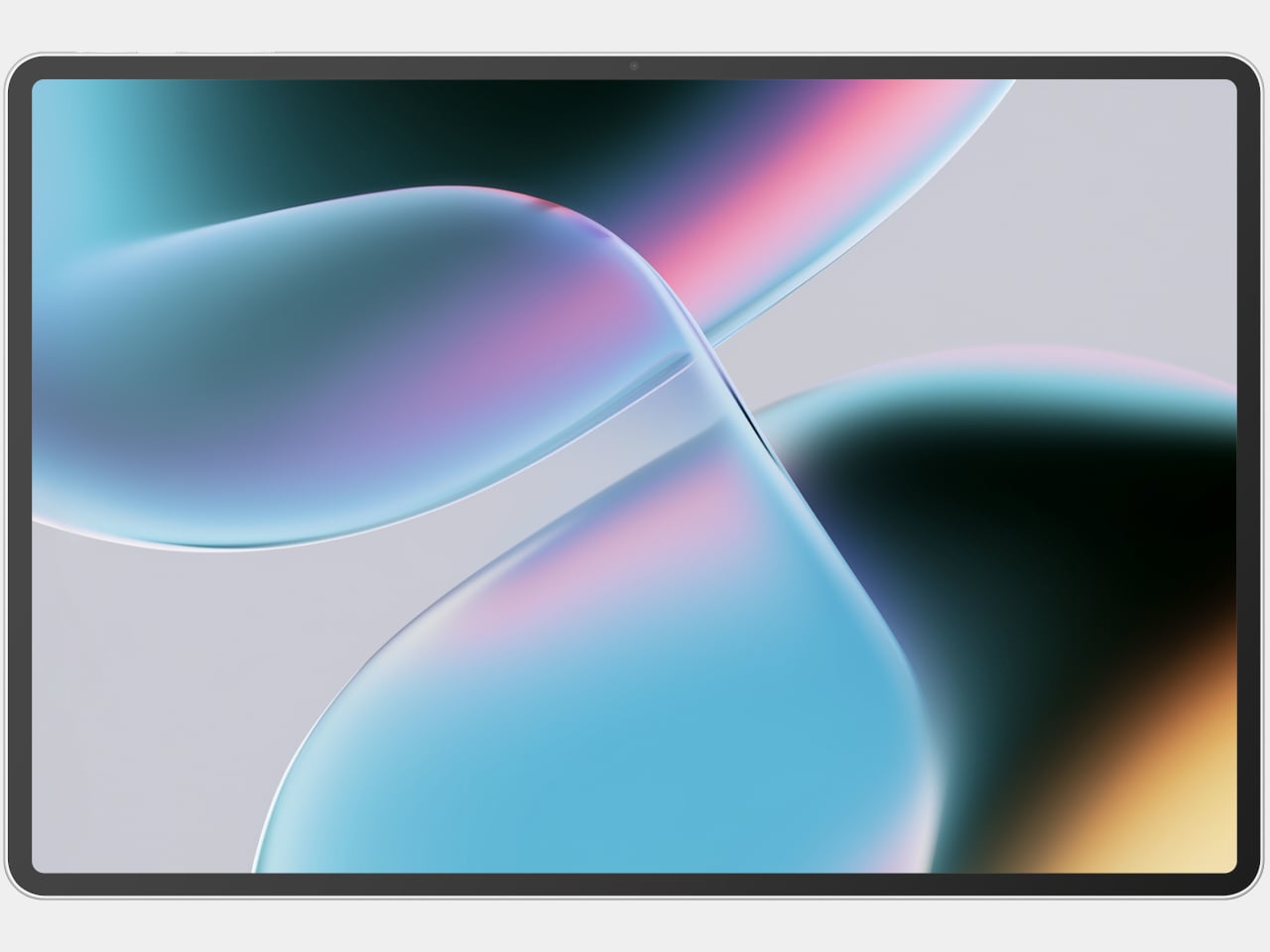
Hold onto your hats, folks, because Apple’s “Let Loose” event on May 7 is shaping up to be a blockbuster! Following a history of groundbreaking innovations, Apple’s upcoming event promises to introduce the next chapter in the iPad saga with potentially game-changing new models. We’ve snagged some insider info from Bloomberg’s Mark Gurman, and it looks like Apple is ready to roll out not just one or two but four new iPad models, with a surprise fifth possibly in the mix. From sleek designs to powerful chips, Apple’s gearing up to impress us all.

Designer: Apple

As someone who’s still using a maxed-out M1 12.9-inch iPad Pro with 1TB of storage and WiFi + Cellular connectivity, I’m eagerly waiting on the next new iPad Pro. Let’s dive into the details of each model, highlighting their unique selling points and discussing who might benefit most from an upgrade.

iPad (ninth generation)

Apple iPad (ninth generation)

  • Unique Selling Point: This model continues to feature the classic physical home button, appealing to users who prefer traditional navigation. It’s a familiar design with reliable performance.

  • Upgrade Advice: Ideal for those using older iPad models who need a dependable device for everyday tasks like web surfing, streaming, and light productivity, without the complexity or cost of more advanced models.

iPad (10th generation)

Apple iPad 10th-gen with all‑screen design, 10.9-inch Liquid Retina display

  • Unique Selling Point: Introduces a sleek, button-less design with a larger 10.9-inch screen, enhancing user interaction and visual engagement.
  • Performance Leap: A significant upgrade in display and user interface makes it perfect for those who enjoy media consumption and need a bit more space for productivity apps.
  • Upgrade Advice: This is great for users upgrading from older non-Pro models who prefer a more modern look and improved performance without stepping up to the Pro level.

iPad mini (sixth generation)

Apple iPad mini (6th generation)

  • Unique Selling Point: Despite its small size, the iPad mini does not compromise on performance, offering robust capabilities in a compact package that is easy to carry.
  • Upgrade Advice: This model is ideal for those who travel frequently or need a powerful, portable device that can handle tasks on the go without the bulk of larger tablets.

iPad Air (11-inch and 12.9-inch models)

Apple iPad Air (5th generation)

  • Unique Selling Point: Now equipped with the M2 chip, these models bring near-pro performance at a more accessible price point. The design is expected to be sleek, inheriting the advanced aesthetics of previous iPad Pros.
  • Upgrade Advice: This is a smart choice for those seeking a larger iPad that focuses less on cutting-edge technology but still offers substantial performance. It’s perfect for users like me who need a versatile device that bridges the gap between a conventional iPad and the high-end Pro model.

iPad Pro (11-inch and 12.9-inch models)

Apple iPad Pro

  • Unique Selling Point: The new iPad Pro models, set to feature the cutting-edge M4 chip, are poised to be the most powerful iPads yet. They are designed to handle extremely demanding applications and multitasking with ease.
  • Anticipated Features: Upgrades like OLED displays are expected to provide unmatched visual quality, making these models a top choice for professionals in creative fields. Additionally, I would speculate that an advanced optics camera system, similar to the iPhone 15 Pro, might be included, with capabilities to capture immersive videos that could synergize with devices like the Vision Pro.
  • Personal Insight: As a power user who is always chasing the next big thing, I’m particularly excited about the new iPad Pro. Given its anticipated capabilities, it could potentially replace my laptop for on-the-go tasks, offering a more convenient option for portability compared to carrying a MacBook Air.

Strategic Redesign and Market Impact

iPad Pro concept design

The potential repurposing of the current iPad Pro chassis for the new iPad Air models is especially interesting, suggesting a significant redesign of the iPad Pro line. This could mean even more advanced features are on the way:

  • OLED Displays: Set to enhance visual quality to new levels.
  • Advanced Input and Connectivity Options: Improved Apple Pencils and additional connectivity ports are likely to make these devices more versatile and functional.
  • Cutting-Edge Design Innovations: Expect sleeker designs with slimmer bezels and potentially new size options.

iPad Pro concept design

Additional Considerations when deciding whether to upgrade:

  • Budget: Consider the cost-effectiveness based on the new features offered.
  • Compatibility: Verify whether existing accessories will be compatible with the new models.
  • Longevity: Investing in a newer model ensures longer support and updates from Apple, providing better long-term value.

As anticipation builds for the official announcements at the “Let Loose” event, the excitement highlights Apple’s ongoing innovation and leadership in the tech industry. Stay tuned for what promises to be an exciting unveiling of Apple’s newest creations!

The post There Are 5 iPads in Apple’s 2024 Lineup: Is It Time to Upgrade? first appeared on Yanko Design.