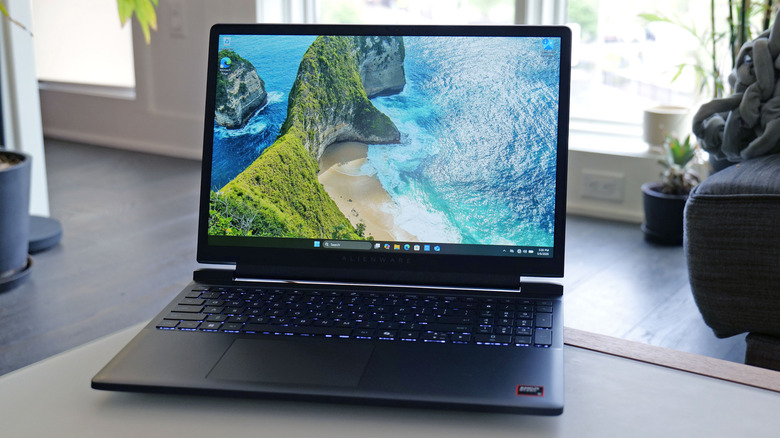
Alienware’s first affordable gaming laptop is arriving at the perfect time
The entry-level Alienware 15 starts at $1,299 with an AMD CPU or $1,349 for an Intel config.
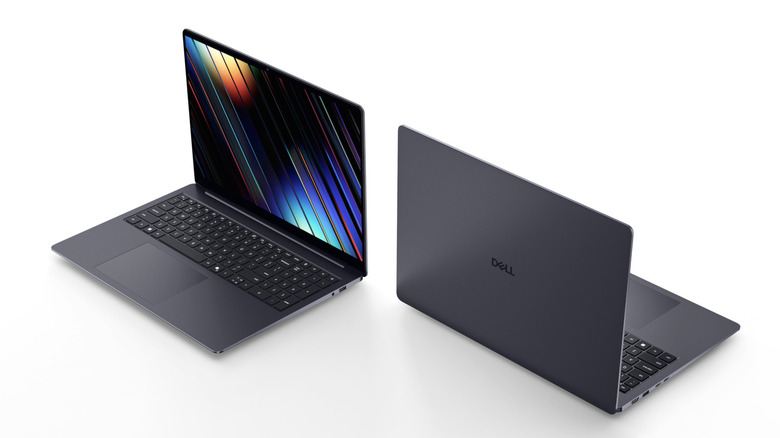
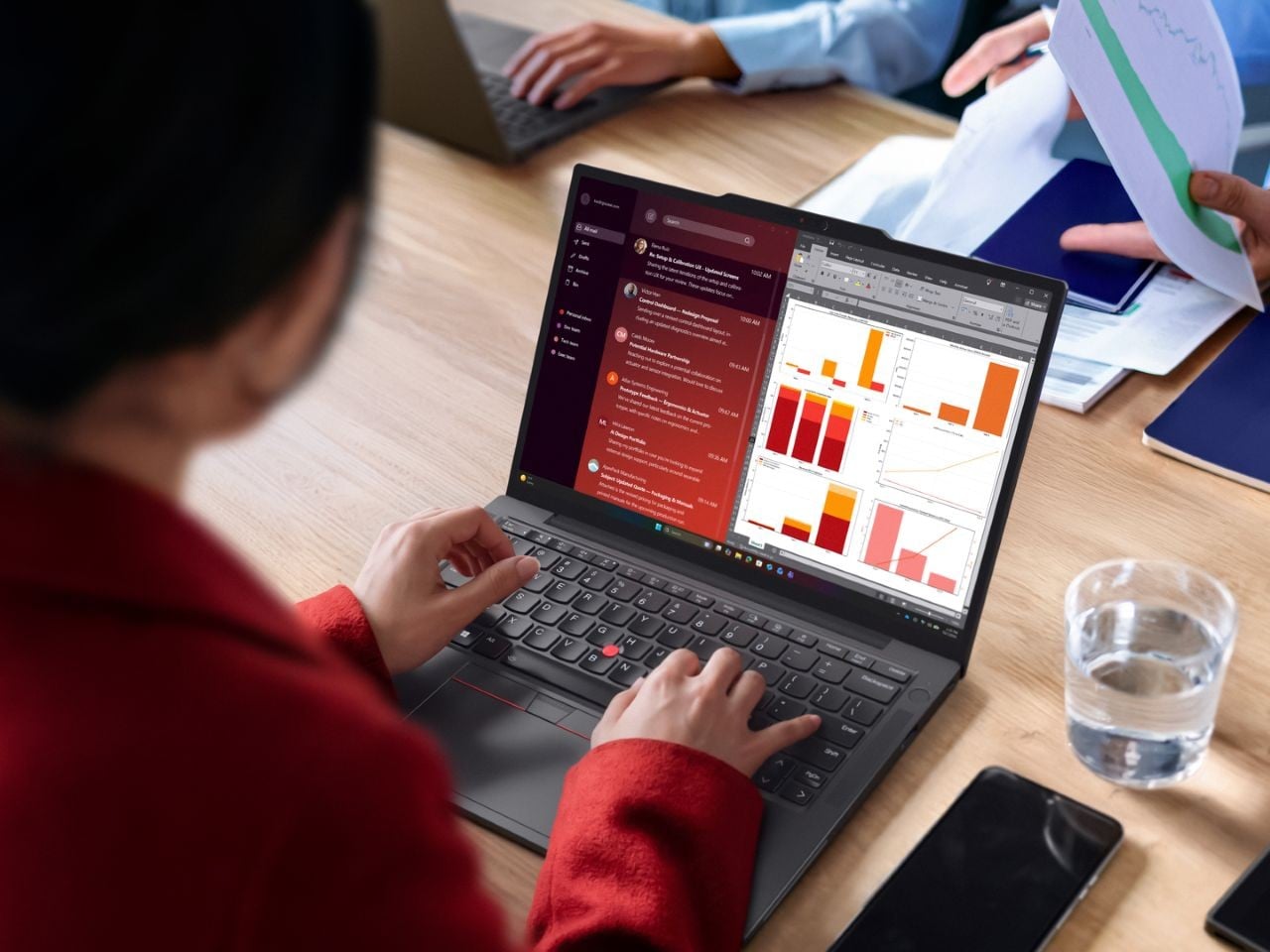
Business laptops have gotten remarkably thin over the years, but the tradeoffs are hard to ignore. Repairability has taken a back seat to aesthetics, battery life has been sacrificed for slim profiles, and enterprise users often end up with devices that look great on paper but wear out faster than they should. Balancing portability with long-term practicality remains one of the harder problems in professional laptop design.
The Lenovo ThinkPad X13 Gen 7 takes on that challenge with an ultra-mobile form factor that doesn’t cut corners on durability or serviceability. Starting at under 1kg, it’s currently the lightest device in the ThinkPad lineup, designed for professionals who move between offices, client sites, and travel without wanting to think too hard about whether their laptop can keep up.
Designer: Lenovo
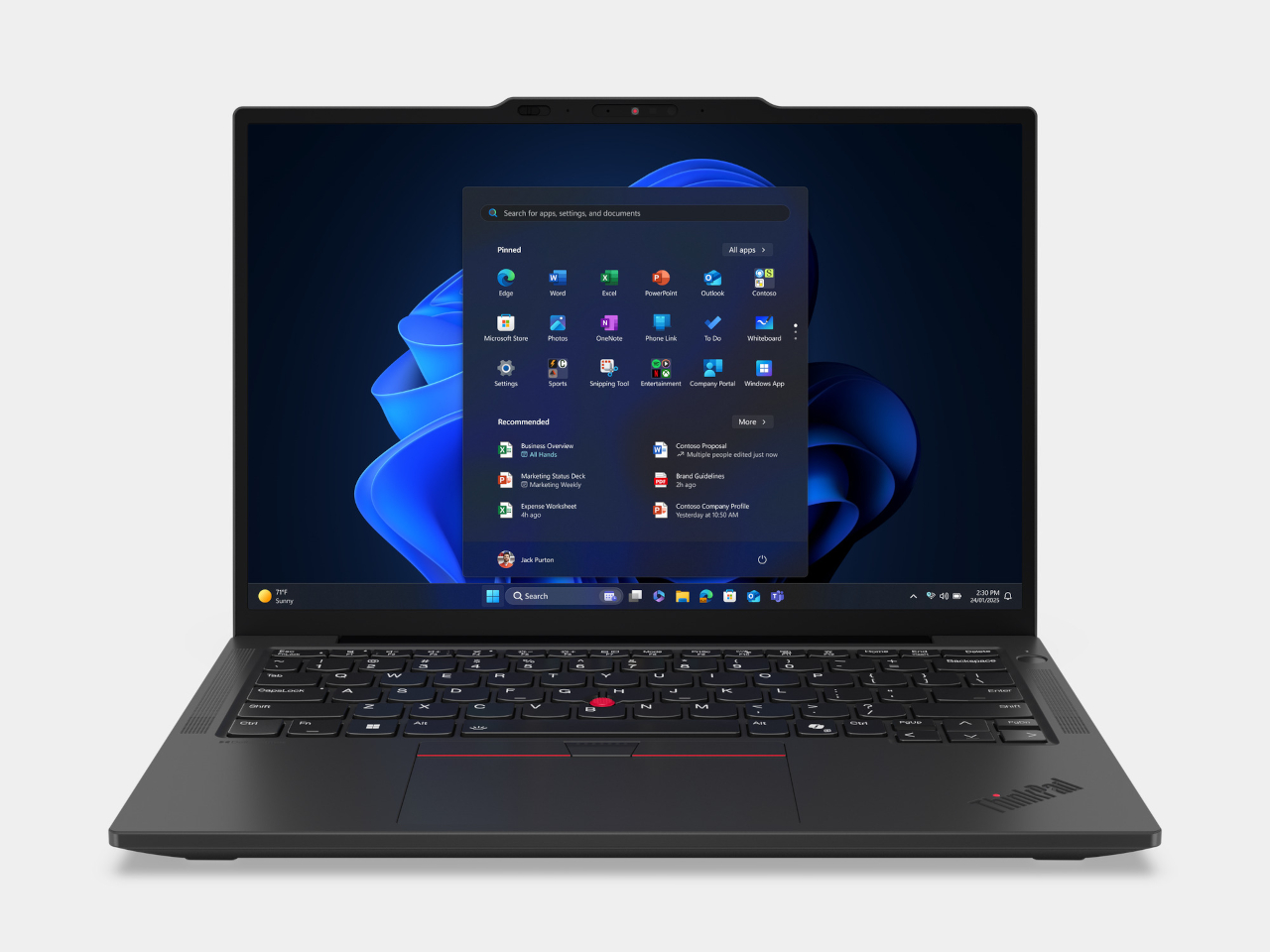
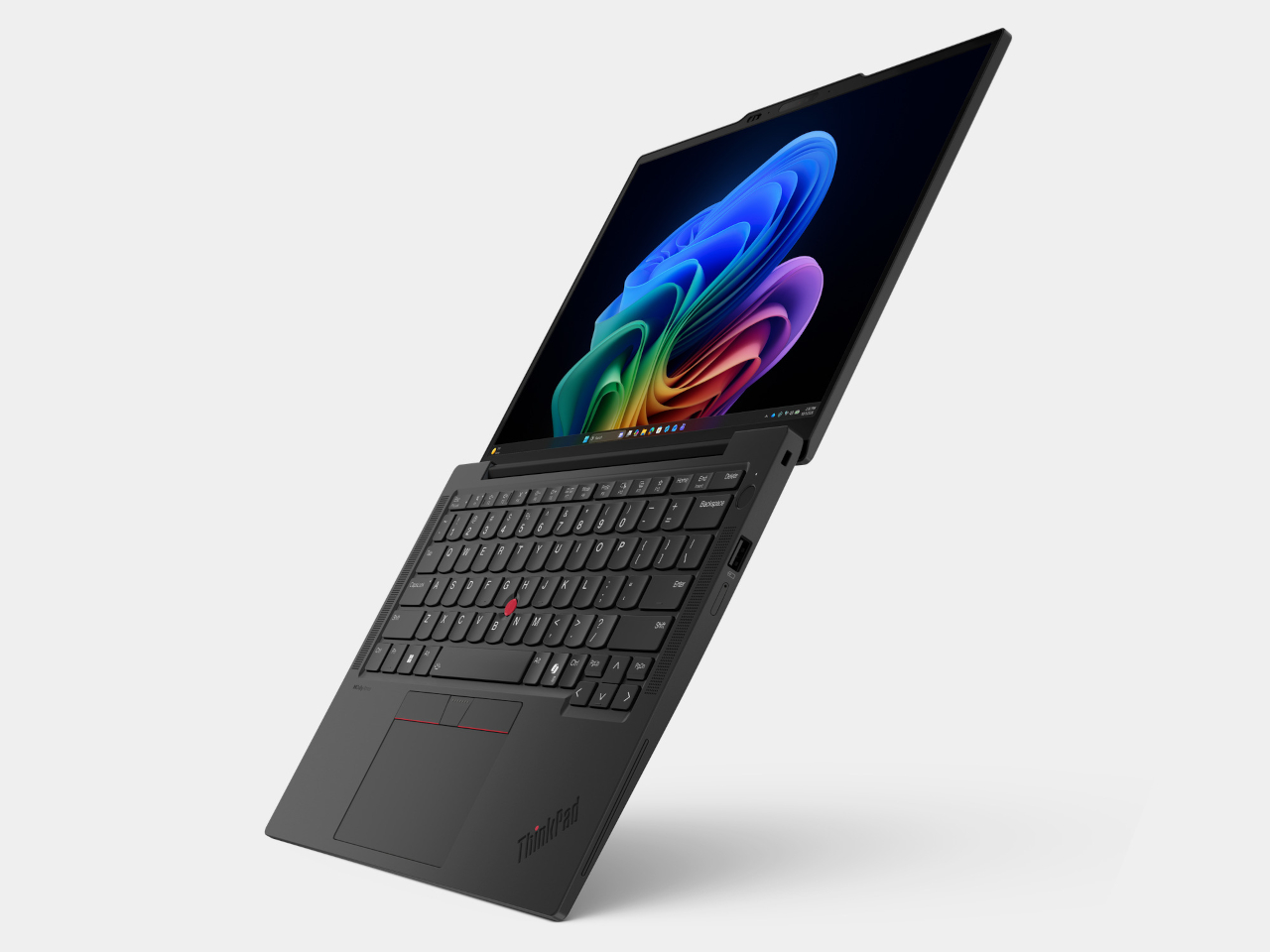
At a Z-height of less than 18 mm, the ThinkPad X13 Gen 7 manages an 87.8% screen-to-body ratio on its 13-inch FHD+ IPS display. The panel hits 400 nits of brightness and covers 100% of the sRGB color gamut, useful in well-lit conference rooms and outdoors. The single-bar hinge lets the lid open with one hand, a small convenience that adds up considerably over a long workday.
Processor options include Intel Core Ultra Series 3 and AMD Ryzen AI PRO 400 Series chips, both supporting Copilot+ PC features through an NPU capable of up to 50 TOPS. Up to 64GB of LPDDR5x memory at 8,533 MT/s keeps multitasking fluid, and AI-assisted workflows run on-device rather than relying on the cloud for every query. The performance sits well above what the chassis suggests.
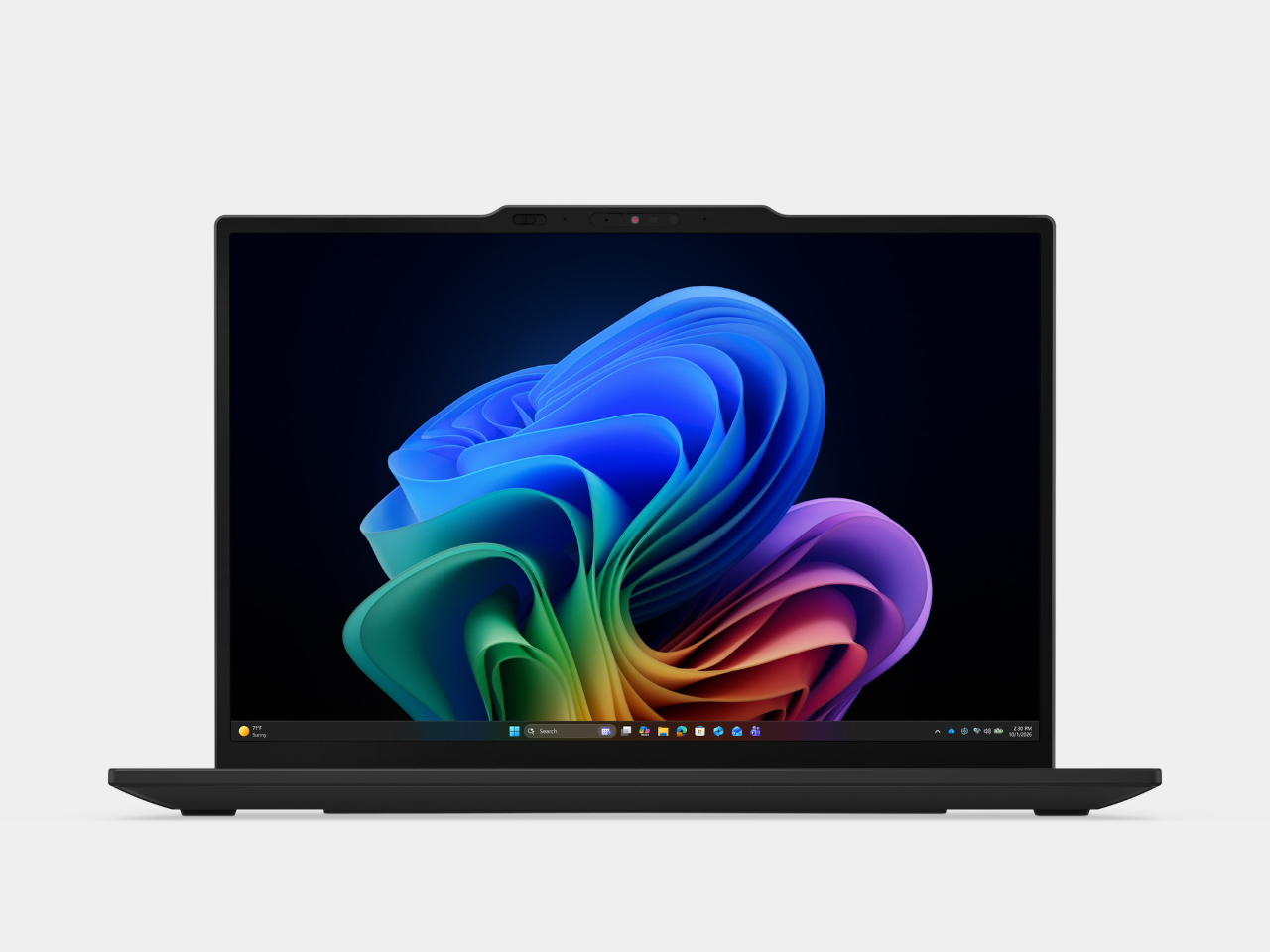
Collaboration gets a dedicated push through a 5MP IR camera with a physical shutter and Lenovo Clear Voice audio, which uses AI-driven noise suppression to clean up background interference on calls. The camera handles Windows Hello facial recognition for quick, password-free logins. For a device that lives in hybrid meetings, having the camera and microphone hardware match the processor’s capabilities makes a noticeable difference.
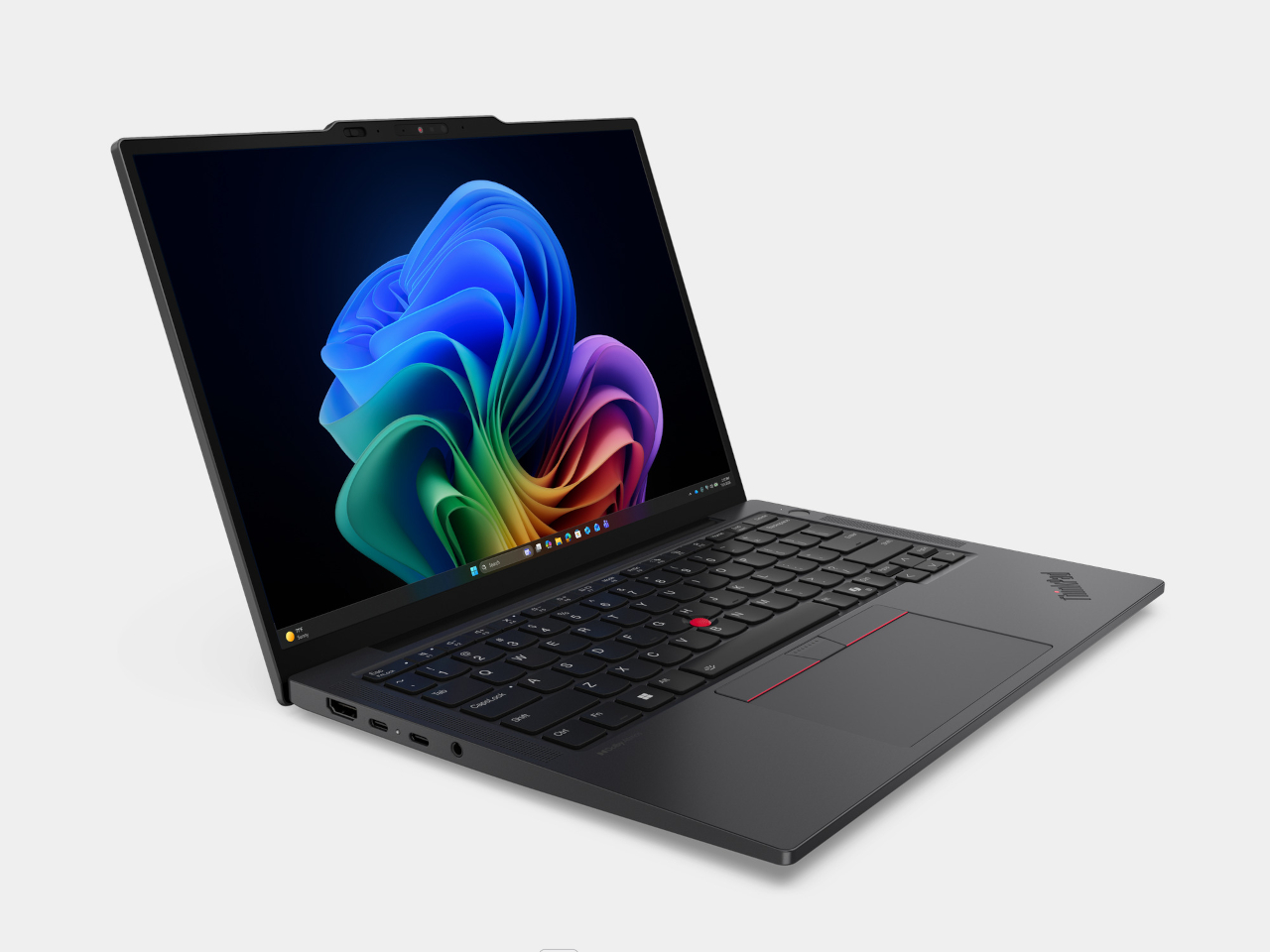
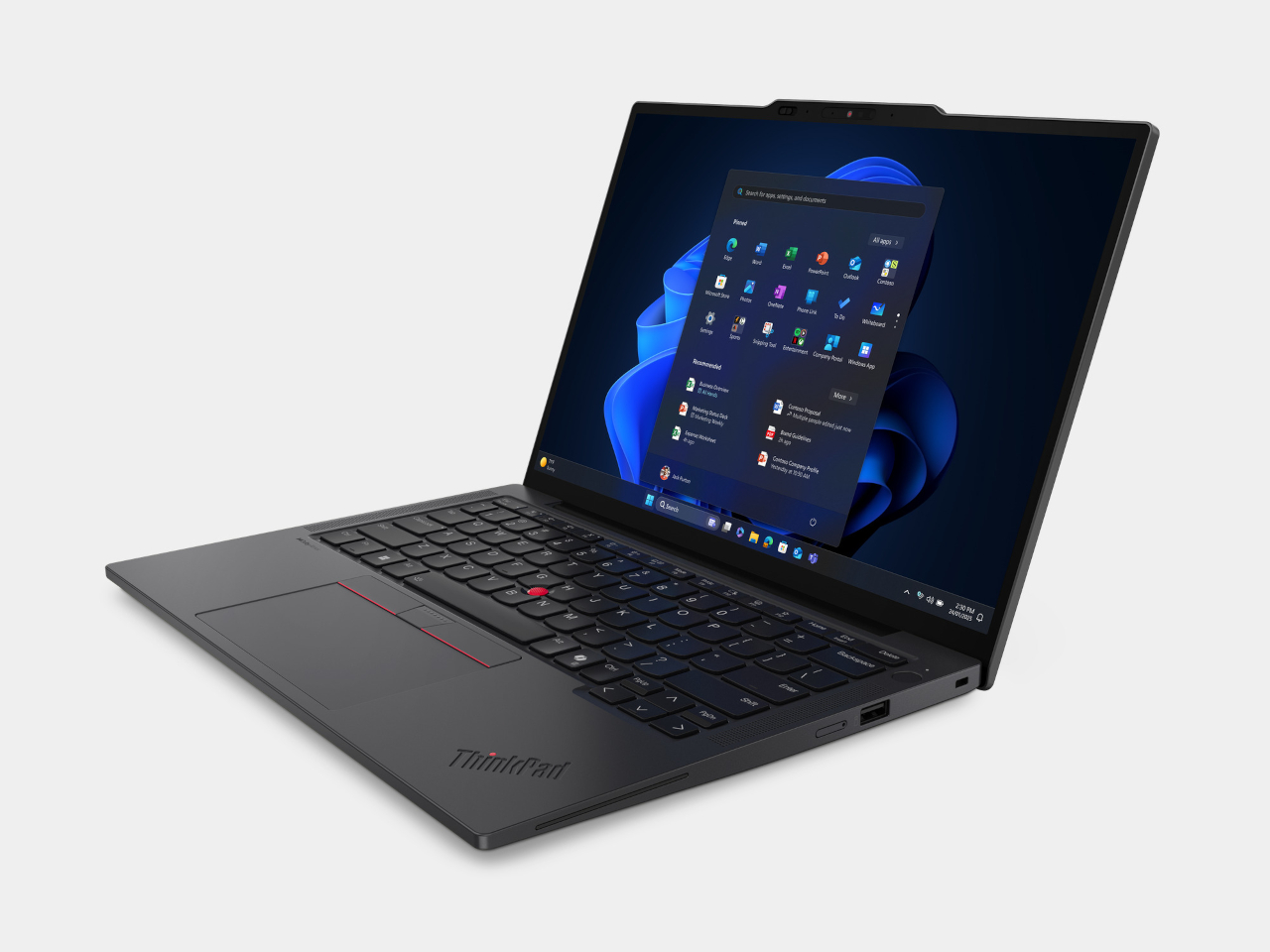
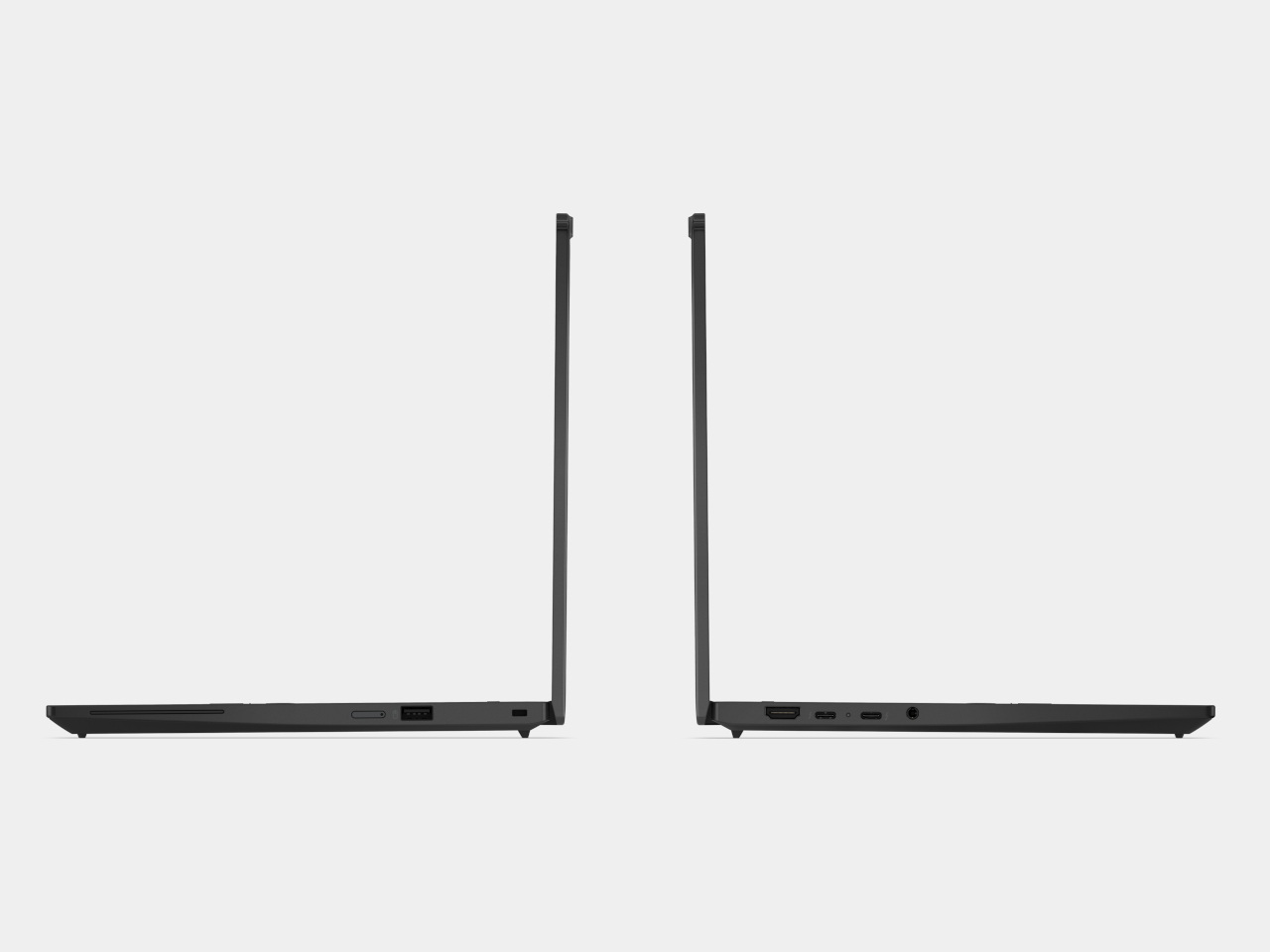
The port selection covers daily needs without a dongle, with two Thunderbolt 4 ports, one USB-A, HDMI 2.1, and a 3.5mm audio jack. Wireless connectivity includes Wi-Fi 7 and optional 5G LTE with eSIM support. The battery comes in 41Wh and 54.7Wh options, both rated for all-day productivity away from an outlet, and the optional NFC keeps field teams connected when cellular service falls short.
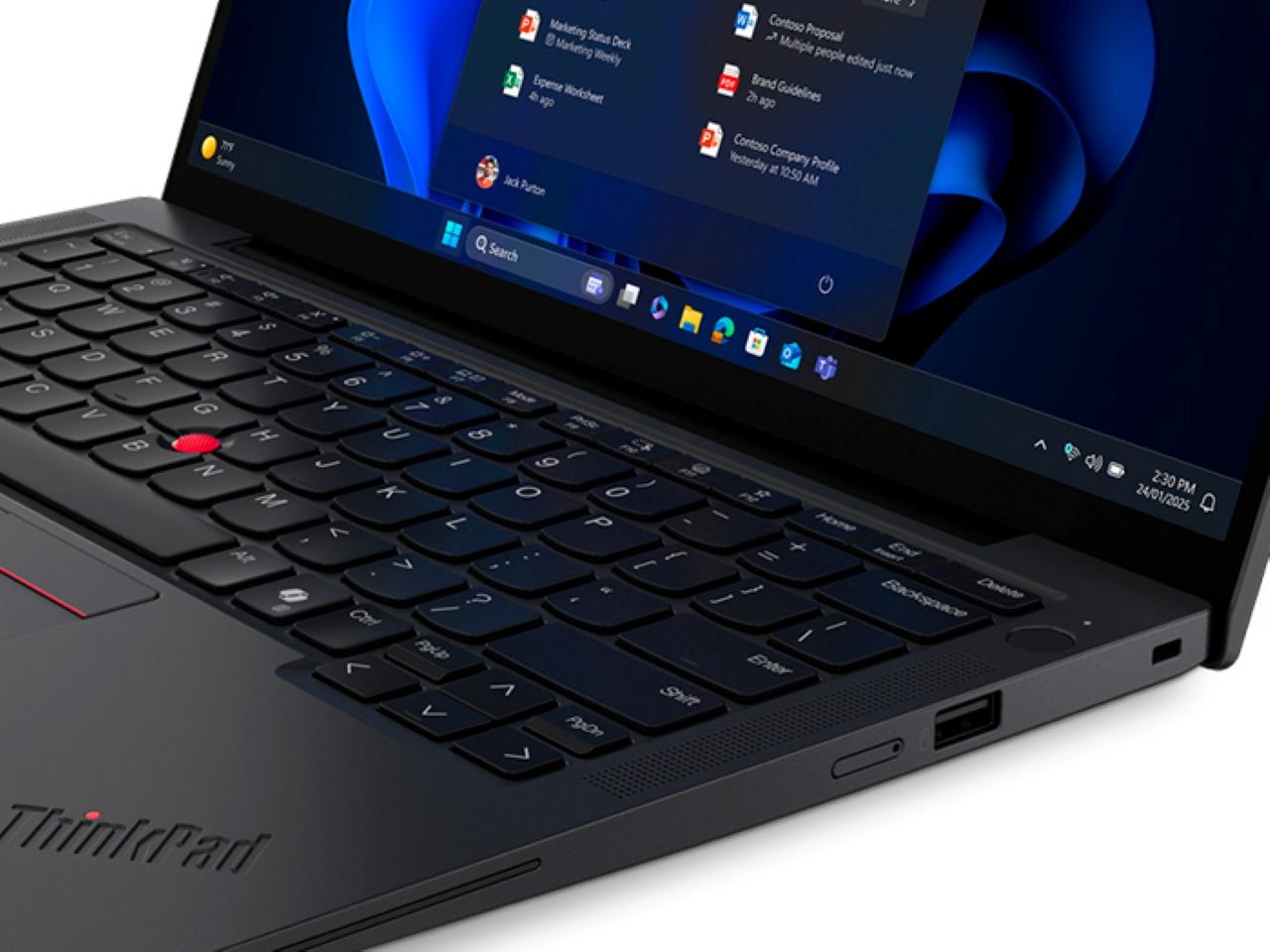
One of the X13 Gen 7’s more distinctive qualities is its repairability, earning an iFixit score of 9 out of 10 through five customer-replaceable units, including the battery, SSD, WWAN module, RTC battery, and D cover. The battery itself uses 100% recycled cobalt, and most structural components incorporate post-consumer recycled materials. Packaging is plastic-free, and the device carries ENERGY STAR 9.0, EPEAT Gold, and TCO 10.0 certifications.
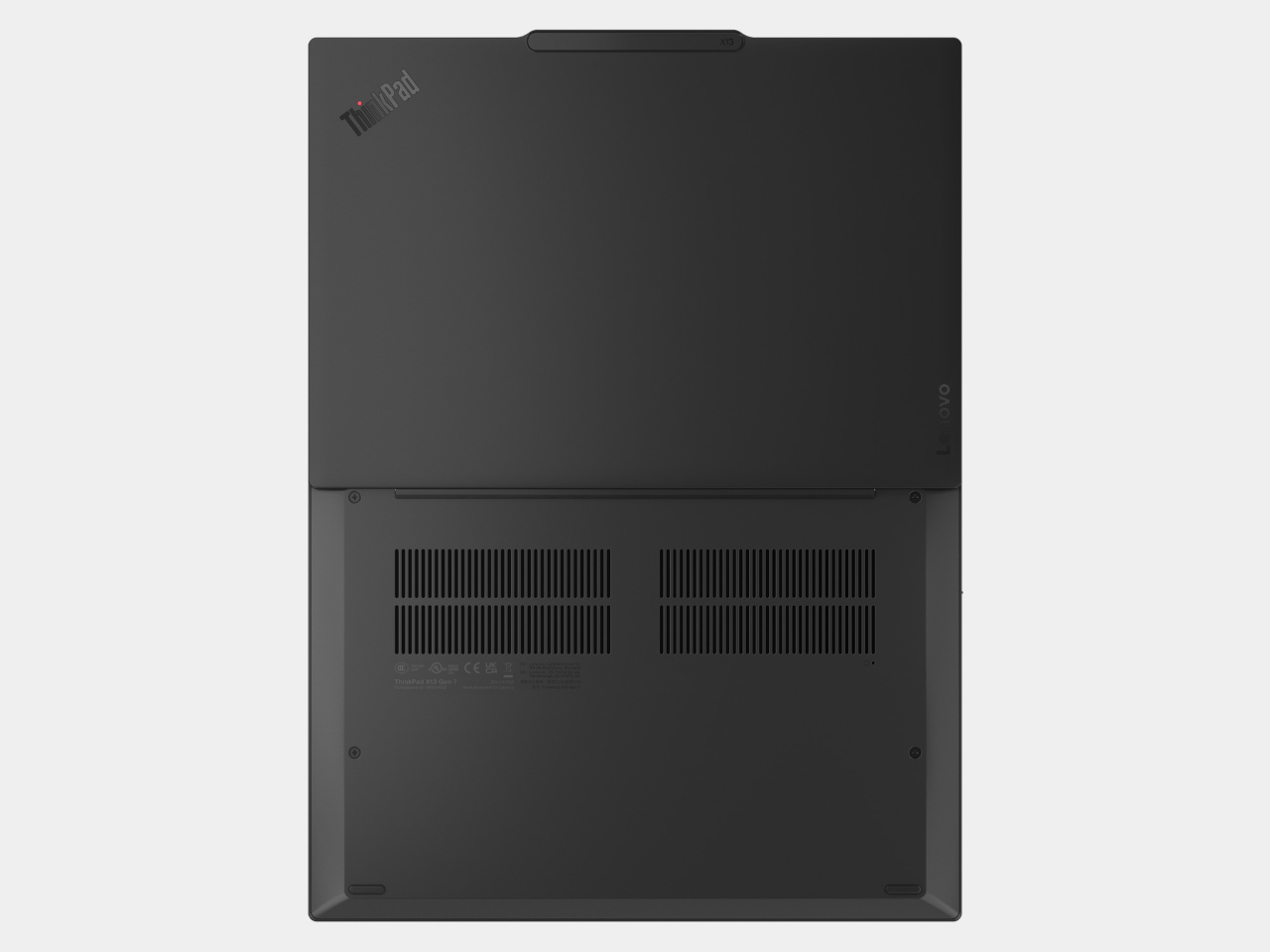
Security runs through ThinkShield, Lenovo’s layered protection platform covering supply chain assurance, firmware defense, and AI-powered threat prevention. Hardware-side security includes a fingerprint reader built into the power button, an IR camera for facial authentication, and an optional Privacy Guard display. The ThinkPad X13 Gen 7 starts at $1,499 and is available starting May 2026, putting it squarely in the premium ultraportable business laptop segment.
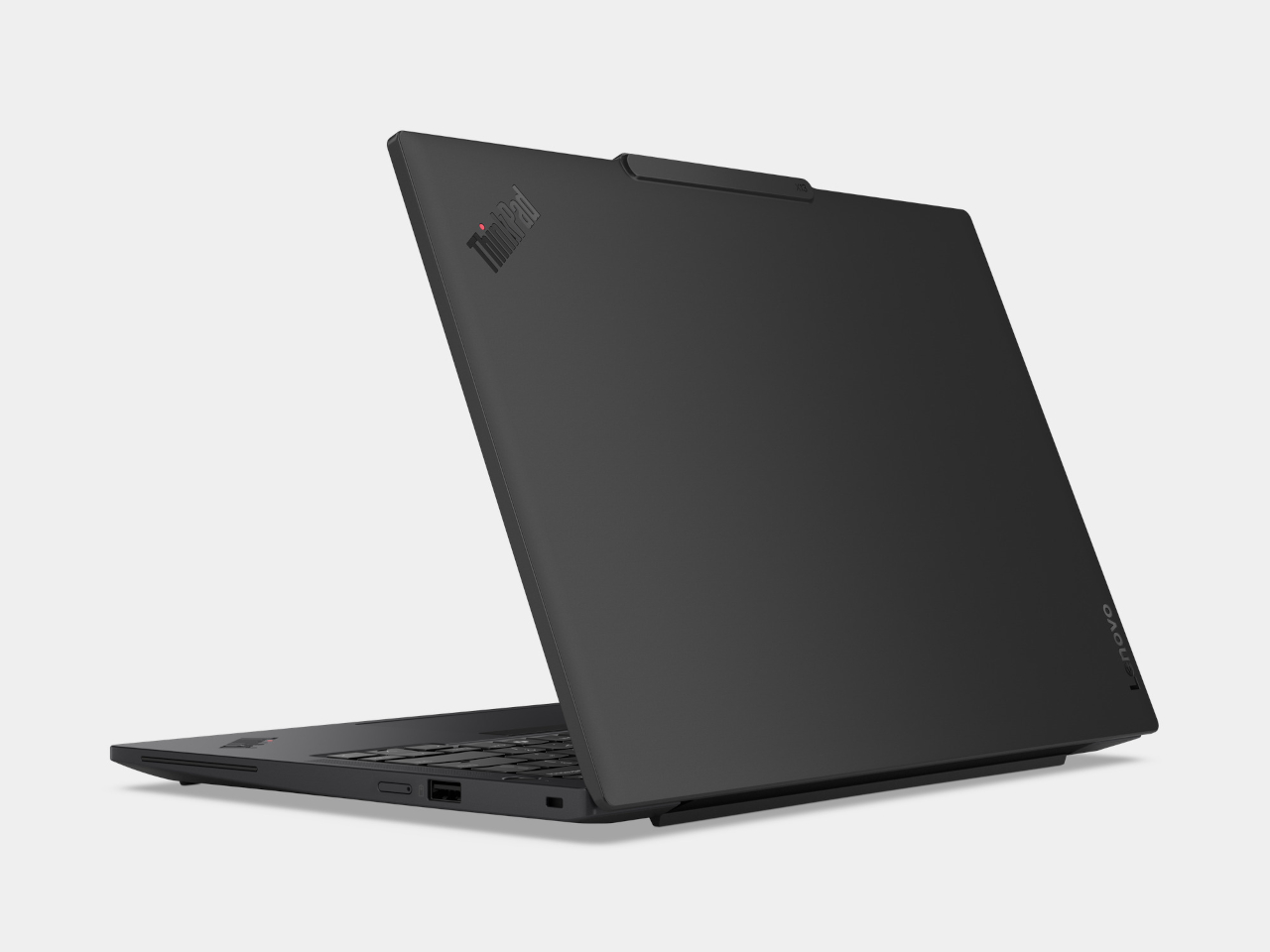
The post The Lightest ThinkPad Ever Also Scored 9/10 for Repairability first appeared on Yanko Design.
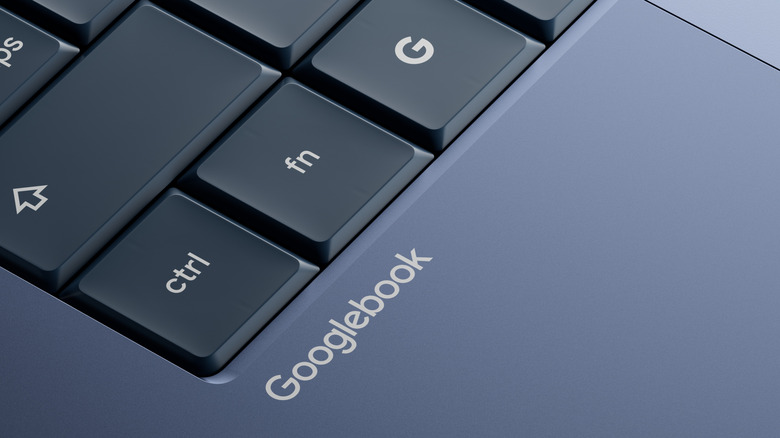
Google just announced Googlebook. Not to be confused with Google Books, which is a separate Google service (even though if you search for Googlebook in Google, it autocorrects you to Google Books instead). This might just be the most frustratingly flawed naming strategy Google’s ever employed, especially after the company’s already had Chromebooks and Pixelbooks under their portfolio. It’s like Google launching a smart photo frame and calling it Googlephotos. Not the wisest idea, but once you look past the name, the laptop itself starts shaping up to raise even more questions.
Think of a laptop, but it’s just entirely AI. You know how most lower-end phones are filled with bloatware? Imagine if that bloatware was just AI everything. The OS has Gemini baked in, heck, even the cursor has AI injected into it like botox. It just feels puzzling considering not one single person I know has ever looked at a Windows laptop and gone – I need more of that CoPilot. Google somehow decided to double down on the AI aspect of the laptop experience, and I’m about to coin a word that I’d like the world to acknowledge henceforth. Google’s Googlebook might just be the world’s first ‘Sloptop’.
Designer: Google
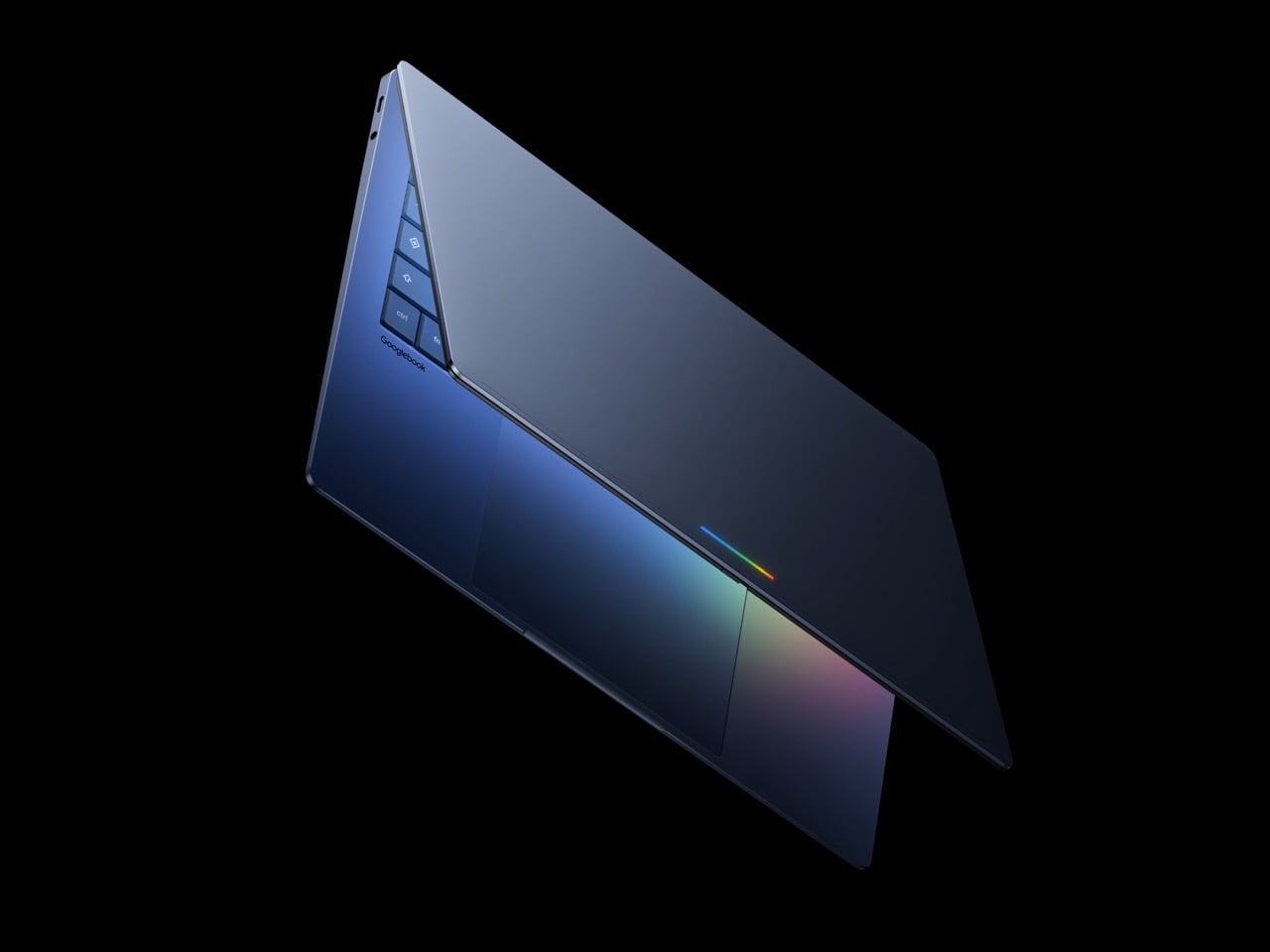
A Sloptop (combining the words Slop and Laptop) is a laptop where the selling point has nothing to do with the laptop. The hardware becomes secondary to whatever AI layer has been plastered over it, and the entire pitch is essentially “trust us, the AI makes it better.” Google describes Googlebook as laptops built with Gemini’s helpfulness at their core, designed to work seamlessly with your devices and powered by premium hardware. Premium hardware listed last, by the way. The star of the show is the Magic Pointer, a feature built with the Google DeepMind team that brings Gemini right to your cursor, offering contextual suggestions every time you point at something on your screen. You wiggle your mouse and Gemini wakes up. Which sounds exciting until you realize your Android phone has been doing exactly this for years. Google Lens already analyzes whatever is on your screen. Gemini is already in your notification bar. The Magic Pointer is functionally Google Lens wearing a blazer and billing itself as revolutionary. The jump from your phone to your laptop desktop does not constitute a new feature, it constitutes a port. Not to mention how annoyed most people will probably be while gaming or generally browsing the internet when they accidentally wiggle their cursors to only be interrupted by Gemini. If you own a mouse-jiggler for dodging workplace productivity rules, the Googlebook might just end up being your worst enemy.
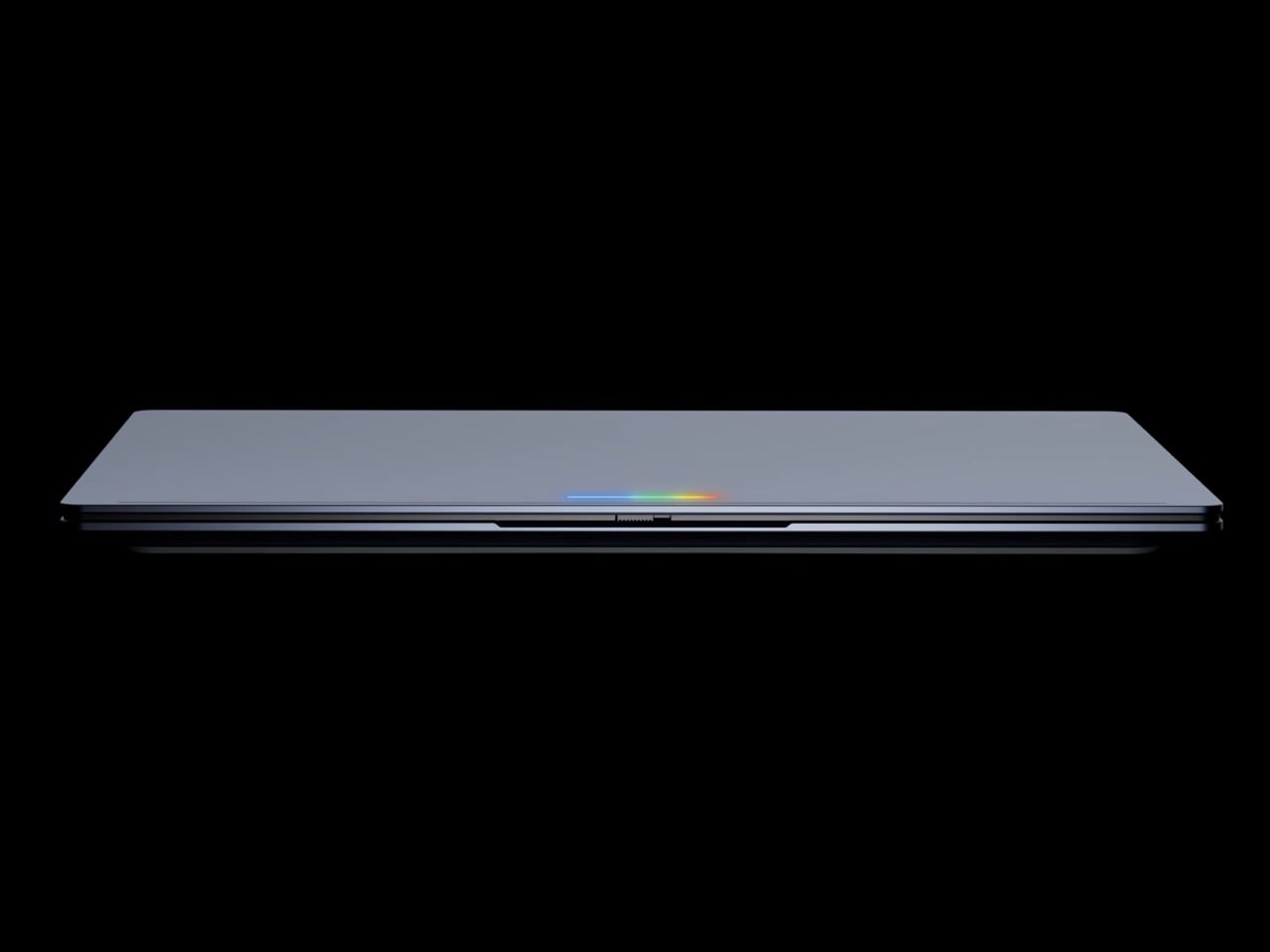
The redundancy runs deeper than just the cursor. Googlebook’s Quick Access lets you view, search, or insert your phone’s files on your laptop with no transfers needed, and you can tap a phone app directly on your laptop screen without ever leaving your workflow. Android mirroring is genuinely useful, and that part of the pitch makes sense. But Google is leading with Gemini widgets, AI-generated desktops, and a cursor that thinks for you, and all of that is already sitting in your pocket. The honest question is: if your phone handles all of this already, what problem is the Googlebook actually solving? A quick observation worth making here too, particularly for parents shopping back-to-school hardware: Google is essentially marketing a laptop that will summarize, suggest, write, and generate on demand. That’s a complicated value proposition when your kid has a history essay due Monday.
Meanwhile, the $599 MacBook Neo continues to have Windows laptop makers falling over themselves trying to build a competitor that matches its price and build quality. People are not lining up for the Neo because Apple Intelligence rewrites their emails. They’re buying it because it is a beautiful, fast, well-built machine at a price point that feels almost unfair. The lesson sitting right there on the table, waiting to be learned, is that consumers want great hardware first. The AI can come along for the ride, but it cannot be the destination.
Google seems to have missed that memo entirely, which brings up the uncomfortable question of whether Googlebook is a laptop at all, or a Gemini distribution strategy with a keyboard attached. Google hasn’t even confirmed what operating system Googlebooks actually run, though the company describes it as a modern OS designed for Intelligence that combines Android and ChromeOS. That vagueness is telling. The Pixelbook was quietly killed off. Chromebooks spent years in an identity crisis, perpetually caught between being a real laptop and a browser window with hinges. Google has a well-documented pattern of entering the laptop space with genuine ambition and then quietly losing interest, and nothing about the Googlebook announcement suggests that pattern is breaking.
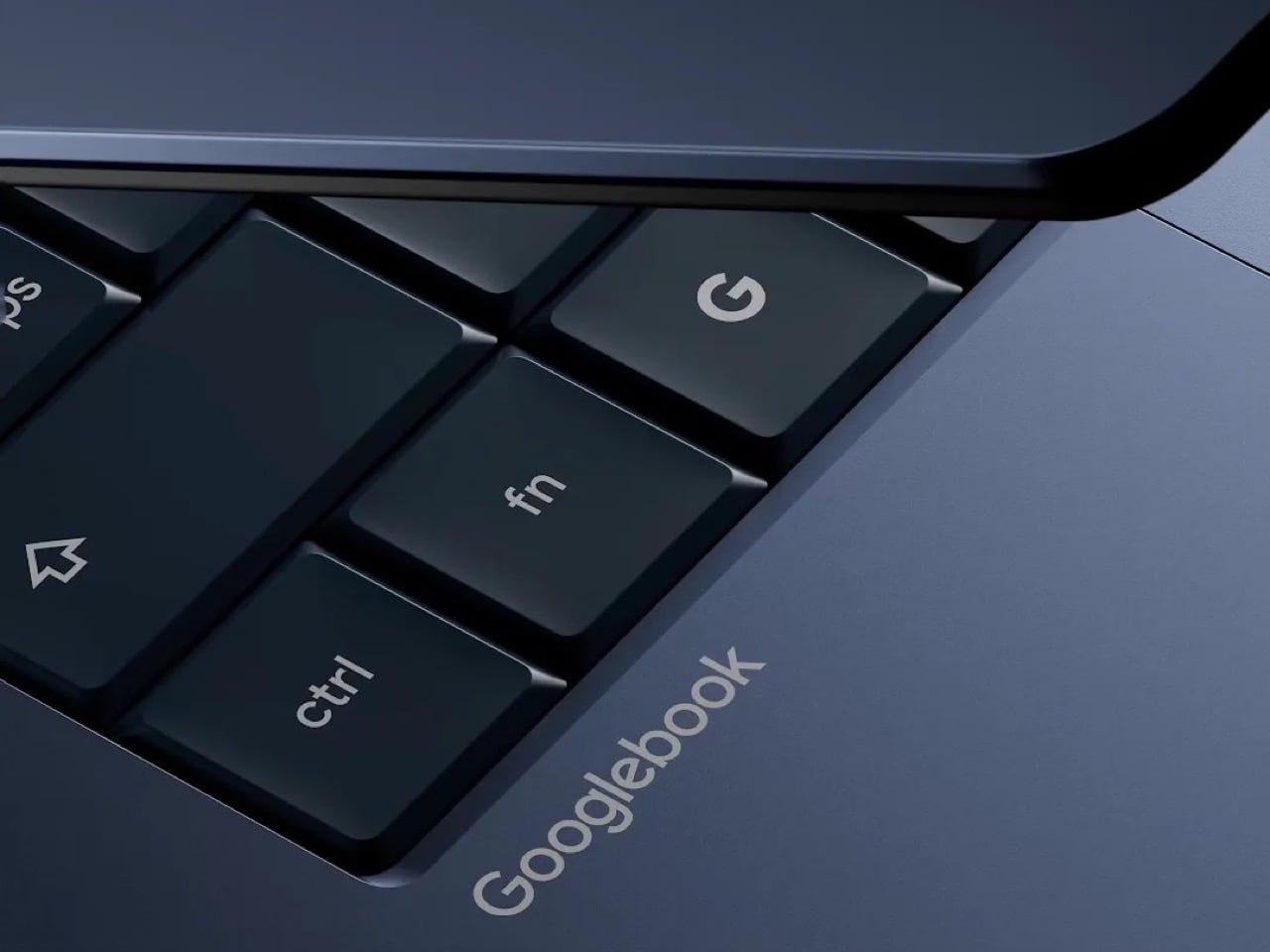
And then there’s the name. After everything above, the name somehow still deserves its own moment. Google is working with Acer, Asus, Dell, HP, and Lenovo on the first Googlebooks, which means this name is going on products from some of the most established hardware brands in the industry. Executives at those companies approved the word “Googlebook” on their machines. That’s a thing that happened. The Chromebook, for all its limitations, had a clean and descriptive name. The Pixelbook sounded premium. Googlebook sounds like what a five-year-old would name a laptop if you told them Google made it. However, I want to be proved wrong. Desperately. Google’s had such a stronghold over the Android space that it really did seem like Chromebooks would be their next magnum opus. I guess we’ll have to wait till Google I/O to get more information on this new endeavor – and hope it doesn’t hit the graveyard too soon like its predecessors.
The post Google just announced a laptop with the worst possible name… and it’s filled with AI first appeared on Yanko Design.
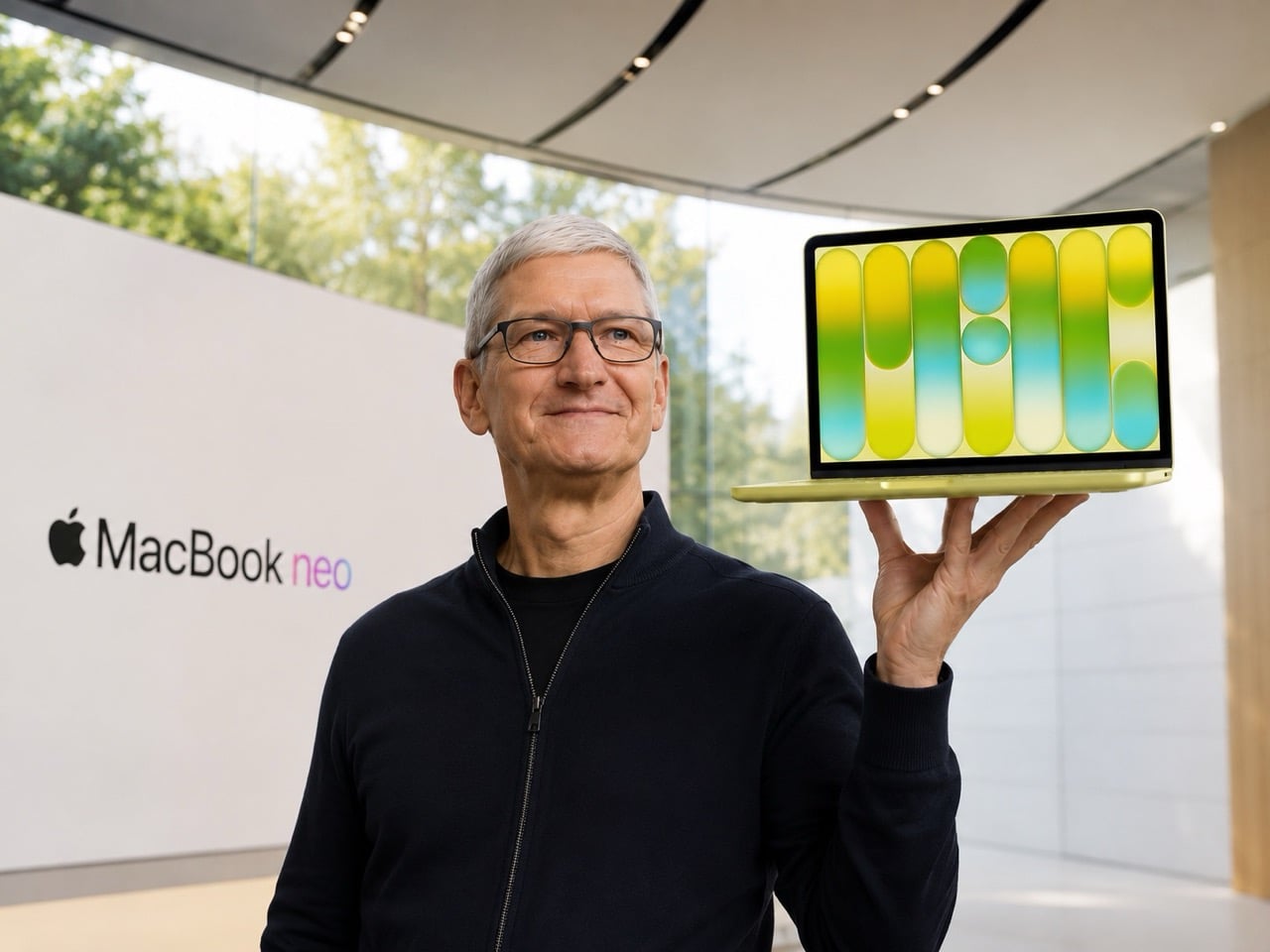
Apple has never been the company you turn to when you need a laptop on a budget. For decades, the entry ticket to macOS meant shelling out at least a thousand dollars, often significantly more, and that premium was non-negotiable. The “Apple Tax” was real, it was expensive, and Apple seemed perfectly content collecting it. Then in March 2026, the company did something it has almost never done: it launched a laptop for $599. The MacBook Neo landed with the kind of price tag that made people do a double-take, and based on how things have played out since, it appears Apple vastly underestimated just how many people were waiting for exactly this moment.
Tim Cook admitted as much during the company’s Q2 2026 earnings call in early May, stating that demand for the MacBook Neo has been “off the charts” and that Apple had fundamentally misjudged how many people wanted in. The company is now supply-constrained, shipping estimates have stretched to two or three weeks across all configurations, and Apple has quietly doubled its production target from an initial forecast of five to six million units to a staggering ten million for 2026 alone. Cook also revealed that the Neo drove the best launch week for first-time Mac buyers in Apple’s history, helping push Mac revenue to $8.4 billion in the second fiscal quarter and exceeding analyst expectations. For a product that was supposed to be a modest gateway device aimed at students and casual users, the MacBook Neo has become something closer to a cultural moment.
Designer: Apple
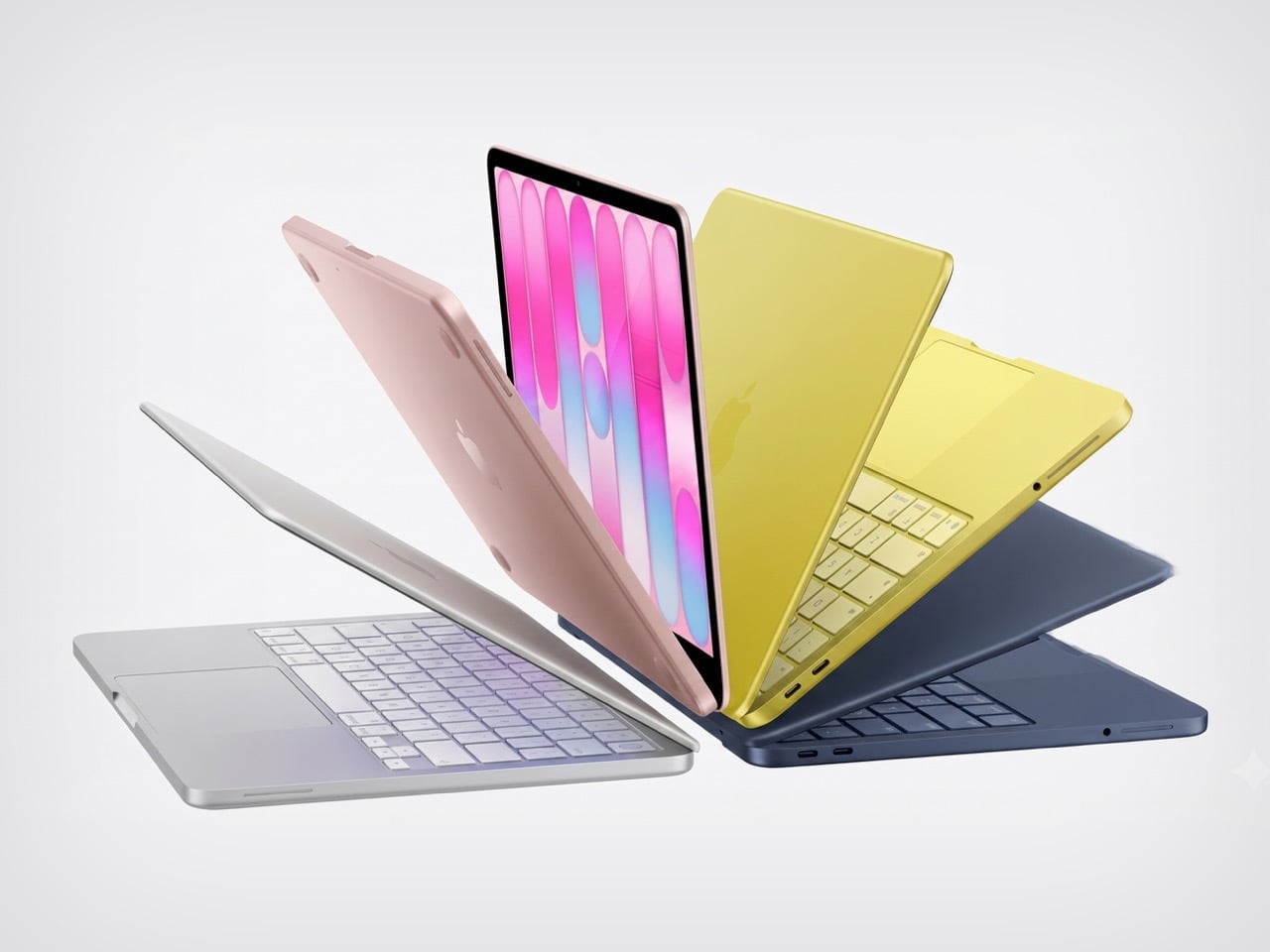
The MacBook Neo exists because Apple found a way to make a laptop cheaply without making it feel cheap, and the method they used is as clever as it is slightly devious. The device runs on a binned version of the A18 Pro chip from the iPhone 16 Pro, meaning it uses rejected processors with one malfunctioning GPU core that would have been discarded. Apple took those five-core chips, gave them a second life inside the Neo, and avoided spinning up a single new fabrication line. It was a stroke of economic genius that allowed the company to hit $599 without compromising build quality. The design borrows heavily from the MacBook Air with its aluminum unibody and color-matched keyboards, but ditches the notch for uniform iPad-style bezels. At $499 for education buyers, it positions the Neo squarely in Chromebook and budget Windows laptop territory, a market Apple has never seriously competed in before.
The brilliance of this strategy becomes clear when you look at what Apple is actually trying to accomplish. The MacBook Neo is not designed to be a high-margin profit driver. It is designed to be a gateway drug. Get a student hooked on macOS at $499, let them experience the ecosystem integration with their iPhone, introduce them to iCloud and Apple Intelligence and the seamless Handoff features that make working across devices feel like magic, and you have potentially created a lifelong customer. Cook himself framed it exactly this way during the earnings call, stating that Apple is focused on customers new to the Mac and customers who have been holding onto their machines for years. He also highlighted momentum in education, noting that some school systems are switching from Chromebooks and Windows PCs to the MacBook Neo at a systemic level. This is Apple playing the long game, absorbing lower margins today to capture market share and build brand loyalty that will pay dividends for decades.
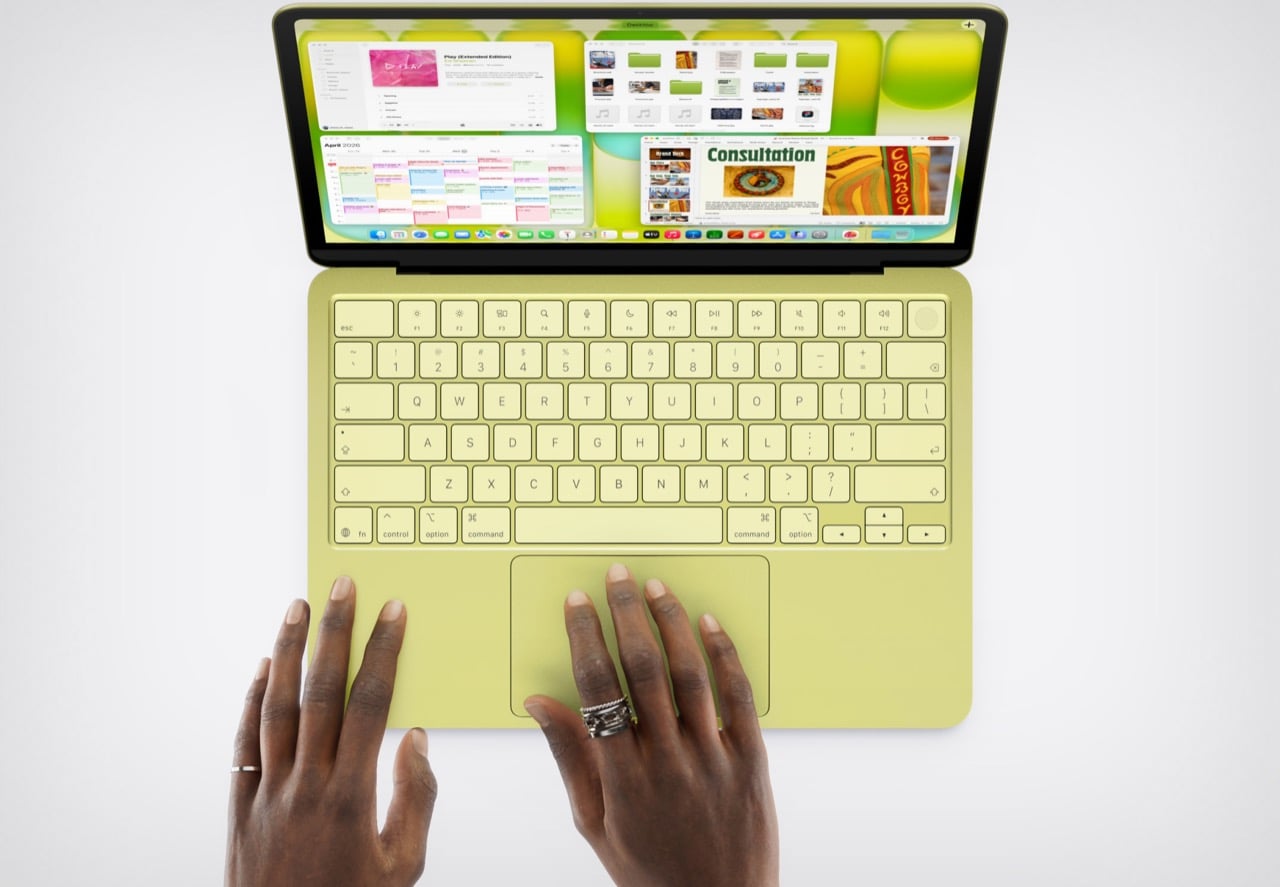
That strategy, however, has created a problem Apple did not anticipate. The initial supply of binned A18 Pro chips, carefully stockpiled from iPhone 16 Pro production runs, was supposed to last through the first wave of demand. It did not. Apple burned through that inventory faster than anyone projected, and now the company faces a logistical nightmare. To meet the revised production goal of ten million units, Apple needs fresh A18 Pro chips from TSMC, and those chips are not going to be cheap. TSMC is currently running at limited spare capacity on its 3-nanometer process node, with AI-related orders consuming most of its output. The chips Apple orders now will be full six-core versions, not binned five-core rejects, and Apple will have to manually disable one GPU core to keep the specs consistent. This means higher per-unit costs even before accounting for any expedited manufacturing premiums TSMC might charge for rush orders.
Compounding the issue is the global DRAM crisis. Memory prices have been climbing steadily since the Neo launched, and the situation is getting worse. A
TrendForce report revealed that DRAM prices rose 57 percent in April 2026 alone, a staggering jump that has sent shockwaves through the entire tech industry. Samsung, one of the largest memory manufacturers in the world, is reportedly refusing to sell RAM to its own electronics division at competitive prices, prioritizing external contracts and higher-margin deals. Sony bumped PlayStation 5 prices. PC manufacturers across the board are raising prices or discontinuing lower-cost configurations. Apple, meanwhile, is trying to scale production of a $599 laptop at exactly the wrong moment in the supply chain cycle.
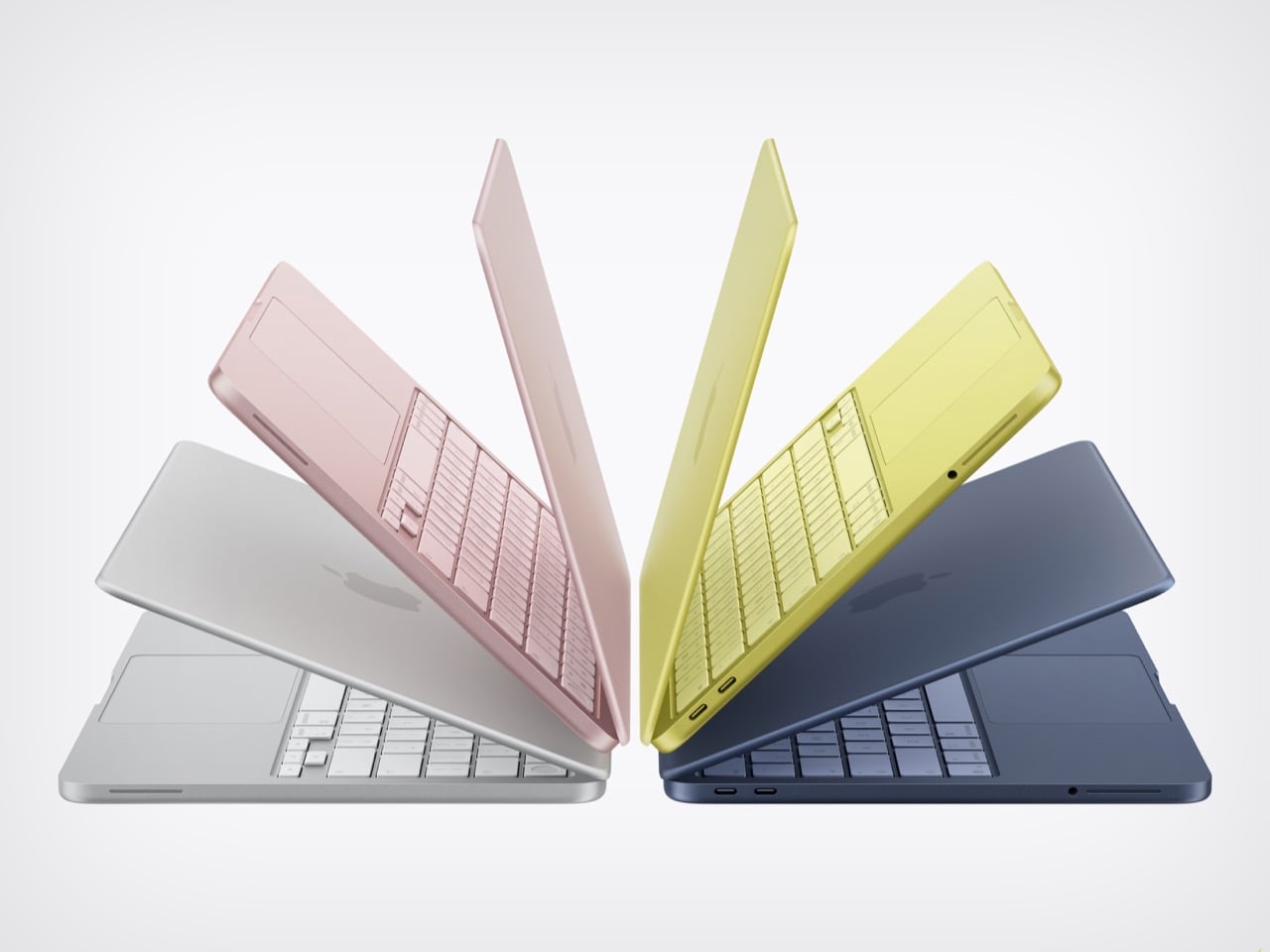
The company has already started making moves to protect its margins elsewhere. Apple quietly discontinued the $599 Mac mini with 256GB of storage earlier this month, pushing the starting price to $799 for the 512GB model. Taiwan-based tech columnist and former Bloomberg reporter Tim Culpan has suggested that dropping the $599 256GB MacBook Neo model is among the options Apple is weighing, which would make the $699 512GB configuration the new entry point. Culpan also floated the possibility that Apple might introduce new color options to soften the blow of a price hike, a classic marketing tactic that distracts from the financial sting by giving buyers something shiny to focus on instead.
What makes this entire situation fascinating is that it represents a genuine departure from Apple’s historical playbook. This is a company that has spent the better part of two decades training consumers to expect premium pricing and to accept that Apple products cost more because they are worth more. The MacBook Neo breaks that pattern. It is the first time in recent memory that Apple has positioned a product not as aspirational or premium, but as accessible. The iPhone 17e, Apple’s current budget iPhone, starts at $579, just twenty dollars less than the MacBook Neo, which tells you everything you need to know about how aggressively Apple priced this laptop.

The timing being good or bad depends entirely on your perspective. We are living through an era where affordable computing is becoming harder to access, not easier. Memory prices are spiking. GPU costs remain elevated. PC manufacturers are raising prices or cutting corners to maintain margins. Into this environment, Apple drops a $599 laptop that runs macOS, integrates seamlessly with iPhones, delivers legitimately good performance for everyday tasks, and does not feel like a compromise. Early benchmarks from Digital Trends show the MacBook Neo outperforming the M1 MacBook Air in Geekbench 6 tests. Photographer and video editor Tyler Stalman tested the device with professional workflows and concluded that editing 4K video on the Neo is totally manageable even with multiple apps running. Someone even got Cyberpunk 2077 running at over 30 frames per second on it, which is absurd for a fanless laptop built around a phone chip.
The competitive response has been telling. Asus co-CEO S.Y. Hsu called the MacBook Neo a shock to the entire PC market, admitting that manufacturers did not think Apple would launch something this affordable. He also tried to downplay the device by comparing it to a tablet and calling it a content-consumption machine, which is the kind of defensive posturing you only see when someone is genuinely worried. The reality is that the MacBook Neo threatens Microsoft’s dominance in the sub-$600 laptop market, a segment that has historically been Windows and Chrome OS territory.

Whether Apple can maintain the $599 price remains to be seen. Tim Cook’s comments during the earnings call suggest the company understands what is at stake. He said Apple is very focused on getting the Mac to even more people than it was reaching before, and that the company could not be happier with how things are going at the moment. That optimism feels earned, but it also feels fragile. The MacBook Neo succeeded because Apple found a way to make a genuinely good laptop at a price that defied expectations. If rising component costs force the company to walk that back, the magic dissipates. The $599 MacBook is a statement, a gamble, and a challenge to the entire industry. Apple bet that there was massive untapped demand for accessible computing done right, and the demand proved them correct. Now they just have to figure out how to keep building the thing people actually want to buy.
The post Apple’s $599 MacBook is such a massive hit, Tim Cook can’t keep up with the demand first appeared on Yanko Design.
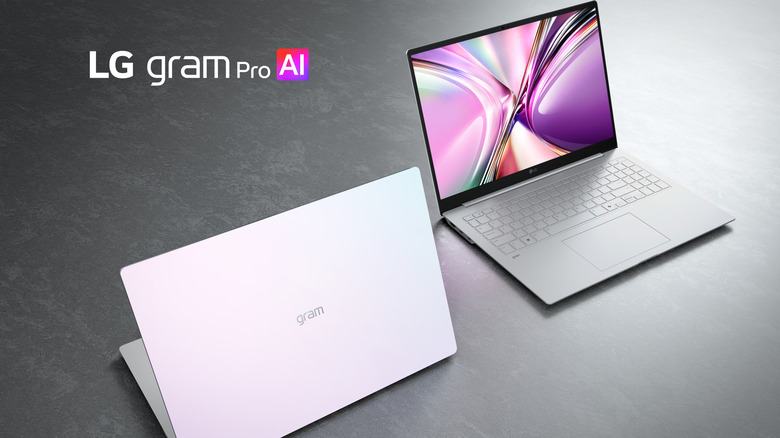
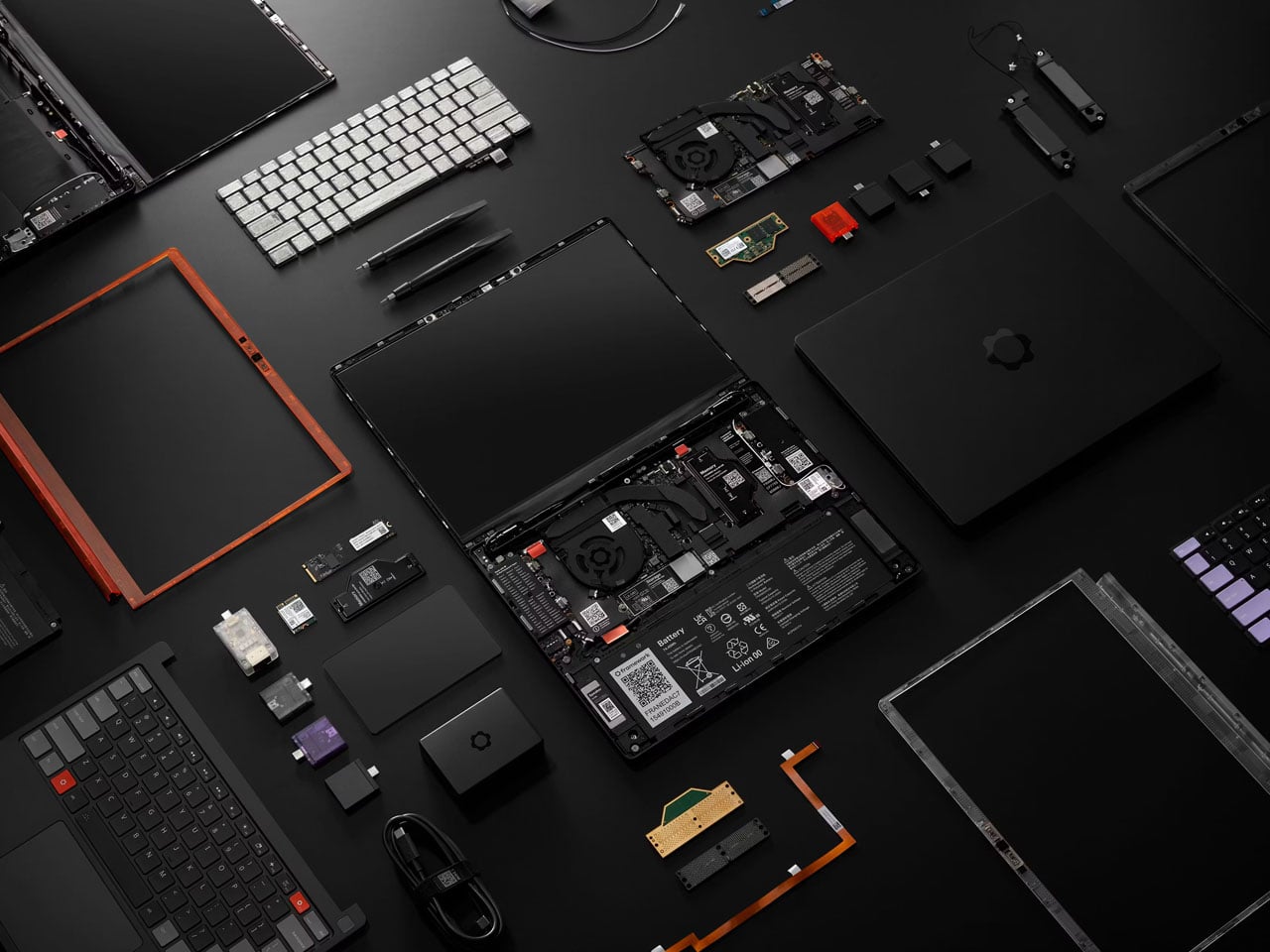
Framework is known for a league of laptops that other manufacturers dare not. Six years in, and the company is pushing its boundaries, building laptops that are robust, high on performance, yet respect the consumers’ right, allowing them the option to repair, upgrade, and run the software of their choice.
For 2026, the modular computing company returns with Framework Laptop 13 Pro, a new and upgraded version of its current favorite repairable laptop – Laptop 13. “Framework Laptop 13 Pro is a complete ground-up redesign,” the company informs. Before we get into the details, this new laptop and wireless touchpad keyboard coming our way via the Framework [Next Gen] Event 2026 are, according to the company, built based on the direct feedback received from its fans.
Designer: Framework
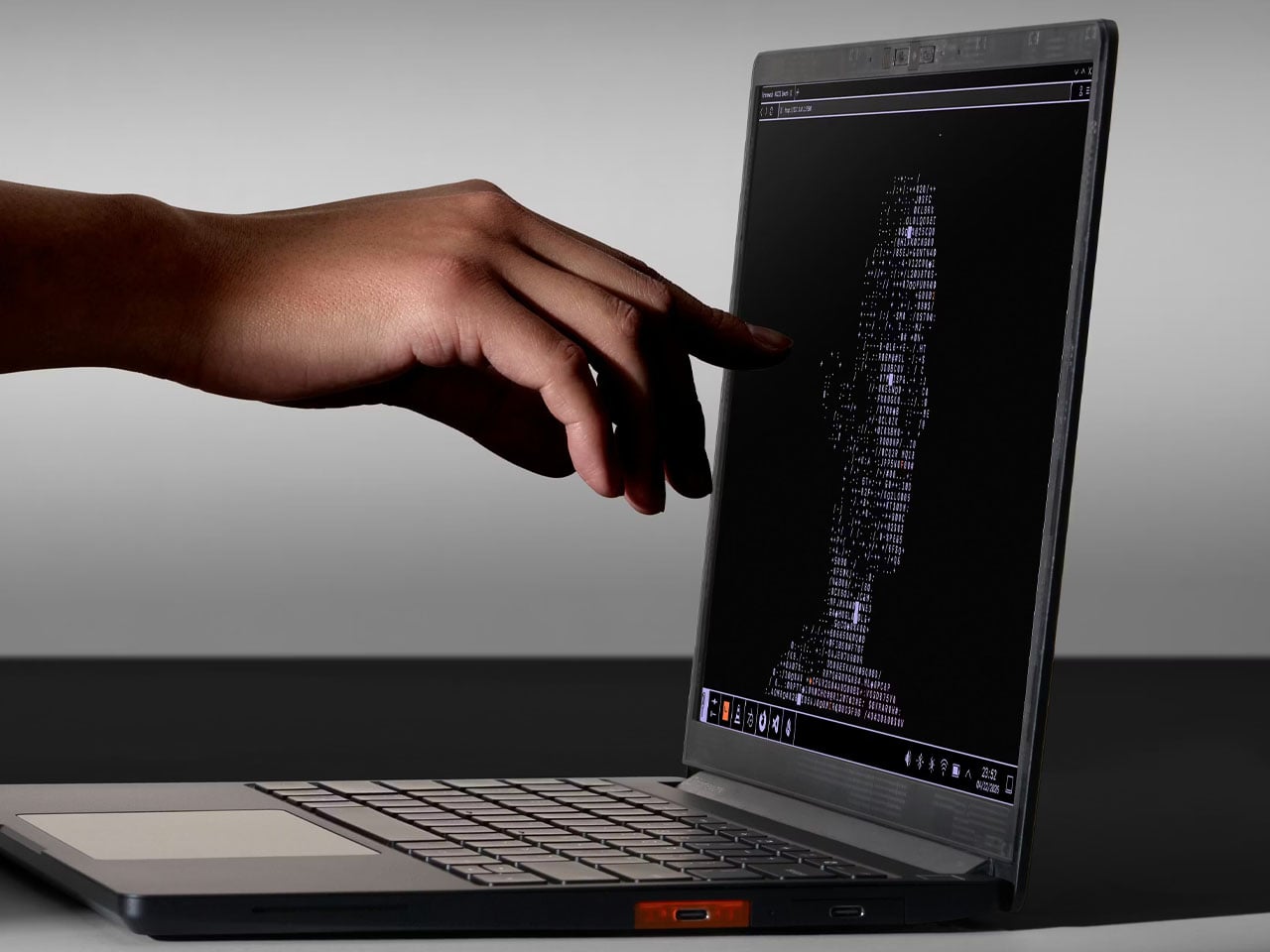
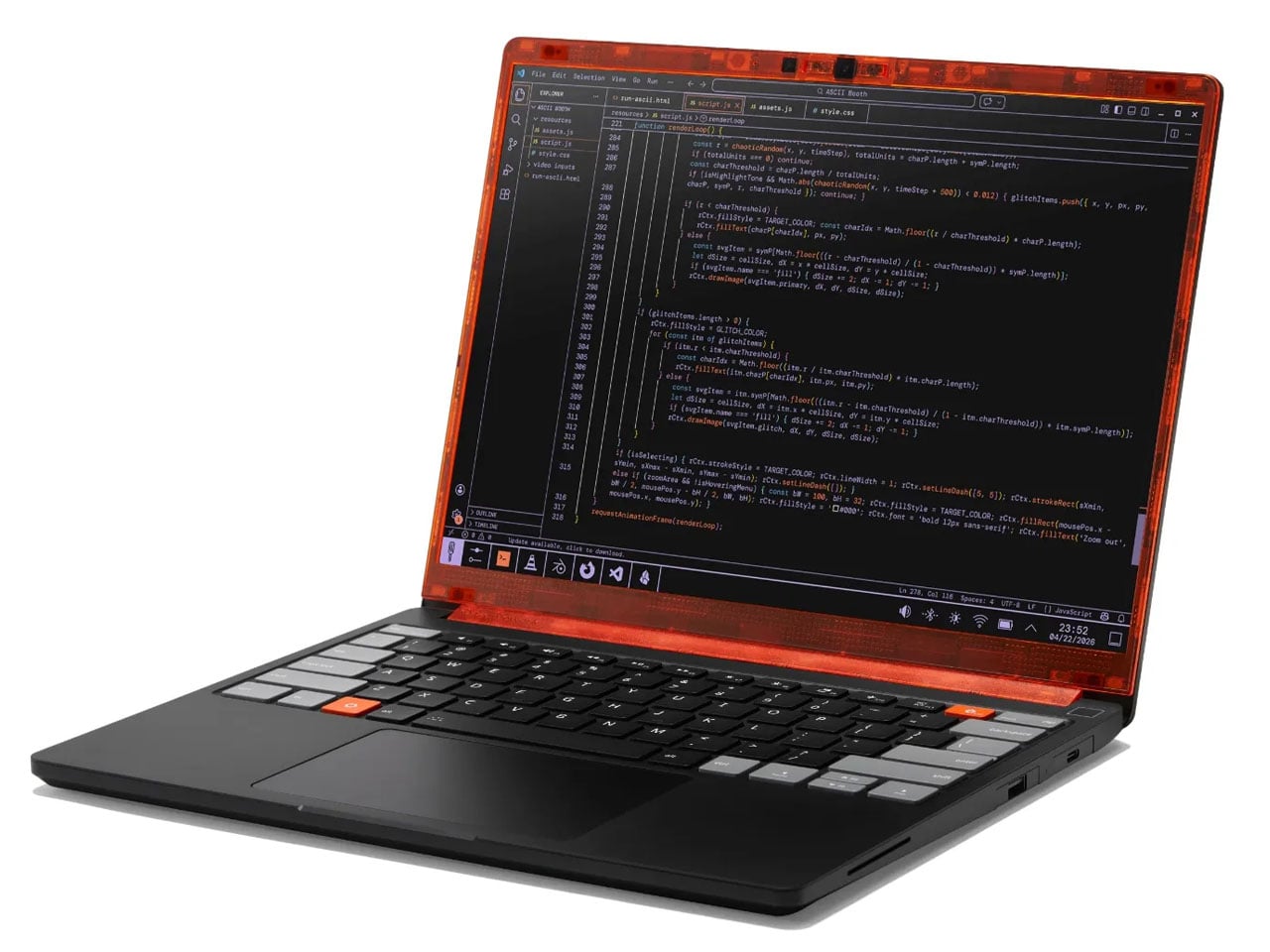
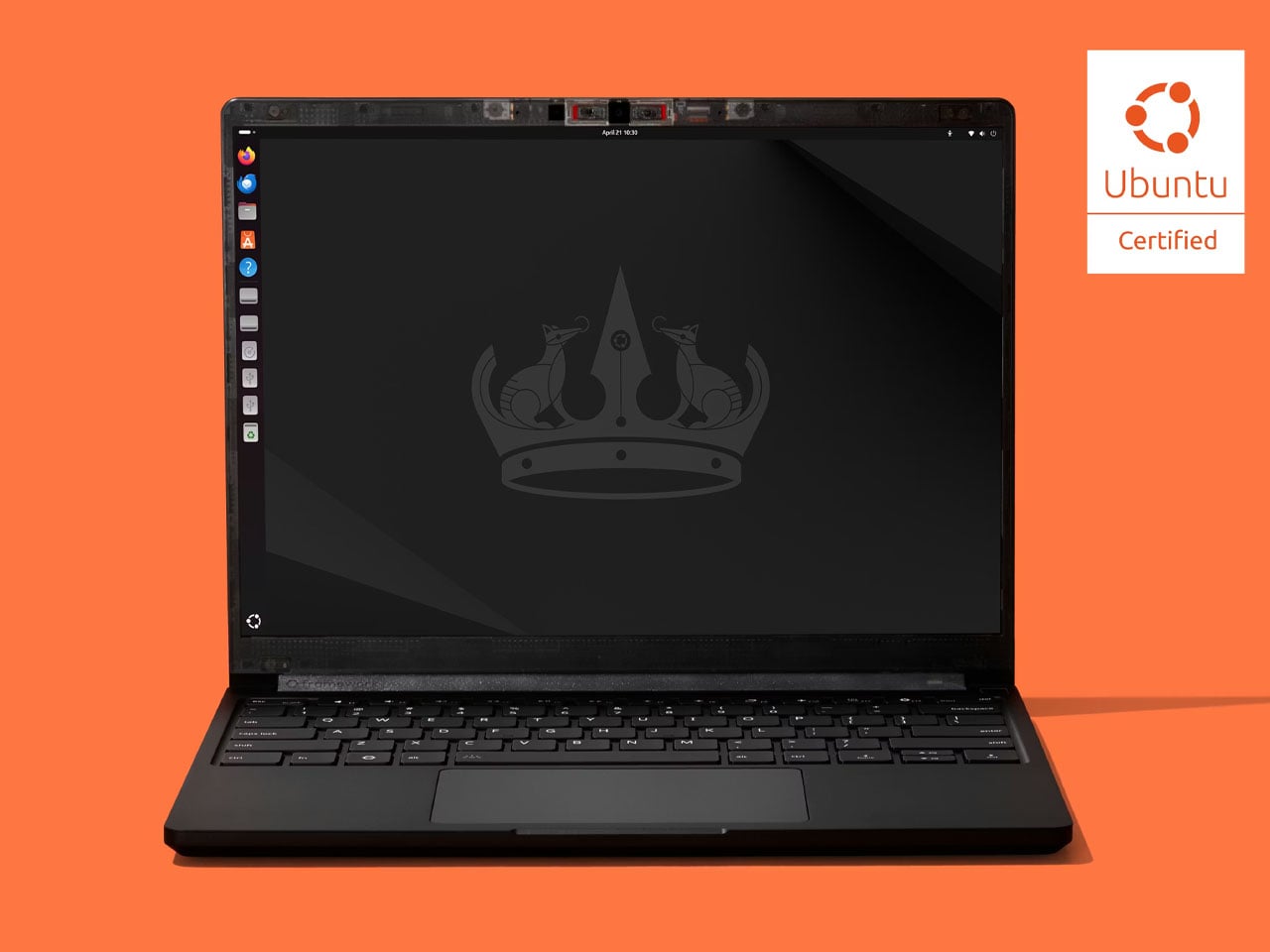
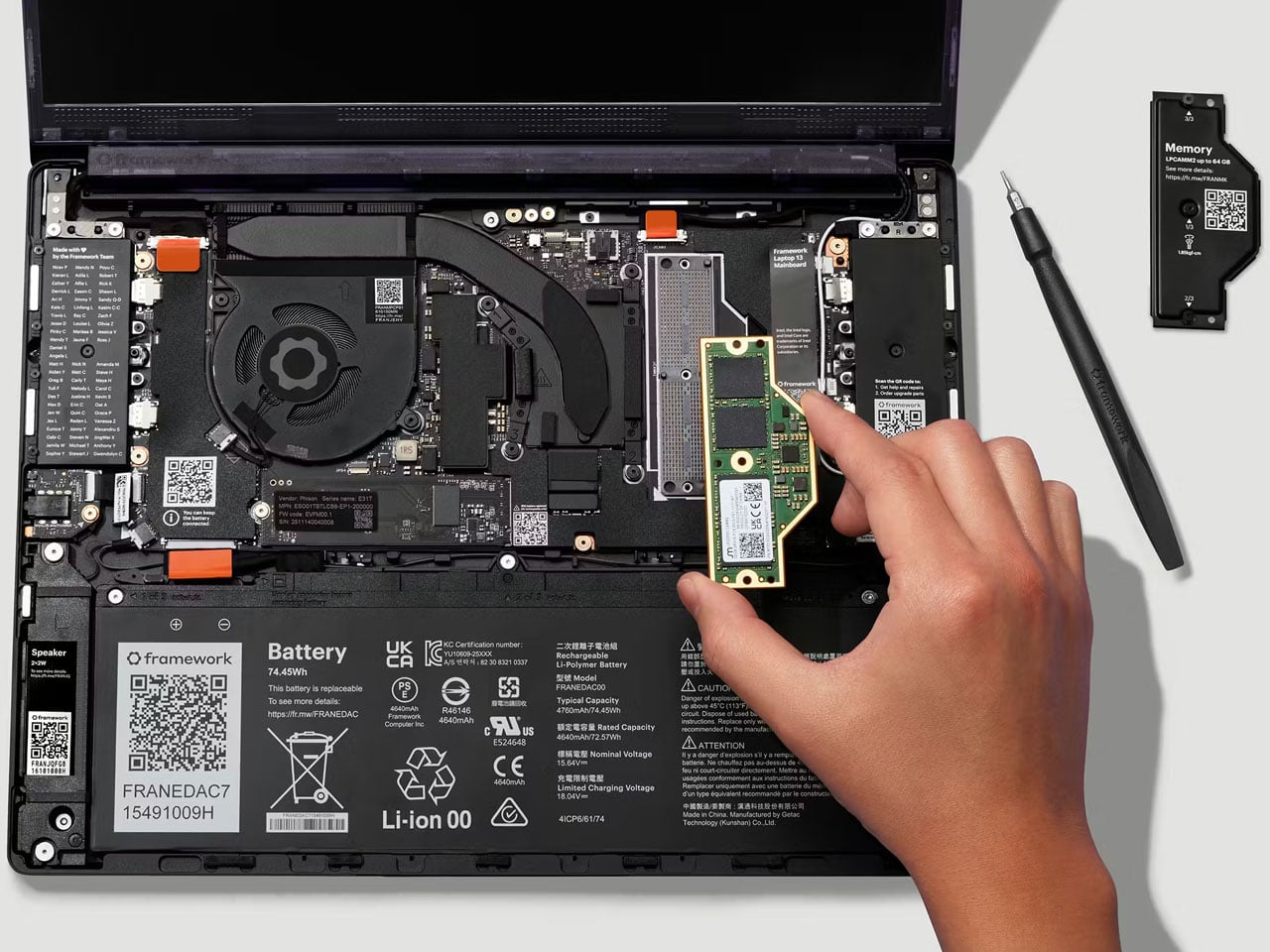
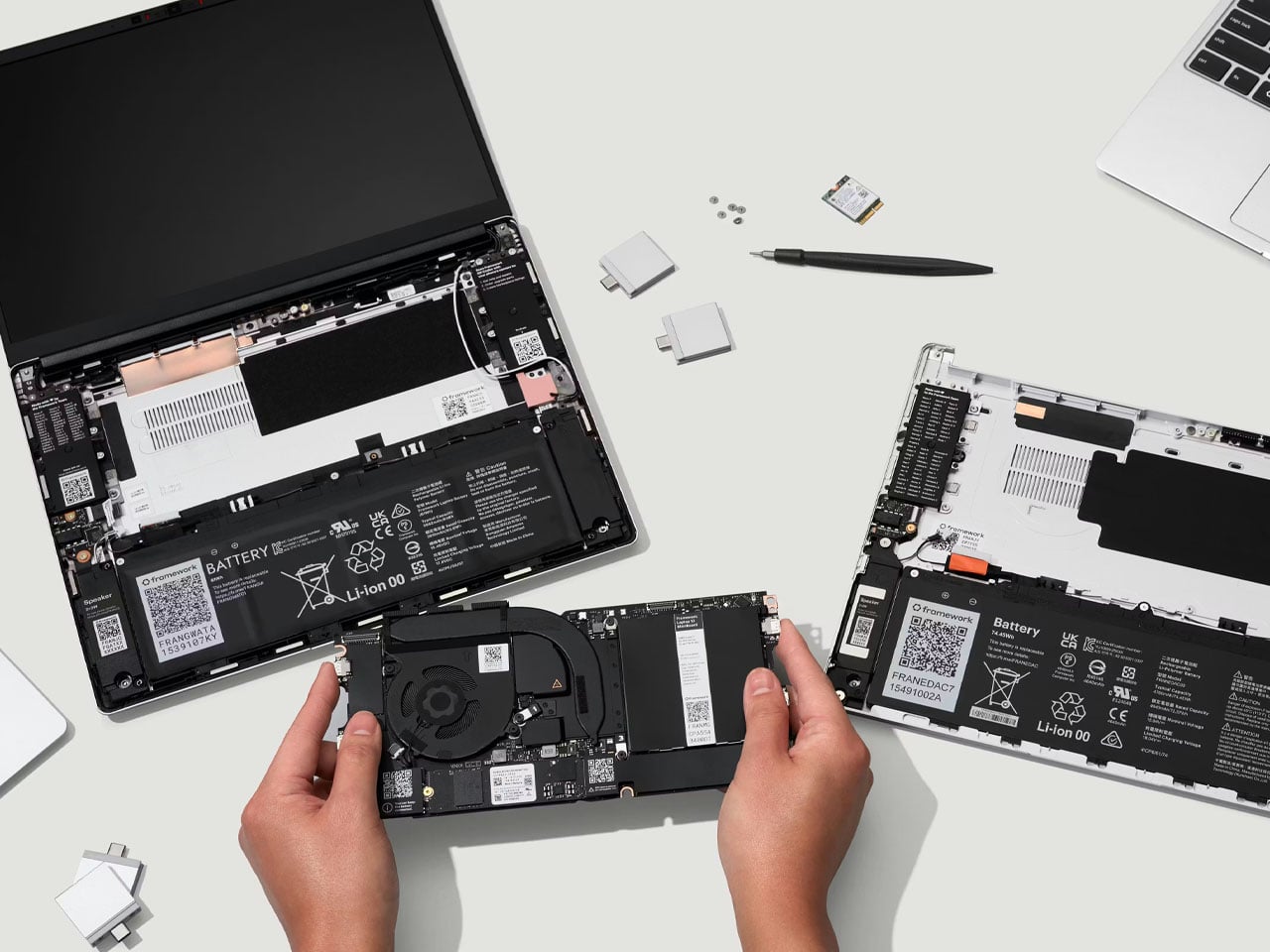
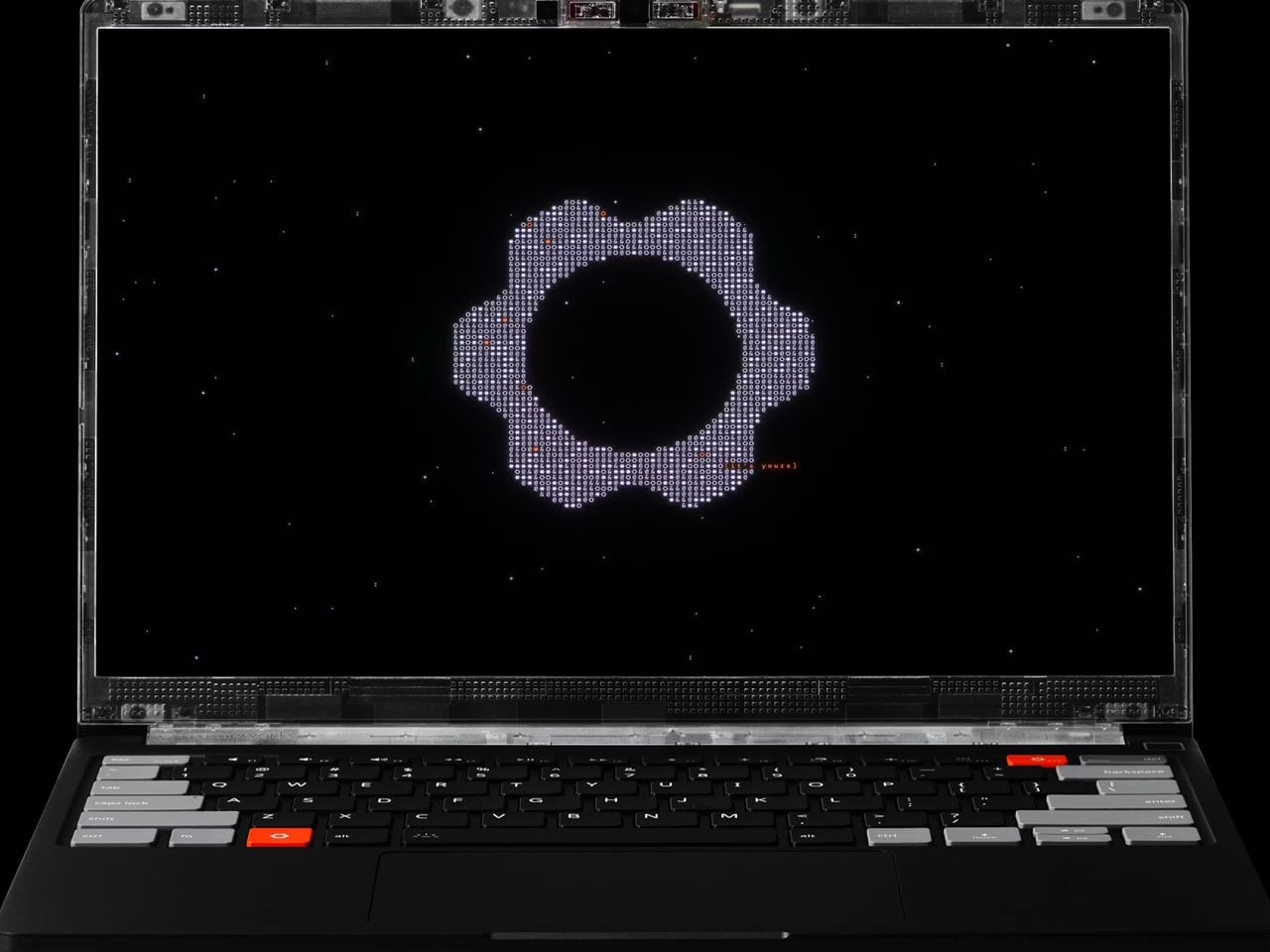
Laptop 13 Pro comes pre-loaded with Ubuntu. Its major highlight is the massive leap in battery life and the new full CNC aluminum chassis, which is first for any Framework laptop. Like the Laptop 13, however, the new model is repairable, upgradable, and fully customizable. It comes with an Intel Core Ultra series processor paired with LPCAMM2 memory, a haptic touchpad, and a purpose-built power-optimized touchscreen display.
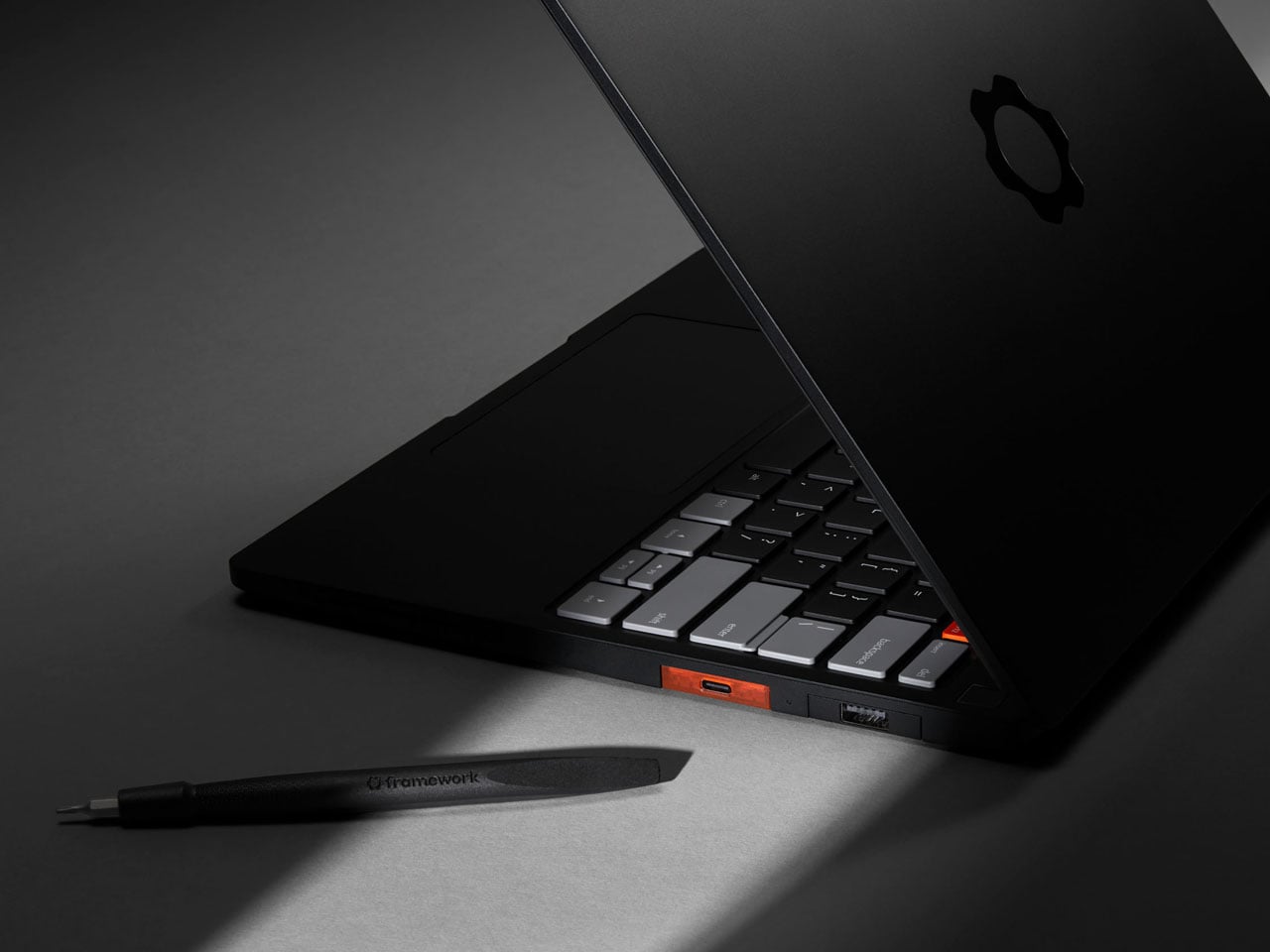
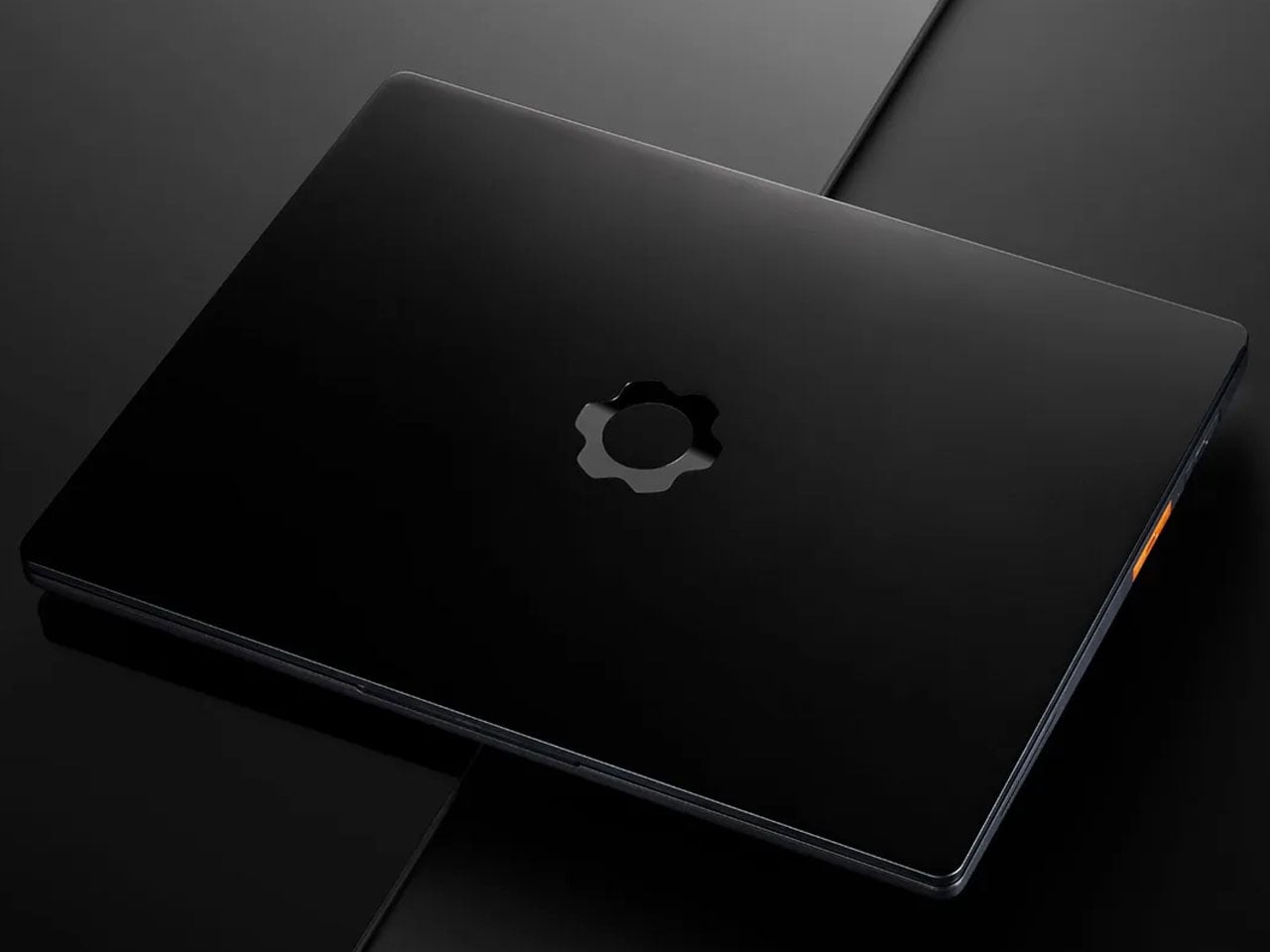
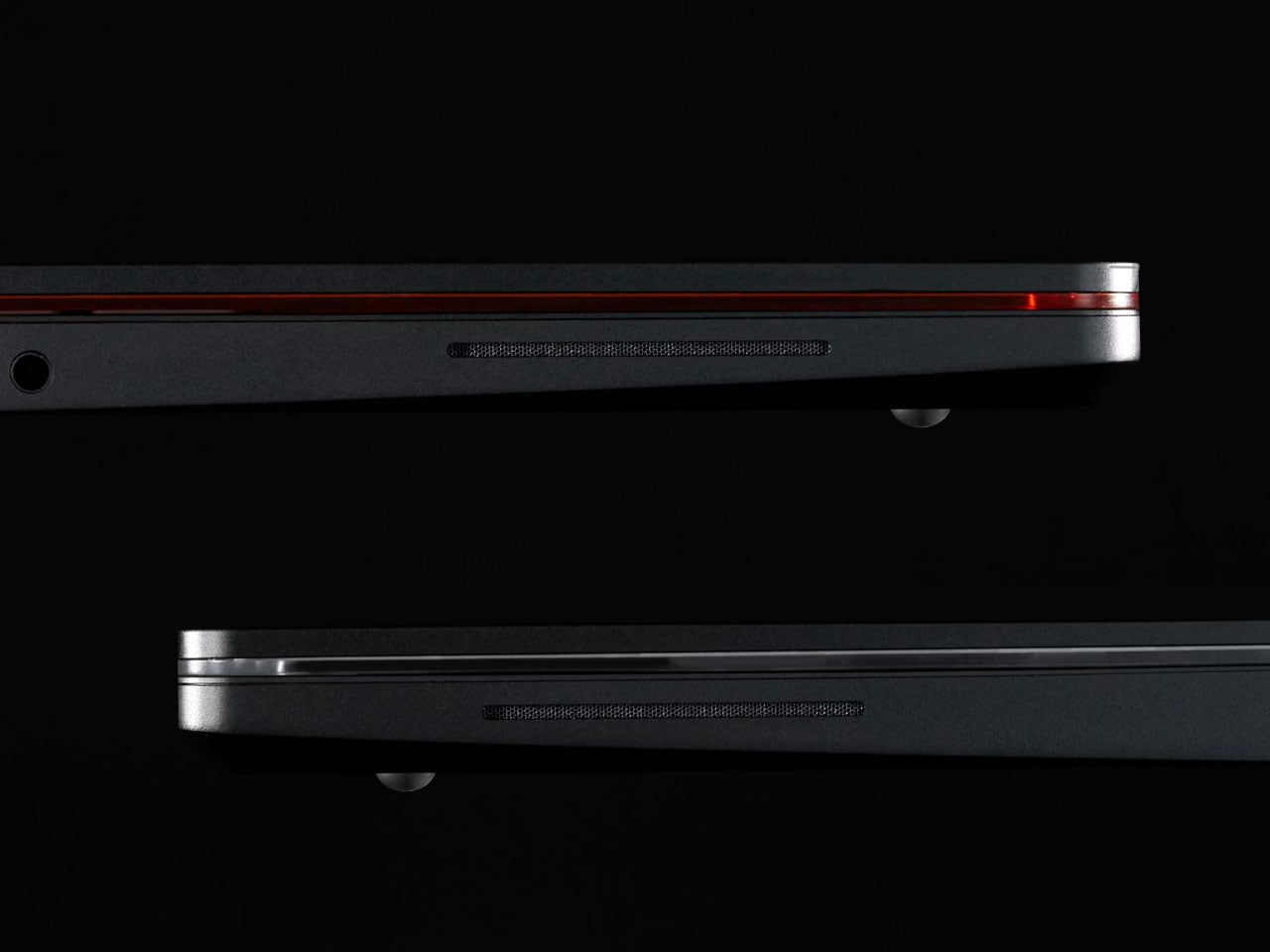
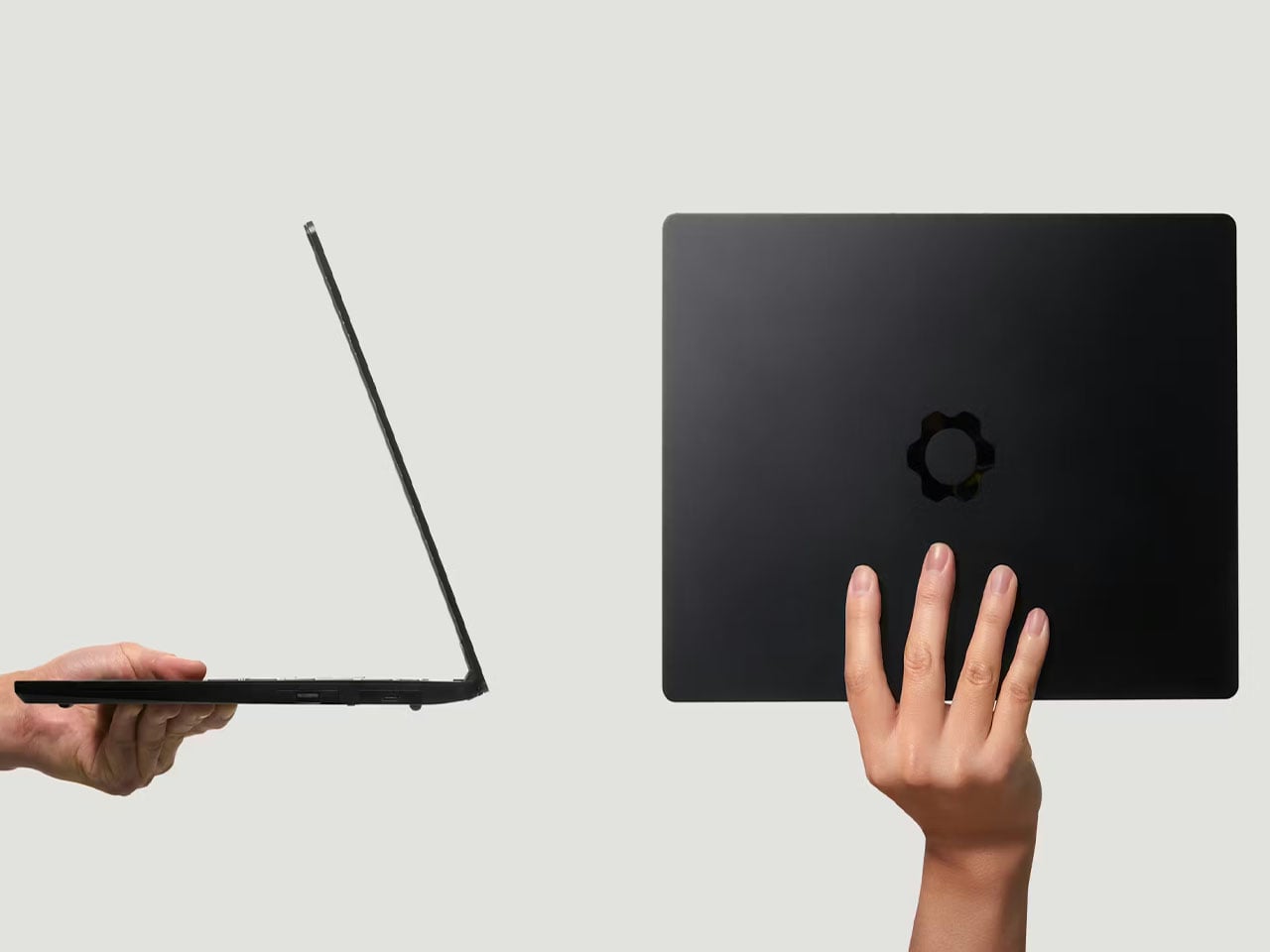
Framework says that the Laptop 13 Pro is its first system featuring a chassis machined from a single block of 6063 aluminum. The construction makes it robust yet ensures its lightweight. The 15.85 mm thick laptop only weighs 1.4 kg. It is currently available for preorder starting at $1,199 for the DIY edition. The pre-built device with complete configuration will set you back $1,499. The shipping is expected to start in June 2026.
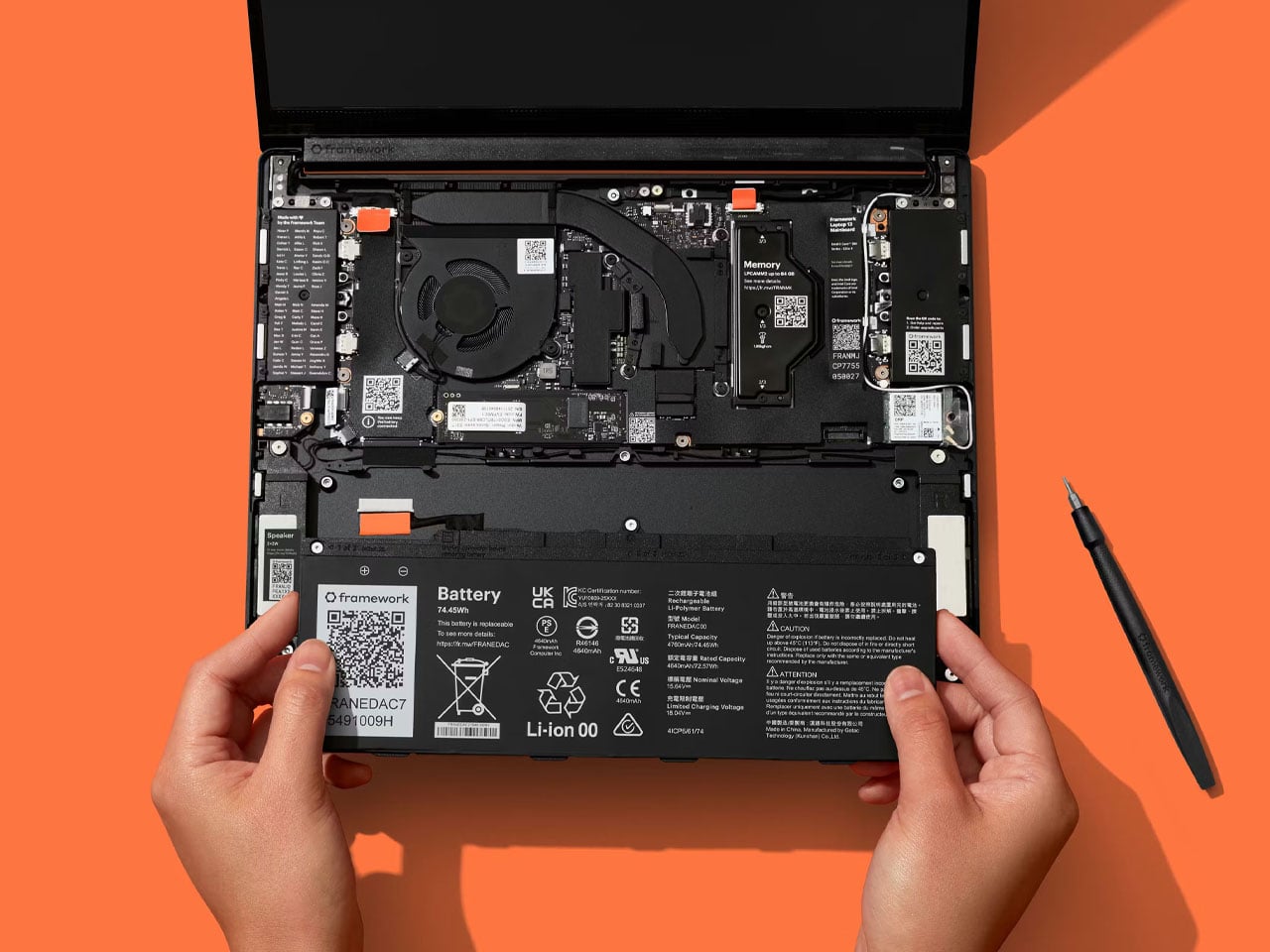
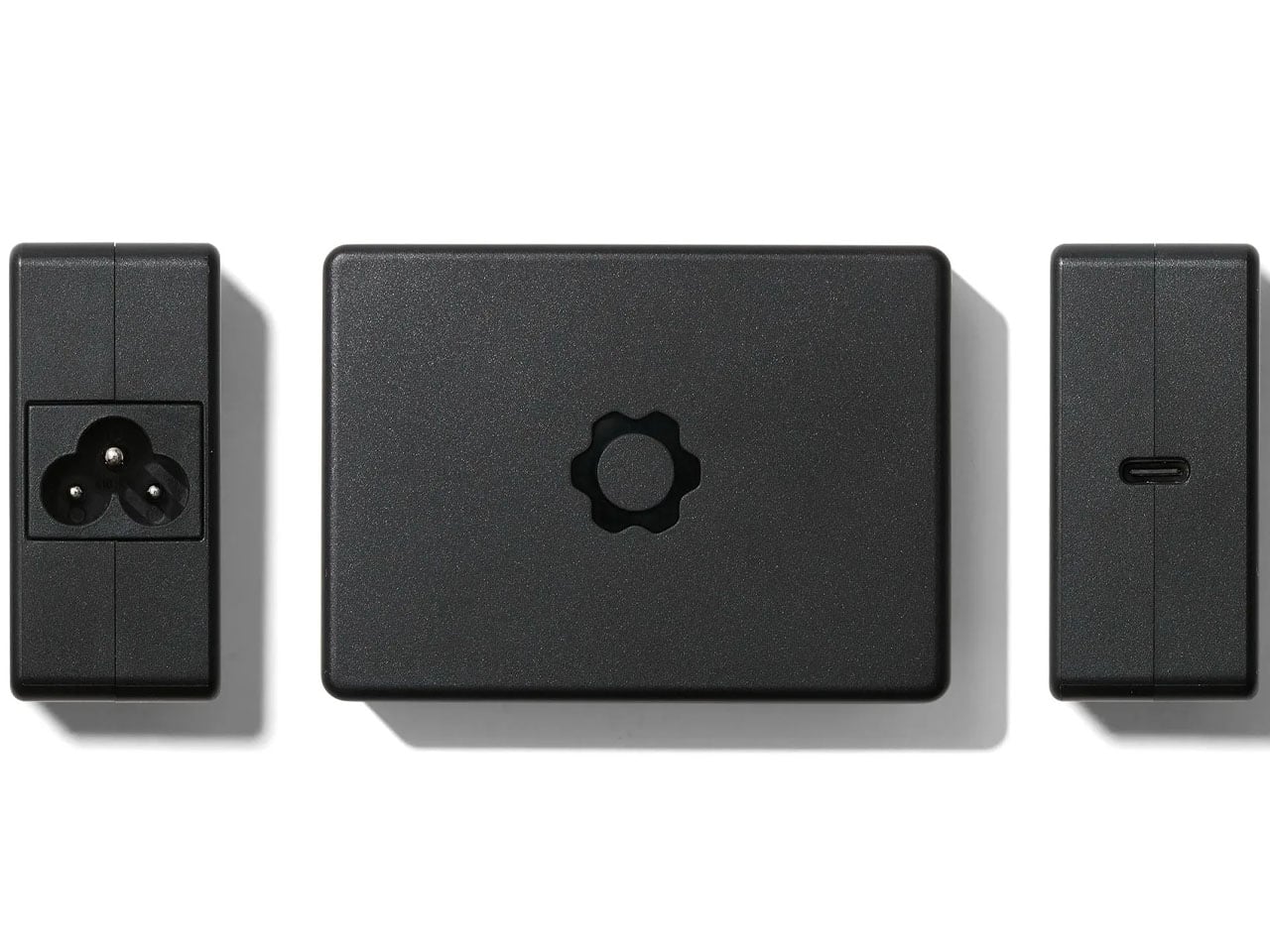
Framework has really worked on the battery life of Laptop 13 Pro, particularly because battery life was the primary concern that came up in the feedback received from fans. The system has an enhanced battery to 74Wh (rated for up to 1000 cycles), which is 22% better than that of the predecessor. Powered by a 100W GaN Power Adapter, the fast-charging battery can last for up to 20 hours while streaming Netflix in 4K, Framework’s test reveals.
A major update here is the inclusion of Intel’s latest Core Ultra Series processors. Laptop 13 Pro is available in Core Ultra 5, Core Ultra X7, and Core Ultra X9 variants, which makes the device “insanely efficient,” with up to 16 cores of processing prowess. This processing power is paired with equally capable LPCAMM2 memory, which is a modular LPDDR5x RAM format that runs at speeds up to 7467 MT/s. Available in 16GB, 32GB, and 64GB capacities, it is replaceable and upgradable. For storage, the laptop features a PCIe Gen5 M.2 2280 slot. It supports up to 2TB Gen5 SSDs or larger Gen4 drives.
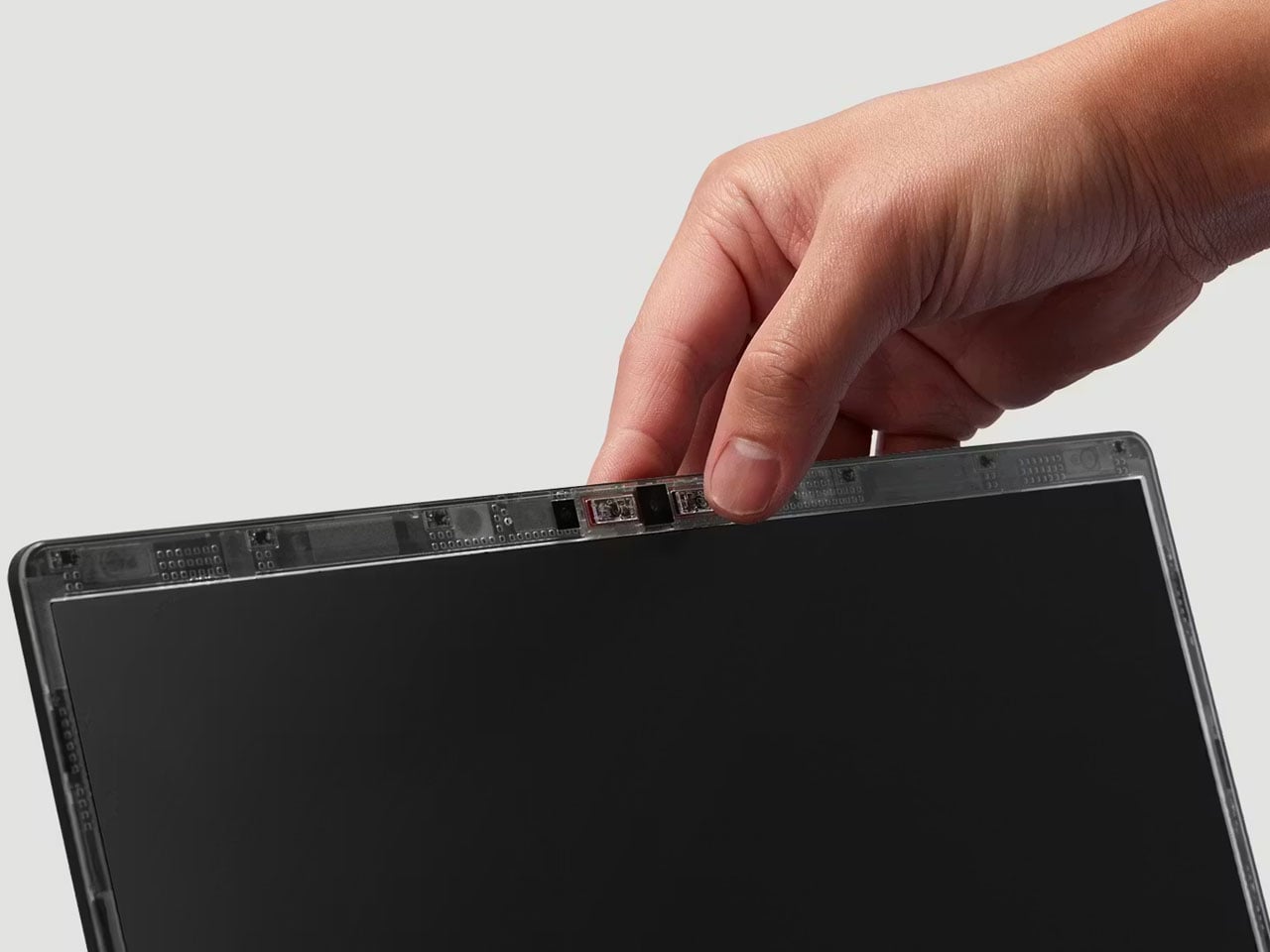
A great leap from the predecessor, the 13.5-inch touchscreen 2880×1920 resolution display of Laptop 13 Pro is also particularly interesting. It now packs within a redesigned bezel, which arrives sans the rounded corners. Provided with a 30-120Hz variable refresh rate, up to 700 nits brightness, and an anti-glare matte polarizer for better visibility in bright light, the display is paired– for the first time in a Framework laptop – with a Dolby Atmos-enabled audio system.
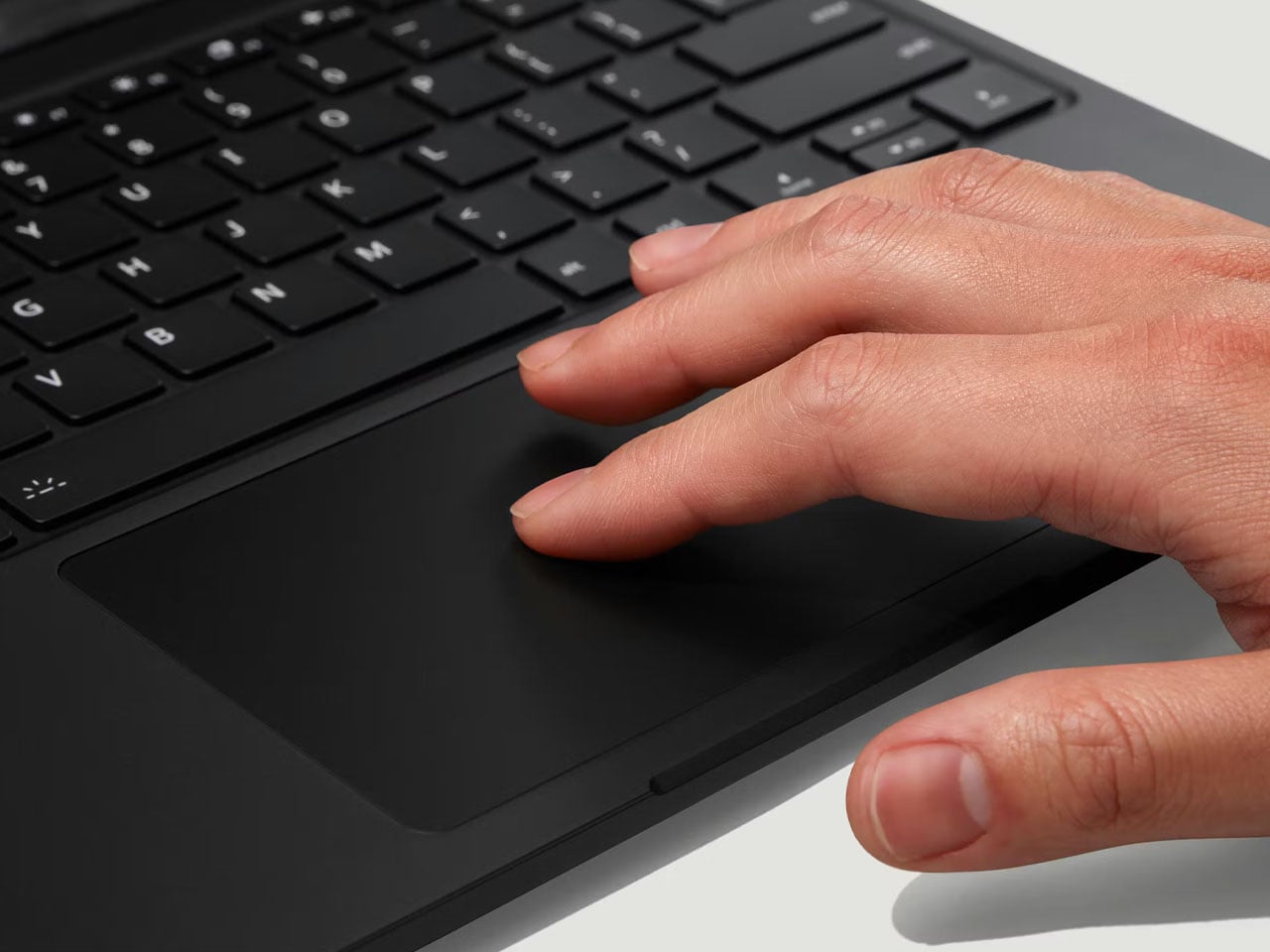
Framework Laptop 13 Pro with a haptic touchpad that uses piezo electric feedback, is backward compatible. Laptop 13 users can replace the innards (or even the chassis) without having to replace the system entirely. For connectivity, the new laptop features Wi-Fi 7 and the BE211 radio. It also has four Thunderbolt 4 ports.
The post Framework Laptop 13 Pro arrives with major redesign, longer battery life, and touch display first appeared on Yanko Design.
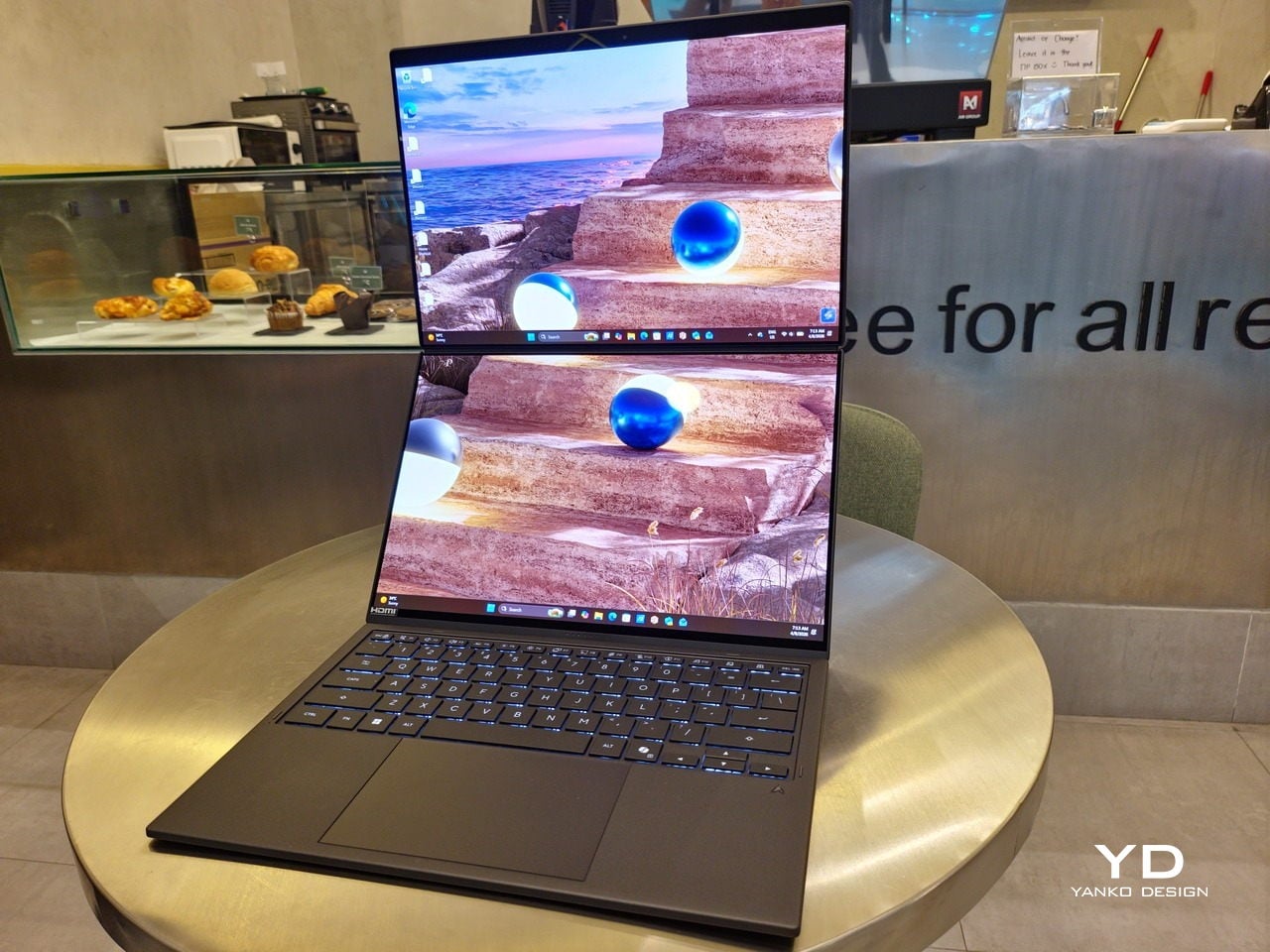
The ASUS Zenbook DUO (UX8407) earns its premium with two stunning co-equal OLED screens, a sleeker hinge, and Intel Panther Lake performance built for serious work on the go.

For a time, it seemed that foldable and rollable screens would be the future of laptops, just as they are positioned to be where smartphones are going. That was until people realized that what may be good for handheld devices might not work for 14-inch slabs with keyboards. Foldable laptops might still have their day, but they are too impractical and costly for now.
ASUS has chosen to instead design and deliver a solution for today’s needs and problems. Rather than a screen that folds just to save space, the Zenbook DUO has opted to expand the user’s workspace instead, bringing the productivity advantages of dual-monitor setups from desktops to laptops. This year’s ASUS Zenbook DUO (UX8407) does more than just upgrade the spec sheet. It is also adding a touch of style and elegance that makes a power user tool feel more considered.
Designer: ASUS
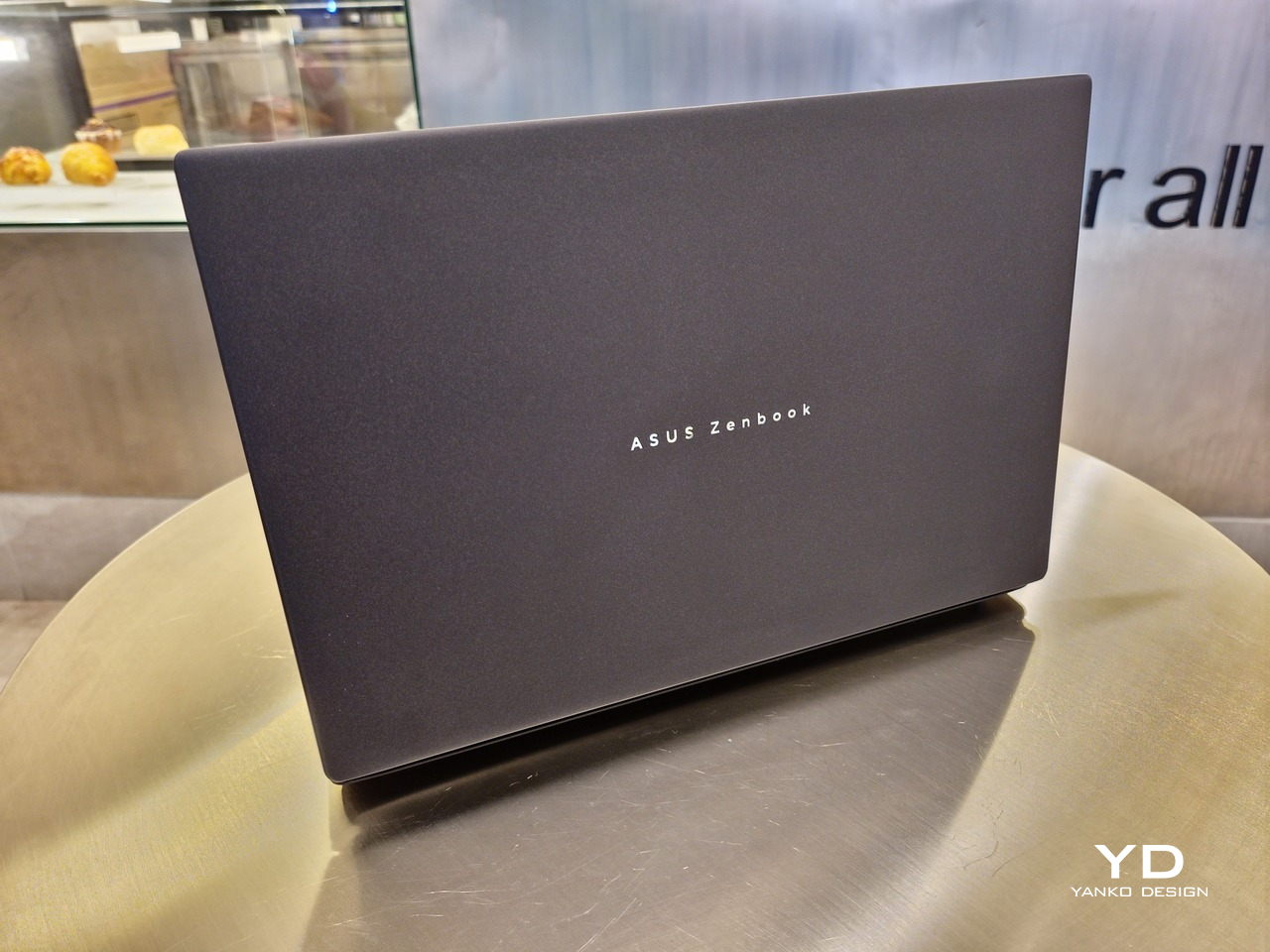
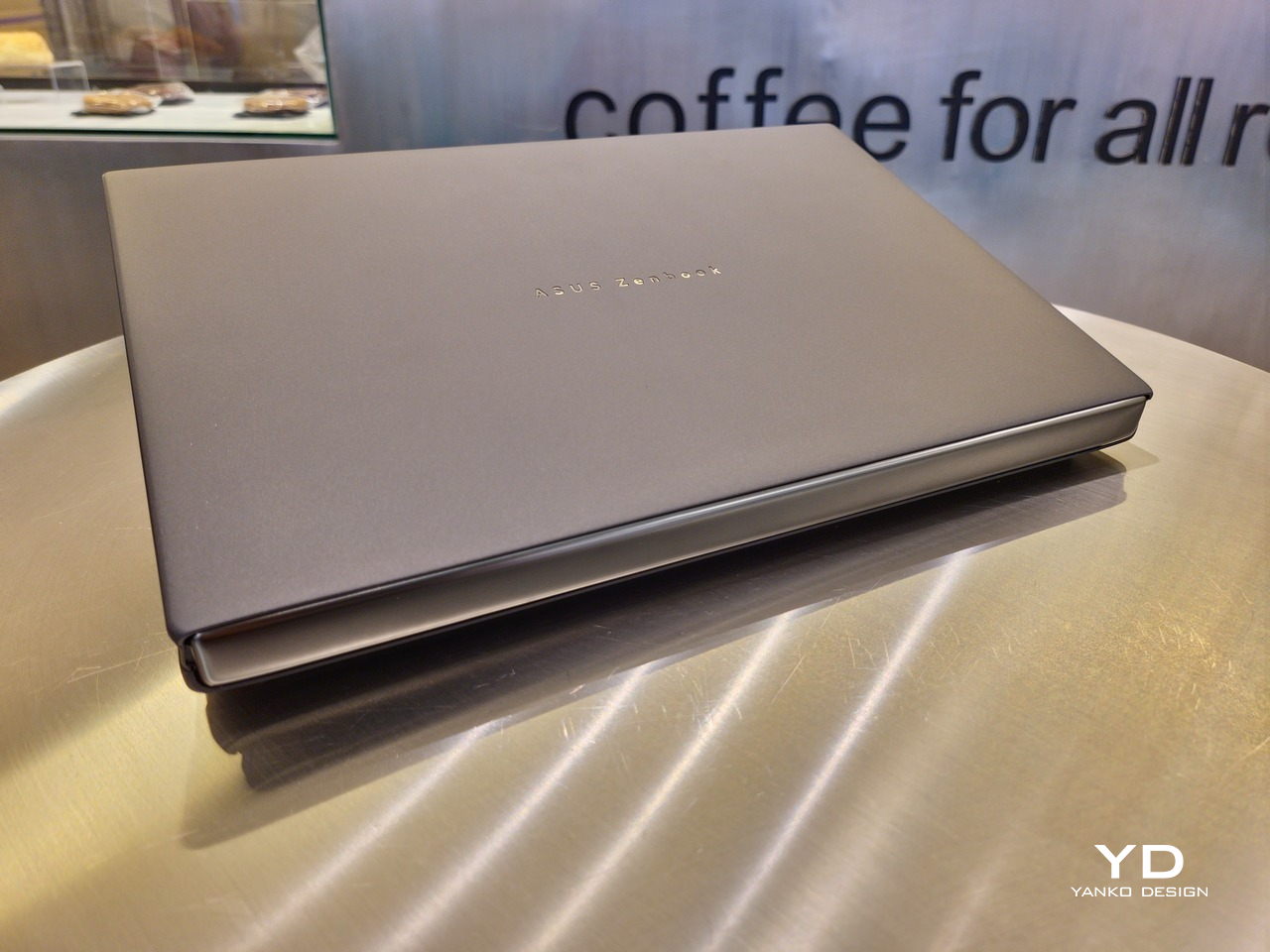
The 2026 ASUS Zenbook DUO (UX8407) is quite stunning in almost any form, whether it’s closed shut, opened like a laptop, or especially when it’s wide open. The lid cover exudes not only minimalism but also character, with a reflective “ASUS ZENBOOK” logo engraved against the Elephant Gray “Ceraluminum” surface, creating a simple yet eye-catching visual and material contrast.
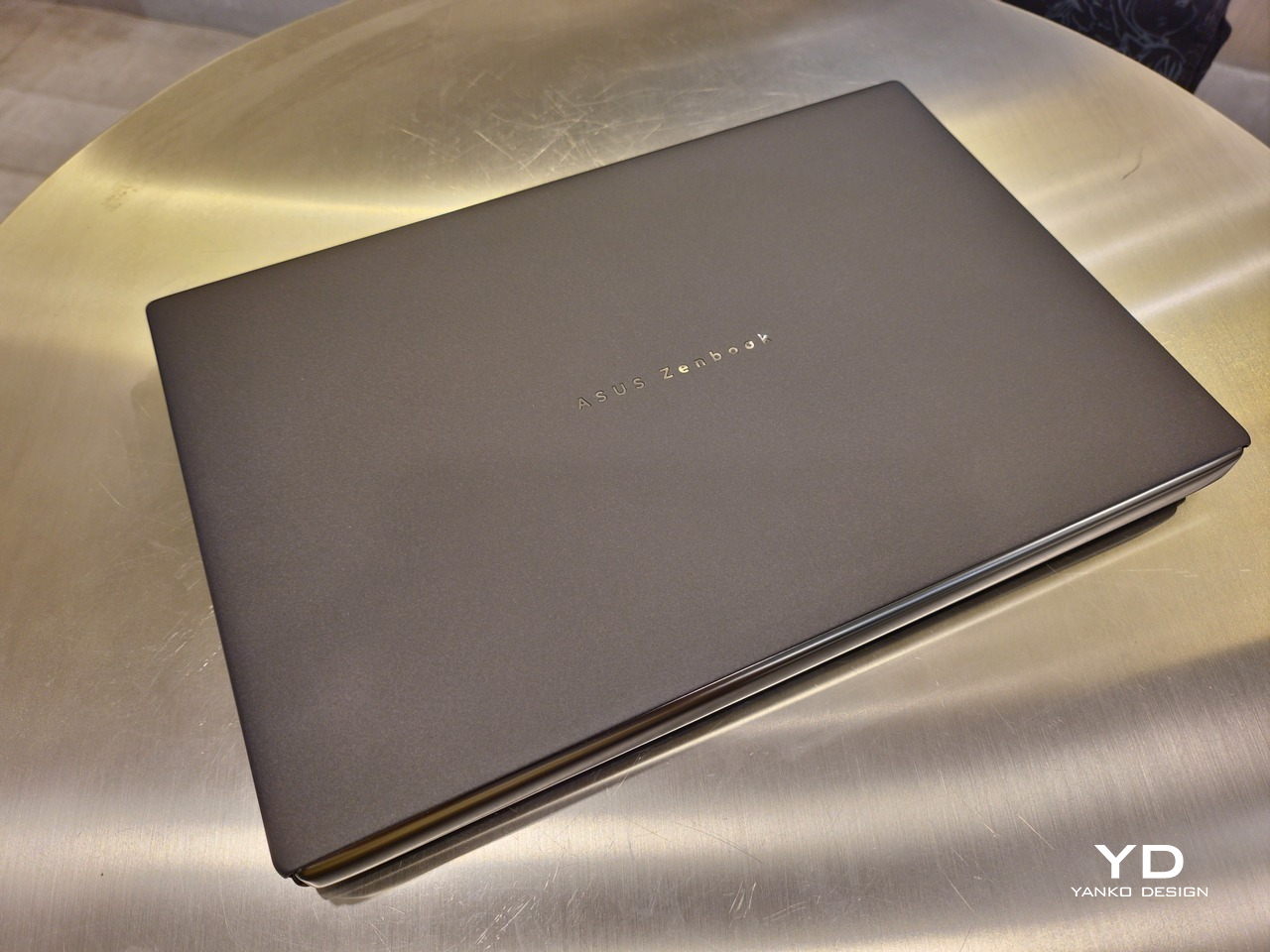
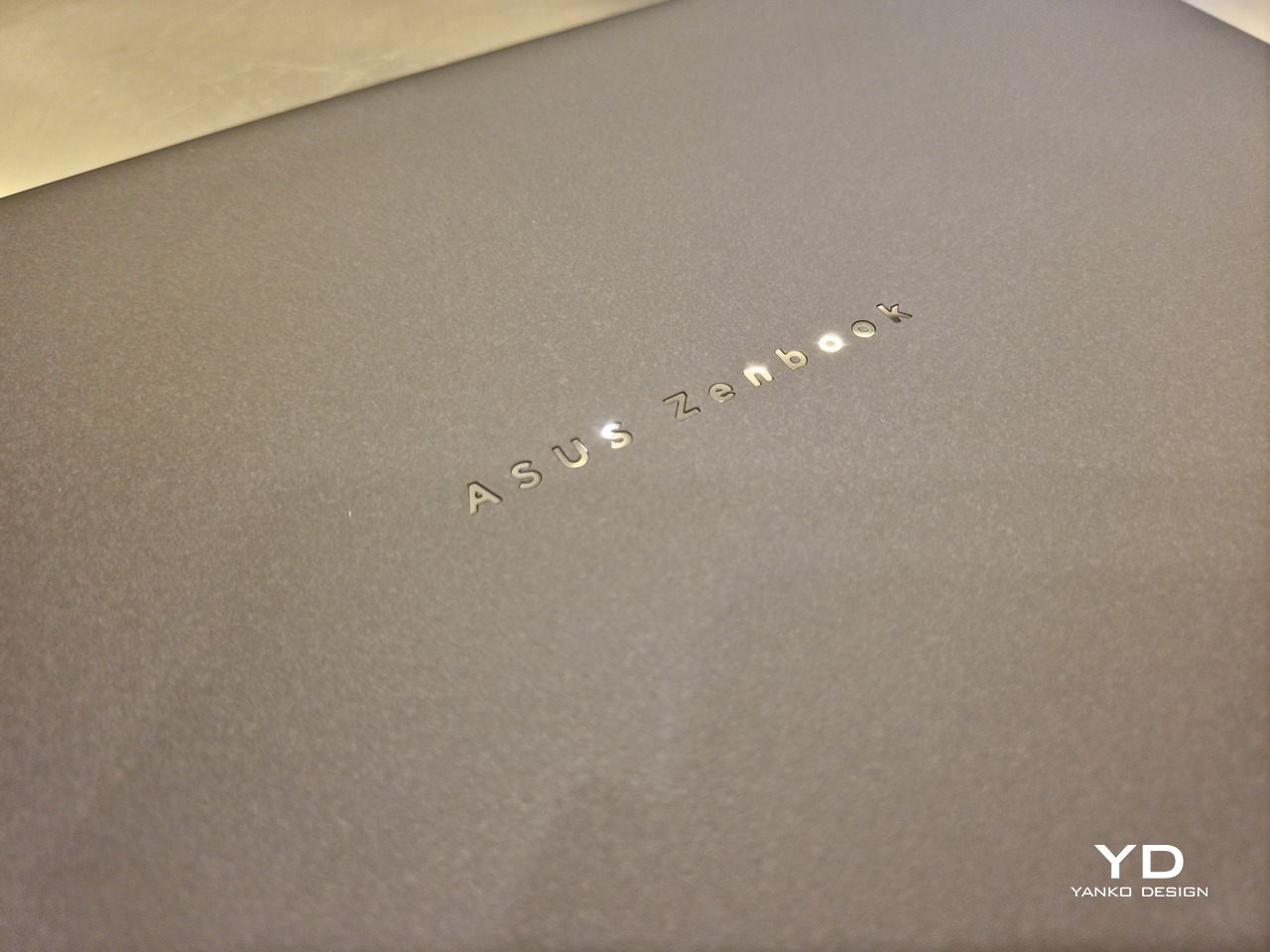
That Ceraluminum is, of course, ASUS’s latest material innovation that uses a special oxidation process to give aluminum some ceramic-like properties, particularly durability and higher resistance to scratches. The end result is a material that isn’t just nice to look at but also pleasing to touch, giving the lid a texture that almost feels like stone or, well, ceramic. There is also a certain visual “roughness” to the Ceraluminum surface, setting it apart from the brushed metal or anodized appearances of its peers.
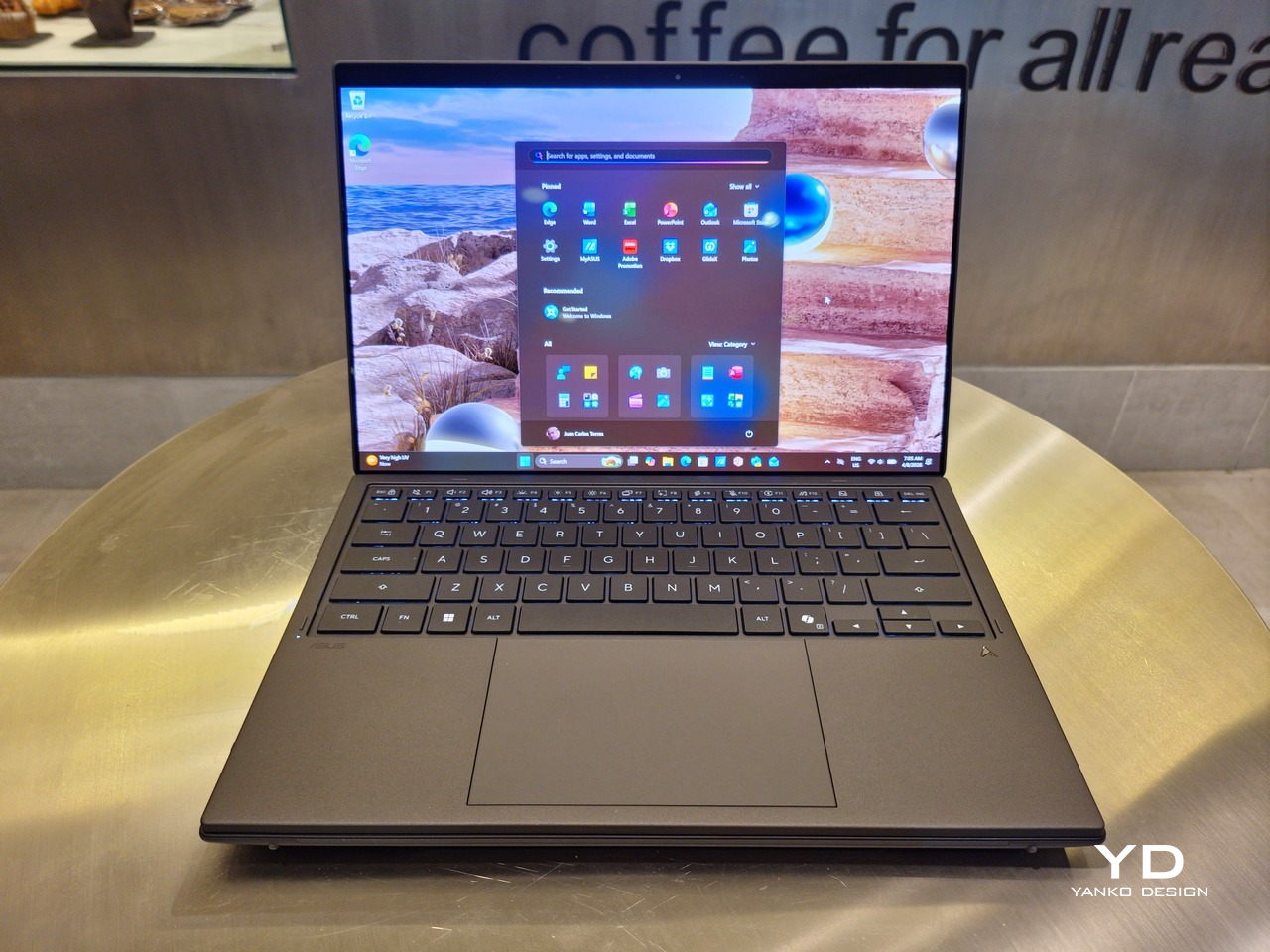
Of course, the real show happens when you open the laptop and lift the keyboard away, revealing two gorgeous 14-inch screens connected together by a hinge, no messy or awkward cables. For this iteration, ASUS poured its efforts into making that connection look even more seamless, not only by shrinking the bezels between the displays but also by developing a new “hideaway” hinge that narrows the gap from 25.31mm down to 7.6mm. Make no mistake, there’s still a very obvious separation between the two, but it is now less jarring, making it feel like you’re working with a screen that just happened to be split into two, rather than two screens stitched together.
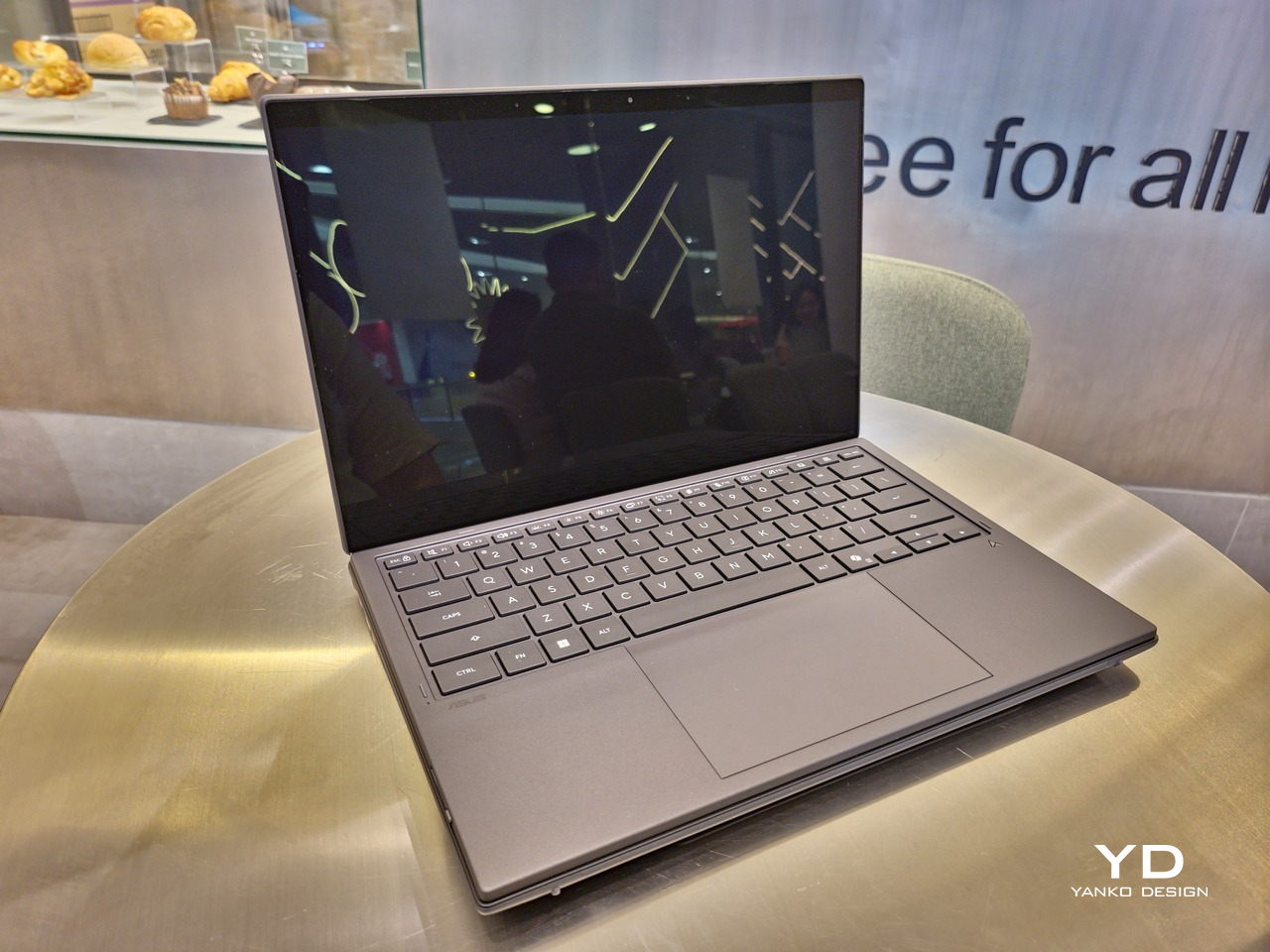
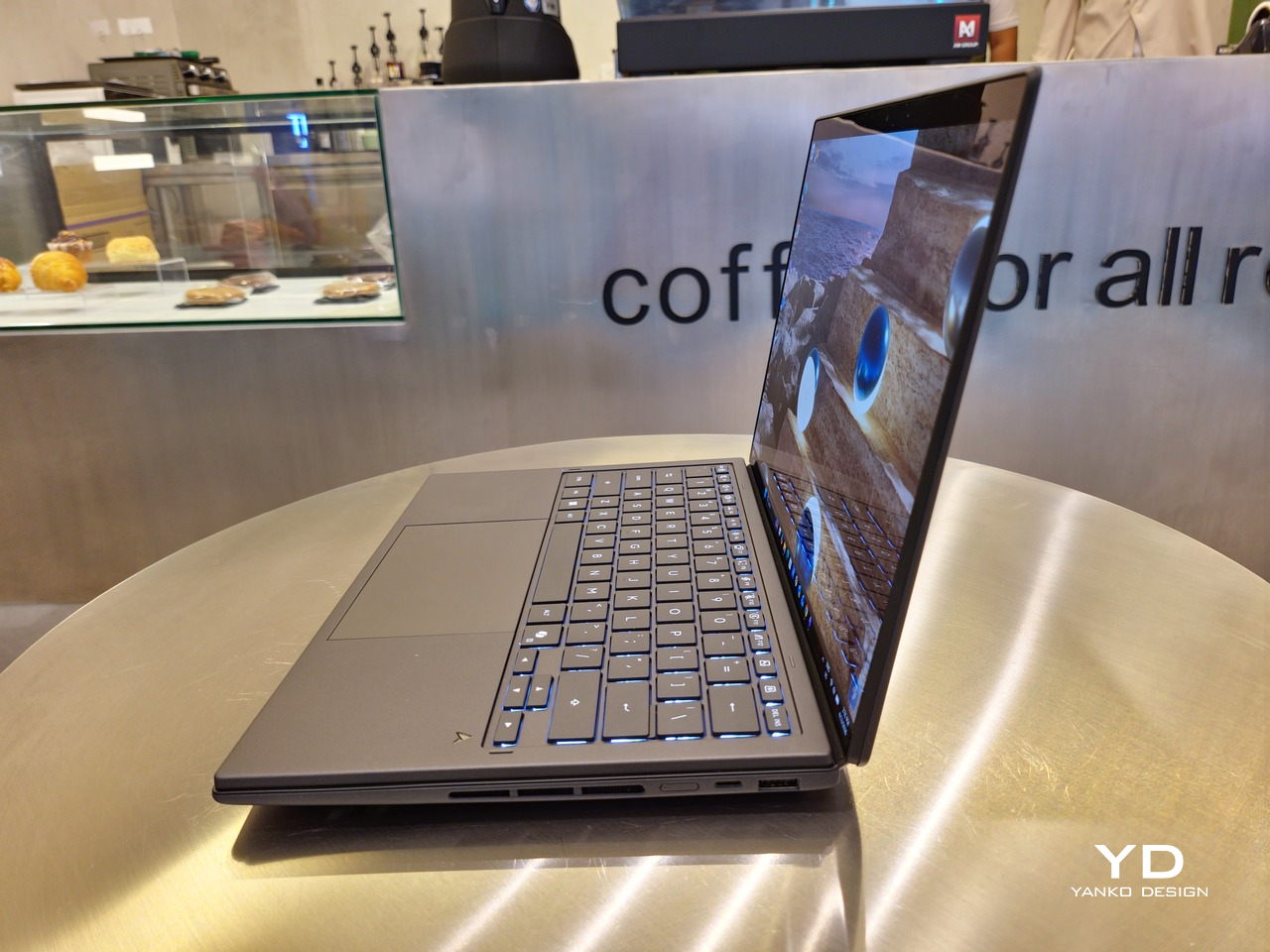
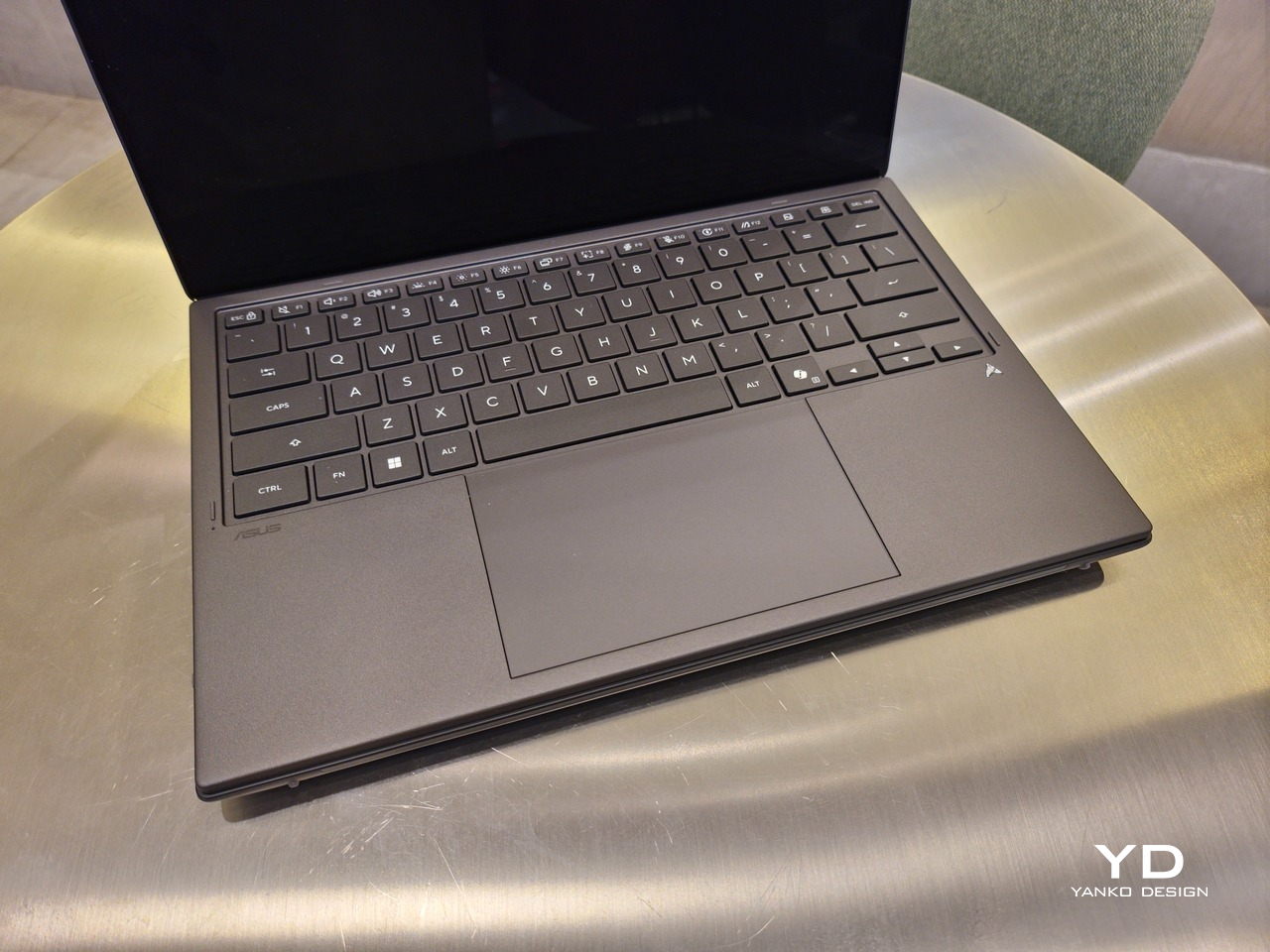
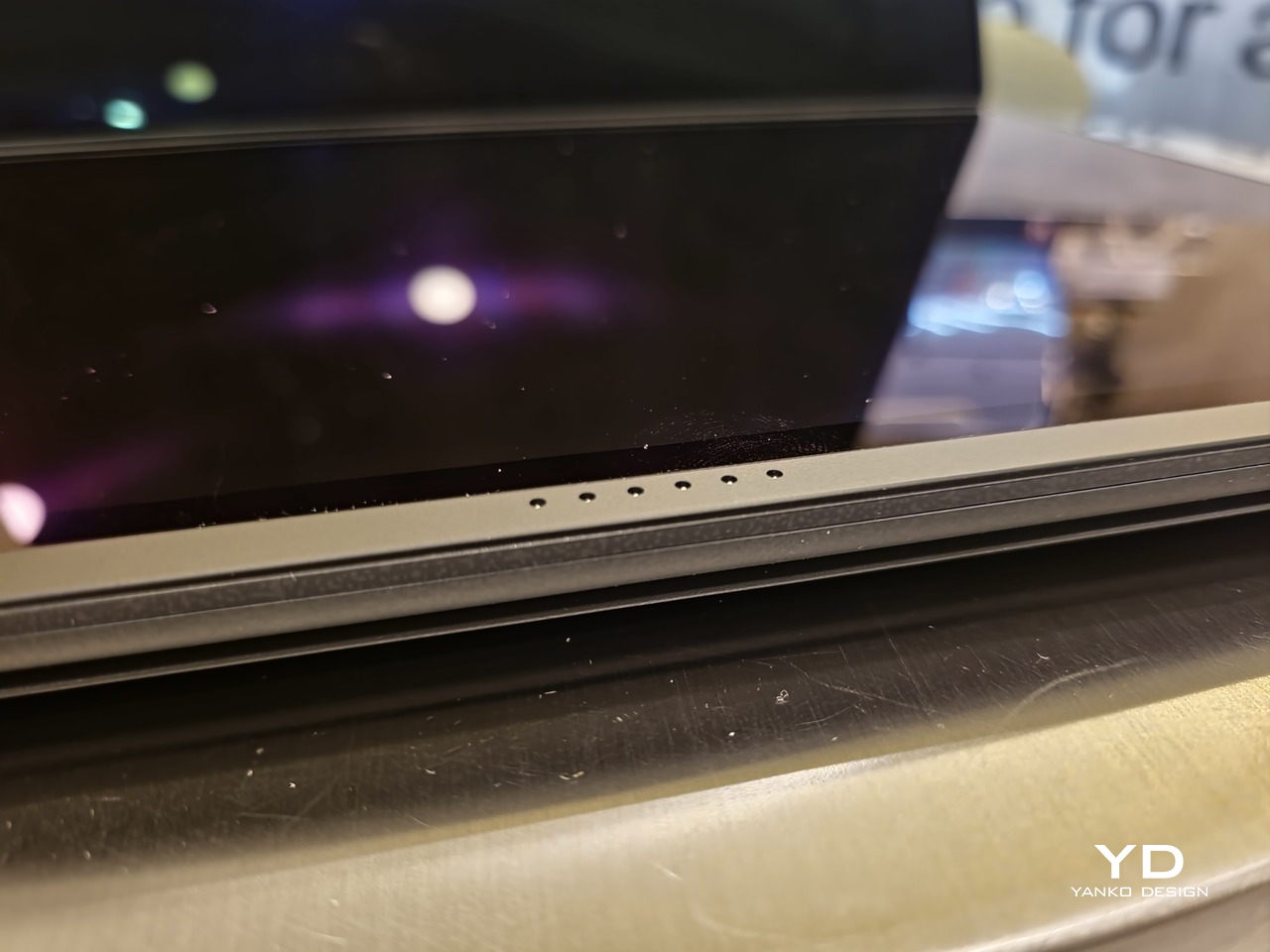
With the detachable Bluetooth keyboard resting on the second screen or when it’s closed, the Zenbook DUO (2026) looks almost like a normal laptop. You have a few (literally) ports on either side along with some air vents, and a wide-long grille at the bottom above the built-in kickstand. Your only clue that this isn’t a normal laptop is when you accidentally close the laptop lid without the keyboard attached, creating a very noticeable gap that, unfortunately, would also be an open invitation for small items to come in and scratch the screens.
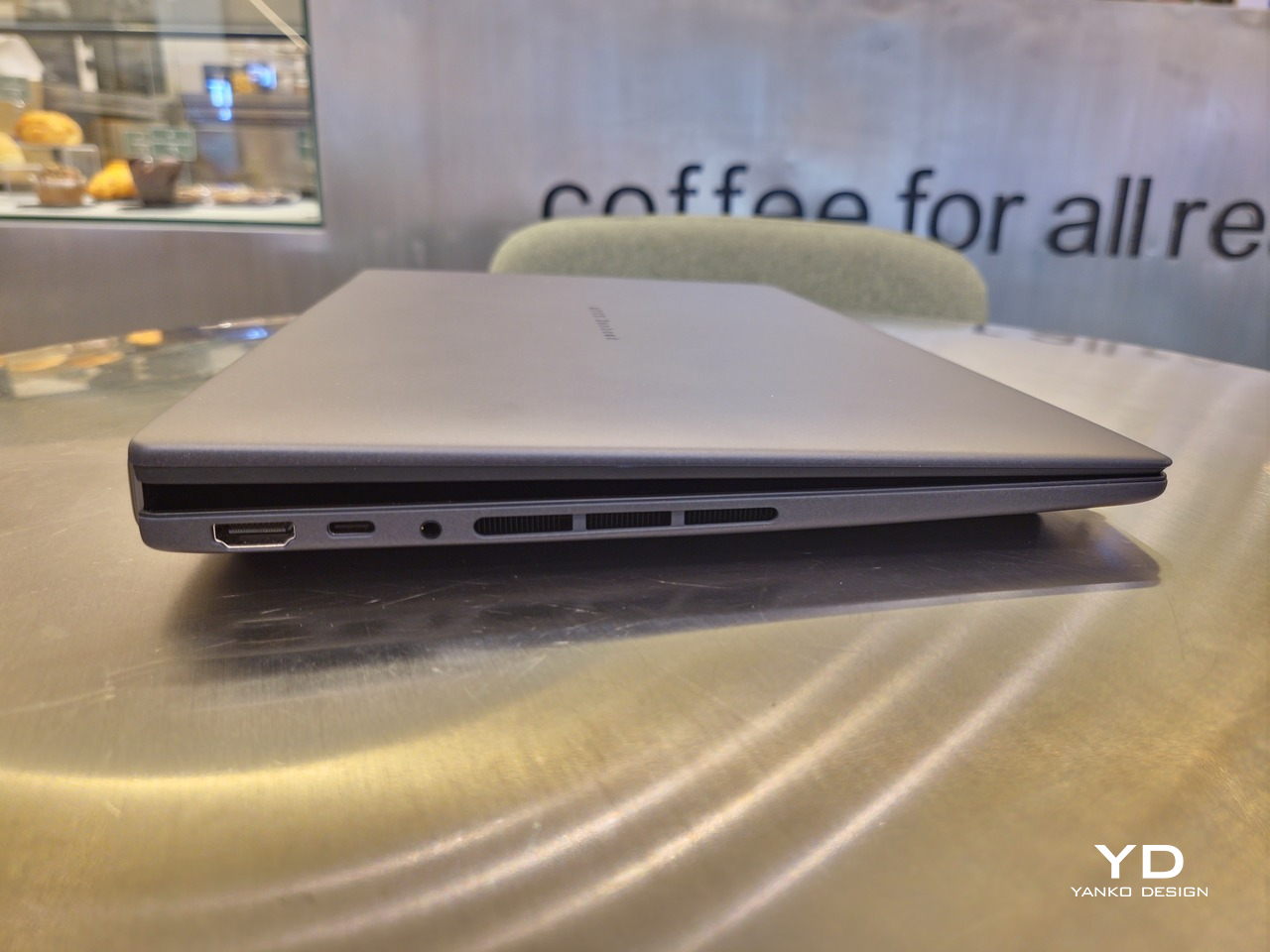
At 1.65kg (3.64lbs) with the Bluetooth keyboard attached, the ASUS Zenbook DUO (UX8407) isn’t exactly lightweight compared to other 14-inch laptops in the market, at least the non-gaming kind. That said, it’s not exactly on the heavier side either, especially when you consider that you’re carrying two 14-inch screens, not to mention a 99Wh battery, in a single bundle. In that context, it’s actually amazing how much ASUS was able to reduce the heft without cutting corners.
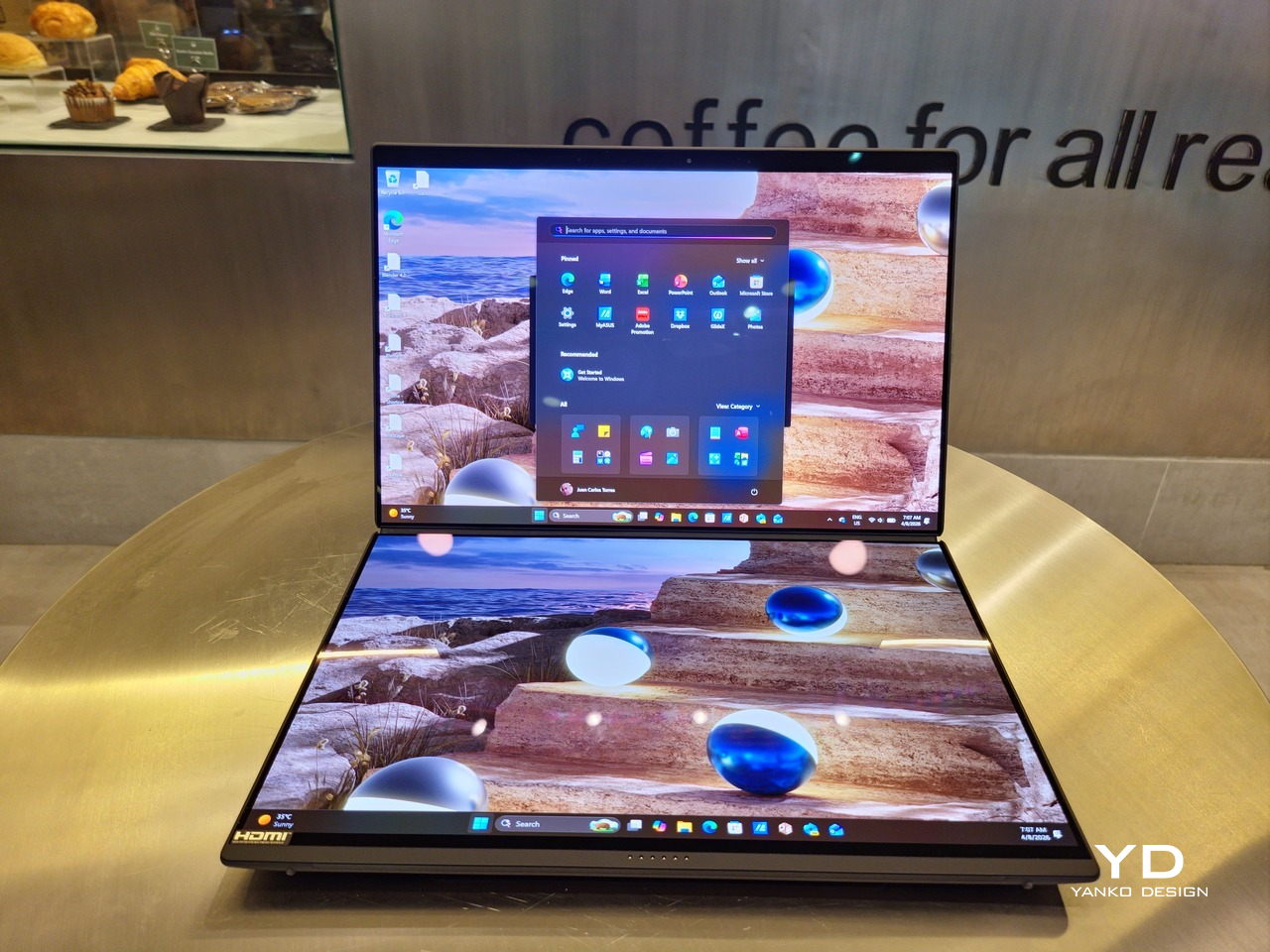
That said, having two connected displays brings its own ergonomics puzzle, something that ASUS seems to have finally solved almost to perfection. You have no less than 5 ways to use the laptop, from a normal laptop to two screens vertically stacked to the side-by-side “desktop mode”. While the hinge does most of the hard work, the built-in kickstand literally carries the burden, supporting that full weight (minus the keyboard) on its own.
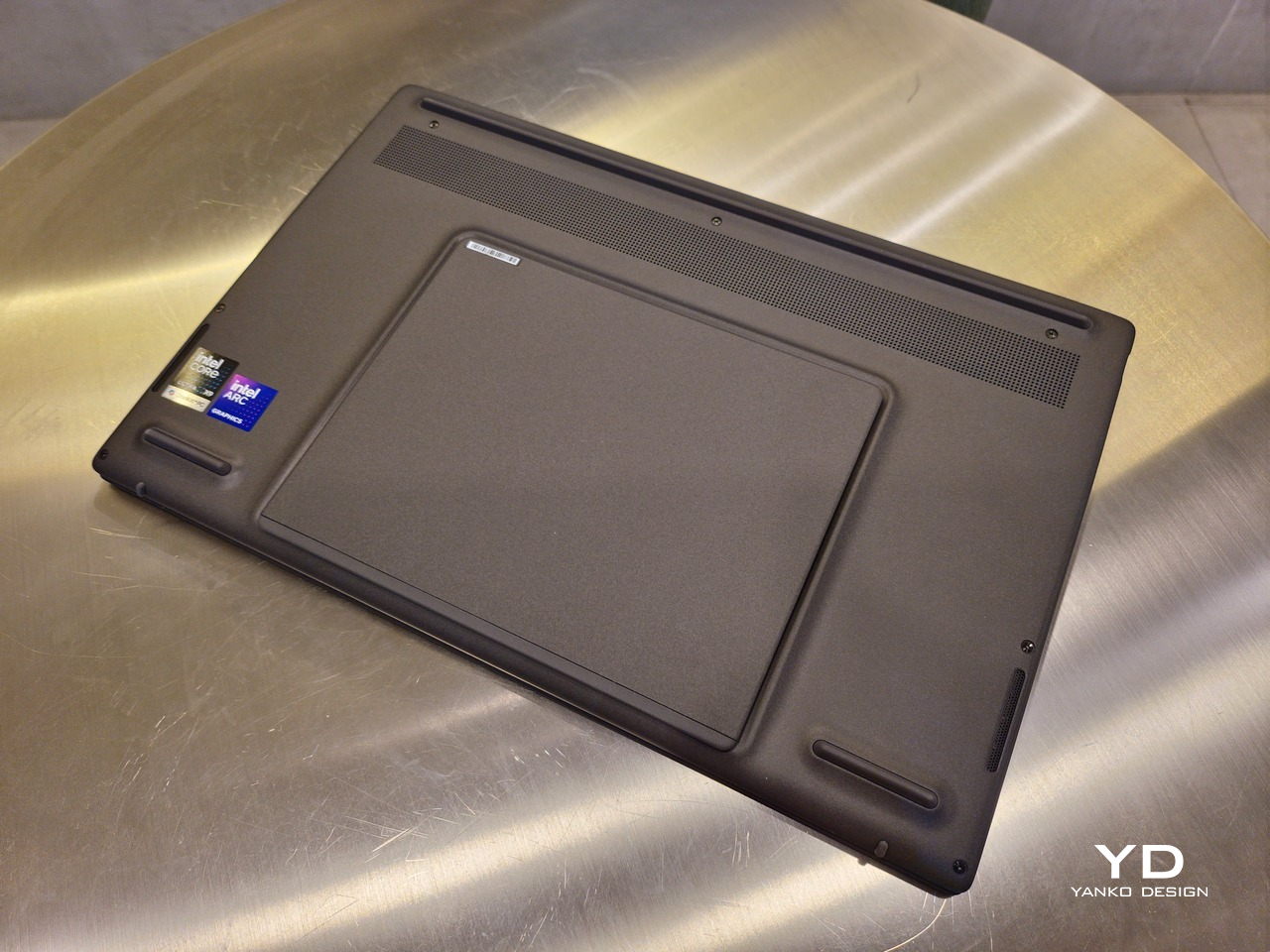
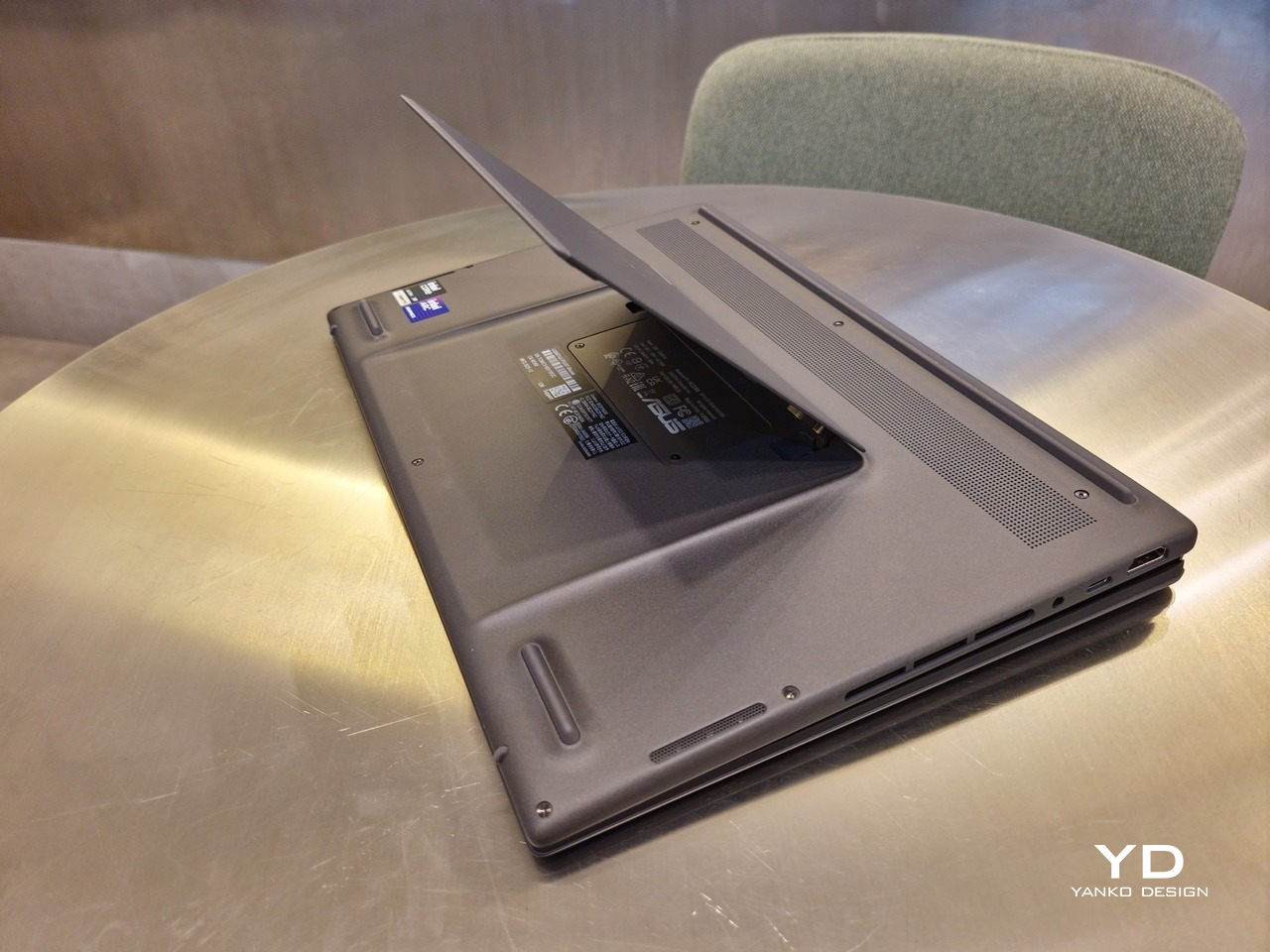
The new kickstand is stronger, sturdier, and stiffer, providing confidence it won’t just suddenly close down. It can open to a maximum of 90 degrees, which is the angle you’ll need for desktop mode. That said, it also means that you only have possible angle for the displays in that mode, unless you have a separate stand to prop it up, which kind of defeats the purpose of having a built-in kickstand.
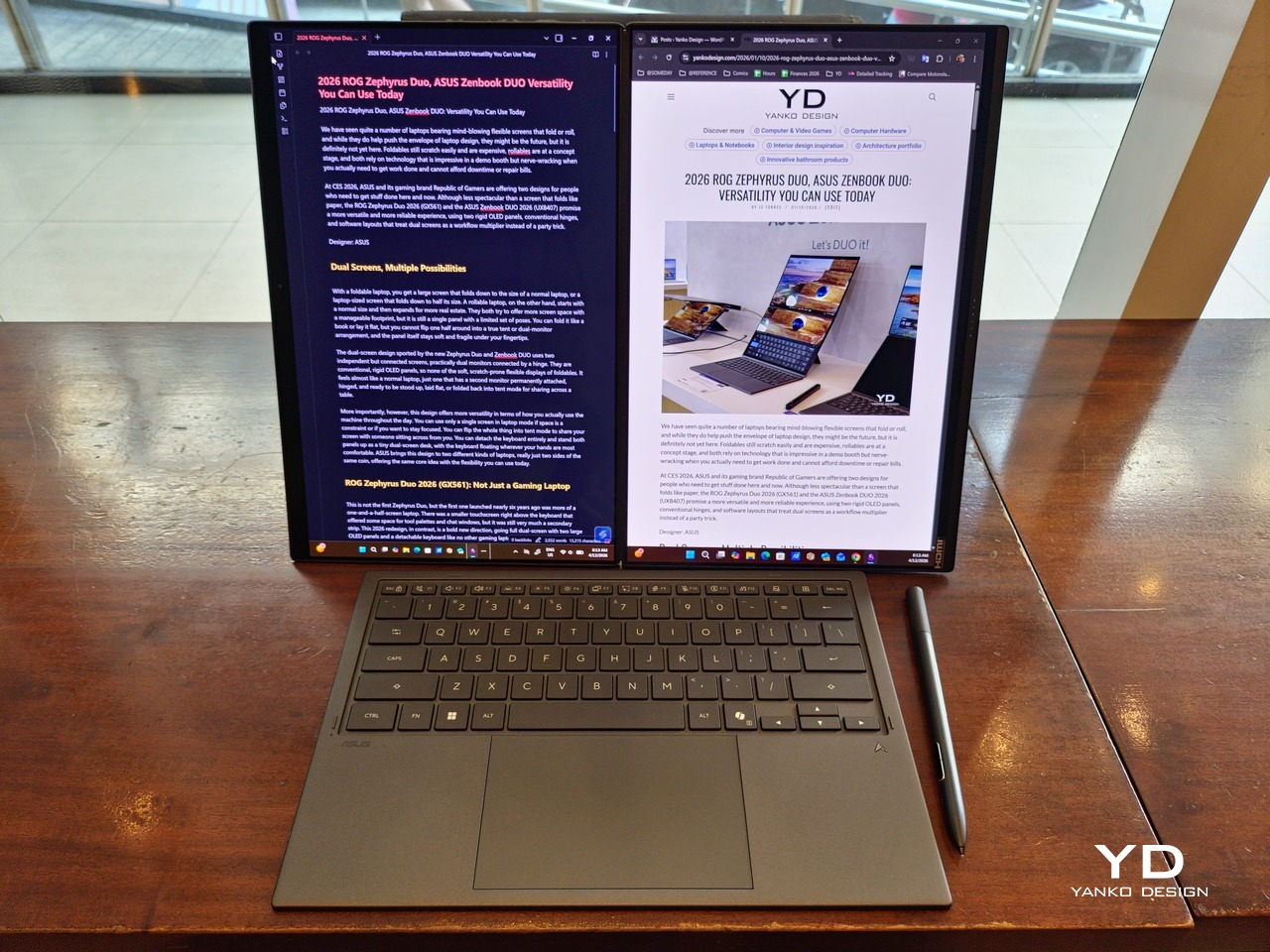
One thing to note in desktop mode is that you will naturally be sacrificing one side of ports. Thankfully, you can turn the Zenbook DUO (2026) which ever side up, whether you need an extra HDMI and headphone jack, or an extra USB-A port. Thankfully, both Thunderbolt 4 ports are equal in capabilities, so you don’t have to make a sacrifice on that end.
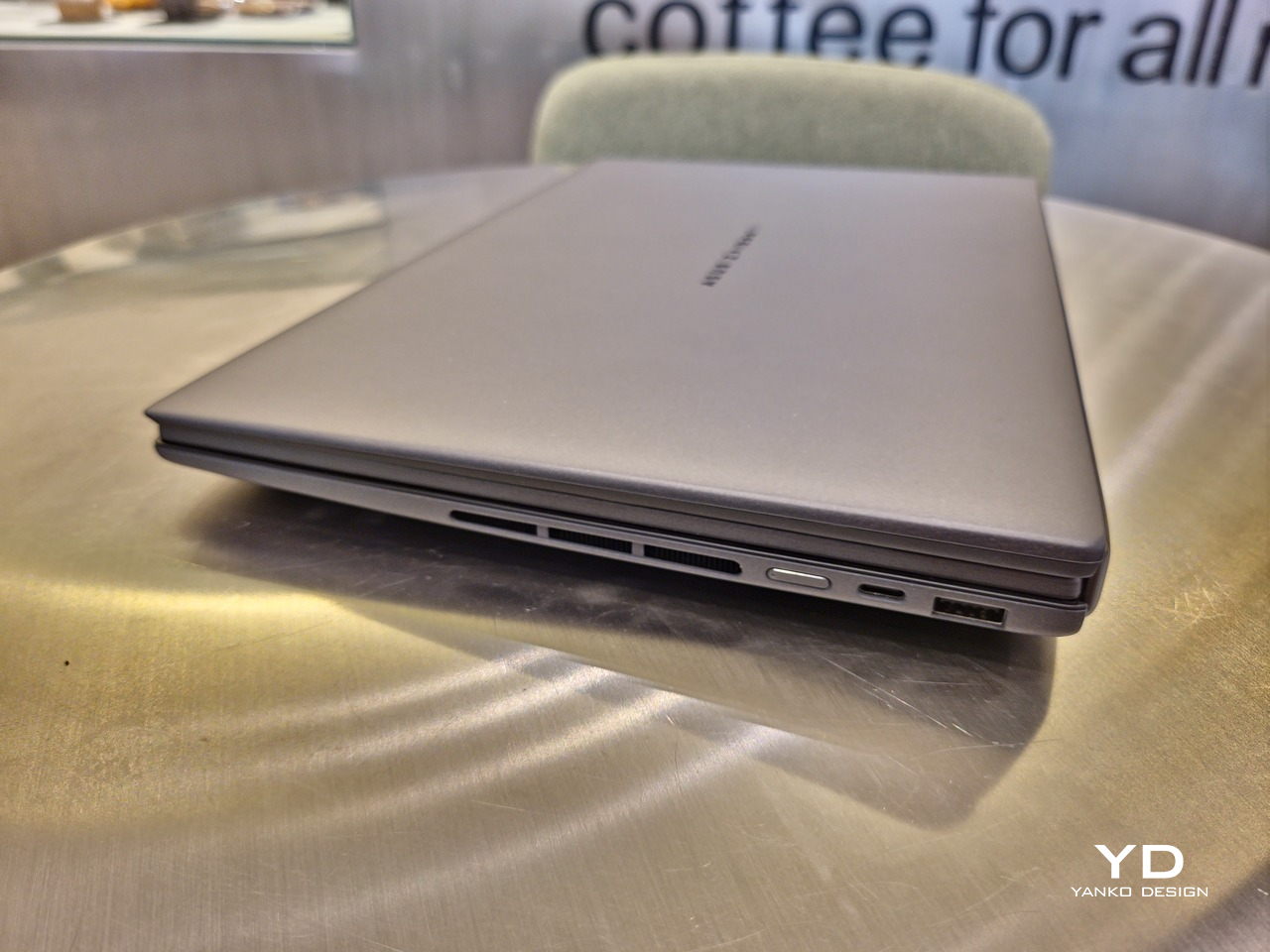
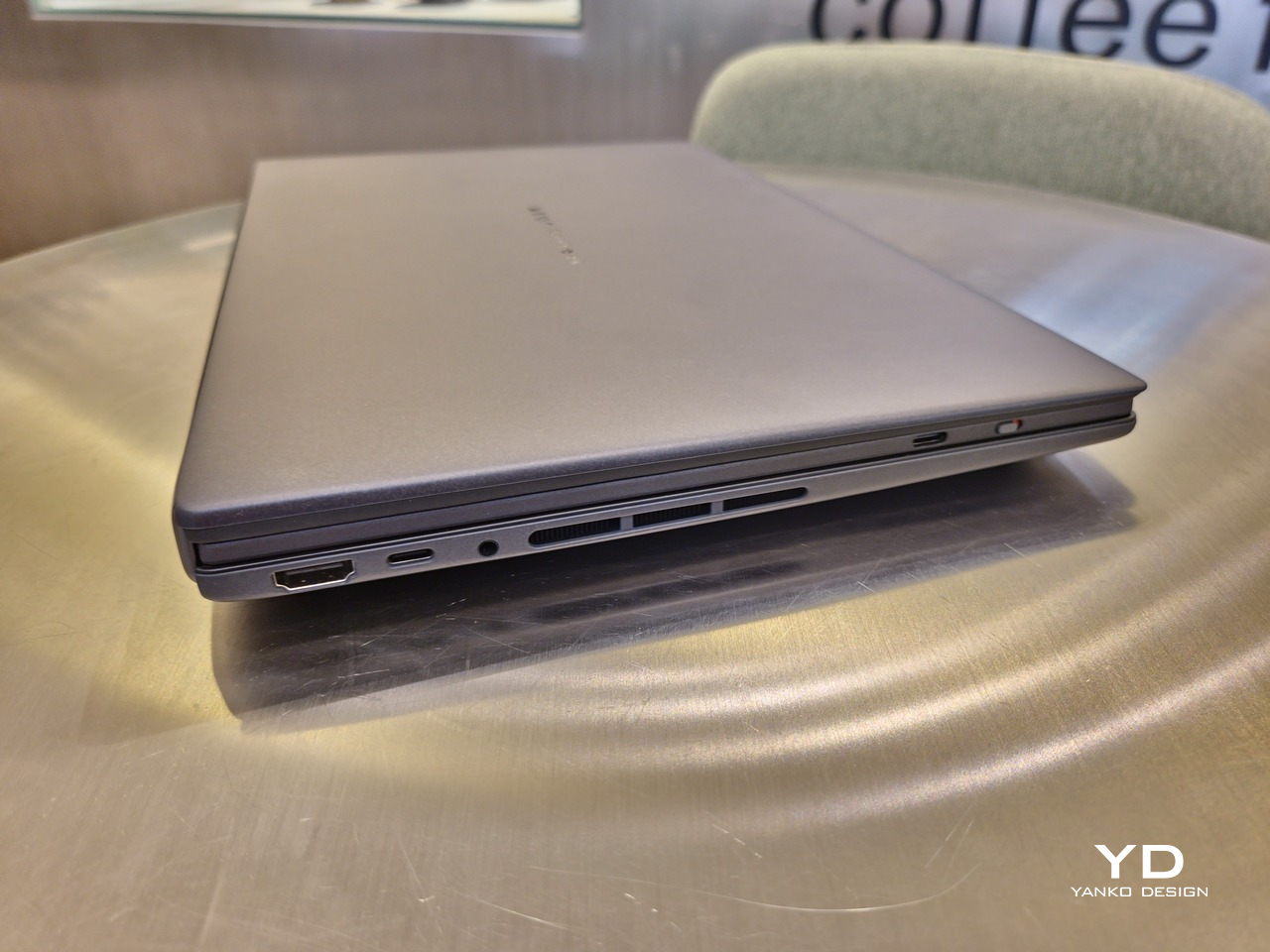
If there’s one thing I found a bit cumbersome in the Zenbook DUO’s design is that the power button sits so flushed against the frame. On the one hand, that means it won’t snag with anything in your bag, nor will it get triggered accidentally. On the other hand, it also makes it harder to locate it without looking or fumbling with your finger sliding across the edge repeatedly.
The ASUS Zenbook DUO (UX8407) is one of the early laptops to embrace Intel’s new Panther Lake chips, specifically the Intel Core Ultra 3 series. The dual-screen laptops comes in two options, one with an Intel Core Ultra 7 355 and the Intel Core Ultra X9 388H. In terms of CPU alone, these already represent a huge leap not just in performance but also in power efficiency, but the latter configuration pulls an even bigger feat.
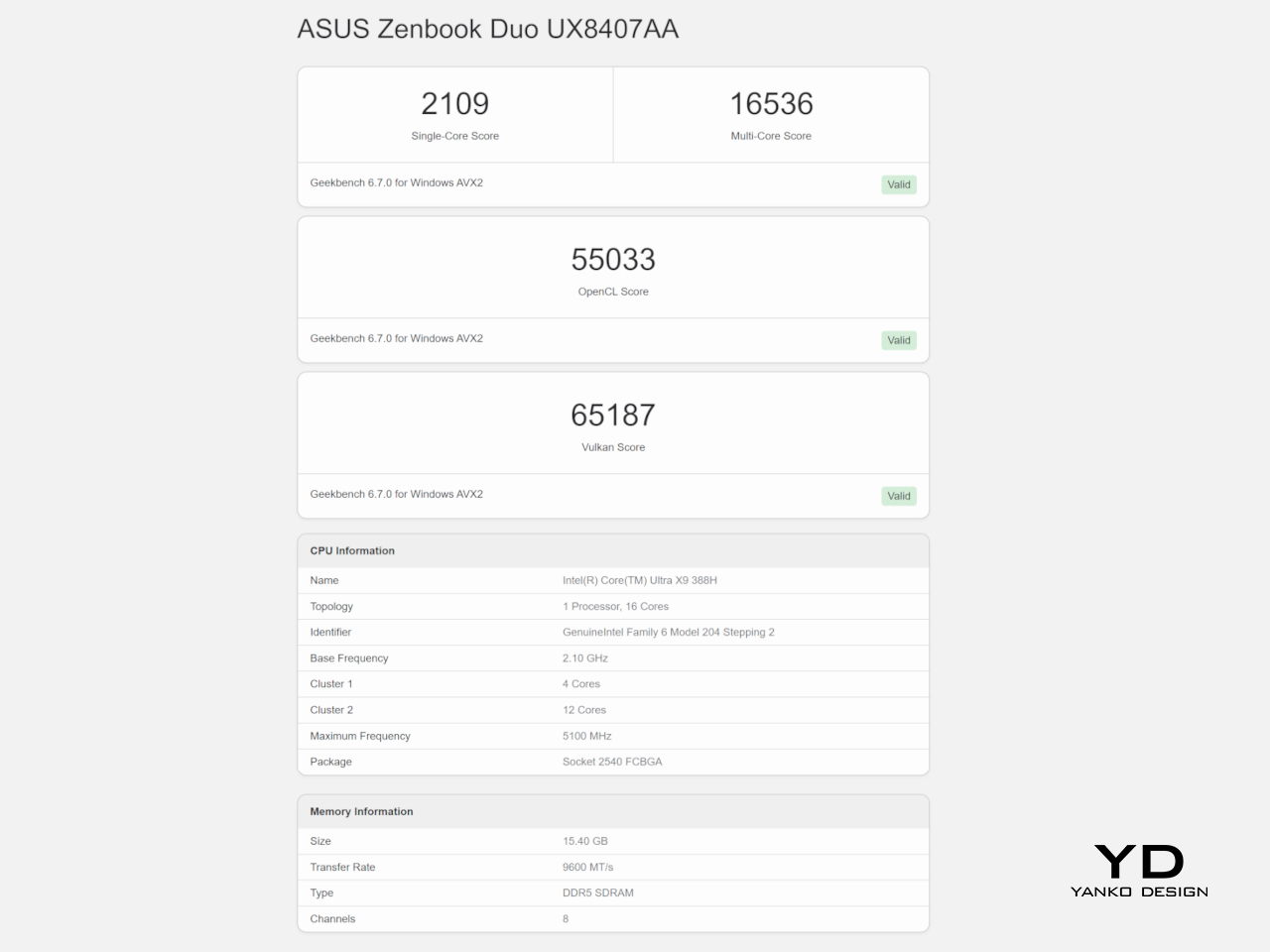
The review unit we received comes with an Intel Arc B390 GPU based the latest 3rd-gen Intel Xe graphics. Forget what memories you might have had of integrated Intel graphics, because we’re entering an era where you can actually play games with decent settings on it. Of course, your mileage may vary and benchmarks can only provide some general idea, but that all these specs mean is that the ASUS Zenbook DUO (2026) is built for serious productivity and creative work.
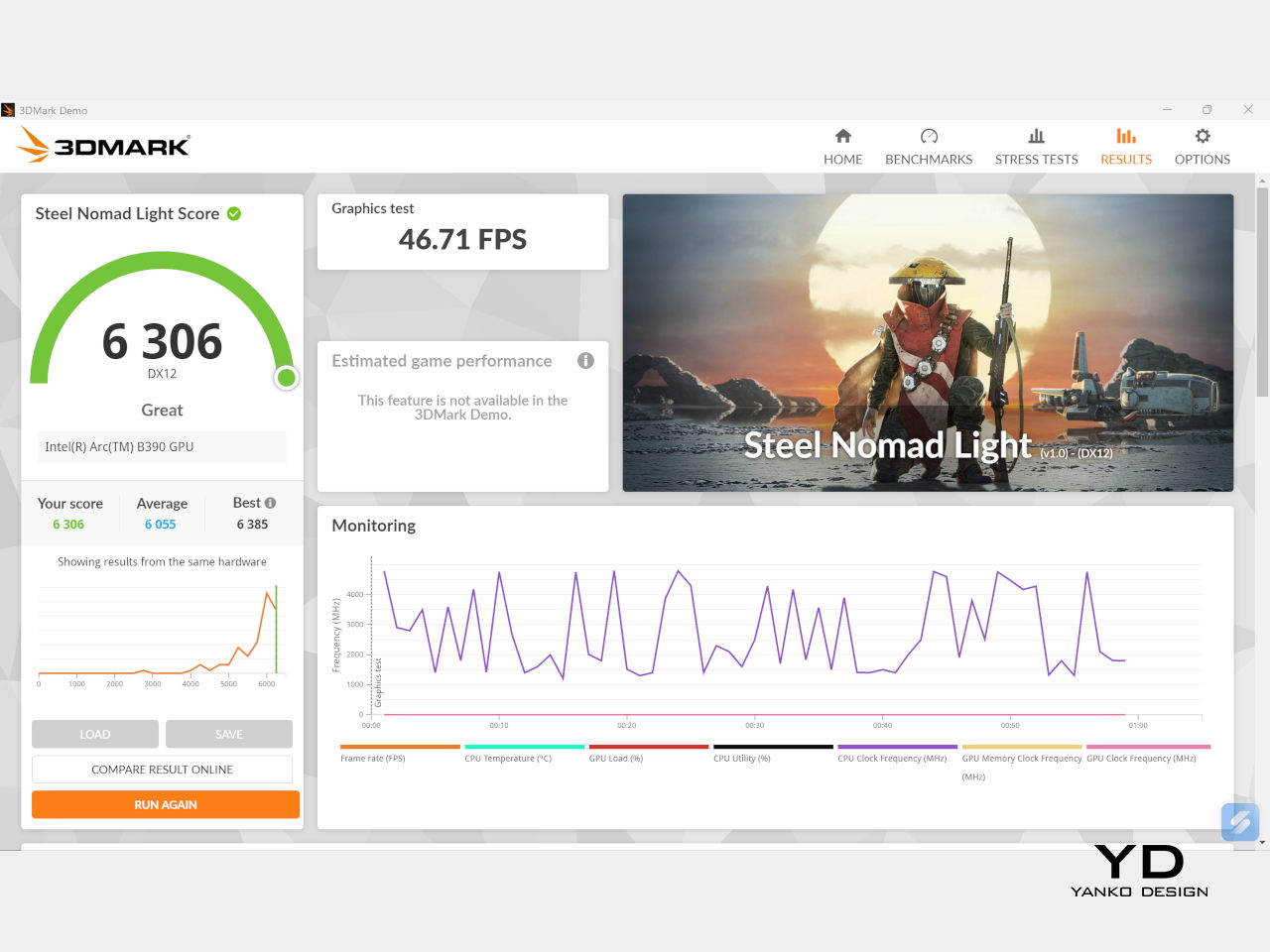
It is, after all, designed for heavy-duty computer users ranging from knowledge workers to creators who need to bring the productivity they enjoy on the desktop to wherever they go. Productivity suites, video editors, graphics programs, 3D modelers, and even games won’t make this flexible laptop break a sweat. And yes, that includes some AI shenanigans, thanks to an upgraded NPU as well.
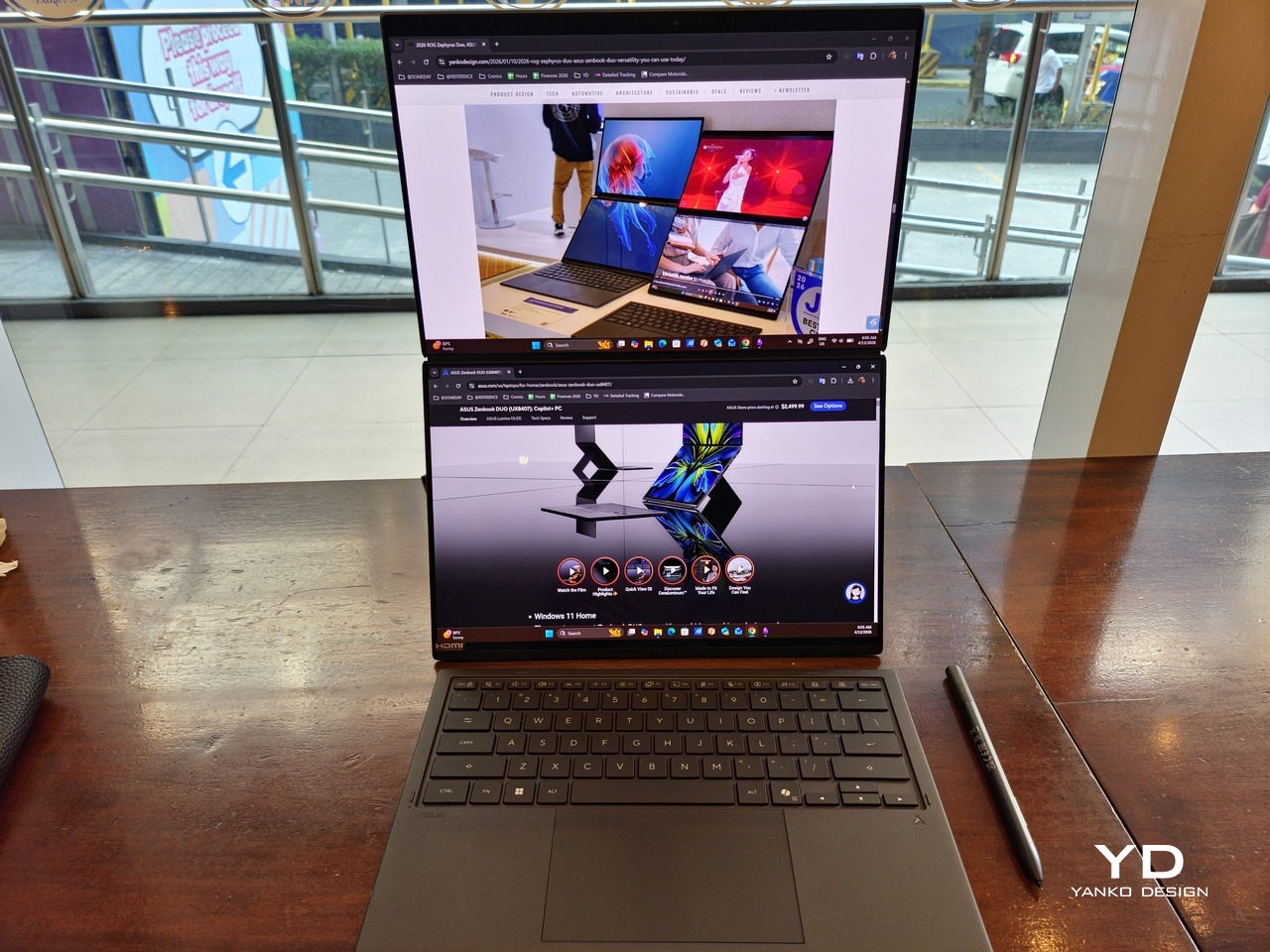
Of course, this also means that it has enough muscle to support running two screens which, by default, is set to extended (versus mirroring each other). The beauty is that these two screens are nearly identical not just in size but also in capabilities, where other dual-screen laptops skimp on the second screen more often than not. We’re talking two 14-inch 3K (2880×1800) 144Hz Lumina Pro OLED displays. Both support touch and, more importantly, both support the ASUS Pen stylus.
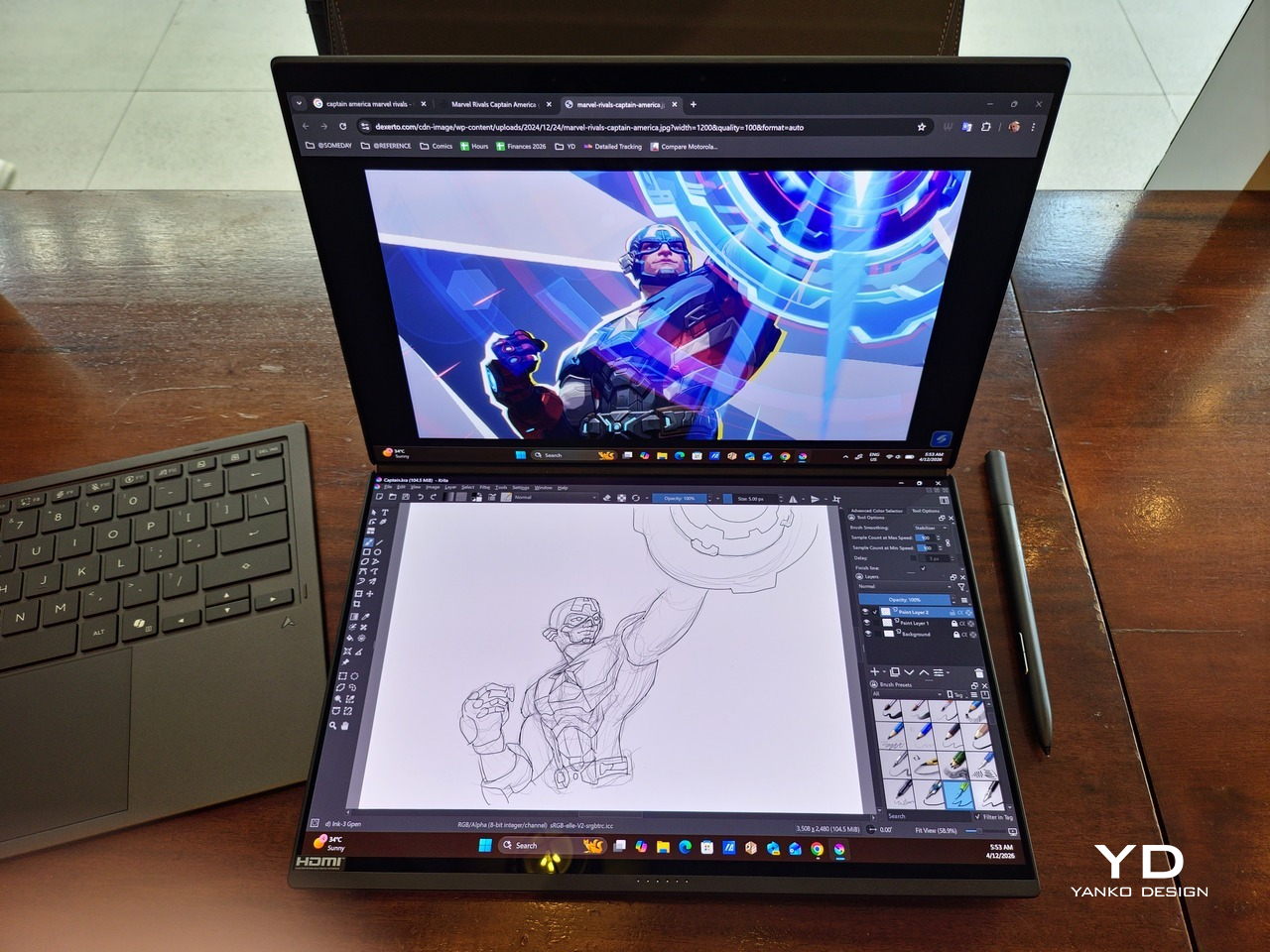
In reality, there are very slight differences between the two screens in terms of full color gamut and maximum brightness, but you won’t notice it too much unless you are actively looking for it. In practice, most people will keep content they’re working on in one of two screens anyway, leaving the other as an auxiliary for references or controls.
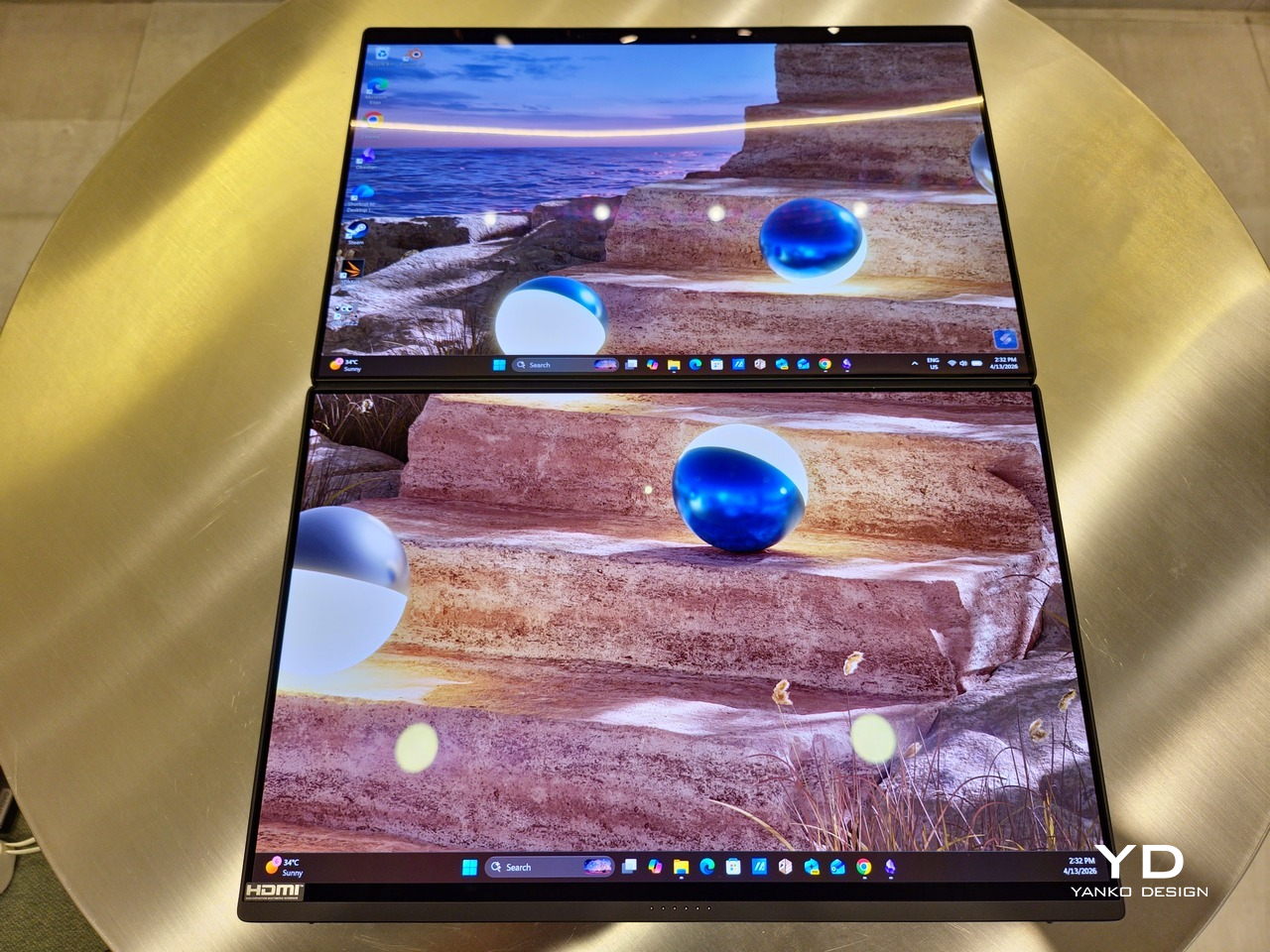
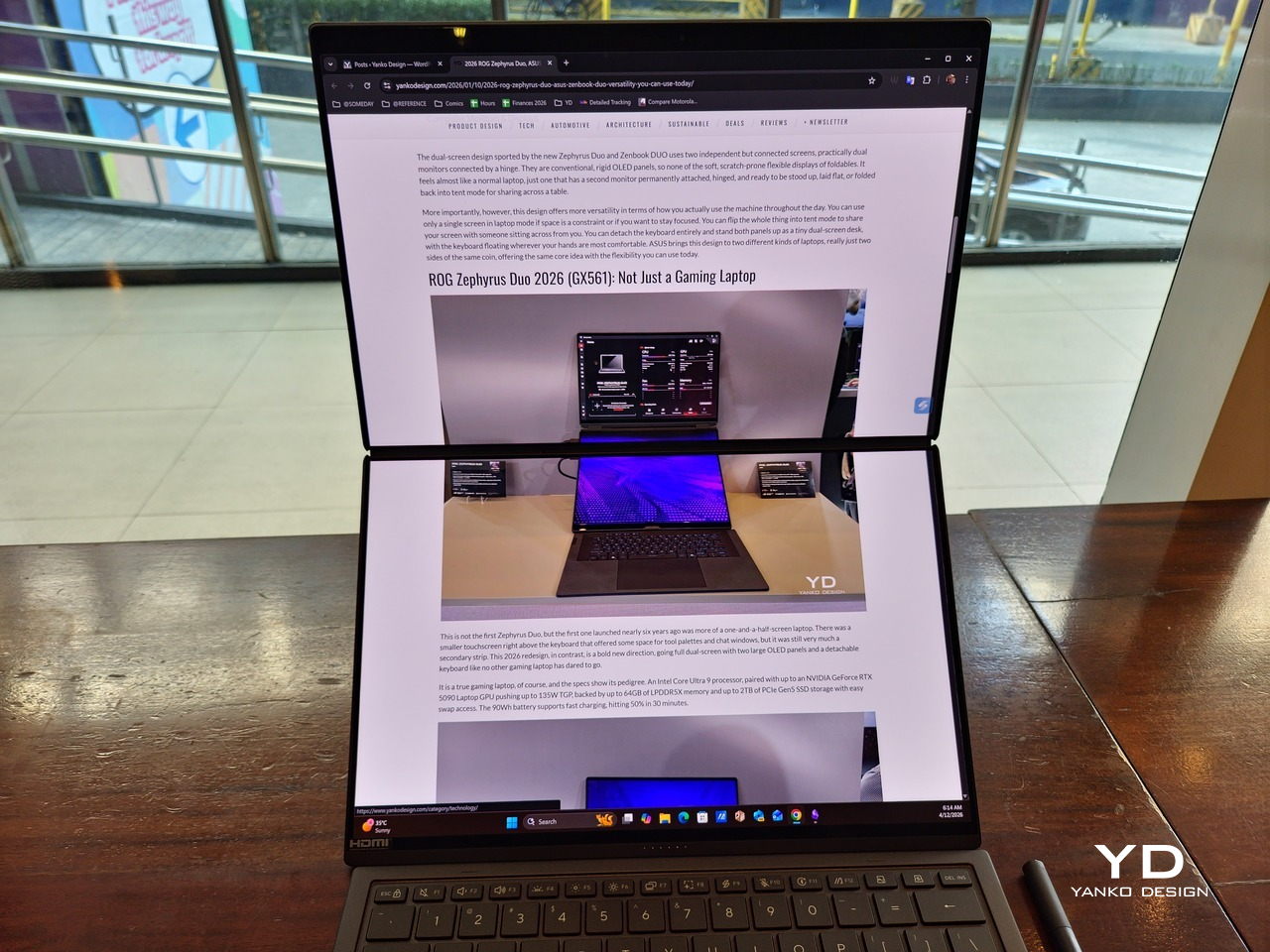
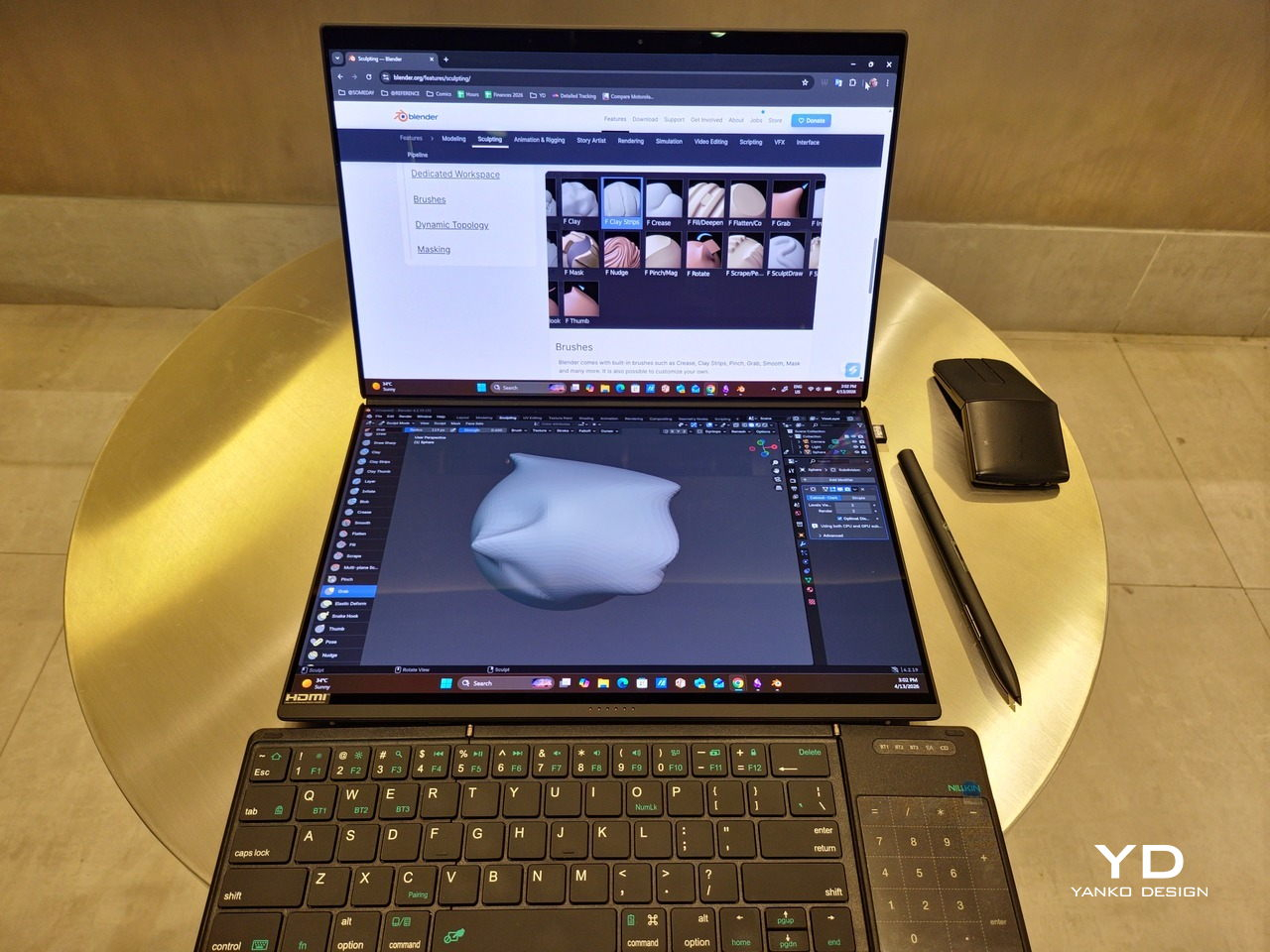
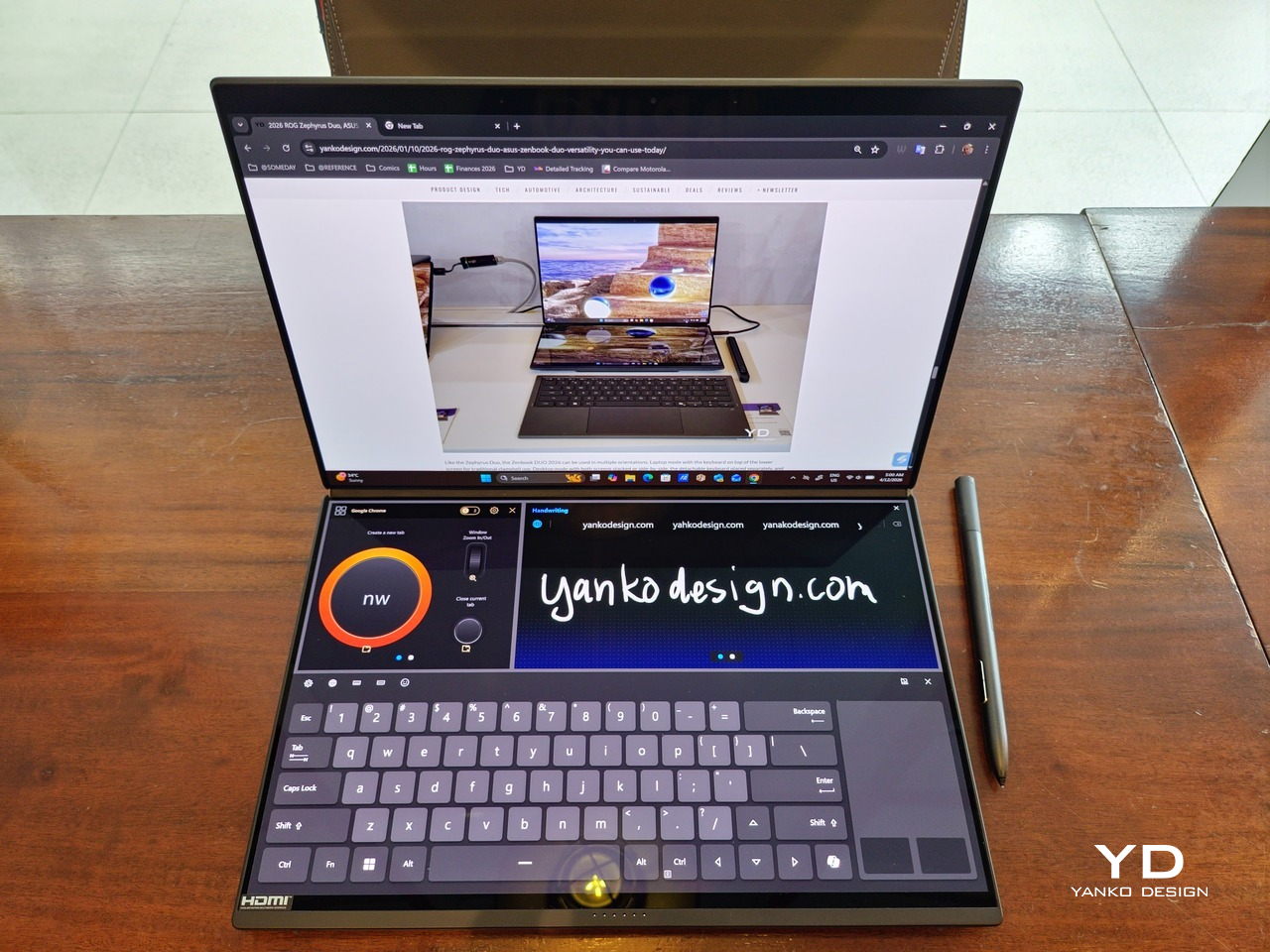
The latter is actually an interesting aspect of this dual-screen laptop, making the Zenbook DUO feel almost futuristic. While it does have a detachable keyboard, there might be times when you want to have more direct access to the lower touch screen without having to switch back and forth with the Bluetooth keyboard at the side. With a six-finger gesture, you can summon a half-height virtual keyboard, a half-height virtual keyboard with a virtual trackpad to the right, or a full-screen keyboard with a large trackpad below it, pretty much like the virtual equivalent of the physical keyboard.
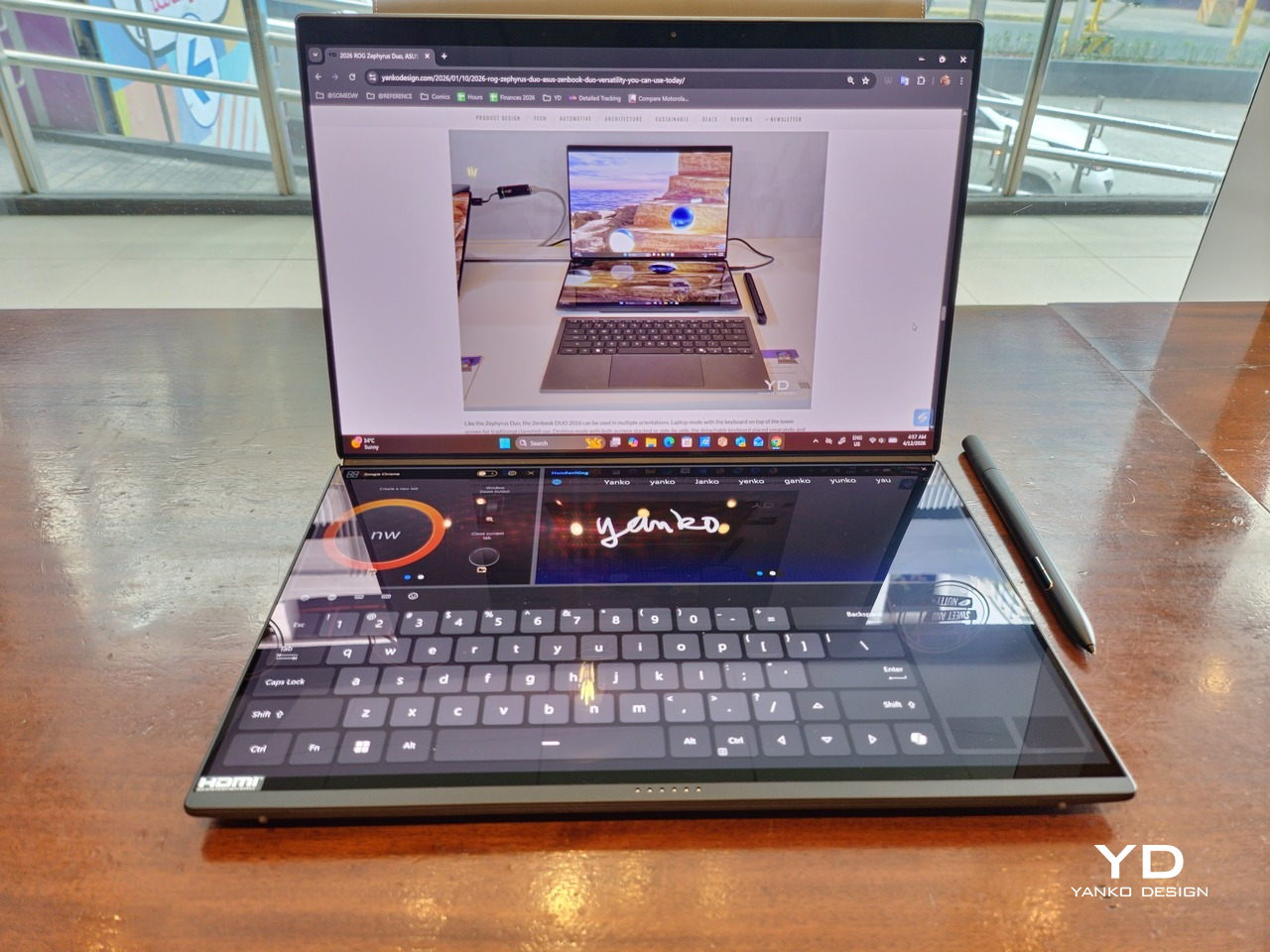
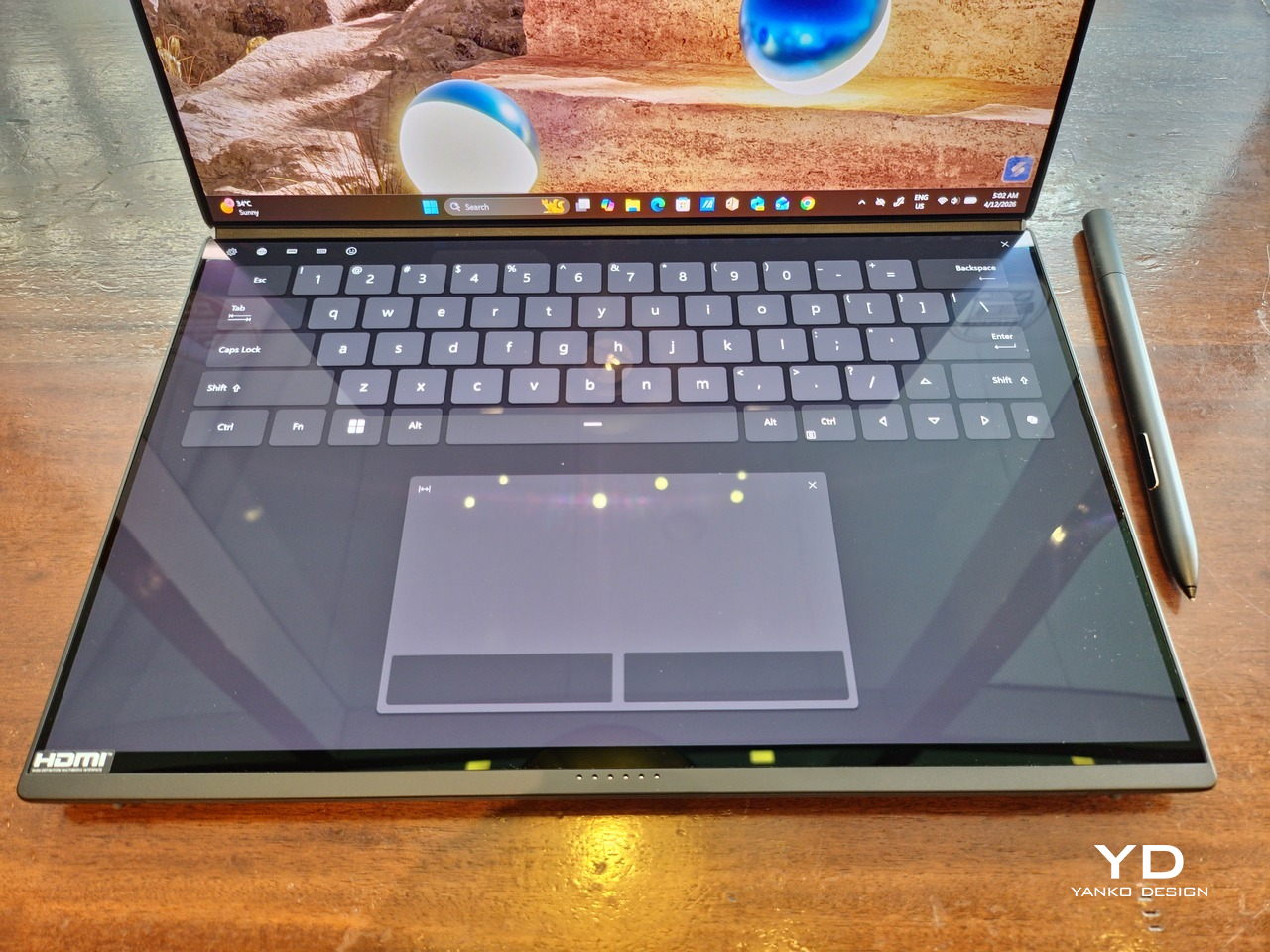
Additionally, you can have other virtual knobs and sliders above the keyboard or as floating windows, thanks to ASUS’s Dial & Control app. These controls, which also include a numpad and an area for writing with a pen, can change depending on what app is currently in focus. With a browser window, it can have a button for a new tab or a dial for zooming in and out. Or it could be a knob for volume and a slider for screen brightness.
As for the detachable keyboard, it magnetically snaps into place, with retracting pogo pins creating a more stable connection than Bluetooth, though that is the only way to use it when it’s detached. That said, there are no notches or protrusions along the edges of the keyboard, so prying it away from that strong magnetic hold can take a bit of work. The keyboard charges when it’s lying on the laptop, but it can also be charged separately via USB-C. Key travel is decent, but the keys themselves feel a bit squishy. The large trackpad is sensitive, but the hydrophobic coating gives it too much resistance when gliding your finger across it.
The combination of the more power-smart Intel Panther Lake processor and the 99Wh battery tucked inside gives the ASUS Zenbook DUO (UX8407) quite a long uptime, even with both screens enabled. Even a battery of benchmarks and hours of typing and browsing has left a good 12% of battery left, rounding up to a little over 15 hours of use, just a little below ASUS’s advertised 18 hours (with two screens). The included 100W USB-C charging brick helps mitigate the battery loss, and the fact that you can easily use power banks to top up on the go makes the battery narrative even more compelling.
ASUS didn’t use to speak much about the sustainability of its laptops, but that has changed in recent years. The invention of Ceraluminum adds another level to that story, though a bit indirectly. In a nutshell, the material is meant to increase the durability and longevity of the product by protecting it from small accidents. Whether the ZenBook DUO uses sustainable materials, or at least what percentage of it does, isn’t public information.
That longevity, however, is also affected by how much you can upgrade or even repair the laptop. Given how unconventional its design is, it’s really no surprise that there isn’t much here in the way of upgrade options. You do have easy access to the SSD underneath the kickstand. The Zenbook DUO (2026) can support up to 2TB with a full-sized M.2 SSD. The 32GB RAM, however, is soldered down.
The ASUS Zenbook DUO (UX8407) is a laptop on a mission. It is, in a nutshell, designed for people who thrive and need multi-tasking capabilities that they could only enjoy while chained to their desk (or awkwardly carrying a portable monitor). That actually covers a wide range of professions and industries, including creators, designers, office workers, executives, and, yes, gamers. In that sense, there can probably be no better tool for them than this.
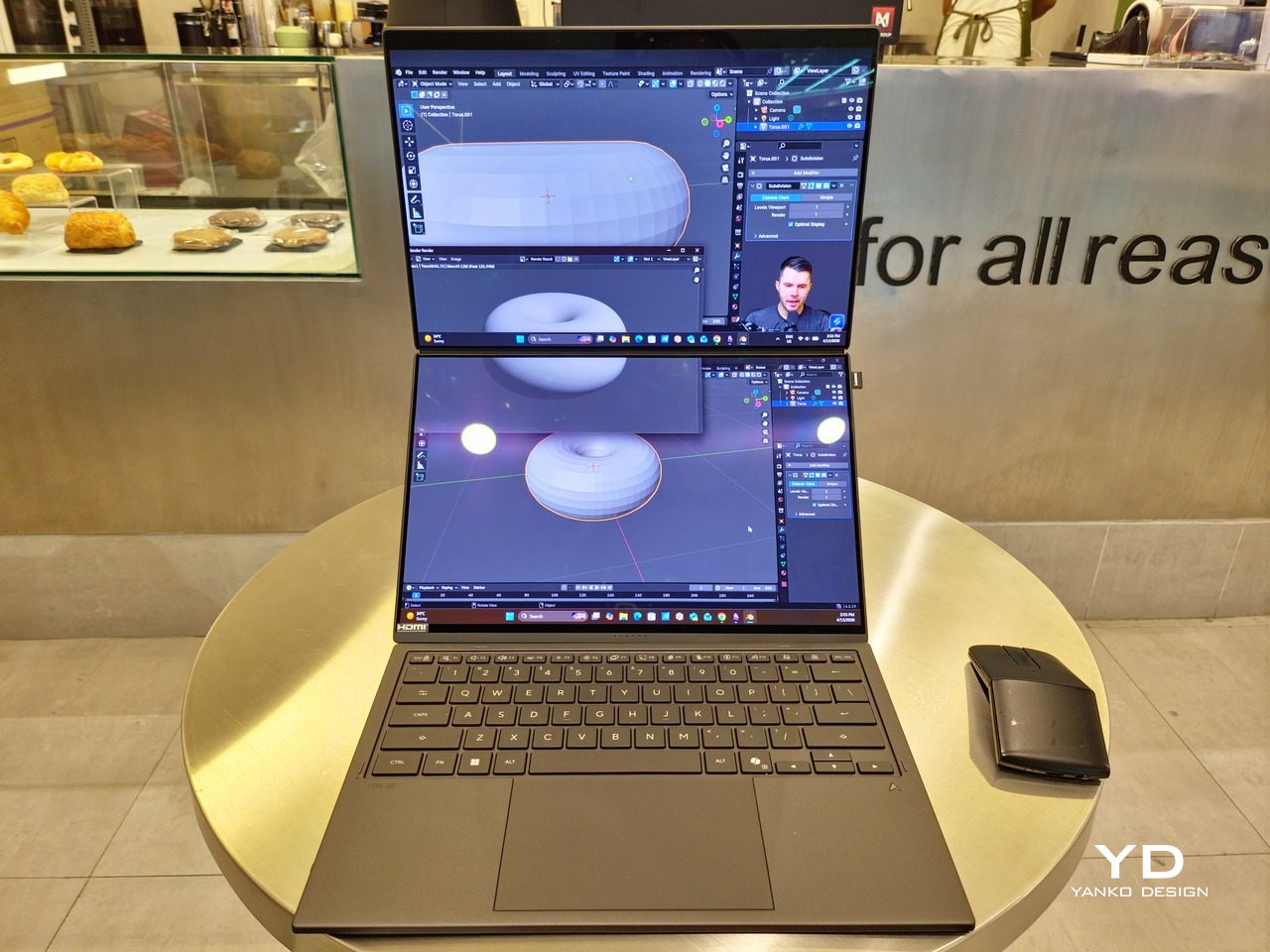
In both performance and flexibility, the 2026 Zenbook DUO offers users the power they need, as they need it. Cramped for space on a plane? Just use it as a single-screen laptop, and no one will be the wiser. Need to collaborate with a team? Lay it out flat on the desk to give everyone the same perspective. Need to reference documents as you write? The book-like desktop mode has you covered.
That said, it’s definitely far from perfect. For a laptop aimed at creatives and professionals, the absence of a built-in SD card reader seems pretty odd. And then there’s the $2,699.99 price for the configuration that has the impressive Intel Arc graphics. That puts it way above most 14-inch ultra-thin laptops and in the range of gaming laptops. But then again, none of those have two 14-inch screens, either.
Laptops with foldable screens admittedly look fancy and impressive. The big OEMs, including ASUS, are still playing around to find the formula that will finally make it feel more than just a fancy and expensive experiment. In the meantime, however, people need to get work done, and when it comes to that, nothing really beats using more than two screens.
You could always carry a portable screen along with your laptop, which is awkward, cumbersome, and inefficient, or you could grab the ASUS Zenbook DUO (UX8407). With an improved hinge, beautiful co-equal 14-inch displays, and an Intel Panther Lake processor that can handle almost anything you throw at it, the dual-screen laptop lets you choose the way you want or need to work. And it looks stylish to boot in any form, making sure you’ll be the envy of everyone in the coffee shop.
The post ASUS Zenbook DUO (2026) Review: One Laptop, Two Screens, All Business first appeared on Yanko Design.
The ASUS Zenbook DUO (UX8407) earns its premium with two stunning co-equal OLED screens, a sleeker hinge, and Intel Panther Lake performance built for serious work on the go.
For a time, it seemed that foldable and rollable screens would be the future of laptops, just as they are positioned to be where smartphones are going. That was until people realized that what may be good for handheld devices might not work for 14-inch slabs with keyboards. Foldable laptops might still have their day, but they are too impractical and costly for now.
ASUS has chosen to instead design and deliver a solution for today’s needs and problems. Rather than a screen that folds just to save space, the Zenbook DUO has opted to expand the user’s workspace instead, bringing the productivity advantages of dual-monitor setups from desktops to laptops. This year’s ASUS Zenbook DUO (UX8407) does more than just upgrade the spec sheet. It is also adding a touch of style and elegance that makes a power user tool feel more considered.
Designer: ASUS
The 2026 ASUS Zenbook DUO (UX8407) is quite stunning in almost any form, whether it’s closed shut, opened like a laptop, or especially when it’s wide open. The lid cover exudes not only minimalism but also character, with a reflective “ASUS ZENBOOK” logo engraved against the Elephant Gray “Ceraluminum” surface, creating a simple yet eye-catching visual and material contrast.
That Ceraluminum is, of course, ASUS’s latest material innovation that uses a special oxidation process to give aluminum some ceramic-like properties, particularly durability and higher resistance to scratches. The end result is a material that isn’t just nice to look at but also pleasing to touch, giving the lid a texture that almost feels like stone or, well, ceramic. There is also a certain visual “roughness” to the Ceraluminum surface, setting it apart from the brushed metal or anodized appearances of its peers.
Of course, the real show happens when you open the laptop and lift the keyboard away, revealing two gorgeous 14-inch screens connected together by a hinge, no messy or awkward cables. For this iteration, ASUS poured its efforts into making that connection look even more seamless, not only by shrinking the bezels between the displays but also by developing a new “hideaway” hinge that narrows the gap from 25.31mm down to 7.6mm. Make no mistake, there’s still a very obvious separation between the two, but it is now less jarring, making it feel like you’re working with a screen that just happened to be split into two, rather than two screens stitched together.
With the detachable Bluetooth keyboard resting on the second screen or when it’s closed, the Zenbook DUO (2026) looks almost like a normal laptop. You have a few (literally) ports on either side along with some air vents, and a wide-long grille at the bottom above the built-in kickstand. Your only clue that this isn’t a normal laptop is when you accidentally close the laptop lid without the keyboard attached, creating a very noticeable gap that, unfortunately, would also be an open invitation for small items to come in and scratch the screens.
At 1.65kg (3.64lbs) with the Bluetooth keyboard attached, the ASUS Zenbook DUO (UX8407) isn’t exactly lightweight compared to other 14-inch laptops in the market, at least the non-gaming kind. That said, it’s not exactly on the heavier side either, especially when you consider that you’re carrying two 14-inch screens, not to mention a 99Wh battery, in a single bundle. In that context, it’s actually amazing how much ASUS was able to reduce the heft without cutting corners.
That said, having two connected displays brings its own ergonomics puzzle, something that ASUS seems to have finally solved almost to perfection. You have no less than 5 ways to use the laptop, from a normal laptop to two screens vertically stacked to the side-by-side “desktop mode”. While the hinge does most of the hard work, the built-in kickstand literally carries the burden, supporting that full weight (minus the keyboard) on its own.
The new kickstand is stronger, sturdier, and stiffer, providing confidence it won’t just suddenly close down. It can open to a maximum of 90 degrees, which is the angle you’ll need for desktop mode. That said, it also means that you only have possible angle for the displays in that mode, unless you have a separate stand to prop it up, which kind of defeats the purpose of having a built-in kickstand.
One thing to note in desktop mode is that you will naturally be sacrificing one side of ports. Thankfully, you can turn the Zenbook DUO (2026) which ever side up, whether you need an extra HDMI and headphone jack, or an extra USB-A port. Thankfully, both Thunderbolt 4 ports are equal in capabilities, so you don’t have to make a sacrifice on that end.
If there’s one thing I found a bit cumbersome in the Zenbook DUO’s design is that the power button sits so flushed against the frame. On the one hand, that means it won’t snag with anything in your bag, nor will it get triggered accidentally. On the other hand, it also makes it harder to locate it without looking or fumbling with your finger sliding across the edge repeatedly.
The ASUS Zenbook DUO (UX8407) is one of the early laptops to embrace Intel’s new Panther Lake chips, specifically the Intel Core Ultra 3 series. The dual-screen laptops comes in two options, one with an Intel Core Ultra 7 355 and the Intel Core Ultra X9 388H. In terms of CPU alone, these already represent a huge leap not just in performance but also in power efficiency, but the latter configuration pulls an even bigger feat.
The review unit we received comes with an Intel Arc B390 GPU based the latest 3rd-gen Intel Xe graphics. Forget what memories you might have had of integrated Intel graphics, because we’re entering an era where you can actually play games with decent settings on it. Of course, your mileage may vary and benchmarks can only provide some general idea, but that all these specs mean is that the ASUS Zenbook DUO (2026) is built for serious productivity and creative work.
It is, after all, designed for heavy-duty computer users ranging from knowledge workers to creators who need to bring the productivity they enjoy on the desktop to wherever they go. Productivity suites, video editors, graphics programs, 3D modelers, and even games won’t make this flexible laptop break a sweat. And yes, that includes some AI shenanigans, thanks to an upgraded NPU as well.
Of course, this also means that it has enough muscle to support running two screens which, by default, is set to extended (versus mirroring each other). The beauty is that these two screens are nearly identical not just in size but also in capabilities, where other dual-screen laptops skimp on the second screen more often than not. We’re talking two 14-inch 3K (2880×1800) 144Hz Lumina Pro OLED displays. Both support touch and, more importantly, both support the ASUS Pen stylus.
In reality, there are very slight differences between the two screens in terms of full color gamut and maximum brightness, but you won’t notice it too much unless you are actively looking for it. In practice, most people will keep content they’re working on in one of two screens anyway, leaving the other as an auxiliary for references or controls.
The latter is actually an interesting aspect of this dual-screen laptop, making the Zenbook DUO feel almost futuristic. While it does have a detachable keyboard, there might be times when you want to have more direct access to the lower touch screen without having to switch back and forth with the Bluetooth keyboard at the side. With a six-finger gesture, you can summon a half-height virtual keyboard, a half-height virtual keyboard with a virtual trackpad to the right, or a full-screen keyboard with a large trackpad below it, pretty much like the virtual equivalent of the physical keyboard.
Additionally, you can have other virtual knobs and sliders above the keyboard or as floating windows, thanks to ASUS’s Dial & Control app. These controls, which also include a numpad and an area for writing with a pen, can change depending on what app is currently in focus. With a browser window, it can have a button for a new tab or a dial for zooming in and out. Or it could be a knob for volume and a slider for screen brightness.
As for the detachable keyboard, it magnetically snaps into place, with retracting pogo pins creating a more stable connection than Bluetooth, though that is the only way to use it when it’s detached. That said, there are no notches or protrusions along the edges of the keyboard, so prying it away from that strong magnetic hold can take a bit of work. The keyboard charges when it’s lying on the laptop, but it can also be charged separately via USB-C. Key travel is decent, but the keys themselves feel a bit squishy. The large trackpad is sensitive, but the hydrophobic coating gives it too much resistance when gliding your finger across it.
The combination of the more power-smart Intel Panther Lake processor and the 99Wh battery tucked inside gives the ASUS Zenbook DUO (UX8407) quite a long uptime, even with both screens enabled. Even a battery of benchmarks and hours of typing and browsing has left a good 12% of battery left, rounding up to a little over 15 hours of use, just a little below ASUS’s advertised 18 hours (with two screens). The included 100W USB-C charging brick helps mitigate the battery loss, and the fact that you can easily use power banks to top up on the go makes the battery narrative even more compelling.
ASUS didn’t use to speak much about the sustainability of its laptops, but that has changed in recent years. The invention of Ceraluminum adds another level to that story, though a bit indirectly. In a nutshell, the material is meant to increase the durability and longevity of the product by protecting it from small accidents. Whether the ZenBook DUO uses sustainable materials, or at least what percentage of it does, isn’t public information.
That longevity, however, is also affected by how much you can upgrade or even repair the laptop. Given how unconventional its design is, it’s really no surprise that there isn’t much here in the way of upgrade options. You do have easy access to the SSD underneath the kickstand. The Zenbook DUO (2026) can support up to 2TB with a full-sized M.2 SSD. The 32GB RAM, however, is soldered down.
The ASUS Zenbook DUO (UX8407) is a laptop on a mission. It is, in a nutshell, designed for people who thrive and need multi-tasking capabilities that they could only enjoy while chained to their desk (or awkwardly carrying a portable monitor). That actually covers a wide range of professions and industries, including creators, designers, office workers, executives, and, yes, gamers. In that sense, there can probably be no better tool for them than this.
In both performance and flexibility, the 2026 Zenbook DUO offers users the power they need, as they need it. Cramped for space on a plane? Just use it as a single-screen laptop, and no one will be the wiser. Need to collaborate with a team? Lay it out flat on the desk to give everyone the same perspective. Need to reference documents as you write? The book-like desktop mode has you covered.
That said, it’s definitely far from perfect. For a laptop aimed at creatives and professionals, the absence of a built-in SD card reader seems pretty odd. And then there’s the $2,699.99 price for the configuration that has the impressive Intel Arc graphics. That puts it way above most 14-inch ultra-thin laptops and in the range of gaming laptops. But then again, none of those have two 14-inch screens, either.
Laptops with foldable screens admittedly look fancy and impressive. The big OEMs, including ASUS, are still playing around to find the formula that will finally make it feel more than just a fancy and expensive experiment. In the meantime, however, people need to get work done, and when it comes to that, nothing really beats using more than two screens.
You could always carry a portable screen along with your laptop, which is awkward, cumbersome, and inefficient, or you could grab the ASUS Zenbook DUO (UX8407). With an improved hinge, beautiful co-equal 14-inch displays, and an Intel Panther Lake processor that can handle almost anything you throw at it, the dual-screen laptop lets you choose the way you want or need to work. And it looks stylish to boot in any form, making sure you’ll be the envy of everyone in the coffee shop.
The post ASUS Zenbook DUO (2026) Review: One Laptop, Two Screens, All Business first appeared on Yanko Design.