ASUS Zenbook DUO (2026) Review: One Laptop, Two Screens, All Business

PROS:


  • Beautiful, nearly identical 14-inch 144Hz 3K OLED screens

  • Narrower hinge creates a more immersive visual experience

  • Ceraluminum design adds visual and tactile character

  • Powerful Intel Panther Lake performance and impressive battery life

CONS:


  • Quite pricey

  • No built-in card reader

  • RAM is soldered

RATINGS:

AESTHETICS
ERGONOMICS
PERFORMANCE
SUSTAINABILITY / REPAIRABILITY
VALUE FOR MONEY

EDITOR'S QUOTE:

The ASUS Zenbook DUO (UX8407) earns its premium with two stunning co-equal OLED screens, a sleeker hinge, and Intel Panther Lake performance built for serious work on the go.
award-icon

For a time, it seemed that foldable and rollable screens would be the future of laptops, just as they are positioned to be where smartphones are going. That was until people realized that what may be good for handheld devices might not work for 14-inch slabs with keyboards. Foldable laptops might still have their day, but they are too impractical and costly for now.

ASUS has chosen to instead design and deliver a solution for today’s needs and problems. Rather than a screen that folds just to save space, the Zenbook DUO has opted to expand the user’s workspace instead, bringing the productivity advantages of dual-monitor setups from desktops to laptops. This year’s ASUS Zenbook DUO (UX8407) does more than just upgrade the spec sheet. It is also adding a touch of style and elegance that makes a power user tool feel more considered.

Designer: ASUS

Aesthetics

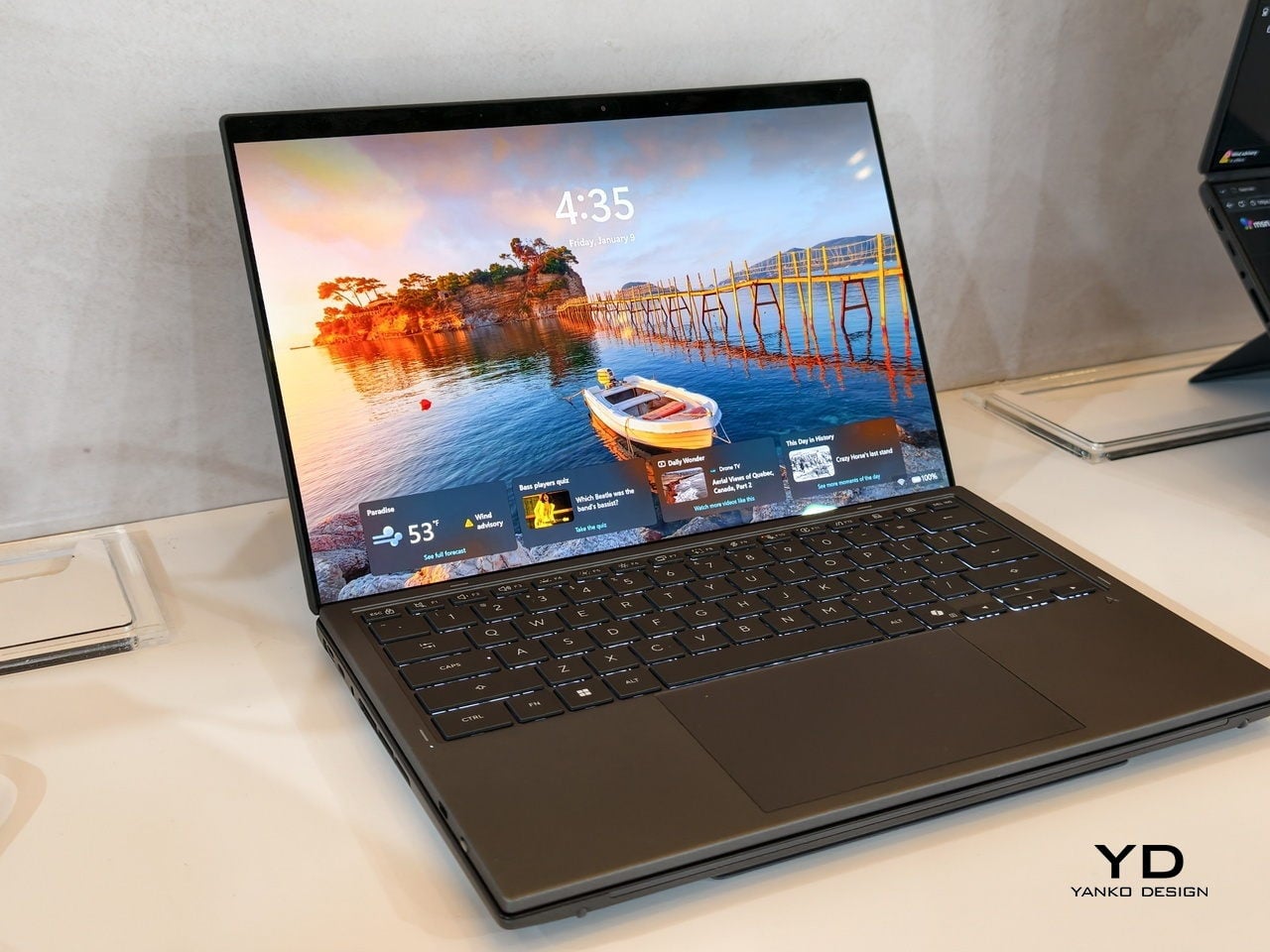
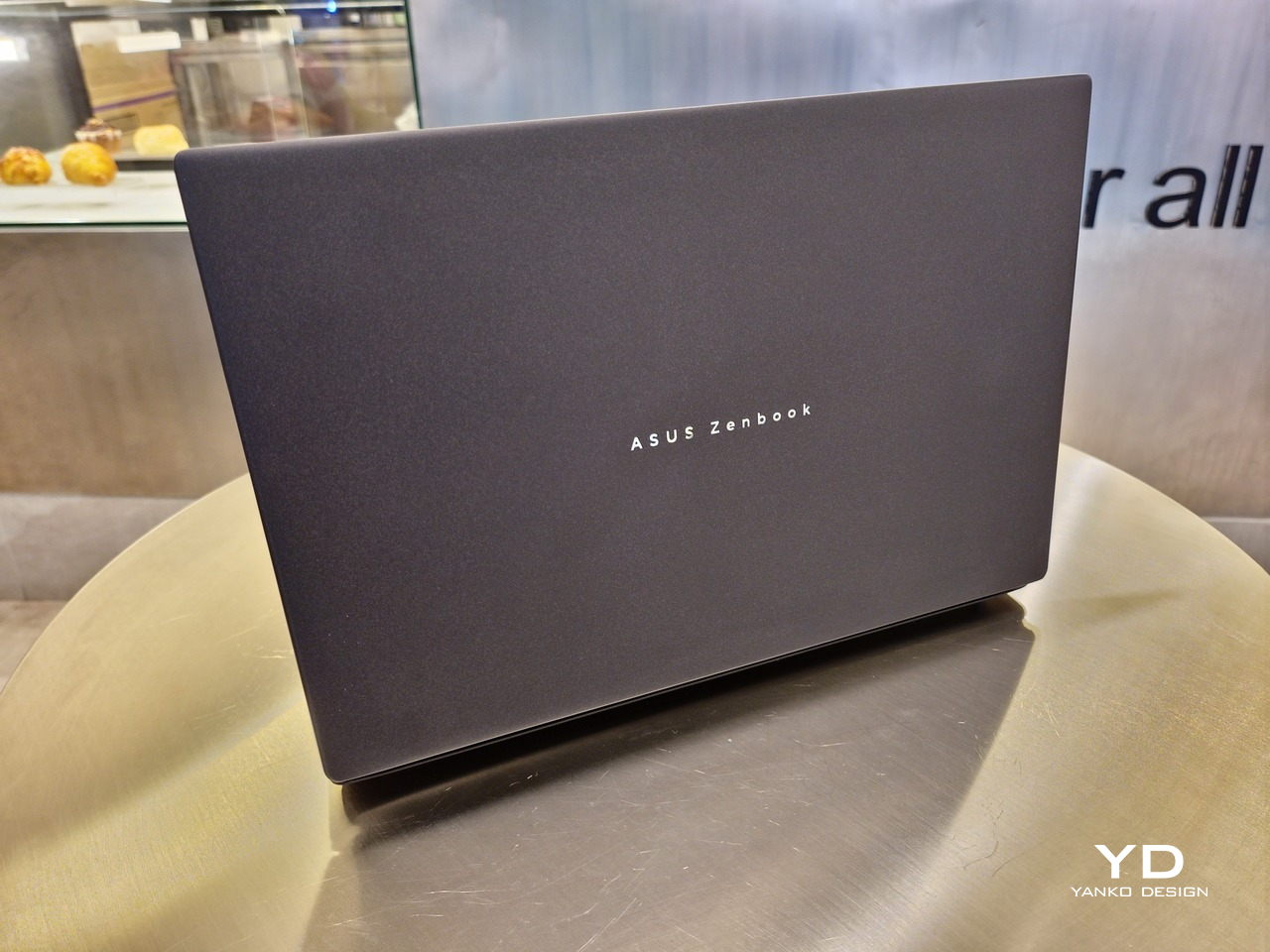
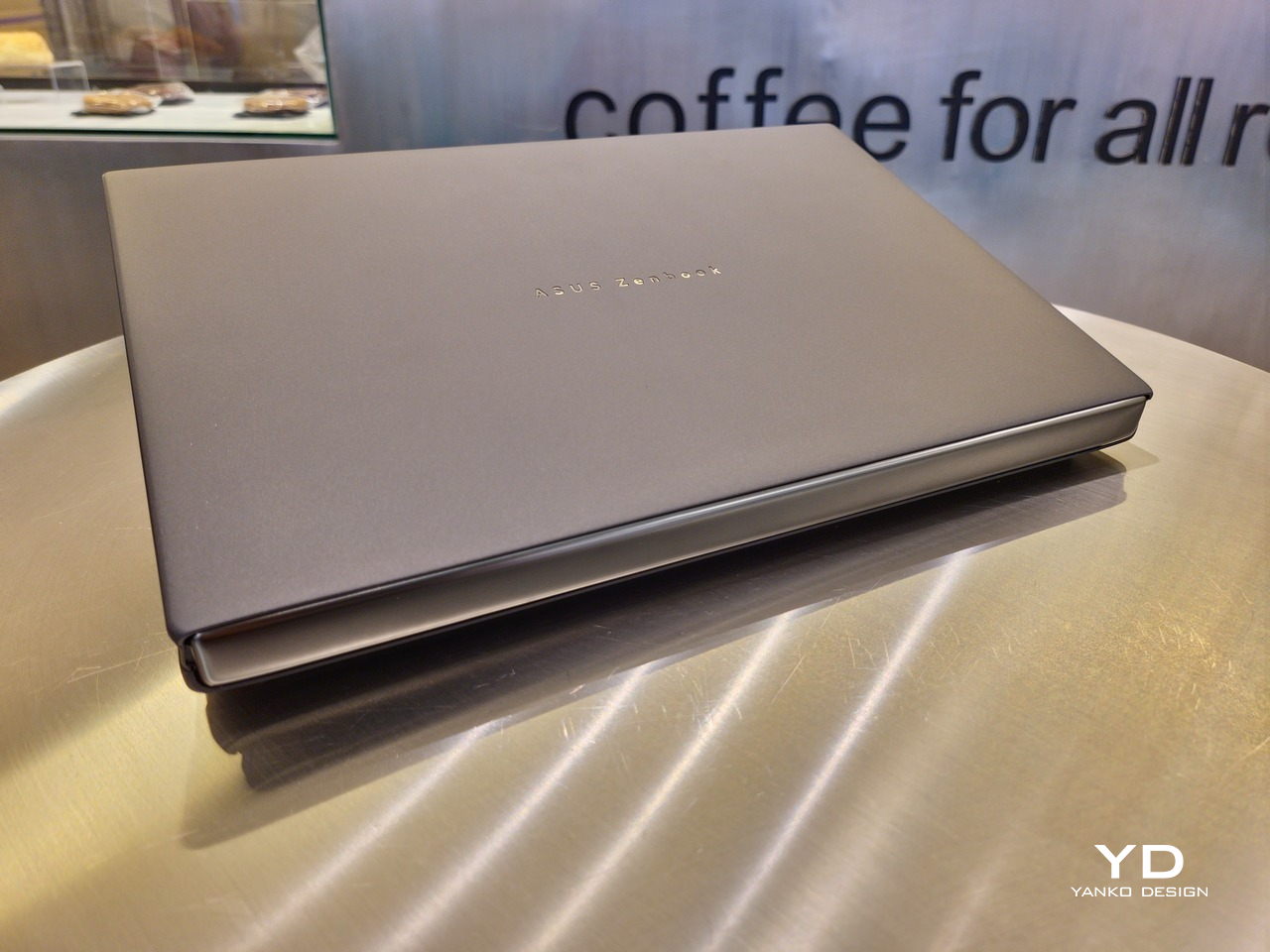
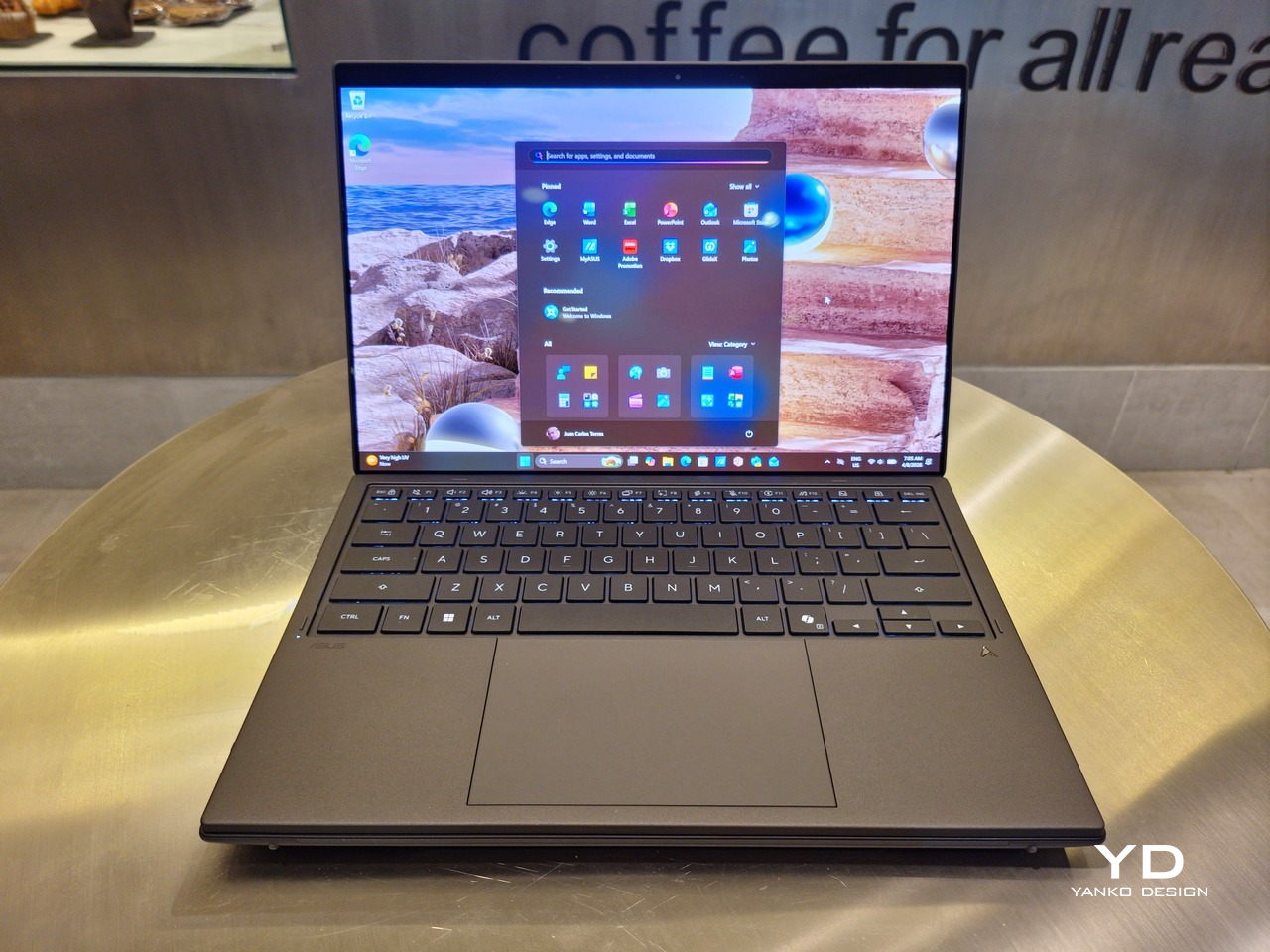
The 2026 ASUS Zenbook DUO (UX8407) is quite stunning in almost any form, whether it’s closed shut, opened like a laptop, or especially when it’s wide open. The lid cover exudes not only minimalism but also character, with a reflective “ASUS ZENBOOK” logo engraved against the Elephant Gray “Ceraluminum” surface, creating a simple yet eye-catching visual and material contrast.
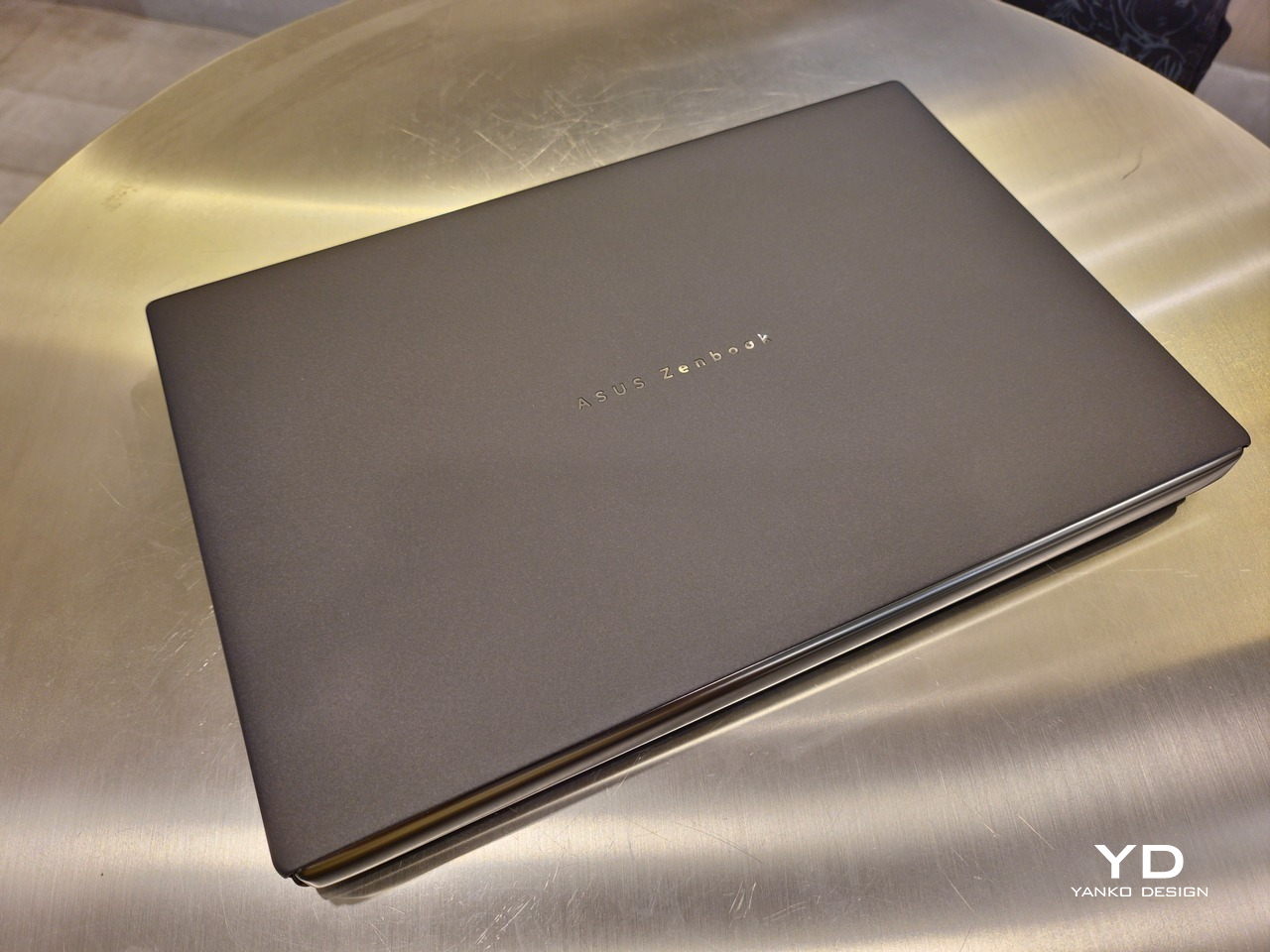
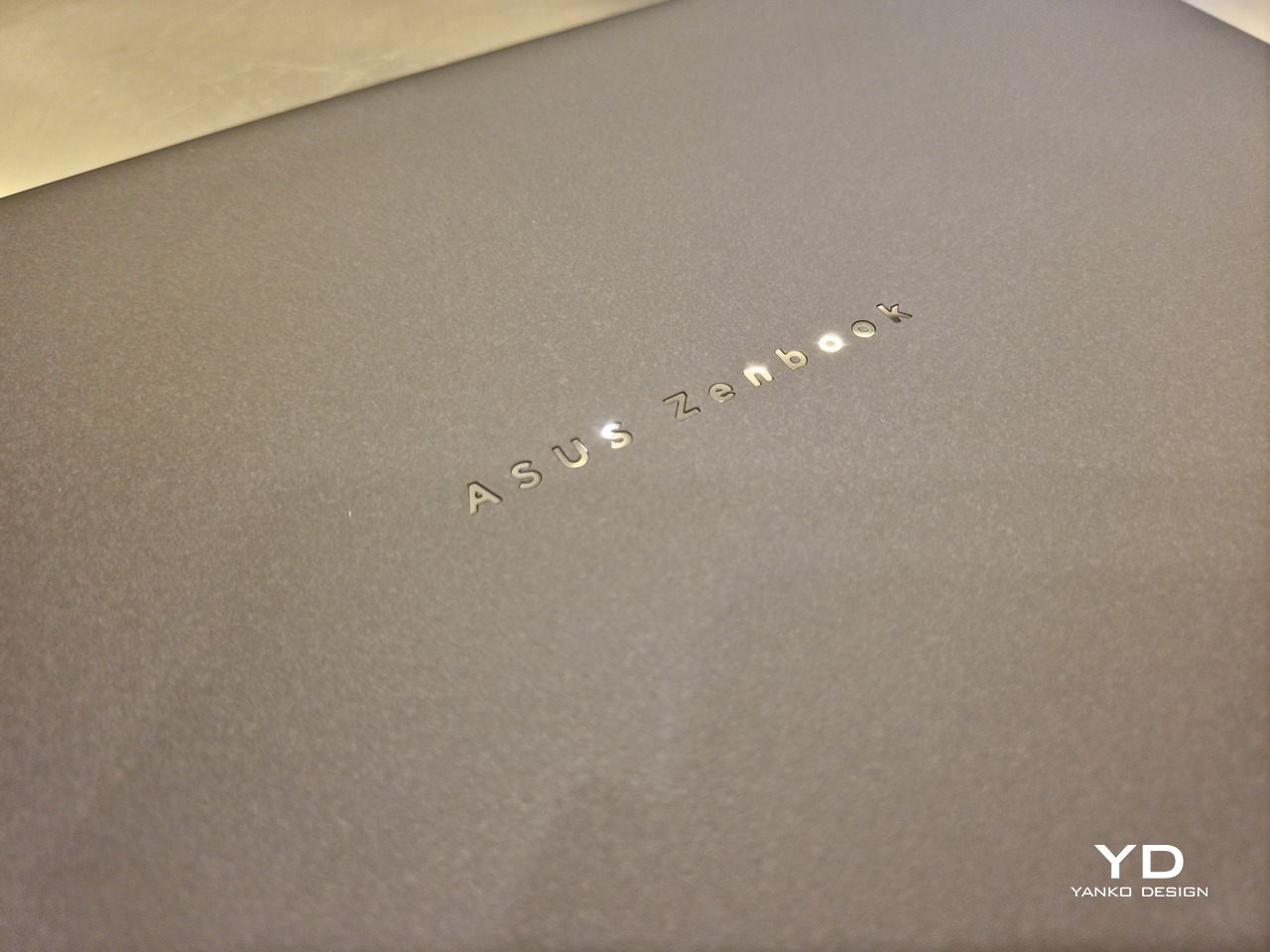
That Ceraluminum is, of course, ASUS’s latest material innovation that uses a special oxidation process to give aluminum some ceramic-like properties, particularly durability and higher resistance to scratches. The end result is a material that isn’t just nice to look at but also pleasing to touch, giving the lid a texture that almost feels like stone or, well, ceramic. There is also a certain visual “roughness” to the Ceraluminum surface, setting it apart from the brushed metal or anodized appearances of its peers.
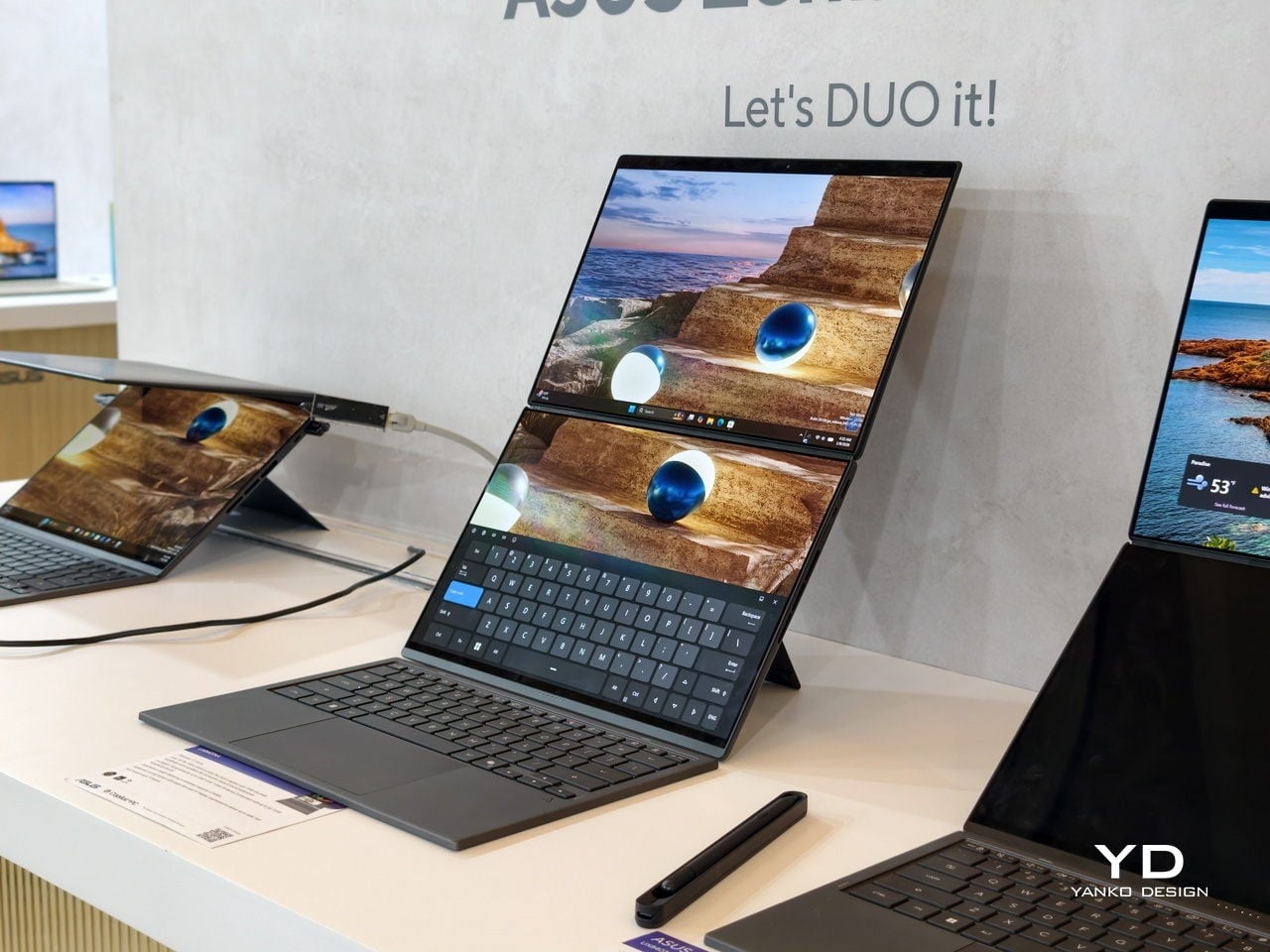
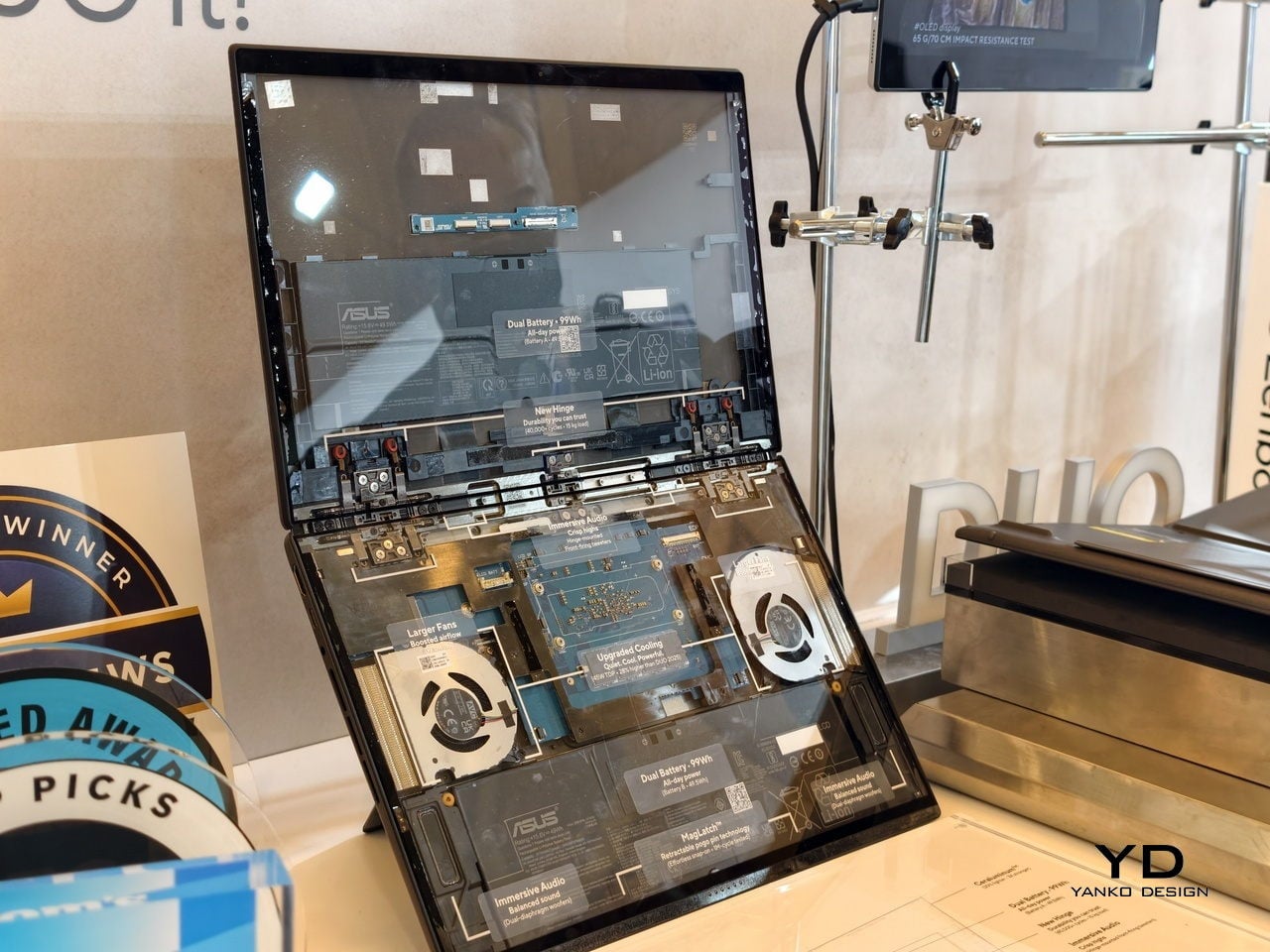
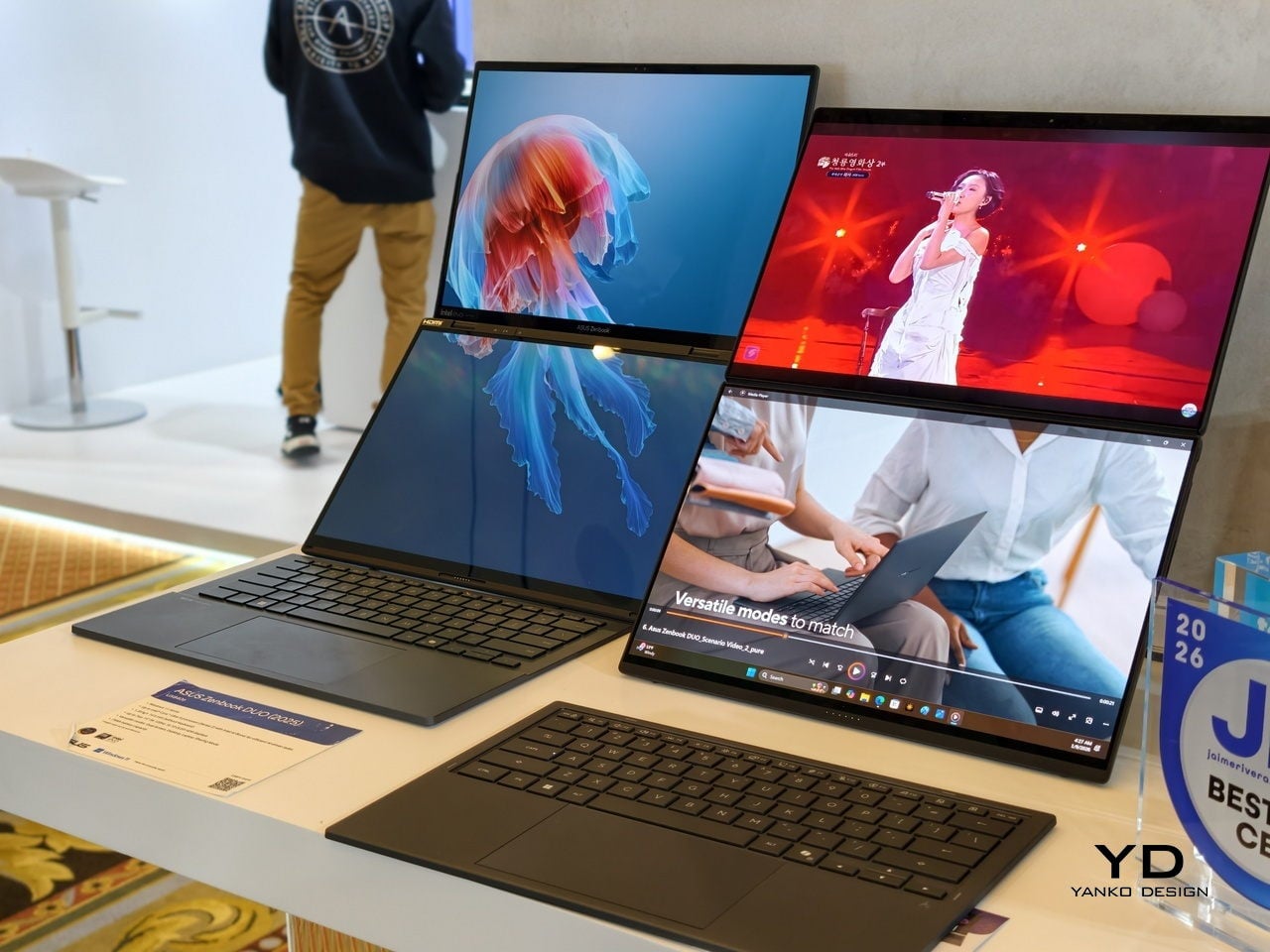
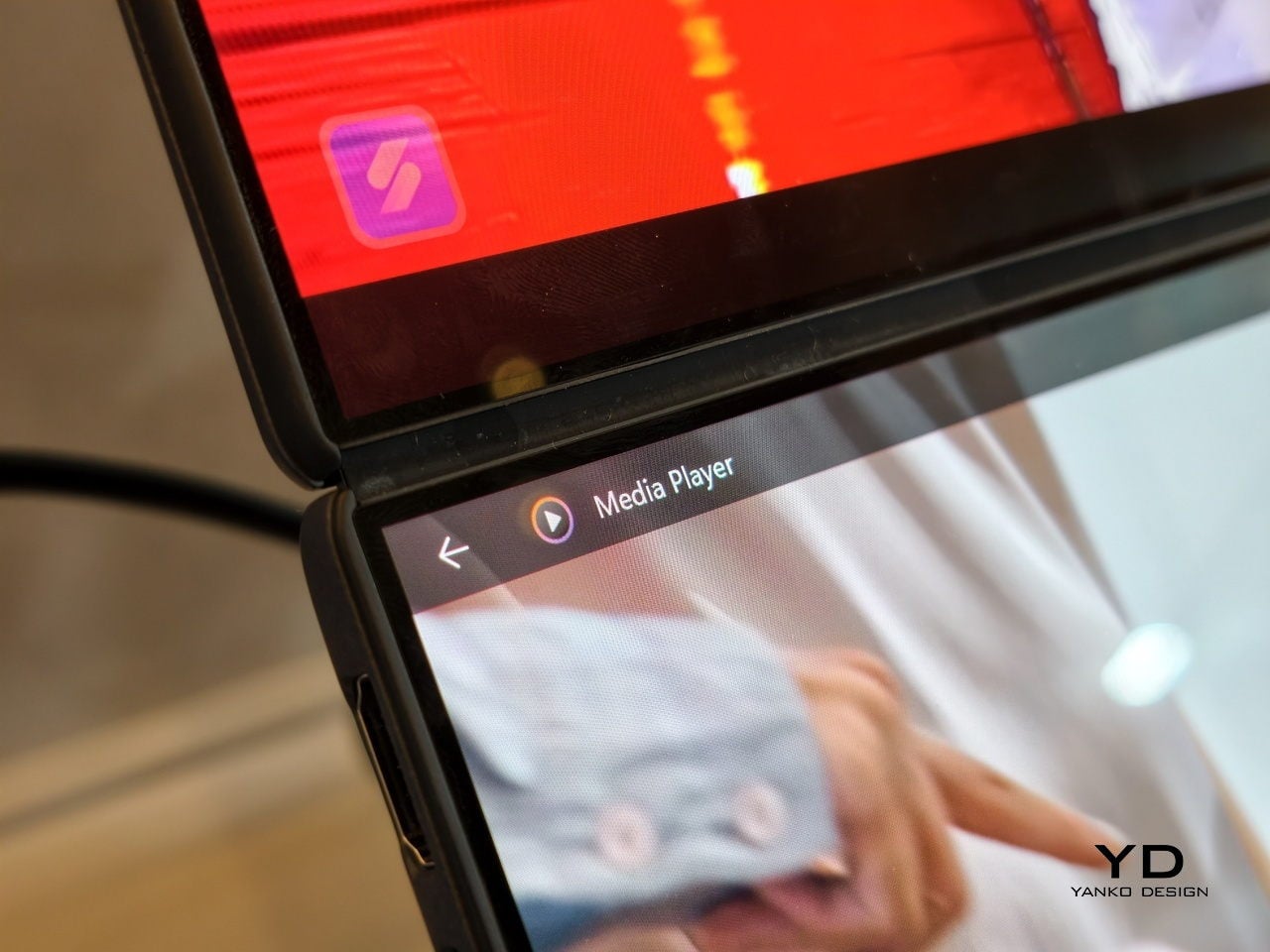
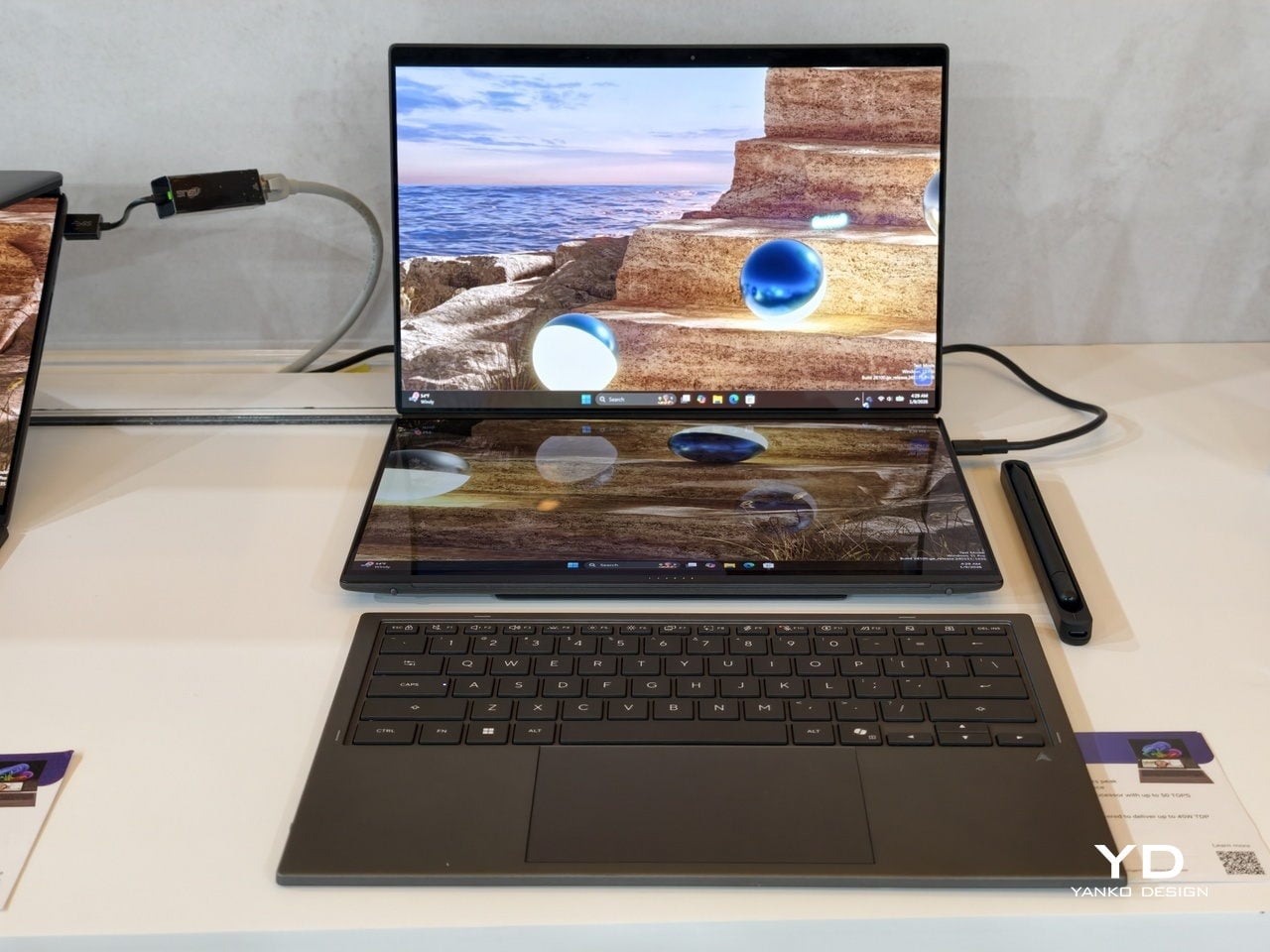
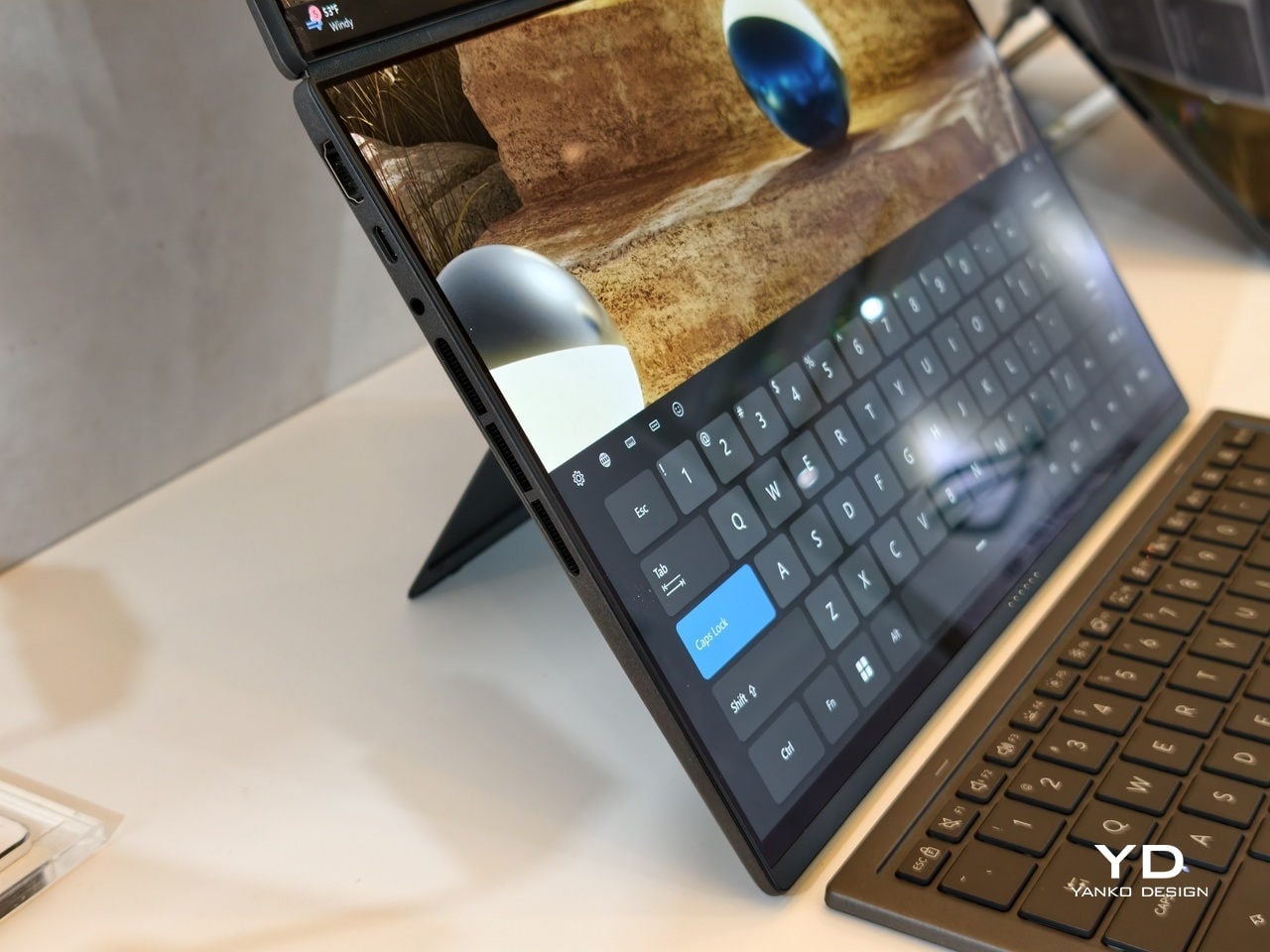
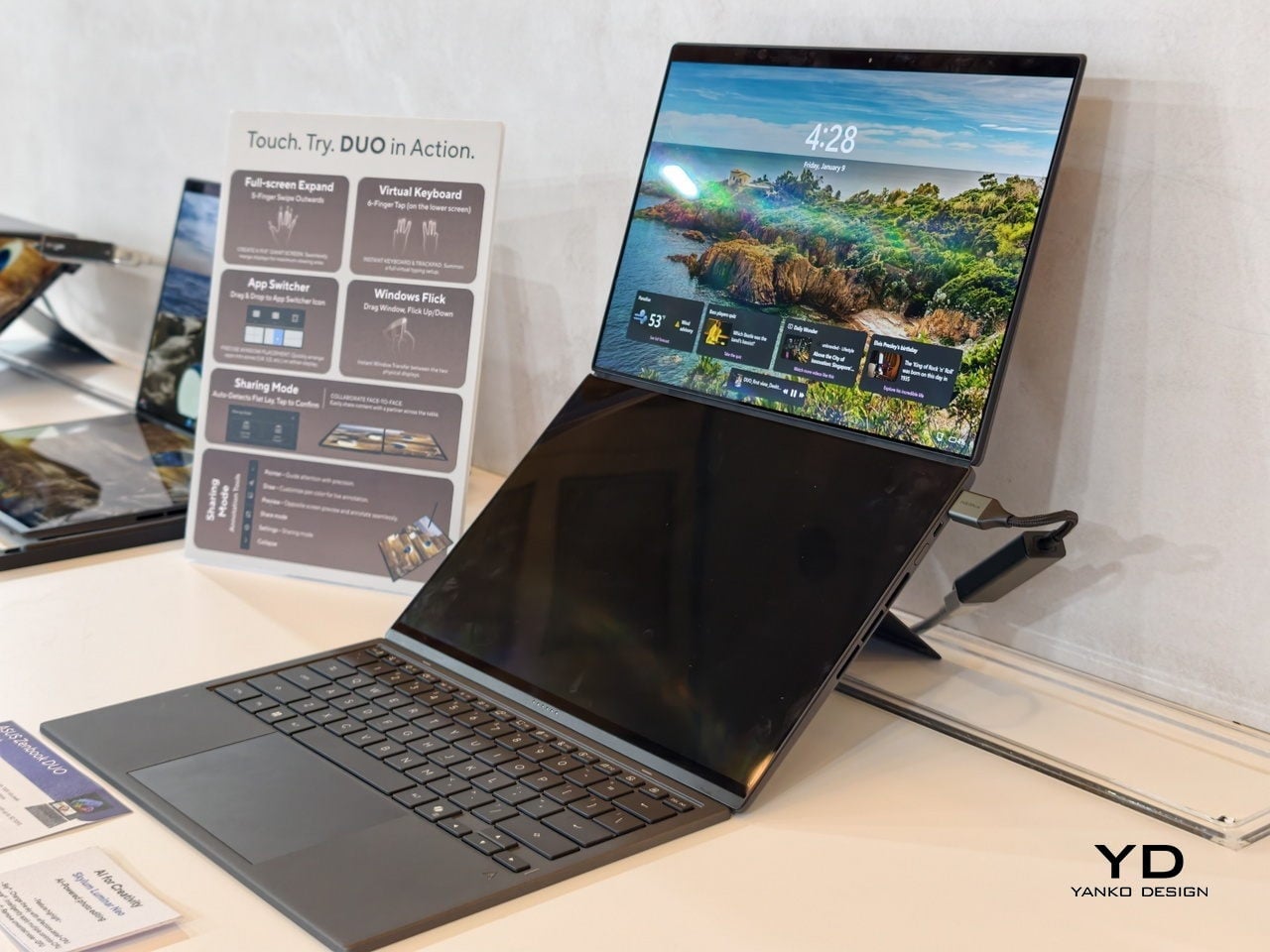
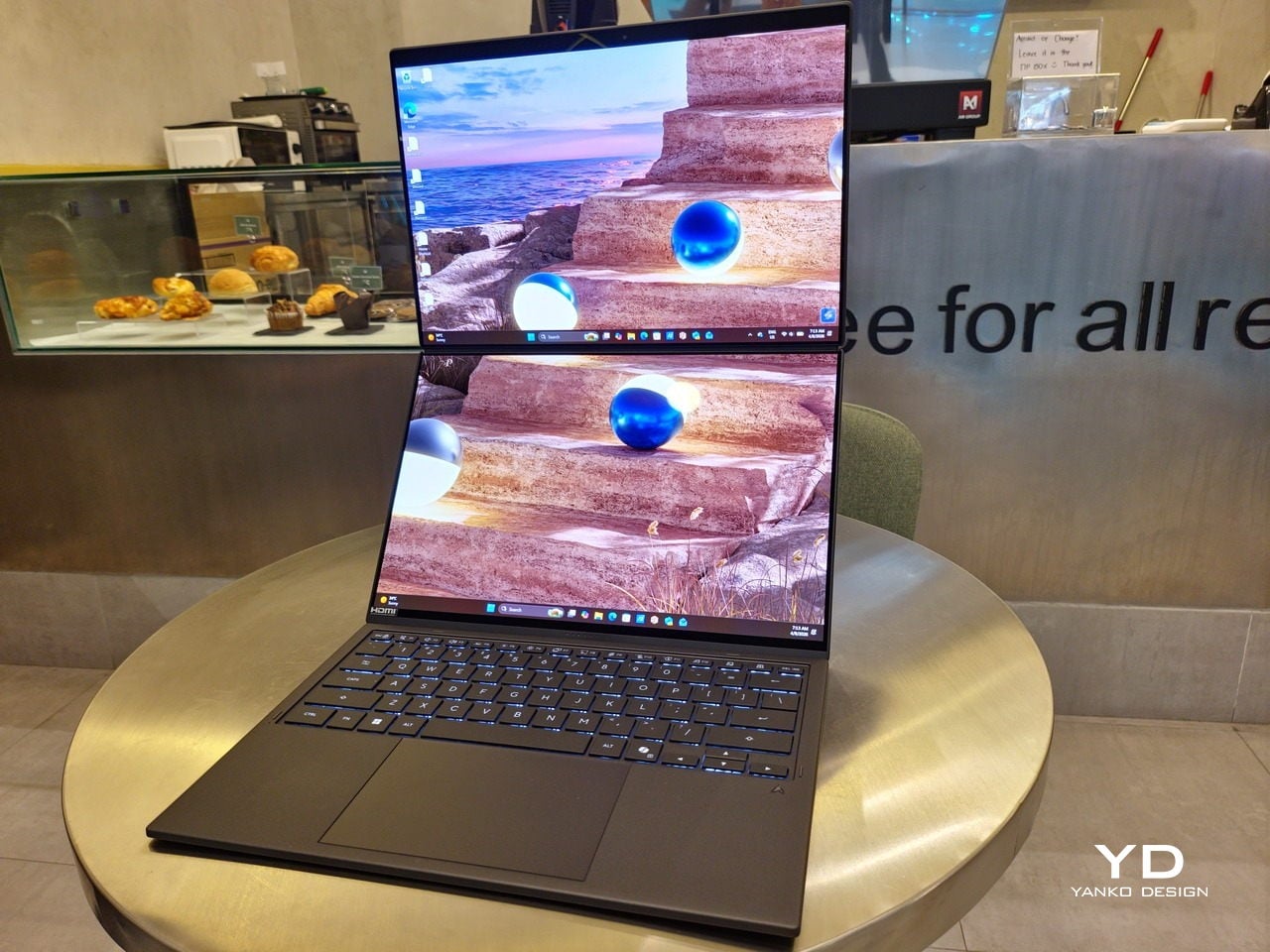
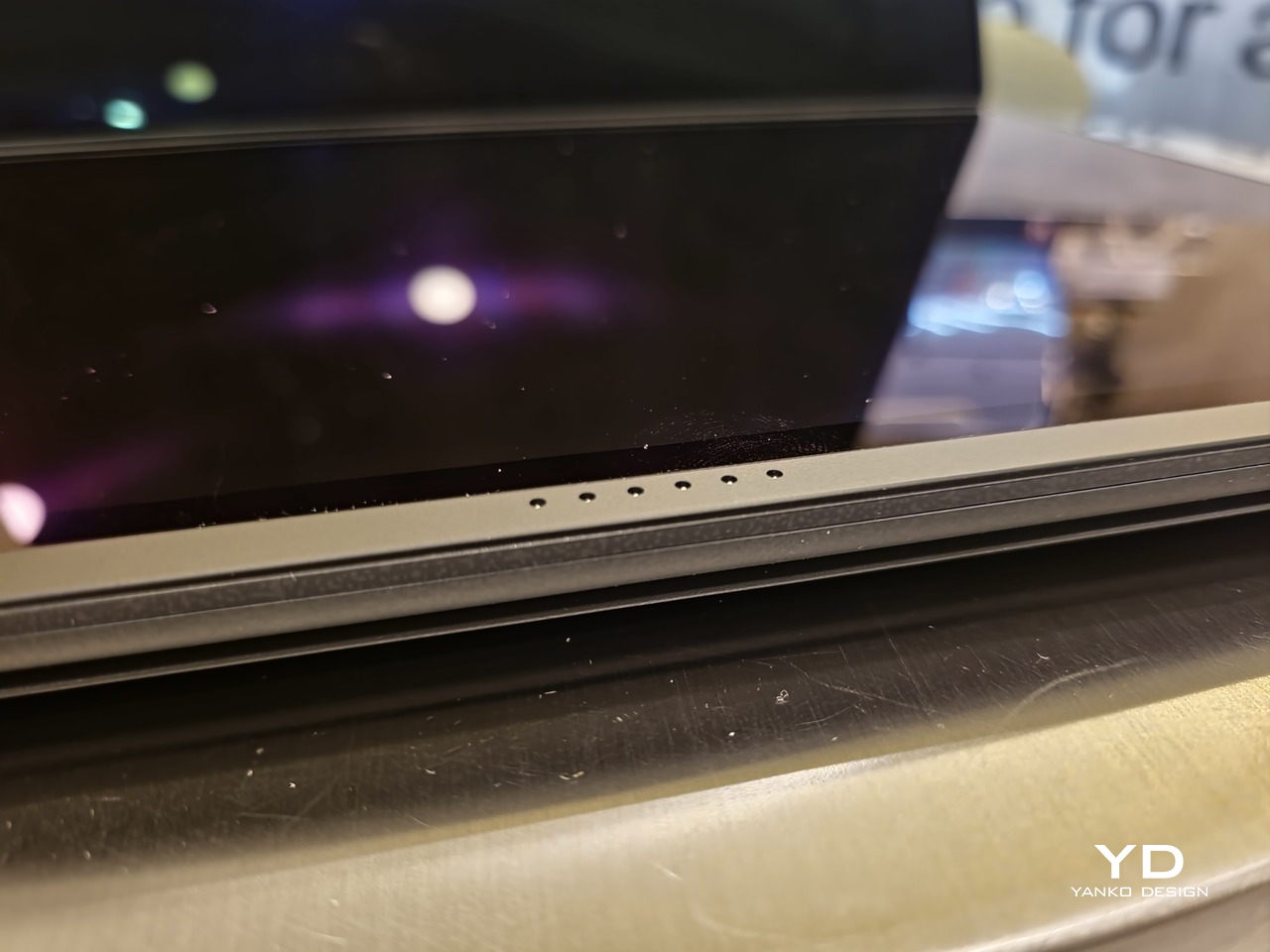
Of course, the real show happens when you open the laptop and lift the keyboard away, revealing two gorgeous 14-inch screens connected together by a hinge, no messy or awkward cables. For this iteration, ASUS poured its efforts into making that connection look even more seamless, not only by shrinking the bezels between the displays but also by developing a new “hideaway” hinge that narrows the gap from 25.31mm down to 7.6mm. Make no mistake, there’s still a very obvious separation between the two, but it is now less jarring, making it feel like you’re working with a screen that just happened to be split into two, rather than two screens stitched together.
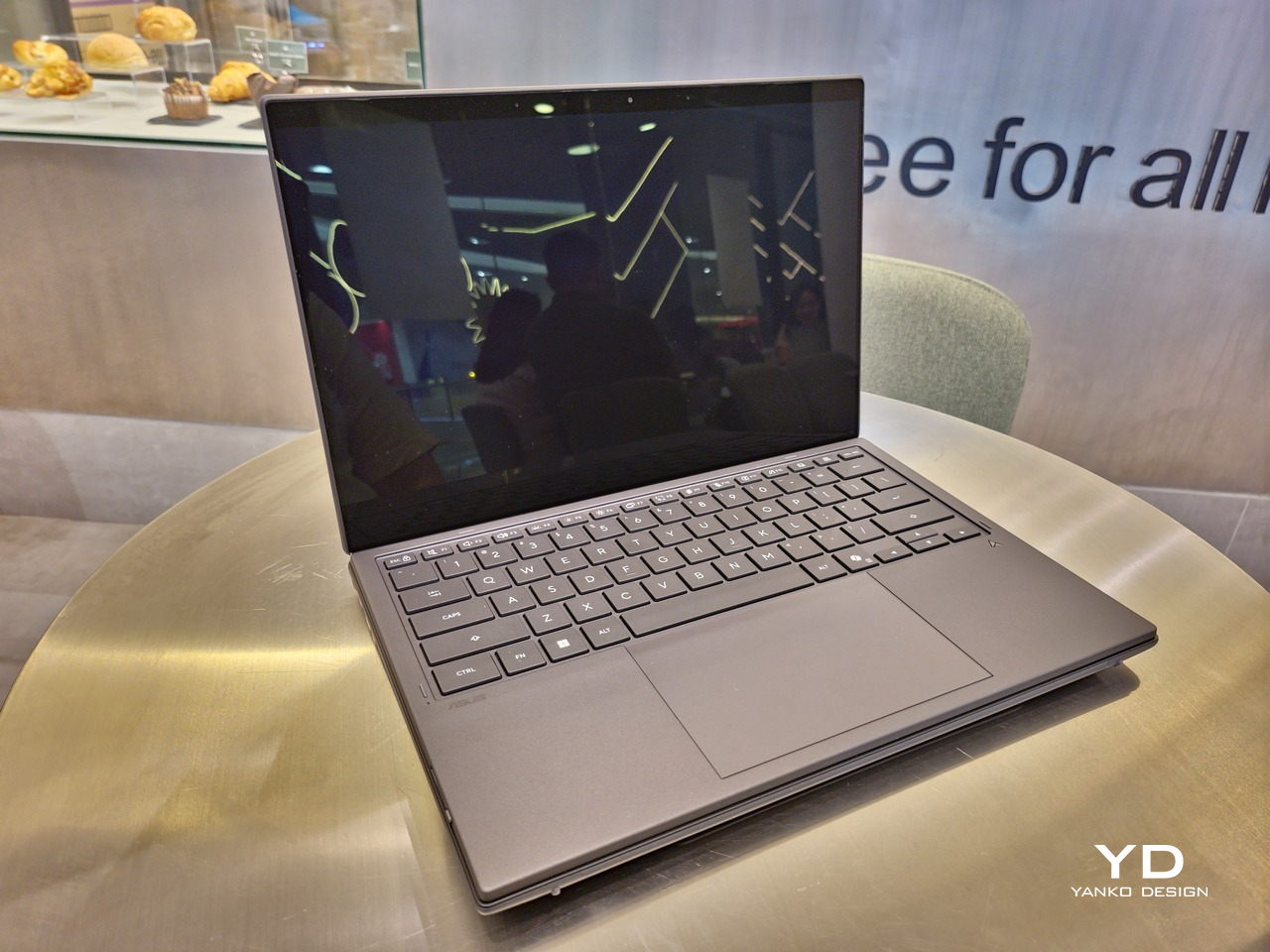
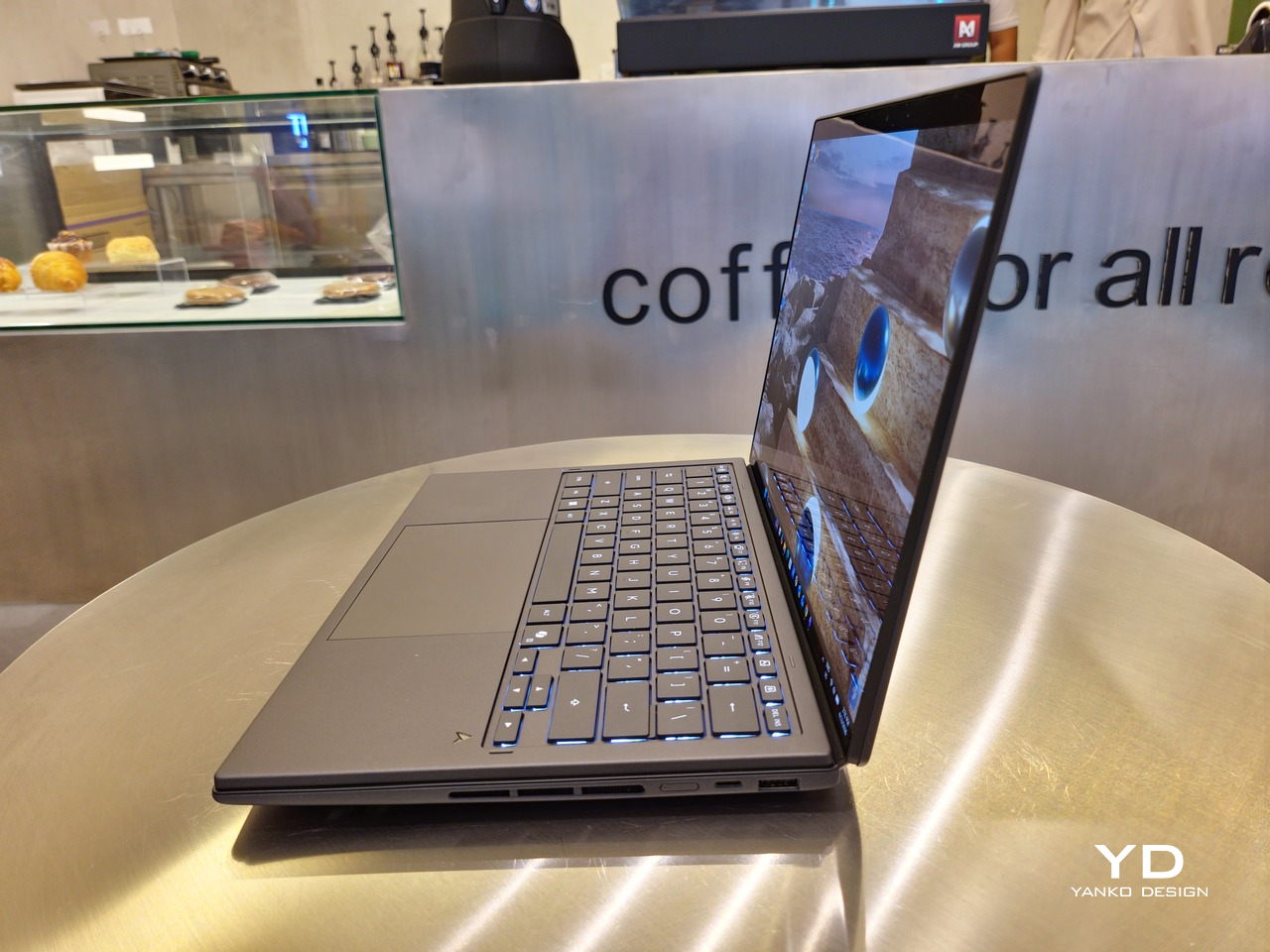
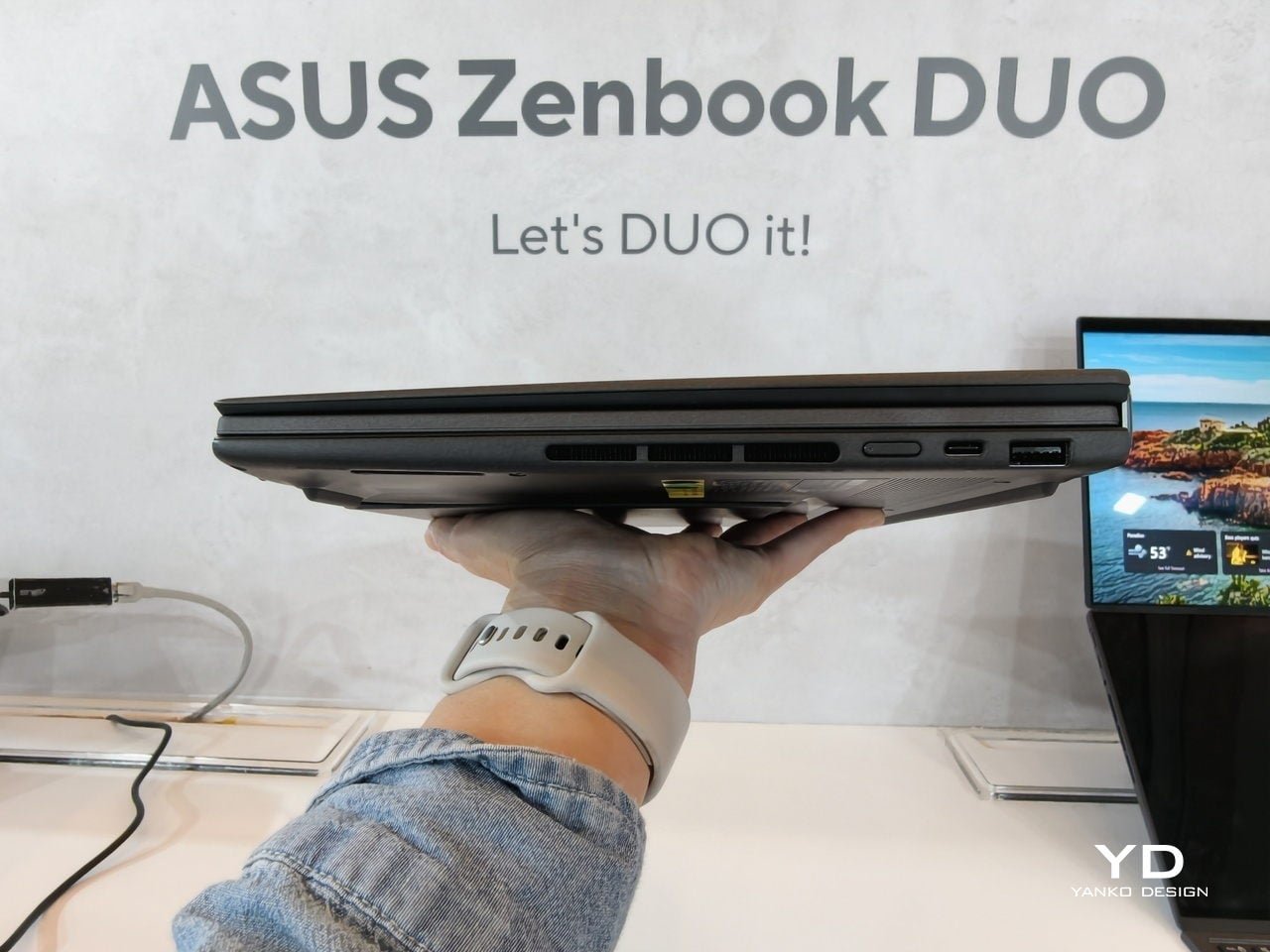
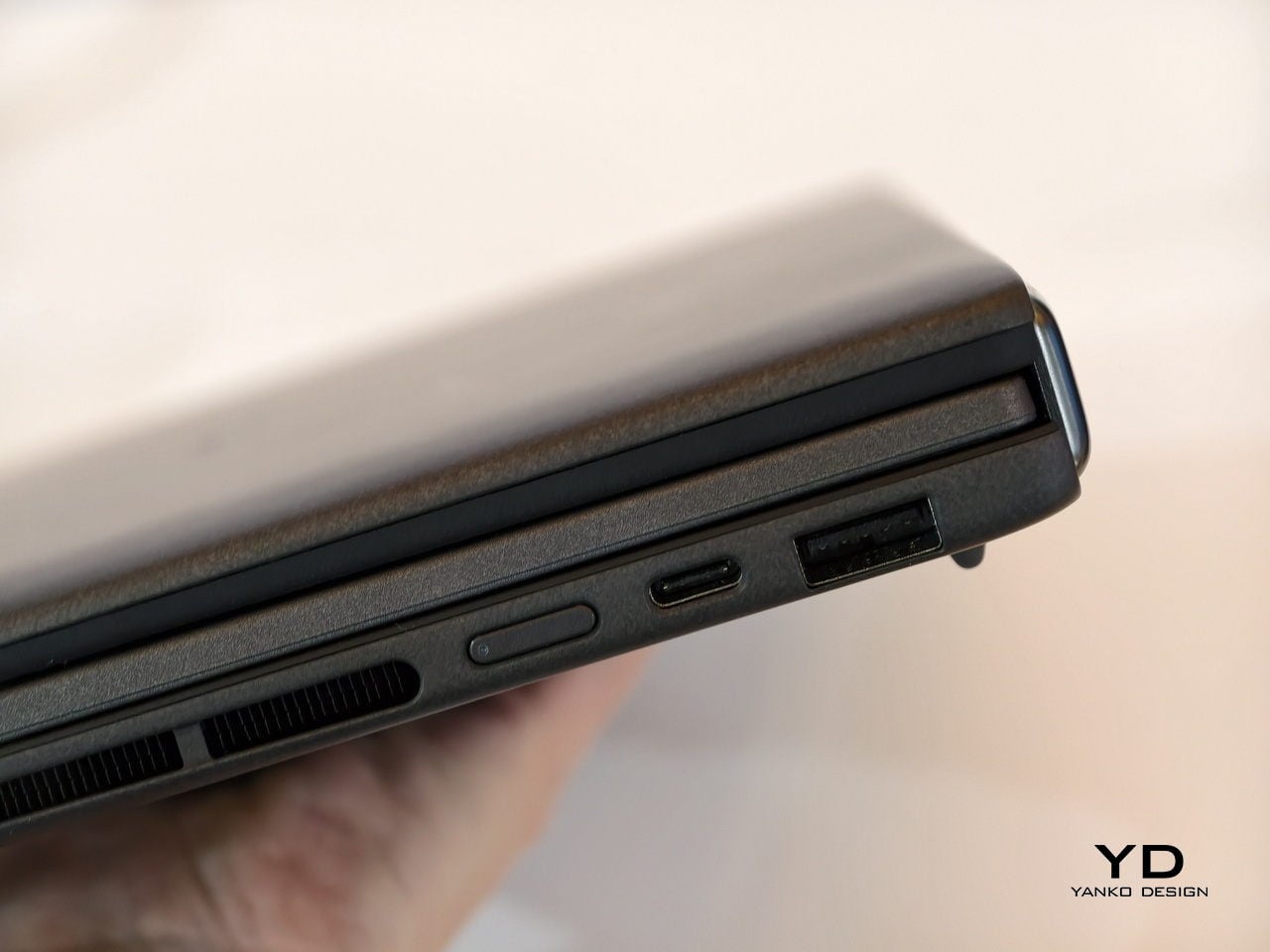
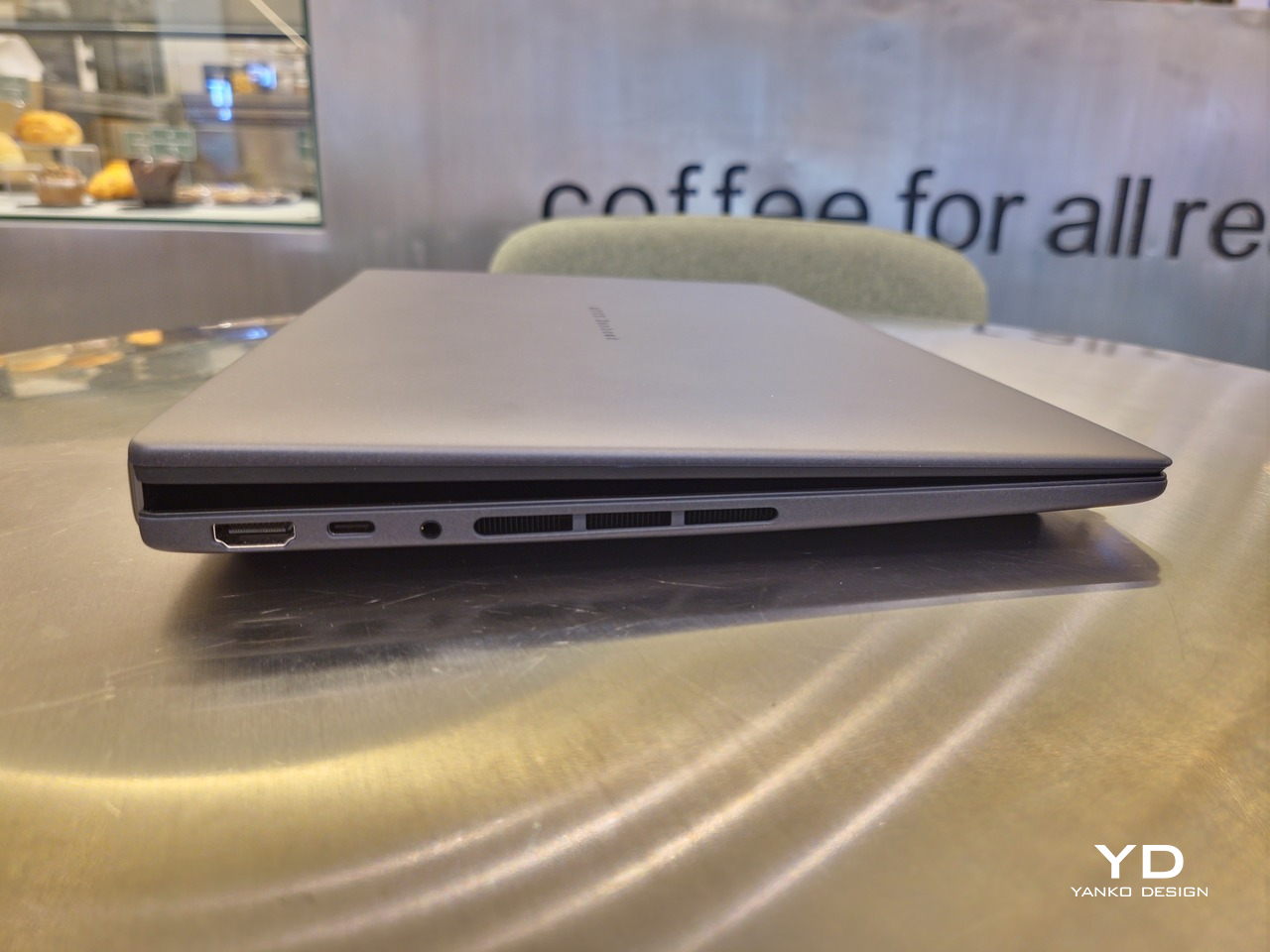
With the detachable Bluetooth keyboard resting on the second screen or when it’s closed, the Zenbook DUO (2026) looks almost like a normal laptop. You have a few (literally) ports on either side along with some air vents, and a wide-long grille at the bottom above the built-in kickstand. Your only clue that this isn’t a normal laptop is when you accidentally close the laptop lid without the keyboard attached, creating a very noticeable gap that, unfortunately, would also be an open invitation for small items to come in and scratch the screens.
Ergonomics

At 1.65kg (3.64lbs) with the Bluetooth keyboard attached, the ASUS Zenbook DUO (UX8407) isn’t exactly lightweight compared to other 14-inch laptops in the market, at least the non-gaming kind. That said, it’s not exactly on the heavier side either, especially when you consider that you’re carrying two 14-inch screens, not to mention a 99Wh battery, in a single bundle. In that context, it’s actually amazing how much ASUS was able to reduce the heft without cutting corners.
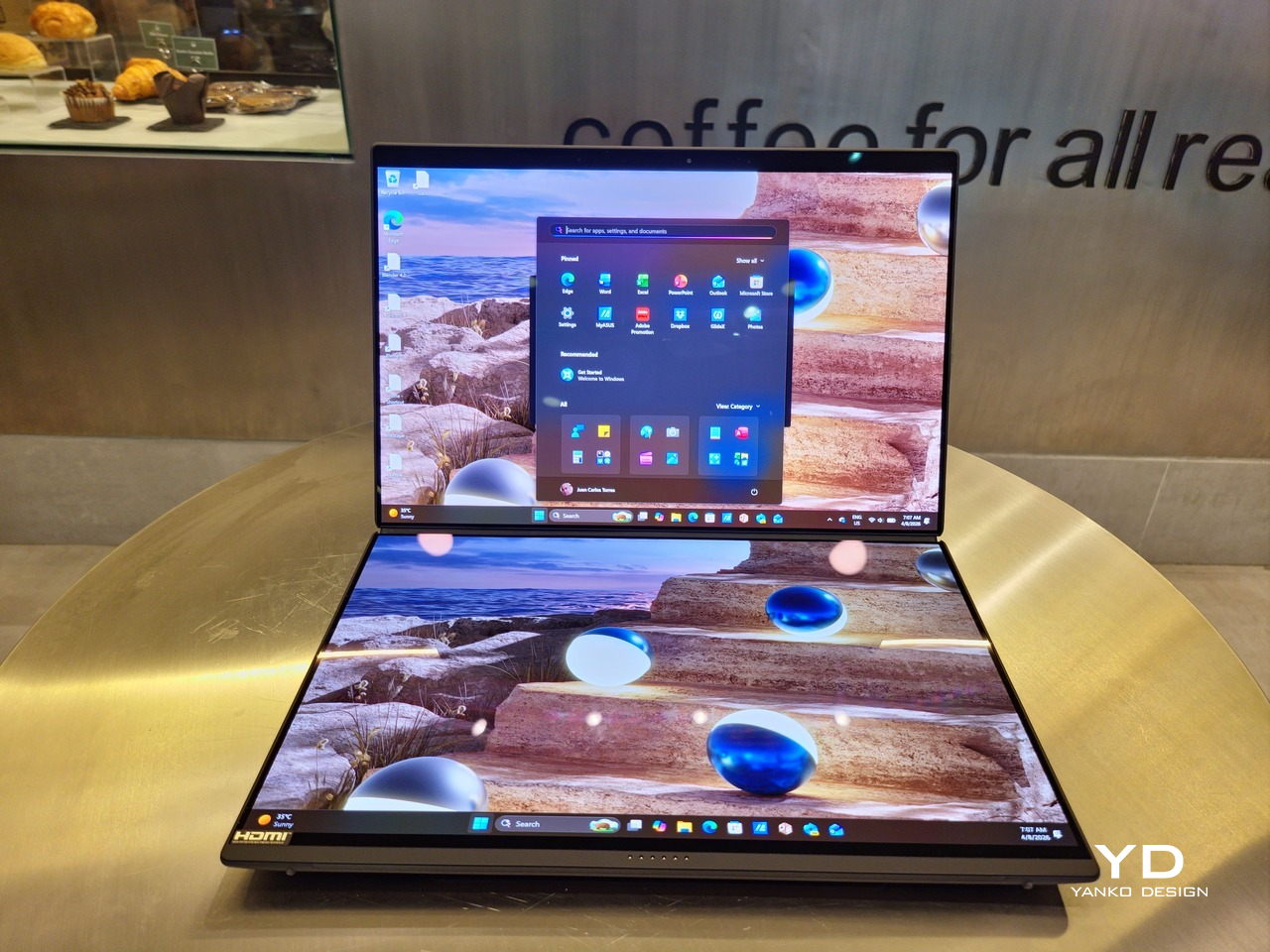
That said, having two connected displays brings its own ergonomics puzzle, something that ASUS seems to have finally solved almost to perfection. You have no less than 5 ways to use the laptop, from a normal laptop to two screens vertically stacked to the side-by-side “desktop mode”. While the hinge does most of the hard work, the built-in kickstand literally carries the burden, supporting that full weight (minus the keyboard) on its own.
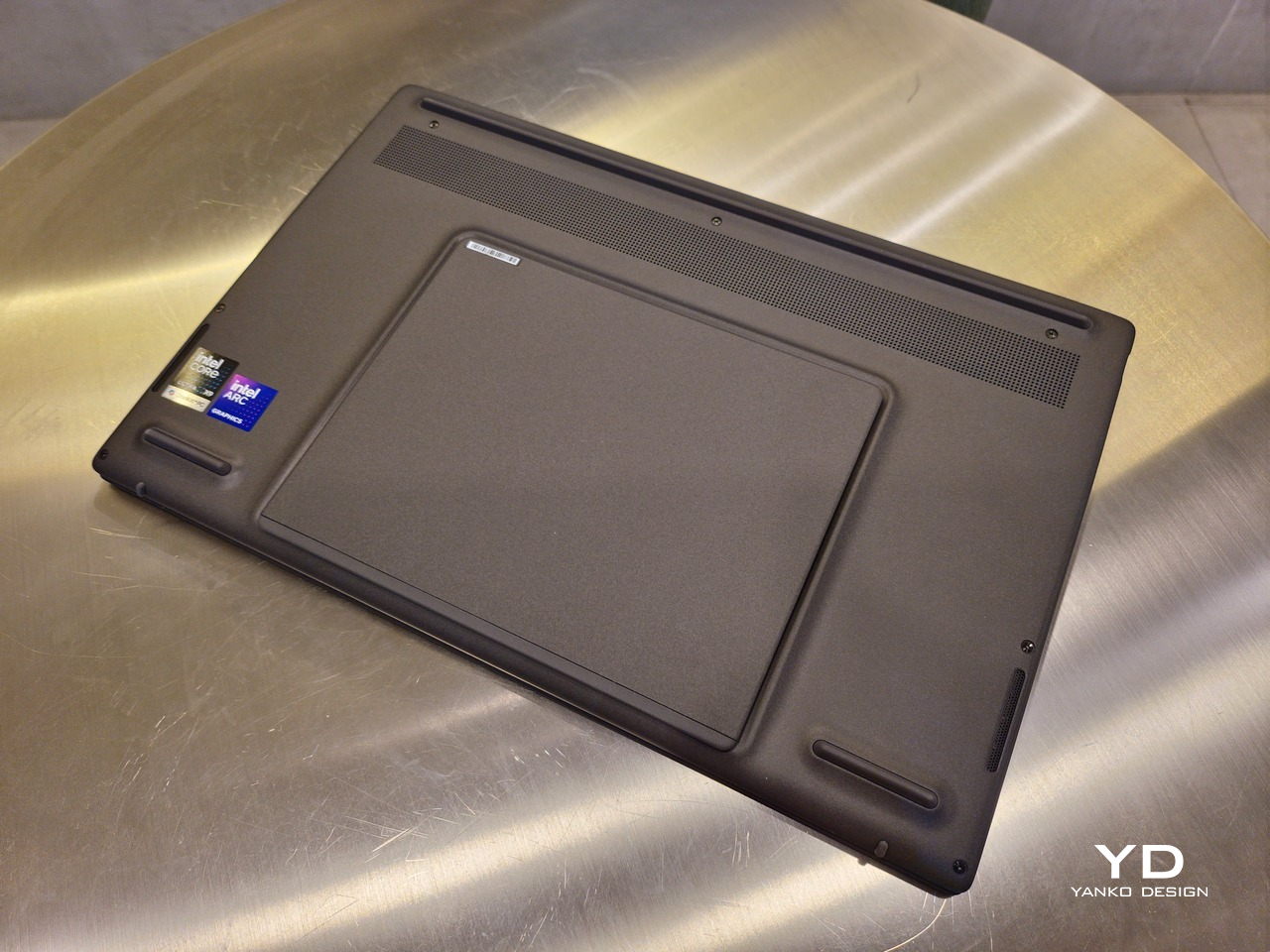
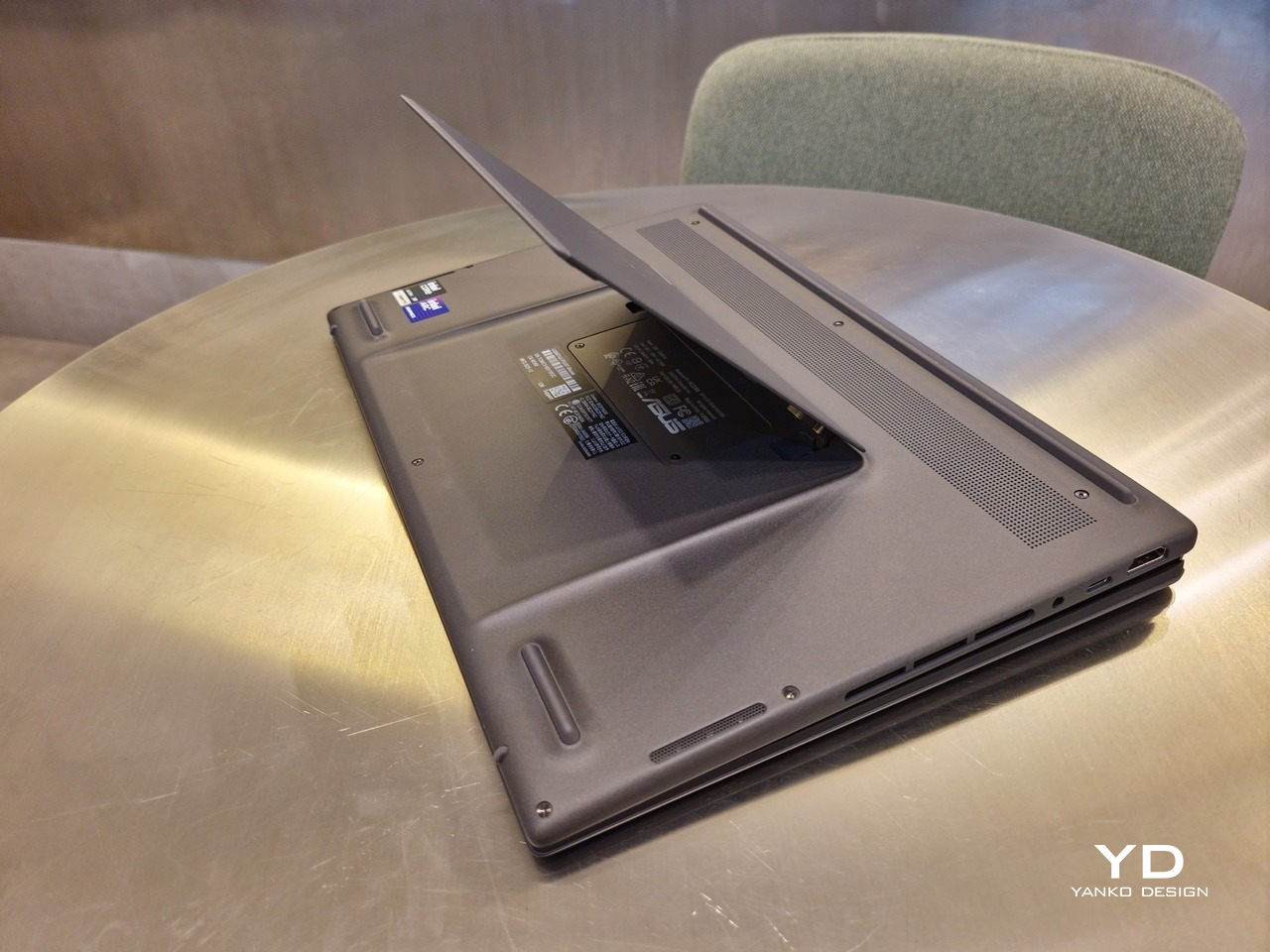
The new kickstand is stronger, sturdier, and stiffer, providing confidence it won’t just suddenly close down. It can open to a maximum of 90 degrees, which is the angle you’ll need for desktop mode. That said, it also means that you only have possible angle for the displays in that mode, unless you have a separate stand to prop it up, which kind of defeats the purpose of having a built-in kickstand.
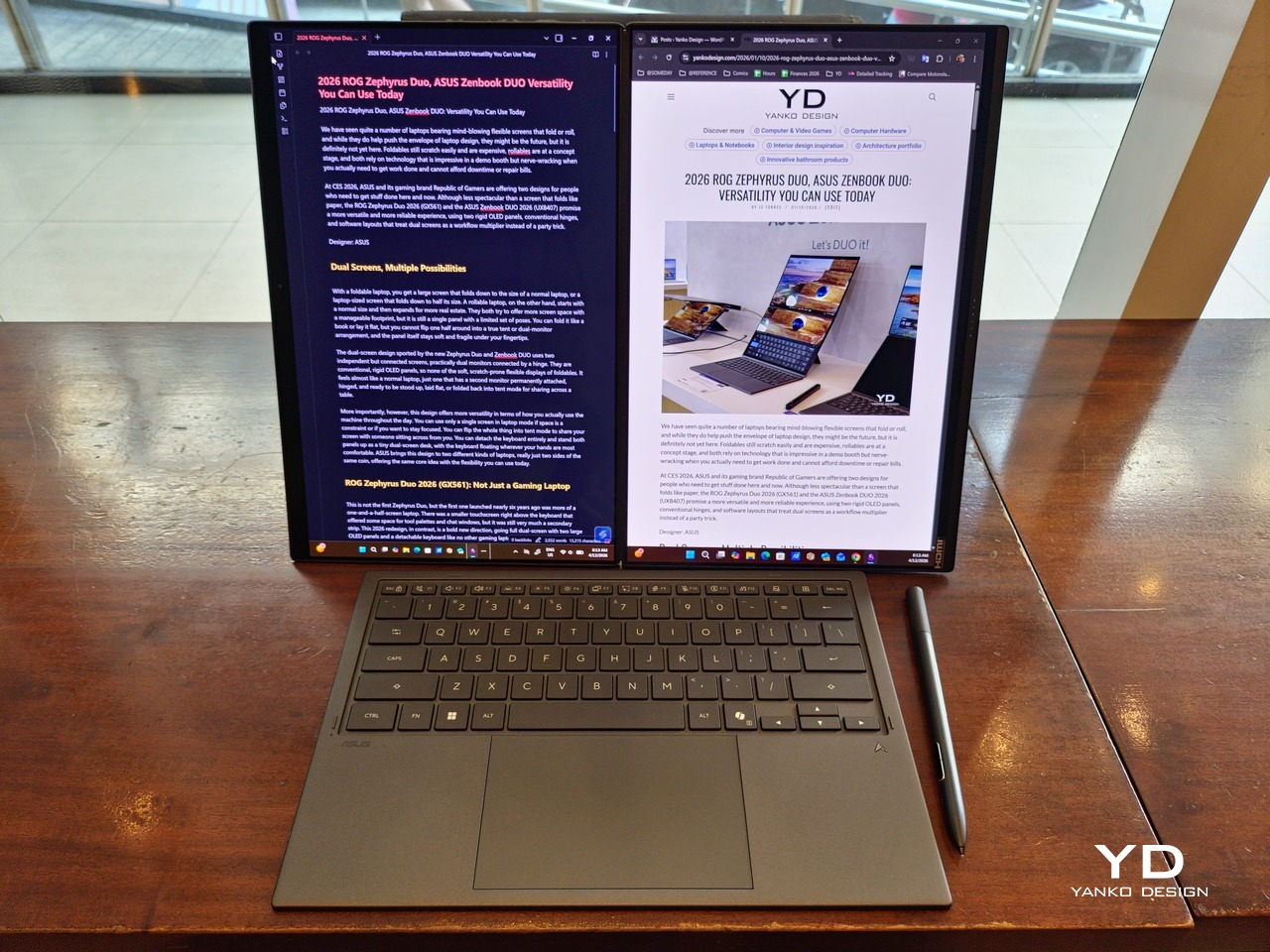
One thing to note in desktop mode is that you will naturally be sacrificing one side of ports. Thankfully, you can turn the Zenbook DUO (2026) which ever side up, whether you need an extra HDMI and headphone jack, or an extra USB-A port. Thankfully, both Thunderbolt 4 ports are equal in capabilities, so you don’t have to make a sacrifice on that end.
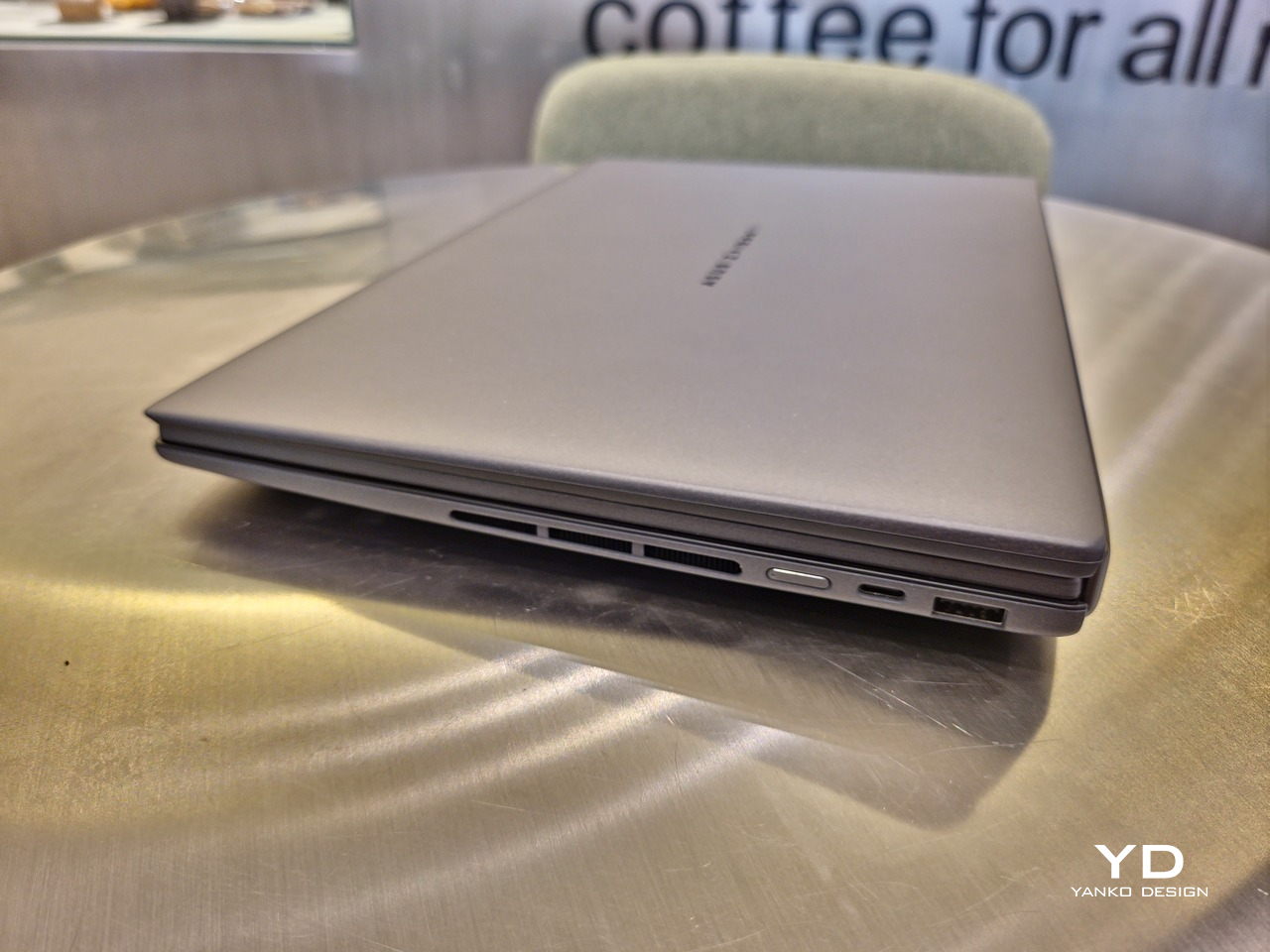
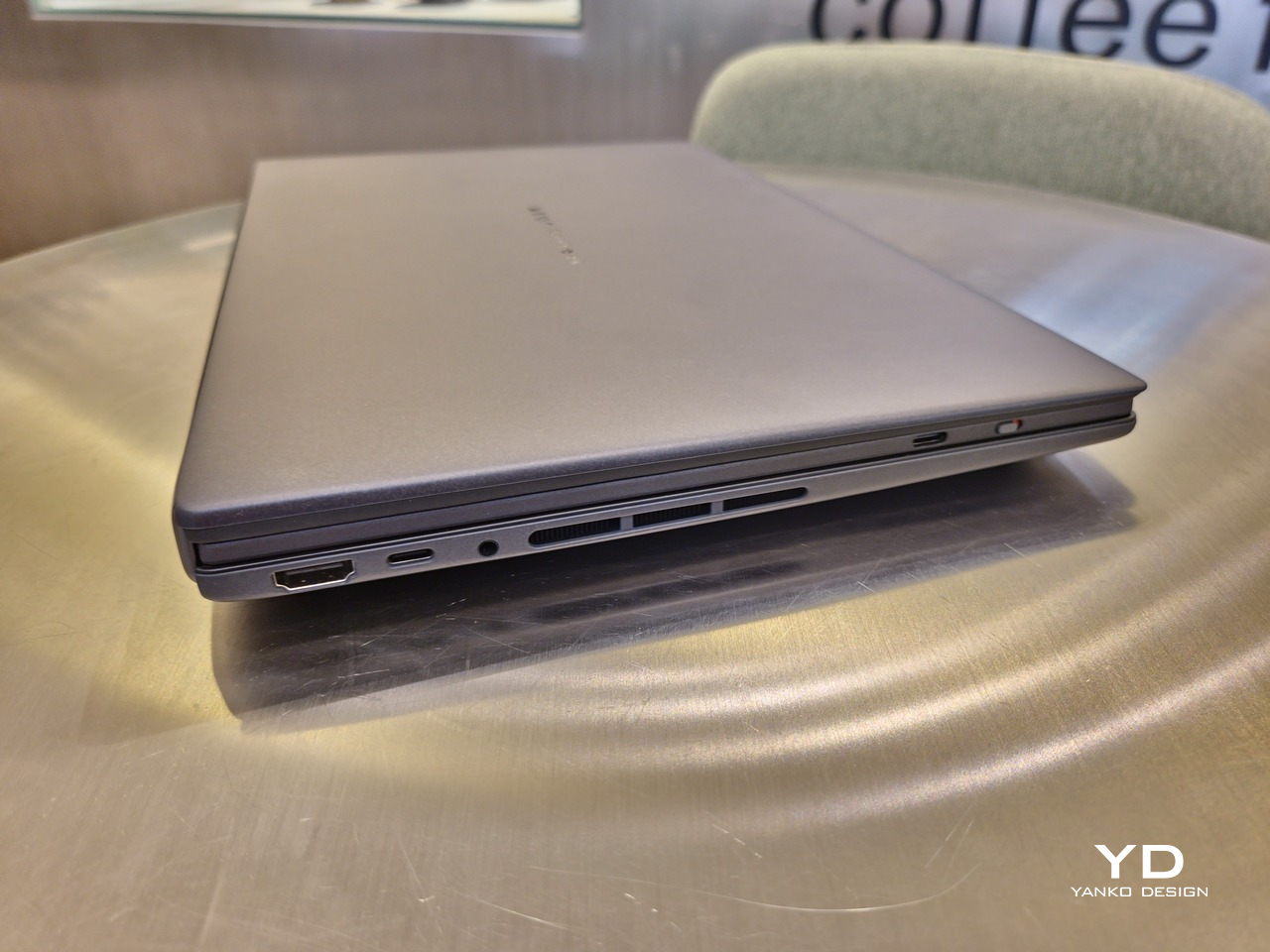
If there’s one thing I found a bit cumbersome in the Zenbook DUO’s design is that the power button sits so flushed against the frame. On the one hand, that means it won’t snag with anything in your bag, nor will it get triggered accidentally. On the other hand, it also makes it harder to locate it without looking or fumbling with your finger sliding across the edge repeatedly.

Performance

The ASUS Zenbook DUO (UX8407) is one of the early laptops to embrace Intel’s new Panther Lake chips, specifically the Intel Core Ultra 3 series. The dual-screen laptops comes in two options, one with an Intel Core Ultra 7 355 and the Intel Core Ultra X9 388H. In terms of CPU alone, these already represent a huge leap not just in performance but also in power efficiency, but the latter configuration pulls an even bigger feat.
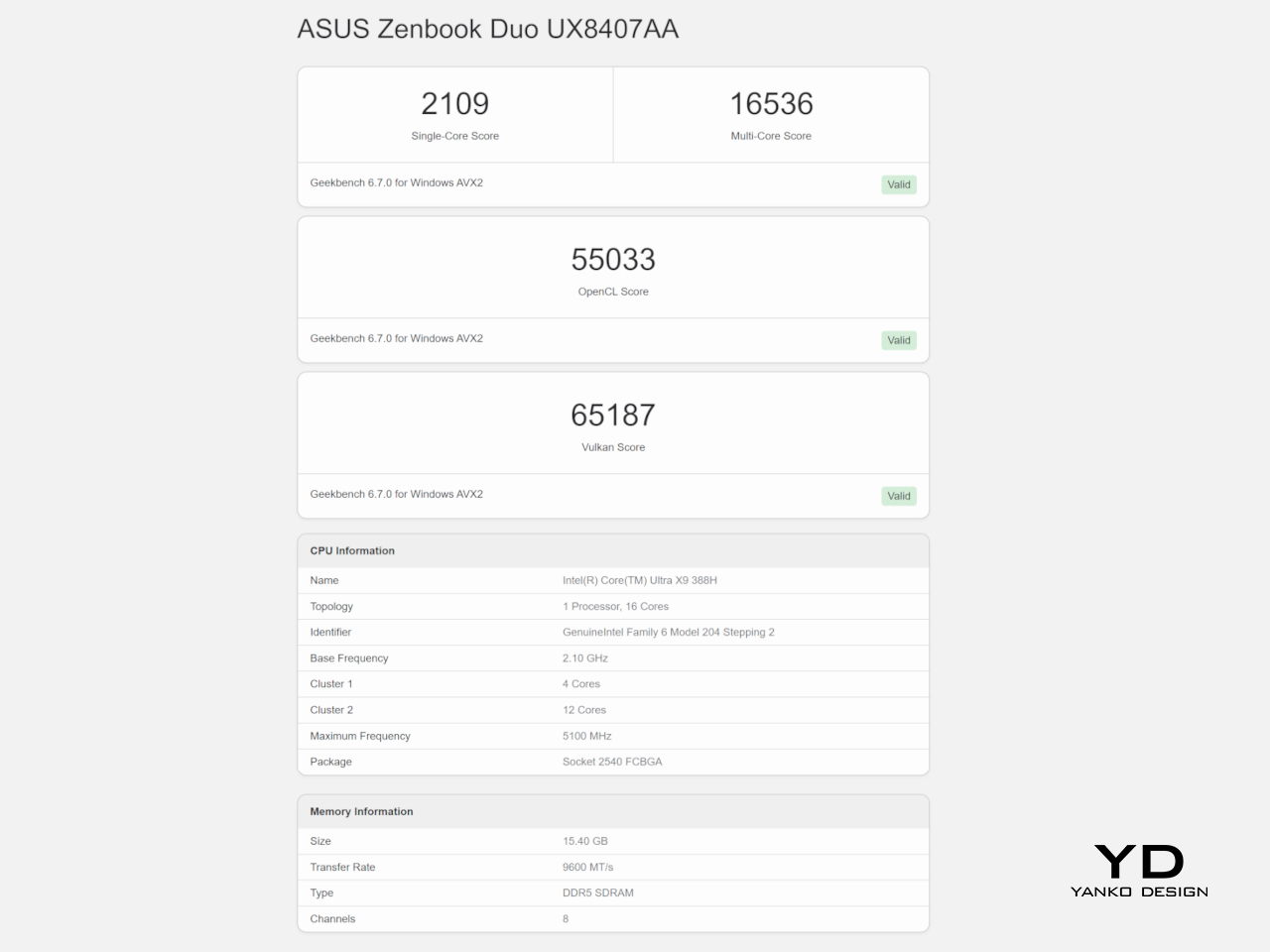
The review unit we received comes with an Intel Arc B390 GPU based the latest 3rd-gen Intel Xe graphics. Forget what memories you might have had of integrated Intel graphics, because we’re entering an era where you can actually play games with decent settings on it. Of course, your mileage may vary and benchmarks can only provide some general idea, but that all these specs mean is that the ASUS Zenbook DUO (2026) is built for serious productivity and creative work.
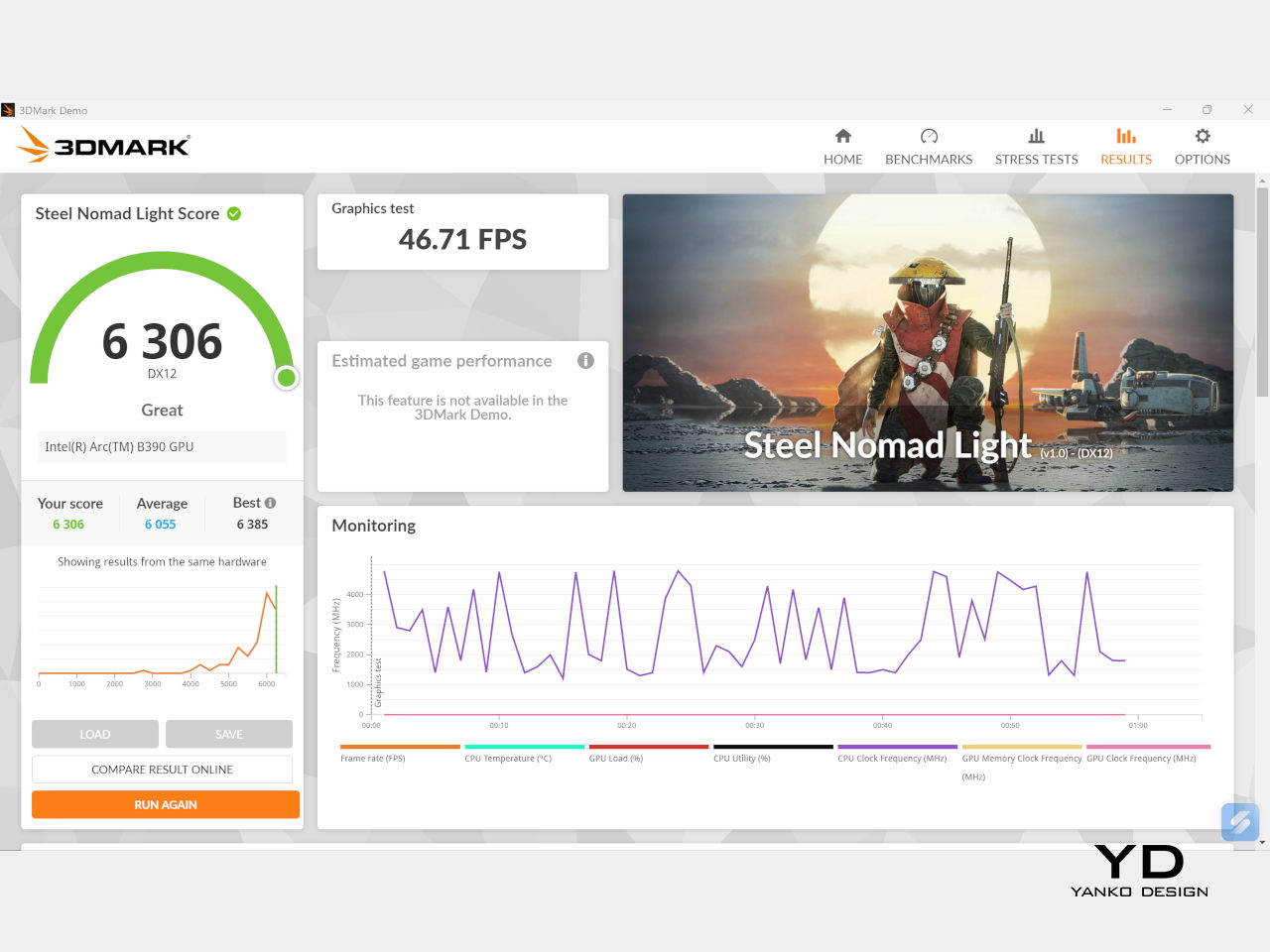
It is, after all, designed for heavy-duty computer users ranging from knowledge workers to creators who need to bring the productivity they enjoy on the desktop to wherever they go. Productivity suites, video editors, graphics programs, 3D modelers, and even games won’t make this flexible laptop break a sweat. And yes, that includes some AI shenanigans, thanks to an upgraded NPU as well.
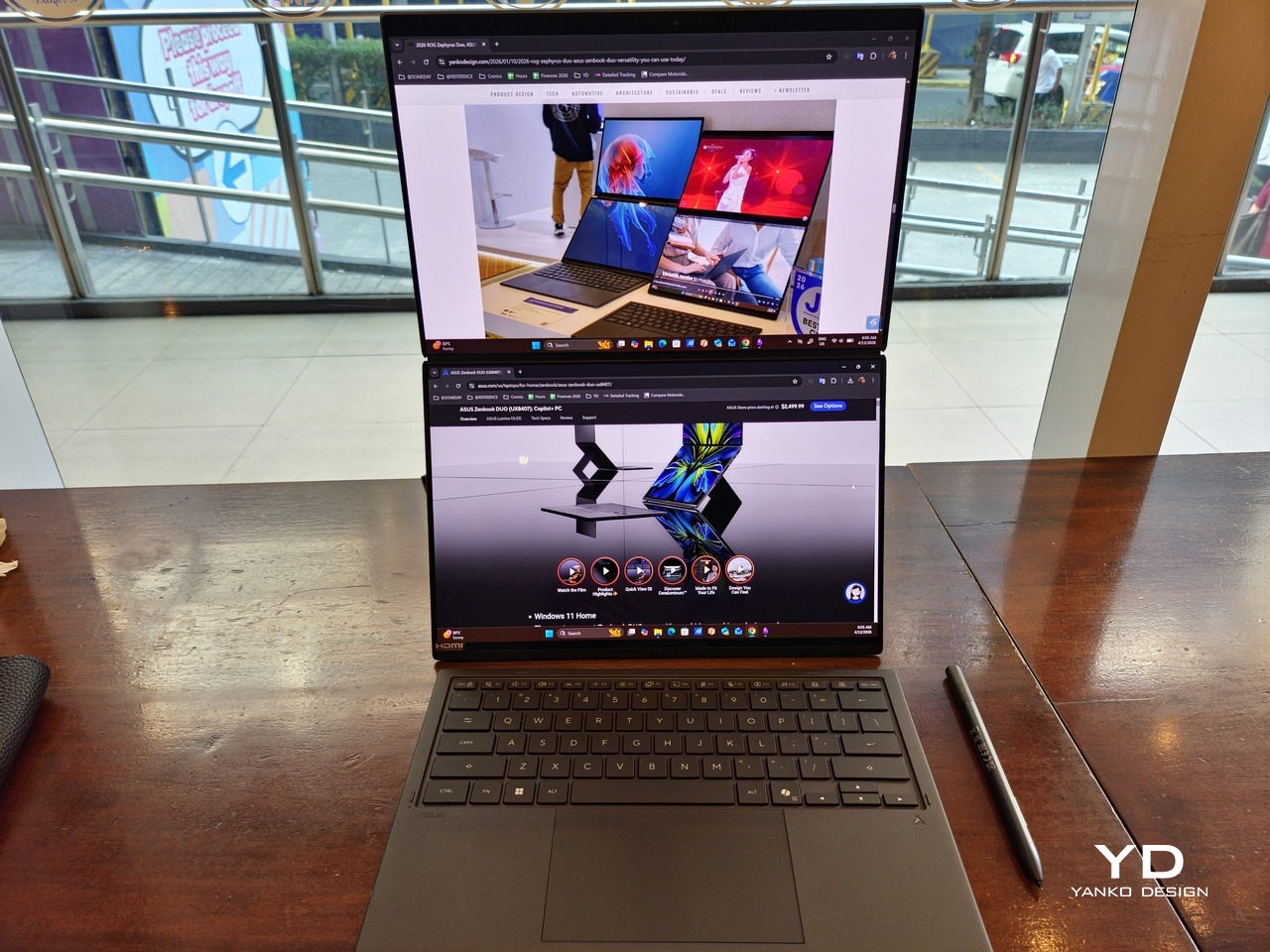
Of course, this also means that it has enough muscle to support running two screens which, by default, is set to extended (versus mirroring each other). The beauty is that these two screens are nearly identical not just in size but also in capabilities, where other dual-screen laptops skimp on the second screen more often than not. We’re talking two 14-inch 3K (2880×1800) 144Hz Lumina Pro OLED displays. Both support touch and, more importantly, both support the ASUS Pen stylus.
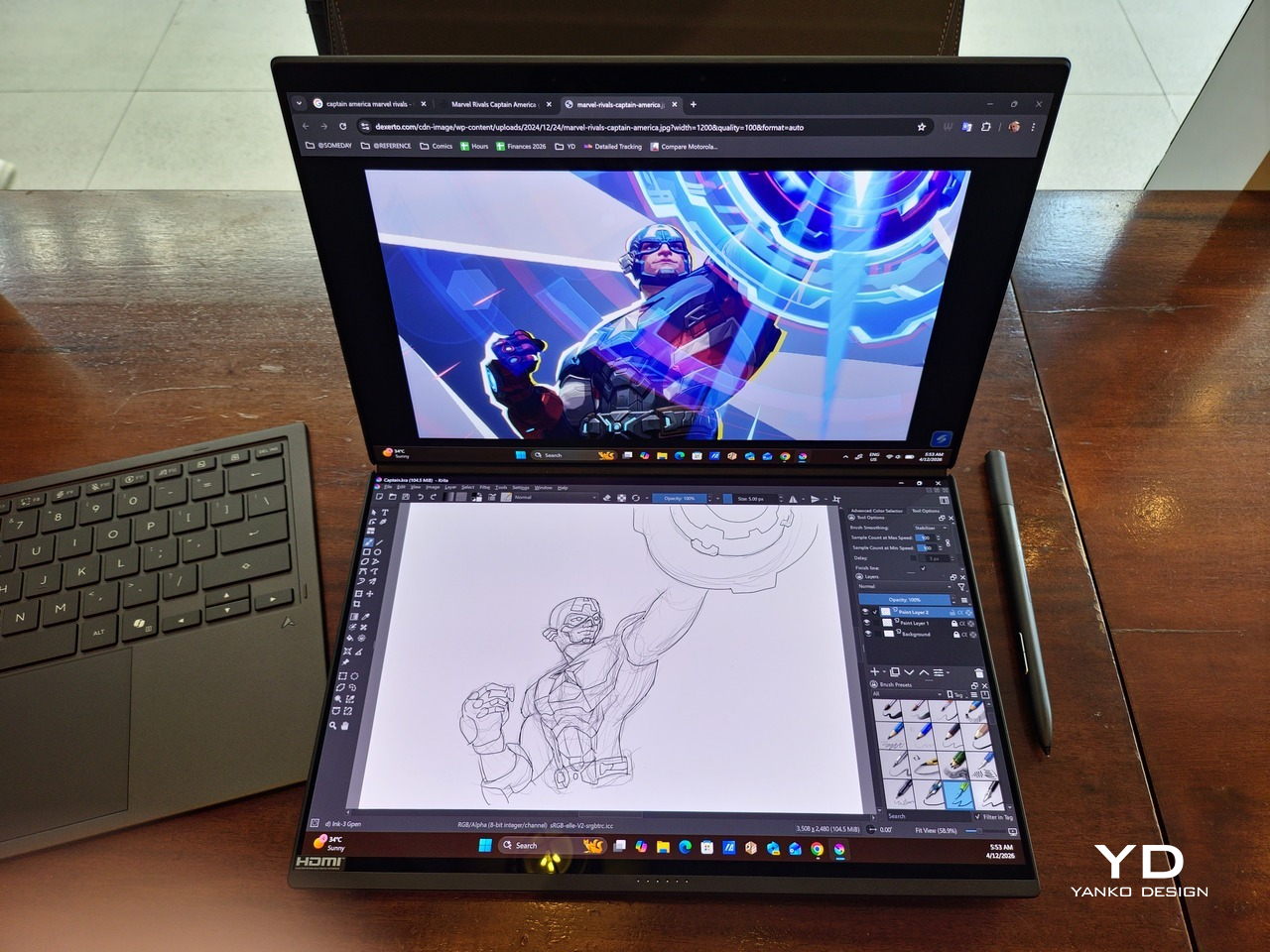
In reality, there are very slight differences between the two screens in terms of full color gamut and maximum brightness, but you won’t notice it too much unless you are actively looking for it. In practice, most people will keep content they’re working on in one of two screens anyway, leaving the other as an auxiliary for references or controls.
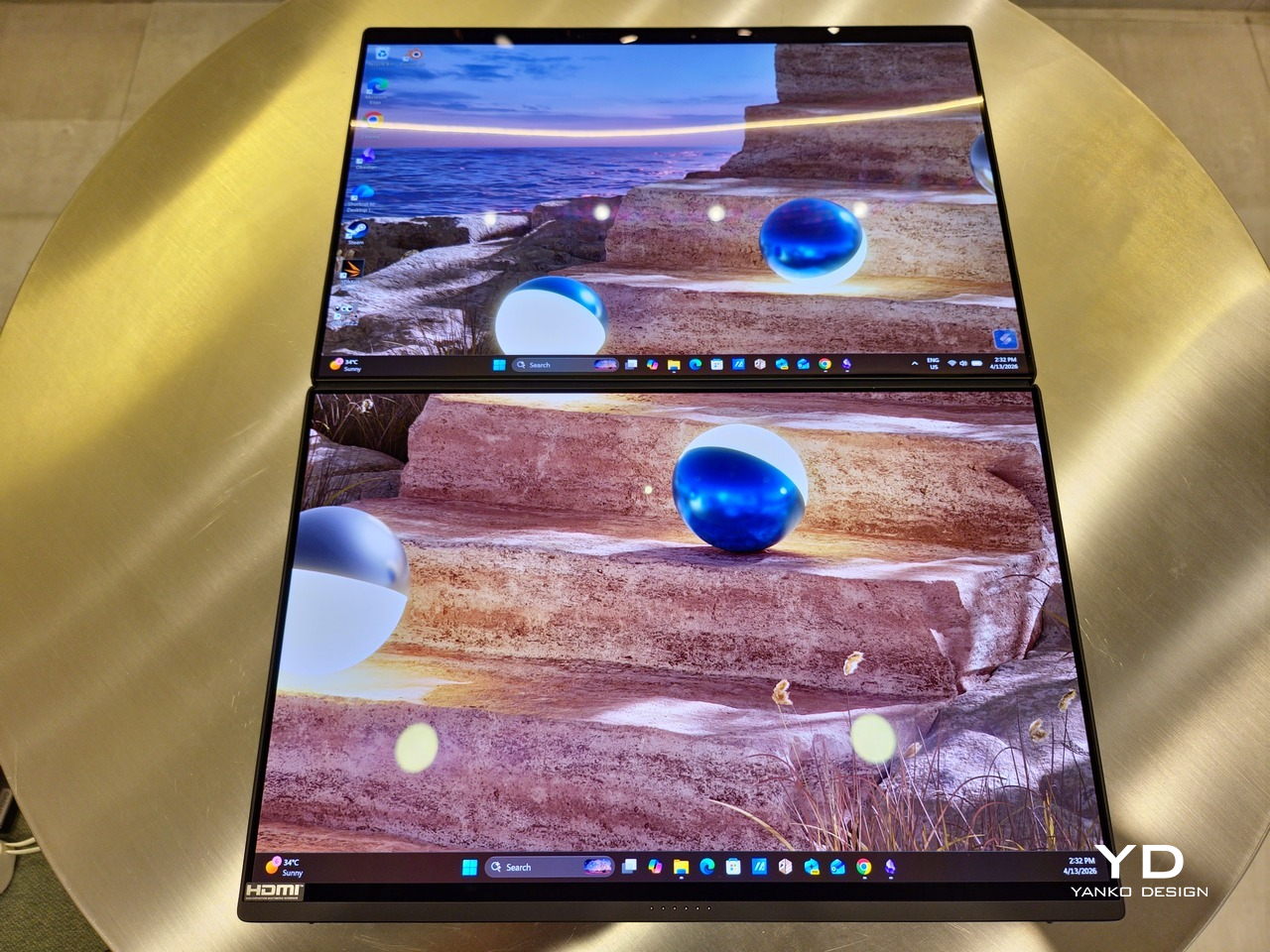
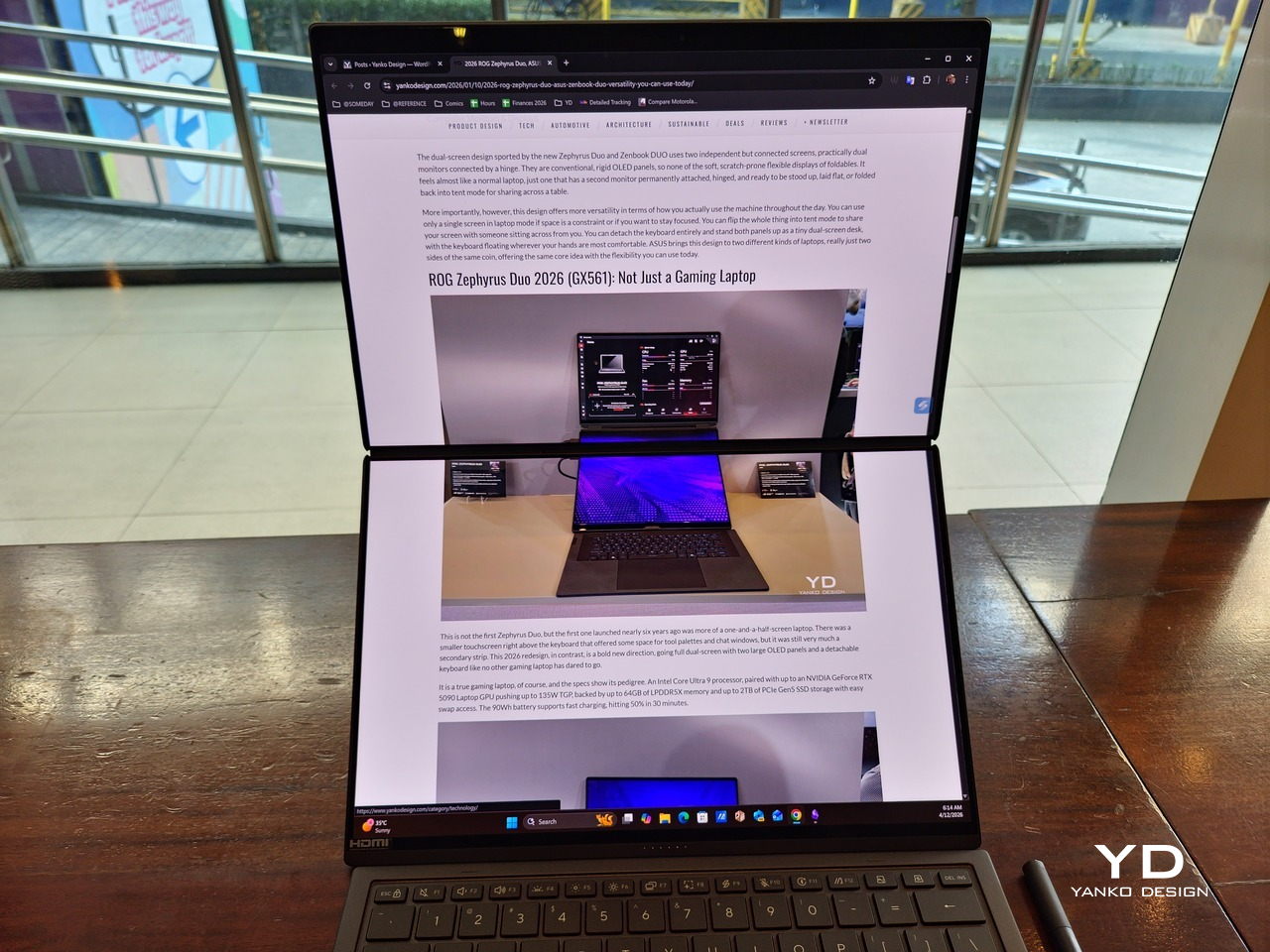
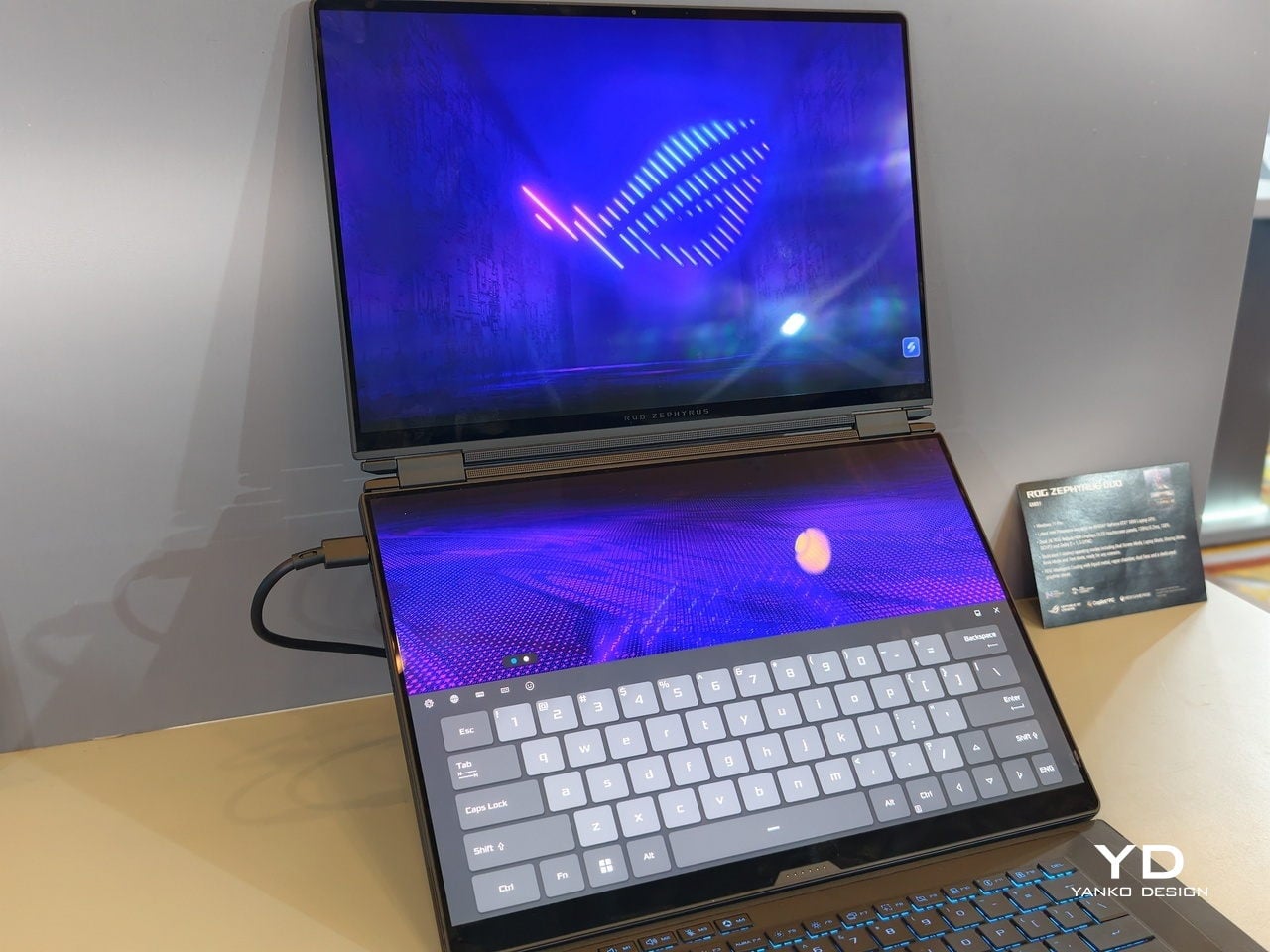
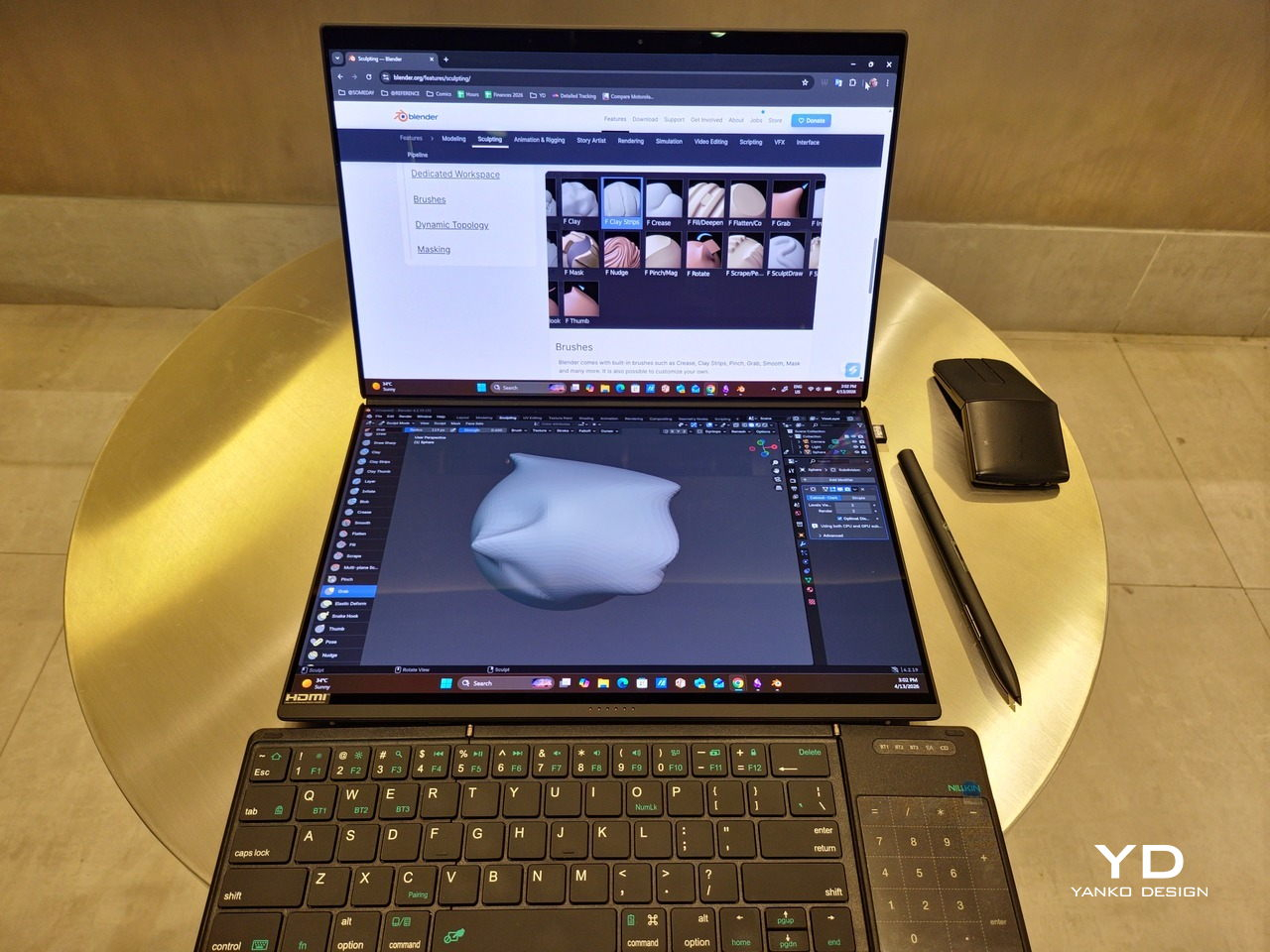
The latter is actually an interesting aspect of this dual-screen laptop, making the Zenbook DUO feel almost futuristic. While it does have a detachable keyboard, there might be times when you want to have more direct access to the lower touch screen without having to switch back and forth with the Bluetooth keyboard at the side. With a six-finger gesture, you can summon a half-height virtual keyboard, a half-height virtual keyboard with a virtual trackpad to the right, or a full-screen keyboard with a large trackpad below it, pretty much like the virtual equivalent of the physical keyboard.
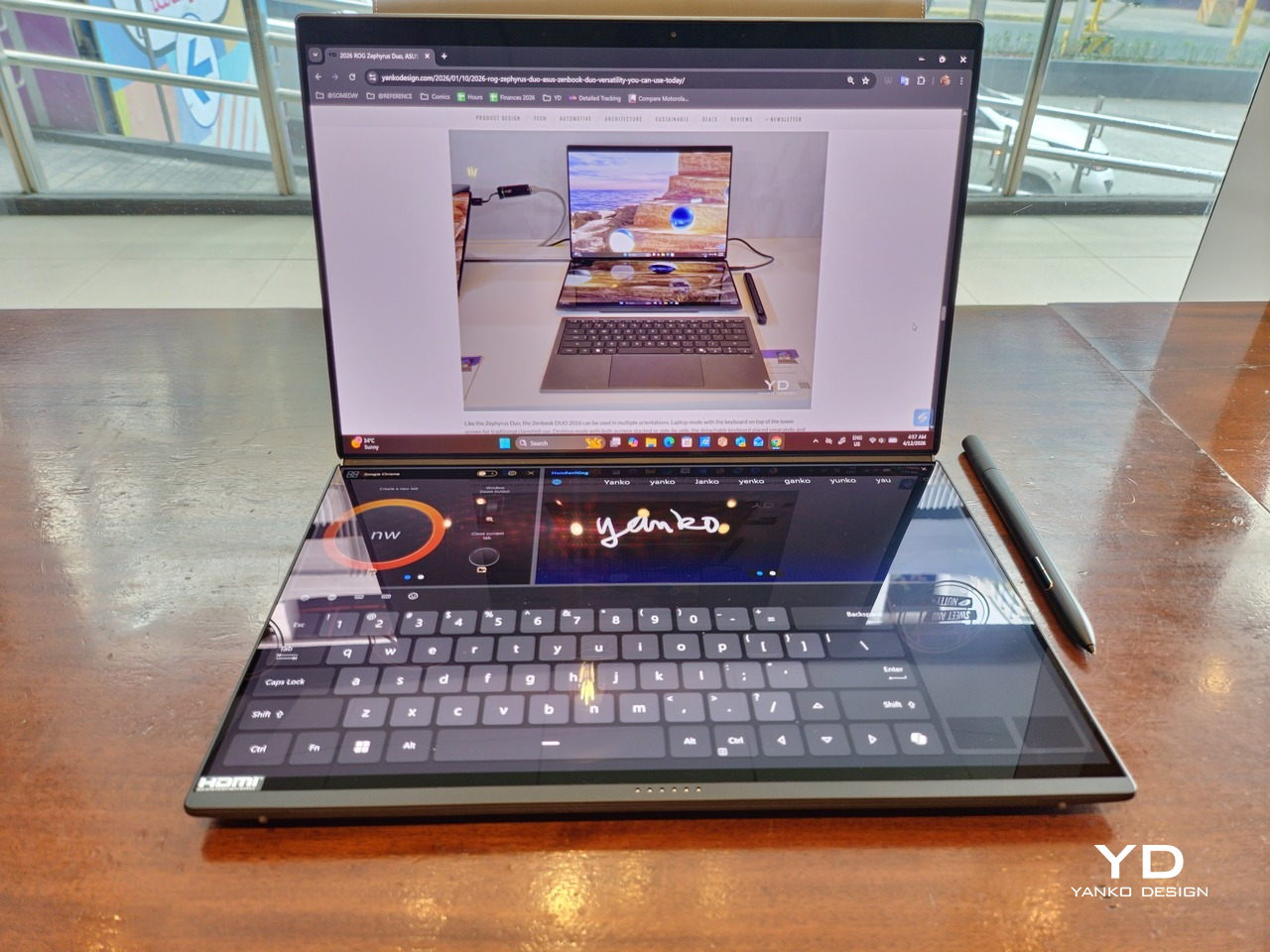
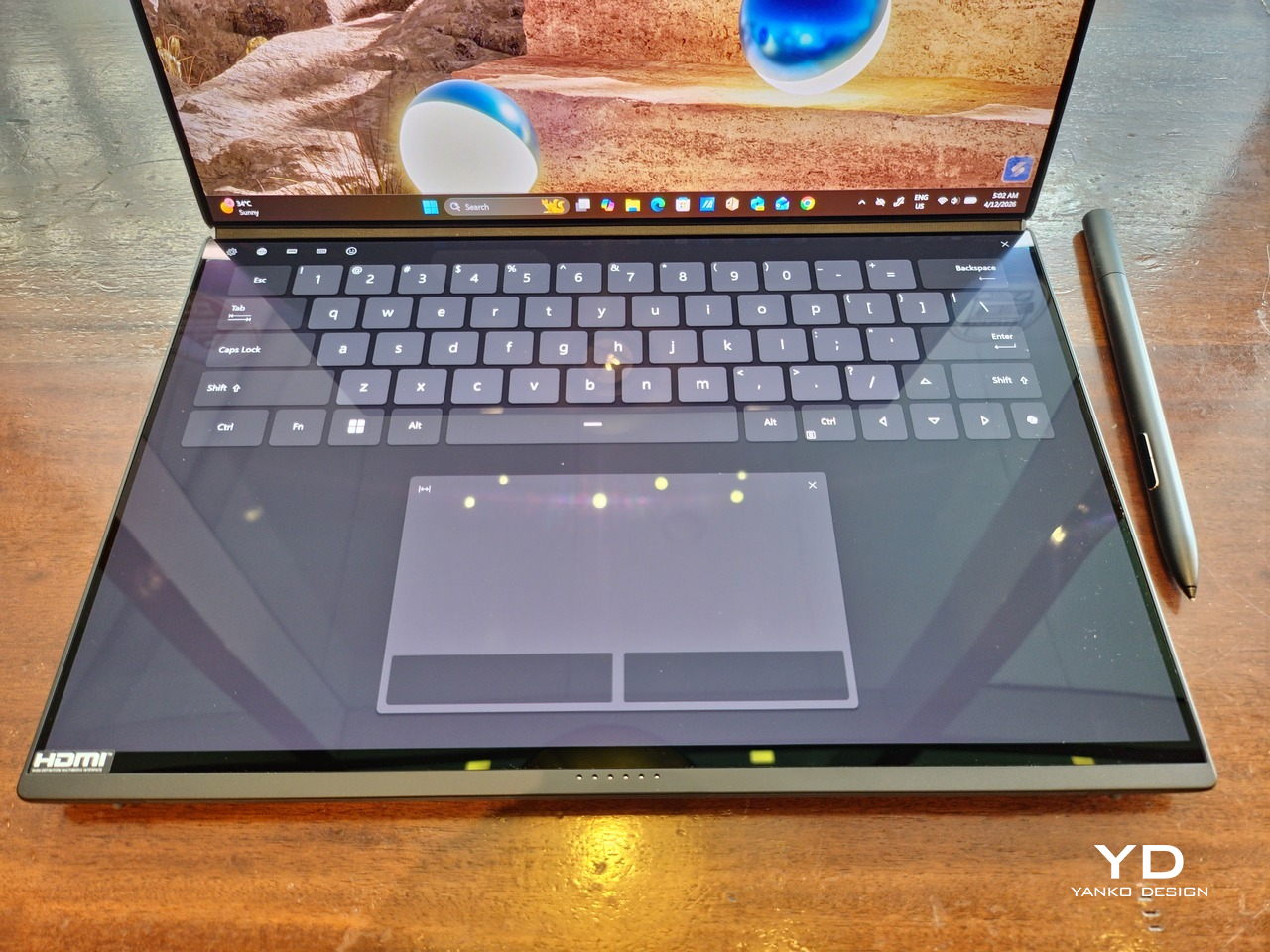
Additionally, you can have other virtual knobs and sliders above the keyboard or as floating windows, thanks to ASUS’s Dial & Control app. These controls, which also include a numpad and an area for writing with a pen, can change depending on what app is currently in focus. With a browser window, it can have a button for a new tab or a dial for zooming in and out. Or it could be a knob for volume and a slider for screen brightness.

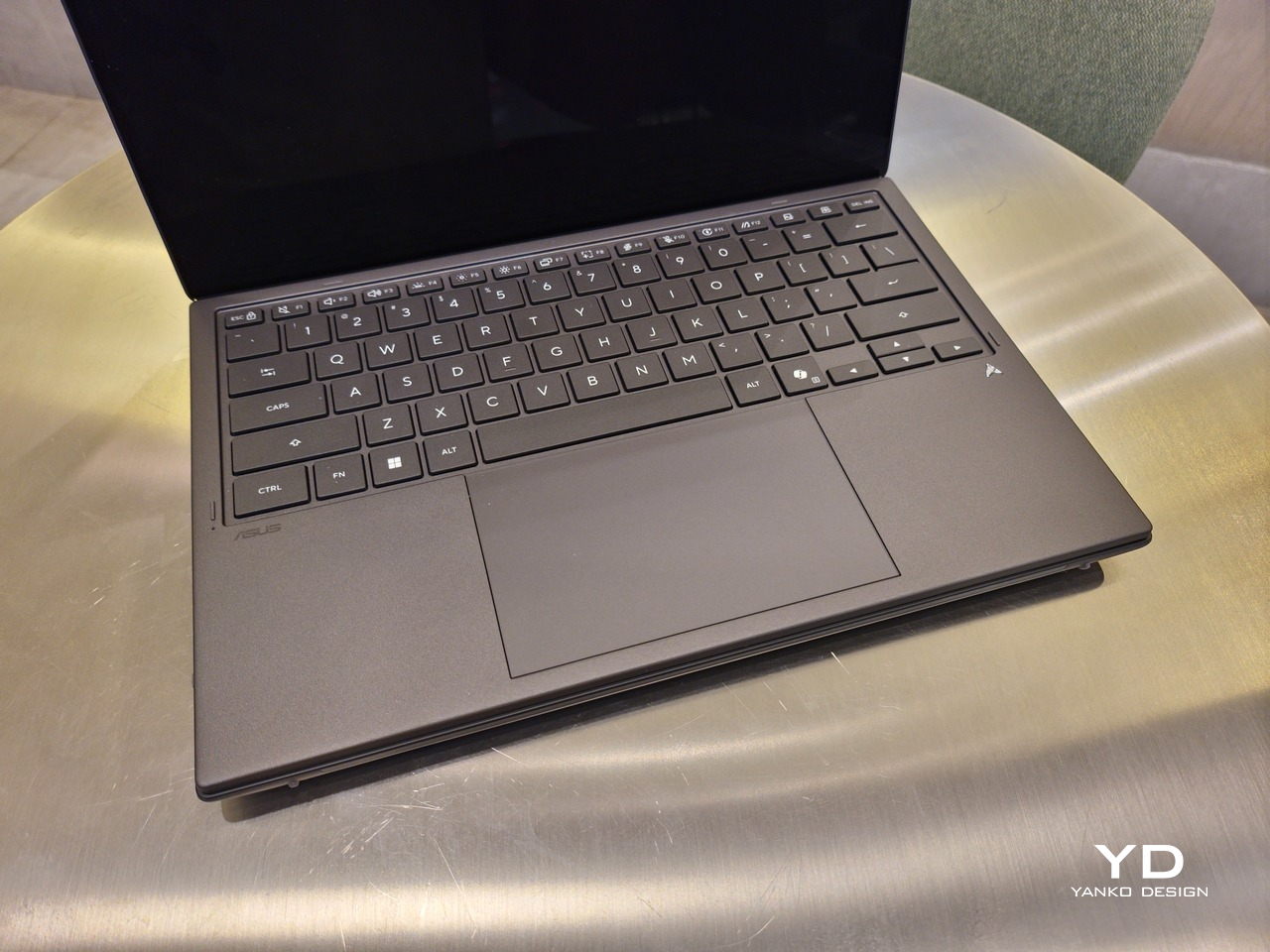
As for the detachable keyboard, it magnetically snaps into place, with retracting pogo pins creating a more stable connection than Bluetooth, though that is the only way to use it when it’s detached. That said, there are no notches or protrusions along the edges of the keyboard, so prying it away from that strong magnetic hold can take a bit of work. The keyboard charges when it’s lying on the laptop, but it can also be charged separately via USB-C. Key travel is decent, but the keys themselves feel a bit squishy. The large trackpad is sensitive, but the hydrophobic coating gives it too much resistance when gliding your finger across it.
The combination of the more power-smart Intel Panther Lake processor and the 99Wh battery tucked inside gives the ASUS Zenbook DUO (UX8407) quite a long uptime, even with both screens enabled. Even a battery of benchmarks and hours of typing and browsing has left a good 12% of battery left, rounding up to a little over 15 hours of use, just a little below ASUS’s advertised 18 hours (with two screens). The included 100W USB-C charging brick helps mitigate the battery loss, and the fact that you can easily use power banks to top up on the go makes the battery narrative even more compelling.

Sustainability

ASUS didn’t use to speak much about the sustainability of its laptops, but that has changed in recent years. The invention of Ceraluminum adds another level to that story, though a bit indirectly. In a nutshell, the material is meant to increase the durability and longevity of the product by protecting it from small accidents. Whether the ZenBook DUO uses sustainable materials, or at least what percentage of it does, isn’t public information.
That longevity, however, is also affected by how much you can upgrade or even repair the laptop. Given how unconventional its design is, it’s really no surprise that there isn’t much here in the way of upgrade options. You do have easy access to the SSD underneath the kickstand. The Zenbook DUO (2026) can support up to 2TB with a full-sized M.2 SSD. The 32GB RAM, however, is soldered down.

Value

The ASUS Zenbook DUO (UX8407) is a laptop on a mission. It is, in a nutshell, designed for people who thrive and need multi-tasking capabilities that they could only enjoy while chained to their desk (or awkwardly carrying a portable monitor). That actually covers a wide range of professions and industries, including creators, designers, office workers, executives, and, yes, gamers. In that sense, there can probably be no better tool for them than this.
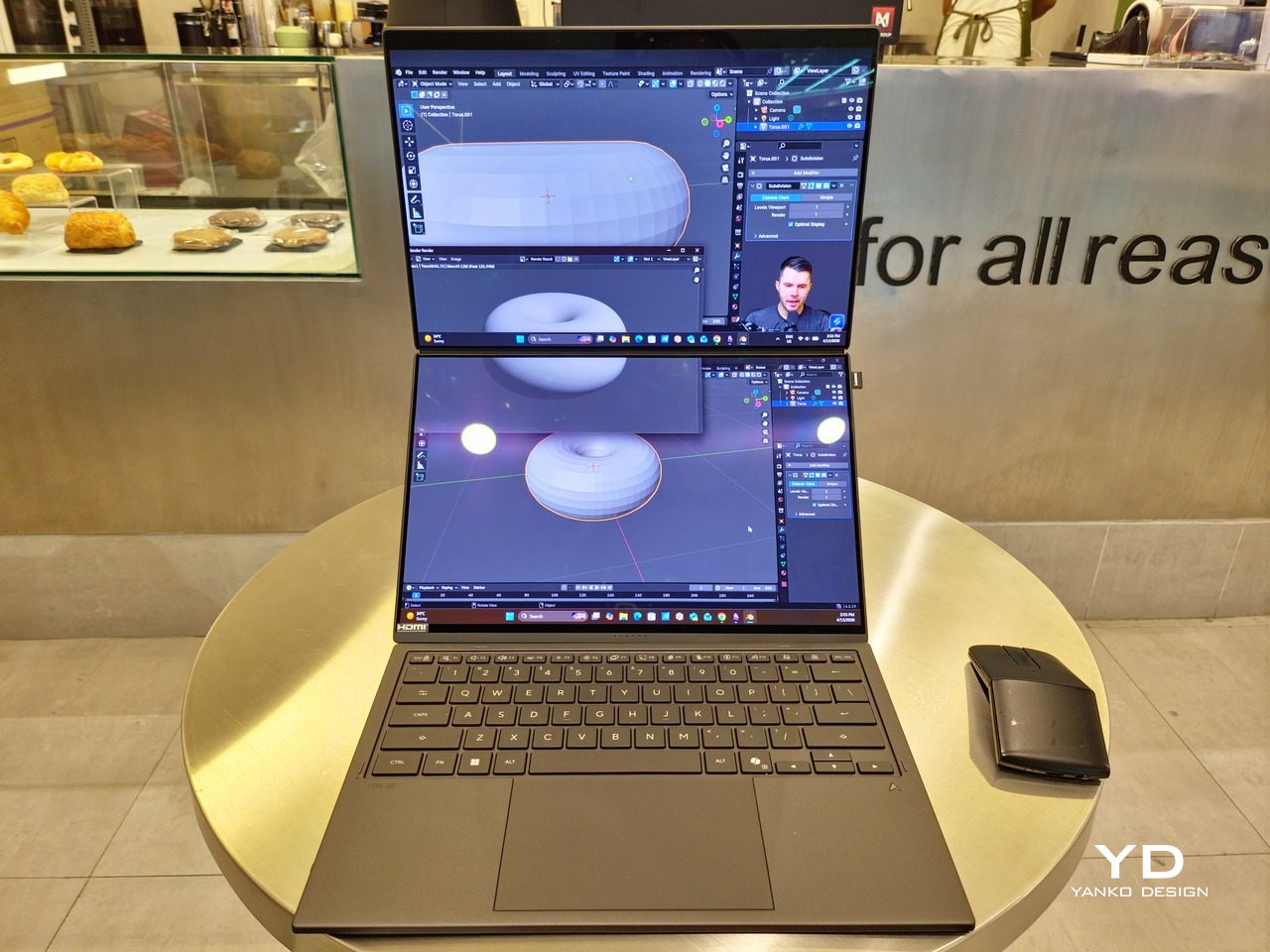
In both performance and flexibility, the 2026 Zenbook DUO offers users the power they need, as they need it. Cramped for space on a plane? Just use it as a single-screen laptop, and no one will be the wiser. Need to collaborate with a team? Lay it out flat on the desk to give everyone the same perspective. Need to reference documents as you write? The book-like desktop mode has you covered.
That said, it’s definitely far from perfect. For a laptop aimed at creatives and professionals, the absence of a built-in SD card reader seems pretty odd. And then there’s the $2,699.99 price for the configuration that has the impressive Intel Arc graphics. That puts it way above most 14-inch ultra-thin laptops and in the range of gaming laptops. But then again, none of those have two 14-inch screens, either.

Verdict

Laptops with foldable screens admittedly look fancy and impressive. The big OEMs, including ASUS, are still playing around to find the formula that will finally make it feel more than just a fancy and expensive experiment. In the meantime, however, people need to get work done, and when it comes to that, nothing really beats using more than two screens.

You could always carry a portable screen along with your laptop, which is awkward, cumbersome, and inefficient, or you could grab the ASUS Zenbook DUO (UX8407). With an improved hinge, beautiful co-equal 14-inch displays, and an Intel Panther Lake processor that can handle almost anything you throw at it, the dual-screen laptop lets you choose the way you want or need to work. And it looks stylish to boot in any form, making sure you’ll be the envy of everyone in the coffee shop.
The post ASUS Zenbook DUO (2026) Review: One Laptop, Two Screens, All Business first appeared on Yanko Design.
ASUS Zenbook DUO (2026) Review: One Laptop, Two Screens, All Business

PROS:


  • Beautiful, nearly identical 14-inch 144Hz 3K OLED screens

  • Narrower hinge creates a more immersive visual experience

  • Ceraluminum design adds visual and tactile character

  • Powerful Intel Panther Lake performance and impressive battery life

CONS:


  • Quite pricey

  • No built-in card reader

  • RAM is soldered

RATINGS:

AESTHETICS
ERGONOMICS
PERFORMANCE
SUSTAINABILITY / REPAIRABILITY
VALUE FOR MONEY

EDITOR'S QUOTE:

The ASUS Zenbook DUO (UX8407) earns its premium with two stunning co-equal OLED screens, a sleeker hinge, and Intel Panther Lake performance built for serious work on the go.
award-icon

For a time, it seemed that foldable and rollable screens would be the future of laptops, just as they are positioned to be where smartphones are going. That was until people realized that what may be good for handheld devices might not work for 14-inch slabs with keyboards. Foldable laptops might still have their day, but they are too impractical and costly for now.

ASUS has chosen to instead design and deliver a solution for today’s needs and problems. Rather than a screen that folds just to save space, the Zenbook DUO has opted to expand the user’s workspace instead, bringing the productivity advantages of dual-monitor setups from desktops to laptops. This year’s ASUS Zenbook DUO (UX8407) does more than just upgrade the spec sheet. It is also adding a touch of style and elegance that makes a power user tool feel more considered.

Designer: ASUS

Aesthetics

The 2026 ASUS Zenbook DUO (UX8407) is quite stunning in almost any form, whether it’s closed shut, opened like a laptop, or especially when it’s wide open. The lid cover exudes not only minimalism but also character, with a reflective “ASUS ZENBOOK” logo engraved against the Elephant Gray “Ceraluminum” surface, creating a simple yet eye-catching visual and material contrast.

That Ceraluminum is, of course, ASUS’s latest material innovation that uses a special oxidation process to give aluminum some ceramic-like properties, particularly durability and higher resistance to scratches. The end result is a material that isn’t just nice to look at but also pleasing to touch, giving the lid a texture that almost feels like stone or, well, ceramic. There is also a certain visual “roughness” to the Ceraluminum surface, setting it apart from the brushed metal or anodized appearances of its peers.

Of course, the real show happens when you open the laptop and lift the keyboard away, revealing two gorgeous 14-inch screens connected together by a hinge, no messy or awkward cables. For this iteration, ASUS poured its efforts into making that connection look even more seamless, not only by shrinking the bezels between the displays but also by developing a new “hideaway” hinge that narrows the gap from 25.31mm down to 7.6mm. Make no mistake, there’s still a very obvious separation between the two, but it is now less jarring, making it feel like you’re working with a screen that just happened to be split into two, rather than two screens stitched together.

With the detachable Bluetooth keyboard resting on the second screen or when it’s closed, the Zenbook DUO (2026) looks almost like a normal laptop. You have a few (literally) ports on either side along with some air vents, and a wide-long grille at the bottom above the built-in kickstand. Your only clue that this isn’t a normal laptop is when you accidentally close the laptop lid without the keyboard attached, creating a very noticeable gap that, unfortunately, would also be an open invitation for small items to come in and scratch the screens.

Ergonomics

At 1.65kg (3.64lbs) with the Bluetooth keyboard attached, the ASUS Zenbook DUO (UX8407) isn’t exactly lightweight compared to other 14-inch laptops in the market, at least the non-gaming kind. That said, it’s not exactly on the heavier side either, especially when you consider that you’re carrying two 14-inch screens, not to mention a 99Wh battery, in a single bundle. In that context, it’s actually amazing how much ASUS was able to reduce the heft without cutting corners.

That said, having two connected displays brings its own ergonomics puzzle, something that ASUS seems to have finally solved almost to perfection. You have no less than 5 ways to use the laptop, from a normal laptop to two screens vertically stacked to the side-by-side “desktop mode”. While the hinge does most of the hard work, the built-in kickstand literally carries the burden, supporting that full weight (minus the keyboard) on its own.

The new kickstand is stronger, sturdier, and stiffer, providing confidence it won’t just suddenly close down. It can open to a maximum of 90 degrees, which is the angle you’ll need for desktop mode. That said, it also means that you only have possible angle for the displays in that mode, unless you have a separate stand to prop it up, which kind of defeats the purpose of having a built-in kickstand.

One thing to note in desktop mode is that you will naturally be sacrificing one side of ports. Thankfully, you can turn the Zenbook DUO (2026) which ever side up, whether you need an extra HDMI and headphone jack, or an extra USB-A port. Thankfully, both Thunderbolt 4 ports are equal in capabilities, so you don’t have to make a sacrifice on that end.

If there’s one thing I found a bit cumbersome in the Zenbook DUO’s design is that the power button sits so flushed against the frame. On the one hand, that means it won’t snag with anything in your bag, nor will it get triggered accidentally. On the other hand, it also makes it harder to locate it without looking or fumbling with your finger sliding across the edge repeatedly.

Performance

The ASUS Zenbook DUO (UX8407) is one of the early laptops to embrace Intel’s new Panther Lake chips, specifically the Intel Core Ultra 3 series. The dual-screen laptops comes in two options, one with an Intel Core Ultra 7 355 and the Intel Core Ultra X9 388H. In terms of CPU alone, these already represent a huge leap not just in performance but also in power efficiency, but the latter configuration pulls an even bigger feat.

The review unit we received comes with an Intel Arc B390 GPU based the latest 3rd-gen Intel Xe graphics. Forget what memories you might have had of integrated Intel graphics, because we’re entering an era where you can actually play games with decent settings on it. Of course, your mileage may vary and benchmarks can only provide some general idea, but that all these specs mean is that the ASUS Zenbook DUO (2026) is built for serious productivity and creative work.

It is, after all, designed for heavy-duty computer users ranging from knowledge workers to creators who need to bring the productivity they enjoy on the desktop to wherever they go. Productivity suites, video editors, graphics programs, 3D modelers, and even games won’t make this flexible laptop break a sweat. And yes, that includes some AI shenanigans, thanks to an upgraded NPU as well.

Of course, this also means that it has enough muscle to support running two screens which, by default, is set to extended (versus mirroring each other). The beauty is that these two screens are nearly identical not just in size but also in capabilities, where other dual-screen laptops skimp on the second screen more often than not. We’re talking two 14-inch 3K (2880×1800) 144Hz Lumina Pro OLED displays. Both support touch and, more importantly, both support the ASUS Pen stylus.

In reality, there are very slight differences between the two screens in terms of full color gamut and maximum brightness, but you won’t notice it too much unless you are actively looking for it. In practice, most people will keep content they’re working on in one of two screens anyway, leaving the other as an auxiliary for references or controls.

The latter is actually an interesting aspect of this dual-screen laptop, making the Zenbook DUO feel almost futuristic. While it does have a detachable keyboard, there might be times when you want to have more direct access to the lower touch screen without having to switch back and forth with the Bluetooth keyboard at the side. With a six-finger gesture, you can summon a half-height virtual keyboard, a half-height virtual keyboard with a virtual trackpad to the right, or a full-screen keyboard with a large trackpad below it, pretty much like the virtual equivalent of the physical keyboard.

Additionally, you can have other virtual knobs and sliders above the keyboard or as floating windows, thanks to ASUS’s Dial & Control app. These controls, which also include a numpad and an area for writing with a pen, can change depending on what app is currently in focus. With a browser window, it can have a button for a new tab or a dial for zooming in and out. Or it could be a knob for volume and a slider for screen brightness.

As for the detachable keyboard, it magnetically snaps into place, with retracting pogo pins creating a more stable connection than Bluetooth, though that is the only way to use it when it’s detached. That said, there are no notches or protrusions along the edges of the keyboard, so prying it away from that strong magnetic hold can take a bit of work. The keyboard charges when it’s lying on the laptop, but it can also be charged separately via USB-C. Key travel is decent, but the keys themselves feel a bit squishy. The large trackpad is sensitive, but the hydrophobic coating gives it too much resistance when gliding your finger across it.

The combination of the more power-smart Intel Panther Lake processor and the 99Wh battery tucked inside gives the ASUS Zenbook DUO (UX8407) quite a long uptime, even with both screens enabled. Even a battery of benchmarks and hours of typing and browsing has left a good 12% of battery left, rounding up to a little over 15 hours of use, just a little below ASUS’s advertised 18 hours (with two screens). The included 100W USB-C charging brick helps mitigate the battery loss, and the fact that you can easily use power banks to top up on the go makes the battery narrative even more compelling.

Sustainability

ASUS didn’t use to speak much about the sustainability of its laptops, but that has changed in recent years. The invention of Ceraluminum adds another level to that story, though a bit indirectly. In a nutshell, the material is meant to increase the durability and longevity of the product by protecting it from small accidents. Whether the ZenBook DUO uses sustainable materials, or at least what percentage of it does, isn’t public information.

That longevity, however, is also affected by how much you can upgrade or even repair the laptop. Given how unconventional its design is, it’s really no surprise that there isn’t much here in the way of upgrade options. You do have easy access to the SSD underneath the kickstand. The Zenbook DUO (2026) can support up to 2TB with a full-sized M.2 SSD. The 32GB RAM, however, is soldered down.

Value

The ASUS Zenbook DUO (UX8407) is a laptop on a mission. It is, in a nutshell, designed for people who thrive and need multi-tasking capabilities that they could only enjoy while chained to their desk (or awkwardly carrying a portable monitor). That actually covers a wide range of professions and industries, including creators, designers, office workers, executives, and, yes, gamers. In that sense, there can probably be no better tool for them than this.

In both performance and flexibility, the 2026 Zenbook DUO offers users the power they need, as they need it. Cramped for space on a plane? Just use it as a single-screen laptop, and no one will be the wiser. Need to collaborate with a team? Lay it out flat on the desk to give everyone the same perspective. Need to reference documents as you write? The book-like desktop mode has you covered.

That said, it’s definitely far from perfect. For a laptop aimed at creatives and professionals, the absence of a built-in SD card reader seems pretty odd. And then there’s the $2,699.99 price for the configuration that has the impressive Intel Arc graphics. That puts it way above most 14-inch ultra-thin laptops and in the range of gaming laptops. But then again, none of those have two 14-inch screens, either.

Verdict

Laptops with foldable screens admittedly look fancy and impressive. The big OEMs, including ASUS, are still playing around to find the formula that will finally make it feel more than just a fancy and expensive experiment. In the meantime, however, people need to get work done, and when it comes to that, nothing really beats using more than two screens.

You could always carry a portable screen along with your laptop, which is awkward, cumbersome, and inefficient, or you could grab the ASUS Zenbook DUO (UX8407). With an improved hinge, beautiful co-equal 14-inch displays, and an Intel Panther Lake processor that can handle almost anything you throw at it, the dual-screen laptop lets you choose the way you want or need to work. And it looks stylish to boot in any form, making sure you’ll be the envy of everyone in the coffee shop.

The post ASUS Zenbook DUO (2026) Review: One Laptop, Two Screens, All Business first appeared on Yanko Design.
Lenovo’s Yoga Book Concept Makes 3D Models Float Above the Screen

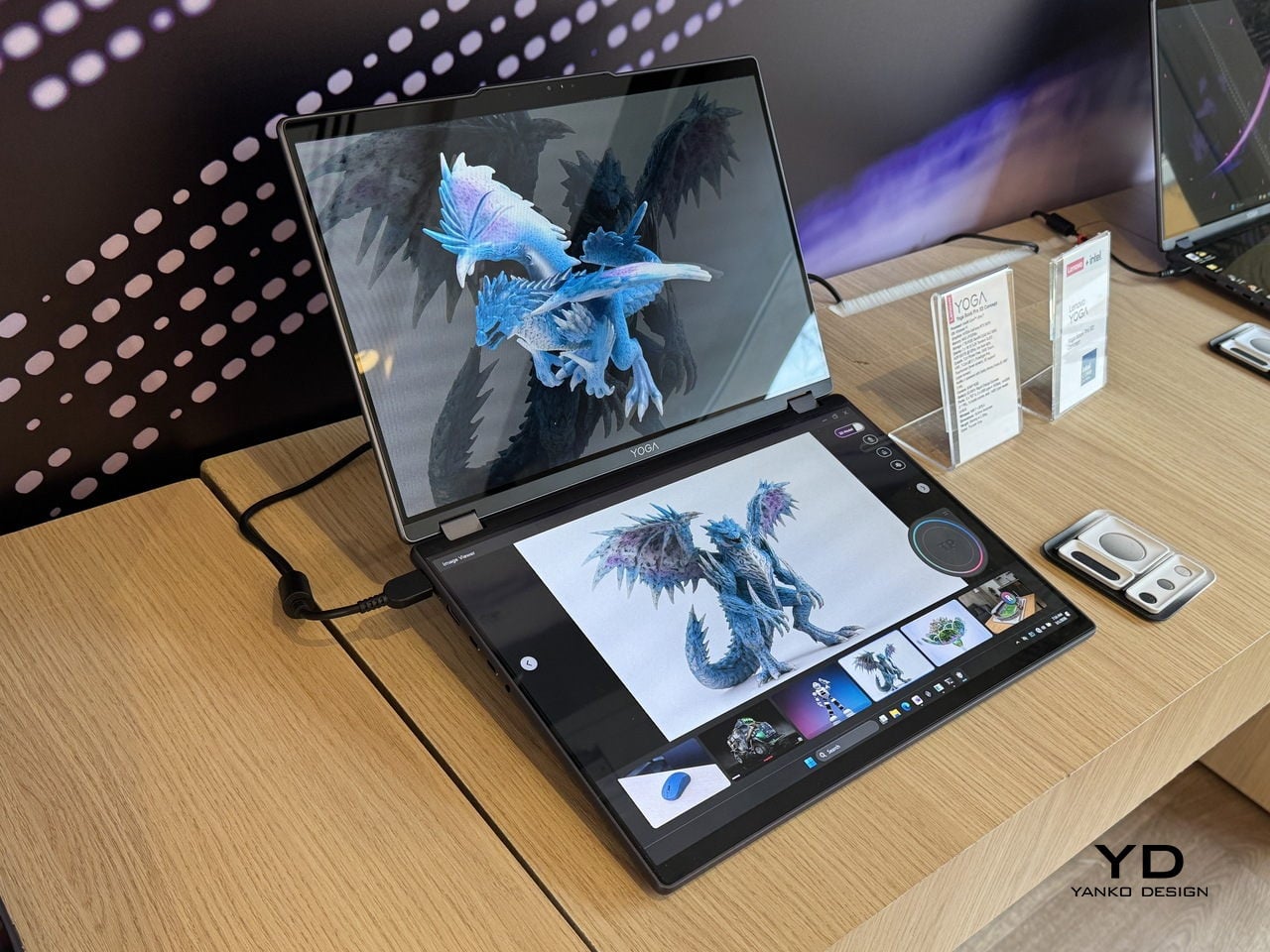
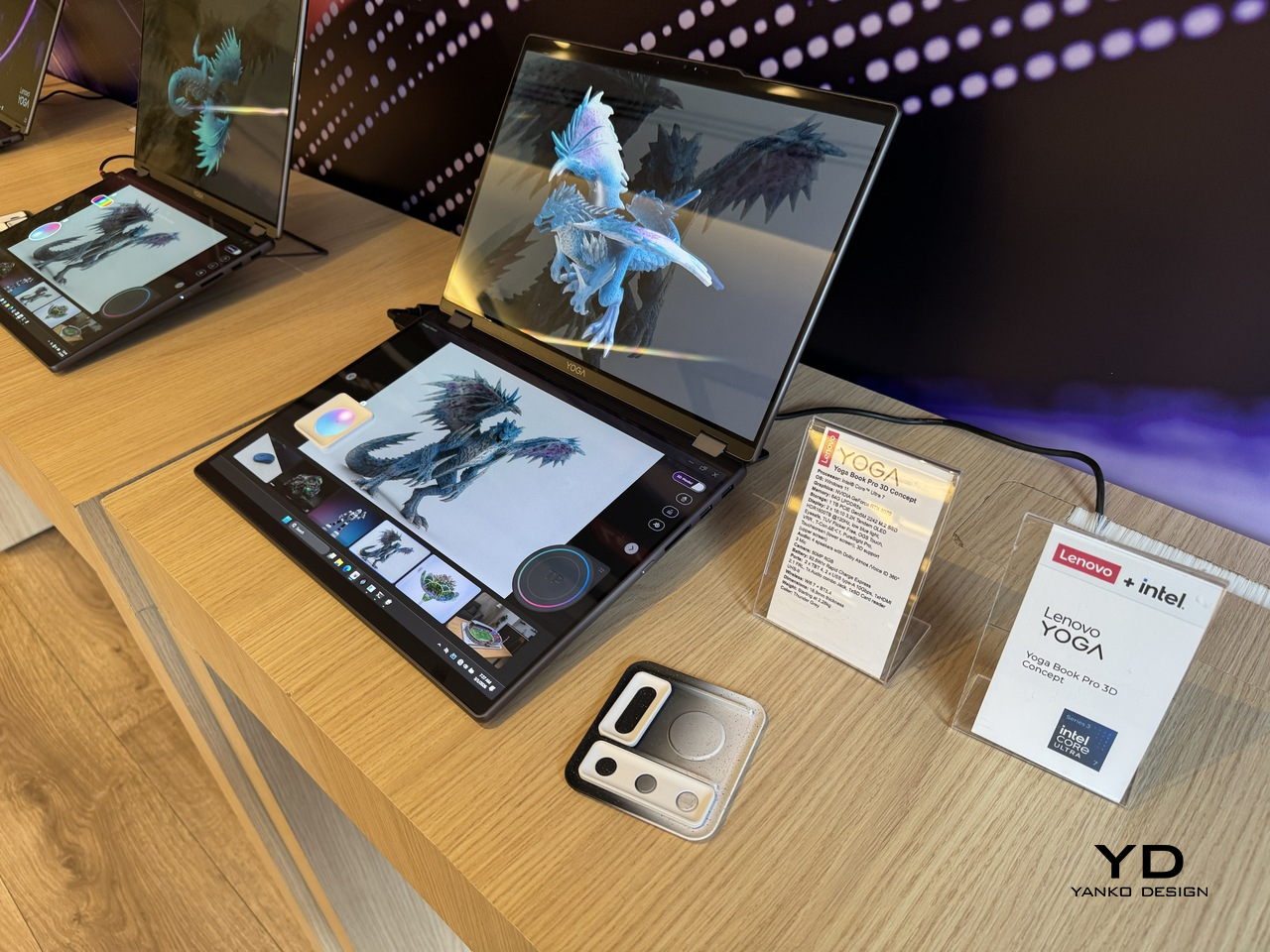
Working in 3D on a flat screen requires a specific kind of mental gymnastics. The model on the monitor is technically three-dimensional, but the screen keeps insisting it’s not, and somewhere between rotating the viewport and second-guessing the depth, the actual creative work slows to a halt. Lenovo’s Yoga Book Pro 3D Concept, revealed at MWC 2026, takes a direct position on that friction.

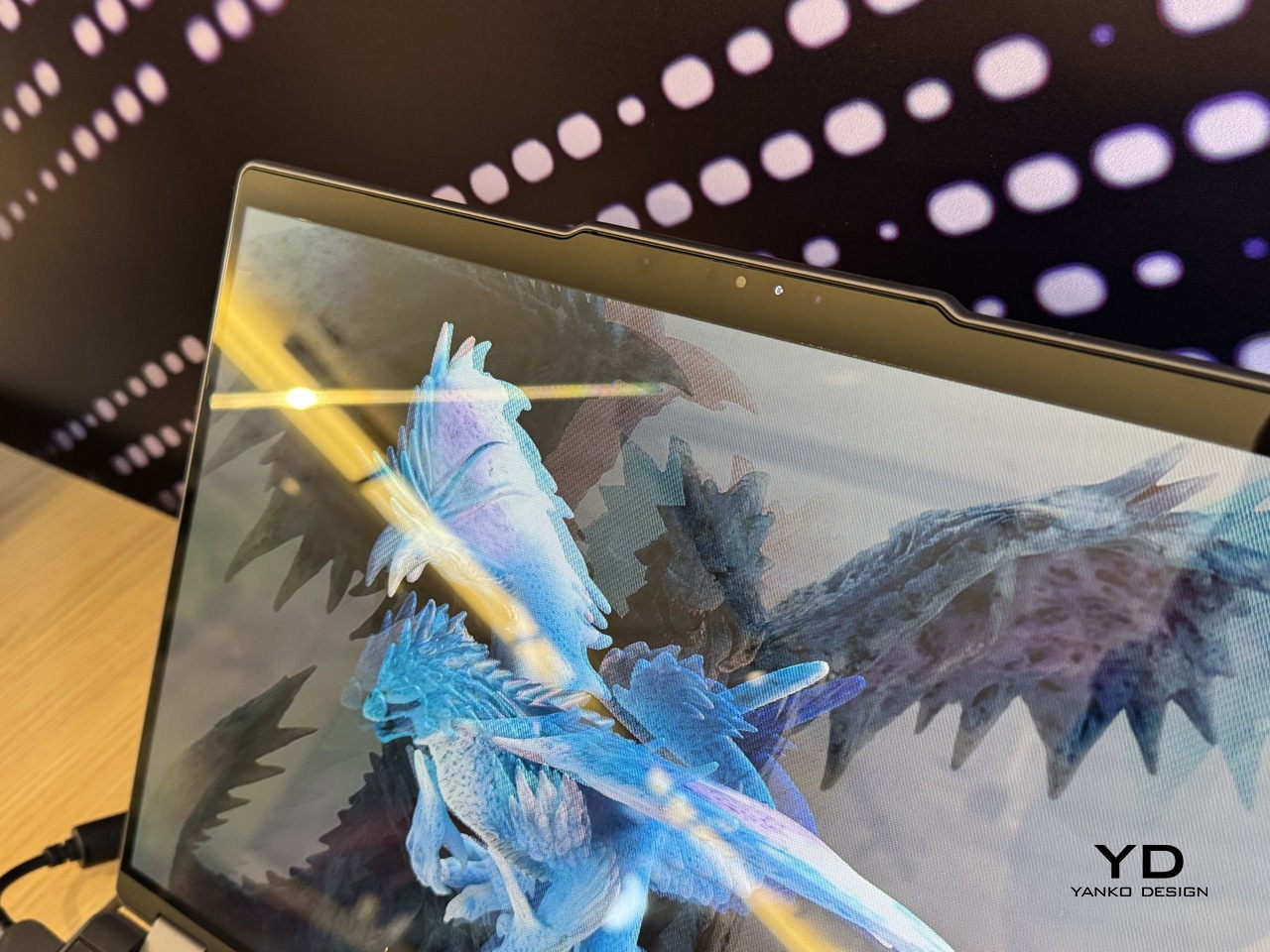
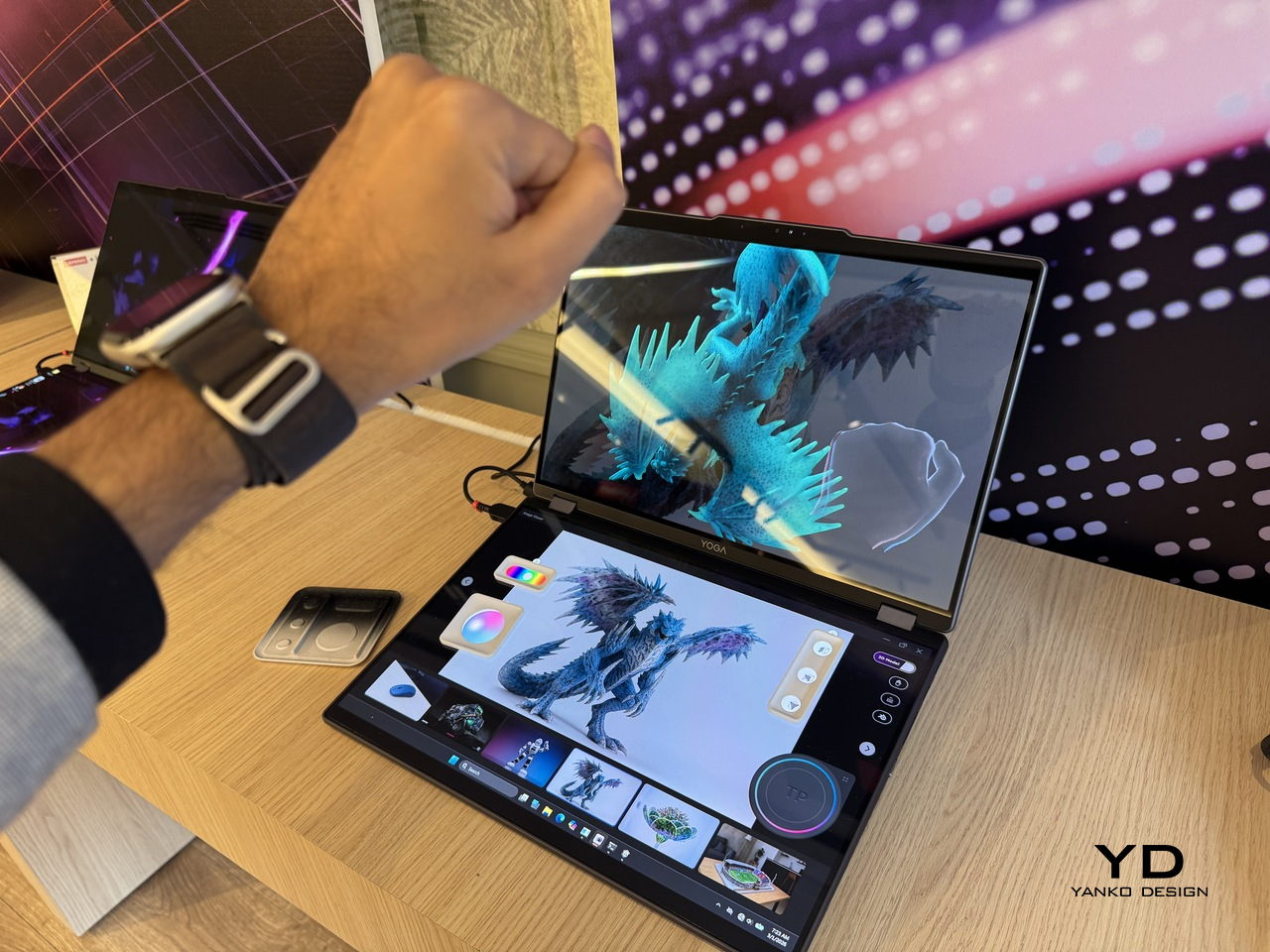
The upper display renders 3D content without glasses, using Lenovo’s PureSight Pro Tandem OLED technology to show depth and spatial volume directly on screen. A spacecraft that’s been modeled in three dimensions appears to float, with genuine perceived distance between its front and rear planes, rather than sitting flat behind glass.

Designer: Lenovo

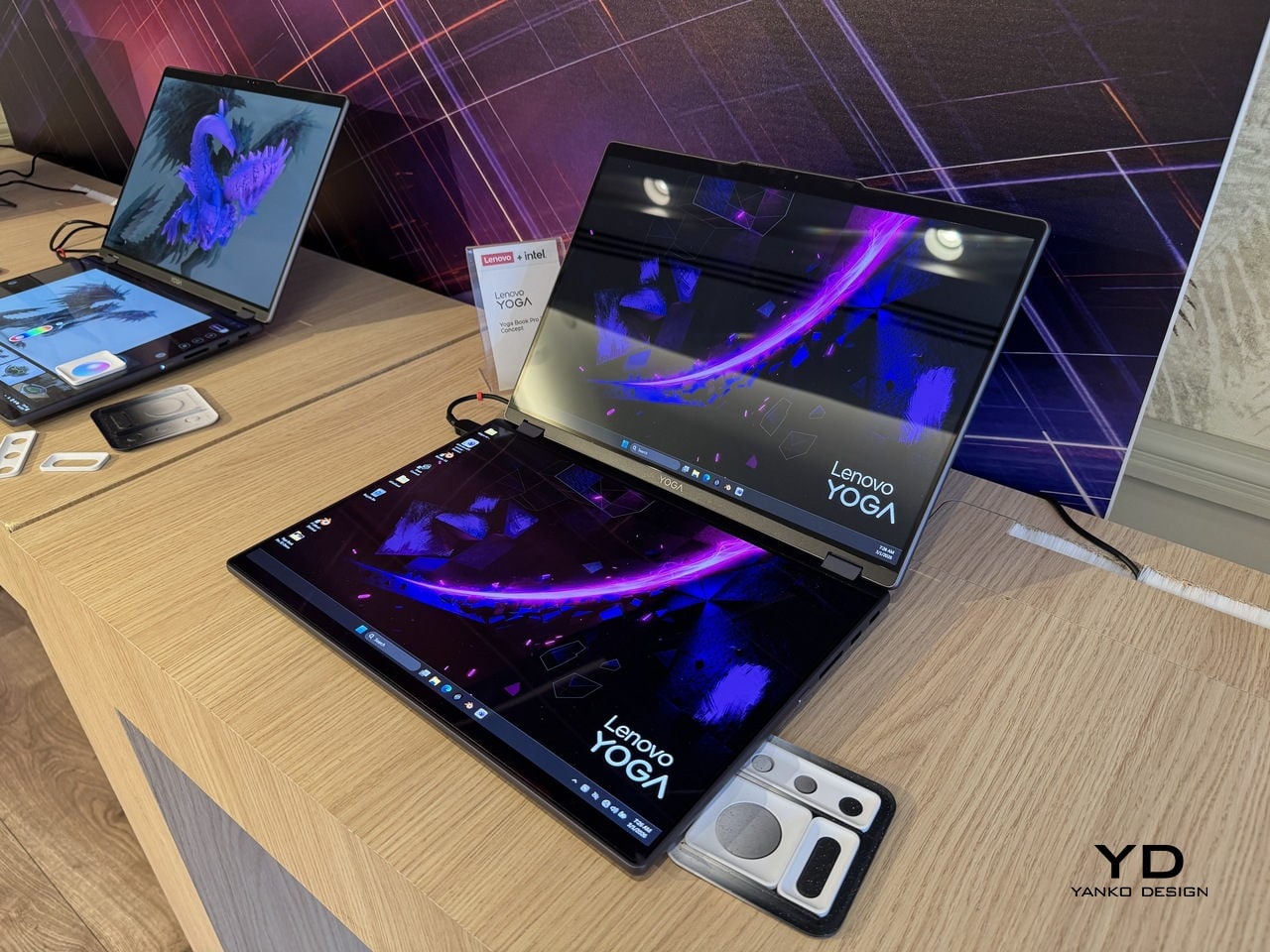
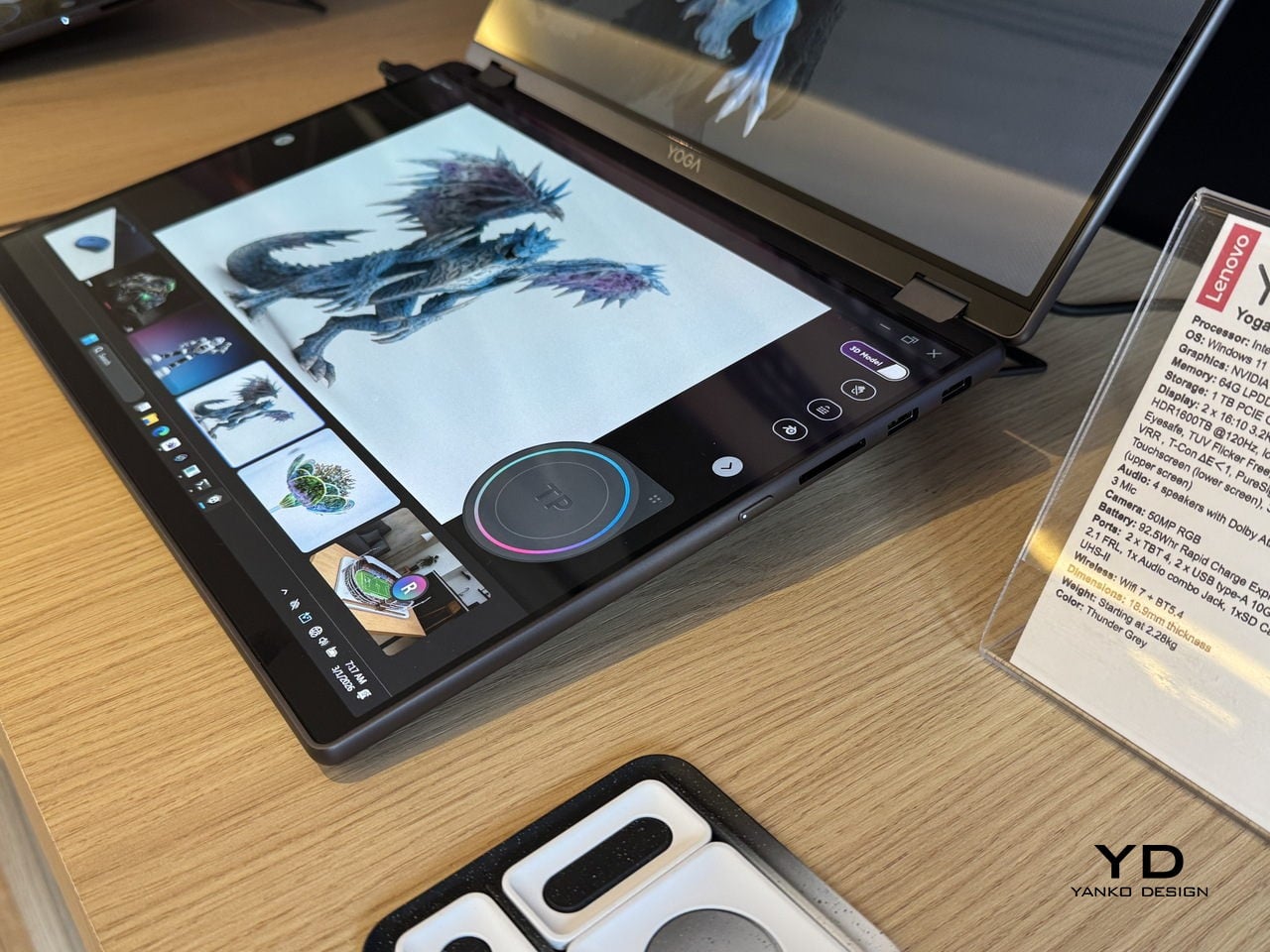
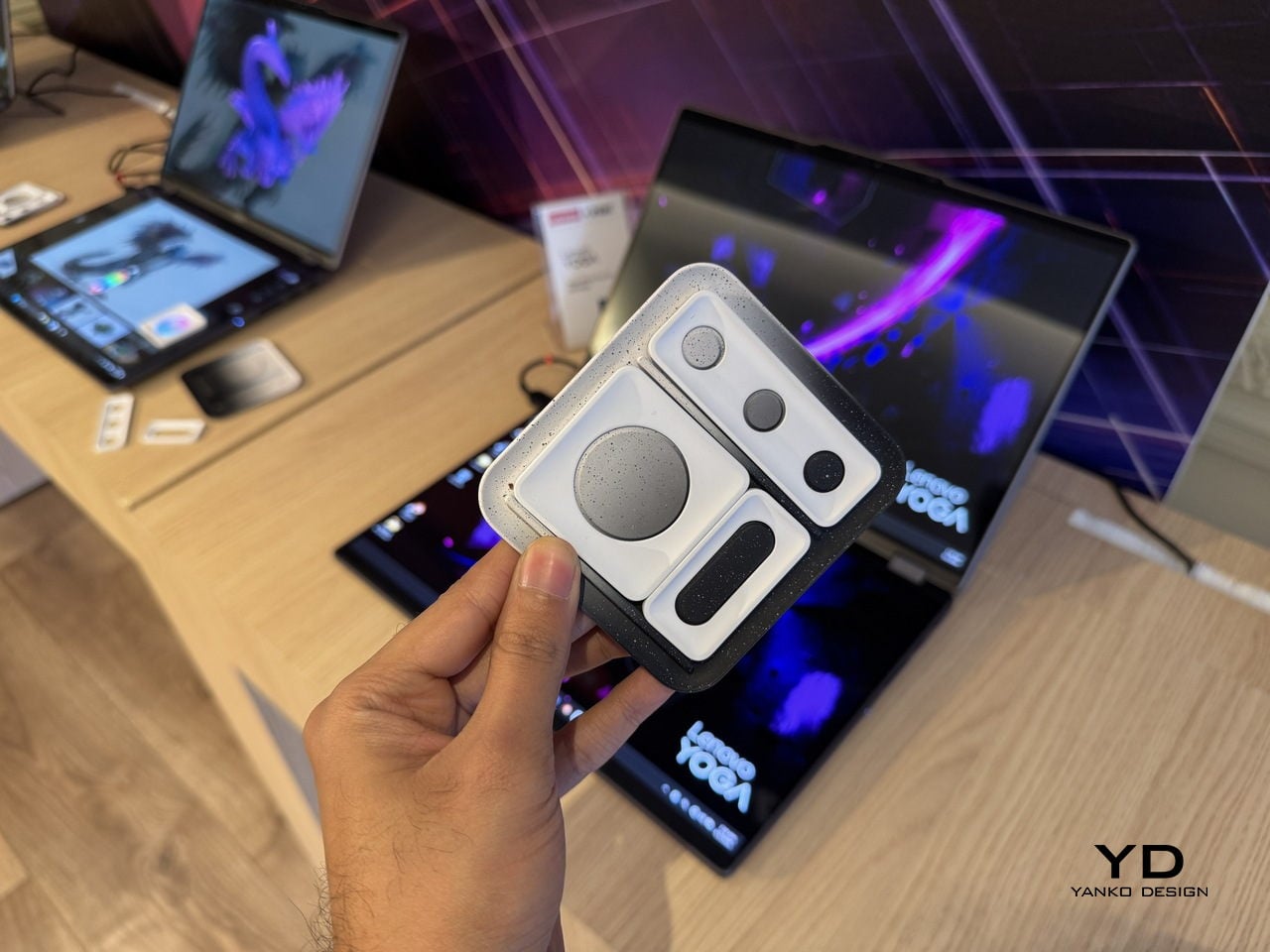
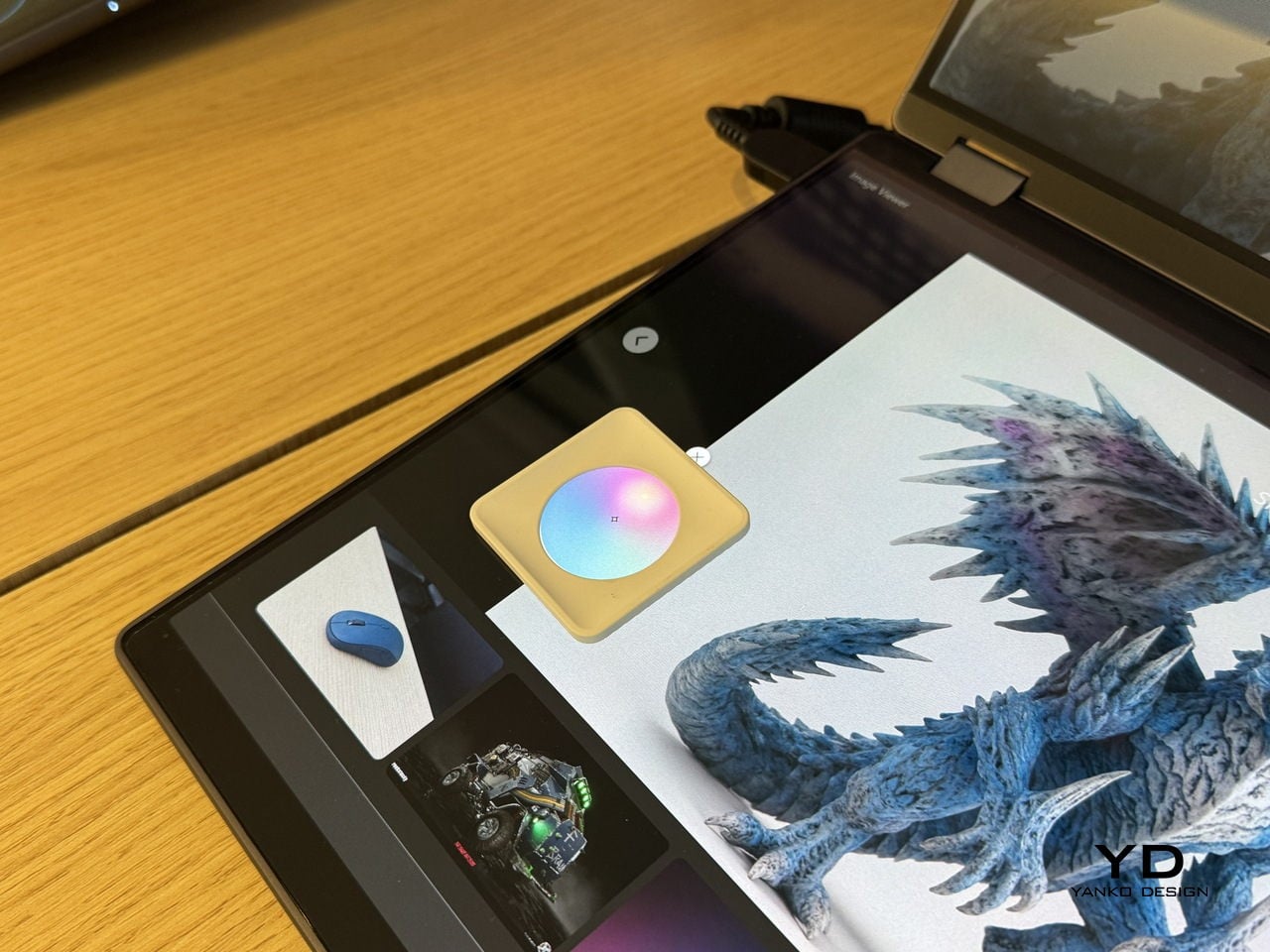
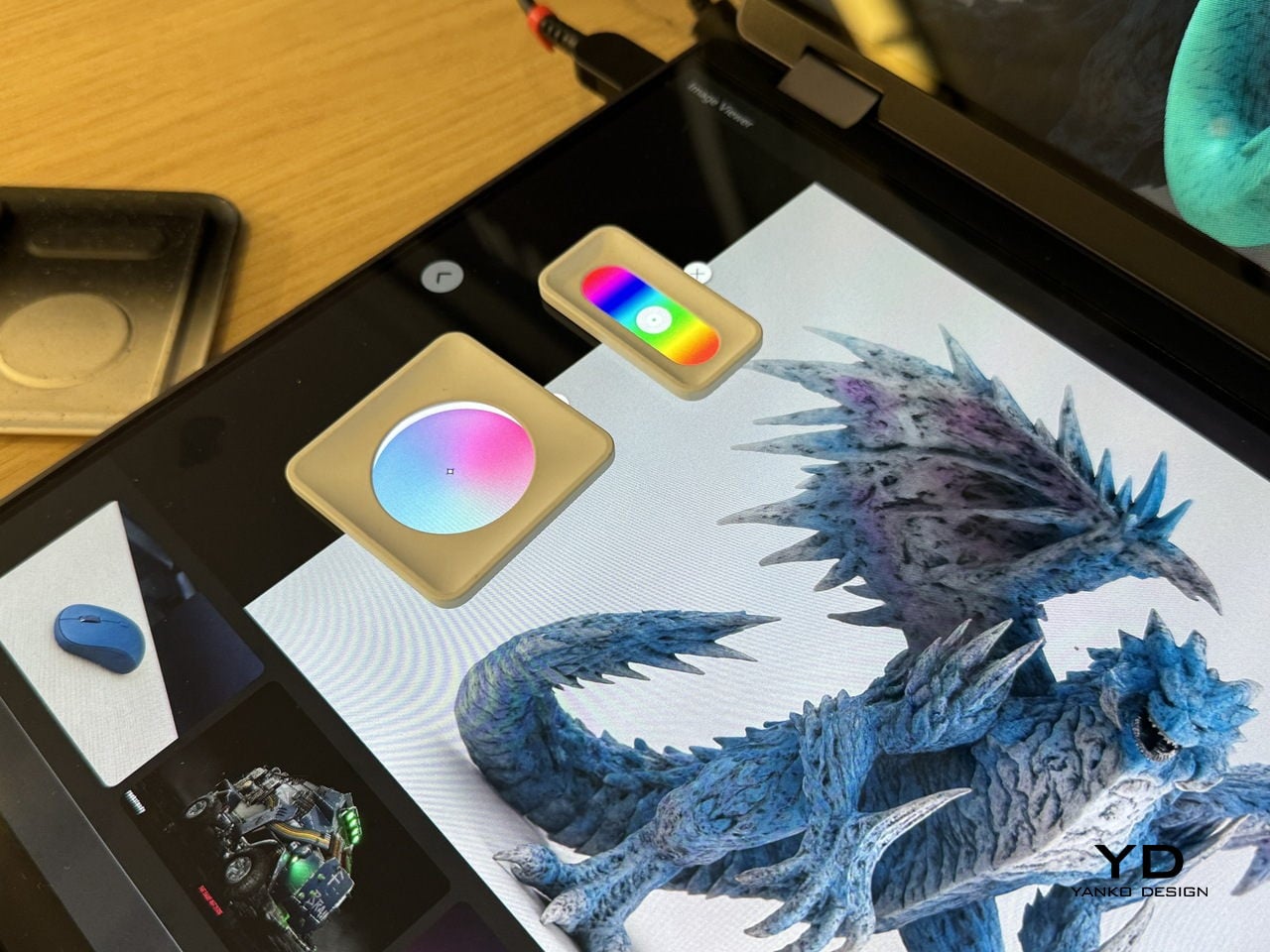
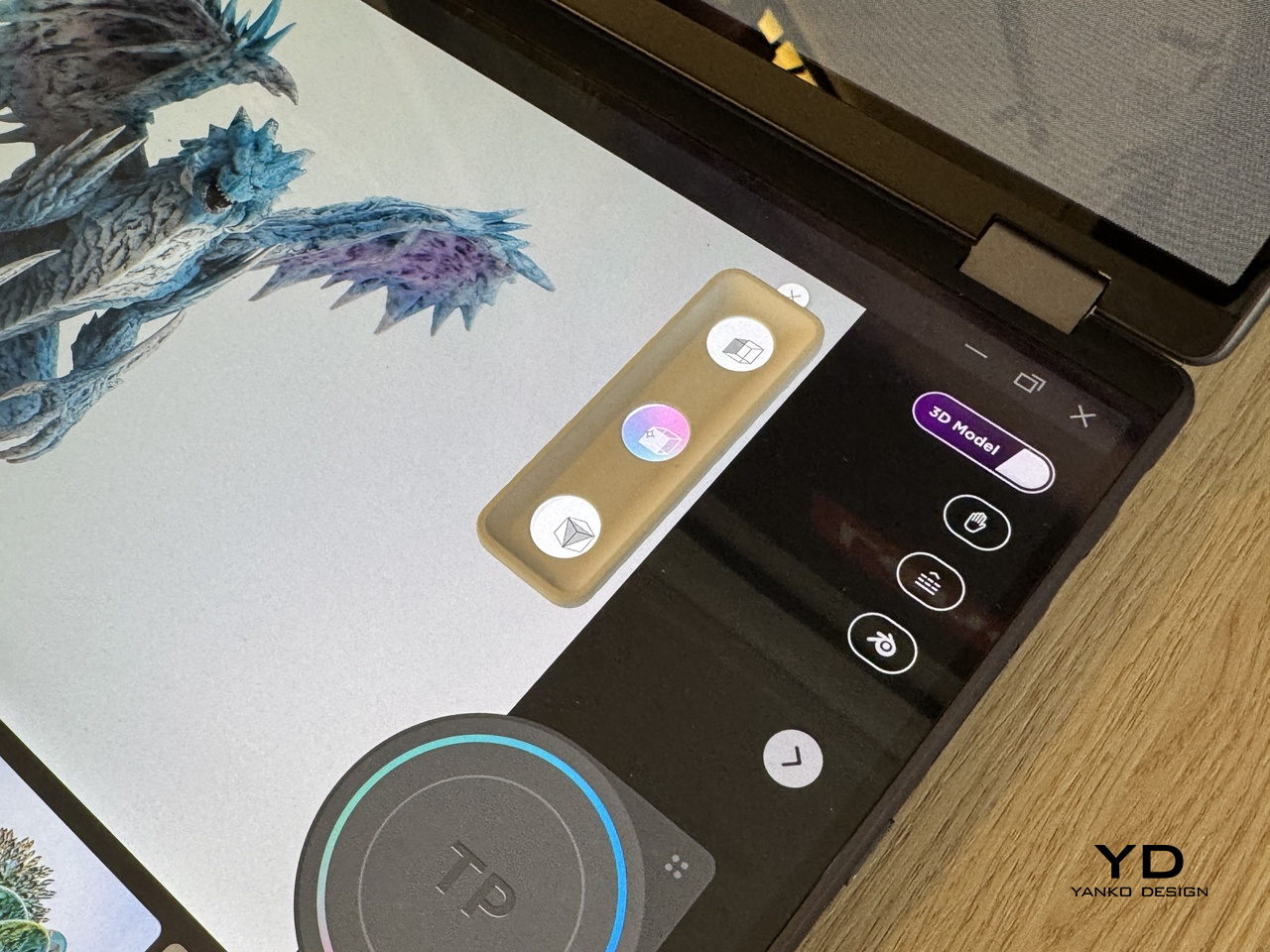
The lower half of the device is a full touch display running the editing environment, with the traditional keyboard removed entirely. Snap-on physical accessories sit on that lower surface: a circular dial and a slider for adjusting lighting, tone, and viewing angle without diving into menus. The idea is that the physical controls stay contextual, appearing wherever they’re placed on the touch surface rather than in a fixed location.

An RGB camera above the upper display handles gesture recognition. Pinching, rotating, and zooming a 3D object happens in the air in front of the screen, which removes at least some of the back-and-forth between input device and viewport that slows down spatial editing. An Intel Core Ultra 7 paired with an NVIDIA GeForce RTX 5070 handles the rendering load underneath all of this.

The AI layer converts 2D reference images into editable 3D assets and can generate a surrounding environment for the converted object on prompt. For a creator pulling reference photography into a modeling workflow, that shortens a step that currently involves a separate pipeline or a lot of manual reconstruction.

What the Yoga Book Pro 3D does differently from other glasses-free 3D solutions is how it treats the display as the primary tool rather than the output. Most 3D workstation design stops at raw performance and screen size. This one asks whether the screen itself can close the gap between what the creator imagines and what the software shows them.

The post Lenovo’s Yoga Book Concept Makes 3D Models Float Above the Screen first appeared on Yanko Design.
2026 ROG Zephyrus Duo, ASUS Zenbook DUO: Versatility You Can Use Today

We have seen quite a number of laptops bearing mind-blowing flexible screens that fold or roll, and while they do help push the envelope of laptop design, they might be the future, but it is definitely not yet here. Foldables still scratch easily and are expensive, rollables are at a concept stage, and both rely on technology that is impressive in a demo booth but nerve-wracking when you actually need to get work done and cannot afford downtime or repair bills.

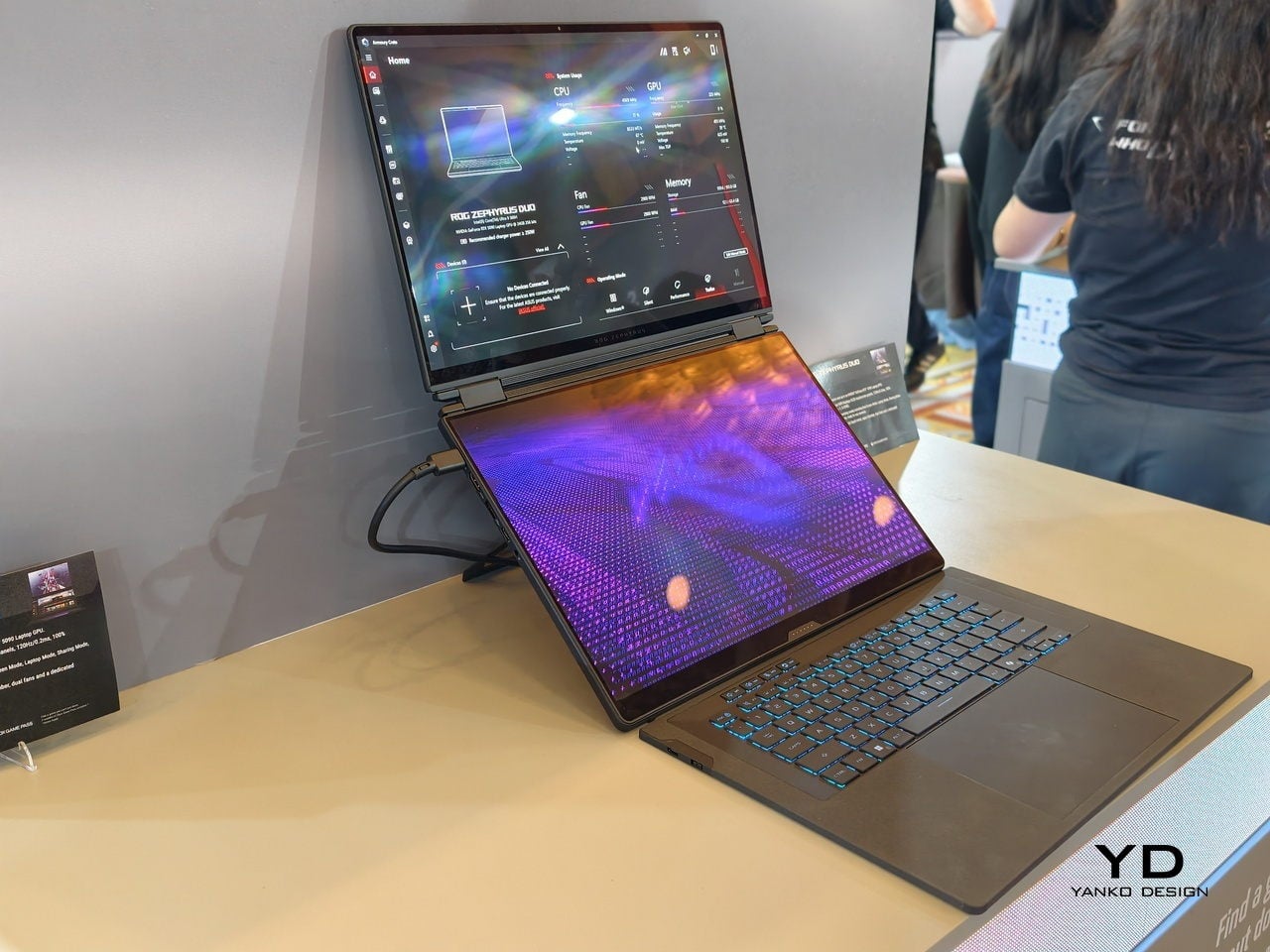
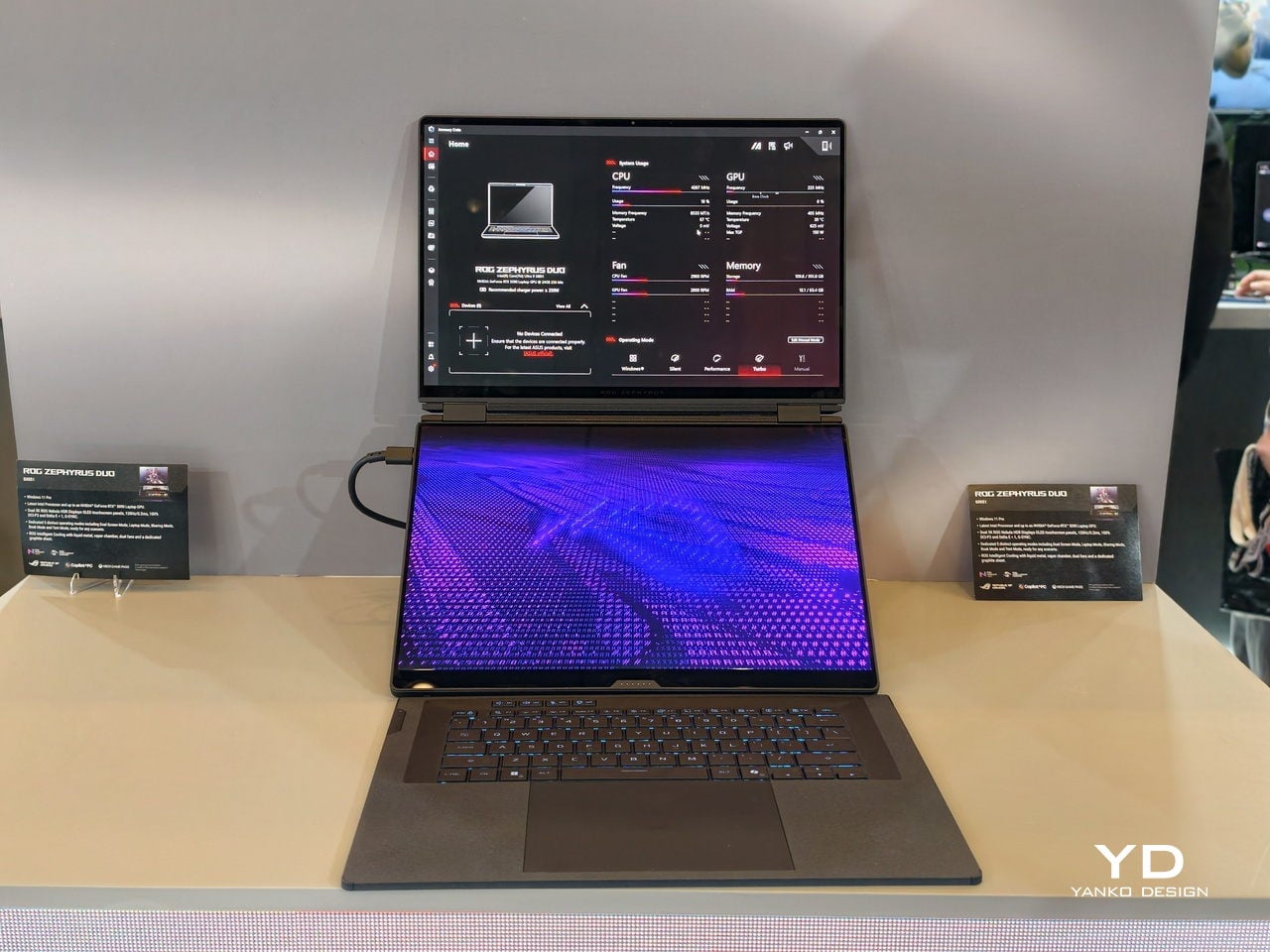
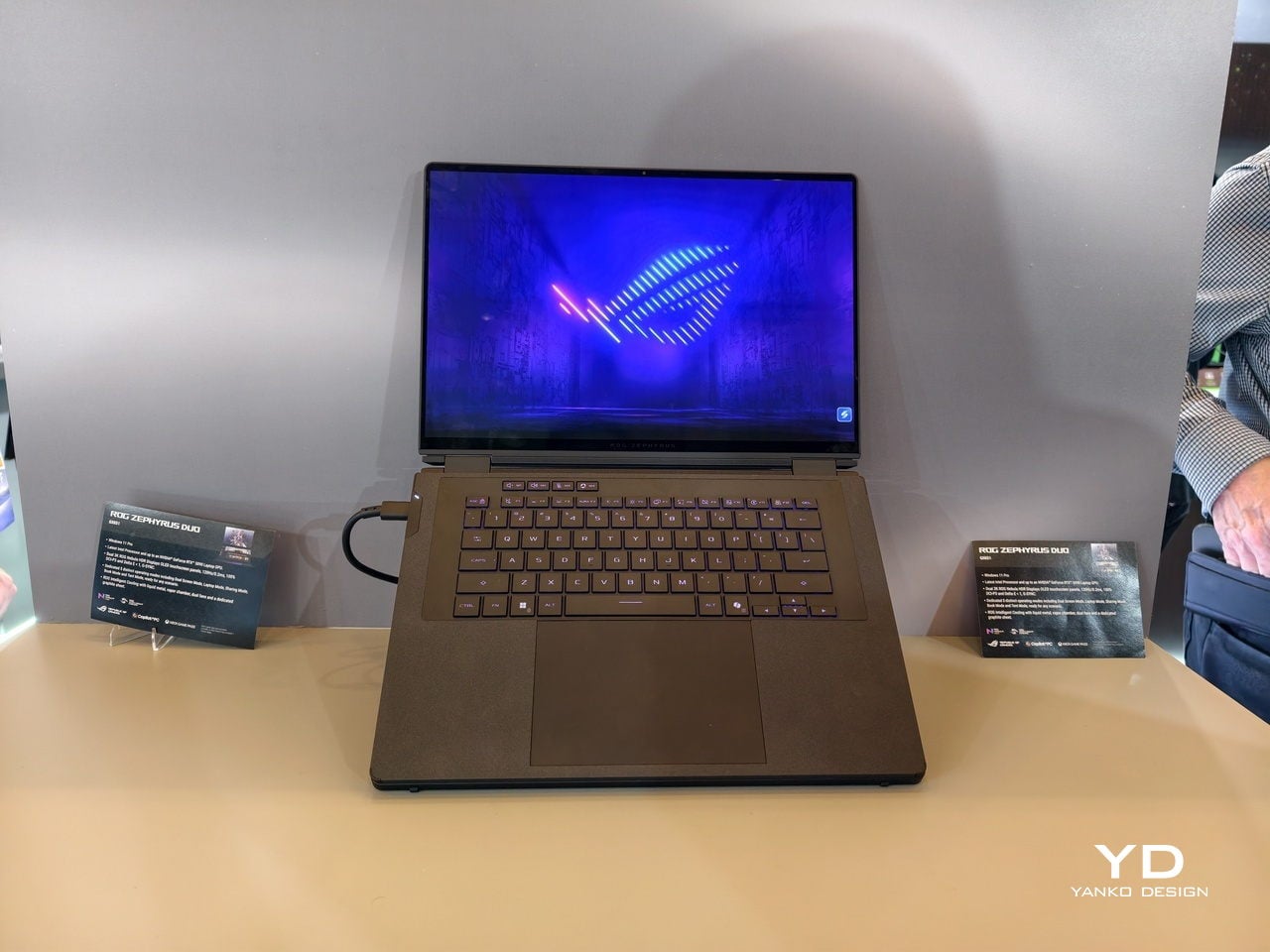
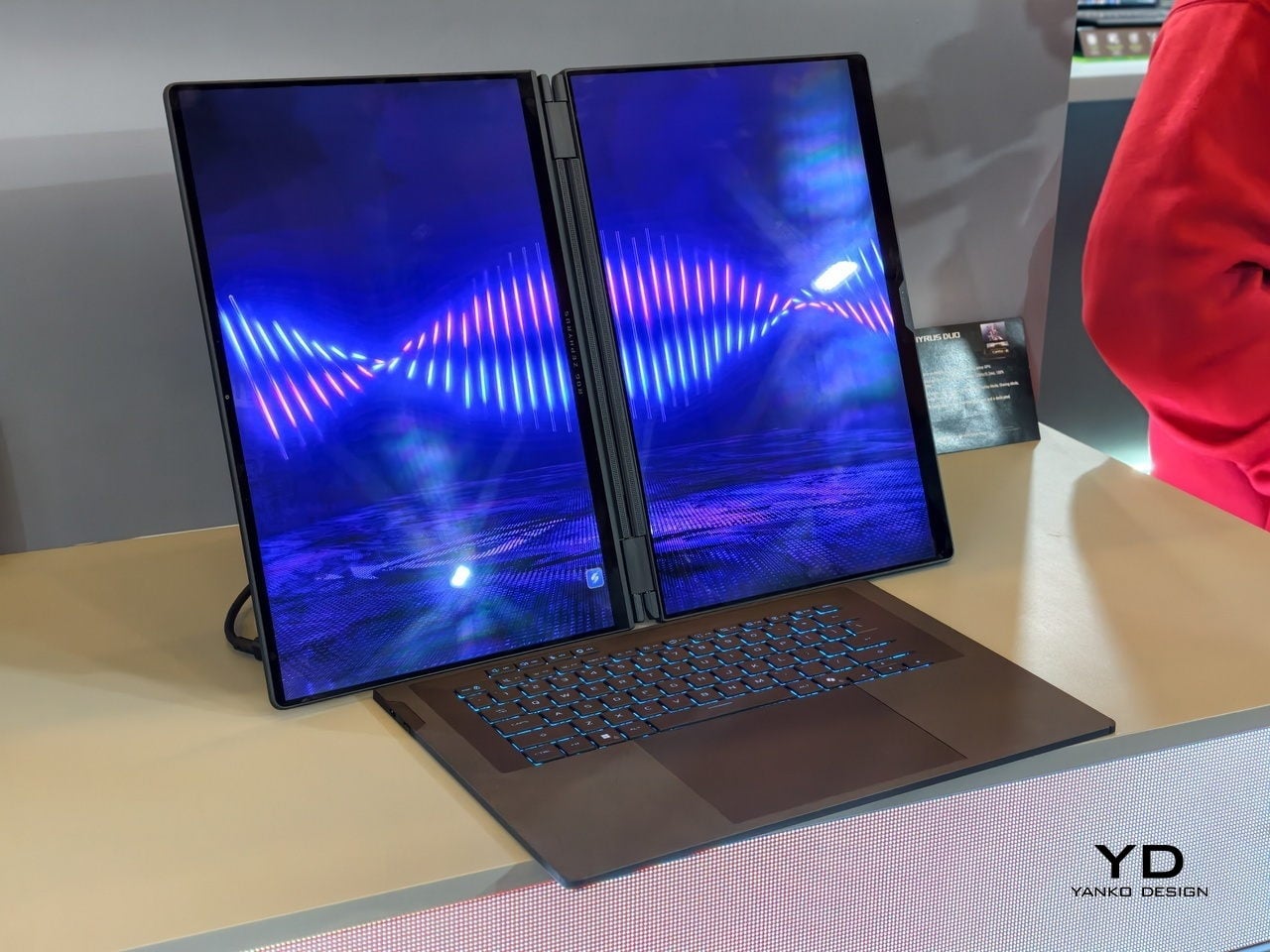
At CES 2026, ASUS and its gaming brand Republic of Gamers are offering two designs for people who need to get stuff done here and now. Although less spectacular than a screen that folds like paper, the ROG Zephyrus Duo 2026 (GX561) and the ASUS Zenbook DUO 2026 (UX8407) promise a more versatile and more reliable experience, using two rigid OLED panels, conventional hinges, and software layouts that treat dual screens as a workflow multiplier instead of a party trick.

Designer: ASUS

Dual Screens, Multiple Possibilities

With a foldable laptop, you get a large screen that folds down to the size of a normal laptop, or a laptop-sized screen that folds down to half its size. A rollable laptop, on the other hand, starts with a normal size and then expands for more real estate. They both try to offer more screen space with a manageable footprint, but it is still a single panel with a limited set of poses. You can fold it like a book or lay it flat, but you cannot flip one half around into a true tent or dual-monitor arrangement, and the panel itself stays soft and fragile under your fingertips.

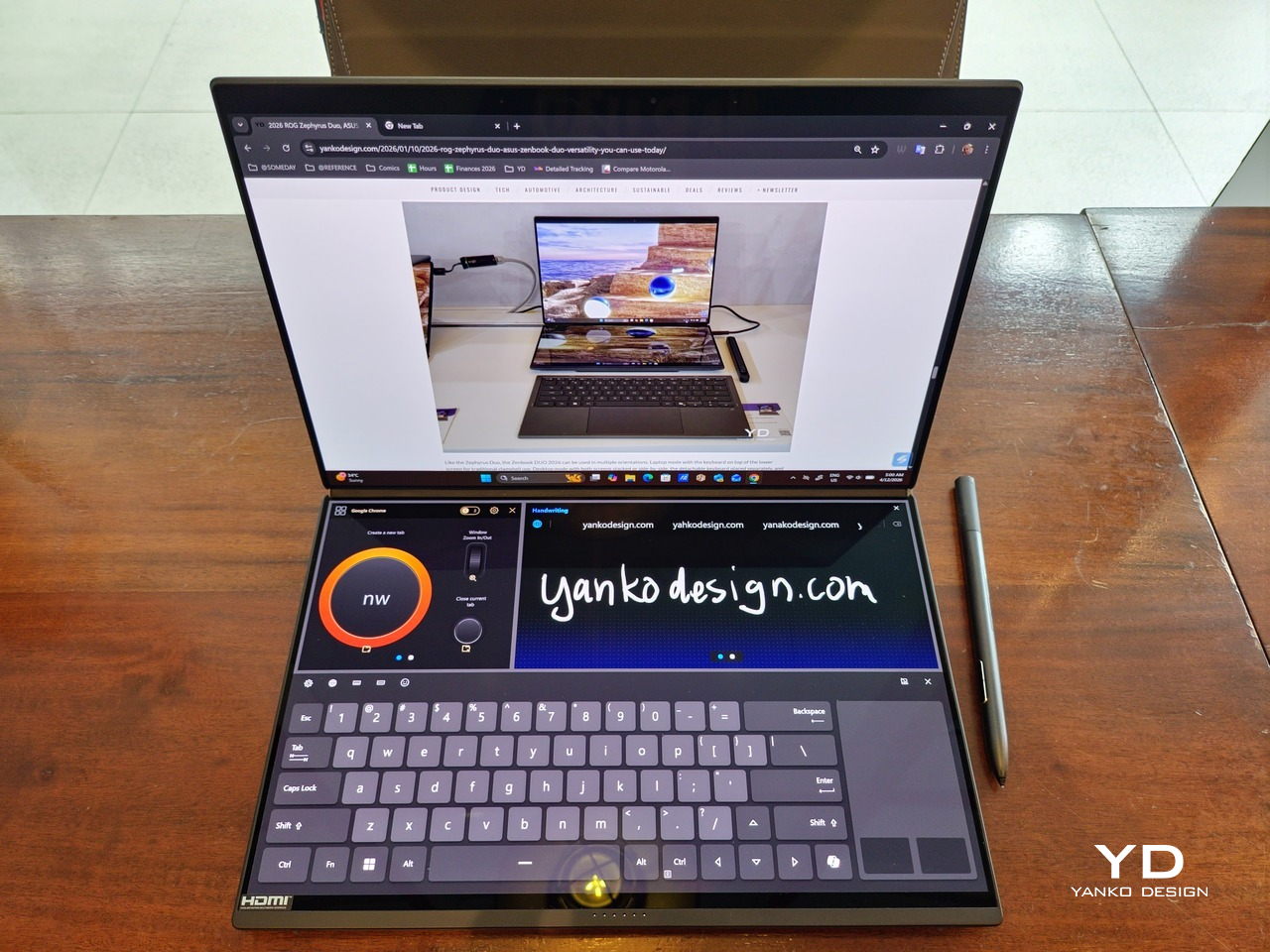
The dual-screen design sported by the new Zephyrus Duo and Zenbook DUO uses two independent but connected screens, practically dual monitors connected by a hinge. They are conventional, rigid OLED panels, so none of the soft, scratch-prone flexible displays of foldables. It feels almost like a normal laptop, just one that has a second monitor permanently attached, hinged, and ready to be stood up, laid flat, or folded back into tent mode for sharing across a table.

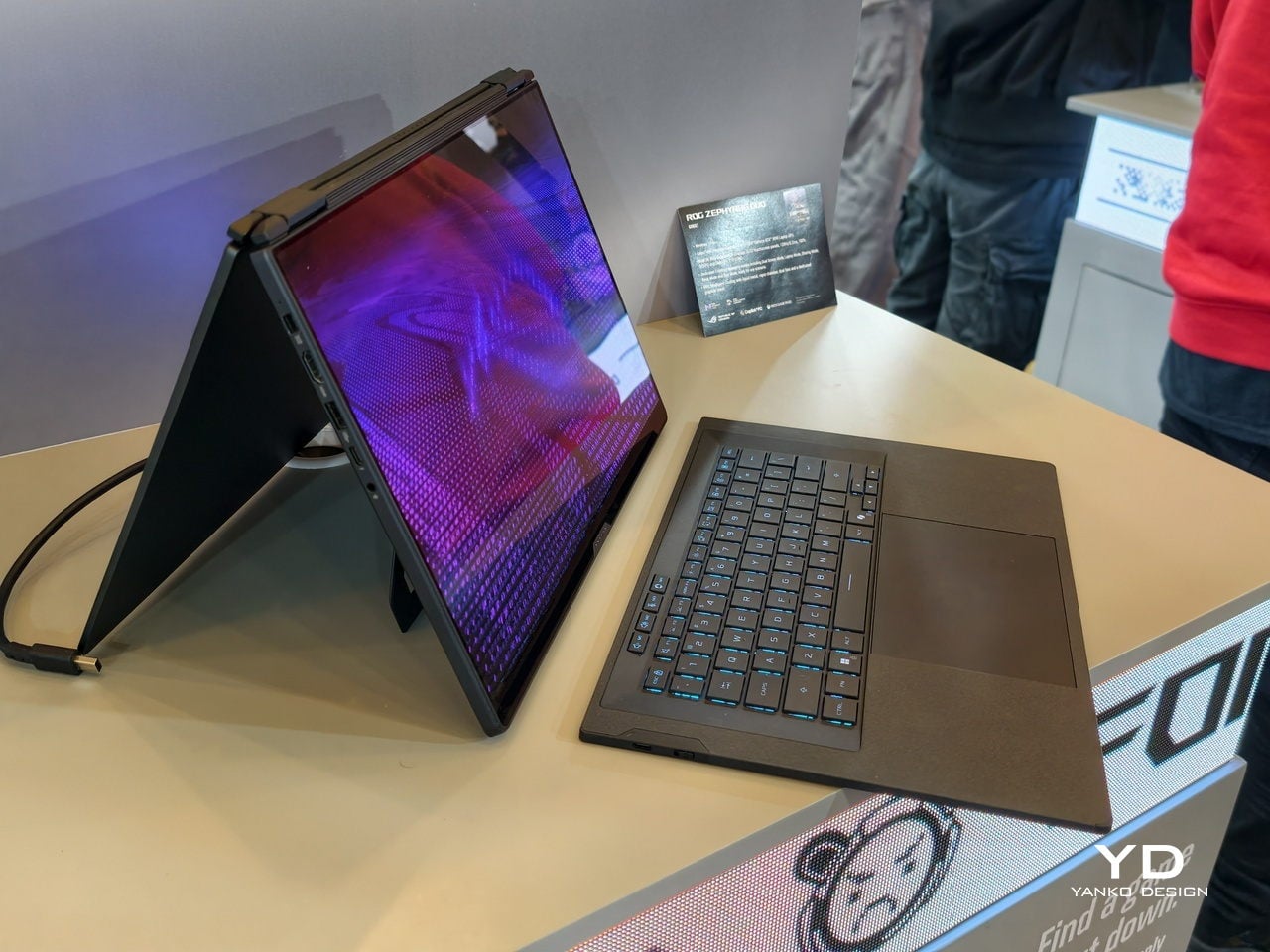
More importantly, however, this design offers more versatility in terms of how you actually use the machine throughout the day. You can use only a single screen in laptop mode if space is a constraint or if you want to stay focused. You can flip the whole thing into tent mode to share your screen with someone sitting across from you. You can detach the keyboard entirely and stand both panels up as a tiny dual-screen desk, with the keyboard floating wherever your hands are most comfortable. ASUS brings this design to two different kinds of laptops, really just two sides of the same coin, offering the same core idea with the flexibility you can use today.

ROG Zephyrus Duo 2026 (GX561): Not Just a Gaming Laptop

This is not the first Zephyrus Duo, but the first one launched nearly six years ago was more of a one-and-a-half-screen laptop. There was a smaller touchscreen right above the keyboard that offered some space for tool palettes and chat windows, but it was still very much a secondary strip. This 2026 redesign, in contrast, is a bold new direction, going full dual-screen with two large OLED panels and a detachable keyboard like no other gaming laptop has dared to go.

It is a true gaming laptop, of course, and the specs show its pedigree. An Intel Core Ultra 9 processor, paired with up to an NVIDIA GeForce RTX 5090 Laptop GPU pushing up to 135W TGP, backed by up to 64GB of LPDDR5X memory and up to 2TB of PCIe Gen5 SSD storage with easy swap access. The 90Wh battery supports fast charging, hitting 50% in 30 minutes.

The main display is ROG Nebula HDR, a 3K OLED panel running at 120Hz with 0.2 ms response time, HDR 1100 nits peak brightness, 100% DCI-P3 coverage, and ΔE below 1 color accuracy, protected by Corning Glass DXC. All of that is cooled by ROG’s Intelligent Cooling system, with liquid metal on the CPU, a vapor chamber, graphite sheets, and 0 dB Ambient Cooling mode for silent operation when you are not rendering or fragging.

At 6.28 lb and just 0.77 inches thin, it is heavy enough to remind you there is serious silicon inside, but still portable enough to live in a backpack. The machine includes Wi-Fi 7, Thunderbolt 4, HDMI 2.1, USB 3.2 Gen 2 Type-A, and an SD card slot, plus a six-speaker system with two tweeters and four woofers running Dolby Atmos, so you can actually enjoy game audio without always reaching for headphones.

Where the ROG Zephyrus Duo 2026 really shines is in versatility. Because a laptop that can run AAA games can practically do anything as well, including content creation, programming, video editing, and 3D work. Designers and creatives will definitely love the freedom such a design offers, paired with powerful hardware that does not compromise just to fit two screens. You can keep After Effects timelines on one panel while the preview lives on the other, or split code and output, or run a game on the main screen with Discord and guides on the second, all without alt-tabbing or shrinking windows.

ASUS Zenbook DUO 2026 (UX8407): Dual-Screen Goes Lux

The ASUS Zenbook DUO 2026 shaves off some of the gaming hardware to offer a dual-screen laptop that is slimmer, lighter, and a little more stylish. It is no slouch, though, and carries plenty of muscle to handle any productivity task you might throw at it. That also includes content creation, with a bit of light gaming on the side when you want to unwind between meetings or deadlines and do not need RTX power for every session.

The Zenbook DUO 2026 runs a next-gen Intel Core Ultra processor with up to 50 TOPS NPU for AI workloads, paired with Intel Arc integrated graphics, up to 32GB of memory, and up to 2TB of SSD storage. It supports up to 45W TDP with a dual-fan thermal solution, keeping the machine stable during sustained loads without the heavy cooling overhead of a discrete GPU, which helps keep the chassis thin and light.

The main display is an ASUS Lumina Pro OLED with 1000 nits peak brightness, and both screens are treated with the same level of care, making them equally usable for productivity, media, and light creative work. What differentiates this next-gen dual-screen from its predecessor is the new hinge design that puts the screens closer together. With thinner bezels, they now sit just 8.28mm apart, a 70% reduction, and they almost look like a single continuous piece.

ASUS has adopted its Ceraluminum material for the Zenbook DUO 2026’s laptop lid, bottom case, and kickstand, making it not only look and feel more luxurious but also be a bit more resilient to accidents and daily wear. The Zenbook DUO weighs just 1.65kg and has a 5% smaller footprint than previous generations, which makes it easier to carry and fit on smaller desks or café tables.

It is packed with ports, including two Thunderbolt 4 connections, HDMI 2.1, USB 3.2 Gen 2 Type-A, and an audio jack, plus six speakers with two front-firing tweeters and four woofers for surprisingly rich audio from a thin chassis. The keyboard connects via magnetic pogo pins or Bluetooth, and the machine supports ASUS Pen 3.0, turning both screens into writable surfaces for notes, sketches, or annotations during video calls or brainstorming sessions.

Like the Zephyrus Duo, the Zenbook DUO 2026 can be used in multiple orientations. Laptop mode with the keyboard on top of the lower screen for traditional clamshell use. Desktop mode with both screens stacked or side-by-side, the detachable keyboard placed separately, and the built-in kickstand propping the whole thing up like a tiny dual-monitor workstation. Tent mode for presentations or sharing content across a table without needing an external display or awkward screen mirroring. The flexibility is the point, and it works without asking you to trust a flexible panel not to crease or scratch under normal use.

Trade-offs and Potential

Dual-screen laptops are not perfect, of course. You need to keep track of a separate keyboard you hope you will not lose, though that is also the case for some foldable laptops anyway, and the detachable keyboard is also what lets both the Zephyrus Duo and Zenbook DUO behave like tiny dual-monitor desks in tent or desktop modes. These machines are easily heavier than single-screen laptops with equivalent specs, and they will likely be priced firmly in premium territory, though still far below the stratospheric costs of early foldables.

There is also that unavoidable divider between the two screens, though ASUS has gotten it down to 8.28 mm on the Zenbook DUO, and at that point it starts to feel more like a subtle pause than a major interruption. The hinge is still visible, the gap is still there, but it is less about accepting compromise and more about acknowledging that two rigid, high-quality OLED panels with a small gap are more practical than one fragile foldable panel with no gap at all.

Despite those limitations, these designs offer a kind of versatility that neither conventional laptops nor foldable laptops can match. You get to decide how to use the laptop, unrestricted by a single panel or a prescribed set of folds. You can boost your productivity with two screens for timelines and tools, or save space with just one when you are working in a tight spot. You can stand them up for presentations, lay them flat for collaborative work, or use them as a traditional clamshell when muscle memory takes over.

Maybe someday, we will have foldable laptops that can bend both ways, support multiple modes, and will not easily scratch with a fingernail or develop a permanent crease after a few months of daily folding. But if you want to be productive and create content today, the ROG Zephyrus Duo 2026 and ASUS Zenbook DUO 2026 could very well be among the most productive and most versatile laptops of 2026, delivering the dual-screen promise without the fragility, the expense, or the anxiety that comes with carrying a piece of still-experimental tech into the real world.

The post 2026 ROG Zephyrus Duo, ASUS Zenbook DUO: Versatility You Can Use Today first appeared on Yanko Design.
This Phone Concept Stacks a 3.5-Inch LCD Above a 5.2-Inch E Ink Screen

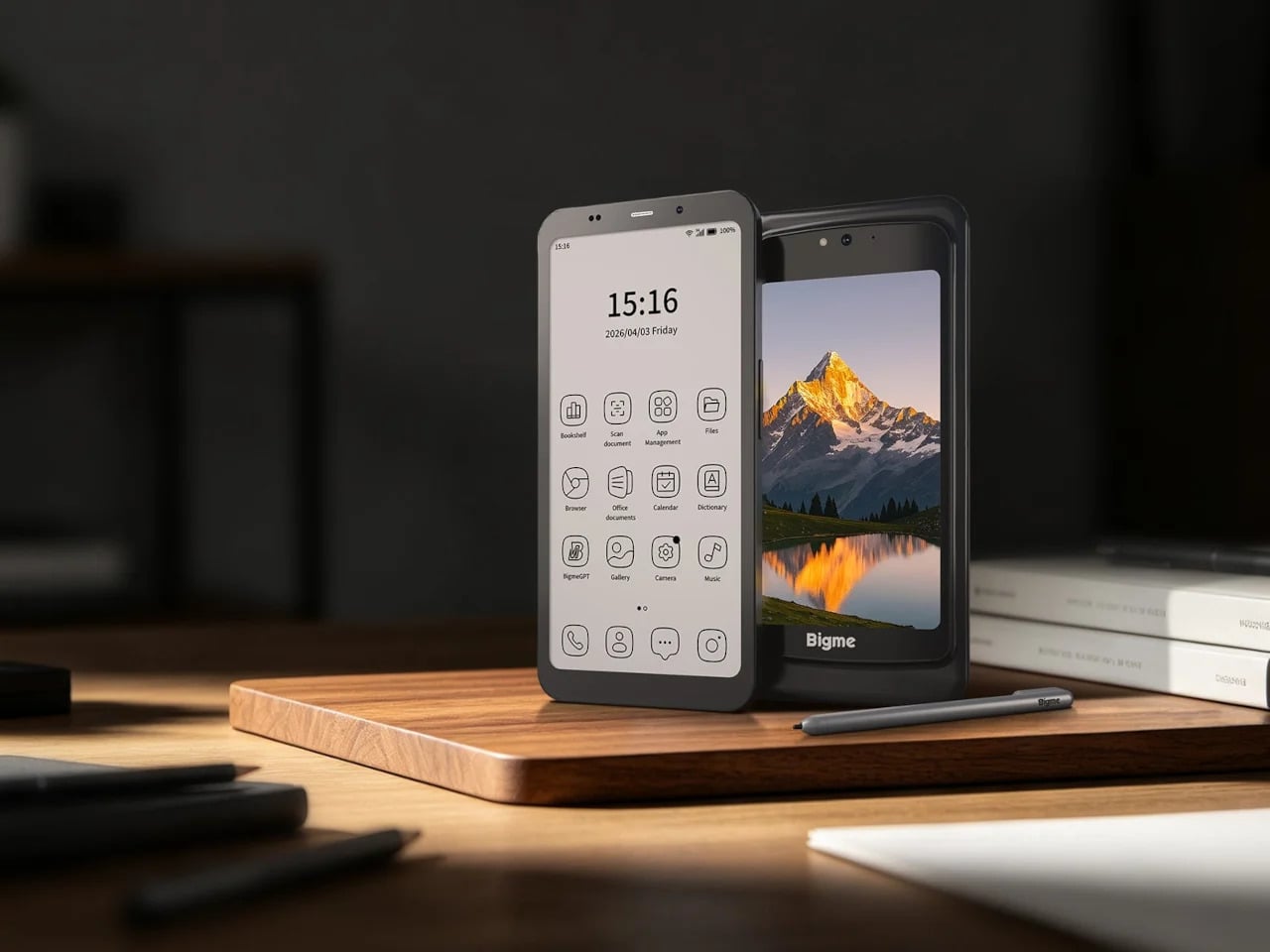
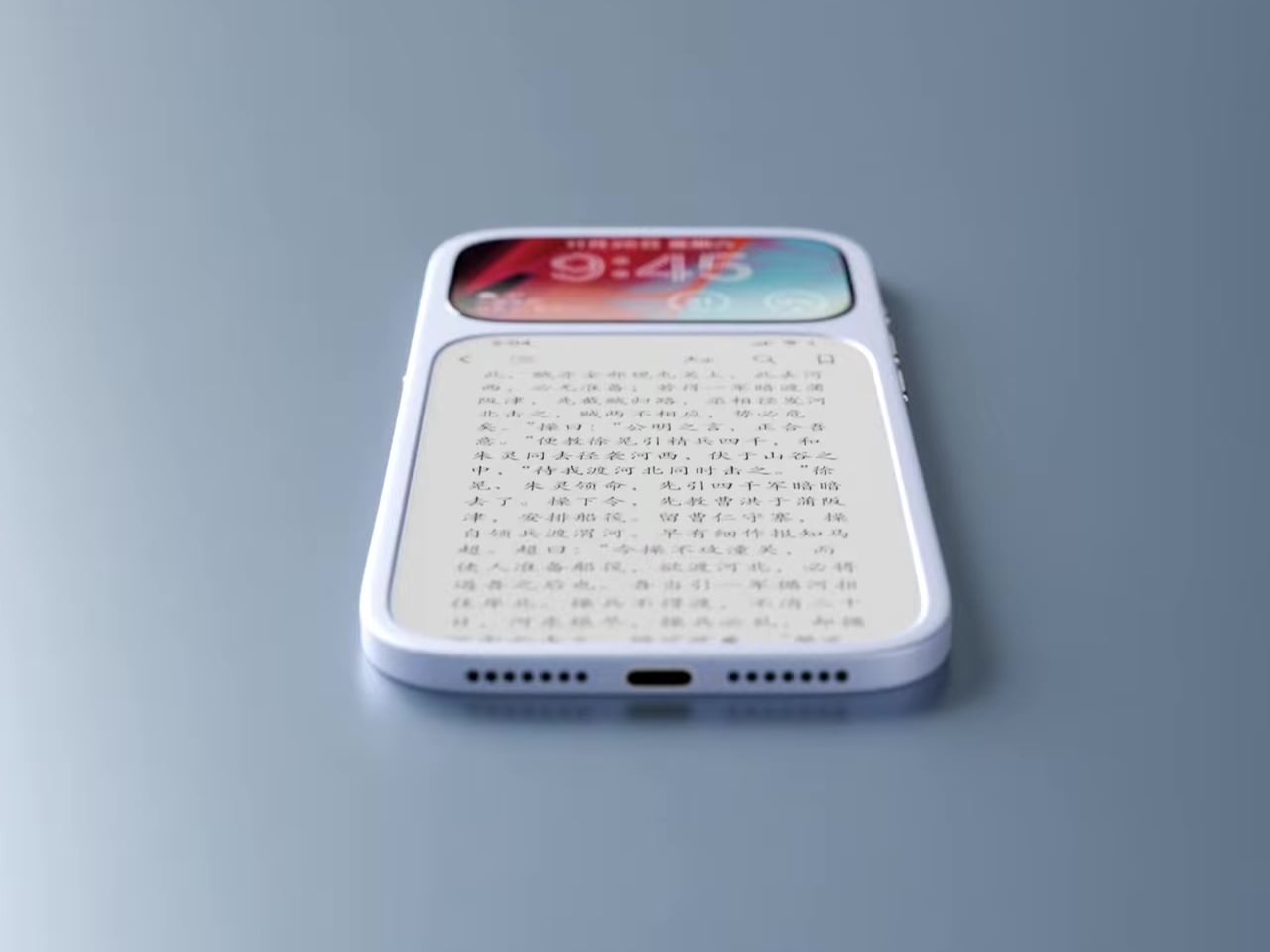
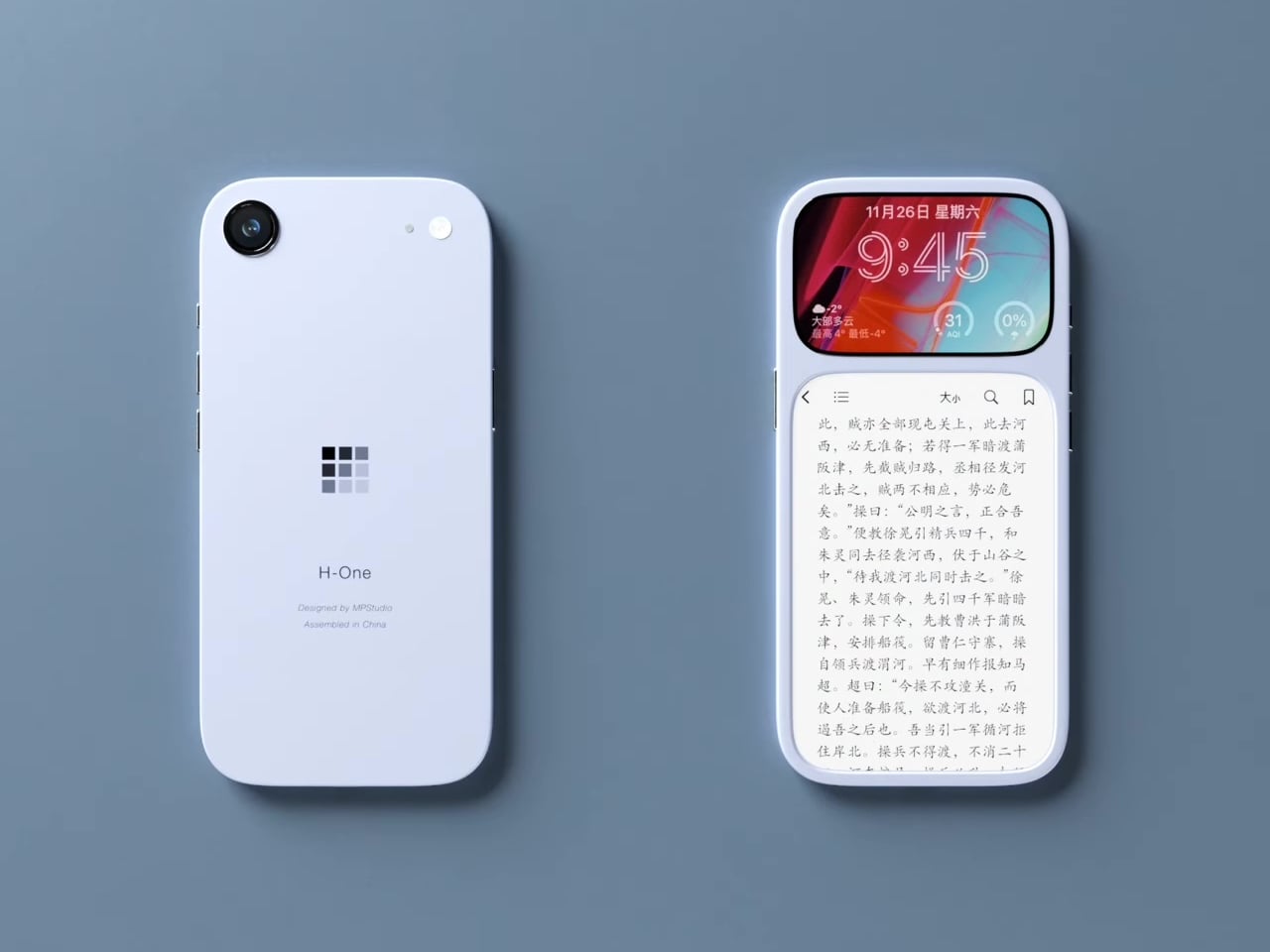
Modern phones have turned into pocket TVs, huge OLED slabs that are great for video and games but terrible for focus. Most E Ink phones go to the opposite extreme, either dropping color screens entirely or putting an E Ink panel on the back while keeping a full-size color display on the front. This dual-screen concept tries a different take, stacking both screens on the same face, with a small color LCD above a larger monochrome E Ink panel.

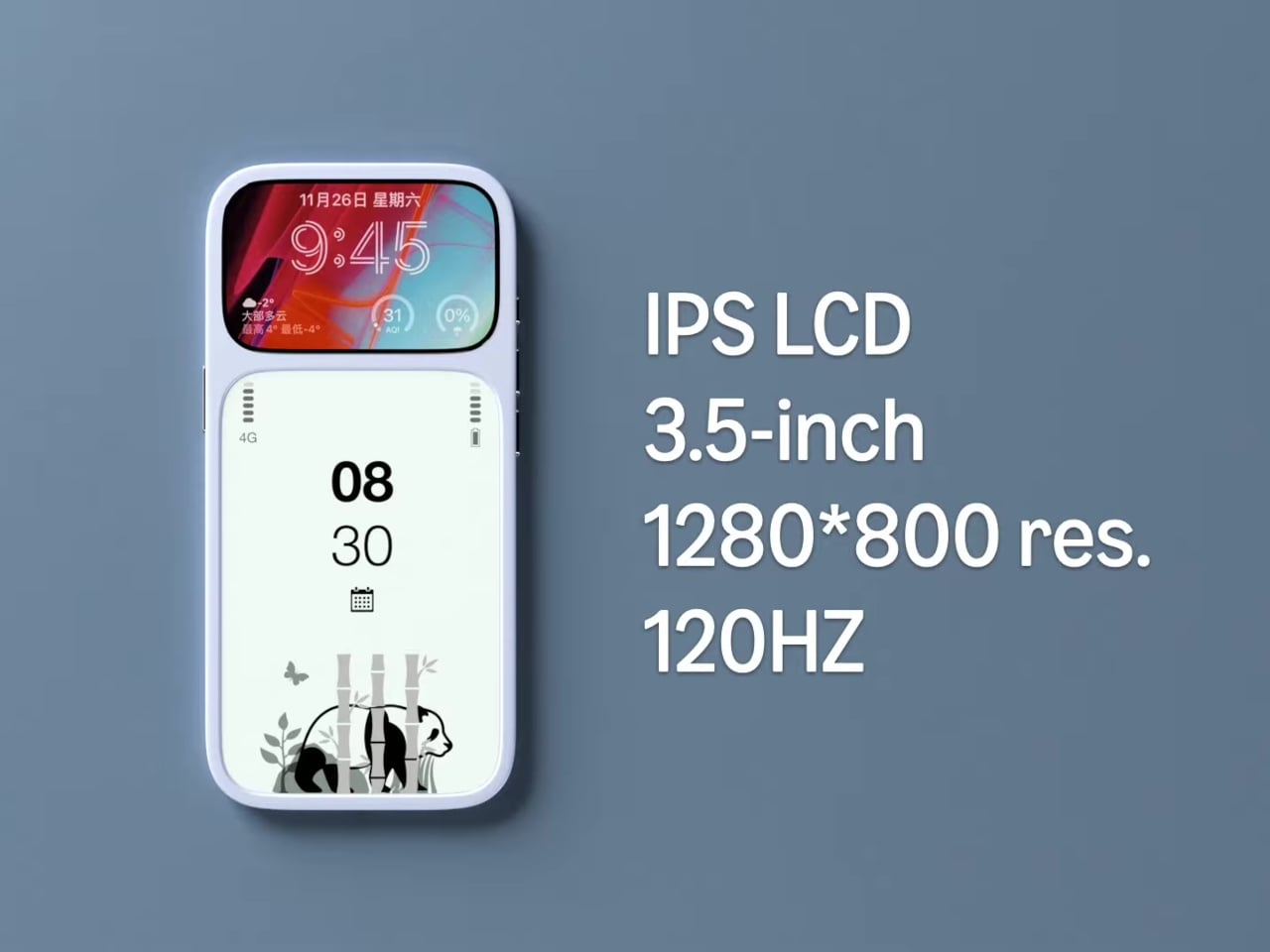
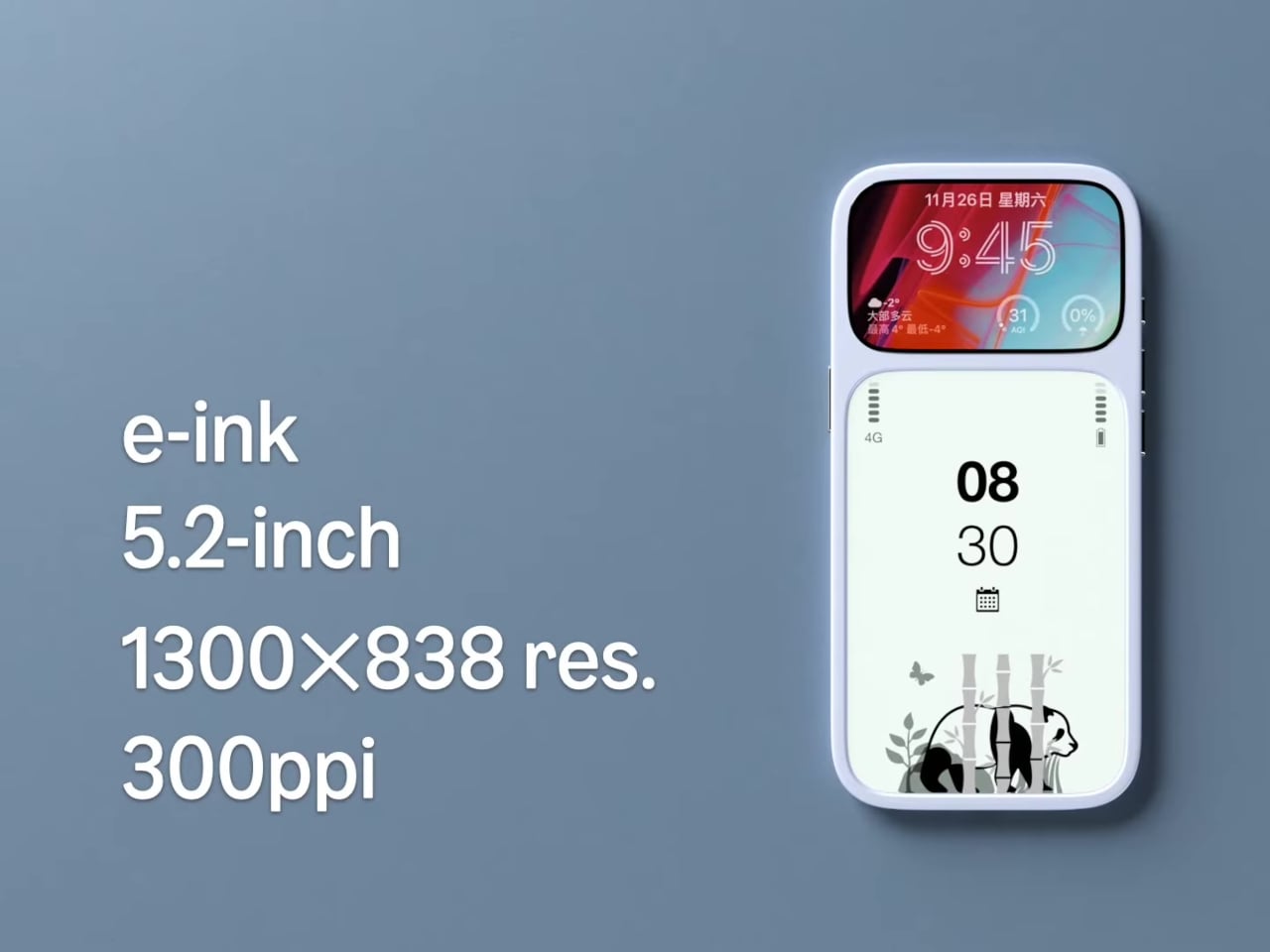
The basic layout is a 3.5-inch IPS LCD at the top and a 5.2-inch E Ink panel below, both on the front. The numbers are 1280 × 800 resolution at 120 Hz for the LCD and 1300 × 838 at 300 ppi for the E Ink. The clear back with a single camera and simple branding quietly signals that this phone is not chasing the usual multi-lens, all-screen spec race, instead treating the front as a composition of two very different surfaces.

Designer: Mechanical Pixel

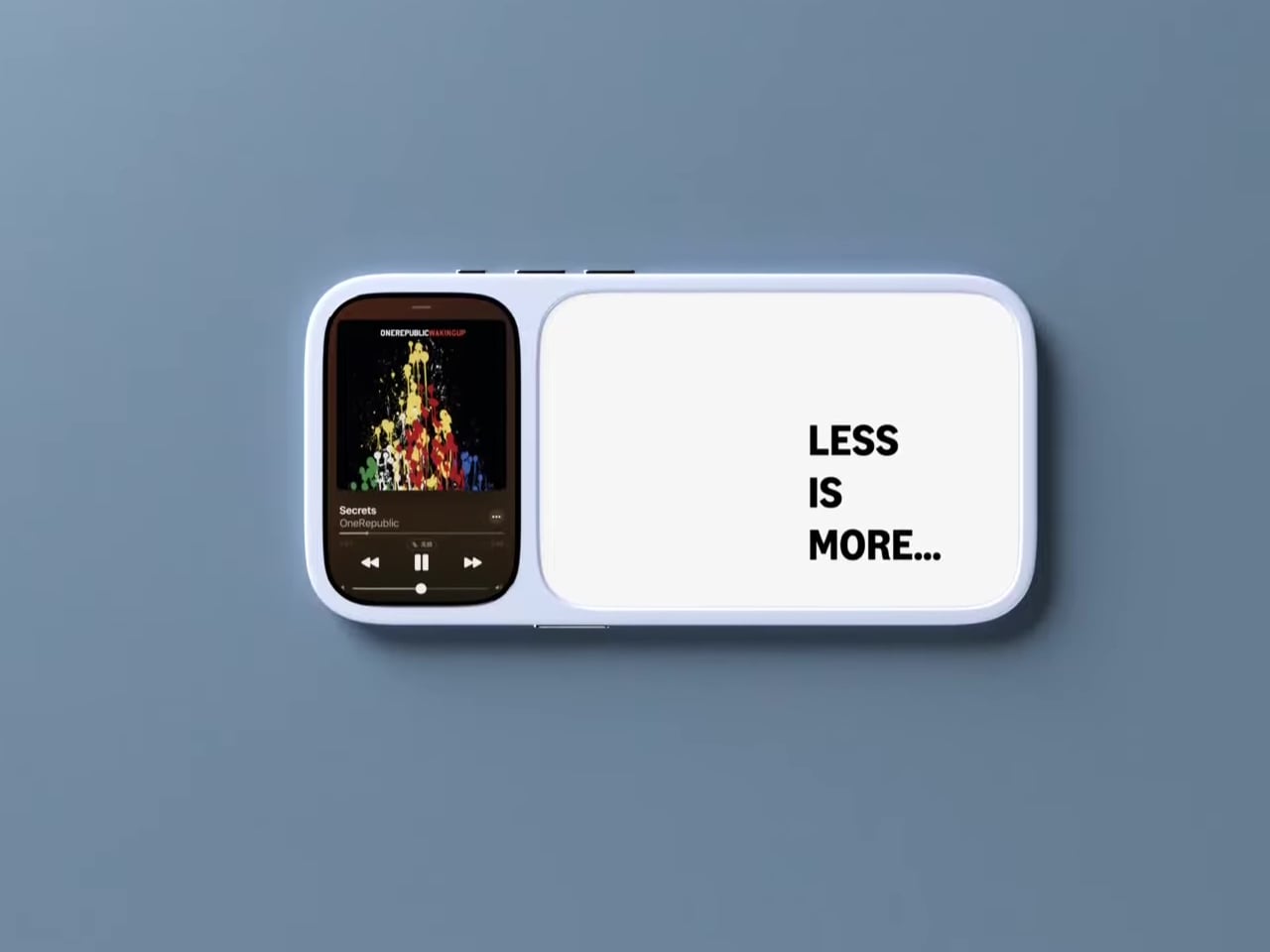
The smaller LCD becomes the “burst of color” zone for time, notifications, music controls, and quick interactions, while the larger E Ink area is reserved for reading, notes, and simple widgets. This creates a hardware-level hierarchy; the calm, monochrome screen is where you spend most of your time, and you consciously move your attention to the smaller, brighter panel when you really need it, which changes the default state of the device from hyperactive to quiet.

The obvious pros are less visual noise, better eye comfort, and potentially much better battery life. E Ink only draws power when it refreshes, so a reading-first layout means the phone can idle for long stretches without burning through charge. For people who mostly message, read, and check calendars, the big E Ink panel could handle most of the day while the LCD stays off or in a low-duty role, extending runtime significantly.

The trade-offs are nothing to scoff at, though. A 3.5-inch LCD, even at 120 Hz, is not ideal for immersive video, complex productivity apps, or touch-heavy games. UI designers would need to rethink layouts for that smaller window, or accept that some tasks are better on a tablet or laptop. The E Ink panel’s slower refresh also limits it to taps and page turns, which is fine for reading but not for fast, gesture-driven interfaces that rely on immediate visual feedback.

This concept uses hardware to enforce a kind of digital minimalism. Instead of relying on focus modes and grayscale filters, it bakes the idea into the front of the phone, a big, calm screen for reading and a small, hyperactive one for everything else. For people who like the idea of a phone that nudges them toward books and away from endless feeds, that stacked layout feels like a surprisingly sharp design argument, where the very shape of the device encourages a different relationship with what lives on it.

The post This Phone Concept Stacks a 3.5-Inch LCD Above a 5.2-Inch E Ink Screen first appeared on Yanko Design.
This Chinese dual screen business laptop is first horizontally foldable 360-degree laptop ever

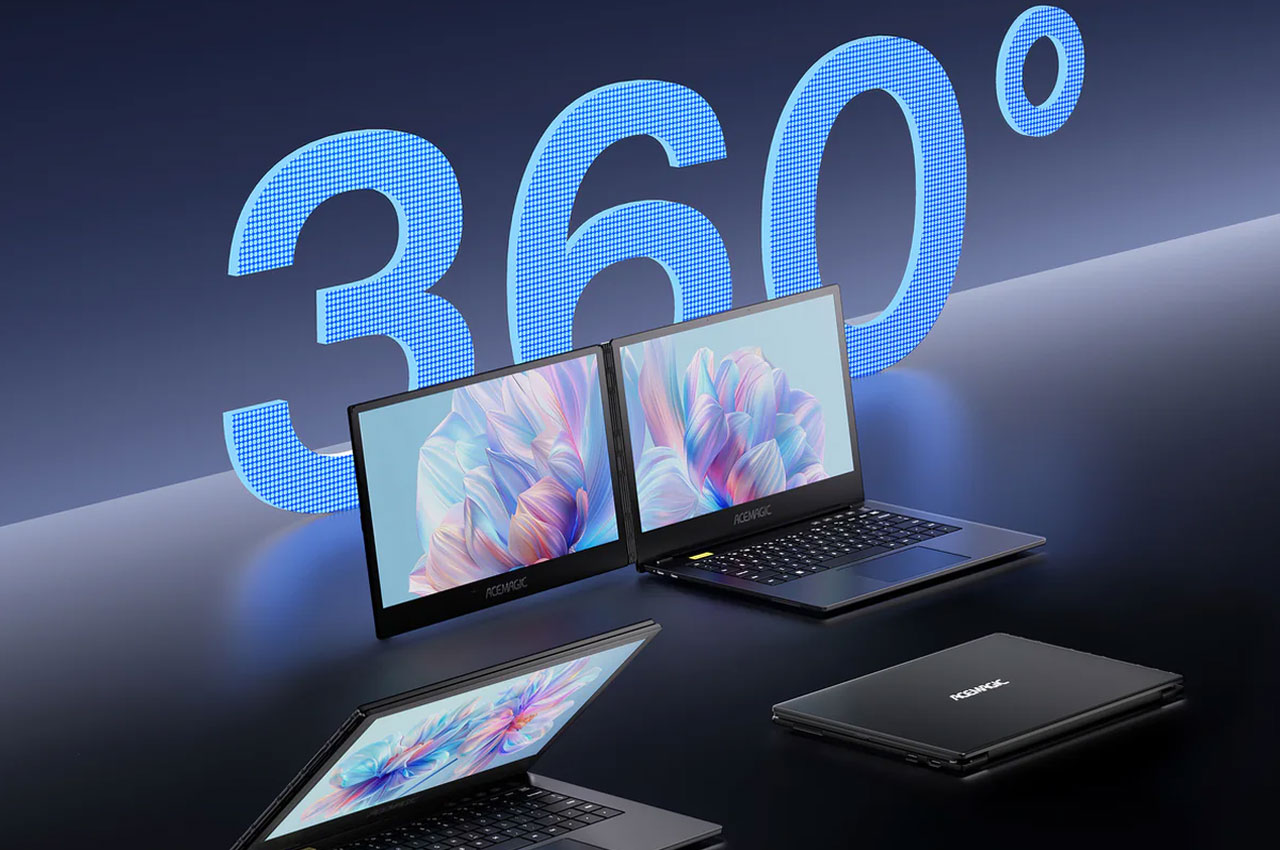
Dual screen laptops are still in their infancy. Whether there are takers for such a technology, doesn’t matter; OEMs are constantly developing laptops with multiple screens. Chinese company Acemagic is the latest entrant in the category. After having surprised us with a gaming router-esque mini-PC previously, Acemagic has now announced the X1 laptop: considered the world’s only horizontally foldable 360-degree laptop.

It was back at the Computex 2024 in Taiwan when Acemagic first revealed its dual screen laptop. It was then called the Z1A, but eventually now, when it was launched, it was called the X1 and it is meant for consuming different content simultaneously, working on different screens, or multitasking work without switching between screens – as I end up doing all day, with a 27-inch monitor attached to my usual single screen laptop.

Designer: Acemagic

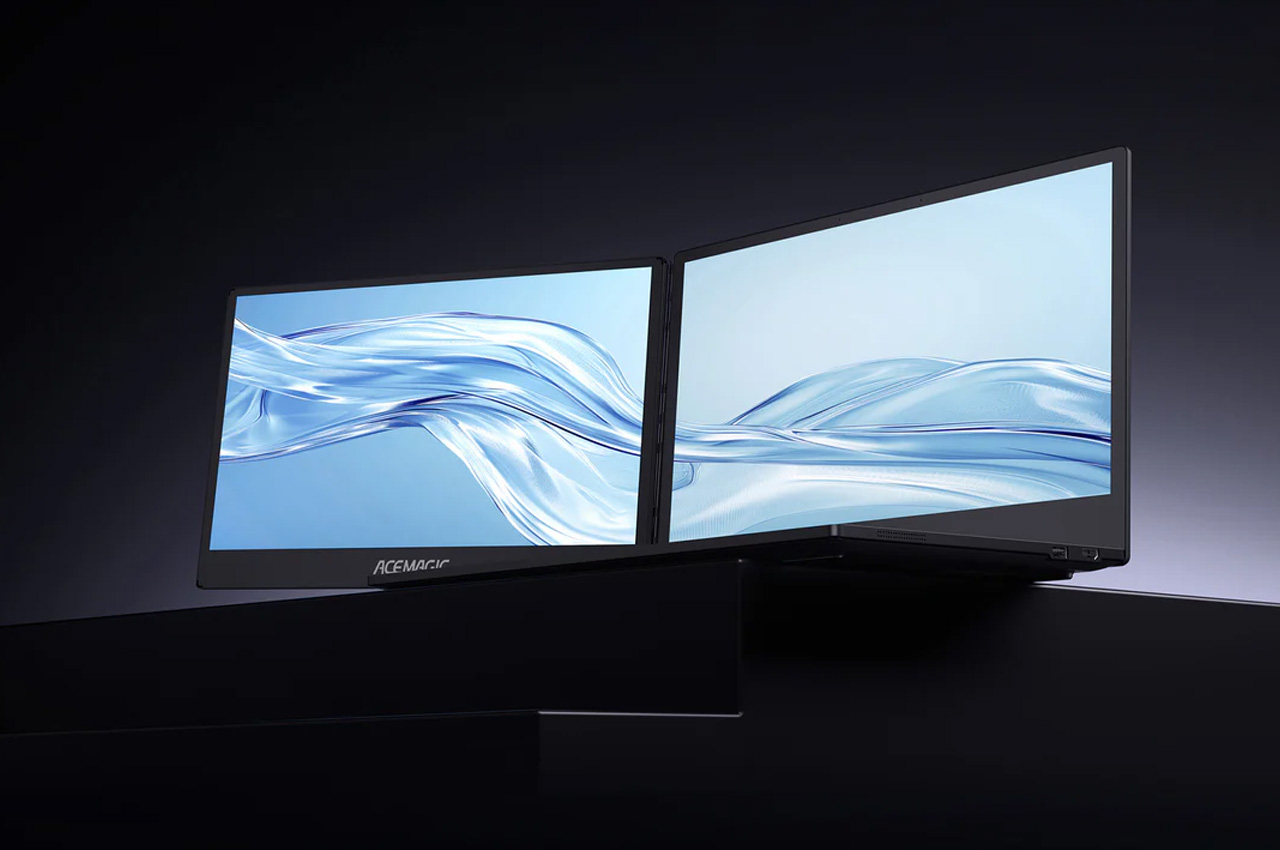
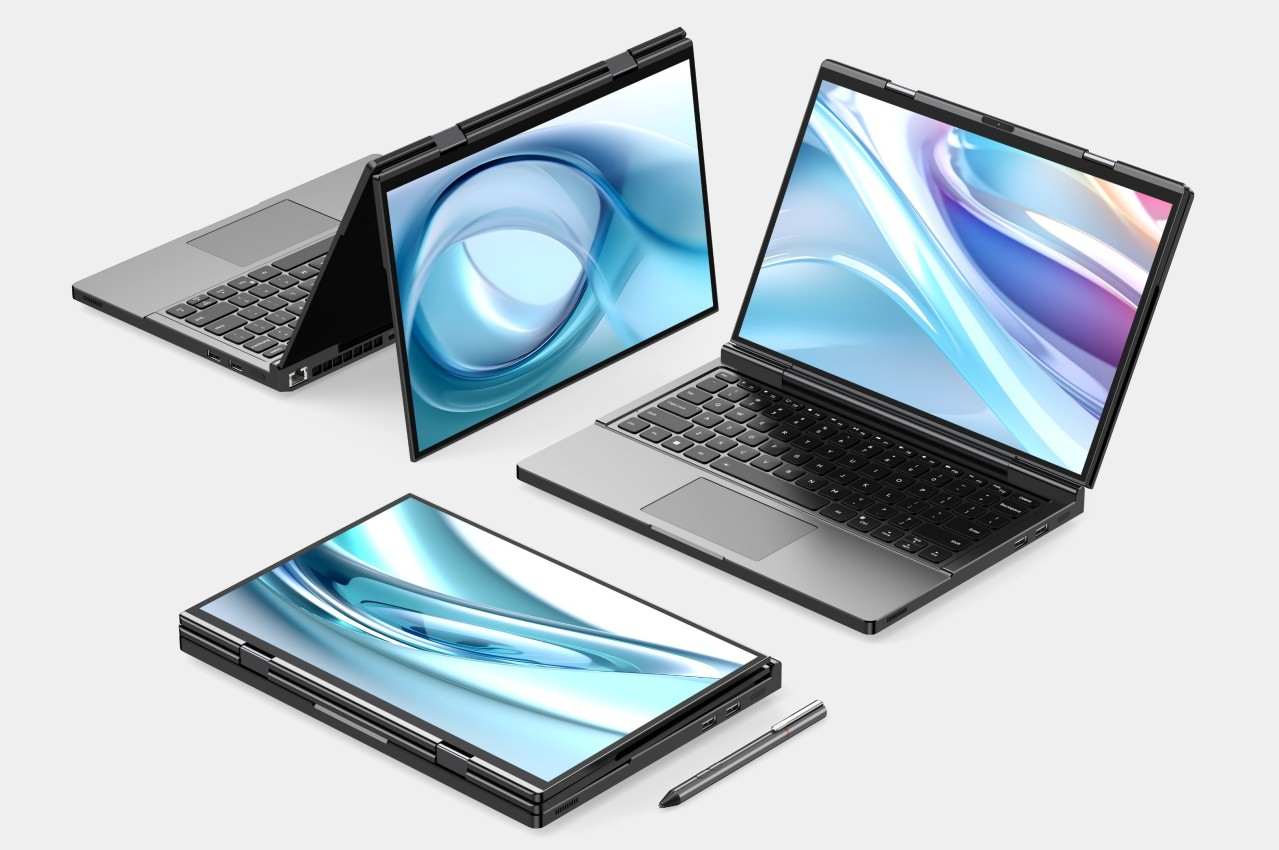
The Acemagic X1 is a usual laptop with another screen attached horizontally, which can swivel all the way back, flush against the primary display. Comprising two 14-inch 1080p displays, the laptop allows users to fold the screens down over the keyboard for use in tablet mode with one screen. Whatever the use case you choose, the 360-degree rotation and folding dual screen laptop is meant for business and productivity usage.

So, you can during work, swivel the second screen backward and present the slides to your team sitting across the table from you. Or maybe, when your little one is disturbing you while working; you can swing the additional screen all the way back to play their favorite cartoon while you continue working unhindered. There are a lot of use case possibilities, but it’s not the most powerful machine for your needs.

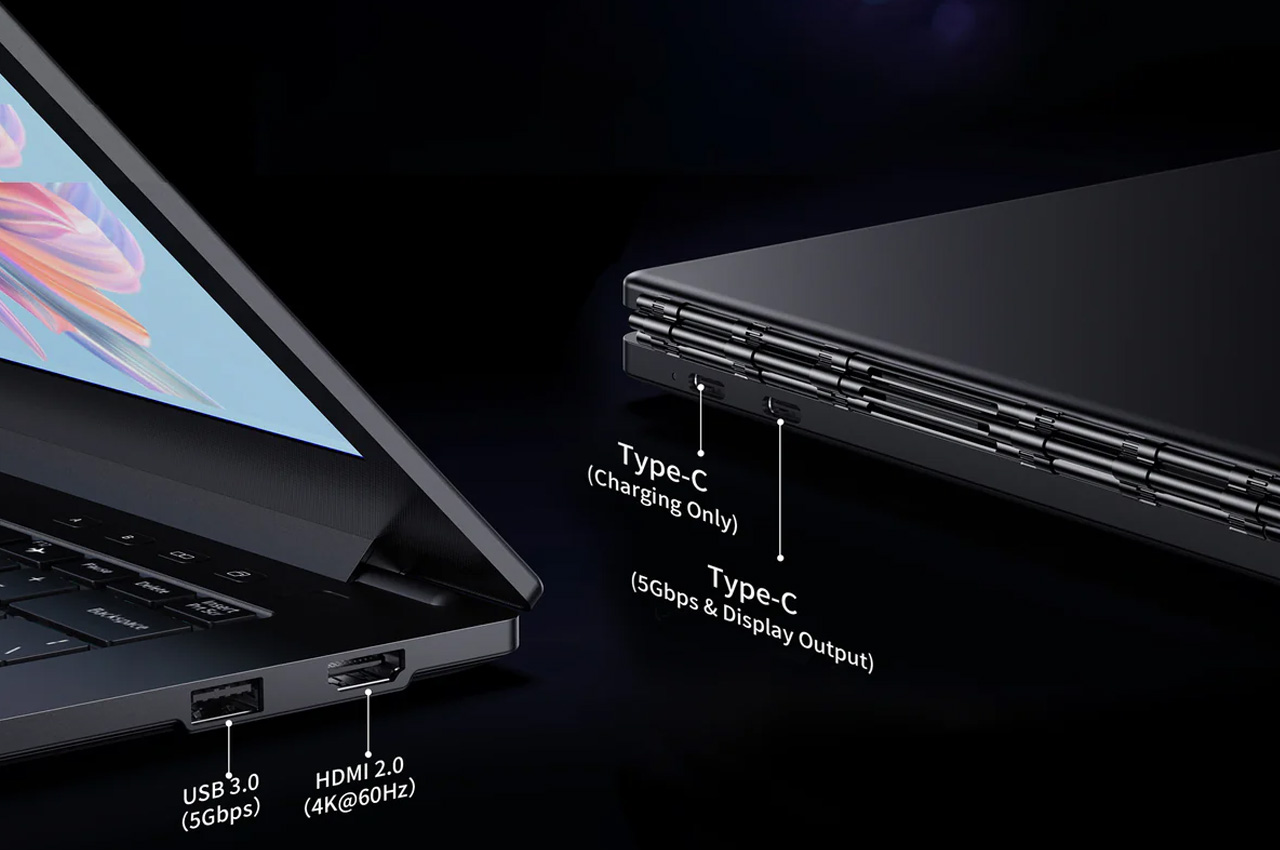
Under the hood, the Acemagic X1 dual screen laptop runs a two-year-old Intel Core i7 1255U processor. It’s paired with 1 TB 3.0 SSD for onboard storage and features 16GB DDR4 RAM.  For connectivity, the laptop supports up to 5Gbps of transfer speeds and has a USB-A, 2 USB-C (one only for charging), and an HDMI 2.0 ports. With its distinctive appeal, the laptop will make a buzz but for now, we don’t have a price or its release date to share.

The post This Chinese dual screen business laptop is first horizontally foldable 360-degree laptop ever first appeared on Yanko Design.
Dual screen laptop proposes a unique design to solve the laptop monitor problem

In exchange for portability and mobility, laptops give up some power and flexibility, especially when it comes to things you can connect to. Sure, you can still connect plenty of peripherals, but you’re limited not only by the amount of ports available but also by the space you have around your laptop. A dual monitor laptop, for example, is inconvenient and even impossible in some circumstances, so a few solutions have been designed to address that limitation, from portable monitors to laptops that are just two screens and nothing else. The latter has been billed as “dual laptops,” though their appearance and use are far from what most people expect from laptops. This “true dual screen laptop” wants to fix that problem with a design that is both intriguing but perhaps also questionable at the same time.

Designer: GPD

You can’t change a laptop’s screen after the fact, so you can only expand it with an external portable monitor that adds yet another thing to your bag. Dual-screen laptops like the ASUS ZenBook Duo and Lenovo Yoga Book 9i are actually more like two monitors with integrated computer hardware rather than like a laptop with two screens. One of the biggest problems is requiring the use of a Bluetooth keyboard in ways that are unfamiliar to most laptop users.

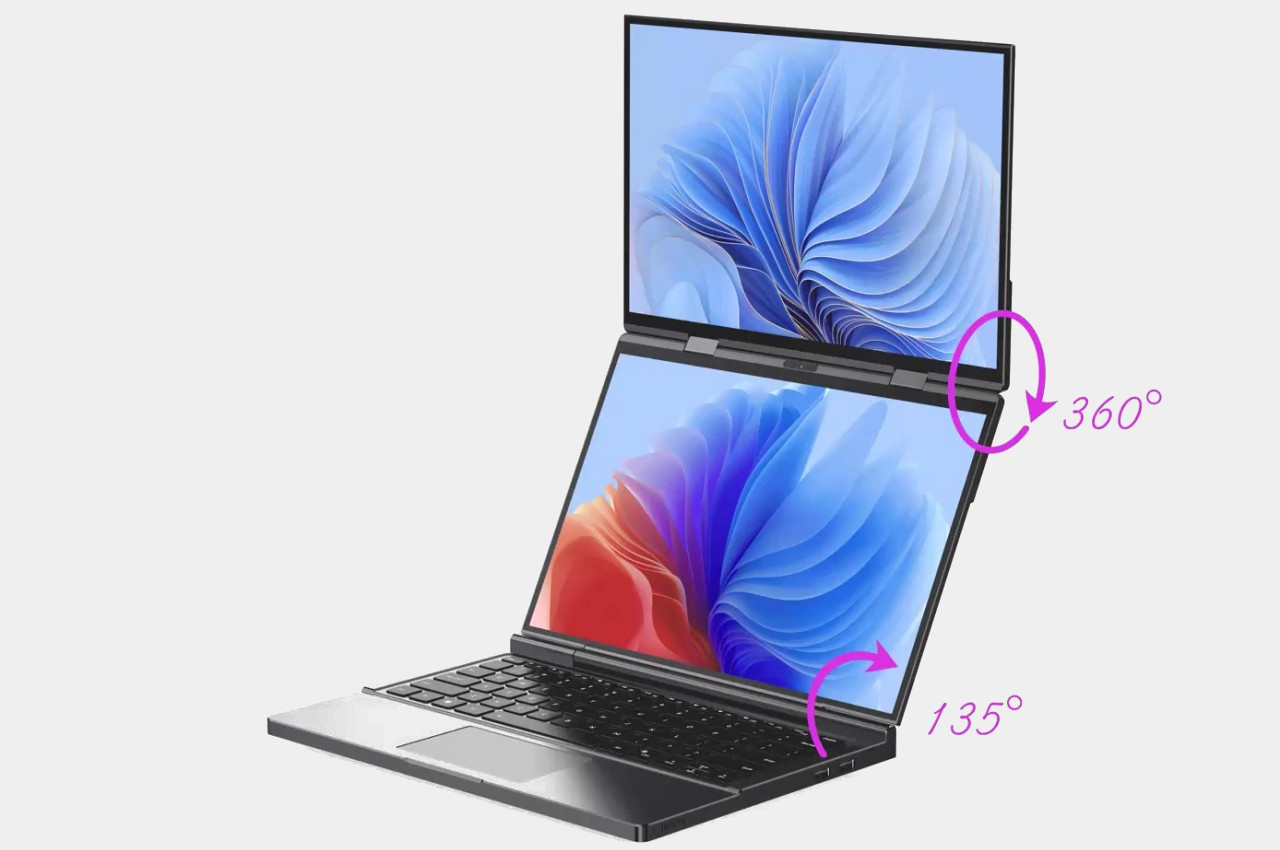
The GPD DUO’s solution is to combine all these parts into a single whole, delivering a completely traditional laptop experience when needed and a dual-screen or even tablet when wanted. It does this by actually having two folds, one with a traditional laptop hinge that can fold open up to 135 degrees, and another for the second monitor that can fully swing 360 degrees. This second screen is permanently attached to the top of the first, creating a vertically stacked dual-screen setup when unfolded. But unlike ASUS’s and Lenovo’s designs, the keyboard is still attached to the primary screen and functions as expected.

This rather unconventional design means that, if you don’t want or can’t use a tall dual-screen setup, you can simply fold back the second screen and use the GPD DUO as a regular laptop. That said, the second screen in that position could actually still be used to present content to people in front of the user, sort of like the “tent mode” of some 360-degree laptops. And when you close the laptop down in this configuration, you get a tablet that you can draw on.

While the design of the GPD DUO sounds reasonable, it does raise a few concerns, especially in terms of the weight and bulk of the laptop. Although GPD claims that the 13.3-inch laptop is only the size of an A4 paper when folded, it hasn’t yet revealed the thickness or weight of the device. The design also forces the dual screen orientation to only be vertical, and you have no other option on how to use or position the screens. It does seem that the GPD DUO trades one feature for another, so it remains to be seen how this design will resonate with laptop users.

The post Dual screen laptop proposes a unique design to solve the laptop monitor problem first appeared on Yanko Design.
Compal Dual-Screen Laptop Concept can be unfolded in either direction

It’s still a very niche design, but it seems that dual-screen laptops are being adopted by major PC makers. Unlike a foldable laptop that mimics a foldable phone, a dual-screen laptop simply offers two separate displays joined by a hinge, sort of like offering a second monitor that’s permanently attached to the laptop. Given this design, however, the only available design was a book-type foldable like the aborted Microsoft Surface Duo, the ASUS ZenBook Pro Duo, and the Lenovo Yoga Book 9i. That, however, only covers about half of the use cases you might have for a dual-screen configuration and lacks the flexibility you’d enjoy with a detached second screen. That’s the kind of design problem that Compal’s concept is trying to solve and it does so in a very intriguing way.

Designer: Compal

The way dual-screen laptops are designed today is pretty much a product of familiarity rather than innovation. It’s the closest that resembles a regular laptop and is the easiest to implement. Ironically, it’s actually not the way people with two monitors arrange their screens in normal circumstances. Most have two horizontal monitors side by side or one stacked on top of the other. While current dual-screen laptops do support the latter use case, putting the monitors side by side requires having them standing vertically, opened like a book.

The Compal DualFlip concept flips that design on its head, pardon the pun, by giving the user the freedom to choose the configuration they need or want. They can have it stacked or side-by-side or even in the conventional book style. Or they can have only one screen active with the wireless keyboard sitting on top of the other, turning it into a regular laptop. The key point is that they dictate how they want to use the product rather than the other way around.

This opens the device to even more applications and users who have different needs and working conditions. Those monitoring data will probably appreciate having the monitor on top while those coding and writing might put the screen to the side. The latter is also the configuration that most will use for making digital art. Interestingly, having the screens stacked on top of each other also solves one of the biggest problems with dual-screen laptops and manages to “hide” the hinge and the gap that it creates between the two displays.

The key to this flexible design is the hinge that can fold or flip the screen as needed, hence the name. Of course, it’s still a concept and it’s uncertain if Compal already has working prototypes for this, but it definitely looks doable. If Compal manages to pull it off, it will definitely raise the brand’s profile and put it back on the map. That is unless its bigger rivals figure out another design that also solves that problem and actually puts it into production first.

The post Compal Dual-Screen Laptop Concept can be unfolded in either direction first appeared on Yanko Design.

Dual-screen E Ink reader doubles as a laptop for double productivity

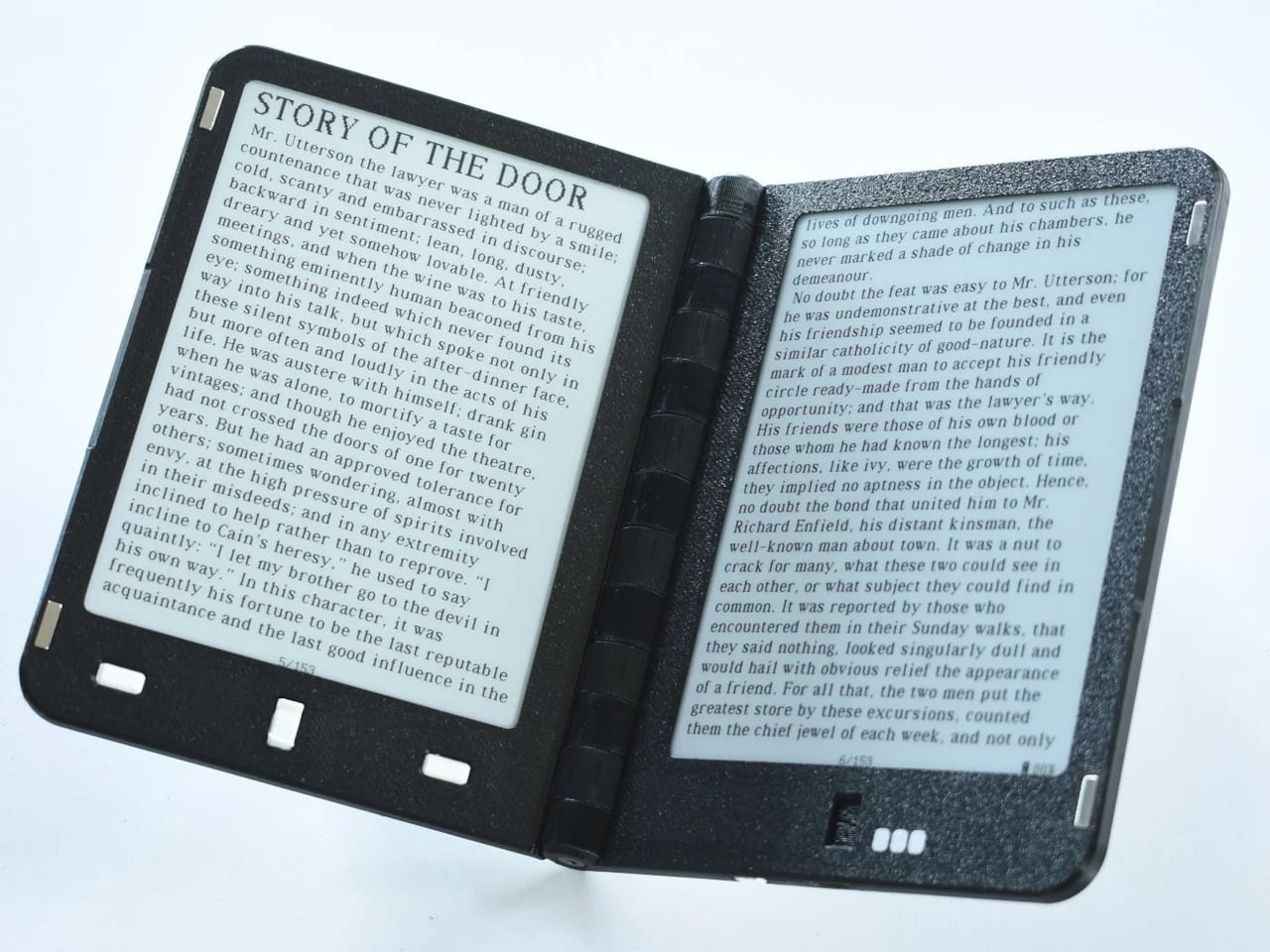
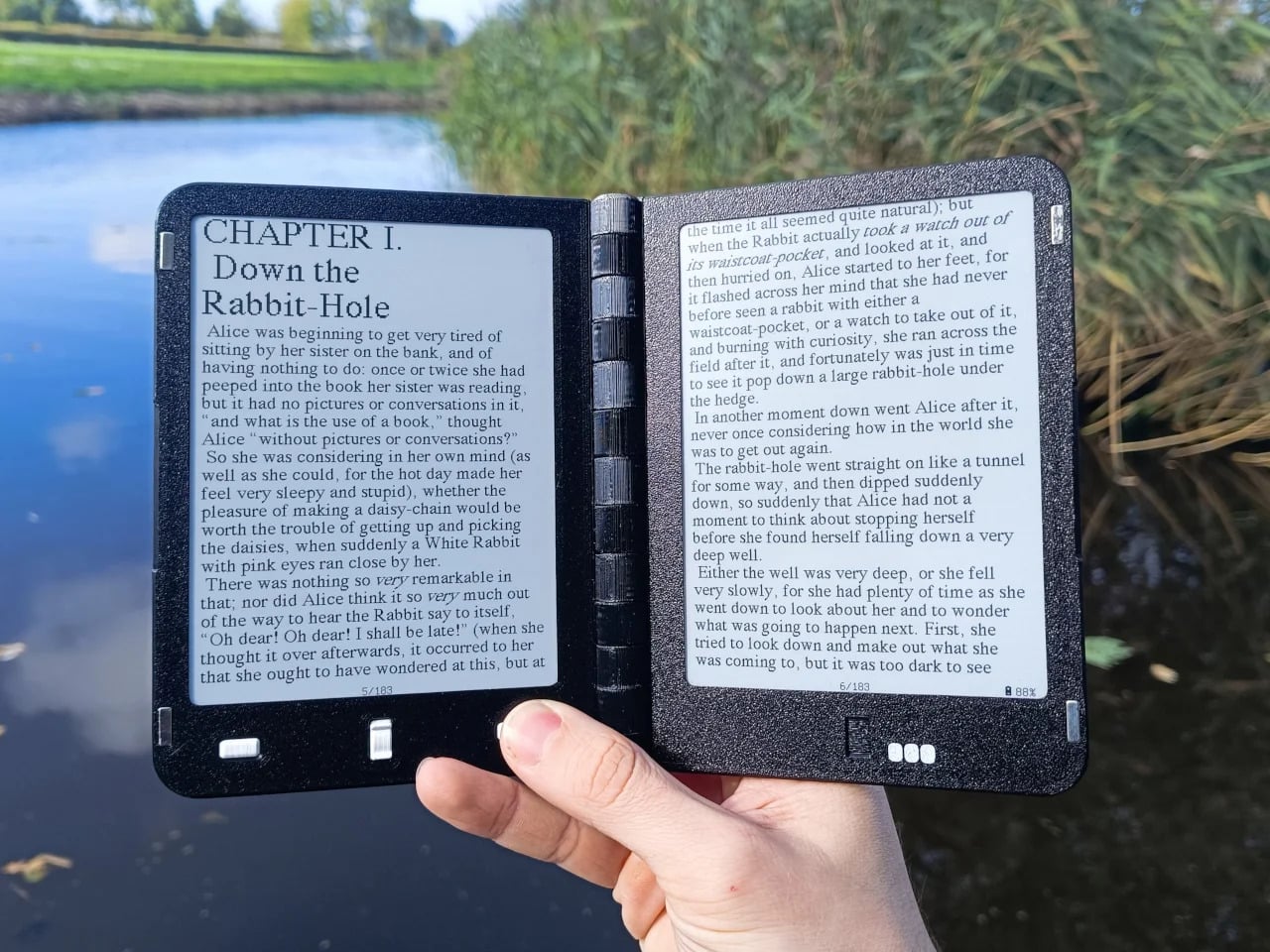
Just like smartphones, laptops are undergoing a bit of change and experimentation with foldable, dual-screen, or even transparent laptops coming out of the woodwork. It’s only a matter of time before that trend makes its way to other devices, though there are signs of that happening in the e-book reader industry already. E-readers, as they are called, are breaking out of their shell, and some are even Android tablets that just happen to use e-paper displays. Compared to this unexpected design, however, those Android-powered E Ink readers sound almost unambitious, because this particular device actually puts together two E Ink displays to offer an almost literal book reader, a notebook, and a laptop all rolled into one.

Designer: LCFC (Hefei) (a Lenovo subsidiary)

Dual-screen laptops might not be new to our ears after the aborted Microsoft Surface Duo, the ASUS ZenBook Duo, and the Lenovo Yoga Book 9i. The idea behind this design is to bring the same dual-screen experience some users enjoy on desktops to the laptop without completely losing the advantage of portability. That use case might make perfect sense for a laptop that runs a conventional operating system with plenty of applications, but it isn’t as straightforward for e-book readers, even the ones running Android.

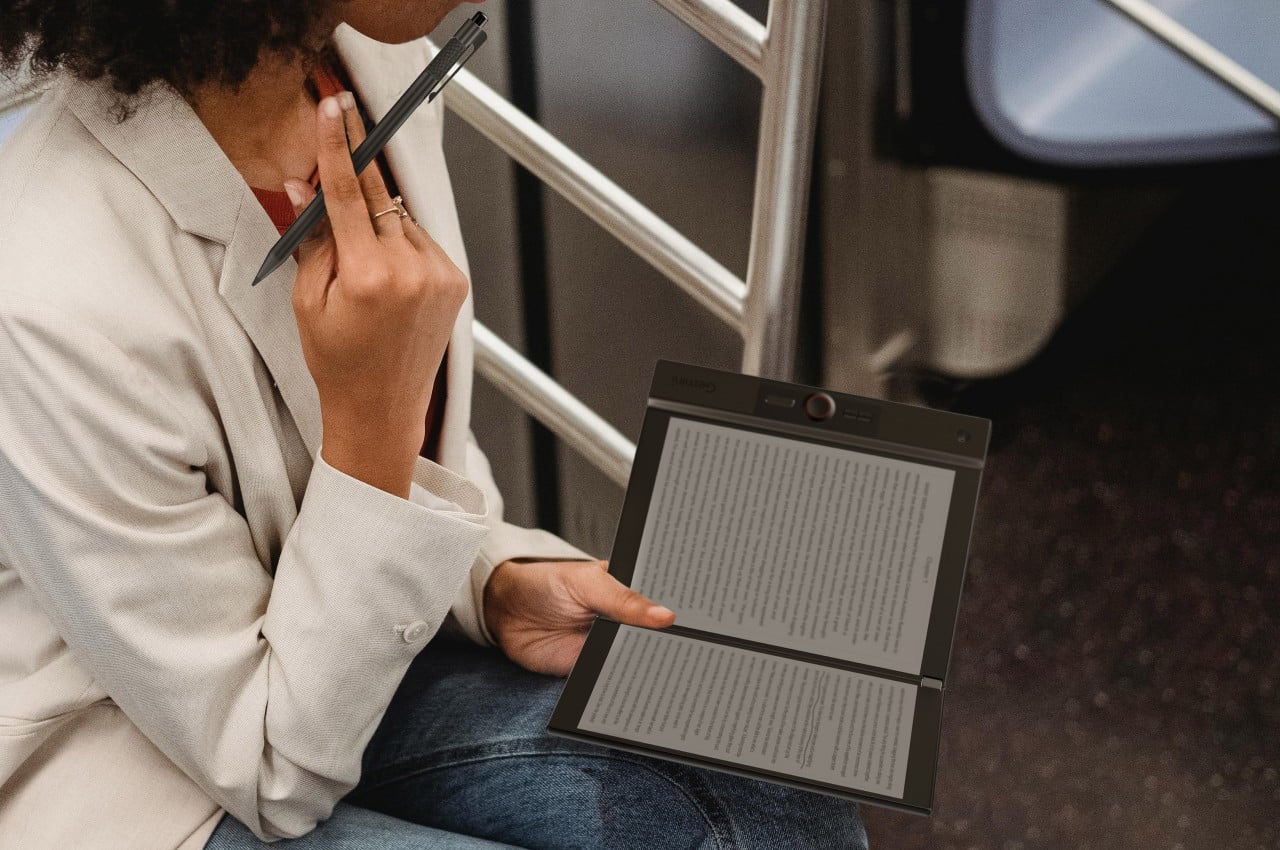
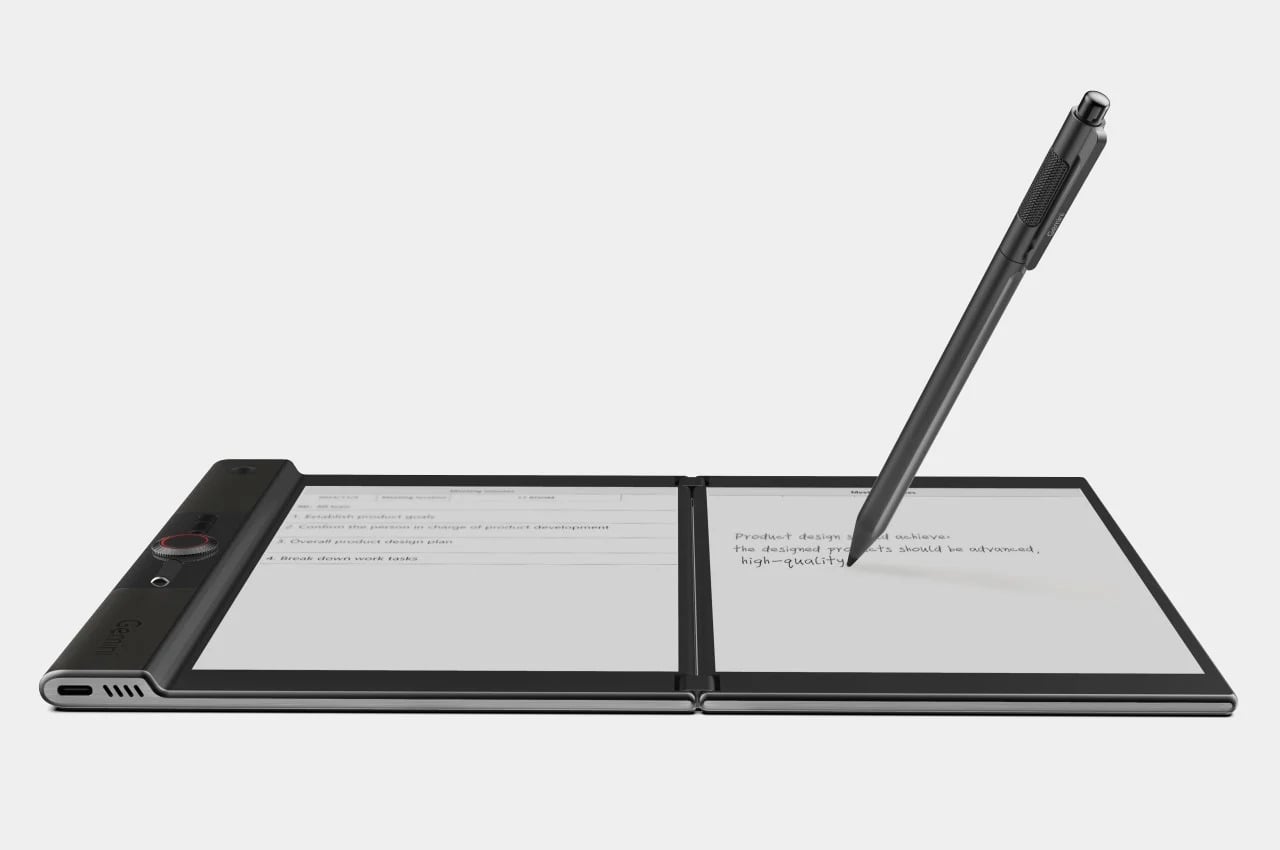
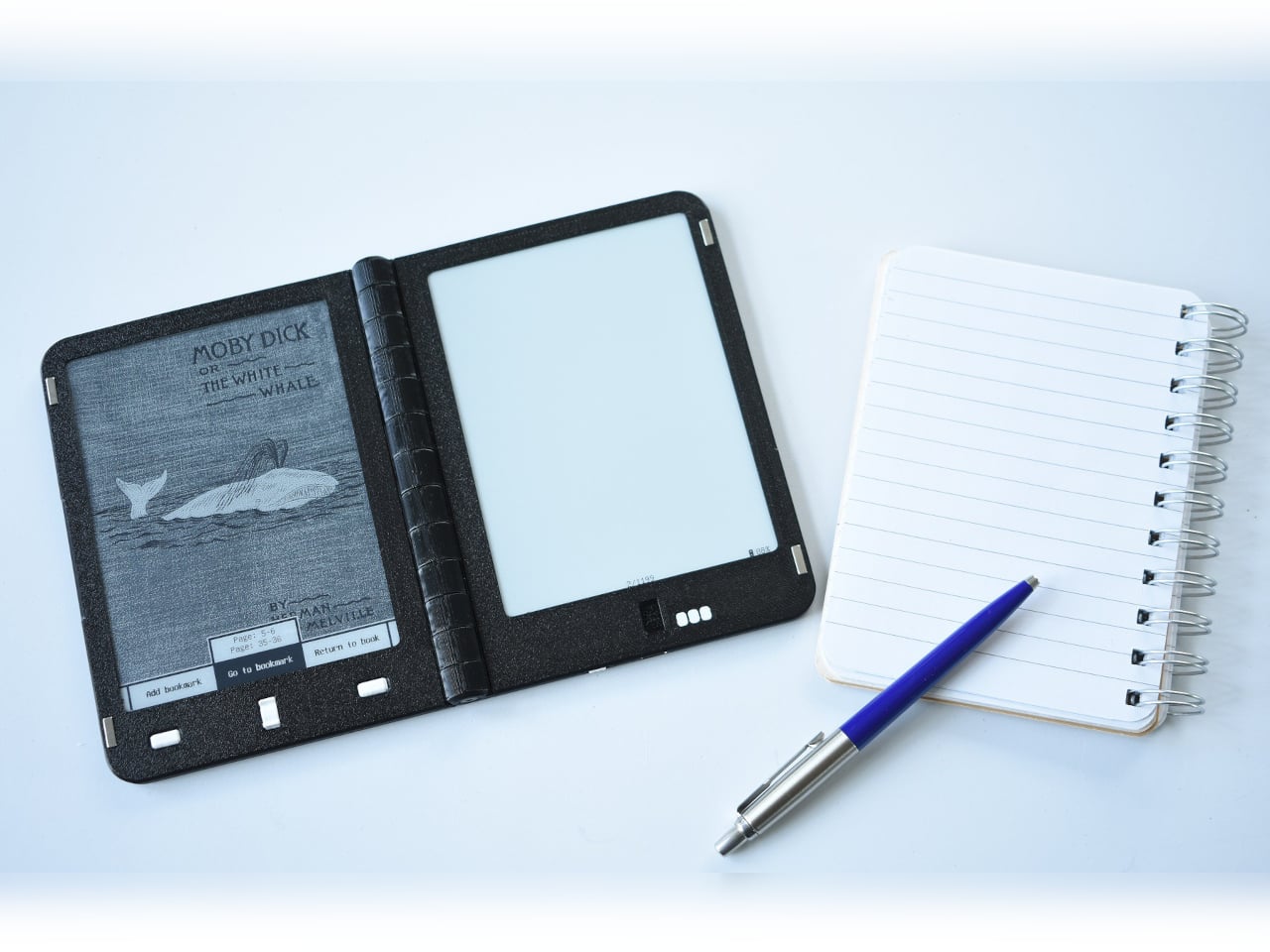
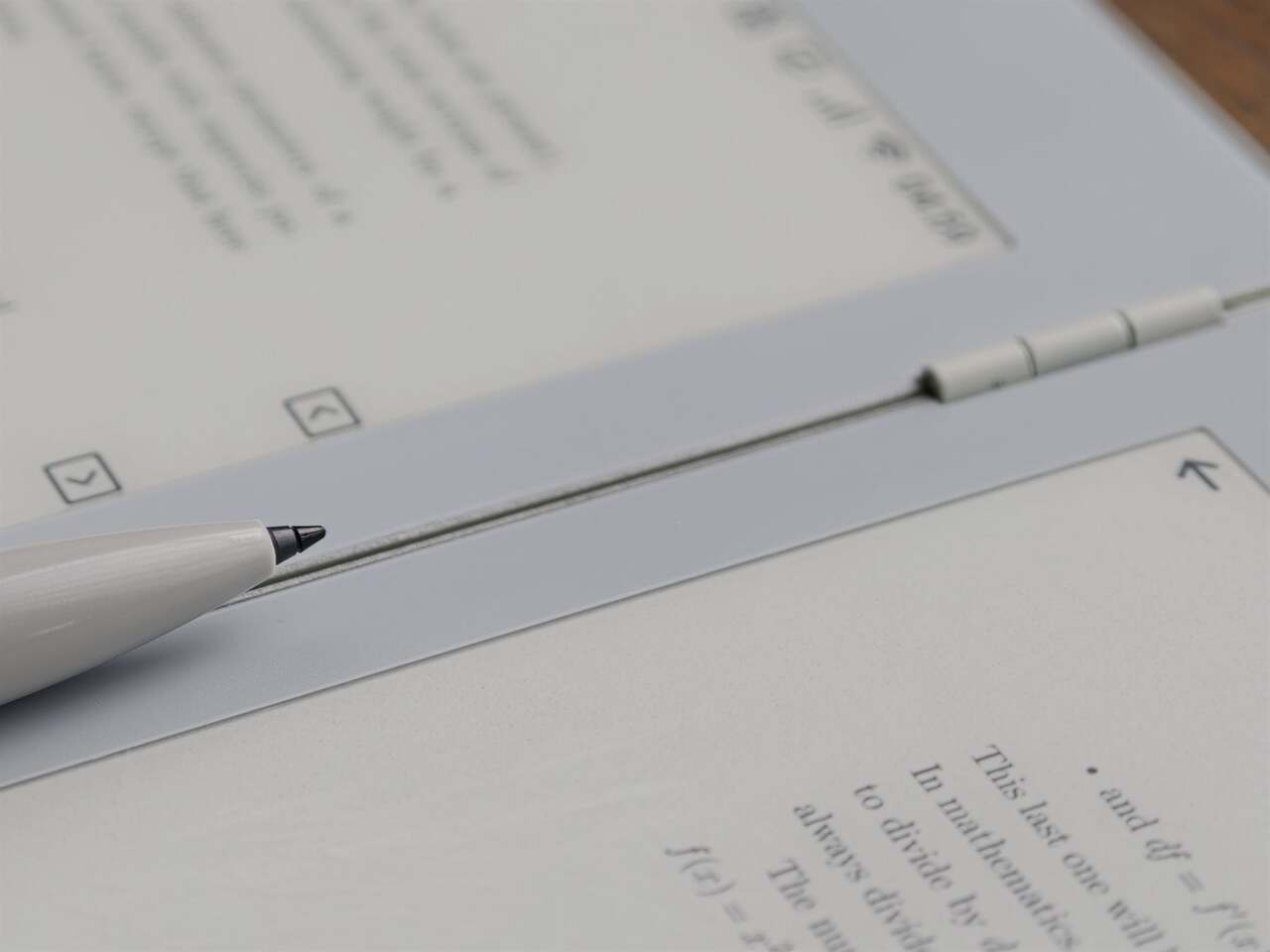
And yet, that’s exactly what the Gemini “Dual Screens Wisdom E-Ink Book” is trying to do, albeit with a slightly different focus. It connects two 7.8-inch E Inks screens using a 360-degree hinge that lets you fold it close like a book or fold it in the opposite direction completely to transform it into a tablet. In addition to reading, the device is designed to make it more natural to write down notes, possibly on what you’re reading. Note-taking is so central to the Gemini’s purpose that other features are framed in that perspective.

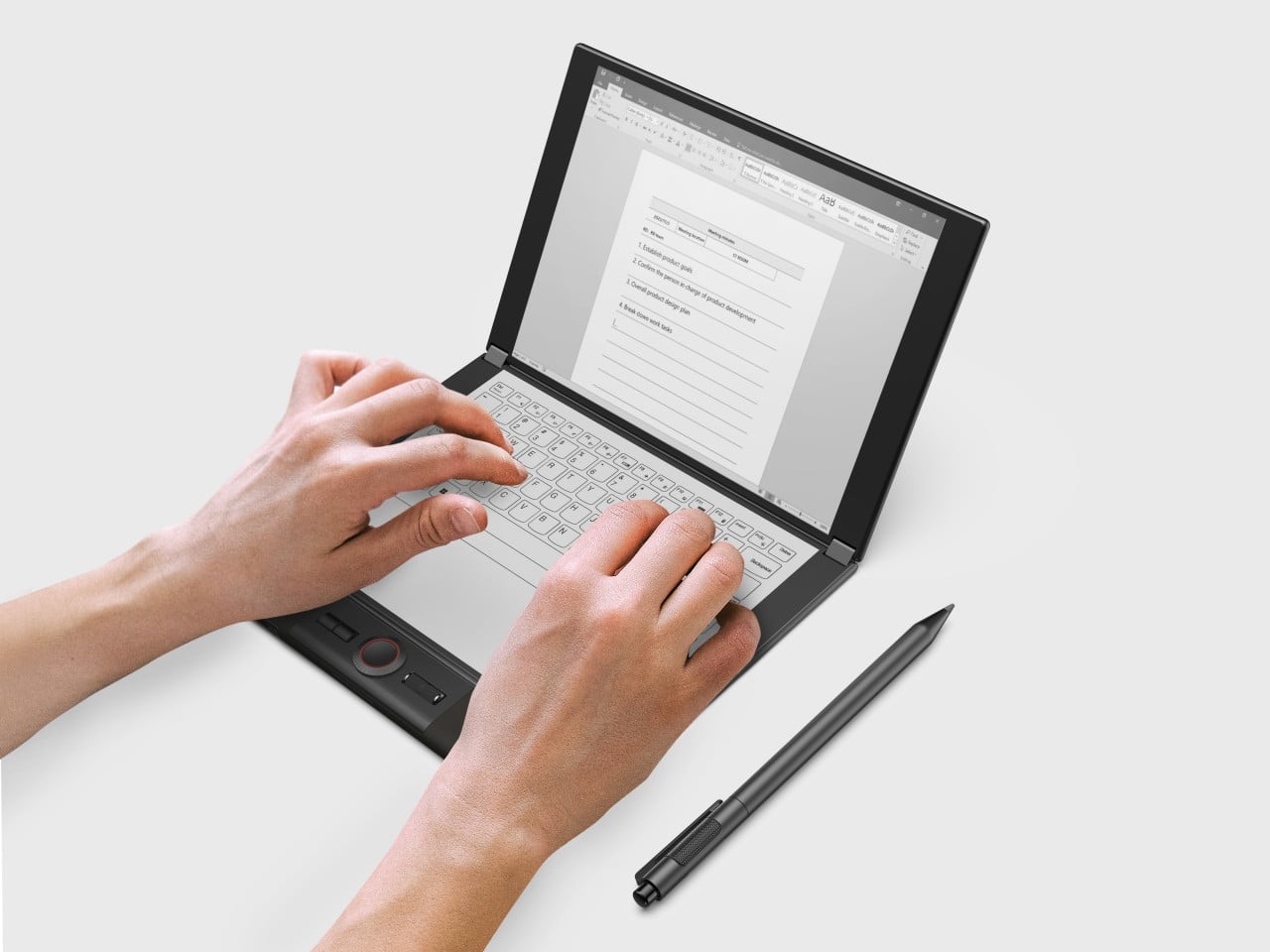
You can, for example, fold it half upright like a laptop for typing out notes. Of course, you’ll have to make do with an on-screen keyboard, but typing on an E Ink screen is notoriously awkward, uncomfortable, and inefficient, far worse than typing on a regular LCD or OLED display. You could potentially connect a Bluetooth keyboard, though that does lose the charm of being able to use this as a laptop. The Gemini also has a stylus you can write with, but the more interesting aspect of the pen is the detachable microphone module that you can use to record voice notes or even lectures.

The design of the Gemini is actually a bit peculiar thanks to an extended edge that’s thicker than the rest of the device. Not only is this where most of the electronics are housed, but it also seems to have controls like a dial and buttons, almost reminiscent of those display tablets for drawing. When using the Gemini like a laptop, you will be resting your wrist on this “bump,” but that will actually force you to reach further down to actually type on the E Ink screen, not to mention you risk triggering those buttons. There is no definite word yet on when and where the Gemini will launch, but it will happen sometime this year, though it remains to be seen whether it will elicit the same interest as dual-screen laptops.

The post Dual-screen E Ink reader doubles as a laptop for double productivity first appeared on Yanko Design.
Odd laptop for creatives has a 7-inch tablet beside its keyboard

Laptops are extremely powerful machines designed to cater to a wide range of users, but some are designed to address the specific needs of a few. Bulky gaming laptops cram all the power possible in a portable machine, while a few “convertibles” straddle the fine line between laptop and tablet to offer artists and designers a digital tool for their work. This rather curious laptop seems to fall somewhere with the latter group, with a somewhat unique feature not found in any other laptop. Instead of the laptop screen supporting touch and pen input, it puts what is basically a 7-inch tablet to the right of the keyboard, offering a second screen that can also be used to write and draw on. Definitely an interesting proposition, but one that comes with too many caveats that make it less than ideal even for its target audience.

Designer: Topton

To be clear, this actually isn’t the first time this kind of distinctive design landed before our eyes. At CES 2022, Lenovo showed off the ThinkBook Plus Gen 3 with exactly that very feature. It positioned this design as the perfect solution for power multi-taskers, providing a second screen for showing information on the side, a digital pad for scribbling meeting notes, or a small canvas for drawing. Great on paper, but the implementation left plenty to be desired. Worse, its $2,000 price tag at the time of its launch made it something that only adventurous spirits would want to risk getting.

Lenovo ThinkPad Plus Gen 3

Lenovo ThinkPad Plus Gen 3

Chinese manufacturer Topton is trying to address one of those issues with the Topton L10, a 15.6-inch laptop with the exact same setup. It compresses the laptop’s keyboard and shoves it off to the left side to make room for a 7-inch touchscreen display that acts as a second monitor. And yes, it can work with a stylus, though it’s not clear whether it’s the same pressure-sensitive technology used by the likes of Wacom, a brand that digital creatives are very familiar with. Plus, you need to buy that stylus separately as well.

The biggest difference between the Lenovo original and this Topton L10 is the specs. You’re only getting an Intel Celeron N5095, one of the weakest from the chipmaker’s catalog, though also advertised to be more power efficient. And with 16GB of memory, it’s meeting only the minimum requirements for today’s creative software, not to mention limiting your multi-tasking capabilities. The display resolution of both screens is also a lot lower, which means it isn’t even good for doing art and design. It does have RGB backlights for the keyboard, stereo speakers, and a fingerprint scanner, features you wouldn’t expect from this price point, but last-gen Wi-Fi 5 and Bluetooth 4.2 also cap this computer’s potential.

As for that price point, the Topton L10 starts at $329 for a 128GB SSD drive, quite a ridiculously low amount of storage space these days, especially for a Windows 11 computer. The price tag might look tempting at first, but given the overall package, this unusual spin on the dual-screen laptop concept remains just a novelty that won’t be able to meet the high expectations that it sets up.

The post Odd laptop for creatives has a 7-inch tablet beside its keyboard first appeared on Yanko Design.