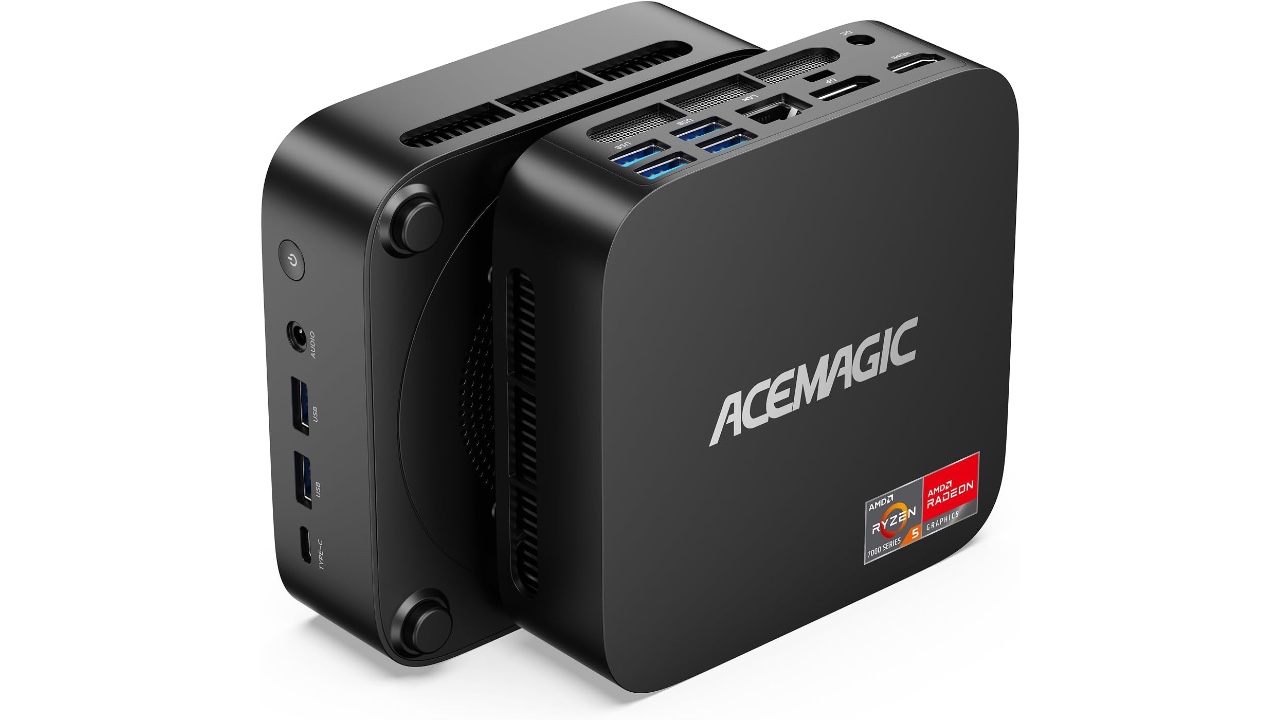
The whole AI PC trend didn't exactly set the world on fire last year, but, like clockwork, AMD is still ready to deliver a new batch of AI chips at CES 2026. The Ryzen AI 400 processors will offer some slight speed upgrades over last year's chips, and notably, they also include AMD's first Copilot+ processors for desktops. Sure, the Copilot+ program didn't really go anywhere, but as I've argued, it at least served as a template for building capable AI PCs. Now we just need some genuinely useful AI features in Windows — Recall and Copilot's voice commands aren't really compelling enough on their own.
AMD's first AI desktop chips, the Ryzen 8000G series, arrived in 2024 with relatively underpowered neural processing units (NPUs) for AI tasks. The Ryzen AI 400 chips, on the other hand, feature 60 TOPS XDNA 2 NPUs (up from the 50 to 55 TOPS in Ryzen AI 300 hardware). That places them well above the 40 TOPS NPU minimum for Copilot+ systems. For most consumers, NPU speeds don't really mean much yet, but if you're running AI models on your system you can expect slightly faster inferencing from AMD's previous chips.
AMD Ryzen AI 400 chips
AMD
The top-end Ryzen AI 9 HX 475 offers up to 12 Zen 5 CPU cores, 5.2GHz max boost speeds and up to 8,533 MT/s memory speeds. The line scales down to the four-core Ryzen AI 5 430, but even that model supports speedy 8,000 MTS RAM and offers a 50 TOPS NPU.
AMD isn't giving us many specific details on the Ryzen AI 400 chips at CES, but broadly, it claims they'll offer up to 30 percent faster multi-tasking, 70 percent faster content creation and 10 percent faster gaming than its previous chips. The company also says you'll see 70 percent better "unplugged connectivity" on Cinebench nT, which is hopefully a sign that you'll see improved performance overall on battery.
This article originally appeared on Engadget at https://www.engadget.com/computing/amds-ryzen-ai-400-chips-are-a-big-boost-for-laptops-and-desktops-alike-033000635.html?src=rss
A keyboard computer has always been on my wishlist — that is, a computer where the entire machine was stuffed into a keyboard. Perhaps I caught a glimpse of the Commodore 64 at an impressionable age, but regardless, the idea has always been intriguing to me. At CES 2026, HP is bringing that concept back with the new EliteBoard G1a, which is dubbed a “Next Gen AI PC.”
It's an IT administrator's dream: It looks a typical desktop keyboard, but it has the full power of a Copilot+ AI PC inside. You can equip it with Ryzen 5 or 7 CPUs and their embedded Radeon 800 GPUs, up to 64GB of RAM and as much as 2TB of NVMe SSD storage. All you need to do is add a monitor and a mouse, and you've got a full-fledged desktop setup.
HP EliteBoard keyboard PC.
Devindra Hardawar for Engadget
The more I think about it, the more sad I am that the arc of the computing industry trended towards standardized desktops and laptops. There was a brief spark of interest with the UMPC (ultra mobile PC) trend in the 2000's, which Engadget covered extensively as a young blog, as well as ASUS's Eee keyboard. But they couldn't survive the rise of the smartphone and tablet. It turns out putting an entire computer behind a screen was more compelling than stuffing them into a keyboard.
I was able to test out an early EliteBoard prototype, and while the experience wasn't perfect, it's still an intriguing computing option. I had trouble setting it up initially because it only had two USB-C ports on its rear, which meant I had to find a way to power it through one port and pass a video signal through the other. Thankfully, my Anker USB-C charging hub was able to juice it up, and I also had a USB-C hub with an HDMI port, which allowed me to connect to my monitor.
Sadly, the overall setup was a jumble of wires, and not the clean layout I expected from a keyboard PC. Once I was able to start up Windows though, I was less annoyed and more amazed that the keyboard contained an entire computer. I suppose I shouldn't be too surprised, as Intel's Compute Stick placed a functional PC in a much smaller case, but unlike the failed product, the EliteBoard actually felt usable. I was able to load up several browser windows with tabs, edit a few photos and even play a few light games, like Vampire Survivors. And yes, typing on it felt pretty great too.
HP EliteBoard keyboard PC.
Devindra Hardawar for Engadget
Since I was testing out prototype hardware, I agreed not to benchmark the EliteBoard. But from the performance I saw, it felt about the same an entry-level laptop. Basically, it's perfectly suited to its main task: Being a boring office computer. Back in my IT days, I certainly would have preferred deploying a few light keyboards instead of the tank-like Dell desktops we typically ordered.
While the EliteBoard is targeted at commercial users, HP is considering it an experiment to see how people respond to a keyboard PC. There's a chance we could see one that's eventually meant for mainstream consumers. I'm not sure if that's exactly, necessary, though. The whole concept of a desktop PC mainly appeals to tinkerers and IT folks. And for anyone who wants to get their hands on an EliteBoard soon, there's really nothing stopping you.
This article originally appeared on Engadget at https://www.engadget.com/computing/hps-new-eliteboard-made-me-believe-in-keyboard-computers-again-033000022.html?src=rss
French startup NAOX is at CES with a groundbreaking wearable EEG for clinics and research, but that’s not what we’re interested in today. Because it’s also here showing off a prototype of the consumer version, which incorporates its brain-scanning technology in wireless earbuds. As early as the end of this year, your earbuds could pull double-duty, pumping out tunes and keeping an eye on your brain’s health.
The product being released today is the NAOX Link NX01, an in-ear EEG designed to replace the wire-covered caps you’ve seen at a sleep clinic. It’s designed to be much more convenient for use in long-term studies, enabling people to keep an eye on their health while on the go. Don’t think you’ll be able to mess with one of these yourself as it is targeted toward clinical environments.
Of more interest is the NAOX Wave, which uses the same in-ear EEG technology from Link, but in a pair of wireless earbuds. As with the clinical model, Wave is designed to quietly keep an eye on your brain’s biomarkers as you go about your day. The company says it’ll be able to monitor your mental activity while working, relaxing and sleeping. In the companion app, you’ll get insights about your mental health, sleep analytics and cognitive performance, as well as details on your brain’s age.
NAOX has said its version of the buds will launch towards the end of 2026, but it may not be the only name selling this tech. The company says it is interested in licensing its technology to audio companies, so we could see these EEGs popping up in earbuds from other, more established brands.
This article originally appeared on Engadget at https://www.engadget.com/wearables/naoxs-wireless-earbuds-have-a-built-in-eeg-to-monitor-your-brain-health-030000605.html?src=rss
Urinalysis company Vivoo has rocked up at CES 2026 with two new products designed to keep an eye on your health. The first is the Smart Toilet, which clips onto your bowl and uses optical sensors to monitor your hydration levels.
It’s an evolution of the smart toilet product it originally announced back in 2023, which used a reactive testing strip as part of its process. Here, that feature has been ditched in favor of just collecting a small sample in its pocket-shaped cup for non-contact testing before being released.
The optical sensors in question are designed to track your urine’s specific gravity to monitor how hydrated you are. (If urine is too dense, it’s a sign of dehydration, while if it’s too thin, it’s a sign of over-hydration or something more serious, like diabetes or renal failure.)
mage of the Vivoo Smart Toilet being splashed with water
Vivoo
You trigger a reading via the smartphone app, and when the test is complete the data will be pushed back to your device. The company says its battery will last for more than 1,000 measurements before you need to recharge it, too.
Vivoo doesn’t (Withings) name (Withings) names (Withings) but throws a sharp elbow toward its competitor. It boasts that its product will last for 1,000 tests on a single charge, “vastly exceeding the handful of monthly readings offered by chemical cartridge-based tests.” And that its battery pack, which sits on the outside of the toilet bowl, means you won’t need to uninstall the sensor to recharge and clean it on a regular basis.
Image of Vivoo's FlowPad
Vivoo
At the same time, the company is announcing Hygenic FlowPad, a menstrual pad infused with microfluidics. These are capable of monitoring factors such as Follicle-Stimulating Hormone (FSI), a marker for fertiity, ovarian health and perimenopause. Once the wearer removes the pad, they are tasked with scanning it with their phone camera to Vivoo’s app, much like many of its other at-home tests. At present, there’s no word on when FlowPad will be available to buy, but the company hopes to charge $4-5 per pad.
Vivoo’s Smart Toilet can be ordered today, with early birds getting the gear for $99 with no need for an additional subscription, due to ship March. A second batch on the same deal arrives in June, but latecomers will have to wait until September 2026 when it goes on general sale. At that point, the price will climb to $129, plus an additional $6 a month for the subscription.
This article originally appeared on Engadget at https://www.engadget.com/home/vivoos-toilet-computer-keeps-an-eye-on-your-hydration-030000209.html?src=rss
Small workspaces demand accessories that earn their place on the desk. Every item needs to justify the real estate it occupies, which means multi-functionality isn’t just a nice feature—it’s essential. The desk that once felt spacious quickly becomes cluttered when traditional peripherals take over. A separate keyboard here, an external monitor there, pens rolling around, and suddenly your workspace feels more chaotic than creative.
The accessories that truly transform compact work environments share a common trait: they collapse, fold, or consolidate multiple functions into a single footprint. These aren’t just space-saving tricks—they’re thoughtfully engineered solutions that maintain full functionality while disappearing when not in use. From keyboards with integrated displays to writing instruments that fit in your pocket, these five accessories prove that working in tight quarters doesn’t mean compromising on capability or comfort.
1. WELDER Keyboard
Mobile productivity usually means choosing between screen real estate and portability. The WELDER keyboard eliminates that choice by integrating a 12.8-inch touchscreen directly above its mechanical keys. This CNC-machined aluminum device folds completely flat at a 180-degree hinge, transforming from a full workstation into a compact metal block. The all-metal chassis provides structural rigidity, preventing screen wobble during aggressive typing sessions and addressing the stability issues that plague most portable monitor setups.
The engineering addresses the fundamental problem of traveling with multiple devices. Instead of packing a laptop, a portable monitor, a monitor stand, a mechanical keyboard, and their respective cables, you carry just one unit. The premium aluminum construction adds weight but delivers the kind of build quality that inspires confidence during daily commutes. The folding mechanism locks securely, protecting both display and keys during transport while maintaining zero flex when deployed for work.
What We Like
The integrated touchscreen eliminates the need for a separate portable monitor, cutting down on cables and setup time dramatically.
The all-metal construction provides exceptional rigidity, keeping the display perfectly stable even during fast typing.
The 180-degree folding mechanism creates a compact form factor that protects both components during travel.
The mechanical keyboard delivers tactile feedback without requiring a separate peripheral.
The single-device solution reduces clutter and simplifies your mobile workspace considerably.
What We Dislike
The all-metal chassis adds significant weight compared to carrying just a laptop alone.
The 12.8-inch screen size may feel limiting for users accustomed to larger dual-monitor setups.
The folding mechanism creates a fixed angle that might not suit every working position.
The premium build quality likely commands a higher price point than purchasing components separately.
2. Pocket Everlasting All-Metal Pencil
Writing instruments disappear at the worst moments. This all-metal pencil stays put because its 4.7-inch length slides easily into shirt or pants pockets without the bulk of traditional pencils. The graphite and alloy particle core leaves marks without wearing down, which means the tip never dulls, and sharpening becomes obsolete. The included cap protects the point and prevents pocket marks, turning this into a genuinely pocket-friendly tool that’s ready when inspiration strikes.
The engineering focuses on eliminating friction points in the writing experience. Traditional pencils dull quickly, requiring sharpeners that often aren’t available when needed. Wood pencils snap under pressure, and mechanical pencils jam or run out of lead refills. This solid metal construction sidesteps all those failure points. The marks erase cleanly with standard erasers and don’t bleed when used with watercolor or water-based markers, making it versatile enough for sketching, note-taking, and technical drawing without switching tools.
The everlasting core eliminates the need for sharpening, saving time and desk space typically occupied by sharpeners.
The compact 4.7-inch length makes it genuinely pocket-portable without sacrificing writing comfort.
The all-metal construction ensures durability that outlasts traditional pencils by years.
The non-bleeding marks work seamlessly with watercolor and markers for mixed-media work.
The ten-mile writing capacity means one pencil can last through countless projects.
What We Dislike
The metal construction adds weight compared to traditional wooden pencils for extended writing sessions.
The fixed core darkness can’t be adjusted like switching between pencil grades for different shading needs.
The small size might feel cramped for users with larger hands during prolonged use.
The premium materials command a higher upfront cost than disposable pencil alternatives.
3. OrigamiSwift Folding Mouse
Full-sized mice deliver precision but occupy significant bag space. The OrigamiSwift collapses flat when stored, then springs into an ergonomic shape in under half a second when needed. The origami-inspired triangular structure provides surprising rigidity despite the folding mechanism, maintaining its form through daily use. At just 40 grams, it adds virtually no weight to your bag while delivering the control and comfort that flat travel mice consistently fail to provide.
The design solves the eternal compromise between portability and usability. Flat travel mice force awkward hand positions that fatigue quickly. Full-sized mice consume too much space for mobile workers. This folding mechanism creates a proper ergonomic grip when deployed while achieving near-flat storage dimensions. The soft-click buttons operate quietly in shared spaces, the USB-C rechargeable battery lasts three months per charge, and the smooth glide works across various surfaces without requiring a dedicated mouse pad.
The folding mechanism transforms it from flat storage to full-sized ergonomics in under half a second.
The 40-gram weight makes it virtually unnoticeable in bags until you need it.
The origami-inspired structure provides durability and rigidity despite the folding design.
The three-month battery life on a single USB-C charge eliminates frequent recharging interruptions.
The quiet soft-click buttons allow discreet use in libraries, cafés, and shared workspaces.
What We Dislike
The folding mechanism introduces moving parts that could potentially wear out over time.
The ultra-lightweight construction might feel less substantial for users who prefer heftier mice.
The compact dimensions when folded mean slightly smaller grip surfaces compared to traditional full-sized mice.
The premium folding engineering likely costs more than standard portable mouse options.
4. Heritage Craft Unboxing Knife
Box cutters typically hide in drawers because their utilitarian design doesn’t merit desk display. This unboxing knife, carved from a single aluminum block, takes design inspiration from Paleolithic hand axes, creating a circular form that functions as both tool and desktop sculpture. The wave-like patterns left by precision machining provide a non-slip grip while creating visual interest that makes this something you’ll want visible on your desk rather than buried in storage.
The tapered circular shape serves double duty. When gripping it for cutting, the textured surface prevents slippage during use. When resting on the desk, the sculptural form adds character to your workspace while keeping the blade within easy reach. Traditional box cutters require drawer storage for safety, consuming organizational space. This design’s form makes it inherently displayable, eliminating that storage requirement while ensuring the tool stays accessible for package opening. The aluminum construction provides durability without excessive weight, and the ancient tool inspiration creates conversation value that generic cutters lack entirely.
The sculptural form eliminates the need for drawer storage by making it displayable on the desk surface.
The circular grip, inspired by ancient hand axes, provides secure handling during cutting tasks.
The machine-waved patterns deliver both aesthetic appeal and functional non-slip texture.
The tapered shape keeps it within easy reach while looking intentional rather than cluttered.
The aluminum construction balances durability with reasonable weight for frequent handling.
What We Dislike
The circular form might require adjustment for users accustomed to traditional box cutter grip angles.
The displayable design means that keeping a blade exposed on the desk requires awareness around children.
The artistic form commands premium pricing compared to basic utility box cutters.
The unique shape might not fit standard tool storage systems if you prefer organized drawers.
5. FoldLine Pen Roll
Pen storage typically means cases that add bulk or loose pens rattling around in bags. The FoldLine transforms from a flat leather roll into an organized tray in under two seconds, creating an instant workspace on any surface. Cut from a single piece of Italian Minerva Box leather, it wraps pens individually through its folded structure rather than stitched compartments, preventing scratches and noise while maintaining a remarkably slim profile even when full.
The design philosophy centers on portable focus. At cafés, coworking spaces, or hotel desks, unrolling the FoldLine creates a defined zone that organizes your tools and clarifies your workspace. The symmetrical, zipperless design opens from either side, accommodating both left and right-handed users without awkward orientation. The vegetable-tanned leather from Italy’s Badalassi Carlo tannery develops a unique patina over time, aging with your work rather than deteriorating. The large machined snap from PRYM provides secure closure with satisfying tactile feedback that signals quality in every interaction.
The two-second transformation from flat roll to organized tray creates instant workspace definition anywhere.
The single-piece leather construction protects pens without compartment stitching that adds bulk.
The folded air design keeps the exterior slim even when packed with multiple pens.
The symmetrical opening accommodates both left and right-handed users without reorientation.
The vegetable-tanned Italian leather develops character through use rather than showing wear.
What We Dislike
The leather construction requires more careful handling than synthetic material alternatives in wet conditions.
The premium Italian leather and Japanese craftsmanship command higher pricing than standard pen cases.
The capacity remains limited compared to larger zipper pouches that hold more varied supplies.
The open tray design works best on stable surfaces rather than in transit or unstable environments.
Making Small Spaces Work Harder
The accessories that succeed in compact workspaces share deliberate design thinking. They fold when stored, combine multiple functions, or provide organizational clarity that prevents visual clutter. The WELDER keyboard’s integrated screen eliminates an entire category of peripheral devices. The OrigamiSwift mouse collapses to pocket dimensions without sacrificing ergonomic comfort. The everlasting metal pencil stays ready in your pocket rather than consuming desk organizer space. Each item earns its footprint through thoughtful engineering that prioritizes both functionality and spatial efficiency.
Small workspace solutions work best when they respect both your space constraints and your actual work requirements. These five accessories prove that compact doesn’t mean compromised. The Heritage Craft unboxing knife turns a desk display into functional storage. The FoldLine pen roll creates an organized workspace definition in seconds. Choosing accessories that collapse, combine, or organize transforms spatial limitations from frustrating constraints into opportunities for more intentional, focused work environments that stay uncluttered and ready for whatever projects demand your attention.
You’ll be able to watch more live sports programming on Peacock that supports Dolby Vision and Atmos starting this year. At the moment, the only live sports offering you can enjoy with Atmos on the service is Sunday Night Football. Now, Dolby Laboratories has announced at CES that Peacock is expanding the availability of Dolby Vision and Atmos across live sports over the coming year. Peacock will add support for both technologies to Sunday Night Football, NBA and MLB live sporting events that the streaming service will offer its subscribers.
“Our partnership with Dolby ensures that whether our subscribers are streaming a thrilling playoff game, the latest Universal blockbuster, or a critically acclaimed Peacock Original, they're experiencing it exactly as creators intended — with breathtaking picture and immersive sound that brings every moment to life,” said David Bohunek, Senior Vice President of Global Video Engineering at NBCUniversal.
The companies have also announced that Peacock will start supporting Dolby Vision 2 and Dolby AC-4 starting later this year. Dolby Laboratories called Vision 2 “a groundbreaking evolution of its industry-leading picture quality innovation” when it announced the technology at IFA 2025. It was designed with today’s TV technology in mind, and it uses AI to automatically adjust your TV based on what you’re watching and where you're watching it. Meanwhile, AC-4 is a new audio format that Dolby says can deliver the highest audio quality “at a much lower bandwidth than other formats.”
This article originally appeared on Engadget at https://www.engadget.com/entertainment/streaming/peacock-is-expanding-dolby-vision-and-atmos-availability-for-live-sports-023000794.html?src=rss
Smartglasses company Rokid has introduced new display-free AI glasses at CES 2026. Dubbed "Style", the glasses are intended for all-day use and are compatible with users' corrective prescriptions.
Style supports multiple AI engines, including ChatGPT and DeepSeek, instead of being locked to any LLM. The glasses can also work with Google Maps and Microsoft AI translation.
Style is powered by a dual-chip setup, with an NXP RT600 handling low-power, always-on tasks and a Qualcomm AR1 taking on heavier AI and imaging workloads. Rokid claims this architecture helps it reach up to 12 hours of battery life under typical use.
A 12MP camera with a Sony sensor on the front supports 4K capture. Video can be shot in three different aspect ratios, which Rokid says makes it easier for creators to make content for different platforms. Style can record up to 10 minutes of continuous footage, which Rokid is quick to point out exceeds the roughly three-minute limit on Meta Ray-Bans.
The glasses weigh 38.5 grams and sport ultra-thin lenses with anti-scratch coatings. Style is a bit lighter than the Rokid smartglasses that we reviewed earlier this year, which include a display. The company also offers transition lenses in a variety of colors and the frames are offered in two.
Style is available for reservation now with a one dollar deposit and will officially release globally January 19. The AI smart glasses will retail for $300. Glasses purchased for a vision-impaired user will receive a 20 dollar subsidy from Rokid.
This article originally appeared on Engadget at https://www.engadget.com/wearables/rokid-introduces-display-free-ai-smartglasses-at-ces-2026-010017906.html?src=rss
"Relaxing" isn't a word anyone is likely to associate with CES. If anything, it is the antithesis of CES, an exhausting and wildly overstimulating marathon event that takes place in the already exhausting and wildly overstimulating Las Vegas. But a demo of Ambient's bedside device, Dreamie, ahead of its appearance at CES-adjacent Pepcom had me properly lulled and ready to go right back to bed. Dreamie is a smart sunrise alarm clock and nighttime wind-down device that has a built-in podcast player, a catalog of green, pink and brown noise sound masks, guided breathing programs, contactless motion sensors to provide insights into your sleep habits, dynamic lighting with simulated sunrise wake-ups and Bluetooth connectivity for headphones.
But most importantly for anyone trying to avoid using their phone immediately before bed, it's a standalone system in which all controls, features and scheduling options as well as data storage are on-device. And there's no subscription.
The goal of Dreamie is "to help you separate from your phone while providing a lot of the conveniences that you would normally have," said CEO and co-founder Adrian Canoso. You can set multiple alarms on different schedules, access soothing content to fall asleep to and customize how gradual your sunrise wakeup is. There are environmental sensors to clue you in on the humidity, temperature and lighting conditions over the course of the night, to give you a better idea of how these things may be affecting your sleep.
Dreamie is a relatively small device compared to other sunrise-style clocks, with a truncated pill-shaped body and a sleek circular touchscreen. Around the display is a hidden dial for volume control, and it feels great to rotate, with just the right amount of resistance. There's also a touch strip on top of the device to easily adjust the dimness of the light by dragging your finger along it. From the display, you can even change the direction the light is pointing so you don't blast yourself (or your partner) with it when your eyes aren't ready, casting the light off to the back instead.
Dreamie's brightness controls
Cheyenne MacDonald for Engadget
Its 20-LED array can go from a soft, warm orangey glow to cool and bright blue-white, and certain programs, like the aurora borealis soundscape, will trigger other colors of the rainbow, throwing soothing green, blue and magenta. More impressive is the rich sound that comes from its 50 millimeter speaker. Dreamie has a 360-degree speaker grille on the bottom of the device that sends sound in all directions to create more immersive ambient sound.
When a speaker is pointing toward you, "it's almost like a laser beam coming at you," which isn't exactly the most relaxing experience, explained Canoso, who previously worked in industrial design and robotics, and before that, as a studio recording engineer. "[Dreamie] projects the sound all the way around… So when you put it next to you on a night table, it sounds more diffused. It's not the loudest speaker out there because we've optimized it for rich sound quality at lower volumes. We don't need it loud. We just need it to sound good."
And sound good, it does. It's seriously got me thinking I may finally have found the thing to replace the Philips Wake-Up Light I've been clinging to for close to 10 years now that has decent lighting but absolutely abysmal sound quality.
Dreamie, which costs $250, recently started shipping after a successful crowdfunding campaign, and certain features — including podcasts and sleep insights — haven't launched just yet (though I did get to see the podcast library during the demonstration, so it is a real thing, and it’s expected to roll out later this month). Those and other future features will arrive via free over-the-air updates.
This article originally appeared on Engadget at https://www.engadget.com/home/smart-home/this-tabletop-sleep-device-and-sunrise-alarm-clock-aims-to-help-you-put-your-phone-away-before-bed-004751464.html?src=rss
Last year, Dell killed off all of its PC brands, including the iconic XPS lineup, and replaced them with a simplified naming scheme. It was a move meant to make it easier for people to discern between the company's many brands, but in reality, it just just made the company's lineup even more confusing. We called it an unforced error at the time, but after seeing how much Dell's PC market share fell over 2025, it's fair to say that rebranding was an absolute marketing disaster.
So, with its tail between its legs, Dell has returned to CES some welcome news for its fans: XPS lives! And the company plans to double-down on the brand in ways it never did before. Today, Dell revealed the new XPS 14 and 16 notebooks, which feature a more practical design than the previous models. There's a new function row with traditional keys, instead of the odd capacitive buttons that disappeared in sunlight. And while the company is sticking with its "invisible" trackpad, which sits flush alongside the wrist rest, there's now a light border around the edges that lets you feel exactly where the trackpad begins and ends.
So, in short, Dell seems to have solved most of our recent complaints about the XPS lineup. To signify its commitment to the brand, it's also emblazoning the XPS logo on all of these new machines, replacing the previous Dell name. That’s something I could never imagine a less humbled Dell doing.
The redesign also gave Dell room to shave off some weight and thickness from both machines. The XPS 14 weighs around three pounds now, a half-pound lighter than the previous generation, while the XPS 16 weighs 3.6 pounds, a whole pound lighter than before. The new cases make both machines look a lot more like Microsoft’s extra-subtle Surface Laptop, but that’s not necessarily a bad thing. Both systems are powered by Intel’s new Panther Lake Core Ultra Series 3 chips, and they also offer tandem OLED display options.
Dell also briefly teased the return of a new XPS 13 later this year, which is set to be the company’s thinnest and lightest notebook ever. Dell says it’ll be cheaper than the XPS has been in the past.
The new XPS 14 and 16 will be available on January 6, starting at $2,050 and $2,200, respectively. A Dell representative tells us these aren’t entry-level configurations, instead we can expect to see cheaper prices with lower specs in February.
Update 1/6/26, 12:30p: Pricing updated to reflecrt new numbers from Dell. Originally, we were told they would start at $1,650 and $1,850.
Update 1/12, 3:00p: Added a mention of lower entry-level configurations coming eventually.
This article originally appeared on Engadget at https://www.engadget.com/computing/laptops/dell-revives-its-xps-laptops-after-a-boneheaded-rebranding-001028029.html?src=rss