The Pretendo Network, an open-source Nintendo Network alternative, no longer requires a hacked Wii U console. With Nintendo’s servers for the obsolete console shutting down on Monday, the Pretendo Network shared a new workaround that provides (limited) access to its homebrew servers without jailbreaking your dusty old console.
An SSL (secure sockets layer) is a protocol that encrypts the connection between a device and its servers. The Wii U’s SSL exploit (branded as “SSSL”), discovered by the Pretendo Network’s shutterbug, lets you connect to the network with only a simple DNS change, which you can do on the stock firmware. “We’ve been holding on to this exploit for this day for quite some time, in case Nintendo decided to issue patches for it,” the network’s creators wrote in a blog post announcing the new workaround.
Not everything will work, though. The Pretendo Network team says third-party titles that use their own SSL libraries aren’t compatible. That includes Watch Dogs, the YouTube app and anything running an embedded browser (like TVii, the eShop and the Miiverse applet). However, the network creators stress that in-game Miiverse functionality still works.
The workaround requires a Wii U running at least firmware version 5.5.5. If yours has software lower than that, you should still be able to go online and install the latest update. Nintendo last pushed a Wii U firmware update in August 2022, when the current version (5.5.6) arrived.
Shutting down the Wii U and 3DS online servers doesn’t prevent Nintendo from providing new firmware updates to the consoles. Given Nintendo’s aversion to hacking its devices, the Mario maker could, at least in theory, update the 12-year-old Wii U to patch the DNS workaround.
This article originally appeared on Engadget at https://www.engadget.com/the-bootleg-nintendo-network-replacement-no-longer-requires-jailbreaking-192749406.html?src=rss
The Pretendo Network, an open-source Nintendo Network alternative, no longer requires a hacked Wii U console. With Nintendo’s servers for the obsolete console shutting down on Monday, the Pretendo Network shared a new workaround that provides (limited) access to its homebrew servers without jailbreaking your dusty old console.
An SSL (secure sockets layer) is a protocol that encrypts the connection between a device and its servers. The Wii U’s SSL exploit (branded as “SSSL”), discovered by the Pretendo Network’s shutterbug, lets you connect to the network with only a simple DNS change, which you can do on the stock firmware. “We’ve been holding on to this exploit for this day for quite some time, in case Nintendo decided to issue patches for it,” the network’s creators wrote in a blog post announcing the new workaround.
Not everything will work, though. The Pretendo Network team says third-party titles that use their own SSL libraries aren’t compatible. That includes Watch Dogs, the YouTube app and anything running an embedded browser (like TVii, the eShop and the Miiverse applet). However, the network creators stress that in-game Miiverse functionality still works.
The workaround requires a Wii U running at least firmware version 5.5.5. If yours has software lower than that, you should still be able to go online and install the latest update. Nintendo last pushed a Wii U firmware update in August 2022, when the current version (5.5.6) arrived.
Shutting down the Wii U and 3DS online servers doesn’t prevent Nintendo from providing new firmware updates to the consoles. Given Nintendo’s aversion to hacking its devices, the Mario maker could, at least in theory, update the 12-year-old Wii U to patch the DNS workaround.
This article originally appeared on Engadget at https://www.engadget.com/the-bootleg-nintendo-network-replacement-no-longer-requires-jailbreaking-192749406.html?src=rss
A minimal and beautifully designed piece of furniture can truly make a room come full circle. It can be the final piece that completes a space, building a comfortable and cohesive haven, rather than a random area. Furniture pieces make or break a home, they add to the essence or soul of a home, hence one needs to be extremely picky while choosing a furniture design. The design should be a reflection of you, and what you want your home to be. When you place a piece of furniture in a room, it should instantly integrate with the space, creating a wholesome and organic environment. And, a minimal furniture collection that would be an amazing addition to your home is the Origata collection by Nao Tamura for Porro.
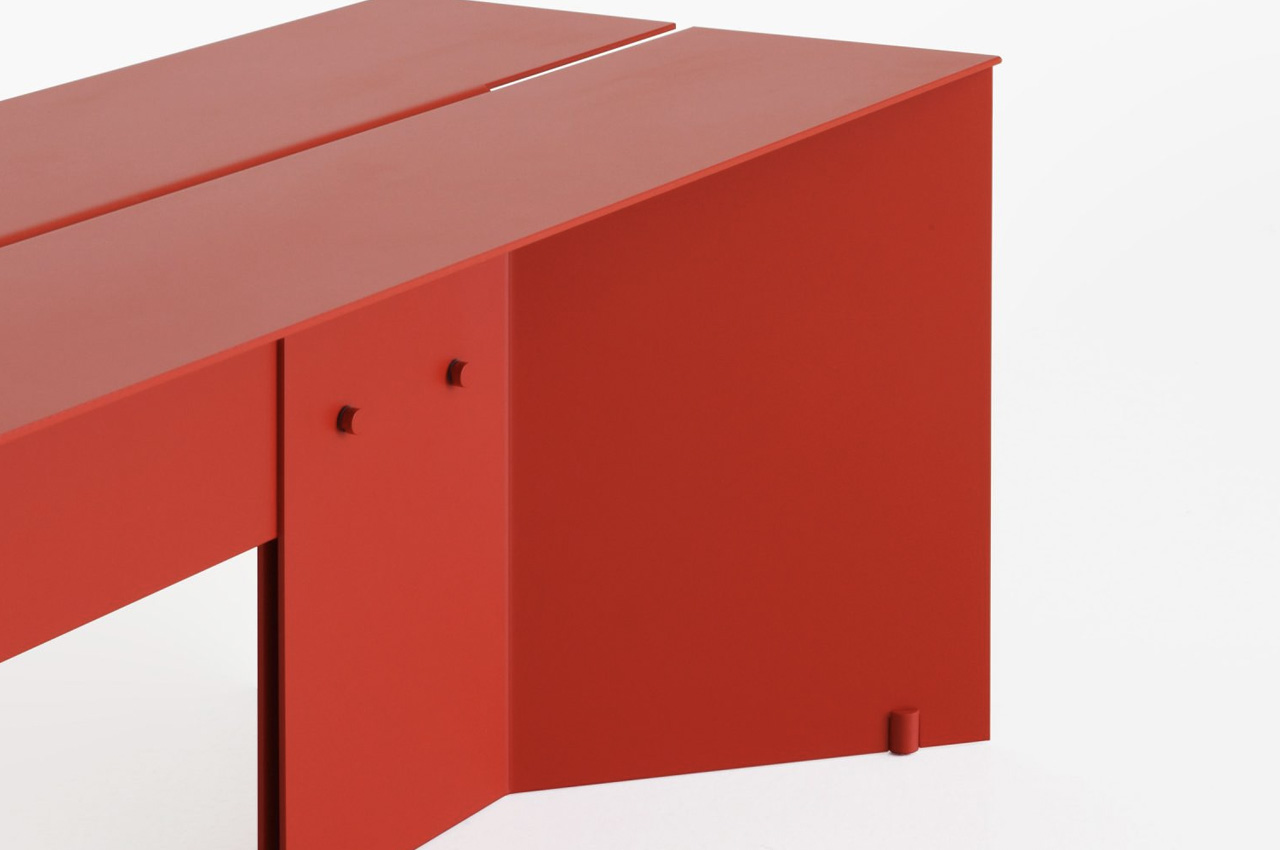
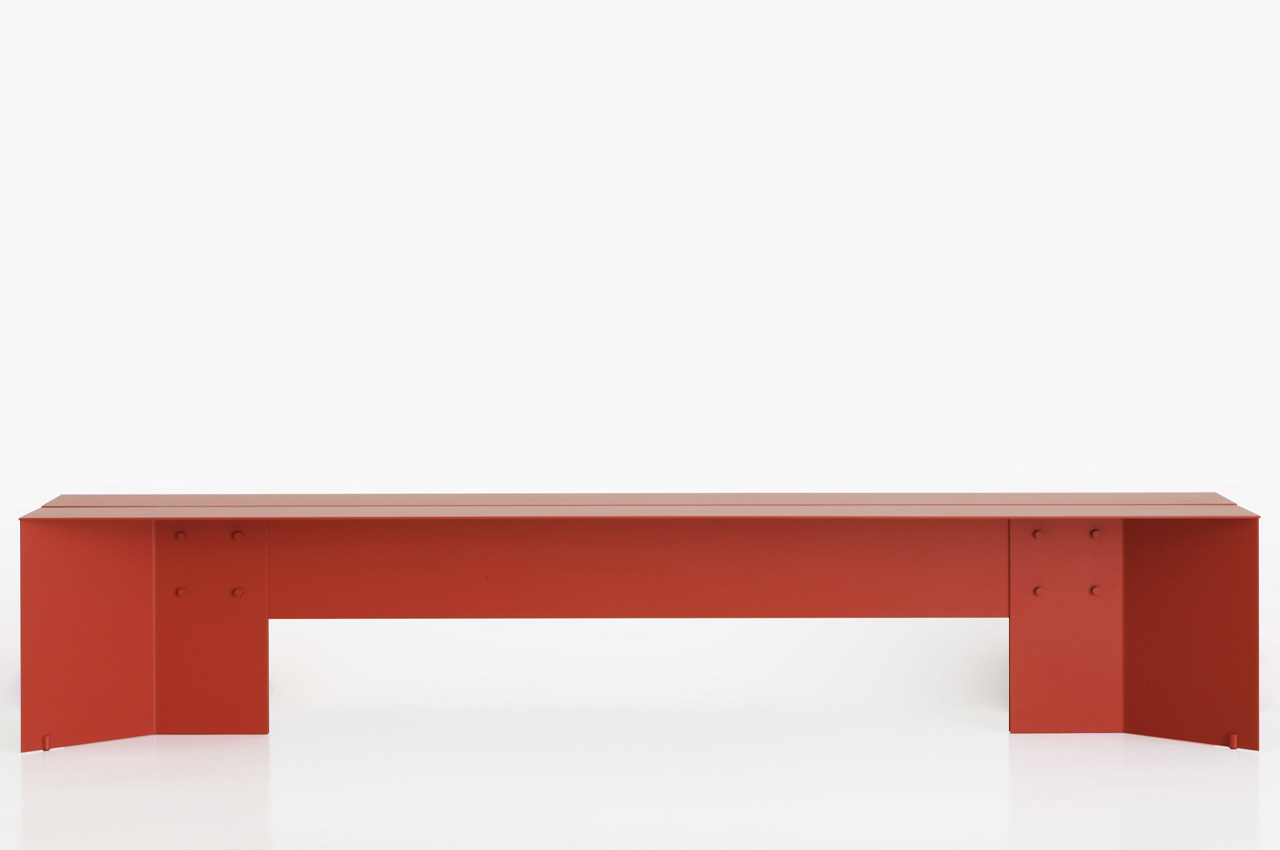
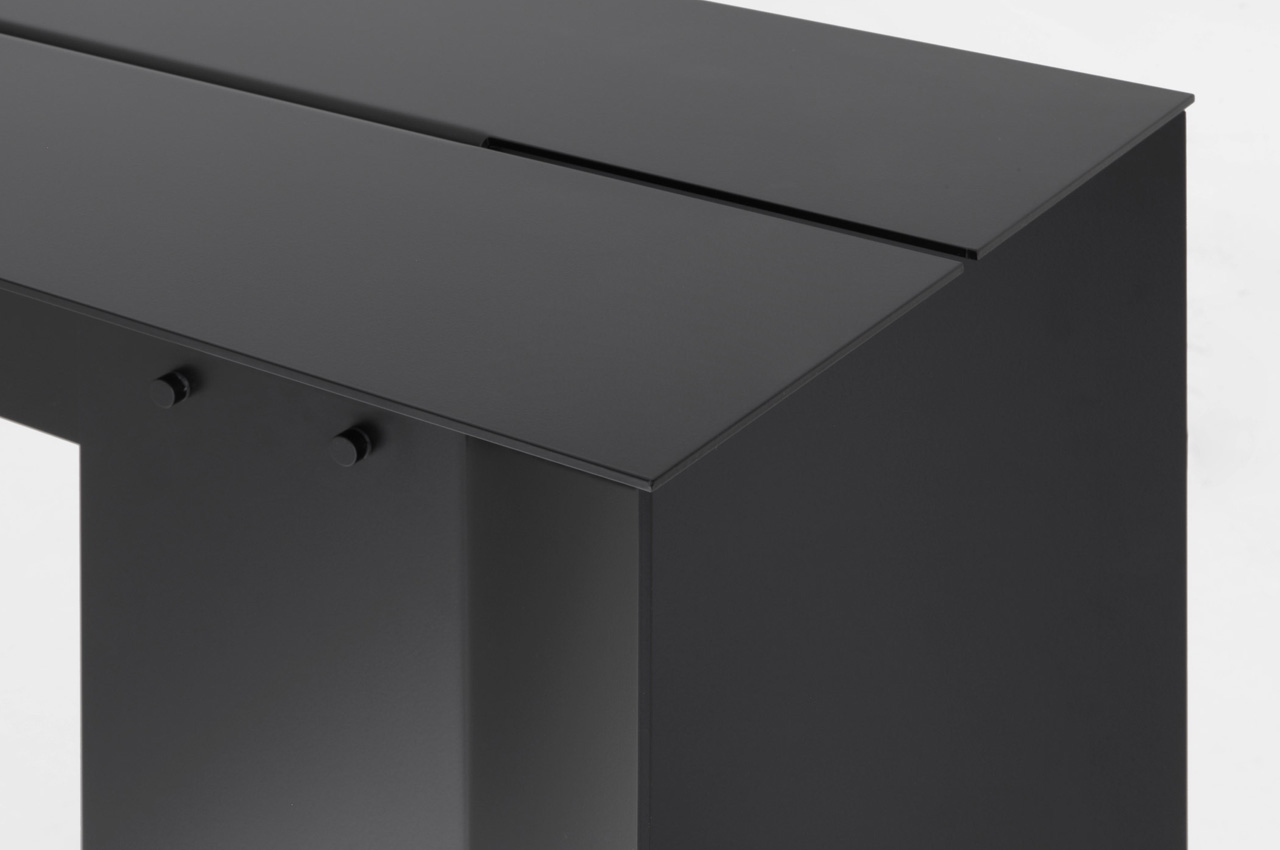
Designed by New York-based Japanese designer Nao Tamura, the Origata collection includes the Origata bench and console. They’re inspired by the intricate craft of Kimono making and were designed for the Italian furniture brand Porro. The furniture pieces are crafted from aluminum sheet material, which has been cut and assembled using techniques inspired by the art of kimono making, in which fabric is cut in straight lines, and then artfully sewn together.
This unique technique produces almost zero waste, which is why Tamura employed this clever process, since it maximizes material use, in turn boosting the production of his collection. Both the Origata bench and console feature the same essential shape – a sturdy geometric form that has a softness to it, owing to its cultural influences, and craft-related inspiration.
The beautiful pieces represent and showcase Porro and Tamura’s shared values which include cultural identity, internationality, and a genuine respect and admiration for materials. The various pieces make an excellent fit for entryways, waiting rooms, or even bedrooms. They are versatile furniture designs that can also be employed and placed in areas for work, writing, and meditation. Where would you want to place these pieces?
Arturia just released a new standalone synthesizer called the AstroLab. This 61-key stage keyboard is basically the company’s Analog Lab software in hardware form, which makes it perfect for live performances. The synth boasts ten dedicated sound engines and access to 35 virtual instruments, including the vast majority of the emulations found with the iconic V Collection. It also costs $2,000.
You could recreate this on the cheap by just buying some software instruments and a MIDI controller, but this is a stage keyboard. In other words, it has been designed with live performance in mind. The casing is durable and built to withstand the rigors of touring and there’s plenty of nifty sound design tools that should come in handy when gigging.
There are 12 insert FX options, with four control knobs, and the ability to loop any sound by up to 32 bars. The instrument even captures the MIDI, so people can easily swap out to another instrument and play the same part. The multitimbral feature allows players to set a split point along the keyboard, to make it easy to pull up two instruments at the same time. This is a big deal when playing live, as you never know how long a keyboard will take to load a preset.
If you want to get people dancing to the sound of a robot voice singing “around the world” over and over until 5 AM, AstroLab keyboards ship with a vocoder and a port to plug in a microphone. Of course, the synthesizer features the usual accouterments like mod wheels, an arpeggiator and various chord scale options. Finally, there’s an affiliated mobile app, AstroLab Connect, that lets users organize their presets and download new sounds from the store. The keyboard is available now through Arturia and various retailers.
This article originally appeared on Engadget at https://www.engadget.com/arturia-stuffed-almost-all-of-its-software-emulations-into-this-new-keyboard-190542557.html?src=rss
Arturia just released a new standalone synthesizer called the AstroLab. This 61-key stage keyboard is basically the company’s Analog Lab software in hardware form, which makes it perfect for live performances. The synth boasts ten dedicated sound engines and access to 35 virtual instruments, including the vast majority of the emulations found with the iconic V Collection. It also costs $2,000.
You could recreate this on the cheap by just buying some software instruments and a MIDI controller, but this is a stage keyboard. In other words, it has been designed with live performance in mind. The casing is durable and built to withstand the rigors of touring and there’s plenty of nifty sound design tools that should come in handy when gigging.
There are 12 insert FX options, with four control knobs, and the ability to loop any sound by up to 32 bars. The instrument even captures the MIDI, so people can easily swap out to another instrument and play the same part. The multitimbral feature allows players to set a split point along the keyboard, to make it easy to pull up two instruments at the same time. This is a big deal when playing live, as you never know how long a keyboard will take to load a preset.
If you want to get people dancing to the sound of a robot voice singing “around the world” over and over until 5 AM, AstroLab keyboards ship with a vocoder and a port to plug in a microphone. Of course, the synthesizer features the usual accouterments like mod wheels, an arpeggiator and various chord scale options. Finally, there’s an affiliated mobile app, AstroLab Connect, that lets users organize their presets and download new sounds from the store. The keyboard is available now through Arturia and various retailers.
This article originally appeared on Engadget at https://www.engadget.com/arturia-stuffed-almost-all-of-its-software-emulations-into-this-new-keyboard-190542557.html?src=rss
Two months after I started using the Apple Vision Pro, it hasn't transformed the way I live. It hasn't replaced my TV, and it doesn't make me want to give up my powerful desktop or slim laptops. It's just another tool in my gadget arsenal — one I can don to catch up on X-Men '97 in bed, or to help me dive deep into research while I'm away from my office. The Vision Pro becomes normal so quickly, it's almost easy to forget how groundbreaking it actually is. Its screens are still absolutely stunning, and the combination of eye tracking and Apple's gesture controls makes for the most intuitive AR/VR interface I've seen yet.
While the Vision Pro still isn't something most people should consider buying, Apple has thrown out a few bones to early adopters. There are more games popping up on the App Store and Arcade every week, and there are also a handful of 3D films being offered to Apple TV+ subscribers. The addition of Spatial Personas also goes a long way towards making the Vision Pro more of a telepresence machine (more on that below). But we're still waiting for the company to make good on the promise of 180-degree Immersive Video, as well as to let users create higher quality Spatial Videos on iPhones.
Photo by Devindra Hardawar/Engadget
How I use the Apple Vision Pro
Once the pressure of reviewing every aspect of the Vision Pro was over, I started incorporating it into my life like a typical user. (Full disclosure: I returned the unit I originally bought, but Apple sent along a sample for further testing.) Mostly, that means not forcing myself to use the headset for large chunks of the day. Instead, my Vision Pro time is more purpose-driven: I slip it on in the morning and project my MacBook's screen to clear out emails and catch up on Slack conversations, all while a YouTube video is virtually projected on my wall.
In the middle of a work session, or sometimes right before diving into a busy workday, I run through a five- or ten-minute meditation session with the Mindfulness app. I can easily meditate without any headgear, but I've found the app's calm narration and the immersive environment it creates (since it completely blocks out the real world) to be incredibly helpful. It's like having your own yoga teacher on staff, ready to help calm your brain whenever you have a free moment.
I've also learned to appreciate the Vision Pro as a way to expand where I can get work done. As someone who's been primarily working from home since 2009, I learned early on that changing locations was an easy way to keep myself engaged. I try not to write in the same place where I've been checking email in the morning, for example. I normally hop between a PC desktop and large monitor (currently it's Alienware's 32-inch 4K OLED) in my office, and a MacBook Air or Pro for writing around the house. Sometimes I'll go to a nearby park or cafe when I need to zone into a writing assignment for several hours.
Photo by Devindra Hardawar/Engadget
With the Vision Pro, I can actually handle some serious multitasking from my deck or kitchen without being tied to a desktop computer. I've found that useful for covering events to avoid getting stuck inside my basement office (I can have a video streaming on a virtual window, as well as Slack and web browsers open via a projected MacBook). I've juggled conference calls while being sick in bed with the Vision Pro, because it felt more comfortable than staring down at a tiny laptop display.
I still haven’t traveled much with the headset, but I can foresee it being useful the next time I take a weekend trip with my family. Tested's Norman Chan told me he's used the Vision Pro during long flights, where it makes the hours just disappear. I'm still working myself up to that — I'd much rather use a small laptop and headphones on planes, but I can imagine the beauty of watching big-screen movies on the Vision Pro while everyone else is staring at tablets or cramped seat-back displays.
The Vision Pro remains a fantastic way to watch movies or TV shows at home, as well. When I'm too tired to head downstairs after putting my kids to sleep, I sometimes just veg in bed while projecting YouTube videos or anime on the ceiling. That's where I experienced a trippy temporal shift while watching X-Men '97: As soon as its remastered theme song spun up, I was immediately transported back to watching the original show on a 13-inch TV in my childhood bedroom. If I could somehow jump back into the past, Bishop-style, it would be impossible to convince my 10-year-old self that I'd eventually be watching a sequel series in a futuristic headset, projected in a 200-inch window. How far we've come.
Photo by Devindra Hardawar/Engadget
Spatial Personas are a telepresence dream
When Apple first announced the Vision Pro last year, I couldn't help but be creeped out by its Persona avatars. They looked cold and inhuman, the exact sort of thing you'd imagine from soulless digital clones. The visionOS 1.1 update made them a bit less disturbing, but I didn't truly like the avatars until Apple unveiled Spatial Personas last week. Instead of being confined to a window, Spatial Personas hover in your virtual space, allowing you to collaborate with friends as if they were right beside you.
The concept isn't entirely new: I tested Microsoft Mesh a few years ago with a HoloLens 2 headset, which also brought digital avatars right into my home office. But they looked more like basic Miis from the Nintendo Wii than anything realistic. Meta's Horizon Workrooms did something similar in completely virtual spaces, but that's not nearly as impressive as collaborating digitally atop a view of the real world.
Apple's Spatial Personas are far more compelling than Microsoft’s and Meta's efforts because they're seamless to set up — you just have to flip on Spatial mode during a FaceTime chat — and they feel effortlessly organic. During a Spatial Persona call with Norm from Tested, we were conversing as if he was sitting right in front of me in my home theater. We were able to draw and write together in the Freeform app easily — when I stood up and reached out to the drawing board, it was almost as if we were standing beside each other at a real white board.
Photo by Devindra Hardawar/Engadget
SharePlay with Spatial Personas
We were also able to customize our viewing experiences while watching a bit of Star Trek Beyond together using SharePlay in the Vision Pro. Norm chose to watch it in 2D, I watched in 3D, and our progress was synchronized. The experience felt more engrossing than a typical SharePlay experience, since I could just lean over and chat with him instead of typing out a message or saying something over a FaceTime call. I also couldn't help but imagine how easy it would be to record movie commentaries for podcasts using Spatial Personas. (We'd have to use separate microphones and computers, in addition to Vision Pros, but it would make for a more comfortable recording session than following movies on a monitor or TV.)
Our attempts to play games together failed, unfortunately, because we were running slightly different versions of Game Room. We also didn’t have enough time during our session to sync our apps up. I eventually was able to try out Chess and Battleship with other Vision Pro-equipped friends and, once again, it felt like they were actually playing right beside me. (Norm and CNET's Scott Stein also looked like they were having a ball with virtual chess.)
The main stumbling block for Spatial Personas, of course, is that they require a $3,500 headset. Apple is laying the groundwork for truly great telepresence experiences, but it won't matter for most people until they can actually afford a Vision Pro or a cheaper Apple headset down the line.
With Horizon Workrooms, Meta allowed non-VR users to join virtual meetings using Messenger on phones and computers, so that they weren’t left out. Standard FaceTime users can also join Vision Pro chats alongside spatial personas, but they'll be stuck in a window. And unlike Meta's offering, regular users won't be able to see any virtual environments (though you could still collaborate on specific apps like FreeForm). Meta's big advantage over Apple was with capacity: Horizon Workrooms supports up to 16 people in VR, as well as 34 more calling in from other devices. Spatial Persona chats, on the other hand, are limited to five participants.
Apple
No momentum for Immersive Video
Apple's 180-degree Immersive Video format was one of the most impressive aspects of the Vision Pro when I previewed it last year, and the handful of experiences at launch were pretty compelling. But the Immersive Video well has been dry since launch — the only new experience was a five-minute short showing off the 2023 MLS Playoffs, which was mostly disappointing.
While that short had such great resolution and depth that it felt like I was actually on the pitch, the MLS experience is disorienting because it cuts far too often, and with no sense of rhythm. Once you get settled into a scene, perhaps watching someone gear up for a well-placed goal, the camera view changes and you have no idea where you are. It's almost like a five-minute lesson in what not to do with Immersive Video. Hopefully, the MLS has a longer experience in the works.
I'm not expecting a tsunami of Immersive Video content, since the Vision Pro is still an obscenely expensive device meant for developers and professionals, but it would be nice to see more of a push from Apple. The company is teasing another six-minute episode of Prehistoric Planet for later this month, but again that isn't really much. Where are the creators pushing Immersive Video to new heights? While the content is likely hard to work with since it's shot in 3D and 8K, the format could be a perfect way for Apple to extol the virtues of its new chips.
In lieu of more Immersive Videos, I’ve been spending more time re-watching Spatial Videos captured with my iPhone 15 Pro. They still look more realistic than 2D clips, but I’ve grown to dislike the 1080p/30fps limitation. It’s just hard to accept that resolution when I know my phone can also produce crisp 4K and 60fps footage. The $3 app Spatialify helps somewhat by unlocking 1080p/60fps and 4k/30fps spatial video capture, but its footage is also more shaky and buggy than the iPhone’s built-in camera. At this point, I’ll consider using Spatialify if my phone is on a tripod or gimbal, but otherwise I’ll stick with the native camera app.
Photo by Devindra Hardawar/Engadget
What’s next for the Apple Vision Pro
We’ll likely have to wait until Apple’s WWDC 24 event in June before we hear about any more major upgrades for Vision Pro or visionOS. That would be appropriate, since last year’s WWDC was the headset’s big debut (and a hellish day for us trying to cover all the news). Now that the hardware is in the wild, Apple has to convince developers that it’s worth building Vision Pro apps alongside their usual iOS, iPadOS and macOS wares. It’s not just some mythical spatial computing platform anymore, after all.
This article originally appeared on Engadget at https://www.engadget.com/apple-vision-pro-two-months-later-a-telepresence-dream-181550906.html?src=rss
Two months after I started using the Apple Vision Pro, it hasn't transformed the way I live. It hasn't replaced my TV, and it doesn't make me want to give up my powerful desktop or slim laptops. It's just another tool in my gadget arsenal — one I can don to catch up on X-Men '97 in bed, or to help me dive deep into research while I'm away from my office. The Vision Pro becomes normal so quickly, it's almost easy to forget how groundbreaking it actually is. Its screens are still absolutely stunning, and the combination of eye tracking and Apple's gesture controls makes for the most intuitive AR/VR interface I've seen yet.
While the Vision Pro still isn't something most people should consider buying, Apple has thrown out a few bones to early adopters. There are more games popping up on the App Store and Arcade every week, and there are also a handful of 3D films being offered to Apple TV+ subscribers. The addition of Spatial Personas also goes a long way towards making the Vision Pro more of a telepresence machine (more on that below). But we're still waiting for the company to make good on the promise of 180-degree Immersive Video, as well as to let users create higher quality Spatial Videos on iPhones.
Photo by Devindra Hardawar/Engadget
How I use the Apple Vision Pro
Once the pressure of reviewing every aspect of the Vision Pro was over, I started incorporating it into my life like a typical user. (Full disclosure: I returned the unit I originally bought, but Apple sent along a sample for further testing.) Mostly, that means not forcing myself to use the headset for large chunks of the day. Instead, my Vision Pro time is more purpose-driven: I slip it on in the morning and project my MacBook's screen to clear out emails and catch up on Slack conversations, all while a YouTube video is virtually projected on my wall.
In the middle of a work session, or sometimes right before diving into a busy workday, I run through a five- or ten-minute meditation session with the Mindfulness app. I can easily meditate without any headgear, but I've found the app's calm narration and the immersive environment it creates (since it completely blocks out the real world) to be incredibly helpful. It's like having your own yoga teacher on staff, ready to help calm your brain whenever you have a free moment.
I've also learned to appreciate the Vision Pro as a way to expand where I can get work done. As someone who's been primarily working from home since 2009, I learned early on that changing locations was an easy way to keep myself engaged. I try not to write in the same place where I've been checking email in the morning, for example. I normally hop between a PC desktop and large monitor (currently it's Alienware's 32-inch 4K OLED) in my office, and a MacBook Air or Pro for writing around the house. Sometimes I'll go to a nearby park or cafe when I need to zone into a writing assignment for several hours.
Photo by Devindra Hardawar/Engadget
With the Vision Pro, I can actually handle some serious multitasking from my deck or kitchen without being tied to a desktop computer. I've found that useful for covering events to avoid getting stuck inside my basement office (I can have a video streaming on a virtual window, as well as Slack and web browsers open via a projected MacBook). I've juggled conference calls while being sick in bed with the Vision Pro, because it felt more comfortable than staring down at a tiny laptop display.
I still haven’t traveled much with the headset, but I can foresee it being useful the next time I take a weekend trip with my family. Tested's Norman Chan told me he's used the Vision Pro during long flights, where it makes the hours just disappear. I'm still working myself up to that — I'd much rather use a small laptop and headphones on planes, but I can imagine the beauty of watching big-screen movies on the Vision Pro while everyone else is staring at tablets or cramped seat-back displays.
The Vision Pro remains a fantastic way to watch movies or TV shows at home, as well. When I'm too tired to head downstairs after putting my kids to sleep, I sometimes just veg in bed while projecting YouTube videos or anime on the ceiling. That's where I experienced a trippy temporal shift while watching X-Men '97: As soon as its remastered theme song spun up, I was immediately transported back to watching the original show on a 13-inch TV in my childhood bedroom. If I could somehow jump back into the past, Bishop-style, it would be impossible to convince my 10-year-old self that I'd eventually be watching a sequel series in a futuristic headset, projected in a 200-inch window. How far we've come.
Photo by Devindra Hardawar/Engadget
Spatial Personas are a telepresence dream
When Apple first announced the Vision Pro last year, I couldn't help but be creeped out by its Persona avatars. They looked cold and inhuman, the exact sort of thing you'd imagine from soulless digital clones. The visionOS 1.1 update made them a bit less disturbing, but I didn't truly like the avatars until Apple unveiled Spatial Personas last week. Instead of being confined to a window, Spatial Personas hover in your virtual space, allowing you to collaborate with friends as if they were right beside you.
The concept isn't entirely new: I tested Microsoft Mesh a few years ago with a HoloLens 2 headset, which also brought digital avatars right into my home office. But they looked more like basic Miis from the Nintendo Wii than anything realistic. Meta's Horizon Workrooms did something similar in completely virtual spaces, but that's not nearly as impressive as collaborating digitally atop a view of the real world.
Apple's Spatial Personas are far more compelling than Microsoft’s and Meta's efforts because they're seamless to set up — you just have to flip on Spatial mode during a FaceTime chat — and they feel effortlessly organic. During a Spatial Persona call with Norm from Tested, we were conversing as if he was sitting right in front of me in my home theater. We were able to draw and write together in the Freeform app easily — when I stood up and reached out to the drawing board, it was almost as if we were standing beside each other at a real white board.
Photo by Devindra Hardawar/Engadget
SharePlay with Spatial Personas
We were also able to customize our viewing experiences while watching a bit of Star Trek Beyond together using SharePlay in the Vision Pro. Norm chose to watch it in 2D, I watched in 3D, and our progress was synchronized. The experience felt more engrossing than a typical SharePlay experience, since I could just lean over and chat with him instead of typing out a message or saying something over a FaceTime call. I also couldn't help but imagine how easy it would be to record movie commentaries for podcasts using Spatial Personas. (We'd have to use separate microphones and computers, in addition to Vision Pros, but it would make for a more comfortable recording session than following movies on a monitor or TV.)
Our attempts to play games together failed, unfortunately, because we were running slightly different versions of Game Room. We also didn’t have enough time during our session to sync our apps up. I eventually was able to try out Chess and Battleship with other Vision Pro-equipped friends and, once again, it felt like they were actually playing right beside me. (Norm and CNET's Scott Stein also looked like they were having a ball with virtual chess.)
The main stumbling block for Spatial Personas, of course, is that they require a $3,500 headset. Apple is laying the groundwork for truly great telepresence experiences, but it won't matter for most people until they can actually afford a Vision Pro or a cheaper Apple headset down the line.
With Horizon Workrooms, Meta allowed non-VR users to join virtual meetings using Messenger on phones and computers, so that they weren’t left out. Standard FaceTime users can also join Vision Pro chats alongside spatial personas, but they'll be stuck in a window. And unlike Meta's offering, regular users won't be able to see any virtual environments (though you could still collaborate on specific apps like FreeForm). Meta's big advantage over Apple was with capacity: Horizon Workrooms supports up to 16 people in VR, as well as 34 more calling in from other devices. Spatial Persona chats, on the other hand, are limited to five participants.
Apple
No momentum for Immersive Video
Apple's 180-degree Immersive Video format was one of the most impressive aspects of the Vision Pro when I previewed it last year, and the handful of experiences at launch were pretty compelling. But the Immersive Video well has been dry since launch — the only new experience was a five-minute short showing off the 2023 MLS Playoffs, which was mostly disappointing.
While that short had such great resolution and depth that it felt like I was actually on the pitch, the MLS experience is disorienting because it cuts far too often, and with no sense of rhythm. Once you get settled into a scene, perhaps watching someone gear up for a well-placed goal, the camera view changes and you have no idea where you are. It's almost like a five-minute lesson in what not to do with Immersive Video. Hopefully, the MLS has a longer experience in the works.
I'm not expecting a tsunami of Immersive Video content, since the Vision Pro is still an obscenely expensive device meant for developers and professionals, but it would be nice to see more of a push from Apple. The company is teasing another six-minute episode of Prehistoric Planet for later this month, but again that isn't really much. Where are the creators pushing Immersive Video to new heights? While the content is likely hard to work with since it's shot in 3D and 8K, the format could be a perfect way for Apple to extol the virtues of its new chips.
In lieu of more Immersive Videos, I’ve been spending more time re-watching Spatial Videos captured with my iPhone 15 Pro. They still look more realistic than 2D clips, but I’ve grown to dislike the 1080p/30fps limitation. It’s just hard to accept that resolution when I know my phone can also produce crisp 4K and 60fps footage. The $3 app Spatialify helps somewhat by unlocking 1080p/60fps and 4k/30fps spatial video capture, but its footage is also more shaky and buggy than the iPhone’s built-in camera. At this point, I’ll consider using Spatialify if my phone is on a tripod or gimbal, but otherwise I’ll stick with the native camera app.
Photo by Devindra Hardawar/Engadget
What’s next for the Apple Vision Pro
We’ll likely have to wait until Apple’s WWDC 24 event in June before we hear about any more major upgrades for Vision Pro or visionOS. That would be appropriate, since last year’s WWDC was the headset’s big debut (and a hellish day for us trying to cover all the news). Now that the hardware is in the wild, Apple has to convince developers that it’s worth building Vision Pro apps alongside their usual iOS, iPadOS and macOS wares. It’s not just some mythical spatial computing platform anymore, after all.
This article originally appeared on Engadget at https://www.engadget.com/apple-vision-pro-two-months-later-a-telepresence-dream-181550906.html?src=rss
Just four days before the first race of its latest all-electric junior racing series was set to take place, Formula E said the NXT Gen Cup will not be part of the World Championship calendar this season. The cancellation is "due to unexpected constraints faced by the support series,” a Formula E spokesperson said in a statement.
The NXT Gen Cup was scheduled to be part of the four European events in Formula E's Season 10, including this weekend's Misano E-Prix double-header. However, according to The Race, there were last-minute hitches in a deal between Formula E and the support series' organizer, Fredrik Lestrup and the Lestrup Racing Team.
As a result, the electric Mini Cooper SE-based NXT Gen Cup (which debuted at a few events last year) is off the calendar for the time being. Formula E previously ran the Jaguar I-Pace eTrophy support series between 2018 and 2020, but that didn't prove successful.
The NXT Gen Cup decision has left Formula E scrambling to pad out the slate of activities available for fans at Italian circuit Misano. Organizers have added pit-lane autograph sessions, additional pit walks and expanded other promotional activities.
There's arguably more concern for the drivers, engineers and other team members who were set to take part in the NXT Gen Cup. Races were planned to include male and female drivers, many of whom were under 17. The circuit would have given them valuable experience as Formula E and motorsport as a whole attempts to blood the next generation of competitors. However, a spokesperson said that “Formula E remains committed to nurturing the next generation of talent through FIA Girls on Track and other impactful initiatives for young people.”
This article originally appeared on Engadget at https://www.engadget.com/formula-e-kills-its-latest-junior-series-just-days-before-the-first-scheduled-race-180029941.html?src=rss
Just four days before the first race of its latest all-electric junior racing series was set to take place, Formula E said the NXT Gen Cup will not be part of the World Championship calendar this season. The cancellation is "due to unexpected constraints faced by the support series,” a Formula E spokesperson said in a statement.
The NXT Gen Cup was scheduled to be part of the four European events in Formula E's Season 10, including this weekend's Misano E-Prix double-header. However, according to The Race, there were last-minute hitches in a deal between Formula E and the support series' organizer, Fredrik Lestrup and the Lestrup Racing Team.
As a result, the electric Mini Cooper SE-based NXT Gen Cup (which debuted at a few events last year) is off the calendar for the time being. Formula E previously ran the Jaguar I-Pace eTrophy support series between 2018 and 2020, but that didn't prove successful.
The NXT Gen Cup decision has left Formula E scrambling to pad out the slate of activities available for fans at Italian circuit Misano. Organizers have added pit-lane autograph sessions, additional pit walks and expanded other promotional activities.
There's arguably more concern for the drivers, engineers and other team members who were set to take part in the NXT Gen Cup. Races were planned to include male and female drivers, many of whom were under 17. The circuit would have given them valuable experience as Formula E and motorsport as a whole attempts to blood the next generation of competitors. However, a spokesperson said that “Formula E remains committed to nurturing the next generation of talent through FIA Girls on Track and other impactful initiatives for young people.”
This article originally appeared on Engadget at https://www.engadget.com/formula-e-kills-its-latest-junior-series-just-days-before-the-first-scheduled-race-180029941.html?src=rss
Fairphone has strongly proposed the idea of a repairable and modular smartphone, and they ventured into a new product category last year with the release of Fairphone headphones dubbed Fairbuds XL. The pair of cans offered a more flexible ecosystem of individual components that give audio lovers the option to swap an outdated or broken piece of hardware. That’s in the landscape of big names like Sony, Sennheiser and Bose who don’t give this liberty.
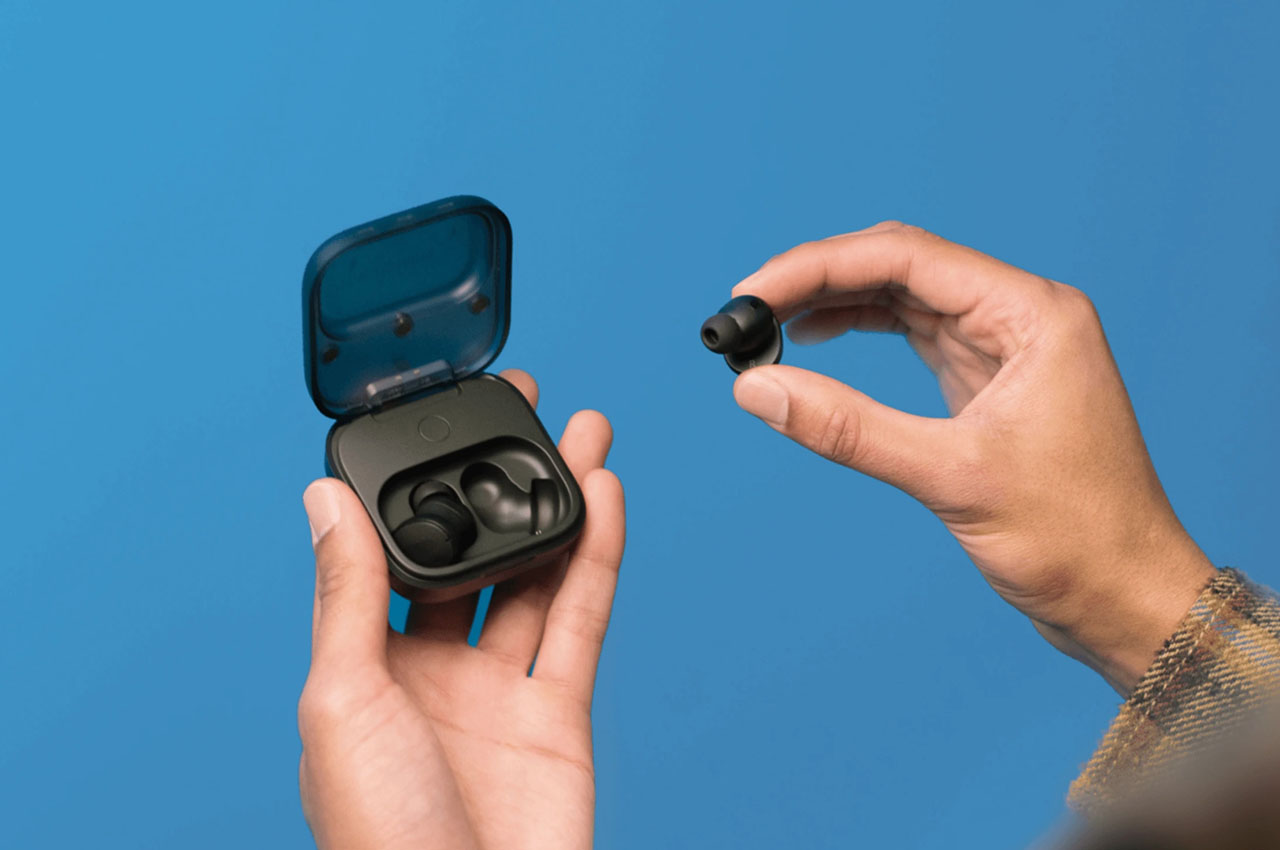
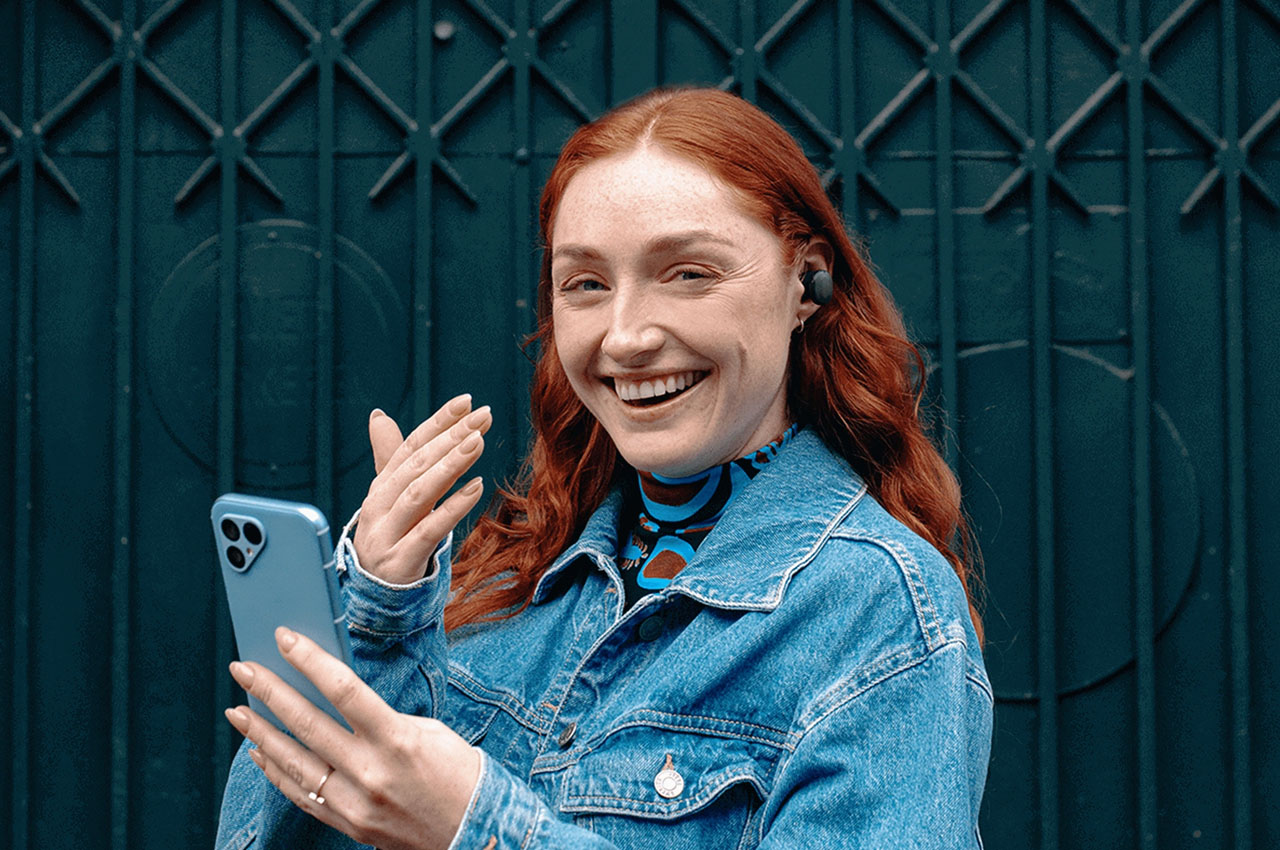
Now the Dutch electronics manufacturer has revealed a similar option for listeners like me who prefer the compactness of a pair of true wireless earbuds. While the audio accessories come with a host of advantages few disadvantages could cost you money. Prime on being, losing one of them down the street potholes, or battery going rouge after frequent cycles of use. With the Fairphone Fairbuds you don’t have to worry about either of them!
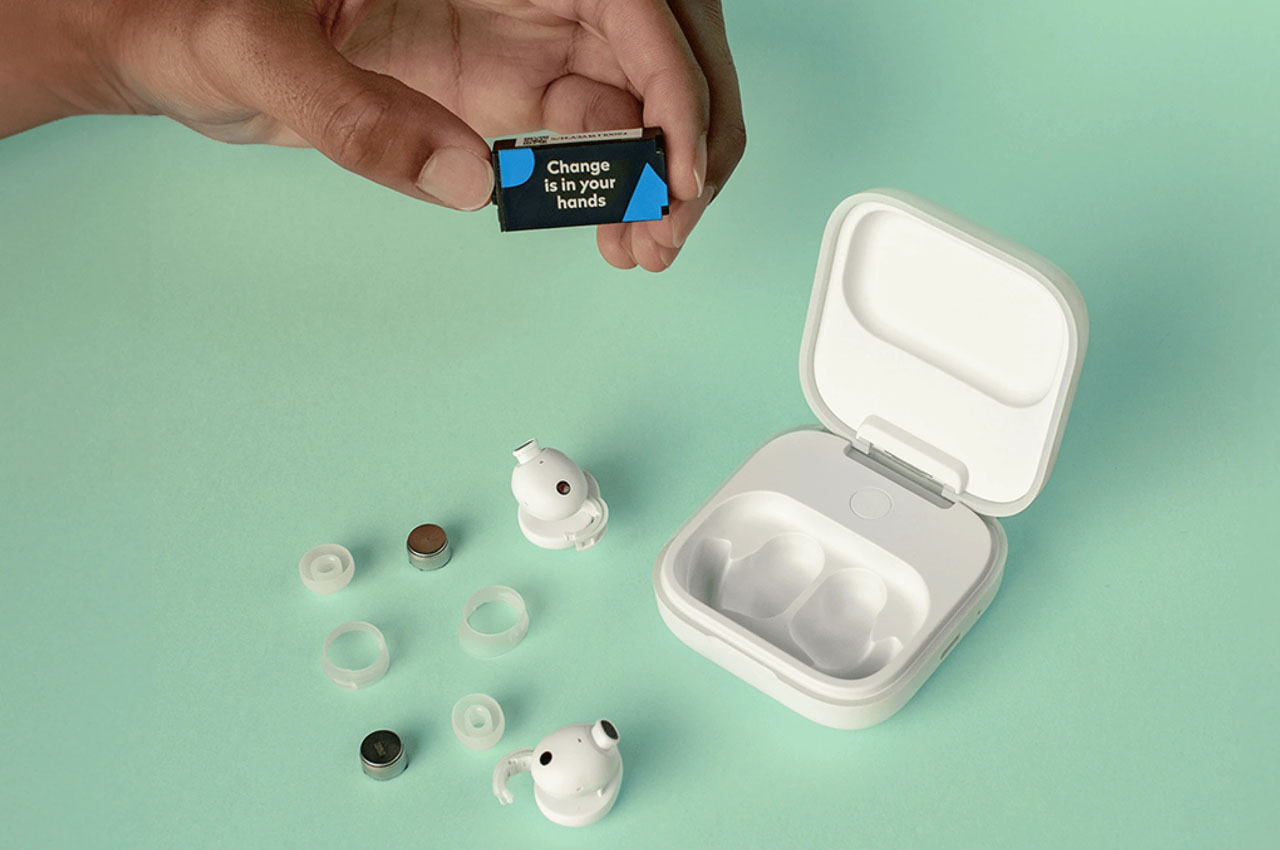
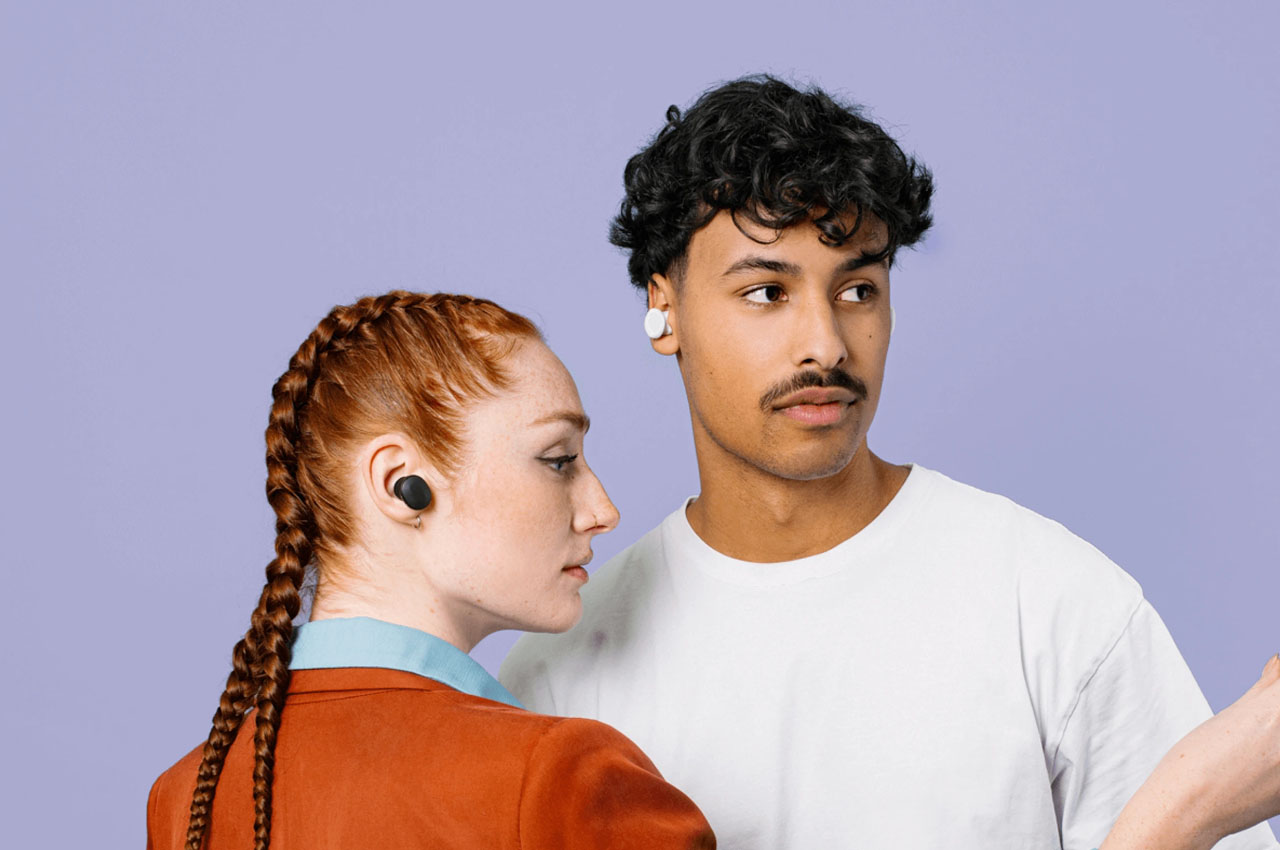
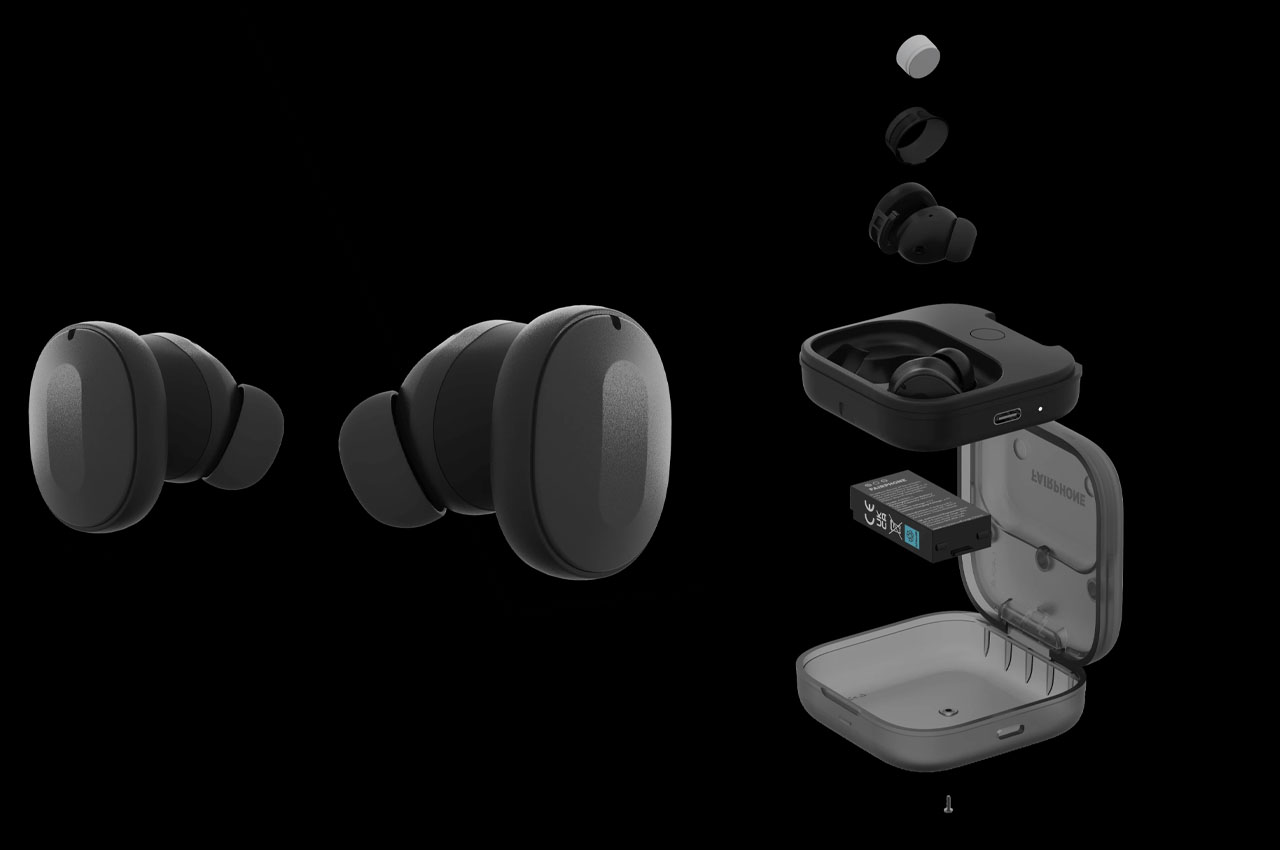
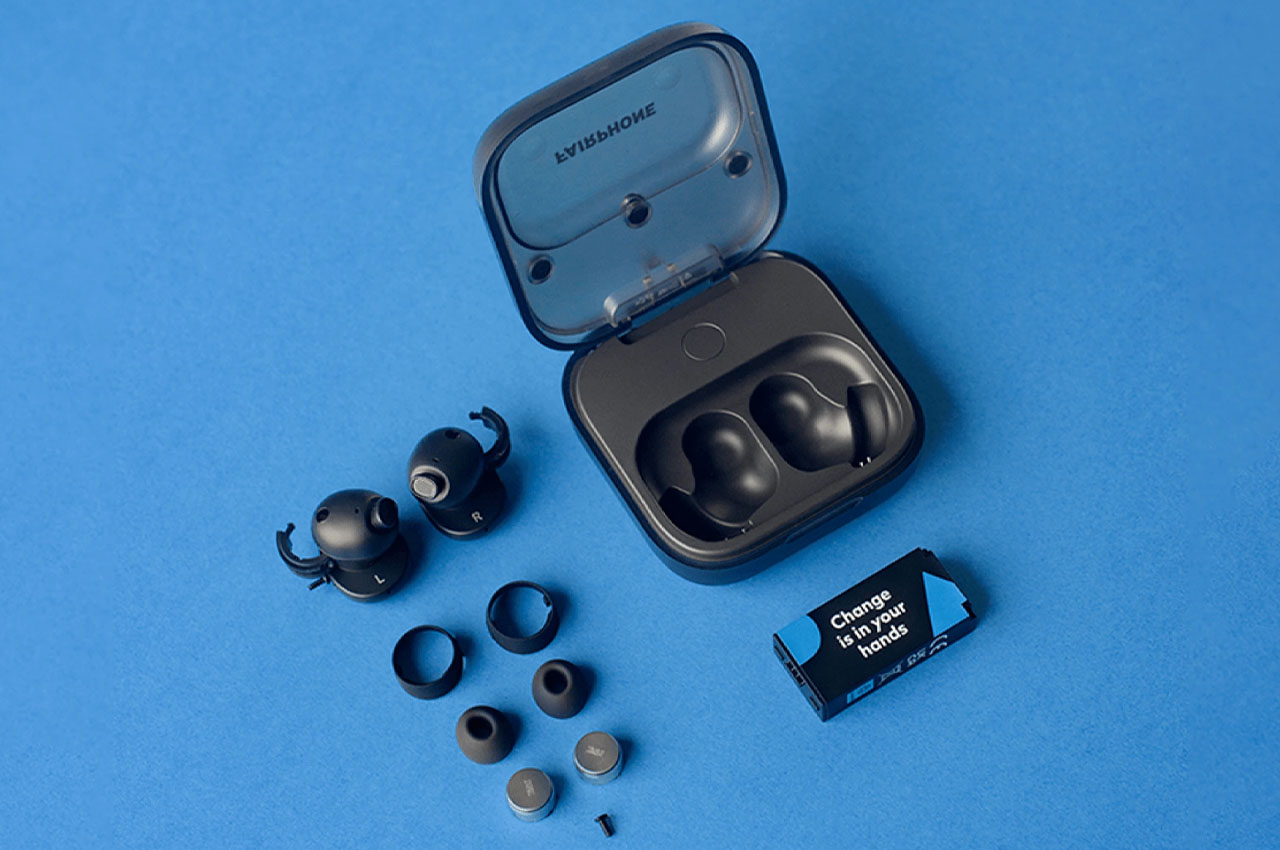
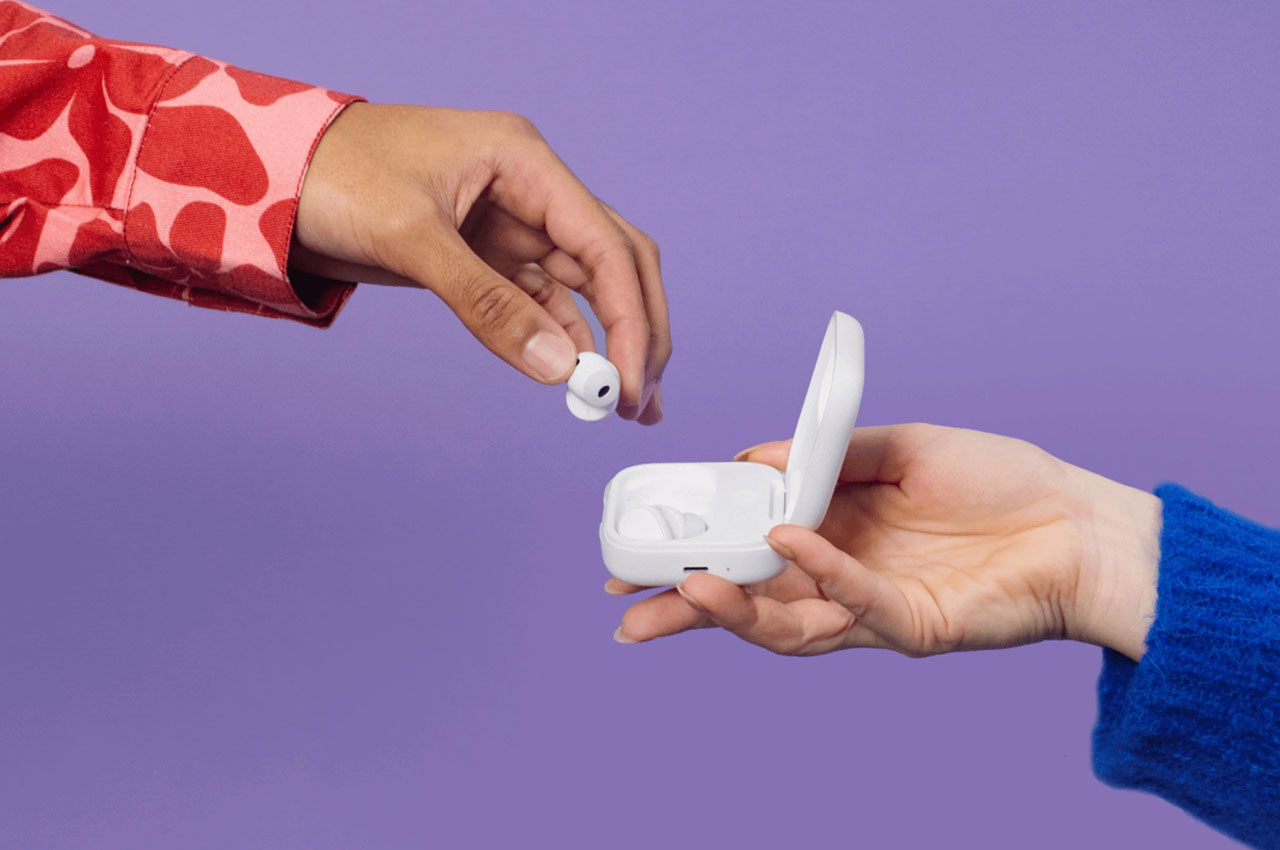
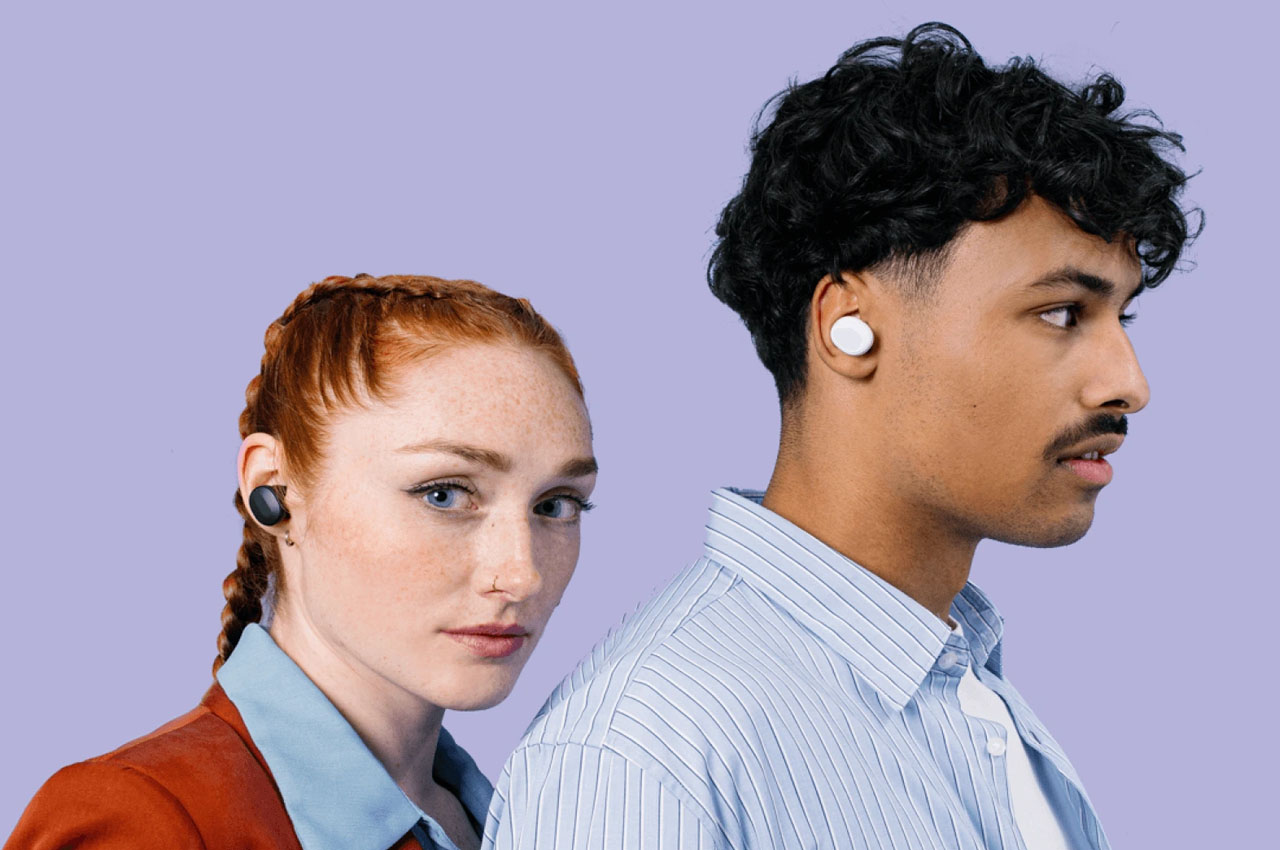
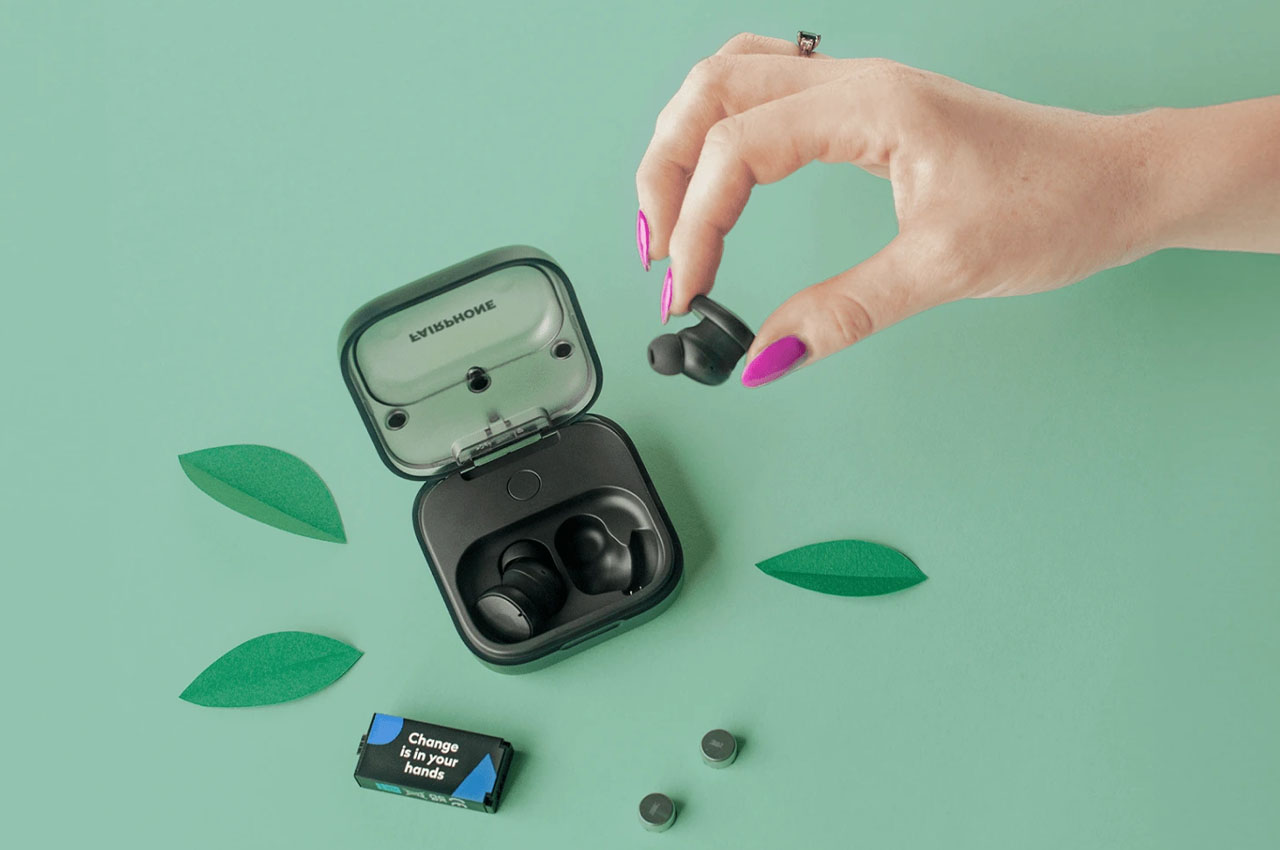
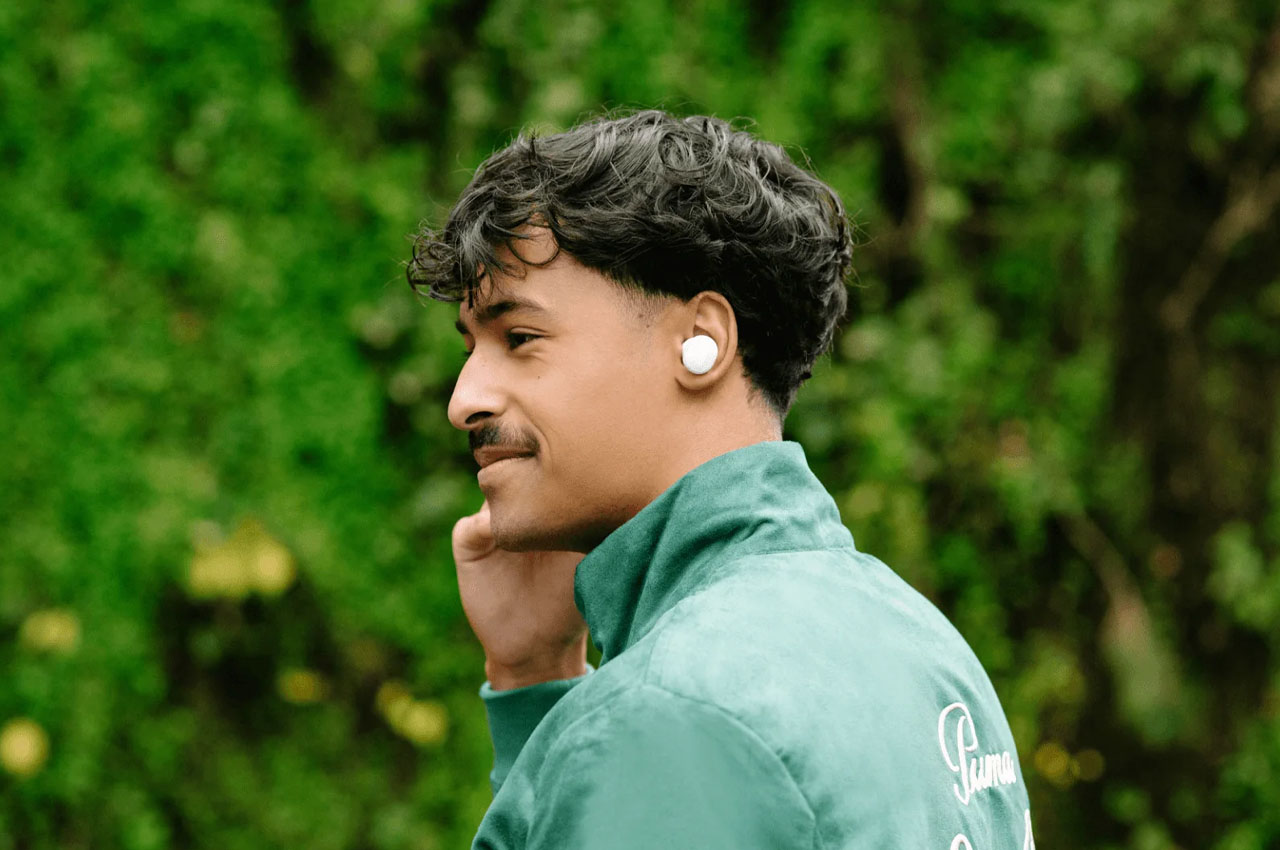
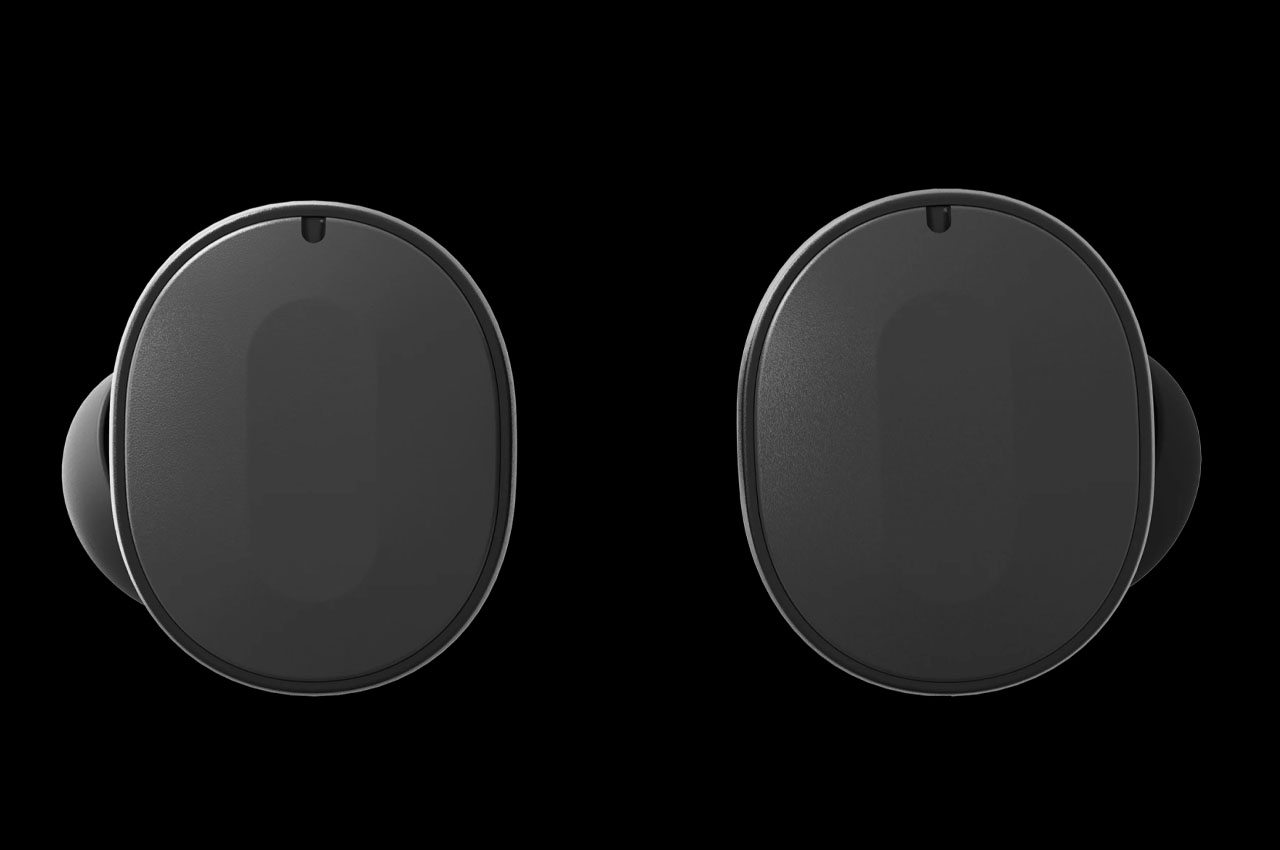
The pair looks a lot like the Samsung Galaxy Buds with the usual features like ANC, multipoint connectivity and IP54 rating for water and sweat resistance. What makes them different is the flexibility to replace seven parts without any hassle. These replaceable components include the battery on the buds, the charging case battery, microphones, silicone ring and earbud ear tips. That means you are no longer forced to throw the buds in the trash can once the battery goes dead. Fairphone will also replace one of the earbuds if you are the more carefree audio listener who’s always searching for them after a couple of hours of non-listening time. The red cherry on top is the three-year warranty for complete peace of mind.
For listeners who value sound quality more than anything else, you’ll not be disappointed either. The Fairbuds come loaded with 11mm titanium-coated drivers and three microphones on each bud for superior ANC and call quality. These can seamlessly switch between two devices courtesy of Bluetooth 5.3 connectivity. The earbuds will last around five hours with ANC turned on, and the charging case extends that number to 26 hours in total. The intuitive app (Android and iOS) offers an 8-band equalizer.
The best thing is the offer price of €149 (~$162) in Europe and £140 in the UK which makes Fairphone Fairbuds so lucrative. Considering some premium earbuds cost $300 or more for the same set of features, the Fairbuds stand out with their value-for-money proposition.