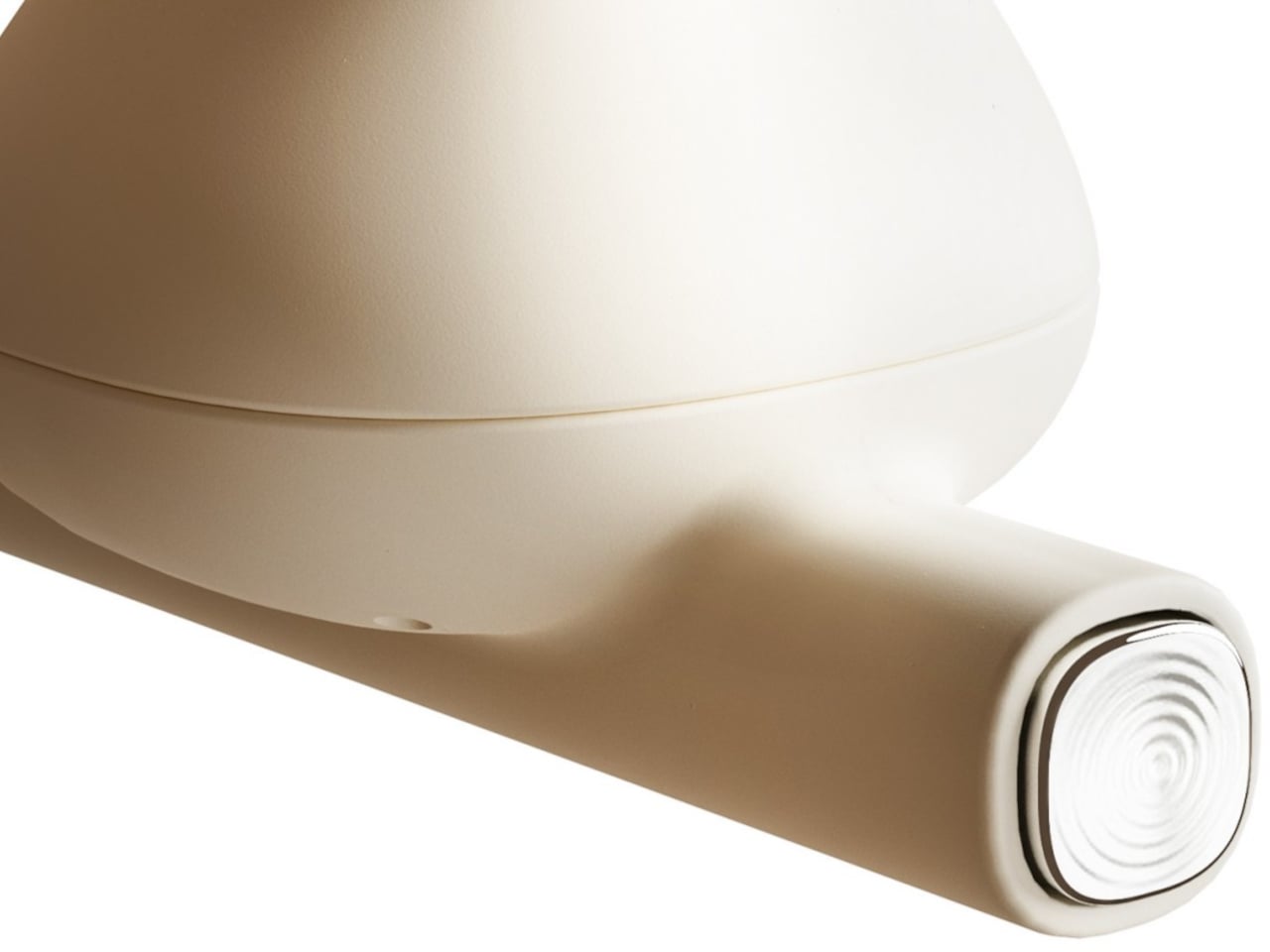
Wireless food probes are some of the best grill tools you can buy. The devices allow you to keep tabs on temperatures without having to maneuver around cables when you need to flip meats or move things around. Meater is one of the popular choices when it comes to wireless probes, and the company's Meater 2 Plus introduced better accuracy and longer range in a more durable probe construction that fully waterproof. Now the company returns with the four-probe Pro XL that uses those updated components in a WiFi-enabled cooking hub.
Meater has gone the four-probe route before with its Meater Block. The Pro XL is the same idea with the improved probes from the Meater 2 Plus. The probes' waterproof construction means they're suitable for sous vide and deep frying, and when you're done you can toss them in the dishwasher. What's more, these probes can also withstand temperatures up to 1000 degrees Fahrenheit. Inside, five sensors monitor the internal temperatures of foods while an ambient temp sensor on the end helps keep tabs on your grill or smoker. Using the data from all of those components, the Meater app can provide estimated completion times once you select your food and cooking method.
Like the Meater Block, the Pro XL can work as a standalone grill monitor on its own. It can also send readings to your phone over Bluetooth so you can stay informed from your favorite chair. Lastly, the WiFi connectivity syncs with Meater Cloud so you can watch the progress on your phone from anywhere. That's handy if you run out of wood pellets during a brisket cook and need to make a supply run, for example. The appeal of four probes is the ability to monitor four things at once. Let's say you have friends over and everyone likes their steaks cooked to a different doneness. Two probes are also helpful for things like smoked brisket, with one in the point and one in the flat, and currently Meater doesn't offer a double-probe option.
Unlike the Meater 2 Plus, the Pro XL is rechargeable via USB-C instead of running on batteries. The company says fully-charged probes will last for over 24 hours, which is more than enough to get you through a long smoke session. In terms of accuracy, Meater promises your readings will be within half a degree and the system shows temps to the tenth of a degree on the Pro XL display on inside the app.
The Meater Pro XL is available for pre-order now for $349.95. That's $50 more than the Meater Block was at full price (currently $239.95). The Pro XL is scheduled to ship on September 12.
This article originally appeared on Engadget at https://www.engadget.com/home/kitchen-tech/meaters-pro-xl-uses-four-of-its-updated-wireless-probes-to-monitor-your-grill-with-wifi-120045916.html?src=rss
Whether you’re working from home or in a commercial office, boosting your productivity is going to be something you’re always focused on. And one way to elevate your productivity is to fill your desk with clever gadgets and well-designed products that help you streamline your work routine, and keep your concentration to a maximum. Adding limited, quality, and innovative products to your desk setup can help you achieve your work and productivity goals! And we’ve curated a collection of smart and thoughtful gadgets to help you achieve peak productivity. Have a look, happy working!
1. Magic Bar for MacBook
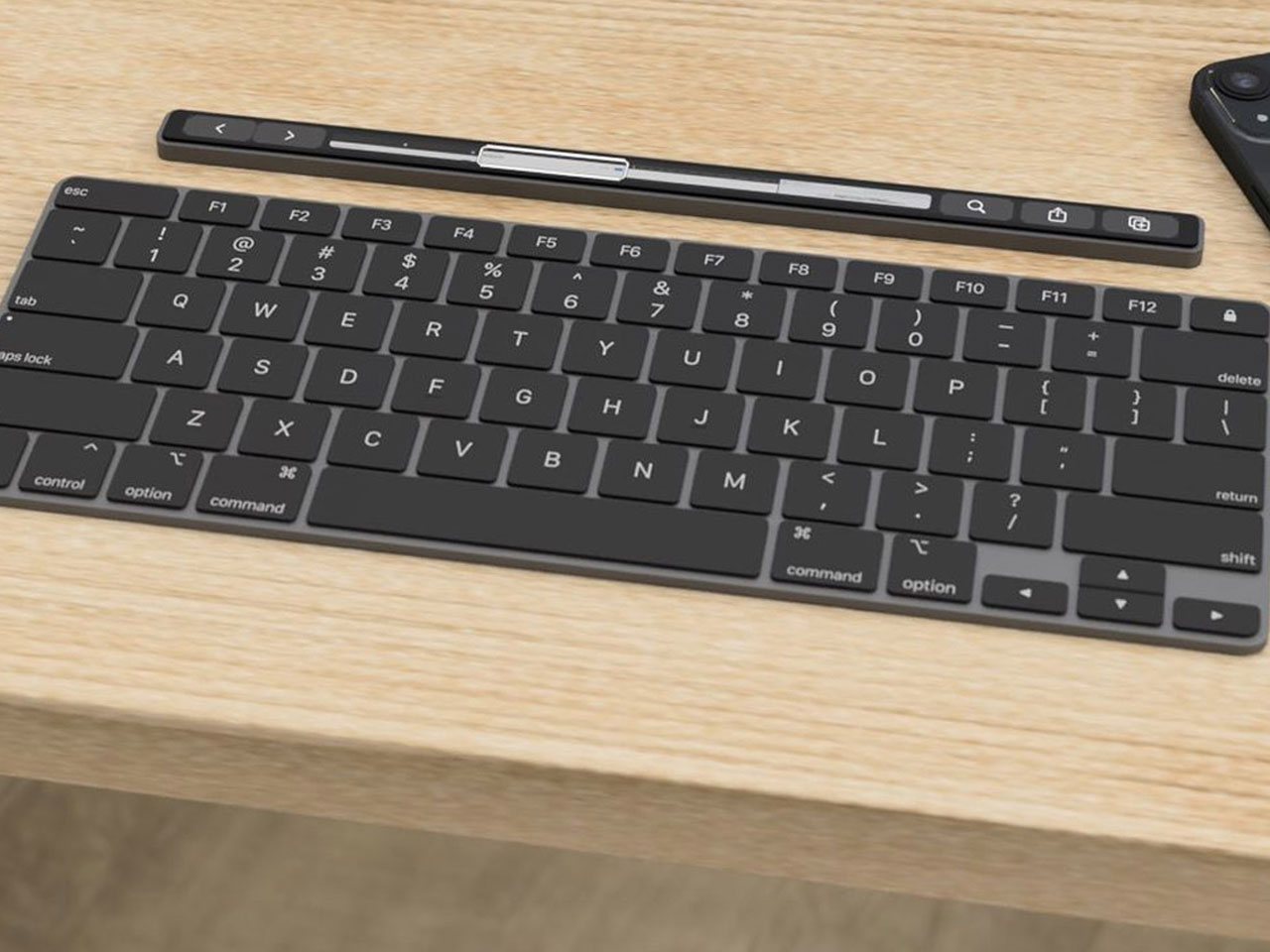
Say hello to the Magic Bar, a portable Touch Bar that pairs up perfectly with any Apple peripheral. The notable device is sleek, seamless, and easy to carry, serving as a portable and functional gadget that is pretty similar to the Touch Bar in terms of form and functionality. The features of the Magic Bar are pretty similar to the Touch Bar as well.
Why is it noteworthy?
It also has a pretty recognizable design that aligns horizontally with your keyboard. You can pair up the Magic Bar with your iPhone, to create and use multiple smart home shortcuts.
What we like
Portable and easy-to-carry form
What we dislike
It is a concept, so we are unsure how well it will translate into a real product
2. Keychrone K2 HE
Called the Keychron K2 HE, this keyboard is designed for gamers, programmers, writers, and professionals. It offers a personalized and customizable typing experience. The keyboard features an ergonomic design, and supports versatile connectivity, setting it apart from other magnetic keyboards on the market. Its focus on personalization, magnetic switches, and robust quality make it an excellent addition to your workdesk.
It merges aesthetics and functionality to create a sleek and seamless keyboard with a compact 75% layout. The keyboard allows you to maximize desk space while maintaining the important keys. The keyboard is also available in multiple editions, amped with aluminum frames and lovely wooden accents.
What we like
The different keyboards are meticulously crafted to offer a robust and visually appealing experience
What we dislike
Comes with a battery-operated version only
3. Rolling World Clock
Called the Rolling World Clock, this minimal and one-hand device is an excellent purchase if you work globally, and need to interact with different clients in different timezones. Besides being quite functional, the Rolling World Clock is also quite minimal and sleek, making it an aesthetically pleasing addition to your workdesk.
The Rolling World Clock lets you access different timezones using a simple one-handed movement. You can turn and move the clock until you get the city whose time you need to check, this enables the watch hand to adjust to the correct timezone automatically and with ease.
What we like
Eliminates the need to use a screen to check on multiple timezones
Makes time-telling a simple affair
What we dislike
The clock only features 12 set cities, so you will still need to calculate the time zones outside the clock’s interface
4. Snapmaker Artisan Premium
Designed by Snapmaker, the Artisan Premium is a top-notch creating tool. It is a 3-in-1 device that prints, engraves/etches, and CNC machines. It provides a big work area, while still saving up space since a whole bunch of functionalities are packed in one workstation. It has an all-metal design which facilitates factory-grade precision.
Why is it noteworthy?
The device includes an enclosure that holds the dust and provides protection to your eyes from laser damage. It also includes a control unit with a 7″ touchscreen, which lets you handle the machine with complete ease.
What we like
You can plug in any of Snapmaker’s various modules into the modular interface
What we dislike
Hefty price tag which may not be okay with everyone
5. Time Gate
Designed by Divoom, the Time Gate is a desk clock that ensures all your preferred notifications and widgets are placed in one unified interface, helping you work better, and cutting down on distractions. The device includes five separate screen interfaces, and it unifies all your necessary widgets onto one clock interface.
Why is it noteworthy?
The interfaces have been pixelated, and the digital clock has been given an expanded sense of realism, allowing all your essential assistants and dials to be placed in your peripheral view. You can add different widgets like weather updates, calendars, reminders, social media followers, stock market updates, and more.
What we like
The clock interface can be customized via the companion app which allows you to create custom texts and animated graphics
What we dislike
The clock’s form is unique and users may take some time to adjust to it
6. GRAVITUBE
Say hello to GRAVITUBE – a minimal anti-gravity desk gadget. It is a stylish anti-stress gadget amped with a neodymium floating magnet. If you find it difficult to concentrate at work, then you will like this innovative fidget toy. It features an anodized finishing touch, and it helps users calm down, ensuring they concentrate better at work.
Why is it noteworthy?
Fidgeting with the GRAVITUBE helps users calm down, but so does the magnet. Since the magnet is in movement, the field changes, creating a mechanical force that resists and slows down the magnet itself. The flow of the magnet can be observed from the precise 10cm cutout.
What we like
It has a smooth surface and a high-quality body
What we dislike
There are limited color options to choose from
7. Loona
If you need a break from work, and get some rest to heighten your productivity, then we’ve found the perfect companion for your break time – Loona. Meet Loona – the most intelligent Petbot with ChatGPT. Loona is so playful that you may even forget she is a robot.
Why is it noteworthy?
Loona can do almost anything! She’ll welcome you when you come home, follow you around as you walk, and get super happy when you pet her. Loona can also have fun by herself – she scratches, roams your home easily, and even sneezes.
What we like
Gives you a much-need break and distraction from work
What we dislike
She seems a bit fragile, so you need to handle her with care, especially if you own actual pets
8. Yeslamp Evo Adjustable LED Desk Lamp
This is the Yeslamp Evo Adjustable LED Desk Lamp – a 6-axis adjustable large-range LED natural spectrum lamp that meets all your lighting requirements when you’re working on a desk. This innovative lamp provides the perfect light and brightness for all your essential desktop working requirements.
Why is it noteworthy?
What makes the Yeslamp Evo even more unique is that it uses special LED beads that have been integrated with a Color Rendering Index (CRI), which is above 95. It is equipped with a spectrum that is close to the natural daylight, serving as an eye-friendly source of light that lets you read, work, write, and see with ease.
What we like
Retains the authentic color of any object you’re working with
You can complete your tasks better with minimum eye effort
What we dislike
The black body of the lamp does not work for all desk setups.
9. PowerStudio
Called PowerStudio, and designed by AUKEY, this new portable power source was built by listening to the voices of customers who said, “I want a portable power source with a stylish design,” and “I wish there was a portable power source that even beginners can use and that can be used daily!”. Taking these needs into consideration, AUKEY created the PowerStudio.
Why is it noteworthy?
PowerStudio is designed to be compact and lightweight with an aesthetically pleasing and decorative form. It has a retro feel as well, which allows it to harmoniously merge with the different interiors and styles of different homes. It features a round shape and has a handle made from cowhide leather, so its character develops more as you use it.
What we like
Combines functionality and aesthetics to create a product that will look great anywhere in your home
What we dislike
The power capacity may be low for some users
10. Shakerbot
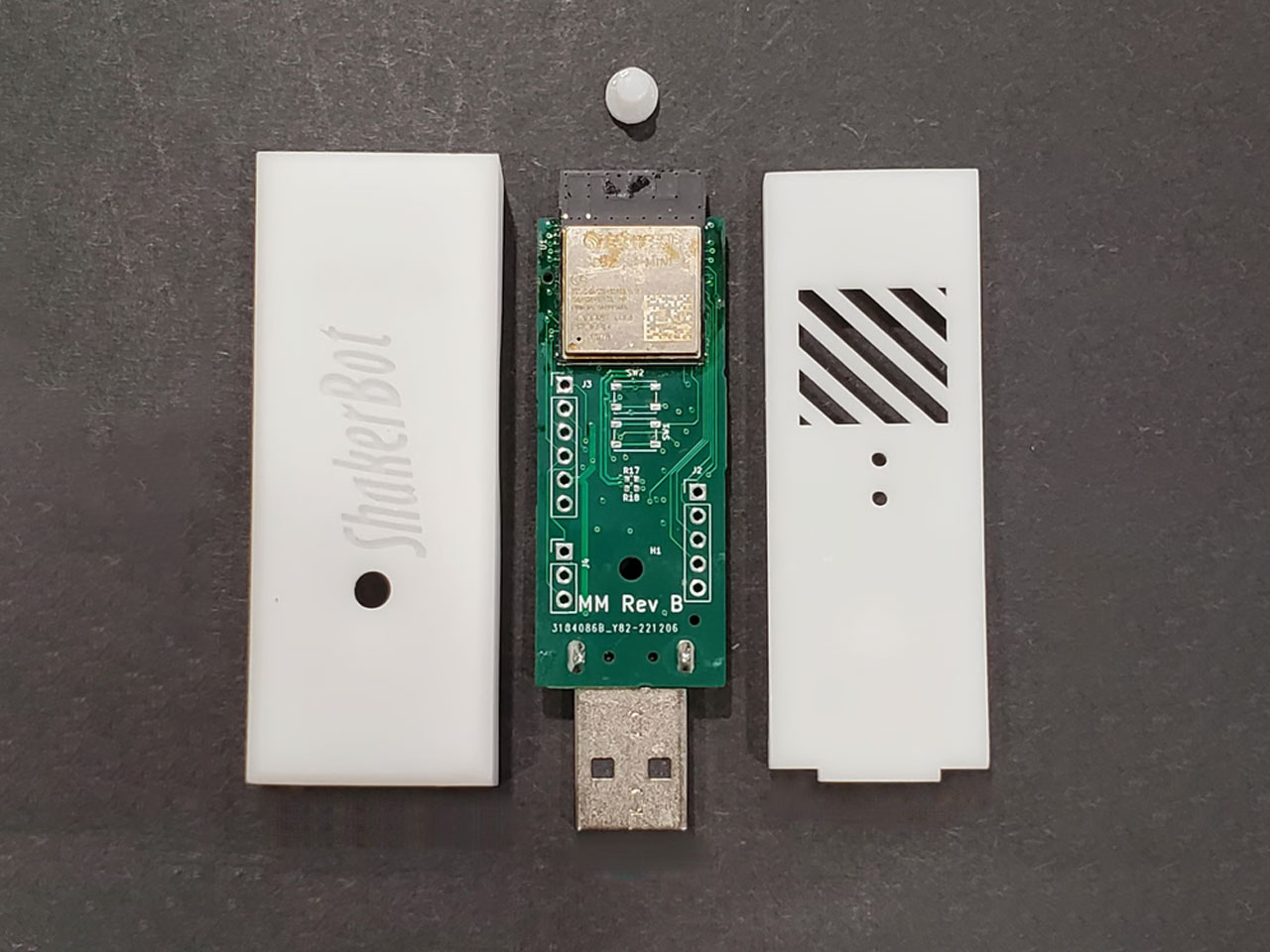
Called the ShakerBot, this fully programmable “Mouse Jiggler” assists you with time-based scheduling, web configuration, and OTA updates. The ShakerBot is designed to be flexible like a standard USB device while functioning as a secondary mouse or a pointing device. You can also use the USB port or an external Wall Wart for power, and connect to a Bluetooth mouse.
Why is it noteworthy?
The ShakerBot is designed to function as a real mouse and a keyboard. It can simulate mouse movements, and inject keyboard keystrokes to ensure your laptop, smartphone or tablet remains awake. You can also add mouse movements to log out, log in, or keep a particular application awake.
What we like
Allows you to inject keystrokes into your device
Supports OTA updates
What we dislike
The device is quite small and compact, so can be misplaced easily
An iPad-like tabletop device, Apple’s reported take on Echo Show and Nest Hub-style touchscreen devices, might still happen. According to Bloomberg, it could debut as soon as 2026, with a thin robotic arm that moves around a large display. In my mind, it’ll look like a mid-00s piece of technology, like something from Portal or I, Robot.
Rumors suggest it may tilt the screen up and down using actuators and rotate 360 degrees. This suggests it could tap into Apple’s DockKit software to track users as they move around their home for video calls and more. Hundreds of Apple employees are now said to be working on the tabletop system, and it’s apparently strongly linked to Apple Intelligence tools and Siri.
However, there are (understandable) concerns about whether consumers will actually want this, especially as the price may hover around $1,000. Please, Apple: Just make it detachable like the Pixel Tablet. Please?
I love that my colleague Billy Steele wrote this. I am currently wrestling with resyncing my Sonos Beam with my TV and thought I was going mad. I wasn’t. Following a major update back in the spring, the Sonos app was very broken and missing key functionality. It was missing basic features, like sleep timers and alarms. Some users also reported the inability to rearrange speakers, speakers working intermittently and trouble completing other basic tasks. Some say they can’t reliably load the app. I experienced most of this. Sonos has a clear plan for how it intends to fix this mess, but there’s no word how long that will take.
Even harder to understand what’s happening on Facebook and Instagram.
Meta has shut down CrowdTangle, the analytics tool that for years helped tens of thousands of researchers, journalists, and civil society groups understand how information was spreading on Facebook and Instagram. The company has introduced the Meta Content Library, but it’s much more tightly controlled than CrowdTangle. There’s a vetting process, and while tens of thousands of people had access to CrowdTangle, only “several hundred” researchers have reportedly been let into the Meta Content Library. Journalists are ineligible.
The timing couldn’t be worse; Meta shut down CrowdTangle less than three months before the US presidential election despite pressure from election groups and a letter from lawmakers requesting a delay.
The latest game, The Outlast Trials, is a risk for the developer.
The Sleep Room in The Outlast Trials is named after a real-life space at McGill University’s Allan Memorial Institute in Montreal, where from 1957 to 1964, doctors conducted mind-control experiments on patients as part of the CIA’s MK-Ultra initiative. It included electroshock therapy, sensory deprivation and heavy doses of psychedelic drugs.
Like all of Red Barrels’ games, The Outlast Trials draws from dark and true stories. The newest game is a cooperative four-player horror experience where participants have to ‘graduate’ from therapy by completing objectives and surviving monstrous villains. The gameplay mainly involves running and hiding from prowling, deranged sadists. It’s time to get scared again, but this time with your buddies.
This article originally appeared on Engadget at https://www.engadget.com/general/the-morning-after-apple-is-still-working-on-a-rotating-ipad-like-tabletop-device-111940338.html?src=rss
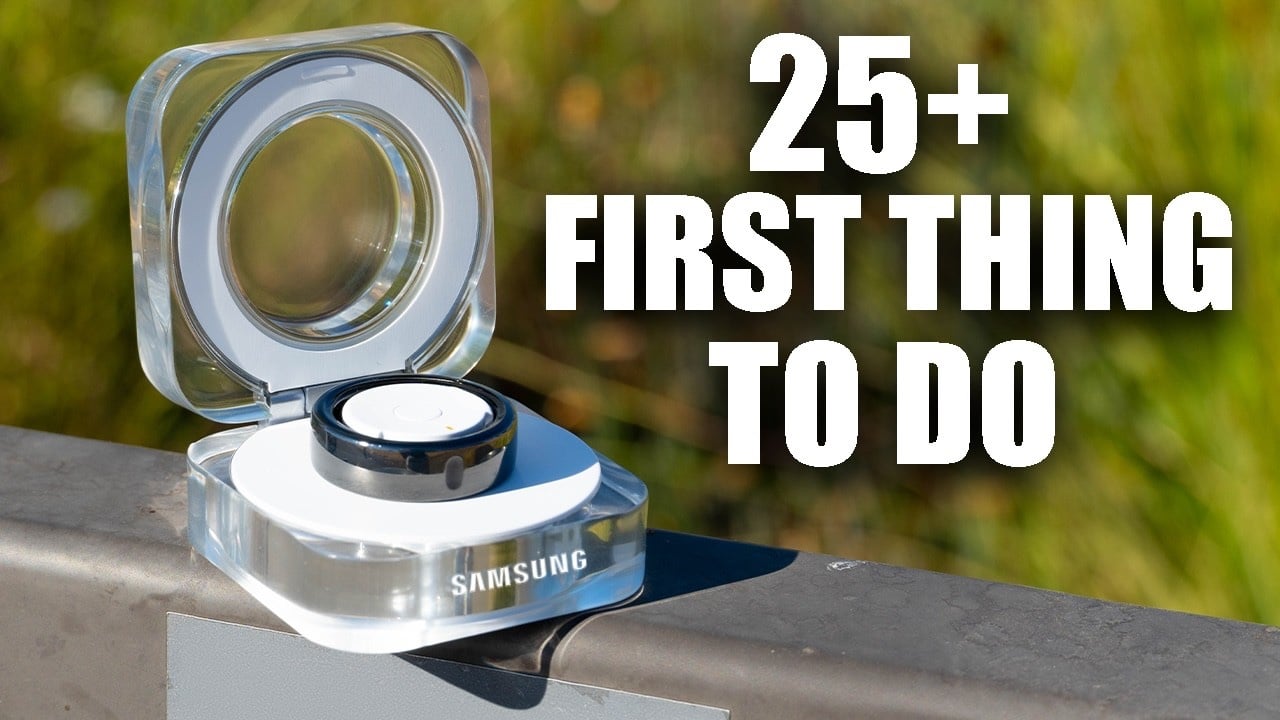
The Samsung Galaxy Ring is a powerful and versatile wearable device that offers a wide range of features designed to enhance your daily life. From monitoring your health and fitness to providing convenient gesture controls and customization options, the Galaxy Ring is a valuable tool for anyone looking to stay connected and improve their well-being. […]
Steam reviews tend to be a medley of serious, helpful, jokey and meme-y, but Valve is looking to switch that vibe up a bit. The company has started publicly testing a new "helpfulness" system that will bring useful reviews to the top and effectively demote the fun ones, depending on what the user wants to see.
"User reviews that are identified as being unhelpful for potential customers, such as one-word reviews, reviews comprised of ASCII art, or reviews that are primarily playful memes and in-jokes, will be sorted behind other reviews on the game’s store page," the company said.
Less of this
Valve
The new "helpfulness" button is toggled on by default and works only when you're in the "summary" and "most helpful" views. When enabled, you'll see reviews with the highest scores in terms of helpfulness up top, with jokey but relatively useless reviews pushed down below. Unticking the helpfulness box will bring back Steam's old review system.
Comments both negative and positive are evaluated using AI algorithms, user reports and Steam's moderators. In a FAQ, Steam said it will "take quite a while" to rate the 140 million+ existing reviews, and longer still for recently published ones.
"That doesn't mean players won't ever see... humorous, but unhelpful posts, but it hopefully means that they’ll see them less frequently when trying to learn about a game," Valve wrote. "The primary goal of Steam User Reviews is to help potential players make informed decisions about the games they are considering purchasing."
This article originally appeared on Engadget at https://www.engadget.com/gaming/steam-reviews-are-now-a-little-more-useful-but-a-little-less-fun-110038814.html?src=rss
Apple’s virtual assistant, Siri, has been a staple iPhone feature for years. However, with the introduction of Apple Intelligence, users now have access to an enhanced version of Siri that promises to deliver a more intuitive and interactive experience. The video below looks at the key differences between standard Siri and Apple Intelligence, exploring their […]
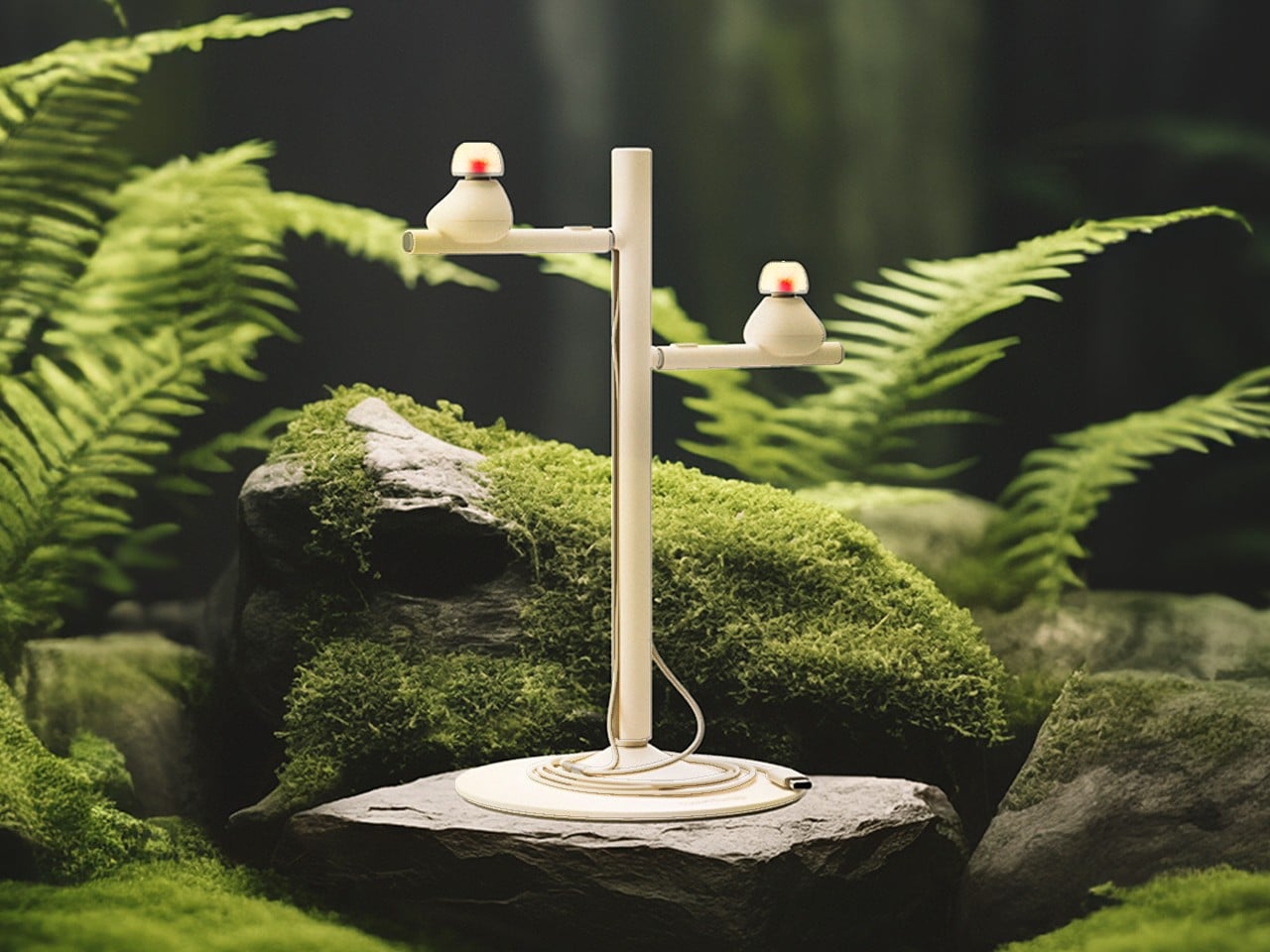
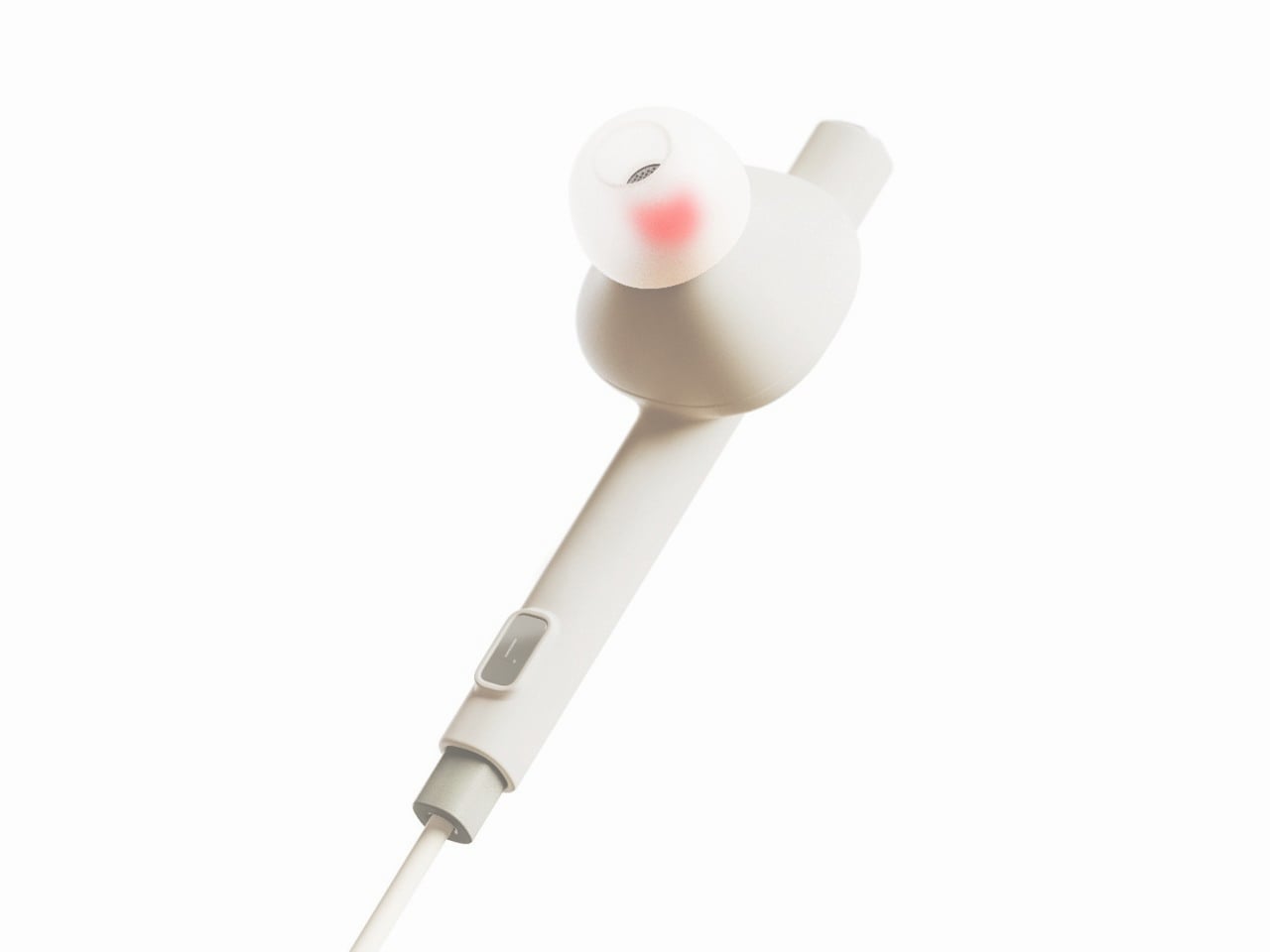
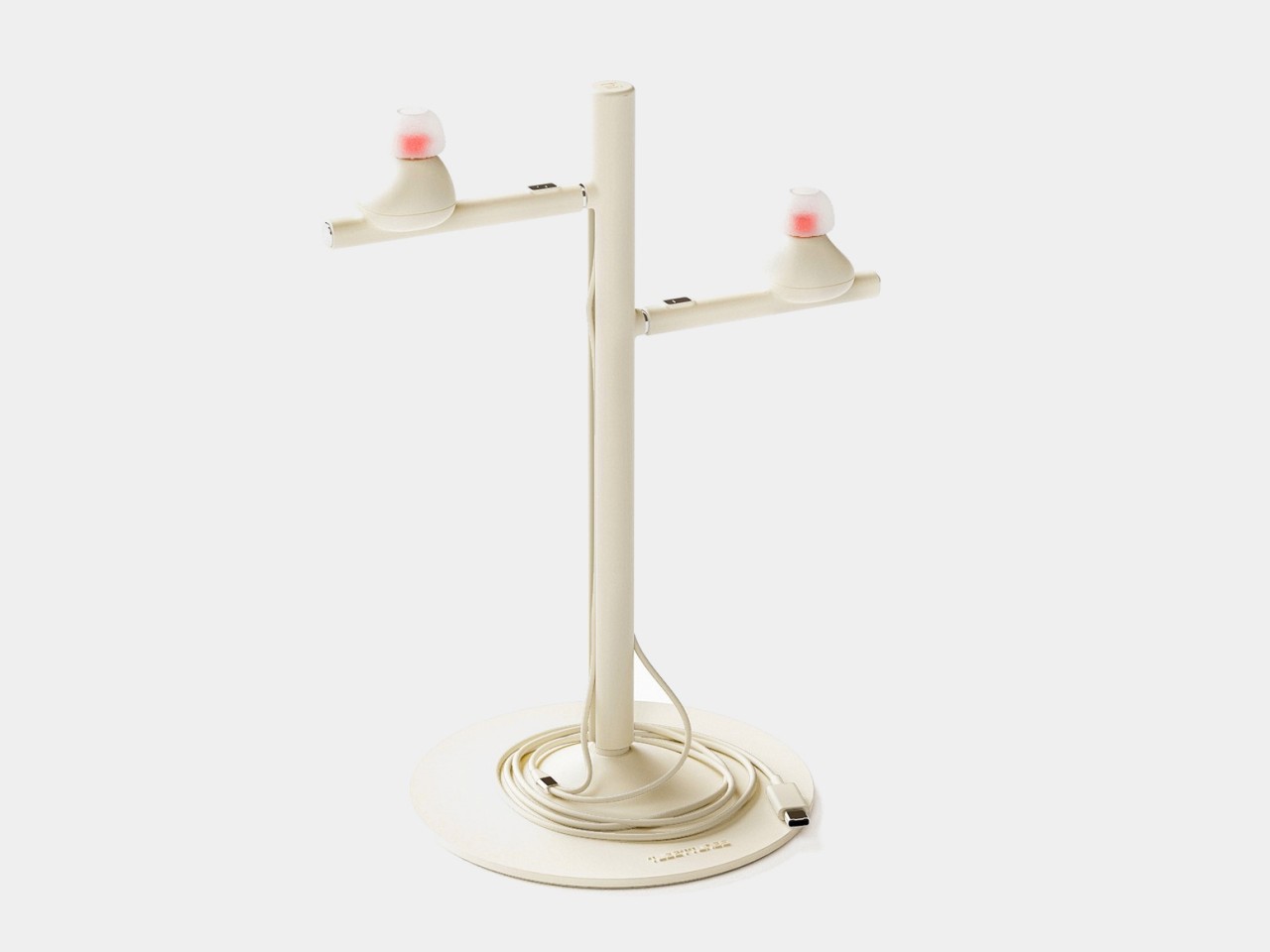
With Apple leading the way, the design of wireless earbuds has almost become monotonous as many manufacturers try to flatter the brand through imitation. There are, of course, a few outliers and there is definitely plenty of room for creativity, especially now that earbuds and earphones have almost become a necessity for anyone who uses a smartphone. Of course, ergonomics and acoustics still play the most important role in designing such audio accessories, but if there was more leeway in those areas, you might be able to come up with something a bit more imaginative, like these buds that resemble a pair of birds tweeting a sweet melody into your years.
Designers: Jinho Choi, Seunghun Jeong
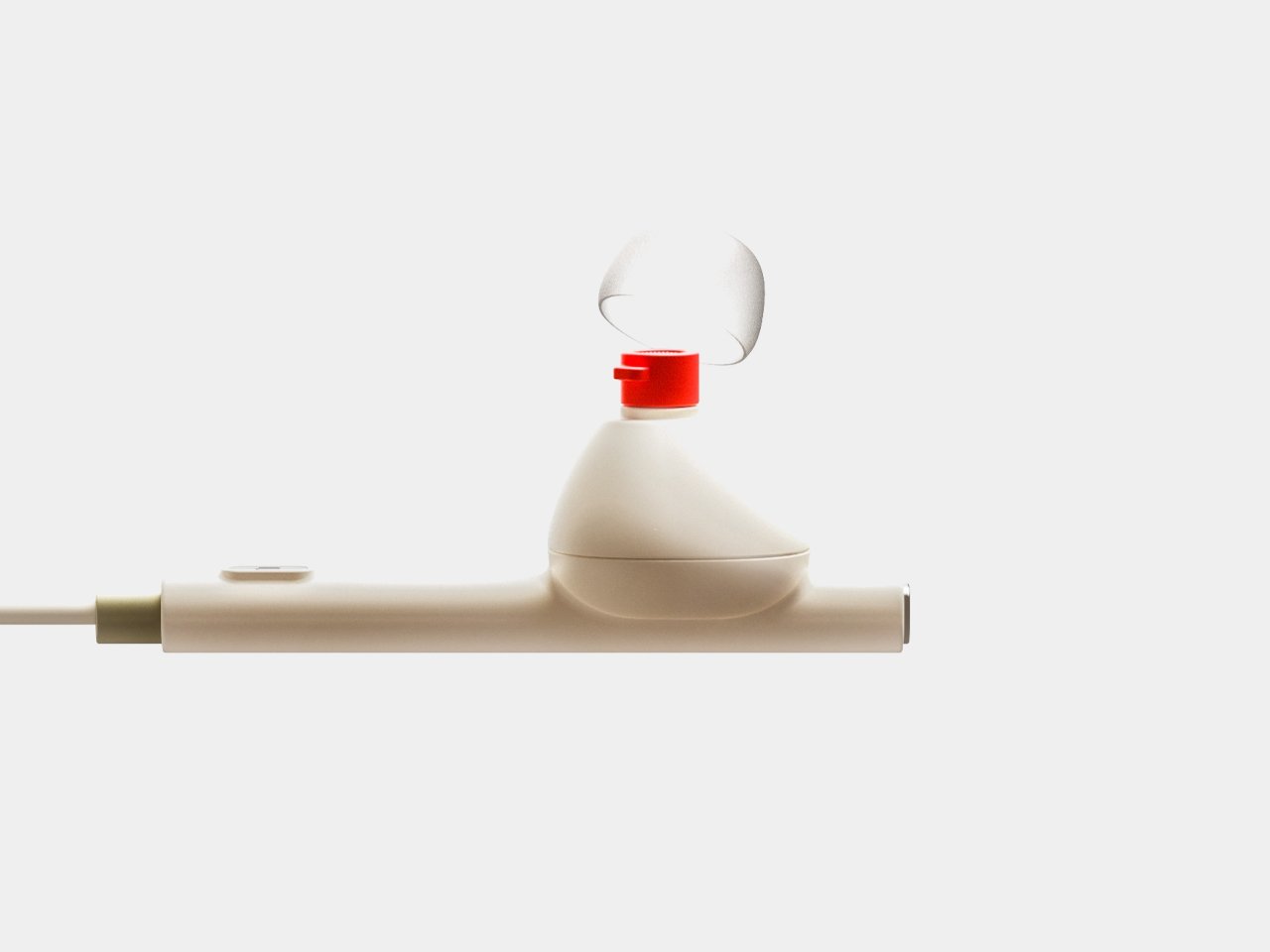
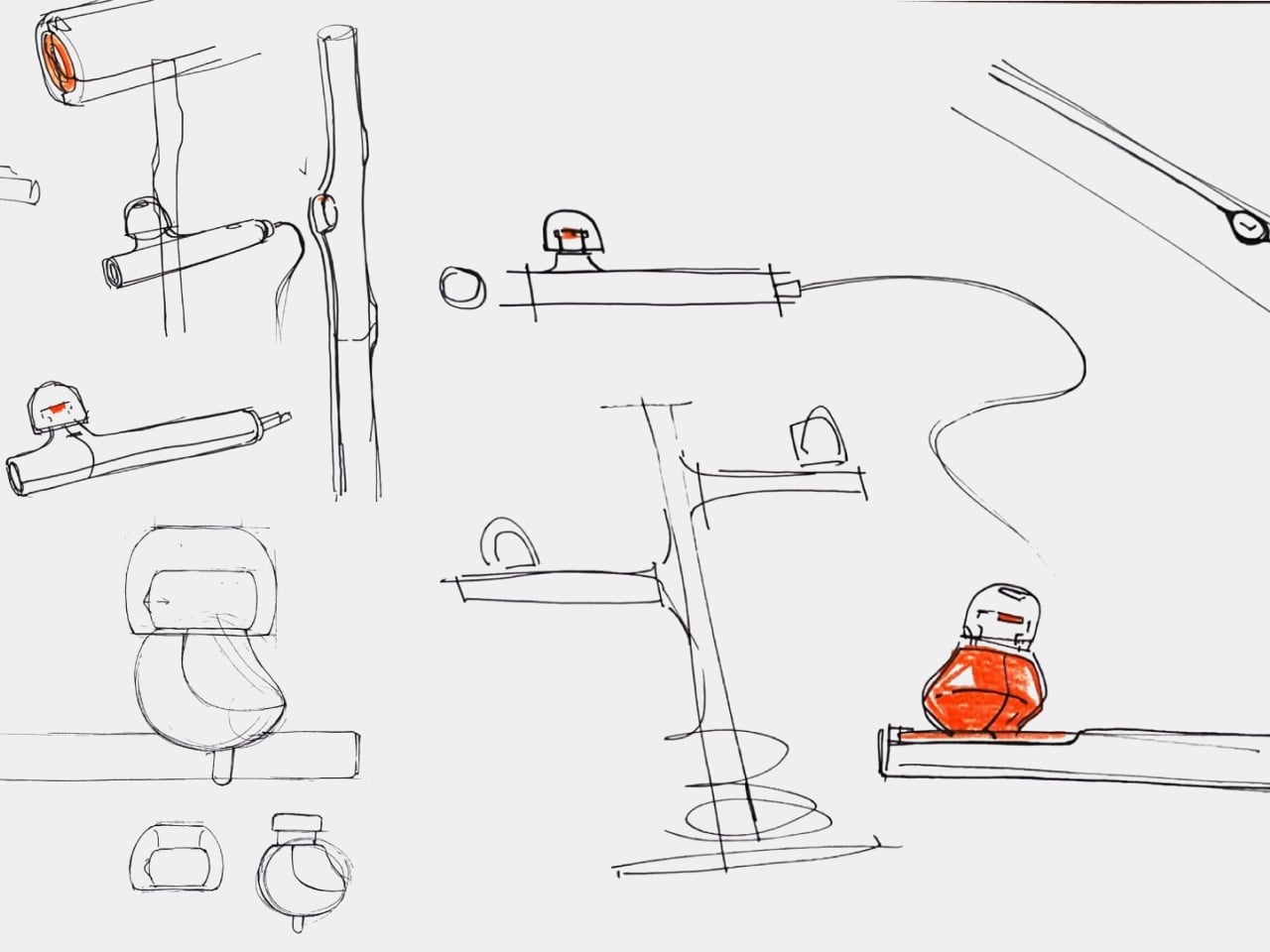
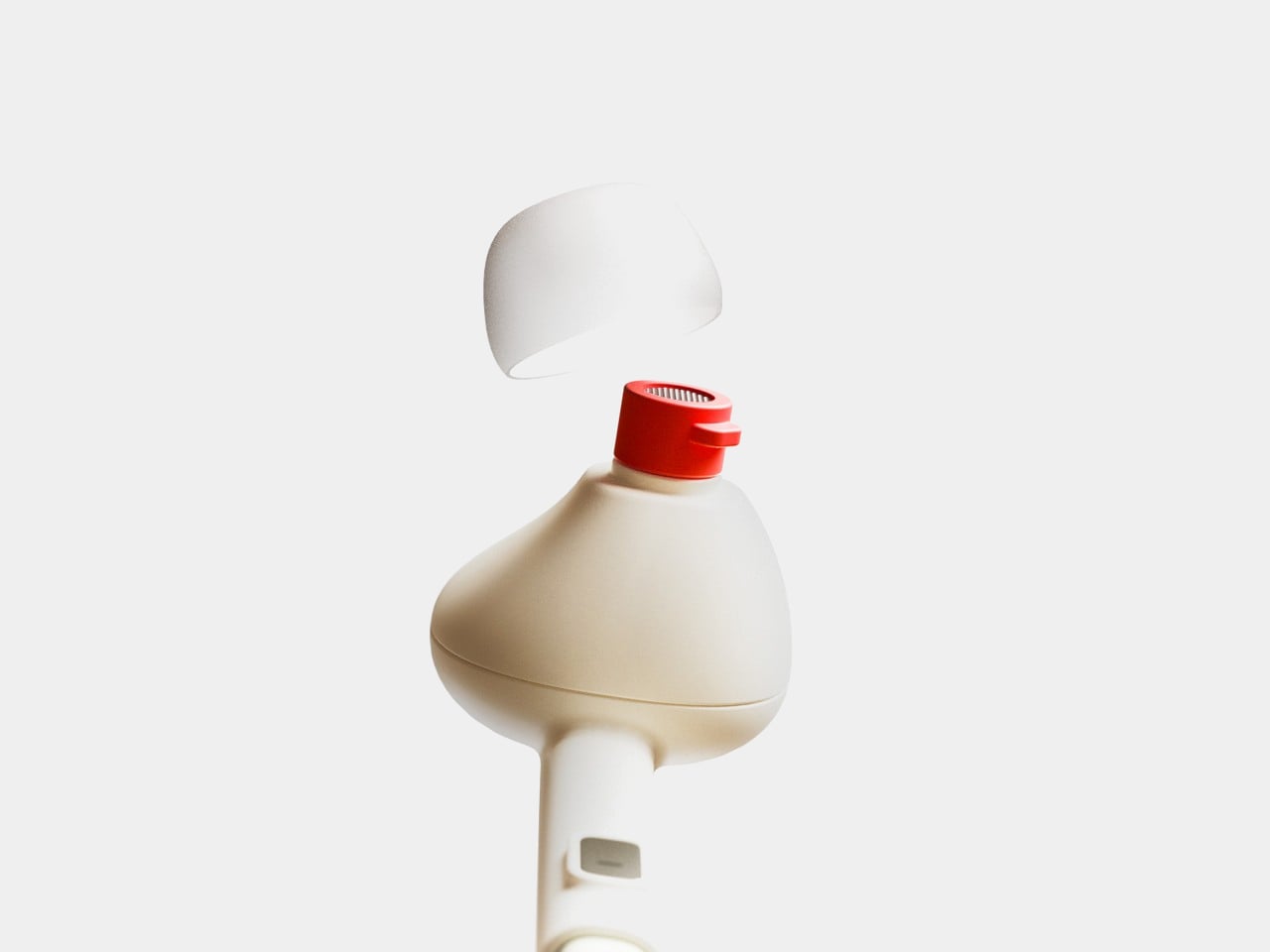
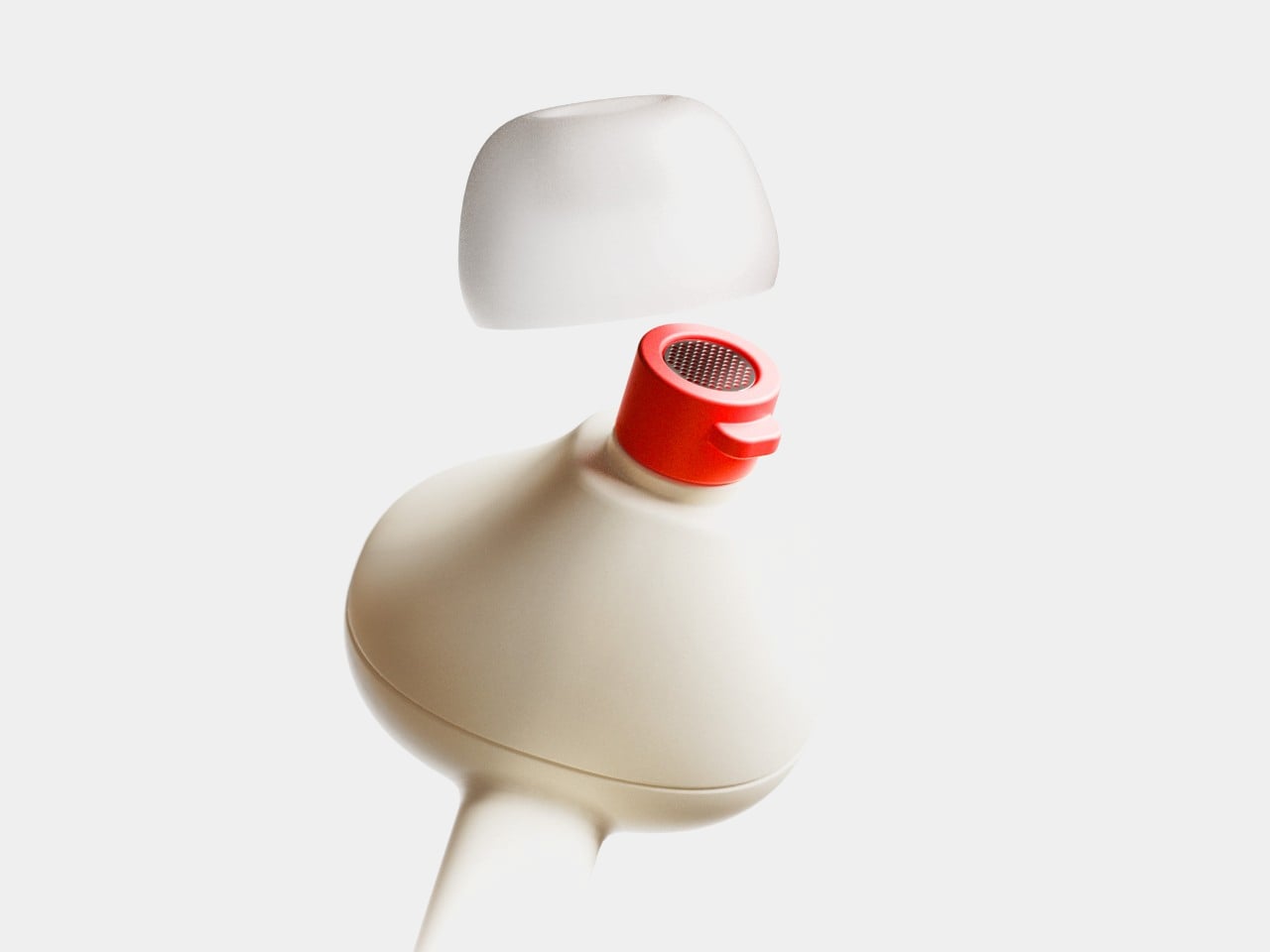
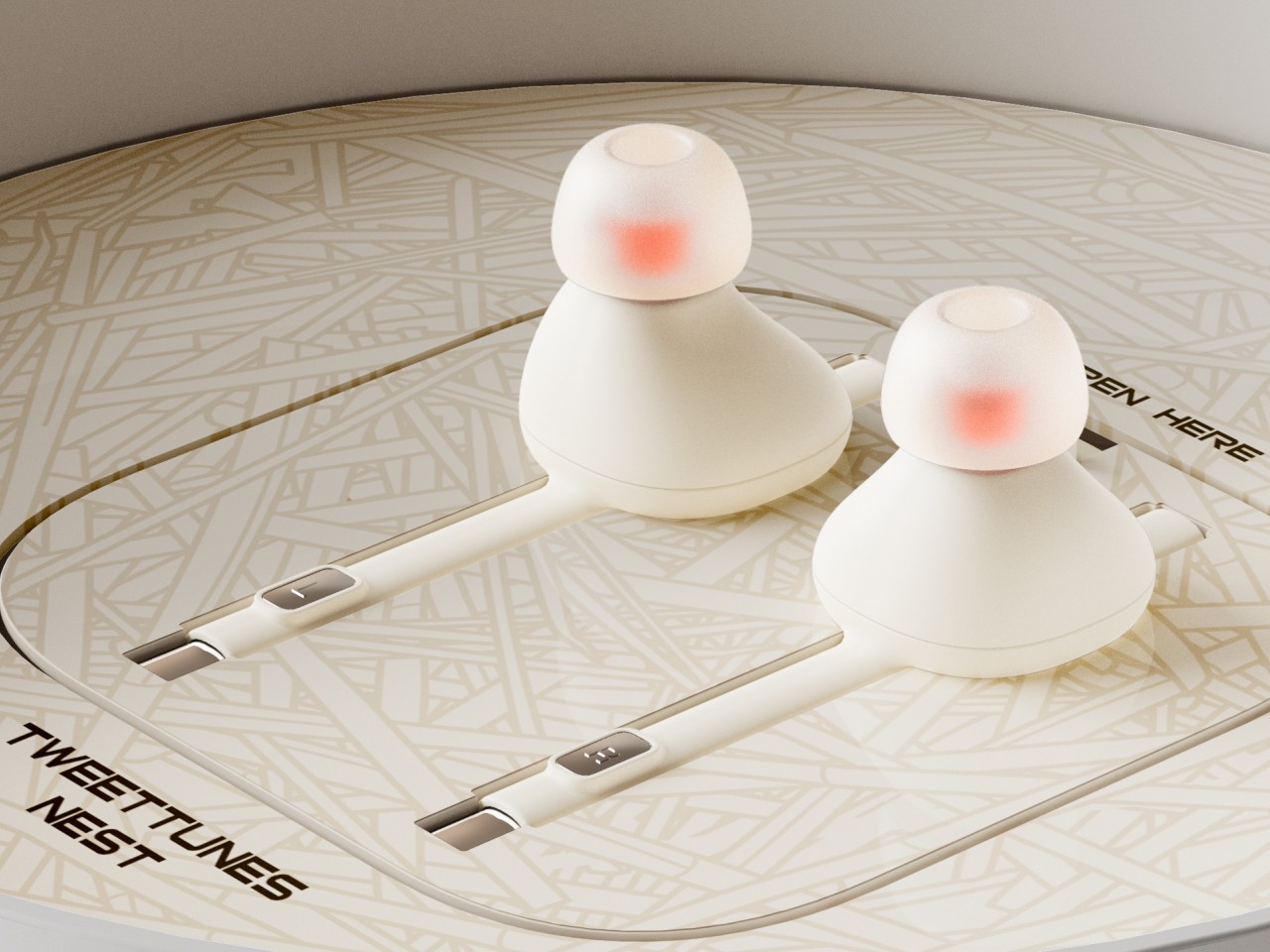
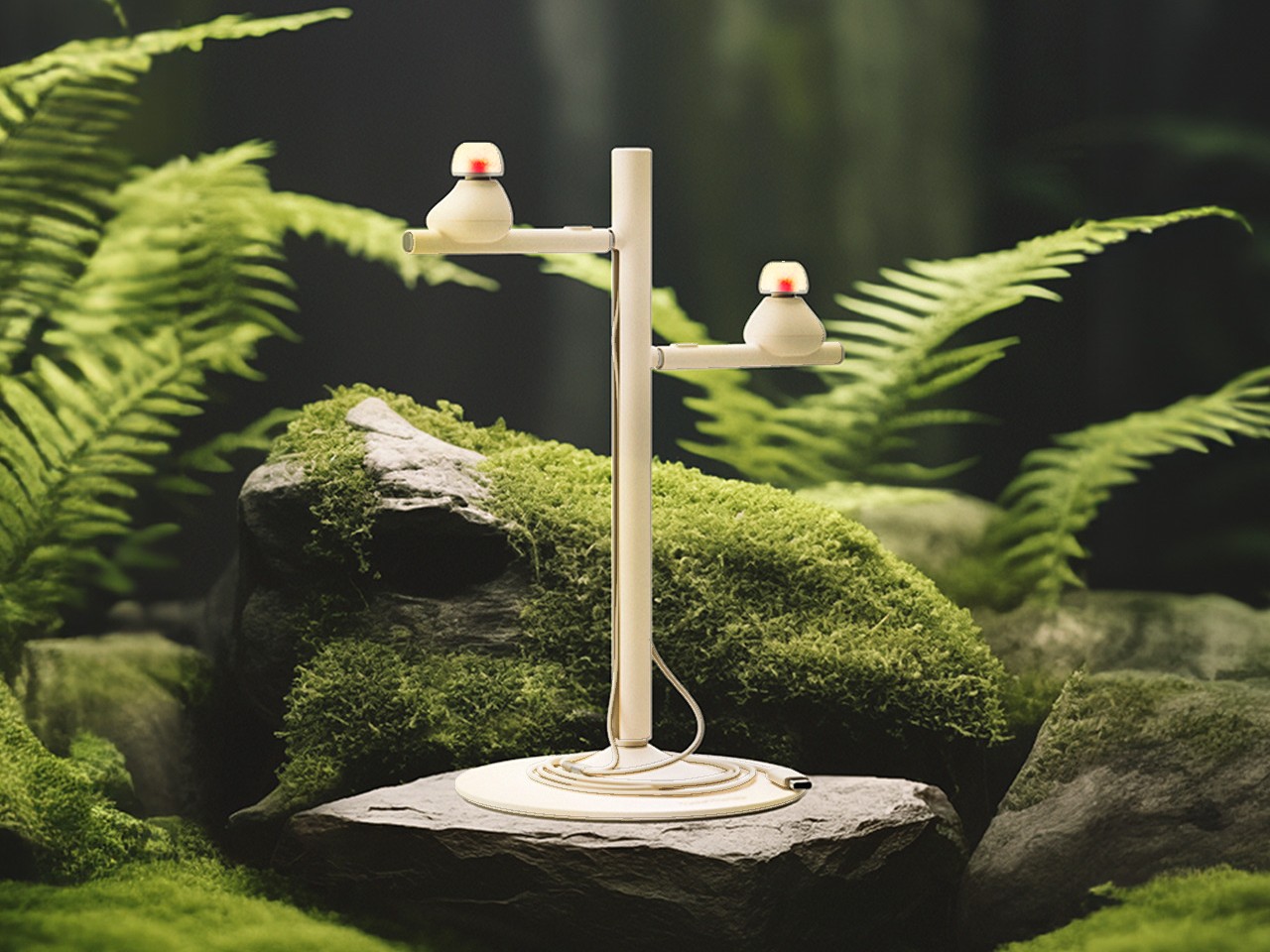
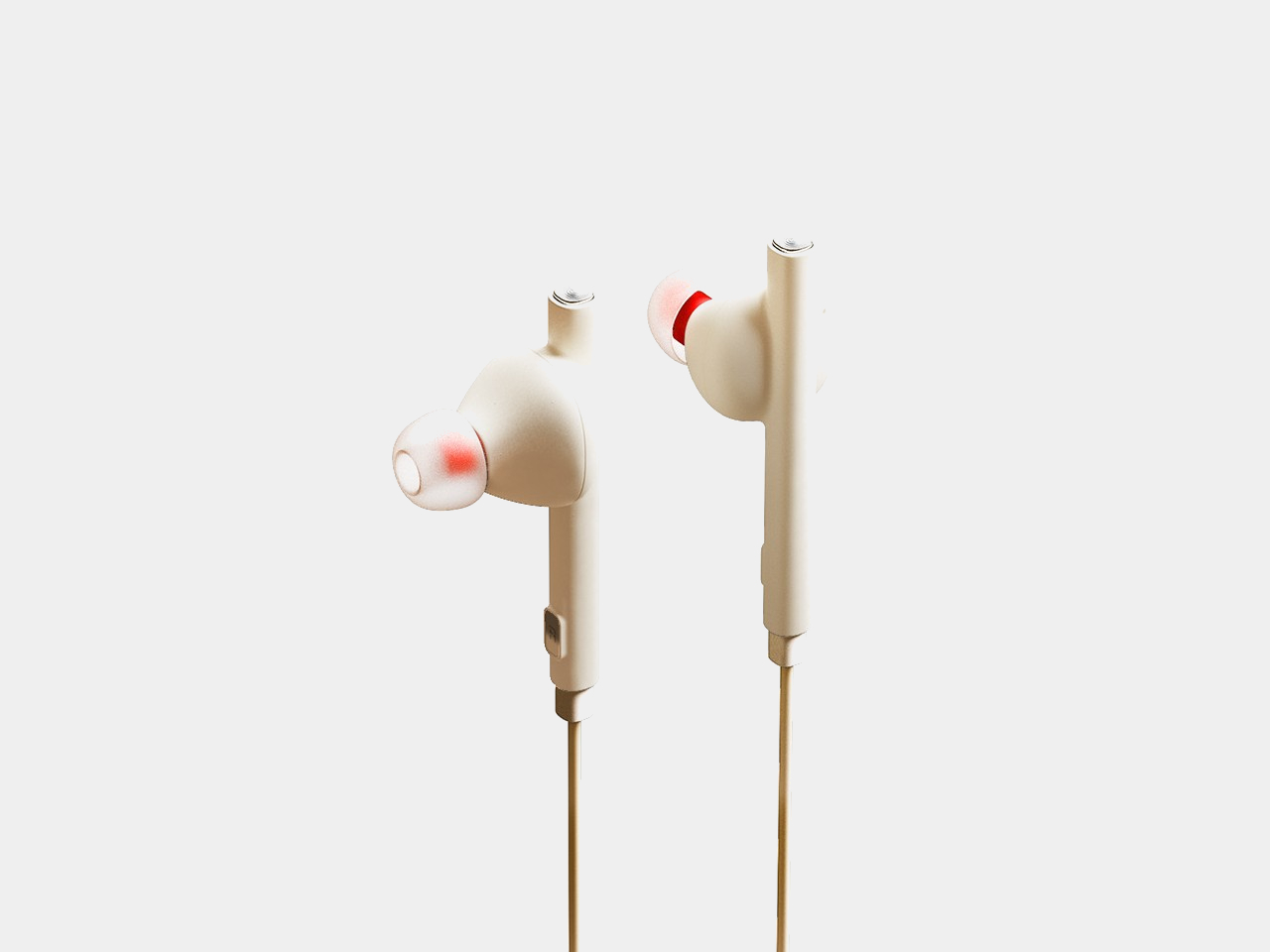
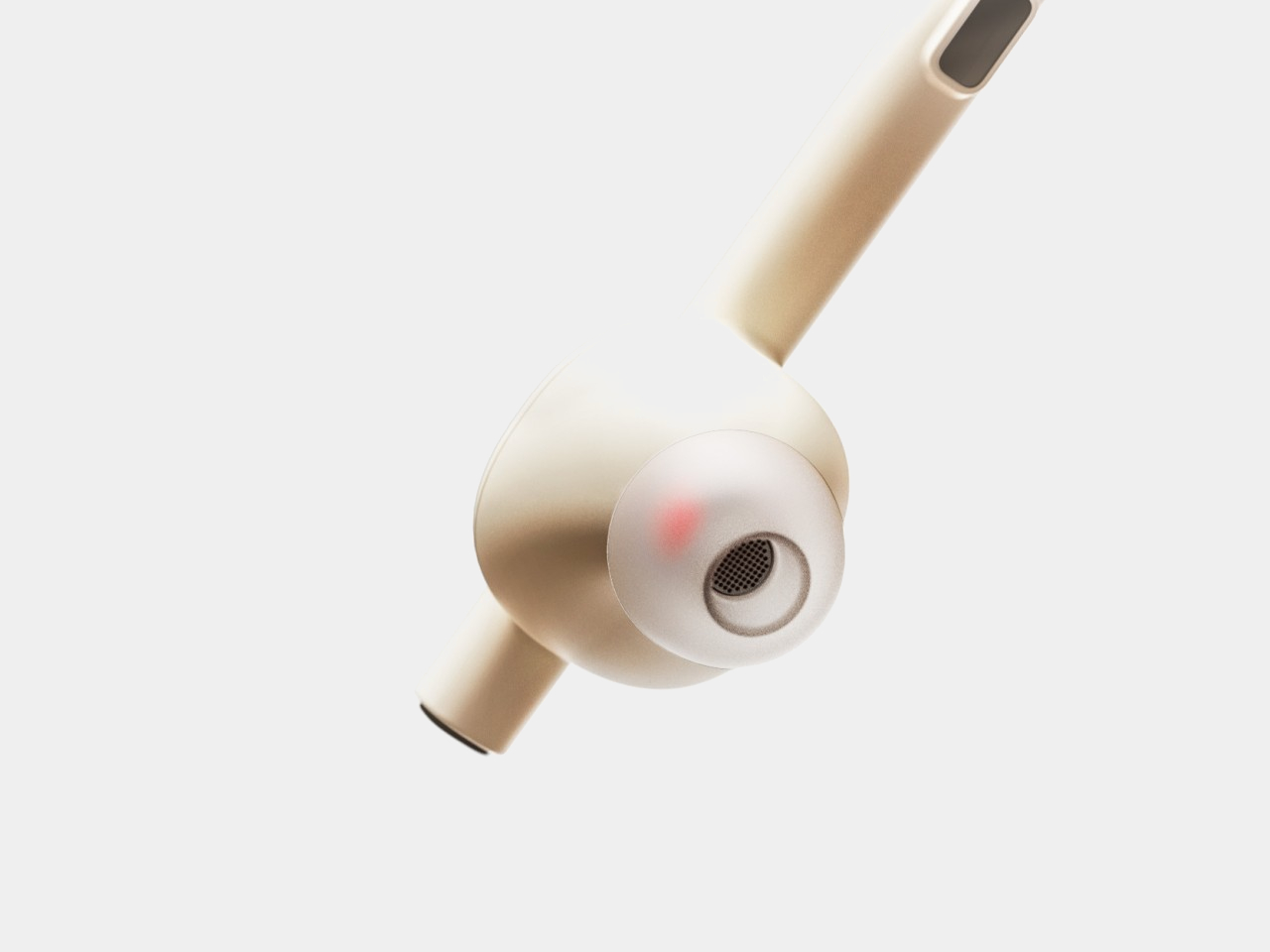
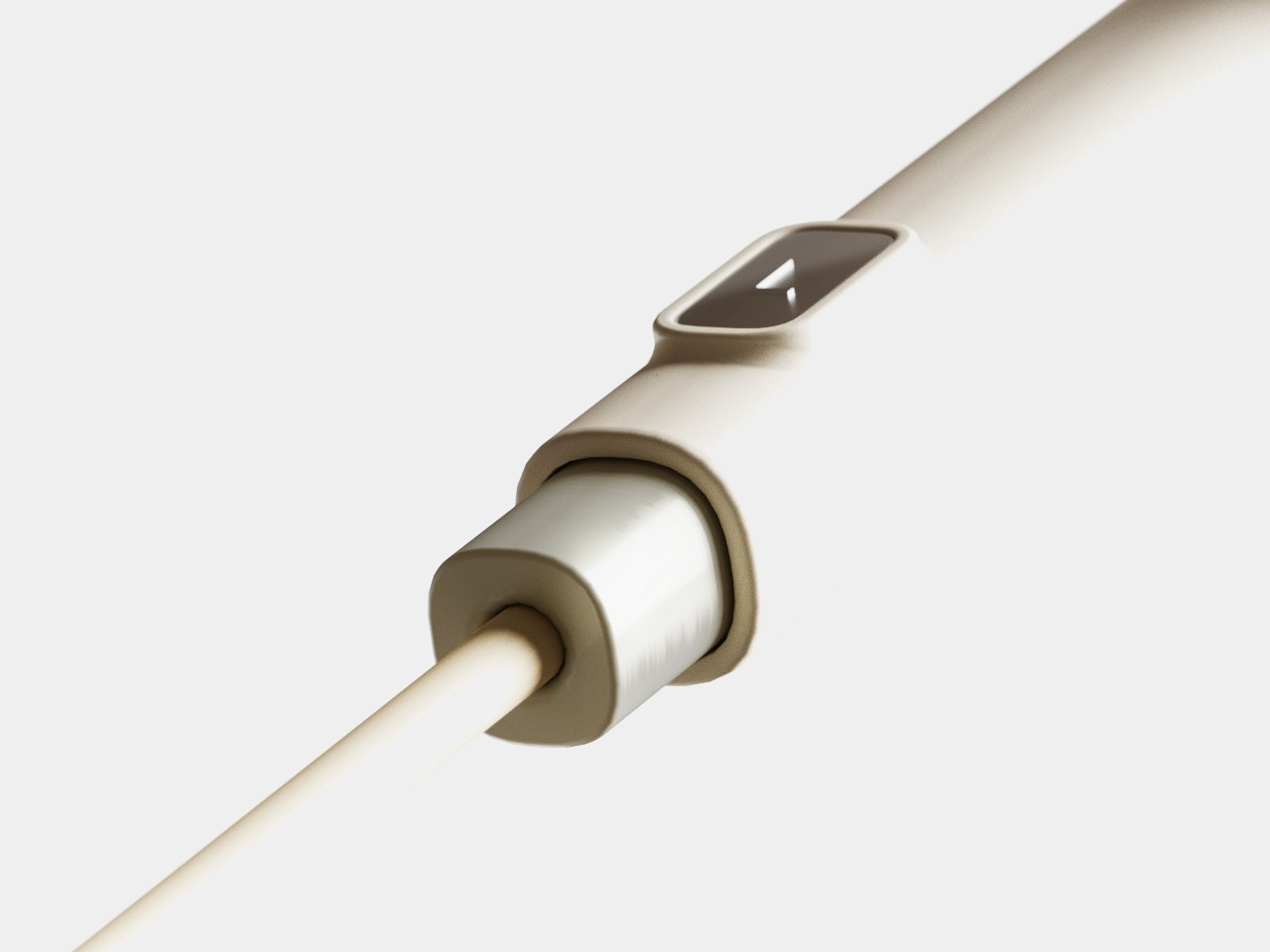
The standard design for earbuds these days, whether they’re wired or wireless, consists of a bulging mass on the end of a short stick. The larger shape is designed to go into the ear canals, tapering at the tip while almost rotund at its base. With some imagination, it almost looks like a pudgy bird, which is what this design concept has made out of the silhouette of the buds. And not just any bird, mind you, but a bird with an astronaut helmet on!
That’s the almost comical picture that AI drew for this design, which works perfectly in this scenario. The tips of the buds can’t be sharp and small like bird heads, so imagining these two birds wearing translucent space helmets gives the design a playful character. These birds sit on top of the branch, represented by the stalk of the earphones, at least when you place them down in a certain way.
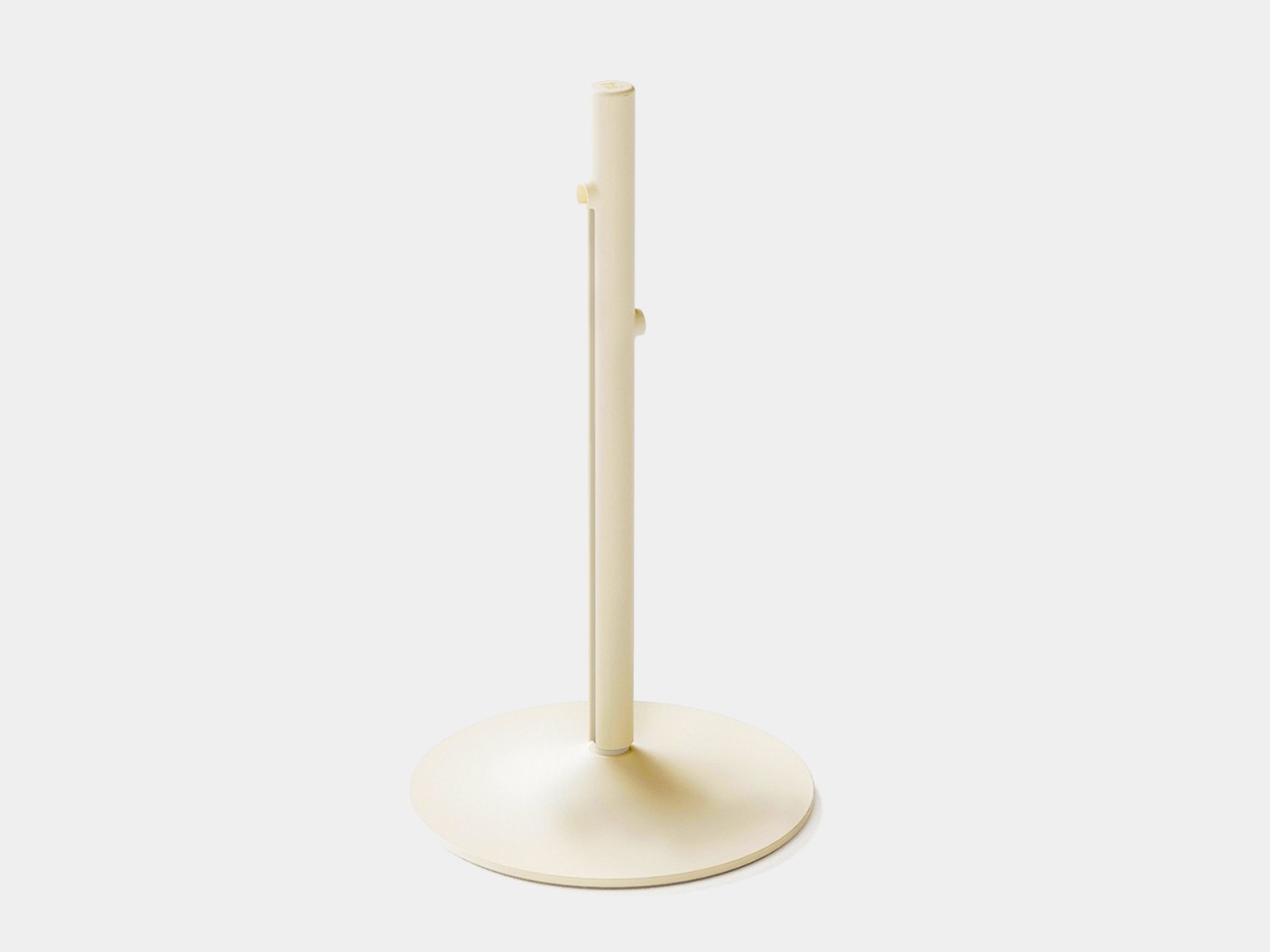
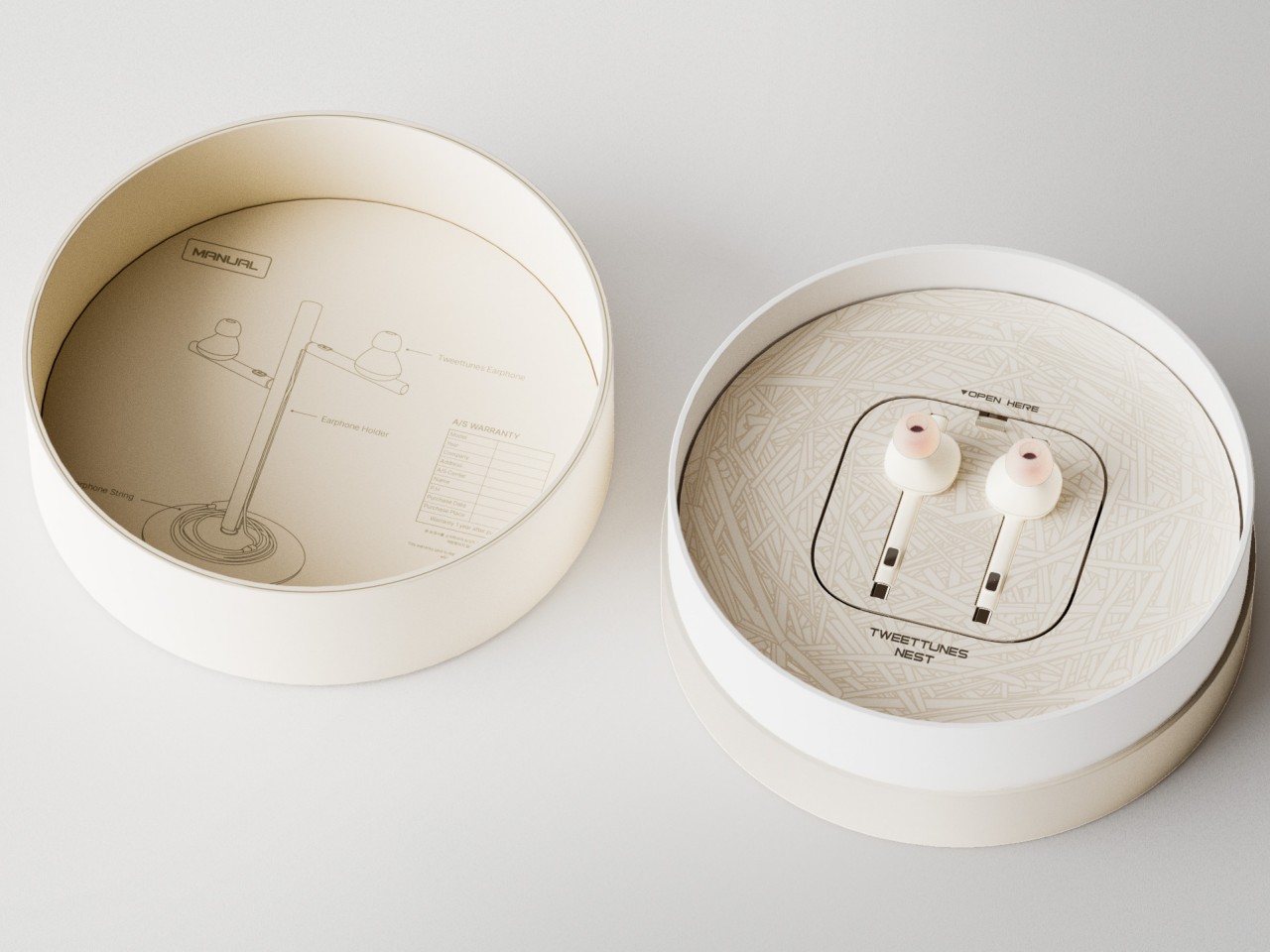
What makes this design concept extra fun is that everything revolves around this avian idea, including both the packaging and associated accessories. Rather than just have the buds lying on a desk or dangling from some hook, a special stand mimics a small tree trunk where you can insert the earbuds’s stem, creating the semblance of birds perched on a tree. It would probably be nice if you could also hear audio coming out of the buds while in this arrangement to complete the image, but that would require a more complex audio solution.
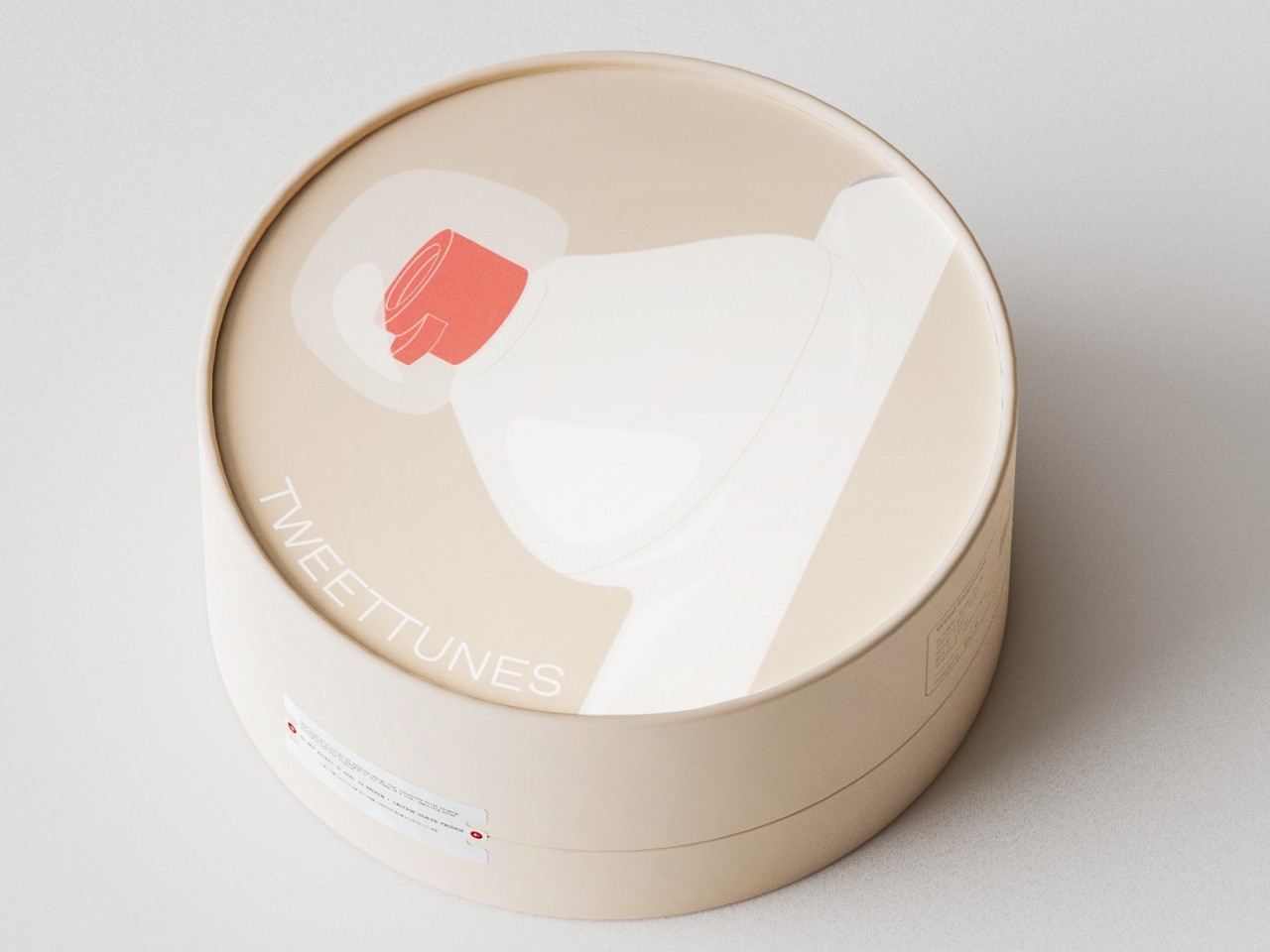
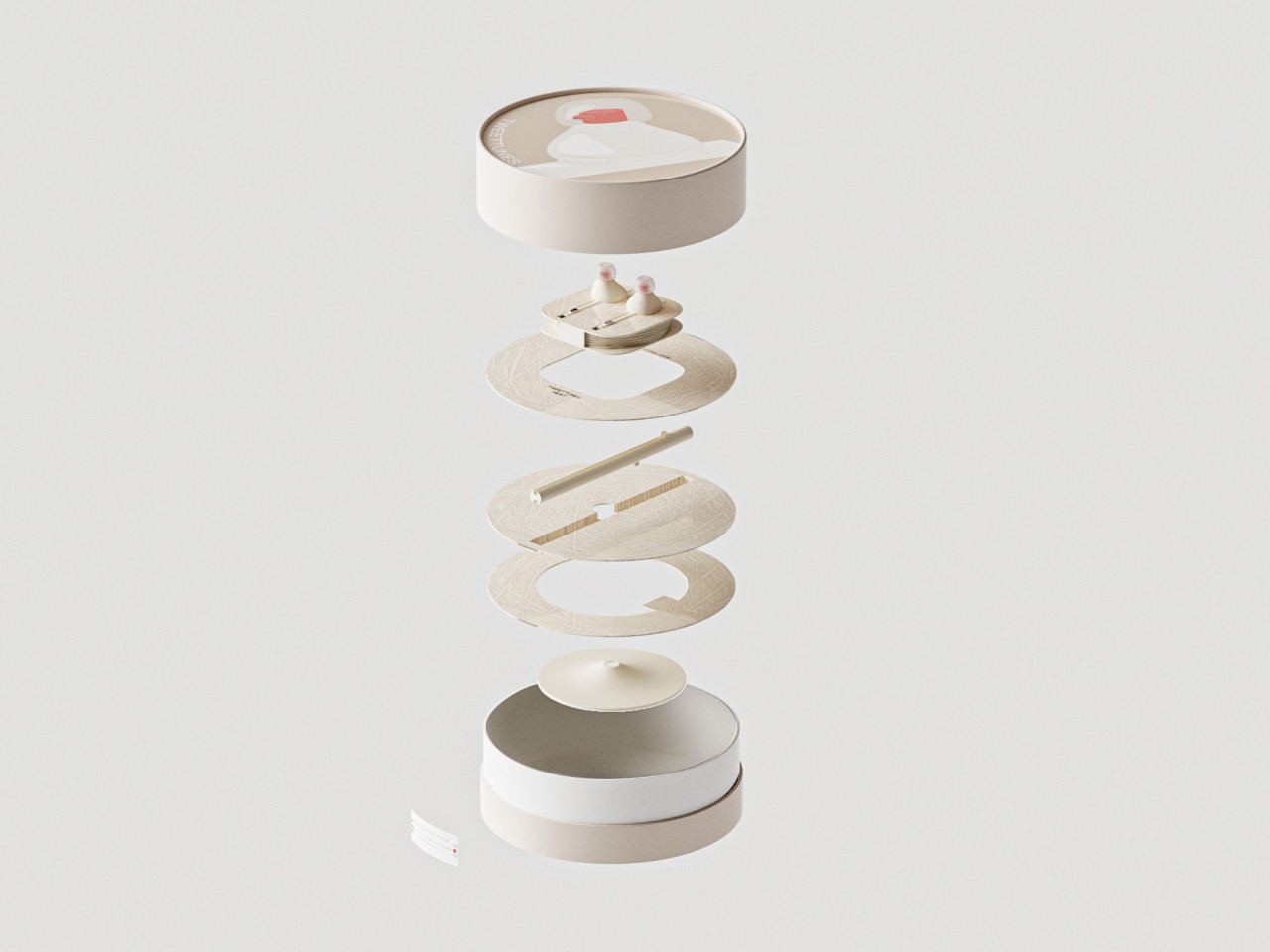
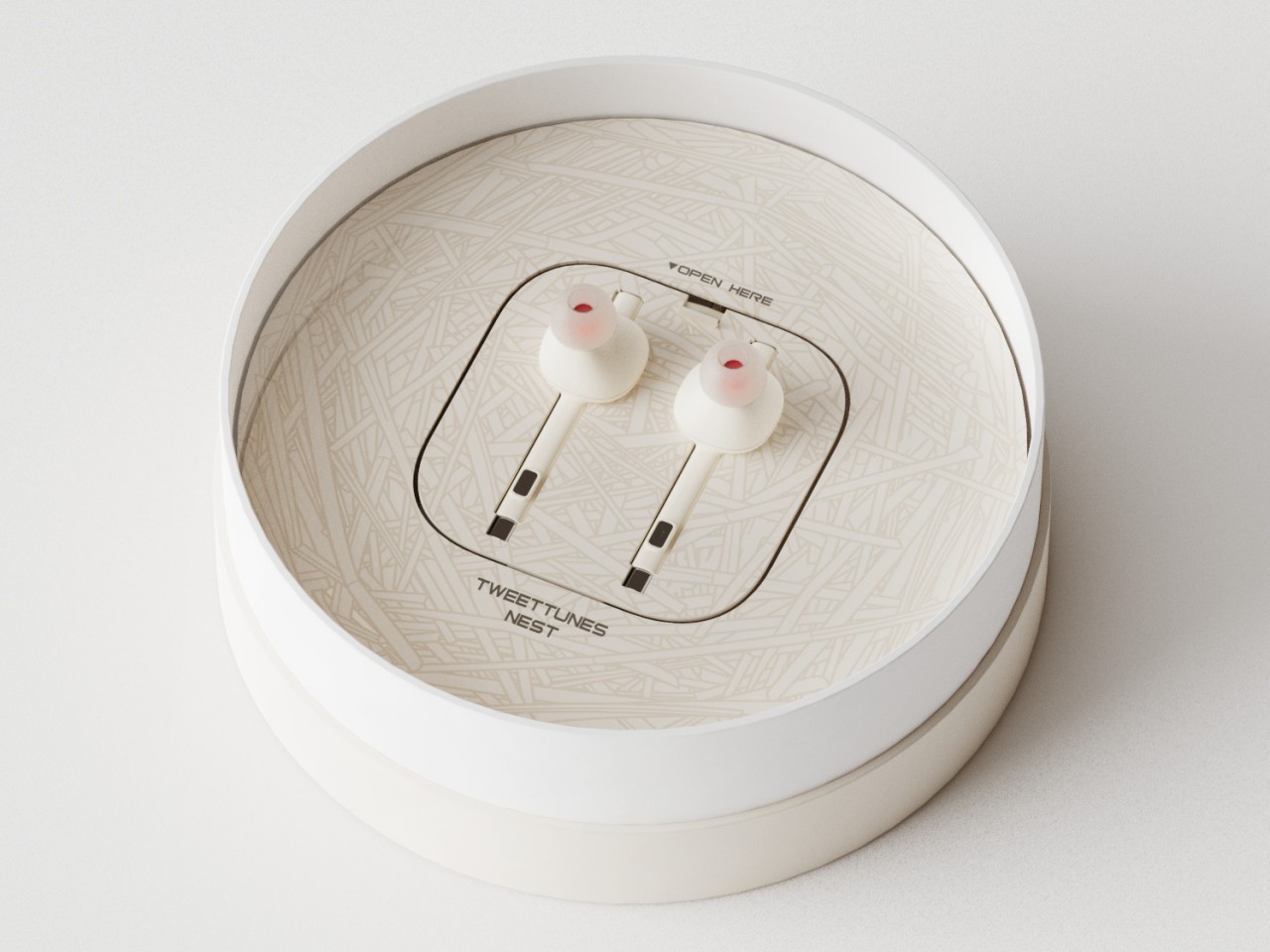
The TweetTunes buds concept also includes a specially designed box that’s more circular than boxy. Opening up the packaging reveals two birds sitting inside a nest, or at least the representation of a nest. It’s definitely a subtle but nice touch, with the attention to detail you’d expect from larger companies. There’s still the question of whether such a bird-like shape actually provides both comfort and sufficient sealing, but having adorable earbuds like that on your desk is probably worth just the decorative value, even if you barely use it.
The highly anticipated iPhone 16 Pro Max is set to make waves in the smartphone industry with its innovative artificial intelligence (AI) capabilities and a host of enhanced features. At the heart of this innovative device are the powerful new A18 and A18 Pro chipsets, which promise to deliver significant improvements across various aspects of the user experience. Unleashing […]
The iPhone is more than just a communication device; it’s a powerful tool that can simplify your daily life and boost your productivity. With the introduction of shortcuts, Apple has transformed the way users interact with their iPhones. Shortcuts allow you to automate various tasks, from managing your schedule to controlling your home automation system. […]
The highly anticipated Google Pixel Watch 3 has arrived, bringing with it a host of hardware and software updates that aim to elevate your smartwatch experience. This latest iteration of the Pixel Watch series focuses heavily on fitness features, particularly for running enthusiasts, while also offering improved display technology, battery life, and seamless integration with […]