LEGO released a 421-piece life-sized Game Boy replica with Game Pak cartridges but it could not play games. Then later a Aussie modder turned it into a fully functional handheld, and promised that there will be a $50 kit coming in future so that fans can turn theirs into a playable LEGO version. However, the LEGO version has a small screen and you are better off playing titles on the original handheld.
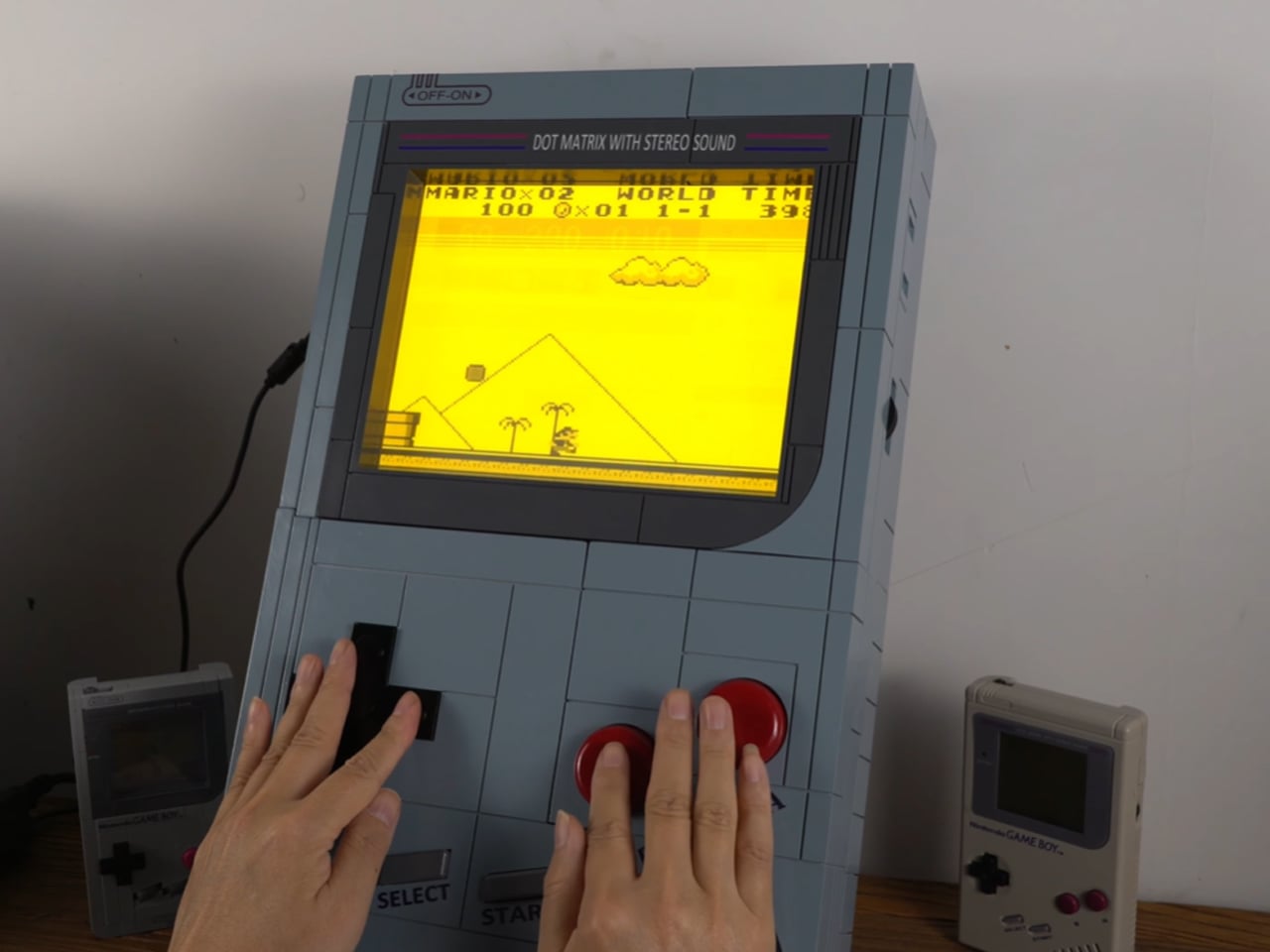
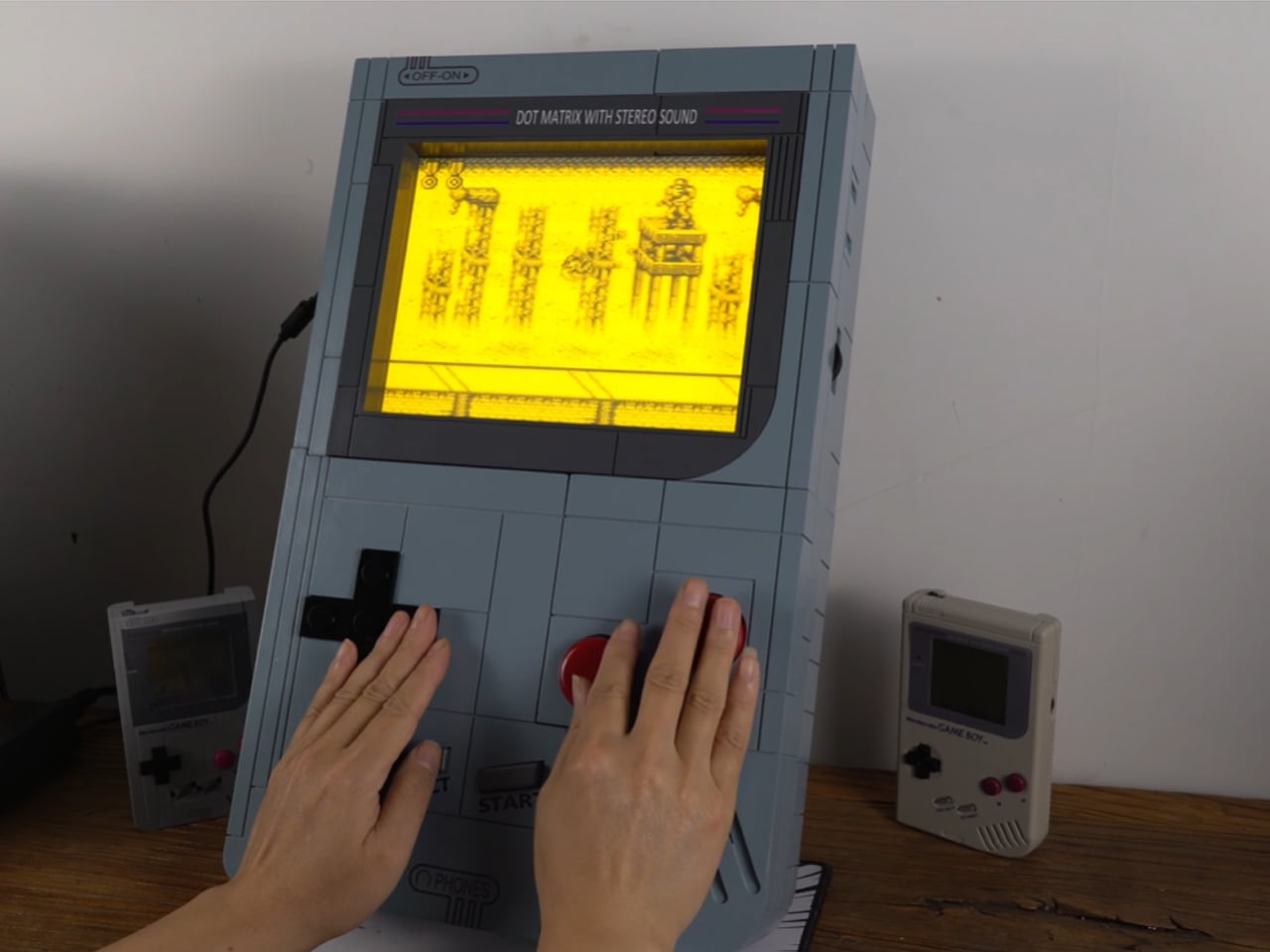
There’s so much craze around the classic Game Boy, you are bound to come across DIYs that spark the attention of arcade gaming community. Chinese YouTuber LCLDIY ventured out on creating his own interpretation of a Game Boy – only that it is much larger in scale. Best of all it plays games sans any glitches and can be carried around like a cool boombox.
Designer: LCLDIY
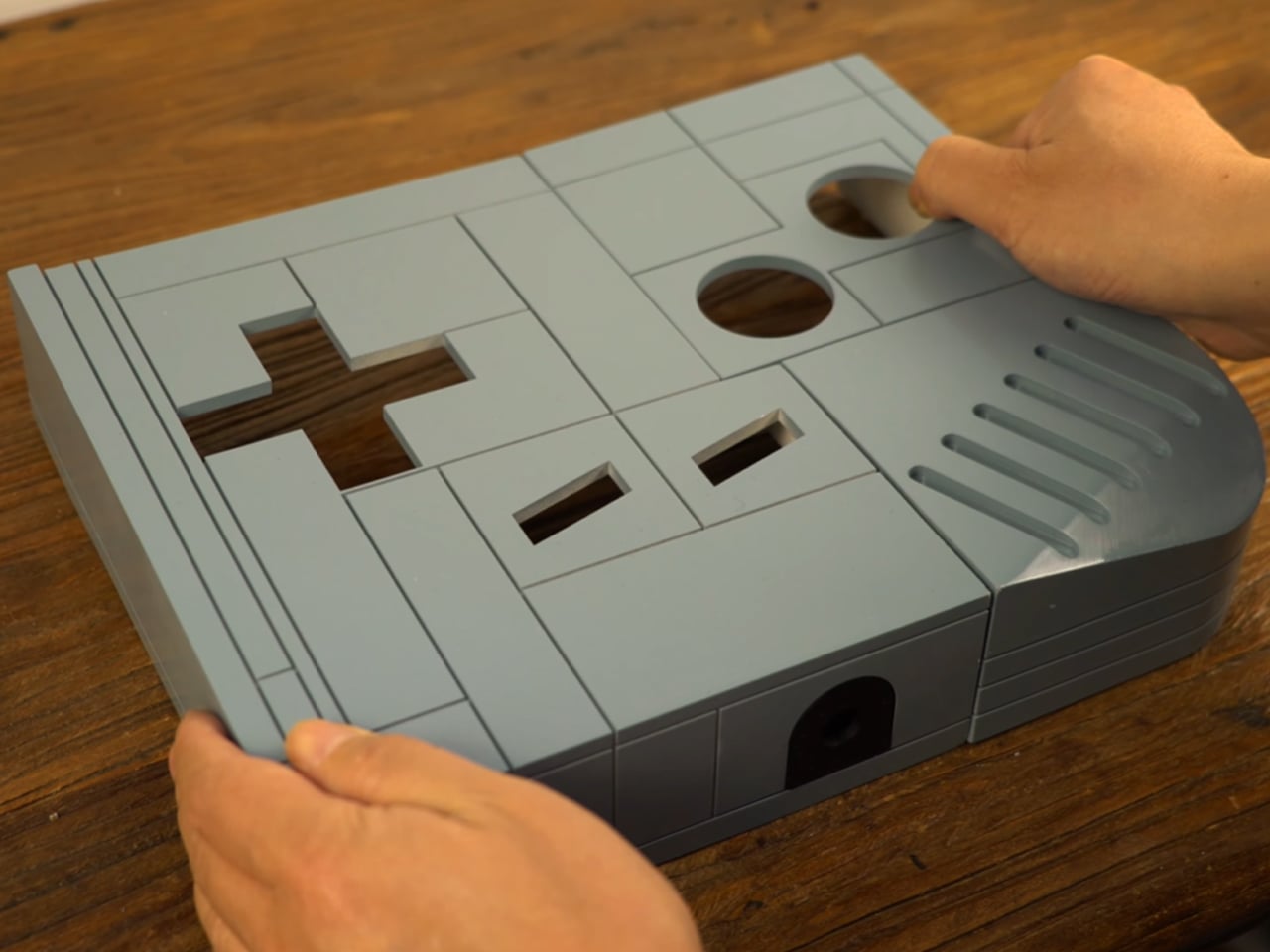
The DIY starts off by creating a 3D printed shell (using a light curing printer, printing for a week) that houses the 10-inches electroluminescent LCD TV that emulates the warm glow of the original Game Boy. The choice of the display makes sense as the soft glow illuminates the pixels that otherwise would look too harsh on the big display compared to small screen of the Game Boy. Getting the games to run on the rig was not an easy feat as he had to fit in an Intel 845 motherboard for driving the big display and also creating the interface for running the emulated software of the Game Boy handheld console. The classic processor is assisted by the 65540 Flat Panel VGA Controller chip to simplify the clock synchronization and data signals.
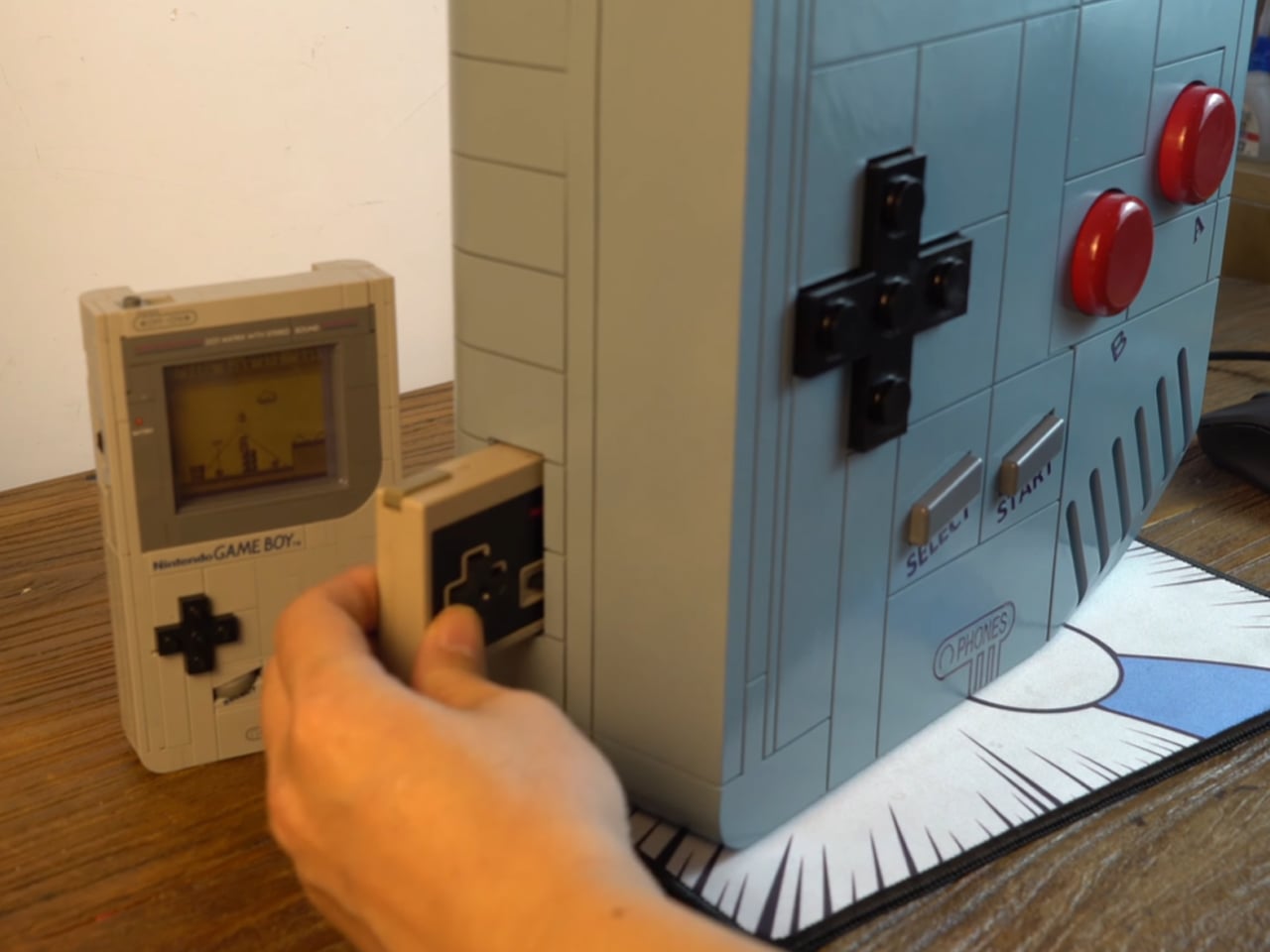
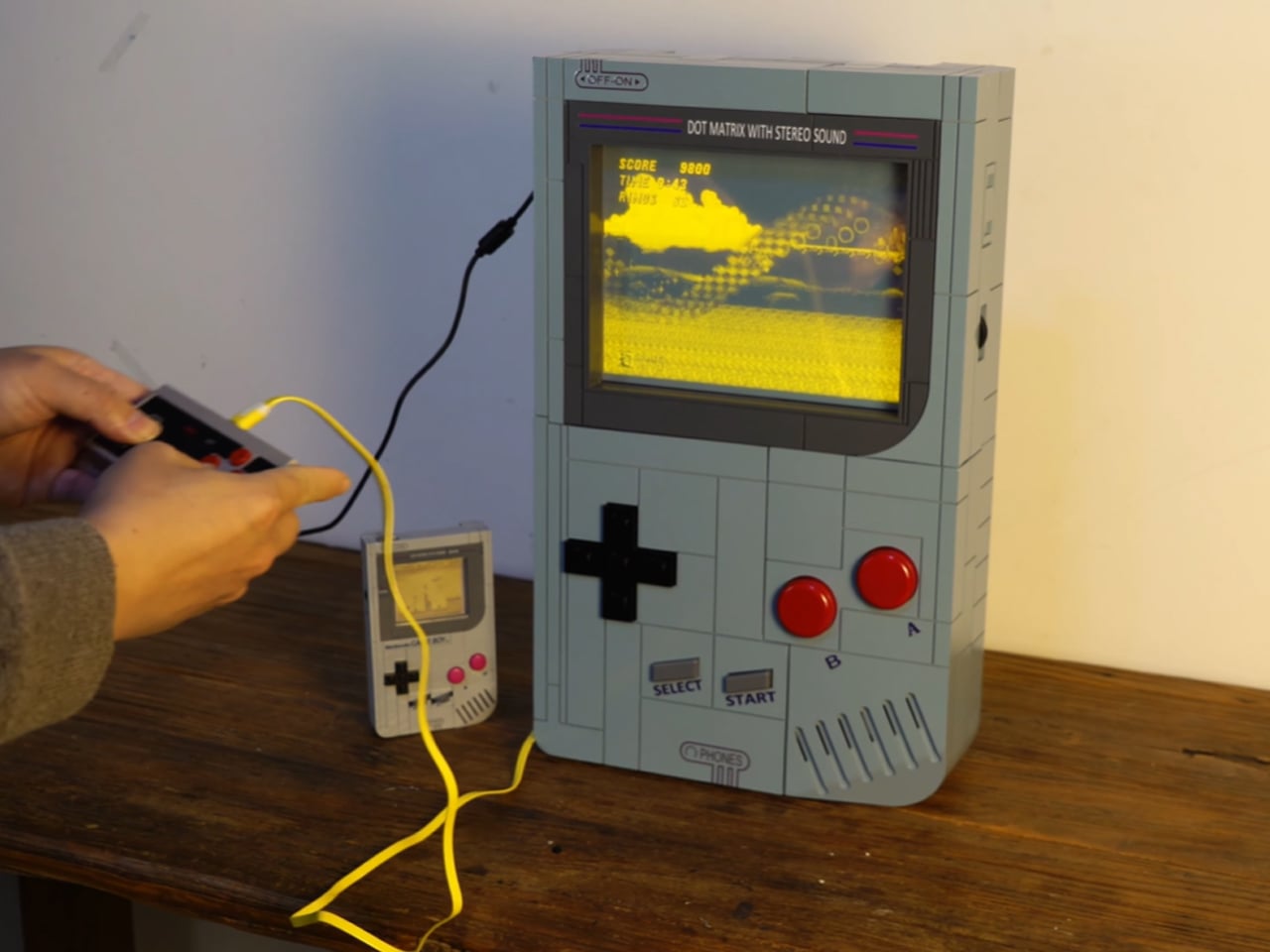
BIOS of the graphics card is modified to match the appropriate resolution of the display. The brick-built shell fits into pieces just like an assortment of LEGO pieces and the guts are flush with all the electronic components that make possible the magic. To complete the build, the maker spray paints the shell to replicate the look of the Game Boy. He also makes big tactile buttons and joystick to keep the arcade feel going, and the stickers for labels and the logos are put on the shell. The classic Nintendo gamepad is used to input the in-game actions for games (like Sonic, Yoshi’s Island and Comix) from other platforms like Sega. This is done as big buttons would be impractical and require even more tinkering around of the electronics.
The DIYer is kind enough to make the design files of the shell, PCB files and graphics card BIOS settings available for free for keen DIYers who love the idea of a Super Game Boy. Just seeing him play the classic titles like Contra and Super Mario using those chunky buttons and the joystick is pure joy.
Picture this: you’re hiking through the Carpathians when fog rolls in and you lose your bearings. Instead of waiting hours for a helicopter rescue team, a drone reaches you in minutes, delivering supplies and guidance while thermal cameras track your location. This isn’t science fiction. It’s the vision behind Lynx, a jaw-dropping architectural concept that’s equal parts rescue station, tourist destination, and gothic cathedral.
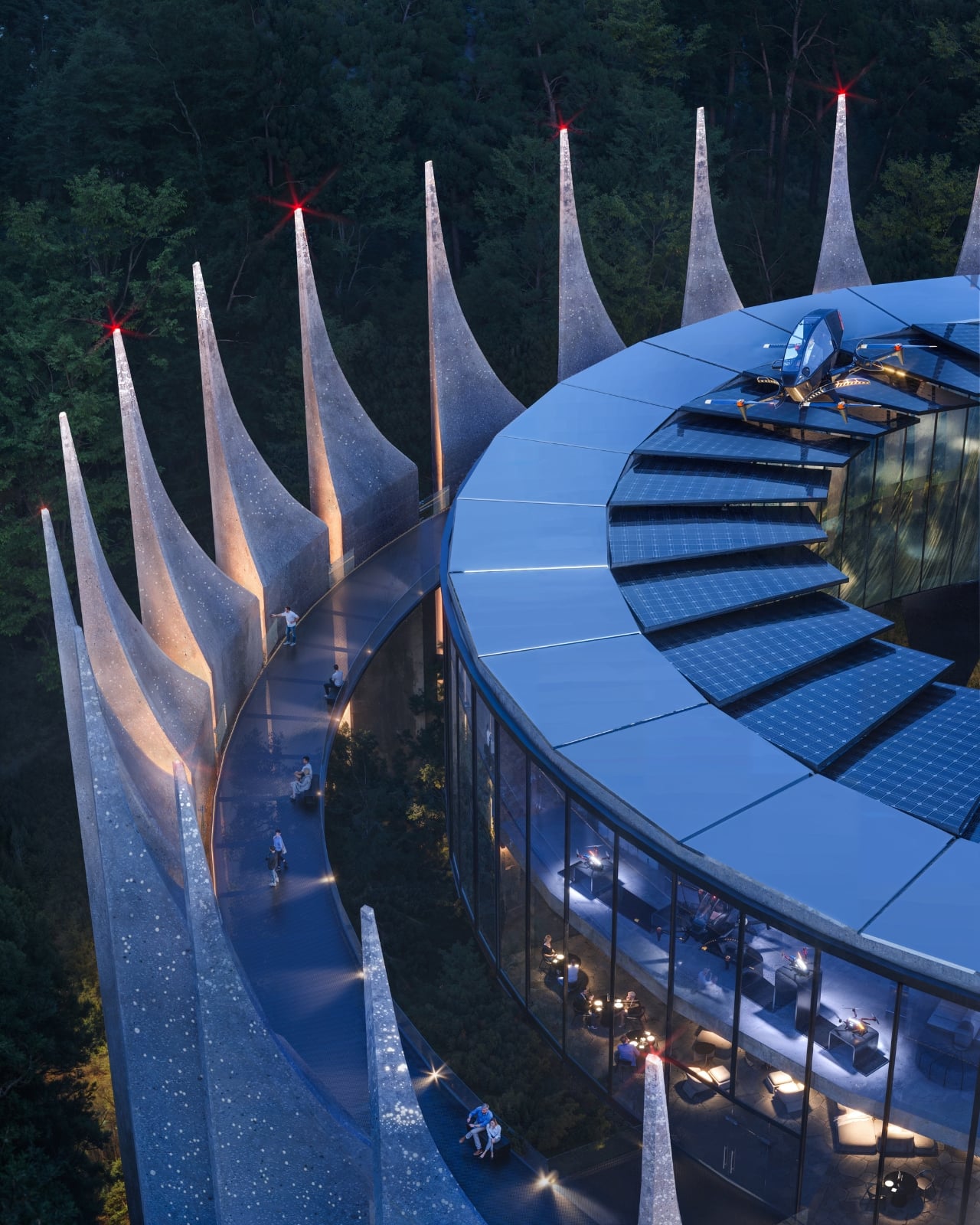
Architect Alina Sanina has designed something that looks like it was pulled straight out of a fantasy epic, yet serves an incredibly practical purpose. These circular stations would perch in remote mountain locations across ranges like the Alps and Pyrenees, acting as autonomous hubs where drones can charge, launch, and coordinate rescue operations. But here’s where it gets interesting: they’re not just utilitarian tech boxes. Each station could house a planetarium, research facilities, viewing terraces, or even overnight accommodations. Think of them as architectural landmarks that happen to save lives.
Designer: Alina Sanina
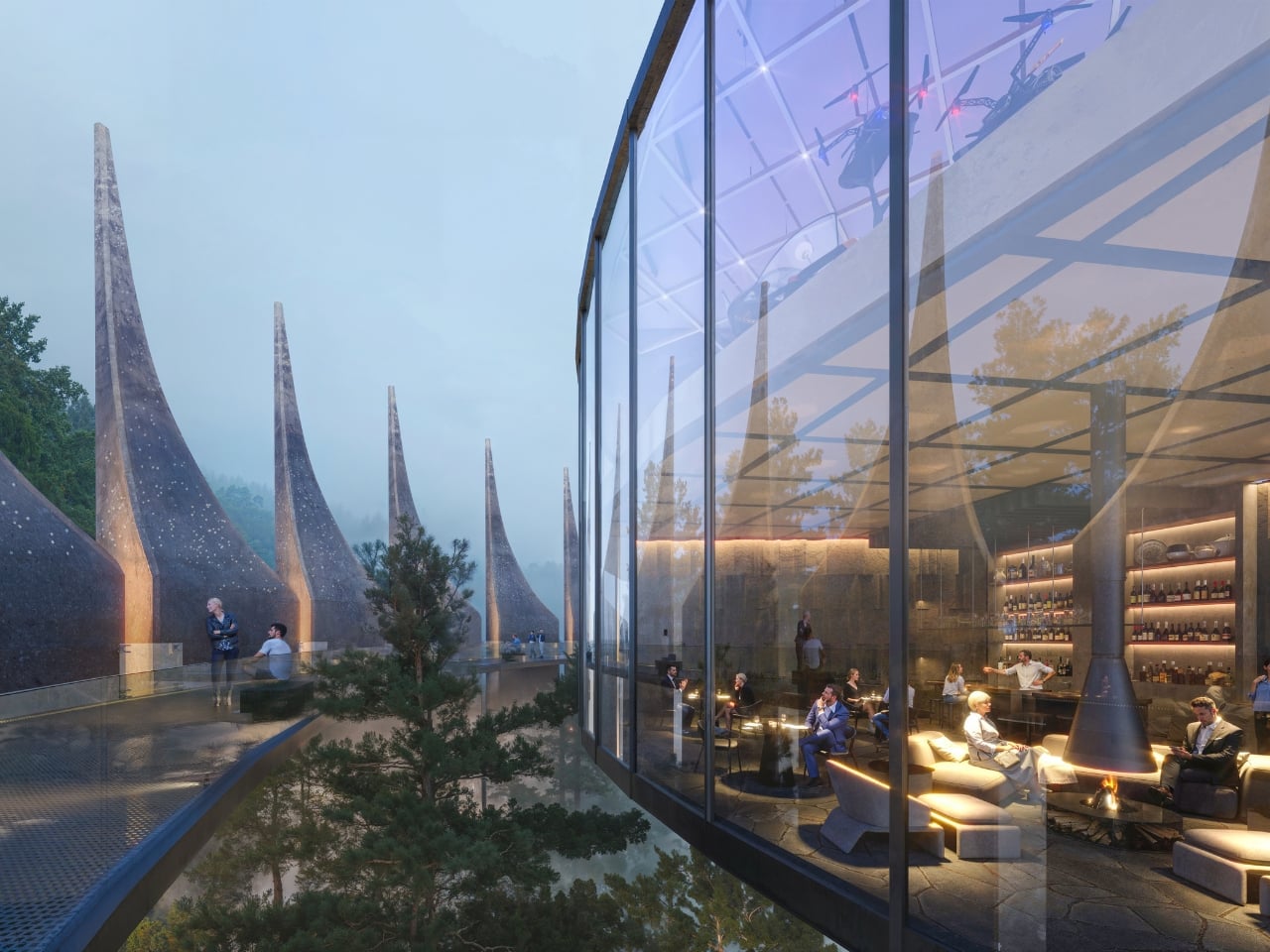
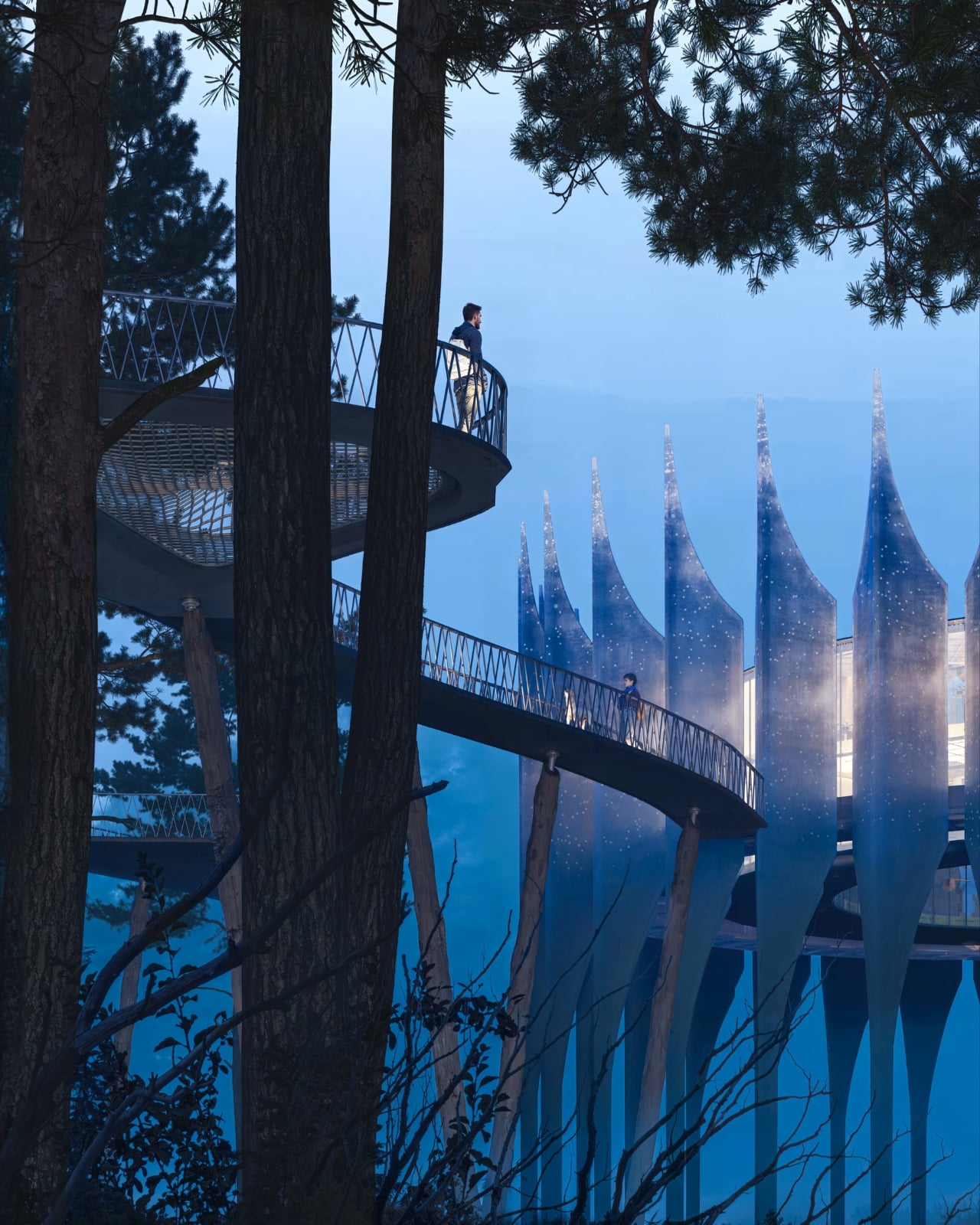
The design itself is absolutely stunning. Sanina describes the aesthetic as “gothic futurist,” and you can see why. Concentric rings echo ancient fortress layouts, while serrated concrete walls rise in rhythmic peaks that mirror the surrounding ridgelines. It’s architecture that doesn’t fight the landscape but converses with it. The real magic happens in the materials, though. The structure uses a composite that blends concrete with glass inclusions, gradually shifting from solid concrete at the base to increasingly translucent glass as it climbs upward. The result? A building that literally appears to dissolve into the sky.
Those microscopic glass particles aren’t just pretty either. They refract light throughout the day, creating a crystalline shimmer that changes with cloud cover and sun position. Integrated photovoltaic cells turn the entire exterior into an energy-generating skin, allowing these stations to operate completely off-grid in locations where traditional infrastructure would be impossible. Additional roof panels power the drone charging systems and internal operations. Inside, floor-to-ceiling glass opens onto panoramic mountain views, blurring the line between shelter and wilderness. The flexible design means each station could adapt to its location and needs, functioning as an observatory in one spot, a wayfinding beacon in another, or a resort-adjacent public space somewhere else.
The concept emerged from a real and growing problem. In Ukraine’s Carpathian mountains alone, rescue teams conducted over 500 missions in 2024. Sudden weather shifts, communication failures, and treacherous terrain put hikers at constant risk. Traditional rescues require extensive resources: trained teams, search dogs, specialized equipment, helicopters. It’s expensive, time-consuming, and sometimes dangerous for the rescuers themselves. Drones can survey vast territories in minutes, detect thermal signatures through fog or darkness, deliver urgent supplies, and provide real-time communication.
What makes this concept particularly timely is Ukraine’s rapid advancement in drone technology, accelerated by wartime innovation. “The moment for Lynx has come,” Sanina explains. “The technology is ready, aerial routes exist, and there are hundreds of skilled operators. It’s time to imagine how drones can serve rescue, care and human well-being.” It’s a powerful reframing of technology often associated with warfare, repositioning it as infrastructure for care and conservation.
The system would integrate through a mobile app providing hikers with route data, weather updates, and a crucial SOS function. Service drones would deliver essentials like water, food, and medical supplies to remote hiking segments, while separate passenger drones could offer aerial sightseeing tours. The stations would form a networked system, monitoring environmental conditions and coordinating responses across entire mountain ranges.
Lynx imagines a future where drone stations become as commonplace in mountain regions as ski lifts or ranger stations, but far more intelligent and adaptive. It’s infrastructure that doesn’t dominate nature but works symbiotically with it. These aren’t just buildings or tech installations. They’re a new architectural typology entirely, one where technology, tourism, and wilderness protection converge in structures as beautiful as they are functional. In an era when we’re constantly told to choose between technological progress and environmental preservation, Lynx suggests maybe we don’t have to choose at all.
Sony's latest console may be a few years old at this point, but it's still got plenty to offer — including some of the best games of this generation. Whether you just got a new PS5 or PS5 Pro, or you've had yours for a little while, you may want to give it a refresh of sorts by investing in some new accessories. Luckily, there are tons to choose from. These are the best PS5 accessories we've come across, plus some of the best games you should try out if you haven't already.
Best PS5 accessories
This article originally appeared on Engadget at https://www.engadget.com/gaming/playstation/best-playstation-5-accessories-140018902.html?src=rss
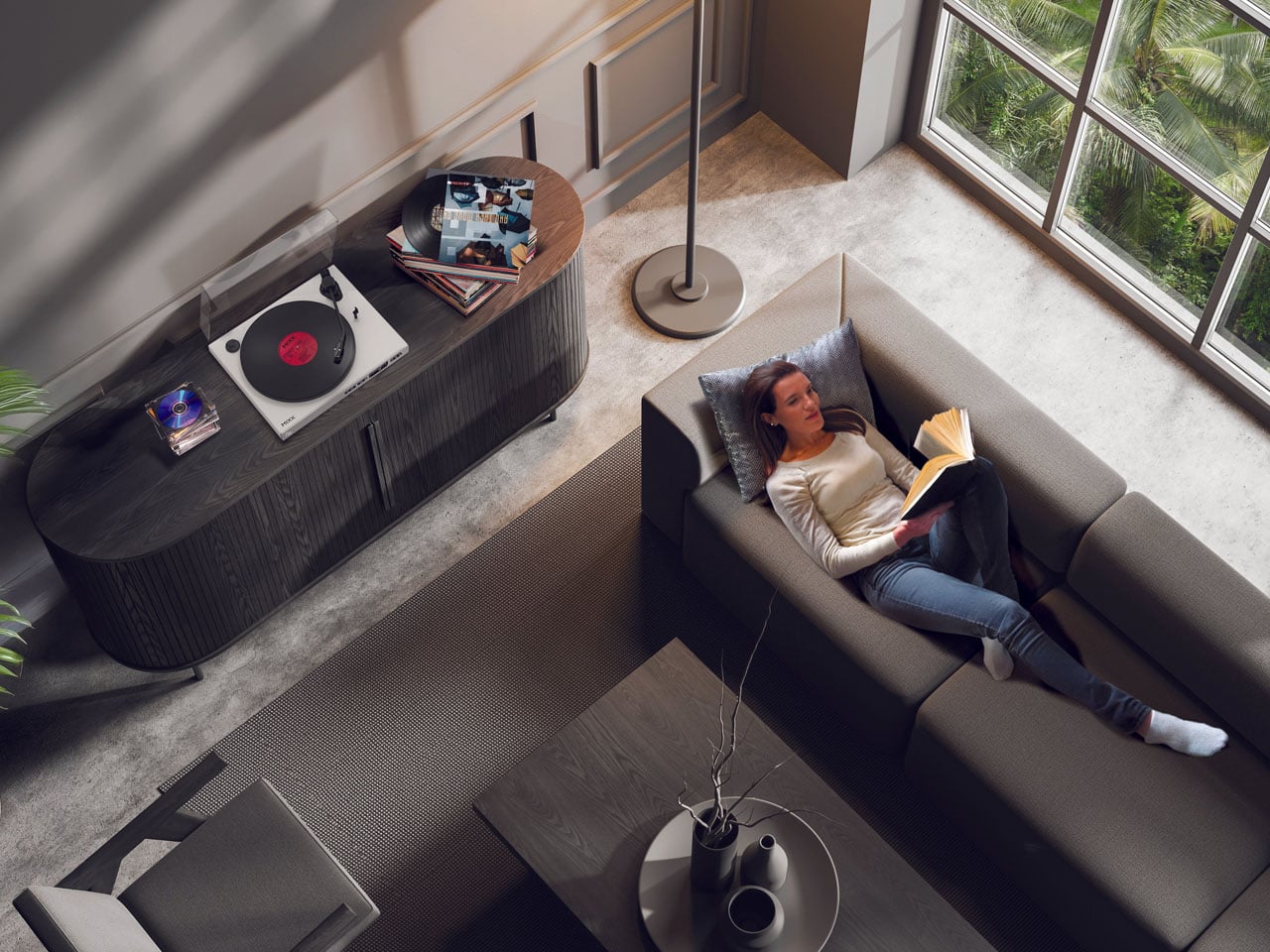
Revival of the vinyl records and CD players was inevitable, as we’re seeing a swarm of physical media players that bring the invincible charm of analog music with the twist of modern design and technology. The rich and warm sound of record players is unmatchable, and the resurgence of physical audio is not going to tone down anytime soon.
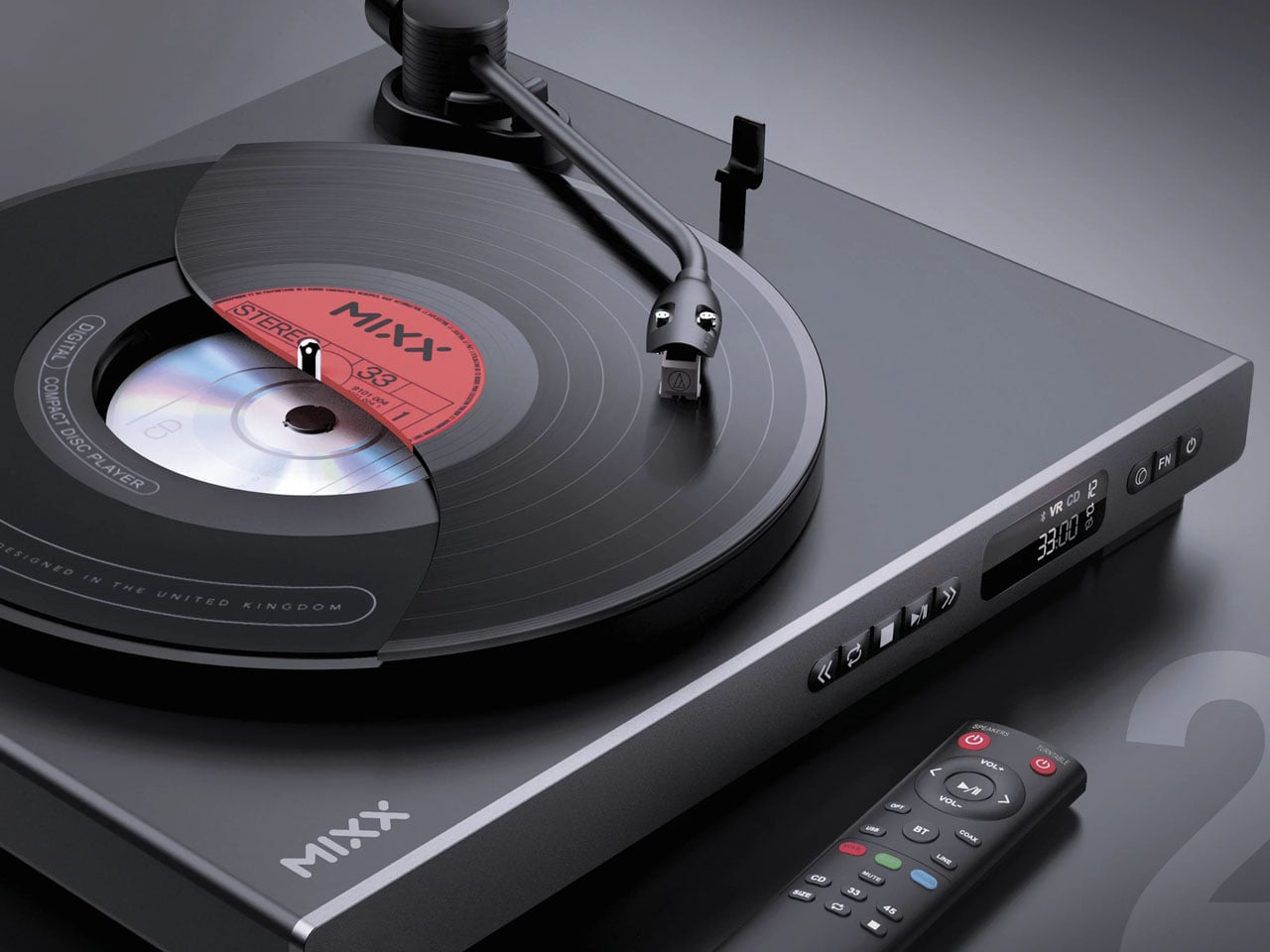
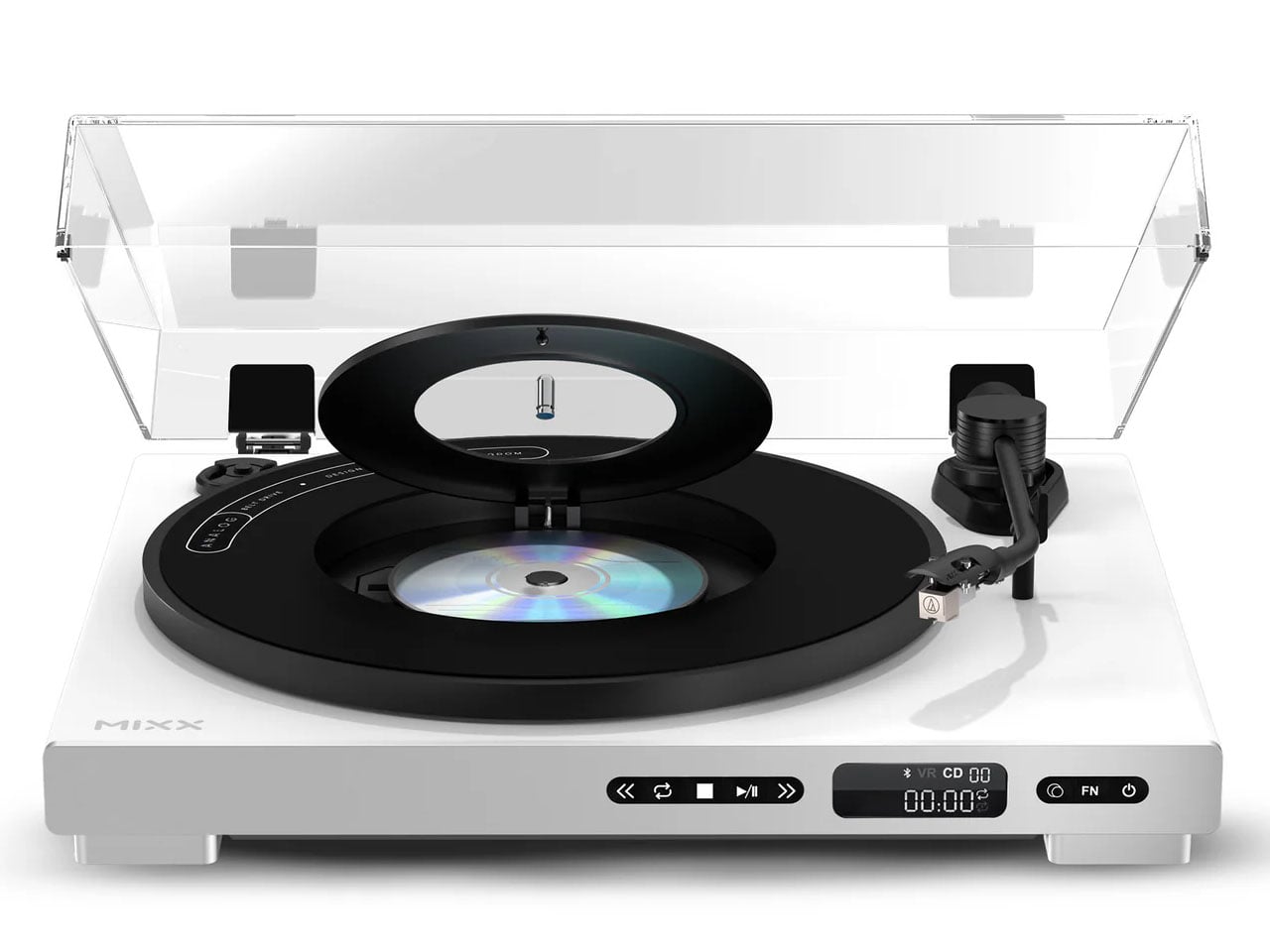
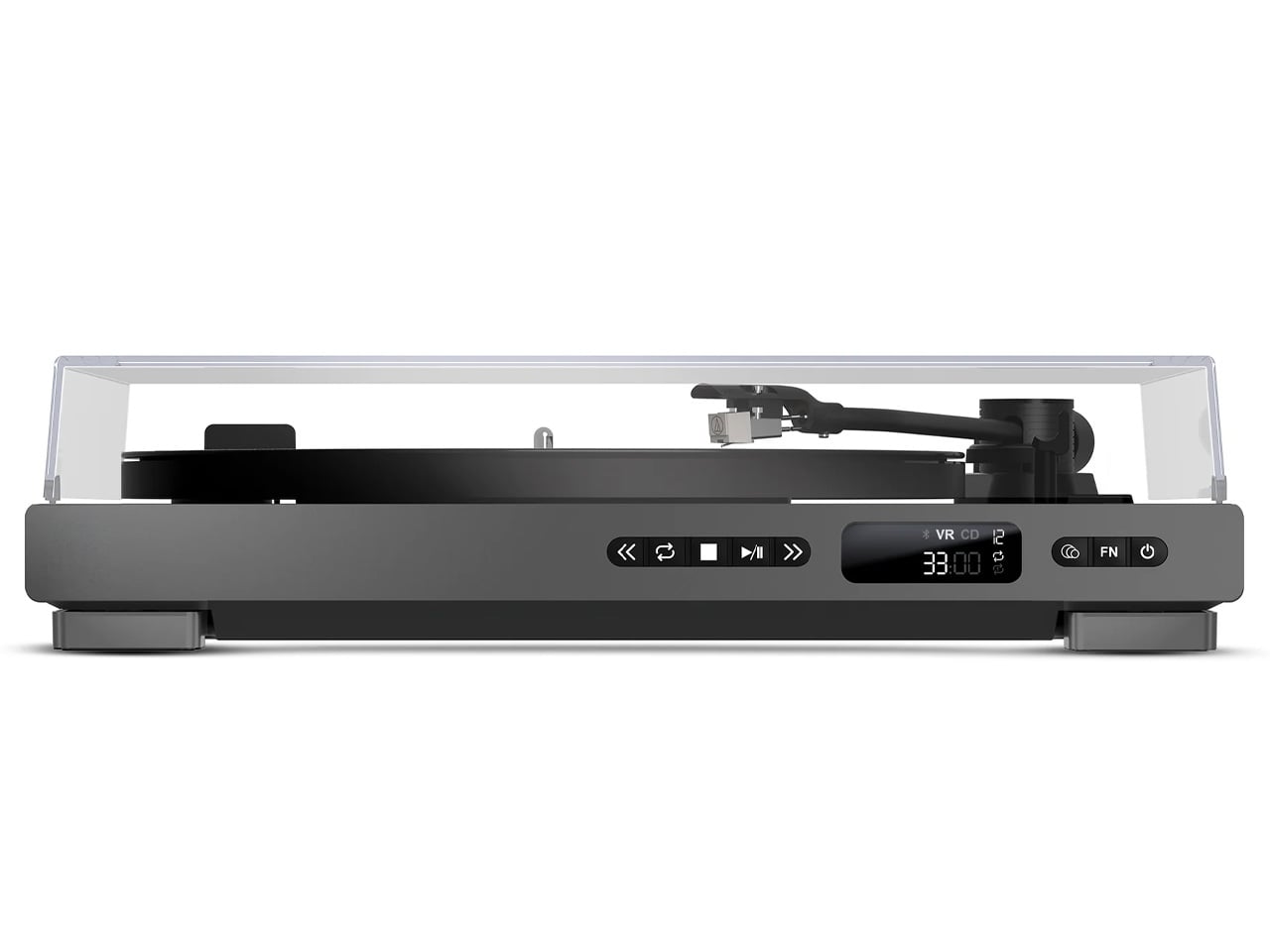
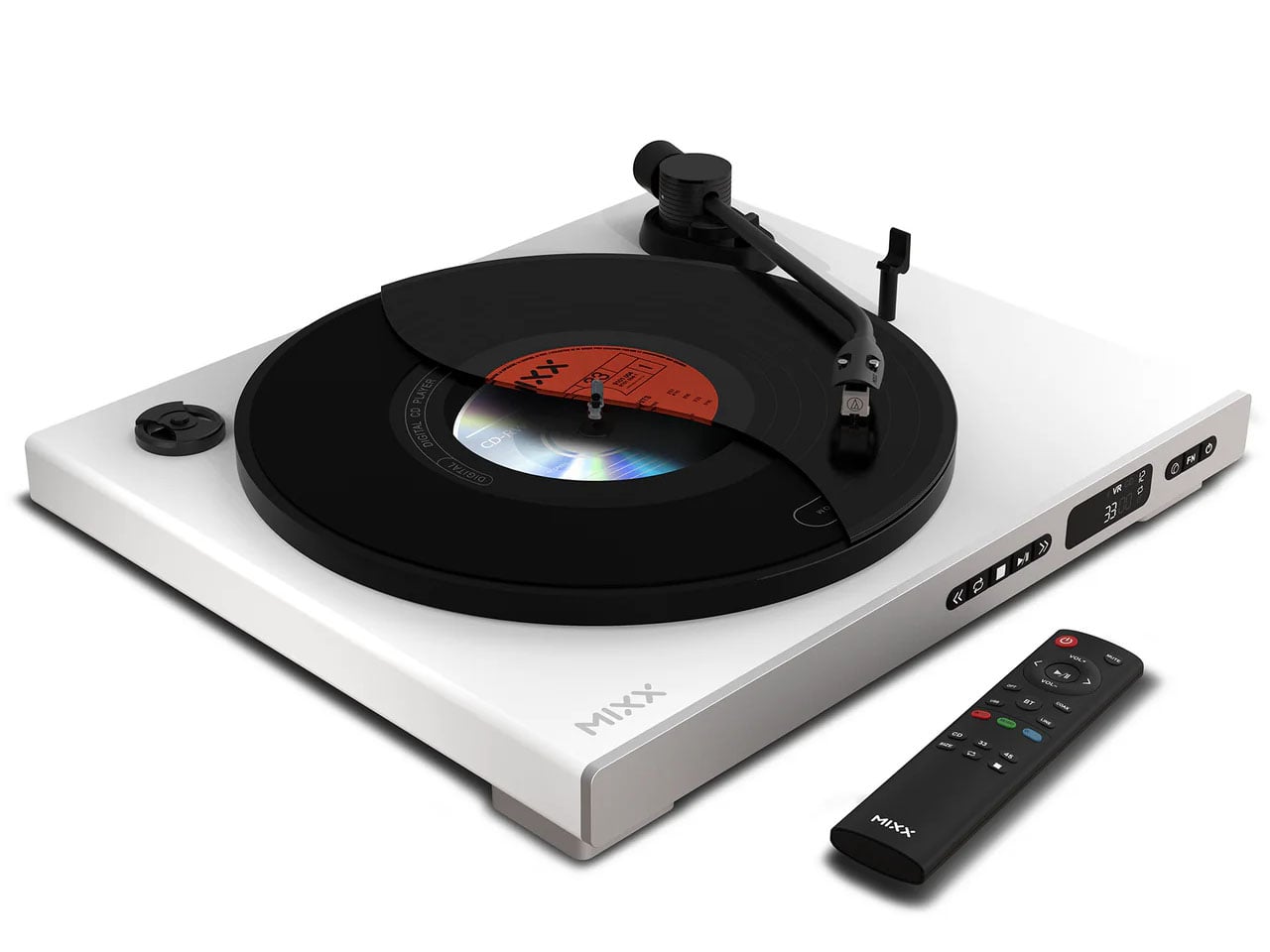
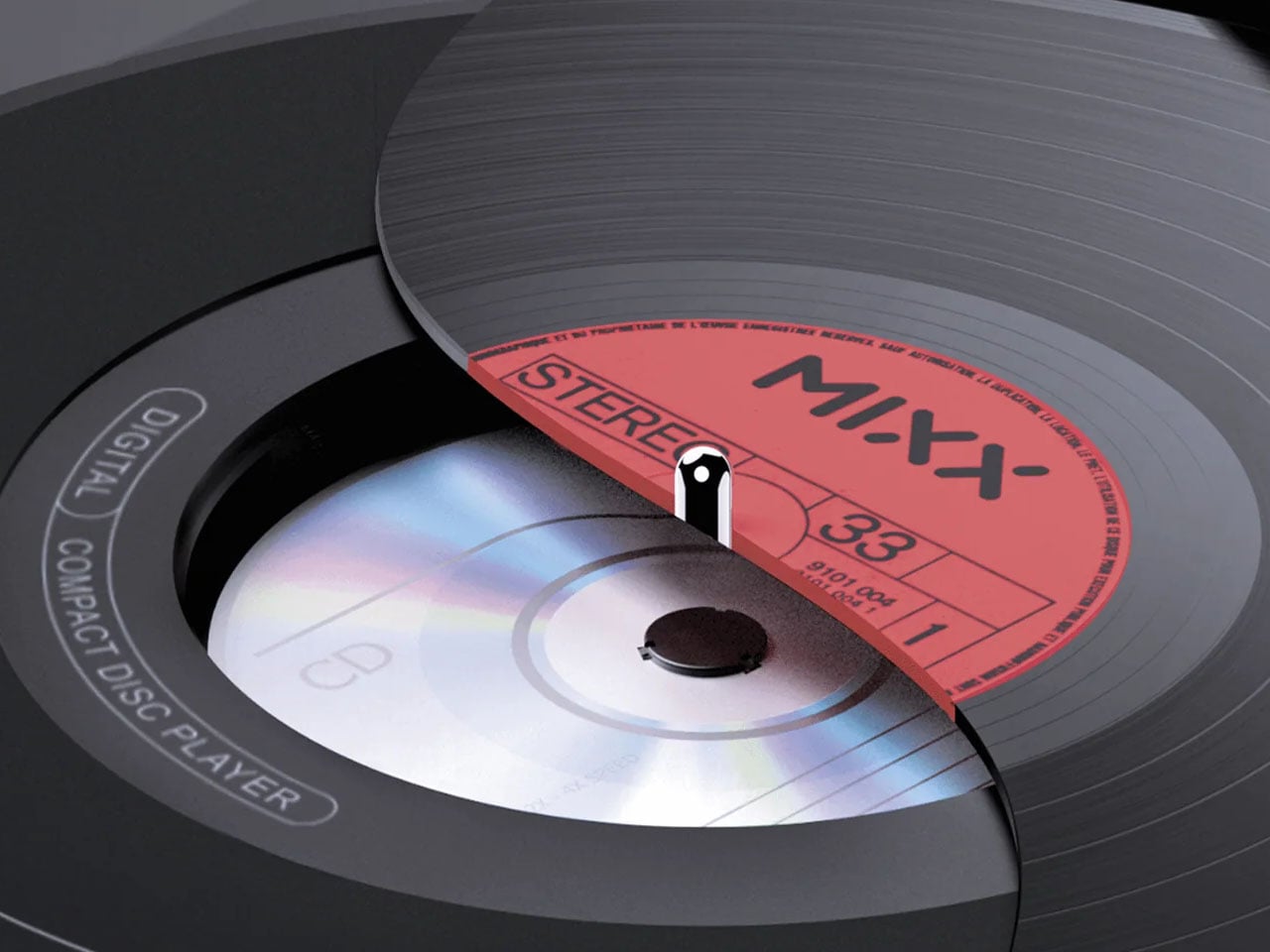
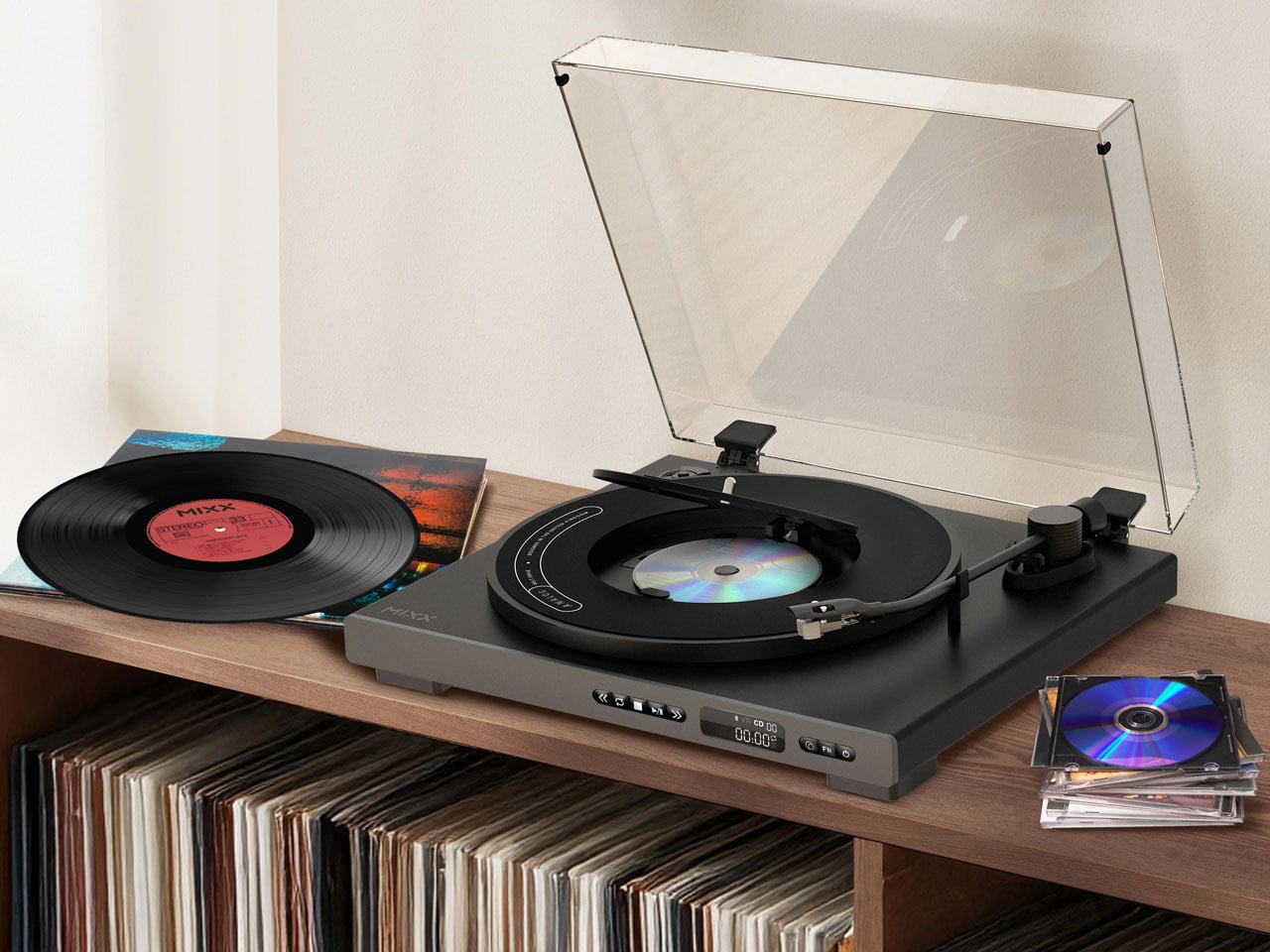
Mixx Audio, known for their affordable turntables, wants to spice up the audio accessories market with a turntable that lets you have the best of both worlds – CDs and vinyl record players. Driven by the need to create a player that fits modern homes, the Analog Plus 2-in-1, fully automatic vinyl turntable has a built-in CD player. That means you don’t have to buy separate players for both to enjoy your vinyl records and CDs.
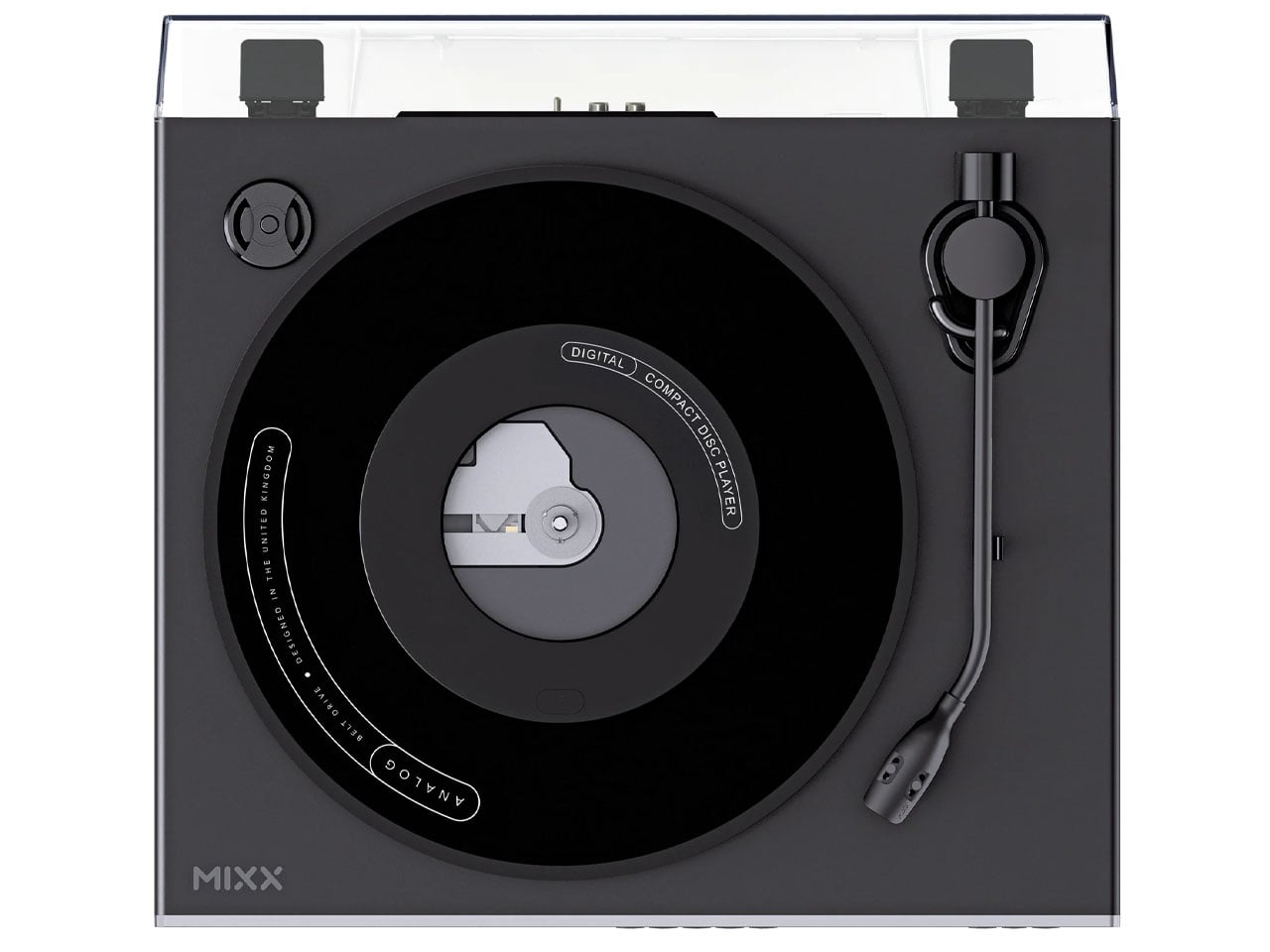
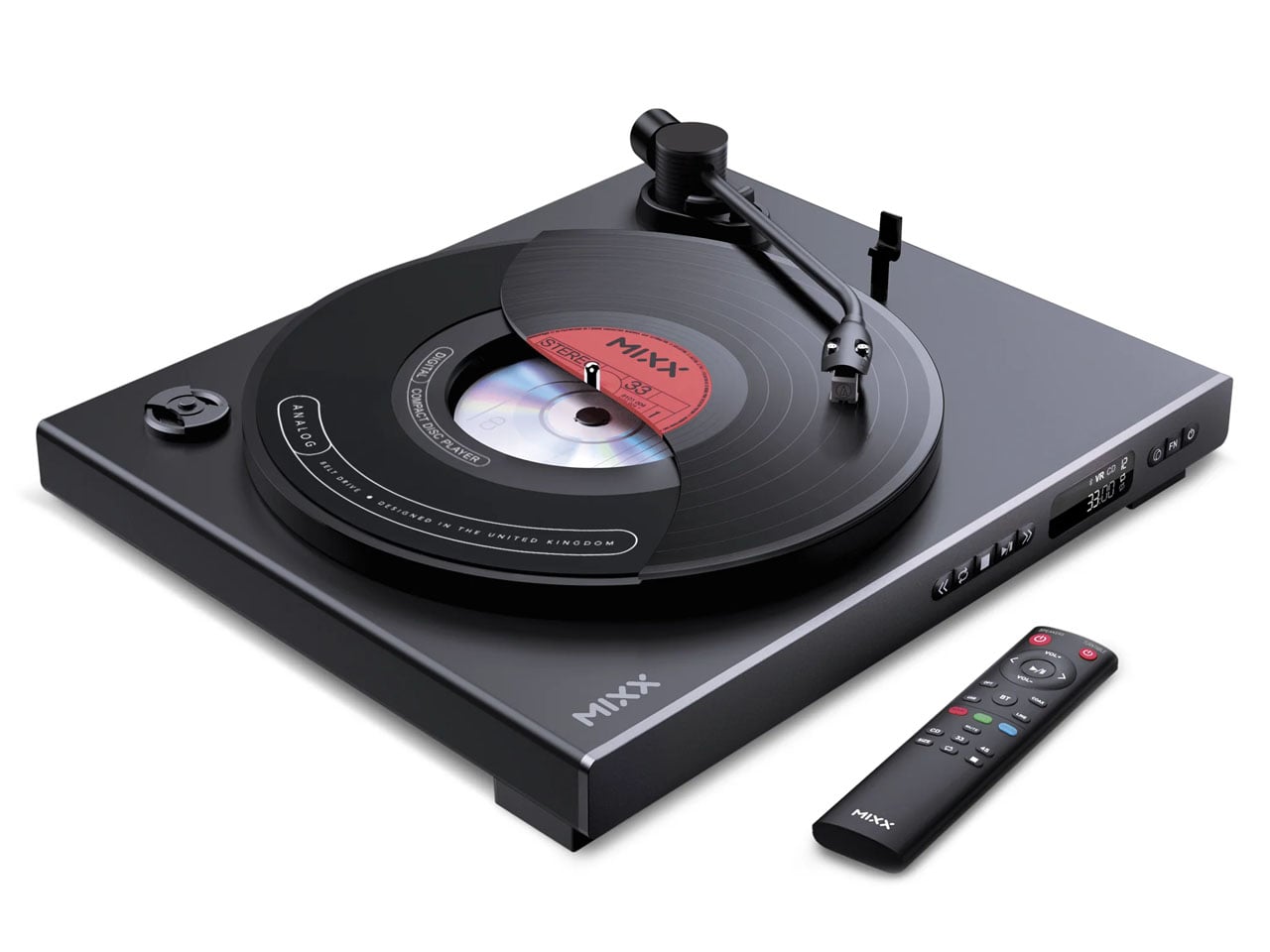
Design takes precedence here as the concentric turntable makes judicious use of the space below the platter for fitting in the CD player. The idea is to make it simple for listeners who want to enjoy both their vinyls and CDs with minimum fuss. Analog Plus is inspired by the industrial design of the 80s hi-fi components that weighed heavily into the sharp angular visuals. On the inside, it gets the Audio Technica AT3600L moving magnet cartridge, capable of playing 7-inch and 12-inch records at 33/45 rpm. Apart from this, you can enjoy your digital media as well, since there’s Bluetooth 5.3 and aux output. The included remote makes it convenient to toggle tracks, volume, or other player options.
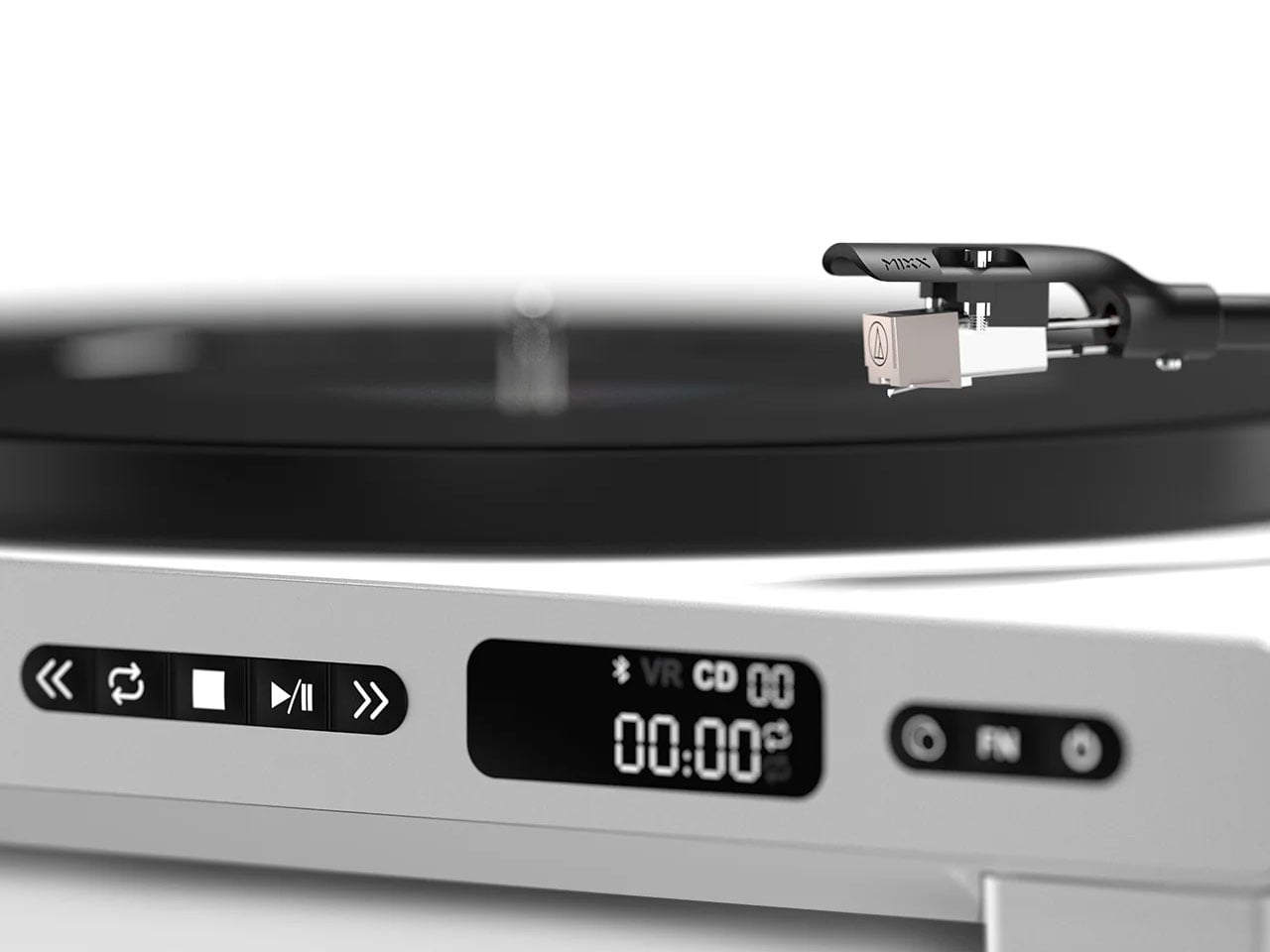
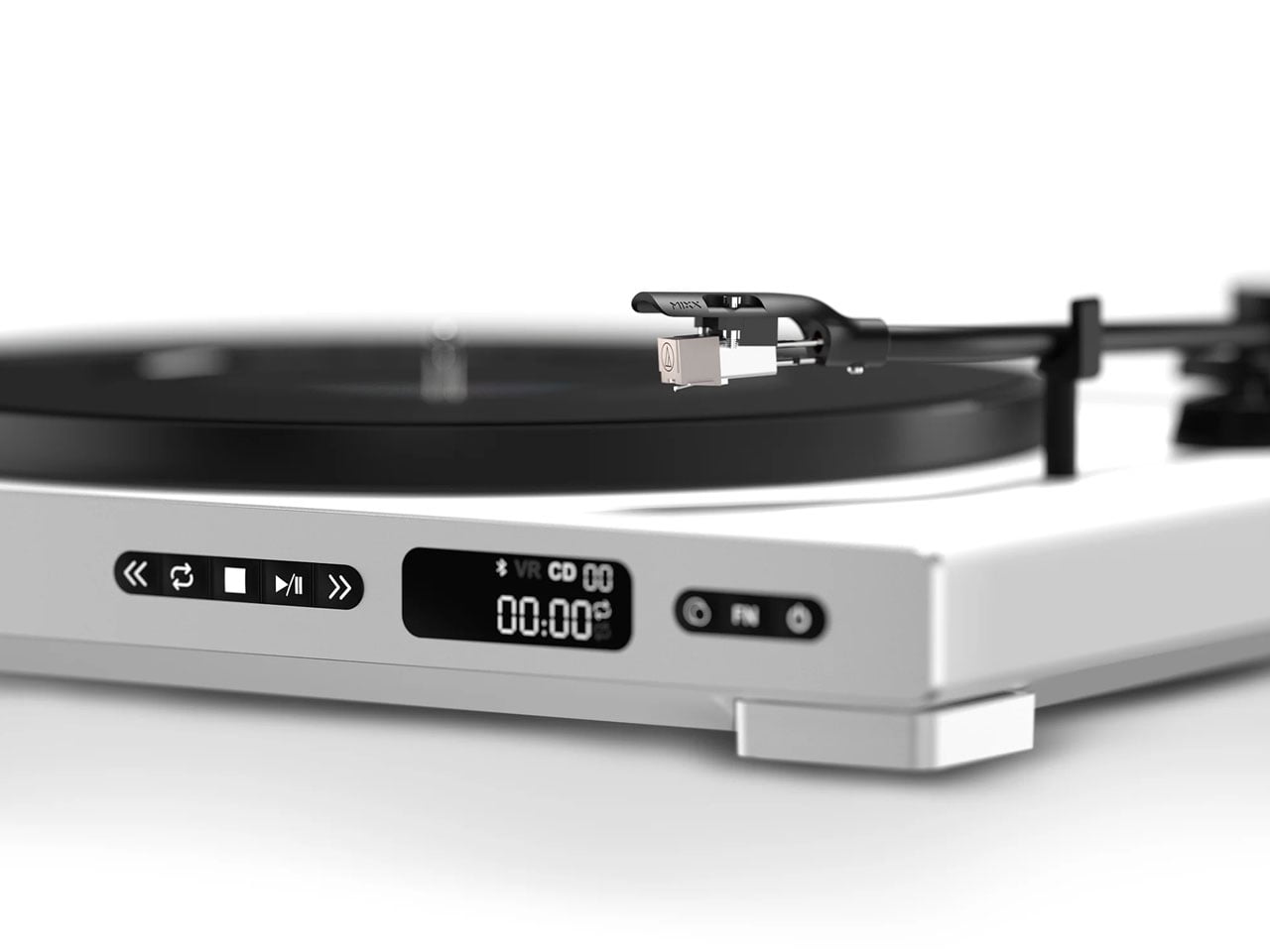
The physical controls are mounted on the front for ease of use, alongside the small display that shows the current track progress and the mode selection buttons. The CD player of the turntable has a top-loading mechanism at the center. You can play normal CDs, or audio CDs, and RW discs as well. The audio quality output from these digital audio files is quite good, as it plays MP3 and WMA at up to 16-bit/44.1 kHz, and WAV files at 48kHz. Of course, the delivered audio will depend on the audio equipment you hook it to via the RCA audio outputs. That way, you can connect it to traditional hi-fi systems or modern speakers.
Mixx Audio has chosen the minimalist white and black color options for the record player that should go well with any interior. Analog Plus 2-in-1, priced at £299 (approximately $400), is a good starting point for budding audiophiles who want to ease into the hobby. The added convenience of loading your CD into the platter is another big advantage that goes a long way for music lovers.
Setting up a PS5 for a child means you can offer an age-appropriate and safe platform for them to play. Sony made its parental control tools more comprehensive in recent years and they allow families to manage screen time, block unsuitable content, guide online interactions and approve purchases. The process is straightforward once the right menus are in view, but it helps to understand how each feature works before handing over the controller.
The system uses individual accounts for each family member, and these accounts determine what a child can access. A parent or guardian assigns restrictions to the child’s profile and the console enforces them more consistently than earlier PlayStation systems. The process begins with creating a child account, then linking it to the Family Management section of the adult account, and finally adjusting controls on the console itself.
Create a child account through Family Management
A child account is required before you can use any parental controls. This account is linked to the family manager’s PlayStation account and cannot be converted into an adult account until the child reaches the appropriate age under local regulations.
From the PS5 Home screen, navigate to Settings, Family and Parental Controls then choose Family Management. The system will request the family manager’s password before any changes can be made. Select Add Family Member and choose Add a Child. The console generates a QR code that opens a secure PlayStation webpage on a phone or browser. This page guides the setup process and ties the new account to the family group.
The form asks for the child’s date of birth first. Sony uses this to assign default age restrictions and to determine which features are allowed. A small credit card charge may be requested to verify the adult’s identity. The next steps involve entering an email address for the child, creating a password and selecting basic settings for content access, communication and spending. The child account must then be verified through a link sent to the provided email address. This ensures the account can use PlayStation Network features including any future purchases through the PlayStation Store.
Once complete, the new profile appears in the Family Management list on the PS5. This profile is now ready for fine-tuning.
Manage parental controls on the console
The PS5 keeps all parental controls in Family and Parental Controls within the main Settings menu. This section is organized into Playtime Settings, Content Restrictions, Communication and User-Generated Content and Spending controls. Each area can be adjusted separately for every child account in the family group.
How to set limits on playtime
Playtime controls help set boundaries for gaming sessions. Select the child’s profile, then open Playtime Settings. Limits can be set by total daily hours or by specific time windows. The console can be configured to notify the child when time is nearly up, or to log them out automatically once the limit is reached. These settings apply across the child’s account, so they remain active even if the child switches between PS5 consoles in the same household.
Parents can choose how strictly the system enforces these rules. For example, the console can continue to display warnings without blocking gameplay or it can stop activity when the allotted time ends. Playtime reports can also be viewed through the family manager’s PlayStation account or the PS App.
How to restrict content based on age ratings
Sony’s content filters are based on age ratings from the ESRB in the United States and equivalent regional boards in other countries. In Family Management, select the child’s profile and then select Parental Controls. Here, parents can set an age level for games. Titles above this level will not launch without approval from the family manager.
Blu-ray and DVD content can also be restricted and the system browser can be disabled entirely. If the family uses services that stream movies or TV shows through the console, those apps often apply their own content filters, but the PS5 can serve as a first line of control.
Engadget
How to manage communication and online interactions
Online communication can be limited to prevent unwanted contact. In Parental Controls, select Communication and User-Generated Content. This area controls messaging, voice chat, profile sharing and the ability to see or share player-created media such as screenshots and video clips.
Online play can also be adjusted. For younger kids, it may be helpful to block online multiplayer entirely until they better understand online etiquette and safety. For older children, communication can be limited to friends only. The PS5 respects these limits across all supported games.
How to set spending limits for purchases
A child account cannot use payment cards directly, but it can spend funds from the family manager’s wallet. Spending limits can be set in the child’s profile under Family Management. Parents can choose a monthly spending cap or block purchases altogether. Any attempt to exceed the limit requires approval from the family manager.
This feature covers games, add-ons, subscriptions and in-game currency. It ensures surprises on the credit card are less likely, especially in titles that promote quick digital purchases.
How to sign your child into the PS5
Once controls are set, the child can be added as a user on the console. Return to the home screen and select the user icon to switch users. Choose Add User, then select Get Started. Sign in using the child account’s email address and password.
The console guides the profile setup process and prompts for an online ID, avatar and privacy preferences. These steps help personalise the child’s space on the PS5. The system may request a locally created passcode that prevents access to parental controls without the family manager’s approval. This passcode should be unique and not shared with the child.
After setup is complete, the child will see a version of the PS5 tailored to the restrictions applied. Games that exceed the assigned age rating will appear with a lock icon and the console will block any actions that the family manager has limited.
Use the PS App and PlayStation’s online tools for ongoing management
Playtime and permissions can be managed remotely through Sony’s PS App or the PlayStation website. This makes it easier to adjust rules without taking over the TV. The app also provides notifications when playtime is running low or when the child attempts to access restricted content.
Sony’s Family Management tools synchronise across devices. Changes made from a phone appear on the PS5 within seconds. This helps maintain consistent rules, especially in homes with more than one console.
A child-ready PS5 is more than a restriction tool. It creates a safer environment for learning how to navigate digital spaces, interact with friends and handle screen time. Sony’s updated controls take much of the pressure off parents by enforcing rules in predictable ways that are difficult to bypass. Once everything is configured, the child can enjoy the console’s library while staying within the boundaries that support healthy gaming habits.
This article originally appeared on Engadget at https://www.engadget.com/gaming/playstation/how-to-set-up-a-ps5-for-a-child-160039866.html?src=rss
Setting up an email account on your iPhone is a straightforward process that ensures you stay connected and organized. Whether you use a Google account, Yahoo, Outlook, or another provider, configuring your email on your iPhone allows seamless communication and synchronization across your devices. The video below from Apple provides a detailed, step-by-step walkthrough to […]
What if you could code an entire webpage with nothing more than your voice? Or design a 3D virtual world in minutes, complete with interactive physics and dynamic content? In the video below, All About AI breaks down the innovative capabilities of Google’s Gemini 3 Flash AI, a innovative model that’s reshaping how we think […]
We’ve all been there. It’s 2 a.m., you’re staring at your phone for the third time, and your brain refuses to shut down even though you have an early morning ahead. The usual advice is always the same: put away screens, create a routine, dim the lights. But what if someone actually designed a product that does all of that for you, and looks good doing it?
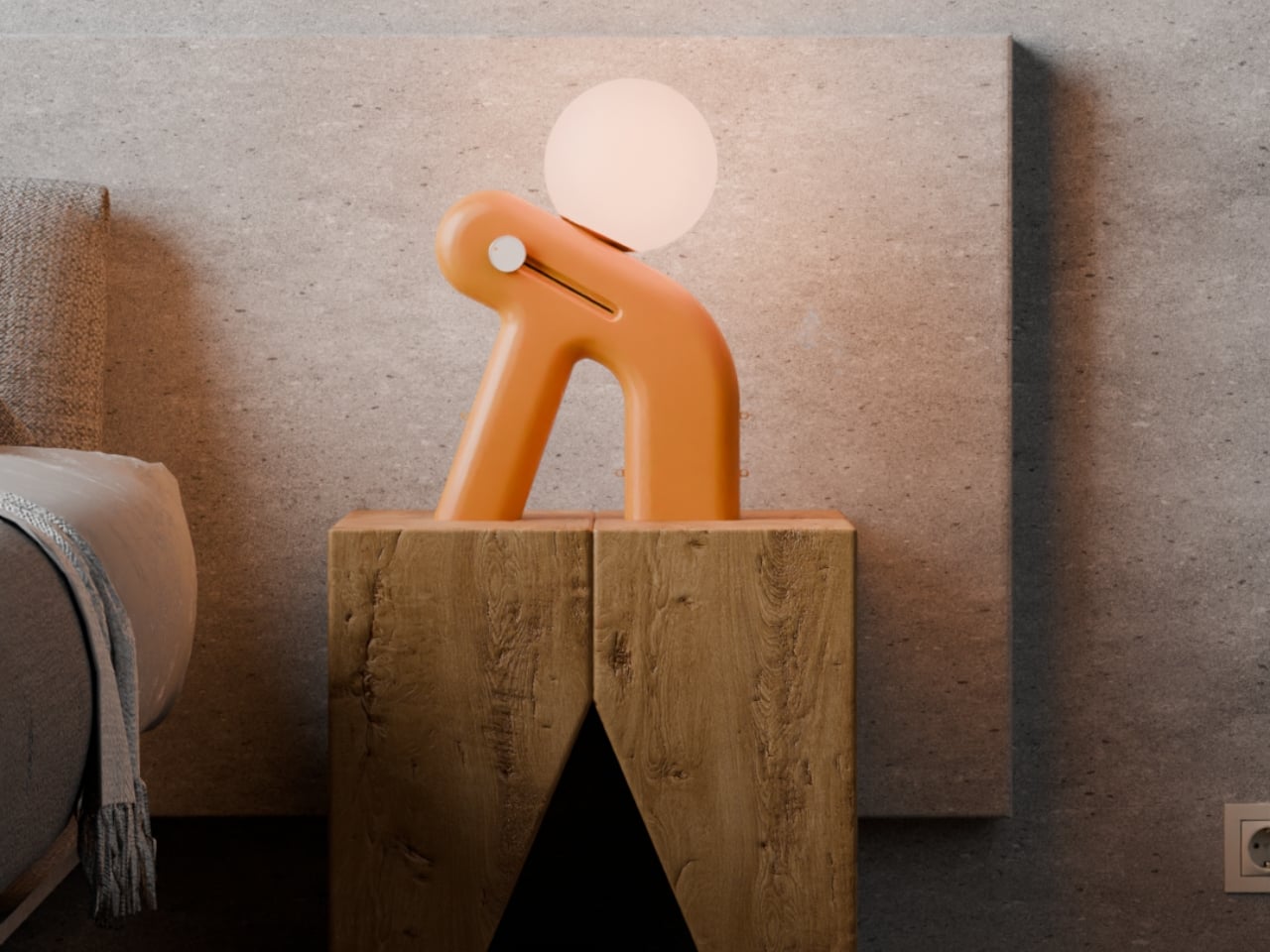
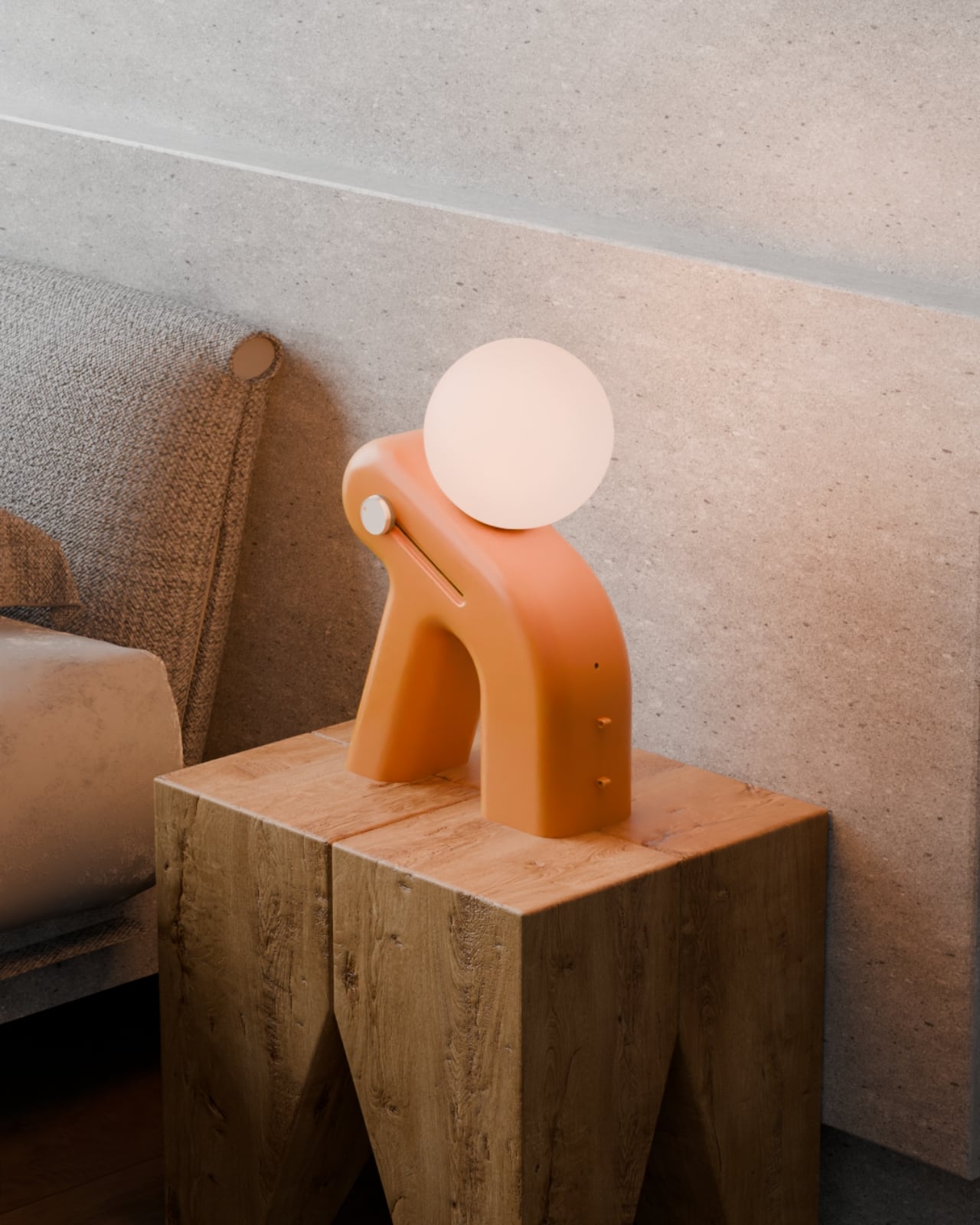
Enter Lunora, a sleep aid device designed by Prithvi Manoj Bhaskaran that’s honestly unlike anything you’ve seen on your bedside table. At first glance, it looks like a little sculptural figure taking a much-needed rest, complete with a glowing orb balanced on its back. That gentle lean, those smooth curves, it all feels intentional in the best way. This isn’t another gadget screaming for your attention. It’s the opposite.
Designer: Prithvi Manoj Bhaskaran
What makes Lunora interesting is how it approaches the whole wind-down process. Instead of tracking your sleep or buzzing you awake, it focuses on helping you actually get there. The device combines three sensory elements: a softly dimming light, gentle aroma diffusion, and low-distraction sound. Think of it as creating a mini sanctuary that guides your body from alert mode to rest mode, without any jarring alarms or bright screens interrupting the vibe.
The way it works is refreshingly simple. You start your routine, and Lunora does its thing. The light gradually dims, signaling to your brain that it’s time to power down. The aroma diffuser releases calming scents that help cut through mental clutter. And the sound component keeps things ambient without being distracting. It’s all about repetition and ritual, the kind of stuff our bodies actually respond to when we give them a chance.
For anyone juggling late-night study sessions or those particularly brutal stress-heavy days, this kind of product makes a lot of sense. You’re not adding another task to your routine or forcing yourself to follow some complicated sleep protocol. You just let Lunora do the heavy lifting while you focus on actually relaxing. It’s like having a friend gently remind you that yes, it’s okay to slow down now.
But here’s where the design really shines. That leaning posture isn’t just for show. It creates this almost human-like presence that feels comforting rather than clinical. The warm terracotta color and those organic curves make it look more like a piece of art than a piece of technology. You could absolutely see this sitting in a carefully curated room on Instagram, but it’s also genuinely functional. The glowing orb on top doubles as the light source, while the body houses the aroma diffuser, visible in those beautifully detailed close-ups.
There’s something refreshing about a product that doesn’t promise to hack your sleep or optimize your REM cycles. Lunora just wants to help you unwind at your own pace. No data tracking, no app notifications, no performance anxiety about whether you’re sleeping correctly. It’s tech that knows when to step back and let you be human.
In a world where we’re constantly optimizing, tracking, and measuring everything, maybe what we need at the end of the day is something that simply helps us transition. Something that looks friendly, feels calming, and doesn’t demand anything from us except the willingness to slow down. Lunora manages to package all of that into a form that’s both sculptural and functional, the kind of design that makes you stop and appreciate the thoughtfulness behind it.
Whether you’re a design enthusiast who appreciates objects with personality, a tech lover curious about ambient devices, or just someone tired of staring at the ceiling at night, Lunora offers something different. It’s a reminder that good design doesn’t always have to be complicated. Sometimes it just needs to understand what you need, and then quietly help you get there.
The iPhone Reminders app is a versatile and powerful tool for managing tasks, yet it often goes underutilized. With its advanced features, it rivals many paid productivity apps, offering a seamless way to organize your personal and professional life. By understanding and mastering its capabilities, you can streamline your workflow, meet deadlines with ease, and […]
Imagine having an AI assistant that not only understands your tasks but also anticipates your needs, seamlessly enhancing your productivity and creativity. That’s exactly what Microsoft Copilot delivers, a new AI designed to integrate with platforms like Word, Excel, and even Google services. In the video, Howfinity breaks down how this advanced assistant can help […]