Google’s Gemini 3.1 introduces advancements in artificial intelligence with a focus on multimodal reasoning, agentic reinforcement learning, and cost efficiency. As outlined by Prompt Engineering, this version builds on the Gemini 3 Pro model, offering improvements in areas such as coding accuracy, operational workflows, and handling complex tasks. Key updates include enhanced token efficiency, which […]
Los Angeles County has sued Roblox for "unfair and deceptive business practices," claiming the platform's moderation and age-verification systems are inadequate. "Roblox portrays its platform as a safe and appropriate place for children to play," the complaint states. "In reality, and as Roblox well knows, the design of its platform makes children easy prey for pedophiles."
Representatives accused Roblox of failing to implement adequate platform safety features to prevent child endangerment. "Specifically, Roblox has not effectively moderated game content or enforced age-appropriate restrictions and warnings established by the creators, allowing the predatory and inappropriate language and interactions between users to persist," the County stated. It also said the platform failed to disclose any danger to children, including sexual content and the risk of predators.
Roblox rejected the allegations, saying the platform was built around safety. "We have advanced safeguards that monitor our platform for harmful content and communications, and users cannot send or receive images via chat, avoiding one of the most prevalent opportunities for misuse seen elsewhere online," the company told the AFP.
The LA county complaint is the latest in a string of lawsuits from US regions including Florida, Texas and Kentucky. The Attorney General in Louisiana also accused the company of having a "lack of safety protocols" that endanger the safety of children in favor of "growth, revenue and profits." That state's lawsuit cited a specific example of a subject arrested last year that used voice-altering tech to mimic a younger feminine voice to lure and sexually exploit young players.
Roblox has said that it has about 144 million daily active users around the world, with over 40 percent of them under the age of 13. However, it has faced repeated accusations that it doesn't do enough to protect young players. In 2024, Roblox banned players under 13 from accessing some types of in-game content and restricted their ability to message with other players outside of specific games. Last year, the company also began asking tens of millions of children to verify their age with a selfie.
This article originally appeared on Engadget at https://www.engadget.com/gaming/la-county-lawsuit-accuses-roblox-of-exposing-children-to-grooming-and-exploitation-124523028.html?src=rss
Spring break planning tends to collapse into two extremes—either a frantic last-minute scramble or an over-packed disaster where you lug everything you own to a beach town and use about a third of it. Neither version feels great. The smarter move is knowing which objects genuinely earn their spot in your bag: the things that handle multiple jobs, hold up across unfamiliar environments, and make the week feel intentional rather than improvised. That’s what this list is built around.
What’s equally useful is that none of these will put you in the red. Every pick comes in under $100—and several sit comfortably well beneath that ceiling. These aren’t compromise buys either. They’re products with real design thinking behind them, built for actual use on actual trips by people who don’t want to carry more than they need. Whether it’s your first time packing light or your fourth attempt at getting it right, these five earn their place in the bag.
1. Side A Cassette Speaker — The Soundtrack to Every Spring Break Moment
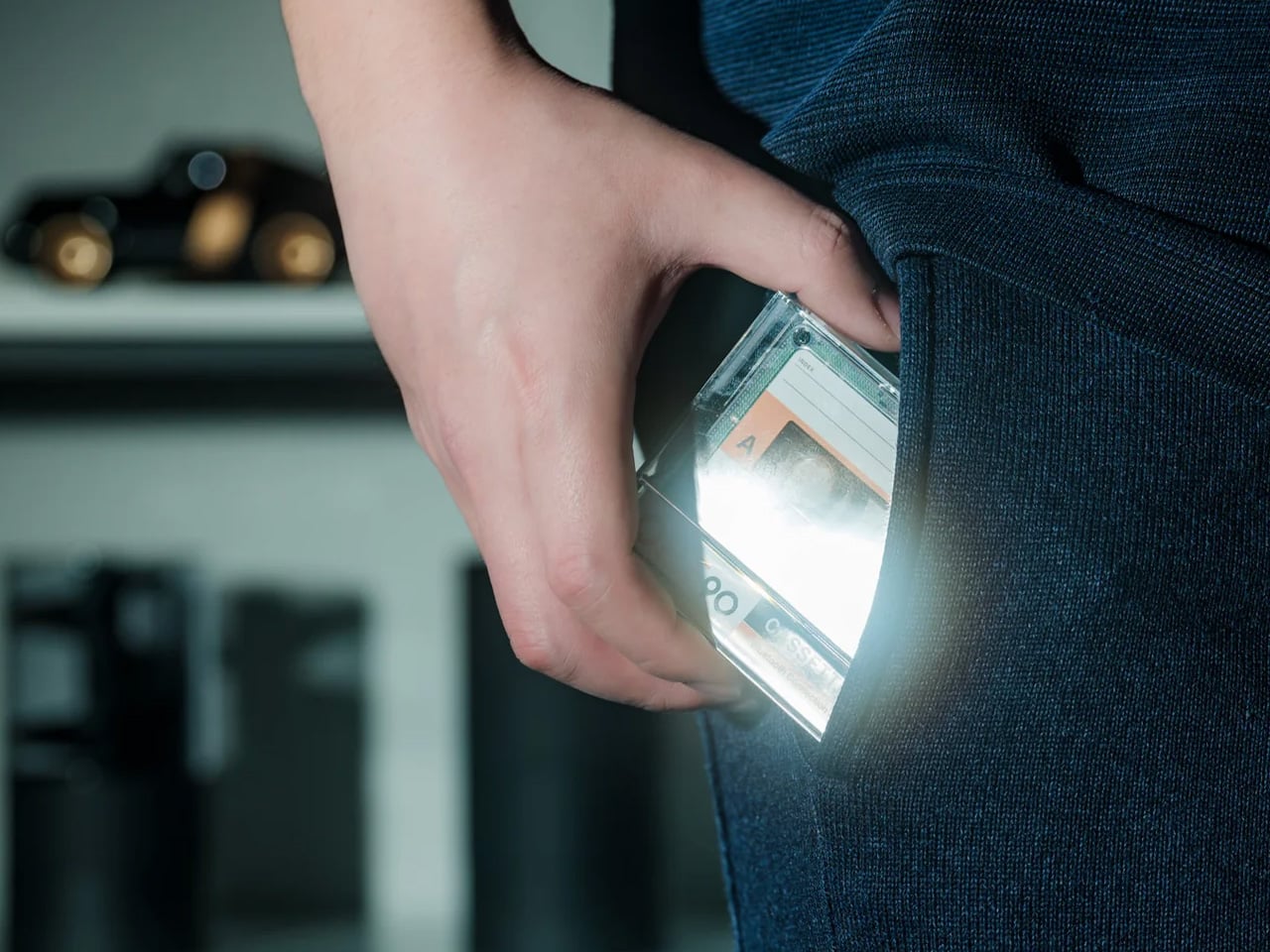
There’s something specific that a great travel speaker needs to be: compact without feeling cheap, audible without being obnoxious, and interesting enough to sit on a shelf without looking like clutter. The Side A Cassette Speaker from Yanko Design checks all three. Designed to look and feel like a real mixtape—transparent shell, authentic Side A label, the whole aesthetic fully committed—it’s a pocket-sized Bluetooth speaker with a personality that’s genuinely hard to ignore. Pull it out at a hostel, and someone will ask about it before you’ve even pressed play.
Underneath the retro exterior, the specs hold their own. Bluetooth 5.3 delivers a clean, drop-resistant connection across a hotel room or a beach setup without the frustration of constant dropouts. The microSD playback lets you load up a playlist and stream fully offline—no signal, no Wi-Fi, no problem. Sound is tuned to lean warm and cozy, channeling the soft roundness of actual tape playback rather than the harsh brightness that plagues most compact speakers. Six hours of battery at full volume covers a full afternoon, and a two-hour recharge means it’s back in action before the next session begins. At sub-$50, it’s also one of the most effortlessly giftable objects in recent memory.
The cassette form factor isn’t just a gimmick—it works as a design object and a conversation starter in any space it occupies, making it equally at home on a shelf as it is inside a bag.
Bluetooth 5.3, offline microSD playback, and six hours of battery together make this a genuinely capable travel speaker, not just a pretty one.
What We Dislike
The microSD slot supports MP3 files only, which means listeners with FLAC or AAC libraries will need to convert tracks or stay connected via Bluetooth for offline use.
Six hours of playback is solid for personal sessions, but starts to feel limited during an extended group hang where the speaker runs continuously throughout the day.
2. Hitch — Your Bottle and Your Coffee Cup, Finally Together
Most reusable cups live at home. Not because people don’t care about sustainability, but because carrying both a water bottle and a coffee cup is genuinely inconvenient—and convenience almost always wins. The Hitch was designed to solve exactly that friction. Its patent-pending mechanism nests a full 12oz barista-approved cup directly inside an 18oz insulated water bottle, and a single crossbar twist at the base releases the cup cleanly. The two pieces carry as one. It’s not a miniaturized compromise either; both the bottle and the cup are full-size and built for all-day use.
Every component—bottle, cup, and lid—is double-walled, vacuum-insulated, stainless steel, and certified leak-proof, which means you’re not trading practicality for the novelty of the concept. For a spring break week that bounces between airports, coffee shops, beaches, and restaurants, the Hitch becomes the single carry that handles morning hydration, midday coffee runs, and everything in between. It’s the product that makes zero-waste feel like a practical decision rather than an aspirational one, and that distinction matters when you’re moving fast and packing light.
What We Like
Nesting a full-size 12oz cup inside a full-size 18oz bottle is a genuinely smart design solution that addresses a real behavioral barrier to zero-waste carry without requiring a lifestyle overhaul.
Full vacuum insulation on both the bottle and the cup means cold water stays cold and hot coffee stays hot, without either sacrificing function for the sake of the shared form.
What We Dislike
The retail price sits toward the upper end of this list’s budget range, and some students may find it harder to justify compared to a standard insulated bottle at a lower price point.
The cup lid has drawn criticism in user reviews for its durability over time, and replacement parts have been historically difficult to source after the initial purchase.
3. HP Sprocket Portable Instant Photo Printer — Make the Memories Stick
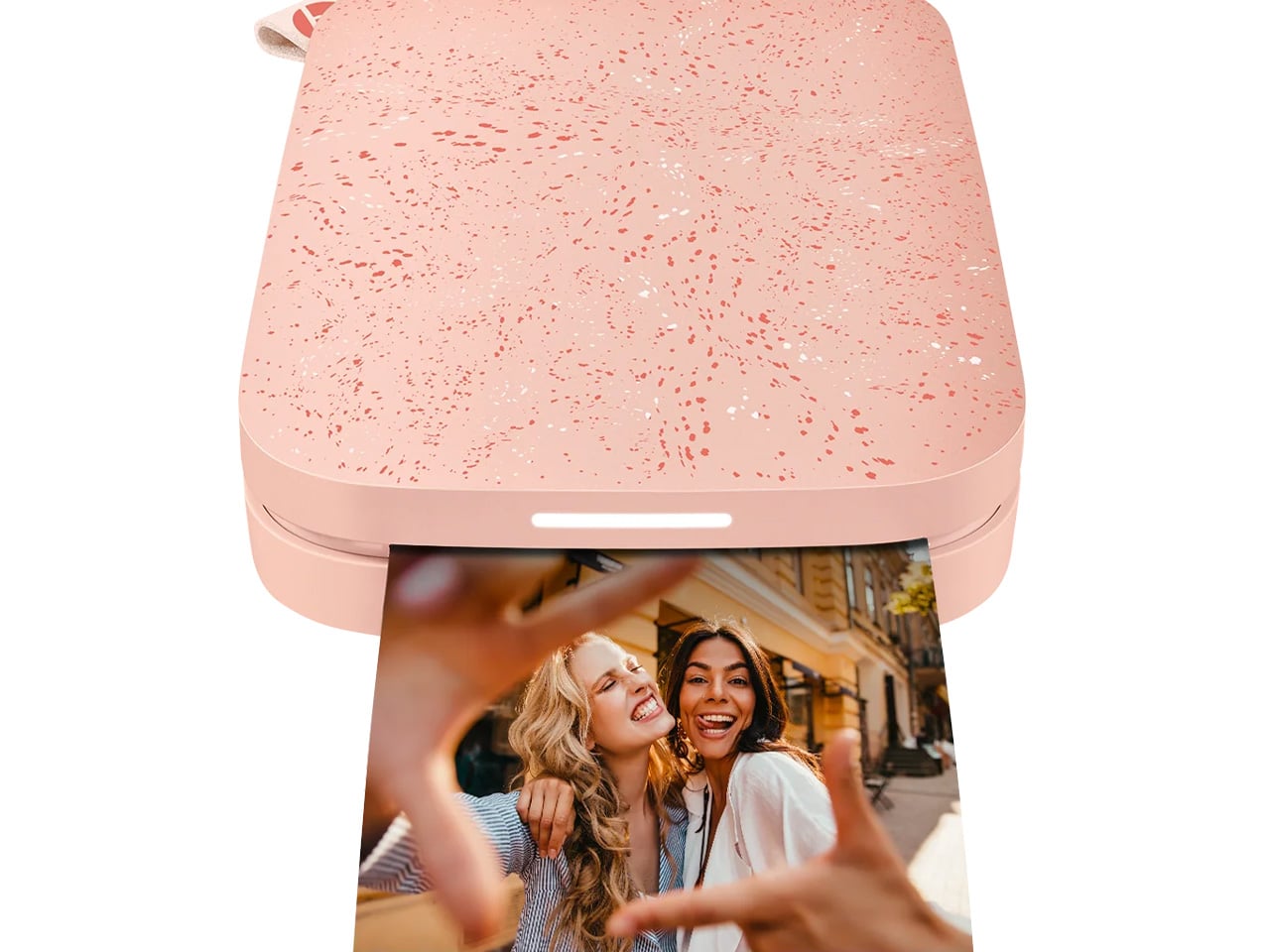
The paradox of phone photography is that the better the camera gets, the fewer photos actually get printed. Spring break produces hundreds of shots that live in a camera roll for a few weeks before fading into algorithmic obscurity. The HP Sprocket is a direct counterargument to that cycle—a pocket-sized wireless photo printer that pairs via Bluetooth 5.2, works with iOS and Android, and prints 2×3 glossy photos in seconds. No ink cartridges, no ribbons, no subscriptions. ZINK Zero Ink technology embeds color directly into the paper, keeping the entire process clean, fast, and genuinely portable.
The free HP Sprocket app adds a layer of creative control that makes it feel like more than a glorified receipt machine. Stickers, borders, filters, and emoji overlays are all part of the package, which makes the printing process feel as social as the photography itself. One charge delivers up to 35 prints, and a personalized LED indicator signals which device is printing during multi-person sessions—so a group of four can print simultaneously without creating confusion or a queue. The sticky back on every photo means it goes straight onto a journal, a wall, a laptop, or a postcard without needing tape. These are the photos that actually get kept.
What We Like
ZINK Zero Ink technology eliminates cartridges and toner, making every print session as effortless as a Bluetooth connection and a single button press.
Multi-device simultaneous printing makes this a genuinely social accessory—it doesn’t create a line, it creates a shared moment that fits naturally into group travel.
What We Dislike
The 2×3-inch format is charming but small, and students hoping to print anything approaching a standard photo size will find the output limited for that specific purpose.
35 prints per charge sounds reasonable in isolation, but an active group setting burns through that ceiling quickly, making planned recharging a practical necessity during longer outings.
4. Mini X30 -The EDC Flashlight That Moonlights as a Power Bank
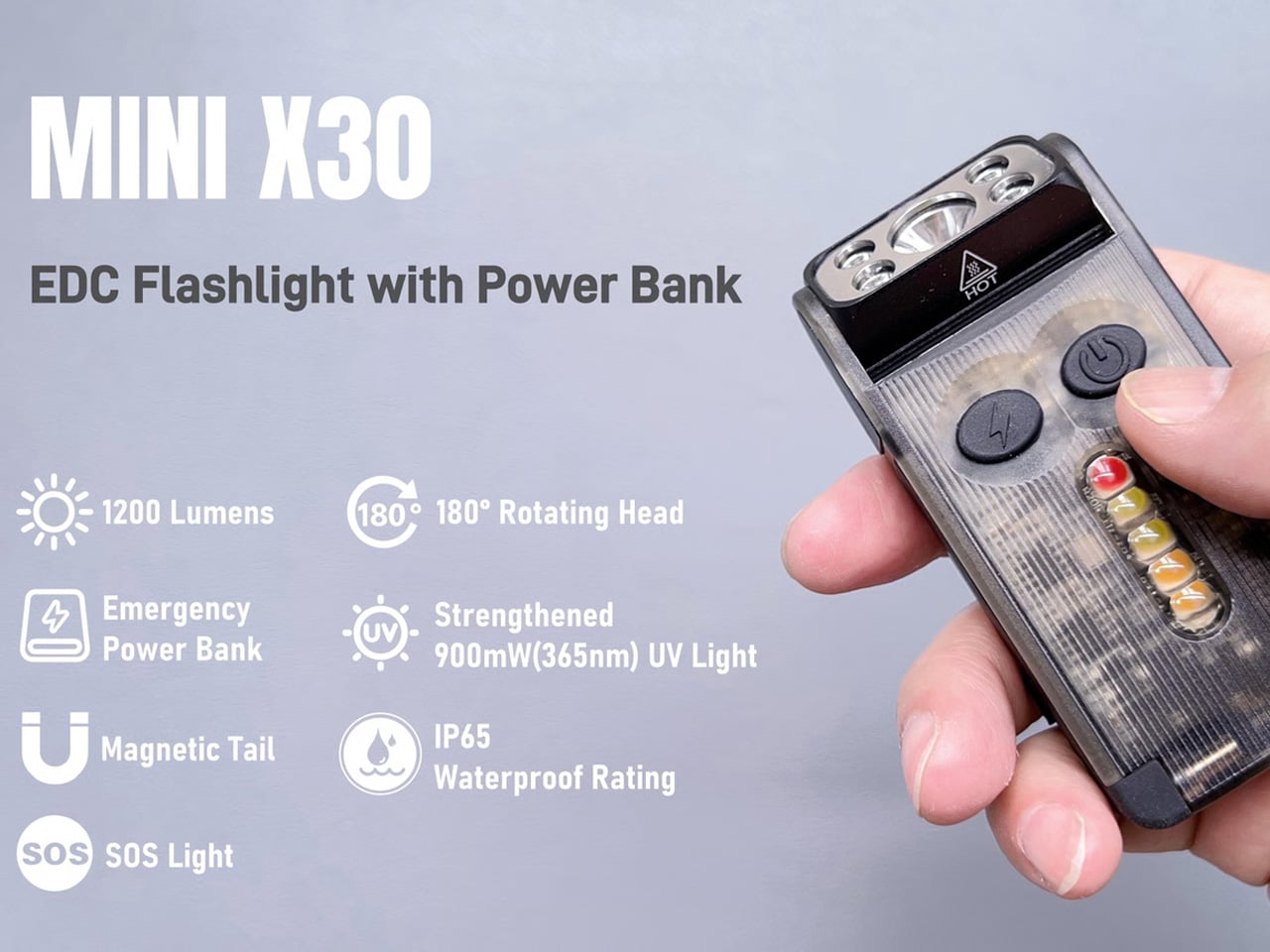
Most people don’t think about a flashlight until they desperately need one. The Mini X30 reframes that entirely by making it the kind of object you actually want to carry every day—not because emergencies demand it, but because it earns its spot before one ever arrives. Compact enough to clip onto a keychain, slide along a pocket edge, or attach to a backpack strap, it disappears into your carry until it’s needed. Then it delivers 1,200 lumens of turbo brightness with a single one-second press and hold—a level of output that handles everything from a pitch-dark campsite to a power outage in an unfamiliar city.
The built-in emergency charging function is what tips this from useful to genuinely essential for travel. When your phone battery drops at the wrong moment—mid-navigation, mid-emergency, mid-anything—the X30 steps in as a backup power source without requiring you to dig through your bag for a separate power bank you may or may not have remembered to pack. For a spring break trip that moves between outdoor adventures, late nights, and unfamiliar terrain, having light and emergency power consolidated into a single keychain-sized object is exactly the kind of redundancy that feels invisible until it saves the day.
What We Like
Consolidating a 1,200-lumen flashlight and an emergency phone charger into a keychain-sized EDC tool is a genuinely practical design decision that eliminates the need to carry and track two separate devices.
The turbo bright mode’s press-and-hold activation keeps max output immediately accessible without cycling through modes at the moment it matters most.
What We Dislike
As an emergency charger, the X30 is best understood as a backup rather than a primary power solution—students who rely heavily on their devices throughout the day will still want a full-capacity power bank alongside it.
The keychain and pocket-clip carry options are convenient for daily EDC, but attaching them to a bag strap in high-movement outdoor settings may require some deliberate adjustment to keep them secure.
5. Loop — The Only Neck Pillow That Actually Understands Your Neck
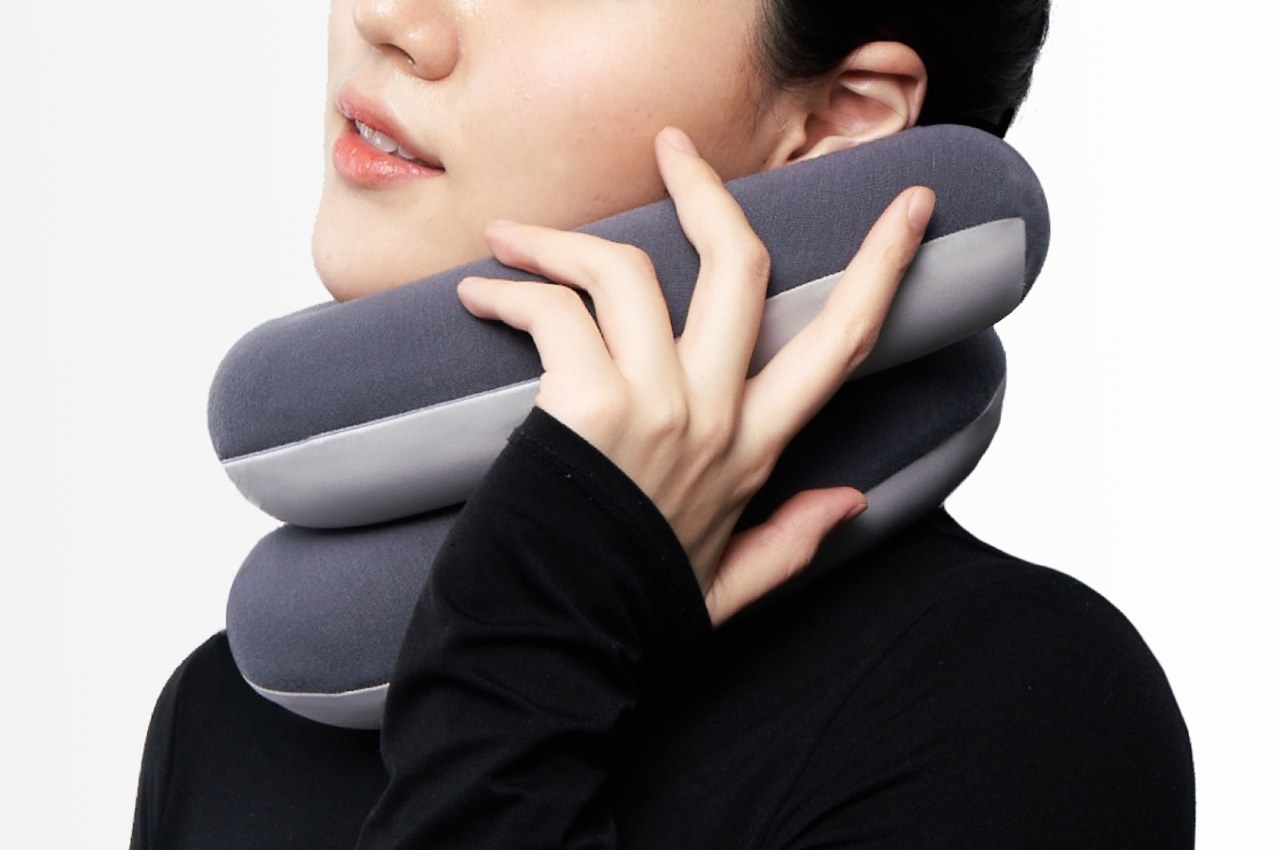
The standard U-shaped travel pillow is one of those products that’s been wrong for decades, and nobody fixed it. It props your head in a single position, falls off when you shift, and spends most of the journey doing very little. The Loop Pillow starts over entirely. Shaped more like a flexible neck noodle than a traditional pillow, it winds around your neck—loosely or tightly, depending on what you need—and provides lift exactly where your head wants to fall. It’s infinitely adjustable in a way that a fixed U-shape never could be, which means it works whether you sleep sitting upright, leaning left, tilting forward, or resting straight back.
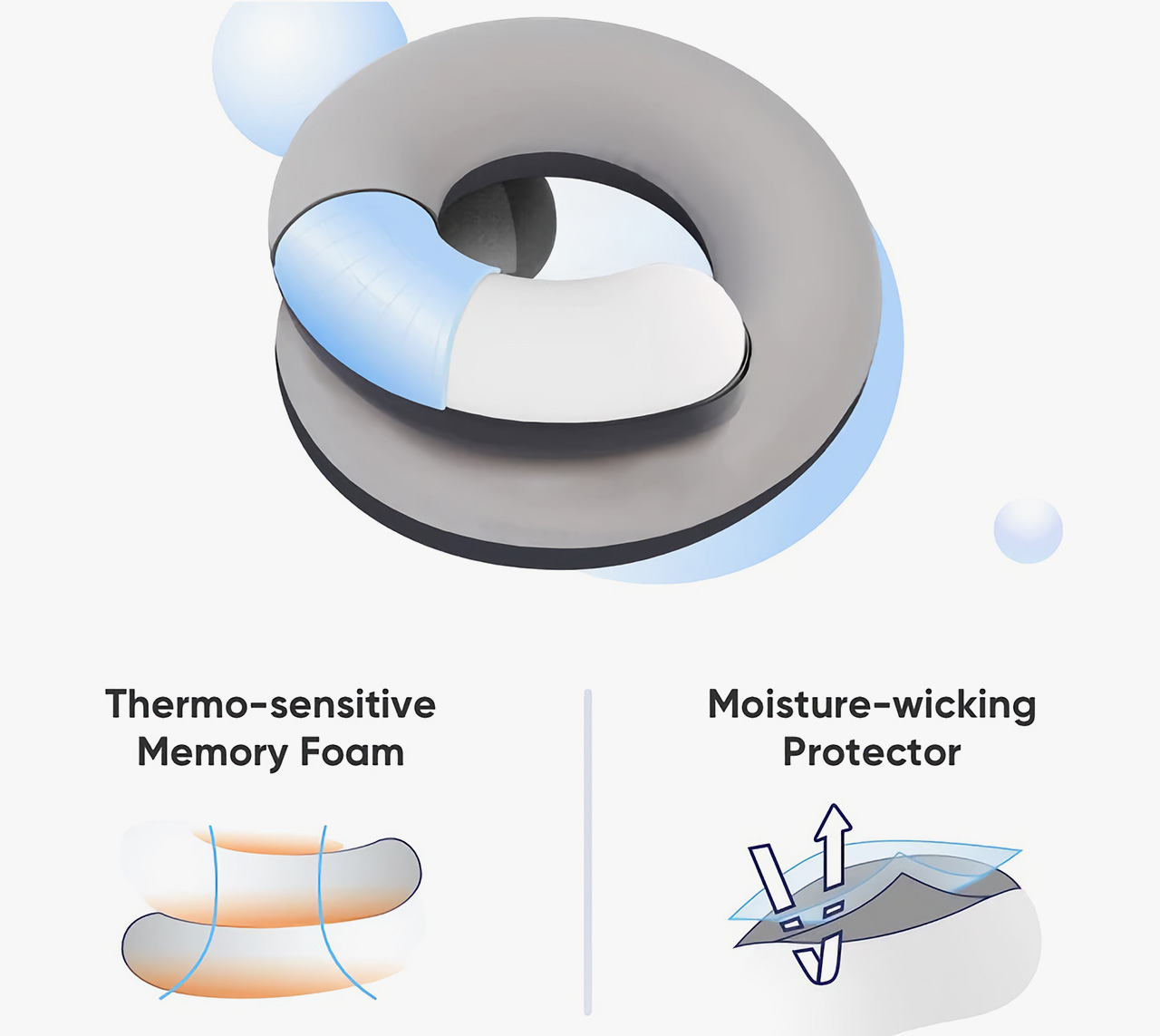
The material behind this one is doing real work. Thermo-sensitive memory foam molds directly to the contours of your neck, which means it isn’t approximating support—it’s actually conforming to you specifically. The outer cover is moisture-wicking and breathable, keeping things dry across long hauls where temperature and comfort tend to degrade together. A clever dual-tone design distinguishes the warm side from the cool side, letting you choose your preferred surface depending on the environment. For a spring break trip that starts with a red-eye flight and ends with a bus ride back, this is the carry that makes the in-between feel significantly less punishing.
What We Like
The infinitely adjustable loop design accommodates every sleeping position naturally, which makes it genuinely more versatile than any fixed-form travel pillow on the market.
Thermo-sensitive memory foam combined with a moisture-wicking, breathable cover means both the structure and the surface of the pillow are actively working in your favor throughout the journey.
What We Dislike
The loop form factor is a meaningful departure from what most travelers are used to, and it may take a flight or two before the adjustment feels second nature.
Travelers who prefer a more structured, rigid support system may find the flexible noodle design requires more deliberate positioning than they want to manage mid-sleep.
The Right Gear Makes the Break
Spring break doesn’t require a perfect packing list, but it rewards a smart one. The difference between a trip that flows and one that frustrates almost always comes down to the things you brought—or the things you left behind, wishing you hadn’t. These five picks cover the core categories: sound, hydration, memory-making, power, and carry. Together, they handle most of what a student needs for a week away without demanding too much space, too much budget, or too much thinking. That’s the whole point of good design—it simplifies the decisions so you can get to the experience.
What’s worth noting is how naturally these work alongside each other. The Cuktech keeps your phone alive for the Sprocket prints, the Hitch keeps you from reaching for a paper cup, and the Cassette Speaker scores the whole week. The Allpa Mini holds everything else together without complaint. This isn’t a random product roundup—it’s a considered carry. Spend the money once, pack it once, and show up somewhere fully ready to be there. That’s a spring break actually worth planning for.
It’s a big month for Pokémon, with February 27 marking 30 years since the world’s highest-grossing media franchise first introduced itself in the shape of two Game Boy games. Pocket Monsters Red and Pocket Monsters Green, which later arrived in the West as Pokémon Red and Pokémon Blue, kicked off a craze in Japan that would soon spread worldwide. And to mark the series’ 30th anniversary, the little turn-based RPGs that started it all are being re-released on Nintendo Switch.
Well, sort of. The versions we’re actually getting are the Game Boy Advance remakes, Pokémon FireRedVersion and Pokémon LeafGreen Version, which originally came out in 2004. Explaining its decision to bring back the enhanced GBA titles rather than the originals, Nintendo said in an FAQ that it thought Switch owners would like the opportunity to revisit the "ultimate versions of the original Pokémon adventures in the Kanto region."
Get ready to relive the Kanto region Trainers, Pokémon FireRed Version and Pokémon LeafGreen Version are coming to Nintendo Switch!
These aren’t modern remakes or remasters. Pokémon FireRed and LeafGreen will look and play pretty much the same as they did in 2004, just on a far superior display, obviously. There’s no online play, but the original games’ local multiplayer features return via the Switch’s built-in wireless features. If you’re playing on Switch 2, you can also play using GameChat. Other than that, it doesn’t sound like there are any notable differences between the Switch and Switch 2 versions.
In a move that might surprise some, Pokémon FireRed and LeafGreen won’t be available as part of the Nintendo Switch Online GBA library. In fact you don’t even need an NSO membership to play them. Instead, the games are being sold as standalone titles for $20 in the eShop. No physical release is planned outside of Japan. Nintendo added in its FAQ that there are no current plans for more old-school Virtual Console-style releases beyond these ones, with the company still committed to building out its NSO subscription offerings.
Pokémon FireRed and LeafGreen will be available to buy after a Pokémon Presents showcase that will air next Friday, February 27 (the day of Pokémon’s 30th anniversary), at 9am ET. And if you need yet more Pokémon after that, Pokémon Pokopia, which is the series’ long-awaited stab at a cozy Animal Crossing-like, arrives on March 5.
This article originally appeared on Engadget at https://www.engadget.com/gaming/nintendo/pokemon-firered-and-leafgreen-are-coming-to-switch-next-week-for-the-series-30th-anniversary-123505741.html?src=rss
Apple has lined up its first event of the year. Already! It’s taking place in New York City on March 4 at 9AM ET, but the company hasn’t confirmed if it will stream the media event.
It seems likely the event will be mainly iPads and MacBooks — so business as usual. However, it could include new entry-level MacBooks in a fresh array of colors. I think that’s what everyone’s reading into the lemon-and-lime tinged invitation.
I’m very much up for a return of the colorful Mac. The first Mac I ever used was one of those bubbly orange iMacs, interning at a video-game magazine. Yes, a magazine.
We’re also expecting a 2026 MacBook Air and refreshed 14- and 16-inch MacBook Pros, with the M5 Pro and M5 Max chips also breaking cover. Is it too early for an iPhone 17e? Perhaps. We’ll be reporting from the event.
And for those asking about yesterday's newsletter, thanks for your continued support and we'll have more to say soon.
Netflix is streaming its very first live MMA fight on May 16. The combatants are Ronda Rousey, (last match 2016) and Gina Carano (2009). The streamer has had to pluck fighters out of retirement because more contemporary stars are under contract with various promotional entities. The featherweight bout will take place inside a hexagon cage and stream globally — hopefully, Netflix can keep its stream up. The fight is co-hosted by Most Valuable Productions, Jake Paul’s production company. Because of course it is.
The worst-kept secret in value-for-money phones remains Google’s Pixel A series. In recent years, the Android phone series has offered a great balance of specs, hardware design and software features that embarrass most phones in the same price point. Its camera performance is often better than devices that cost several hundred dollars more.
It’s more of the same with the Pixel 10a. For $500, you get a 6.3-inch OLED screen with a 120Hz refresh rate and 3,000 nits of peak brightness, 8GB of RAM and a 48MP main camera, paired with a 13MP ultra-wide. Also: No. Camera. Bump. Innovation for $500, right there.
I won’t shut up about floor cleaning. I’m 41. Dyson has crunched its wet-floor tech into the same cylindrical profile of its Penac. I like the size, but how does it clean? I’ll hold judgment till I’ve tried it.
$600 is a lot more than a mop. Yes, I know that’s not the point.
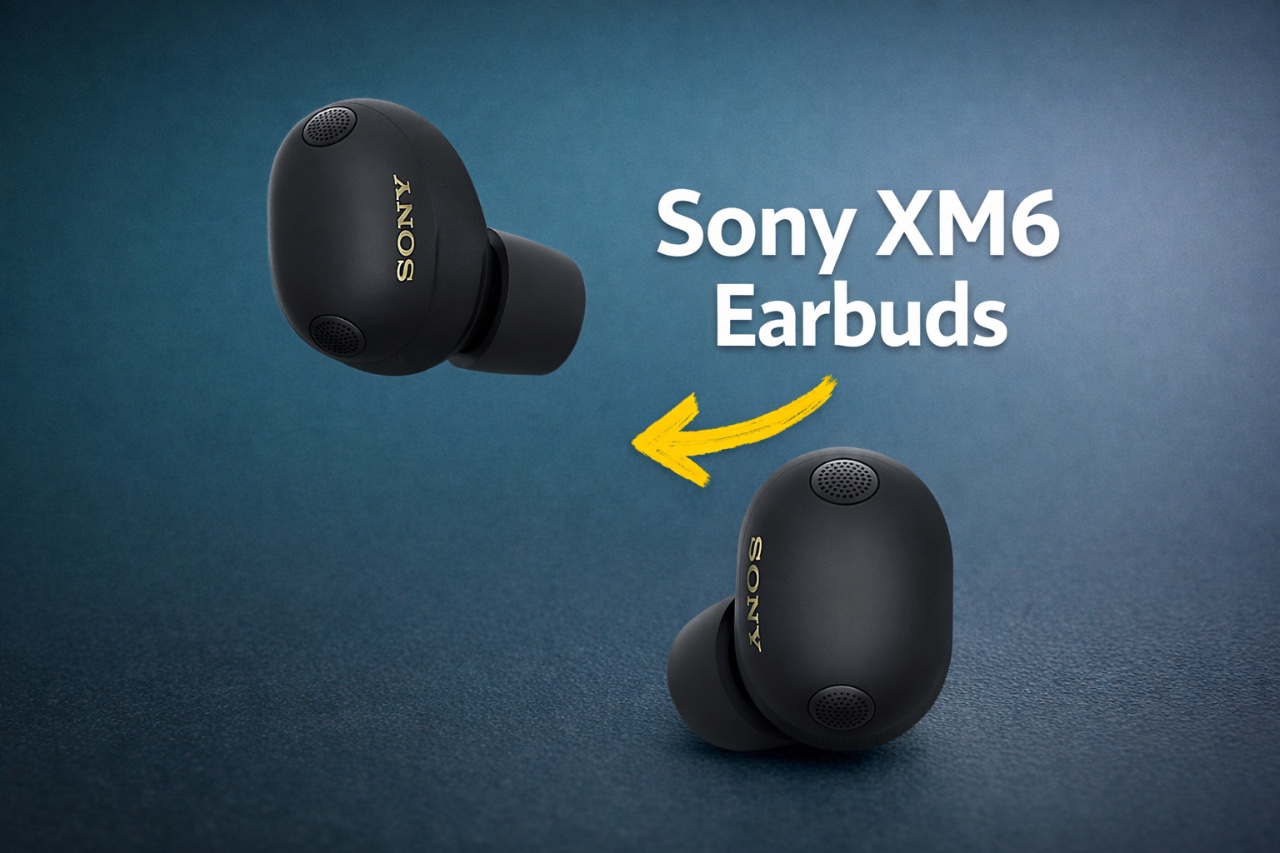
The Sony XM6 earbuds represent a pinnacle of modern audio engineering, offering a blend of exceptional sound quality, intuitive features, and long-term durability. By understanding and using their advanced capabilities, you can elevate your listening experience to new heights. This guide provides actionable steps to help you maximize the performance of your XM6 earbuds, ensuring […]
Have you ever felt like your schedule is running you instead of the other way around? Between endless meetings, overlapping commitments, and the constant ping of reminders, it’s easy to feel overwhelmed. In this walkthrough, itGenius shows how to transform Google Calendar from a basic scheduling app into a time-saving powerhouse. By tapping into its […]
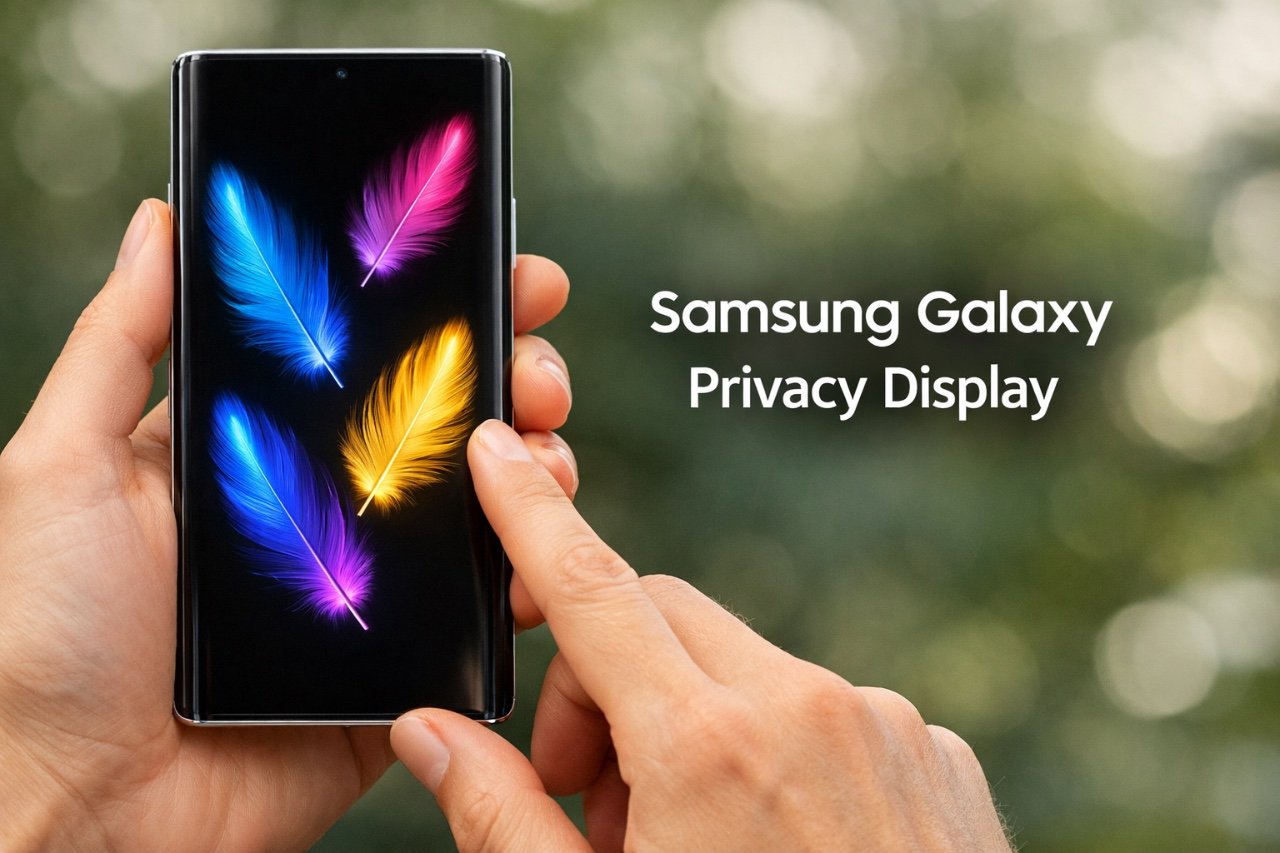
The Samsung Galaxy S26 Ultra introduces a new privacy-focused display, setting a new standard for protecting sensitive information in public spaces. By incorporating hardware-based optical viewing angle control, this innovation ensures that only you can view your screen’s content, effectively shielding it from prying eyes. This advanced feature distinguishes the Galaxy S26 Ultra from its […]
Multi-generational family travel is booming today. Yet trips that include three or more generations often descend into chaos: everyone has different expectations for rest, activities, and digital comfort. A “Family Hub” can turn this into a system, where shared plans are synchronized while personal boundaries remain a priority. All these tools, however, are useless without […]
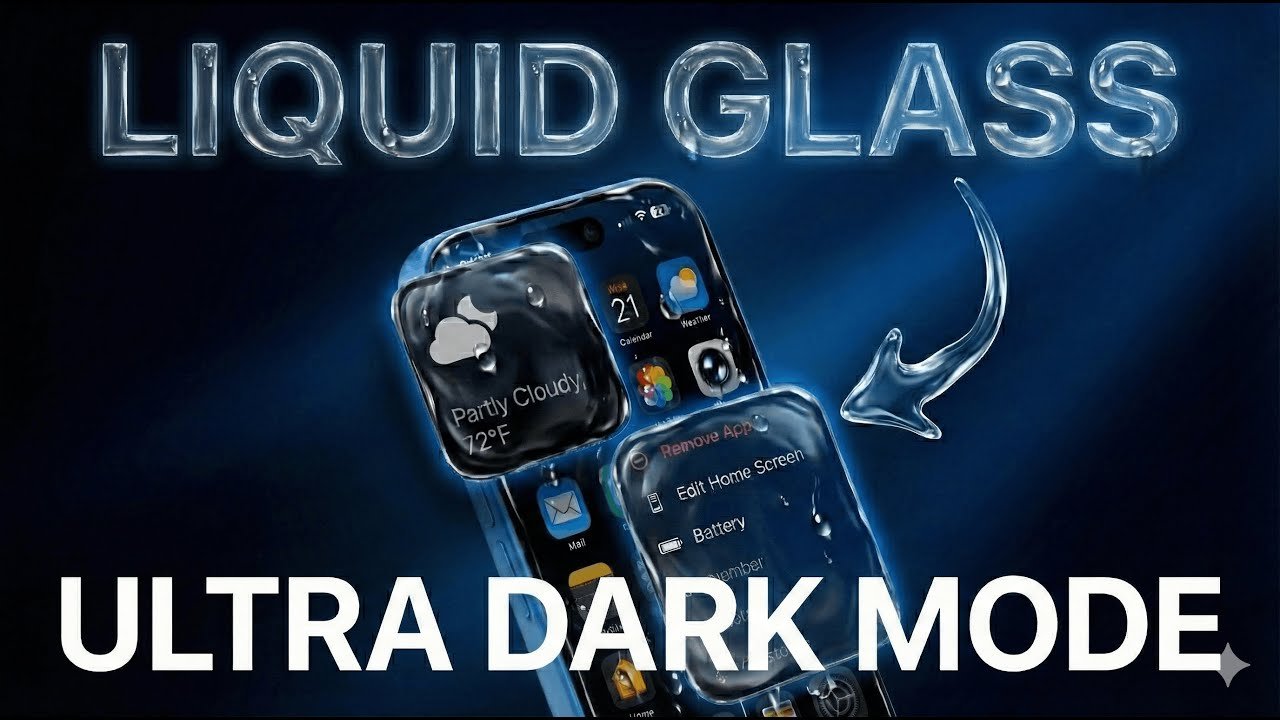
The latest iOS 26.2 update introduces exciting display customization options, including an upgraded Dark Mode and the new Liquid Glass feature. These enhancements allow you to create a sleek, energy-efficient interface while improving visibility in low-light settings. As outlined by Phones & Drones, Liquid Glass adds a tinted background that reduces glare and complements Dark […]