It's now harder to know where celebrities are flying to and their carbon emissions, with Meta shutting down Instagram and Threads accounts devoted to tracking private jets, TechCrunch reports. "Given the risk of physical harm to individuals, and in keeping with the independent Oversight Board’s recommendation, we’ve disabled these accounts for violating our privacy policy," Meta told the publication. Deleted accounts include those tracking the flights of Taylor Swift, Bill Gates and, the head of Meta himself, Mark Zuckerberg.
Jack Sweeney, a college student in his early 20s who runs the accounts, confirmed the news on his personal account. It's the latest in a line of pushback he has faced in the past. In Late 2022, Elon Musk suspended Sweeney's @ElonJet account — which tracked Musk's flights — on X (then Twitter). He soon made an account with the handle @ElonJetNextDay to post Musk's flights with a one day delay. Then, one year later, Taylor Swift's lawyers sent Sweeney a cease-and-desist letter stating, "While this may be a game to you, or an avenue that you hope will earn you wealth or fame, it is a life-or-death matter for our Client."
In May, Sweeney's job became a little bit harder, with the Biden administration allowing anyone with a private aircraft to keep their registration data anonymous. However, Sweeney said tips and other research make it still doable.
This article originally appeared on Engadget at https://www.engadget.com/big-tech/meta-bans-private-jet-tracking-accounts-on-instagram-and-threads-140429820.html?src=rss
Apple’s latest iOS 18.1 update introduces a remarkable new feature for the AirPods Pro 2, transforming them into a versatile device that offers both entertainment and hearing assistance. With the addition of hearing aid support, Apple aims to transform the way you experience sound, making it more accessible and tailored to your needs. The video […]
If you’re a game developer or animator, chances are you frequent sites like the Unreal Engine Marketplace, Quixel, ArtStation Marketplace and Sketchfab Store. The days of buying assets from each of these stores separately are over, as Epic Games just launched Fab, its new marketplace merging all of the sites mentioned above.
While the Fab website is live, Unreal Engine 5 Editor users can also access it in the app directly when the update is live. Unreal Editor for Fortnite also has Fab integration, which is currently down for maintenance.
Fab’s content includes animations, VFX, environments, characters, plug-ins and much more. These assets may have either a Creative Commons license or Standard License; the latter comes in Personal and Professional tiers. Epic Games says that both tiers of the Fab Standard License allow assets to be used in any game engine you want. However, the Creative Commons license only allows assets to be used on Unreal Engine. 3D assets can also be viewed in real time before purchasing to ensure developers only get the products they need.
Epic Games
The entire Quixel Megascans library is available for free now until the end of this year, and the contents are free to use in all engines and creation tools. There are 17,000 assets from the original library, along with 10 packs accompanying Fab’s launch.
Epic Games also mentioned some future goals for Fab, including Roblox and Minecraft assets, access to MetaHumans and more. There will also be a portion of Fab’s Megascans content made free next year in the form of a starter pack.
This article originally appeared on Engadget at https://www.engadget.com/gaming/epic-games-launches-a-new-unified-game-development-assets-marketplace-fab-135335228.html?src=rss
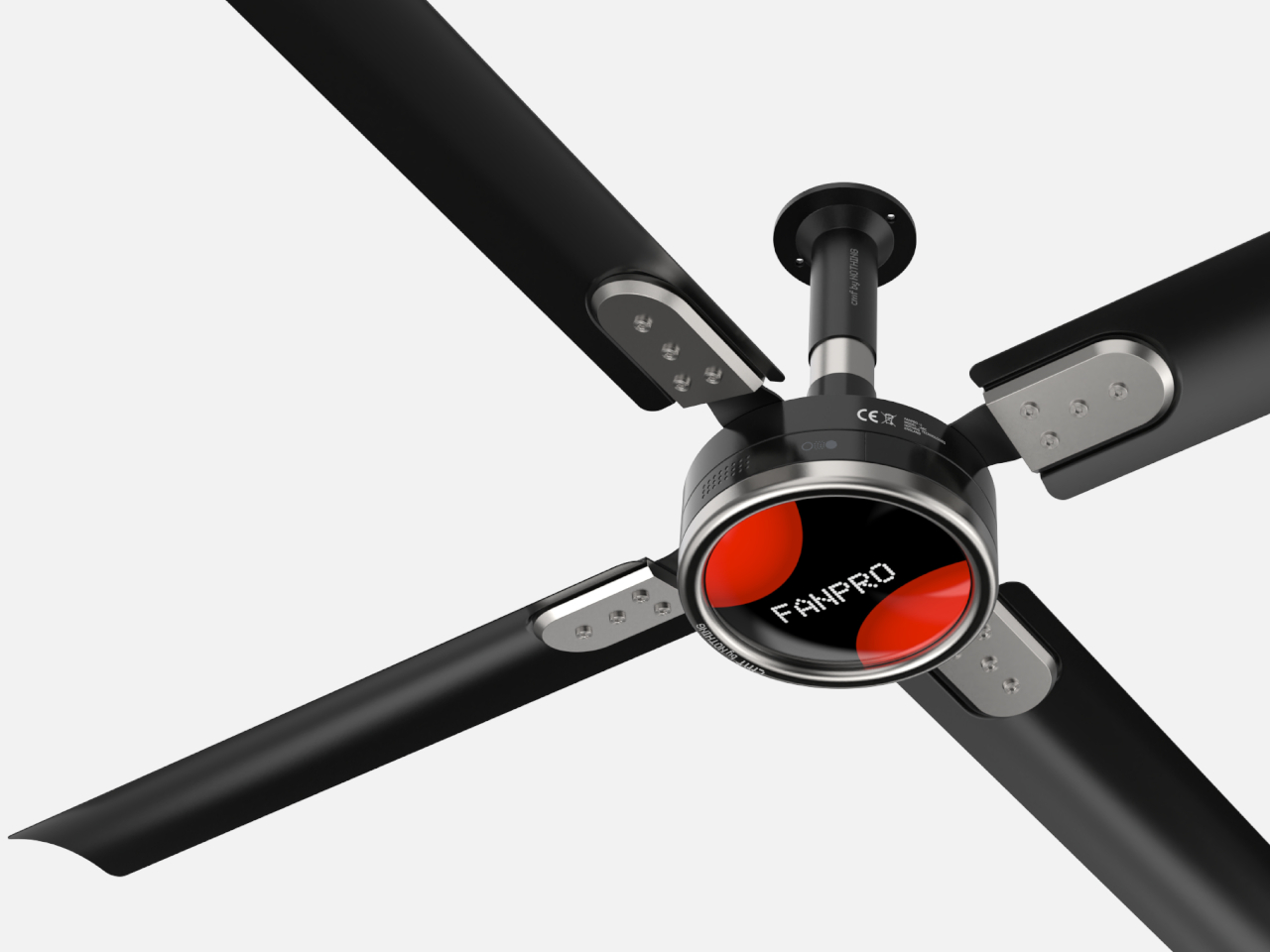
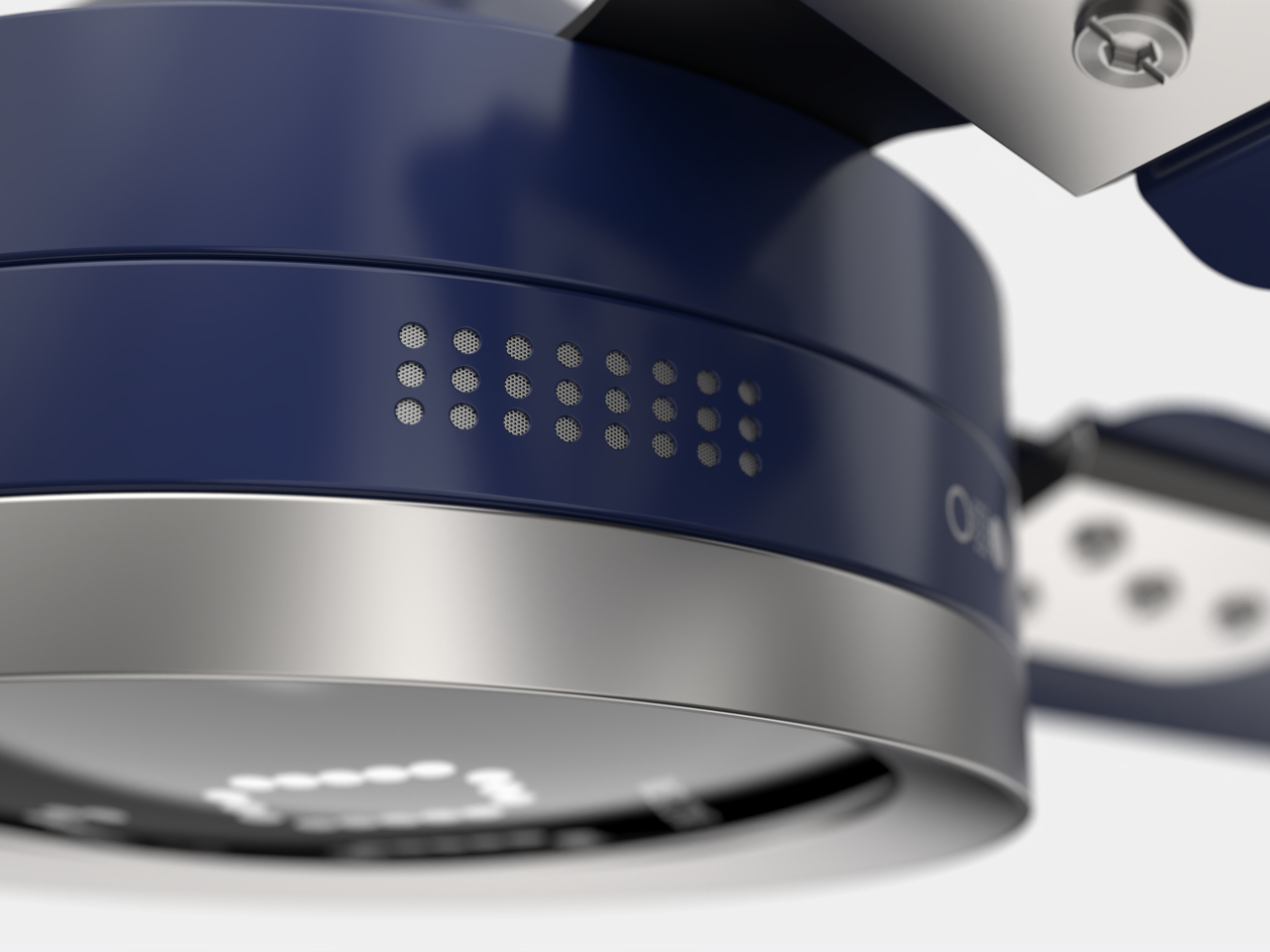
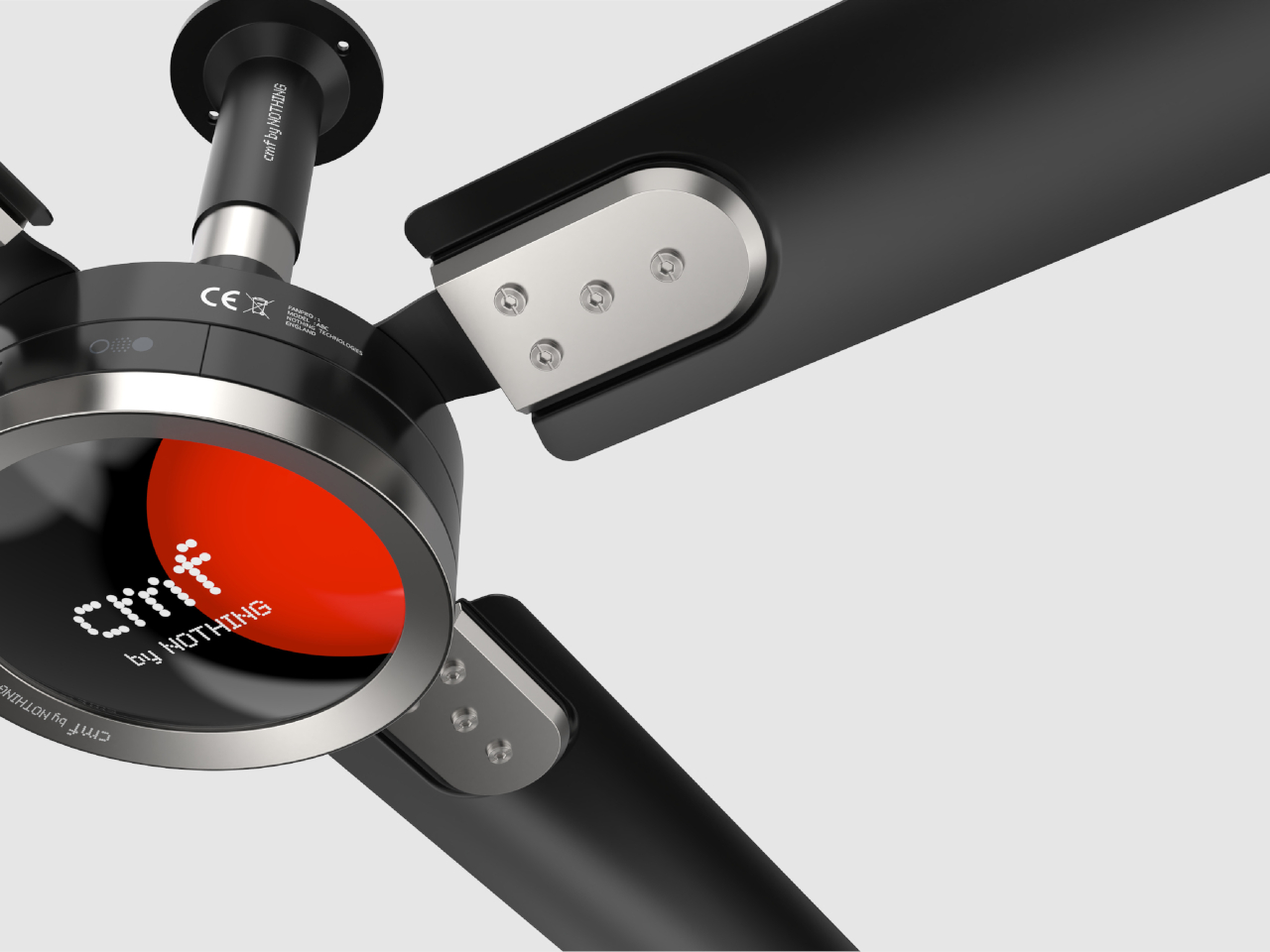
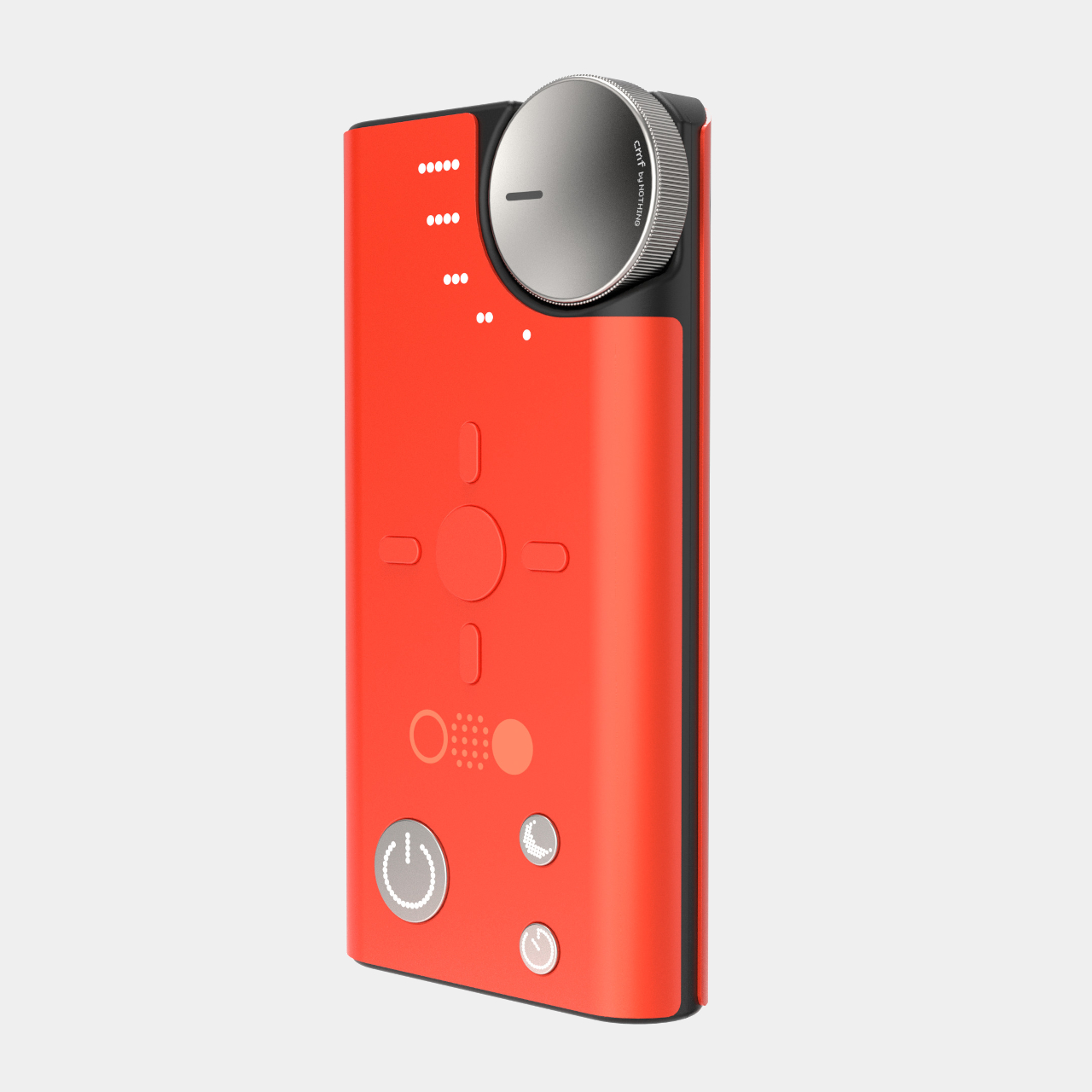
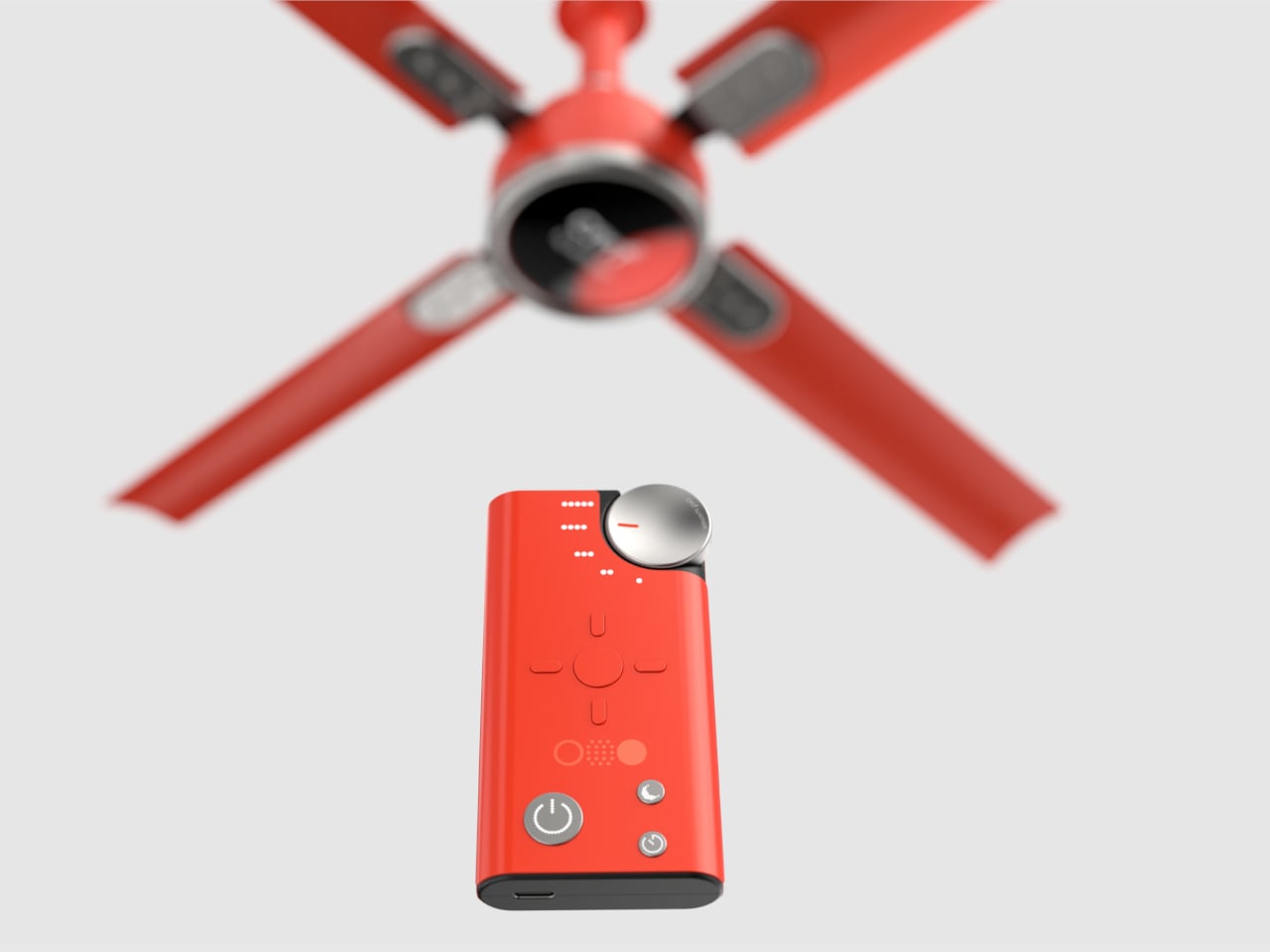
Home electronics aren’t just getting smarter, their designs are also getting more sophisticated. It’s not just the usual culprits such as lamps and TVs either, as appliances with less presence like air purifiers and speakers become more conspicuous in the space they occupy. Designs vary widely from minimalist to elaborate, though most seem to use nature as a source of inspiration. In contrast, this design concept for a ceiling fan takes a page from a distance cousin in the consumer electronics market, mixing interactive functionality with minimalist aesthetics to provide a user experience that can be personalized to one’s preferences.
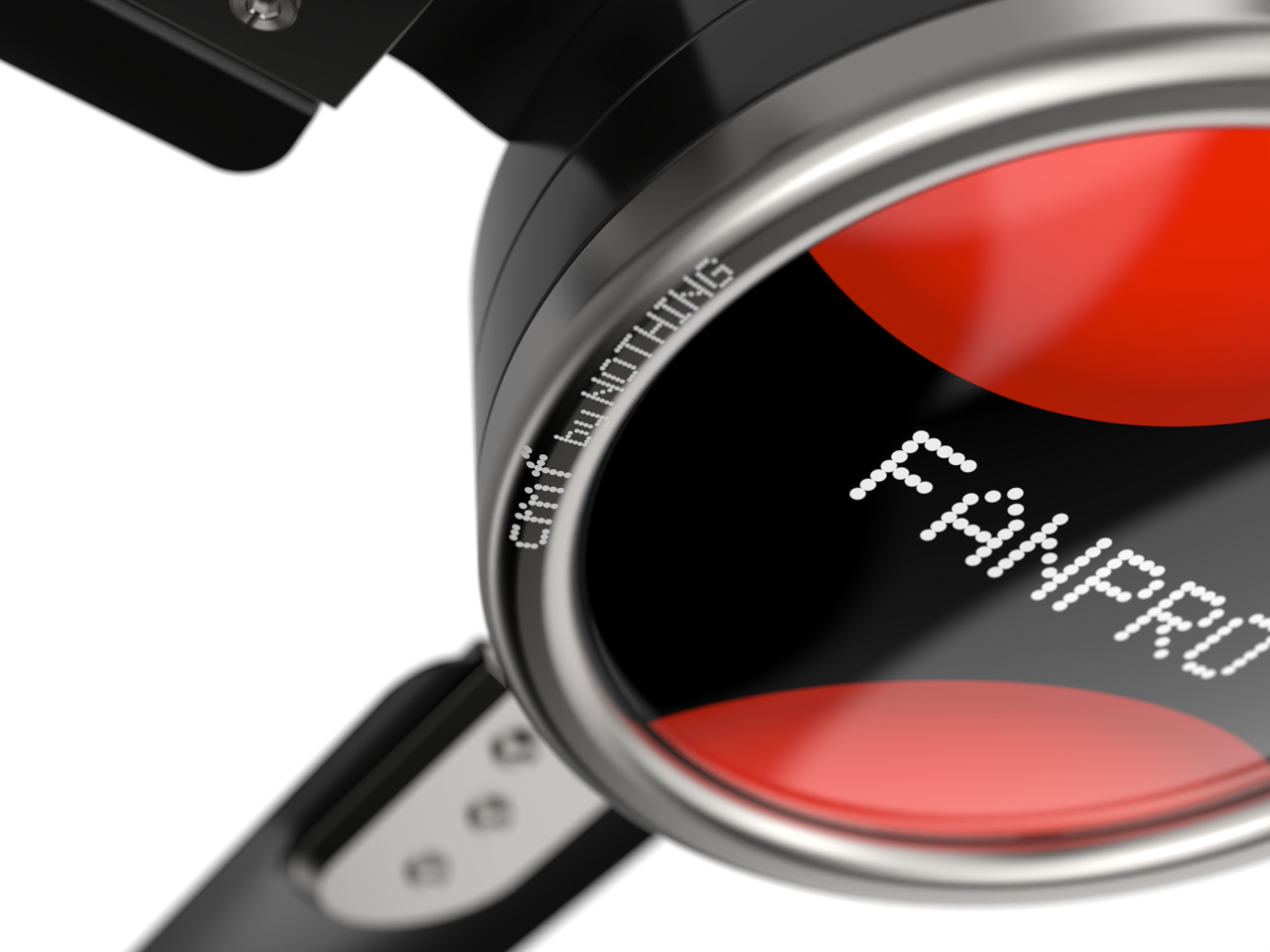
Nothing’s new sub-brand appropriated the popular “CMF” acronym to indicate its heavy leaning towards a design-centric approach. By putting an emphasis not just on looks but on the color, material, and finish of the design, CMF by Nothing aims to elevate the prestige of products often simply seen as technological tools. So far, the brand’s designs have revolved around making exceptional design more accessible, which is what this ceiling fan concept tries to achieve as well.
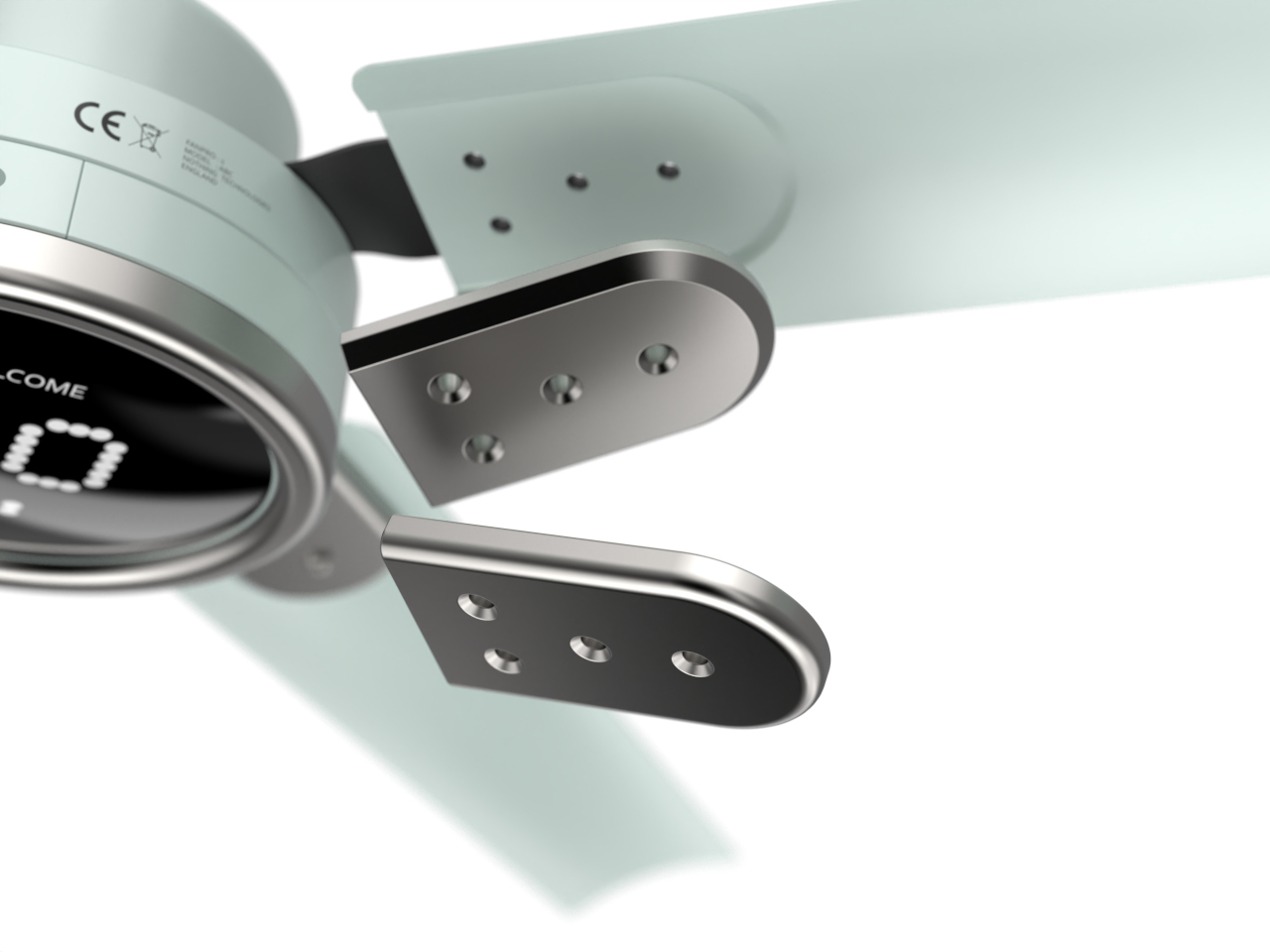
FanPro brings that attention to detail to a smart home appliance, one that seems to be the least likely recipient of such a treatment: a ceiling fan. At the same time, however, it also offers the perfect opportunity to put into practice the design theories put forward by CMF. This design, for example, pays close attention to the engineering involved in the design process, making sure that the four blades are precisely angled at 15 degrees for optimal airflow and minimal noise.
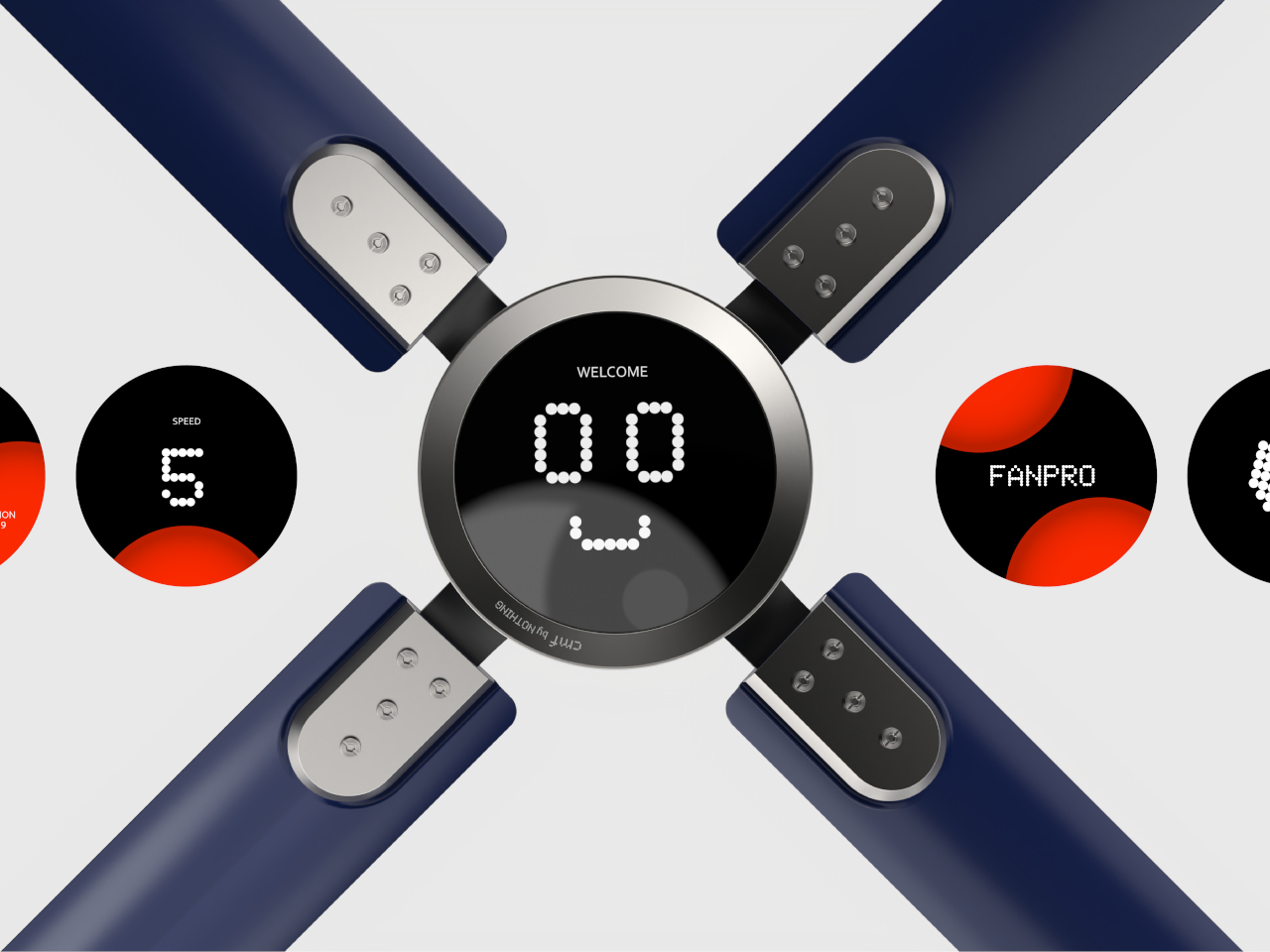
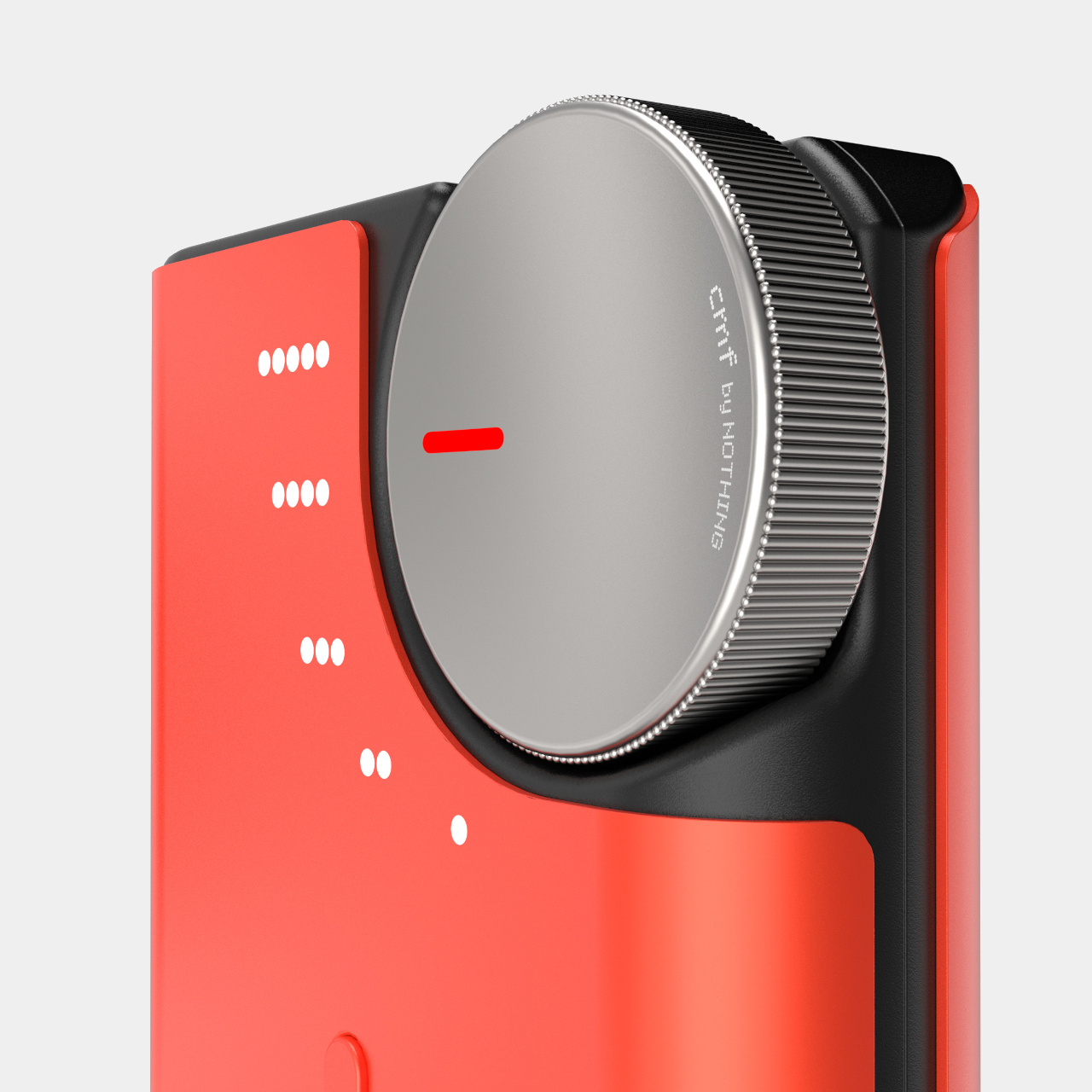
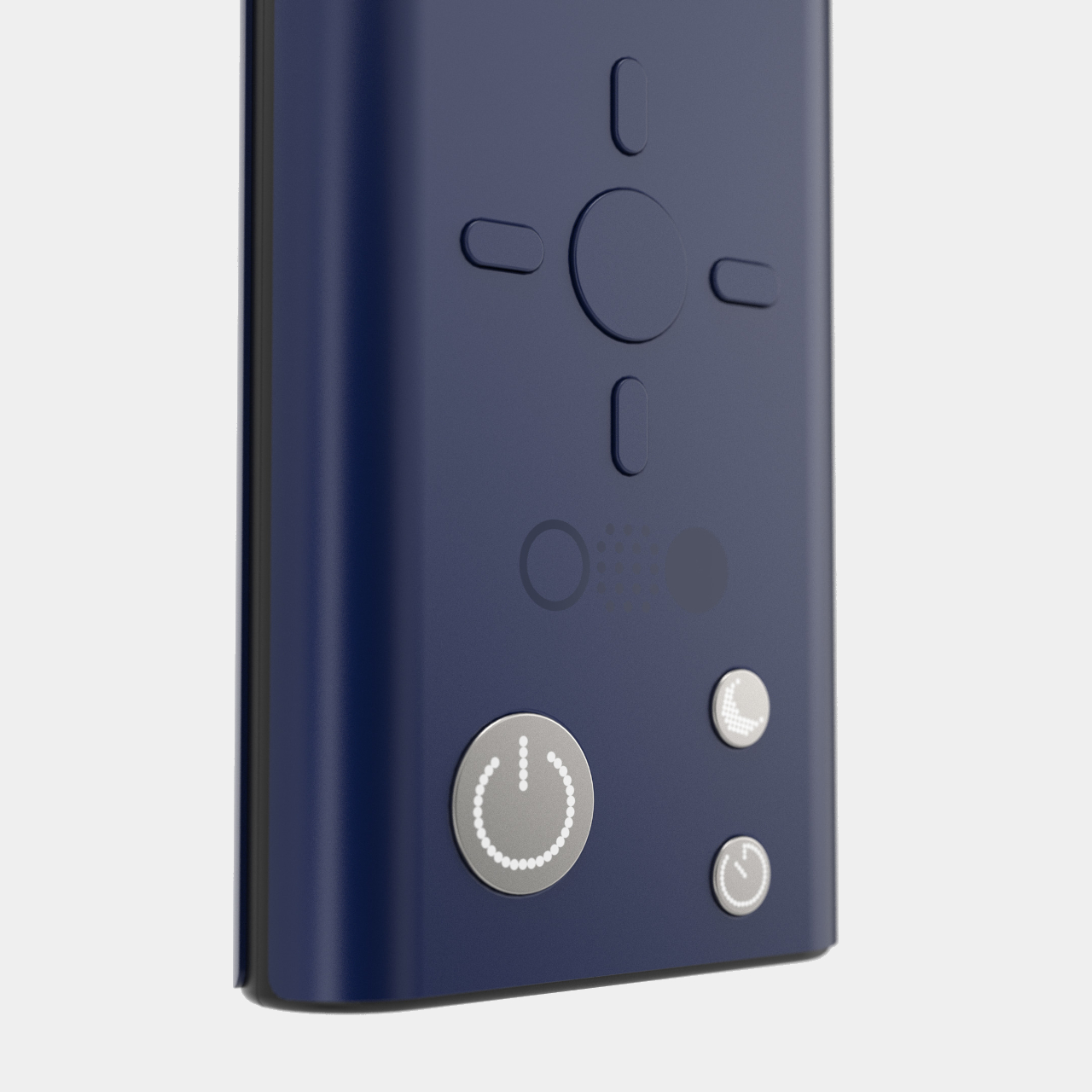
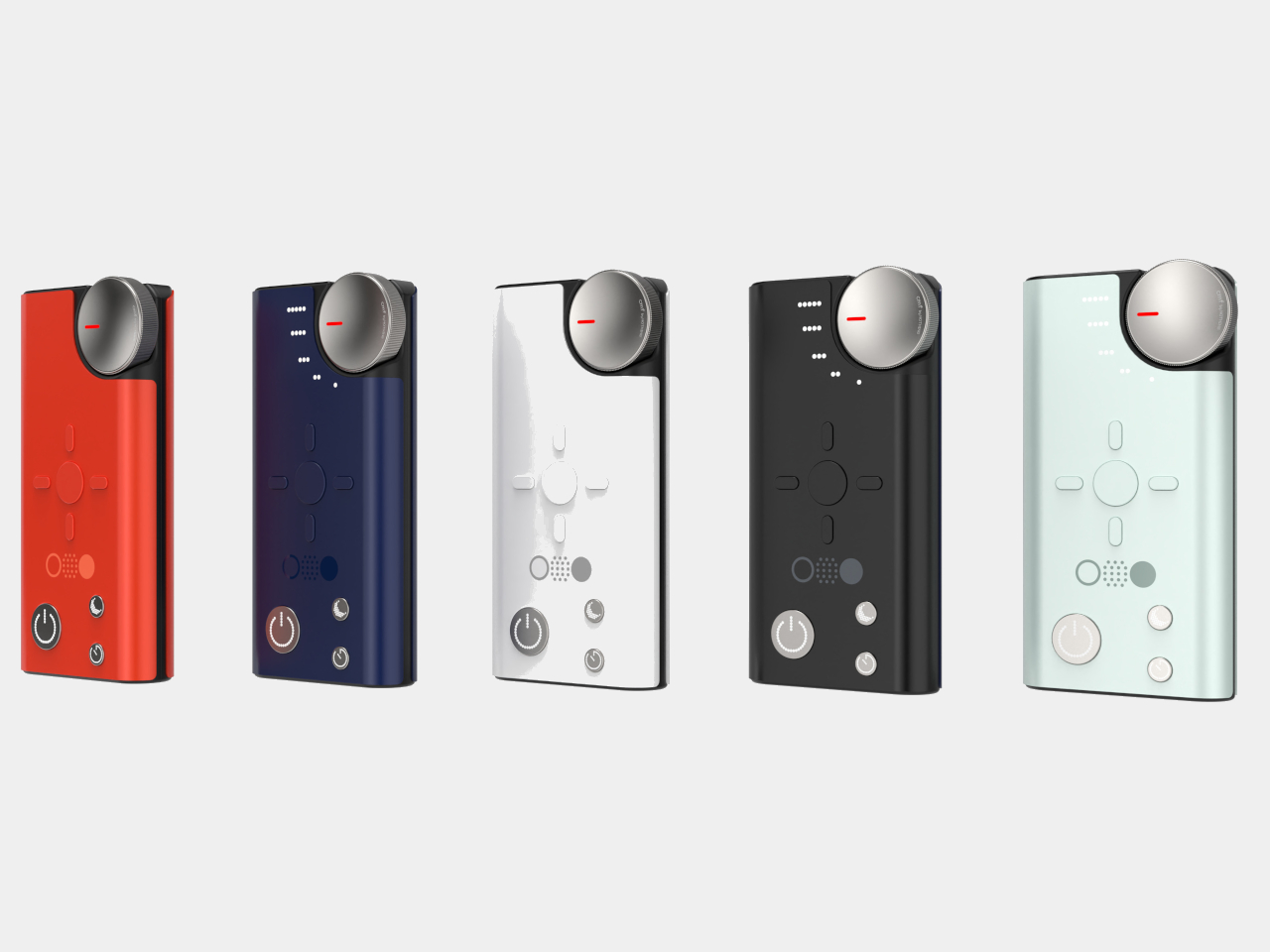
A particularly interesting twist to this design is the full screen display on the base that can show not only information like operational modes or the time, it can even show emotions through simplified faces to give the appliance a more personal touch. All these can be controlled through a remote designed with intuitive use in mind. An easily accessed dial, for example, lets you instantly change the fan speed, while navigating menus is done through directional buttons.
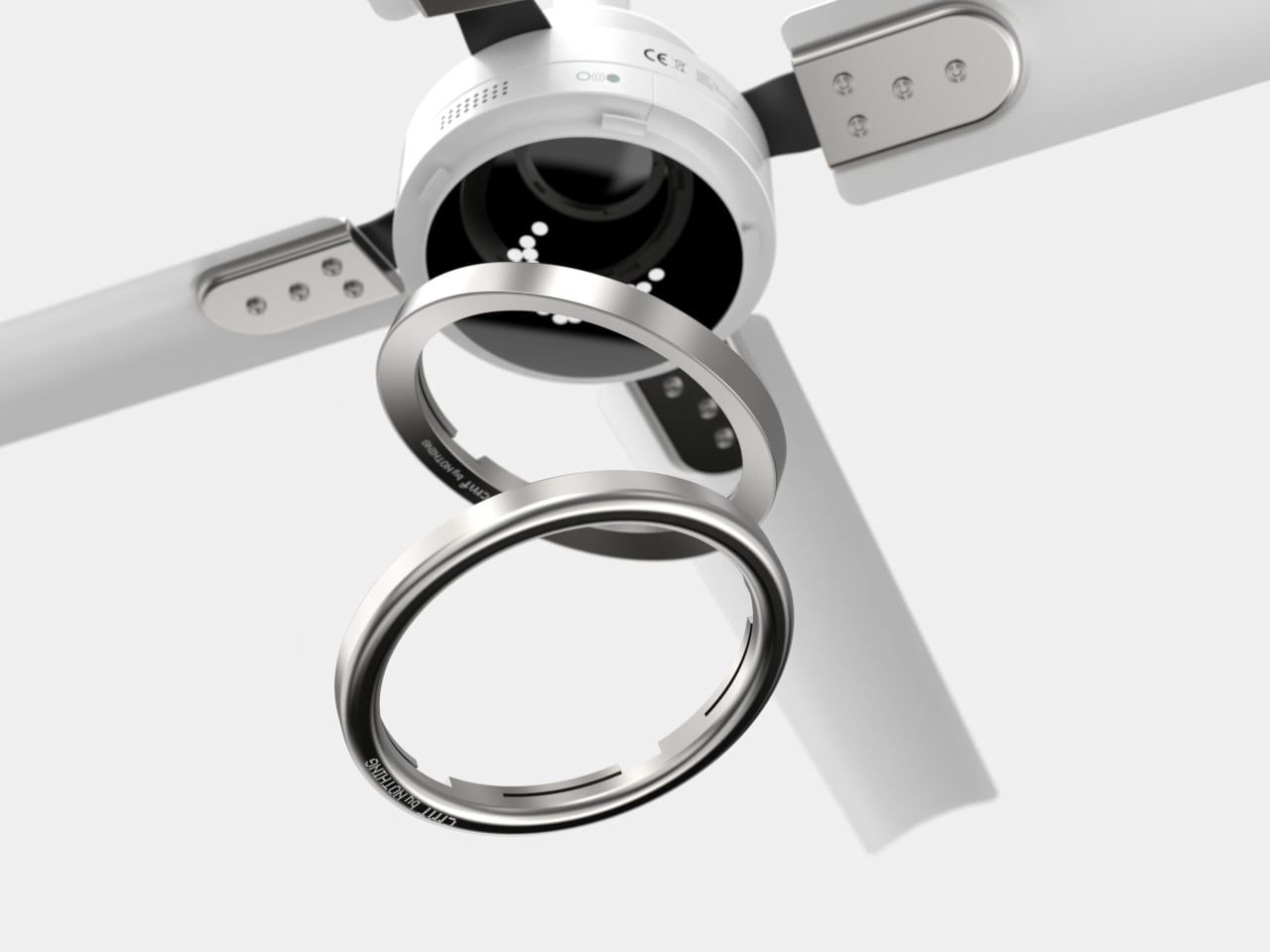
The first CMF Phone garnered fame for its modular and customizable design, something that FanPro also adopts both for the fan itself as well as the remote control shell. Although it’s probably not as easy or probably safe to change the fan’s parts, it does leave the door open for more personalized experiences, even if it means just changing colors.
WhatsApp just announced that it’ll soon let users add contacts from any device, and not just a primary phone, thus solving one of life’s little annoyances. A forthcoming update will let people add and manage contacts via the web client, on a Windows PC and “eventually other linked devices.”
Users will also be able to save a contact exclusively to WhatsApp without syncing to a phone, which is useful when sharing a handset with others or for those who manage both work and personal WhatsApp accounts on the same device. Meta says that this will also solve the problem of people losing all of their contacts when they misplace a phone, as the contacts will be fully restorable.
Even better? The company says this is the first step toward what many consider the “holy grail” of potential improvements. WhatsApp is getting usernames, so you won’t have to save someone’s information via a phone number. Meta says this will “add an extra degree of privacy” since you can share a username without sharing a phone number.
This article originally appeared on Engadget at https://www.engadget.com/social-media/whatsapp-will-soon-let-users-add-contacts-from-any-device-130047546.html?src=rss
To the surprise of few, the new iPad mini that Apple announced last week is a small update rather than a major reinvention. It may have been three years between iPad mini updates, but the 2021 model was the first to ditch the formerly ubiquitous home button in favor of smaller bezels. Apple certainly wouldn’t redesign the iPad mini only to do so again after a single generation, so this is another example of a new Apple product that looks the same on the outside but has some notable upgrades on the inside.
What’s new here can be summed up quickly: more storage, support for the Apple Pencil Pro and, most crucially, a more powerful chip. The A17 Pro allows the iPad mini to use Apple Intelligence features when they launch later this month, which is probably why this tablet exists at all. Apple clearly wants to get as many people as possible using these features, and now every iPad the company sells (except for the entry-level model) will work with Apple Intelligence. Of course, that makes fully evaluating the iPad mini tough, because Apple Intelligence isn’t here yet. But there’s still plenty to know if you’re thinking about Apple’s newest tiny tablet.
What’s the same?
As is often the case with new iPads, no one will know whether you’re using the 2021 iPad mini or this one unless they’re an astute study of Apple’s color schemes. This year, extremely mild shades of blue and purple replace the richer pink and purple options — my test iPad mini is purple, but looks like a pretty straight silver in a lot of light. I really wish Apple would provide more bold color options in more of its products, but here we are.
Photo by Nathan Ingraham / Engadget
There isn’t a lot to complain about when it comes to the iPad mini’s design. It feels perfectly in line with the other iPads Apple sells, with modest bezels (that are starting to feel a bit thick) surrounding its screen and stereo speakers when held in landscape orientation. Those speakers sound much better than you’d expect given the mini’s small size; Apple has been putting surprisingly great speakers in all its products for a few years now and I’m glad this trend continues here.
The camera is still portrait-oriented, unlike all the other iPads you can buy. That doesn’t really bother me, because you’re rarely, if ever, going to put this tiny iPad in a keyboard dock and take a video call. I imagine most people making FaceTime calls will just hold it like they would a phone.
As with the prior mini and non-Pro iPads, there’s no Face ID array here. You’ll have to make do with the Touch ID sensor on the power button, which is fast and convenient enough, but still not quite as smooth as Face ID. It also has the same front- and back-facing cameras as the last iPad mini. The 12-megapixel camera on the rear takes surprisingly decent shots in low light and should work fine for scanning documents or QR codes. But as usual, just use your phone to take images and videos — chances are it has a better camera than the iPad mini.
Photo by Nathan Ingraham / Engadget
Same goes for the front-facing shooter. It’s fine for FaceTime calls, but photos are lacking in detail. That’s because it’s a 12-megapixel ultra-wide camera that then crops them into a more standard field of view. Long story short: this camera is just good enough for a tablet camera, but not much else. And that honestly doesn’t bother me.
The 8.3-inch screen on the iPad mini is about on par with the one on the iPad Air. It supports the P3 wide color gamut, has an antireflective coating and is fully laminated to the front glass, unlike the screen on the entry-level iPad. All these specs, including its resolution and 326 pixel-per-inch density, are unchanged from the last model. It’s a very nice screen, but it’s still a standard LCD display with a now-pedestrian 60Hz refresh rate. I’m not at all surprised by this, as Apple has kept its best screen technology for the iPad Pro. But very soon it’s going to need to up the refresh rate on other iPads (and iPhones if we’re being honest) besides the Pro models.
One bit of good news about the screen is that it seems Apple has fixed the “jelly-scrolling” problem that plagued the prior iPad mini. Jelly-scrolling occurs when one side of a screen doesn’t refresh at exactly the same rate as the other, and this effect was noticeable in portrait mode with the old iPad mini. It’s not something that I ever noticed while using the new iPad mini. I am curious to see if the issue has been totally resolved or if my eyes just didn’t catch it, but I’ll continue using the iPad mini in the coming weeks to see if I spot any display issues.
Photo by Nathan Ingraham / Engadget
What’s new?
The headlining new feature here is the A17 Pro chip, which Apple says is 30 percent faster than the A15 in the prior iPad mini. The 5-core GPU is 25 percent faster and supports hardware-accelerated ray tracing. One odd programming note: the A17 Pro in the iPad mini is slightly different from the one in the iPhone 15 Pro series. The chip in the iPhone 15 Pro has six graphics cores, while the one in the iPad mini only has five. It’s a weird bit of minor nerfing, but I also cannot imagine that anyone buying this iPad will notice or care about this slight potential performance difference.
Benchmarks from Geekbench 6 back this up. The A17 Pro in the iPad mini is ever so slightly less performant than the one in the iPhone 15 Pro, but not enough so that it’ll make any real difference in how you use the tablet. It still trails M-series chips and the brand-new A18 series, but provides more than enough juice for an iPad mini.
Some might have hoped for an M2 processor here, or even this year’s A18, but I’m confident that the A17 Pro is more than capable for basically anything you might do with the iPad mini. Given its small size, I never once thought about using it as a laptop replacement like I do with the iPad Pro. Instead, it made a comfortable couch companion for browsing the internet, messaging friends, triaging email, playing games and occasionally editing some photos. The A17 Pro was more than capable of all those tasks, with no slowdowns or stutters to note. Perhaps more importantly, it has the overhead to be capable for years to come.
Photo by Nathan Ingraham / Engadget
The other big change for the iPad mini is support for the Apple Pencil Pro that was introduced earlier this year. I’m glad to see that Apple now supports the Apple Pencil Pro on every iPad it sells aside from the entry-level model. The Pencil lineup was a bit of a mess for a while, but now there are just two options to consider: the $79 USB-C Apple Pencil and the more capable $129 Pencil Pro. Apple still sells the first- and second-generation Pencils for older iPads, but the lineup has thankfully been streamlined going forward.
The Apple Pencil Pro is quite a bit more capable than the standard one. It has pressure sensitivity, haptic feedback, a gyroscope so you can roll the pencil in your hands to change your brush width, a double-tab control to change tools, a “squeeze” feature to bring up the whole tool palette, support for the Find My app and magnetic charging and pairing when you snap it to the side of the iPad mini.
That’s a lot of bonuses for the extra $50, and the combo of the Apple Pencil Pro and iPad mini makes for a tiny but extremely capable digital notebook and canvas. It’s also the same price as the reMarkable Paper Pro tablet and stylus, though the devices have completely different screen types and the iPad does a whole lot more. Depending on what you’re looking for, that might not be a good thing, as a big part of the reMarkable experience is a lack of distractions that can pull you out of focus as well as a better writing experience than you’ll get with a glass LCD screen.
Finally, the iPad mini has 128GB of storage at the $499 price, double what it had before. This is a long-overdue change and makes it possible to recommend someone just grab that base model. There’s also a 512GB option for the first time. And, as usual, you can add 5G connectivity for an extra $150. The model I tried was a top-of-the-line 512GB model with 5G, which retails for a somewhat crazy $949.
Oh, and the new iPad mini supports Bluetooth 5.3 and Wi-Fi 6E. Not a game-changer, but good to have the latest wireless specs for future-proofing.
What’s an iPad mini for?
I haven’t used an iPad mini for an extended period of time in years, and as I settled in to testing it, Billie Eilish’s sultry voice drifted into my head, asking “what was I made for?” Yes, this is a highly ridiculous anecdote, but that was what I set out to find: what’s an iPad mini best-used for? It’s definitely not meant to be a laptop replacement, like the much larger and more capable 13-inch iPad Air and iPad Pro I reviewed earlier this year. Instead, it’s an enjoyable secondary device that I mostly used after the workday was done, in place of my MacBook Pro or iPhone.
The iPad mini, on top of an 11-inch iPad Pro, on top of a 13-inch iPad Pro.
Photo by Nathan Ingraham / Engadget
Reading
It’s a perfectly sized device for reading, whether it’s articles on websites, posts from Substack or novels using the Kindle or Apple Books apps. I still prefer a paper book or a Kindle device, as they’re both much more comfortable than reading on an LCD screen, but the iPad mini is overall a far better reading device than any other iPad. However, this was also one place where I wished the iPad mini had a higher refresh rate. Vertically scrolling through long articles is noticeably jerkier than doing so on my iPhone 14 Pro or an iPad Pro, both of which have 120Hz refresh rates.
Messaging
Its size also makes it a great messaging device, with the portrait-oriented keyboard totally comfortable for two-handed typing. If you’re chatting away in a messaging app, having immediate access to your conversations makes jumping from one contact to another a lot easier. I wouldn’t want to write an article on this, but it was fine for firing off messages. And again, it’s far better suited to this use than bigger iPads.
Gaming
Photo by Nathan Ingraham / Engadget
The iPad mini also became my go-to Balatro device. The game just hit iOS a few weeks ago and I’ve been completely sucked in, like many of my co-workers. It’s a little cramped on my phone, but feels great on the iPad mini. Other casual games like those you’ll find on Apple Arcade also feel great on the iPad mini, but I did have a tougher time with more fast-paced titles like Teenage Mutant Ninja Turtles: Shredder’s Revenge. The on-screen controls felt a little too cramped, something that can of course be alleviated by pairing a Bluetooth controller.
Thanks to the A17 Pro chip, the iPad mini can also play a handful of AAA games that you’d typically expect to see on a console or PC like Death Stranding and Assassin’s Creed Mirage, both of which were announced for the iPhone 15 Pro in September 2023. Only the iPhone 15 Pro and 16 Pro can play these games, along with iPads that have at least an M1 processor. Now that the iPad mini has (essentially) the same chip as the iPhone 15 Pro, those games are available. I haven’t had a chance to test them yet, but I’ll update this review once I get a chance to see how they hold up on this hardware.
Apple Pencil Pro
I’m no visual artist, but I can imagine people who love to draw finding the iPad mini to be a great portable sketchbook. Sometimes, having the larger canvas you can get on an iPad Air or Pro is preferable, but when it comes to something you can throw in your bag and forget about, the iPad mini is unrivaled. I got in the habit of using it as a digital notebook — just pulling the Apple Pencil Pro off the side and tapping the screen opened up a blank note document I could jot my thoughts and to-do items onto.
Watching video
While the iPad mini makes for a fine portable video player, it’s one scenario where I missed a bigger screen. If I was flying cross-country or over the Atlantic, I’d definitely prefer something larger. The standard iPad or the 11-inch iPad Air and Pro are slightly heavier, but they’re well-balanced enough that they aren’t a burden to hold and watch a movie on. If that’s a primary use case for you, consider stepping up to an iPad with a bigger screen.
Battery life
As for battery life, I didn’t always hit the 10 hours Apple promises. Using a variety of the apps and workflows I’ve described, I’d get around eight hours before needing a charge. Of course, those routines typically included a fair bit of gaming, which definitely takes a hit on the battery (even if it’s just casual things like Balatro). I haven’t had time yet to do a video playback battery test, but my guess is that one will come out a lot closer to the standard 10 hours.
Photo by Nathan Ingraham / Engadget
Wrap-up
This year’s iPad mini is one of those typical Apple updates that focuses on software and internal hardware rather than a flashy redesign. But that’s OK. If you bought the prior iPad mini, you can safely ignore this one unless you’re really all-in on Apple Intelligence. Anyone else who has a smaller iPad that still has a home button will get a ton of value out of this update. It has one of Apple’s best mobile chips and Apple Pencil Pro support makes it easy to recommend for anyone who wants a portable sketchbook.
I wouldn’t hate an improved display with smaller bezels and a higher refresh rate, and I wouldn’t have said no to an M2 or A18 Pro chip inside, but those are the only things I’d change here. And both would surely make the iPad mini more expensive. As it is, it’s a solid performer for $499. If you just want a little couch computing companion, or a tablet so small and light that you can take it everywhere with you, the iPad mini remains your best choice.
This article originally appeared on Engadget at https://www.engadget.com/mobile/tablets/ipad-mini-7-review-safe-boring-and-everything-i-want-in-a-small-tablet-130039378.html?src=rss
Spotify already lets you upload your own pics to use as playlist covers, but now it has launched a feature that gives you an easy, in-app way to customize them. The audio streaming service's new Create Cover Art feature comes with a set of tools you can use to crop images in different shapes, such as hearts and stars, and then place them against backgrounds in the colors of your choice. It will also give you access to an effects toolset, which includes the fish-eye and radiar blur effects, as well as text tools that you can use to add cover titles in different typefaces. And yes, you can use the effects to transform any text you add to your images. Finally, you can choose from a bunch of stickers to further personalize your cover.
While the company is releasing Create Cover Art in its beta form, it is rolling out to 65 markets around the world. To try it out, you'll need to be on the mobile app. Find the ellipsis (...) context menu when you open one of your playlists and then look for "Create Cover Art" among the options that pop up. The toolset will show up from there, and you can share anything you create with it on social media if you wish.
Spotify
This article originally appeared on Engadget at https://www.engadget.com/apps/spotify-debuts-an-in-app-cover-art-maker-for-playlists-130026423.html?src=rss
The iPhone 16 Pro is a powerful device packed with features that can significantly enhance your daily interactions. By delving into the settings and customizing your device to your preferences, you can unlock its full potential and create a more personalized and efficient user experience. From customizing your home screen to managing battery life, these essential […]
New subscribers to Disney+ or Hulu will no longer be able to sign up through Apple's App Store, both Disney-owned platforms announced through updates to their help centers. Instead, individuals are encouraged to visit their browser sites and sign up directly with them. The reason is obvious: Apple takes a 30 percent cut on purchases made through iOS apps, majorly cutting into developers' (and massive companies like Disney's) profits.
Existing customers can still manage their subscriptions through Apple, though Hulu notes, "If you no longer wish to be billed by Apple, you will need to subscribe directly through Hulu." Not them trying to plant an idea in your head or anything. You would have to cancel your subscription, though, and then sign up again. Hulu also limited Apple-billed subscribers to two options: Hulu with or without ads. Live TV and add ons have to come through its website.
The move comes alongside price increases going into effect for Disney+ and Hulu. Announced back in August, these changes bring the ad-supported Disney+ Basic and Hulu plans to $10 monthly from 8 and the ad-free Disney+ Premium plan to $16 monthly from $14. Ad-free Hulu is now $20 a month, up from $18.
Apple is unlikely to be thrilled with Disney's decision. The 30 percent cut — and Apple's determination to keep it — has led to a series of lawsuits over the years, with companies like Epic and Spotify claiming that Apple had blocked third-party purchases or app stores.
This article originally appeared on Engadget at https://www.engadget.com/apps/you-can-no-longer-sign-up-for-hulu-or-disney-in-apples-app-store-123050085.html?src=rss
Can you have probably already heard of the Flipper Zero, a fantastic pocket device that I owe you to carry out a member of different packing penetration and testing tasks. But did you know it could be easily upgraded to do a wealth of other tasks? That’s exactly what the Big Flipper Board (BFFB) does […]