BLOND LABORATORY at London Design Festival 2024 revives old designs in unexpected ways

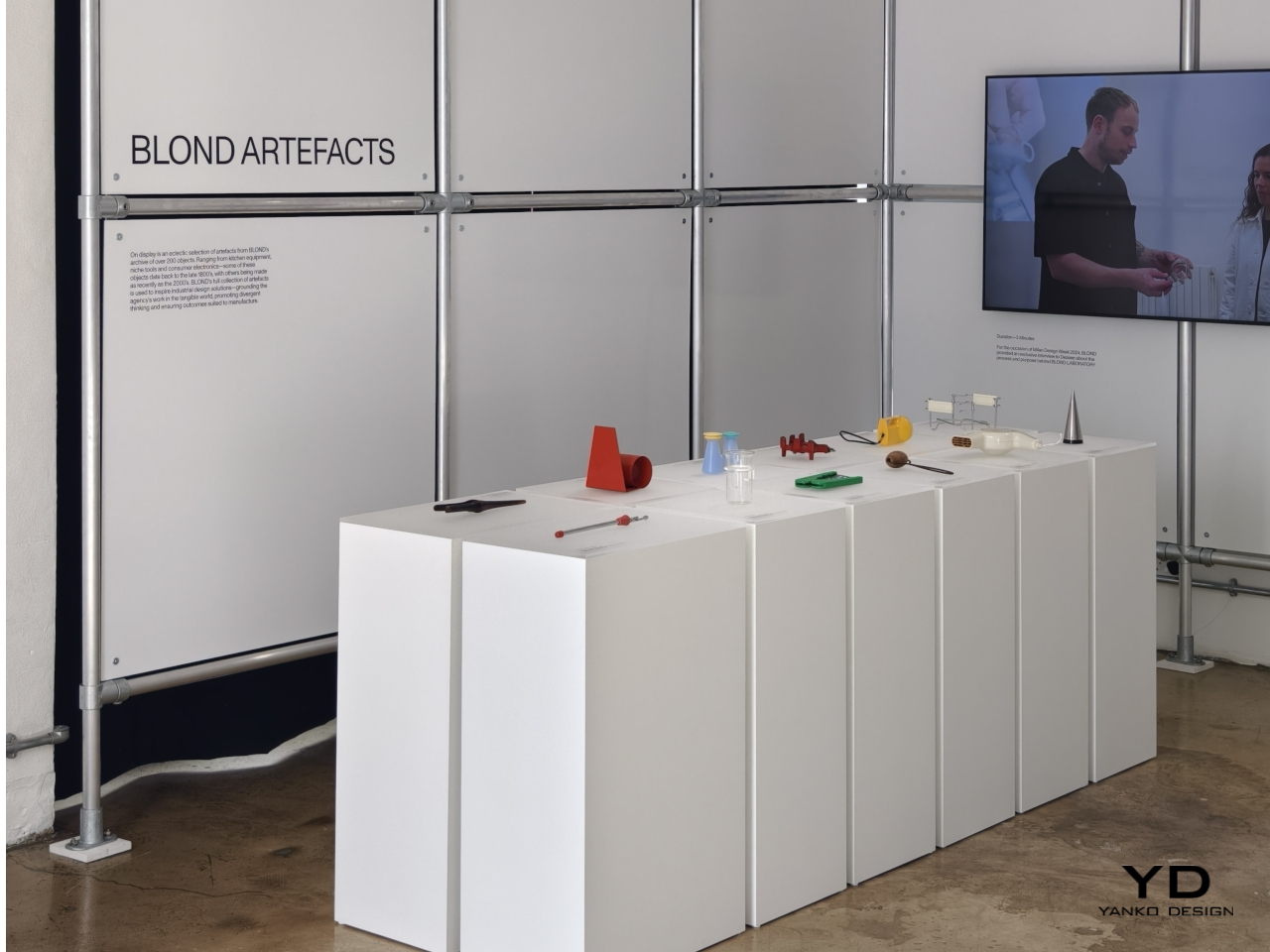
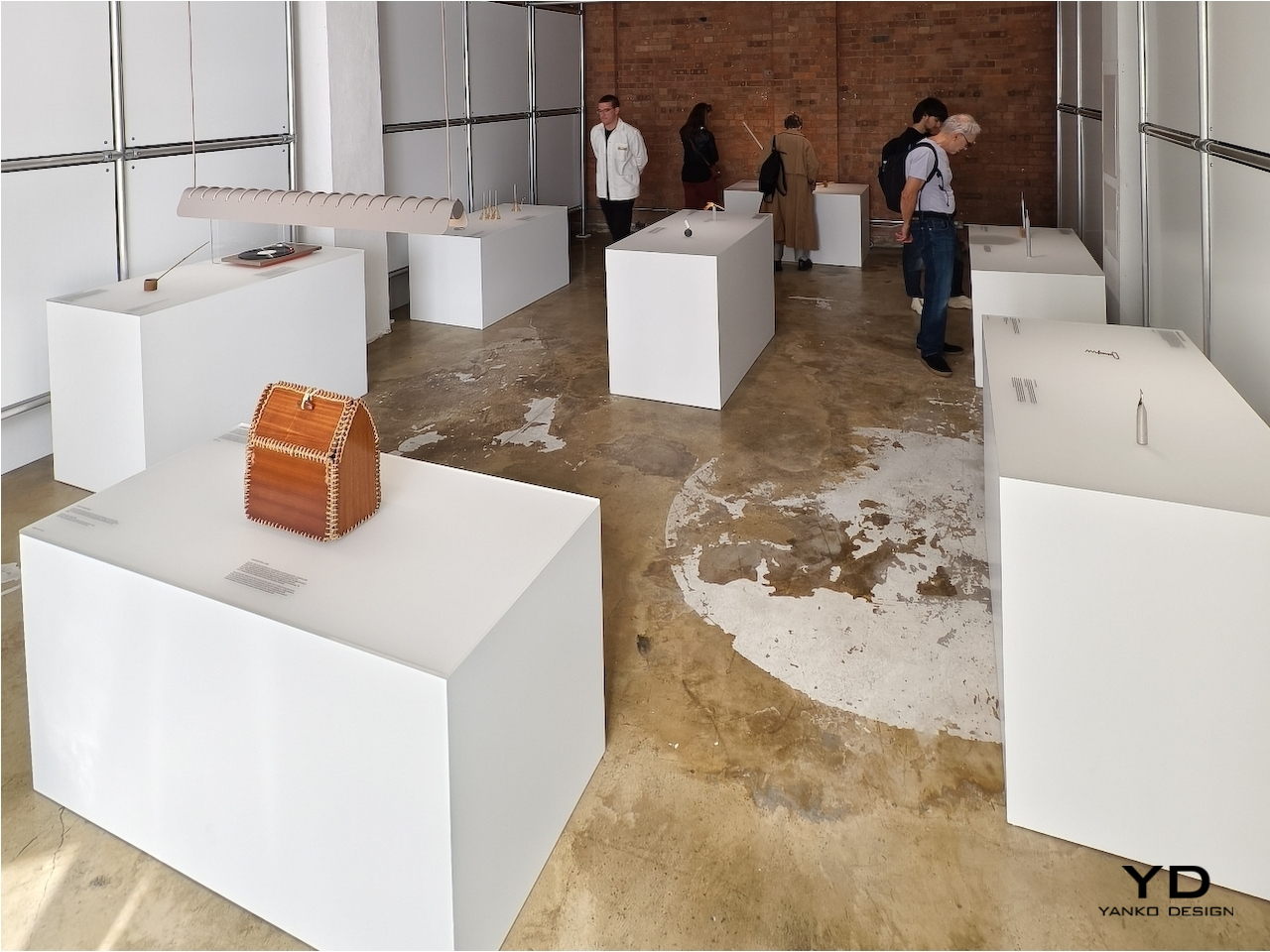
There are plenty of wise sayings about how the past guides our future, and nowhere is that perhaps more evident than in the design and fashion industries. “Retro” might seem like a passing fad, but this isn’t the first time that the design pendulum has swung back to the past for inspiration. This homage to the designs of our predecessors may be the guiding spirit behind famed London-based design studio BLOND’s ARTEFACT initiative, taking objects that are no longer in production or even in use and reimagining them in a completely different light. At the London Design Festival this week, the BLOND LABORATORY challenged a stellar roster of international designers and studios with this quest, and here are the responses that give these “offline” products a new kind of life in this modern world.

Designer: BLOND
From Us With Love: Mallet Flashlight
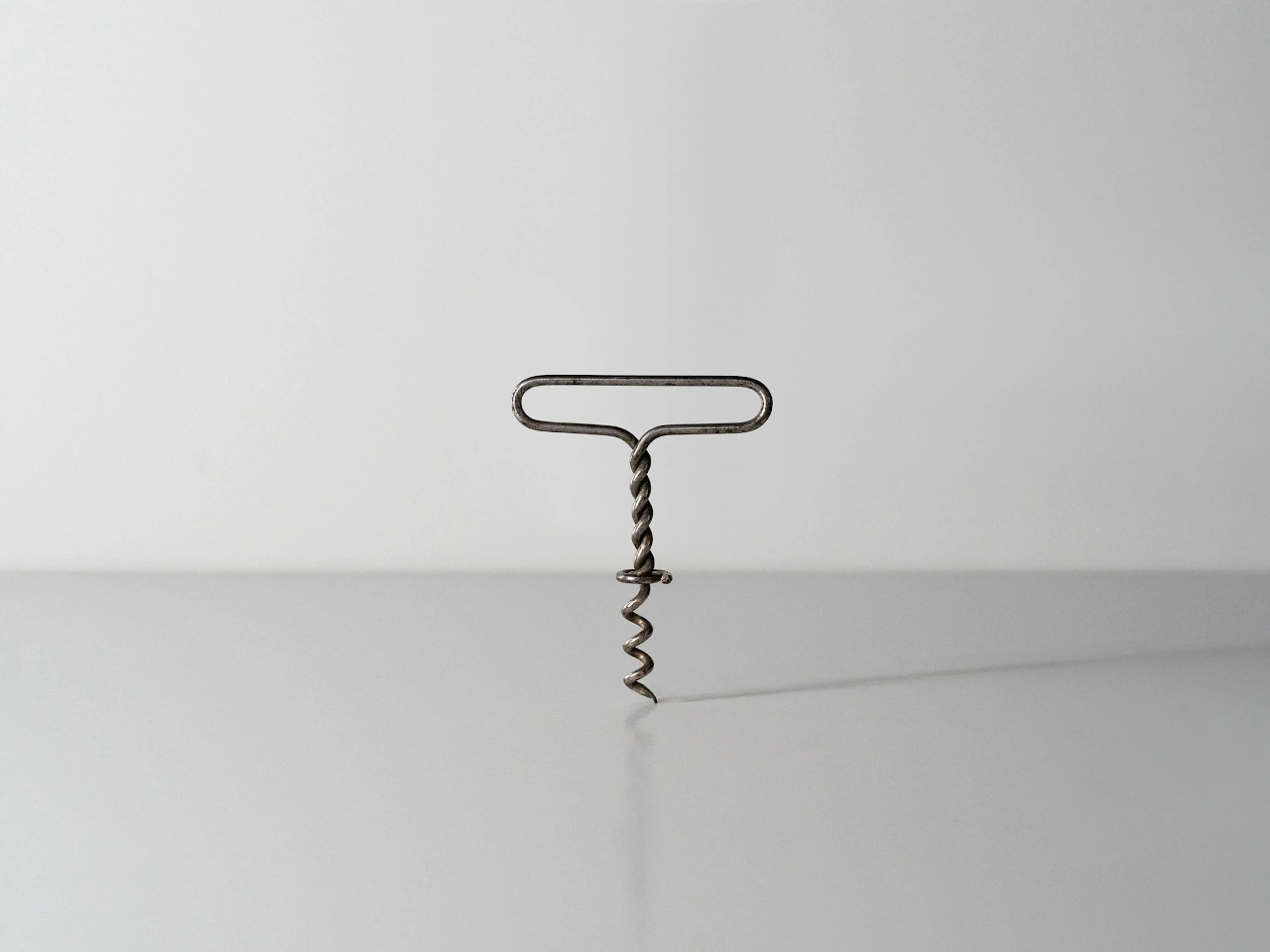
Opening wine bottles today is as easy as turning a cap, but true connoisseurs still prefer the classic cork that is just as difficult to remove as in the old days. Of course, we have it easy today as well with more modern tools, but the traditional corkscrew and its menacing metal spiral has always been the weapon of choice for that task. Even older designs used a single bent rod of metal, which is probably not as comfortable to use as those with wooden or even plastic handles.

Designer: From Us with Love
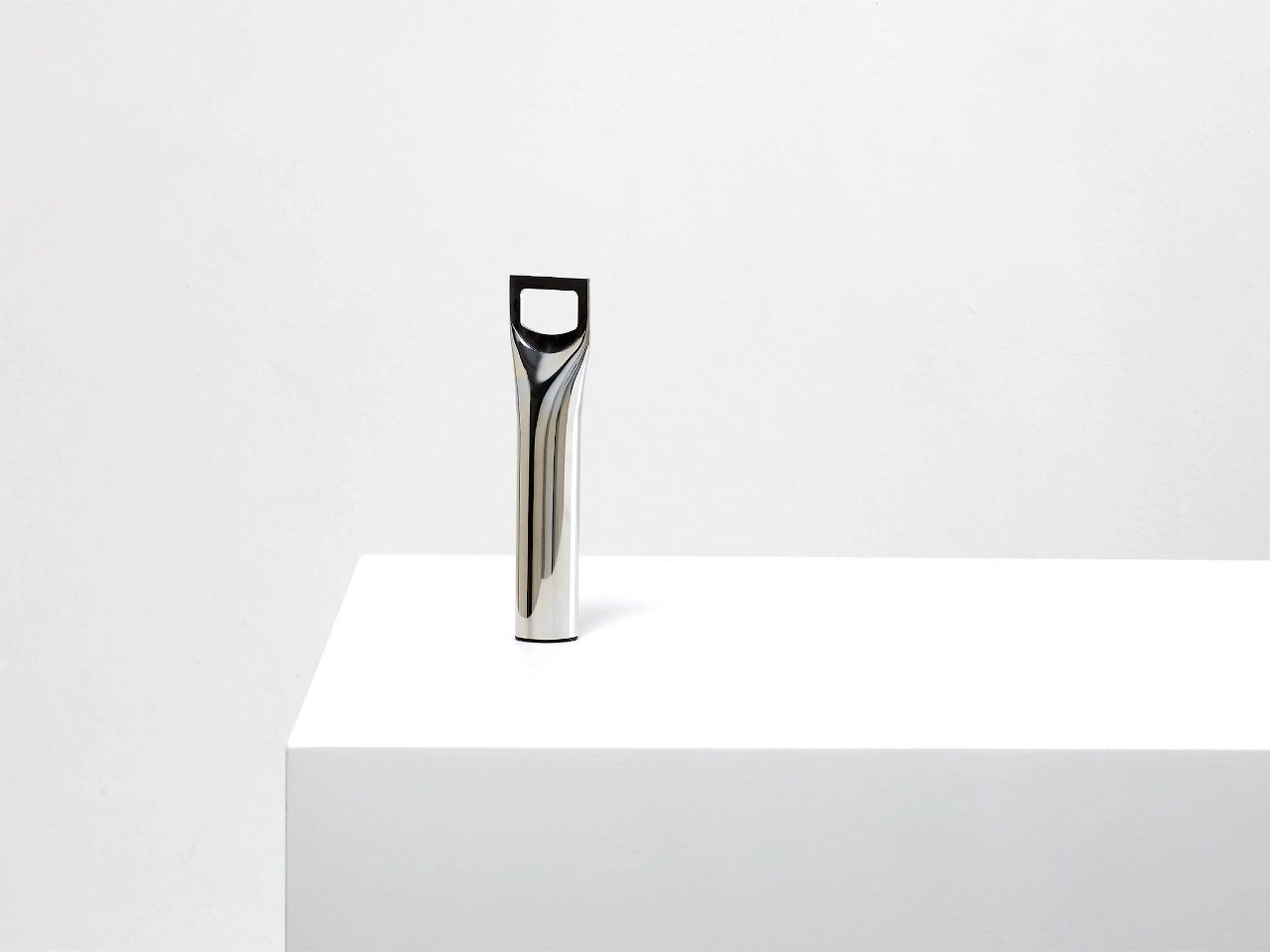
Turning something crude into an art object is the feat that From Us With Love accomplished. Taking a single rod of metal, flattening its top, and cutting out a hole in the middle resulted in a simple yet functional bottle opener. It embraces the functional minimalism of the old-school corkscrew and imbibed with the elegance of modern tools, a true retro design if there ever was one.

Hirotaka Tako: Marking Gauge Ikebana Lamp
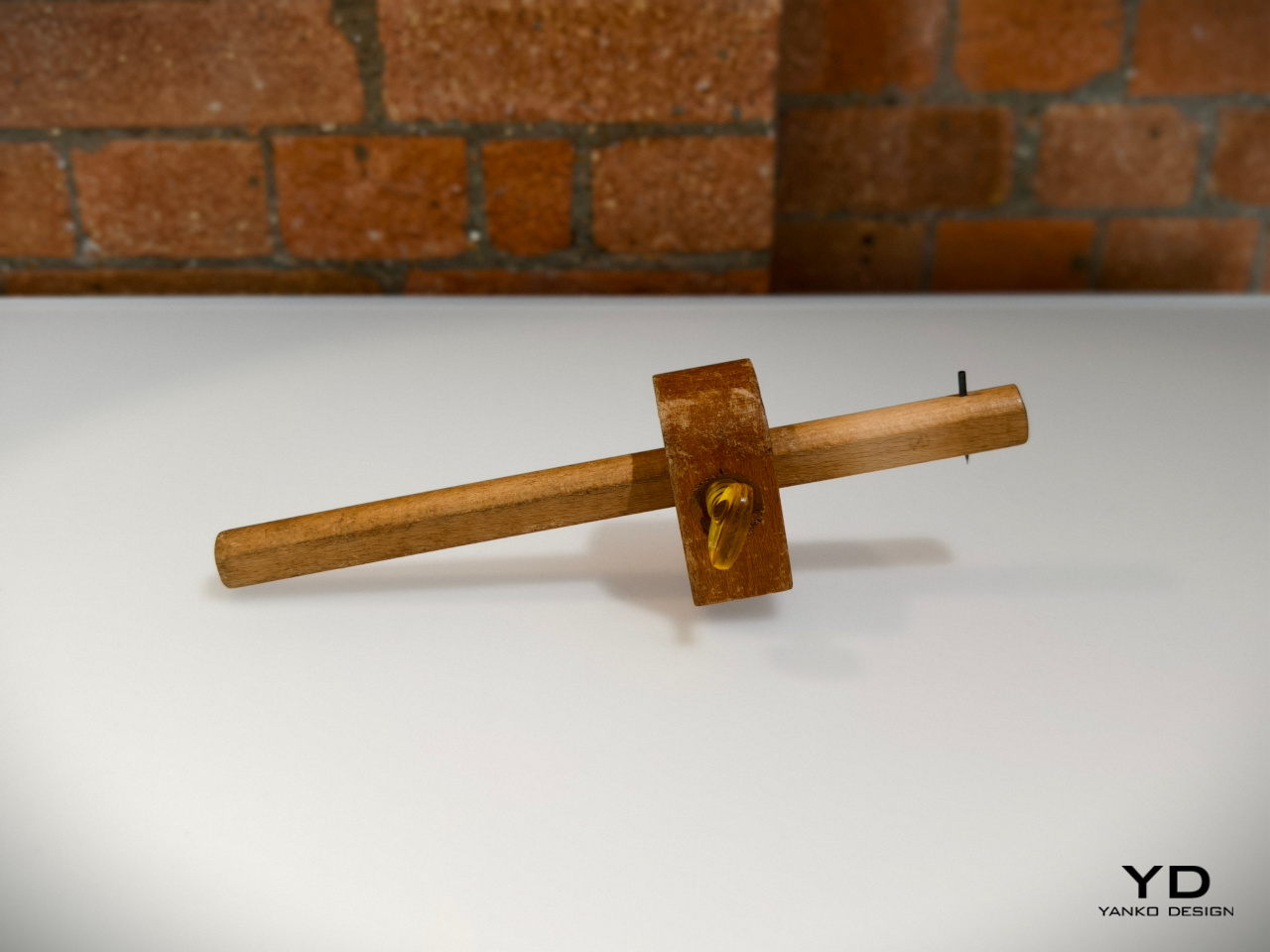
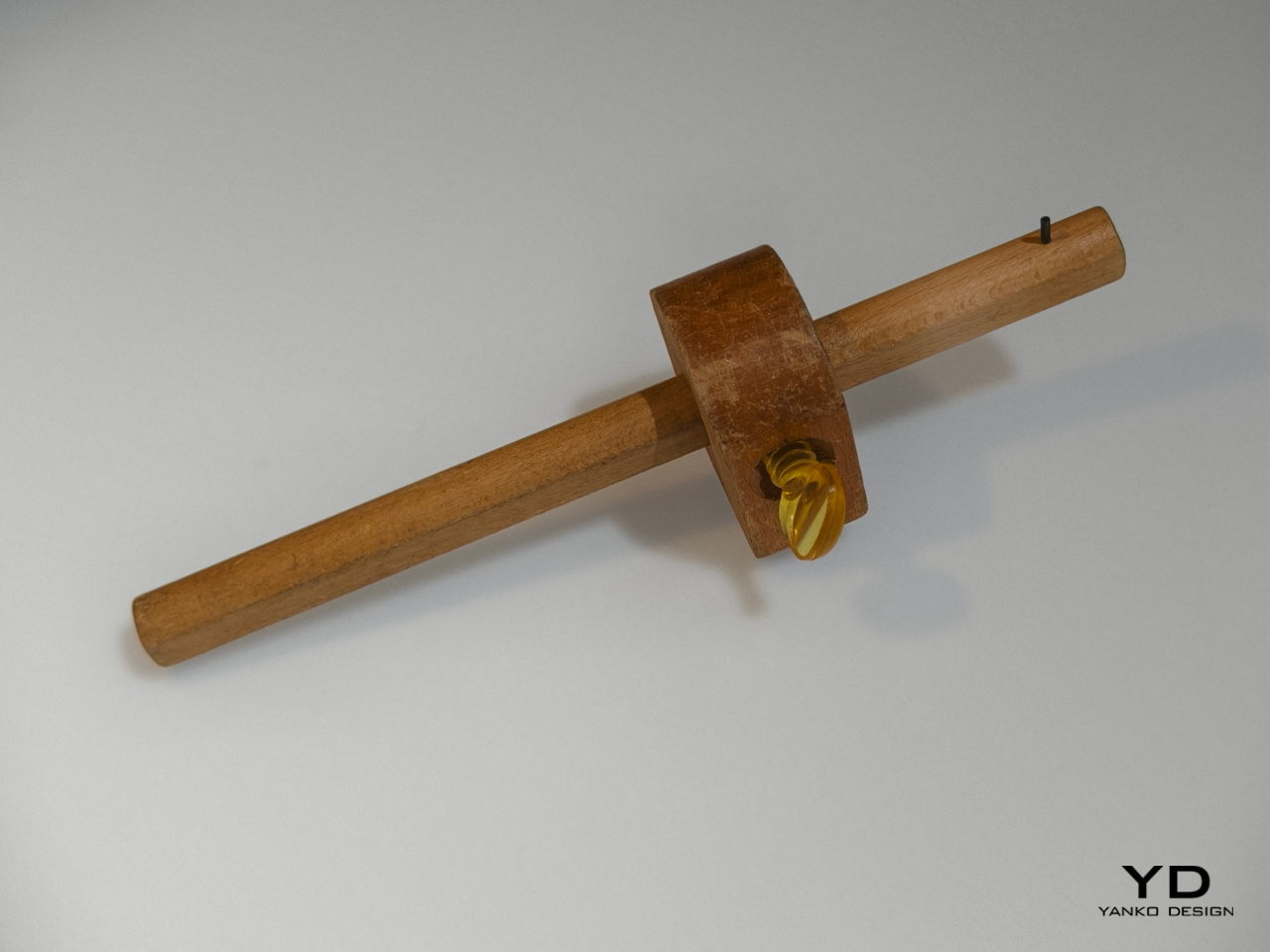
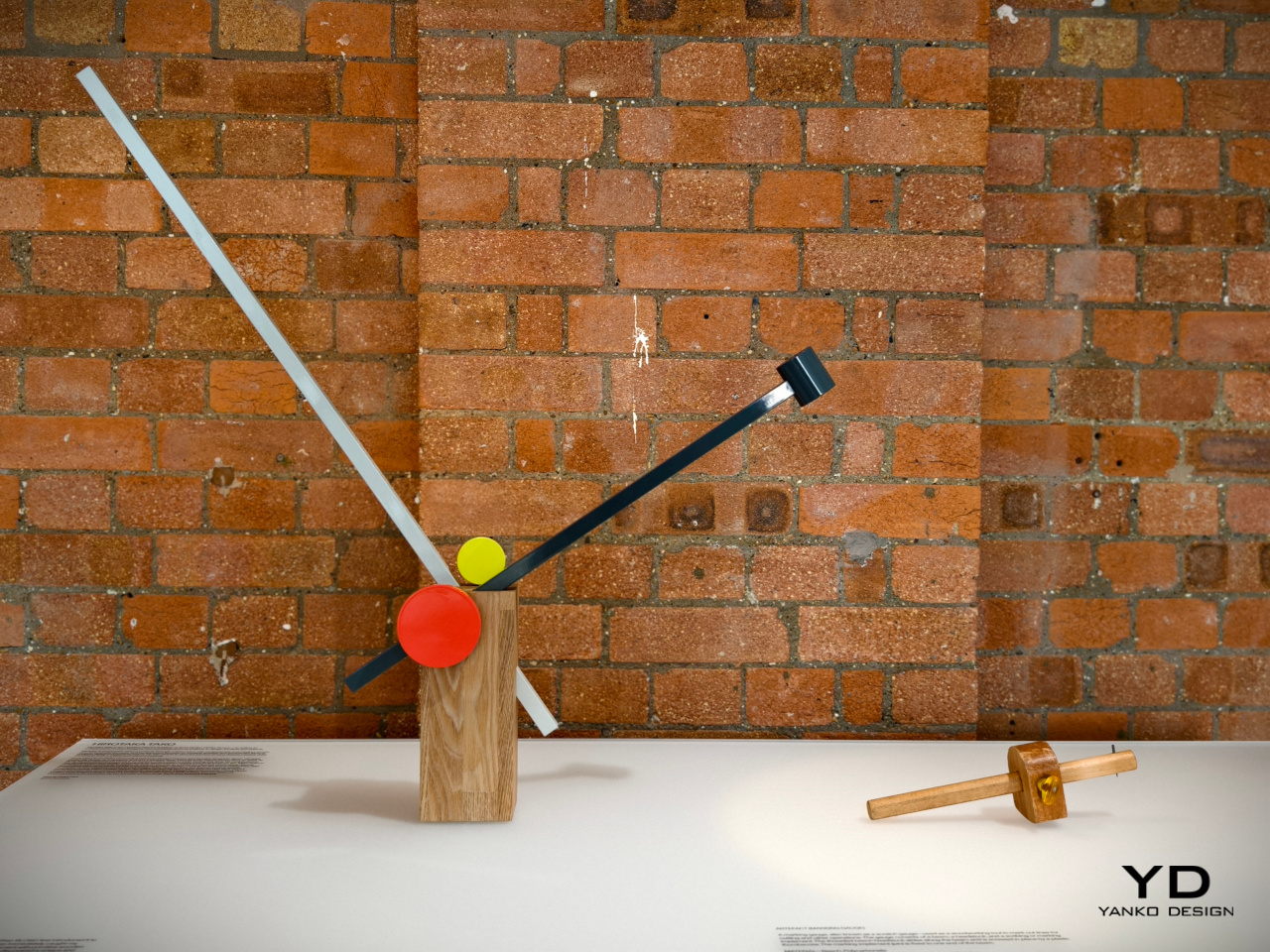
We enjoy a lot of convenient tools today that make it trivial to do things like measuring pieces of wood. In the old days before measuring tapes and meters, however, people had to make use of rather complicated tools that involved a wooden rod sliding inside a a block. This measuring gauge, though crude, created a rather interesting form that was not that different from a piece of art, which is exactly what inspired this rather geometric lamp design.

Designer: Hirotaka Tako
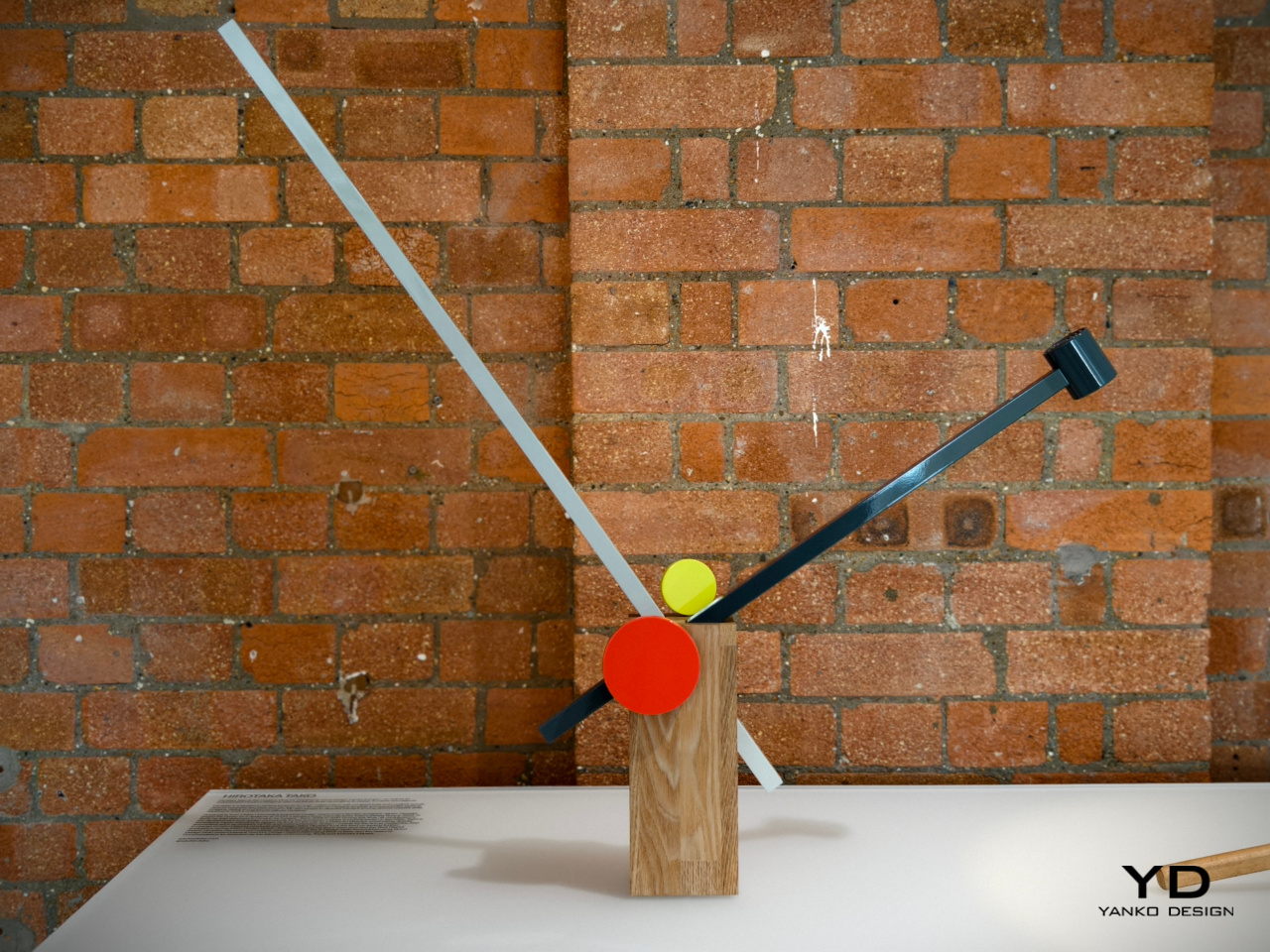
Taking inspiration from both this outdated tool as well as a Japanese art of floral arrangement, Hirotaka Tako designed a table lamp that similarly used the concept of inserting a long thin stick into something bigger. He likened the wooden rods to a flower stem inside a vase, exactly like an Ikebana arrangement. The result is a table lamp that is both functional and artistic, inspired by a tool that was anything but.

James Melia: Timber Basket Pendant Lamp
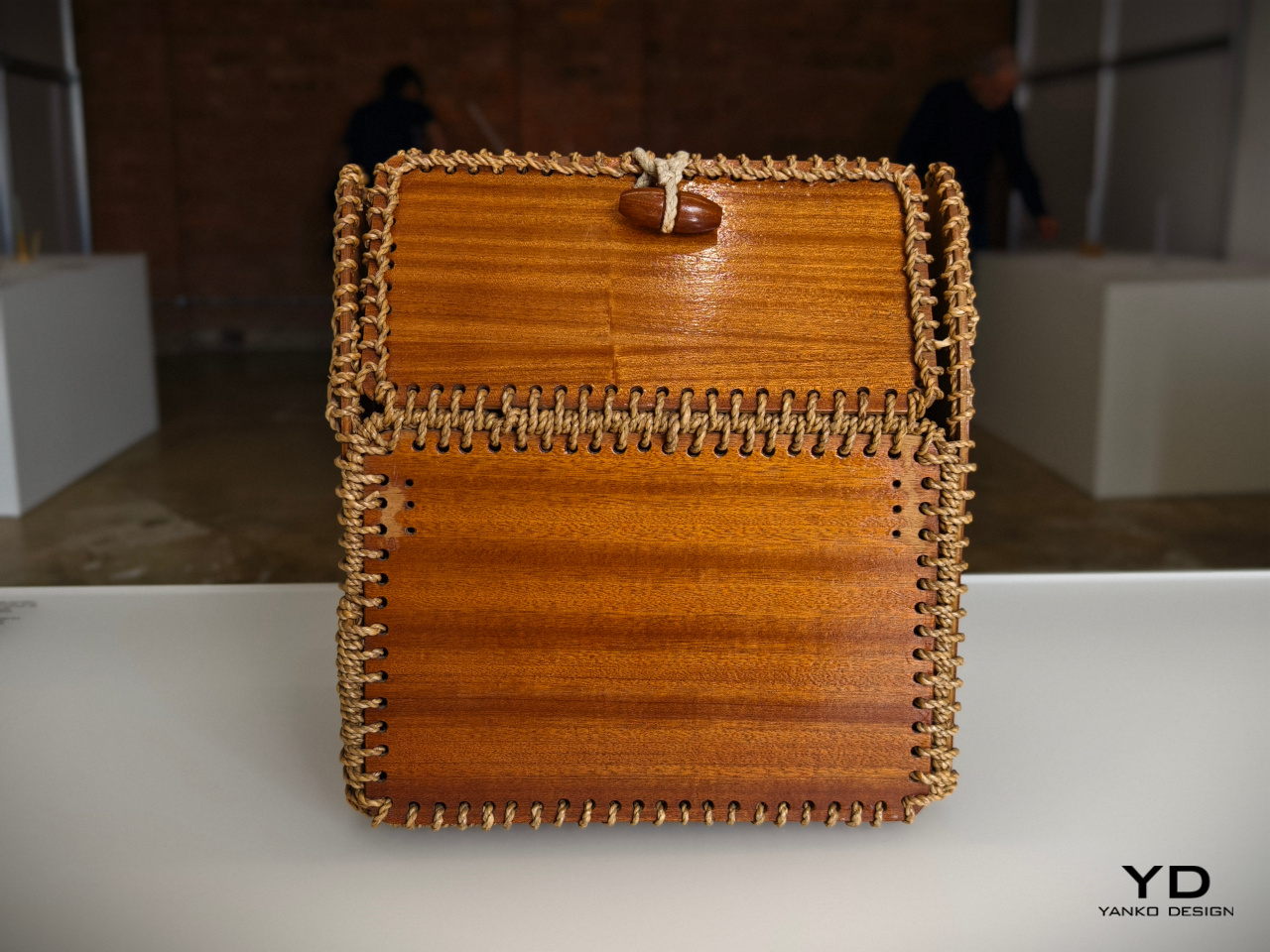
We take for granted the materials used to create modern products these days, not to mention the methods for making them. Today, we have machines that can print almost any shape imaginable, but past generations had to do things by hand, using stubborn and difficult materials. The rope patterns used to keep a timber basket together, for example, offered not only structural stability but also an interesting visual, one that can add a bit of a flair to an otherwise normal object.

Designer: James Melia
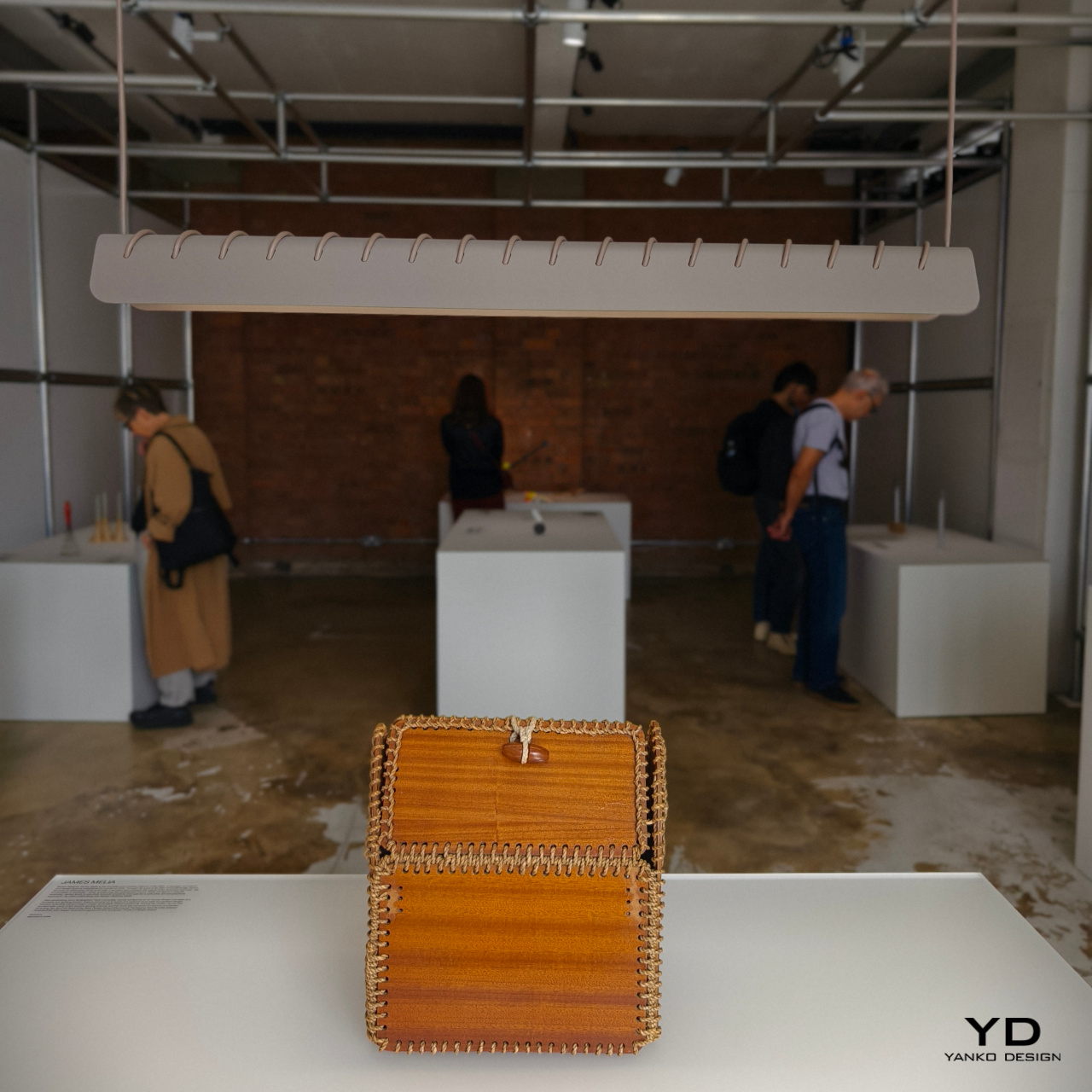
James Melia takes a hanging lamp’s power cord and stitches it along the length of its shade, creating a row of diagonal stripes that turns a plain lamp into an art object. That same cord is used to actually hang the lamp from a ceiling, reducing the number of parts involved in designing the lamp and creating a simpler and more sustainable design.

John Tree and Neal Feay: Tea Ladle Turntable
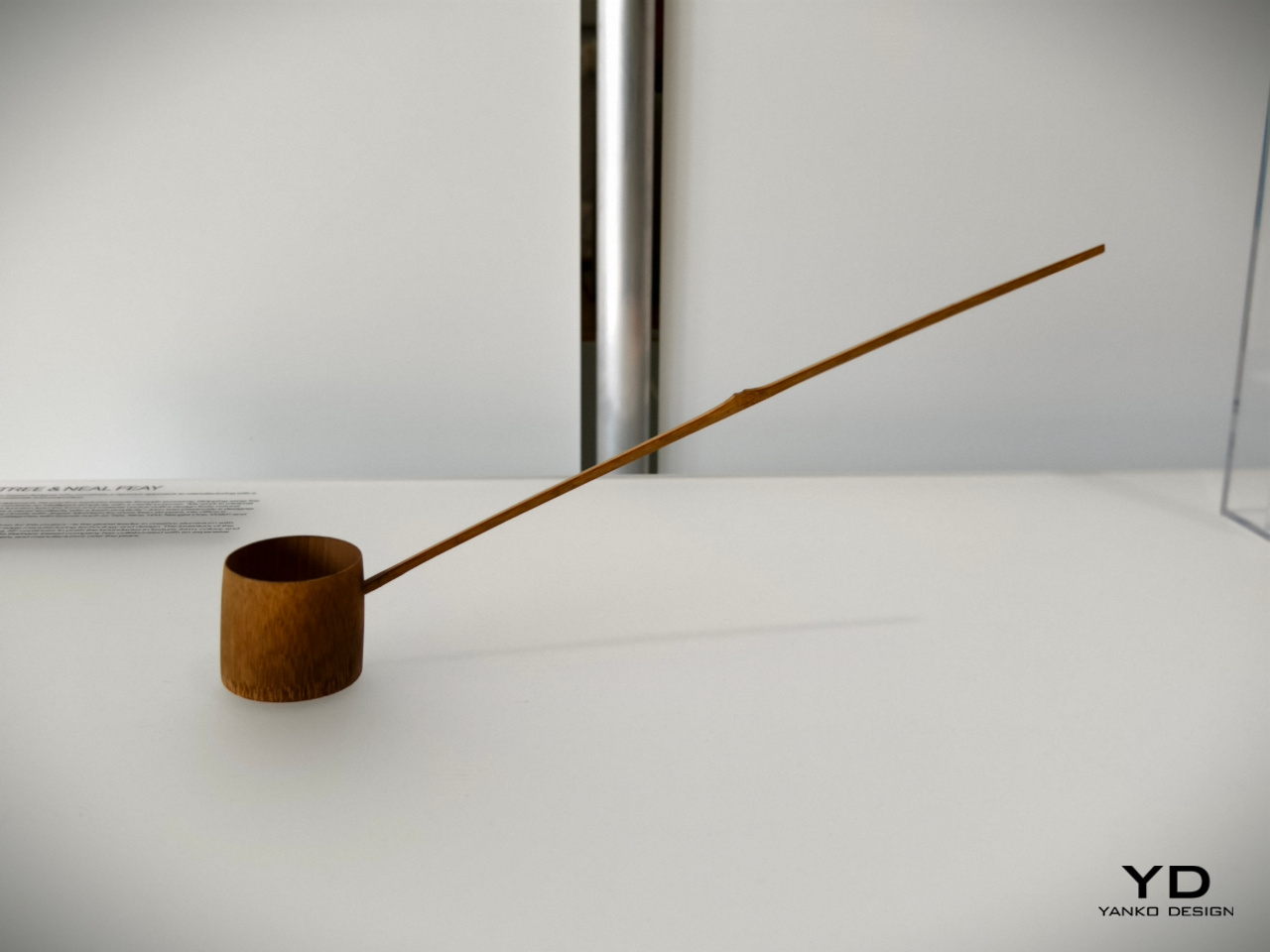
The Japanese are famed for their minimalist tools which are an art form in their own right. A simple scoop for tea powder, for example, takes the form of a bamboo ladle with a distinct charm. Though today’s tea lovers will probably use different tools, this traditional object still remains a staple in Japanese culture today as well as practices that recreate it. To some extent, it’s almost like the venerable turntable that has seen a renaissance and is getting some use even today.

Designer: John Tree x Neal Feay
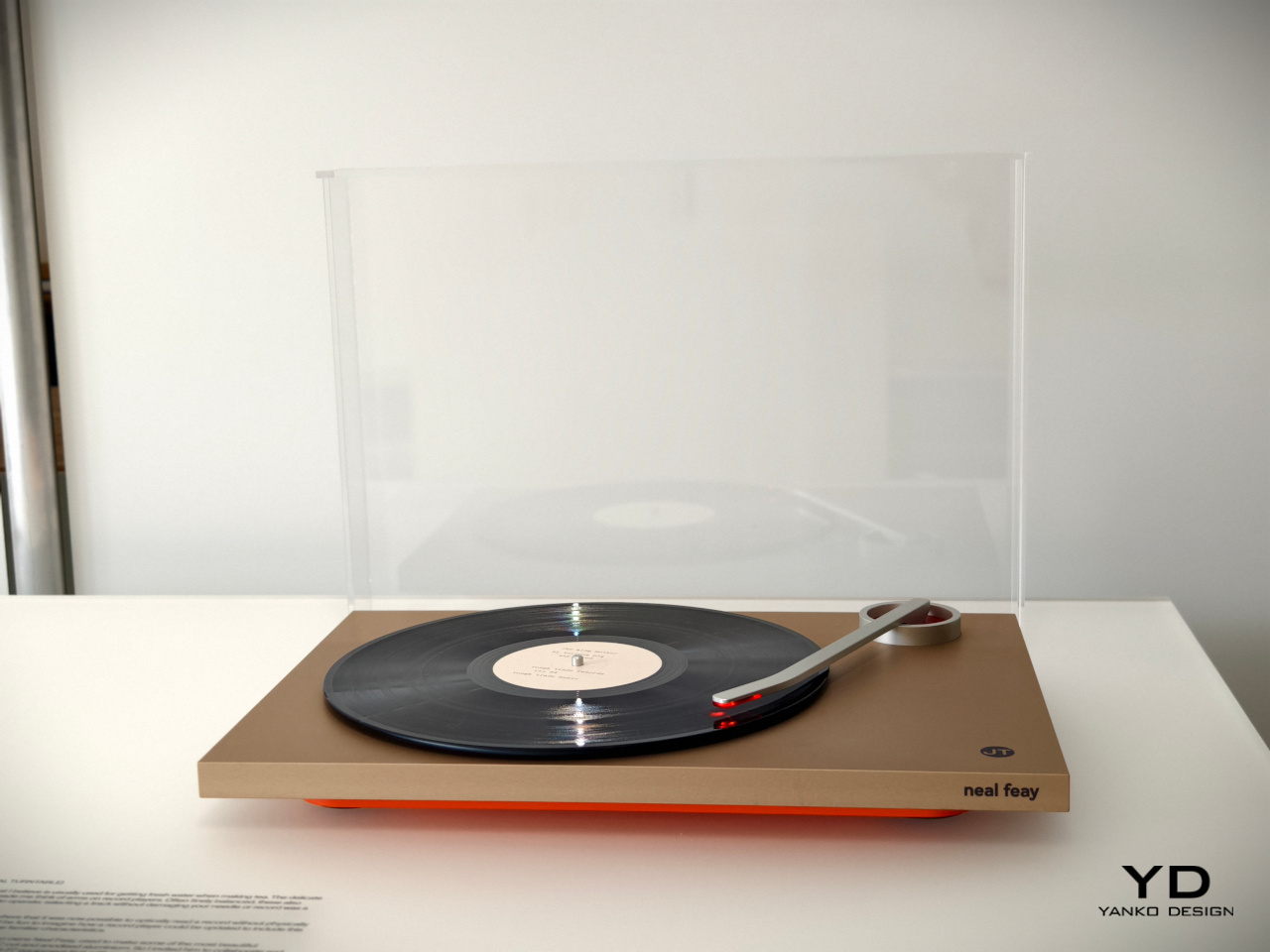
This optical turntable takes that delicate-looking bamboo tea ladle and transforms it into a turntable arm that preserves that spirit of gentleness. Rather than using a sharp pin to read the grooves of the platter, it uses light to avoid any physical contact and help preserve the vinyl material. It’s a gentle and delicate spin on a classic retro design, no pun intended.

Jon Marshall: Whisk Candelabra
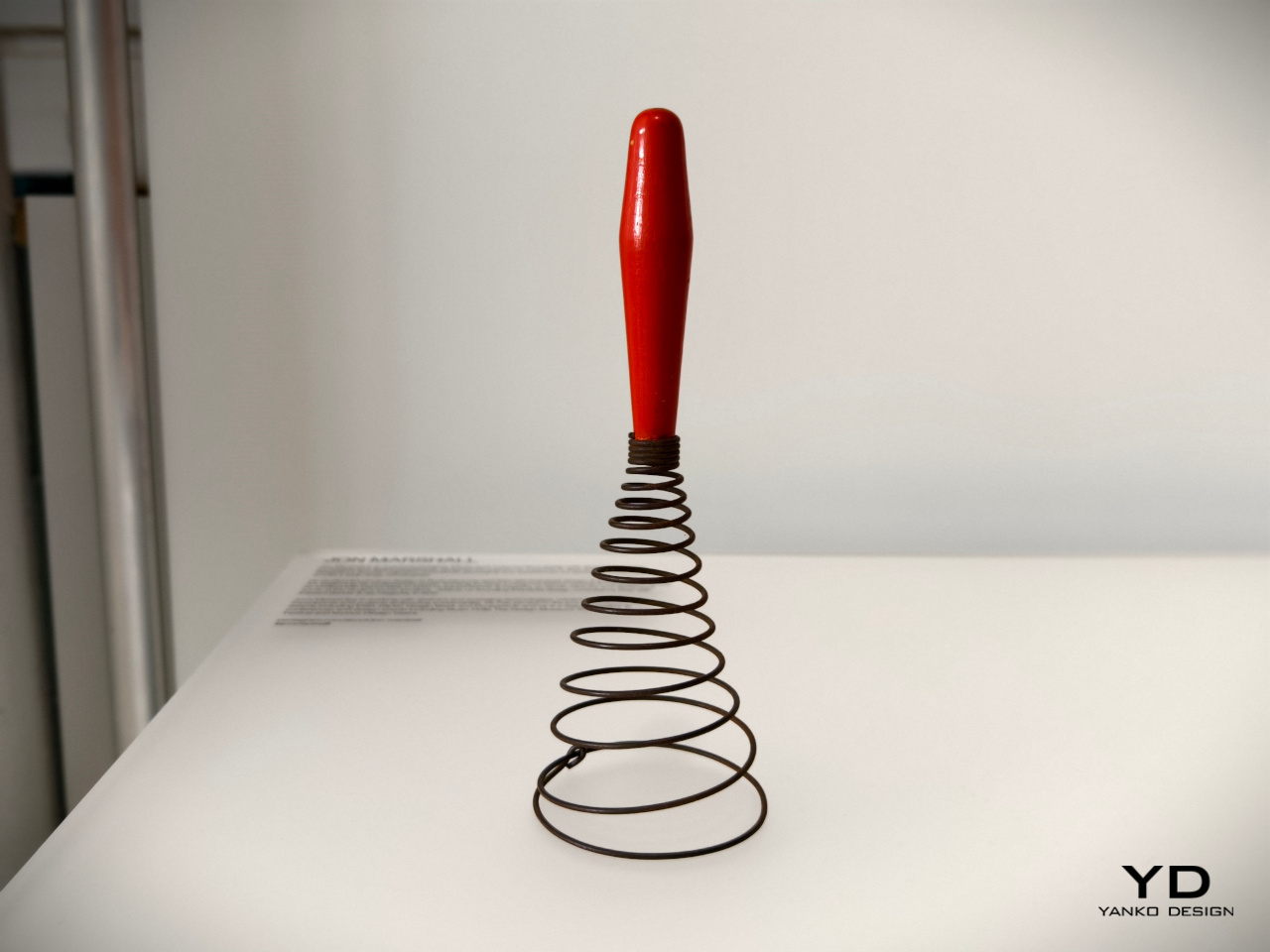
Today’s whisks are light, compact, and handy tools that use a few loops of bendable wire or plastic, a design that’s so far removed from the coiling iron wires of much older versions of the kitchen tool. Looking more like springs or even weapons, this antique whisk form isn’t very efficient at what it’s meant to do, but it admittedly looks novel and interesting to our modern eyes.

Designer: Jon Marshall
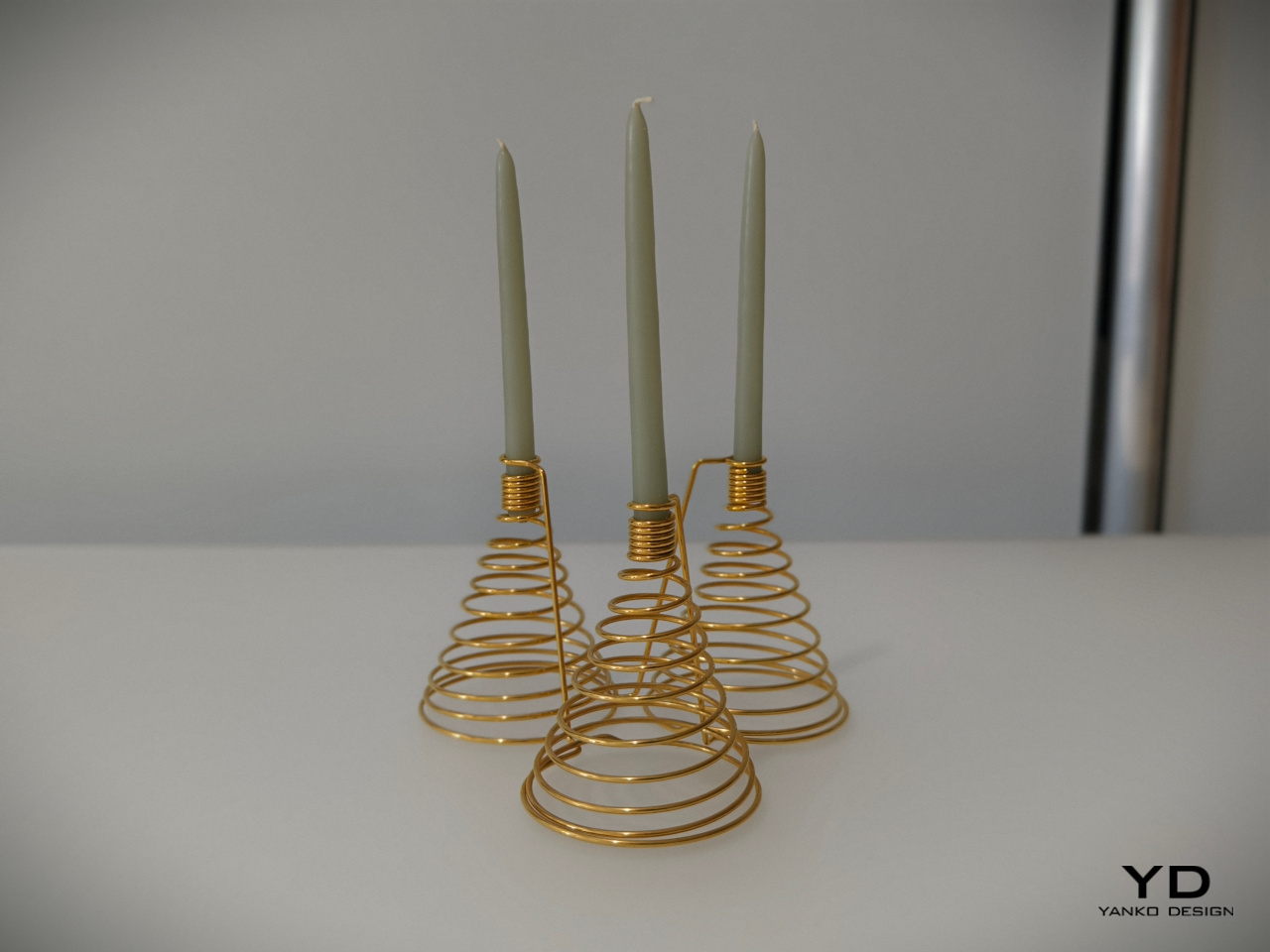
It might not make scrambled eggs, but this candelabra will definitely bring a bit of delight to your dinner table. The spiraling form of the base and the tight coils of the candle holder make for an interesting visual, but it’s when the candles are lit and the shadows dance that this rather luxurious-looking light fixture truly comes alive.

Julie Richoz: Balance Bird Balancing Lighter
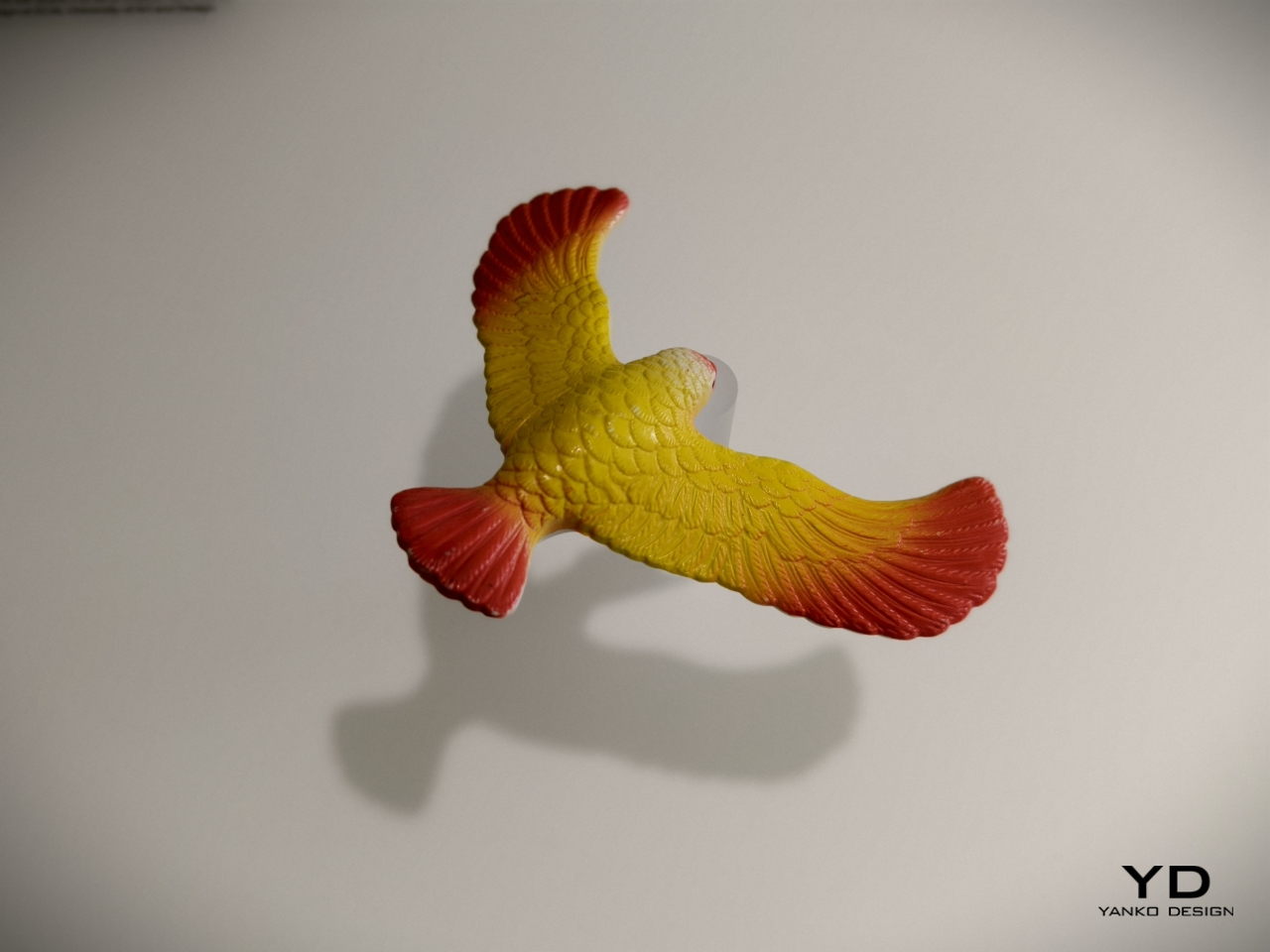
Kids tend to find science and math lessons boring until they encounter puzzles and feats that really blow their minds. Something as simple as a perfectly balanced eagle held up only by its beak is sure to pique curiosity, even those of adults. This ingeniously disguised pendulum is not an uncommon toy or desk ornament, but the same principles can be used to the same effect for other objects, including more utilitarian ones.

Designer: Julie Richoz
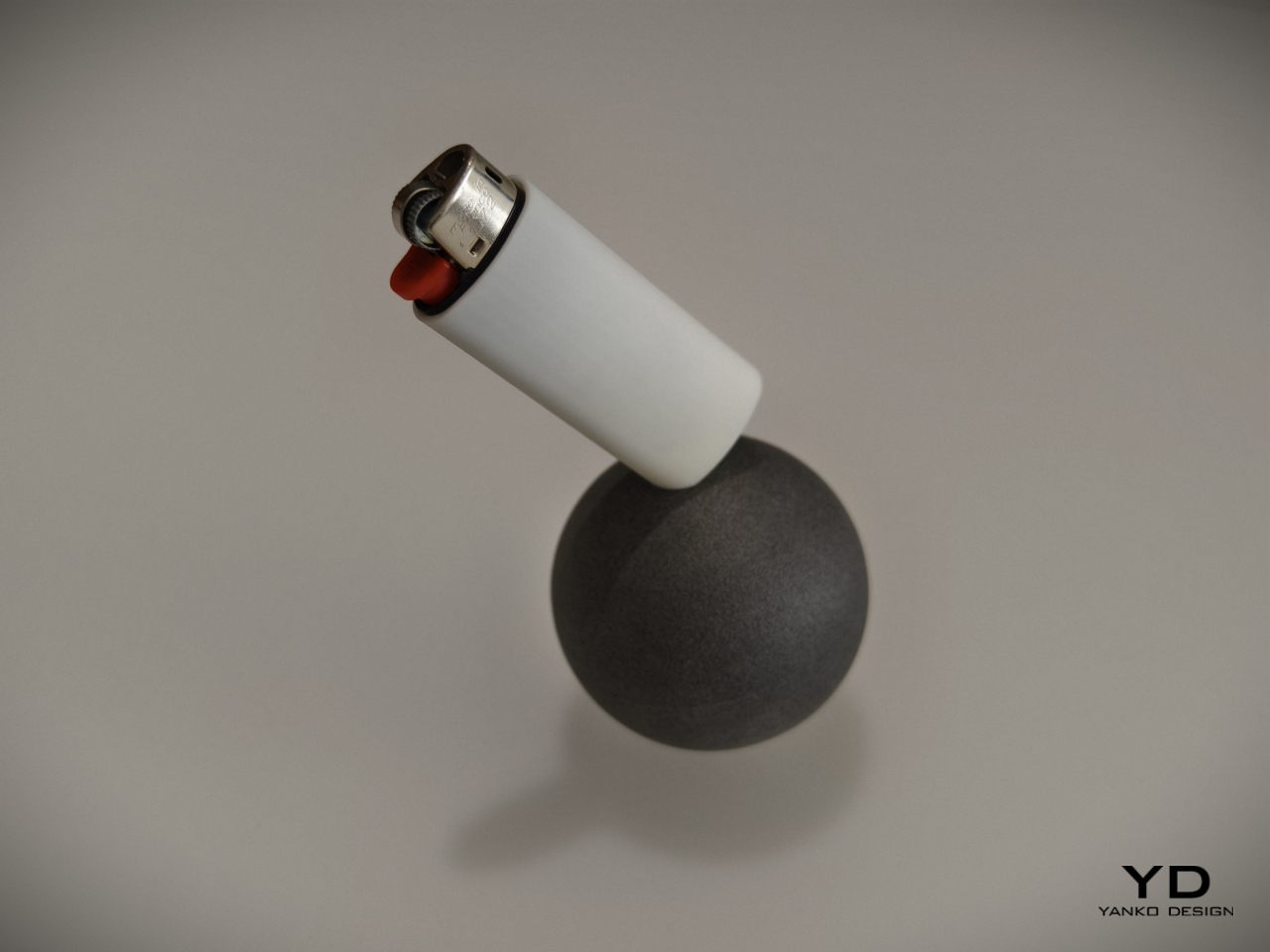
A lighter standing only one of its corners is definitely going to make you the talk of the party, and it provides not only an entertaining piece of decoration but also practical use. It will be easy to see if the lighter is missing from its base, and people who use it will be more likely to put it back on its perch just to marvel at its balancing act. It’s a very simple twist to a simple object but one that has a nontrivial effect on those who see it, all thanks to some inspiration from old objects we have taken for granted.

Maddalena Casadei: Mallet Flashlight
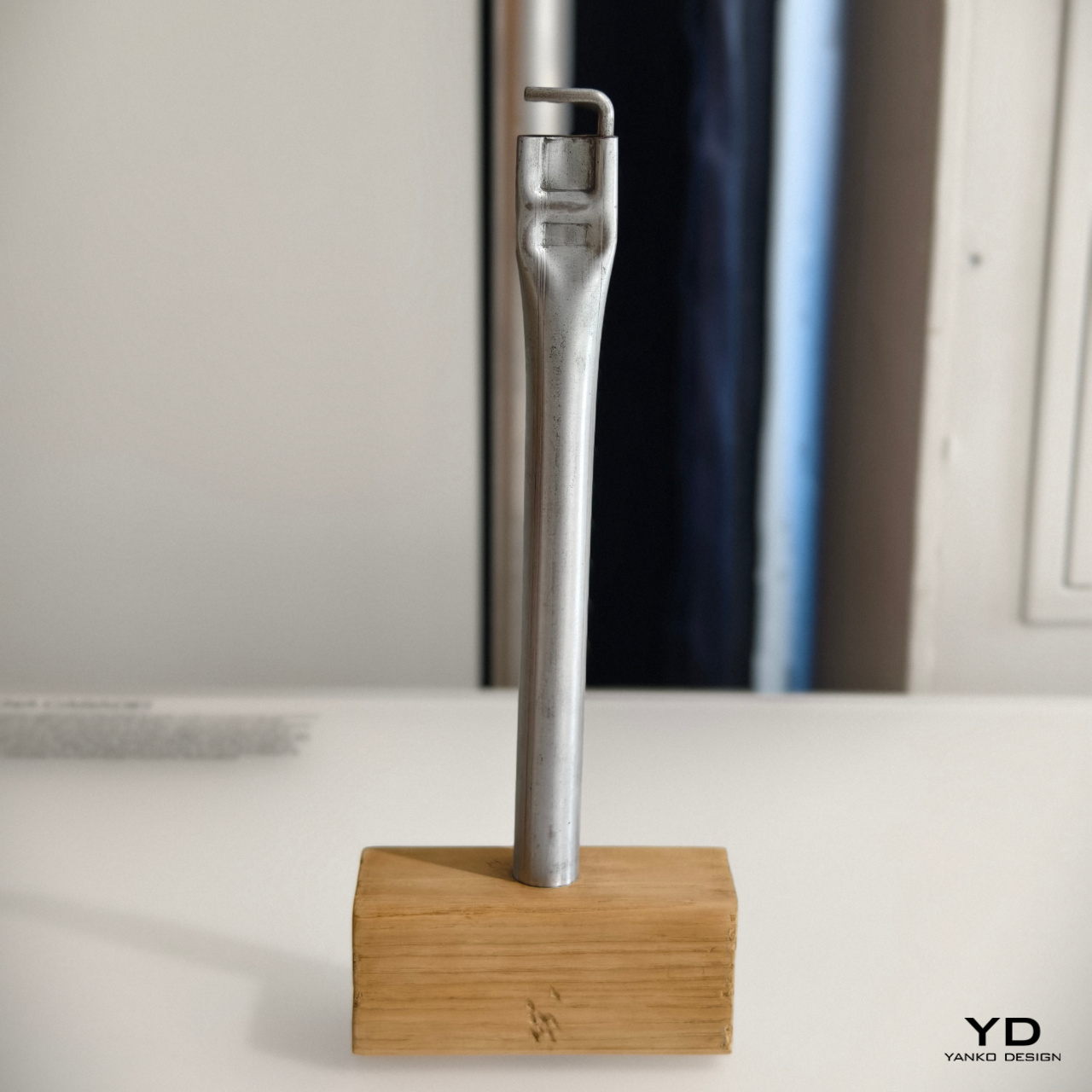
Most of us who have done any sort of handiwork may have used a hammer at one point in time or another. There are different kinds of hammers, of course, and one such type is the mallet. Often made with a heavy head to pound things flat, some old-school mallets would reverse the typical hammer design and use a steel rod handle with a wooden block for the head.

Designer: Maddalena Casadei
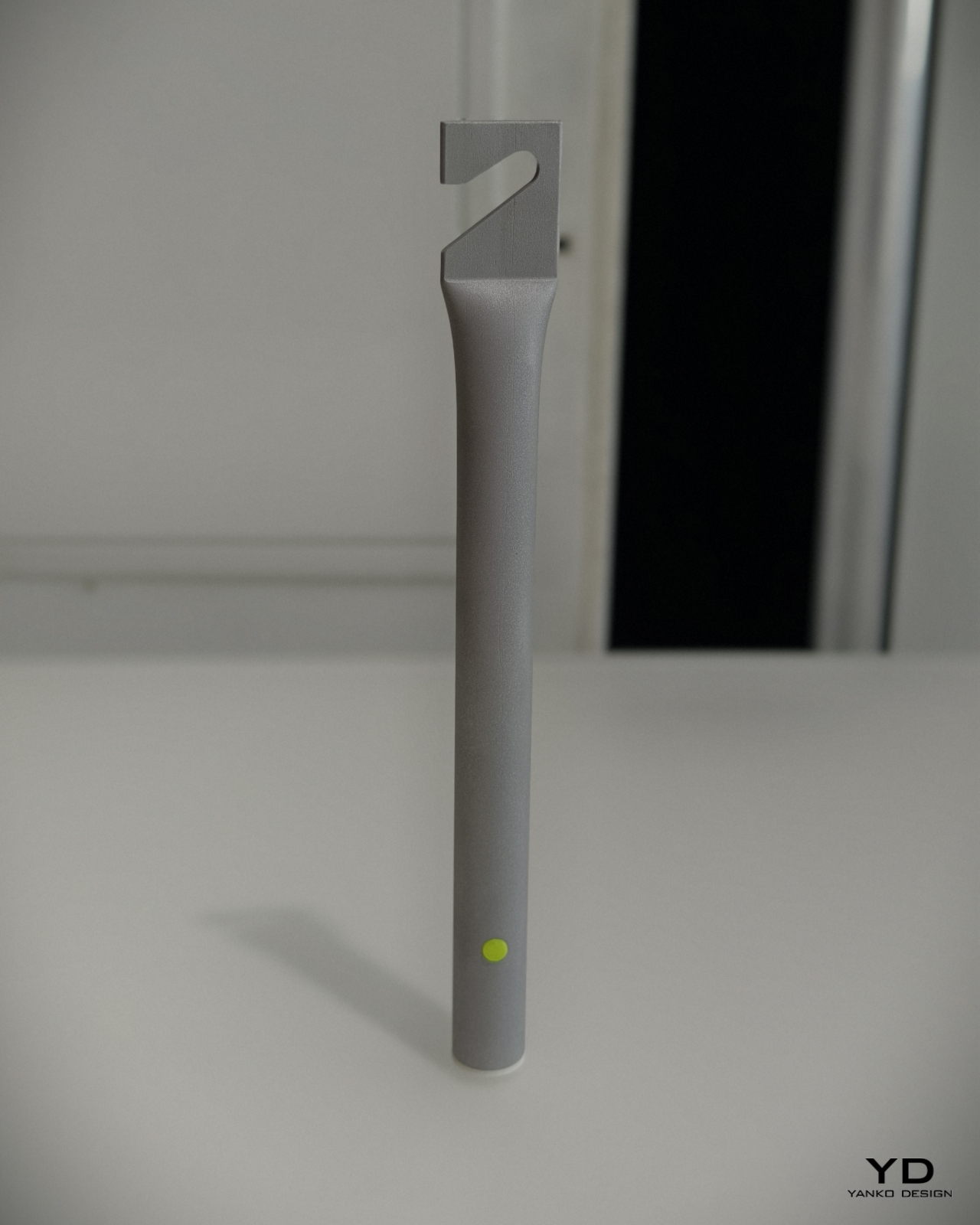
Maddalena Casadei took that raw-looking industrial metal handle to turn it into a cylindrical flashlight with similarly brutalist aesthetics. Instead of the wooden head, it has a small removable cone that serves as a diffuser for the light. On the opposite end is a flattened section with a hook that serves the same purpose as the hammer from decades ago: hanging the tool from walls or rods. It’s a rather interesting depiction of a flashlight that sheds off all the sleek and luxurious designs of its modern equivalents, embracing the utilitarian character of its inspiration.

The post BLOND LABORATORY at London Design Festival 2024 revives old designs in unexpected ways first appeared on Yanko Design.

Affordable, AI-Powered Audio: The Must-Have Wireless Microphone for Creators

AudioIn AI powered wireless microphone

Are you a vlogger, YouTuber, or influencer looking to elevate your audio game? The AudioIn AI powered microphone is here to transform your content creation experience. This compact wireless microphone is designed to provide crystal-clear sound and eliminate background noise, ensuring your voice is always heard loud and clear. Imagine having a microphone that learns […]

The post Affordable, AI-Powered Audio: The Must-Have Wireless Microphone for Creators appeared first on Geeky Gadgets.

iOS 18.1 Beta 4: You WON’T Believe What’s Changed!

iOS 18.1 Beta 4

The latest release of iOS 18.1 Beta 4 brings a wealth of exciting features and improvements designed to elevate your iPhone experience. This update focuses on refining existing applications and introducing new functionalities that cater to the evolving needs of users. From significant enhancements to the camera application to the introduction of call recording and transcription […]

The post iOS 18.1 Beta 4: You WON’T Believe What’s Changed! appeared first on Geeky Gadgets.

‘We’ve got to make it happen’: How Apple designed AirPods 4 for effective ANC

The AirPods story actually begins with the iPod.

With Apple’s popular personal music player, the company shipped its first set of earbuds. Sure, they were wired and very basic, but the accessory laid the groundwork for what would eventually become AirPods. Along the way, the EarPods would be bundled with the iPhone in 2007, and a 2012 redesign produced something more akin to what would eventually become the first-gen AirPods in 2016. The work the company did to improve the fit of EarPods continues to pay off as Apple prepares to ship the noise-canceling AirPods 4.

“We had started trying to learn a bit about human physiology and what shapes would fit better in people's ears,” Apple’s Vice President of Hardware Engineering Kate Bergeron told me about those early days. “We started doing some MRI scans and trying to figure out how to gather data, but we didn't have a sense of how many scans we'd be looking for, or how many different kinds of ears we needed.”

Over the years, Apple has developed more efficient methods for gathering data, so it was able to build out its database of ear shapes quicker than in the early days of EarPods. Bergeron explained that she expects the company to be “continuing that journey” forever when it comes to developing new versions of AirPods.

The AirPods 4 have a smaller case than the third-gen version.
Billy Steele for Engadget

During what Bergeron described as “the dark days of COVID,” a small group from the AirPods team was trying to solve a dilemma. They wanted to bring effective active noise cancellation (ANC) to the open design of the “regular” AirPods. The crew had already successfully done so on two models of the AirPods Pro and on the AirPods Max headphones. But this time around, it was essential that the open nature of the AirPods remain while also providing the technology to block out distractions.

So in 2021, over the course of several days, Bergeron and AirPods marketing director Eric Treski met up at one of Apple’s acoustic labs for a demo. At that point, the team was unsure if they had anything viable, but they wanted the executive’s feedback on it nonetheless.

“We were just blown away,” Bergeron recalled. “We said ‘we absolutely have something here, we need to go after this and we’ve got to make it happen.’” Acoustic and computational work that was required for an effective ANC algorithm was happening simultaneously with iterations on improving the fit and overall comfort for the AirPods 4.

After testing the AirPods 4, I can say that the fit and comfort have improved since the third-gen model. But Apple also expanded the earbuds’ capabilities with the H2 chip and microphones from the AirPods Pro 2. This combination of advanced tech enables Apple to continuously monitor fit in a user’s ear, updating the ANC algorithm in real time so that the noise blocking is still effective even as the AirPods move around.

“It’s even computationally more intense in many ways than it is with the AirPods Pro,” Bergeron said. “The ear tip gives you a fit that’s pretty consistent.”

Apple’s journey with ANC began with the development of the first-generation AirPods Pro that debuted in 2019. Effective active noise cancellation was usually more common on over-ear headphones, with a few exceptions, but Apple realized that making a distraction-free listening experience “pocketable” was attractive to its users. Of course, the company would follow up with its own headphones, the AirPods Max, before the powerful second-gen AirPods Pro.

Treski explained that the ANC setup, or the third generation of Adaptive EQ as he described it, is constantly managing and adjusting any equalizers for both active noise cancellation and audio quality at the same time – and in real time. So in addition to the revised shape, the acoustic architecture of the AirPods 4 is also instrumental in providing effective ANC on the open earbuds.

“It’s really, really hard to create this great ANC quality in a non-ear-tip product,” he said. “The power of the H2 allows that, so we’re actually doing a lot with the H2 chip to manage ANC quality and listen from the mics for environmental noise to make sure we’re canceling as much as possible.”

Apple refined the shape on the AirPods 4 for a better fit.
Billy Steele for Engadget

The lack of an ear tip on the AirPods 4 also creates a challenge for transparency mode. Treski noted that it’s “arguably even harder” than mastering ANC on open earbuds since you’re having to blend ambient sound from the microphones with what you’re hearing naturally through your unplugged ears. There’s a perfect mix that will seem real to your brain, but also it has to all be done with extremely low latency so the automatic adjustments don’t lead to any delays in what comes through the AirPods.

The new shape for the AirPods 4 also provided an opportunity to improve overall sound quality on the earbuds. The front end of the buds, which Bergeron revealed the team calls the “snorkel,” is very different from the AirPods 3. Since the previous model was more open, she said, the engineers had more freedom to operate. With the new version, the driver had to be adjusted so that it didn’t reflect sound to the internal microphone that monitors noise inside your ear. That’s why the drivers are now pointed down your ear canal, and why they’re slightly recessed.

“In order to get the improved fit, that necessitated adjusting the driver and the front of the product,” she said. “The mechanical engineers are doing the packaging of the entire product, trying to fit everything in. Acoustic engineers are saying, ‘okay, based on those constraints, this is the best place that we can put the driver.’”

The design overhaul on the AirPods 4 extends to the case as well. Apple was able to slim down the accessory while also simplifying how you interact with it. The end result is “the same magic experience,” Bergeron noted, but the lack of a button allowed engineers to eliminate overall thickness and rely on an accelerometer. Removing the button also gets rid of one place where liquid could potentially get in, so the case has the same IP54 rating as the new AirPods.

“We get a double win there for sure,” Bergeron said.

This article originally appeared on Engadget at https://www.engadget.com/audio/headphones/weve-got-to-make-it-happen-how-apple-designed-airpods-4-for-effective-anc-130008844.html?src=rss

Stay Connected, Not Distracted with the Balance Phone

distraction free mobile phone

In today’s hyper-connected world, finding a balance between staying connected and avoiding digital distractions can be challenging. Enter the Balance Phone, a innovative distraction-free smartphone designed to promote digital well-being. This device offers essential functionalities while blocking distracting applications, allowing you to stay focused and connected without unnecessary interruptions. Balance Phone Key Takeaways Balance Phone […]

The post Stay Connected, Not Distracted with the Balance Phone appeared first on Geeky Gadgets.

From Novice to Pro: The Firstess DP200 Welder Has You Covered

Are you ready to elevate your welding game? The YesWelder Firstess DP200 MIG Welder is here to transform your welding experience, whether you’re a novice or a seasoned professional. This powerhouse machine combines innovative technology with user-friendly features, making it the ultimate tool for a wide range of welding tasks. Imagine having a machine that […]

The post From Novice to Pro: The Firstess DP200 Welder Has You Covered appeared first on Geeky Gadgets.

Apple iPhone 16 and iPhone 16 Plus review: Closing the gap to the Pro

The “regular” iPhone has become like a second child. Year after year, this model has gotten the hand-me-downs from the previous version of the iPhone Pro – the older, smarter sibling. The iPhone 15 received the iPhone 14 Pro’s Dynamic Island and A16 Bionic processor, and the iPhone 14 before that got the A15 Bionic chip and a larger Plus variant with the same screen size as the iPhone 13 Pro Max. For the iPhone 16 ($799 & up), there are trickle-down items once more. But this time around, that’s not the entire story for the Apple phone that’s the best option for most people.

Surprisingly, Apple gave some of the most attractive features it has for 2024 to both the regular and Pro iPhones at the same time. This means you won’t have to wait a year to get expanded camera tools and another brand new button. Sure, Apple Intelligence is still in the works, but that’s the case for the iPhone 16 Pro too. The important thing there is that the iPhone 16 is just as ready when the AI features arrive.

So, for perhaps the first time – or at least the first time in years – Apple has closed the gap between the iPhone and iPhone Pro in a significant way. ProRAW stills and ProRES video are still exclusive to the priciest iPhones, and a new “studio-quality” four-microphone setup is reserved for them too. Frustratingly, you’ll still have to spend more for a 120Hz display. But, as far as the fun new tools that will matter to most of us, you won’t have to worry about missing out this time.

Another year has passed and we still don’t have a significant redesign for any iPhone, let alone the base-level model. As such, I’ll spend my time here discussing what’s new. Apple was content to add new colors once again, opting for a lineup of ultramarine (blueish purple), teal, pink, white and black. The colors are bolder than what was available on the iPhone 15, although I’d like to see a blue and perhaps a bright yellow or orange. Additionally, there’s no Product Red option once again — we haven’t seen that hue since the iPhone 14.

The main change in appearance on the iPhone 16 is the addition of two new buttons. Of course, one of those, the reconfigurable action button above the volume rockers, comes from the Pro-grade iPhones. By default, the control does the task of the switch it replaces: activating silent mode. But, you can also set the action button to open the camera, turn on the flashlight, start a Voice Memo, initiate a Shazam query and more. You can even assign a custom shortcut if none of the presets fit your needs.

While Apple undoubtedly expanded the utility of this switch by making it customizable, regular iPhone users will have to get used to the fact that the volume control is no longer the top button on the left. This means that when you reach for the side to change the loudness, you’ll need to remember it’s the middle and bottom buttons. Of course, the action button is smaller than the other two, so with some patience you can differentiate them by touch.

The new Camera Control button can open the camera app from anywhere.
Billy Steele for Engadget

Near the bottom of the right side, there’s a new Camera Control button for quick access to the camera and its tools. A press will open the camera app from any screen, and a long press will jump straight to 4K Dolby Vision video capture at 60 fps. Once you’re there, this button becomes a touch-sensitive slider for things like zoom, exposure and lens selection. With zoom, for example, you can scroll through all of the options with a swipe. Then with a double “light press,” which took a lot of practice to finally master, you can access the other options. Fully pressing the button once will take a photo — you won’t have to lift a finger to tap the onscreen buttons.

Around back, Apple rearranged the cameras so they’re stacked vertically instead of diagonally. It’s certainly cleaner than the previous look, and the company still favors a smaller bump in the top left over something that takes up more space or spans the entire width of the rear panel (Hi Google). The key reason the company reoriented the rear cameras is to allow for spatial photos and videos, since the layout now enables the iPhone 16 to capture stereoscopic info from the Fusion and Ultra Wide cameras.

The iPhone 16 and 16 Plus have a new 48-megapixel Fusion camera that packs a quad-pixel sensor for high resolution and fine detail. Essentially, it’s two cameras in one, combining – or fusing, hence the name – a 48MP frame and a 12MP one that’s fine-tuned for light capture. By default, you’ll get a 24MP image, one that Apple says offers the best mix of detail, low-light performance and an efficient file size. There’s also a new anti-reflective coating on the main (and ultrawide) camera to reduce flares.

The 12MP ultrawide camera got an upgrade too. This sensor now has a faster aperture and larger pixels, with better performance in low-light conditions. There’s a new macro mode, unlocked by autofocus and able to capture minute detail. This is one of my favorite features as sharp images of smaller objects have never been in the iPhone camera’s arsenal (only the Pros), and the macro tool has worked well for me so far.

The iPhone 16, like its predecessors, takes decent stills. You’ll consistently get crisp, clean detail in well-lit shots and realistic color reproduction that doesn’t skew too warm or too cool. At a concert, I noticed that the iPhone 16’s low-light performance is noticeably better than the iPhone 15. Where the previous model struggled at times in dimly lit venues, my 2x zoom shots with this new model produced better results. There wasn’t a marked improvement across the board, but most of the images were certainly sharper.

Macro mode on the iPhone 16 camera is excellent.
Billy Steele for Engadget

The most significant update to the camera on the iPhone 16 is Photographic Styles. Apple has more computational image data from years of honing its cameras, so the system has a better understanding of skin tones, color, highlights and shadows. Plus, the phone is able to process all of this in real time, so you can adjust skin undertones and mood styles before you even snap a picture. Of course, you can experiment with them after shooting, and you can also assign styles to a gallery of images simultaneously.

Photographic Styles are massively expanded and way more useful, especially when you use them to preview a shot before you commit. My favorite element of the updated workflow is a new control pad where you can swipe around to adjust tone and color. There’s also a slider under it to alter the color intensity of the style you’ve selected. For me, the new tools in Photographic Styles make me feel like I don’t need to hop over to another app immediately to edit since I have a lot more options available right in the Camera app.

As I’ve already mentioned, Camera Control is handy for getting quick shots, and the touch-sensitivity is helpful with settings, but I have some gripes with the button. Like my colleague Cherlynn Low mentioned in her iPhone 16 Pro review, the placement causes issues depending on how you hold your phone, and may lead to some inadvertent presses. You can adjust the sensitivity of the button, or disable it entirely, which is a customization you might want to explore. What’s more, the touch-enabled sliding controls are more accurately triggered if you hold the phone with your thumbs along the bottom while shooting. So, this means you may need to alter your grip for prime performance.

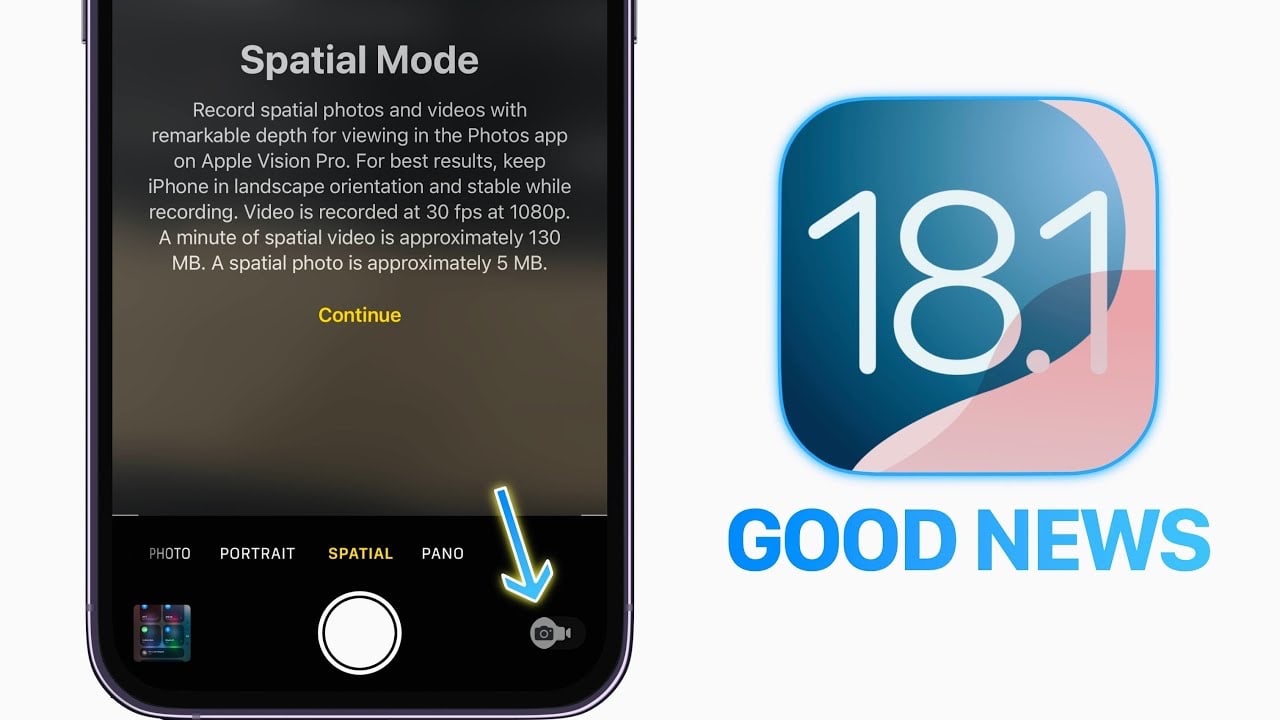
Like I noted earlier, the new camera layout enables spatial capture of both video and photos on the iPhone 16. This content can then be viewed on Apple Vision Pro, with stills in the HEIC format and footage at 1080p/30fps. It’s great that this isn’t reserved for the iPhone 16 Pro, but the downside (for any iPhone) is file size. When you swipe over to Spatial Mode in the camera app, you’ll get a warning that a minute of spatial video is 130MB and a single spatial photo is 5MB. I don’t have one of Apple’s headsets, so I didn’t spend too much time here since the photos and videos just appear normal on an iPhone screen.

I’d argue the most significant advantage of Spatial Mode is Audio Mix. Here, the iPhone 16 uses the sound input from the spatial capture along with “advanced intelligence” to isolate a person’s voice from background noise. There are four options for Audio Mix, offering different methods for eliminating or incorporating environmental sounds. Like Cherlynn discovered on the iPhone 16 Pro, I found the Studio and Cinematic options work best, with each one taking a different approach to background noise. The former makes it sound like the speaker is in a studio while the latter incorporates environmental noise in surround sound with voices focused in the center – like in a movie. However, like her, I quickly realized I need a lot more time with this tool to get comfortable with it.

Plain ol' black is an option this time around.
Billy Steele for Engadget

Apple proudly proclaimed the iPhone 16 is "built for Apple Intelligence,” but you’ll have to wait a while longer to use it. That means things like AI-driven writing tools, summaries of audio transcripts, a prioritized inbox and more will work on the base iPhone 16 when they arrive, so you won’t need a Pro to use them. Genmoji and the Clean Up photo-editing assist are sure to be popular as well, and I’m confident we’re all ready for a long overdue Siri upgrade. There’s a lot to look forward to, but none of it is ready for the iPhone 16’s debut. The iOS 18.1 public beta arrived this week, so we’re inching closer to a proper debut.

Sure, it would’ve been nice for the excitement around the new iPhones to include the first crack at Apple’s AI. But, I’d rather the company fine-tune things before a wider release to make sure Apple Intelligence is fully ready and, more importantly, fully reliable. Google has already debuted some form of AI on its Pixel series, so Apple is a bit behind. I don't mind waiting longer for a useful tool than rushing a company into making buggy software.

What will be available on launch day is iOS 18, which delivers a number of handy updates to the iPhone, and many of which deal with customization. For the first time, Apple is allowing users to customize more than the layout on their Home Screen. You can now apply tint and color to icons, resize widgets and apps and lock certain apps to hide sensitive info. Those Lock Screen controls can also be customized for things you use most often, which is more handy now since the iPhone 16 has a dedicated camera button on its frame. There’s a big overhaul to the Photos app too, mostly focused on organization, that provides a welcome bit of automatization.

The iPhone 16 uses Apple’s new A18 chip with a 6-core CPU and 5-core GPU. There’s also a 16-core Neural Engine, which is the same as both the iPhone 15 and the iPhone 16 Pro. With the A18, the base-level iPhone jumped two generations ahead compared to the A16 Bionic inside the iPhone 15. The new chip provides the necessary horsepower for Apple’s AI and demanding camera features like Photographic Styles and the Camera Control button. I never noticed any lag on the iPhone 15, even with resource-heavy tasks, and those shouldn’t be a problem on the iPhone 16, either. But, we’ll have to wait and see how well the iPhone 16 handles Apple Intelligence this fall.

Of course, the A18 is more efficient than its predecessors, which is a benefit that extends to battery life. Apple promises up to 22 hours of local video playback on the iPhone 16 and up to 27 hours on the 16 Plus. For streaming video, those numbers drop to 18 and 24 hours respectively, and they’re all slight increases from the iPhone 15 and 15 Pro.

Starting at 7AM, I ran my battery test on the iPhone 16 and had 25 percent left at midnight. That’s doing what I’d consider “normal” use: a mix of calls, email, social, music and video. I also have a Dexcom continuous glucose monitor (CGM) that’s running over Bluetooth and I used the AirPods 4 several times during the day. And, of course, I was shooting photos and a few short video clips to test out those new features. While getting through the day with no problem is good, I’d love it if I didn’t have to charge the iPhone every night, or rely on low-power mode to avoid doing so.

On a related note, Apple has increased charging speeds via MagSafe, where you can get a 50 percent top up in around 30 minutes via 25W charging from a 30W power adapter or higher.

With the iPhone 16, Apple has almost closed the gap between its best phone for most people and the one intended for the most demanding power users. It’s a relief to not pine for what could be coming on the iPhone 17 since a lot of the new features on the iPhone 16 Pro are already here. And while some of them will require time to master, it’s great that they’re on the iPhone 16 at all. There are some Pro features you’ll still have to spend more for, like ProRAW photos, ProRES video, a 120Hz display, a 5x telephoto camera and multi-track recording in Voice Memos. But those are luxuries not everyone needs. For this reason, the regular iPhone will likely suit your needs just fine, since splurging on the high-end model has become more of an indulgence than a necessity.

This article originally appeared on Engadget at https://www.engadget.com/mobile/smartphones/apple-iphone-16-and-iphone-16-plus-review-closing-the-gap-to-the-pro-120050824.html?src=rss

Apple Watch Showdown: Ultra 2 vs Series 10

Apple Watch

When deciding between the Apple Watch Ultra 2 and the Apple Watch Series 10, there are numerous factors to consider. This in-depth comparison video from DC Rainmaker will help you understand the key differences between these two highly capable smartwatches, focusing on crucial aspects such as pricing, design, display quality, battery life, durability, performance, and unique features. By […]

The post Apple Watch Showdown: Ultra 2 vs Series 10 appeared first on Geeky Gadgets.

The Morning After: I really want this 30th anniversary PS5 Pro

To commemorate PlayStation’s 30 years in the game, Sony revealed some nostalgia-tinged redesigns of both the PS5 and the forthcoming PS5 Pro. With that classic gray colorway and the old-school logo, there’s a similarly styled DualSense controller and even a chunky retro-designed cable wrapped around the typical USB-C connector.

TMA
Sony

The PS5 Pro bundle even includes a standard controller, a DualSense Edge and a retro cover for the optional disc drive and the charging stand. Even the PlayStation Portal is getting a 1994 colorway.

Pre-orders start on September 26 through the company and at participating retailers, launching on November 21. Sony has me trapped: Design it in the colors of my childhood gaming memories, and I will probably buy it — especially when early impressions of the PS5 Pro show it could be capable of some leaps in game engine performance.

— Mat Smith

At its in-person fan event for Geeked Week this year, Netflix showed teasers and sneak peeks for the second season of Avatar: The Last Airbender as well as Squid Game season two, with last season’s protagonist, Lee Jung-jae, wearing his player 456 uniform again. There were also new clips for One Piece, Wednesday, Splinter Cell, Devil May Cry and more.

Continue reading.

YouTube is turning paused videos into its newest ad space. The company first started looking at using ads on pause screens in 2023 with select advertisers. YouTube’s viewers are less enthusiastic. The new ads also pop up when you pause videos on the YouTube mobile app.

A YouTube rep told The Verge they’ve seen “strong advertiser and strong reviewer responses” since they “rolled out Pause ads to all advertisers.” Great.

Continue reading.

A documentary on Oprah Winfrey is no longer coming to Apple TV+. Because, well, Winfrey, herself, bought back the rights to it, PageSix reports. Allegedly, Winfrey and filmmaker Kevin Macdonald clashed on the final product, with the latter not making the requested edits. Winfrey was initially very involved in Apple TV+, even speaking at its launch. She signed a multi-year deal with the platform, launching shows such as The Oprah Conversation, but the agreement ended in 2022.

Continue reading.

This article originally appeared on Engadget at https://www.engadget.com/general/the-morning-after-i-really-want-this-30th-anniversary-ps5-pro-111559032.html?src=rss

Edo Liberty on Building the Future of AI with Vector Databases

Interview with Edo Liberty CEO of Pinecone

Edo Liberty, the CEO of Pinecone, has been at the forefront of the AI revolution, driving innovation in vector databases and AI infrastructure. With a rich background in machine learning and big data, Liberty’s experiences at tech giants like Yahoo and AWS have shaped his unique perspective on the convergence of search technologies and AI. […]

The post Edo Liberty on Building the Future of AI with Vector Databases appeared first on Geeky Gadgets.