God of War Ragnarök comes to PC on September 19

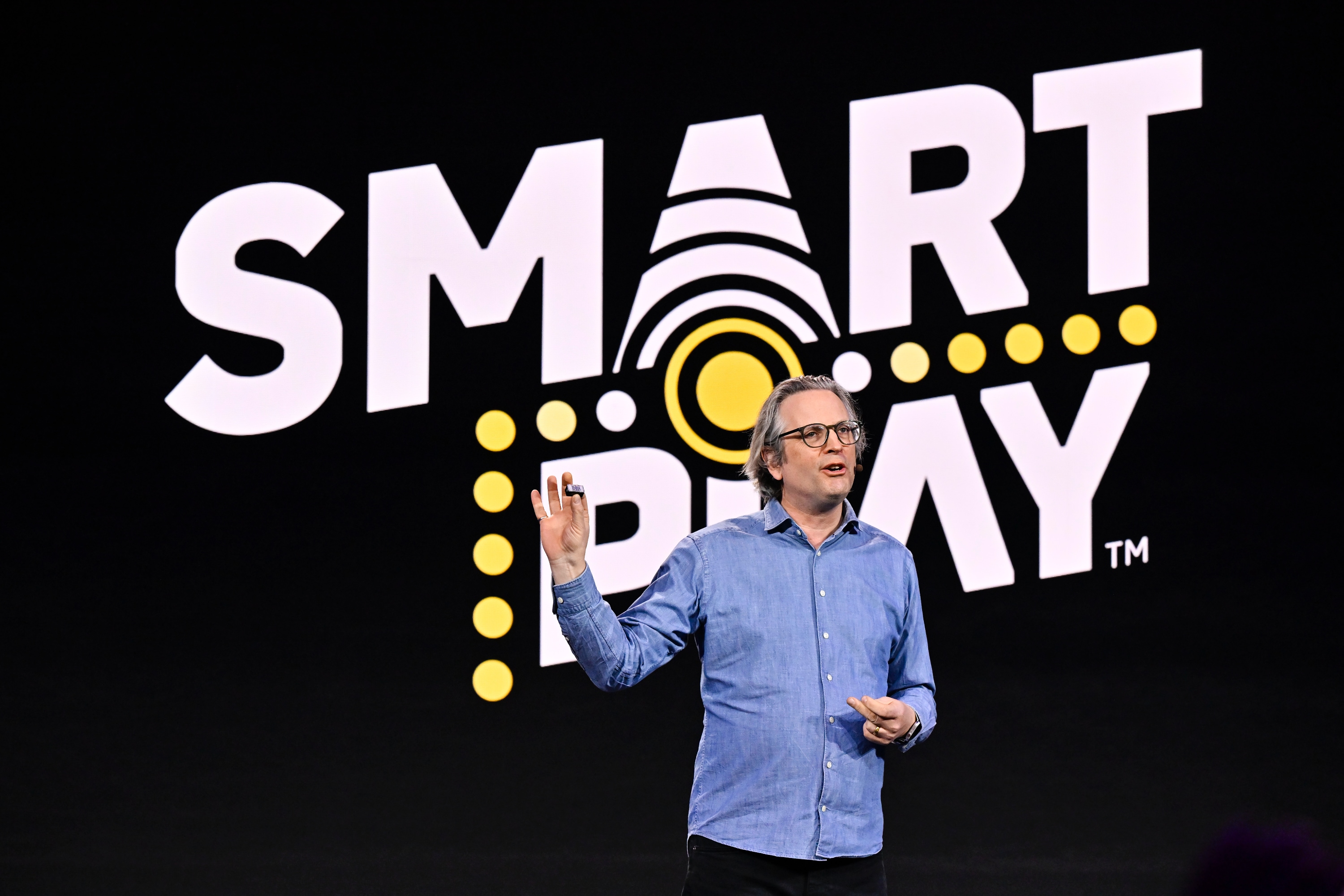
Sony has ported lots of its biggest games to PC recently, and the next one will be God of War Ragnarok. As part of the State of Play presentation, Sony showed off a trailer for the most recent adventure of Kratos and his son Atreus, and it looks as good as ever. It'll have unlocked frame rates, ultra widescreen monitor support and plenty more visual trickery for PC players, and it'll also include the recently-released Valhalla DLC. It's not a huge surprise, given that the 2018 revival God of War also came to PC a few years ago, but it'll be welcomed by those who want to continue the journey.

As far as visual upgrades go, Sony confirmed in its blog that it'll support NVIDIA RTX DLSS, AMD FidelityFX Super Resolution and Intel XeSS for upscaling the whole thing to whatever screen you're using. And Sony wasn't kidding about the widescreen support — it'll work with 32:9 monitors.

God of War Ragnarok (and its 2018 predecessor) are classic entries in the series, with the engrossing single-player narrative-driven vibe of many of Sony's recent first-party studio games. But the combat is just as good, and Ragnarok adds a lot of new twists to the God of War universe. It's one of my favorite games of the last few years, and it should look positively excellent on high-powered PCs. It'll be available on September 19, and you can pre-order it now. 

This article originally appeared on Engadget at https://www.engadget.com/god-of-war-ragnarok-comes-to-pc-on-september-19-222235889.html?src=rss

God of War Ragnarök comes to PC on September 19

Sony has ported lots of its biggest games to PC recently, and the next one will be God of War Ragnarok. As part of the State of Play presentation, Sony showed off a trailer for the most recent adventure of Kratos and his son Atreus, and it looks as good as ever. It'll have unlocked frame rates, ultra widescreen monitor support and plenty more visual trickery for PC players, and it'll also include the recently-released Valhalla DLC. It's not a huge surprise, given that the 2018 revival God of War also came to PC a few years ago, but it'll be welcomed by those who want to continue the journey.

As far as visual upgrades go, Sony confirmed in its blog that it'll support NVIDIA RTX DLSS, AMD FidelityFX Super Resolution and Intel XeSS for upscaling the whole thing to whatever screen you're using. And Sony wasn't kidding about the widescreen support — it'll work with 32:9 monitors.

God of War Ragnarok (and its 2018 predecessor) are classic entries in the series, with the engrossing single-player narrative-driven vibe of many of Sony's recent first-party studio games. But the combat is just as good, and Ragnarok adds a lot of new twists to the God of War universe. It's one of my favorite games of the last few years, and it should look positively excellent on high-powered PCs. It'll be available on September 19, and you can pre-order it now. 

This article originally appeared on Engadget at https://www.engadget.com/god-of-war-ragnarok-comes-to-pc-on-september-19-222235889.html?src=rss

Sony pulls fabricated ‘interview’ with Naughty Dog head Neil Druckmann

Last week, Sony published a seemingly innocuous bit of fluff, touting its long-term "creative entertainment vision" in broad terms, along with some interviews of key employees. Neil Druckmann, studio head of Sony's Naughty Dog, was one of those — and his interview made waves in the game world. According to the interview, Druckmann said AI could "create nuanced dialogues and characters" and also said that the new game Naughty Dog was developing (but hasn't officially announced) "could redefine mainstream perceptions of gaming." Some mighty strong and potentially controversial statements from the head of a studio beloved for its The Last of Us and Uncharted franchises. 

Problem is, Druckmann was wildly misquoted by his own employers. A few days after Sony published its interview, Druckmann took to X and said "this is not quite what I said." He then went full Ellie-in-revenge-mode on Sony, posting a section of the original interview transcript. (He was actually pretty polite if we're being honest — even the powerful can only bite the hand that feeds so hard.) Regardless, things here do not add up.

Gaming reporter Stephen Totilo shared his own comparison of what Druckmann said and what Sony published, bolding the words in Sony's answer that Druckmann never said — and those words were the majority of the quote. Sony basically put words in his mouth and published them, kicking off a classic gamer freakout. 

To be fair, if I was Druckmann, I'd be pretty pissed too. Look at this butchery!

Now, five days later, Sony has removed the interview from its site entirely. However, they didn't just delete the page — they left it up with an apology to Neil and the Naughty Dog team "for any negative impact this interview might have caused." 

My favorite bit is easily this: 

In re-reviewing our recent interview with Naughty Dog's Neil Druckmann, we have found several significant errors and inaccuracies that don't represent his perspective and values (including topics such as animation, writing, technology, AI, and future projects).Sony

So everything he said about animation, writing, technology, AI and future projects had errors. Hey, at least they nailed his name and title.

For the morbidly curious, you can still read the "interview" on archive.org.

This article originally appeared on Engadget at https://www.engadget.com/sony-pulls-fabricated-interview-with-naughty-dog-head-neil-druckmann-210340146.html?src=rss

Sony pulls fabricated ‘interview’ with Naughty Dog head Neil Druckmann

Last week, Sony published a seemingly innocuous bit of fluff, touting its long-term "creative entertainment vision" in broad terms, along with some interviews of key employees. Neil Druckmann, studio head of Sony's Naughty Dog, was one of those — and his interview made waves in the game world. According to the interview, Druckmann said AI could "create nuanced dialogues and characters" and also said that the new game Naughty Dog was developing (but hasn't officially announced) "could redefine mainstream perceptions of gaming." Some mighty strong and potentially controversial statements from the head of a studio beloved for its The Last of Us and Uncharted franchises. 

Problem is, Druckmann was wildly misquoted by his own employers. A few days after Sony published its interview, Druckmann took to X and said "this is not quite what I said." He then went full Ellie-in-revenge-mode on Sony, posting a section of the original interview transcript. (He was actually pretty polite if we're being honest — even the powerful can only bite the hand that feeds so hard.) Regardless, things here do not add up.

Gaming reporter Stephen Totilo shared his own comparison of what Druckmann said and what Sony published, bolding the words in Sony's answer that Druckmann never said — and those words were the majority of the quote. Sony basically put words in his mouth and published them, kicking off a classic gamer freakout. 

To be fair, if I was Druckmann, I'd be pretty pissed too. Look at this butchery!

Now, five days later, Sony has removed the interview from its site entirely. However, they didn't just delete the page — they left it up with an apology to Neil and the Naughty Dog team "for any negative impact this interview might have caused." 

My favorite bit is easily this: 

In re-reviewing our recent interview with Naughty Dog's Neil Druckmann, we have found several significant errors and inaccuracies that don't represent his perspective and values (including topics such as animation, writing, technology, AI, and future projects).Sony

So everything he said about animation, writing, technology, AI and future projects had errors. Hey, at least they nailed his name and title.

For the morbidly curious, you can still read the "interview" on archive.org.

This article originally appeared on Engadget at https://www.engadget.com/sony-pulls-fabricated-interview-with-naughty-dog-head-neil-druckmann-210340146.html?src=rss

The Atlantic and Vox Media made their own deal with the AI Devil

In the last few months, news organizations have leapt into bed with OpenAI, hatching Faustian bargains where the cash-strapped media industry exchanges a monetary pittance for OpenAI's right to scrape and integrate their content into things like ChatGPT. Those that have signed in blood include News Corp (publisher of the Wall Street Journal), the Financial Times, People magazine publisher Dotdash Meredith, the AP, and now, The Atlantic and Vox Media.

The Atlantic and Vox Media quickly confirmed these new deals shortly after Axios first published the news

The Atlantic says that it'll be a "premium news source" in OpenAI and that all its citations will be clearly attributed to The Atlantic with links back to the original content. There are concerns from publishers that users of AI chatbots don't actually need to go to the original sources; perhaps the calculus is that, for an industry in the twilight of its lifespan, some inbound link traffic is better than none. Then again, by agreeing to be scraped at all, perhaps The Atlantic is effectively wading directly into the tarpit of its own extinction (and of media as a whole). There will also be an experimental "microsite" called Atlantic Labs that'll showcase "new products and features to better serve its journalism and readers." 

Vox Media (publisher of its flagship news site Vox, tech site The Verge, the network of sports blogs under the SB Nation banner and many more) says it'll have a similar style of attribution and linking out to its content. 

Vox Media will also use OpenAI data both internally and in public-facing content. Specifically, it'll "enhance" Vox's The Strategist Gift Scout tool that helps visitors find stuff to buy (and helps Vox Media earn affiliate revenue). It'll also be built into the publisher's in-house advertising platform, so expect ads that are even better at following you around the internet and learning about what you want to buy.

There's no indication yet that that either company will publish anything created directly by AI, as sites like CNET and Sports Illustrated have tried with disastrous results, though neither company said anything about keeping AI out of its content either. Over at The Atlantic, it seems likely that any such experiments will be kept to the new Atlantic Labs section, at least for starters.

While a number of publishers have been quick to embrace AI, not everyone is so enthused. The New York Times sued both OpenAI and Microsoft for copyright infringement in December, saying that both companies use its material without permission to train their models. More recently, eight publications owned by the Alden Capital Group, including the Chicago Tribune and New York Daily News, sued both companies with a similar complaint. At this point, it seems like it's either spend time and money in a lawsuit to go after OpenAI's rampant intellectual theft or cut a deal that'll make you some spending cash in a dire media market. 

It was only last week The Atlantic published its own screed decrying media organizations which had taken petty cash from AI interlopers in exchange for something of significantly greater value. The odds unfortunately suggest this story (and my moral high ground) will age just as poorly in the near future.

Update, May 29, 2024, 12:20 PM ET: This story has been updated to include details from Vox Media's official statement on the deal.

This article originally appeared on Engadget at https://www.engadget.com/the-atlantic-and-vox-media-made-their-own-deal-with-the-ai-devil-161017636.html?src=rss

Google is bringing a slew of AI-powered software features to Chromebook Plus laptops

Two weeks ago, Google announced a slew of new AI-powered features at its I/O developer conference. Microsoft followed suit last week with the introduction of its Copilot+ PCs that have, you guessed it, a slew of new AI-powered features. Somewhat predictably, Google is announcing its answer to the Copilot+ PC initiative with… the humble Chromebook. The Chromebook Plus line that it first announced last October, to be specific. When Google first announced Chromebook Plus, it focused on a combination of higher-performance hardware as well as some modest AI software features compared to what you’d get on regular Chromebooks.

Now, however, Google is delivering on what it first announced: Chromebook Plus models are getting a host of features that Google first teased last year as well as some new ones we haven’t heard about before.

Google AI features for Chromebook Plus
Google

For starters, the “help me write” feature Google soft-launched earlier this year is now available on all Chromebook Plus laptops. This should work across any text entry field you find on a website, whether that’s a Google product like Gmail or a site like Facebook. You can use it to get a prompt, or have it analyze what you’ve already written to make it more formal, or more funny (though Google did admit the jury’s out on whether AI can actually be funny). Basically it’s a generative text tool that you can use across the web. It’s not surprising to see it show up in Chromebooks, as Google said you could turn it on in Chrome for Windows and Mac back in February. But Google says that it's being implemented at the OS level on Chromebooks so that you can use it outside the browser

The next feature is another one Google announced last fall, and it’s purely for fun. A built-in image generator will enable you to generate wallpaper and video call backgrounds by typing in a prompt. It’s not at all dissimilar to what you’d do with other image generators, though I can’t yet say how fast it works or how well it sticks to what you ask it for. Google is including a few prompts for you to try or customize to get you started.

Chromebook Plus AI-generated wallpapers
Google

The last update is that the Magic Editor in Google Photos is coming to laptops exclusively as a feature for Chromebook Plus devices. First available on Google’s Pixel devices, Magic Editor was part of the Google One subscription plan for a while, but now it’s more broadly available provided your phone meets the minimum specs. As for laptops, though, Chromebook Plus models are the only ones that can use Magic Editor. The reasoning seems pretty simple: Chromebooks can run Android apps, including Google Photos. 

Google Photos Magic Editor
Google

Still, if you’ve wanted to mess around with Magic Editor on a bigger screen than your phone, doing so on a Chromebook seems like a decent option. As a refresher, Magic Editor basically lets you manipulate your photos in a variety of ways to change the reality of what you captured, but much faster and easier than using something like Photoshop. You can select people or objects to move them around, have the app turn a cloudy sky blue, resize or delete other objects and generally make it even harder to trust that photos you create or share are authentic.

Unsurprisingly, Google is also baking its Gemini chatbot more directly into Chromebooks by having the app pre-installed and sitting right on the launcher. More significant though is that Google is giving Chromebook Plus buyers a full year of its Google One AI Premium plan, which puts Gemini features right in Gmail, Docs and other Workplace apps. It also includes access to Gemini Advanced, which adds support for things like uploading documents for analysis and access to Gemini Pro 1.5 and its 1 million token context window (which Google said would grow to 2 million tokens soon).

Given that the Google One AI plan costs $20 a month, double the standard pricing for the 2TB storage plan, this is a pretty good perk for Chromebook Plus buyers, even if they don’t care about using Gemini. And it sounds like even if you already subscribe to another Google One plan, you'll be able to get the year of Google One's AI option.

There are also a number of new software tweaks coming to all Chromebooks too. Probably most notable is Game Dashboard, a sort of control center for gaming-related activities. While most Chromebooks still can’t run a lot of games, there are more options now between cloud gaming services like GeForce Now and Android titles. Indeed, Google said that 25 percent of Chromebook owners use them for games, and they’ve seen a 40 percent year-over-year increase in the number of people gaming on a Chromebook.

ChromeOS Game Dashboard
Google

Game Dashboard has a handful of features, but the most notable one is a comprehensive key-mapping system. This lets you take games that are designed for a controller or touch screen and map their buttons to various keys on your laptop. For Android games with specific swiping patterns, you’ll be able to say pressing a key is the same as doing a certain swipe in a certain direction.

It also provides one-click recording — that’ll start recording both your gameplay as well as a view of you playing via the laptop’s webcam, if you want to be in the video. And you can quickly upload to various services like YouTube or Discord from the Game Dashboard, as well. This feature is exclusive to Chromebook Plus, at least for now.

ChromeOS calendar and tasks integration
Google

Other new features include Google Tasks integration into the menu bar — there’s already a calendar widget that shows you your upcoming appointments there, and now it’ll also show you items from your Tasks list, making it a solid one-top look at what’s coming in your day. The screen recorder can now generate GIFs, something we all want to be able to do at any time. And you can set up an Android phone via your Chromebook now, as well. If you scan a QR code on your Chromebook with the phone you’re setting up, your Google account and Wi-Fi info will all sync over.

It doesn’t stop there, though. Google also announced a bunch of forthcoming software features to look forward to, just like they did last fall. I appreciate the little sneak peak at what’s coming, and since Google is indeed delivering on what they showed in October I feel confident we’ll see most of these sooner or later.

Chief among them is Google’s Gemini-powered “help me read” feature. As the name suggests, it’ll offer summaries of web pages, documents or PDFs, and you’ll be able to ask follow-up questions. Of course, your results may vary on how useful this all is. Google’s also working on an AI-powered overview screen that’ll pop up when you open your laptop — rather than throw you back into the dozens of tabs you have, it’ll try and organize and show you the apps and pages you have open so you can decide where you want to go from there. It’ll also take into account things you’re doing on Chrome on other devices, so if you’ve been reading on your phone you can jump back in on your laptop.

Google Help Me Read AI feature
Google

In the same vein, there’s a new focus tool that combines Google Tasks and YouTube Music with a count-down timer. You can basically pick an urgent task, a playlist and a timer and you’ll go into do not disturb mode while you crank away on what you’re supposed to be doing. Not exactly a game-changer, but it’s kind of clever.

ChromeOS calendar and tasks integration
Google

Perhaps most interesting is a new accessibility feature based on the hands-free “Project Gameface” tool it showed off at I/O in 2023 and 2024. Google says it’s building Gameface right into ChromeOS, which will use face and gesture tracking to help people do things on their computer without a keyboard or mouse. It’s “early” in the project’s timeline, so I don’t think we’ll see this six months from now, but it’s definitely an important feature that could make Chromebooks a lot more useful for more people.

Google hands-free control
Google

Of course, Google and its hardware partners are launching a slew of new Chromebook Plus devices to go along with all of this — you can read about the new hardware here. As for the software, everything should start rolling out today, aside from all of the stuff Google is promising for a later date.

This article originally appeared on Engadget at https://www.engadget.com/google-is-bringing-a-slew-of-ai-powered-software-features-to-chromebook-plus-laptops-130049652.html?src=rss

Acer, ASUS and HP all have new Chromebook Plus laptops with Google’s built-in AI features

Google just announced a slew of new features coming to ChromeOS, many of them coming to the more premium Chromebook Plus models that were announced last fall. But today's news isn't just about the software — Google's hardware partners have a bunch of new laptops ready to take advantage of these features. Here's a quick run-down of what's coming. 

Acer has two updates to existing models, the Chromebook Plus Spin 714 and Chromebook Plus 516 GE. These were already two of my favorite Chromebooks, and they've now been updated with new Intel chips. The Spin 714 starts with an Intel Core Ultra 5 115U processor, while the 516 GE has the Core 5 120U processor. Both of these laptops already had solid performance, but it's good to get them with some of the newest chips Intel is offering. 

The Spin 714 keeps its lovely 14-inch touchscreen with a 360-degree hinge and a 1,920 x 1,200 resolution; it also includes up to 16GB of RAM and up to 512GB of storage. The 516 GE is one of the game-focused Chromebooks you can buy — as such, it has features like a large 16-inch screen with a 2,560 x 1,600 resolution and a 120 Hz refresh rate. It also has customizable RGB keyboard lights and anti-ghosting technology, an ethernet port and Wi-Fi 6E. You can get up to 2TB of storage and 16GB of RAM on this machine. Despite the gaming focus, I've found it to be the best performance-oriented large-screen Chromebook you can buy, regardless of what you want to do with it. The Spin 714 starts at $700 and the 516 GE starts at $650; both are available at Best Buy for starters. 

Probably the most interesting new device from ASUS is the ExpertBook CX54 Chromebook Plus, a high-end laptop that should compete with Acer's Spin 714. Given its highfalutin name, it's not surprising that you can get the ExpertBook CX54 with up to Intel's Core 7 processor, paired with 16GB of RAM and 512GB of storage. The display also sounds like a standout: the 14-inch touchscreen has a 2,560 x 1,600 resolution, significantly more pixel-dense than the Spin 714. It also has an 8-megapixel front camera as well as two Thunderbolt 4 USB-C ports and an HDMI port — that'll enable you to hook up three external monitors. Finally there are two USB-A ports and a microSD slot, making this laptop a good option if you need to hook up a lot of devices. ASUS hasn't yet said when this device will be available, or how much it'll cost.

The company is also updating its Chromebook Plus CX34 model with a 13th-gen Intel Core i5 processor, though that extra power will cost you — it's selling for $499 at Best Buy, compared to the $399 you can get it for at Target with a 12th-gen i3 chip. 

ASUS also has a new 2-in-1 Chromebook, the CM30. There have been a few Chromebooks like this over the years, but they've never really caught on. Regardless, the CM30 has a 10.5-inch screen with a 1,920 x 1,200 resolution plus 8GB of RAM and 128GB of storage for $299. It includes a MediaTek Kompanio 520 processor, so this won't be a performance beast. But if you want a small device for your kid to bang away on this could be a decent option. 

Confusingly, HP has two new models, both of which come as "Plus" and "non-Plus" options for lack of a better descriptor. The HP Chromebook 14-inch and HP Chromebook x360 14-inch both come with Intel's N100 or N200 processors, both of which only have four cores. The Plus models, meanwhile, come with a Core i3-N305 chip, which offers eight cores. Both chips were introduced in early 2023, so they're not the most current, but of the two options I think it's safe to say you should opt for the i3 options. 

The two models are actually pretty similar, with the main difference being the x360's hinge that lets you flip the laptop all the way around, a gimmick many Chromebooks have offered for years that I don't fine useful. But your milage may vary. Both laptops have 1080p displays (the HP Chromebook Plus 14 offers touch and non-touch options), and the x360 has thinner bezels. Both have two USB-C ports and one USB-A port, and come with 8GB of RAM and either 128GB or 256GB of storage. If you want the lightest option, x360 weighs just over 3 pounds, while the standard model weighs 3.2 pounds.

The HP Chromebook 14-inch starts at $249 at Walmart — while its processor may not be the fastest, that's not bad for a budget option. You can get the Plus model for $449 at CostCo. As for the Chromebook Plus x360, that'll set you back $429 at Walmart. 

While Google has made things consistent by using the Plus labeling to assure people they're getting a certain level of performance, there are still a ton of options on the market to sort through. HP's $429 x360 Plus sounds like a solid option, while both of Acer's new laptops should be good for people who are OK spending more money for a more premium experience. That said, my favorite Chromebook is still probably Lenovo's Chromebook Plus IdeaPad Flex 5i — but I'll dig into these laptops soon and see if any of them offer a better value.

This article originally appeared on Engadget at https://www.engadget.com/acer-asus-and-hp-all-have-new-chromebook-plus-laptops-with-googles-built-in-ai-features-130029246.html?src=rss

iOS 17.5.1 fixes reappearing photo bug

Apple just released an update for iOS (and iPadOS) to tackle a strange bug that cropped up in the past week. When iOS 17.5 came out, some users noticed that photos they deleted were reappearing in their Photos library — now, iOS 17.5.1 promises to fix that. As Apple puts its, the update “addresses a rare issue where photos that experienced database corruption could reappear in the Photos library even if they were deleted.”

As noted by MacRumors, some users on Reddit were seeing photos that were deleted not just weeks ago but months and years ago returning to their devices. Indeed, one person reported seeing photos from way back in 2010 popping up in their library as if they were newly shot. 

As usual, Apple hasn’t offered more details besides what is in the iOS 17.5.1 release notes, but we’re reaching out to see if they have any other details about how this bug popped up in the first place. In the meantime, you might as well go update your iPhone or iPad now. 

This article originally appeared on Engadget at https://www.engadget.com/ios-1751-fixes-reappearing-photo-bug-204830179.html?src=rss

Microsoft’s new Copilot+ Surface Pro has an OLED screen and a redesigned keyboard

Microsoft's Surface Pro strategy has been, shall we say, a little odd lately. The 2022 Surface Pro 9 came in both Intel and Arm configurations, but the Arm-powered device was both slower and significantly more expensive. Then, earlier this year, Microsoft announced an Intel-powered Surface Pro 10, a fine but boring device focused on IT professionals. 

Finally, Microsoft has a new Surface Pro that may get the average laptop user to sit up and pay attention. to sit up and pay attention. The new Surface Pro Copilot+ PC (no more model numbers!) is another Arm-powered device, but Microsoft says that performance will not be compromised this time. In fact, thanks to a re-architected version of Windows 11, Microsoft claims these machines are 58 percent faster than “the fastest MacBook Air” with an M3 processor. 

Specifically, Copilot+ PCs must hit at 40 trillion operations per second, compared to the 18-ish trillion Apple claims with the M3. The Surface Pro itself hits 45 TOPS. The company further clarified that peak performance is 23 percent faster, while “sustained” performance is 58 percent faster. Notably, Microsoft made no mention of the M3 Pro or M3 Max chips here. 

It's also a whopping 90 percent faster than the Surface Pro 9, and Microsoft is promising 14 hours of local video playback time as far as battery life goes. Physically, it's similar to what you'd expect — a tablet with a kickstand and keyboard attachment. But it does look like it has thinner bezels, and a 13-inch OLED screen for the first time. As for ports, two USB-C are all you get here. Finally, there's a "quad-HD" front-facing camera which seems the same as the one we saw on the Surface Pro 10 for Business.

There's also a new keyboard called the Flex Keyboard that is meant to be used both attached to the device or removed and set somewhere more comfortable for you. The trackpad is 14 percent larger than before, as well. You're going to pay dearly for the new keyboard, though — it costs $350, or $450 with a Surface Pen included.

Of course, there are a host of AI-powered features on board here, thanks to the NPU in all the new Copilot+ PC devices announced today. And much of it is happening on device, so you won't have to wait for data to hit the cloud or pay for various pro AI subscriptions. One of the more interesting ones is Recall, which uses natural language prompts to pull data from your PC to resurface it based on whatever you remember about it. Other features include live translations on video chats in more than 40 languages as well as a Windows Photos tool called Super Resolution to improve old images.

Pre-orders start today, and they'll be available on June 18. The Surface Pro starts at $1,000 and comes in four colors; that includes a Snapdragon X Plus chip with a standard LCD screen, 256GB of storage and 16GB of RAM. Stepping up to the OLED model with the Snapdragon X Elite chip jacks the price up to $1,500. (That model also has 16GB of RAM and 512GB of storage.) Microsoft also said you could get a Surface Pro with 5G built-in, but the company's site says those models aren't coming until "later this year."

Microsoft Surface Pro (2024)
Photo by Devindra Hardawar / Engadget

Catch up on all the news from Microsoft's Copilot AI and Surface event today!

This article originally appeared on Engadget at https://www.engadget.com/microsofts-new-copilot-surface-pro-has-an-oled-screen-and-a-redesigned-keyboard-175611698.html?src=rss

Lord of the Rings: The Rings of Power trailer reveals season two release date

Amazon's Lord of the Rings: The Rings of Power was both extremely successful and extremely divisive in the LOTR fan community. (Separate question, has any recent adaptation or new content in a beloved franchise not been divisive? Thoughts for another time.) Lots of people whined about how Amazon should just trash the first season and start over, but clearly that was never going to happen. What is happening is that season two of The Rings of Power has its first trailer and an August 29 release date.

I'm a pretty big Lord of the Rings fan and found season one enjoyable if not essential, but I like the looks of how things are ratcheting up here for season two. We get plenty of teases of epic battles and creepy creatures as Sauron reveals himself and begins to tighten the noose on all of Middle-earth; there are also looks at him in his "fair" form as he forges the titular Rings of Power with Celebrimbor. 

Amazon says the first three episodes will arrive on August 29, with subsequent entries following every week. Like the first season, this one will consist of eight episodes total. 

This announcement comes less than a week after Warner Bros. Discovery announced it would release a new live-action Lord of the Rings film in theaters in 2026. Tentatively titled The Hunt for Gollum, the film is directed by and will star Andy Serkis, who played Gollum in Peter Jackson's The Lord of the Rings and The Hobbit trilogies. That project will be set in the same universe that Jackson built, while Amazon's series is an entirely separate entity. There is some shared DNA, though — the first season of The Rings of Power was shot in New Zealand, like Jackson's films, and composer Howard Shore wrote the main credits theme for Amazon's show after scoring all six of the Middle-earth films. 

Oh, and Lego just dropped this incredible Barad-Dur set — it's a big week for Lord of the Rings across the board!

This article originally appeared on Engadget at https://www.engadget.com/lord-of-the-rings-the-rings-of-power-trailer-reveals-season-two-release-date-142522261.html?src=rss