Breville InFizz Fusion review: The bubble master

A long time ago I watched a video about John Nese, owner of the iconic Galco’s Soda Pop Stop in LA, and one thing that stuck with me was his response after being asked how much soda he drinks. Nese said that even though he’ll have one or two a day, what it really boils down to is that he “just likes the bubbles.” However, as much as I enjoy hunting down special flavors in stores, nothing beats the convenience of making your own sparkling concoctions at home. So when I heard that Breville was releasing a carbonated beverage maker with a feature not available from rivals like SodaStream I knew I wanted to test it out. And in just a few short weeks, the Infizz Fusion has quickly become one of my favorite and most-used kitchen gadgets.

At $250, the InFizz Fusion costs a lot more than basic soda water makers, which can go for $100 or less. However, it’s clear Breville is using that extra money to create a premium design including a stainless body with a die-cast lever and a magnetic drip tray. This means it’s closer to more premium rivals than plasticky alternatives like almost all of SodaStream’s offerings. And while your taste may vary, the InFizz and Aarke’s line or Carbonators are probably the only two that look good enough to live on my counter full-time instead of being hidden away when not in use. That said, I wish Breville would release an optional glass bottle, as currently the InFizz Fusion is restricted to plastic 0.6- and 1-liter containers. And because its bottles use a proprietary connector, you can’t swap in canisters from competitors.

Gassing up liquids with the InFizz is incredibly straightforward. First, you screw a one-pound CO2 tank into the hole on the boom. The InFizz comes with one Breville-branded canister, though you can use generic replacements from Sodastream and others. You just need to remember to buy tanks with threaded tops instead of ones with quick-connect fittings. Then you pour water into the bottle (the colder the better), attach Breville’s FusionCap and then twist the whole setup into the machine itself. From there, you just press the lever on top for a second or two and that’s it. There’s no need for power or to plug a cord, so you have tons of flexibility about where it’ll live in your kitchen.

The Breville InFizz Fusion is a very simple machine as it doesn't require any power and uses the same one-pound C02 refills as a Sodastream. Just remember to buy canisters with threaded tops and not the ones with quick-connect fittings.
Photo by Sam Rutherford/Engadget

When attaching the FusionCap to the bottle or the bottle to the machine, there’s a very obvious and satisfying thunk that lets you know when each component is seated properly. I only had one blowout when I first started using the InFizz and after I learned from my mistake, it never happened again. I found the routine that worked best for me was to fill the bottle and then stash it in the fridge overnight, which made it a cinch to get crisp, chilled seltzer first thing in the morning in less than 30 seconds. It’s really that easy. Sometimes, I saw tiny ice cubes while I was carbonating, which I took as a sign that the water was cold enough. That said, it’s important not to add ice intentionally, as that can damage the machine.

One note is that before you use it, you will want to give it a rinse. After unboxing it, I noticed the InFizz Fusion’s bottle had an oily smell. Thankfully, alongside the InFizz itself, Breville includes a funnel, a strainer and a brush, the latter of which helped erase the odor after a quick wash.

Like a lot of carbonated water makers, you have the freedom to hold the lever down a bit longer, in case you’re like me and you like big bodacious bubbles (similar to what you get in Pepsi) as opposed to the finer effervescence you get in something like Perrier. But the InFizz Fusion’s secret party trick is that it carbonates more than just water. You can add bubbles to cider for a refreshing twist on a fall treat. Or you can give new life to soda that’s gone flat. You can even uplift wine to create your own sparkling alternative in your kitchen. Pretty much any liquid you’d want to drink, the InFizz Fusion can inject with bubbles. And right now, there’s only one other home soda maker that can do this – the Drinkmate – which puts Breville’s machine in a more rarified crowd.

To add bubbles, all you have to do is attach Breville's FusionCap to the included bottle, hook that up to the machine itself and hold down on the lever for a second or two.
Photo by Sam Rutherford

Now this might not sound like a big deal, but as we get closer to summer, you know what’s even more refreshing than lemonade? An icy cold glass of sparkling lemonade. Alternatively, you can add bubbles to OJ, which is essentially a homemade version of Orangina, and I’d argue it tastes even better because it hasn’t been languishing in a bottle for the past few months. With the InFizz Fusion, there’s an entire world of things you can seltzerize.

At this point, you might be wondering why you can’t make lemonade from seltzer. And you can. However, if you make sparkling water first and then stir in lemon juice and sugar, you tend to knock a lot of bubbles out in the process. And for stuff like OJ, unless you’re making things from a concentrate, there may not be a way to start with pure water. The one thing you have to watch out for though is that when carbonating drinks that are more than just water, you may run into extra bubbles. But that’s where the red tab on the FusionCap comes in, as it allows you to release pressure slowly so your concoction doesn’t erupt and make a mess.

Breville's clever FusionCap is what allows the InFizz to carbonate almost any drink you can think of. It can even handle drinks like orange juice or lemonade with ease.
Breville's clever FusionCap is what allows the InFizz to carbonate almost any drink you can think of. It can handle drinks like orange juice or lemonade with ease without getting the inside of the machine dirty.
Photo by Sam Rutherford/Engadget

That said, some drinks work better than others. Milk-based beverages are pretty much a no-go, as the carbonation process curdles the dairy, resulting in a product that just tastes off. And while you can add bubbles to coffee, the CO2 adds an extra dimension of sourness that probably isn’t what you want. After all, there’s a reason effervescent java is usually injected with nitrogen instead of carbon dioxide.

My one suggestion is that in addition to the one-liter bottle that comes with the machine, if you’re into making all sorts of bubbly beverages, you may want to pick up a spare 0.6-liter container too, because as tasty as stuff like sparkling OJ or cider are, they’re typically better consumed in smaller doses lest you end up drinking too many empty calories.

There are few things more refreshing than a glass of sparkling lemonade on a hot summer day.
Photo by Sam Rutherford/Engadget

Look, if all you want is a machine for making seltzer, you’ll probably be better off with a basic SodaStream. Alternatively, if you just want a more premium bubble machine that comes with the bonus of having optional glass bottles, Aarke’s Carbonator Pro makes for a solid upgrade pick. Or you could go with the InFizz Aqua, which is the same basic device as the Fusion except that it can only carbonate water. But if you want a device that can turn almost any drink into a sparkling treat while also sporting an upscale design, Breville’s InFizz Fusion is where it’s at.

This article originally appeared on Engadget at https://www.engadget.com/breville-infizz-fusion-review-the-bubble-master-173216954.html?src=rss
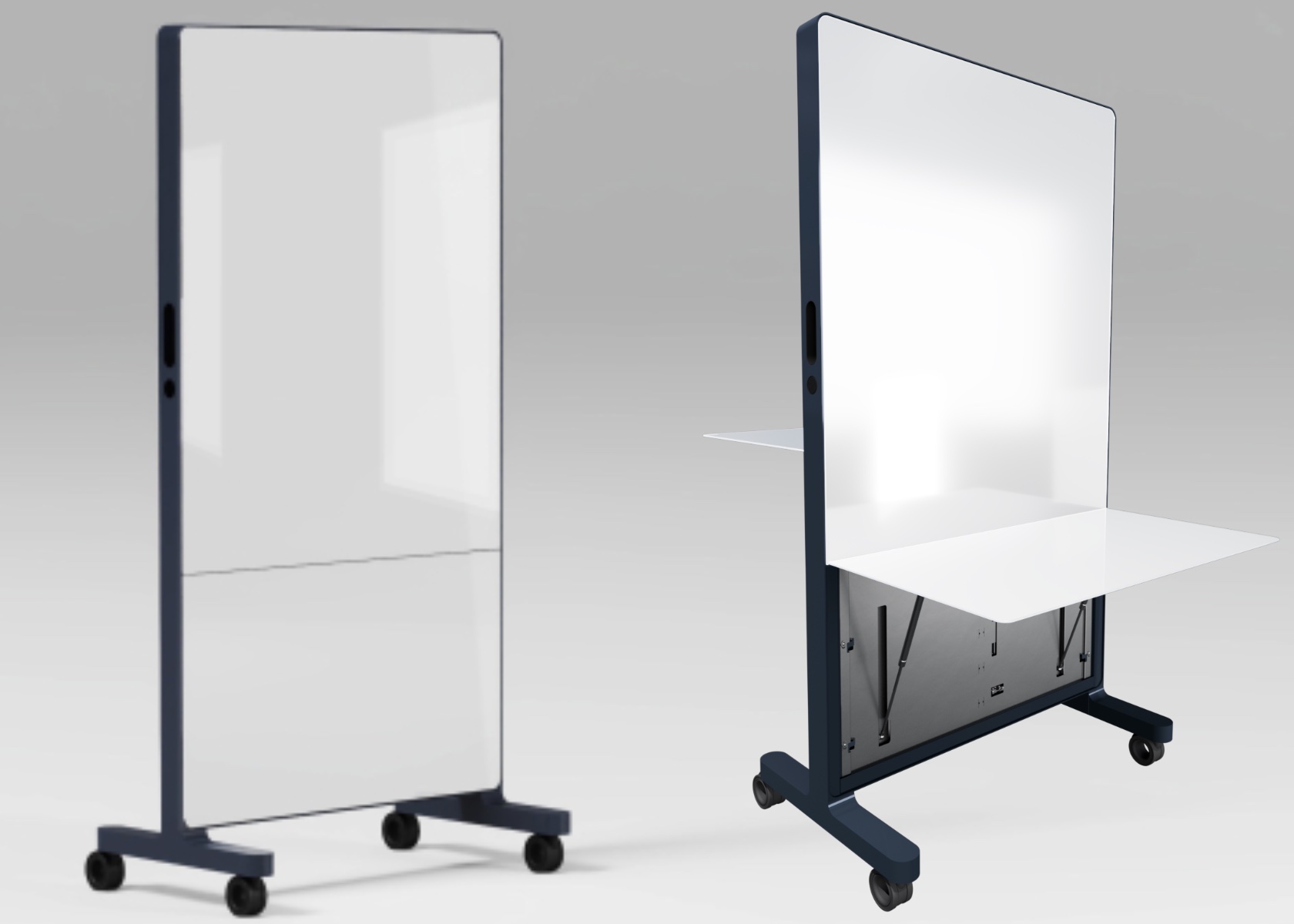

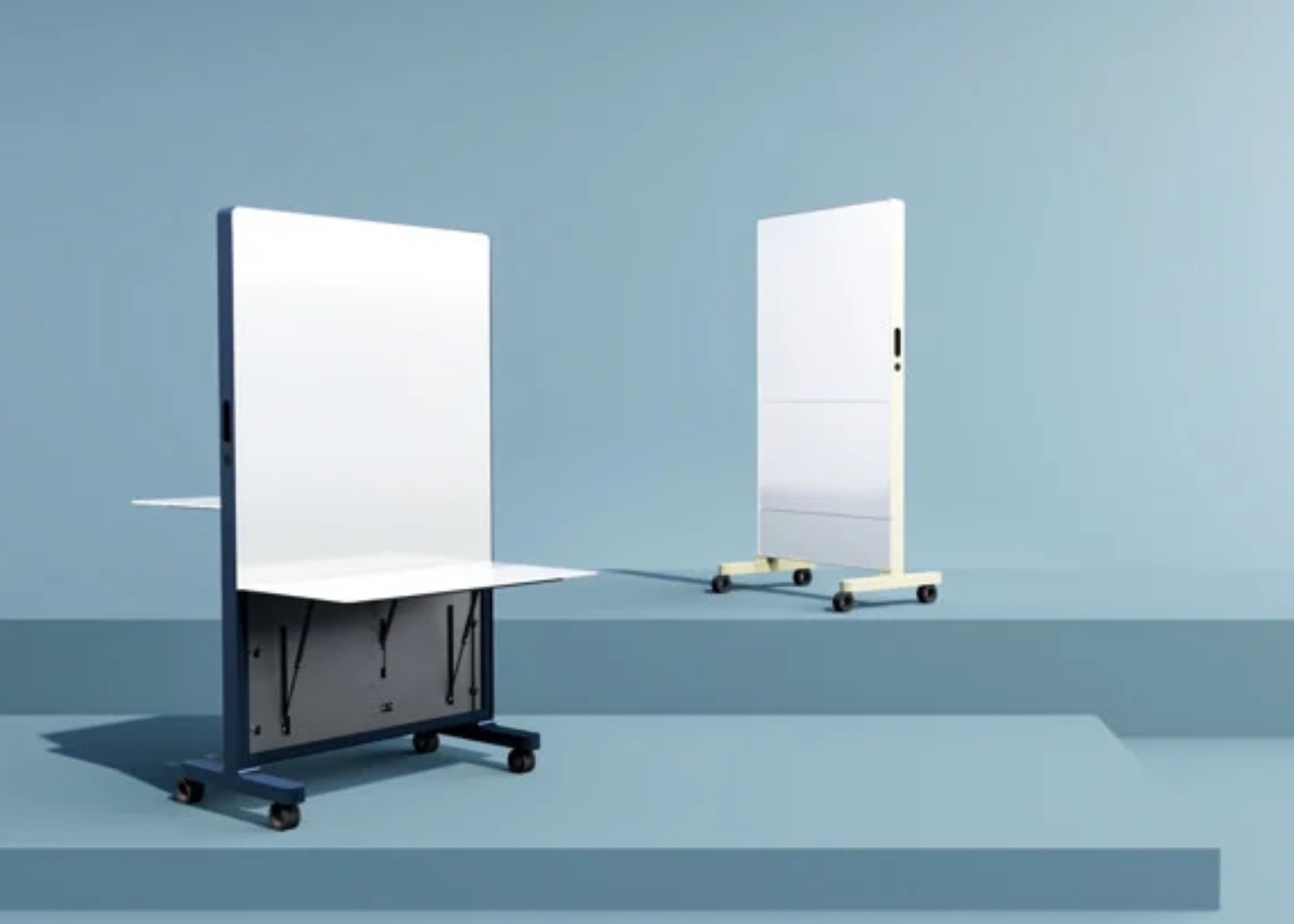
Clarus Atmus Mobile Desk Transforms Design Studios with Multifunctional Whiteboard and Projection Capabilities

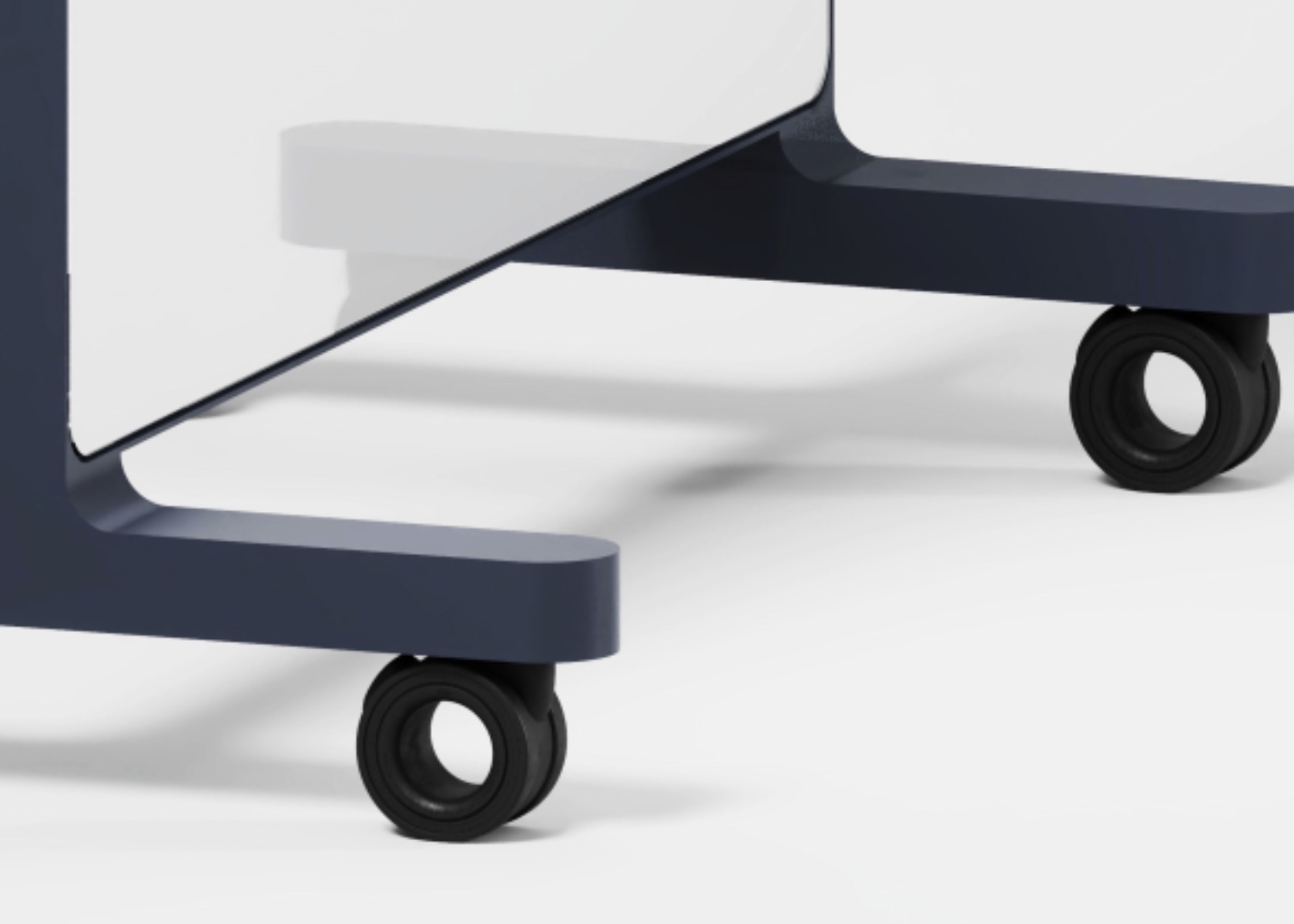
The Atmus Mobile Desk by Clarus goes beyond aesthetics and mobility. It’s a multifunctional product designed to boost productivity in any design studio. Its versatility makes it ideal for brainstorming sessions, serving as an expansive whiteboard, or acting as a projection surface for presentations.

Designer: Clarus

In a brainstorming session, the Atmus Mobile Desk transforms into a collaborative hub. The large, clear glass surface doubles as a whiteboard, allowing designers and team members to sketch ideas, jot down notes, and map out concepts directly on the surface. This seamless transition from desk to brainstorming tool ensures the creative flow is never interrupted. The desk’s mobility means it can be positioned anywhere in the studio, whether you’re gathering for an impromptu meeting or setting up for a more structured session.

The Atmus Mobile Desk excels as a traditional whiteboard. Its smooth glass surface is perfect for use with dry-erase markers, offering a clean and erasable writing area. This is ideal for planning projects, outlining tasks, or illustrating complex ideas. The clarity of the glass ensures any writing or drawings are easily visible from a distance, making it an effective communication tool in a busy studio.

Additionally, the desk can be utilized as a projection wall, adding another layer of functionality. When paired with a projector, the Atmus Mobile Desk’s clear surface provides an excellent backdrop for displaying digital content. This is particularly useful during presentations, client meetings, or team reviews. The ability to move the desk effortlessly allows you to set up the projection screen wherever it is most needed, enhancing your workspace’s versatility.

Atmus Mobile Desk by Clarus

Clarus’ expertise in glass technology ensures the surface of the Atmus Mobile Desk is optimized for all these uses. The high-quality, ultra-clear Starphire glass offers a pristine and durable surface that stands up to the demands of a busy studio. Whether you are brainstorming, writing, or projecting, the glass maintains its clarity and functionality, providing a reliable tool for all your creative needs.

The foldable work surfaces add another layer of practicality. These can be extended to provide additional space for sketching, placing materials, or setting up laptops and projectors. This adaptability makes the Atmus Mobile Desk not just a piece of furniture but a central component of your design process.

Beyond brainstorming and presentations, the Atmus Mobile Desk is also valuable for digital photography. The clear glass surface provides a neutral, reflective backdrop that enhances the details of the subject being photographed. Whether you’re capturing product shots, prototypes, or artistic compositions, the desk’s smooth surface ensures every detail is highlighted, and its mobility allows you to adjust lighting and angles easily.

In addition to its core functionalities, the Atmus Mobile Desk supports various creative processes in a design studio. It can serve as a temporary station for rapid prototyping, offering ample space to lay out materials and tools. The desk’s height and stability make it suitable for detailed craftsmanship, allowing designers to work comfortably and efficiently.

The sturdy, smooth-rolling casters are designed to move effortlessly across different floor surfaces, whether it’s carpet, wood, or concrete. This means you can reposition the desk without any hassle, ensuring it is always where you need it, whether at the center of a brainstorming session or tucked away after a photo shoot.

The post Clarus Atmus Mobile Desk Transforms Design Studios with Multifunctional Whiteboard and Projection Capabilities first appeared on Yanko Design.

Google’s latest sale takes $250 off the Pixel 8 Pro

The Google Pixel 8 Pro remains the large-screen Android smartphone we'd recommend to most people, and right now it's back on sale for $749 at Amazon, Best Buy and Google's online store. We've seen this deal before, but it matches the largest discount we've tracked for an unlocked model outside of trade-in or carrier-exclusive offers. The phone technically has a list price of $999, though it's often sold for $799 since it was launched last October. Either way, you're saving at least a bit more than usual. This price applies to the base model with 128GB of storage, but higher-capacity models are also $250 off their MSRP if you need more space.

If you don't mind trading in an old device, however, Google has also raised the trade-in values for certain phones when they're put toward a Pixel 8 Pro. If you're upgrading from a Pixel 6 Pro, for instance, you can tack on a $400 refund, while a Pixel 7 Pro in good condition can give up to $500 back. Those are higher than what the company is offering for the smaller Pixel 8 or foldable Pixel Fold. Google says this promo will run through June 22. (Just be sure to follow Google's instructions if you go this route, as the company uses a third party for its trade-in program.) Best Buy will also take an extra $100 off if you activate the phone with a carrier.

We gave the Pixel 8 Pro a score of 93 in our review last year, and it still offers top-notch camera performance, a vibrant 6.7-inch OLED display and a relatively clean take on Android, with OS updates guaranteed through October 2030. The screen supports a variable refresh rate up to 120Hz, which makes scrolling feel smooth, and the soft glass finish looks and feels nice. The software, meanwhile, is aided by a few AI-based features that are actually handy (and don't involve eating glue): A Magic Editor tool lets you cut out unwanted objects in the background of photos, for one, while an Audio Magic Eraser feature helps eliminate ambient noise from videos. (You can use Magic Editor features with other phones, but you're limited to 10 uses per month unless you own a Pixel or pay a subscription fee.)

You'd get the Pixel 8 Pro for the camera and software first, though. Its Tensor G3 chip can handle just about anything you throw at it, but alternatives like the Samsung Galaxy S24 Ultra are technically faster and may not get as warm when stressed. Likewise, while the phone's battery can get you through a full day, it's not quite class-leading, and its 30W charging speed could stand to be faster. Still, there's plenty to like here. Our biggest issue with the Pixel 8 Pro was that it costs $100 more than its predecessor out of the gate, but this deal helps soften that blow.   

If you want a smaller or more affordable handset, the 6.1-inch Pixel 8 offers most of the same features and is also on sale for $549. That's not the lowest price we've seen, though it's a better value than Google's newer midrange Pixel 8a phone when it's discounted to that extent. 

Follow @EngadgetDeals on Twitter and subscribe to the Engadget Deals newsletter for the latest tech deals and buying advice.

This article originally appeared on Engadget at https://www.engadget.com/googles-latest-sale-takes-250-off-the-pixel-8-pro-163053714.html?src=rss

Google’s latest sale takes $250 off the Pixel 8 Pro

The Google Pixel 8 Pro remains the large-screen Android smartphone we'd recommend to most people, and right now it's back on sale for $749 at Amazon, Best Buy and Google's online store. We've seen this deal before, but it matches the largest discount we've tracked for an unlocked model outside of trade-in or carrier-exclusive offers. The phone technically has a list price of $999, though it's often sold for $799 since it was launched last October. Either way, you're saving at least a bit more than usual. This price applies to the base model with 128GB of storage, but higher-capacity models are also $250 off their MSRP if you need more space.

If you don't mind trading in an old device, however, Google has also raised the trade-in values for certain phones when they're put toward a Pixel 8 Pro. If you're upgrading from a Pixel 6 Pro, for instance, you can tack on a $400 refund, while a Pixel 7 Pro in good condition can give up to $500 back. Those are higher than what the company is offering for the smaller Pixel 8 or foldable Pixel Fold. Google says this promo will run through June 22. (Just be sure to follow Google's instructions if you go this route, as the company uses a third party for its trade-in program.) Best Buy will also take an extra $100 off if you activate the phone with a carrier.

We gave the Pixel 8 Pro a score of 93 in our review last year, and it still offers top-notch camera performance, a vibrant 6.7-inch OLED display and a relatively clean take on Android, with OS updates guaranteed through October 2030. The screen supports a variable refresh rate up to 120Hz, which makes scrolling feel smooth, and the soft glass finish looks and feels nice. The software, meanwhile, is aided by a few AI-based features that are actually handy (and don't involve eating glue): A Magic Editor tool lets you cut out unwanted objects in the background of photos, for one, while an Audio Magic Eraser feature helps eliminate ambient noise from videos. (You can use Magic Editor features with other phones, but you're limited to 10 uses per month unless you own a Pixel or pay a subscription fee.)

You'd get the Pixel 8 Pro for the camera and software first, though. Its Tensor G3 chip can handle just about anything you throw at it, but alternatives like the Samsung Galaxy S24 Ultra are technically faster and may not get as warm when stressed. Likewise, while the phone's battery can get you through a full day, it's not quite class-leading, and its 30W charging speed could stand to be faster. Still, there's plenty to like here. Our biggest issue with the Pixel 8 Pro was that it costs $100 more than its predecessor out of the gate, but this deal helps soften that blow.   

If you want a smaller or more affordable handset, the 6.1-inch Pixel 8 offers most of the same features and is also on sale for $549. That's not the lowest price we've seen, though it's a better value than Google's newer midrange Pixel 8a phone when it's discounted to that extent. 

Follow @EngadgetDeals on Twitter and subscribe to the Engadget Deals newsletter for the latest tech deals and buying advice.

This article originally appeared on Engadget at https://www.engadget.com/googles-latest-sale-takes-250-off-the-pixel-8-pro-163053714.html?src=rss

Floating lamp illusion brings an air of mystery to your living space

Lamps come in all shapes and sizes, but the one thing they have in common is that most of them come in a single piece and are anchored to the ceiling, wall, or even the floor. While there’s definitely nothing wrong with that, there’s also room for improvement when it comes to simplifying not only the design but also their installation and maintenance. Many lamps involve complicated wiring or installing fixtures in places that can clutter the space, physically and visually. This intriguing lamp design solves that in a peculiar way that ends up making the lamp look like it’s floating in midair, creating an atmosphere of magic and mystery in any space it’s in.

Designer: Paul Cocksedge

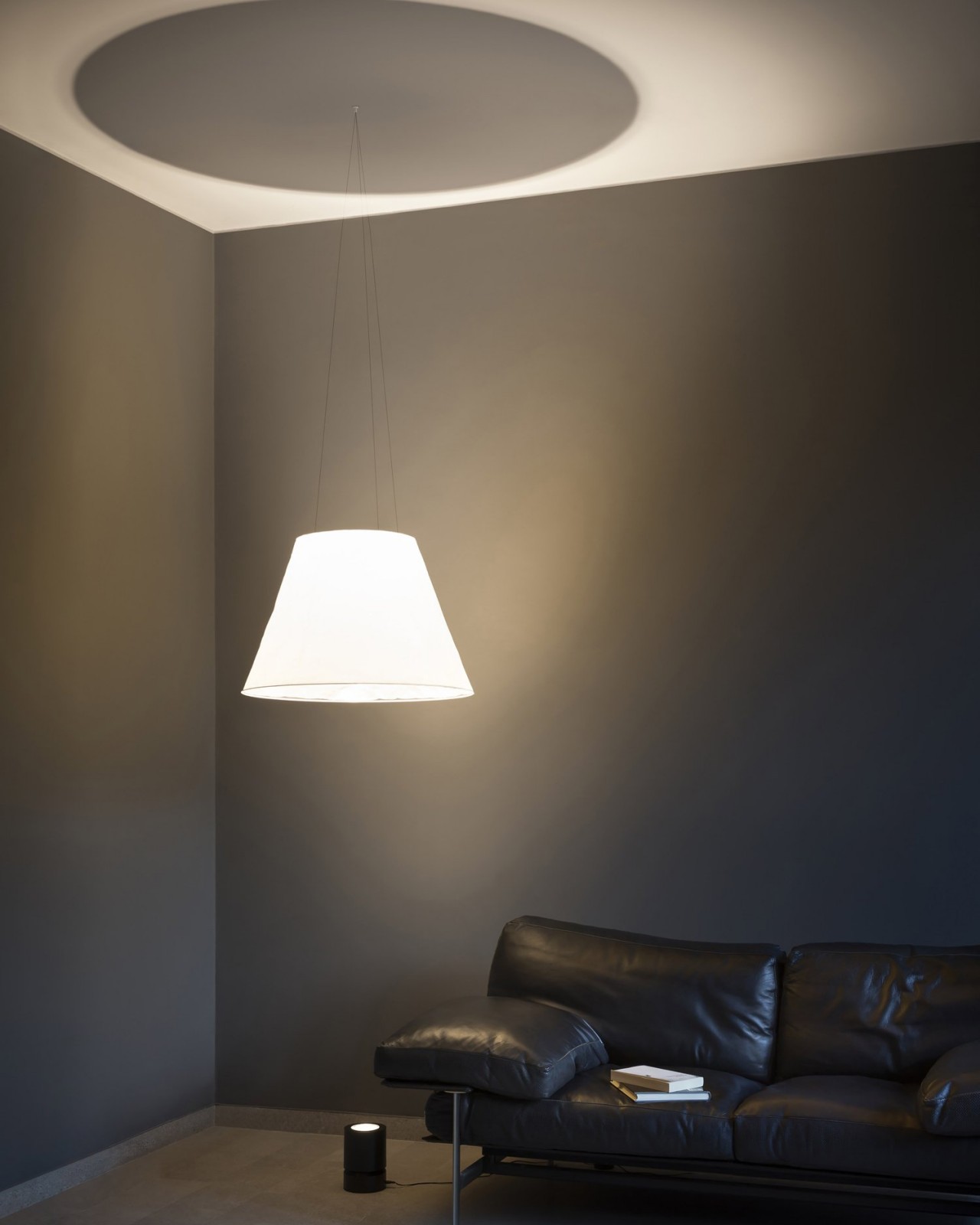
The most critical part of a lamp is, of course, the light source, but many lamps also need a way to direct or diffuse the light to make it less blinding. While most designs have these pieces in a single form, there’s no rule they have to be on a single body. Shade, whose name might not reflect its mesmerizing appearance, deconstructs and separates the design of a lamp into its two most basic parts, creating what is probably the most minimalist lamp design of all.

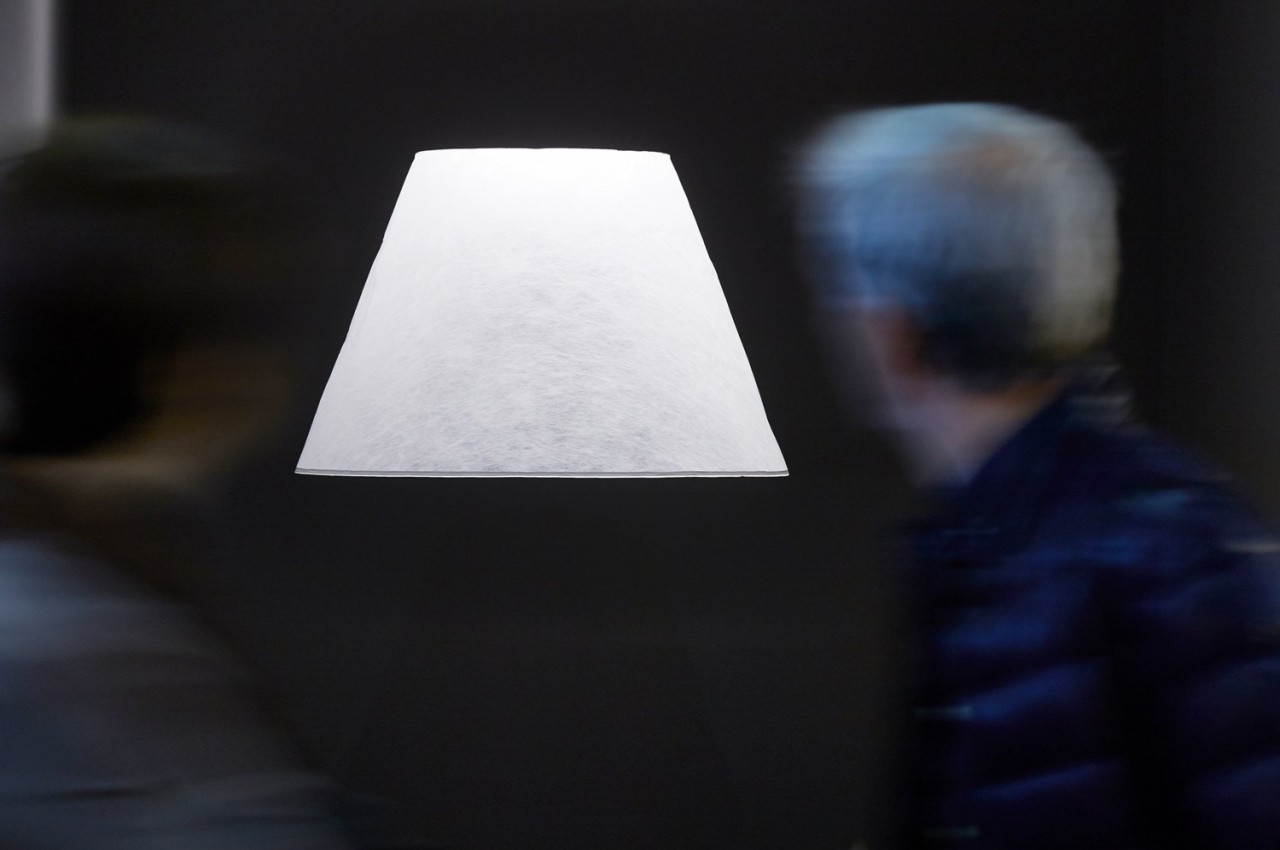
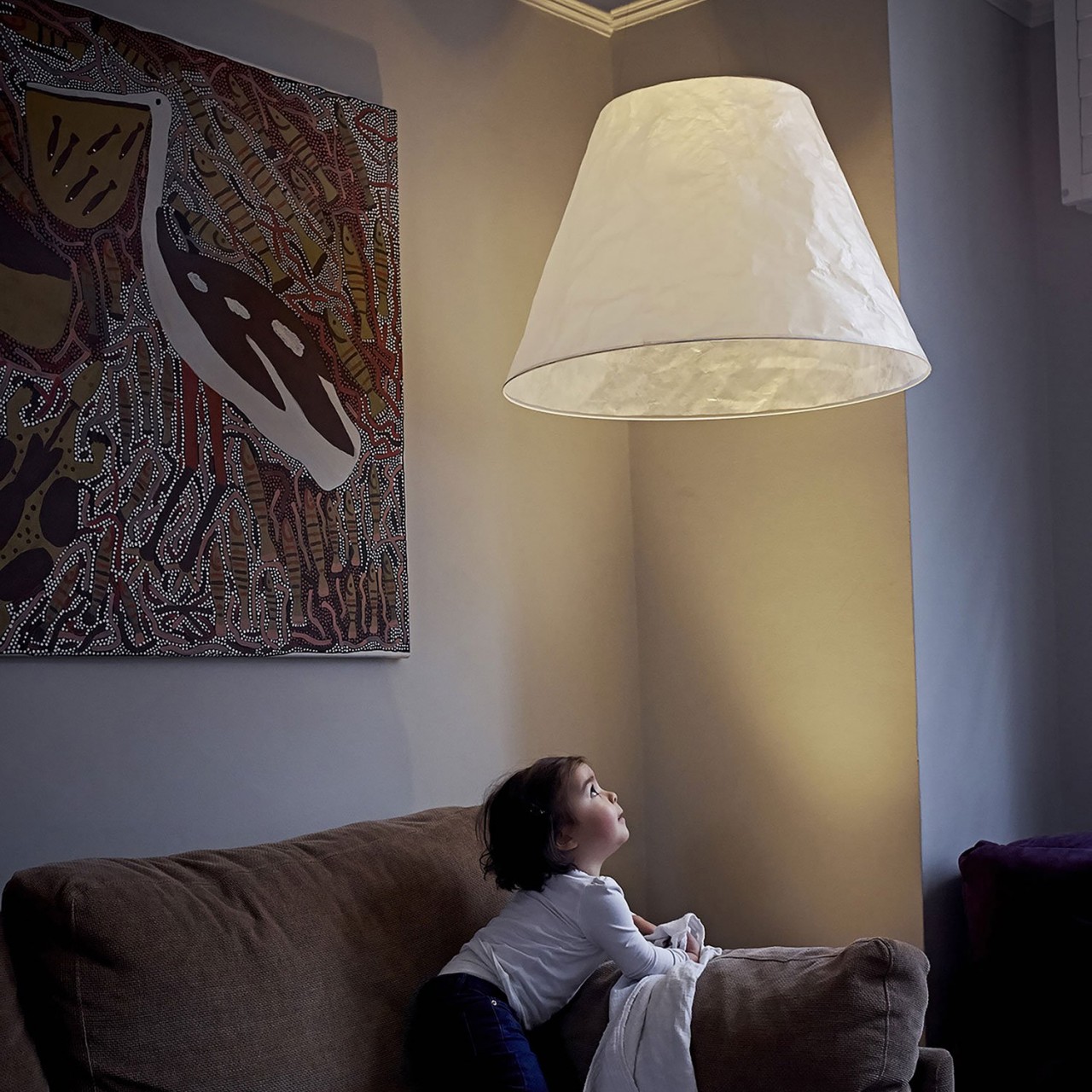
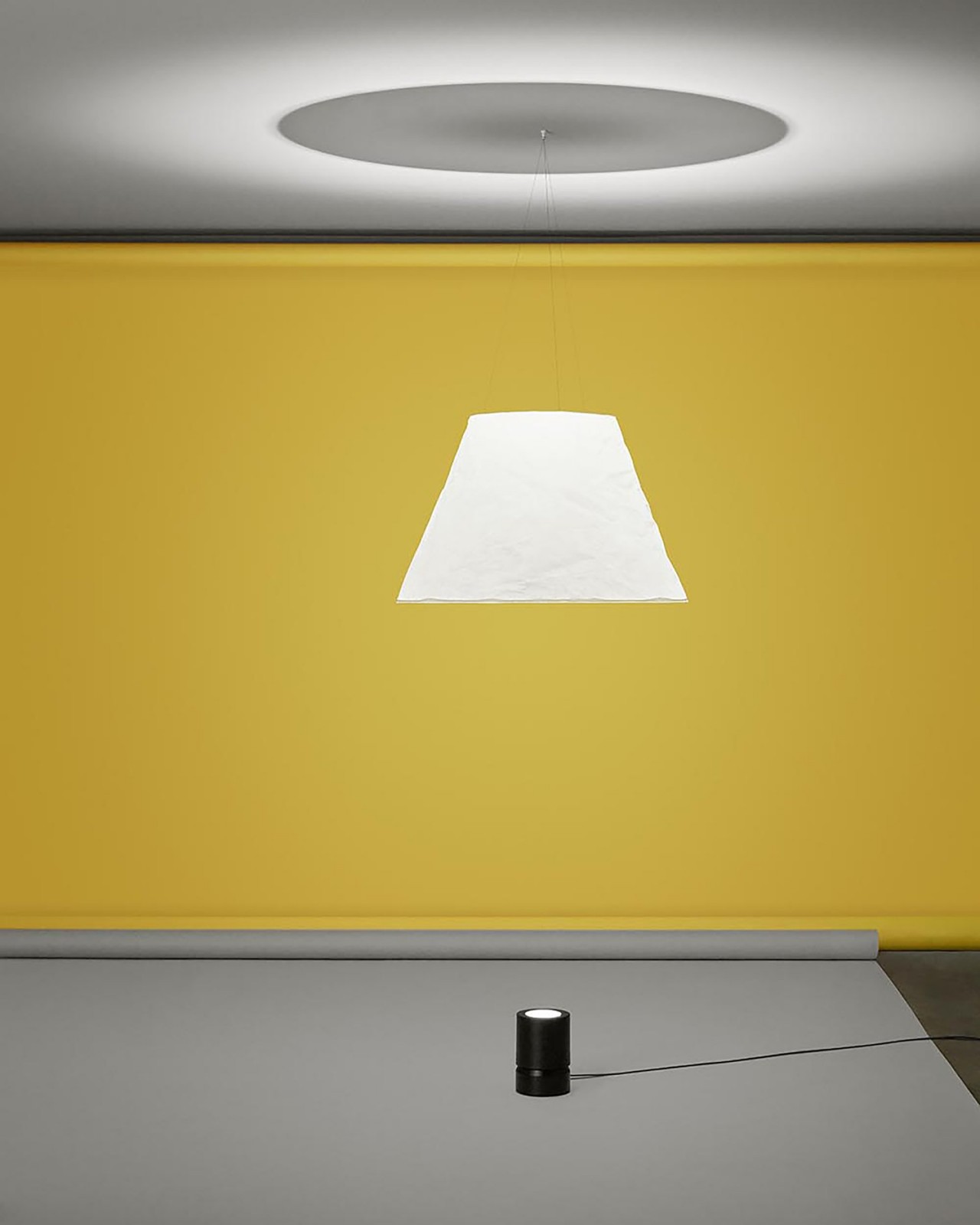
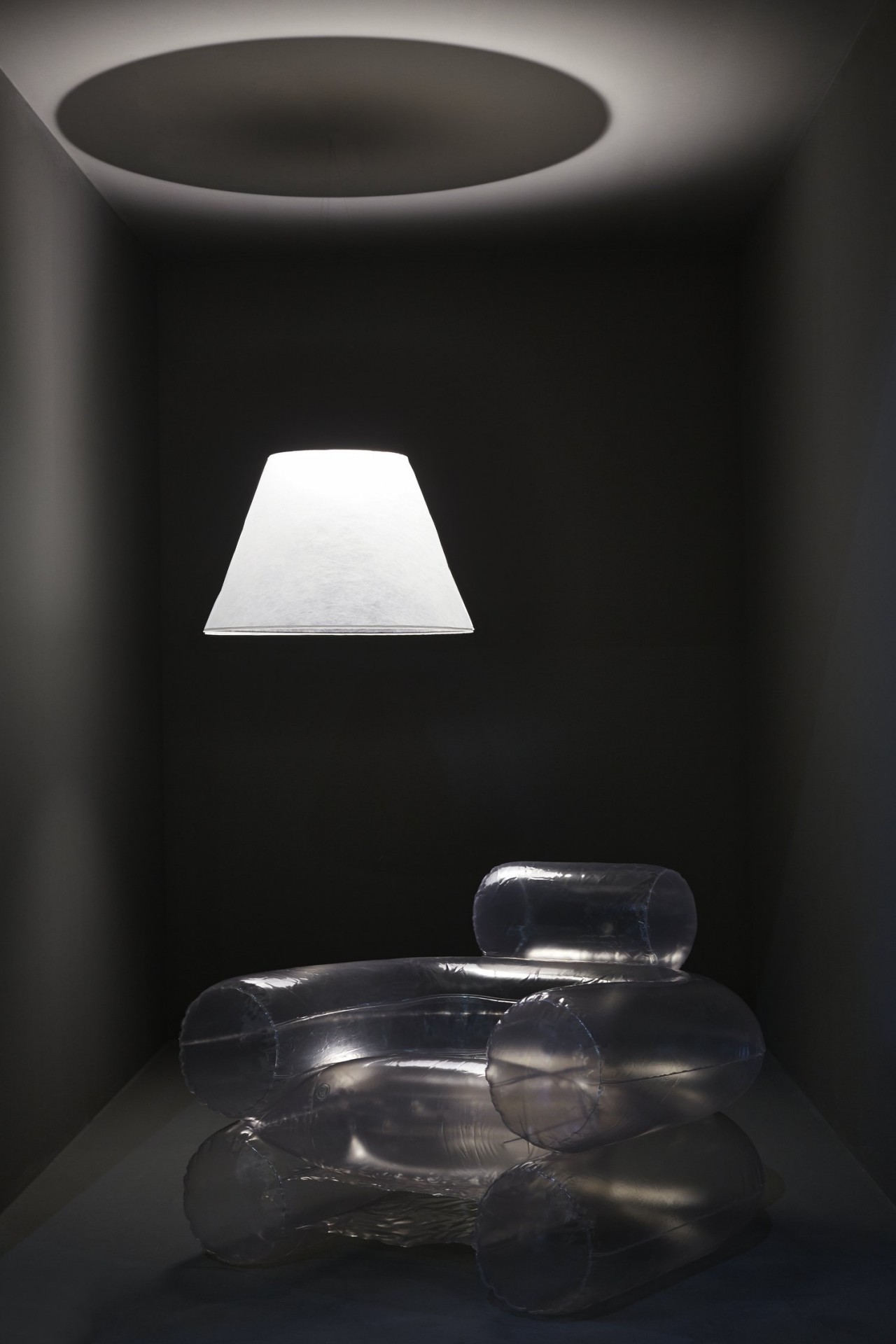
When lit up, Shade looks like a white conical lampshade eerily floating in the air, almost like a stereotypical ghost. Of course, it’s not literally floating but suspended by “capillary-thin” wires that are practically invisible unless you see them up close. But that’s only half the magic because the lampshade itself doesn’t have a light source. Instead, that comes from a small, can-shaped directional spotlight shining upward into the lampshade, creating the illusion of a floating lamp.

In essence, Shade separates the lamp into the shade and the actual light source, and neither is physically connected to the other. More than just creating this bewildering sight, this design also simplifies the installation of the lamp. No need for complicated wiring since the lamp can be set anywhere on the floor where the shade can be hung. You can also place the lamp anywhere as well, though you might want to put it somewhere safe and hidden, just to heighten the sense of mystery.

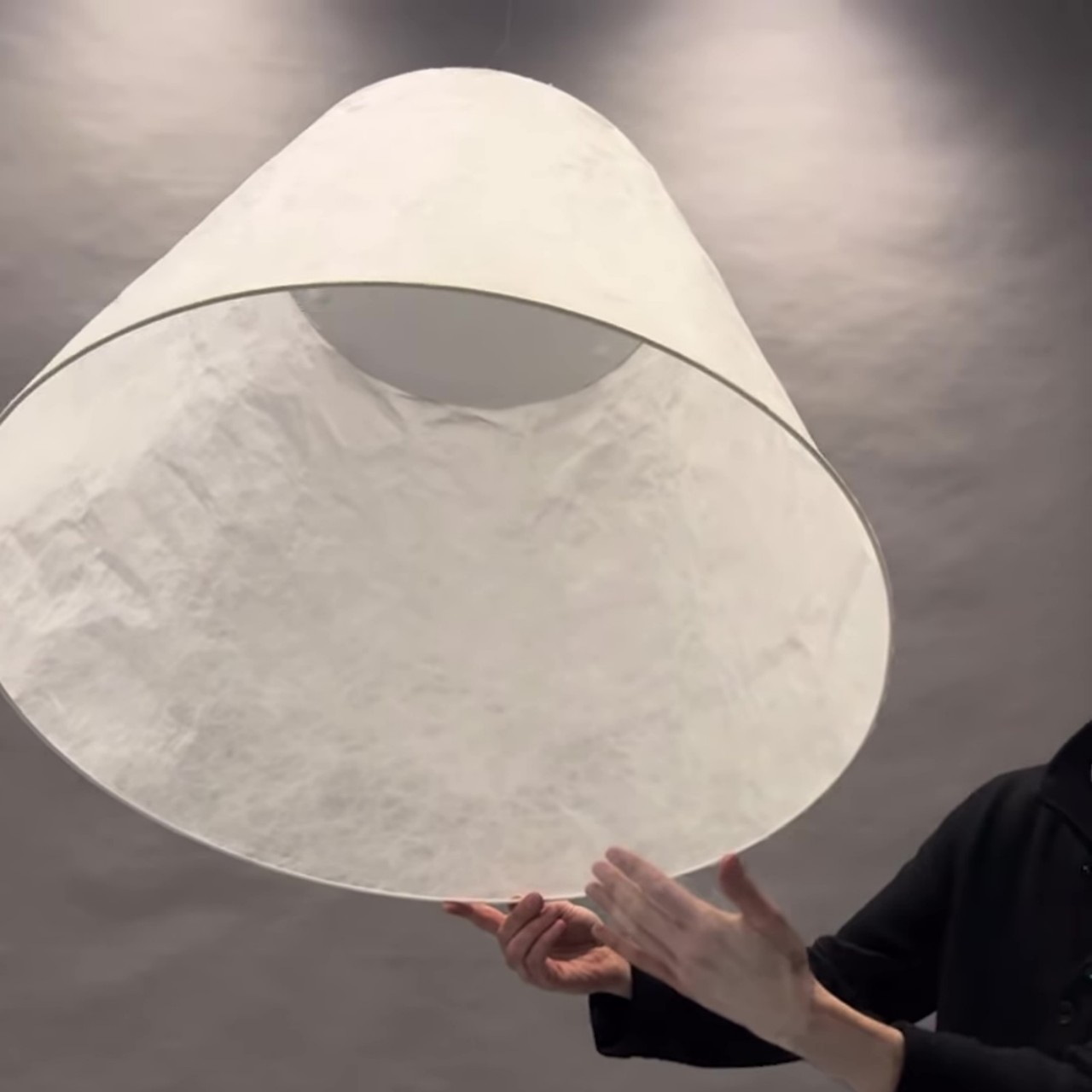
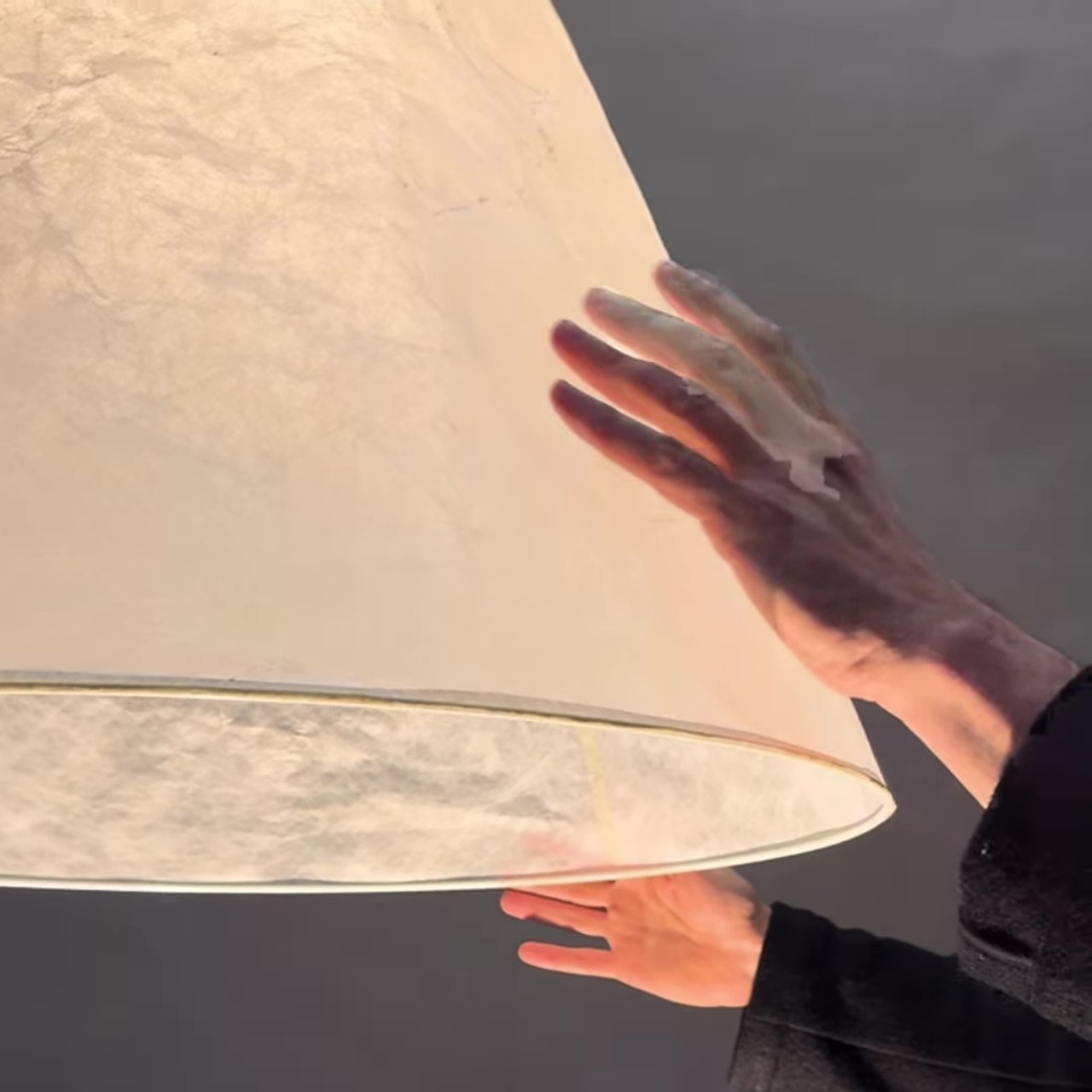
The construction of Shade itself is pretty simple, with the lampshade made of soft yet durably Japanese paper. This material not only gives the shade an almost pure white surface but also gently diffuses the light to a soft glow. The crumpled paper also gives it a unique visual texture that creates a subtle play of light and shadows, enhancing the lamp’s distinctive appeal even when the lights are off.

The post Floating lamp illusion brings an air of mystery to your living space first appeared on Yanko Design.

Our favorite mesh Wi-Fi router system is on sale for a record-low price

The TP-Link Deco AXE5400 WI-Fi mesh router system is on sale for $310 via Amazon. This pack gets you three units that cover up to 7,200 square feet. Unless you’re Scrooge McDuck, that’ll likely be enough to bring sweet, sweet internet anywhere in the home.

This is our very favorite mesh Wi-Fi system currently available. It just works, with minimal frustration. The setup is easy, the app is useful and, of course, the wireless signal is strong. After testing this system, we said that it “expertly balances raw power and user-friendliness.” It’s also a good value for the money, made even more so by today’s sale.

This is a tri-band system, which is always nice, and it can handle up to 200 devices at once. It supports Wi-Fi 6. There’s a newer model that supports Wi-Fi 7, but a three-pack costs around $800. If you’re dead set on a Wi-Fi 7 router, consider a two-pack instead of a three-pack to save some money. We have found during testing that two mesh routers is more than enough for many average-sized homes. 

We don’t have any significant gripes about the TP-Link Deco AXE5400, aside from some nitpicks. The power cord is on the shorter side, which may require an extension. The app, while useful, could use a bit more polish. Other than that, this is a near-perfect mesh router system.

Follow @EngadgetDeals on Twitter and subscribe to the Engadget Deals newsletter for the latest tech deals and buying advice.

This article originally appeared on Engadget at https://www.engadget.com/our-favorite-mesh-wi-fi-router-system-is-on-sale-for-a-record-low-price-160505515.html?src=rss

Sony’s PS VR2 adaptor for PC will arrive on August 7 with a $60 price tag

Sony revealed earlier this year that it was working on a way to make the PlayStation VR2 headset compatible with PCs. That's becoming a reality on August 7 when the company releases a PC adapter, which is expected to cost $60.

A recently spotted filing indicated that Sony was building an adapter to make the PS VR2 work with PCs. At the time, there were no details about how connectivity would work (the PS VR2 natively uses a single USB-C cable) but Sony has cleared that up. The adapter will connect to a DisplayPort 1.4-compatible port though you'll need to supply your own DisplayPort cable. The adapter also has a USB connection and HDMI output in case you want to capture your gameplay or share what you're seeing with others in the room.

You'll need a PC that's up to scratch too. The system will need to have at least 8GB of memory and an Intel Core i5-7600 or AMD Ryzen 3 3100 processor with Zen 2 or later architecture. As for your CPU, Sony recommends at least an NVIDIA GeForce RTX 3060 or AMD Radeon RX 6600XT, though you should get away with an NVIDIA GeForce GTX 1650 or AMD Radeon RX 5500XT at minimum. Your PC will also need to support at least Bluetooth 4.0 or later.

If your system checks all those boxes, then you'll be able to play the likes of Half-Life: Alyx on a PS VR2. The adapter will give users access to thousands of Steam VR games through the headset, orders of magnitude more than are available for the PS VR2 through a PlayStation 5.

Sony notes that some PS VR2 features aren't available when playing on PC, such as headset feedback, eye tracking, adaptive triggers and haptic feedback (except for a more generic rumble). Disappointingly, there won't be HDR support. However, you will be able to enjoy 4K visuals, a 110-degree field of view, finger touch detection, and see-through view are all supported, along with foveated rendering (sans eye tracking) and 3D audio if a game supports it.

We do think the PS VR2 is a great headset for VR gaming and gave it a score of 84 in our review, though we had some reservations, largely due to its price. The headset typically costs $550, but it's $100 off until June 12 as part of Sony's Days of Play sale. A bundle with Horizon Call of the Mountain will run you an extra $50.

This article originally appeared on Engadget at https://www.engadget.com/sonys-ps-vr2-adaptor-for-pc-will-arrive-on-august-7-with-a-60-price-tag-155751937.html?src=rss

Pick up two Tile Pro Bluetooth trackers for only $48

You can pick up two Tile Pro trackers on Amazon for just $48. This is 20 percent off and the lowest price we’ve seen all year for these handy little Bluetooth trackers. This deal gets you one black Tile and one white Tile, though there are also discounts on single trackers.

The Tile Pro is a stellar tracking device. It made our list of the best Bluetooth trackers for some very good reasons. The key-fob shaped device is sturdy and easy to use. We enjoyed the lengthy connectivity range and the higher-than-average ring volume, at 78 decibels. You’ll hear this thing, even if the device it's attached to is buried underneath a couch cushion somewhere.

We found the tracker to be highly accurate during our finder network tests. This is also the only Tile device with a replaceable battery, so you won’t have to trash the tracker when it fails. The battery that ships with the device lasts around a year. It uses a standard CR2032, which is easy to find and budget-friendly.

Though the tracker works with both Android and Apple devices, we had less luck with the iOS ecosystem. The iPhone experience was plagued by connectivity issues and a lack of alerts. This is the tracker to get for those tied to Android. There’s one final caveat. Tile requires a subscription to enable separation alerts, which goes for $3 per month or $30 per year. This isn’t needed for regular household use, but comes in handy if you lose something out in the world. For the price of a subscription, the company also throws in a free battery each year and will reimburse up to $100 on lost items.

Follow @EngadgetDeals on Twitter and subscribe to the Engadget Deals newsletter for the latest tech deals and buying advice.

This article originally appeared on Engadget at https://www.engadget.com/pick-up-two-tile-pro-bluetooth-trackers-for-only-48-151204124.html?src=rss

Pick up two Tile Pro Bluetooth trackers for only $48

You can pick up two Tile Pro trackers on Amazon for just $48. This is 20 percent off and the lowest price we’ve seen all year for these handy little Bluetooth trackers. This deal gets you one black Tile and one white Tile, though there are also discounts on single trackers.

The Tile Pro is a stellar tracking device. It made our list of the best Bluetooth trackers for some very good reasons. The key-fob shaped device is sturdy and easy to use. We enjoyed the lengthy connectivity range and the higher-than-average ring volume, at 78 decibels. You’ll hear this thing, even if the device it's attached to is buried underneath a couch cushion somewhere.

We found the tracker to be highly accurate during our finder network tests. This is also the only Tile device with a replaceable battery, so you won’t have to trash the tracker when it fails. The battery that ships with the device lasts around a year. It uses a standard CR2032, which is easy to find and budget-friendly.

Though the tracker works with both Android and Apple devices, we had less luck with the iOS ecosystem. The iPhone experience was plagued by connectivity issues and a lack of alerts. This is the tracker to get for those tied to Android. There’s one final caveat. Tile requires a subscription to enable separation alerts, which goes for $3 per month or $30 per year. This isn’t needed for regular household use, but comes in handy if you lose something out in the world. For the price of a subscription, the company also throws in a free battery each year and will reimburse up to $100 on lost items.

Follow @EngadgetDeals on Twitter and subscribe to the Engadget Deals newsletter for the latest tech deals and buying advice.

This article originally appeared on Engadget at https://www.engadget.com/pick-up-two-tile-pro-bluetooth-trackers-for-only-48-151204124.html?src=rss

New VW Golf GTI Clubsport Unveiled

VW Golf GTI Clubsport

Volkswagen has unveiled its latest masterpiece, the new VW Golf GTI Clubsport. This highly anticipated addition to the iconic Golf GTI series is set to redefine the standards of performance and style in the hot hatchback segment. With its striking redesign and innovative features, the Clubsport is poised to capture the hearts of motorsport enthusiasts […]

The post New VW Golf GTI Clubsport Unveiled appeared first on Geeky Gadgets.