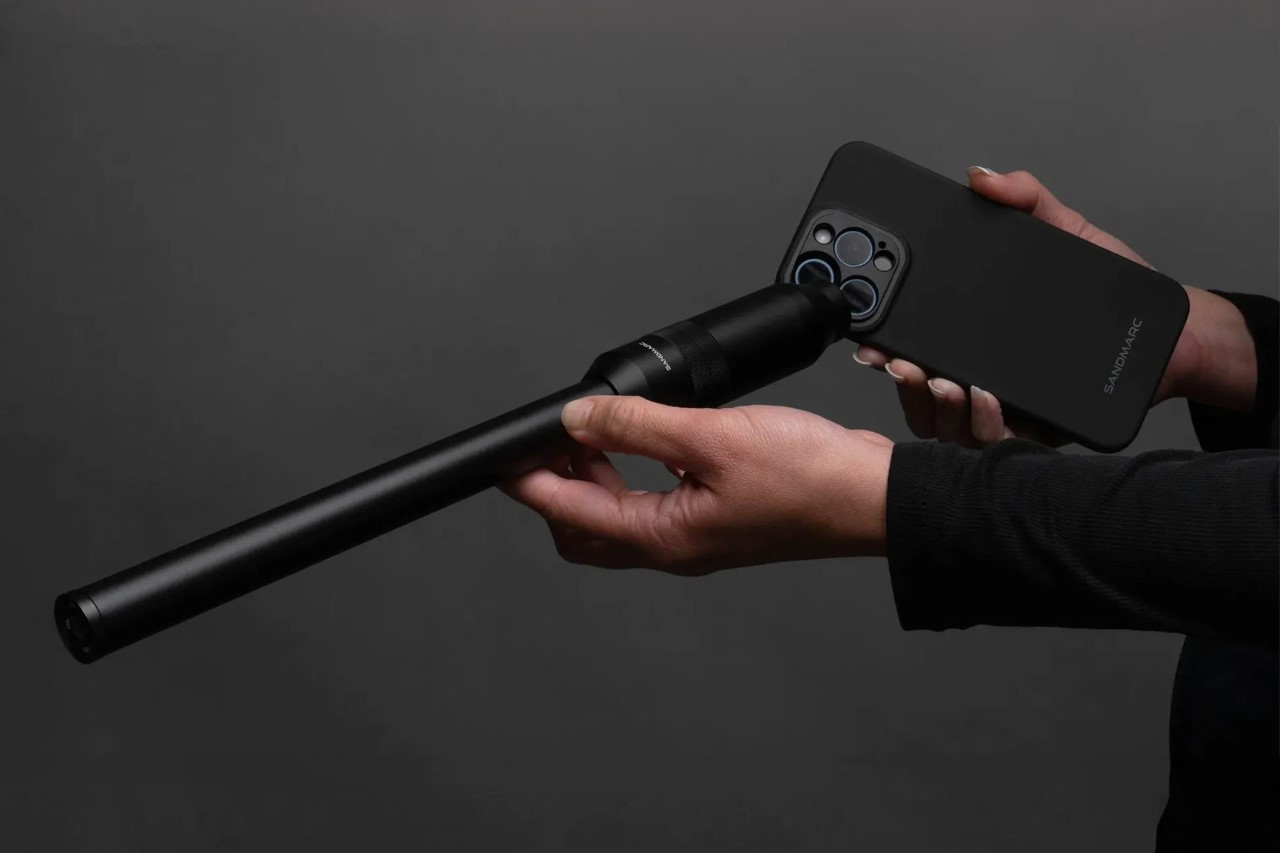
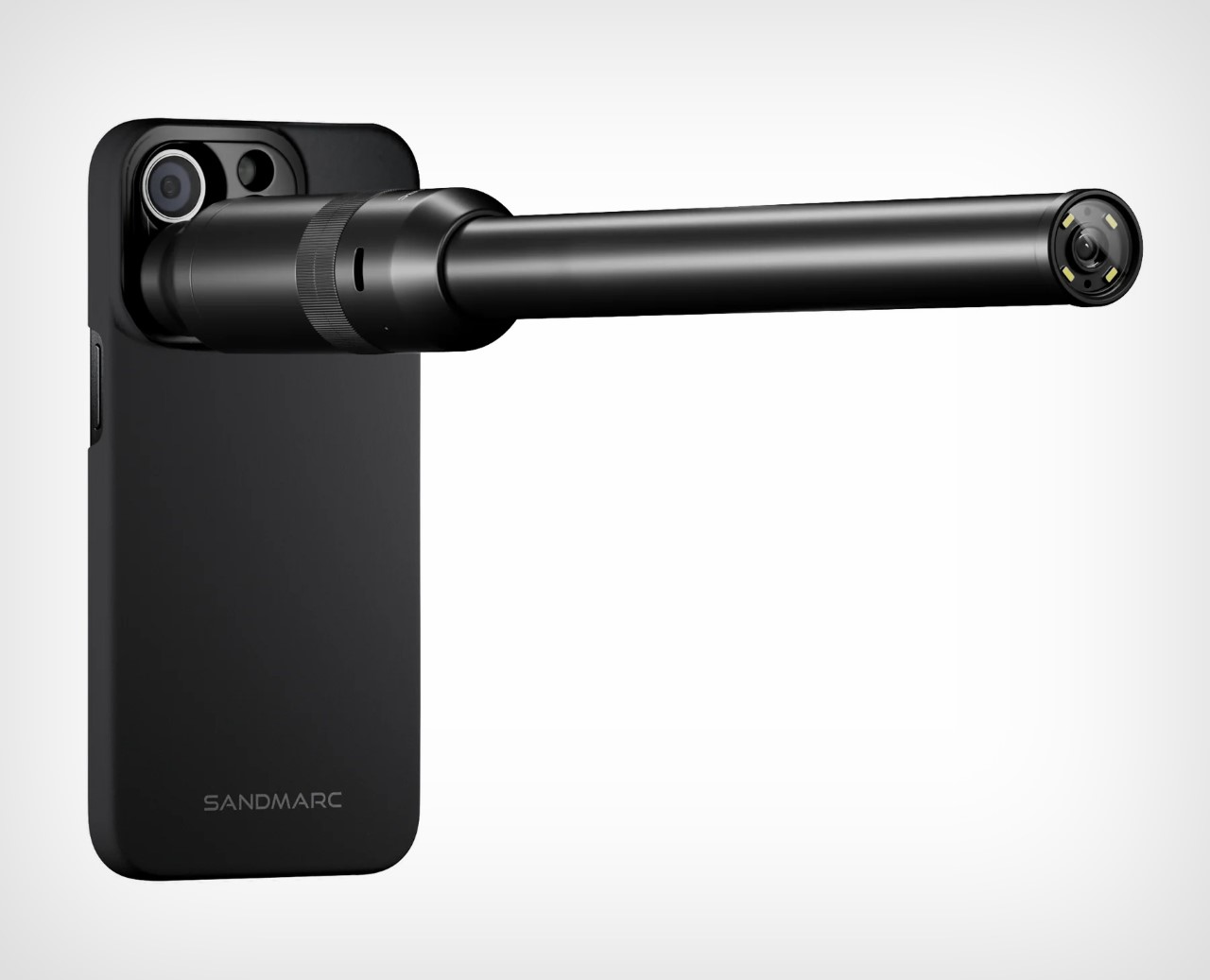
The probe lens, which became the talk of the photography town in 2018, is now going to become a staple of smartphone photography too. After seeing Shiftcam debut their probe lens for the smartphone (although it hasn’t officially been launched yet), SANDMARC has joined the ranks with its own probe lens for the iPhone. Priced at $349.99 along with the mounting case for your phone, SANDMARC’s Probe Lens promises to deliver a new perspective that gives you a tiny critter’s POV, making the world around you seem much larger than life!
Designer: SANDMARC
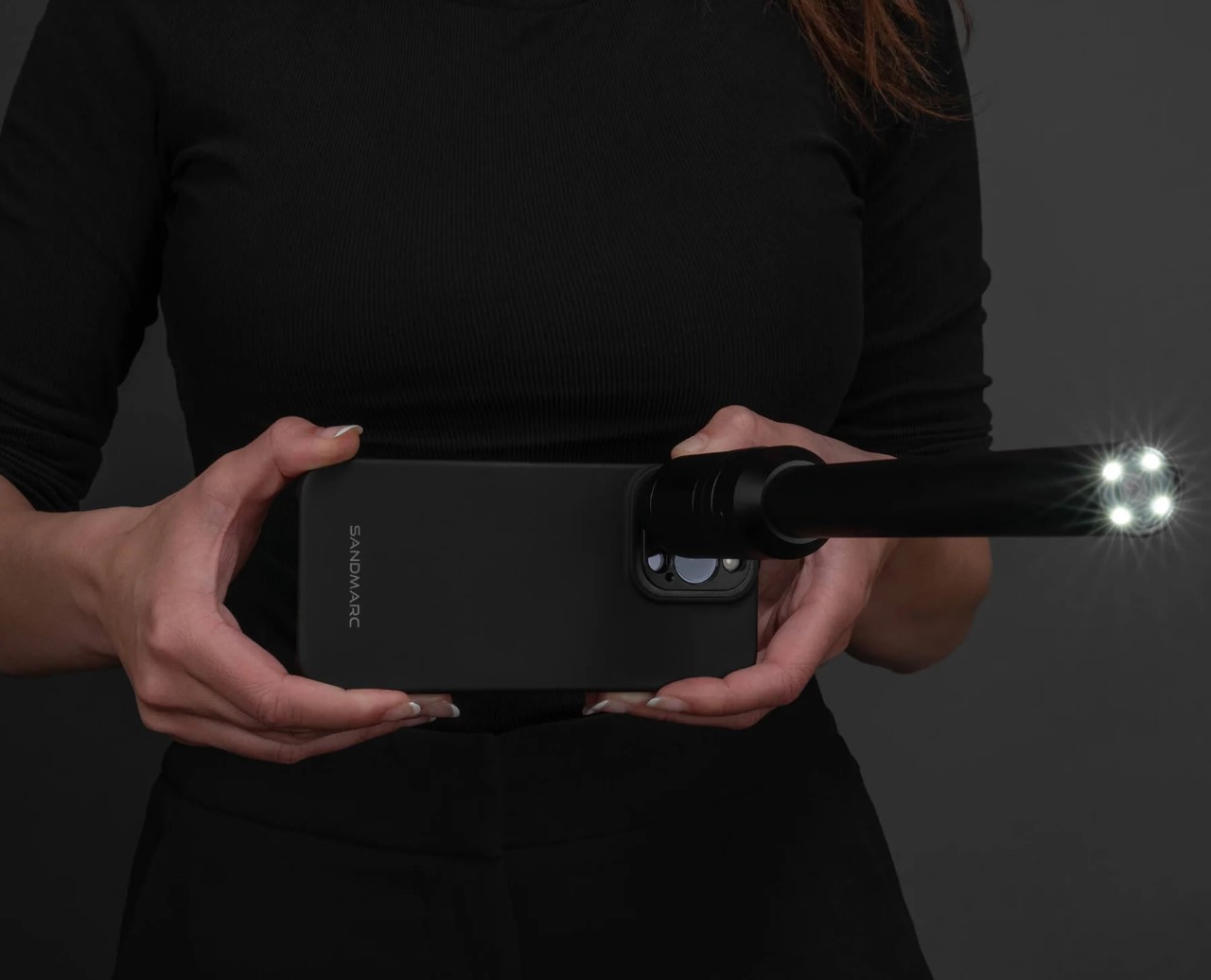
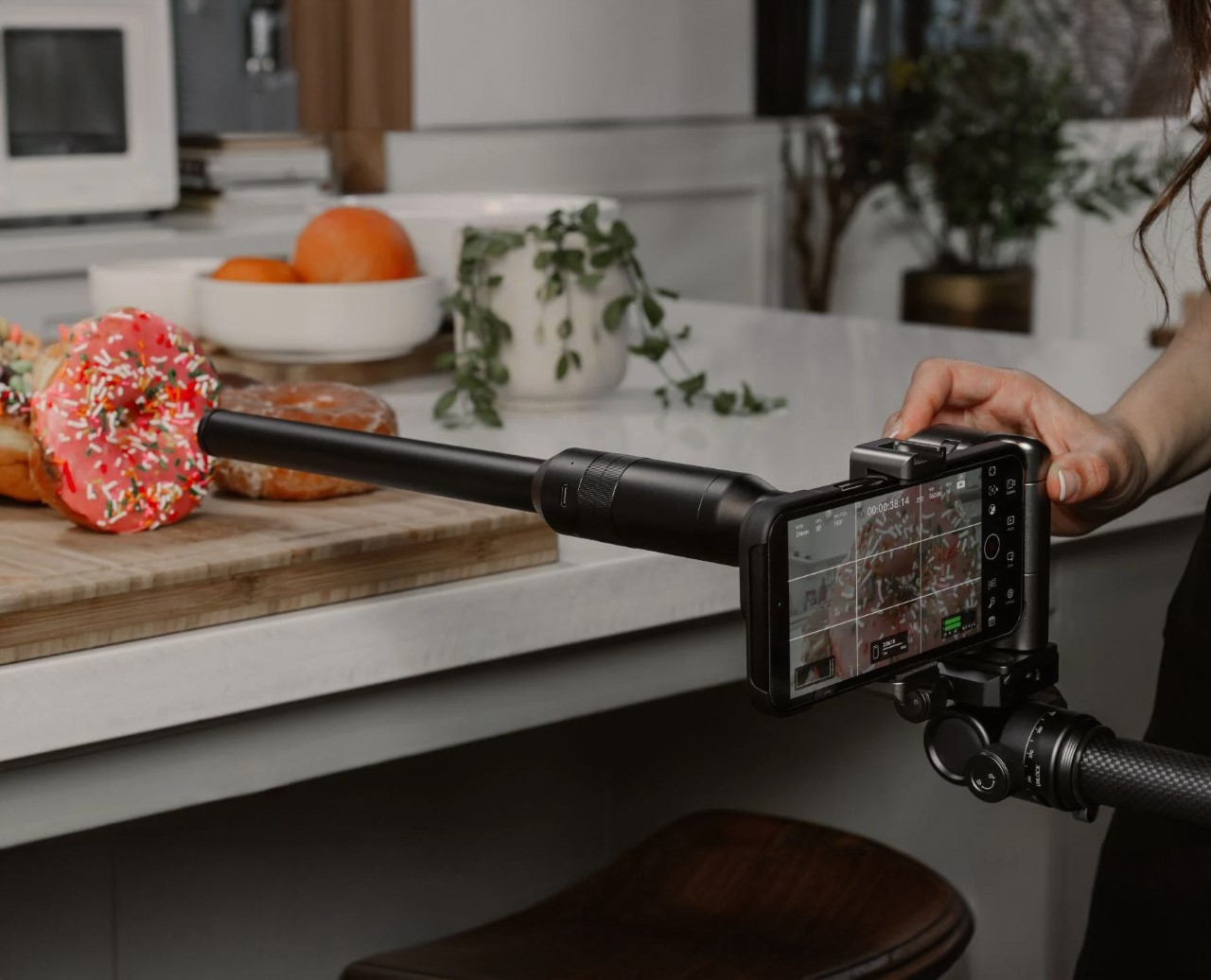
The lens measures an impressive 12 inches long, and comes with that signature probe-shaped design that lets you poke your camera into tiny spaces and capture things from a small PoV. Essentially, it builds itself on the aesthetic set by Laowa and Shiftcam after, and sports a wide DoF, a focus wheel, and LEDs on the front to let the lens gather as much light as possible (tiny lenses do require higher light capture because of their small design).
More importantly, this release from SANDMARC promises to change iPhones and smartphone photography as we know it. Humans are used to the human perspective, which is why we’re so enamored by drone footage. The Probe Lens brings yet another perspective to how we capture the world, and it’s going to be absolutely phenomenal to see what creators do with it.
At its $335 price tag (for just the lens), this isn’t something everyone can or even should buy. The Probe Lens is designed mainly for creatives, filmmakers, and nature documentary folks. The lens has a focal length of 16mm, a magnification of 2.1x, and the ability to focus on objects with stunning bokeh and also a wide FoV. You truly feel like you’ve been shrunk 100x and you’re now exploring the world in a new, tinier body. SANDMARC hasn’t specified whether this probe lens is waterproof (Shiftcam’s upcoming lens is), which means you may not be able to prod your lens into a glass of water, or a pond to observe wildlife inside. There is, however, a set of shadowless lights on the rim, for low-light photography, and a USB-C port that lets you charge your Probe Lens. The lens ships with a pouch, front and back lens caps, a charging cable, and even a mounting case for your iPhone (compatible with iPhone 14 and above).
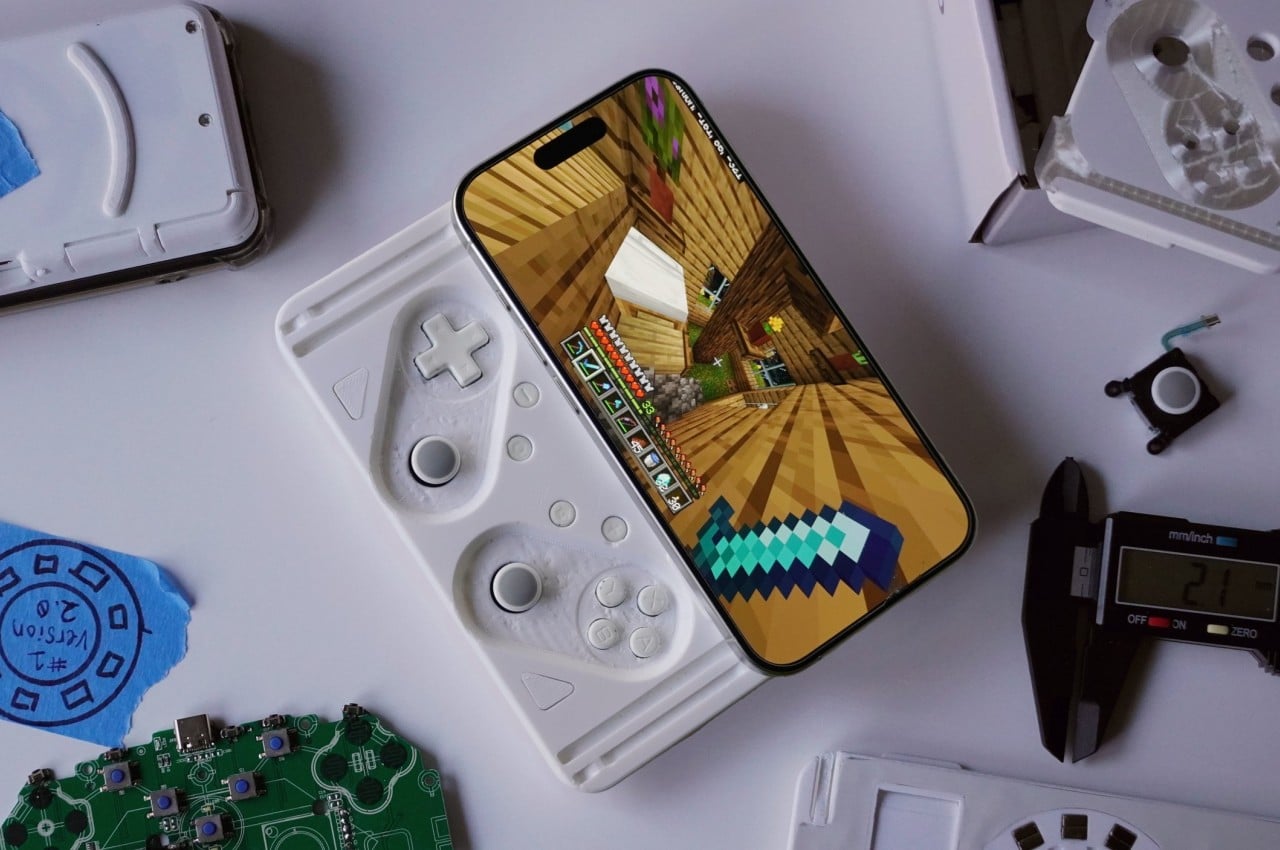
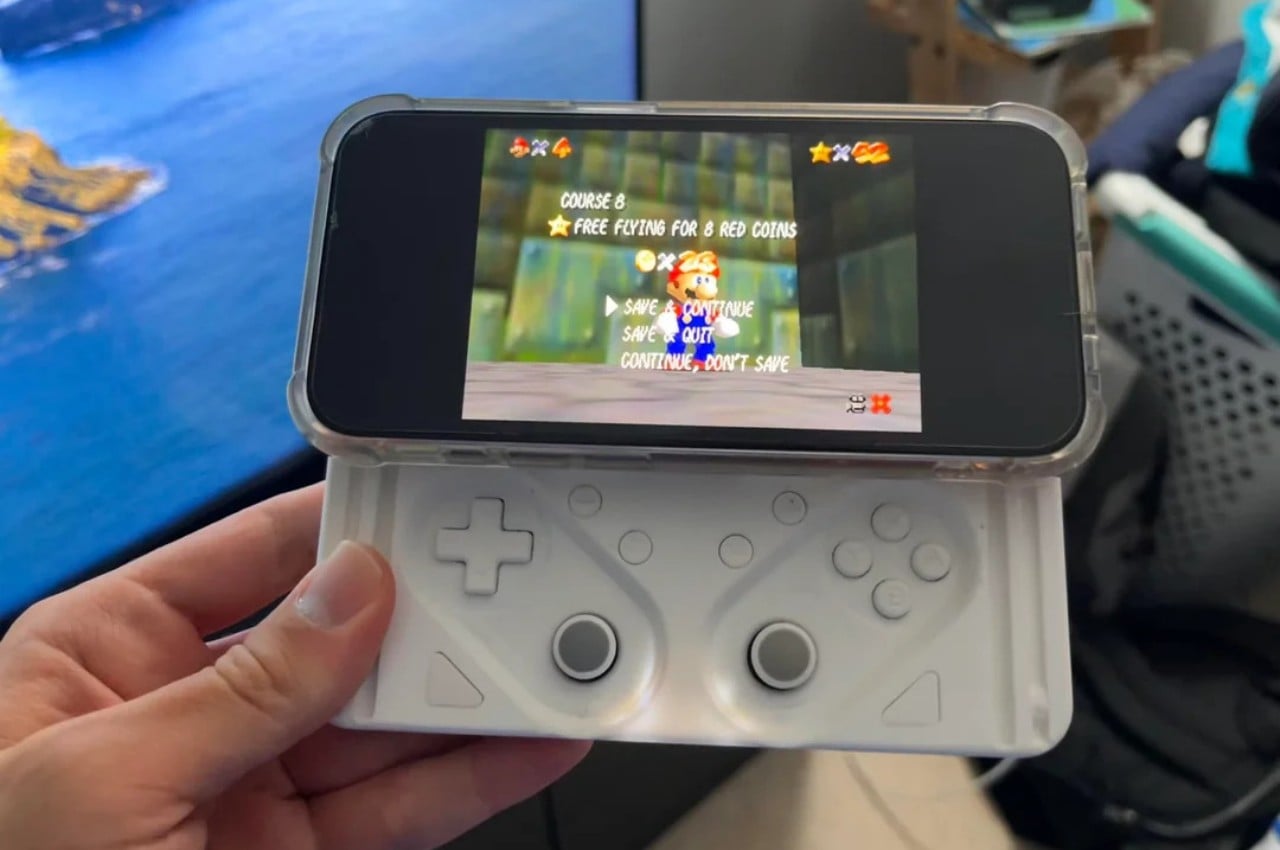
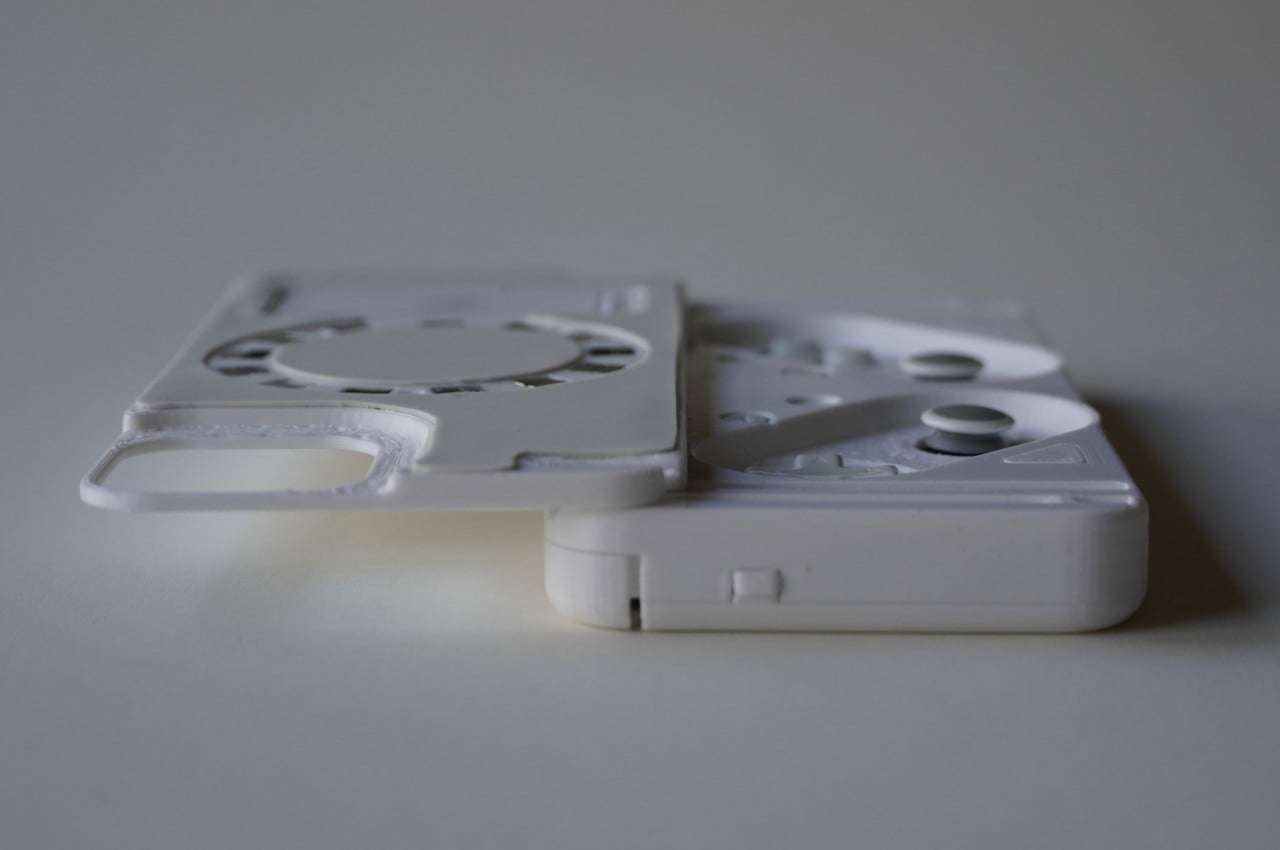
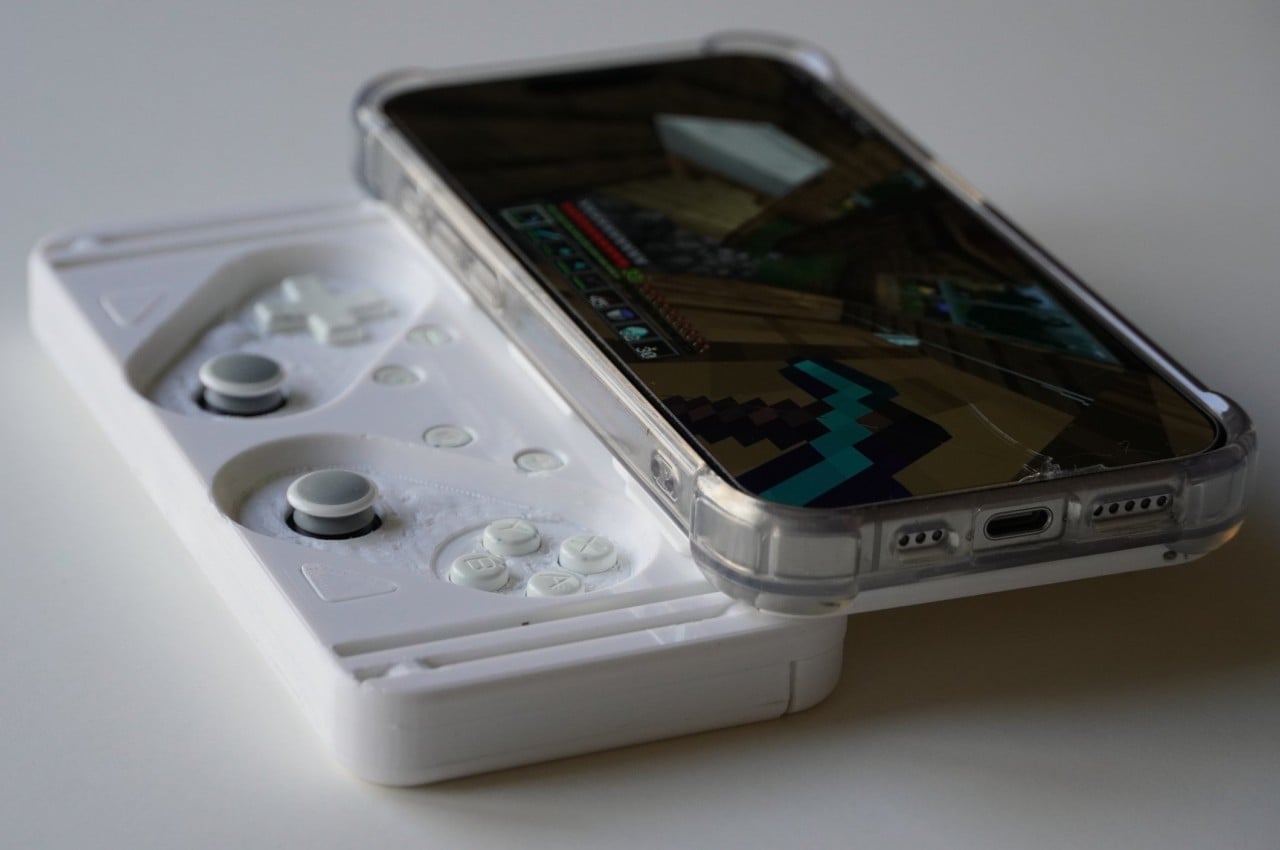
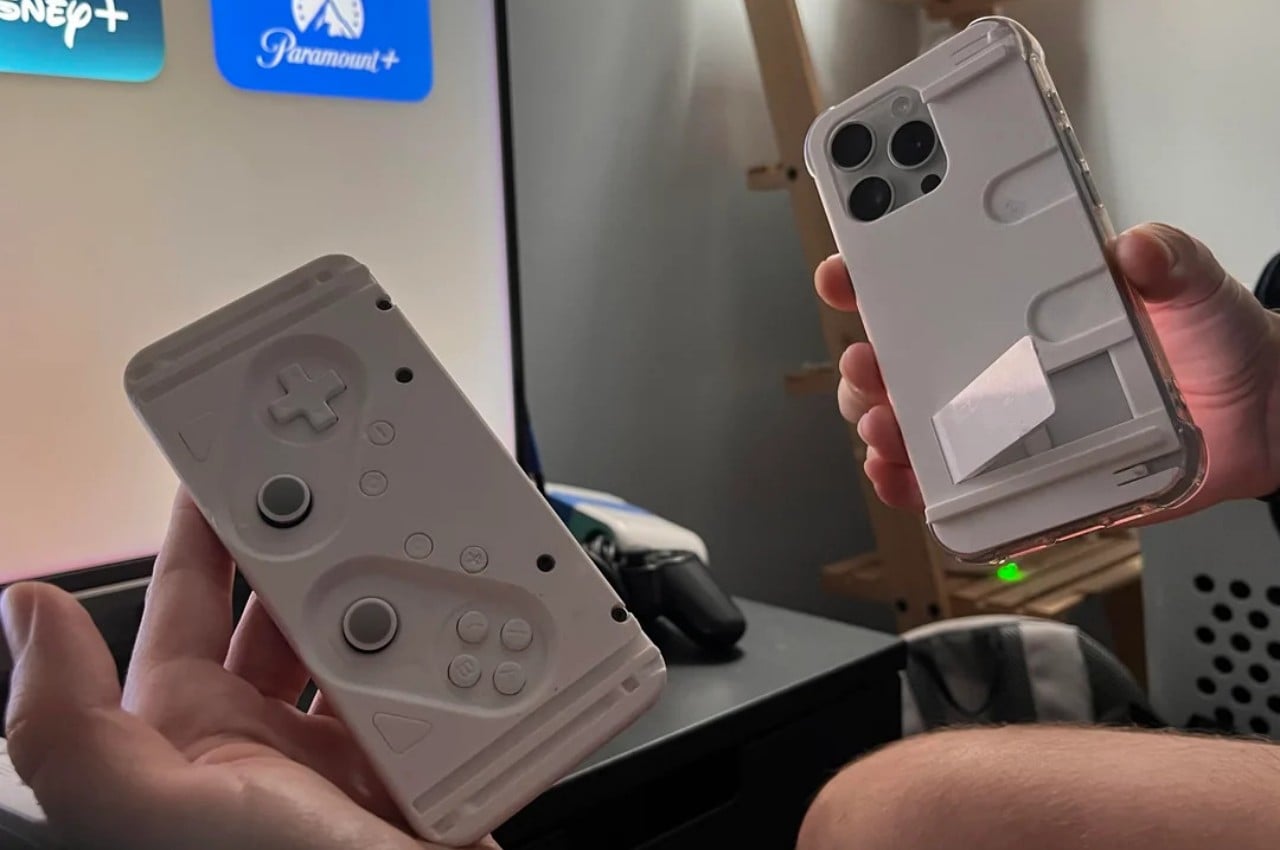
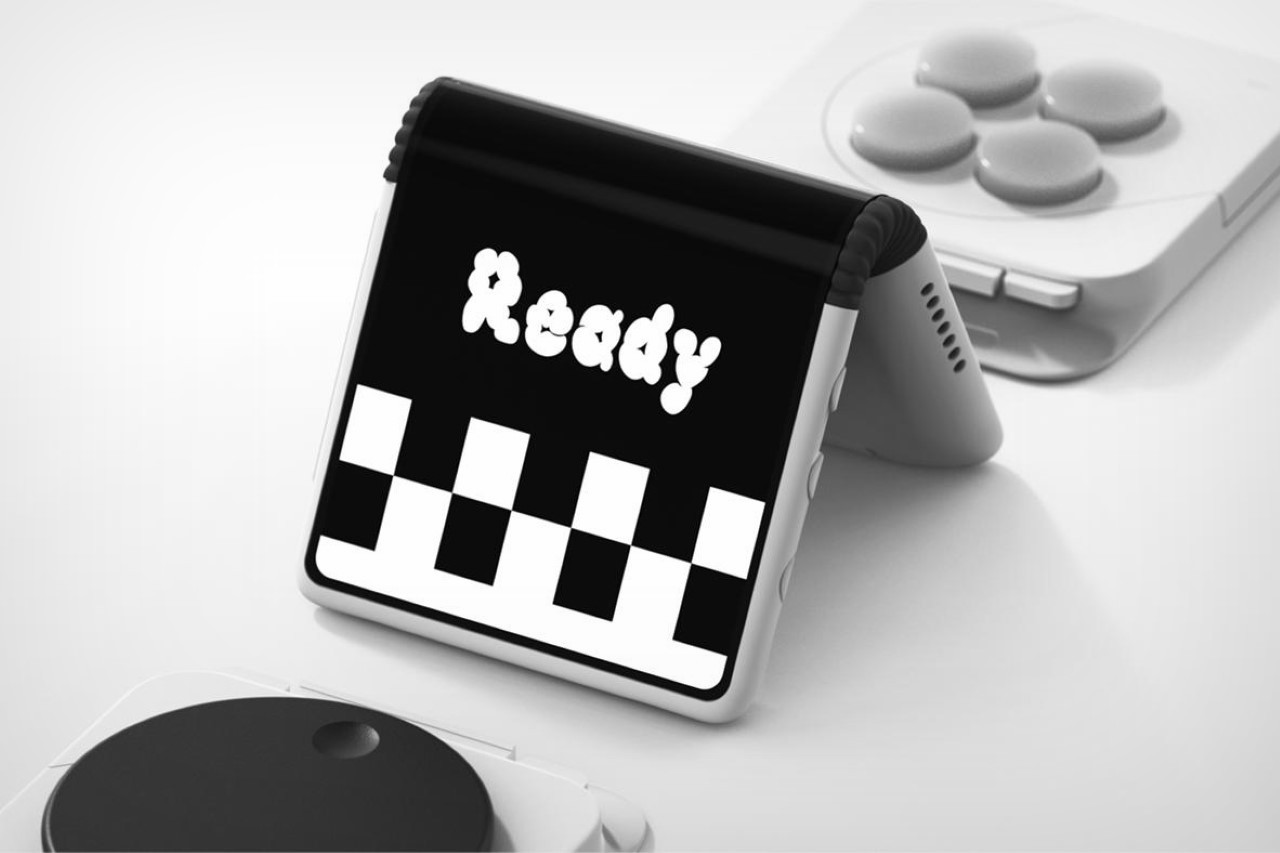
The iPhone has always been a powerful device, but like many smartphones, that power is always tested when it comes to gaming. Of course, there are plenty of games that run smoothly on the iPhone, especially those either designed specifically for iOS or optimized for it under the Apple Arcade ecosystem. Recently, however, the chance for emulators and emulated games to run on iPhones has become more feasible, which puts game controllers under a microscope. Although these have been around for years now, the large majority of them felt inconvenient, clunky, and less ideal for gaming on the go. This upcoming design tries to address those concerns from a different angle, and it takes inspiration from sliders like the PSP Go or, closer to home, the Xperia Play.
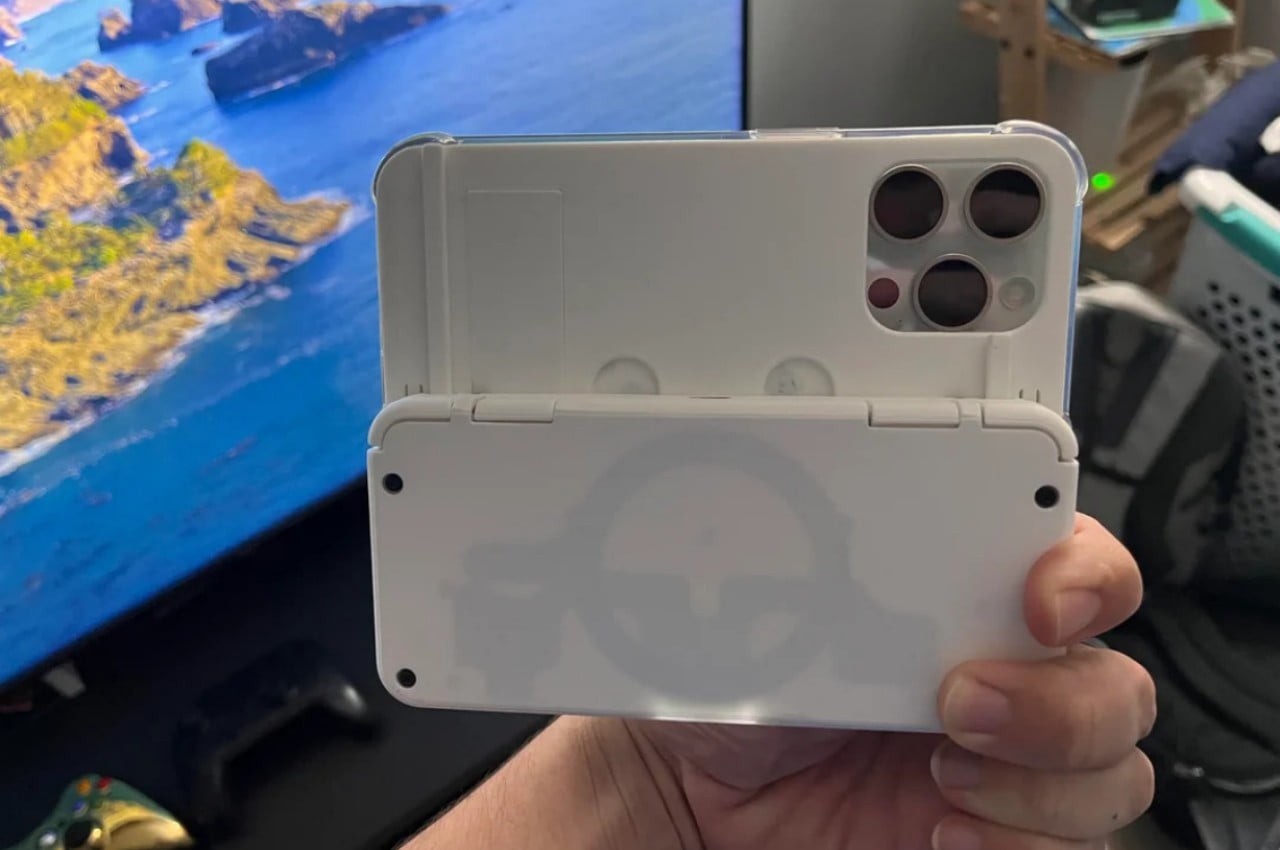
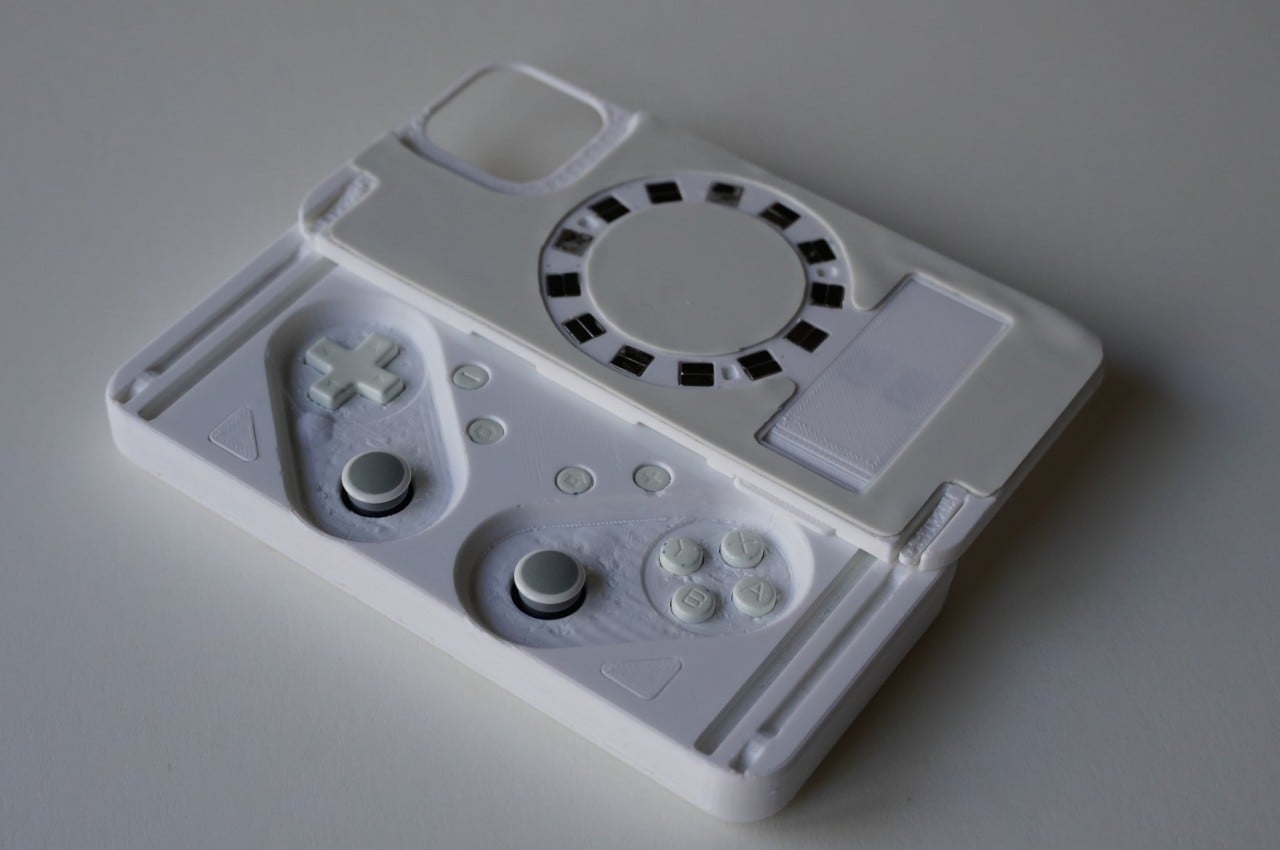
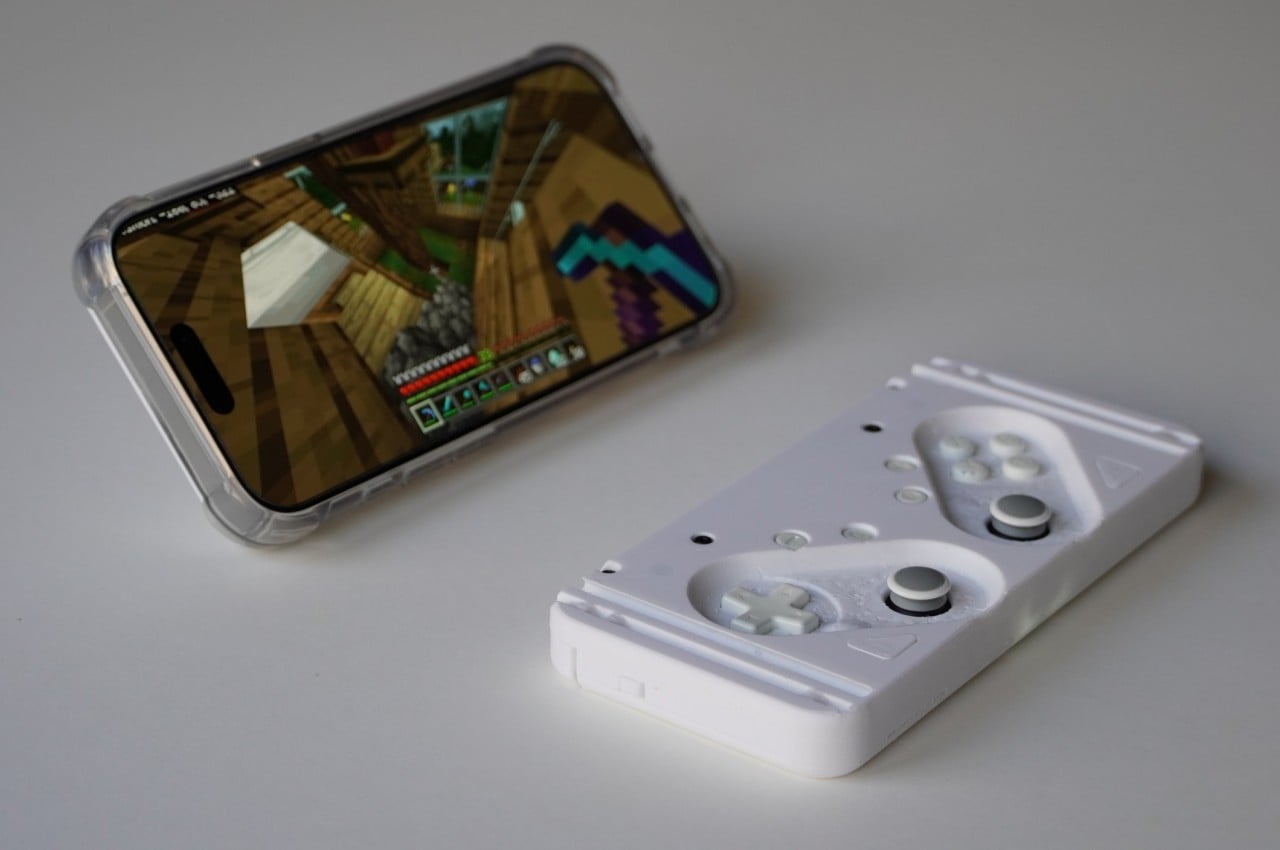
Phone game controllers these days mostly come in two flavors. One is a bulky, traditional controller with a clip to hold your phone, while the more popular design flanks the phone with split controls. The latter is more portable but still tedious to use, especially when it requires taking off your iPhone’s protective case every time you want to play. To fix this design problem, the M-Con looks to other portable gaming systems that are more suitable for phone-sized devices, and it turns out that Sony already answered the same problem years ago.
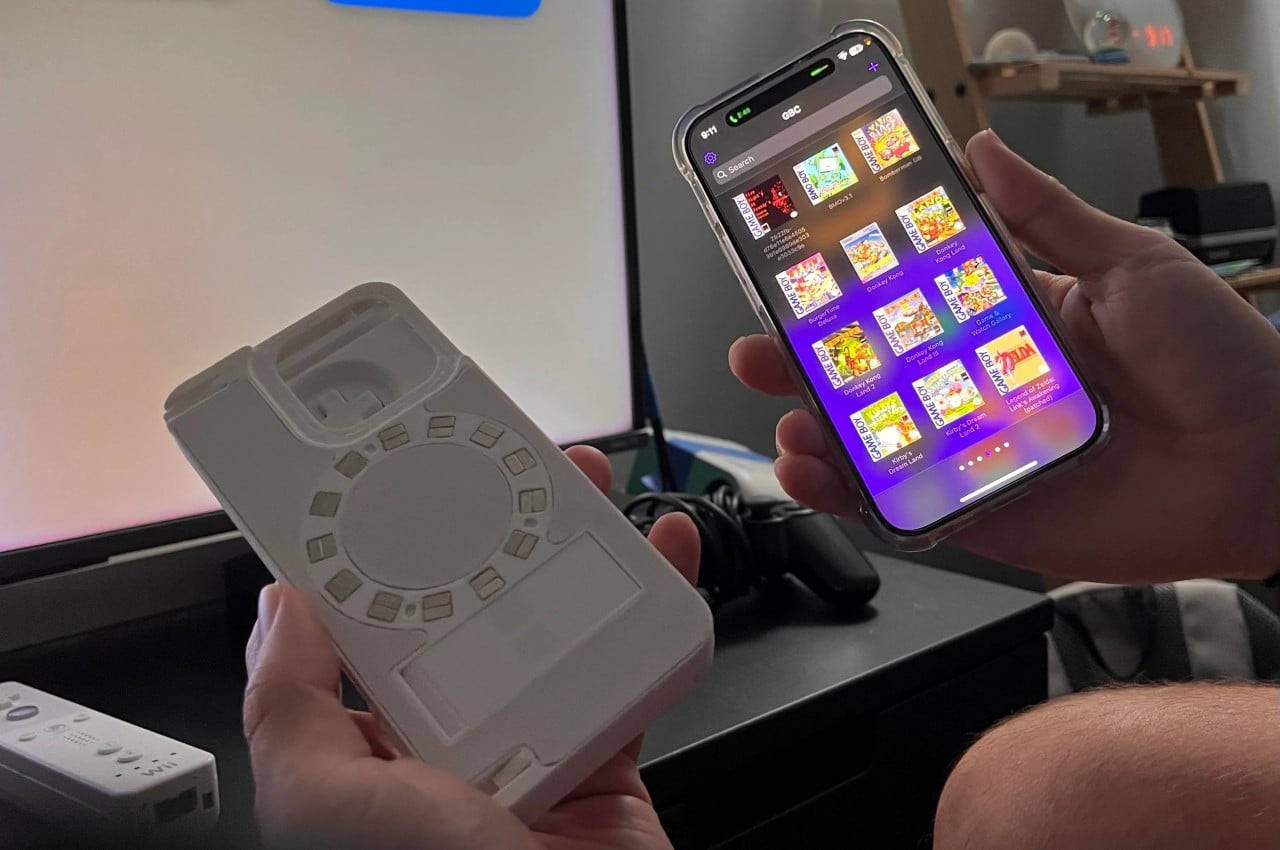
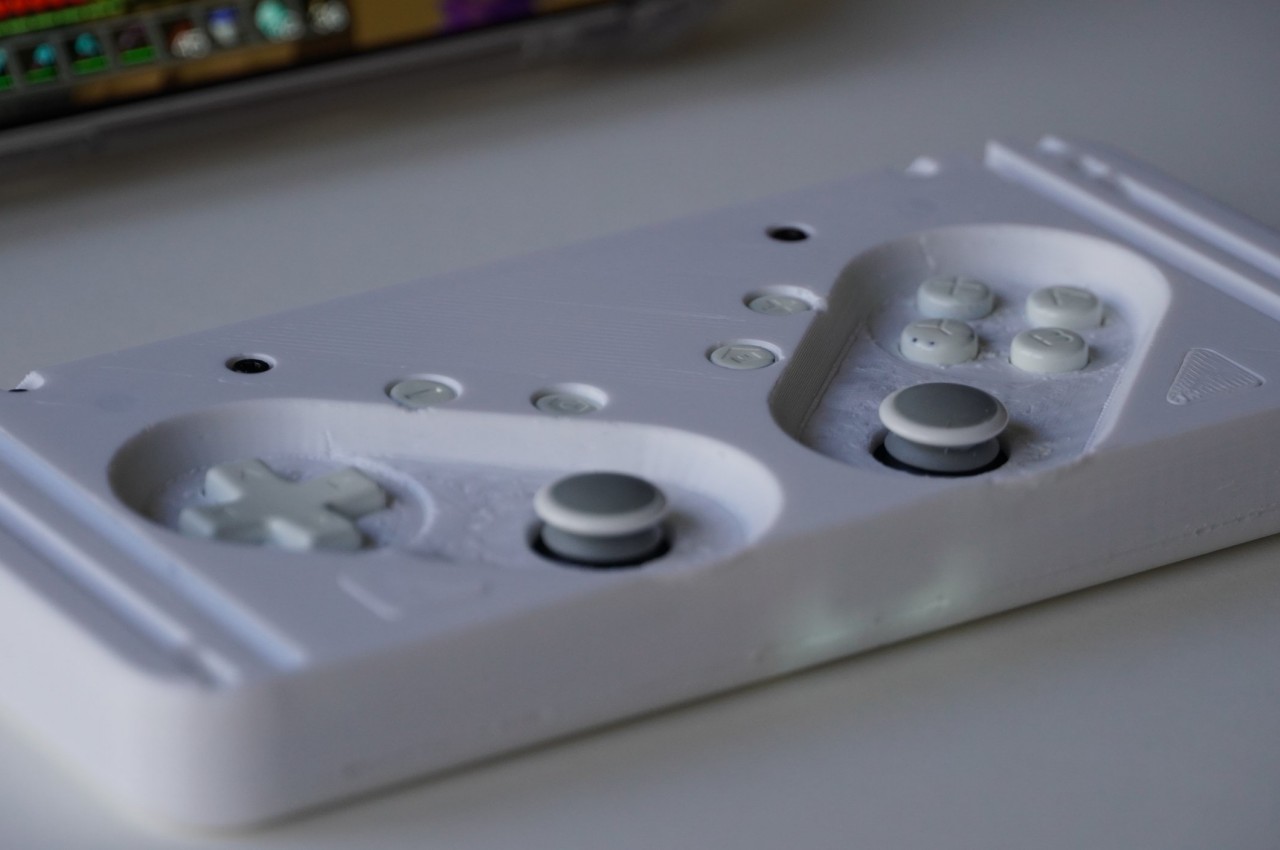
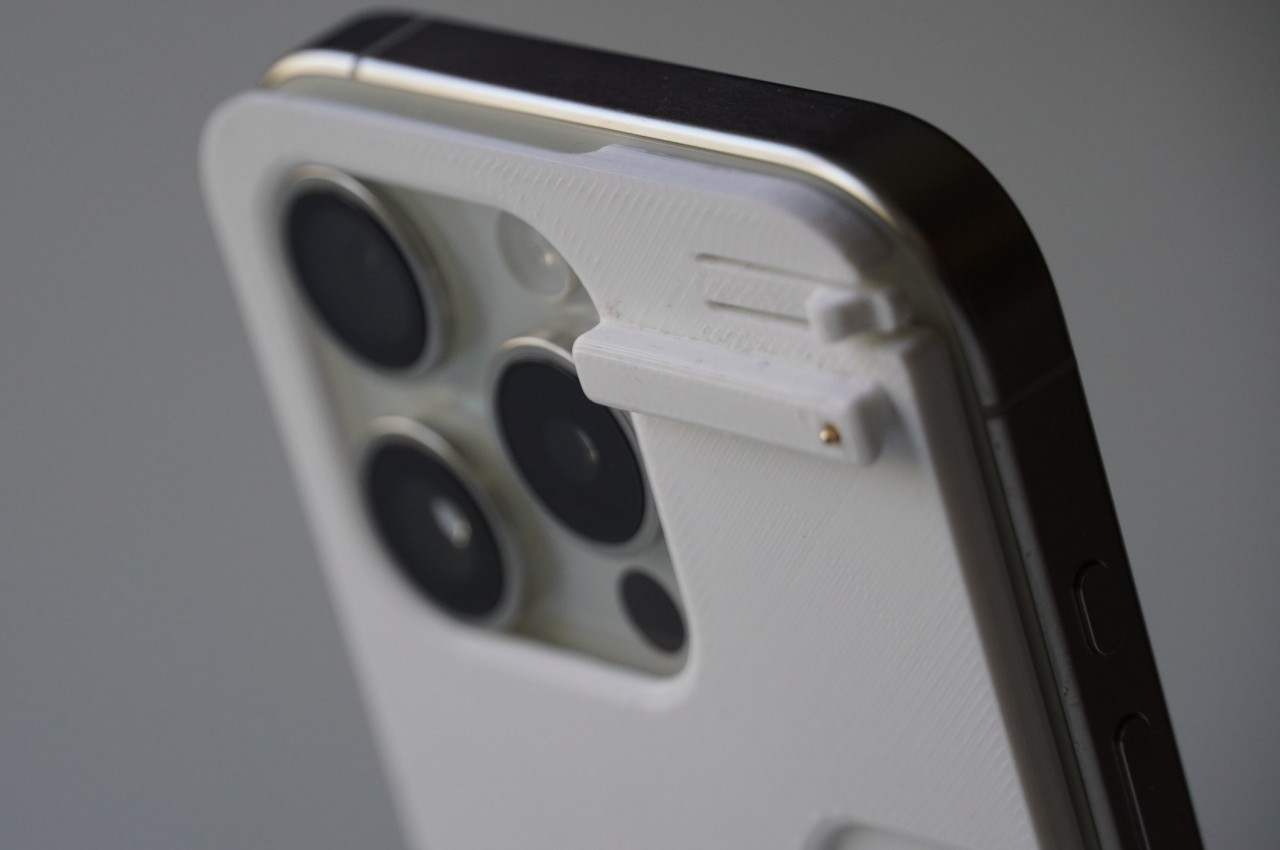
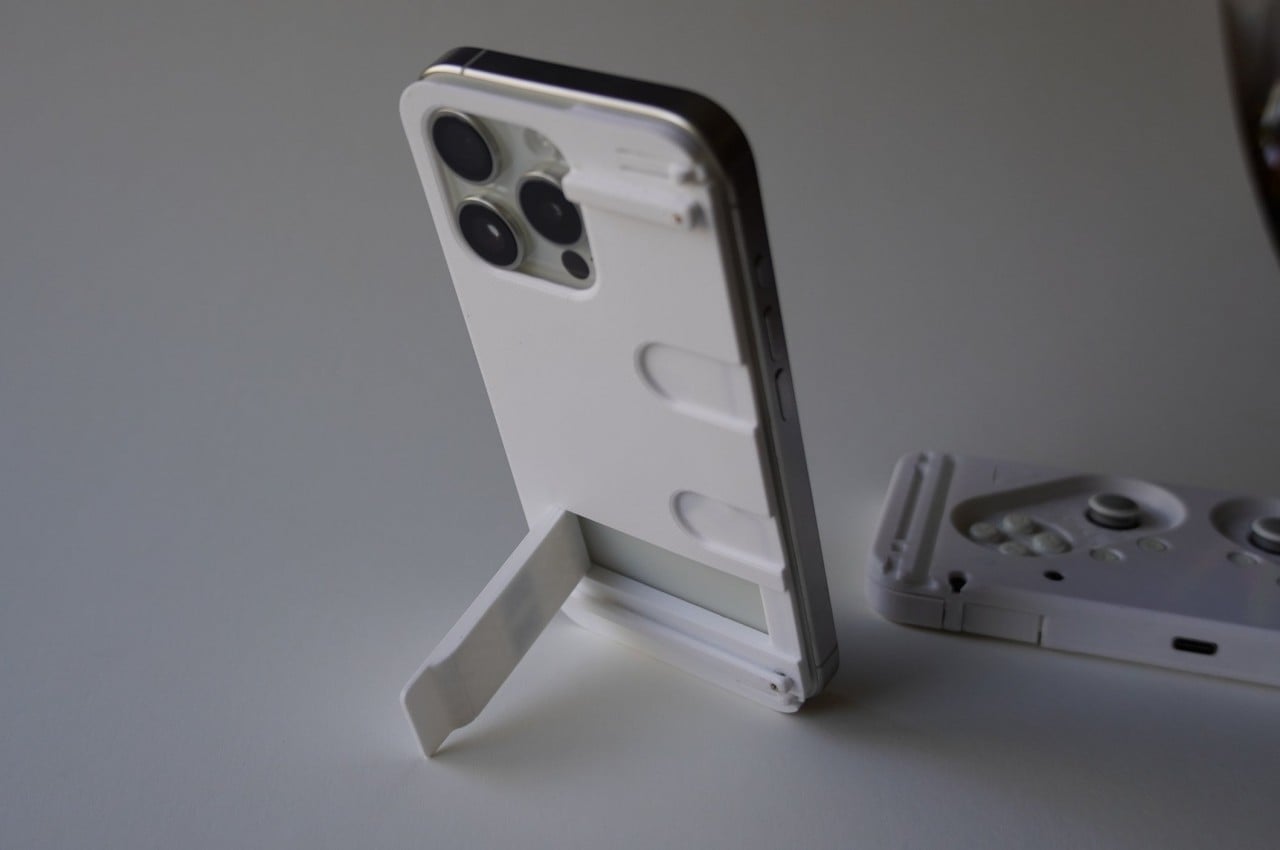
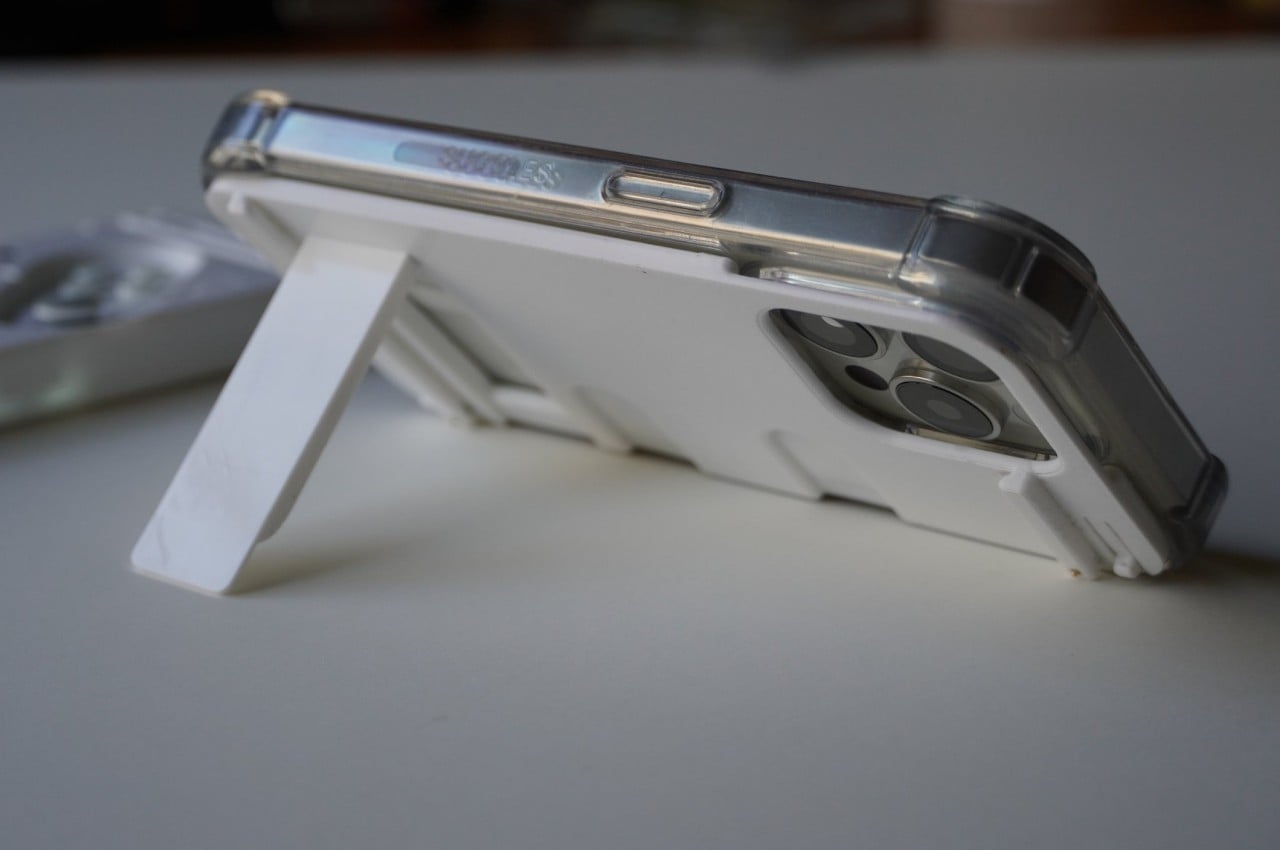
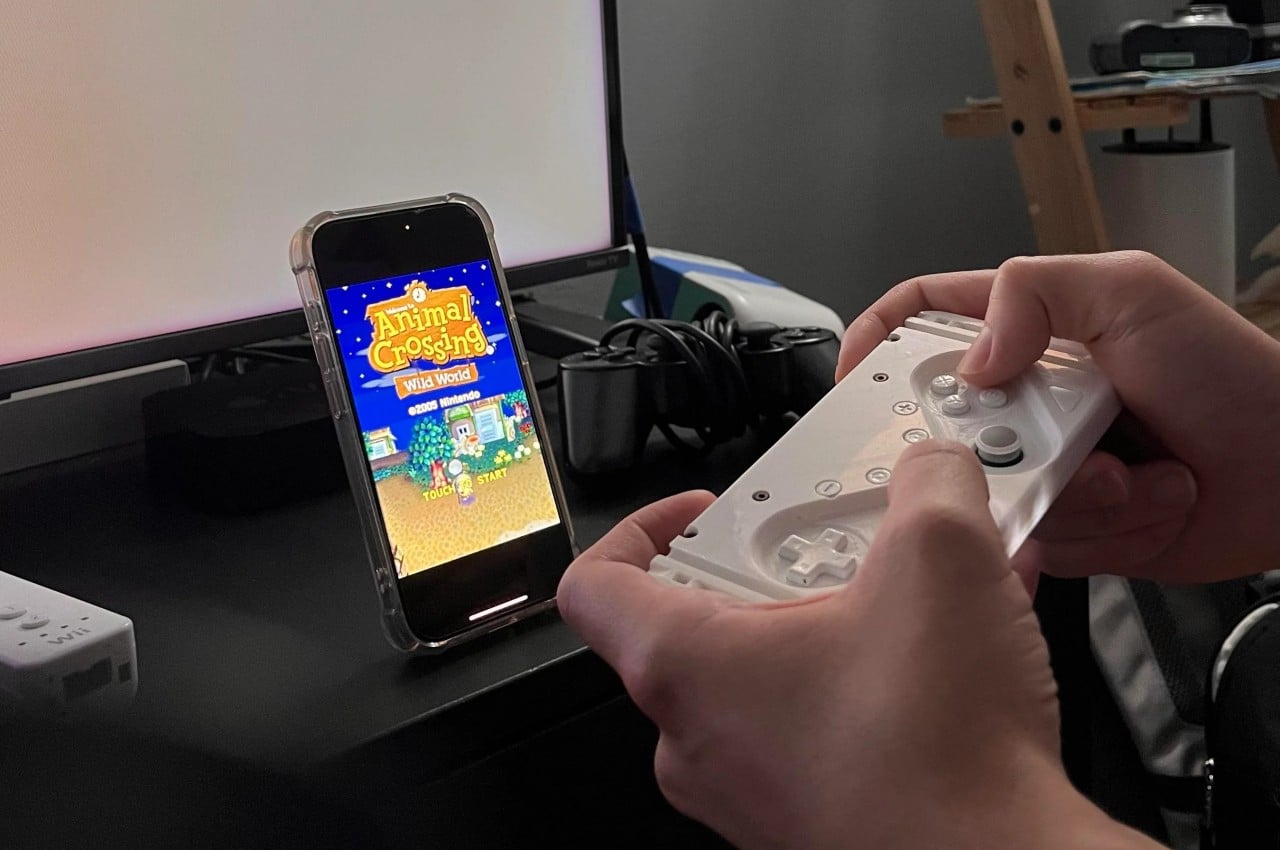
The short-lived Xperia Play smartphone, and the PSP Go handheld console before it, utilized a sliding mechanism to keep the buttons and joysticks out of the way when you’re not playing. This, however, was built into the devices themselves, which made the Xperia Play too bulky to be used as a regular phone. The M-Con, in contrast, is removable just like those other smartphone controllers today, but the difference is that it uses MagSafe technology to easily and securely attach to an iPhone’s back. You can opt to have it attached all the time or quickly separate the two pieces to shove them into your pockets separately.
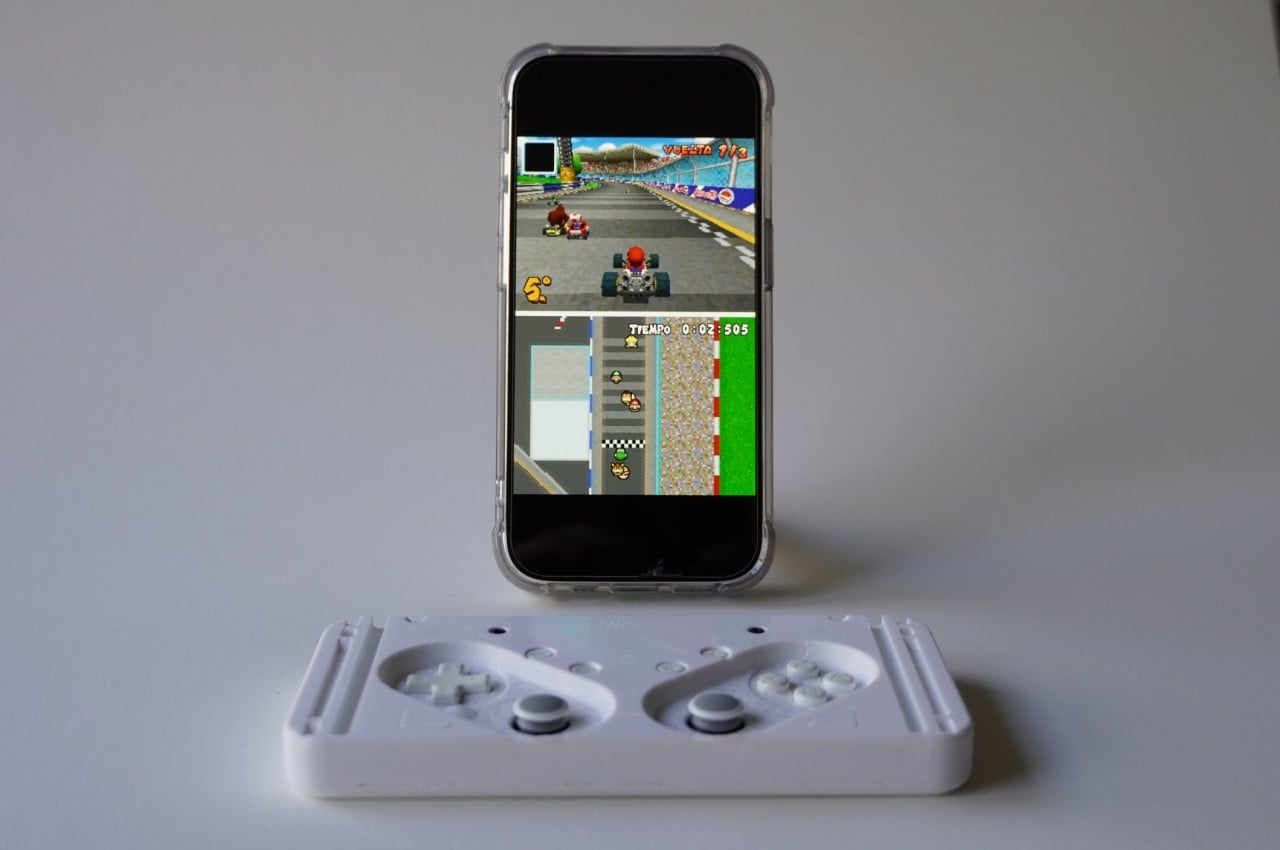
The design, however, has one more trick up its sleeve. The controller part and the MagSafe plate can also part ways, as the latter can also be used as a stand for the iPhone. Since M-Con uses Bluetooth to connect to the iPhone, the controller can still be used as normal, allowing you to play with the phone standing on a table. In fact, you can even connect the iPhone to a larger screen to have a home console experience in the same manner.
M-Con is said to be coming soon, but availability details and pricing are still unknown. Since it was born from a DIY and 3D printed project, the quality of the resulting product is also an open question. And while this sliding controller does have a more compact and convenient design, it also squeezes the controls tightly together, which could lead to a cramped and uncomfortable gaming experience.
Generative AI, or GenAI, has been making waves in the software industry for several years, proving its potential to revolutionize various sectors with its ability to generate new content and provide insightful analyses based on existing data. However, it is only recently that this technology has started to transition from software applications to consumer hardware, specifically within the mobile phone market. This transition marks the beginning of a new era in consumer electronics, where smartphones are not only smart in name but are endowed with the capability to perform complex AI tasks that were once reserved for powerful servers.
The term “GenAI smartphone,” or “GenAI phones” for short, began to gain traction in the last six months, emerging prominently in reports from leading market research firms. These devices are distinguished from standard smartphones’ ability to harness large-scale, pre-trained generative AI models to create and modify content directly on the device. This capability isn’t just a marginal upgrade to existing features. Still, it represents a fundamental shift in how mobile technology interacts with users, offering distinctive personalization and functionality directly from one’s hand.
As these GenAI smartphones prepare to enter the market, they promise to redefine user interactions with mobile devices. With the potential to handle tasks ranging from real-time language translation and complex content creation to intuitive personal assistants that understand and predict user needs, GenAI phones aim to set a new standard in mobile computing. This evolution from a communication tool to an intelligent companion stresses a pivotal shift in the mobile industry, driving consumer excitement and industry innovation. As we stand on the brink of this technological leap, it is crucial to understand what precisely a GenAI smartphone is, how it differs from traditional smartphones, and what it promises for the future of mobile technology.
What is a GenAI Phone?
A GenAI phone represents a new category of smartphones that embed generative artificial intelligence (AI) at the core of their functionality, offering previously unimaginable capabilities in a handheld device. These devices integrate large-scale, pre-trained AI models to provide unprecedented personalization and functionality directly from one’s hand.
At the heart of a GenAI phone are AI-driven applications capable of generating original content. Whether it’s composing personalized emails, designing unique artwork, or creating music from simple user prompts, these applications dynamically produce outputs tailored to user interactions. Unlike traditional apps that operate within their confines, AI tools in a GenAI phone are embedded system-wide, enhancing the user experience across all functionalities. This integration ensures that AI capabilities improve everything from the camera and messaging apps to system settings, adapting to the user’s behavior to predict and automate actions like app selection or environmental adjustments.
GenAI phones are equipped with specialized CPUs explicitly designed for intensive AI tasks to power these sophisticated features. These processors perform billions of operations per second, enabling the device to run complex AI models directly on the device. This capability of processing data locally speeds up operations by eliminating the latency associated with cloud computing. It significantly enhances user privacy and security, as sensitive data does not need to be transmitted over the Internet.
GenAI phones must remain elegantly designed and user-friendly despite the advanced technology embedded within them. Consumers expect their devices to combine functionality with aesthetic appeal, mirroring the sleekness and minimalism of products like the iPad Pro M4. The challenge for manufacturers is integrating these powerful AI capabilities into slim, attractive, and intuitive devices, ensuring that technological advancements enhance rather than complicate the user experience.
What Isn’t a GenAI Phone and Current Market Scenario
Understanding what isn’t a GenAI phone is crucial in distinguishing it from the myriad of smartphones equipped with basic AI functionalities. Although many modern smartphones boast AI capabilities, having AI features doesn’t automatically make a device a GenAI phone. This distinction is required to set realistic expectations about the device’s capabilities and understand smartphone technology’s evolution. A GenAI phone fundamentally differs from standard smartphones because it integrates advanced AI functionalities directly into the device’s core systems and processes data locally rather than relying heavily on cloud computing. This integration means that GenAI phones are equipped with specialized hardware to handle complex AI tasks independently, thereby enhancing privacy and functionality by keeping the processing on the device itself.
In contrast, many smartphones on the market today, often mistaken for GenAI devices, do not meet these criteria. For example, while devices like the iPhone 15 Pro Max offer AI-driven features like facial recognition, predictive text, and enhanced photography tools, these features, although advanced, do not necessarily qualify the device as a GenAI phone. This is because a true GenAI phone not only uses AI for specific tasks but integrates AI deeply across all system operations, processing complex AI tasks entirely on the device. In other words, even though iPhones process a significant amount of data on-device to ensure user privacy, the breadth and independence of AI integration in terms of generative capabilities might not be as extensive as in dedicated GenAI devices. Similarly, many Android devices boast impressive AI-powered photo editing and voice assistant features; however, these tasks are often processed with the aid of cloud servers, making them less autonomous and, therefore, not true GenAI phones. These smartphones might utilize AI for specific applications like optimizing battery life, managing screen brightness based on ambient conditions, or even offering user behavior-driven app suggestions. Yet, because they lack the hardware to independently process complex AI tasks directly on the device, they fall short of the GenAI classification. The reliance on cloud processing raises concerns about data privacy and limits the device’s functionality when offline or in areas with poor connectivity.
Thus, while many current smartphones are marketed with the allure of AI, only a select few truly qualify as GenAI phones by virtue of their ability to perform sophisticated AI operations natively and independently. Among the notable examples that set the benchmark in this emerging category are the Samsung Galaxy S24 series and the Google Pixel 8 Pro. These devices display the integration of AI at a foundational level, equipped with the necessary hardware to process complex AI tasks directly on the phone. This enables a range of innovative applications, from enhanced image processing to real-time language translation without cloud dependency.
For instance, the Samsung Galaxy S24 series demonstrates its generative AI capabilities through features that enable sophisticated on-device content creation and personalization, enhancing user interaction in ways that were previously only achievable with server-based computing. Similarly, the Google Pixel 8 Pro leverages its specialized hardware to deliver advanced AI functionalities like next-generation assistant features and more nuanced user engagement through AI, all processed locally on the device. This focus on native processing is a crucial aspect that boosts performance and efficiency and significantly enhances data privacy, a growing concern among consumers. By minimizing data transmission to external servers, these GenAI phones offer a more secure environment for users to enjoy the benefits of AI without compromising their personal information.
Transitioning into the Apple ecosystem, recent developments indicate a significant shift that could redefine the landscape of GenAI phones. Rumors of Apple’s potential partnership with OpenAI and the integration of an advanced Siri capable of leveraging OpenAI’s technologies suggest a significant upgrade in Apple’s AI capabilities. Such a collaboration could bring about a new iteration of Siri that is far more advanced than its current form, potentially incorporating the ability to understand and generate human-like text, engage in more dynamic conversations, and offer personalized suggestions with a higher degree of relevance and context.
If these speculations hold, this move could be a game-changer for the Apple ecosystem, integrating more deeply with iOS, macOS, visionOS and iPadOS. It could enhance the Apple suite of products with a level of AI sophistication previously unseen in its devices. For Apple, known for its tightly integrated ecosystem and emphasis on user privacy, the challenge will be to balance these advanced capabilities with the need to maintain data security, especially considering the potential use of cloud-based processing to support more complex AI tasks.
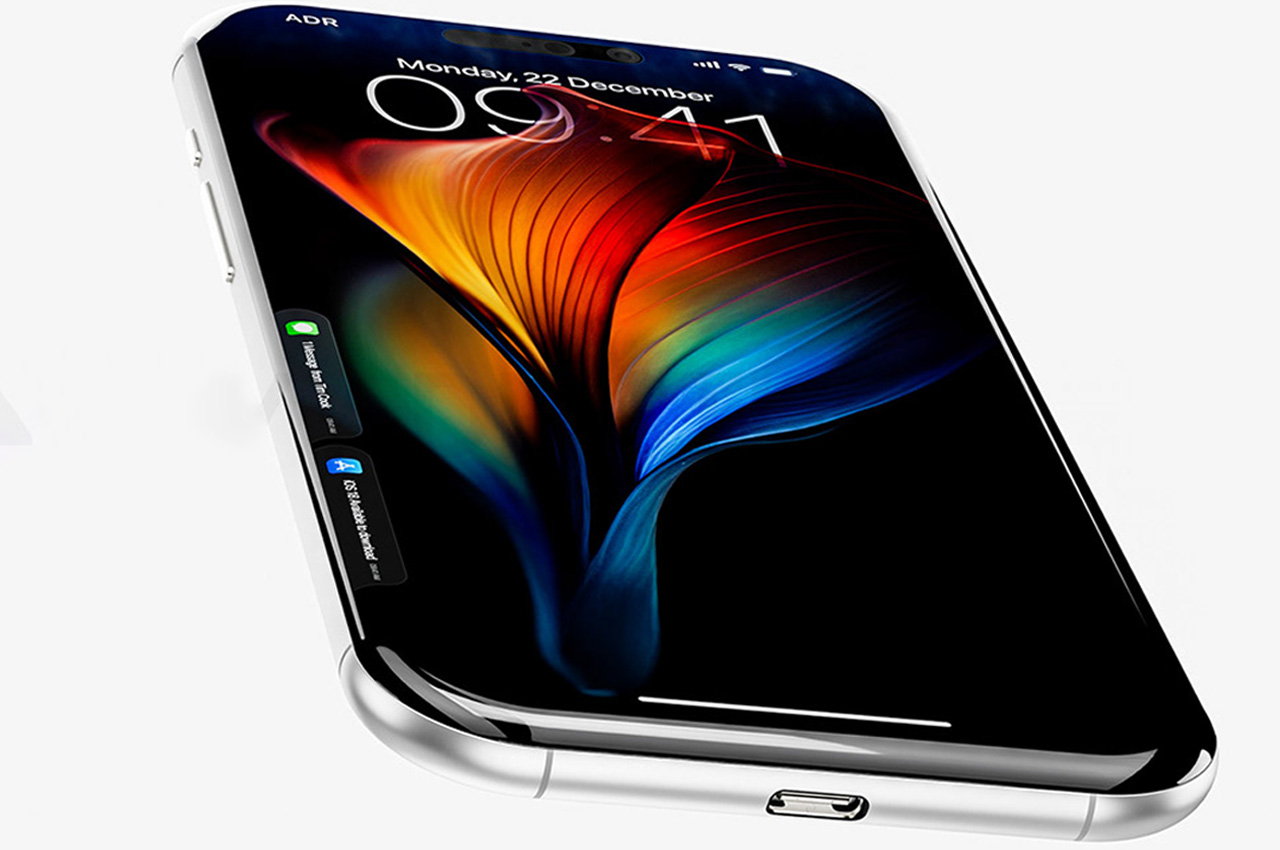
Apple iPhone Concept
This anticipated development could position Apple to catch up with and potentially surpass its competitors in the race to refine and expand the capabilities of GenAI phones. Integrating such advanced AI could transform how users interact with their devices, making Apple’s ecosystem even more intuitive and integrated and potentially setting a new standard for what smartphones can achieve in personal technology.
The Future of GenAI Phones, Market Impact, and Consumer Adoption
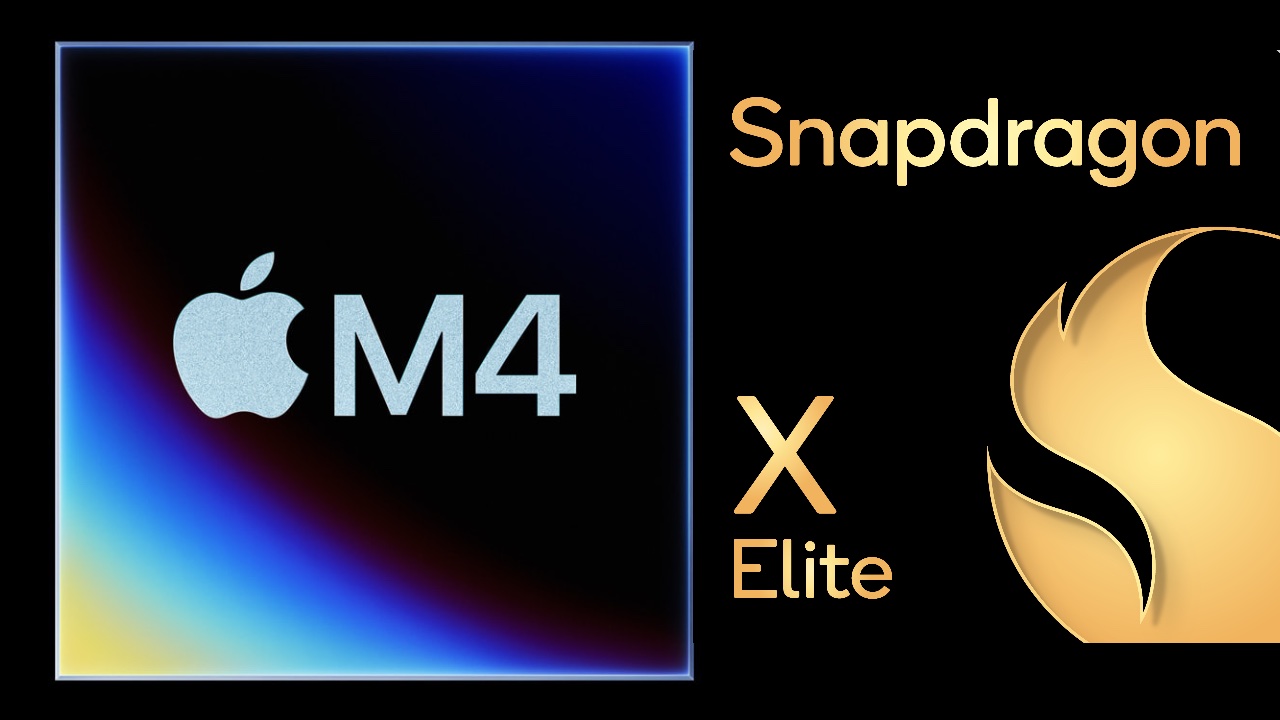
The future of GenAI phones is anticipated to transform our daily interactions with mobile devices radically. Integrating generative AI features into mainstream smartphones is becoming more prevalent as technology advances. Companies like Apple, NVIDIA, Qualcomm, Microsoft, Samsung, and Google are at the forefront of this evolution, actively developing ways to incorporate GenAI capabilities into future models and through updates to existing devices. This push towards more intelligent smartphones will likely enhance how we communicate, create, and interact with our devices daily.
Apple M4 and Snapdragon X Elite
The impact of these developments on the market cannot be understated. After years of incremental upgrades that have seen diminishing consumer excitement, GenAI phones promise to inject new life into the somewhat stagnant smartphone market. According to insights from Counterpoint Research, incorporating GenAI technologies is expected to boost smartphone sales significantly. Their data projects a notable increase in market share and adoption rates for GenAI smartphones over the next few years, with these advanced devices set to account for a substantial portion of total smartphone shipments by 2027.
This shift is expected to reshape consumer expectations and drive demand for smartphones that are smarter, more intuitive, and capable of independently performing complex tasks. As GenAI phones become more common, they are anticipated to influence a broad spectrum of consumer electronics, setting new standards for functionality and interactivity. Integrating AI into everyday technology promises to make our digital experiences more personalized and efficient, fundamentally changing our relationship with technology.
In essence, the rise of GenAI phones indicates a new era in personal technology, where our devices understand and anticipate our needs better than ever. For everyday users, this means smartphones that can offer real-time translations, sophisticated content creation, and proactive personal assistance—all processed locally on the device for faster, more secure interactions. As these technologies mature, they are expected to become integral to our digital lives, making advanced AI a luxury and a standard component of future smartphones.
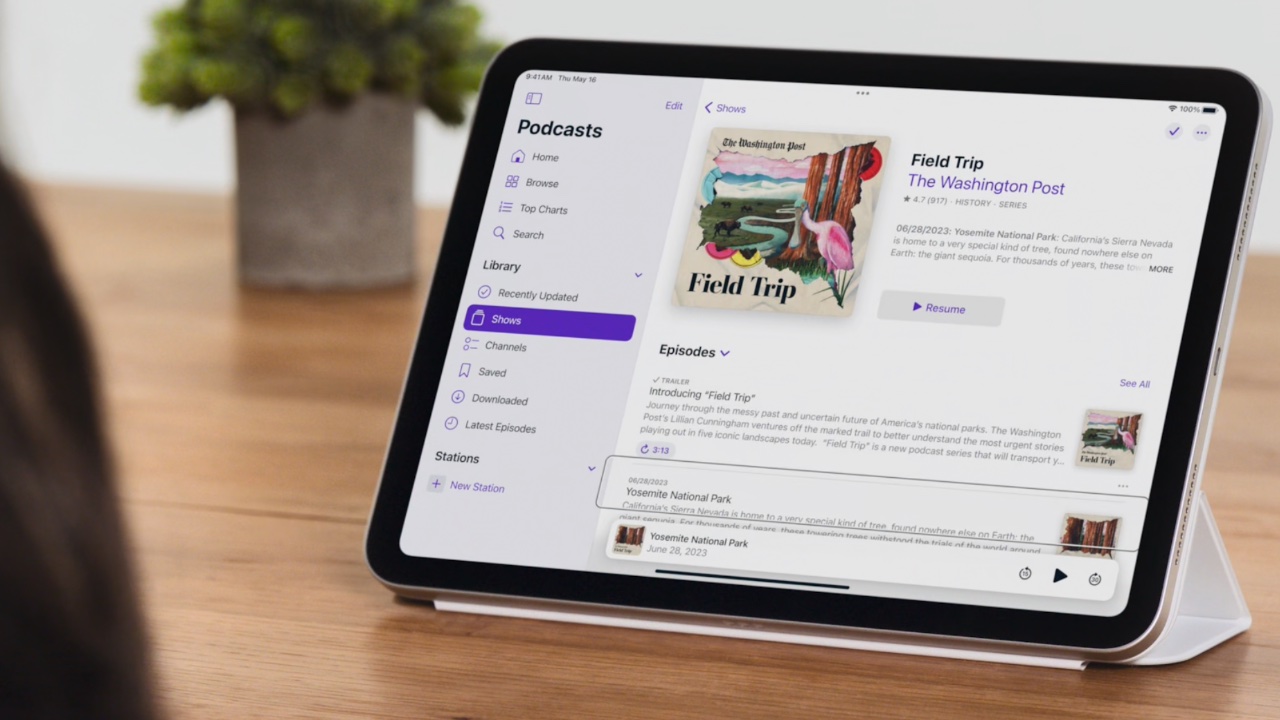
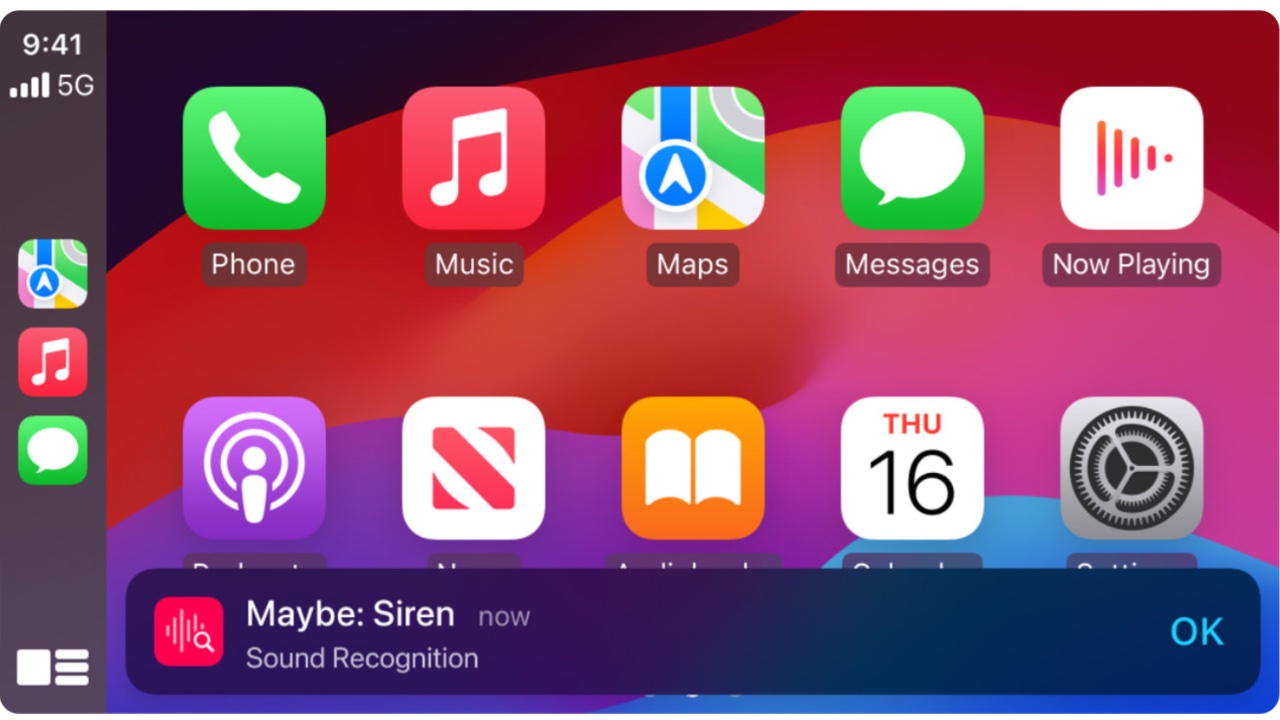
Apple is set to revolutionize accessibility with a suite of new features coming later this year. These enhancements include Eye Tracking for iPad and iPhone, allowing users with physical disabilities to navigate their devices with just their eyes. Music Haptics will enable deaf or hard-of-hearing users to experience music through refined vibrations from the iPhone’s Taptic Engine. Vocal Shortcuts introduce custom sounds for task automation, while Listen for Atypical Speech enhances speech recognition for users with speech-related conditions. Vehicle Motion Cues aim to reduce motion sickness by using animated dots to minimize sensory conflicts for passengers in moving vehicles. CarPlay will see updates such as Voice Control, Color Filters, and Sound Recognition to improve accessibility. Additionally, visionOS will introduce systemwide Live Captions, support for hearing devices, and features for low vision users, furthering Apple’s commitment to inclusive design.
Designer: Apple
Eye Tracking uses the front-facing camera and on-device machine learning to enable users to control their devices with their eyes. It’s designed for people with physical disabilities, offering an easy and intuitive way to navigate without extra hardware. After a quick setup and calibration using the front-facing camera, users can move through apps by looking at elements. This interaction can trigger actions like pressing buttons, swiping, and performing other gestures. All data is processed and stored on the device, ensuring user privacy. This feature adapts to individual patterns through machine learning, providing a powerful tool for users with physical disabilities to navigate their devices easily.
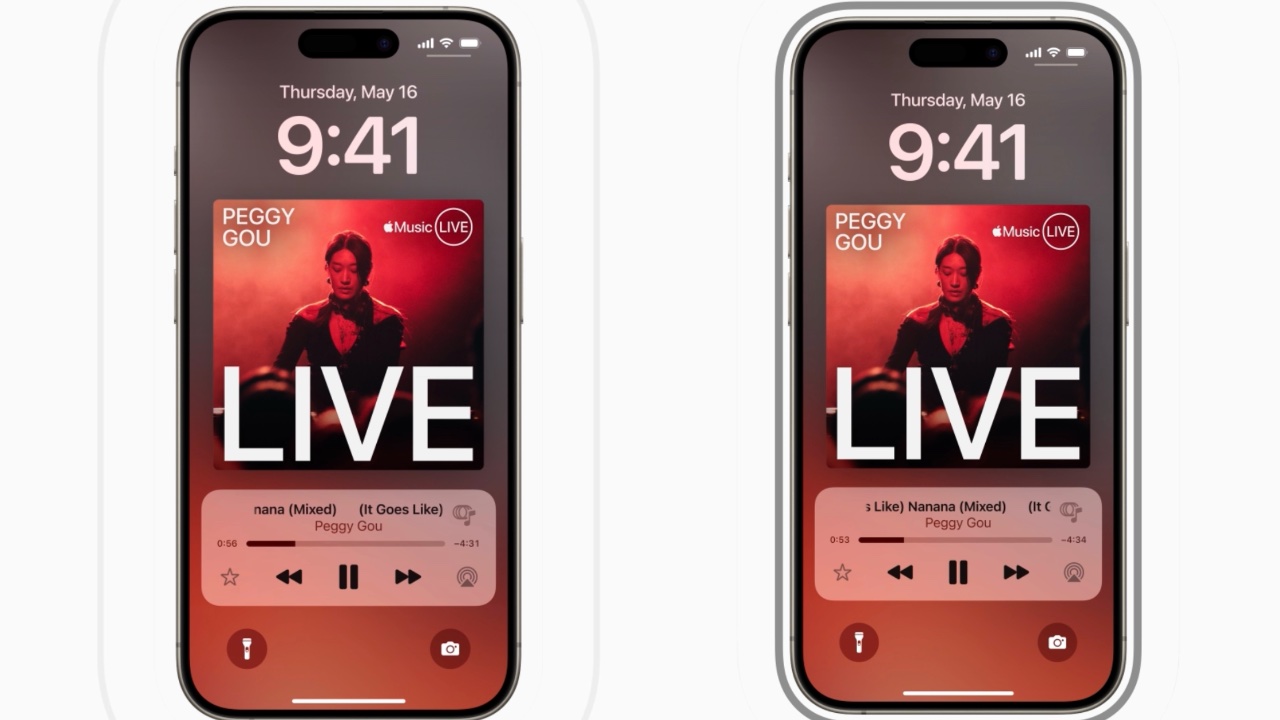
Music Haptics provides a new way for deaf or hard-of-hearing users to experience music through vibrations. Using the Taptic Engine, the iPhone creates tactile feedback that syncs with the music’s rhythm, melody, and intensity. This tactile feedback allows users to feel the music, making it more accessible and enjoyable. Music Haptics works across millions of songs in the Apple Music catalog and is available as an API for developers to integrate into their apps, further expanding its accessibility. The feature is designed to be easy to use, with simple settings to turn it on and off.
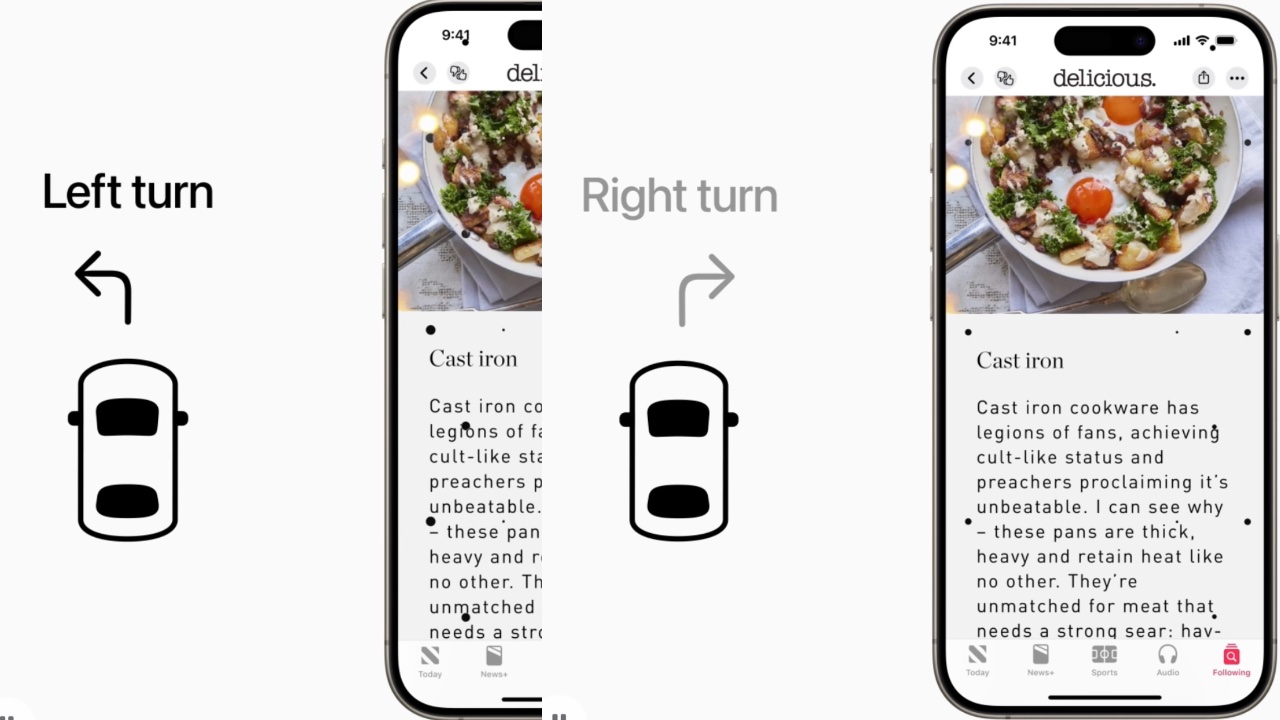
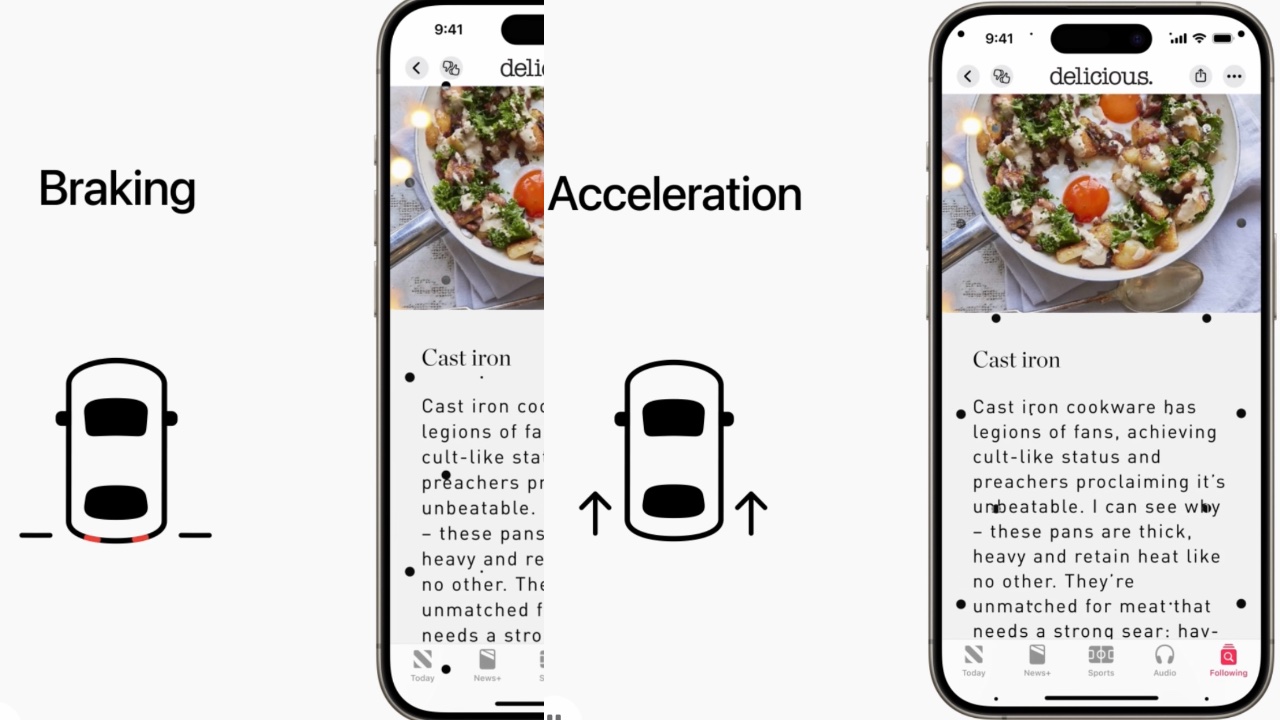
Vehicle Motion Cues help reduce motion sickness by displaying animated dots at the screen’s edges, aligning visual input with the vehicle’s motion. This feature addresses the sensory conflict that often causes motion sickness, where what a person sees doesn’t match what they feel. Using built-in sensors, this feature detects when a user is in a moving vehicle and activates automatically or can be toggled in the Control Center. By providing a visual representation of vehicle motion, Vehicle Motion Cues make it easier for users to read, watch, or interact with content on their devices without experiencing discomfort.
CarPlay will also see significant improvements, enhancing accessibility for users with various needs. Voice Control will allow users to navigate and control CarPlay apps using their voice, providing a hands-free experience. Color Filters will make the interface more accessible for colorblind users by adjusting the display to distinguish between different colors. Sound Recognition will notify users of important sounds like car horns and sirens, ensuring that drivers and passengers who are deaf or hard of hearing remain aware of their surroundings.
visionOS will introduce systemwide Live Captions, further supporting users who are deaf or hard of hearing by providing real-time captions for spoken dialogue in live conversations and audio from apps. The update will also expand support for Made for iPhone hearing devices and cochlear hearing processors, ensuring seamless integration with Apple Vision Pro. For users with low vision, new features such as Reduce Transparency, Smart Invert, and Dim Flashing Lights will make the interface more comfortable and easier to navigate.
These advancements highlight Apple’s dedication to inclusive design, pushing technology’s boundaries to create the best experience for all users. To celebrate Global Accessibility Awareness Day, Apple will host curated collections and sessions at select Apple Store locations, allowing users to explore and learn about these new accessibility features. By constantly innovating and improving accessibility, Apple ensures its devices remain accessible to everyone, empowering all users to enjoy and benefit from the latest technological advancements.
Since Apple came into existence in 1976, it has always been at the peak of modern innovation! And let’s take a moment to appreciate all the awesome products and inspiration Apple has provided us with. The groundbreaking tech giant never fails to surprise us, we always find ourselves biting our nails and squirming with curiosity, whenever Apple announces a new product launch. And, the launch of a new iPhone every year is also one of the things that gets us going! The launch of the iPhone 15 series this month had us completely swooning over it! With their sleek designs, advanced technology, and drool-worthy camera if you’re planning to buy any of the iPhones, then you’ve reached the right spot. We’ve curated a collection of unique, innovative, and super useful accessories for your new iPhone. Dive in!
1. UPRO Ostand Case
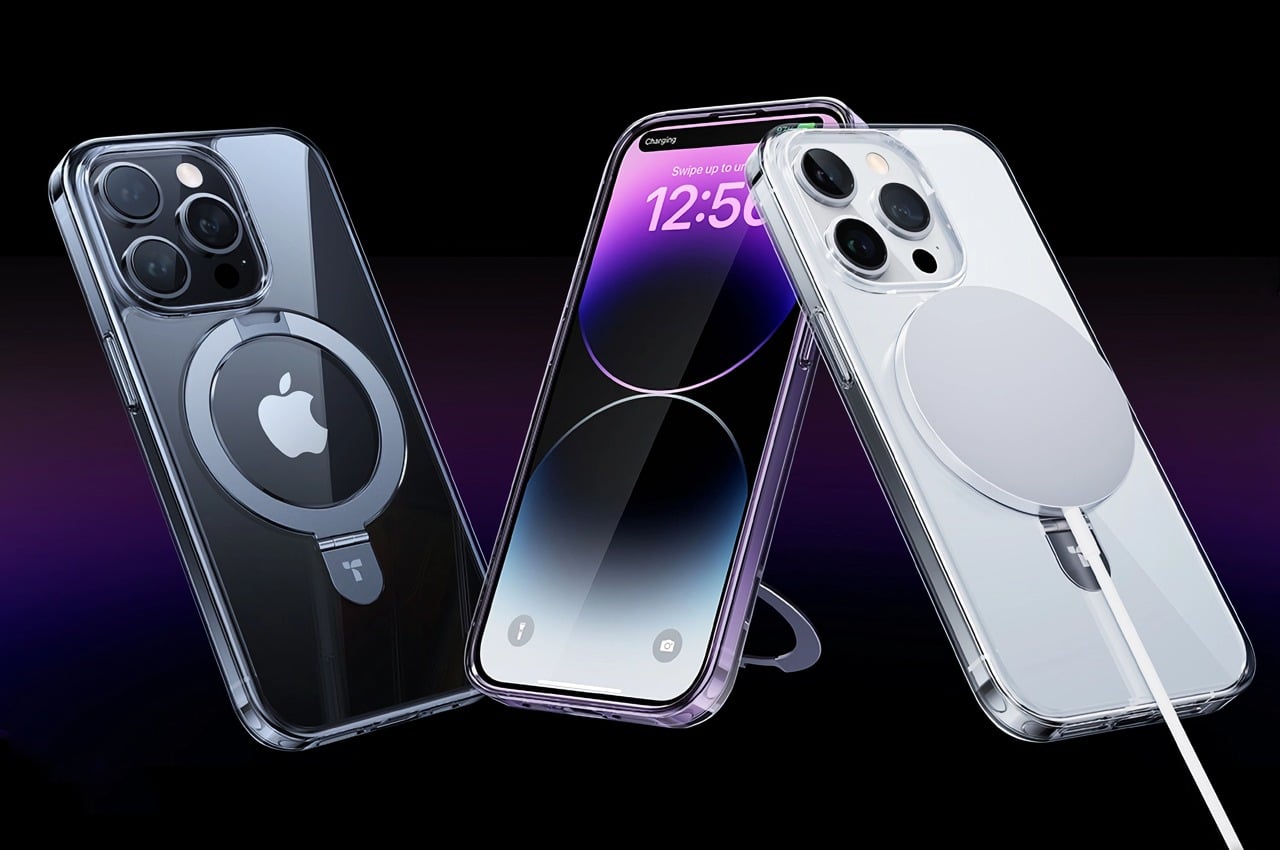
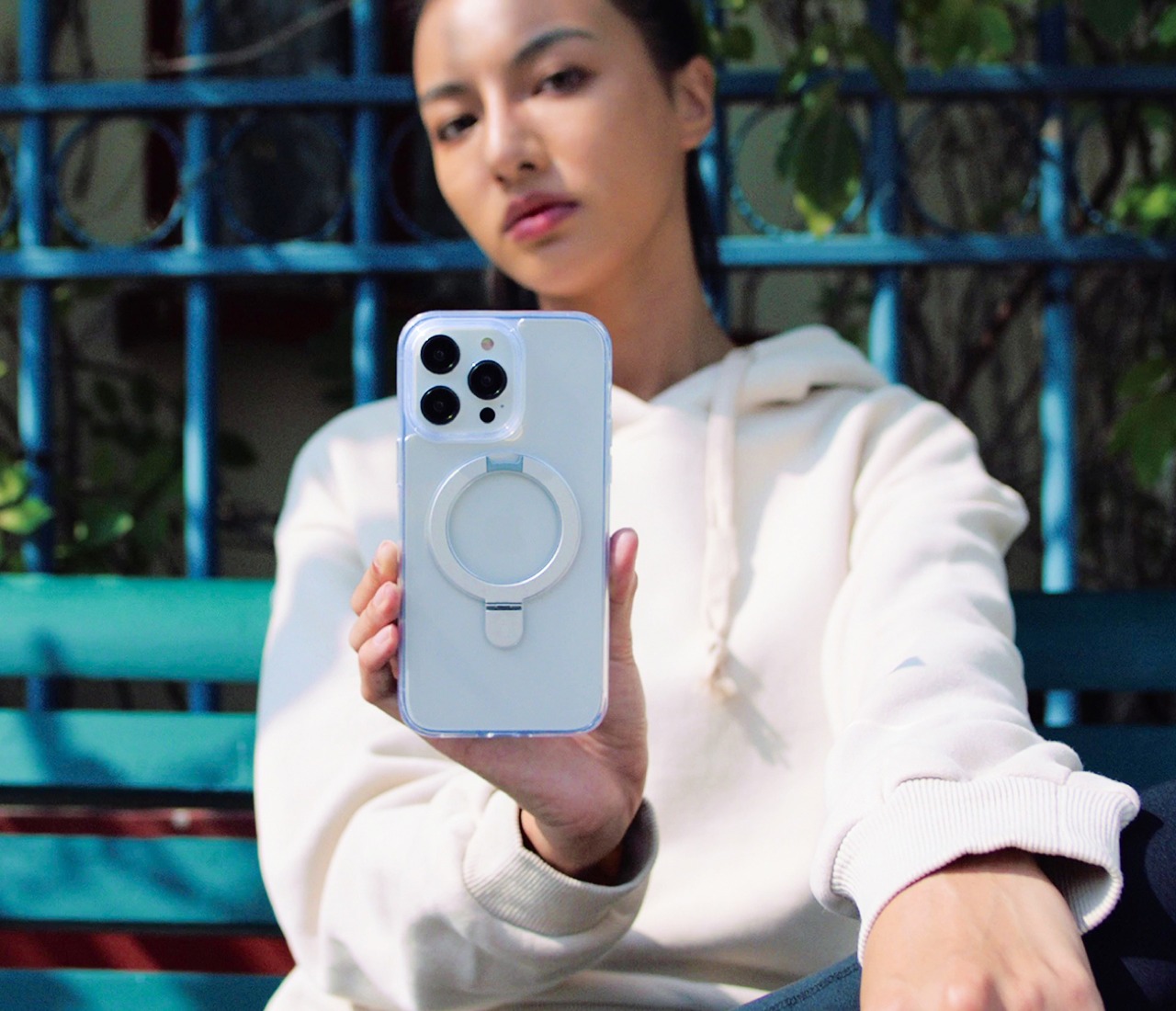
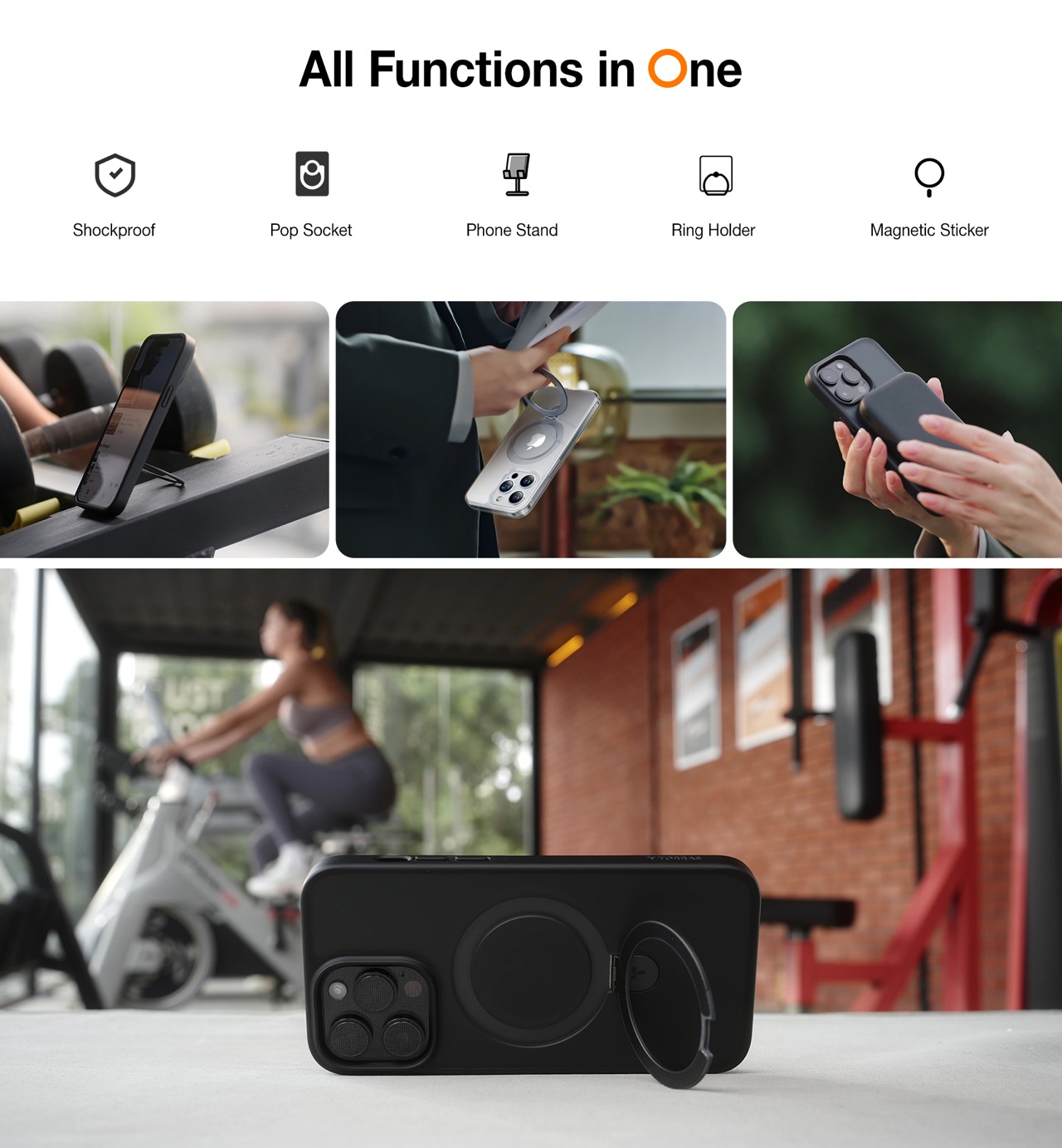
Dubbed the UPRO Ostand case, this unique design won the iF Design Award. It elevates your iPhone’s MagSafe to a whole new level, by amping it with a bunch of cool upgrades. This ensures that the iPhone stands, hangs, or stays firmly in your hands as you click a picture, or reply to an email. It may look like a boring old iPhone case, but it is equipped with the familiar magnetic ring, which offers it a cool upgrade.
2. (Re)Classic
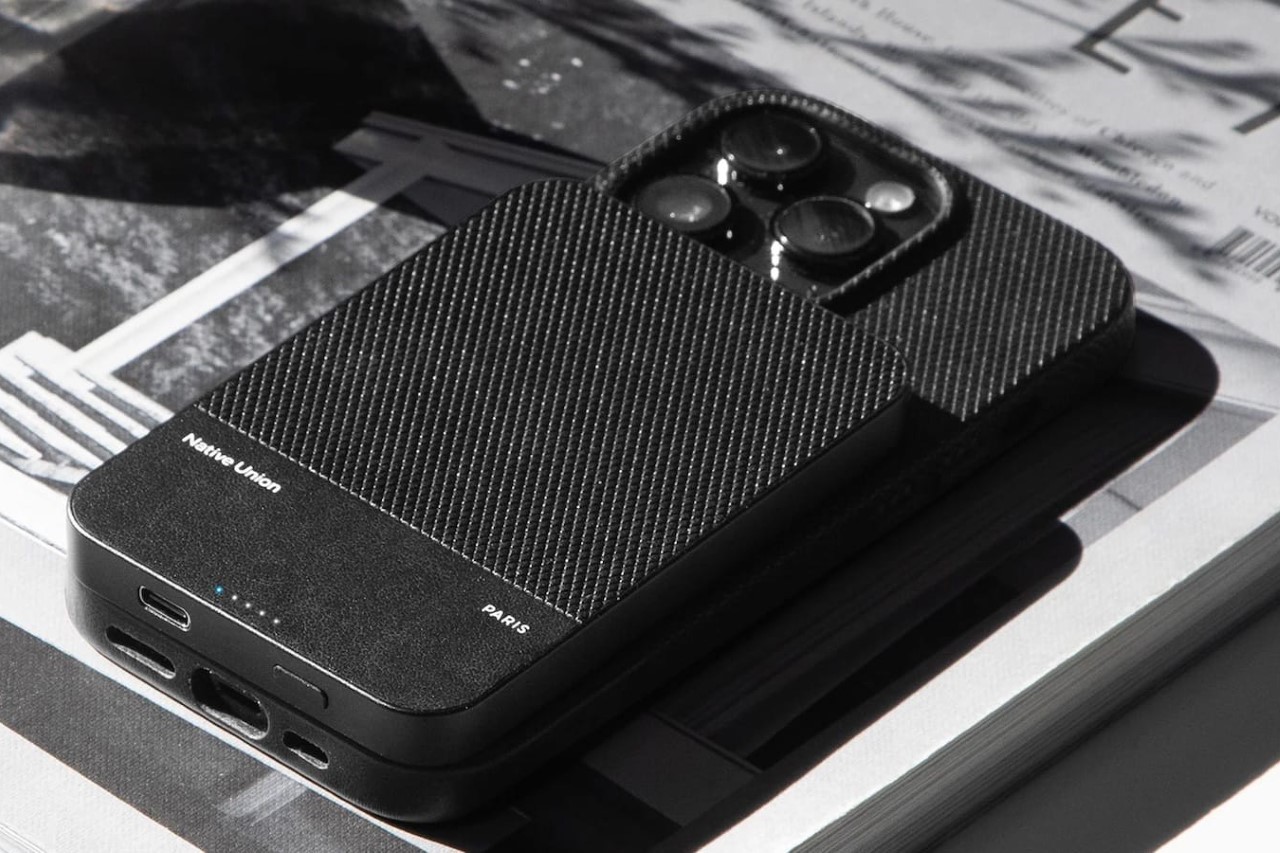
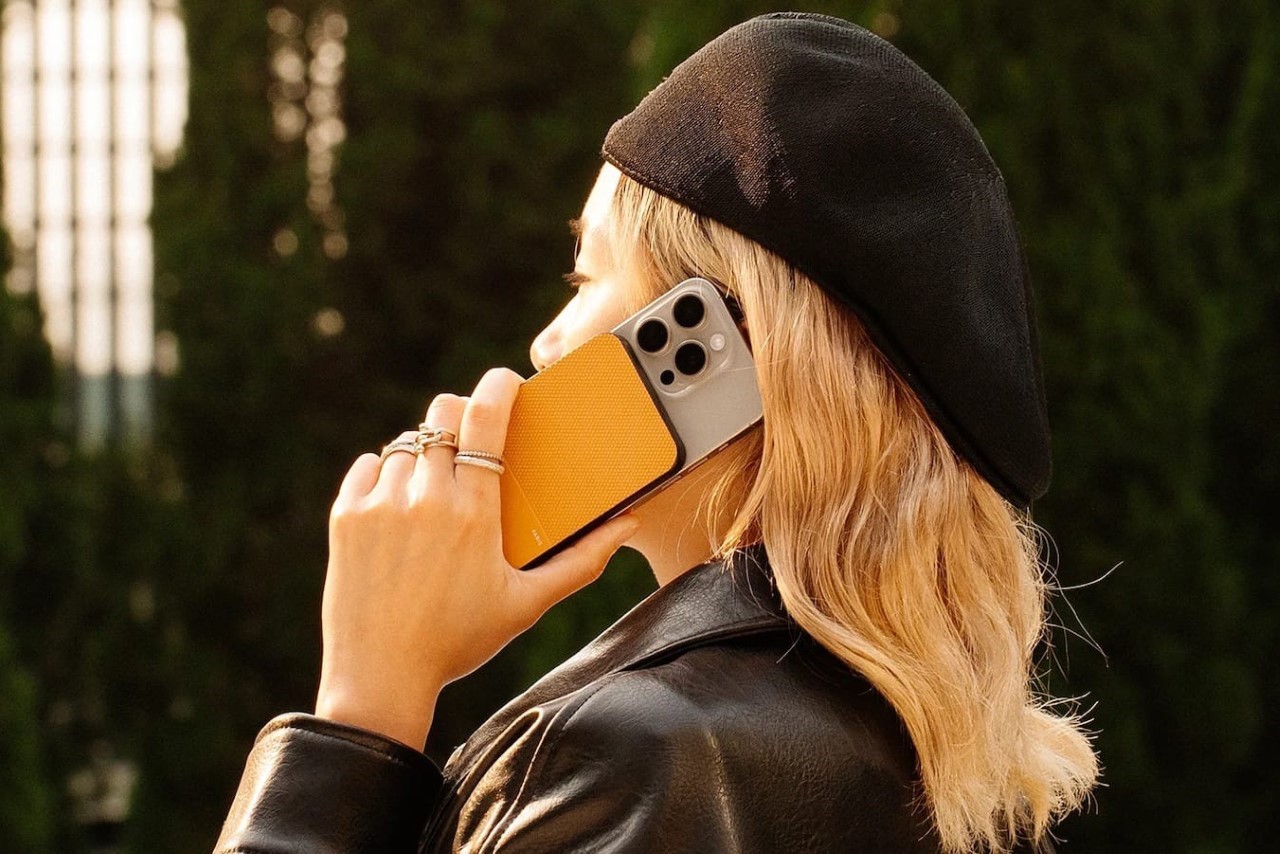
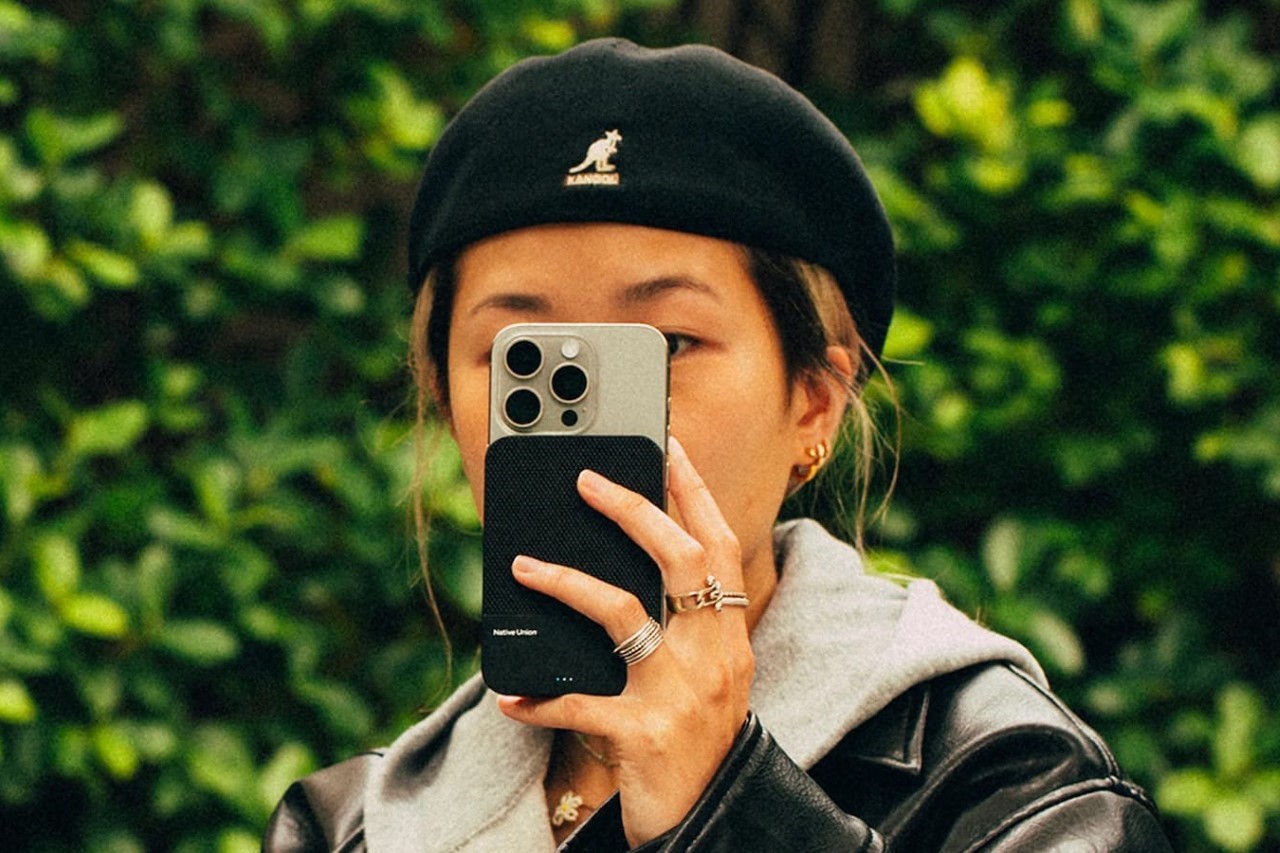
Apple’s MagSafe Power Bank isn’t available anymore, but the (Re)Classic from Native Union does a terrific job as well! It measures .086cm thick, making it as thick as your iPhone. You can attach it to the back of your iPhone, or any smartphone with the MagSafe sticker. The power bank allows you to easily and wirelessly charge your iPhone wherever you please. It features a slim design, which effortlessly merges into your iPhone’s sleek profile, and you don’t need to deal with a heavy and bulky power bank.
3. The Elago WS M5 Charging Stand
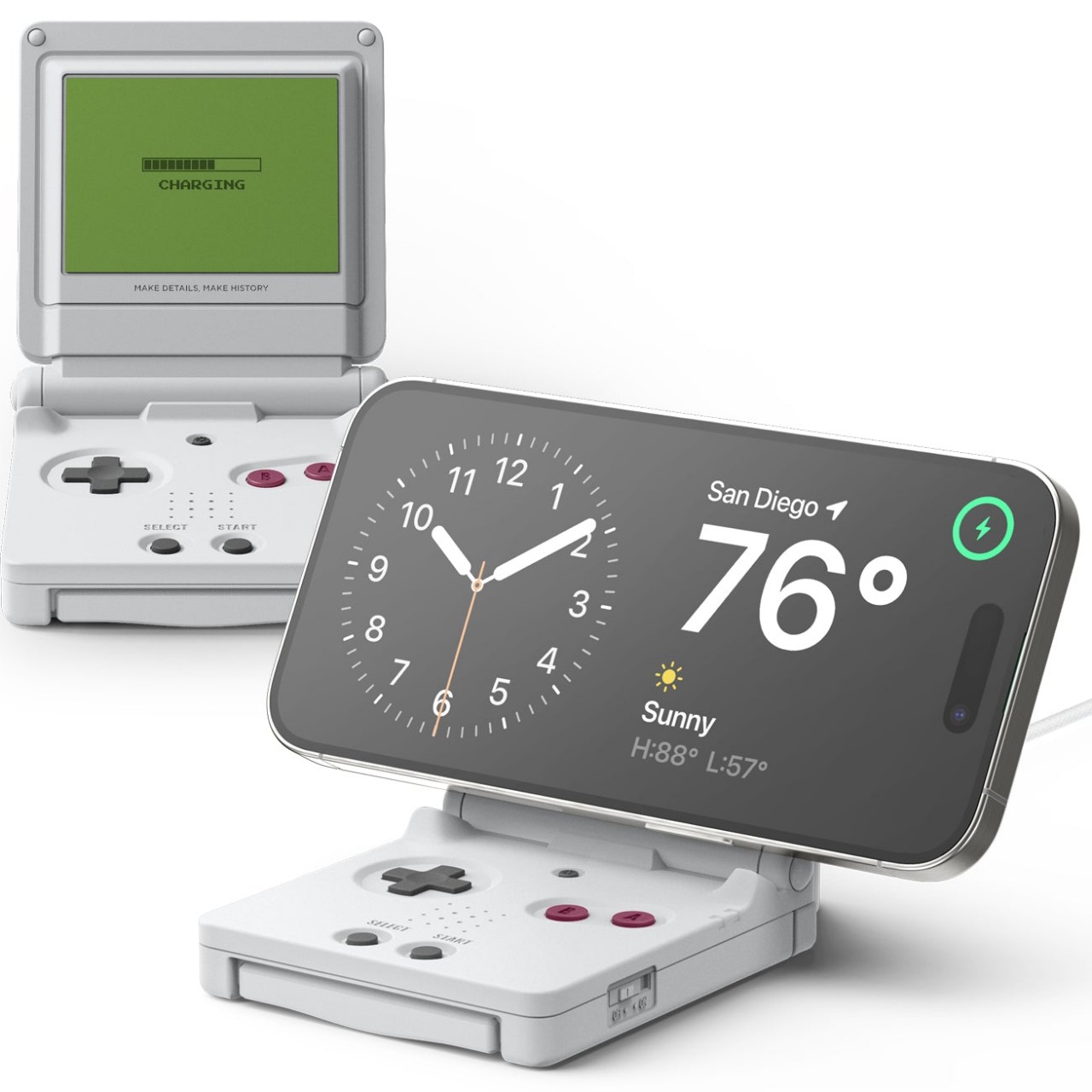
The Elago WS M5 Charging Stand functions as a fun and whimsical MagSafe charger in the form of the Nintendo Game Boy Advance SP. It serves as a stable stand to charge your phone. It features a fixed 30-degree angle which is great for watching videos or to use the IOS Standby Mode at night. The stand also has a helpful support on the back, to ensure that the charger doesn’t fall back, due to the phone’s weight.
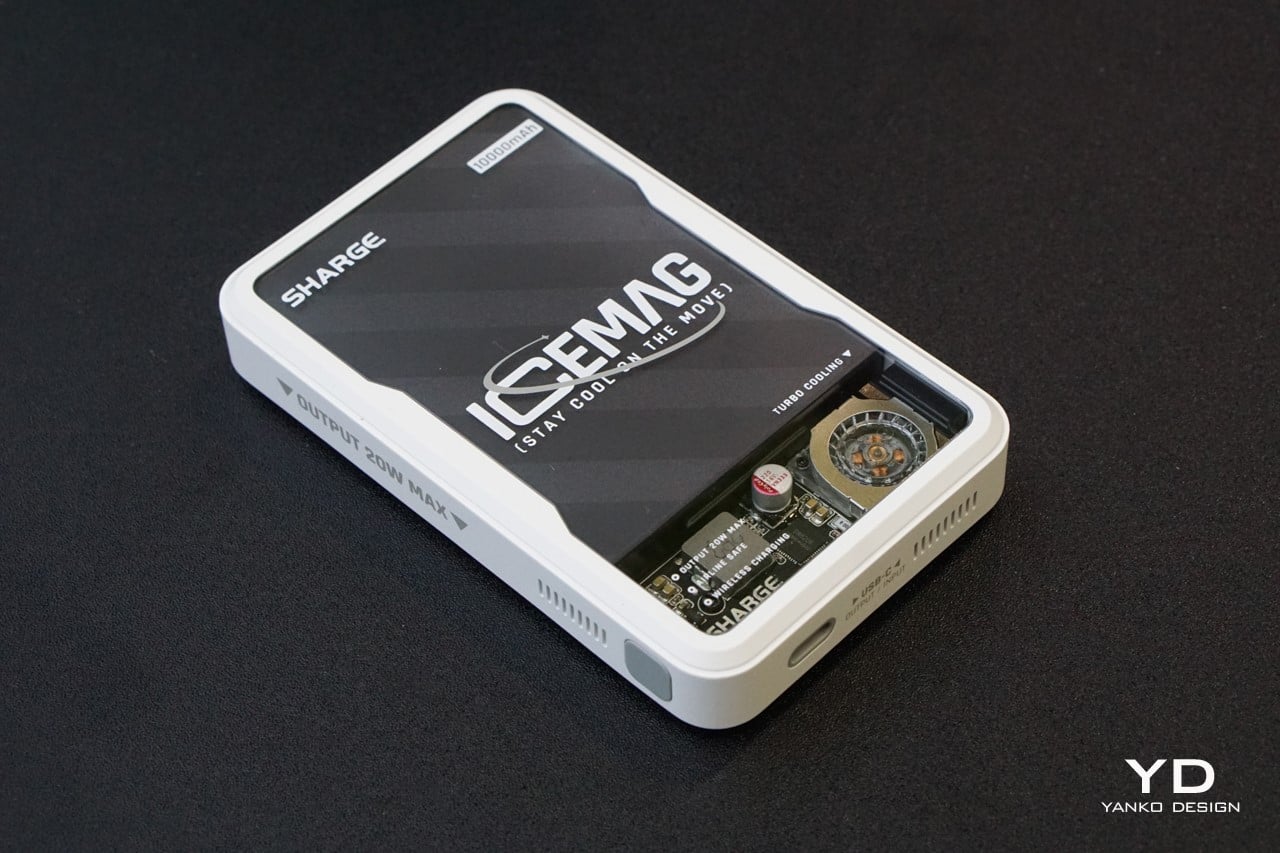
4. Icemag
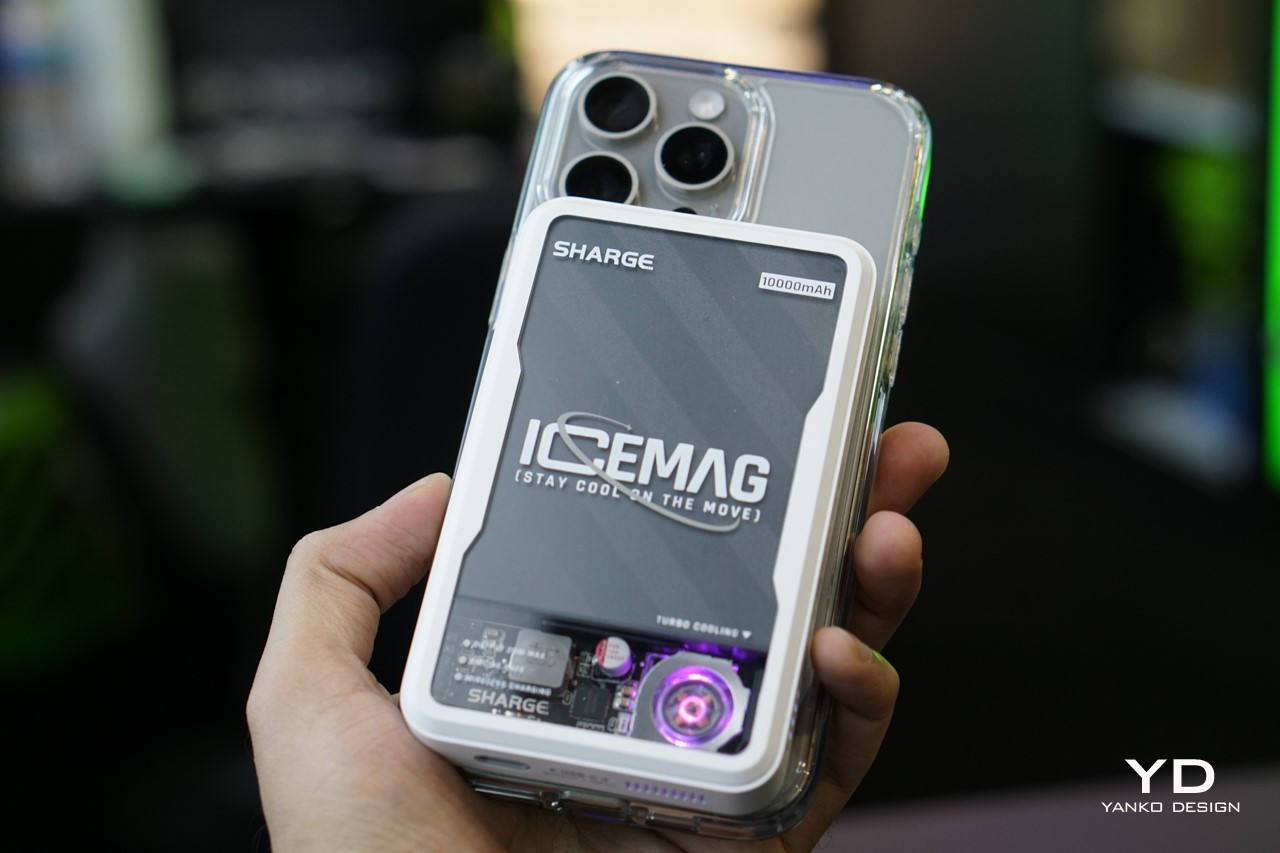
Called the Icemag – this is the world’s first power bank with an innovative turbo-cooling feature. Designed by the Sharge, the power bank remains cool, and keeps your phone cool as well during charging. It has an ultra-silent fan that moves at the speed of 8000 RPM, and it cools the battery pack inside. At the same time, the power bank charges your phone, and nothing gets heated up during charging.
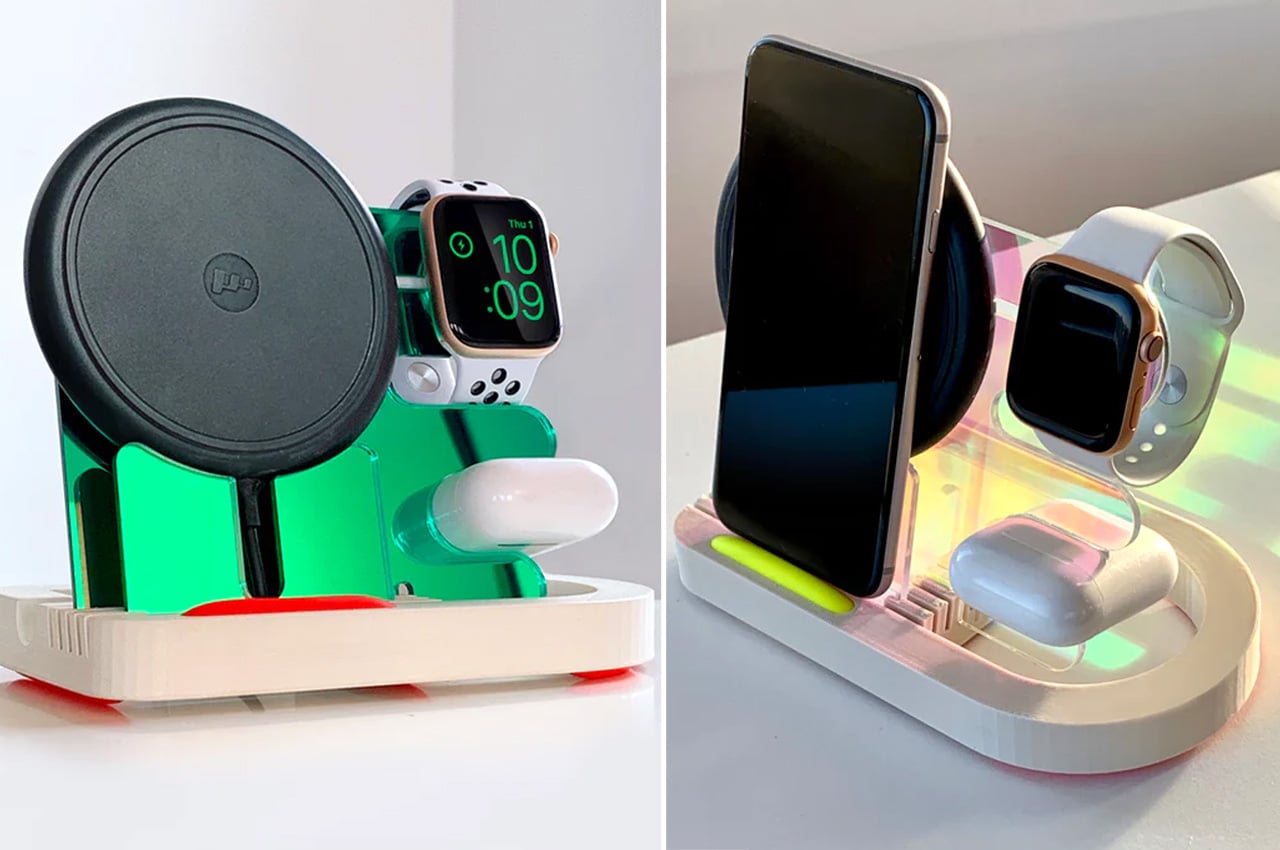
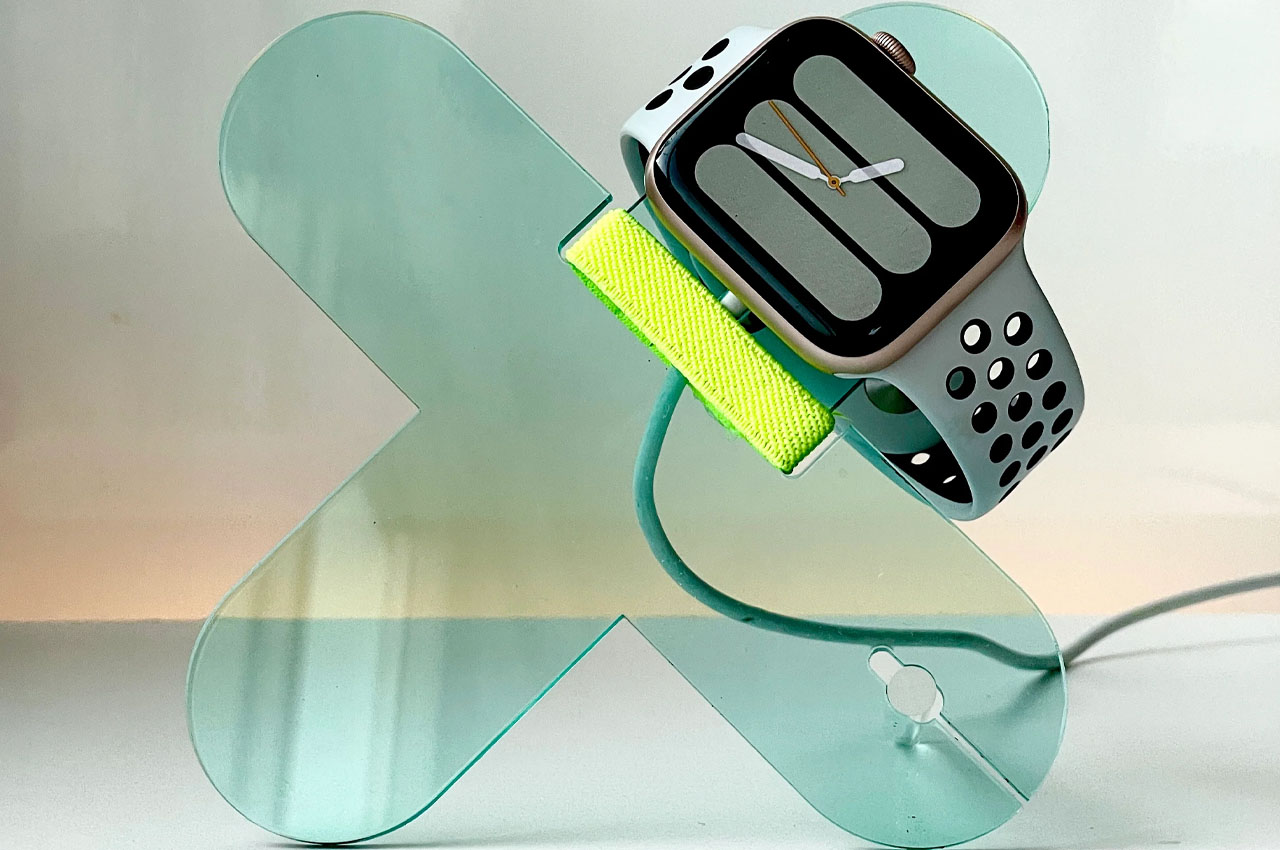
5. Electric Trout Charging Docks
Designed by David Stychno, the Electric Trout charging docks are built from acrylic. They feature productive and sleek silhouettes and are a fun upgrade from the old-school docks. The docks cater to a large range of users, and they have MagSafe-compatible charging solutions for one, two, or even a whole bunch of Apple’s handheld and wearables!
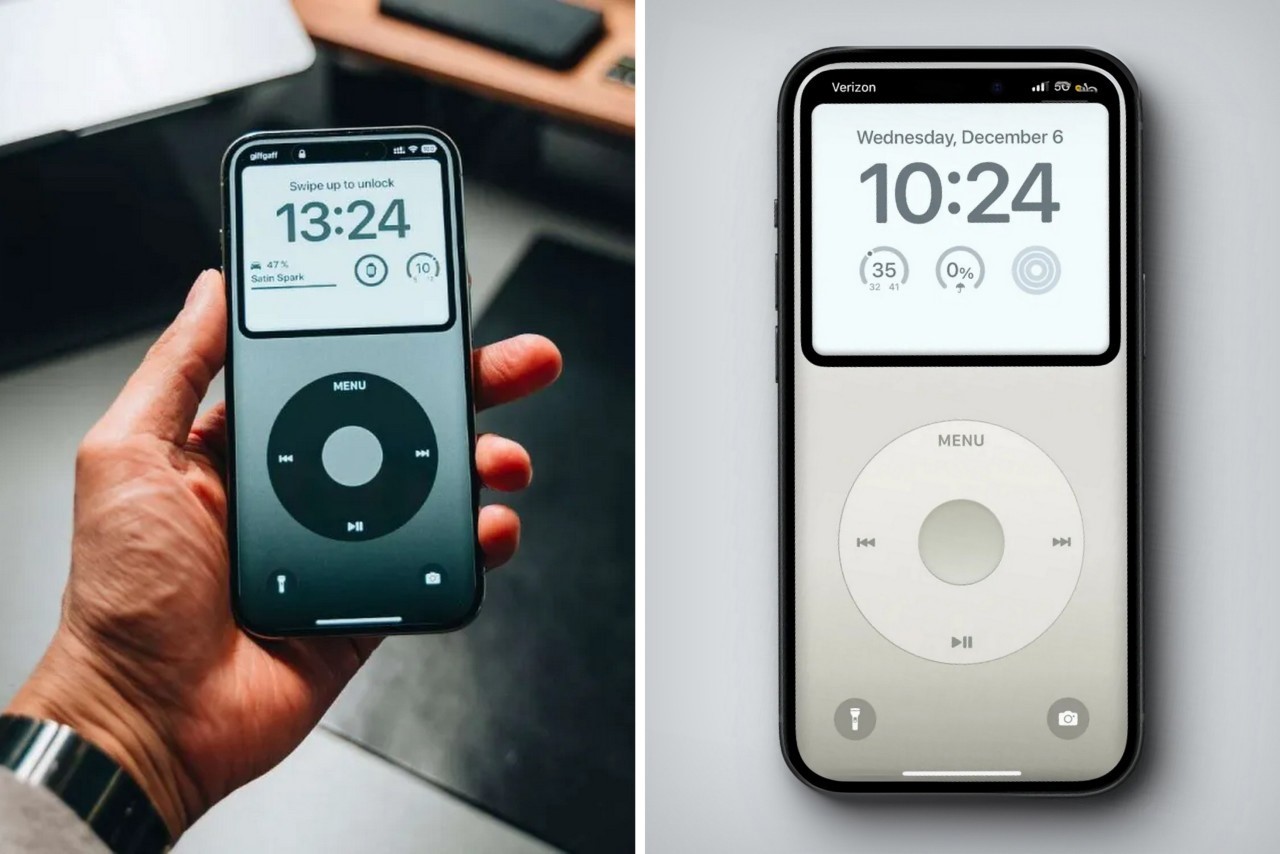
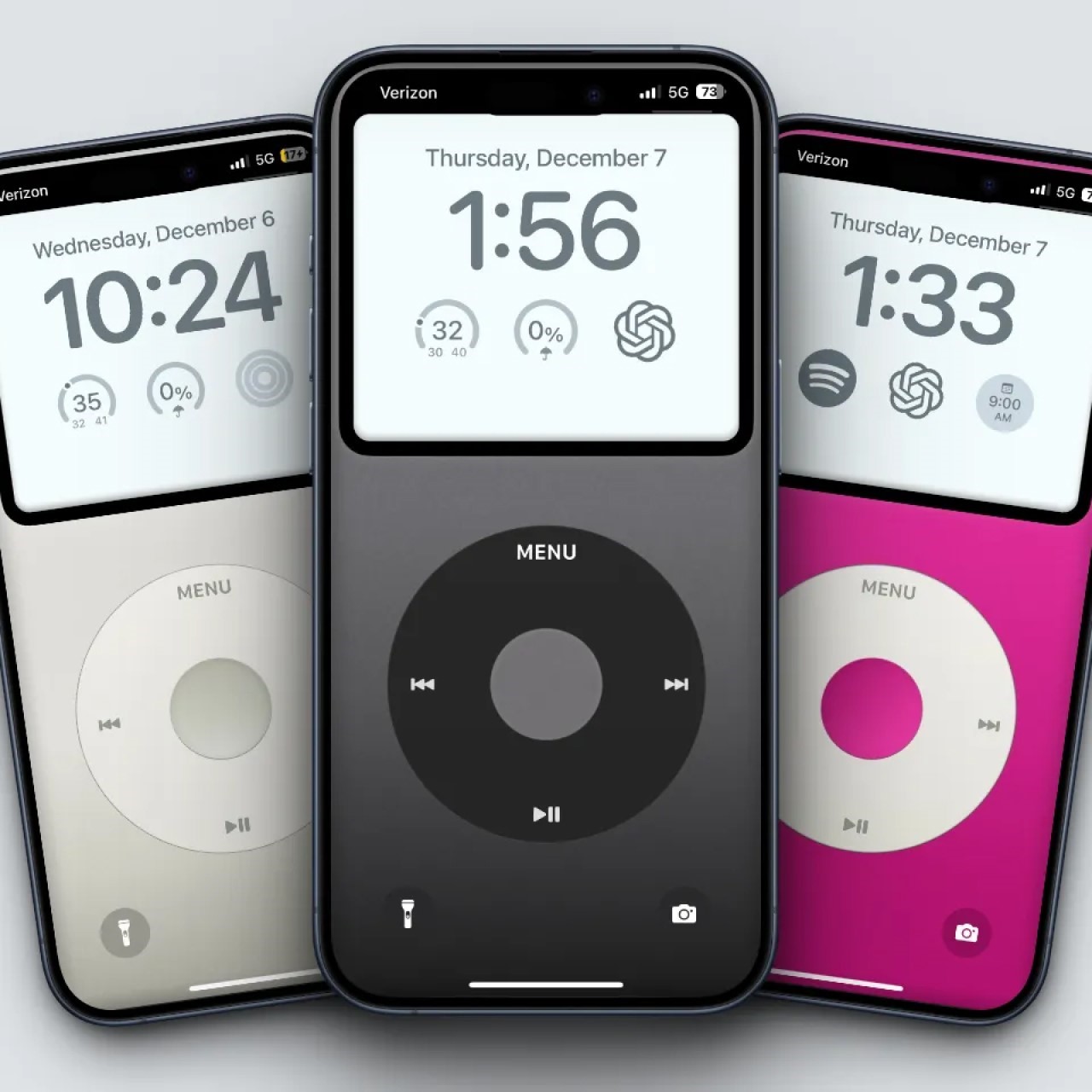
6. iPod Wallpapers Pack
Meet the iPod Wallpapers Pack which transforms your iPhone lock screen into a makeshift iPod! It displays the popular music player’s display which showcases the date and time, as well as your iPhone lock screen widgets. It doesn’t control music playback, although we wish it would! How cool is this one?
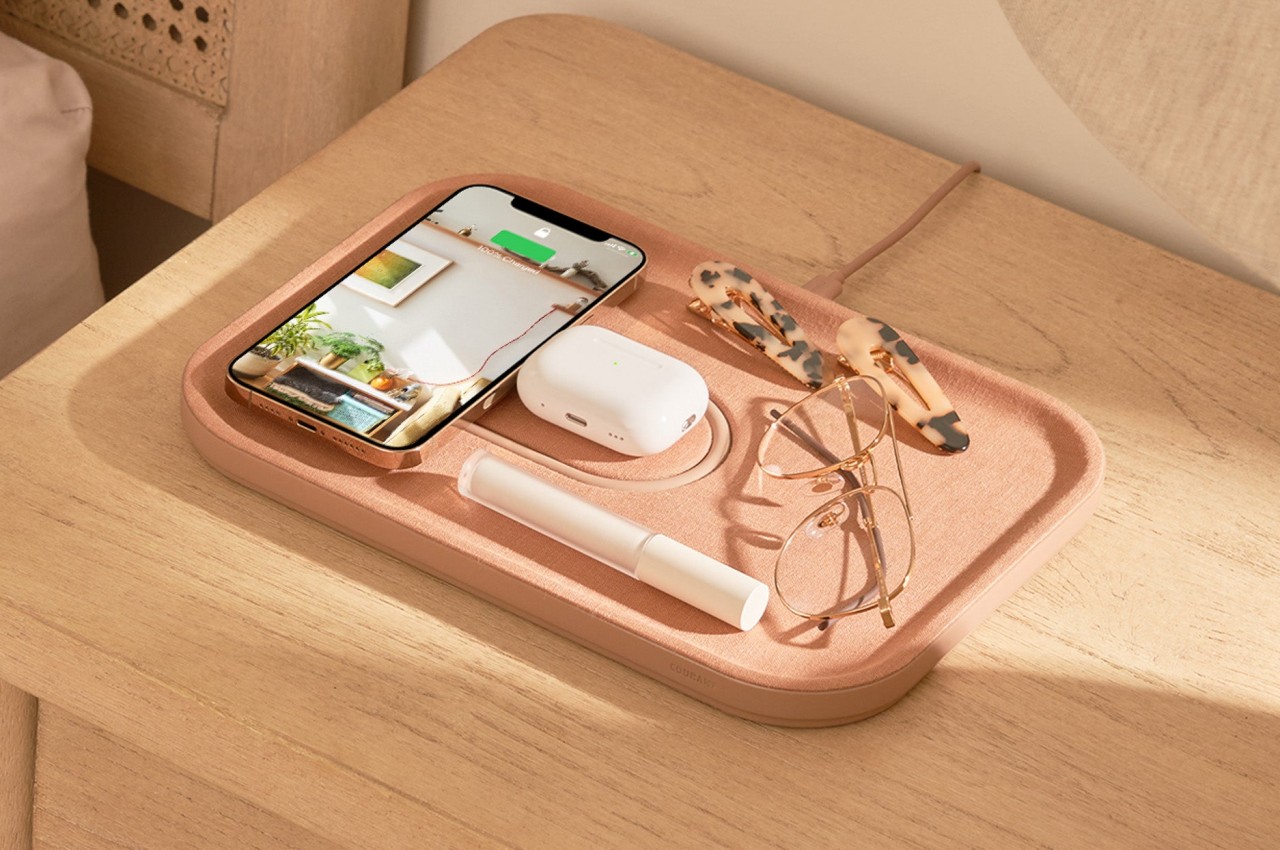
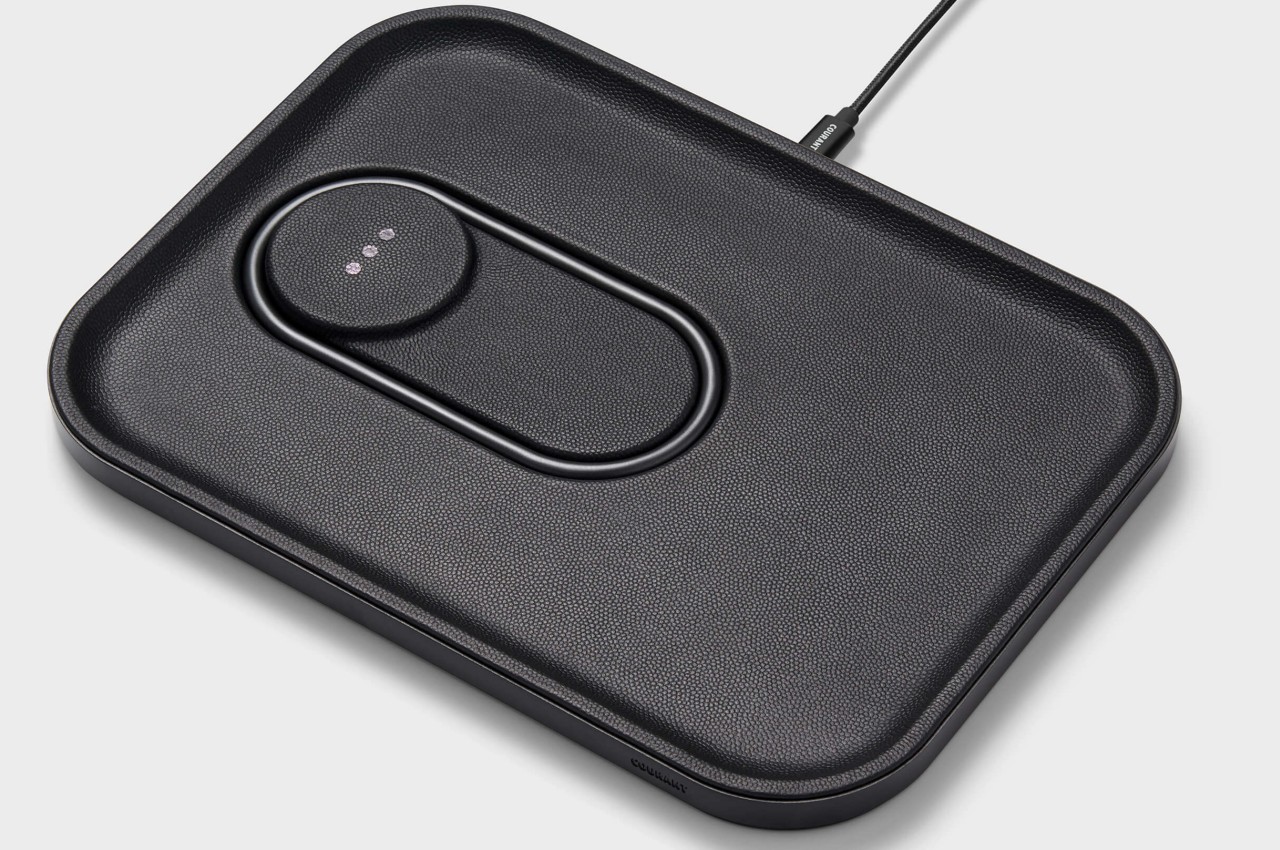
7. The MAG:3
Called the MAG:3, this MagSafe wireless charging device by Courant resembles a minimalist valet tray for your iPhone, and AirPods, as well as other objects you need to place on your side table and desk. This tray ensures your belongings are organized in a neat manner. The device is available in leather and linen options, as well as in multiple colors. You can select the one that complements your home and work aesthetics.
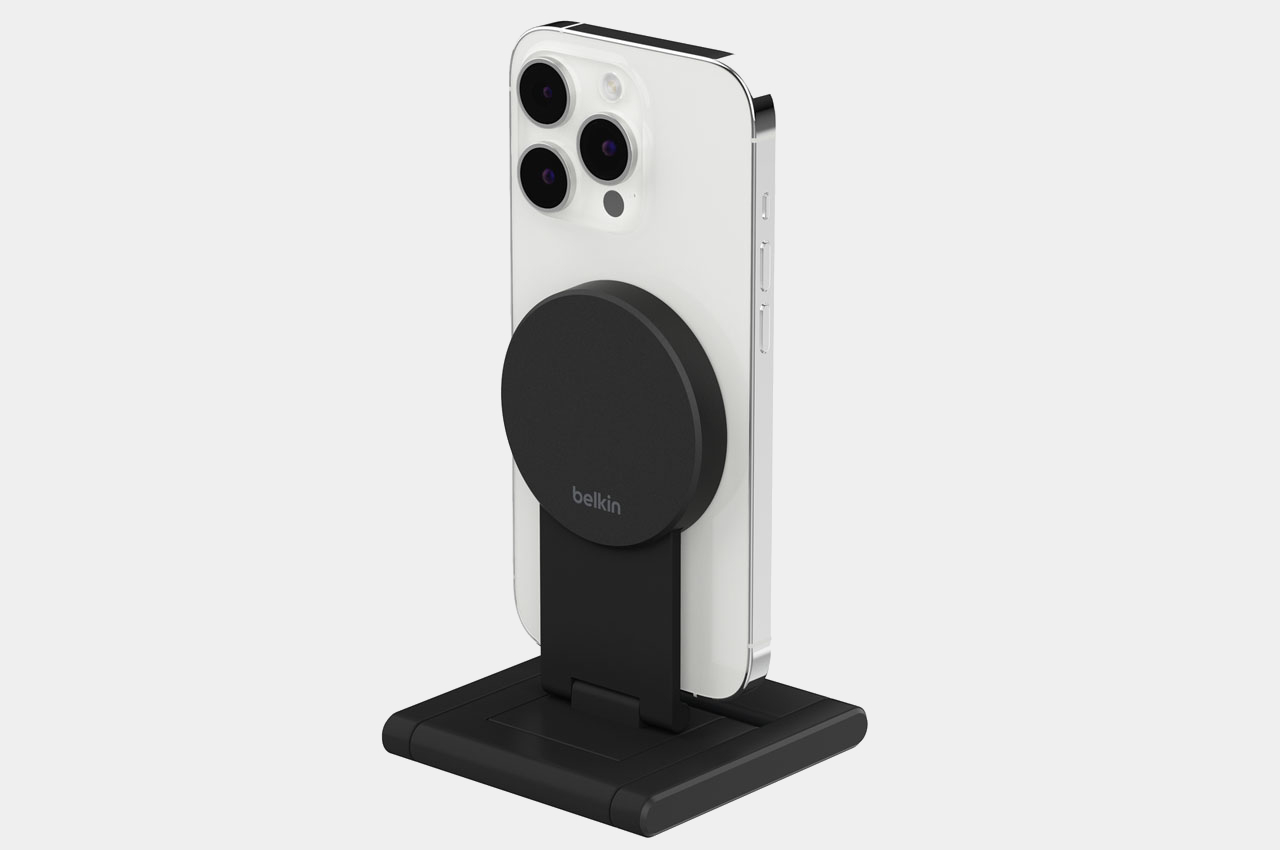
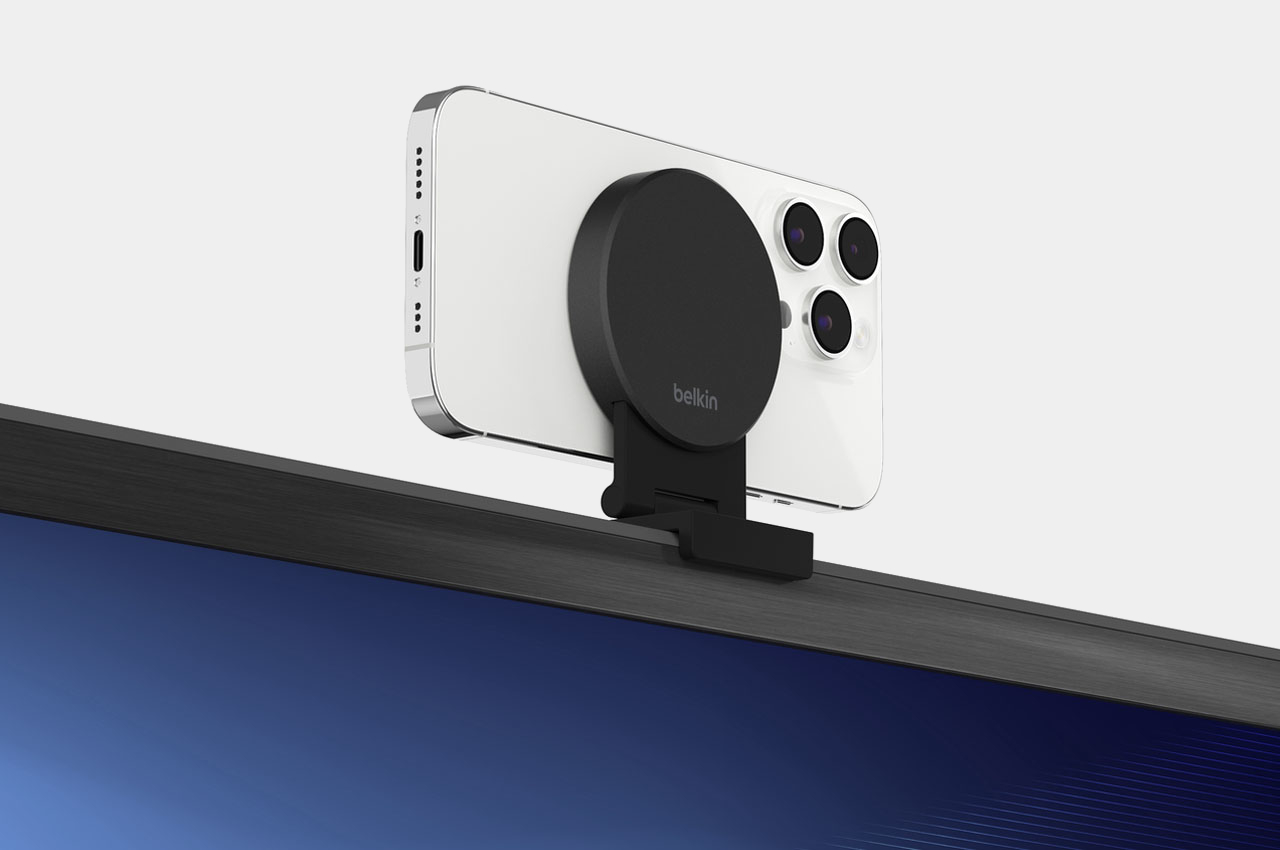
8. Belkin iPhone Mount
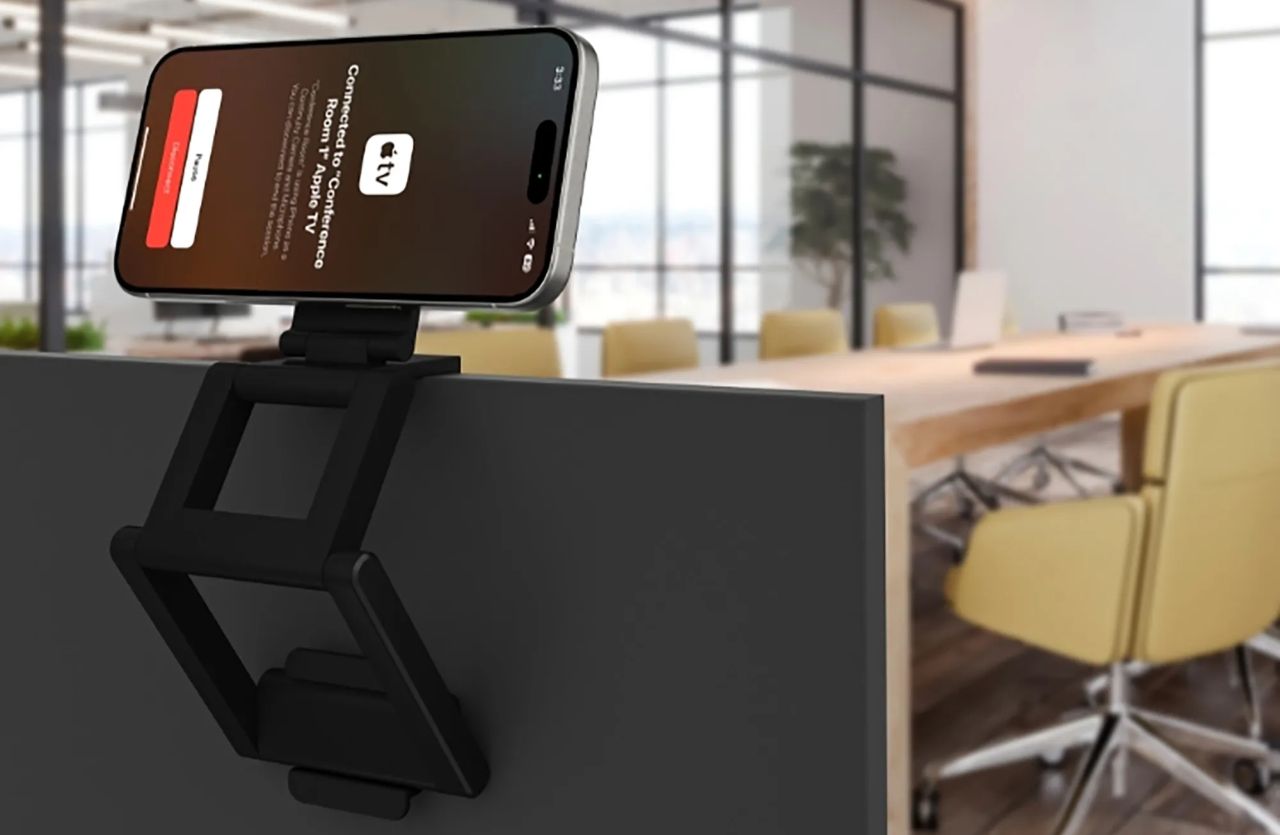
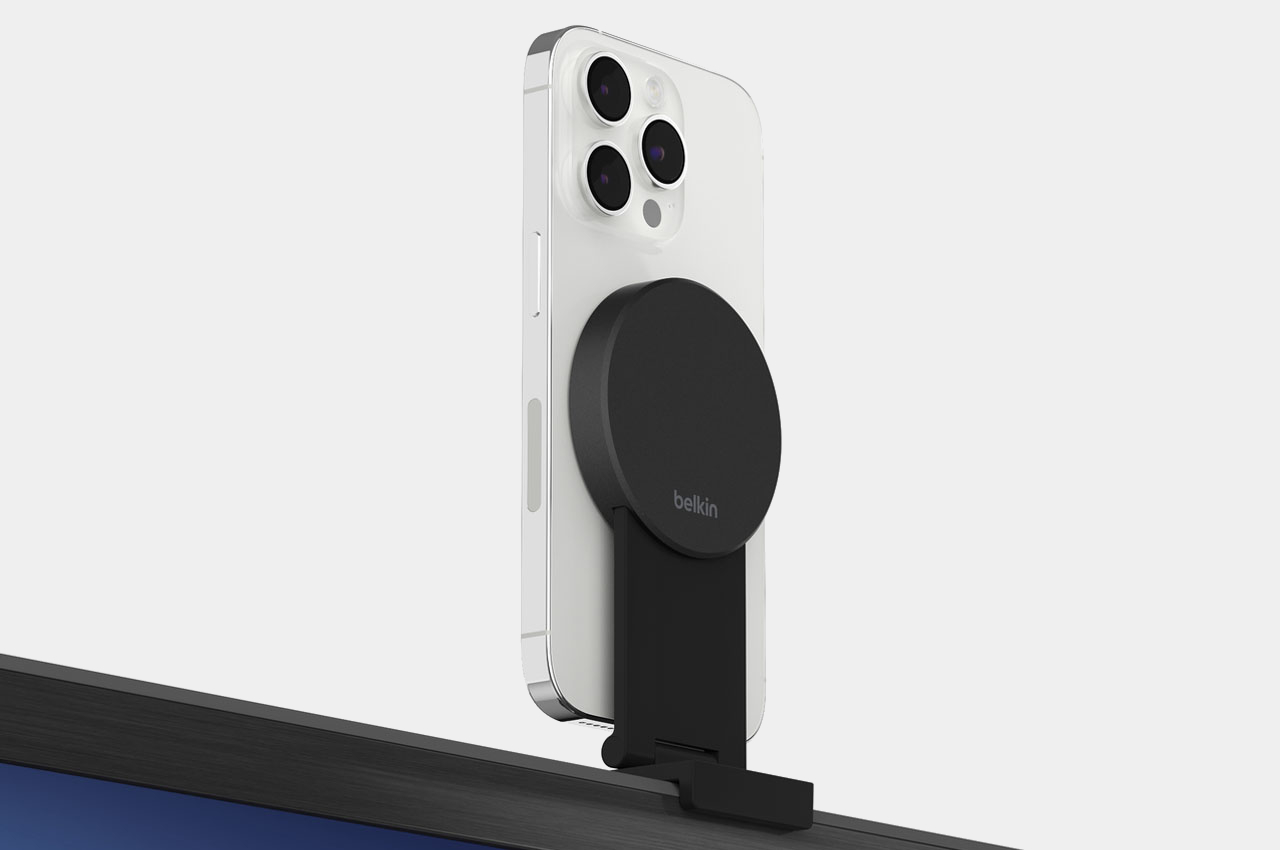
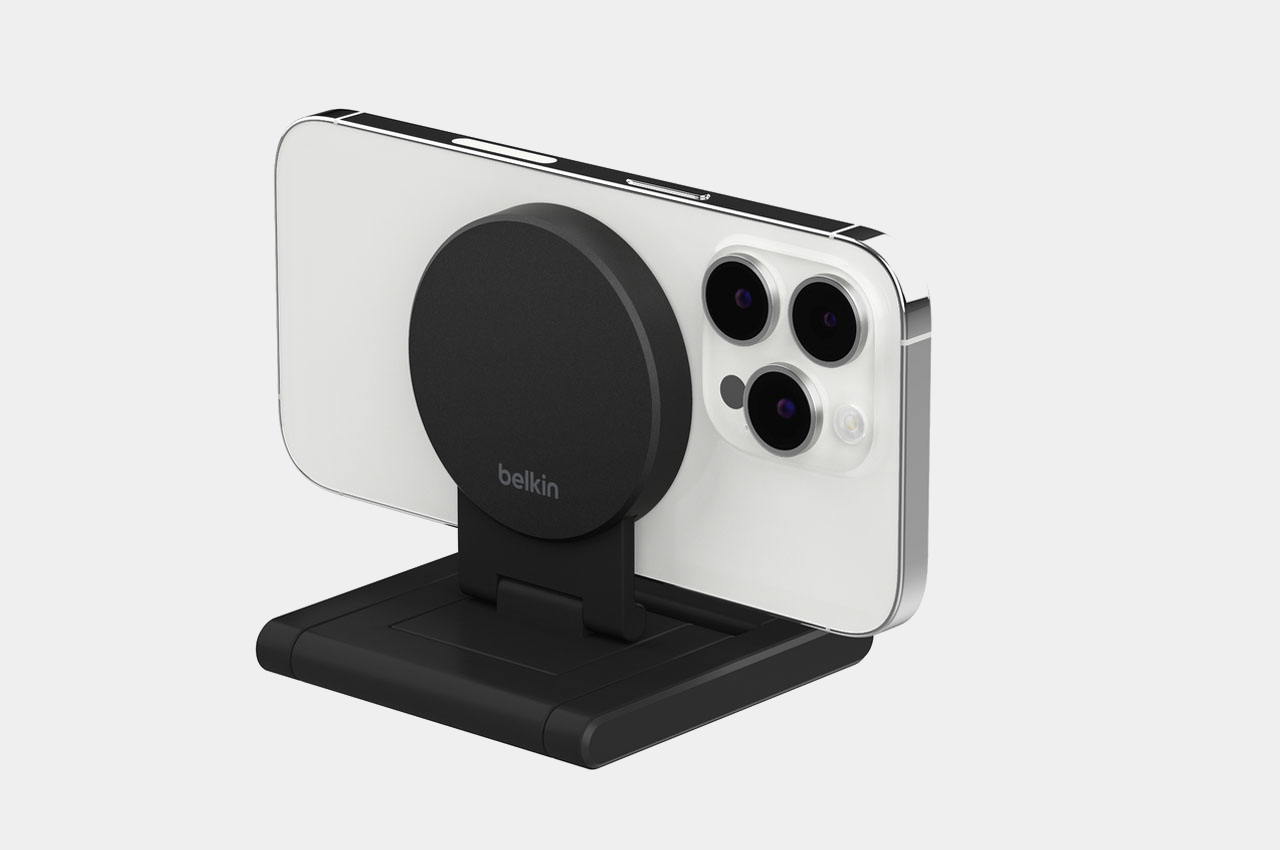
The Belkin iPhone Mount is a nifty design with MagSafe which converts your iPhone into a webcam for the Apple 4K TV. It is a versatile mount that you can directly attack on your TV. You don’t need wires or tools to attach it. You can utilize your iPhone’s rear camera for FaceTime or Zoom calls with it. You could also fold the stand in landscape or portrait mode on a wall or table through magnetic attachment.
9. Side Note
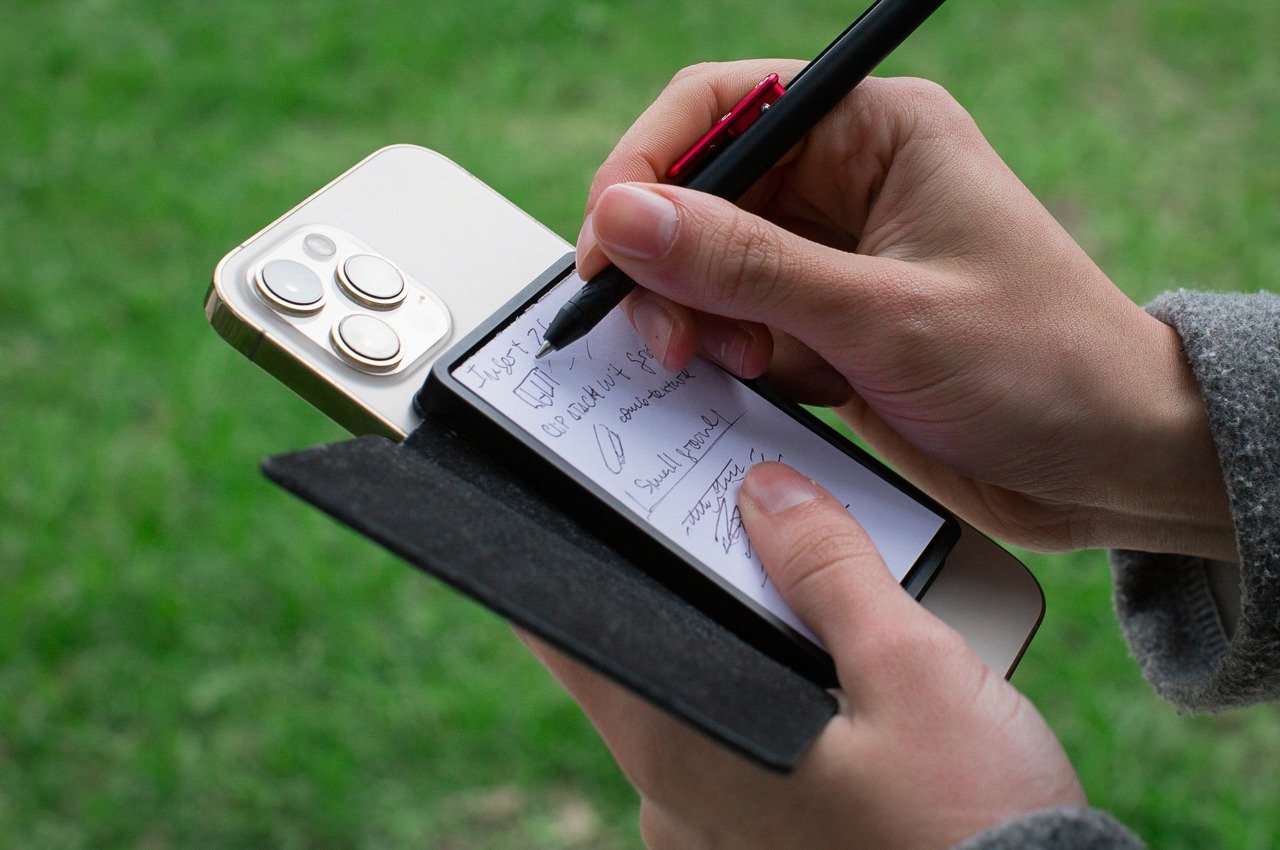
Named the Side Note, this little leather-bound notebook has an integrated pen and a MagSafe-compatible design which you can snap onto your iPhone or any magnetic surface. It functions as an analog notepad by your side, and you can swiftly take down notes and journal. You don’t need a different physical notebook, as there is already one attached to your phone.
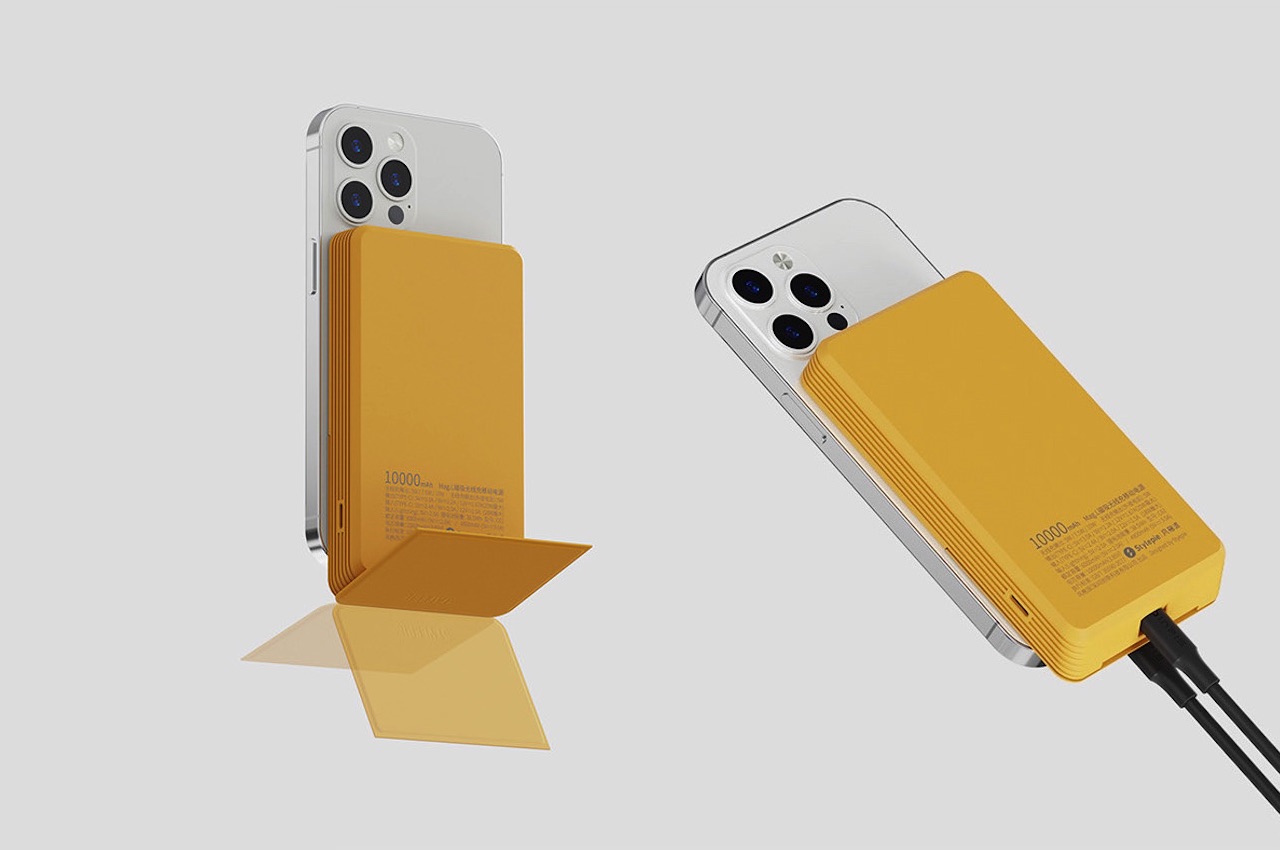
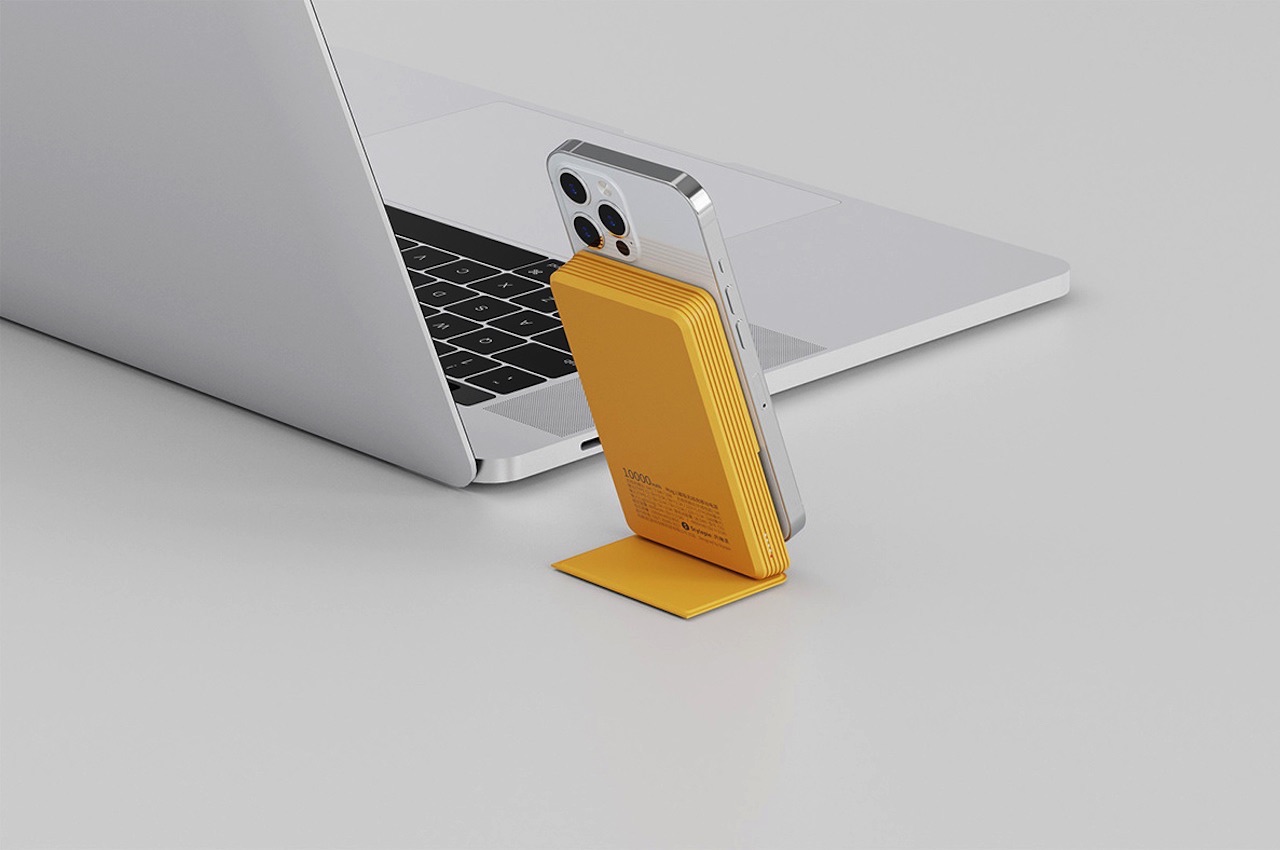
10. The MAG.L MagSafe Powerbank
Named the MAG.L MagSafe Powerbank, this design has a 10000mAH capacity which elevates the wireless charging and power bank experience. It was designed by Neo Bie and Leigui Lui for Stylepiece, and it includes four operation buttons – SELECT, START, A, B, and a d-pad (directional pad). The lower section works as the stand of the power bank.
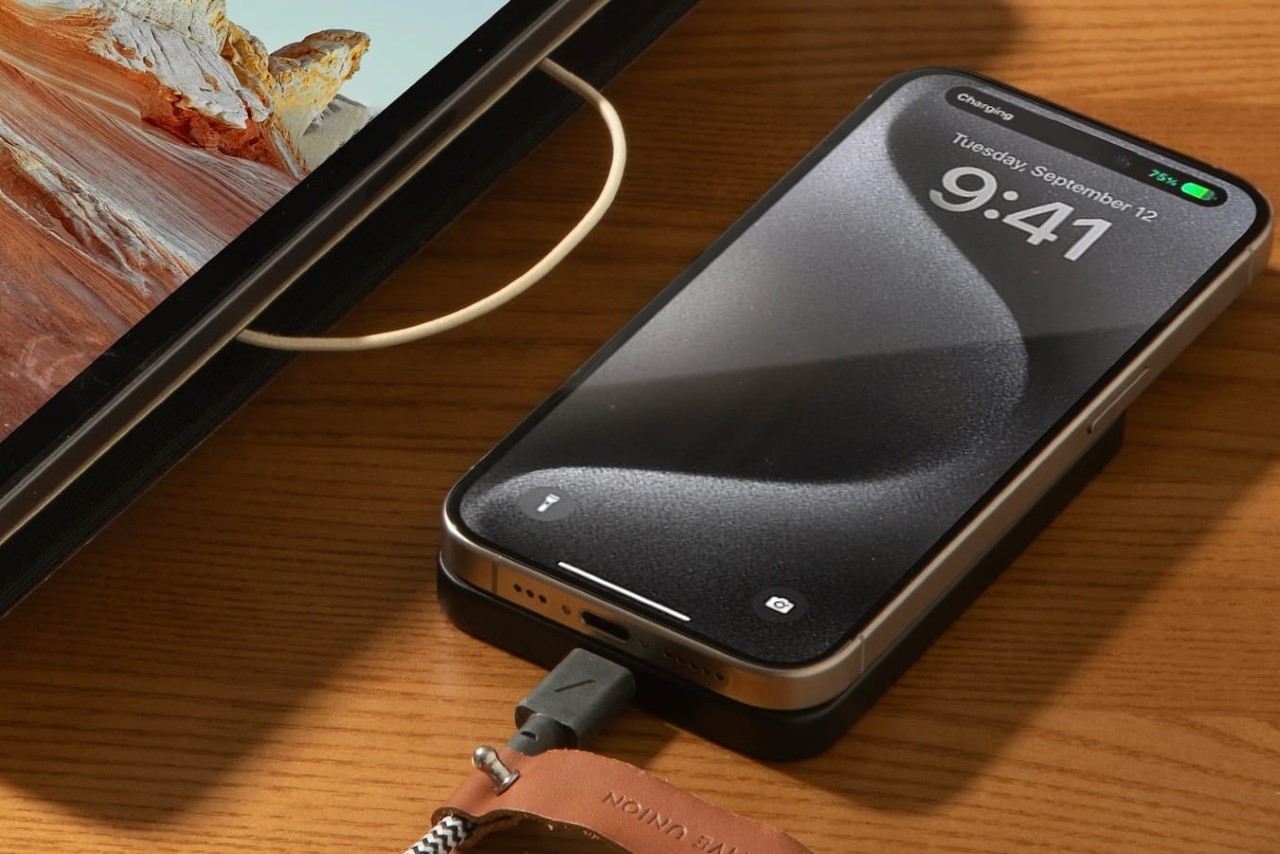
The great thing about phones is their ability to do a whole multitude of tasks. The terrible thing about them is that they discharge at the most inconvenient time, and suddenly you’re left with 5% battery and no charger or charging point in sight. The wireless MagSafe power bank was designed for pretty much this occasion, allowing you to quickly snap a device onto the back of your phone for extra juice… and while Apple’s own MagSafe Power Bank isn’t on the shelves anymore, the (Re)Classic from Native Union does the job remarkably well. Measuring just .086cm thick (that’s as thick as your iPhone), the (Re)Classic attaches to your iPhone’s back (or any smartphone with the MagSafe sticker), letting you easily and wirelessly charge your phone. The slim design merges right into your iPhone’s profile, so you don’t have to contend with a bulky power bank that makes handling your phone difficult.
Designer: Native Union
Touted to be Native Union’s slimmest power bank ever, the (Re)Classic packs a cool 5000mAh battery that matches the one inside your iPhone, giving you a full 100% worth of extra charge to pull you through the day or even through a weekend with moderate phone use. 15W of wireless charging gets your phone juiced at the fastest wireless charging speed possible, and if that doesn’t satisfy you, plugging your phone into the power bank’s USB-C port bumps up charging speeds to 20W. The (Re)Classic supports pass-through charging too, which means you can charge the power bank WHILE it’s charging your phone or any other device.
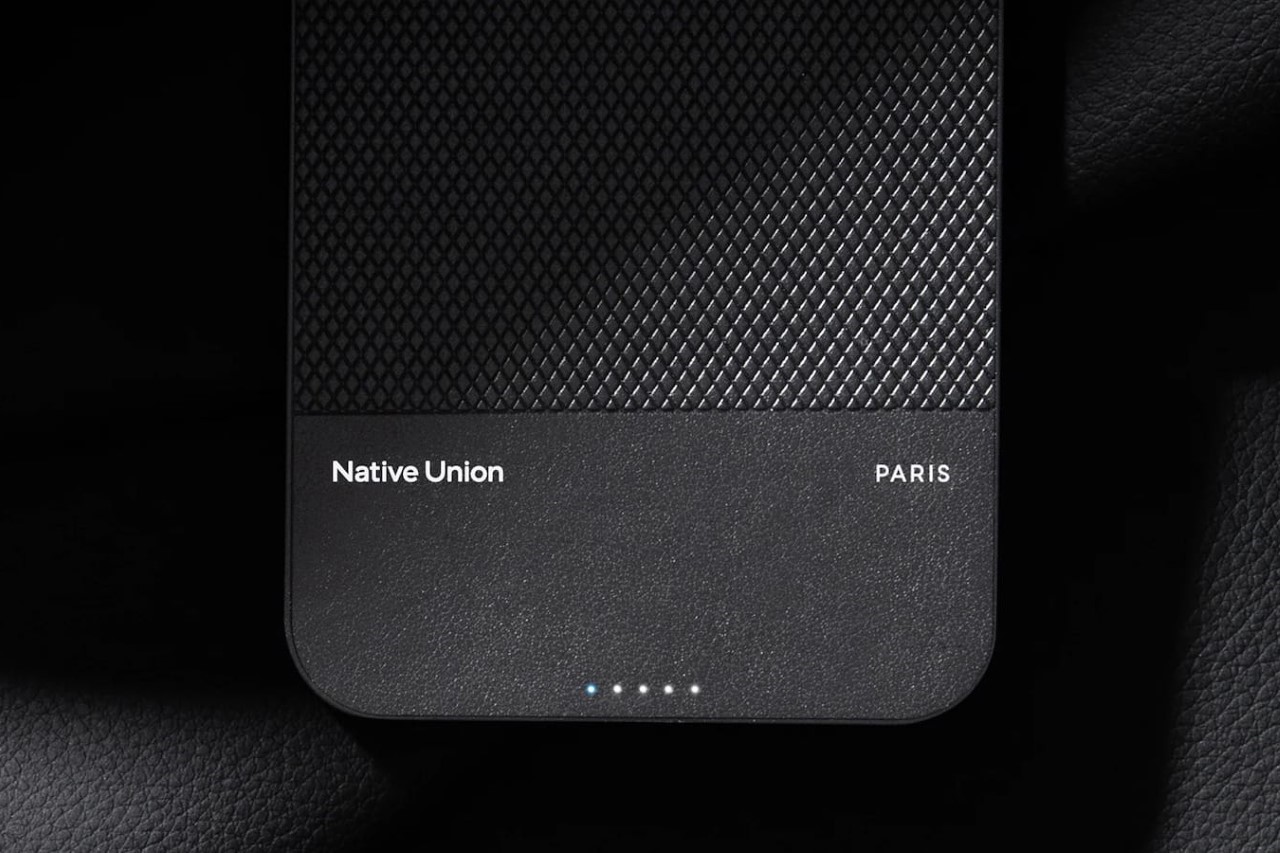
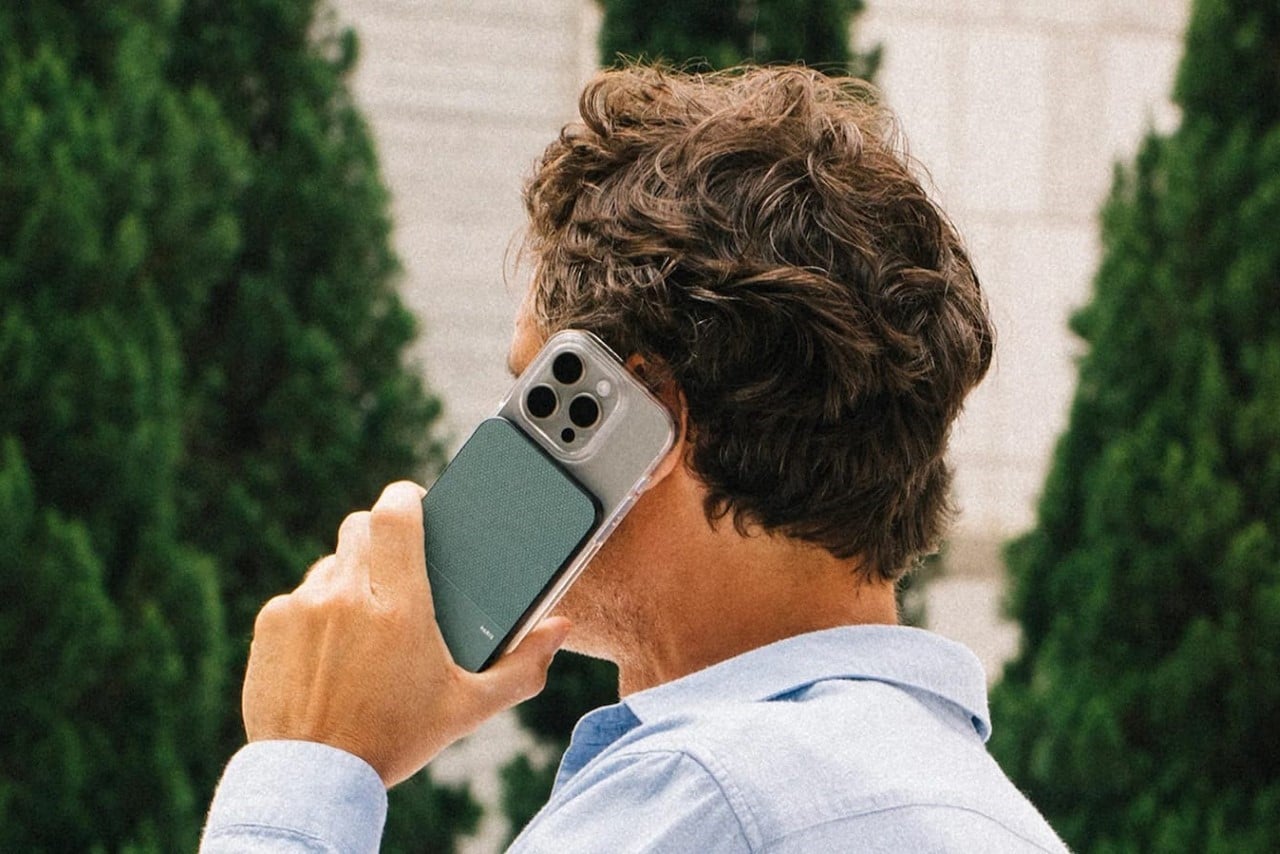
Notably, though, it’s Native Union’s design choices that make the (Re)Classic such a nifty pick. Unlike most power banks that have housing made from either plastic or metal, the (Re)Classic opts for Yatay, a premium plant-based leather alternative made in Italy. The vegan leather feels just as premium and comfortable as regular leather while giving your power bank a distinctly different aesthetic from the plastic ones you’d find online, or the fancy metal ones that can often give your phone an industrial aesthetic which many may not like.
The Yatay-leather power bank works directly with your phone, or even complements Native Union’s own cases, which have a similar design language. LED lights on the (Re)Classic’s body let you know how much battery your power bank has, and Native Union even ships one of their top-selling braided charging cables along with each $69.99 (Re)Classic Power Bank.
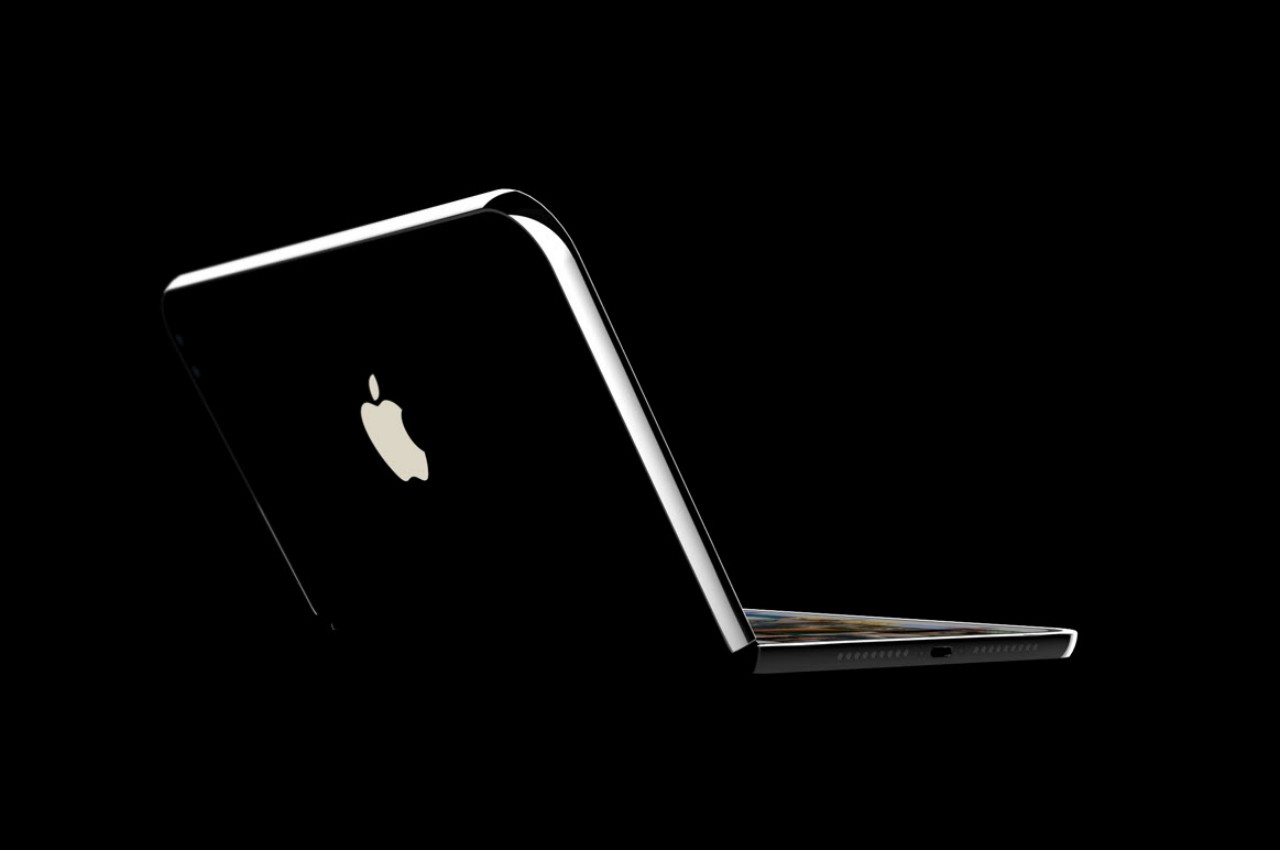
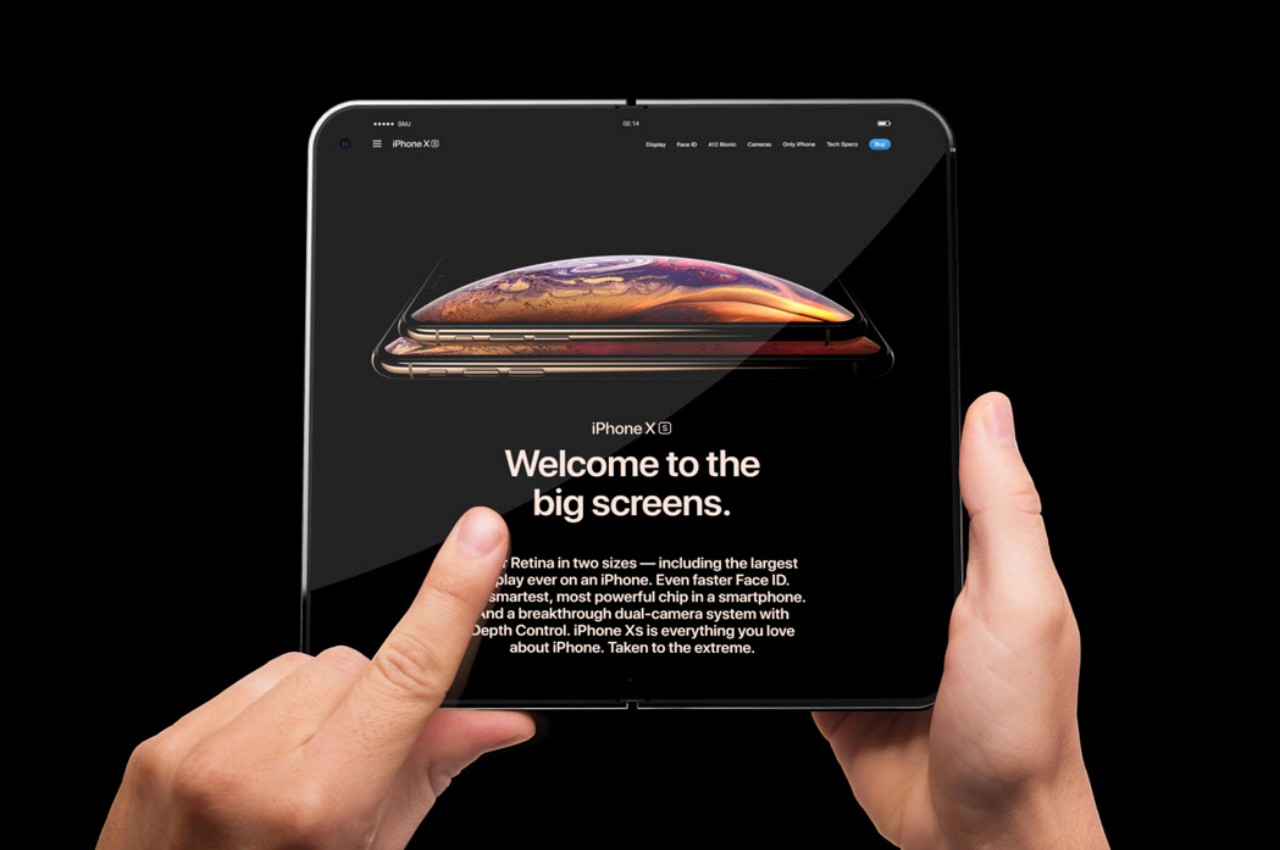
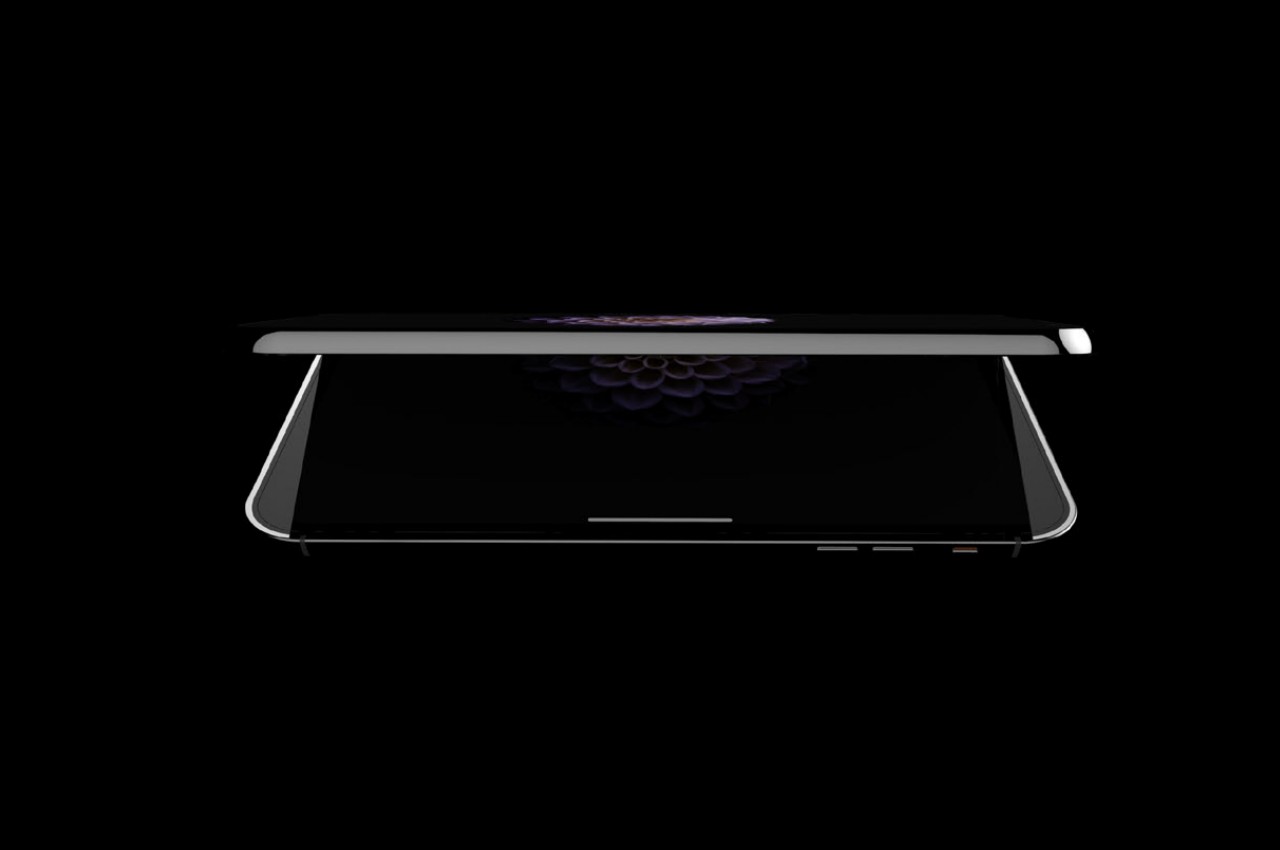
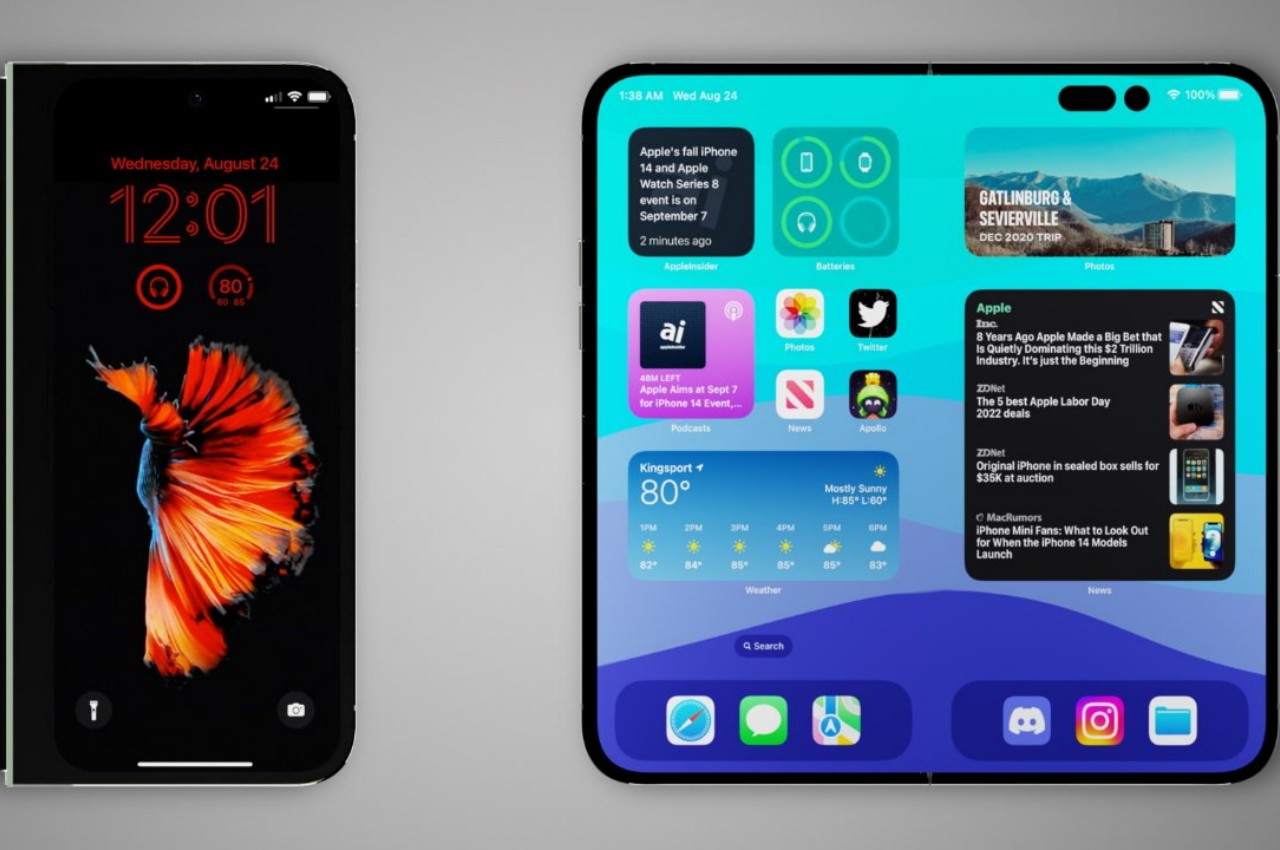
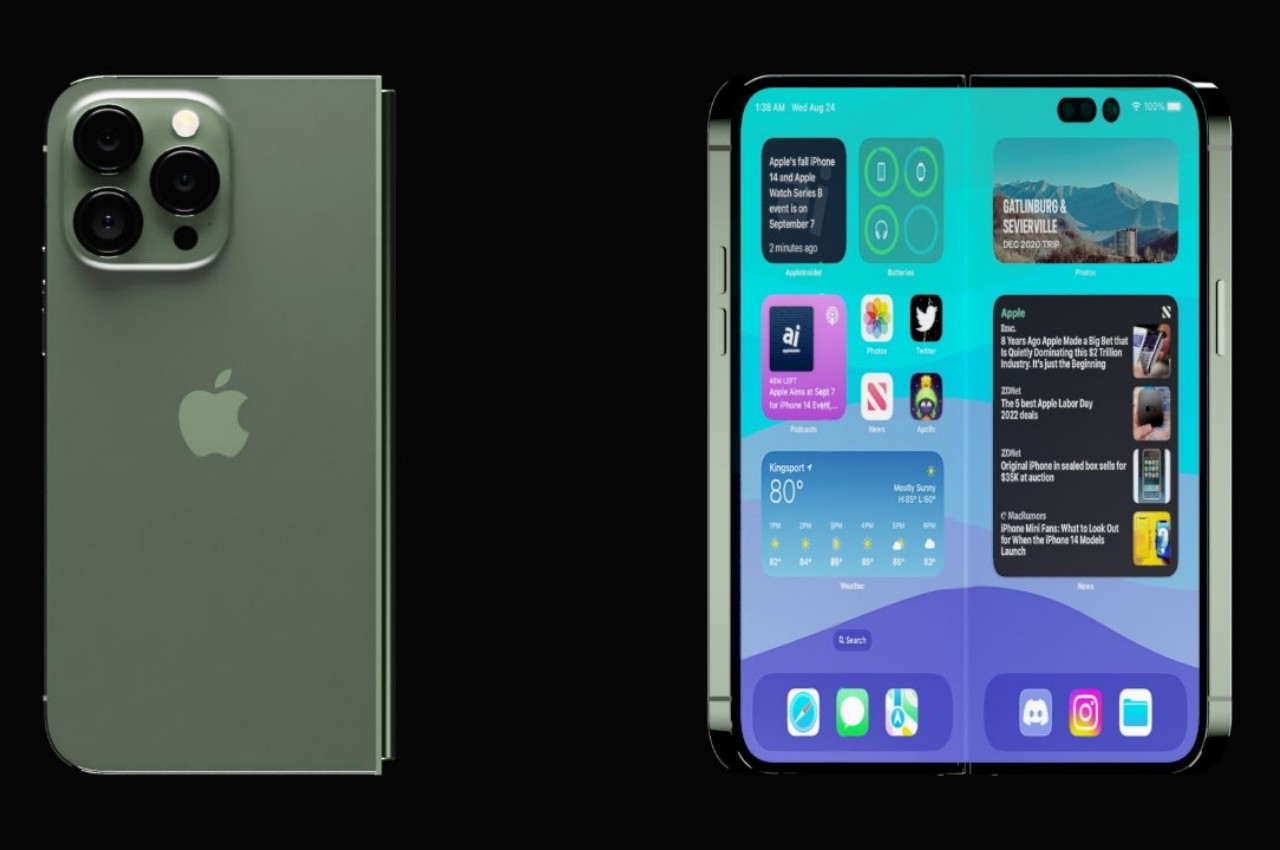
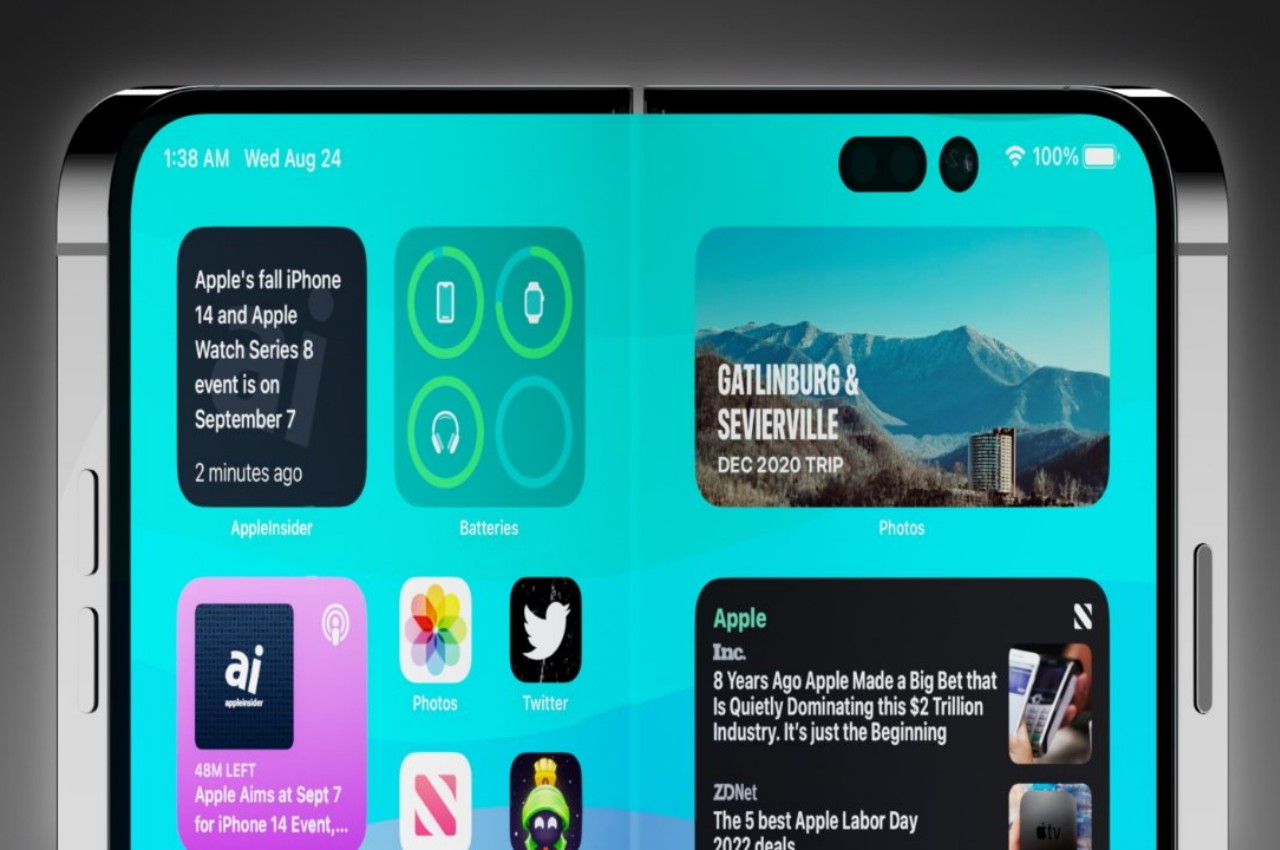
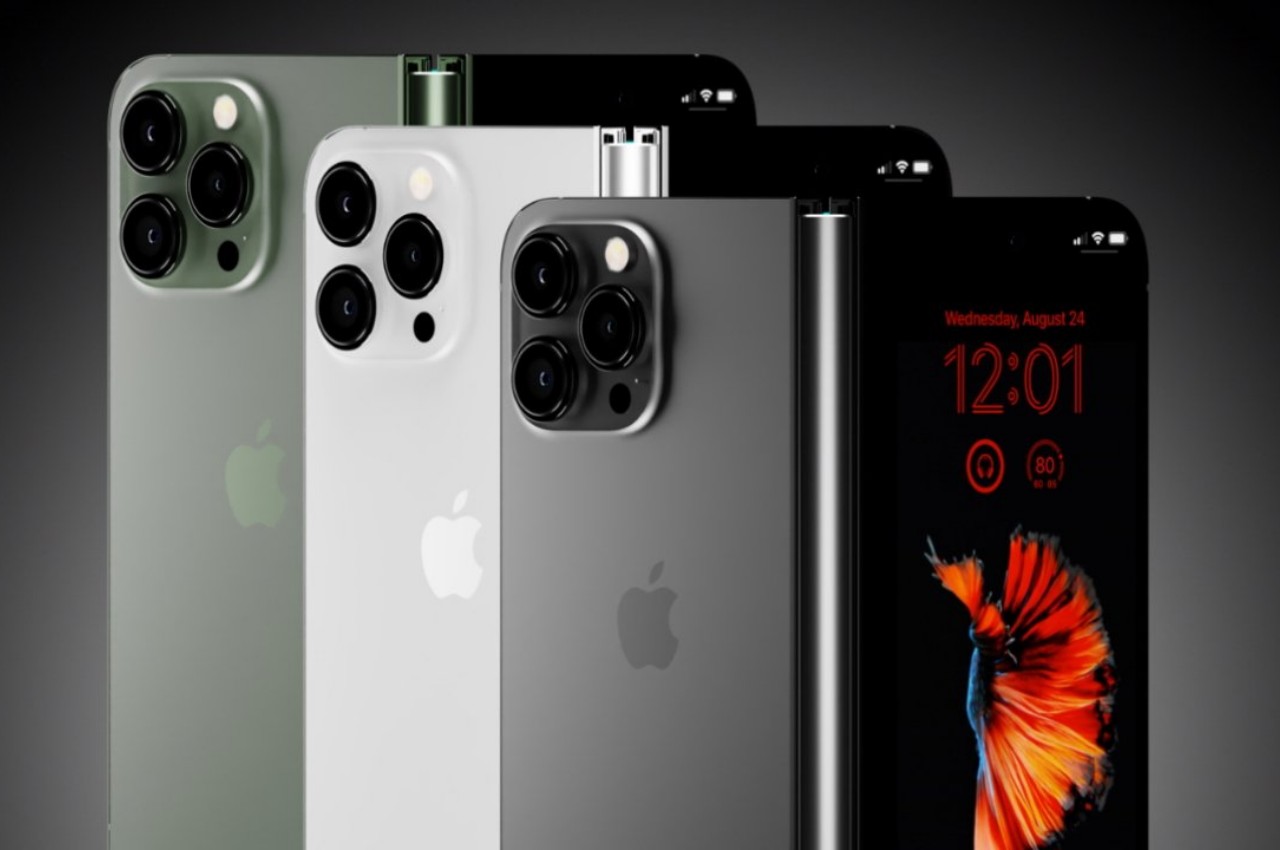
Apple just announced what might be the biggest upgrade to the iPad line since the iPad Pro was introduced in 2015. In addition to switching to an OLED panel, with all the benefits that it entails, as well as gaining a new Apple Pencil Pro, the new iPad Pro is possibly one of if not the thinnest tablets in the market, especially for its 13-inch size. But while Apple’s new tablets are definitely worthy of attention, the company’s fans are still holding their breath for a foldable iPhone. Rumors claim that could be coming in two years, but it could also be canned at the last minute, just like the AirPower wireless charging mat if the design and performance don’t meet the meticulous company’s standards. Then again, some probably consider foldable devices as a passing fad, but that couldn’t be farther from the truth. Apple should launch a foldable phone sooner rather than later because these devices aren’t going away, and here are the reasons why.
Chances are, you’re using your phone less for calls and more for content, which does include activities like instant messaging and chatting. The screen is the most important part of the device because it is the part that we see and use the most. Content is the primary reason for having a smartphone, whether it’s for consuming content or sometimes even creating it, so any technology that lets people enjoy more content or gives them more ways to enjoy content is always a winner. Is it any wonder, then, why phablets or phones with large screens are now the norm, despite how much Apple ridiculed its size at first?
Foldable devices solve this in two ways. Large foldable phones in the style of the Google Pixel Fold offer an experience similar to a mini iPad mini that you can still shove in your pocket and use as a regular phone to some extent. In theory, it delivers the best of both worlds, with a screen that can contain as much content as possible while still in a portable format.
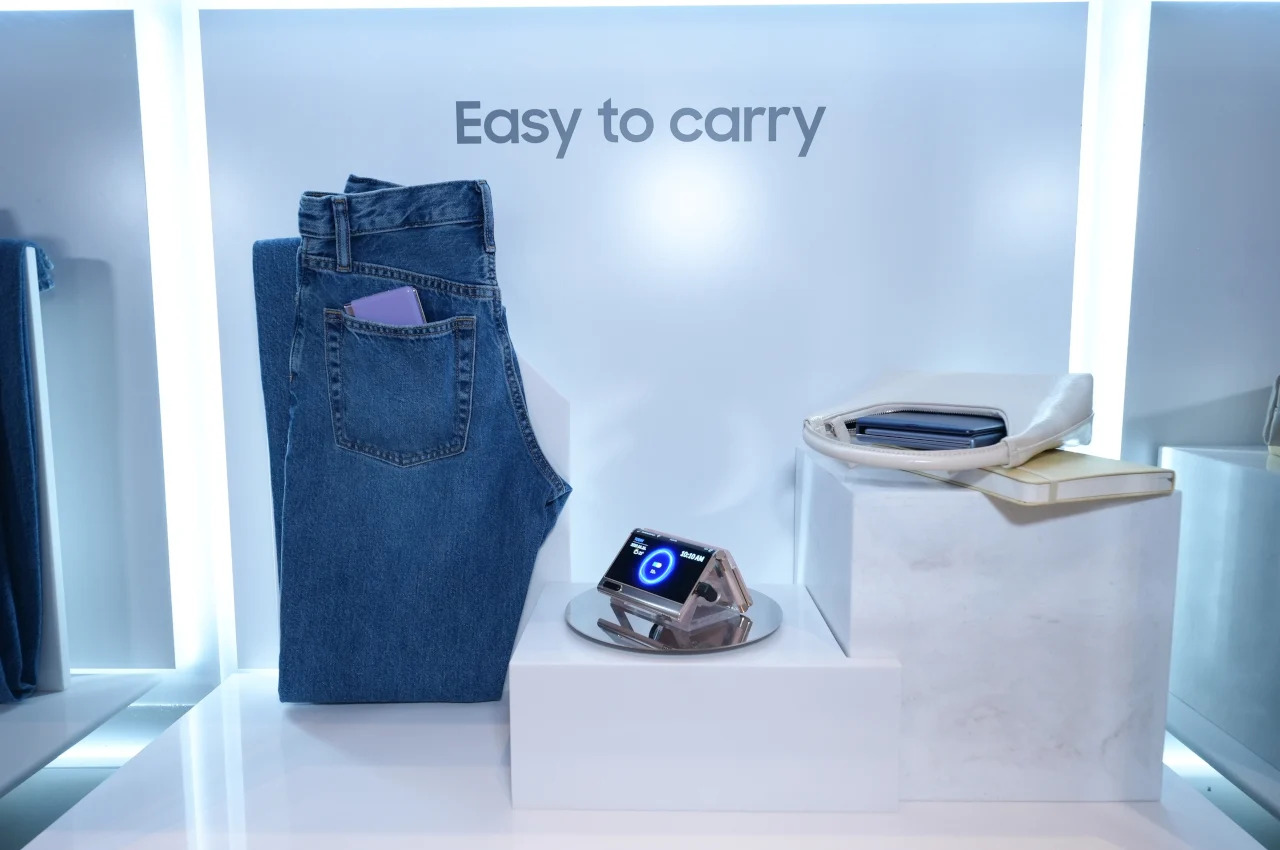
Conversely, clamshell-style foldables like the Samsung Galaxy Z Flip series strike the problem from the opposite end. It provides a screen experience that’s exactly like a normal large phone but lets you conveniently cram the device in very small purses and pockets. It still prizes the role of content but delivers it in a design that doesn’t get in your way because of its size.
2. Falling Prices
One of the reasons why people avoid foldable phones and why they see them as luxurious fads is because of their rather mind-blowing prices. Yes, it’s expected that novel technologies and designs would cost more at the start, but foldable phones have been around for almost half a decade now, and yet most still cost a premium flagship and a half. Fortunately, things are changing for the better, even if slowly.
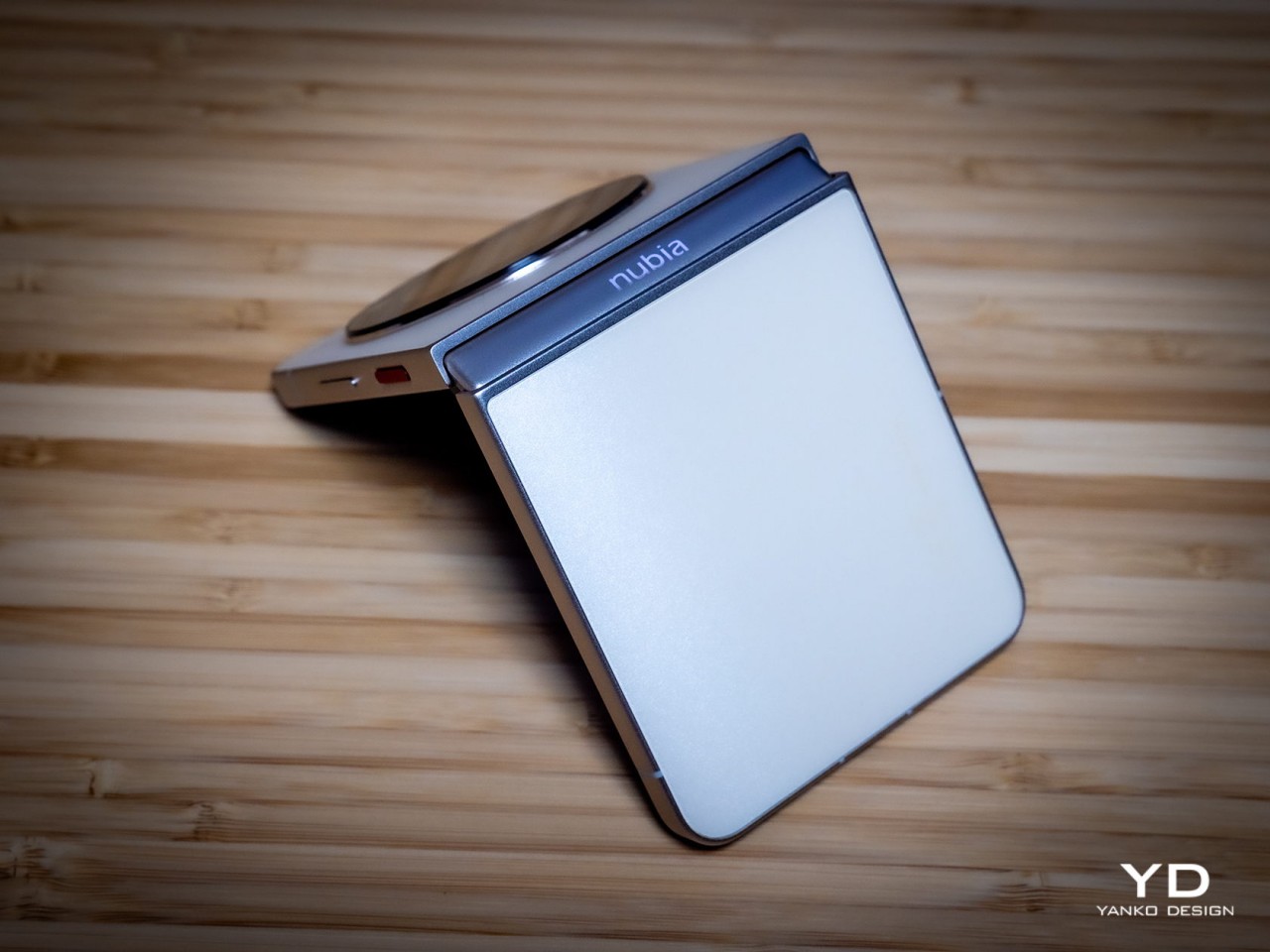
As the technologies and components become more common, the cost of their production will start to decrease as well. Given that there’s still plenty of room for newer designs that will involve more costs, high-end foldable phones won’t be going away any time soon. At the same time, however, that still leaves the door wide open for options on the lower rung of the price ladder. The new nubia Flip 5G, for example, is currently the most affordable among the relatively cheaper clamshell foldables. Sure, it does cut corners in a few aspects, but that is also proof that you can have “mid-tier” foldable phones in this market.
There’s definitely a great deal of interest in a cheaper book-style foldable, and that might be coming this year if not from Samsung then from its growing number of rivals. Admittedly, it might take another year before more affordable foldables become more common, but it’s something that will happen sooner rather than later.
3. Design Refinement
Even after five years, the foldable phone design is still relatively young. Given how it strays so far from normal phones, it’s not surprising that perfection still feels so far away. In other words, there’s still much to be done, and smartphone makers continue to push the boundaries, refusing to settle for the status quo. In a way, it’s a matter of pride for these brands, as well as refusing to admit defeat after investing so heavily in foldable designs.
Images courtesy of AppleInsider
Foldable phones are getting thinner to the point that a folded phone no longer feels like you have two regular phones stacked together. At the same time, others are cramming more powerful and larger cameras into these ultra-thin devices, trying to get them on the same playing field as any other flagship model. While standard smartphone designs seem to have settled down after many tumultuous years, things are just heating up for foldables. There’s still a lot to be explored, and we’re far from reaching the peak.
4. Stylish Trendsetters
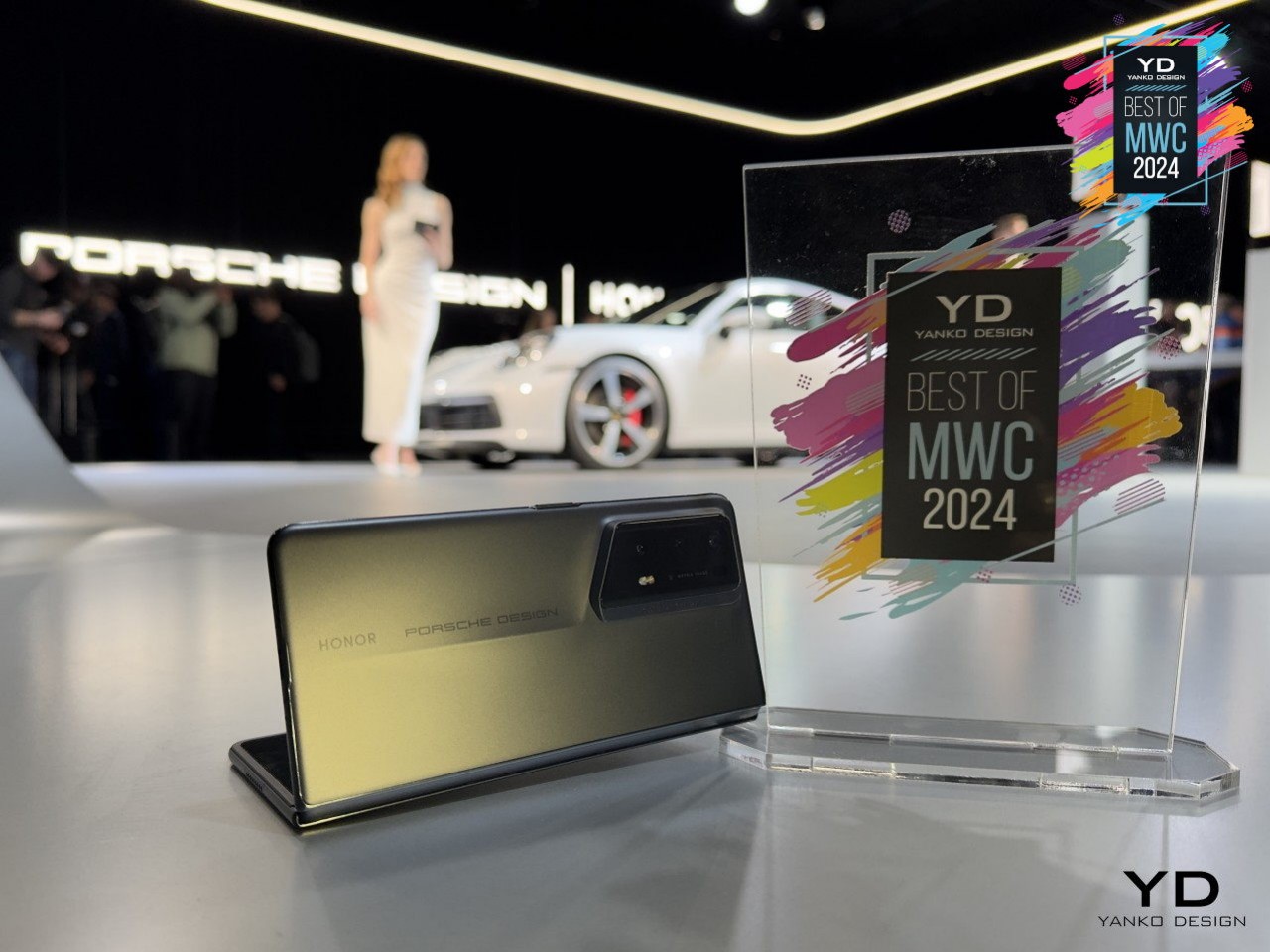
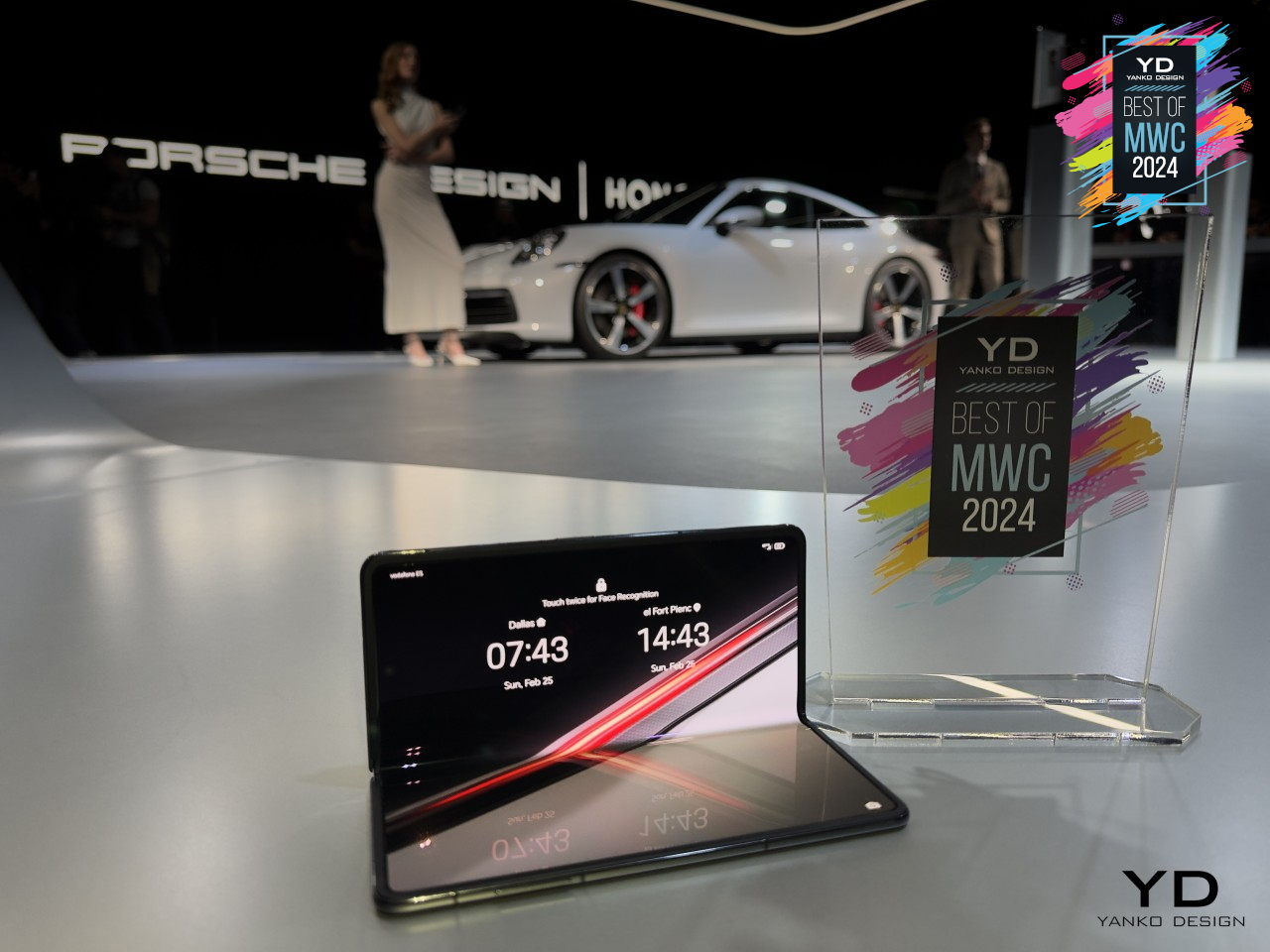
Smartphones have graduated from being technological products that only tech-savvy people can truly appreciate to lifestyle items that reflect the owner’s design tastes and personal preferences. Smartphone expressiveness is becoming an important factor in how people choose devices these days, from the design of the cameras to the overall style of the phone itself. That’s part of the reason why “flip” foldable phones are reported to be outselling their larger cousins, precisely because they bring back that classy image of flip phones from decades ago.
Designer: Honor
Yes, you can dress up your regular phone slab as much as you want, but the way you open and close a foldable phone is going to be fashionable for quite a while. And you can also dress them up as much as you want, and may even offer more customization options and creativity with the styles of cases and accessories used. Everything you can do on standard phones, you can also do with foldables but with more pizzazz and a “wow!” factor.
There’s also the aspect of offering more customization options inside as well. The foldable screen is a bigger canvas you can play on, and some external Cover Screens can get creative with their designs as well. It’s a new playground for designers and creative users who want to truly make their smartphones an extension of themselves.
5. Innovation Has Just Begun
Foldable phones are just the start, however, because they are the most accessible and easiest to comprehend. Once the idea of foldable screens has become cemented in people’s minds, it will be easier to introduce newer designs that can provide even better solutions. The current foldable designs are far from perfect, but they’re paving the way for future foldable devices.
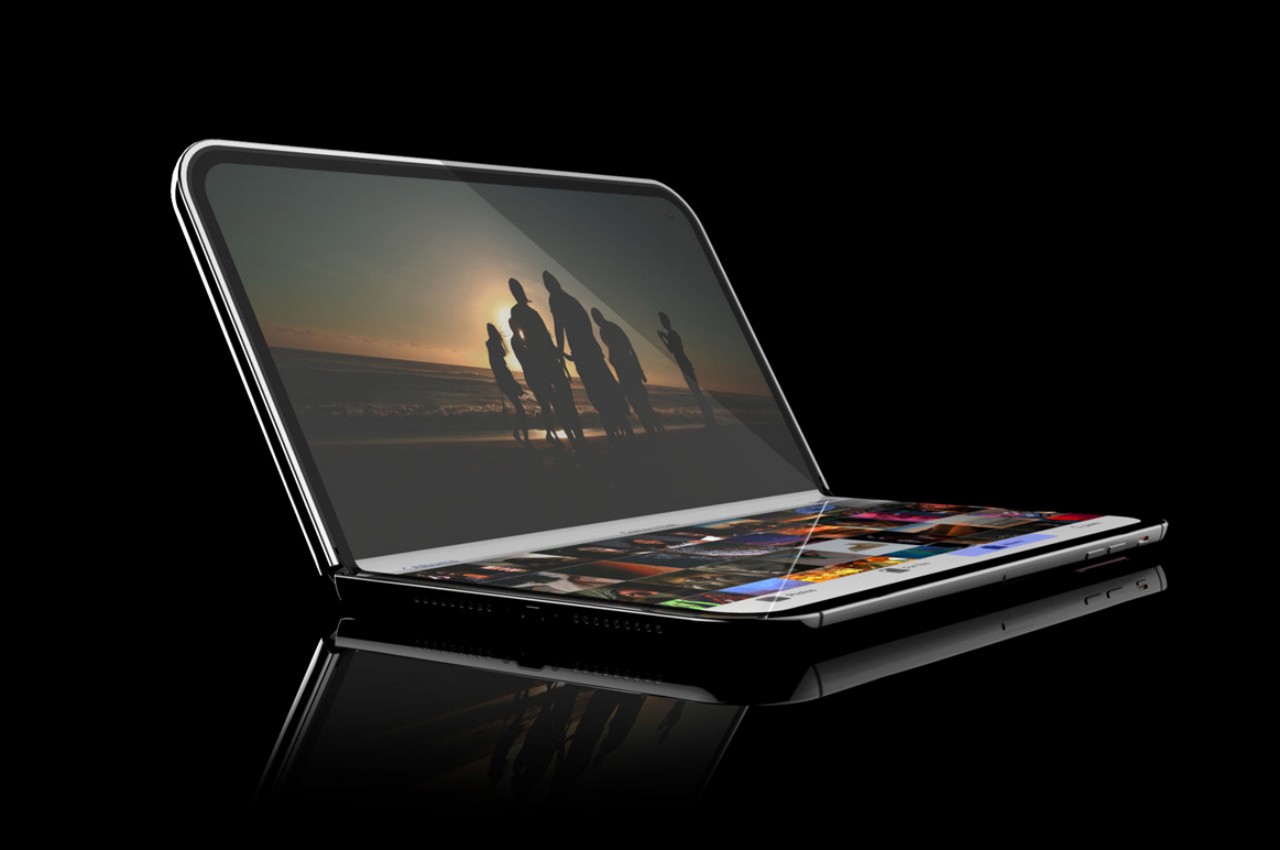
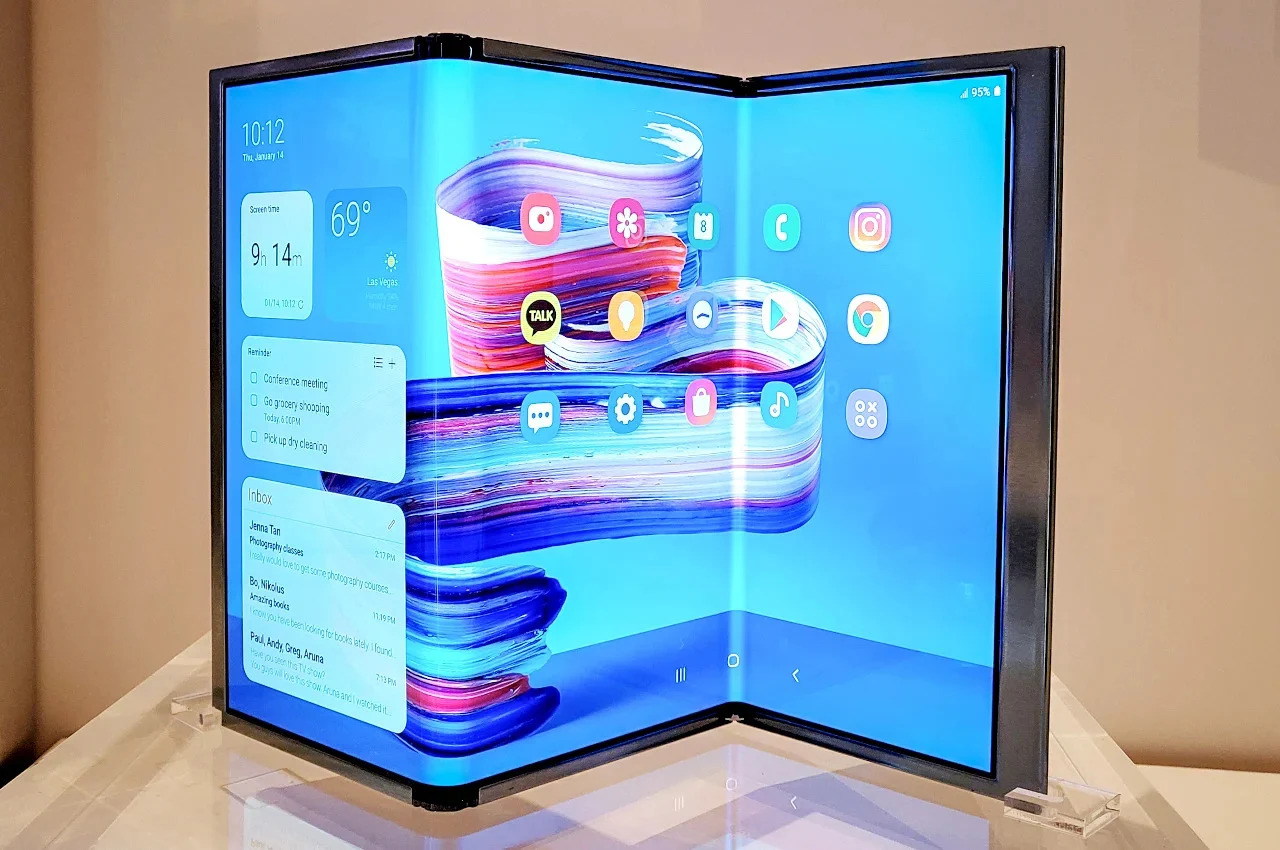
We’re already seeing that in the PC market with the introduction of foldable laptops, but we don’t need to go that far for proof. Samsung has already shown off working prototypes of tri-fold devices that turn the phone into a larger, and more conventional tablet design. We’ll see other foldable technologies unfold (no pun intended) in the future as well, including a phone that folds both ways. And don’t forget those rollable screens that offer an alternative answer to the same screen size problem.
Apple is rumored to unveil a foldable laptop next year, with a foldable iPhone following in 2026. Honestly, the order should probably be reversed, given how MacBook owners are more meticulous about how new designs affect functionality, sometimes negatively. Either way, Apple really needs to jump on this train soon, not just because it’s trending but because it can have a significant impact in driving innovation in this space forward by leaps and bounds.
The NAB Show 2024 showcased a captivating array of accessories designed to enhance the toolkit of both professional videographers and passionate content creators. As the digital media landscape continues to evolve, the need for innovative, versatile tools becomes ever more crucial. This year’s event did not disappoint, offering up gadgets that promise to refine the creative process and broaden the horizons of what can be achieved with video production. Here are the top four standout accessories from the show that are essential for anyone looking to elevate their content creation game.
Atomos Ninja Phone
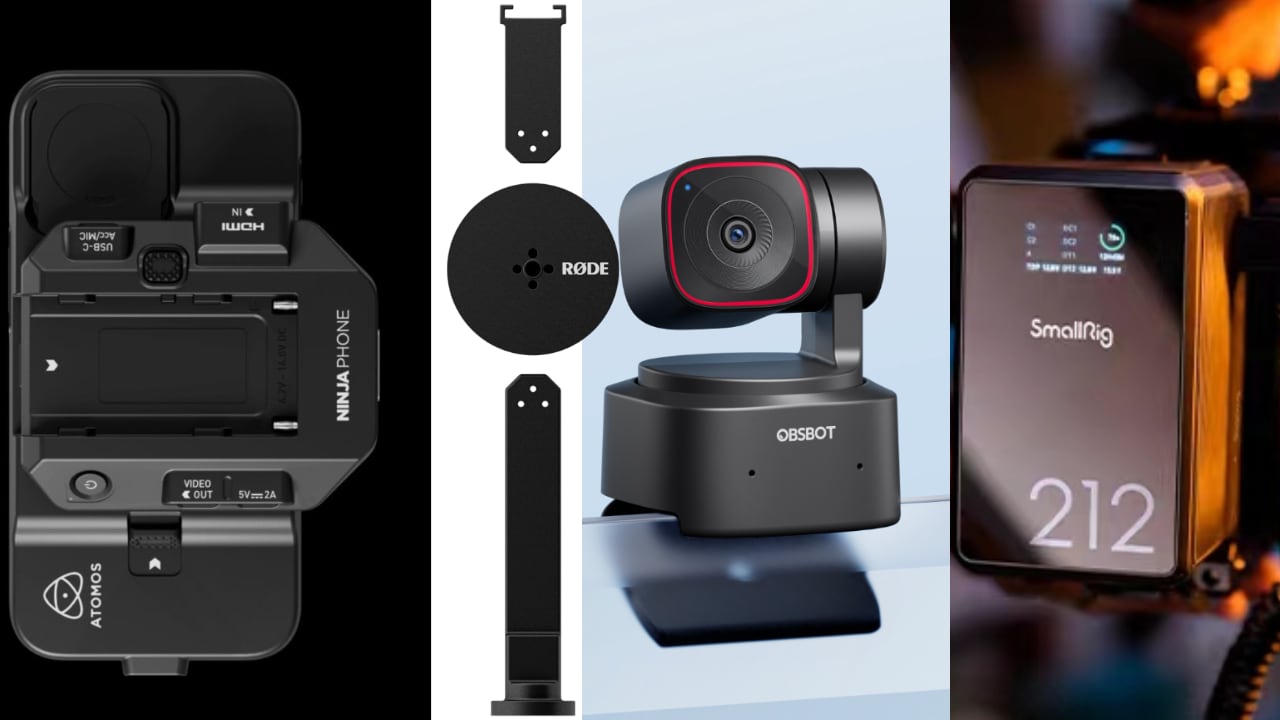
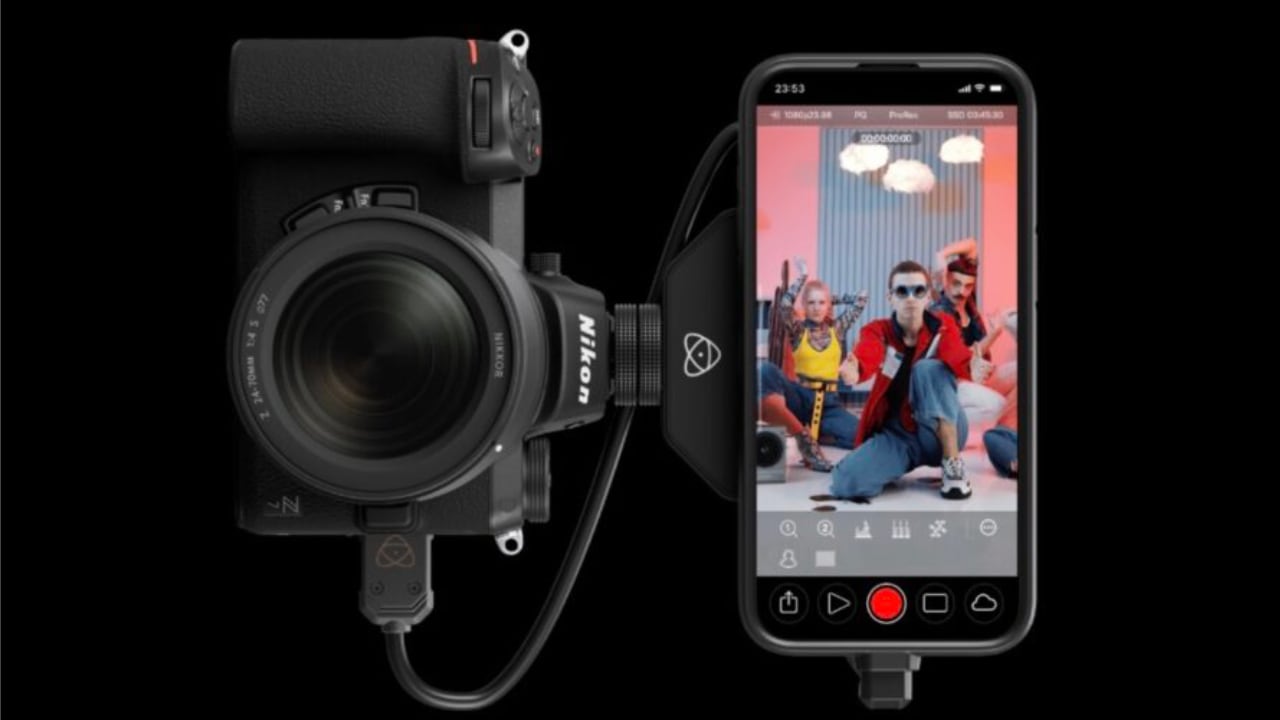
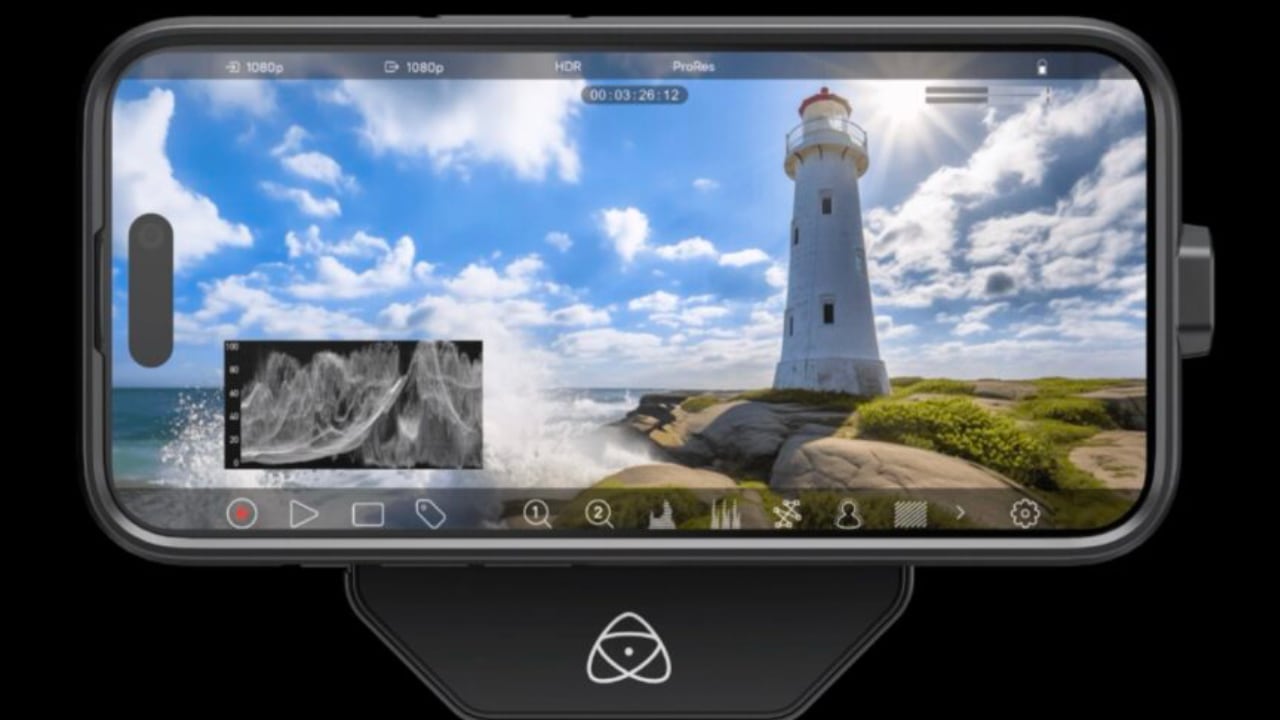
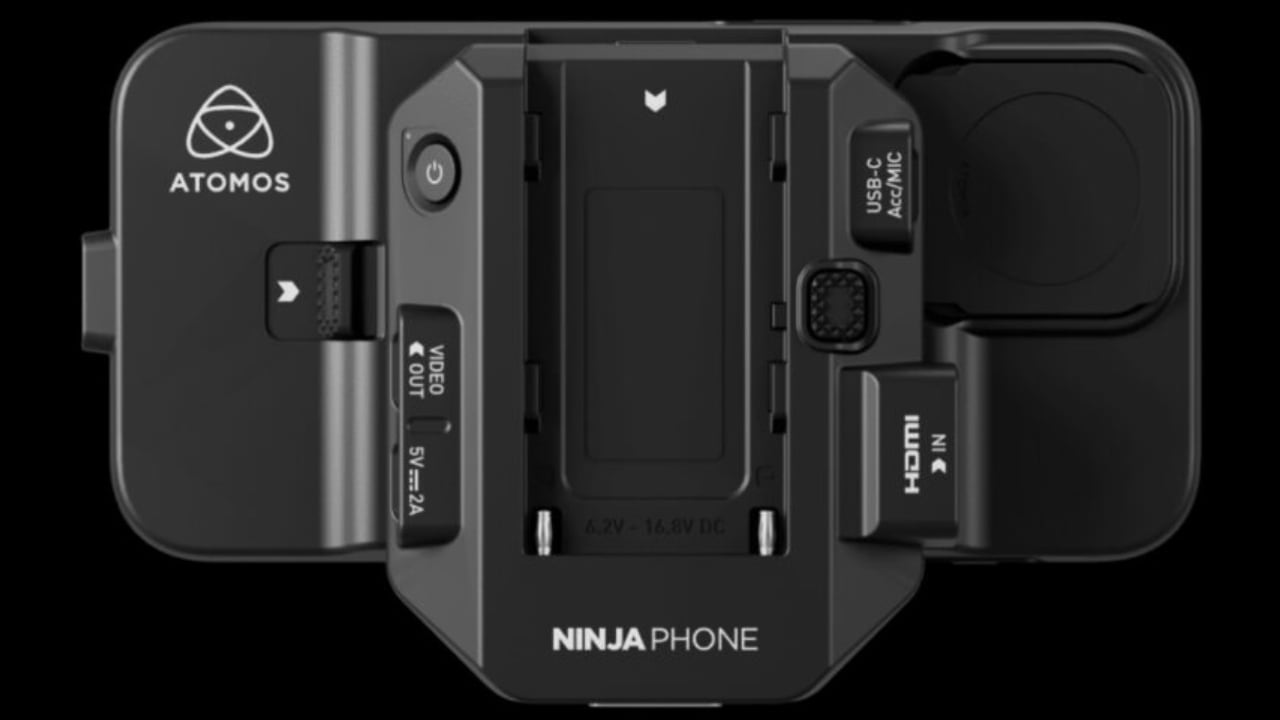
The Atomos Ninja Phone is an innovative accessory designed to transform the iPhone 15 Pro/Pro Max into a professional monitor and recorder, significantly enhancing the video recording capabilities of the device. By supporting Apple ProRes and H.265 formats, it utilizes the iPhone’s excellent display as a dual-purpose screen and storage solution for capturing high-quality video. This integration makes the Ninja Phone a cost-effective option for mirrorless cameras needing a portable, high-resolution recording solution. However, its limitation to a maximum output of 1080p at 60fps might be restrictive for users requiring higher video resolutions. Essentially, the Ninja Phone acts as a bridge, leveraging the iPhone’s advanced display technology and adding professional recording features typically found in more sophisticated recording equipment.
Designer: Atomos
One of the key features of the Ninja Phone is its seamless integration with the iPhone 15 Pro/Pro Max. The device is specifically designed to utilize the iPhone’s HDR OLED display as a monitor. This proves advantageous because the iPhone’s screen offers a peak brightness of 1600 nits and a contrast ratio of 2,000,000:1. These features deliver vibrant and precise visuals, which are invaluable for accurate monitoring during shooting.
Moreover, it facilitates recording in Apple ProRes and 10-bit H.265 directly to the iPhone’s internal storage. Professionals widely prefer these formats due to their high quality and flexibility in post-production. This feature allows for superior color grading and editing capabilities, in contrast to the more compressed standard video formats typically generated by mirrorless cameras.
Additionally, the Ninja Phone includes a video co-processor unit that clips onto the iPhone inside a custom case. This unit effectively manages data transfer between the camera and the iPhone, ensuring efficient recording of video feeds without overloading the phone’s primary processor.
There are several connectivity options, including USB-C and HDMI. These connections are secure, featuring locking mechanisms to maintain stable links between the camera, Ninja Phone, and iPhone. Furthermore, it is powered by a single Sony NP battery, offering a convenient and widely available power solution, making battery swaps as needed during extended shoots effortless.
Another key feature includes streaming video feeds directly to Atomos’ Cloud Service using 5G or Wi-Fi, providing a robust live broadcasting or remote monitoring solution. When combined with the Atomos app, users can access professional monitoring tools like focus peaking, zebra stripes, and false color, greatly enhancing the iPhone’s usability as a professional video monitor.
SmallRig X Caleb Pike VB212 Mini V Mount Battery
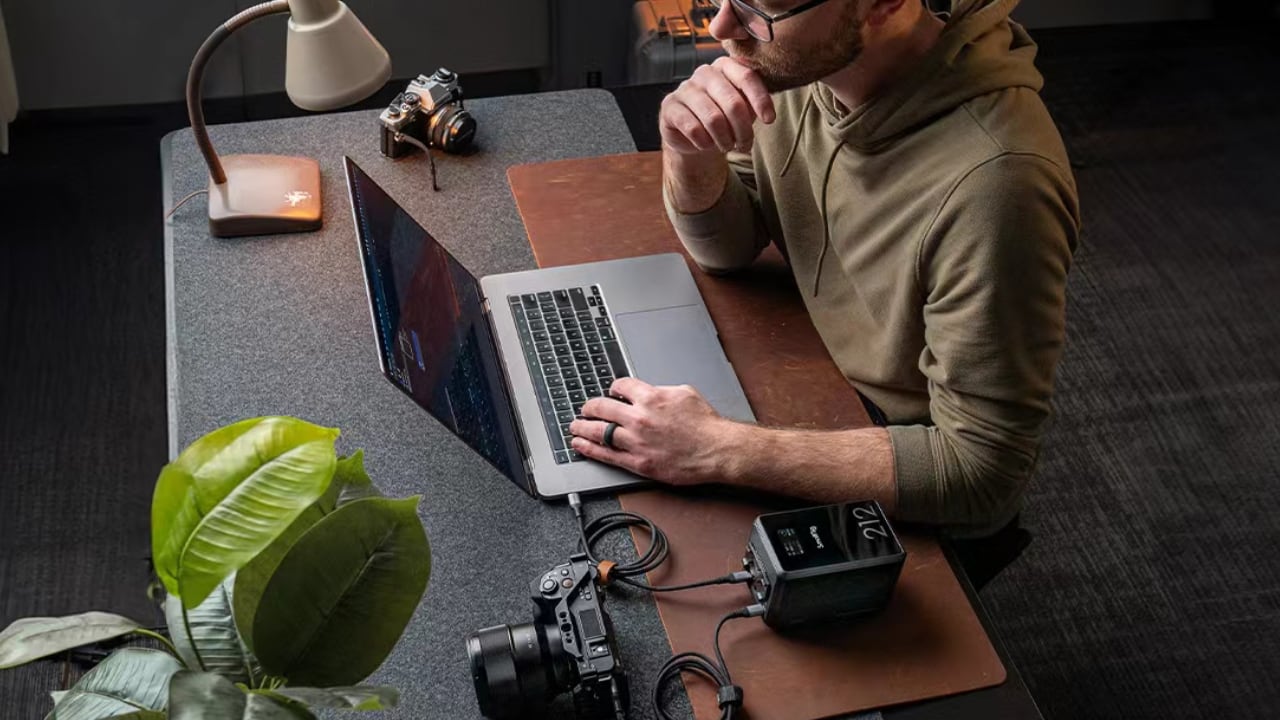
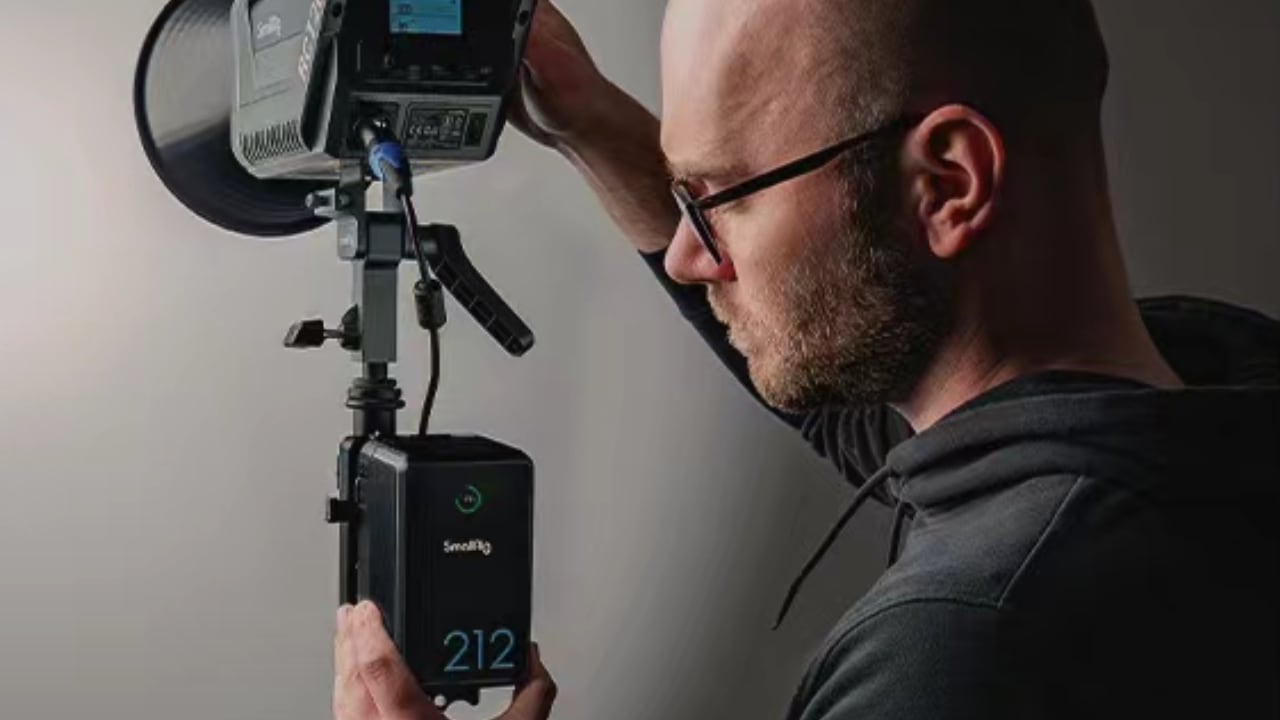
The SmallRig X Caleb Pike VB212 Mini V Mount Battery is a compact powerhouse, ideal for filmmakers and content creators who are constantly on the move. It is equipped with high-capacity LG battery cells, delivering 14.76V 14.4Ah 212.544Wh and supporting rapid 140W charging, which allows it to reach full capacity in just 2.5 hours. This minimizes downtime and maximizes energy management efficiency.
Designer: SmallRig
Designed for versatility, the VB212 can power a range of devices simultaneously—from cameras and lights to smartphones like the iPhone. It includes multiple output options: two USB-C ports, a USB-A port for quick device charging, and two D-Tap ports along with specific DC outputs for high-demand equipment.
The battery’s robust design features an intelligent Battery Management System that safeguards against overcurrent, short circuits, overheating, and overvoltage, ensuring the safety and longevity of both the battery and connected devices. Constructed from durable aluminum alloy and coated with silicone, TPU, and PC V0 materials, the VB212 is built to withstand challenging environments, making it suitable for outdoor and demanding settings.
Additionally, its portability and compact frame make it a perfect complement to the iPhone’s mobility, allowing for extended shooting sessions without frequent recharges. This is further supported by the inclusion of USB-C and USB-A ports, which also charge essential mobile videography accessories. A clear TFT display monitors battery status and usage, while silicone covers protect delicate interfaces from dust and damage.
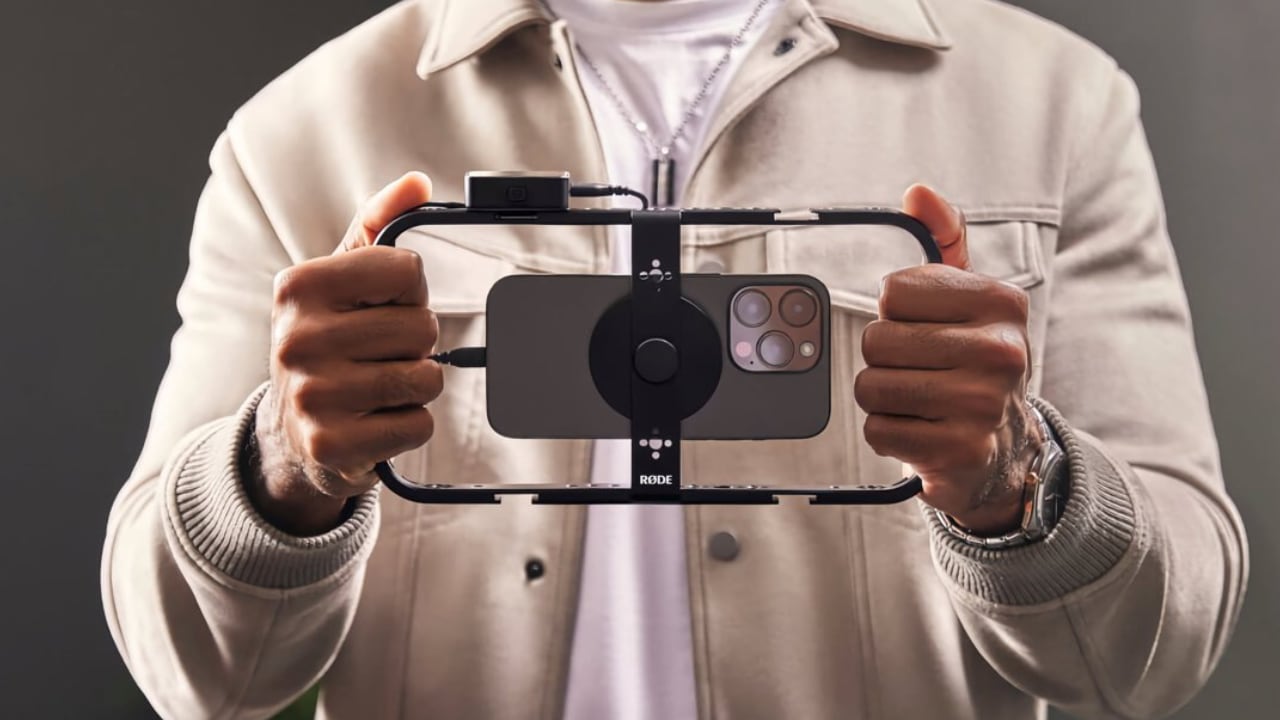
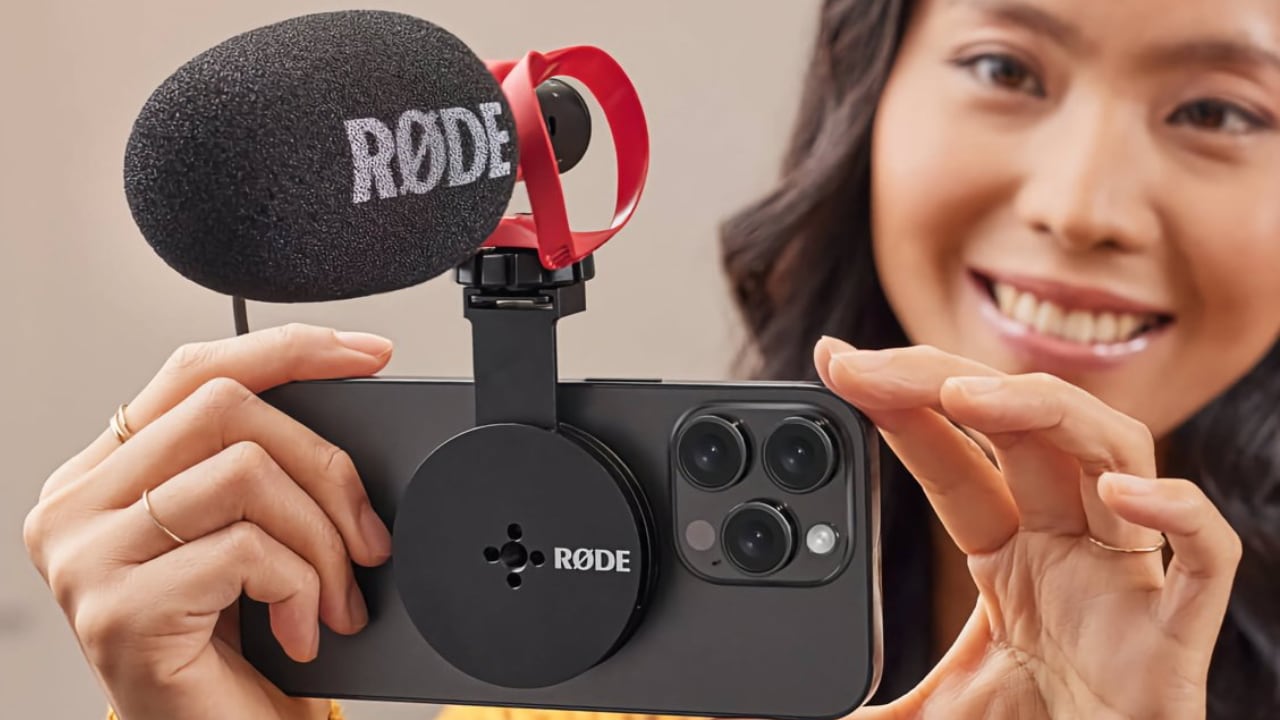
Rode Magnetic Mount
Rode’s Magnetic Mount, compatible with MagSafe-enabled devices, is a robust solution designed for mobile videography. This magnetic mounting system, crafted from high-grade aluminum, offers both durability and lightweight portability, making it ideal for dynamic or harsh shooting environments.
Designer: Rode
The mount’s strong magnet ensures that attached devices, like microphones and lights, remain stable even during active use. Its modular design includes short and long cold shoe arms and a long arm with a 1/4-inch thread, allowing for versatile setups in a variety of configurations to meet diverse filming requirements.
The Magnetic Mount’s compactness enhances its portability, fitting easily into a backpack, kit bag, or pocket. This feature is particularly beneficial for mobile videographers and photographers who require flexibility in their equipment.
For iPhone users, the Magnetic Mount is transformative, providing a stable platform for external accessories. The integration of MagSafe technology secures the attachment, crucial for producing smooth, stable footage. The mount’s design facilitates easy switching between portrait and landscape modes, adding to its functionality and versatility.
I personally like the idea that Rode has taken measures to ensure the Magnetic Mount securely latches on to the iPhone; there’s nothing worse than an expensive iPhone 15 Pro Max flying off during a shoot. The versatility and durability also enhance iPhone users’ capabilities to produce high-quality video content. The magnetic mount aligns well with the iPhone’s advanced features, supporting professional-grade content creation across various settings.
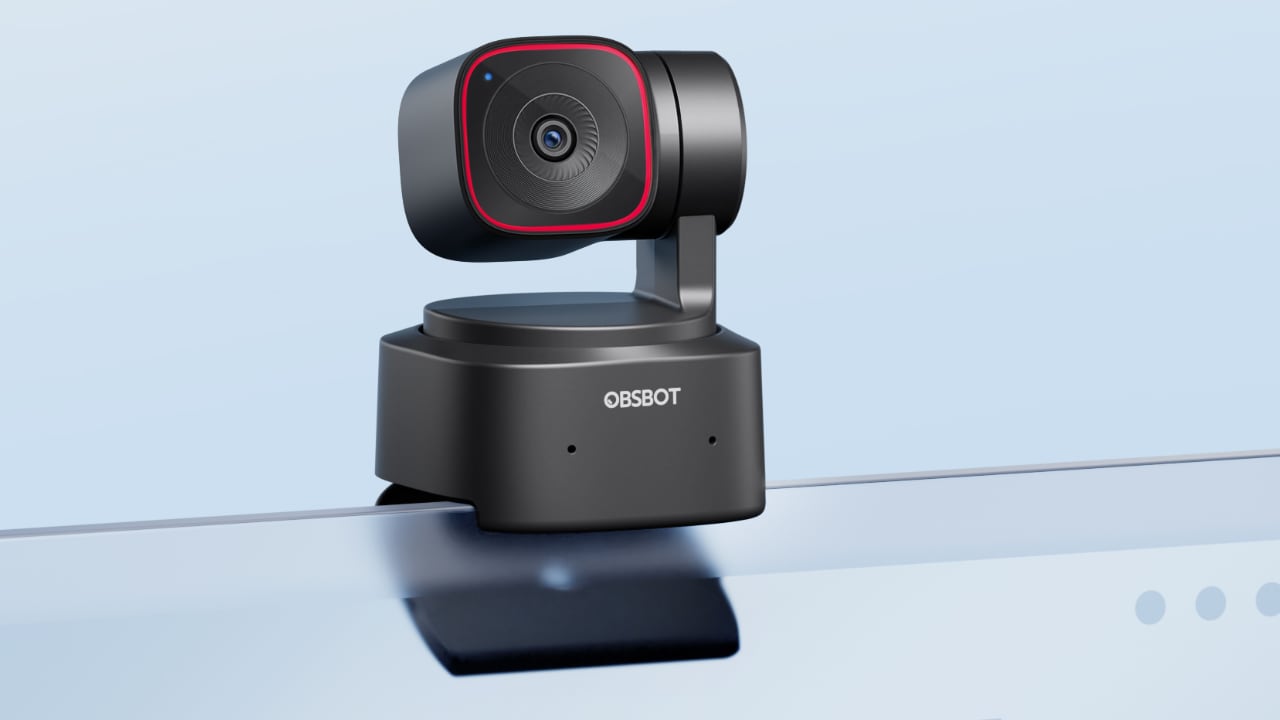
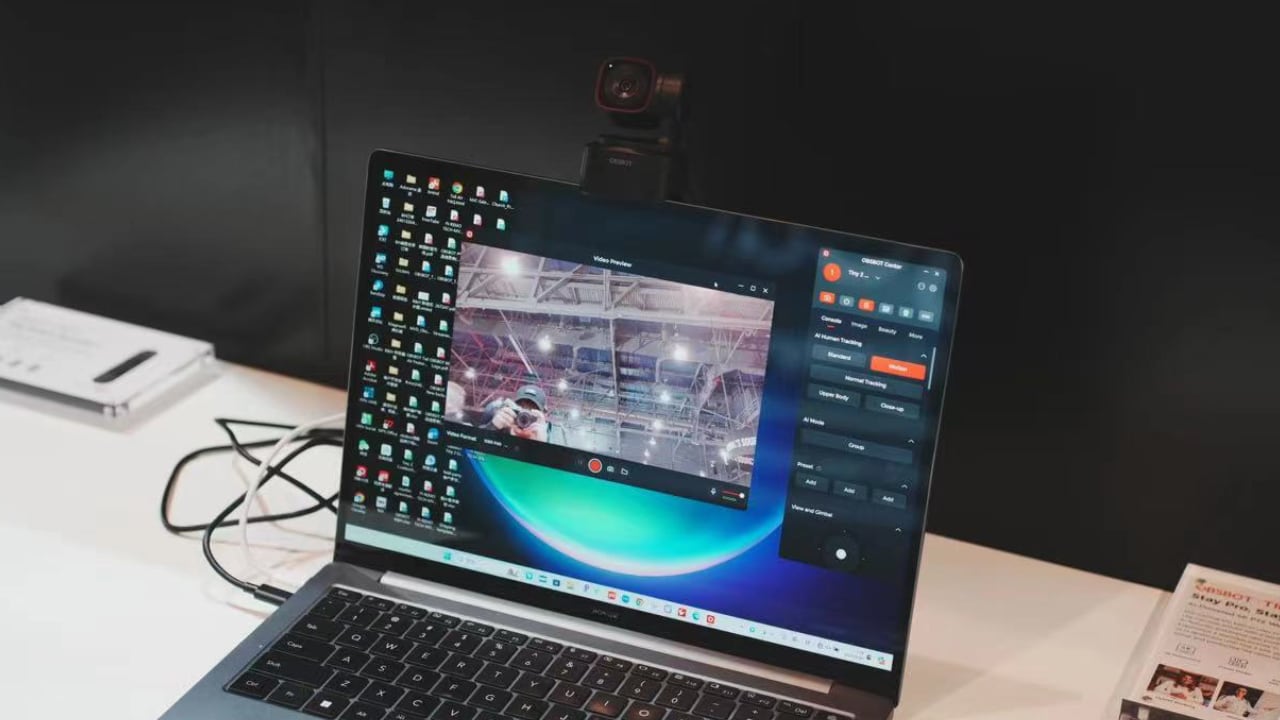
OBSBOT Tiny 2 Lite
The OBSBOT Tiny 2 Lite represents a big improvement in webcam technology. Designed to improve video communication and live streaming quality without a high price tag, this compact device combines high-performance features and a user-friendly interface, making professional video capabilities available to a wider audience.
Designer: OBSBOT
At the core of the Tiny 2 Lite’s appeal is its UHD 4K resolution, which remains competitive with other high-end devices while surpassing the video quality typically available from standard webcams and built-in smartphone cameras. This enhancement ensures that every frame is captured with clarity and detail, making it a valuable accessory for everything from professional webinars to intimate chats with loved ones.
Additionally, it comes with dual omnidirectional microphones, which are important for good audio quality and help with maintaining clear and synchronized communication during video calls or while streaming content. This feature is particularly valuable in environments where audio clarity can be affected by background noise or distance from the device.
What sets the Tiny 2 Lite apart are its AI-driven functionalities, such as Auto Tracking with Auto Zoom and Gesture Control 2.0. Auto Tracking keeps the subject in the center of the frame, automatically adjusting the zoom to accommodate movement, which is incredibly useful during presentations or performances. Gesture Control allows users to manipulate camera settings with simple hand motions, enabling a more interactive and engaging user experience without physically interacting with the device.
There are also a variety of preset modes that can be easily switched between, allowing users to tailor the camera setup to their specific needs, whether for a static interview or an animated teaching session. This adaptability is complemented by advanced focusing technology that ensures the video remains sharp and subjects stay in focus, even with significant movement.
This portable webcam is an excellent enhancement for iPhone users, leveraging the phone’s capabilities to produce higher-quality video outputs for streaming and calls. Its compact design and straightforward setup mean it can be easily integrated into various environments, aligning with the iPhone’s portability and emphasis on high usability. Whether used in a home office, during travel, or in a professional studio, the OBSBOT Tiny 2 Lite can be a valuable accessory for creating video content and delivering professional results in a multitude of settings.
There you have it: the accessories featured at NAB Show 2024 offer practical solutions tailored to the varied demands of modern content creators. From transforming an iPhone into a professional recording device to providing reliable power in remote locations, securing equipment on the move, or enhancing home studio setups for clearer streaming, these tools significantly enhance video production capabilities. They streamline the creation process and ensure that every detail is captured clearly, supporting creators in producing high-quality content effectively.
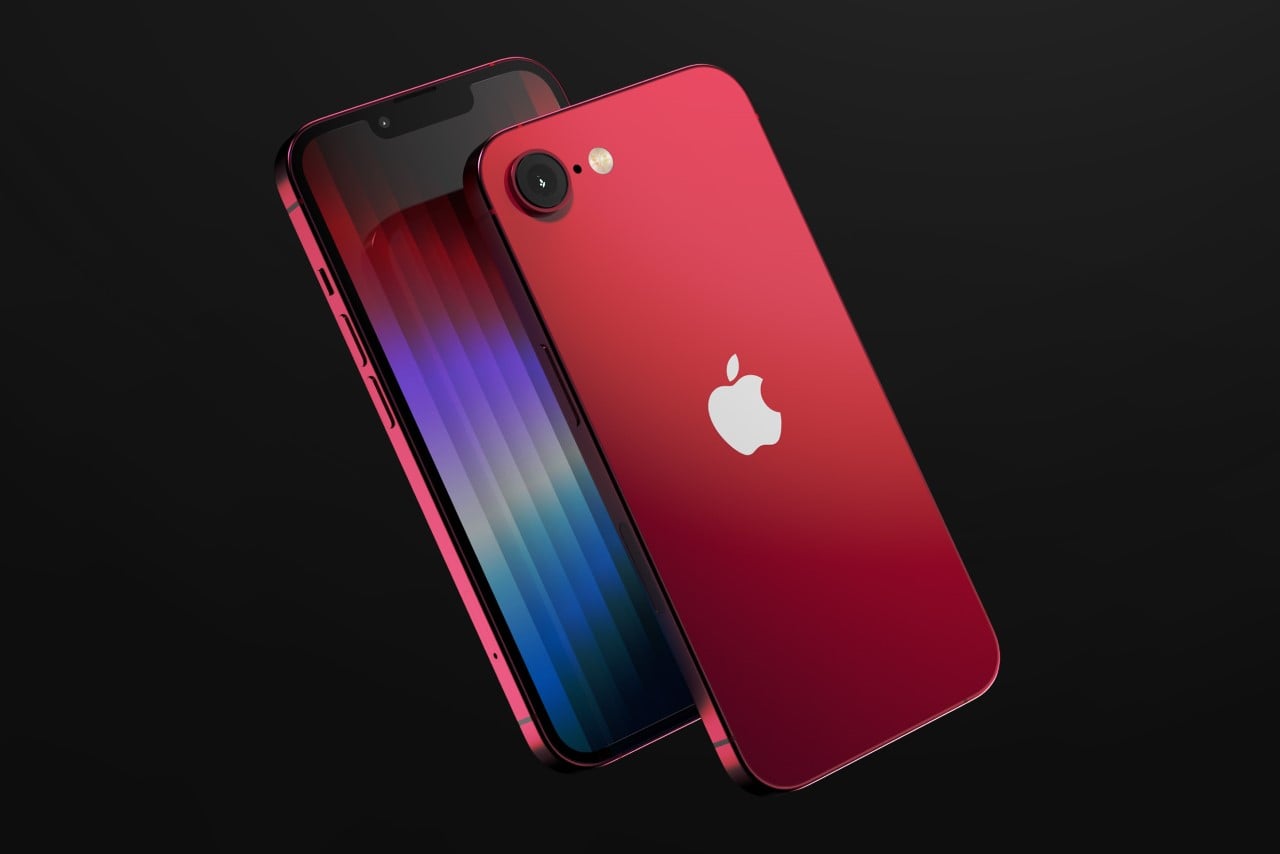
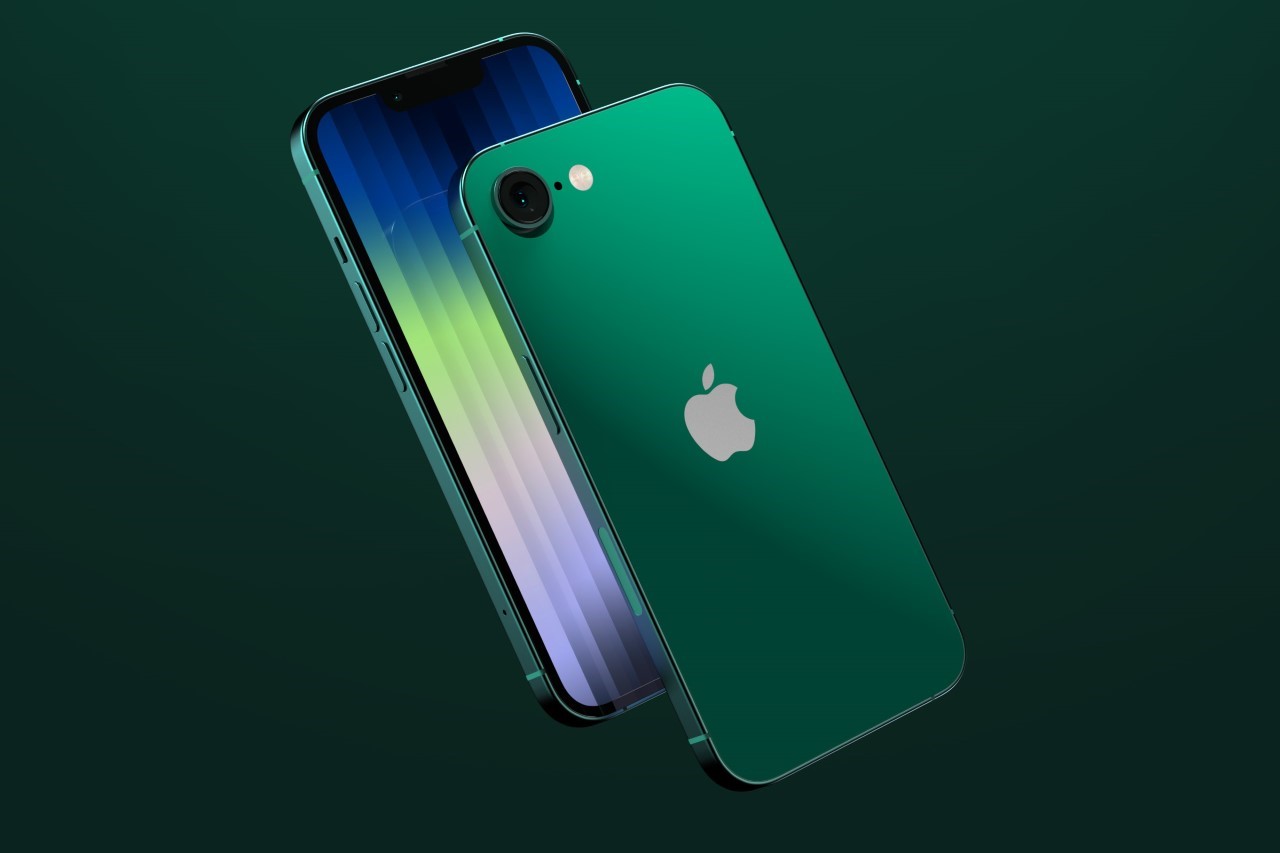
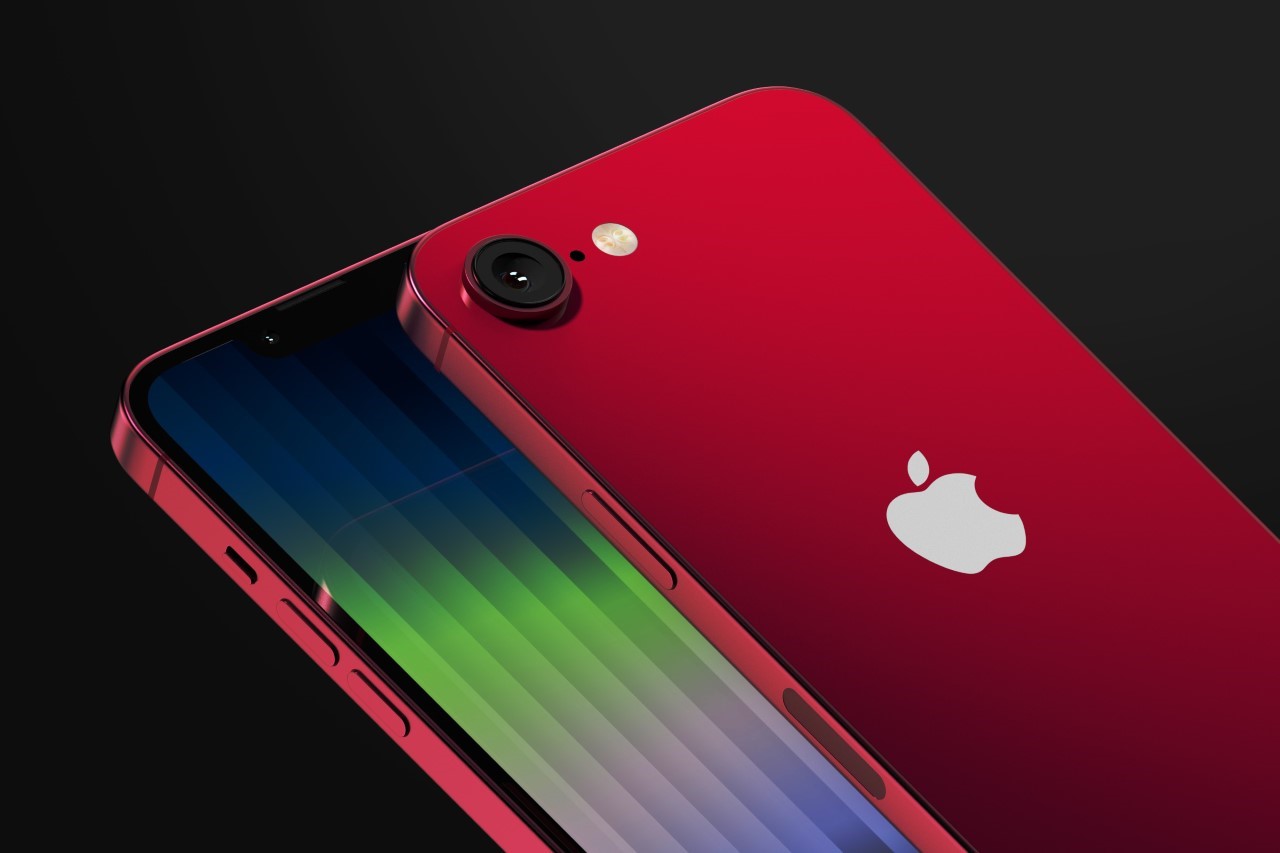
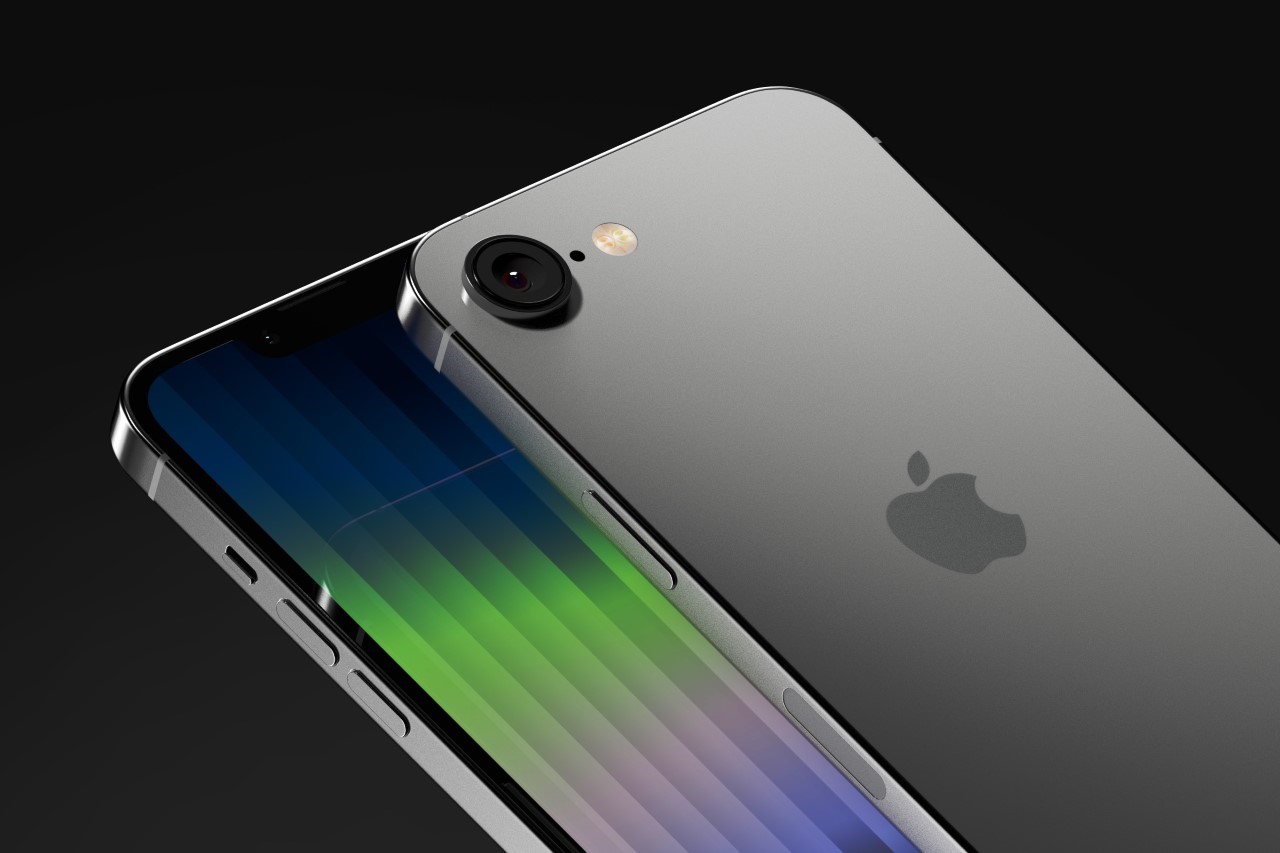
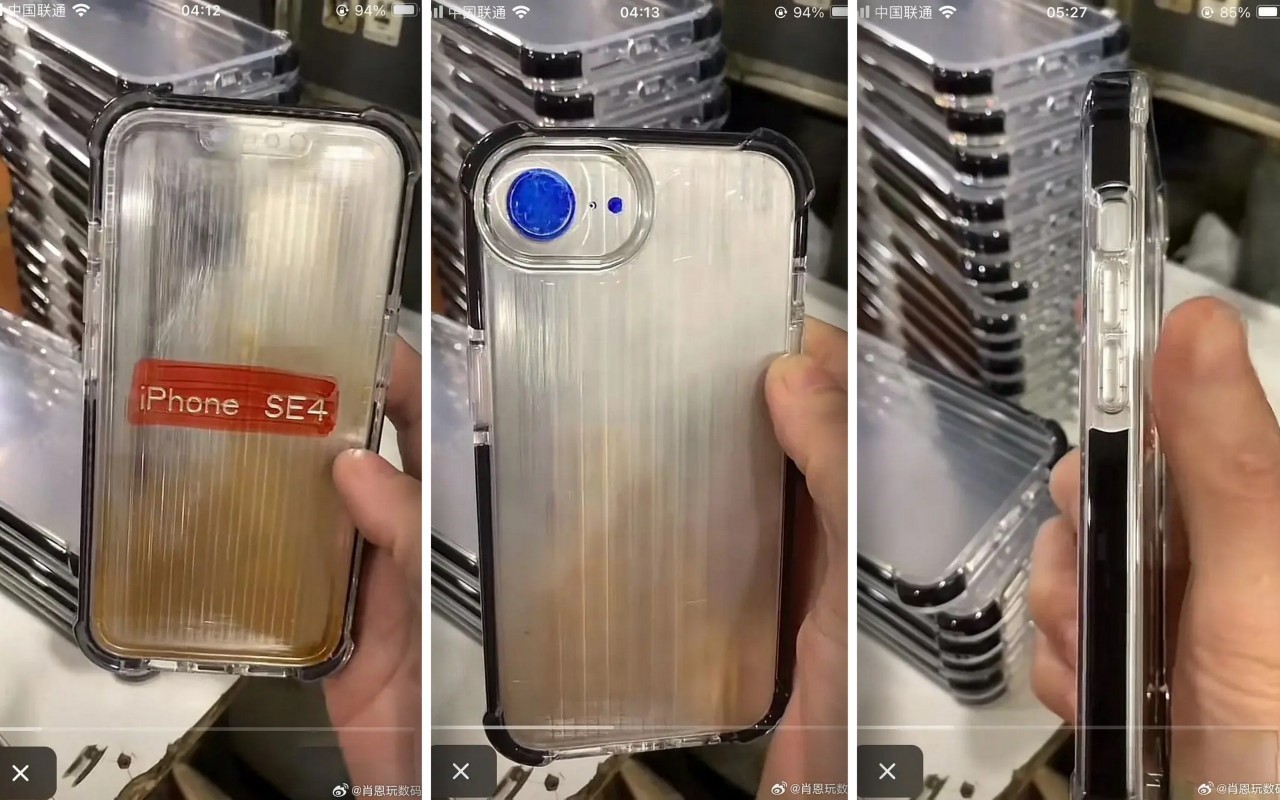
Apple’s budget iPhone is due for a refresh and for the first time ever, it’s getting a major design upgrade that does away with the TouchID, finally putting the technology in the rear mirror for the smartphone industry. Leaked images from China (you can see them at the end of this article) show dummy units of an upcoming iPhone SE with a refreshed design that now features the notch and FaceID system, along with a flat body reminiscent of the iPhone 12 and 13. Chances are that Apple’s probably repurposing older iPhone 12 chassis for the new 4th Gen SE that’s rumored to drop along with Apple’s iPad refresh next month.
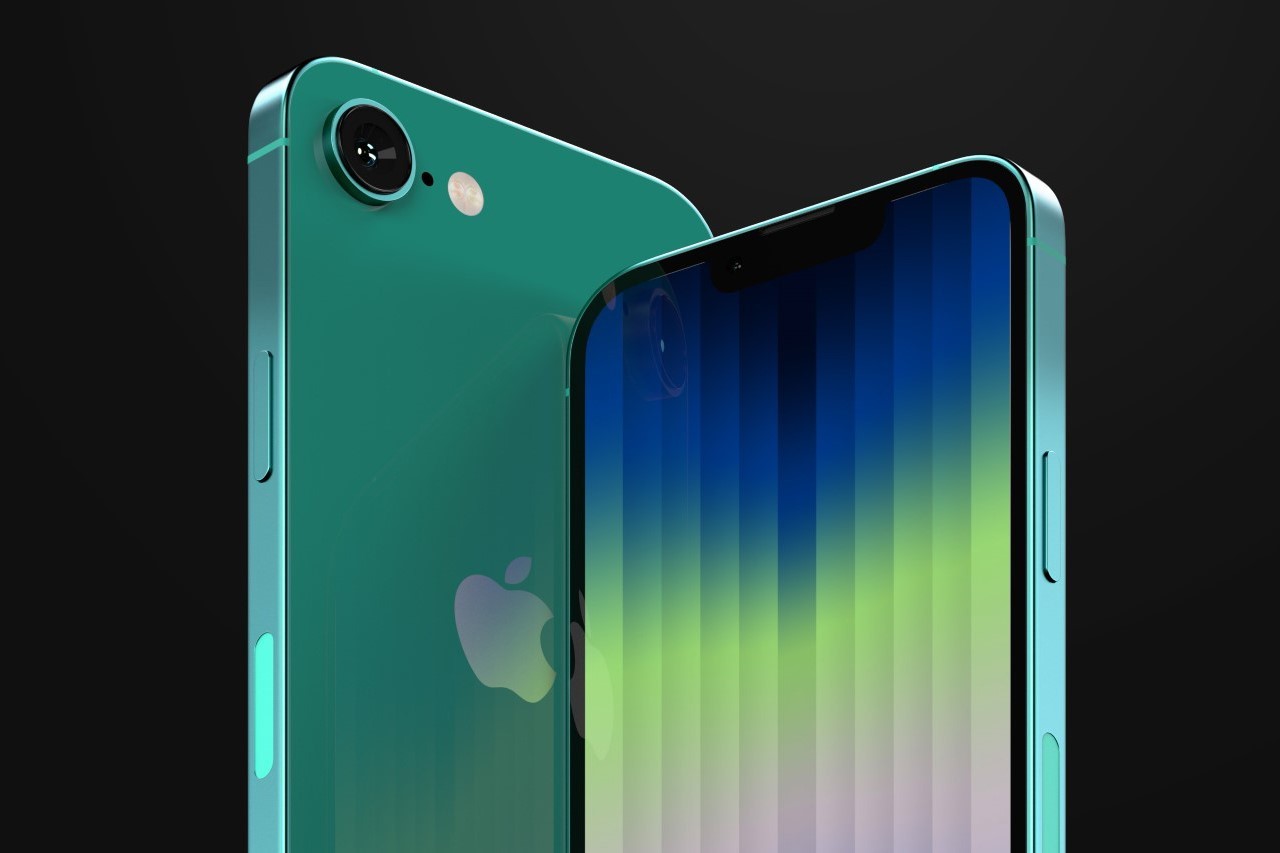
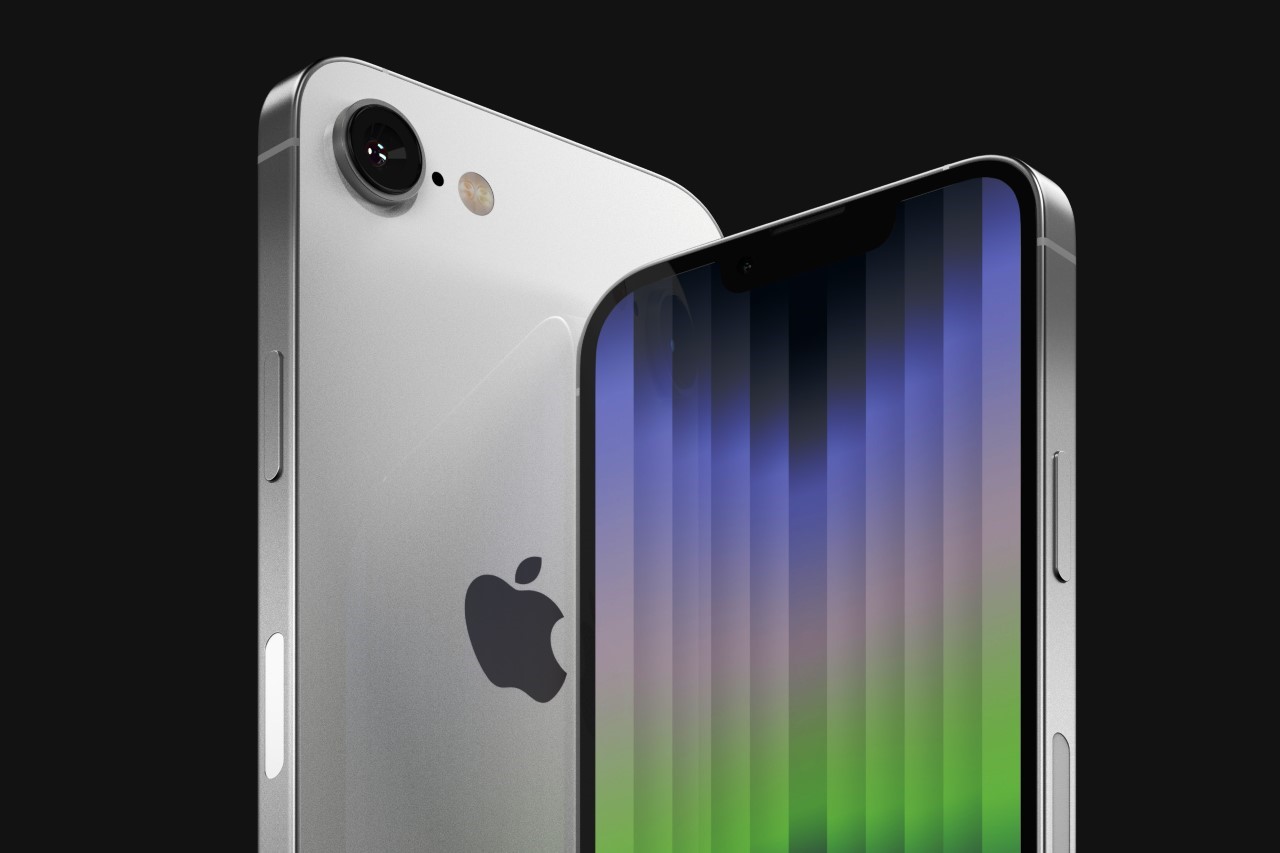
With four straight years of the iPhone SE having the same design (both Gen 2 and Gen 3 models used the same chassis as the iPhone 8), the iPhone SE 4 finally gets the upgrade we’ve all been waiting for. Now that the notch is pretty much history for the flagship iPhone, which has adopted the dynamic island, it makes sense for the technology to finally arrive to Apple’s budget line. The new SE 4, as indicated by pretty credible leaks at this point, uses the same body as the one used in the iPhone 12 and 13, sporting what leakers indicate is a 6.1-inch display on the front, a single-lens camera on the back, a FaceID system for facial unlocking, and a mute slider as opposed to the Action Button which Apple unveiled with the iPhone 15.
The 4th Gen iPhone SE is rumored to be a pretty big upgrade for budget customers, allowing Android users to make the iPhone shift with zero compromises. The large screen and thin bezels look just as gorgeous as the iPhone 14 from 2022, and the new SE is rumored to have 5G too, along with what I can only hope is USB-C, because of strict EU regulations that kick in at the end of the year. It’s still conceivable that Apple sticks to their guns and keeps the lightning connector on the SE, while just limiting sales within the EU, which isn’t really its budget market anyway.
Notably the new iPhone SE 4 has a pretty large camera, which may make up for past models not having great photography capabilities. While details are scarce on what this new camera will be, the big sensor is probably rumored to be an all-purpose lens WITHOUT ultrawide capabilities to keep costs lower.
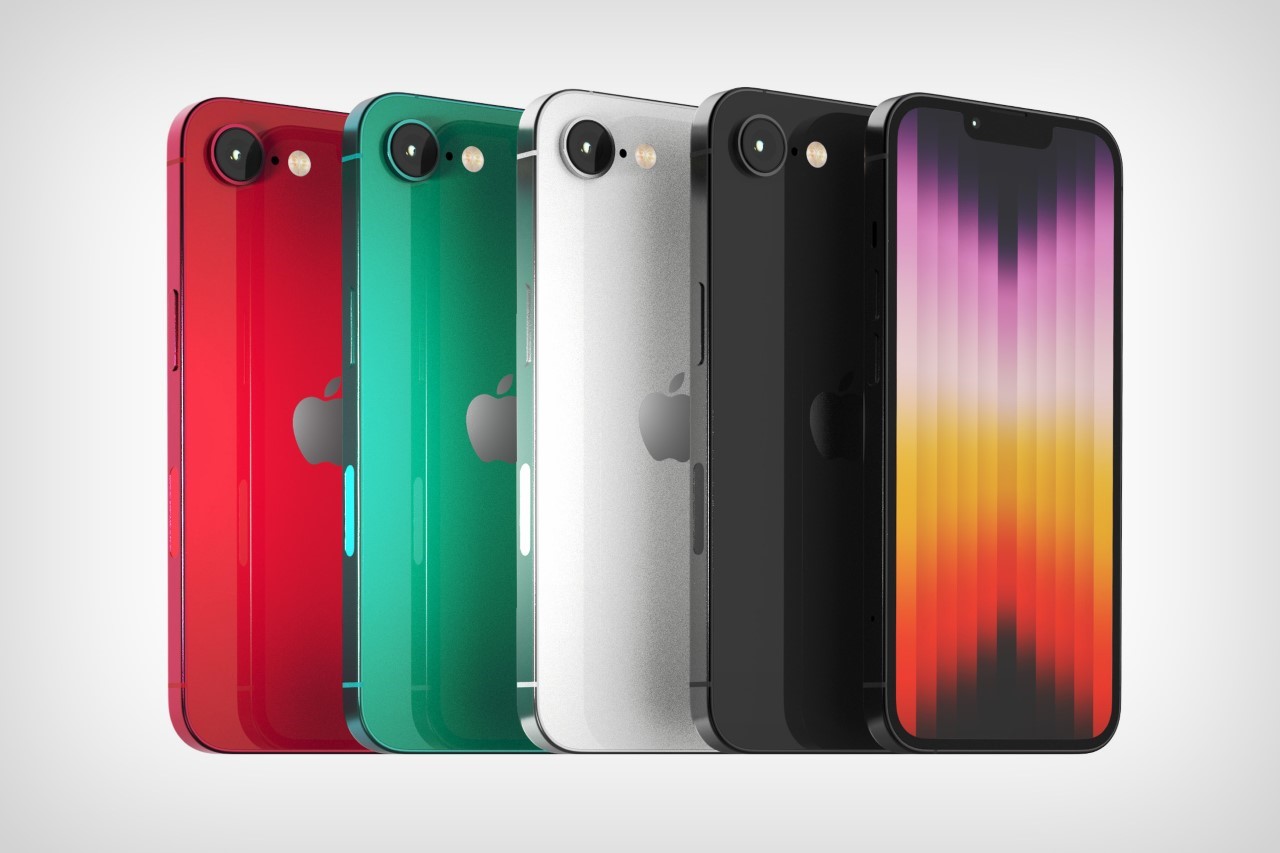
The above renders, created by Yanko Design, are based on leaked images from a Weibo user, showing case designs for the upcoming iPhone. The dummy model, which clearly reads iPhone SE 4, comes with a notched display, a single-shooter primary lens along with a flash, a flat aluminum frame, and all indications that the mute slider will still remain as a detail in the SE 4. As far as colors go, there’s really no concrete indication that Apple plans on adding any new colors to the range. The existing SE range has only 3 colors – black, white, and Project RED. For visualization purposes (and also because of an initial render found on the internet), we’ve also added a Forest Green color variant.
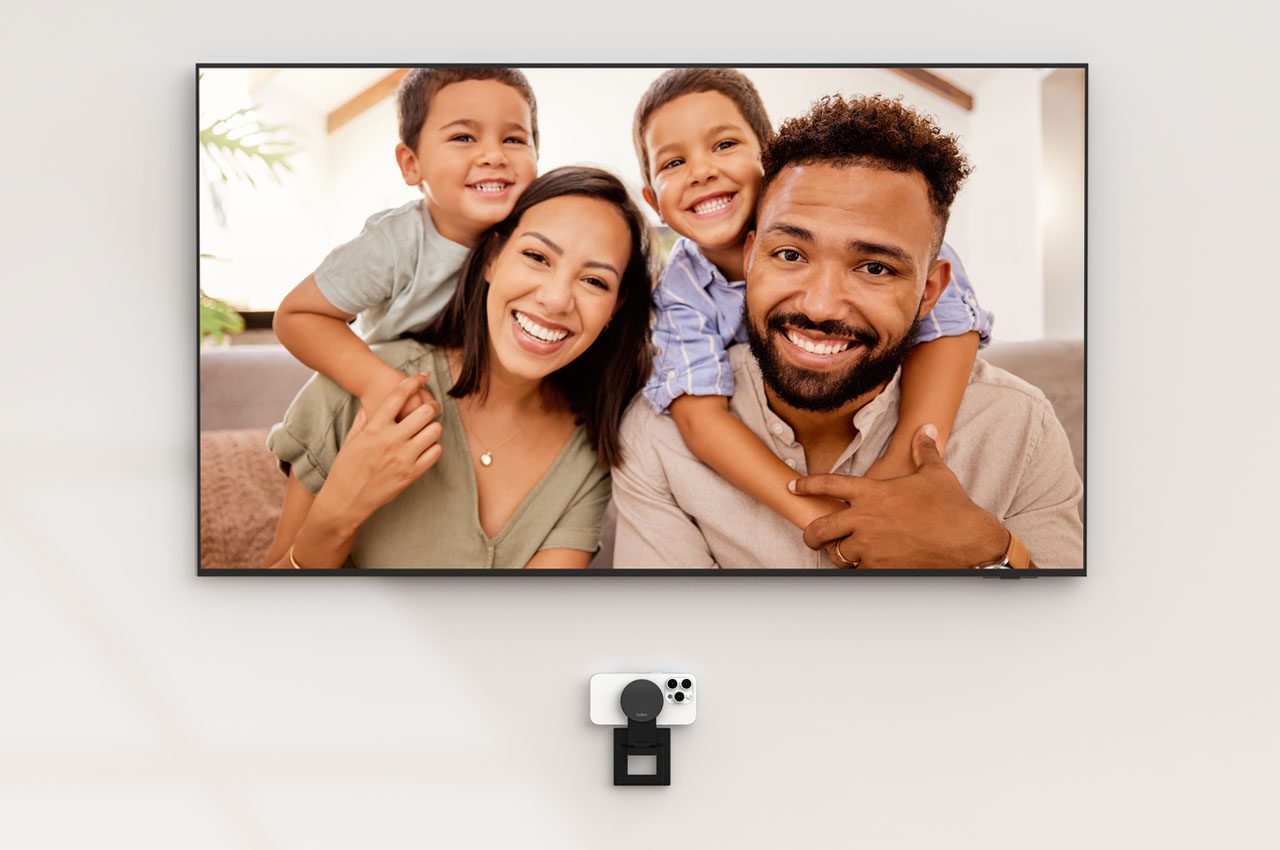
When you pair your iPhone with the new Apple TV, you are been able to bring your family and friends – bigger and more life-like – into your living room. Thanks to the Continuity Camera feature of the latest tvOS, you can have FaceTime calls from the iPhone synced with the TV to enhance your video calling experience.
Now to help take this experience a ‘mount higher,’ Apple is making available a Belkin MagSafe-compatible mount that makes using the iPhone-enabled feature more convenient. The new Belkin iPhone Mount with MagSafe seamlessly converts the iPhone into a webcam for the Apple 4K TV.
According to the information on Belkin’s website, the versatile mount can be fixed directly to your TV (with a thickness of up to 40mm without wires or tools) to help you use your iPhone’s rear camera for FaceTime or Zoom calls. When you don’t want to use it as a TV mount, you can fold it up to use as an iPhone stand in landscape or portrait mode on a table or wall (via magnetic attachment).
This is not Belkin’s first mount of this kind in any way, it has previously provided a similar mount for iMac and Apple’s external displays. This Belkin iPhone Mount with MagSafe for Apple TV 4K is a versatile option that offers negative-20 and 30-degree tilt to place the iPhone at a perfect angle during calls.
The new mount/stand, offered in durable metal construction and premium finish, is now available online from the Belkin website for $49.95. The MagSafe-compatible mount comes with a 2-year warranty and makes for an effective way to let your iPhone and TV work in harmony to make the video calling experience larger than life for you.







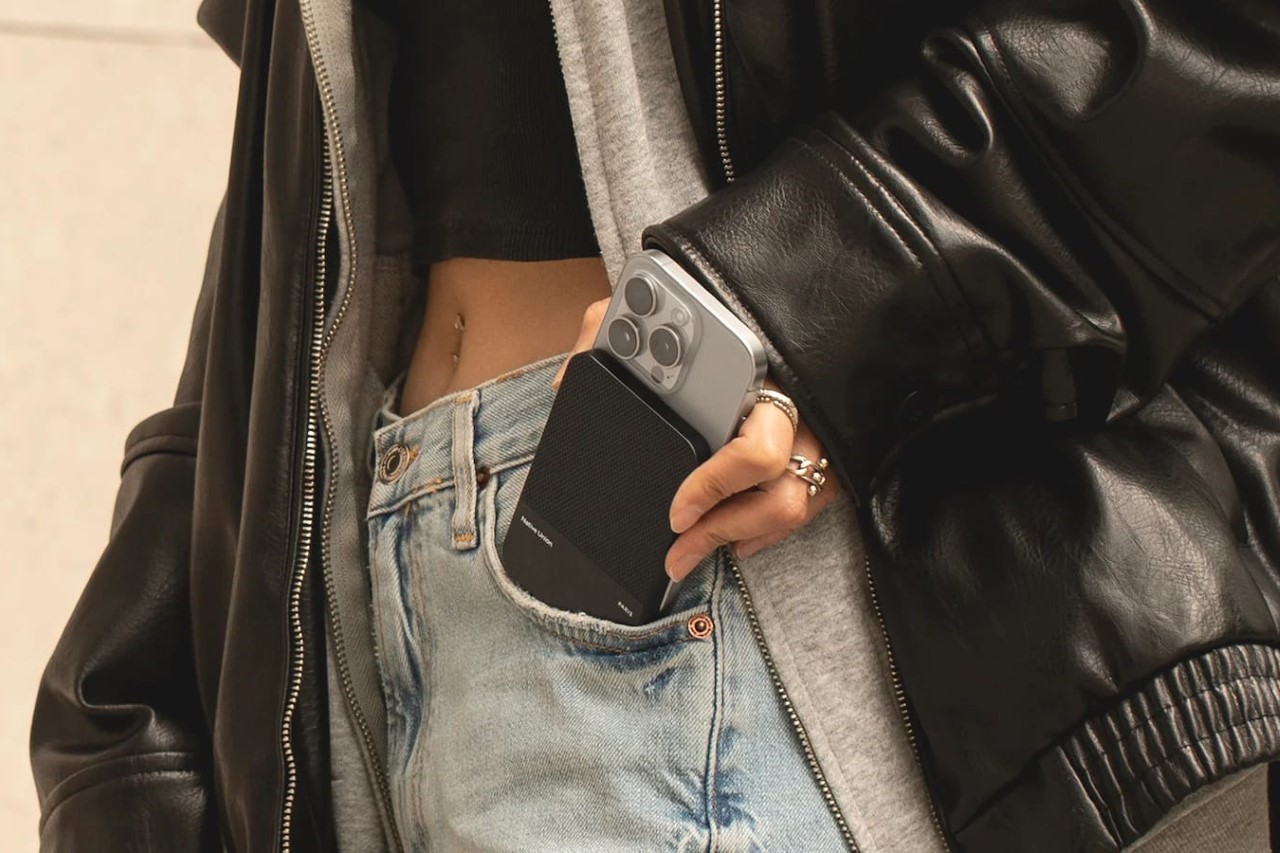
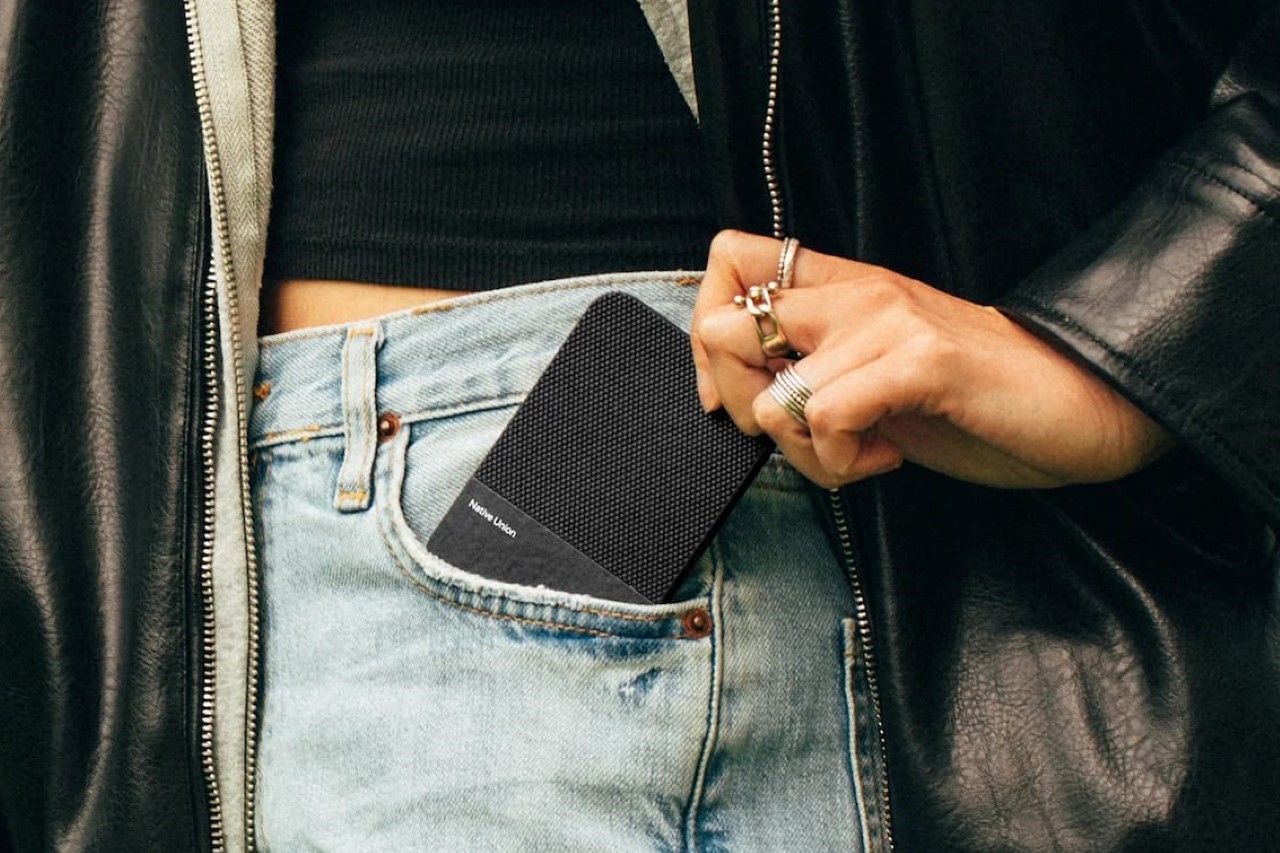
 , a premium plant-based leather alternative made in Italy. The vegan leather feels just as premium and comfortable as regular leather while giving your power bank a distinctly different aesthetic from the plastic ones you’d find online, or the fancy metal ones that can often give your phone an industrial aesthetic which many may not like.