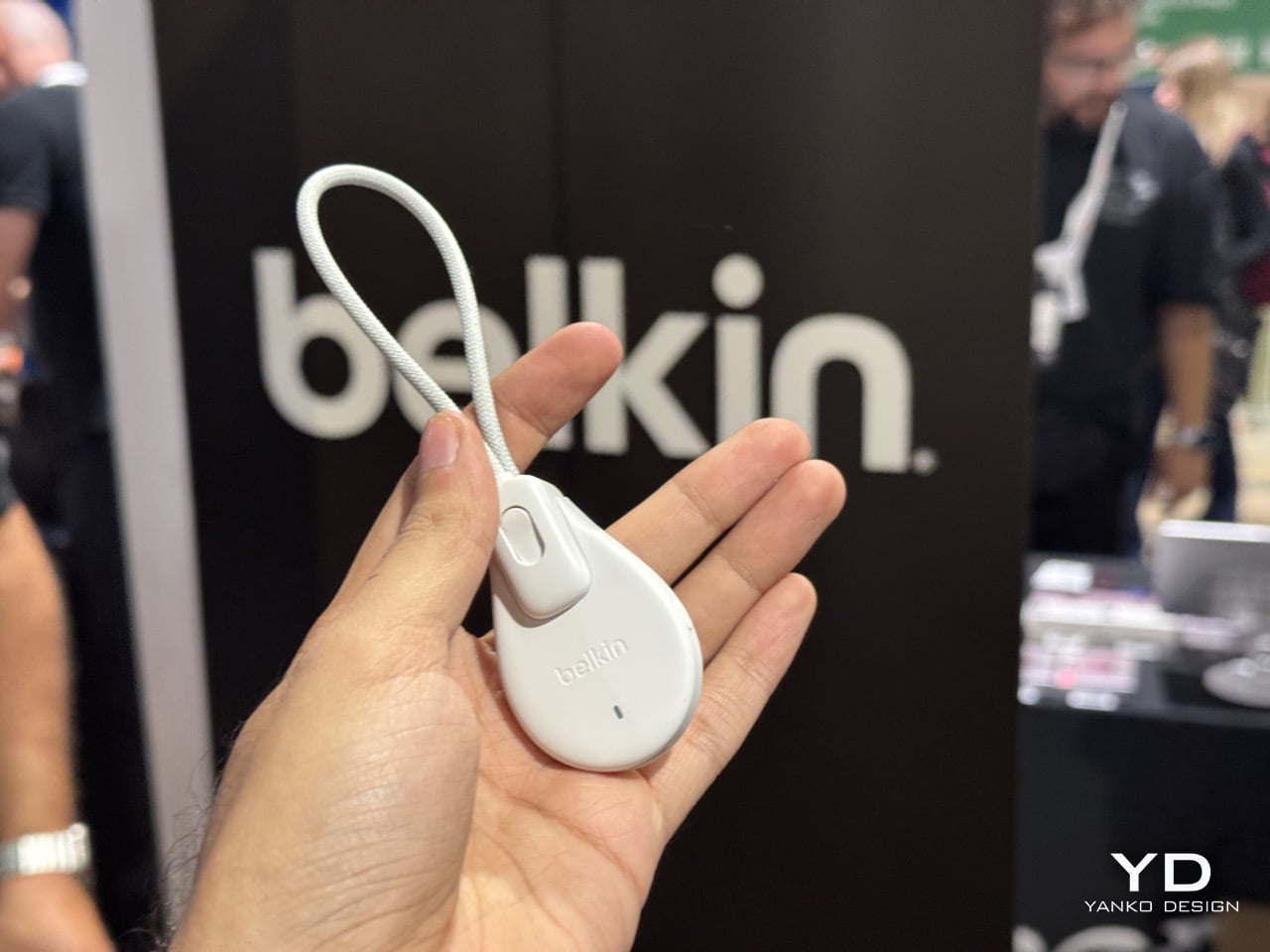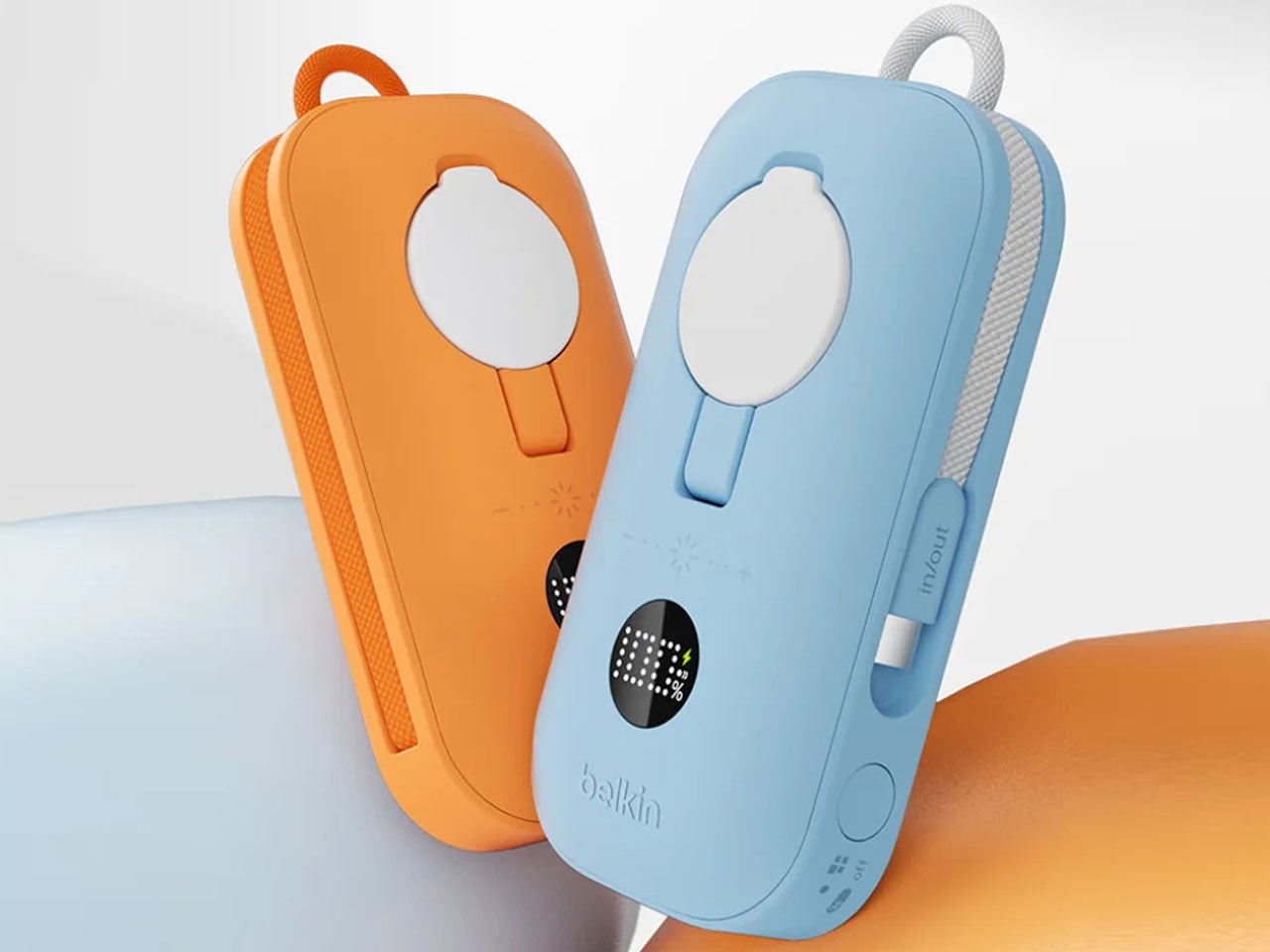
Belkin’s New Switch 2 Docking Case Has a 10,000mAh Battery That Lets You Charge While Shut

The best gaming accessories solve problems you didn’t know you had. Before you use them, the old way seems fine. After you use them, going back feels like torture. Belkin’s new Charging Case Pro for Nintendo Switch 2 falls squarely into this category.

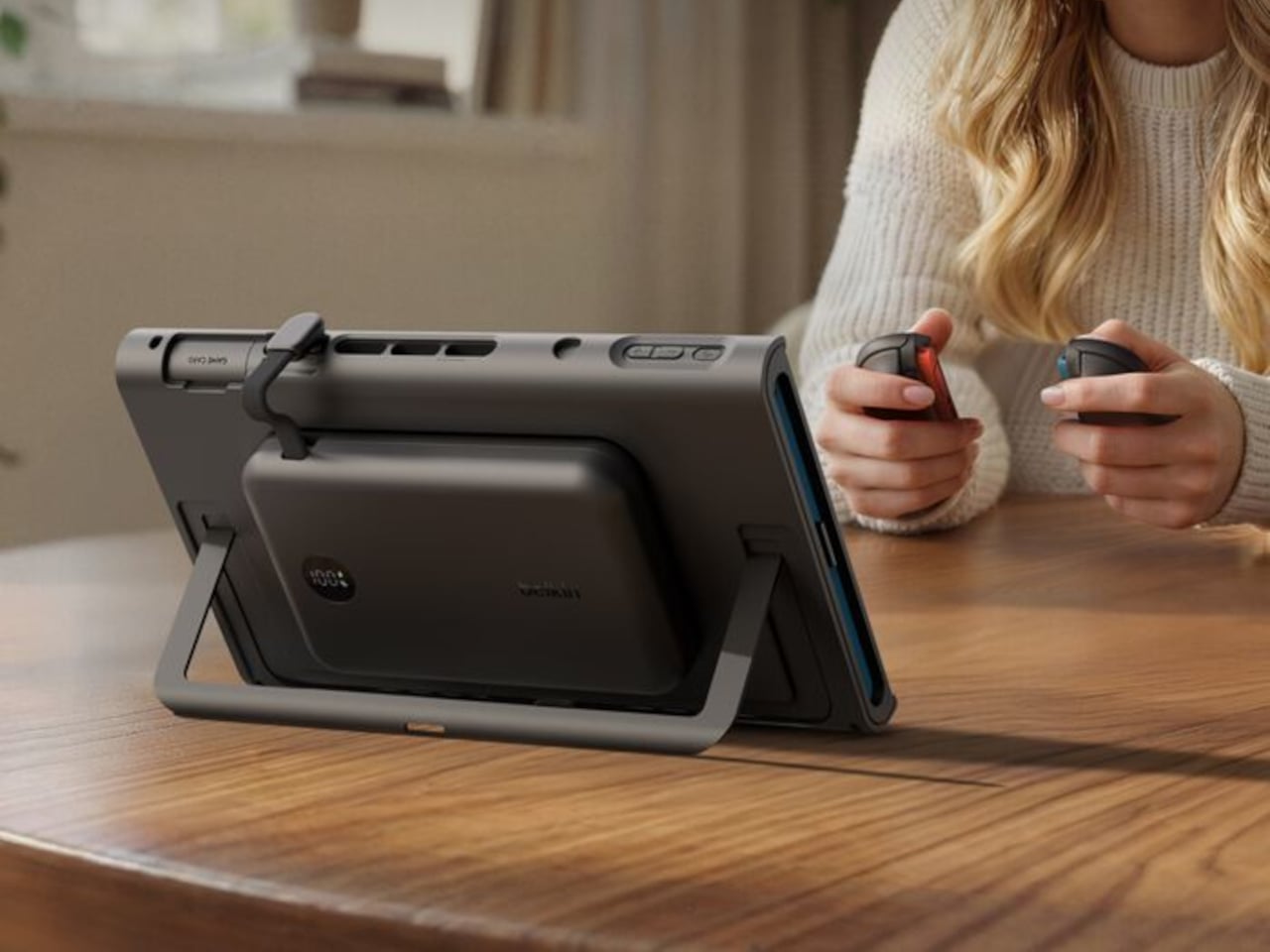
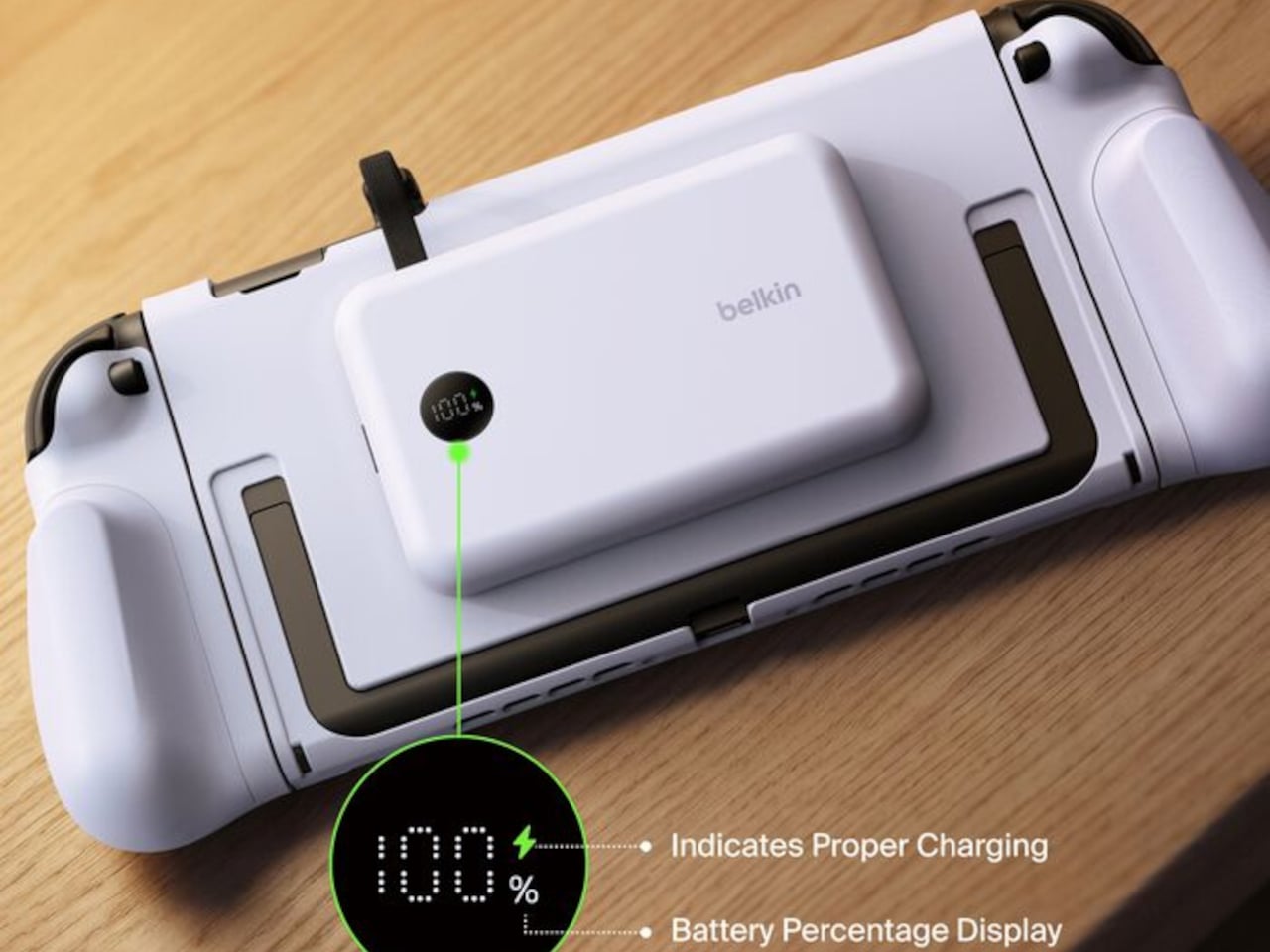
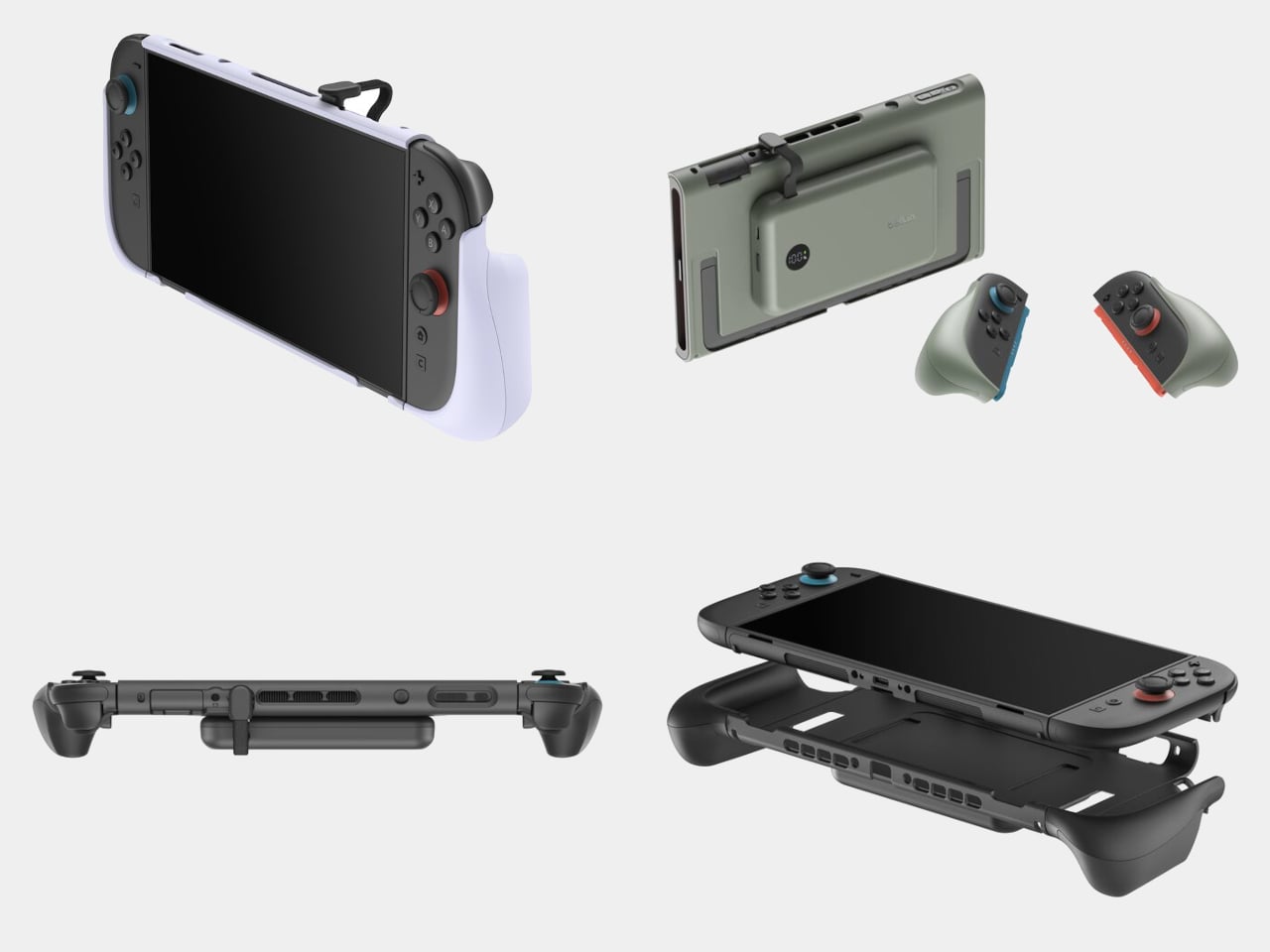
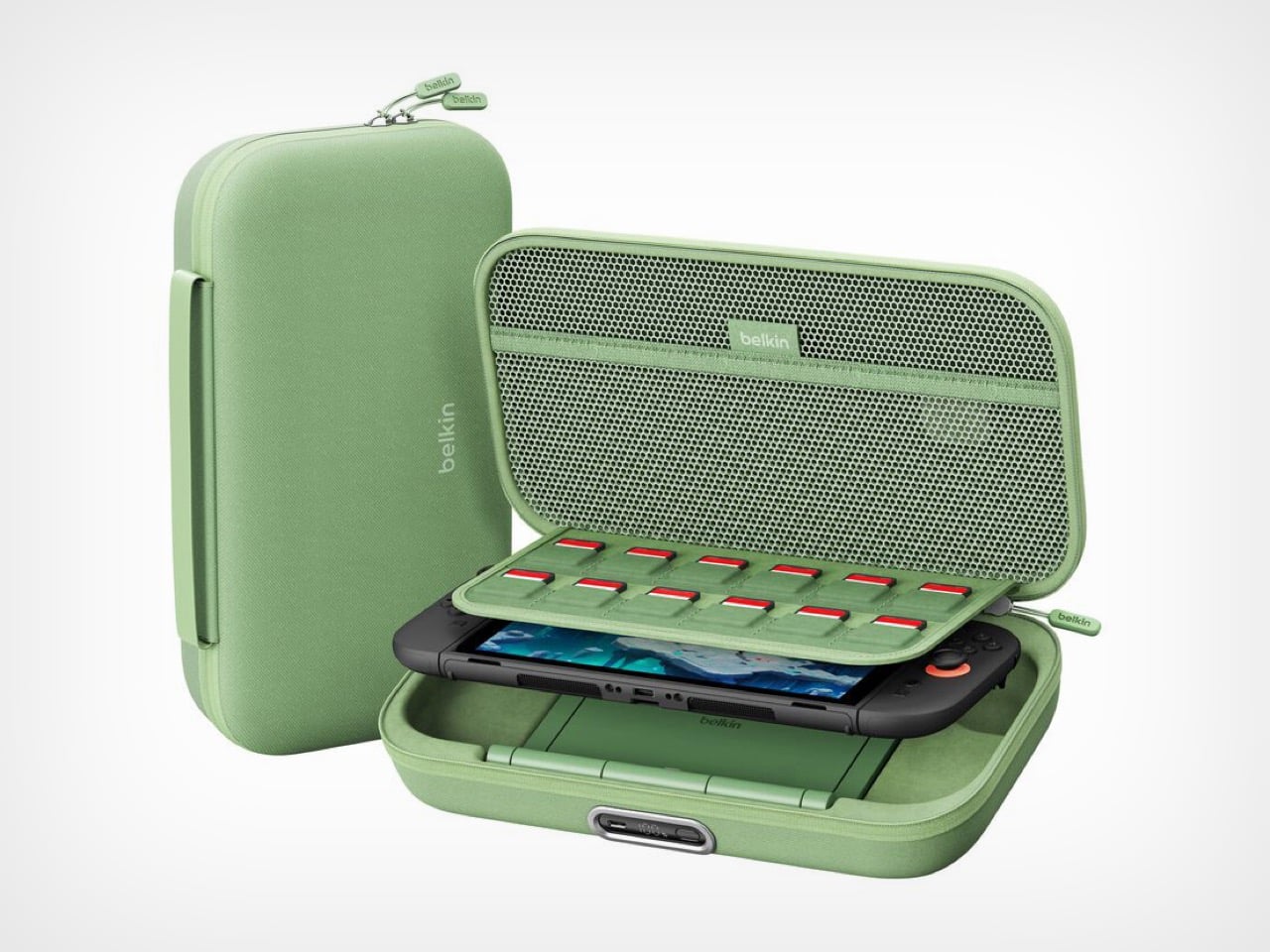
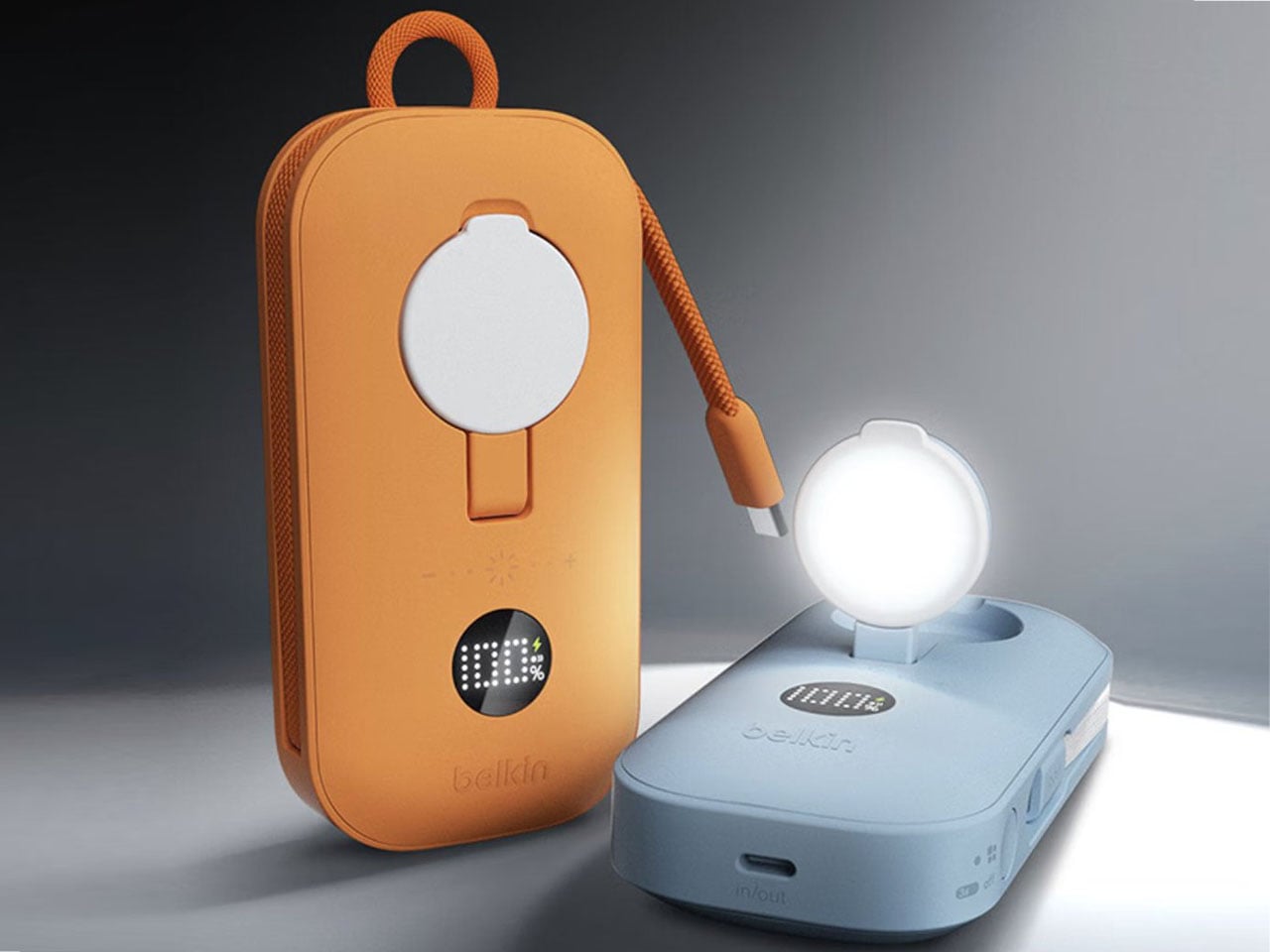
The original Charging Case launched last June with a solid concept: protect your Switch 2 and keep it powered during long trips. But Belkin’s designers clearly listened to user feedback and spotted the pain points. The Pro version addresses nearly every frustration from the first generation. You can charge the battery without unzipping the case. You get a proper integrated stand instead of relying on the console’s kickstand. There’s even a battery level display so you’re never guessing how much juice remains. These aren’t revolutionary features individually, but together they transform a good accessory into an essential one.

Designer: Belkin

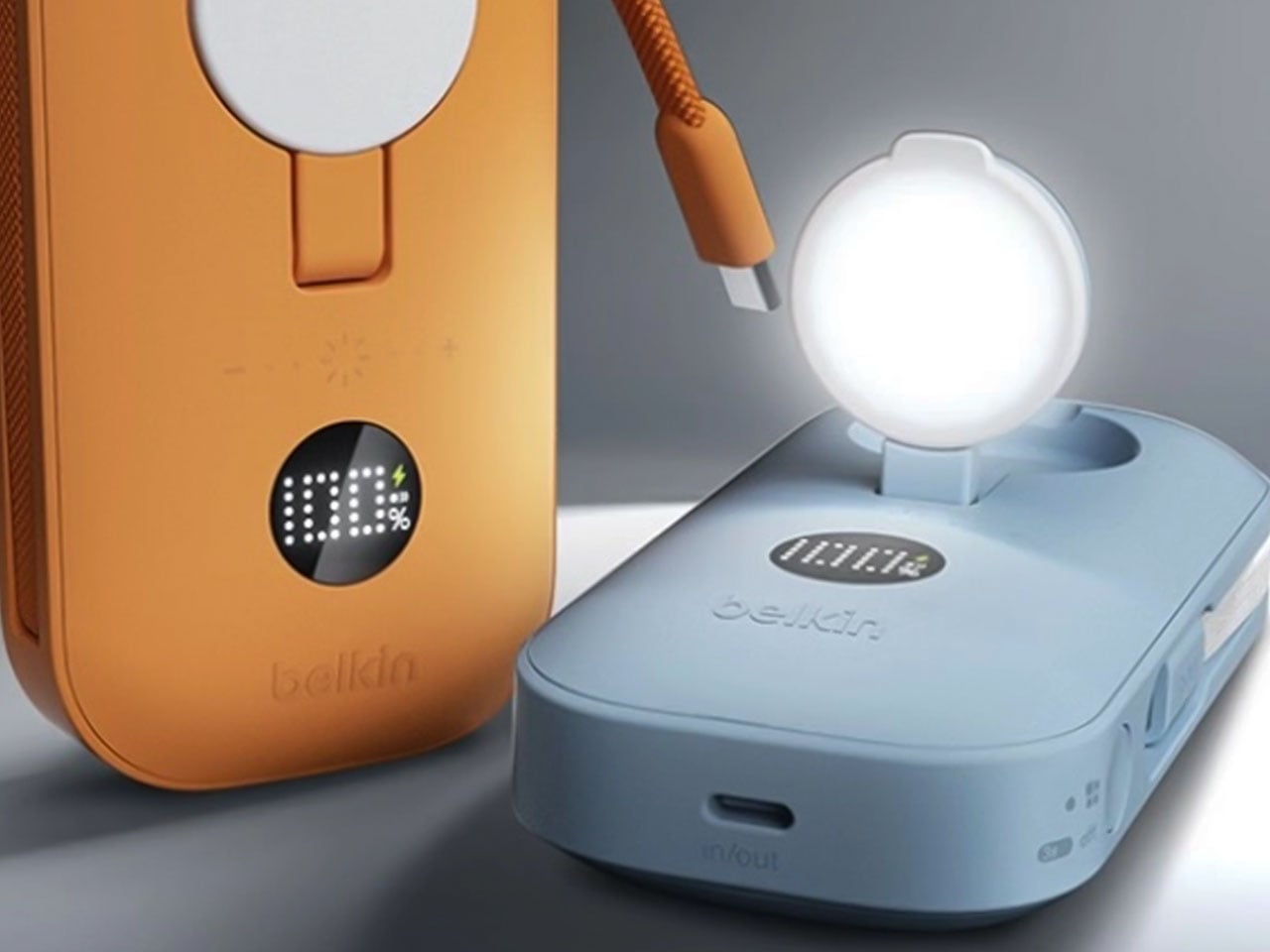
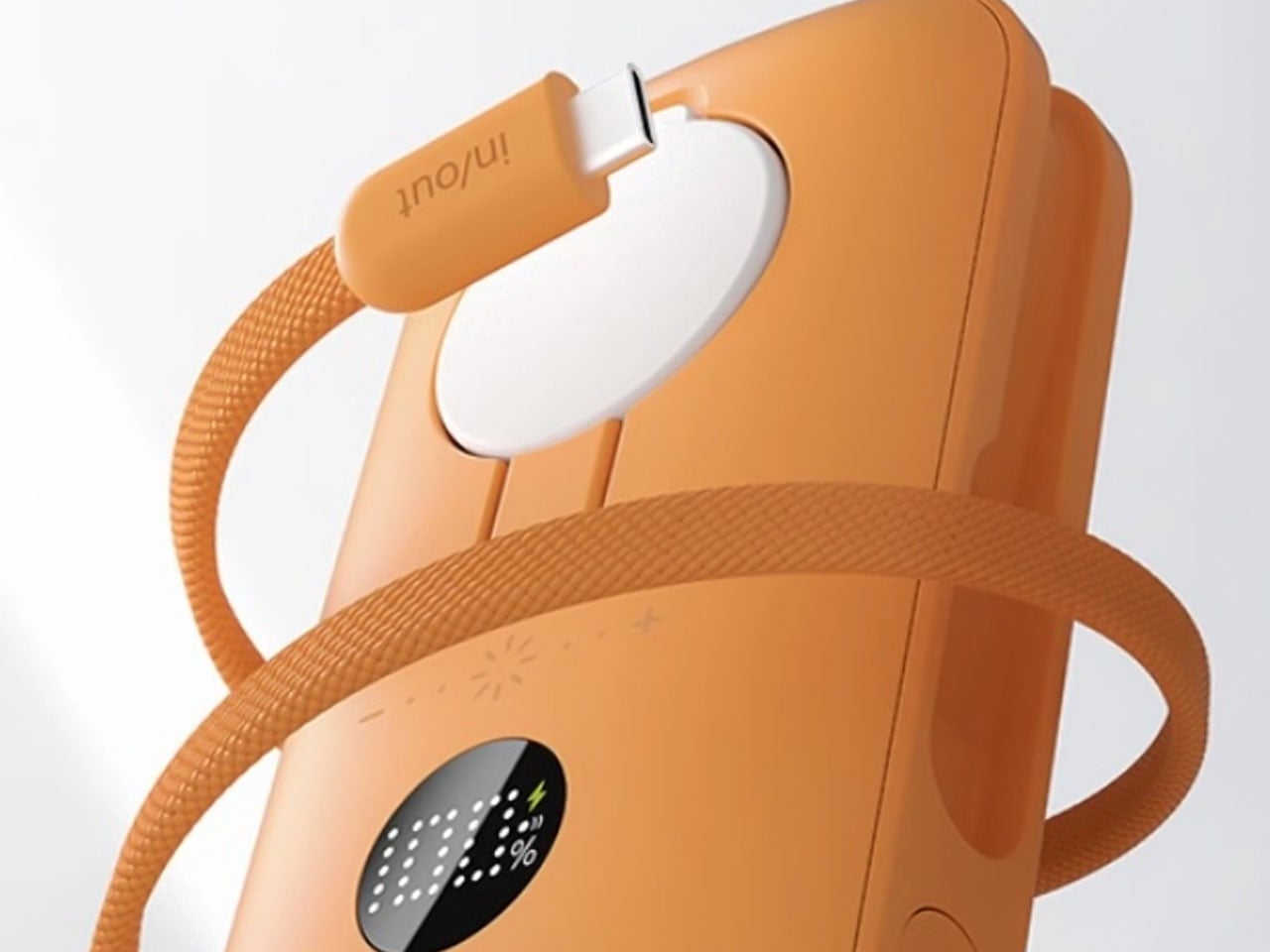
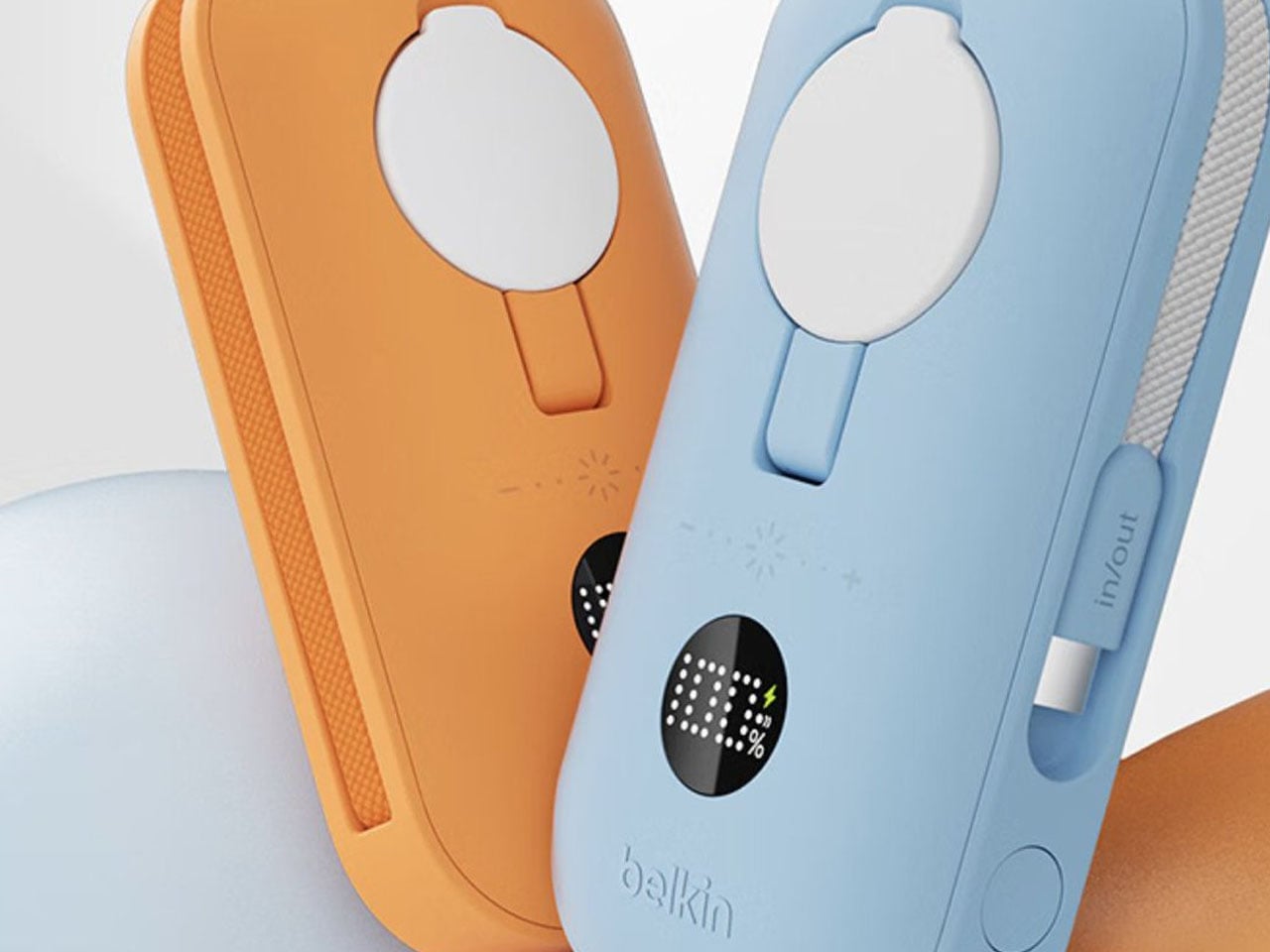
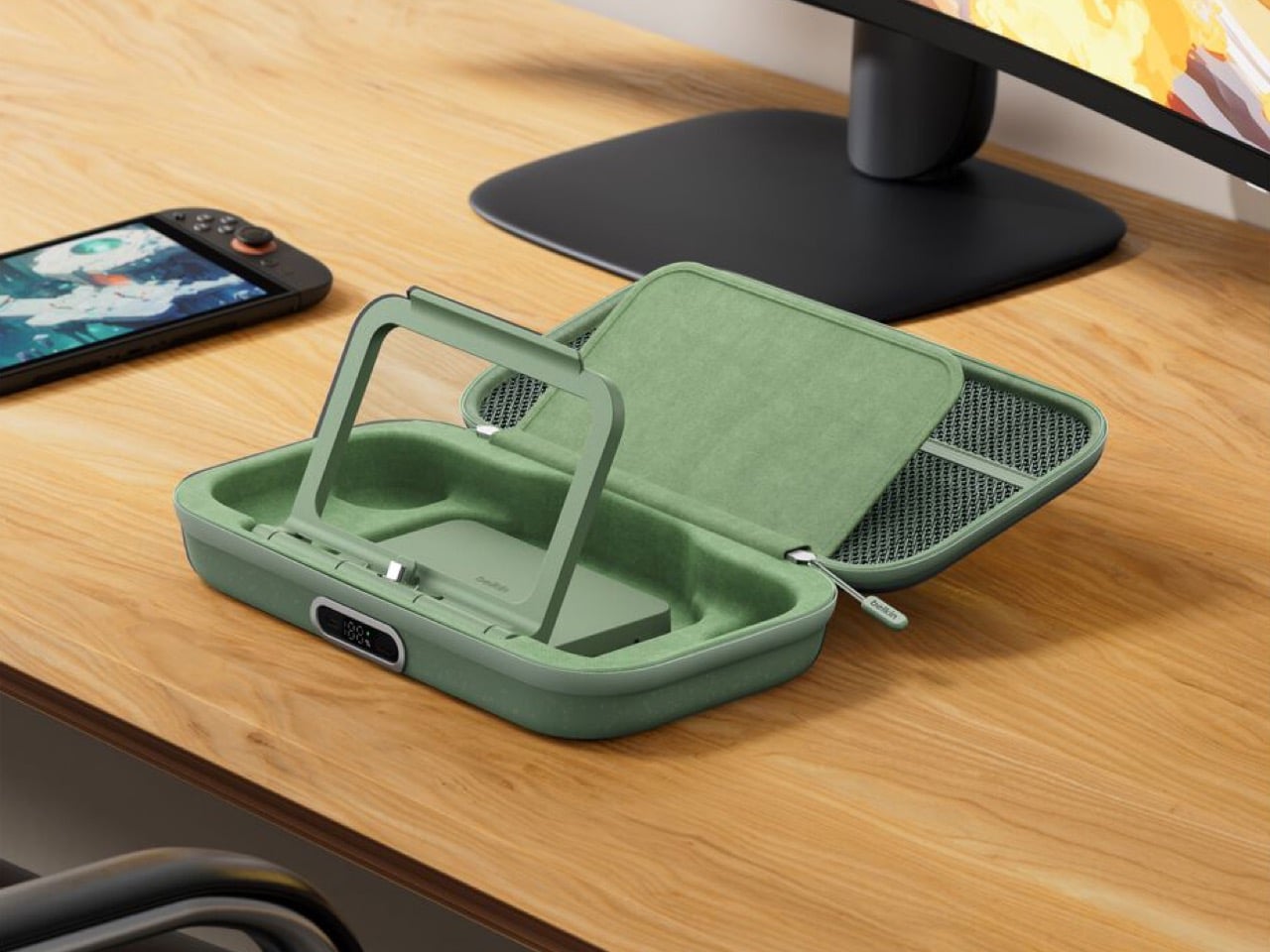
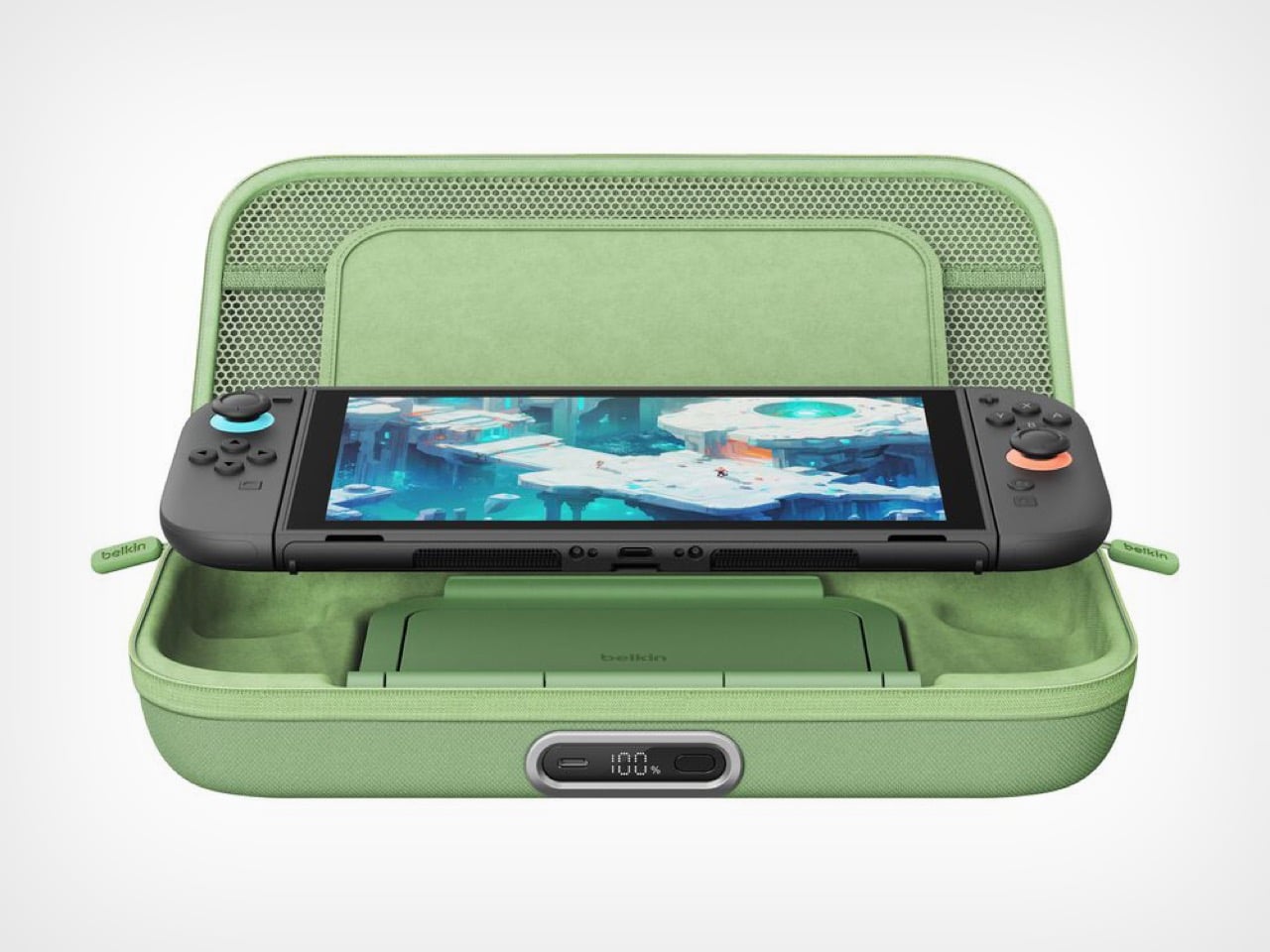
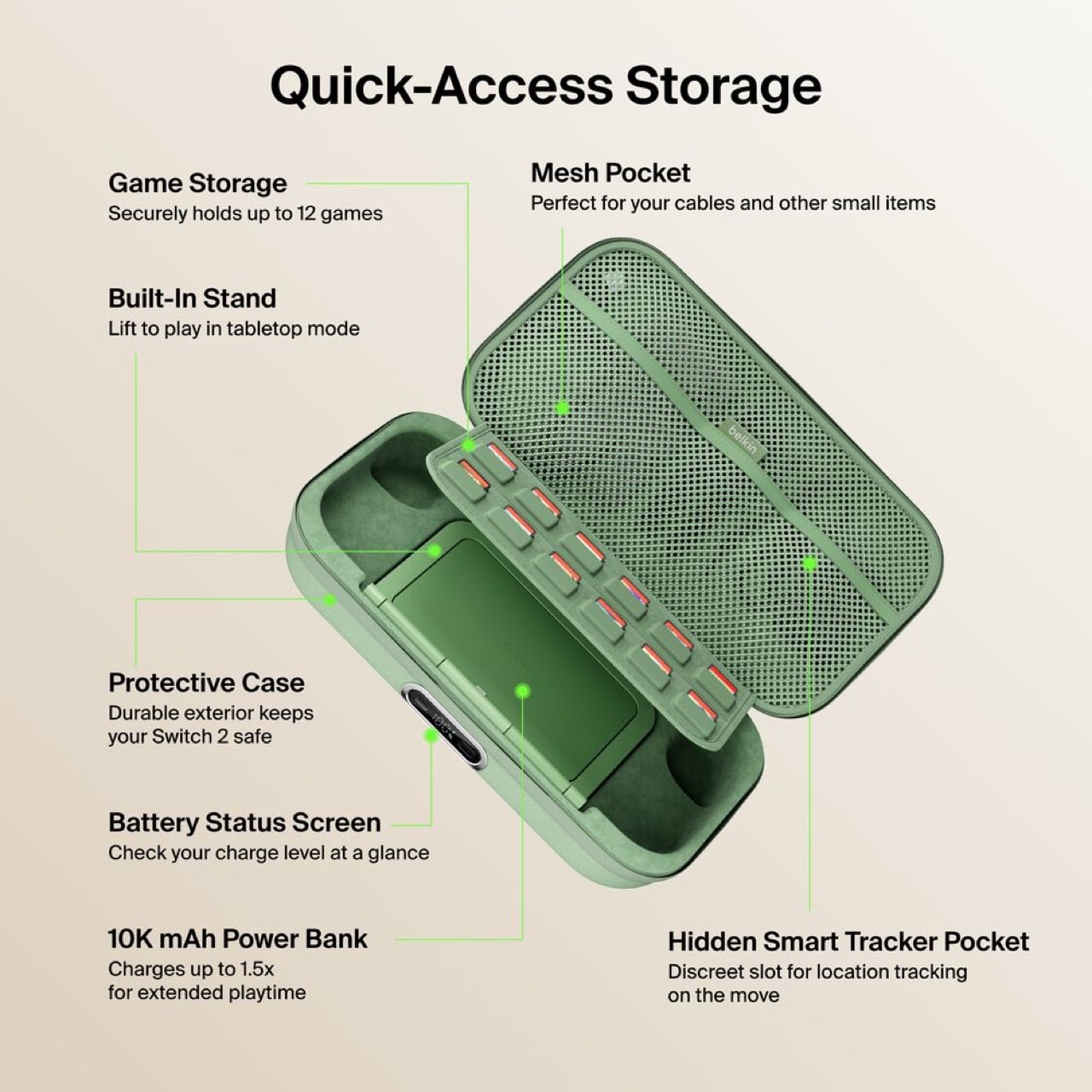
Having to unzip your case, fish out the battery pack, plug it in separately, then put everything back together just to charge overnight is the kind of stupid friction that kills products. The external USB-C port fixes this entirely. Leave your Switch 2 inside, plug one cable into the front, done. The little OLED display shows precise battery percentage, which actually matters when you’re deciding whether to top up before a three-hour flight or risk it.

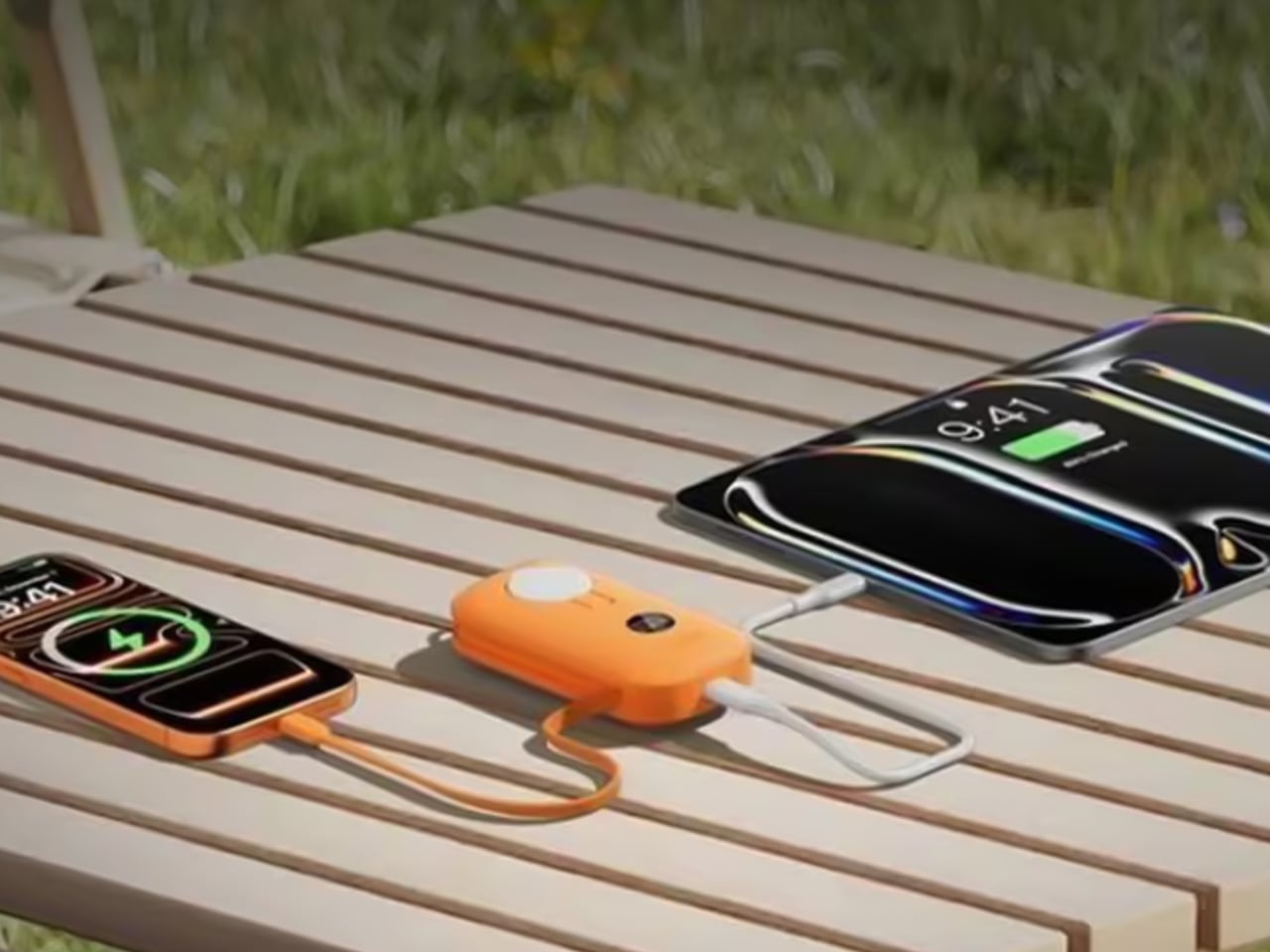
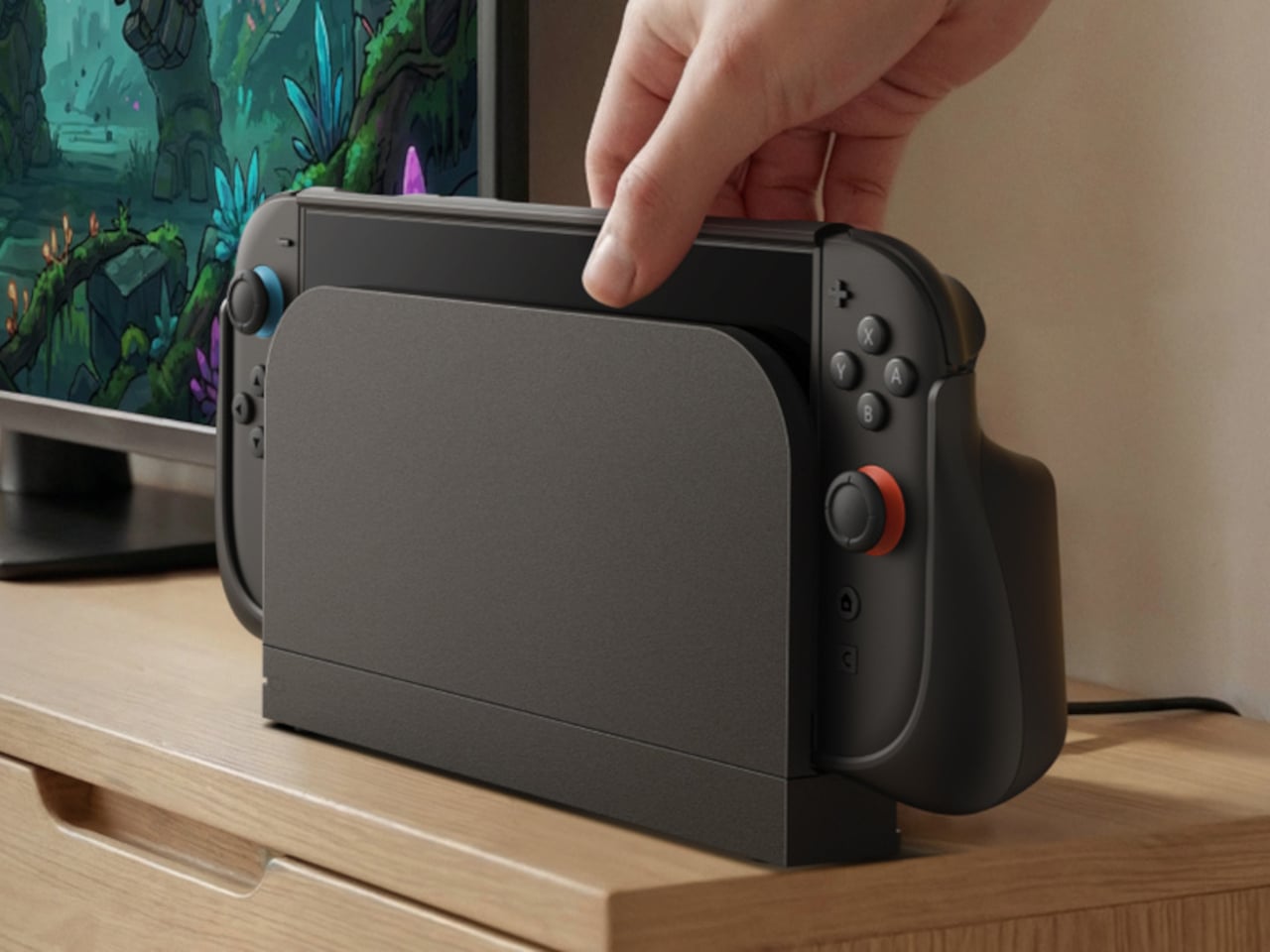
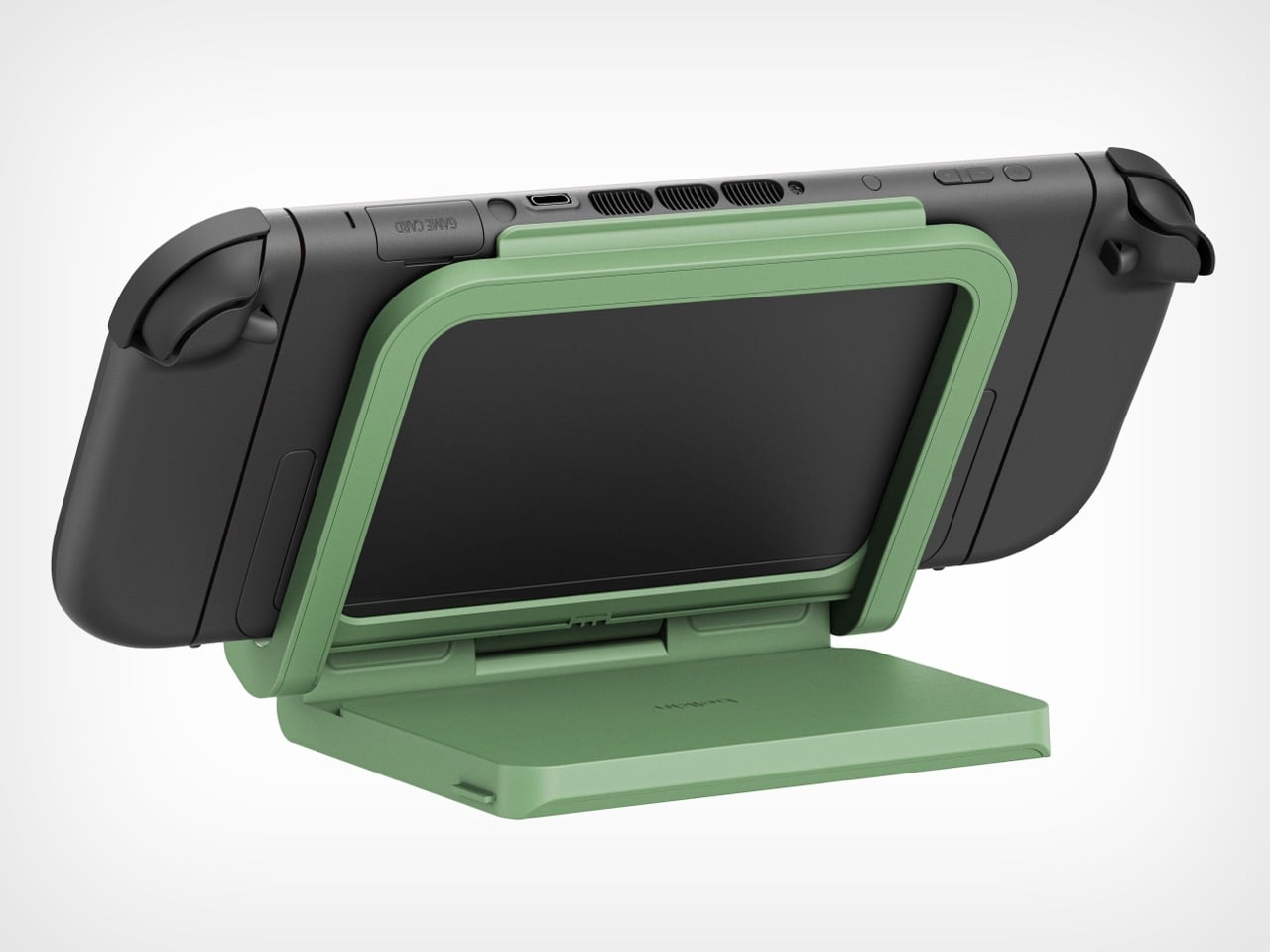
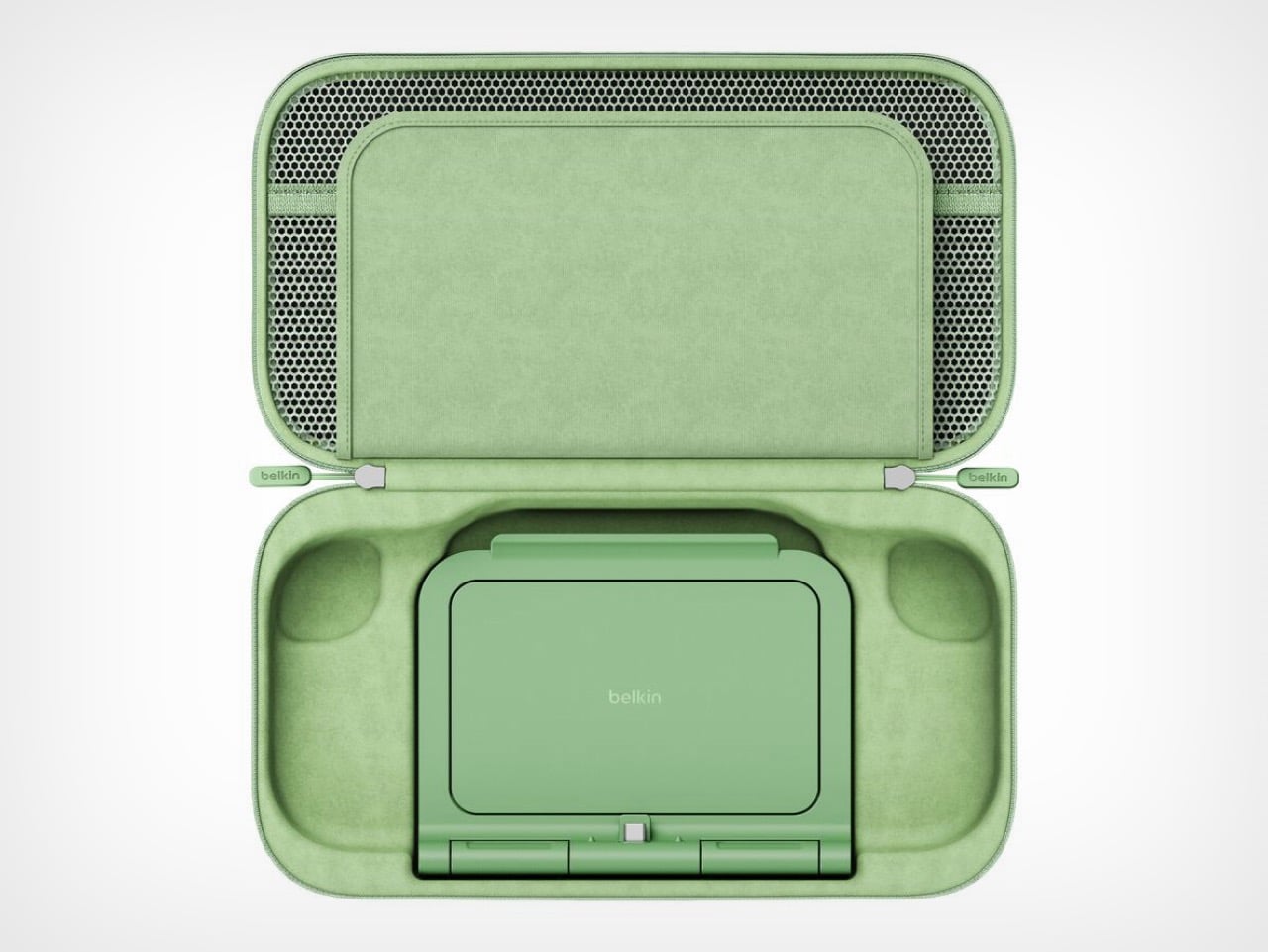
The 10,000mAh battery doubles as an adjustable stand with a built-in USB-C connector. The Switch 2 slots onto it like the official dock and starts charging immediately at whatever viewing angle works. The original version forced users to balance the console on its mediocre kickstand while a cable dangled between device and battery. One approach solves the problem. The other creates new ones.

Belkin claims 1.5 full charges from the 10,000mAh capacity, translating to 12 to 15 extra hours depending on what’s running. Graphically intensive games like Zelda sequels will drain faster than pixel art indie platformers, but either way that’s enough power to cross the Atlantic twice before needing an outlet. For a case this compact, the capacity-to-size ratio makes sense. A bigger battery would mean carrying a brick.

Twelve individual game cartridge slots sit under a flip-down cover, each one molded to prevent rattling. A mesh pocket handles cables and microfiber cloths. Belkin included a hidden compartment sized exactly for an AirTag or Tile tracker. Considering a fully loaded case with console represents about $500 of hardware, location tracking becomes a practical feature rather than a gimmick. People lose things. Expensive things get stolen. Planning for that shows sensible product design.

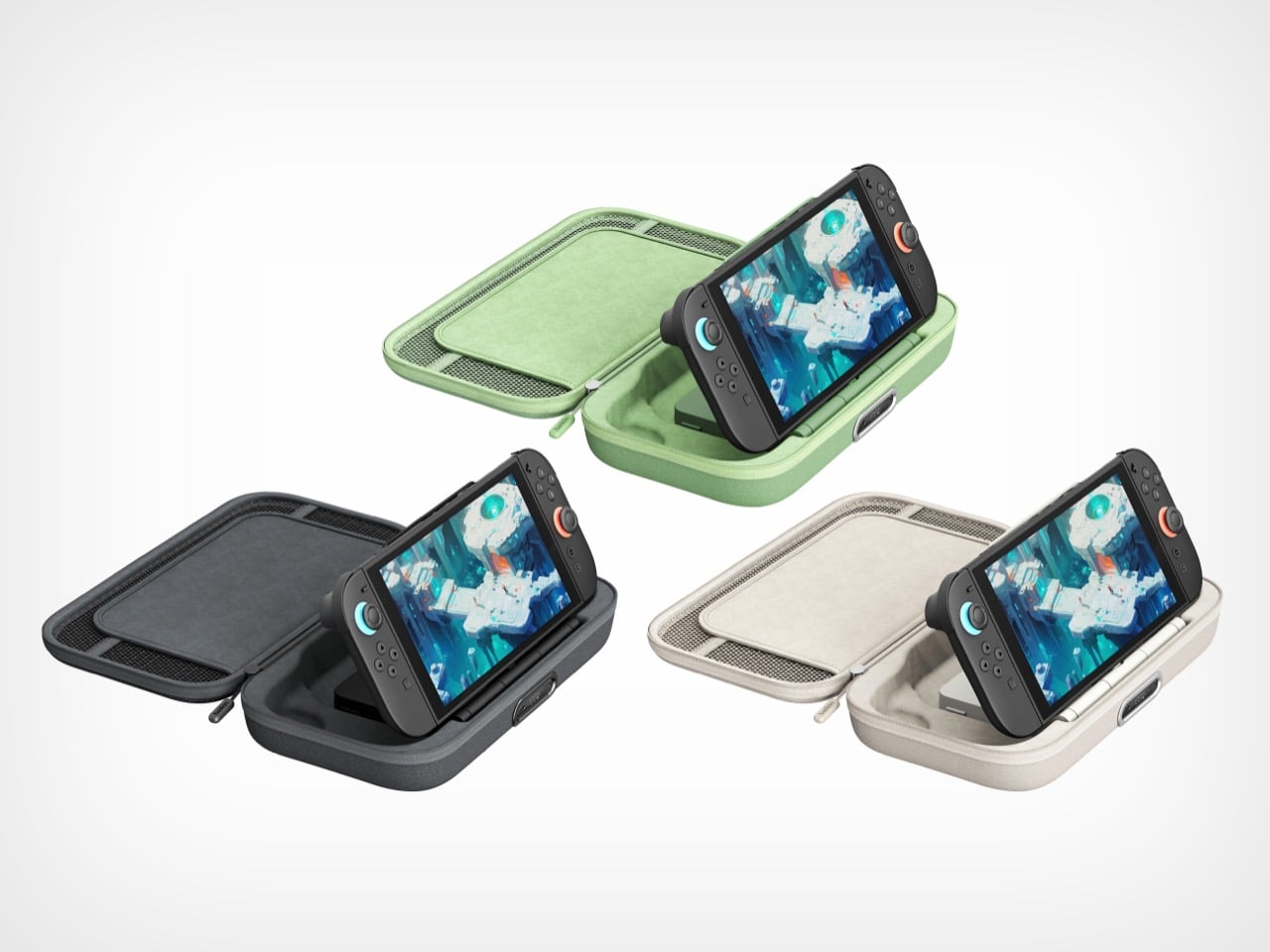
Three colorways: sage green, black, sandy beige. The green matches Nintendo’s brand aesthetic. Black hides wear better over time. The beige photographs well but might show dirt faster than the darker options.

Charging $99.99 means a $30 jump from the original’s $69.99 price. That’s a 43% increase, which sounds aggressive until you itemize the changes. External charging port. Battery display. Integrated stand with direct connection. Better storage. Refined build quality throughout. Spread $30 across those improvements and the math works. Belkin could have pushed $120 easily and still moved units. They left money on the table, frankly.

This reads like version 2.0 engineering instead of the lazy incremental updates most companies ship. Belkin rebuilt the internal layout, redesigned the battery for dual purpose use, and solved actual user complaints instead of adding RGB lighting or whatever. Most “Pro” accessories just mean “black version, higher price.” This one actually earns the name.

Own the original and it works fine? Skip this. Shopping for your first Switch 2 charging solution or fed up with your current setup? Start here. It’s up on Belkin’s site now, probably hitting Amazon within a week because that’s how 2026 works.

The post Belkin’s New Switch 2 Docking Case Has a 10,000mAh Battery That Lets You Charge While Shut first appeared on Yanko Design.
The best iPhone accessories for 2026

The right accessories can make your iPhone feel more capable and more personal. Whether you want to protect your phone, improve your photos or stay powered during a long day out, there are plenty of accessories that can make a real difference. MagSafe gear has opened the door for new chargers, stands and mounts, while portable batteries and compact lenses can upgrade your everyday routine.

We tested a range of products to find the best iPhone accessories that offer practical benefits for both new and older models.

This article originally appeared on Engadget at https://www.engadget.com/computing/accessories/best-iphone-accessories-140022449.html?src=rss

The best Father’s Day gift ideas under $50

Buying a good Father’s Day gift can be tough if you’re on a budget, especially if your dad is already on the tech-savvy side. Sometimes they may claim they don’t want anything, other times they might buy the thing you’re looking to gift without telling anyone. If you need help jogging your brain, we’ve rounded up a few of the better gadgets we’ve tested that cost less than $50. From mechanical keyboards and security cameras to luggage trackers and power banks, each has the potential to make your dad’s day-to-day life a little more convenient.

This article originally appeared on Engadget at https://www.engadget.com/best-gifts-for-dad-under-50-113033738.html?src=rss

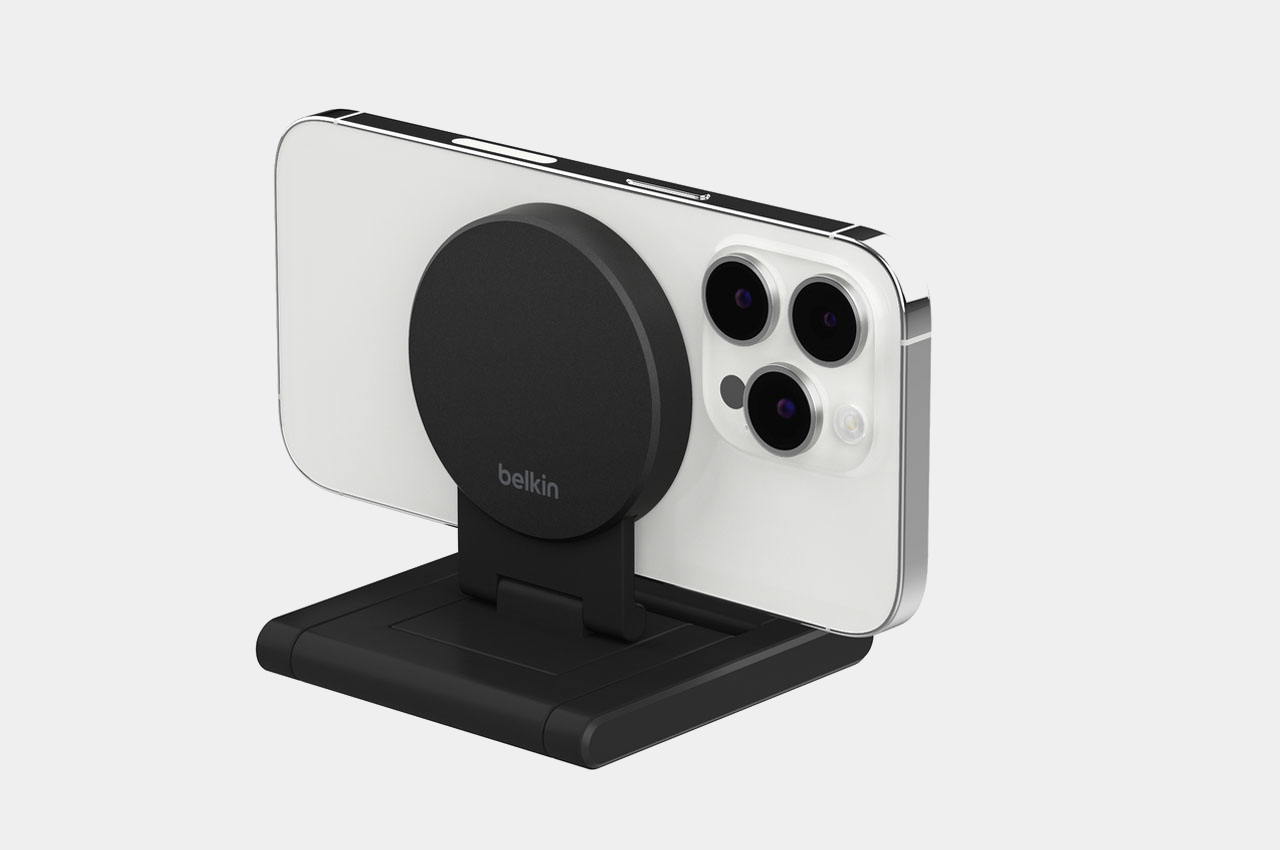
MagSafe-compatible Belkin mount turns iPhone into a webcam for your Apple TV 4K

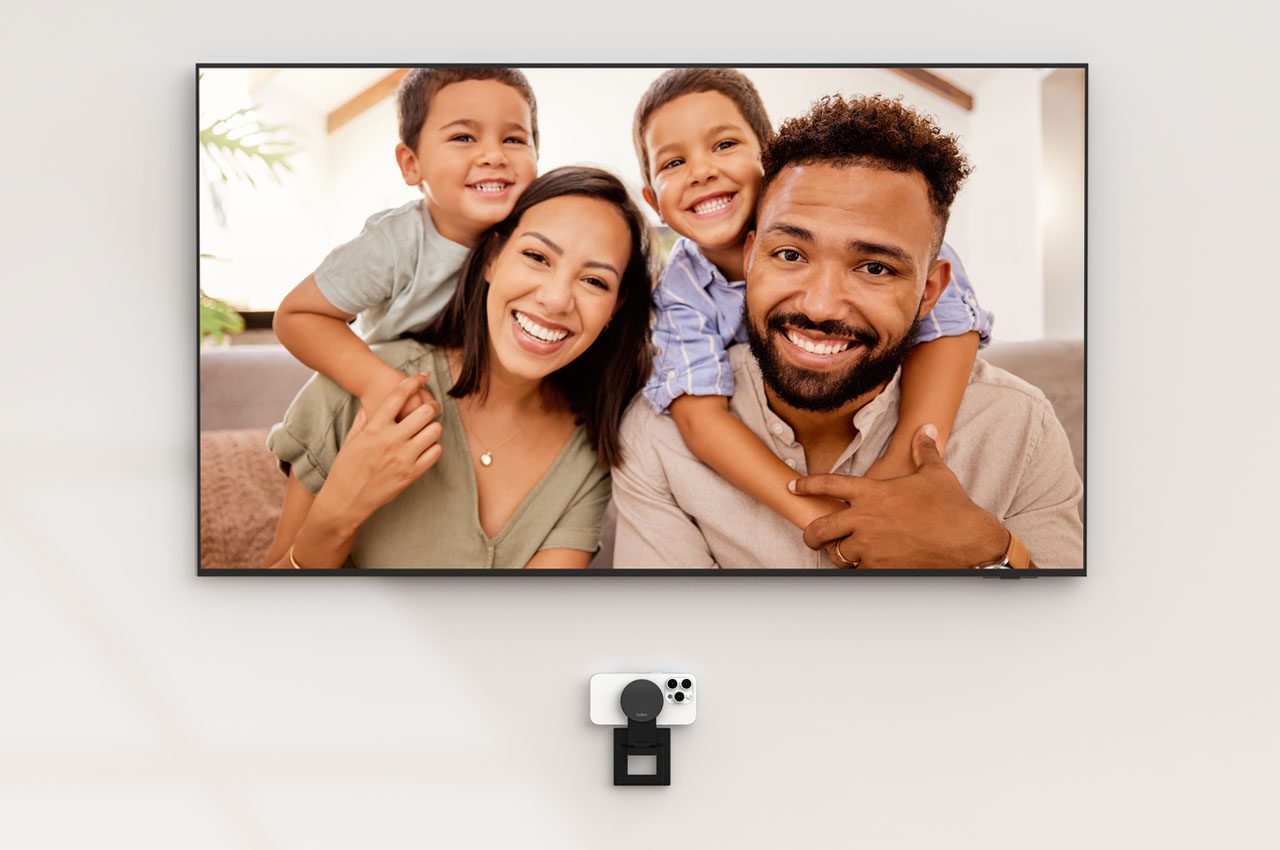
When you pair your iPhone with the new Apple TV, you are been able to bring your family and friends – bigger and more life-like – into your living room. Thanks to the Continuity Camera feature of the latest tvOS, you can have FaceTime calls from the iPhone synced with the TV to enhance your video calling experience.

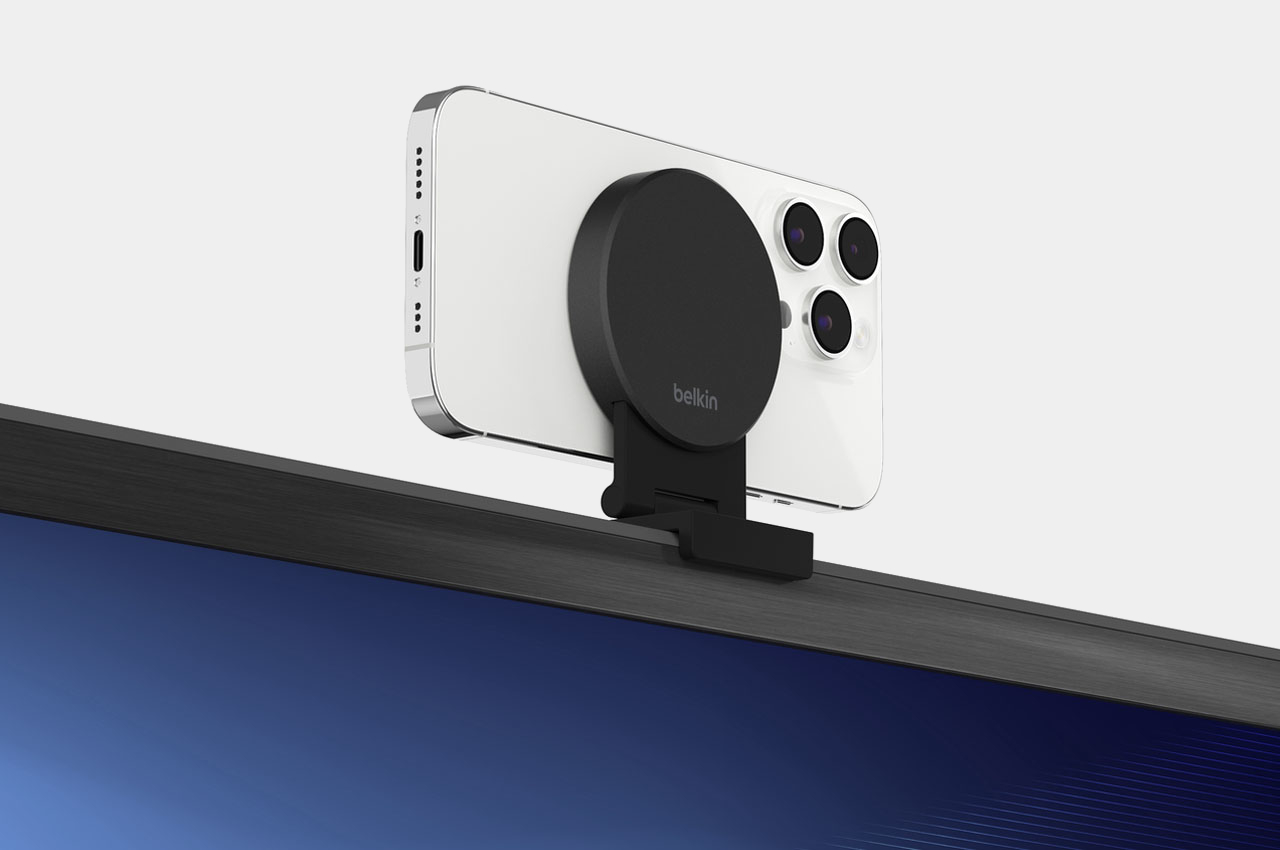
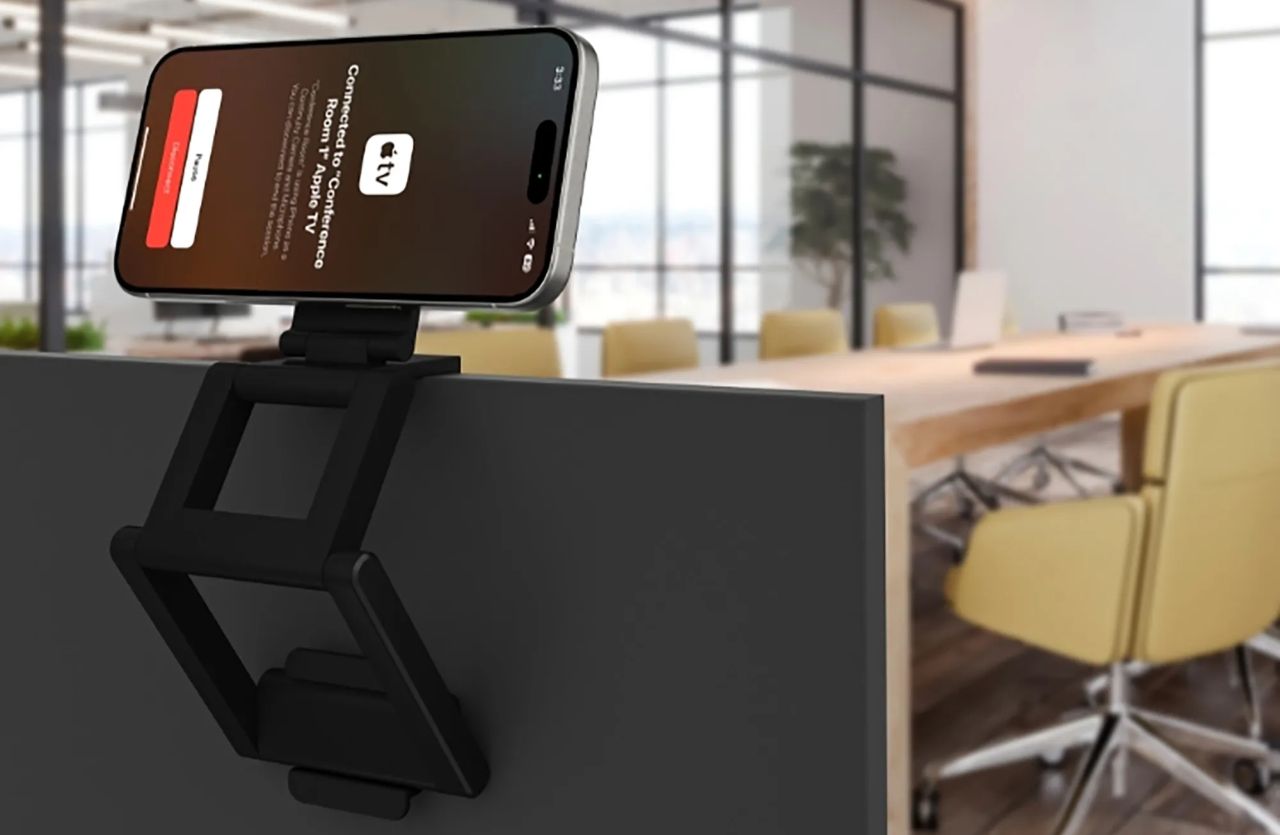
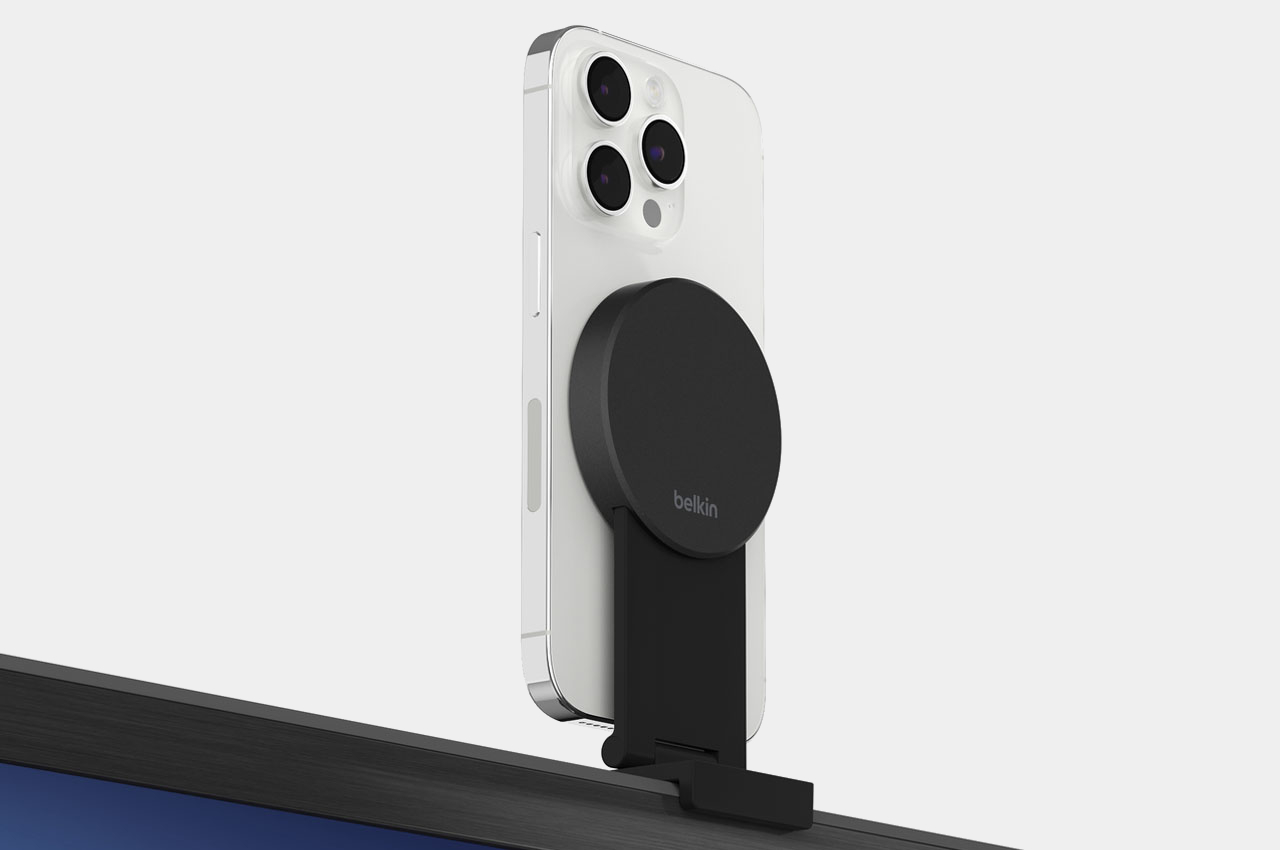
Now to help take this experience a ‘mount higher,’ Apple is making available a Belkin MagSafe-compatible mount that makes using the iPhone-enabled feature more convenient. The new Belkin iPhone Mount with MagSafe seamlessly converts the iPhone into a webcam for the Apple 4K TV.

Designer: Belkin

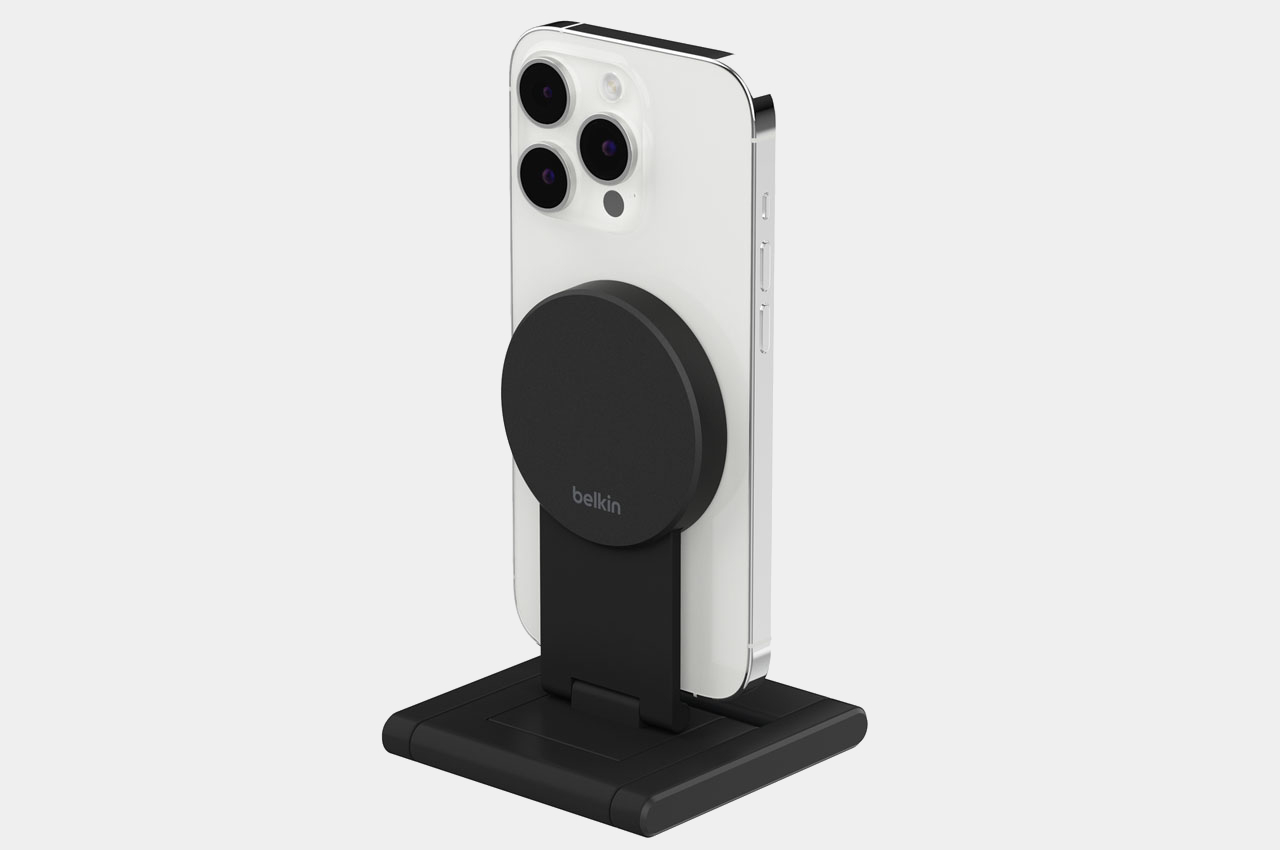
According to the information on Belkin’s website, the versatile mount can be fixed directly to your TV (with a thickness of up to 40mm without wires or tools) to help you use your iPhone’s rear camera for FaceTime or Zoom calls. When you don’t want to use it as a TV mount, you can fold it up to use as an iPhone stand in landscape or portrait mode on a table or wall (via magnetic attachment).

This is not Belkin’s first mount of this kind in any way, it has previously provided a similar mount for iMac and Apple’s external displays. This Belkin iPhone Mount with MagSafe for Apple TV 4K is a versatile option that offers negative-20 and 30-degree tilt to place the iPhone at a perfect angle during calls.

The new mount/stand, offered in durable metal construction and premium finish, is now available online from the Belkin website for $49.95. The MagSafe-compatible mount comes with a 2-year warranty and makes for an effective way to let your iPhone and TV work in harmony to make the video calling experience larger than life for you.

The post MagSafe-compatible Belkin mount turns iPhone into a webcam for your Apple TV 4K first appeared on Yanko Design.

Beautiful minimalist Apple accessories inspired by architecture and art

The accessory market for phones and computers is a wide and varied one, with designs that are all over the place and cover almost the entire range of the spectrum. Some try to offer everything, almost including the kitchen sink, resulting in a cornucopia of features and attachments, while others aim for the bare basics to keep things simple yet elegant. Minimalism continues to dominate the design world, and it has also started to grip the tech industry, particularly when it comes to gadgets and accessories. Minimalist design, though sometimes plain-looking, doesn’t exactly mean “boring,” especially when they take inspiration from some of mankind’s creative achievements to give these products an interesting visual and functional spin.

Belkin BoostCharge Pro 3-in-1 Wireless Charging Stand

Some say good things come in threes, and iPhone owners tend to own an Apple Watch and AirPods to complete a functional set. Keeping all three charged has become somewhat of a logistics problem, though thankfully it’s less of a mess now that none of them require charging cables all the time. Apple’s MagSafe technology has opened up a new world of designs, free from the tangles of wires, and it has given birth to a variety of charging docks and stations, including some pretty minimalist ones.

Designer: Belkin

The Belkin BoostCharge Pro really takes minimalism almost to an extreme, being nothing more than a metal post that branches in two, standing on a plain round disc. While there are quite a number of 3-in-1 MagSafe chargers that support a similar combination, Belkin’s design emphasizes keeping a tidy appearance, whether there are devices charging on it or not. The base holds the AirPods case, keeping your desk or shelf clean, while both the iPhone and Apple Watch are held up high for easier visibility.

The charger’s clean and minimalist appearance takes its cue from modern architecture, with well-defined lines and shapes and a simple yet functional design. It distills the whole structure down to its essentials, providing support and a place for your gadgets to call home, without overpowering Apple’s already elegant and stylish aesthetic.

MagSafe Origami Grip Stand

The ancient Japanese art of paper folding has inspired many designs across history, from simple children’s toys to mind-blowing structures even to complex robots. The main pull of origami has always been its ability to change shape from a flat sheet of material like paper to something three-dimensional any moving parts or without removing or adding any part at all. Because of that, something that takes up space can be made to collapse down to almost nothing, like this grip and stand that adds almost no thickness to your iPhone.

Designer: Marcy Arimoto

Click Here to Buy Now: MagSafe Origami Grip Stand ($45)

Thanks to its creative origami-inspired design, the MagSafe attachment transforms from a flat pad into a triangular shape that can do more than just prop up your phone on a table. It gives your fingers something stable to latch onto, making it perfect for taking selfies with confidence. It can even stick to metal posts, walls, and surfaces thanks to that strong magnetic power.

The best thing about its design is that it doesn’t get in the way when you don’t need it. It simply collapses back down to a flat shape that’s no thicker than the iPhone’s own camera bump. Nothing to snag when you slip it into your pocket and nothing to make it wiggle when placed on a table. It’s beautiful, functional, and as simple as it needs to be, nothing more.

Twelve South BookArc Flex Vertical MacBook Stand

A laptop stand is, more often than not, a horizontal plane meant to hold your laptop while it lies down. Of course, that’s the most common way to use a laptop, but it’s definitely not the only way, especially when you’re using it as a makeshift desktop computer. With the lid always closed and the laptop simply connected to a monitor and other peripherals, having a laptop lying flat or even on a horizontal stand is already a poor use of precious desk space. That’s where a vertical laptop stand comes in hand, and Twelve South just launched what is probably the most minimalist design in that category.

Designer: Twelve South

It might look like two simple metal arcs, but that ultra-minimalist design is what makes the BookArc Flex a work of genius. Designed to hold your closed MacBook vertically, it can save you precious desk space when all you really want to do is connect the MacBook to an external screen and some peripherals while it’s running. It keeps all the mess away without sacrificing any functionality, and you can still easily plug in other USB devices because the MacBook is still within reach.

The design is both simple yet elegant, perfectly complementing Apple’s design language with its bent all-metal rods in matte black, matte white, or premium chrome finishes. It is inspired by modern architecture, particularly the Noisette Creek Pedestrian Bridge in Charleston, South Carolina, in more ways than one. While it does owe its form to that bridge, it also takes a few lessons from a bridge’s structure and use of physics, particularly in how the stand uses the MacBook’s own weight to pull in the arcs and secure the laptop. That means that this simple design is also future-proof, supporting any MacBook or even any laptop that’s only an inch thick, making it a beautiful example of how good, simple design can be universal and timeless as well.

1

The post Beautiful minimalist Apple accessories inspired by architecture and art first appeared on Yanko Design.

Belkin auto-tracking Stand Pro swivels iPhone 360 degrees with your movement during video calls, recordings

Apple iPhone already does some great things. Belkin believes there is a way it can add some prowess to the phone’s video and FaceTime capabilities. To that accord, the accessories manufacturer is bringing Belkin Stand Pro to CES 2024. This motorized dock for the iPhone 12 and upward is made to swivel 360 degrees and track users’ movement while the camera is on.

There have been numerous iterations of iPhone dock we have seen in our time. Right from the days docking stations played incredible music and now those that wirelessly charge the smartphone and render it with incredible utility: case in point, the rotating functionality the Belkin Stand Pro brings to the iPhone.

Designer: Belkin

The Belkin Stand Pro is offered with a cylindrical base that can rotate 360 degrees. From the base extends a MagSafe-equipped motorized arm which holds and charges the iPhone. The arm can extend 90 degrees, up and down, for more convenience.

The Stand Pro is essentially designed for tracking your movement, for instance, you are cooking in the kitchen and the iPhone playing the video recipe tutorial rotates wherever you go; picking spices, or walking to the fridge. When you don’t want the iPhone to track your movement, you can turn the tracking off from the onboard button. The LED indicator built-in indicates when the tracking is on or off.

The iPhone pairs to the Belkin dock with NFC and allows you to open apps including camera, FaceTime, Instagram, WhatsApp and more. Once the app’s working, the Stand Pro automatically rotates the docked iPhone to keep you in frame all the time using iPhone’s recognition technology without having to add additional third-party app. This makes the Belkin Stand Pro the first iPhone accessory to use Apple’s DockKit framework.

Priced at $179.99, the Belkin dock functions as a wireless charger with up to 15W fast wireless charging when plugged into a 30W USB-C charger. For filming away from the direct power port, the Stand Pro also features a battery that can do the task for up to five hours on a single charge.

The post Belkin auto-tracking Stand Pro swivels iPhone 360 degrees with your movement during video calls, recordings first appeared on Yanko Design.