TECNO Phantom Ultimate 2 ultra-thin Tri-Fold concept beats Samsung and Huawei to the punch

While foldables represent the next evolution of smartphones, the current crop isn’t exactly how we imagined these devices to be. When the likes of Samsung first teased the idea of phones that transform into tablets, that dream didn’t involve squarish tablets or thick and narrow phones. The ideal is a normal-looking phone that almost magically becomes a regular tablet when it unfolds, something that wasn’t easily feasible given the technology of the past two to three years. We might be on the cusp of the next stage of the foldable revolution, and TECNO is only too happy to show off not only a tri-fold device but one that is only 11.1mm thick when folded into a conventional phone.

Designer: TECNO

A phone with two hinges that fold in opposite directions is one of the ways we can get the best of both worlds, but it’s easier said than done, naturally. Not only do you have to consider the durability of the display panel that will bend at opposite angles in two areas, the thickness of the folded “phone” also becomes a conundrum. If bi-fold phones like the Samsung Galaxy Fold are already considered to be thick, imagine how much worse three layers would be.

That’s the boast that TECNO is making with the Phantom Ultimate 2 concept, a tri-fold device that is only 11.1mm thick when folded. That’s just around 2mm thicker than the average regular foldable, which is still thick but not by much. TECNO doesn’t give the exact dimensions for the unfolded tablet, but it’s bound to be really thin in that case.

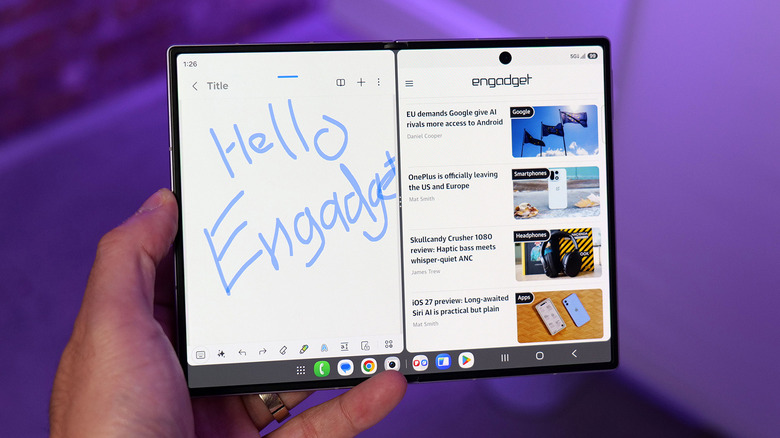
This design gives us a regular 6.48-inch candybar phone that turns into a regular 10-inch tablet and vice-versa, delivering the best of both worlds in a single device. And if that weren’t enough, TECNO shows that the device also supports stylus input, making it an all-in-one entertainment and business computer in your pocket. There are various modes made possible by this novel folding design, though some might be a bit more questionable than others, like putting the sensitive foldable screen in contact with a table.

The TECNO Phantom Ultimate 2 concept will be shown off at IFA 2024 in Berlin next week, though its existence hardly means it’s something we’ll be able to buy soon. Samsung has also shown off tri-fold prototypes, both of the “Z” and “G” varieties, yet none have come to market yet. Then again, the forerunner of foldable devices seems to be content taking a more conservative approach, so it wouldn’t come as a surprise if TECNO or even Huawei would land this novelty on shelves first.

The post TECNO Phantom Ultimate 2 ultra-thin Tri-Fold concept beats Samsung and Huawei to the punch first appeared on Yanko Design.

Apple’s 13-inch iPad Air M2 drops to a record-low price

It's back to school season, which means many students and/or their parents are on the lookout for a laptop on which they can get schoolwork done. Depending on your needs, though, a tablet may do the trick (but you'll likely still want a keyboard attachment for extended typing sessions). Tablets offer flexibility in terms of study and play, and it's pretty hard to go wrong with a recent iPad.

As luck would have it, the 13-inch iPad Air M2 has dropped to its lowest price since Apple released it in May. The blue and space gray models are available for $729. That's $70 off the regular price.

While it's not the most powerful iPad around — the latest iPad Pro is the first device to use Apple's M4 chips — the M2 iPad Air is a great option. It's our recommendation for the best iPad for most people and we gave it a score of 91 in our review.

The M2 iPad Air delivers a great balance of performance, features and price. The 13-inch model has a brighter screen than its 11-inch sibling, and more screen real estate to get things done on. However, the 60Hz refresh rate is not as smooth as the 120Hz OLED panel on the latest iPad Pro.

The 8GB of included RAM and 128GB of base storage should be enough for basic tasks. The iPad Air will run for up to 10 hours on a single charge too.

There are cheaper and less-powerful iPads, but you'll be futureproofed to a certain degree with this one. AI-driven Apple Intelligence features will be available on the M2 iPad Air when Apple rolls those out later this year, and you can play some modern games such as Death Stranding and the Resident Evil 4 remake on the tablet (there's always the option to stream games from the cloud or local hardware too). One other feature we appreciate about this model is that Apple finally moved the front-facing camera to the horizontal edge, which makes much more sense for FaceTime or video calls in landscape mode.

Follow @EngadgetDeals on Twitter and subscribe to the Engadget Deals newsletter for the latest tech deals and buying advice.

This article originally appeared on Engadget at https://www.engadget.com/deals/apples-13-inch-ipad-air-m2-drops-to-a-record-low-price-143504371.html?src=rss

ASUS ProArt PX13 Laptop Review: An Agile Content Creator’s Best Friend

PROS:


  • Handsome, minimalist, and lightweight design

  • Impressive performance packed in a compact size

  • Gorgeous 3K OLED screen for both viewing and color-accurate work

  • Incredible value for creative professionals on the go

CONS:


  • No full-sized SD card reader, only one USB-A port

  • Display refresh rate is only up to 60Hz

RATINGS:

AESTHETICS
ERGONOMICS
PERFORMANCE
SUSTAINABILITY / REPAIRABILITY
VALUE FOR MONEY

EDITOR'S QUOTE:

The ASUS ProArt PX13 makes the impossible possible, delivering unbeatable performance and uncompromising mobility in an elegant and accessible package.
award-icon

The nature and execution of work have changed significantly in the past years, especially for those who use computers all the time. Mobility and flexibility have become an important part of the business, sometimes requiring people to be able to take their work anywhere life leads them. At the same time, it also allows people to do their work in the best possible location for them, which isn’t always the office. To support these new work arrangements, computer vendors have been trying to shove more power into laptops without turning them into gargantuan machines that would force people to leave them in the office anyway. It’s a delicate balancing act, one that very few brands have successfully pulled off, but the ASUS ProArt PX13 makes that very promise to one of the more discerning and particular markets. Is the ProArt PX13 able to deliver that promise of unbounded creativity anywhere or does it make too many compromises along the way? We give it a flip and a spin to bring you that answer.

Designer: ASUS

Aesthetics

The first impression you’ll have when seeing the ASUS ProArt PX13 is how compact and thin it is, at least for a supposedly powerful laptop aimed at creative professionals. Your second impression will be how sleek and elegant it looks with its deep, all-black design. It’s an aesthetic that doesn’t scream at you but instead talks mellowly, fitting a professional product. There are barely any markings on the laptop’s cover; no fancy RGB lighting at its sides, protruding edges, or sharp angles. Just one truly black slab.

Unlike other laptops that advertise a black colorway, the ASUS ProArt PX13 really walks the walk thanks to the company’s Nano Black coating that almost poetically matches the deep blacks of the OLED screen on the opposite side. It’s admittedly a matter of taste, as some will prefer the luster of silver metal like those on MacBooks or Dell, but its more subdued aesthetic makes it less distracting as well. Thankfully, that same Nano Coating also prevents fingerprint smudges so there’s very little that will stain that darkness.

Minimalist doesn’t mean plain, however, and there are a few accents that bring out the ProArt PX13’s designer-centric character. The ProArt branding, for example, is smooth and a little bit reflective, tastefully set against the blackness of the cover. The vertical stripes on the hinge are supposed to be a nod to pro camera designs, but even if you don’t make that connection, they’re still an interesting touch. All in all, the ASUS ProArt PX13’s minimalism puts the focus not on the laptop but on the creator and the content, while also providing a dark, blank canvas for owners to use to let their own creativity shine through if needed.

Ergonomics

The ProArt PX13 is hardly the thinnest laptop, whether traditional or convertible, but it’s not terrible either for a 13-inch. When you consider that it packs enough hardware to cater to creative professionals and even some gamers, you’ll even be amazed at how ASUS managed to keep the numbers down to an accessible level. At 17.78mm (0.7 inches) thick and 1.38kg (3.04 lbs) heavy, this is something you can easily stow in your bag and be on the move in a flash.

This is very important when you consider that ProArt PX13 is more than just a laptop. It can also be a tablet you can draw on, whether on your table or on your lap, as well as a “tent mode” presentation and entertainment display. Changing forms is as easy as folding the screen back and forth, and the sturdy 360-degree hinge makes sure that it stays open at whatever angle you leave it. At the same time, however, the laptop’s weight is distributed properly so that you can open it up with just a single finger, lifting the lid while the body anchors it down.

The typing experience is pretty good as well, with well-spaced keys and a good 1.7mm travel. The cursor keys are squashed, of course, but that’s nothing new nor is it extremely uncomfortable. The touchpad is a decent size, but its mechanical design might disappoint fans of more haptic touchpads.

Performance

Right off the bat, the ASUS ProArt PX13 has some of the best hardware you’ll find in a 13-inch laptop. It’s one of the first to utilize AMD’s new AI-powered Ryzen AI 9 HX 370, giving it a wide lead in AI operations. This is paired with an NVIDIA GeForce RTX 4050, like in our review unit, or an RTX 4060. Either way, you’re getting a powerful graphics processor that, to no one’s surprise, handles AI skillfully as well. Benchmark numbers don’t always tell the whole story, but they’re impressive nonetheless. Whether the laptop is plugged in or running on battery, it will meet almost anything you can throw at it, whether it’s Photoshop, Da Vinci Resolve, or Blender.

Gaming is a bit of a different issue, though the ProArt PX13 is definitely capable. You will definitely feel the heat when pushing the system to its limits, but the cooling system does a stellar job of regulating its impact. The fans are definitely audible under heavy loads, but they quiet down just as quickly when no longer needed. And they’re barely noticeable at all if you’re just doing basic computing tasks like browsing the Web or typing up documents. The biggest setback when using this machine for gaming is actually one of its biggest strengths as well: its screen.

The 13.3-inch OLED touch screen is simply stunning, with rich colors, deep blacks, and a sufficient amount of brightness so that you can even work outdoors under overcast skies. The display is Pantone-validated and supports a wide gamut of colors, an important detail for graphics artists and content creators who need color accuracy more than anything else. The screen has a 3K resolution of 2880×1800 in a familiar 16:10 aspect ratio and a refresh rate of 60Hz. The latter is what makes the ProArt PX13 less suitable for gaming, at least for those who live and breathe 120Hz or higher. It’s not totally unusable for fast-paced games, and it completely marks the laptop as a machine primarily for work, with just a bit of gaming on the side.

Battery life for the ASUS ProArt PX13 is so-so. Given its size, the 75WHr battery it packs is actually generous, but it’s offset by the more powerful hardware. On Eco/Power Saving mode and average computing tasks, it can last an average of 8 hours, definitely shorter once you push the hardware to the limit. It ships with a 200W power brick that’s large but not gigantic. It can charge over USB-C using a 100W charger, but you’ll probably bring the official charger with you anyway unless you’re traveling extra light.

Port selection is on the light side as well. It has most of the important basics but is also oddly missing a few ones. There are two USB 4.0 Gen 3 Type-C ports and a single USB 3.2 Gen 2 Type-A port, one HDMI port, a 3.5mm headphone jack, and the proprietary DC-in charging port. There’s a microSD card reader but not a full-sized one, which is strange considering how digital cameras still mostly use SD cards, not their tiny cousins. We could always do with an extra USB-A port, especially if the only available one is already in use with an Ethernet adapter because the laptop doesn’t have its own RJ45 port.

The ASUS ProArt PX13 is overflowing with features designed for creative professionals, from hardware to software. There’s the somewhat odd DialPad in the order of the touchpad, giving quick access to actions like changing brush sizes in Photoshop, scrubbing through timelines in Premiere, and more. Not everyone will love this convenience, and it is fortunately easy to disable it completely. From the ProArt Creator Hub which has all the settings you can tweak for performance or monitor calibration, to the AI-powered software that takes advantage of the combined strength of AMD processors and NVIDIA graphics, the ProArt PX13 offers a multitude of tools to assist content creators in whatever kind of work or problem they’re facing.

Sustainability

ASUS has been making big waves when it comes to its commitment to helping protect the future of the planet, from the use of recycled materials in its products to the decrease of plastic in its packaging. It might not be visible or advertised for the ProArt PX13, but we’re banking on the company giving it the same treatment even in small amounts.

In terms of prolonging the life of the laptop, ASUS definitely took steps to make it a bit easier. The bottom plate can be removed easily using a screwdriver, except for the middle screw that’s also covered by a sticky rubber material. The NVMe SSD storage, battery, and Wi-Fi 7 module are easily replaceable, which are some of the most common components that need to be repaired or upgraded. Sadly, the LPDDR5X RAM is soldered to the motherboard, but having 32GB of memory isn’t that bad anyway.

Value

The ASUS ProArt PX13 is available in two configurations, with the RTX 4050 and 4060 being the only real difference between the two, as well as the Windows 11 Home and Pro licenses. Given the performance difference between these two very capable NVIDIA graphics processors, you couldn’t go wrong if you picked the base configuration that goes for only $1,699.99. At that price point, it already surpasses larger laptops and can hold its own against a MacBook that’s nearly double its price.

It’s pretty mind-blowing how much ASUS was able to cram inside the compact 13.3-inch body of the ProArt PX13 without hitting any significant compromises. It’s hardly the best gaming laptop or the most powerful movie maker, but what it offers is the flexibility to take your work or game anywhere without missing a bit. In that regard, it is pretty unrivaled, making it a truly tempting device for creative professionals, even those who mostly stay at their desks.

Verdict

The way we make content these days has changed greatly over the past years. Videos and graphic designs no longer have to be made on hulking towers tethered to desktops. Sometimes, the ability to quickly churn out content at a moment’s notice has become more important than production-level quality that will take hours on a regular laptop. Then again, why do you have to choose when the ASUS ProArt PX13 can give you the best of both worlds? Powerful, portable, and flexible, this convertible laptop delivers the tools that creative professionals need to bring their work to the next level, whenever inspiration strikes, wherever they are.

The post ASUS ProArt PX13 Laptop Review: An Agile Content Creator’s Best Friend first appeared on Yanko Design.

Apple is reportedly forging ahead with a rotating, iPad-like tabletop device

Apple appears to be going full steam ahead on an iPad-like tabletop device from which you may be able to manage smart home products, oversee household security and take part in video calls. The device, which could debut as soon as 2026, is said to have a thin robotic arm that moves around a large display. Apple's riff on products like the Google Nest Hub and Amazon's Echo Show may be able to tilt the screen up and down using actuators and rotate 360 degrees. It's slated to be running on an offshoot of iPadOS for the time being.

Apple is said to have greenlit the device in 2022 but work on it intensified in recent months after the company scuttled its multi-billion boondoggle car project. Indeed, Kevin Lynch, Apple's vice president of technology who oversaw the car project and until recently was in charge of smartwatch and health software, is in charge of the device's development, according to Bloomberg.

Hundreds of Apple employees are now said to be working on the tabletop system, which the company reportedly sees as a way to take advantage of its Apple Intelligence tools. Siri and Apple Intelligence are expected to be the main control methods for the device. With a voice command, you may be able to turn the display to face you. It was reported earlier this year that Apple was planning a push into the realm of personal robotics, an effort that includes the tabletop device.

However, there's said to be some internal concern over whether consumers will actually want this product, especially given that Apple already has a strong foothold in the tablet market. Pricing could have an impact on demand as well, with the company aiming to sell the device for around $1,000.

This is one of several devices Apple is working on as it aims to further diversify its offerings and boost its bottom line, Bloomberg notes. While the iPhone still accounts for about half of Apple's revenue, sales have been relatively lagging in recent quarters. This year's lineup, expected to arrive in September, is slated to have relatively modest hardware upgrades with Apple placing more focus on software updates such as Apple Intelligence features.

The other products Apple is reportedly working on include smart glasses and AirPods with built-in cameras. Foldable iPhones and iPads may also be in the works.

This article originally appeared on Engadget at https://www.engadget.com/home/apple-is-reportedly-forging-ahead-with-a-rotating-ipad-like-tabletop-device-193236425.html?src=rss

Apple’s iPad mini drops to a record low of $380

If you’ve been holding out for a deal on an iPad mini, it may be time to make a move. Apple’s mini-tablet has dropped to a record low on Amazon. Usually $499, the sixth-gen model with 64GB is on sale for a mere $379. If you want more storage, the 256GB variant, typically $649, is on sale for $529.

Although the iPad mini is a niche device these days, it’s still a terrific tablet for those who like something smaller to easily hold in one hand and stow away in a small bag or purse. It can serve as a fancy eReader (through Apple Books, Kindle or any other iPadOS reading app), and it’s handy for perusing other content, watching videos and FaceTiming friends. It even includes Apple’s AI-powered Center Stage feature, which keeps you in frame on video calls.

This sixth-generation model is several years old (it launched in 2021), but it’s still Apple’s newest model. It was the first to shed the old Touch ID home button design from iPads in the days of yore, moving to an 8.3-inch Liquid Retina display that nearly covers its entire face. Like the iPad Air, its Touch ID sensor is on its power / sleep button, which is on the tablet’s side. It has a 2266 x 1488 resolution with 326 ppi.

Its battery life is rated for up to 10 hours, but it lasted around 12 in Engadget’s continuous video playback test. Powering it is the A15 Bionic chip, only one generation behind the A16 found in the (non-Pro) iPhone 15 series.

The iPad mini supports the second-generation Apple Pencil, which attaches magnetically to its side. The tablet includes a USB-C charging port, aligning with Apple’s current standard.

Follow @EngadgetDeals on Twitter and subscribe to the Engadget Deals newsletter for the latest tech deals and buying advice.

This article originally appeared on Engadget at https://www.engadget.com/apples-ipad-mini-drops-to-a-record-low-of-380-163004518.html?src=rss

Mini-PC the size of a Mac Studio comes with a Ryzen 9 Chipset and a 7-inch Touchscreen

Imagine if your iPad Mini had ports, a powerful computer, and the ability to work alongside your main machine as a perfect productivity sidekick. That’s what the Miniproca is aiming to be.

Slightly wider than a Mac Studio (thanks to its rectangular design), the Miniproca is a mini PC with the attitude of a conventional desktop. Equipped with an AMD Ryzen 9 6900HX processor, this mini-PC delivers robust performance capable of handling demanding tasks with ease. Complementing the processor are Radeon RX 680M graphics, which ensure smooth visuals for gaming, video editing, and other graphically intensive applications. However, the mini PC also packs a 7-inch touchscreen on the top that folds outwards to face you, turning it into what I can only describe is the opposite of a laptop. The tiny touchscreen display becomes the Miniproca’s visual unit, allowing you to use your PC in a variety of ways. Sure, you could use it as a secondary display while you connect a larger monitor to the Miniproca, or the touchscreen could become your dashboard or widget center, acting as a place to display other core information, whether it’s stock prices for traders, gaming stats for gamers, hotkeys for streamers, or just YouTube or Netflix on the side while you work for most people.

Designer: Miniproca

Click Here to Buy Now: $699 $1259 (44% off) Hurry, only 9 days left.

The Miniproca really tries to create a new category of computing by combining two existing categories – the mini tablet, and the mini PC. Tablets are great because they’re touch-sensitive and portable… but they’re not powerful. A mini PC on the other hand packs power, but without a screen. In comes the Miniproca, hitting two birds with the same stone. The integrated touchscreen transforms the device into a versatile computing solution. The touchscreen can be positioned in various angles, from flat to a 90-degree upright position, offering flexibility for different use cases. As a secondary monitor, it can enhance productivity by providing additional workspace for applications, communication tools, or reference materials. For those seeking a more portable setup, the Miniproca can serve as a standalone device, with the touchscreen providing a convenient interface for various tasks.

Design-wise, the Miniproca adopts a minimalist aesthetic that complements modern workspaces. Its aluminum alloy chassis exudes durability while maintaining a sleek profile. The standout feature is the integrated 7-inch touchscreen, which flips up to reveal a multi-touch display. This innovative design offers flexibility in usage, allowing it to function as a standalone device, a secondary monitor, or even a digital photo frame. The inclusion of anti-slip pads on the base ensures stability on various surfaces.

Under the hood, the Miniproca packs a powerful punch. At its core lies an AMD Ryzen 9 6900HX processor, delivering robust performance for demanding tasks such as video editing, content creation, and gaming. Complementing the CPU is Radeon RX 680M graphics, capable of handling visually intensive applications with ease. Users can further enhance performance by opting for up to 32GB of DDR5 memory and a spacious 2TB PCIe 4.0 SSD.

Connectivity is a crucial aspect of any modern computing device, and the Miniproca doesn’t disappoint. The device boasts a comprehensive array of ports, including HDMI 2.1, DisplayPort 1.4, and a mix of USB 2.0, 3.2, and Type-C options (in theory, you can connect as many as 3 monitors to the Miniproca, giving you a multi-display setup). Dual Ethernet LAN ports cater to users who prioritize wired connections for stability. Wireless connectivity is ensured through Bluetooth 5.2 and Wi-Fi 6E, allowing seamless integration with other devices.

The Miniproca measures 175 x 137 x 55 mm and weighs 855g, making it highly portable and a great complementary machine to a laptop or existing peripherals. The Miniproca is currently available for pre-order on Kickstarter. Pricing starts at US$699 for the base model with 8GB of RAM and 512GB of storage, while the top-tier configuration with 32GB of RAM and 2TB of storage is priced at US$919.

Click Here to Buy Now: $699 $1259 (44% off) Hurry, only 9 days left.

The post Mini-PC the size of a Mac Studio comes with a Ryzen 9 Chipset and a 7-inch Touchscreen first appeared on Yanko Design.

Apple’s 10th-gen iPad is back on sale for $300

Prime Day might be in the rearview mirror but July isn't done with sales on Apple products just yet. Amazon is running deals on different iPads, including Apple's 10th-generation iPad with 64GB. The device is back down to its all-time low price of $300, dropping from $349 — a 14 percent discount. The sale is available in every color option.

Apple released the 10th-gen iPad in 2022, but it's still our favorite budget iPad on the market. We gave it an 85 in our review thanks to perks like its 10.9-inch screen and liquid retina display with a 2360p x 1640p resolution. Unlike many of Apple's more recent products, this iPad comes with an A14 chip rather than a M1 or higher. However, if you're only going to use it for things like watching videos or scrolling the web, then it should be more than enough power. 

The 10th-generation iPad isn't the only model discounted, with a range of iPads on sale. You can opt for the 2022 version's predecessor, the ninth-gen iPad, which is down to $249 from $329 — a 24 percent discount. Then there's Apple's 11-inch iPad Air with an M2 chip, $559 from $599. If you want to drop a lot of money on an iPad (and get a high-quality product in return), check out the 16 percent discount on Apple's 11-inch iPad Pro with an M4 chip. The top-of-the-line iPad is available for $1,350, down from $1,599.

Follow @EngadgetDeals on Twitter and subscribe to the Engadget Deals newsletter for the latest tech deals and buying advice.

This article originally appeared on Engadget at https://www.engadget.com/apples-10th-gen-ipad-is-back-on-sale-for-300-151024717.html?src=rss

Apple’s 10th-gen iPad is back on sale for $300

Prime Day might be in the rearview mirror but July isn't done with sales on Apple products just yet. Amazon is running deals on different iPads, including Apple's 10th-generation iPad with 64GB. The device is back down to its all-time low price of $300, dropping from $349 — a 14 percent discount. The sale is available in every color option.

Apple released the 10th-gen iPad in 2022, but it's still our favorite budget iPad on the market. We gave it an 85 in our review thanks to perks like its 10.9-inch screen and liquid retina display with a 2360p x 1640p resolution. Unlike many of Apple's more recent products, this iPad comes with an A14 chip rather than a M1 or higher. However, if you're only going to use it for things like watching videos or scrolling the web, then it should be more than enough power. 

The 10th-generation iPad isn't the only model discounted, with a range of iPads on sale. You can opt for the 2022 version's predecessor, the ninth-gen iPad, which is down to $249 from $329 — a 24 percent discount. Then there's Apple's 11-inch iPad Air with an M2 chip, $559 from $599. If you want to drop a lot of money on an iPad (and get a high-quality product in return), check out the 16 percent discount on Apple's 11-inch iPad Pro with an M4 chip. The top-of-the-line iPad is available for $1,350, down from $1,599.

Follow @EngadgetDeals on Twitter and subscribe to the Engadget Deals newsletter for the latest tech deals and buying advice.

This article originally appeared on Engadget at https://www.engadget.com/apples-10th-gen-ipad-is-back-on-sale-for-300-151024717.html?src=rss

Samsung’s new patent hints at tablet with expandable screen – goodbye foldable displays

Visualized using AI

In the unrecorded race for perfecting the foldable smartphones, and even tablets – in some distinct parts of the world, – Samsung is taking a leap of faith. The South Korean tech company, if the leaked patent filing is to be believed, is planning a flexible display tablet, which would be capable of expanding in either direction, on the same plane, giving the user the freedom to control the size of the display at will.

Imagine you are in the middle of searching the mysteries of Mariana Trench and suddenly the tablet buzzes with a notification, your friend’s ready to take you on a game of chess. From a usual-size tablet, you pull the device’s shell and expand the screen in both directions and place your pieces on a digital perspective not fathomed before. Knock-knock, back to reality! Samsung only has a patent application filed for such a tablet.

Designer: Samsung

Visualized using AI

Samsung has filed a patent application for a new tablet with an expandable display on the World Intellectual Property Organisation (WIPO) website. Such a display device should “solve the issues” that users generally face with foldable smartphones that compel one to choose between a larger display or a smaller one when folded. The tablet – with a shell capable of expanding – Samsung would give the user convenience to pick their size according to the need of the application they are interacting with.

According to the patent drawing shared by Patently Apple, the display mechanism of such a tablet has been vividly explained. The device will include a flexible screen arranged in its shell, so when the user needs, the exposed display screen on the outside can be expanded and shrunk on the same plane, effortlessly increasing or decreasing the size on both sides or independently on either side (later made possible with a diagonal mechanism used, according to the patent).

Of course, the applications of such a tablet-like device featuring a flexible screen with adjustable size is manifold. Samsung has been at the forefront of mobile display technology and it’s evident from those used in its fold and flip series. We can back Samsung to pull off a screen like this, but for now, it’s only in a patent and no one knows if and when Samsung will reveal the new form factor for a tablet.

The post Samsung’s new patent hints at tablet with expandable screen – goodbye foldable displays first appeared on Yanko Design.

Lenovo Yoga 9i Gen 9 14IMH9 (14″, 2024) Review: Graceful Balancing Act

PROS:


  • Gorgeous 3.8K screen with very thin bezels

  • Stylish, lightweight, and flexible workstation on-the-go

  • Competitive performance even for light gaming

  • Creative speaker soundbar hinge design

CONS:


  • Included pen feels cramped

  • No HDMI port or SD card slot


RATINGS:

AESTHETICS
ERGONOMICS
PERFORMANCE
SUSTAINABILITY / REPAIRABILITY
VALUE FOR MONEY

EDITOR'S QUOTE:

With a more portable design and solid performance, the Lenovo Yoga 9i Gen 9 makes for a competitive all-rounder that can cover almost every need and use case.
award-icon

There has been a sudden flood of new laptops in the past months, most of them trying to ride the AI wave. With so many designs and so many configurations available, it can be a bit daunting to pick one for your next major computer purchase. There’s no shortage of models catering to gamers and content creators, as well as pro models aimed at high-performance workers. On the opposite side lies the “economy” choices meant for students and some employees, carrying barely enough power for the most basic tasks. When it comes to those who need a general-purpose computer that can keep up with their changing needs and situations, the choices can be a bit more difficult because they’re all over the place. A solid option with well-balanced features and an accessible price tag is always in demand, and that’s what the 2024 Lenovo Yoga 9i Gen 9 (14IMH9) 2-in-1 convertible laptop is promising, so we take put it to the test to see if it does keep its word.

Designer: Lenovo

Aesthetics

The Lenovo Yoga 9i Gen 9 has a presence that grabs your attention without being loud or distracting. The simple yet sleek shape of the lid combined with the soft curves of the base creates an interesting silhouette whether the laptop is closed or open. And the dark Cosmic Blue hue, still a rarity in this product line, makes it stand out in an aesthetically pleasing way. When the lid is open and the screen powered on, the extra slim bezels around the display further emphasize the laptop’s modern appearance.

Even at first glance, it’s immediately evident how slim and small the 2-in-1 laptop is, at least for a 14-inch device. Compared to its Gen 8 predecessor, this year’s Lenovo Yoga 9i is significantly smaller and lighter, which greatly improves its portability. This attribute is even critical for this kind of laptop since it can be used as a tablet that you’ll sometimes have to hold up for long periods of time, though it does have some drawbacks compared to typical tablets, which we’ll get to later.

One design detail that might prove divisive is how the lid and the base practically have two different designs. The lid is thin and has flat edges with a matte surface, while the base sports curved edges with a shiny finish. The difference between the two is even more stark when you realize that the base is actually wider at its edges than the lid so that these two parts don’t sit flush with each other when closed. It’s an asymmetrical design quirk that might not sit well with some, while others might grow accustomed to it over time, enough to take it for granted.

Ergonomics

At only 2.98 lbs (1.35kg), the Lenovo Yoga 9i Gen 9 is relatively lighter than its predecessor as well as the nearest competition. This gives it an advantage when it comes to portability, especially when you consider how it doesn’t skimp on the specs in return. You still won’t want to hold it up unsupported for long periods of time, but it’s less straining than most. That said, you won’t be able to hold it as comfortably as a regular tablet like an iPad or a Surface because the keys fold to the back of the lid. They’re disabled, of course, but you will still undoubtedly press on them, making for a rather awkward experience.

But while using the laptop is comfortable and even enjoyable, the Lenovo Slim Pen that ships with the Yoga 9i Gen 9 is a different story. We don’t have any complaints when it comes to the performance of the stylus, since it does a great job at it, but holding the short and nearly flat stick can strain your hand if you use it for too long. There’s also no secure place to put the stylus on when not in use, because the magnet on the back and top of the lid is not exactly that strong. It almost feels as if designing the pen was an afterthought, especially since previous Yoga 9i models had a silo for its home.

Performance

In addition to its facelift, the 2024 14-inch Lenovo Yoga 9i Gen 9 gets a major upgrade in hardware. That’s the Intel Core Ultra 7 155H, the chip maker’s latest entry into the AI arena. This is matched with high-speed LPDDR5x RAM, 32GB for our review unit, and 1TB PCIe SSD Gen 4 M.2 of storage. In addition to the integrated Intel AI Boost NPU (Neural Processing Unit), a key feature of this configuration is the integrated Intel Arc graphics. It’s still a far cry from dedicated GPUs from the likes of NVIDIA and AMD, but it’s still a major leap forward in terms of performance. And it doesn’t disappoint, at least within the right context and expectations. It’s no gaming laptop, but light gaming with medium settings is no problem, as are content creation apps, especially those that utilize AI features.

The real star of the show here is the 14-inch OLED display, with a 3.8K WQUXGA (3840 x 2400) resolution in our review unit (there’s also a 2.8K 2880×1800 option). Both are touch-capable, as you would expect from a 2-in-1 laptop, and the image quality is just astounding in both brightness and color vibrancy. It’s by no means perfect, especially compared to more “pro” laptops, but on a consumer product, this is simply gorgeous. It doesn’t fall short when it comes to audio either, and its unique design solves one of the biggest problems laptops have: speaker placement. In the Yoga 9i Gen 9’s case, the wide hinge also acts as a soundbar that’s always firing in your direction, and the audio that it puts out is full and broad, and it doesn’t sound distorted or tinny at maximum volume.

As a 2-in-1 laptop, the Yoga 9i Gen 9 has to carefully balance the needs of both laptop users as well as tablet users, and nowhere is that more evident than in the choice of I/O ports. There are three USB-C ports, two of which support Thunderbolt 4, one full-sized USB-A port, and a 3.5mm headphone jack. That’s pretty much it. The lack of an HDMI port means you’ll need to use a dongle if your external monitor doesn’t support USB-C video, and digital photographers might be unimpressed with the lack of a card reader. The I/O leans more on the side of portability and mobility, making some practical sacrifices along the way.

The typing experience is quite decent, and the keys have sufficient spacing and travel to keep most users happy. It’s also backlit, so typing in the dark is no problem at all. The touchpad is large, smooth, and responsive, leaving very little reason to complain. One design detail that some might take issue with is the column of special keys on the right edge, providing quick access to a few features, including a fingerprint scanner. Unfortunately, its placement makes it too easy to hit these keys accidentally, especially since they’re so close to important keys like Enter, Backspace, and the Left cursor key. It also means that the entire keyboard is practically shifted to the left, and so will your hands.

Battery life is decent, though not exactly remarkable. The 75Wh battery will last you an average of 5-7 hours on average use, shorter if you crank up the video or game settings. The good news is that it charges over USB-C and any of the three USB-C ports can be used for that purpose. That means you can opt for a faster and smaller GaN charger than the plain 65W brick that comes with the Lenovo Yoga 9i, not that it’s that big a charger in the first place.

Sustainability

The Lenovo Yoga 9i Gen 9’s all-aluminum build means there’s less plastic in each laptop. Even better, it uses plenty of recycled materials as well, like 50% recycled aluminum for the base bottom, 50% post-consumer recycled plastic for the keyboard, and, of course, 100% plastic-free packaging. That’s definitely more than what you might find in other consumer laptops, so Lenovo deserves a pat on the back there.

Unfortunately, the longevity of the 2-in-1 laptop might be a bit of an issue, especially if you consider doing repairs or upgrades yourself. Although held down by four TORX screws, the base bottom panel also has some pretty strong adhesive that gets in the way of easily accessing replaceable parts. Also quite puzzling, this Gen 9 model has apparently dropped support for the longer 80mm NVMe SSD drives, limiting you to the 42mm variety only.

Value

The laptop market is a very competitive space, especially when brands put out new models almost at the same time and with the same core specs. That makes telling each apart a bit more difficult, let alone figuring out the actual value that a product has. With a price tag ranging from $1,300 to $1,500, the Lenovo Yoga 9i Gen 9 (14″, 2024) already stands out as being more affordable, but we definitely can’t judge it by that figure alone, nor can we ignore the competition.

The Yoga 9i Gen 9 definitely offers a well-rounded set of features, wrapped in a design that is elegant and distinctive, even if a bit odd at the edges. The 14-inch display really makes videos and images pop, up and the sound quality is impressive for a laptop. That said, it’s a very close call with its biggest rival, the newly refreshed HP Spectre x360 14, also a 2-in-1 convertible laptop. It might even boil down to which product and software ecosystem you prefer, but you can’t go wrong with a solid performer like the new 2024 14-inch Yoga 9i.

Verdict

Finding a good balance between power, portability, and price isn’t that easy. Some designs don’t even try and instead focus on a specific aspect and refine that to perfection. The Lenovo Yoga 9i Gen 9 almost comes close, bringing the AI-empowered performance of the new Intel Core Ultra line to a sleek and elegant device that you can proudly show off, whether as a laptop or as a tablet. With a large and beautiful screen that barely has any bezels, it not only lets you focus on your work but also enjoy viewing content on it. Best of all, its sustainability and accessibility give it an edge over similarly priced options, making the Lenovo Yoga 9i Gen 9 2-in-1 laptop truly enticing for creators and workers always on the go.

The post Lenovo Yoga 9i Gen 9 14IMH9 (14″, 2024) Review: Graceful Balancing Act first appeared on Yanko Design.