Motorola’s First-Ever Book-Style Foldable Has the #1-Rated Camera

The RAZR name has always carried a certain drama to it. For two decades, it meant the thinnest thing in the room, often at the expense of everything else. The new motorola razr fold, first teased at CES 2026, takes the opposite approach, asking what happens when you refuse to give anything up, and the answer turns out to be a phone that unfolds into an 8.1-inch canvas you can actually work on.

This is Motorola’s first book-style foldable, a different animal from the clamshell razr that folds vertically. Open it up, and you get a 2K LTPO display that peaks at 6,200 nits, bright enough to use comfortably in direct sunlight, and wide enough to run three apps side by side without everything feeling cramped. Close it, and the 6.6-inch external screen handles most of what you’d normally unlock the phone for anyway.

Designer: Motorola

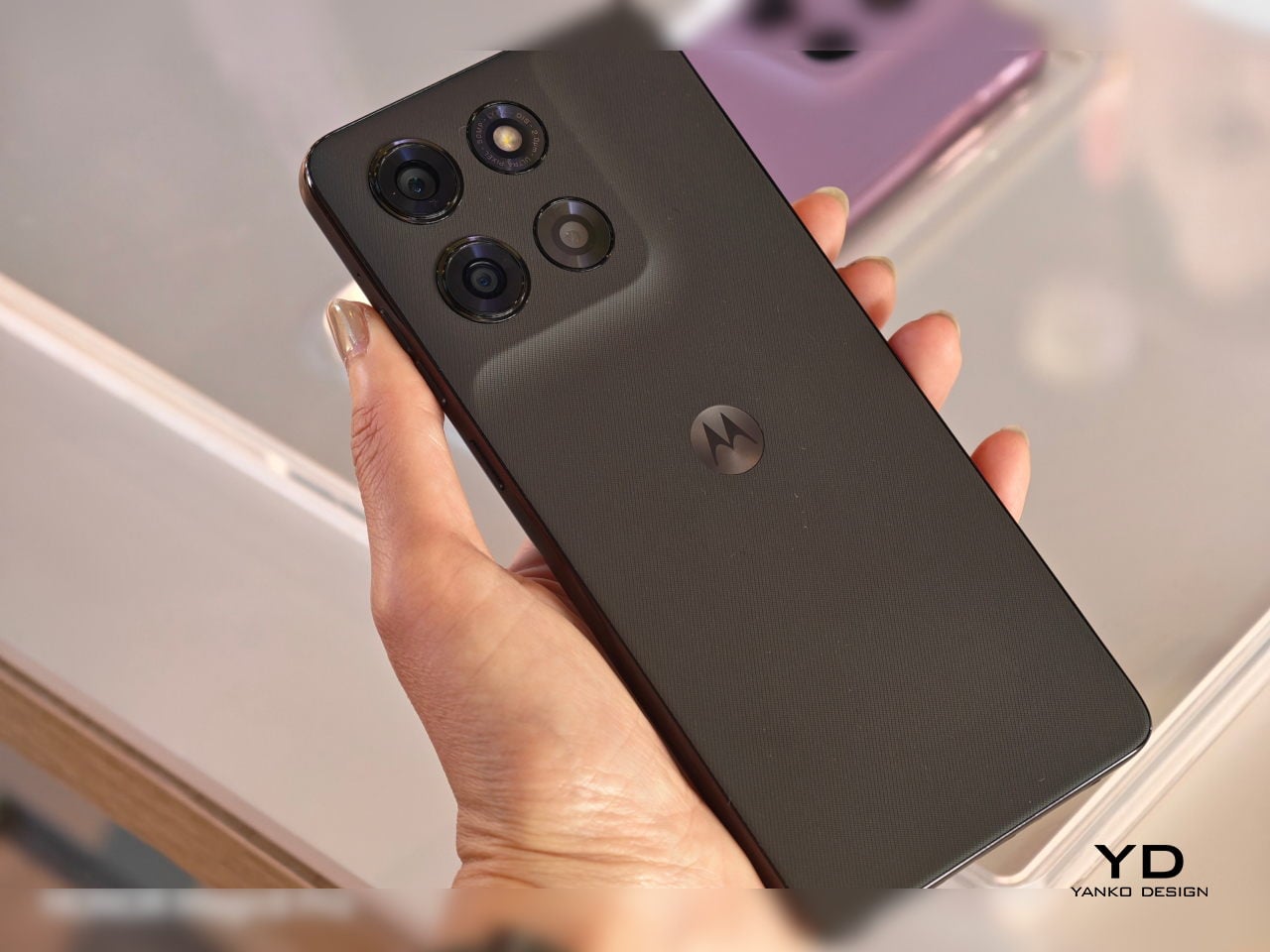
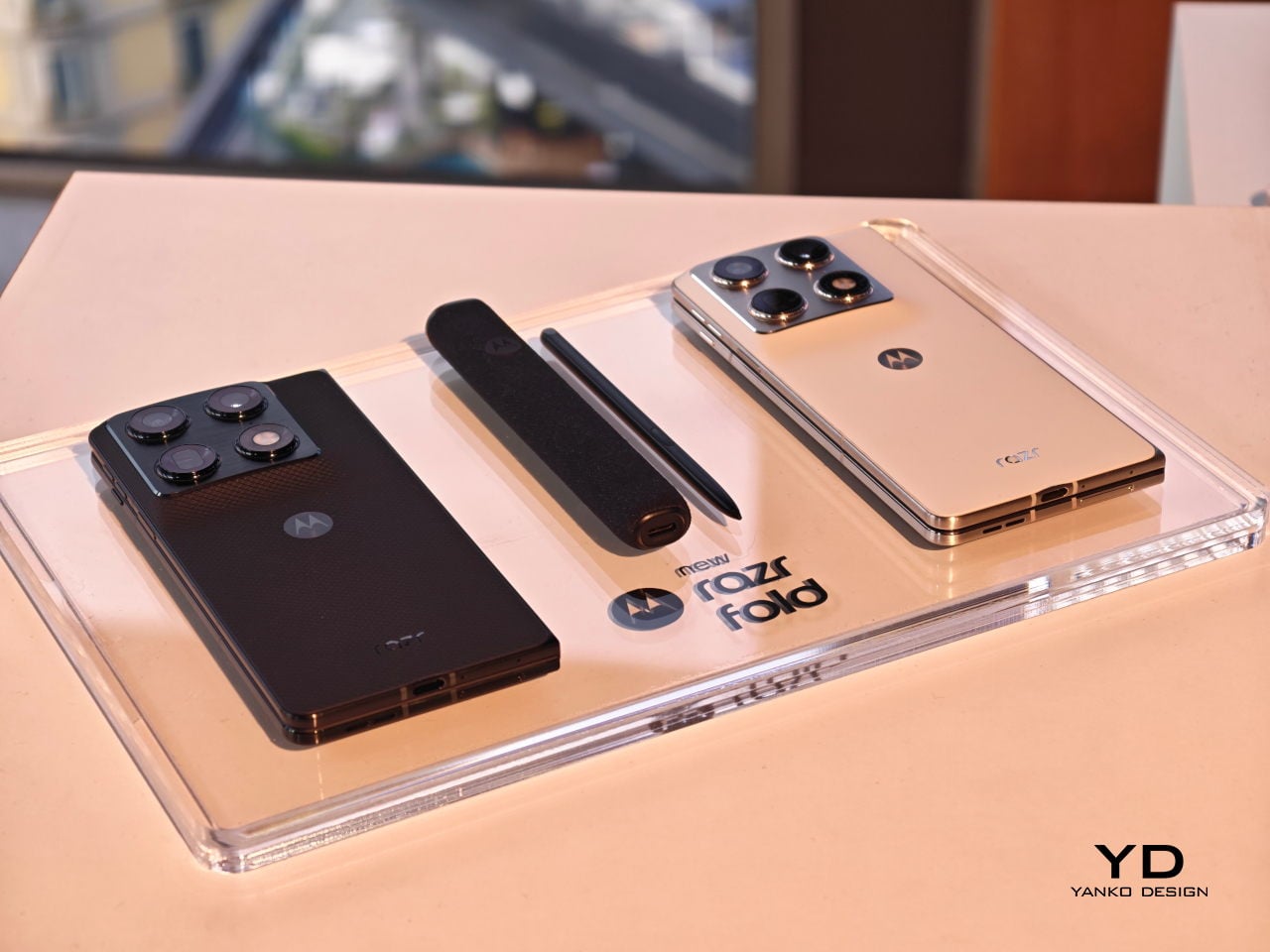
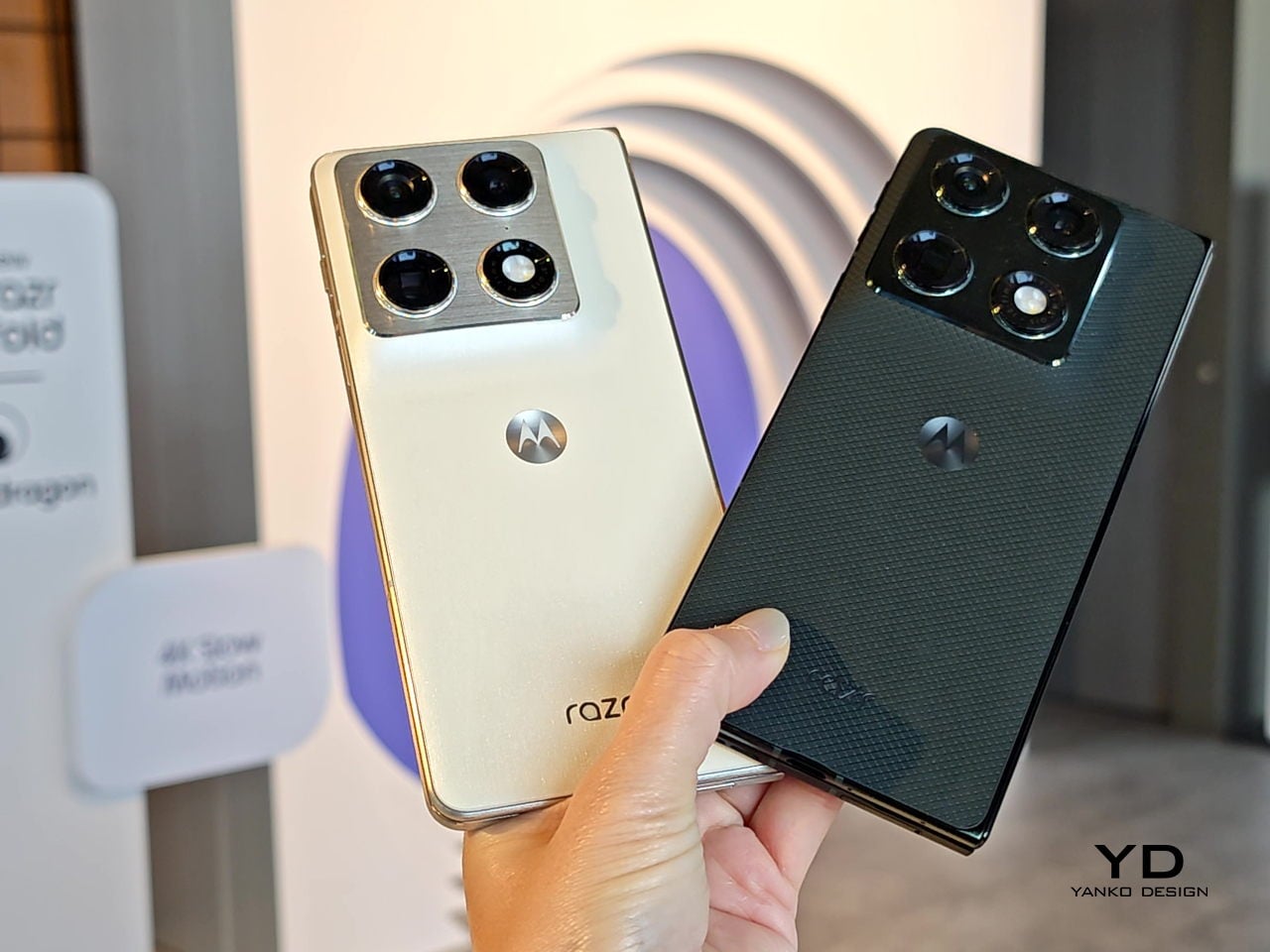
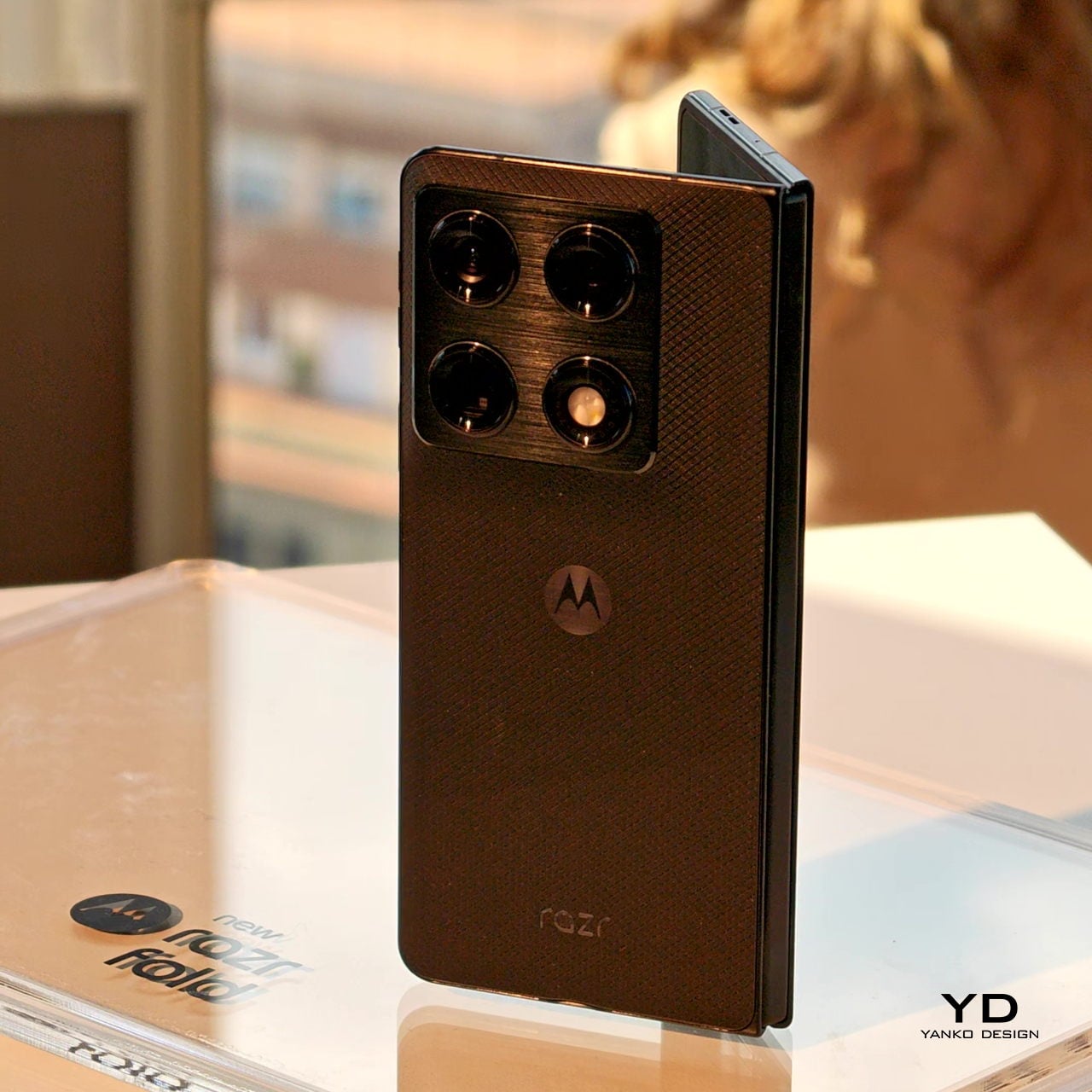
The physical design is harder to dismiss than the numbers suggest. At 4.6mm thin when open and 9.9mm when folded, it doesn’t read as a productivity device that tolerates being a phone on the side. A stainless steel teardrop hinge guides the fold, while a titanium inner plate distributes pressure across the crease so the display returns to its original shape after each cycle. The Pantone Blackened Blue version has a matte, textured surface; the Lily White option goes for a softer, more reflective hand.

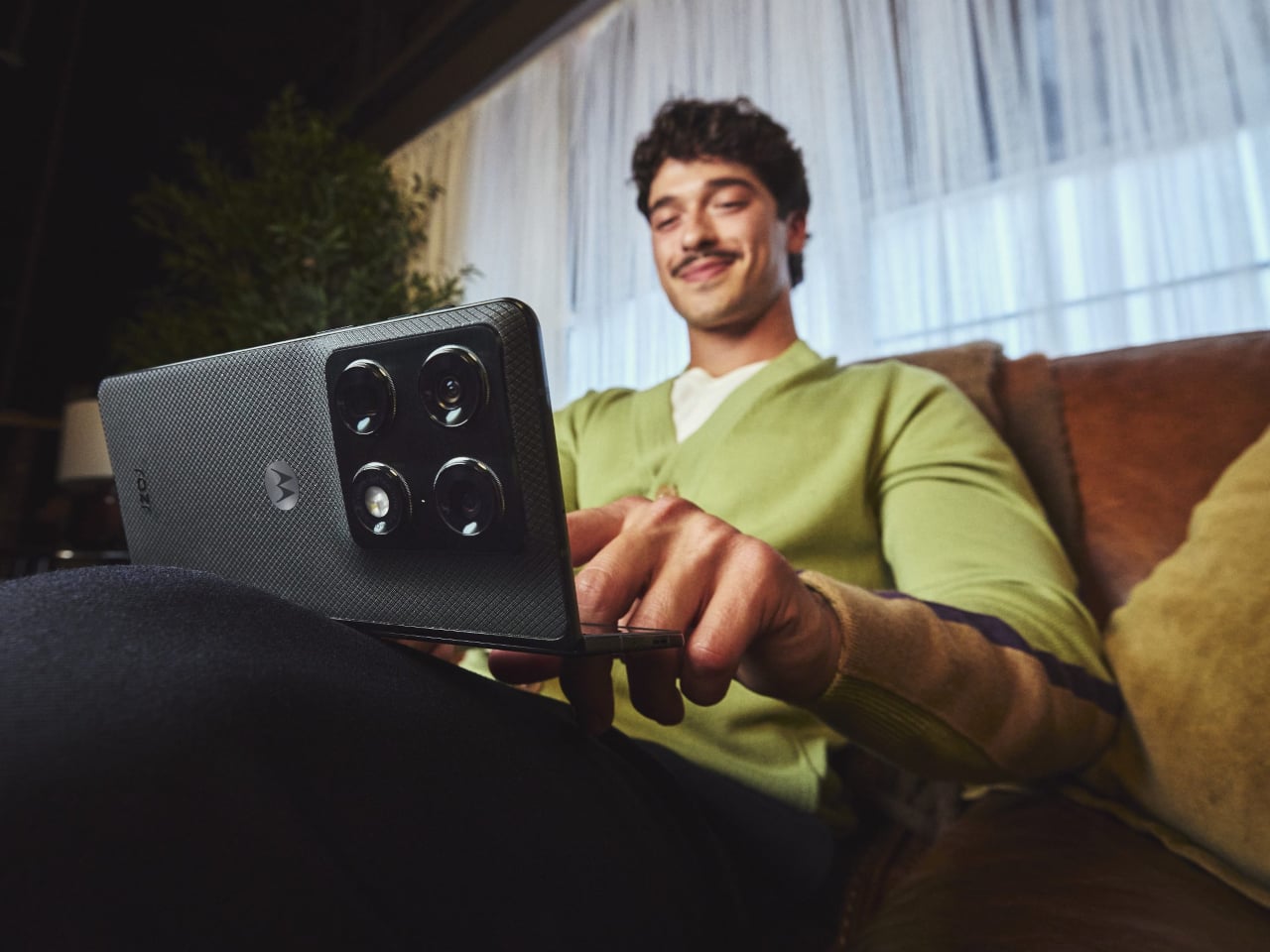
Camera performance is where Motorola appears to have placed its biggest bet. The razr fold earned DXOMARK’s #1 ranking for foldable cameras in North America, backed by a 50 MP Sony LYTIA 828 main sensor, a 50 MP Sony LYTIA 600 periscope telephoto with 3x optical zoom, and a 50 MP ultrawide with a 122-degree field of view that focuses as close as 3.5 cm. The fold-forward form also doubles as a tabletop tripod, which is a minor convenience until you stop fumbling with a prop.

Inside, a Qualcomm Snapdragon 8 Gen 5 handles the workload with 16GB of RAM and storage of up to 1TB. The 6,000 mAh silicon-carbon battery is, by Motorola’s account, the largest in any foldable currently available. The 80W TurboPower charging is supposed to deliver 12 or more hours of use from under 10 minutes plugged in, though those results depend on usage conditions that are rarely as tidy as a manufacturer’s press release describes.

The razr fold also supports the moto pen ultra, sold separately, adding pressure sensitivity and palm rejection to the large display. For anyone already carrying a stylus with a tablet, the pitch is obvious. For everyone else, it leaves an open question about whether a phone at €1,999 for the European launch bundle actually replaces the tablet it resembles, or just occupies an expensive spot between the two.

The post Motorola’s First-Ever Book-Style Foldable Has the #1-Rated Camera first appeared on Yanko Design.

Nvidia wants robots to learn before executing tasks by watching 44,000 hours of human video

CES 2026 was crowded with humanoids doing simple household tasks such as folding laundry or stacking up the dishwasher. One thing I was sure of seeing this influx of robots at the world’s biggest tech event, was that such service bots are going to be the next big thing invading our households in the near future.

Staying with that thought, the robotics industry, for now, faces the biggest challenge in teaching robots to operate in the messy real world. The unstructured environment means robots need massive amounts of data to learn. Gathering and structuring that data is the costliest thing in robotics and perhaps the biggest impediment, slowing the entire development process.

Designer: DreamDojo

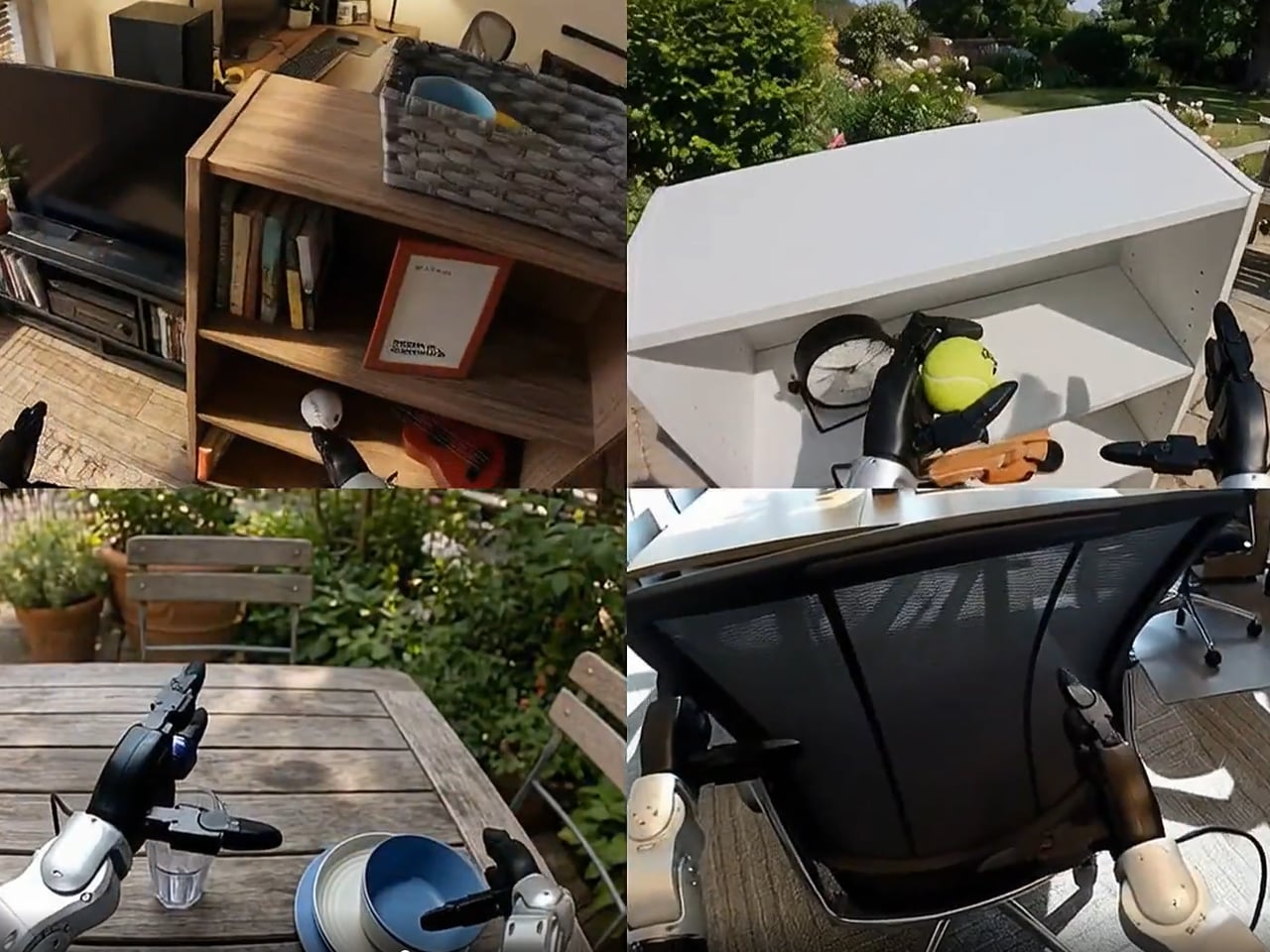
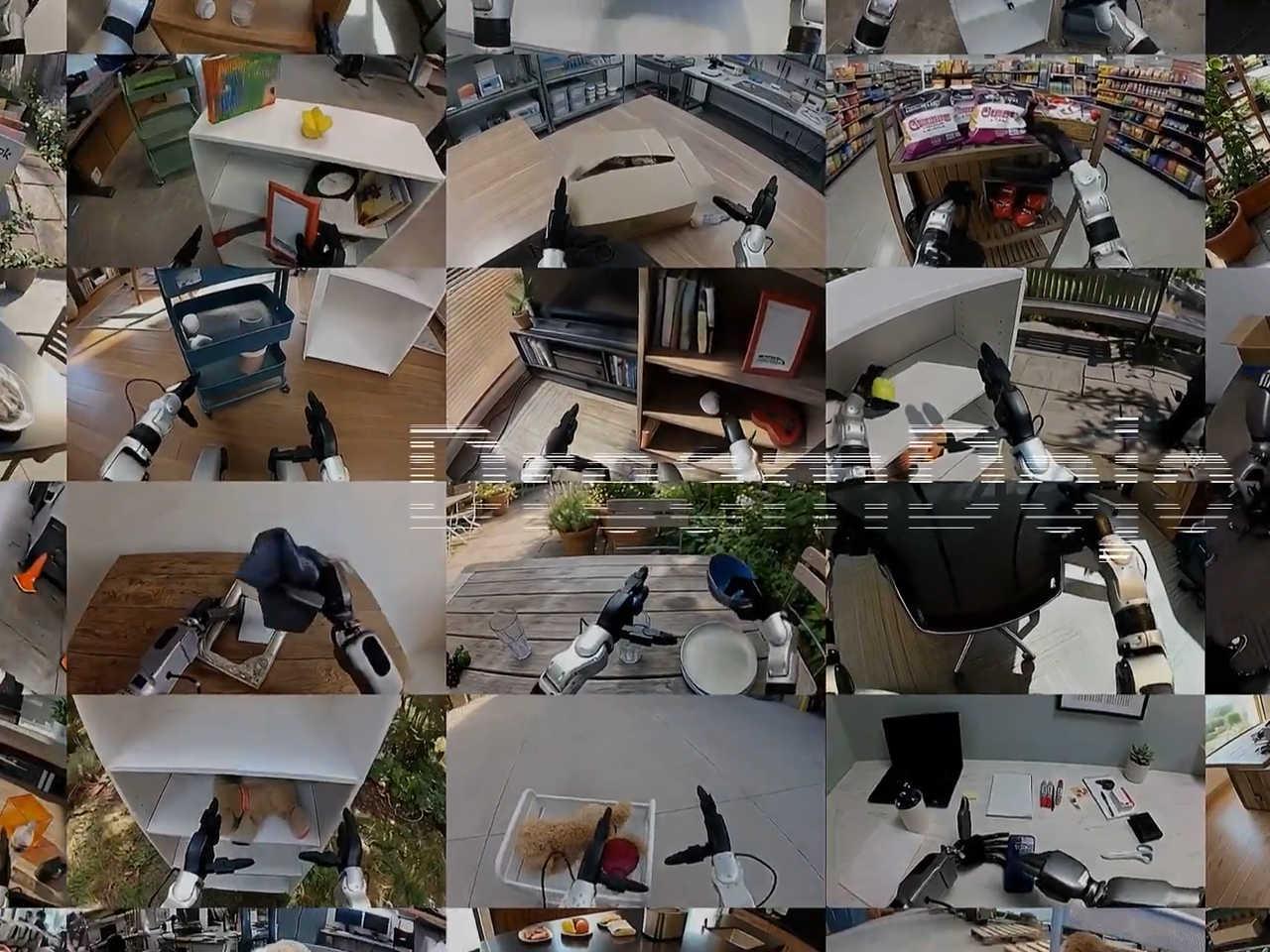
NVIDIA believes it has created a workaround. The company has released DreamDojo, an open-source “world model,” which intends to help robots learn intuitive physics to interact in the physical world by seeing humans do it first. So, instead of relying on painstaking programming or teleoperating robots, Nvidia DreamDojo would allow robots to train on 44,000 hours of egocentric human video, which shows humans handling tools, assembling objects, and doing laundry.

NVIDIA terms this open-source world model as the “largest dataset to date for world model training.” The dataset is called DreamDojo-HV (Human Video) and comprises exactly 44,711 hours of footage, which includes 6,015 unique tasks and more than a million trajectories. This works in two independent phases and is billed by Nvidia to be 15 times larger and about 96 times more skill-packed. It is also believed to include 2000 times more scenes than ever seen in the previous largest datasets for world model training.

Two-phase robotic course for being human

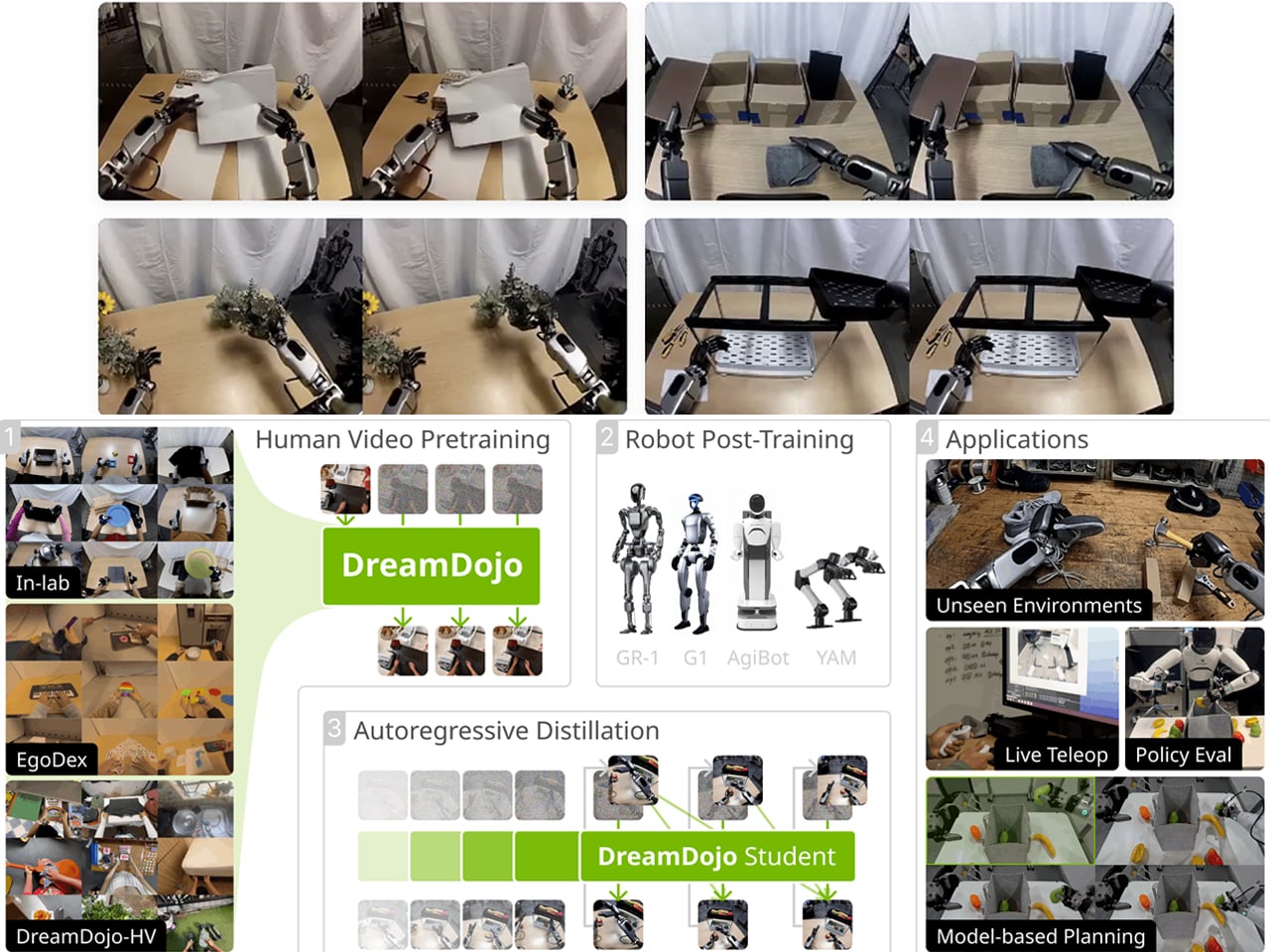
Of course, collecting robot-specific data is the biggest bottleneck in the industry. By simplifying that with abundant human video, Nvidia is trying to make learning convenient and cheaper for robotic companies betting on humanoids. For me, this possibility of learning through seeing before touching physical objects is compelling. And for its execution is divided into two phases: Pre-Training and Post-Training.

Firstly, it pre-trains on large-scale human video using what Nvidia says is “latent actions.” Since human videos do not provide joint torque labels or motor commands, Nvidia has trained a “700-million-parameter spatiotemporal Transformer” to extract “proxy actions” from visual changes between frames, allowing the model to “treat any human video as if it came with motor commands attached.” Secondly, it post-trains on a specific robot body with “continuous robot actions.” The idea is to separate physical understanding from hardware control, so that the robot learns the rules of the physical world first and then adapts them to need and limb requirements.

Real-time dreaming

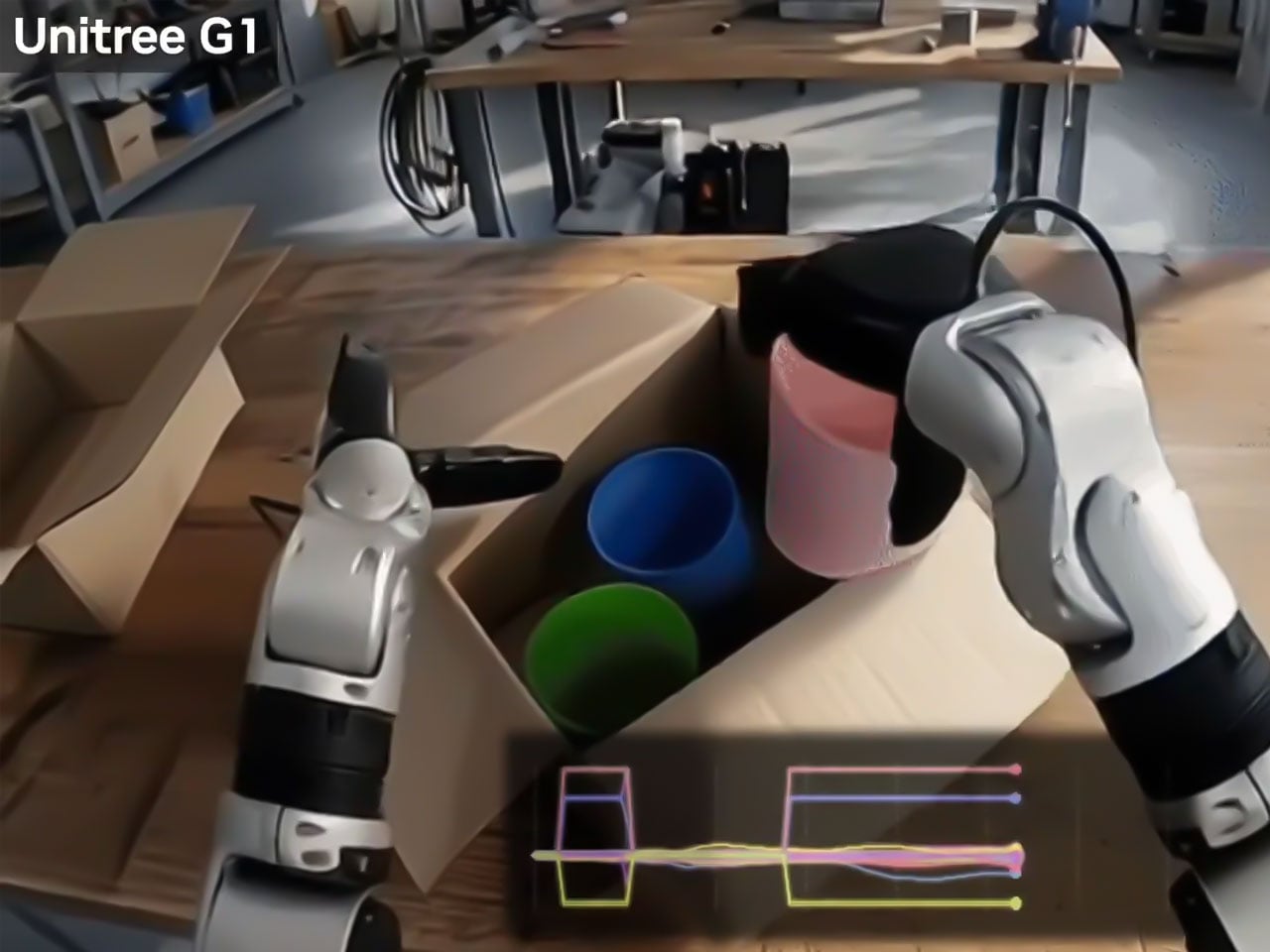
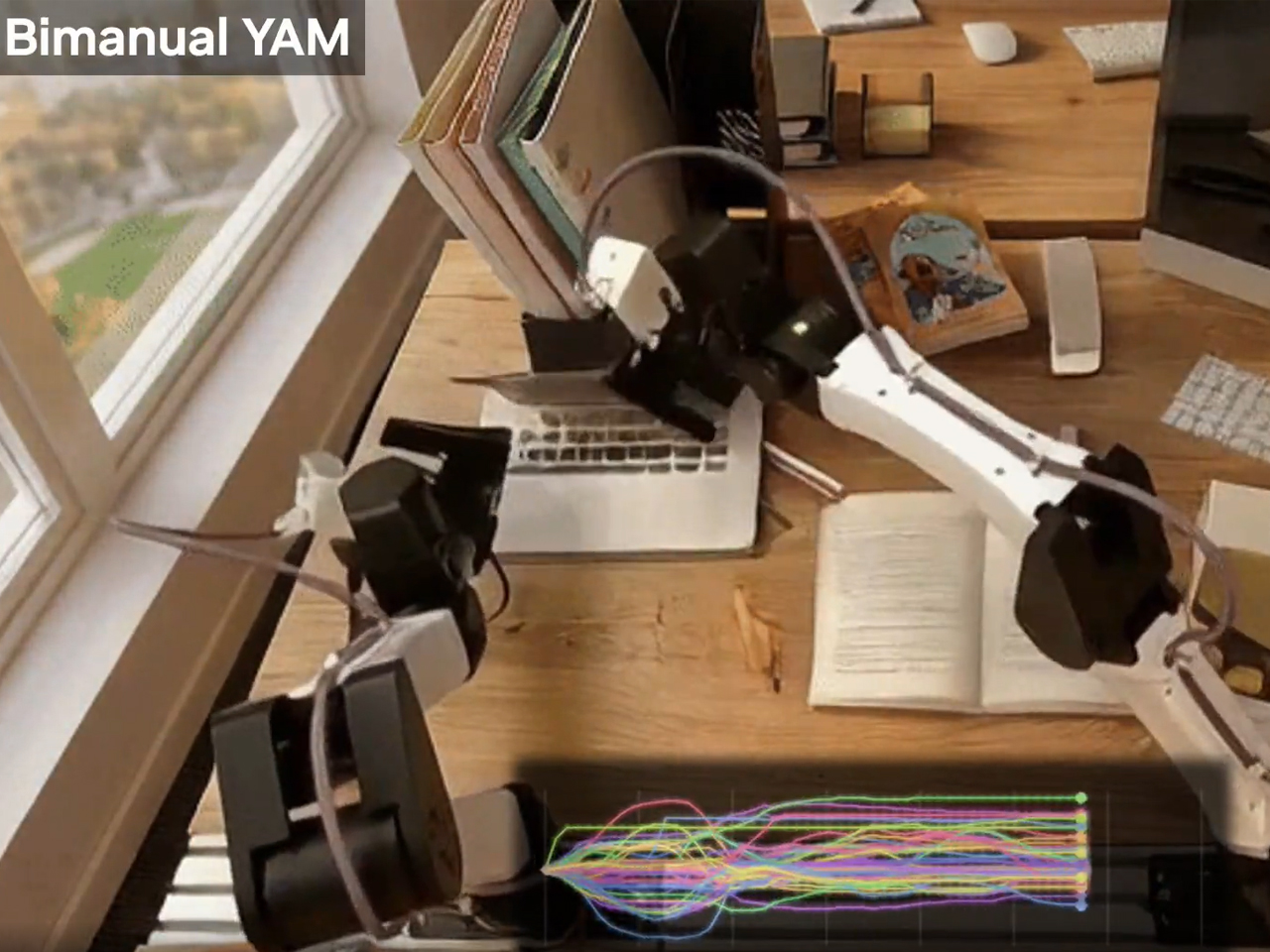
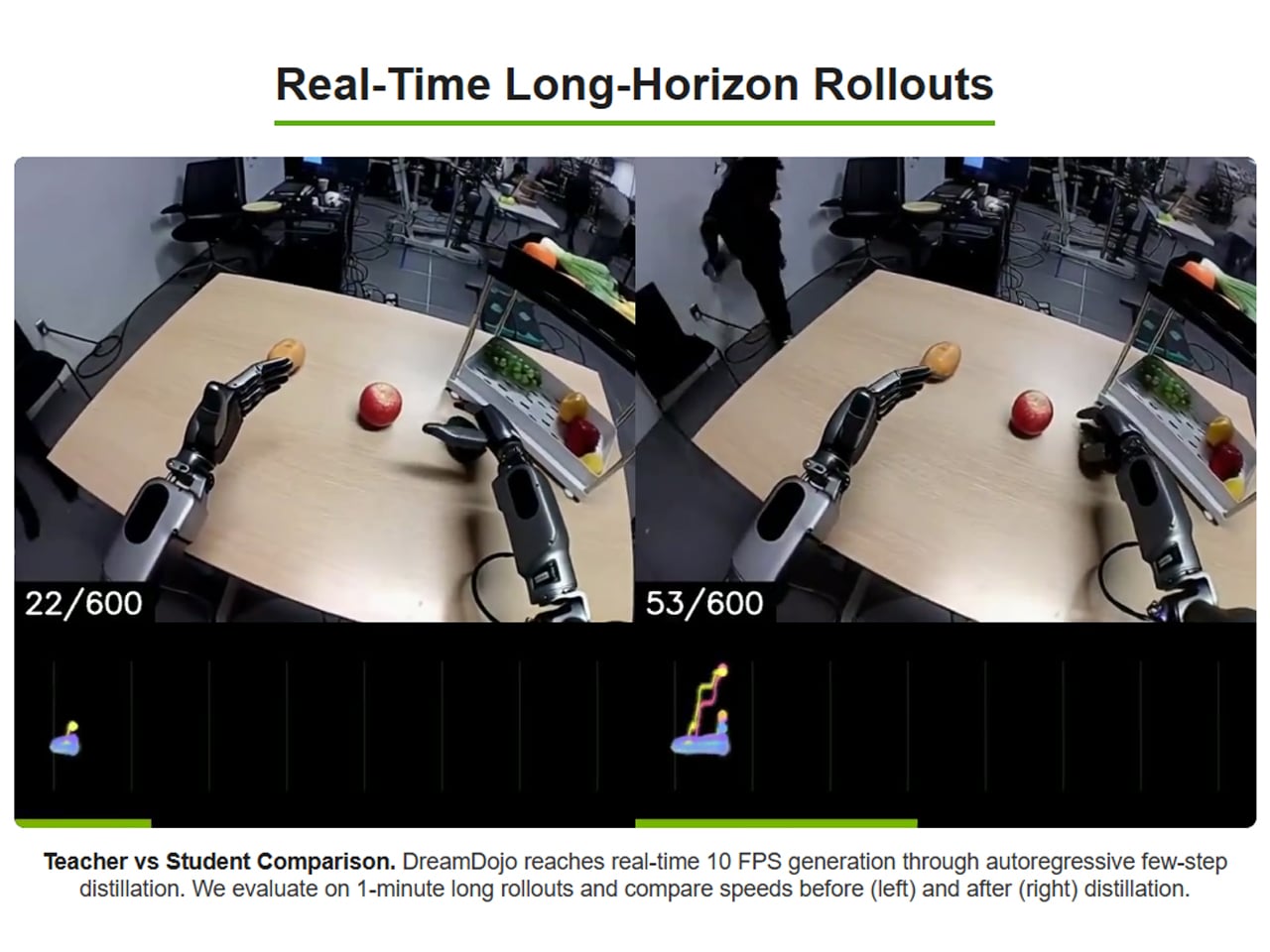
With its world model designed to teach robots to watch humans first, Nvidia is suggesting to us that the best and fastest way to scale humanoids isn’t more robot data. It is probably their exposure to more human experience. Considering this, it’s imperative to note that this is not the first world model. Many have been devised before, but they have been considerably slower at achieving the outcome. NVIDIA has been able to clock up the pace by distilling DreamDojo to run at 10.81 frames per second in real time for over a minute. DreamDojo HV has been demonstrated across humanoid platforms like GR-1, G1, AgiBot, and YAM robots, the company says, and has shown what it calls “realistic action-conditioned rollouts” across diverse environments and object interactions.

From what I see, if DreamDojo can work as the press information reveals, it could make life easier for startups and robotic teams with limited resources to collect a large robot-specific dataset and use it to teach their robots. But before more use case scenarios trained on the Nvidia world model show up, I am skeptical how they will perform in every changing real-world condition, which are not absolutely the same at any two moments.

The post Nvidia wants robots to learn before executing tasks by watching 44,000 hours of human video first appeared on Yanko Design.

Australia will consider requiring app stores to block AI services without age verification

Australia's government may take a strict stance on ensuring younger users cannot access AI chatbots. Reuters reports that Australian regulators may require app storefronts to block AI services that do not implement age verification for restricting mature content by March 9. 

"eSafety will use the full range of our powers where there is non-compliance," a representative for the commissioner said in a statement to the publication. Those paths could include "action in respect of gatekeeper services such as search engines and app stores that provide key points of access to particular ‌services."

A review by Reuters found that of 50 leading text-based AI chat services in the region, only nine had introduced or shared plans for age assurance. Eleven services reportedly "had blanket content filters or planned to block all Australians from using their service," according to the report, leaving a large number that had not taken public action a week ahead of the country's deadline. Failure to comply could see AI companies face fines of up to A$49.5 million ($35 million).

The question of which parties are responsible for keeping children from accessing potentially harmful content is being debated around the world. In the US, for instance, Apple and Google have been lobbying to have the task delegated to platforms rather than app store operators. The language from the Australian regulators about all stores is hardly definitive at this stage, but given the breadth of its sweeping ban on the use of social media and some highly social digital platforms for citizens under age 16 enacted last year, an aggressive stance seems to align with leaders' priorities. 

This article originally appeared on Engadget at https://www.engadget.com/ai/australia-will-consider-requiring-app-stores-to-block-ai-services-without-age-verification-221714252.html?src=rss

Anthropic brings memory to Claude’s free plan

Anthropic is bringing another paid feature to Claude's free tier. The next time you chat with Claude, you'll have the option to have it reference your previous conversation to inform its outputs. Anthropic first made its chatbot capable of remembering past interactions last August, before giving it the ability to compartmentalize memories in the fall. Making memory a free feature is well-timed; earlier today Anthropic made it easier for users to import their past conversations with a competing chatbot to Claude. If after enabling memory you decide to turn it off, you can either pause the feature, preserving Claude’s memories for use down the road, or completely delete them so they’re not saved on Anthropic’s servers.

Claude is enjoying new-found popularity, having recently jumped to the number one spot in the App Store's free app charts. This comes while Anthropic is engaged in a high-stakes contract dispute with the US government over AI safeguards. On Friday, US Defense Secretary Pete Hegseth labeled the company a "supply chain risk" after it refused to sign a contract that would allow the Pentagon to use Anthropic models for mass surveillance against Americans and in fully autonomous weapons. Following Hegseth's announcement, Anthropic vowed to challenge the designation. As of right now, we’re waiting to see how things play out, and what it might mean for Anthropic.

This article originally appeared on Engadget at https://www.engadget.com/ai/anthropic-brings-memory-to-claudes-free-plan-220729070.html?src=rss

This Designer Made the Screwdriver EDC Nerds Didn’t Know They Needed

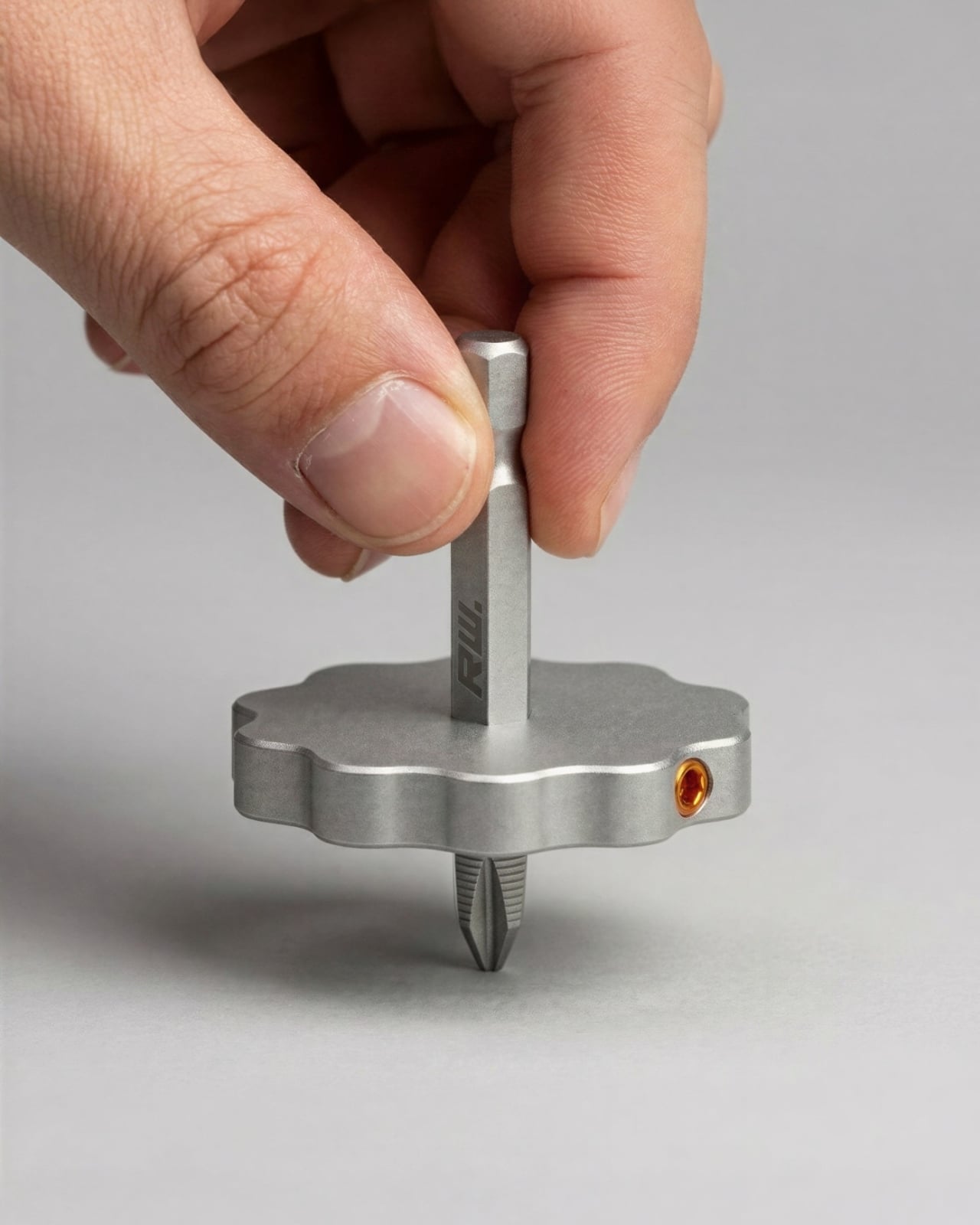
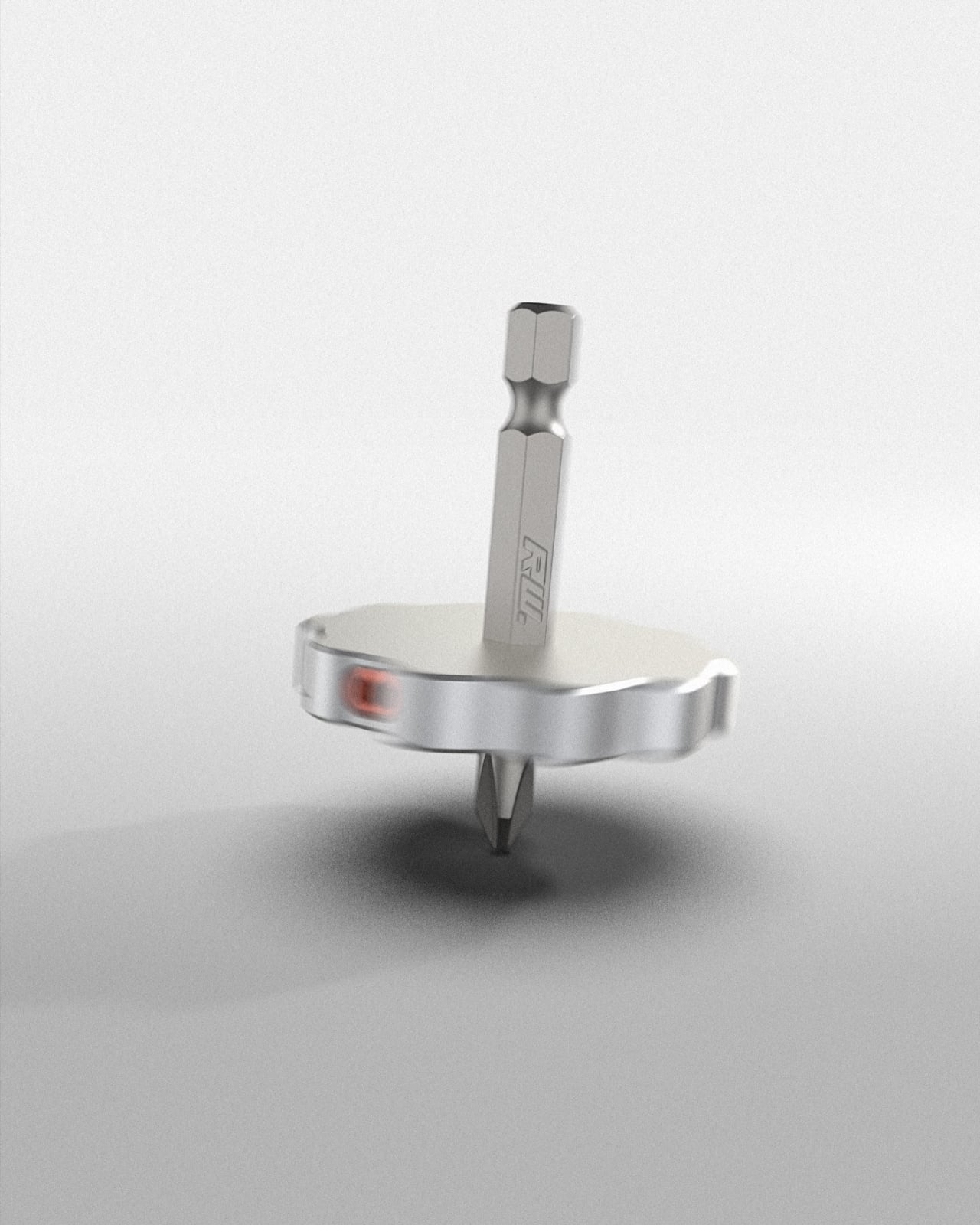
There’s something deeply satisfying about an object that refuses to take itself too seriously. The Drillbit Gyro, a concept design by Berlin-based designer Julius Works, is exactly that kind of object. It’s a spinning top. It’s a screwdriver. It’s the kind of thing you pick up off your desk when you’re on a phone call, and five minutes later you’ve forgotten what the conversation was about because you’re watching a Phillips bit twirl on your kitchen counter.

Let me back up. The EDC (everyday carry) space has a particular aesthetic, and if you’ve spent any time browsing it, you know exactly what I mean. Everything is titanium. Everything is milled from a single billet. Everything looks like it was designed for a spec ops mission in a mountain range you’ve never heard of. And look, there’s nothing wrong with that. Some of those tools are beautifully made and genuinely useful. But the culture around EDC gear has calcified into something predictable. Rugged. Tactical. Masculine in a very specific, unimaginative way.

Designer: Julius Works

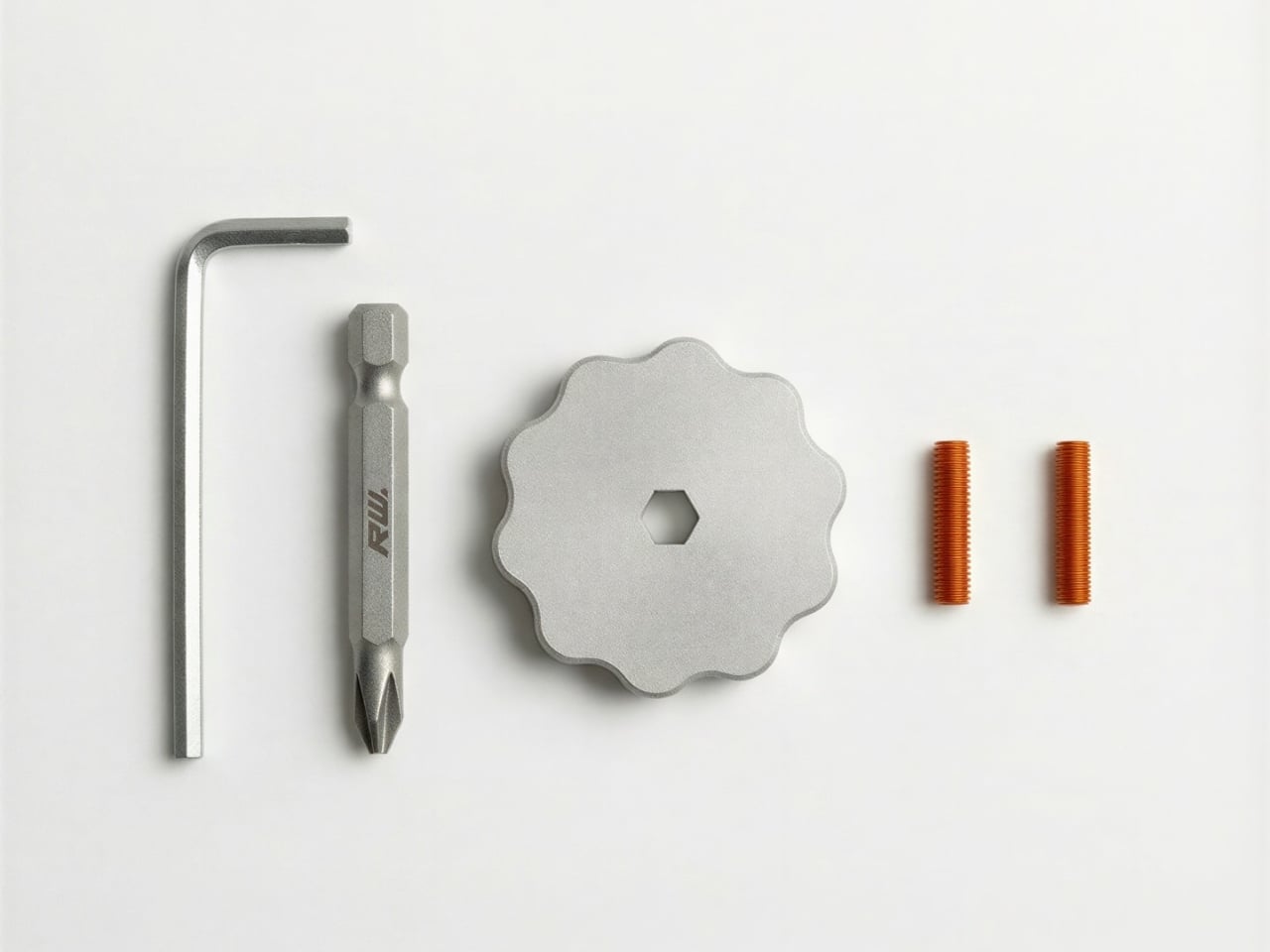
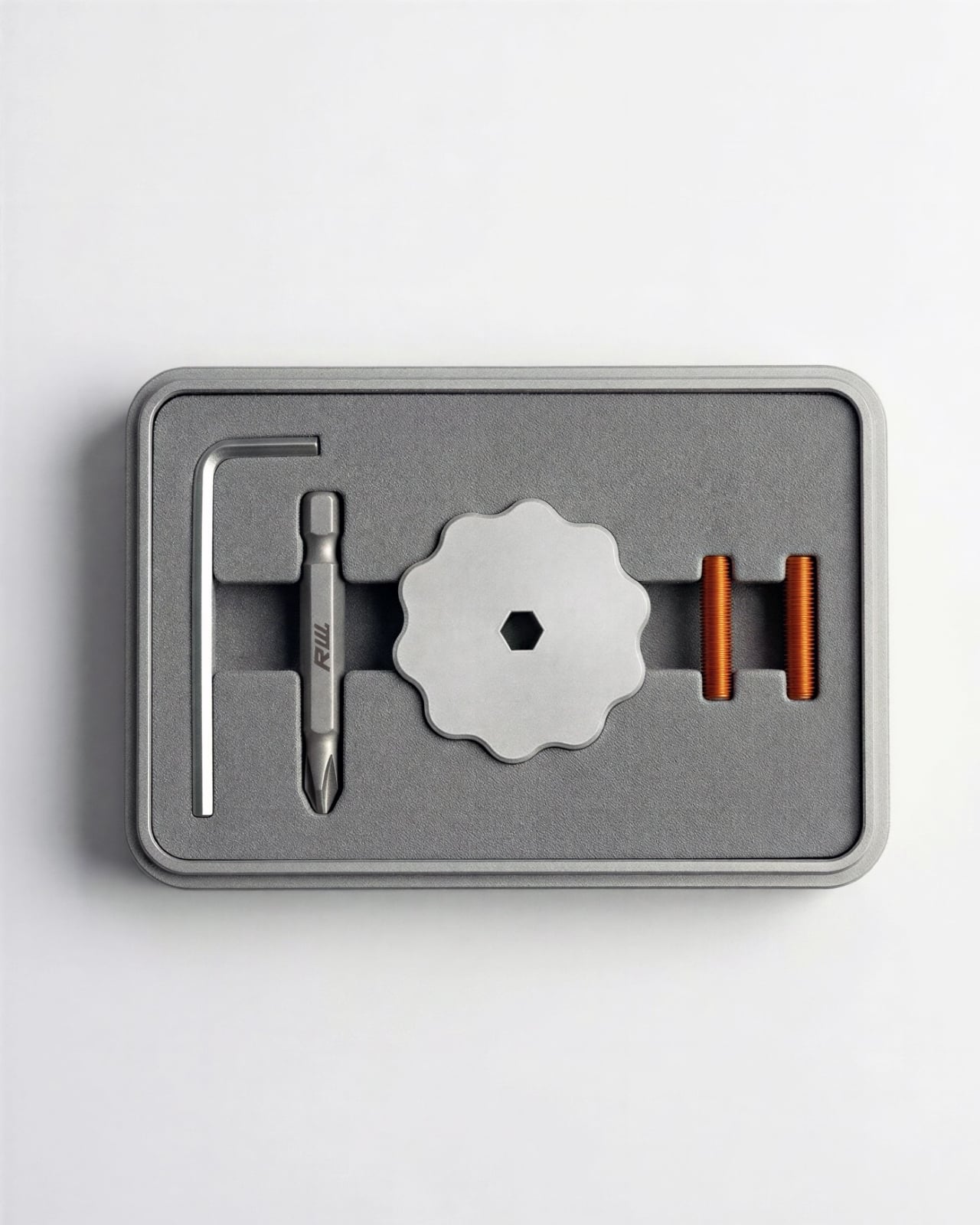
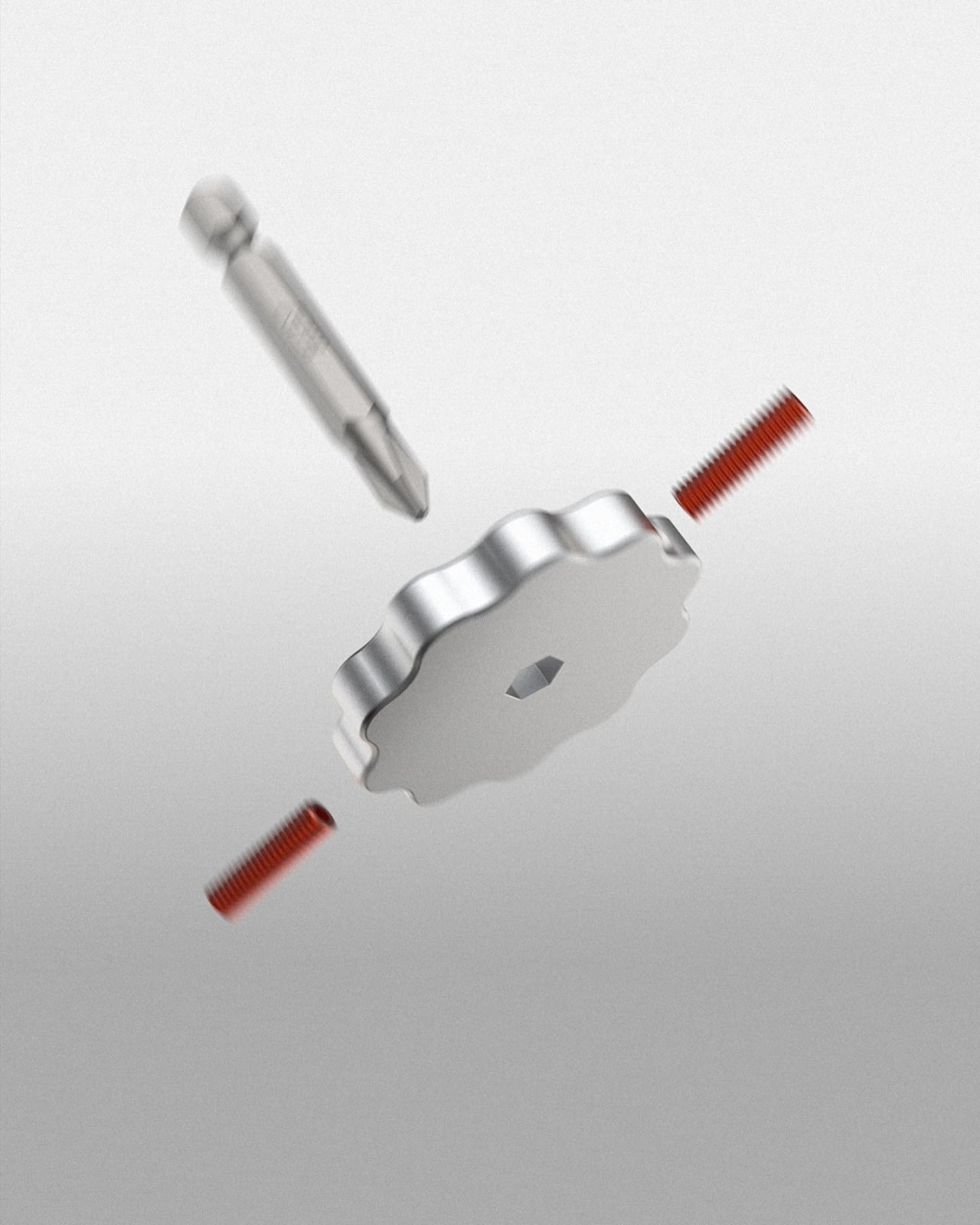
The Drillbit Gyro walks into that room and does something different. It takes a standard 1/4-inch hex bit, a flower-shaped body machined from what appears to be stainless steel, and two small orange threaded grub screws that lock the bit in place. An Allen key is included to tighten everything down. That’s it. The bit slides through the center of the body, with the Phillips head poking out the bottom and the hex shank rising up top, and what you get is a perfectly weighted little top that also happens to be a functional screwdriver. You grip the hex shank between your fingers, give it a spin, and it goes.

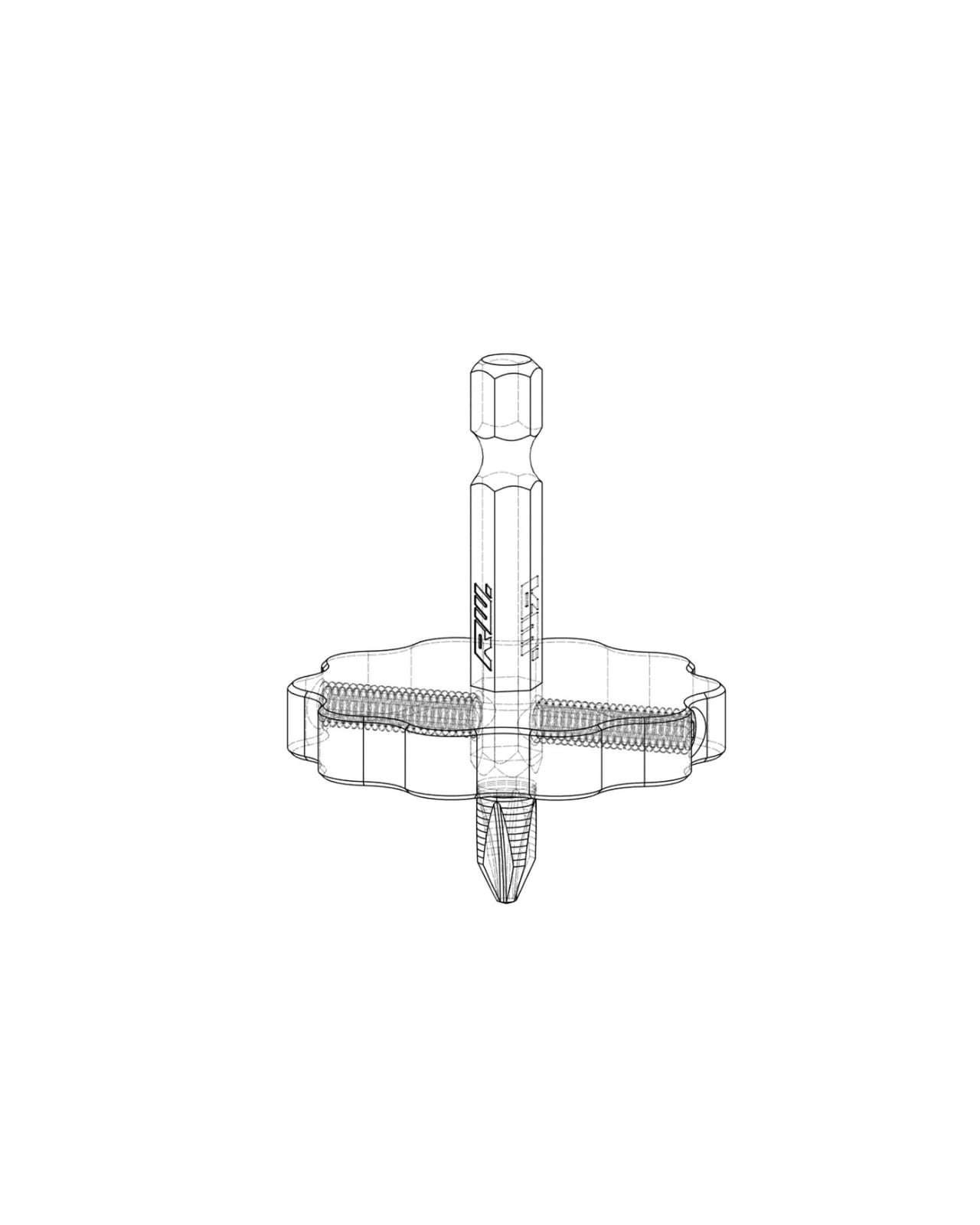
The wireframe drawing included in the concept images reveals how clean the internal assembly is. The two grub screws thread in from opposite sides of the body, clamping against the bit shaft to hold it securely. It’s a simple, elegant solution. Swap in a flathead, a Torx, whatever you need. The modularity is baked right in.

But here’s what I think makes this concept worth paying attention to: it doesn’t apologize for being playful. So much of product design right now, especially in the tool and gadget space, is obsessed with justifying its existence through sheer utility. Every feature needs a purpose. Every gram needs to be accounted for. The Drillbit Gyro says, sure, I can tighten a loose screw on your cabinet hinge, but also, wouldn’t you rather watch me spin for a minute first?

That playfulness is a design statement. The scalloped edges of the body aren’t just decorative. They give you grip when you’re actually using the thing as a driver, and they create a beautiful profile when the top is in motion. The orange grub screws add a pop of color that feels intentional and confident against the brushed silver body. Even the packaging, shown in a foam-lined tray with each component nestled in its own cutout, suggests that this is something you’re meant to enjoy unwrapping. It’s gift-worthy. It’s the kind of thing you’d keep on your desk not because you need a screwdriver within arm’s reach, but because it looks good sitting there.

Julius Works, who operates out of Berlin and specializes in 3D and product design, clearly understands that objects carry emotional weight beyond their function. The Drillbit Gyro is a concept for now, but it feels ready for production. The component count is low, the machining is straightforward, and the market for clever desktop objects that blur the line between tool and toy is only growing.

Will it replace a proper multi-bit driver in your toolkit? No. Is it going to be the thing you reach for when you’re assembling a bookshelf? Probably not. But that’s not the point. The point is that not every tool needs to look like it was forged in a bunker. Sometimes the best everyday carry is the thing that makes you smile when you pick it up. The Drillbit Gyro gets that, and the EDC world could use a lot more of it.

The post This Designer Made the Screwdriver EDC Nerds Didn’t Know They Needed first appeared on Yanko Design.

Call of Duty will add Black Ops Royale, a new free game mode coming March 13

Call of Duty is getting a new battle royale mode later this month. The popular first-person shooter will introduce Black Ops Royale as a free game mode on March 13. 

Black Ops Royale pays homage to Blackout, the series' first foray into a battle royale game mode back in CoD: Black Ops 4. Matches will have 100 players dropping in as four-person teams. The mode takes place on the massive Avalon map, but there will be no familiar Warzone features like loadouts, the gulag, or buy stations. Instead, it's all about the scavenging the weapons from the recent Black Ops 7 game and upgrading them. 

According to the team's announcement, there will be other familiar features from the Blackout days such as the weapon handling and bullet drop that have been reimagined for modern-day Warzone players. You'll also be able to further customize your play style with an open-ended perks system, another nod to the original Call of Duty BR perk mechanic.

This article originally appeared on Engadget at https://www.engadget.com/gaming/call-of-duty-will-add-black-ops-royale-a-new-free-game-mode-coming-march-13-211733205.html?src=rss
Compal turns a laptop palm rest into an always-on E Ink notepad

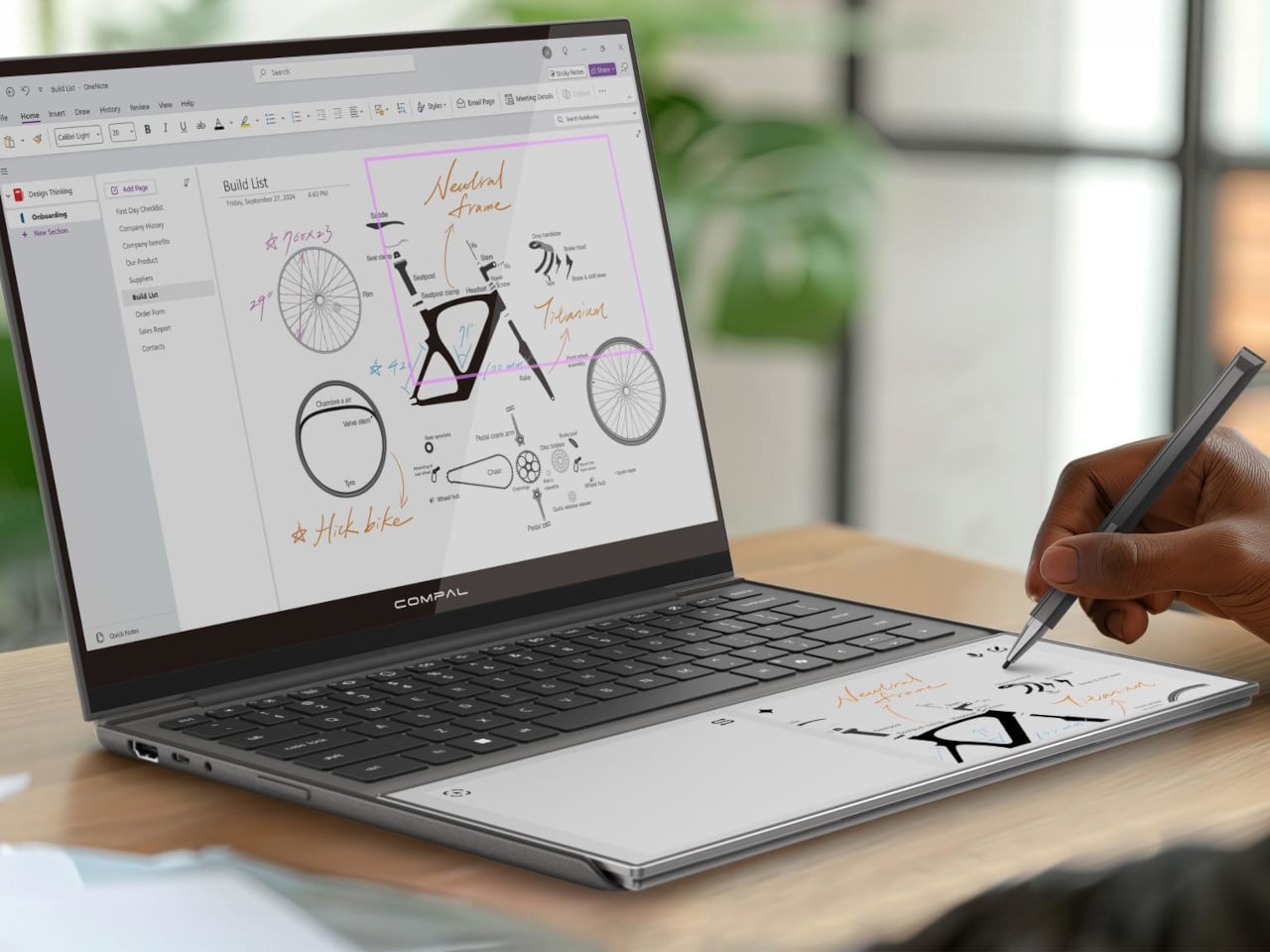
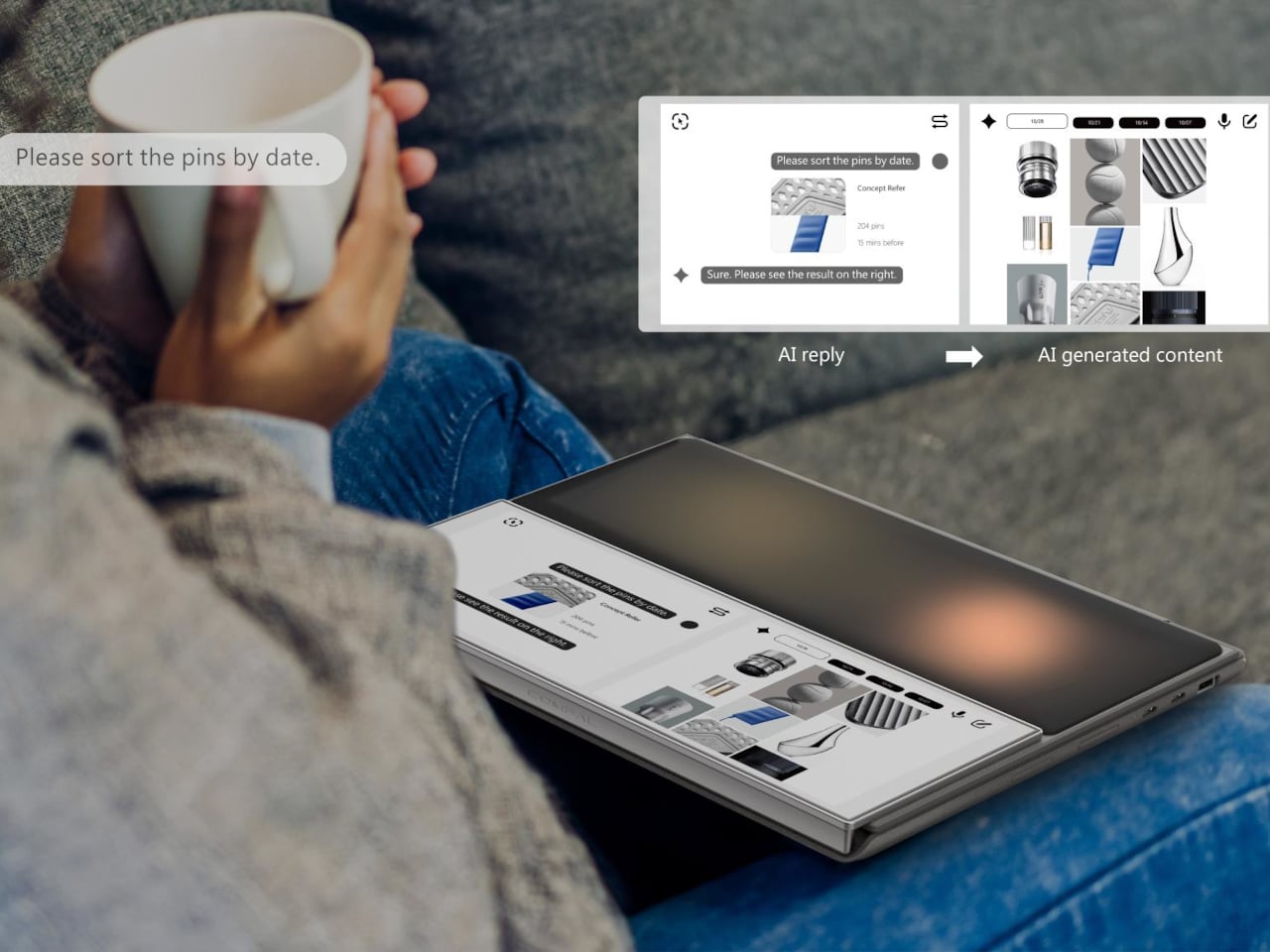
Most of the unused real estate on a laptop has never really been a problem worth solving. The palm rest just sits there, flat and inert, supporting your hands while the screen above does all the actual work. Compal, the Taiwanese ODM behind a string of forward-looking laptop concepts, decided that was a waste of space and came up with something genuinely different for its AI Book concept.

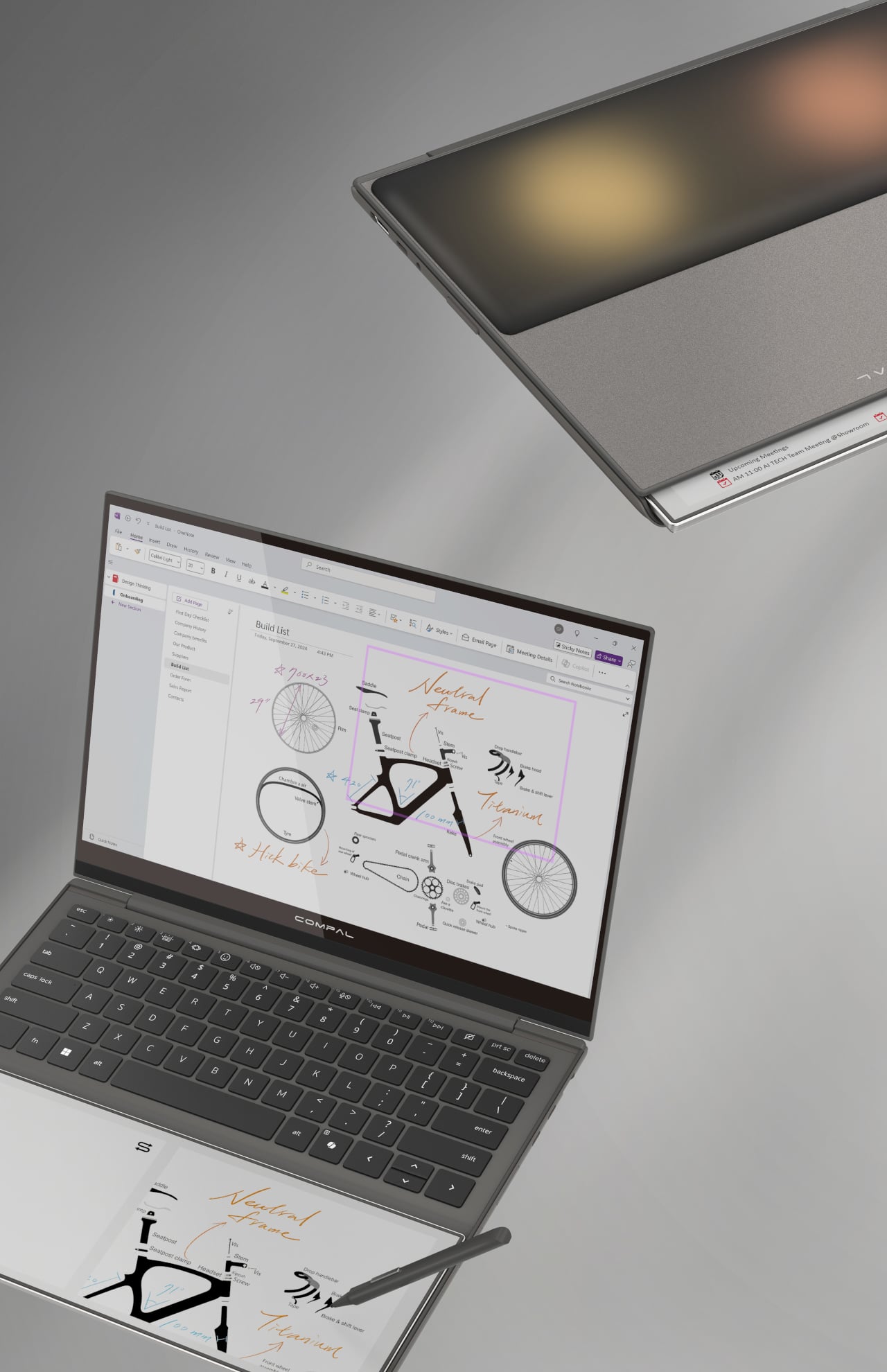
The AI Book replaces the traditional static palm rest with a touch-enabled E Ink display that supports stylus input, turning dead surface area into a secondary workspace. You could sketch a quick diagram while waiting for a file to export, jot down a phone number without switching apps, or keep a running to-do list visible without dedicating screen space to a sticky-note app. E Ink doesn’t consume power to hold a static image, so that list stays put even after you shut the laptop down.

Designer: Compal

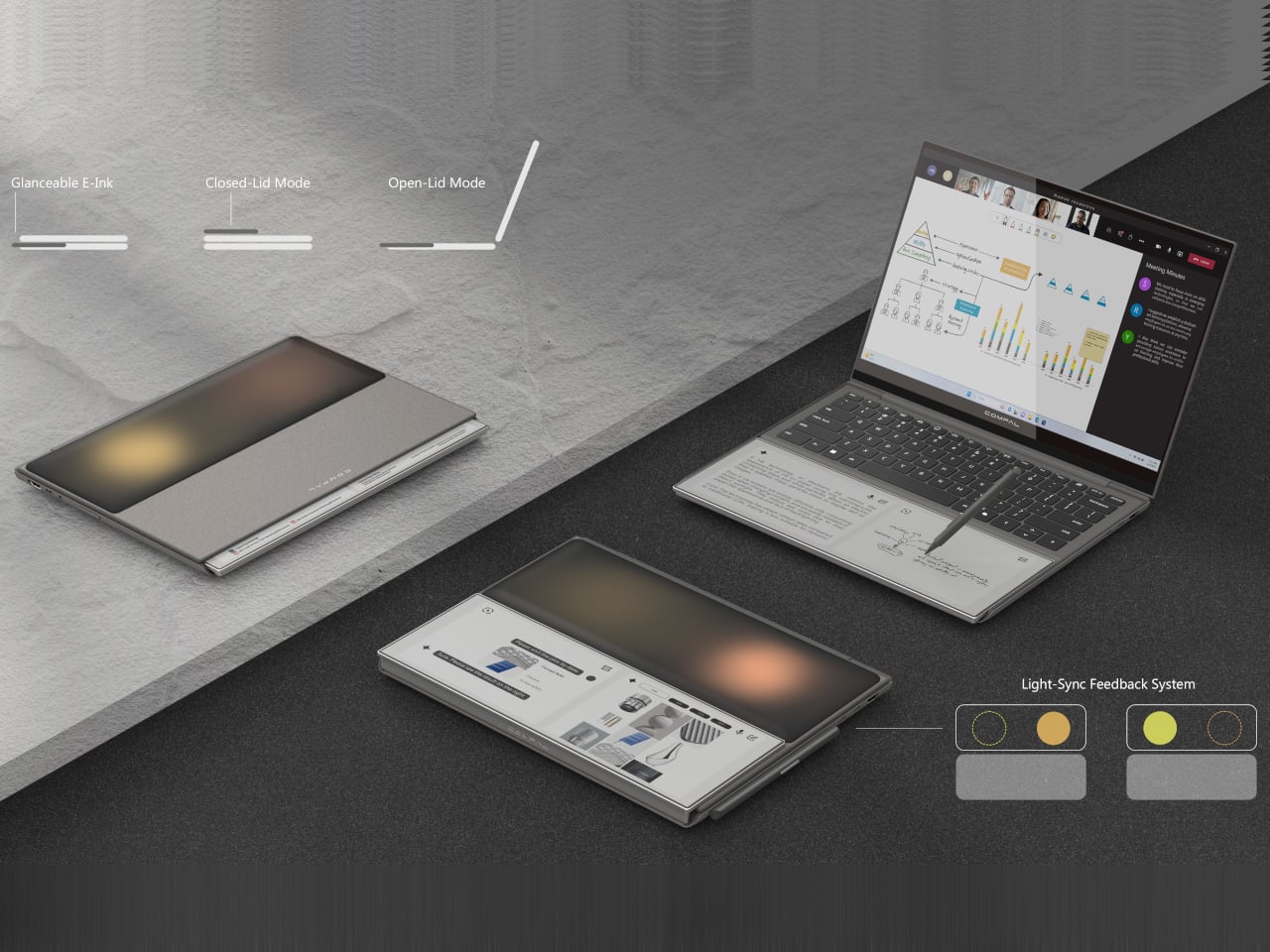
That last detail matters more than it might seem at first. A conventional display goes dark the moment you close the lid, taking your notes with it. The AI Book’s E Ink panel doesn’t, which means whatever you left there is still there in the morning, no login required, no waiting for the machine to wake. For anyone who treats a physical notebook as a memory aid rather than an archive, the behavior feels familiar and immediately sensible.

The concept goes further than a fixed notepad. The E Ink panel has a hinge, allowing it to flip outward when the laptop is closed so it faces up rather than folding in against the keyboard. In that position, it can show notifications, calendar entries, or a stylus sketch without requiring the lid to open. A narrow strip of the panel also stays visible even before flipping, offering a passive, glanceable information band that doesn’t ask anything of the user.

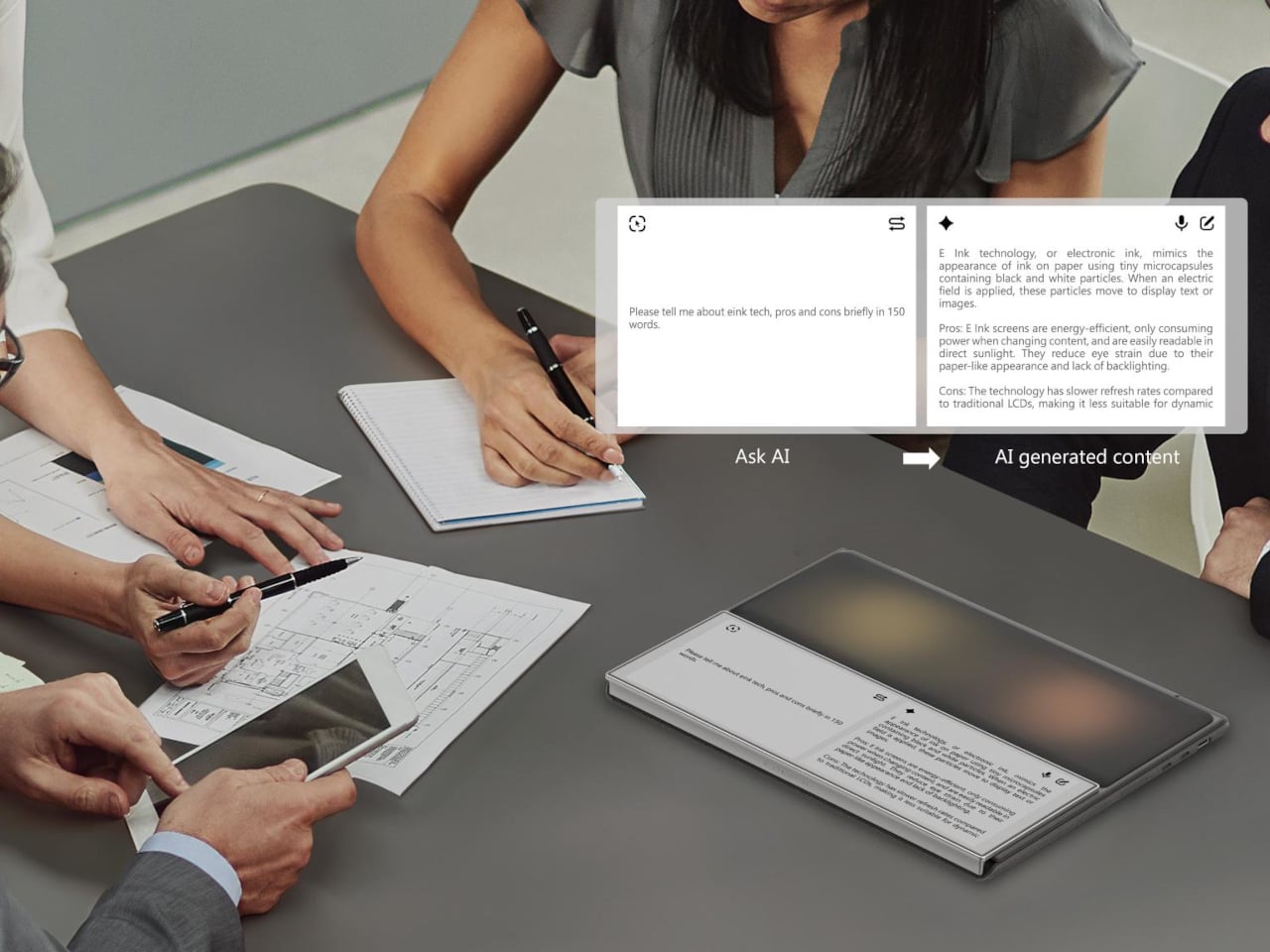
The “AI” branding, though, is harder to defend. Compal explains the name by pointing to the laptop’s ability to display AI-generated content, which describes any screen sold in the last decade. It’s a label that says more about current marketing instincts than about any specific hardware capability, and it does the more interesting E Ink story no favors at all. The palm rest idea holds up fine without the prefix.

As with most Compal concepts, this one comes with the standard caveats: no confirmed specifications, no launch date, no pricing. The company has introduced compelling ideas before, including a modular laptop and one with a rollable display, and neither made it to production in any recognizable form. The more honest question here isn’t whether the E Ink palm rest is clever, because it is, but whether it would actually change how people work, or just become another surface that gets ignored after the first week.

The post Compal turns a laptop palm rest into an always-on E Ink notepad first appeared on Yanko Design.

Starlink’s next-gen satellite network could provide 150 Mbps speeds by end of next year

Starlink is getting ready to launch its second generation of satellites, and it's expected to match the speeds of a traditional terrestrial network. During a keynote at Mobile World Congress, Starlink execs detailed the roadmap for the company's upgrade towards the next generation of satellites called V2.

"The goal of Starlink Mobile ... is to provide a terrestrial-like connectivity when you're connected to the satellite system," Michael Nicolls, SpaceX's senior vice president of Starlink engineering, said during the MWC keynote. "In the right conditions, it should look and feel like you're connected to a high-performing 5G terrestrial network."

Nicolls detailed that the V2 satellite constellation could offer download speeds up to 150 Mbps in ideal conditions, comparing it to a broadband experience. According to Starlink, next-gen satellites will offer 100 times the data density of its predecessors, which should help users with faster streaming and browsing as well as more reliable voice calls. Notably, Nicolls added that the V2 satellite constellation would offer better coverage to Earth's polar regions, which are known to have unreliable coverage with traditional networks.

Nicolls said that SpaceX is planning to send out more than 50 V2 satellites on each SpaceX launch starting in mid-2027, with a goal of building out a full constellation in six months. Outside its MWC presser, Starlink also announced a partnership with German telecommunications company Deutsche Telekom. The partnership would help Deutsche Telekom address internet coverage gaps in Europe using Starlink's constellation, starting in 2028.

This article originally appeared on Engadget at https://www.engadget.com/science/space/starlinks-next-gen-satellite-network-could-provide-150-mbps-speeds-by-end-of-next-year-192118368.html?src=rss
X adds ‘Paid Partnership’ labels so users can more easily identify ads

X is rolling out a built-in “Paid Partnership” label that creators can apply to sponsored posts, replacing the hashtag workarounds they’ve had to rely on until now. The feature, announced by the platform’s head of product Nikita Bier, adds a toggle that places a disclosure label directly below a post’s content. It can also be applied retroactively.

The label is meant to help creators comply with years-old FTC regulations requiring clear disclosure of sponsored content. The agency sent out letters reminding influencers about this requirement in 2017, and Instagram added a disclosure feature that same year. Without a native tool, X creators had been left to use hashtags like #ad and #paidpartnership.

X has been trying to court creators for some time with tools like ad-revenue sharing and creator subscriptions, but the platform still struggles with major image issues following a string of scandals like Grok creating CSAM. The Elon Musk-owned platform is under investigation both domestically and abroad for the AI agent’s behavior.

This article originally appeared on Engadget at https://www.engadget.com/social-media/x-adds-paid-partnership-labels-so-users-can-more-easily-identify-ads-183528227.html?src=rss
iPad Air M4 vs. iPad Air M3: The few new things in Apple’s midrange tablet

The iPad Air, the middle child in Apple’s tablet lineup, has been upgraded to the M4 chip with increased RAM and… Well, there’s not a whole lot else if I’m being honest. At the very least, the new iPad Air M4 models remain at the same price as the iPad Air M3, with the 11-inch version starting at $599 and the 13-inch at $799. I would give Apple more credit if it had increased the starting storage or added literally anything else.

If you put them side by side, you might not be able to tell the difference, but this upgrade would benefit creatives and professionals more than anything. There’s a significant performance bump from the M3 to the M4, and the increased RAM is doing a lot of work, especially if you’re taking advantage of Apple Intelligence.

If you’re using an M1-powered iPad Air or something even older, though, the new iPad Air M4 should be a compelling upgrade. Pre-orders start at 9:15AM ET on March 4, with the units arriving a week later. We expect full reviews will be published by then. But in the meantime, let’s dive into what the performance gains might look like and what we’re missing out on in this year’s iteration of the iPad Air.

The most significant difference between the two iPad Air generations is their chipsets. The latest iPad Air launches with the M4 chip versus its predecessor’s M3 chip, and it gets a bump in RAM from 8GB to 12GB.

I don’t give much fanfare to incremental chip increases because the performance gain is usually minimal. However, the M4 is up to 30 percent faster than the M3, according to Apple. That might be noticeable to even casual users, especially as the years go on and iPadOS becomes more demanding. For power users, it’ll mean more demanding work like video editing will be noticeably quicker.

For those in need of the fastest internet speeds, the new iPad Air is also equipped with Apple’s N1 chip, which enables Wi-Fi 7 and Bluetooth 6, the latest connectivity technology. However, I really don’t imagine the average user needing up to 46 gigabits per second of internet speed compared to the iPad M3’s 9.6 Gbps on Wi-Fi 6. If you do, you’re in the tax bracket for an iPad Pro.

Now, despite the increase in speeds, the battery life between the M4 and M3 models remains the same. Apple claims all four models get up to 10 hours of battery life surfing the web on Wi-Fi or watching video (up to 9 hours on cellular). No complaints here.

For better or worse, we’re not getting any changes in any of these departments, which is why I’m lumping them together.

The iPad Air comes in blue, purple, beige and gray. The 11-inch option measures 9.74 x 7.02 x 0.24 inches and the 13 comes in at 11.04 x 8.46 x 0.24 inches. As their names suggest, they’re both rather light, at 1.01 pounds (1.02 pounds for M4) and 1.36 pounds, respectively. My only wish was that we got new colors that popped a bit more.

Then there’s the displays. All four versions of the iPad Airs sport a Liquid Retina LED display at 264 ppi. The 11-inch supports a 2,360 x 1,640 resolution with a peak brightness of 500 nits, while the 13-inch offers a 2,732 x 2,048 resolution at 600 nits. It would’ve been nice to see an OLED or even Mini-LED panel make its way to the iPad Air, which could’ve made the screen more vivid and vibrant. But it’s more disappointing that we’re stuck at 60Hz unlike the Pro models that offer 120Hz, making their visual experience smoother.

Both products feature landscape stereo speakers. The iPad Air M3’s audio quality couldn’t live up to the iPad Pro, so I doubt the M4 model will.

You won’t catch me taking photos with an iPad, but for those of you who do, the iPad Air M4 features the same 12MP cameras on the front and back as its predecessor.

Nothing huge is happening to iPadOS or the Apple accessories in the iPad Air refresh. The revamped Magic Keyboard from last year still works with these new models, as does the Apple Pencil Pro. iPadOS 26, released last fall, was a major update but will still be familiar enough to anyone who has used an iPad before. The new iPad Air M4 is getting a significant boost in AI processing speeds, though, thanks to its new chip and 50 percent increase in RAM. However, unless you’re an AI power user, you probably won’t notice a difference there.

All that said, if your love language is spreadsheets, the full specs are helpfully laid out below:

Spec

iPad Air M4

iPad Air M3

Price

$599 (11-inch), $799 (13-inch)

$599 (11-inch), $799 (13-inch)

Processor

M4

M3

Display

11-inch: Liquid Retina, 2,360 x 1,640, LED display at 264 ppi

13-inch: Liquid Retina, 2,732 x 2,048, LED display at 264 ppi

11-inch: Liquid Retina, 2,360 x 1,640, LED display at 264 ppi

13-inch: Liquid Retina, 2,732 x 2,048, LED display at 264 ppi

RAM

12GB

8GB

Storage

128GB, 256GB, 512GB, 1TB

128GB, 256GB, 512GB, 1TB

Battery

Up to 10 hours (Wi-Fi), 9 hours (Cellular model)

Up to 10 hours (Wi-Fi), 9 hours (Cellular model)

Cameras

12MP Wide (rear), 12MP Center Stage (front)

12MP Wide (rear), 12MP Center Stage (front)

Apple accessories

Apple Pencil Pro, Apple Pencil, Magic Keyboard Folio

Apple Pencil Pro, Apple Pencil, Magic Keyboard Folio

Dimensions

11-inch: 9.74 x 7.02 x 0.24 inches

13-inch: 11.04 x 8.46 x 0.24 inches

11-inch: 9.74 x 7.02 x 0.24 inches

13-inch: 11.04 x 8.46 x 0.24 inches

Weight

11-inch: 1.02 pounds

13-inch: 1.36 pounds

11-inch: 1.01 pounds

13-inch: 1.36 pounds

This article originally appeared on Engadget at https://www.engadget.com/mobile/tablets/ipad-air-m4-vs-ipad-air-m3-the-few-new-things-in-apples-midrange-tablet-182701520.html?src=rss