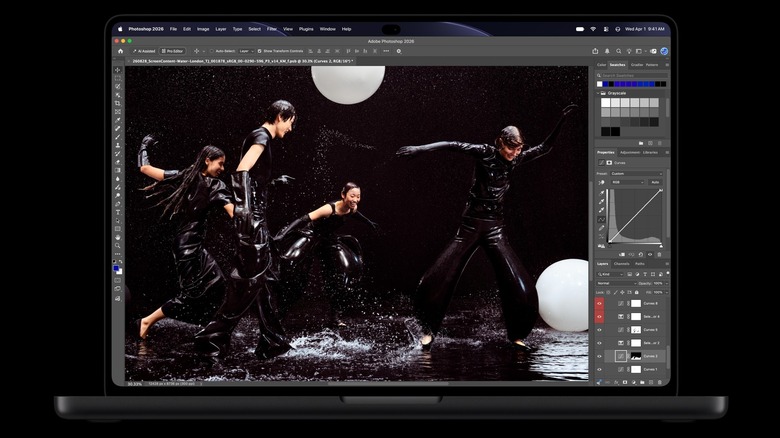
MX Master 4 vs 3S Bluetooth Edition: What Haptics Add
MX Master 4 adds haptics and an included USB-C receiver. The UK 3S Bluetooth Edition shares 8K tracking, MagSpeed and current Actions Ring software support.
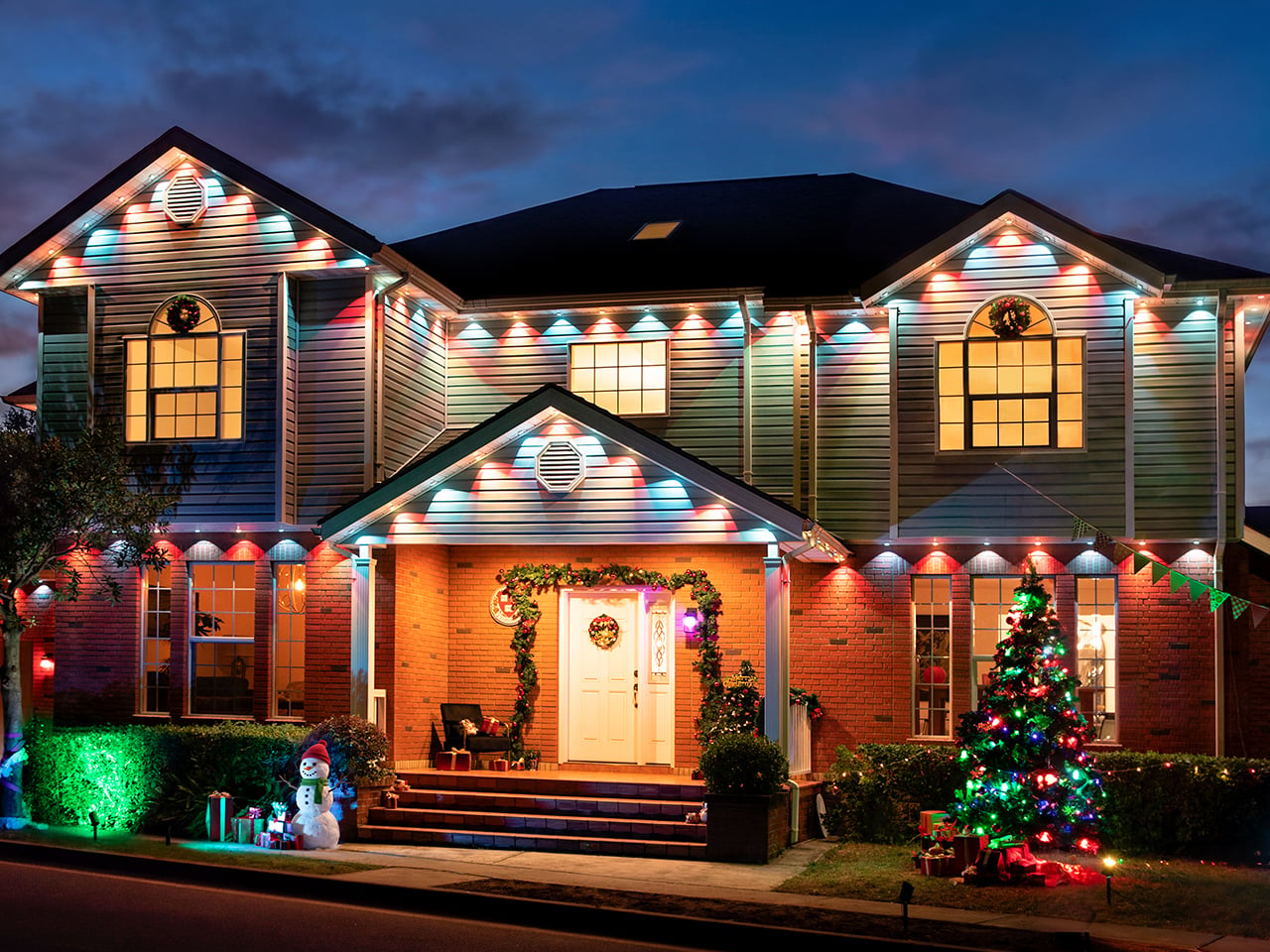
Changing your phone’s wallpaper takes about four seconds. Changing your house’s holiday decor usually takes a weekend, two trips to the hardware store, and a mild argument about where the extension cords went. The Linkind Smart Permanent Outdoor Lights ColorBlend shrink that weekend down to four seconds. They mount along your eaves once, all 200 feet, and from then on your house’s look is a theme you pick in an app. Fourth of July, fall harvest, Halloween, Christmas: swipe, tap, done. Right now it’s $100 off at launch, landing at $699.99.
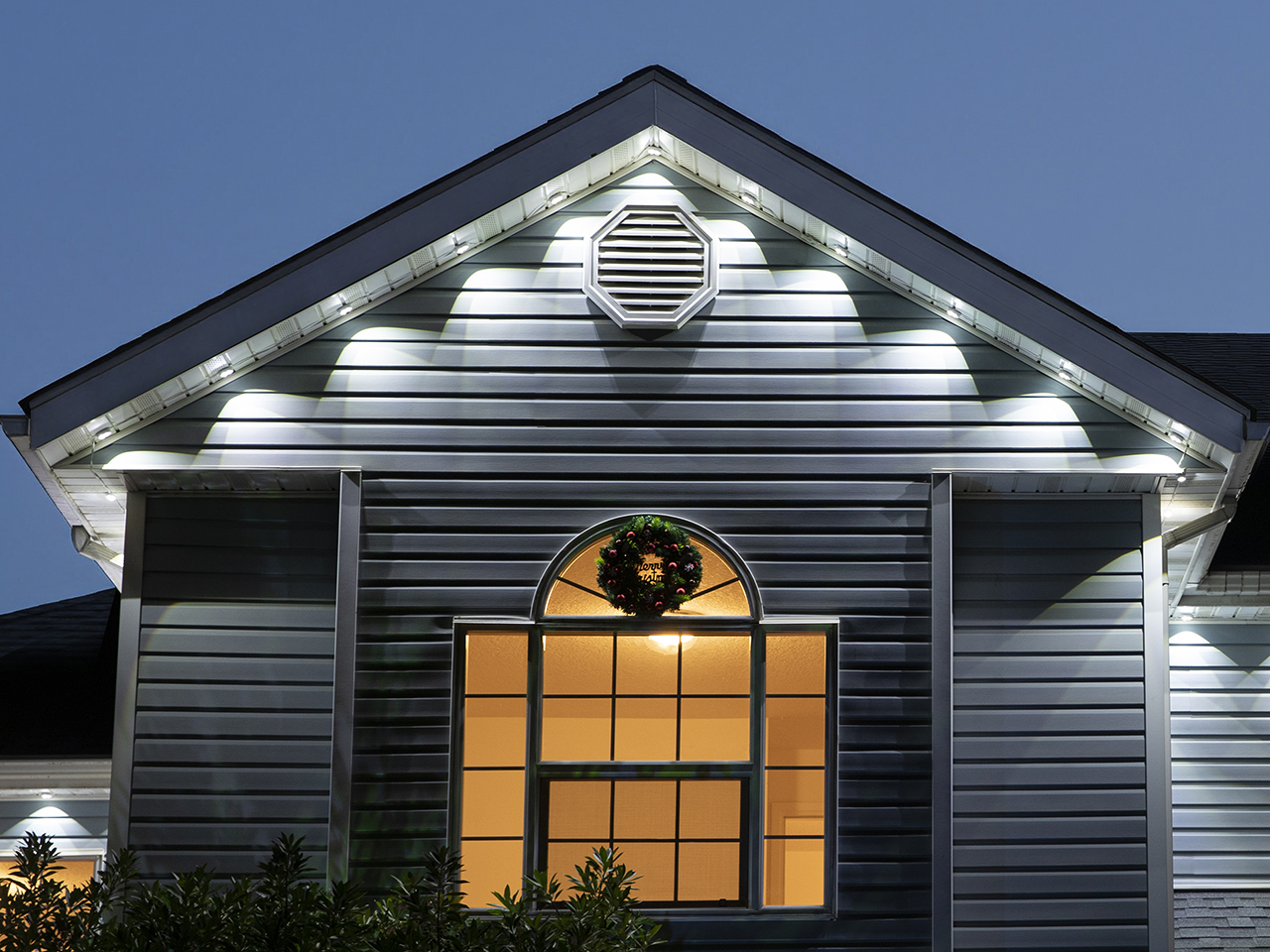
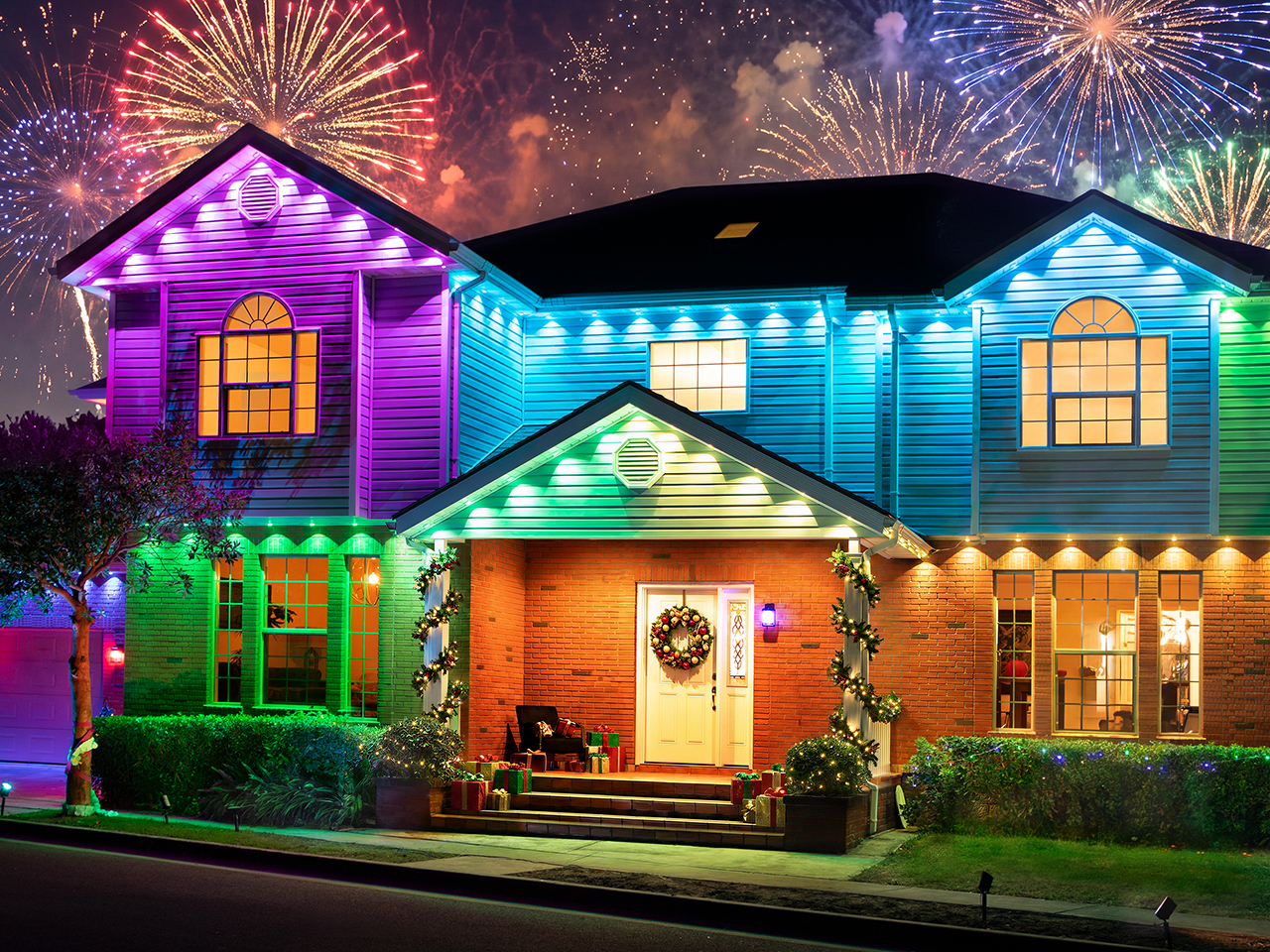
Every one of the 120 heads gets two independently controlled zones, a 50° beam nested inside a 100° beam, which lets each theme run multiple colors across the entire strip. Think red, white, and blue in July, burnt orange and gold for fall, purple wrapped in green for Halloween, then the classic red and green for December. The 120+ presets cover most of the calendar already, and the Dotis AI assistant builds new ones from a plain-English description. On off-nights, a warm white keeps things looking classy. Your roofline basically gets a seasonal wardrobe, minus the closet. Two siblings, PatternChange and FlexMount, cover homes that want shaped light or have no eaves.
Designer: Linkind
Click Here to Buy Smart Permanent Outdoor Lights ColorBlend (HP6): $699.99 $799.99 ($100 off). | Click Here to Buy Smart Permanent Outdoor Lights FlexMount (HP5S): $246.99 $279.99 (12% off). Hurry, deal ends in 48-hours!
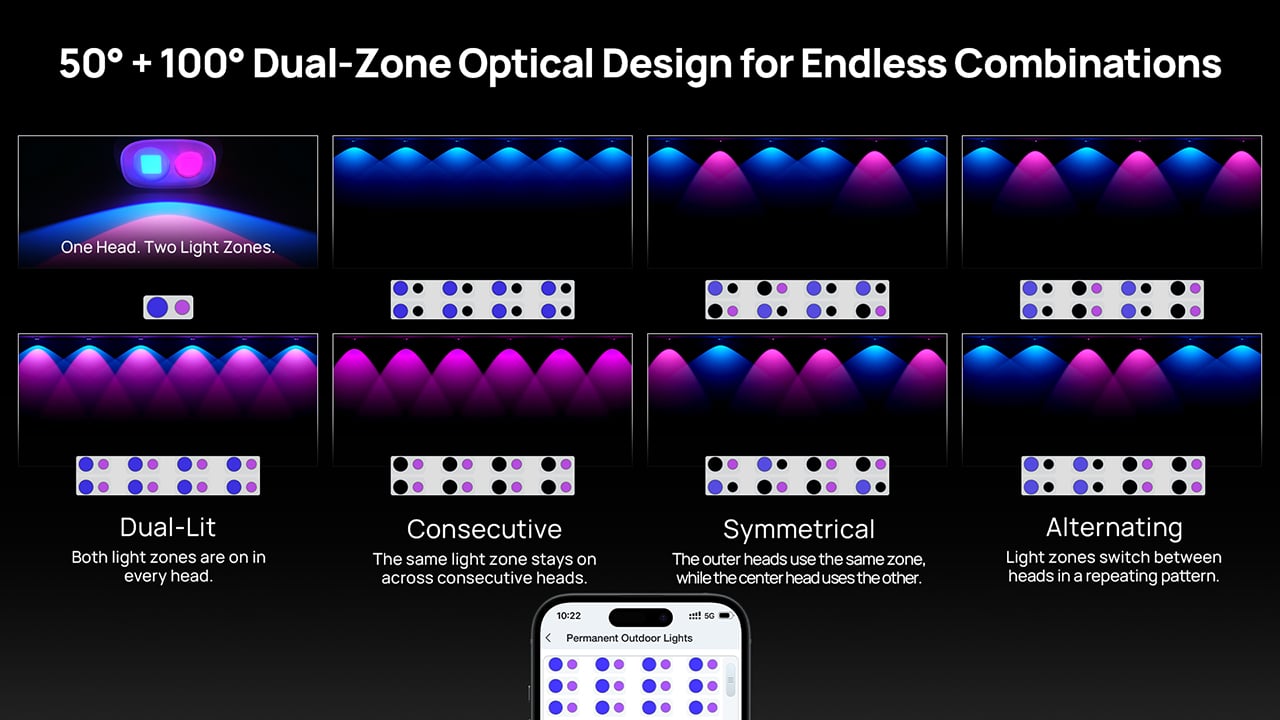
Each compact white head holds two optics sitting side by side, and both point straight down at your wall. Because the narrow 50° beam lands inside the wide 100° one, every head paints a scallop within a scallop on the siding below. Line up 120 of them along the eaves and the facade picks up what Linkind calls a dual-layer fish-scale effect. Fun fact for the house nerds: fish-scale is also the name of those rounded decorative shingles on old Victorian gables, so your house basically gets a set of light-up shingles. At up to 100 lumens per head, those layered arches stay crisp from the curb.
Those two zones combine into four basic looks, starting with Dual-Lit, which switches on both zones in every head. Consecutive keeps the same zone lit across neighboring heads, Symmetrical gives the outer heads one zone and the center head the other, and Alternating flips zones from head to head in a repeating rhythm. Throw different colors at each zone and the combinations multiply fast. For the detail-obsessed, the Edit Canvas in the AiDot app lets you set both zones on every single head, one light at a time. If a neighbor’s permanent lights are the reason you’re reading this, Edit Canvas is how you make yours look custom-designed.
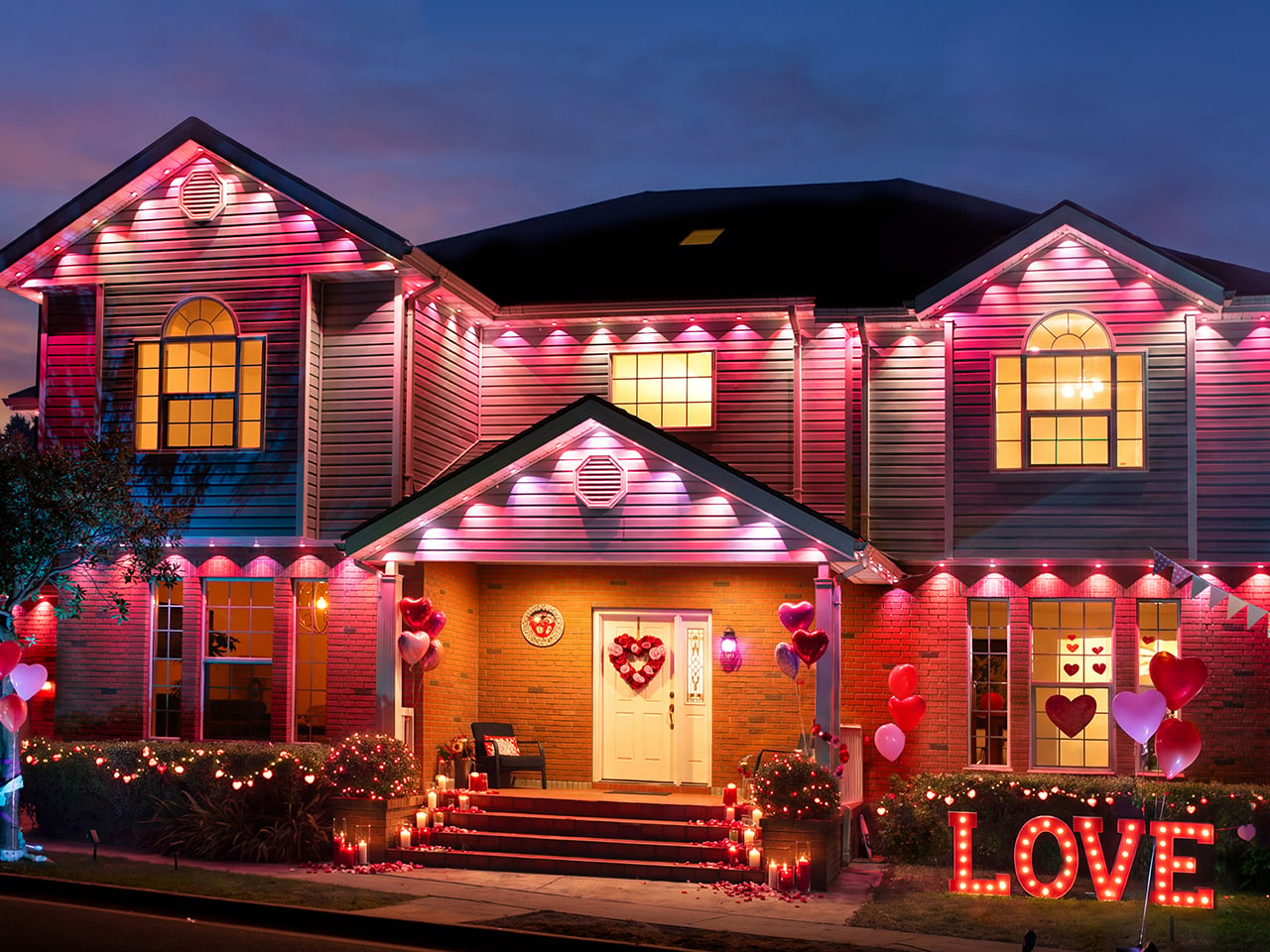
Christmas gets the deepest bench in the 120+ preset library, with plenty more for Halloween, Valentine’s Day, New Year’s, parties, and regular cozy nights. For families, handing the phone to the kids and letting them pick tonight’s look might be the easiest holiday tradition you’ll ever start. When nothing in the library hits the spot, the Dotis AI assistant takes a typed or spoken request, say “snowy night with a little sparkle,” and builds a lighting effect from it. The DIY tab lets you create and save your own static or dynamic effects too. Music Sync pulses the lights along to whatever’s playing near your phone, turning the front yard into a dance floor.
All 120 heads add up to 12,000 lumens across the 200-foot run, plenty for a two-story roofline. Tunable white spans 1800K to 6500K, so the same lights that go full Christmas in December can bathe the facade in a candlelit amber glow on a regular Tuesday. That flexibility is great news for the year-round crowd, who can swap to team colors for game day, red, white, and blue for the Fourth, then settle back into warm white. Scheduling lets you pick the days and times, so the house lights itself every evening. Voice control runs through Alexa and Google Home, and the system also works with Apple Home, SmartThings, and Matter.
Setup starts with a test run, since Linkind wants every string and extension connected and lit up on the ground before anything goes on the house. From there, a positioning card spaces each head 2 to 4 inches (5 to 10 cm) out from the wall, and you drill and set an anchor for every light. Each head sticks on with 3M VHB adhesive, then gets a screw driven through it, with the adhesive acting as backup support. Threaded waterproof collars and an end cap seal the connections, and the lights carry an IP67 rating with an IP65-rated controller. One adapter runs up to 12 strings, covering all 120 lights and the full 200 feet.
The Linkind Smart Permanent Outdoor Lights ColorBlend is available now, and a $100 discount during the pre-Black Friday launch period brings the 200-foot kit down to $699.99. That gets you all 120 dual-zone heads stretched across your roofline, plus a whole calendar of looks you’ll never have to haul out of the garage again. Spend one dry fall weekend on the install and you’re set for Halloween, Thanksgiving, and the big December reveal. After that, every holiday is a quick trip into the app, whether it’s Valentine’s pink, Fourth of July red, white, and blue, or plain warm white on a Tuesday. Do it right and the ladder goes back into storage until spring gutter cleaning.

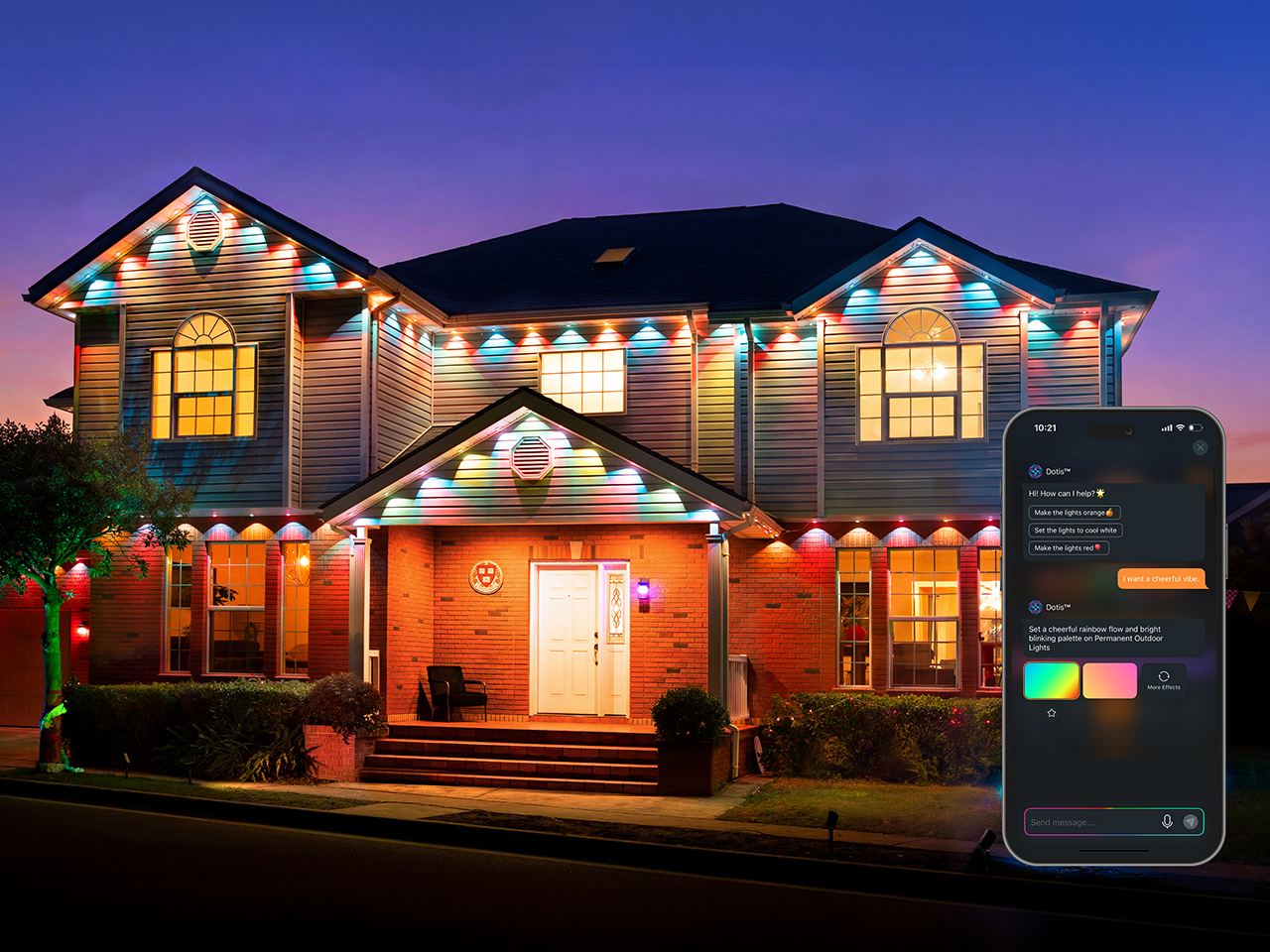
The Linkind Smart Permanent Outdoor Lights PatternChange (the HP6X) shares largely the same specs as the ColorBlend, with one key difference: a lens design that adds decorative patterns to your outdoor lighting. You can run patterned light, clean pattern-free illumination, or combine both along the same roofline. Picture a gable edged in plain white with decorative patterns spilling down the wall below it. That makes it the pick for anyone who wants something the neighbors haven’t seen yet. The listing linked here is the 100-foot version, so measure your eaves before you add to cart.
The Linkind Smart Permanent Outdoor Lights FlexMount (the HP5S) goes after a different problem, which is houses with no traditional eaves. Its mounting design supports both wall and ceiling installation, so a flat facade or a covered porch can take lights too. The 150-foot system carries 90 light heads that top out at 5,850 lumens, with white adjustable from 2700K to 6500K and colors and effects handled in the AiDot app. Do the math and that’s roughly 20 inches between heads, the same spacing as the ColorBlend. Pick the one that suits your house, and remember that Christmas, it turns out, really can take four seconds.
Click Here to Buy Smart Permanent Outdoor Lights ColorBlend (HP6): $699.99 $799.99 ($100 off). | Click Here to Buy Smart Permanent Outdoor Lights FlexMount (HP5S): $246.99 $279.99 (12% off). Hurry, deal ends in 48-hours!
The post I’d happily swap my December ladder ritual for Linkind’s Matter-compatible Smart Permanent Outdoor Lights first appeared on Yanko Design.
Keeping a newborn warm is a medical necessity, not simply a matter of comfort. In hospitals with unreliable electricity, a power outage can interrupt the equipment meant to provide that warmth. Keeping those devices clean and working adds another challenge when replacement parts are difficult to get. It’s easy to admire sophisticated medical technology, but I’m more interested in a basic question here: how well does it work when the hospital can’t count on the infrastructure around it?
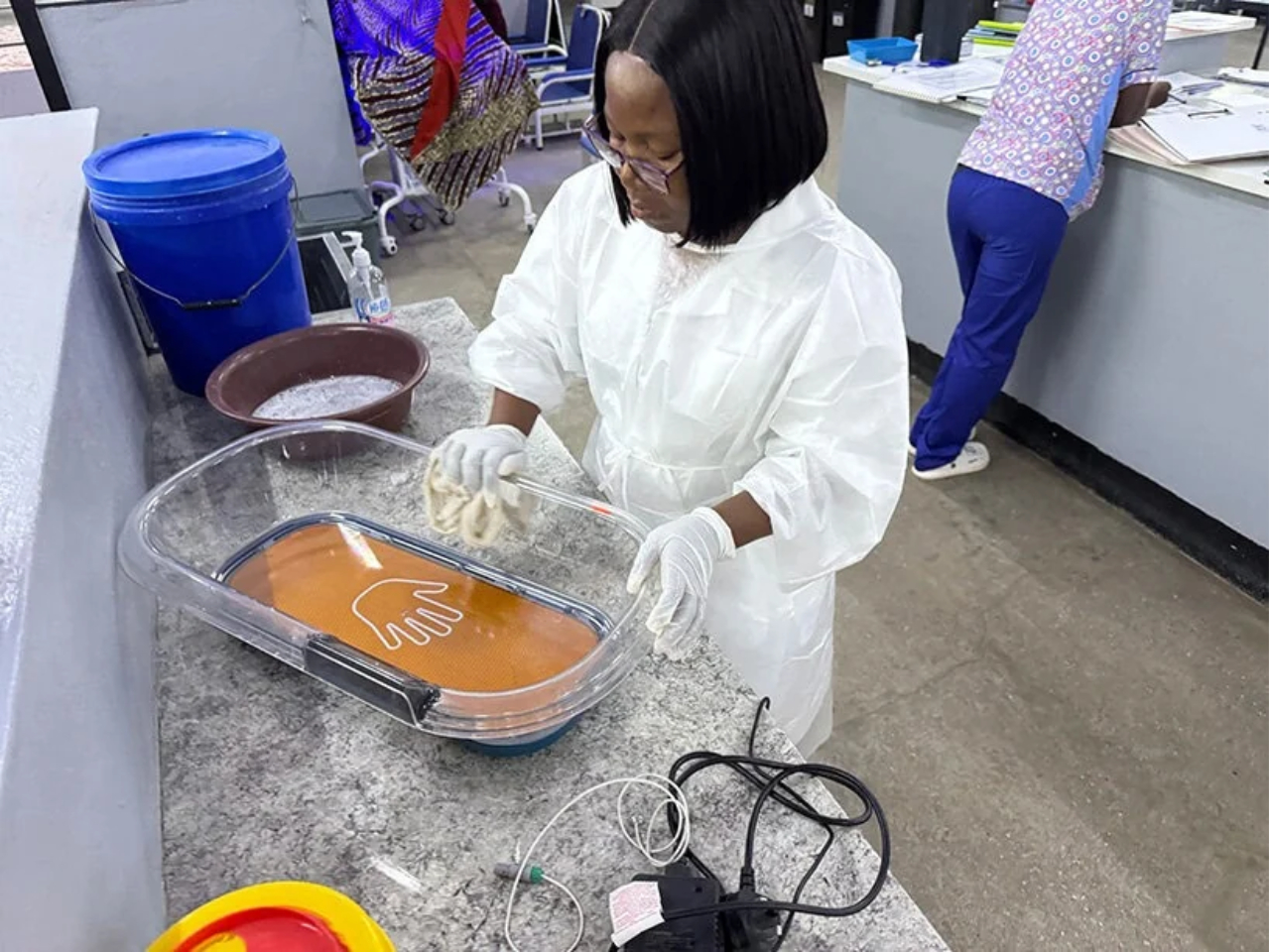
The missing mattress is the detail that makes Otter worth a closer look. Developed by US nonprofit Design that Matters and Vietnamese medical device manufacturer MTTS, this portable newborn warmer is designed for hospitals where electricity is unreliable and maintaining equipment can be difficult. Its job is to help keep newborns warm when the infrastructure supporting their care can’t be counted on.
Designers: Design that Matters and MTTS
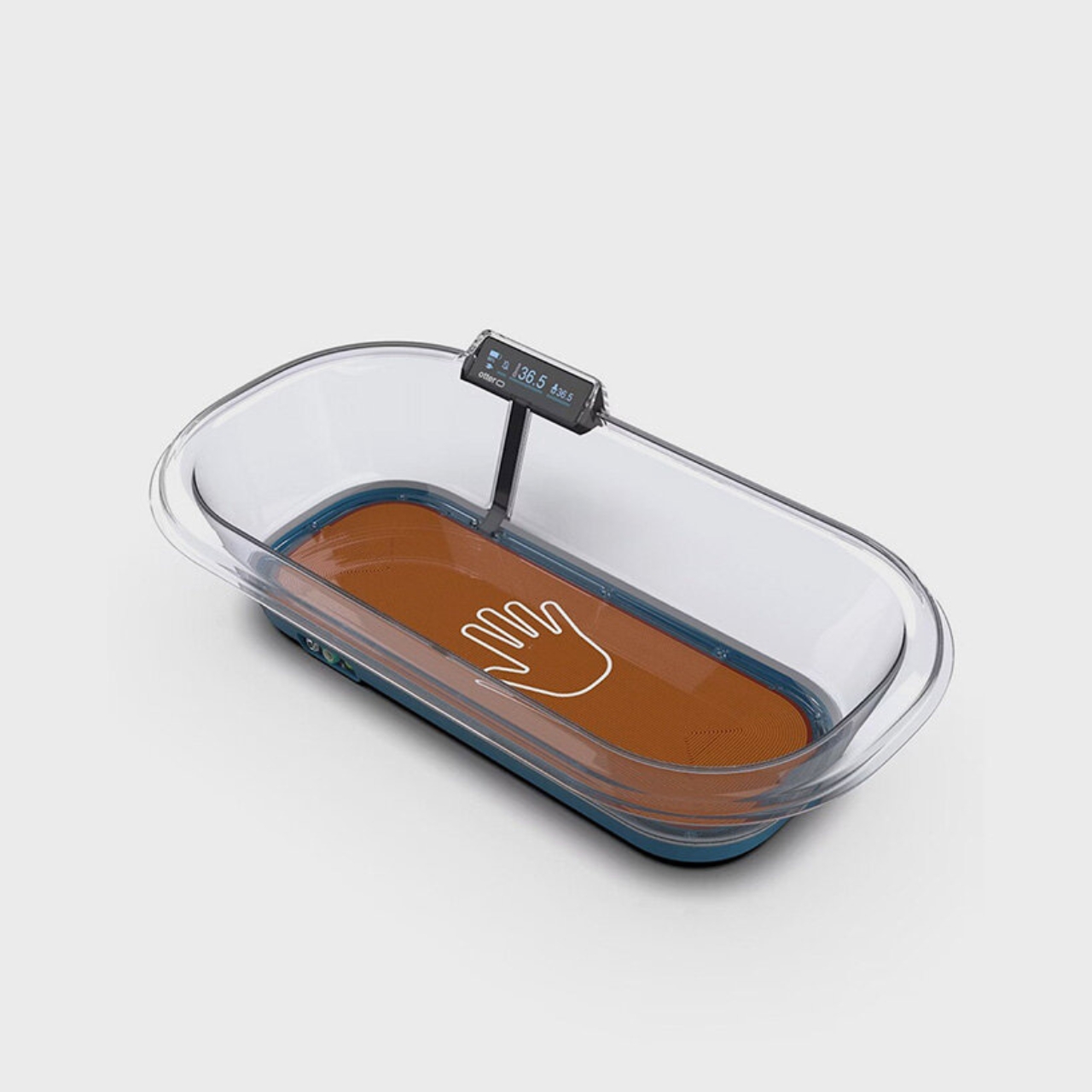
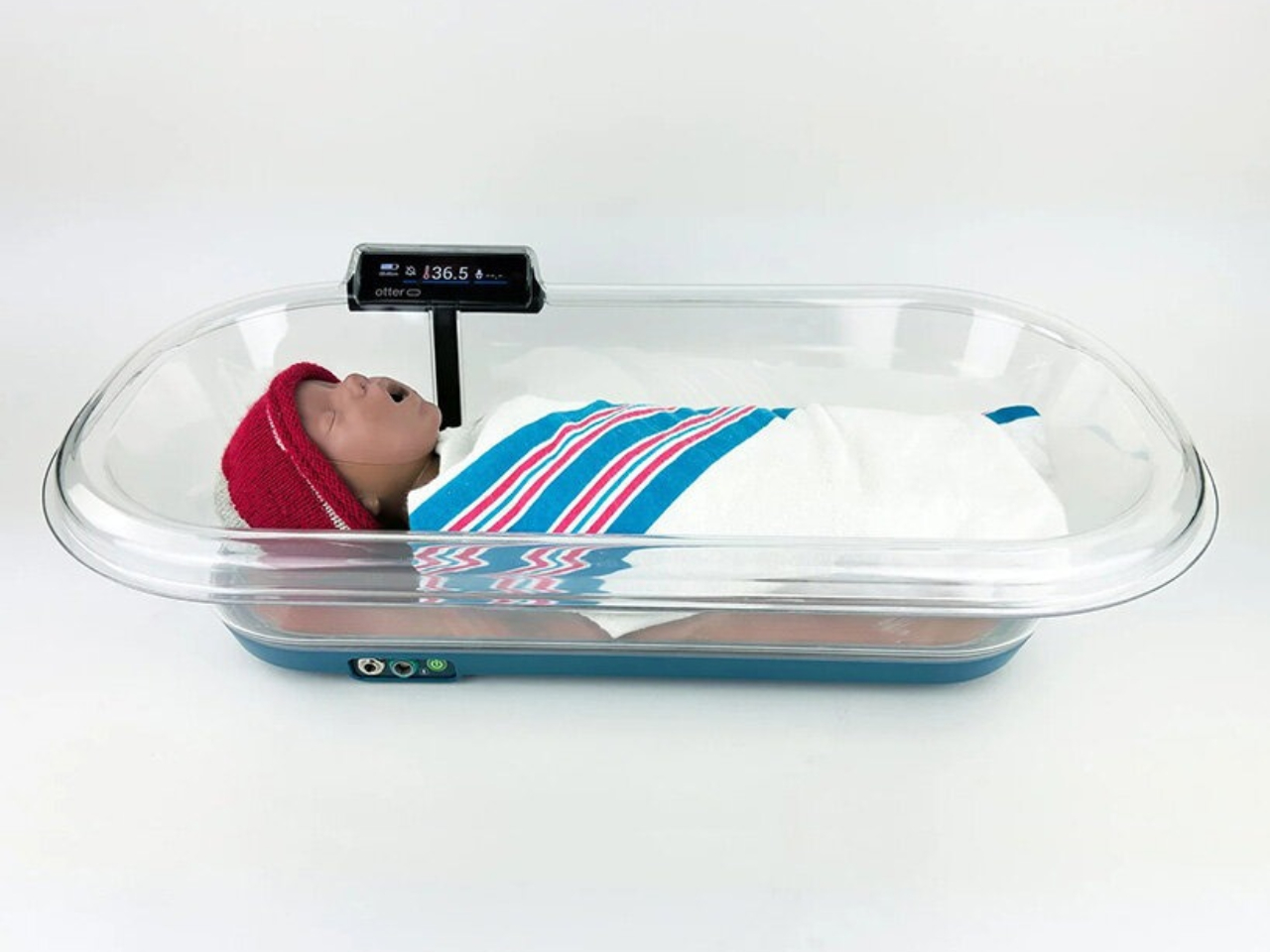
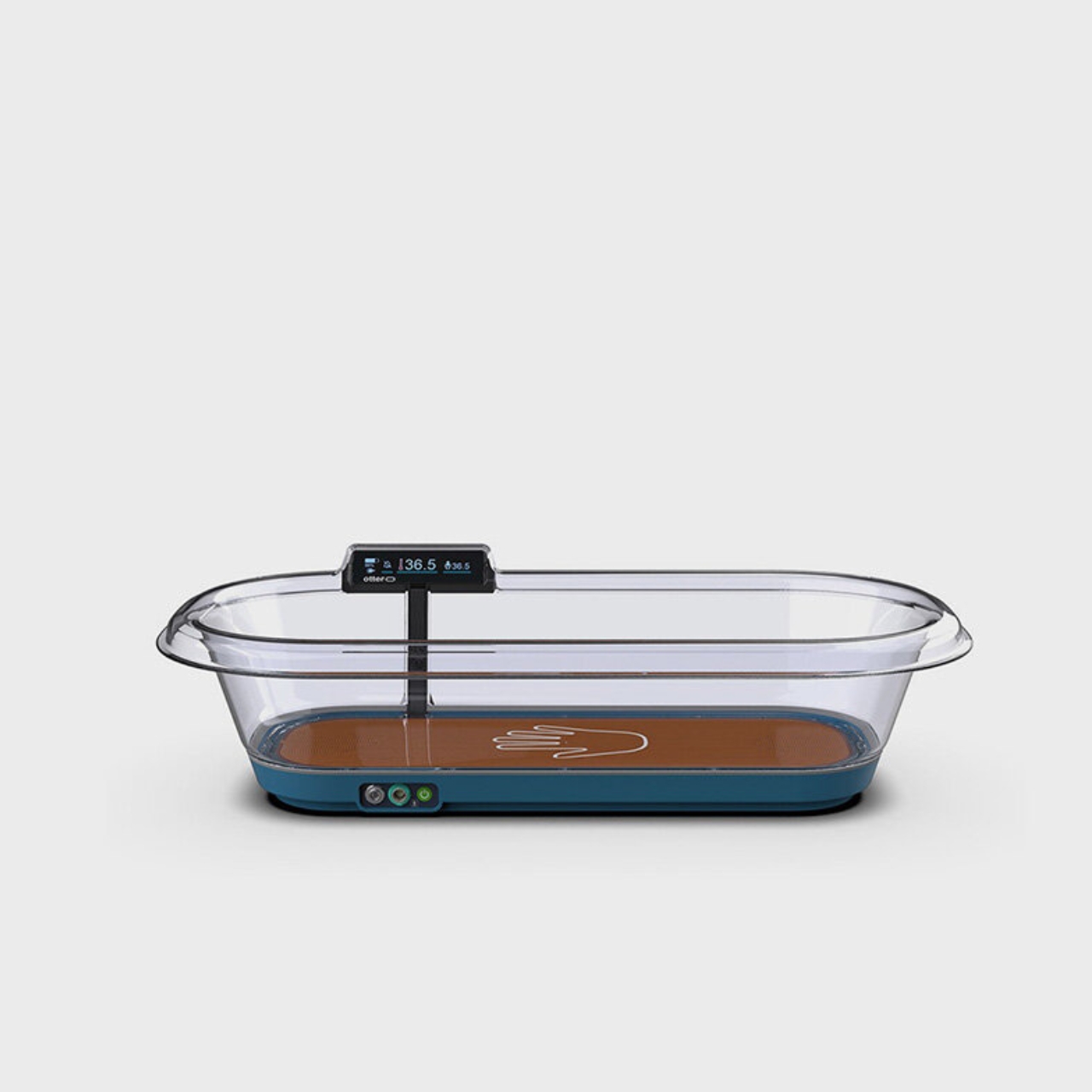
At first glance, Otter looks closer to a clear hospital bassinet than a complicated piece of medical equipment. Rounded transparent walls sit above a dark base, with a compact display perched along the rim. I like that restraint. A caregiver can see the baby and reach inside without a large enclosure getting in the way, a practical consequence of the open design.
The unusual decision is underneath the baby. Many conductive warmers use a removable water or gel mattress to transfer heat. Otter replaces that component with an integrated, heat-conducting polycarbonate bassinet. According to its Seoul Design Award project description, that removes the problem of replacing torn mattresses and reduces opportunities for exposed heating elements and bacteria in seams. It’s a thoughtful piece of editing: change one component, and several maintenance and hygiene problems become easier to manage.
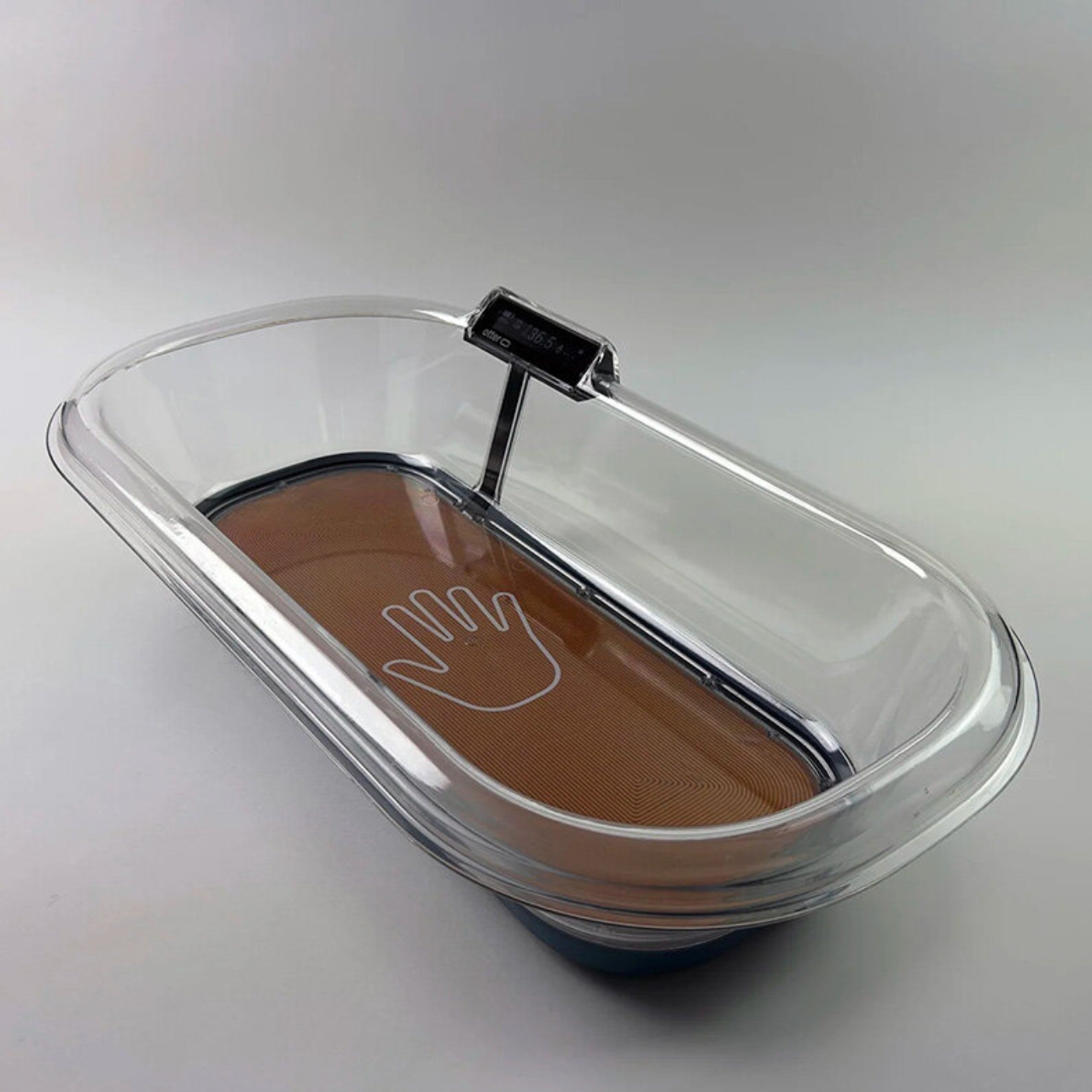
A firm surface might initially seem like an odd choice for a product intended for newborns. Here, though, the reasoning deserves attention. Design that Matters describes a smooth interior without fabric, seams, or gaps, intended to make disinfection easier between patients. That doesn’t prove fewer infections, and cleaning still has to happen. But designing a surface around the person responsible for cleaning it feels like a particularly useful kind of empathy.
The battery addresses another interruption: losing power. MTTS’s manual says backup power activates automatically when the AC supply stops, with operating time dependent on the number of battery cells installed. That automatic handover matters because it removes a task at an already disruptive moment. Otter still needs recharging, so this is temporary independence from the outlet, not an indefinitely off-grid system. The manufacturer lists its weight with batteries at about 11 pounds.
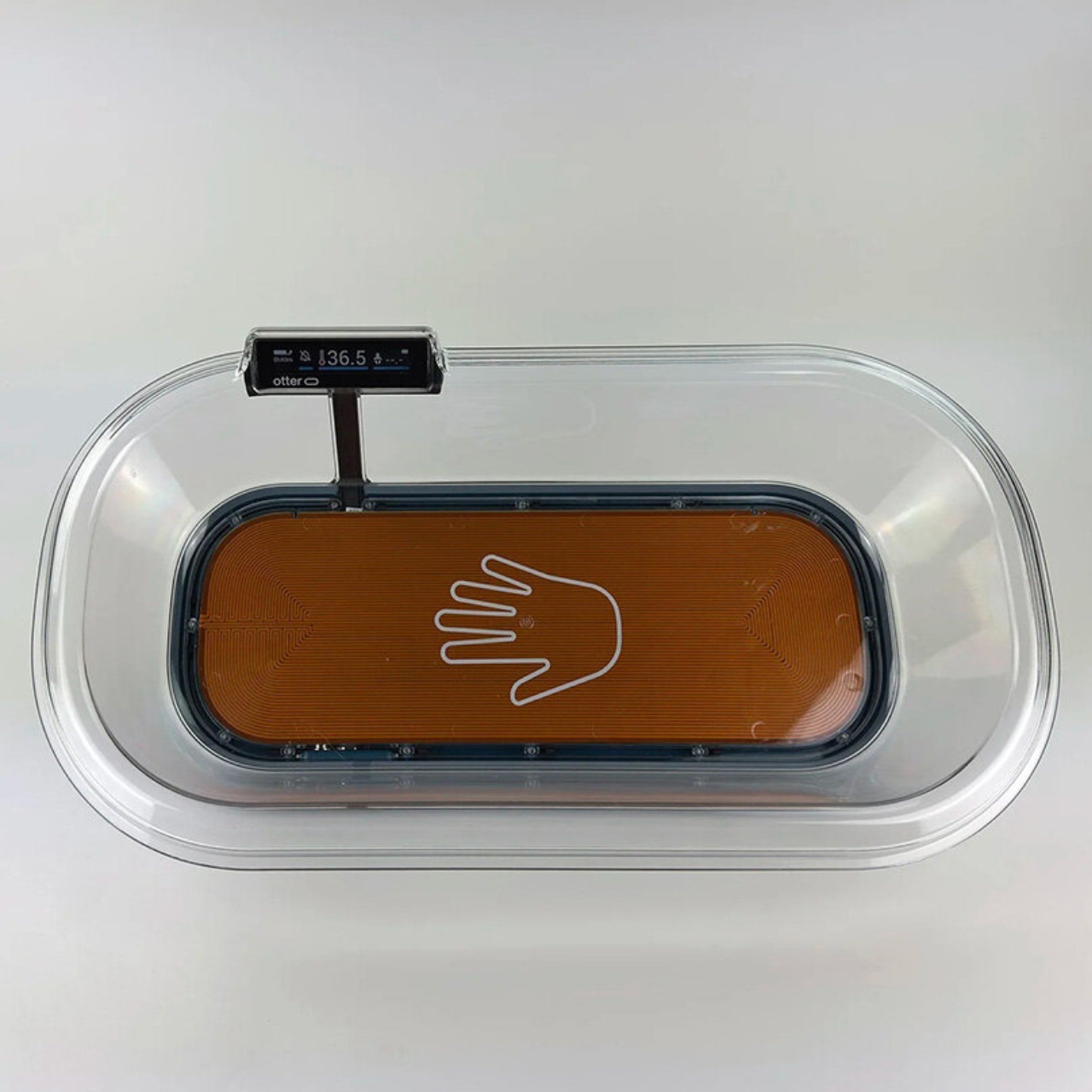
The controls follow a similarly practical logic. The display provides temperature information and battery status, while an optional skin probe adds patient skin-temperature monitoring. MTTS also lists alarms for heater, sensor, and power failures. I’m more interested in that information being available than in how sophisticated the interface looks. A screen earns its space here by helping staff understand whether the warmer is doing its job and when attention is needed.
Otter also has a role alongside skin-to-skin care. Design that Matters documents its use in Zambia to provide supplemental warming while a mother takes a break from kangaroo mother care. That context makes the product feel more considered to me. A mother needs time to wash, use the bathroom, or rest, and those ordinary needs belong in the design brief. Equipment should accommodate the people providing care as well as the patient receiving it.

None of this makes Otter a home nursery accessory or a substitute for clinical judgment. Its manual specifies operation by qualified personnel, regular checks of the baby’s temperature, and precautions against overheating and burns. Those limits are important precisely because the object looks so approachable. Simpler equipment can make a task easier to perform, but it doesn’t make newborn care a simple task.
Otter is already beyond the concept stage. Design that Matters reports deployment in Vietnam, Zambia, and the Philippines, with more than 800 newborns treated as of January 2026. It also received the 2026 Seoul Design Award Grand Prize. The recognition is welcome, but the more persuasive design argument is in the details: a mattress that doesn’t need replacing, a surface made for cleaning, and backup power that takes over automatically. I’d rather see ingenuity spent on those interruptions than on another feature a busy caregiver has to learn.
The post Otter Keeps Newborns Warm Without a Reliable Power Supply first appeared on Yanko Design.
One of the reasons I have more plastic glasses at home is that I’m clumsy. I can’t count the number of pieces of nicer glassware I’ve had to throw away after dropping them. Every once in a while, you do want to have some nicer-looking drinkware when you have company over, but practicality always wins over aesthetics, at least in my household. What if you could have both, though?
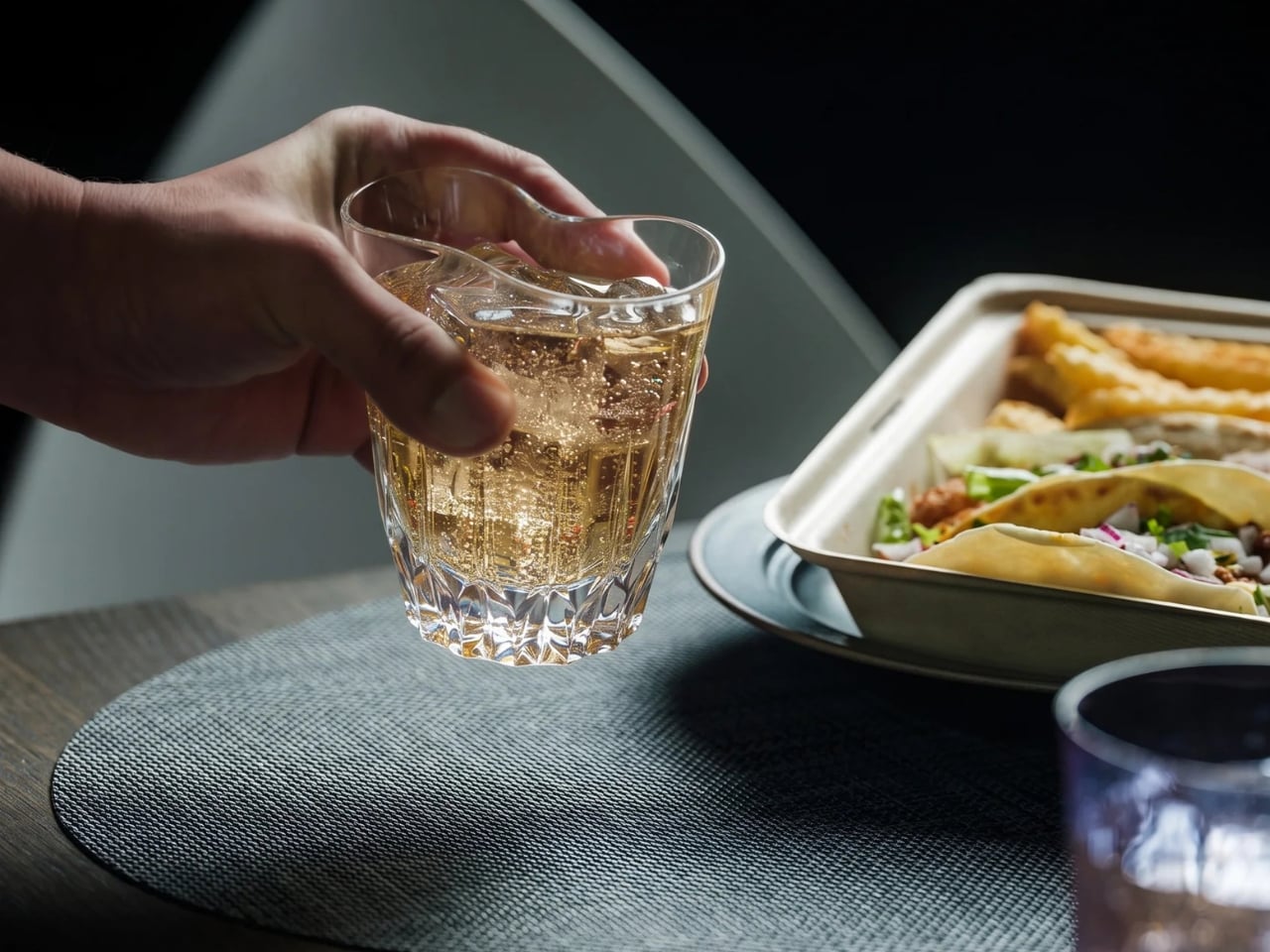
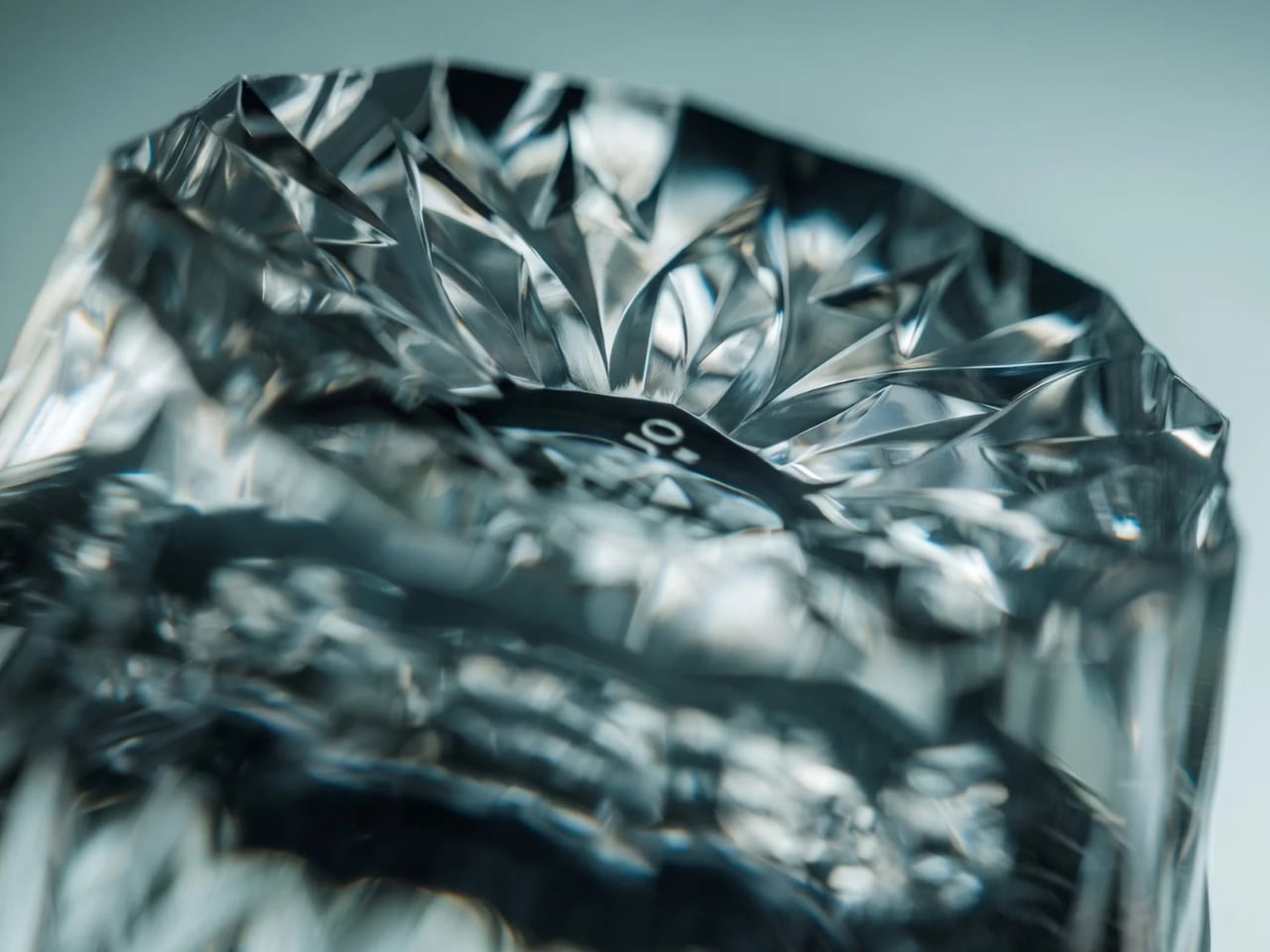
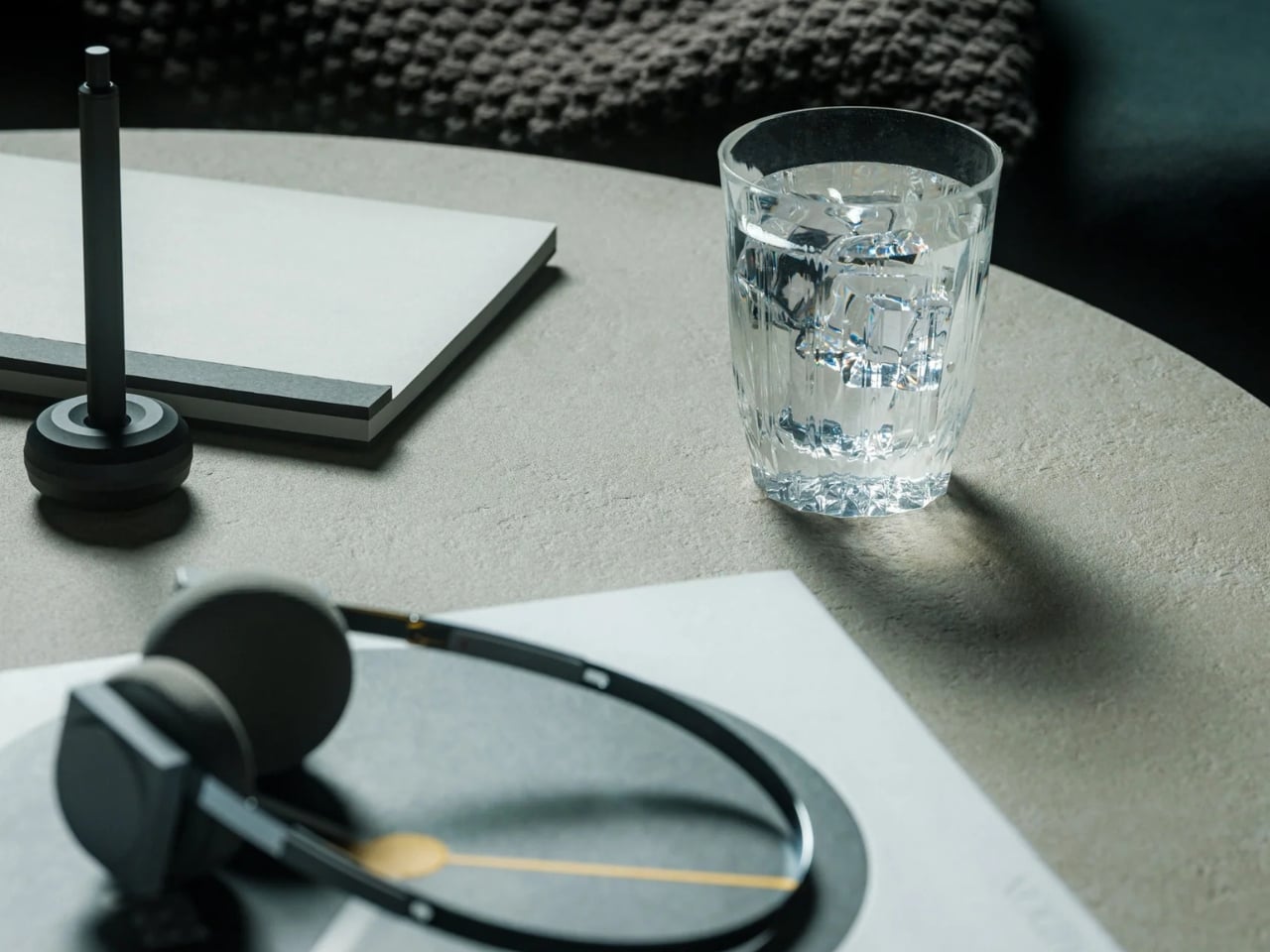
That’s the problem that the Flex Glass Tumbler wants to solve for people like me. It looks like decorative glassware, but it doesn’t have the usual fragility associated with it. That’s because it’s made from flexible silicone rubber, so it won’t shatter like glass if you drop it. You get the best of both worlds: the faceted look of cut glass but the flexibility that comes with the actual material used.

The silicone construction used for the tumbler flexes under impact, such as when it’s dropped on the floor. This means you won’t have to be so careful when carrying it outside, setting it on hard surfaces, or even packing it for use somewhere else. Of course, that doesn’t mean it’s indestructible, as sharp objects and strong impacts can cut or tear the material. It also isn’t spillproof, so you still have to be careful when it already has liquid in it.
What it is able to do is retain a decorative tableware aesthetic when that’s what you need. The faceted pattern actually draws inspiration from kiriko, or Japanese cut glass. Normally, silicone would look soft and practical, but this time it’s designed to look more like delicate drinkware using a detailed metal mold. The pattern is formed in the material rather than applied afterward. It looks at home at a dinner table and also in more casual settings.
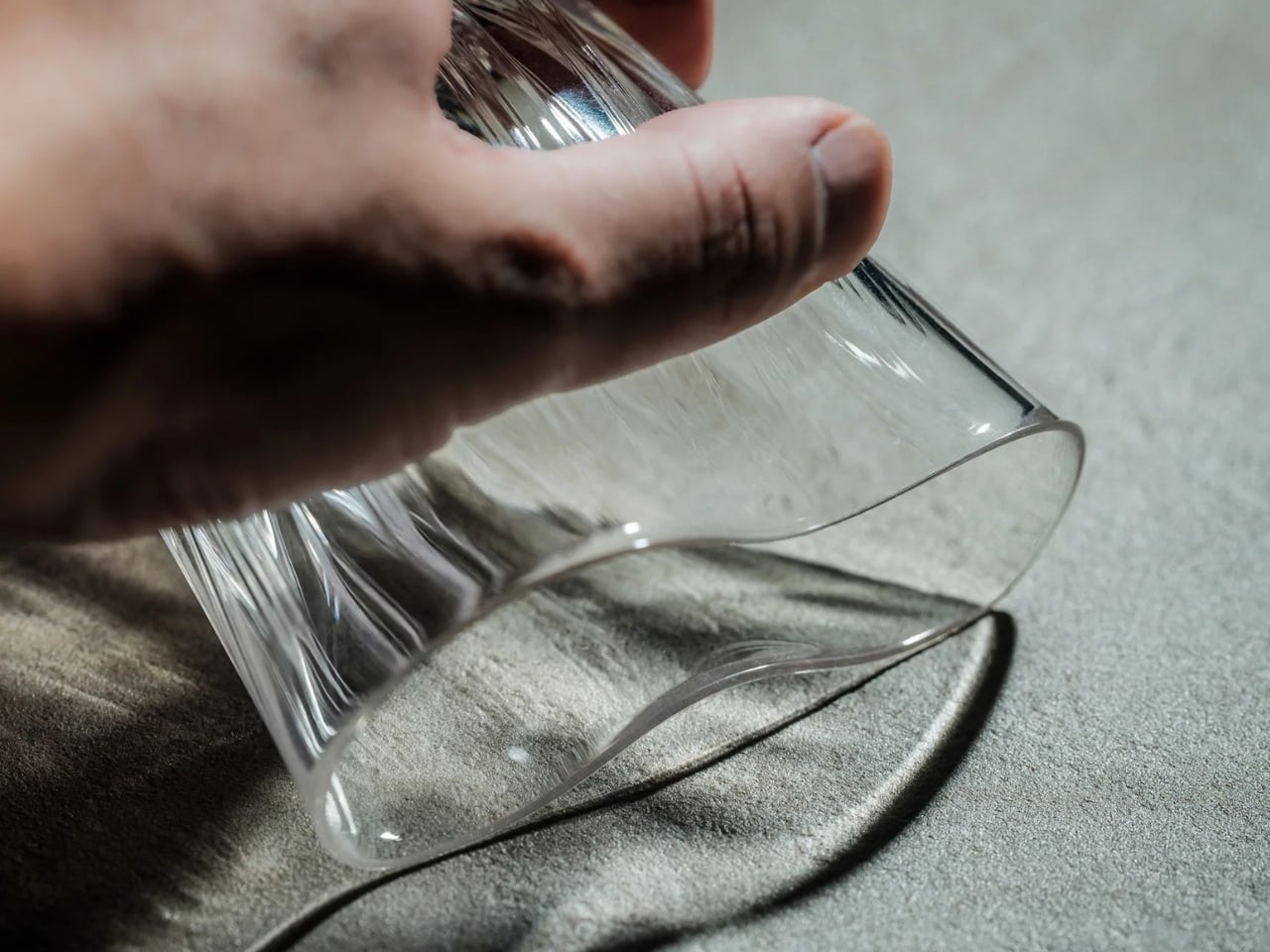
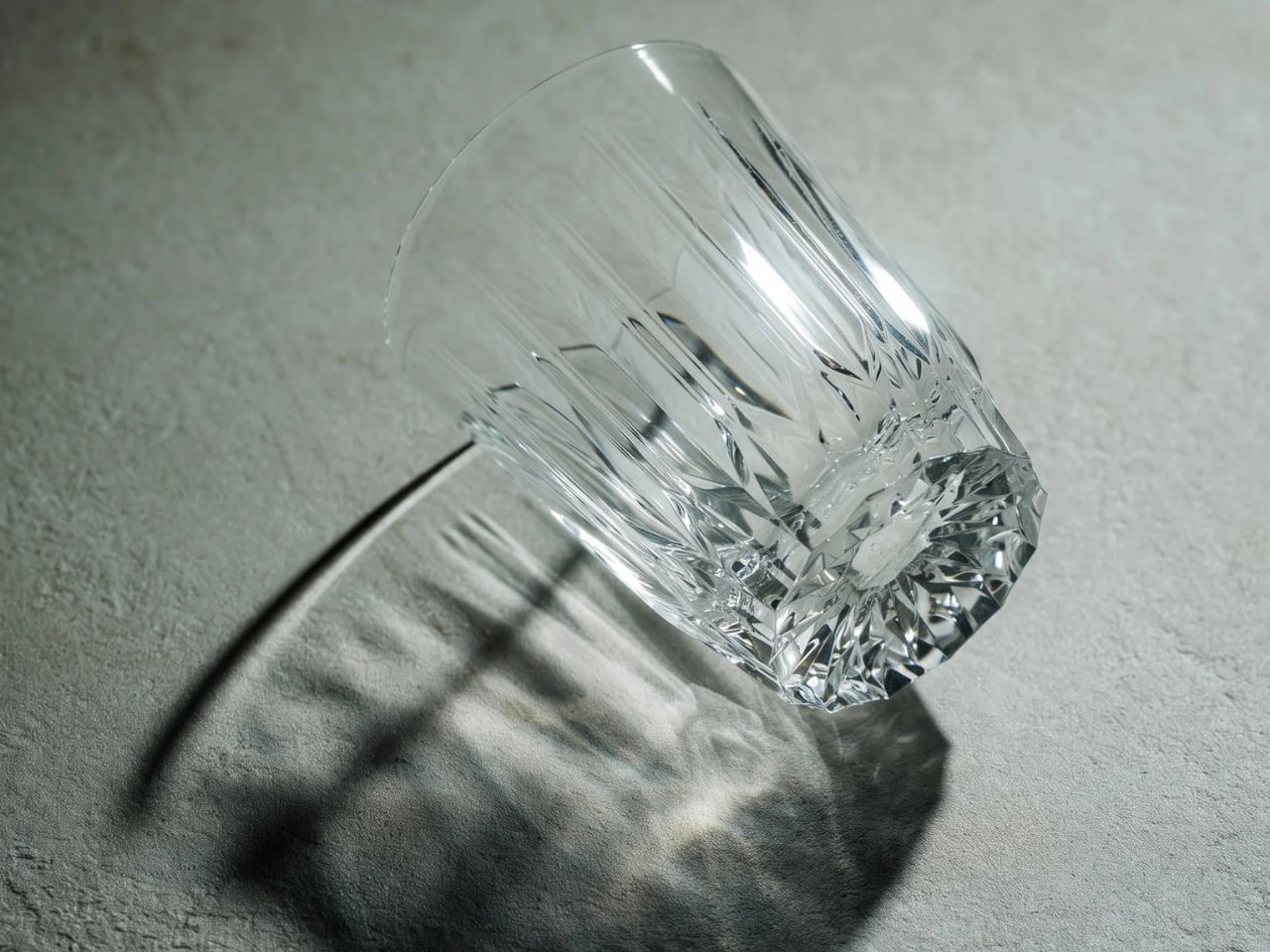
The thick hemispherical base is also designed to reduce the effect of hand heat on your drink. The construction slows ice melting, too. However, it doesn’t provide comparative test results or a cooling duration, so I wouldn’t expect the temperature retention of a vacuum-insulated tumbler. Still, you can expect your drink to stay a little cooler for a few minutes or even a couple of hours than with a regular glass.
The manufacturing background helps explain the unusual choice of material. KINJO’s parent company was founded in 1936 and makes rubber components for products such as rice cookers. Made in Yao, Osaka, Japan, the tumbler brings that industrial experience to something intended to be seen on the table.
At about 8.5 fluid ounces (250 milliliters), this is more suited to a small serving of water, juice, or a mixed drink than an oversized iced coffee. Add ice, and you’ll have even less room. It’s currently listed at $60 so this isn’t really a budget replacement for plastic cups but rather something you’d want to have a couple of in your cupboard.
It is dishwasher safe, although hand-washing with mild detergent is recommended to help prevent discoloration. Some foods and drinks can also leave odors or stains. Microwave use is allowed, but oven use isn’t. Those details matter if you’re expecting it to be completely carefree just because it won’t shatter.


There are other approaches to the same problem. Silipint’s 12-ounce Crystal Clear Wine Glass also uses transparent silicone and is listed at $19.95, making it a less expensive option with more capacity. YETI’s Rambler 10-ounce Stackable Lowball uses stainless steel, a ceramic lining, and double-wall vacuum insulation. I’d consider the YETI for its insulated construction; the Flex Glass makes more sense when the cut-glass-inspired appearance is the attraction. Its distinction is the decorative treatment, not simply being a silicone cup.
I’d choose the Flex Glass Tumbler for those occasions when I want the table to look a little nicer without worrying so much about breaking something. The cut-glass-inspired pattern gives it the look I’m after, while the flexible silicone makes it a practical fit for my clumsy household. It’s the kind of drinkware I’d bring out for company rather than leave safely tucked away in the cupboard.
The post Flex Glass Tumbler: Cut-Glass Style Without the Fragility first appeared on Yanko Design.
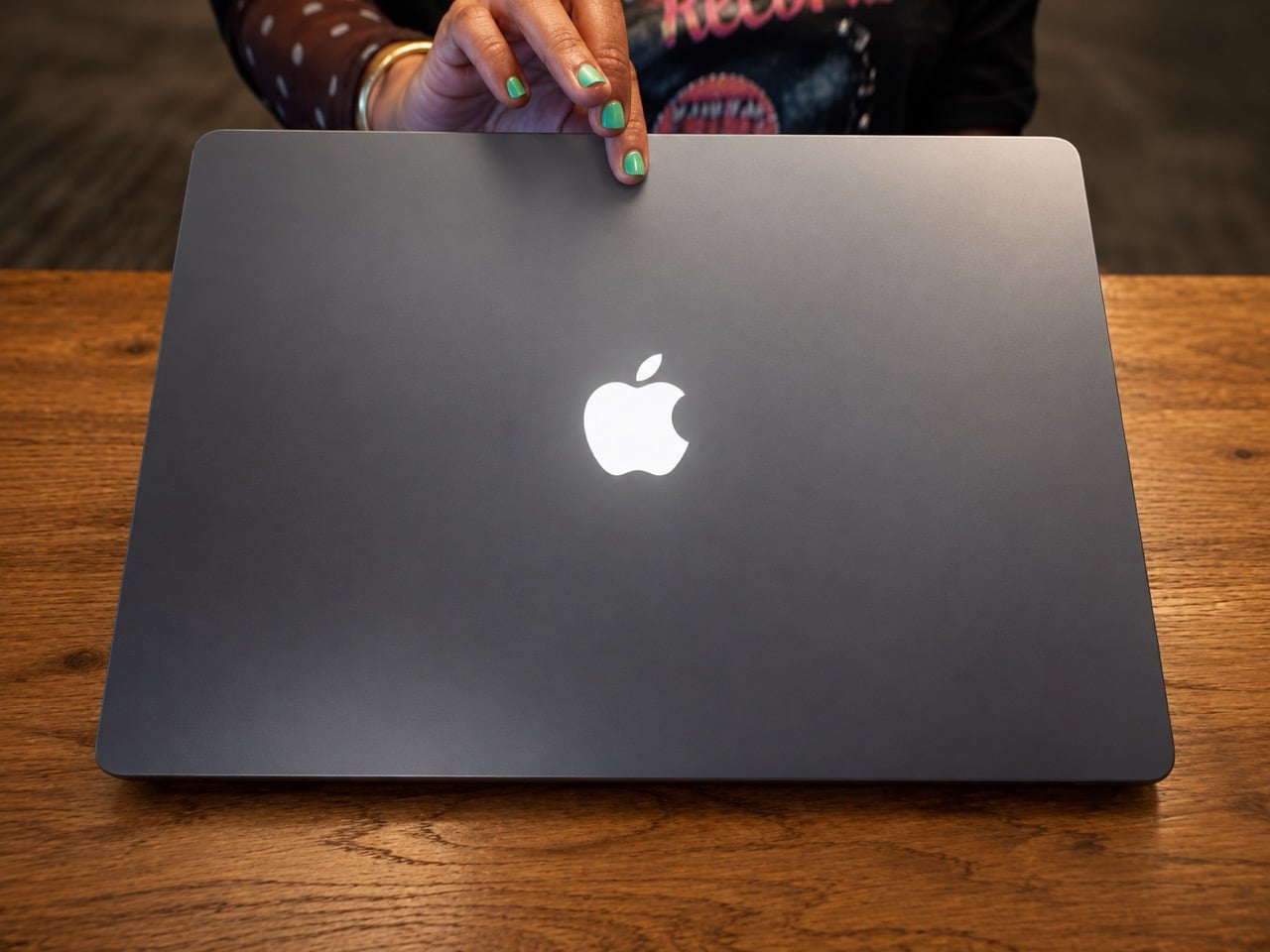
If you owned a MacBook before 2016, you remember the glowing apple on the lid. It lit up dorm rooms, airport gates, and every TV show where someone typed dramatically in a cafe, and it told the whole room you’d spent real money on your laptop. Apple started switching it off in 2015 with the 12-inch MacBook, and the MacBook Pro followed in 2016, all in the name of thinner lids. Eleven years later, the light is back on the new MacBook Pro with PROLED XDR Display, Apple’s first touchscreen Mac. This time, Apple has turned it into a full-blown status symbol.
OLED made the comeback harder, because the old logo ran on spare light from the LCD backlight, and OLED pixels make their own light with nothing to spare. So Apple had to rig up a separate light source just for the badge, and it hasn’t explained how. It even kept the old behavior, with the logo dimming and brightening along with your screen. Then it put the glow on exactly one model, leaving the standard MacBook Pro and the $1,999 M6 version with plain mirror logos. Nostalgia is officially a premium feature now, and it starts at $2,899.
Designer: Apple


The old glow cost Apple nothing. An Apple-shaped hole was cut into the aluminum lid, filled with translucent plastic, and lit by leftover light from the LCD backlight sitting right behind it. That free light came with baggage, though, because the cutout was an extra layer Apple had to make room for in a lid it badly wanted thinner. As panels got slimmer, there were reportedly worries about the cutout creating a bright hot spot on the display, a nightmare for a screen Apple sells on uniform brightness. So when the 12-inch MacBook arrived in 2015, thinness won, and a polished, unlit logo took over.
Losing the glow meant losing the best billboard Apple ever owned. Apple always knew that logo was aimed at onlookers, and Steve Jobs proved it years earlier. Early PowerBooks and iBooks placed the apple so it faced the owner with the lid closed, which made it look upside down to everyone else once the laptop opened. Jobs eventually reversed that, reasoning that opening a laptop from the wrong end fixes itself in seconds while an upside-down logo stays upside down forever. Hollywood reportedly played a part too, since some filmmakers were sticking decals over loaned laptops so the apple looked right on camera.
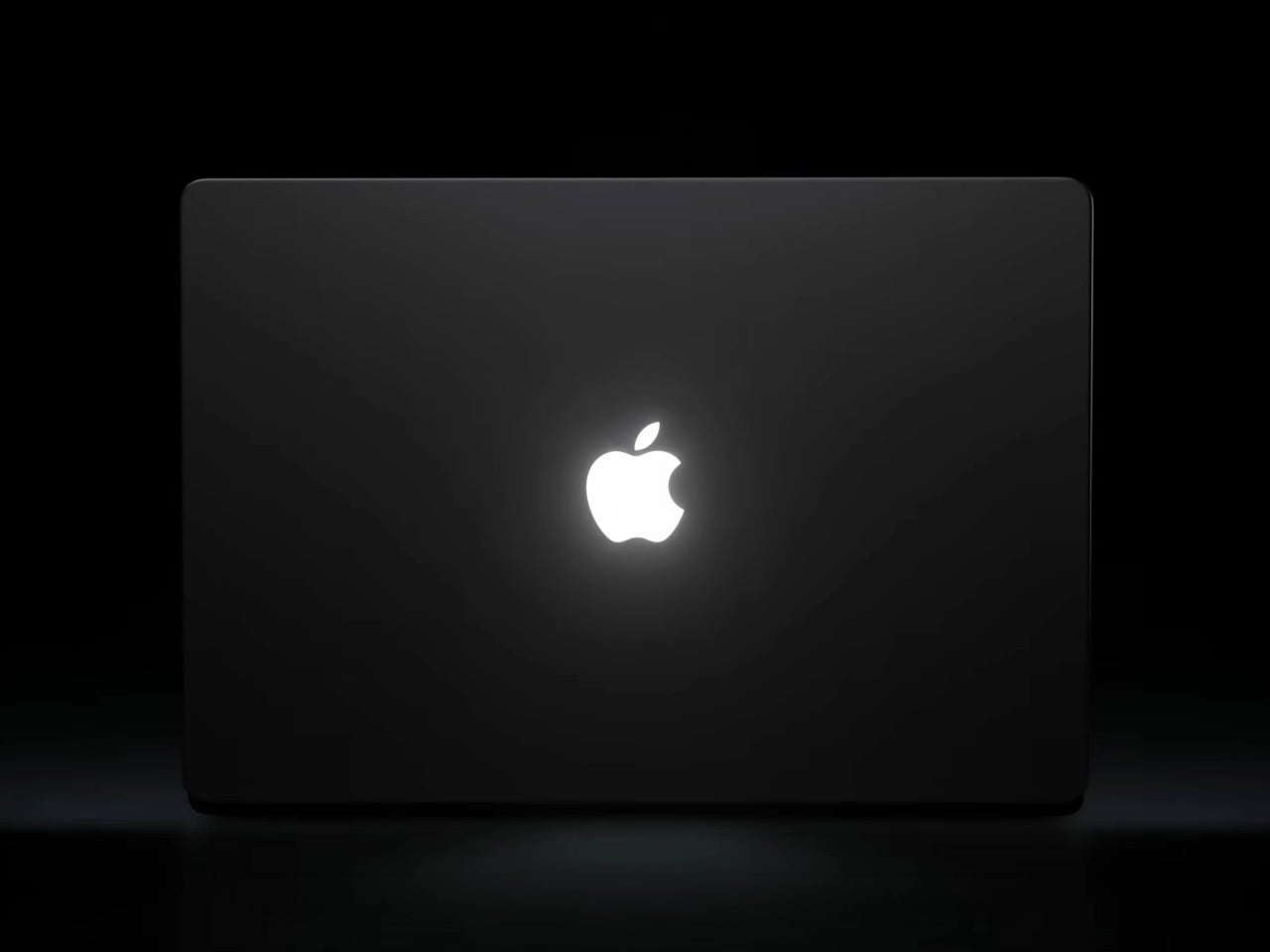
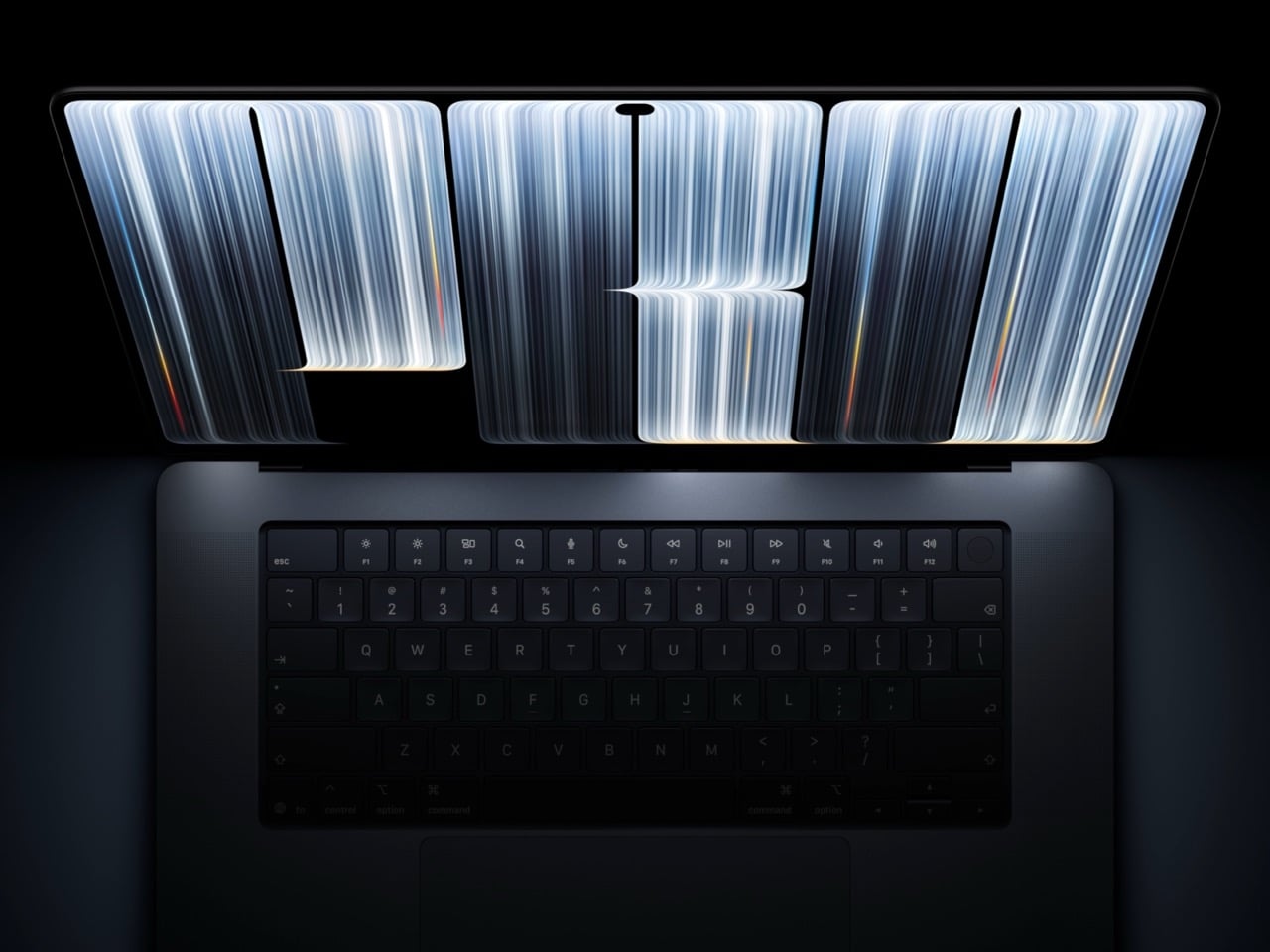
OLED changed the math, because each pixel makes its own light and nothing spills out the back of the panel for a logo to borrow. The best clue to Apple’s fix is a 2022 patent for a backlit, partially reflective mirror that looks shiny when off and lets internal light through when lit. That lines up with what people saw at the launch, a mirror-finish apple that glows when the lid opens and goes dark when it shuts. Apple hasn’t confirmed the patent is the one in use, so treat it as an educated guess. Either way, somebody in Cupertino had to design, source, and power a light whose only job is to be admired by strangers.
Then Apple made that light exclusive. The standard MacBook Pro and the $1,999 M6 model keep unlit mirror logos, so the glow only shows up on machines starting at $2,899. Luxury carmakers have run this play for over a decade, ever since Mercedes dealers started offering an illuminated three-pointed star in 2013. BMW answered with its Iconic Glow kidney grilles, Rolls-Royce lit up its grille, and Bentley made its winged B glow. Those lights do almost nothing for driving, and Apple’s logo does nothing for rendering, which is exactly the point. A badge that glows is a badge people paid for.
Apple used to sell status by default. Owning an iPod in the 2000s turned those white earbuds into a flex, and standing in line for the first iPhone in 2007 made you the most interesting person at dinner. Under Tim Cook, Apple shifted toward putting a slice of the pie in every hand, with cheaper SE iPhones, budget iPads, and a $999 MacBook Air. That strategy sold a staggering number of devices, and I’d argue it also made owning an Apple product feel ordinary. When everyone has the apple, the apple stops saying much about you.
The Ternus era looks like a deliberate correction. The $1,999 iPhone Duo folds in half and announces itself every time you open it, and the glowing logo now marks the one MacBook Pro that costs $2,899 and up. Ternus clearly knows what he’s selling, because his launch-morning teaser was a wordless clip of that logo lighting up. Jobs, who spent years fussing over which way the apple faced, would have understood the instinct completely. The apple spent 11 years in the dark, and it came back as a velvet rope.
The post Apple revived the glowing logo, and turned it into the ultimate status symbol first appeared on Yanko Design.
If the iPad were a person, this would be the week it checked its phone and found out its friends had started a group chat without it. On October 28, Apple announced the MacBook Pro with PROLED XDR Display, its first Mac with a touchscreen. Back in September, it revealed the iPhone Duo, a $1,999 foldable that opens into a 7.6-inch tablet-ish screen. One goes after the iPad Pro’s job of being a pro machine you can touch, and the other goes after the iPad mini’s job of being a small screen you carry everywhere. That’s two iPads made redundant in about seven weeks, which feels like a personal record for Apple.
The MacBook makes the louder case, with tandem OLED panels hitting 2,000 nits, a Dynamic Island replacing the notch, and a starting price of $2,899. The Duo makes the sneakier one, since it runs the same A20 Pro chip as Apple’s new $699 OLED iPad mini and packs an extra rear camera for good measure. Craig Federighi even conceded that the Duo can fill the space an iPad mini used to hold. Apple did keep one door shut, though, because the touchscreen MacBook has no Apple Pencil support. Call it a coincidence if you like, but it looks a lot like Apple left the iPad one job so it wouldn’t feel completely useless.
Designer: Apple
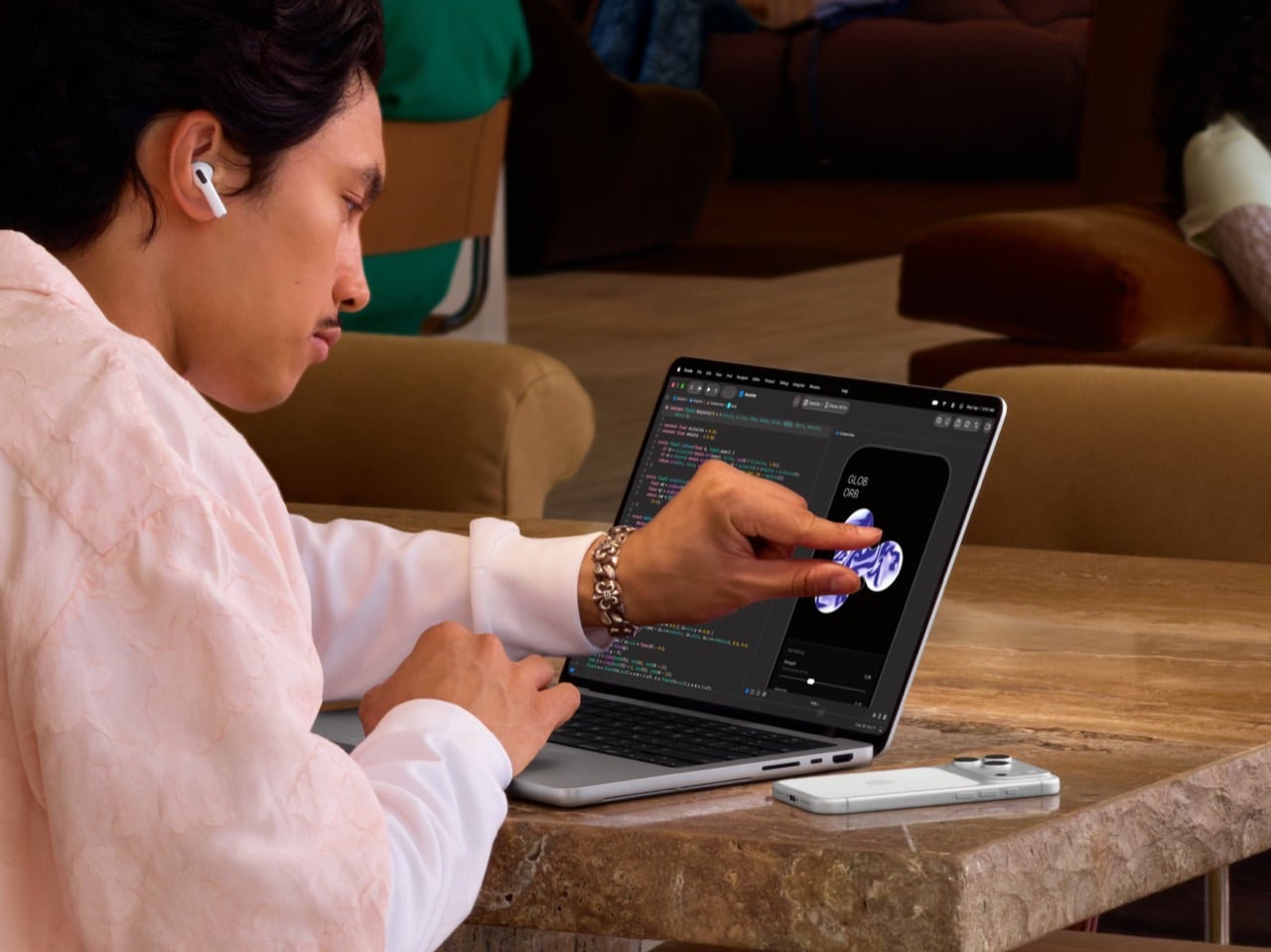
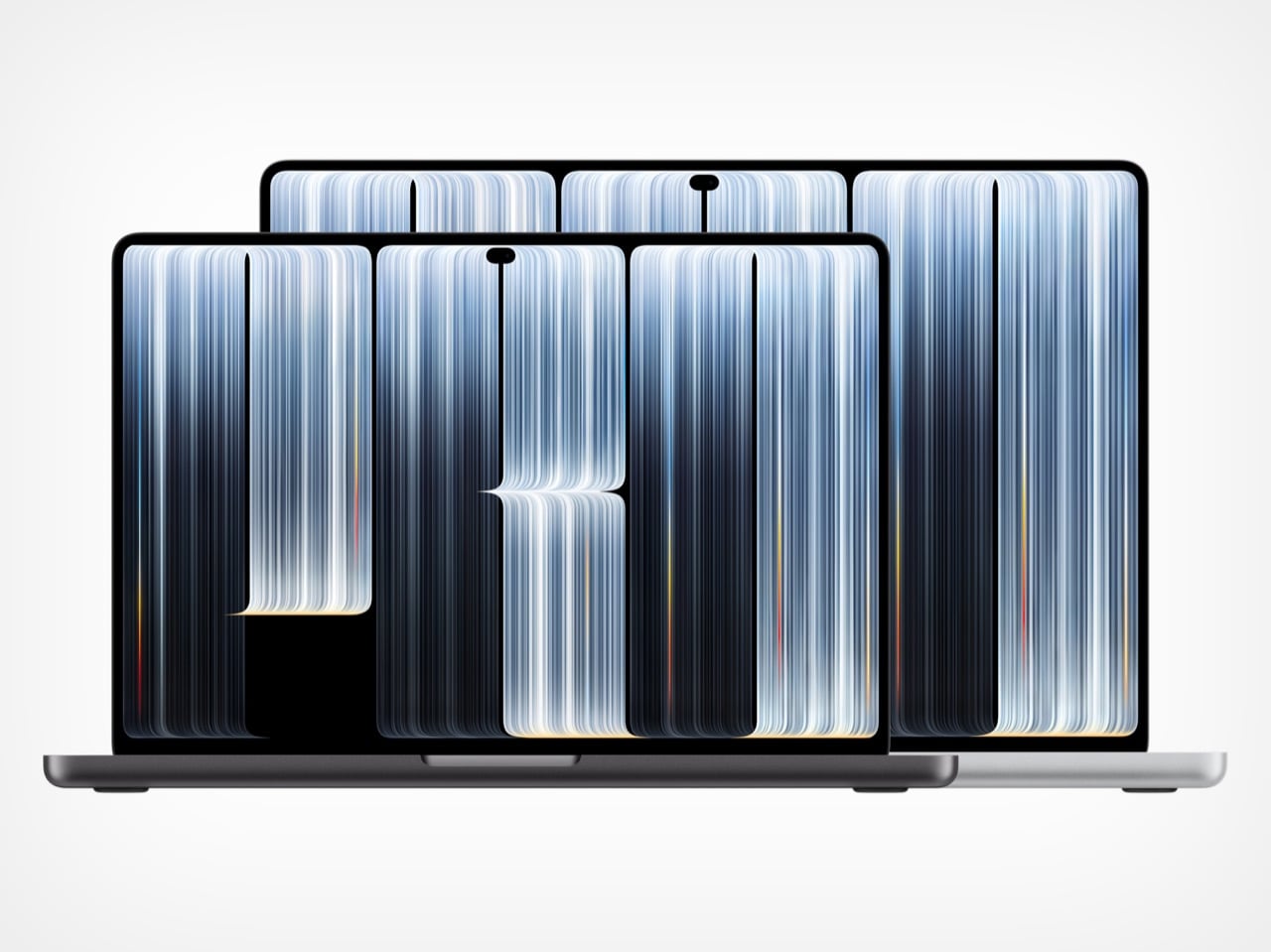
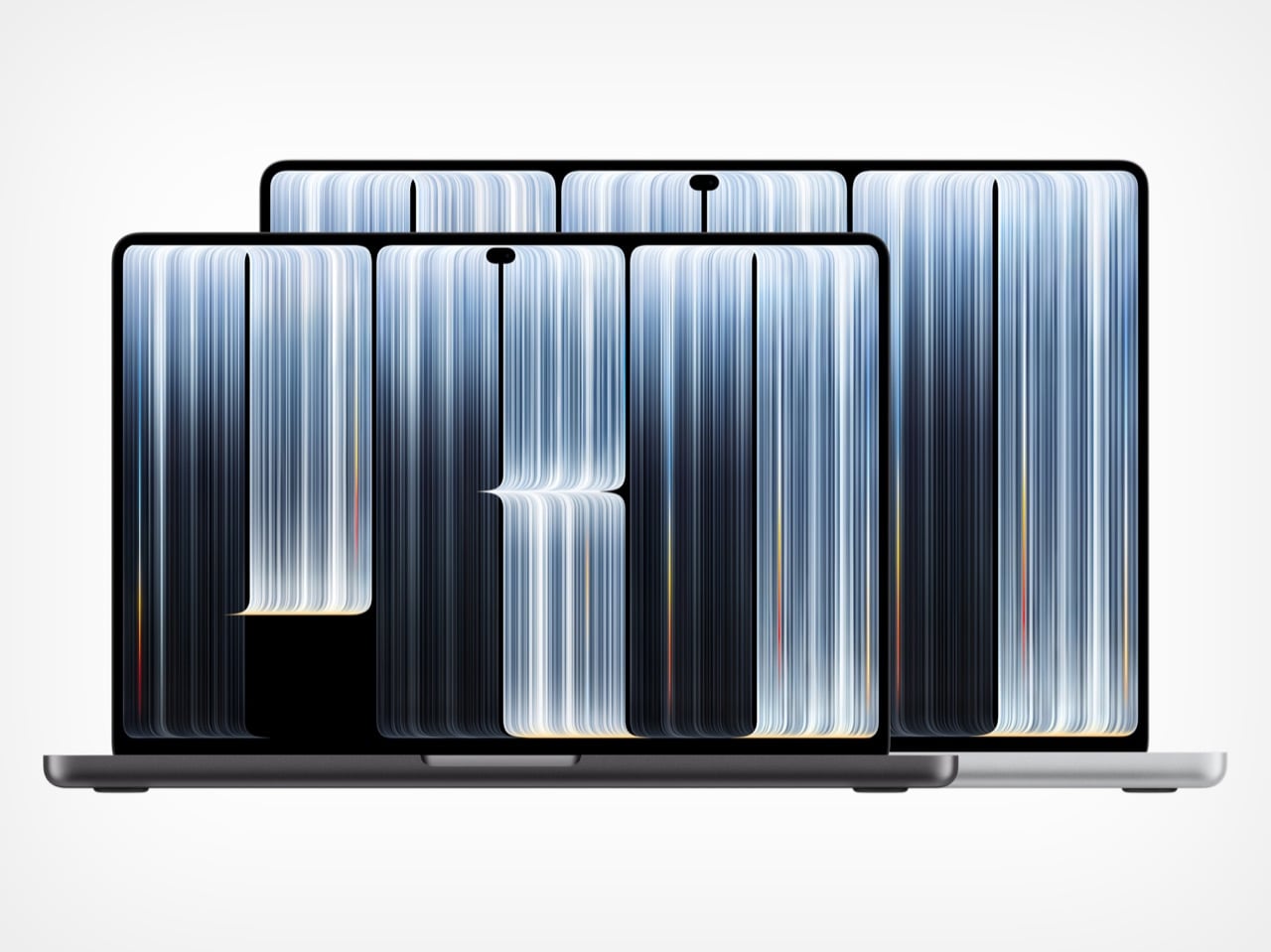
The new MacBook Pro weighs 3 pounds (1.36kg) as a 14-inch and 4 pounds (1.81kg) as a 16-inch, shedding half a pound and 0.7 pounds respectively. Thickness barely moves, landing at 0.59 inches (15mm) and 0.63 inches (16mm). OLED does most of the heavy lifting, since self-lit pixels let Apple ditch the backlight layers that mini-LED needs. Slimmer bezels also stretch the screens to 14.2 and 16.3 inches inside a slightly smaller footprint. A redesigned thermal system keeps sustained performance intact and pushes warm air away from the display, a smart call because OLED panels age faster when they run hot.
Apple kept every port the 2021 redesign brought back, so you still get three Thunderbolt 5 ports, HDMI, an SDXC card slot, MagSafe, and a headphone jack. Up to three external displays work on M5 Pro, or four on M5 Max. Wi-Fi 7 and Bluetooth 6 run off Apple’s N1 chip, and a fast charge gets you to 50 percent in 30 minutes, which covers a layover. Apple rates battery life at up to 24 hours on the 16-inch with M5 Pro and 22 on the 14-inch, enough for a workday and a movie on the flight home. The lid’s Apple logo glows again too, but that comeback is a story for another day.

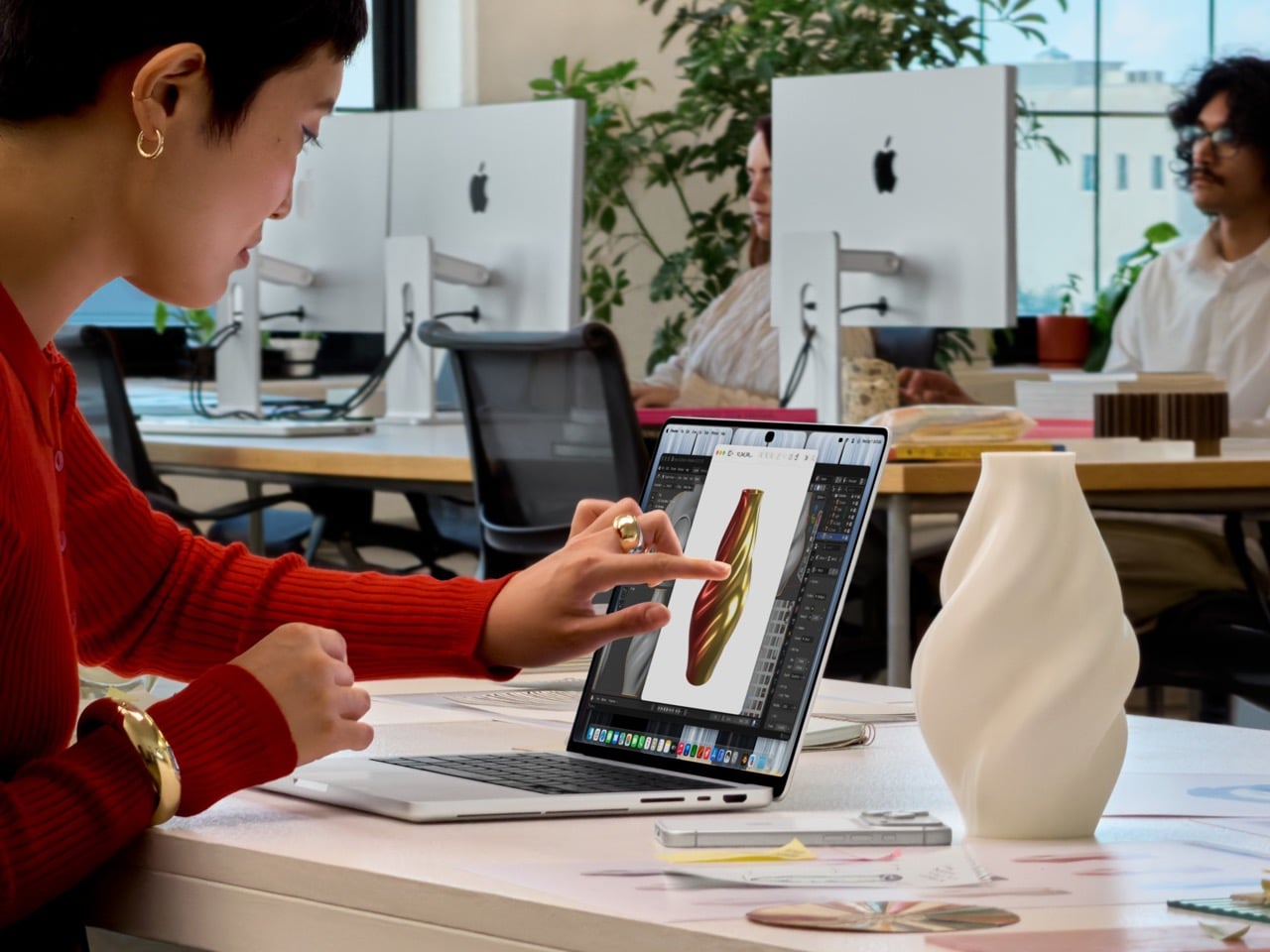
PROLED XDR is a tandem OLED, which stacks two light-emitting layers so the panel can get brighter and last longer than a single-layer OLED. Apple rates it at 2,000 nits peak for both HDR and SDR, up from 1,600 and 1,000 nits on the mini-LED model, with a 10,000,000:1 contrast ratio. In practice, a spreadsheet stays readable at a sunny cafe table, and dark scenes stay properly black without the halo blooming mini-LED throws around bright objects. ProMotion runs from 10Hz to 120Hz, idling low on static pages to save battery. Resolution lands at 3024 x 1986 on the 14-inch and 3472 x 2266 on the 16-inch.
The panel covers both P3 and Adobe RGB, the color space print work lives in, so print designers can finally proof on a laptop without second-guessing their greens. Apple also claims more than 80 percent coverage of Rec. 2020, the wider gamut used for grading HDR video. Every panel gets factory calibrated, and built-in reference modes cover film, photography, print, and even DICOM medical imaging for research use. Genlock support syncs the display’s refresh rate to a camera’s capture, which stops flicker and tearing on virtual production sets. Add the nano-texture option, now etched straight into the cover glass, and Apple has basically folded a reference monitor into a laptop lid.

In 2010, Steve Jobs told a room full of press that touchscreen laptops were a bad idea, because reaching up to a vertical screen gets tiring until your arm gives up. Apple spent the next decade and a half agreeing with him. The closest the MacBook Pro got was the Touch Bar, a thin OLED strip above the keyboard that ran from 2016 until Apple retired it in 2023. The PROLED model finally breaks the rule, with a touch sensor built directly into the display panel instead of laminated on top as a separate layer. That cuts latency, so your finger feels glued to whatever it drags.
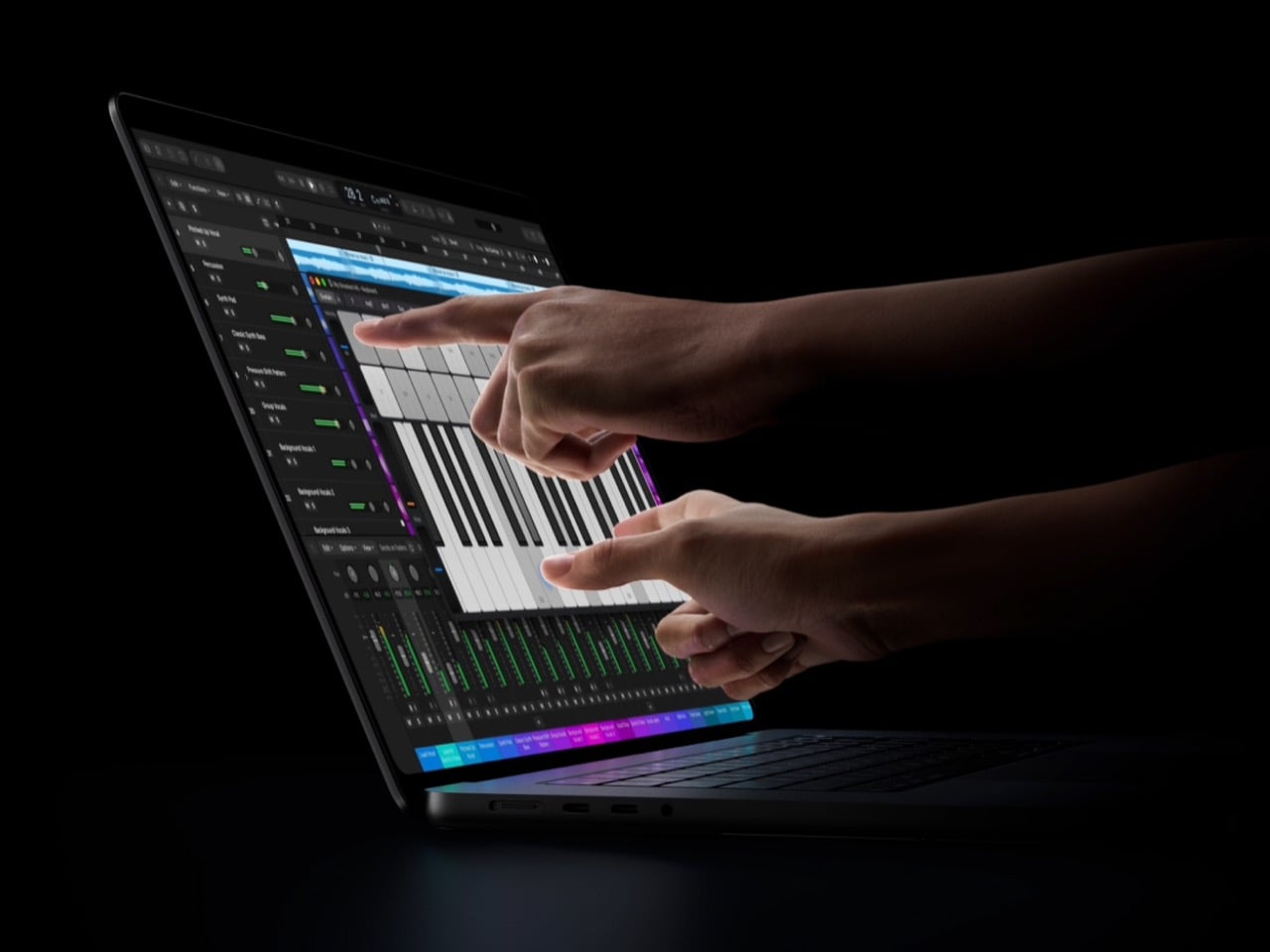
Day to day, you swipe to scroll a webpage, pinch to zoom a photo, drag slides between presentations, and double-tap a window to fill the screen. Pros get the fun stuff, with Logic Pro turning the display into a Multi-Touch polyphonic keyboard with tappable chord and drum pads, and Final Cut Pro letting editors pinch into a cut and drop clips into place by hand. The hinge has been reworked for extra stability, so the screen stays put under all that prodding. Apple even added video stabilization for calls, so your webcam feed stops shaking every time you tap something mid-meeting. It’s a very Apple fix for a very Apple problem.
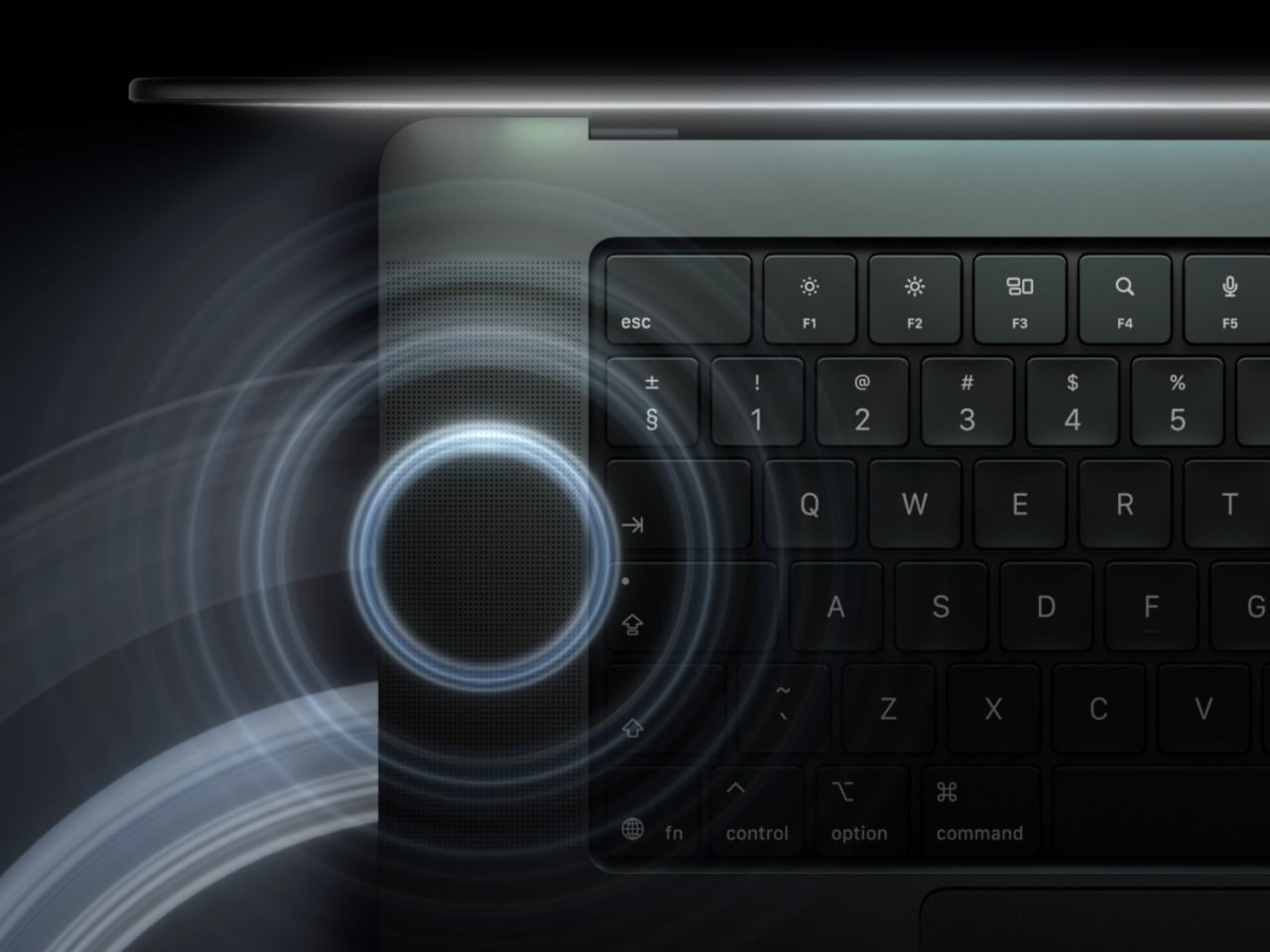
macOS 27 handles touch by translating taps into clicks, so many existing apps work on day one without an update. Apple also tweaked the interface for fingers, so touching near a window’s close button makes the controls swell up and saves you from needing surgical precision. Updated gesture APIs let developers build proper touch interactions, and Apple has lined up Notion, Canva, Zoom, Microsoft Office, Lightroom, DaVinci Resolve, Blender, Cinema 4D, ZBrush, and Shapr3D, all arriving later this year. Flicking a window to snap it against an edge feels lifted straight from iPadOS and the iPhone Duo. It’s the first visible sign of two operating systems drifting toward each other.
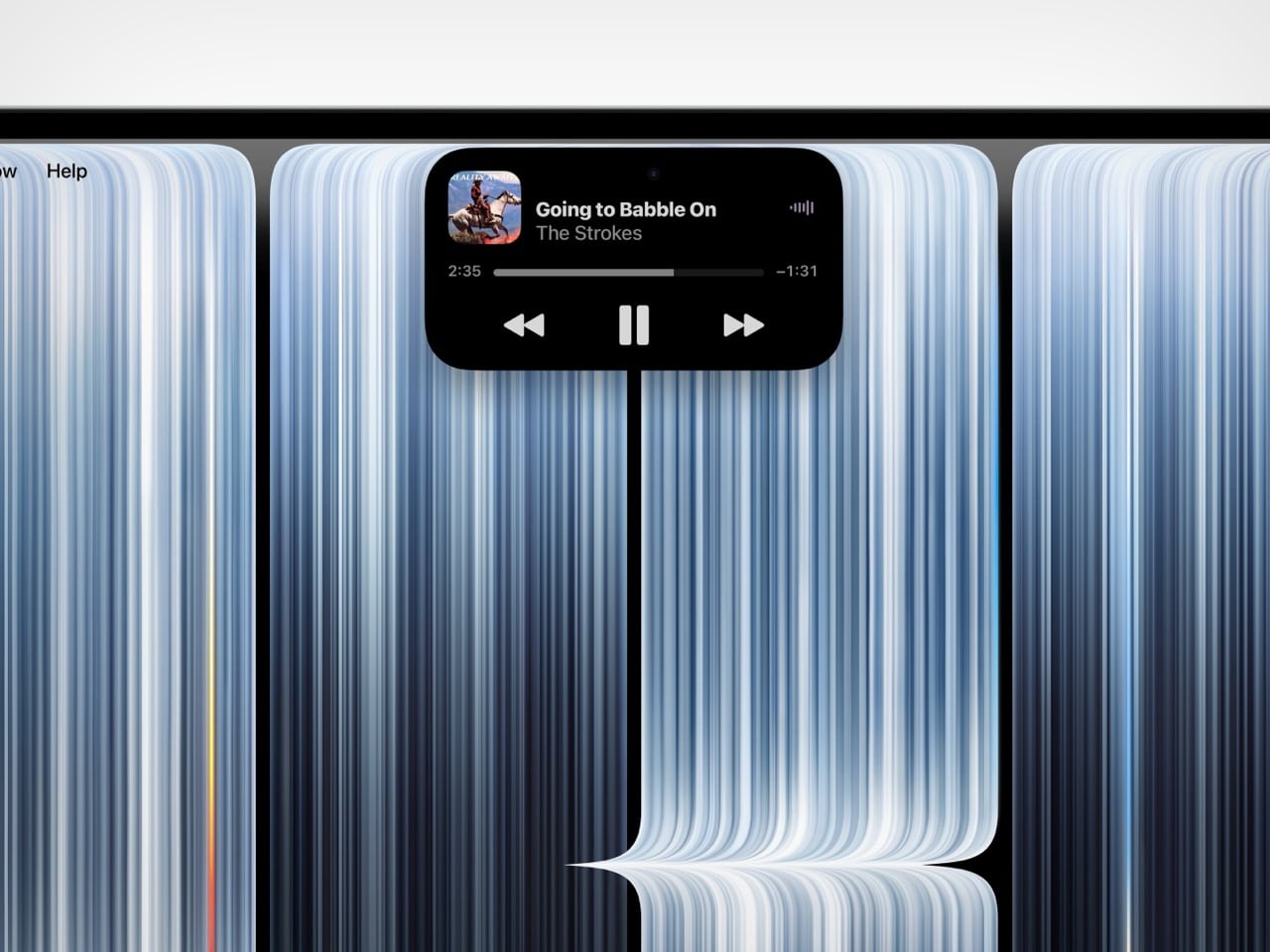
The Dynamic Island borrows the iPhone’s trick of turning a camera cutout into a live status bar. It now houses Spotlight, Live Activities, and Siri AI, so search, live updates, and your assistant all sit in one pill at the top of the screen. You can accept an AirDrop, pause a song, or pick up a call with a tap, which makes the island the most natural touch target on the entire display. There’s a small catch, since Spotlight only moves into the island if Siri AI is enabled, and Siri AI is still in beta in macOS 27.2. Even so, the island turns a dead strip of pixels into something useful, which the notch never managed.
For all the touch talk, the MacBook Pro has no Apple Pencil support. Apple’s own press release pitches the display as a full canvas for graphic designers, which makes finger-only drawing on a $2,899 reference-grade screen feel bizarre. The iPhone Duo, which is a phone, gets Apple Pencil (USB-C) support later this year, while the iPad keeps Apple Pencil Pro to itself. My read is that Apple saw how close it was to making the iPad irrelevant and left that one wall standing on purpose. Precision input is the last thing the iPad does better than anything else Apple sells.
The MacBook Pro with PROLED XDR Display starts at $2,899 for the 14-inch and $3,399 for the 16-inch with M5 Pro, climbing to $4,499 and $4,799 with M5 Max, shipping November 6. That’s a $400 premium over the standard MacBook Pro, and it lands against Microsoft’s $2,599 Surface Laptop Ultra, which also packs a 2,000-nit mini-LED touchscreen. Apple now sells touch on a foldable phone that opens into a tablet and on a laptop that wants to be one, all inside two months. Somewhere in Cupertino, the iPadOS team is probably refreshing Slack a little nervously. If macOS keeps picking up iPad tricks at this rate, iPadOS will need a very good answer for why it exists.
The post Apple’s first touchscreen MacBook leaves the iPad with an identity crisis first appeared on Yanko Design.
If the iPad were a person, this would be the week it checked its phone and found out its friends had started a group chat without it. On October 28, Apple announced the MacBook Pro with PROLED XDR Display, its first Mac with a touchscreen. Back in September, it revealed the iPhone Duo, a $1,999 foldable that opens into a 7.6-inch tablet-ish screen. One goes after the iPad Pro’s job of being a pro machine you can touch, and the other goes after the iPad mini’s job of being a small screen you carry everywhere. That’s two iPads made redundant in about seven weeks, which feels like a personal record for Apple.
The MacBook makes the louder case, with tandem OLED panels hitting 2,000 nits, a Dynamic Island replacing the notch, and a starting price of $2,899. The Duo makes the sneakier one, since it runs the same A20 Pro chip as Apple’s new $699 OLED iPad mini and packs an extra rear camera for good measure. Craig Federighi even conceded that the Duo can fill the space an iPad mini used to hold. Apple did keep one door shut, though, because the touchscreen MacBook has no Apple Pencil support. Call it a coincidence if you like, but it looks a lot like Apple left the iPad one job so it wouldn’t feel completely useless.
Designer: Apple
The new MacBook Pro weighs 3 pounds (1.36kg) as a 14-inch and 4 pounds (1.81kg) as a 16-inch, shedding half a pound and 0.7 pounds respectively. Thickness barely moves, landing at 0.59 inches (15mm) and 0.63 inches (16mm). OLED does most of the heavy lifting, since self-lit pixels let Apple ditch the backlight layers that mini-LED needs. Slimmer bezels also stretch the screens to 14.2 and 16.3 inches inside a slightly smaller footprint. A redesigned thermal system keeps sustained performance intact and pushes warm air away from the display, a smart call because OLED panels age faster when they run hot.
Apple kept every port the 2021 redesign brought back, so you still get three Thunderbolt 5 ports, HDMI, an SDXC card slot, MagSafe, and a headphone jack. Up to three external displays work on M5 Pro, or four on M5 Max. Wi-Fi 7 and Bluetooth 6 run off Apple’s N1 chip, and a fast charge gets you to 50 percent in 30 minutes, which covers a layover. Apple rates battery life at up to 24 hours on the 16-inch with M5 Pro and 22 on the 14-inch, enough for a workday and a movie on the flight home. The lid’s Apple logo glows again too, but that comeback is a story for another day.
PROLED XDR is a tandem OLED, which stacks two light-emitting layers so the panel can get brighter and last longer than a single-layer OLED. Apple rates it at 2,000 nits peak for both HDR and SDR, up from 1,600 and 1,000 nits on the mini-LED model, with a 10,000,000:1 contrast ratio. In practice, a spreadsheet stays readable at a sunny cafe table, and dark scenes stay properly black without the halo blooming mini-LED throws around bright objects. ProMotion runs from 10Hz to 120Hz, idling low on static pages to save battery. Resolution lands at 3024 x 1986 on the 14-inch and 3472 x 2266 on the 16-inch.
The panel covers both P3 and Adobe RGB, the color space print work lives in, so print designers can finally proof on a laptop without second-guessing their greens. Apple also claims more than 80 percent coverage of Rec. 2020, the wider gamut used for grading HDR video. Every panel gets factory calibrated, and built-in reference modes cover film, photography, print, and even DICOM medical imaging for research use. Genlock support syncs the display’s refresh rate to a camera’s capture, which stops flicker and tearing on virtual production sets. Add the nano-texture option, now etched straight into the cover glass, and Apple has basically folded a reference monitor into a laptop lid.
In 2010, Steve Jobs told a room full of press that touchscreen laptops were a bad idea, because reaching up to a vertical screen gets tiring until your arm gives up. Apple spent the next decade and a half agreeing with him. The closest the MacBook Pro got was the Touch Bar, a thin OLED strip above the keyboard that ran from 2016 until Apple retired it in 2023. The PROLED model finally breaks the rule, with a touch sensor built directly into the display panel instead of laminated on top as a separate layer. That cuts latency, so your finger feels glued to whatever it drags.
Day to day, you swipe to scroll a webpage, pinch to zoom a photo, drag slides between presentations, and double-tap a window to fill the screen. Pros get the fun stuff, with Logic Pro turning the display into a Multi-Touch polyphonic keyboard with tappable chord and drum pads, and Final Cut Pro letting editors pinch into a cut and drop clips into place by hand. The hinge has been reworked for extra stability, so the screen stays put under all that prodding. Apple even added video stabilization for calls, so your webcam feed stops shaking every time you tap something mid-meeting. It’s a very Apple fix for a very Apple problem.
macOS 27 handles touch by translating taps into clicks, so many existing apps work on day one without an update. Apple also tweaked the interface for fingers, so touching near a window’s close button makes the controls swell up and saves you from needing surgical precision. Updated gesture APIs let developers build proper touch interactions, and Apple has lined up Notion, Canva, Zoom, Microsoft Office, Lightroom, DaVinci Resolve, Blender, Cinema 4D, ZBrush, and Shapr3D, all arriving later this year. Flicking a window to snap it against an edge feels lifted straight from iPadOS and the iPhone Duo. It’s the first visible sign of two operating systems drifting toward each other.
The Dynamic Island borrows the iPhone’s trick of turning a camera cutout into a live status bar. It now houses Spotlight, Live Activities, and Siri AI, so search, live updates, and your assistant all sit in one pill at the top of the screen. You can accept an AirDrop, pause a song, or pick up a call with a tap, which makes the island the most natural touch target on the entire display. There’s a small catch, since Spotlight only moves into the island if Siri AI is enabled, and Siri AI is still in beta in macOS 27.2. Even so, the island turns a dead strip of pixels into something useful, which the notch never managed.
For all the touch talk, the MacBook Pro has no Apple Pencil support. Apple’s own press release pitches the display as a full canvas for graphic designers, which makes finger-only drawing on a $2,899 reference-grade screen feel bizarre. The iPhone Duo, which is a phone, gets Apple Pencil (USB-C) support later this year, while the iPad keeps Apple Pencil Pro to itself. My read is that Apple saw how close it was to making the iPad irrelevant and left that one wall standing on purpose. Precision input is the last thing the iPad does better than anything else Apple sells.
The MacBook Pro with PROLED XDR Display starts at $2,899 for the 14-inch and $3,399 for the 16-inch with M5 Pro, climbing to $4,499 and $4,799 with M5 Max, shipping November 6. That’s a $400 premium over the standard MacBook Pro, and it lands against Microsoft’s $2,599 Surface Laptop Ultra, which also packs a 2,000-nit mini-LED touchscreen. Apple now sells touch on a foldable phone that opens into a tablet and on a laptop that wants to be one, all inside two months. Somewhere in Cupertino, the iPadOS team is probably refreshing Slack a little nervously. If macOS keeps picking up iPad tricks at this rate, iPadOS will need a very good answer for why it exists.
The post Apple’s first touchscreen MacBook leaves the iPad with an identity crisis first appeared on Yanko Design.