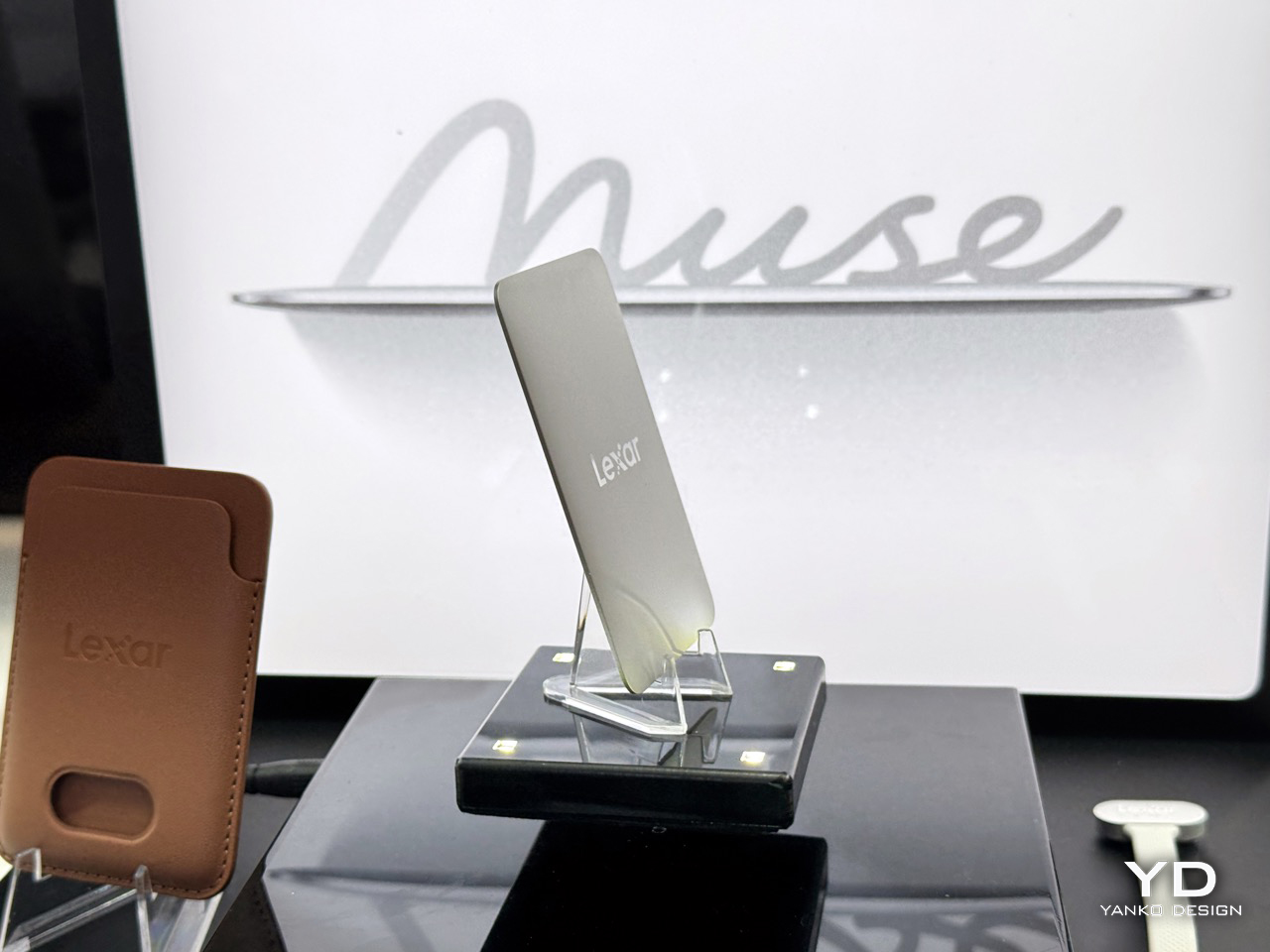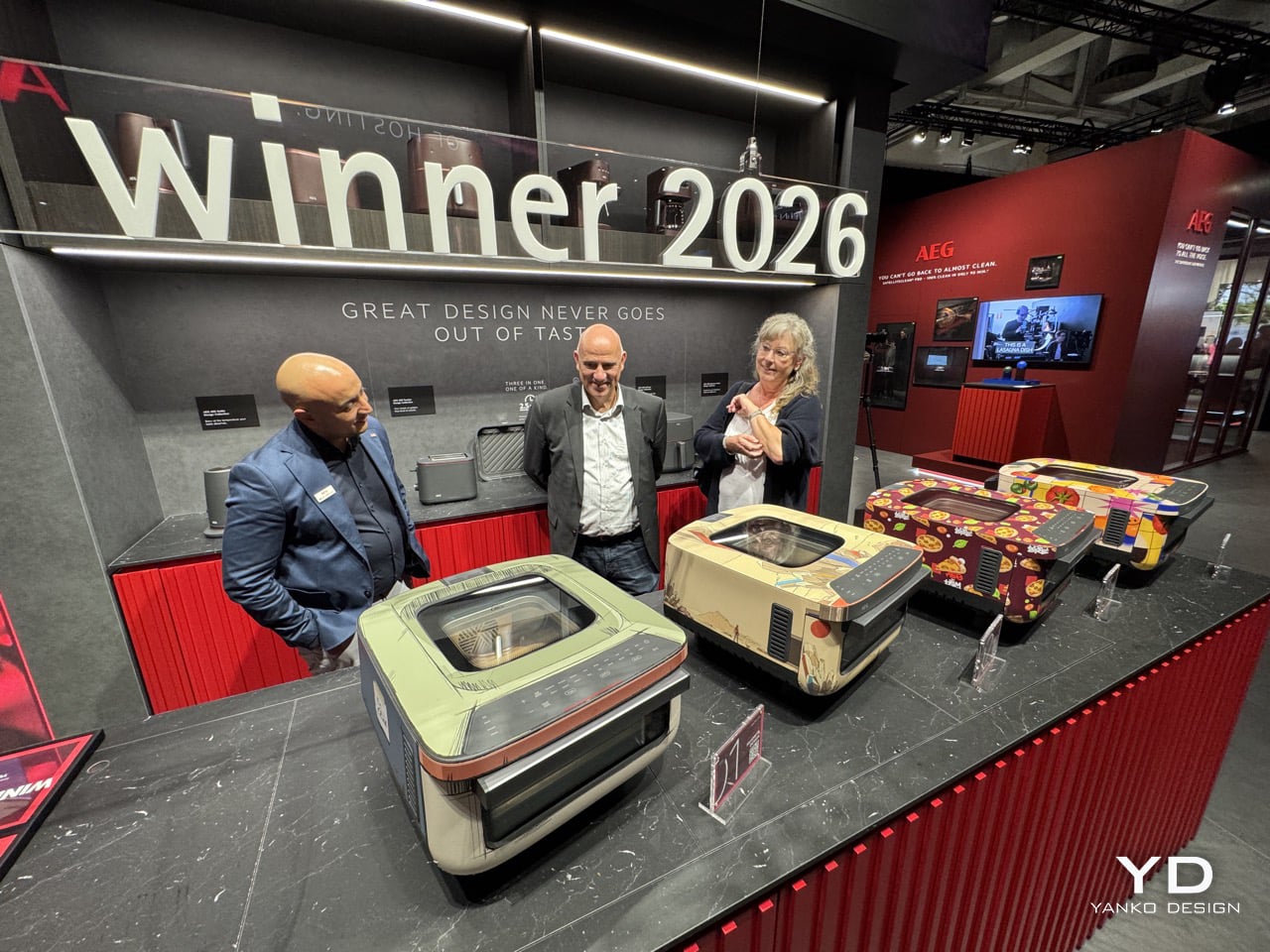
If you’ve ever spent more time picking a keyboard switch than you spent picking your last laptop, this roundup is partly for you. If you’ve ever rigged up a portable projector to a laptop balanced on a hotel minibar just because you wanted a bigger screen, same. The brands in this collection showcased at the Global Connect Show at IFA 2026 are for people who have already decided that “good enough” isn’t, and who show up to a tech show looking for the thing that makes an already-decent setup genuinely great. That’s a specific kind of shopper, and a very satisfying one to cater to.
What looks like an unrelated collection on paper tends to share the same underlying energy. Rugged devices built for environments where standard tech has a short life expectancy. Smart home hardware for homes that don’t want a renovation. Clean energy systems for people who want independence from the grid without building a bunker. Levitating lamps that look like they belong in a different century. AR glasses from one of the most credentialed teams in the space. There’s a lot going on, and somehow all of it belongs in the same list.
Magcubic M800 Pro GT: The Budget Projector Brand That Decided Durability Was the Next Frontier
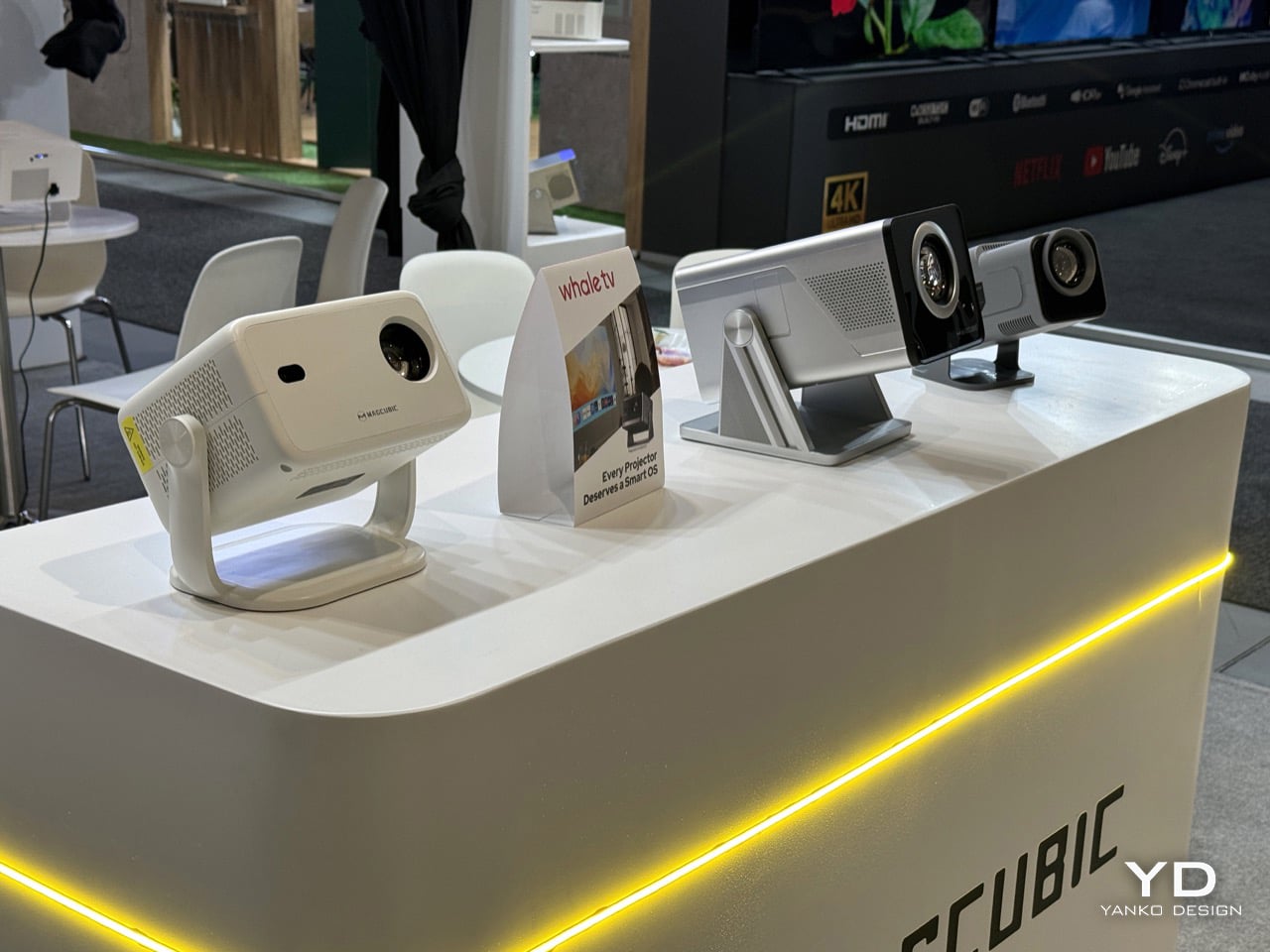
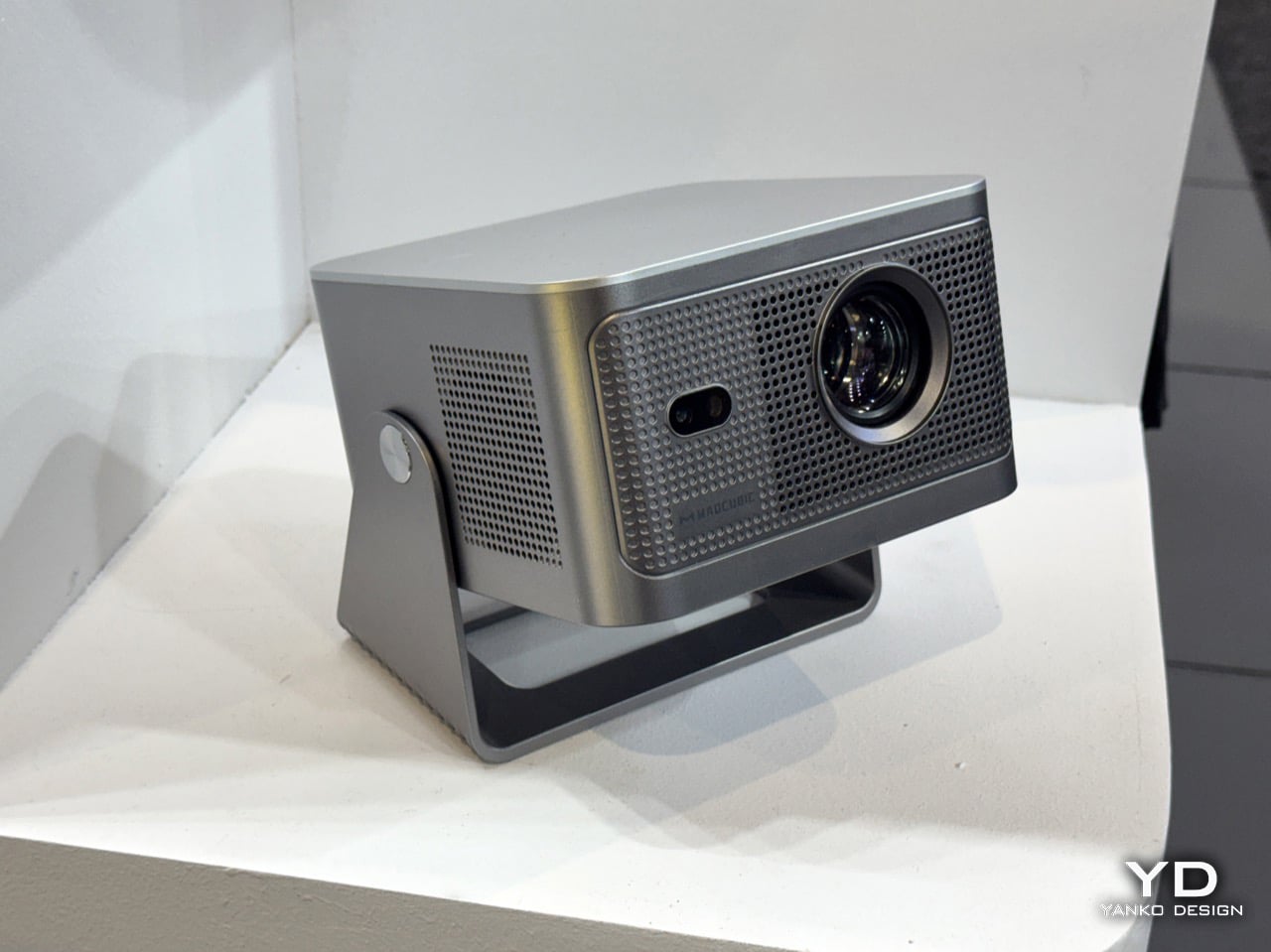
Magcubic has a story worth knowing before talking about the M800 Pro GT. Founded by tech and home entertainment experts with a mission to make big-screen experiences accessible to a wider audience, the brand grew from an unknown startup to a top-10 global projector brand in under two years. It did that by doing something the projector industry wasn’t really expecting, which was leveraging LCD technology and supply chain muscle to cut high-end projector costs by as much as 80%, launching models that match or outperform premium competitors at a fraction of the price. The HY series became an Amazon bestseller and the kind of product that gets recommended constantly in home theater forums by people who can’t quite believe what they paid for it. The M800 Pro GT is what comes after that success, and it’s asking a different question: not just how cheap can a good projector be, but how long can it actually last.
The answer Magcubic is offering is a sealed optical engine, which sounds like a small detail until you’ve owned a projector long enough to watch it slowly get worse. Unlike traditional projectors that leave optical components exposed to dust and airborne particles, the M800 Pro GT’s sealed architecture creates a cleaner internal environment, helping preserve the optical path and supporting consistent projection performance over time. Dust contamination is genuinely one of the most common reasons a projector’s image quality degrades over months of use, and it’s the kind of thing that rarely appears in spec sheets but absolutely shows up in two-year-old Amazon reviews. The M800 Pro GT represents a significant evolution in Magcubic’s product strategy, shifting focus from pure affordability to durability and long-term reliability, while staying true to the brand’s core mission of making high-quality projection accessible to all. For a brand that built its name on price, adding longevity to the pitch is a smart and mature next move.
Arzopa Portable Monitors, Frames, Calendar: A Screen for Everything
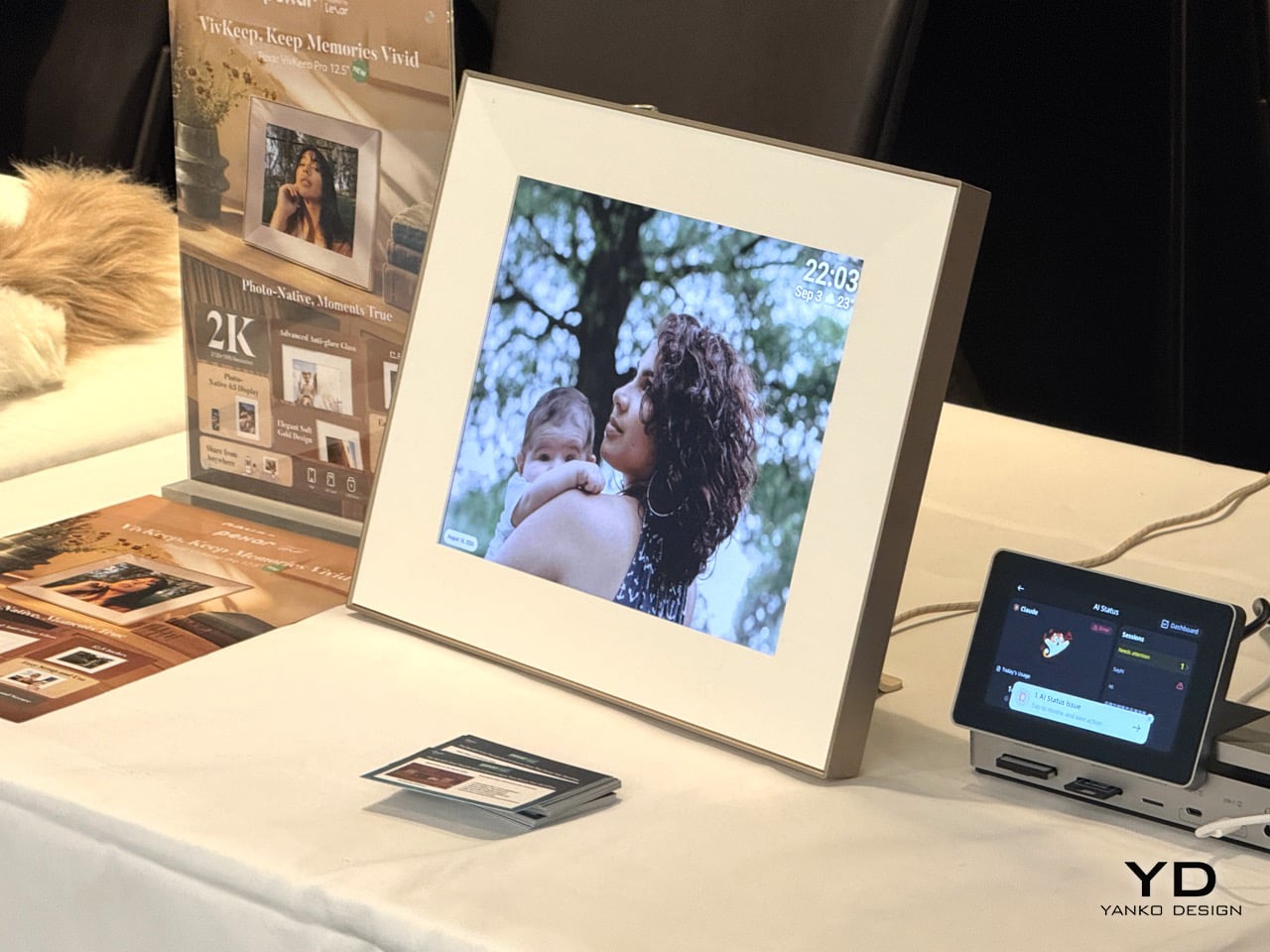
Portable monitors were always a niche category for the kind of person who travels constantly and refuses to work on a 13-inch laptop screen. What’s changed is that that person is now everyone. Arzopa has been building in this space for a while, and the Z1RC Plus TS shows what that investment looks like: a 17.3-inch 2.5K touchscreen with a 16:10 aspect ratio, responsive touch navigation, and 100% sRGB color coverage. The Z2FC trims things down to 15.6 inches and trades the touch panel for a 120Hz refresh rate and QHD resolution, all at 742 grams, which is the version for people who want their portable gaming situation to look a lot less embarrassing in a coffee shop.
The D14 Pro digital frame and the C1 Smart Calendar are where the brand starts to feel like it has a genuine point of view. The D14 Pro is a 14-inch 2K aluminum-alloy frame with multi-user remote sharing, unlimited cloud storage, and 32GB of built-in storage, with zero subscription fees, which puts it in direct competition with brands like Aura that have made recurring costs their whole personality. The C1 Smart Calendar, which launched in May 2026, is a 14-inch touchscreen family hub with a C1 Pro at 17.35 inches planned and a 27-inch C1 Pro Max already in development. It handles calendar sync, tasks, shopping lists, meal planning, and kid reward systems with no subscription required. The wall is clearly next on Arzopa’s agenda.
BUBBLEFLOW: Wireless Speakers That Deliver Perfect Spatial Audio No Matter How They’re Arranged
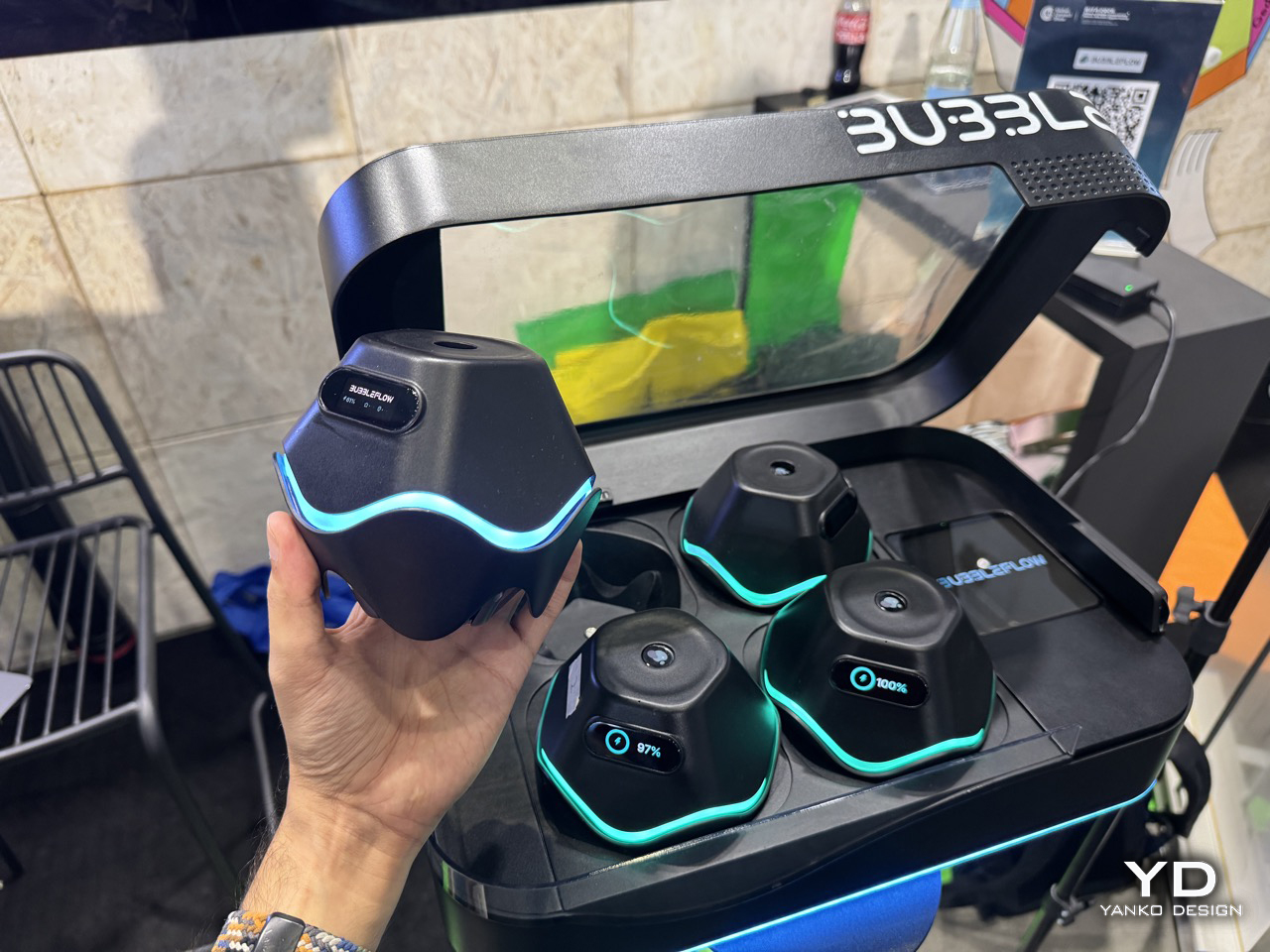
Four little wireless pods, no cables, no left-right dogma, and a promise that dropping them wherever you feel like should sound just as good as painstakingly measuring out a 5.1 setup. Each speaker in the system packs a UWB module, an omnidirectional antenna, and a microphone array, and together they automatically detect each speaker’s spatial coordinates and optimize the sound field rendering in real time, delivering an immersive experience with “any placement, always immersive.” That’s the party trick, but the deeper flex is what happens once the room is mapped. Users get an interactive interface where vocals, guitars, drums, and other musical elements can be moved through 3D space, front-left, orbiting the room, wherever the mix calls for. None of it requires special tracks either. The on-device AI spatialization engine performs real-time object separation and spatial rendering on any third-party streaming music or local audio files, so a decade-old stereo mp3 gets pulled apart and rebuilt in three dimensions without anyone re-mastering a thing.
The backstory tracks with a lot of the sharper hardware coming out of Shenzhen lately. BUBBLEFLOW was founded in 2025 and incubated at xbotpark, the robotics industry base started by Professor Li Zexiang, DJI’s co-founder, with angel backing from Hillhouse Ventures that same year. That pedigree shows up in the ambition of the pitch, four separate “world firsts” bundled into one four-speaker kit, but the company is keeping the actual retail launch on a slower clock, with the first hardware product expected to officially launch in the fourth quarter of 2026. IFA is where the concept gets its legs under it in public for the first time, with an interactive experience zone at Booth H25_265 letting attendees personally experience the wonder of “letting music flow freely through space.” Judging by the leaked booth photos already floating around, with the pods glowing teal on their charging dock, this is shaping up to be one of the more photographed corners of the show.
DOOGEE S300 Plus Thermal and Anymoving M1 Pro: Built for Where the Signal Drops
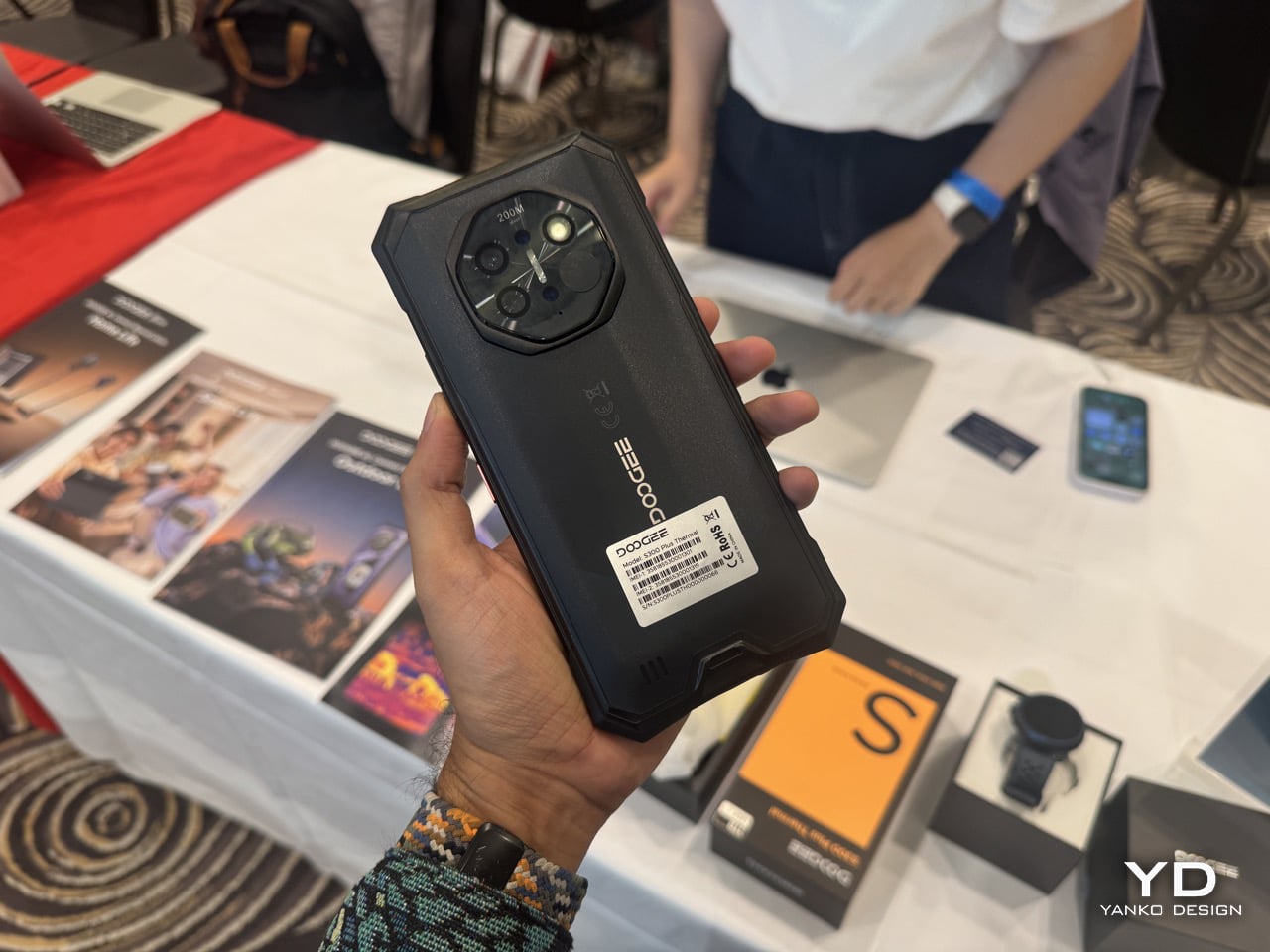
Thermal imaging on a smartphone used to mean paying a premium for a CAT S61 or clipping a FLIR One onto your existing phone and hoping the cable held. DOOGEE has been quietly making that kind of hardware more accessible for years through its S-series rugged lineup, and the S300 Plus Thermal continues that with high-definition thermal imaging that detects temperature differences and hidden heat sources, helping users observe and assess challenging environments. That covers a genuinely wide range of use cases, from hikers tracking animal heat signatures at dusk, to tradespeople doing electrical inspections or checking for insulation gaps in walls. It sits in a growing category of working tools that happen to look like smartphones, and for a brand that’s been building rugged hardware long enough to know what outdoor users actually need, adding a thermal sensor here feels less like a spec-sheet stunt and more like a logical next step.
The Anymoving M1 Pro outdoor smartwatch pairs with the S300 Plus Thermal in DOOGEE’s Outdoor Life ecosystem, bringing dual-band GPS and route navigation to keep users reliably on track. Dual-band GPS, meaning simultaneous L1 and L5 signal reception, is the same technology that separates a Garmin Fenix from a basic fitness tracker, offering significantly better accuracy in environments with tall buildings, dense tree cover, or canyon walls bouncing satellite signals around. Seeing it land in a watch positioned well below Garmin’s price bracket is the kind of trickle-down that makes the outdoor wearable market genuinely interesting right now. The broader Outdoor Life ecosystem is built for outdoor explorers, combining rugged performance, long-lasting power, reliable protection, and practical tools for demanding environments, and taken together, these two products make a credible case that you don’t need to spend flagship money to be properly equipped for the outdoors.
Epomaker Keyboards: The Brand That Keeps Asking What Else a Keyboard Could Show You
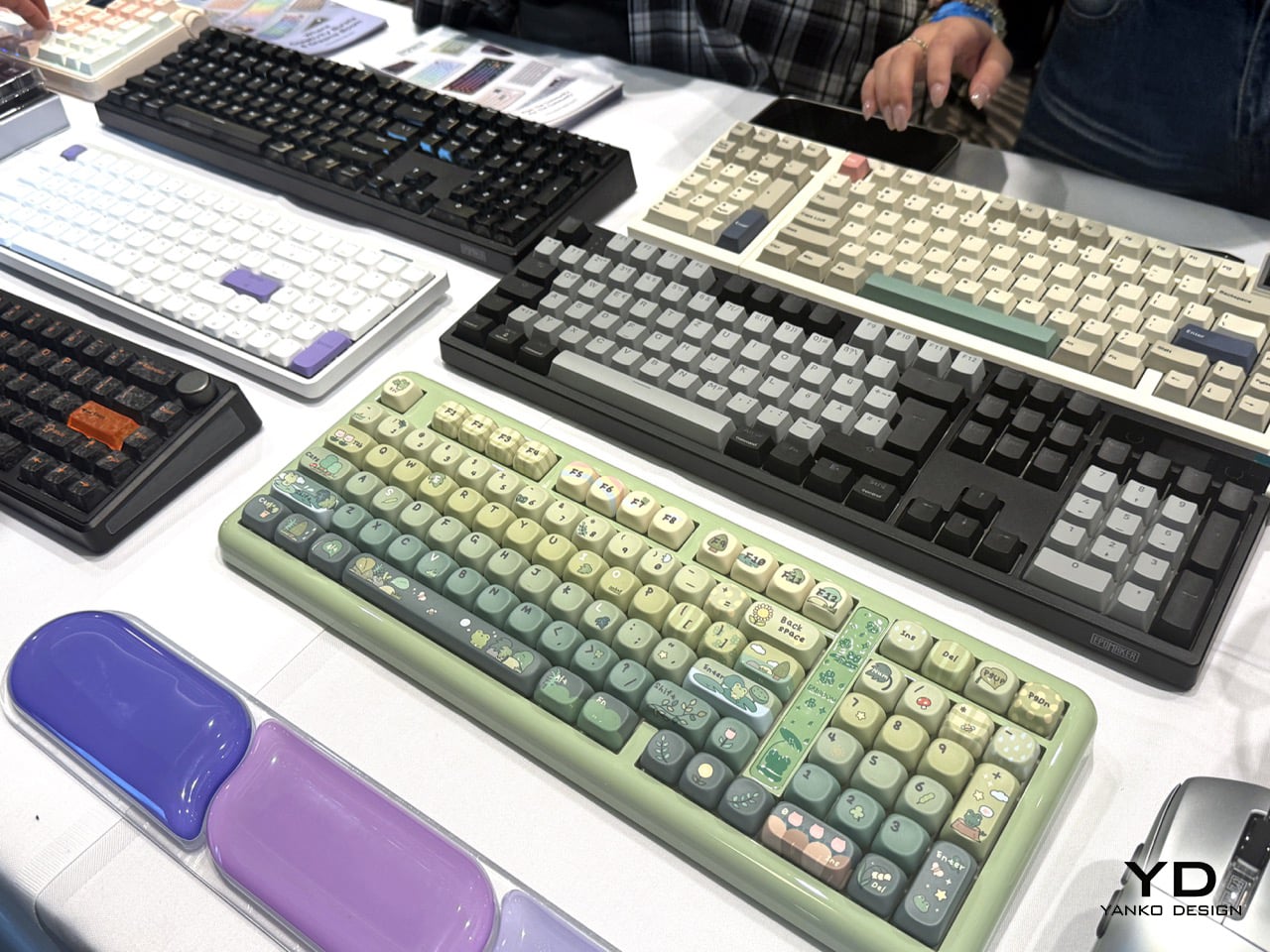
The mechanical keyboard community has strong opinions about everything, including, apparently, what should be on top of a keyboard besides keys. Epomaker has been leaning into this with its RT line for a while, and the RT98 continues that with two moves worth talking about. The numeric block detaches and remounts on either side of the board, southpaw for extra mouse room and coding, right-handed for data entry. It takes about five minutes to swap, and that kind of modular numpad flexibility is rare even in pricier boards. The other trick is a 1.14-inch detachable Mini TV display in the upper right, connected by PogPin contacts, showing time, battery, system status, weather, and up to three custom GIFs. It runs Bluetooth 5.1, 2.4GHz and USB-C across three paired devices, with an 8000mAh battery rated at up to 45 days of typical use or 300-plus hours continuous. Then there’s the Glyph, which went a different direction entirely: a retro typewriter conceit wrapped around genuinely modern enthusiast hardware. Round, concave PBT dye-sub keycaps at a uniform, non-sculpted height on a floating-key architecture give it the typewriter look without the staircase row heights that wreck your wrists. There’s a working return lever on the left, toggle up for Enter and press down for Backspace, and a 2.79-inch TFT smart screen showing status, time, RGB control, plus custom GIFs and logos.
The TH108V2 Pro is the most grounded of the three, a full 100% layout board aimed squarely at people who want a solid daily driver with some personality. At $98.99 to $99.99, it’s a full-size 104-key gasket-mount keyboard with a few smart refinements over its predecessor. The knob has moved from the left side edge to the front right face, so it’s actually reachable without hunting. It has hot-swap 5-pin, per-key south-facing RGB, a TFT glass screen with GIF upload, and a 10,000mAh battery rated up to 200 hours, with tri-mode switching and 1000Hz polling at 2ms latency. Taken together, the three map neatly onto Epomaker’s three different answers to the same question of what a keyboard should show you: the Glyph puts a screen where a typewriter’s platen would be, the TH108V2 Pro treats it as dashboard furniture, and the RT98 makes it a removable object you can take off entirely. That’s a surprisingly coherent lineup for a brand that started as a community crowdfunding darling and has clearly figured out what it wants to be.
ECO-WORTHY 48V 100Ah Batteries: One for the Wall, One for the Rack
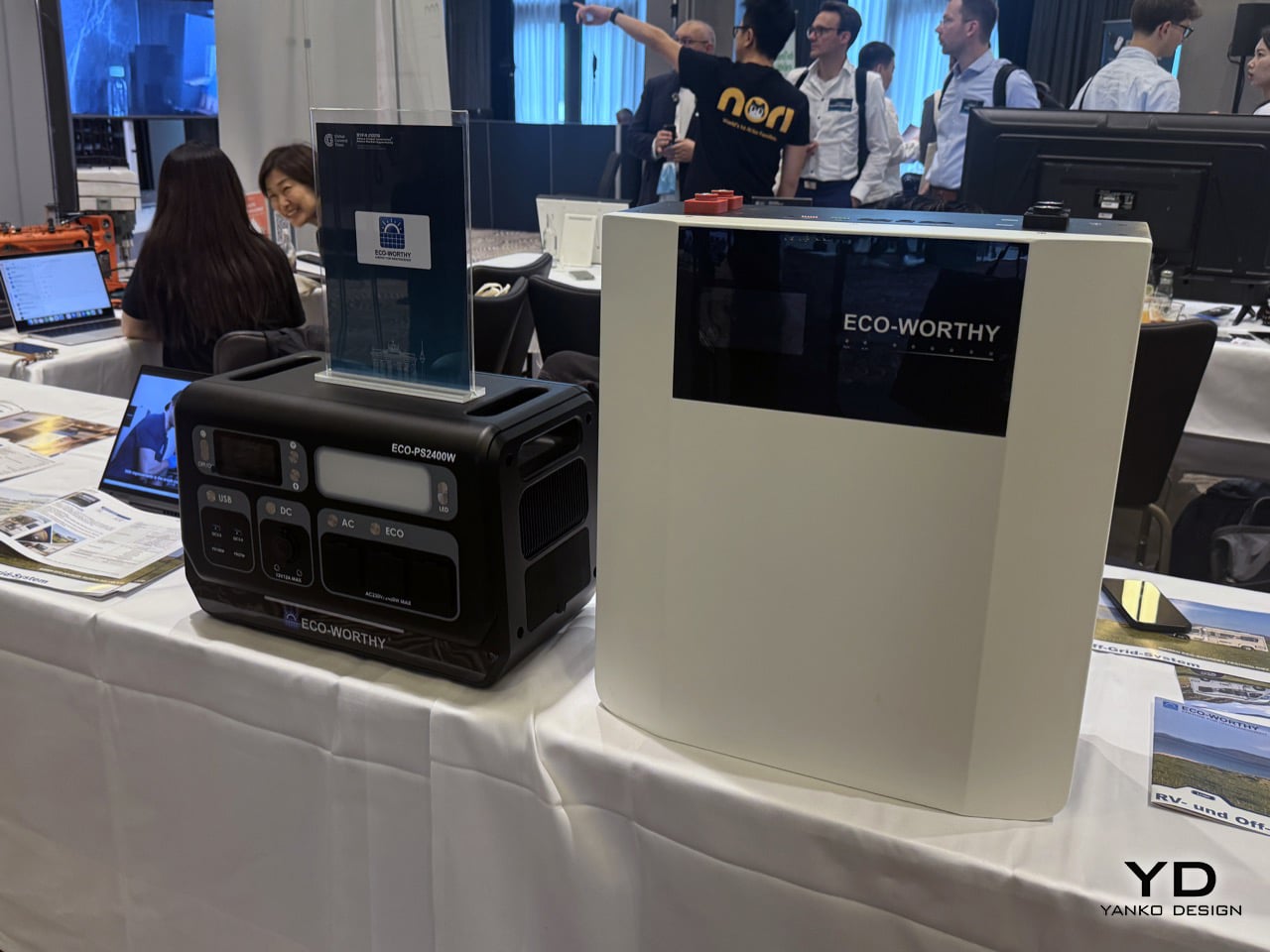
Home energy storage has been having a moment for a few years now, accelerated by grid instability, rising electricity costs, and the broader push toward solar self-sufficiency. The category has been somewhat dominated by big names charging big prices, which is exactly the gap ECO-WORTHY has been building into. Both of the 48V 100Ah batteries showing up at IFA share the same 5.12kWh core, Grade-A LiFePO4 cells rated for 6,000 cycles, and the ability to stack up to 32 units in parallel for a total of around 163kWh if someone wants to go genuinely off-grid. They are the same 5.12kWh building block wearing two different attitudes toward the room it lives in. The wall-mount treats storage as something you hang and forget, with a conduit box and a screen at eye level. The Cubix100 treats it as infrastructure you stack, where the certification paperwork matters more than the finish. One is furniture, the other is equipment.
The wall-mount version at $929.99 comes with a 4.3-inch smart display, Bluetooth and WiFi app monitoring, and a built-in aerosol fire suppression module for thermal runaway mitigation. It charges and discharges down to -4°F (-20°C) thanks to a special low-temp electrolyte, with an operating range of -20 to 55°C both ways. It also carries a 10-year limited warranty with lifetime technical support, which is the kind of commitment that matters when something is literally bolted to your wall. The rack-mount Cubix100 at $849.99 is the one with the stronger case for serious installations, though. It carries UL1973, UL9540A, and CEC Listed certifications, plus completed system-level UL9540 testing by Intertek covering both DC and AC systems. That last one matters because UL9540 is what makes a home battery install legally permittable in much of the US, and it is rare at this price. Compatibility extends to Victron, Deye, Growatt, Lux Power, Sol-Ark, GoodWe, EG4, and SRNE, which covers most of the inverter brands people are actually buying.
Gravity Aura, Universe Time & Levatron: Objects That Treat Levitation as a Design Language
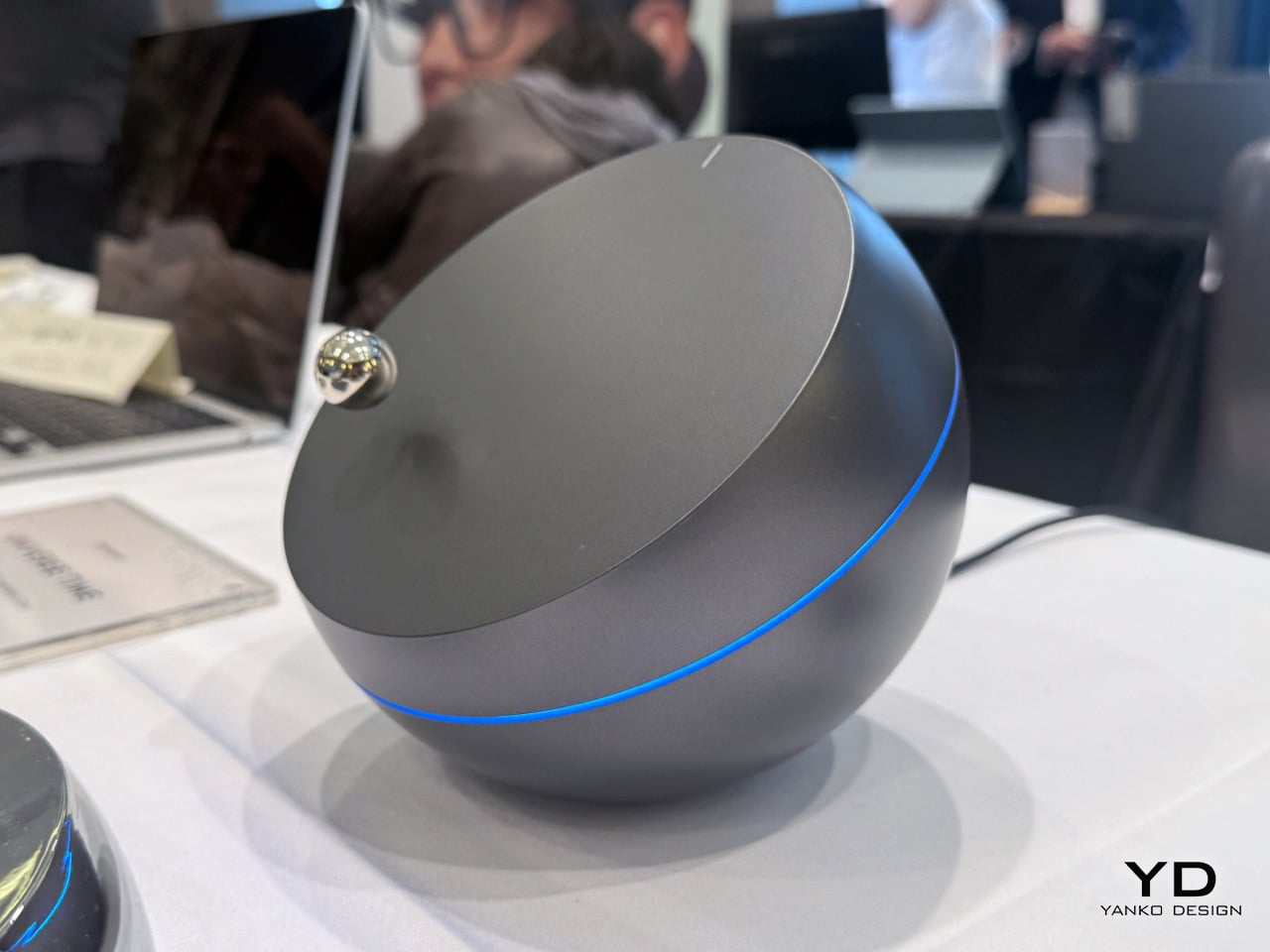
Levitating products have been around long enough that the novelty has worn off for most people. A Bluetooth speaker floating above a base, a globe spinning in mid-air, a lightbulb hovering over a wooden plinth. The category accumulated a lot of Kickstarter fatigue before it ever really found its footing. What Gravity is doing feels genuinely different, partly because the company spent five years actually building the underlying technology before selling anything. Founded by CEO Zhao Zhengdong, Gravity developed GravSpace (Spatial Force Field Control System) and GravPulse (Contactless Power Transfer Technology) over that period, and now holds nearly 100 independent intellectual property rights and core patents. The result is a spatial control system that goes beyond the typical “magnet in the base, object floating above it” formula. Unlike traditional levitation products that place objects directly above their bases, Aura uses GravSpace to suspend Auraform beside Aurabase. That sideways spatial relationship is what makes the Aura lamp feel like something from a different category entirely. Aura combines magnetic levitation with GravPulse, allowing Aurabase to transfer energy across space to Auraform so it can glow without cables or physical contacts. During the day it reads as a quiet floating sculpture. At night, it’s a light suspended in space.
The other two products push the concept in very different directions. Universe Time takes inspiration from the endless orbit of planets around stars, with its base envisioned as a distant planet with a precisely cut surface, above which a smaller sphere called the Planetary Pointer floats and continuously orbits while rotating on its own axis, echoing the perpetual motion of planets moving through space. It never stops moving, which means it functions less like a clock and more like a kinetic sculpture that happens to tell time through orbital position. A refined ring of light around the base represents the energy within a planet, with every proportion and detail carefully considered to bring planets, orbits, energy, and motion together in a mysterious, futuristic object that feels like an artifact from an unknown civilization. Then there’s the Levatron, which is the wildest swing of the three. Levatron is Gravity’s exploration into the idea of mechanical life, where three conical components levitate and rotate at the top of a robotic arm, creating a sense of order between precise structures and levitating motion, somewhere between a machine and a living organism. It has no practical function that can be easily summarized, which is kind of the point. A lot of the most interesting design objects don’t.
VEVOR Tools: Professional Work Tools on a Consumer Professional Budget
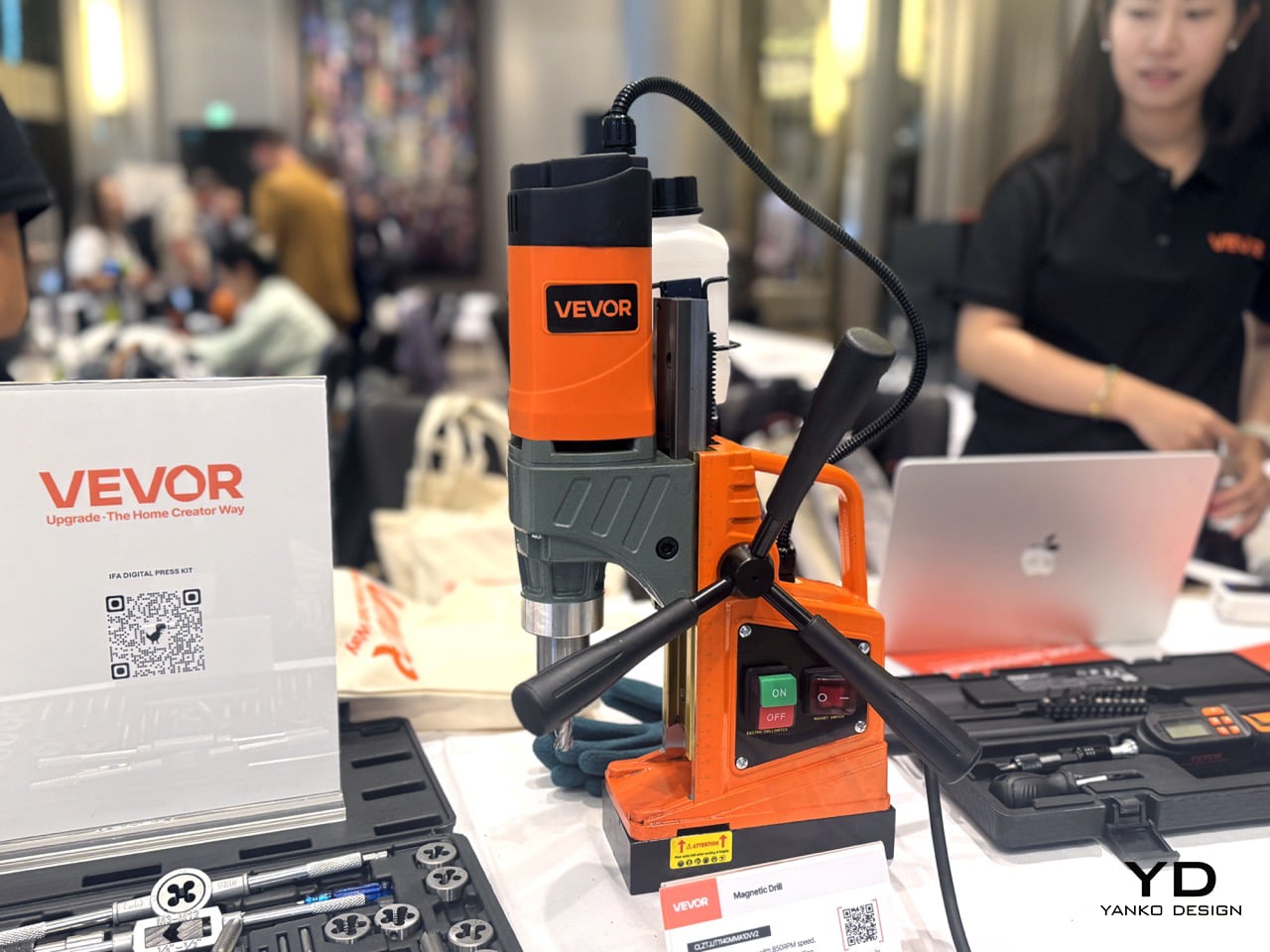
VEVOR has built its reputation doing something the tool industry has historically been reluctant to do, which is making genuinely capable equipment available to people who run a small operation out of a garage or spare room rather than a fully kitted workshop. The brand spans an almost absurd range of product categories, from meat slicers to welding equipment to heat presses, and the through-line across all of it is the same: professional-grade specs without the price tag that assumes you’re running a factory. The Auto Heat Press is a good example of this. It features hands-free auto pressure and release for effortless pressing, dual heating with 231lbs of pressure and even heat distribution, digital controls for temperature, time, and pressure settings, two presets and two custom modes, and comes with a heat cloth included. For anyone running a custom merchandise side hustle or a small print shop, the hands-free auto pressure mechanism alone is a meaningful upgrade over manual clamshell presses, where inconsistent pressure application is one of the more common reasons transfers come out uneven.
The other two products are squarely aimed at people who work with their hands in a more technical capacity. The 1/4-inch Drive Digital Torque Screwdriver covers 2.65 to 70.67 in-lbs of torque at plus or minus 2% accuracy, with 8 presets, 500-reading memory storage, real-time and peak torque measurement modes, and a quick-release bit holder for fast changes. That kind of memory logging and measurement accuracy matters in electronics assembly or device repair, where over-tightening a screw by feel is how you ruin a perfectly good piece of kit. The 40-Piece Machine Tap and Die Set rounds things out on the fabrication side, with HRC55-62 steel that resists wear and corrosion, CNC-machined and heat-treated components for sharp threads, coverage across M3-M12 and 1/8-27NPT, a portable case to prevent tool loss in field repairs, and a hex die design that delivers even force for sturdiness. Snap-on sells tap and die sets at prices that make your eyes water. VEVOR’s pitch is that the metallurgy and machining tolerance can be just as good without the brand tax, and for a lot of working machinists and serious hobbyists, that argument is increasingly hard to dismiss.
uCloudLink PetPhone & MeowGo G50 Max: One Lets Your Pet Call You, the Other Connects You Everywhere Else
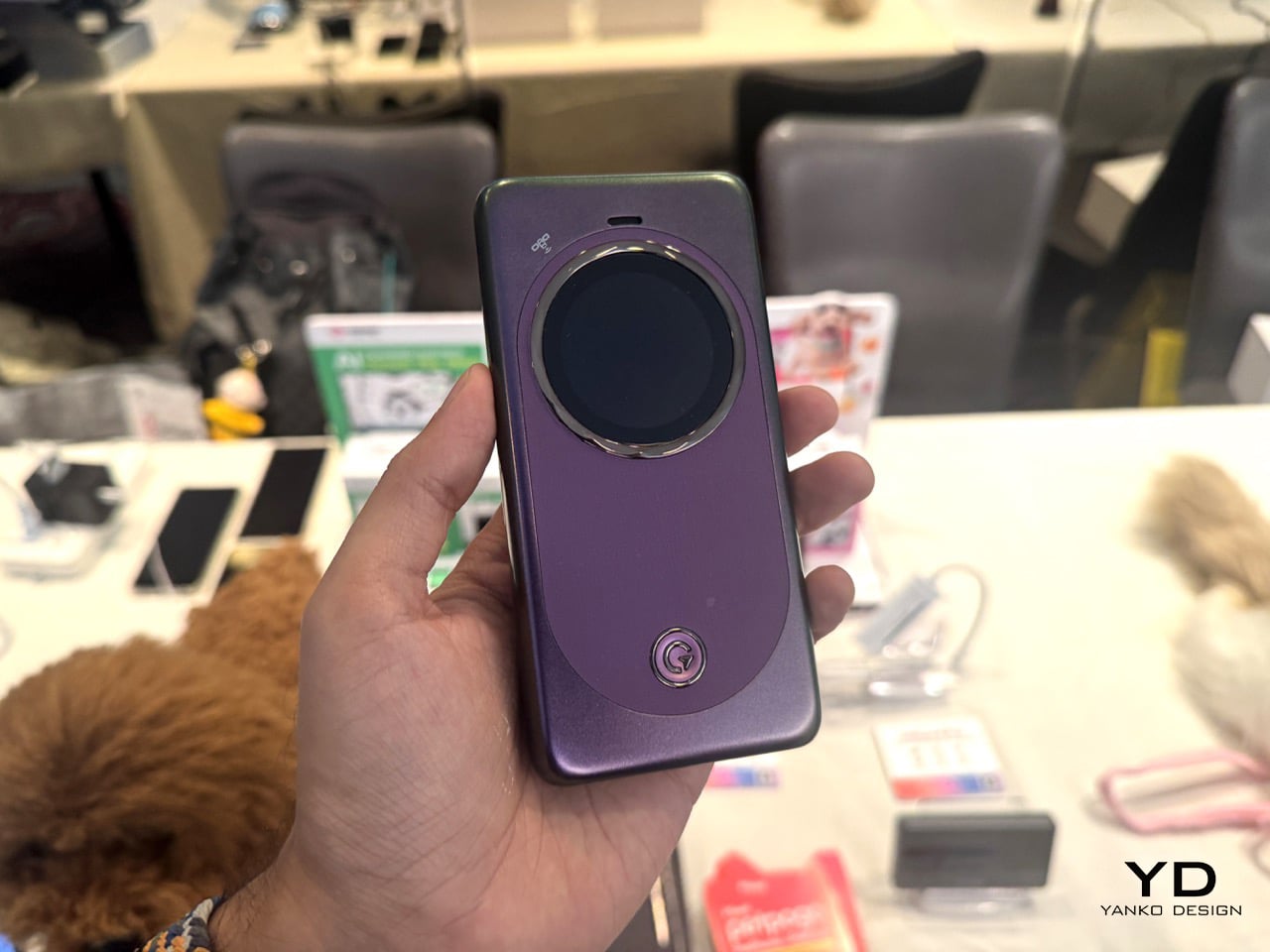
The standout detail of the PetPhone is that the pet can initiate the call. Three jumps connects it, with simple training. That is the thing separating it from every GPS collar on the market. That one feature reframes the whole product, because GPS collars have existed for years and the category is crowded with competent options. What makes the PetPhone worth talking about is the underlying connectivity layer that makes something like that even possible. It runs on CloudSIM with no physical SIM card, covering 390-plus carriers across 200-plus countries, and supports two-way voice calls, pre-recorded voice messages, calming music streaming, feeding and playtime routines, geofencing with alerts, and a social community feature. Tracking uses six positioning technologies: GPS, AGPS, LBS, Bluetooth, WiFi, and Active Radar. On-device AI also monitors activity and flags behavioral shifts like anxiety or restlessness. All of that in a 37g device rated IP67, with five days of battery per charge, attaching to any existing collar via two silicone loop bands. Worth noting: first shown at MWC 2025, the device launched at retail in September 2025 at $89.99, a substantial climbdown from the expected $199 to $299 price range quoted at its debut.
The MeowGo G50 Max is a different kind of product entirely, and honestly a more interesting one to analyze. Introduced at MWC 2025 as a hotspot with satellite capability, it was repositioned at CES 2026 as an “AI-powered connectivity hub” spanning orbital, in-flight, and ground-based networks. The satellite piece is where it gets genuinely novel. Through a partnership with Skylo using 3GPP Release 17 NTN and no bulky external antenna, the coverage claim extends to the 70% of the globe without cellular. But here’s what makes it actually credible rather than just marketed: uCloudLink states plainly that broadband is unavailable over satellite. What you get is two-way messaging and Emergency SOS, available in 38 countries, with 30 satellite messages per month for three months on some bundles. Designing a product around gracefully degrading rather than pretending it will not is a rarer thing than it should be, and for frequent travelers the rest of the package is genuinely strong. Wi-Fi 6, up to 16 connected devices, a 4,850mAh battery with 18W fast charging, coverage across 200-plus countries and 5G in 80 to 90 countries. AI HyperConn manages credentials for home, office, hotel, and in-flight WiFi alongside cellular and satellite, marketed as “One Device, One Account,” while an AI travel assistant handles flight tracking, translation, exchange rates, and buying local data by voice.
Pantum: BM4300ADW: A Printer So Good, It Prints On Crumpled, Torn Paper Too
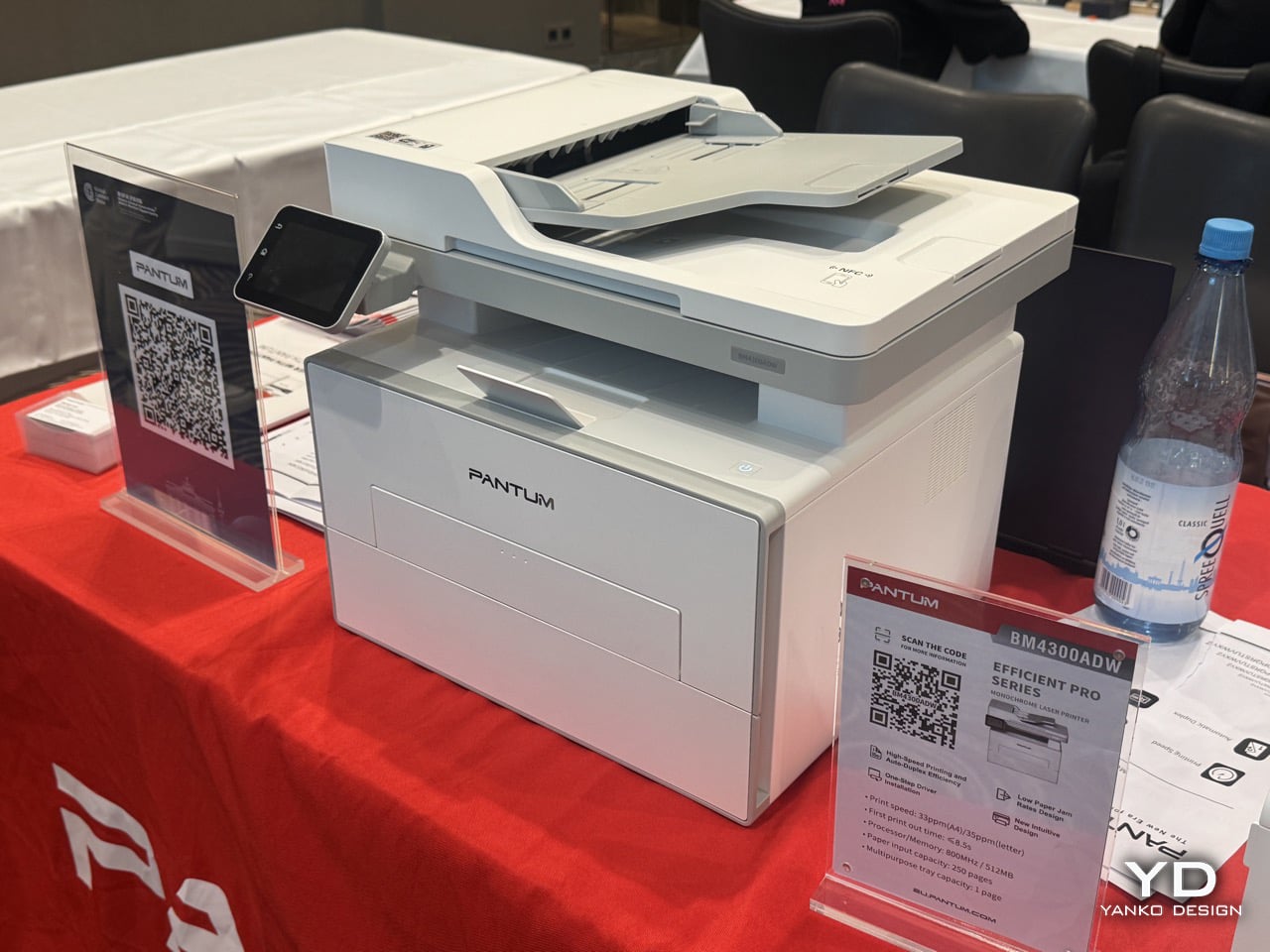
Every office has a printer story, and it is never a good one. Paper jams remain one of the most consistent points of friction in printing, and Pantum has apparently decided that fixing it deserves to be a headline feature rather than a footnote. The BM4300ADW belongs to the brand’s Efficient Pro Series, positioned around a low paper jam rate design alongside high-speed printing, auto-duplex efficiency, and one-step driver installation. That’s a mono laser multifunction printer rated at 33ppm on A4 and 35ppm on letter, with a first print out time under 8.5 seconds, an 800MHz processor paired with 512MB of memory, a 250-page input tray, and a one-page multipurpose tray for the odd envelope or letterhead job. None of those numbers are wild on their own, but the framing is telling. Pantum isn’t leading with speed or resolution here, it’s leading with reliability, which is a strange thing to have to sell as a feature until you remember how much collective time gets lost every year to a printer eating a sheet of paper sideways.
There’s a fair chance a slightly torn sheet actually feeding through cleanly instead of jamming halfway is down to the feed roller design and paper path engineering that this Efficient Pro line has been built around. There’s also a bit of corporate context worth knowing here. Pantum was formerly part of the Ninestar Group, and as of April 22, 2026, the company officially renamed itself to Pantum Technology, a signal that the brand wants to be known on its own terms rather than as a division of a larger printing and imaging conglomerate. That kind of rebrand usually comes with a renewed push into new markets, and IFA is as good a stage as any to make that case. A printer that handles paper carelessly and still prints clean is a small thing to demo on a show floor, but it’s exactly the kind of detail that sticks with the person standing there watching it happen.
Inateck AceTouch Pro: The iPad Keyboard That Won a Design Award for Getting the Boring Stuff Right
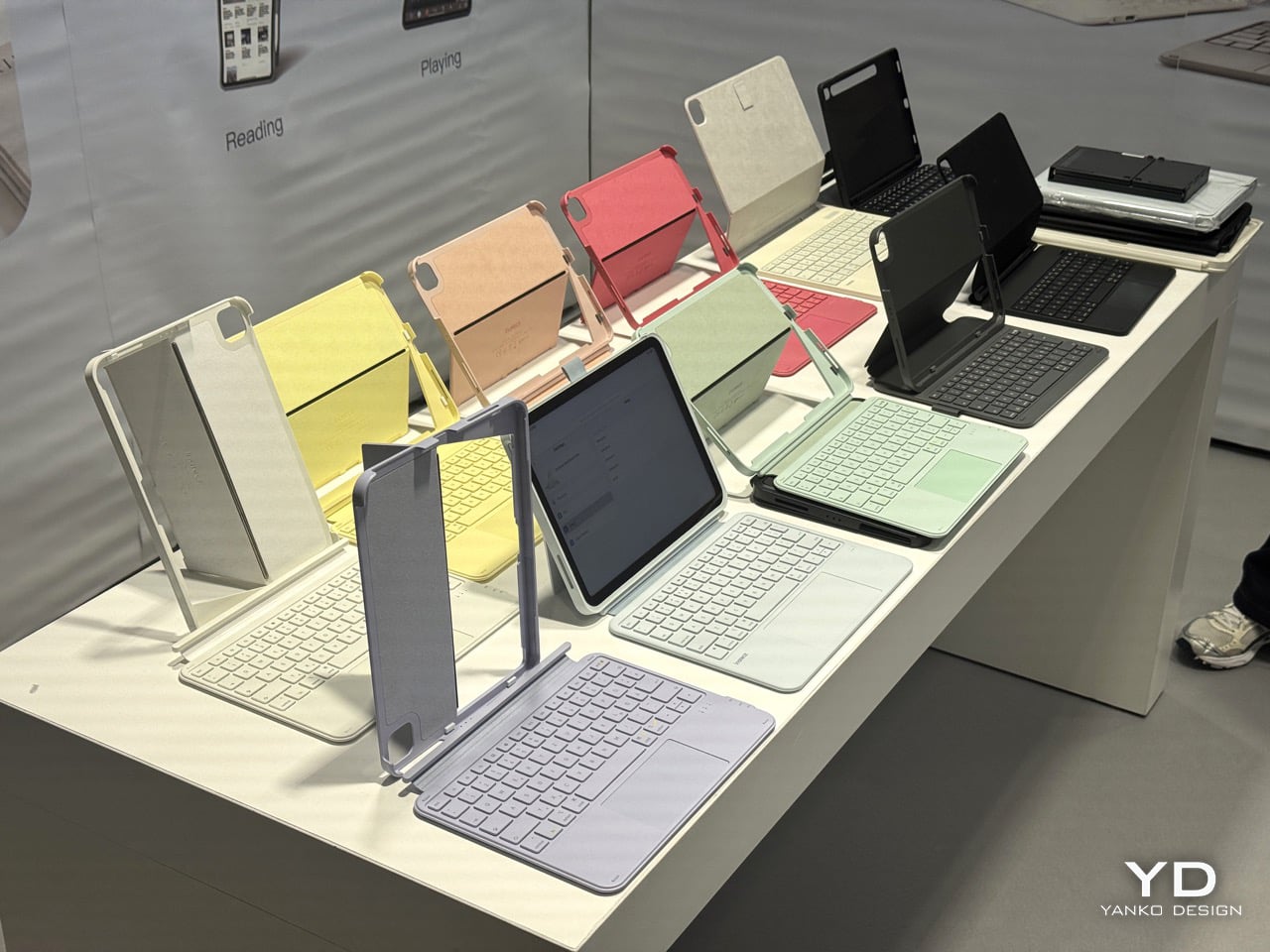
Apple’s own Magic Keyboard has been the default answer to “which iPad keyboard should I get” for years, largely because Apple made third parties look lazy by comparison. The AceTouch Pro is one of the more convincing arguments that this default is worth questioning, and it has actual jury validation behind it. It won the Red Dot Design Award in 2026, standing out among thousands of entries, with the panel evaluating not just how it looks but how it works. That distinction matters. Red Dot juries are notoriously unsentimental about function over form, so the win says as much about the engineering as the aesthetics. The headline spec is weight: 7.6mm thin and 530g, which Inateck says is 150g lighter than other fully equipped iPad keyboards. For anyone who has ever felt their bag get meaningfully heavier the moment a keyboard case goes in, that difference is the kind of thing you notice within the first commute.
The touchpad is the part that actually changes how the thing gets used day to day. At 5.1 inches, it is 70% larger than a standard iPad keyboard touchpad, with full gesture support and palm rejection, and Red Dot’s own project notes describe it as offering freely definable shortcuts alongside a programmable function key. That’s a meaningfully different pitch from most keyboard cases, which treat the trackpad as an afterthought bolted onto a typing accessory. Typing feel gets the same attention, with 1mm key travel on a scissor mechanism, a skin-friendly spray coating on the keycaps, and 14 independent shortcut keys for one-touch switching. The whole case attaches magnetically and detaches in one second, supporting four stable orientations including dual vertical placement, and the integrated stand adjusts from 0 to 160 degrees, which covers everything from flat sketching to a fully upright video call. Bluetooth 5.3 keeps input lag low enough that it should not be a factor for design or writing work. A PCR material version is also available for anyone weighing the sustainability angle, and taken together, it reads less like a case that happens to have a keyboard and more like a genuine laptop replacement pitch for the iPad, backed by a jury that apparently agreed.
The post Floating Lamps, Pet Phones, and Printers That Print On Ripped Paper: The Weird Wonderful Gadgets At IFA 2026 first appeared on Yanko Design.