Top 13 macOS Sequoia Features That Will Supercharge Your Mac

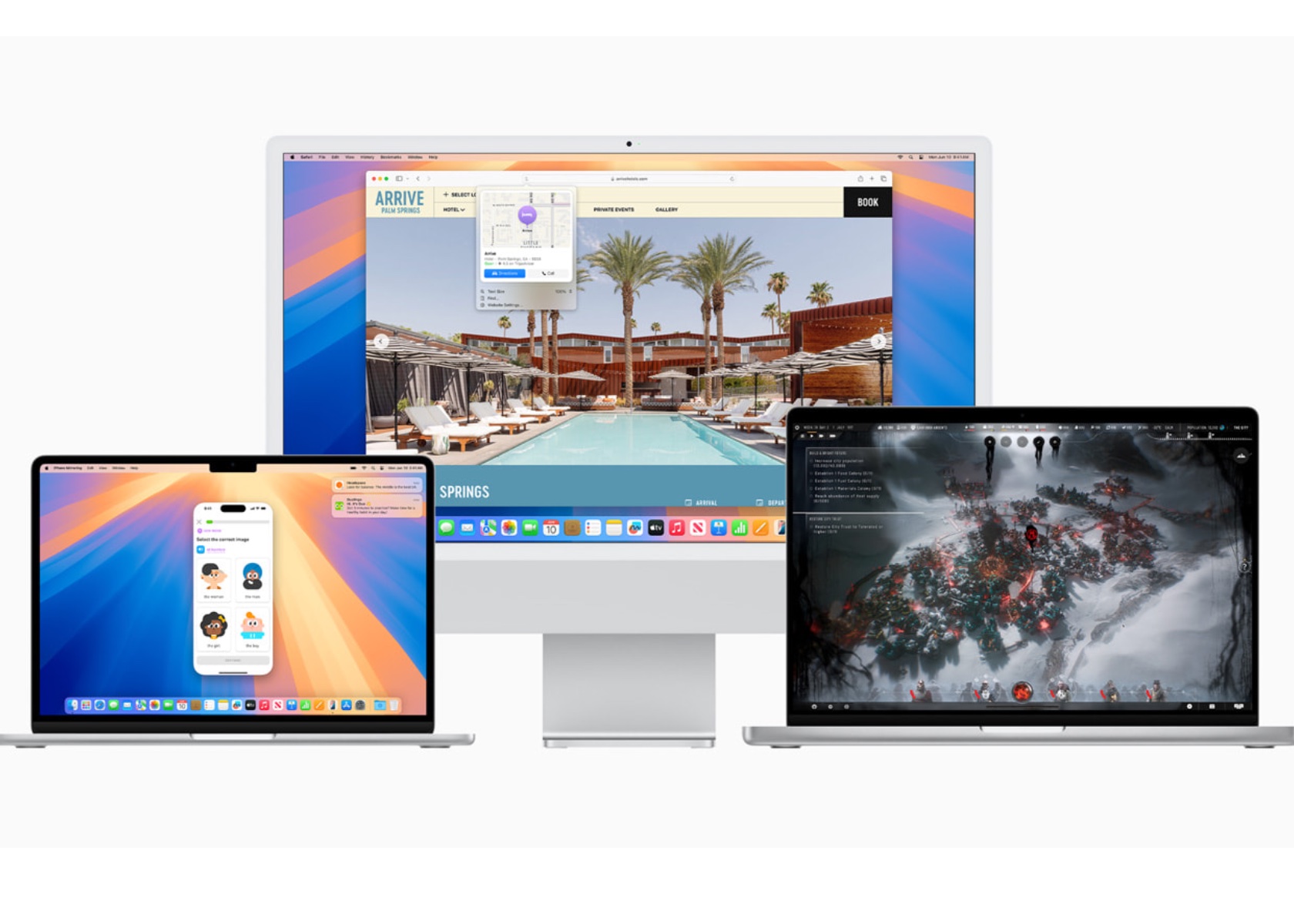
Apple has introduced macOS Sequoia, featuring new updates that enhance the Mac experience. From improved integration between iPhone and Mac to new gaming features, there’s much to explore. Here are 13 new features in macOS Sequoia that aim to make your daily Mac use smoother and more enjoyable.

Designer: Apple

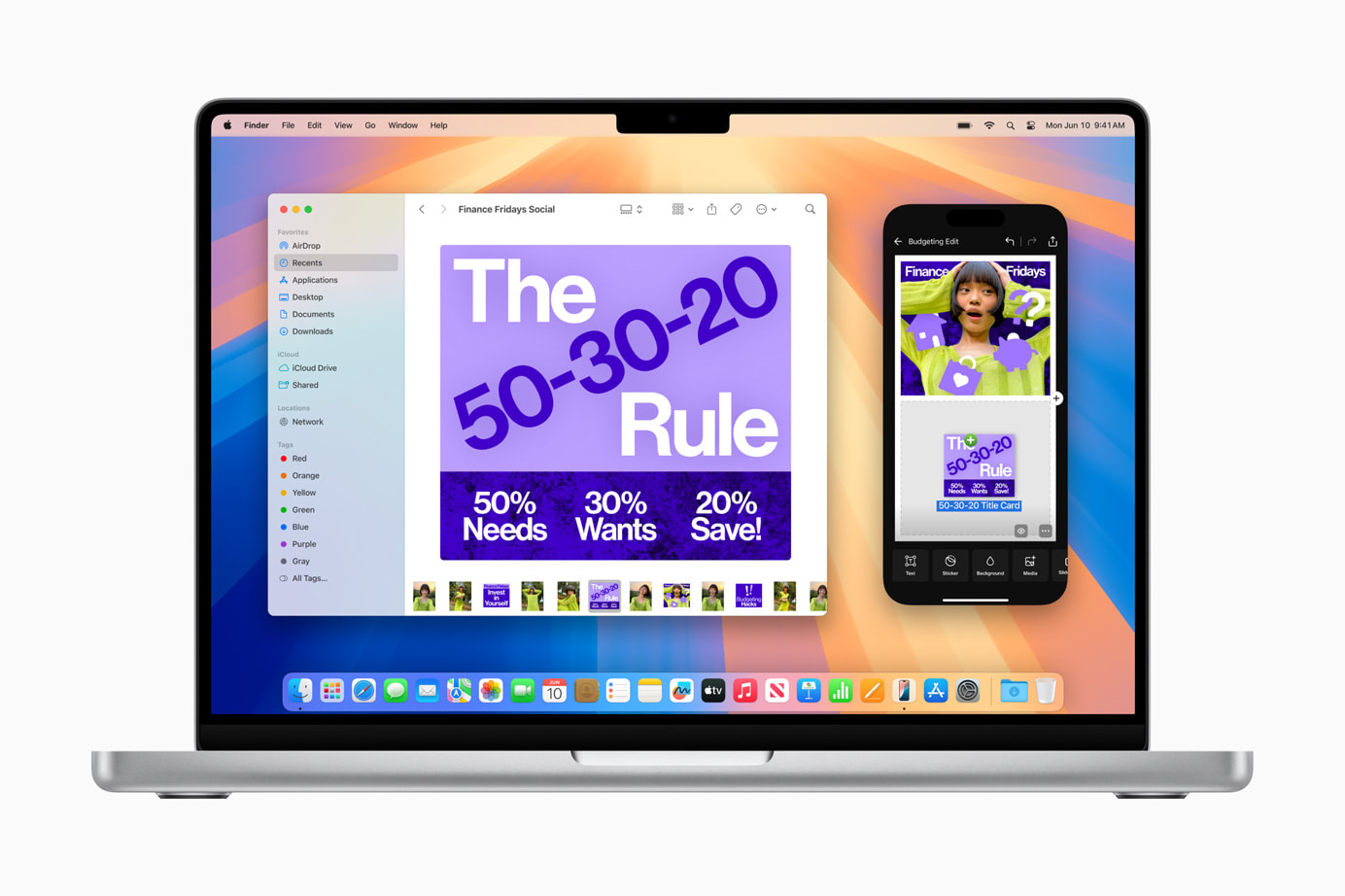
iPhone Mirroring: Seamlessly Connect Your Devices

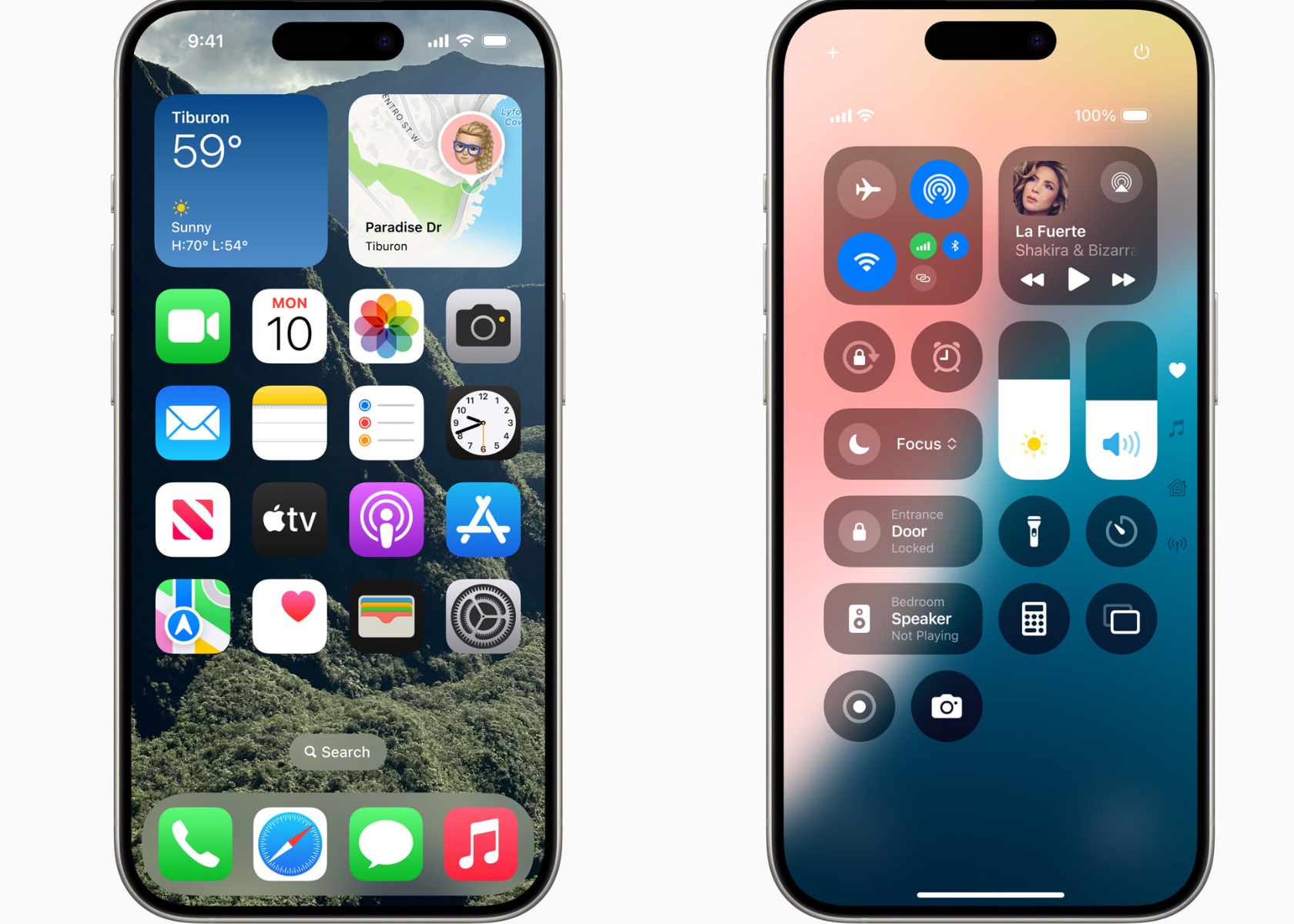
iPhone Mirroring is an exciting addition to Continuity, allowing you to use your iPhone directly from your Mac. This feature provides full access to your iPhone’s home screen, apps, and notifications while using your Mac. You can easily drag and drop files, photos, and videos between your iPhone and Mac, enhancing productivity and saving time.
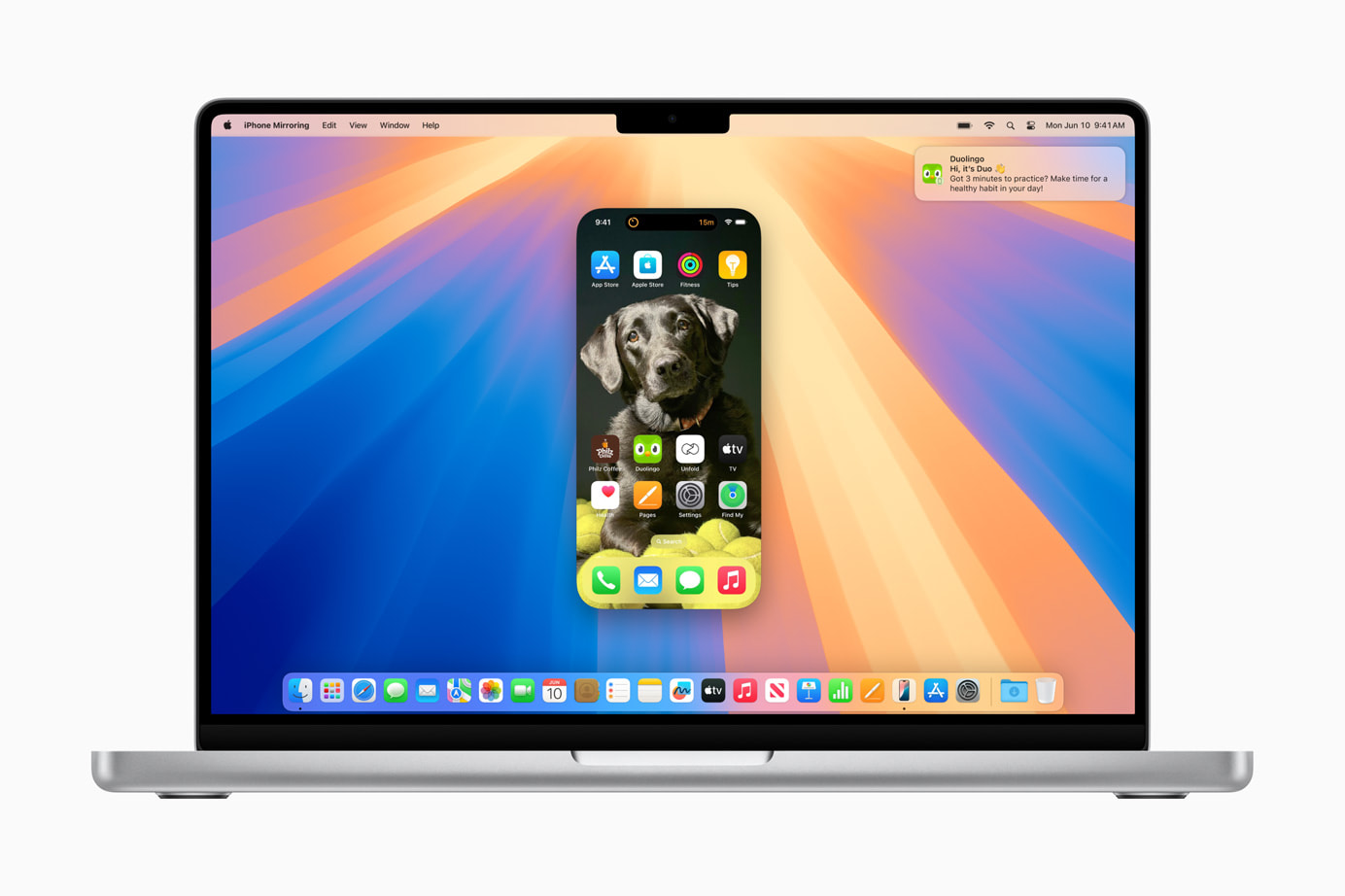
Using the Journal app on your Mac through iPhone Mirroring provides consistency in journaling and note-taking across devices. This feature is especially useful for those who prefer working on a larger screen without losing mobile access convenience. It integrates your devices into one cohesive unit, simplifying your workflow and making your digital experience more seamless.
Safari Updates: Discovering Information Has Never Been Easier

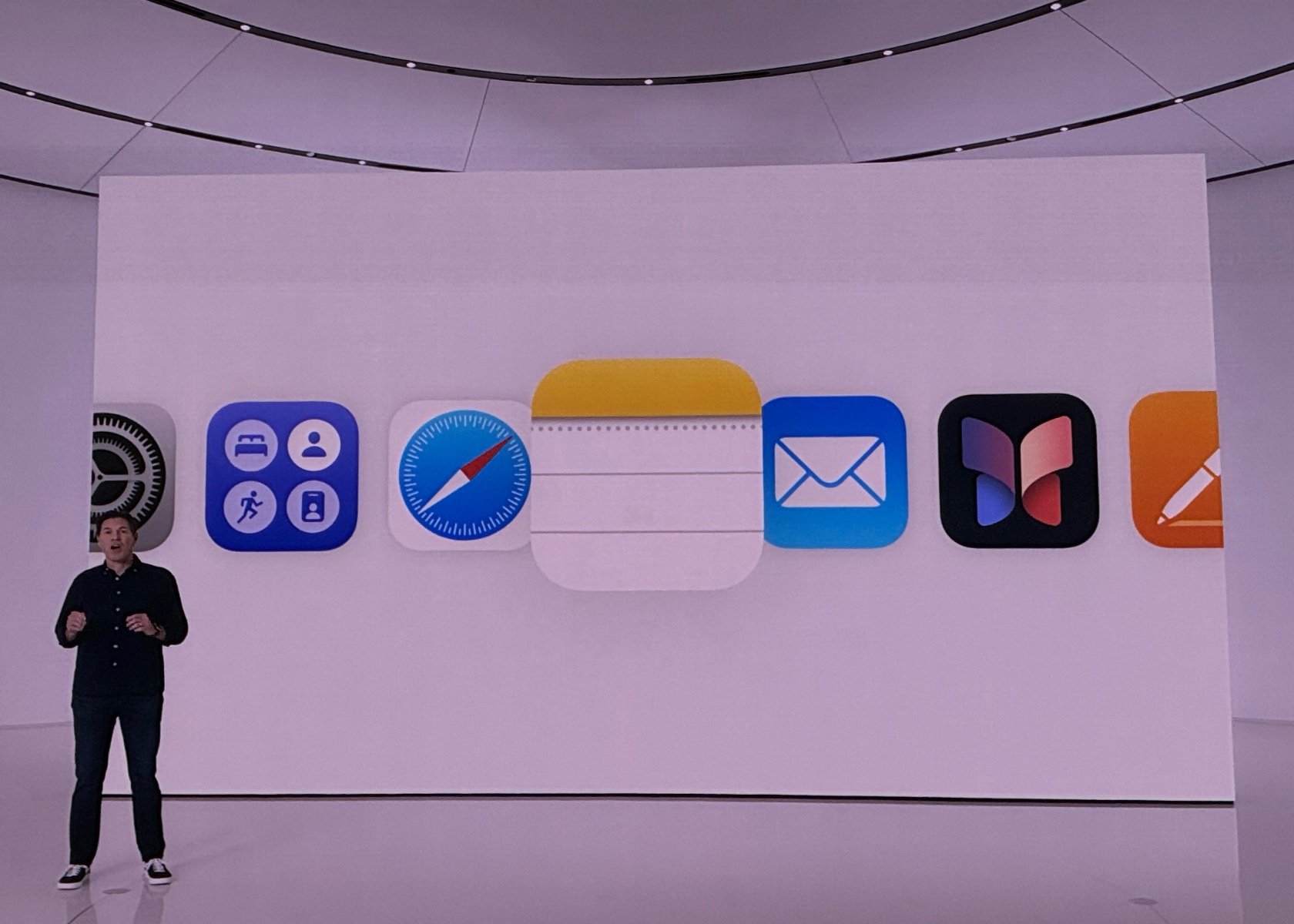
Safari’s new features in macOS Sequoia improve browsing efficiency. The Highlights tool quickly finds information on a webpage, such as directions, summaries, or quick links. The redesigned Reader provides a clean, streamlined view of articles, complete with summaries and tables of contents. The Viewer feature places detected videos front and center with easy playback control.
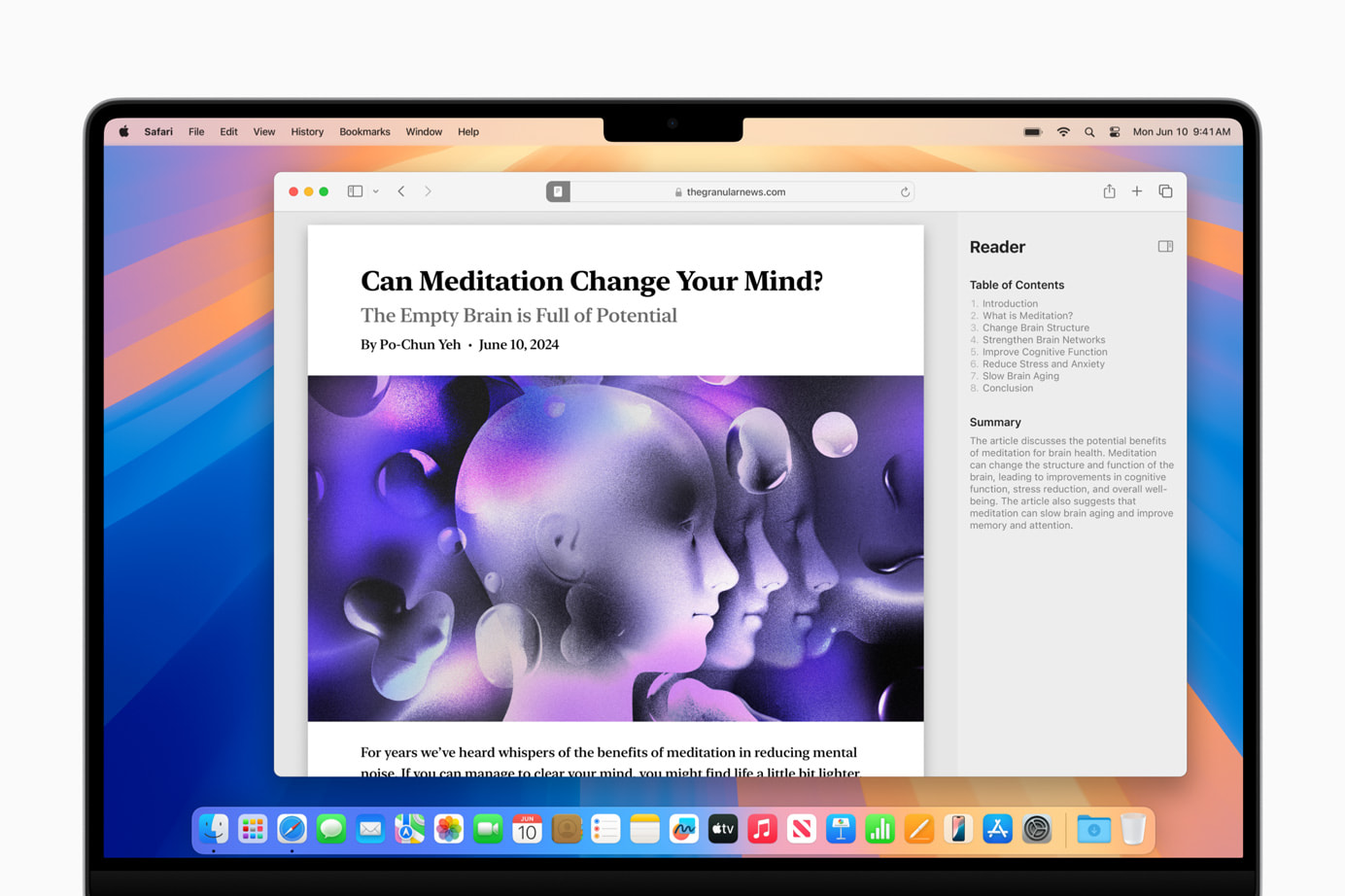
These updates make Safari more powerful for everyday browsing, simplifying and enhancing your experience. Whether you’re researching a project, catching up on news, or just surfing the web, Safari’s new tools help you spend less time searching and more time engaging with content.
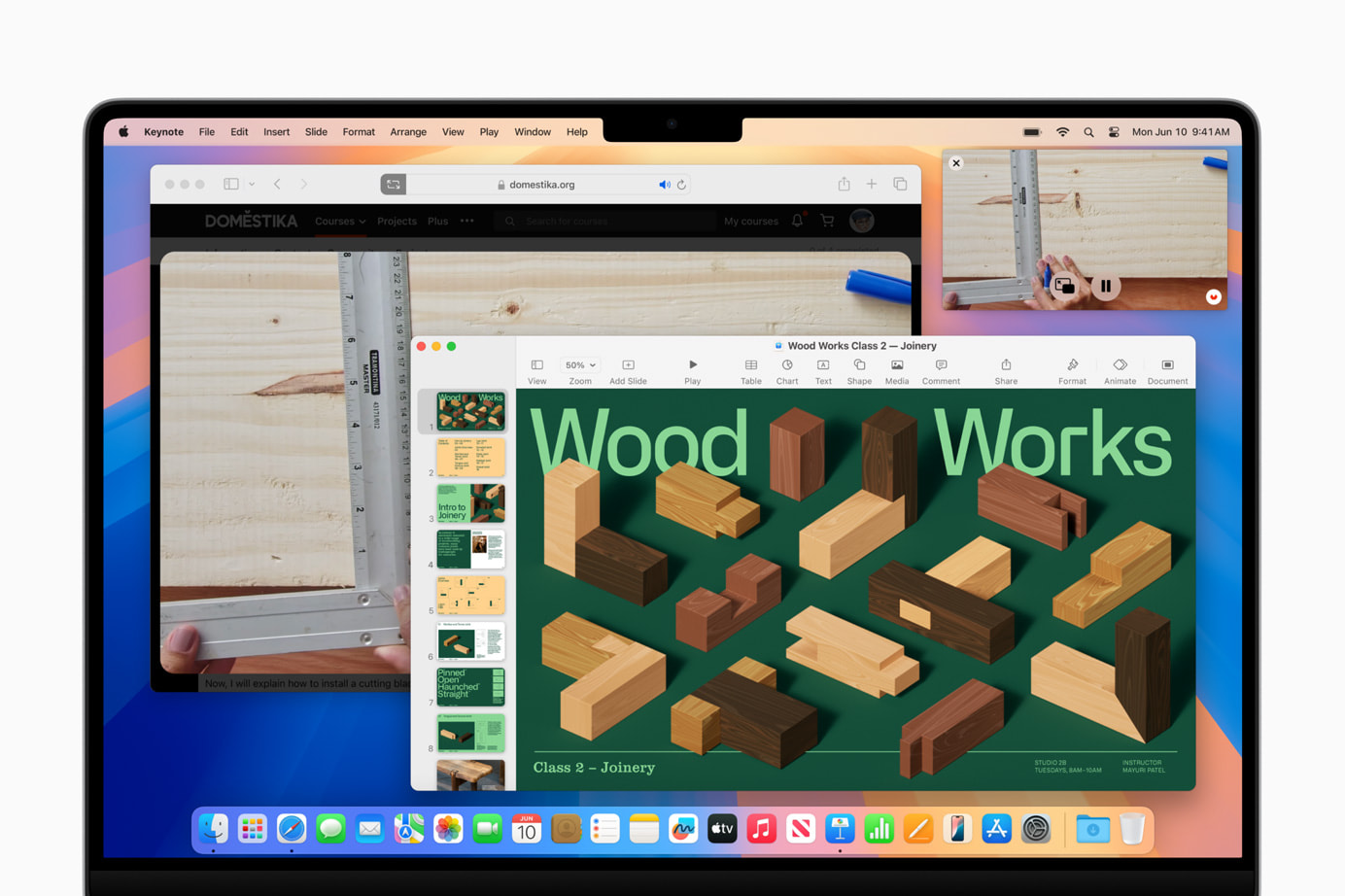
Gaming Enhancements: A New Level of Immersion

macOS Sequoia introduces major updates to gaming on Mac, including new titles like “Assassin’s Creed Shadows” and “Prince of Persia: The Lost Crown,” along with additions from the “Resident Evil” series. These games utilize MetalFX Upscaling for enhanced visuals and performance. Personalized Spatial Audio provides a more immersive gaming experience.

Apple’s commitment to improving gaming on Mac is evident with these updates, focusing on high-quality visuals and immersive audio. These enhancements make the Mac a more attractive option for gamers, addressing performance, visual quality, and audio immersion.

Window Tiling: Stay Organized with Ease

macOS Sequoia’s window tiling feature helps you organize multiple applications. Drag a window to the screen edge, and macOS suggests a tiled position, allowing you to arrange windows side by side or in corners. This feature is perfect for maintaining an organized and efficient workspace, reducing screen clutter and enhancing multitasking.
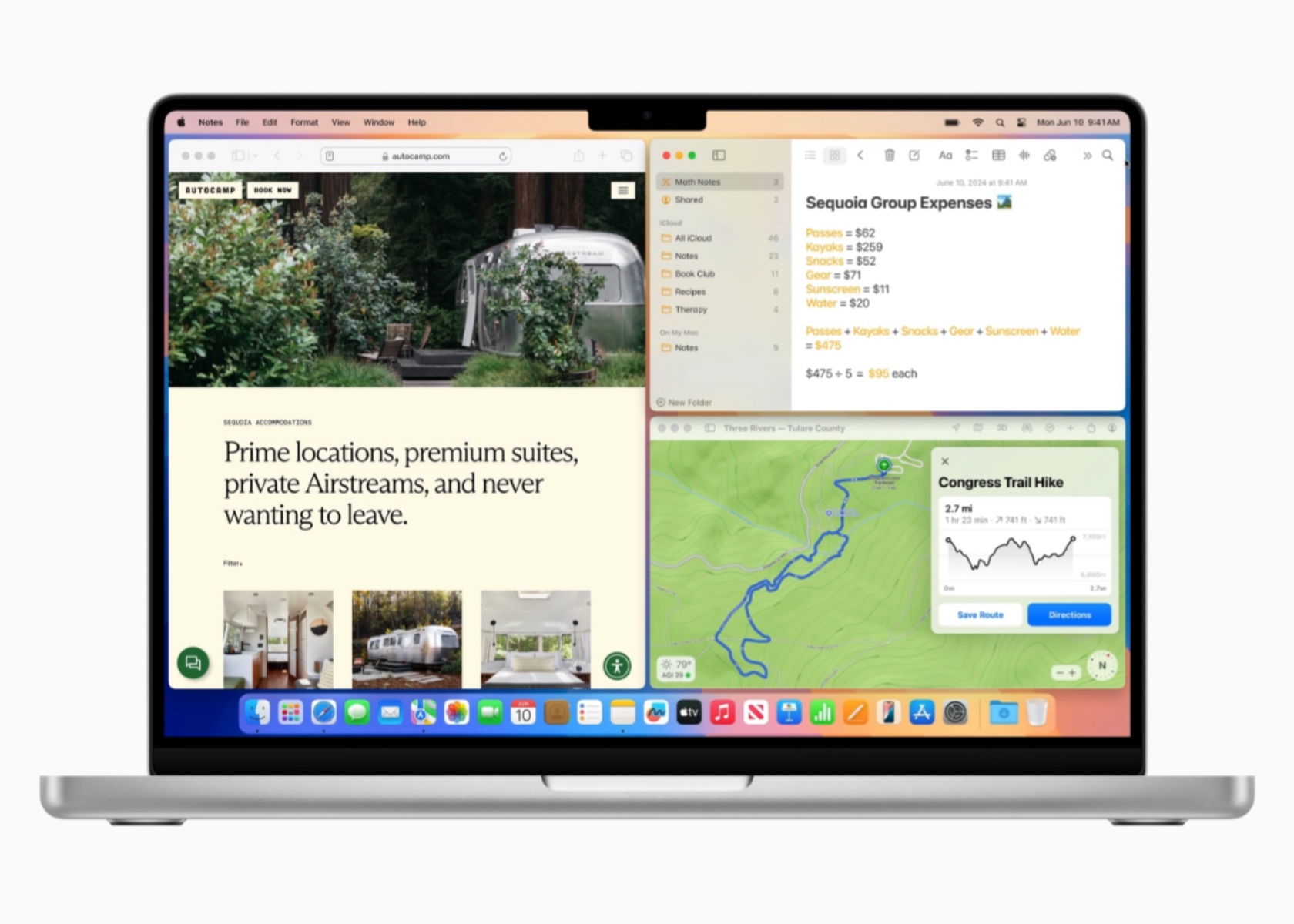
Window tiling streamlines workflows and minimizes desktop clutter, making it beneficial for those working with numerous applications and documents. It simplifies task management, making multitasking smoother and more efficient.

Video Conferencing Updates: Present with Confidence

Video conferencing gets a boost with macOS Sequoia’s new updates. The presenter preview feature lets you see what you’re about to share, ensuring everything looks perfect. Built-in backgrounds and Apple’s segmentation technology add professionalism to your virtual interactions.

These enhancements make remote work and virtual meetings more productive and engaging. The ability to preview and customize your presentation ensures you always look your best, enhancing your confidence during virtual interactions.

New Passwords App: Keep Your Credentials Secure

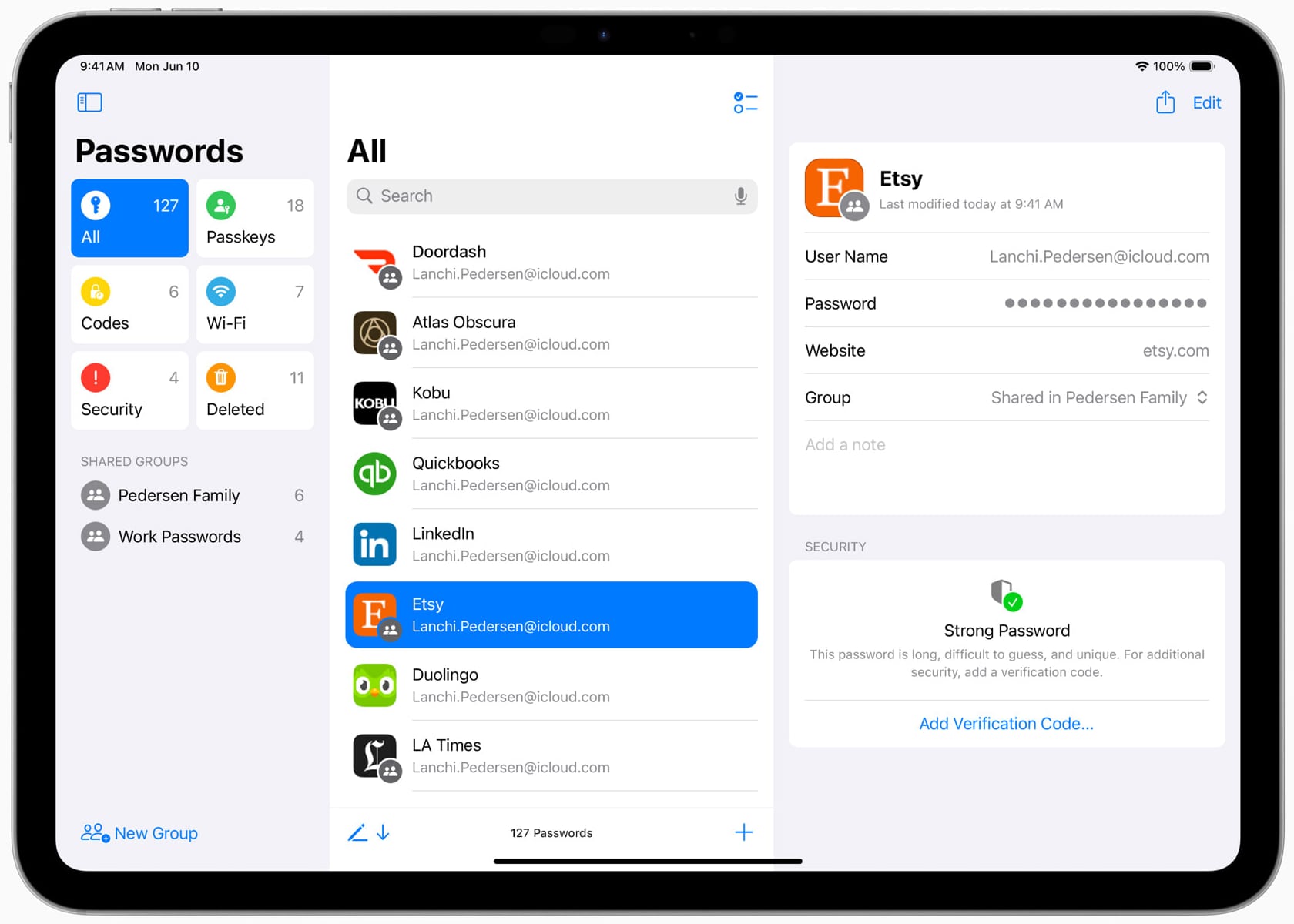
The new Passwords app in macOS Sequoia centralizes your passwords, passkeys, Wi-Fi passwords, and other credentials in one secure location. With iCloud syncing and secure end-to-end encryption, your information is always protected. The app integrates seamlessly with Safari and other Apple devices, making accessing your credentials easy and secure.
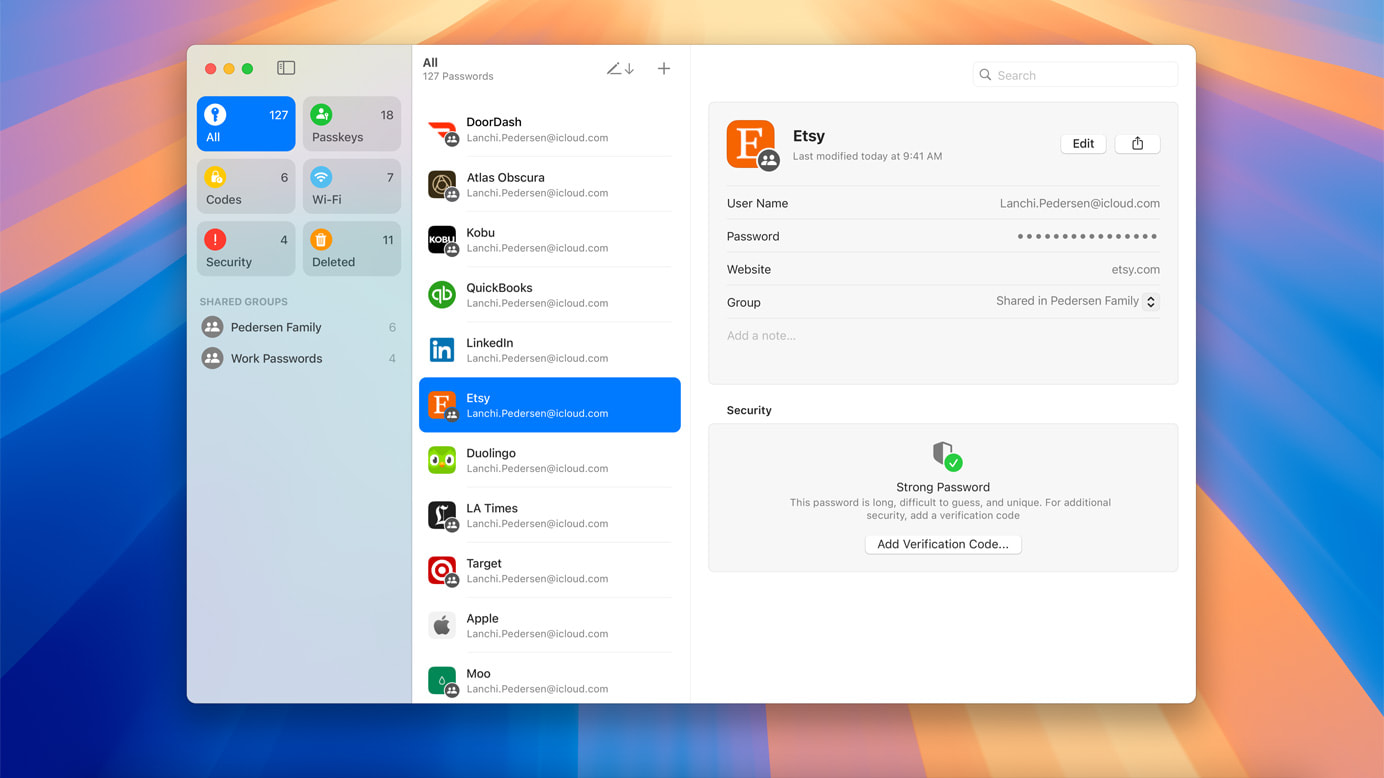
This app simplifies digital security by providing easy access and strong encryption, making managing online security hassle-free. It’s a practical solution for anyone who values security and convenience.

Apple Intelligence: The Next Chapter of AI on Mac

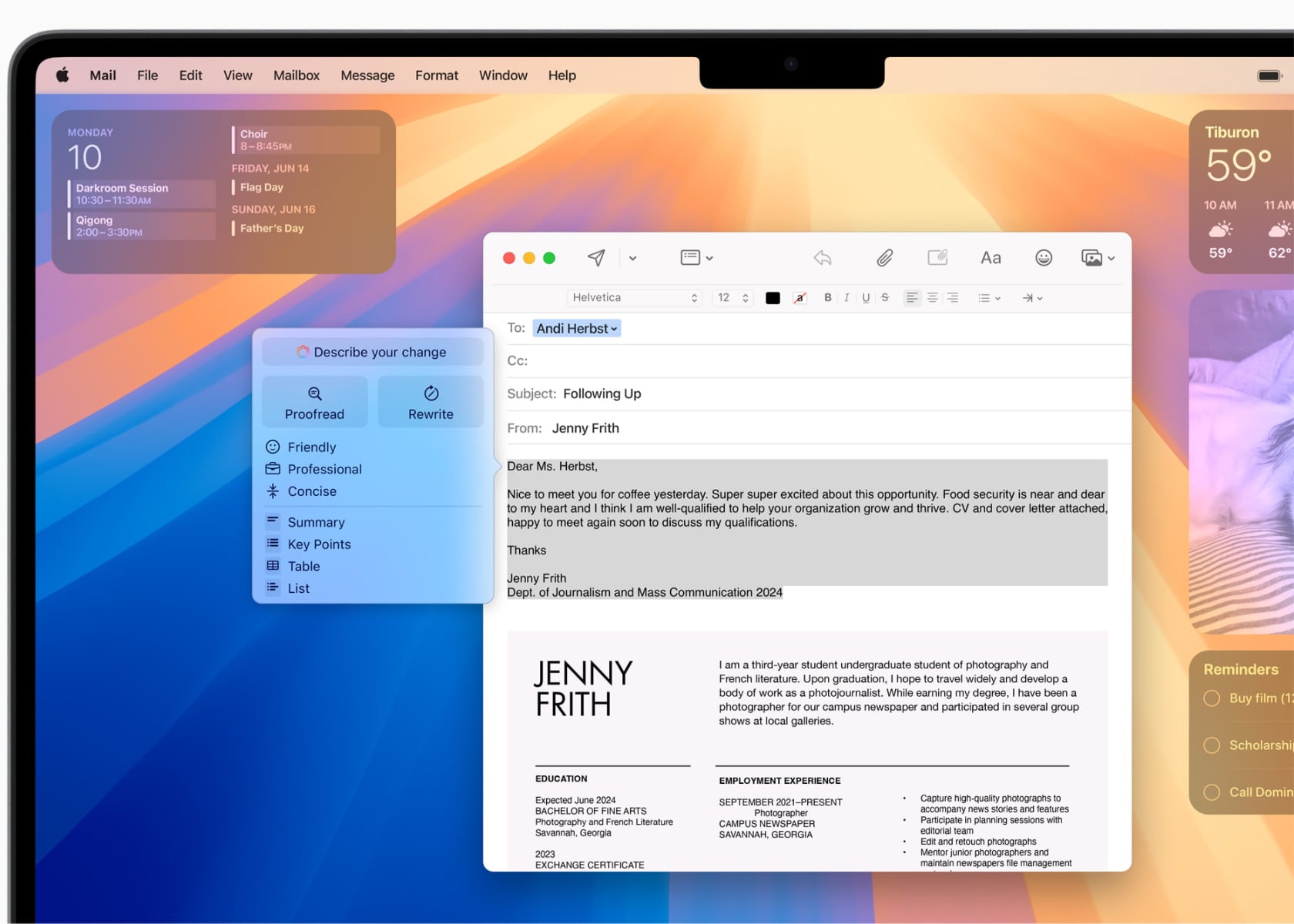
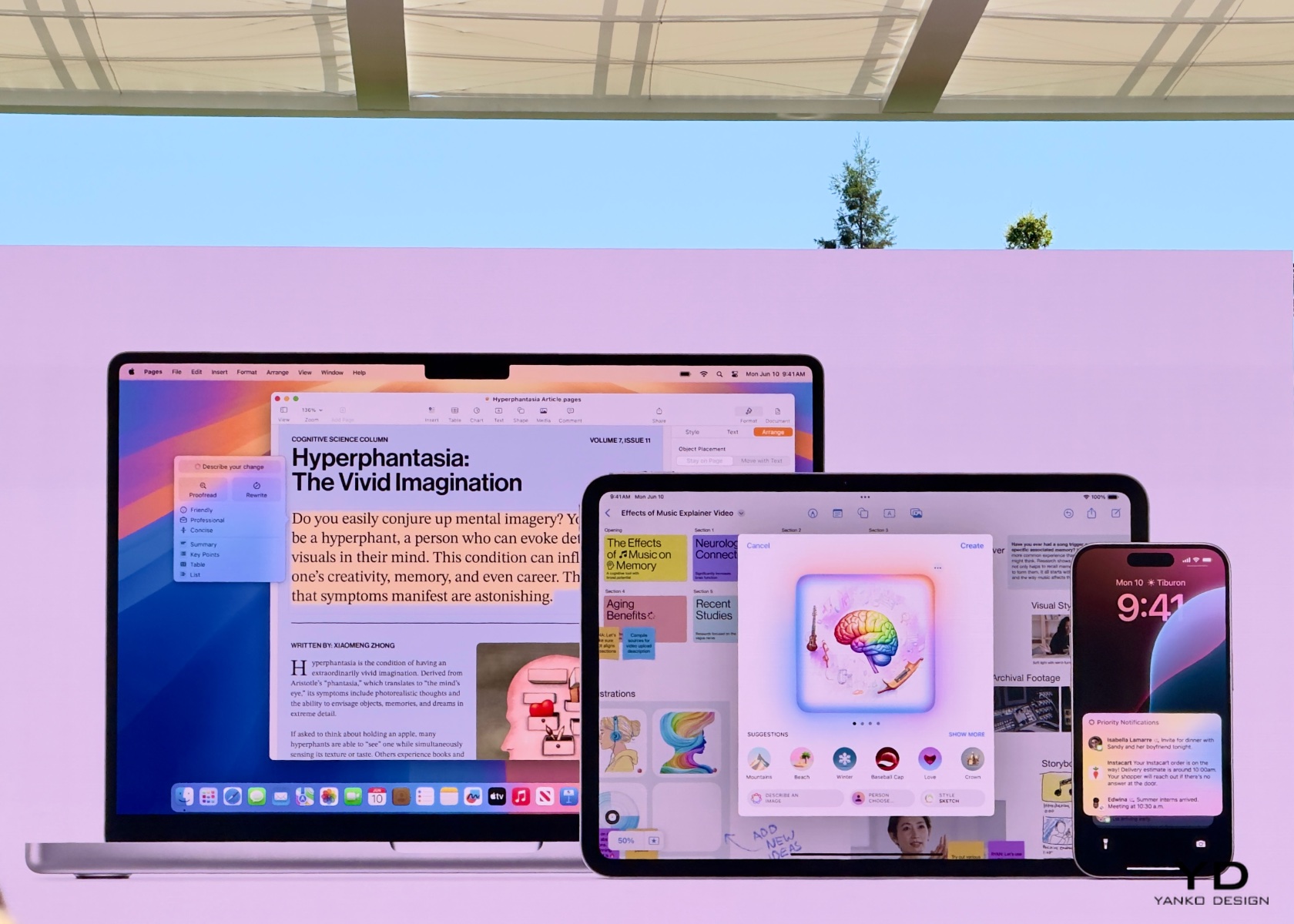
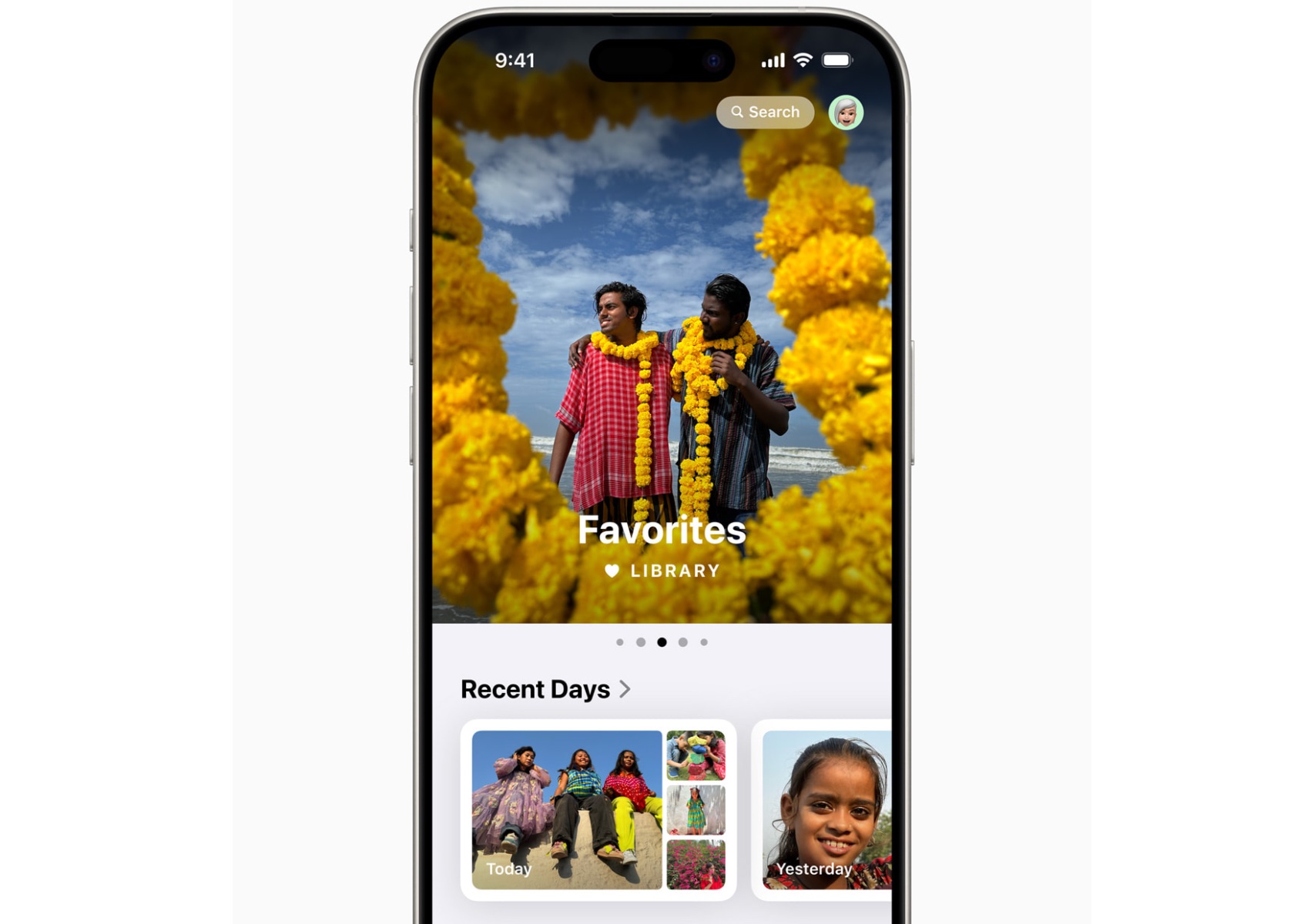
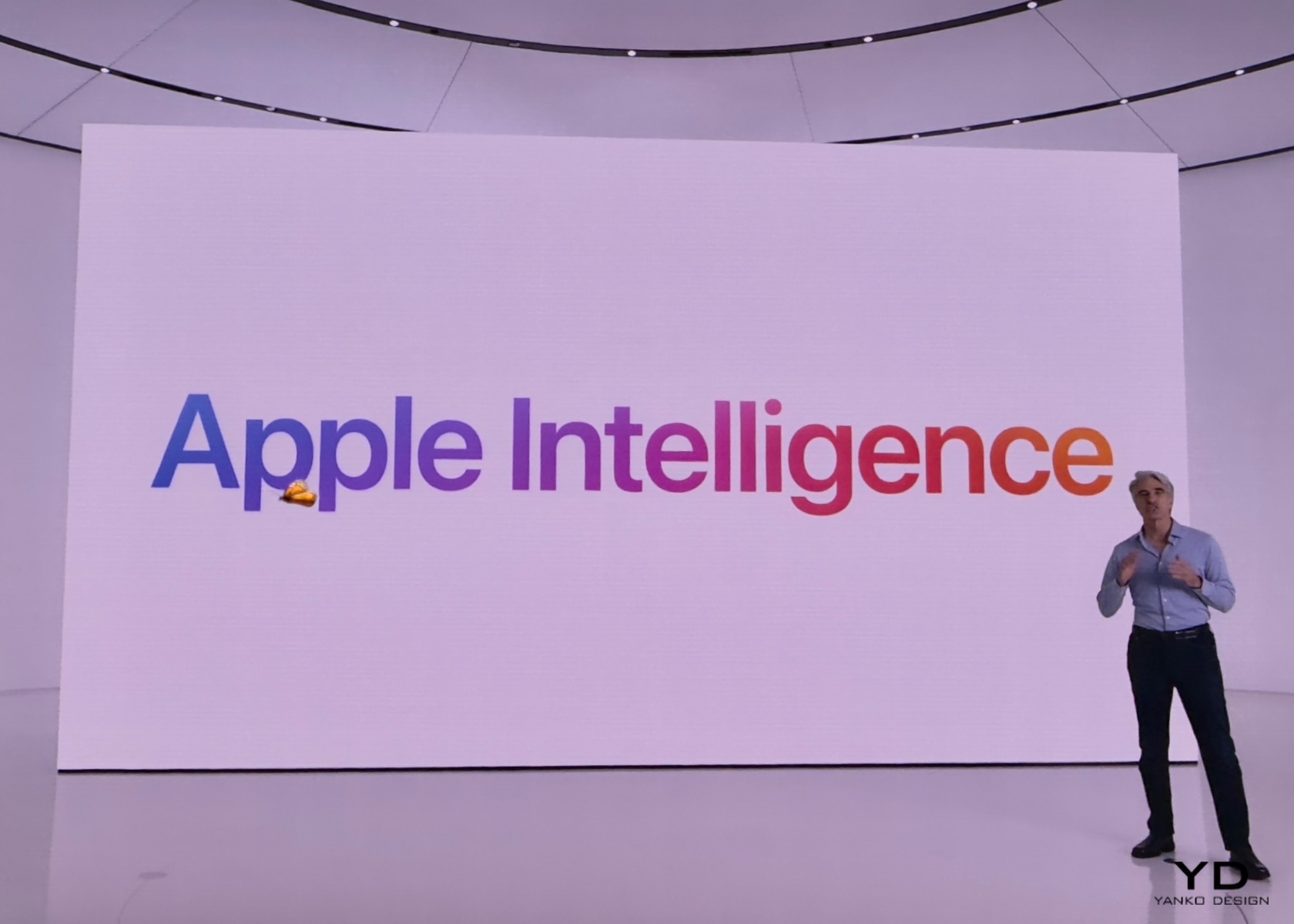
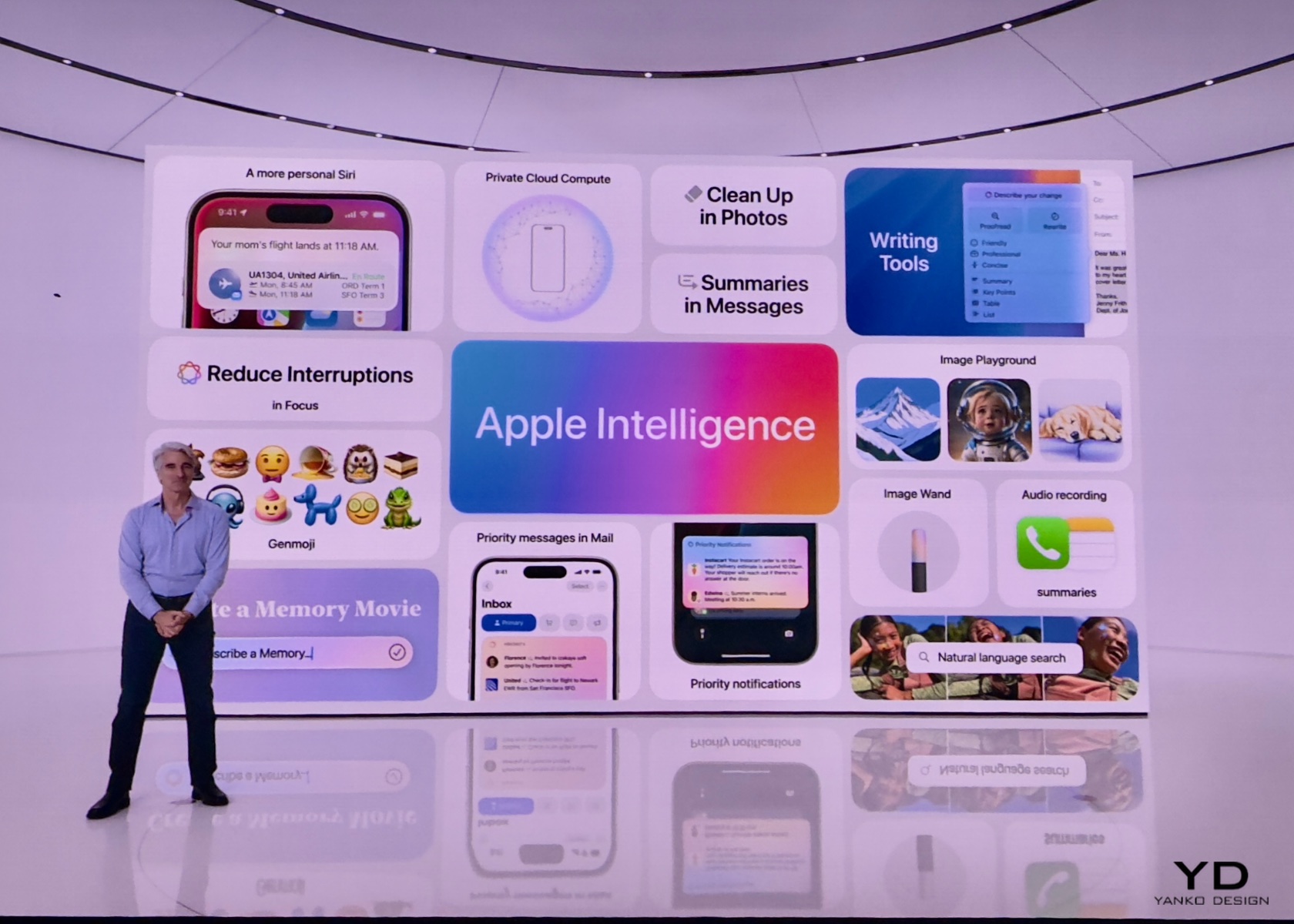
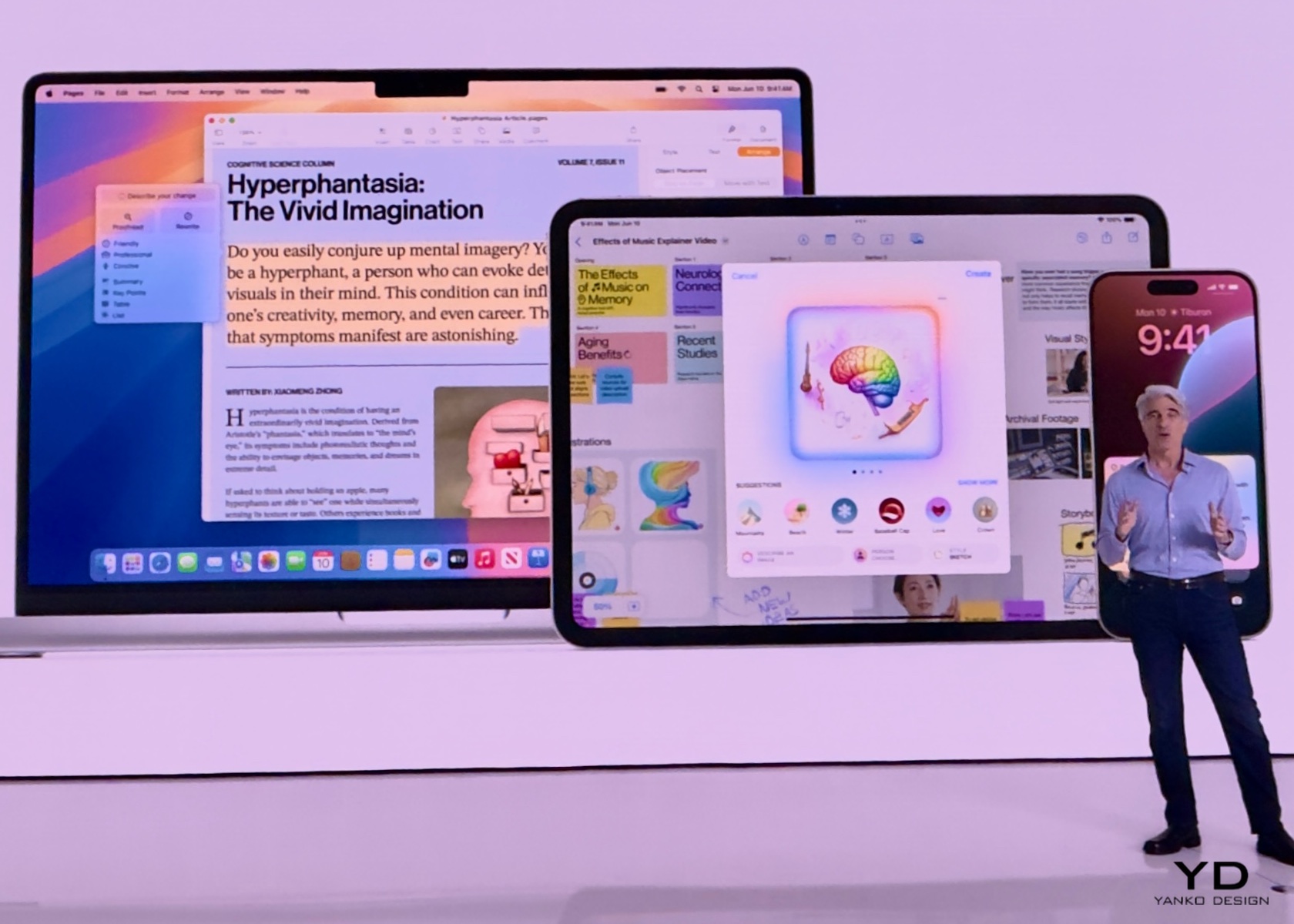
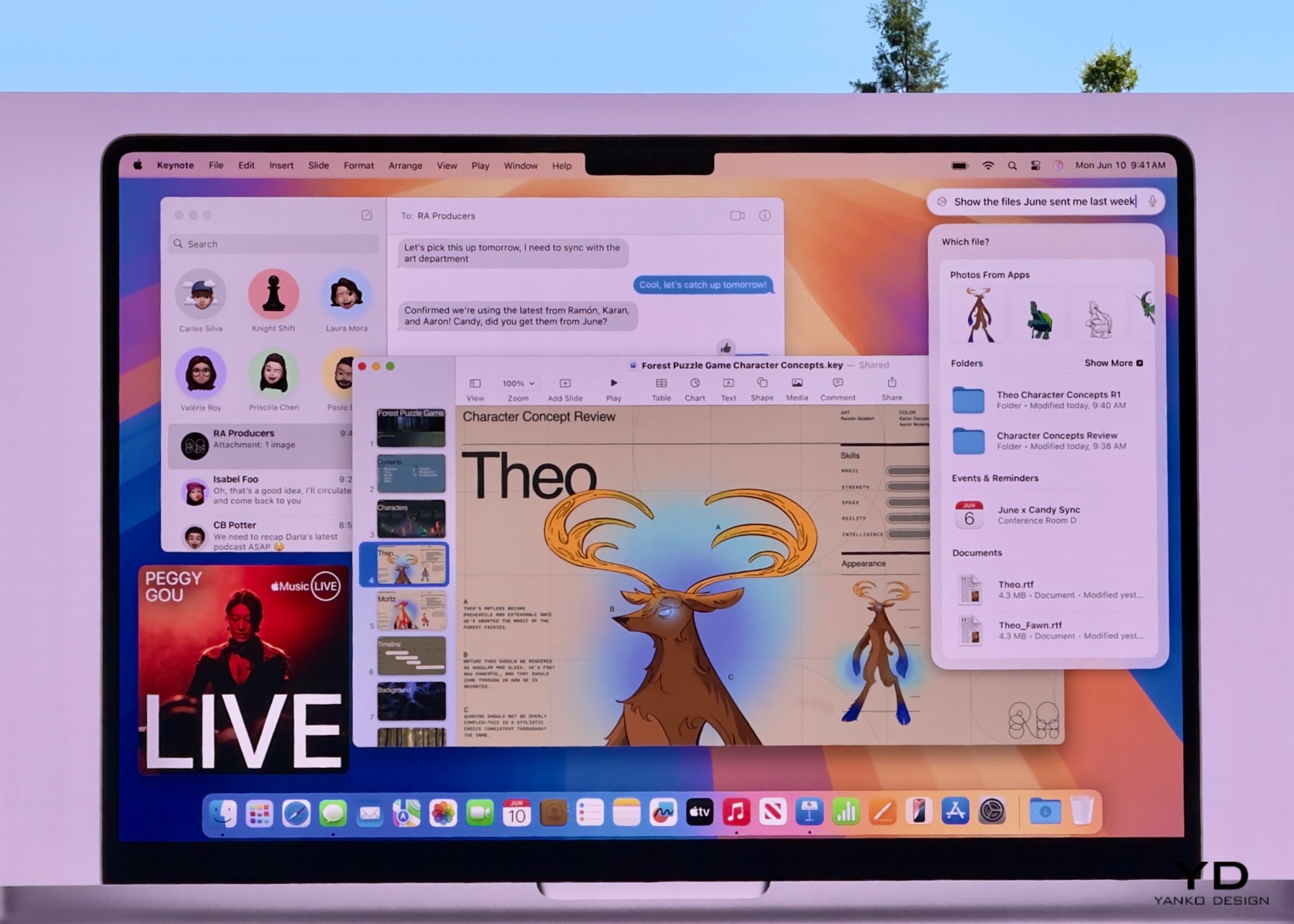
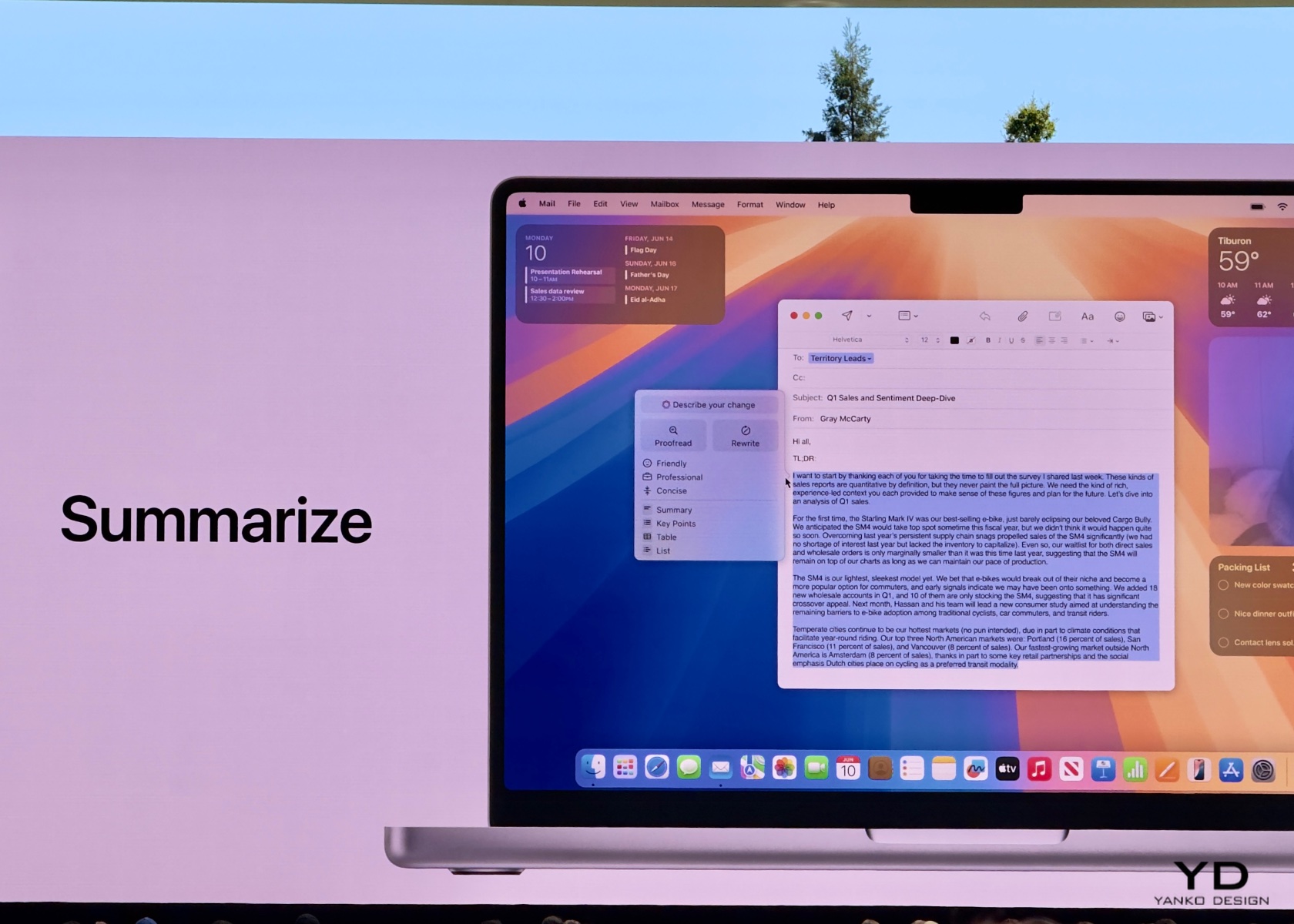
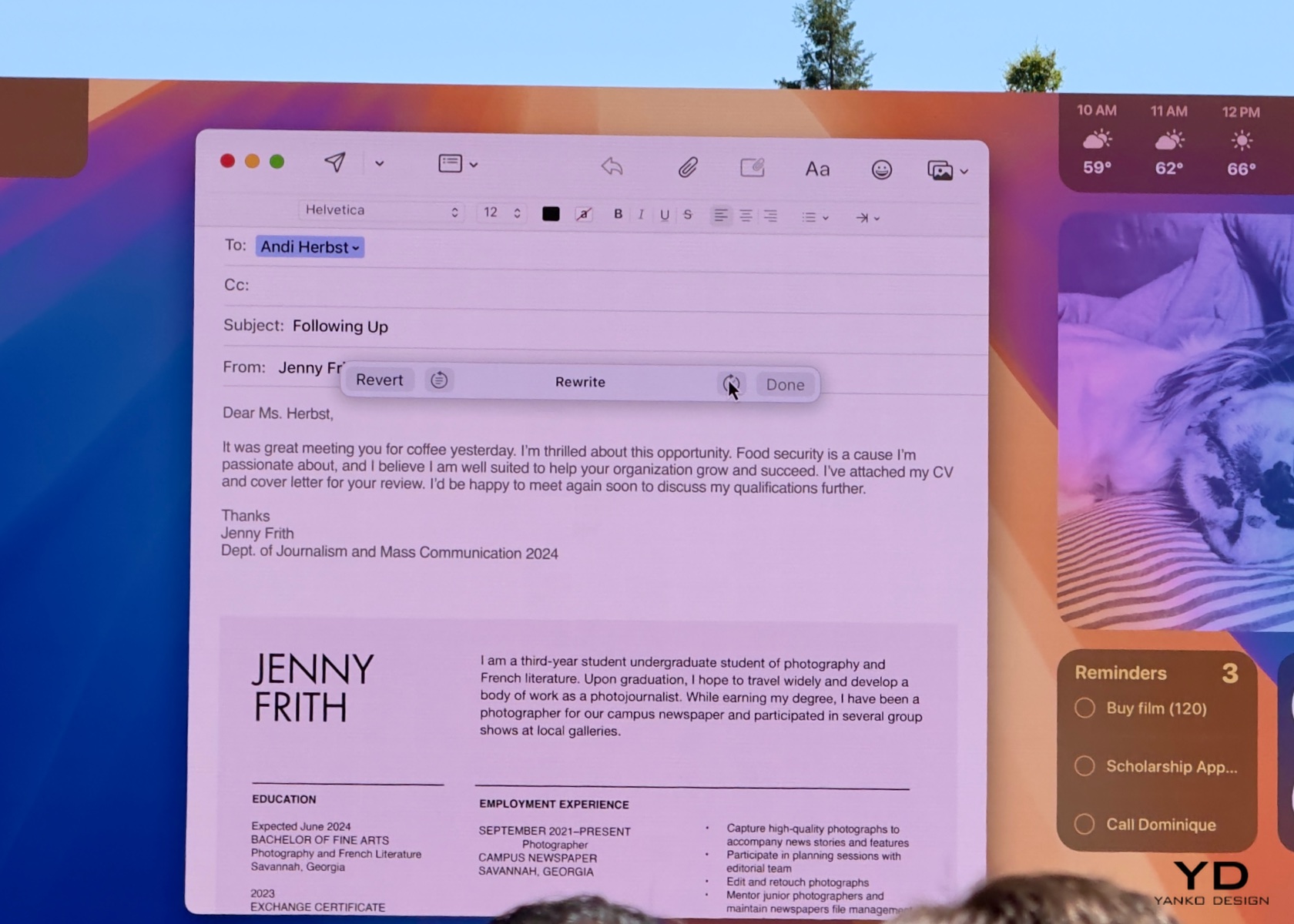
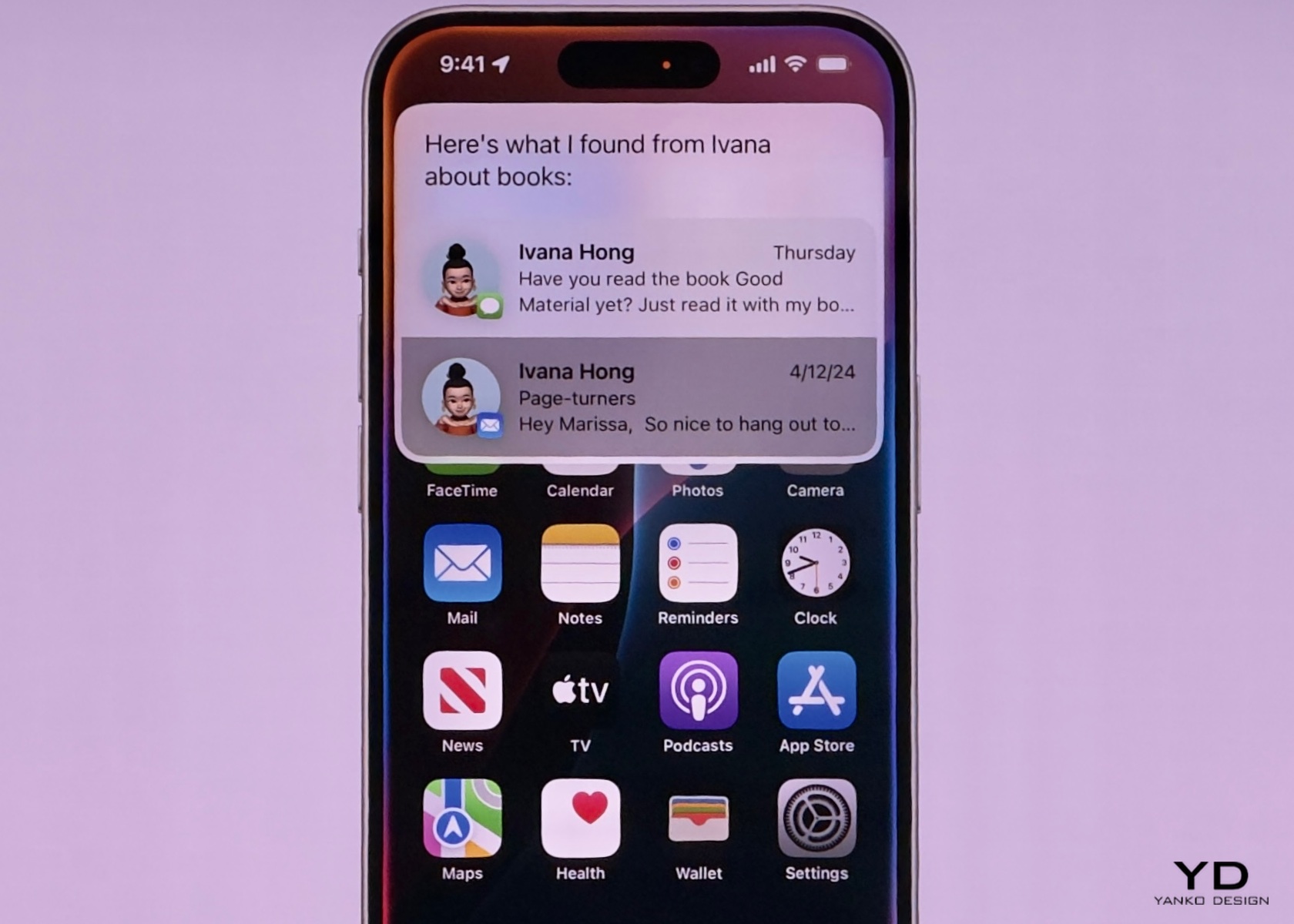
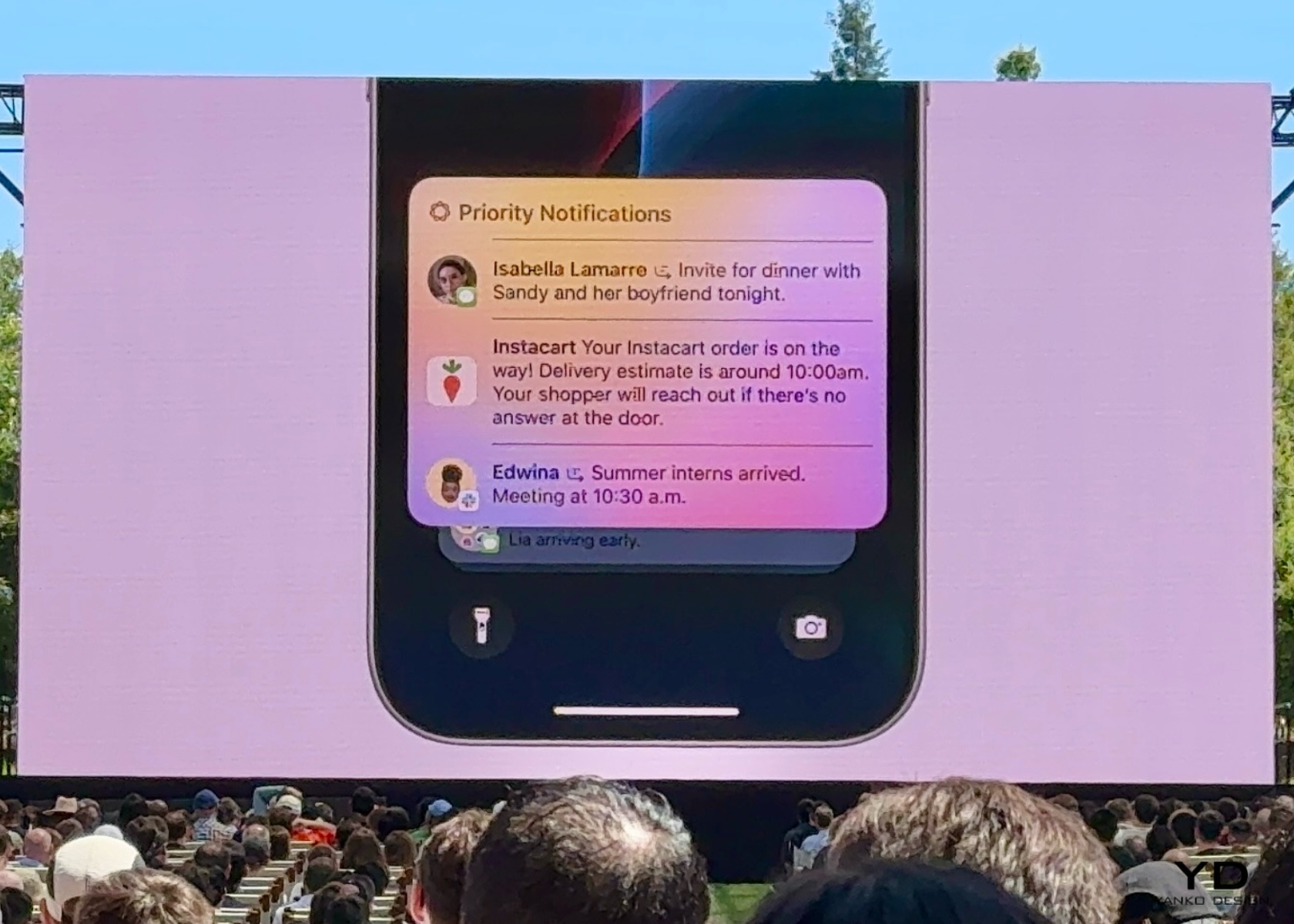
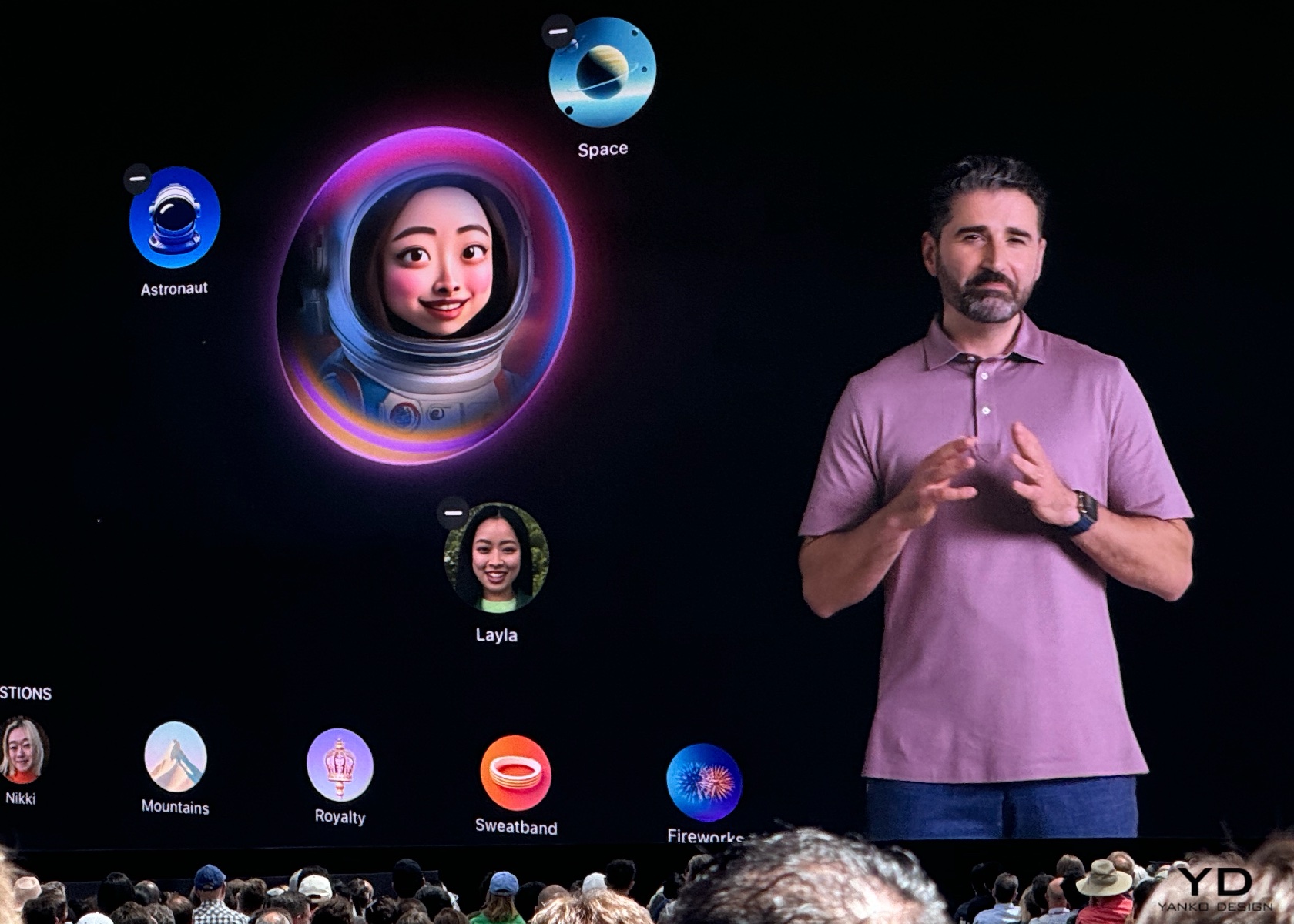
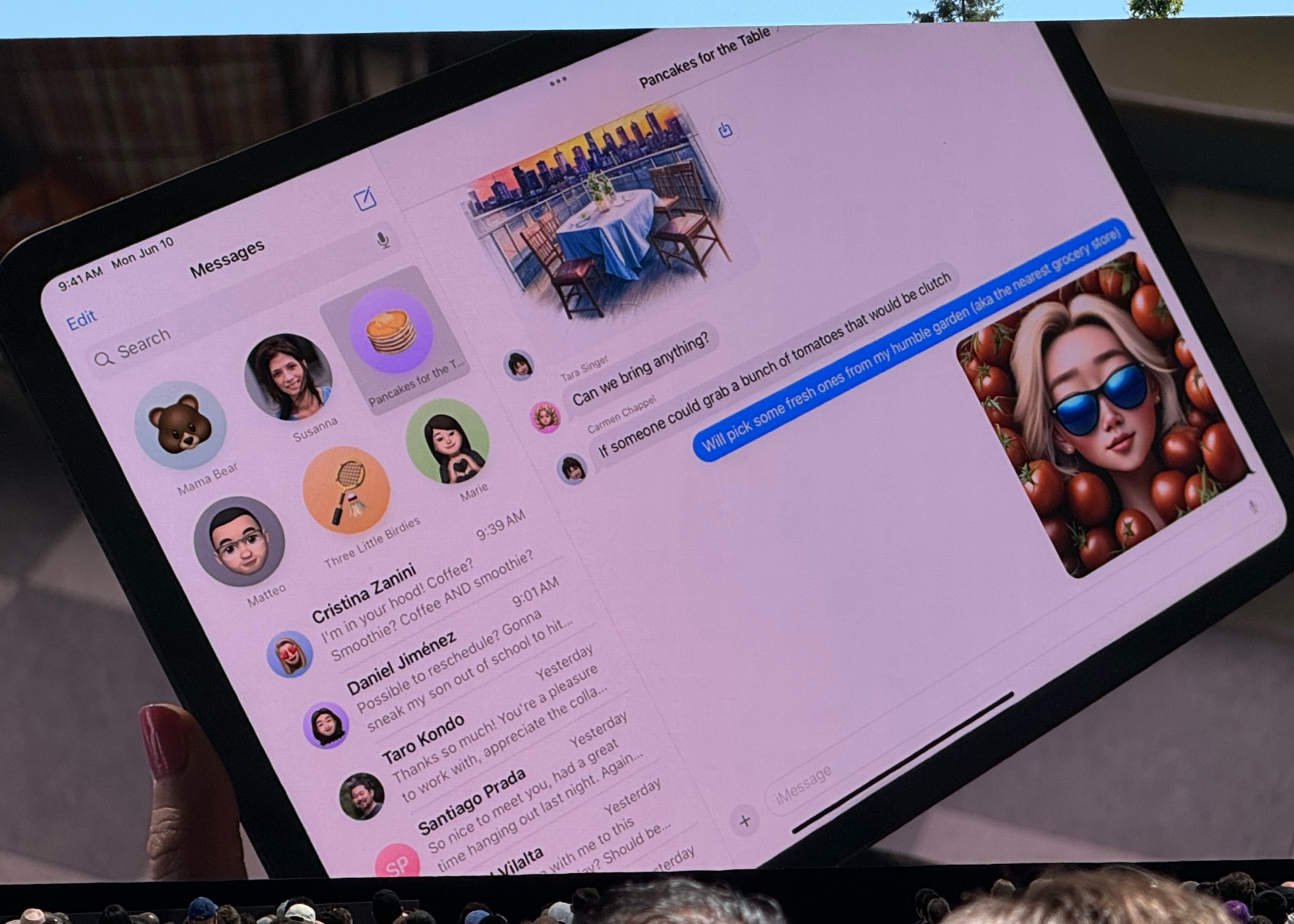
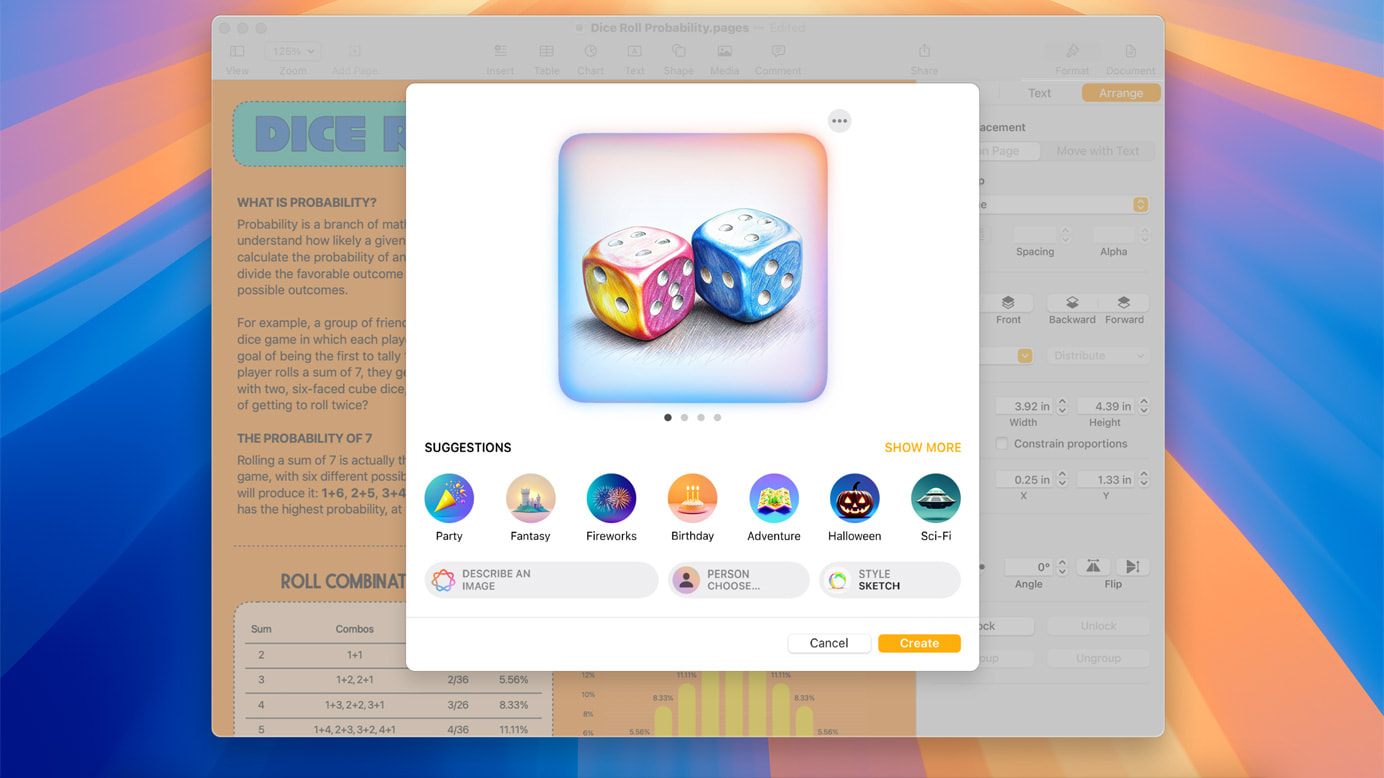
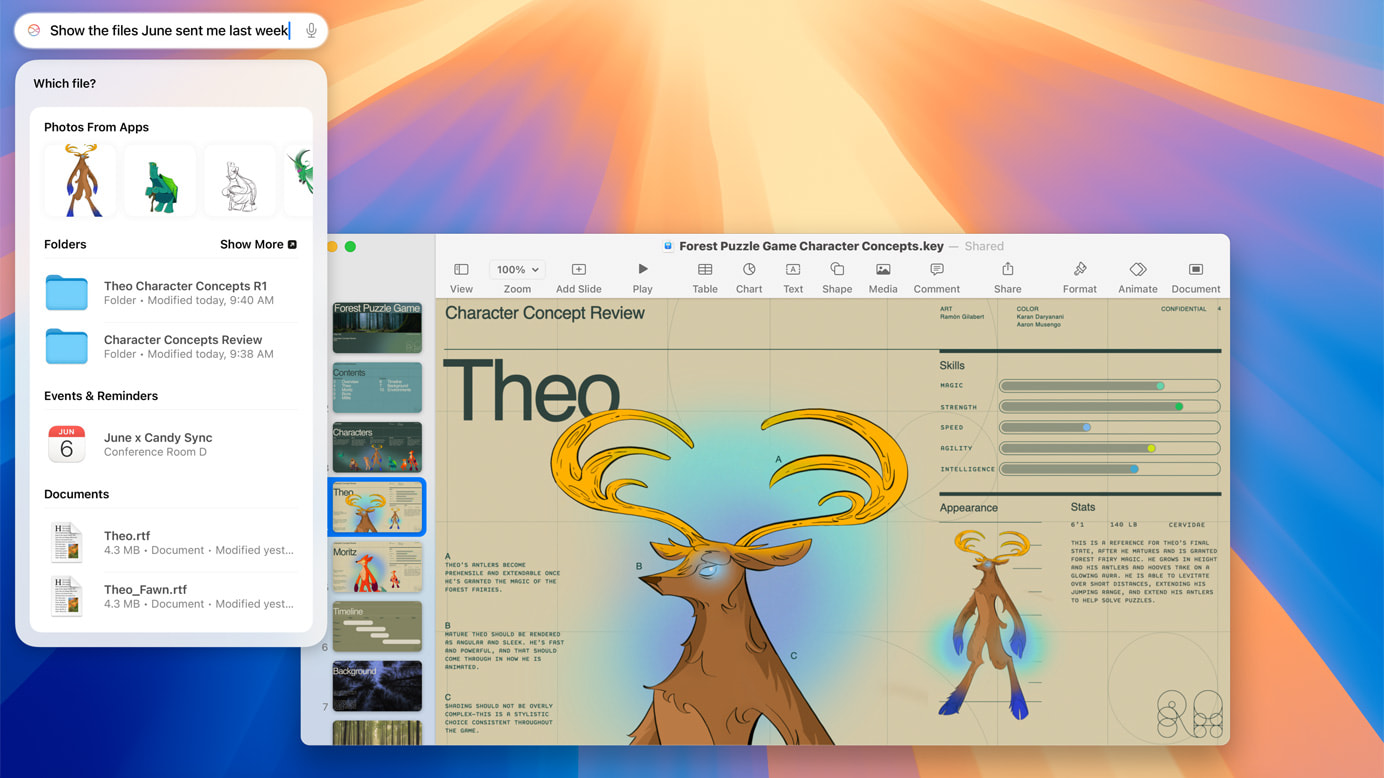
macOS Sequoia introduces Apple Intelligence, a personal AI system that enhances writing and communication. Integrated into macOS, iOS, and iPadOS, it offers features like rewriting, proofreading, and summarizing text. Apple Intelligence also includes Image Playground for creating playful images and Memories in Photos for crafting stories from your photo library.
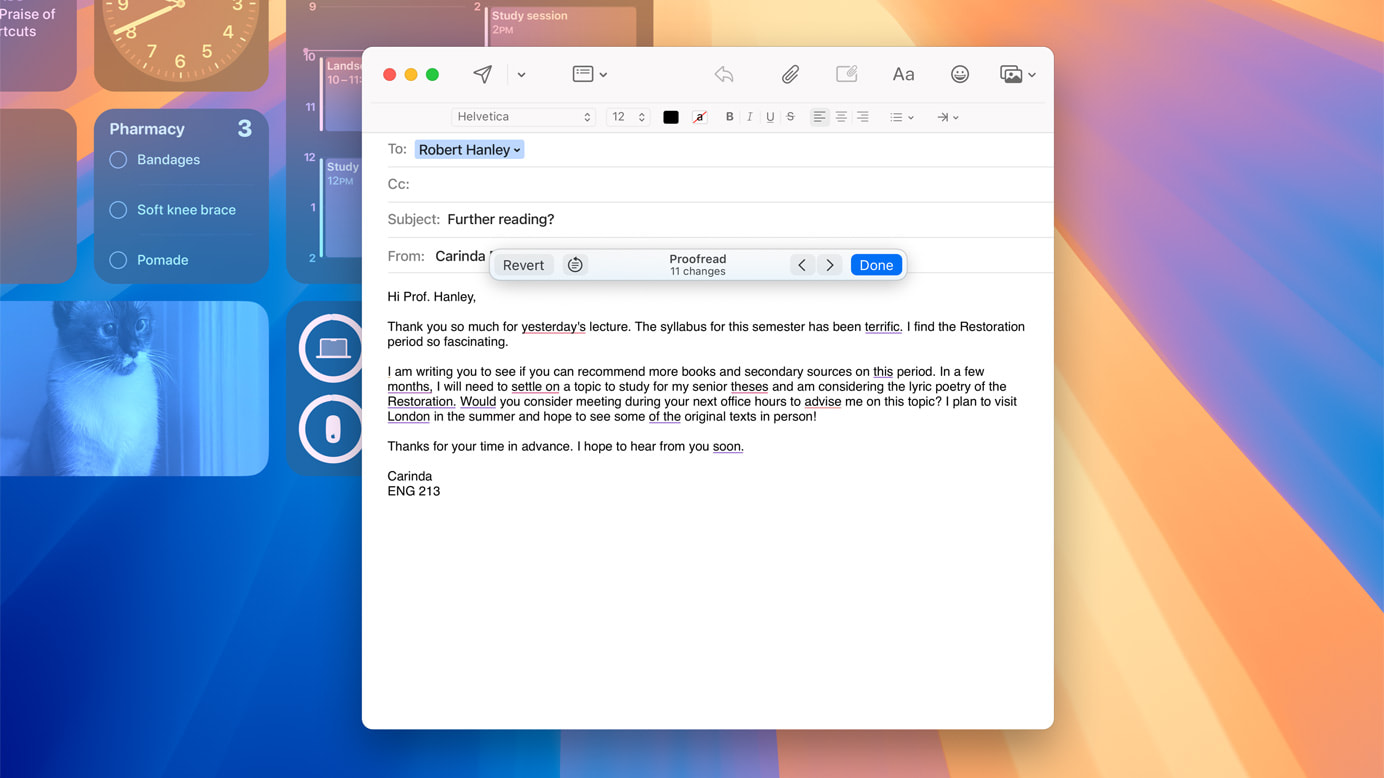
These AI advancements simplify tasks like writing, editing, and creating visual content, making daily tasks more efficient and enjoyable. Apple Intelligence ensures you can achieve more with less effort, enhancing productivity and creativity.
Messages Updates: Express Yourself Like Never Before

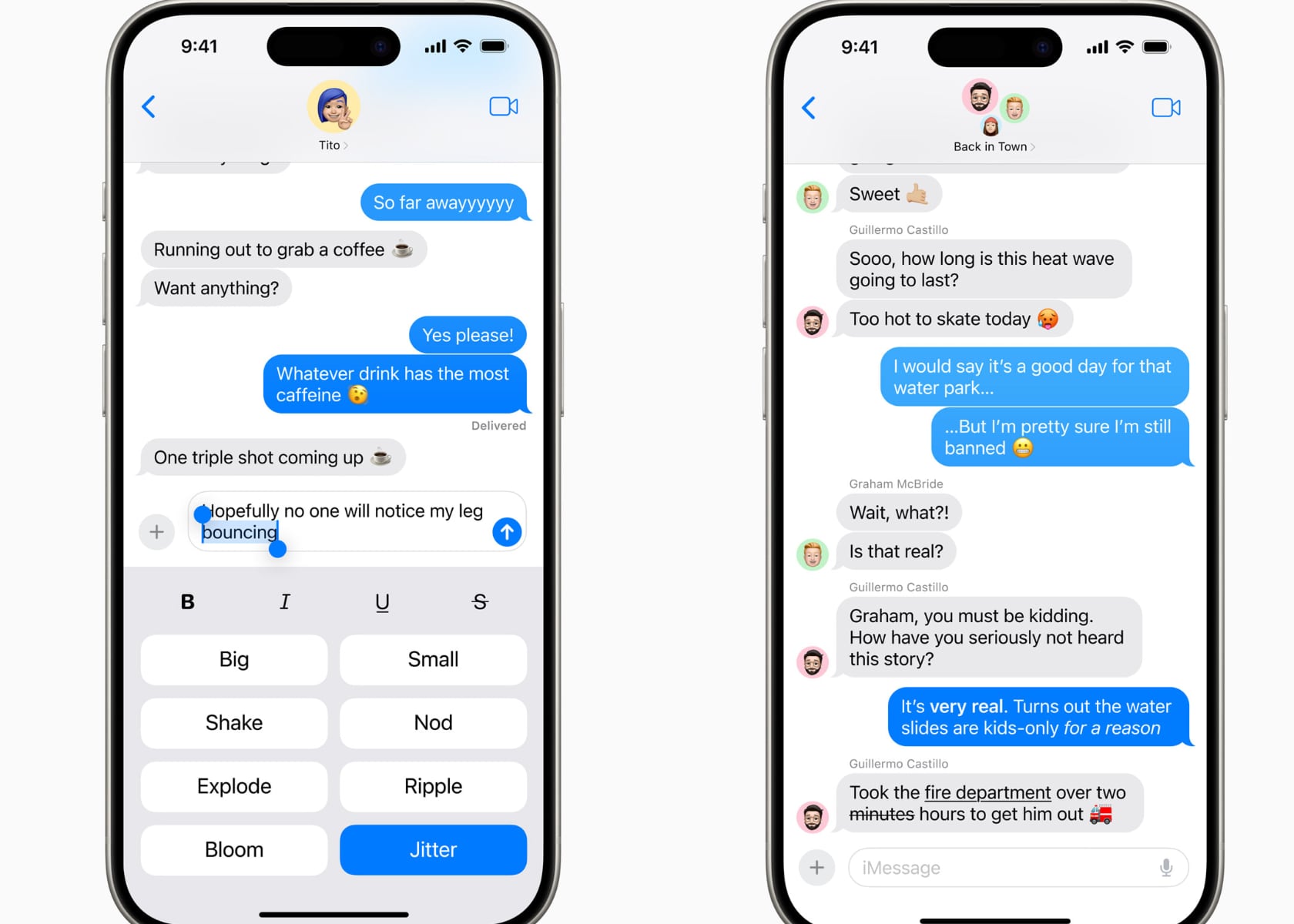
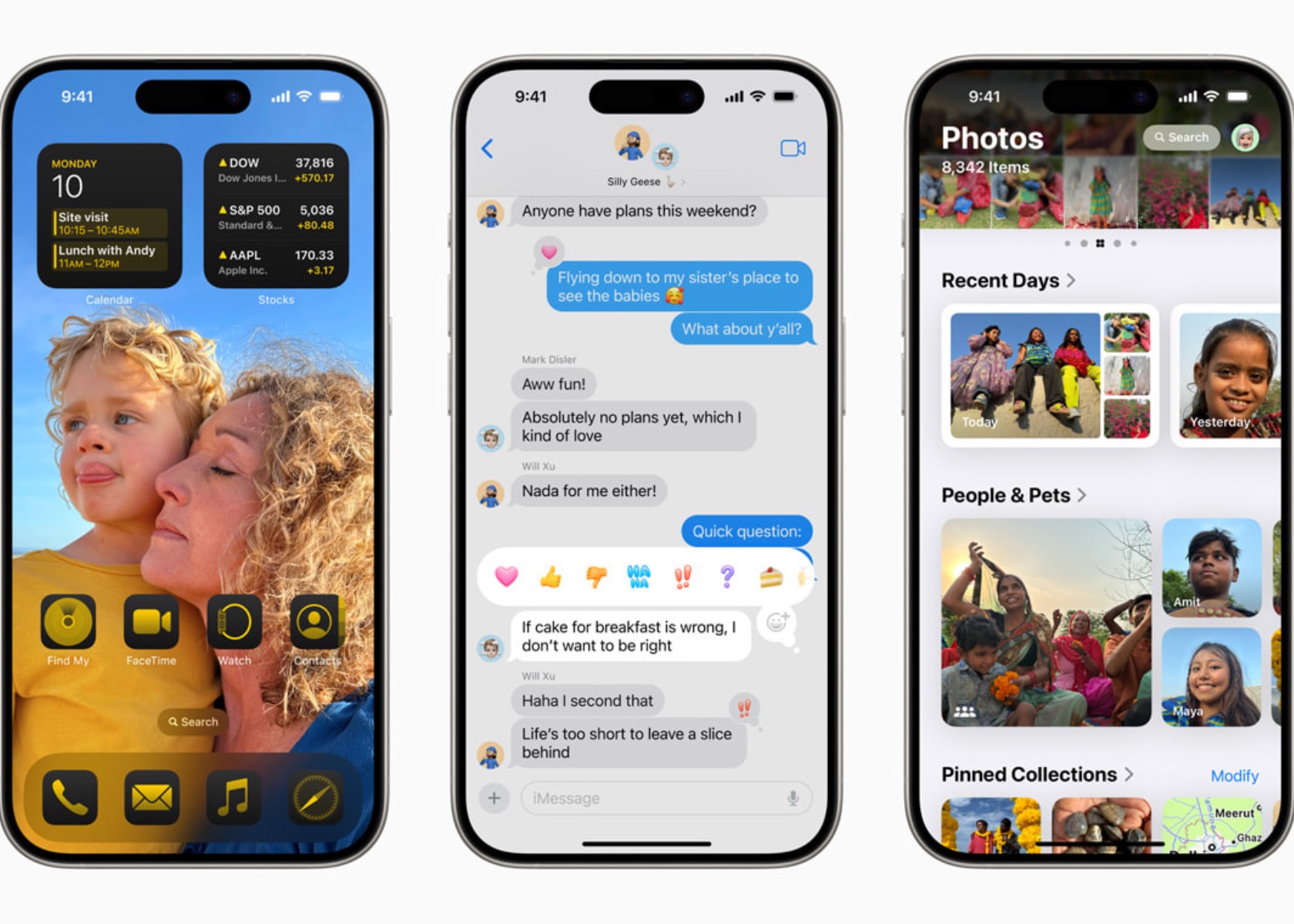
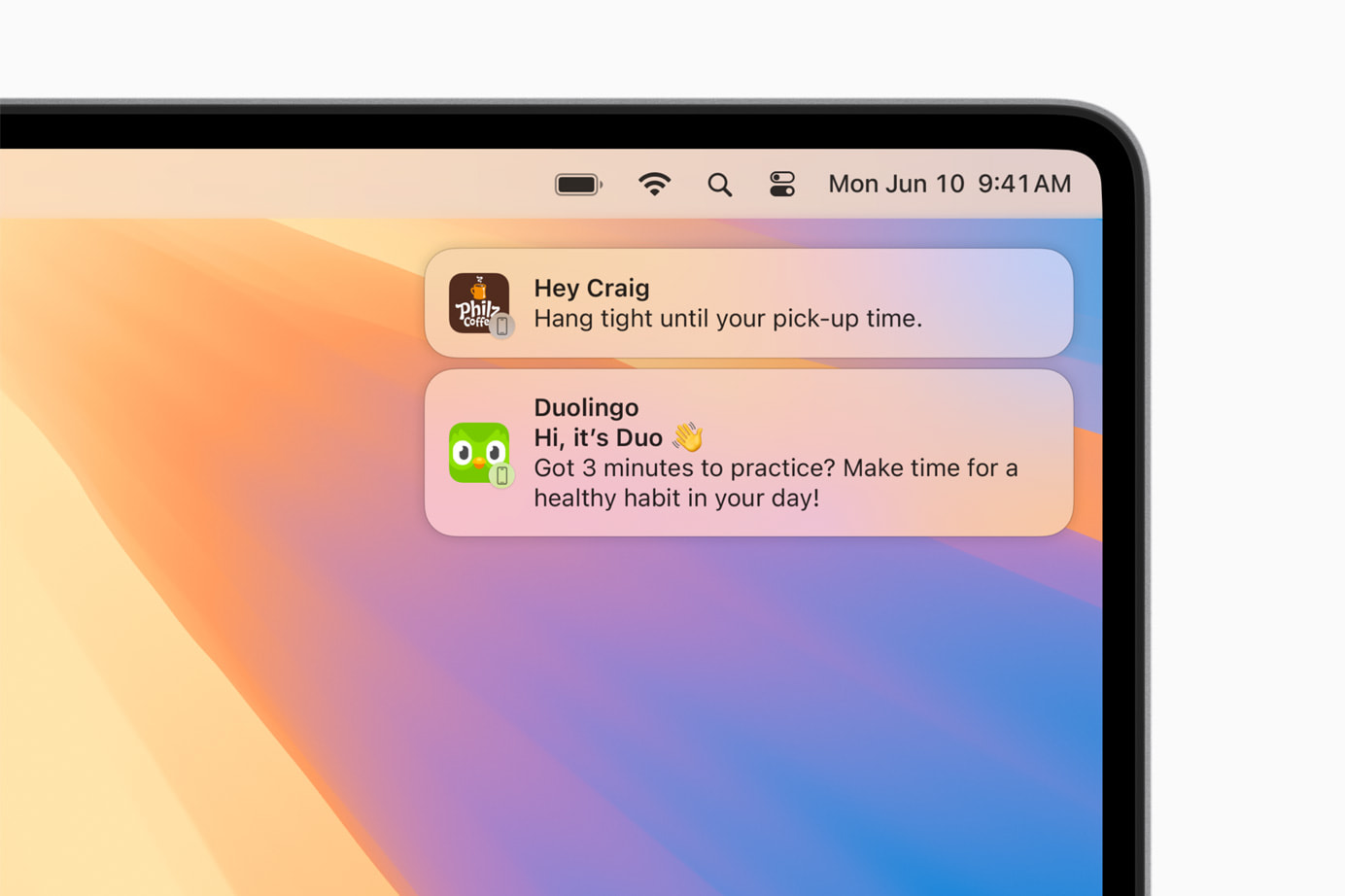
macOS Sequoia enhances the Messages app with new text effects, emoji, and sticker Tapbacks, making your messages more fun and engaging. The ability to schedule messages to send later ensures they’re sent at the right time, adding convenience to your communication.
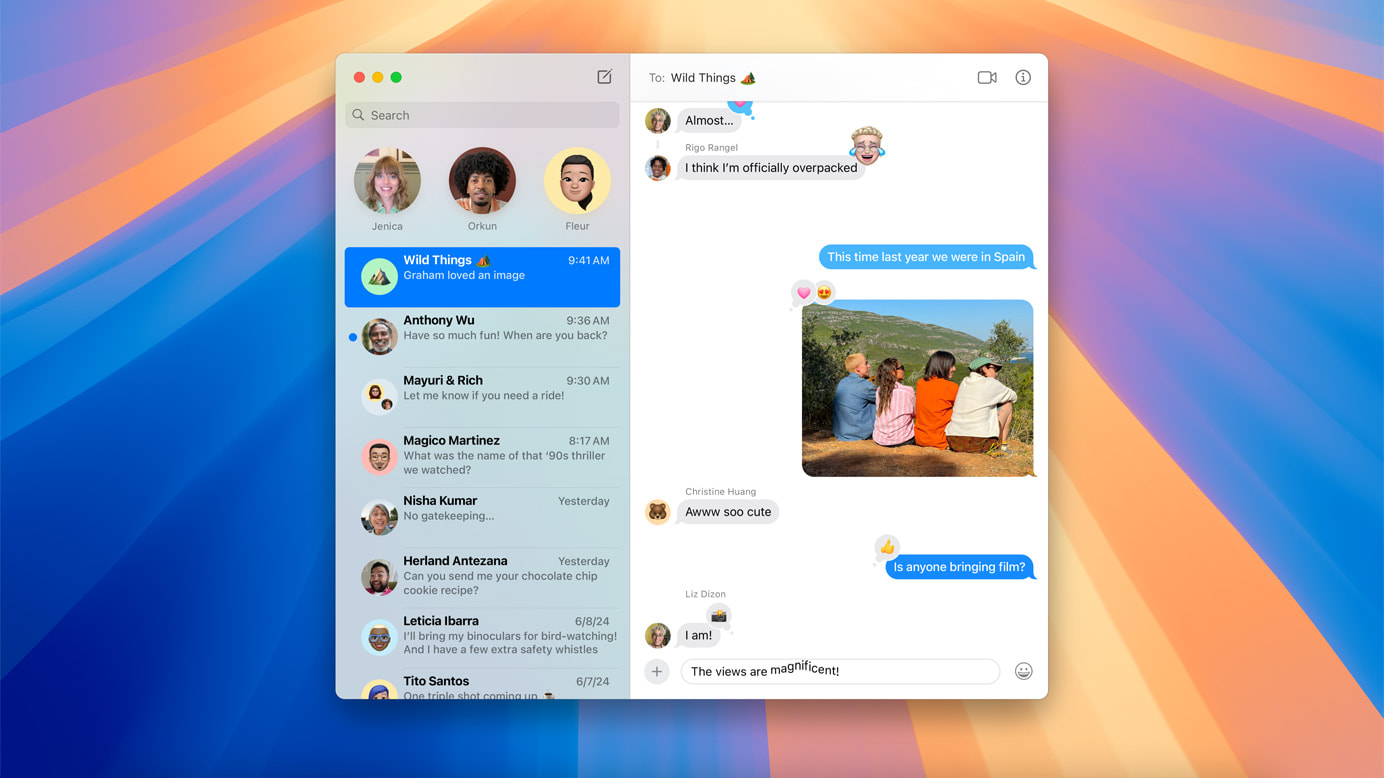
These updates make digital conversations more lively and expressive, helping you convey your thoughts and feelings more clearly. Whether you’re sending a quick update or having a long chat, the new tools in Messages enrich how you connect with others.
Apple Maps Enhancements: Explore the World in New Ways

Apple Maps in macOS Sequoia introduces curated hikes and custom walking routes, making exploring the outdoors easier. Discover thousands of trails across U.S. national parks, filtered by length, elevation, and route type, and save them for offline use. These enhancements cater to both seasoned explorers and casual hikers.
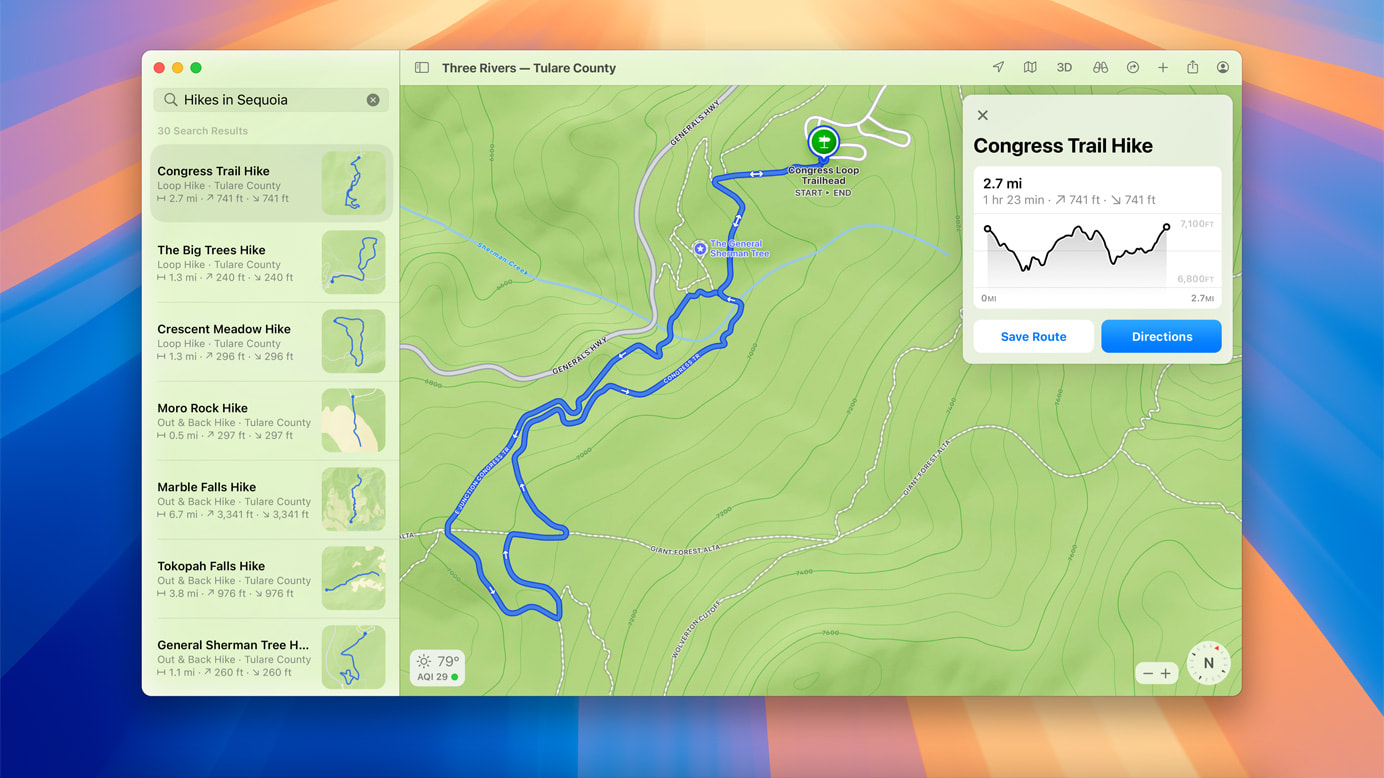
These updates make Apple Maps a powerful tool for outdoor enthusiasts, providing detailed and customizable routes. Whether you’re planning a hike or exploring a new city, the new features make your adventures more accessible and enjoyable.

Photos Updates: Organize and Enjoy Your Memories

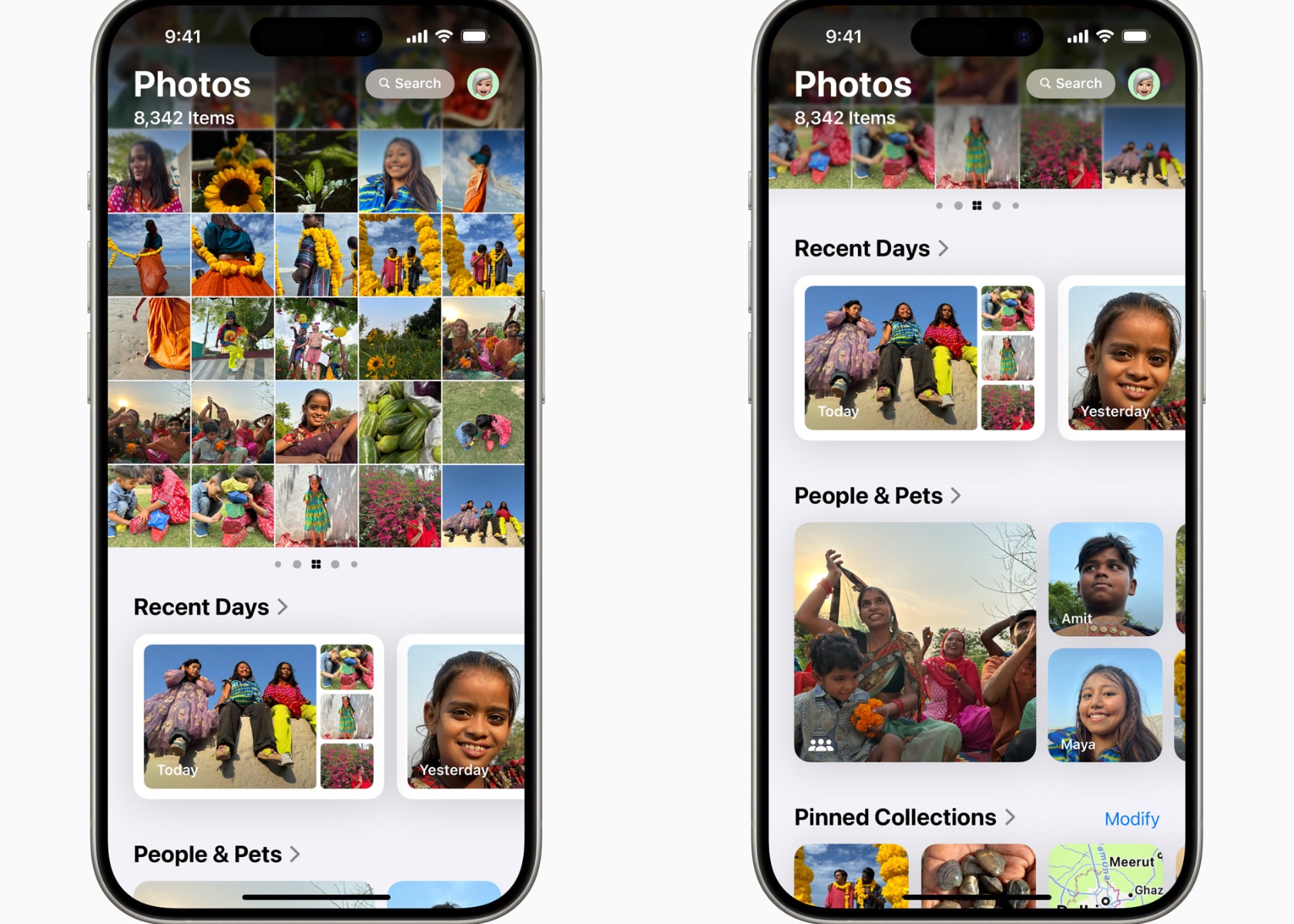
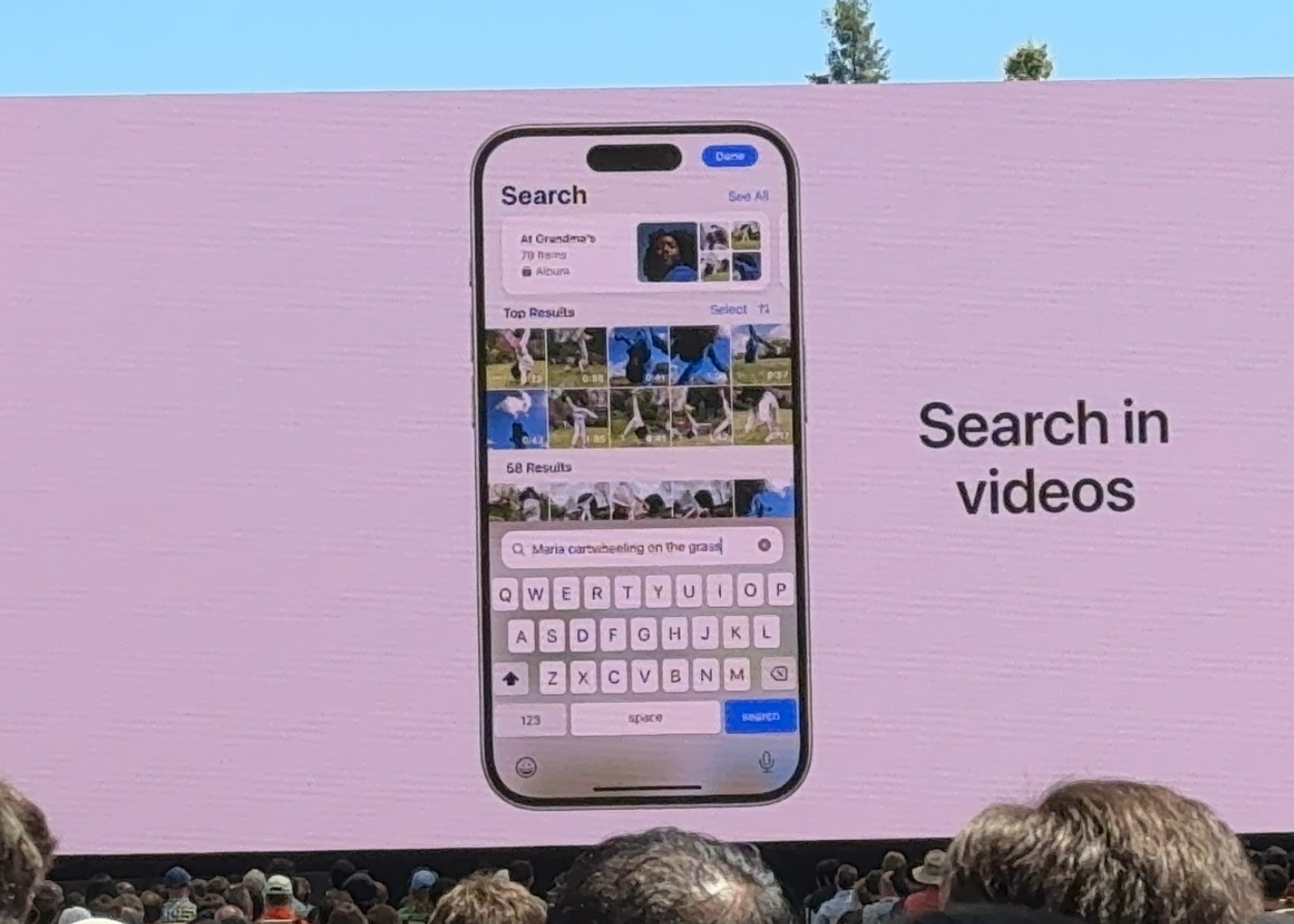
macOS Sequoia’s Photos app updates make it easier to organize and enjoy your photo library. Collections automatically organize your photos and videos by themes, and improved search capabilities help you quickly find what you’re looking for. These updates make managing your photo library more intuitive and efficient.

The Photos app enhancements simplify organizing, finding, and sharing your photos, preserving your memories in a meaningful way. Whether you’re a casual photographer or love capturing every moment, the improved Photos app ensures your images are always organized and ready to be enjoyed.

Notes Improvements: Smarter Note Taking

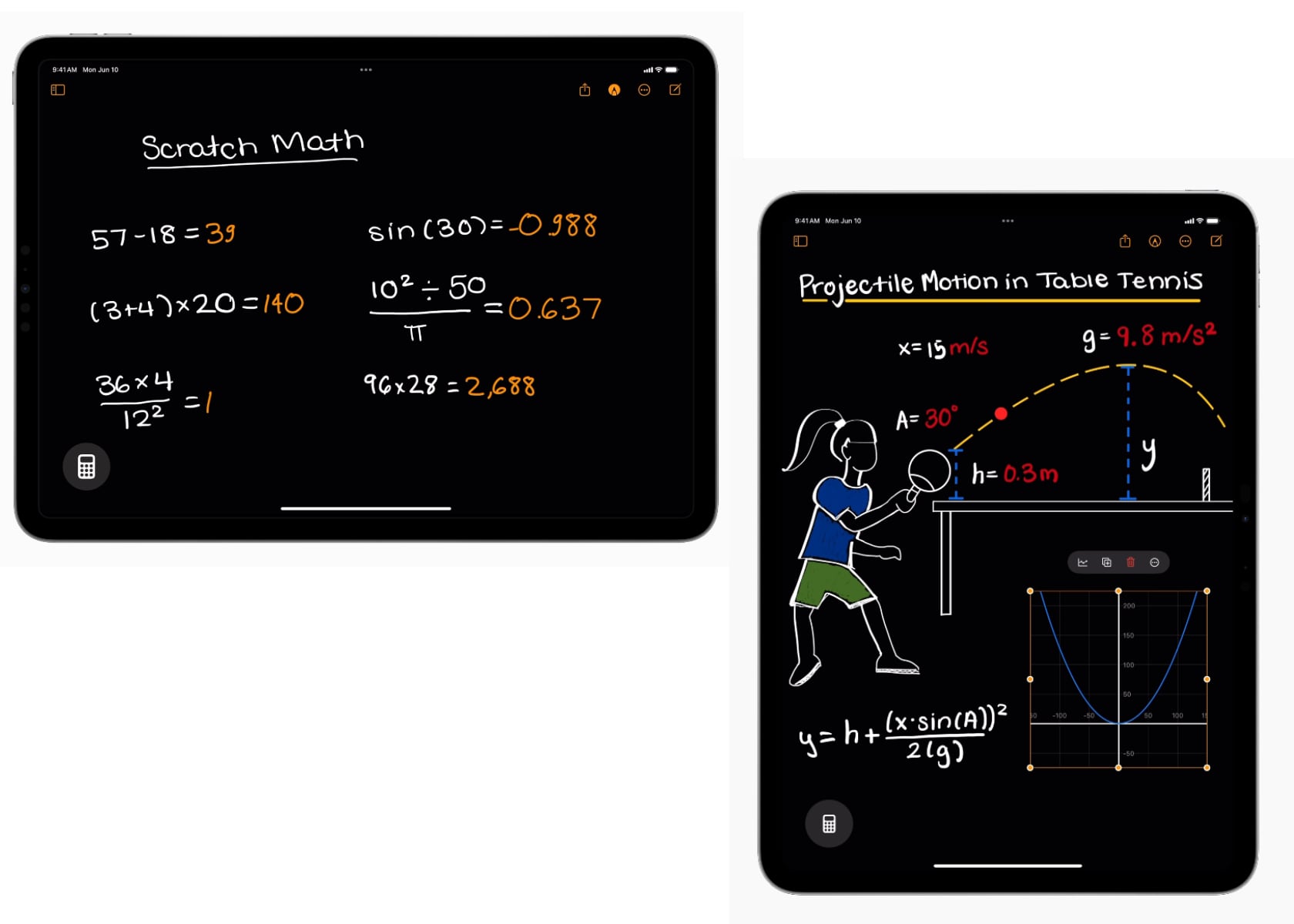
The Notes app in macOS Sequoia now includes audio transcription and summarization features powered by Apple Intelligence. Math Notes allows you to type in equations and have them solved automatically. These updates make note-taking smarter and more efficient.
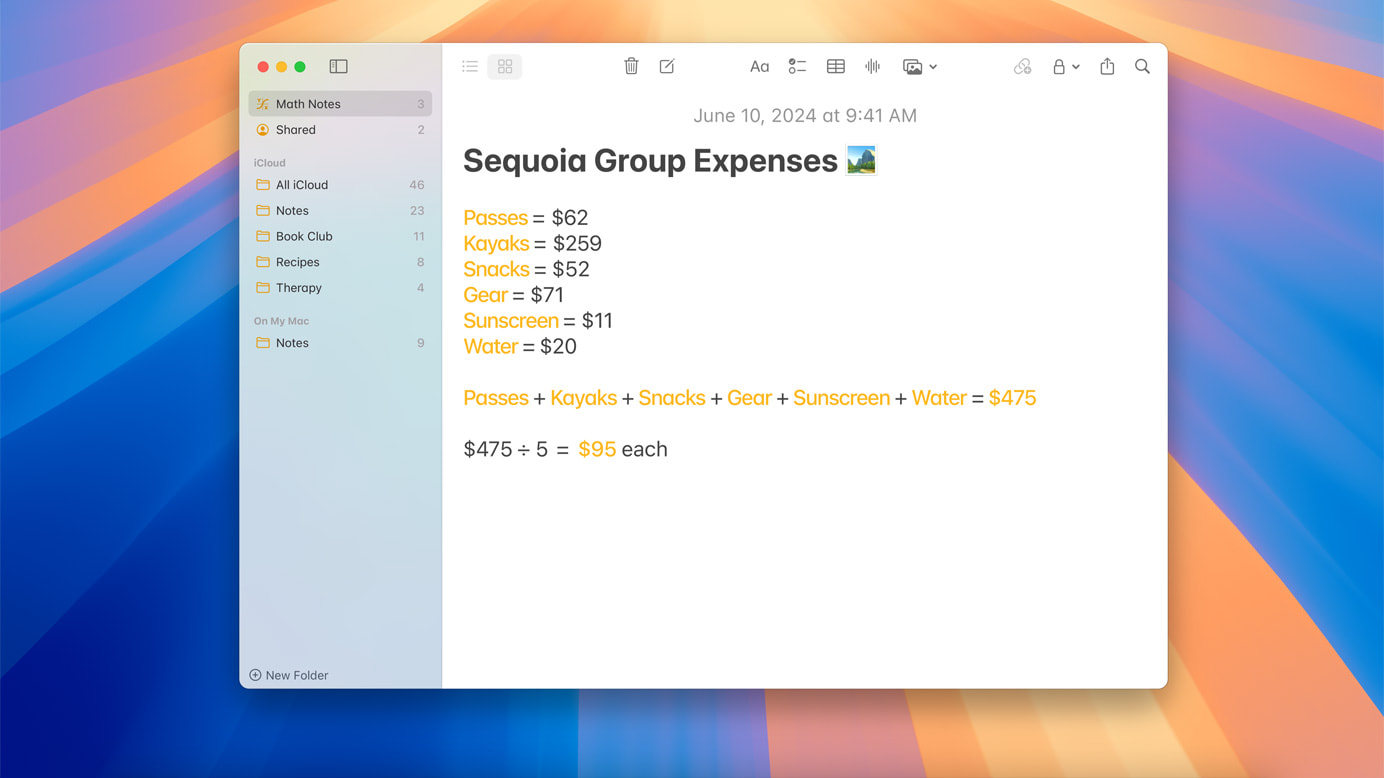
These enhancements make the Notes app a powerful tool for productivity, helping you stay organized and efficient. Whether you’re in a meeting, a classroom, or working on a personal project, the smarter Notes app ensures you can capture and manage information effortlessly.

Updated Calculator App: More Than Just Math

macOS Sequoia’s Calculator app now shows previous calculations with history and displays expressions as you type, making it easier to keep track of your calculations and ensure accuracy. These updates make the Calculator app more versatile and user-friendly.

These enhancements make the Calculator app a reliable tool for simple arithmetic and complex calculations. By adding features like history and expression display, the app becomes a more useful and efficient tool for daily math needs.

Calendar Enhancements: Stay on Top of Your Schedule

The Calendar app in macOS Sequoia shows events and tasks from Reminders, providing a comprehensive view of your schedule. An updated Month View offers a clear overview of events and reminders, making managing your time easier and more efficient.

These updates help you stay organized and productive, ensuring you don’t miss important deadlines or appointments. By integrating reminders and offering a clear monthly view, the Calendar app simplifies planning and organizing your time.

Take Your Mac Experience to the Next Level

macOS Sequoia is packed with features designed to make your Mac more powerful, user-friendly, and enjoyable. From seamless iPhone integration to smarter note-taking and enhanced gaming, these updates offer something for everyone. Explore these new features and see how they can improve your daily Mac experience.
The post Top 13 macOS Sequoia Features That Will Supercharge Your Mac first appeared on Yanko Design.

Get Unlimited Fresh Water with AquaFetch+: Advanced Atmospheric Water Generator

Imagine a world where your family can enjoy clean, safe, and mineral-rich drinking water without relying on traditional water sources. The DrinkingWater Next-Gen 3-in-1 Atmospheric Water Dispenser is a revolutionary device designed to transform how we access water. By combining air-to-water, air purification, and dehumidification into one user-friendly system, this eco-friendly machine offers a seamless solution to meet your daily water needs.

Click Here to Buy Now: $329 $499 (34% off). Hurry, only a few left! Raised over $165,000.

Cutting-Edge AquaFetch+ Technology

At its core, the DrinkingWater dispenser uses cutting-edge AquaFetch+ technology to capture humidity from the air and convert it into pure, drinkable water. This process is efficient and environmentally friendly, ensuring that you have access to clean water regardless of your location. Whether you’re in a city apartment or a remote off-grid cabin, this device guarantees that you will never run out of fresh water.

So, what exactly is an atmospheric water dispenser? It’s a device that extracts moisture from the air through a sophisticated condensation process. Think of it as a high-tech dehumidifier that removes excess moisture purifies, and mineralizes the collected water. The extracted water goes through multiple filtration stages to ensure it’s safe and tastes great.

High Water Yield and Customization

One of the big features of the DrinkingWater dispenser is its ability to produce up to 19 liters of water per day in the Pro Edition. This is made possible by the advanced graphene material used in its construction, which maximizes the efficiency of water production. Even the Primary Edition, which yields up to 14 liters daily, provides more than enough water for an average household.

The water produced by the DrinkingWater dispenser is pure and enriched with essential minerals. The device allows you to customize the mineral content of your water, offering a range of options, including zinc, potassium, calcium, magnesium, vitamin E, and vitamin C. This means you can tailor your water to meet your family’s specific health needs, making it perfect for cooking, sports, and general hydration.

Advanced Air Purification with AirTure Technology

Water production is just one aspect of this remarkable device. Thanks to its AirTure technology, it also excels in air purification. This system incorporates HEPA PM2.5 filtration, removing 99.97% of harmful particles, including pollen, bacteria, and even COVID-19. By purifying the air in your home, the DrinkingWater dispenser ensures that your family breathes cleaner, healthier air.

Additionally, the dehumidification feature enhances your living environment by maintaining optimal humidity levels. The AquaFetch+ technology can dehumidify up to 790 milliliters per hour, swiftly reducing humidity from 80% to 60% within just 1.5 hours. This ensures a consistently dry and comfortable environment, preventing mold growth and other humidity-related issues.

Ease of Use and Safety

One of the most impressive aspects of this device is its ease of use. Simply plug it in, click the button, and enjoy free mineral-rich water. The touch panel interface is intuitive, ensuring that anyone in the household can operate it with ease. Plus, the rapid cooling technology means you can enjoy ice-cold water in just two minutes, providing instant refreshment on hot days.

Safety is a top priority with the DrinkingWater dispenser. The advanced six-stage filtration system guarantees 99.9% purity. This meticulous process includes a PP cotton filter, activated carbon filter, fiber filter, super filter, another activated carbon filter, and finally, UV purification. Each stage is designed to remove specific impurities, ensuring that every drop of water is pristine.

The UV sterilization technology is particularly noteworthy. A powerful UV-C sterilizer in the water tank eliminates 99.9% of microorganisms, including viruses and bacteria. This level of purification ensures that your drinking water is consistently fresh, clean, and safe for your family.

Eco-Friendly and Versatile

In addition to its impressive water production and purification capabilities, the DrinkingWater dispenser is designed to be eco-friendly. It supports solar power, allowing you to charge the device using foldable solar panels. This feature is perfect for those who live off-grid or in areas with unreliable power sources. The solar panels are easy to carry and can be set up anywhere, ensuring that you always have access to clean water.

The dispenser’s versatility extends to its applications. It’s suitable for a wide range of environments, from urban homes to remote disaster-prone zones. Whether you’re traveling by sea, where drinkable water is scarce, or in a war zone with damaged water pipelines, the DrinkingWater dispenser provides a reliable source of clean water. Its efficient compressors and graphene technology enable it to produce water even in extreme conditions, such as deserts.

Quiet Operation and Model Comparison

Noise levels are another consideration for any household appliance, and the DrinkingWater dispenser excels in this area as well. With noise levels below 40 dB (38 dB for the Primary Edition and 40 dB for the Pro Edition), the device operates quietly, ensuring that it doesn’t disturb your home environment. This makes it suitable for use in kitchens, offices, and even bedrooms.

Comparing the Primary and Pro editions highlights the device’s adaptability to different needs. The Pro Edition, with its higher water yield and larger UV-C storage tank, is ideal for larger households or those with higher water consumption. The Primary Edition, while slightly smaller and lighter, still offers robust performance and is perfect for smaller families or individual use.

Make the Switch Today

Make the switch to a healthier, more sustainable lifestyle with the DrinkingWater Next-Gen 3-in-1 Atmospheric Water Dispenser. Its ability to produce clean, mineral-rich water from the air, coupled with advanced air purification and dehumidification features, makes it a versatile and valuable tool for ensuring the health and comfort of your family. The ease of use, safety features, and eco-friendly design further enhance its appeal. Prioritize your family’s health and convenience with the DrinkingWater dispenser, the perfect solution for meeting all your water needs.

Click Here to Buy Now: $329 $499 (34% off). Hurry, only a few left! Raised over $165,000.

The post Get Unlimited Fresh Water with AquaFetch+: Advanced Atmospheric Water Generator first appeared on Yanko Design.

Design Nightmares: Why the Yeezy Foam Runners and Crocs Echo Storm Will Ruin Father’s Day

This Father’s Day, you might think grabbing a pair of Yeezy Foam Runners or Crocs Echo Storm for your dad is a great idea, swayed by the hype. These shoes have captured attention with their unconventional looks and odd materials. The Yeezy Foam Runners resemble something out of a sci-fi movie, while the Crocs Echo Storm attempt to combine casual comfort with rugged features. Despite their popularity, these shoes are far from being the ideal gift for your dad. Here’s why.

Design: Kanye West
Design: Crocs

This Father’s Day, you might think grabbing a pair of Yeezy Foam Runners or Crocs Echo Storm for your dad is a great idea, swayed by the hype. These shoes have captured attention with their unconventional looks and odd materials. The Yeezy Foam Runners resemble something out of a sci-fi movie, while the Crocs Echo Storm attempt to combine casual comfort with rugged features. Despite the buzz around them, these shoes are far from being the ideal gift for your dad. Here’s why.

2024 Yeezy Foam RNNR Sand

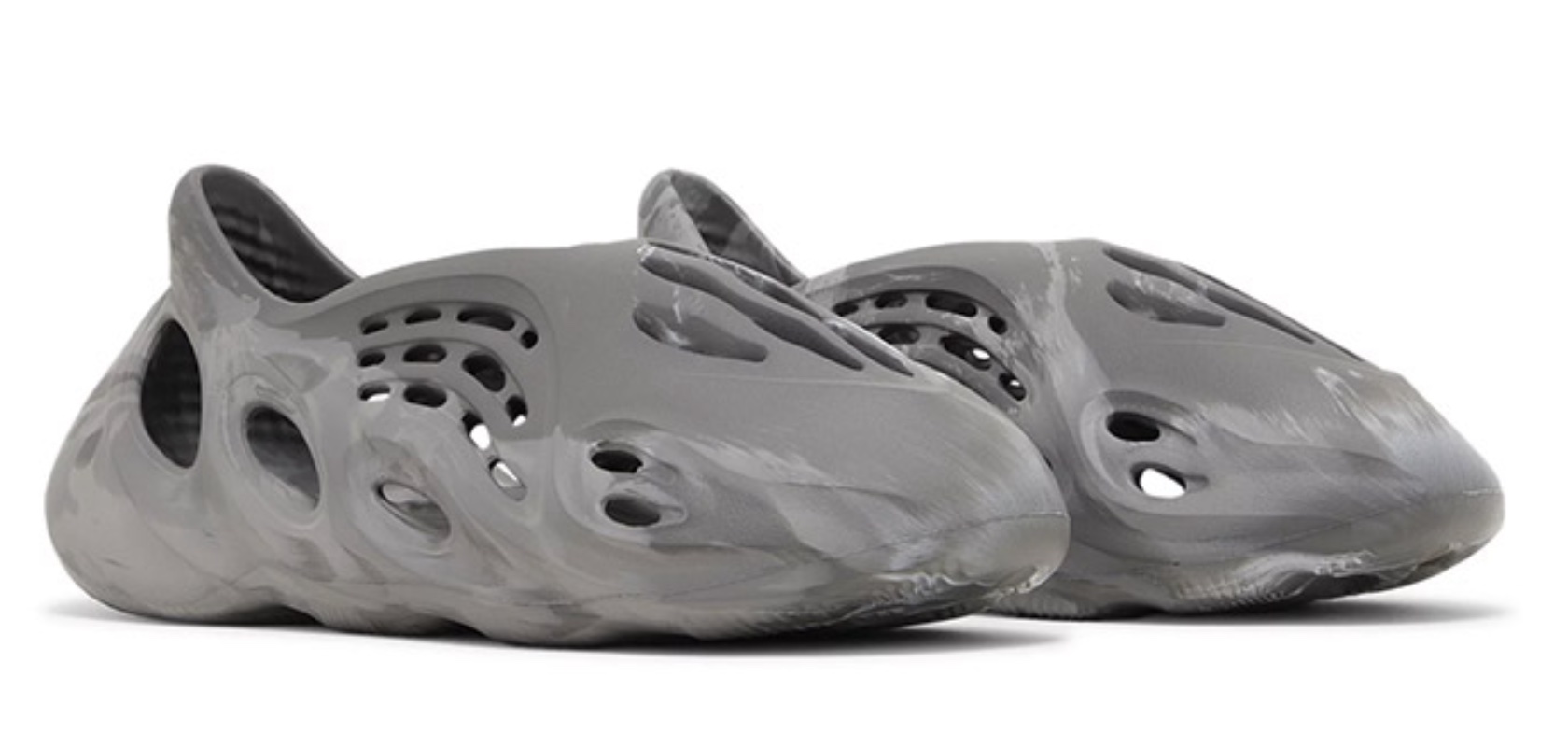
At first sight, the Yeezy Foam Runner is hard to ignore. Its bizarre, futuristic design, with a single-piece construction riddled with numerous cutouts, looks more suited for a space expedition than everyday wear. Made from EVA foam and algae, it’s marketed as an environmentally friendly shoe. But let’s be honest: the shoe looks ridiculous. The unique design might catch the eye of fashion-forward individuals, but it’s unlikely to appeal to someone who values comfort and practicality.

Yeezy Foam Runner ‘MX Granite’

The Foam Runner’s single-piece EVA construction lacks the necessary support and cushioning that traditional sneakers offer. For a dad who needs comfortable footwear for long periods, this shoe is a disaster. Its lack of traditional support structures and minimalistic design mean it’s not built to last. The Foam Runner might quickly wear out, especially under conditions that require more rugged footwear.

Even the so-called environmental benefits are questionable. Yeezy promotes the use of sustainable algae and EVA foam, but the production process is energy-intensive. The shoe’s manufacturing involves significant use of molds and high energy consumption, which might negate any environmental advantages. Plus, recycling EVA is complicated, making the shoe less eco-friendly than it appears.

The numerous cutouts in the Foam Runner might improve breathability, but they also expose the foot to the elements. This makes the shoe impractical for different weather conditions or more demanding activities. For a dad who needs versatile and protective footwear, the Foam Runner is a poor choice.

ECHO STORM CLOG “CIRRUS”

The Crocs Echo Storm attempts to be both a comfortable casual shoe and a rugged outdoor shoe but fails at both. Its bulky design is clunky and lacks the flexibility of traditional sneakers. This can be problematic for dads who need a shoe that adapts to various activities throughout the day. The Echo Storm’s material, while durable, feels overly bulky and less flexible compared to traditional sneakers. Moreover, the style of Crocs, despite their wide recognition, might not align with your dad’s fashion sense, making them an unwelcome gift.

Crocs Echo Storm
Kelp

When it comes to gift-giving, especially on Father’s Day, practicality and comfort should come first. Your dad would likely appreciate a gift that fits his daily needs over a trendy but impractical fashion statement. The Yeezy Foam Runner and Crocs Echo Storm might look interesting, but they don’t provide the comfort, durability, or versatility that a great pair of shoes should offer.

Recommended Alternatives for Your Dad

When selecting the perfect pair of shoes for your dad this Father’s Day, consider options that combine comfort, support, and a touch of style. Here are a few recommendations that prioritize practicality and everyday wear:

New Balance 990v5

The New Balance 990v5 offers a blend of comfort and classic style, making it a solid choice for dads who spend a lot of time on their feet. The upper is crafted from a combination of pigskin and mesh, providing a breathable and durable construction. This material choice ensures that your dad’s feet stay cool and comfortable, even during extended wear. The dual-density foam collar adds comfort and support around the ankle, reducing the risk of blisters and discomfort.

New Balance Men’s 990v5

In terms of support and stability, the 990v5 features ENCAP midsole technology, which combines lightweight foam with a durable polyurethane rim. This setup offers cushioning and stability, making it suitable for daily activities. The design is versatile enough to pair with both casual and slightly dressier outfits, making it a practical addition to any wardrobe. Whether your dad is running errands or heading out for a casual dinner, the New Balance 990v5 provides comfort and style.

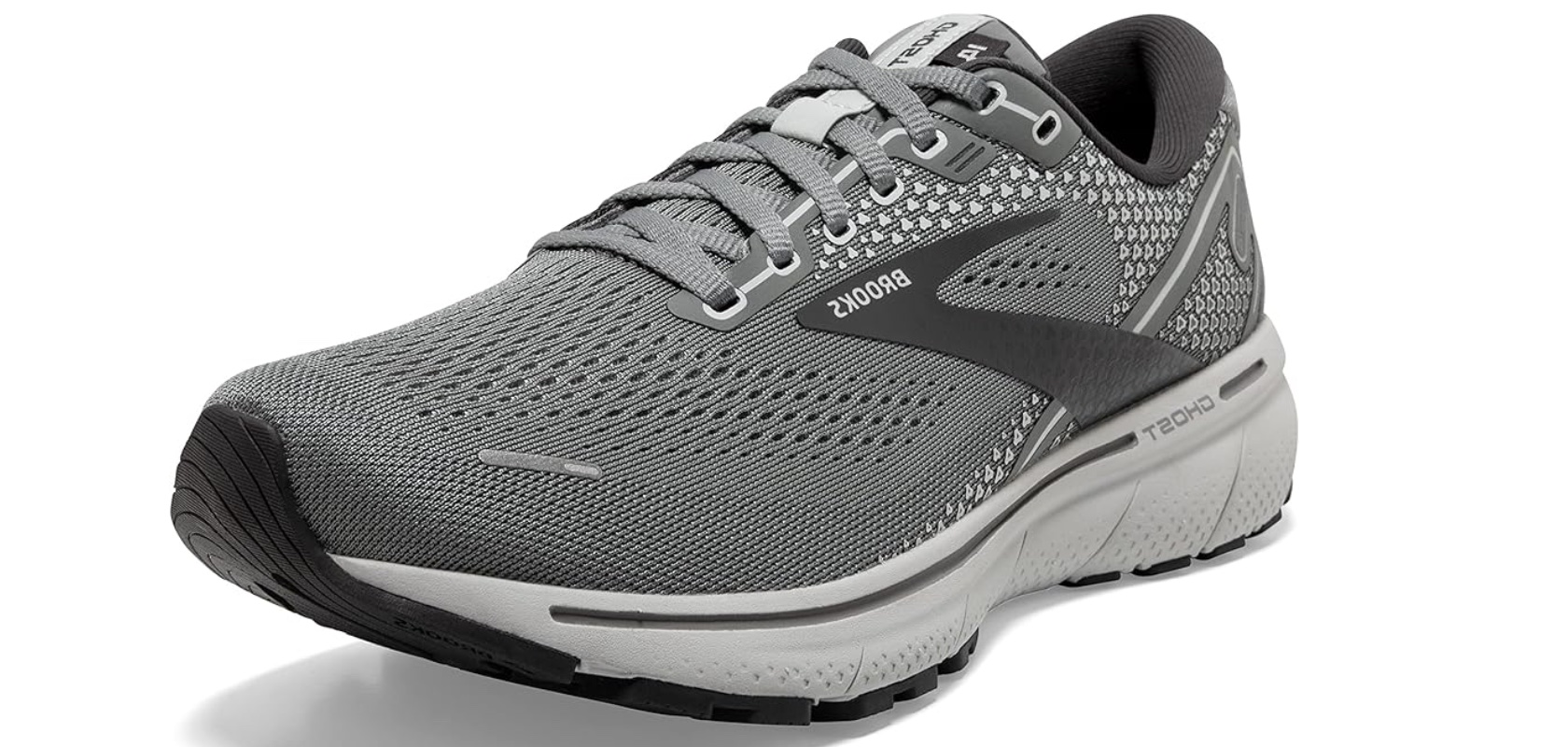
Brooks Ghost 14

For the active dad, the Brooks Ghost 14 provides a comfortable and reliable option. This running shoe features DNA LOFT midsole technology, which offers a soft feel underfoot without compromising responsiveness. The Segmented Crash Pad, an integrated system of shock absorbers, ensures smooth transitions from heel to toe, reducing the impact on joints and enhancing overall comfort.

Brooks Men’s Ghost 14 Neutral Running Shoe

The Ghost 14’s upper is made from engineered mesh, which offers breathability and a secure fit. This design adapts to the shape of the foot, preventing slippage and enhancing stability. The lightweight construction of the shoe makes it suitable for various activities, from running and walking to casual outings. Additionally, the Brooks Ghost 14 is built with durable materials that withstand daily use. For dads who enjoy staying active, whether through running, walking, or other physical activities, the Brooks Ghost 14 is a dependable choice.

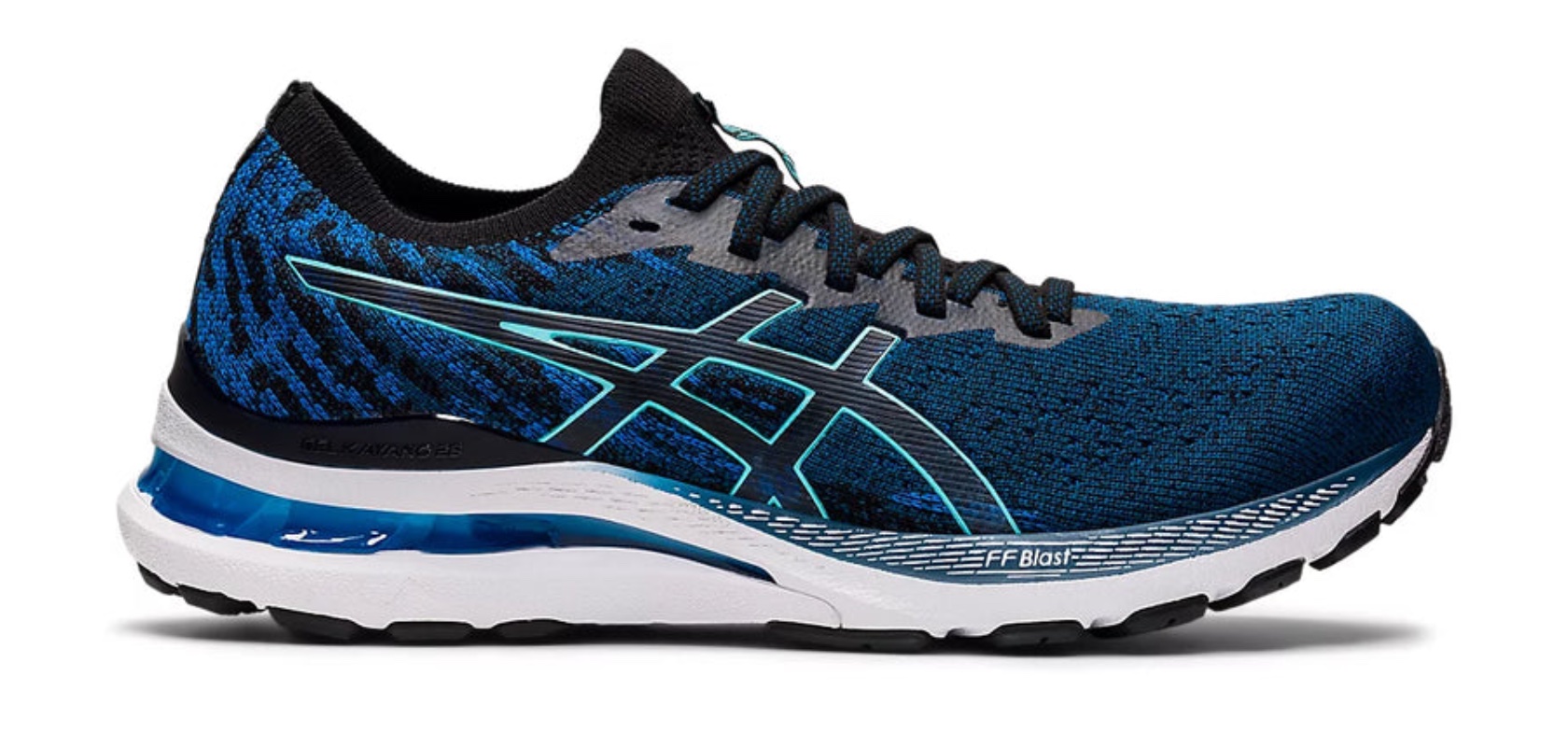
Asics Gel-Kayano 28

The Asics Gel-Kayano 28 is a good option for dads who need extra support and stability. This shoe features FlyteFoam Propel technology in the midsole, providing a responsive bounce with each step. The Dynamic DuoMax Support System enhances stability without adding unnecessary weight, making the Gel-Kayano 28 comfortable for both casual and athletic wear. The Gel cushioning in the heel and forefoot offers shock absorption, protecting the joints and reducing the risk of injury.

MEN’S GEL-KAYANO 28 MK

The Gel-Kayano 28 also includes Trusstic System technology, which reduces the shoe’s weight while maintaining its structure. The engineered mesh upper offers a flexible and breathable fit, adapting to the shape of the foot and providing support where needed. Whether your dad enjoys running, walking, or just needs a reliable everyday shoe, the Asics Gel-Kayano 28 combines support, comfort, and durability.

Merrell Moab 2 Ventilator

For the adventurous dad who loves the outdoors, the Merrell Moab 2 Ventilator is a practical choice. This hiking shoe is designed with a breathable mesh upper and supportive suede leather overlays, ensuring durability and ventilation. The shoe’s contoured footbed features zonal arch and heel support, providing comfort on rugged terrain. The Merrell air cushion in the heel absorbs shock and adds stability, making the Moab 2 Ventilator suitable for long hikes and outdoor activities.

Merrell Men’s Moab 2 Vent Hiking Shoe

The Vibram TC5+ outsole offers traction and stability, allowing your dad to confidently navigate various terrains. The protective rubber toe cap shields against trail debris, adding durability. The Moab 2 Ventilator’s sturdy construction and comfortable design make it a reliable choice for any outdoor enthusiast. Whether hiking in the mountains or exploring local trails, this shoe ensures your dad’s feet stay comfortable and supported throughout his adventures.

Clarks Desert Boots

The Clarks Desert Boots are perfect for dads who prefer a polished, classic look. These boots, originally designed in the 1950s, have remained a style icon due to their simplicity and elegance. Crafted from premium suede or leather, the Desert Boots offer a refined appearance that can easily transition from casual to semi-formal settings. The crepe sole provides cushioning, making them comfortable for extended wear, while the natural materials used in construction promote breathability and foot health.

DESERT BOOT EVO BEESWAX LEATHER

Known for their durability, these Clarks Desert Boots feature a two-eyelet lace-up design that ensures a secure fit. The high-quality materials used in both the upper and sole promise longevity, making them a reliable choice. Versatile enough to pair with jeans, chinos, or even dress pants, these boots are a practical addition to any wardrobe. For dads who appreciate timeless style and comfort, the Clarks Desert Boots are an excellent choice.

Nike Air Monarch IV

The Nike Air Monarch IV is a versatile sneaker that combines durability and comfort, making it perfect for dads with an active lifestyle. This shoe features a leather upper that provides support and a classic look. The full-length encapsulated Air-Sole unit offers cushioning, ensuring comfort during various activities, from workouts to casual outings. The solid rubber outsole provides traction on multiple surfaces, enhancing the shoe’s durability and versatility.

Nike Air Monarch IV AMP

The Air Monarch IV’s design is both functional and stylish, with a timeless athletic appearance that suits a range of activities. Whether your dad is heading to the gym, taking a walk, or running errands, this shoe provides the necessary support and comfort. The cushioning and supportive fit make it ideal for long hours on the feet, ensuring that your dad stays comfortable and confident throughout the day. For a reliable, all-purpose sneaker, the Nike Air Monarch IV is a top contender.

These detailed options cater to different needs and preferences, ensuring you can find the perfect pair of shoes that offer comfort, support, and style for your dad this Father’s Day.

The post Design Nightmares: Why the Yeezy Foam Runners and Crocs Echo Storm Will Ruin Father’s Day first appeared on Yanko Design.

New Earth-Inspired Omega Swatch MoonSwatch: Lava, Polar Lights, Desert

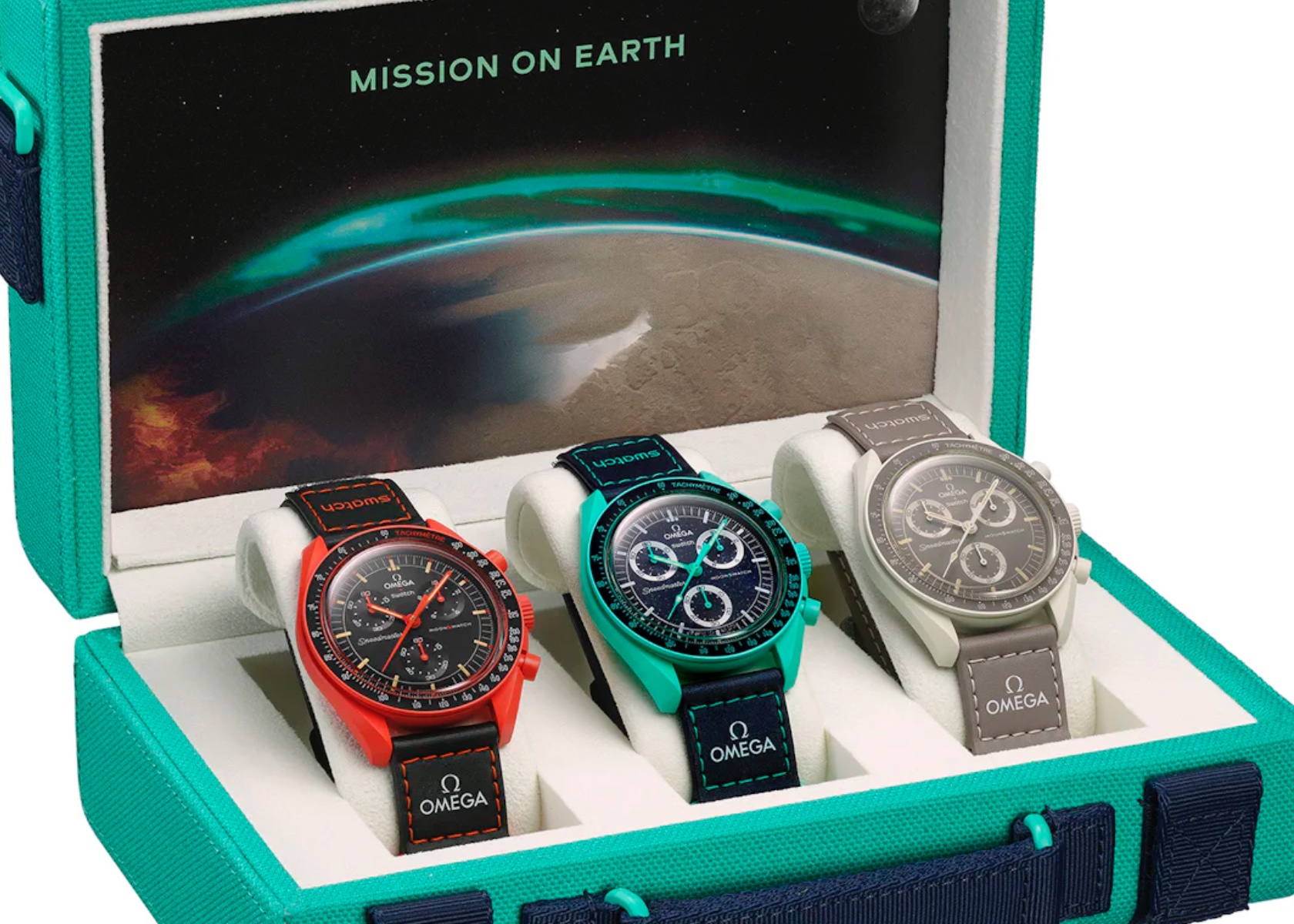
If you thought Omega and Swatch were out of tricks to come up with new variations of the MoonSwatch, think again. The two brands just dropped three new collaborative releases today. Unlike the year full of “Full Moon” subtle variants and two Snoopy-inspired releases, these are Earth-inspired and incredibly creative.

Designer: Swatch + Omega

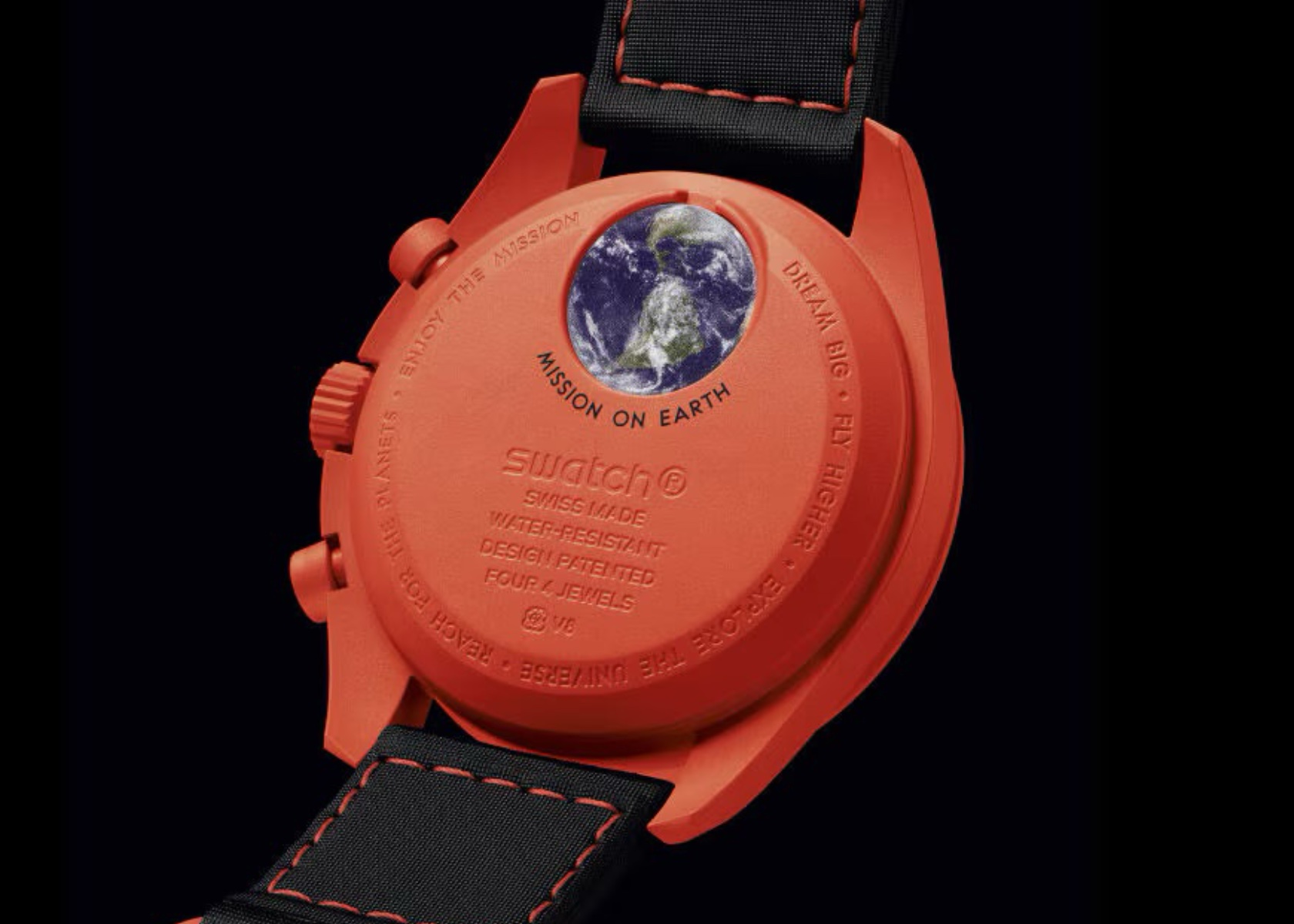
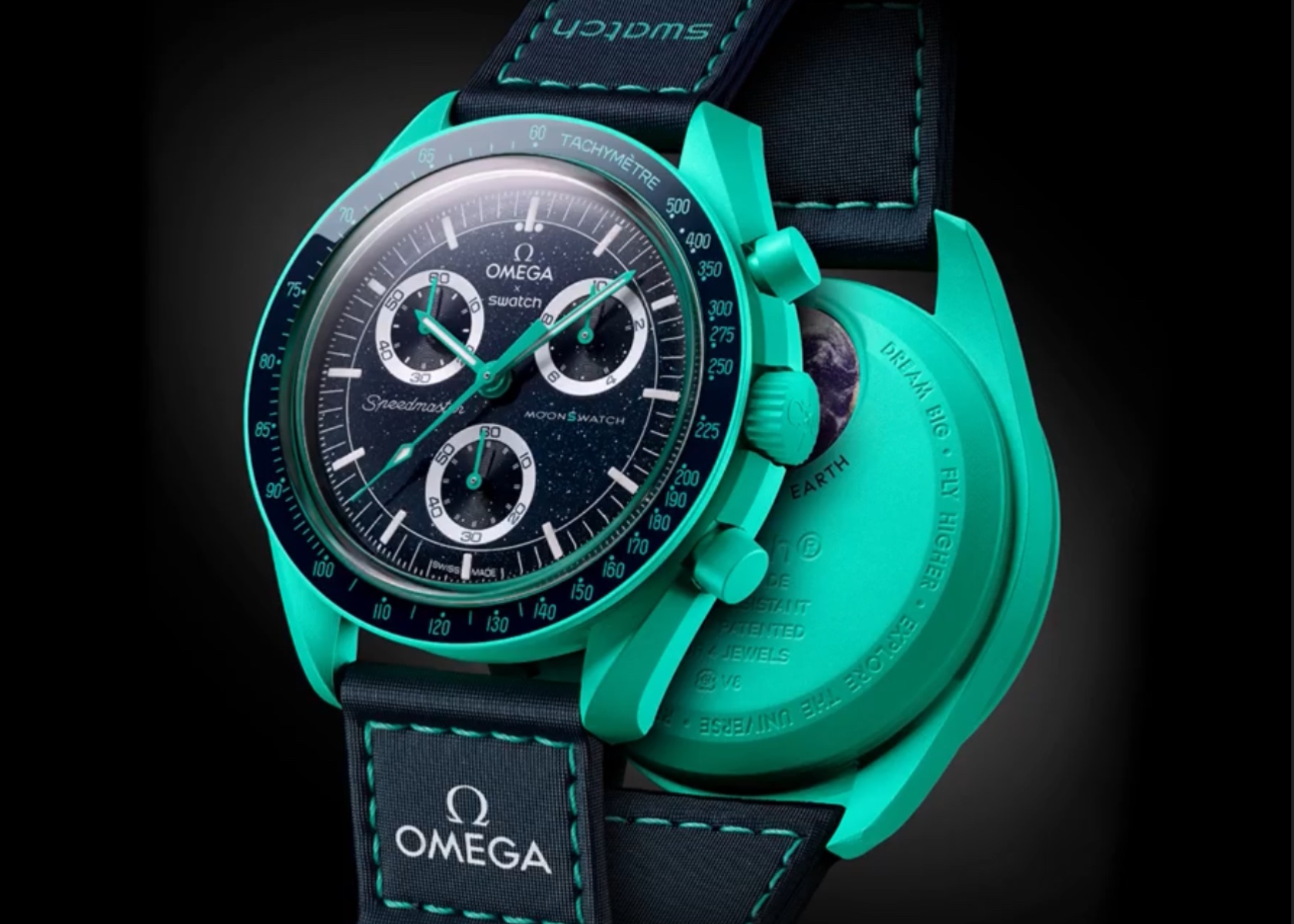
The new MoonSwatch collection, under the banner “Mission on Earth,” introduces three distinct models: Lava, Polar Lights, and Desert. These watches maintain the familiar look of the iconic Omega Speedmaster ‘Moonwatch’ but bring fresh, vibrant, and earthy inspirations into the design, each echoing unique natural phenomena. Priced at $300 each, these models are available exclusively at selected Swatch stores starting June 15. Let’s delve into the intricate details of each model, exploring the thoughtful design elements and how they pay homage to their inspirations and predecessors.

Mission on Earth: Lava

MoonSwatch Mission on Earth: Lava

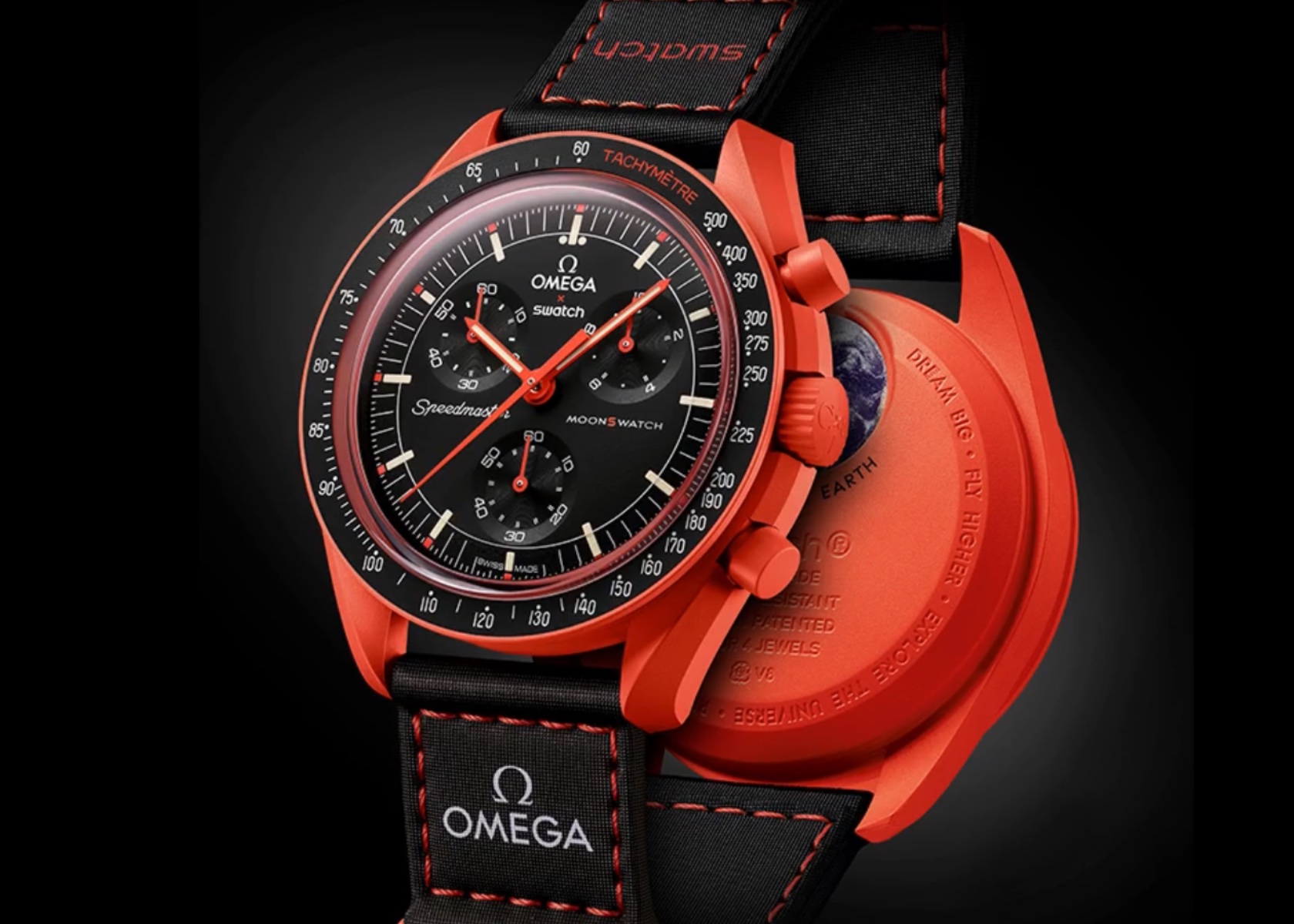
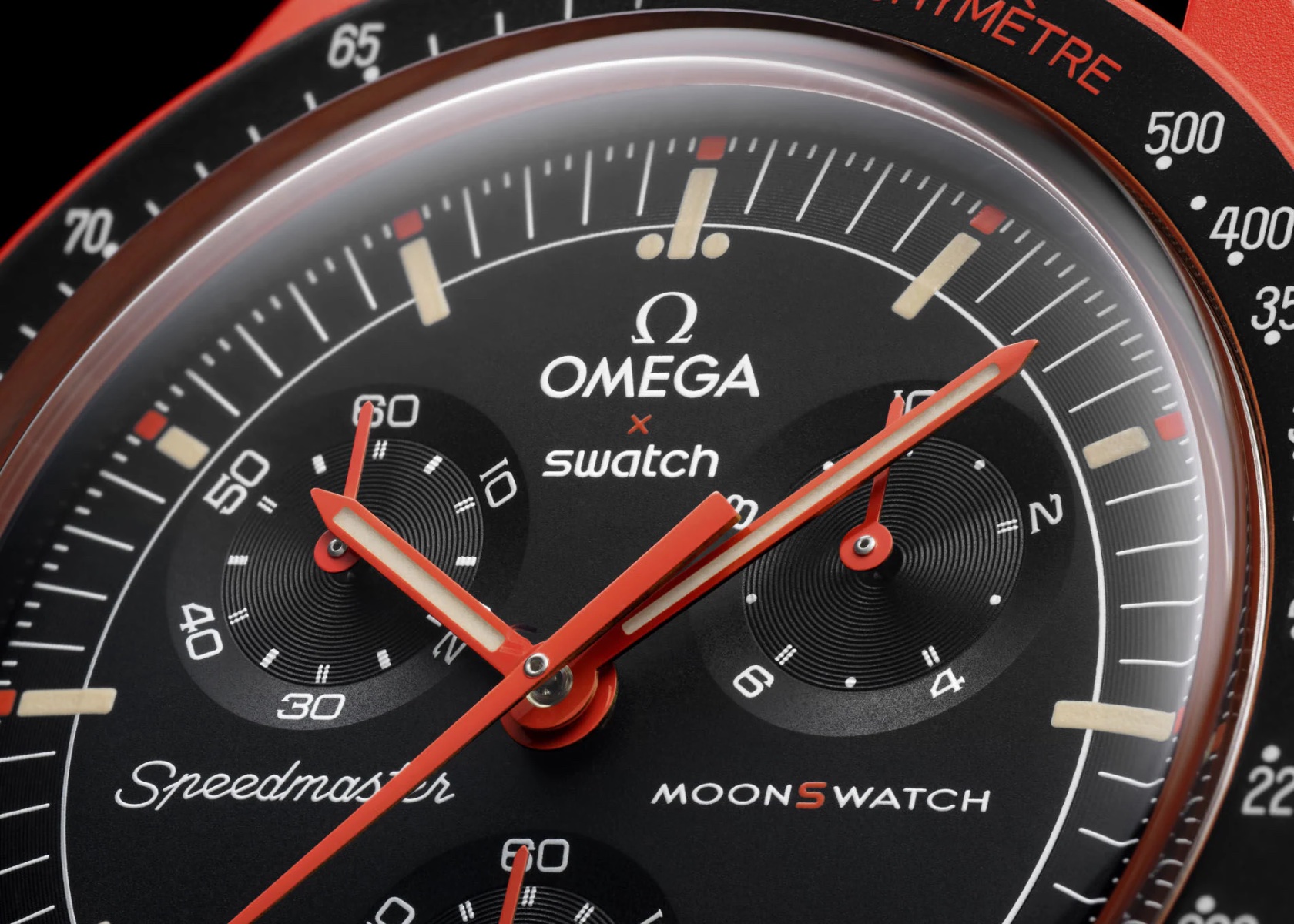
The Mission on Earth Lava model is an embodiment of fiery energy and volcanic intensity. The vibrant orange Bioceramic case immediately catches the eye, creating a striking contrast with the black dial and bezel. This color choice is not merely aesthetic; it pays homage to the Speedmaster “Ultraman” with its signature orange seconds hand. The subdials on the Lava model feature Arabic numerals and indexes arranged in a radial format, reminiscent of the designs seen in the Speedmaster Alaska II and III projects. This attention to detail links the watch to its Omega heritage, while the modern Bioceramic material ensures durability and a lightweight feel on the wrist.

MoonSwatch Mission on Earth: Lava

The black VELCRO strap is a practical choice, featuring orange topstitching that ties the overall color scheme together. The strap’s design ensures a secure fit, suitable for both casual wear and more adventurous outings. The Super-LumiNova coating on the hands and hour markers provides excellent visibility in low-light conditions, enhancing both functionality and the watch’s visual appeal in the dark.

MoonSwatch Mission on Earth: Lava

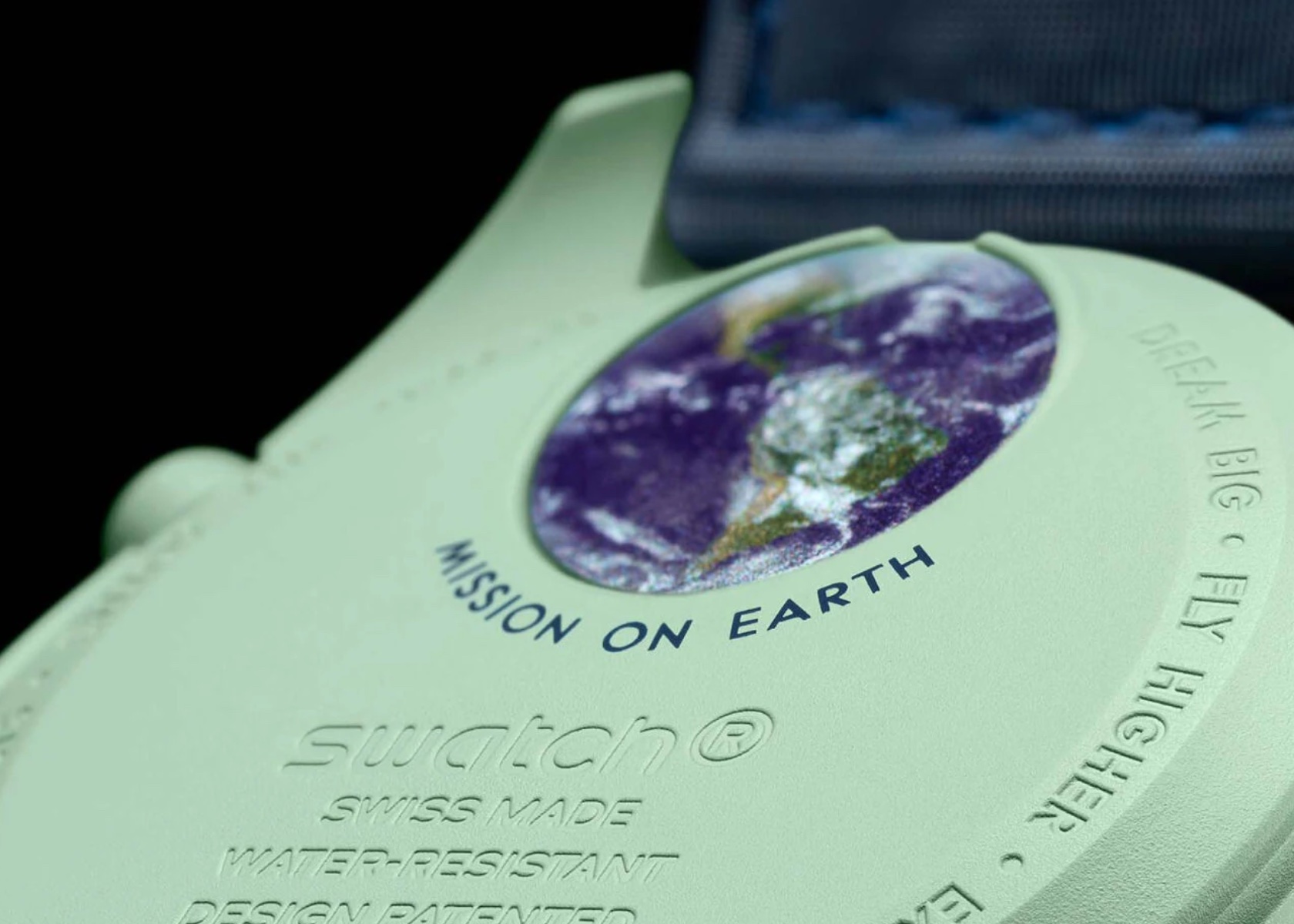
The back of the watch continues the thematic focus with an engraved image of Earth as seen from space. This engraving reinforces the watch’s connection to the “Mission on Earth” theme and adds a unique touch that distinguishes it from other models in the collection.

Mission on Earth: Polar Lights

MoonSwatch Mission on Earth: Polar Lights

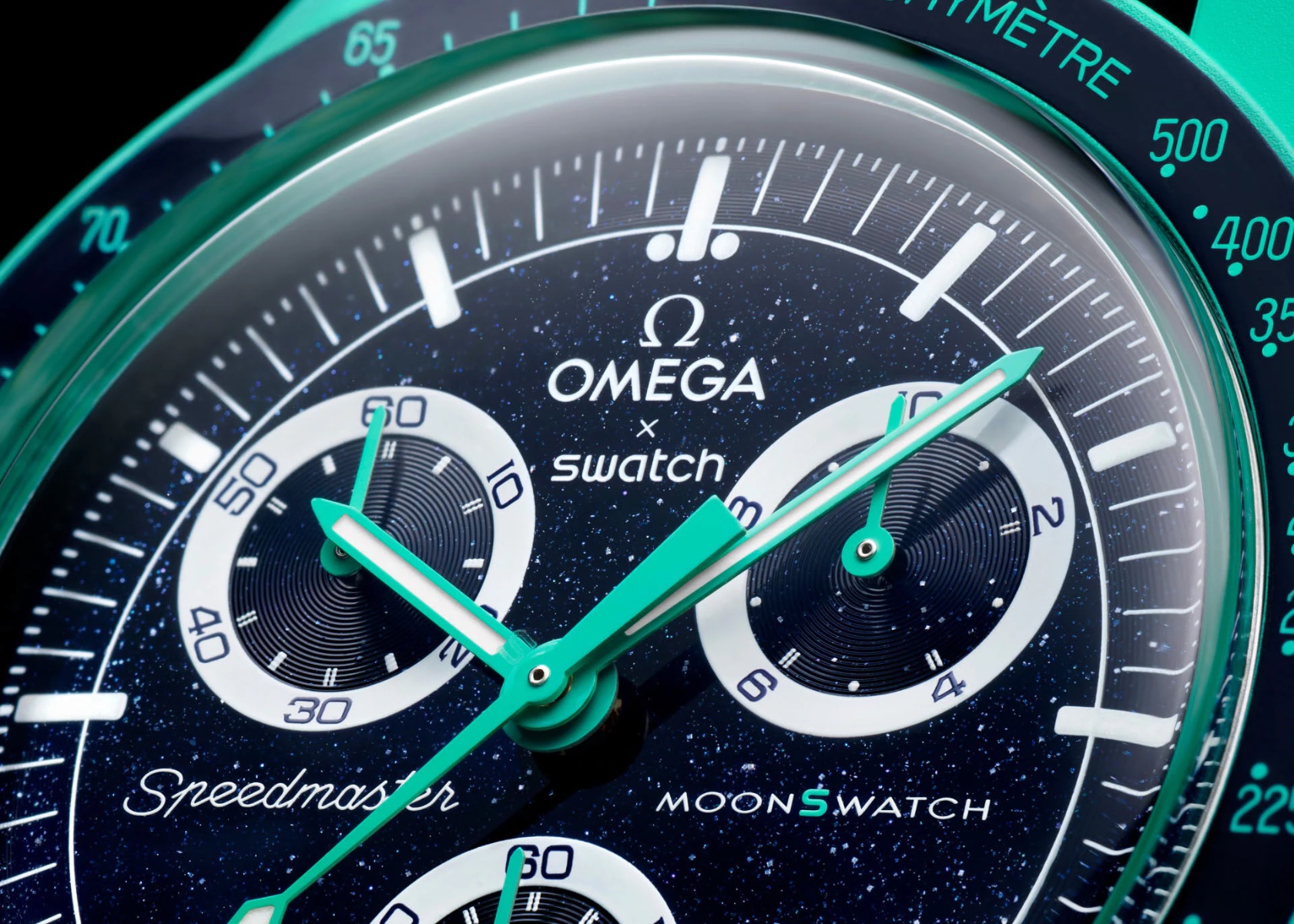
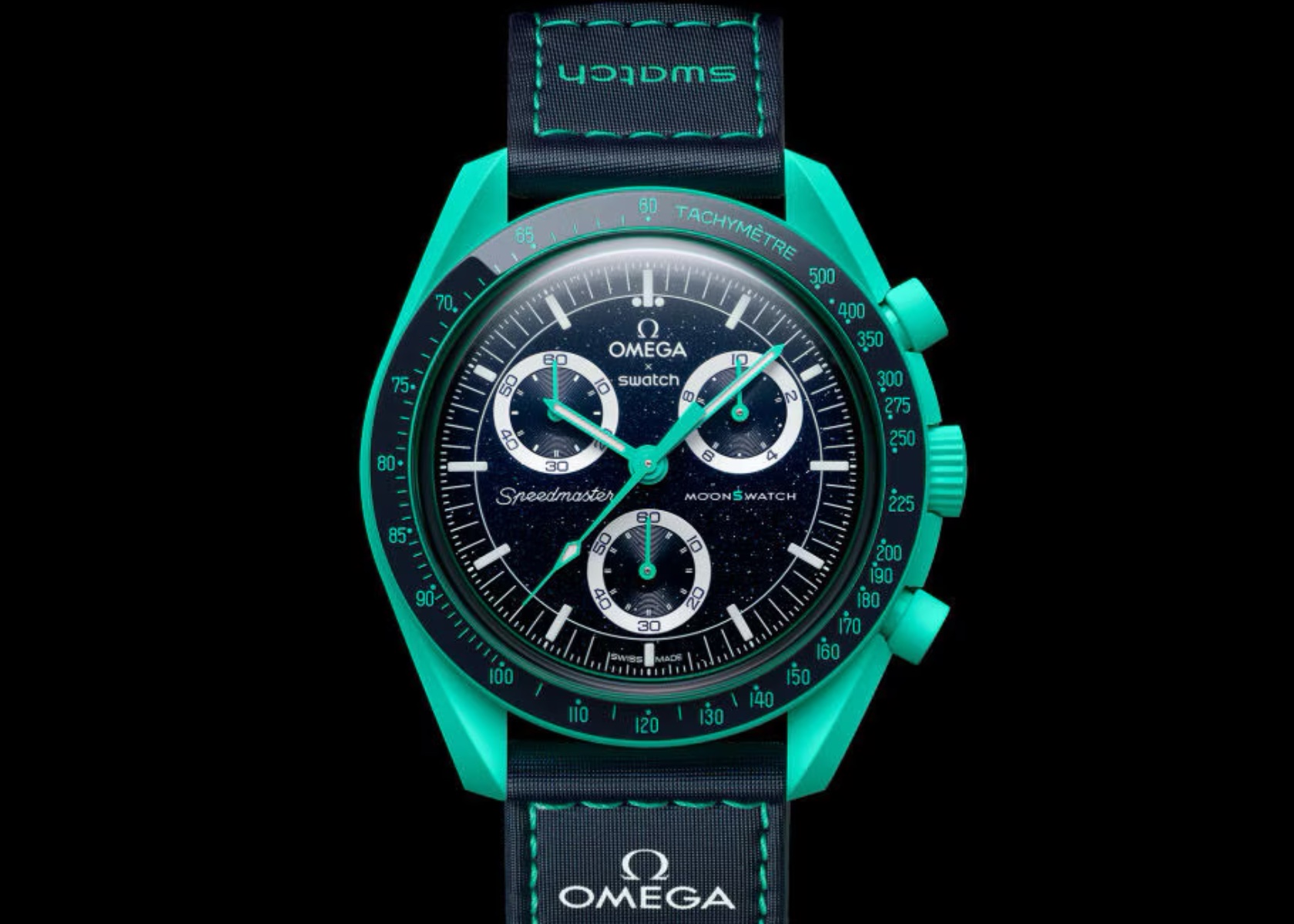
The Polar Lights model pops with its turquoise Bioceramic case, reflecting the mesmerizing colors of the Aurora Borealis. The dark blue dial, speckled with tiny silver-colored flakes, mimics the starry night sky and is inspired by aventurine glass dials. This design choice makes each watch unique, as the pattern of flakes varies slightly from piece to piece. The turquoise hands and tachymeter scale complement the case, creating a cohesive and visually stunning color scheme.

MoonSwatch Mission on Earth: Polar Lights

The recessed subdials feature white rings and radial indexes, a nod to the Speedmaster Alaska II and III projects. This continuity in design elements connects the Polar Lights to its Omega lineage while introducing a fresh and contemporary aesthetic. The blue VELCRO strap with turquoise stitching is functional and enhances the overall visual harmony of the watch.

MoonSwatch Mission on Earth: Polar Lights

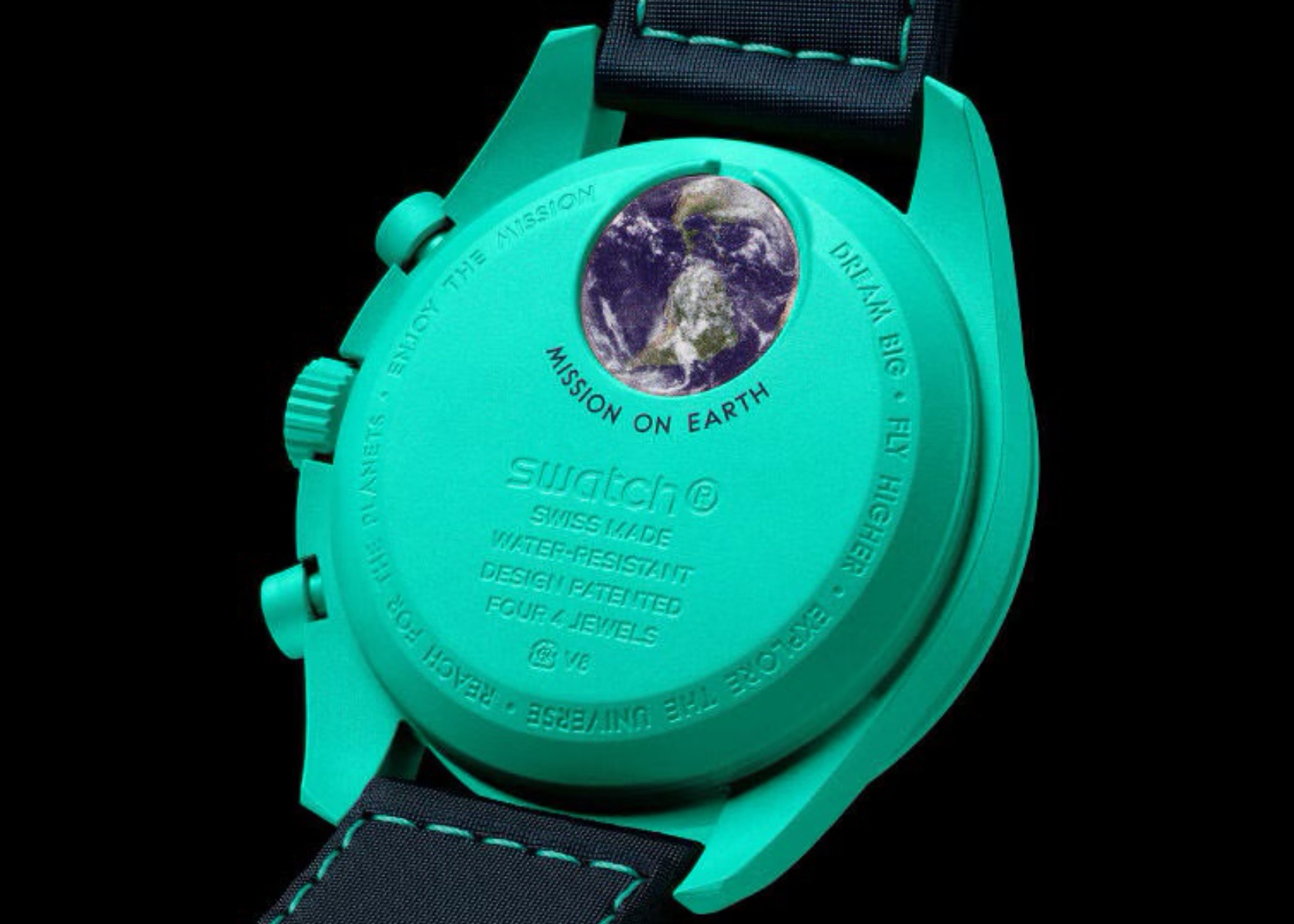
The back of the Polar Lights model is particularly noteworthy. It features an engraving of Earth, viewed from space, emphasizing the “Mission on Earth” theme. This detailed engraving adds an element of artistry and uniqueness, making the watch a collector’s item.

Mission on Earth: Desert

MoonSwatch Mission on Earth: Desert

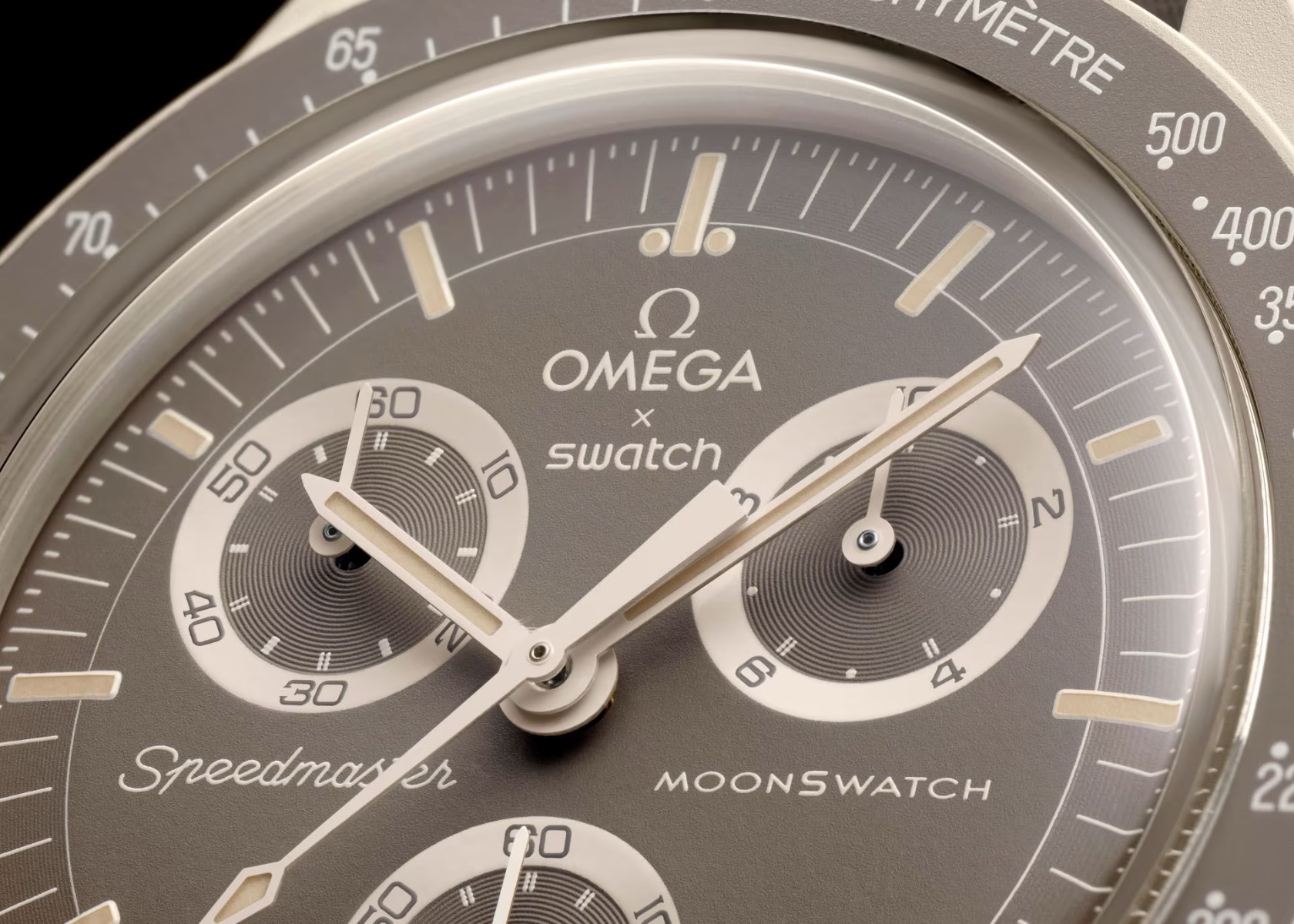
The Desert model offers a more subdued yet sophisticated aesthetic, inspired by the vast sandy expanses that cover a significant portion of the Earth’s surface. The sand-colored Bioceramic case, crown, and pushers blend seamlessly with the greige (taupe) dial and strap, creating a monochromatic look that’s elegant and versatile. The hands and tachymeter scale in sand color maintain the cohesive theme, while the radial subdials nod to the Speedmaster Alaska II and III projects.

MoonSwatch Mission on Earth: Desert

The greige VELCRO strap, featuring contrasting sand-colored stitching, ties the design together and ensures a secure fit. This watch is perfect for those who prefer a more understated look without sacrificing the rich heritage and design cues of the Omega Speedmaster.

MoonSwatch Mission on Earth: Desert

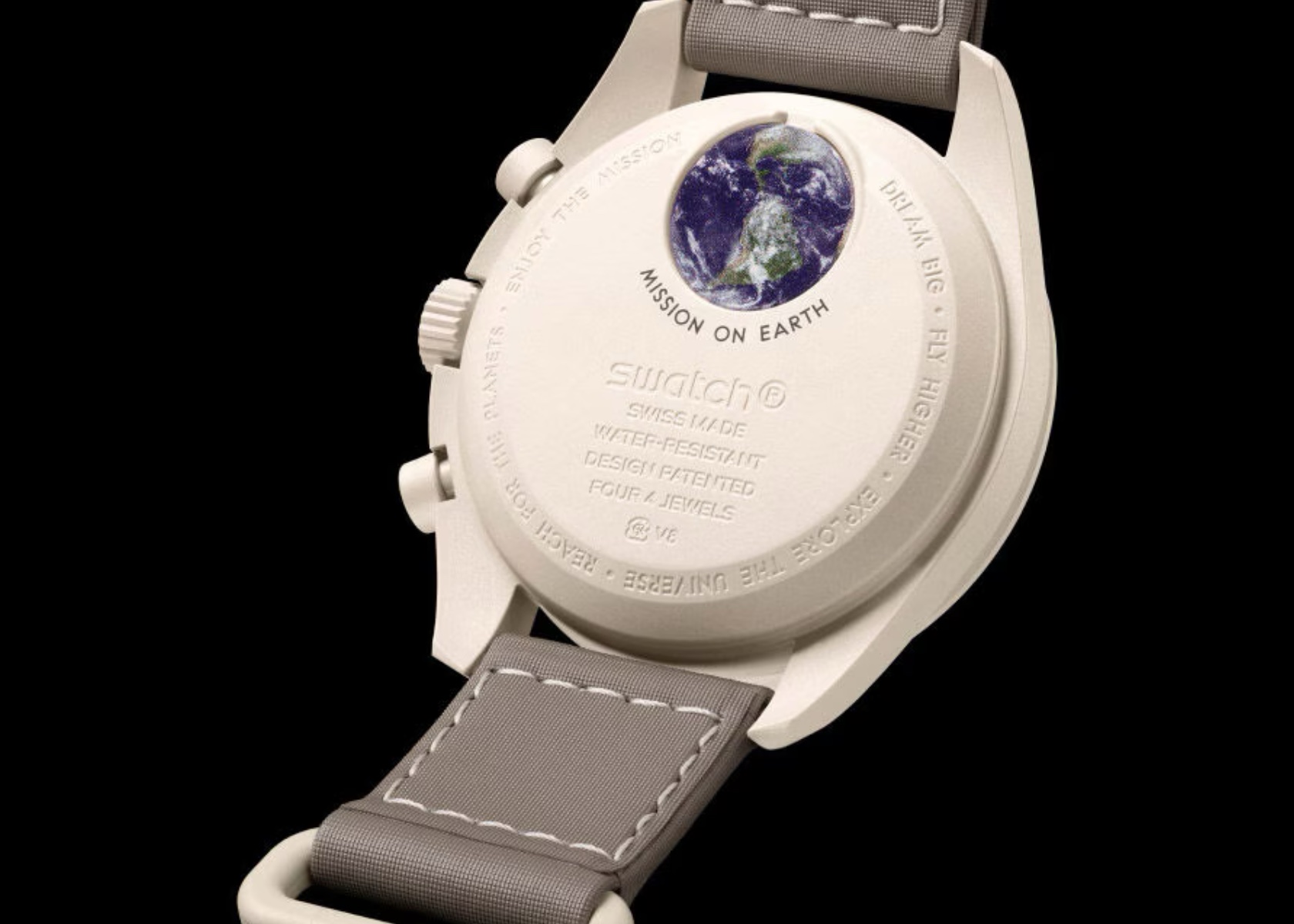
The back of the Desert model, like its counterparts, features an engraving of Earth from space. This detail reinforces the watch’s connection to the “Mission on Earth” theme and adds a layer of depth to its design.

Design Comparison: Original Mission to Earth vs. Polar Lights

New MoonSwatch Mission on Earth: Polar Lights

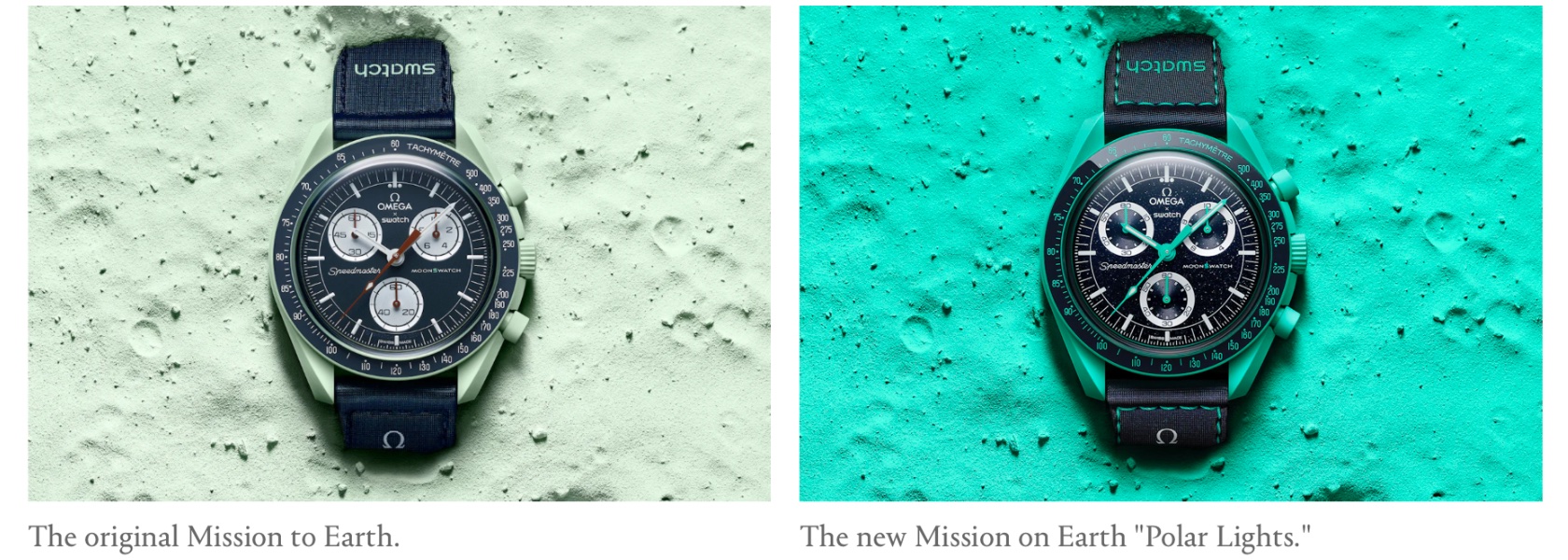
Comparing the original Mission to Earth with the new Polar Lights model highlights Swatch and Omega’s evolution in design creativity. The original Mission to Earth featured a traditional, restrained color palette, focusing on earthy tones that reflected a grounded aesthetic. In contrast, the Polar Lights model embraces a bold and vibrant approach with its turquoise and dark blue color scheme inspired by the Aurora Borealis.

Original MoonSwatch Mission on Earth

The aventurine-inspired dial of the Polar Lights, with its speckled silver flakes, introduces a unique element absent in the original. This design choice makes each watch distinct, adding a personal touch that collectors appreciate. While the original focused on traditional elements, the Polar Lights model pushes boundaries with its dynamic and visually captivating design.

The original Original MoonSwatch Mission on Earth vs the new Mission on Earth: Polar Lights

Original Moonswatch Mission on Earth

As a watch collector, the Polar Lights model stands out as the most compelling option among the new releases. Its striking color scheme and unique dial make it a must-have for enthusiasts. This model represents a significant departure from the original Mission to Earth, showcasing Swatch and Omega’s commitment to innovation and their ability to cater to diverse aesthetic preferences. This comparison underscores the brands’ dedication to blending heritage with contemporary design, making the MoonSwatch collection a compelling choice for watch enthusiasts.

The post New Earth-Inspired Omega Swatch MoonSwatch: Lava, Polar Lights, Desert first appeared on Yanko Design.

Apple Intelligence’s Impact: 5 Apps to Go, 8 to Coexist

Apple’s philosophy centers on creating innovative, user-friendly products that offer exceptional functionality and seamless integration within its ecosystem. This approach often leads to the obsolescence of third-party products and services, either by building better alternatives, offering new features for free, or leveraging its market influence to set new standards, such as eliminating the 3.5 mm audio jack.

Numerous examples highlight how Apple’s innovative approach has rendered other products redundant. The iPod revolutionized music listening, diminishing the need for MP3 players like the Creative Zen and the Sony Walkman. The iPhone, with its exceptional camera technology, effectively replaced compact digital cameras like the Canon PowerShot and Nikon Coolpix. Standalone GPS devices like the Garmin Nuvi and TomTom Go became less relevant with the advent of the iPhone’s built-in GPS and Apple Maps. Furthermore, the elimination of the 3.5 mm headphone jack in favor of wireless solutions like AirPods set a new standard for audio connectivity.

At WWDC 2024, Apple introduced Apple Intelligence, a new AI-driven initiative that further extends its ecosystem’s capabilities. This development is set to impact a range of existing third-party apps and services.

Products and Services Apple Will Definitely Kill Off

1. Sleep Tracking Apps

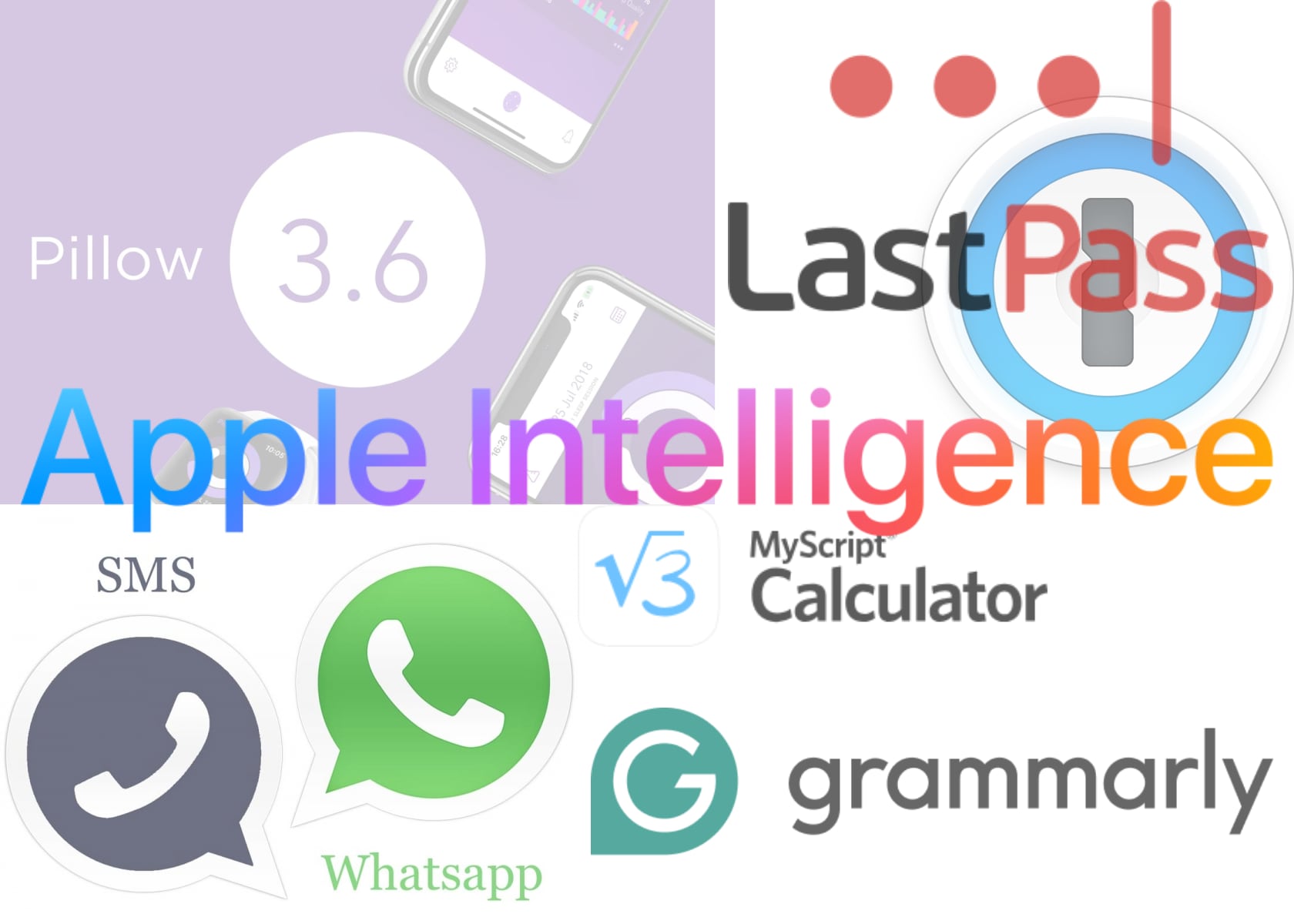
Sleep Cycle, Pillow

Replaced by: Vitals App with Sleep Tracking

watchOS 11 Vitals & Training Loads

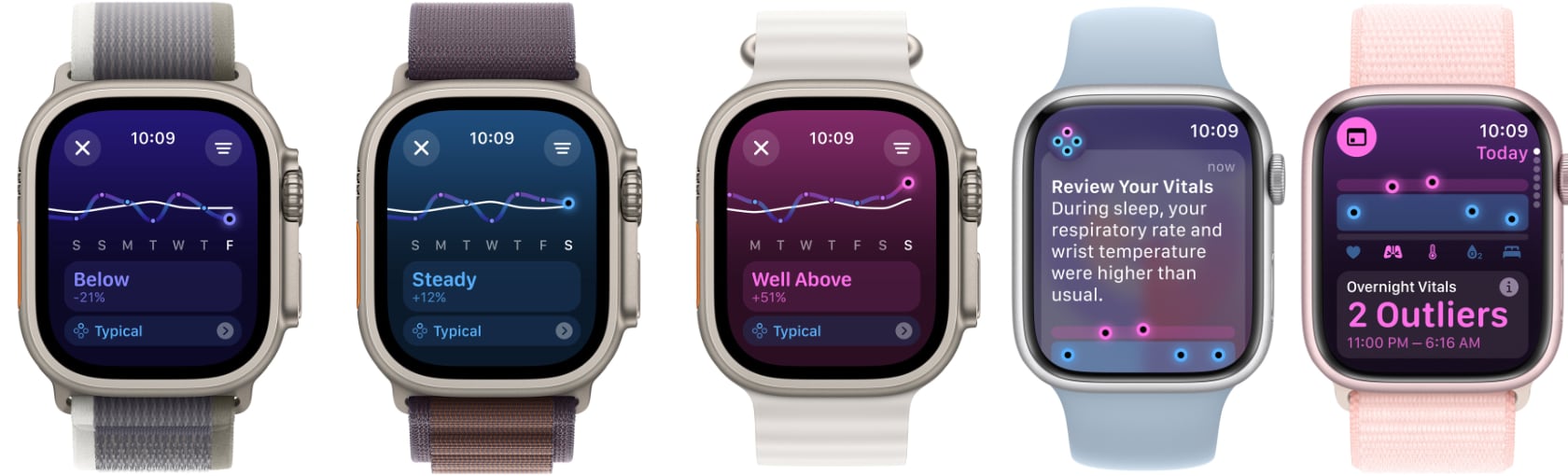
The Vitals app in watchOS 11 enhances the Apple Watch’s health monitoring capabilities, especially in sleep tracking. This app provides detailed insights into sleep patterns, quality, and overall health metrics, integrated seamlessly with Apple’s health ecosystem. Features like tracking sleep stages, monitoring heart rate during sleep, and offering personalized recommendations aim to replace third-party sleep tracking apps like Sleep Cycle and Pillow. Users are likely to prefer the convenience and accuracy of an in-built solution that works harmoniously with other Apple services.

Apple’s strategy of integrating essential health features directly into its devices reflects its commitment to offering a comprehensive user experience. This approach simplifies health monitoring for users and reduces the need for external applications, consolidating more functions within the Apple ecosystem.

2. Password Management Tools

LastPass, 1Password

Replaced by: Apple’s New Passwords App

The Passwords app, announced at WWDC 2024, consolidates all password management functions into a single, secure location. This app includes features such as password storage, passkeys, and verification codes, and all are synced across Apple devices through iCloud. By providing an integrated solution, Apple ensures a seamless and secure experience, reducing the reliance on third-party password managers like LastPass and 1Password.

Leveraging Apple’s robust security measures, the Passwords app offers users a trustworthy alternative. Its deep integration with the Apple ecosystem makes it a more convenient choice for users, likely leading to a migration away from standalone third-party password management tools.

3. Traditional SMS and Basic Messaging Services

Traditional SMS, WhatsApp

Replaced by: iMessage with RCS Support

The integration of RCS (Rich Communication Services) support in iMessage with iOS 18 marks a significant enhancement in messaging capabilities between iPhones and Android devices. This update improves media sharing quality, group chat functionalities, and the overall reliability of messaging. The comprehensive features of RCS, coupled with the seamless integration of iMessage across Apple’s ecosystem, are set to reduce the relevance of traditional SMS and diminish dependency on third-party messaging apps like WhatsApp.

RCS support bridges the gap between iPhone and Android users, providing a cohesive messaging experience. This enhancement aligns with Apple’s goal of creating a feature-rich environment, making third-party messaging services less necessary.

4. Calculator and Math Apps

PCalc, MyScript Calculator

Replaced by: Native Calculator App in iPadOS

iPadOS 18 introduces a native Calculator app, addressing a long-standing omission. This app includes advanced features like Math Notes for handwritten calculations and graphing, making it a comprehensive tool for basic and complex mathematical tasks. The integration of such functionalities directly into iPadOS will render third-party calculator apps like PCalc and MyScript Calculator redundant.

Designed to meet a wide range of user needs, from simple arithmetic to advanced graphing, the new Calculator app enhances the utility of the iPad, particularly for educational and professional use. This move reflects Apple’s dedication to offering integrated, high-quality tools, eliminating the need for additional third-party applications.

5. Grammar and Writing Assistance Apps

Grammarly

Replaced by: Apple Intelligence Writing Tools

The introduction of system-wide writing tools in Apple Intelligence significantly enhances the writing experience across Apple’s ecosystem. These tools provide advanced grammar and spelling checks, style suggestions, and contextual recommendations, directly integrated into Apple’s apps like Notes, Mail, and Messages. This comprehensive integration offers a seamless experience that can render third-party grammar and writing assistance apps like Grammarly unnecessary for many users.

Apple’s focus on improving writing capabilities through advanced AI highlights its strategy to incorporate essential productivity features natively. This move simplifies the user experience and also leverages the power of AI to provide intelligent, real-time writing assistance across all Apple devices.

Products and Services That Will Co-Exist

I suspect that Apple’s latest advancements in AI-driven features and services are set to coexist alongside established third-party products and services due to unique features and broader compatibility. Despite significant enhancements in Siri with the integration of Apple Intelligence and ChatGPT, Google Assistant and Amazon Alexa will remain relevant due to their extensive integration across diverse ecosystems. Similarly, while the Photos app in iOS 18 introduces sophisticated AI editing tools, professionals will continue to rely on Adobe Lightroom and Premiere Rush for their advanced capabilities.

Apple’s fitness and wellness upgrades in the Health app offer personalized coaching and detailed tracking, yet dedicated enthusiasts may stick with specialized apps like MyFitnessPal and Fitbit for their unique features and community support. Meanwhile, Safari’s AI Highlights and Smart Summaries enhance the browsing experience, but the cross-platform versatility of Google Chrome, Microsoft Edge, and Arc Browser will maintain their popularity.

Apple’s approach underscores a balance between advancing its ecosystem and preserving the relevance of third-party innovation, ensuring a cohesive yet flexible user experience.

6. Personal Assistants

Potentially Co-Existing Product: Google Assistant, Amazon Alexa

Enhanced by: Siri with Apple Intelligence

Siri is set to receive a significant upgrade with the integration of ChatGPT and Apple Intelligence, enhancing its conversational capabilities and functionality. However, Google Assistant and Amazon Alexa will continue to coexist due to their broader compatibility across various devices and ecosystems.

Google Assistant and Amazon Alexa have established themselves across a wide array of smart home devices and third-party products. Despite Siri’s advancements, the existing user base and extensive integration of Google Assistant and Alexa ensure their continued relevance. Users invested in these ecosystems may prefer the versatility and features of these assistants.

7. Photo and Video Editing Software

Potentially Co-Existing Products: Adobe Lightroom, Adobe Premiere Rush

Enhanced by: Photos App with AI Editing Features

The Photos app in iOS 18 introduces AI-driven editing tools, allowing users to make complex edits through written or spoken commands. While this significantly enhances editing capabilities for casual users, professional photographers, and videographers may still rely on advanced features offered by Adobe’s specialized software like Lightroom and Premiere Rush.

Adobe’s software provides advanced color correction, detailed image manipulation, and comprehensive video editing tools for professional needs. While Apple’s Photos app will cater to a broad user base, professionals seeking precise control will continue to use Adobe’s robust suite of tools.

8. Fitness and Wellness Apps

Potentially Co-Existing Product: MyFitnessPal, Fitbit

Enhanced by: Fitness and Wellness Features in Apple Health

Apple’s enhanced fitness and wellness features in its Health app offer personalized coaching and detailed tracking, attracting many users. However, dedicated fitness enthusiasts may continue using specialized apps like MyFitnessPal and Fitbit for their unique features and community support.

MyFitnessPal and Fitbit provide comprehensive platforms with social features, advanced analytics, and extensive integration with various fitness devices. These elements create a community and support system that goes beyond simple tracking. The specialized features of these third-party apps ensure their continued coexistence alongside Apple’s offerings. Additionally, the new Vitals app is designed to work exclusively with Apple Watch, ensuring other apps remain safe for now.

9. Web Browsers with Built-In AI

Potentially Co-Existing Products: Google Chrome, Microsoft Edge, Arc Browser

Enhanced by: Safari with AI Highlights and Smart Summaries

Safari’s new AI-driven features, such as Highlights for key information discovery and smart summaries, will enhance the browsing experience for Apple users. However, Google Chrome, Microsoft Edge, and the Arc Browser will remain popular due to their cross-platform compatibility, extensive features, and unique offerings.

Chrome and Edge are favored for their extensive ecosystem integration, browser extensions, and performance across different operating systems. Arc Browser, with its quirky and innovative features, provides a distinct user experience that appeals to those seeking something different in their web browsing. While Safari’s improvements will appeal to Apple users, the necessity for a browser that functions seamlessly across multiple platforms ensures that Chrome, Edge, and Arc retain their strong user base.

10. Handwriting and Note-Taking Apps

Potentially Co-Existing Products: Evernote, Microsoft OneNote

Enhanced by: Notes App with Smart Script and Collapsible Sections

The Notes app in iPadOS 18 includes Smart Script, enhancing the fluidity and legibility of handwritten notes, and new organizational features like collapsible sections. While this will attract many users within the Apple ecosystem, Evernote and OneNote will continue to be preferred by users who need cross-platform compatibility and advanced organizational features.

Evernote and OneNote offer extensive capabilities for note-taking, organization, and collaboration across various devices and operating systems. These apps provide flexibility and functionality essential for many professionals and students, ensuring their continued relevance alongside Apple’s enhanced Notes app.

11. Language Translation Apps

Potentially Co-Existing Products: Google Translate, Microsoft Translator, ChatGPT

Enhanced by: Translate App with Improved Features

Apple’s Translate app is set to receive enhanced capabilities, offering better real-time translations and integration with other Apple services. Now available on Apple Watch and capable of offline use, it provides a seamless translation experience for users on the go. However, Google Translate, Microsoft Translator, and ChatGPT will remain relevant due to their broader language support and cross-platform availability.

Google Translate and Microsoft Translator are reliable tools for language translation. They support a wide range of languages and integrate with various platforms. These apps provide features such as offline translation, conversation mode, and integration with other productivity tools. ChatGPT, with its advanced natural language processing capabilities, offers real-time, context-aware translations and conversational support. The comprehensive features and cross-platform compatibility of these apps ensure their continued coexistence alongside Apple’s offerings.

12. Navigation Systems

Potentially Co-Existing Products: Waze, Garmin

Enhanced by: Apple Maps with Enhanced Features

Apple Maps continues to evolve with new features such as curated hikes, offline navigation, and enhanced real-time information. These updates improve its usability, but Waze’s community-driven approach and Garmin’s specialized navigation systems for specific industries will ensure their continued relevance.

Waze offers real-time, community-driven updates on traffic and navigation, while Garmin provides specialized navigation solutions for outdoor activities and professional use. These unique features ensure that both Waze and Garmin remain valuable options alongside the improvements in Apple Maps.

13. Advanced AI Assistants

Potentially Co-Existing Product: Gemini, ChatGPT

Enhanced by: Apple Intelligence

Apple Intelligence represents a significant advancement in AI technology, emphasizing privacy and security within the Apple ecosystem. Unlike Gemini and ChatGPT, Apple Intelligence is designed to ensure user data remains private and secure, reflecting Apple’s commitment to user privacy. Apple vows never to sell your data, nor does it allow platforms like ChatGPT or Gemini to use your data without stringent protections.

Apple Intelligence offers a range of features, from personalized recommendations and advanced automation to seamless integration with Apple devices and services. What sets it apart is its robust privacy framework. Any time Apple Intelligence needs to interact with ChatGPT or Gemini for additional data, it ensures user data is anonymized and secured through Apple’s network of secure pipelines. This guarantees that your personal information remains confidential, protecting your privacy at every interaction.

ChatGPT and Gemini, while powerful in their capabilities, often rely on user data to enhance their services, which can raise concerns about data privacy and security. Apple’s approach to Apple Intelligence mitigates these concerns by implementing stringent data protection measures. The anonymization process involves stripping any identifiable information from user data before it is processed by external AI platforms. This ensures that your personal details are never exposed or exploited.

Moreover, Apple Intelligence leverages on-device processing whenever possible, further enhancing privacy. By performing many AI computations directly on your device, Apple reduces the need to transmit data over the internet, minimizing potential exposure to external threats. This approach not only safeguards your data but also enhances the speed and responsiveness of AI interactions.

The integration of Apple Intelligence within the Apple ecosystem ensures a cohesive and secure user experience. Whether you are using it on your iPhone, iPad, or Mac, you can trust that your data is handled with the utmost care and protection. Apple’s steadfast commitment to privacy makes Apple Intelligence the safest choice for users who value their data security.

Conclusion

Apple’s new AI-driven features and services introduced at WWDC 2024 are set to disrupt several third-party products, particularly in areas like sleep tracking, password management, messaging, grammar and writing assistance, calculator apps and even AI. However, many existing products and services will continue to coexist with Apple’s offerings due to their unique features, cross-platform compatibility, and established user bases. This balanced approach highlights Apple’s strategy of enhancing its ecosystem while still allowing room for third-party innovation.

The post Apple Intelligence’s Impact: 5 Apps to Go, 8 to Coexist first appeared on Yanko Design.
Top Features of the Samsung Galaxy Watch FE: Sleek Design, Durability, Health Monitoring and Customization

Samsung Electronics has expanded its renowned smartwatch lineup with the introduction of the Galaxy Watch FE. This new model brings Samsung’s advanced health monitoring technology and sleek design to a wider audience. Specifically crafted to resonate with the health-conscious and tech-savvy demographic, this watch offers a comprehensive and personalized wellness experience. This article digs deep into key features, stylish design, and seamless integration within the Samsung ecosystem.

Designer: Samsung

Aesthetic Appeal and Customization

This smartwatch serves as both a tool for health monitoring and a fashion statement. Available in three striking colors—Black, Pink, Gold, and Silver—the watch is designed to complement any look. The new watch bands, featuring distinct blue and orange stitching, add a touch of modernity and style that appeals to vibrant and diverse tastes. These colors and design elements ensure it fits seamlessly into both casual and formal attire, making it versatile for any occasion.

Customization is a key aspect of this device, allowing users to express their individuality. The variety of new watch faces offers endless possibilities for personalization. Whether you prefer a minimalist design or something more colorful and dynamic, there’s a watch face for everyone. The one-click band mechanism makes it easy to switch bands, enabling users to mix and match according to their outfit or mood. This level of personalization is crucial for those who value unique and customizable products. By offering a wide range of customization options, Samsung ensures that every user can make this watch their own, reflecting their personal style and preferences.

Robust and Durable Design

Renowned for its durability, the smartwatch features sapphire crystal glass that is highly resistant to scratches, ensuring it maintains its pristine appearance over time. This is particularly important for an active generation that values both style and functionality. Its robust construction guarantees it can withstand the rigors of daily life, from intense

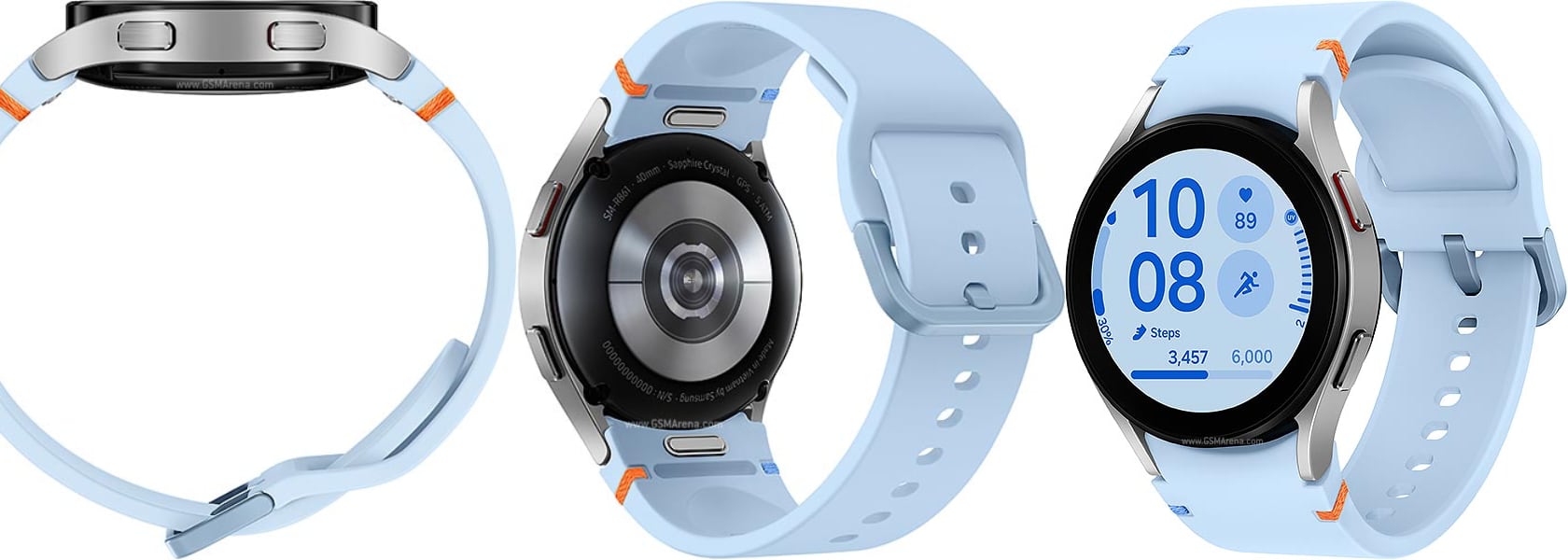
Samsung Galaxy Watch FE

In addition to its durability, the design focuses on comfort and ease of use. The 40mm size strikes a balance between visibility and comfort, making it suitable for both small and large wrists. Its lightweight design ensures that it can be worn all day without causing discomfort, whether you’re at the gym, at work, or out with friends. Samsung has paid close attention to the details, ensuring that the watch not only looks good but also feels good to wear, enhancing the overall user experience.

Comprehensive Health and Fitness Monitoring

At the heart of this smartwatch is Samsung’s advanced BioActive Sensor, which provides a suite of powerful health and fitness functions. These features deliver personalized and actionable insights, helping users to improve their wellness daily. For those focused on maintaining a healthy lifestyle, these capabilities are particularly appealing. The watch acts as a personal health coach, offering guidance and motivation to help users achieve their fitness goals.

Sleep Monitoring and Coaching

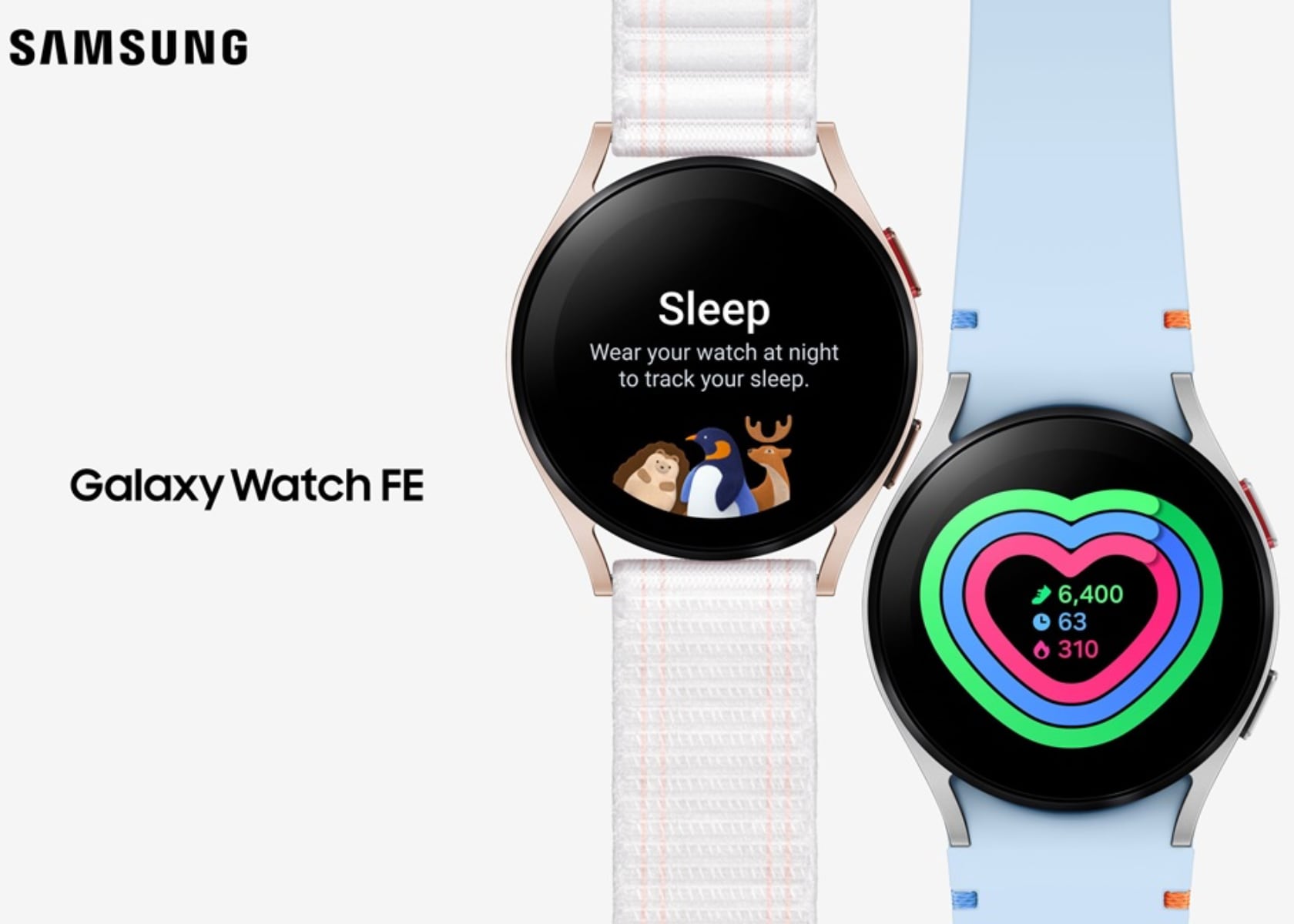
Good sleep is essential for overall wellness, and this device excels in this area. The watch offers advanced sleep features that monitor sleep patterns and provide detailed analysis. It also includes sleep coaching, which helps users create a sleep-friendly environment and improve their sleep habits. For individuals who often struggle with maintaining healthy sleep patterns due to busy lifestyles and screen time, these features are invaluable. By offering insights into sleep quality and actionable tips for improvement, this smartwatch helps users wake up feeling refreshed and ready to tackle the day.

Samsung’s sleep monitoring technology goes beyond just tracking sleep duration. It provides a comprehensive overview of sleep stages, including REM, light, and deep sleep. This detailed analysis helps users understand their sleep patterns and identify areas for improvement. Additionally, the sleep coaching feature offers personalized tips and routines to help users develop better sleep habits. Whether it’s adjusting bedtime routines or creating a more sleep-conducive environment, this smartwatch empowers users to take control of their sleep health.

Heart Health Monitoring

Heart health is another critical area where this device shines. It offers a range of heart health monitoring features, including HR Alert, which detects abnormally high or low heart rates, and the Irregular Heart Rhythm Notification (IHRN), which monitors for signs of atrial fibrillation (Afib). Users can also monitor their blood pressure and ECG, gaining deeper insights into their heart health. This comprehensive heart monitoring is crucial for a generation increasingly aware of the importance of preventive health measures.

The heart health features provide users with peace of mind, knowing they can monitor their heart health in real-time. The HR Alert feature notifies users if their heart rate goes above or below normal levels, allowing for immediate action if necessary. The IHRN feature is particularly beneficial for detecting early signs of Afib, a condition that can lead to serious complications if left unchecked. By providing these advanced heart health monitoring capabilities, Samsung ensures that users can take proactive steps to maintain their cardiovascular health.

Fitness Tracking and Running Analysis

This smartwatch supports more than 100 different workouts, providing detailed tracking and progress reports. For runners, the advanced running analysis is particularly beneficial. It helps analyze overall performance to maximize efficiency and provides insights to help prevent injuries. The Personalized Heart Rate Zone feature allows users to set goals based on their physical capabilities, optimizing their workouts and helping them achieve their fitness objectives. These features cater to fitness enthusiasts and their pursuit of a healthy lifestyle.

Samsung’s fitness tracking technology is designed to motivate and inspire users to stay active. This smartwatch tracks a wide range of activities, from running and cycling to swimming and yoga. Each workout is meticulously recorded, providing users with detailed feedback on their performance. The advanced running analysis feature goes a step further, offering insights into running form and technique to help users run more efficiently and reduce the risk of injury. By setting personalized heart rate zones, users can tailor their workouts to their fitness level, ensuring they get the most out of each session.

Integration with the Samsung Ecosystem

Seamless integration with other Samsung Galaxy devices offers a connected and convenient user experience. Features like Find My Phone and Camera Controller enhance everyday convenience. The watch also supports Samsung Wallet, allowing users to make payments and access identification cards directly from their smartwatch. This level of integration is a significant draw for those who value seamless technology that simplifies their lives.

Seamless Connectivity

The watch offers seamless connectivity with other Samsung devices, enhancing the overall user experience. The Find My Phone feature ensures that users can easily locate their misplaced phone, adding a layer of convenience. The Camera Controller feature allows users to control their smartphone camera remotely, making it easier to take group photos or capture shots from different angles. These features show how Samsung is dedicated to creating a cohesive and integrated ecosystem that enhances daily life.

This seamless integration extends to fitness and wellness apps, ensuring users can sync their health data effortlessly across devices. Whether tracking a workout, monitoring sleep, or checking daily activity levels, this smartwatch ensures that all this data is easily accessible on your smartphone, tablet, or other Galaxy devices.

Digital Wallet

Samsung Wallet support allows users to make payments and access identification cards directly from their smartwatch. This feature aligns perfectly with a digital-first lifestyle, offering convenience and efficiency. With Samsung Wallet, users can make purchases, store loyalty cards, and access their driver’s license or student ID, all from their wrist. This all-in-one digital wallet feature simplifies transactions and enhances the overall user experience, making this smartwatch an indispensable tool for the modern, tech-savvy user.

The digital wallet feature also supports secure transactions, ensuring that user data is protected. This is particularly important in today’s digital age, where security and privacy are paramount. Samsung’s commitment to providing secure and convenient digital solutions makes this device a reliable companion for daily transactions.

The post Top Features of the Samsung Galaxy Watch FE: Sleek Design, Durability, Health Monitoring and Customization first appeared on Yanko Design.
Top Features of the Samsung Galaxy Watch FE: Sleek Design, Durability, Health Monitoring and Customization

Samsung Electronics has expanded its renowned smartwatch lineup with the introduction of the Galaxy Watch FE. This new model brings Samsung’s advanced health monitoring technology and sleek design to a wider audience. Specifically crafted to resonate with the health-conscious and tech-savvy demographic, this watch offers a comprehensive and personalized wellness experience. This article digs deep into key features, stylish design, and seamless integration within the Samsung ecosystem.

Designer: Samsung

Aesthetic Appeal and Customization

This smartwatch serves as both a tool for health monitoring and a fashion statement. Available in three striking colors—Black, Pink, Gold, and Silver—the watch is designed to complement any look. The new watch bands, featuring distinct blue and orange stitching, add a touch of modernity and style that appeals to vibrant and diverse tastes. These colors and design elements ensure it fits seamlessly into both casual and formal attire, making it versatile for any occasion.

Customization is a key aspect of this device, allowing users to express their individuality. The variety of new watch faces offers endless possibilities for personalization. Whether you prefer a minimalist design or something more colorful and dynamic, there’s a watch face for everyone. The one-click band mechanism makes it easy to switch bands, enabling users to mix and match according to their outfit or mood. This level of personalization is crucial for those who value unique and customizable products. By offering a wide range of customization options, Samsung ensures that every user can make this watch their own, reflecting their personal style and preferences.

Robust and Durable Design

Renowned for its durability, the smartwatch features sapphire crystal glass that is highly resistant to scratches, ensuring it maintains its pristine appearance over time. This is particularly important for an active generation that values both style and functionality. Its robust construction guarantees it can withstand the rigors of daily life, from intense

Samsung Galaxy Watch FE

In addition to its durability, the design focuses on comfort and ease of use. The 40mm size strikes a balance between visibility and comfort, making it suitable for both small and large wrists. Its lightweight design ensures that it can be worn all day without causing discomfort, whether you’re at the gym, at work, or out with friends. Samsung has paid close attention to the details, ensuring that the watch not only looks good but also feels good to wear, enhancing the overall user experience.

Comprehensive Health and Fitness Monitoring

At the heart of this smartwatch is Samsung’s advanced BioActive Sensor, which provides a suite of powerful health and fitness functions. These features deliver personalized and actionable insights, helping users to improve their wellness daily. For those focused on maintaining a healthy lifestyle, these capabilities are particularly appealing. The watch acts as a personal health coach, offering guidance and motivation to help users achieve their fitness goals.

Sleep Monitoring and Coaching

Good sleep is essential for overall wellness, and this device excels in this area. The watch offers advanced sleep features that monitor sleep patterns and provide detailed analysis. It also includes sleep coaching, which helps users create a sleep-friendly environment and improve their sleep habits. For individuals who often struggle with maintaining healthy sleep patterns due to busy lifestyles and screen time, these features are invaluable. By offering insights into sleep quality and actionable tips for improvement, this smartwatch helps users wake up feeling refreshed and ready to tackle the day.

Samsung’s sleep monitoring technology goes beyond just tracking sleep duration. It provides a comprehensive overview of sleep stages, including REM, light, and deep sleep. This detailed analysis helps users understand their sleep patterns and identify areas for improvement. Additionally, the sleep coaching feature offers personalized tips and routines to help users develop better sleep habits. Whether it’s adjusting bedtime routines or creating a more sleep-conducive environment, this smartwatch empowers users to take control of their sleep health.

Heart Health Monitoring

Heart health is another critical area where this device shines. It offers a range of heart health monitoring features, including HR Alert, which detects abnormally high or low heart rates, and the Irregular Heart Rhythm Notification (IHRN), which monitors for signs of atrial fibrillation (Afib). Users can also monitor their blood pressure and ECG, gaining deeper insights into their heart health. This comprehensive heart monitoring is crucial for a generation increasingly aware of the importance of preventive health measures.

The heart health features provide users with peace of mind, knowing they can monitor their heart health in real-time. The HR Alert feature notifies users if their heart rate goes above or below normal levels, allowing for immediate action if necessary. The IHRN feature is particularly beneficial for detecting early signs of Afib, a condition that can lead to serious complications if left unchecked. By providing these advanced heart health monitoring capabilities, Samsung ensures that users can take proactive steps to maintain their cardiovascular health.

Fitness Tracking and Running Analysis

This smartwatch supports more than 100 different workouts, providing detailed tracking and progress reports. For runners, the advanced running analysis is particularly beneficial. It helps analyze overall performance to maximize efficiency and provides insights to help prevent injuries. The Personalized Heart Rate Zone feature allows users to set goals based on their physical capabilities, optimizing their workouts and helping them achieve their fitness objectives. These features cater to fitness enthusiasts and their pursuit of a healthy lifestyle.

Samsung’s fitness tracking technology is designed to motivate and inspire users to stay active. This smartwatch tracks a wide range of activities, from running and cycling to swimming and yoga. Each workout is meticulously recorded, providing users with detailed feedback on their performance. The advanced running analysis feature goes a step further, offering insights into running form and technique to help users run more efficiently and reduce the risk of injury. By setting personalized heart rate zones, users can tailor their workouts to their fitness level, ensuring they get the most out of each session.

Integration with the Samsung Ecosystem

Seamless integration with other Samsung Galaxy devices offers a connected and convenient user experience. Features like Find My Phone and Camera Controller enhance everyday convenience. The watch also supports Samsung Wallet, allowing users to make payments and access identification cards directly from their smartwatch. This level of integration is a significant draw for those who value seamless technology that simplifies their lives.

Seamless Connectivity

The watch offers seamless connectivity with other Samsung devices, enhancing the overall user experience. The Find My Phone feature ensures that users can easily locate their misplaced phone, adding a layer of convenience. The Camera Controller feature allows users to control their smartphone camera remotely, making it easier to take group photos or capture shots from different angles. These features show how Samsung is dedicated to creating a cohesive and integrated ecosystem that enhances daily life.

This seamless integration extends to fitness and wellness apps, ensuring users can sync their health data effortlessly across devices. Whether tracking a workout, monitoring sleep, or checking daily activity levels, this smartwatch ensures that all this data is easily accessible on your smartphone, tablet, or other Galaxy devices.

Digital Wallet

Samsung Wallet support allows users to make payments and access identification cards directly from their smartwatch. This feature aligns perfectly with a digital-first lifestyle, offering convenience and efficiency. With Samsung Wallet, users can make purchases, store loyalty cards, and access their driver’s license or student ID, all from their wrist. This all-in-one digital wallet feature simplifies transactions and enhances the overall user experience, making this smartwatch an indispensable tool for the modern, tech-savvy user.

The digital wallet feature also supports secure transactions, ensuring that user data is protected. This is particularly important in today’s digital age, where security and privacy are paramount. Samsung’s commitment to providing secure and convenient digital solutions makes this device a reliable companion for daily transactions.

The post Top Features of the Samsung Galaxy Watch FE: Sleek Design, Durability, Health Monitoring and Customization first appeared on Yanko Design.

watchOS 11: Comprehensive Health Insights with Advanced Sleep Tracking and Training Load

Apple previewed watchOS 11, showcasing enhancements that solidify its position as the world’s most advanced wearable operating system. The update focuses on advanced health and fitness insights, greater personalization, and enhanced connectivity features. This discussion delves into the key aspects of watchOS 11, validating the information with official statements and understanding its integration into Apple’s broader ecosystem.

Why watchOS Wasn’t Included in the Apple Intelligence Discussion

Despite Apple’s emphasis on AI for iOS, iPadOS, and macOS, watchOS was notably absent. The reason is that Apple Watch has extensively leveraged AI and machine learning.

Apple Intelligence: iOS, iPadOS + macOS Sequoia

Apple Watch is designed as a personal health and fitness companion, with many features driven by AI and machine learning, providing personalized insights and recommendations. For instance, the automatic workout detection feature uses machine learning to identify when a user begins a workout and suggests the appropriate workout tracking by analyzing data points such as movement patterns, heart rate changes, and location data.

Additionally, the heart rate monitoring feature continuously tracks a user’s heart rate and provides notifications if it detects an irregular rhythm, potentially indicating atrial fibrillation. This capability applies AI, using historical data and real-time analysis to identify potential health issues.

The Breathe app prompts users to take regular breaks for mindfulness and relaxation. Its reminders are based on patterns in the user’s daily routine, reducing stress and improving well-being. The integration of AI ensures timely and relevant reminders.

The sleep tracking feature, introduced in watchOS 7, uses machine learning to analyze sleep patterns and provide insights into sleep quality by tracking metrics such as heart rate, movement, and ambient noise. This helps users understand their sleep habits and make informed decisions to improve their sleep.

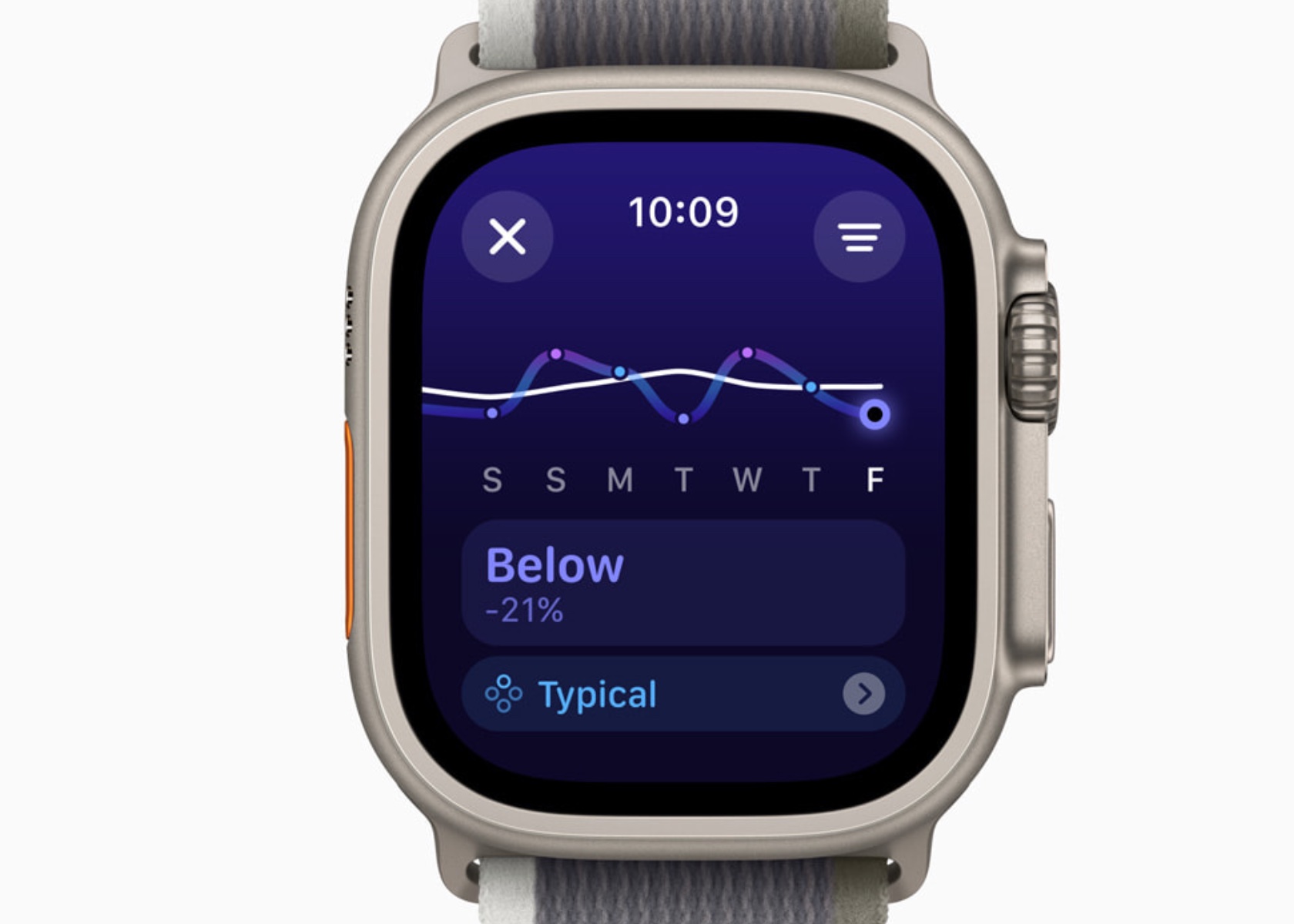
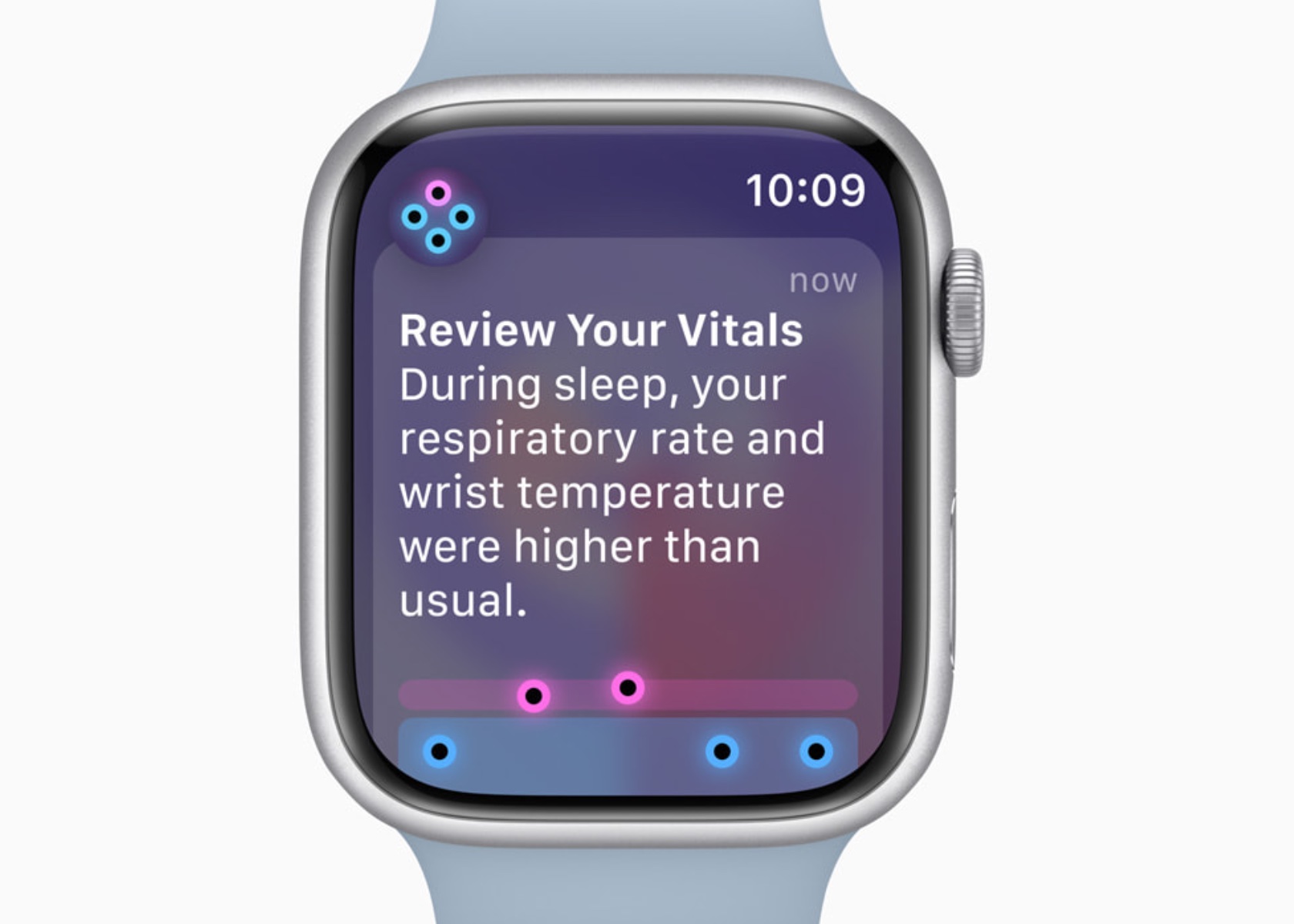
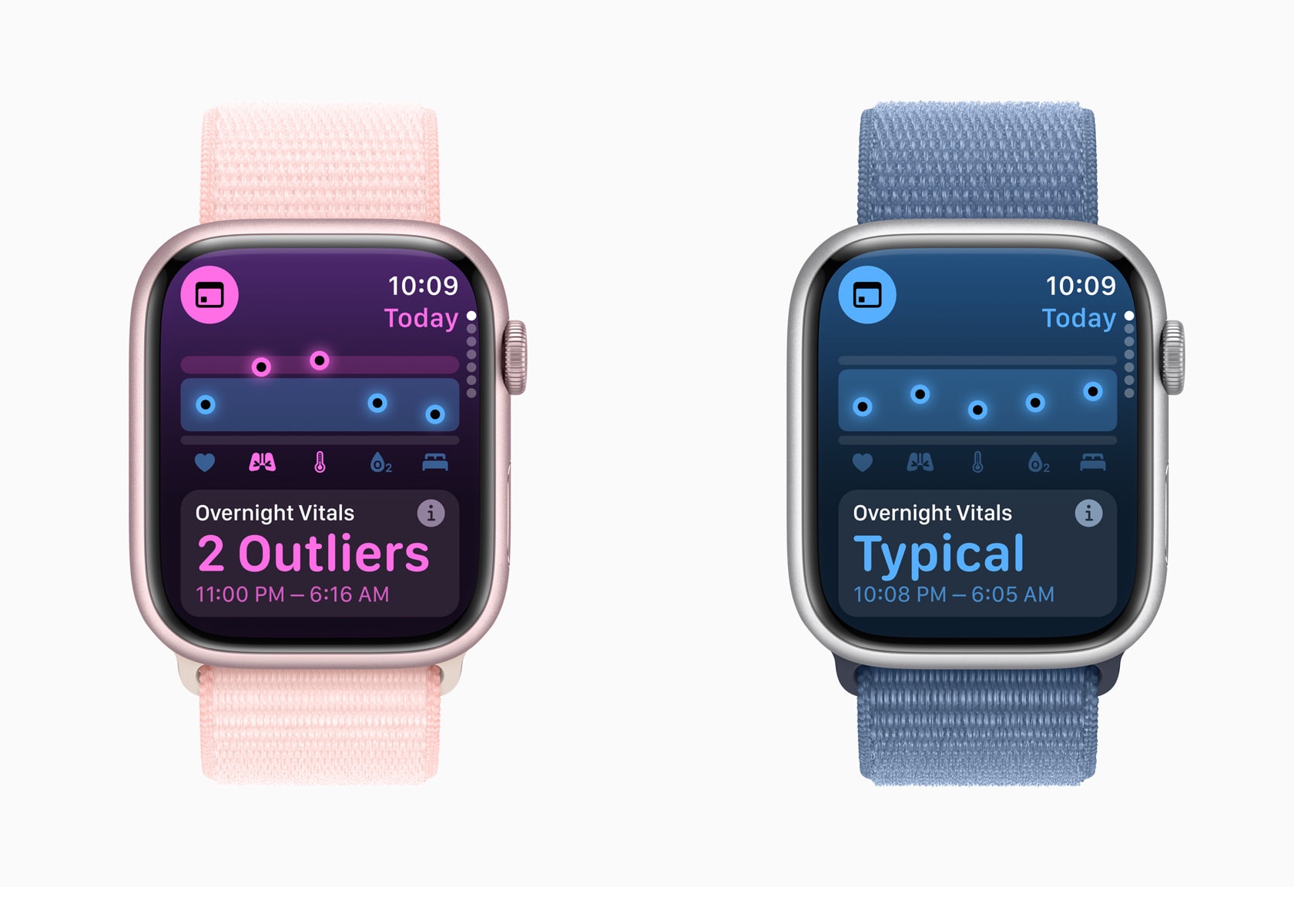
In watchOS 11, the Vitals app and Training Load build on this foundation. The Vitals app consolidates various health metrics, providing a comprehensive view of a user’s health status. It uses AI to analyze these metrics and identify outliers, notifying users when two or more metrics are outside their typical range.

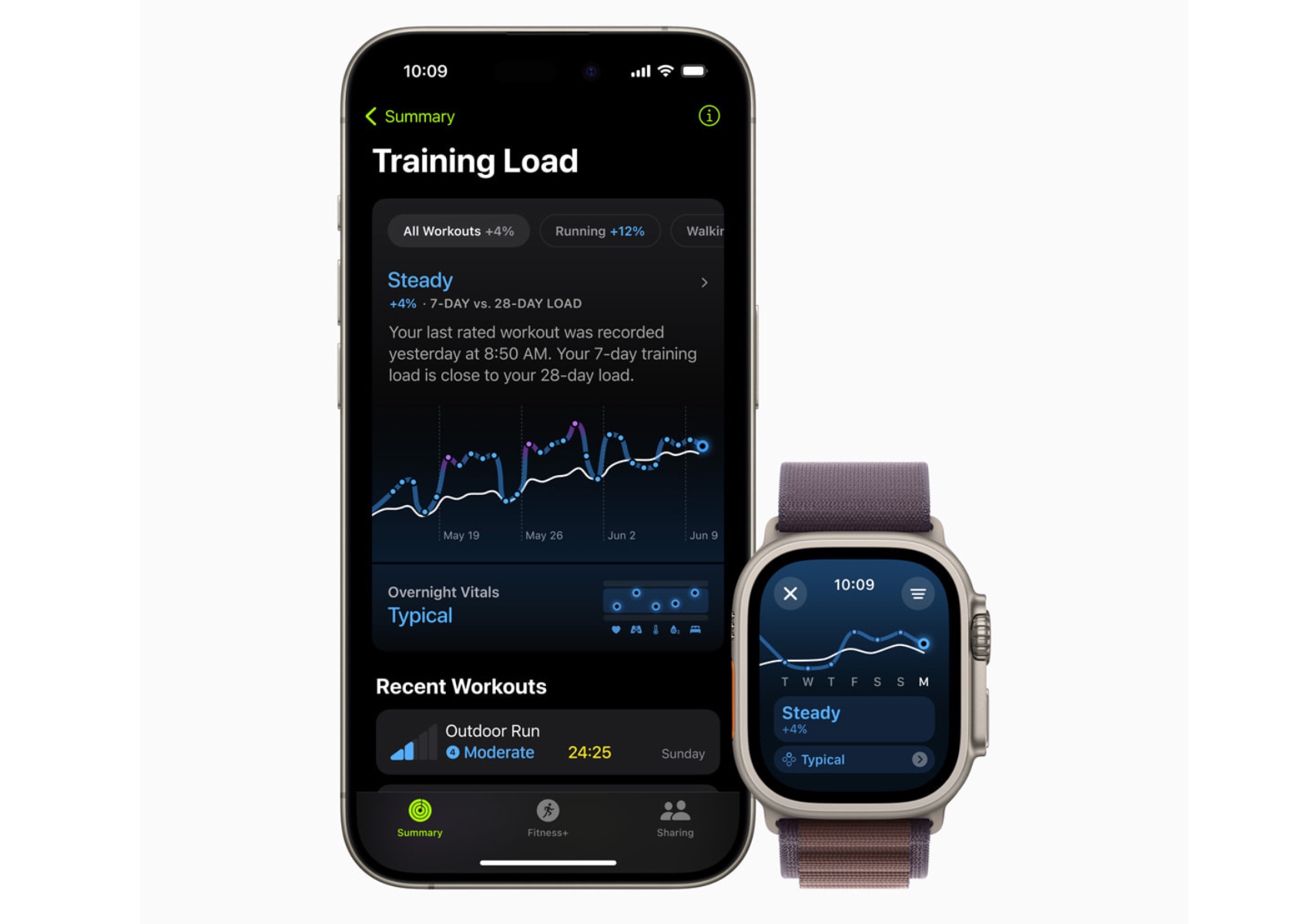
Training Load uses a new effort rating system combining data from various sources to measure workout intensity. By comparing the past seven days of activity with the last 28 days, users can understand how their workouts impact their fitness over time.

The exclusion from the Apple Intelligence segment suggests that watchOS 11’s AI capabilities are deeply embedded in its functionality. The emphasis on iOS, iPadOS, and macOS likely stems from introducing new system-wide AI features still being integrated into these platforms. In contrast, Apple Watch’s AI features are mature and have evolved over the years.

Health and Fitness Insights

Vitals App: A Dream Come True for Sleep Tracking and Health Insights

As someone who sleeps with an Apple Watch, the value of these health insights is undeniable. The ability to monitor sleep patterns and understand the quality of rest has been invaluable in making better lifestyle choices. Previously, reliance on third-party apps and devices was necessary to track sleep. However, with the Vitals app, Apple has built a comprehensive system that outputs detailed sleep tracking data, making it a powerful tool for health monitoring.

The Vitals app allows the Apple Watch to measure key health metrics during sleep, including heart rate, respiratory rate, wrist temperature, sleep duration, and blood oxygen levels. This array of data offers a holistic view of nightly rest. The heart rate monitor tracks beats per minute throughout the night, providing insights into cardiovascular health. The respiratory rate measures breathing patterns, helping to detect any irregularities.

Wrist temperature is another critical metric, offering insights into changes in body temperature, which can indicate various health conditions. Sleep duration records the total amount of time spent sleeping, allowing users to see if they are getting enough rest. Blood oxygen levels are also measured, which is essential for understanding how well the body circulates oxygen during sleep.

The Vitals app consolidates all these metrics into a single, comprehensive view, making it easy to identify outliers and receive notifications when two or more metrics fall outside their typical range. This integration uses data from the Apple Heart and Movement Study, ensuring that the classifications and notifications are grounded in extensive research.

In terms of age restrictions, many of these metrics have minimum age requirements. Heart rate and respiratory rate tracking are available for users aged 13 and above, while wrist temperature tracking is available for users aged 14 and above. This ensures that the data collected is reliable and appropriate for the user’s age group.

Previously, gathering this kind of data required reliance on third-party apps and devices. However, Apple’s approach ensures that the Vitals app works exclusively with the Apple Watch, leveraging a vast amount of research data to provide accurate and reliable insights. This means that if you value sleep data and metrics but cannot wear an Apple Watch, you might find yourself out of luck. Apple has optimized the Vitals app to work seamlessly within its ecosystem, offering a indepth health monitoring experience compared to third-party alternatives.

Overall, the insights provided by the Vitals app have significantly improved the understanding of sleep quality and overall health. By integrating these detailed metrics, Apple has created a powerful tool that helps users make informed decisions about their lifestyle and health management. This personal connection underscores the transformative impact of watchOS 11’s features on everyday life.

Training Load

Training Load is another new feature I’m super excited about in watchOS 11, offering a new way to measure the intensity and duration of workouts. This feature provides insights into how the body’s response to workouts evolves over time, helping users optimize their training routines.

watchOS 11 Training Load

To establish a baseline, Training Load requires data from 28 days of workouts. Importantly, these 28 days do not need to be consecutive, allowing for flexibility in users’ training schedules. This means you can take rest days or adjust your routine without losing the ability to accurately track your training load.

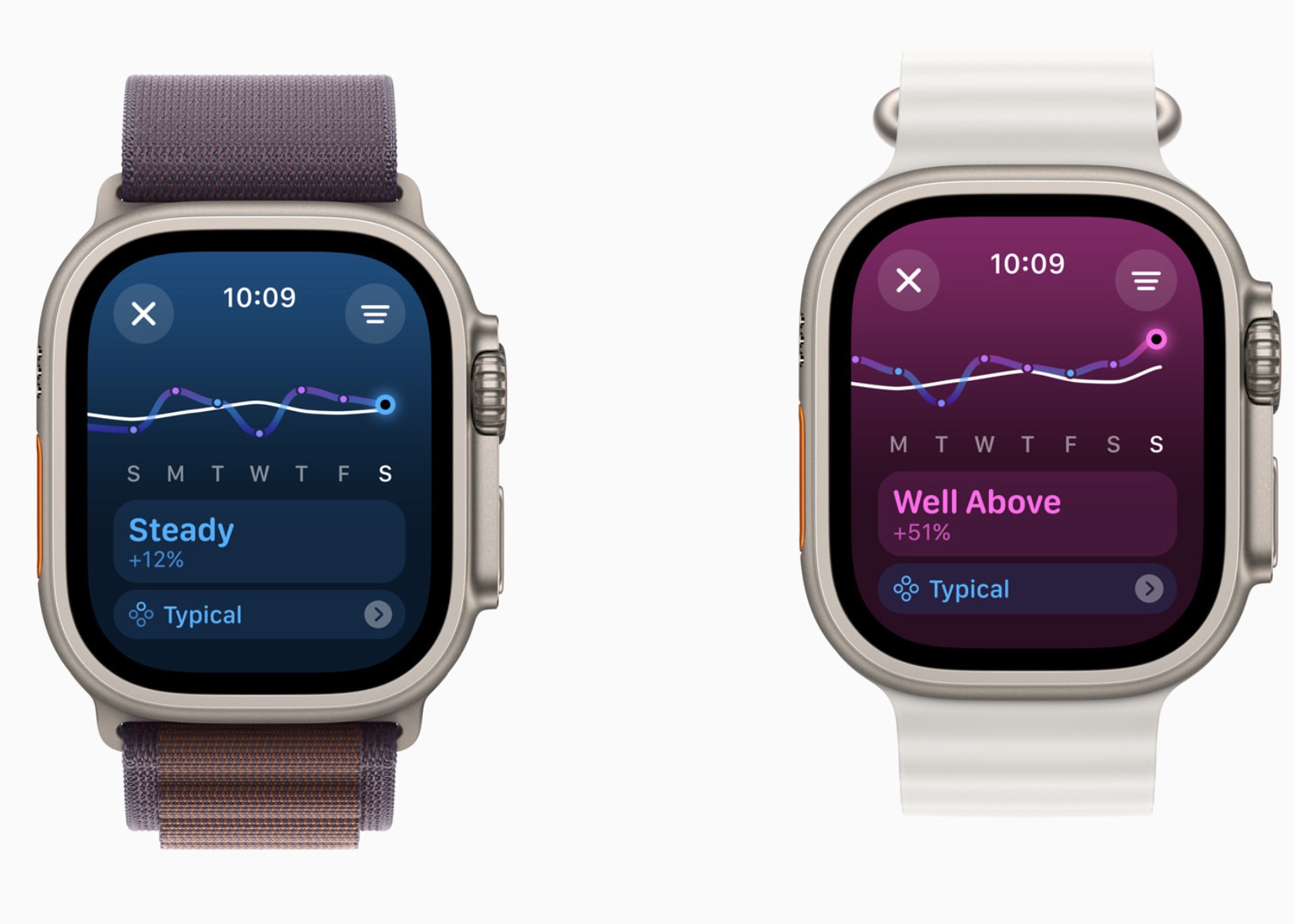
Training Load compares the past seven days of activity with the previous 28 days, providing a comprehensive view of workout intensity and its impact. The effort rating, which ranges from 1 to 10, is calculated using various data points such as age, height, weight, GPS data, heart rate, and elevation changes. For example, running on a flat surface will yield a different effort rating compared to running uphill, even if the distance covered is the same.

For cardio workouts like running, cycling, and swimming, the effort rating is generated automatically using an innovative algorithm. This algorithm takes into account various factors including pace, heart rate, and elevation changes. For workouts that do not receive an automatic effort rating, such as strength training or yoga, users can manually enter an effort rating at the end of each session. This manual input allows users to consider additional factors like stress or soreness that might affect their perceived effort.

In the Activity app, users can view their training load classified as well below, below, steady, above, or well above their 28-day average. This classification helps users understand if they are ramping up their training, maintaining a steady pace, or easing off. For instance, maintaining a training load that is consistently well above the 28-day average might indicate progress in fitness but also a higher risk of injury. Conversely, a well-below training load might suggest the need to increase activity to prevent a decline in fitness.

The integration of Training Load with the Vitals app allows users to see how their daily health metrics correlate with their workout intensity. For example, users can observe how changes in heart rate or wrist temperature align with their training load, providing deeper insights into their overall health and fitness.

Training Load helps users make informed decisions about their training plans, ensuring a balanced approach that optimizes fitness gains while minimizing the risk of overtraining and injury. This personalized feedback is crucial for athletes preparing for events, such as marathons or triathlons, where managing training intensity and recovery is key to peak performance.

Personalization Features

Activity Rings Customization

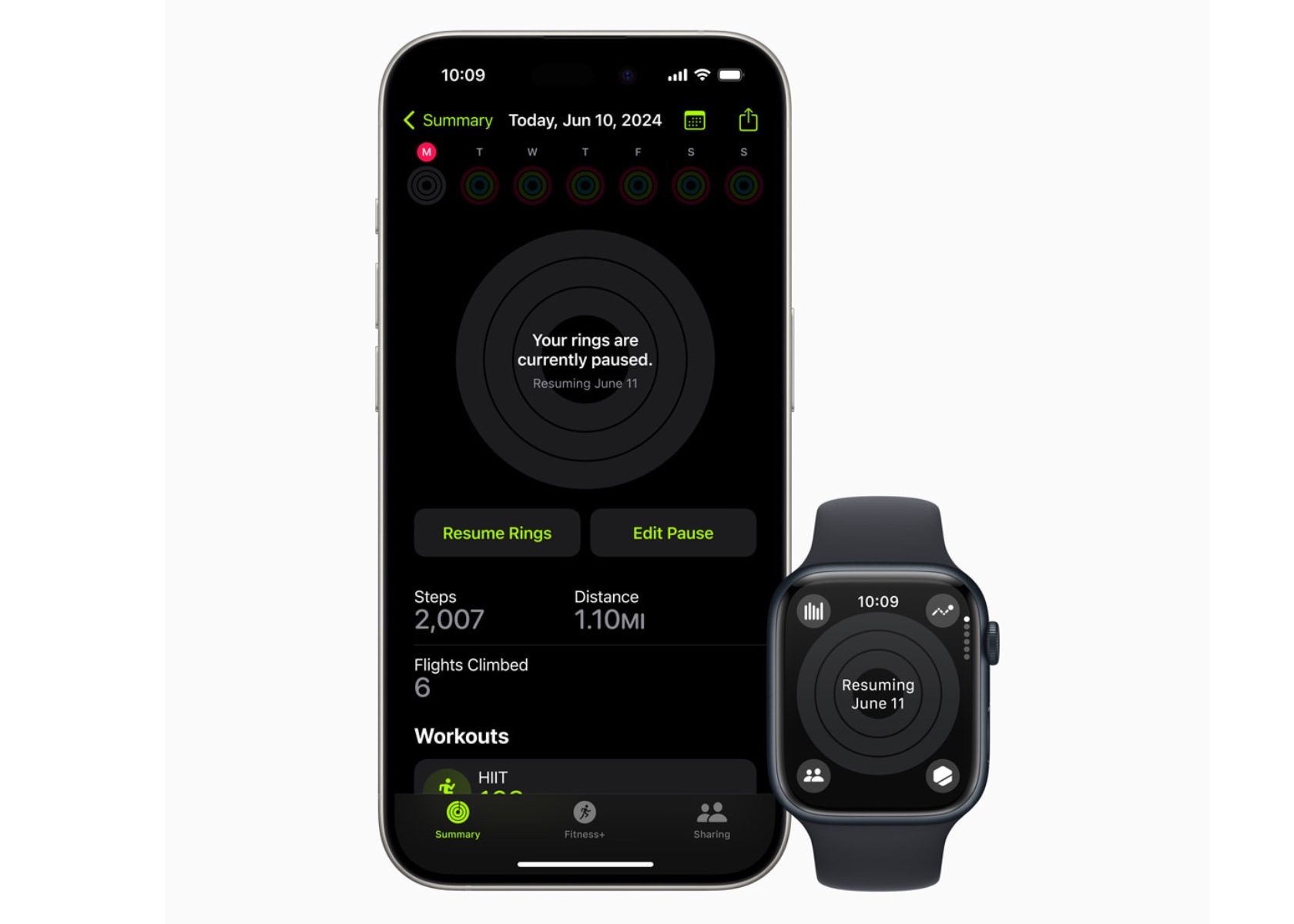
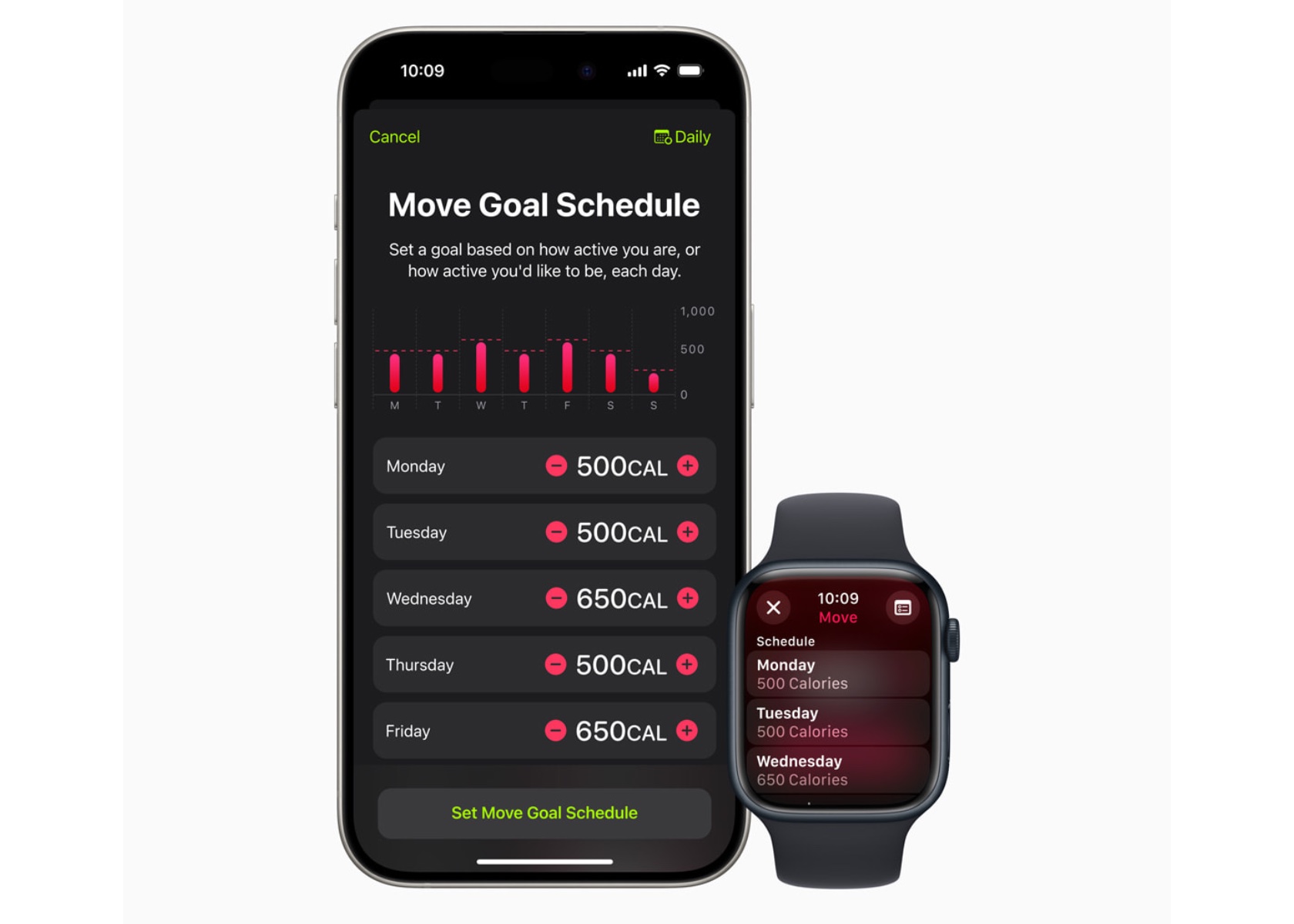
With watchOS 11, Activity rings are more customizable. Users can tailor their goals by the day of the week, accommodating rest days or adjusting targets based on personal schedules. This flexibility ensures the Activity rings provide the right motivation at the right time, maintaining user engagement without compromising fitness streaks.

The ability to pause Activity rings allows users to take a break without losing progress, whether recovering from an injury or needing a day off.

Smart Stack and Photos Face

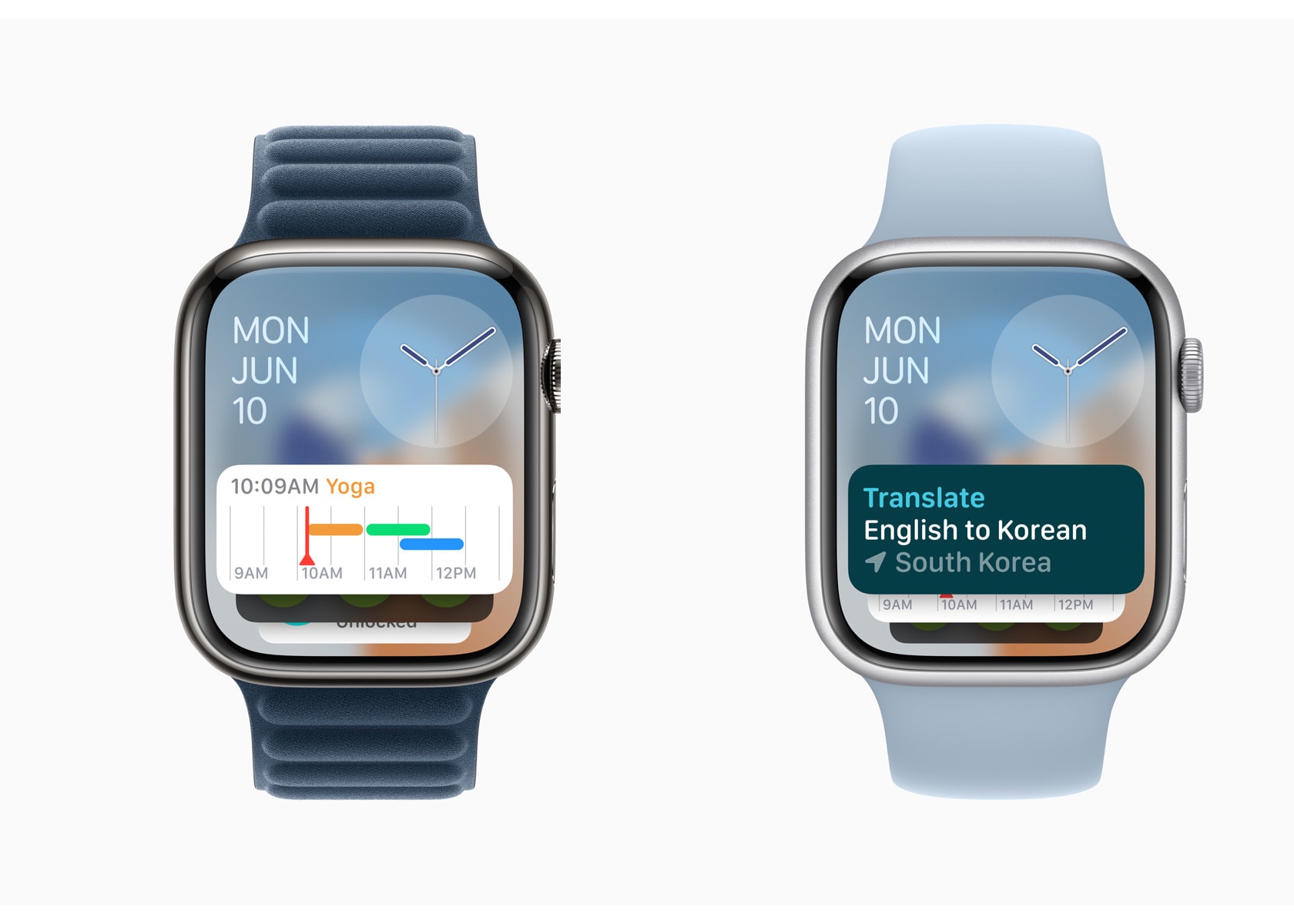
The Smart Stack in watchOS 11 offers new widgets like Shazam and Photos, suggesting widgets based on time, date, location, and daily routines. The Photos face uses machine learning to analyze thousands of images, recommending the best options based on aesthetics and composition. Users can personalize the Photos face, creating a dynamic and visually appealing watch experience.

The Smart Stack’s ability to adapt to a user’s schedule and preferences makes it a powerful tool for staying organized and informed.

Connectivity and Convenience

Check In

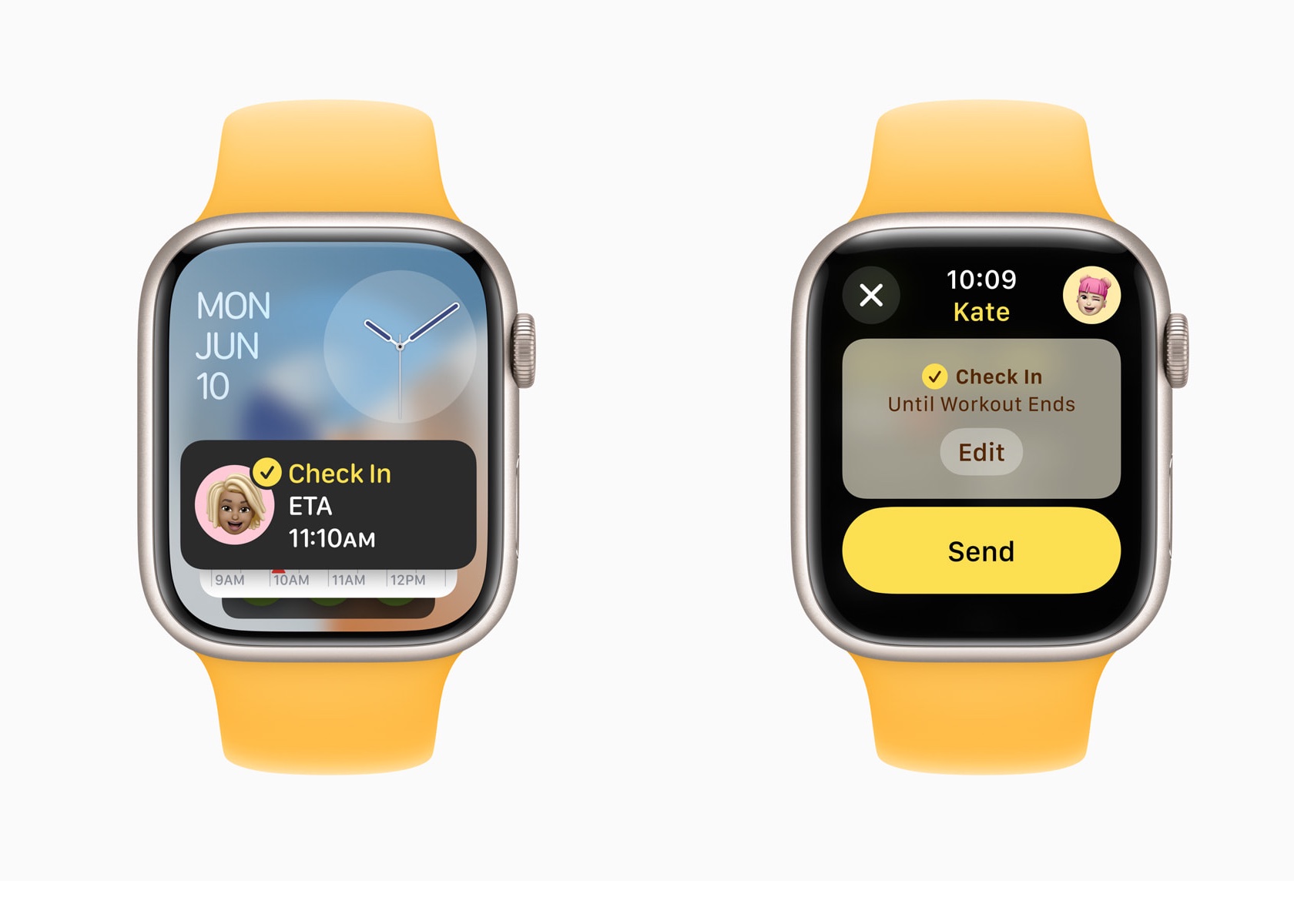
Check In, now available on Apple Watch, enhances user safety and connectivity. Users can use Check In to keep friends or family informed about their activities. This feature integrates with Messages, providing an added layer of security.

It allows users to set a timer for their activities, notifying a designated contact if they don’t check back in time.

Translate App

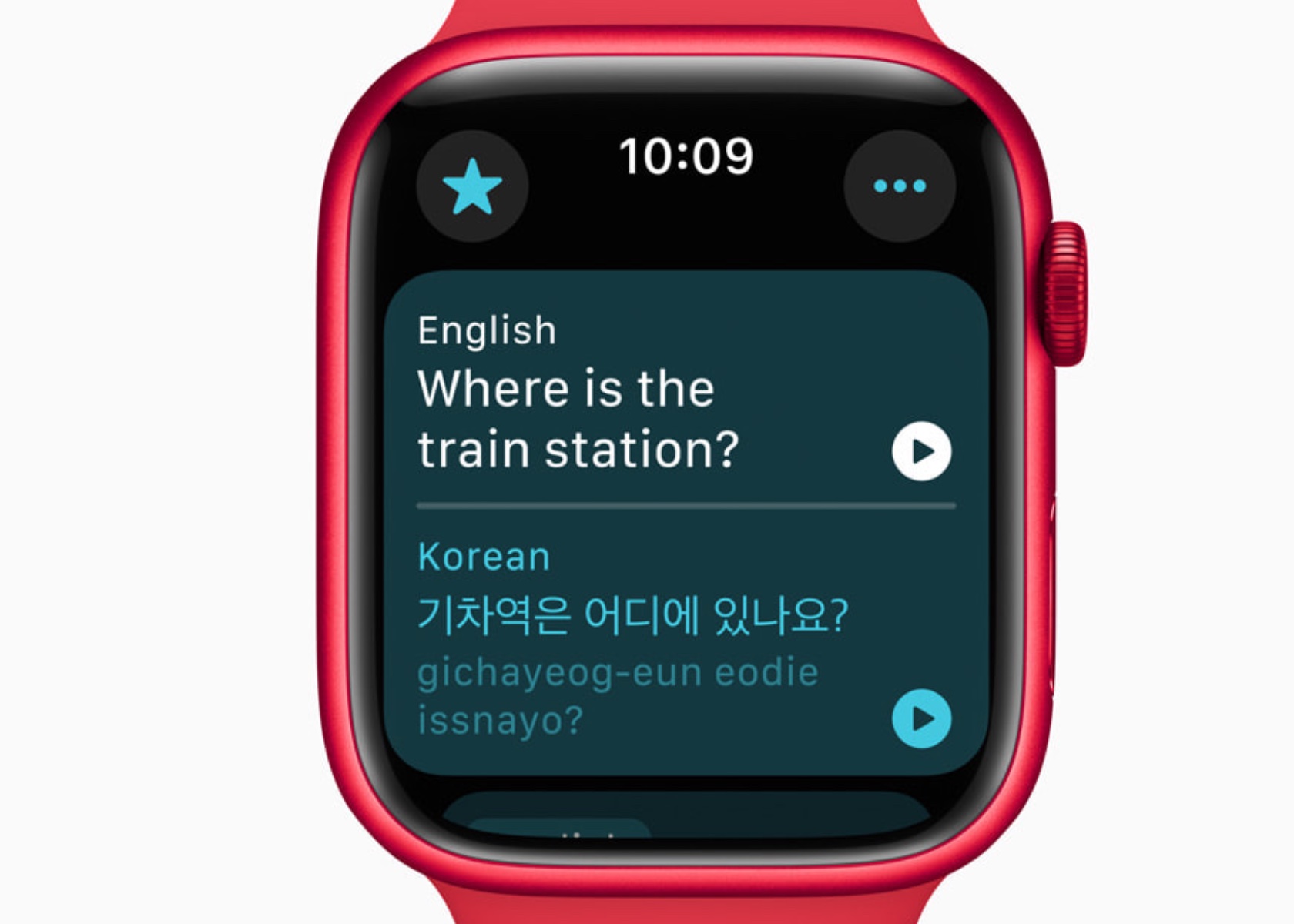
The Translate app on Apple Watch supports 20 languages, allowing users to access translations directly on their wrist. The Smart Stack intelligently suggests the Translate widget based on the user’s location, enhancing convenience while traveling. With offline functionality, users can rely on the Translate app even without an internet connection. However, it is important to note that offline mode requires users to manually download the desired language in advance. This ensures that translations are readily available regardless of internet availability, providing a seamless and dependable experience for language support on the go.

Additional Updates and Developer Tools

watchOS 11 introduces several updates to enhance user experience and provide developers with new tools. These include new workout types with enhanced GPS tracking, customizable Pool Swims, and the ability to save hiking routes for offline use. The Smart Stack and Double Tap gesture capabilities offer developers opportunities to create more interactive and relevant apps.

New workout types like soccer, American football, and downhill skiing expand the range of activities Apple Watch can track. Enhanced GPS tracking ensures accurate distance measurements for outdoor activities. Custom Workouts for Pool Swims allow users to tailor training sessions to meet specific goals.

Developers can use new APIs to create more personalized and interactive experiences for Apple Watch users. The Double Tap gesture can trigger specific actions within an app, providing a seamless and intuitive user experience.

Privacy and Availability

Privacy remains a cornerstone of Apple’s design philosophy. Health and fitness data are encrypted when the device is locked and during transmission to iCloud. watchOS 11 will be available as a free update this fall for Apple Watch Series 6 or later, paired with iPhone Xs or later running iOS 18. The developer beta is available now, with a public beta set to launch next month.

Conclusion

watchOS 11 sets a new standard for wearable technology by integrating advanced health monitoring, personalized fitness insights, and enhanced connectivity features. The Vitals app offers unprecedented visibility into health metrics, enabling proactive management of well-being. The new Training Load feature empowers users to optimize their fitness routines based on real-time data, reducing the risk of overtraining and injury.

The post watchOS 11: Comprehensive Health Insights with Advanced Sleep Tracking and Training Load first appeared on Yanko Design.

iOS 18 Brings Enhanced Customization and Apple Intelligence to iPhone Users

Apple’s iOS 18 is set to redefine how we interact with our iPhones, introducing features designed to make the device more personal, capable, and intelligent. This update emphasizes deeper customization, enhanced connectivity, and innovative intelligence features, aiming to offer a user experience that adapts to individual needs and preferences. From a redesigned Photos app to advanced privacy features and intelligent assistance, iOS 18 promises to transform how users engage with their devices.

Personalization Unleashed

iOS 18 gives users unparalleled freedom to customize their iPhones. Users can arrange apps and widgets in any open space on the home screen, perfectly framing their favorite wallpapers. This flexibility allows for a home screen that not only looks good but also functions in a way that fits your lifestyle. Dark mode introduces a sleek, sophisticated look, while new tint options let you add a personal touch by color-coordinating your home screen. Larger app icons cater to those who prefer a bold, minimalist aesthetic, ensuring your home screen looks exactly how you want it.

The customization extends beyond the home screen. The Control Center has been completely redesigned to offer a more intuitive and flexible way to access the features you use most. Media playback, home controls, and connectivity settings are now grouped for quick access, making it easier than ever to manage your daily tasks. The new controls gallery lets you add and organize controls from third-party apps, enhancing your iPhone’s functionality. Whether you need to unlock your car or capture content for social media, everything is just a swipe away.

Revolutionized Photos App

The Photos app has undergone its biggest redesign ever. A unified view makes it easy to browse your library, with new collections organizing your photos by themes like recent days, people, and trips. Customizable carousels highlight your best memories daily, ensuring you spend less time searching and more time reminiscing. Autoplaying content and pinned collections keep your favorite moments at your fingertips.

Photos have never been more organized or accessible. The new collections feature groups your photos by theme, making it simple to find specific memories. Daily highlights in the carousel bring your best moments front and center, allowing you to relive your adventures effortlessly.

Staying Connected in New Ways

Messages get a significant upgrade with new text effects, expanded Tapbacks, and the ability to schedule messages. Whether you’re sending a birthday reminder or expressing excitement with animated text, communication feels more dynamic. Plus, Messages via satellite ensures you stay connected even without cellular or Wi-Fi, using the same technology behind Apple’s Emergency SOS.

Expressing yourself in Messages is now more fun and versatile. The new text effects and Tapback options allow for greater creativity, while scheduled messages ensure your important notes are sent on time. The addition of satellite messaging keeps you connected in remote areas, making sure you’re never out of touch.

Enhanced Email Management

Mail has received significant enhancements with on-device intelligence that categorizes your inbox into primary, transactions, updates, and promotions. This makes managing your emails more efficient, helping you stay on top of what matters most. The new digest view consolidates relevant emails from businesses, making it easier to interact with important messages.

Email management is more intuitive with iOS 18’s on-device categorization, helping you prioritize important messages. Safari’s new features enhance your web browsing experience by providing quick summaries and a more focused reading environment.

Introducing Apple Intelligence

Deeply integrated into iOS 18 and built with privacy from the ground up, Apple Intelligence unlocks new ways for users to enhance their writing and communicate more effectively. With brand-new systemwide writing tools built into iOS 18, users can rewrite, proofread, and summarize text nearly everywhere they write, including Mail, Notes, Pages, and third-party apps. New image capabilities make communication and self-expression even more fun. With Image Playground, users can create playful images in seconds, choosing from three styles: Animation, Illustration, or Sketch. Image Playground is easy to use, built right into apps like Messages, and also available in a dedicated app.

Memories in Photos lets users create the stories they want to see just by typing a description. Apple Intelligence will pick out the best photos and videos based on the description, craft a storyline with chapters based on themes identified from the photos, and arrange them into a movie with its own narrative arc. In addition, a new Clean Up tool can identify and remove distracting objects in the background of a photo — without accidentally altering the subject.

With the power of Apple Intelligence, Siri takes a major step forward, becoming even more natural, contextually relevant, and personal. Users can type to Siri and switch between text and voice to communicate with Siri in whatever way feels right for the moment. With Private Cloud Compute, Apple sets a new standard for privacy in AI, with the ability to flex and scale computational capacity between on-device processing and larger, server-based models that run on dedicated Apple silicon servers. When requests are routed to Private Cloud Compute, data is not stored or made accessible to Apple and is only used to fulfill the user’s requests, and independent experts can verify this privacy.

Additionally, access to ChatGPT is integrated into Siri and systemwide writing tools across Apple’s platforms, allowing users to access its expertise — as well as its image- and document-understanding capabilities — without needing to jump between tools.

iOS 18 introduces several additional features that enhance user experience and functionality across various apps. In Apple Maps, users can explore thousands of hikes across national parks in the United States and easily create custom walking routes, which are accessible offline. Maps users can also save their favorite national park hikes, custom routes, and locations to an all-new Places Library, adding personal notes about each spot.

Game Mode significantly enhances the gaming experience by providing more consistent frame rates, especially during long play sessions, and making wireless accessories like AirPods and game controllers incredibly responsive.

Apple Pay now offers new ways to pay, including redeeming rewards and accessing installments from eligible credit or debit cards. With Tap to Cash, users can send and receive Apple Cash by simply holding two iPhone devices together. Tickets in Apple Wallet offer a richer experience for fans, providing key event information such as stadium details and recommended Apple Music playlists.

SharePlay with Apple Music allows more users to share control of music playing from HomePod, Apple TV, or any Bluetooth-enabled speaker, making group listening sessions more fun and engaging.

The AirPods experience becomes even more personal and convenient with Siri Interactions, allowing AirPods Pro (2nd generation) users to simply nod their head yes or shake their head no to respond to Siri announcements. Voice Isolation ensures clearer call quality in noisy environments, and updates provide the best wireless audio latency for mobile gaming, along with Personalized Spatial Audio for more immersive gameplay.

In the Notes app, formulas and equations entered while typing are solved instantly with Math Notes. New collapsible sections and highlighting make it easier to emphasize important information.

The Journal app features an all-new insights view to help users track their journaling goals. Users can search and sort entries easily, save time spent journaling as mindful minutes in the Health app, and log their state of mind directly in Journal. A Journal widget is available for quick entry from the home screen or lock screen, and audio recordings are automatically transcribed. Users can also export and print journal entries.

Calendar becomes even more useful by showing both events and tasks from Reminders. Users can create, edit, and complete reminders directly from Calendar, and the updated month view provides a comprehensive overview of events and tasks.

The Health app has a redesigned Medical ID feature, making it easier for first responders to find crucial information in an emergency. The app also helps users better understand their data during pregnancy by making adjustments and recommendations to reflect changes in their physical and mental health.

Emergency SOS Live Video allows users to share context through streaming video and recorded media. During an emergency call, dispatchers can request live video or media from the user’s camera roll over a secure connection, making it easier and faster to get help.

The post iOS 18 Brings Enhanced Customization and Apple Intelligence to iPhone Users first appeared on Yanko Design.
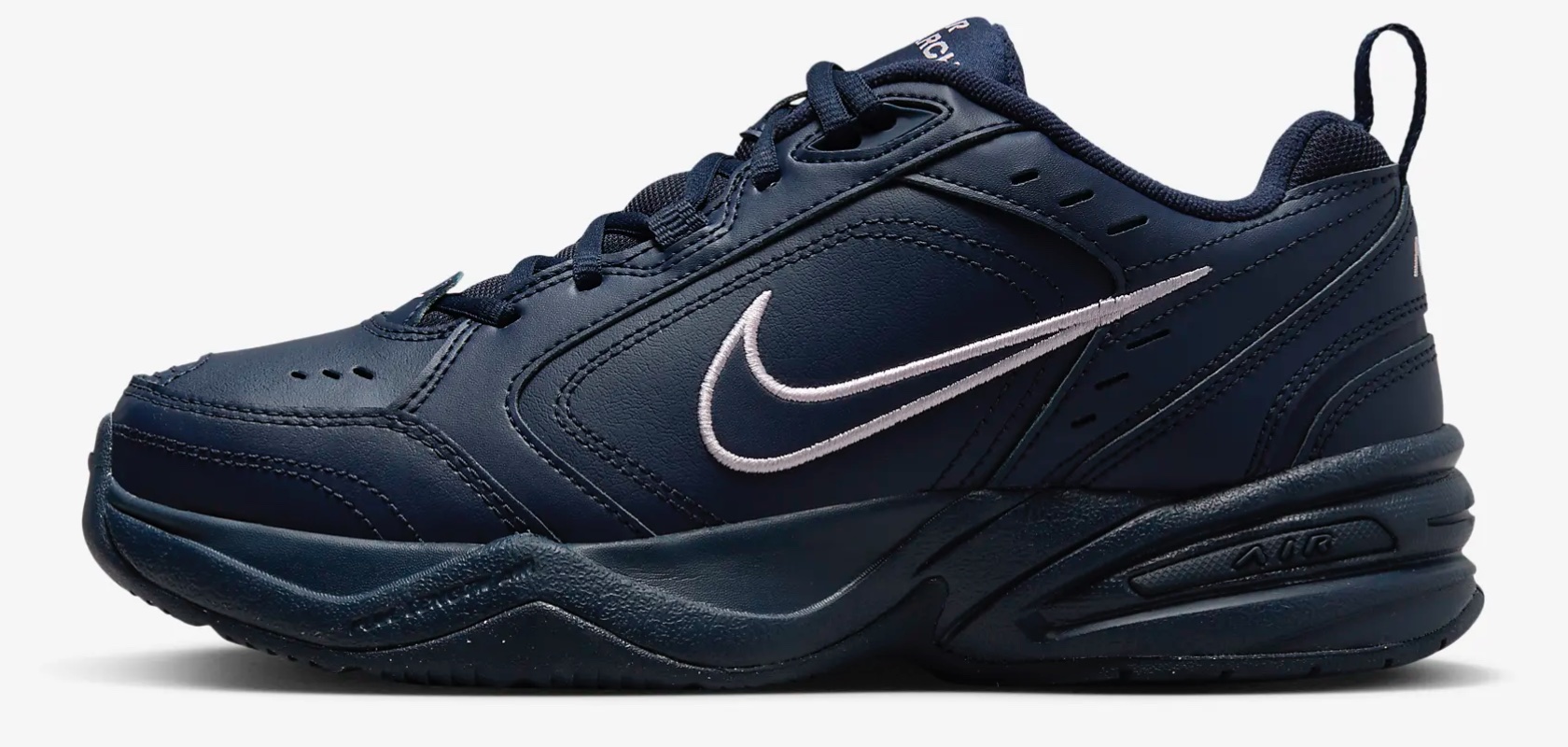
Apple Intelligence at WWDC 2024: The Future of Personalized and Secure AI

Apple Intelligence is a revolutionary step in making your devices smarter and more in tune with your daily life. Imagine having an assistant that not only responds to your commands but also understands your needs and habits. Unlike traditional AI, which relies on generic data, Apple Intelligence integrates deeply with your personal context. It knows your routine, preferences, and relationships, making interactions more meaningful and tailored specifically to you.

What is Apple Intelligence?

Apple Intelligence redefines how you interact with technology, making it feel like a natural extension of yourself. Whether managing your schedule, writing emails, or capturing moments, the intelligence within your devices anticipates your needs and offers solutions proactively. Moreover, it’s built with privacy at its core, ensuring your personal data remains secure and confidential. In an era where privacy concerns are paramount, Apple Intelligence sets a new standard by processing most tasks directly on your device and using private cloud computing only when necessary.

Apple Intelligence

Apple Intelligence is designed to simplify tasks, anticipate your needs, and provide relevant suggestions, all while keeping your data secure. This transformation goes beyond adding new features; it’s about enhancing your user experience. For busy professionals, students, and families, having a device that understands and adapts to your unique context can streamline daily tasks, reduce stress, and enhance productivity. By prioritizing user privacy, Apple Intelligence also addresses growing concerns about data security, making it a trustworthy assistant in the digital age.

Is Apple Intelligence the First True GenAI Ecosystem That’s Secure?

Absolutely. Apple has set the bar high with the first truly secure generative AI ecosystem. Apple Intelligence ensures that your data remains private by performing most of the processing on your device. For more complex tasks that require additional computing power, it uses Private Cloud Compute. This innovative approach allows Apple to harness the full potential of generative AI while ensuring that your personal data is never exposed or compromised.

Apple’s commitment to privacy extends to its server operations as well. All server-based models run on dedicated Apple silicon servers, and the code is open to independent inspection. This means you can trust that your information is handled with the utmost care and transparency. By combining cutting-edge AI capabilities with rigorous privacy standards, Apple Intelligence delivers powerful, personalized intelligence without sacrificing security.
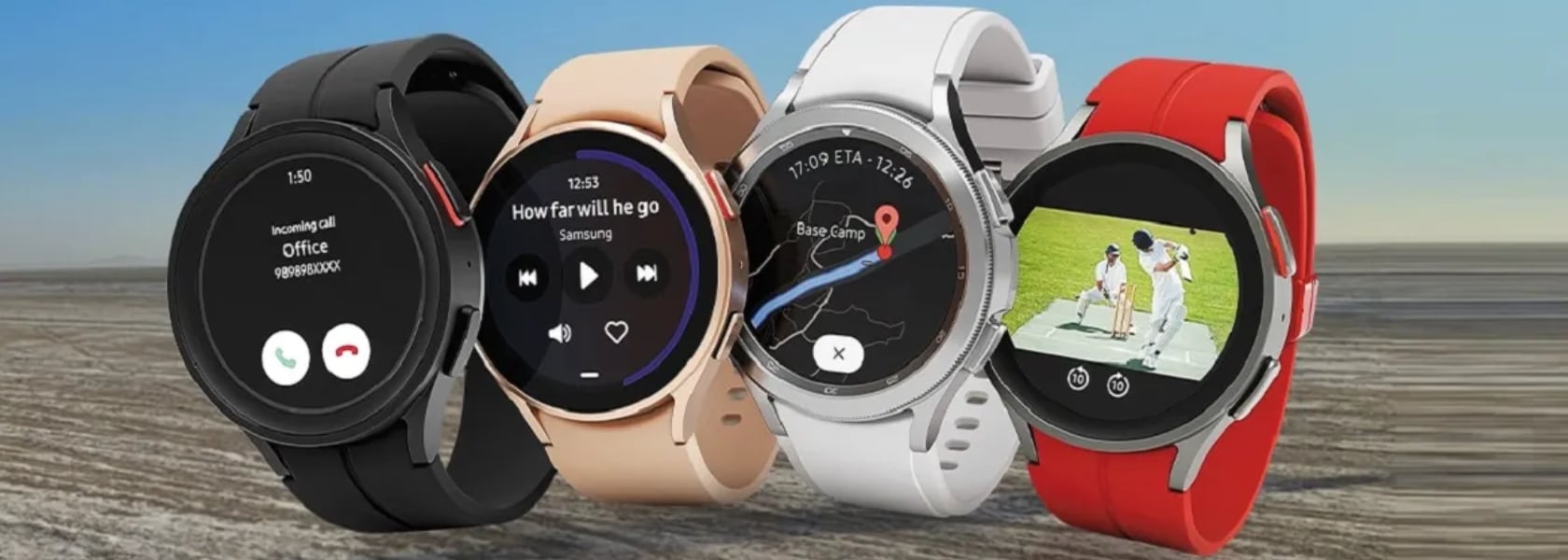
The importance of this secure ecosystem cannot be overstated. In a time where data breaches and privacy concerns are rampant, Apple Intelligence offers peace of mind. Users can confidently rely on their devices to handle sensitive information and perform complex tasks without fear of data misuse. This makes Apple Intelligence a technological advancement playing a vital development role in fostering user trust and safety in digital environments.

Elements and Features of Apple Intelligence

Apple Intelligence is built into your iPhone, iPad, and Mac, bringing a suite of powerful features that make everyday tasks easier and more enjoyable. Let’s dive into what this means for you.

1. Writing Tools

Apple Intelligence includes systemwide writing tools that act like a personal editor wherever you write. Whether you’re drafting an email, jotting down notes, or crafting a blog post, these tools enhance your writing by providing real-time suggestions and corrections. Rewrite allows you to adjust the tone of your text to suit different audiences, whether you need to be more formal for a cover letter or add some humor to a party invitation. Proofread checks your grammar, word choice, and sentence structure, offering edits and explanations to help you improve.

Summarize is another fantastic feature, perfect for condensing long articles or documents into digestible key points or paragraphs. Imagine being able to take a lengthy research paper and quickly create a concise summary for easier review. These tools are integrated into apps like Mail, Notes, and Pages, as well as third-party apps, making them accessible whenever and wherever you need them. With Apple Intelligence, your writing becomes clearer, more precise, and tailored to any situation.

These tools are particularly useful because they enhance communication and productivity. For students, professionals, and casual users alike, having an intelligent assistant that helps refine and improve writing can save time and reduce errors. Whether you’re preparing a report, sending an important email, or simply jotting down ideas, these features ensure that your written communication is effective and polished.

2. Priority Messages and Notifications

Managing your communications has never been easier with Apple Intelligence’s Priority Messages and Notifications. This feature ensures that you see the most important emails and notifications first. For example, a same-day dinner invitation or a boarding pass for an upcoming flight will appear at the top of your inbox, so you never miss critical information. Instead of previewing the first few lines of each email, you can see summaries that highlight the key points, making it easier to manage your inbox efficiently.

The new Reduce Interruptions Focus mode is a game-changer for those who need to stay focused on important tasks. It filters notifications to show only the ones that require immediate attention, such as a text about an early pickup from daycare. This means fewer distractions and more time to concentrate on what matters most. By prioritizing urgent messages and minimizing unnecessary interruptions, Apple Intelligence helps you stay organized and in control of your communications.

These features are crucial for anyone who juggles multiple responsibilities. By keeping you informed of the most important messages and minimizing distractions, Apple Intelligence helps improve productivity and reduce stress. Whether you’re managing work emails, family schedules, or social invitations, having a streamlined communication system ensures that you stay on top of what truly matters without getting overwhelmed by the noise.

3. Audio Recording and Transcription

In the Notes and Phone apps, Apple Intelligence introduces advanced audio recording and transcription capabilities. This feature is incredibly useful for capturing detailed notes during calls and meetings. When you record a conversation, Apple Intelligence transcribes the audio in real-time, allowing you to read and review the content immediately. This makes it easy to keep track of important discussions and decisions without missing any details.

Once the recording is finished, Apple Intelligence generates a summary of the key points, making it simple to recall and share the most important information. For instance, after a brainstorming session, you can quickly review the main ideas and action items without having to listen to the entire recording. This feature saves time and enhances productivity by ensuring that you have accurate and organized notes at your fingertips.

The importance of these features lies in their ability to enhance efficiency and accuracy. For students, professionals, and anyone who attends meetings or interviews, having an automatic transcription and summary tool can significantly reduce the time spent on note-taking and ensure that no critical information is missed. This allows you to focus more on the conversation and less on capturing every detail manually.

4. Image Playground and Genmoji

Image Playground and Genmoji are two exciting features powered by Apple Intelligence that make communication and self-expression more fun and creative. Image Playground lets you create engaging images in seconds, choosing from styles like Animation, Illustration, or Sketch. It’s built right into apps like Messages, so you can easily spice up your conversations with personalized visuals. Whether you’re creating an image of your family hiking or a fun meme for a group chat, the possibilities are endless.

Genmoji takes emojis to the next level by allowing you to create unique, personalized emojis based on descriptions or photos. For example, typing “smiley relaxing wearing cucumbers” generates a Genmoji that you can use in your messages or as a sticker. You can even create Genmoji of friends and family members based on their photos, adding a personal touch to your digital interactions. These features make it easier and more enjoyable to express yourself visually, whether you’re chatting with friends or creating content for social media.

These features are especially significant in today’s online interactions. Visual elements, such as images and emojis, are essential for expressing ourselves. With tools to create personalized and unique visuals, Apple Intelligence enriches our connections with others. This approach makes conversations more engaging and allows for deeper, more personal expression, ultimately fostering stronger relationships and more enjoyable interactions.

5. Enhanced Photo and Video Search

Apple Intelligence makes finding and managing your photos and videos a breeze with enhanced search and editing capabilities. Using natural language processing, you can search for specific photos and videos with simple descriptions. For example, searching for “Maya skateboarding in a tie-dye shirt” quickly pulls up the exact photo from your library. This feature saves time and makes it easier to relive your favorite moments.

The Clean Up tool is another handy feature that helps you enhance your photos by removing distracting objects from the background without altering the main subject. This is perfect for tidying up those almost-perfect shots. Additionally, the new Memories feature allows you to create movies from your photos and videos by simply typing a description. Apple Intelligence selects the best images, crafts a narrative, and even suggests music from Apple Music to match the mood. This makes it effortless to create beautiful, shareable memories from your digital collection.

These features are invaluable for everyone who captures and stores digital memories. With the sheer volume of photos and videos we accumulate, having tools that simplify searching and editing can save significant time and effort. Whether you’re organizing a photo album, creating a digital scrapbook, or just looking for that perfect picture from last summer, Apple Intelligence makes it easier to manage and enjoy your visual content.

6. Siri Enhancements

Powered by Apple Intelligence, Siri is now more capable and contextually aware than ever before. This transformation means your assistant can understand and act on a wider range of requests, making it even more useful in your daily life. Whether you need to schedule an email, switch from Light to Dark Mode, or add a new address to a contact card, Siri can handle these tasks with ease. It can follow along if you stumble over words and maintain context from one request to the next, providing a more seamless interaction.

One of the most exciting improvements is Siri’s ability to perform hundreds of new actions across Apple and third-party apps. For instance, you can ask Siri to bring up an article from your Reading List, send photos from a recent event to a friend, or play a podcast recommended by a contact. The new design includes an elegant glowing light around the edge of the screen when Siri is active, making it visually engaging and easier to know when Siri is listening.

Siri now pulls from your messages, emails, and other apps to provide more personalized assistance. If a friend texts you their new address, you can simply say, “Add this address to his contact card,” and Siri will update the contact information without needing additional input. Additionally, Siri can understand and follow up on previous requests, making it easier to carry on more natural, conversational interactions. Imagine planning a day trip; you could ask about the weather at your destination, book a reservation at a local restaurant, and get directions—all in a seamless flow of conversation.

Another significant enhancement is Siri’s deep integration with personal context. For example, you can ask, “What’s the weather like near Muir Woods?” and then follow up with, “Create an event for a hike there tomorrow at 9 a.m.” Siri maintains the context of “there” to schedule the hike without needing you to repeat the location. The assistant also supports switching between text and voice input seamlessly, which is perfect for situations where speaking aloud isn’t convenient.

These improvements are crucial for making technology more accessible and user-friendly. By expanding its capabilities and making it more contextually aware, Apple Intelligence ensures that users can rely on Siri for a wider range of tasks. This can significantly enhance productivity and convenience, making it easier to manage daily activities and access information quickly. For anyone looking to streamline their workflow or simplify their interaction with technology, these enhancements make Siri an even more integral part of everyday life. Whether you’re coordinating a busy schedule, managing home automation, or simply trying to stay organized, the new capabilities make your digital assistant more indispensable than ever.

Conclusion

Integrating deeply with personal context, Apple Intelligence redefines how we interact with our devices. It understands your routines, preferences, and relationships, offering solutions that feel tailor-made just for you. With most tasks processed on your device, it keeps your data secure while boosting productivity through advanced writing tools, priority notifications, and real-time transcription. Fun features like Image Playground and Genmoji bring a personal touch to visual communication, while enhanced photo and video search make managing digital memories a breeze. Siri’s enhanced abilities enable smooth, conversational interactions, making everyday tech use more intuitive and efficient, all while upholding strong privacy standards. I hope this helps answer and explain what Apple Intelligence is, what the features are, and how you can benefit from them.

The post Apple Intelligence at WWDC 2024: The Future of Personalized and Secure AI first appeared on Yanko Design.